Vue lecture

This app's massive update supercharges power management on Windows 11

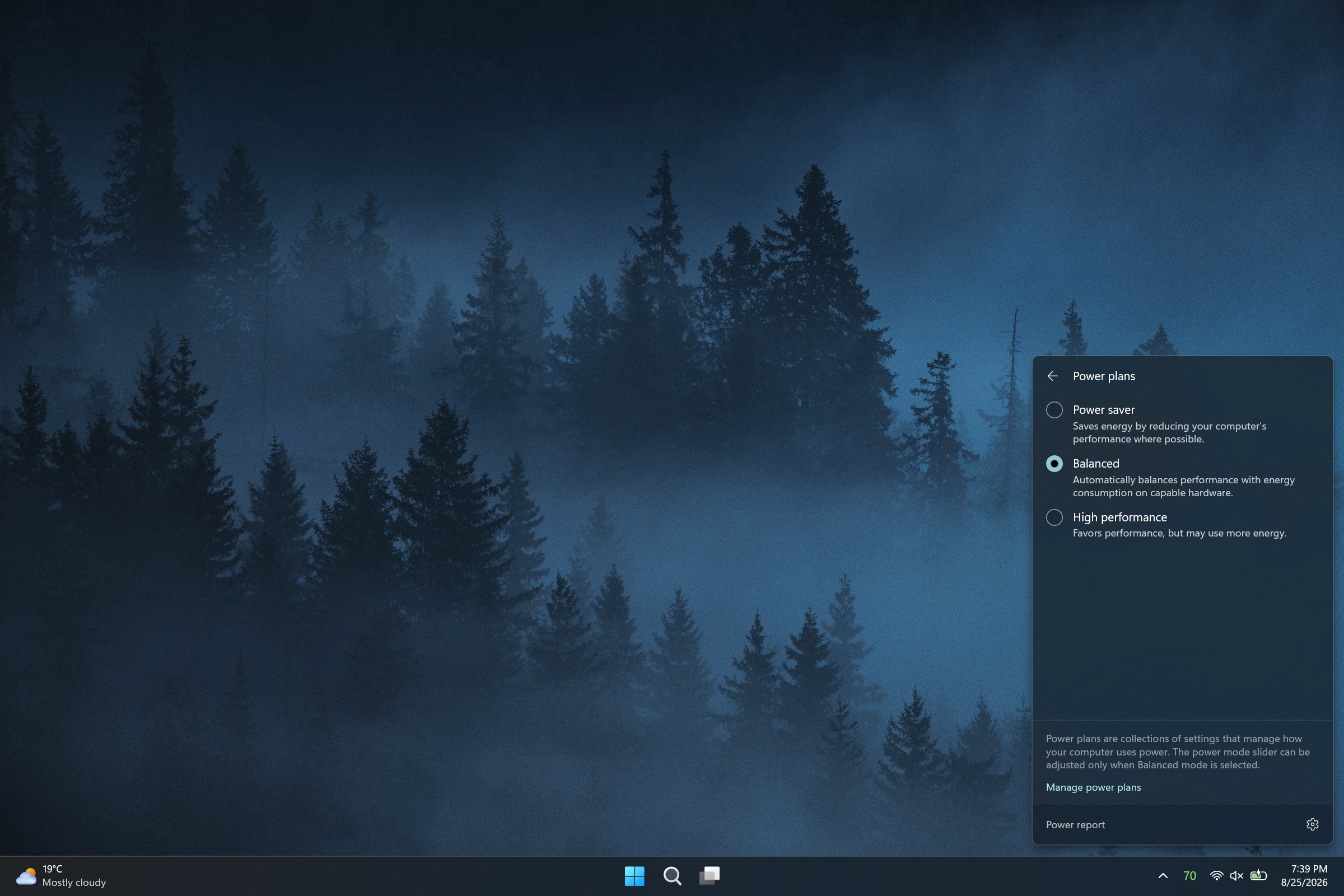
I love tiny utilities. If I find a useful flyout, widget, or Taskbar tweak, I'm likely to install it right away. A recent update to Battery Flyout brings power management and tracking to the Taskbar, and it even supports a new widget!

Battery Flyout is a third-party app made by Michał Łeptuch. It lets you switch power modes easily and provides charts about your PC's battery usage.

Some of the features in Battery Flyout are already in Windows 11, but they are spread out across the Settings app and other areas. Battery Flyout brings those options together and makes information and shortcuts easily accessible.
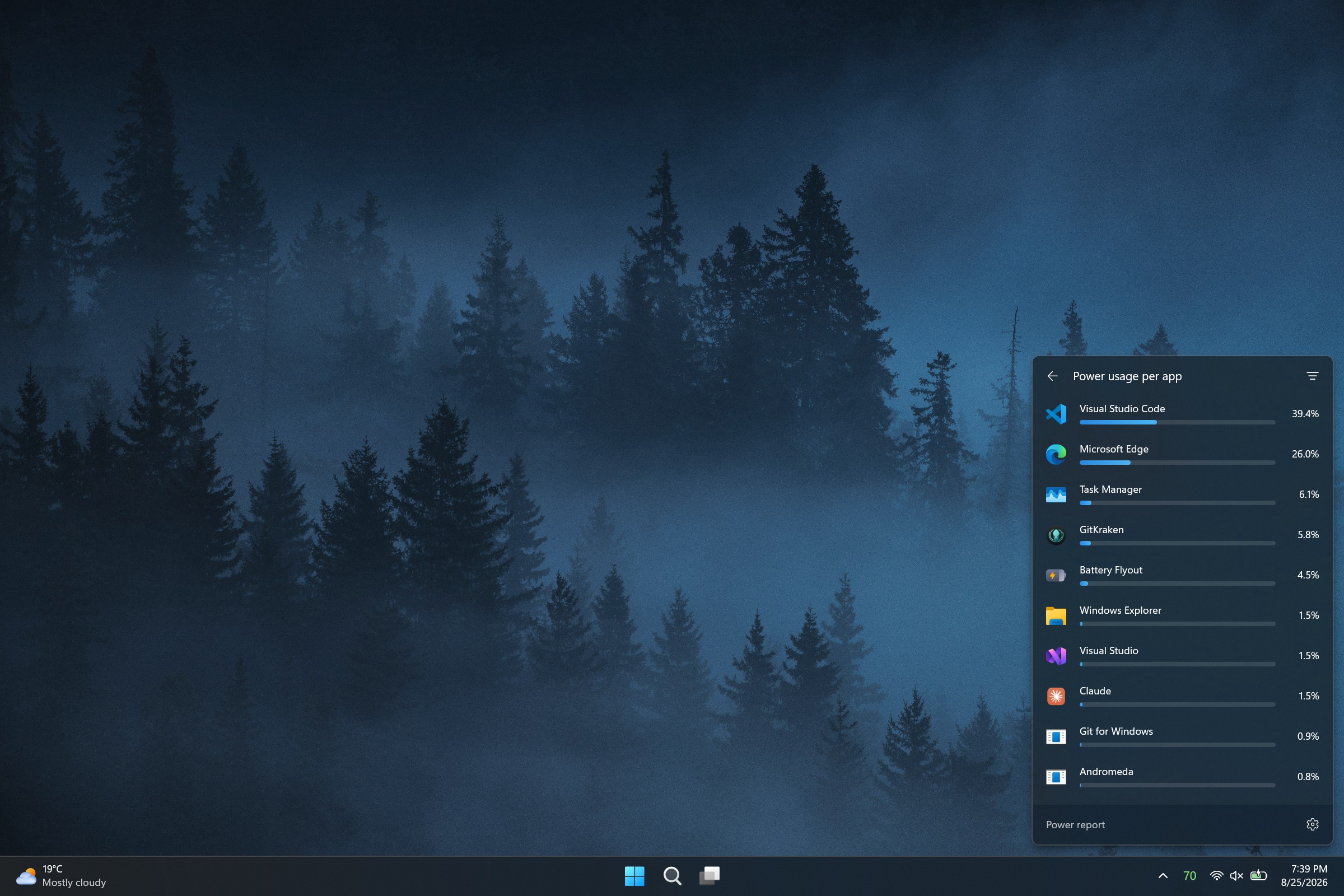
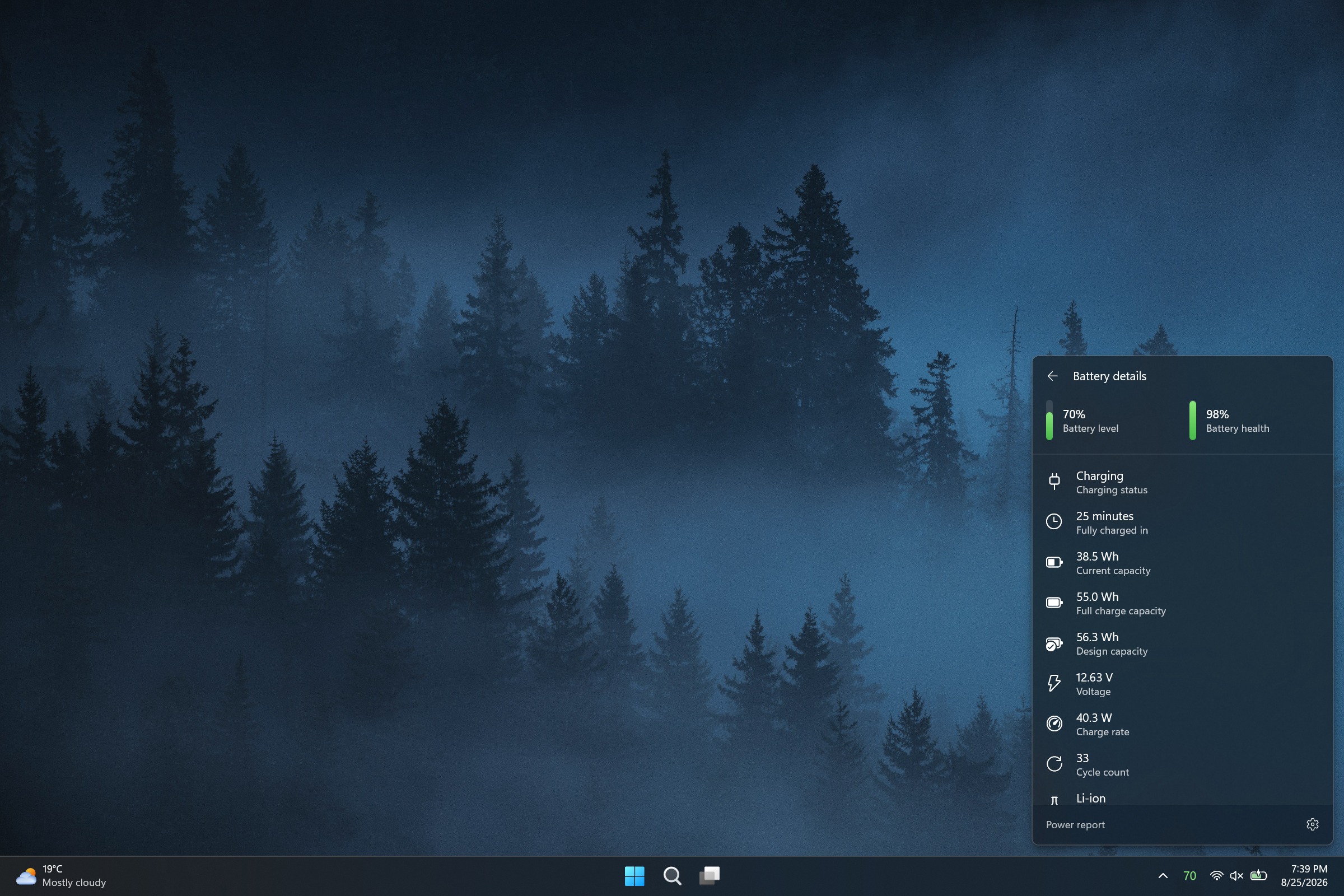
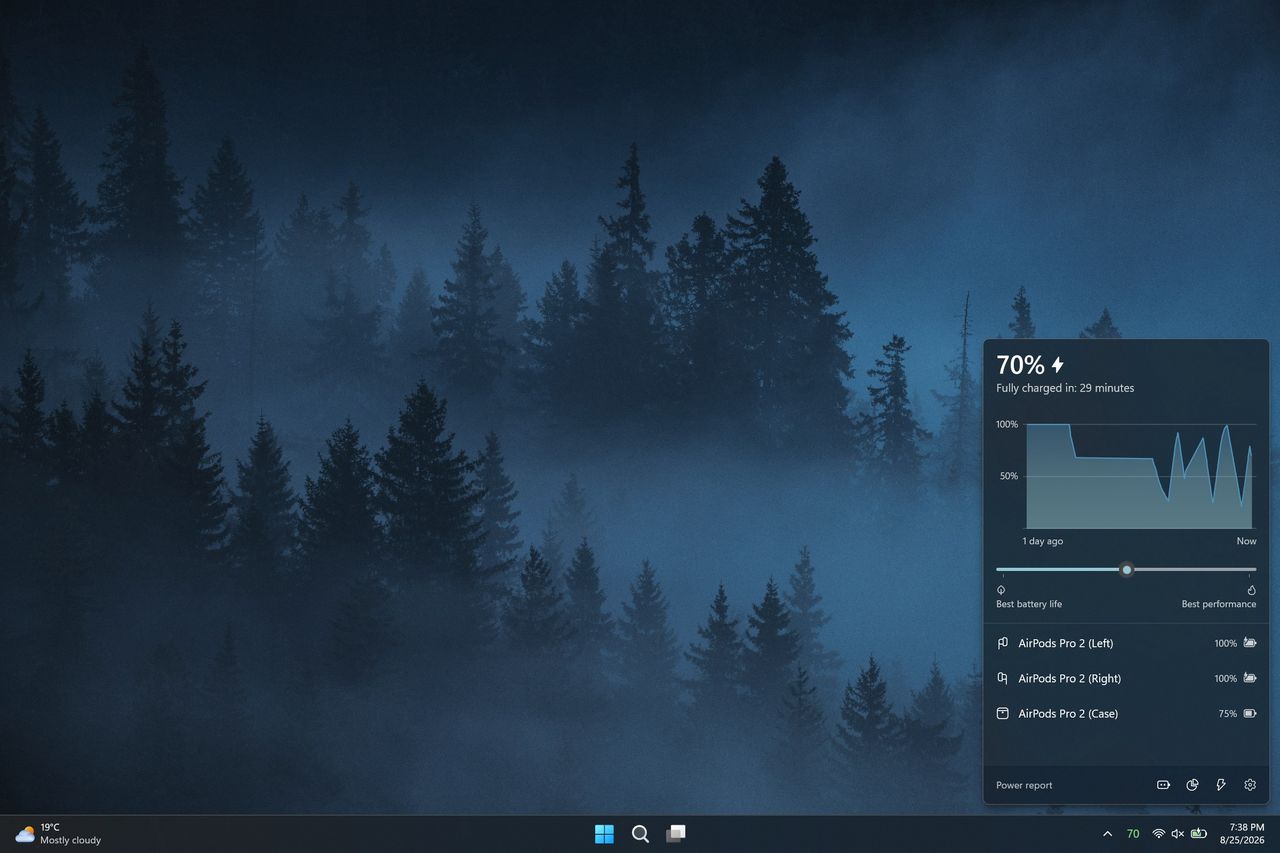
A screenshot of the Battery Flyout application on Windows 11 showing battery metrics, power settings, and usage statistics.
Michał Łeptuch
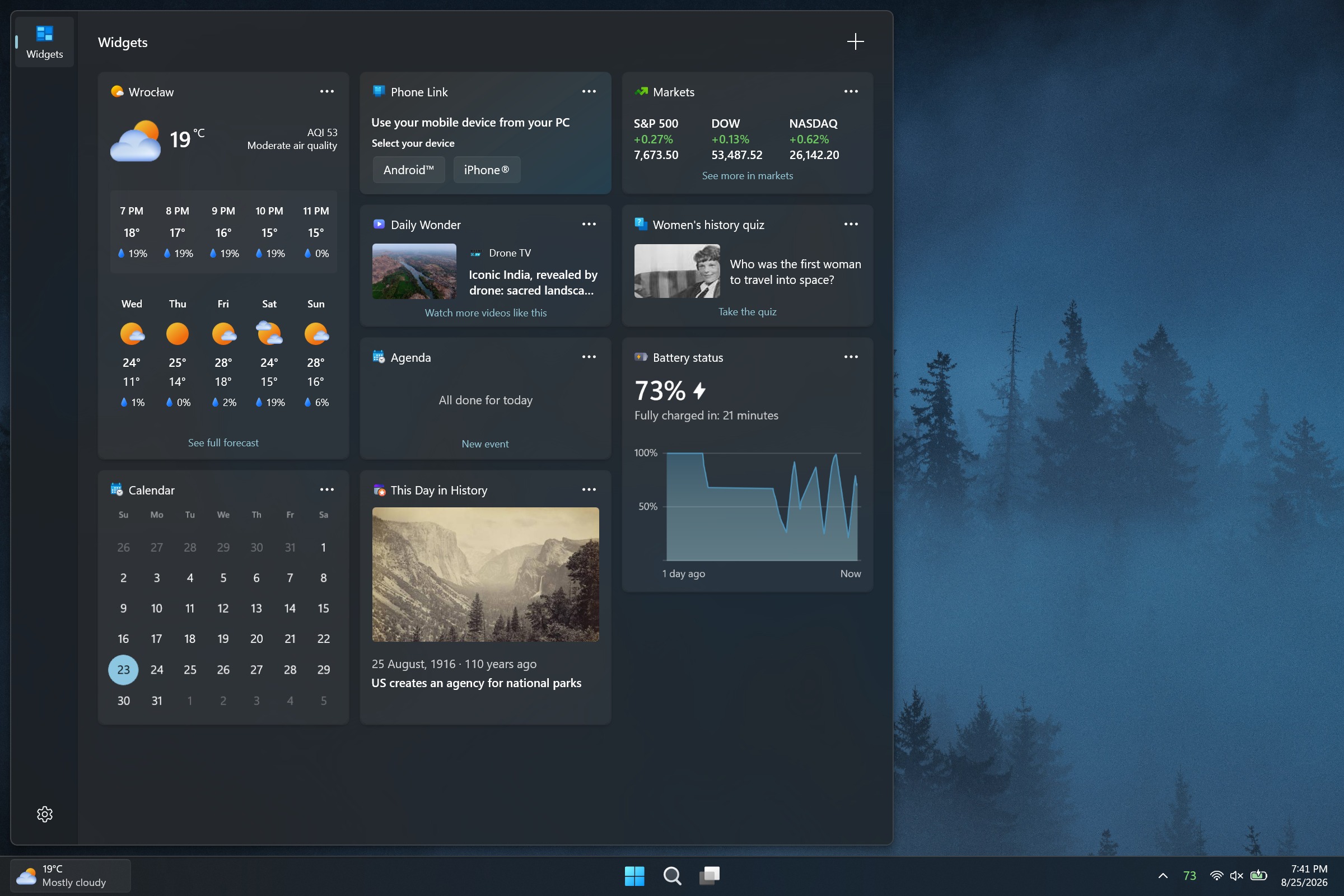
A screenshot of the Battery Flyout application on Windows 11 showing battery metrics, power settings, and usage statistics.
Michał Łeptuch
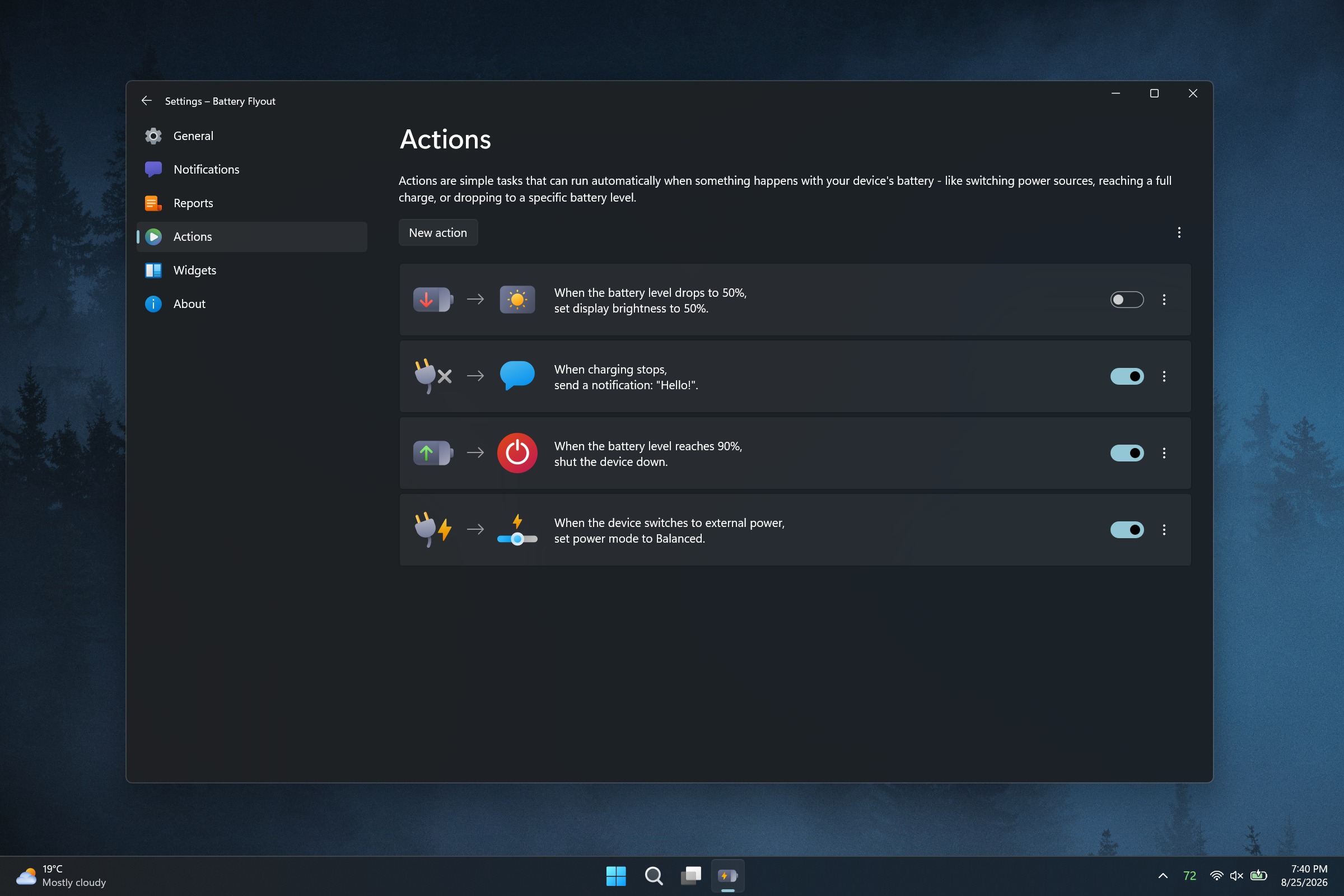
A screenshot of the Battery Flyout application on Windows 11 showing battery metrics, power settings, and usage statistics.
Michał Łeptuch
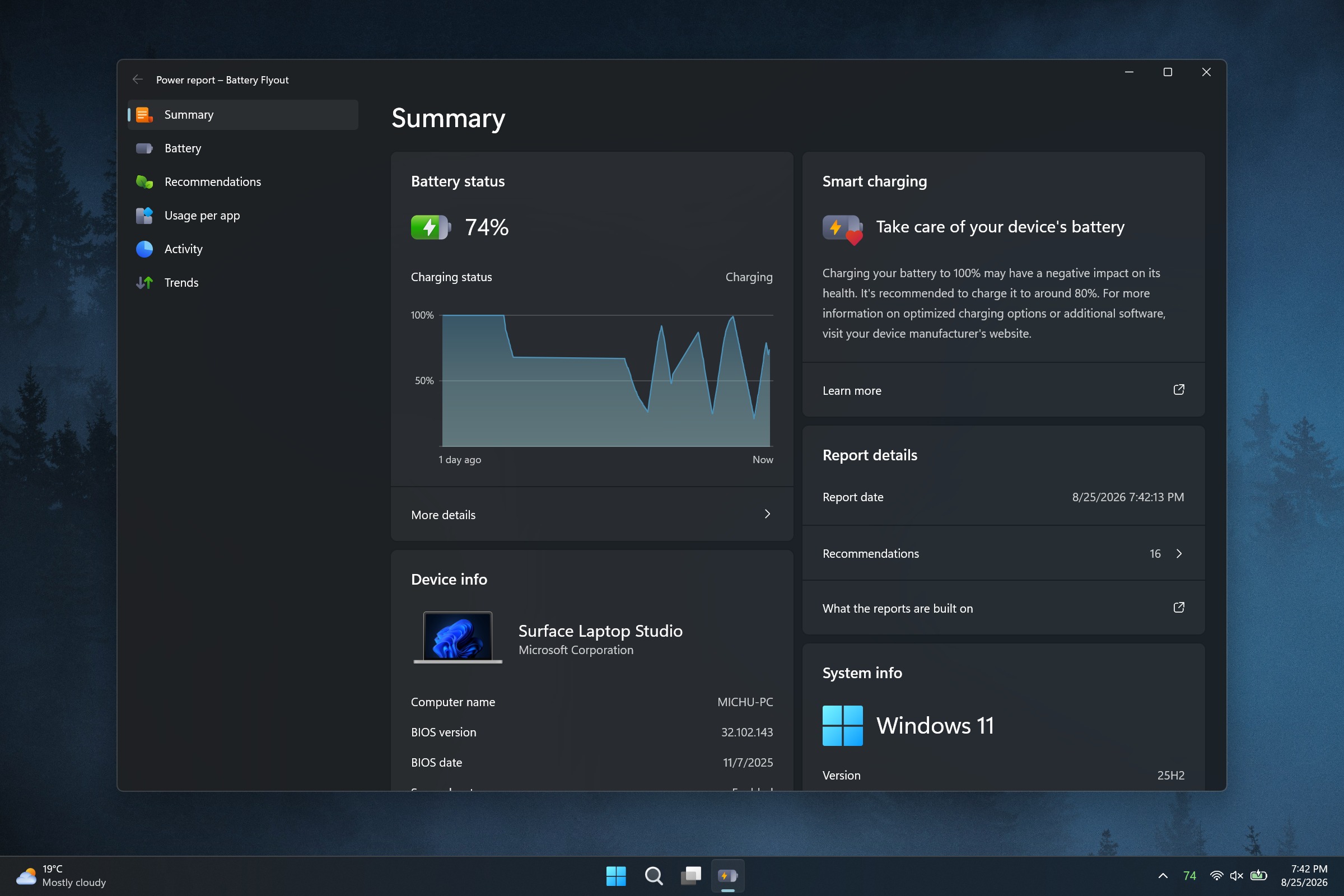
A screenshot of the Battery Flyout application on Windows 11 showing battery metrics, power settings, and usage statistics.
Michał Łeptuch
A screenshot of the Battery Flyout application on Windows 11 showing battery metrics, power settings, and usage statistics.
Michał Łeptuch
A screenshot of the Battery Flyout application on Windows 11 showing battery metrics, power settings, and usage statistics.
Michał Łeptuch

Łeptuch develops several apps that improve the overall Windows 11 experience, including Calendar Flyout. I spoke with him about the major update to Battery Flyout ahead of its release. Here's the full change log:

  • Migrated the app from UWP to Windows App SDK (WinUI 3) on .NET 10 with Native AOT
  • Added a full native ARM64 build
  • Switched the app to run in Efficiency mode by default
  • Removed third-party dependencies in favor of a custom-built system for handling power and battery events
  • Added support for multiple batteries
  • Added a more detailed chart style for battery levels
  • Added the ability to switch chart colors between the default theme and your system accent color
  • Added detailed technical information for each installed battery to the flyout
  • Added a view of the apps consuming the most power to the flyout
  • Replaced the old battery report with the new Power report, covering battery and system summary, per-battery details, app trends, recommendations, and resource usage
  • Added the option to choose the units used in reports, including energy and temperature
  • Added a new Actions module to automate tasks triggered by specific battery or power events
  • Added a widget for the Windows Widgets board showing battery level and charging status
  • Expanded support for Apple and Samsung devices, with more of them now reporting battery status
  • Added the option to hide the device list when it's empty
  • Updated the Bluetooth device icons shown in the flyout's device list
  • Added the option to completely disable Bluetooth device scanning
  • Added a keyboard shortcut to open the flyout
  • Added the ability to change where the flyout appears on your desktop
  • Added automatic flyout and context menu positioning for the taskbar layout options introduced in the Windows 11 August 2026 update
  • Added the ability to set notifications for any battery level, for both the device and connected Bluetooth devices
  • Added the option to set how long notifications stay on screen
  • Added support for the Polish language
  • Made various minor visual refinements
  • Updated the tray icon font and improved its rendering
  • Made general stability and performance improvements

Blank Pixel

A significant change that will affect all Battery Flyout users is that the app has been migrated from UWP to WinUI 3. That change brings better performance and taps into improvements Microsoft is making to WinUI 3 on Windows 11.

Battery Flyout should also use less battery than before since it now runs in Efficiency mode by default.

Similar to iOS and Android, Battery Flyout now has a dedicated page for viewing which apps are consuming the most power.

Some of the improvements will only affect a subset of users but are welcome additions. Battery Flyout now supports multiple batteries, which is useful for the small group of devices with multiple batteries.

The update also brings some under-the-hood improvements, such as switching away from third-party dependencies.

Perhaps the change aimed at the smallest niche is the addition of a Battery Flyout widget for the Windows 11 Widgets panel. That panel, which is built into every single Windows 11 PC, infamously features far fewer than 100 widgets. Battery Flyout will fit nicely between the barely functional Spotify widget and the Tic-Tac-Toe widget.

A recent update to this app improves performance, adds native ARM64 support, and shows more information about the power usage of your PC and apps.

Click to join us on r/WindowsCentral

Join us on Reddit at r/WindowsCentral to share your insights and discuss our latest news, reviews, and more.
  •  

Microsoft Edge update adds Apple sign-in and scam protection, but officially ends Edge Drop and real-time video translation

Microsoft gives and Microsoft takes away. The latest update to Microsoft Edge adds the ability to sign in to the browser using an Apple account. It also adds a feature that automatically unsubscribes you from notifications related to scams.

But the same update also marks the official end of several Microsoft Edge features, including Edge Drop and real-time video translation.

Here are all the new features and changes that ship with the latest version of Edge, as detailed by Microsoft:

  • Automatically unsubscribe users from notifications sent by scam and malicious sites. Microsoft Edge now helps further protect users from malicious web notifications. When a notification leads users to a site that Microsoft Defender SmartScreen blocks as a scam, phishing, or malware page, Edge automatically stops that source from sending users further notifications. Edge lets users know when this happens. Users can review and restore any of these sites anytime under edge://settings/privacy/sitePermissions/allPermissions/notificationsNote: This is a controlled feature rollout. If you don't see this change, check back as we continue the rollout.
  • Sign in to Edge with an Apple account. Users can now sign in to Microsoft Edge using an Apple account in addition to the Microsoft account from the profile menu and Edge sign-in screen. Available for Windows and macOS devices. Admins can control availability to this feature using the NonMicrosoftAccountSignInEnabled policy. Note: This is a controlled feature rollout. If you don't see this change, check back as we continue the rollout.
  • Real-time video translation retirement. Real-time video translation is being retired through a gradual rollout. Availability may vary across environments during the rollout. The LiveVideoTranslationEnabled policy will be deprecated in a future update.
  • Enhanced Key Icon with Credential Details, Copy Actions, and Notes. The key icon in Edge's address bar now lets users click into any saved credential to view a detailed panel. From there, users can copy a username, reveal and copy a password, and add personal notes to each login. Keep track of security questions, account purpose, or recovery details right alongside credentials, without opening Settings or the full password manager. Note: This is a controlled feature rollout. If you don't see this change, check back as we continue the rollout.
  • Drop is retired. We're simplifying Microsoft Edge. Drop is retired in Microsoft Edge version 152.
  • New Copilot Cowork policy. Copilot Cowork may perform tasks such as creating tabs, taking screenshots, and interacting with web pages. Admins can now control availability of this feature using the CopilotCoworkToolActionsEnabled policy, which corresponds to the Allow Cowork to take actions on your behalf setting in edge://settings/ai. This policy applies only when Cowork Browsing is enabled at the tenant level in the M365 admin center.
  • Clarification of WebView2 DowngradeVersion policy. The DowngradeVersion policy allows admins to temporarily roll back specific applications to a previous WebView2 Evergreen Runtime version (N-1 or N-2). The policy requires an exact 4-part numeric WebView2 Runtime version, for example 151.0.2178.0. Admins can find the exact 4-part version number in the Microsoft Edge release notes for Stable Channel. Major-version-only values are not supported. If no exact matching folder is found, the policy has no effect and the runtime defaults to the BrowserExecutableFolder policy or the Evergreen runtime, which is the default auto-updating runtime.
  • Update for LocalNetworkAccessRestrictionsTemporaryOptOut policy. The planned removal of the LocalNetworkAccessRestrictionsTemporaryOptOut policy has been updated. The policy is now scheduled for removal after Microsoft Edge version 156; previously it was version 152.
  • Updated Copilot policy. Admins can now control availability of the video transcription feature using the EdgeEntraCopilotPageContext policy, which corresponds to the Allow Copilot to transcribe your video setting in edge://settings/ai.

I was always a fan of Edge Drop and will be sad to see it go. The feature let you send messages, files, and photos to yourself. All of the content you sent through Edge Drop lived in a single thread. The feature was powered by OneDrive, making it easy to find backups of the content.

But Edge Drop lived in the Sidebar of Edge, meaning it competed with Copilot for space within the browser. Microsoft never officially confirmed Copilot was a factor in the retirement of Edge Drop, but I suspect the AI tool was at least a small factor.

Click to join us on r/WindowsCentral

Join us on Reddit at r/WindowsCentral to share your insights and discuss our latest news, reviews, and more.

A laptop screen displaying a Microsoft Edge Insider page with text "We've updated you to the latest build" and update details. The background is a gradient of blue and purple tones.

A laptop screen displaying a Microsoft Edge Insider page with text "We've updated you to the latest build" and update details. The background is a gradient of blue and purple tones.

  •  

You now have a bit more time before Microsoft takes away your Whiteboard

Microsoft Whiteboard is a popular tool for collaboration and jotting notes. Soon, some users will lose access to the app, but the exact cutoff date has shifted.

This week, Microsoft sent a message outlining the new timeline for the retirement of legacy whiteboards:

"Microsoft Whiteboard is retiring legacy whiteboards and the standalone app. Migration to OneDrive-backed whiteboards must be completed by September 25, 2026. Legacy whiteboards will be deleted October 16, 2026, and the standalone app deprecated November 30, 2026. Users must migrate or export content before these dates."

Microsoft is moving storage for Microsoft Whiteboard to OneDrive for Business. Because of that migration, those using personal accounts will lose access to any saved content. Microsoft gave people a short period to upgrade to Microsoft 365 for Business, migrate to other tools, or back up content, but personal users now have a bit more time to make a decision and act.

Blank Pixel

The new key dates were emphasized by Microsoft:

  • September 25, 2026
    • Migration tooling for legacy enterprise whiteboards is retired.
    • Users with personal Microsoft accounts can no longer create or edit whiteboards.
  • October 16, 2026 - Legacy whiteboards are permanently deleted.
  • November 30, 2026 - The standalone Microsoft Whiteboard app is deprecated.

Retirement of personal accounts and the migration of business accounts were originally set for August 22, 2026. Viewing and exporting was going to be supported until September 5, 2026. Microsoft has pushed back the deadlines significantly.

Early voting in our poll about whiteboard apps suggests that Microsoft Whiteboard is quite popular. Currently, 54 percent of participants list Microsoft Whiteboard as their preferred whiteboard app.

With Microsoft forcing out personal users of the app, many will have to look elsewhere. If you need a whiteboard app that focuses on offline use, I recommend Markerpad. Miro is a better alternative for those who need to collaborate.

Click to join us on r/WindowsCentral

Join us on Reddit at r/WindowsCentral to share your insights and discuss our latest news, reviews, and more.
Microsoft Whiteboard

Microsoft Whiteboard

  •  

PowerToys Window Hopper is a must-have feature for Windows 11, especially if you live within your browser

Stop me if you've heard this before: The latest PowerToys update adds a utility that should be baked into Windows 11. It's one of those features that feels like a natural extension of your PC. Using it is so seamless, in fact, that after a while you may forget that the utility is part of PowerToys rather than just part of Windows 11.

The above situation happens a lot with PowerToys. Tools like Color Picker, CursorWrap, and PowerDisplay integrate perfectly with Windows 11 and offer features millions of people would benefit from. The latest addition to PowerToys, Window Hopper, falls into the same category.

PowerToys just received an update that adds a new utility and improves what was already one of the best apps on Windows 11. PowerToys v0.101.2362.0 adds Window Hopper, a feature that's basically Alt + Tab but for switching between instances of a specific app.

You can activate Window Hopper by pressing Alt + backtick (that's the ` in the upper-left corner of your keyboard). Holding Alt and pressing backtick again cycles you through any open windows of the same app you're already in.

You can also customize the shortcut for Window Hopper through the settings page in PowerToys.

For example, if you live in your browser and keep a bunch of windows open, you can swap between them without having to Alt + Tab across all of your other apps. Window Hopper works with any app that can have multiple windows open, including File Explorer.

I use separate browser windows for research, writing, Airtable, and Slack. I often have to snap these side-by-side or group them together. But being able to cycle between just the browser windows through a keyboard shortcut changes my workflow.

As is usually the case, the full change log for the latest PowerToys update is massive. It details Window Hopper, the improvements to the update experience, the compact version of Command Palette, and much more.

Rather than rehash that all here, I'll point you to the official GitHub page for PowerToys. I wanted to specifically highlight Window Hopper because it's one of those utilities that I used once and immediately knew would be a part of my workflow.

PowerToys | Free at GitHub | Free at Microsoft Store

This collection of utilities includes a large library of features to enhance the Windows experience. PowerToys is designed with power users in mind, but it has handy features for people who just use their PC for everyday computing too.

Click to join us on r/WindowsCentral

Join us on Reddit at r/WindowsCentral to share your insights and discuss our latest news, reviews, and more.
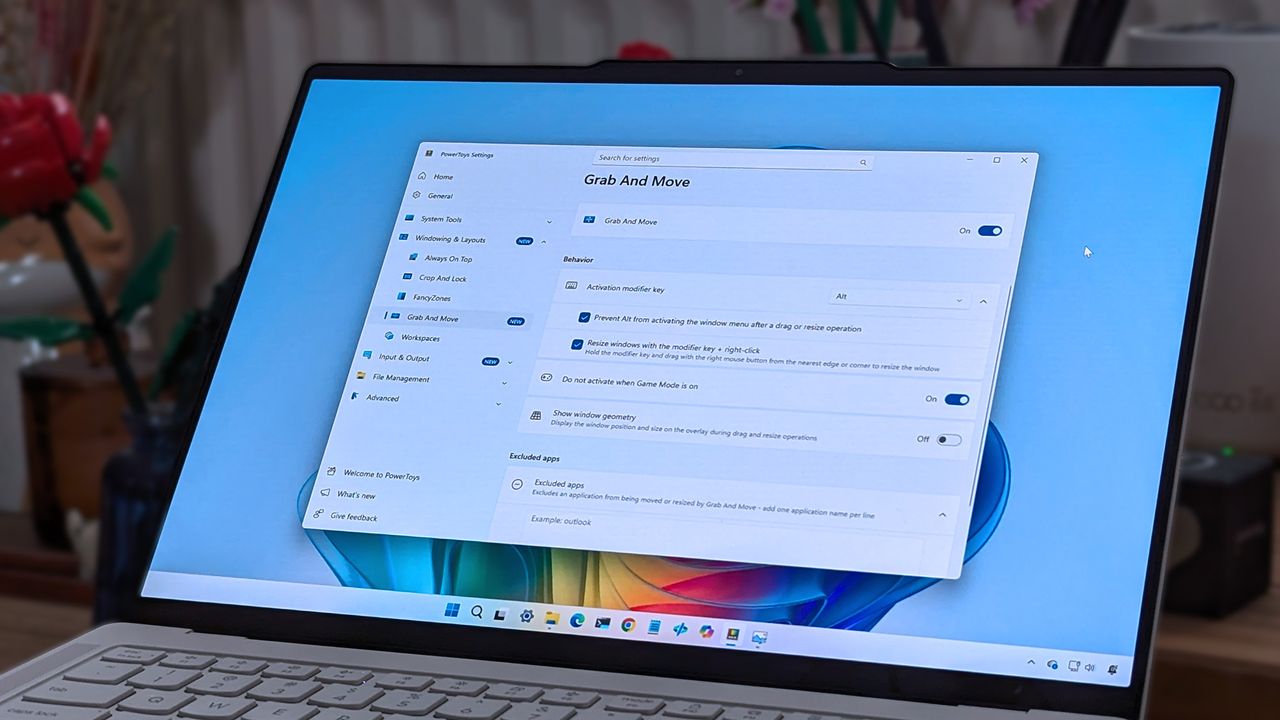
A laptop screen displaying Windows 11, featuring the "Grab And Move" settings window of PowerToys. The desktop background is colorful and vibrant.

A laptop screen displaying Windows 11, featuring the "Grab And Move" settings window of PowerToys. The desktop background is colorful and vibrant.

  •  

Microsoft accidentally admits new Outlook looks bad

The new Outlook is ugly and needs to be covered up. That's the message being sent out by Microsoft if you read between the lines. A new option setting in Outlook on the web and the new Outlook for Windows makes those experiences look like classic Outlook.

Microsoft claims that the option is being added to help those transitioning from classic Outlook to the new Outlook. But if the difference is so jarring that it requires a skin to make the new Outlook palatable, Microsoft has larger issues to deal with.

Microsoft details the option in a message sent out through the Microsoft 365 Message Center:

"We're introducing a new optional setting in Outlook on the web and the new Outlook for Windows that adjusts the experience to more closely resemble classic Outlook for Windows. When enabled, the setting applies coordinated changes across the Outlook experience, including visual styling, layout, typography, icons, and selected interactions.

This update is designed to help users who are transitioning from classic Outlook by providing a more familiar experience while maintaining the capabilities of the new Outlook."

The theme will be disabled by default for most users. As part of a phased rollout, Microsoft will enable the classic Outlook theme for "some users moving from classic Outlook to the new Outlook."

I've admittedly mixed snark into this piece, but that's because the new Outlook is terrible. Our Senior Editor Zac Bowden explained how the new Outlook was not ready for prime time back in 2024. The situation has barely improved.

A question posed on a Microsoft Learn page asks, "Why Does New Outlook Suck???" That post is from this year, not the early days of the new Outlook. Others on the web have asked similar questions or expressed frustration with the new Outlook.

The new Outlook is a web wrapper. There's debate over whether the new Outlook is a native app, but the key takeaway is that it performs worse than classic Outlook in several ways.

The fact that Microsoft had to make Mail & Calendar inoperable to try to get people to switch to the new Outlook is telling. The new theme option is another sign that people still want classic Outlook on their PCs.

Blank Pixel

Click to join us on r/WindowsCentral

Join us on Reddit at r/WindowsCentral to share your insights and discuss our latest news, reviews, and more.
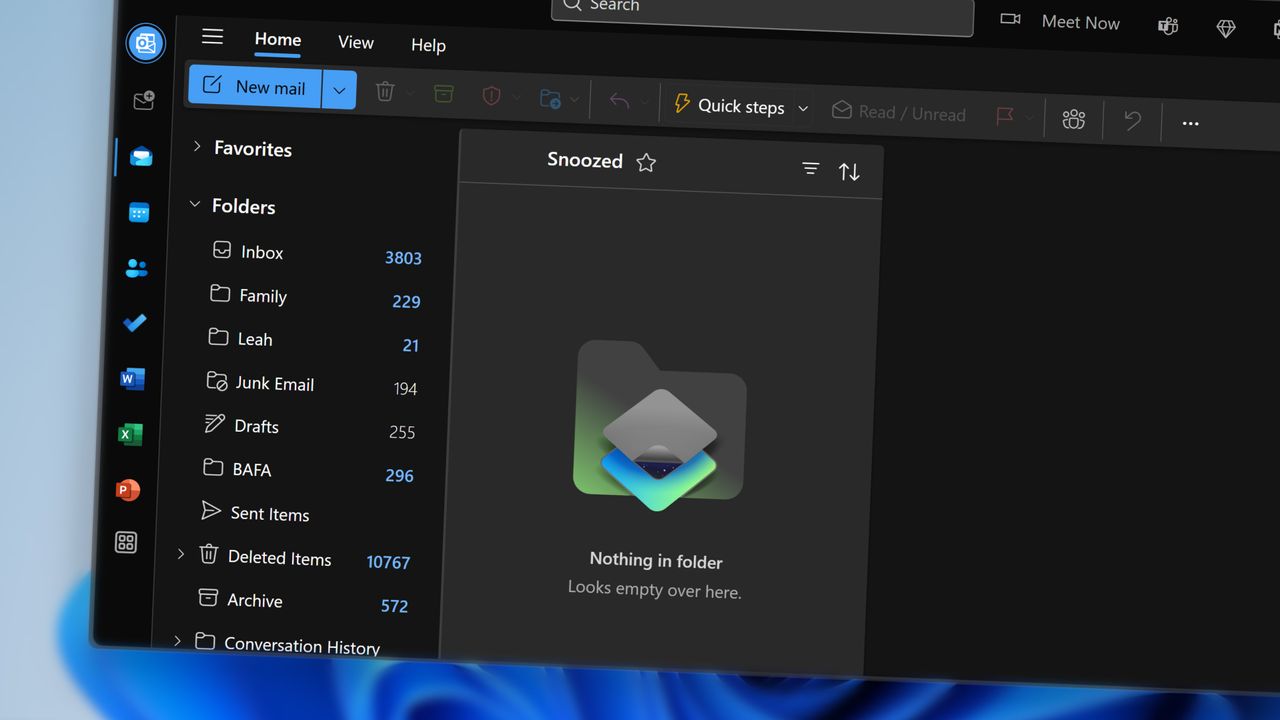
Deleted emails in Microsoft Outlook

Deleted emails in Microsoft Outlook

  •  

Microsoft has a new way to twist your arm to use Edge, this time on mobile

Microsoft Edge for Android has some new image themes in testing. The latest Edge Canary build has some snazzy backgrounds, but to set them you have to make Edge your default browser.

It's a strange requirement that may ruffle some feathers, but there's always a chance it will change. The requirement to set Edge as your default browser to use the themes only appears in Edge Canary. That rule may not roll out to general availability.

The change was spotted by Leo Varela, who tracks updates and changes to Edge and other browsers.

Microsoft has added new image themes in Edge Canary for Android, but to use them as your NTP background, you have to set Edge as your default browser. All browsers use tactics to motivate you to make them your default, and Edge is no exception 🤷 https://t.co/sK1xv7W0RC pic.twitter.com/VVIPywivm2August 21, 2026

Microsoft has a long history of trying to convince people to use Edge. Some efforts, such as adding unique features are viewed as fair play. Other tactics, such as Windows 11 making it more difficult to switch your default browser, have been met with criticism.

A recent survey commissioned by the Browser Choice Alliance suggests that switching away from Edge is too difficult. But that survey relates to PC users. Microsoft has a different battle on Android.

Instead of having hundreds of millions of users with PCs that already have Edge installed, Microsoft needs to convince people to download Edge for Android. Then, the tech giant needs to get people to set Edge as their default browser, which is no easy task.

I imagine the amount of people who have installed Edge on their phones but have not set the browser as their default is small. Considering how niche Edge is on Android, anyone who goes out of their way to install it probably plans to use Edge.

Some Samsung phones come with Edge preinstalled, so perhaps the new picture themes in Edge are designed to sway those users.

Of course, Microsoft is not alone in using aggressive methods to push a browser. Google and Apple have also pushed Chrome and Safari, respectively.

I'm curious to see how effective locking picture themes behind a default setting requirment will be for Edge.

Blank Pixel

Click to join us on r/WindowsCentral

Join us on Reddit at r/WindowsCentral to share your insights and discuss our latest news, reviews, and more.
In this photo illustration a Microsoft Edge logo of a web browser developed by Microsoft is seen on a smartphone and a pc screen.

In this photo illustration a Microsoft Edge logo of a web browser developed by Microsoft is seen on a smartphone and a pc screen.

  •  

The man behind PowerToys is most excited about these features that ship next week

PowerToys is one of my favorite Windows apps and a must-have for people who want to get the most out of Windows 11. We often highlight new and upcoming features for PowerToys, but we rarely get to hear about the most exciting features in the eyes of Niels Laute.

Next week, PowerToys will receive several improvements, including a compact option for Command Palette and a ripple effect for Mouse Highlighter. Laute, who is the project manager of PowerToys and WinUI, shared the features and changes he's looking forward to.

As PM of PowerToys, Laute oversees the development of one of the best free Windows apps. But the app is worked on by several people. Over 300 pull requests contributed to next week's update, and Laute thanked the team for their efforts.

Next week's PowerToys release is looking good 👀!The team and our amazing community have merged almost 300 PRs, packed with quality-of-life improvements, stability fixes, and polish across the suite :)!Here's some of my favorite (small) improvements coming 🧵:August 18, 2026

We've known about some of these changes because of the PowerToys preview. For example, on-device Phi Silica support has been in testing over the last two weeks. But next week the changes will ship to everyone using PowerToys.

Command Palette is similar to Spotlight on macOS. Another way to look at it is as what Windows Search should be. The utility can launch apps, open settings, and trigger actions quickly.

Command Palette is a powerful tool, but it can take up quite a bit of space on your screen. Next week's update to PowerToys brings the option to use a compact view for Command Palette.

Command Palette is getting compact mode! pic.twitter.com/DA7RzmUSgzAugust 18, 2026

Mouse Highlighter is a handy tool that lets you find your mouse cursor. It can save you some time if you use multiple monitors or an ultrawide display. But it can feel a bit heavy-handed since it grays out your screen to highlight the cursor. The upcoming ripple effect is more subtle.

Mouse Highlighter getting new Ripple effects! @ClintRutkas has been cooking with this one 🚀. pic.twitter.com/MzDycvsgBvAugust 18, 2026

Phi Silica is a small language model (SLM). It's perhaps best known for being the model that powers Copilot+ PC features such as Click to Do and on-device rewriting in Word and Outlook.

@khmyznikov added Phi Silica support for Advanced Paste 🚀! So you will be able to take advantage of your NPU for AP on a Copilot+ PC! pic.twitter.com/sR60TT51W1August 18, 2026

Phi Silica and other features have been in preview testing for a bit. The next update to PowerToys will make it easier to get preview updates.

New update UX that addresses a bunch of reported issues - and the ability to opt-in our new preview channel! pic.twitter.com/Cs8oDjXqt6August 18, 2026

Change logs for PowerToys are famously long and detailed, so you can expect the "gazillion" fixes Laute mentions to be listed next week.

And so much more! Shortcut Guide is much smoother now and has built-in search, a gazillion CmdPal bugfixes (thanks @AkaWizardPrime!) and perf and stability fixes across the board. Oh, and a brand new utility to look forward too :)!Stay tuned!August 18, 2026

I'll update this piece when the new version of PowerToys rolls out and add the complete change log.

PowerToys | Free at GitHub | Free at Microsoft Store

This collection of utilities includes a large library of features to enhance the Windows experience. PowerToys is designed with power users in mind, but it has handy features for people who just use their PC for everyday computing too.

Click to join us on r/WindowsCentral

Join us on Reddit at r/WindowsCentral to share your insights and discuss our latest news, reviews, and more.
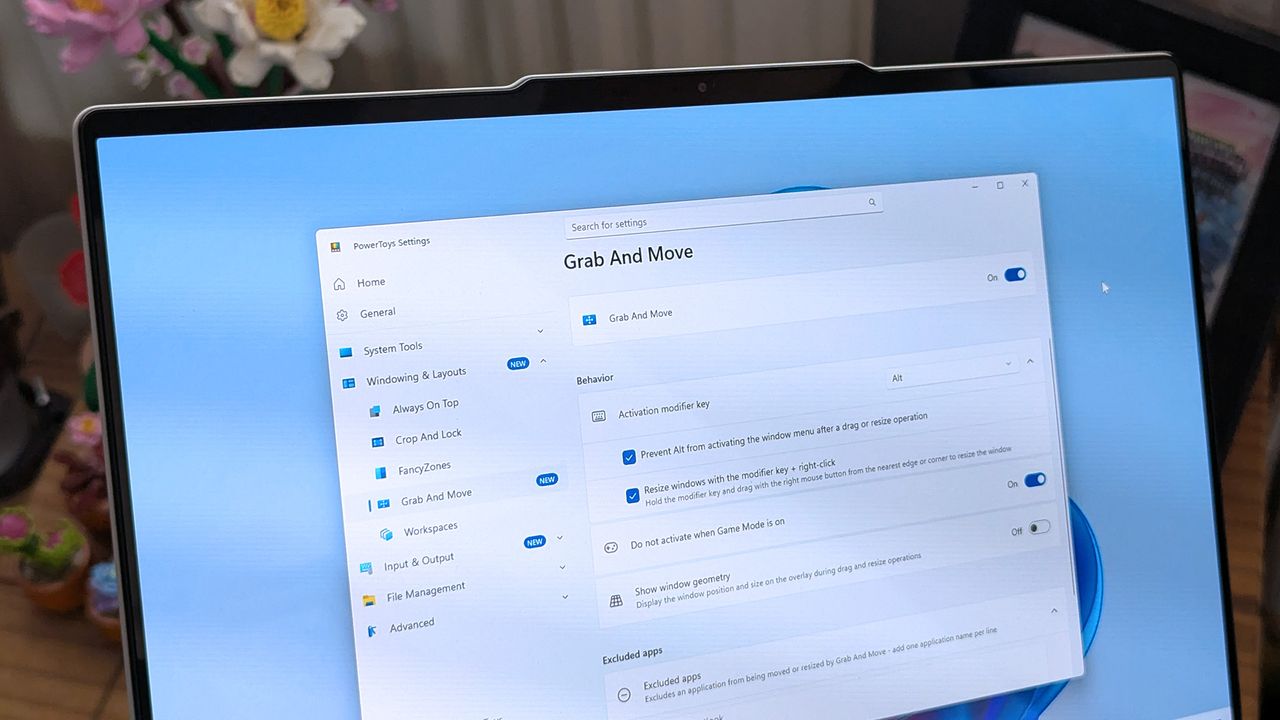
A laptop screen displaying Windows 11, featuring the "Grab And Move" settings window of PowerToys. The desktop background is colorful and vibrant.

A laptop screen displaying Windows 11, featuring the "Grab And Move" settings window of PowerToys. The desktop background is colorful and vibrant.

  •  

I used to use the stock Windows 11 Media Player to rip CDs but it's such a letdown now — here's what I started using instead

I've always been a fan of physical media, be it movies, music, or games. I'm also old enough that I grew up in a time when it's all we had; there was no Spotify or Netflix.

Slowly I'm working through it all to create digital copies for both archival purposes and convenience since there are plenty of situations where it's not practical to put a disc in a machine and consume its content.

Right now I'm working through a vast stack of CDs acquired from the days when cars had CD players, not just screens connected to your phone or directly to streaming services. But I quickly found that the app I've used for this process in the past, the stock Windows 11 Media Player, nowadays isn't up to scratch.

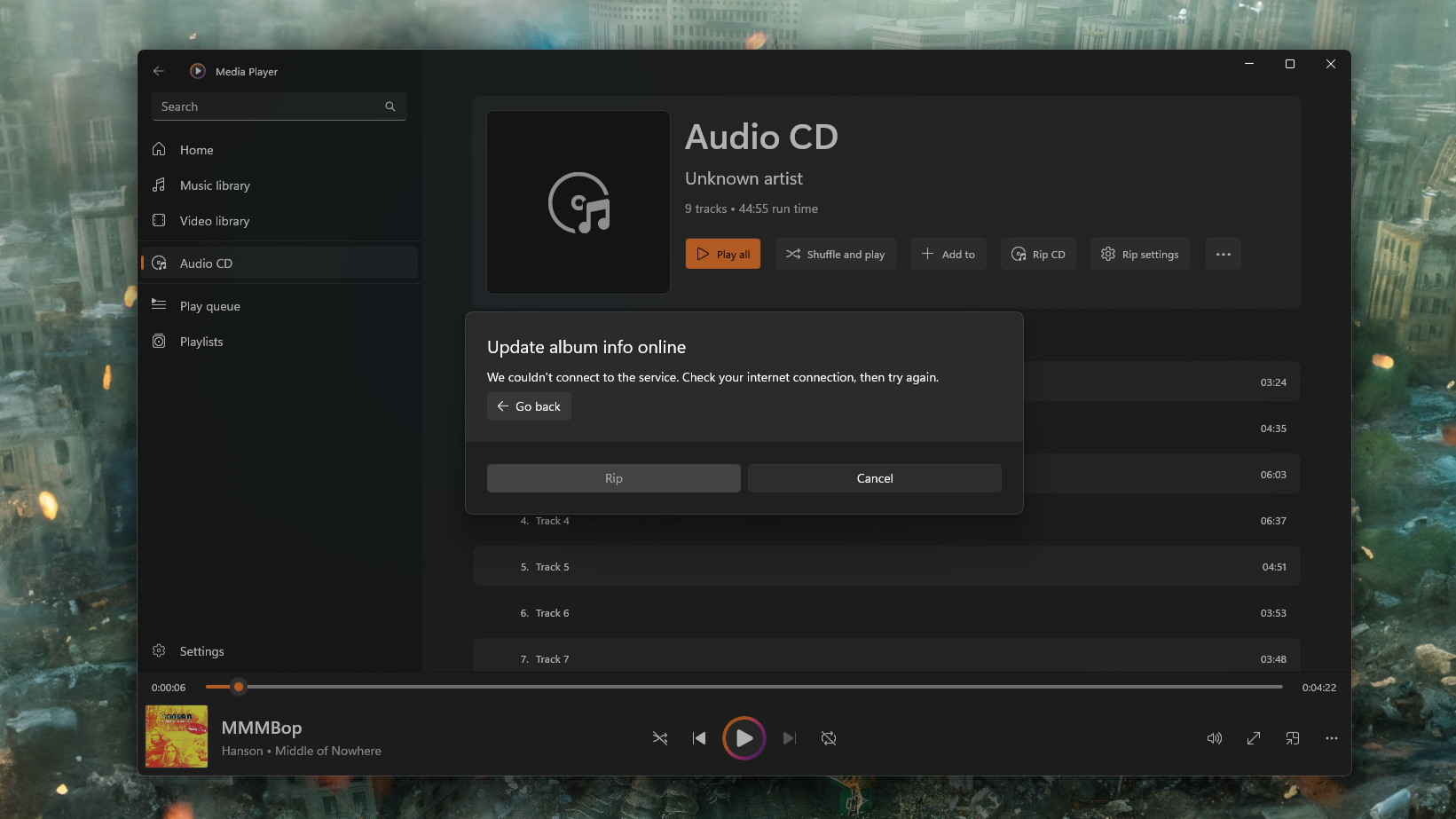
It will still rip CDs, but it's no good for the metadata anymore. Microsoft turned off the online tool that you could use to grab it, but even then, I figured I could just enter it manually, right?

Seems that doesn't work all the time, either. Even on the few CDs I have that actually have the metadata on them already. It took ripping a few discs for me to realize that information wasn't being applied to some or all tracks, and the artwork wasn't sticking, either. So I needed a replacement, and frankly, I should have just gone for this out of the gate.

Enter Exact Audio Copy (EAC). A free app that is absurdly powerful and does the job right the first time.

Without online metadata the process takes too long anyway

A screenshot of the Windows 11 Media Player app showing an error trying to get CD metadata from online sources.

If the feature doesn't work anymore why is it still there? (Image credit: Windows Central)

Admittedly, it's been a while since I last digitized a stack of CDs, and it had completely passed me by that Microsoft had turned off the service to get the information online. It's a pretty poor experience for a stock app, even if it's a feature that's increasingly used by fewer people.

A better solution would have been to update the app, allowing its users to find an alternative source of this information. There are options out there, such as MusicBrainz, a free and open-source database of metadata. Maybe I'm asking too much; after all, Microsoft didn't even update the app to remove the option to check for metadata.

It's still there; it just gives you an error if you try and use it. I actually quite like the stock Media Player app, and still use it to play music. It's simple and mostly nice to use. If it's not going to work properly, though, just remove it altogether.

Exact Audio Copy is the perfect solution

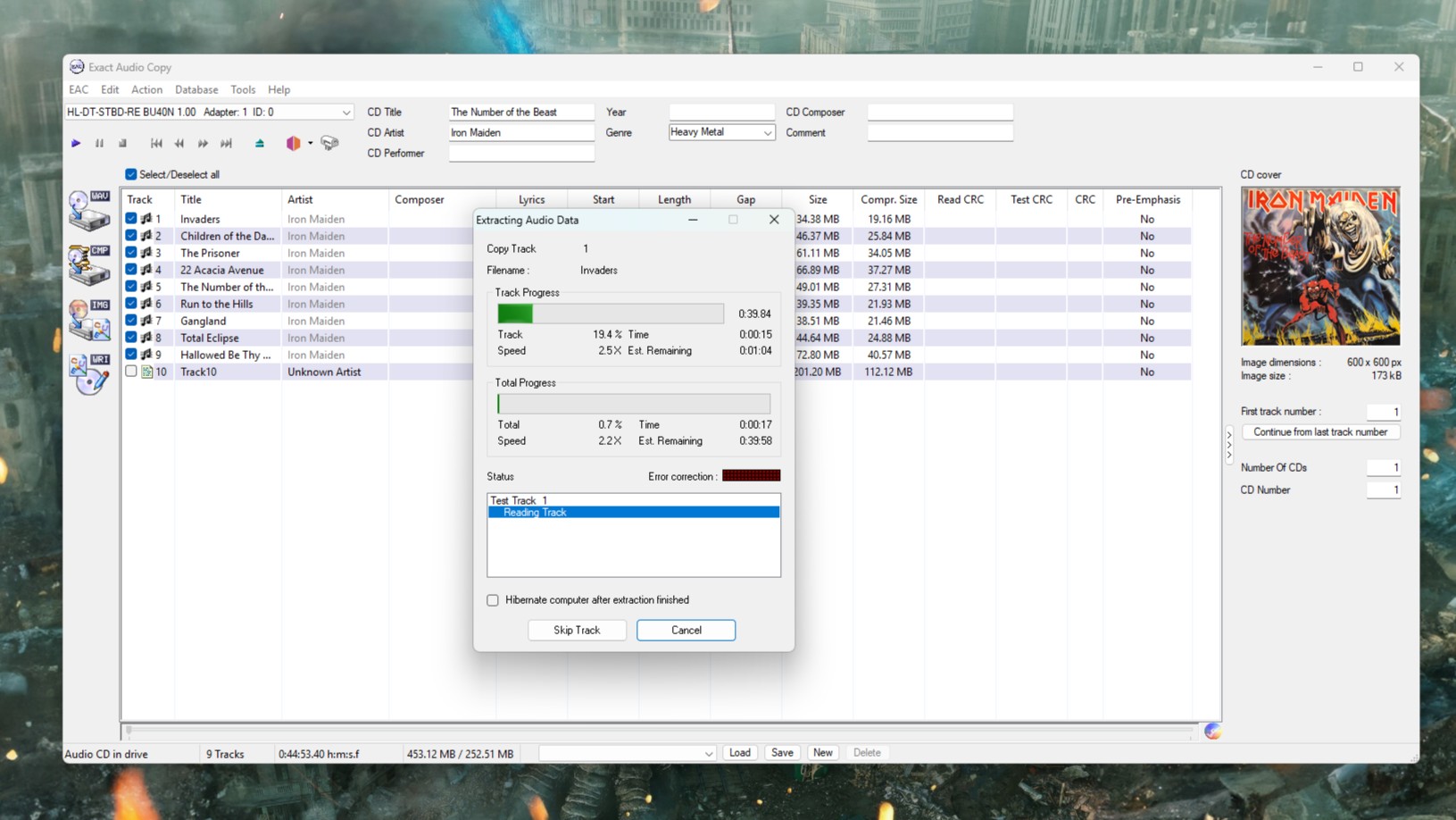
A screenshot of Exact Audio Copy running on Windows 11, ripping a copy of Iron Maiden's The Number of the Beast

It looks a bit old school, but boy does it work. (Image credit: Windows Central)

Fortunately there is always an alternative, and in this case, it's called Exact Audio Copy (EAC). There will be folks out there that have known of this app for years and are screaming at my incompetence for not going straight to it.

But I didn't know it existed. I'm glad I do now.

This isn't a full tutorial on how to use the app, mostly because I'm doing one specific thing, but it is really powerful. There are plenty of better tutorials out there, such as this one.

All I want is an accurate rip in FLAC, a standardized filename structure, metadata, and album artwork applied. The good news is that if you just want the same thing every time, EAC will run you through a setup wizard when you first use it. From there, you shouldn't need to touch your settings again.

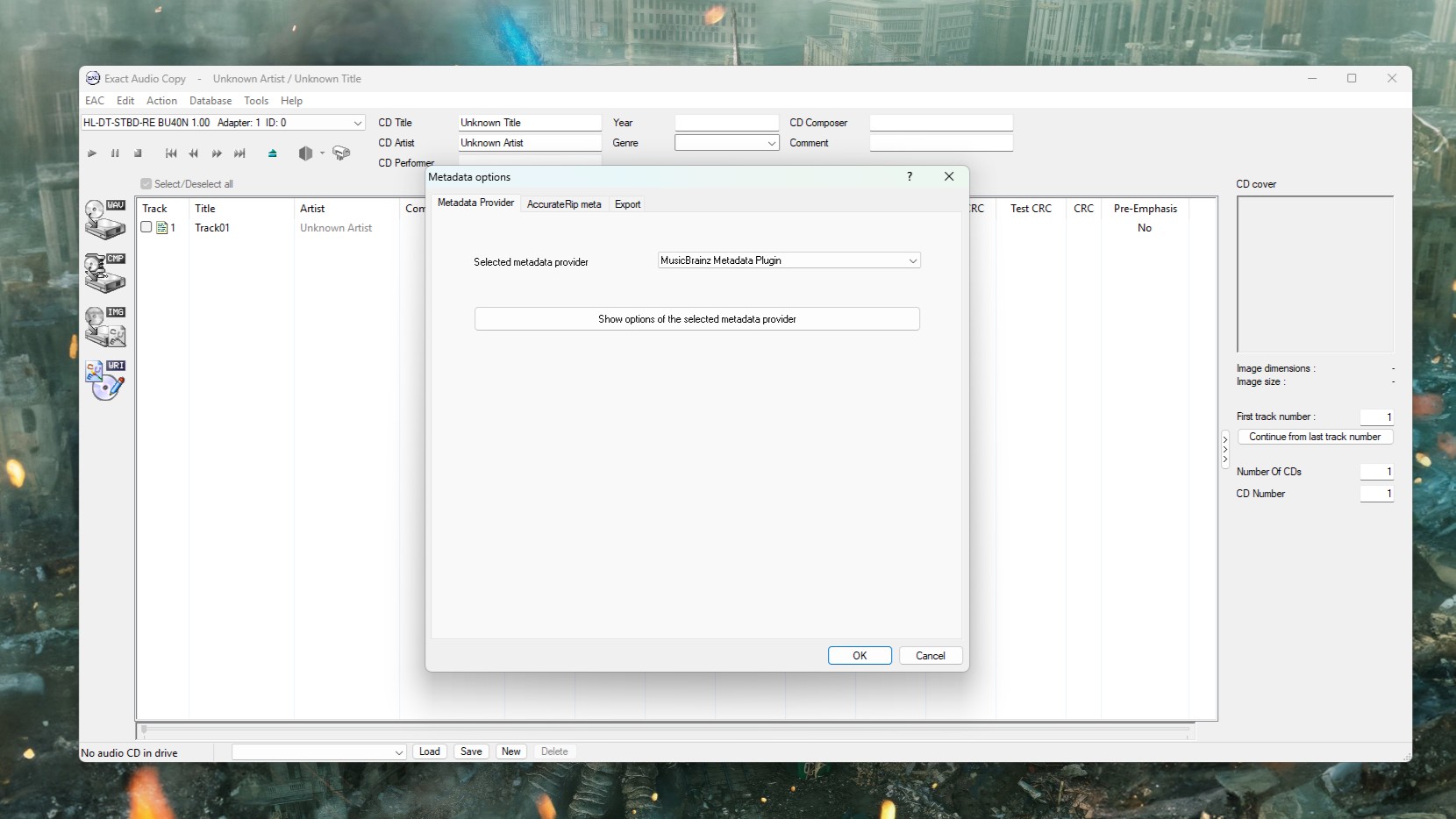
The only thing I did need to change was the metadata provider. The default option is only free for 10 rips, but you can change it within the app to MusicBrainz, which is completely free.

A screenshot of Exact Audio Copy on Windows 11 showing the Metadata Provider settings box.

You don't want the default metadata provider, but you can change it to something else. (Image credit: Windows Central)

I now know I should have used this all along. AccurateRip will check your CD against a database of other exact rips to ensure yours is as perfect as it can possibly be. It can deal with scratched discs (of which I sadly own several), and it communicates directly with the hardware.

I may be underselling it, but I'm as far from an expert as there is on this stuff. There are plenty of more knowledgeable folks out there, like this post on Flemming's blog that is an excellent resource for getting set up properly.

EAC isn't the only alternative to using Media Player, but it's the one I tried first, and I'm happy. I may try and get in the weeds at some point, but for now it's doing what I need. Archiving my CDs accurately, with good quality, and all the necessary metadata.

If you've any tips or tricks to share on this process, or even an alternative worth trying, be sure to drop them in the comments below.

Click to join us on r/WindowsCentral

Join us on Reddit at r/WindowsCentral to share your insights and discuss our latest news, reviews, and more.
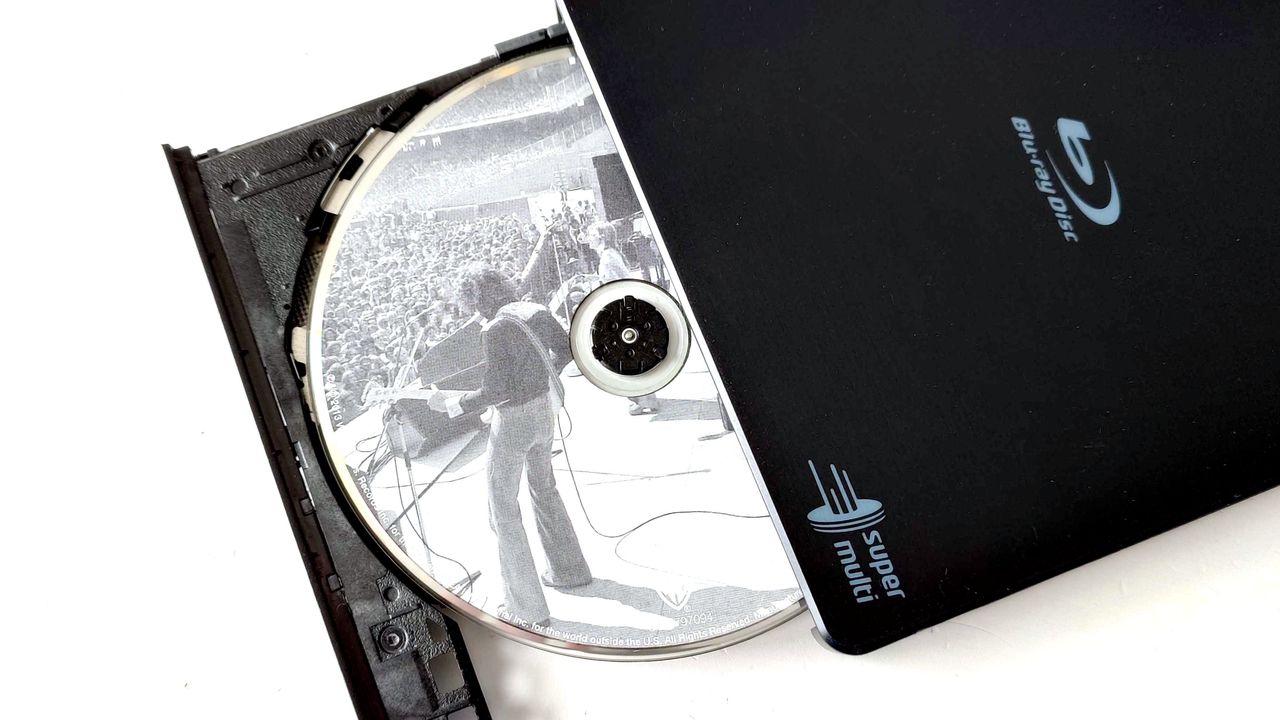
An LG USB Blu-ray drive open showing a Fleetwood Mac CD inside

A slight change of plan, but the great CD digitizing project continues.

  •  

I replaced File Explorer on my Windows 11 laptop with this app — and it's still one step ahead of Microsoft's optimization plans

Built as an alternative to the standard File Explorer in Windows 11, Files is an open-source project that always seems to stay one step ahead of Microsoft. Its latest update to Files v4.2.7 is a perfect example, as it focuses on improving the speed and overall responsiveness of the right-click menu before the official context menu upgrade comes to Windows.

The optimization trend extends to multitasking in Files, as v4.2.7 also improves its memory cleanup habits when any tabs are closed. Efficient tabs are a headline feature of the app, even if the experience feels quite similar to File Explorer — including its support for keyboard shortcuts — but Windows PC enthusiasts will undoubtedly appreciate any efforts to lower memory usage.

The context menu is improving in multiple ways

We already knew that plans to fix Windows 11's slow context menus are coming with a major overhaul, and it certainly feels overdue, but it's a step in the right direction for Microsoft. Nevertheless, some of our YouTube audience certainly share this sentiment, and I wouldn't be surprised if Files sees broader adoption among like-minded PC users with updates like this.

I'm not going to praise Microsoft for doing what they should have done a few years ago, but I'm glad I can finally see a decent context menu coming.

@bogdan.p, YouTube Viewer

I first started using the Files App on my primary laptop shortly after v4.0 launched, when it added more flexibility for the right-click context menu. It isn't installed on all of my PCs, but on my travels I find it quite useful alongside my portable mainstays like PowerToys Run. Anything that lowers my RAM usage is a winner in my eyes, whether it comes from Microsoft or elsewhere.

You can try Files — and even make it your default file manager in Windows 11 without uninstalling File Explorer or damaging your OS in any way — to see if you prefer the experience over Microsoft's default implementation. If you don't, it's no big deal; you can revert to the standard experience by uninstalling it, as you would with any other app. Give it a shot.

View the full changelog ↴

Files v4.2.7 changelog

  • What’s New in Files v4.2.7
    • Improved context menu performance
      • Opening the right-click context menu is now noticeably faster and more responsive.
    • Open a new tab by middle-clicking the tab strip
      • You can now open a new tab by middle-clicking an empty area of the tab strip, giving you a quick way to add tabs without reaching for the new tab button.
    • Select items opened from other apps
      • When you open a file’s location from another application, Files now selects that item in the folder automatically.
    • Reduced memory usage after closing tabs
      • Files now frees up more memory when tabs are closed, helping keep the app lightweight during long sessions.
  • Fixes
    • Fixed issue with the filter text box being cleared.

Files App: was $12.99 now $11.69 at Microsoft Store

👉 Alternatively: Free at GitHub

"Purchasing Files through the Microsoft Store helps support the developers and allows us to continue updating the app with new features and improvements."View Deal

Click to join us on r/WindowsCentral

Join us on Reddit at r/WindowsCentral to share your insights and discuss our latest news, reviews, and more.
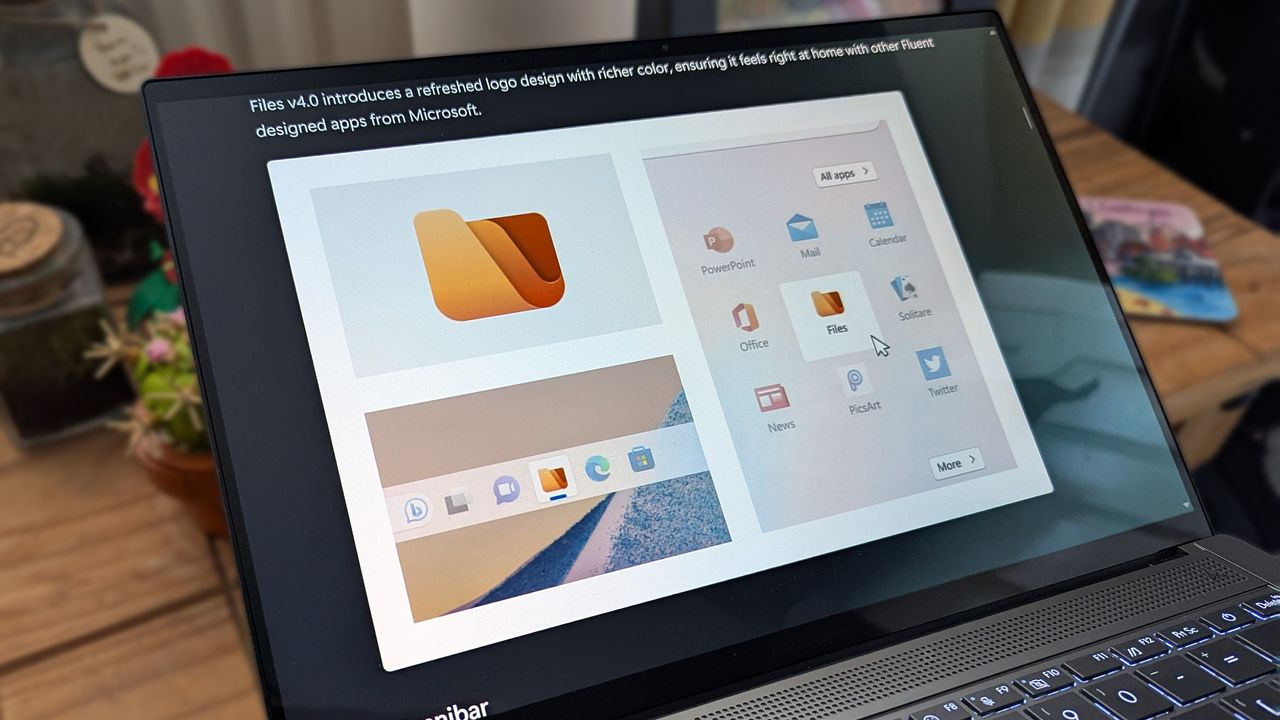
Files 4.0 app promotional images on an ASUS Zenbook laptop screen.

Files v4.2.7 speeds up Windows 11's sluggish context menu and improves memory use, ahead of Microsoft's own planned File Explorer optimizations.

  •  

GitHub’s latest outage took Copilot down with it, creating one of the most disruptive developer breakdowns we’ve seen in months — GitHub says it is now "operating normally"

GitHub is down for thousands of users, potentially costing millions of dollars in lost productivity. Outages started around 9:40 AM ET and affect API requests, pull requests, and webhooks.

The issues also affect Copilot. A massive number of developers and companies rely on GitHub and Copilot to get work done, so even a few hours of serious issues can be costly.

The official GitHub status page states:

"We are experiencing high error rates around 20% for web experiences and api traffic. Archive downloads and raw repository content downloads are experiencing an approximate 50% error rate. SAML and OIDC authentication, SCIM, and Team Sync are also impacted. We are still working to identify the root cause and will continue to post updates as we learn more and perform mitigation."

The cause of the outage is unknown at this time.

"We identified the problematic component and have taken corrective actions. There are strong signs of recovery but we are still working to completely restore service, with error rates still remaining slightly elevated. We will post further updates as recovery continues."

This is a developing story. We will update this piece as more information becomes available.

CANADA - 2025/07/20: In this photo illustration, the GitHub (Git Hub) logo is seen displayed on a smartphone screen. (Photo Illustration by Thomas Fuller/SOPA Images/LightRocket via Getty Images)

CANADA - 2025/07/20: In this photo illustration, the GitHub (Git Hub) logo is seen displayed on a smartphone screen. (Photo Illustration by Thomas Fuller/SOPA Images/LightRocket via Getty Images)

  •  

This Microsoft Outlook replacement comes with a shot of Windows Phone nostalgia

A former Microsoft engineer is working on a way to make Live Tiles relevant in 2026. Jeff Fritz, who worked at Microsoft until last month, has been showcasing an app called DayFrame on several of his recent live streams.

DayFrame is what happens when Windows Phone and Outlook have a baby. The app features a persistent hub with shortcuts to your email, calendar, contacts, and other tools. The layout is inspired by Windows Phone and would look natural on a Lumia smartphone.

Fans of retro Windows design will appreciate the Live -Tile-inspired interface, icons, and text. Though the app is built with classic Windows UI elements in mind, the experience won't be exclusive to PC. DayFrame will be available on both Windows and Mac when it ships.

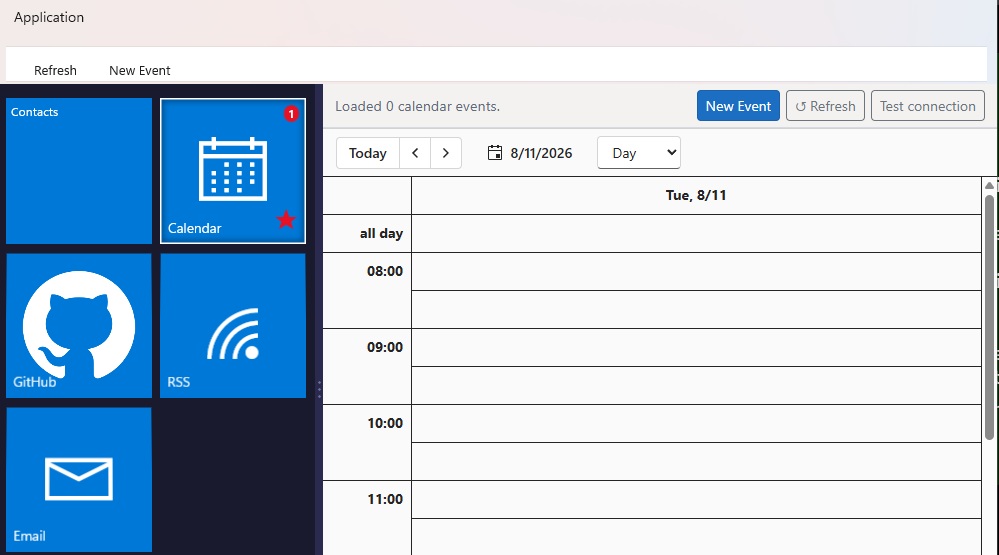
"Instead of juggling separate apps, DayFrame gives every part of your personal world a home behind a single shell," reads the DayFrame website. "A persistent tile rail on the left keeps your modules one tap away — bold, square, unmistakably blue — while the main pane shows whatever you're focused on right now."

Screenshot of the DayFrame user interface showing a blue Metro-style navigation sidebar on the left with options for Contacts, Calendar, GitHub, RSS, and Email, alongside a daily calendar schedule view on the right.

DayFrame has several modules aimed to make it easier to juggle tasks. (Image credit: Jeff Fritz)

Sadly, the app is not available yet and is simply listed as "Coming soon." But Fritz mentioned on X that a private preview for the app should be available in the next week or so.

Fritz notes that the screenshots shown on the DayFrame website are of "real, running code," so they're more than just design mockups.

DayFrame is designed to be expanded over time. Each module is built independently and tested separately, which allows Fritz to add new modules without affecting preexisting ones.

The concept behind DayFrame is intriguing. A lot of apps feel like cookie-cutter tools made with templates. While DayFrame is inspired by Windows Phone, it takes the familiar layout and builds on it.

I'd love to see DayFrame be embraced by a community of developers after it comes out. Maybe we'll see some unique modules added to the app.

Blank Pixel

Click to join us on r/WindowsCentral

Join us on Reddit at r/WindowsCentral to share your insights and discuss our latest news, reviews, and more.
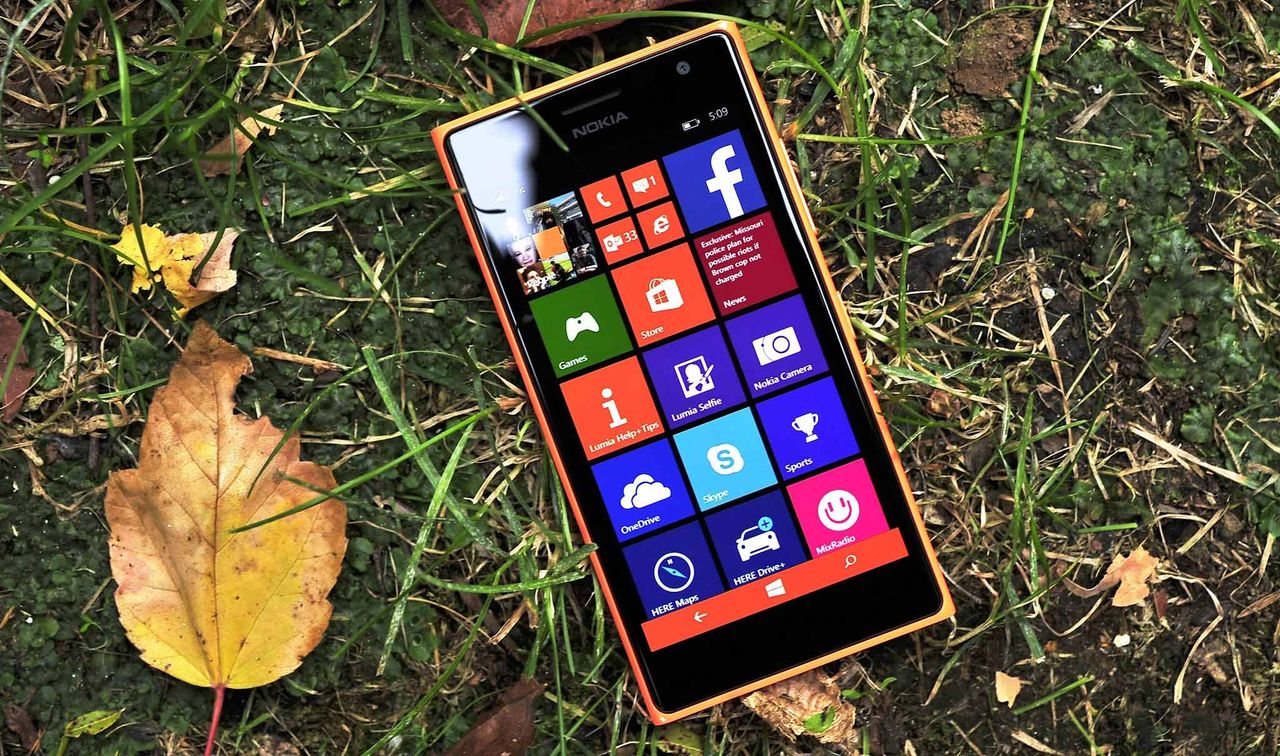
A smartphone with a colorful app tile interface lies on grass surrounded by autumn leaves. The bright screen contrasts with the earthy background.

A smartphone with a colorful app tile interface lies on grass surrounded by autumn leaves. The bright screen contrasts with the earthy background.

  •  

Microsoft Defender vs. VLC: Which is causing MP3s to take 30 seconds to load?

A dramatic saga is unfolding on X, and VLC and Microsoft Defender are at the center of it. Things kicked off when video game designer Jonathan Blow criticized the open source community due to an issue he had with VLC.

A curious issue causes MP3 files to take a while to open in VLC. In some cases, opening a file can take over 30 seconds.

"Finally switched *away* from VLC *to* Microsoft Media Player, because VLC now takes 33 seconds to start playing an mp3 after clicking on it," said Blow. He added, "A large sector of open source software is in a truly embarrassing place now..."

Blow's post now shows a community note because the bug is due to Microsoft Defender, not VLC. Or at least, that's the claim of several people on X.

VideoLAN, the makers of VLC, responded to Blow:

"This is because of a « bug » from Microsoft Defender in one update of Windows 11, who magically made VLC plugins cache quarantined by Windows. Reinstalling VLC or regeneration of the plugin cache will fix this. Calling open source software embarrassing when it is a Windows update that broke it is quite disrespectful."

In response, Blow claimed that he had to fix an issue that was caused by a faulty graphics driver sent out by AMD. His post suggests that VLC should fix the issue even if the problem is caused by Microsoft Defender.

What's actually happening?

My wife would say that this is all a "storm in a teacup." I don't see the need to be as aggressive about this topic as people have been on X.

Over on Reddit, cooler heads prevailed. A discussion on the topic happened in the r/pcmasterrace subreddit. There, people focused on what's causing the issue and how to fix it.

At least some of the issue is related to Microsoft Defender. That's clear because adding VLC's folder as an exception to Defender fixes the problem, as highlighted by user "nicktheone."

If it were exclusively an issue with VLC, creating the exception within Microsoft Defender would not solve it.

You completely do not understand my tweet and thus would fail at professional software development.BTW I already pay Microsoft for Media Player and it works to an okay degree. I would happily pay someone for something better. VLC was that something better many years ago, but it…August 12, 2026

Of course, you could still debate whose responsibility it is to fix the issue. Even a bug related to Microsoft Defender could potentially be fixed by the VideoLAN team. That's certainly what Blow did while spending much of his Wednesday afternoon arguing with people on X.

How to create an exception for VLC in Microsoft Defender

You shouldn't have to create an exception for VLC in Microsoft Defender to open an MP3 in less than 30 seconds, but... here we are. Luckily, the steps to do so are simple:

  • Open Windows Security
  • Select Virus & threat protection
  • Select Manage settings
  • Select Add or remove exclusions (it's at the bottom of the page)
  • Click Add an exclusion
  • Select Folder
  • Navigate to C:\Program Files\VideoLAN
  • Click Select Folder

Before making an exclusion, VLC took about five seconds to open an MP3 on my computer. After creating an exclusion, opening the same file took under one second.

Click to join us on r/WindowsCentral

Join us on Reddit at r/WindowsCentral to share your insights and discuss our latest news, reviews, and more.
Microsoft Defender

Microsoft Defender

  •  

New research shows Windows 11 keeps undermining basic browser choice with harmful design tactics

Microsoft is too pushy with its Edge browser, according to a recent survey shared by the Browser Choice Alliance. Polling 2,000 adults in the United States provided some insight regarding how easy it is to switch browsers on Windows 11 and if the operating system respects user choice.

Microsoft has been criticized for years for pushing Edge. Windows 11 introduced settings that make changing the default browser more complicated, such as a person electing to change their default only affected certain file types. The situation has improved a bit over the years, but it's still surprisingly difficult to just tell Windows 11 to never use Edge.

It's important to note that the Browser Choice Alliance includes several members that compete directly with Microsoft Edge. Chrome, Vivaldi, and Opera are all part of the alliance. That does not discount the experience of the people surveyed, but it provides some context.

Many members of the Browser Choice Alliance would benefit from more freedom about browser choice and simpler default settings. I would argue that those would also be good things for everyday users as well.

With that in mind, here are some of the highlights of what the Browser Choice Alliance found through its survey:

  • 86 percent of those surveyed believe they should have primary control over their default browser and 80 percent want "one-click browser default."
  • 26 percent of participants have Edge as their default browser compared to only 19 percent who say they would choose Edge as their default browser.
  • 72 percent of participants who tried to change their default browser within the last two years ran into challenges, such as Edge being recommended and applications or links opening in Edge despite that browser not being set as default.
  • 29 percent of those surveyed claim Windows system updates "contributed to their browser preference being changed or reset."
  • Older adults often struggle with setting their default browser.
    • 44 percent of those surveyed ages 65 or older claimed changing their default browser was complex. Only 15 percent of people ages 18 to 44 said the same.
    • 61 percent of participants 65 or older said they were not confident setting their default browser.

The survey results are not surprising, except perhaps that 14 percent of participants do not think they should be able to pick their default browser.

Microsoft is so eager to push people to use its Edge browser that when forced to give users more choices by the EU, Microsoft only shipped those changes within the EU. The company could have used that as an opportunity to just give people greater control over their PCs, but it didn't.

The fact that MSEdgeRedirect and EdgeDeflector ever existed is a stain on Microsoft's reputation. Those tools, which forced links to open with your default browser either don't work or are limited now.

Microsoft claimed having widgets or other system components open in Edge regardless of if Edge is the default helps ensure the best end-to-end experience. Many, including myself, question the validity of that claim.

With Microsoft following in the footsteps of Google by discontinuing support for MV2 extensions, uBlock Origin will no longer work in Edge. That extension is a must-have for some users, so they may be on the lookout for a new browser. But based on the recent survey performed by the Browser Choice Alliance, changing to a different default browser may be more challenging than it should be.

Click to join us on r/WindowsCentral

Join us on Reddit at r/WindowsCentral to share your insights and discuss our latest news, reviews, and more.
Microsoft Edge on Windows Central

Microsoft Edge on Windows Central

  •  

Mozilla Firefox and Brave keep uBlock Origin alive while Chrome and Edge block the adblocker

Microsoft Edge will soon drop support for Manifest Version 2 (MV2), which means uBlock Origin will stop working in the browser. But Windows 11 users still have some browsing options that will support uBlock Origin and other MV2 extensions.

The Firefox account on X shared a simple message in response to an article about Edge ending support for certain extensions: "Firefox support for uBlock Origin is not going anywhere."

Brave shared a longer message, which emphasized that "Brave will keep supporting uBlock Origin" and that Brave hosts uBlock Origin and other MV2 extensions on its own servers. To enable MV2 extensions in Brave, you need to go to Settings > Extensions > Manifest v2 extensions.

Brave also has a built-in ad blocker that's unaffected by the MV2 changes.

Firefox runs on the Quantum browser engine, which is built specifically for that browser and is separate from Chromium. Brave is a Chromium browser. With both Chromium and non-Chromium options, people have a variety of ways to continue to use uBlock Origin.

Why are some browsers stopping uBlock Origin from working?

MV2 is an extension platform that developers can build upon. That older platform is being replaced by Manifest Version 3 (MV3), which is more secure and provides better performance than MV2.

The transition from MV2 to MV3 brings improvements, but it also removes support for the WebRequest API, which lets ad blockers dynamically intercept and block requests before they load.

The side effect of the transition is that uBlock Origin no longer works.

Since uBlock Origin Lite is an MV3 extension, it does not dynamically intercept content before it loads.

It's about more than blocking ads

Deprecation of uBlock Origin

uBlock Origin no longer works on Google Chrome and will soon stop working on Microsoft Edge. (Image credit: Kevin Okemwa | Windows Central)

In our recent poll about ad blockers, over 70% of respondents said they use uBlock Origin. Since that poll appeared in a piece about Edge ending support for uBlock Origin, the results are a bit self-selective, but still interesting. Even among those already interested in uBlock Origin news, 12% said they use uBlock Origin Lite.

While uBlock Origin Lite blocks many ads, it does not process ads in the same way as uBlock Origin. The full version of uBlock Origin intercepts the ads entirely, which reduces bandwidth usage and improves browser performance.

If you've ever loaded a web page and noticed that ads appear to be slowing things down, uBlock Origin would help in that situation but uBlock Origin Lite would not.

Click to join us on r/WindowsCentral

Join us on Reddit at r/WindowsCentral to share your insights and discuss our latest news, reviews, and more.
Mozilla Firefox on Windows

Mozilla Firefox on Windows

  •  

Microsoft Edge’s new sign-in option is a quiet admission of defeat on mobile

Microsoft Edge may soon let you sign in with an Apple account. The latest Canary build of Edge includes flags that, if enabled, let you sign into the browser with your Apple account.

Using your Apple account within Edge will make it easier to keep your bookmarks, history, and other content synced across your phone and your PC. Many people, including myself, use a computer running Windows 11 and an iPhone.

The change was spotted by Leo Varela, who often leaks or highlights features in Edge and other browsers.

In Edge Canary for desktop there are a couple of new flags to enable support for signing in with an Apple account. Microsoft added support for Google accounts some time ago and has now added support for Apple accounts: https://t.co/34BBm0b3Wi pic.twitter.com/BNMrpB8pkOAugust 10, 2026

Microsoft did not initially plan to support non-Microsoft accounts within Edge. Google account support rolled out recently and now support for Apple accounts appears to be on the way.

Of course, you could use Edge without any account at all. The browser works without requiring signing in. But syncing data and some other features require using some sort of account to sign in.

Windows Central take

Skype on iOS

Microsoft once pushed its apps aggressively on iOS and Android. Since 2015, the company has shut down several apps and left others in maintenance mode. (Image credit: Windows Central)

It's interesting to see how Microsoft's cross-platform app strategy has shifted over the years. Some apps have been available on other platforms for over a decade, but Microsoft increased its efforts to have a presence on iOS and Android after shutting down Windows Phone.

With no phone operating system of its own, Microsoft aimed to provide a premier experience for its services on Android and iOS to meet people where they are. Microsoft bought up popular apps like Wunderlist and SwiftKey to make a Microsoft experience on mobile platforms made by Google and Apple.

Back in 2015, Microsoft CEO Satya Nadella talked about his "iPhone Pro," which was just a normal iPhone with a bunch of Microsoft apps on it.

These days, several Microsoft apps feel like abandonware and others lag behind the competition. The glory days of the "iPhone Pro" are over.

I do appreciate flexibility when it comes to signing in to Edge, but I can't help but wonder if adding support for Google and Apple accounts is an admission that Microsoft can't even get people to use a Microsoft account in Microsoft Edge.

Rather than trying to force users into the Microsoft umbrella, the company seems to be accepting its mobile reality. It is finally conceding that to keep PC users on Edge, it has to let them live inside Google and Apple's account ecosystems instead.

Click to join us on r/WindowsCentral

Join us on Reddit at r/WindowsCentral to share your insights and discuss our latest news, reviews, and more.

Microsoft Edge

Microsoft Edge

  •  

Microsoft PowerToys will soon take full advantage of the same AI that powers Copilot+ PCs

Microsoft PowerToys will soon add on-device support for Phi Silica. Microsoft called that small language model (SLM) "small but mighty" when announcing it in 2024. Now, that model is available for Advanced Paste in the latest PowerToys preview.

Advanced Paste is a utility in PowerToys that formats content from your clipboard. It supports several formats, including plain text, markdown, and JSON. You can also use it to extract text from images using OCR and transcode audio and video files.

When first launched, Advanced Paste required an OpenAI API key, but PowerToys later added support for other models. Azure OpenAI, OpenAI, Gemini, and Mistral are cloud services that work with Advanced Paste. Foundry Local and Ollama both work with the feature locally.

Phi Silica is now available as an option for local AI processing in the latest preview.

While you may not have heard of Phi Silica, you've likely heard of tools it powers if you have a Copilot+ PC. Click to Do and on-device rewriting in Word and Outlook are powered by Phi Silica.

Phi Silica uses the NPU of a device, which helps with efficiency.

The GitHub page for PowerToys lists all the changes in the latest preview. Here are the highlights from the same page:

View the changelog ↴

PowerToys v0.101.2211.0 Highlights

  • Advanced Paste: Added an on-device Phi Silica provider and more per-action AI customization options.
  • Command Palette: Improved dialog handling, icon loading, memory cleanup, theme behavior, and dock performance monitoring.
  • Window management: Improved shutdown behavior across FancyZones, Grab And Move, and Always On Top, and made Always On Top borders render solidly at full opacity.
  • Keyboard Manager: Fixed the elevated Run Program browse flow in the new editor.
  • Mouse Jump: Moved Mouse Jump to the newer WinUI app architecture and packaged its new binaries into signed release builds.
  • Settings: Added an update channel selector and a guided Bug Report flow with progress and a GitHub shortcut.
  • Quick Accent: Made press-and-hold activation cancel cleanly so the picker appears only when intended.
  • Preview releases: Added dedicated preview-release versioning and update-channel support so preview builds can be published and tested independently from stable releases.

PowerToys has a growing library of utilities, so there's a lot to look at in the latest preview even if you do not care about AI. Command Palette will perform better and Window management has been improved across FancyZones, Grab And Move, and Always On Top.

Mouse Jump being moved to WinUI modernizes the utility and gets it in line with Microsoft's push to use WinUI across Windows.

WinUI 3 is the native framework for Windows. Microsoft is moving several key components of the OS to WinUI 3 and rebuilding that framework.

The latest preview of PowerToys also makes it possible for preview builds to be published and tested independently.

PowerToys | Free at GitHub | Free at Microsoft Store

This collection of utilities includes a large library of features to enhance the Windows experience. PowerToys is designed with power users in mind, but it has handy features for people who just use their PC for everyday computing too.

Click to join us on r/WindowsCentral

Join us on Reddit at r/WindowsCentral to share your insights and discuss our latest news, reviews, and more.
PowerToys logo appearing over PowerToys on Windows 11

PowerToys logo appearing over PowerToys on Windows 11

  •  

Reddit helped me find not one, but two AirDrop alternatives for Windows 11

Like millions of other people, I have a Windows 11 PC and an iPhone. I'm envious of some of the ways Macs and iPhones connect, but I still rely on Windows 11 for everyday work and my hobbies.

AirDrop is one of the features I want the most when looking over the digital fence at my friends who are fully in the Apple ecosystem. While you cannot use AirDrop on a PC, there are some great alternatives.

"Does anyone actually have a good way to transfer files between an iPhone and a Windows PC?" asked Reddit user Palunath in the r/Windows11 subreddit. Users responded with several options, but two stood out: Blip and LocalSend.

Reddit delivered with both those recommendations. I downloaded both and have used them over the last week. I'm hardly the first person to highlight these apps, but if people are asking for AirDrop alternatives on Windows 11, they likely haven't heard of Blip and LocalSend.

Top pick: Blip

Transferring files is quicker and easier if both of your devices are on the same network, but Blip works when on different networks as well.

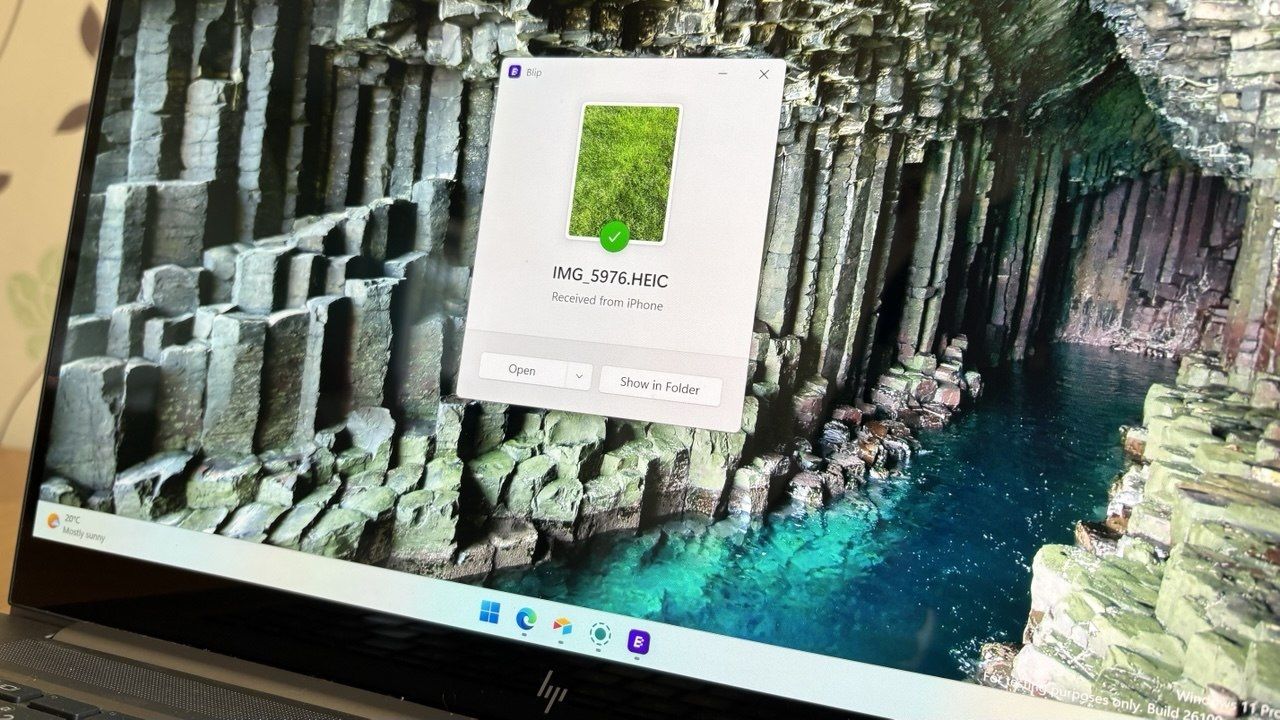
Blip is my top pick. It's easy to use, has an interface that feels familiar, and it's extremely fast. It's similar to AirDrop but without the Apple exclusivity.

Blip supports sending files and folders without any size limits (Blip's website says "99TB? Game on").

Not having to zip folders is a big plus, as is being able to send large photo files.

Blip is free for non-commercial use. If you're a business user or want priority speed, you can subscribe for $25 per user per month.

Signing up for Blip is easy and just requires entering your email and confirming the code you're sent.

Blip's website has download links for all supported platforms, including Windows, macOS, Android, iOS, and Linux.

Secure second: LocalSend

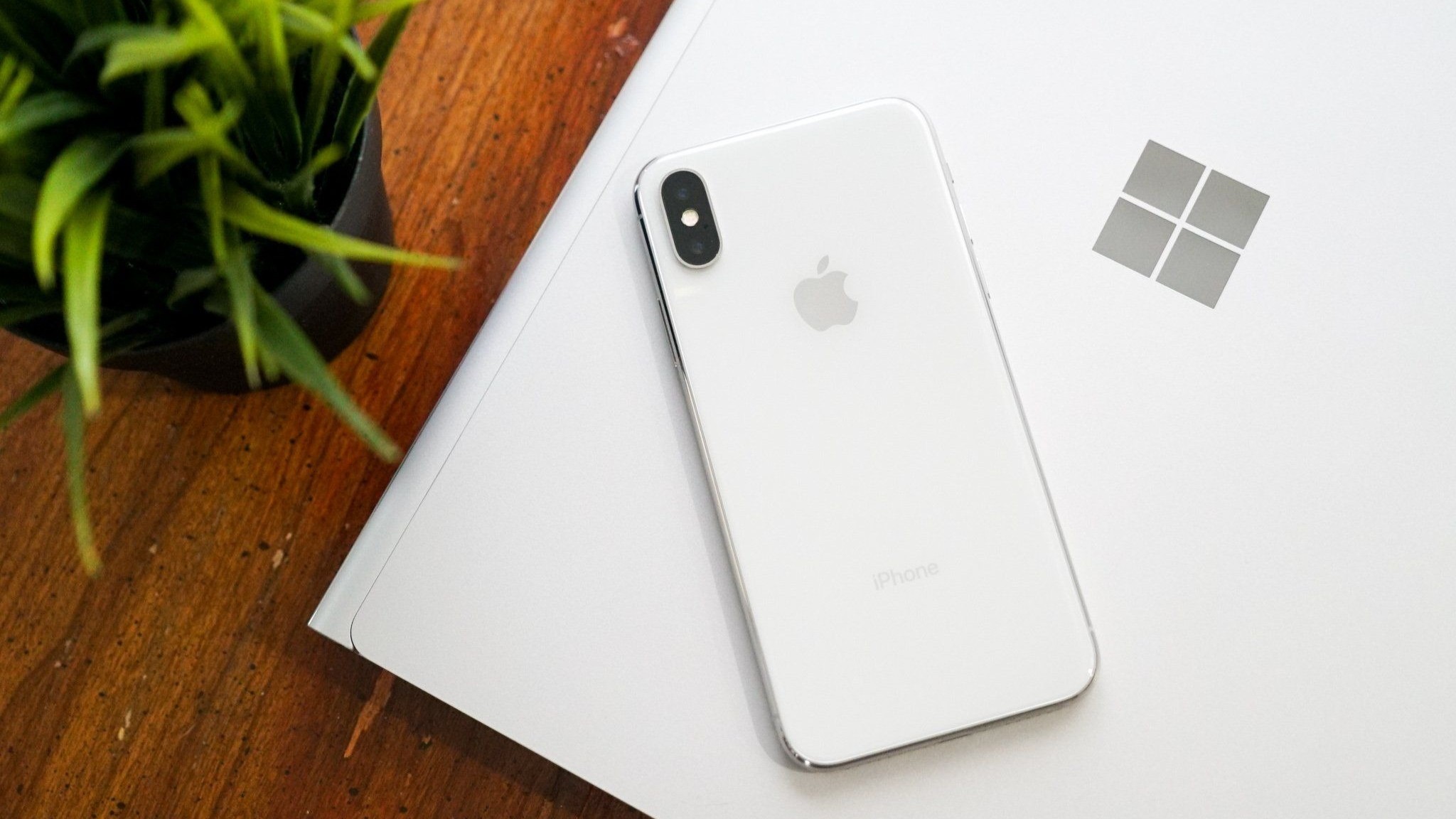
iPhone X resting on a Windows PC showing the Microsoft logo

Connecting an iPhone and a PC can be awkward unless you have the right apps. (Image credit: Future)

LocalSend works very well, but its structure has some pros and cons. Because it works through your network, it works without the internet. It's also incredibly fast, assuming your Wi-Fi network has quick speeds.

LocalSend doesn't require an account or logging in. Your devices from the network just appear within the app. You can mark devices as favorites to streamline sharing as well.

You can download LocalSend through its website (or just use the service through that site). LocalSend is free to use.

You can send files to a single recipient or multiple recipients as well, which makes LocalSend feel a bit more like AirDrop.

LocalSend is open-source, fully offline, and peer-to-peer, so it's a great choice for people who value privacy.

The obvious drawback is that LocalSend is for sending files locally. If you just need to send files at home or work when devices are on the same network, LocalSend provides a seamless experience.

OneDrive and iCloud

Blip and LocalSend are made for sharing files on demand. If you want to sync entire folders or all of your files, you can use apps like OneDrive or iCloud.

In my experience, these apps are much slower at syncing and sending files, but they're a great way to back up content.

Blank Pixel

Click to join us on r/WindowsCentral

Join us on Reddit at r/WindowsCentral to share your insights and discuss our latest news, reviews, and more.
A laptop screen displaying a Windows 11 desktop with a Blip file transfer pop-up window confirming a photo was received from an iPhone.

Blip feels natural and makes it easy to send and receive files between an iPhone and a PC.

  •  

Microsoft isn't scrapping its unwanted OneDrive Photos app; it's just giving you a way to get rid of it

Microsoft accidentally shipped the new OneDrive Photos app to millions of PCs recently. Microsoft EVP of Apps and Agents Jeff Teper explained that the app was shipped earlier than intended.

We now have more details about the OneDrive Photos app, courtesy of the Microsoft 365 Roadmap. While the app was rolled out to PCs accidentally, Microsoft plans to release it in the future. When the app does ship (on purpose), there will be options to manage it or uninstall it.

There are two entries on the Microsoft 365 Roadmap related to OneDrive Photos. The first is about greater control that will be given to admins:

"OneDrive is adding administrative controls for the Photos experience on Windows. Organizations can manage whether users sign in with personal Microsoft accounts. These controls help IT teams align OneDrive Photos with their access, data governance, and device-management requirements."

That feature should start rolling out this month. Considering that the OneDrive Photos app was accidentally installed on some managed PCs that were unable to use the app, these administrative controls should be a welcome addition.

The second entry is about all users and the option to remove the OneDrive Photos app:

"OneDrive is giving people more control over their Windows experience by allowing them to uninstall the OneDrive Photos experience independently. Removing the Photos experience does not uninstall the OneDrive app, interrupt file sync, or delete photos and files. This provides a clear removal option for people who prefer to manage their photos with another app."

That feature is expected to roll out next month. As always, roadmap dates are estimates and subject to shift.

Those entries, which were first spotted by Neowin, were only added to the Microsoft 365 Roadmap after the accidental rollout and following backlash. We may see more details on the roadmap about OneDrive Photos soon.

The main question surrounding the OneDrive Photos app is why it needs to exist at all. Microsoft's Photos app for Windows already integrates with OneDrive. The OneDrive Photos app is a web-based experience that is less native and seemingly against the current goals Microsoft has set to improve its first-party apps.

Blank Pixel

Click to join us on r/WindowsCentral

Join us on Reddit at r/WindowsCentral to share your insights and discuss our latest news, reviews, and more.
Microsoft OneDrive logo with clouds and artificial intelligence imagery

Microsoft OneDrive logo with clouds and artificial intelligence imagery

  •  

Notchify brings macOS-style “Dynamic Island” flair to Windows 11 — and it’s surprisingly useful if you can get by the ick factor

I’ll be honest: I’ve never liked Apple’s notch design. I find it intrusive, and the whole “Dynamic Island” thing always felt like a marketing trick to justify a hardware compromise.

So when I saw Notchify pop up on Reddit, my first thought was, why would anyone want that on Windows?

But curiosity won. I downloaded it from the Microsoft Store, tried the free trial, and within minutes I realized something—this indie app actually makes the concept work in a way that feels right on a PC.

That said, if you're a bit horrified at the idea, I mean, I totally get it. But hear me out.

What Notchify does

At its core, Notchify is pretty simple. The app creates a “fake” notch or “island” at the top of your screen. And yes, its functionality is what actually saves it. You can use it to display notifications, media playback controls, weather, battery, timers, microphone indicators, and more.

There's even a built-in clipboard for copied content and quick access.

You can see some of it in action in the above embedded video.

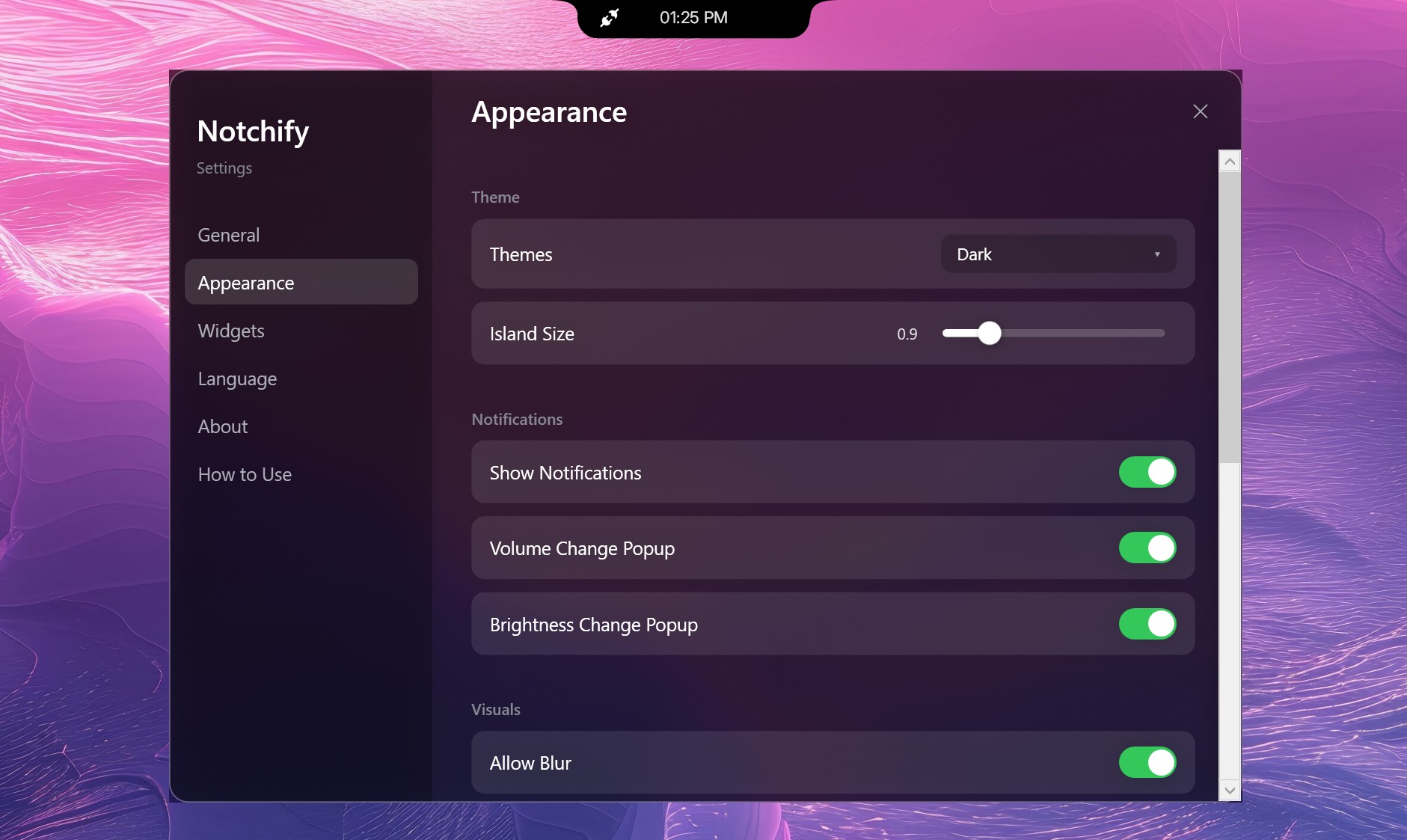
The settings are straightforward. You can toggle between Island (disconnected) and Notch (connected) modes, pick which monitor it appears on, and decide if it should launch at startup.

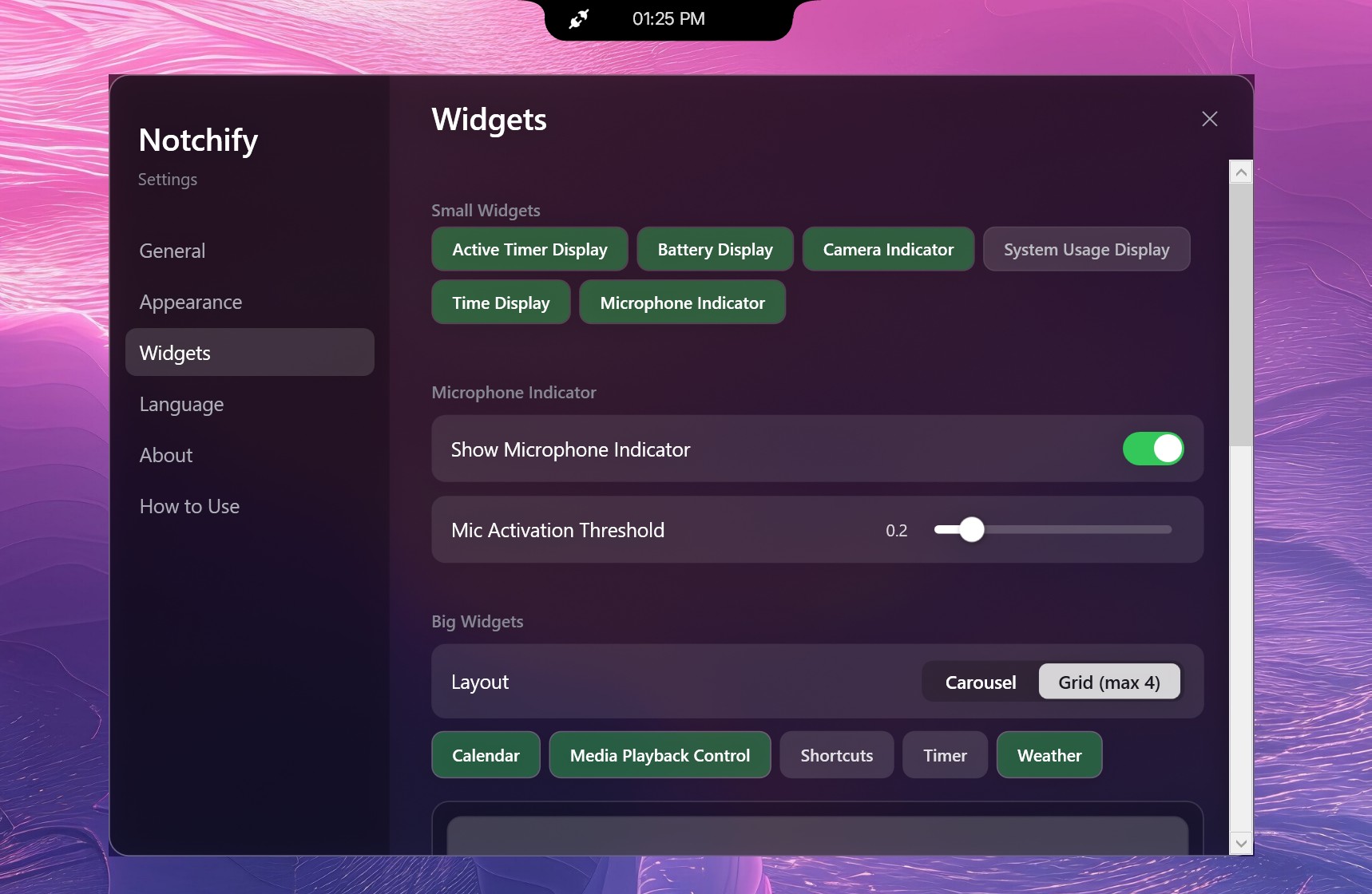
The Appearance tab lets you adjust the theme, blur, and popup behavior for volume or brightness changes. The Widgets section is where the fun begins, as you can mix and match small widgets like battery display, time, and microphone indicators, or go big with calendar, weather, and media playback.

The notch lives on your PC as "always on top," and when you mouse over it, it expands with whatever info you chose it to display. The animations are a bit janky, but it works.

It’s clean, modern, and surprisingly polished for an indie project. The dark theme looks great.

Why I ended up liking it (mostly)

The Notchify settings menu showing the Widgets page with options to customize small and big widgets like battery, microphone indicator, and media controls.

Some of the settings and options for Notchify. (Image credit: Daniel Rubino)

I use a massive 52-inch Dell Ultrasharp monitor, and one of the downsides of that much screen real estate is that my eyes are constantly darting around for notifications, time, or playback controls.

Notchify fixes that by putting everything in one place.

I still don’t love the idea of a notch (it’s not my aesthetic), but I can’t deny how practical it is. Having a small, centralized hub for quick info saves me from scanning the corners of my display. It’s one of those things that quietly improves workflow without demanding attention.

And if you've listened to me on our podcast, you know my big beef with Windows 11 is how I can't adjust where notifications appear from, which seems dumb in 2026.

For anyone switching from macOS to Windows 11, Notchify might even make the transition easier. It brings a familiar visual cue while adding more flexibility than Apple’s version ever offered, and that's kinda cool.

Probably the most obvious issue is that Windows 11 doesn't "wrap" around the app, so when running apps full screen (like your web browser), you may end up blocking access to some features. And no, you can't move it around, which was a bit surprising.

The best part of this story isn’t just the app; it’s the community that helped shape it. On Reddit, user GuppyFarmer posted a detailed breakdown of Notchify’s CPU usage, pointing out that it was higher than expected. Instead of brushing it off, the developer responded, thanked them, and used the data to fix the issue.

That kind of interaction is what makes indie development fun. Constructive feedback, not just complaints, helps these projects grow. GuppyFarmer’s analysis gave the dev exactly what they needed to optimize performance, and the result is a smoother, more efficient app for everyone.

Too often, feedback online turns into negativity. Here, it turned into progress.

My takeaway

The Notchify settings window open to the Appearance tab, featuring dark theme selection, an island size slider, and notification pop-up toggles.

More options for theme and design in Notchify. (Image credit: Daniel Rubino)

The app costs $1.99 after the free trial, which feels completely fair for what it offers. It’s not bloated, it’s not subscription-based, and it’s updated based on real user input. That’s the kind of indie pricing model I’ll always support.

I still don’t want a notch on my laptop or desktop, but Notchify convinced me that the idea can be useful when done right. It’s a small, clever utility that adds genuine functionality to Windows, and maybe it'll inspire some other creations to solve some problems.

And hey, it proves what many of us already know: good ideas don’t have to come from big companies. Sometimes, a single developer with a Reddit post can create something that feels fresh and helpful.

If you’re curious, give the free trial a spin. You might find yourself liking it more than you expect.

Click to join us on r/WindowsCentral

Join us on Reddit at r/WindowsCentral to share your insights and discuss our latest news, reviews, and more.
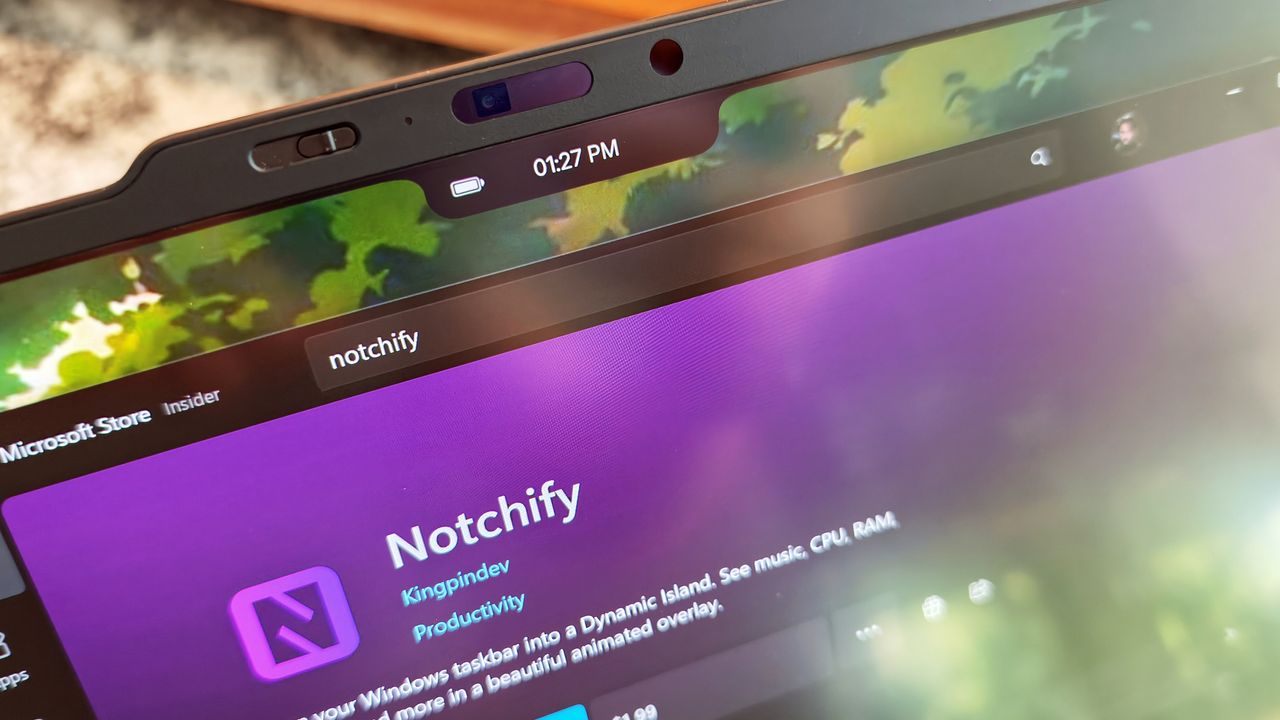
Close-up of a laptop screen showing a black notch overlay with a battery icon and time display above the Microsoft Store page for the Notchify app.

My reverse notch on the Lenovo X1 Carbon, counter-matched by Notchify, is truly diabolic.

  •  

We now know exactly when uBlock Origin will stop working on Microsoft Edge

If you use uBlock Origin on Microsoft Edge, it's time to start looking at alternatives. Microsoft has shared a timeline for the transition away from Manifest Version 2 (MV2) extensions. That transition will end support for uBlock Origin on Edge, alongside a small group of other extensions.

Microsoft aims to fully transition consumers away from MV2 extensions by the end of 2026. Some users will start seeing notices about the change this month (August 2026). Microsoft will then gradually turn off MV2 extensions by default over the coming months.

Enterprise users will be transitioned away from MV2 extensions in 2027.

It's not a surprise that MV2 support is being discontinued. In fact, the surprise is that we finally have a confirmed date for the end of support. Microsoft has had MV2 support on the chopping block for ages but had not committed to a firm cutoff date.

Blank Pixel

MV2 and its replacement Manifest Version 3 (MV3) are extension platforms that developers can build upon. There are technical differences between the two, the most notable is that MV3 limits the WebRequest API, which allows ad blockers to dynamically intercept and block network requests before they load.

Since Edge is built on Chromium, which is Google's open-source engine, Google pushing MV3 affects Microsoft Edge.

This shift to MV3 is not arbitrary; there are practical benefits to the switch. MV3 is more secure and provides better performance than MV2. Some believe the transition to MV3 is being pushed to give Google more control over ads on the web, though that is up for debate.

The end of MV2 support will affect several extensions, but the biggest one is uBlock Origin. I suspect few would care about the end of MV2 support if uBlock Origin were unaffected.

Microsoft states that 95% of the top MV2 extensions in the Edge Add-ons store have been moved to MV3. There are only 58 MV2-based extensions in the Edge Add-on Store at all. Only three of those MV2-based extensions do not have MV3-based equivalents available.

There is a version of uBlock Origin that works with MV3, though it's uBlock Origin Lite. That extension lacks some of the granular controls of the full version. It also works differently in the background, hiding most content rather than preventing items from loading.

Many people could replace uBlock Origin with uBlock Origin Lite without issue, but power users could struggle with the change. Some people plan to switch browsers before changing ad blockers.

Mozilla Firefox still supports the tech needed for uBlock Origin to function. Brave committed to keeping MV2 extensions working as well.

Click to join us on r/WindowsCentral

Join us on Reddit at r/WindowsCentral to share your insights and discuss our latest news, reviews, and more.
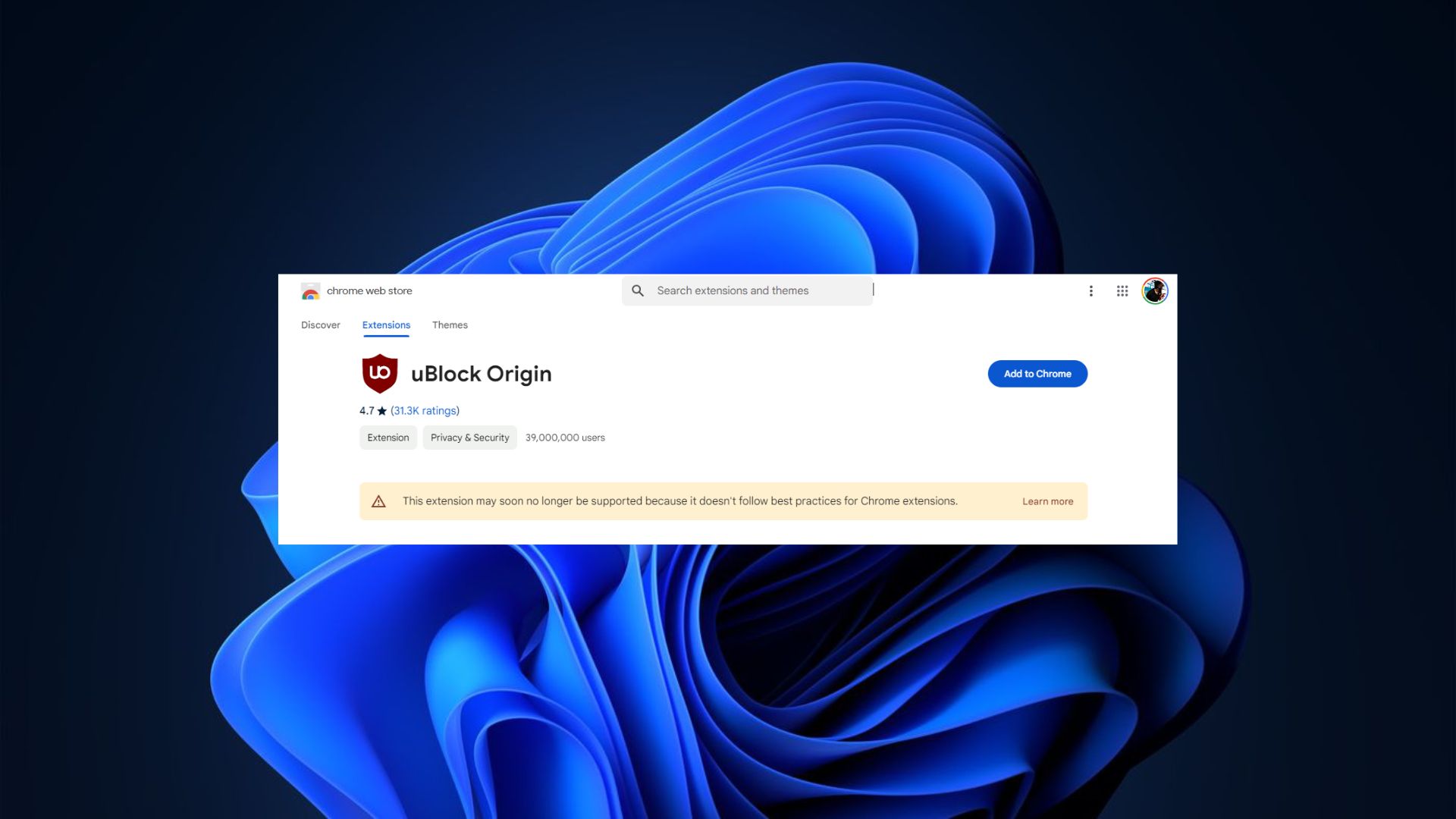
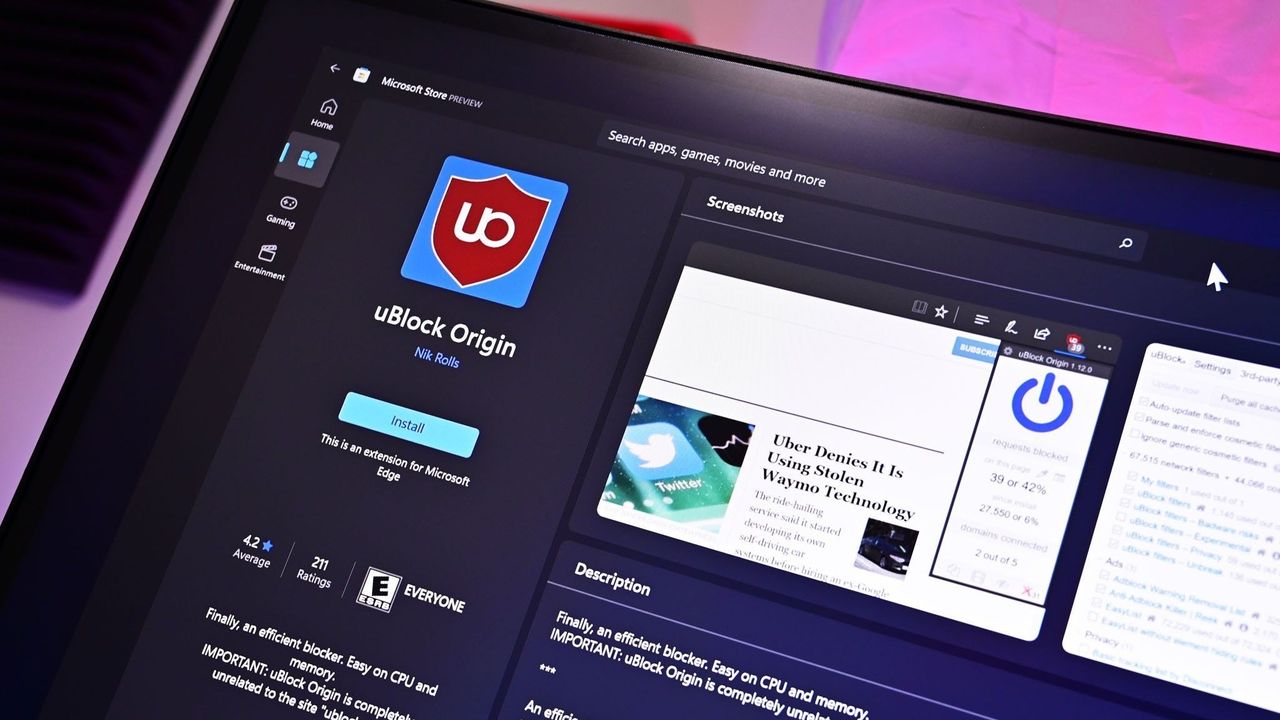
uBlock Origin on Microsoft Edge

uBlock Origin on Microsoft Edge

  •  
❌