Connexion
New Android malware encrypts files, steals data, and harasses victims
A new Android malware strain called Mantax Otax combines ransomware and spyware capabilities to encrypt files, steal sensitive data, and spam and harass victims. [...]

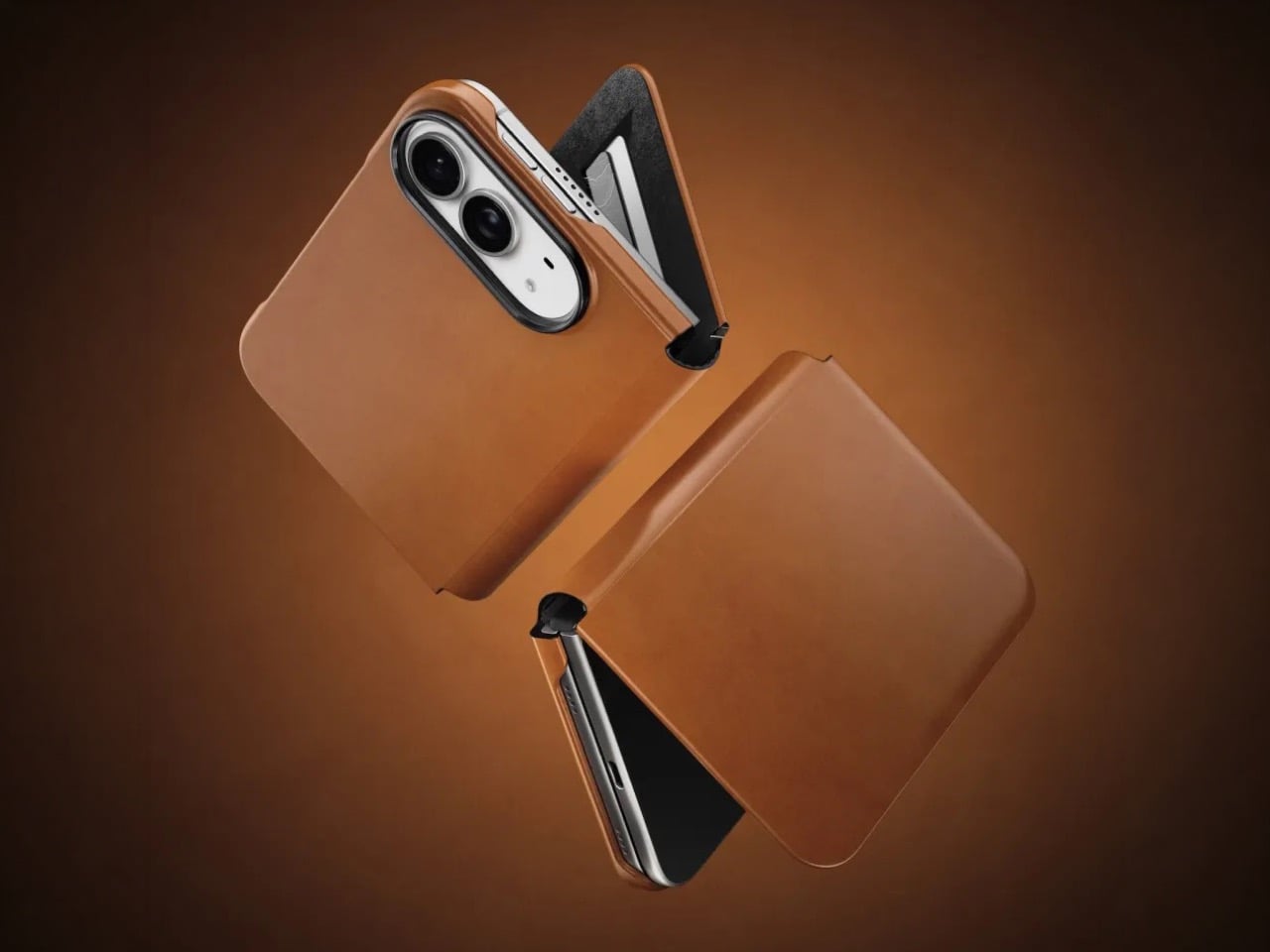
The folio case for smartphones remains an entirely boomer product offering. Having a case with a flap that covers your screen and needs to be folded open like a book to answer calls or use your phone is an innately ‘old-soul’ experience. The flap protects your screen but it also obscures it. Fold the flap to the back and it reveals your screen but blocks your camera. It isn’t for millennials or Gen-Z phone owners, but for anyone who wears reading glasses, this folio style case is as addictive as their generation’s Candy Crush habit. With Apple launching the iPhone Duo just yesterday, Nomad developed a similar folio style case for the Apple foldable.
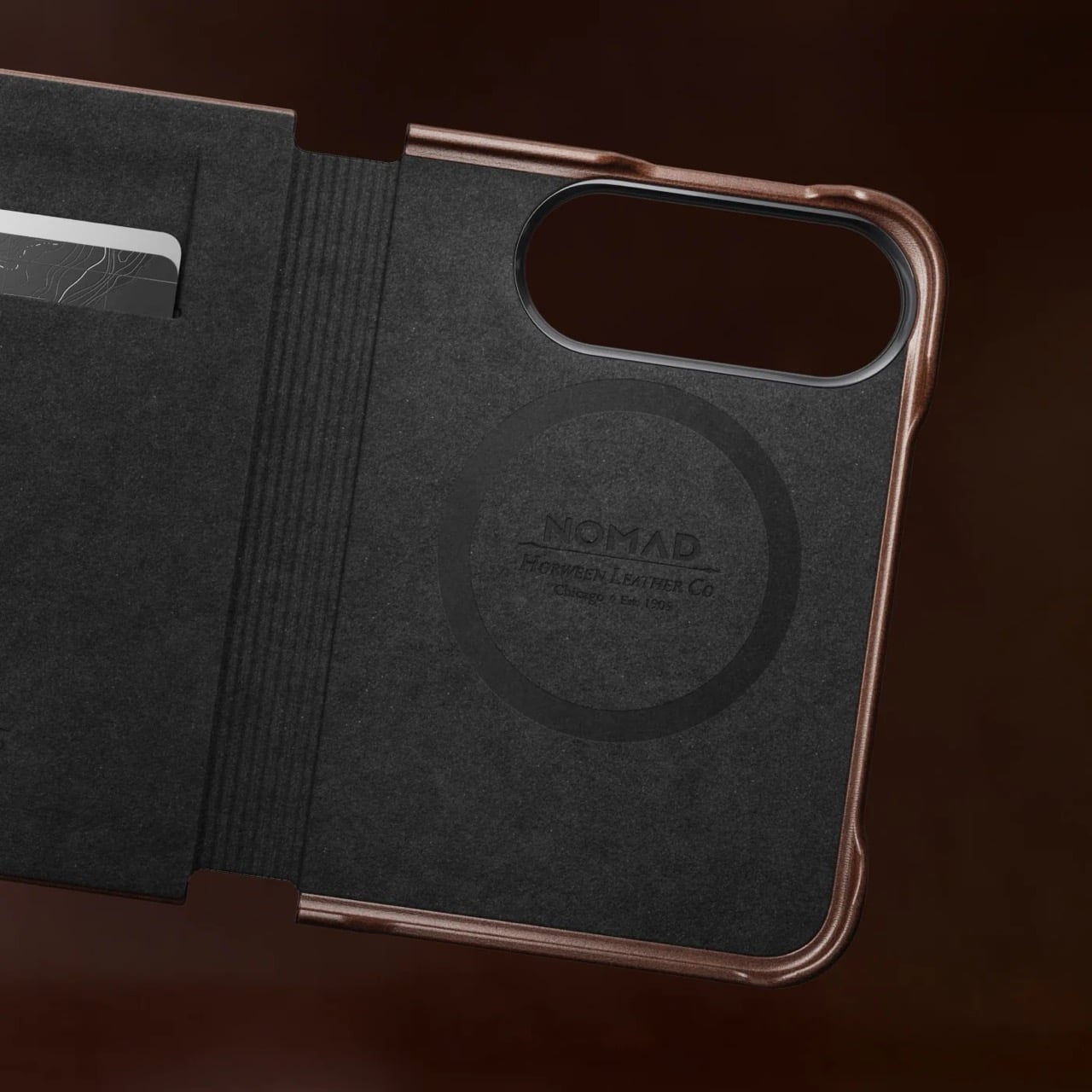
Nomad’s Folio case for the Duo is a strange little thing. While most folio cases turn candybar phones into bifolds, Nomad’s case sort of turns it into a trifold, if you will… or a bifold with a partition. The case is a single-piece leather and plastic design, created to wrap your phone not just from the back but also the front. The front flap magnetically snaps to your phone’s outer display, and lets you open your phone in two ways – firstly, by just disengaging the flap to see the outer screen, but also by disengaging the flap and outer screen together to see the inner screen… and like any good folio case, the flap’s inside packs a card-holder for your payment, ID, and access cards so you don’t need a MagSafe wallet ruining your iPhone Duo’s design.
Designer: Nomad
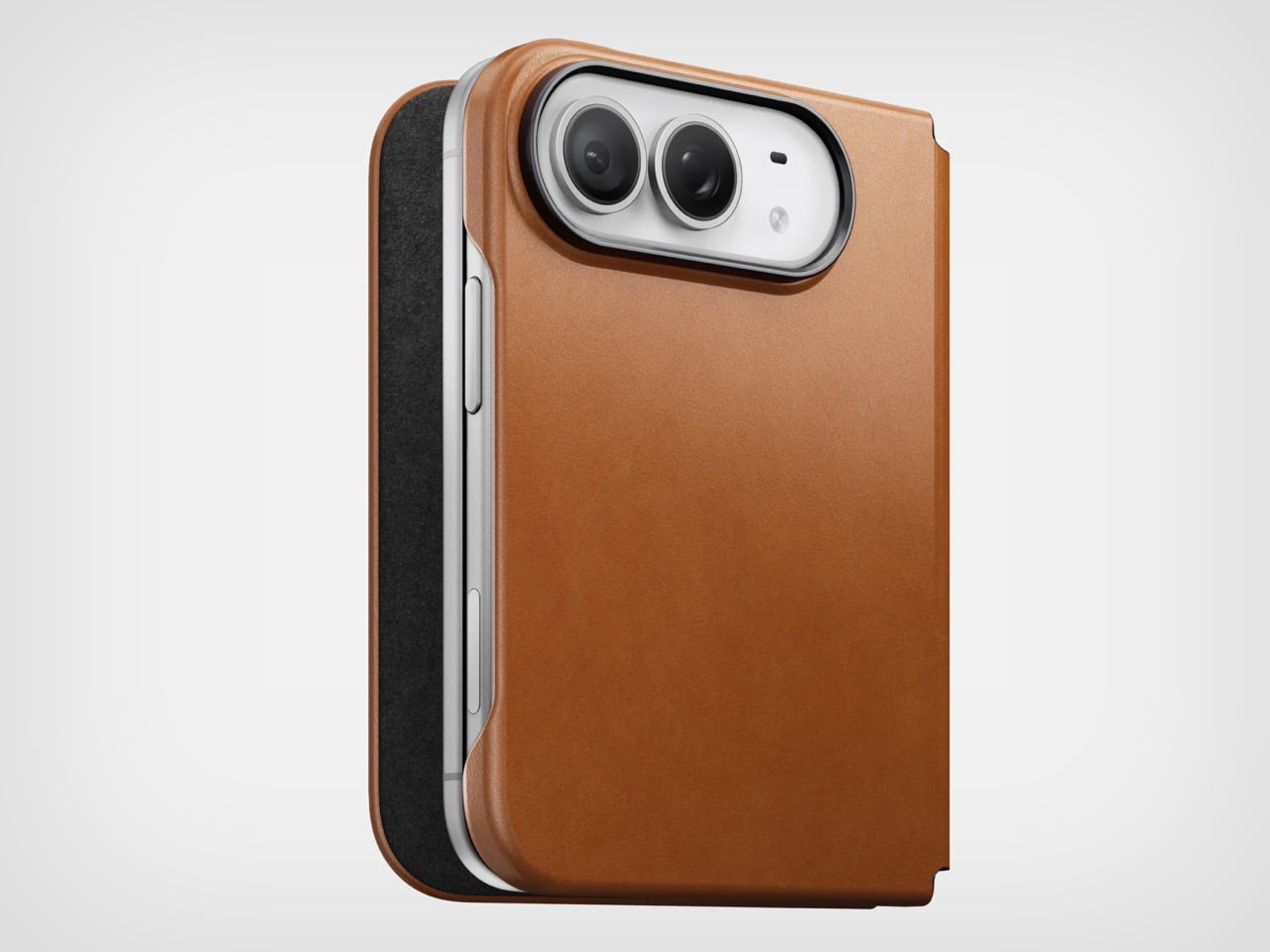
Like all of Nomad’s leather cases, this one’s made from Horween leather, crafted from a single piece of hide that’s been tanned, bent, crimped, and buffed to absolute beauty. The leather gracefully wraps around the edges, keeping the buttons exposed and accessible, while also covering the hinge in a way that creates that bifold feeling. The leather then transitions upwards ever so slightly before cutting off to a plastic lip around the camera bump, cushioning your phone’s precious shooters from accidental drops and bumps.
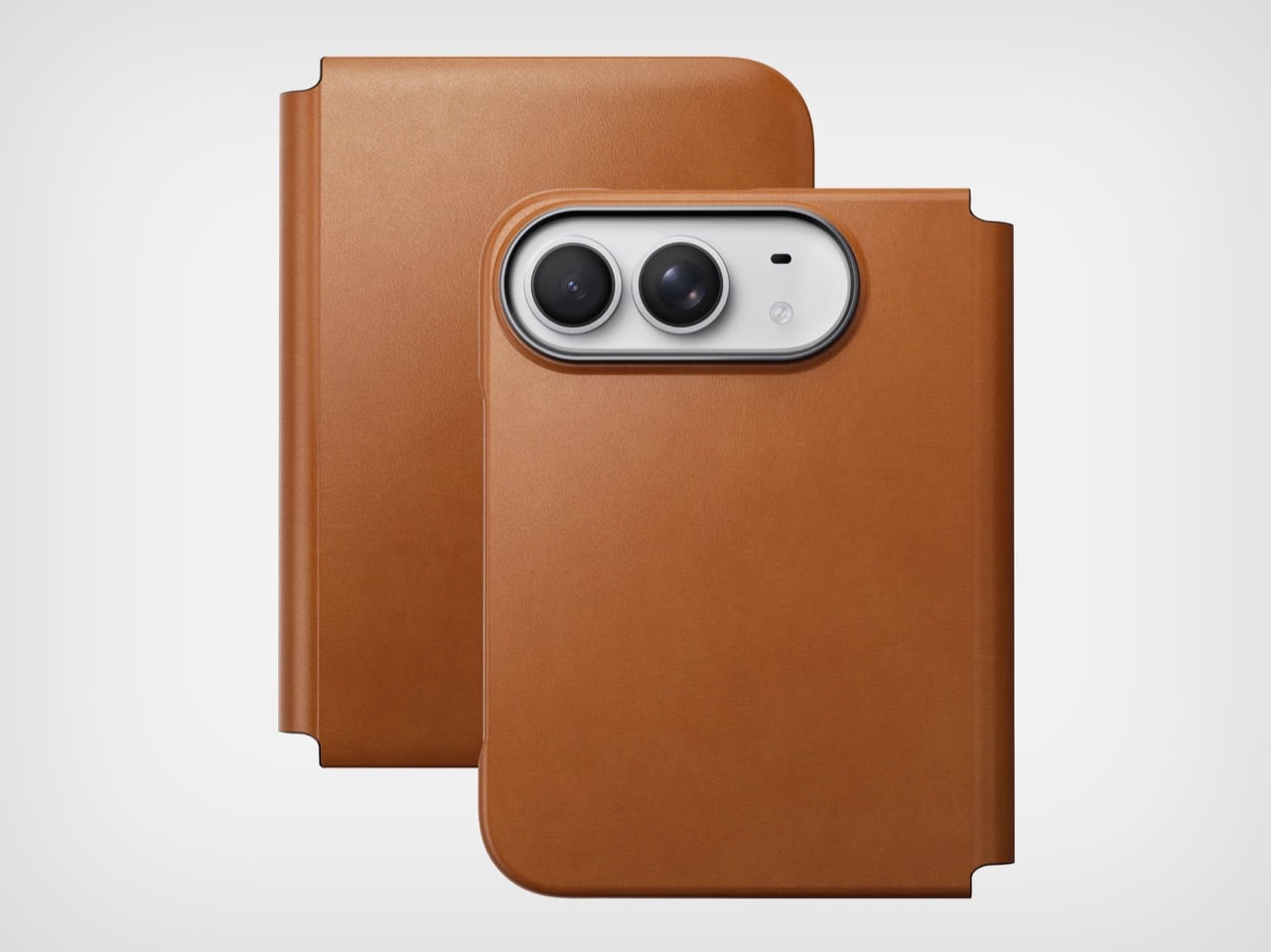
On the inside, the leather’s reinforced by a microfiber layer that protects the iPhone’s glass panels from damage. Sure, Apple touts Ceramic Shield on both the front and back, but nothing breaks your heart faster than seeing a cut or a scratch running down the glass body from abrasive action caused by objects in your pocket or even your table. Meanwhile, a slot on the front stores two cards from the looks of it, so your iPhone Duo doubles as a card holder beyond what Apple Pay already lets you do.
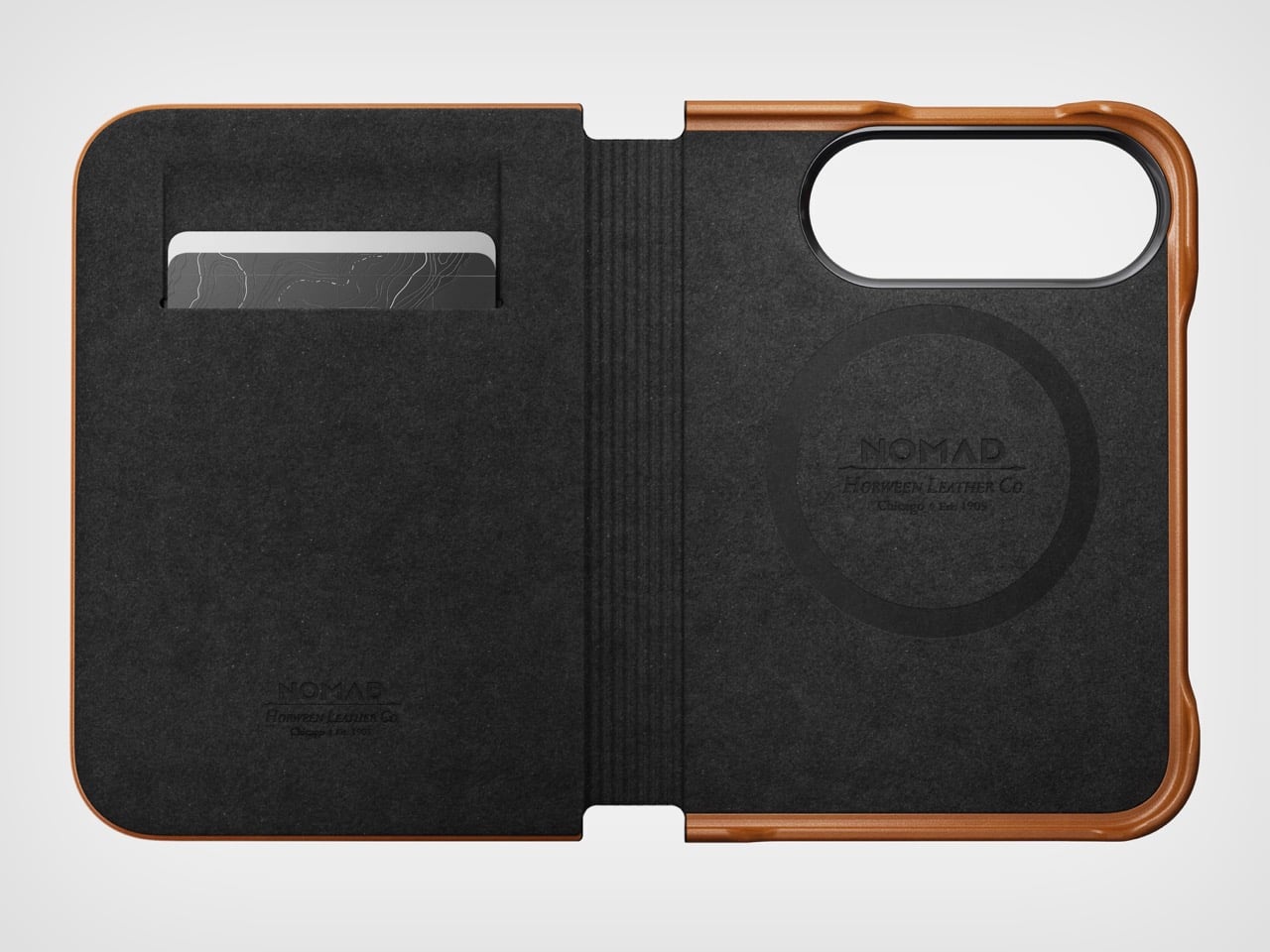
Like all good leather cases, this one’s designed to age gracefully with time. Chances are, if you’re an iPhone Duo buyer, you will probably use this phone as your ride or die for another 2 years. In that time, Nomad says the case will patina gorgeously with time, aging uniquely based on how you use the phone. Luckily, the case isn’t too expensive. Priced at $129, you can grab the Nomad iPhone Duo Traditional Folio in one of three colors – Saddle, Rustic Brown, and Black, with global shipping starting November 14th.
The post Nomad’s Leather Folio Turns Your iPhone Duo Into A $1999 Bifold Wallet first appeared on Yanko Design.



The Curious House in Zagreb doesn’t try to win you over immediately, and that’s exactly the point. Designed by Croatian studio FORVM arhitektura, it’s a family residence perched on a steep hillside, slightly pulled back from the main road and swallowed by dense urban vegetation — orchards, spruces, pines, cedars. The house doesn’t announce itself. It settles in.
Rather than drop a single mass onto the slope, FORVM broke the program into three distinct elements, each responding to a different register of the site. It’s a compositional decision that reads as both pragmatic and poetic, dissolving the usual tension between building and terrain into something more like a conversation. The topography shapes the architecture. The architecture shapes how you live inside it.
Designer: FORVM


The ground floor is fully glazed — a deliberate move to keep the resident in constant dialogue with the world outside. Green cascades past the glass. The tree canopies filter sunlight and block sightlines, doing the work that walls might otherwise do. Privacy here isn’t enforced by opacity; it’s offered by nature. The forest earns its place as an active participant in the spatial experience, not just a backdrop.
The upper floor shifts register. Where the ground level opens up, the upper volume turns more inward, more considered. Roof windows cut directly to the sky, and through them, tree silhouettes remind you again that you’re inside a forest. The building keeps finding ways to return you to the landscape — not through grand gestures, but through quiet architectural moves that accumulate into something genuinely atmospheric.


From the outside, the Curious House plays a different game. Its smooth, reflective surfaces don’t reveal the interior so much as they absorb the green world around it. You expect transparency; instead, you get a mirror. The observer looks for signs of life within the envelope and finds it harder than the glazing might suggest. It’s a house that hides in plain sight.
Designed by Dinko Uglešić, Ina Vlahović, and Marijana Rančić, and photographed by Bosnic+Dorotic, the Curious House exemplifies a strain of European residential architecture that takes landscape seriously — not as an amenity to be framed, but as a logic to be followed. FORVM, founded in 1991 by Ante Uglešić, has long worked within the specifics of Croatian terrain and climate, and that attentiveness shows here in every decision, from the fragmented massing to the calibrated relationship between glass and canopy.





The post This House Splits Into Three Pieces So It Can Stay Hidden in Its Own Forest first appeared on Yanko Design.
Move over iPhone Duo announcement, the real news is here. Windows 11 will soon feature a few more emojis. Microsoft recently shipped Windows 11 Builds 26100.9539 and 26200.9539 to Insiders in the Release Preview Channel. Among other changes, the update adds support for Emoji 17.0.
Since these are Release Preview builds, many of the included changes have already been seen during earlier Insider testing.
Several changes have been made to File Explorer that should make for a smoother experience. Home within File Explorer now preserves the state of sections, so the next time you open the app things will be expanded or collapsed as before. Thumbnail previews for cloud files should appear more consistently as well following this update.
Emoji lovers will be happy to hear that Emoji 17.0 support comes with this build of Windows 11. Emoji 17.0 adds the distorted face, fight cloud, and hairy creature (Bigfoot) emojis.

Microsoft continues on its recent push to create more widgets. These Insider builds add a Tips widget that provides guidance about Windows features. Microsoft recently announced a battery widget that's in the works as well.
Another welcome change is the update to remap the Copilot key to function as the Right Control key or Context Menu key. Copilot already has a keyboard shortcut (Alt + Space) for those who want to use it, so having a dedicated key for a niche tool felt a bit like overkill.
Microsoft detailed the changes that are gradually rolling out.

Join us on Reddit at r/WindowsCentral to share your insights and discuss our latest news, reviews, and more.

There is something immediately satisfying about a handheld that refuses to make two screens behave like one. Retroid’s new Pocket Duo takes that idea and builds it into a modern clamshell, giving Nintendo DS and 3DS-style gaming a form factor that feels considerably more natural than squeezing both displays onto a single screen.
The Pocket Duo puts a 5.5-inch 16:9 OLED display above a smaller 4.5-inch 4:3 OLED screen, with both running at 120Hz. Rather than treating the second display as an afterthought, Retroid has designed the handheld around the way dual-screen games were originally meant to be played. The company has already demonstrated 3DS titles running at 4x resolution, along with DS games through melonDS.
Designer: Retroid


Under the hood, the Duo has Qualcomm’s Dragonwing Q-7790 – an IoT-focused chip based on the Snapdragon 7 Gen 4 – mated to Adreno 722 graphics. Active cooling helps keep the hardware running under load, while a 6,000mAh battery handles power. The device runs Android 16 and weighs 350g, with a 180-degree free-stop hinge allowing the two displays to be positioned at different angles. Retroid has also paid attention to the physical controls. The thumbsticks sit symmetrically in recessed positions, while the ABXY buttons use tactile clicks. The shoulder buttons are stacked, giving the Duo a layout that is intended to feel like a proper gaming handheld rather than a phone with an extra screen attached.


The Pocket Duo Lite takes the same dual-screen concept and makes some straightforward changes to bring the price down. Its upper display remains 5.5 inches, but switches from OLED to a 60Hz IPS LCD, while the lower screen is slightly smaller at 4.2 inches. Both displays retain their respective 16:9 and 4:3 formats. The Lite also steps down to Qualcomm’s Dragonwing QCS6125 processor with Adreno 610 graphics and runs Android 15.


The handheld uses in-line shoulder triggers instead of the stacked controls found on the regular Duo. Despite those compromises, it retains the 180-degree free-stop hinge, symmetrical recessed thumbsticks, active cooling and a 6,000mAh battery. There are two Lite configurations: 4GB RAM with 64GB storage and 6GB RAM with 128GB storage. It comes in Black, GC, 16Bit, Ice Blue and Clear Purple, matching the colour choices of the standard model.


For anyone who grew up with dual-screen handhelds, the Pocket Duo is an intriguing modern interpretation of a familiar idea. Instead of mere recreation of the classic era, Retroid is giving the format a faster display and contemporary hardware. The Lite, however, makes the same unusual design considerably easier to justify.


The pricing also makes the Lite particularly compelling. The 4GB/64GB version starts at $135 during pre-orders and will retail for $149, while the standard Pocket Duo is priced at $250 during pre-orders and $270 at retail. There is no official release date, though.


The post Retroid Pocket Duo makes dual-screen gaming feel fresh again with its modern clamshell design first appeared on Yanko Design.


Ah, social media, the place where misinformation can fly around at breakneck speed, all supported by "experts". The latest case? GameSir controllers.
This one has gathered so much steam that the company has chosen to respond or has used the opportunity to turn it into a brilliant marketing campaign. You be the judge.
Why all the hullabaloo? On a recent stream, Call of Duty pro players were heard discussing GameSir controllers and the idea of "GA-ing them" from the Modern Warfare 4 season of the Call of Duty League. Because of features that amount to "built-in cheats".
It seemed like a fairly obvious troll to me and to many others. These were guys on a stream just shooting the breeze, and it smells like a troll a mile off. Call of Duty pro-players are notorious for using a GA to avoid using most of the weapons in any Call of Duty during pro play in order to provide as level a playing field as possible.
But the idea of GA-ing a controller is ludicrous, but then the internet did its thing. You can see GameSir's statement posted to X below.
Anyone who has ever used a GameSir controller can tell you that it's farcical someone could suggest it comes with built-in cheats. There's no magic button that suddenly gives you no recoil in an FPS game. You still have to do that yourself. Believe me, I know. I'm still just as terrible.
That's not to say GameSir hasn't had some trouble in recent times. It removed a feature, the RC filter, because it was (unintentionally) always allowing rotational aim assist in Apex Legends and was banned from official competitions. But the company responded and took the feature away. It wasn't designed to 'cheat' but it was an unfortunate side effect.
GameSir has been responding on social media to some of these posts in a more casual manner, but it's the internet; people will keep talking. So there's an official response, and with it, I think, a genius marketing move.
I actually think that if some of the pro players put down their current controllers, in many cases a Scuf or a Razer — sometimes linked to sponsorship — and they tried a GameSir, they'd be surprised.
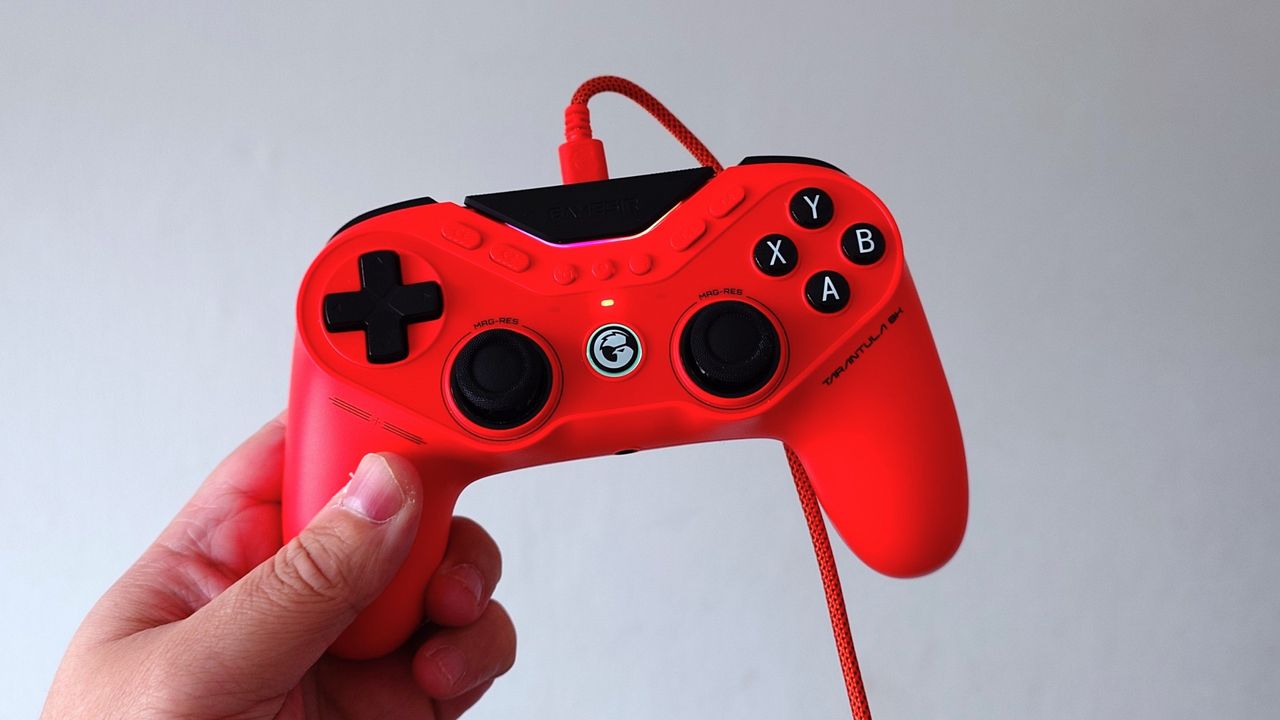
I'm currently trying out the Tarantula 8K, and I can confirm that it doesn't give you cheats. It gives you a lot of features to customize, but so do competing brands. The difference here is this controller is $80, and right now, I'm picking it up every time over my much more expensive Razer Wolverine V3 Pro 8K. A controller I reviewed and called an "unfair advantage".
A full review on that will be coming soon. But this is another example of not believing everything you see on the internet, especially if the source is "pRoGaMeR619" or "trust me bro." But if you get one of GameSir's latest controllers, you're getting an incredible package at the sort of price that should put the industry on notice.
Everyone's always looking for an edge. In gaming, you want the best hardware your budget allows for. Be it a higher frame rate, a fast mouse, keyboard, controller, the best display. It's not cheating. Is it cheating when a race car driver wants to be using the best equipment? Let's not be silly now.
Join us on Reddit at r/WindowsCentral to share your insights and discuss our latest news, reviews, and more.
Vinyl has returned to the cultural spotlight, but its comeback is about much more than nostalgia. A new generation is discovering records as objects of design, ritual, and personal expression. For Gen Z, vinyl offers something increasingly rare in a digital-first world: a physical relationship with music. Choosing an album, holding the sleeve, placing the record on a turntable, and listening from beginning to end creates a slower, more intentional experience.
The renewed interest in vinyl is also influencing interiors and product design. Record players are becoming sculptural objects, album covers are being displayed like artwork, and dedicated listening corners are finding their place inside contemporary homes. Here is how Gen Z is giving an old format a new visual language, transforming the record experience into a lifestyle statement.
Vinyl has moved beyond the traditional collector’s shelf to become part of a broader lifestyle centered around music, design, and self-expression. Gen Z is attracted to records because they provide something that streaming cannot: a tangible connection to an artist and an album. The large-format sleeve, physical record, and carefully designed packaging create an experience that feels more substantial than tapping a song on a phone.
This shift has also made vinyl increasingly relevant to interiors. Records can sit on open shelving, lean against walls, or become part of carefully arranged listening corners. Collections communicate personality through color, artwork, typography, and genre. Instead of simply storing music, younger listeners are using their collections to shape the atmosphere and identity of their spaces.
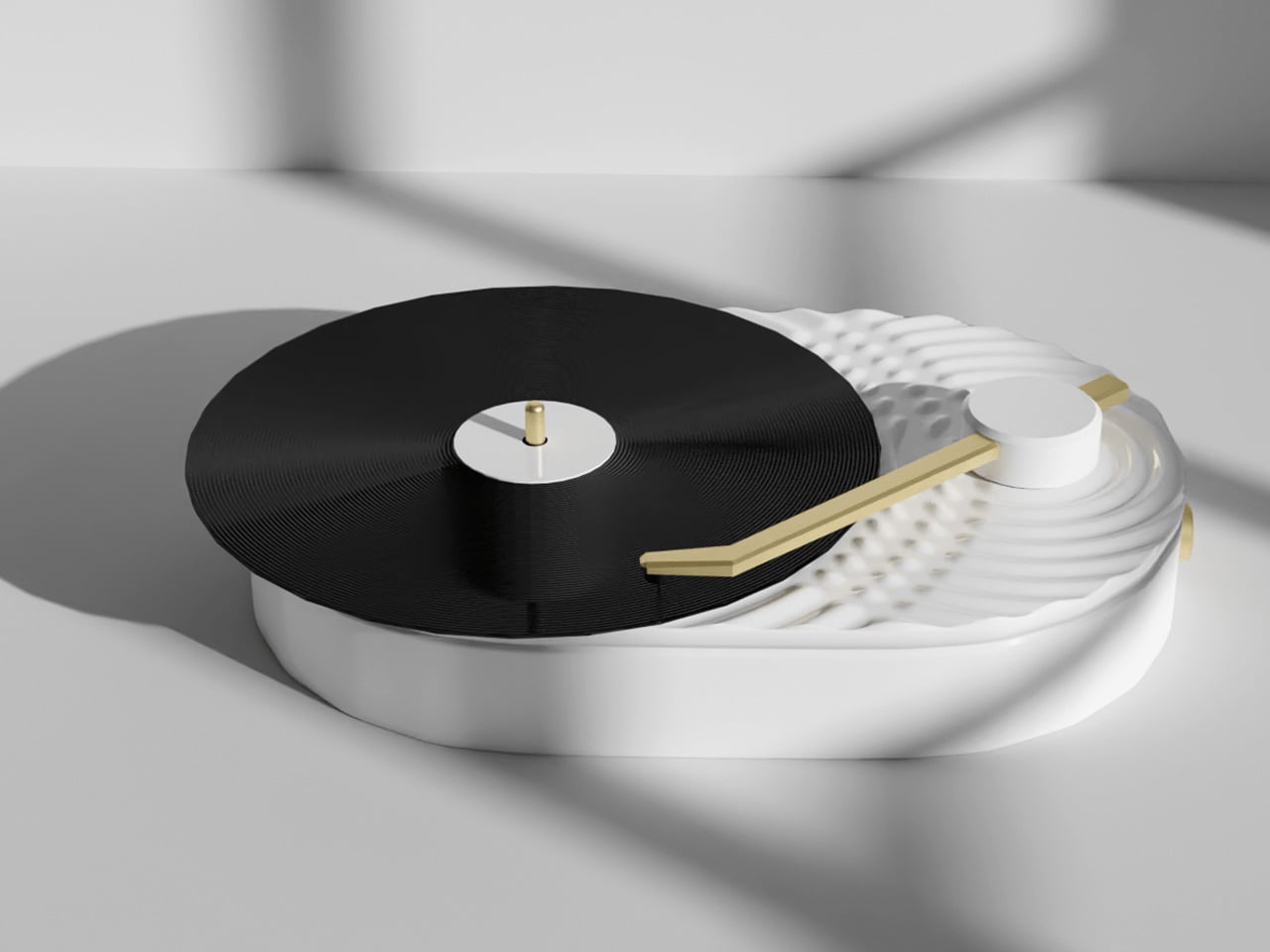

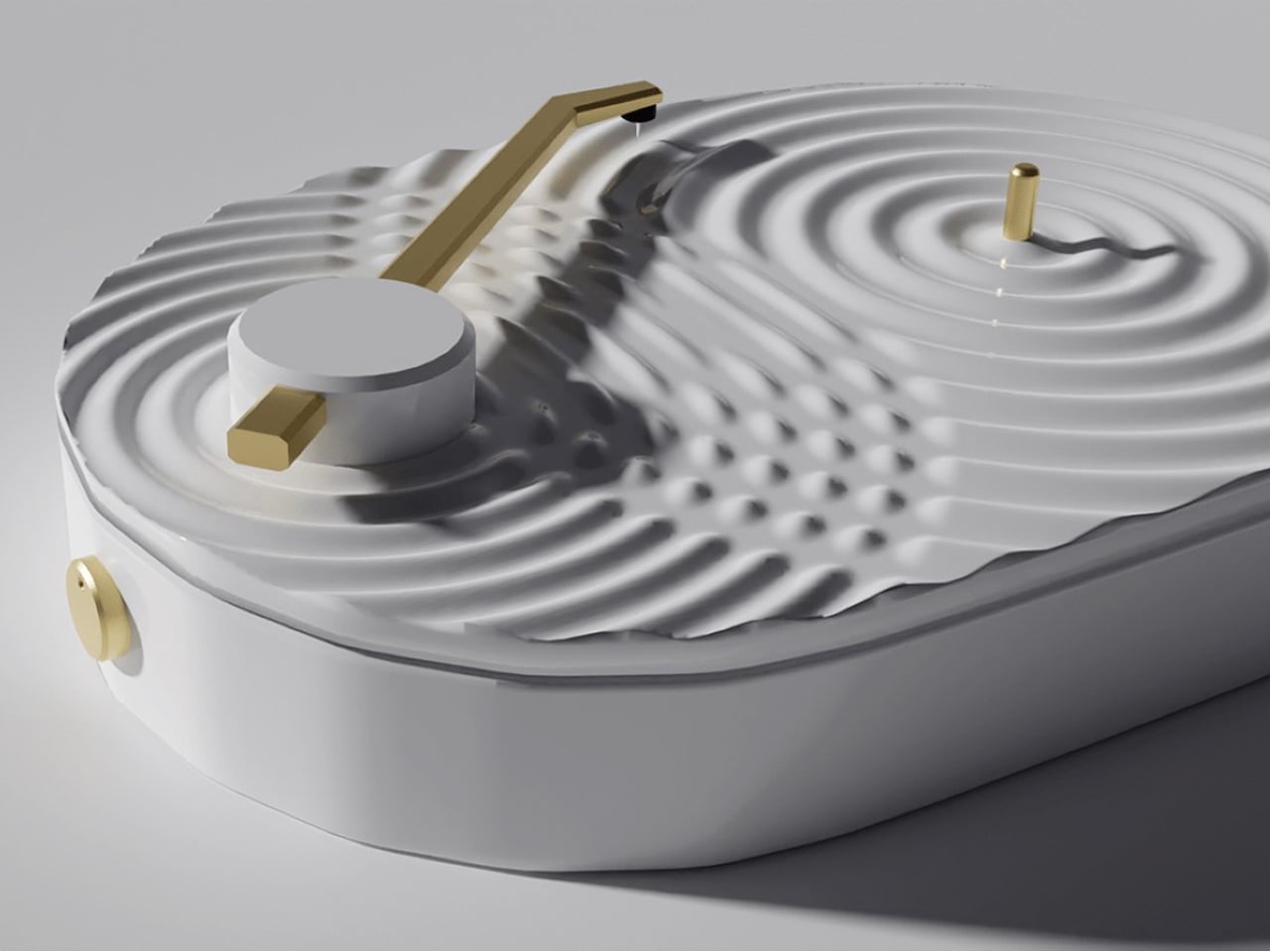
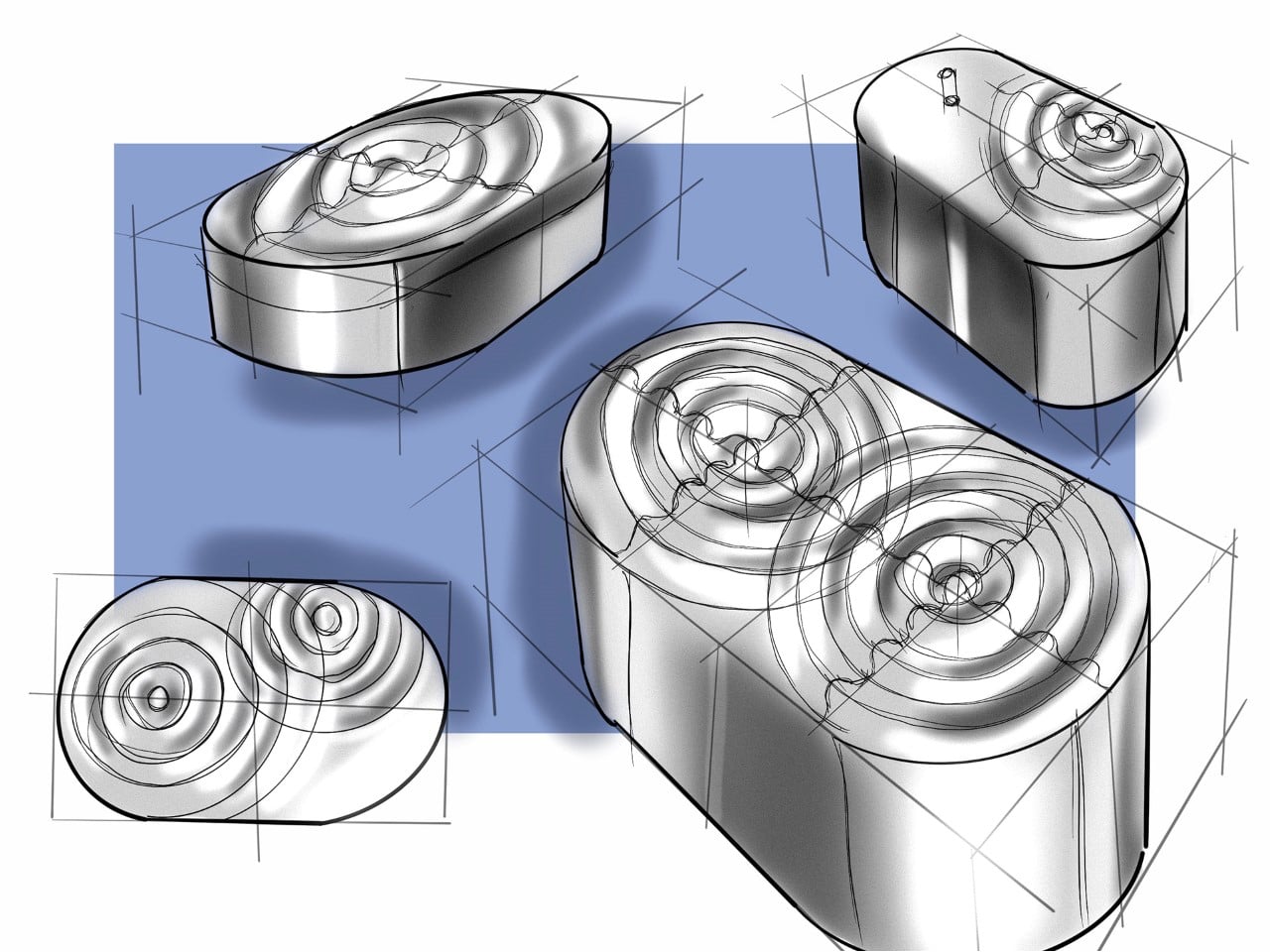
The Ripple Turntable transforms sound into a visual language, drawing inspiration from the way audio waves radiate outward from a single source. Its pristine white surface features sculpted ripples that appear to emanate from the center of the platter and the base of the tonearm, intersecting across the surface to create a striking sense of movement. The effect turns an otherwise functional audio device into an expressive sculptural object, giving the act of playing music a distinctly visual dimension.
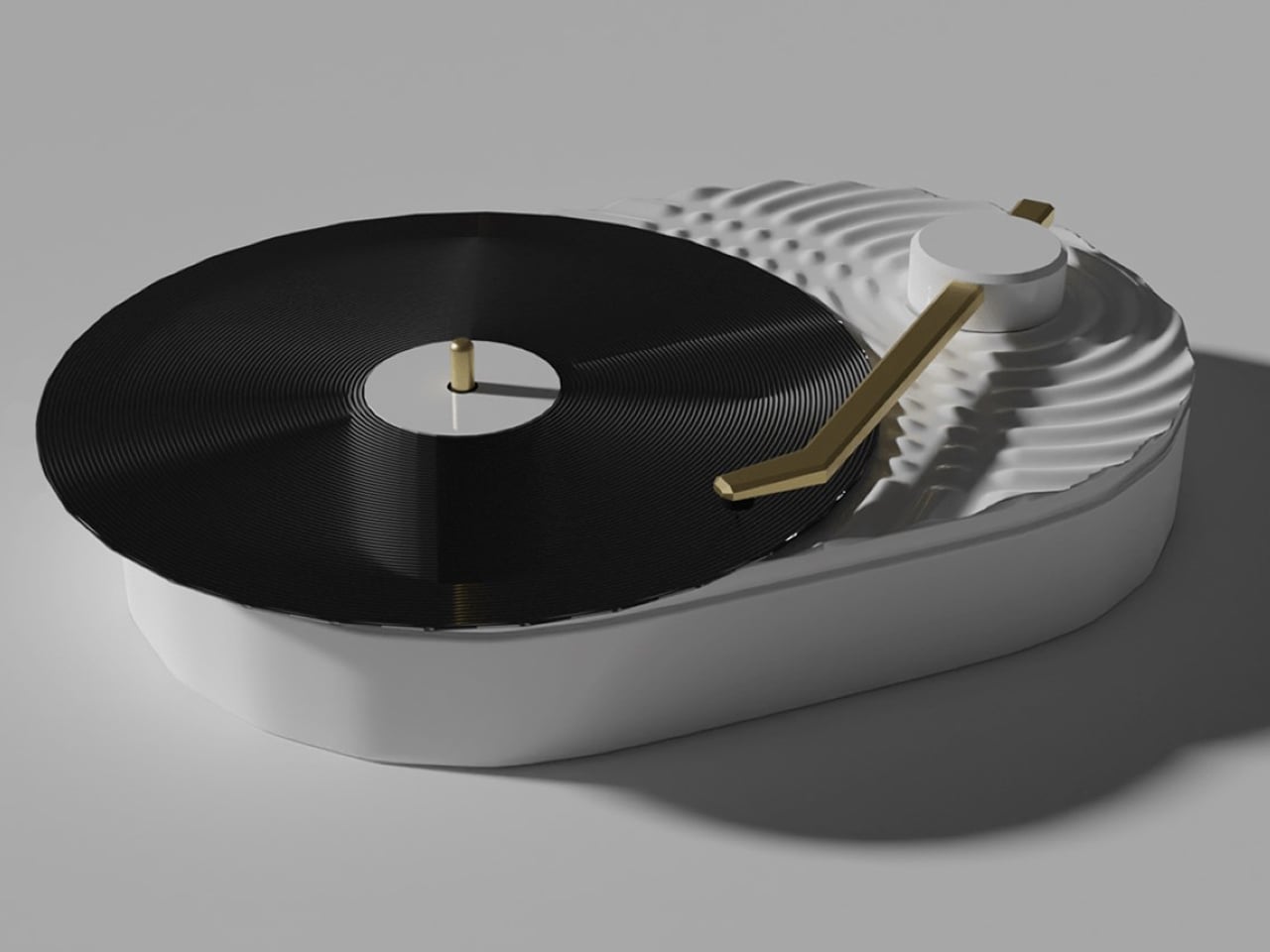
A sleek gold tonearm introduces a subtle accent against the all-white body, while the black vinyl record provides a strong visual contrast. Its minimalist yet playful character makes it particularly suited to Scandinavian and Japanese-inspired interiors, where sculptural simplicity and thoughtful detailing take center stage.
Streaming has made listening almost effortless, allowing users to access millions of songs instantly. Vinyl introduces a different rhythm. The listener has to select an album, remove the record from its sleeve, place it carefully on the turntable, and lower the needle. These small actions create a physical ritual that encourages greater attention.
That ritual is particularly relevant to a generation accustomed to constant notifications and rapidly changing digital content. Listening to a record can create a moment of pause, where the album becomes the focus rather than background noise. Turning the record over halfway through also introduces a natural break, making music feel like an activity rather than an endless stream of content.
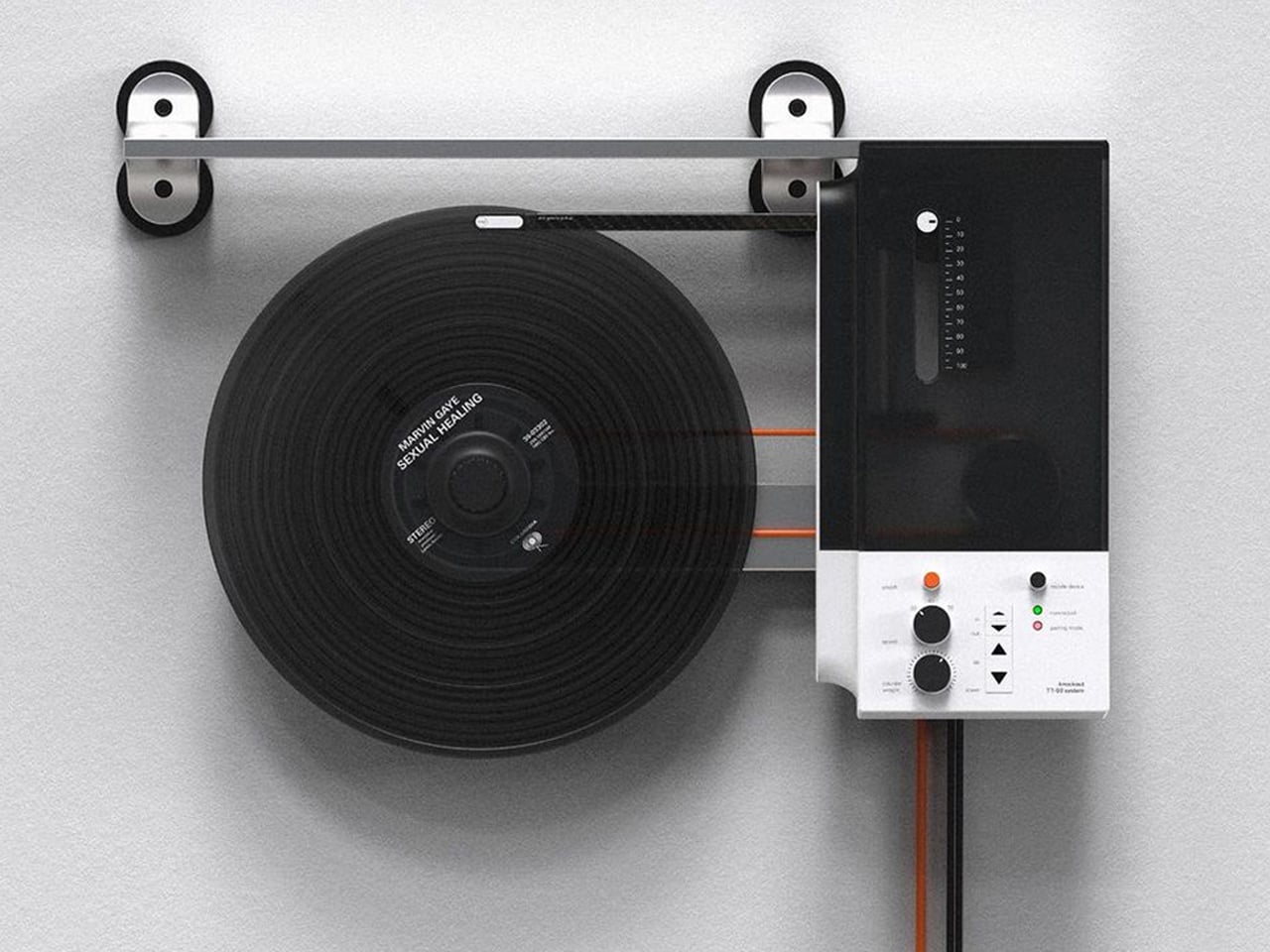
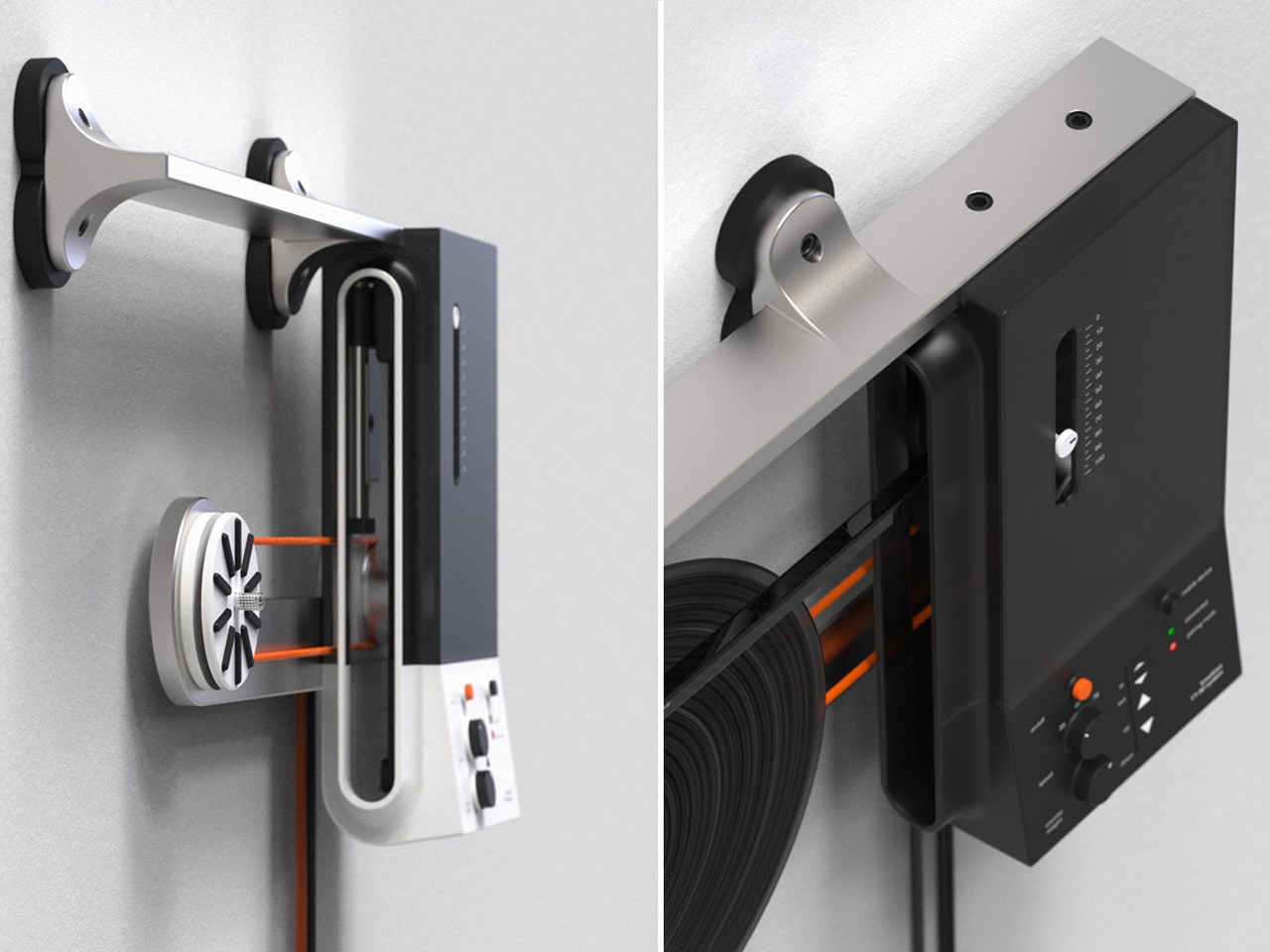
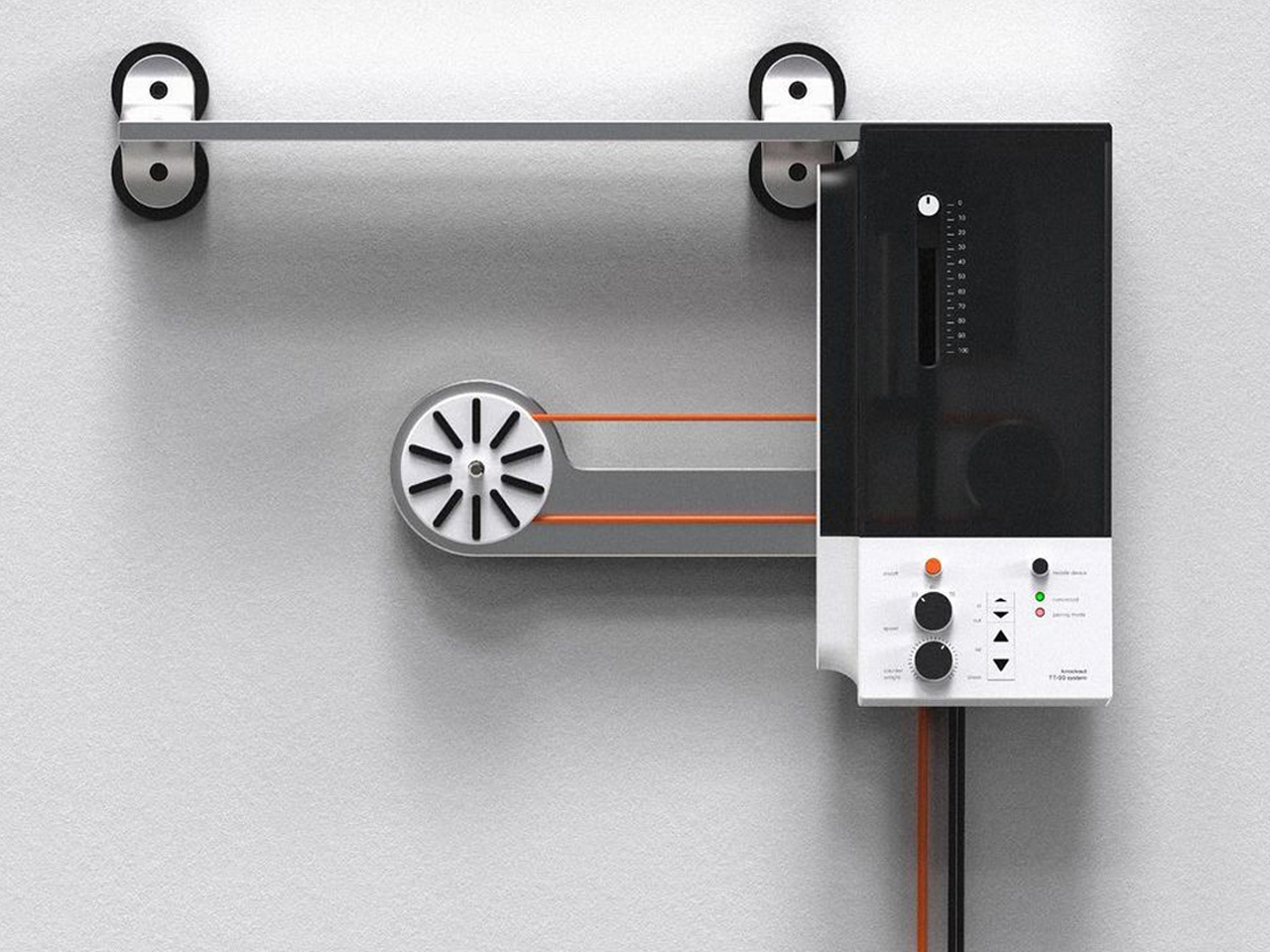
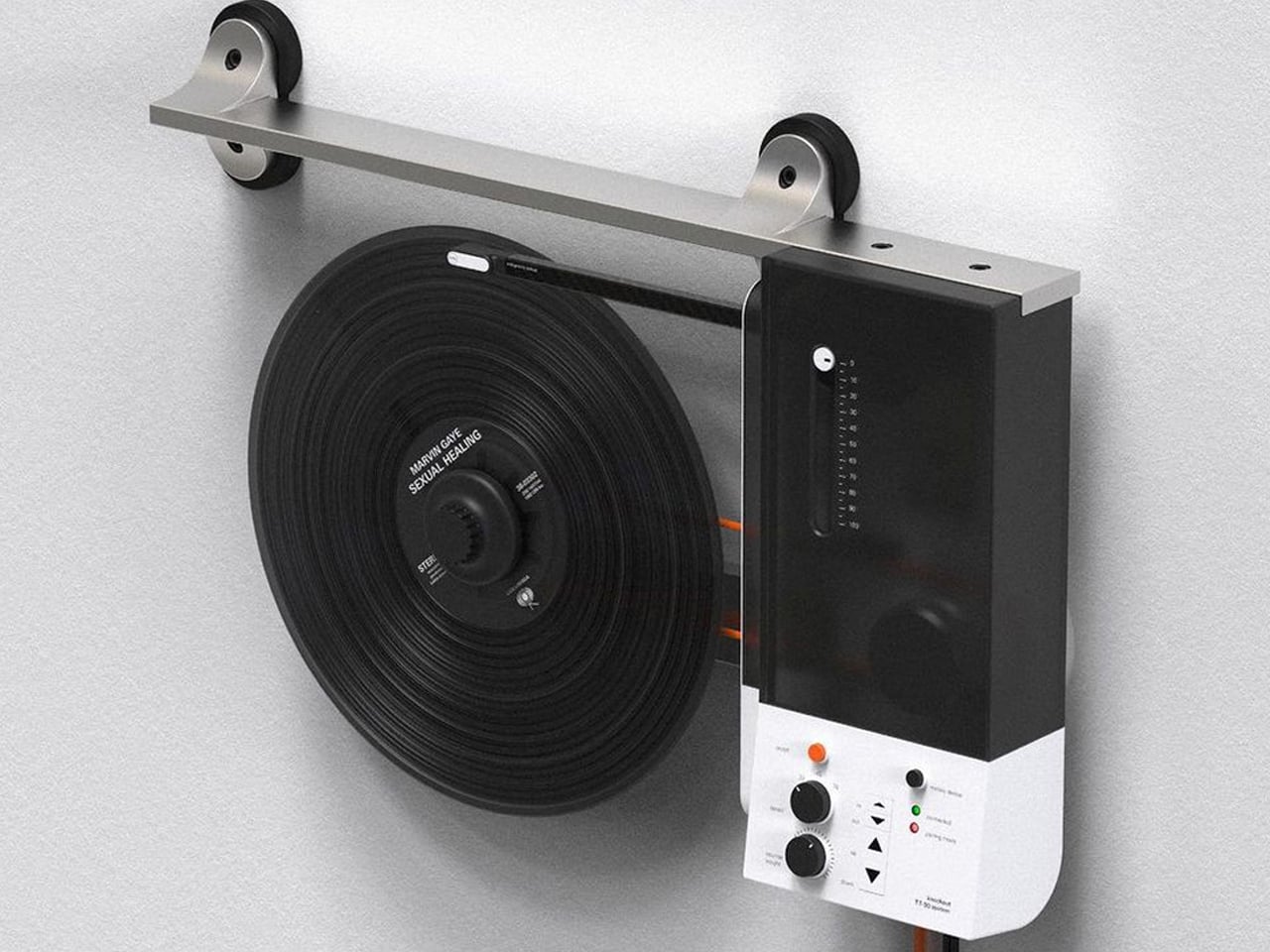
Oscar Olsson’s TT-90 System reimagines the traditional turntable by combining analog listening with contemporary digital functionality. Flipping the record player 90 degrees, the concept mounts the vinyl vertically on the wall, creating the illusion of a record floating in space as it spins beneath the needle. The unconventional format also addresses a common limitation of traditional turntables: their bulky footprint. Instead of occupying valuable furniture space, the TT-90 becomes part of the wall, transforming an everyday audio device into a striking piece of interior design. Available in black, orange, and white, its streamlined silhouette gives the familiar record player a distinctly futuristic character.
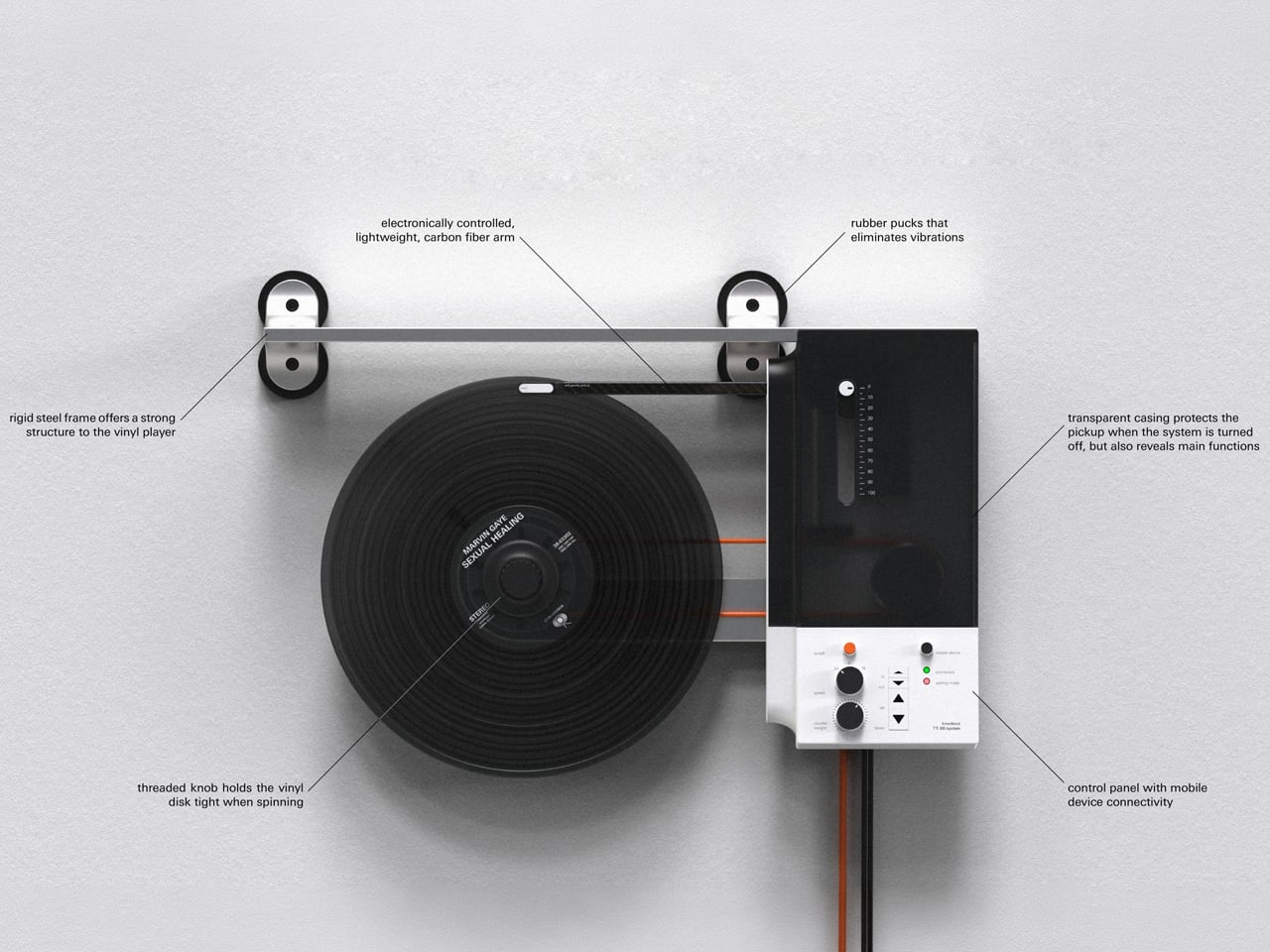
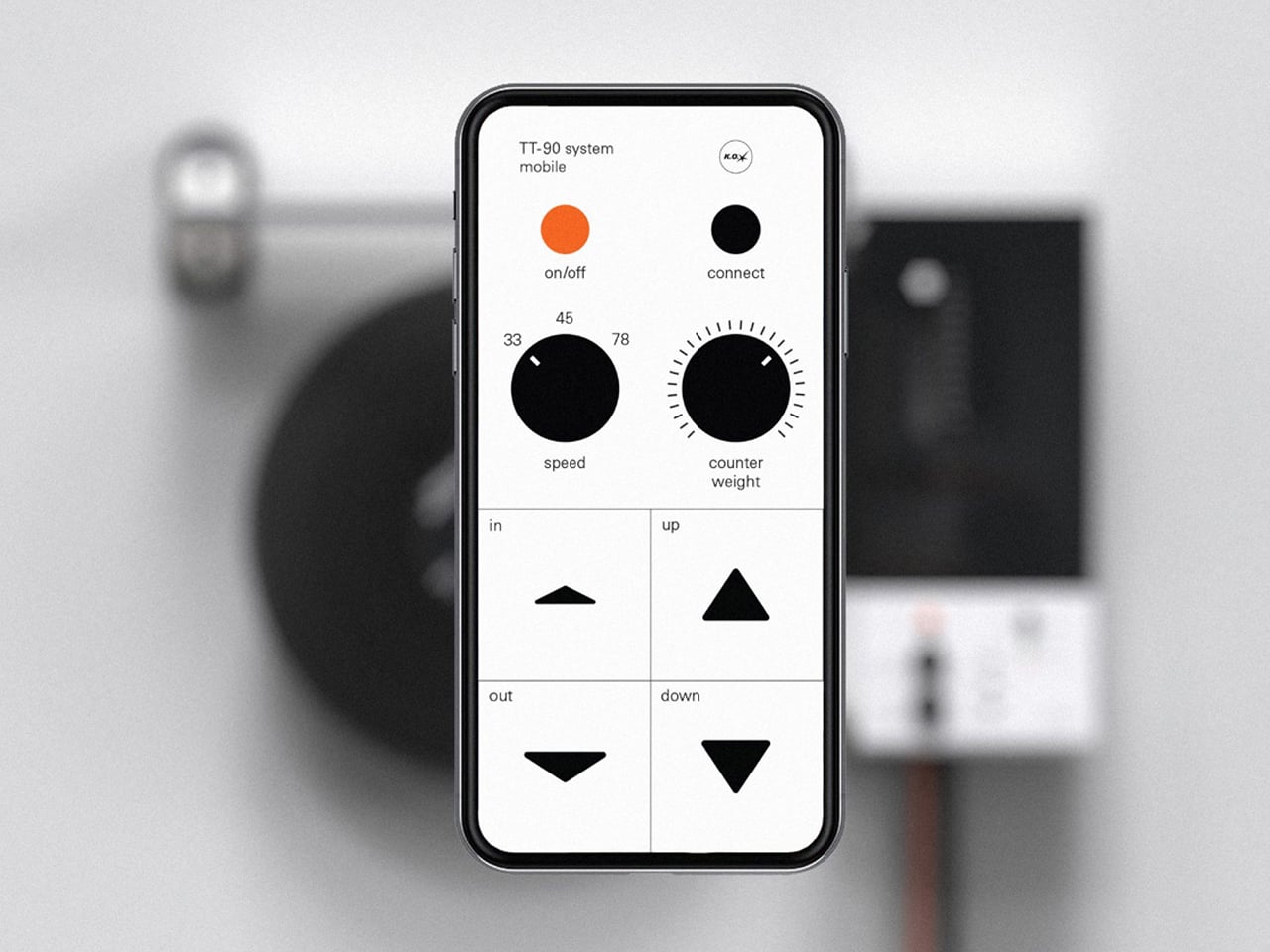
Beyond its space-saving approach, the TT-90 System introduces smartphone connectivity, allowing listeners to control playback digitally alongside onboard controls. Rubber components help reduce vibration against the wall, while a threaded knob secures the record during vertical playback. The result is a playful fusion of physical music culture, modern technology, and sculptural design.
The turntable is experiencing its own design revival. Contemporary models are increasingly being designed to look at home alongside modern furniture rather than being treated purely as technical equipment. Minimal controls, warm materials, compact forms, transparent components, and sculptural bases are giving turntables a more furniture-like presence.
For Gen Z, this visual quality matters because technology is increasingly expected to contribute to a home’s aesthetic. A record player can become the centerpiece of a listening corner, positioned alongside books, plants, speakers, and carefully selected objects. The result is a more integrated approach to audio design, where performance and appearance work together instead of technology disappearing into a cabinet.
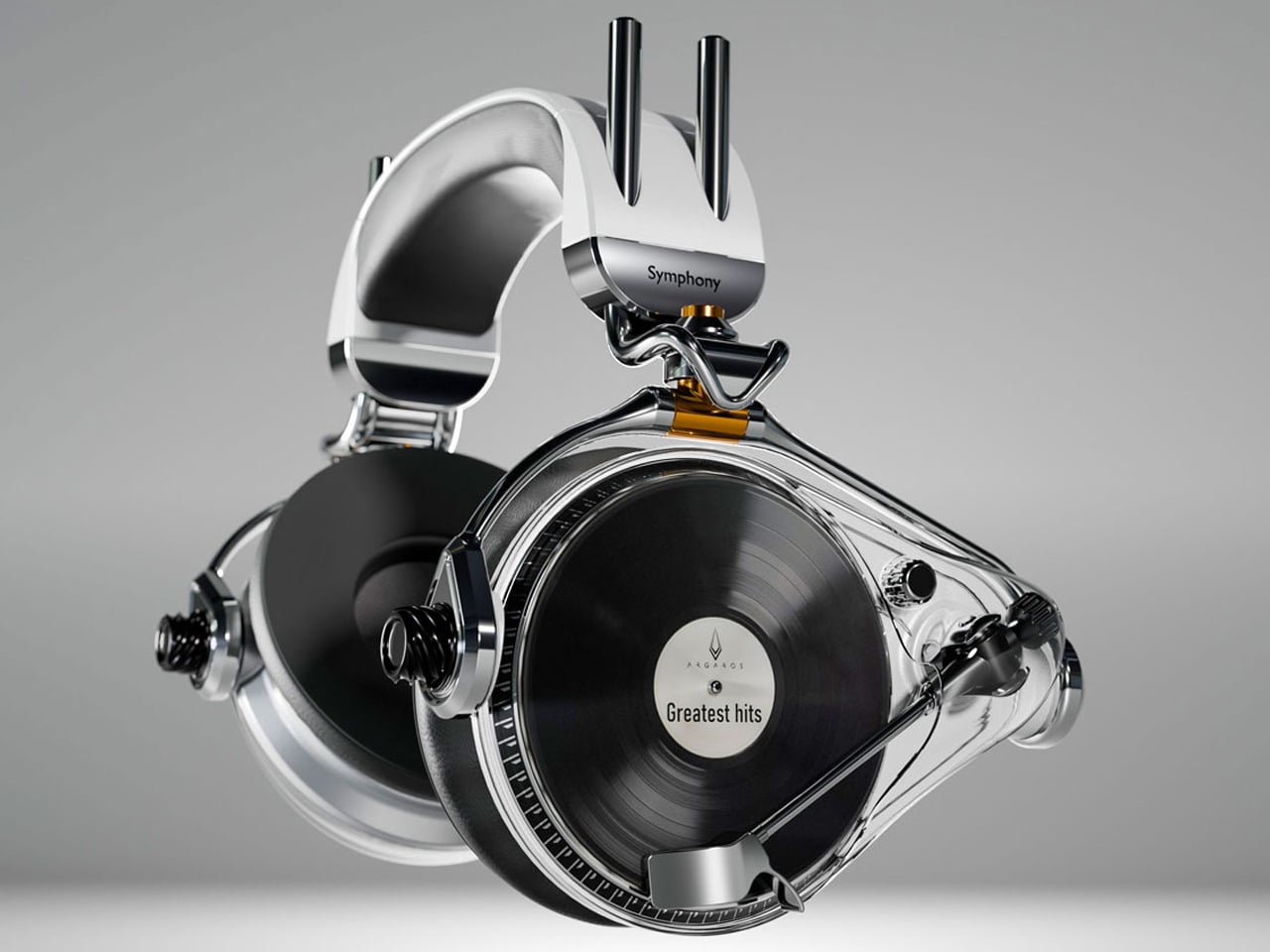
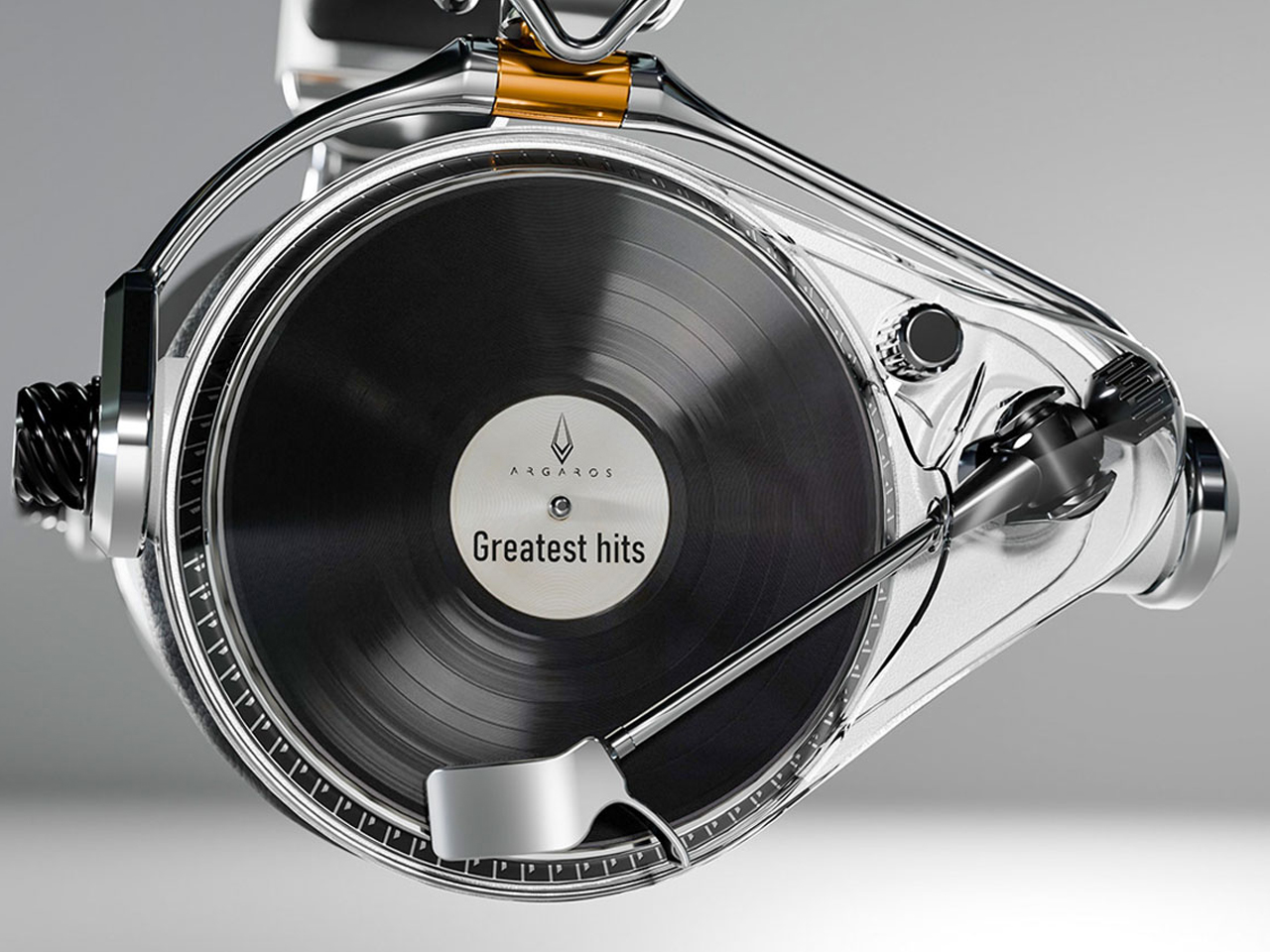
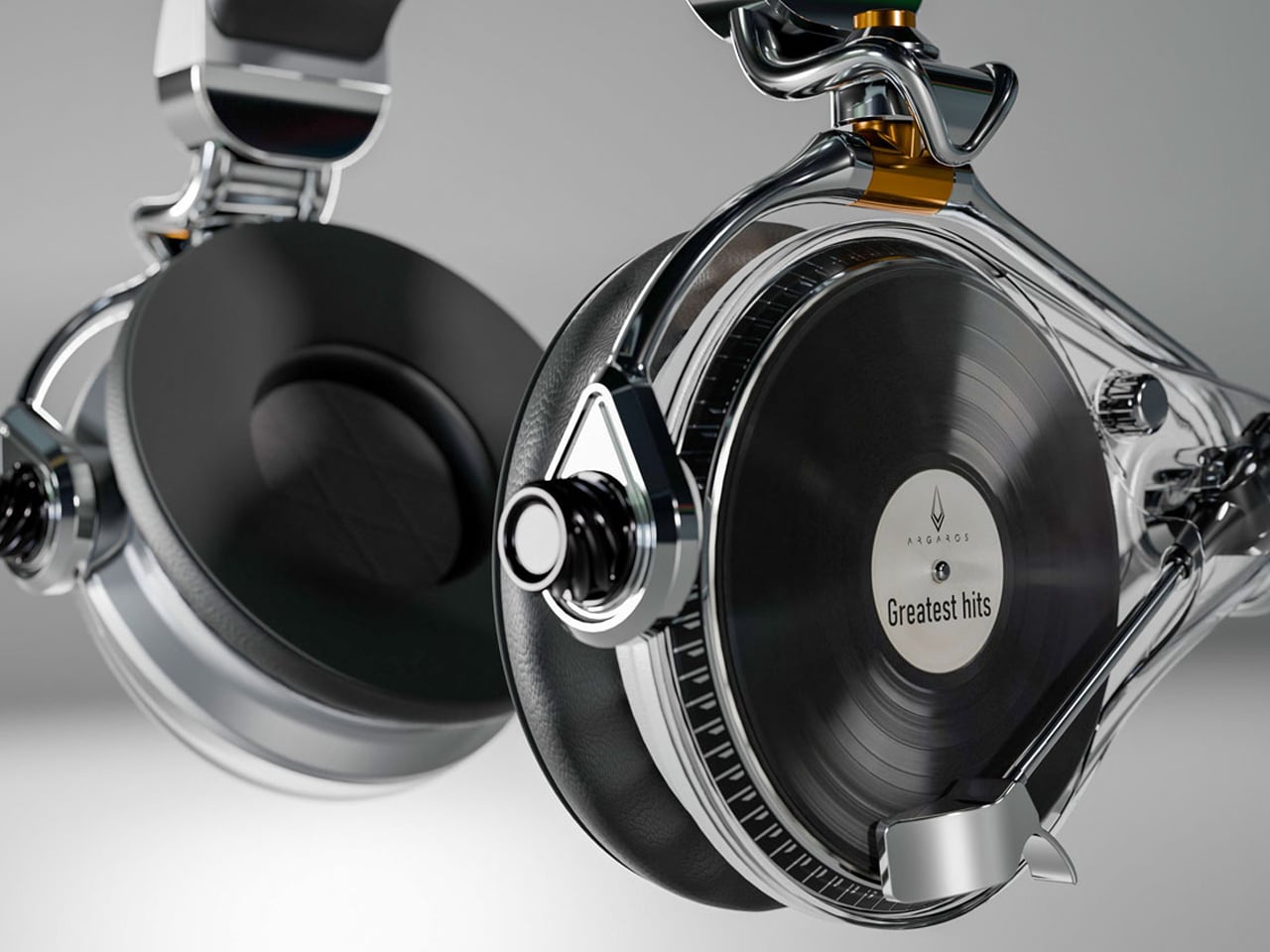
The Symphony headphones by Przemysław Wolnicki explore an intriguing meeting point between vinyl culture and contemporary personal audio. Instead of simply recreating the look of a record player, the concept translates its tactile interaction into a headphone interface. Each earcup features a miniature vinyl-inspired control surface that functions like a tiny turntable. Rotating the record allows listeners to seek forward or rewind, while the stylus controls track selection and playback. The interaction gives digital listening a physical dimension, creating a playful connection between nostalgic analog rituals and modern wireless audio.


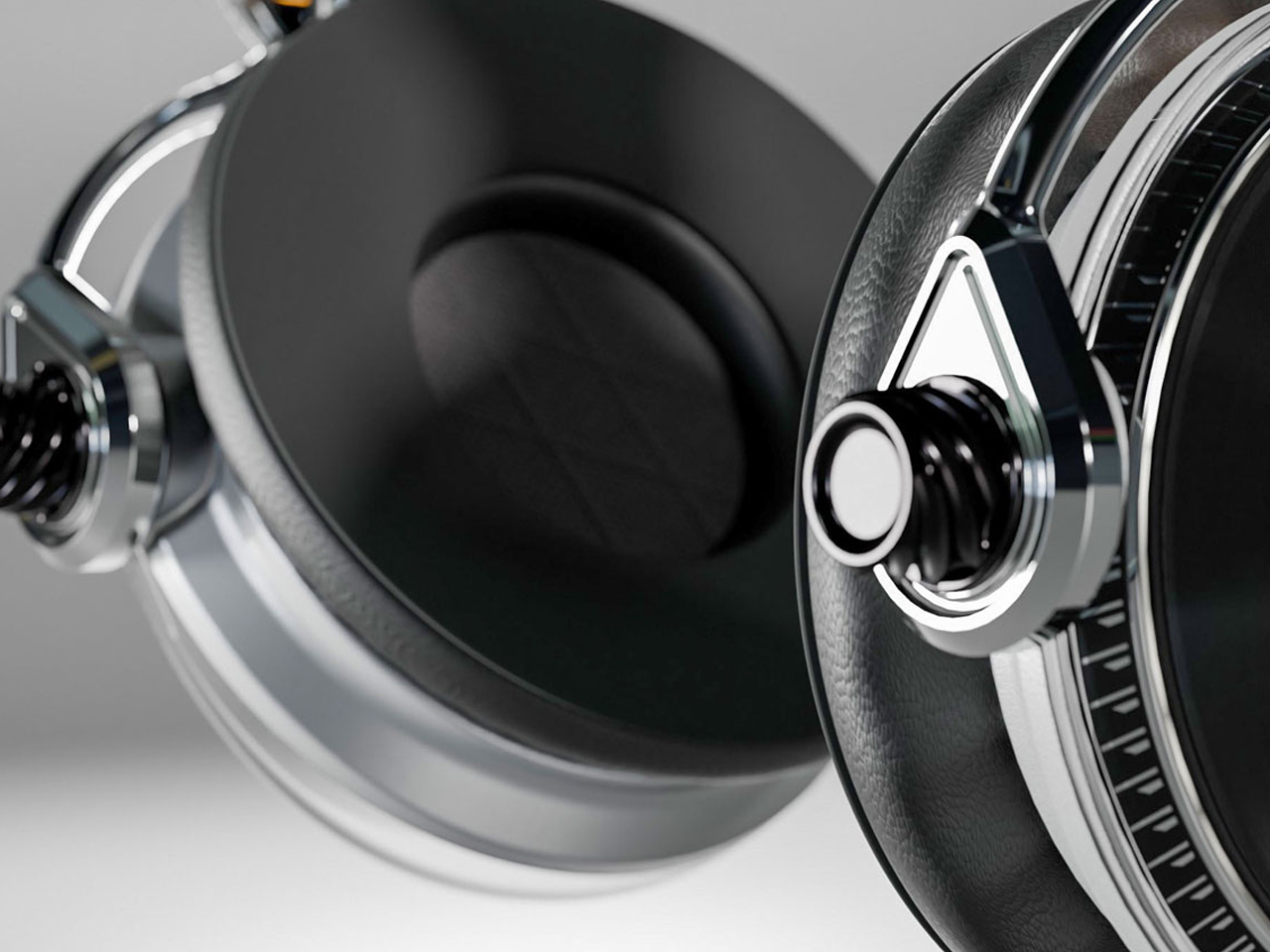
Visually, the Symphony headphones take a distinctly premium approach. Brushed stainless steel gives the concept an audiophile-inspired character, while elongated structural elements add a futuristic, almost automotive quality to the earcups. Transparent sections introduce another layer of visual intrigue, allowing parts of the mechanism to remain visible.
Vinyl’s physical scale gives album artwork a presence that digital platforms cannot easily reproduce. A record sleeve can be picked up, examined, framed, displayed, or arranged as part of a larger collection. Its typography, photography, illustration, and color palette can influence the character of an entire room.
Gen Z’s interest in personalized interiors has made this particularly relevant. Rather than following perfectly coordinated design schemes, younger homeowners and renters often use meaningful objects to create spaces that feel individual. A stack of favorite records or a carefully arranged shelf can reveal musical taste while adding visual interest. Music therefore becomes part of interior storytelling, with album artwork functioning almost like a rotating gallery.
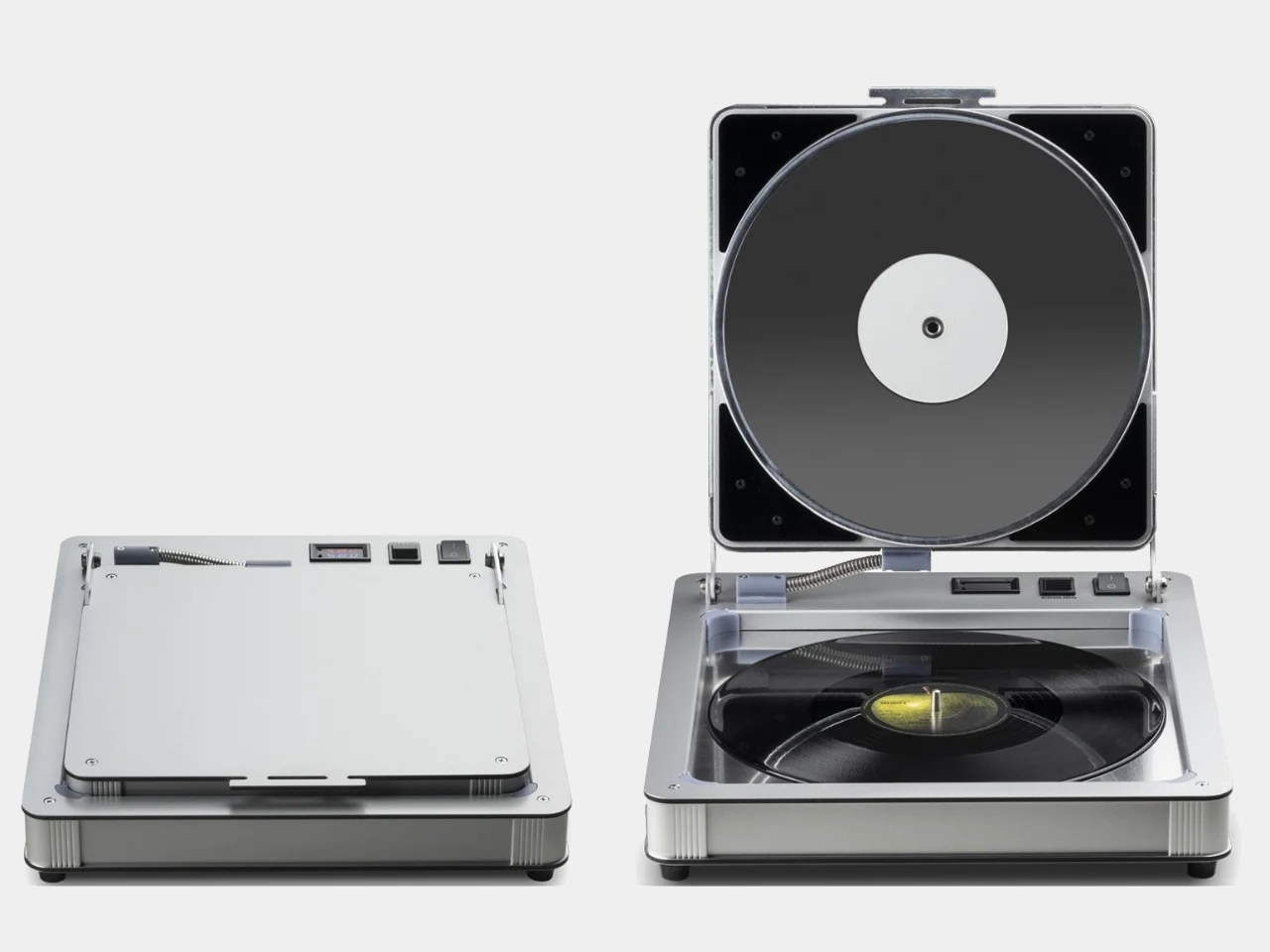
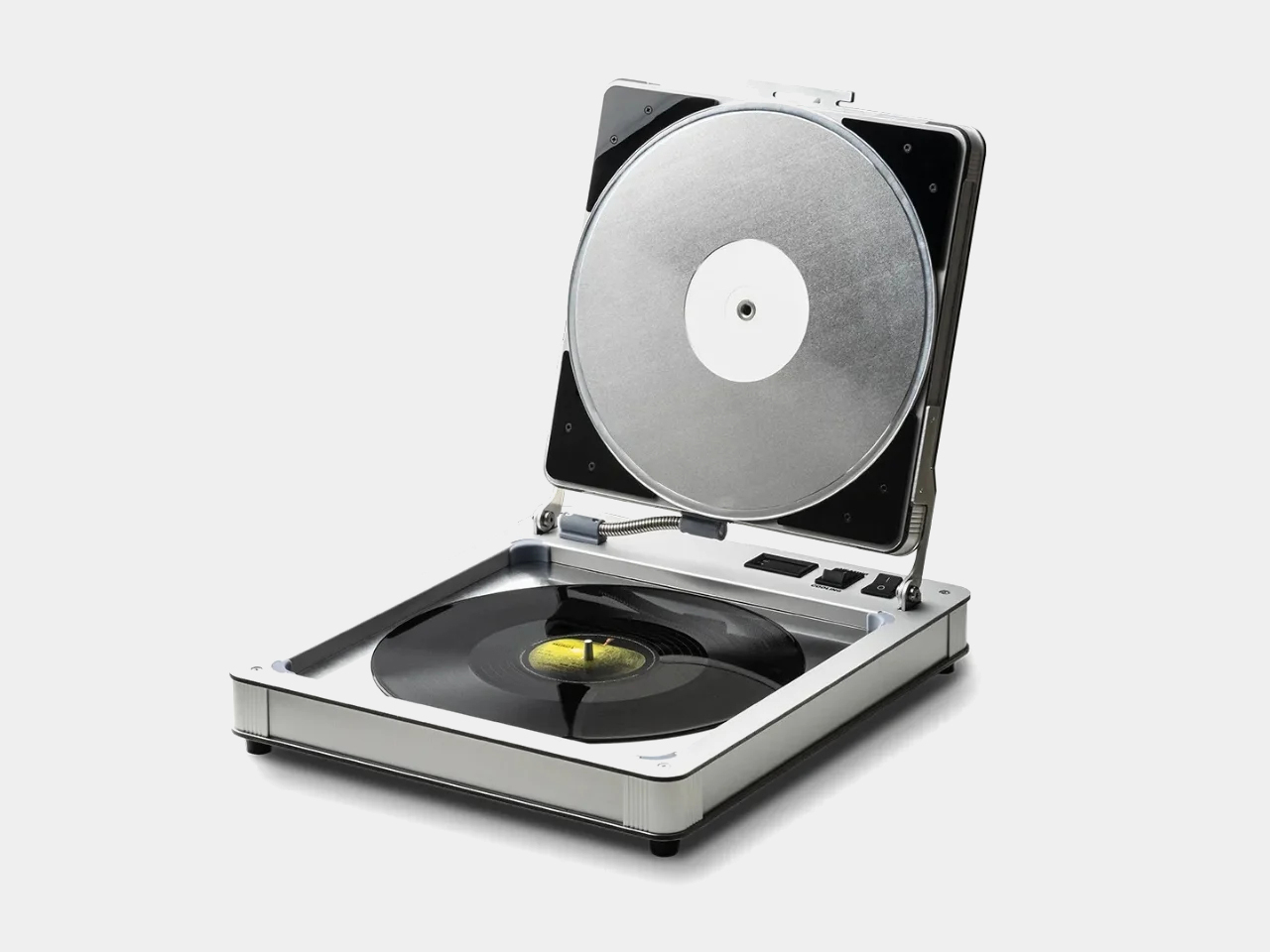
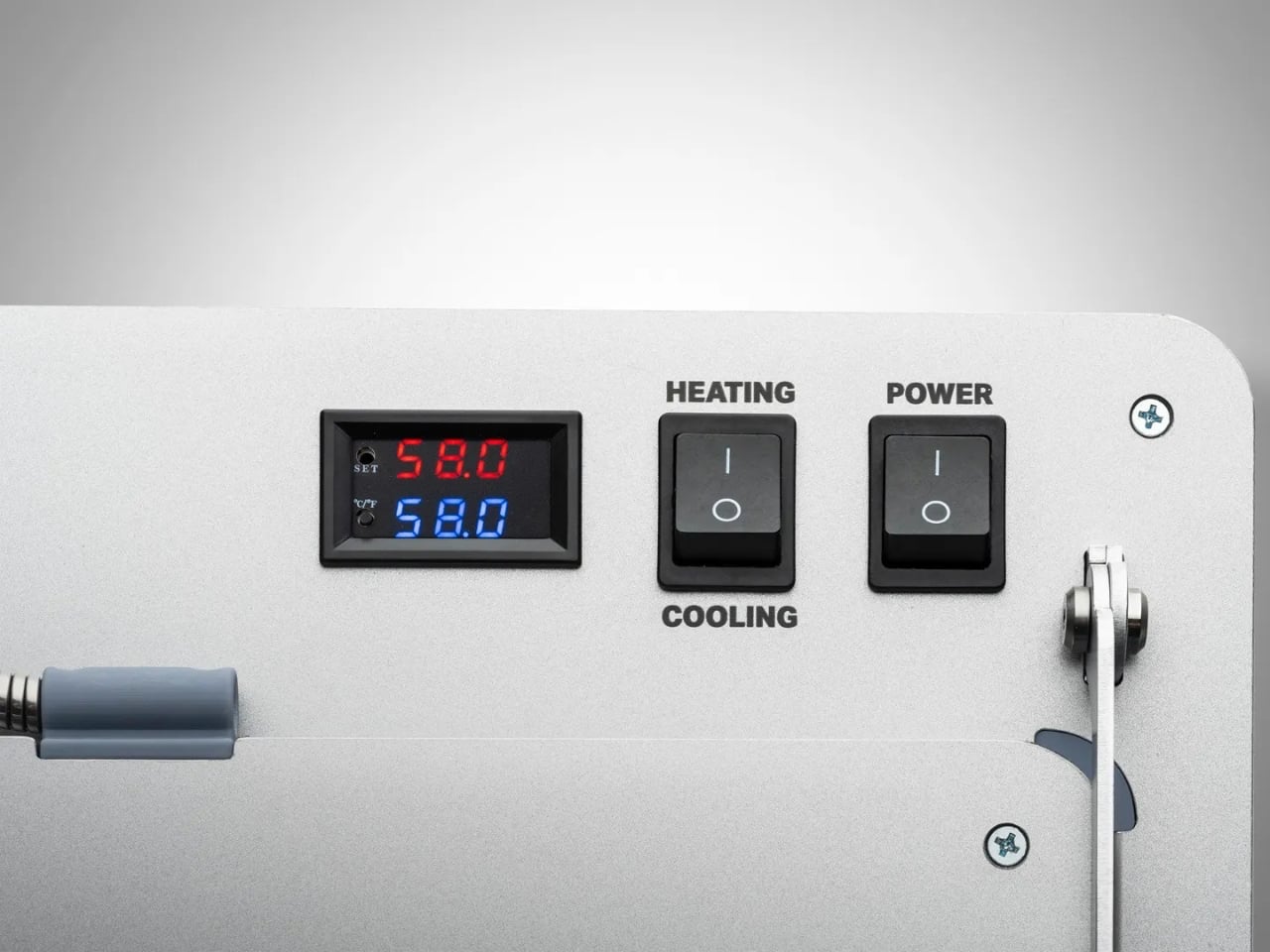
Building a vinyl collection comes with an important challenge: keeping records in excellent condition. Unlike digital music, physical records require careful storage and handling, with warping being one of the most common problems. Exposure to heat, pressure, or improper storage can distort a record’s shape, potentially causing skips, pops, and uneven playback. Pro-Ject’s Flatten it offers a dedicated solution for collectors who want to preserve their records or restore warped discs. Designed specifically for vinyl maintenance, the machine gently flattens damaged records while aiming to protect the delicate grooves responsible for their sound.
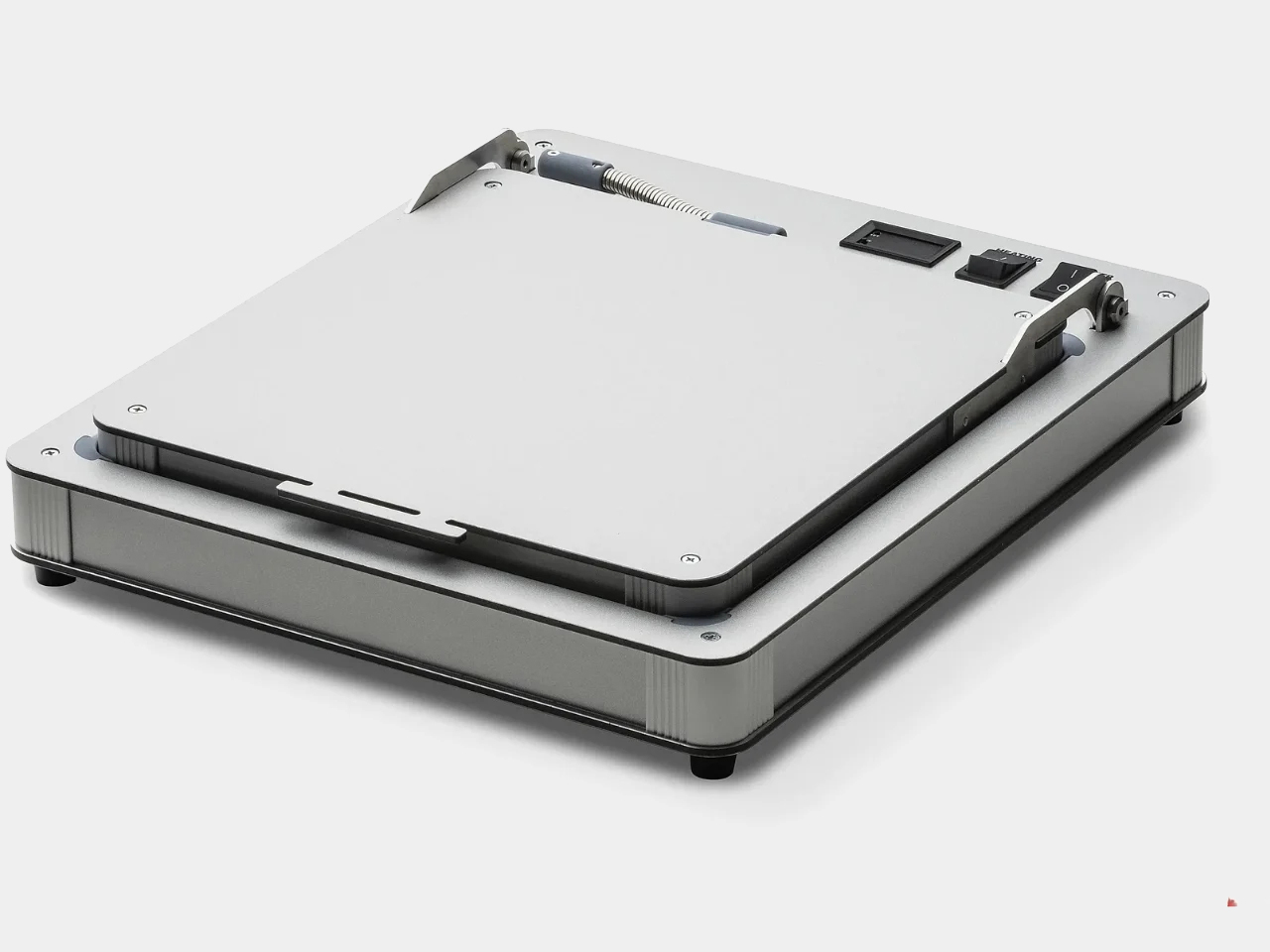
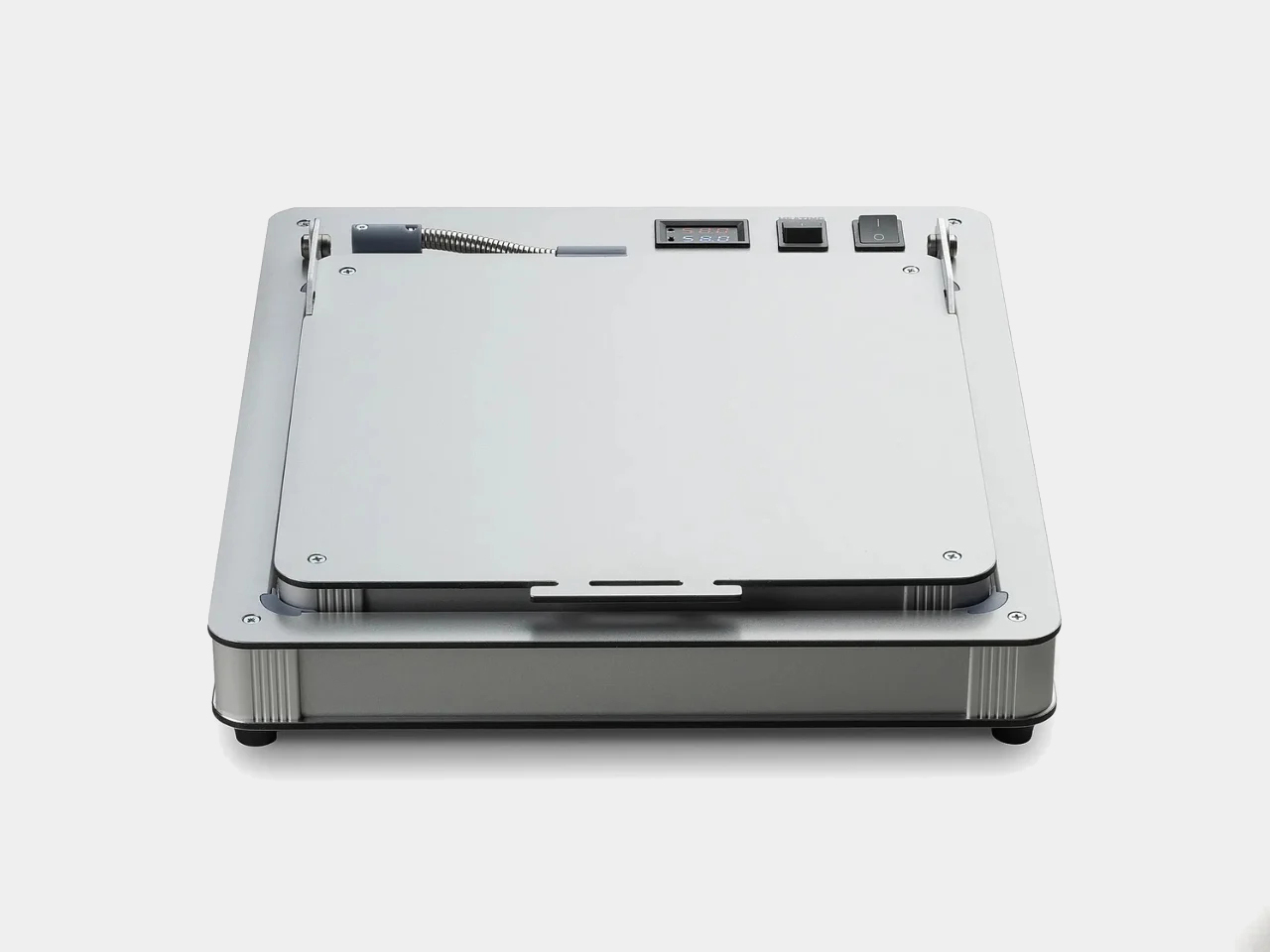
The Flatten it resembles a sophisticated record player, but instead of playing music, it uses heated aluminum plates to distribute warmth evenly across the record. Temperature controls allow users to adjust the process, while low temperature hysteresis helps maintain consistent conditions. Its solid aluminum construction gives the machine a premium, durable feel, while its straightforward operation makes it approachable even for first-time vinyl collectors.
Gen Z is approaching collecting differently from previous generations. Owning vinyl does not necessarily mean building an exhaustive collection of an artist’s entire discography. Instead, younger collectors may choose albums because of their emotional significance, artwork, rarity, cultural relevance, or connection to a particular period of their lives.
Social media has further strengthened vinyl’s visual appeal. Record hauls, listening setups, shelves, packaging details, and limited-edition pressings naturally become content for visually driven platforms. Yet the appeal goes deeper than aesthetics. In an economy built around subscriptions and temporary digital access, owning a physical album offers a sense of permanence. Vinyl gives listeners something they can hold, display, revisit, and pass on.
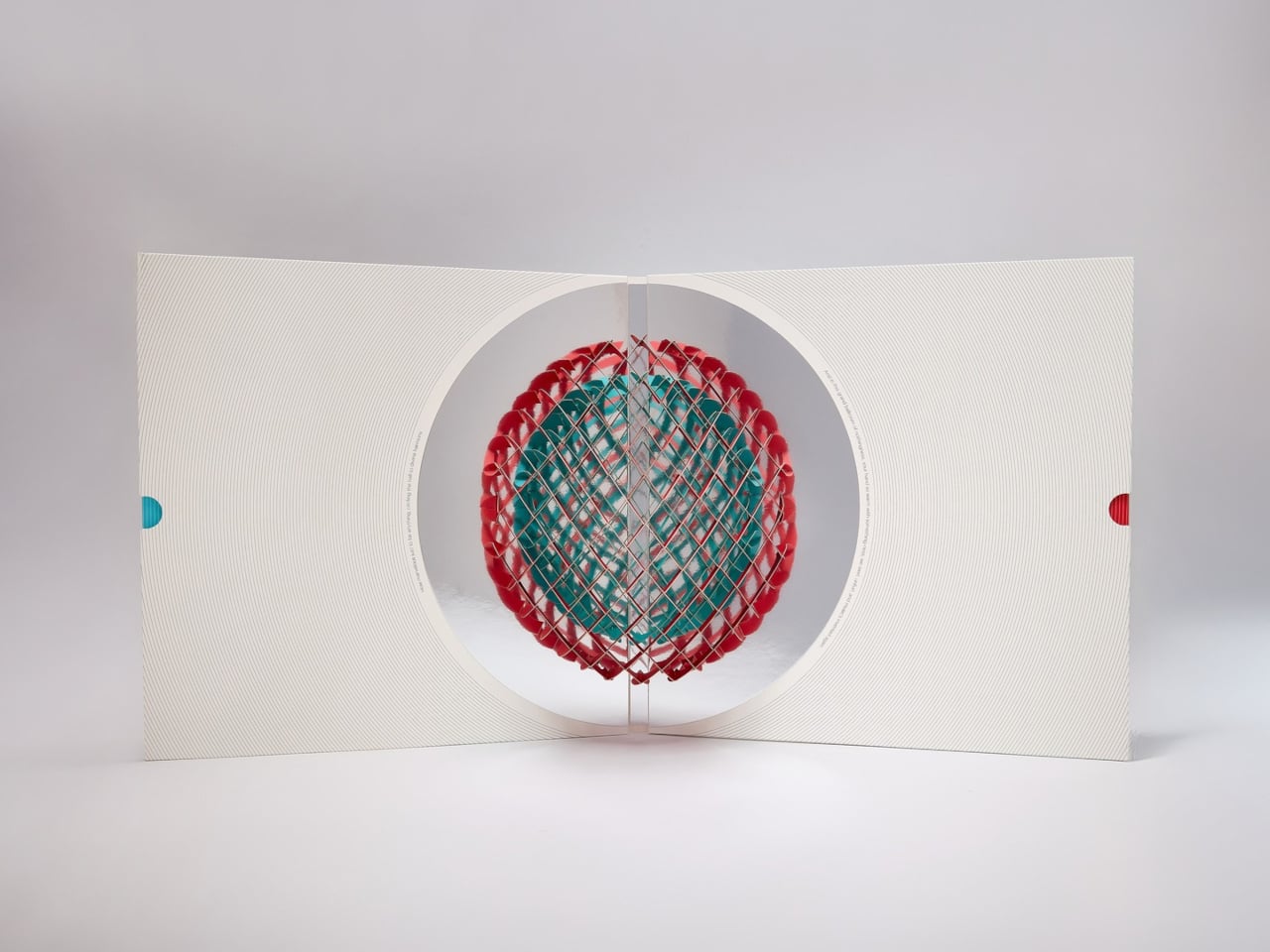
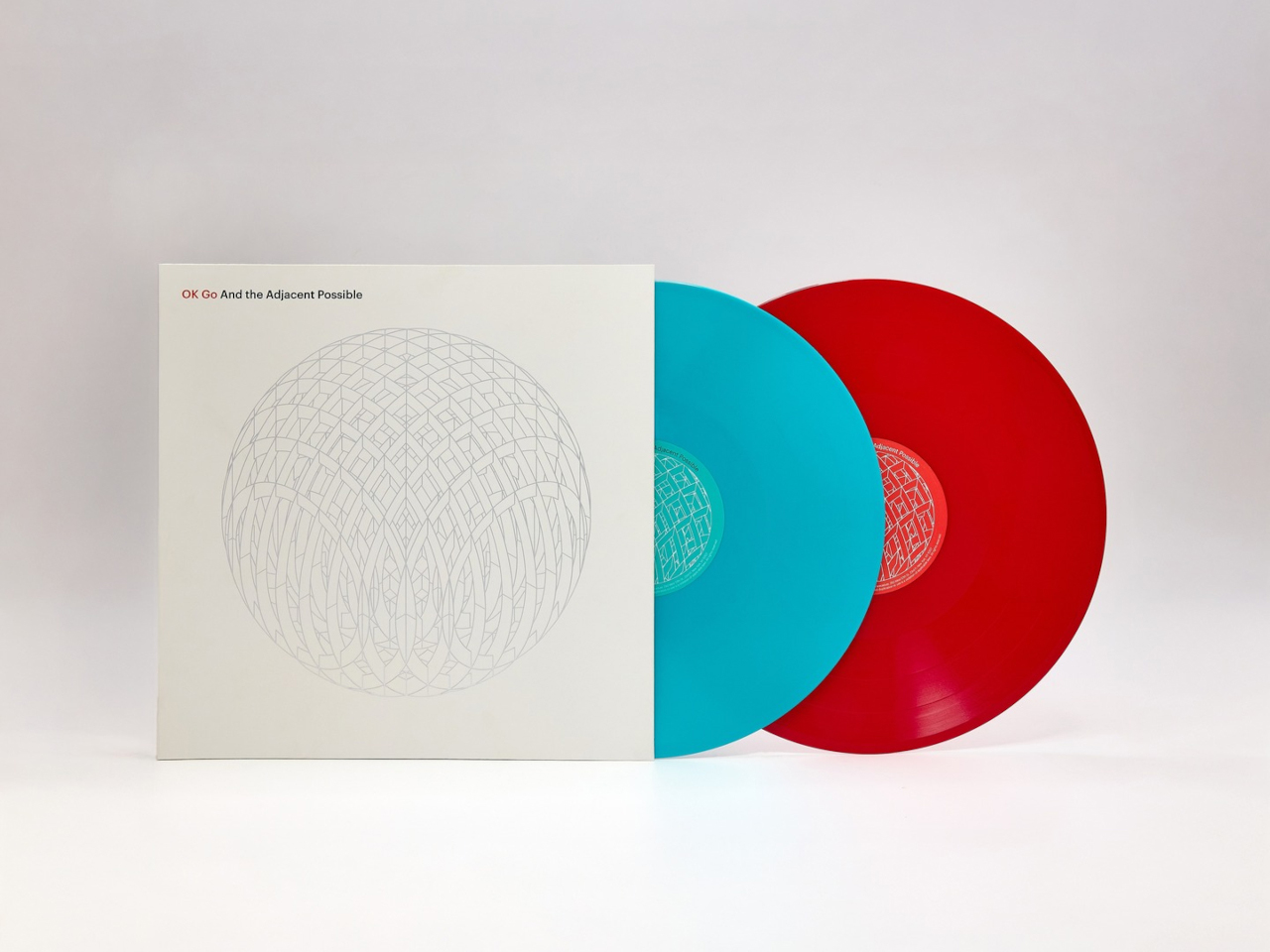

Album artwork has long played an important role in shaping how music is experienced, turning records into visual as well as auditory objects. As streaming has reduced album covers to small digital thumbnails, vinyl has restored the opportunity to create tangible, immersive packaging. OK Go embraces that potential with its album And the Adjacent Possible, featuring an inventive vinyl jacket designed by Yuri Suzuki and Claudio Ripol. The gatefold cover transforms the familiar act of opening a record into an interactive visual experience, extending the album’s creative identity beyond the music itself.
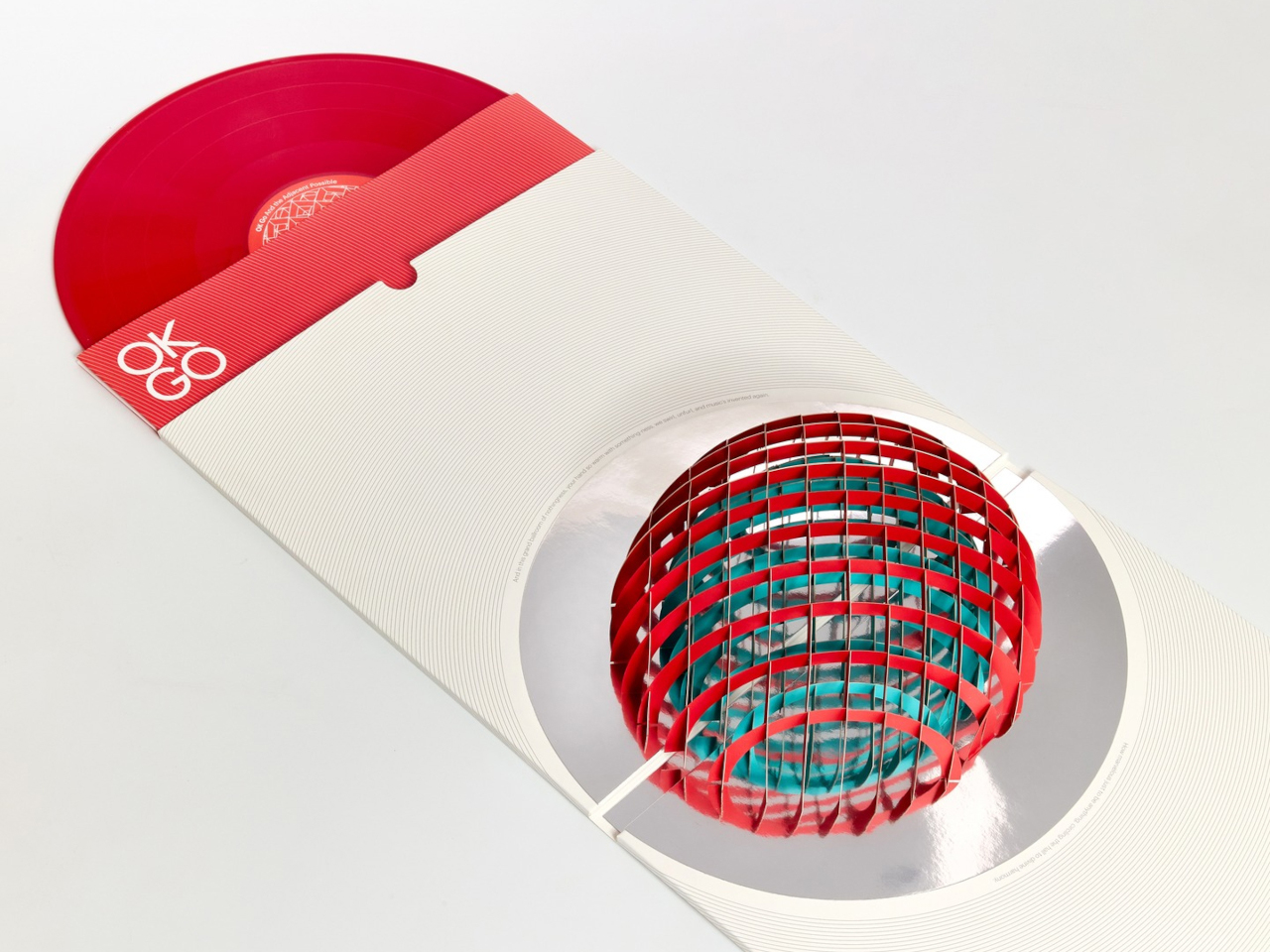
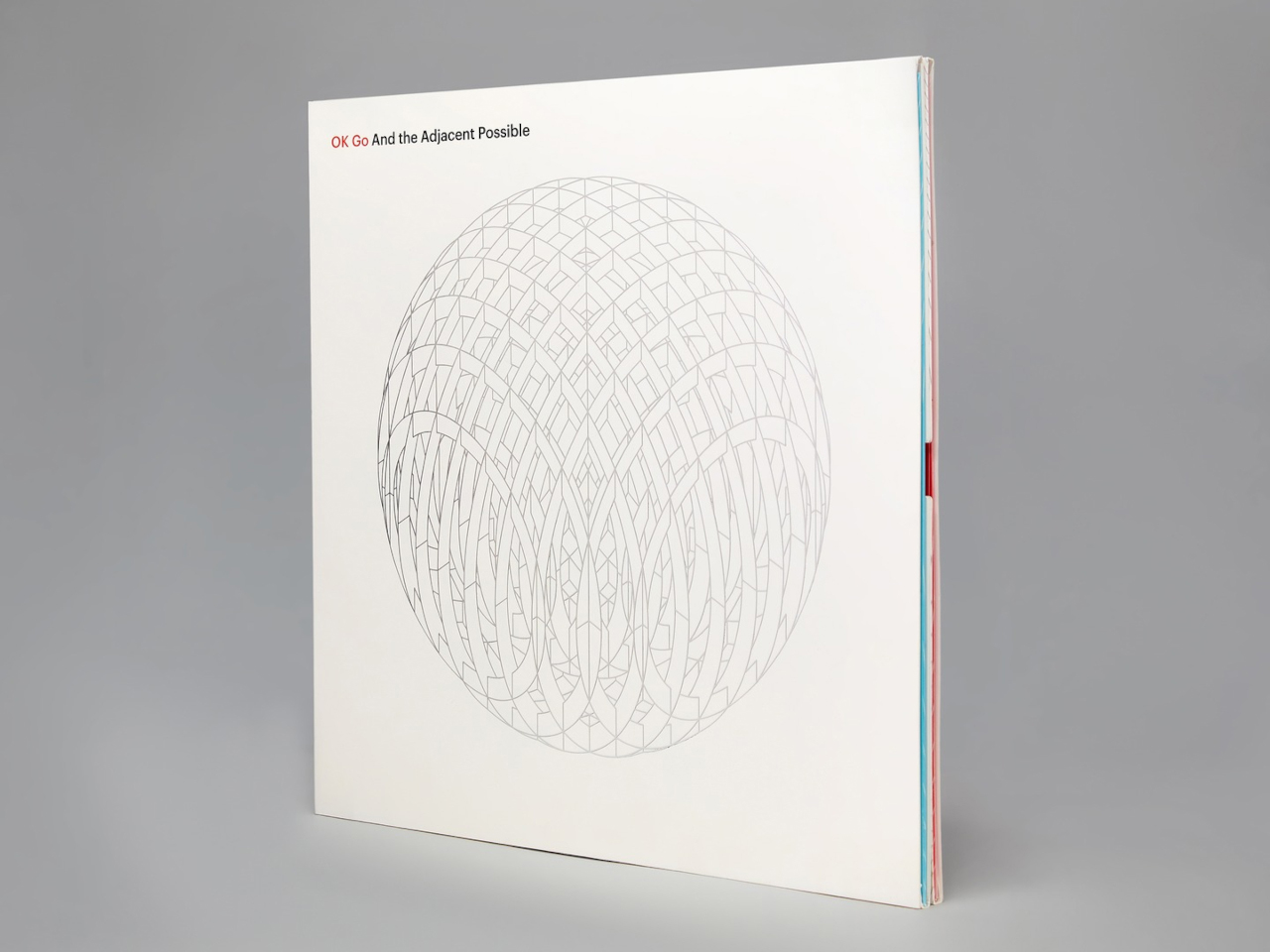
Opening the jacket reveals a three-dimensional pop-up structure featuring geometric red and green domes that rise from the surface. A reflective element beneath them creates an optical illusion, making the partial forms appear like complete spheres. The playful construction recalls the wonder of a pop-up book while maintaining a sophisticated aesthetic. Its precise folds, geometric forms, and restrained palette turn the record sleeve into a sculptural object that connects music, packaging, and interactive design.
Vinyl’s revival reflects a growing desire for tactile, intentional experiences in a digital world. Gen Z is not simply bringing records back; it is redesigning the entire experience around listening, collecting, interiors, and personal expression.
The post 5 Designs That Prove Vinyl’s Comeback Was Never Just About the Music first appeared on Yanko Design.
We're reaching the home stretch of Monster Hunter Wilds: Ascendance's weapons showcase trailer series as we're now on to the 9th on the list, Insect Glaive.
This complex weapon type, which mixes aerial and ground-based combat with bug companion management, has some new techniques to dispatch monsters in Monster Hunter Wilds' upcoming DLC expansion, and they're somewhat subtle compared to the other weapon changes we've seen so far.
In contrast to previous weapon showcase trailers, which revealed that weapon types like Hammer and Dual Blades are getting various new aerial attacks granted by the DLC's Boost Bracer gimmick, Insect Glaive's changes keep it fairly grounded.
Some of the Insect Glaive's new Boost Driver attacks consist of spinning the glaive around while sending out the weapon type's unique 'Kinsect' bug pet to attack monsters and steal its Extract to power yourself up without manually commanding the Kinsect to do so.
While the Boost Gauge is active, the Insect Glaive gains extended ground-based combo attacks, your Kinsect can deal extra tick damage, and you perform new Offset counterattacks that can be followed up with aerial jump attacks.
Overall, this weapon trailer felt underwhelming compared to the previous ones, as most of the changes seem to focus on improving the Insect Glaive's pre-existing ground attacks without adding any flashy new aerial moves or aerial combo attacks.
I'm guessing that Capcom wants the Insect Glaive's playstyle to function more like it did back when it was introduced in Monster Hunter 4. In that game, Insect Glaive dominated the entire monster roster with its insanely powerful, acrobatic, and literally grounded glaive attacks that made you feel like Darth Maul from the Star Wars franchise.
Unfortunately, many people these days (myself included) prefer Insect Glaive to focus on aerial-based combat, as it helps it stand out from other weapon types; otherwise, it will feel like we're playing Longsword or Dual Blades but with extra steps.
Hopefully, Capcom is hiding some new cool aerial combo attacks we can pull off with Insect Glaive in the final game, when Monster Hunter Wilds: Ascendance launches in 2027 for Xbox Series X|S, PlayStation 5, and PC via Steam.

Monster Hunter Wilds (Xbox): $23
Venture into Forbidden Lands to discover uncharted lands and hunt giant monsters alongside your friends in online co-op to protect nature and mankind in Monster Hunter Wilds.
• Xbox Store
• GreenManGaming (Steam)View Deal

Empower your weapons with the new Boost Bracer, explore a mysterious land floating in the sky, and hunt down ancient Elder Dragons in Monster Hunter Wilds' epic DLC expansion, Monster Hunter Wilds: Ascendance.
• Steam StoreView Deal
Join us on Reddit at r/WindowsCentral to share your insights and discuss our latest news, reviews, and more.