❌

Vue lecture

iPod Classic emulator for the Samsung Galaxy Z Fold8 finally gets the size and aspect ratio right

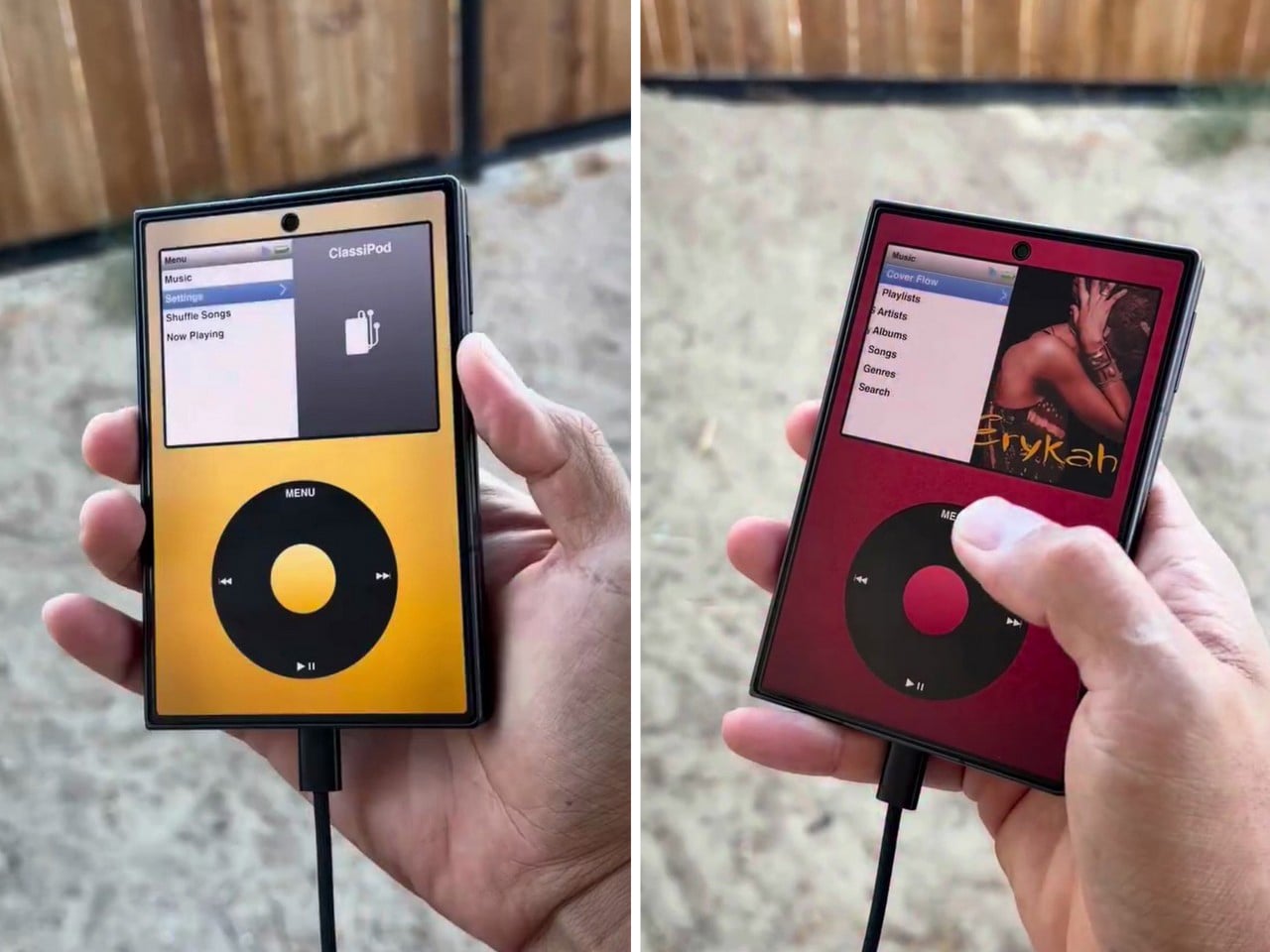
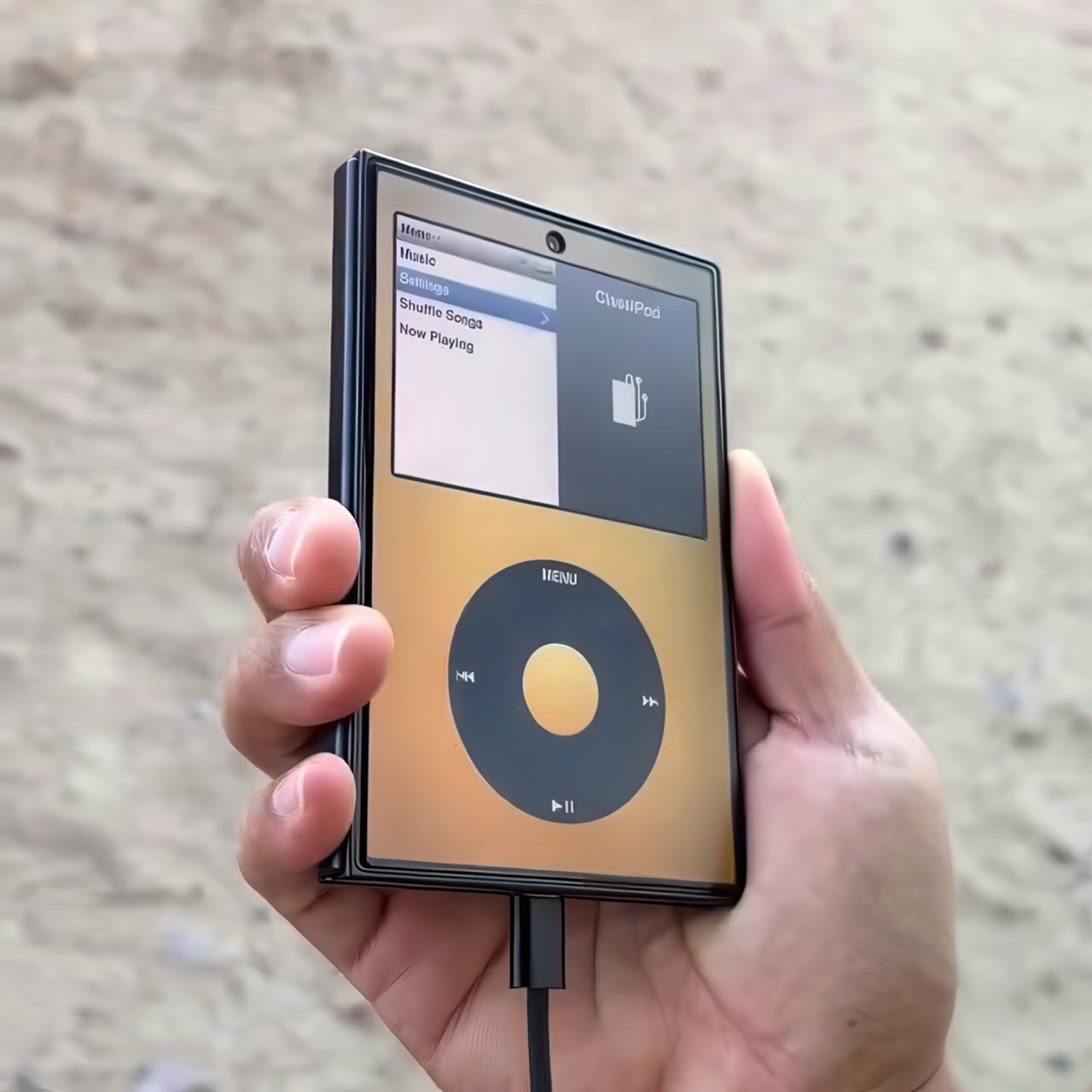
Apple has the opportunity to do something really cool here! An emulator going by the name of Classipod has been doing the rounds on the Google Play Store, letting you run an iPod Classic style interface on any Android phone of your choosing. The only problem is that Apple never really made a 9:20 iPod Classic. Every iPod Classic had a short, stout design and as it stands, there are only two Android phones that currently fit this bill, and both fold.

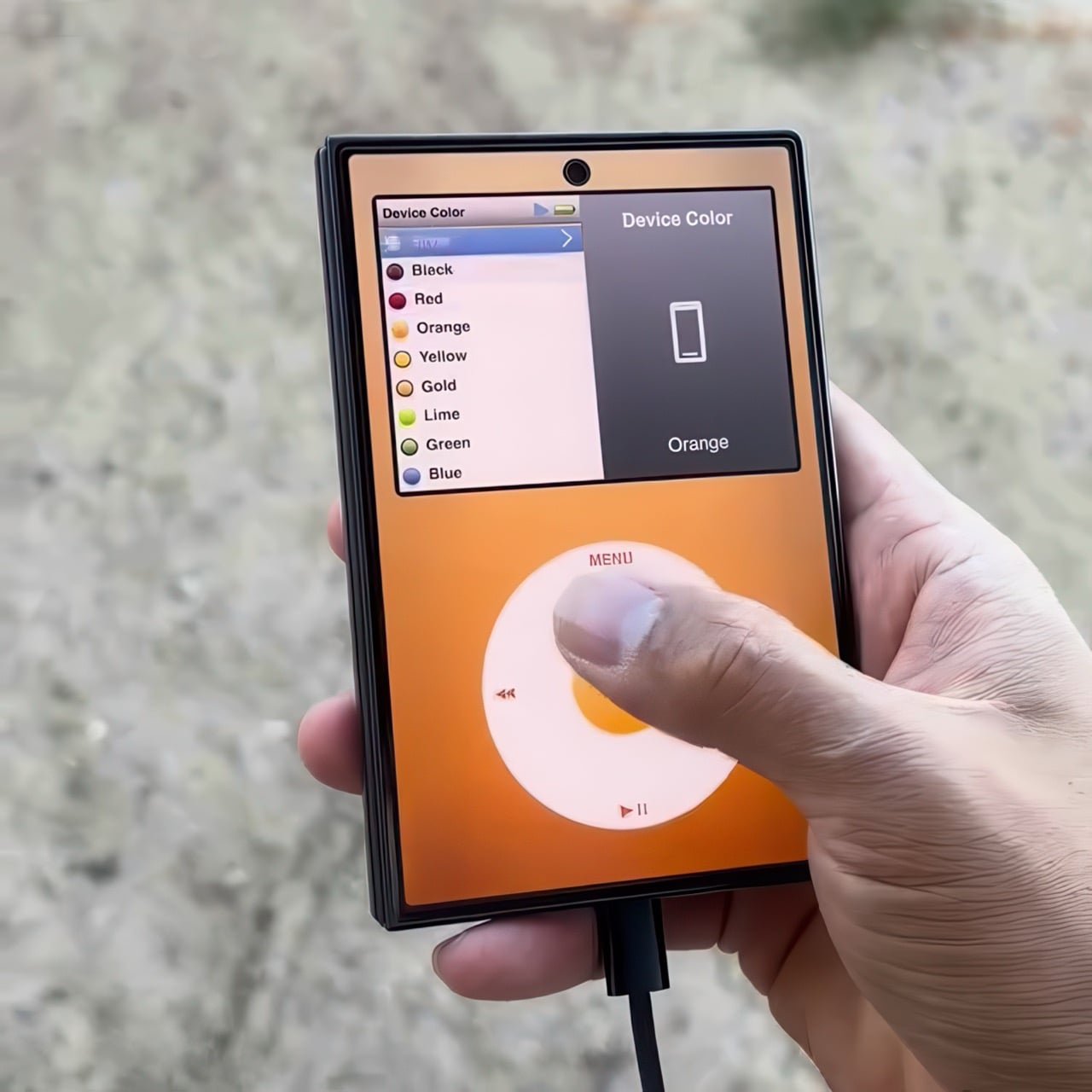
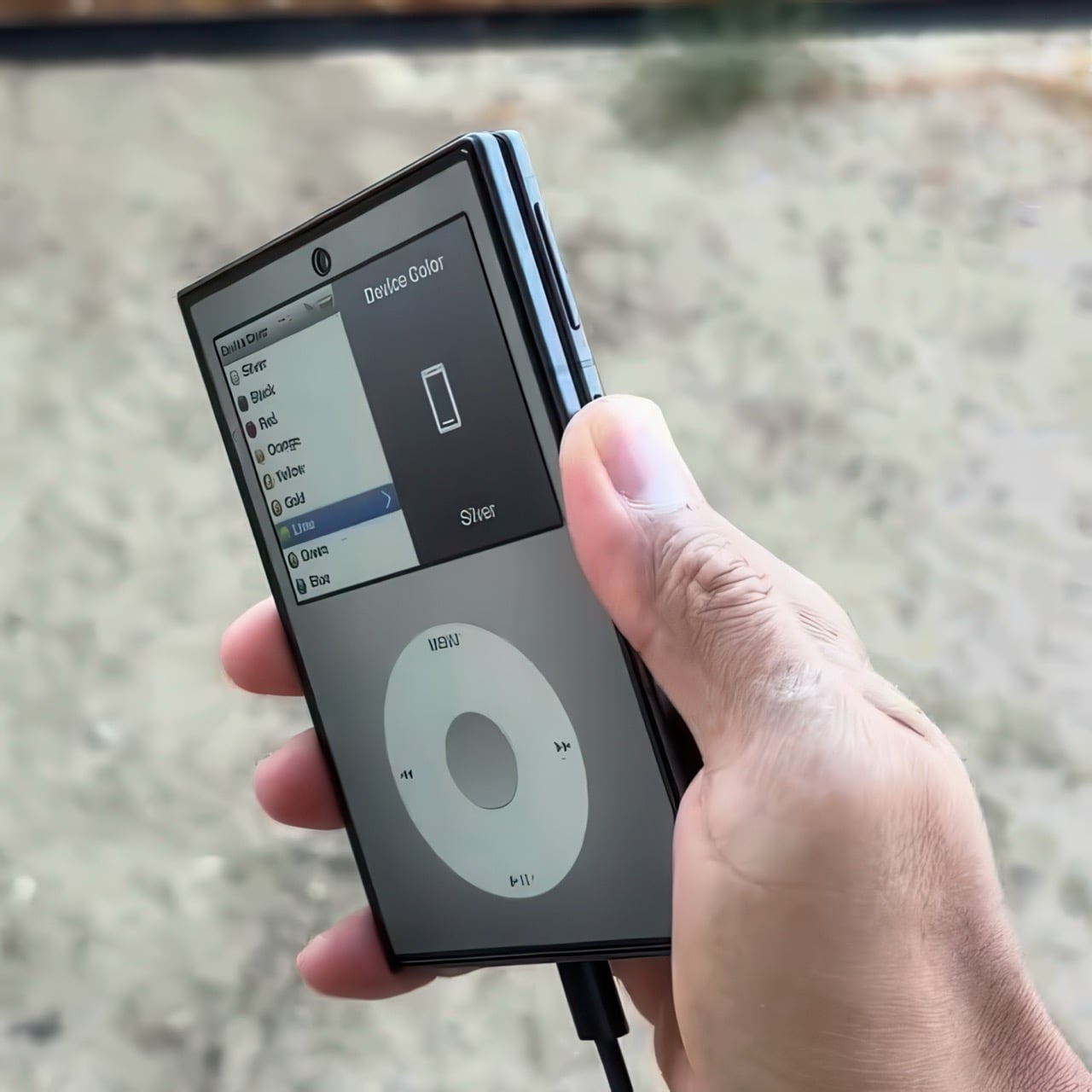
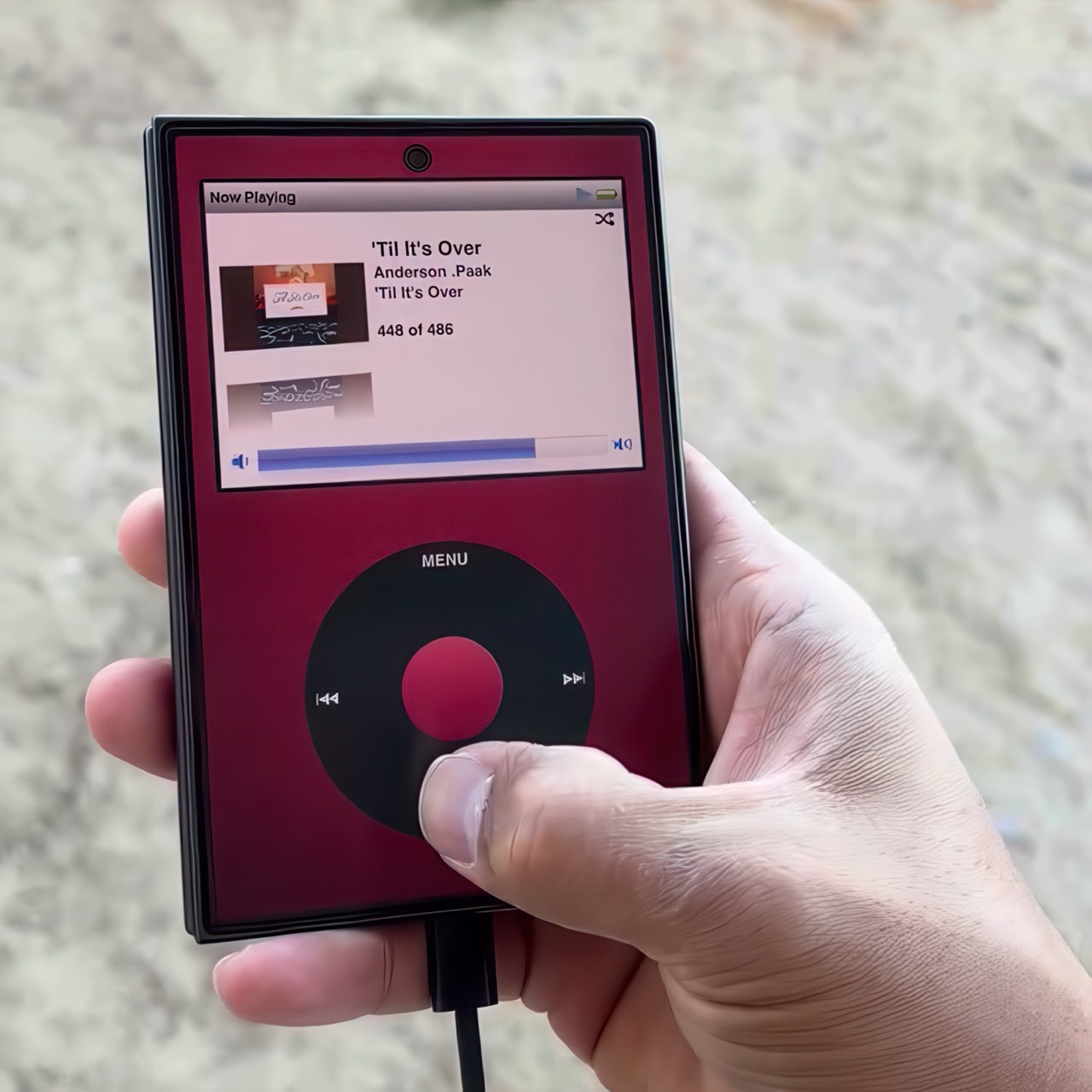
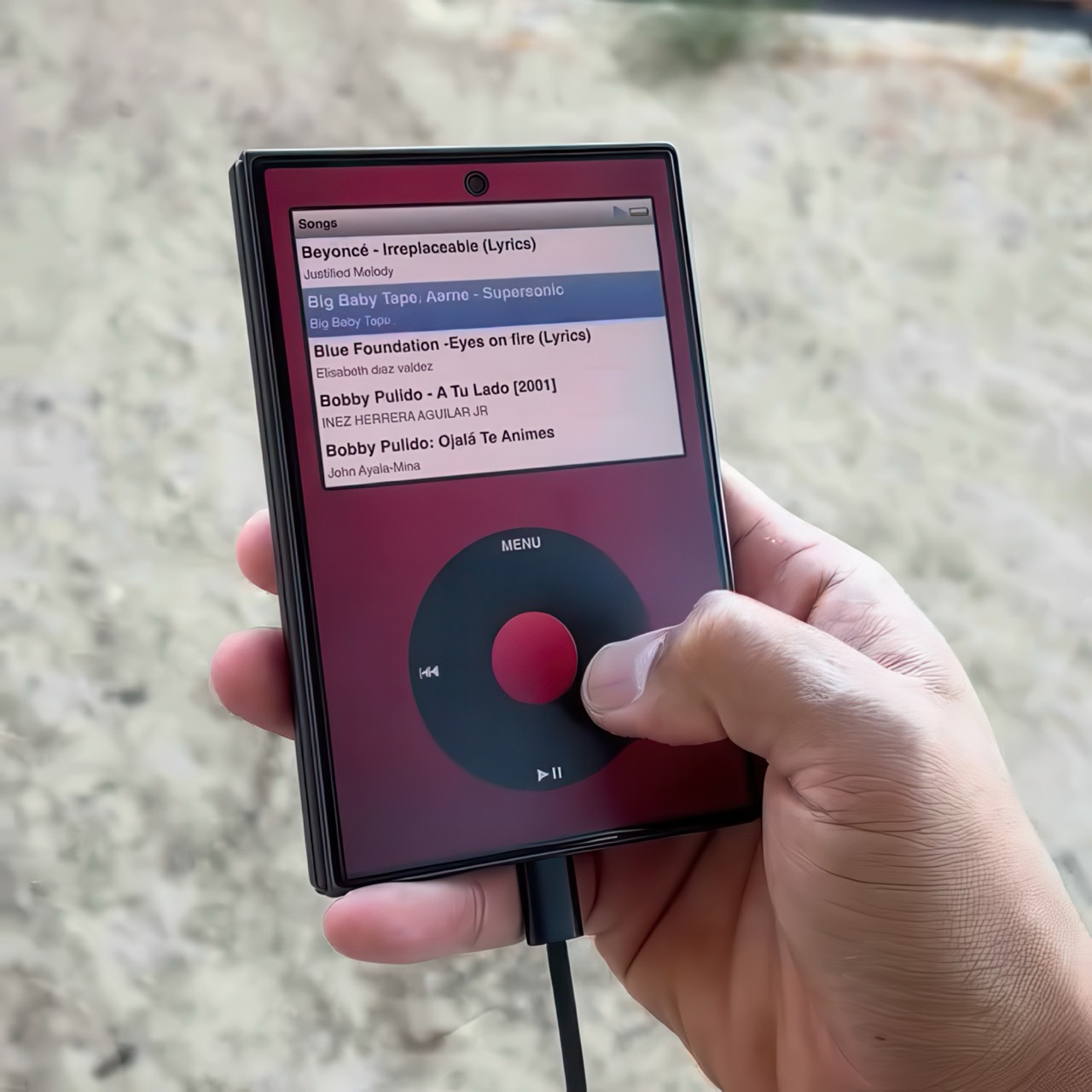
A video on Instagram showed the Classipod interface on a Galaxy Z Fold8 and I can’t help but feel like this almost exactly looks like the classic iPod. The proportions are damn near perfect, the interface still makes me nostalgic, and those color options absolutely slap! The only real problem is that, like all good things, Classipod came to Android before it did to the iPhone Duo… but if someone from Apple’s software team is reading this (hey Craig!), just go ahead and give us an Apple Music skin that brings back the iPod Classic! Pretty please??

Designer: Adeeteya

Here’s what I find so funny about running Classipod on a Z Fold8 – sure, it almost matches the iPod Classic’s form factor, but even when folded shut, it’s still thinner than the iPod! I’m talking hinge, two sets of screens, two batteries, an entire processor, cameras galore, all that packed into something that measures 9.7mm thick while the iPod Classic, which is just a tiny screen, battery, SoC, and a massive flash drive, measures 10.5mm in thickness. Then again, the iPod Classic packs an aux input too, which you’ll never see on a foldable phone.

But hold the Z Fold8 in your hand and the Classipod definitely scratches the itch of owning vintage Apple gear. The weight and heft, the analog interface, and that gorgeous jogwheel that is sure to get your muscle memory kicking in instantly. You sideload music so it plays locally (no streaming), and you can do everything, from searching for artists to making playlists. And yes, if you’re asking, the jogwheel has haptic feedback so it actually does feel like the iPod of yesteryears.

There are a few iPod emulators on the App Store, but none as good as the Classipod. I guess someone could vibecode one overnight and run it on an iPhone Duo soon, but until then, turns out the most faithful recreation of an iPod Classic exists… just on an Android device!

The post iPod Classic emulator for the Samsung Galaxy Z Fold8 finally gets the size and aspect ratio right first appeared on Yanko Design.

  •  

Steam Deck 2 handheld plans haven't been affected by the RAM crisis, even if Valve's Steam Machine PC and Steam Frame VR were more expensive than planned.

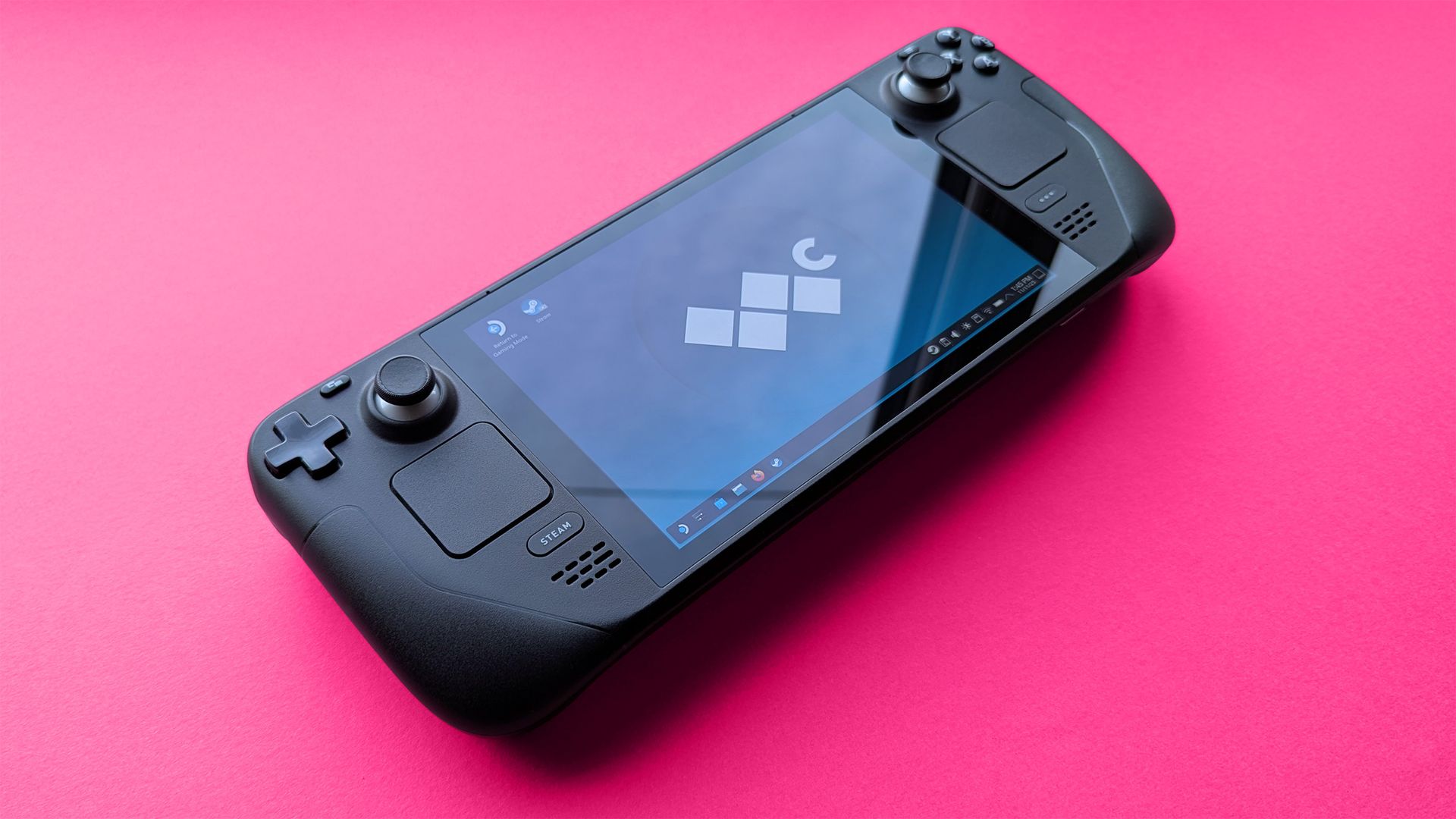
Valve's popular Steam Deck handheld pushed handheld gaming PCs into the mainstream with its affordable, Linux-based console, and its potential successor seemingly aims to make the same impact. Speaking to IGN's Jacqueline Thomas, Valve software developer Pierre-Loup Griffais touched on the fabled 'Steam Deck 2' and whether the ongoing RAM crisis could affect its development.

We want to make sure there's a very delineated performance improvement for something like a future Steam Deck.

Pierre-Loup Griffais, Valve

When asked whether ongoing hardware shortages — which have already affected pricing for its Steam Machine PC and Steam Frame VR headset — have changed how Valve thinks about a Steam Deck successor, Griffais answered, "Not really." For now, it sounds like any potential 'Steam Deck 2' will target the same balance of performance and affordability as before, but is that realistic?

Steam Deck performance was crushed years ago

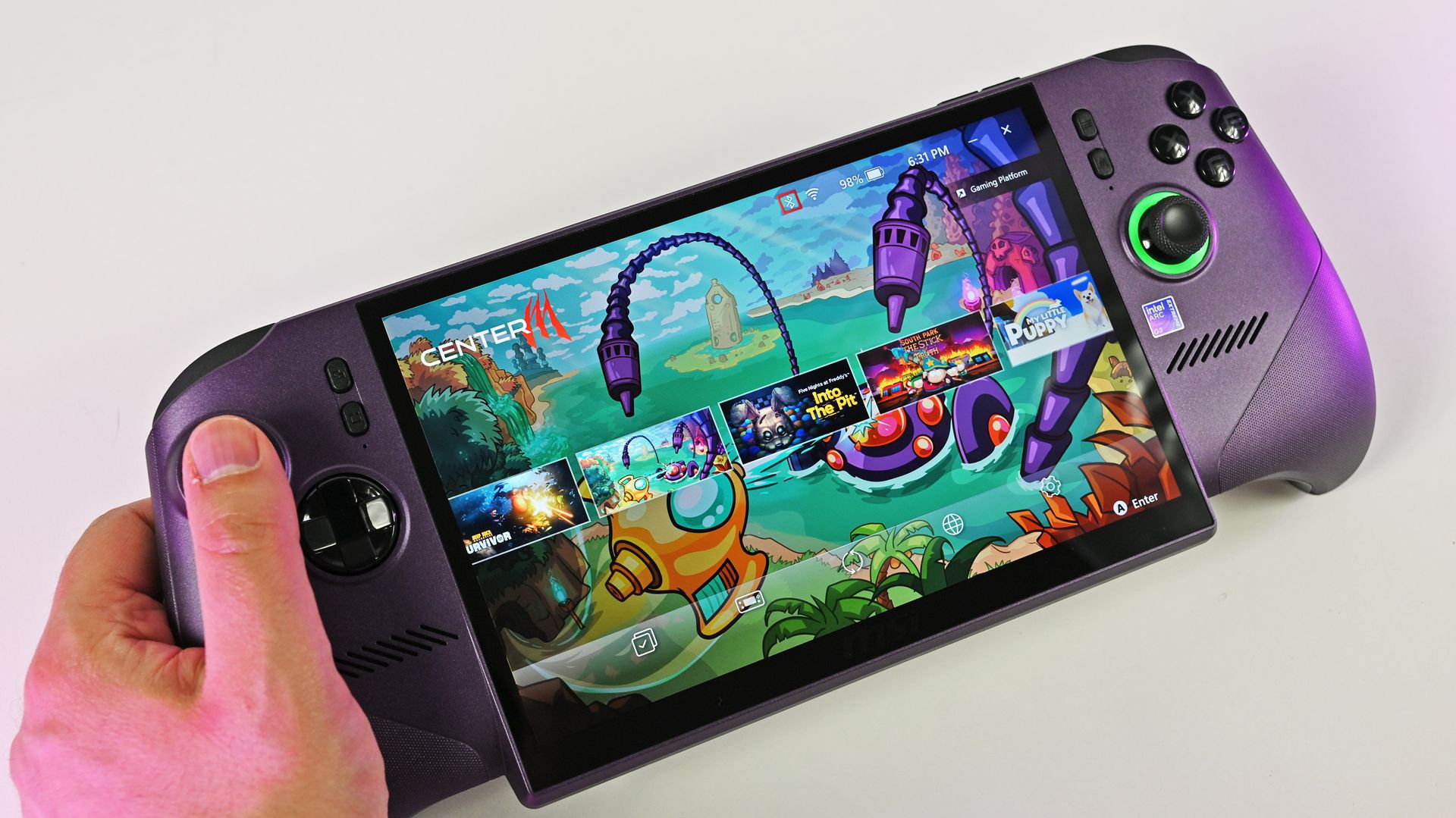
A person holds the metallic purple MSI Claw 8 EX AI+ handheld gaming PC, showcasing its large screen running the MSI Center M game launcher.

MSI Claw 8 EX AI+ stands as one of the best Windows-based handhelds today. (Image credit: Daniel Rubino)

For clarity, I use my Steam Deck almost every day, and it still powers through my library of built-for-Windows PC games with relative success. However, there's no denying its age, and the custom-made Zen 2/RDNA 2 APU doesn't stand a chance in many of the AAA games released in the past few years. For those demanding titles, plenty of Windows-based handhelds are far better suited.

Of course, higher-end options like ASUS ROG's "next-gen" Xbox Ally X and the all-out powerhouse MSI Claw 8 EX AI+ don't offer higher performance without asking for more cash. On the contrary, the Ally X starts at $999.99, while the Claw 8 EX AI+ moves closer to $1,800, which is a far cry from the $399 to $649 window that the Steam Deck originally targeted.

Unfortunately, much like the Claw [8 EX AI+], the Steam Machine is a premium engineering marvel suffering from historically terrible macroeconomic timing.

Daniel Rubino, Windows Central

In that, I'm trying to stay grounded when I hear that Valve's plans haven't changed for the Steam Deck 2 (or whatever it might be called), because that never necessarily meant it would target the same price point as its first handheld. After all, the company just launched its new Steam Frame VR headset for $1,059, which is higher than it originally planned (via PC Gamer).

So, Valve is stuck between a rock and a hard place: sourcing a follow-up (presumably also custom-made) processor and the corresponding components for a mass-produced handheld without pricing it so high that it loses mainstream appeal. It won't be easy, and I wouldn't be surprised if we don't hear anything concrete about the Steam Deck 2 for a few years.

Click to join us on r/WindowsCentral

Join us on Reddit at r/WindowsCentral to share your insights and discuss our latest news, reviews, and more.

  •  

SpruceOS - Le guide pour rhabiller votre console rétro

Si vous avez une petite console rétro portable qui traîne, du genre une Miyoo Mini, une TrimUI Brick, une Anbernic RG35XX , vous avez sans doute remarqué que l'interface livrée avec fait le job mais sans plus. Ça tombe bien, spruceOS est là pour ça ! Et malgré son nom, ce n'est pas vraiment un système d'exploitation. En réalité, il s'agit d'un frontend codé en Python qui vient se poser sur une base système déjà existante. Le code est public, sous une licence Creative Commons donc pour les plus capitalistes d'entre vous, ça veut dire pas d'usage commercial sans permission écrite de l'équipe.

Sur les Miyoo et les TrimUI, la base en question est le système d'origine de la console, celui du fabricant. Sur les Anbernic à puce H700 et sur la Powkiddy RGB30, il faut d'abord installer une base tierce sur la première carte mémoire, genre BaseOS pour les Anbernic, dArkMoss pour la Powkiddy. La carte spruce, elle, ira dans le second emplacement, le TF2, et elle restera librement échangeable d'un appareil supporté à l'autre. Rien de dramatique donc, mais ça fait une étape de plus et une carte en plus.

Ce que vous y gagnez si vous installez spruceOS, c'est surtout du confort au quotidien. Vous maintenez le bouton HOME pendant trois secondes et le Game Switcher vous laisse sauter d'un état de sauvegarde à l'autre sans quitter votre partie. Quand vous éteignez la console en plein jeu, elle sauvegarde même toute seule son état et vous remet exactement là où vous en êtiez au rallumage. Et si votre console a le Wi-Fi, vous ne repassez plus par le PC pour l'habiller puisque l'outil Theme Garden pioche dans plus de quatre-vingts thèmes communautaires dispo en ligne, le Game Nursery télécharge des portages gratuits / homebrew, et un scraper récupère même les jaquettes des jeux depuis la base libretro.

Le menu principal de spruceOS, avec les quatre icônes du thème SPRUCE par défaut

Ce qu'il vous faut avant de commencer

Il vous faut une carte microSD neuve, d'une vraie marque, achetée chez un revendeur sérieux ainsi qu'un bon lecteur de cartes. Et bien sûr un ordinateur sous Windows, macOS ou Linux avec une connexion Internet.

Et surtout, n'utilisez pas la carte livrée avec la console. C'est pas moi qui le dit mais le wiki du projet qui est catégorique là-dessus, en majuscules dans le texte : "DO NOT USE THAT STOCK SD CARD!", parce qu'elle est mauvaise, que les jeux dessus sont mauvais et que les BIOS le sont aussi. Donc gardez-la dans un tiroir, elle vous servira pour revenir en arrière en cas de foirage.

L'installation en un clic

L'équipe a sorti un installeur tout-en-un, qu'elle présente comme entièrement open source, disponible pour Windows, Linux et macOS. Il formate la carte, télécharge la version que vous choisissez et l'installe, en une seule opération. Une seule précaution, et le projet la signale lui-même : vérifiez bien que le lecteur que vous désignez est votre carte, parce que l'installeur écrit sur celui que vous lui montrez. C'est le chemin recommandé, et c'est aussi lui qui règle le cas des Anbernic et de la Powkiddy : BaseOS et dArkMoss ont chacun leur onglet dans l'application et se téléchargent puis s'installent automatiquement, sans que vous ayez à aller chercher une image ailleurs.

Un détail qui coince sur Mac, et qui n'est écrit nulle part ailleurs que dans le dépôt : macOS interdit aux applications d'écrire sur un disque amovible sans permission explicite, et l'installeur passe par le Terminal. Il faut donc aller dans Réglages Système, Confidentialité et sécurité, Accès complet au disque, ajouter Terminal, puis quitter et rouvrir le Terminal. Ce dernier point compte, la permission ne s'applique pas à une session déjà ouverte.

Sur Mac, Terminal doit figurer dans Accès complet au disque pour que l'installeur puisse écrire sur la carte ( Source )

L'installation à la main

Si vous préférez faire ça vous-même, il vous faut un utilitaire de formatage et 7zip. Vous formatez la carte en FAT32, avec Rufus sous Windows ou l'Utilitaire de disque sous macOS en choisissant MS-DOS (FAT32). Vous récupérez l'archive spruce.vX.X.X.7z sur la page des versions du dépôt, vous l'extrayez sur votre ordinateur, puis vous copiez le contenu extrait sur la carte. Vous éjectez proprement, vous insérez la carte dans la console et vous allumez.

Et là, attention au piège, puisque le paquet contient un dossier caché nommé .tmp_update, et sans lui spruce ne fonctionnera tout simplement pas. Donc affichez les fichiers cachés avant de les copier : sur Mac c'est Commande + Majuscule + point, et sur Ubuntu le dossier est masqué par défaut lui aussi. Sur Mac, pensez aussi à nettoyer les fichiers .dot parasites avant d'éjecter la carte. Un utilitaire comme CleanEject fait ça très bien.

Vos jeux et vos BIOS

Les ROMs se rangent ensuite dans un dossier Roms, avec un sous-dossier par machine. La plupart des noms sont évidents, mais certains noms piègent tout le monde comme SFC ou FC. Hé oui, les jeux Super Nintendo vont dans SFC, pour Super Famicom, et pas SNES ; les jeux NES vont dans FC, pour Famicom, et pas NES. Les vidéos et la musique, elles, vont toujours dans MEDIA.

Les BIOS se posent dans un dossier BIOS à la racine de la carte, mais il faut les placer dans le sous-dossier qui va bien par machine et pas tout balancer en vrac. Le BIOS de la Dreamcast veut son sous-dossier, certains sont obligatoires pour que la machine tourne, d'autres pas. Donc je vous invite à vous renseigner en fonction de la machine que vous voulez émuler. Et comme d'hab, le BIOS de la NeoGeo ne va pas dans BIOS mais avec les jeux.

BIOS/dc/dc_boot.bin Dreamcast, obligatoire
BIOS/gba_bios.bin Game Boy Advance, facultatif
Roms/NEOGEO/neogeo.zip NeoGeo, obligatoire, et pas dans BIOS

Et évidemment, le projet ne fournit ni ROMs commerciales ni BIOS et ne vous dira pas où les trouver, donc c'est à vous de voir avec vos propres cartouches et vos propres disques.

Si l'écran reste noir

Maintenant, si c'est tout noir au lancement, vérifiez que le dossier .tmp_update est bien présent sur la carte. Remettez-la dans l'ordinateur, réaffichez les fichiers cachés, et regardez : si vous avez copié sans avoir activé l'affichage, il n'y est pas. L'autre suspect, c'est la carte elle-même. C'est peut-être parce que vous avez acheté une no-name de merde.

Le moment où vous ne pourrez plus revenir en arrière

Tant que vous ne touchez qu'à la carte, vous ne risquez rien de définitif. Sur la famille Anbernic RG35XX, les guides de référence le disent tous : ces firmwares vivent entièrement sur la microSD, et donc on peut passer de l'un à l'autre sans modification permanente de l'appareil. Ailleurs le principe est le même, et pour retrouver votre console en version d'usine il suffit donc de remettre la carte d'origine.

Sauf qu'il y a UNE exception !! spruce embarque un Firmware Updater qui apparaît tout seul dans vos applications si votre console tourne sur un firmware ancien. Celui-là n'écrit pas sur la carte mais dans la mémoire interne de la machine, et le wiki prévient sans détour : "Failure to follow the firmware updating instructions can lead to a bricked device.". En gros si vous le lancez pour faire la mise à jour du firmware, ça peut bricker votre console, donc pensez bien à la brancher sur le courant avant la mise à jour. Le projet documente d'ailleurs deux procédures de débriquage, dont une qui demande carrément d'ouvrir la Miyoo Flip et de débrancher sa batterie, ce qui vous dit assez bien à quel point on a quitté le terrain du réversible...

Et si spruceOS ne vous convient pas, vous ne serez pas coincé pour autant car sur ce même matériel, le guide de référence de Retro Game Corps recommande aussi Knulli pour son interface EmulationStation, ou encore muOS pour la performance d'émulation la plus avancée, à condition que le bricolage de configs customs ne vous rebute pas. Après voilà, chaque "OS" a sa carte et vous changez d'avis quand vous voulez.

Source : spruceOS sur GitHub , le wiki du projet et le site officiel

  •  

RHYTHM Is the Walkman the Smartphone Era Forgot to Build

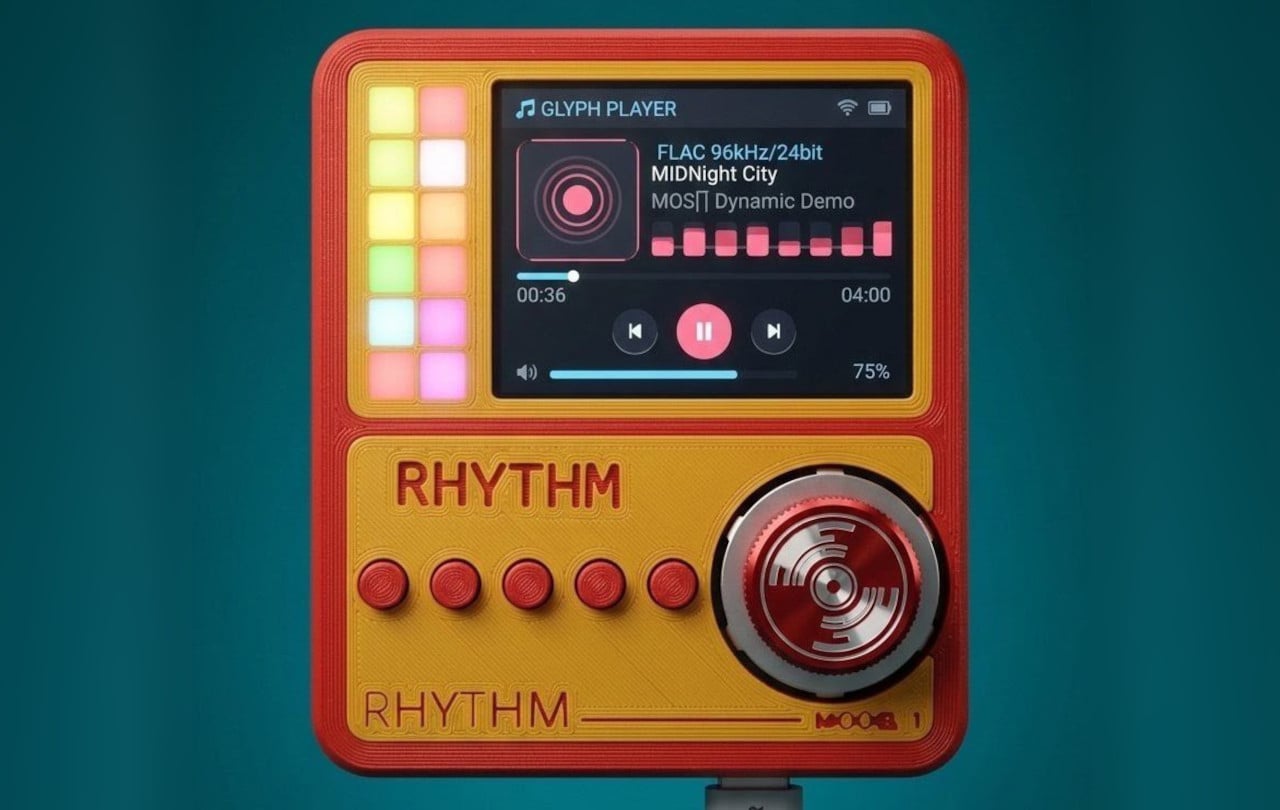
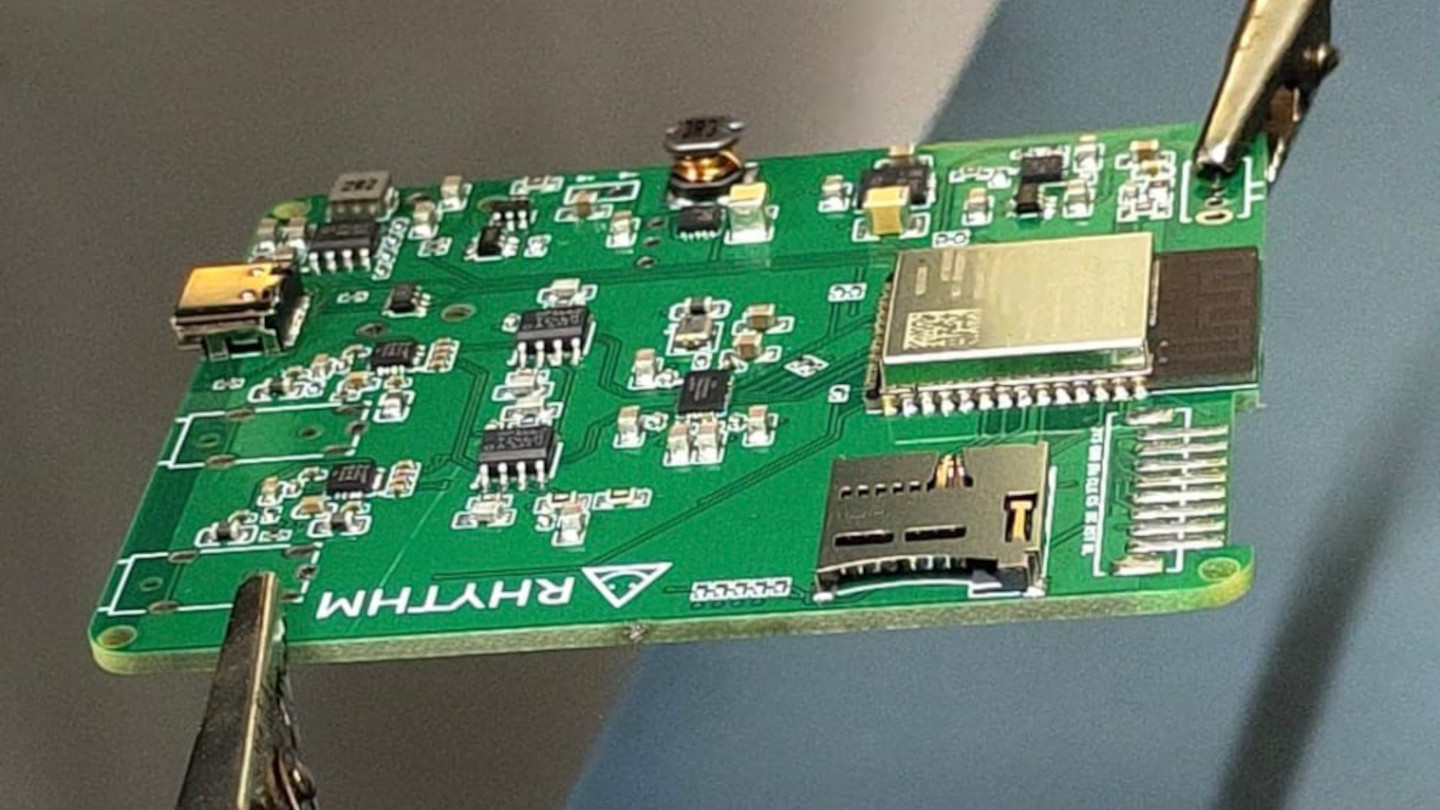
Smartphones turned music into just another notification competing for attention, a song interrupted by a text, an album broken up by a calendar alert. RHYTHM exists to undo that arrangement entirely, building a dedicated listening device from real audio components instead of borrowing a phone’s guts and bolting on a headphone jack. It’s a from-scratch digital audio player designed around one job: playing music properly, without a screen demanding anything else from you.

That commitment starts with what’s actually driving the sound. Rather than leaning on an all-in-one audio codec chip the way most budget players do, RHYTHM routes music through a genuine ESS SABRE DAC, the same category of chip found in dedicated hi-fi gear, paired with a discrete amplifier stage rather than a shortcut solution. An ESP32-S3 handles the file parsing and processing, but the actual sound reproduction runs through hardware built specifically for that job alone.

Designer: Mithilesh Gupta Konda

The headphone output makes the clearest case for why any of this matters. Instead of splitting one internal signal across a single jack, RHYTHM runs two completely independent, actively buffered 3.5mm outputs, each driven by its own dedicated amplifier chip. Two people can plug in two entirely different pairs of headphones, and each gets a full, uncompromised signal, no shared circuit quietly degrading whichever connection came second.

Keeping that signal clean required rethinking the power supply as much as the audio path. RHYTHM physically separates its digital logic and high-frequency switching lines from the analog circuitry that actually shapes the sound, regulating each side through its own dedicated, ultra-low-noise power regulator. It’s an unglamorous decision that never shows up in a spec sheet screenshot, but it’s exactly the kind of choice that determines whether quiet passages in a recording stay quiet.

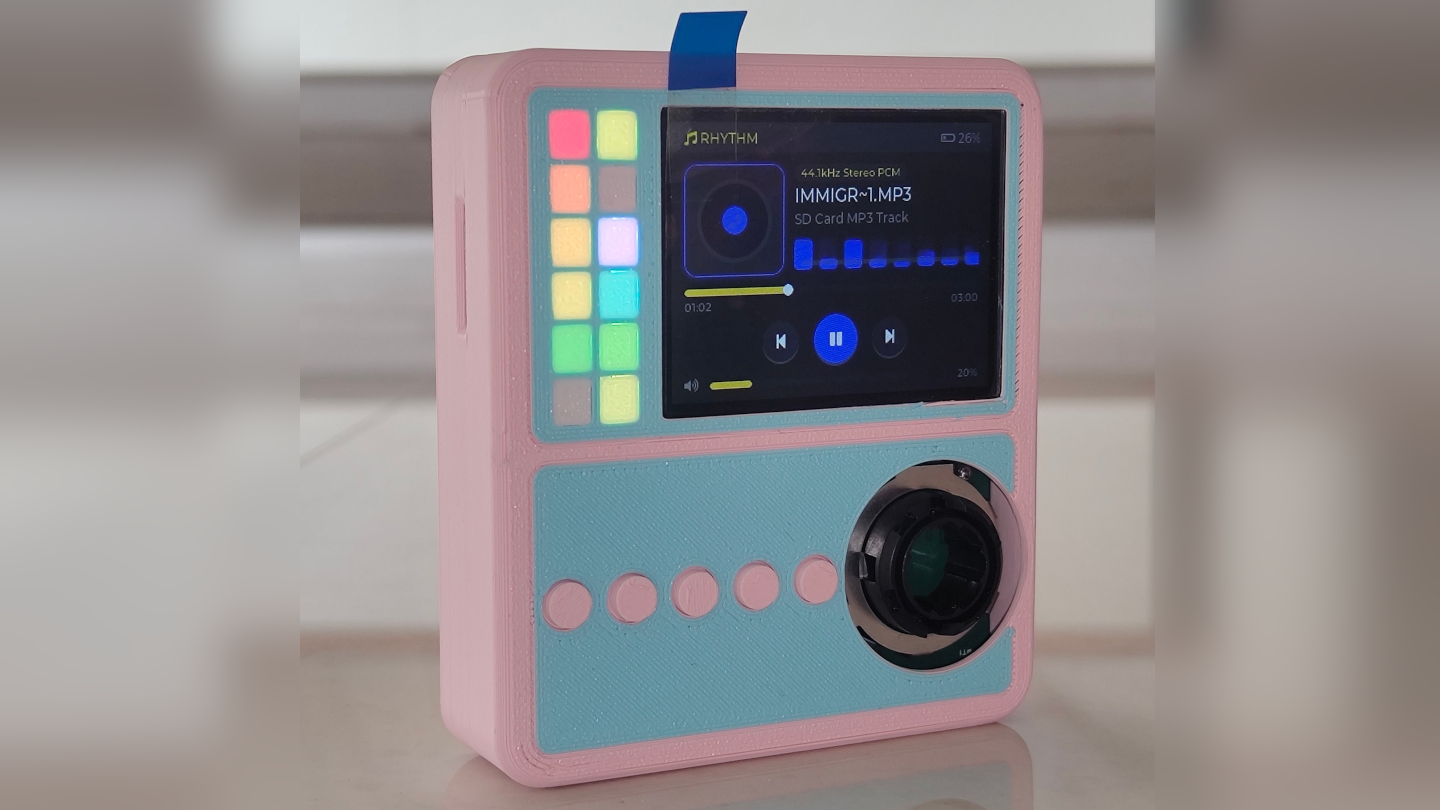
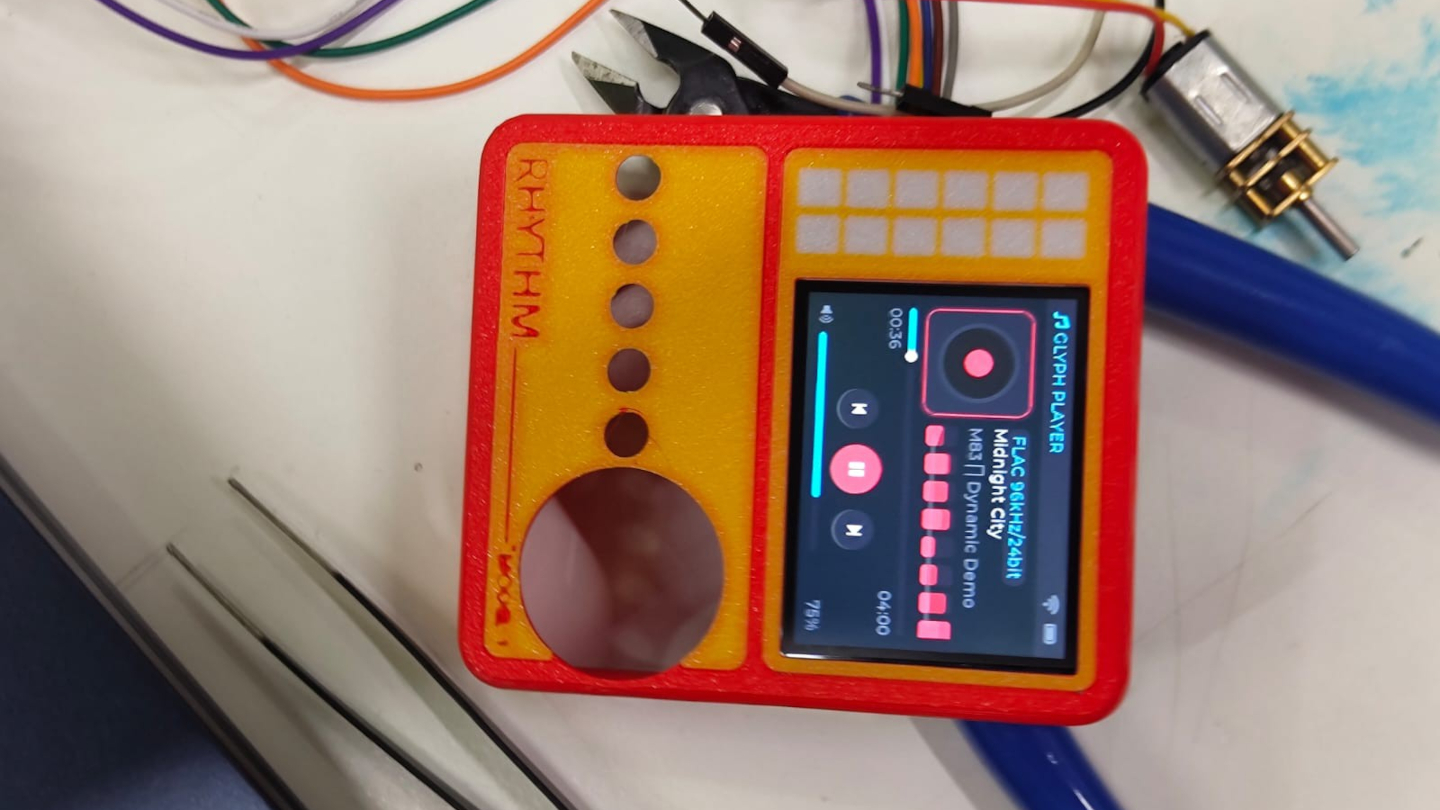
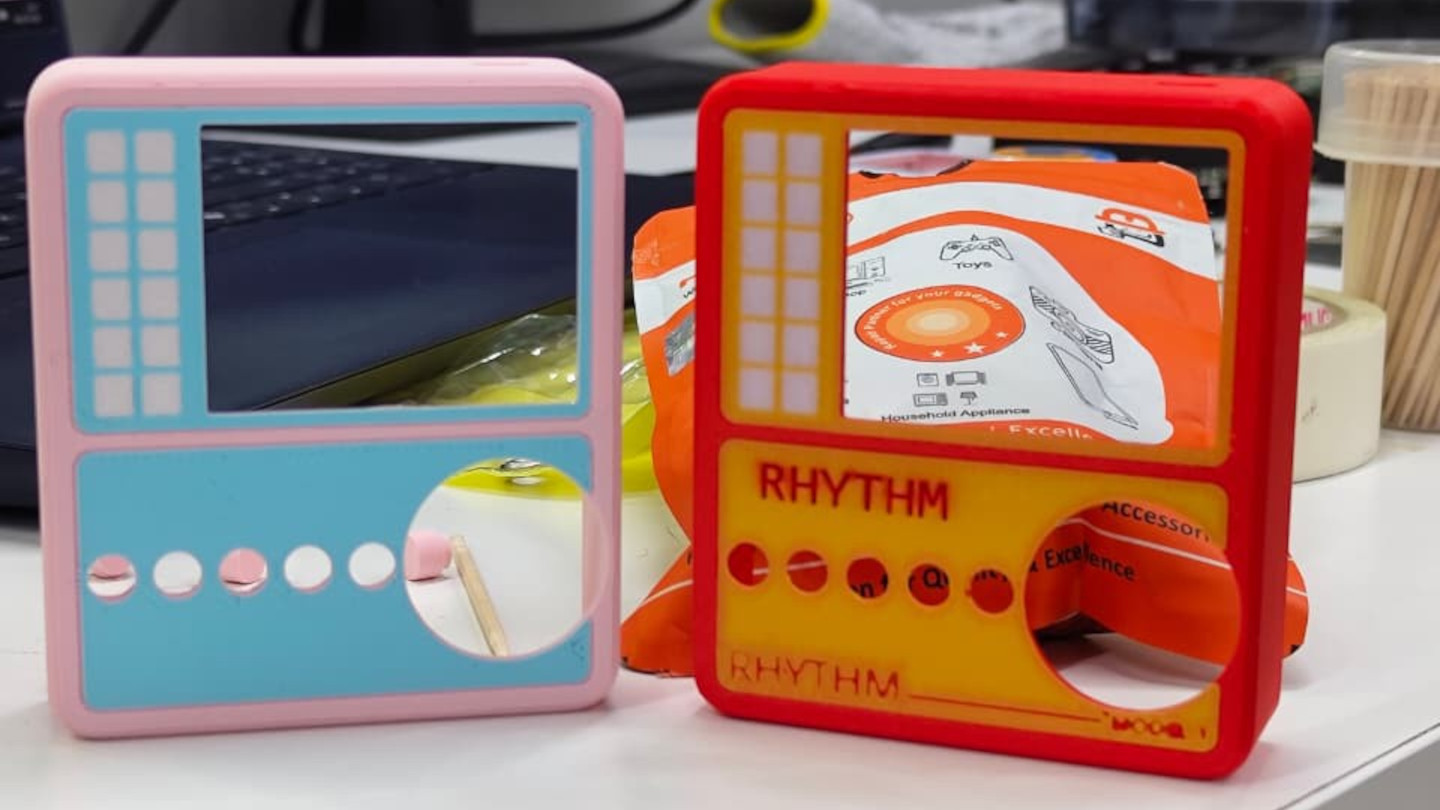
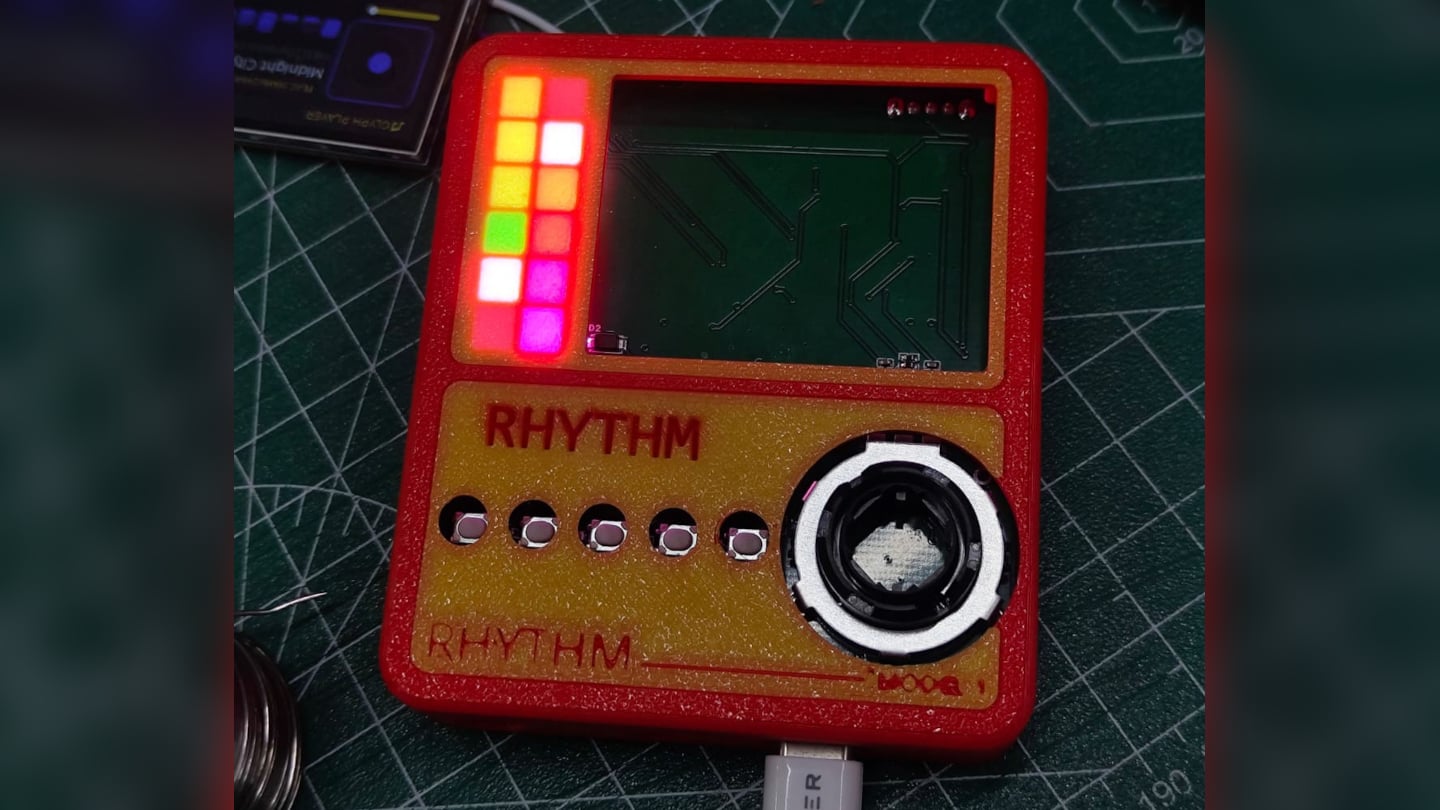
Physical control gets the same attention. A precision mechanical rotary encoder handles navigation alongside a set of tactile buttons, giving the whole interface a hands-on quality that a touchscreen simply can’t replicate. Paired with a compact 2-inch color display, the device reads less like a shrunken phone and more like a purpose-built instrument, something meant to be operated by feel in a pocket or a bag without needing to look at it.

A microSD slot rounds out the practical side, storing lossless files locally rather than depending on a streaming connection or app ecosystem. That local-first approach extends the project’s entire philosophy: RHYTHM isn’t trying to replace a phone’s convenience. Instead, it’s opting out of that convenience on purpose, trading constant connectivity for a listening experience built around a single, uninterrupted task.

The post RHYTHM Is the Walkman the Smartphone Era Forgot to Build first appeared on Yanko Design.

  •  

Super Mario 64 tourne sur un processeur ARM (avec ReactOS)

Une vidéo postée sur X montre Super Mario 64 qui tourne sur une machine ARM, sous un système qui n'est ni Windows ni Linux. Oui, c'est bien ReactOS, le clone libre de Windows, et le jeu est un exécutable x64 tout ce qu'il y a de plus banal !

Et n'allez pas croire que c'est un émulateur qu'on aurait posé sur un OS libre. Que nenni ! Pour exécuter du x64 sur de l'ARM, il faut deux trucs qui n'ont rien à voir l'un avec l'autre : un moteur qui traduit les instructions du processeur, et un système capable de faire cohabiter du code natif et du code traduit dans un même programme.

La première moitié, c'est FEX, l'émulateur financé par Valve dont je vous parlais en décembre. Sauf que côté Windows, FEX se limite au processeur : sa propre documentation précise que la traduction des appels système revient soit à Wine, soit à l'ABI du système. Tout le reste est alors à la charge de l'hôte.

Cette seconde moitié porte un nom, ARM64EC, et c'est une invention de Microsoft pour Windows 11 sur ARM (oui, la boîte que ReactOS passe justement son temps à recopier). Le principe consiste à compiler les bibliothèques du système en ARM64 avec une interface appelable depuis du code x64 recompilé. Du coup, un même programme mélange des morceaux natifs et des morceaux émulés, et seul ce qui doit vraiment l'être passe par l'émulateur. L'intérêt de faire comme ça, c'est surtout la vitesse !

Jusqu'ici, deux entités avaient bâti cet "étage" : Microsoft dans Windows, et Wine depuis sa version 10 . ReactOS est donc la troisième. Son développeur Ahmed Arif a ainsi écrit son propre runtime hybride dans le ntdll du système, avec le chargeur d'images, les ponts qui rendent les fonctions natives appelables en x64, et le déroulement de pile.

Ensuite, pour vérifier que tout se tient, il fait tourner le même binaire des deux côtés, sur son ReactOS et sur un vrai Windows 11 ARM64, puis il compare.

Screenshot

Alors, est-ce que vous pouvez l'installer ?

Et bien malheureusement, non !

Tout ce boulot n'existe que dans une branche d'un fork personnel, et le dépôt officiel de ReactOS n'en contient pas la moindre ligne. Et c'est mieux pour l'instant car, comme Ahmed le dit lui-même, son fork est encore plus expérimental que ReactOS lui-même ! C'est donc à réserver aux machines virtuelles, aux cartes de développement ou aux bécanes sans données sensibles. Bref, venant d'un projet qui se présente déjà lui-même comme un système de qualité alpha, ça vous situe l'ambiance...

Bref, rien à télécharger mais pour un projet qui se battait encore il y a trois mois pour lancer Half-Life , voir un jeu x64 démarrer sur de l'ARM, ça envoie quand même du pâté.

Source : Phoronix

  •  

5 Designs That Prove Vinyl’s Comeback Was Never Just About the Music

Vinyl has returned to the cultural spotlight, but its comeback is about much more than nostalgia. A new generation is discovering records as objects of design, ritual, and personal expression. For Gen Z, vinyl offers something increasingly rare in a digital-first world: a physical relationship with music. Choosing an album, holding the sleeve, placing the record on a turntable, and listening from beginning to end creates a slower, more intentional experience.

The renewed interest in vinyl is also influencing interiors and product design. Record players are becoming sculptural objects, album covers are being displayed like artwork, and dedicated listening corners are finding their place inside contemporary homes. Here is how Gen Z is giving an old format a new visual language, transforming the record experience into a lifestyle statement.

1. Vinyl Becomes A Lifestyle

Vinyl has moved beyond the traditional collector’s shelf to become part of a broader lifestyle centered around music, design, and self-expression. Gen Z is attracted to records because they provide something that streaming cannot: a tangible connection to an artist and an album. The large-format sleeve, physical record, and carefully designed packaging create an experience that feels more substantial than tapping a song on a phone.

This shift has also made vinyl increasingly relevant to interiors. Records can sit on open shelving, lean against walls, or become part of carefully arranged listening corners. Collections communicate personality through color, artwork, typography, and genre. Instead of simply storing music, younger listeners are using their collections to shape the atmosphere and identity of their spaces.
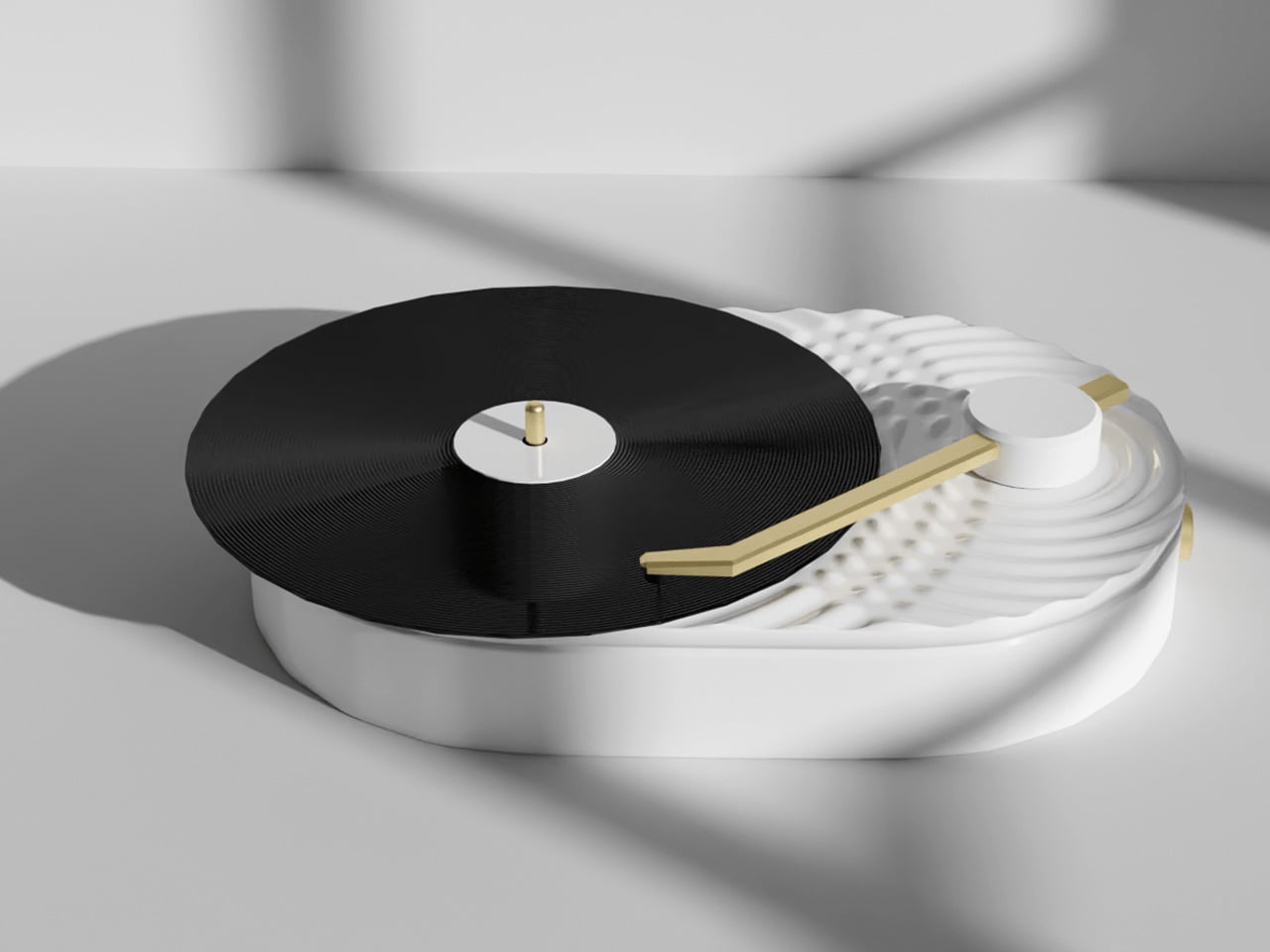
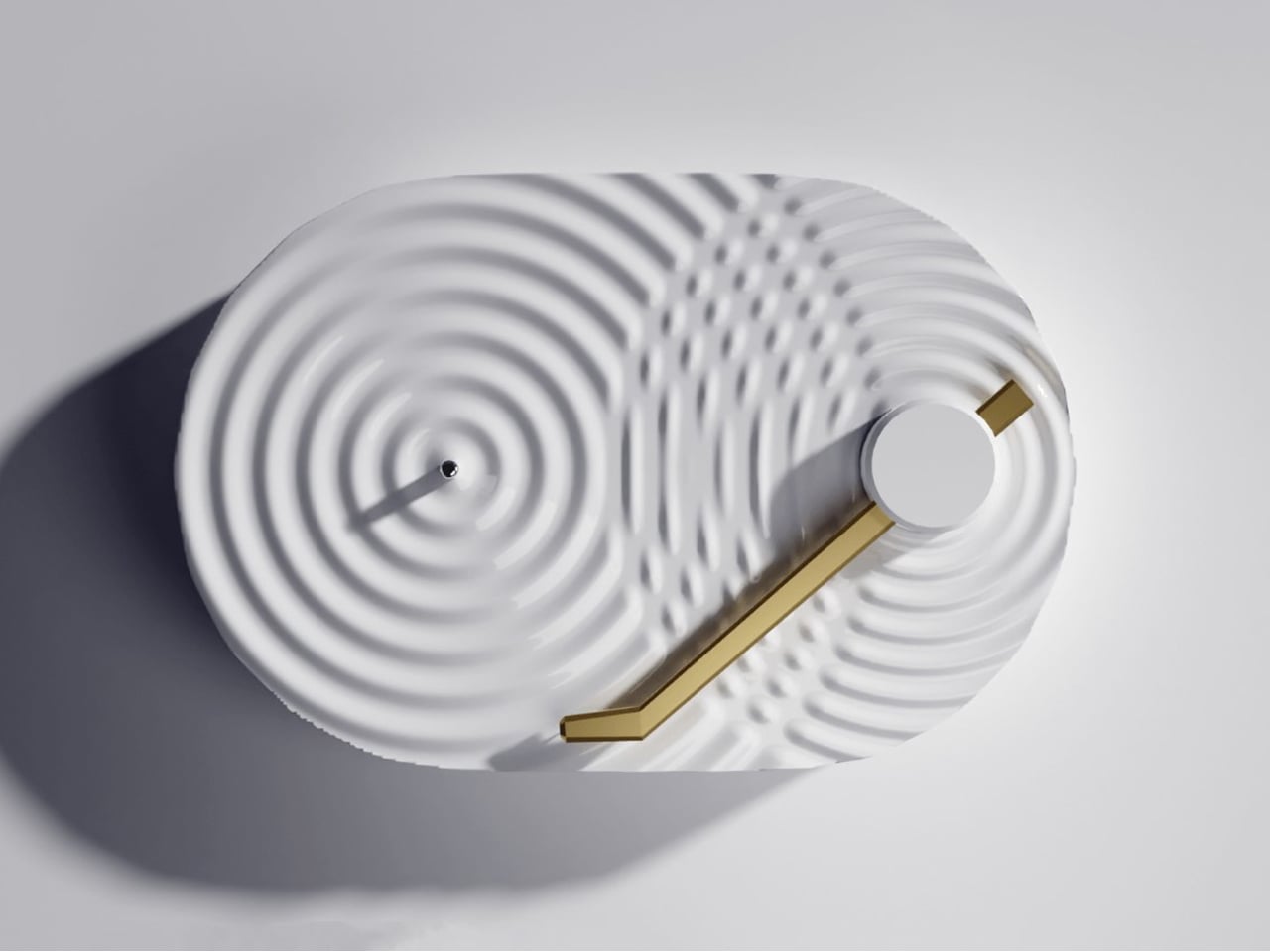
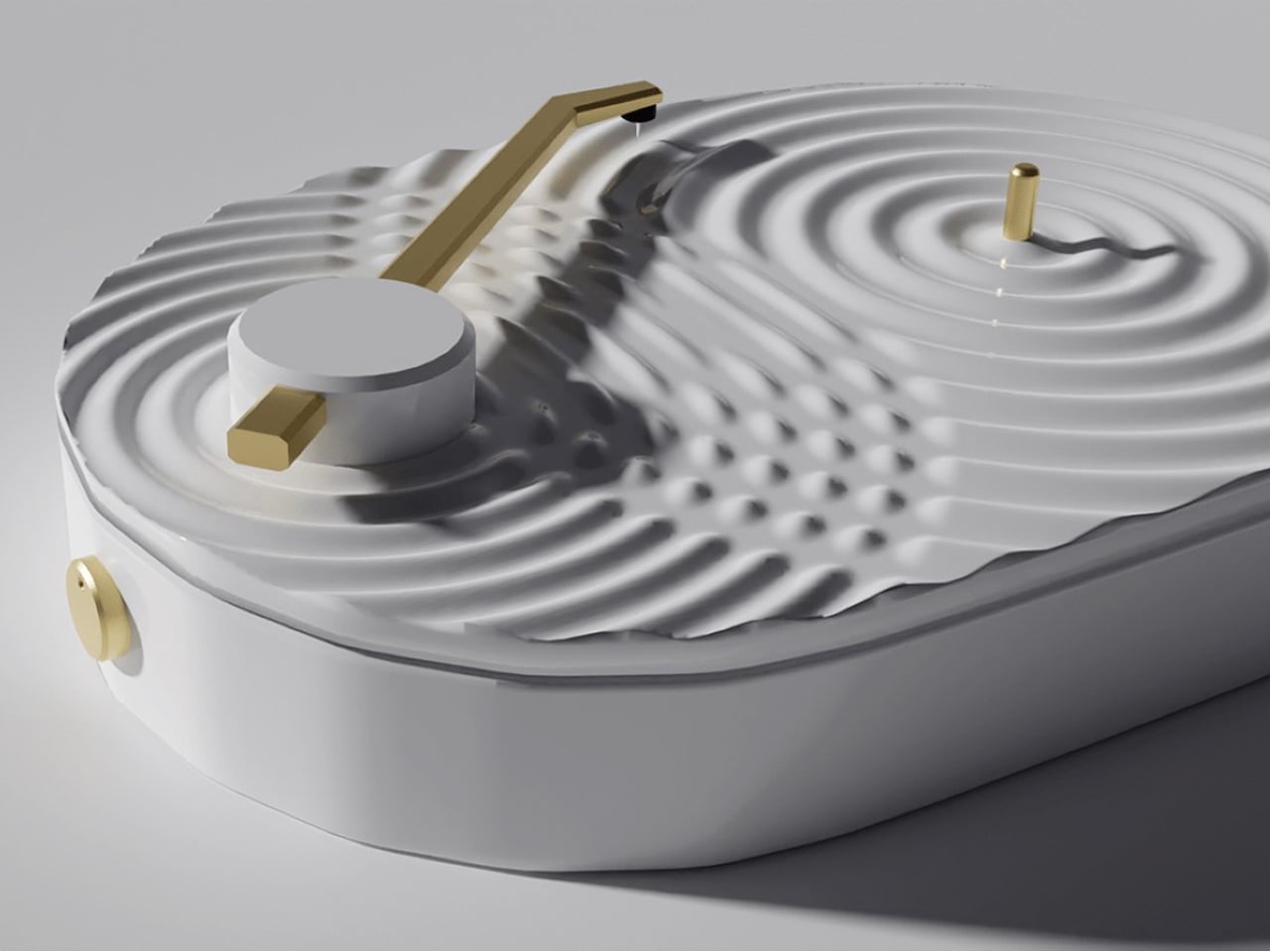
The Ripple Turntable transforms sound into a visual language, drawing inspiration from the way audio waves radiate outward from a single source. Its pristine white surface features sculpted ripples that appear to emanate from the center of the platter and the base of the tonearm, intersecting across the surface to create a striking sense of movement. The effect turns an otherwise functional audio device into an expressive sculptural object, giving the act of playing music a distinctly visual dimension.
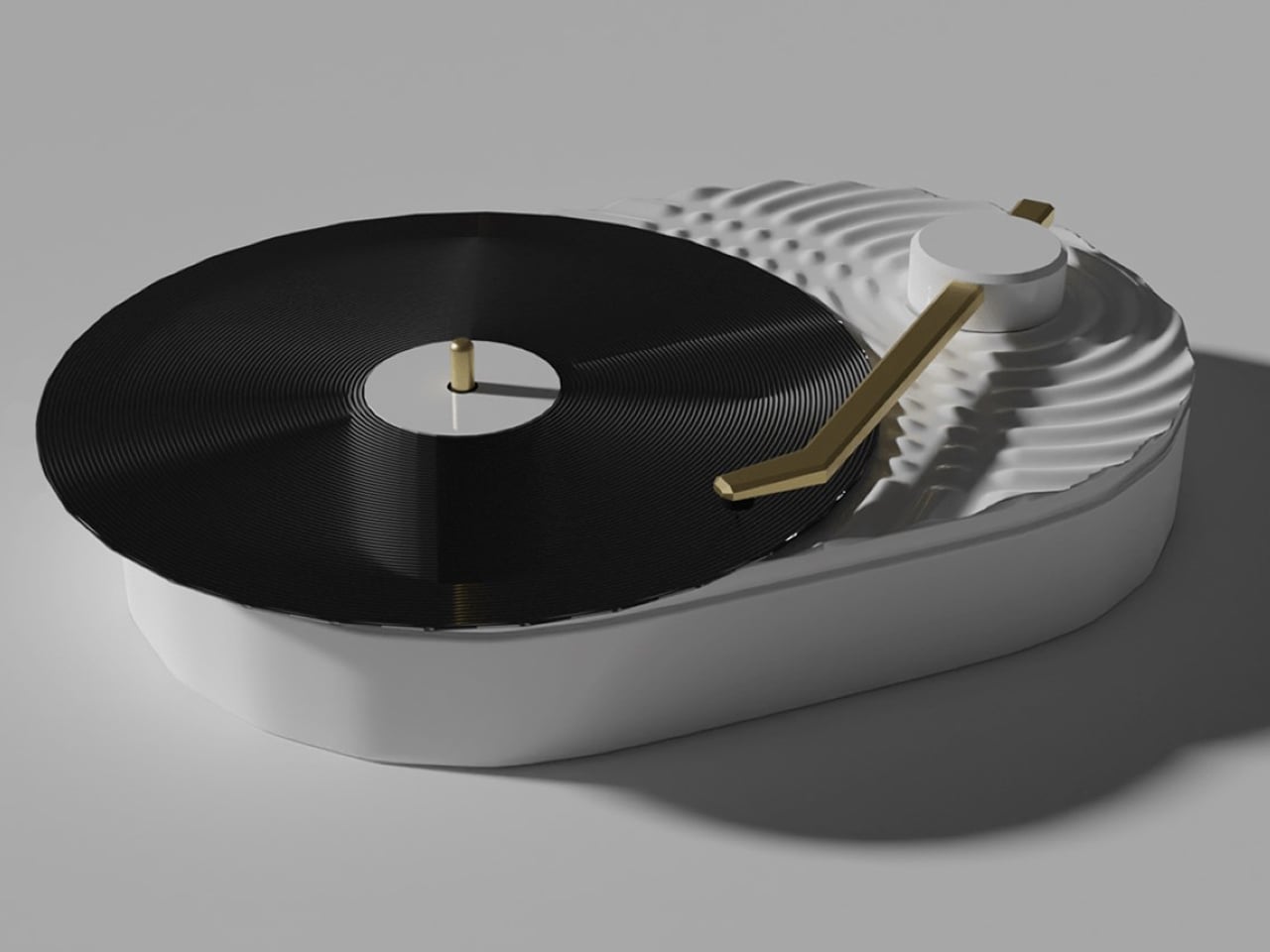
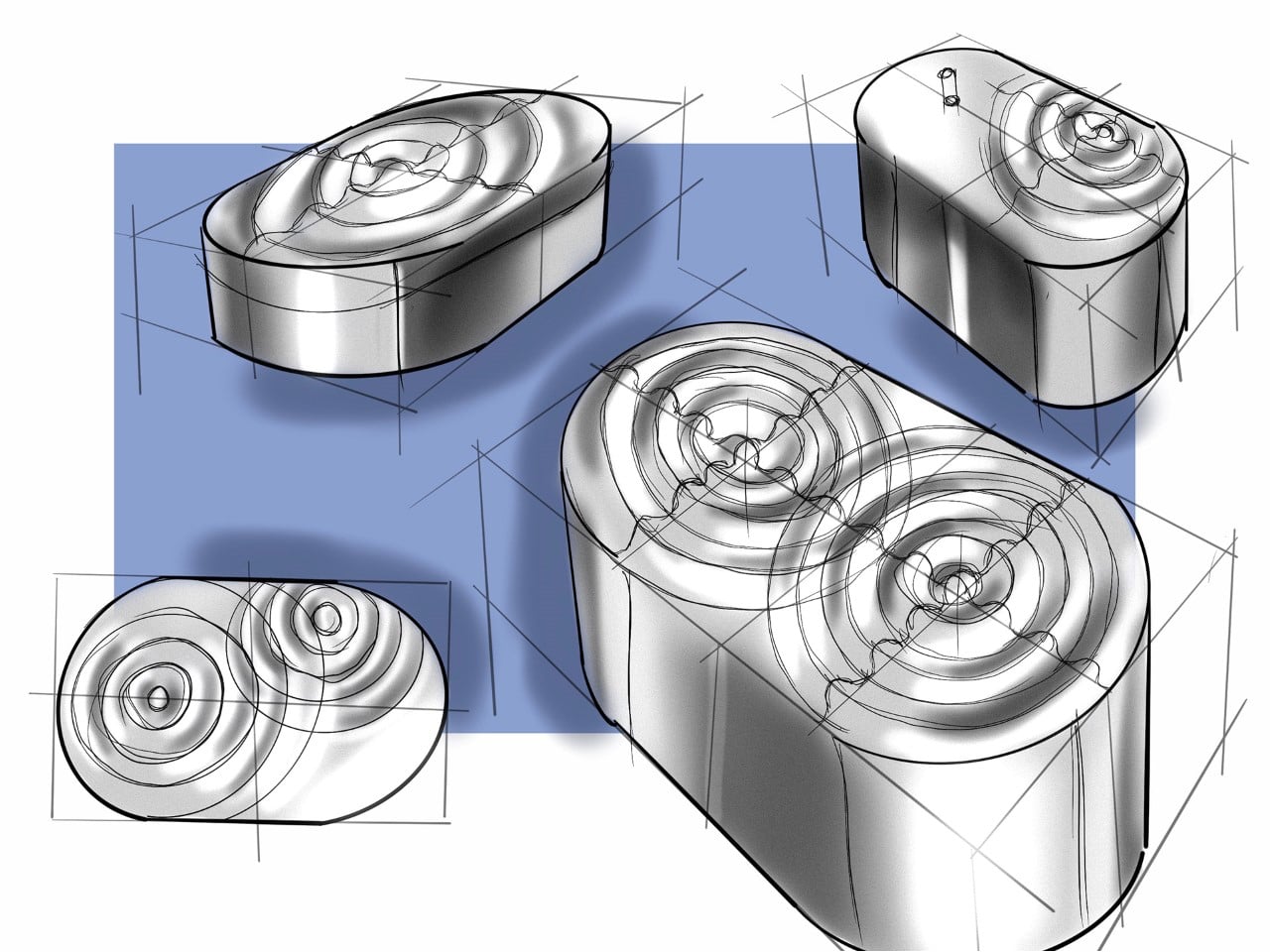
A sleek gold tonearm introduces a subtle accent against the all-white body, while the black vinyl record provides a strong visual contrast. Its minimalist yet playful character makes it particularly suited to Scandinavian and Japanese-inspired interiors, where sculptural simplicity and thoughtful detailing take center stage.

2. The Ritual Of Listening

Streaming has made listening almost effortless, allowing users to access millions of songs instantly. Vinyl introduces a different rhythm. The listener has to select an album, remove the record from its sleeve, place it carefully on the turntable, and lower the needle. These small actions create a physical ritual that encourages greater attention.

That ritual is particularly relevant to a generation accustomed to constant notifications and rapidly changing digital content. Listening to a record can create a moment of pause, where the album becomes the focus rather than background noise. Turning the record over halfway through also introduces a natural break, making music feel like an activity rather than an endless stream of content.
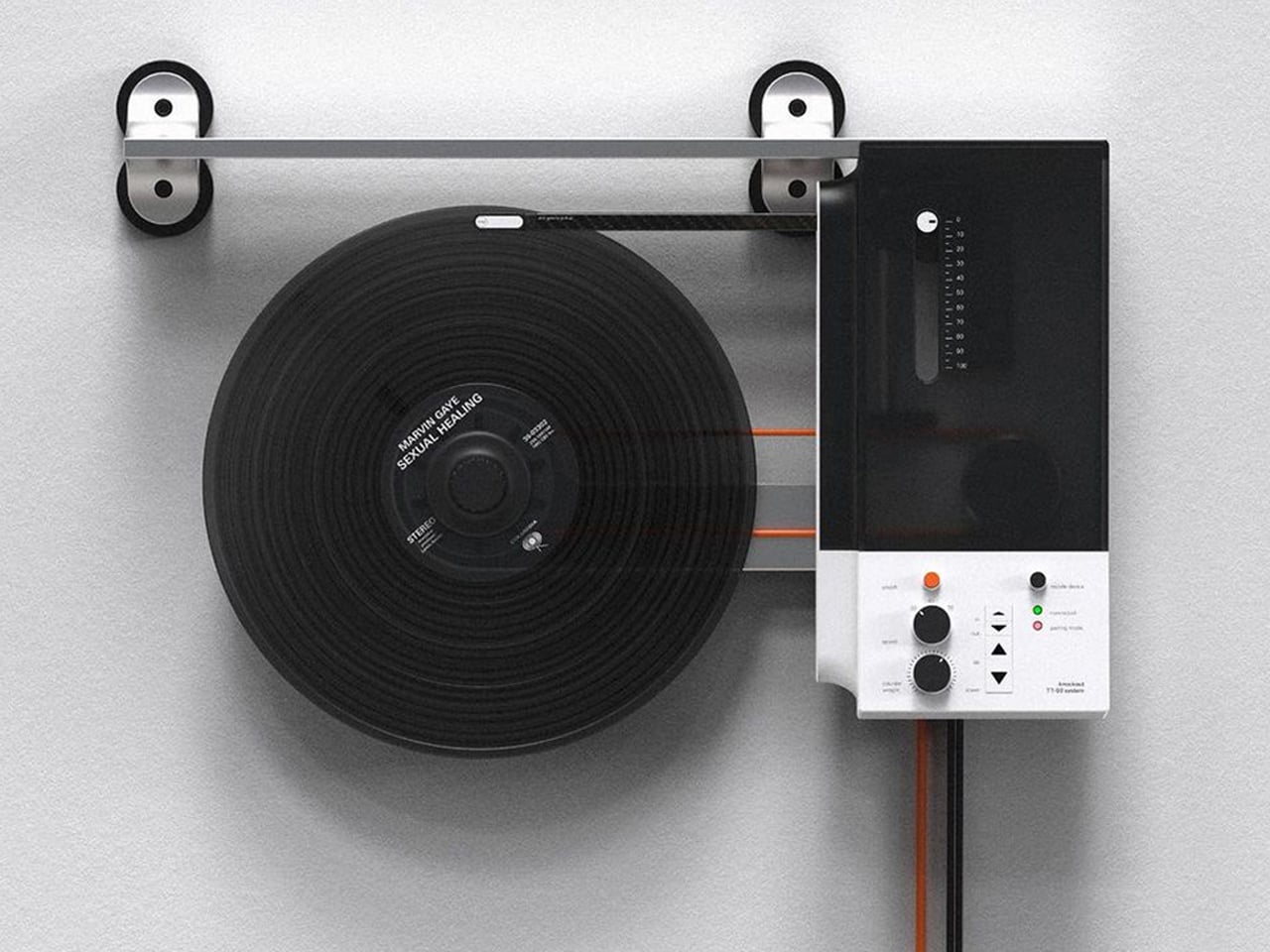
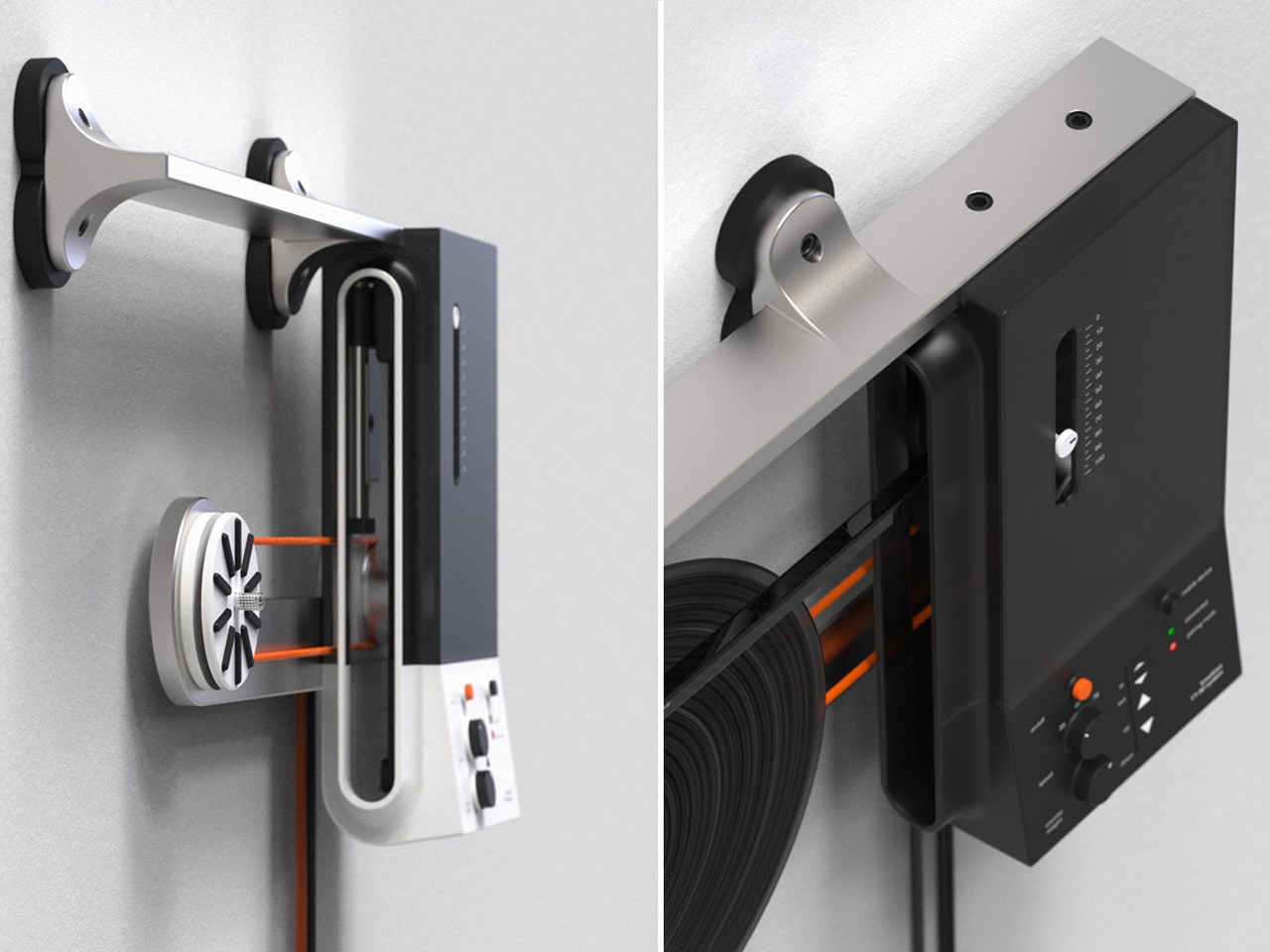
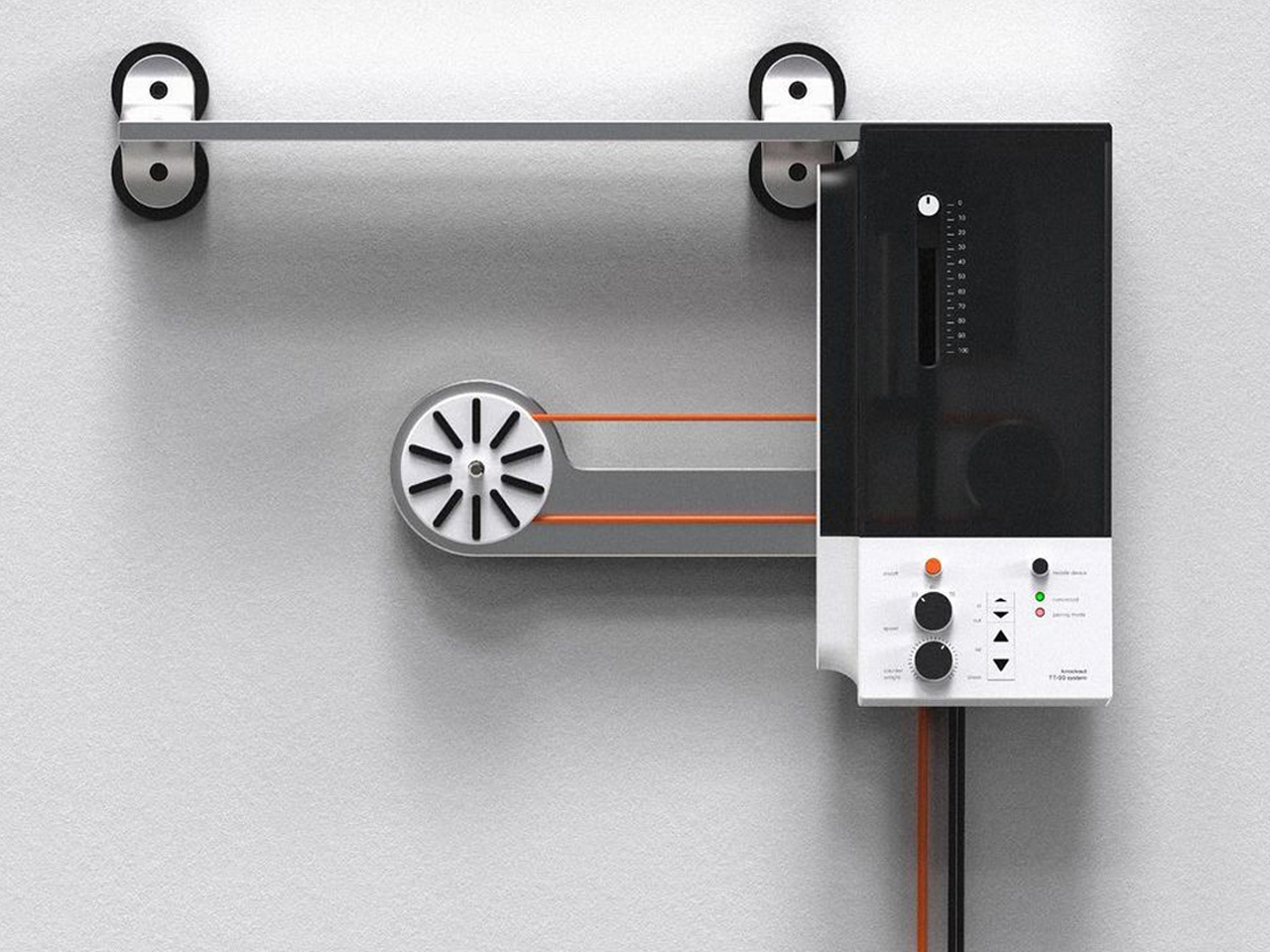
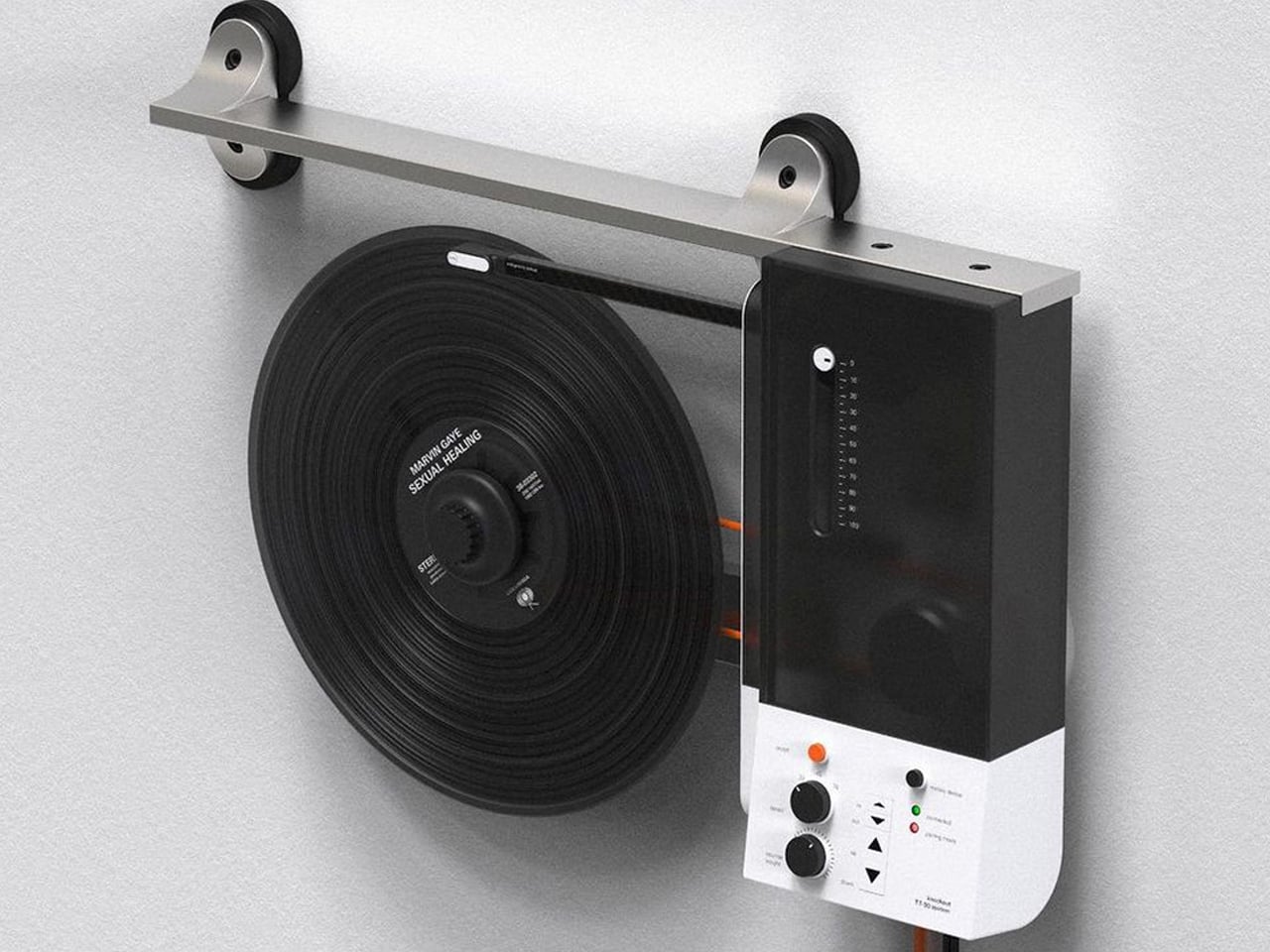
Oscar Olsson’s TT-90 System reimagines the traditional turntable by combining analog listening with contemporary digital functionality. Flipping the record player 90 degrees, the concept mounts the vinyl vertically on the wall, creating the illusion of a record floating in space as it spins beneath the needle. The unconventional format also addresses a common limitation of traditional turntables: their bulky footprint. Instead of occupying valuable furniture space, the TT-90 becomes part of the wall, transforming an everyday audio device into a striking piece of interior design. Available in black, orange, and white, its streamlined silhouette gives the familiar record player a distinctly futuristic character.
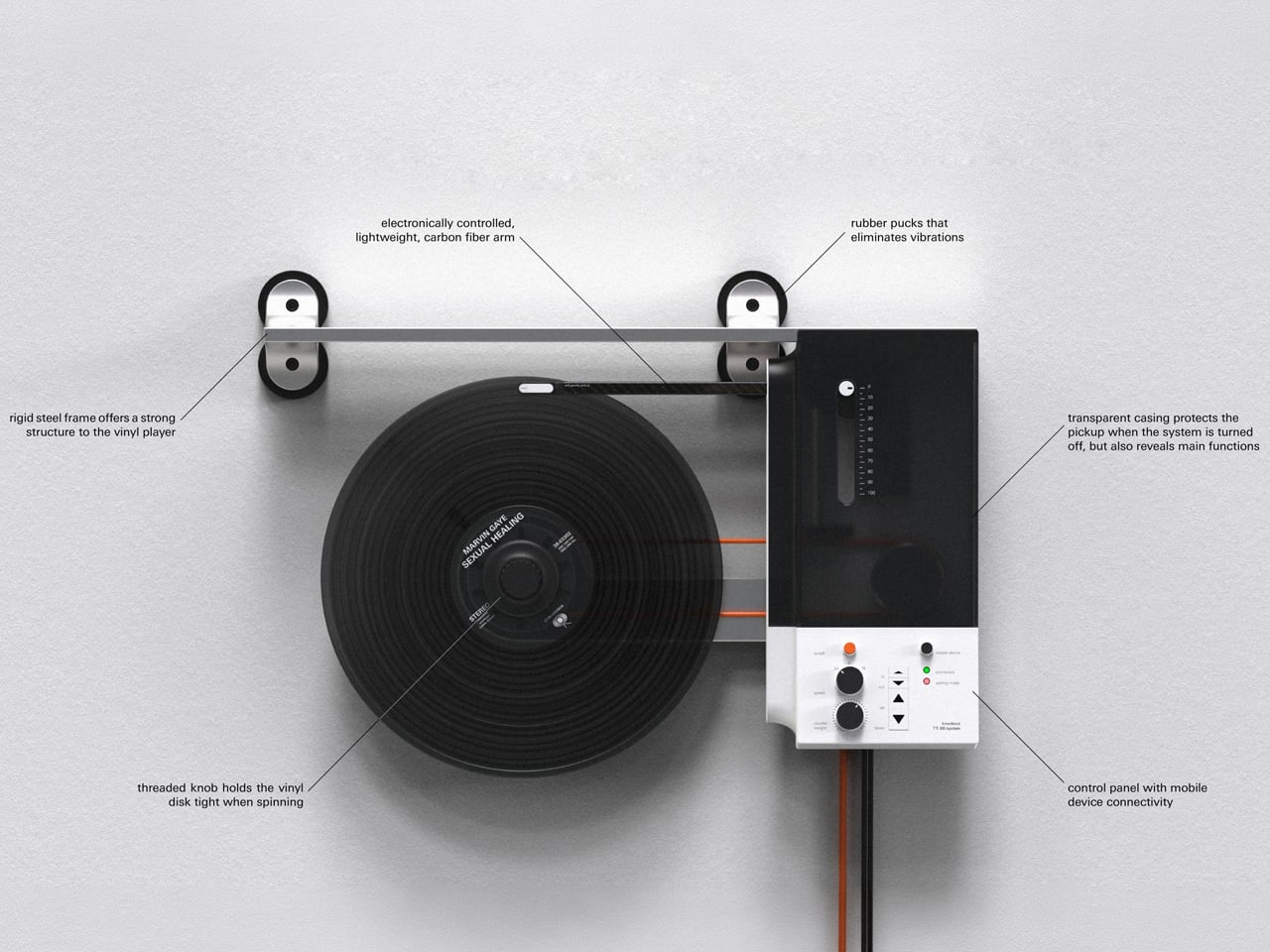
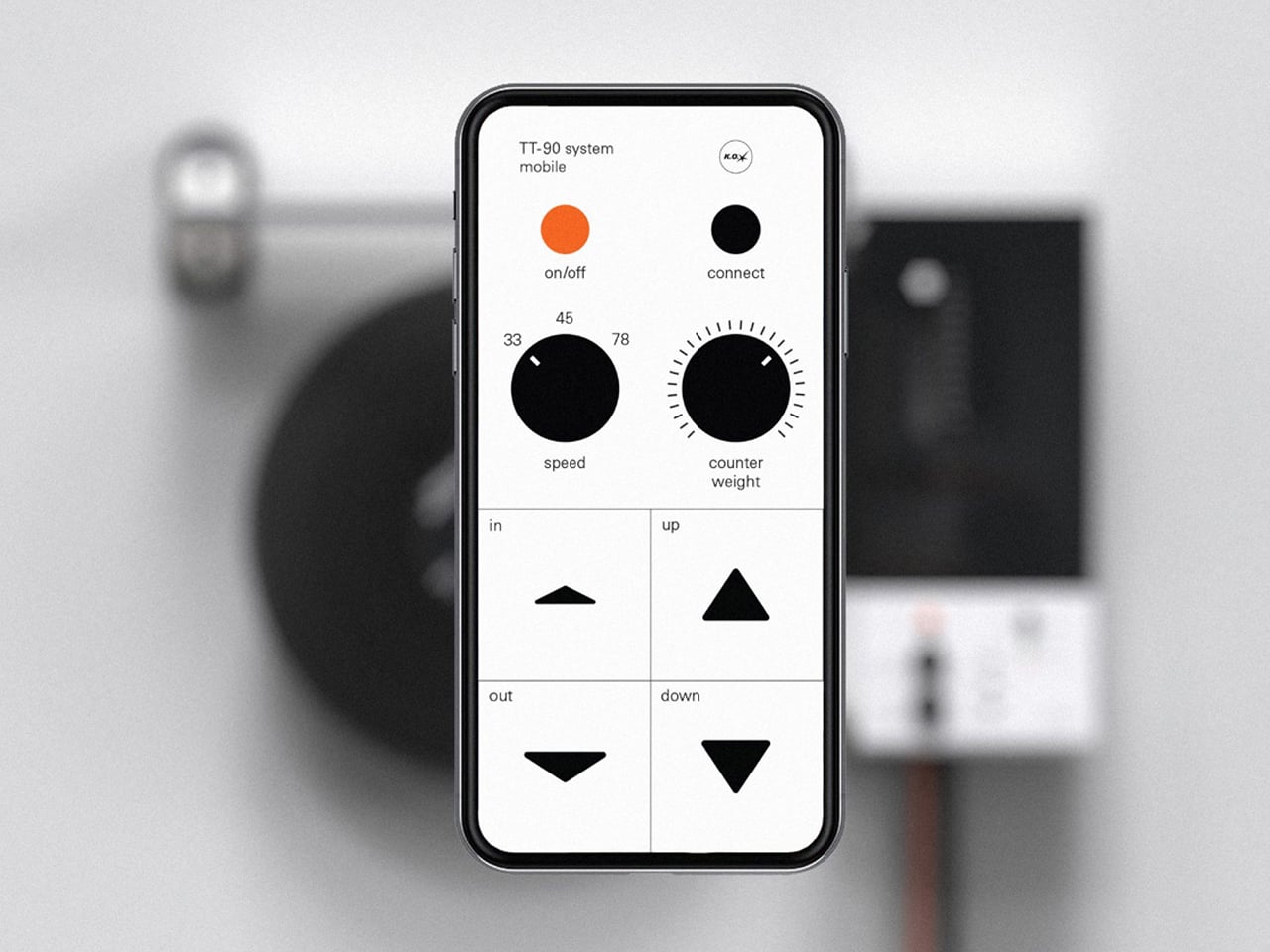
Beyond its space-saving approach, the TT-90 System introduces smartphone connectivity, allowing listeners to control playback digitally alongside onboard controls. Rubber components help reduce vibration against the wall, while a threaded knob secures the record during vertical playback. The result is a playful fusion of physical music culture, modern technology, and sculptural design.

3. Record Players Become Design

The turntable is experiencing its own design revival. Contemporary models are increasingly being designed to look at home alongside modern furniture rather than being treated purely as technical equipment. Minimal controls, warm materials, compact forms, transparent components, and sculptural bases are giving turntables a more furniture-like presence.

For Gen Z, this visual quality matters because technology is increasingly expected to contribute to a home’s aesthetic. A record player can become the centerpiece of a listening corner, positioned alongside books, plants, speakers, and carefully selected objects. The result is a more integrated approach to audio design, where performance and appearance work together instead of technology disappearing into a cabinet.
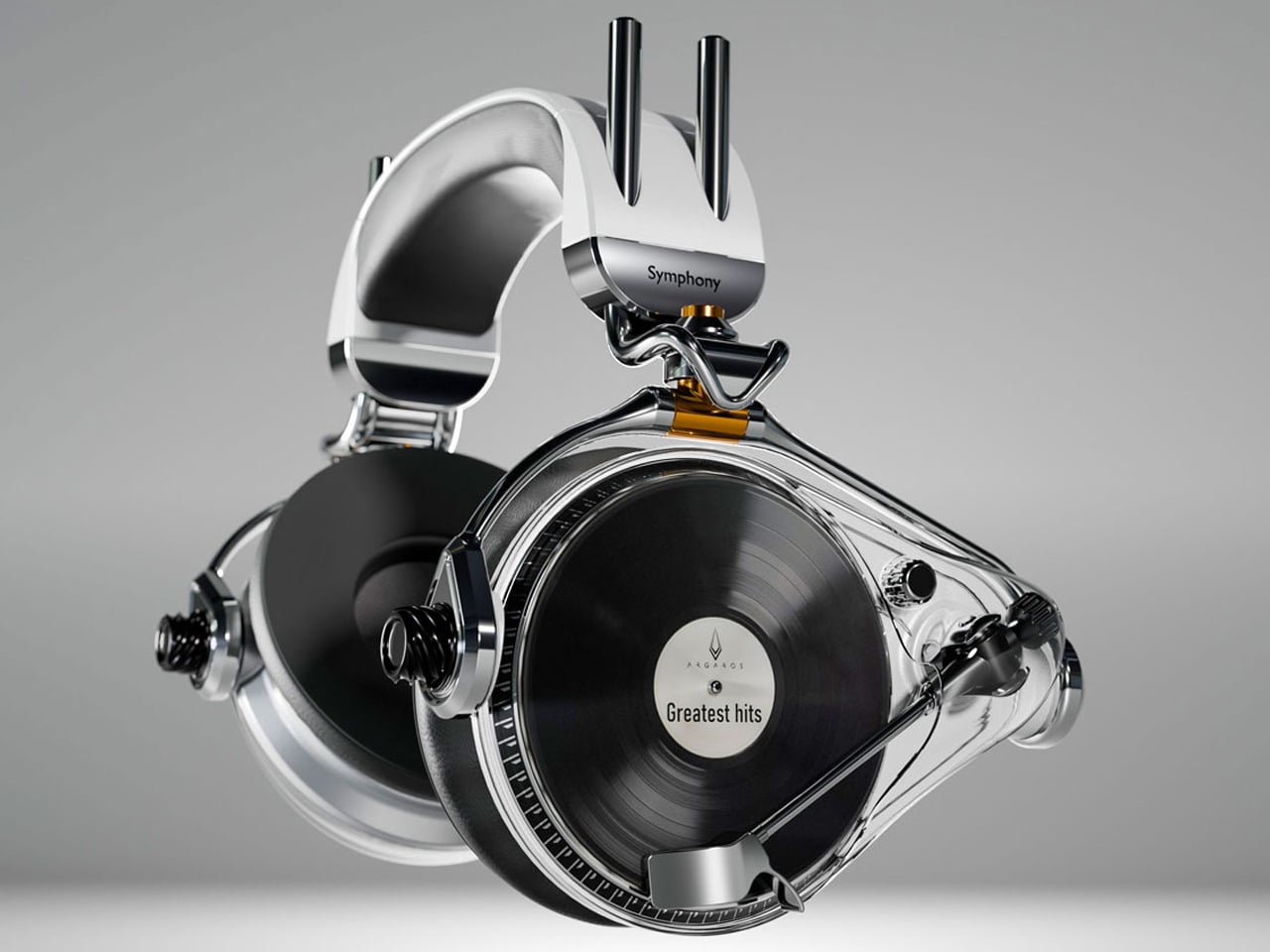
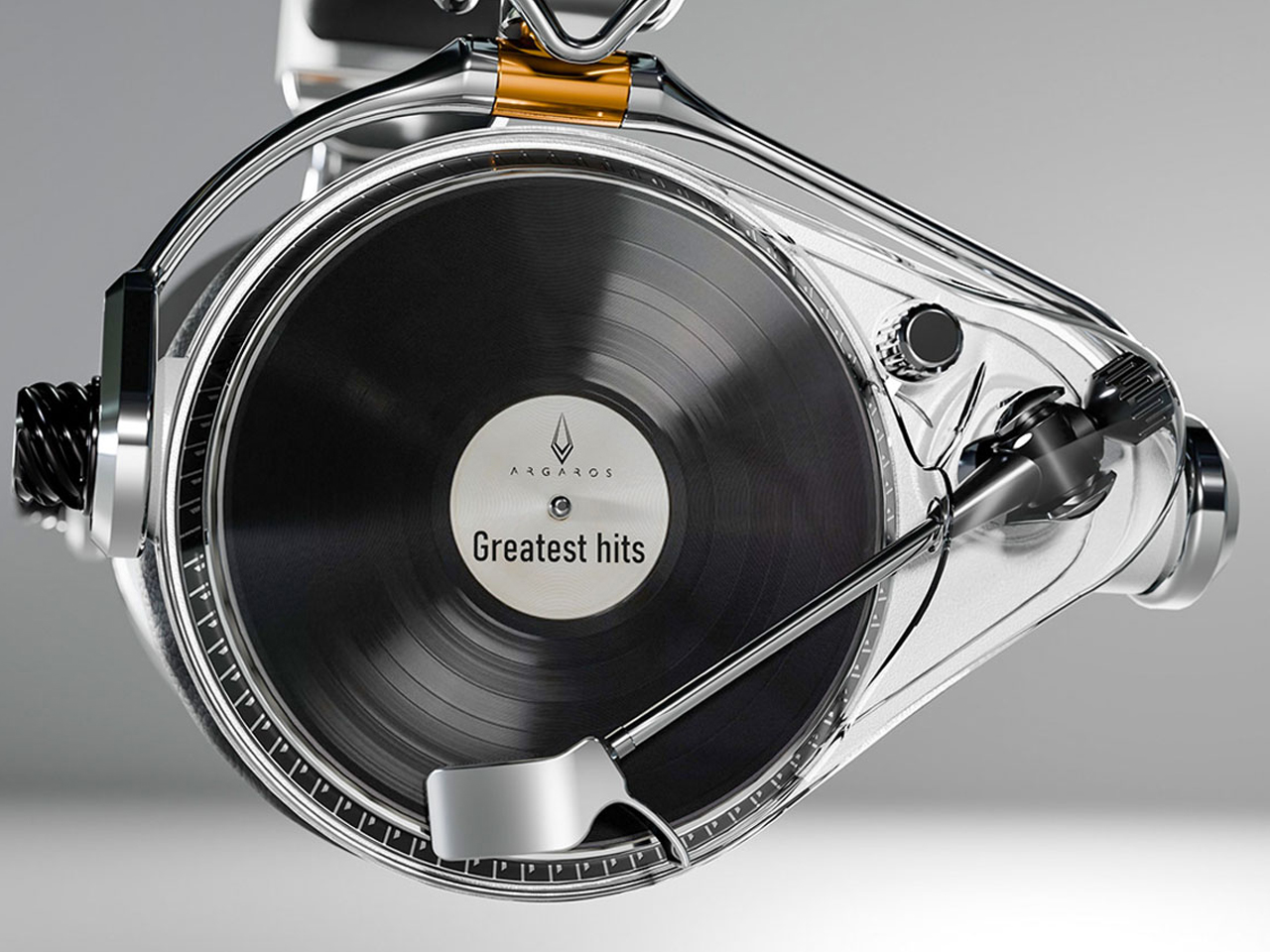
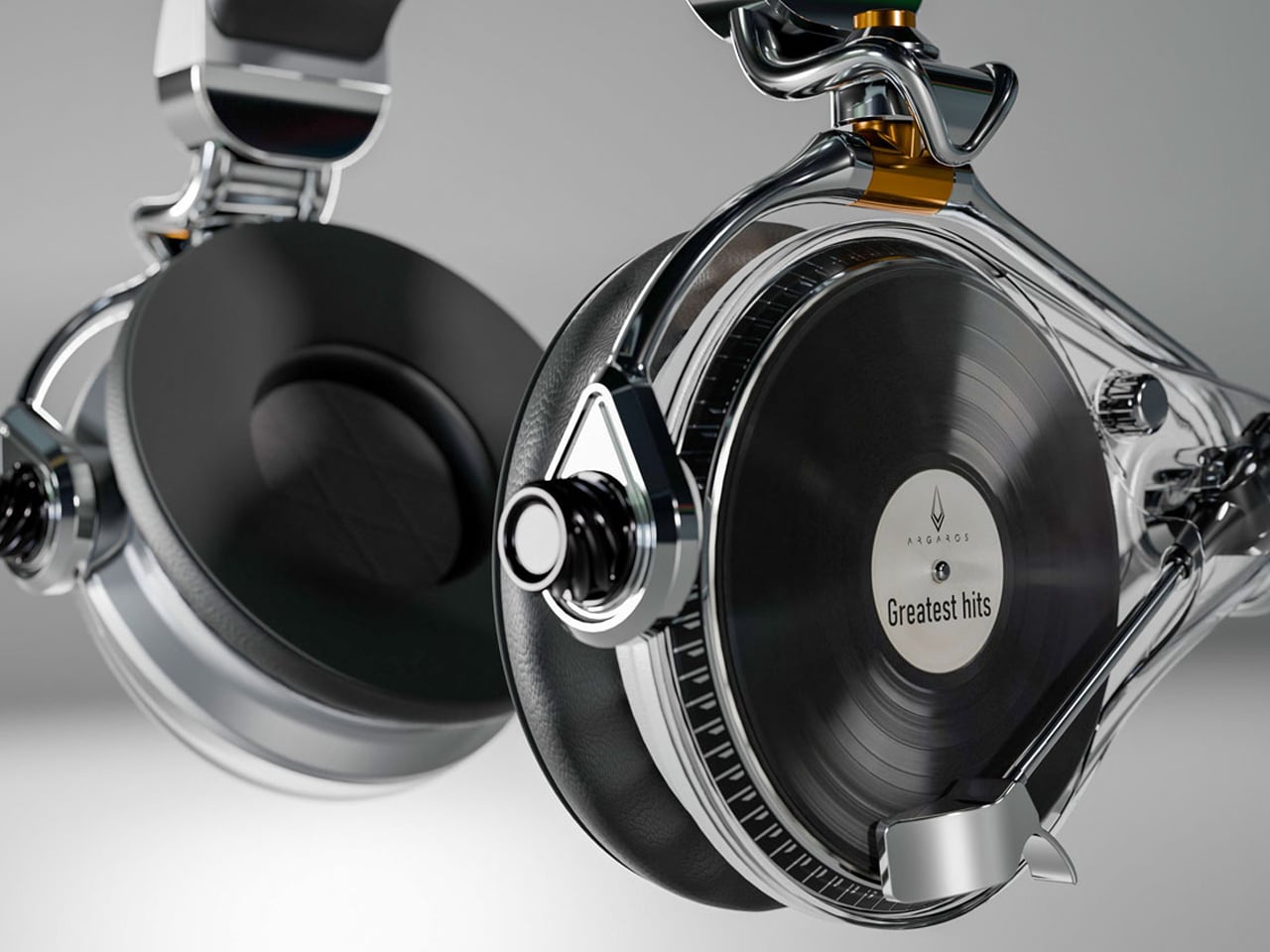
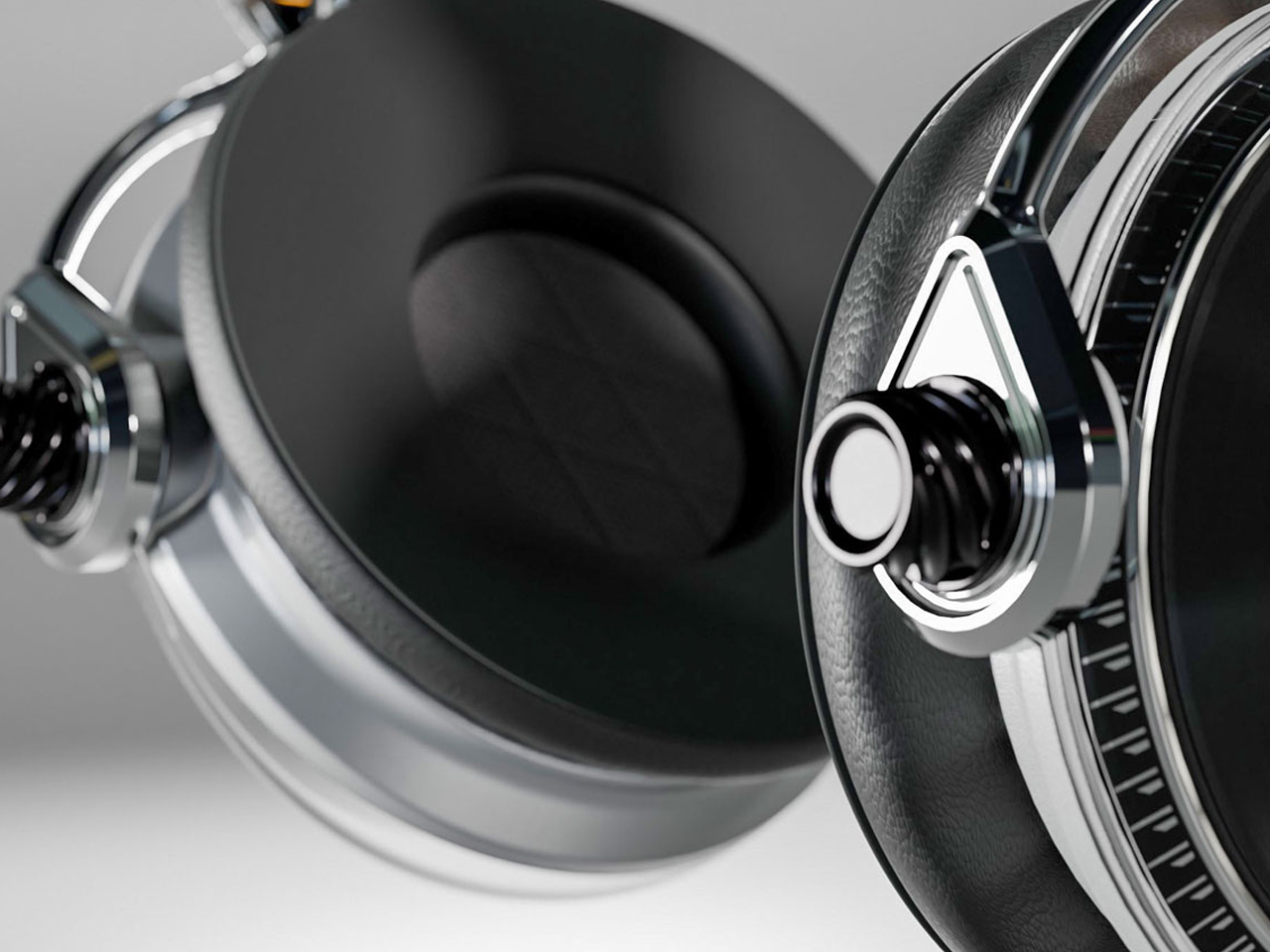
The Symphony headphones by Przemysław Wolnicki explore an intriguing meeting point between vinyl culture and contemporary personal audio. Instead of simply recreating the look of a record player, the concept translates its tactile interaction into a headphone interface. Each earcup features a miniature vinyl-inspired control surface that functions like a tiny turntable. Rotating the record allows listeners to seek forward or rewind, while the stylus controls track selection and playback. The interaction gives digital listening a physical dimension, creating a playful connection between nostalgic analog rituals and modern wireless audio.
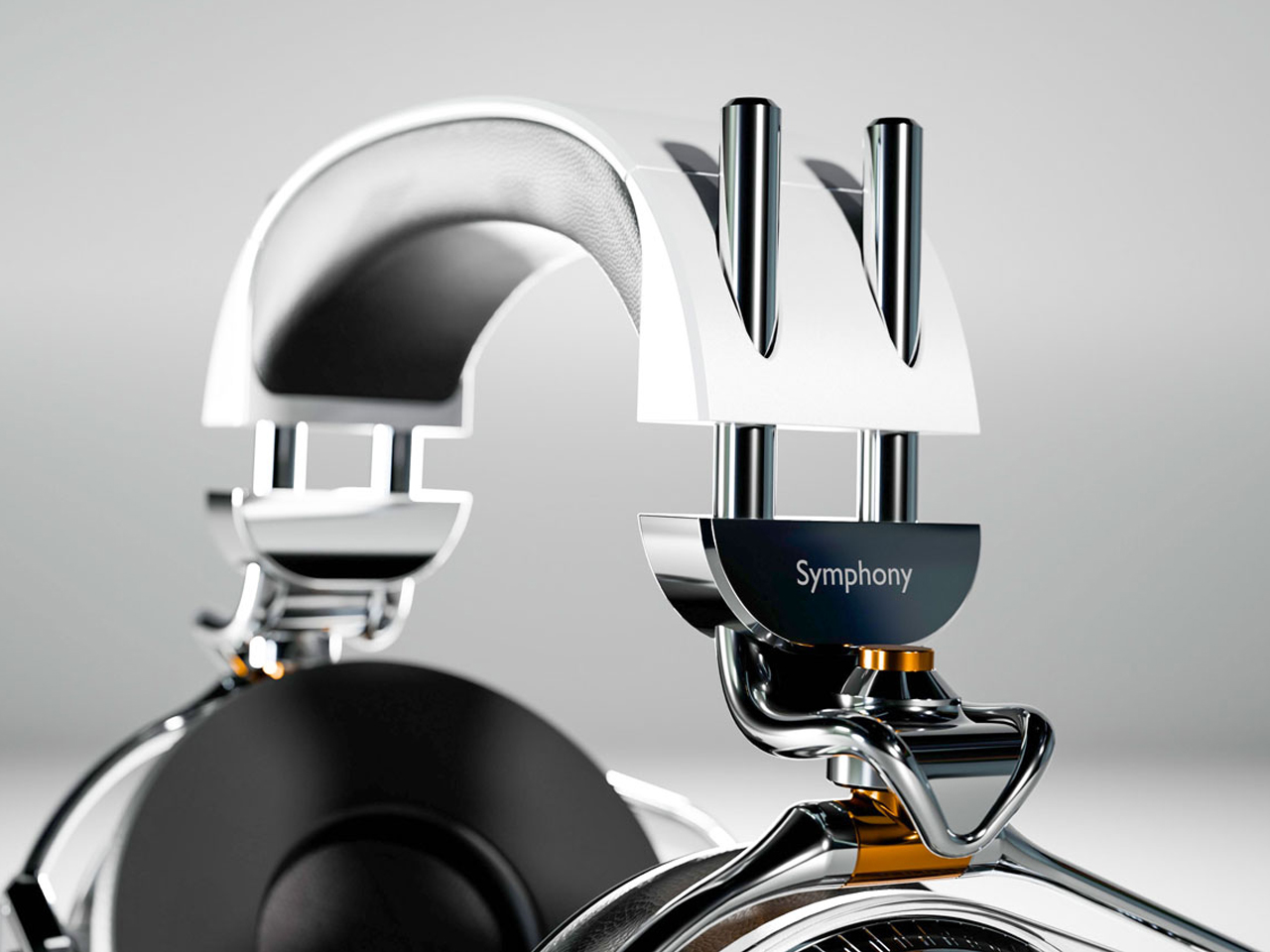
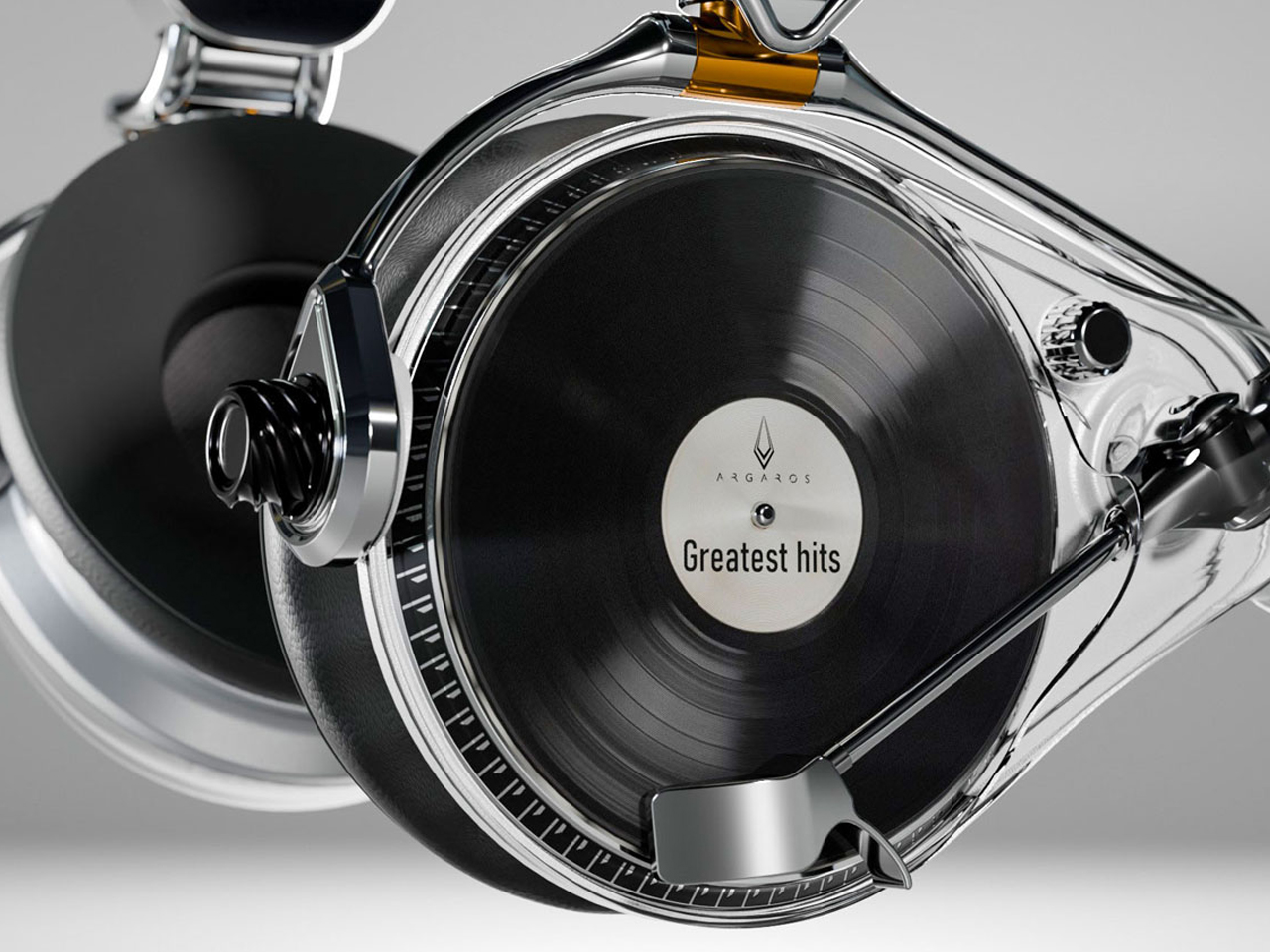
Visually, the Symphony headphones take a distinctly premium approach. Brushed stainless steel gives the concept an audiophile-inspired character, while elongated structural elements add a futuristic, almost automotive quality to the earcups. Transparent sections introduce another layer of visual intrigue, allowing parts of the mechanism to remain visible.

4. Album Art Enters Interiors

Vinyl’s physical scale gives album artwork a presence that digital platforms cannot easily reproduce. A record sleeve can be picked up, examined, framed, displayed, or arranged as part of a larger collection. Its typography, photography, illustration, and color palette can influence the character of an entire room.

Gen Z’s interest in personalized interiors has made this particularly relevant. Rather than following perfectly coordinated design schemes, younger homeowners and renters often use meaningful objects to create spaces that feel individual. A stack of favorite records or a carefully arranged shelf can reveal musical taste while adding visual interest. Music therefore becomes part of interior storytelling, with album artwork functioning almost like a rotating gallery.
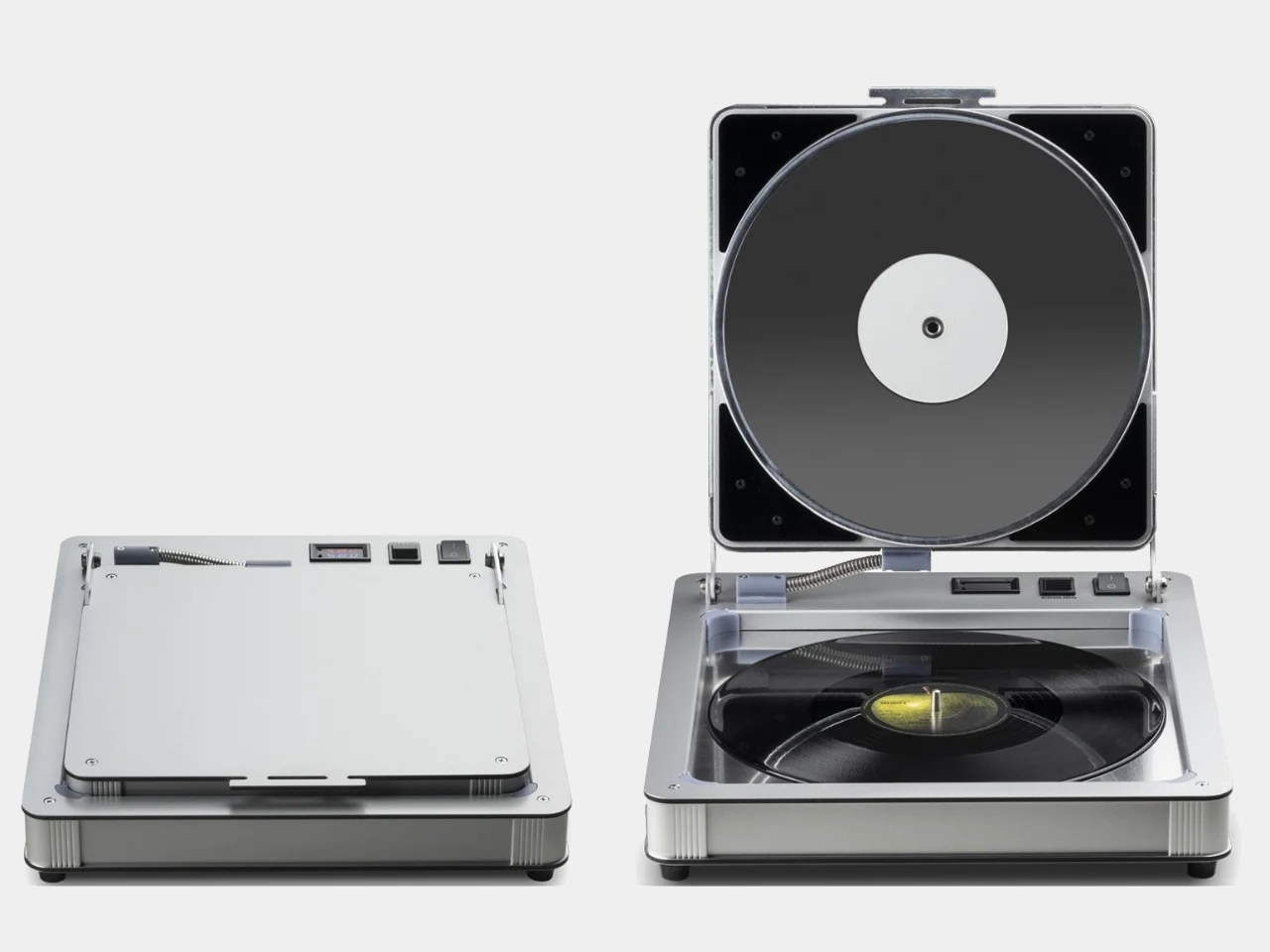
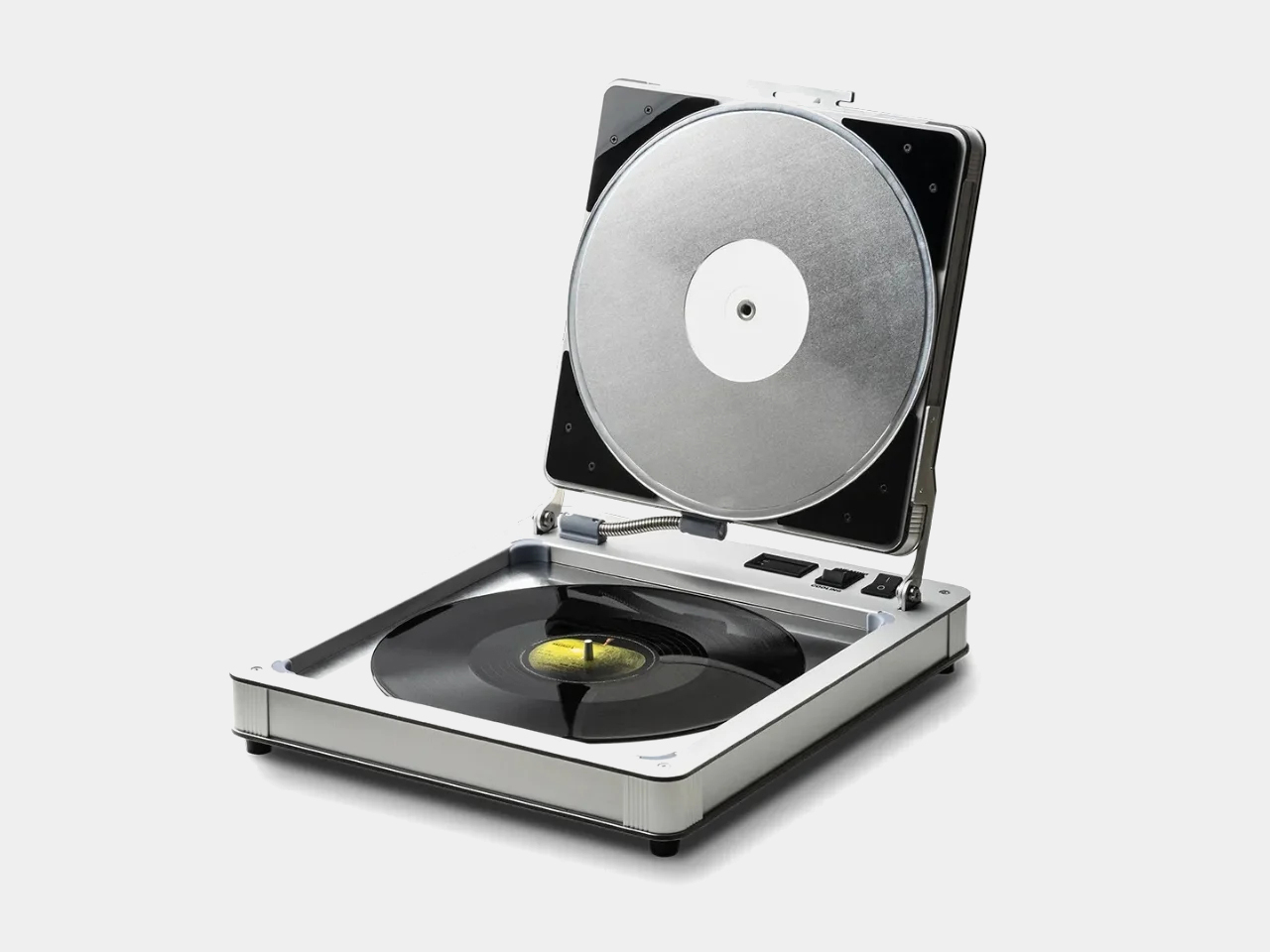
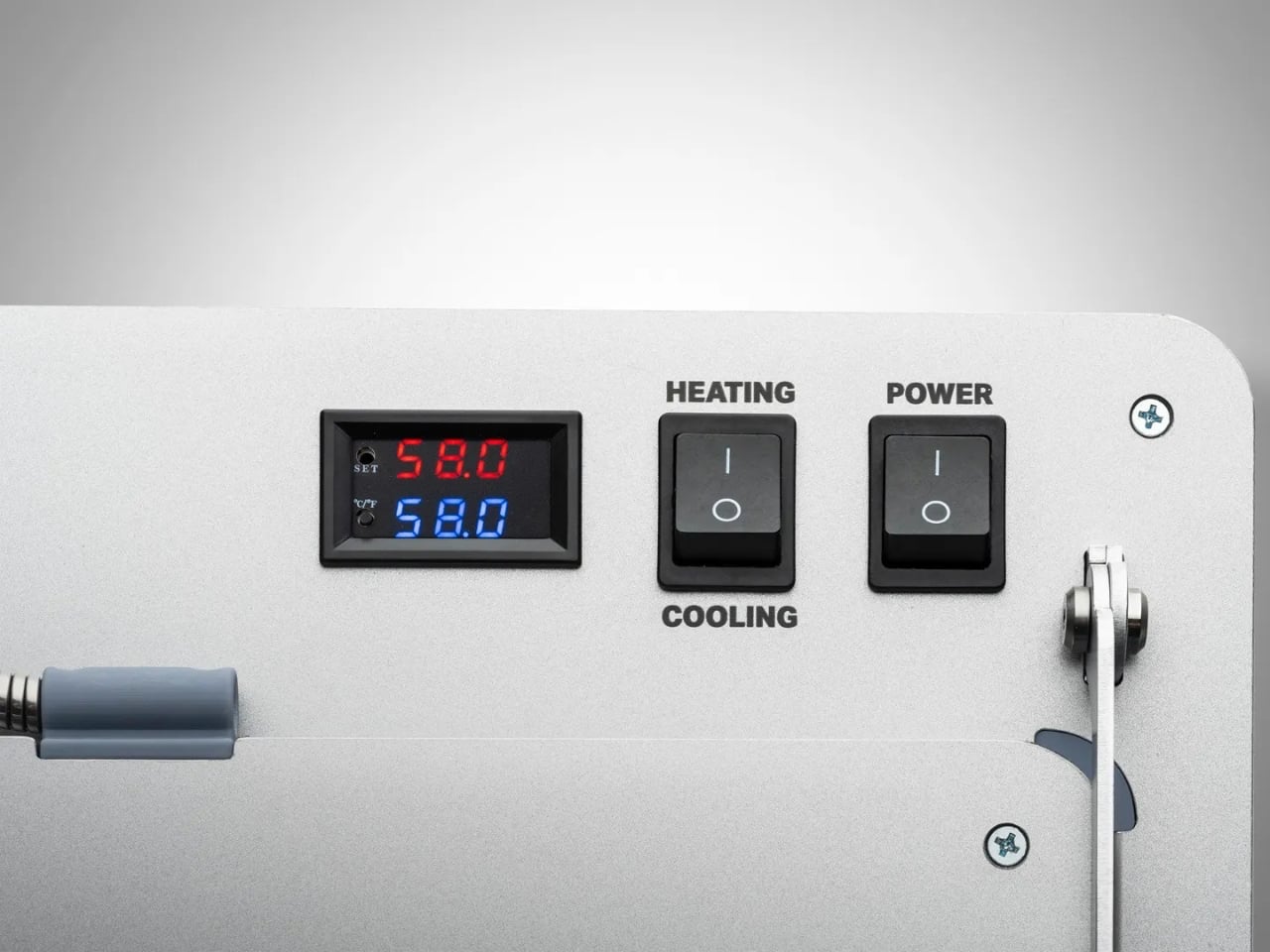
Building a vinyl collection comes with an important challenge: keeping records in excellent condition. Unlike digital music, physical records require careful storage and handling, with warping being one of the most common problems. Exposure to heat, pressure, or improper storage can distort a record’s shape, potentially causing skips, pops, and uneven playback. Pro-Ject’s Flatten it offers a dedicated solution for collectors who want to preserve their records or restore warped discs. Designed specifically for vinyl maintenance, the machine gently flattens damaged records while aiming to protect the delicate grooves responsible for their sound.
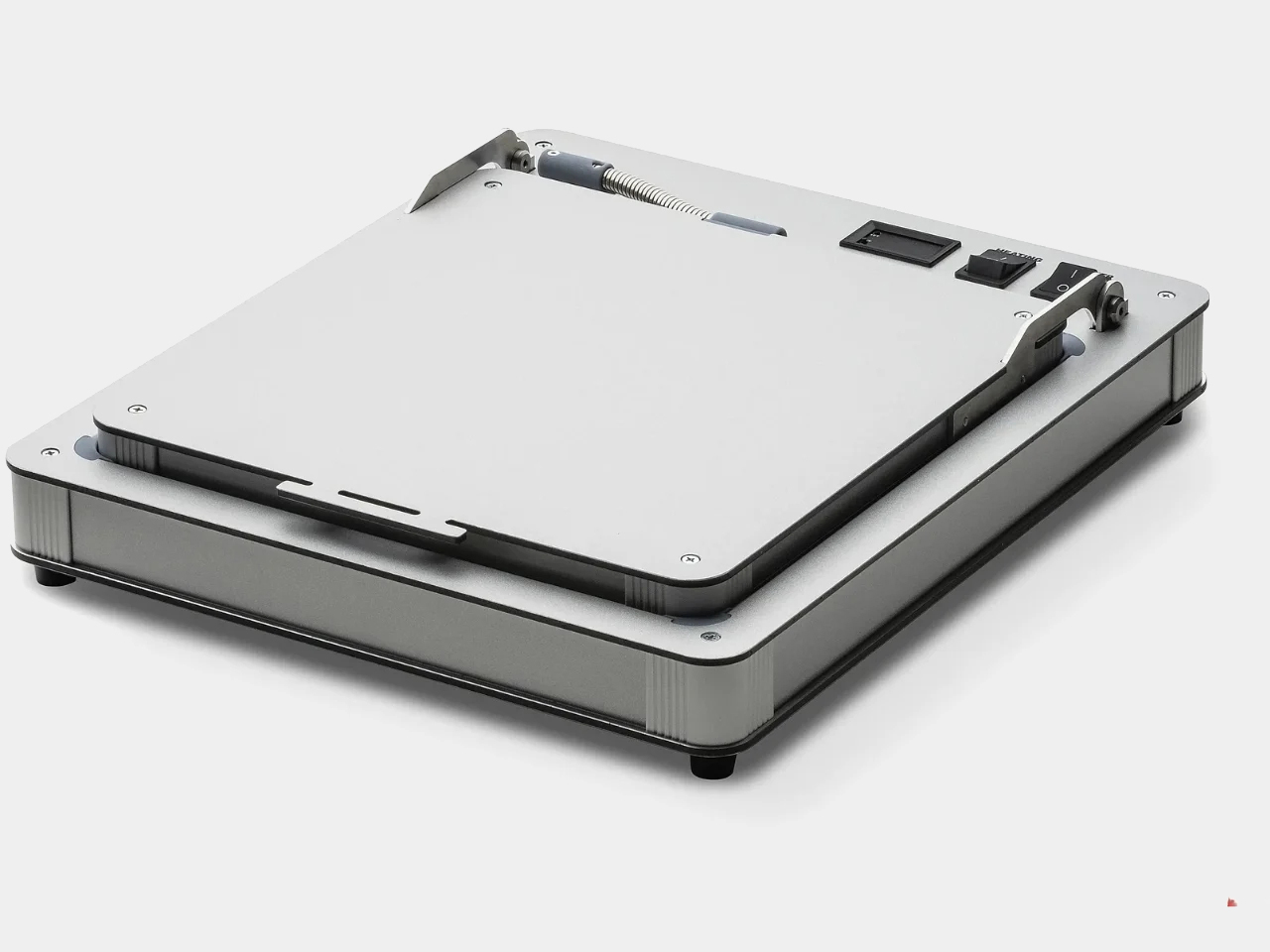
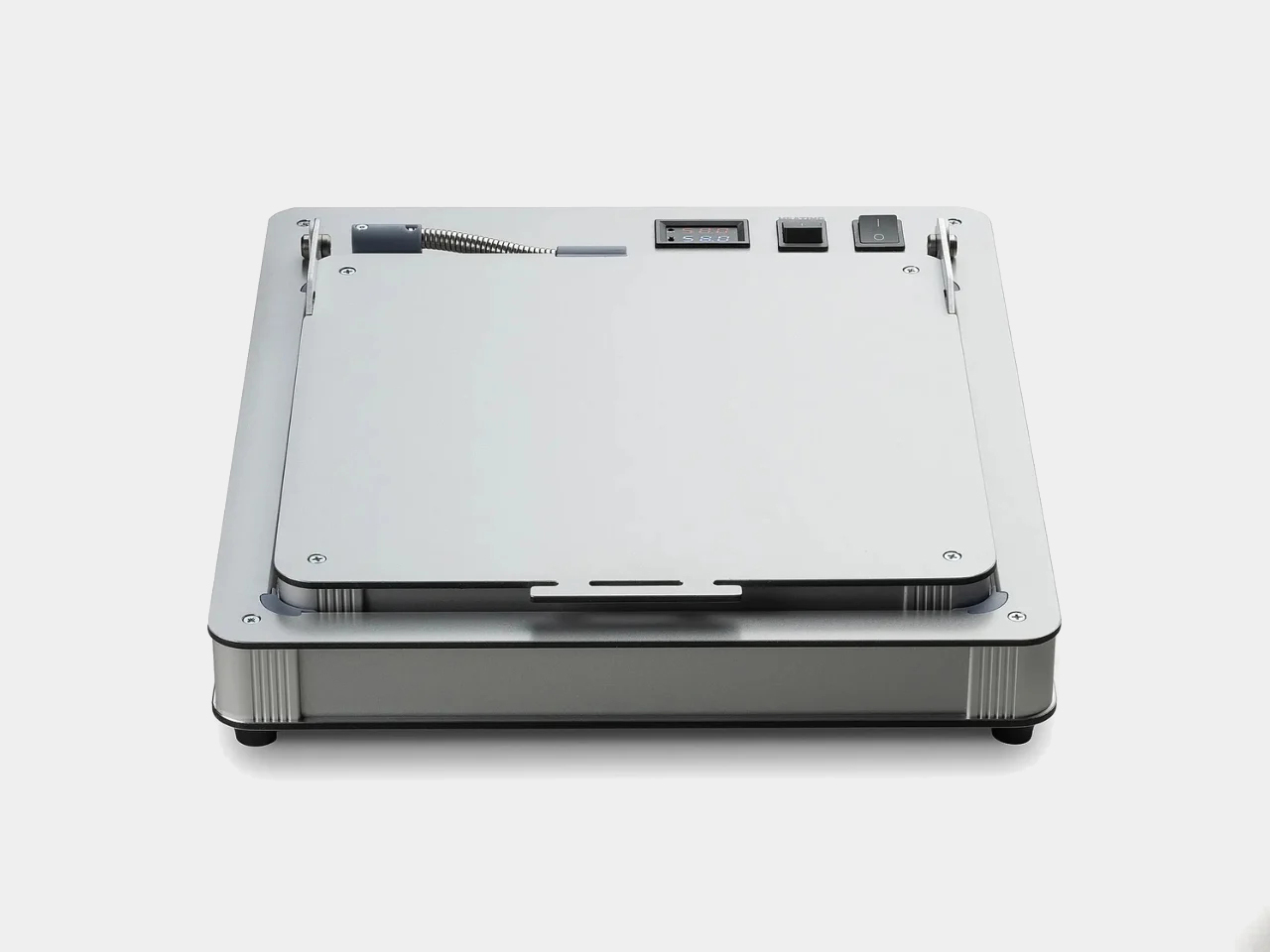
The Flatten it resembles a sophisticated record player, but instead of playing music, it uses heated aluminum plates to distribute warmth evenly across the record. Temperature controls allow users to adjust the process, while low temperature hysteresis helps maintain consistent conditions. Its solid aluminum construction gives the machine a premium, durable feel, while its straightforward operation makes it approachable even for first-time vinyl collectors.

5. A New Generation Collects

Gen Z is approaching collecting differently from previous generations. Owning vinyl does not necessarily mean building an exhaustive collection of an artist’s entire discography. Instead, younger collectors may choose albums because of their emotional significance, artwork, rarity, cultural relevance, or connection to a particular period of their lives.

Social media has further strengthened vinyl’s visual appeal. Record hauls, listening setups, shelves, packaging details, and limited-edition pressings naturally become content for visually driven platforms. Yet the appeal goes deeper than aesthetics. In an economy built around subscriptions and temporary digital access, owning a physical album offers a sense of permanence. Vinyl gives listeners something they can hold, display, revisit, and pass on.
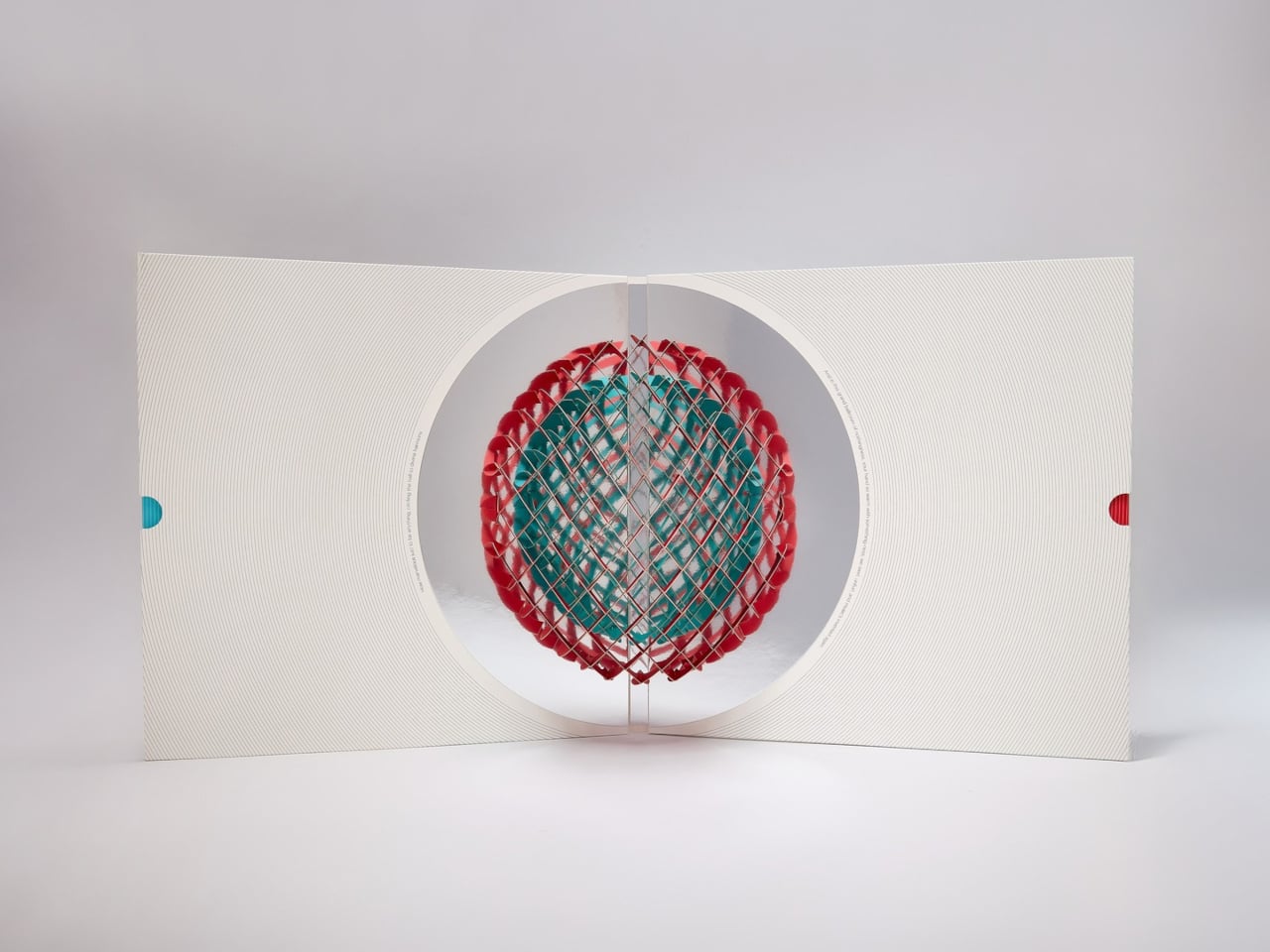
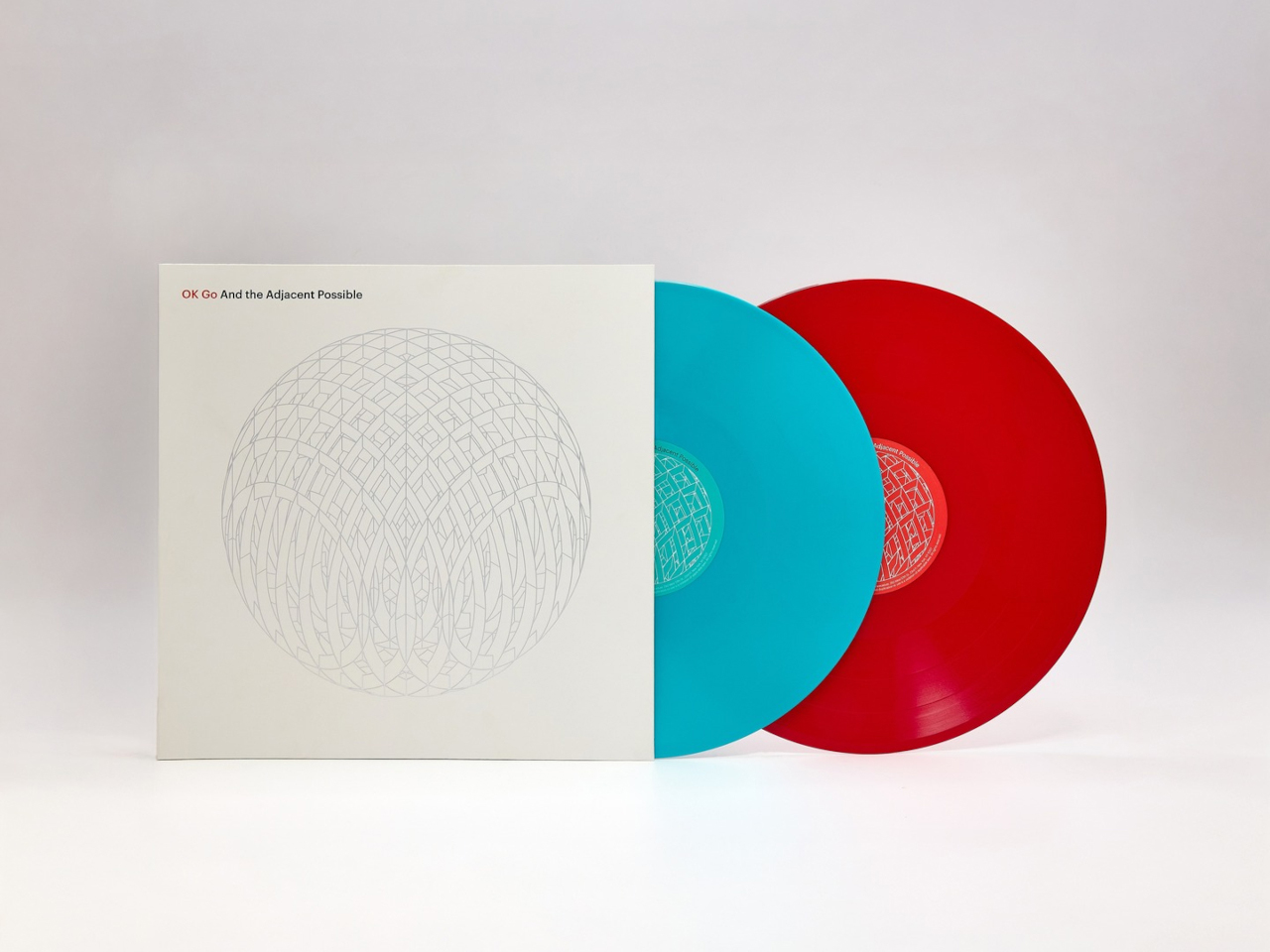
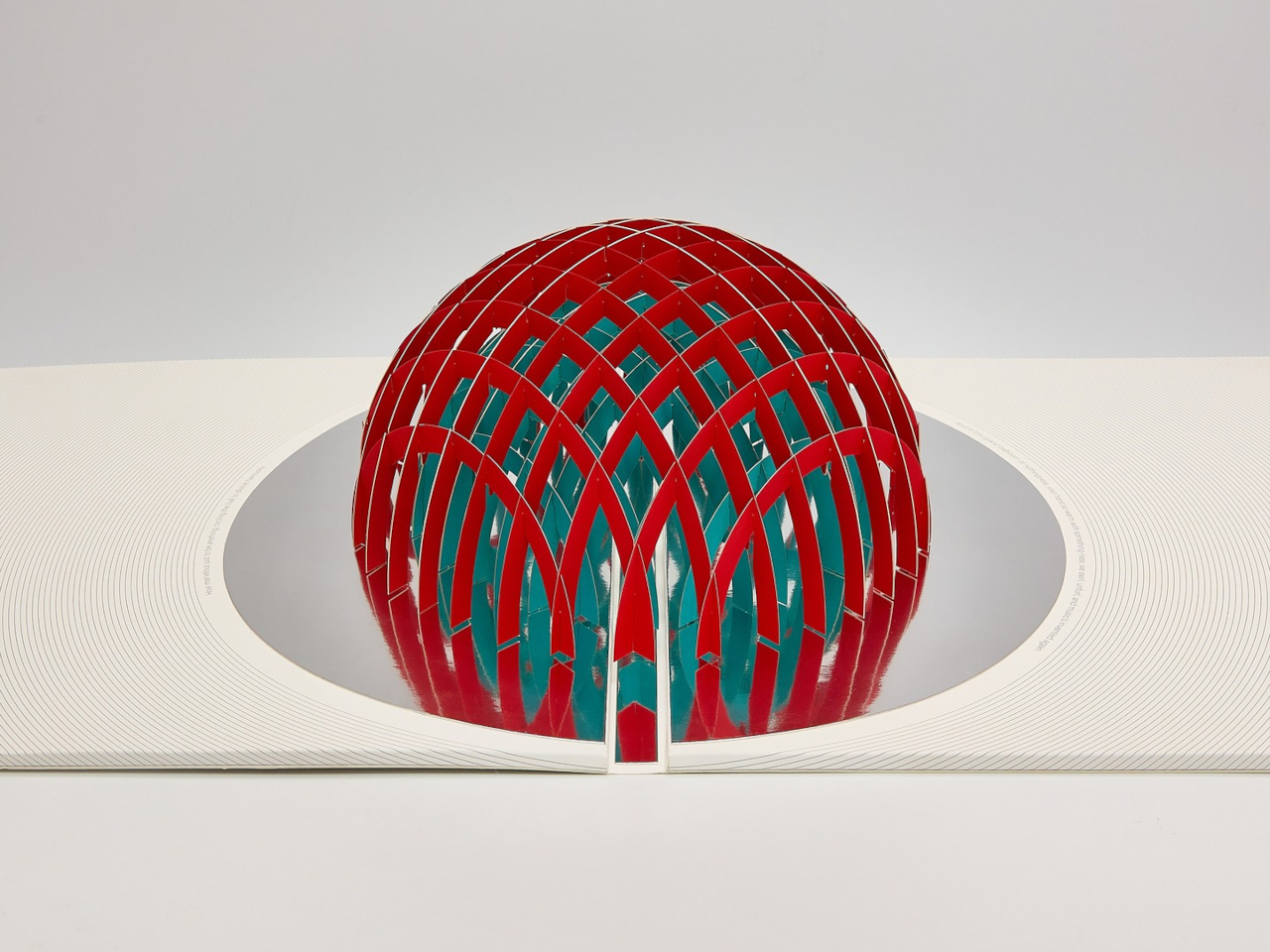
Album artwork has long played an important role in shaping how music is experienced, turning records into visual as well as auditory objects. As streaming has reduced album covers to small digital thumbnails, vinyl has restored the opportunity to create tangible, immersive packaging. OK Go embraces that potential with its album And the Adjacent Possible, featuring an inventive vinyl jacket designed by Yuri Suzuki and Claudio Ripol. The gatefold cover transforms the familiar act of opening a record into an interactive visual experience, extending the album’s creative identity beyond the music itself.
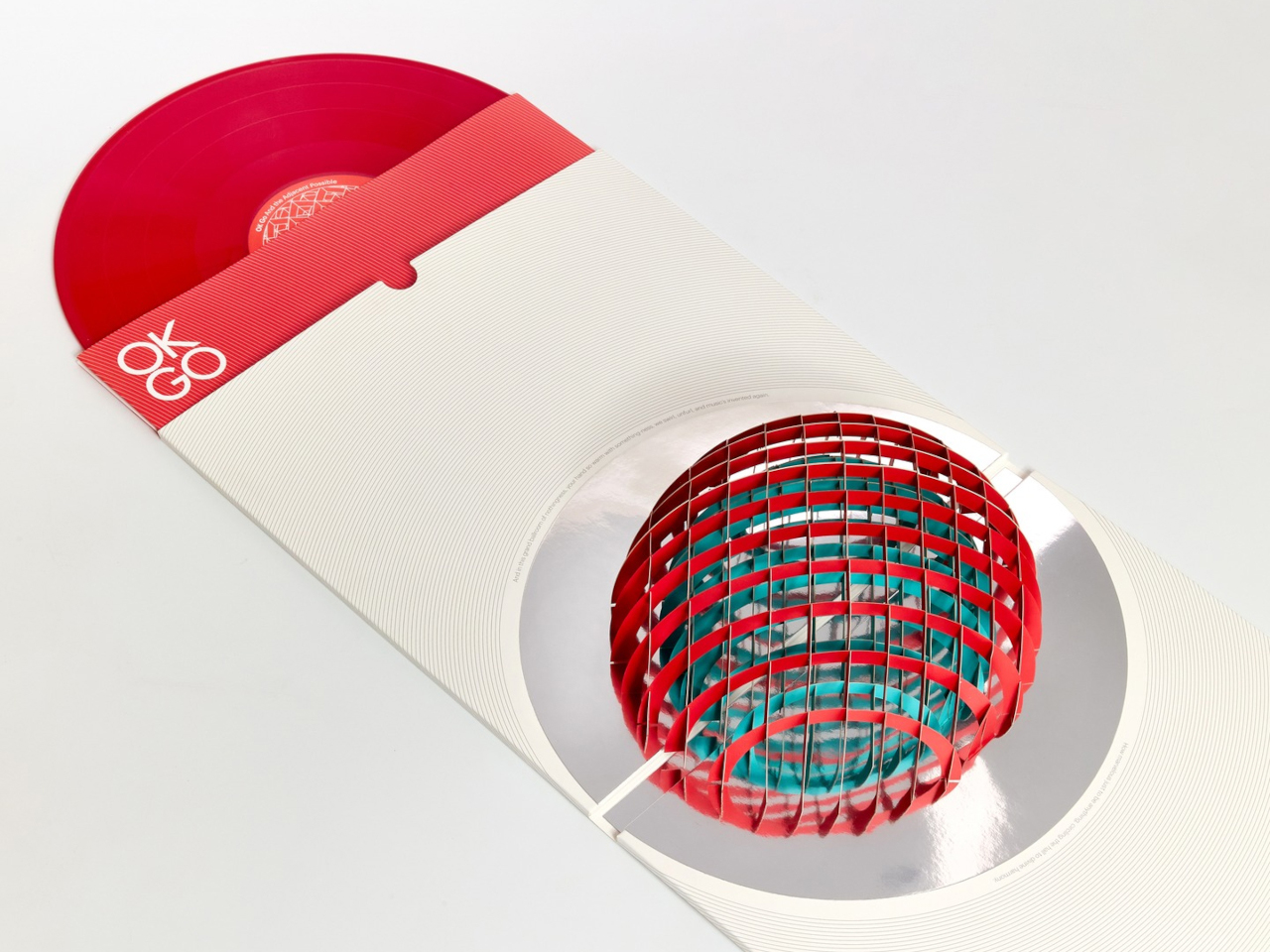
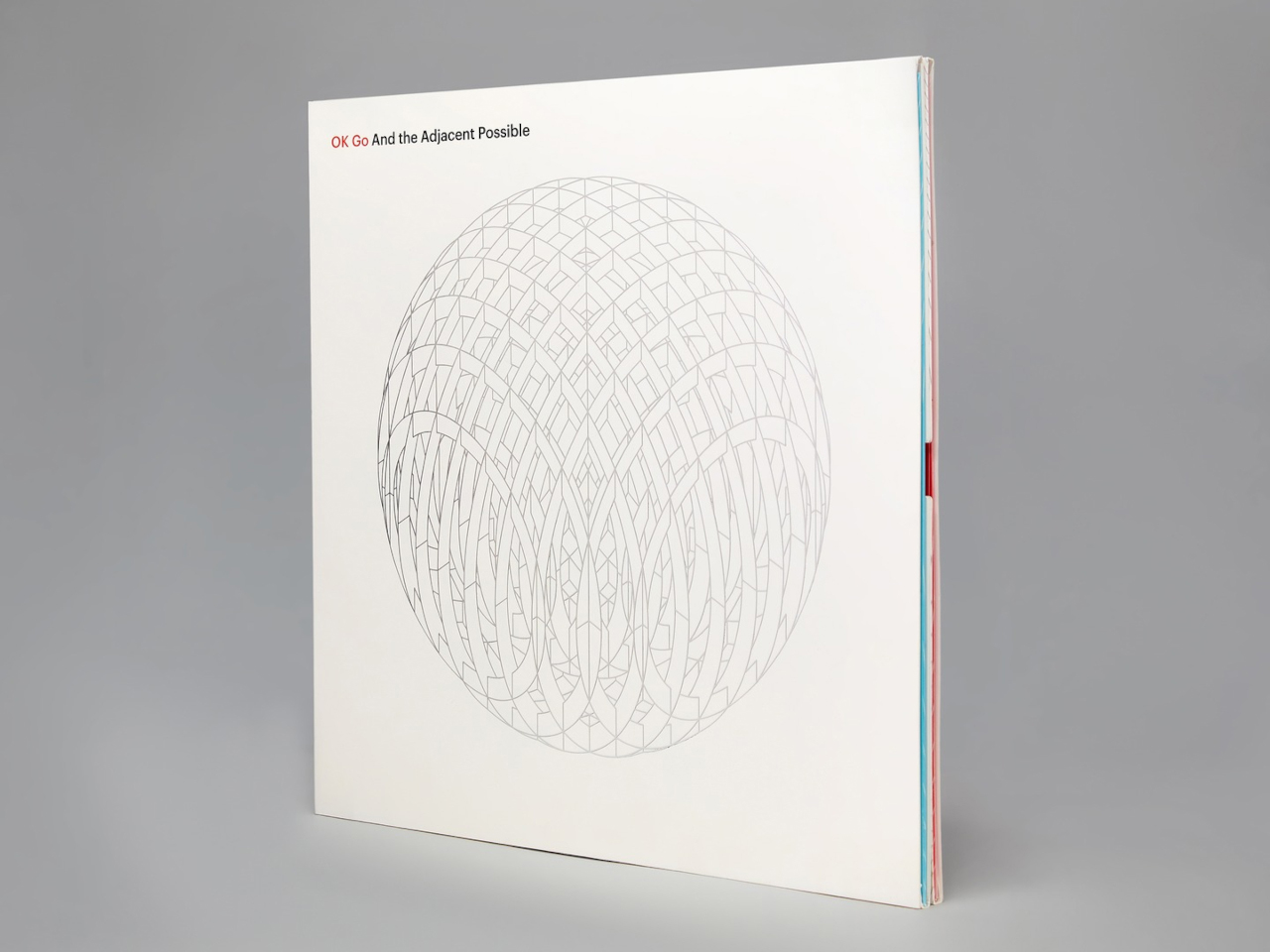
Opening the jacket reveals a three-dimensional pop-up structure featuring geometric red and green domes that rise from the surface. A reflective element beneath them creates an optical illusion, making the partial forms appear like complete spheres. The playful construction recalls the wonder of a pop-up book while maintaining a sophisticated aesthetic. Its precise folds, geometric forms, and restrained palette turn the record sleeve into a sculptural object that connects music, packaging, and interactive design.

Vinyl’s revival reflects a growing desire for tactile, intentional experiences in a digital world. Gen Z is not simply bringing records back; it is redesigning the entire experience around listening, collecting, interiors, and personal expression.

The post 5 Designs That Prove Vinyl’s Comeback Was Never Just About the Music first appeared on Yanko Design.

  •  
❌