❌

Vue lecture

Poco F9 Ultra Review: Great Sound, Grown-Up Design
PROS:


  • Bose-tuned speaker remains a genuine standout

  • big , bright 185Hz display

  • Huge 8,050mAh battery

  • Great performance

CONS:


  • Relatively large and heavy body will not suit everyone

  • Ultrawide still does not feel especially wide

RATINGS:

AESTHETICS
ERGONOMICS
PERFORMANCE
SUSTAINABILITY / REPAIRABILITY
VALUE FOR MONEY

EDITOR'S QUOTE:

The F9 Ultra feels like Poco growing into its strengths, with Bose-tuned sound still leading the experience.

The Poco F8 Ultra felt like a turning point for Poco. Up to that point, the brand had always been easy to understand. You bought a Poco for speed, sharp pricing, and a bit of swagger. The F8 series added something new to that formula with Bose-tuned speakers, and that changed the feel of the phone in a way a faster chip or brighter screen usually does not.

It was not just about volume or clarity. The whole device felt more built around entertainment. Games had more punch, films had more room to breathe, and even everyday audio felt less like an afterthought. The denim-inspired rear panel helped give the F8 Ultra a bit of tactile identity too, even if the finish was more denim-adjacent than truly fabric-like, but the thing that stayed with you was the sound.

Designer: POCO

The Poco F9 Ultra takes that idea and pushes it further. Rather than treating the Bose-tuned system as a one-off flourish, Poco seems to be building on it with more confidence this time, wrapping that sound-first approach in a package that feels bigger, more polished, and more ambitious. If the F8 Ultra introduced a new side of Poco, the F9 Ultra feels like the phone that tries to make it stick.

Aesthetics

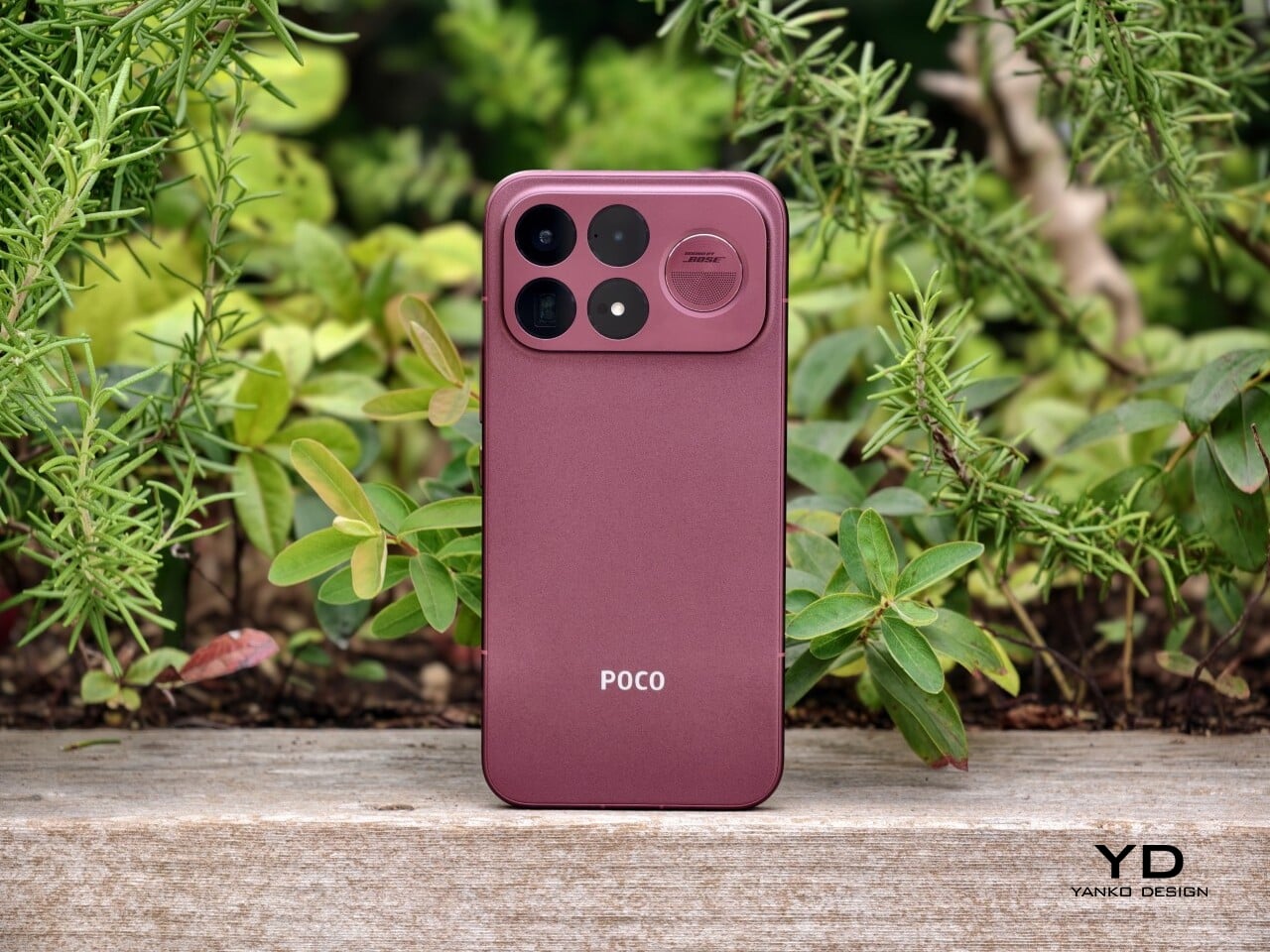
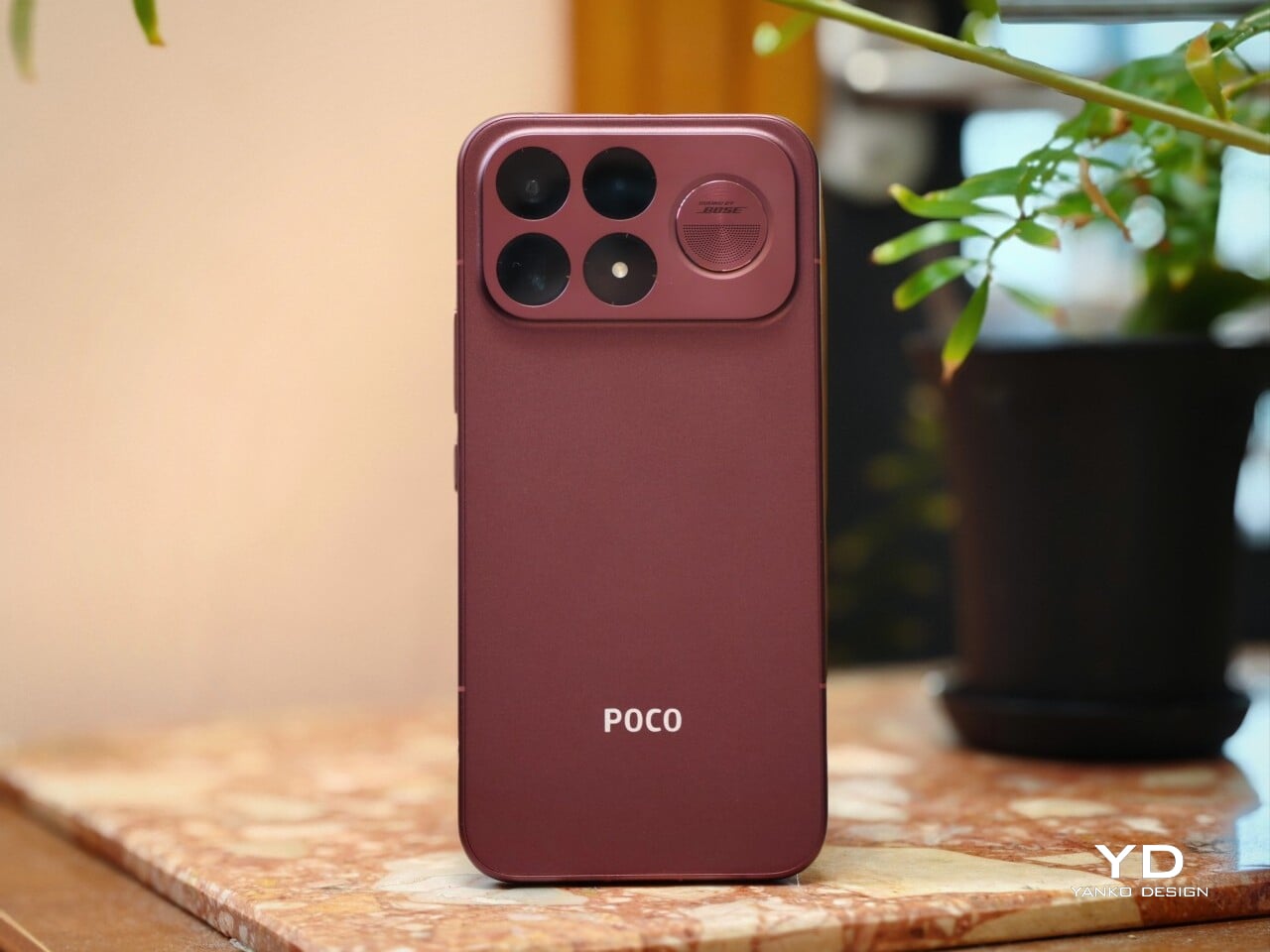
If the Poco F8 Ultra leaned young and fashionable, the Poco F9 Ultra leans sophisticated. It keeps the brand’s taste for visual confidence, but expresses it in a more restrained way, swapping tactile playfulness for cleaner lines, flatter surfaces, and a more polished sense of control.

That shift is obvious the moment you look at the back. The denim-inspired treatment from the F8 Ultra is gone, replaced by a finish that feels more metallic and more architectural. The overall silhouette is simpler, but it does not come across as plain. Instead, it feels like Poco has traded novelty for composure, letting shape and proportion do more of the work.
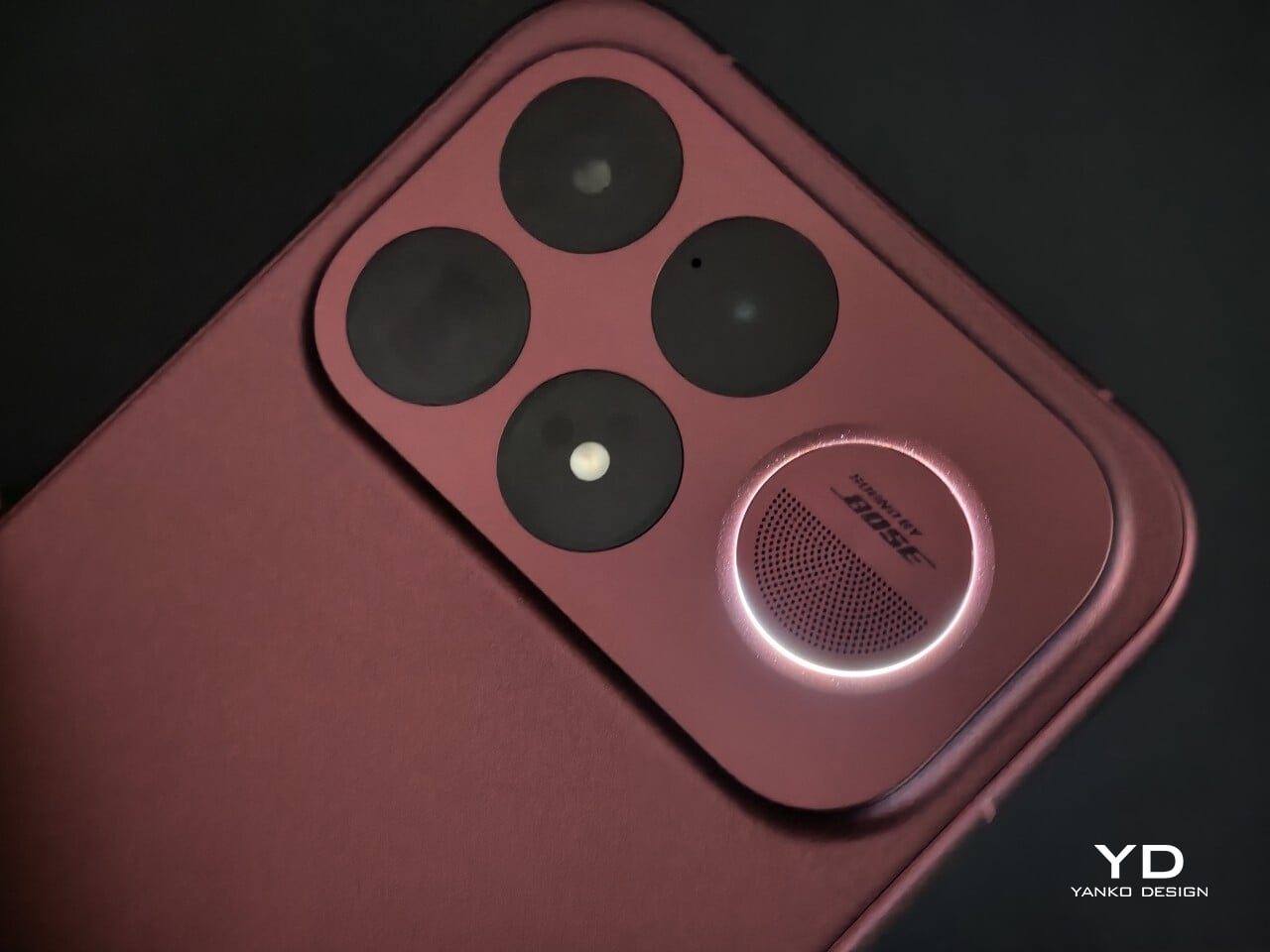
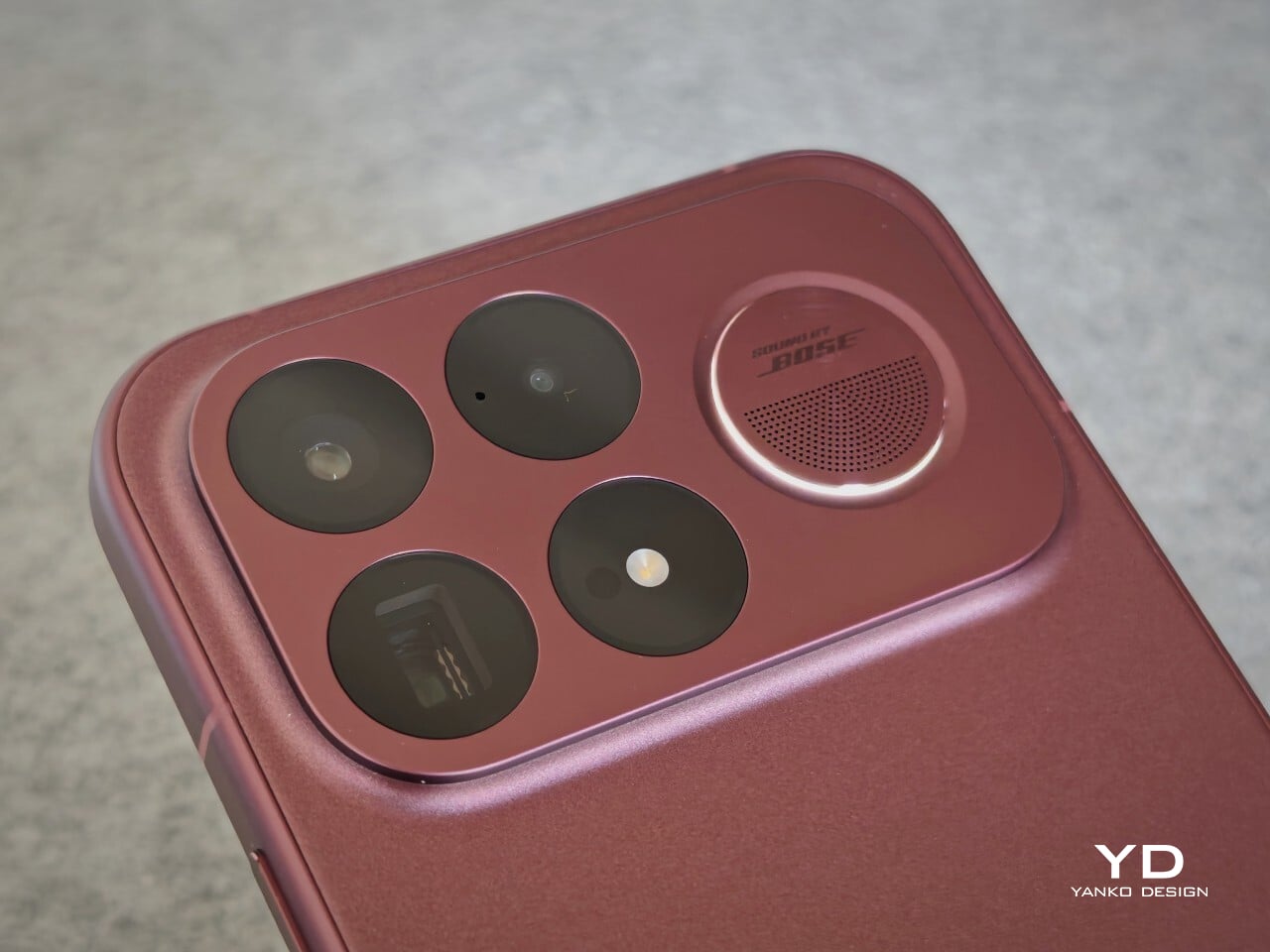
The camera island design remains largely the same as its predecessor, but it feels more resolved here. A large rectangular module sits across the top portion of the phone, housing three cameras and an LED flash in a neat 2 by 2 arrangement, with the speaker grille set off to the right. It is still a bold layout, but one that now feels less experimental and more like a defining part of the phone’s identity.

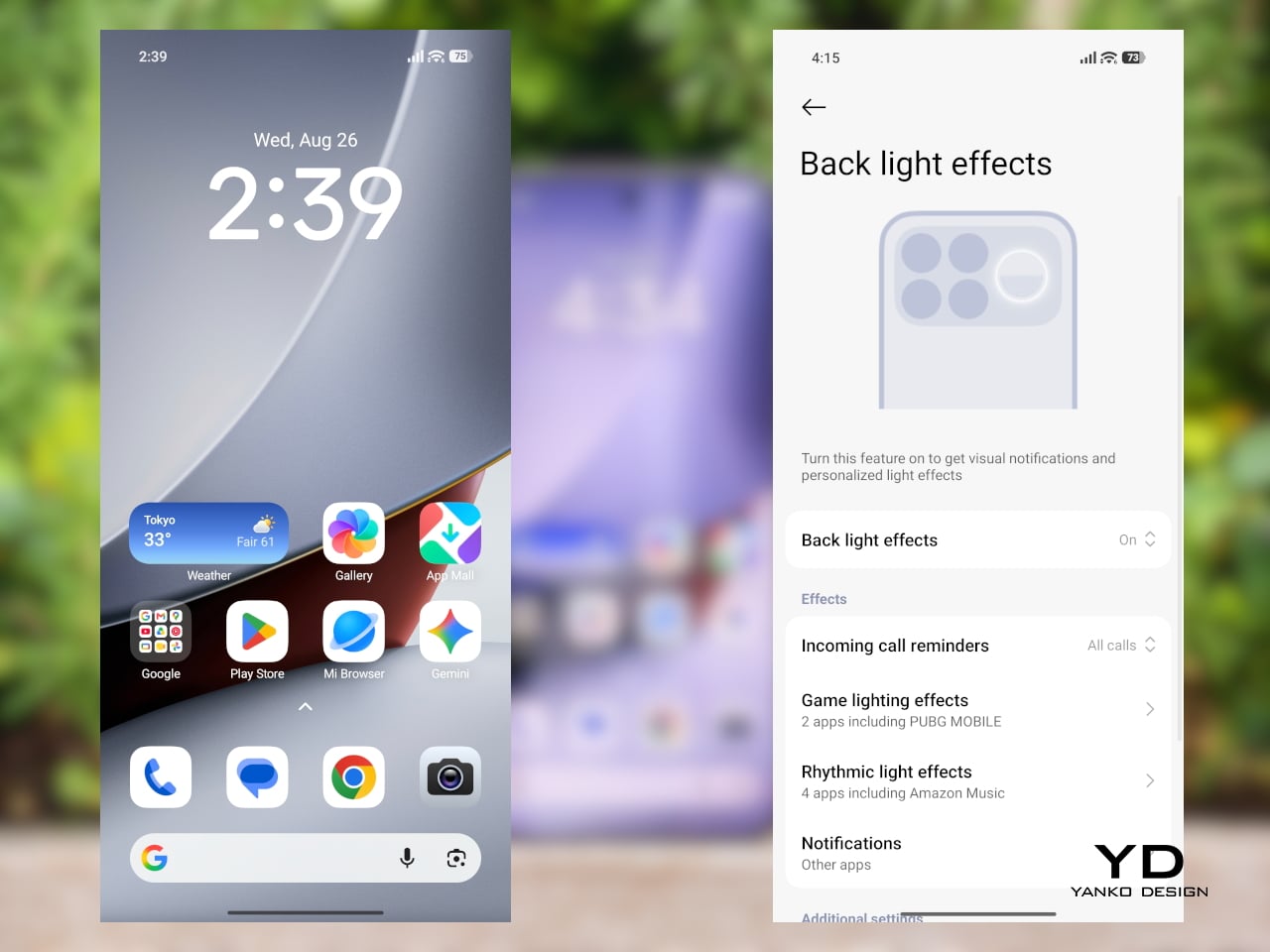
New to the F9 Ultra is a dynamic light ring built around the speaker grille. It supports personalized visual effects for incoming calls, games, and music. The effect itself appears to be fairly simple, closer to a clean white LED accent than anything overly flashy, but that may be exactly the point. It feels like Poco’s way of keeping a hint of gaming-phone energy alive without letting it overwhelm the more sophisticated direction of the design.
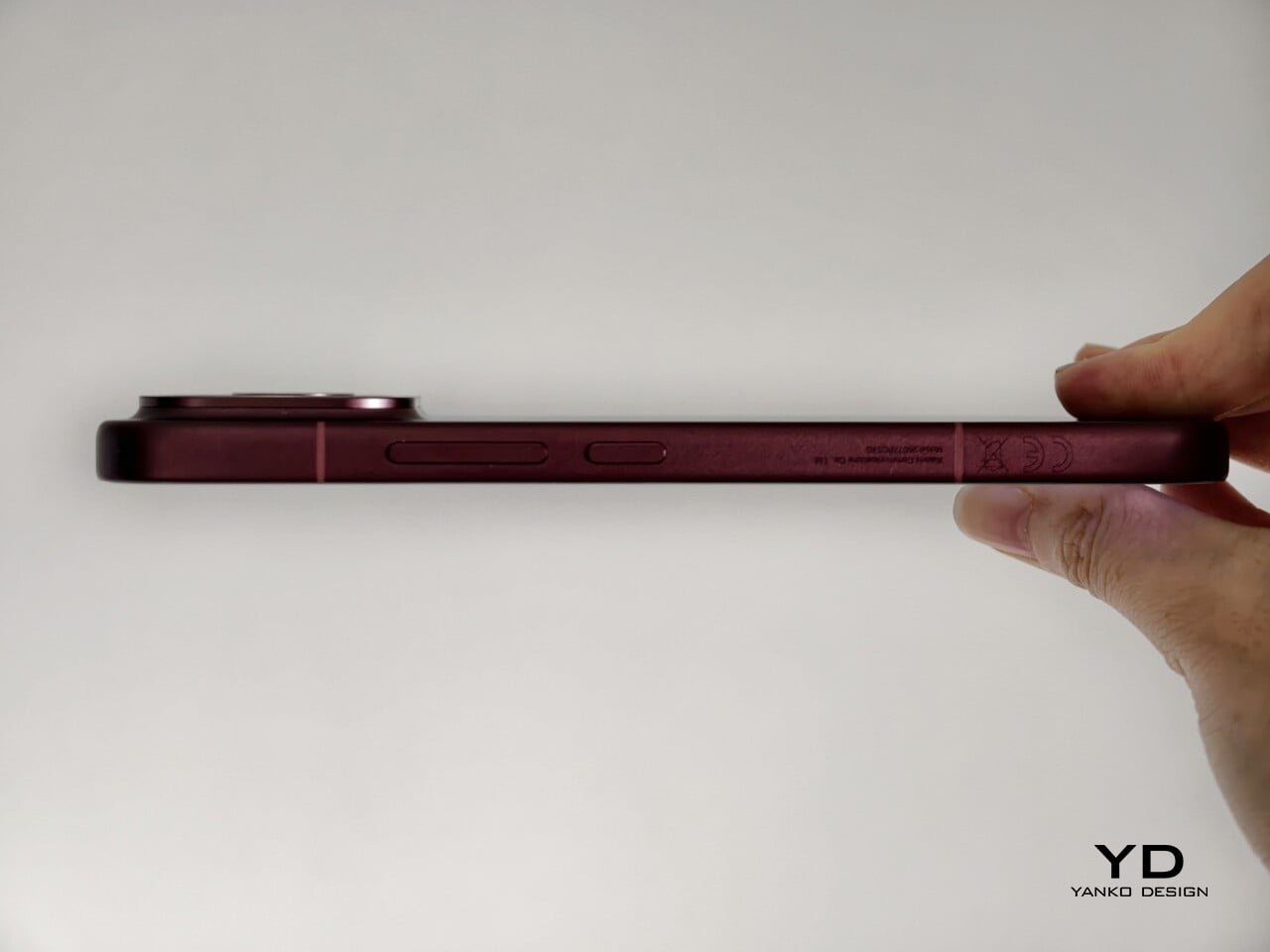
The two colors also tell slightly different stories. The Dark Cherry finish is the more expressive option, bringing warmth and a bit of drama without tipping into flashiness. The Black version feels more understated and technical, especially with the red side-button accent adding a small but effective point of contrast. Both work, but they speak to different moods. One is richer and more characterful, while the other is cooler and more controlled.

Ergonomics

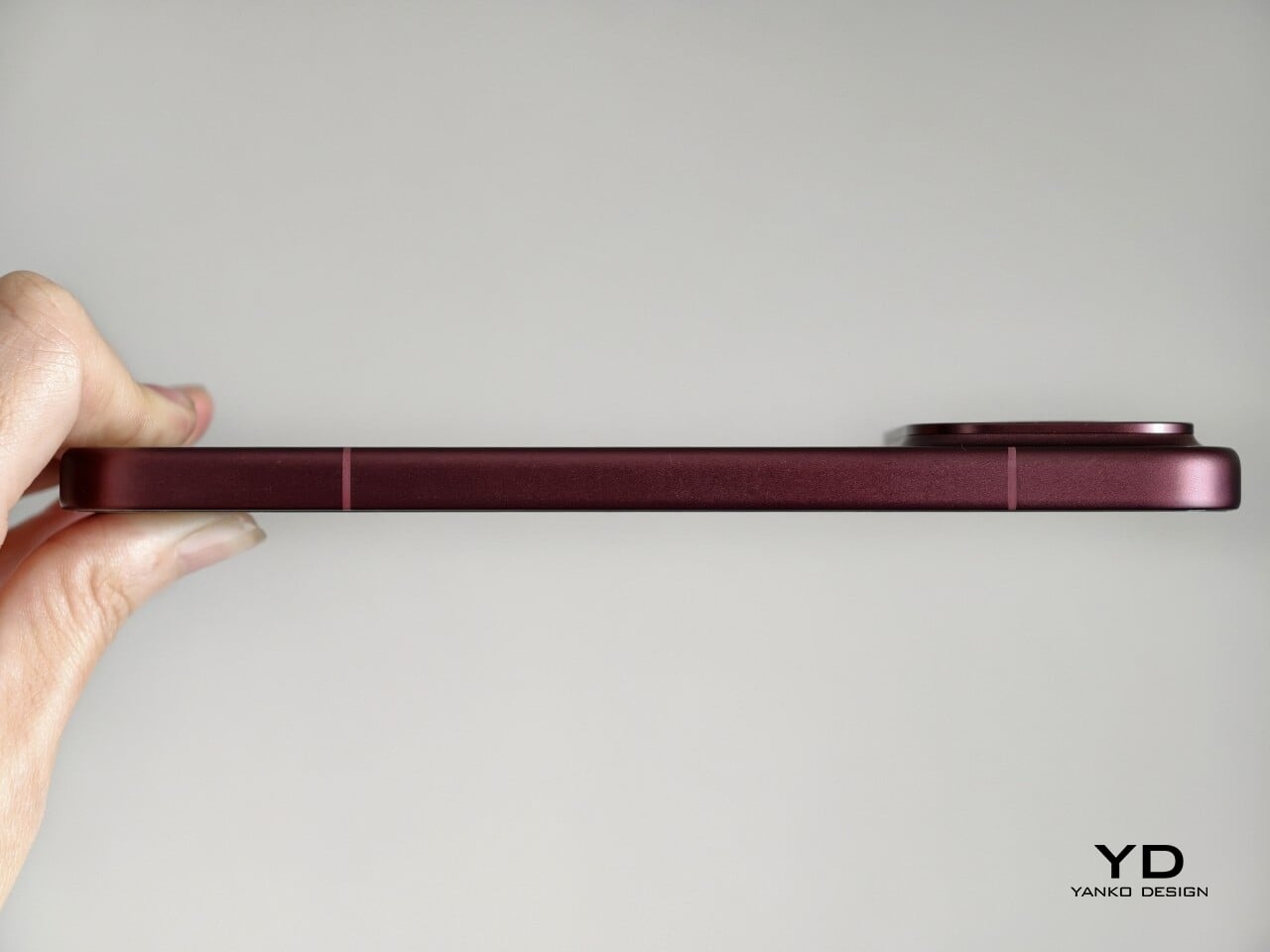
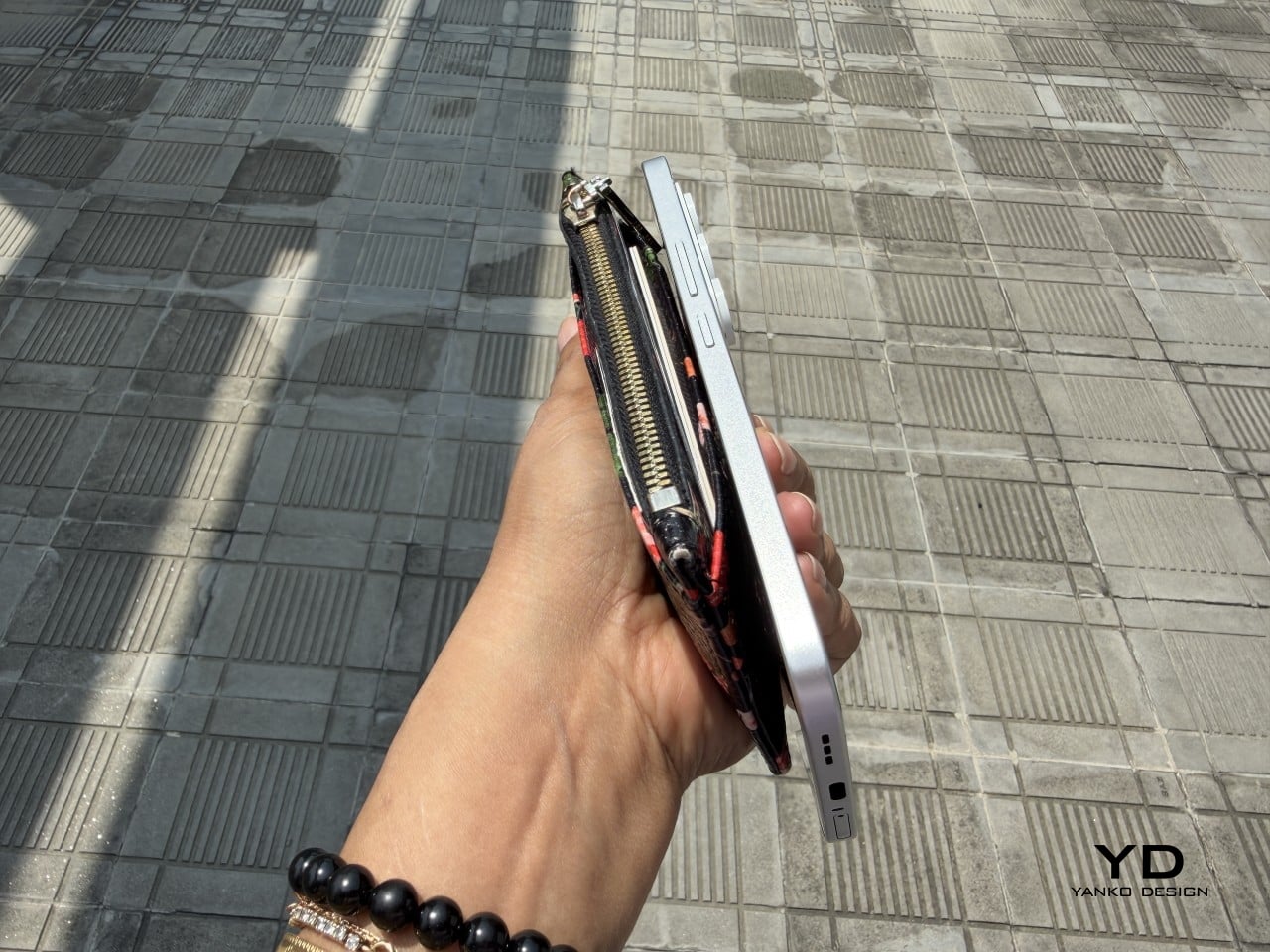
That more sophisticated look does come with a more substantial physical presence. At 235g, the Poco F9 Ultra is about 15g heavier than the F8 Ultra, and you feel that extra weight immediately. It sits firmly on the heavier side, especially in one-handed use, where its size and mass are hard to ignore.
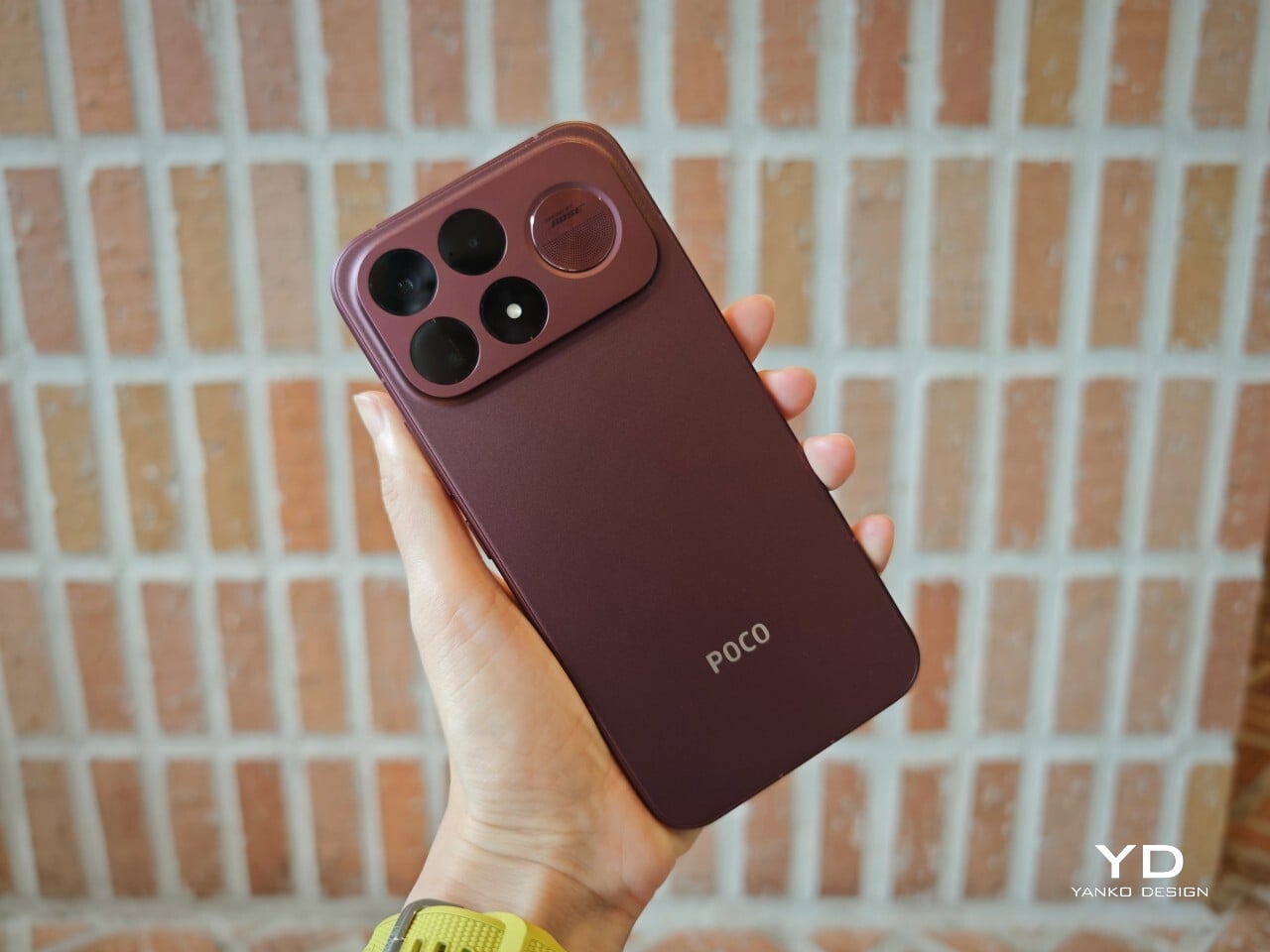
Its dimensions, 163.49 x 77.94 x 8.74mm, are broadly in line with its predecessor, so the overall footprint will feel familiar if you are coming from the older model. It is still a wide phone, though, and not the easiest to manage with one hand. The curved edges do help soften the grip and make it feel less severe than the numbers suggest, but this is still a device that feels more at home in two-handed use.
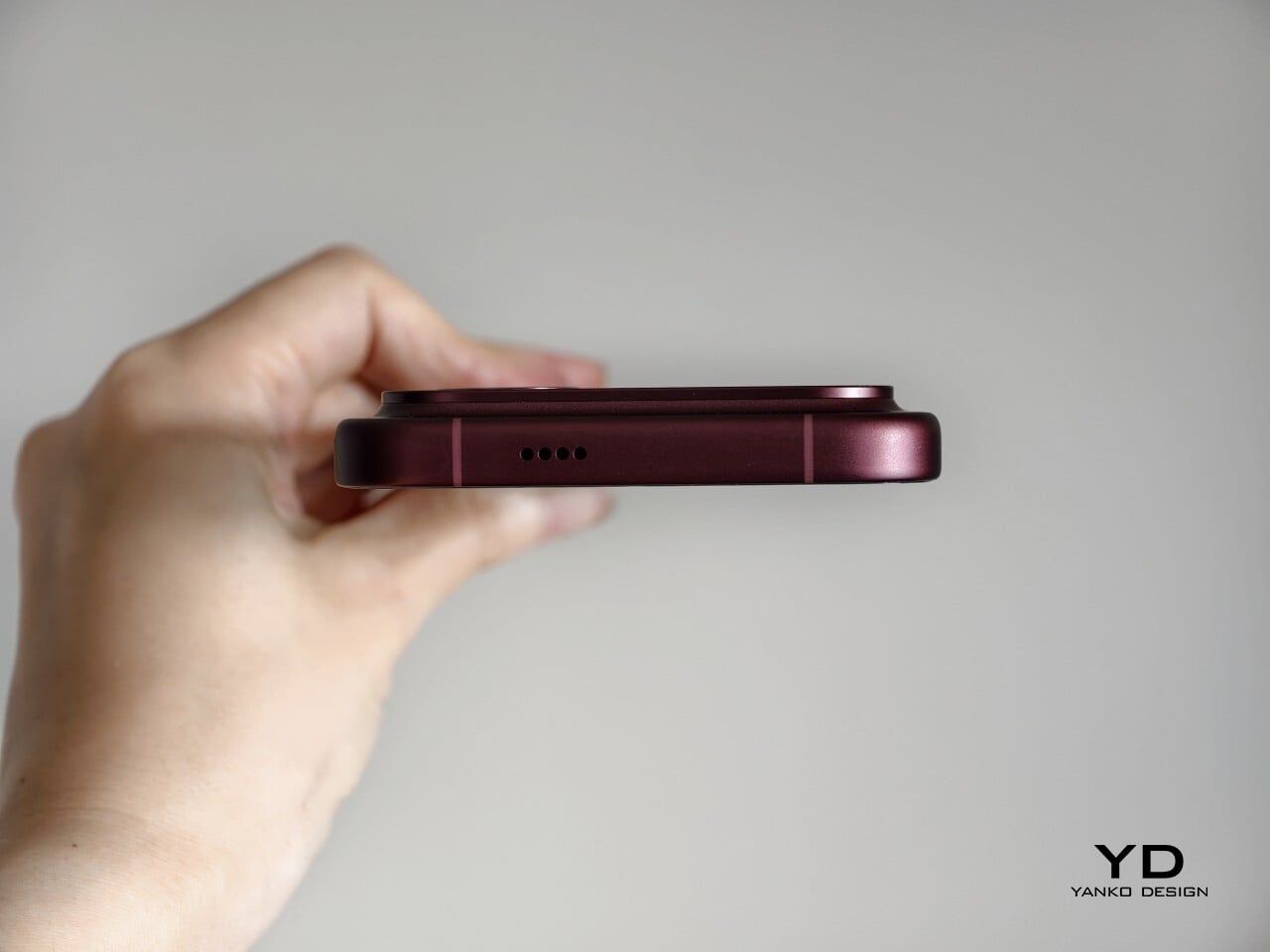
The matte finish does its part as well. It feels premium, pleasant to touch, and better at disguising smudges than a glossier surface would be. Add in the familiar button placement and unchanged in-display fingerprint scanner, and the F9 Ultra ends up feeling less like a phone you need to relearn and more like one you simply need to get used to carrying.

Performance

The F9 Ultra runs on Qualcomm’s Snapdragon 8 Elite Gen 5, the same flagship platform used in the F8 Ultra. Poco has also retained the VisionBoost D8, a dedicated chip aimed at improving gaming and video performance. In practice, that makes the F9 Ultra feel less like a leap in raw power and more like a refinement of an already capable performance formula.
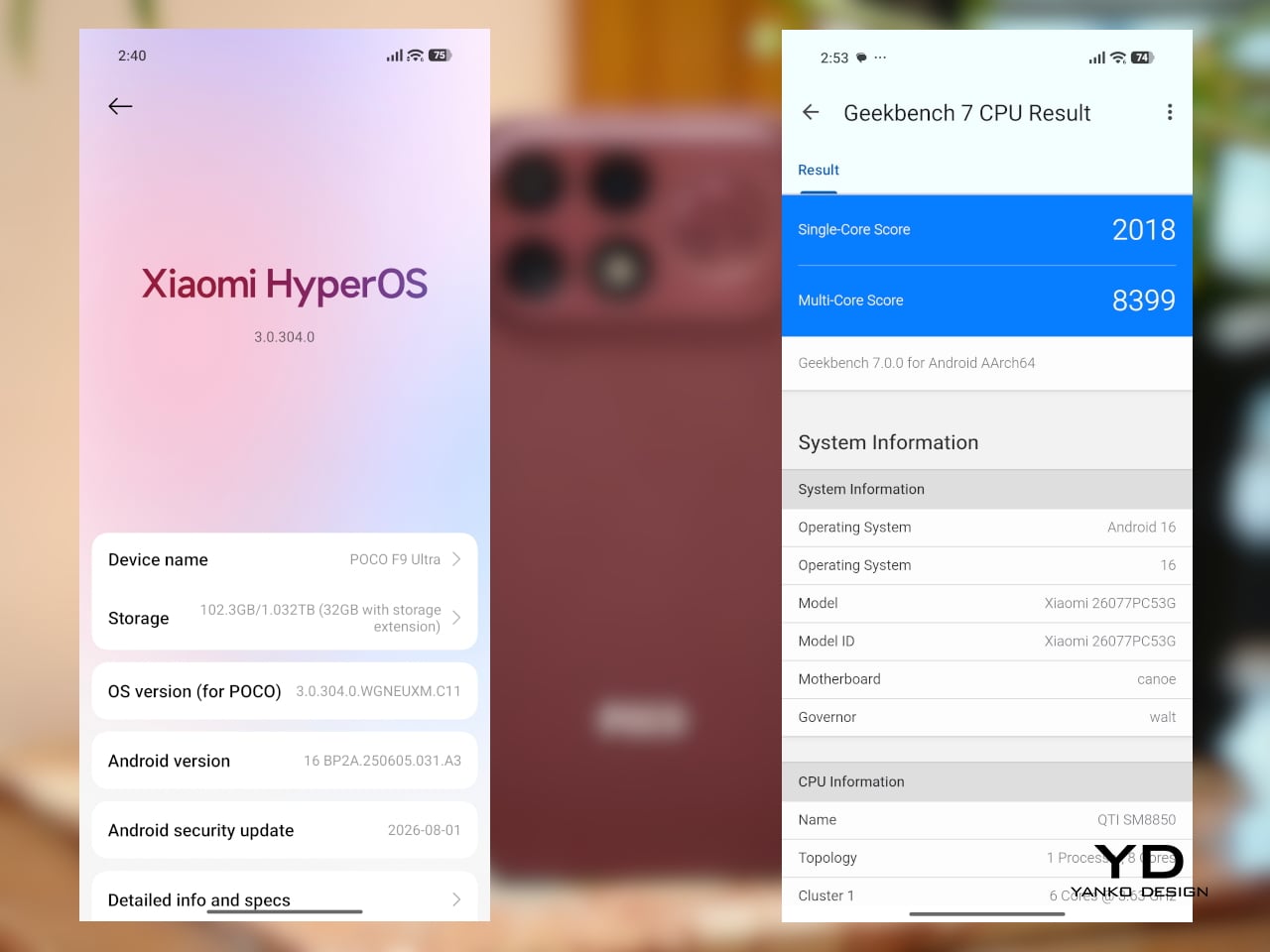
The F9 Ultra pairs that gaming focus with a 6.9-inch 1.5K AMOLED display, and it is exactly the kind of panel you would want on a phone built around entertainment. It is large, sharp, and vibrant, with a refresh rate that gives the phone a clear performance edge in games that can actually take advantage of it. Outside of gaming, that same smoothness carries over into scrolling, animations, and general navigation, even if the practical difference becomes less dramatic in everyday use.

Brightness is another clear strength. Poco says this is the first global lineup to use the new M11 luminescent material, which helps the panel reach up to 4,500 nits in peak brightness and as high as 10,000 nits for HDR highlights. The numbers are extreme, but the more practical takeaway is that the screen stays very readable outdoors and gives bright scenes a stronger sense of punch and contrast without losing too much detail.
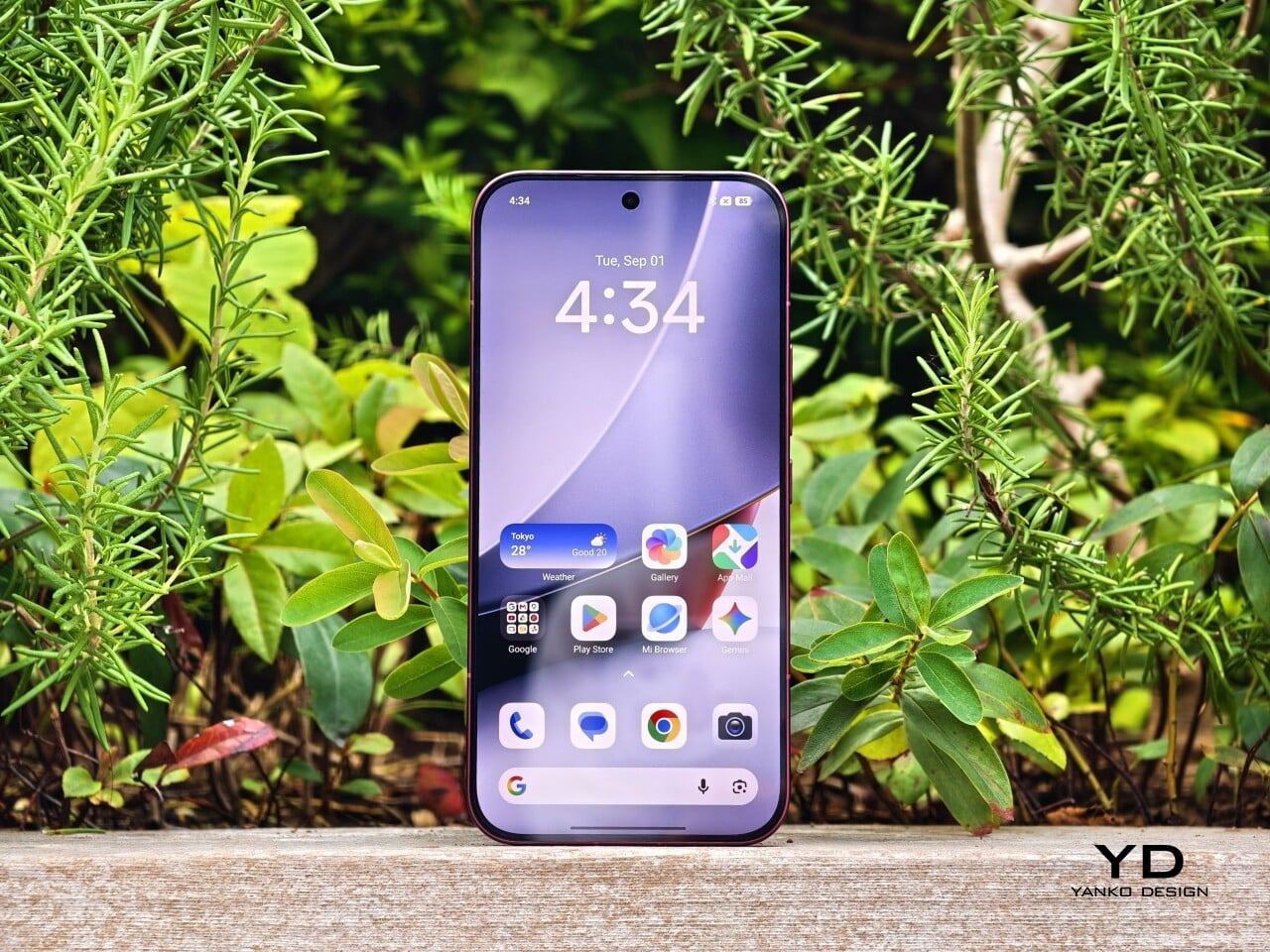
The F9 series is also Poco’s first to push to 185Hz, with support for 24 games running at a native 185fps. That sounds more dramatic than it always feels in practice, because the benefit depends heavily on the kind of game you are playing. In faster titles like Blood Strike, Crossfire: Legends, and Brawl Stars, the higher refresh rate does make a difference. Motion looks cleaner, visual updates come faster, and the game feels a little more immediate under your fingers. In slower games like Clash of Clans, Clash Royale, or Hearthstone, the gain is much smaller. You still get smoother animations and interface movement, but not the same kind of gameplay advantage.

In an hour-long session of Blood Strike at the highest graphic settings, the F9 Ultra was able to hold 185fps without any obvious frame drops. Just as importantly, it did not get uncomfortably hot, staying at around 40 degrees Celsius on the surface. There is clearly enough cooling here to keep performance from falling off over time, but the more important takeaway is that the phone stays consistent under load.
Main Camera, 1x
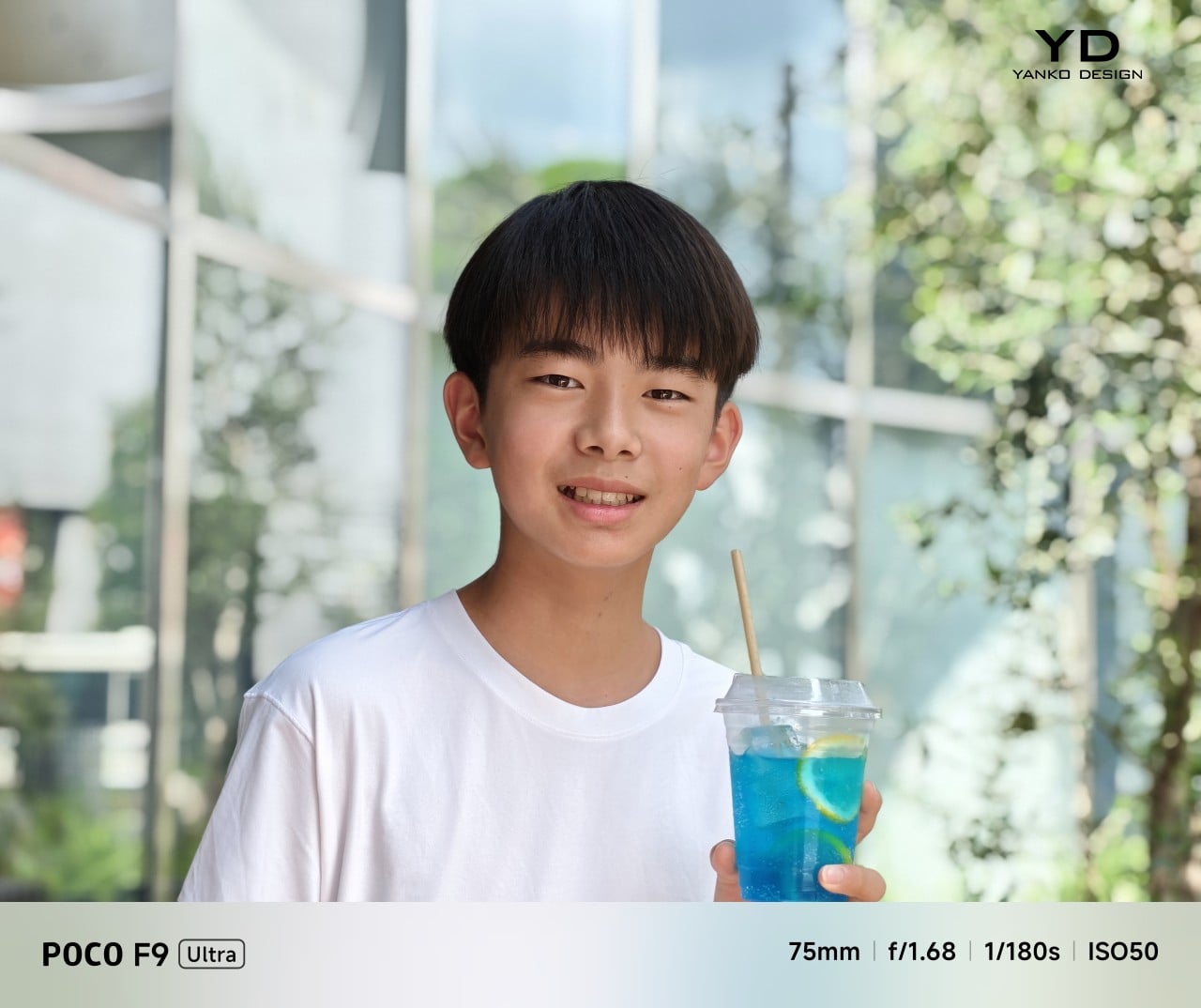
Portrait mode, Main Camera, 3.1x

The F9 Ultra is the second phone to come out of Poco’s partnership with Bose, which makes the collaboration feel less like a one-off experiment and more like part of the series identity. The Bose-tuned speaker system remains one of its most distinctive features, and also one of the easiest to appreciate in daily use. Poco says it has redesigned the acoustic port and upgraded the dual speakers for clearer sound and richer bass. It also keeps the sound profile presets and 10-band EQ introduced on the F8 Ultra, which means there is still plenty of room to tailor the sound to your liking.
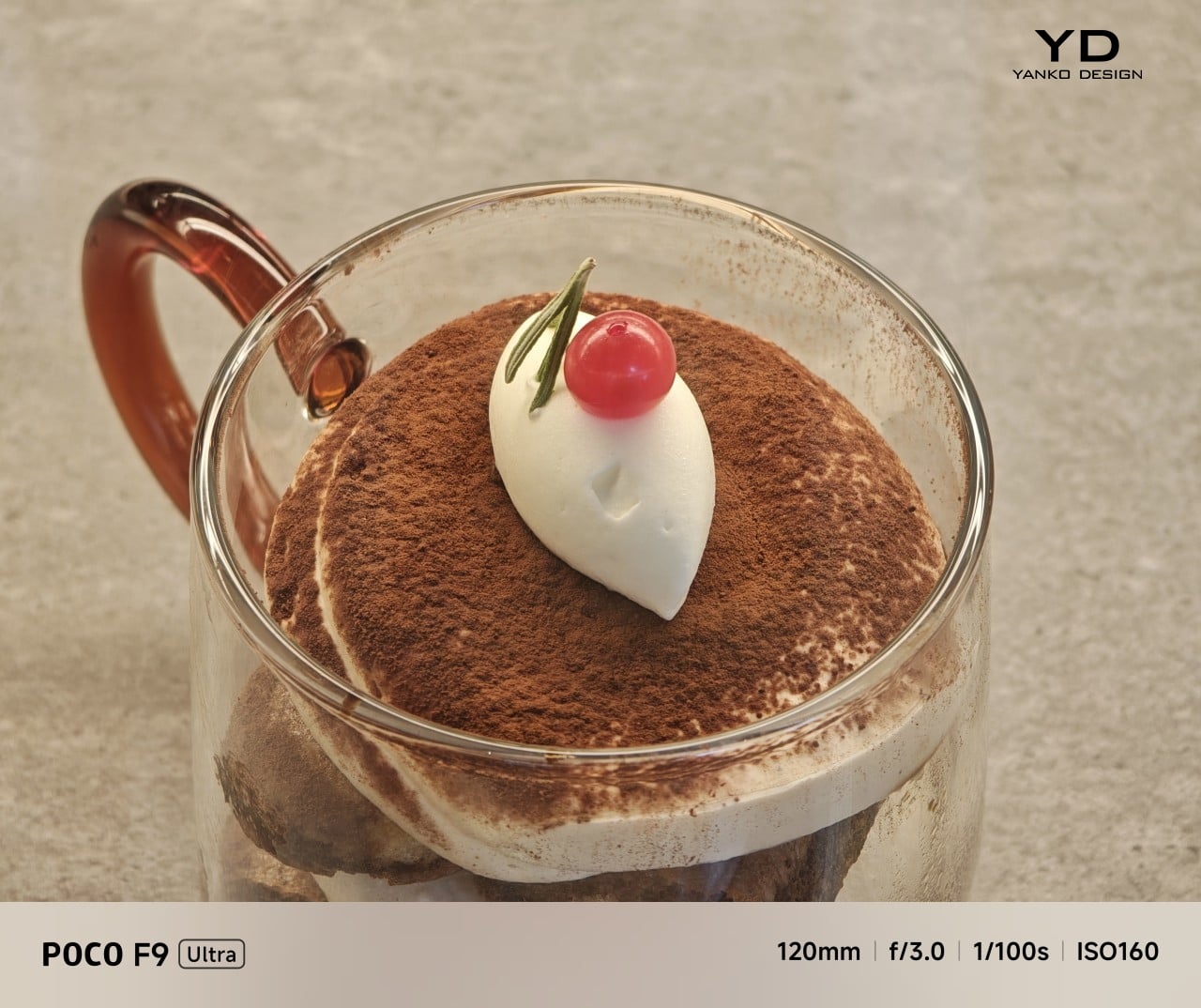
Telephoto Camera, 5x
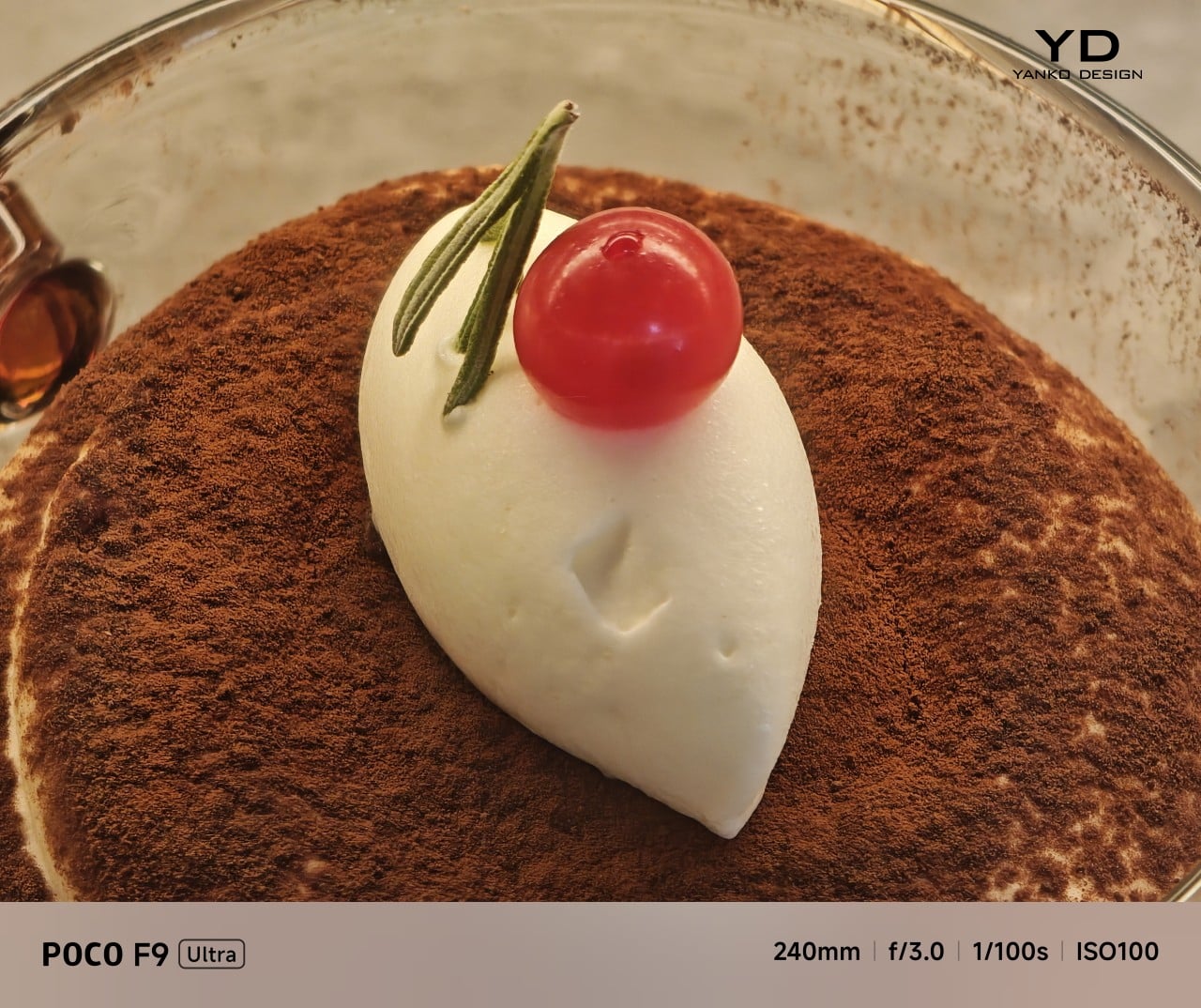
Telephoto Camera, 10x

In use, the speakers are easy to like. Just like the F8 Ultra, the F9 Ultra delivers some of the best smartphone audio you can get. The sound is fuller and more open than what most phones manage, with enough bass presence to give games, films, and music a bit more body. Dialogue comes through clearly, and the overall presentation feels less cramped than the average smartphone speaker setup.
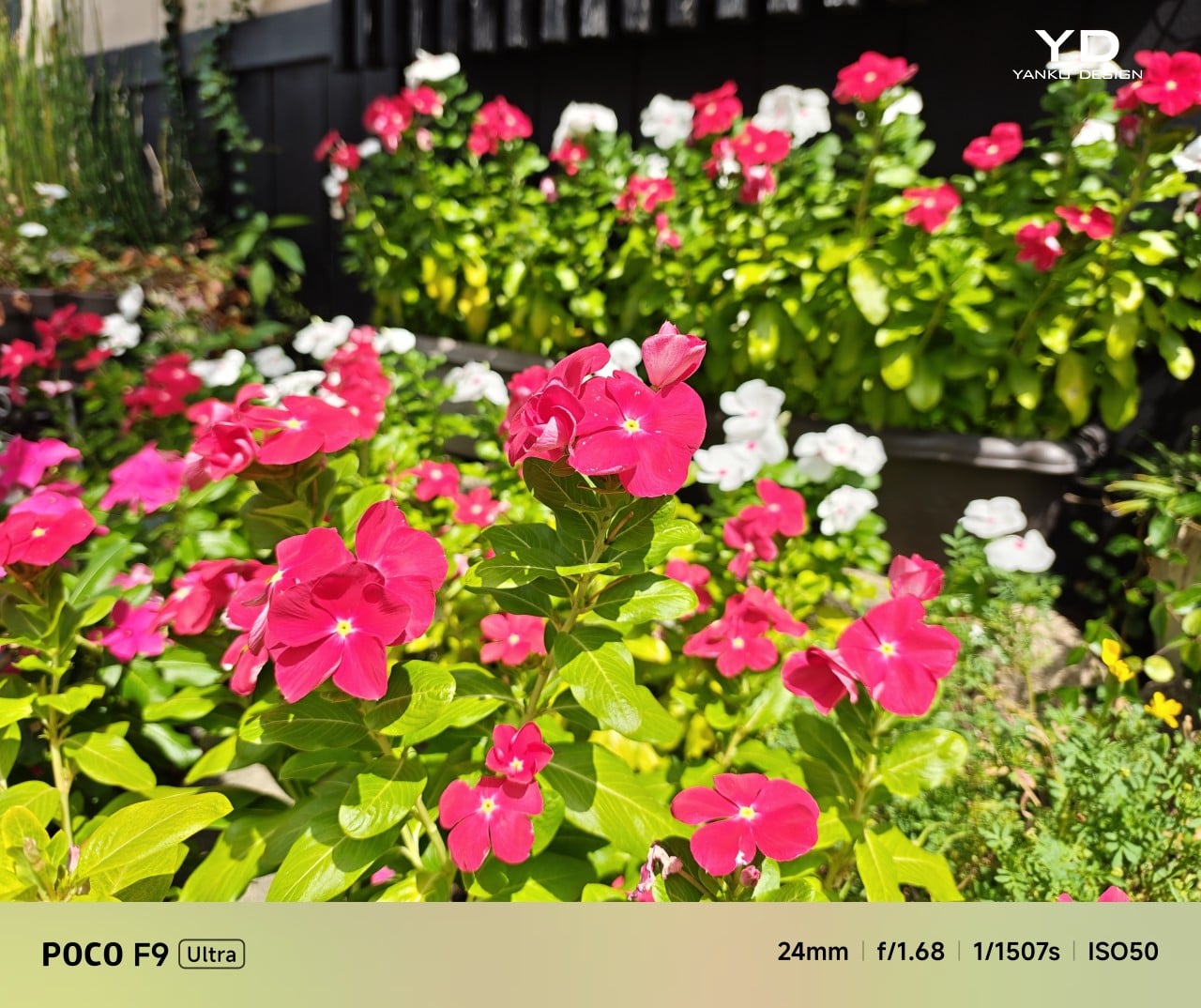
Main Camera, 1x
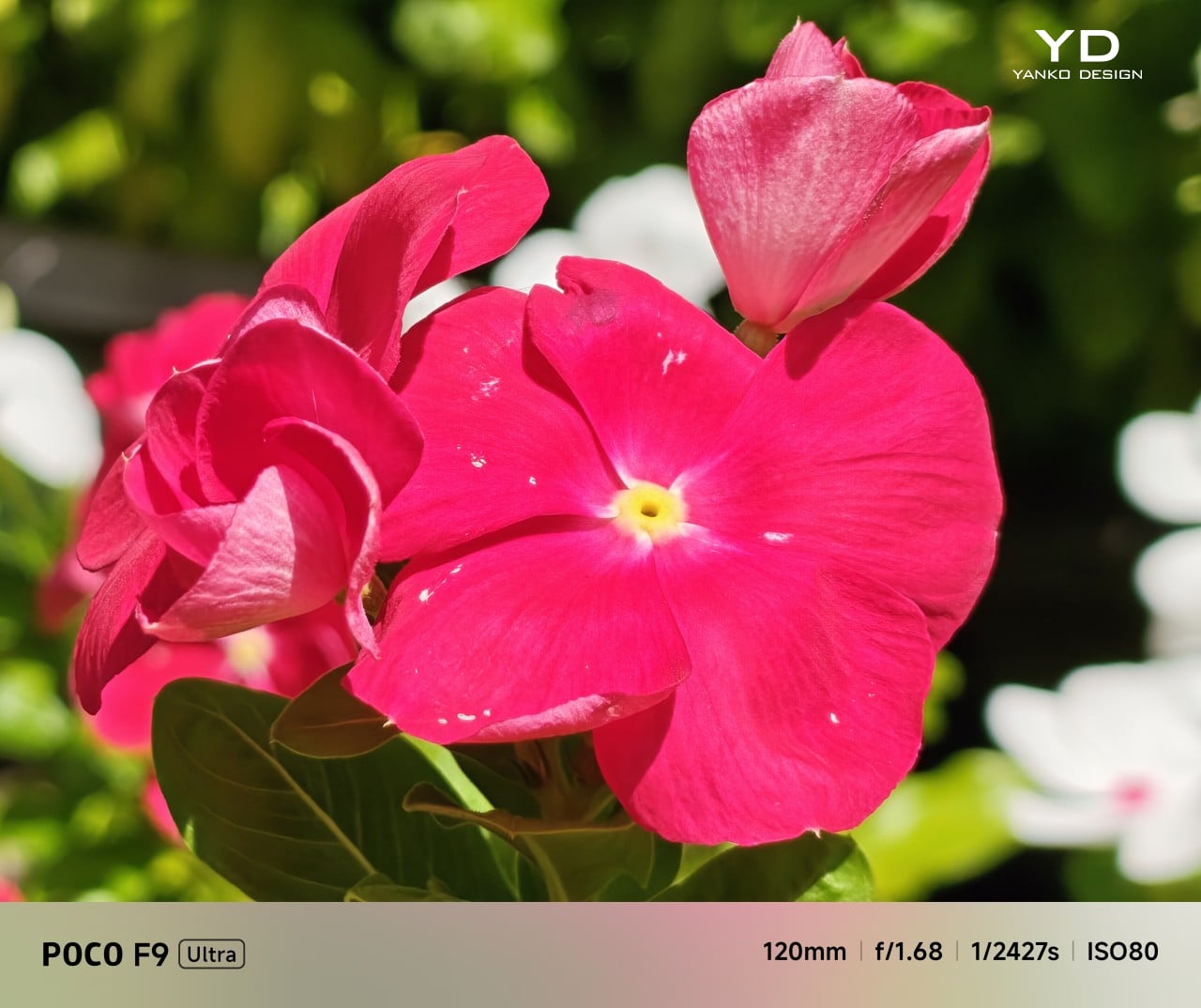
Telephoto Camera, 5x
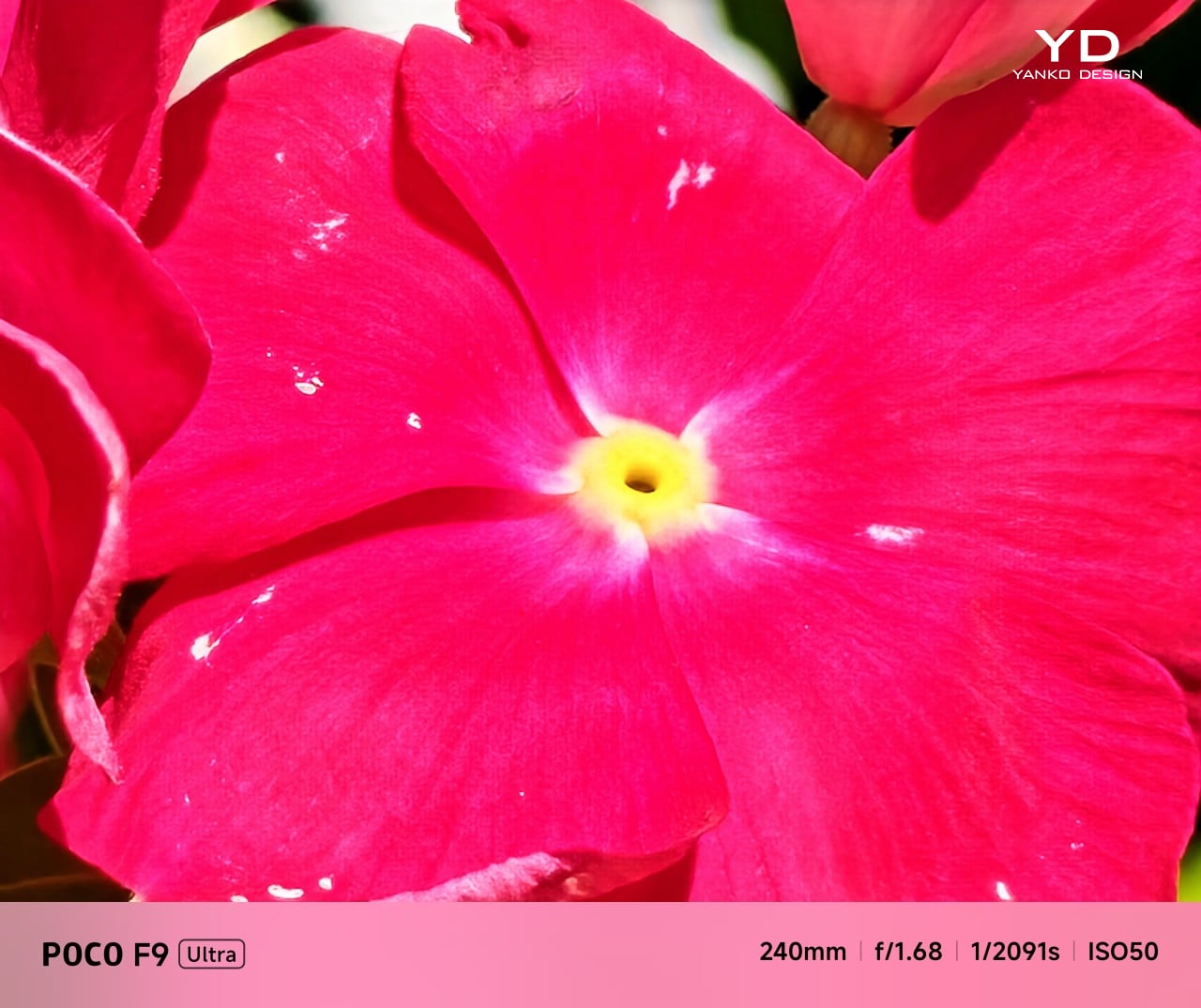
Telephoto Camera, 10x

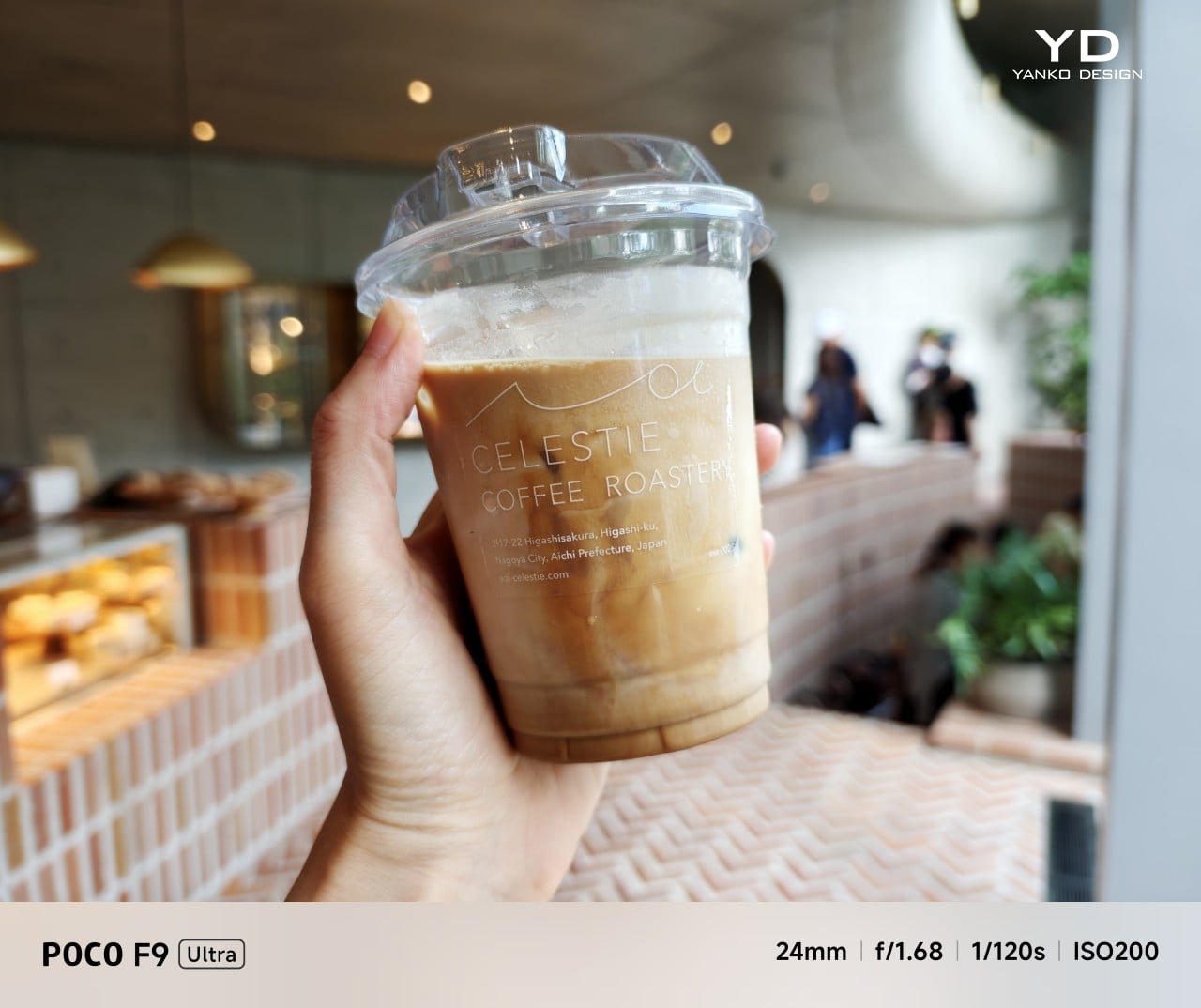
The F9 Ultra upgrades the main camera from 50MP on the F8 Ultra to 200MP here, though the sensor itself is smaller, dropping from 1/1.31-inch to 1/1.56-inch. That makes it less a straightforward upgrade and more a different kind of tradeoff. The rest of the setup remains familiar, with a 50MP 5x telephoto, a 50MP ultrawide, and a 32MP front camera.

Poco has also made a subtle but useful change to the focal lengths. The F9 Ultra uses a 24mm-equivalent main camera and a 17mm-equivalent ultrawide, compared with 23mm and 18mm on the F8 Ultra. The shift is small, and the ultrawide still does not feel especially expansive, but the added separation between the two lenses makes the jump from main to ultrawide feel a little more purposeful.
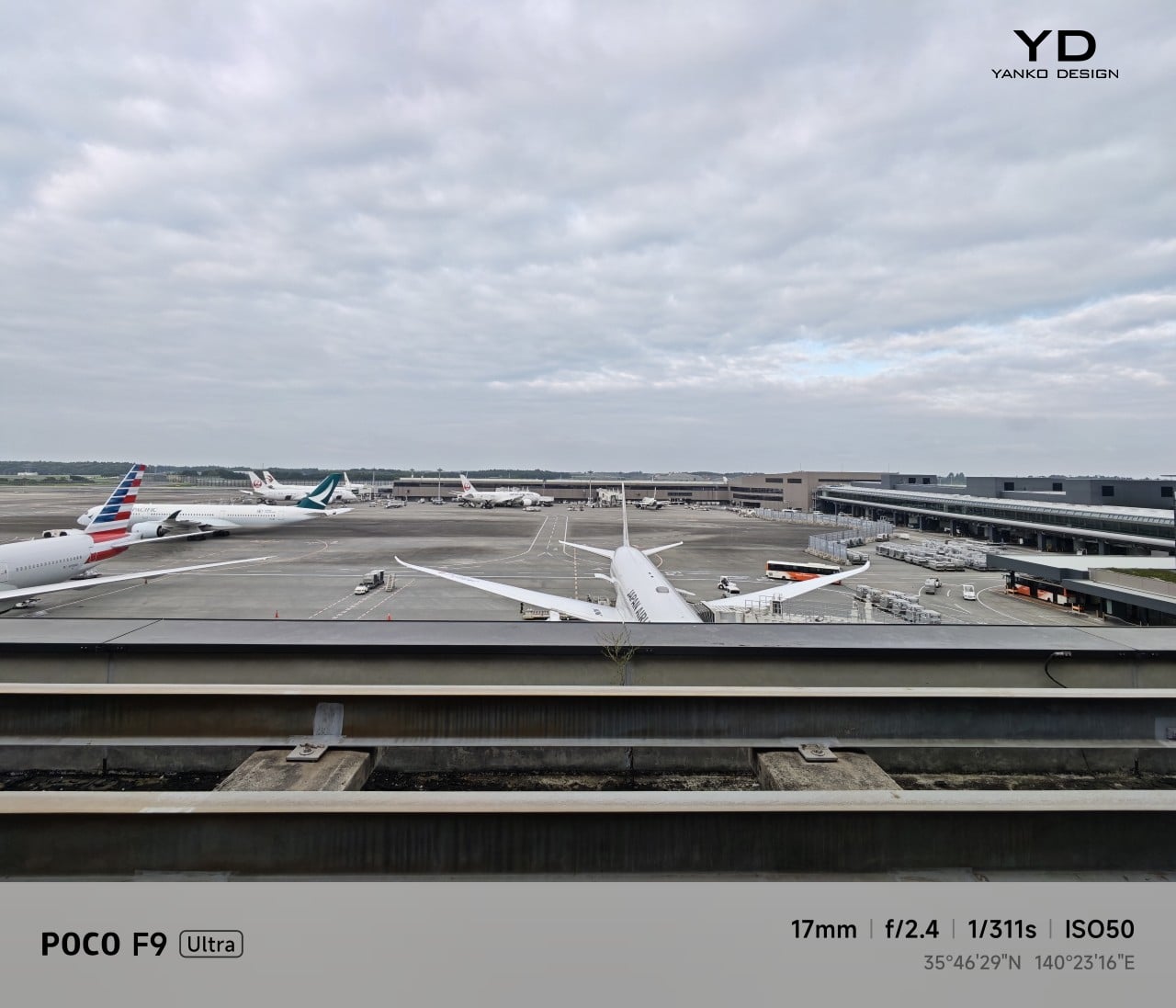
Ultrawide Camera, 0.7x
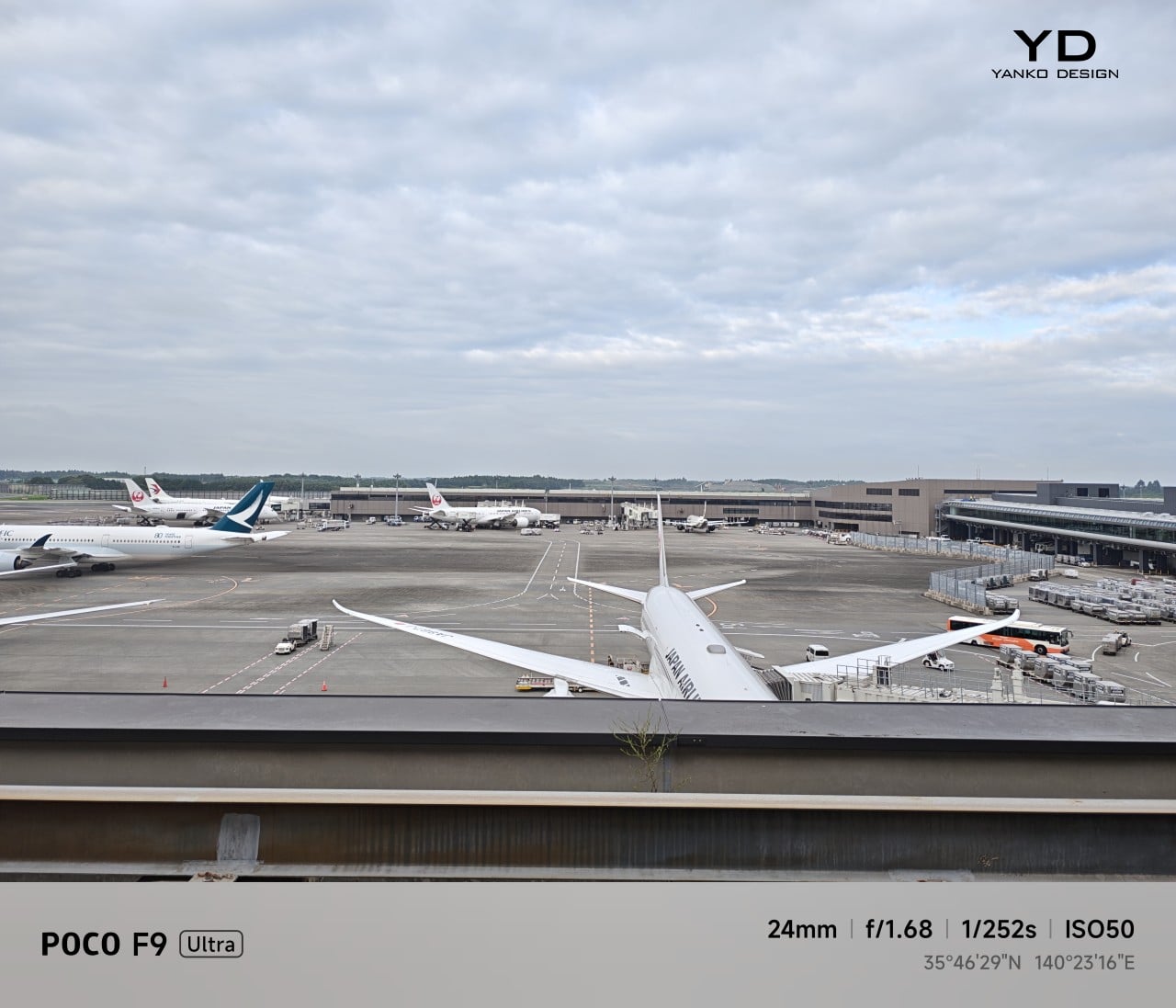
Main Camera, 1x
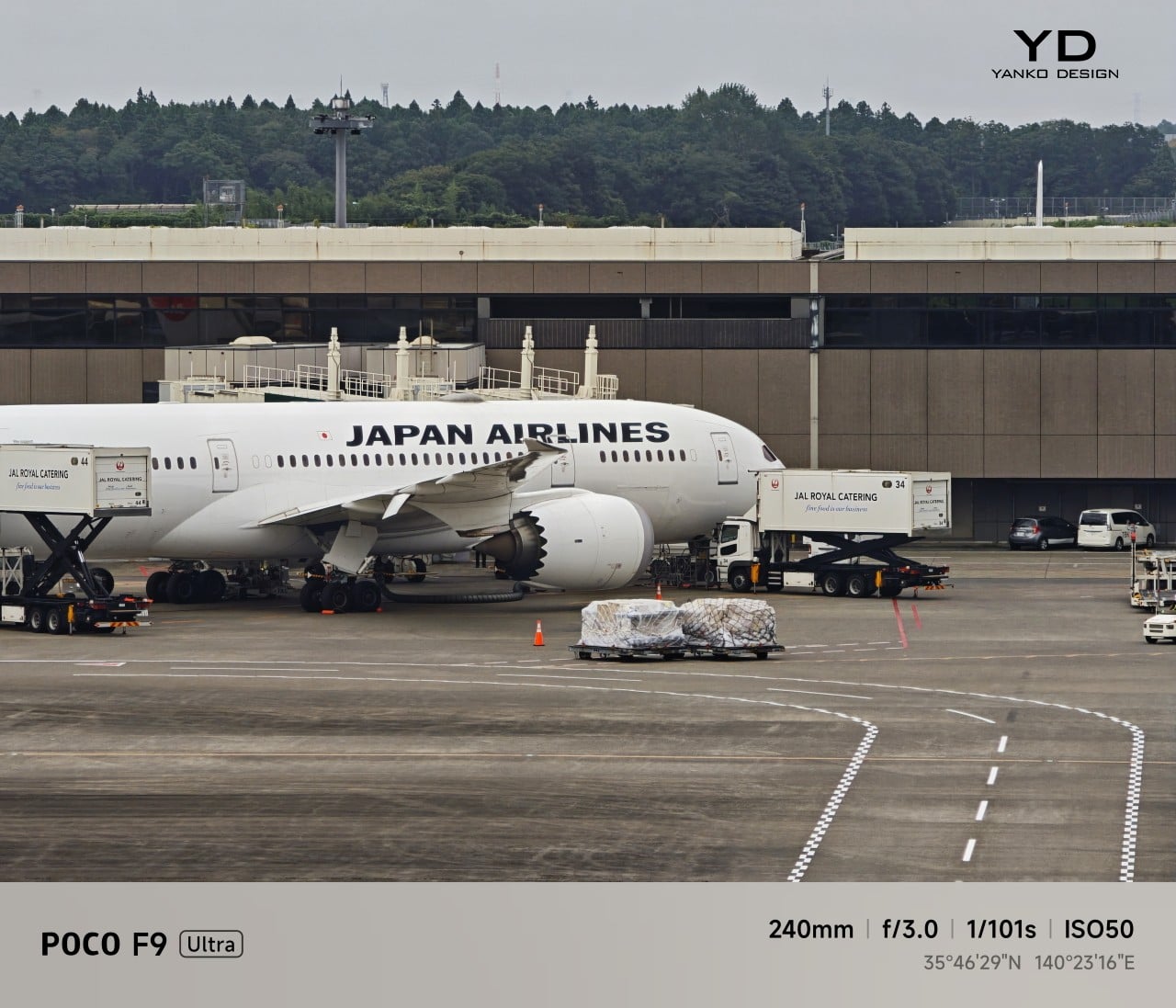
Telephoto Camera, 10x

In use, the main camera captures photos with good detail, solid dynamic range, and vibrant color. The 5x telephoto is also capable, though it tends to produce images that look a bit more saturated and contrast-heavy. Video is solid too, with crisp footage and enough consistency to make the camera system feel dependable for everyday shooting.
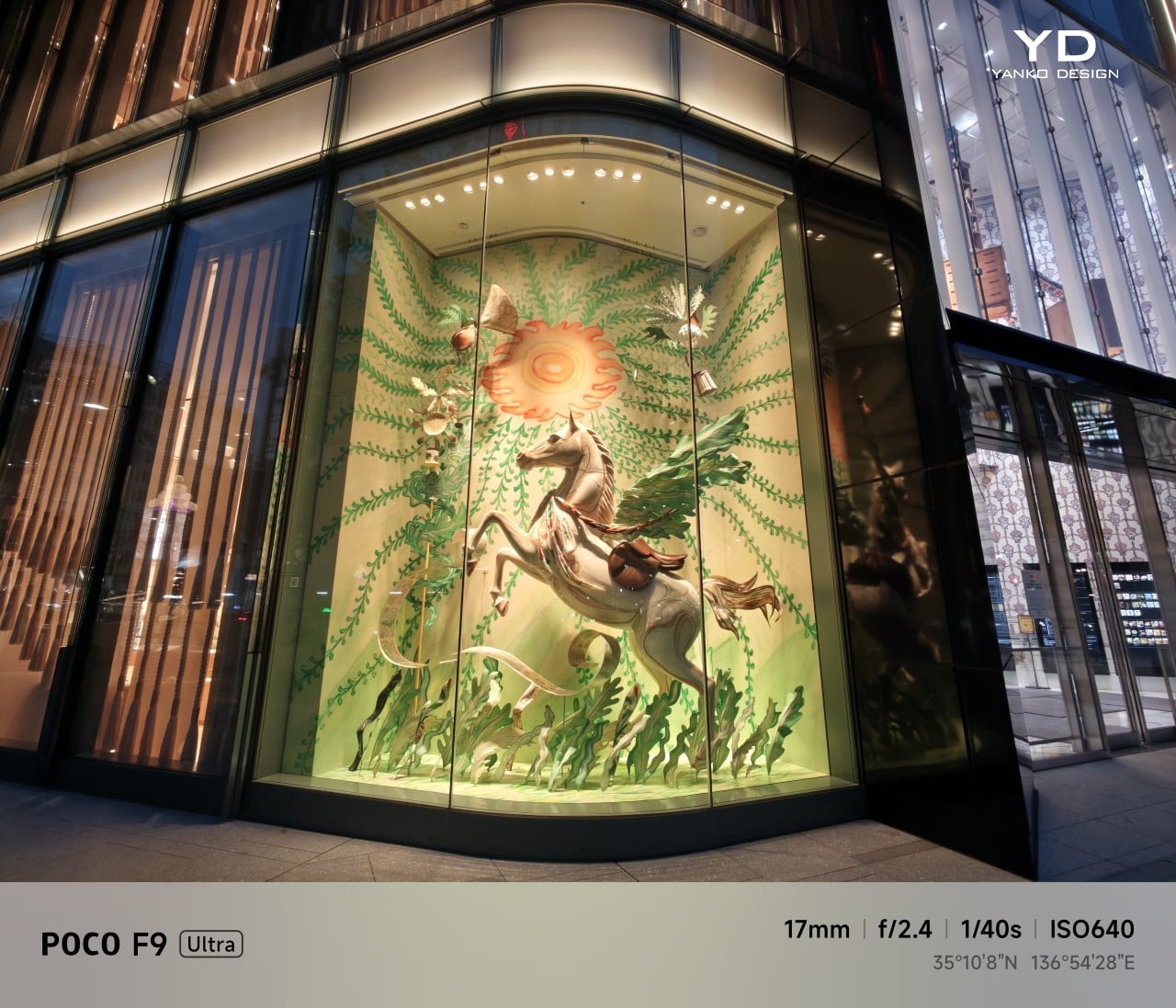
Night Shot, Ultrawide Camera, 0.7x
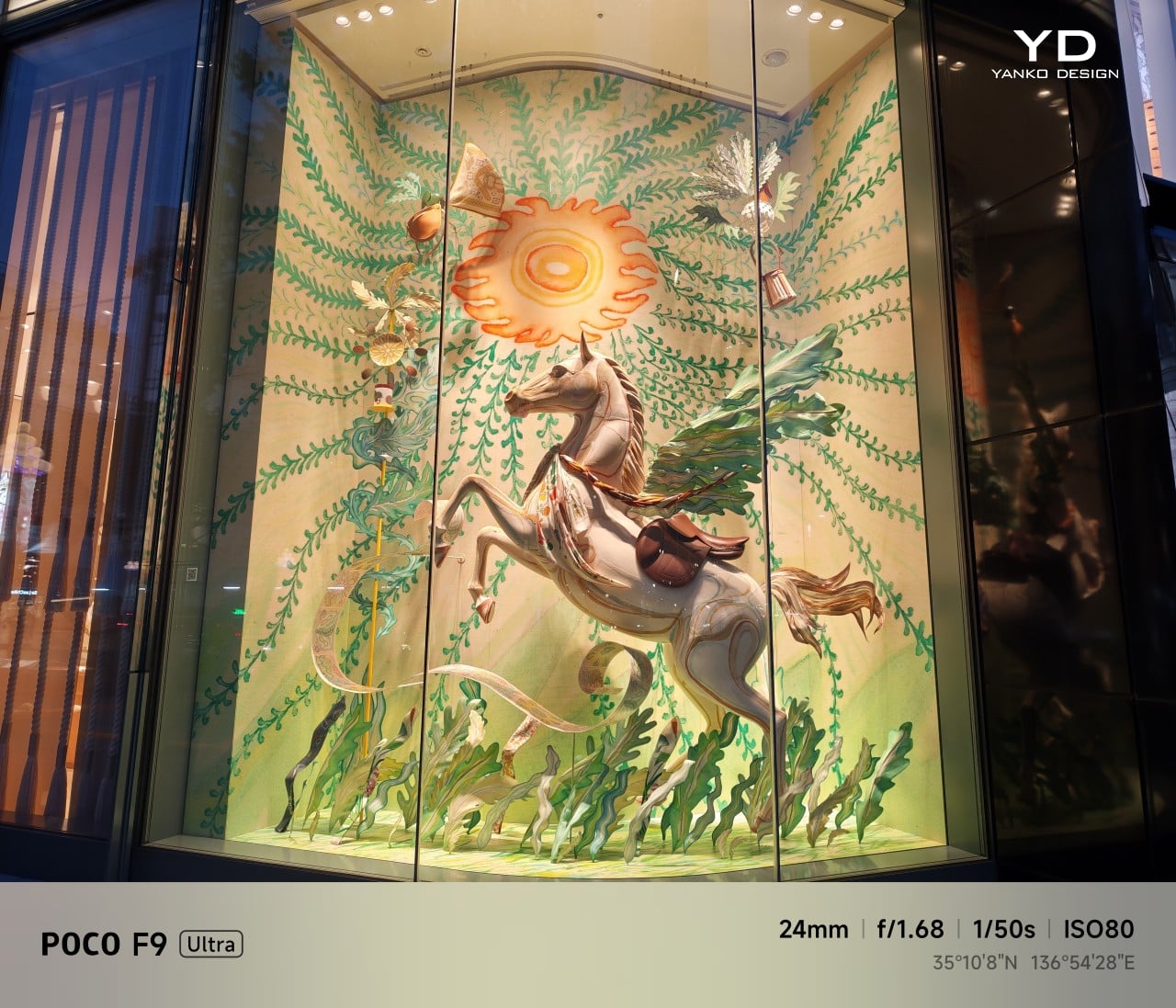
Night Shot, Main Camera, 1x
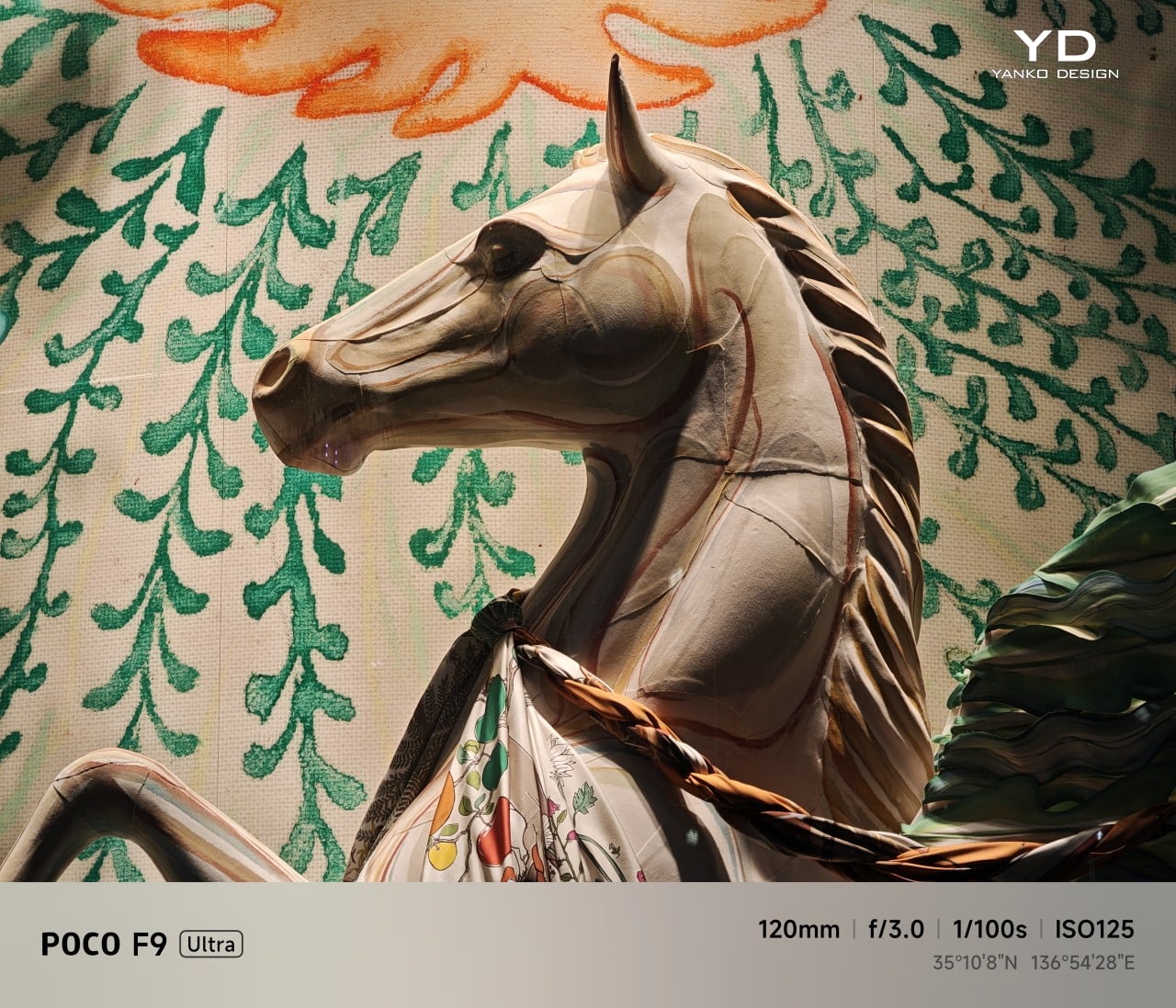
Night Shot, Telephoto Camera, 5x
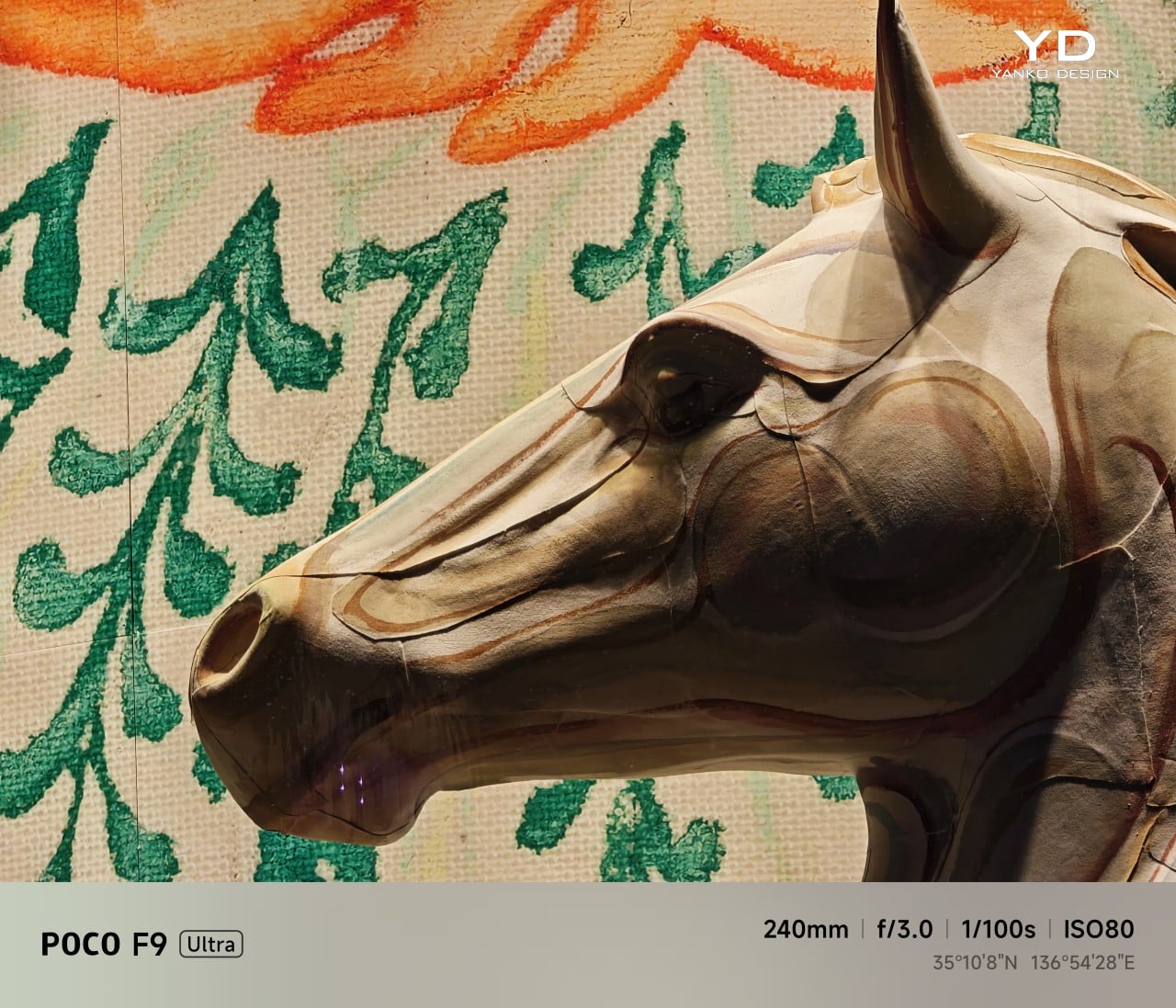
Night Shot, Telephoto Camera, 10x

Battery life remains one of the F9 Ultra’s biggest strengths. The 8,050mAh battery is enormous even by flagship standards, and it gives the phone a clear advantage in the kind of heavy use it is designed for. In my use, it was easy to stretch the phone across two days on a charge, which suits the F9 Ultra’s media-heavy, gaming-friendly character especially well.
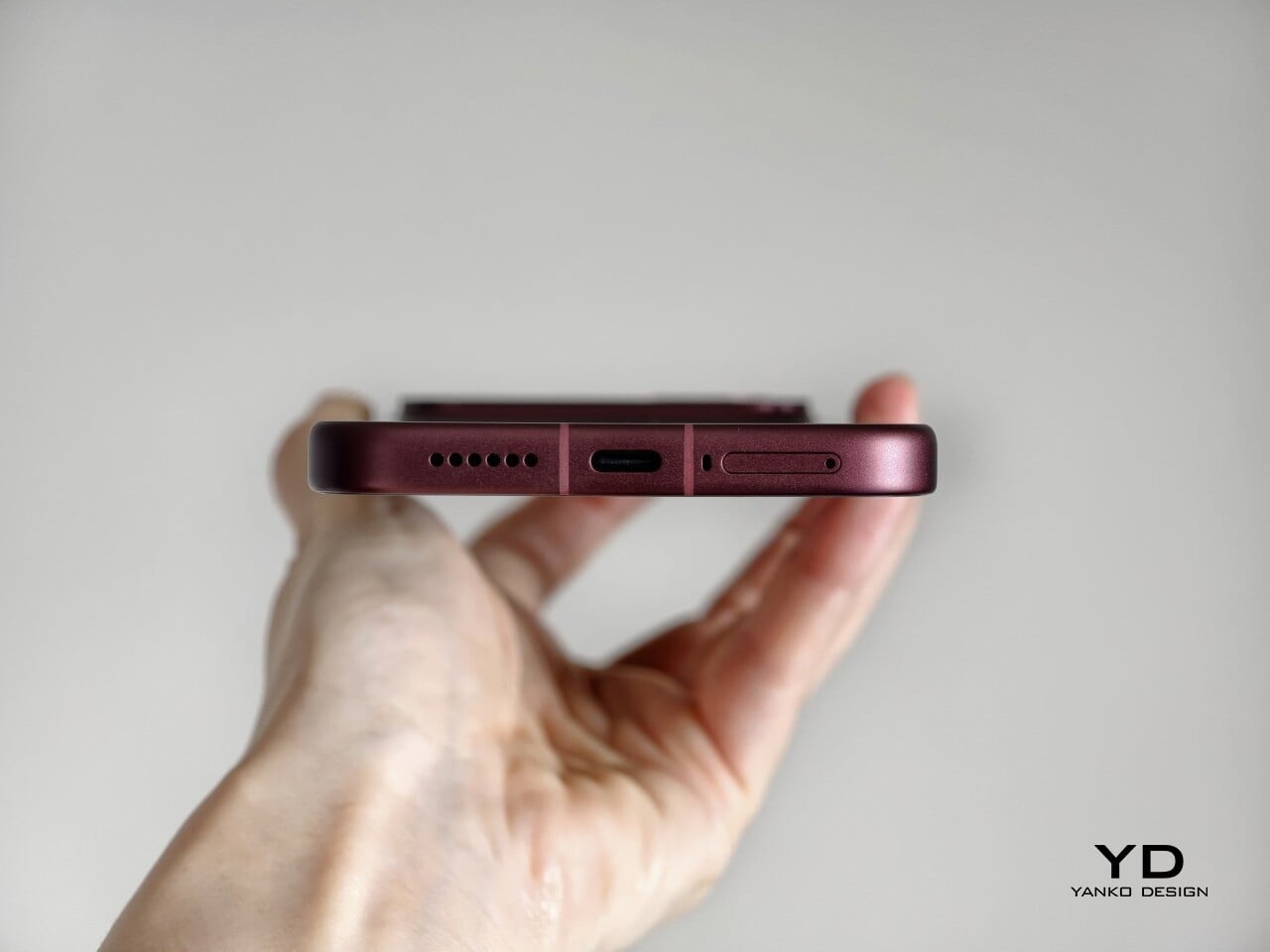
Charging is just as capable, with 100W wired and 50W wireless support, plus 27W wired reverse charging and 22.5W wireless reverse charging. It is a battery setup that feels as well-rounded as the rest of the phone.

Sustainability

The F9 Ultra is not a phone that talks much about sustainability in the material-driven sense, but it does make a decent case for longevity. Its IP68 rating and Corning Gorilla Glass 7i should help it stand up to everyday wear, which is still one of the most practical ways a phone can stay useful for longer.
Poco also promises four major Android OS updates and six years of security patches, which gives the F9 Ultra a fairly credible long-term support story. That matters because software support plays a big role in whether a phone remains worth keeping. Poco may not be leading the conversation around recycled materials or repairability here, but the basics of durability and usable lifespan are in place.

Value

The F9 Ultra starts at $799 for the 12GB/256GB version, which puts it $70 above the F8 Ultra. That is still an increase, but not an especially aggressive one in the current climate, where similar phones have seen price jumps closer to $100. Some of that restraint may come from Poco reusing the same Snapdragon 8 Elite Gen 5 platform, which likely helped balance out the rising cost of RAM and other components.
As an upgrade, though, the case is less convincing. If you already have the F8 Ultra, moving to the F9 Ultra does not make a lot of sense unless you specifically want the new design, the 185Hz display, or the 200MP main camera. As a fresh buy, however, it remains one of the best affordable flagship-level phones around. Poco may be edging upward in price, but it still knows how to deliver a lot of phone for the money.

Verdict

The Poco F9 Ultra feels like Poco settling into a formula that actually works. The design is more mature, the gaming side is still strong, and the Bose-tuned speakers remain one of the best reasons to care about the series in the first place. Add the huge battery and the 185Hz display, and you end up with a phone that feels very sure of what it wants to be.

If you already have the F8 Ultra, I do not think this is the upgrade to chase. The older phone is still good enough that the differences here feel more iterative than urgent. But if you are buying fresh, the F9 Ultra is still one of the better affordable flagship-level phones around, especially if you care as much about sound and gaming as you do about the usual specs.
The post Poco F9 Ultra Review: Great Sound, Grown-Up Design first appeared on Yanko Design.

  •  

TECNO CAMON Slim 5G Review: Thinner than a Pencil, Tough as a Tank

PROS:


  • Unbelievably slim and lightweight design

  • Striking and stylish art-inspired finish

  • Large 6,000mAh battery despite slim profile

  • Exceptional durability with quad-IP rating, supporting underwater photography

CONS:


  • Modest hardware specs

  • No dedicated telephoto camera

RATINGS:

AESTHETICS
ERGONOMICS
PERFORMANCE
SUSTAINABILITY / REPAIRABILITY
VALUE FOR MONEY

EDITOR'S QUOTE:

Slim, art-inspired, and tougher than it looks, the TECNO CAMON Slim 5G packs a 6,000mAh battery into a body thin enough to turn heads.
award-icon

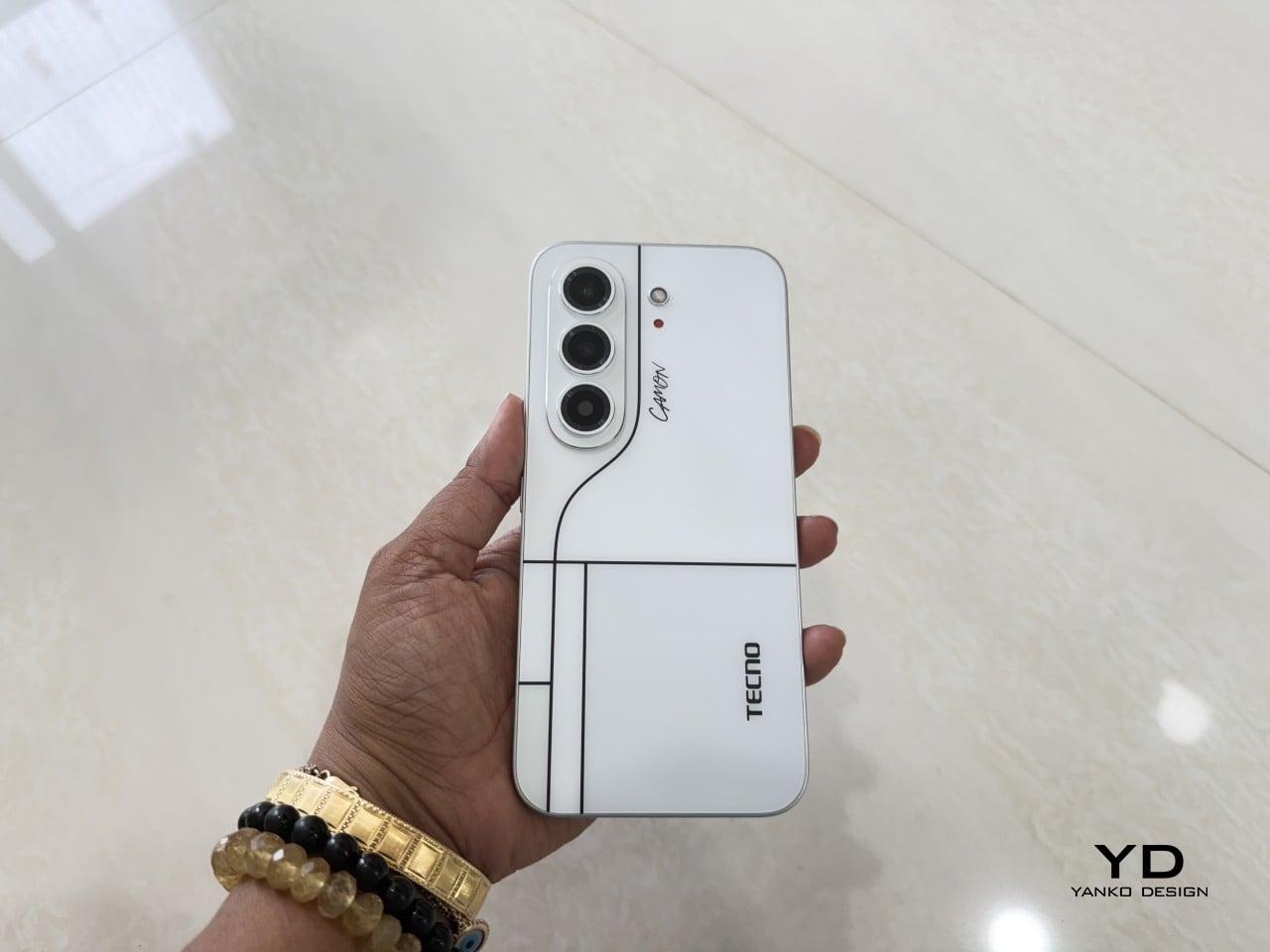
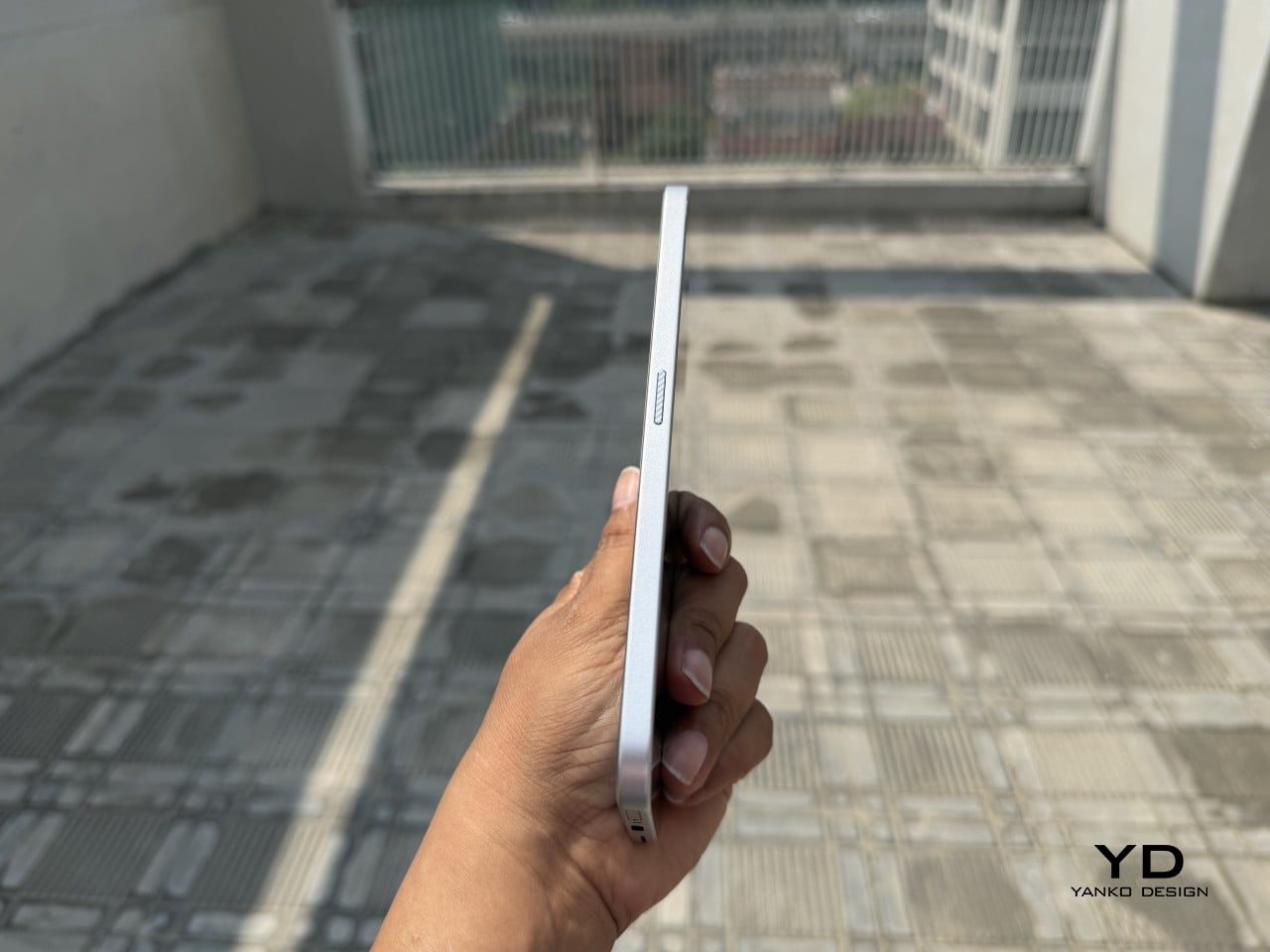
Slim phones have always come with a catch. Shave down the body and something else usually gets sacrificed: usually the battery, sometimes the durability, occasionally both. The TECNO CAMON Slim 5G doesn’t play by that old rulebook. At just 6.39mm thick, it still packs a 6,000mAh battery, 5G connectivity, and a durability rating most phones twice its thickness wouldn’t dare claim.

This review spent real time with the phone away from spec sheets, mostly to see if the design holds up once the initial wow wears off. That meant handling the Neo Mondrian finish TECNO sent for testing, carrying it through a normal week, testing the camera in situations that actually matter, and checking whether the durability claims survive contact with water and everyday clumsiness. The design conversation comes first.

Designer: TECNO

Aesthetics

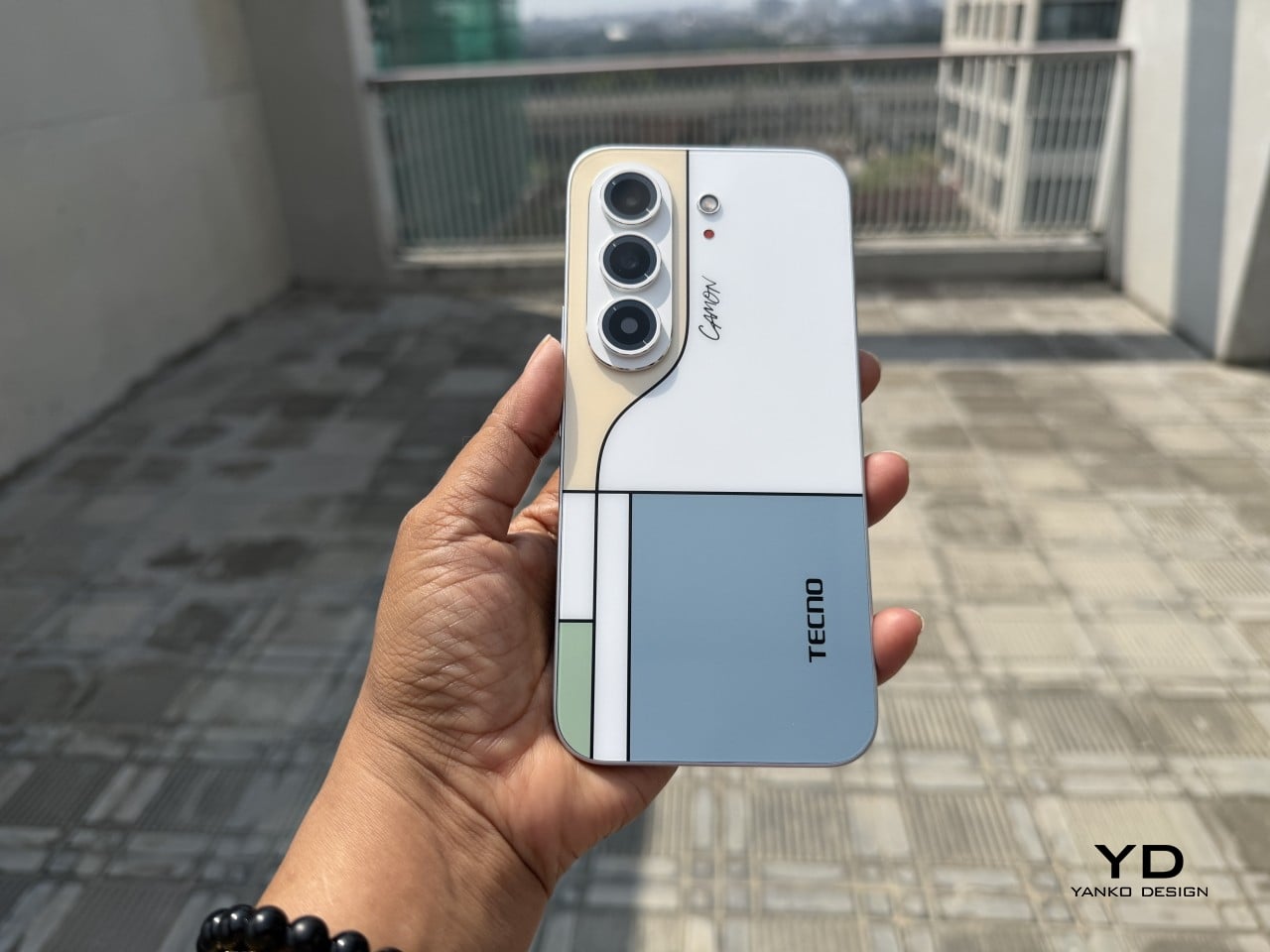
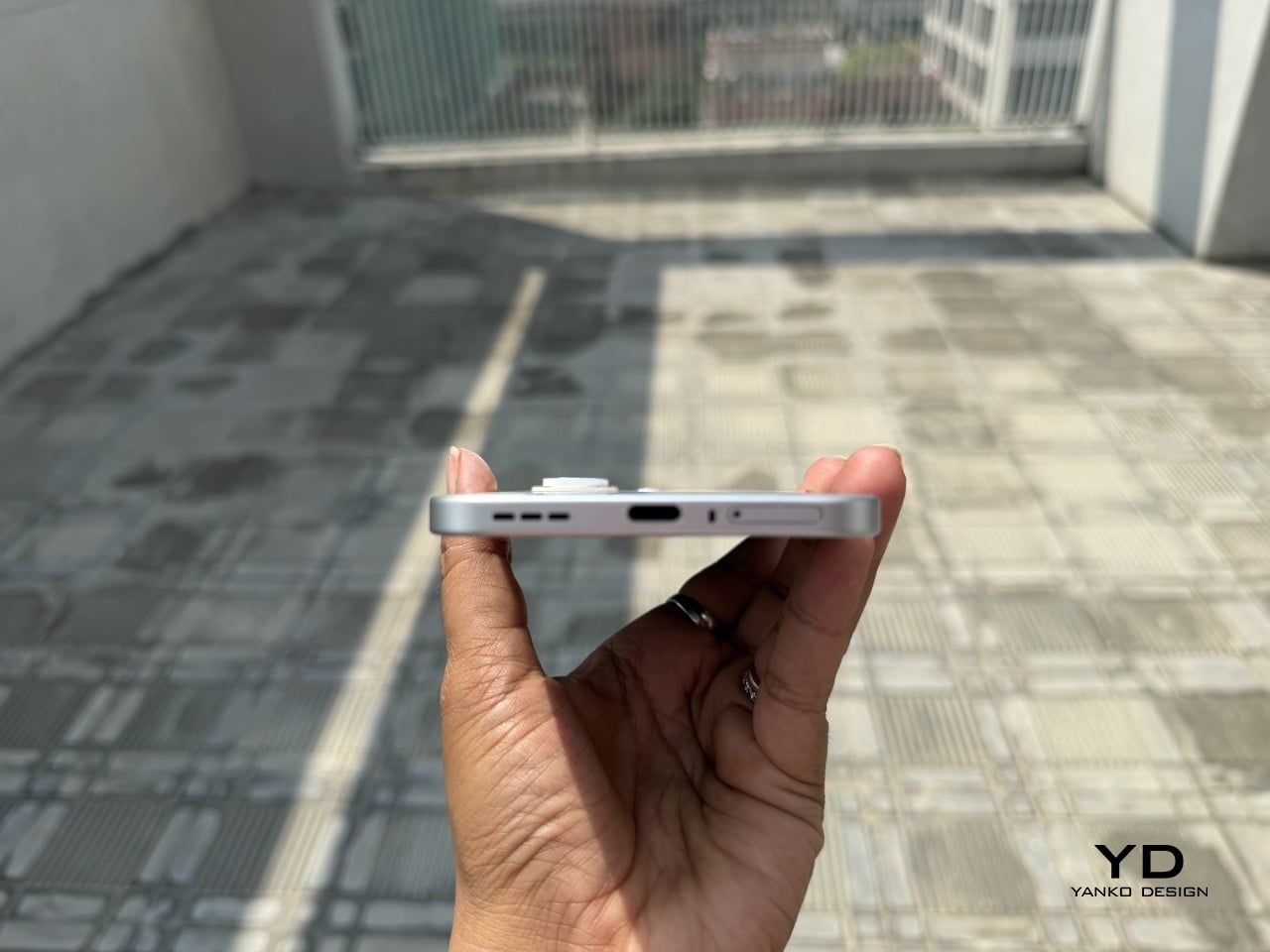
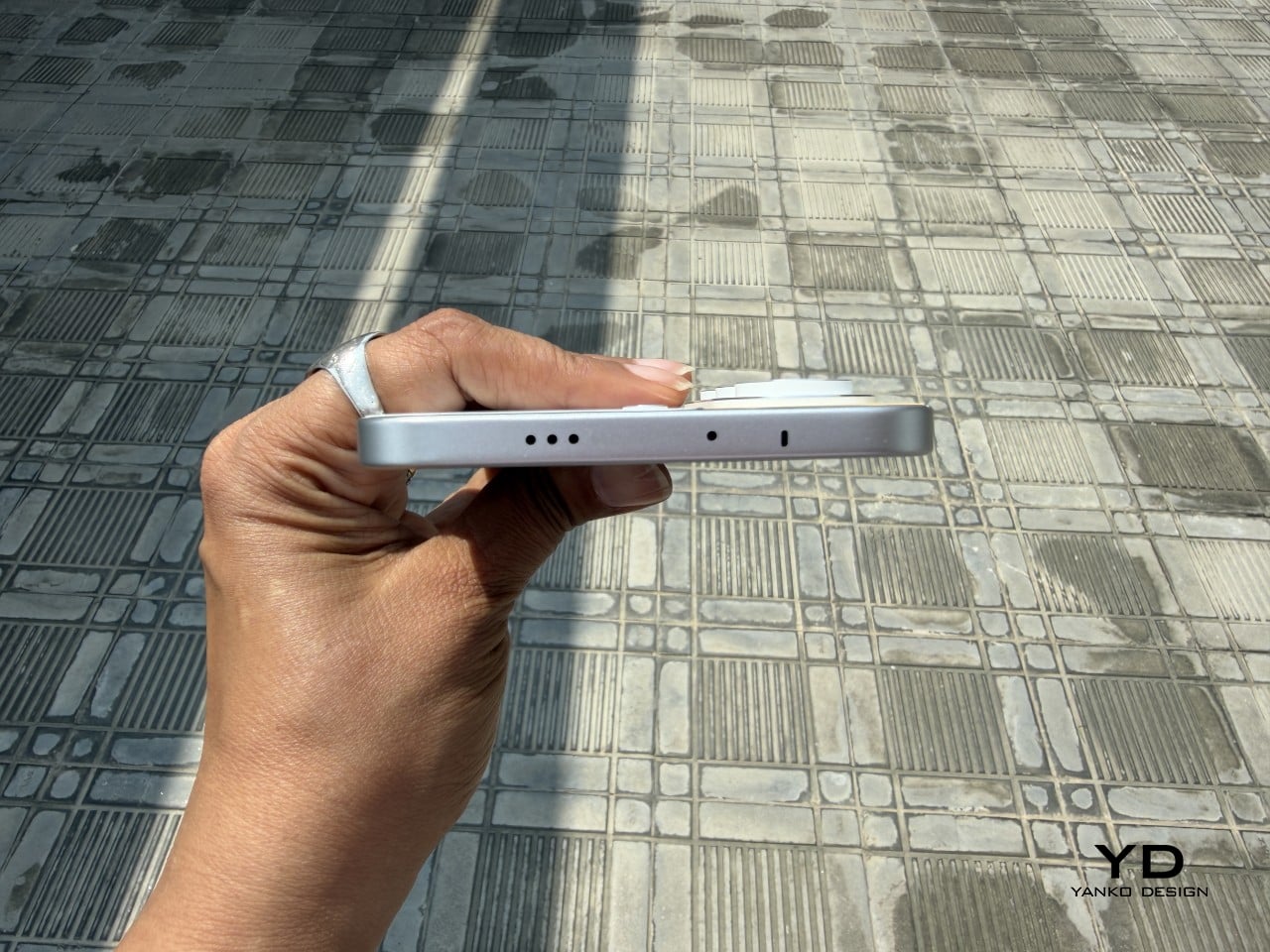
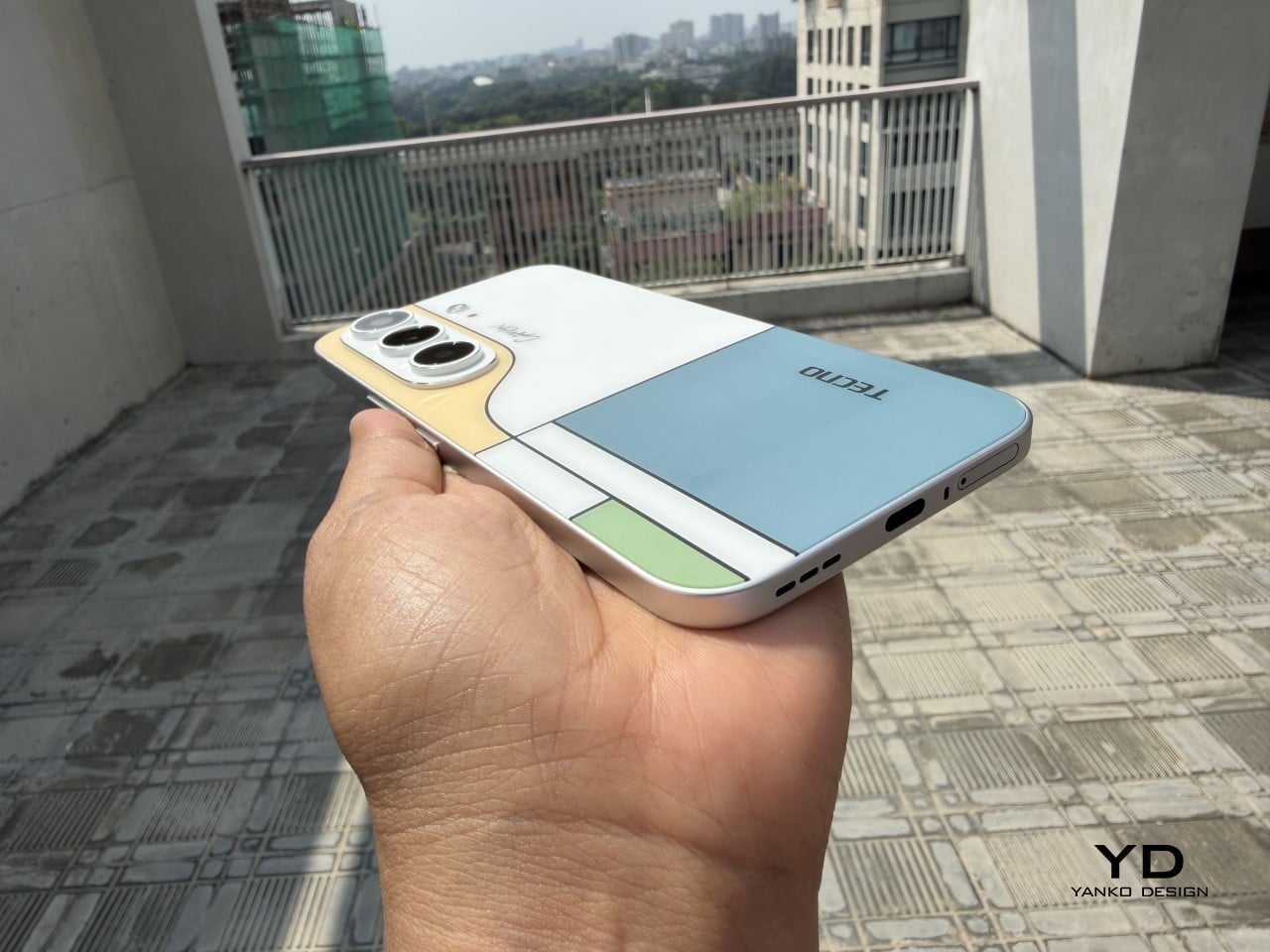
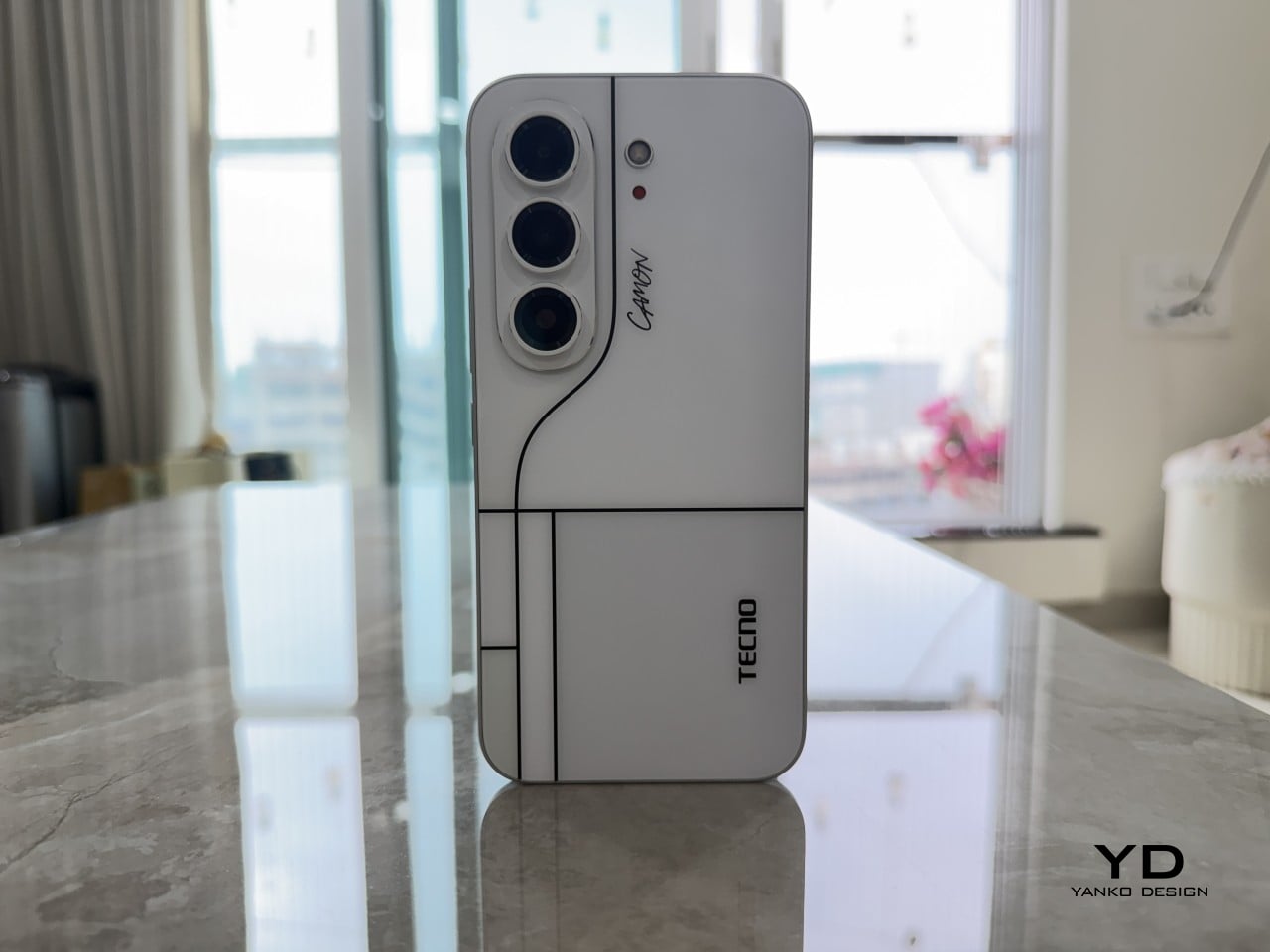
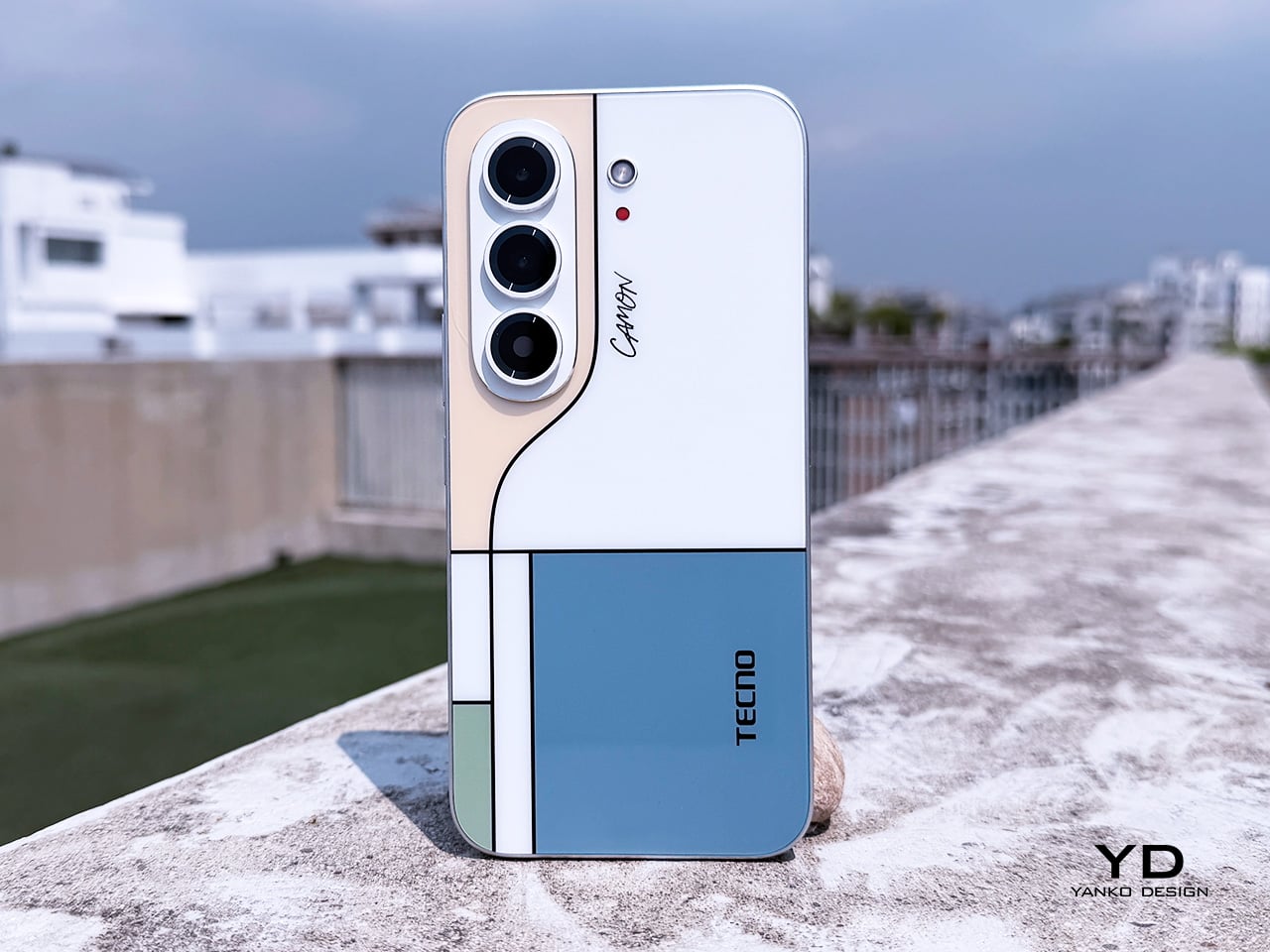
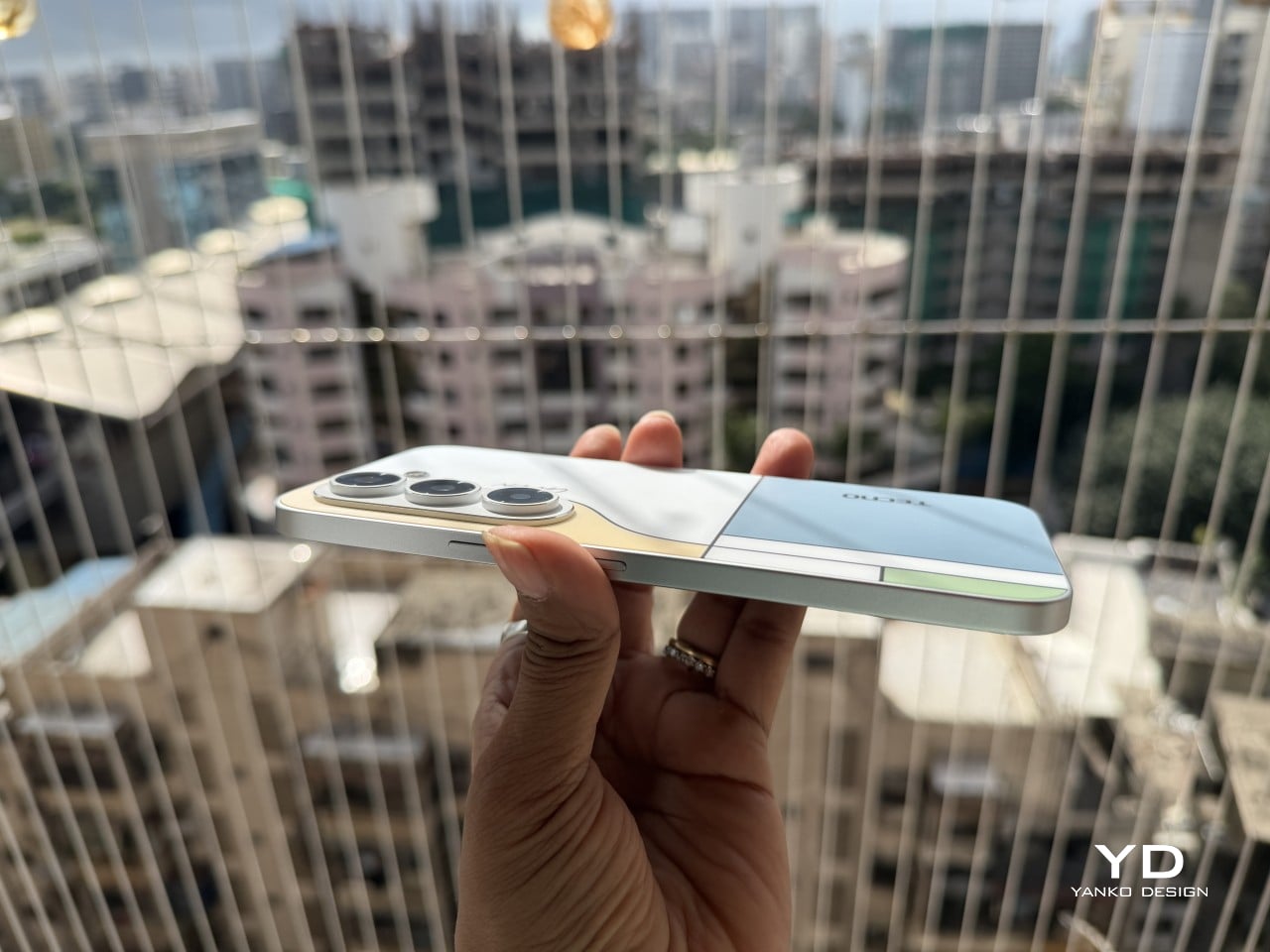
Pull the CAMON Slim 5G out in public and watch what happens. People notice a phone this thin the way they’d notice a watch too elegant for its price tag, usually with a double take and a request to hold it. TECNO carried over the swan-neck curve from the CAMON 50 series, and on a body this slender, that curve reads like a signature rather than a spec sheet footnote.

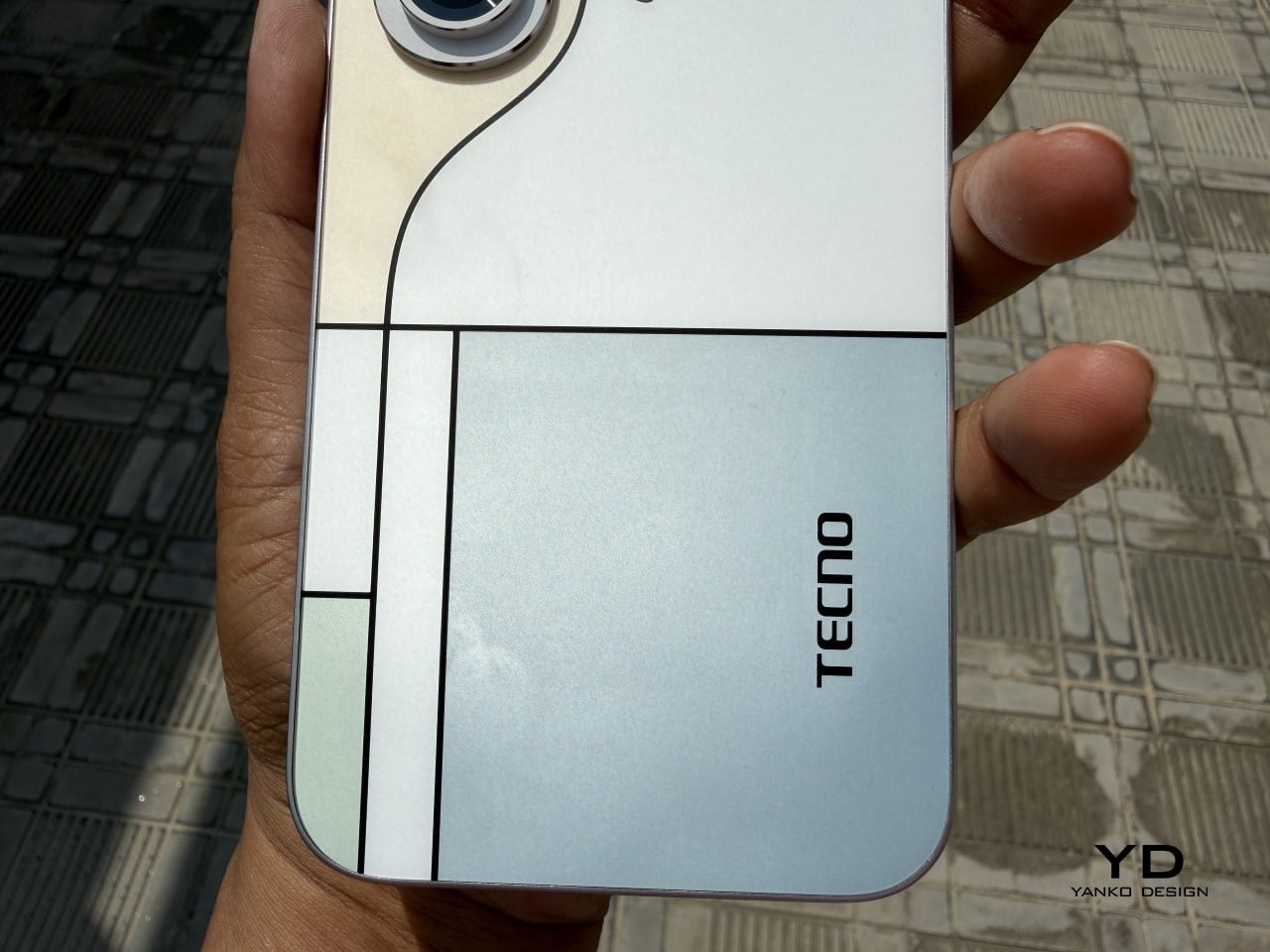
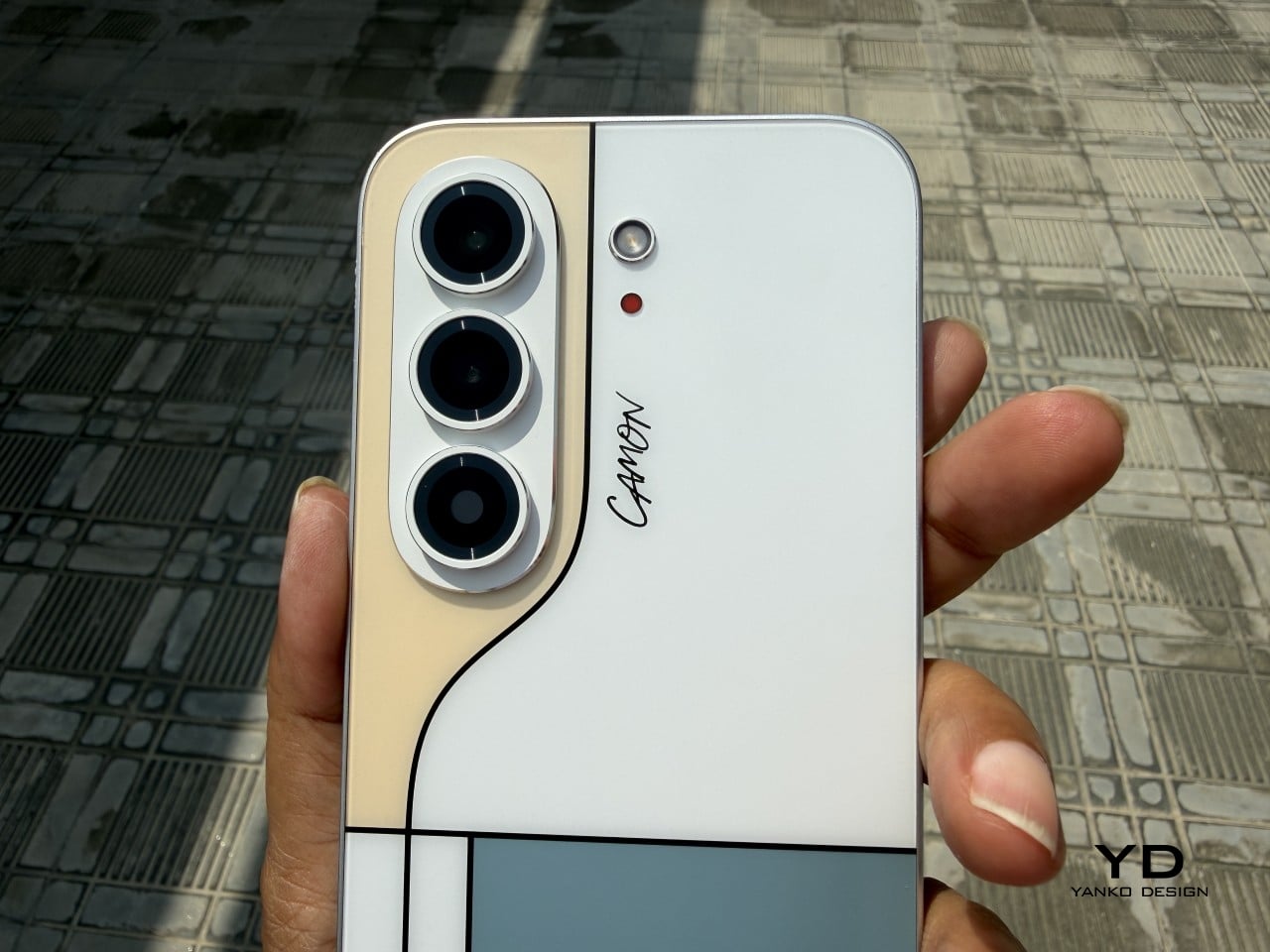
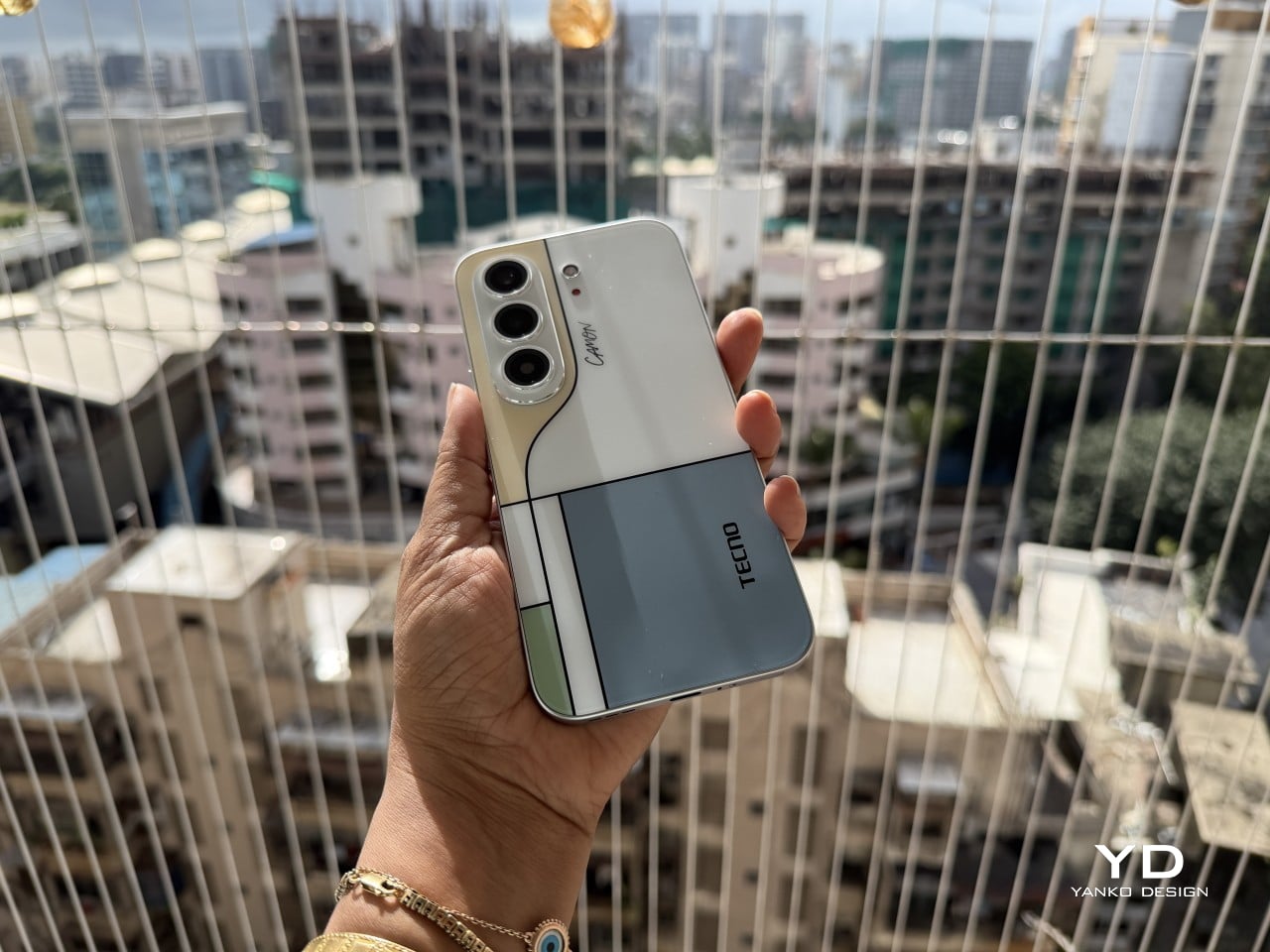
TECNO sent the Neo Mondrian colorway for this review, and it’s the strongest argument for treating a phone back as an actual canvas. Expose the panel to sunlight and yellow, green, and cyan blocks slowly bloom out of white, forming the grid Piet Mondrian made famous a century ago. It’s a photochromic trick, but watching it happen feels less like a gimmick and more like a magic show.

Neo Mondrian isn’t the only finish doing something interesting. Van Gogh Blue uses similar light-reactive techniques to make its swirling nebula pattern look like it’s actually rotating as shadows shift across it, closer to a painting than a phone back. Matisse Black leans into fluorescent green or pink color blocks that echo the artist’s cut-out work, while Burgundy Red blends fiberglass and matte texture into a warm, understated finish. Rebel Pink keeps things simpler, pairing a black body with sharp pink accents for something a little more playful.

Phone backs used to be an afterthought, something to protect rather than admire, which is why so many people slapped an opaque case on day one without a second thought. That’s changing. As manufacturers invest more in finishes, textures, and light-reactive coatings, more owners are leaving their phones bare, treating the back panel the same way they’d treat a piece of art they paid good money to display.

Ergonomics

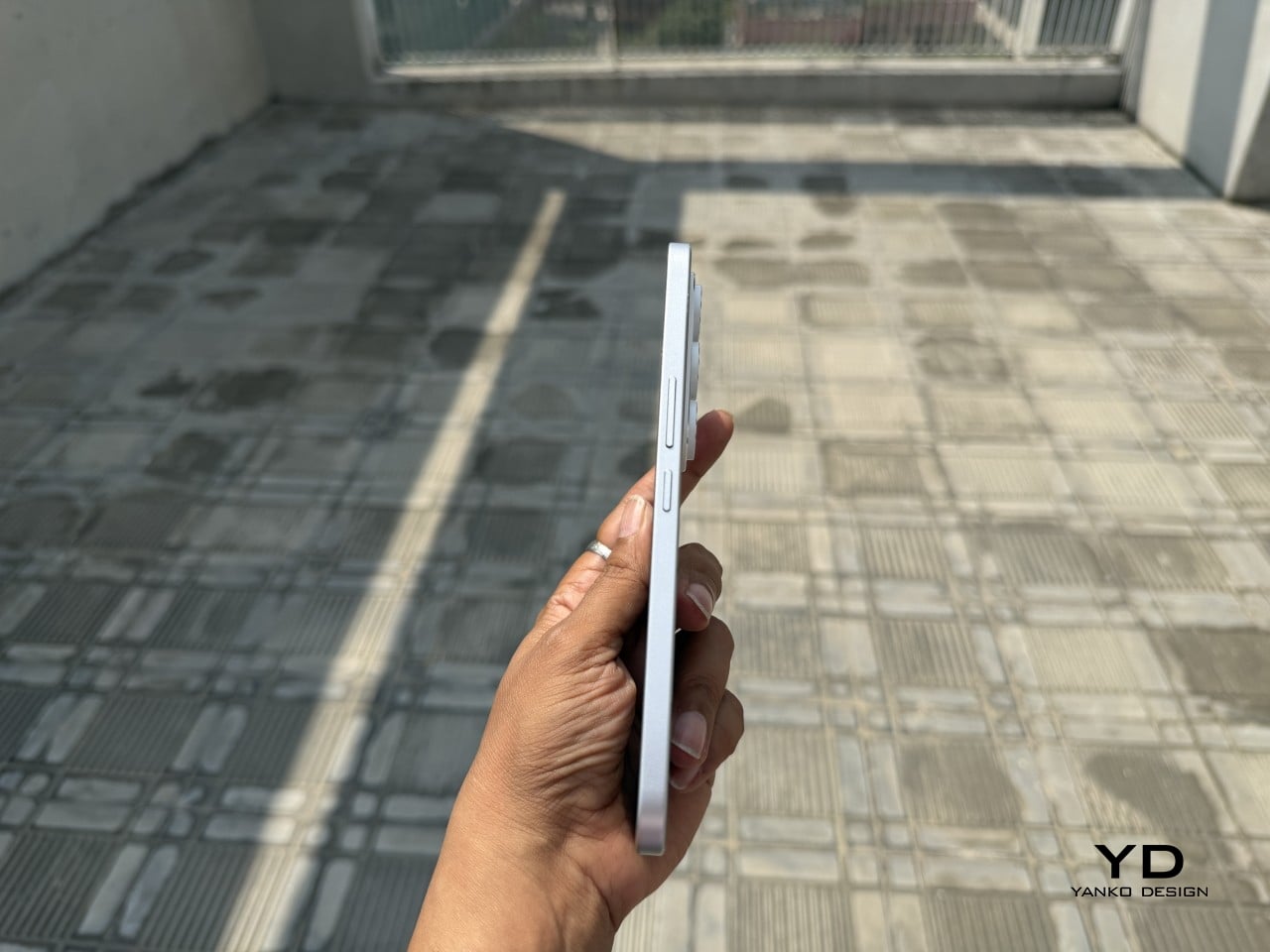
Carrying the CAMON Slim 5G is where the thin body actually pays off day to day. It slides into a front pocket without that telltale bulge, sits flat against a jacket without pulling on the fabric, and feels lighter in hand than the display size suggests. After a few days, reaching for a thicker phone almost feels like picking up a brick by comparison.

Those flat edges aren’t just a style choice borrowed from boxier design trends. They give fingers something to actually grip onto, instead of sliding off a rounded rim the way slippery slab phones tend to do. The matte texture on the Neo Mondrian panel adds even more confidence, and TECNO’s wet and oily finger recognition keeps the touchscreen responsive when hands aren’t exactly dry or clean.

Performance

The 6.78-inch AMOLED display runs at 1.5K resolution and 144Hz, and both numbers translate into a screen that looks sharp and feels fast under a thumb. Photos pop with the kind of contrast only AMOLED delivers, video looks great for a lunch break binge, and scrolling through a feed never feels like it’s fighting the hardware. TÜV Rheinland’s low blue light certification is a nice bonus for long reading sessions.

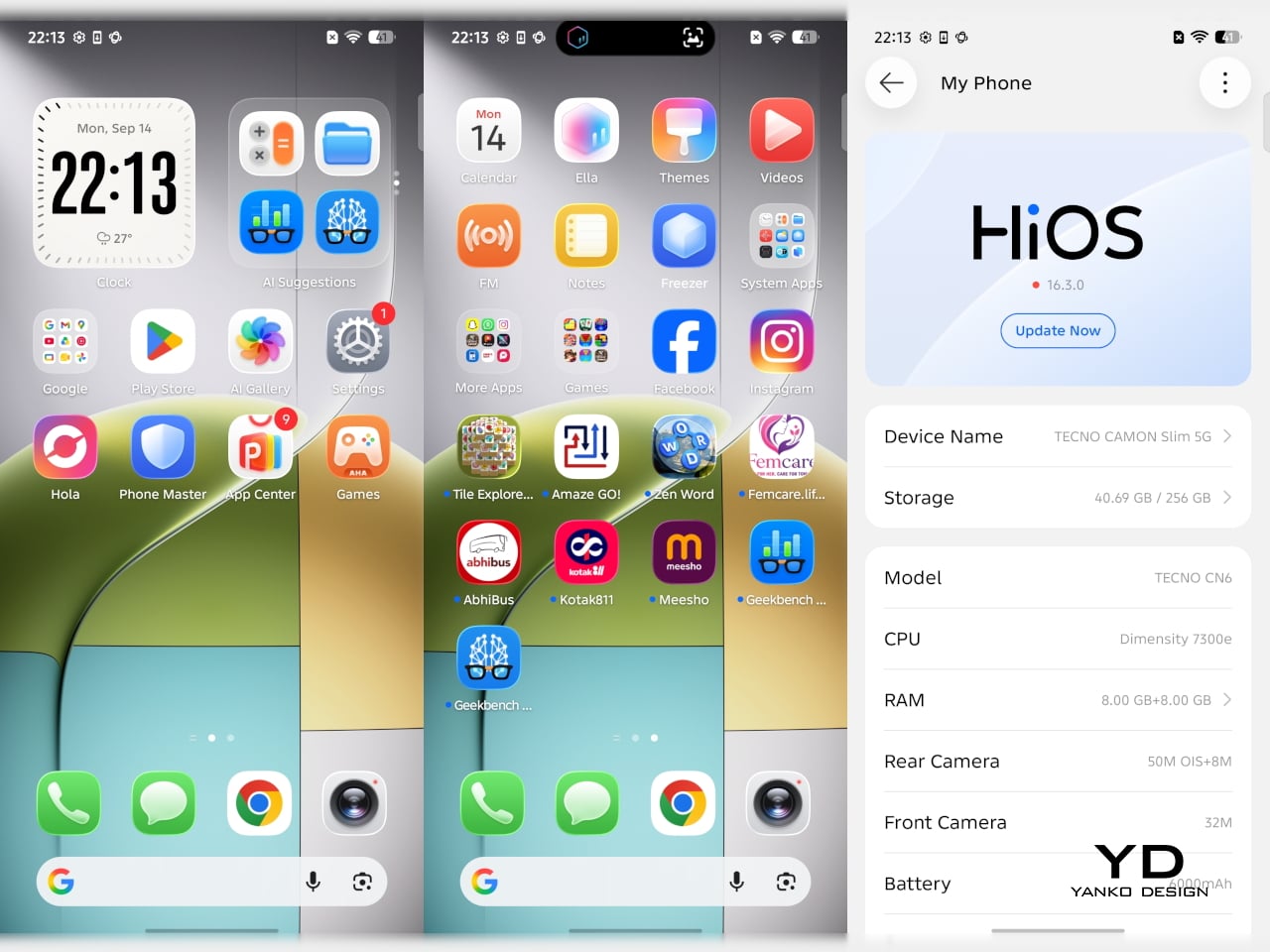
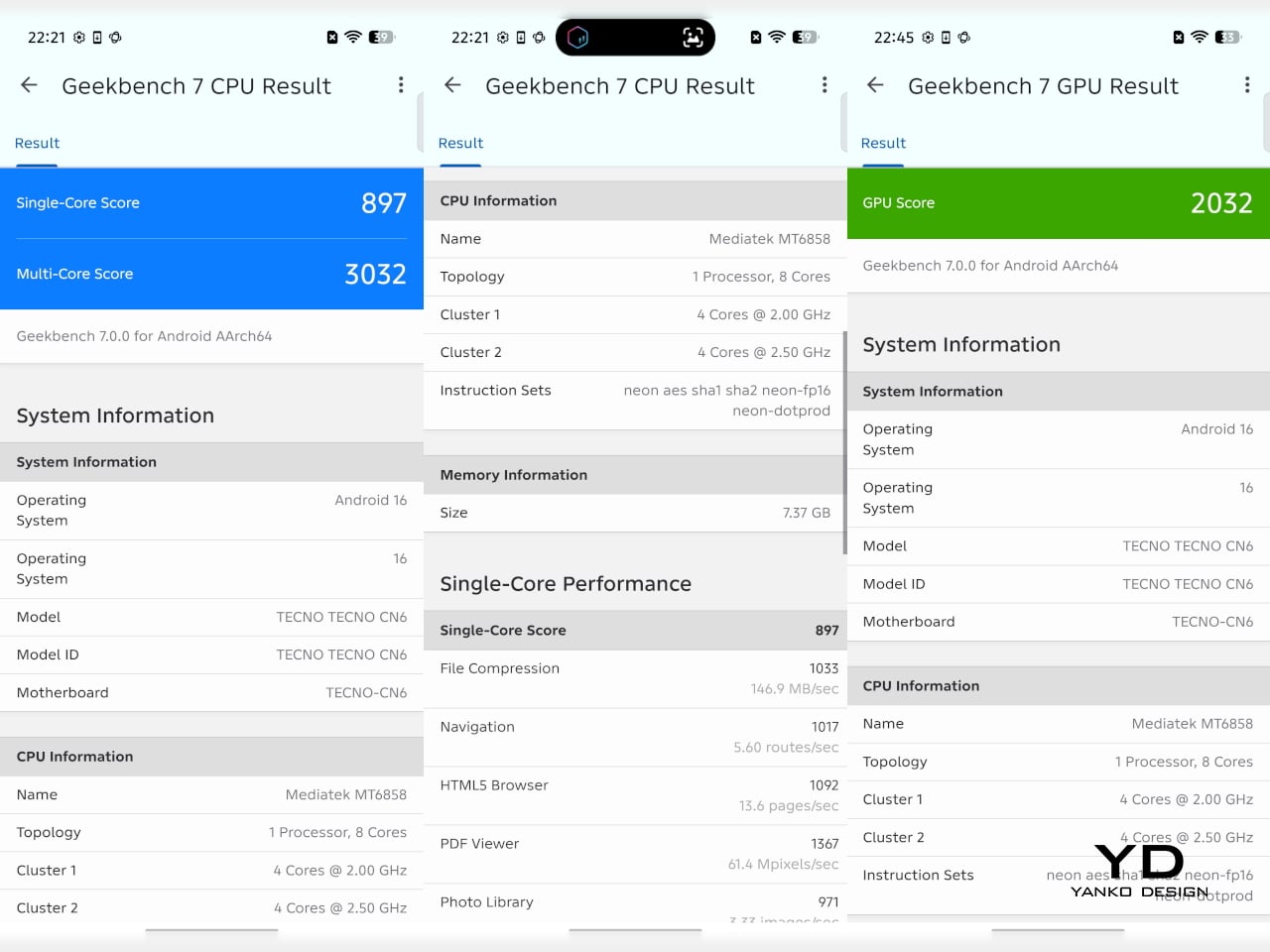
Under the hood sits a MediaTek Dimensity 7300e, a processor built for balance rather than benchmark bragging rights. It handles social apps, photo editing, and everyday multitasking without hiccups, though demanding 3D games will ask more of it than it’s built to give. The 8GB of RAM stretches to 24GB with virtual memory extension, which covers most multitasking habits without needing to close every open app.

The 50MP Sony LYTIA 700C handles most of the photography workload, and it earns that responsibility. A 1/1.56-inch sensor paired with an f/1.8 lens pulls in plenty of light for evening shots, while the closed-loop ball motor keeps focus locked even when subjects won’t sit still. The 8MP ultra-wide feels more like a footnote, and there’s no telephoto here, but the main camera rarely leaves you wanting one.

The real showstopper is the 6,000mAh battery, a number that seems almost impossible once you remember this phone measures 6.39mm thick. It comfortably carries a full day of camera use, video, and scrolling without the battery anxiety that usually comes with slim designs. That same waterproofing also unlocks a dedicated underwater photography mode, one that kicks in automatically the moment the phone senses it’s gone for a swim.

Sustainability

TECNO rates the CAMON Slim 5G at IP69K, IP69, IP68, and IP66, a combination that’s rare even among phones that don’t have to worry about staying thin. That covers everything from high-pressure water jets to dust particles to full submersion, which is a lot of technical armor for a phone this delicate-looking. Finding this rating on a 6.39mm body is the kind of detail that quietly impresses.

There’s also a MIL-STD-810 rating covering shock and drop resistance, which pairs nicely with features like Rain Touch and Waterproof Case Touch that keep the screen usable in a downpour or behind a case. This doesn’t read like a feature bolted on at the last minute. It feels like TECNO wanted this phone to survive actual daily chaos, not just look good sitting still on a shelf.

Longevity extends past the hardware, too. TECNO promises three major OS upgrades and five years of security patches, plus a 60-month smoothness certification from TÜV SÜD. That’s a meaningful commitment in a market where phones often get abandoned after two update cycles. A well-built object is worth keeping around, and TECNO seems to be betting that owners will want to hold onto this one for a while.

Value

TECNO hasn’t confirmed global pricing yet, but early indications point to somewhere around $400. At that number, buyers get a phone with genuine art-inspired finishes, a 6.78-inch 144Hz AMOLED screen, a Sony-backed 50MP camera with real stabilization, a 6,000mAh battery, and a durability rating that most phones twice the price don’t bother chasing. That’s a fairly generous list for a phone that costs less than most flagships.

Most phones in this price range make you pick a lane. Go thin, and the battery usually suffers, or the body skips water resistance entirely, or the software support runs out after a couple of years. TECNO’s five-year update promise and its layered durability ratings quietly add up to lower long-term cost, since a phone built and supported to last half a decade doesn’t need replacing as often.

This phone makes the most sense for people who are tired of carrying an identical black slab and want something that says a little more about them. It’s not the right pick for hardcore mobile gamers chasing max frame rates, or photographers who need optical zoom on tap. For nearly everyone else, it covers daily needs while looking like it belongs on a gallery shelf.

Verdict

After a few days of actual use, the 6,000mAh battery and the quad-IP rating stop feeling like marketing footnotes and start feeling like the whole point. TECNO built a phone that looks like it belongs in a design museum and still survives a rainy commute or a splash at the sink. The Neo Mondrian panel alone gives it a personality that’s genuinely hard to find anywhere near this price.

Plenty of phones ask you to choose between something beautiful and something dependable, and most buyers have quietly accepted that trade-off as the cost of owning a nice-looking device. The CAMON Slim 5G makes a strong case that the choice was never as necessary as the industry made it seem. It’s a phone that looks good on a café table and still works fine after falling off of one.

The post TECNO CAMON Slim 5G Review: Thinner than a Pencil, Tough as a Tank first appeared on Yanko Design.
  •  

RistOS - L'Android sans applis dont le cerveau reste chez vous

C'est l'histoire d'un smartphone Pixel de Google sur lequel il n'y a absolument rien... Vous l'allumez, pas une icône d'application, rien à faire défiler, pas de widget météo et ce genre de conneries... Non, vous avez juste l'heure, un gros bouton "micro" au milieu de l'écran et une ligne de saisie tout en bas pour ceux qui préfèrent taper.

L'écran d'accueil au complet : l'heure, le bouton à maintenir pour parler, et la ligne de saisie pour ceux qui préfèrent taper.

Ce truc ça s'appelle RistOS, et c'est un firmware pour Google Pixel 10a qui a pour objectif de remplacer le lanceur d'Android par un assistant vocal. Tout ce qui reste ensuite du téléphone tient dans un menu qui apparaît sur le côté : Téléphone, messages, appareil photo, galerie, cartes hors ligne (c'est Organic Maps, embarqué dans l'image), lampe torche et réglages.

Sept accès, et c'est fini. Pas d'app store, pas de navigateur, pas de compte Google, et évidemment aucun moyen d'ajouter quoi que ce soit.

Le menu sorti sur le côté, ses sept entrées, et rien d'autre à faire glisser.

Le projet repose sur GrapheneOS, sans être affilié ni à celui-ci ni à Google, et il ne tourne que sur le Pixel 10a (lien affilié), que Google vend encore la "modique" somme de 389 €.

Bref, par défaut, si vous appuyez sur ce gros bouton micro, absolument rien n'écoutera ce que vous avez dit, parce que l'image publique ne contient aucune adresse de serveur. Pour que cela fonctionne, vous devrez aller dans les réglages et remplir le champ dédié afin de lui indiquer l'URL de votre backend Rist. C'est donc le serveur, que vous devez installer comme ceci , qui récupèrera l'audio encodé et qui ensuite vous répondra au travers du téléphone.

L'idée, c'est que comme ça, on peut changer de téléphone sans souci, puisque tout est centralisé sur le serveur. C'est donc assez tranché comme usage, surtout que l'install efface tout ce qui est sur l'appareil. Mais bon, c'est peut-être ça le futur... Une coquille vide qui discute avec un serveur IA personnel, qui se trouve chez vous.

Par contre, n'espérez plus pouvoir utiliser votre téléphone pour appeler, par exemple, un service d'urgence, ça ne fonctionnera pas. Et si vous préférez simplement virer l'emprise de Google de votre téléphone sans avoir à vous monter un serveur entier derrière, /e/OS fera le travail .

Source : RistOS sur GitHub

  •  

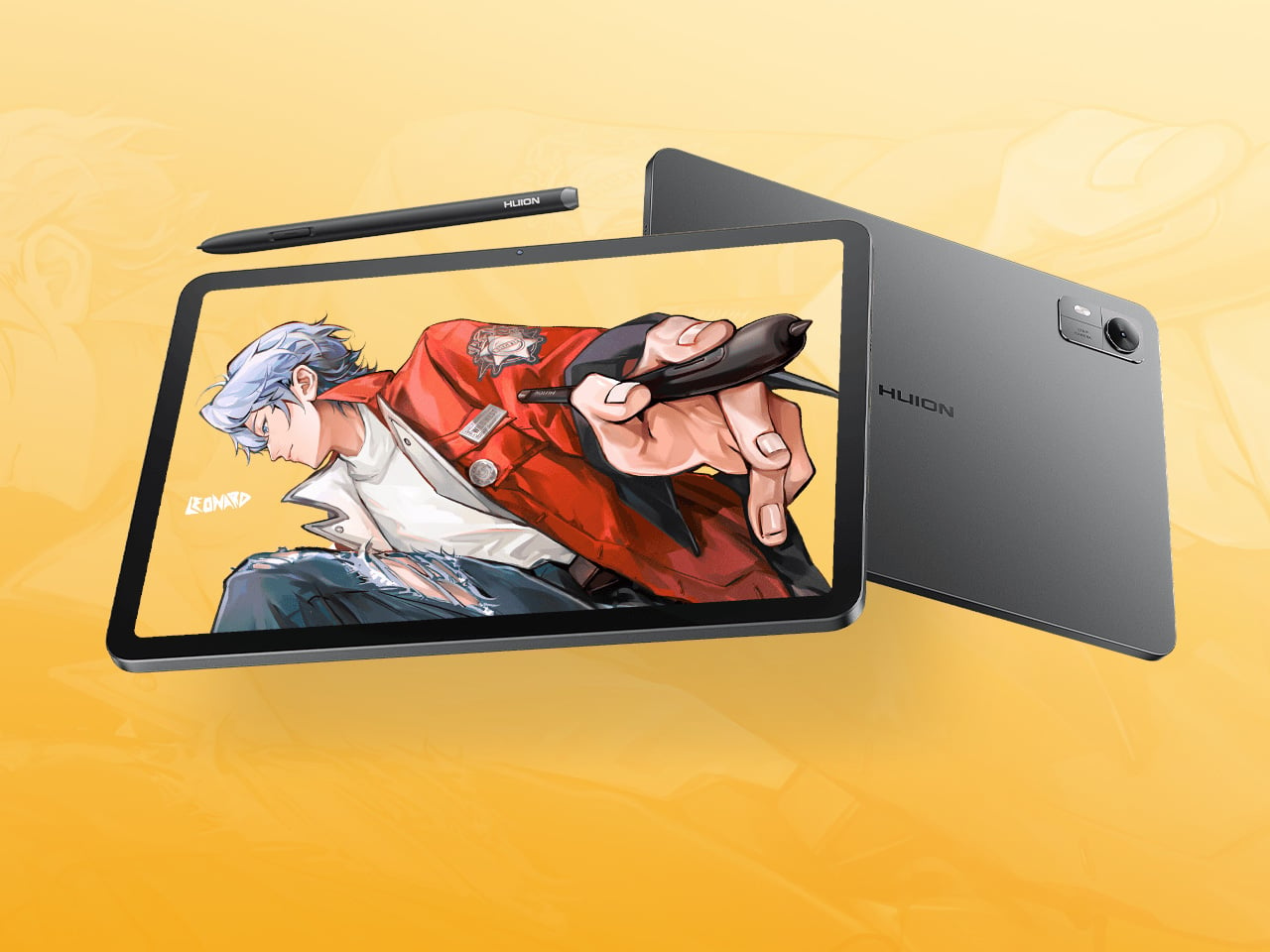
An Android Drawing Tablet With 127 Layers That Still Feels Like Paper

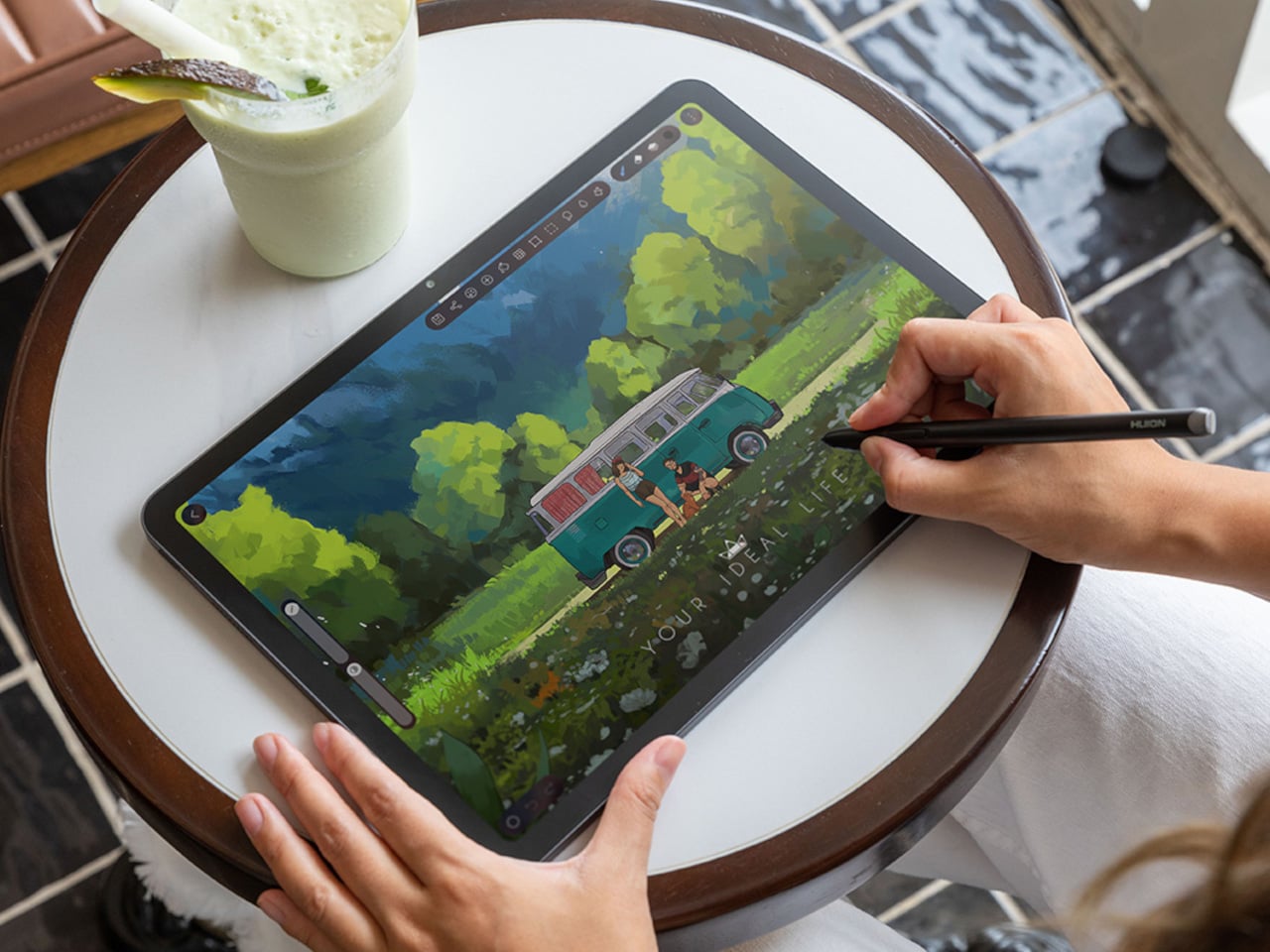
Most Android drawing tablets make you choose between a screen that feels like paper and hardware fast enough to keep up with a real workflow. The Kamvas Pad 12 refuses that trade-off. Huion built a 12.2-inch standalone tablet around a textured, paper-like display and paired it with enough processing power to hold 127 layers open without stuttering, treating the screen as a genuine canvas rather than a stylus afterthought.

That screen runs a 3:2 aspect ratio instead of the usual 16:9, and the difference shows up the moment you start sketching. A wider canvas means fewer awkward crops when composing a portrait or a page layout, and it doubles as a better shape for reading documents or comics without letterboxing. Combined with a 90Hz refresh rate, linework tracks the pen smoothly instead of lagging a beat behind your hand.

Designer: Huion

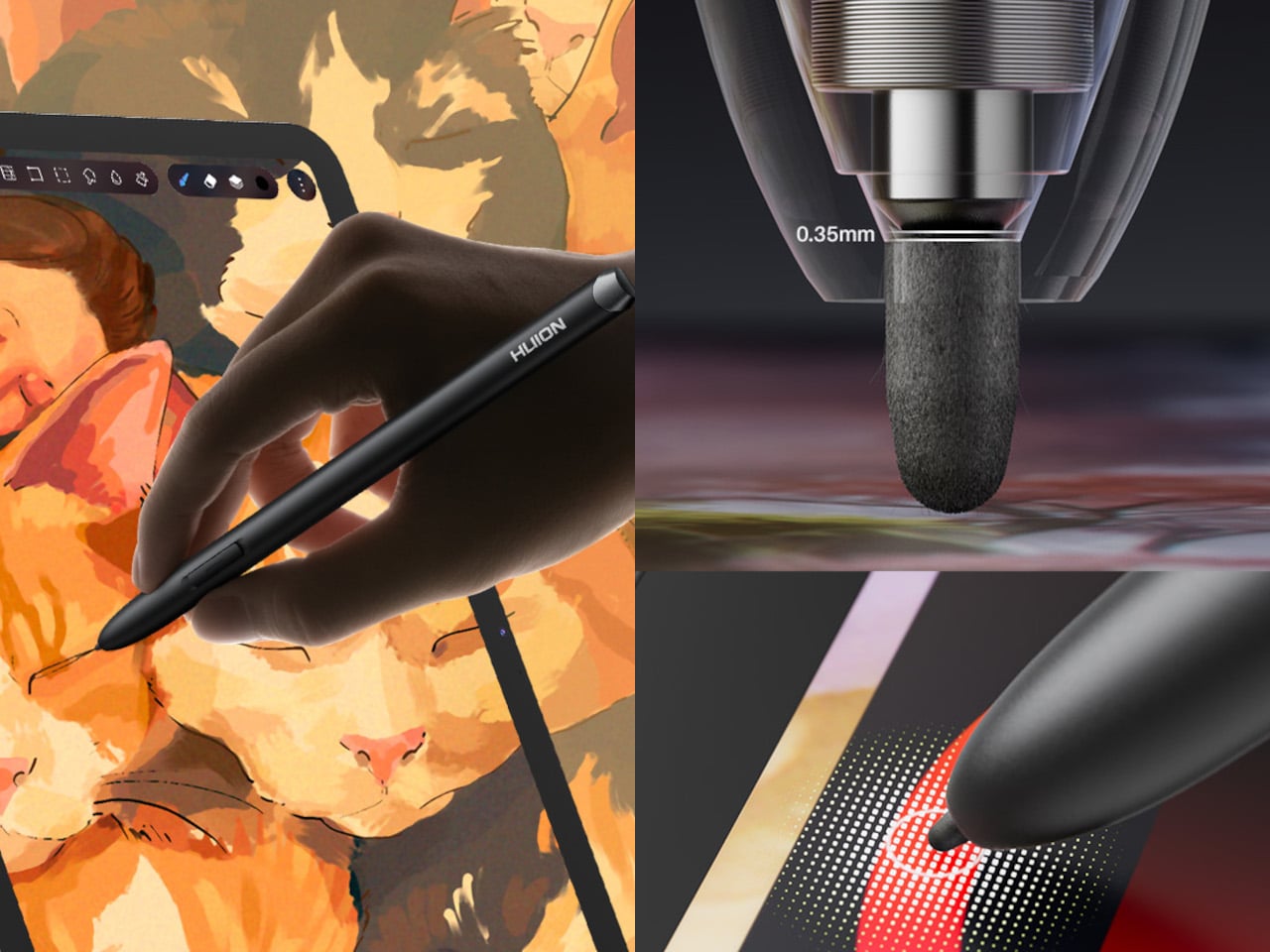
Canvas Glass 3.0 does the quieter work here. The surface is nano-etched for texture, so the pen tip grips the way it would on actual paper, while a soft-light treatment and anti-glare coating keep long sessions from turning into eye strain. Setting up near a window or working outdoors doesn’t wash out the display, which matters more than most spec sheets give it credit for.

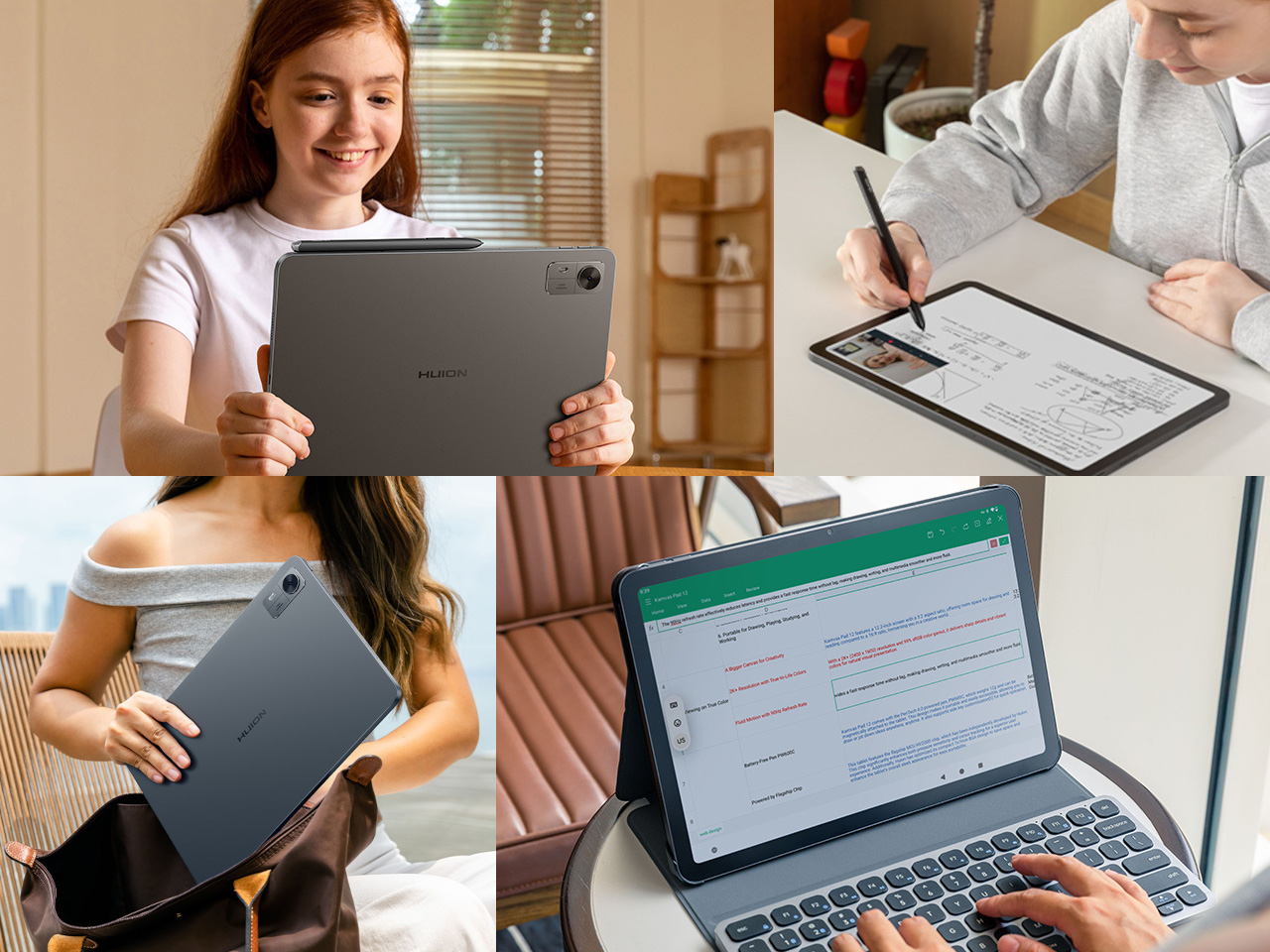
The PW600C pen leans into that same philosophy of getting out of the way. It’s battery-free, weighs just 12 grams, and snaps magnetically onto the tablet body instead of needing a separate case or loop. Someone sketching on a train can toss the pen against the tablet’s edge between stops and trust it’ll still be there, without fishing through a bag for a charging cable or a lost cap.

Underneath, an eight-core MediaTek Genio 720 chip and 8GB of RAM handle the kind of multitasking that used to choke budget Android tablets, running multiple layers and apps without the frame drops that make digital painting frustrating. At 16,384 pressure levels and 60-degree tilt support, the stylus itself translates a feather-light highlight or a bold ink stroke with the kind of nuance that used to be reserved for pricier displays.

Storage tops out at 256GB onboard with room to expand to 1TB, so a growing library of finished pieces, reference photos, and half-done sketches doesn’t force anyone into constant cleanup. Android 16 and full Google Play access mean the tablet isn’t locked into a single app either. Clip Studio Paint, ibisPaint X, MediBang Paint, and Huion’s own HiPaint all come preloaded, ready for whichever workflow fits the project at hand.

Battery life rounds out the case for treating this as a genuine mobile setup instead of a tethered accessory. An 8,000mAh cell inside a 7.8mm metal body keeps the Kamvas Pad 12 running for roughly eight hours, long enough for a full day of sketching at a café or a cross-country flight without hunting for an outlet. That kind of stamina turns a drawing tablet into something closer to a sketchbook you never outgrow.

The post An Android Drawing Tablet With 127 Layers That Still Feels Like Paper first appeared on Yanko Design.
  •  

GrapheneOS verrouillera bientôt le presse-papiers d'Android

Il y a 2 jours, GrapheneOS que vous connaissez tous parce que c'est l'Android que la police déteste, a détaillé une fonction baptisée secure paste, qui change la façon dont Android sert le contenu du presse-papiers aux applications. Le principe c'est qu'une application peut relire ce qu'elle a copié elle-même, mais rien de ce que les autres ont copié.

Android dans sa version de base n'est pas resté les bras croisés sur ce sujet, mais il s'est arrêté en chemin et depuis Android 10, seules l'application affichée à l'écran et le clavier par défaut peuvent lire le presse-papiers, ce qui a fermé la porte à celles qui tournent en arrière-plan. Puis Android 12 a ajouté une notification à la première lecture d'un contenu venu d'ailleurs, et enfin Android 13 vide le presse-papiers au bout d'un moment.

Mais depuis, plus rien...

Le trou qui reste, Microsoft l'a documenté en mars 2023. La version 7.9.2 de l'application SHEIN (oui, le site de fringues), téléchargée plus de cent millions de fois, lisait périodiquement le presse-papiers, et si elle y trouvait en même temps un signe dollar et un "://", elle expédiait le contenu vers un serveur distant.

Et la restriction d'Android 10 n'a rien empêché, tout simplement parce que l'application tournait au premier plan. Le comportement problématique de l'app SHEIN a ensuite disparu en mai 2022, après un signalement à Google, mais le problème de fond n'a jamais été réglé. Et j'imagine que d'autres apps actuellement sur le PlayStore appliquent la même technique sans que personne ne l'ait encore remarqué.

Secure paste de GrapheneOS s'attaque donc à ça en changeant la règle plutôt qu'en ajoutant un avertissement, et cette fois être affiché à l'écran ne donne plus droit à rien. Une application privée d'accès sait toujours qu'un élément est disponible, et peut en inspecter le type, l'horodatage de copie et la présence de mise en forme. Mais le contenu lui-même, son libellé et ses données annexes ne lui sont plus offerts sur un plateau d'argent.

Et le "collage" continue de marcher lui, parce que c'est vous qui l'autorisez. Que vous colliez depuis la barre de sélection de texte, depuis le clavier, depuis un service d'accessibilité ou avec un raccourci clavier, le système délivre une autorisation courte, liée à l'application qui reçoit et à l'élément en cours. Et pour les applications qui dessinent leur propre barre de sélection, comme celles codées en Flutter, un bouton "Coller" est visible dans le clavier par défaut.

Le plus vif d'esprit qui me lisent sont déjà debouts sur leur chaise et hurlent à travers leur écran : Et comment ça se passe pour "couper" ? Qui décide ?? Hé bien le réglage existe en version globale et par application, et il est autorisé par défaut, pour ne rien casser des applications déjà installées. Autrement dit, personne ne sera protégé sans l'avoir décidé et c'est à vous d'aller basculer en collage seulement celles à qui vous ne faites pas confiance.

Maintenant, calmez-vous les groupies de GrapheneOS parce que rien de tout ça n'est encore livré. Le code est visible dans une pull request ouverte depuis le 22 août dernier mais toujours pas fusionnée. GrapheneOS dit vouloir l'intégrer bientôt, sans donner de date et le mécanisme ne porte que sur la lecture, donc il ne dira rien des applications qui écrivent dans le presse-papiers pour y remplacer ce que vous venez de copier (coucou les détourneurs de transactions crypto)...

La même annonce parle aussi de l'application Messaging, dont l'interface vient d'être refaite en Compose, et le projet lâche au passage un chantier autrement plus lourd : faire du RCS directement dedans, chiffrement de bout en bout compris, pour ne plus avoir besoin de Google Messages. Héhé... Aujourd'hui, RCS marche très bien sur GrapheneOS, mais uniquement avec l'application de Google et sa couche Google Play isolée et c'est de ça dont ils veulent se passer.

Comme le RCS n'est pas une plateforme ouverte en pratique (pas autant que le SMS et le MMS quoi) et que tout cela repose sur l'infrastructure de Google et des opérateurs, le plan, c'est donc de refaire d'abord la partie que Google Messages assure, en gardant Google Play isolé pour l'activation, puis de s'en passer chez les opérateurs qui le permettent... à condition qu'ils acceptent le client de GrapheneOS, ce qui n'est pas gagné...

Quand je pense que Google, ces grands hypocrites qui ont passé des années à réclamer qu'Apple adopte RCS au nom de l'ouverture, coupe lui-même le service depuis 2024 sur les téléphones rootés et une partie des ROM alternatives. GrapheneOS y échappe mais ça donne quand même l'idée de l'accueil qu'un client maison pourrait espérer... On verra bien.

Mais bon, si vous êtes sur GrapheneOS, je serais vous, je surveillerais cette histoire de presse-papiers sécurisé parce que quand ça arrivera, vous serez encore plus béton face aux apps problématiques.

Source : le fil d'annonce de GrapheneOS et Android Authority

  •  

TCL’s P80 Pro and Ultra Are the Phones That Replaced Your Kindle Too

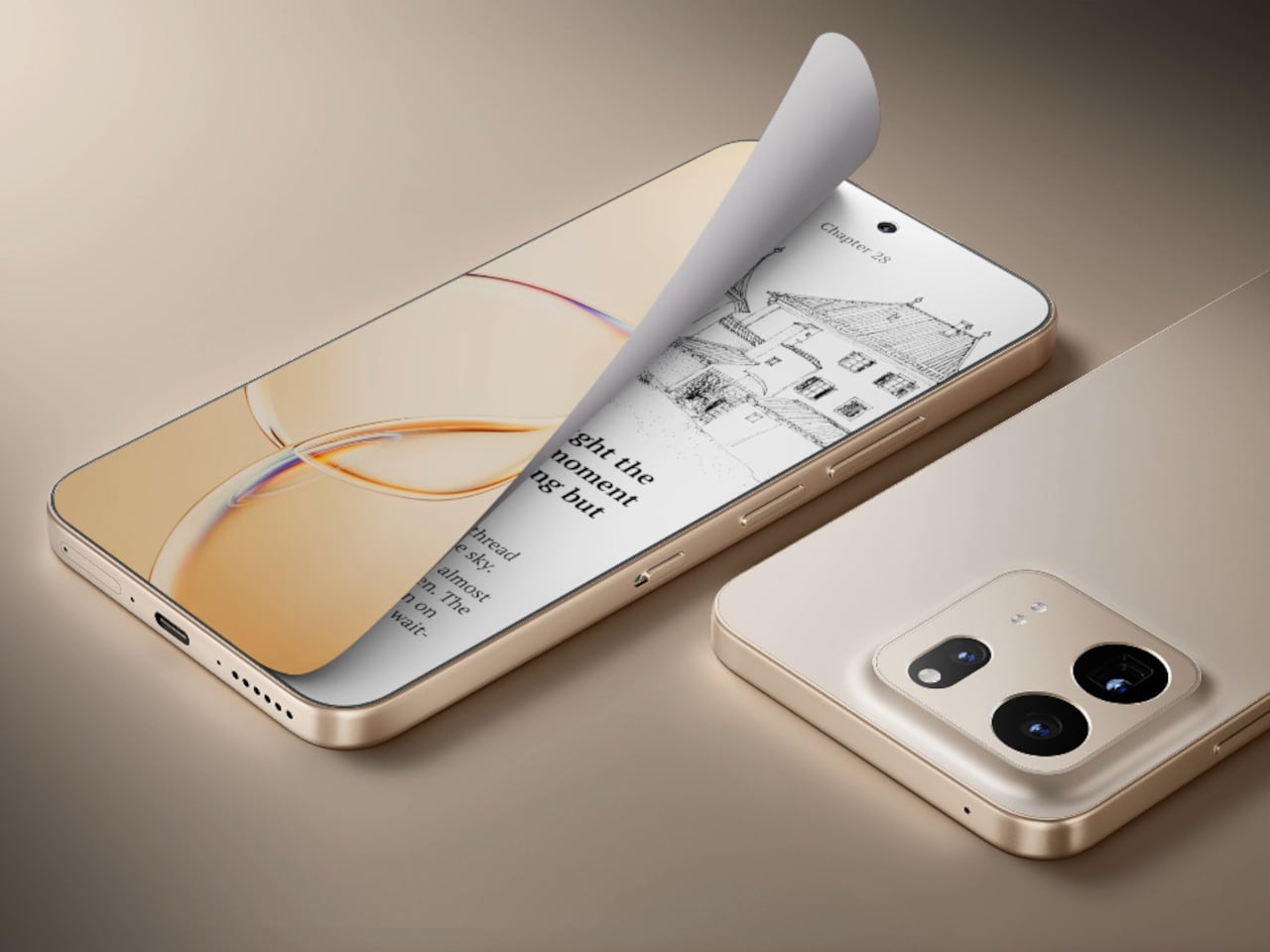
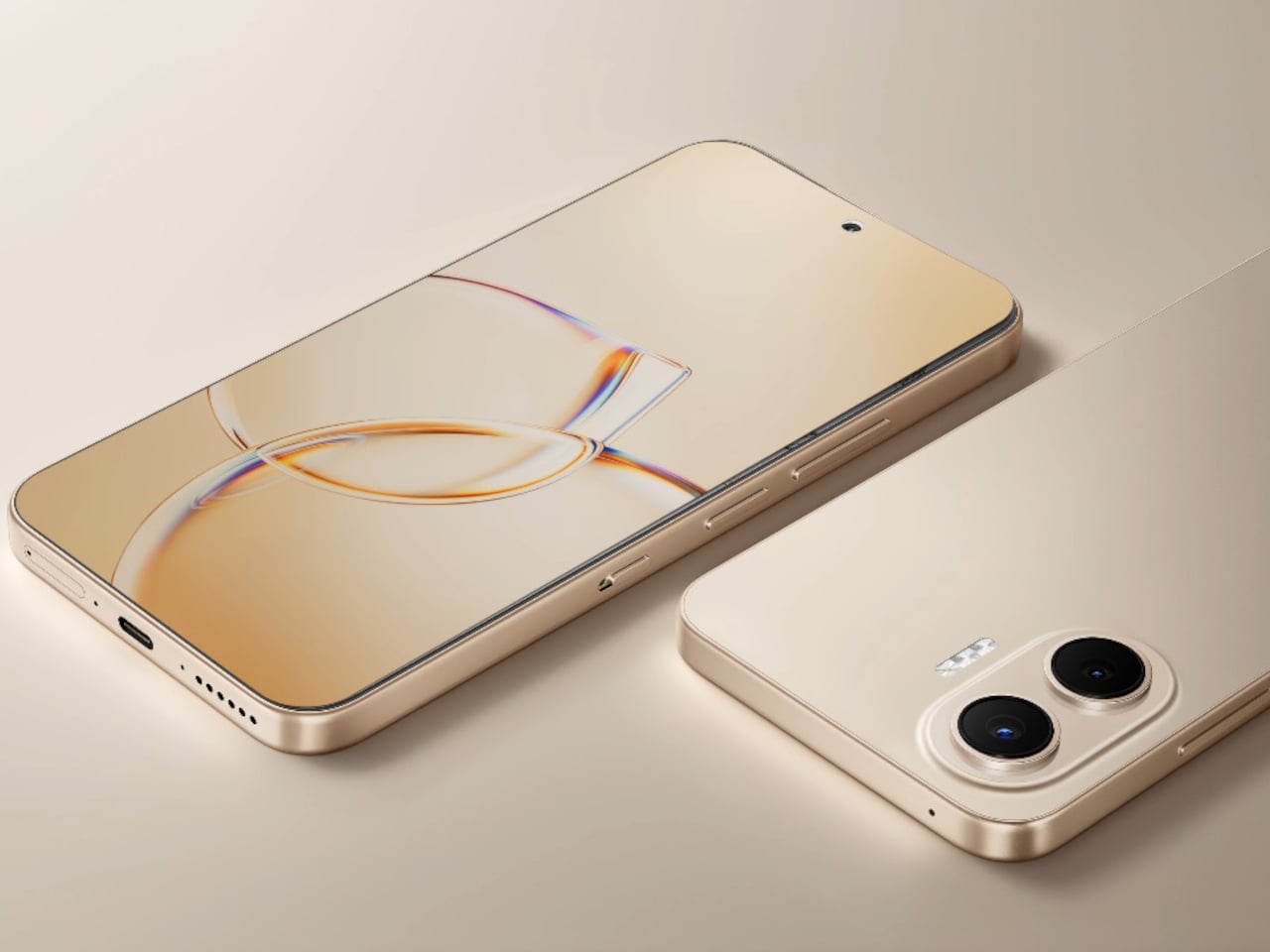
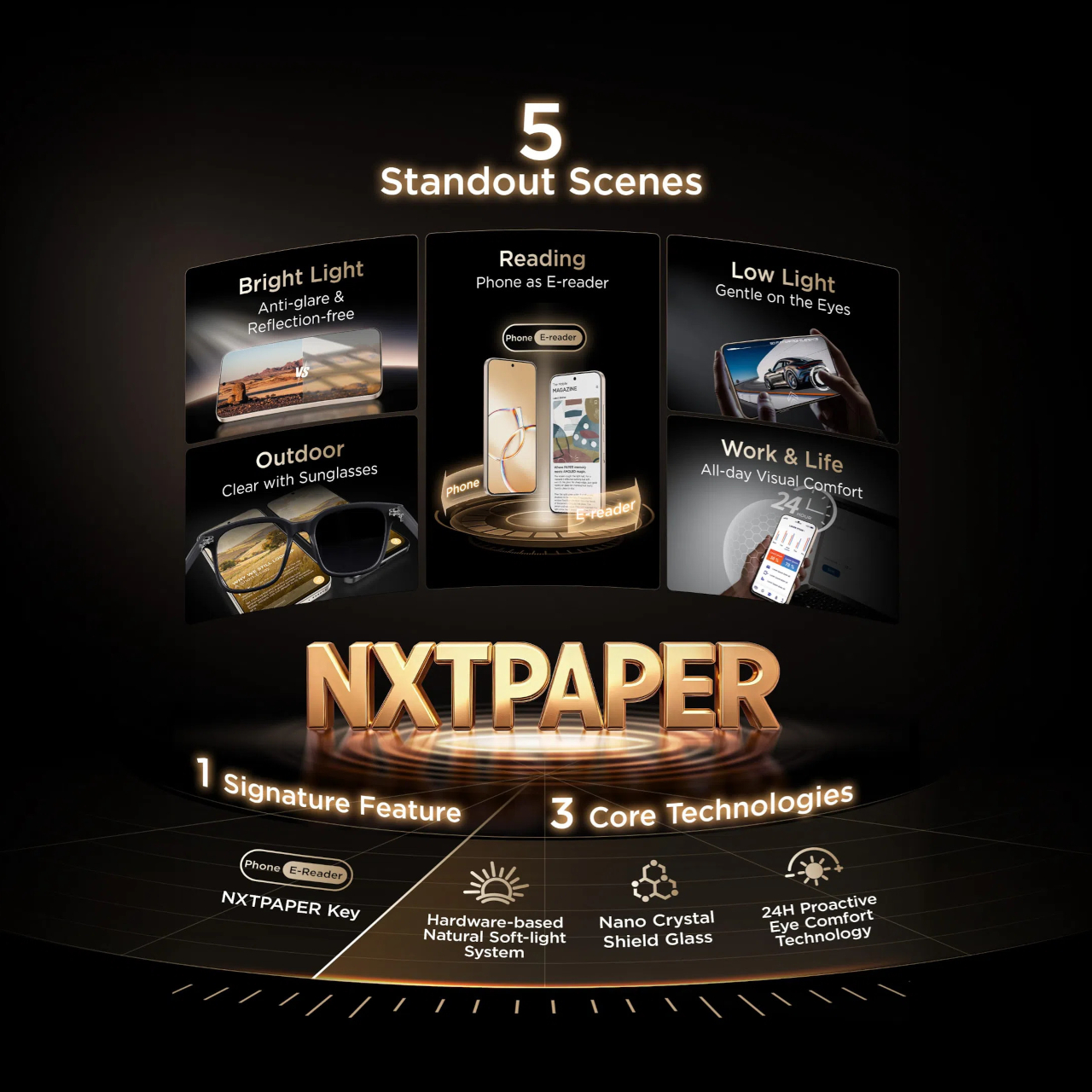
TCL’s P80 Ultra and P80 Pro prove a phone screen doesn’t have to pick one personality and stick with it. Unveiled at IFA 2026 in Berlin, both handsets fold a vivid AMOLED panel and TCL’s paper-like NXTPAPER technology into the same sheet of glass, letting the display shift moods with a flick of a switch instead of forcing a trade-off between color and comfort.

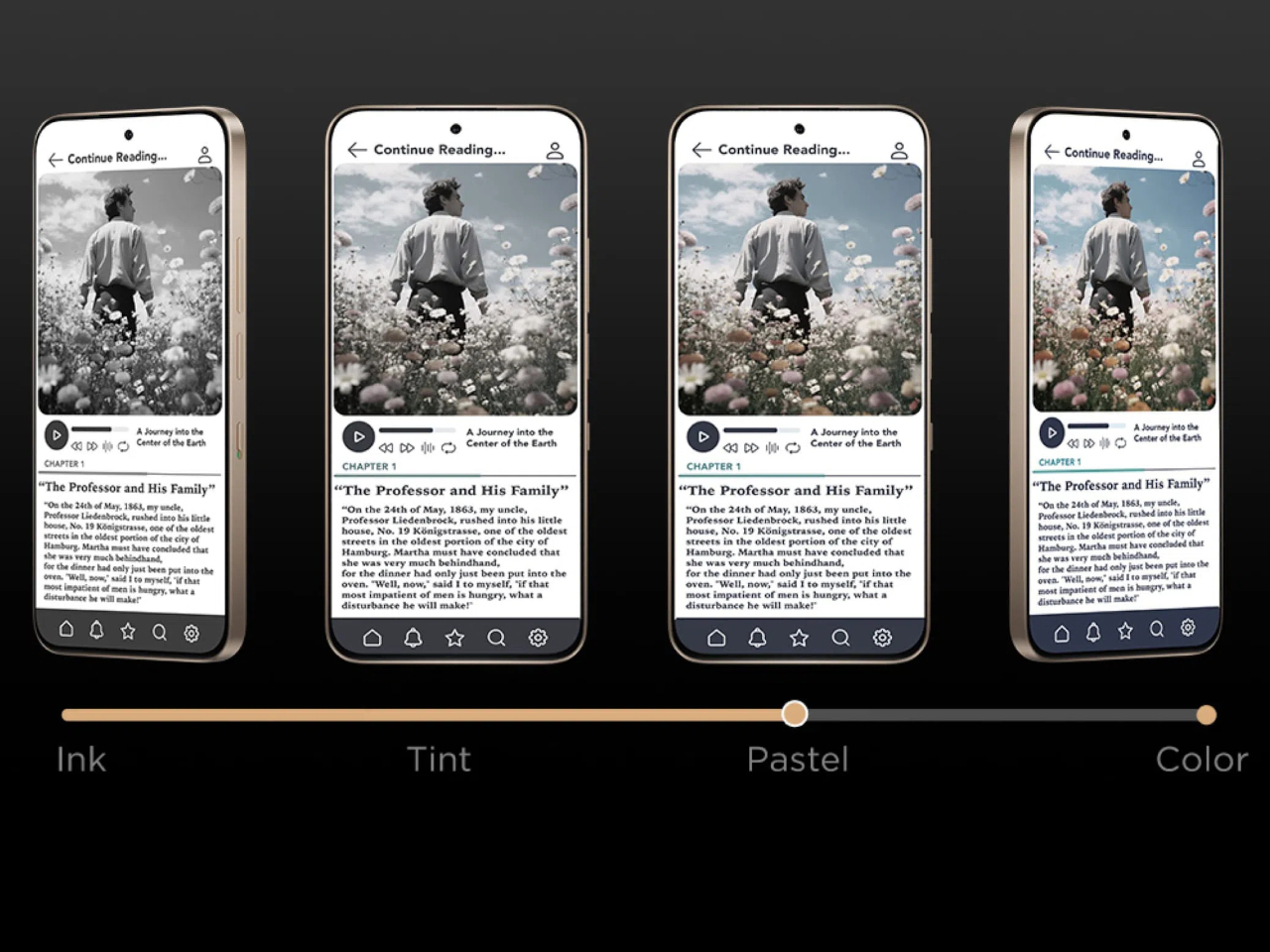
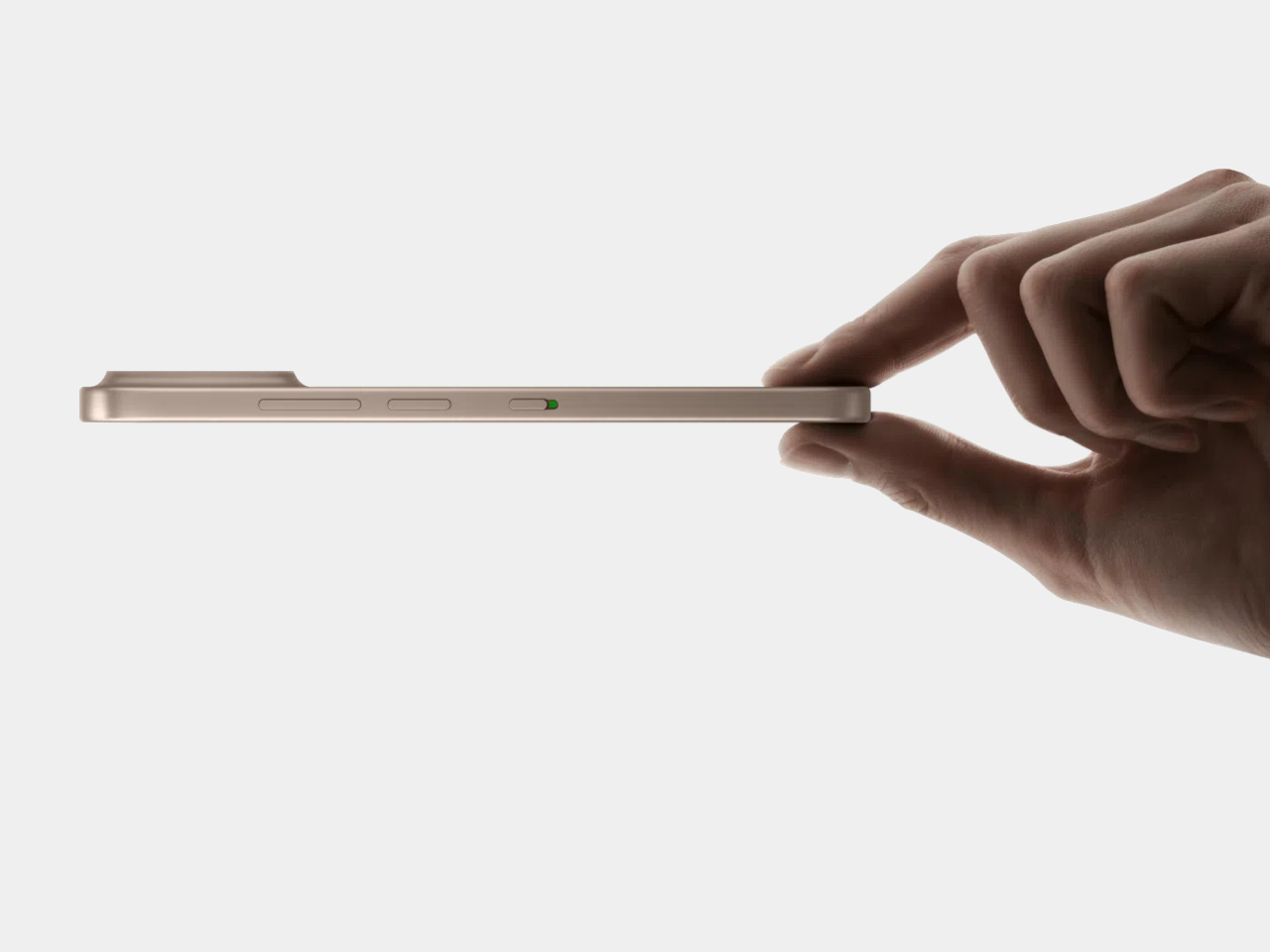
Run a finger along the frame, and you’ll find a thin slider, a small physical detail that carries plenty of weight in daily use. Slide it, and the 6.83-inch panel drops its saturation, taking on a warmer, textured look that mimics a printed page. A commuter buried in a novel or someone proofreading a document late at night gets a screen that behaves like paper, without losing the sharpness underneath.

Designer: TCL

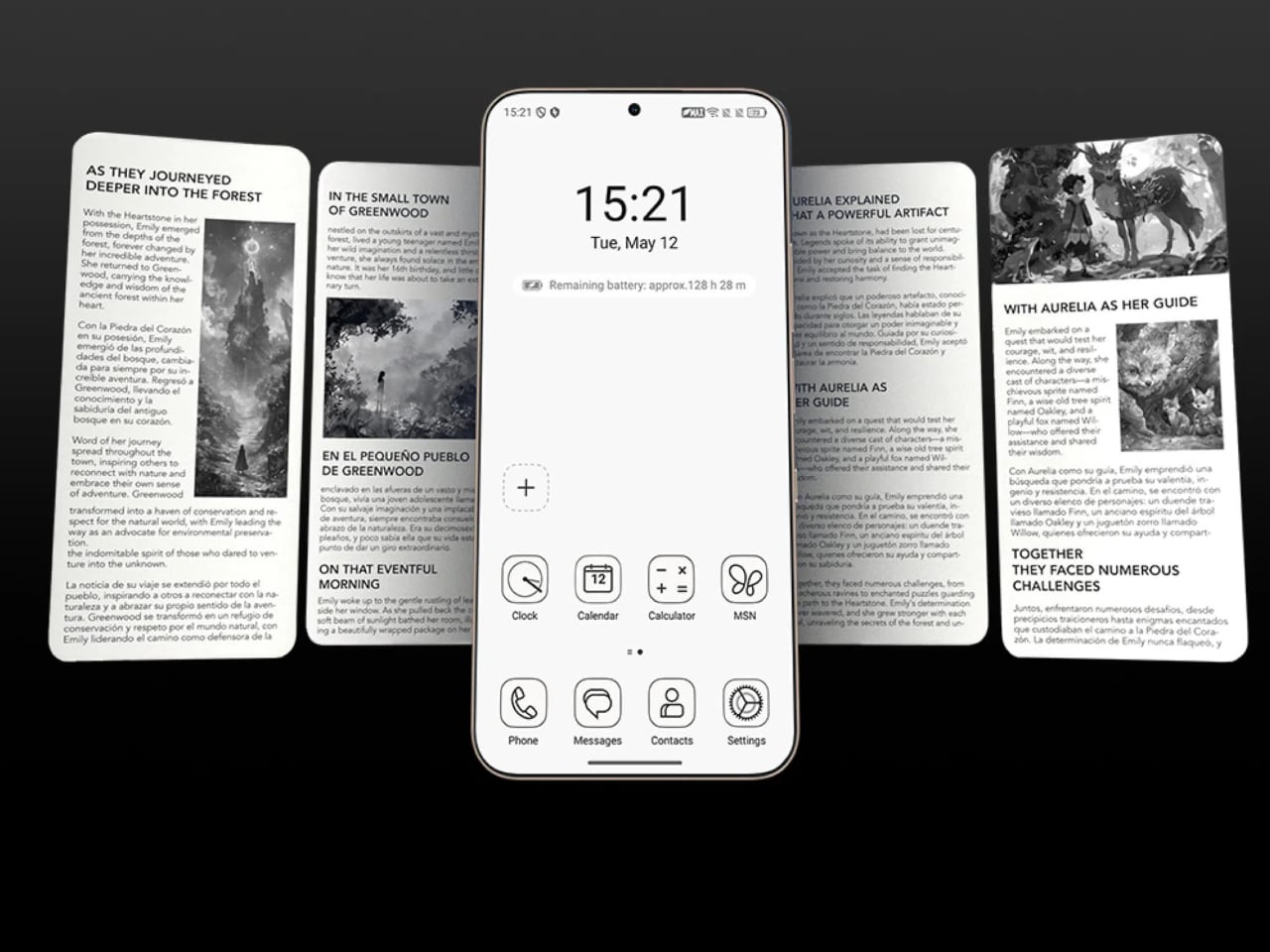
Push that same slider one notch further, and the screen drops color entirely for Max Ink Mode, a stripped layout that silences notifications except for calls and texts. It reads like a design decision as much as a software one, TCL betting people want to quiet their phone rather than mute it completely. The payoff is a battery that can stretch across roughly a week of steady reading.

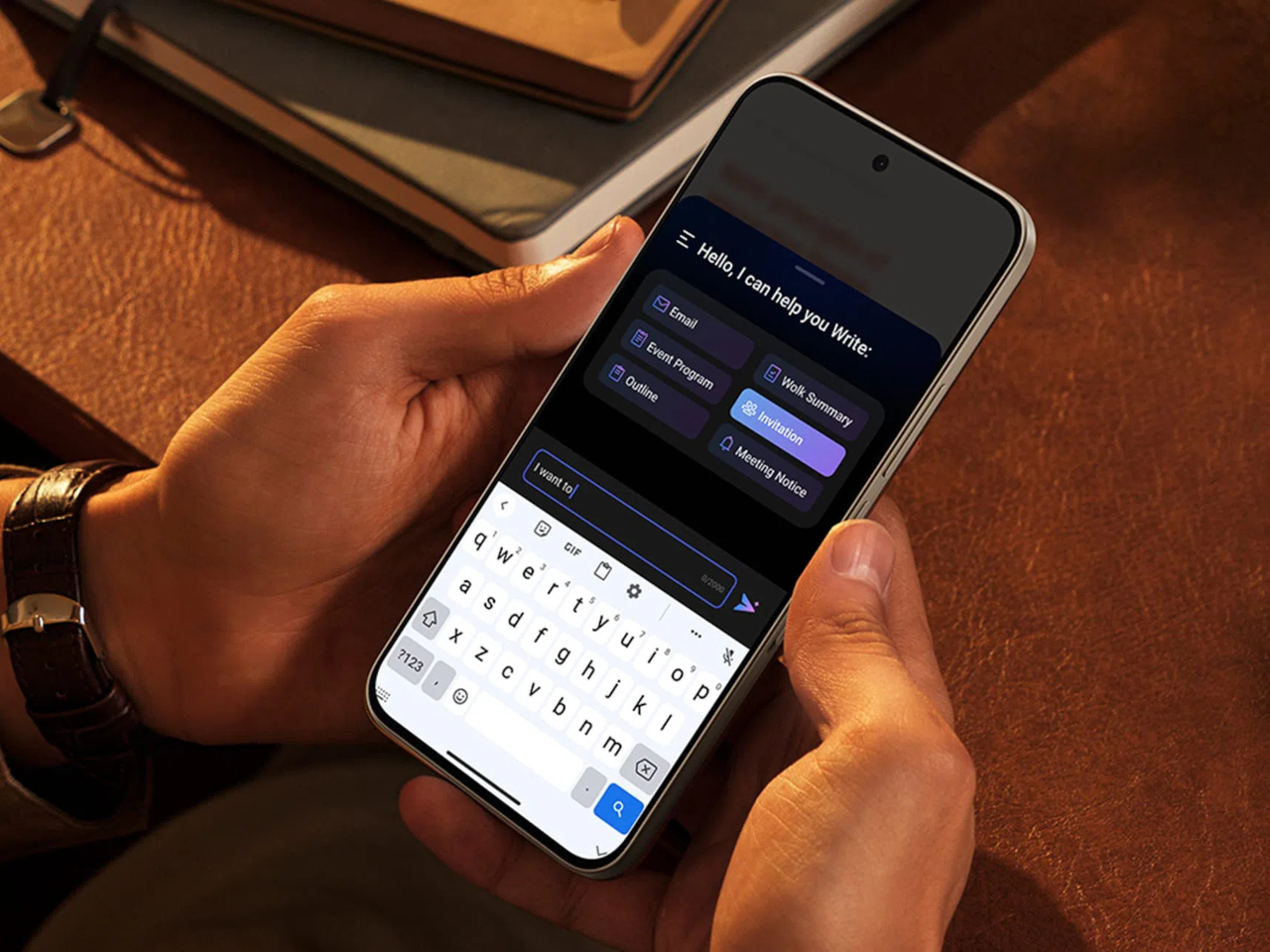
That reading-first mindset carries into the software too. Both phones can convert e-books into audiobooks or podcast-style narration using on-device AI, giving Max Ink Mode a voice to lean on when eyes need a break instead of ears. It is a small addition, but it treats the slower, paper-like mode as a genuine feature rather than a bolted-on gimmick for a keynote slide.

None of that would matter if the screen looked washed out the rest of the time, so TCL leaned on a 1.5K AMOLED panel that hits 3,200 nits and covers the full DCI-P3 color range. A Nano Crystal Shield coating cuts glare enough to keep the display readable under direct sun, marking TCL’s first pairing of NXTPAPER with OLED rather than the LCD panels it used before.

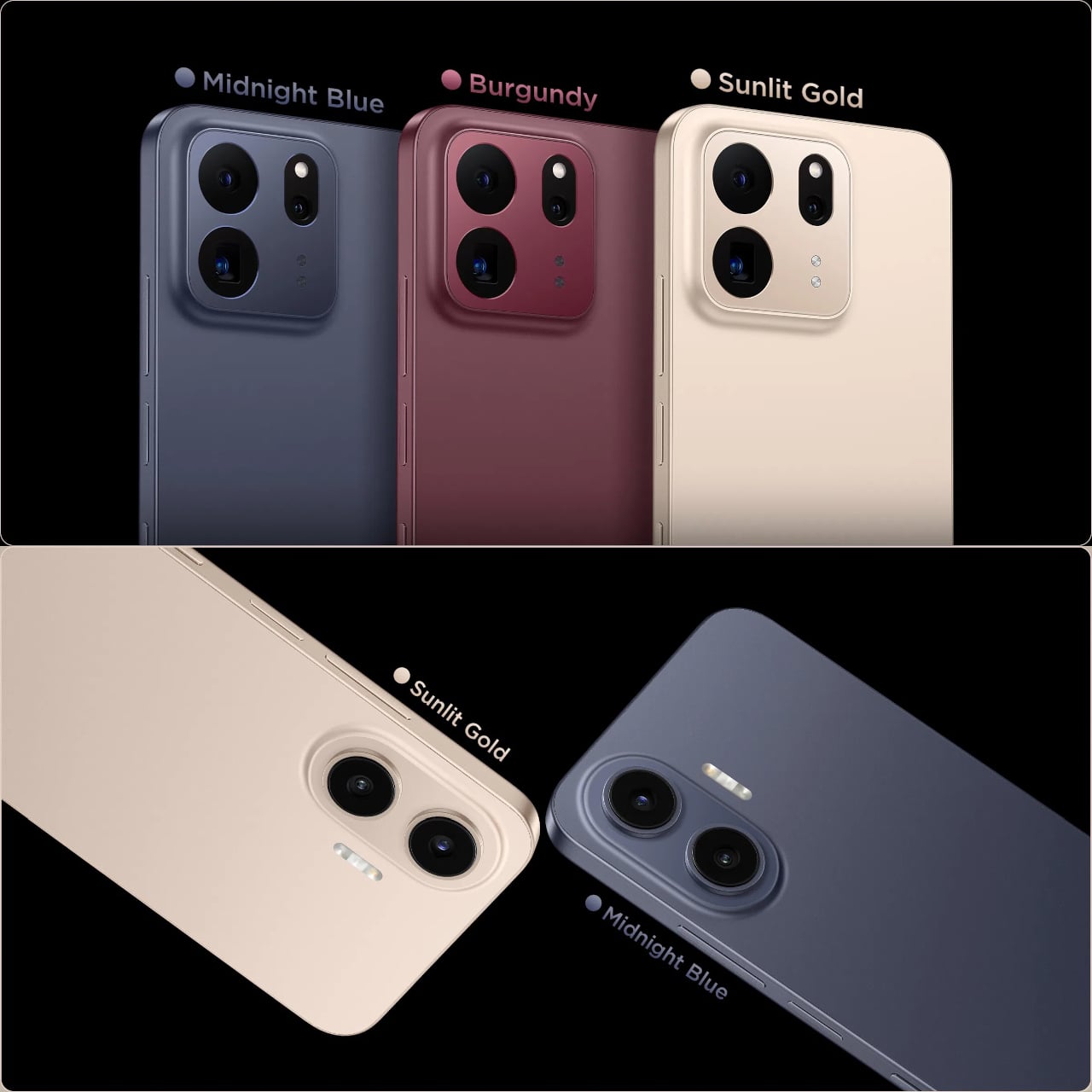
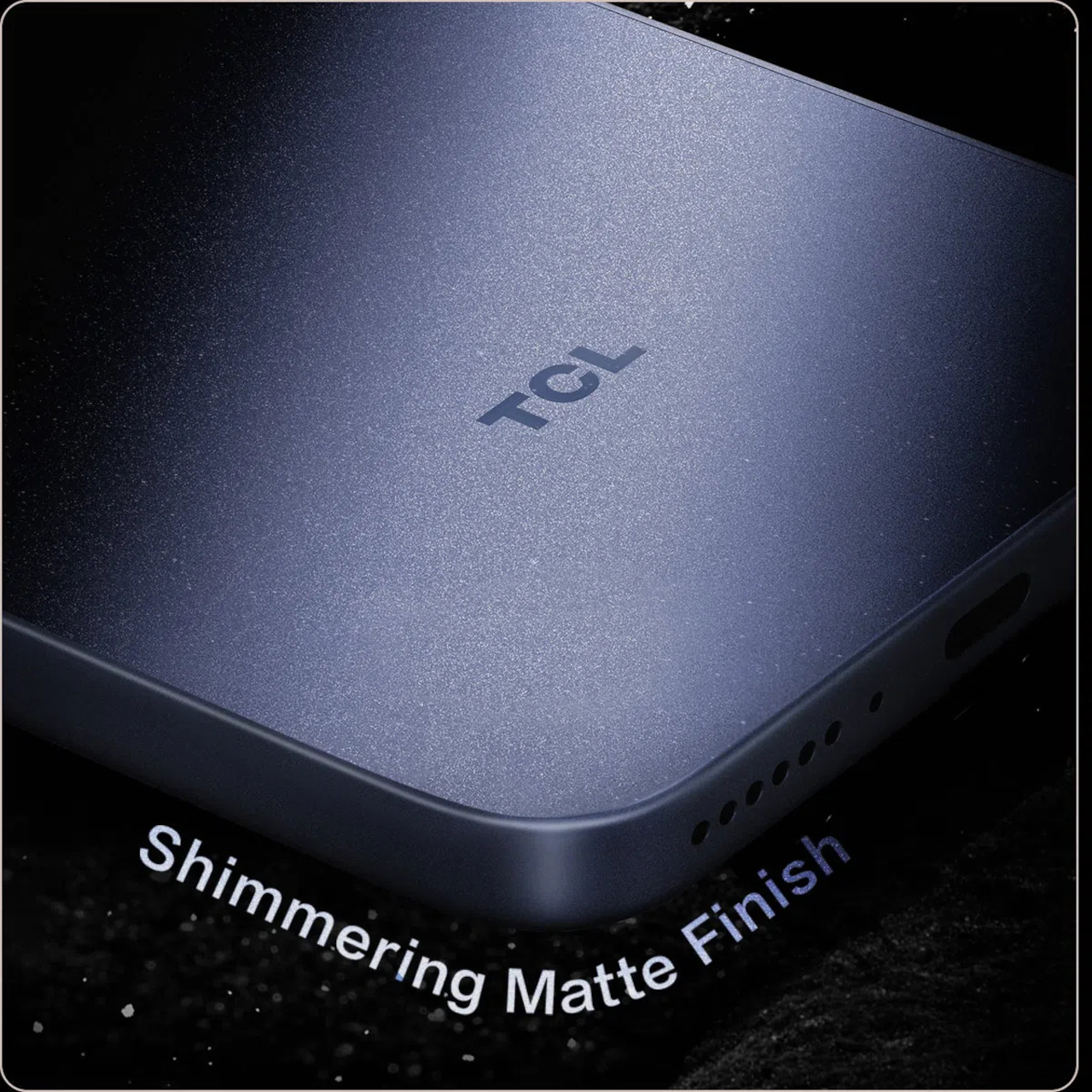
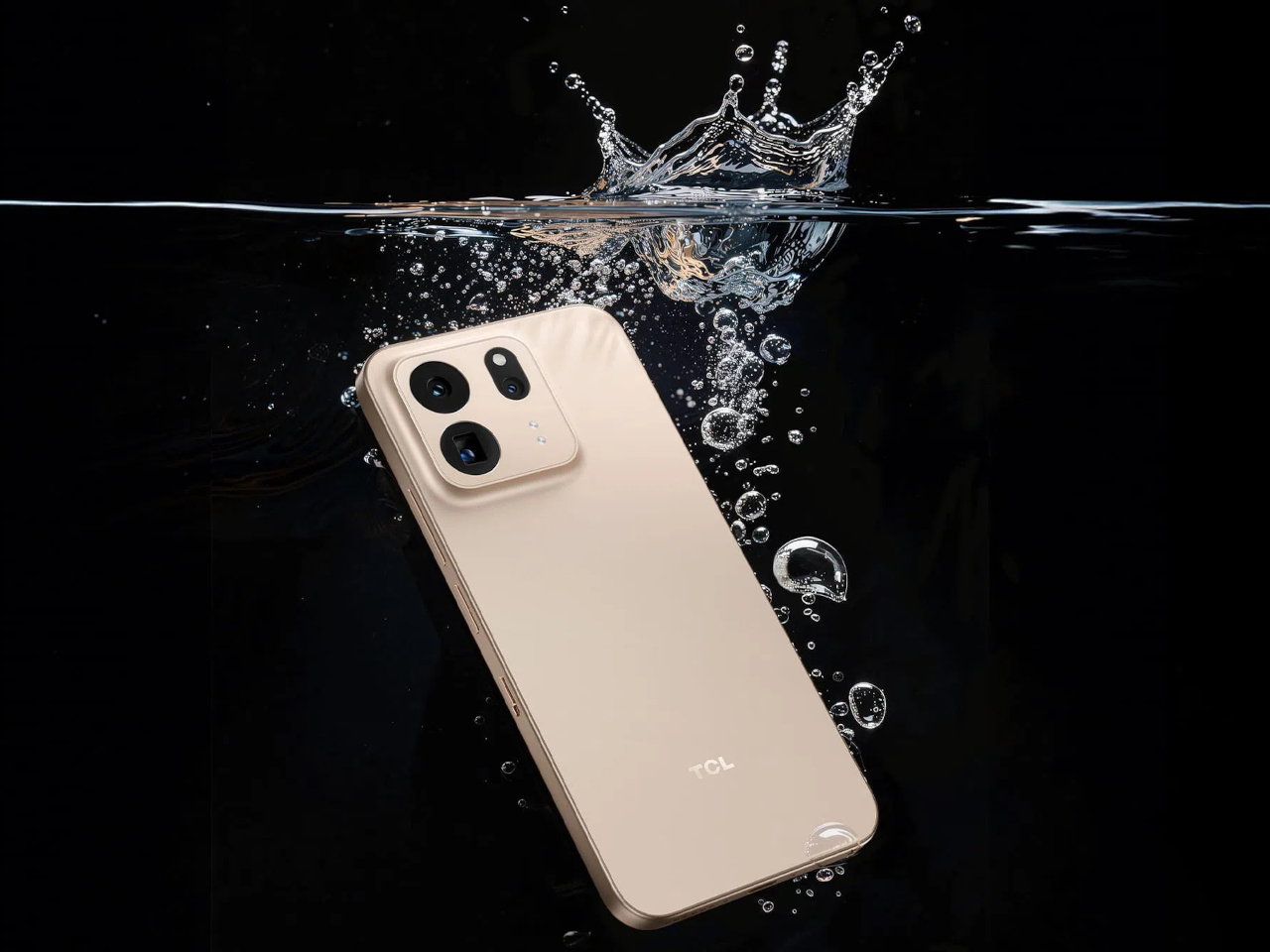
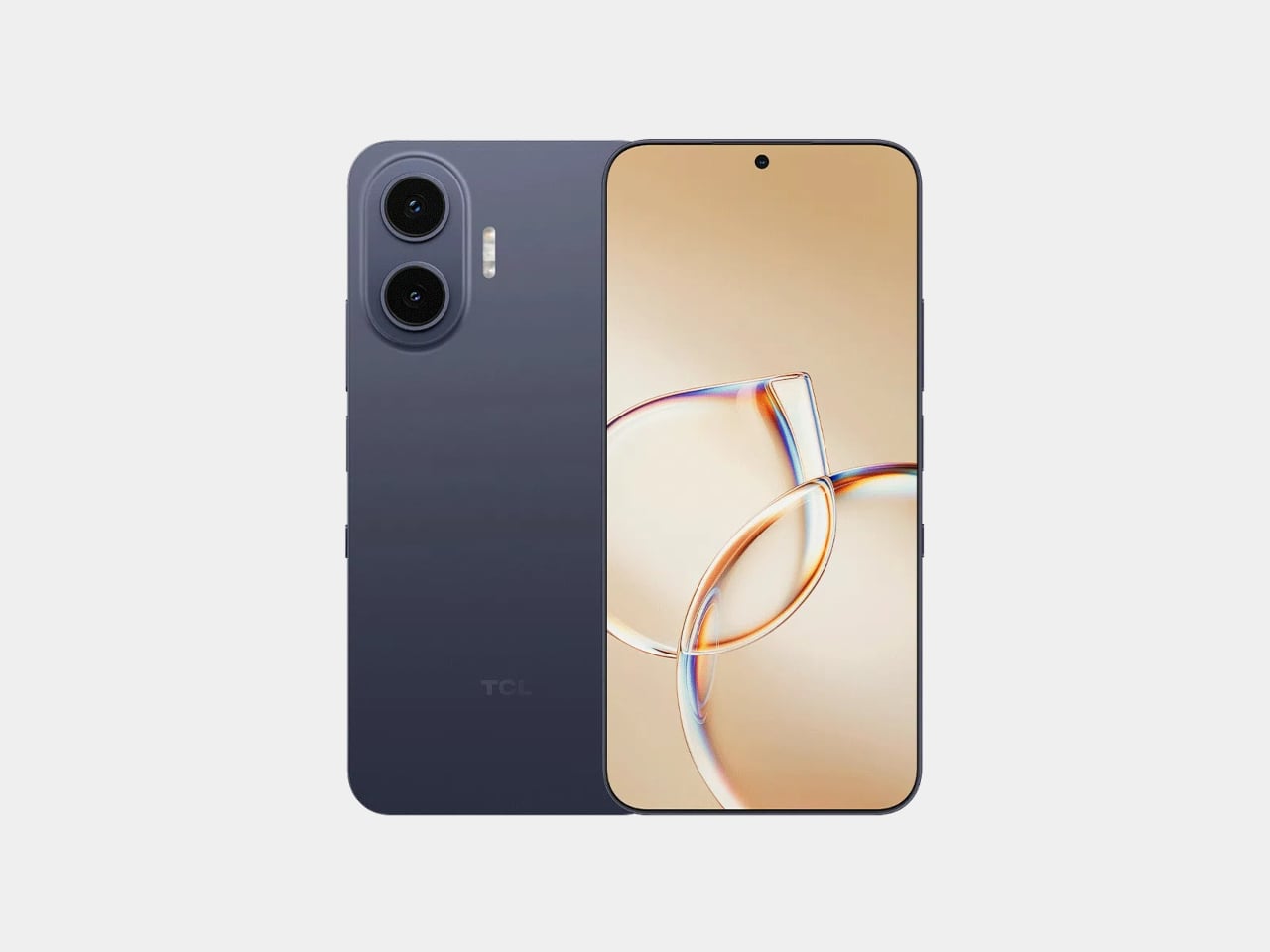
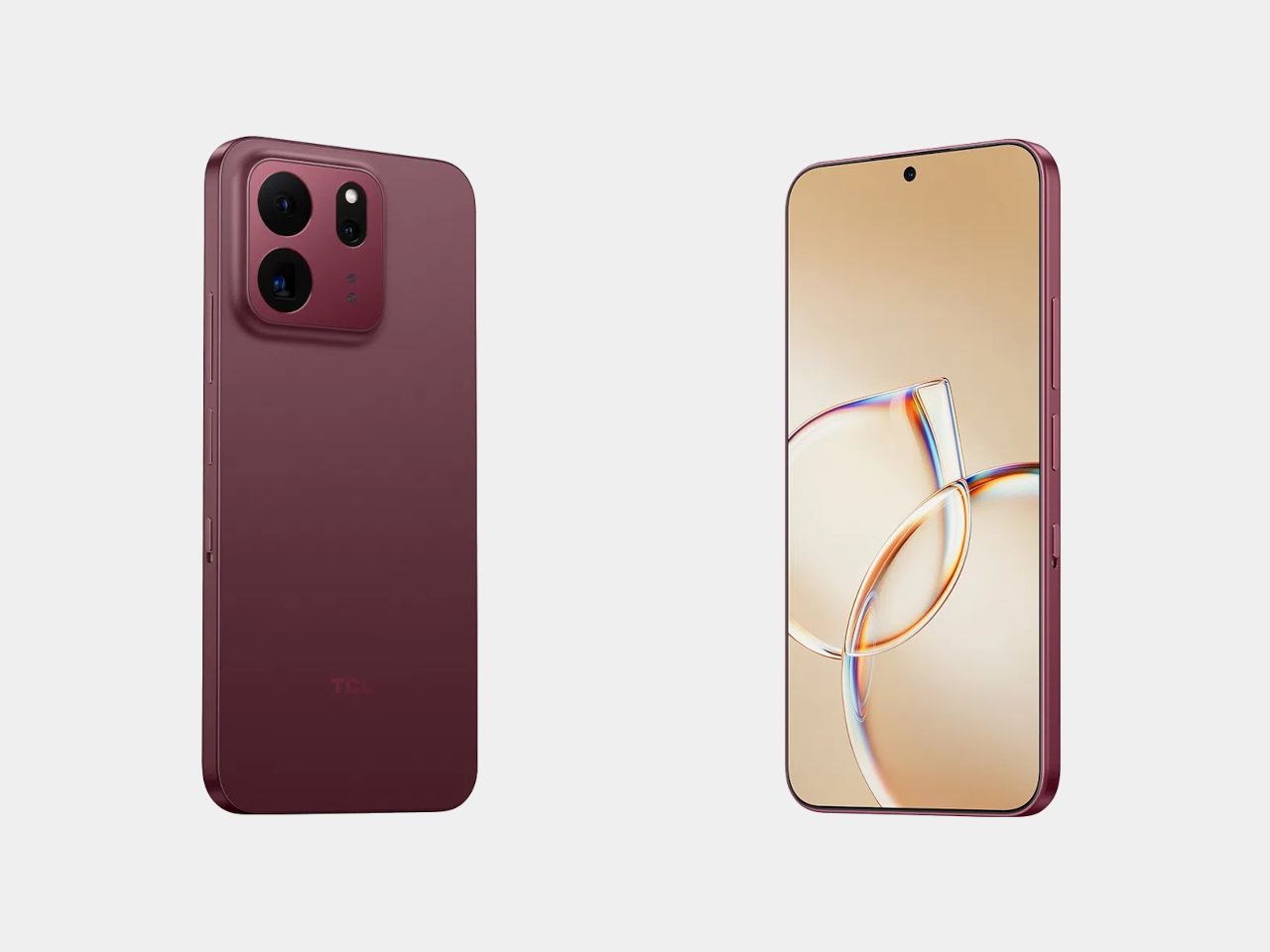
The frame wrapping that screen is aluminum rather than the plastic often found at this price, giving both phones a sturdier grip without piling on bulk. TCL backs that up with an IP68 rating against dust and water, plus MIL-STD-810H certification for the inevitable drop. Buyers get to pick between Sunlit Gold, Burgundy, and Midnight Blue, three finishes that lean more toward jewelry-box color choices than typical slab-of-glass smartphone palettes.

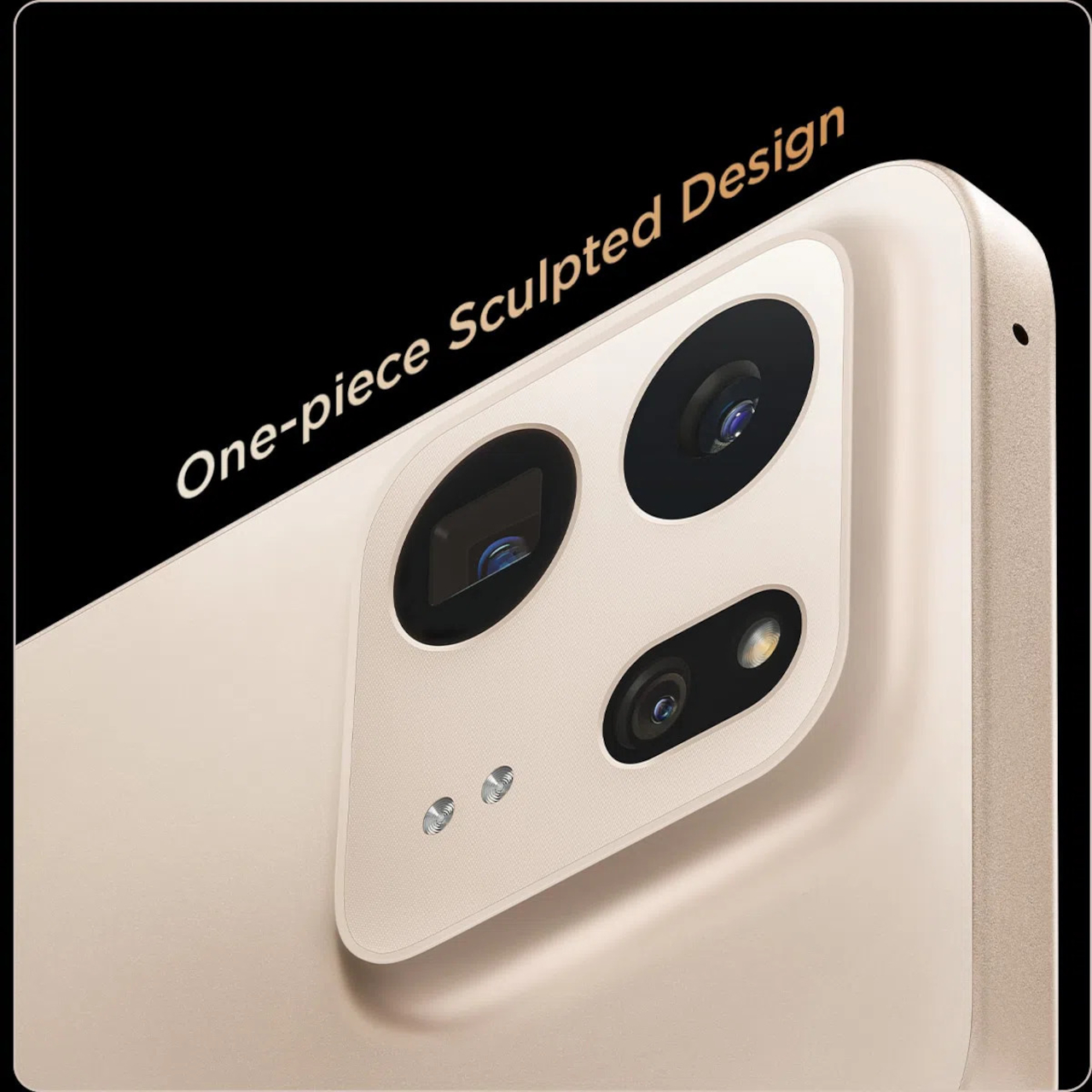
Where the two models part ways is around the back. The P80 Ultra carries a 50-megapixel main camera next to a 50-megapixel periscope lens for 3x optical zoom, tucked into a housing shaped to avoid throwing off the phone’s balance. The P80 Pro drops the periscope for a simpler dual-camera arrangement, trading reach for a slimmer build that still shares the same main sensor and 8-megapixel ultrawide.

TCL is rolling both phones out across Europe first, with the P80 Ultra priced from €549 (around $635) and the P80 Pro starting at €429 (around $500), before a Latin American launch follows in October. A wider release is expected to reach additional regions afterward. In a category full of identical glass rectangles, these two phones actually behave differently depending on what someone needs from them that day.

The post TCL’s P80 Pro and Ultra Are the Phones That Replaced Your Kindle Too first appeared on Yanko Design.
  •  
❌