❌

Vue lecture

Microsoft’s new Copilot signals a shift in their AI strategy for Windows & enterprise. Are we past the gimmick phase?

You can't say Microsoft isn't trying everything when it comes to AI, even rolling back some consumer pushes around its PC strategy.

Today during its Copilot event, Microsoft announced a major update to said Copilot, and after going through the material myself, it’s clear the company is aiming for something bigger than a simple AI upgrade.

In a surprise to no one, Copilot is becoming the center of the Microsoft 365 experience. Instead of living inside individual apps (yes, we're all tired of that), it now acts as a unified workspace that connects your documents, conversations, data, and tasks. This shift shows how Microsoft wants AI to feel natural for everyday users, not just enterprise customers (even though the latter will benefit the most).

Microsoft CEO Satya Nadella set the tone for this direction in his keynote. He thanked the Frontier program participants and connected Copilot’s evolution to Microsoft’s long‑standing mission “to empower every person and every organization on the planet to achieve more.” He described this new era of AI as a continuation of that goal, shaped by two design principles. The first is keeping humans “in the flow of work,” and the second is helping organizations build systems that learn continuously. Nadella said the aim is to design AI so that people stay in control of their tools and use them to expand their own ambition and creativity.
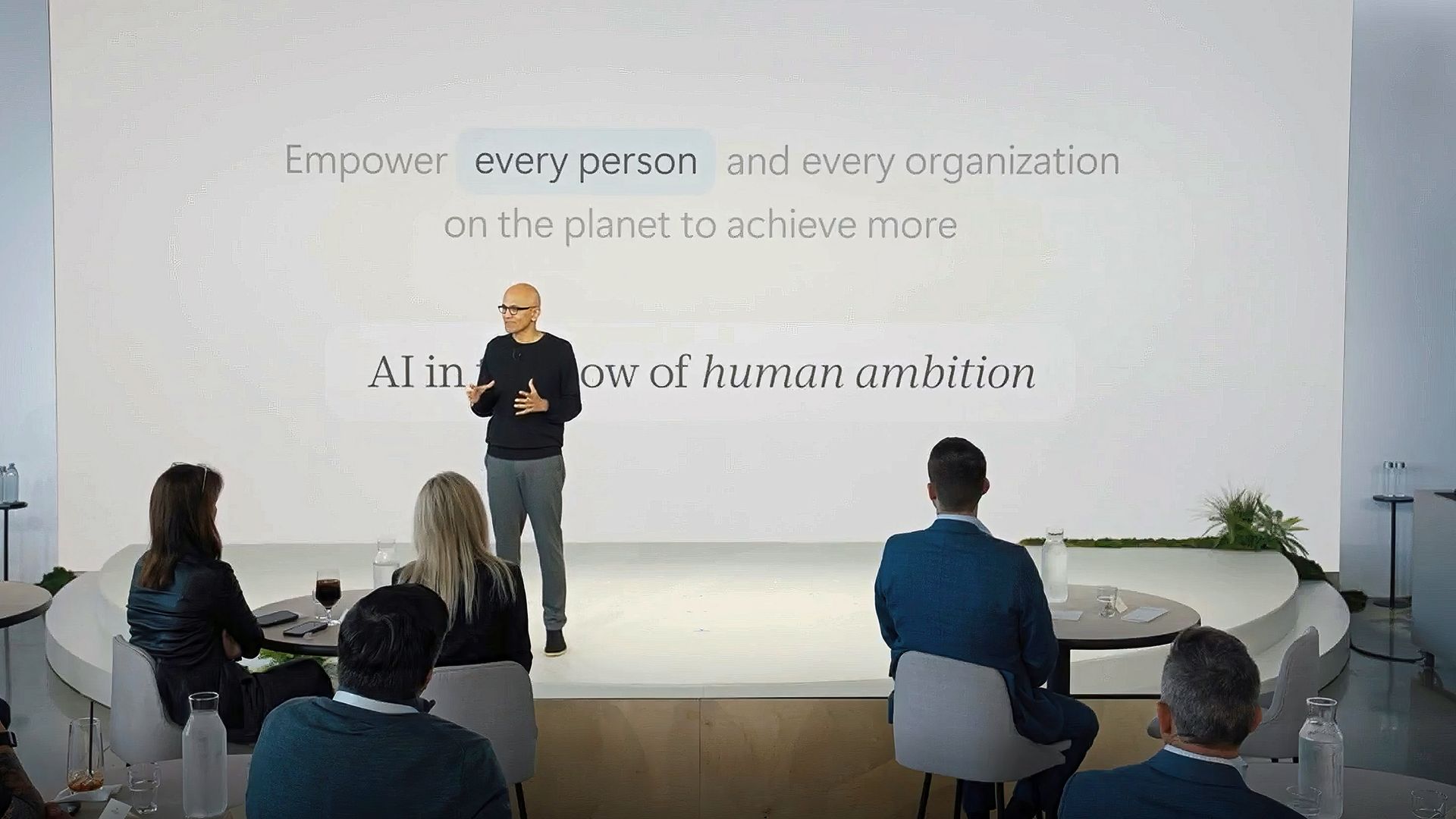
Satya Nadella gestures on stage in front of a white slide reading

Satya Nadella gestures on stage in front of a white slide reading "Empower every person and every organization on the planet to achieve more," facing an audience. (Image credit: Microsoft)

He also talked about how Copilot reflects a deeper shift in how Microsoft thinks about intelligence. “AI has to be shaped in such a way that it’s working for your firm to create and retain more knowledge,” he explained. That idea of compounding human expertise is central to Copilot’s design. It treats intelligence as something that grows through use and collaboration. Nadella’s framing gives the new Copilot a clear purpose. It is meant to amplify human judgment through context, automation, and shared knowledge rather than replace it. Hearing him describe it this way makes the rest of the update feel more intentional and more connected to Microsoft’s long‑term strategy.

This brings us to the actual news with three new Copilot experiences called Home, Code, and Autopilot, each focused on a different part of work. Together they create a more complete picture of what Microsoft thinks productivity should look like in the AI era.

"Home", a place where work actually comes together
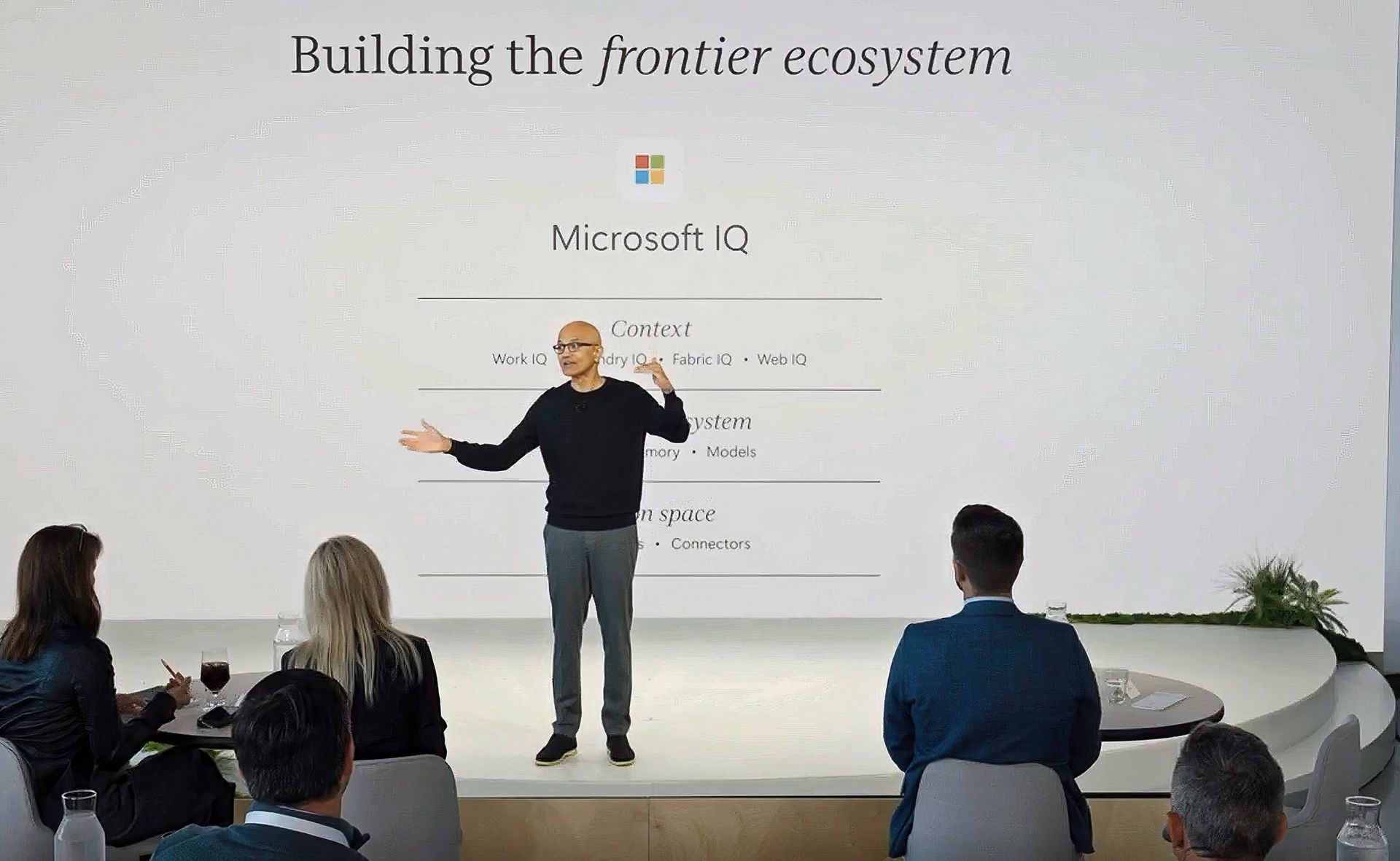
Satya Nadella presents on stage in front of a slide titled

Microsoft CEO Satya Nadella thanking the frontier ecosystem and attendees. (Image credit: Microsoft)

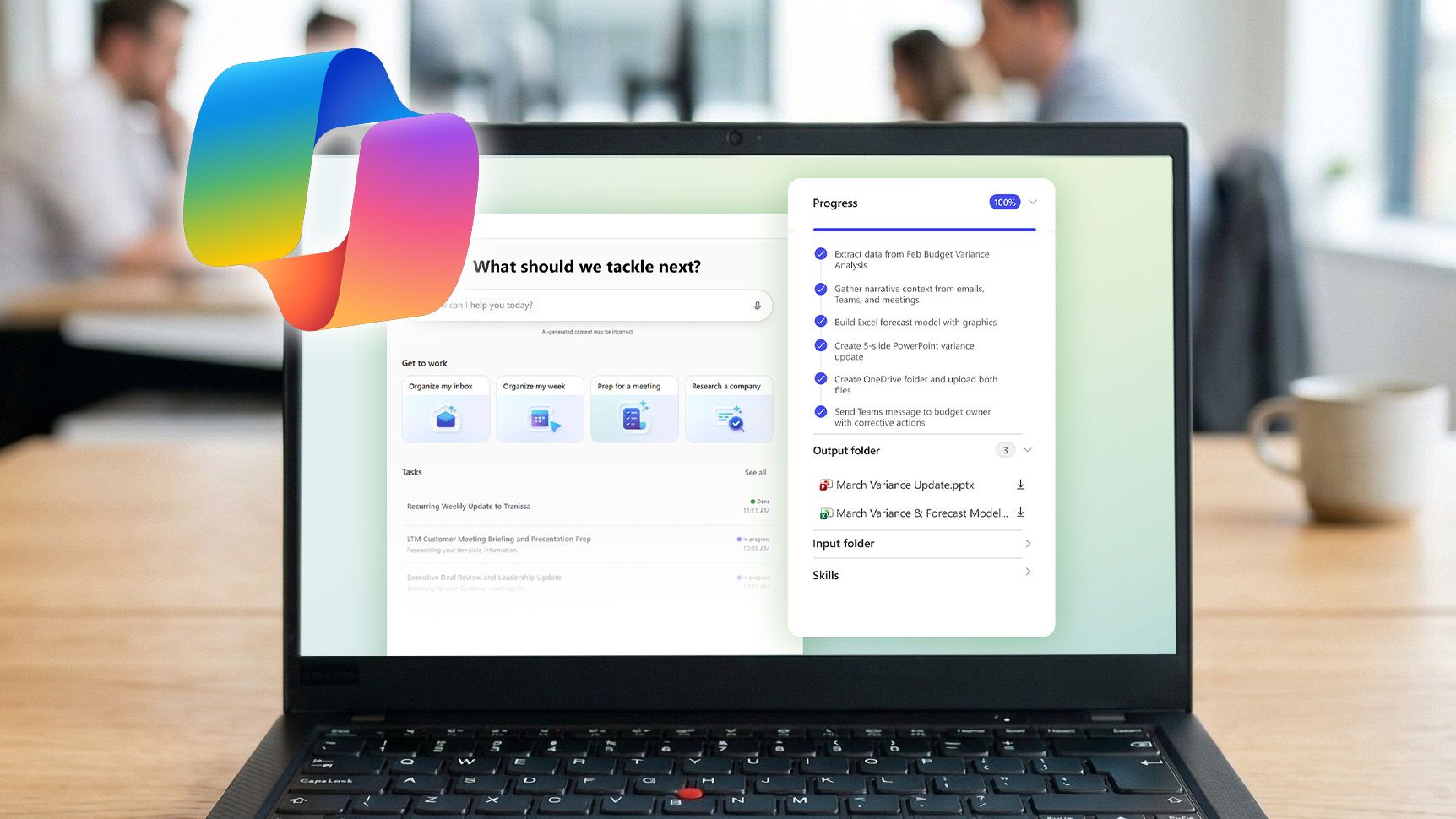
Home should be obvious. It's the new landing spot for Copilot. When you open it, you'll see your recent activity, suggestions for what to tackle next, and a clear view of the tasks Copilot can help with. It seems more like a dashboard than a chat window. You can do the usual AI stuff like asking Copilot to draft a document, summarize a meeting, or help prepare for a presentation, and everything stays connected across Word, Excel, PowerPoint, and Teams.

Microsoft is also improving how Copilot works inside those apps. PowerPoint keeps slides on brand automatically, Excel explains changes in plain language, and Word can refine a document while you collaborate with teammates. It seems to be more cohesive than before, and it makes Copilot feel like part of the workflow instead of a separate tool.

At least that's the goal here.

Home also includes a new feature called Today, which acts like a personal command center. It highlights missed emails, meetings, and tasks, and it helps you catch up quickly.

In typical Microsoft fashion, not everyone gets this on day one. Today enters private preview in October, and Microsoft plans to expand it across Outlook and Teams later this year.

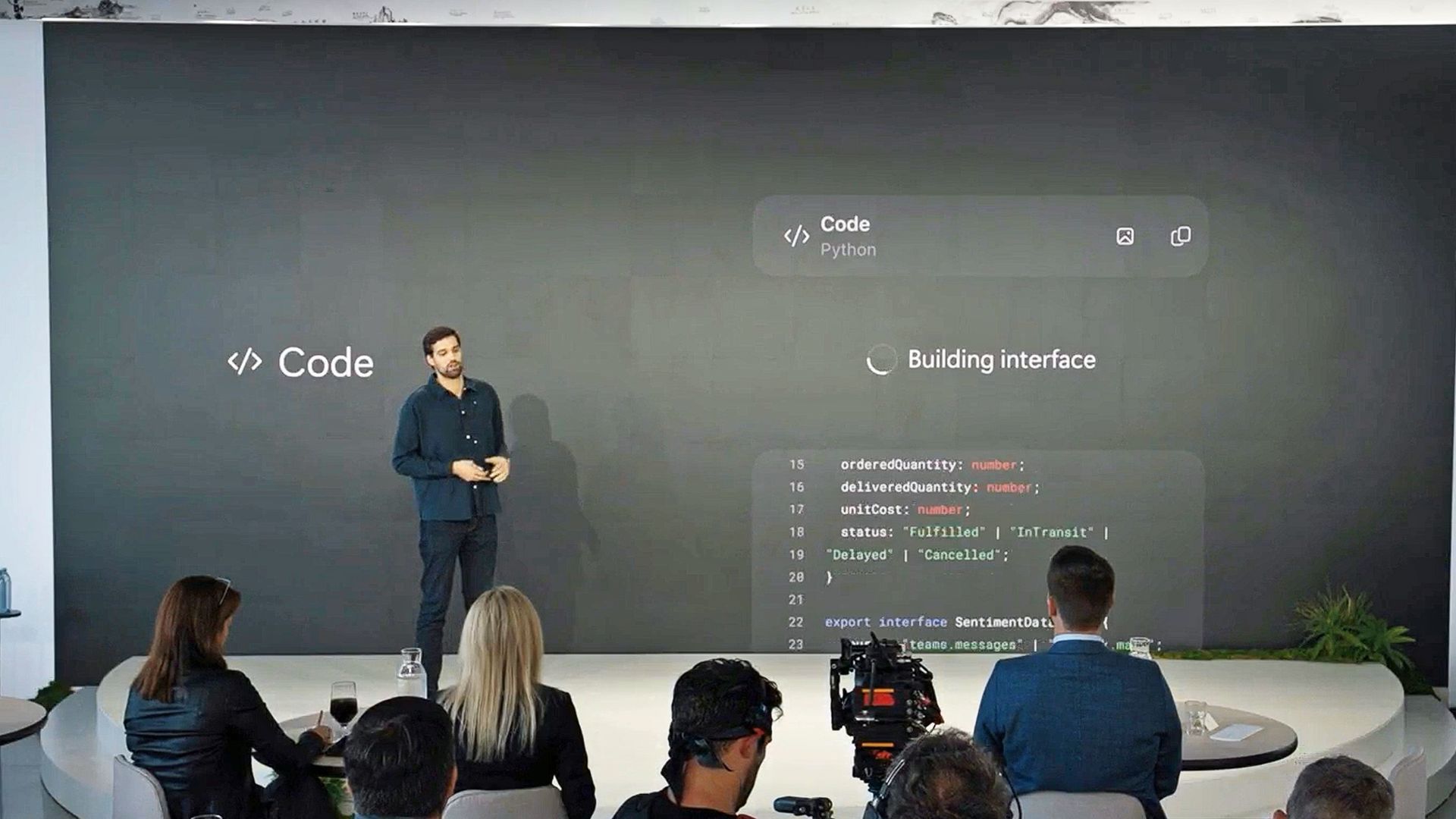
"Code", a way to build without being a developer

Jacob Andreou stands on stage beside a large screen showing Code" and live interface code snippets, with an audience and camera equipment in the foreground." src="https://cdn.mos.cms.futurecdn.net/Km8kgZdAwWwedYEWprjMA4-1920-80.jpg" mos="" align="right" fullscreen="1" width="2408" height="1355" attribution="" endorsement="" class="pull-rightinline expandable">

Jacob Andreou stands on stage talking about the new Copilot Code feature. (Image credit: Microsoft)

Code is one of the most interesting additions, in my opinion. It uses the same underlying technology as GitHub Copilot, but it’s designed for anyone who wants to automate something or build a simple app without writing code. Basically, I can describe what I want in plain language, and Copilot creates it inside my Microsoft 365 environment.

The result might be a dashboard, a workflow, or a lightweight app that connects to live business data.

I think this is a smart move for Microsoft because it opens up automation to people who have never touched a line of code (including myself). Developers still get deep integration with GitHub Copilot, but everyday users get a way to create tools that fit their needs. Code runs in a secure sandbox, connects to Microsoft IQ for context, and syncs with the rest of the workspace.

Basically, as noted in the event, creating apps via Code feels the same as creating (and sharing) a Word document, which is certainly intriguing.

Code enters the Frontier program later this month, with broader availability "coming soon," likely before year's end.

"Autopilot", a teammate that keeps working
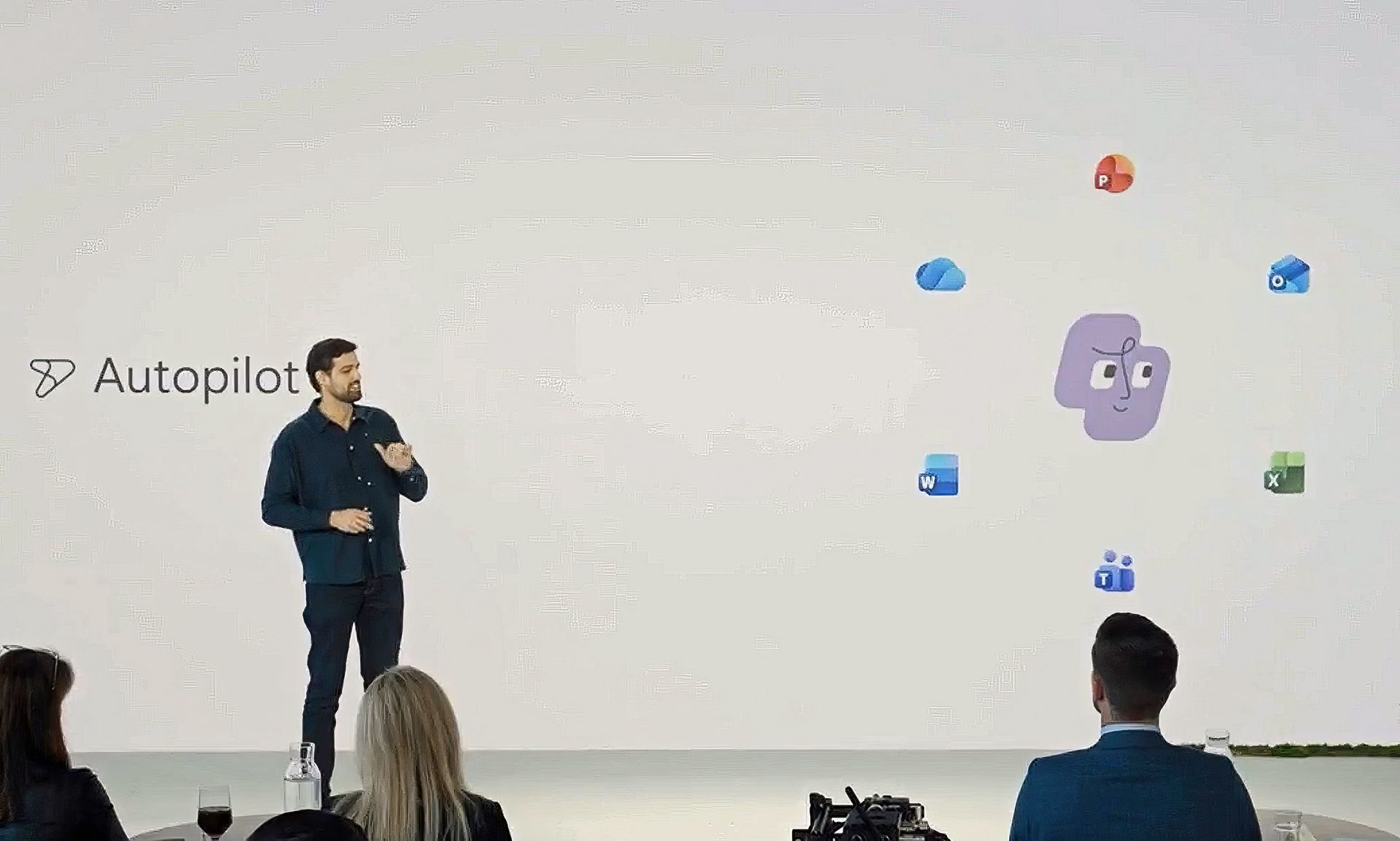
Jacob Andreou is on stage in front of a screen displaying

A visual representation of Autopilot is shown on stage by Microsoft's Jacob Andreou. (Image credit: Microsoft)

Autopilot, previously known as Scout, I believe, is the most ambitious part of the new Copilot. It acts like a digital teammate that manages ongoing work. I can give it a name, a role, and a goal, and it handles tasks like scheduling meetings, managing reviews, and keeping projects moving. It sounds very Meta Muse-ish, but it's better equipped for Microsoft customers, as it works across Teams, Outlook, and other apps, and it keeps going even when you are offline.

Autopilot has its own identity inside a Microsoft 365 tenant, which means it can participate in conversations, track decisions, and follow up on action items. It understands how an organization operates, and it uses that context to make smart choices.

This kind of automation could change how teams handle routine work, freeing people to focus on strategy and creativity instead of logistics.

A smarter foundation for everything

Diving into all the nitty-gritty enterprise jargon (forgive me), we can say that all of this is powered by Microsoft IQ, a unified intelligence layer that connects data, workflows, and context across the Microsoft ecosystem.

Basically, Copilot now understands not just your documents, but your business environment. With Fabric IQ and Work IQ, it can pull insights from Dynamics 365, Power Platform, and other systems, which helps break down silos and reduce the need to switch between apps.

Microsoft is also introducing a plugin registry that lets IT teams and developers extend Copilot with custom or partner-built integrations. It’s similar to an app ecosystem, but built for AI. This gives organizations more control and flexibility, and it helps Copilot adapt to different industries and workflows.

Since AI costs are becoming a real concern, Microsoft is adding FinOps for AI, a framework for managing and optimizing AI spending. Businesses can choose between fixed-cost subscriptions or usage-based billing. Copilot’s Auto mode selects the best option for each task based on accuracy, speed, and cost. It’s a practical way to keep AI powerful and predictable.

Why This Matters
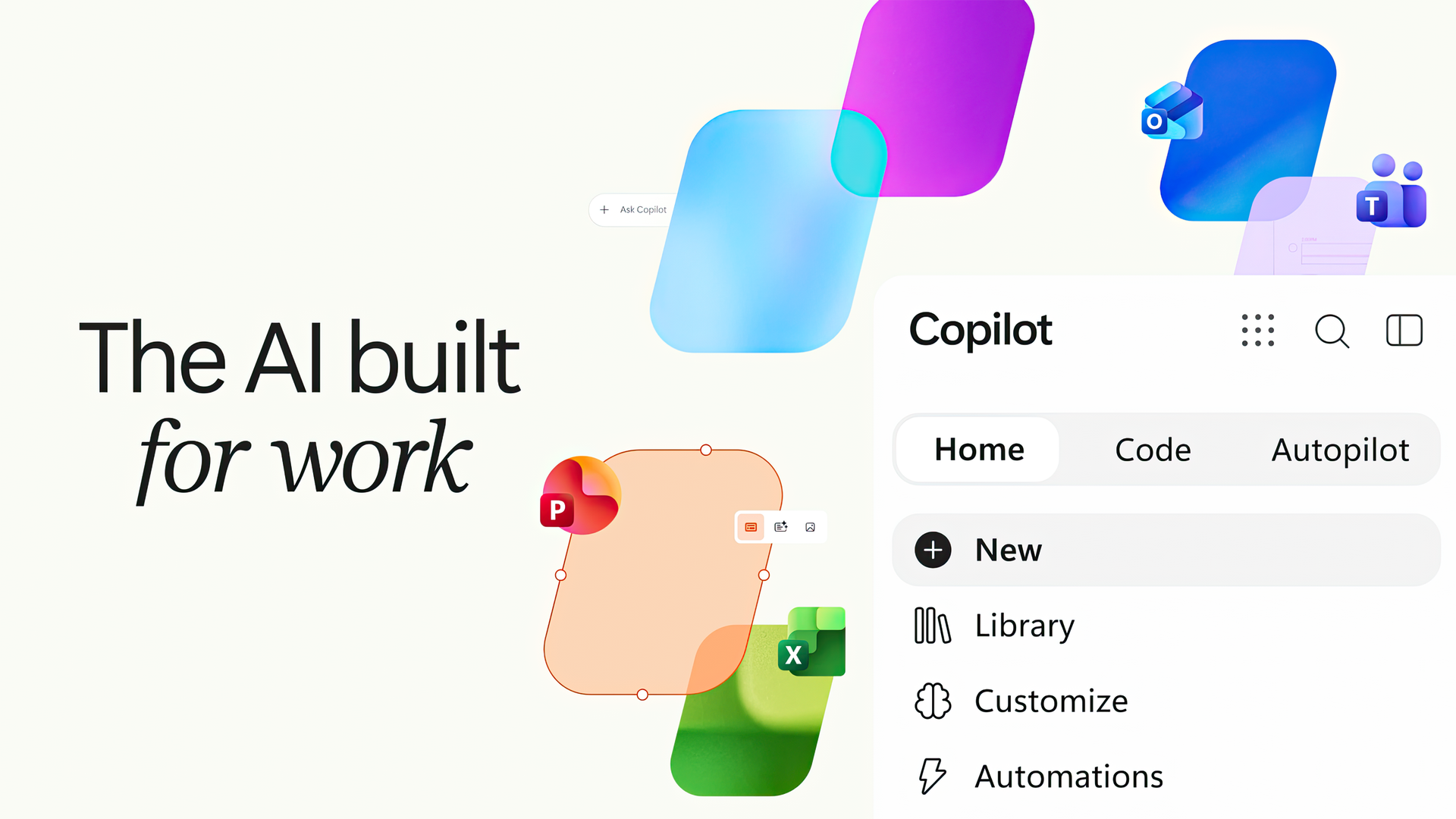
Graphic reading

Microsoft's new (new new) Copilot with slogan. (Image credit: Microsoft)

After reading through everything, it’s clear that Microsoft is treating Copilot as the future of its productivity ecosystem. I think we've always known that was the goal here, but it's taken Microsoft a few iterations and market maturity for AI/LLMs to get to this next level, based on customer feedback.

The company is blending creativity, automation, and collaboration into one experience that feels more personal and more capable than before. For small businesses, this means the same AI that powers enterprise workflows will soon feel approachable and useful in everyday tasks. For Microsoft, it’s a strategic shift that positions Copilot as the centerpiece of its long-term vision, which, let's be honest, is the right move.

What about regular non-business consumers? Well, you'll get access to some or all of this based on your M365 Premium or Pro subscription. Whether you make use of it all depends on your goals.

We’ll see more of this at Microsoft Ignite in November, but even now, the direction is obvious. Copilot is becoming the place where work happens, and Microsoft is building the tools to make that feel natural for everyone.

Click to join us on r/WindowsCentral

Join us on Reddit at r/WindowsCentral to share your insights and discuss our latest news, reviews, and more.
  •  

Copilot on Windows 11 will soon open links inside the app instead of launching a browser

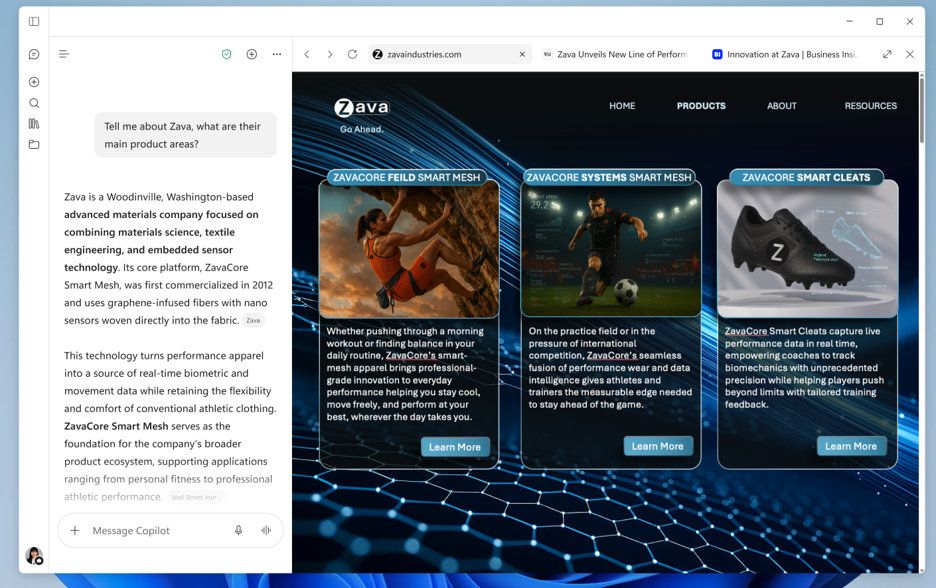
The Microsoft Copilot app will soon include a built-in browser for more users. Microsoft started testing the feature back in March, but the broader rollout of the built-in browser will begin in late November.

The idea is that when you click a link within the Copilot app, you'll stay within Copilot rather than jump into your default browser.

Microsoft described the feature through its message center (archived here):

"Microsoft Copilot app now supports in-app browsing on Windows and Mac, allowing users to open websites side-by-side with chat. Available via admin opt-in now, with broader rollout in late November 2026. Users can manage tabs, toggle full-screen, or open links externally. Data is stored locally, similar to Edge."

A split-screen view of the Microsoft Copilot application featuring built-in web browsing, showing an AI chat panel on the left generating information about a company called Zava alongside a browser window open to zavaindustries.com on the right.

You can resize the Copilot conversation and built-in web browser within the Copilot app. (Image credit: Microsoft)

Copilot's behavior is similar to what you see in Microsoft Teams. It's normal to see apps open in their own browser. X, Reddit, and other popular sites do the same thing.

The question is whether Copilot having a built-in browser will change workflows. Will people start a session by asking Copilot a question and stay in the app, or will they stick with their preferred browser and use Copilot inside it?

It may seem like a distinction without a difference, but getting someone to change their default habit is a massive challenge. Google has had some luck in this area on mobile devices. I often find myself using Gemini and then browsing the web, which effectively gets me to use a different browser. I'm sure Microsoft would love to get people to do the same thing with Copilot on their PCs.

Microsoft may have better luck retaining users who already use Copilot than trying to convert Edge users by forcing Copilot into the Sidebar. The actual experiences are quite similar, but the entry points are different.

Blank Pixel

Click to join us on r/WindowsCentral

Join us on Reddit at r/WindowsCentral to share your insights and discuss our latest news, reviews, and more.

  •  

Grok is now in Microsoft Copilot, but don't expect snark in your spreadsheets

Microsoft Copilot will soon support Grok models from xAI. Word, Excel, and PowerPoint users in the Microsoft Frontier Program can test Grok models now, with general support expected to roll out in the future.

Grok models are being added to Microsoft's Online Services Subprocessor list. By offering different models as subprocessors, Microsoft can give customers access to those models without people having to switch away from the overall Copilot experience.

For example, Researcher Agent in Microsoft Copilot works with Claude AI models from Anthropic. Other Copilot experiences may use multiple AI models to complete tasks.

"Our multi-model strategy gives customers access to leading AI models while maintaining the trusted Copilot experience," said Microsoft in a Tech Community post.

For different models to appear as options, admins need to enable them through the settings of their respective organization.

During the testing period, Grok models will not be available in the European Union, European Free Trade Association, or the United Kingdom.

Blank Pixel

What is a subprocessor?

Subprocessors are third-party providers that help Microsoft deliver online services. Microsoft has an expansive list of subprocessors used for everything from powering data centers to completing tasks in Copilot.

Using Grok as a subprocessor helps Copilot tackle different tasks and provides redundancy that protects against outages or issues with other subprocessors. But users should not expect the witty or irreverent tone and style that Grok has become known for on X.

Subprocessors sit under Microsoft's system prompts and enterprise guardrails, so the generated responses will still be professional. Essentially, you get the benefit of Grok's multi-step logic and mathematical prowess but within Copilot.

Once an admin enables the integration, you can set Copilot in apps like Word, Excel, and PowerPoint to automatically pick the best model for a task, or manually pick between GPT, Claude, or Grok directly from a drop-down menu in the interface.

Click to join us on r/WindowsCentral

Join us on Reddit at r/WindowsCentral to share your insights and discuss our latest news, reviews, and more.
  •  

Google's Gemini app for Windows 11 uses the same keyboard shortcut as Copilot

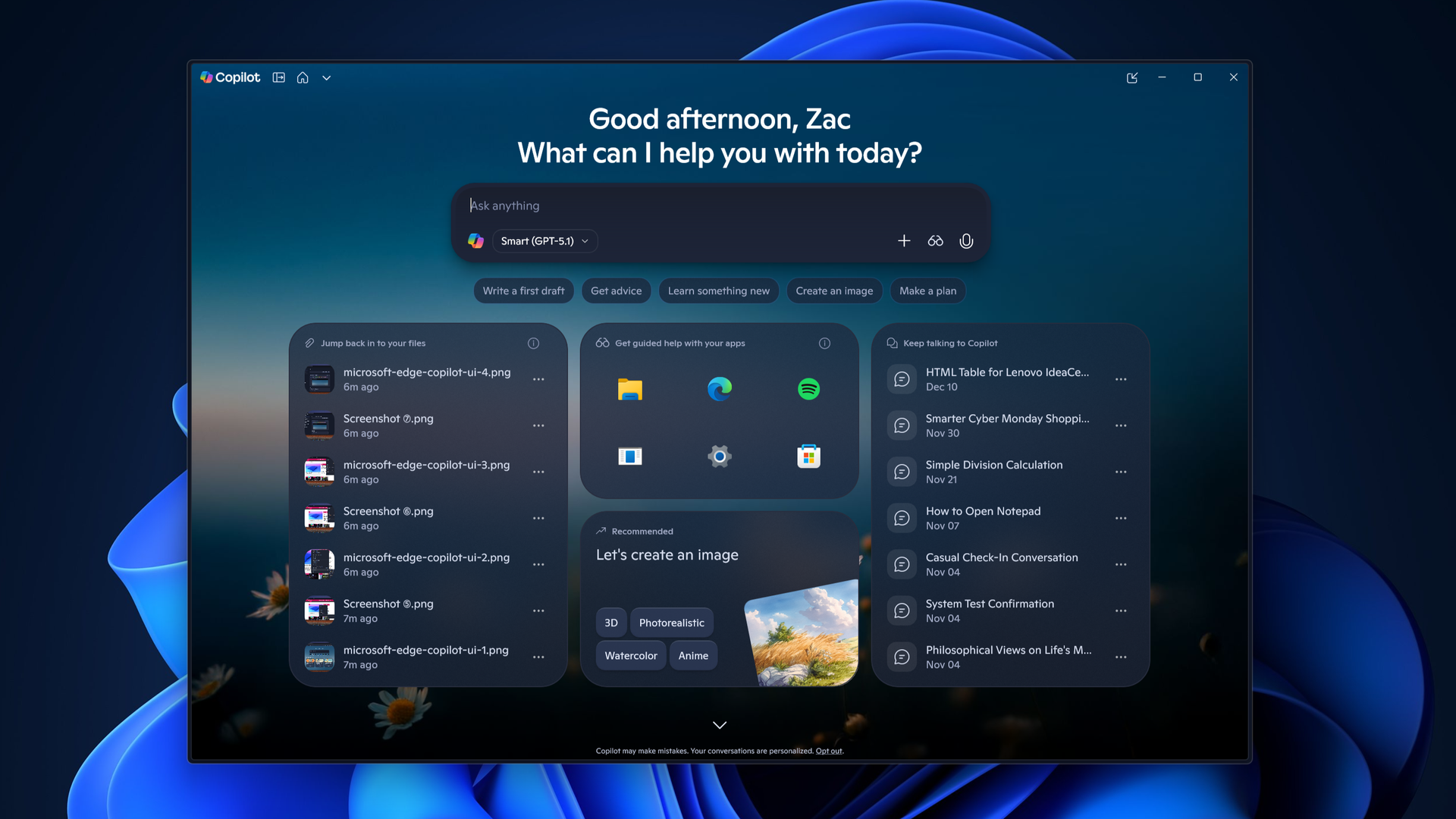
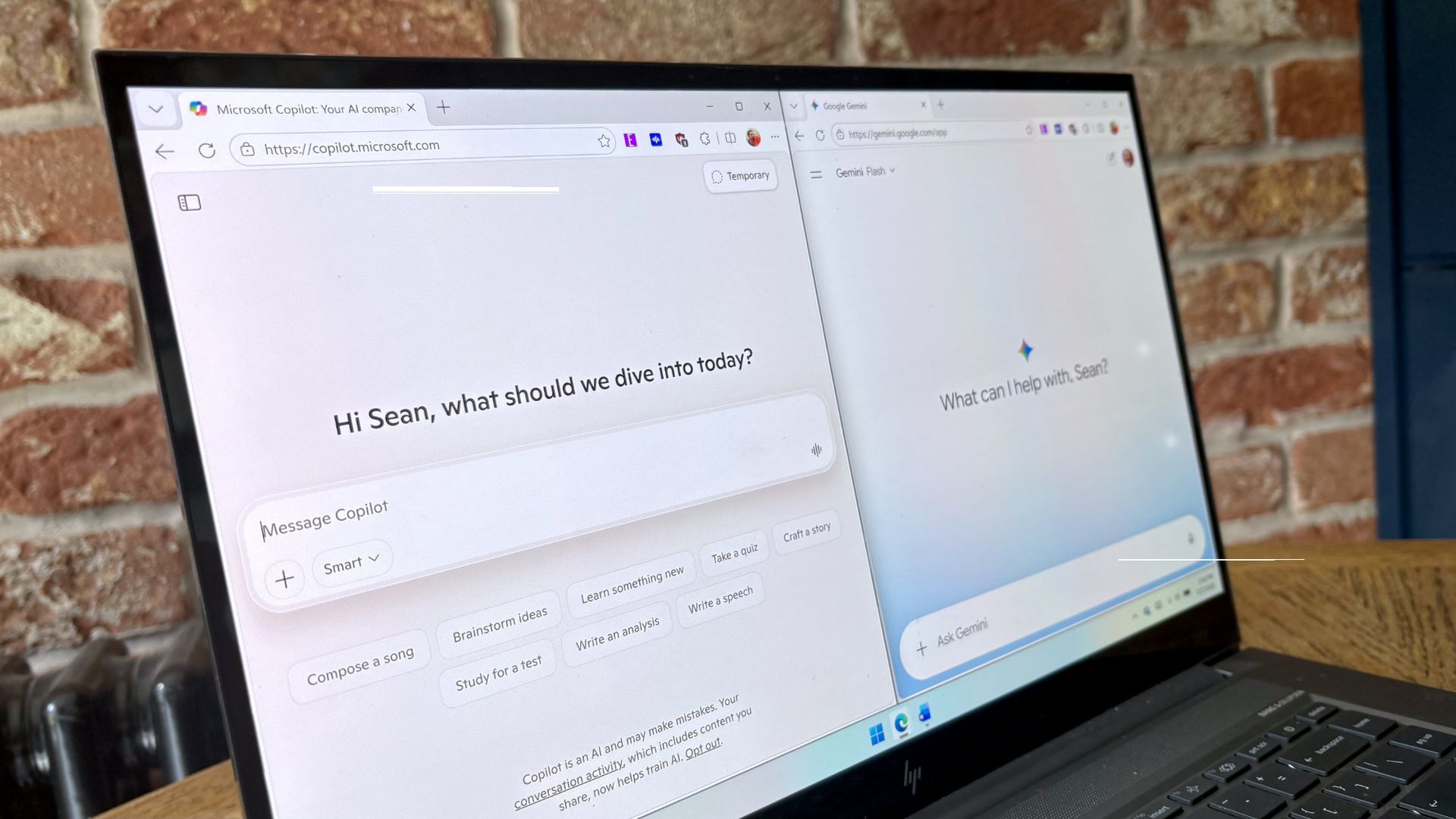
Google Gemini now competes with Microsoft Copilot for space on your keyboard. Google just released Gemini for Windows, and that app uses the same keyboard shortcut as Copilot (Alt + Space).

That shortcut is popular and those hoping to use Gemini may have to remap some shortcuts to perform other tasks. In addition to summoning Copilot, Alt + Space opens PowerToys Run.

The Gemini app is available for both Windows 11 and Windows 10. You can download it through Google's website.

The general functionality of the Gemini app is similar to Gemini's web experience. One key difference is that you can summon the AI tool with a keyboard shortcut, which allows you to launch it quickly.

The macOS version of Gemini supports sharing your screen and other native capabilities, such as dictating by pressing both Command keys. Google explains that more native features will ship to the Windows version of Gemini in the future.

Blank Pixel

I prefer Gemini over Copilot for many tasks. I recently swapped to Google's AI tool for a month to see how it performed as an editor. While Copilot felt more personal, Gemini was often more accurate when it came to correcting tasks.

"In my specific use case, Gemini felt like an upgraded Microsoft Editor while Copilot felt like a modern Clippy," I said a couple months ago.

Both Copilot and Gemini have their strengths and weaknesses, but Google's option is better for my workflow. Our readers disagreed.

21% of those who voted in our poll about proofreading with AI use Microsoft Editor. Another 29% of participants use Microsoft Copilot. Only 11% of voters rely on Gemini to proofread documents.

Of course, Gemini and Copilot can do a lot more than proofread documents. Google recommends the new Gemini app for fact-checking documents, coming up with titles for a presentation, and creating images and videos.

For more complex tasks, you can hand things off to Gemini Spark within the app.

Click to join us on r/WindowsCentral

Join us on Reddit at r/WindowsCentral to share your insights and discuss our latest news, reviews, and more.
  •  

Microsoft’s “AI at Work” Webinar Series Will Cover Copilot, Apps and AI Agents

Microsoft is inviting businesses and AI enthusiasts to its upcoming AI at Work webinar series, with the next session scheduled for August 25. The event will focus on the latest developments across Microsoft 365 Copilot, Copilot Studio, Dynamics 365, and the growing world of AI agents. The webinar is aimed at organizations looking to understand […]

  •  

Copilot, Microsoft 365 & Power Platform Product Updates Call on August 18: Entra ID, Secure Documents and SharePoint Embedded

Microsoft is bringing another round of Copilot, Microsoft 365 and Power Platform updates to its weekly community call on August 18, 2026, with a strong focus on AI agents, identity management and secure document workflows. The weekly call is designed to showcase new features, practical use cases and demos across Microsoft 365 and the Power […]

  •  

Microsoft Unifies Copilot Apps Into One Experience With a New Logo

Microsoft is taking a major step toward turning Copilot into a more unified AI platform. The company has started rolling out a redesigned Copilot experience that brings its standalone chat and image-generation features together with Microsoft 365 tools in a single app. The move is more than a visual refresh. Microsoft is effectively bringing personal […]

  •  

Microsoft is ditching the COPILOT function in Excel before it even launches

Less than one year after being launched in preview and before leaving testing, the COPILOT function in Excel is going away. The function never shipped to general availability, but it could be used by Frontier and Insider users since August 2025.

The COPILOT function allowed users to use natural language to place prompts into spreadsheets. For example, you could use it to summarize text or categorize feedback. The function could also look up information from the web.

While useful, the function had serious limits. Microsoft stated that people should not use the COPILOT function for numerical calculations, responses that require context from other parts of a workbook, or any tasks with "legal, regulatory or compliance implications."

Considering how many people use Excel for important work and calculations, those limits are quite restrictive.

Microsoft's explanation of why the feature is going away lacks details. Instead, it primarily focuses on the fact that Copilot in Excel is still available in the side pane:

"Beginning September 14, 2026, the =COPILOT function in Microsoft Excel will no longer be available. This function is currently offered as a preview feature through the Insider and Frontier programs.

Customers can continue using Copilot in Excel through the Copilot side pane, which provides many of the same AI-powered capabilities, including summarizing text, classifying data, generating content, and retrieving information from the web. This change helps streamline the Copilot experience within Excel while continuing to provide AI assistance through a supported interface."

Users will not be able to create new formulas using the COPILOT function after September 14, 2026.

Windows Central take

Microsoft Copilot on a red background

(Image credit: Windows Central | Jez Corden)

It appears Microsoft may be reining in Copilot a bit. The AI tool is still part of the company's plans, but in a more controlled manner.

Microsoft has a unified Copilot experience that merges Copilot and Microsoft 365 Copilot. We've also seen some Copilot features go away or be limited over the last few months.

Earlier this summer I argued that the free version of Copilot is starting to feel like a tech demo designed to push paid tiers. I still think that's the case, but if Microsoft is going to push Copilot, it's best to do so with a plan.

Since the launch of Copilot, it's felt like Microsoft threw everything at the wall to see what sticks. The Copilot brand was diluted and there were dozens of different apps with Copilot in the name. Anything even remotely related to AI was attached to Copilot in some way, making the term almost meaningless.

Whether it's because Microsoft decided that strategy was a mistake or it's just had enough time to assess what properly stuck, the next wave of Copilot feels more targeted.

Blank Pixel

Click to join us on r/WindowsCentral

Join us on Reddit at r/WindowsCentral to share your insights and discuss our latest news, reviews, and more.
Excel spreadsheet with checkboxes

The upcoming checkboxes feature in Microsoft Excel makes it easy to visualize certain data.

  •  

Classic Outlook bug breaks Copilot, but some might call it an upgrade

When does a bug become a feature? Microsoft needs to answer that question now that classic Outlook may hide the Copilot button and stop other Copilot features from working.

A bug that appears with build 20026.20182 of classic Outlook prevents access to Copilot Chat and removes Copilot entry points within the app.

"After classic Outlook for Windows updates to build 20026.20182 and higher, you no longer have Copilot Chat or Copilot entry points in Outlook," reads a Microsoft support document. "This issue happens if you have a Copilot Chat (Basic) license or a paid M365 Copilot (Premium) account."

While it's easy to joke about Copilot going missing being "addition by subtraction," the bug is likely frustrating for those that rely on Copilot within classic Outlook.

If your system is affected by the bug, the Copilot button could be missing from the top-right area above the ribbon. The Copilot icon can also go missing in the left app bar or the More Apps area.

Even if you see the Copilot icon in the Add Apps section, selecting "Open" may not do anything at all. Even if you've added Copilot through ribbon customization, the option may appear grayed out or unavailable.

Only classic Outlook is affected, meaning Copilot still appears and works as usual within the web version of Outlook and other versions. The Microsoft 365 Copilot app and web experience are also working normally, though it's worth noting Microsoft has a new unified Copilot experience rolling out.

If you need to use Copilot immediately, Microsoft suggests switching to Outlook on the web or the new Outlook app. While standard fixes like creating a new Outlook profile, clearing local cache data, re-signing into Office, or restarting Windows have been tried, Microsoft notes they don't consistently restore the missing buttons.

Click to join us on r/WindowsCentral

Join us on Reddit at r/WindowsCentral to share your insights and discuss our latest news, reviews, and more.

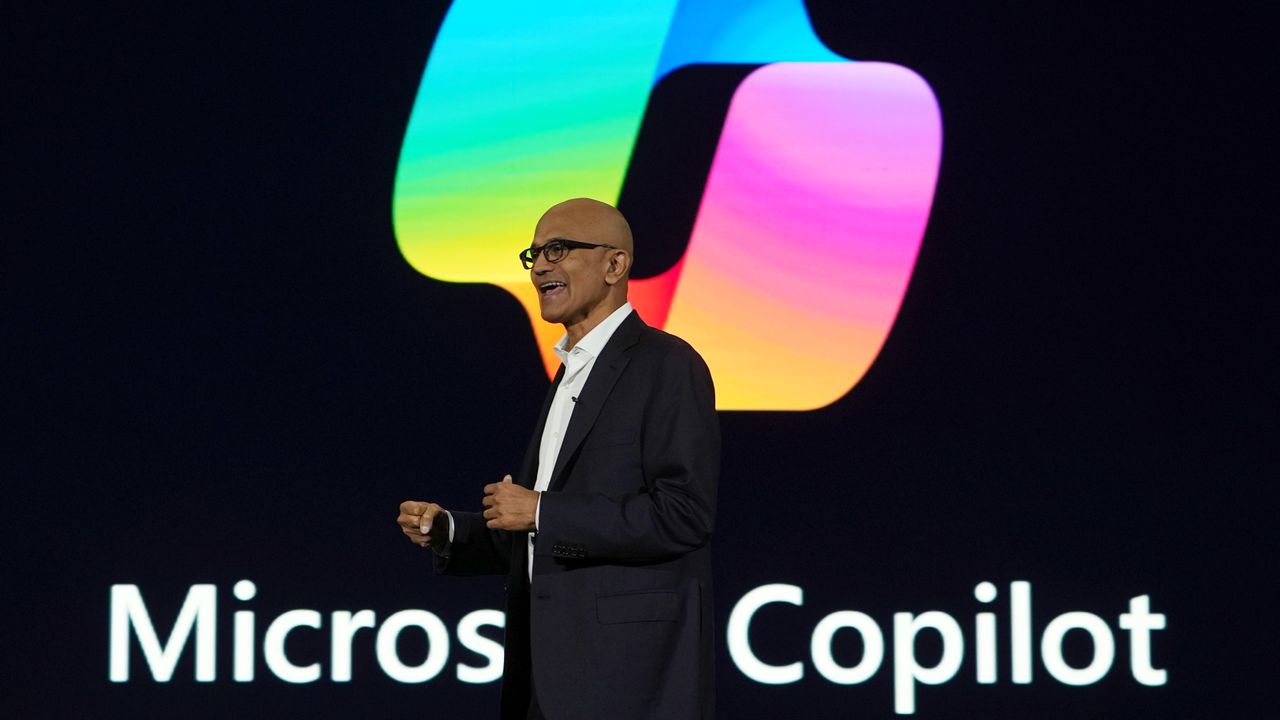
Microsoft CEO Satya Nadella in front of the Microsoft Copilot AI logo.

Microsoft CEO Satya Nadella in front of the Microsoft Copilot AI logo.

  •  

Microsoft begins unified Copilot app rollout: Reveals major plan to merge Copilot and Microsoft 365 Copilot across all platforms, along with updated branding

Back in May, Microsoft confirmed that it was working on a Copilot super app that would merge the different consumer Copilot and productivity Copilot experiences under one app. Until now, Copilot and Microsoft 365 Copilot have been targeted at different users, but starting today those apps are being merged into one.

"We're updating Copilot to create a simpler, more cohesive experience for everyone," a new Microsoft Support document says. "Depending on the account and device you use, you will see changes to the Copilot app including changes to appearance and functionality, such as navigation, feature availability, or sign-in experience."

The unified Copilot experience begins its rollout today, but not everyone will see it right away. Microsoft says the experience will land on mobile first, with the unified Copilot on Windows and macOS being an opt-in experience at first, made available over the coming weeks.

The rollout should make it easier to move between using Copilot as an AI assistant for personal matters and using Copilot for productivity based tasks. For most people, not much will change with the unified app, which will simply appear as "Copilot" now. With that said, Microsoft does say that some features are going away with the unification. Those features include:

  • Group Chat
    • All group chat threads, messages, and images will not carry forward after August 18, 2026.
    • Users must manually copy or download anything they want to keep.
  • Podcasts
    • The Podcasts feature is being fully retired on August 18, 2026.
    • Users will no longer be able to create or access podcasts in Copilot after this date.
    • Individual podcast files can still be downloaded before retirement.
  • Deep Research
    • Deep Research is being retired for consumer users starting August 18, 2026.
    • Existing Deep Research content will remain accessible, but the feature itself will no longer be available.

For those using Copilot with a work or school account, Microsoft says the unified Copilot app is also coming to those accounts too. The personal and commercial accounts will be separated within the app, meaning data from your work or school account won't be shared with your personal account, and vice versa. "Work and personal accounts remain separate. Your organization's security, privacy, compliance, and administrative controls continue to apply when you use Copilot with your work or school account."

For those using the personal consumer Copilot app, you will notice an updated UI that more similarly matches the Microsoft 365 Copilot app. Those who use the Microsoft 365 Copilot app likely won't notice much of a difference, outside of the rebranded app to just "Copilot," along with a slightly updated logo.

For those curious, this is the new Microsoft Copilot icon and branding. Can you tell the difference? No, us neither.

New Microsoft Copilot Logo for 2026

The new Copilot logo is very similar to the old one. (Image credit: Microsoft)

Lastly, Microsoft has confirmed that all your Copilot data (except for the features that are being taken away) will migrate automatically to the new experience, meaning users won't need to do anything to ensure their chats and data are carried forward. All of that will happen automatically when the unified app lands on your device.

The unified Copilot experience begins its rollout today, though it's happening in waves so most users won't see the changes right away. Worldwide rollout for the mobile starts today, with rollout for Windows and macOS expected to start in mid September. Here's the full rollout schedule:

  • Mid‑August 2026 — Worldwide rollout begins for mobile and web apps; early‑access opt‑in opens for Windows and Mac apps; copilot.cloud.microsoft URL available in Frontier for testing.
  • Late August 2026 — Standard rollout of the URL redirect begins.
  • Mid‑September 2026 — Worldwide rollout begins for Windows and Mac apps.
  • Late September 2026 — Deferred rollout of the URL redirect begins for the web app.

Microsoft's unification of Copilot is a long time coming, and one that is setting the company up to deliver a Copilot super app experience that can do everything across Microsoft's platforms and services. It never made sense for Microsoft to split Copilot up between consumer- and productivity-based use cases, especially since users commonly want to do both.

Click to join us on r/WindowsCentral

Join us on Reddit at r/WindowsCentral to share your insights and discuss our latest news, reviews, and more.

Microsoft CEO Satya Nadella in front of the Microsoft Copilot AI logo.

The new Copilot begins rolling out today.

  •  

Linux users finally get a real Copilot app, and Microsoft didn't even make it

It's the year of Linux, haven't you heard? You may as well pack up your PC, study your favorite distro, and get ready to evangelize the open-source platform that will run on all systems in the future.

Joking aside, Linux has grown a bit in popularity and Microsoft continues to embrace it. While the tech giant has several apps and projects on Linux, Microsoft has not released an official Copilot app for Linux.

Sure, you could use Copilot on the web. Heck, you could even open up Microsoft Edge for Linux and install Copilot as a PWA (Progressive Web App). But where is the fun in that?

Instead, you could install the unofficial Copilot app for Linux built by Hayden Barnes. The app opens the Copilot web app in a dedicated GTK window and keeps your login session safely on disk. It also integrates with the desktop for autostart, system downloads, app launcher execution, and accessing hardware permissions like the microphone.

Barnes shared the project on X alongside a link to the app's GitHub page.

Many of the unofficial Copilot app's features overlap with using the web version of Copilot since Microsoft's AI tool is the center of the experience. But building the unofficial app as a native GTK application means its developer can deeply integrate system shortcuts, allow it to run quietly in the system tray, and trigger native OS notifications as opposed to relying on browser notifications.

Other benefits include native support for desktop accent colors and system dark themes. Overall, the app looks and feels far more natural on a Linux desktop than a standard browser window, and keeping Copilot isolated prevents it from slowing down if your main browser gets bogged down with dozens of open tabs.

The unofficial Copilot app for Linux is new, so we'll have to use it for a while to determine its long-term stability and performance. The first publicly available release of the app shipped this week.

We have a few systems running Linux spread across our team, so we'll let you know how the unofficial Copilot app performs over time.

Blank Pixel

Click to join us on r/WindowsCentral

Join us on Reddit at r/WindowsCentral to share your insights and discuss our latest news, reviews, and more.

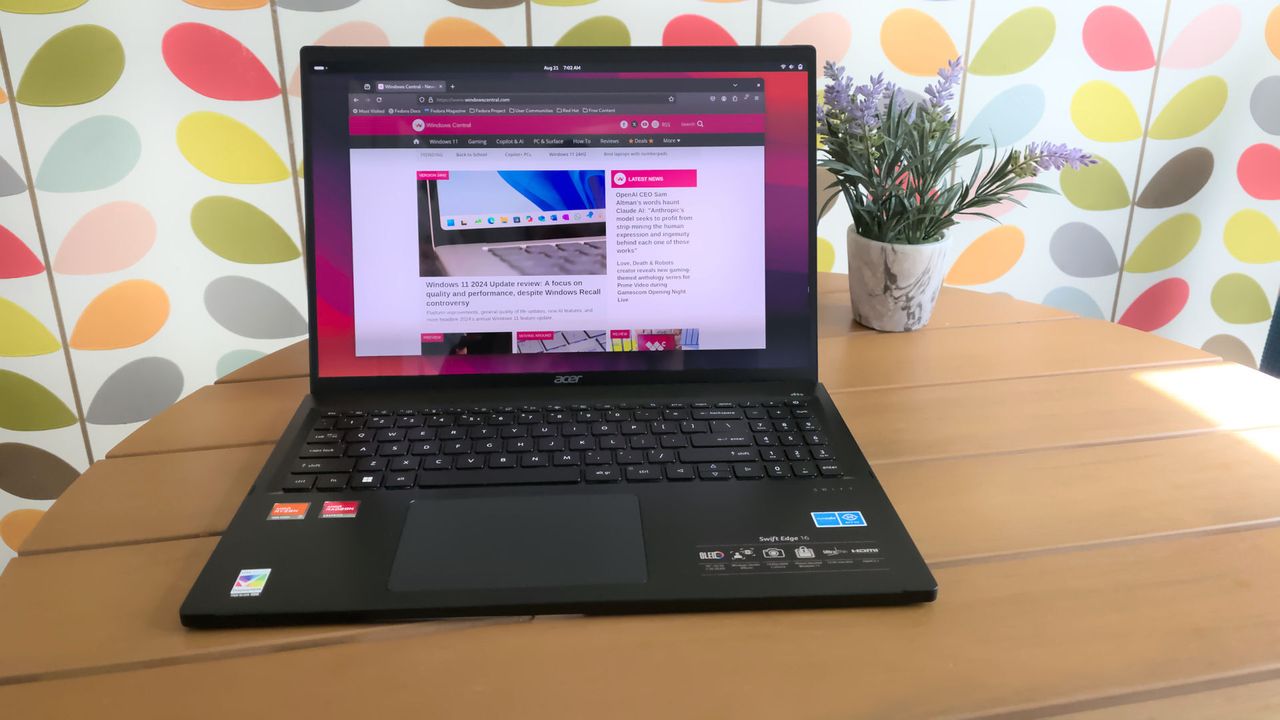
Acer Swift Edge running Linux

You no longer have to use Microsoft Edge or any browser to run Copilot on Linux.

  •  

Supercharging Enterprise AI: Microsoft Copilot Studio Launches the GitHub Copilot Harness

The era of basic chatbot bots is officially behind us. Microsoft has announced the General Availability of the GitHub Copilot harness in Copilot Studio. This major upgrade introduces a brand-new authoring experience and advanced agentic runtime engineered specifically for complex, multi-step, and autonomous business processes. By replacing rigid decision trees with long-horizon reasoning and dynamic […]

  •  

"Make file recovery more predictable": A major change to OneDrive is about to roll out, and I happily welcome anything that improves sync performance

Microsoft is changing how OneDrive handles deleted files. Soon, cloud deletions won't hit your local Recycle Bin, forcing you to use the web for recovery.

OneDrive web albums

<p>OneDrive on the web will soon have a version of Copilot to help you with your files.</p>

  •  

“Copilot is in a survival scramble”: I break down Microsoft’s chaotic AI strategy shift — and why I’m still trying to figure out where this all leads next

An AI expert mapped more than 80 Copilot products, sparking debate over whether it’s branding brilliance or confusion.

Microsoft CEO Satya Nadella on a Microsoft Copilot background

Microsoft's Copilot strategy under CEO Satya Nadella has experts raising questions.

  •  

Microsoft dismisses a trending Bing-era disclaimer that "Copilot is for entertainment purposes only": There's no reason for you to worry about this outdated language

Copilot's terms of use indicated that it's for entertainment purposes only. However, Microsoft has indicated that the phrasing is a legacy language from when Copilot originally launched as a search companion service in Bing.

In this photo illustration, Microsoft Copilot AI logo is seen on a smartphone screen.

Microsoft has indicated that the trending Copilot terms are old news.

  •  

Should tired workers be banned from using Microsoft Copilot on Friday afternoons? "AI fatigue" could lead to lazy mistakes

Analyst firm Gartner suggests banning Microsoft Copilot on Friday afternoons, warning that tired workers may miss AI mistakes and risk productivity.

Mid adult businessman covers his face with his hands while seated at his desk, expressing a moment of stress or contemplation in a startup office paired with the Microsoft Copilot AI logo

Analyst firm Gartner suggests banning Microsoft Copilot on Friday afternoons, warning that tired workers may miss AI mistakes and risk productivity.

  •  

Microsoft won't force this Copilot app onto your PC's Start menu in Windows 11 — a temporary setback for Microsoft 365 plans

Microsoft has paused plans to auto‑install the Microsoft 365 Copilot app on Windows 11 PCs, but it didn't explain why.

The Microsoft 365 Copilot logo appears on a smartphone screen in the Apple app store

Microsoft has paused plans to auto‑install the Microsoft 365 Copilot app on certain Windows 11 PCs.

  •  

Microsoft’s Copilot leadership shake‑up signals a major shift in how the company plans its AI future

Satya Nadella unifies Copilot leadership under a former Snap VP, signaling a shift toward in-house "Superintelligence" and independence from OpenAI's models.

Mustafa Suleyman, chief executive officer of Microsoft AI.

Mustafa Suleyman will now focus on building AI models at Microsoft.

  •  

Microsoft's "most significant change to the Windows keyboard" in 30 years gets a slap in the face from a daring developer

Windows 11 Copilot+ PCs ship with a dedicated Copilot key. This free app restores the lost Ctrl key and fixes Microsoft’s controversial change.

Dell Inspiron 16 Plus 7640 Copilot key.

Windows 11 Copilot+ PCs ship with a dedicated Copilot key. This free app restores the lost right Ctrl (menu) key and fixes Microsoft’s controversial change.

  •  
❌