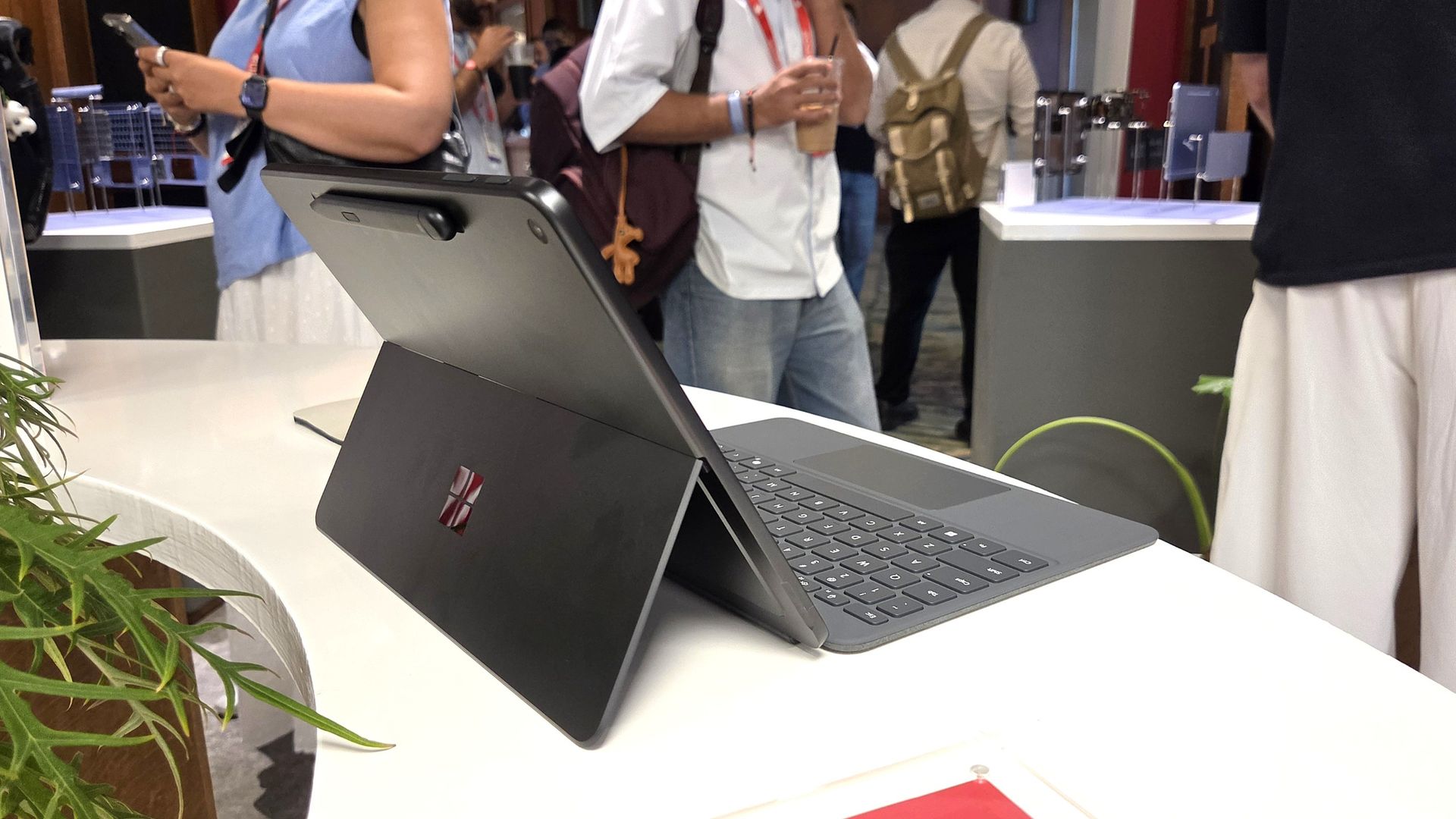
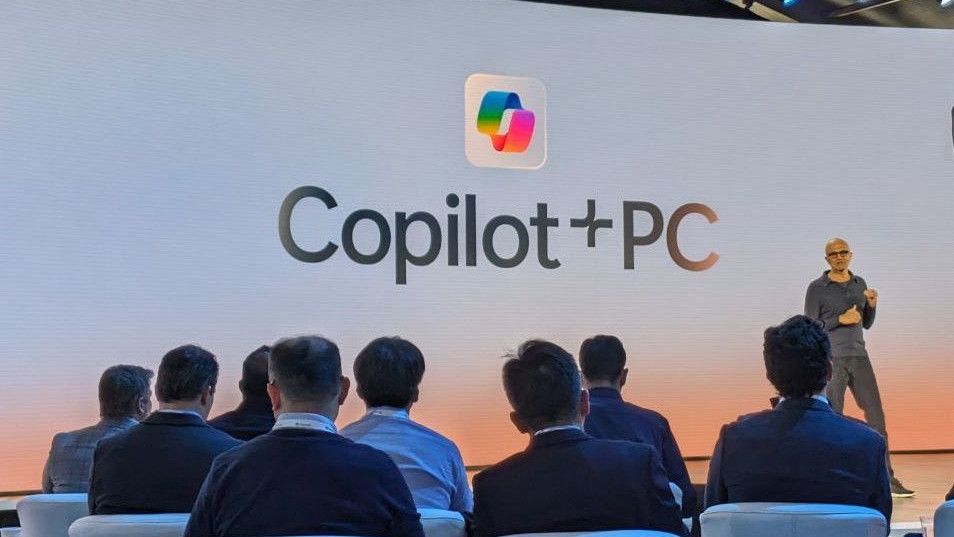
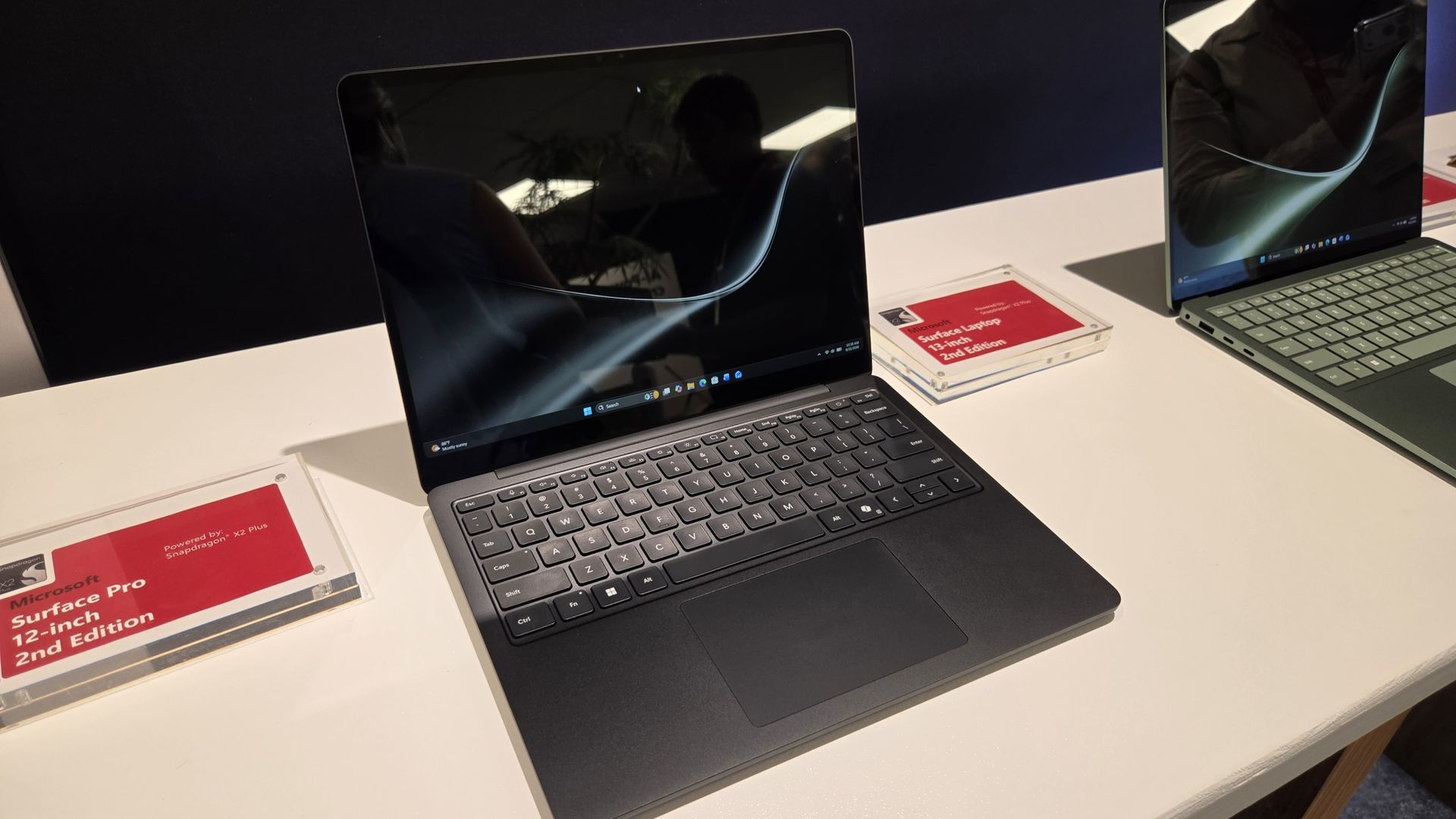
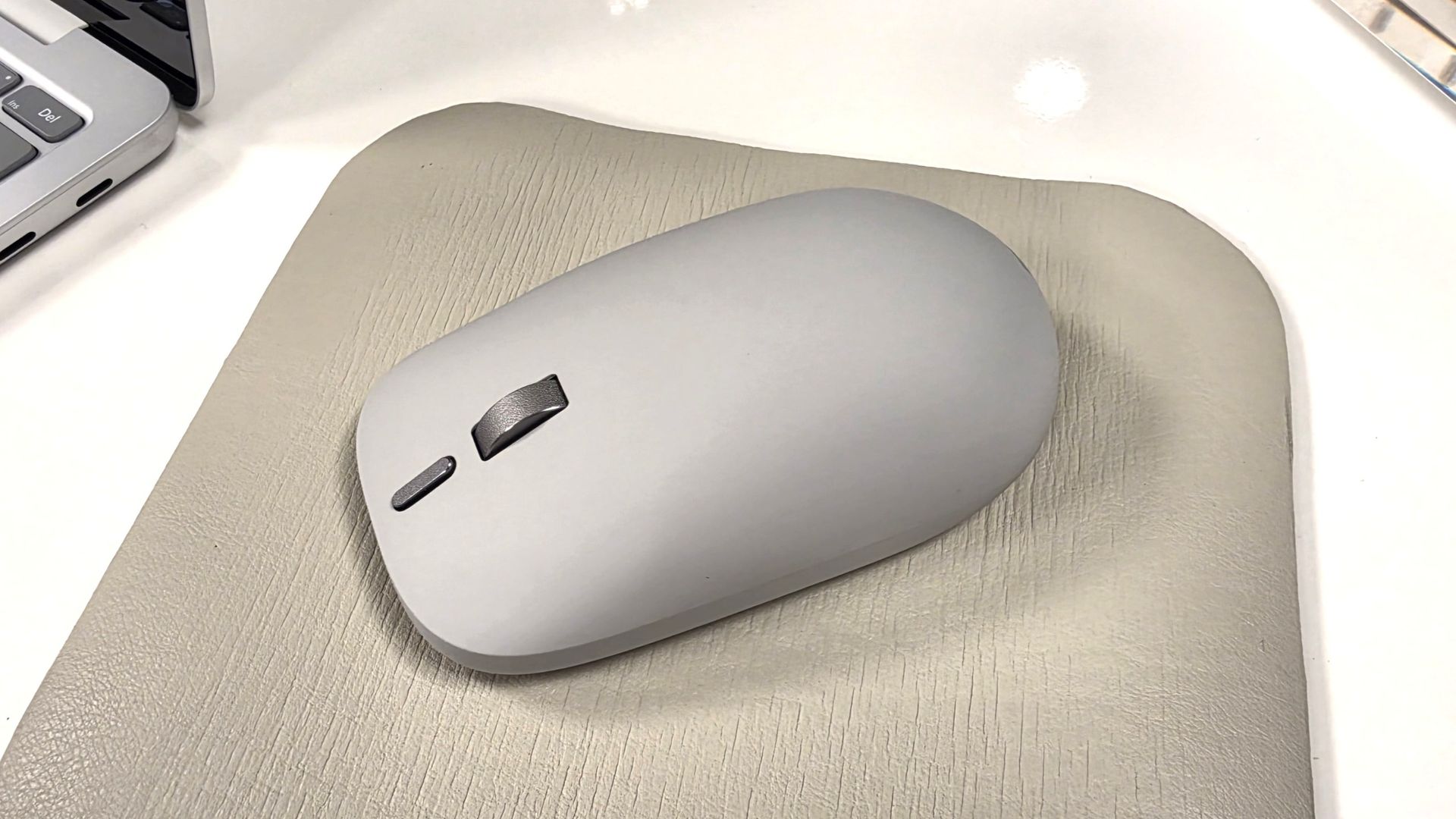
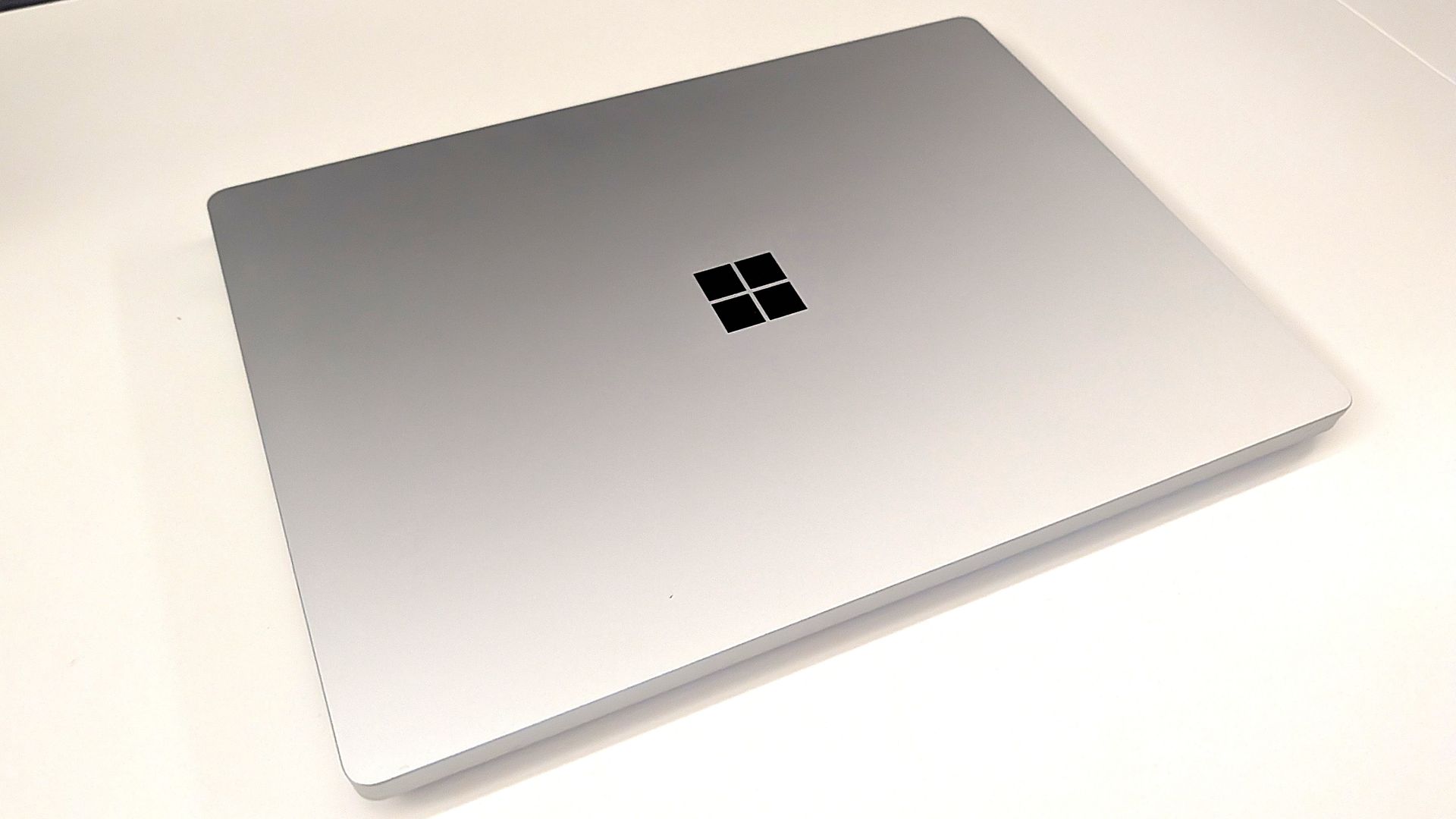
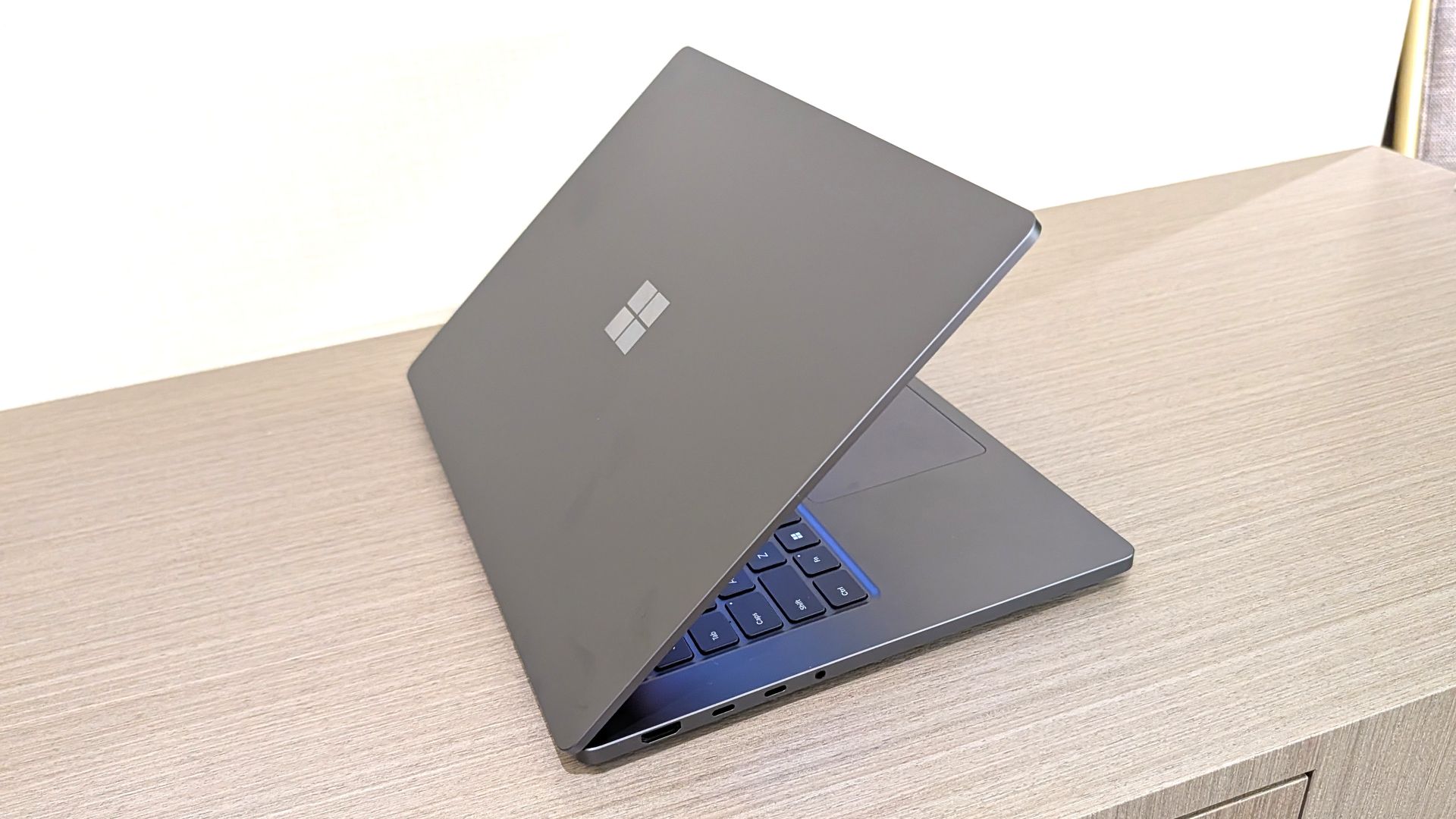
It's been a busy week for Microsoft. Despite having a Windows and Surface event scheduled two weeks from now, the company announced two new Surface PCs and revived the Surface Mouse. Microsoft also effectively cut the legs out from under the Copilot+ PC brand by confirming the new Surface Pro 12-inch and Surface Laptop 13-inch are not Copilot+ PCs.
Biggest News of the Week
Microsoft confirmed that its new Surface Pro 12-inch and Surface Laptop 13-inch will not be called Copilot+ PCs. Not because they fail to meet the requirements — both PCs have the specs to otherwise qualify — but because Microsoft is going in a different direction.
I think we may hear more about Microsoft’s plans and rebranding at the Windows and Surface event next month, but for now we just have confirmation the new Surface devices are not called Copilot+ PCs.
The Copilot+ PC brand was doomed to fail. Microsoft failed to make it clear to customers what made Copilot+ PCs special, and the flagship Recall was a disaster.
Many people were confused about the difference between a Copilot+ PC and an AI PC. And several major manufacturers made it clear that labeling a device as a Copilot+ PC was not a priority.
Too many Copilots
Microsoft put too many eggs in the same basket with Copilot. The company has dozens of products with Copilot in their names. Even the Microsoft 365 app had Copilot forced into its name.
By bundling so many different products and services under the Copilot name, Microsoft tied the success (or failure) of a large part of its portfolio together.
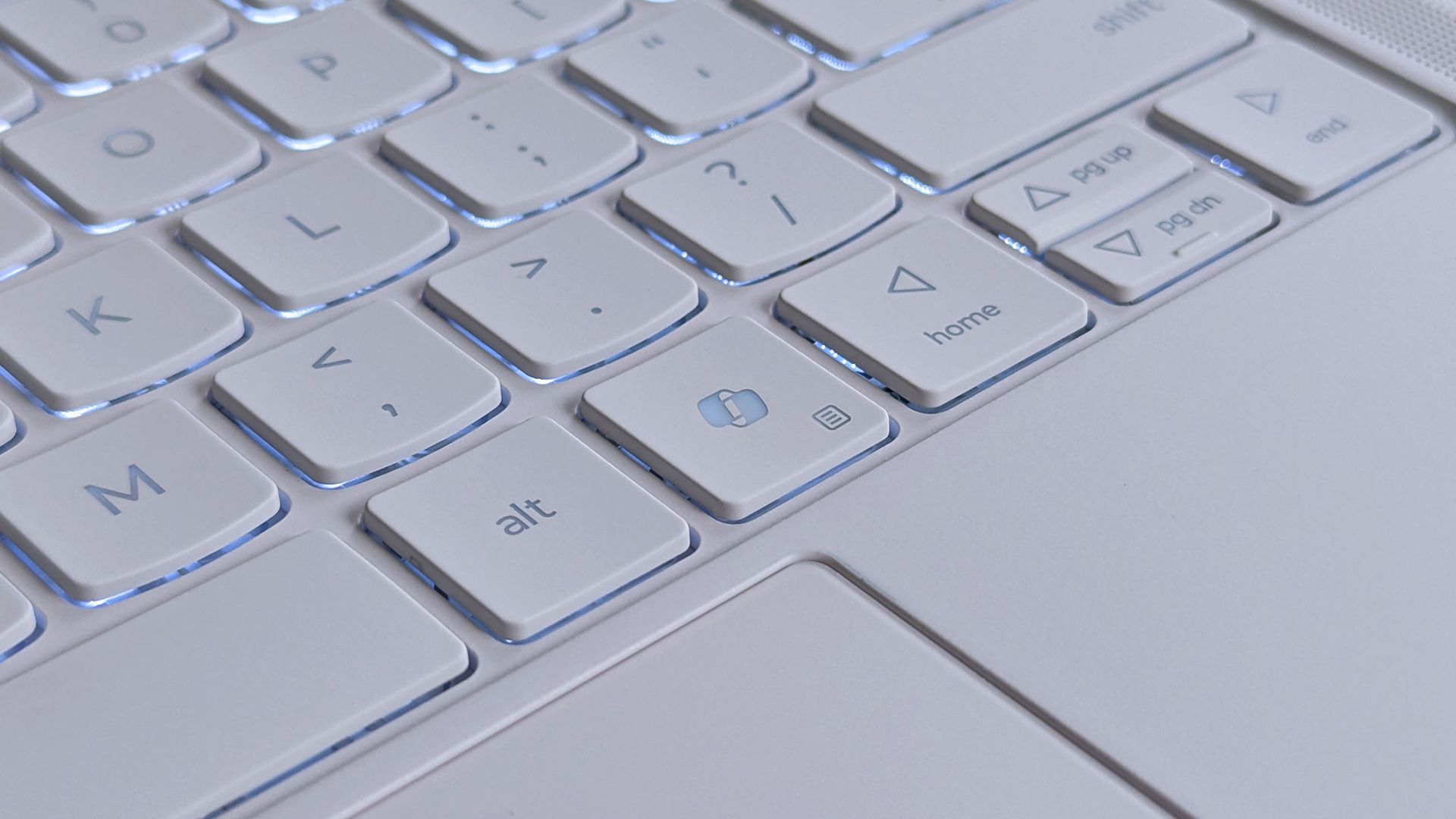
Look online for reactions to the Copilot+ PC brand being phased out and you’ll see people discussing the Copilot app, the Copilot key, Microsoft 365 Copilot, and other Copilot-branded products. And who can blame them? It’s natural to assume the end of Copilot+ PCs means the end of at least some parts of Copilot.
But the opposite is true. In the same week it confirmed its Surface PCs are not Copilot+ PCs, Microsoft announced a massive overhaul of the Copilot platform. Microsoft CEO Satya Nadella called it a new OS, though I’m not sure what that really means in this case.
Ultimately, Microsoft fell in love with the term Copilot and tried to attach it to too many products and services. We’ve seen similar mistakes, such as Facebook going all in on the Metaverse.
Copilot+ PCs are gone or being phased out, but Copilot as an “OS” is just beginning. Microsoft will need to do some damage control and get a marketing message out to make it clear those facts aren’t in opposition.
Join us on Reddit at r/WindowsCentral to share your insights and discuss our latest news, reviews, and more.
Microsoft has released two new Windows 11 Insider preview updates for the 26H1 branch, targeting users in the Experimental and Beta channels. Released on September 25, 2026, the updates are relatively small, but one of them includes an important fix for users running Linux virtual machines through Hyper-V. The other focuses on general improvements without […]
Microsoft is rolling out another Windows 11 Insider update with a handful of useful improvements aimed at making the operating system more convenient and energy-conscious. The latest Experimental preview, released on September 25, introduces changes to the Start menu, Quick Settings, and Storage settings. While this is a relatively small update, some of the changes […]
In 2024, Microsoft and Qualcomm kicked off a new category of Windows hardware it called "Copilot+ PCs" that set the baseline for a new wave of AI-first computers, and launched with exclusive features that would not be made available on PCs that didn't meet a new set of system requirements.
This pretty much tarnished the Copilot+ PC brand, and over the last two years more and more OEMs have dropped the moniker from marketing materials and product names. In fact, even Microsoft has seemingly stopped mentioning it.
I've noticed that none of the Surface PCs launched in 2026 include the Copilot+ PC moniker in their product names, unlike the Surface PCs that launched in 2025 and before. Now, you have to go digging to find any mention of Copilot+ compatibility in specification sheets.
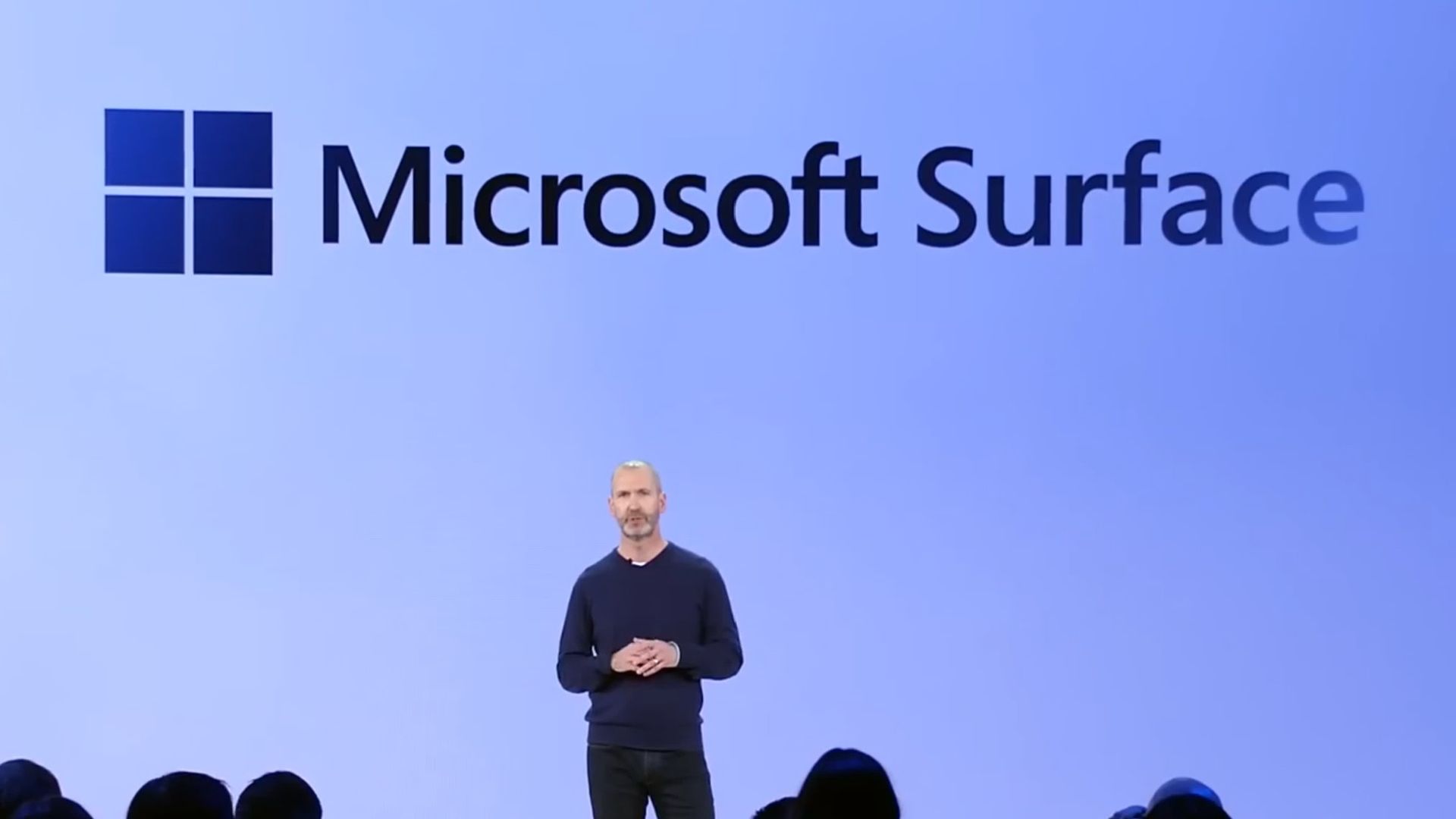
Surface CVP Brett Ostrum announcing Surface PCs in 2024 at Copilot+ event. (Image credit: Microsoft)
At this year's Snapdragon Summit, I had the chance to ask Surface CVP Brett Ostrum about the lack of Copilot+ PC branding on its recent Surface PCs, and he confirmed that "these are not called Copilot+ PCs. They do meet all the requirements of our previous bar for what Copilot+ devices are. We still lean into the narrative around AI on the edge and being able to have a hybrid solution out there."
I've also asked Qualcomm's SVP of compute, Kedar Kondap, about his thoughts on the usage of the Copilot+ PC branding. He told me that "the purpose for Copilot+ PCs was to be able to deliver [NPU] experiences. So it was to define a certain category of devices with a certain bar and metric, like for example, a 45 TOPS NPU ... So from that perspective, it's more offering the same experiences, probably without just using [Copilot+ PC] terminology now."
It's also worth mentioning that NVIDIA hasn't gone anywhere near the Copilot+ PC brand for its upcoming RTX Spark platform, even though all RTX Spark PCs meet the Copilot+ PC specification bar. I suspect that's a deliberate decision.
It seems pretty obvious that the Copilot+ PC brand hasn't resonated with the market, and OEMs and Microsoft itself are now quietly pulling back on that branding. The specification baseline for Copilot+ PC experiences still exists, it just no longer has a pretty marketing name tied to it.
The rough launch of Copilot+ PCs, paired with the fact that Microsoft Copilot itself doesn't have a very strong reputation these days, likely contributed to the decision to slowly retire the Copilot+ PC branding. The brand never made sense to me anyway... these PCs have nothing to do with Copilot.
Join us on Reddit at r/WindowsCentral to share your insights and discuss our latest news, reviews, and more.
Microsoft has refreshed its compact Surface lineup with two new lightweight Windows PCs: the Surface Pro 12-inch (2nd Edition) and Surface Laptop 13-inch (2nd Edition). Both devices now feature Qualcomm’s Snapdragon X2 Plus processor, bringing faster graphics, improved local AI performance and better power efficiency while keeping the portable designs largely intact. Announced at Snapdragon […]
Microsoft vient de prévenir le monde entier que File History,
sa sauvegarde intégrée à Windows depuis Windows 8
, peut ne plus créer ni mettre à jour la moindre sauvegarde sur certaines machines et cela depuis l'installation des mises à jour de sécurité de septembre 2026 !!
Mise à jour du 25 septembre 2026 : bonne nouvelle, Microsoft a corrigé le bug ! Sur Windows 11, le correctif est dans les mises à jour optionnelles du 22 septembre,
KB5124010
pour les versions 24H2 et 25H2 et KB5124006 pour la 26H1. Et si vous ne voulez pas des mises à jour optionnelles, il arrivera avec le Patch Tuesday du 13 octobre. Par contre, pour Windows 10 et les éditions LTSC, Microsoft n'a encore rien annoncé...
Et par défaut, c'est le profil utilisateur au complet qui y passe avec le Bureau, les Documents, les Images, la Musique et les Vidéos, recopiés sur un disque branché en USB ou sur un partage réseau. Autant dire l'essentiel !
Microsoft l'a pourtant remplacée depuis par Windows Backup (qui sauvegarde vos données sur OneDrive, quelle surprise...), mais File History était quand même toujours là, accessible via le Panneau de configuration.
Le symptôme ressemble à une panne de matériel puisque Windows vous réclame de reconnecter votre disque alors qu'il est branché et qu'il fonctionne parfaitement. De son côté, la date de dernière sauvegarde reste figée, et les fichiers déjà archivés répondent qu'aucune version précédente n'est disponible quand vous en cherchez une...
Et quand on y regarde de plus près dans l'Observateur d'événements, ce sont des plantages de FileHistory.exe et de KERNELBASE.dll. Surtout que
le périmètre est large
avec en versions impactées, Windows 11 depuis la 23H2, Windows 10 depuis la 21H2 + les éditions Enterprise LTSC 2016 et 2019.
Maintenant comment est-ce qu'on remédie à ça ? Hé bien ce n'est pas marrant parce que la seule solution que j'ai pu voir sur
le fil de support Microsoft consacré au problème
, c'est un utilisateur qui raconte que la seule chose qui a marché chez lui, c'est de désinstaller la mise à jour et de couper Windows Update en attendant. Sauf que KB5124008 corrige quand même un grand nombre de vulnérabilités, dont des zero-days activement exploités, et la retirer réduira sérieusement votre niveau de sécurité.... Je ne vous conseille donc pas de faire ça.
Gardez vos correctifs Windows et sauvegardez avec autre chose. Par exemple
FreeFileSync
qui est très bien. En tout cas, le temps que Microsoft trouve une solution.
Côté libre, y'a aussi
Kopia
qui fait le boulot proprement. Ça crée des snapshots chiffrés de vos fichiers et dossiers vers un disque local, un stockage réseau ou du cloud, avec compression et déduplication au passage. Et surtout c'est dispo en ligne de commande comme en GUI (interface graphique).
Et si la console ne vous fait pas peur,
restic
fera la même chose sans souci. Par contre avec ces solutions alternatives, je ne vais pas vous vendre du rêve hein... Le clic droit et l'onglet des versions précédentes dans l'explorateur, c'était le gros confort de File History, et aucun de ces outils ne vous le permet. Vous devrez restaurer depuis un snapshot, c'est un peu plus lourd quoi...
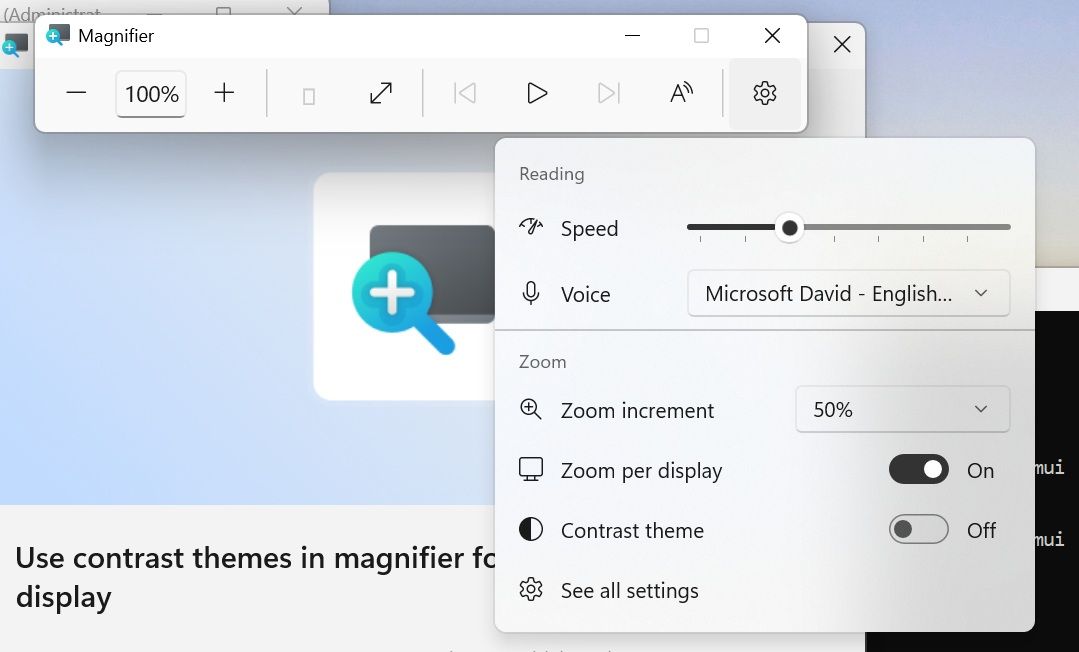
Windows 11 has some big changes on the way to one of its best accessibility features. Magnifier will soon have a contrast theme that improves visibility by reducing glare. At first glance, the feature appears similar to color inversion, but it works differently in several key ways.
Color inversion changes everything on your screen, including photos, videos, and other forms of media. In contrast (pun intended), contrast themes change the colors of an interface without adjusting media.
Four different contrast themes are in testing currently: Aquatic, Desert, Dusk, and Night sky. I think Microsoft could make these themes more accessible by picking more straightforward names. My prediction is that many will be surprised to see "Aquatic" is quite similar to dark mode and is not blue.
The new contrast themes are available for testing to Windows Insiders in the Experimental Channel. Build 26340.9502 is the first to include the themes.
The contrast themes are entirely separate from color inversion. You can still invert all the colors on your PC if you'd prefer.
That same update also brings improvements to Live Captions, Cloud Rebuild, and Mouse indicator. Here's everything that's rolling out, as shared by Microsoft.
Build 26340.9502: Changes and improvements
Accessibility - Mouse indicator
We're introducing a sleeker new animation for the Mouse indicator. You can enable this animation under Accessibility settings. We've also added the option to keep the indicator activated until you press the Esc key.
Magnifier
A new contrast theme toggle for a lower-glare screen. If bright screens are uncomfortable, many people use color inversion to reduce glare. However, inversion changes everything on screen, including photos, charts, and videos. With this update, we're introducing a new contrast theme toggle in Magnifier.
Reduce glare with a single toggle. Turn on a contrast theme directly from the Magnifier toolbar for a more comfortable viewing experience.
Choose the contrast theme that works best for you. The dark theme is applied by default, and you can choose which contrast theme the toggle uses under Settings > Accessibility > Magnifier.
Photos, videos, and charts keep their original colors. Unlike color inversion, the contrast theme recolors the interface without touching your photos, charts, or videos, so they keep their real colors.
Color inversion is still here. This isn't a replacement. If you use inversion today, it works exactly as it always has. The contrast theme is a separate, purpose-built option to reduce glare when you want a darker interface without inverting colors.
Cloud rebuild
We're updating Cloud rebuild, the recovery option that restores a Windows 11 PC to a clean, known-good state by performing a full OS reinstall, with two additions.
Cloud rebuild can now sanitize the device's drives as part of the rebuild. When you start a rebuild in WinRE, choose Remove files if you're keeping the PC, or Remove & sanitize files before recycling, returning, or reassigning it. The sanitize option uses the storage hardware's erase capability to securely erase data before Windows is reinstalled and is irreversible.
IT administrators can now configure and start a Cloud rebuild remotely through the Recovery CSP, using either the currently installed build or a target build you specify.
Live Captions
We're improving Live Captions with a new Include Screen Reader audio setting, which is off by default. With the setting off, Live Captions won't transcribe audio from screen readers such as Narrator, JAWS, and NVDA, keeping captions focused on microphone and system audio.
Hyper-V
Fixed an issue where some applications that used HCS-managed virtual machines experienced issues when sharing host folders with Linux VMs using Plan9. Folders shared from the Windows host using Plan9 didn't appear or couldn't be accessed in the guest environment.
Other
Fixed an issue where backing up using File History unexpectedly failed with an error saying, "No usable drives found."
Microsoft revamped how its Insider channels work earlier this year, so we often have several builds roll out at once. We'll highlight the biggest changes here at Windows Central. You can always browse through the full documentation on Microsoft's website to see complete change logs for every single build.
Join us on Reddit at r/WindowsCentral to share your insights and discuss our latest news, reviews, and more.
Microsoft just announced a Windows and Surface event that will be held on October 7, 2026. Based on the invite, the event will focus on "how local AI will shape the next chapter of the PC." That's not exactly a topic that will move the needle for general users.
Microsoft is all-in on AI, billions of dollars down the drain be damned. The tech giant created what may be the "best laptop ever made"to run AI locally. Considering the focus of Microsoft's event, it's safe to assume the Surface Laptop Ultra will be center stage.
Maybe I'm just part of the old guard yearning for the days of unique form factors and hardware innovation, but I just don't think a Surface running NVIDIA's new RTX Spark superchip is enough to lead an event.
The biggest news of the week was the announcement of the event, but I'm not sure that's a good thing. Our readers' reception to the announcement has been largely negative.
Biggest News of the Week
"Nothing about this matters. The Laptop has always been my least-favorite computer in the Surface family. The RTX version is just AI-focused internals at a comical price," said Lil Frier. "There's nothing about Surface to be interested in anymore, and Windows 11 is still nothing more than a reason I have stuck with Windows 10."
Another user, aruntopez10, said, "Honestly, I have zero faith in this event. Their events have become so boring and unwatchable ever since Panos left (including even his last event). It's sad how they went from having the BEST and interesting fall tech events to the worst."
Microsoft hasn't given our readers — or anyone else — good reason to expect much from this event. Earlier this year I outlined how Microsoft can save the Surface brand. The company has done very little of what I suggested. And it's not like I have wild ideas that are mine alone. People want Surface to be exciting and to push boundaries, not be iterative updates and boxes for AI.
Disappointment is nothing new to Surface fans. Our Senior Editor Zac Bowden called the 2023 Surface and AI event "a massive blunder and missed opportunity."
Microsoft has genuinely changed course when it comes to Windows 11. The company's Windows K2 initiative is changing some of the most complained about parts of Windows 11. As we saw this week, that process is having some hiccups, but it is a major step in the right direction.
Surface? Not so much. I'd argue things are getting worse, not better. Microsoft just doesn't understand what made Surface special and isn't willing to embrace the family's roots.
Join us on Reddit at r/WindowsCentral to share your insights and discuss our latest news, reviews, and more.
Windows 11 comes with a surprisingly capable video editor that many users can start using without paying for expensive editing software. But there is a catch. Microsoft’s Clipchamp video editor can be considerably more demanding on PC hardware than its simple interface might suggest. The app is designed to make video editing accessible to everyone, […]
Après avoir lu cet article de
XDA
, j'ai voulu savoir ce que pesait vraiment l'index de recherche sur mon Windows 11 tout neuf. En vrai pas grand chose... A peine quelques Mo. Puis j'ai déposé un dossier de travail assez gros dedans, et l'index a grossi comme prévu... mais ensuite quand j'ai supprimé ce dossier, l'index lui n'a jamais remaigri.
Cette base de données, c'est elle qui répond quand vous tapez trois lettres dans le menu Démarrer pour avoir des suggestions d'app et de fichiers. Tout est contenu dans le fichier Windows.db sous Windows 11 et Windows.edb sous Windows 10, et malheureusement, ce fichier peut grossir jusqu'à devenir problématique.
Ce que Windows indexe par défaut, et ce qu'il en lit
Windows 11 propose 2 périmètres. Le mode Classique, celui qui est actif si vous n'avez rien touché, et qui s'occupe de vos dossiers Documents, Images et Musique, plus le Bureau. Et le mode "Amélioré", qui lui, parcourt l'ensemble du PC.
Ça peut se régler dans les paramètres :
Le mode Classique est celui d'origine : Documents, Images, Musique et le Bureau.
Mais ce qui est mal expliqué dans la doc de Microsoft, c'est que Windows n'indexe pas QUE les noms de fichiers. Et oui, quand les fichiers contiennent du texte, leur contenu est également indexé, ce qui vous permet de rechercher par mots-clés présents dans le contenu du fichier.
Et comme le périmètre est défini par un emplacement et jamais par un volume, tout ce qui atterrit dans Documents entre dans l'index. Que ce soit vos 3 lettres de motivation ou un dossier projet contenant 40 000 fichiers... Windows ne fait pas la différence.
3 profils sont donc aux premières loges : ceux qui ont basculé sur le mode Amélioré, ceux dont le dossier Documents pointe en réalité vers leur OneDrive ou un autre dossier synchronisé, et ceux qui rangent leurs projets ou leurs machines virtuelles dans Documents.
Si vous n'êtes dans aucun des trois, la suite vous dira en trente secondes que tout va bien, vous verrez ^^
Mesurer votre index en deux gestes
Le nombre d'éléments dans cet index se lit sans aucun droit particulier. Suffit d'aller dans Paramètres, puis Confidentialité et sécurité, puis Rechercher. Le compteur "Indexé" est en haut de la page, et c'est aussi là que se trouve le choix du périmètre.
Vous obtiendrez alors un nombre en mégaoctets. Mais pour savoir s'il est réellement gros, c'est le compteur d'éléments qui fait la différence, plus que le poids. Je m'explique...
Microsoft donne des repères dans sa doc. Moins de 30 000 éléments c'est OK chez un utilisateur ordinaire. Pour un gros utilisateur, rien de choquant de monter jusqu'à 300 000 éléments. Par contre, au-delà de 400 000, des problèmes de performances peuvent commencer à apparaître. Et si vous vous demandez jusqu'où vous pouvez aller, sachez que le plafond technique est à un million d'éléments, après quoi l'indexeur se plantera comme une merde ou fera grimper le processeur, la mémoire et le disque dans les nuages.
La même commande sans les droits administrateur répond "Accès refusé".
L'essai : 3 000 fichiers qui partent, un index qui reste
J'ai monté une petite expérience pour l'occasion dans une machine virtuelle Windows 11 Pro 25H2, avec quatre cœurs et 8 Go. Départ à 462 éléments et 6,71 Mo. J'y ai déposé ensuite 3 000 fichiers texte, soit 15,94 Mo de contenu, et j'ai regardé l'index monter à 3 466 éléments pour 18,66 Mo. La base pèse donc presque aussi lourd que les fichiers qu'elle vient d'avaler !! C'est du texte brut partout, ce qui est le pire cas possible pour elle puisqu'il faut en indexer le contenu.
Ensuite j'ai supprimé les 3 000 fichiers et le compteur d'éléments est bien redescendu à 465, celui du départ, mais Windows.db lui, était toujours à 16,81 Mo. Alors que mes 465 éléments tenaient dans 6,71 Mo une heure plus tôt.... Bref, l'index a libéré ses entrées, mais pas son espace, la place étant réservée pour la prochaine fois...
Reprendre la main sans casser la recherche
Alors pour reprendre la main sur son espace disque, le bon geste, c'est l'exclusion ciblée. Allez dans Paramètres, Confidentialité et sécurité, Rechercher, puis "Ajouter un dossier exclu".
Les cibles qui valent le coup sont celles qui changent sans arrêt ou qui ne pèsent rien dans une recherche. Je pense aux dossiers de dépendances d'un projet, aux dossiers de compilation, aux caches, aux disques de machines virtuelles, au .git, aux bibliothèques de jeux et j'en passe...
Vous saurez ainsi tout de suite si ça a marché. Remontez en haut de la même page de réglages et regardez le compteur "Indexé". Il devrait diminuer du nombre de fichiers que contenait le dossier, sans que vous ayez rien d'autre à faire.
En revanche, n'excluez pas Documents ou le Bureau d'un seul bloc, et ne coupez surtout pas le service. En effet, ce bon vieux menu Démarrer ne cherche que dans l'index et Outlook classique s'appuie aussi dessus pour retrouver vos mails. Un dossier exclu devient invisible à la recherche et, ce serait dommage de ne plus pouvoir retrouver un mail, par exemple.
Le second truc à faire, c'est la reconstruction, car c'est elle qui récupère l'espace. Ouvrez les Options d'indexation avancées depuis la même page de réglages, cliquez sur Avancé, puis sur Reconstruire dans la section Dépannage. Windows prévient alors que les résultats seront incomplets pendant l'opération, mais on s'en fout, et c'est normal puisqu'il repart de zéro !! Microsoft conseille d'ailleurs de laisser l'indexeur travailler jusqu'à 24 heures, alors ne lancez pas ça cinq minutes avant d'avoir besoin de retrouver un fichier.
Le bouton Reconstruire est planqué sous Dépannage, dans les Options avancées.
Sur ma machine, l'index gonflé à 16,81 Mo est ainsi redescendu à 1 Mo, pour exactement les mêmes 465 éléments. Quatre minutes de reconstruction plus tard, et le fichier ne pesait plus que six pour cent de sa taille d'avant. Une fois que c'est fait, vous pouvez relancer la commande PowerShell. Si le chiffre n'a pas bougé d'un poil, c'est que votre index était déjà à sa taille utile, et dans ce cas, bon courage, ça veut dire que votre problème d'espace disque est ailleurs.
Microsoft just announced a Windows and Surface event for October 7, 2026. The event will be held in San Francisco and will focus on "how local AI will shape the next chapter of the PC." It will start at 10 AM PT / 1 PM ET.
Microsoft CEO Satya Nadella will be at the event, as will Surface chief Pavan Davuluri. NVIDIA CEO Jensen Huang will also be there, so we can expect to see RTX Spark discussed on stage.
RTX Spark is NVIDIA's new superchip. It powers the Surface Laptop Ultra and Surface RTX Spark Dev Box. Microsoft already announced those devices but has not shared key details yet, including pricing and availability. The event in October could be a chance to share more about the devices and the RTX Spark in general.
Microsoft is also expected to highlight improvements to Windows 11. The tech giant is deep into its Windows K2 initiative that aims to reduce pain points in the operating system and smooth the overall experience. We've seen some early wins from that initiative, such as the option to resize and move the Taskbar on Windows 11.
But Microsoft still has a long way to go before Windows 11 is redeemed in the eyes of many. Windows updates often ship with bugs and the operating system still has mismatching UI elements. Fixing Windows 11 is a large project that will take time, and Microsoft would be wise to show what it's already done to improve the OS and point to what's on the way.
While Microsoft could always surprise us with more hardware announcements, its quote about "how local AI will shape the next chapter of the PC" aligns well with devices we already know are on the way. The Surface Laptop Ultra and Surface RTX Spark Dev Box are designed to run AI locally.
Based solely on that quote, we could see Microsoft discuss Project Zenith at the event. That's the codename of a new class of devices aimed at developers that want to build apps and local AI experiences.
Join us on Reddit at r/WindowsCentral to share your insights and discuss our latest news, reviews, and more.
Microsoft is having a bit of a rough September when it comes to bugs. Another issue has been discovered in Windows 11. This time, it's Excel's copy and paste feature that's been broken by an OS update.
That bug was discovered shortly after Microsoft confirmed issues with Hyper-V Linux folder shares, Remote Desktop, and USB audio. Those have since been fixed through an out-of-band update, but the Excel bug has not been fixed yet.
"In Microsoft Excel 2024, 2021, 2019, and 2016, the paste operation might fail silently. Although users try to paste content, the source remains selected and the destination is unmodified. When this issue occurs, users receive no indication of the failure, such as a beep or error message. Microsoft is researching the issue and will post more information in this article when the information becomes available."
The September Patch Tuesday update has almost 1,000 security fixes, so it is important to install it on PCs. But it may be worth holding off a bit if your workflow would be hindered by lingering bugs.
I don't want to come across as a doomsayer. The sky is not falling because copy and paste in Excel is broken. But it's frustrating to see bugs creep into Windows 11 updates.
Microsoft is aware of negative feelings many users have toward Windows 11. The company has a Windows K2 initiative that aims to reduce pain points and improve the overall Windows 11 experience. Part of that initiative centers around improving Windows updates.
On paper, Microsoft is trying to reduce how many updates people need to install each month. But I've had to install several Windows 11 updates just in September, including the out-of-band update that fixed the audio issue.
Join us on Reddit at r/WindowsCentral to share your insights and discuss our latest news, reviews, and more.
Windows 11 just received an out-of-band update that addresses several issues with the operating system. The September Patch Tuesday update includes almost 1,000 security fixes and other improvements, but it also had bugs that broke folder shares in Hyper-V-based Linux virtual machines, Remote Desktop Services, and certain audio devices.
Microsoft released the out-of-band update shortly after the issues were confirmed. It should download automatically in the background if you're running Windows 11 versions 26H1, 25H2, or 24H2. You can also grab the update through the Microsoft Update Catalog.
For the sake of clarity, Microsoft refers to these types of updates as out-of-band updates, but many people refer to them as emergency updates because installing them is urgent enough to ship the fixes immediately.
Here's a quick summary of the fixes, as outlined by Microsoft:
Out-of-band updates have been released more in 2026 than in previous years. Some bugs in Windows 11 have required multiple patches.
When we publish a piece on Windows Central about a Windows 11 update, it's normal to see comments asking what the update will break. When there are inevitably issues with Windows 11, people ask "what do you expect" or something along those lines.
Obviously, if Microsoft finds issues, it needs to patch them. Emergency updates should be used when needed. My question is: why are they needed more frequently this year?
Microsoft is in the middle of an initiative to improve Windows 11 and reduce pain points in the operating system. But no one will care if they can move the Taskbar to the top of the screen or customize the Start menu if their speakers don't work.
Join us on Reddit at r/WindowsCentral to share your insights and discuss our latest news, reviews, and more.
Jusqu'à présent, personne ne l'avait remarqué, mais sur l'écran d'installation de Windows 11 Home, celui qui vous réclame un compte Microsoft avant de vous laisser aller plus loin, il y a un tout petit lien "Learn more" planqué au milieu d'un paragraphe. Personne ne clique jamais dessus mais
Bob Pony, lui, l'a fait
et magie-magie, Windows l'a propulsé directement sur la création d'un compte local.
Sur la page qui s'ouvre, on vous demande alors le nom de celui qui va utiliser cet ordi, puis derrière, c'est un mot de passe, trois questions de sécurité, et hop vous voilà sur le bureau avec votre compte local ! C'est top non ? Plus besoin de vous prendre la tête avec une invite de commandes, ou des clés de base de registre !
Plusieurs sites ont fait le test, moi je n'ai pas encore eu le temps, mais apparemment ça fonctionne très bien sur la version Home de Windows 11 mais je ne sais pas pour la version Pro.
Faut dire que ça fait un an que Microsoft ferme les autres portes du compte local. La clé de registre BypassNRO, puis la commande ms-cxh:localonlydont je vous parlais l'automne dernier
, ont été rebouchées les unes après les autres dans les préversions, avec à chaque fois la même explication foireuse : Ces bidouilles laissaient soi-disant des gens sortir du process d'installation avec une machine qui n'était pas entièrement configurée. Sauf que ce lien qui mène exactement au même compte local, lui, bah visiblement il a échappé à Microsoft... lol.
Un truc à savoir quand même avant de choisir le compte local, et
c'est Microsoft qui le dit
: le chiffrement de l'appareil ne s'activera pas tout seul. Quand vous ouvrez la session avec un compte Microsoft, il boote et la clé de récupération va se loger dans ce compte alors qu'avec un compte local, il reste inactif. Ça peut bien sûr se régler en allant dans les Paramètres, Confidentialité et sécurité, Chiffrement de l'appareil, mais faut y penser avant le jour où votre portable partira sous le bras de quelqu'un d'autre pendant que vous tapez votre meilleure sieste dans le TGV...
Alors maintenant, combien de temps tiendra cette astuce ?
Aucune idée, mais on espère tous que Microsoft laissera ça tranquille. Et si le lien a disparu quand vous lirez ces lignes, sachez qu'il reste des chemins qui passent par le média d'installation notamment via
Rufus, que je vous ai déjà présenté
. Suffit de cocher une case et hop, ça vous fera une clé USB qui ne réclamera aucun compte.
Voilà, si vous avez une machine à installer ce week-end, c'est donc le bon moment de tester cette astuce !
The latest Windows 11 update gives you plenty of reasons to upgrade, including hundreds of security fixes. But it also includes some bugs that range from frustrating to workflow-breaking.
Microsoft recently confirmed that a bug in Windows security update KB5124008 can cause some audio devices to fail. Affected systems will see one or more of the following issues:
The device displays an error in Device Manager: "This device cannot start (Code 10).”
No audio output.
Volume controls are unresponsive or remain at zero.
Sound settings are unresponsive or unavailable.
Some devices might function in standard stereo configurations but fail when using multichannel audio features, including 8-channel or 3D audio modes. Some customers have reported that they're able to restore audio in these cases by switching to 2-channel mode.
I believe my PC was affected by this bug. After installing the most recent Patch Tuesday updates, my external USB speakers stopped working, and Windows automatically defaulted my audio output back to my docked laptop's built-in speakers.
The problems only affect USB Audio Class 1.0 devices. Just about any operating system or platform that supports USB audio works with USB Audio Class 1.0. That class was the first standard for audio devices and shipped in 1998. There are USB microphones, headsets, speakers, and many other devices that fall into the category.
Because some modern platforms (most notably gaming consoles like the PS5 and Nintendo Switch) do not support newer standards, headsets and other peripherals are often made to be USB Audio Class 1.0 devices so they work everywhere.
The bug affects Windows 11 versions 26H1, 25H2, and 24H2. Microsoft has confirmed the issue but has not released a fix at this time.
You may be able to workaround the bug by switching to 2-channel mode, but that is not a permanent fix. You can also uninstall the KB5124008 update, though it may be better to just wait for an official fix or to find a workaround.
Join us on Reddit at r/WindowsCentral to share your insights and discuss our latest news, reviews, and more.
Microsoft is making a subtle but useful change to Windows 11 Search that could make it easier to find files stored outside the usual folders. Windows 11 can now automatically add frequently used folders to its search index. Instead of relying entirely on a predefined list of indexed locations, Search can take your folder usage […]
Microsoft has acknowledged another serious problem linked to the September 2026 Windows 11 security update, and this one is particularly important for business and enterprise PCs. The KB5124008 update can cause domain-joined Windows 11 PCs to lose their secure connection with Active Directory, resulting in users being unable to sign in with valid domain credentials. […]
Microsoft is preparing for one of its most significant Windows-focused events in more than two years. The company has announced a major Windows and Surface event for October 7, 2026, in San Francisco, where it will discuss how local AI will shape the next chapter of the PC. The event is expected to bring together […]
Google has finally brought its Gemini desktop app to Windows, giving Windows 10 and Windows 11 users a much faster way to access Google’s AI without opening a browser first. The new desktop app can be summoned instantly using Alt + Space, putting Gemini over whatever you’re currently doing. Google already offers similar quick-access functionality […]
Microsoft is moving several upcoming Windows 11 features another step closer to a wider rollout. The company has released Windows 11 Release Preview builds 26100.9539 and 26200.9539 for versions 24H2 and 25H2. The update, distributed as KB5124010, brings a surprisingly large collection of new features and improvements, including changes to File Explorer, Emoji 17.0, Windows […]

 Connexion