Have you been wanting to live out of an all-wooden camper? Driving solo to the pastures you visited with your father as a child but never had the opportunity to spend a night under the stars there, then brace up. You can follow the new 90-odd-minute detailed video from ambitious YouTuber Quiet Nerd, and build yourself an 8-wheel-drive electric tank-style steering wooden camper from scratch.
All you will need is tools and supplies. The brain is already applied. So even blindly following the instructions can confidently give you a near replica. That’s how elaborately detailed this entire DIY video is. When you’re ready with your cabin on eight wheels, you can, like the modder, steer it into the jungle for a fun-filled night in the wild. He had a night that belonged to him. A night with home-cooked sushi and some flat tires, and a subsequent morning with freshly-made pancakes and a broken front axle rod.
Hopefully, your experience will be much better, coz you know when too many donuts in this guy are too many. The DIYer didn’t. Anyway! That’s for the fluff; let’s now get the real creation. “This is the most ambitious, complicated, and technically challenging build I have ever attempted,” the creator reveals at the beginning of the video. If you think that’s just said for the sake of it, you can spend some time reading about his previous DIY electric camper created around a wooden bed with tank treads for wheels.
Yes, Quiet Nerd is a genius when it comes to building these electric camping rigs from scratch. He has done it in the past, this time though, this fully electric, 8-wheel-drive micro camper that steers exactly like a tank is way different and above board than what he has created. In fact, I wouldn’t be kidding if I said this camper is definitely one of the most interesting DIY projects in the recent past. If not the camper itself, the video definitely deserves appreciation for its depth.
The build starts with a frame made of square punch tubing, which rests on eight separate 48-volt, 1000-watt brushless differential motors. To ensure a tank-steering mechanism for the cabin, the modder welded the differential gears in all eight gearboxes separately so they didn’t move. This meant the drivetrain on the left and right of the cabin could then work independently, which, when throttled in opposite directions, would allow the camper to perform perfect 360-degree donuts at one place.
Once the frame and the drivetrain were ready, suspensions were added to each of the eight wheels, and the modder then constructed the frame of the camper’s cabin using marine-grade wood. Interlocking pine wood panels were specially created for the siding, and the door was placed at the back. The floor was laid out with interlocking gym foam puzzle mats for comfort, and for ventilation, porthole windows are mounted on each side. On the front, vinyl sheets are used for the windscreen.
The batteries onboard are hooked up to a pair of 200-watt flexible solar panels mounted on the roof, which power the camper when its running or when stationary at the camp. When everything was checked and created, Quiet Nerd took the camper for a ride in the green pastures. Besides a few flat tires and a broken axle rod, most of the time in the woods was awesome, the modder notes in the video. Nighttime donuts are my favorite, but I still believe maybe he can get welded some cutters in the square punch tubing frame and this guy can be an awesome lawn mower. Or get a few ploughs in there and while doing donuts, it can help with ploughing the area.
Truecaller Scam Checker lets users check suspicious links, numbers, and messages for free as the company expands its fraud protection beyond caller ID.
Most public sculpture asks you to look and keep walking. You admire the bronze figure, read the little plaque, maybe snap a photo, and move along to wherever you were actually headed. The art stays over there, behind an invisible line, and you stay over here. That gap between viewer and object is the quiet problem a lot of city parks have never solved: they install expensive, meaningful work, and then wonder why nobody lingers.
Alexandre Arrechea’s answer, installed this year at Biidaasige Park as part of Toronto’s new Lassonde Art Trail, is to remove the line entirely. Orange Functional is a twenty-foot steel tree with basketball hoops sprouting off its branches, and you’re invited to bring your own ball and start shooting. No velvet rope, no “please do not touch” energy. Just a big red tree standing at the park entrance, daring you to play.
I like that the idea took over a decade to get here. Arrechea’s archive traces the concept back to 2010, when the hoop-covered tree existed purely as sculpture, something you’d circle and photograph but never actually use. It wasn’t until a 2022 commission from Art Omi in upstate New York that he reengineered the branches so real basketballs could drop through the nets. That’s a meaningful shift for an artist. Turning a static object into a functional one means giving up some control. Once people can touch the work, they also get to misuse it, argue about it, get bored of it. Arrechea made that trade anyway, and the piece is better for it.
What sells me on the design is how little it explains itself. A basketball hoop is one of the most recognizable objects in American and Canadian public life, sitting outside driveways, gyms, and rec centers everywhere. Arrechea doesn’t reinvent it so much as multiply it until it stops making sense as sport equipment and starts reading as something closer to a fruit tree. Art Omi’s own description leans into that: as people throw the ball and it falls from hoop to grass, it evokes oranges dropping from a branch. The title does double duty, too, pairing the color with the idea of something actually working the way it looks like it shouldn’t.
Placing the sculpture at a park entrance, next to newly planted real trees, feels like the smartest curatorial choice in the whole project. It’s not tucked into a sculpture garden where only people already looking for art will find it. It’s the first thing you see walking in, competing for attention with the skyline behind it. A parent walking past with a kid who has a basketball in their bag doesn’t need to understand Arrechea’s twenty-year interest in public gathering spaces to want to stop and shoot a few hoops. The concept sells itself in about four seconds.
There’s a version of this idea that could have felt gimmicky, a photo-op sculpture built mainly for Instagram. Arrechea avoids that trap by making the interaction the entire point rather than an afterthought bolted onto a finished artwork. He’s spent over two decades returning to the basketball court as a symbol, and this piece is where that research finally gets to be useful instead of just visible. You don’t need the artist statement to enjoy it. You need a ball and about ninety seconds of patience while you figure out which branch to aim for.
Public art has a reputation problem in a lot of cities: expensive, confusing, occasionally resented by the people who live near it. Orange Functional sidesteps all of that by refusing to be precious. It asks for nothing more than a basketball and a little curiosity, and it gives back an actual reason to stop walking. That’s a rarer trade in public space than it should be.
A parking lot does not care how good your speaker sounded in the store. Too quiet for an open sky, too fragile for a cooler lid, too generic to earn a second look from anyone walking by. These five are built differently. Each earns its place in the setup before you even hit play, and holds it comfortably long after the sun disappears behind the stadium.
The best tailgate speaker is not the loudest one or the most expensive one. It is the one that handles the full arc of a Saturday outdoors without asking you to manage it. Good battery life, real weather resistance, and a design identity strong enough to start a conversation are the only criteria that matter when the truck is parked, and the grill is on. These five clear all three.
1. RetroWave 7-in-1 Radio
The RetroWave is not trying to look vintage. It simply does, because the people who designed it understood that warm tones and a tactile tuning dial carry a feeling that modern hardware cannot replicate on its own. For you, that distinction matters at a tailgate, where every object on the truck bed shapes the atmosphere of the whole setup whether you intended it to or not. The RetroWave earns its spot before a single note plays.
Seven functions live inside a body that reads as a single cohesive object, not a spec sheet assembled into hardware. AM/FM and shortwave radio, Bluetooth streaming, a USB charging port, and a built-in flashlight all coexist without crowding the design or complicating the interface. For you, that means one piece of gear that moves cleanly from pre-game energy to late-night wind-down without ever needing to swap anything out. It carries the whole day without announcing it.
Analog character translates immediately in outdoor settings
Seven functions in one body removes the need to bring anything else
What we dislike:
The retro aesthetic will not appeal to everyone
Battery life under sustained outdoor use has not been independently verified at publication
2. Brane X
Most portable speakers fake their bass. They boost the low end digitally and call it sub-bass, and it fools you indoors but gets swallowed by open air the moment you step outside. The Brane X does not fake anything. Its proprietary Repel-Attract Driver cancels internal air pressure to deliver genuine sub-bass from a body barely nine inches wide. For you, that means a speaker that actually fills a parking lot instead of politely suggesting it could.
Five drivers and four class-D amplifiers push past 200 watts combined, backed by a 72-watt-hour battery rated for twelve hours of runtime. IP57 waterproofing handles rain and the inevitable cooler spill without breaking stride. Wi-Fi streaming and Bluetooth 5.3 cover both strong and spotty signal scenarios across a large lot. For you, the ability to group up to eight units means the sound scales with the size of your crowd rather than capping out at the wrong moment.
What we like:
Genuine sub-bass output from a compact enclosure
Twelve-hour battery life clears even the longest tailgate
What we dislike:
Two hundred-plus watts at full volume will cut into runtime considerably
Wi-Fi streaming depends on stable network access in the parking lot
3. Beosound Explore
Bang & Olufsen built the Beosound Explore from hard-anodized aluminum instead of the polycarbonate most competitors default to, and that single decision changes how the speaker ages. Polycarbonate scratches and scuffs into a reading of neglect. Aluminum picks up honest wear and keeps looking considered. For you, that means a speaker that still belongs in your setup on its twentieth outing, rather than one that starts looking disposable before the season is halfway through.
Twenty-seven hours of battery life removes the anxiety that follows every other portable speaker through a long weekend outdoors. Dual full-range drivers produce True360 sound with no preferred listening axis, so there is no bad seat at your tailgate. IP67 water resistance covers submersion up to one meter for thirty minutes, handling every realistic outdoor scenario without fuss. For you, the carabiner strap means it travels without ceremony and arrives looking like it belongs wherever you set it down.
What we like:
Twenty-seven hours of runtime covers a full day and night without a second thought
Hard-anodized aluminum ages honestly with outdoor use
What we dislike:
The Bang & Olufsen premium is real and unavoidable
360-degree output reduces directional volume control in loud open environments
4. Battery-Free Amplifying iSpeakers
The premise sounds like a trick: a speaker that amplifies sound without drawing a single watt of power. The iSpeaker uses passive acoustic geometry instead of electronics, channeling audio through a precisely shaped horn that physically increases volume without a battery or Bluetooth chipset. For you, that means zero charging anxiety at a tailgate where outlets are not a given. It works the moment you set your phone inside it and keeps working until you leave.
The design reads as furniture as much as audio hardware, which earns it a different kind of presence at a tailgate than a traditional plastic cylinder would. It sits on the table as a deliberate object, not a forgettable gadget. For you, that matters because it communicates something about the setup before a single note plays. No cords, no app, no pairing ritual. You place it, drop your phone in, and the afternoon takes care of itself from there.
Zero battery dependency removes the most common outdoor-speaker anxiety
Passive horn amplification produces real volume with no electronics involved
What we dislike:
Output ceiling is physically limited by the horn geometry
Works only with phones that fit the cradle dimensions
5. Muzen Wild Mini
The Muzen Wild Mini looks like it was pulled from a gear locker rather than designed for a product page, and that is exactly the point. The all-metal body carries a military character that communicates durability before you ever pick it up. For you, that matters in a setting where gear gets moved, stacked, and occasionally dropped between the cooler and the truck bed. The Wild Mini does not ask to be handled carefully, which means you never have to think about it.
Bluetooth 5.0 handles the streaming, and a built-in flashlight with three lighting modes earns its place once daylight fades on the lot. A single charge delivers six hours of runtime at full volume, covering the core of a game-day schedule without needing a top-up. For you, the clip system means it attaches to a bag, a belt loop, or a tent frame with equal ease, keeping the speaker accessible without requiring a dedicated surface to set it on.
What we like:
All-metal build shrugs off drops and rough handling
The built-in flashlight adds genuine utility once the sun goes down
What we dislike:
Six hours is the shortest runtime in this group
The compact body limits total output volume compared to the larger enclosures here
The Right Speaker Makes the Saturday
None of these five ask you to compromise. The RetroWave brings analog warmth to a setting that usually defaults to generic plastic. The iSpeaker removes the charging question entirely. The Brane X delivers the bass a parking lot actually requires. The Beosound Explore brings luxury-grade materials to outdoor conditions they were genuinely built for. The Wild Mini goes anywhere without asking permission. Each pulls its weight differently, and that range is exactly the point.
A good tailgate speaker is the one you stop noticing because it never gives you a reason to worry about it. The battery holds, weather is not a factor, the sound fills the space, and the object earns a second look from whoever walks by. All five of these clear that bar. Pick the one that fits how your Saturdays actually run, and it will handle the rest without asking for much in return.
Camping has always come with a quiet trade-off. You get the freedom of being anywhere, but you give up the comfort of being somewhere. Tents leak, campers feel cramped, and cabins can’t move with you when the season changes. Atelier Lune, a US-based design studio, just built something that refuses to make you choose.
It’s called Camping House. The idea is simple to say and genuinely hard to execute: a home that tows behind a standard SUV, unfolds like a tent within a couple of hours, and then behaves like real architecture once it’s standing. Architect Na Shen, who previously worked at Gensler and Zaha Hadid Architects before starting her own studio, designed the whole structure around that tension between mobility and permanence, and you can feel that intention in every decision she made.
Designer: Atelier Lune
That last part is the actual innovation. Plenty of tiny homes are mobile, but most of them stay rigid once you get them there, basically a smaller box on wheels. Camping House does something different. The structure is a folding shell that fans open on-site into a steep A-frame, then locks into place with weather-sealed joints and insulated panels built to hold up through an actual winter. The A-frame isn’t just an aesthetic choice either. It’s structurally efficient, sheds rain and snow naturally, and creates a dramatic interior volume that reads much larger than the footprint suggests.
The system is built around three modules the studio calls Ports. The Residential Port handles living and sleeping, with furniture that flips from day mode to night mode in seconds. The Utility Port carries a real kitchen and a real bathroom, not a camper-van compromise version of either. The Extended Port clips on when you need a workspace, storage, or room for guests. You arrive, stabilize the base, release the hinges, and the shell swings open into a two-level interior that looks nothing like what fit on the trailer an hour earlier. The joinery and panel system that makes this possible is where most of the real design work lives, hidden in the hinges and seals rather than announced by the exterior.
What makes this feel like it’s arriving at the right moment is who it’s actually for. Remote work untethered a lot of people from a single address, and the appetite for spending real time outdoors, not just weekend camping but seasonal living, has grown alongside it. Camping House is designed with that shift in mind: off-grid solar integration, rainwater harvesting, passive cross-ventilation through a solar chimney, and no permanent foundation required. It leaves the ground beneath it essentially undisturbed, which matters if you’re setting up somewhere ecologically sensitive, or if you just don’t want to explain a poured foundation to a national forest.
There’s a practical honesty to designing for departure instead of designing for permanence. Most residential architecture asks how a building holds its ground. Camping House asks how a building lets go of it. Multiple units can even couple together into small clusters, which opens the door to uses beyond personal travel: disaster relief housing, temporary shelter during regional housing shortages, or small eco-tourism outposts that can be struck at the end of a season without leaving scars.
None of this is on the market yet. It’s a concept, and concepts have a habit of staying concepts. But two people can reportedly assemble it in under two hours, which is a modest ask for what you get in return: a structure with actual dignity, not a glorified pop-up tent with delusions of permanence.
The bigger idea Camping House is testing is whether shelter has to pick a lane between temporary and permanent. For a long time, those felt like separate categories with separate architecture. This project treats them as two settings on the same machine. Whether or not this exact version reaches driveways, the question it’s asking, why should mobility mean sacrificing comfort, feels like one more designers are going to keep chasing.
I’ve established in my previous articles that I’m not an artist and can only draw stick figures, or maybe follow paint-by-numbers-style sketches. That hasn’t stopped me from buying and collecting drawing pads and notebooks of all kinds, though. Of course, I’m not hoping I’ll eventually learn to draw or become the next Andy Warhol or anything like that. I like having these writing surfaces because I have a lot of things to write down, whether it’s for productivity, as part of my numerous journaling tools, or just somewhere to randomly write or sketch things out.
The Japanese Drawing Pad, despite having “drawing” in its name, isn’t just an art tool for artists, architects, and other visual creatives. It’s a blank, tactile surface that can be useful for anyone who likes to write, think, plan, or organize. And in a world that’s becoming an increasingly digital-analog hybrid, having a tool like this by your side whenever you need it is always a plus. It’s not just a regular drawing pad, though. It’s simply designed, but expertly crafted by masters in the bookbinding and papermaking industries, giving you paper that helps you create your own masterpiece, whether visual or written.
So if you’re like me and don’t need it for actual drawing, here are a few ways to get your money’s worth out of the Japanese Drawing Pad. No drawing skills needed.
Brain-dump Your To-Do List
For those times when you just need to mindlessly dump out all your tasks, lists, and thoughts, this is the perfect place to do it. It doesn’t have a cover, so you get straight to the blank page you need. The tear-away pages make it easy to toss the list once you’re done, or stick it somewhere you’ll actually see it.
Create a Mood Board
The drawing pad can also serve as your analog Pinterest board. Use it to brainstorm a trip itinerary, visualize an outfit for an upcoming event, or build a vision board for your next few months. The microperforated pages tear easily and cleanly, so you can arrange them side by side on a wall or corkboard.
Take Notes in a Meeting (Without a Boring Notebook)
Meetings can drag on forever, but having a unique tool to take notes with can make them feel a little less like a slog. The Drawing Pad’s gray paper and black base give it a sleeker, more distinctive look than your average notepad, so pulling it out mid-meeting feels less like a chore and more like an upgrade.
Mind-mapping and Brainstorming
Having a freeform space without any lines is ideal for when you need to jot down branching ideas, bubbles, and connections. It also comes in different sizes (A6, A5, and A4), so you can choose how much space you need for these brainstorming sessions, even if the meeting is just with yourself.
Journaling
Whether you need a space for habit tracking, junk journaling, or creative writing prompts, the premium feel of the paper will make your journaling ritual more satisfying. If you tear off the pages, you can attach them to your other journals or use the loose-leaf sheets to build a journal of your own.
Teaching Kids (or Yourself) Letters, Numbers, and Shapes
The pad can also double as a lesson space for kids who are still learning to write their letters, numbers, or shapes, offering a low-pressure surface with no stakes attached. And if you’re learning a new language that uses characters different from what you’re used to, it can be your practice space, too.
Doodling to De-stress
Even if you’re not an artist who can draw well, there may be times when you just want to doodle your stress away. Whether you’re sketching the meal you just ate, dreaming up an imaginary creature to fight off boredom, or scribbling whatever abstract shapes come to mind, the pad puts no pressure on you to be “good.” It’s simply a tactile stress outlet.
Beyond what’s already been covered, the Japanese Drawing Pad has a few more details worth knowing. Every pad is handmade by ITO Bindery, a Japanese bookbindery that’s been at it since 1938. The binding glue is still brushed on by hand, and each microperforation is checked for consistency by trained craftspeople rather than left entirely to machines. The pages themselves are premium paper (81.4 g/m²) mounted on a sturdy, recycled cardboard base, and each sheet tears away cleanly without leaving any strays behind on the page. This particular edition is also limited to just 100 individually numbered pads per size, which makes the pad feel less like a disposable notepad and more like a small, functional collectible.
At the end of the day, you don’t need to be able to draw to justify owning something this well made. A design like the ITO BINDERY × YANKO DESIGN Drawing Pad earns its keep simply by being there, ready on your desk for the next to-do list, doodle, or half-formed idea you don’t want to lose. And that’s really the beauty of building an analog habit into an otherwise digital life: it doesn’t ask much of you, just a pen, a blank page, and a few free minutes. Whether it ends up full of to-do lists, mind maps, or terrible stick-figure doodles, this drawing pad might just become one of those small, everyday objects you didn’t know you needed until it’s part of your routine.
L'odieux connard préféré des internautes a encore frappé ! Après son
Iron Man à la française
de cet été, Julien a mis en ligne une seconde fausse bande-annonce qui m'a bien fait rigoler.
C'est
Top Gun made in France
et cette fois, l'élite de l'élite des pilotes américains partent en programme d'échange international à... Landivisiau en Bretagne !! Avec le pitch, déjà, je suis mort de rire. Alors, pourquoi est-ce qu'ils font ça, les Ricains ? Eh bien, tout simplement pour apprendre à faire comme l'élite de l'élite de l'élite, c'est-à-dire la Marine nationale française.
On y voit donc Erwan Mav'rek, un pilote pur beurre salé donner ses premières leçons d'humour chauvin et de choix de pseudonymes douteux, et surtout, au bout de quelques minutes, recevoir un appel très important de notre leader suprême, qui lui demande...
Bon vous verrez, je ne vais pas vous raconter toute la vidéo...
Je vous laisse découvrir donc comment tout ceci se termine, mais au passage, ce qu'on retient surtout c'est que le Mont-Saint-Michel et Nantes sont en Bretagne (bande de Normands !).
Ah et côté fabrication, c'est bien sûr de l'IA générative, mais attention, fait maison !! Comme Julien n'a d'Odieux Connard que le nom, il a respecté la planète en faisant tout tourner en local sur son PC sans avoir recours au moindre datacenter polluant et surtout en utilisant le modèle open source Minimax.
Depuis que X a shooté
Nitter et XCancel à grands coups de lettres d'avocat
fin août, lire X sans compte c'est redevenu une méga galère. Mais il reste pourtant un outil que plein de gens utilisent sans le savoir, parce qu'il tourne dans les coulisses de Discord et Telegram. Son nom ?
FxTwitter !
À la base,
le projet FxEmbed
, qui fait tourner FxTwitter et FixupX, sert à réparer les aperçus de liens X. Vous mettez fx devant twitter.com (ou fixup devant x.com) et Discord affiche enfin la vidéo, le sondage ou toutes les images du post. Sauf que derrière, il y a surtout une API publique et gratuite, api.fxtwitter.com, qui affiche n'importe quel post public en JSON sans avoir besoin de compte ou de clé API facturé une couille. Ché Elon !
Alors oui, les rageux diront que x.com affiche encore n'importe quel post isolé à un visiteur déconnecté, même les longs, mais sur un profil, ça s'arrête à 5 posts avant de vous demander de "Continuer sur X". Et surtout, ça ne vous affichera pas les vidéos et ça ne vous permettra pas d'avoir ça sous la forme d'un flux RSS.
Alors que FxTwitter, lui, nous sort tout ça sans avoir à ouvrir x.com !
Lire un post dans le navigateur
Maintenant pour nos tests, prenons un vieux de la vieille, un vétéran, le post numéro 20 de @jack, publié le 21 mars 2006 et dont l'URL est x.com/jack/status/20. Le nombre à la fin, c'est l'identifiant du post.
Collez tout simplement cet identifiant au cul de api.fxtwitter.com/2/status/ et ouvrez ça dans votre navigateur :
Et vous obtiendrez un gros pavé en JSON avec dedans le texte du post dans le champ "text", l'auteur dans "author", et un peu plus bas vous trouvez les likes, les reposts, les réponses et la date.
Le post 20 de @jack vu par l'API : le texte dans le champ text, l'auteur juste en dessous.
Et si vous avez la flemme de recopier l'identifiant (vous êtes toujours dans l'abus, vous ^^), remplacez simplement x.com par api.fxtwitter.com dans l'adresse complète du post et voilà ! Ça marche à tous les coups, même si c'est le retour de l'ancienne version de l'API, conservée pour la compatibilité.
Et si le post n'est pas en français, ajoutez ?lang=fr à l'adresse et hop, magie magie, l'API glisse alors un bloc "translation" dans la réponse, avec le texte en français :
Le texte d'origine du post 20, puis sa traduction demandée avec ?lang=fr.
La traduction provient de X lui-même quand elle existe (sur ce post, le champ "provider" indiquait "grok"), sinon l'API se rabat avec joie sur un service de traduction. Et pour un profil, c'est le même principe avec /2/profile/ : api.fxtwitter.com/2/profile/jack qui affichera la bio de @jack, son nombre d'abonnés et sa date d'inscription. Les autres "routes" qui récupèrent les fils, les abonnés ou les médias d'un compte sont dans
la documentation de l'API
.
Elle est pas belle la vie ?
Récupérer une vidéo
Maintenant, on va rentrer dans le dur parce qu'ici, pour récupérer une vidéo, vous n'avez pas besoin d'API. Suffit de jouer avec l'adresse.
Mettez d. devant fxtwitter.com et le lien vous renverra directement le fichier, sans HTML autour. Avec curl, ça donne ça (le -L sert à suivre la redirection) :
Grâce à ça, on peut par exemple récupérer le MP4 de cette vidéo bien kitchou de 30 secondes de la NASA. Et ajouter .mp4 à la fin d'une adresse fxtwitter.com fera la même chose. Et pour choisir la qualité, jetez un œil au JSON du post, où la liste des formats de media.videos donne chaque version de la vidéo avec son adresse et son bitrate.
Suivre un compte en RSS
Dernier truc que je trouve pratique avec cet outil c'est que chaque compte public peut avoir son flux RSS. Il suffit d'ajouter /feed.xml après le nom du compte :
Collez ensuite ça dans votre lecteur RSS et vous suivrez le compte X de vos rêves sans avoir à y mettre les pieds. Le flux remonte ainsi les 90 derniers posts par défaut, et le paramètre ?count= permet de réduire ce nombre ou de l'augmenter jusqu'à 100 maximum. Et si vous remplacez feed.xml par media.xml vous ne verrez dans le flux que les posts contenant des photos ou des vidéos. Et si vous ajoutez ?with_replies=1 vous verrez aussi les réponses.
Ce qui coince
Maintenant ce qui peut être relou, c'est que l'API n'encaisse que 1 000 requêtes par minute et par adresse IP. Par contre, si vous pensiez absorber tout x.com sans la moindre vergogne, vous allez vite vous retrouver coincé.
Attention aussi au domaine que vous tapez. Les seuls officiels sont fxtwitter.com, twittpr.com, fixupx.com, xfixup.com et fxbsky.app pour Bluesky. Je précise ça parce qu'il y a eu, par exemple un fxtwiter.com avec un t en moins, qui a été signalé sur le dépôt du projet et qui renvoyait les gens vers des arnaques.
Comme d'hab, une faute de frappe et c'est le drame... Soyez très vigilants.
Maintenant, si vous êtes un petit peu curieux comme moi, vous vous êtes sûrement demandé comment FxTwitter récupérait tout ça ??
Eh bien, comme le fait Nitter, ou plutôt
comme le faisait Nitter
, il récupère les données en utilisant de vrais comptes X sur lesquels il répartit les requêtes. Et comme c'est ce qui a été reproché à Nitter, je me dis qu'il y a des chances qu'à un moment FxEmbed soit visé aussi.
On verra bien, mais si un jour le service tombe, sachez que le code est bien dispo sous licence MIT, donc vous pouvez le faire tourner chez vous sans problème dans un Docker. Et si vous n'utilisez pas de compte X connecté dessus, ça marchera quand même avec, c'est vrai, des limites de requêtes plus basses et surtout sans accès au contenu NSFW (Et ça, je sais que ça vous rend super triste.)
Si vous développez pour AWS, il y a de bonnes chances que LocalStack tourne déjà quelque part dans votre docker-compose ou votre CI. C'est un peu l'outil incontournable pour tester ses buckets S3 et ses fonctions Lambda sans avoir à toucher au vrai cloud. Sauf que depuis mars dernier, ses nouvelles versions
exigent un compte LocalStack
et un jeton d'authentification, CI comprise, et surtout l'édition Community n'est plus prise en charge.
Ouin !
Et comme si ça ne suffisait pas, l'offre gratuite qui reste interdit totalement l'usage commercial. Donc si vous l'utilisez dans le cadre de votre travail, faudra passer à la caisse. Alors, oui, ne pas respecter la licence ou se figer sur une ancienne image reste possible, mais déjà, ça ne se fait pas, et ensuite, niveau faille de sécu, ce n'est pas top.
Mais c'est là qu'arrive en sauveur Floci,
un émulateur AWS local
sous licence MIT qui se présente comme un remplaçant direct de LocalStack, sans avoir besoin de se créer un compte ou un jeton et surtout sans offre payante planquée dedans.
Maintenant, le principe reste le même puisque vous pointez dessus l'AWS CLI (Floci écoute sur le port 4566), vos SDK, Terraform, OpenTofu ou le CDK, avec la région de votre choix et des identifiants bidon, et vos commandes habituelles tomberont sur votre machine au lieu de partir chez Amazon.
Le plus simple pour démarrer, c'est sa CLI qu'on peut déployer avec Homebrew (il y a aussi un script pour Linux et un pour Windows) :
Ensuite, faites un floci start pour lancer l'émulateur dans un conteneur et lui monter le socket Docker de votre machine. Floci s'appuie sur de vrais conteneurs dès que la fidélité l'exige ce qui fait que Lambda tourne dans l'image d'exécution officielle d'AWS, RDS lance un vrai PostgreSQL, MySQL ou MariaDB, ElastiCache un Valkey, et c'est pareil pour ECS, EC2 ou EKS.
J'ai fait l'essai sur mon Mac avec un bucket S3, une table DynamoDB et une petite fonction Lambda en Python, et tout a répondu du premier coup à la CLI AWS. La Lambda a juste mis six secondes à répondre au premier appel, puis moins d'une seconde au suivant.
Pour voir ce qui se passe ensuite, une console web est dispo localhost:4566/_floci/ui, avec vos ressources rangées par service.
La console web de Floci sur localhost, après un essai sur S3, DynamoDB et Lambda
Notez aussi que si vous venez de LocalStack, la bascule se résume simplement dans le nom de l'image puisque Floci traduit tout seul les variables d'environnement de LocalStack, exécute sans modification les scripts d'init rangés dans /etc/localstack/init/ et répond même sur /_localstack/health. Cela veut dire qu'une CI qui attend ce signal ne voit pas la différence et ça c'est super cool pour migrer vite fait bien fait.
Et si vos scripts appellent aws ou boto3, prenez l'image floci/floci:latest-compat, qui embarque les deux.
Par contre, méfiez-vous du volume de données, car LocalStack range tout par défaut dans /var/lib/localstack et Floci dans /app/data. Donc dans le docker compose, pointez bien votre volume sur /app/data sinon, vous perdrez vos fichiers au premier restart du docker.
Après n'oubliez pas non plus que Floci imite le comportement d'AWS, et pas sa sécurité. En effet, par défaut, il n'applique aucune politique IAM, donc si vous voulez vérifier qu'un rôle trop resserré bloque bien une action, il faudra activer la variable FLOCI_SERVICES_IAM_ENFORCEMENT_ENABLED. Et certains services ne sont également que des façades. Par exemple Bedrock Runtime renvoie des réponses factices et Transcribe termine ses tâches aussitôt, sans jamais traiter l'audio, donc oui, votre code peut les appeler, mais le résultat ne sera pas au rendez-vous, ce qui est tout à fait normal.
Pour le reste, les données sont stockées en mémoire par défaut et s'effaceront à l'arrêt, ce qui est pile poil ce qu'on veut en CI. Vous pouvez quand même le paramétrer pour que ça s'écrive sur le disque si vous voulez...
Voilà, à essayer sur une branche de votre CI si vous voulez vous débarrasser de débrancher LocalStack pour de bon !
Microsoft vient de prévenir le monde entier que File History,
sa sauvegarde intégrée à Windows depuis Windows 8
, peut ne plus créer ni mettre à jour la moindre sauvegarde sur certaines machines et cela depuis l'installation des mises à jour de sécurité de septembre 2026 !!
Mise à jour du 25 septembre 2026 : bonne nouvelle, Microsoft a corrigé le bug ! Sur Windows 11, le correctif est dans les mises à jour optionnelles du 22 septembre,
KB5124010
pour les versions 24H2 et 25H2 et KB5124006 pour la 26H1. Et si vous ne voulez pas des mises à jour optionnelles, il arrivera avec le Patch Tuesday du 13 octobre. Par contre, pour Windows 10 et les éditions LTSC, Microsoft n'a encore rien annoncé...
Et par défaut, c'est le profil utilisateur au complet qui y passe avec le Bureau, les Documents, les Images, la Musique et les Vidéos, recopiés sur un disque branché en USB ou sur un partage réseau. Autant dire l'essentiel !
Microsoft l'a pourtant remplacée depuis par Windows Backup (qui sauvegarde vos données sur OneDrive, quelle surprise...), mais File History était quand même toujours là, accessible via le Panneau de configuration.
Le symptôme ressemble à une panne de matériel puisque Windows vous réclame de reconnecter votre disque alors qu'il est branché et qu'il fonctionne parfaitement. De son côté, la date de dernière sauvegarde reste figée, et les fichiers déjà archivés répondent qu'aucune version précédente n'est disponible quand vous en cherchez une...
Et quand on y regarde de plus près dans l'Observateur d'événements, ce sont des plantages de FileHistory.exe et de KERNELBASE.dll. Surtout que
le périmètre est large
avec en versions impactées, Windows 11 depuis la 23H2, Windows 10 depuis la 21H2 + les éditions Enterprise LTSC 2016 et 2019.
Maintenant comment est-ce qu'on remédie à ça ? Hé bien ce n'est pas marrant parce que la seule solution que j'ai pu voir sur
le fil de support Microsoft consacré au problème
, c'est un utilisateur qui raconte que la seule chose qui a marché chez lui, c'est de désinstaller la mise à jour et de couper Windows Update en attendant. Sauf que KB5124008 corrige quand même un grand nombre de vulnérabilités, dont des zero-days activement exploités, et la retirer réduira sérieusement votre niveau de sécurité.... Je ne vous conseille donc pas de faire ça.
Gardez vos correctifs Windows et sauvegardez avec autre chose. Par exemple
FreeFileSync
qui est très bien. En tout cas, le temps que Microsoft trouve une solution.
Côté libre, y'a aussi
Kopia
qui fait le boulot proprement. Ça crée des snapshots chiffrés de vos fichiers et dossiers vers un disque local, un stockage réseau ou du cloud, avec compression et déduplication au passage. Et surtout c'est dispo en ligne de commande comme en GUI (interface graphique).
Et si la console ne vous fait pas peur,
restic
fera la même chose sans souci. Par contre avec ces solutions alternatives, je ne vais pas vous vendre du rêve hein... Le clic droit et l'onglet des versions précédentes dans l'explorateur, c'était le gros confort de File History, et aucun de ces outils ne vous le permet. Vous devrez restaurer depuis un snapshot, c'est un peu plus lourd quoi...
Je sais que vous êtes déjà tous passés sur
la page d'accueil Korben
pour votre navigateur, mais il existe une autre extension sympa
qui s'appelle Bonjourr
. Comme pour la mienne, cette dernière remplace la page de nouvel onglet de votre navigateur pour vous afficher des infos à la fois agréables et utiles.
En arrivant sur un nouvel onglet, vous verrez alors une grande photo, l'heure et la météo du jour, le tout dans un style qui lorgne vers iOS. Les photos viennent d'Unsplash en 4K, sélectionnées à la main, et les développeurs y tiennent : pas d'IA générative !! Elles changent ensuite selon l'heure du jour, du coup vous n'avez pas le même ciel à 8 h et à 22 h.
Par-dessus, vous placez ce que vous voulez en widgets comme vos liens favoris rangés sur une grille, l'import de vos marque-pages, et une barre de recherche qui accepte n'importe quel moteur, y compris un moteur maison dont vous collez l'URL vous-même.
Le reste s'active ensuite à la carte selon vos besoin. Vous pouvez avoir des notes et des listes à cocher qui captent le format Markdown, pour garder votre to-do sous les yeux, un minuteur Pomodoro qui tourne pendant que vous bossez, et LA citation du jour. Le code CSS est également accessible donc si vous voulez tout déplacer et refaire le look c'est possible ! Dans le même esprit, je vous avais aussi présenté
Tabliss il y a quelques années
.
Bonjourr en version web, avec les liens rapides posés sous la barre de recherche
Notez que si vous gardez les suggestions de recherche actives, ce que vous tapez dans la barre passera par les serveurs de Bonjourr. Et pensez aussi à couper la synchronisation, si vous ne voulez pas que la config de Bonjourr soit transmise à votre compte Firefox ou Chrome,
Sinon, c'est gratuit, ça s'utilise sans compte, et c'est sous licence GPL v3.0. Ça tourne sur Chrome, Firefox et Edge, et Google !
Pour voir la tête que ça a sans rien installer, quel que soit votre navigateur, je vous invite à tester ça sur
la version en ligne
.
J'espère que si vous avez une entreprise, vous êtes au courant de cette information, car depuis le 1er septembre, la facturation électronique a été mise en place. La communication autour de ça a été assez chaotique et j'ai vu circuler tout et son contraire sur le sujet. Par exemple, des indés persuadés qu'ils devaient tout basculer en urgence, d'autres convaincus que ça ne visait que les grosses boîtes... Du coup, ce que je vous propose aujourd'hui, c'est qu'on remette tout ça à plat.
En gros, il y a deux dates charnière à connaitre et elles n'ont pas les mêmes implications. En effet, depuis le 1er septembre 2026, toutes les entreprises françaises doivent pouvoir recevoir une facture électronique. Mais c'est seulement à partir du 1er septembre 2027 que les micro-entreprises, TPE et PME devront également savoir émettre les leurs par le circuit officiel.
Non, votre client ne peut pas vous forcer la main
Le premier point dont personne ne parle alors que POURTANT c'est dans le
guide pratique publié par la DGFiP
cet été : Un client n'a pas le pouvoir d'imposer une facture électronique à une entreprise dont l'échéance d'émission est fixée à septembre 2027. Mieux, il ne doit pas refuser de traiter ou de payer votre facture au seul motif qu'elle n'est pas électronique !
Heureusement !
Et bien sûr, inversement, si un fournisseur vous envoie encore un PDF par mail après le 1er septembre, la facture reste valable et votre droit à déduction de TVA est bien sûr conservé. Bref, on peut tous respirer. Sauf que "respirer" ne veut pas dire "ne rien faire", et c'est là que ça se corse...
Ce qui, par contre, vous concerne dès maintenant
Comme vous l'aurez compris parce que vous êtes supers malins, recevoir des factures électroniques, ça suppose donc d'avoir désigné une plateforme agréée pour les réceptionner. Sans ça, vous n'êtes pas dans l'annuaire, et une grande entreprise qui vous facture ne saura tout simplement pas où envoyer sa facture électronique.
Et là, malheureusement la sanction est un peu plus difficile que celle qu'agite les médias d'habitude. Car vous l'avez sûrement lu, par ci par là, tout le monde le répète, ça vous coutera 50 € par facture non conforme, plafonnés à 15 000 € par an. Sauf qu'en cas d'absence de plateforme de réception, le mécanisme est différent. Ça commence par une mise en demeure, ensuite, vous avez 3 mois pour vous mettre en règle, puis vous vous prendrez une amende de 500 €, puis 1 000 € si au bout de trois mois de plus vous n'êtes toujours pas en règle. Ce mécanisme-là n'a donc rien à voir avec le plafond de 15 000 € par an.
Mais j'ai une bonne nouvelle quand même : la DGFiP a annoncé qu'elle n'appliquerait pas les sanctions de façon automatique et aveugle au lancement, si la difficulté d'inscription est réelle et que vous avez engagé une démarche. en gros si vous n'êtes pas de mauvaise foi et que vous essuyez les plâtres de cette nouveauté, l'Administration sera clémente. Mais attention, sa clémence n'est ni un report ni une suspension et le calendrier devra être respecté.
Les quatre mentions qui débarquent sur vos factures
Maintenant, je vous propose qu'on zoome un peu plus sur les détails concrets car ça, vous pouvez le mettre en place, même sans outil. Il s'agit de 4 nouvelles mentions qui deviennent obligatoires sur les factures B2B qui entrent dans le champ de la réforme :
le numéro SIREN de votre client (9 chiffres, pas le SIRET)
la catégorie de l'opération : vente de biens, prestation de services, ou les deux
l'option TVA sur les débits, si vous l'avez prise
l'adresse de livraison, quand elle diffère de l'adresse de facturation
Jusqu'ici aucun identifiant client n'était vraiment exigé, mais maintenant, vous allez devoir chercher le SIREN de chacun de vos clients pro.
Et il y a un troisième volet dont on parle beaucoup moins : l'e-reporting. En gros, tout ce qui ne passe pas par la facturation électronique doit quand même être déclaré à l'administration. C'est le cas de vos ventes à des particuliers, ou à des clients installés hors de France où c'est votre outil qui transmet ces données au fisc à votre place. Autant dire qu'à la main, dans un tableur, ça ne tiendra pas 3 mois.
Freebe, c'est quoi ?
C'est là qu'arrive le sponsor de cet article, et je vais vous dire à quoi ça sert avant de vous dire pourquoi ça vaut le coup.
Freebe est un logiciel de gestion français pour indépendants, lancé en 2018 par une petite boîte bretonne. Et ce n'est pas un simple générateur de factures comme on en voit parfois, mais plutôt l'endroit où vit toute votre activité : vos clients, vos devis, vos factures, votre trésorerie, votre livre des recettes, vos déclarations URSSAF et le temps passé sur chaque mission.
Le tableau de bord d'un compte micro-entreprise, avec le chiffre d'affaires encaissé, la répartition par client et les cotisations du mois
Historiquement c'était réservé aux micro-entrepreneurs mais depuis 2024, l'outil accepte aussi les EI, les SASU, les SAS, les EURL, les SARL, les GIE, les artistes-auteurs et les SCI depuis cette semaine, ce qui veut dire que si demain votre statut évolue, par exemple, si vous passez d'entreprise individuelle à SAS, vous pouvez continuer à utiliser l'outil au lieu de tout redéménager.
Ce que ça change concrètement
Freebe a donc également évolué par rapport à la facturation électronique. Ainsi, quand vous créez un client, vous tapez juste son nom et Freebe interroge les bases de l'INSEE et récupère le SIRET, dont les neuf premiers chiffres sont justement le SIREN, plus l'adresse. Vous ne saisissez rien, et surtout vous ne pouvez pas vous tromper ! De la charge mentale en moins, c'est ça que j'aime !
La fenêtre d'ajout d'un client : on cherche l'entreprise par son nom, et Freebe remplit le SIRET et l'adresse
Ensuite, vous pouvez y faire un devis en 3 clics depuis votre catalogue de prestations, le transformer en facture quand le client signe. Les factures sortent alors au format Factur-X, ce fameux PDF qui embarque en douce des données XML, comme ça, votre client voit une facture normale, mais la machine, elle, voit des données structurées qu'elle peut importer. Ça permet de tout ranger au même endroit avec l'état de chaque paiement en face.
La liste des factures de vente, avec le montant net, la TVA et l'état de chaque paiement
Et depuis peu, vous pouvez enfin personnaliser l'allure de vos factures avec votre logo, vos couleurs, la mise en page. C'est cosmétique dit comme ça, mais c'est ce qui fait qu'une facture ressemble à votre boîte et pas à un modèle sorti d'un moule.
La partie que je trouve la plus utile, c'est surtout la synchronisation bancaire. Freebe se branche sur plus de 450 banques, et rapproche automatiquement les virements reçus des factures correspondantes. C'est ce rapprochement qui tient votre trésorerie et votre livre des recettes à jour sans que vous ayez à saisir quoi que ce soit. Autrement dit, le truc chiant est fait dans la foulée sans que vous n'ayez à vous pencher dessus.
Un virement reçu qu'on associe à son client et à son justificatif, ce qui fait passer la facture en encaissée
Et pour les micro-entrepreneurs, il y a aussi la déclaration URSSAF automatisée avec chiffre d'affaires pré-rempli, cotisations calculées, déclaration envoyée depuis l'outil via un mandat. Rien que ça, ça évite un oubli à 22h le dernier jour de l'échéance...
Les déclarations mensuelles de chiffre d'affaires, avec le montant déclaré et les cotisations correspondantes
Concernant l'inscription à l'annuaire central, ça se fait aussi depuis l'interface, et sachez qu'on vous demandera une pièce d'identité. C'est une vérification KYC classique imposée par la réglementation, qui sert à éviter que n'importe qui s'inscrive à la place d'une entreprise dans le circuit des factures.
Le truc qu'il faut savoir avant de signer
Maintenant, je préfère le dire, parce que vous allez forcément le découvrir tout seuls : Freebe n'est pas une plateforme agréée par l'État. C'est ce que la réforme appelle une "solution compatible", c'est-à-dire un logiciel branché sur une plateforme agréée partenaire, en l'occurrence SUPER PDP, immatriculée par la DGFiP.
Alors est-ce que c'est un problème ?
Hé bien non, et c'est même le cas le plus courant chez les éditeurs qui visent les indépendants. La réforme prévoit ce statut, et pour vous le résultat est identique puisque vos factures partent dans le bon format, via le bon circuit.
La différence est ailleurs, et plutôt à l'avantage de Freebe puisqu'une plateforme agréée est conçue pour faire transiter des flux à grande échelle, et pas pour vous prévenir par exemple que vous approchez du plafond de la franchise de TVA. Vous trouverez par exemple des concurrents agréés en direct qui facturent gratuitement, et qui font ça bien mais ils ne vous permettront pas de faire votre déclaration URSSAF, votre livre des recettes et le suivi de rentabilité de vos missions. On n'est donc pas sur le même niveau de service, ni les mêmes fonctionnalités qui simplifient la vie.
Et la sécurité, alors ?
Si vous vous êtes intéressé à la facturation électronique, vous avez sûrement vu passer les mêmes trucs que moi cet été. Des tribunes qui expliquent qu'on va confier toutes les factures de France à des prestataires pas fiables. Fin août, un sénateur, le maire de Cannes, une députée européenne et le patron de Clever Cloud réclamaient même un moratoire sur le sujet et le gouvernement a dit "non".
Mais si vous regardez de plus près ce qui a déclenché cette colère, ce n'est pas parce qu'une plateforme privée s'est faite trouer. Non, c'est l'État. On a eu le fichier Ficoba d'abord, avec 1,2 million de comptes bancaires consultés illégitimement fin janvier. Puis une intrusion chez la DGFiP en juin-juillet, concernant 678 000 particuliers et professionnels, que les premiers contrôles n'avaient même pas détectée. Donc difficile de reprocher ça aux éditeurs de logiciels de facturation électronique, pour le moment, même si je ne doute pas que des incidents arriveront.
Du côté des plateformes agréées, à l'heure où j'écris ces lignes, sachez qu'aucune faille n'a été publiée, aucun avis du CERT-FR, aucune fuite. Ça ne veut pas dire que tout est parfait, mais que pour le moment, il n'y a rien à leur reprocher pour l'instant. N'oubliez pas aussi que pour être immatriculées, elles doivent être certifiées ISO 27001, qualifiées SecNumCloud en cas d'hébergement cloud, et garantir qu'aucune donnée ne sort de l'Union européenne.
Maintenant, le cas qui nous intéresse, c'est SUPER PDP qui porte cette casquette pour Freebe. Il s'agit d'une jeune boîte, montée fin 2024, par des gens qui ont déjà construit des trucs sérieux, l'un des cofondateurs de Capitaine Train (revendu à Trainline) et un cofondateur de Memo Bank.
Freebe, lui, est hébergé chez AWS et Scaleway, donc en Europe et bénéficient par rebond des certifications de sécurité de leur plateforme agréée.
Je précise aussi que l'exigence de ne pas sortir de l'Union repose sur la plateforme agréée, donc sur SUPER PDP. Côté Freebe, leur politique de confidentialité indique que certains sous-traitants, Stripe et Google par exemple, sont situés hors de l'UE. Sur la sécurité du compte, sachez également que la double authentification est en chantier. Ça devrait donc rapidement se bonifier avec le temps.
Dernier truc rassurant que peu de gens connaissent, si vous changez de plateforme, un décret de cette année oblige l'ancienne à maintenir vos services durant un an donc si vous n'êtes pas content, vous n'êtes pas coincé chez un prestataire dont vous ne voulez plus.
Le tarif
C'est le point où je vous conseille de bien regarder, parce que le prix dépend de votre statut :
Statut
À l'année
Au mois
Micro-entreprise
150 € TTC
15 € TTC
Entreprise individuelle
300 € TTC
30 € TTC
GIE
180 € TTC
20 € TTC
Société (SASU, SAS, EURL, SARL)
540 € TTC
54 € TTC
Toutes les fonctionnalités sont bien sûr incluses quel que soit le statut, il n'y a pas de palier à débloquer ni d'option cachée. Et il y a 60 jours d'essai sans carte bancaire, ce qui est la bonne façon de se faire un avis solide.
Ce que j'en pense
Bref, si vous êtes en micro entreprise et que vous facturez 3 clients par an, honnêtement, vous pouvez tenir encore un moment avec vos PDF, jusqu'en septembre 2027 pour l'émission, tant que vous avez désigné une plateforme pour la réception.
Par contre, si vous facturez pour de vrai, si vous jonglez avec la TVA, les acomptes, les seuils et les déclarations URSSAF, la question n'est plus vraiment la conformité mais plutôt combien d'heures vous passez chaque mois à faire un boulot que personne ne vous paye. À 150 € par an pour une micro, la question elle est vite répondue comme disent les jeunes entrepreneurs.
Voilà... en tout cas, ce que j'aime bien dans Freebe, c'est que c'est fait par des gens qui ont manifestement compris que l'administratif d'un freelance ce n'est pas de la comptabilité d'entreprise en plus petit. C'est vraiment un taf différent, avec ses seuils débiles, ses déclarations et ses plafonds et l'outil est vraiment construit autour de ça.
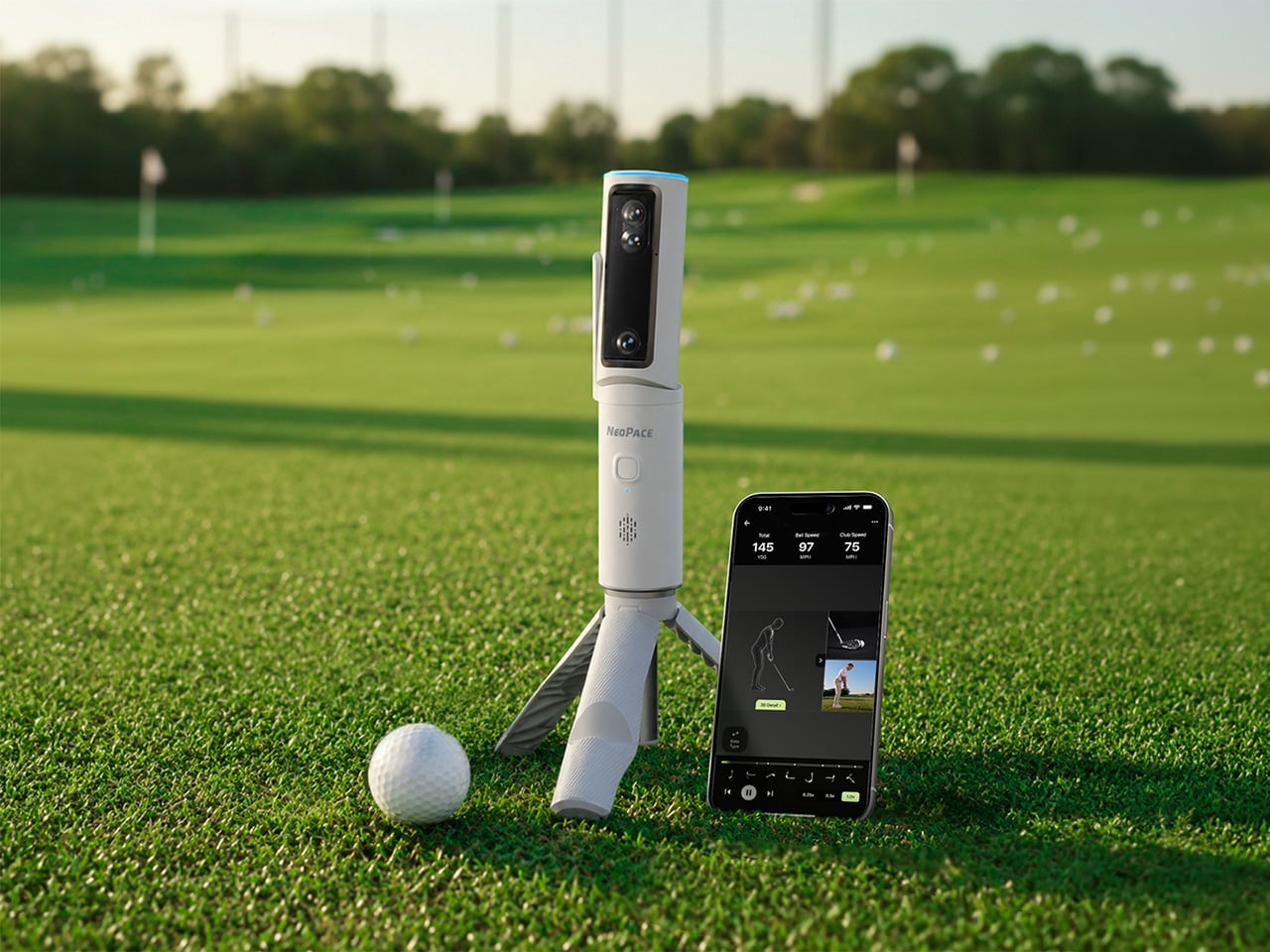
A decent golf lesson can cost anywhere from $80 to $200 an hour, but the bigger issue usually kicks in after the lesson ends. You leave with a fix, spend the next two weeks practicing on your own, and somehow manage to rehearse the exact mistake you were trying to get rid of. Golf has a funny way of doing that. More practice does not always mean better practice. Launch monitors helped by giving everyday golfers access to shot data that used to live in pro fittings, but numbers alone can still feel like homework. NeoPace’s G10 Pro tries to close that gap by pairing launch monitor stats with an AI coaching layer that explains what happened and what to work on next.
NeoPace, based in Irvine, California, built the G10 Pro around a triple-camera system and a 24 GHz Doppler radar. Two cameras capture the impact zone at up to 480 frames per second, while a third records the full swing at 120fps. The setup feeds into what NeoPace calls TrainerIQ, an AI system that traces a bad shot through a Body to Club to Ball chain, connecting ball flight to club delivery and then back to the body movement that caused it. That matters because most golfers do not need more raw data, they need help turning data into action. The G10 Pro also rebuilds each swing in 3D, so you can replay it from multiple angles instead of squinting at a flat video and pretending you know what your hips are doing.
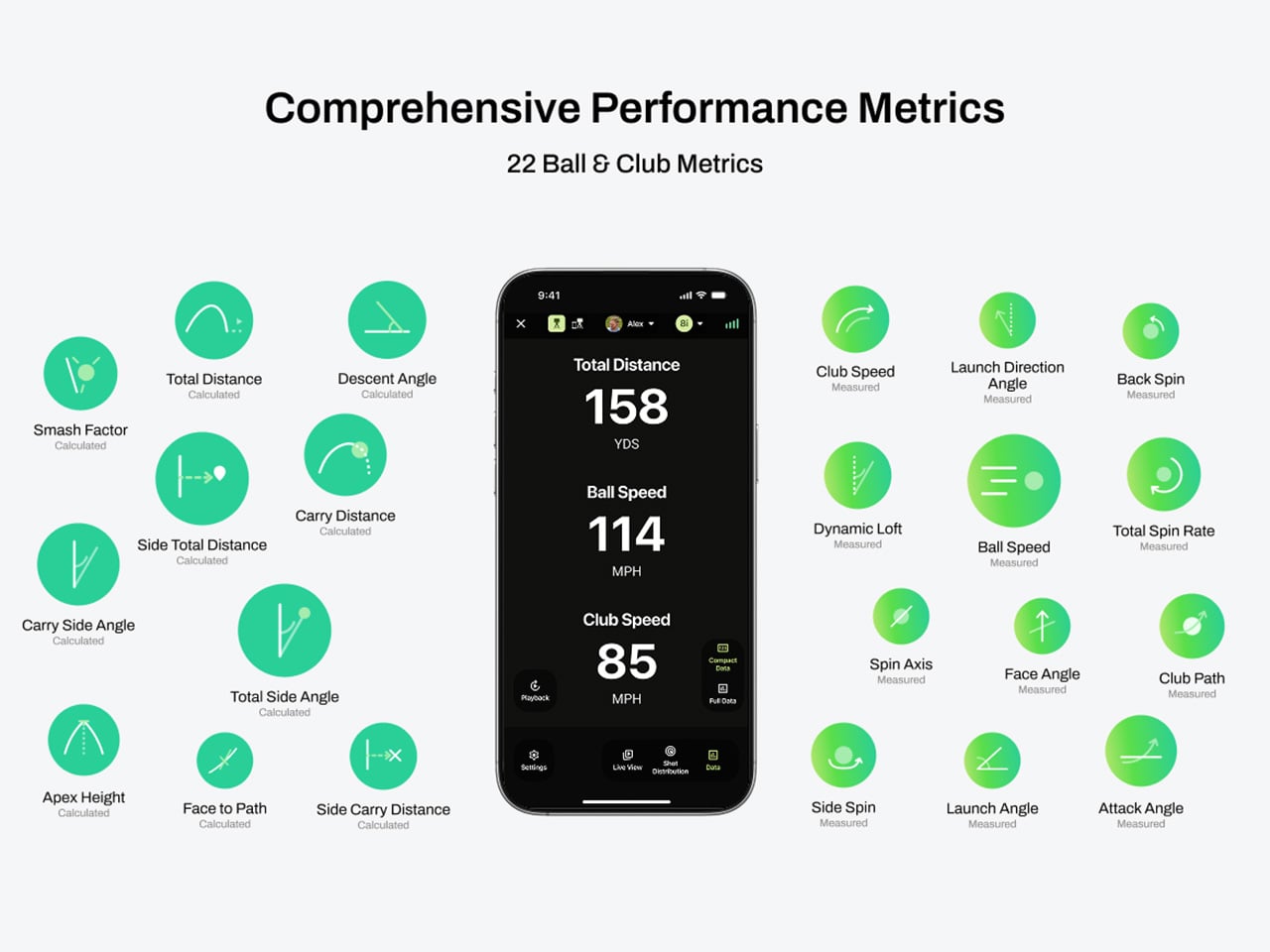
The G10 Pro tracks 22 ball and club metrics, plus 27 body-related metrics covering chest rotation, pelvis movement, wrist angles, elbow flexion, knee sway, and more. That is a pretty wild amount of information for a portable unit that costs $899, especially when most devices in this range focus mainly on ball flight and club numbers. NeoPace also made setup refreshingly simple, with auto alignment and support for both face-on and down-the-line placement. So whether you’re practicing at home, on the range, in the backyard, or sneaking in some swing diagnostics before a round, the G10 Pro feels built for golfers who want coaching-grade feedback without hauling around a tour van full of gear.
Every swing gets captured and rebuilt in full 3D, replayable from any angle, at any moment, from face-on, top-down, and down-the-line, all from a single device you placed once before you started. Most launch monitors give you flat video from a single fixed angle. The stereo camera pair locks the ball at 480 frames per second while the third follows the swing at 120fps, double the impact capture rate of most competing devices. Seeing your own swing from directly above mid-follow-through is the kind of analysis angle instructors have always wanted to show students but rarely had a clean portable way to deliver. NeoPace claims the 3D Replay is a first in portable consumer launch monitors at any price, and from everything visible in the current market, that claim holds up.
TrainerIQ analyzes your swing and body movement, identifies the likely cause of a miss, and suggests a targeted drill to help you improve. It does not just flag that the face was open at impact and leave you to figure out why. The analysis goes deeper: face 2 degrees open, heel contact, smash factor 1.35, and the root cause is that the body stopped rotating so the hands stepped in to carry the load. That kind of layered breakdown is exactly what a teaching pro walks you through after watching your swing, and the G10 Pro compresses it into automated real-time output after each shot. Golfers can also directly ask TrainerIQ questions about their swing and receive personalized, actionable guidance on what to work on next, which makes the system feel less like a stat engine and more like an interactive training partner. TrainerIQ then prescribes specific drills based on the diagnosis, closing the loop between data, understanding, and actual practice.
Twenty-seven body-related metrics track how your body moves through every swing, turning posture, timing, and rotation into data you can act on. The tracked parameters span the chest and pelvis in five axes each, lead and trail knee sway and flexion, mid-hands sway and lift, head movement, X-Factor and Sway Gap, lead and trail elbow flexion, wrist angle, shaft angle, and kinetic sequencing factors: Core Gain, Shoulder Gain, Wrist Gain, and Release Factor. Any coach reading that list will recognize it as the full biomechanical picture that motion capture setups in pro training facilities chase. Inside TrainerIQ, it becomes the evidence base connecting a ball that lands 13 yards short and right to a chest that stopped rotating halfway through the downswing. That translation from raw biomechanics to actionable coaching is where the G10 Pro genuinely earns its price.
Getting the G10 Pro into a session takes three steps: set it down, auto align, and take your shot. That might sound like marketing language, but auto-alignment is a genuine quality-of-life upgrade over monitors that require precise manual positioning every single time. The pan-and-tilt gimbal covers a 120-degree pan range and a 40-degree tilt range, so near-correct placement is close enough. The unit itself measures 217.5 × 47.25 × 44.5 mm without the tripod, compact enough to slide into a range bag without reorganizing everything else in it. The 3,300mAh/7.2V battery runs for four hours with a 1.5-hour fast charge at 15W, which covers a full morning session with room to spare. For golfers who want to practice or play indoors, the G10 Pro is compatible with GSPro and Creative Golf, with additional major simulator platforms currently in development.
NeoPace also says there is no unlock fee or subscription required for simulator connectivity itself, though third-party simulator software fees may still apply. The companion app works with iOS (14.0 and above) and Android (10.0 and above) smartphones and tablets. NeoPace also says the core feature set does not require a subscription. D Swing Analysis and TrainerIQ Analysis share an allowance of up to 5 AI-analyzed shots per month, while Premium AI increases the shared allowance to up to 1,000 shots per month and adds features such as Ask TrainerIQ, Performance Insights, Personalized Drills, Practice Goals, and Cloud Storage.
At $899, the G10 Pro goes toe to toe with the Rapsodo MLM2PRO, its most direct camera-based competitor at the same price. The MLM2PRO does solid work on ball flight data and video, but offers no body tracking, no 3D reconstruction, no AI coaching chain, and face-on-only placement. Stepping further up the market, ball/club/body motion analysis at this depth typically lives in systems costing several times more, usually requiring separate wearables or dedicated motion capture rigs. Honestly, the fact that NeoPace has packed 3D reconstruction, 27 body metrics, and an AI coaching brain into a $899 portable device feels like it should be harder to pull off than it apparently is, and that is the most compelling thing about the G10 Pro.
Most of us have two or more gadgets that need constant charging, plus several chargers and cables to keep them all juiced up. That’s probably fine if you have an entire outlet strip at home or in the office, but when you’re working with a small space, or you’re traveling and on the go, it can be a real challenge to charge multiple devices at once. You end up with a tangle of cords and charging heads, or sometimes you even have to take turns charging your gadgets.
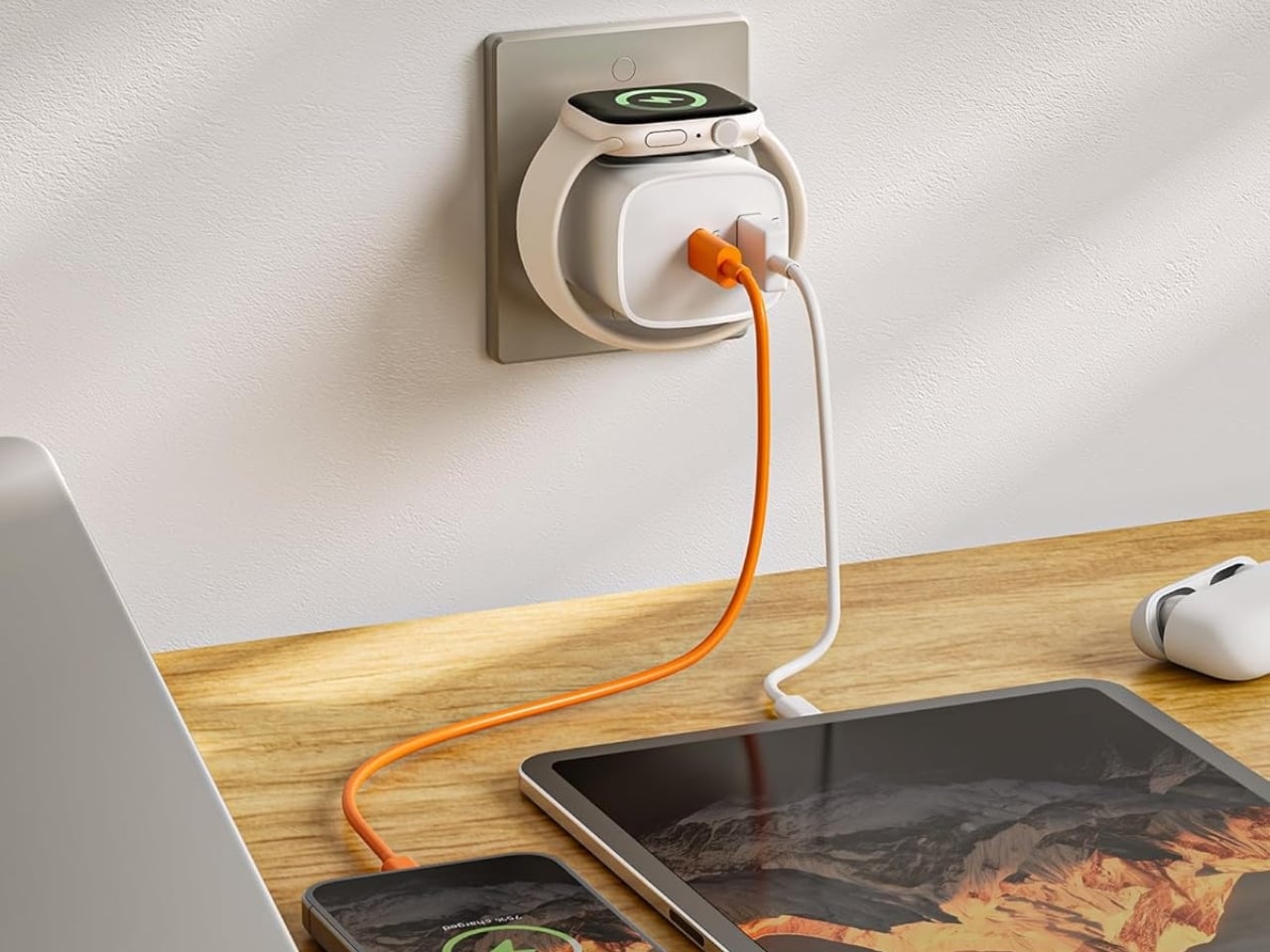
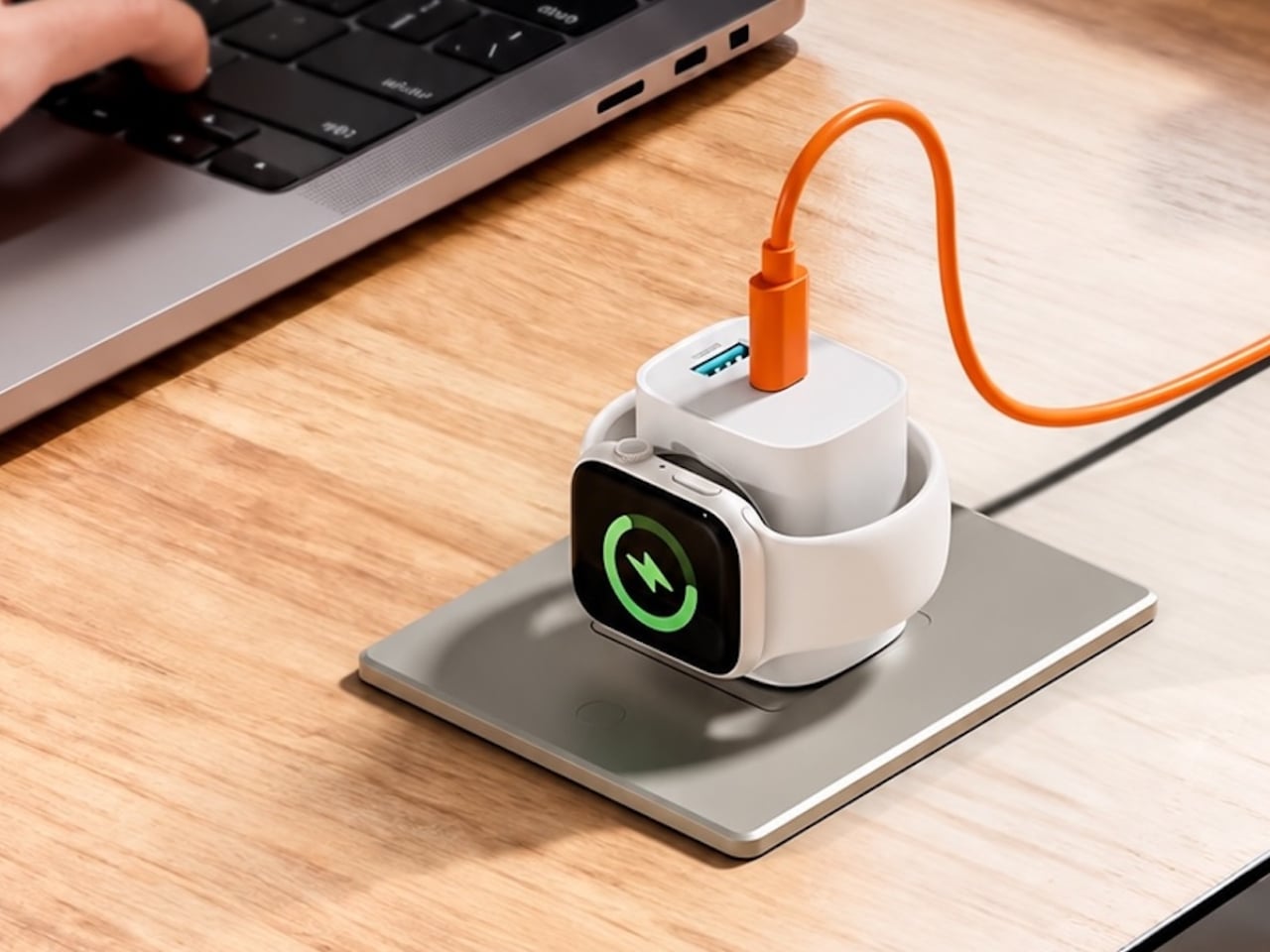
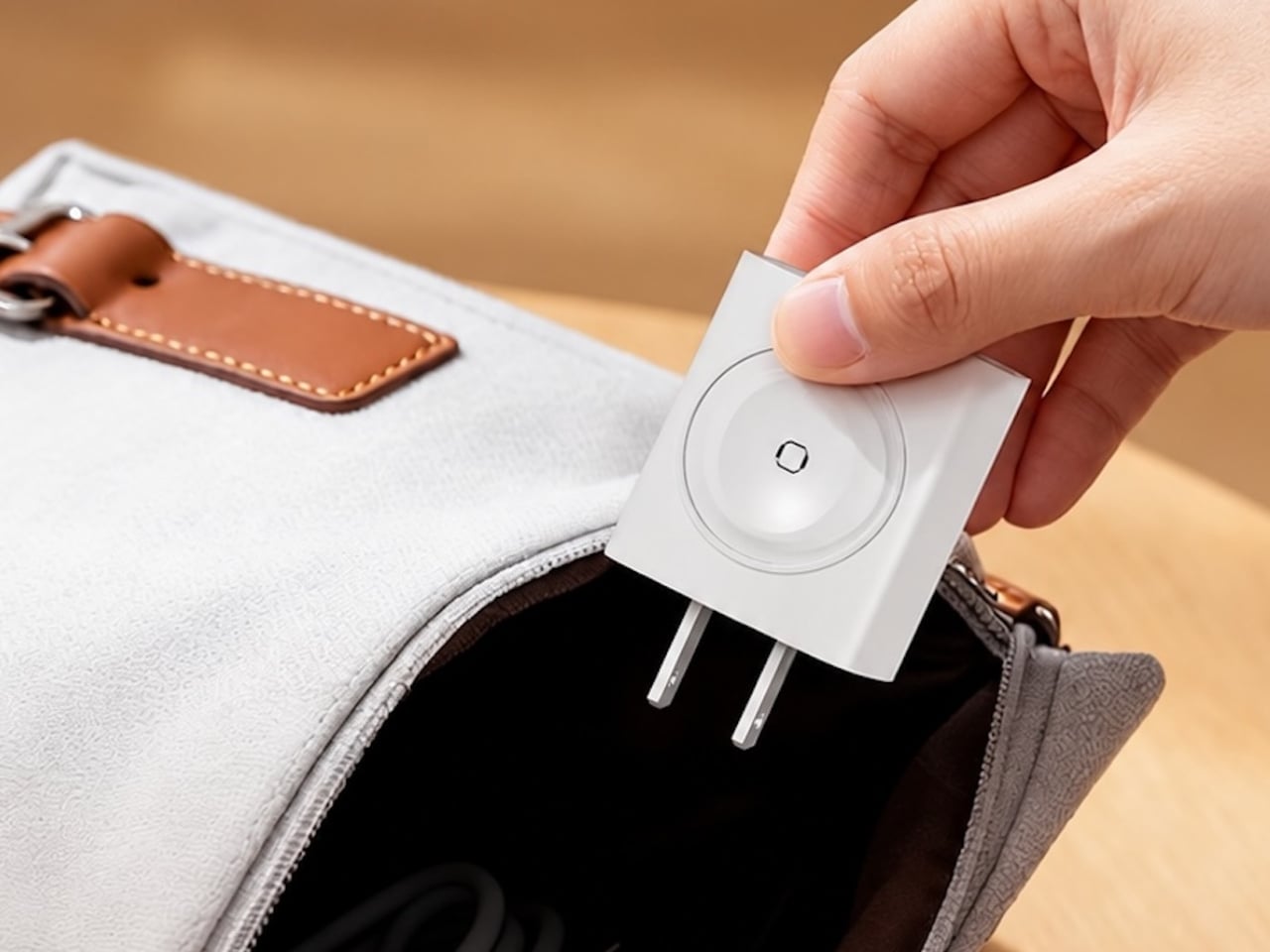
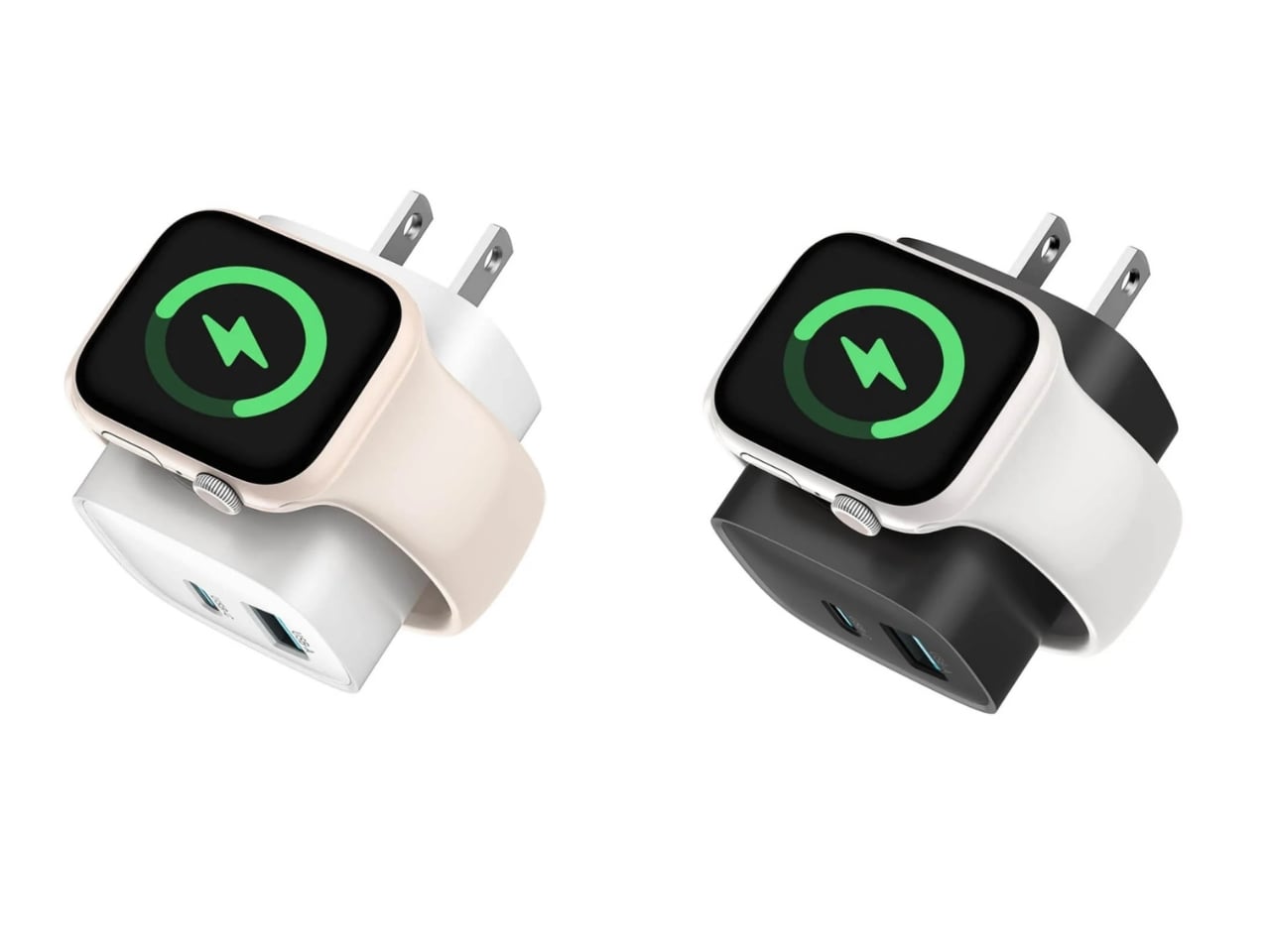
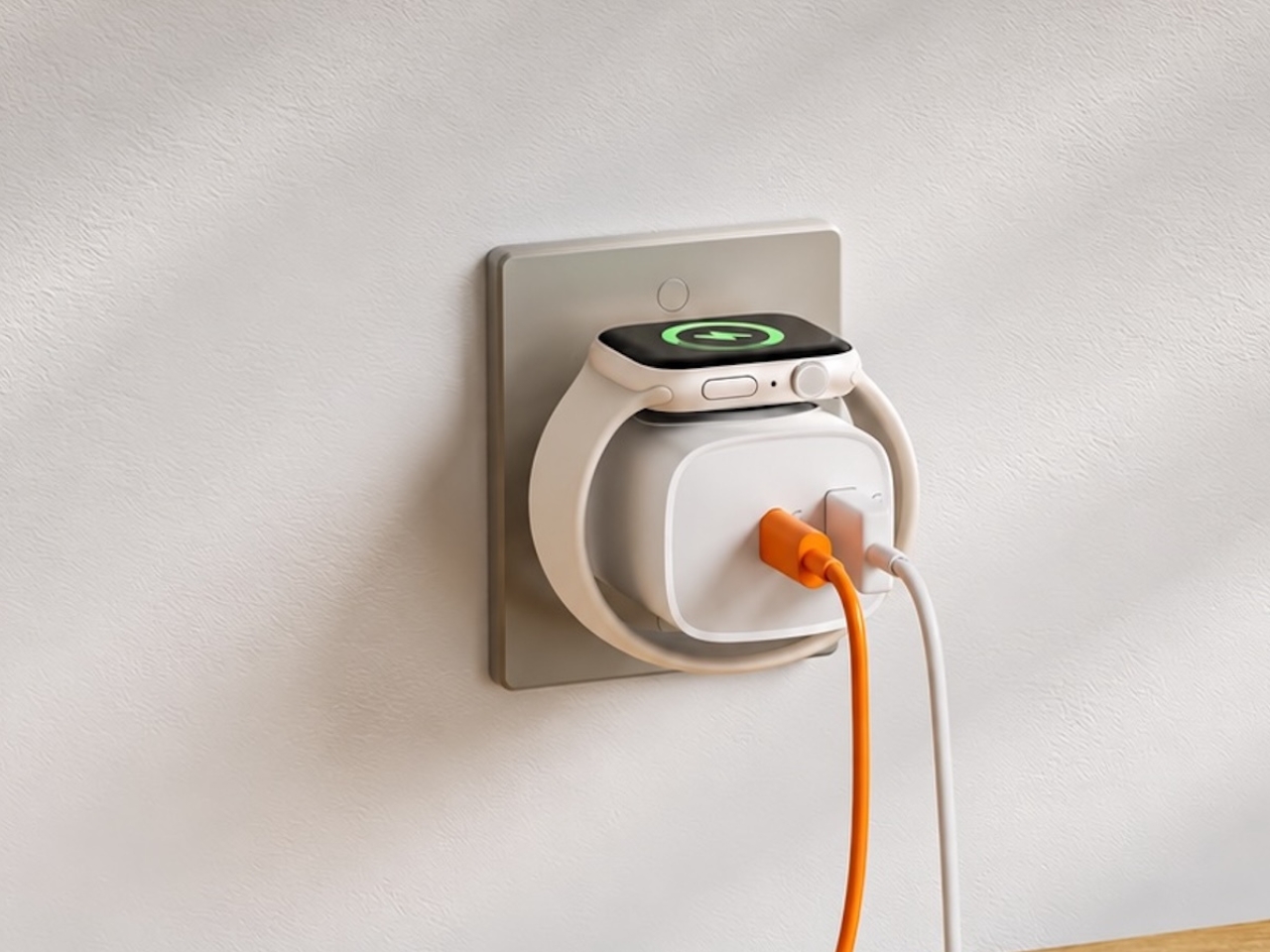
If you mostly own Apple devices or other USB-C-powered gear, the TESSAN 3-in-1 USB-C Charger may actually solve that problem for you. It’s a compact wall charger with a USB-C port, a USB-A port, and a built-in magnetic Apple Watch dock, so you only need one outlet to power up three devices at the same time.
This 3-in-1 charger is especially handy when you only have one outlet available but need to power up three different devices. A few years ago, this wouldn’t have been much of an issue, since most of us only had one phone to worry about. But now that owning multiple devices is the norm, charging has become an everyday hassle. What do you do when you’ve got a phone, a pair of AirPods, and a smartwatch that all need power at the same time?
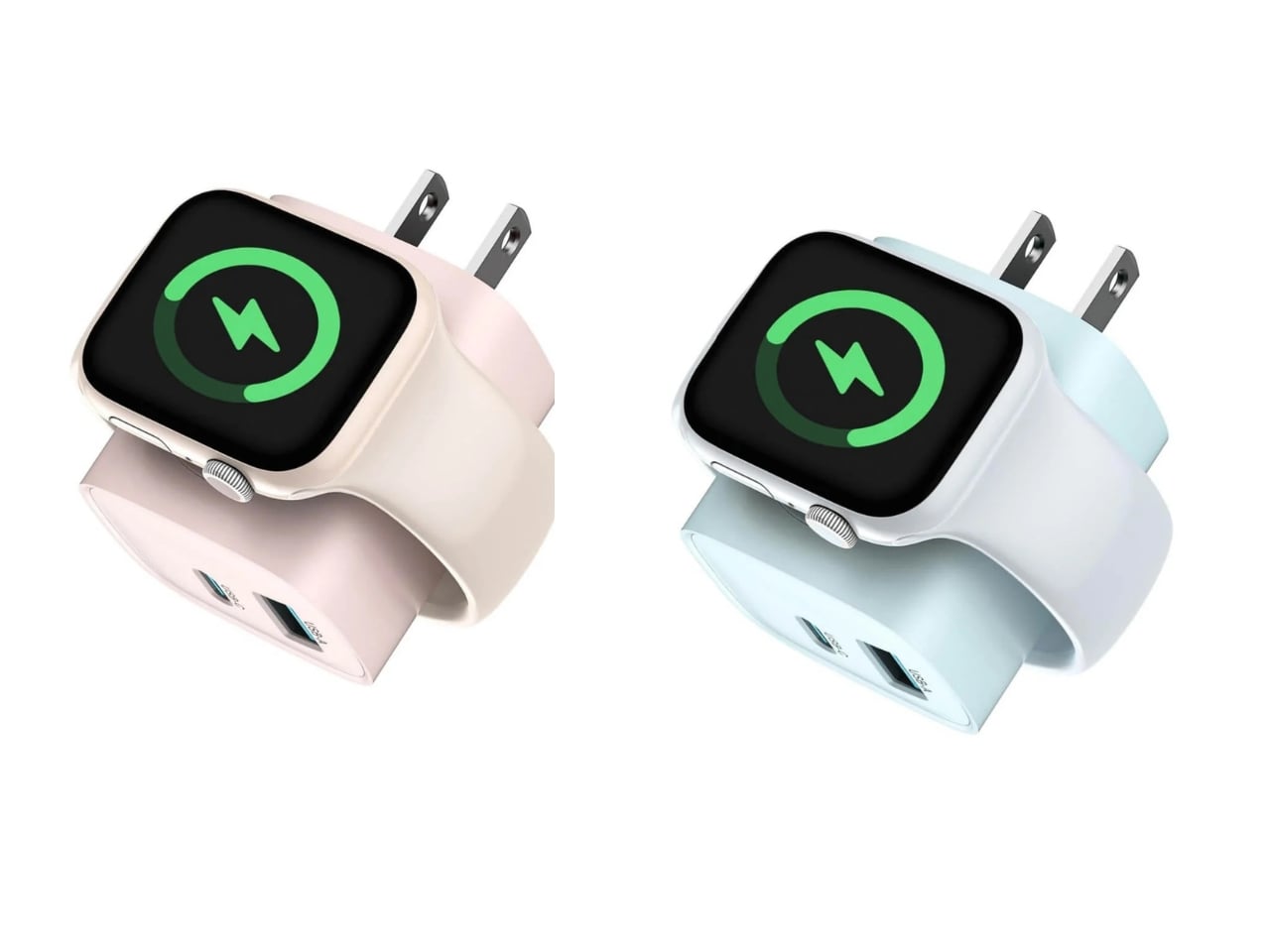
TESSAN’s charger features fast charging through its 20W USB-C port, so you can get a device like the iPhone 15 up to 55 percent battery in just 30 minutes. At the same time, its 18W USB-A port can juice up an accessory simultaneously while your main device charges. It also offers broad compatibility, working with everything from the latest iPhone models to AirPods and other USB-powered devices. The real star of the show, though, is the built-in magnetic charger for your Apple Watch. There’s no separate puck or cable needed here. Instead, you get a self-aligning dock, so you won’t have to fuss with positioning your watch every time you need to charge it.
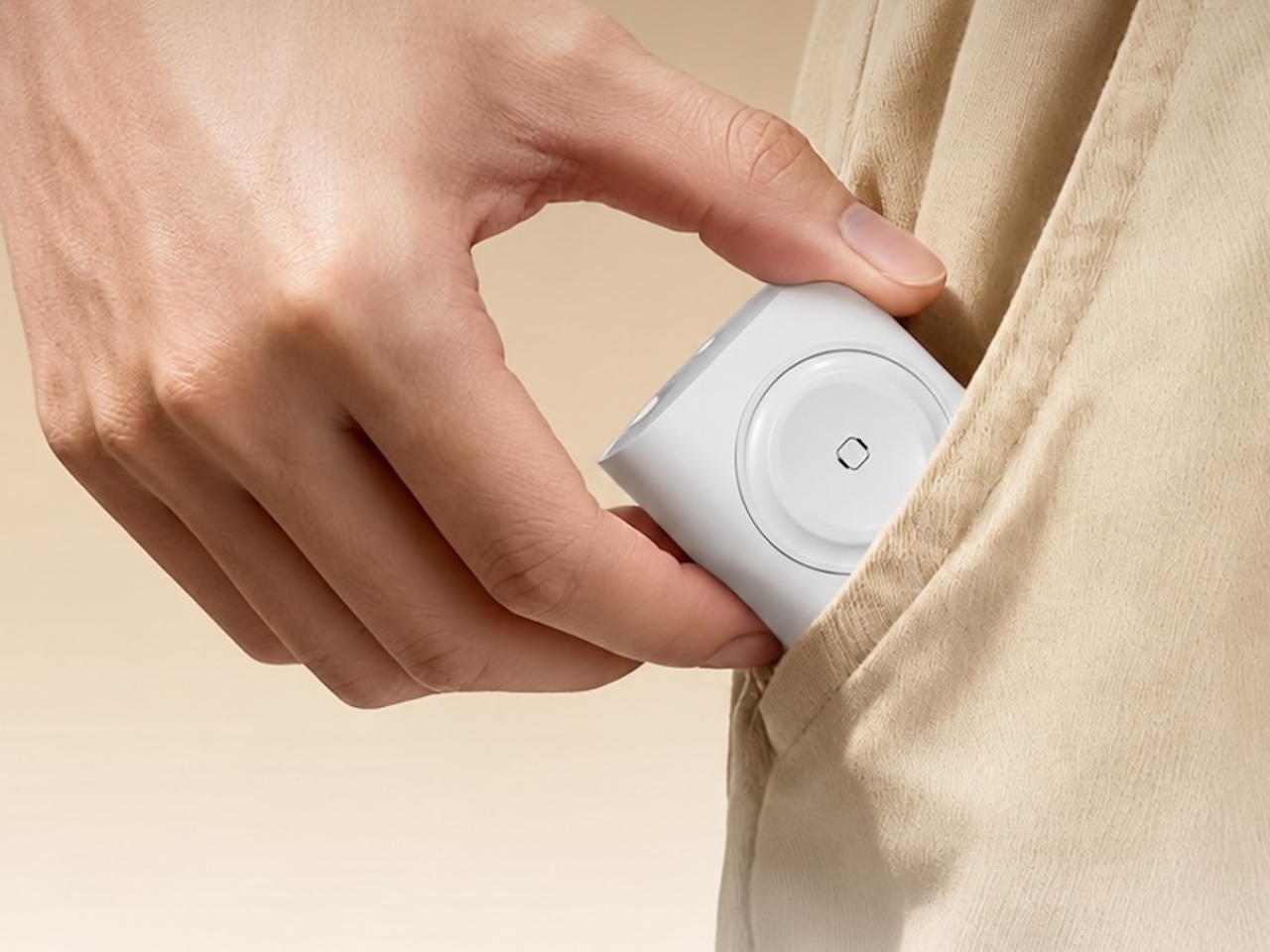
The charger comes in four finishes (white, black, pink, and blue) and is clearly designed to double as a small desk-aesthetic item, though it will likely still read as “just a charger” to most people, especially in the white colorway. Where it really shines is portability: it’s a travel-friendly device you can toss in a bag without a second thought, instead of hauling around three separate chargers that eat up space and weight in your carry-on.
How does it stack up against the competition? The most obvious comparison is Belkin, whose 3-in-1 MagSafe charging stands are the gold standard in this category. Belkin’s BoostCharge Pro and UltraCharge Pro docks charge an iPhone, Apple Watch, and AirPods wirelessly and look considerably more premium sitting on a nightstand, but they also run anywhere from $95 to $150 and require more desk real estate. TESSAN’s charger, at $20.99, skips the wireless charging bells and whistles in favor of a compact, plug-in design that’s built more for function and travel than for a styled bedside setup. If you want a showpiece charging stand for your living room, Belkin is still hard to beat. But if you want something inexpensive, pocketable, and fast enough to get you out the door in the morning, TESSAN makes a compelling case for itself as the budget-friendly, travel-first alternative.
At the end of the day, this isn’t a charger trying to be a lifestyle centerpiece. It’s a charger trying to solve a genuinely annoying, everyday problem: too many devices, not enough outlets, and not enough patience to wait in line for your turn at the power strip. For $20.99, the TESSAN 3-in-1 USB-C Charger delivers fast charging, broad compatibility, and a clever built-in Apple Watch dock in a package small enough to disappear into a laptop bag or a nightstand drawer. It won’t turn heads the way a sleek charging stand might, but it will quietly keep your phone, watch, and earbuds powered up without the usual cord chaos. For anyone juggling multiple Apple devices on a daily basis, or packing for a trip and dreading the tangle of cables, this little charger earns its spot on the “actually useful” list.
September camping arrives with a specific quality that July doesn’t have. The mornings carry an edge, the light sits lower, and every good weekend feels like one of the last ones worth using properly. What earns a spot in the car changes. It stops being about what’s most impressive and starts being about what actually works when the temperature drops and the fire needs to stay going longer than planned.
This list covers five pieces of gear built for car camping and overlanding weekends: a radio, a grill, a shelter, a power source, and a pillow. Each one was chosen for the same reason — not because it leads its category on a spec sheet, but because it solves a specific friction point that camping has quietly accepted for too long as part of the deal.
1. Camp Napper
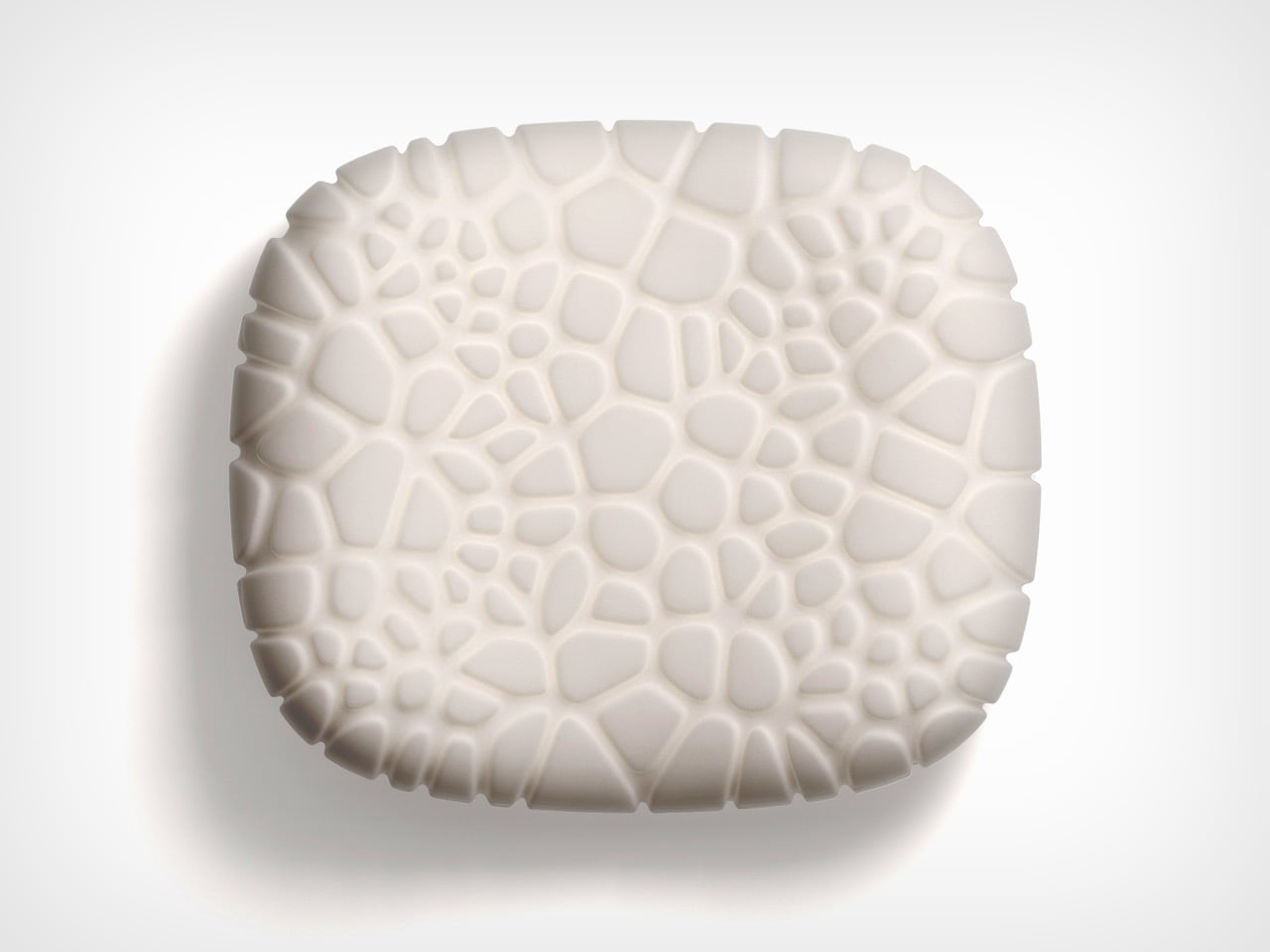
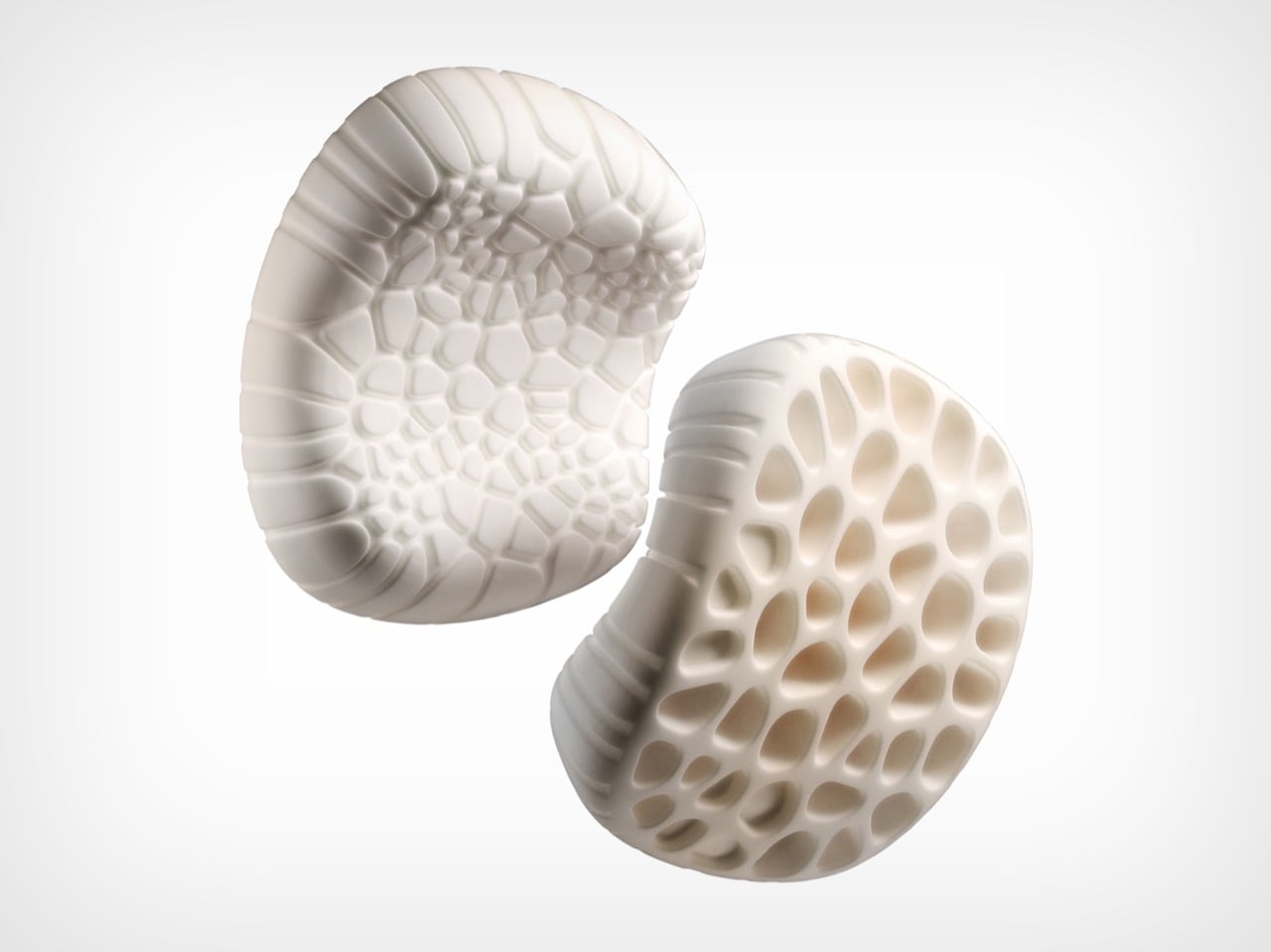
Inflatable camping pillows fail in a consistent pattern: they sound like pool floats each time you shift, lose pressure by 3 a.m., and pack into a shape that takes up more space than it deserves. Designer Chen Xu, working for RestBase, treated the camping pillow as an engineering problem instead. The Camp Napper’s surface geometry is derived from fungal spore texture, mapped through Voronoi polygon modelling across real pressure data from volunteer sleepers. Trypophobia alert: the surface is visually distinctive.
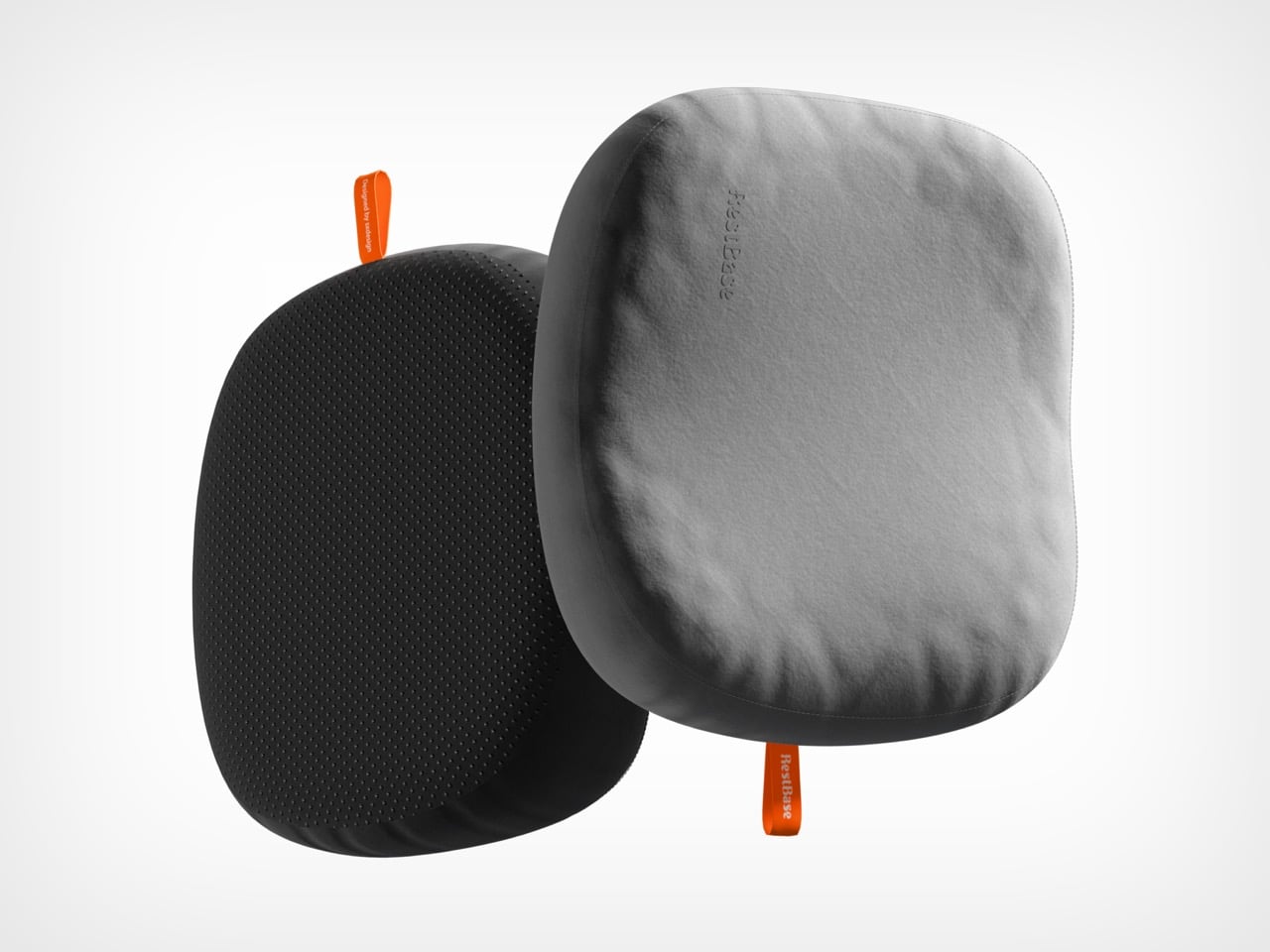
The internal structure mirrors hollow plant stem geometry, shedding mass without losing the ability to hold form under repeated compression. Total weight is 400 grams. Packed size is roughly the dimensions of a water cup. Memory foam conforms to different sleepers without nightly pressure adjustments, and anti-slip rubber particles on the base keep it in place across sleeping pads, camp chairs, and car seats equally. Note: retail price was not confirmed at time of writing — verify before purchasing.
What we like
Voronoi-modelled surface and bionic internal structure represent engineering at a level the camping pillow category hasn’t previously applied
400 grams compressed to water-cup dimensions is genuinely packable, not just marketed as such
What we dislike
The cellular surface texture warrants a trypophobia alert before gifting or introducing to someone who hasn’t seen it
Retail price was unconfirmed at the time of writing; verify availability before purchasing
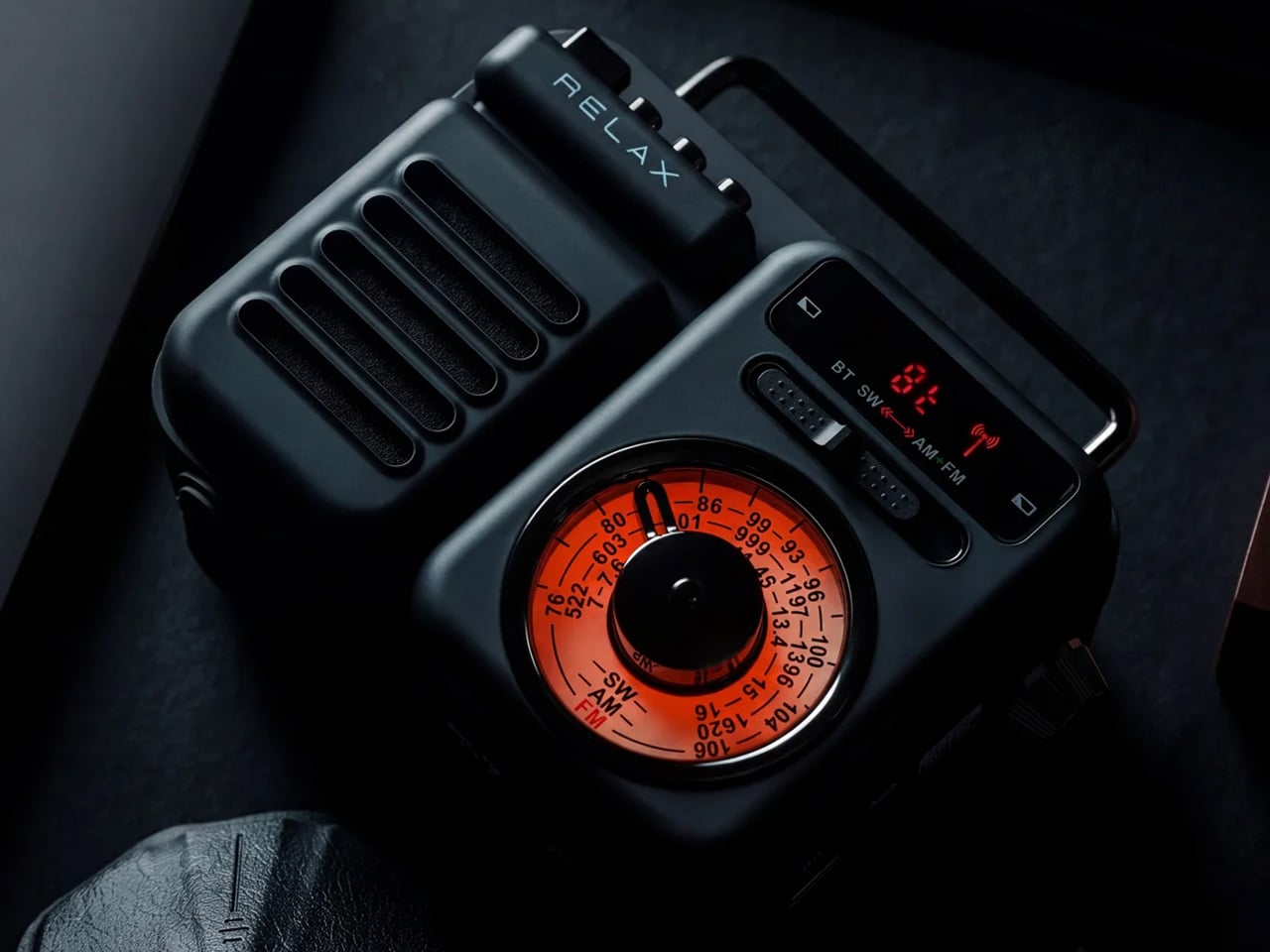
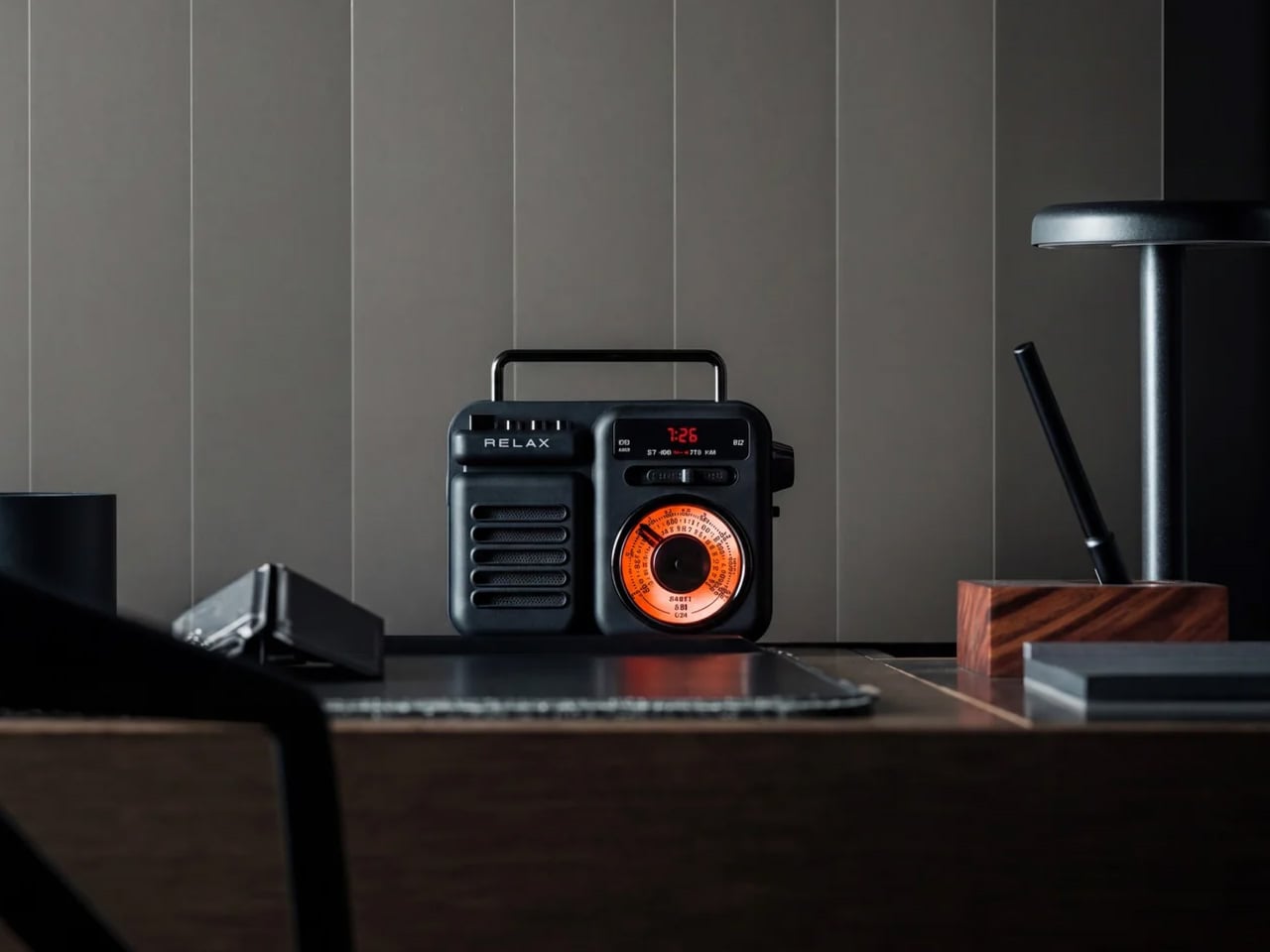
2. RetroWave 7-in-1 Radio
The RetroWave earns its place not through specifications but through atmosphere. It’s a 7-in-1 radio with solar charging and a hand-crank backup, both of which keep it running off-grid without a charged battery or a Bluetooth pairing screen. It simply works when it’s turned on, which is a lower bar than it sounds and one that a surprising amount of audio gear fails to clear by the second day of a trip.
The solar panel handles afternoon charging on any reasonable day. The hand crank handles everything else. Shortwave reception varies with terrain, so dense forest or mountain valleys will limit broadcast range — worth knowing before the trip rather than during it. For weather, local stations, and background sound that makes a campsite feel inhabited rather than silent, it performs without hesitation.
Solar and hand-crank charging eliminate any dependency on outlets or other devices’ battery reserves
Seven band frequencies in one object requiring no phone, no app, and no pairing sequence to operate
What we dislike
Shortwave reception degrades noticeably in heavily forested or mountainous terrain
The retro form tends to read as decorative to first-time buyers who haven’t yet used it in the field
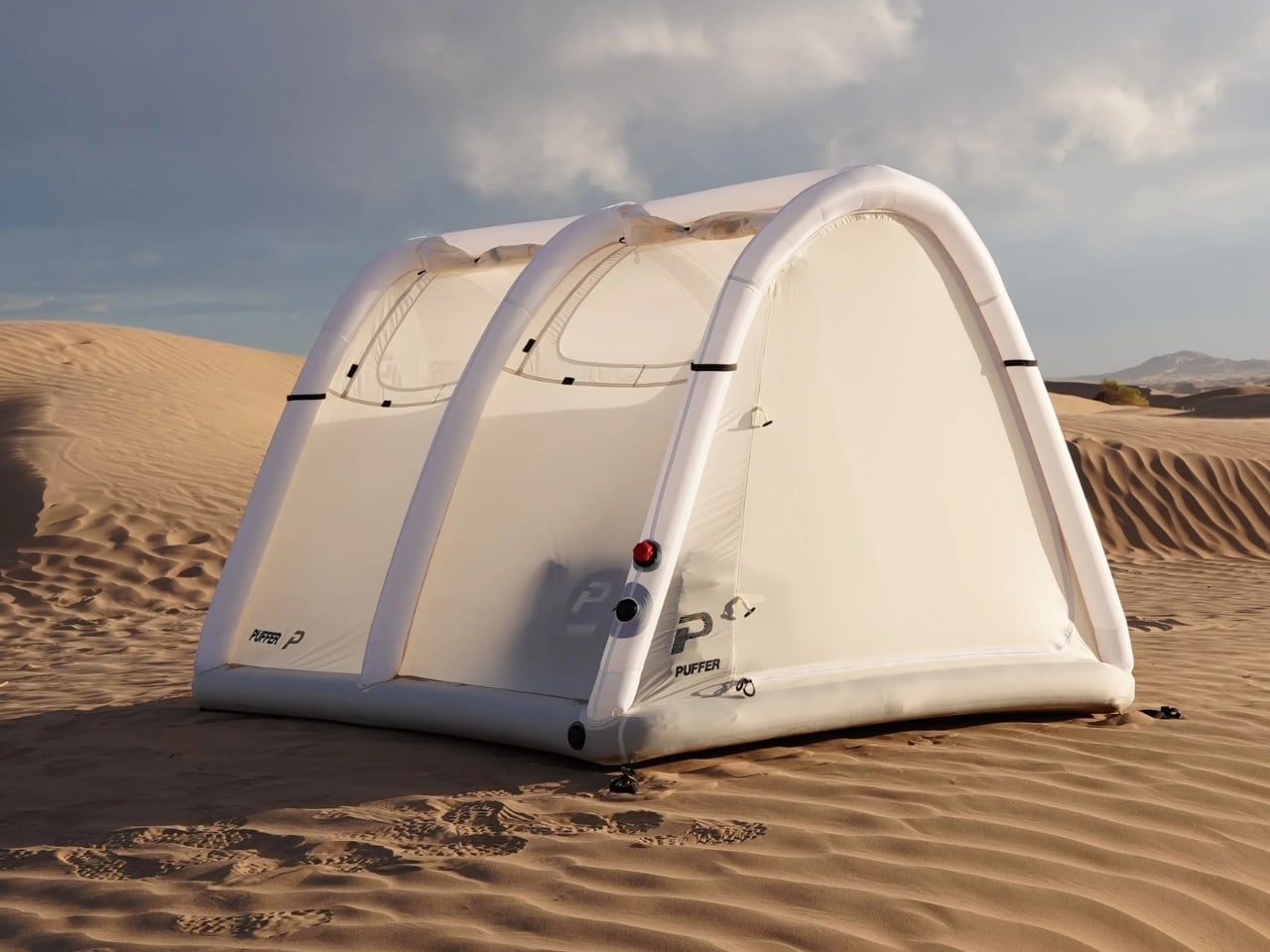
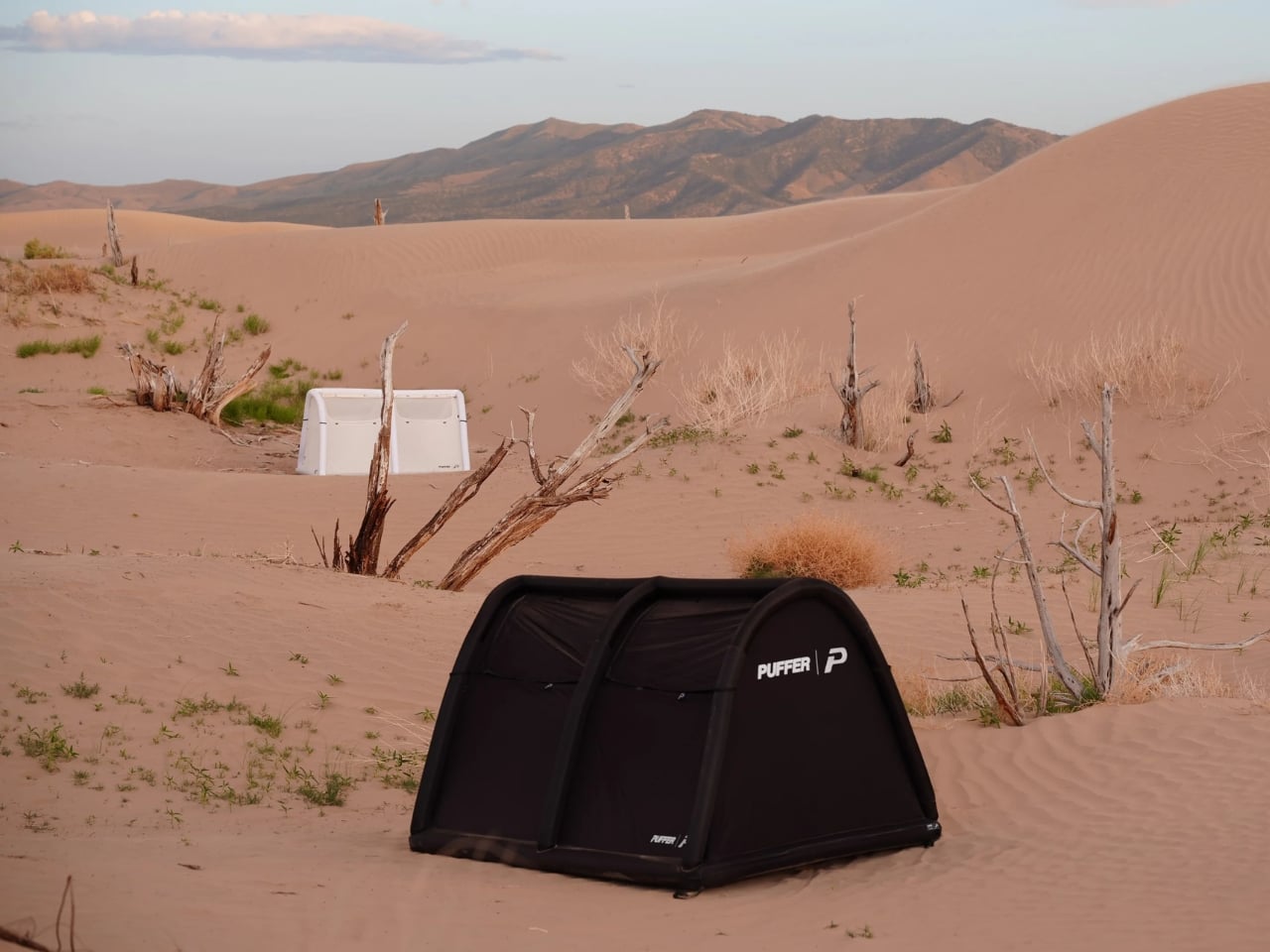
3. Puffer Tent
The standard camping shelter setup involves a sequence of separate problems: tent, sleeping pad, sleeping bag, and then the 2 a.m. realignment when everything shifts. The Puffer tent collapses that sequence into a single bag. It’s an inflatable A-frame with the mattress built into the structure — shelter and bed arriving together, packed into 10 × 25 × 10 inches, with firmness adjustable from soft to firm to hard.
Founder Sam Peery spent five years prototyping this, which explains why the details feel intentional rather than approximate: valve placement, pressure labeling, pump connection. At 18.2 pounds, it’s a car camper and overlander’s tent, not a backpacker’s — a distinction the brand makes honestly. Priced at $649.99 with the electric pump included, the more instructive comparison is against a rooftop tent setup, not a $40 nylon shelter from a big box store.
What we like
Tent and mattress in a single integrated system removes the multi-piece setup sequence that opens most camping trips
Adjustable firmness from soft to hard gives sleepers real control over the sleeping surface
What we dislike
At 18.2 pounds, it’s unsuitable for backpacking trips where pack weight is a primary constraint
The $649.99 price requires genuine commitment from anyone who already owns a functional shelter
4. All-in-One Grill
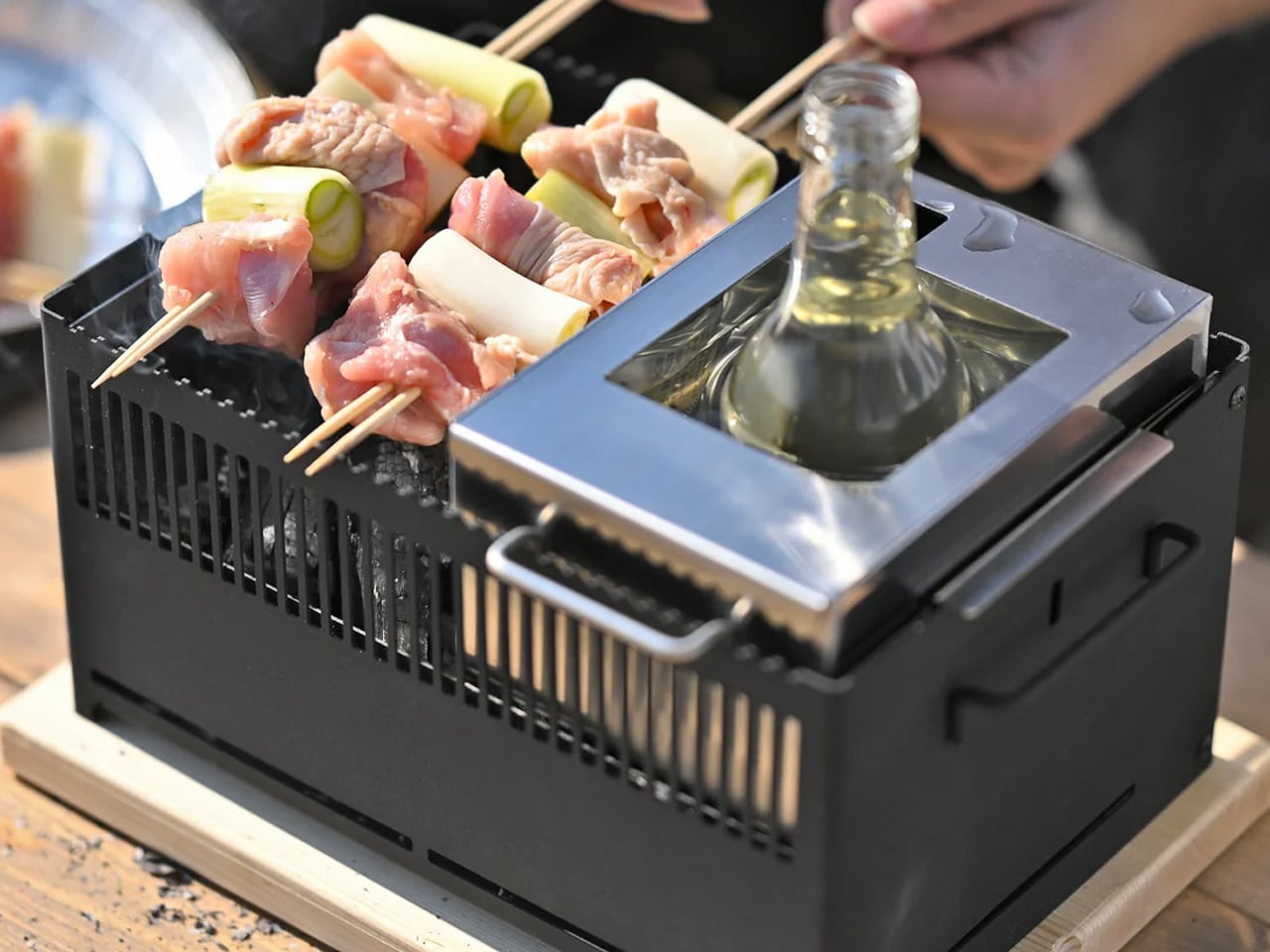
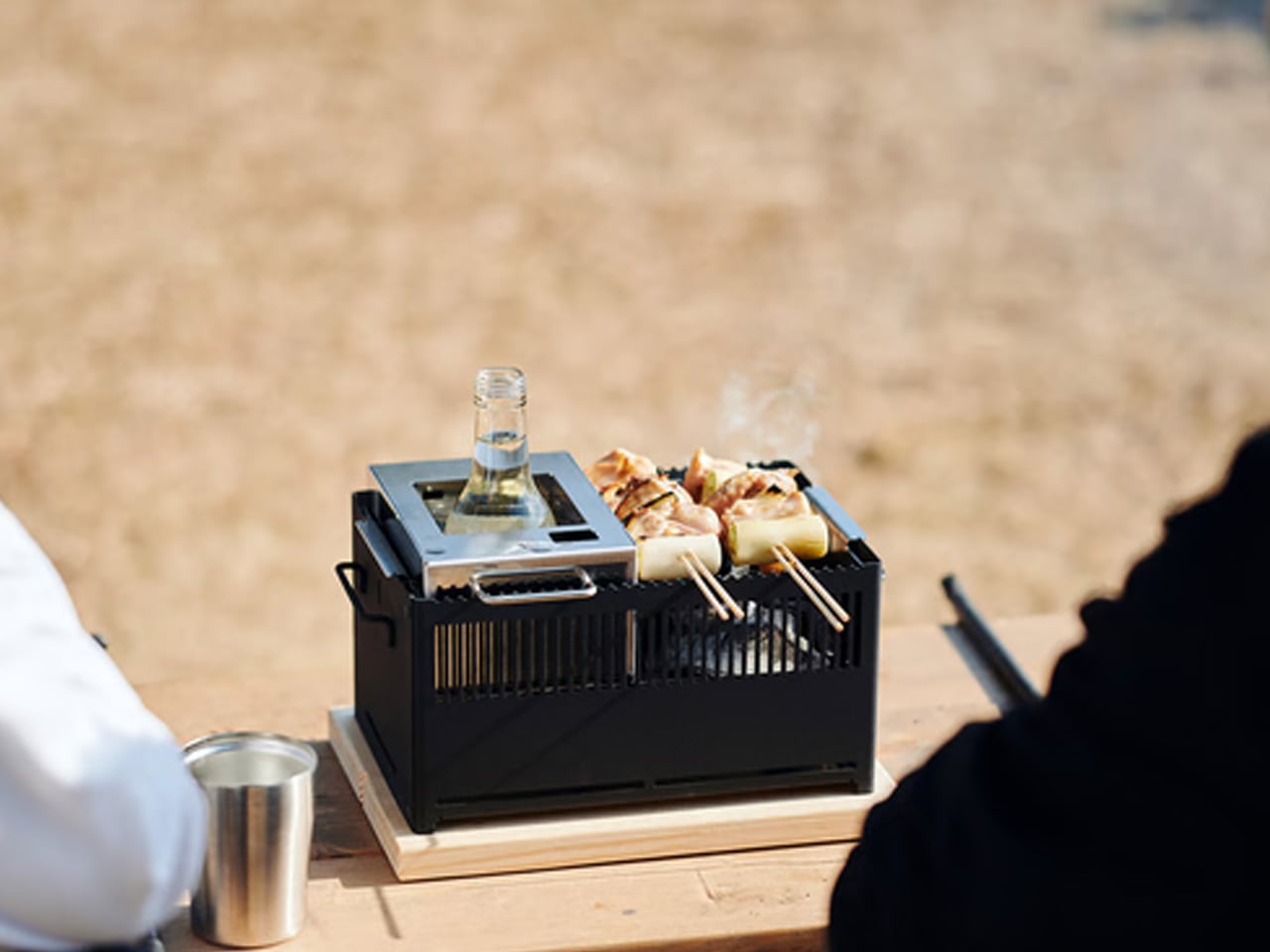
Bar grates collect residue from the first meal and carry it into every meal that follows. Cleaning them properly requires time and water that aren’t always conveniently available between the fire and the food. The All-in-One Grill’s flat tabletop surface removes that problem entirely — no gaps, no angles, nothing for debris to settle into. On a two-day trip with multiple meals, that difference compounds into something genuinely useful by Sunday morning.
Surface area fits two people cleanly, which covers the most common camping scenario without unnecessary bulk. Cooking for four or more requires staggering meals, adding real time to every camp dinner. There’s also no heat source included — this is a cooking surface that sits above a fire or stove, not a replacement for one. Within those parameters, it does its job at $449 with the kind of simplicity that makes a camp kitchen feel considered.
Flat surface cleans in a fraction of the time a traditional bar grate requires, a gain that compounds across a multi-meal trip
Tabletop sizing matches the most common two-person camping scenario without adding unnecessary pack weight
What we dislike
Cooking for groups larger than two requires staggering meals, adding real time to every camp dinner
No integrated heat source means it functions as a companion to a fire or stove, not a standalone cooking solution
5. Blavor PN-W43 Power Station + Camping Lantern
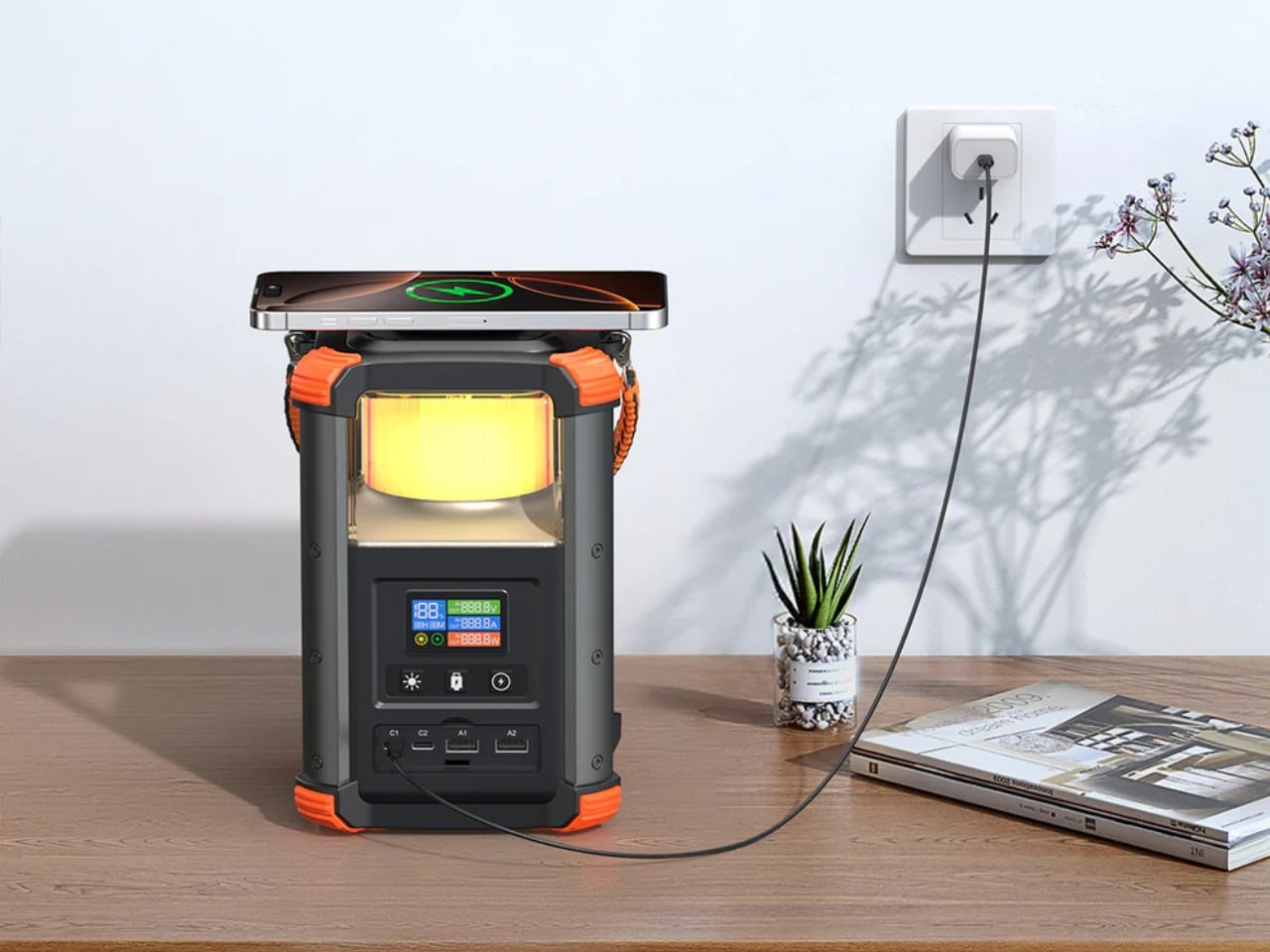
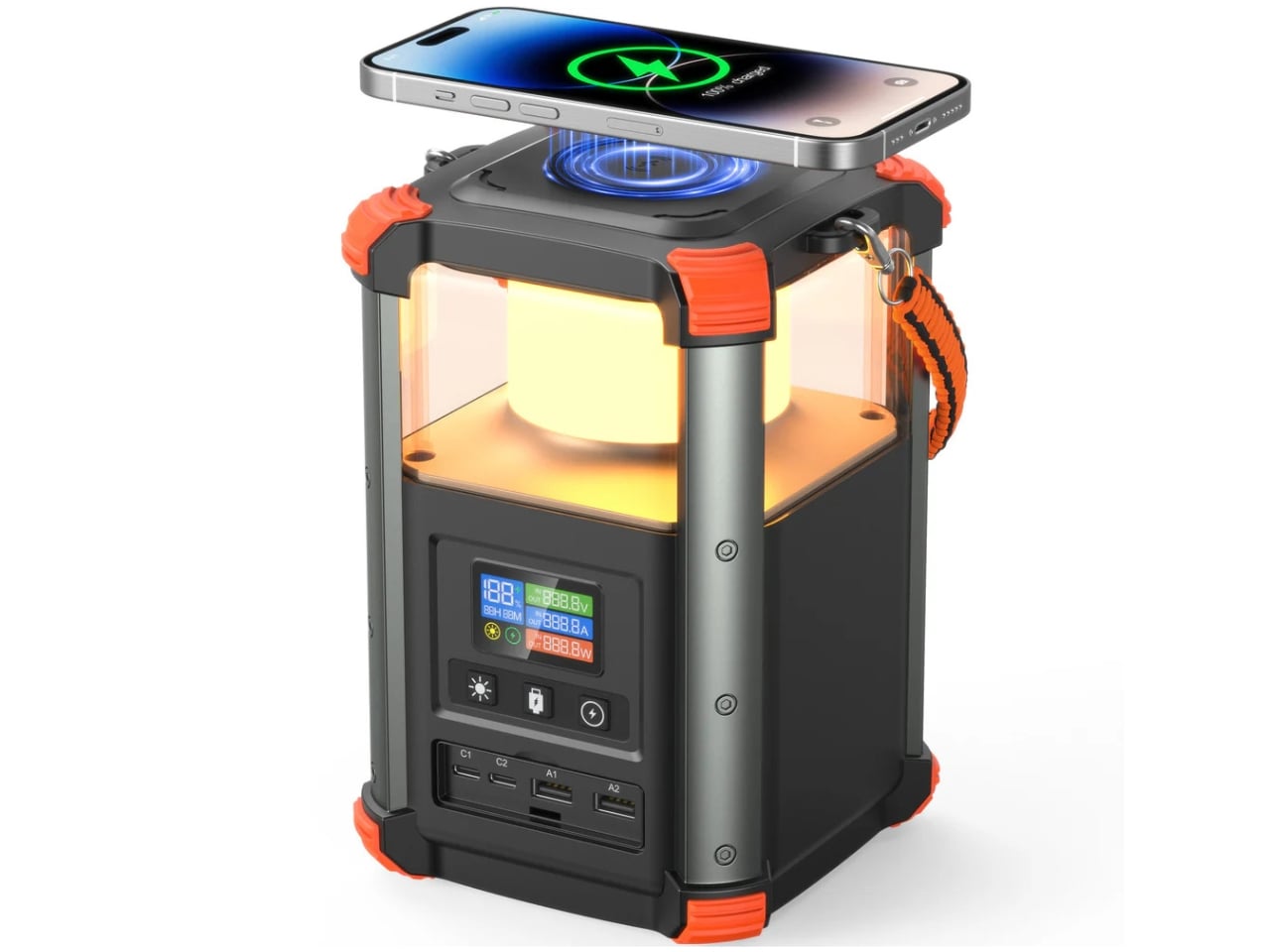
Most power stations are rectangular, featureless, and indifferent to the environment they’re meant to operate in. The Blavor PN-W43 builds a 4W LED lantern directly into the body, producing a 64,000mAh device barely larger than a tall water bottle that covers light and power from a single object. Five charging pathways — solar, AC, car adapter, USB-C, and micro USB — handle both off-grid and in-transit scenarios without adapter juggling.
At $135, it replaces two separate items, a lantern and a power bank, that together would cost more and occupy more space. It pairs naturally with the RetroWave Radio in this list: the radio’s solar charging handles daytime audio independently, while the Blavor manages device charging and nighttime light without overlap. At 236.8Wh, it’s sized for a weekend trip, not an extended off-grid expedition — which is exactly the use case this article is built around.
What we like
Integrated 4W lantern eliminates a separate light source without adding meaningful size or weight to the kit
Five charging pathways, including solar and AC, cover off-grid and in-transit scenarios without separate adapters
What we dislike
236.8Wh capacity suits two to three night trips; longer off-grid expeditions will need more headroom than this provides
The cylindrical form sits awkwardly alongside flat gear in a structured pack and requires deliberate placement
The Trips You Actually Remember Are the Ones You Showed Up For
September has a way of making outdoor trips feel more deliberate than they do in the middle of summer. The season is moving and the weekends are numbered, which concentrates attention on what actually matters about being outdoors. The gear that earns a place in that context isn’t the most technically advanced option in its category. It’s the piece that makes the trip slightly better without making it harder to plan.
Each of these five picks does something specific. The RetroWave sets the tone without needing a phone. The All-in-One Grill removes the cleanup that makes cooking feel like a chore by day two. The Puffer Tent reduces setup to a single bag. The Blavor handles light and power as one object. The Camp Napper delivers actual sleep. None of them require the whole kit to change. Any one of them is enough of a reason to go.
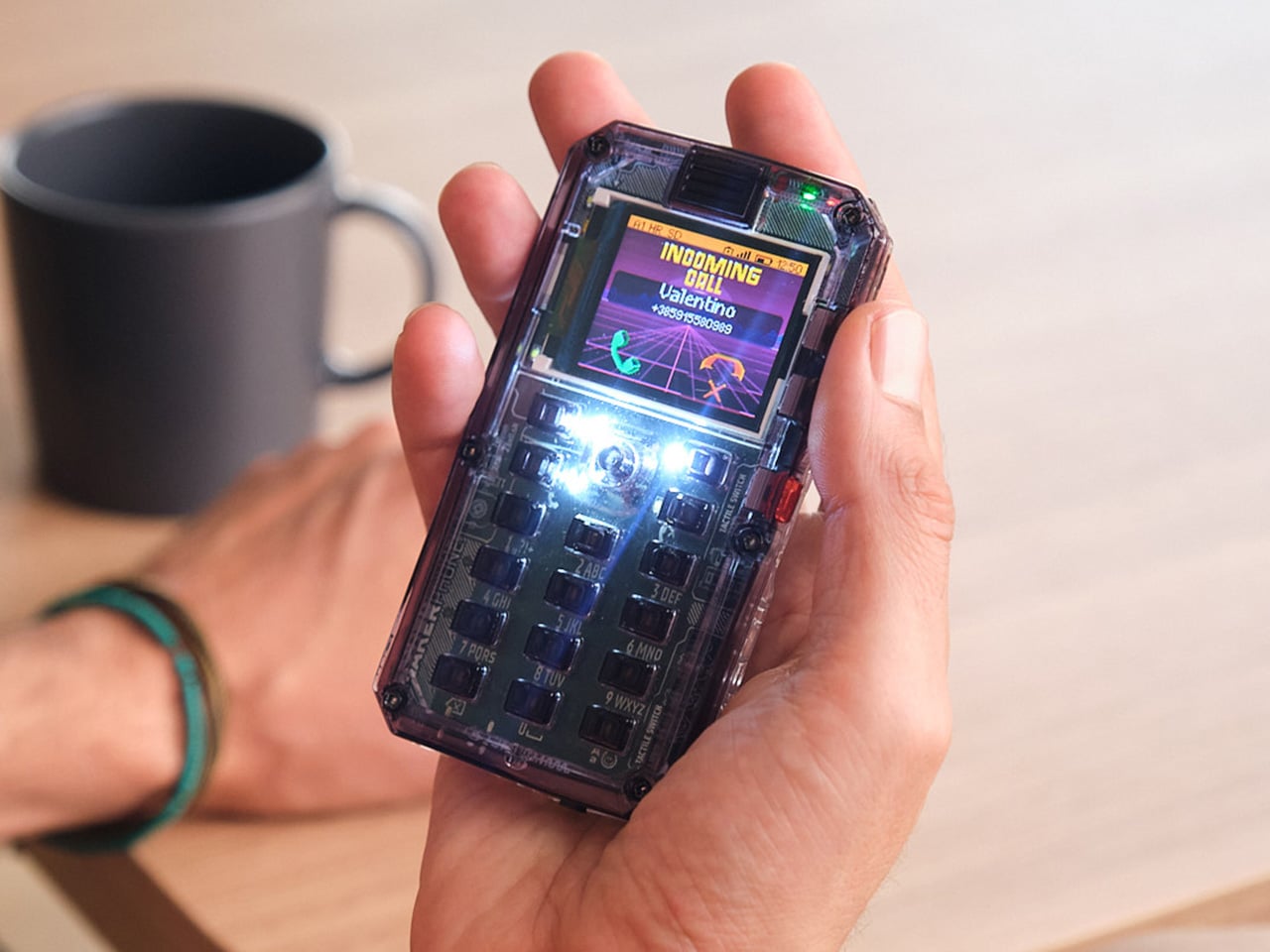
Most phones arrive finished, sealed behind glass before you open the box. MAKERphone 2.0 flips that script. It ships as loose parts that only become a phone once you build it yourself: no soldering iron, no electronics background, just a screwdriver and about two hours. Once assembled, it’s a working 4G device that makes real calls and sends texts over a live network.
The build is what really sells the design. Every piece, from the board to the display to the numpad and to the joystick, clicks or screws into place. The entire endeavor is guided by an illustrated manual that reads like a LEGO instruction booklet, with video walkthroughs for anyone who gets stuck. By the time you finish, you’ve seen the processor, the modem, and the battery close, not used them.
Pop in a nano-SIM and the phone comes alive on 4G networks, handling calls and texts like any device off a shelf. There’s a music player, a photo and video gallery, a calendar, notes, and a handful of retro games loaded onto that small color screen. What’s missing says as much: no app store, no social feed, nothing designed to keep anyone scrolling past bedtime.
That absence is the whole appeal for anyone shopping for a kid’s first phone. It calls and texts the people a child needs to reach, without opening the door to an internet’s worth of distraction. When a kid wants a new app or game, the answer isn’t downloading one; it’s building it. Screen time stops being something to limit and starts being something to spend making.
That building happens inside VibeBoy, the phone’s companion coding studio that runs on a computer. Describe an idea in plain English, like a taco dodging falling pickles, and the AI writes code sent to the phone with one click. The goal isn’t to let AI do all the thinking but to let VibeBoy teach users to read that code, question it, and eventually rewrite it.
That teaching happens across four stages built into the same app. Beginners describe what they want and watch it appear on-screen, before moving on to reading and tweaking the Python code the AI generates. Eventually, they write their own Python and C++ from a blank file. Nobody stays at one skill level long; the ladder is designed so most people climb it faster than expected.
Six snap-on modules turn the phone into something closer to a small hardware platform than a single-purpose device. A camera module captures pixelated stills and video, a bigger speaker adds volume, and a flashlight adds utility. An environment sensor reads temperature and humidity, an infrared module controls other devices, and a bare perforated board lets anyone solder a custom circuit and plug it in.
A companion smartwatch called MAKERband follows the same idea, arriving as a kit to assemble rather than a sealed gadget. Once built, it pairs with the phone over Bluetooth and also works with iOS and Android, running 15 watchfaces and five mini-games out of the box. It connects to VibeBoy, so a custom watchface, say, a pixel cat that naps after 9 PM, is a prompt away.
The company behind it, CircuitMess, has spent years building kits like this from a small studio in Croatia. It has shipped hundreds of thousands of units to customers across more than 100 countries, developed dozens of products, and earned coverage from outlets like Wired and The Verge. Just as important, the MAKERphone 2.0 isn’t a rendering or an early prototype: the hardware is finished and ready for production.
What sticks with you isn’t any single spec but the sequence. A pile of components turns into a working phone, and that phone turns into whatever its owner decides to code next. Somewhere between the last screw and the first successful call, the device stops feeling like something you bought and starts feeling like something you actually built, one working call at a time.
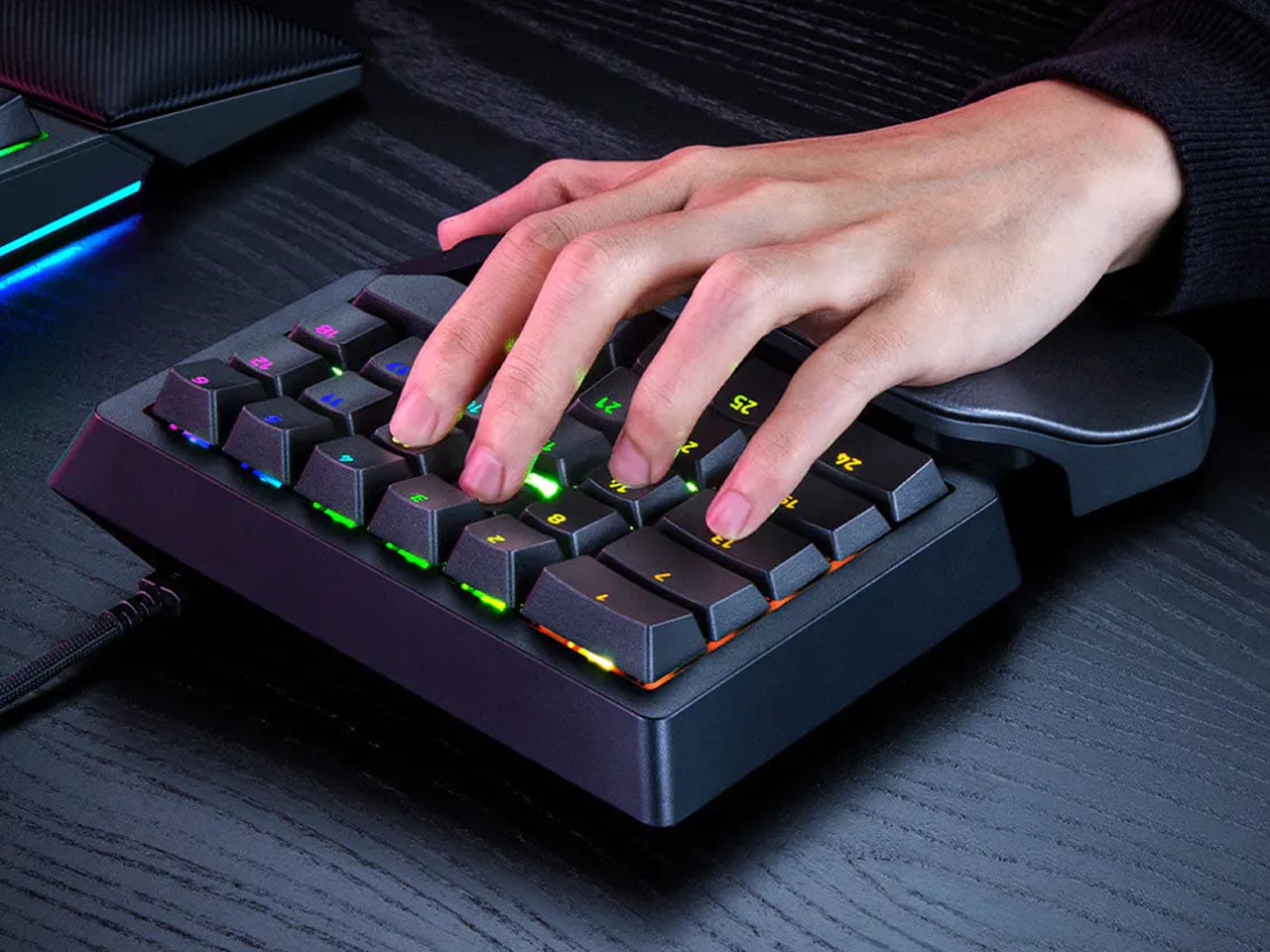
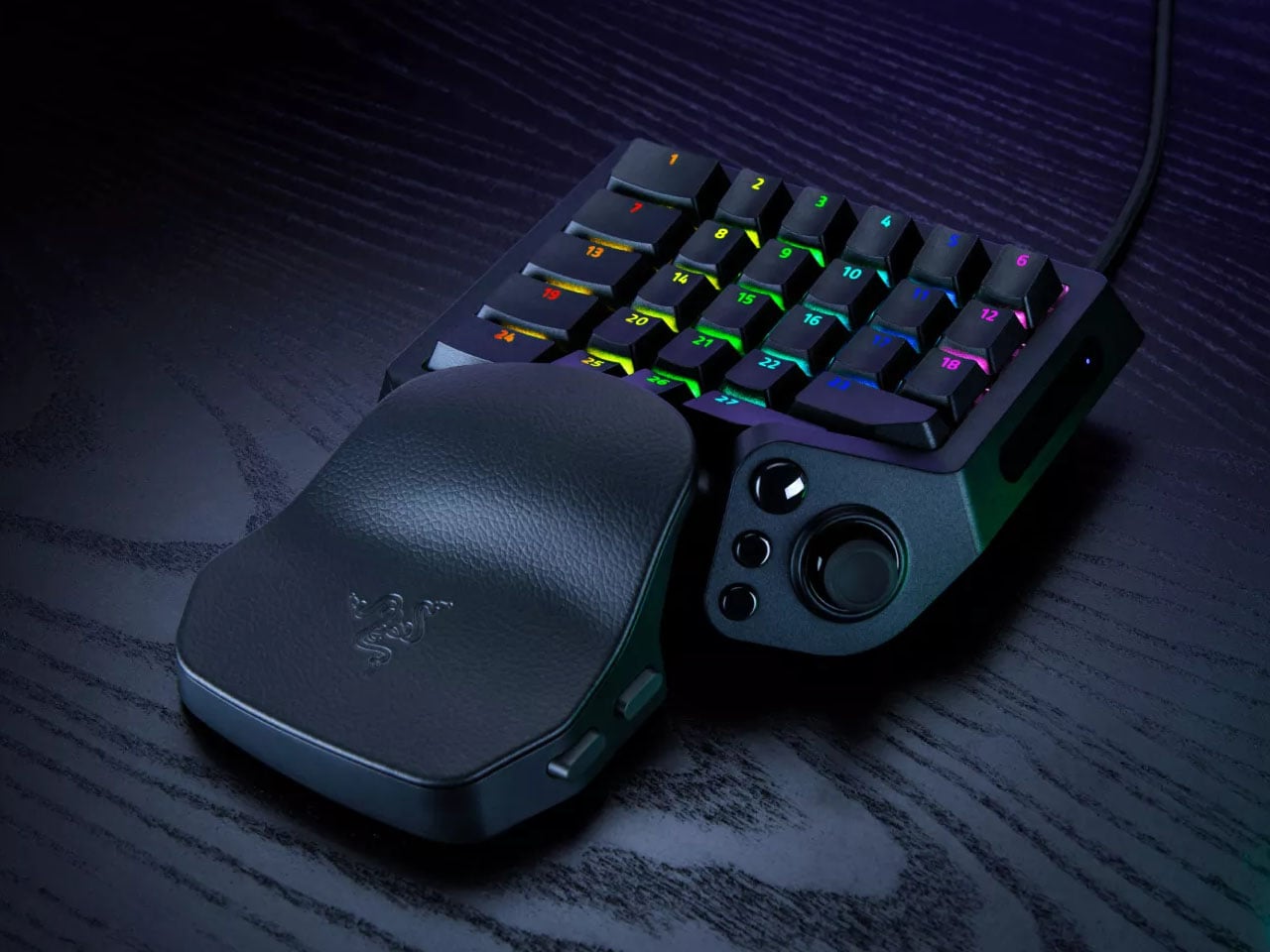
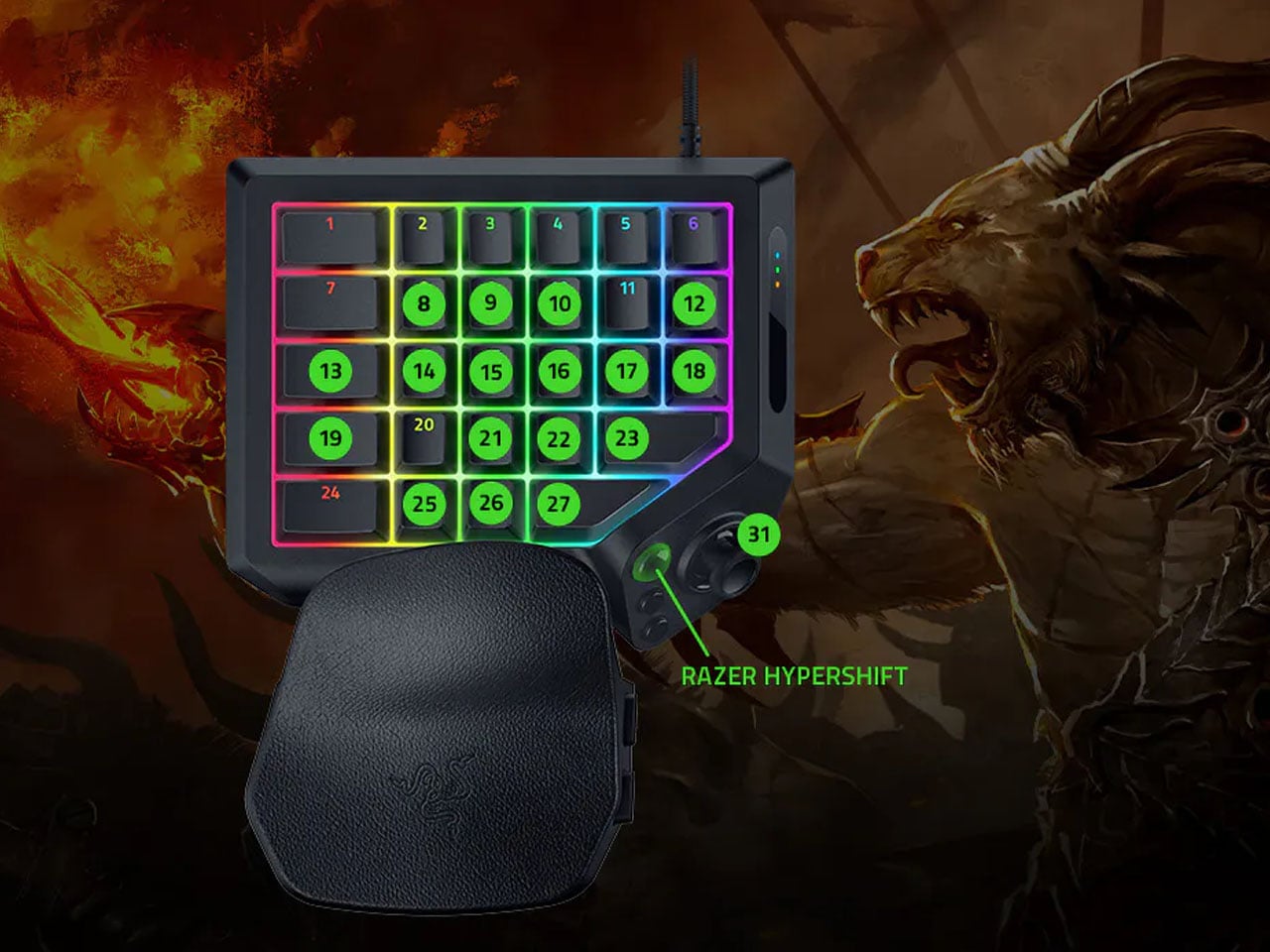
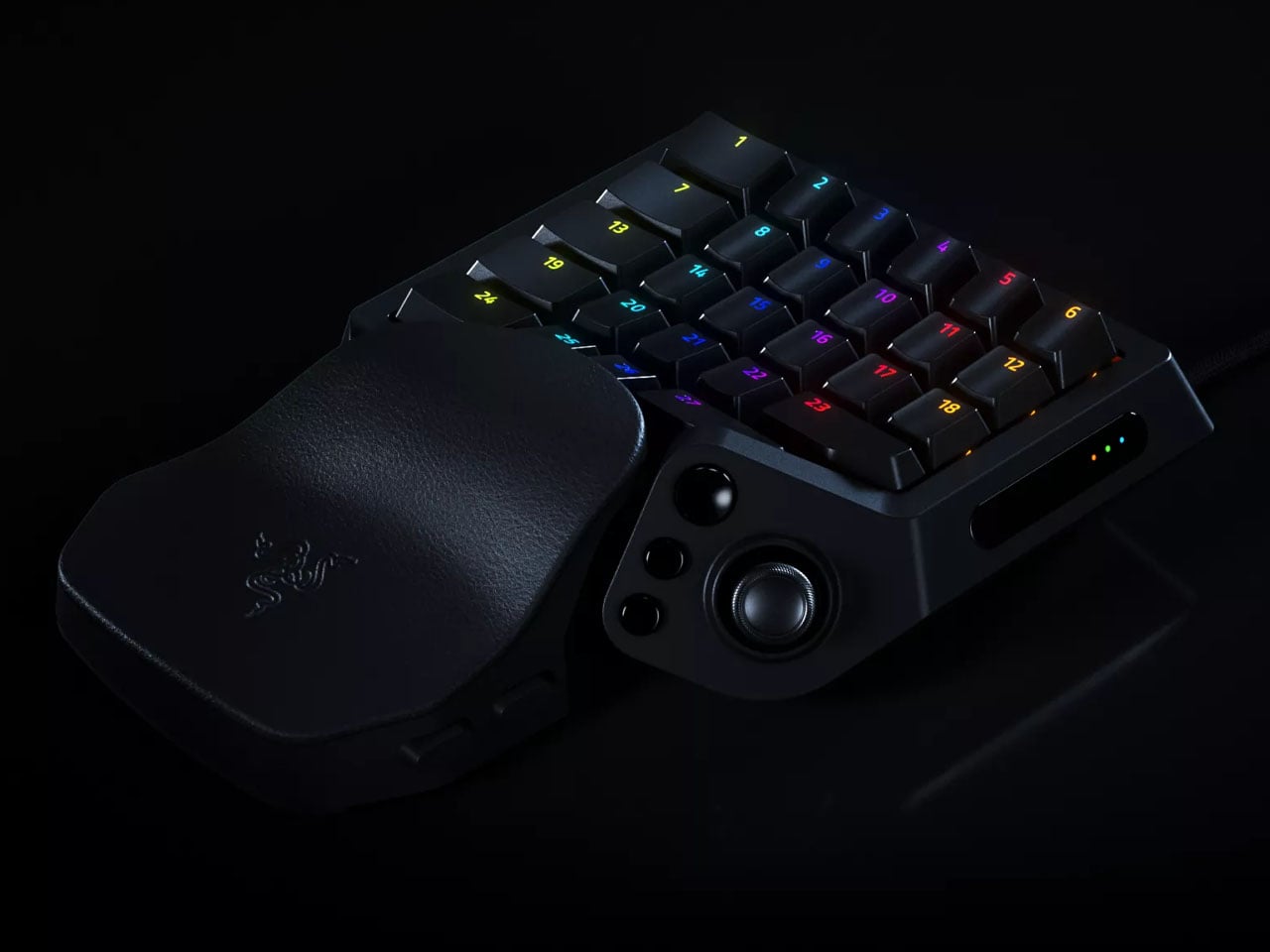
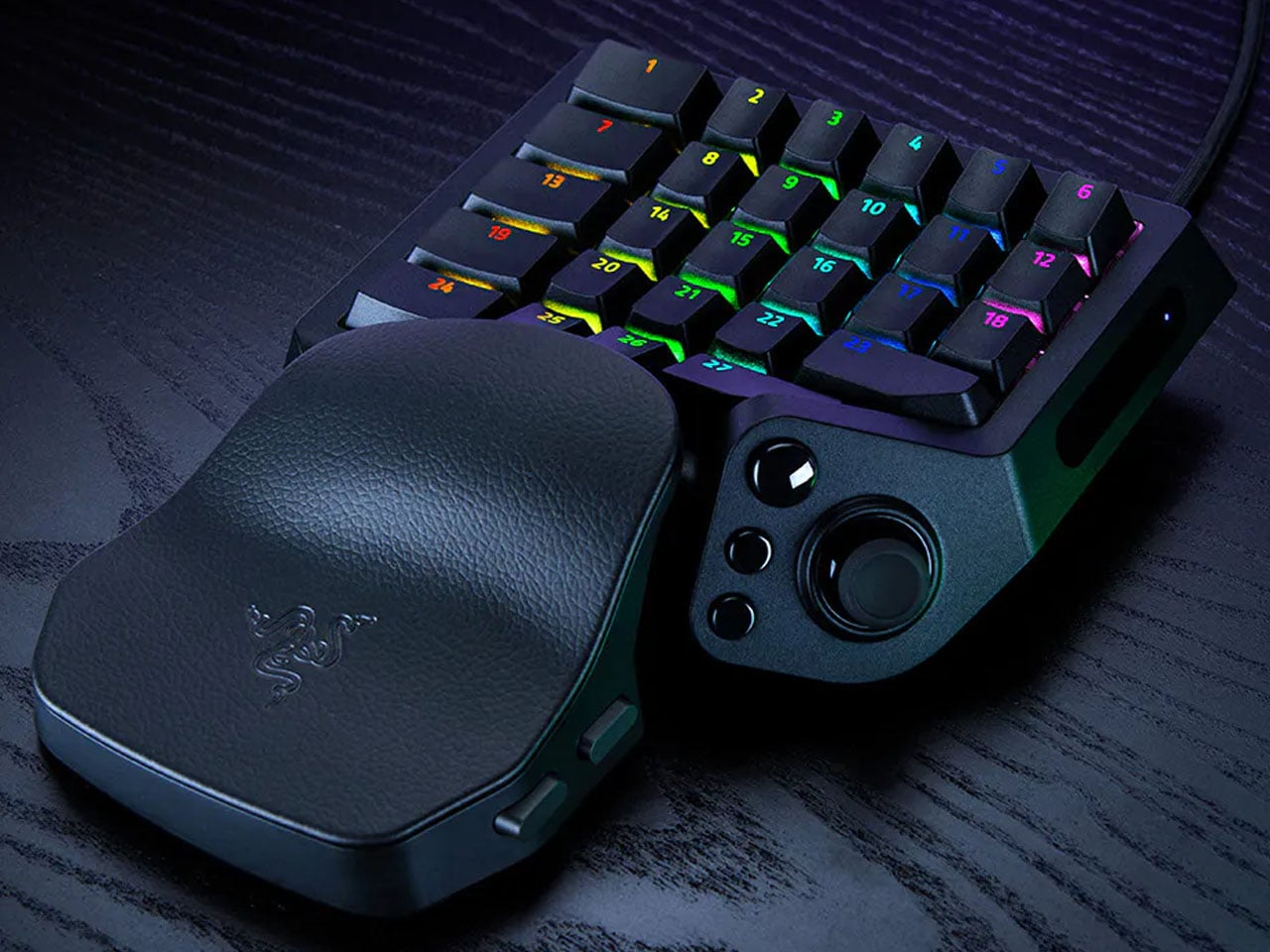
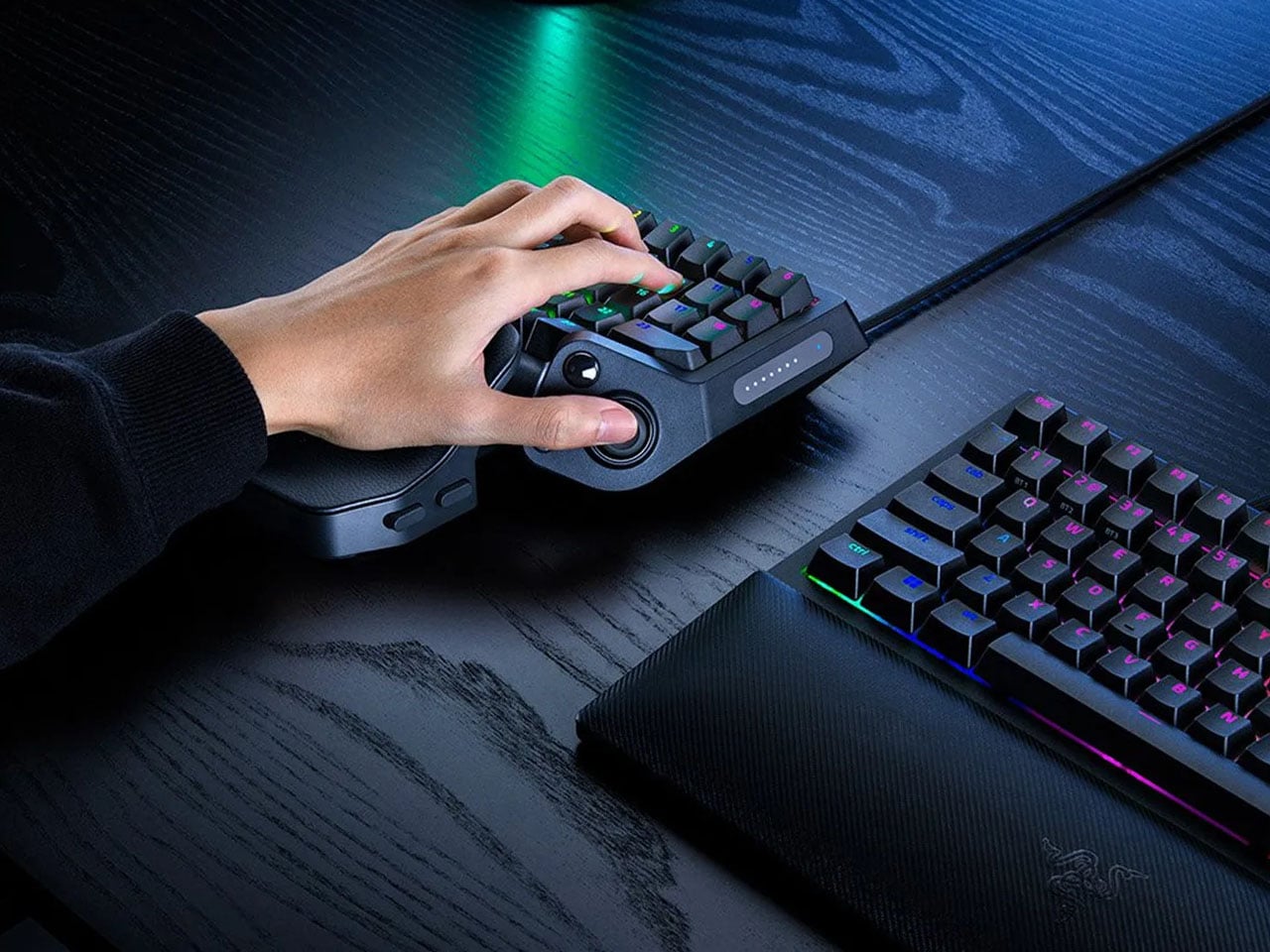
A keyboard can give you plenty of keys, but when you’re gaming, you rarely use all of them. What matters is having the right controls exactly where your hand needs them. That is the idea behind Razer’s new Tartarus V2 Pro, a one-handed gaming keypad that packs 31 programmable controls into a much smaller footprint while adding a proper analog thumbstick, something most keypads don’t have.
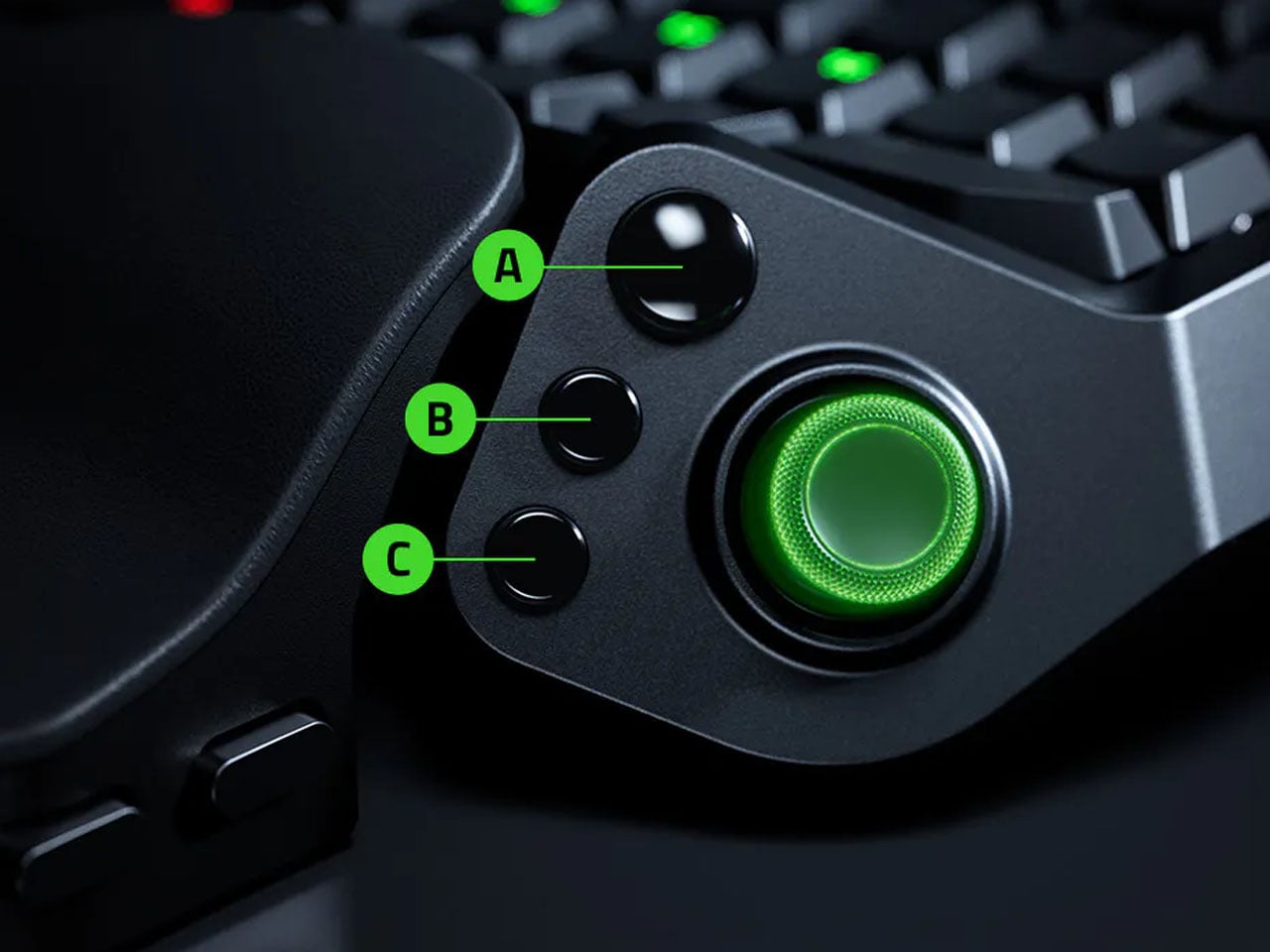
The thumbstick is one of the more interesting bits of the accessory. It uses TMR technology with anti-drift positioning and sits alongside three dedicated thumb buttons, giving the left hand a combination of keyboard and controller-style controls. The stick can handle movement, but it can also be assigned to other commands, making it useful for games that rely heavily on shortcuts, radial menus, or multiple simultaneous inputs.
Razer has also moved beyond the usual mechanical-switch approach, as Tartarus V2 Pro uses second-generation Analog Optical Switches that can recognize how far a key is pressed. Their actuation point can be adjusted anywhere between 0.1 and 4.0 mm, allowing the keys to be tuned for either quick, light presses or a more deliberate response. Rapid Trigger goes further by detecting upward movement as small as 0.1 mm, which can make repeated inputs feel considerably more immediate. Razer rates the switches for up to 100 million keystrokes.
There is plenty of control over how those inputs behave as well. Razer’s Advanced Input Control features include Snap Tap, Snap Flex, Dual-Keypress Priority, and Dynamic Keystroke. These allow players to change the way directional inputs work, prioritize simultaneous key presses, or assign different actions depending on how far a key is pressed. The wrist rest can slide outward and rotate from side to side, so the position of the hand can be adjusted instead of forcing it into one fixed angle. The keypad uses textured doubleshot PBT keycaps and a 5052 aluminum alloy top plate, with Chroma RGB lighting adding the familiar Razer touch.
True 8000 Hz HyperPolling is built in, while Razer Synapse handles deeper customization. Players can create up to 24 keymaps across three onboard profiles, with actuation and Rapid Trigger settings adjustable to suit different games. An onboard LED array also provides visual feedback without needing the software open.
At 211 × 159 × 49 mm and 486 grams, Tartarus V2 Pro takes up far less desk space than a conventional keyboard. Priced at $199.99, the gaming accessory changes how the player’s hand interacts with a game. Instead of reaching across a keyboard for commands, movement, and shortcuts, the controls are gathered into one compact surface designed specifically around that hand.

 Connexion


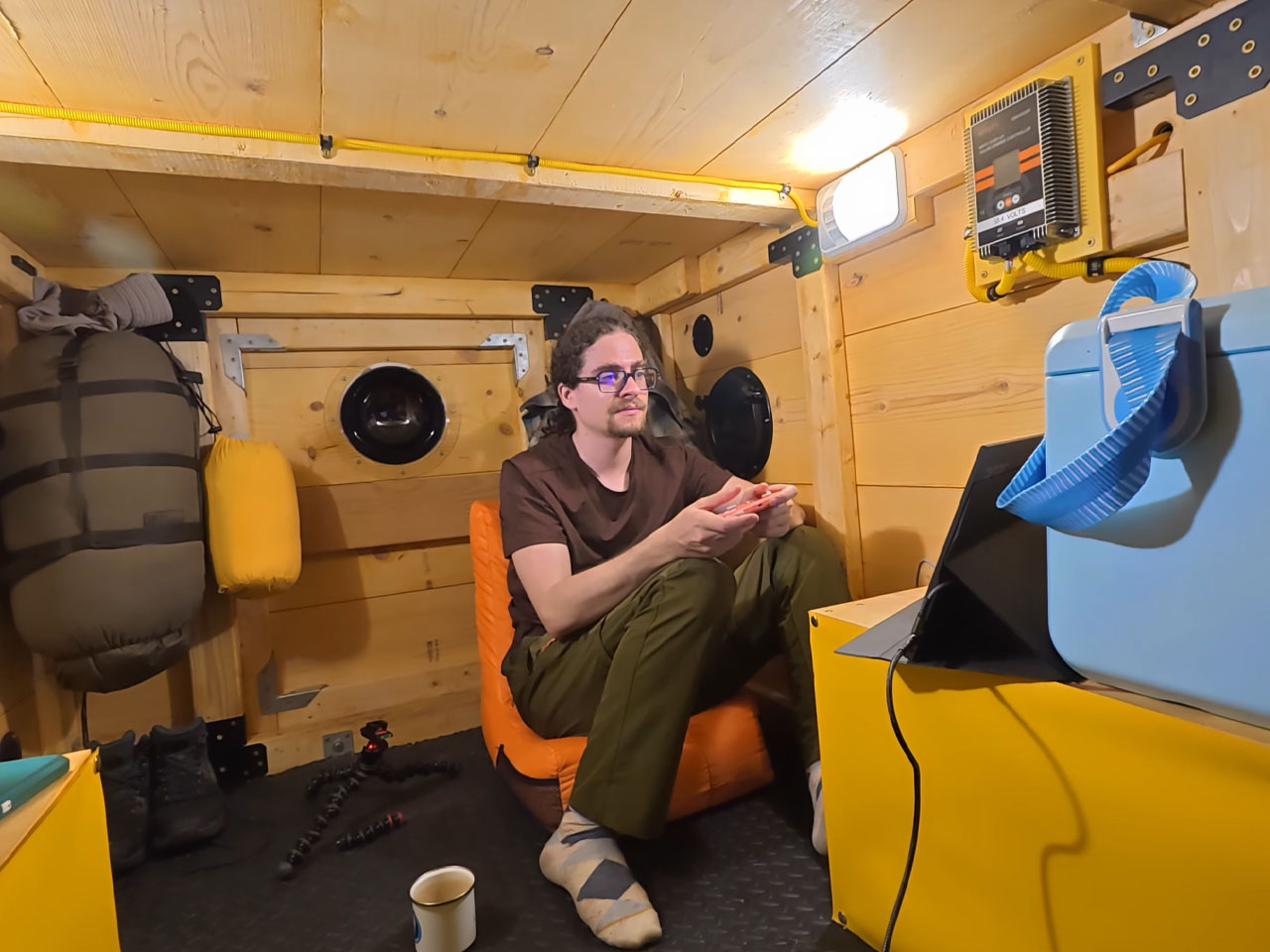
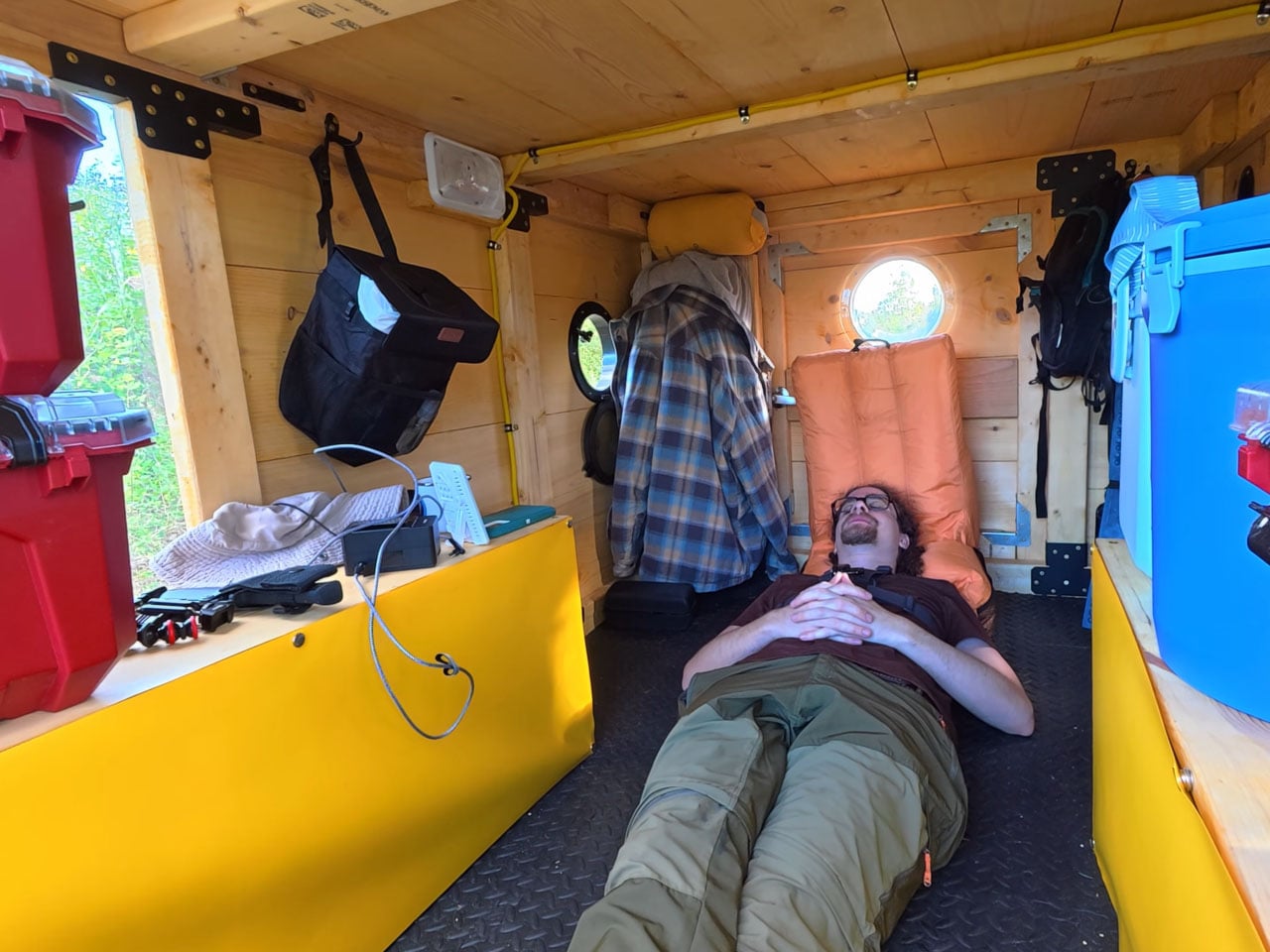
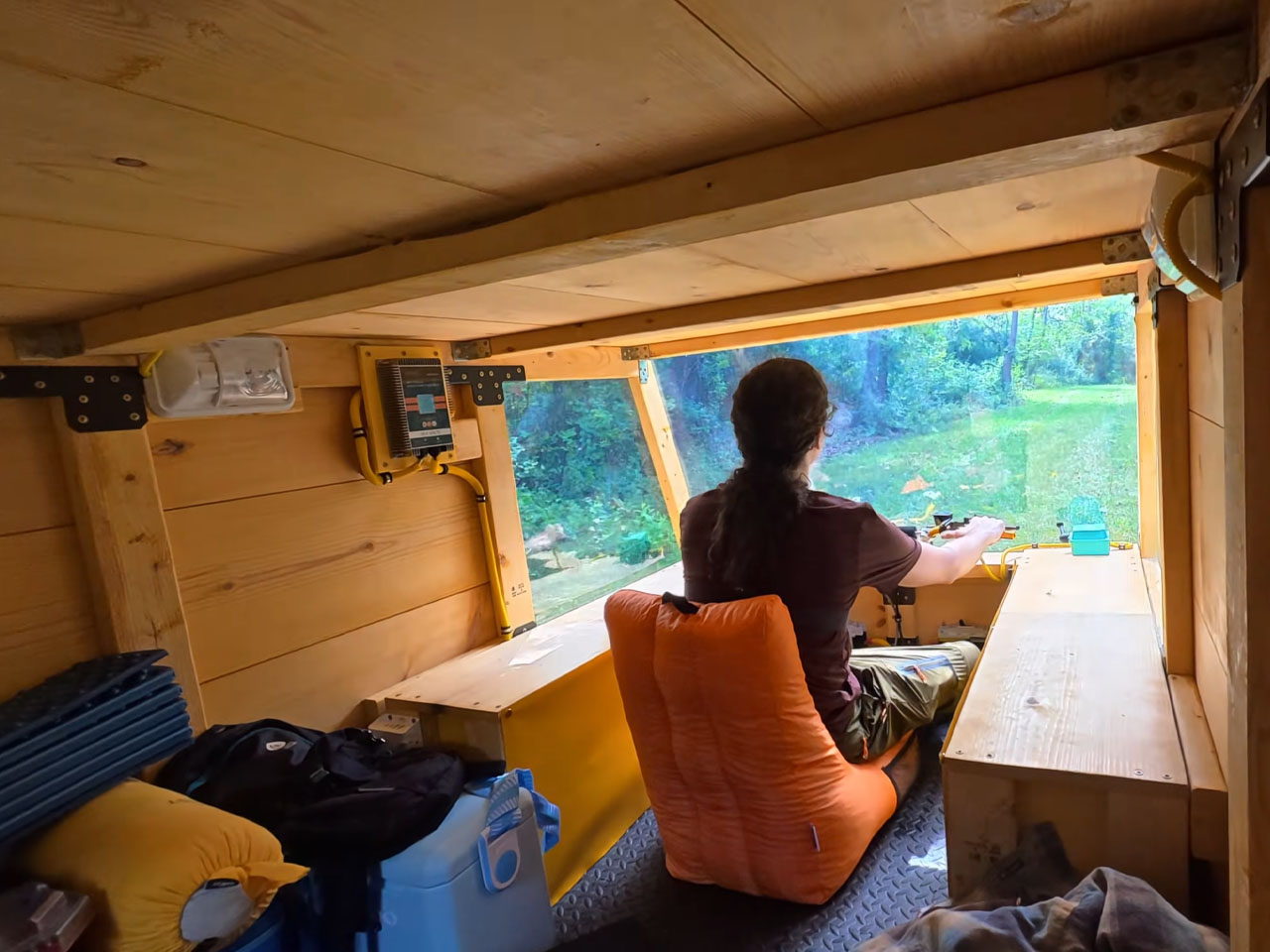
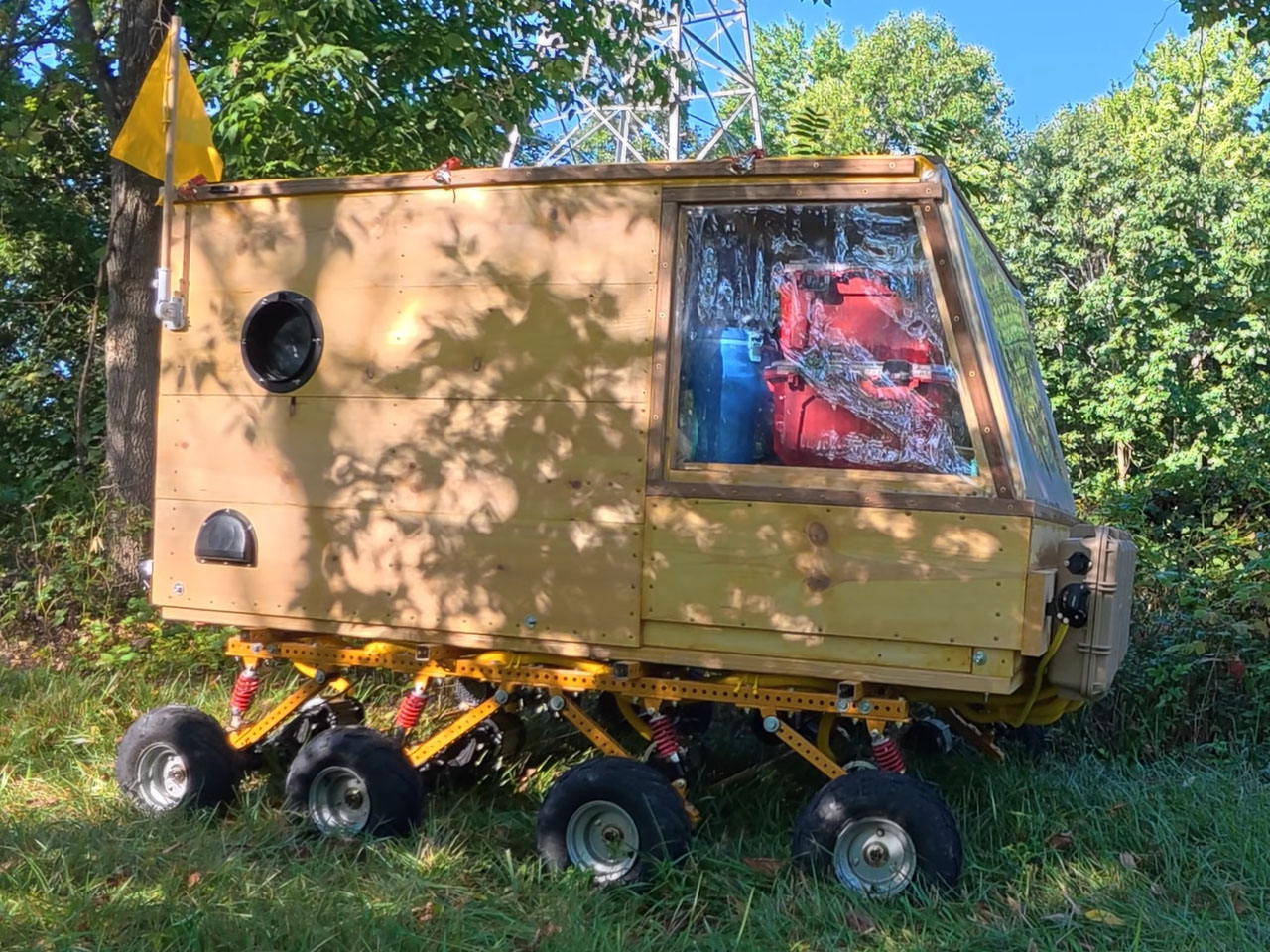

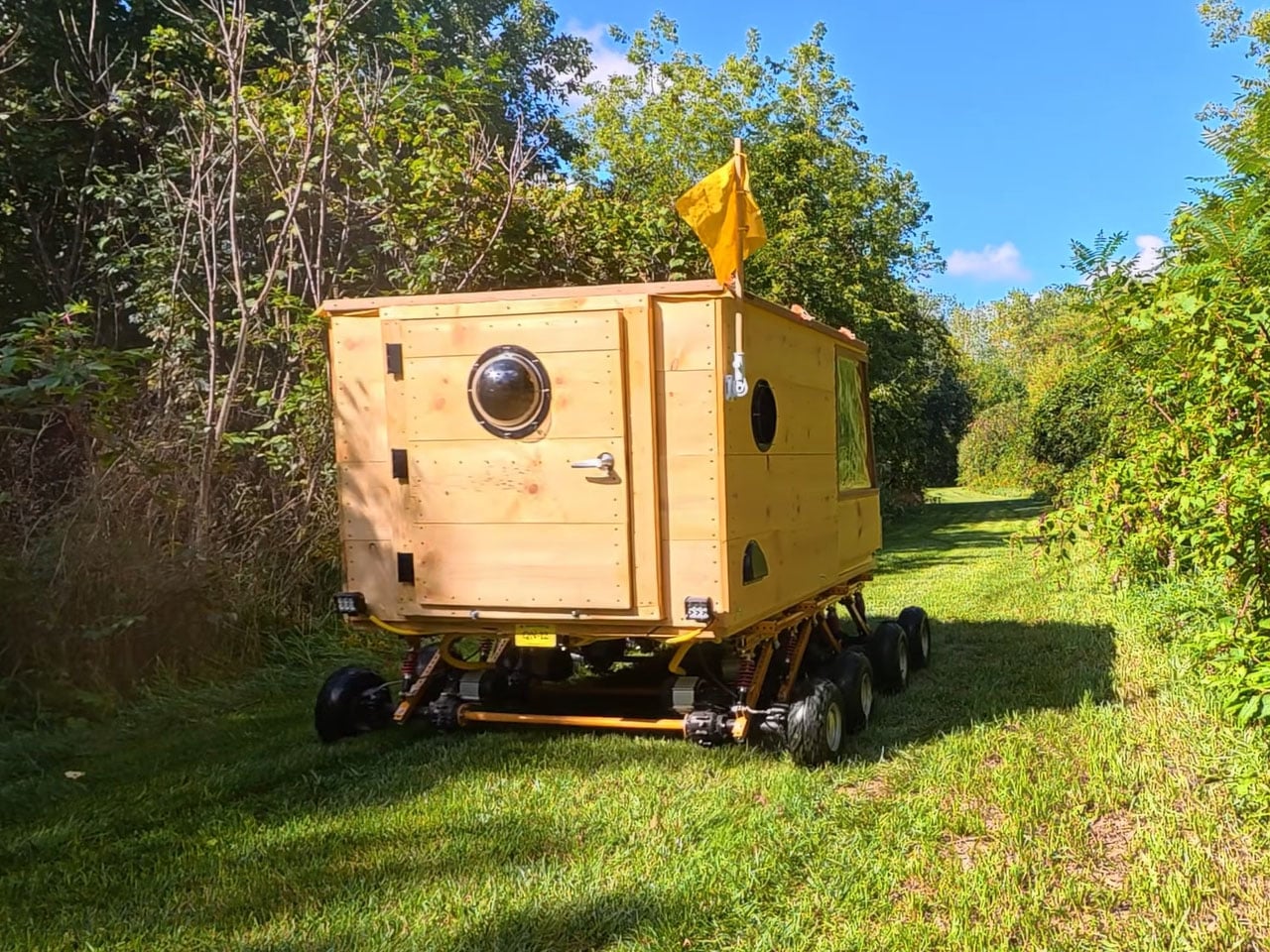
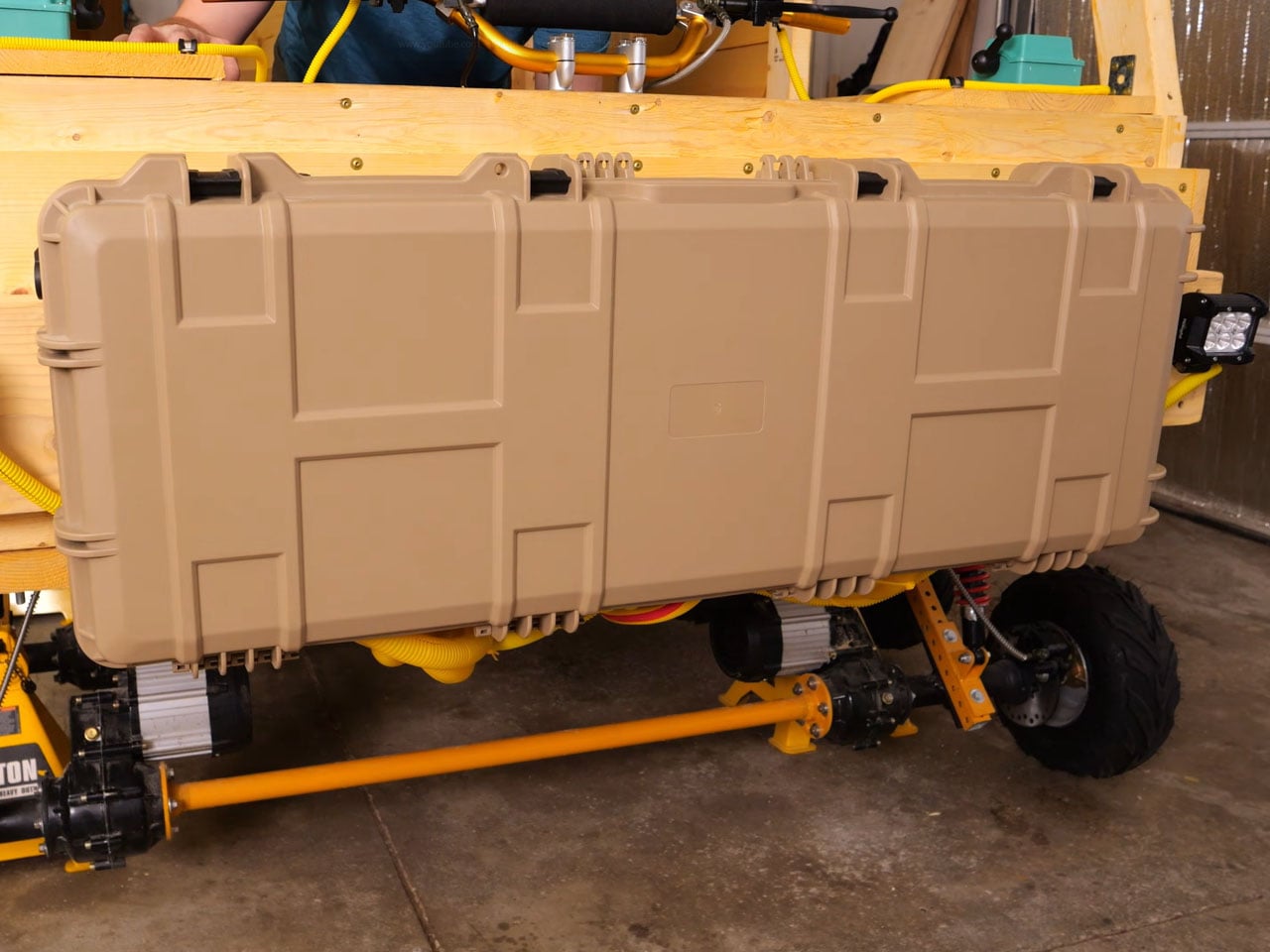
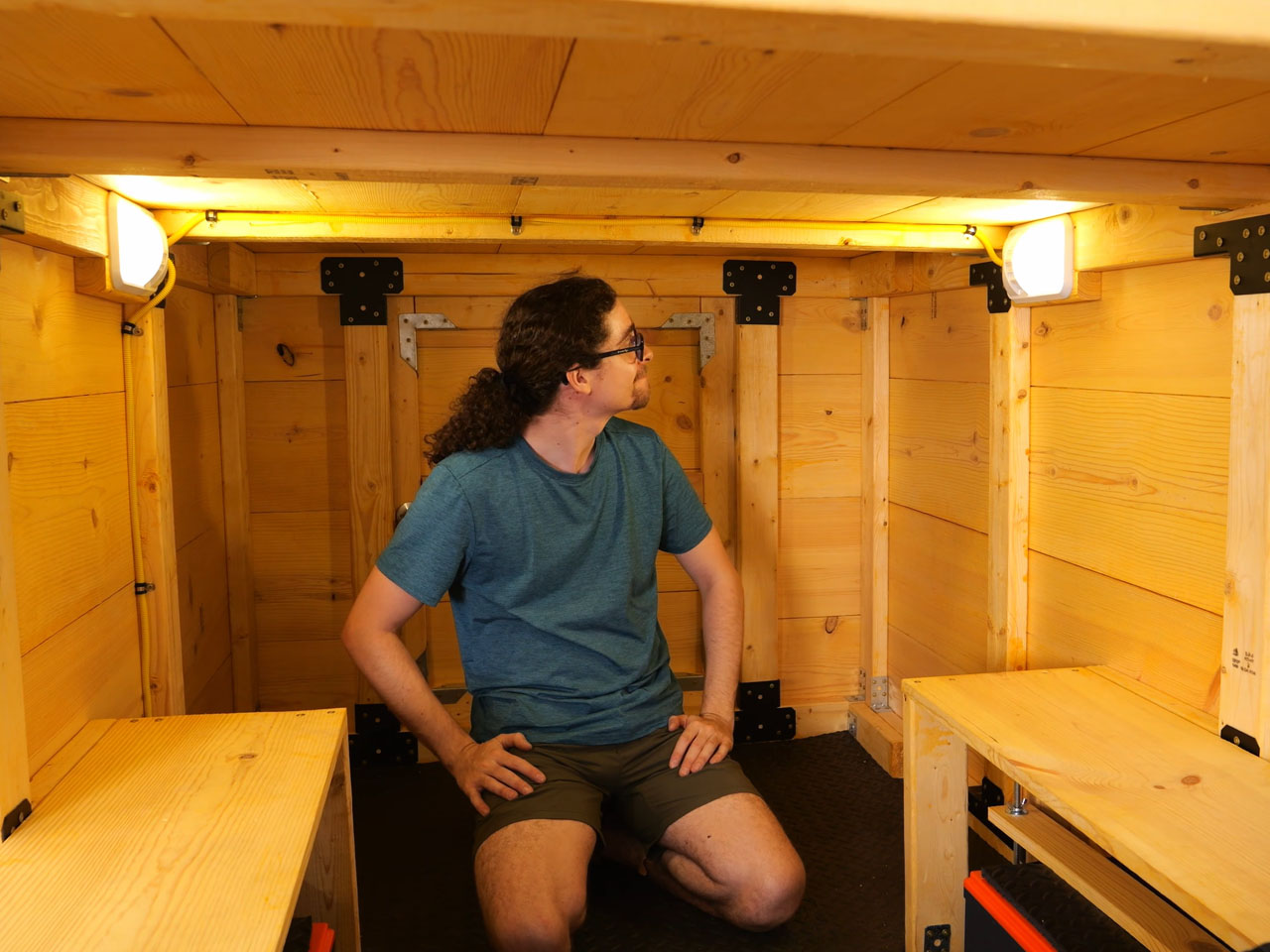

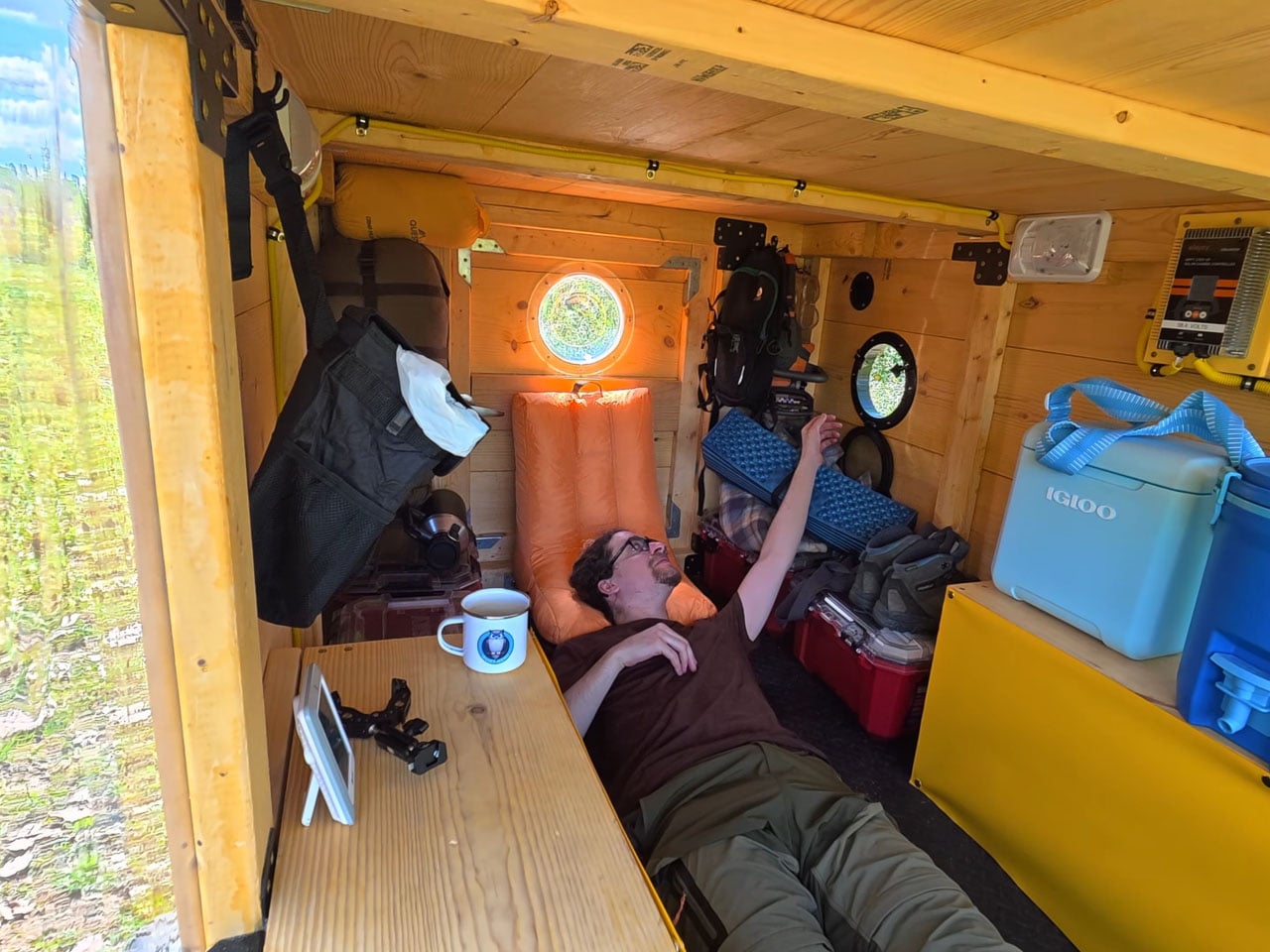
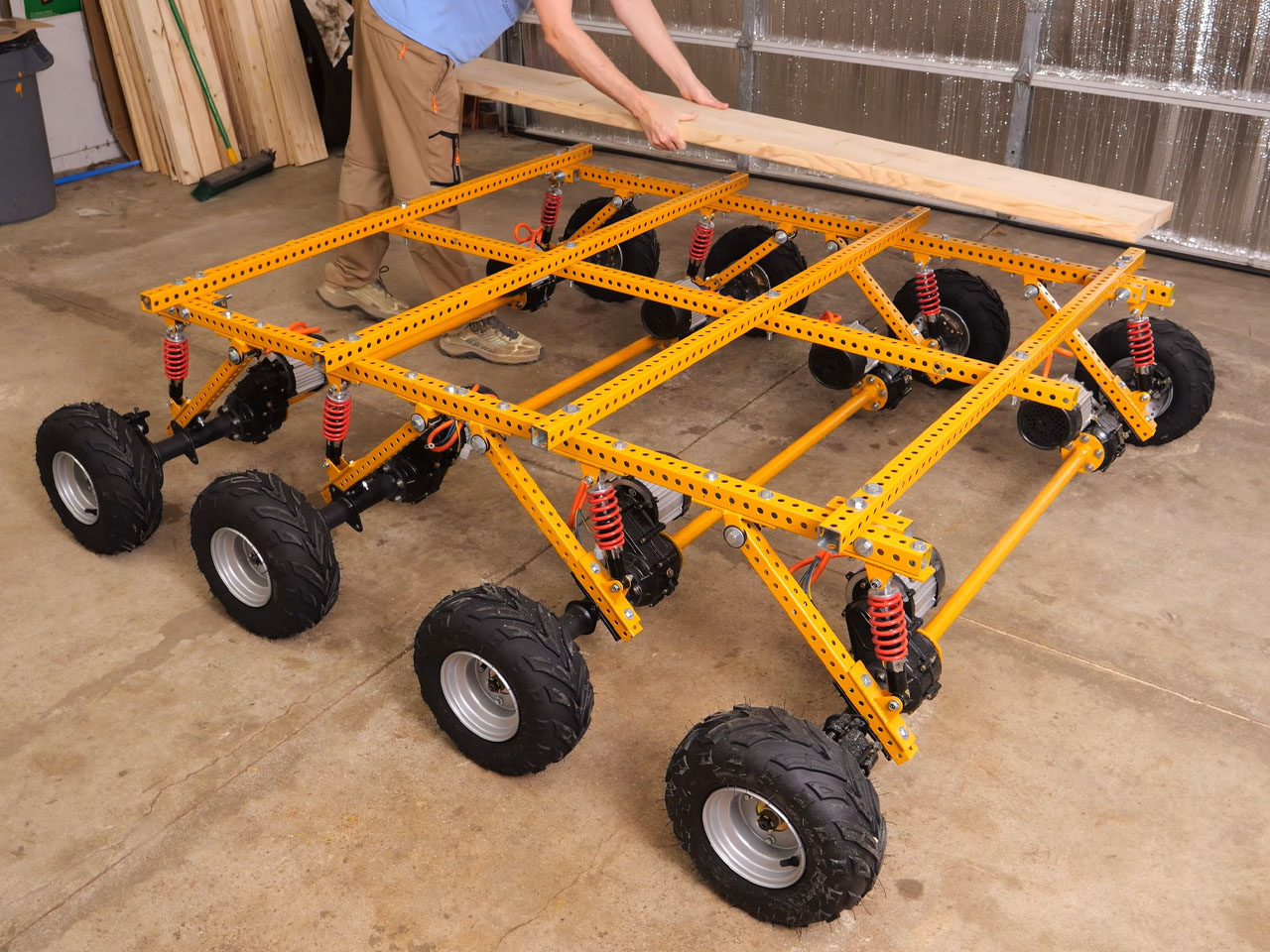
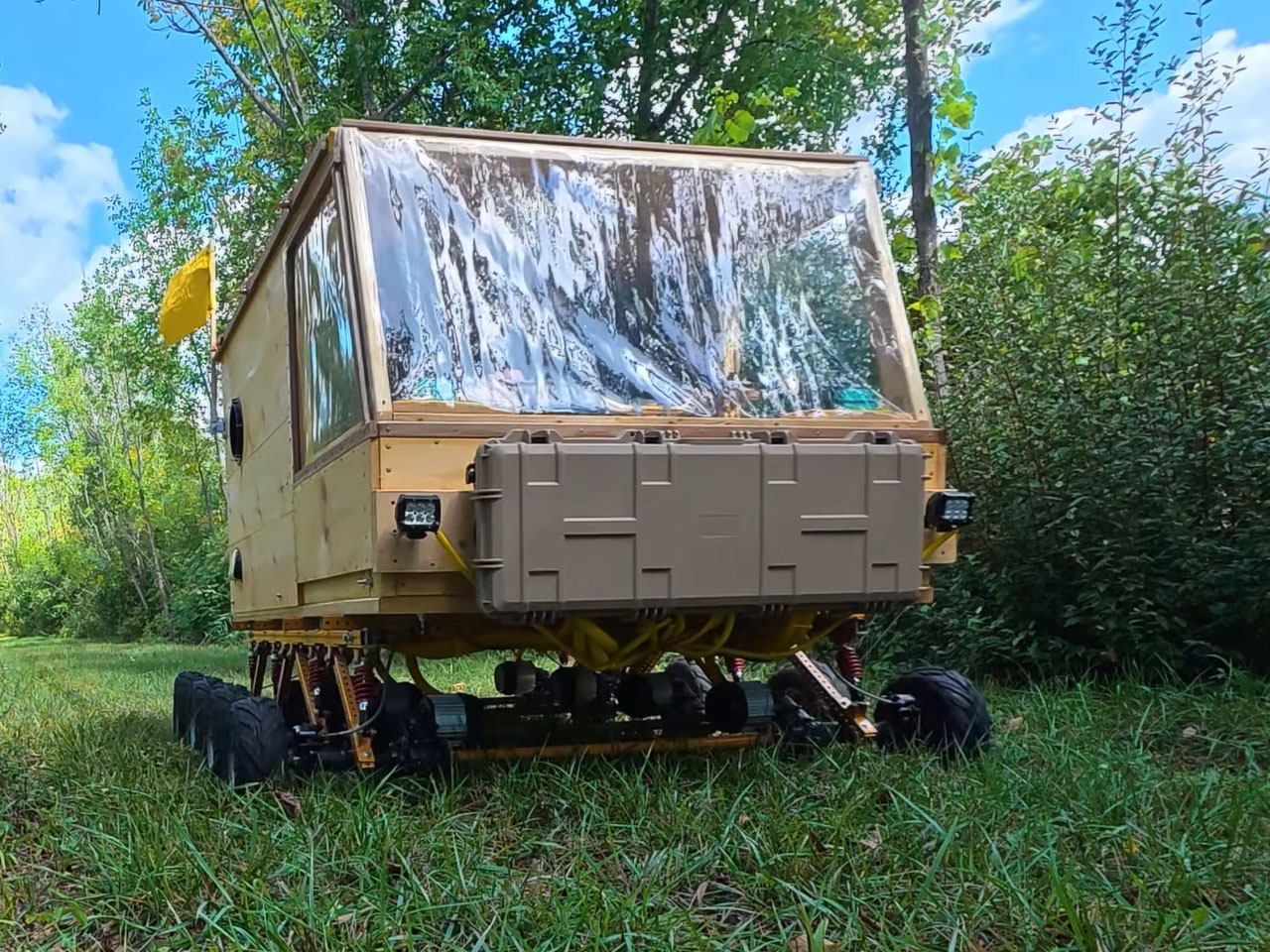

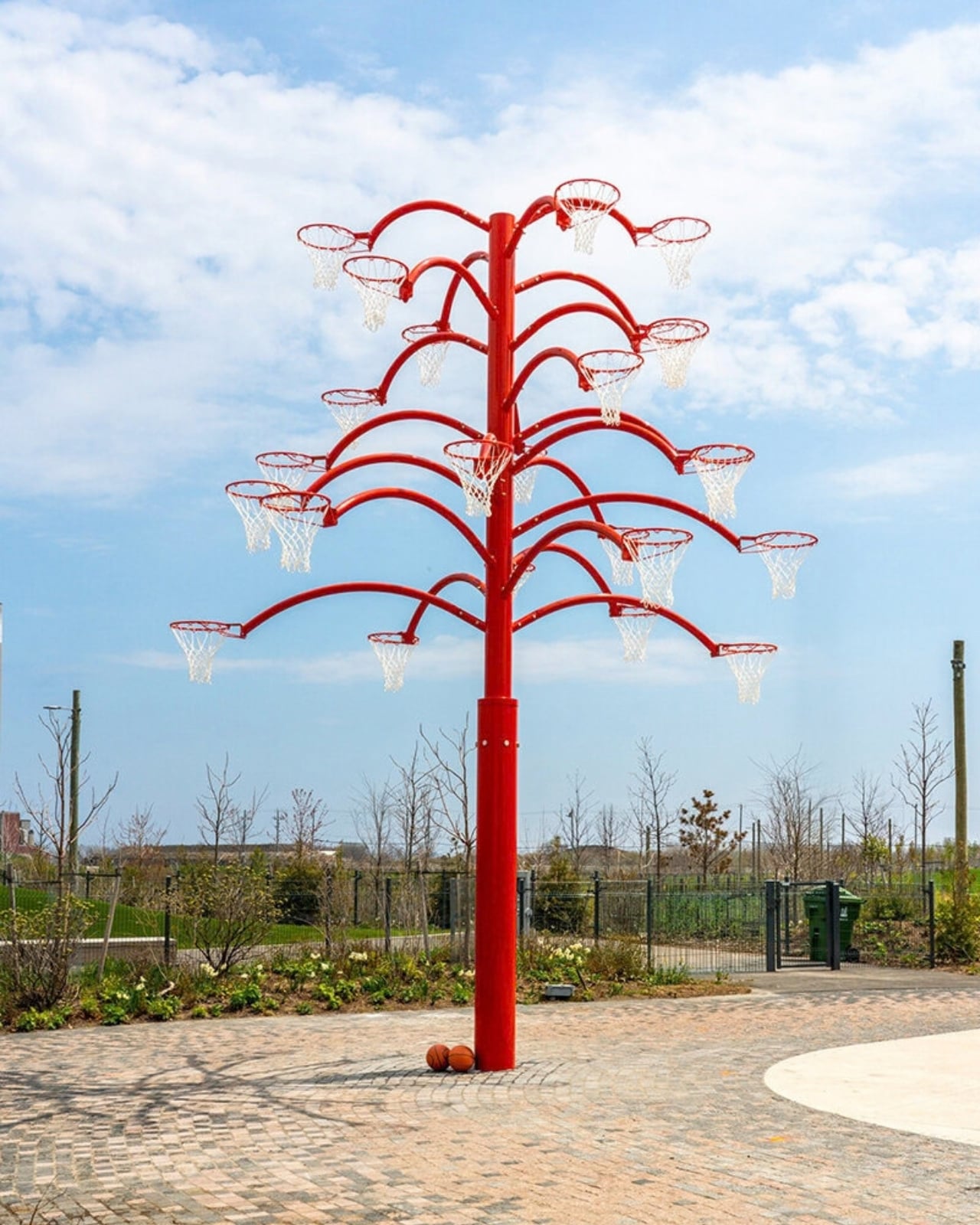
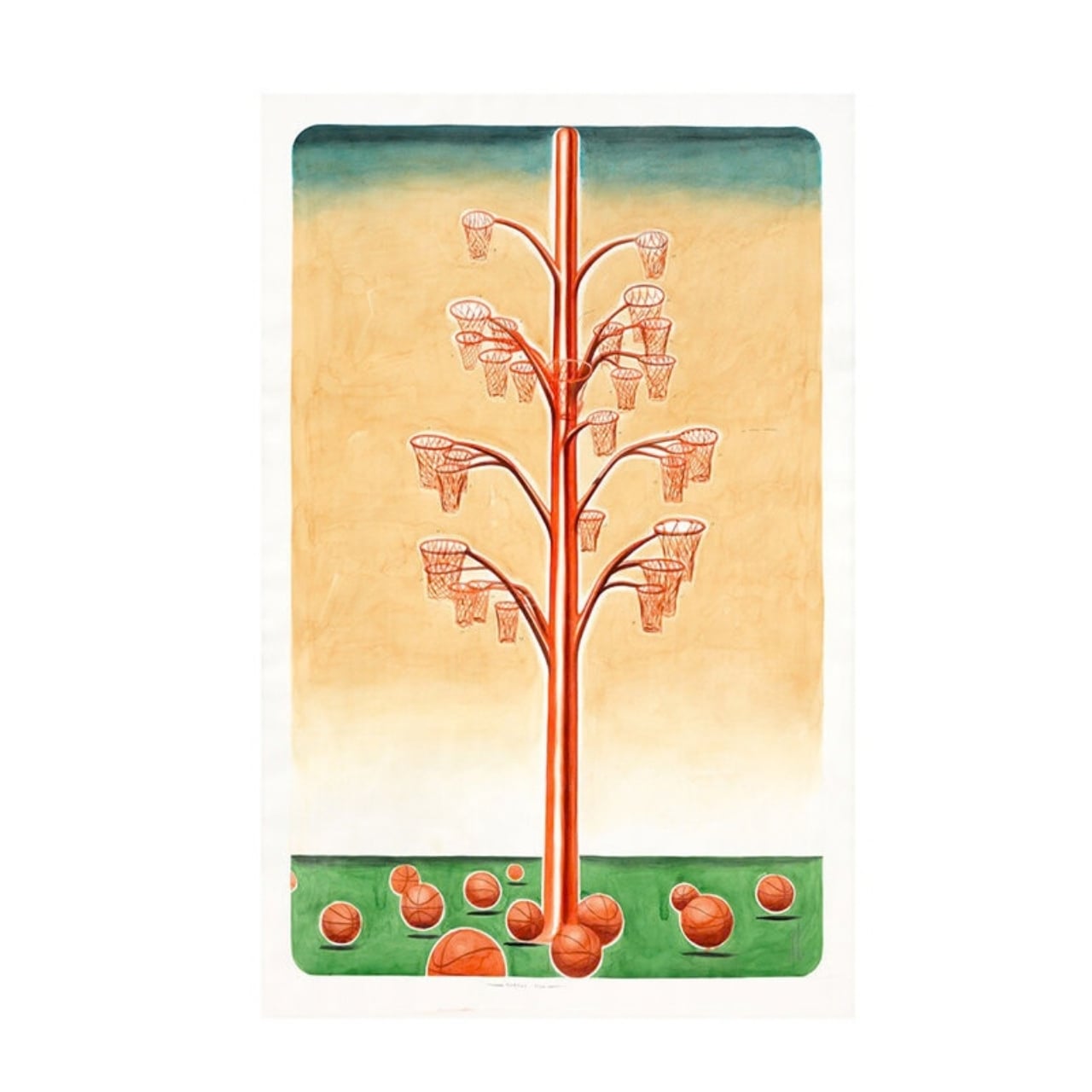







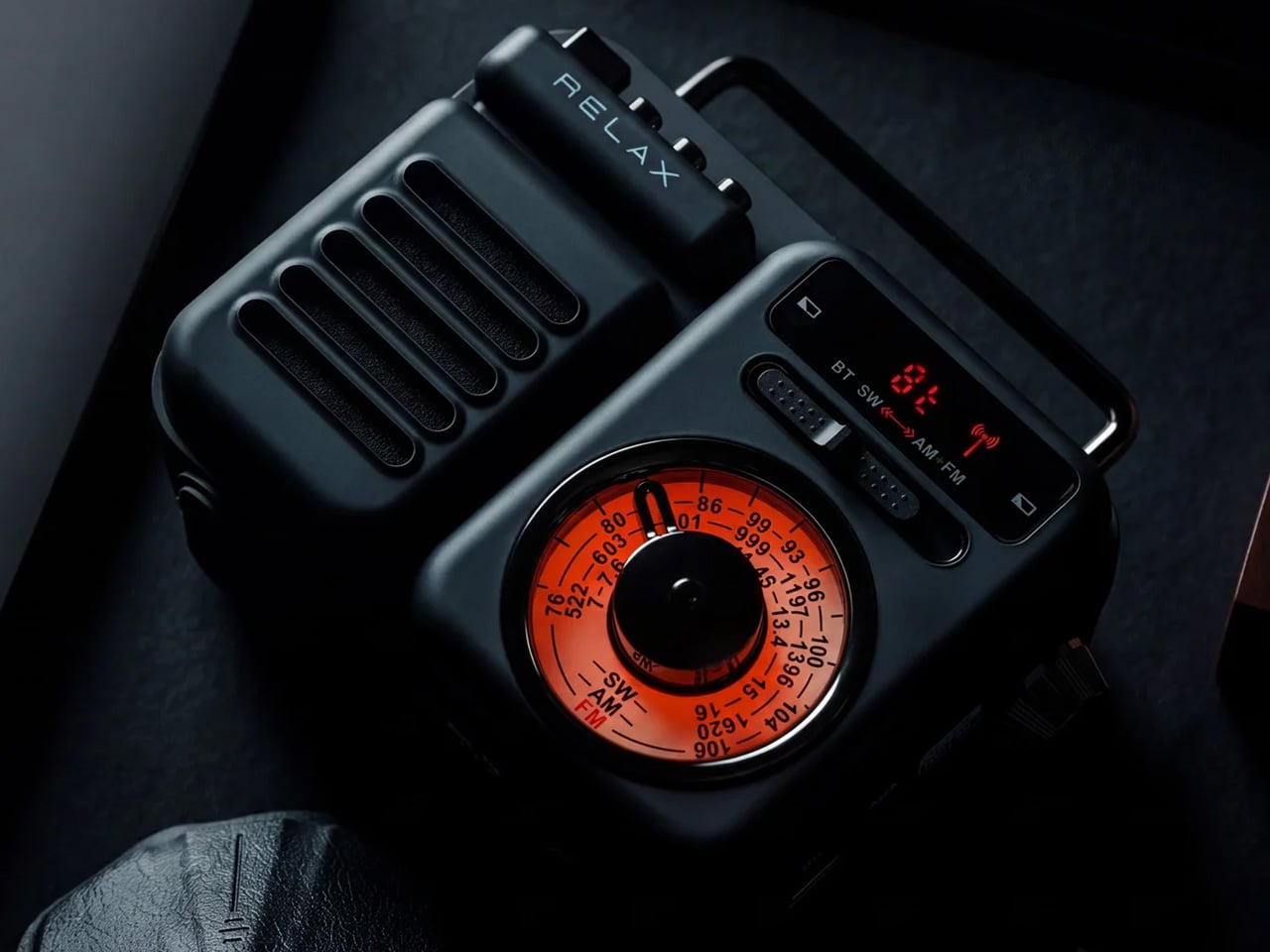
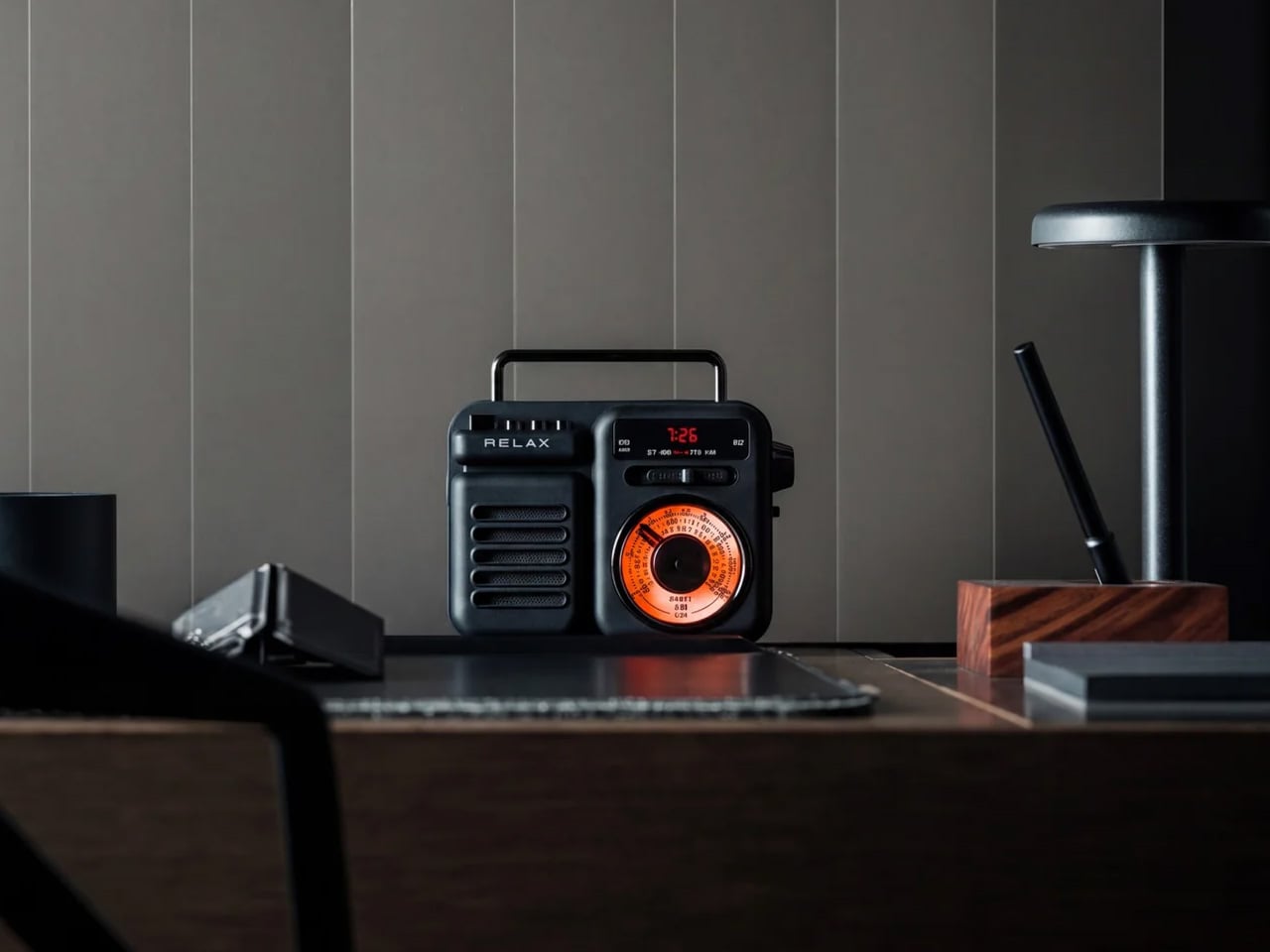
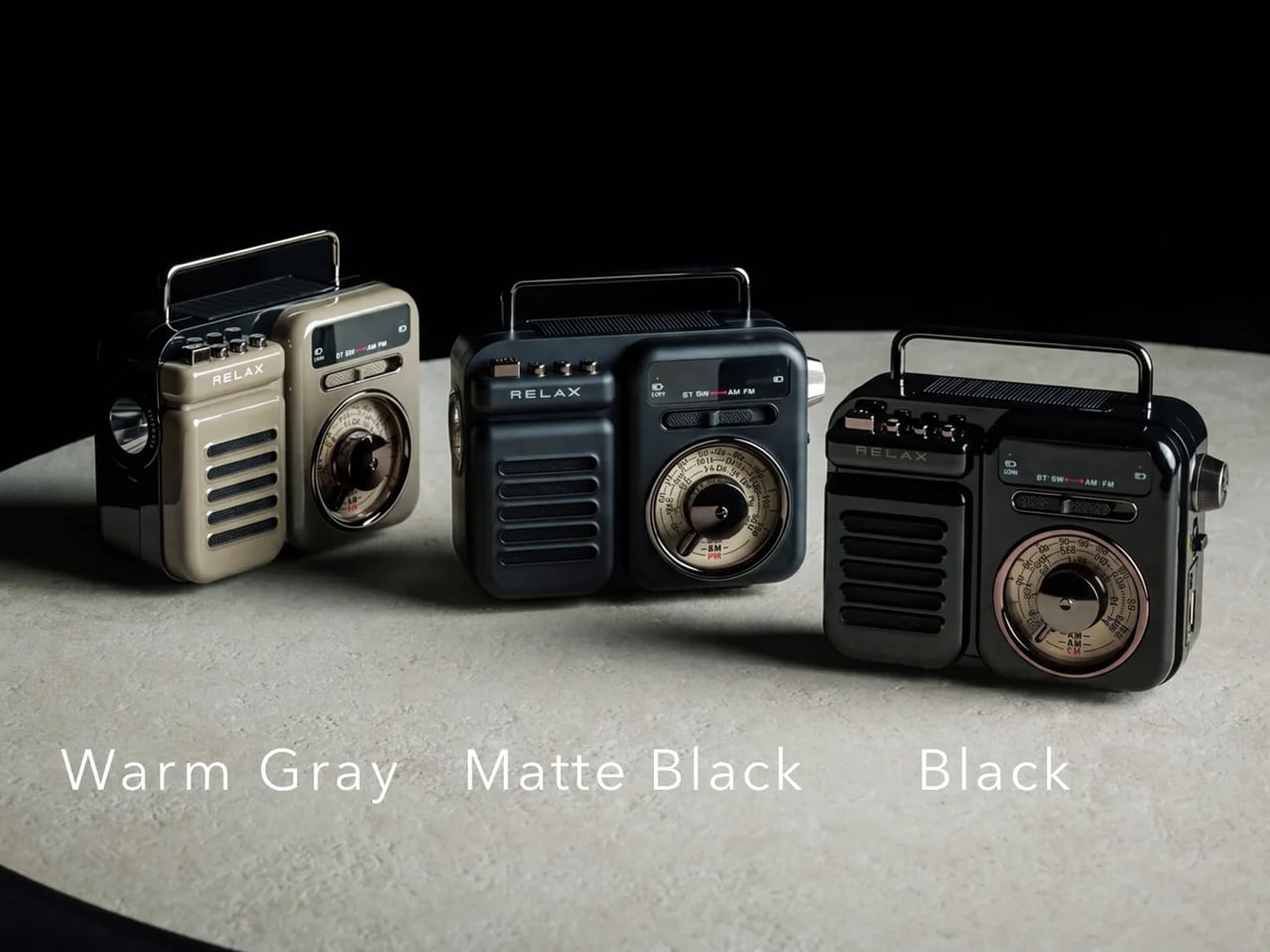
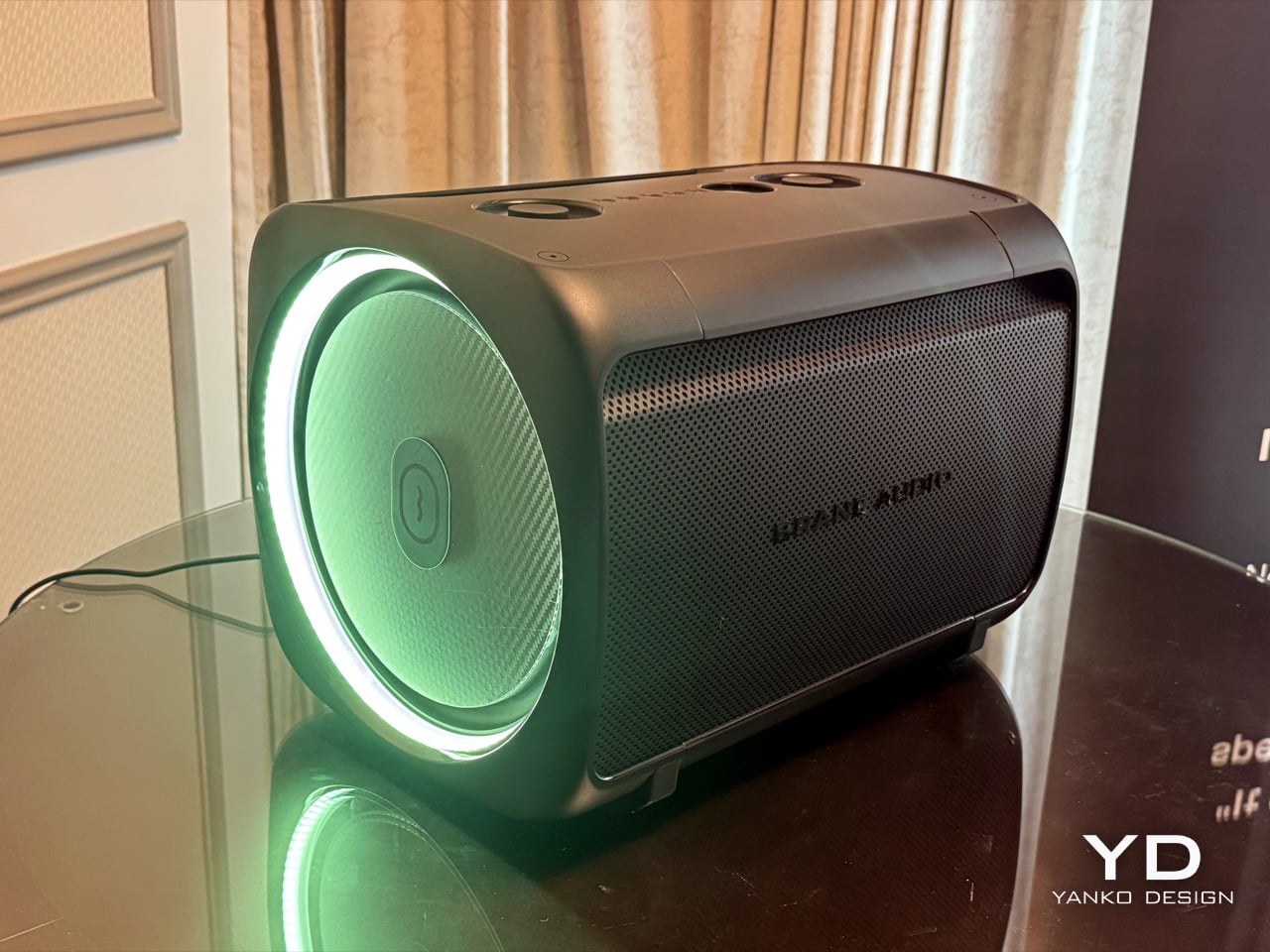
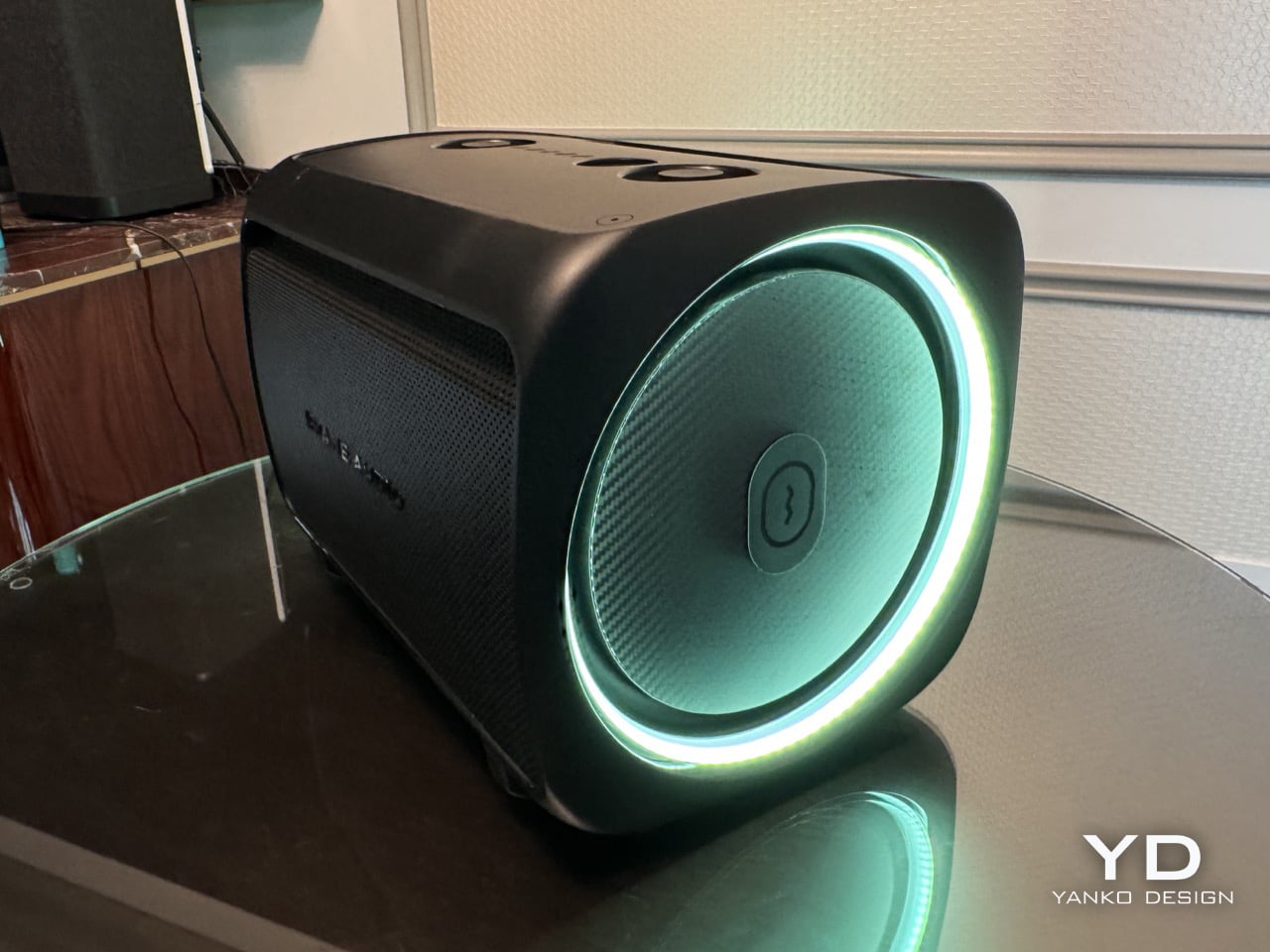
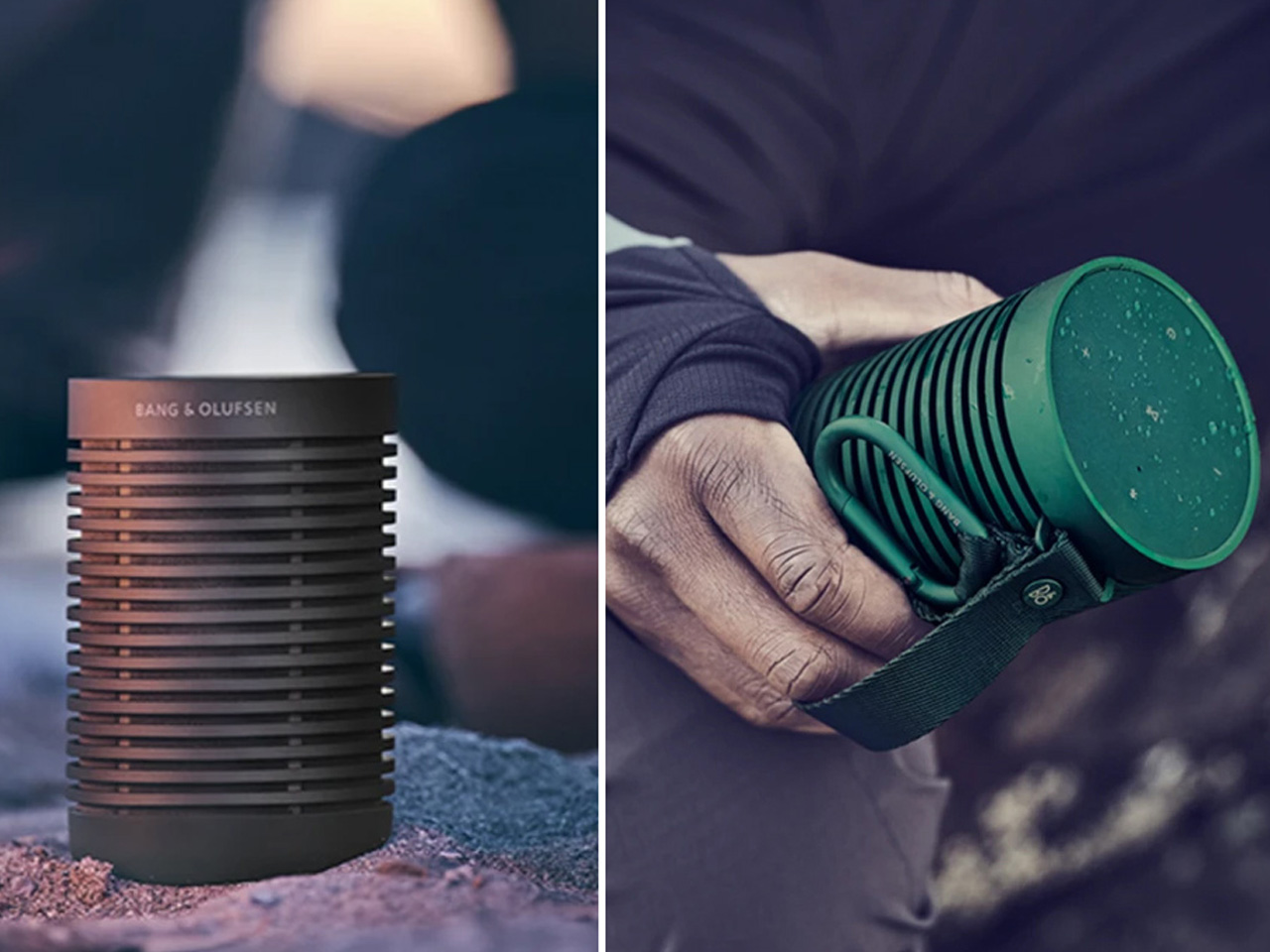
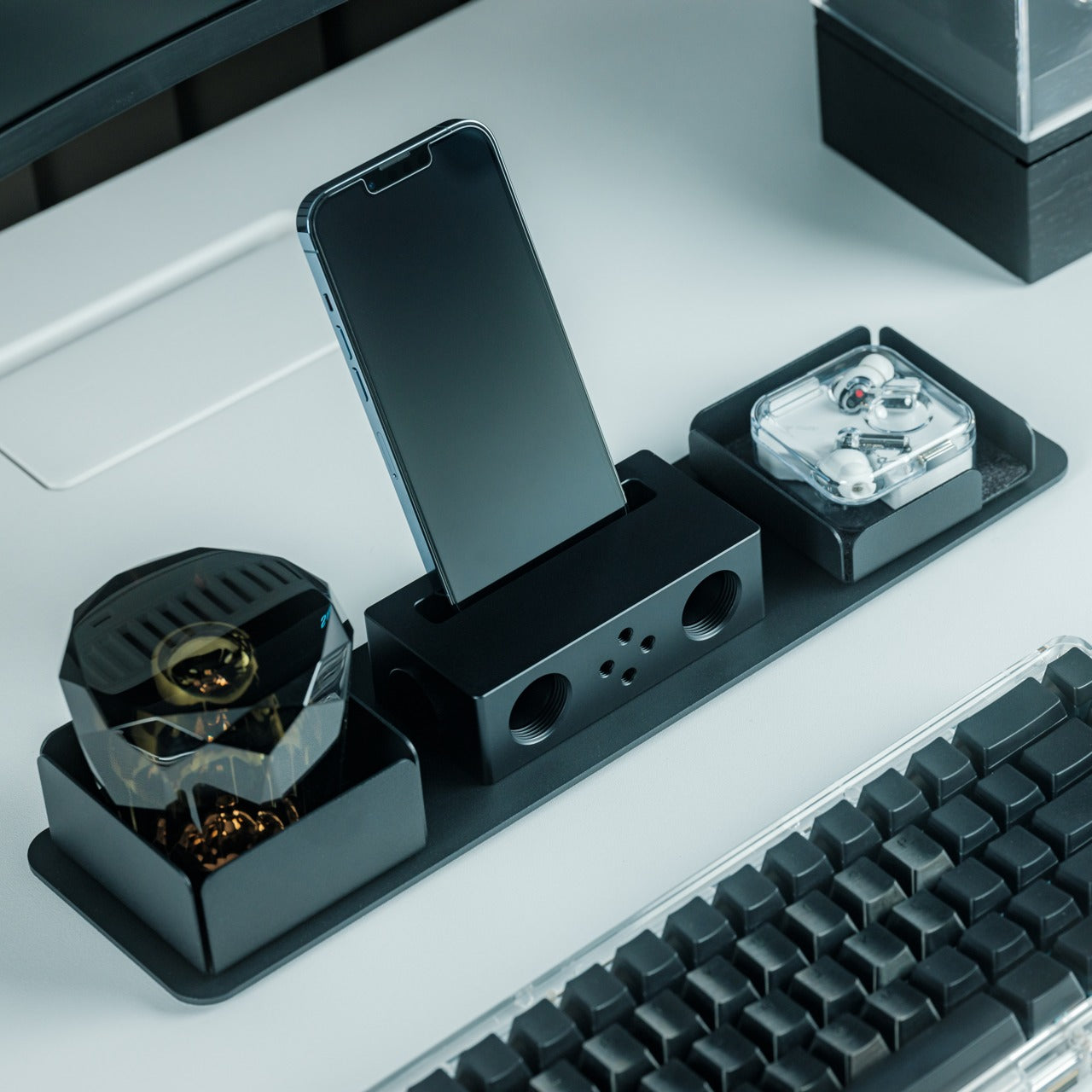
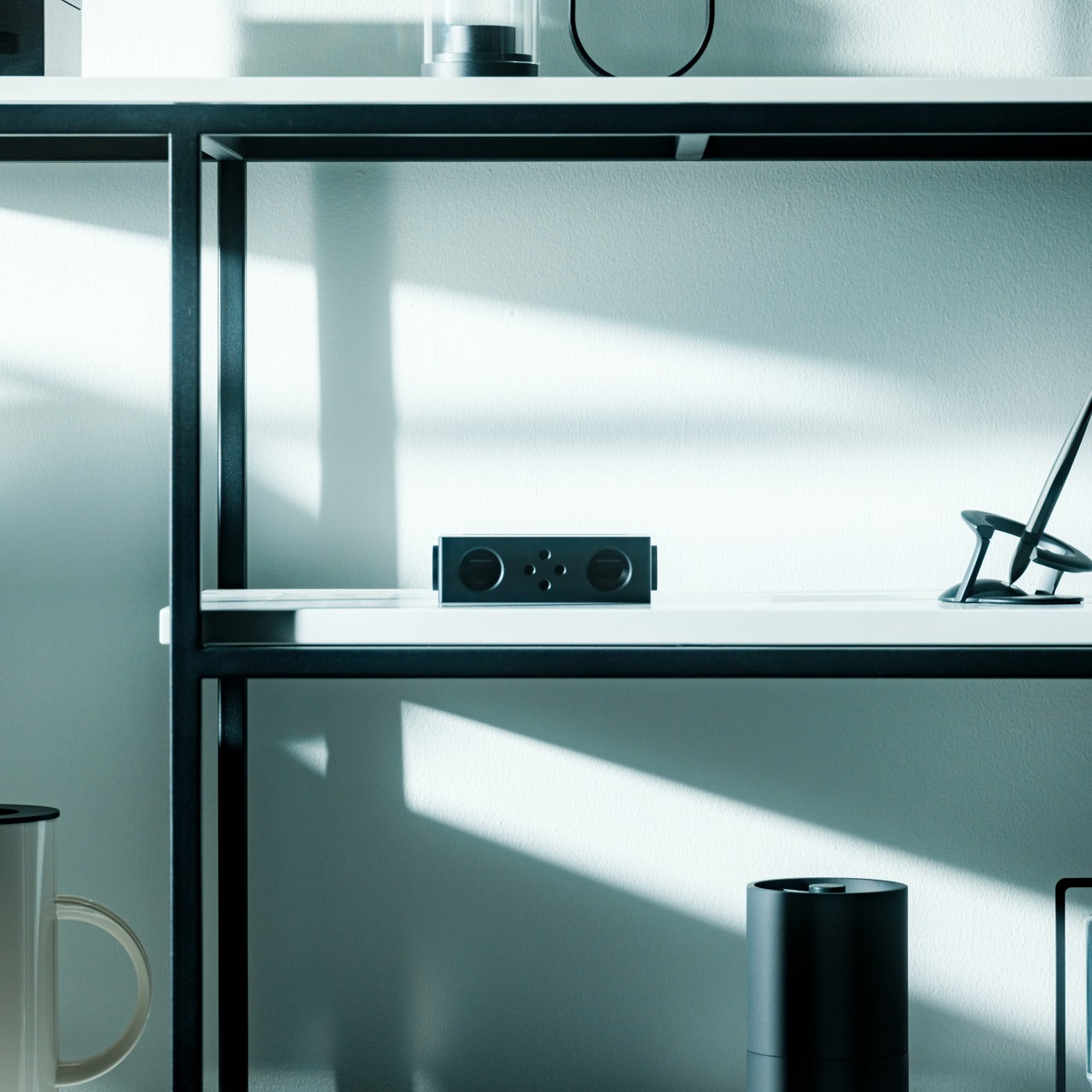
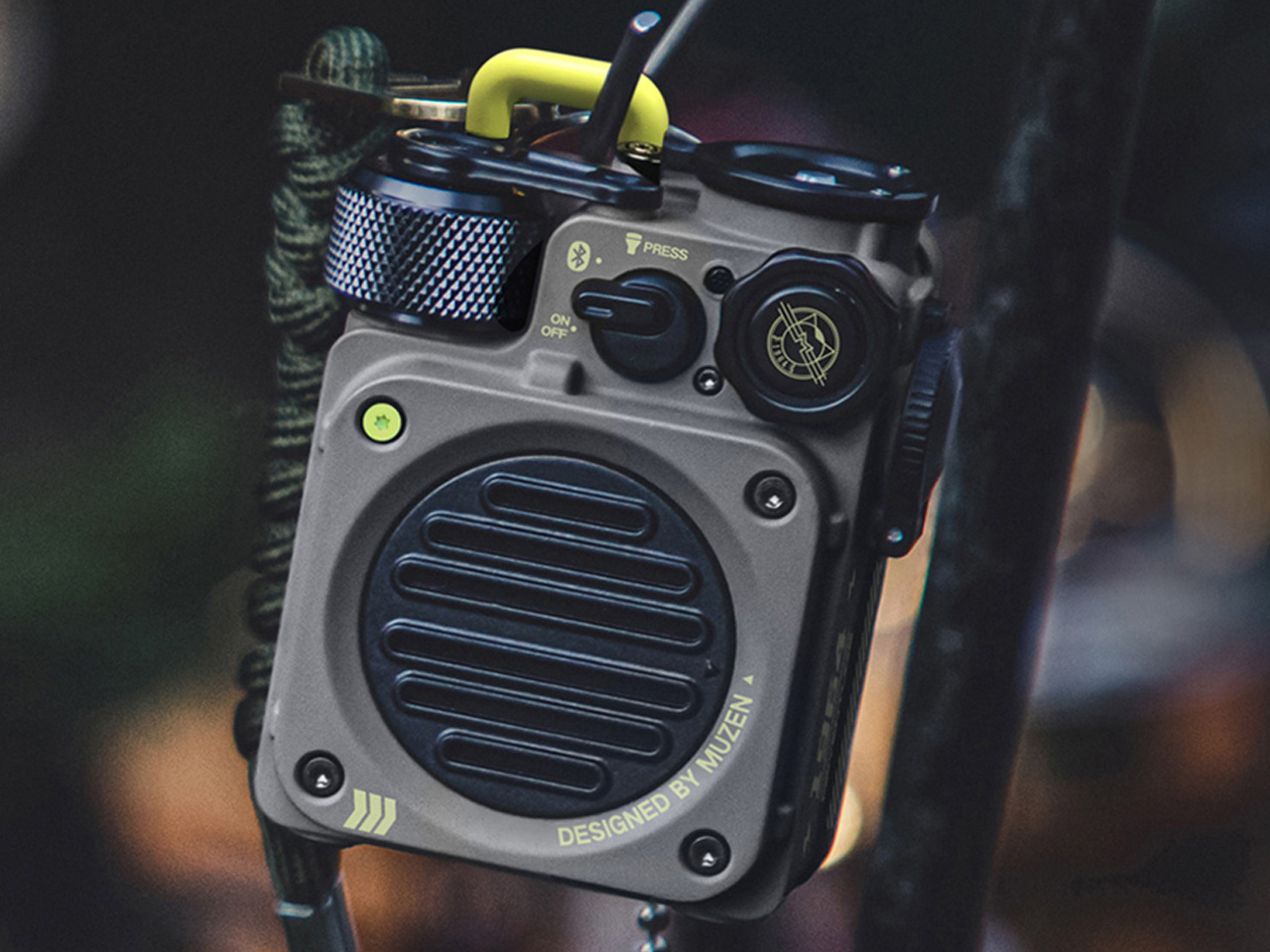
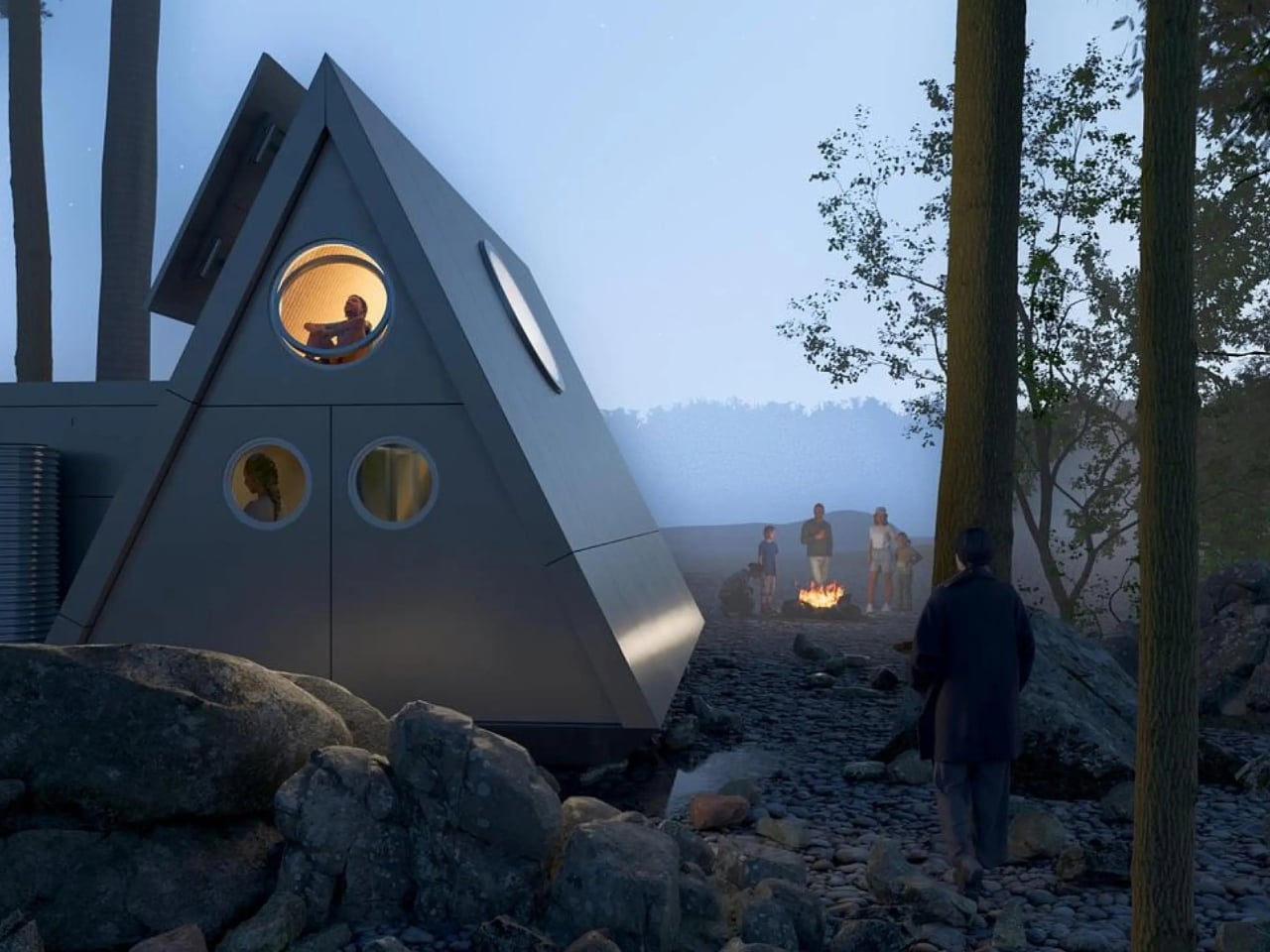
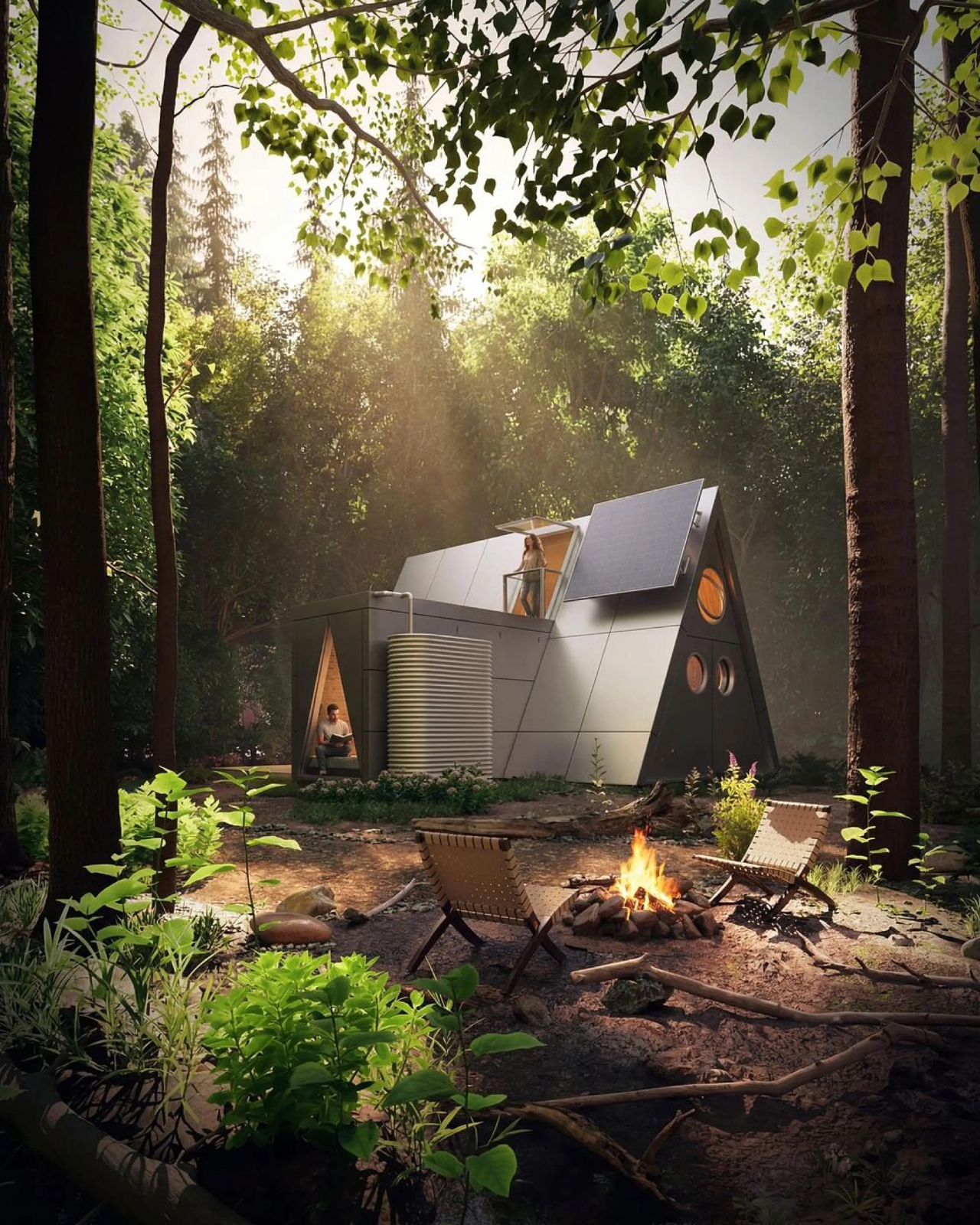
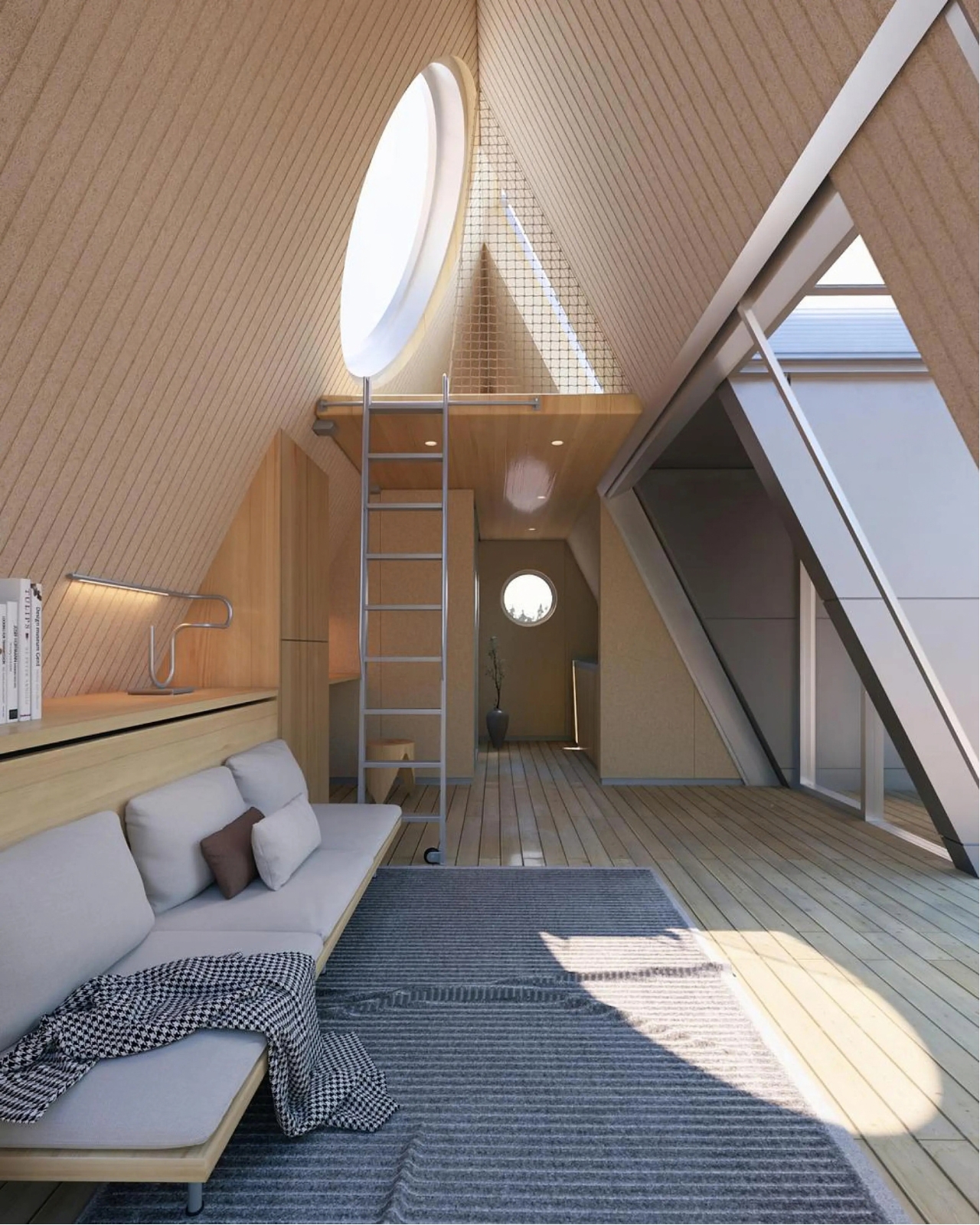
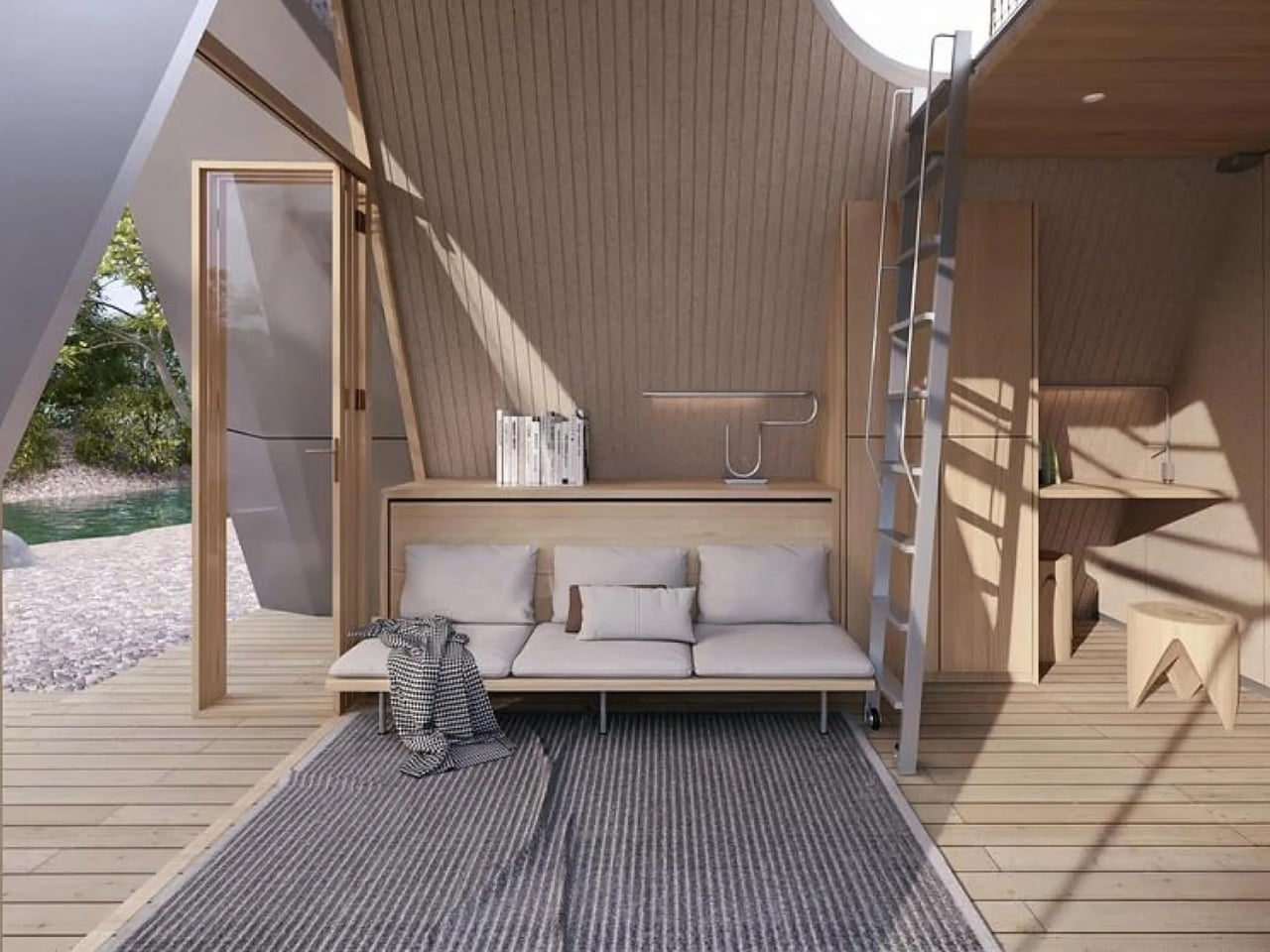
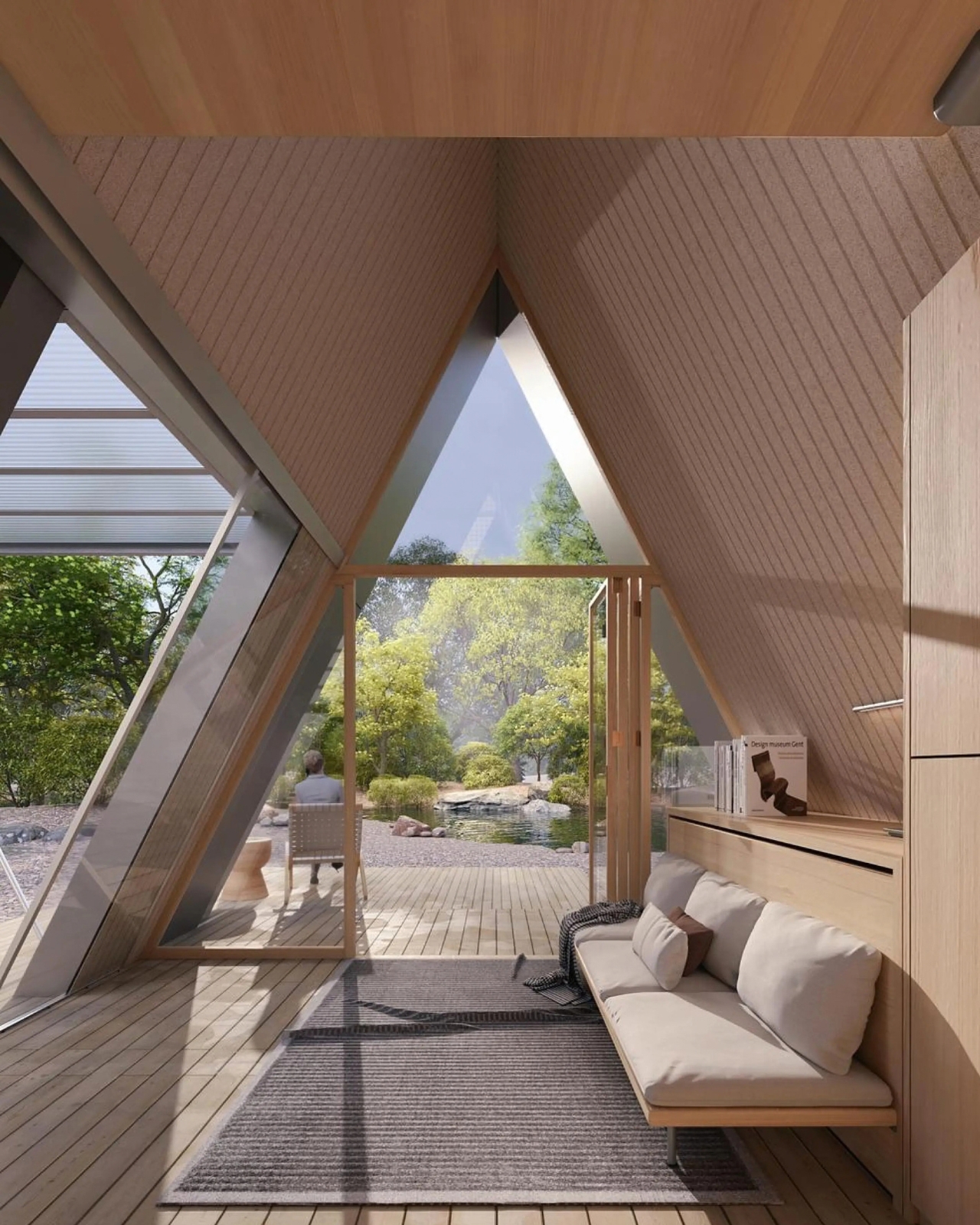
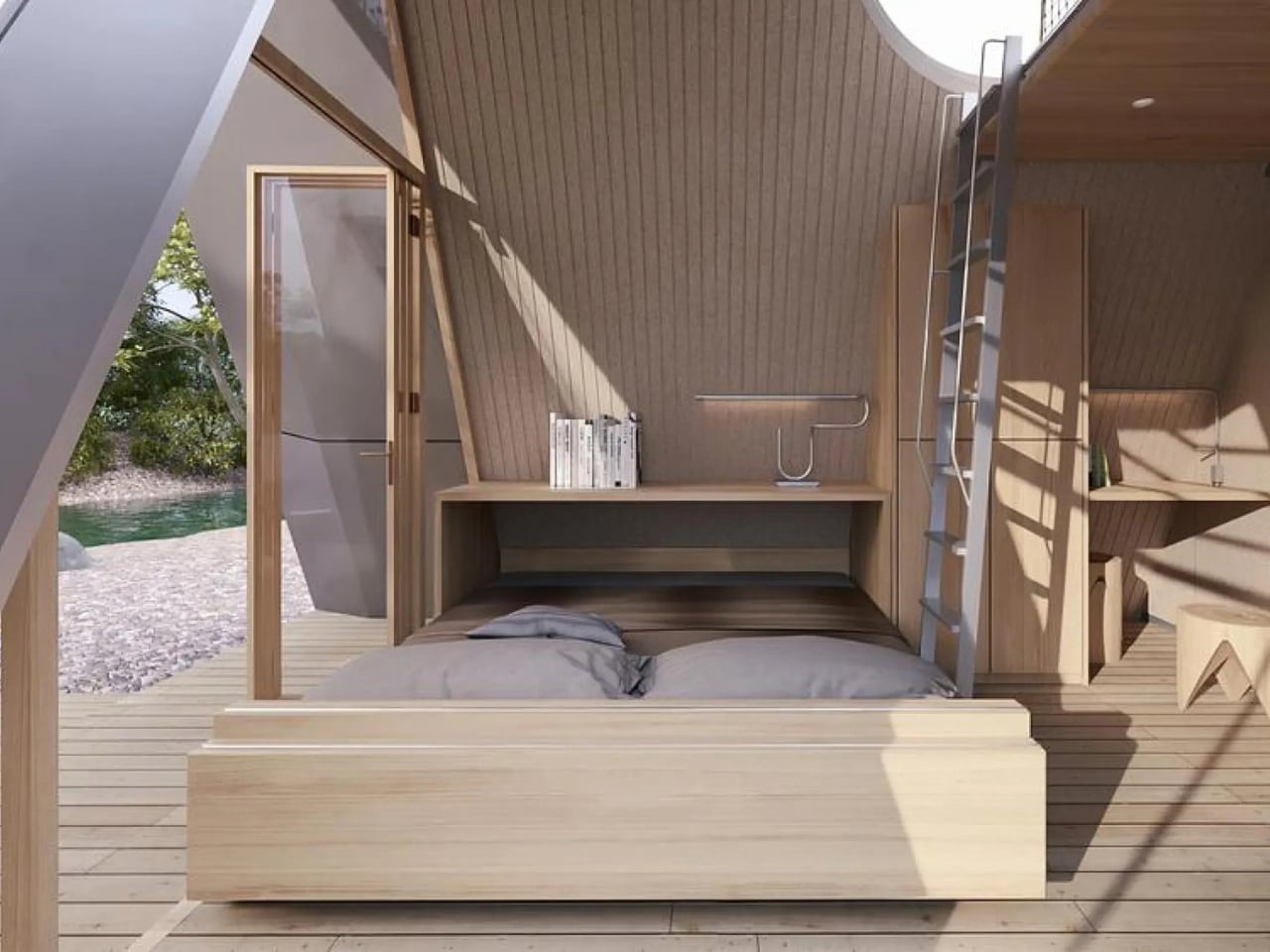

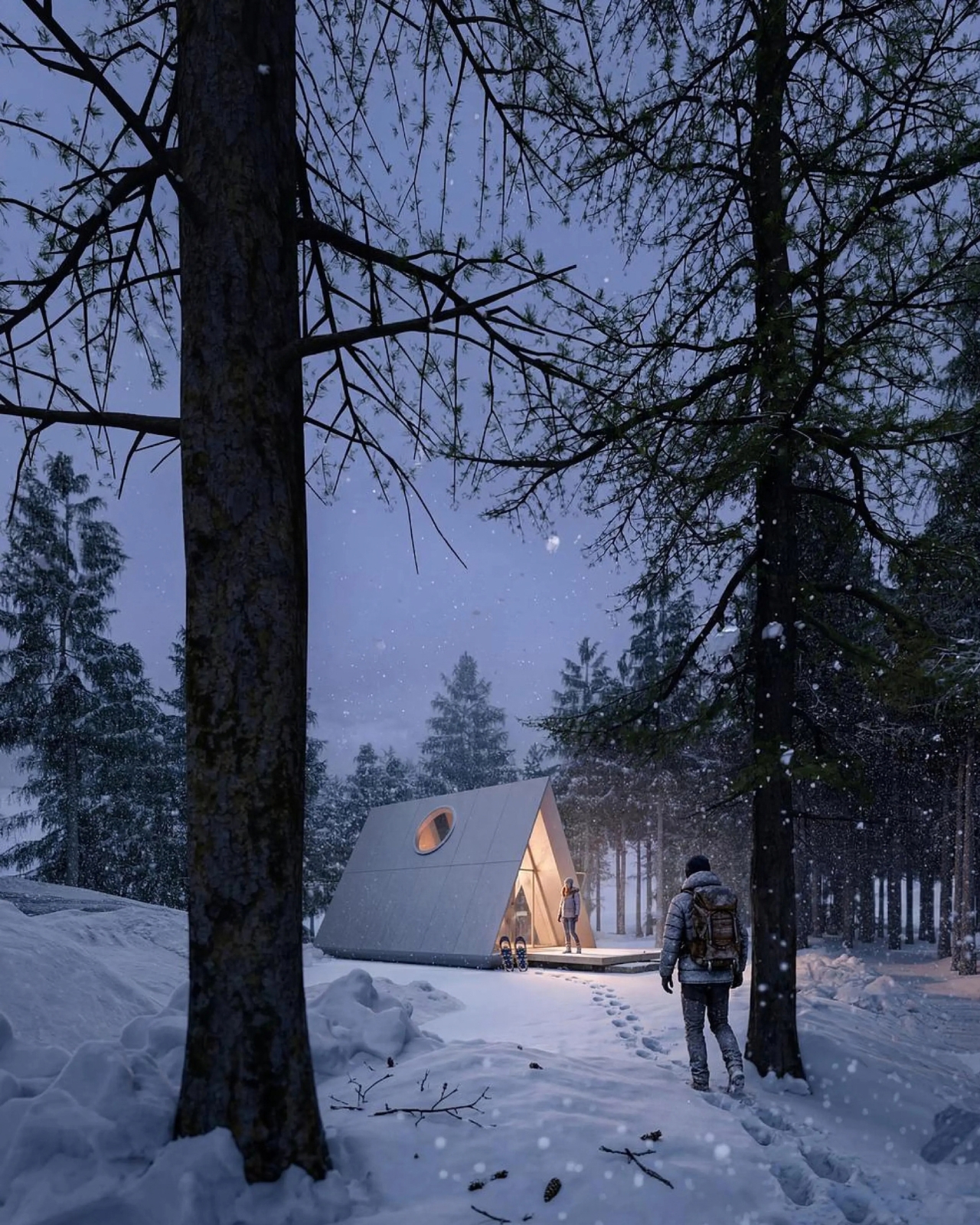
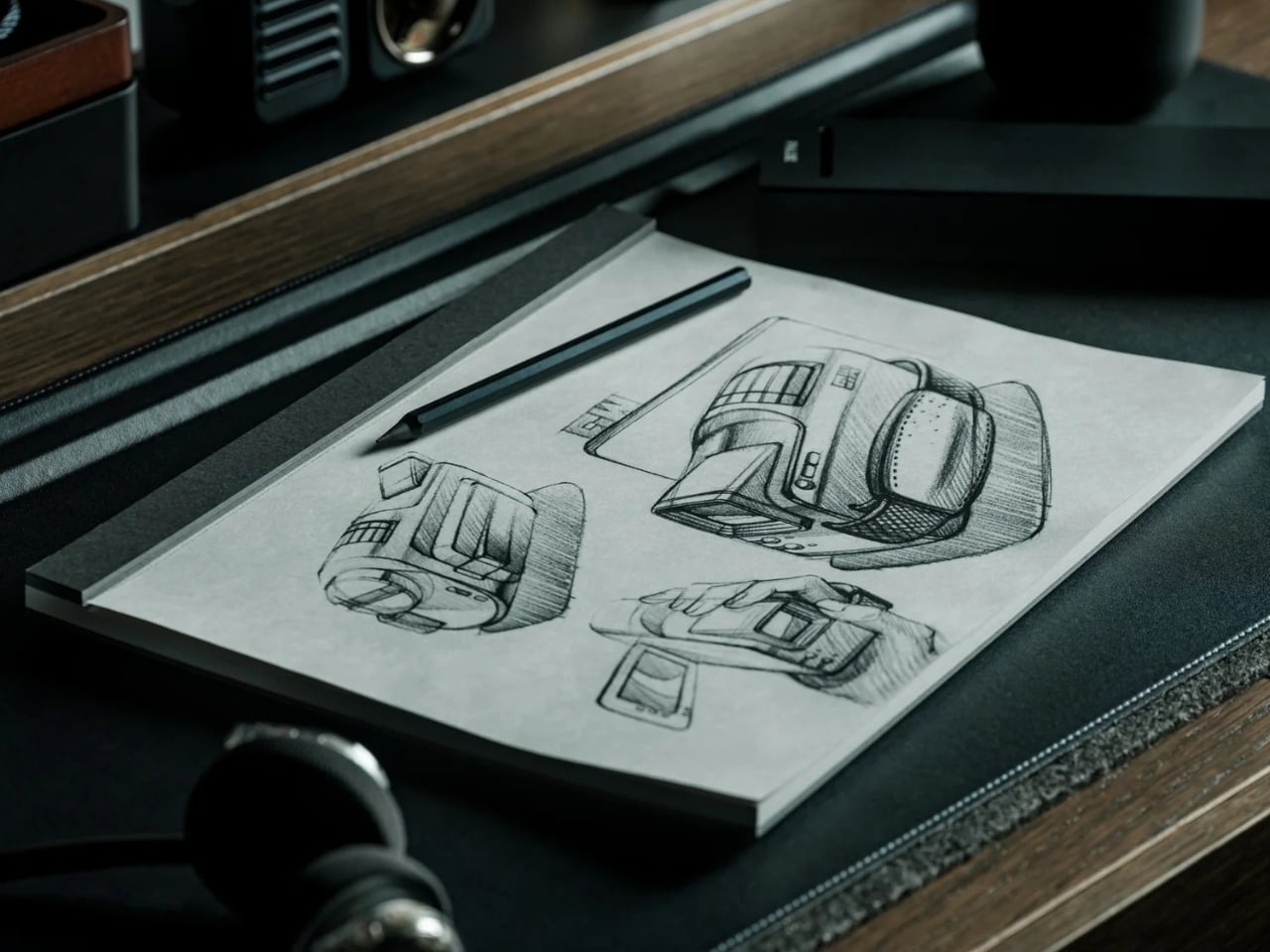
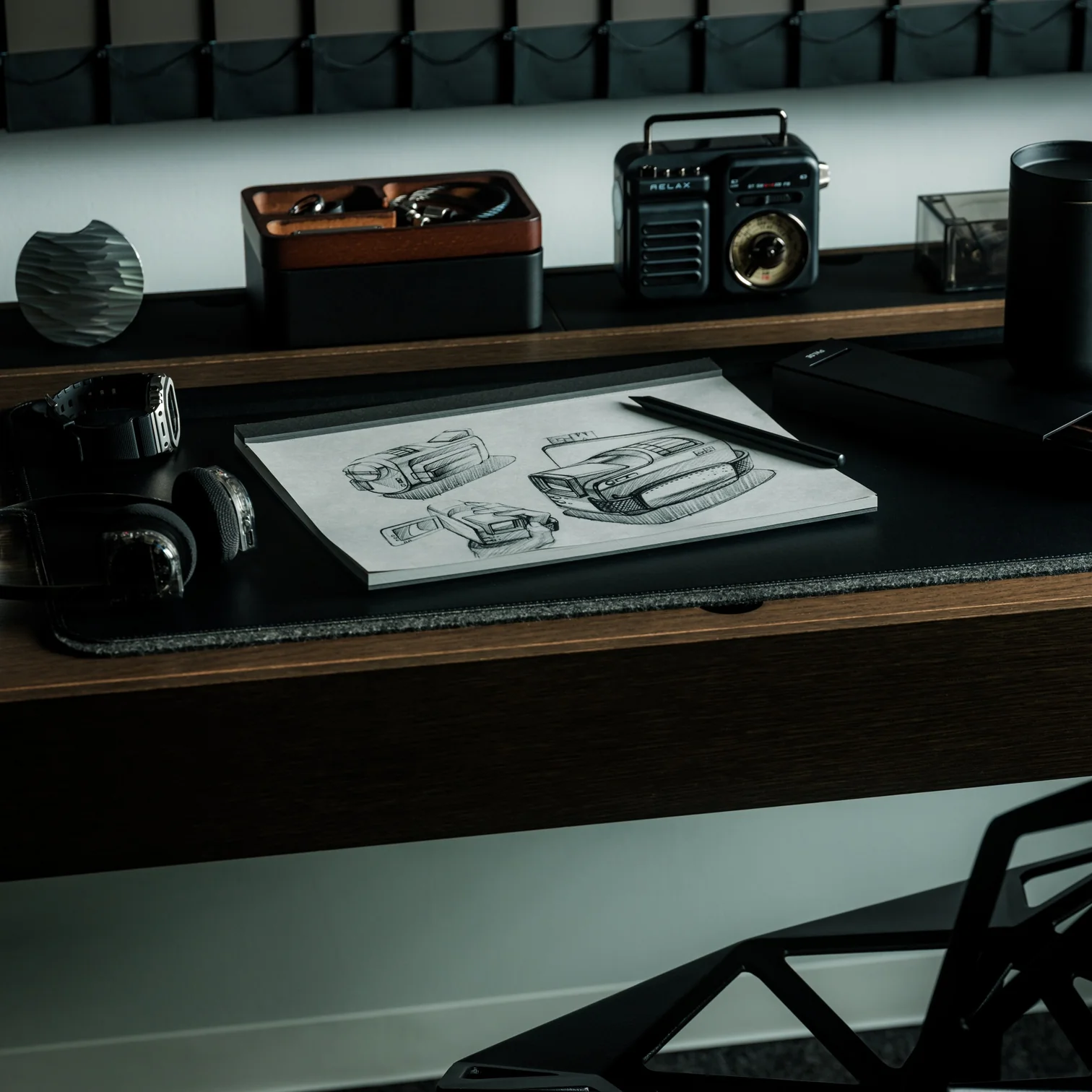
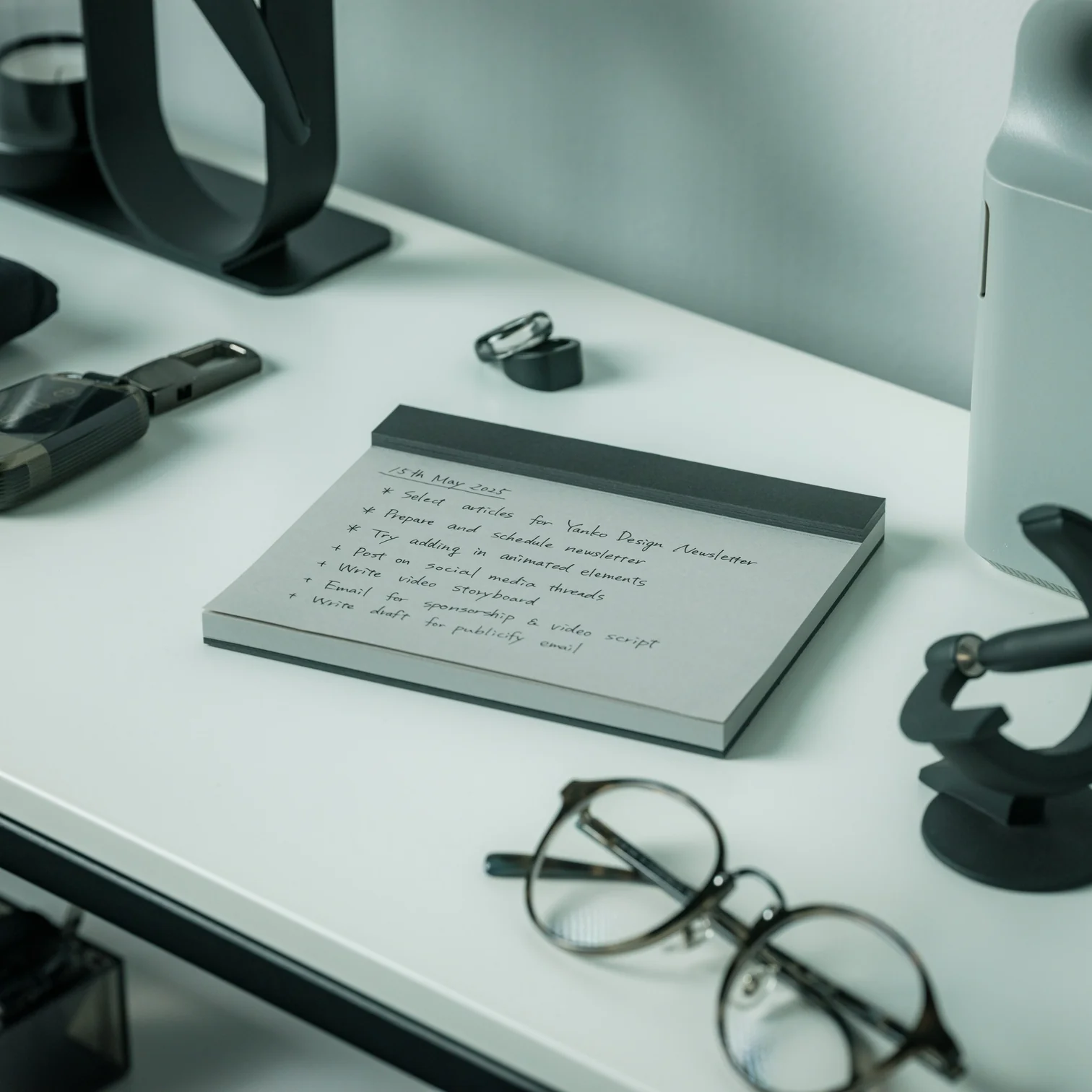

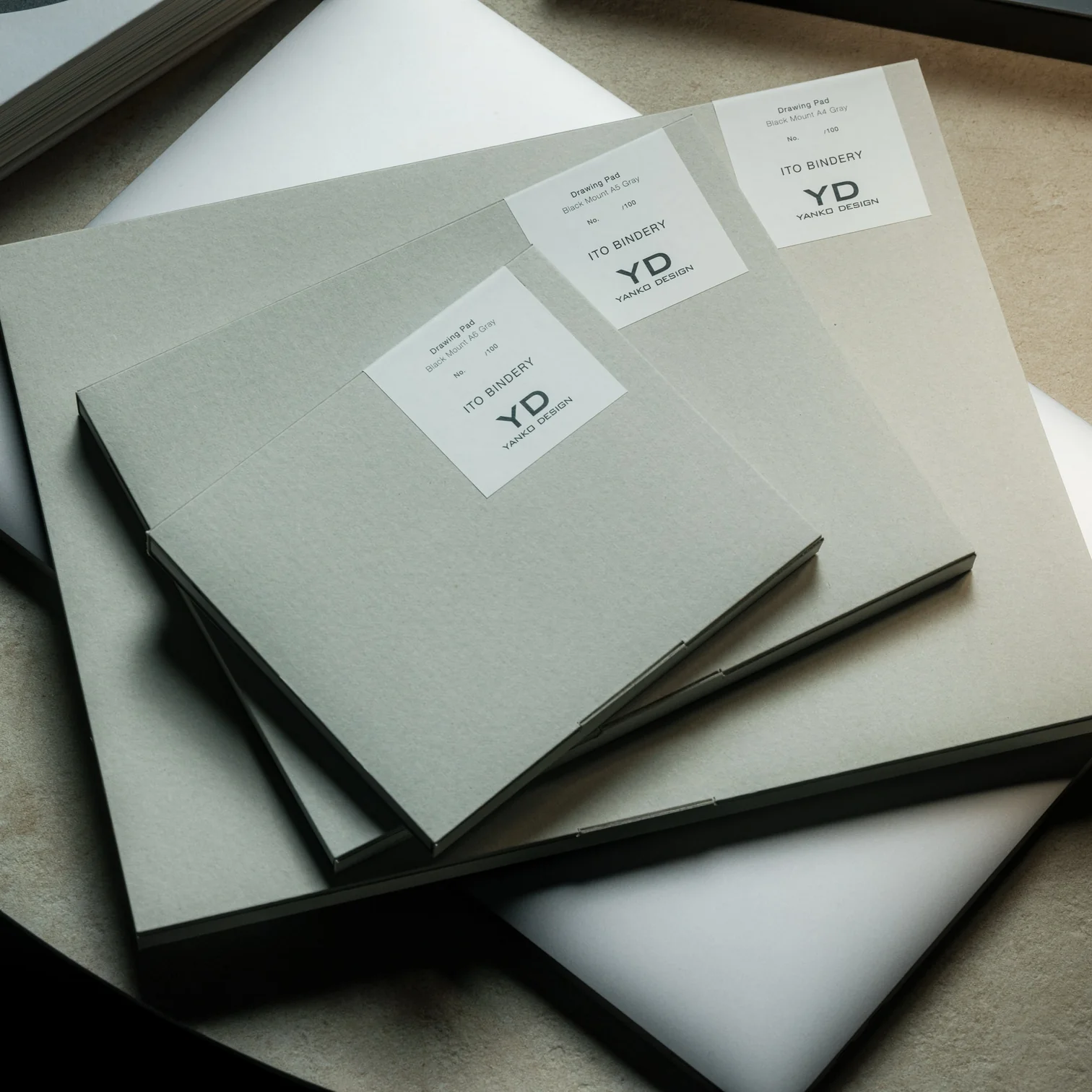
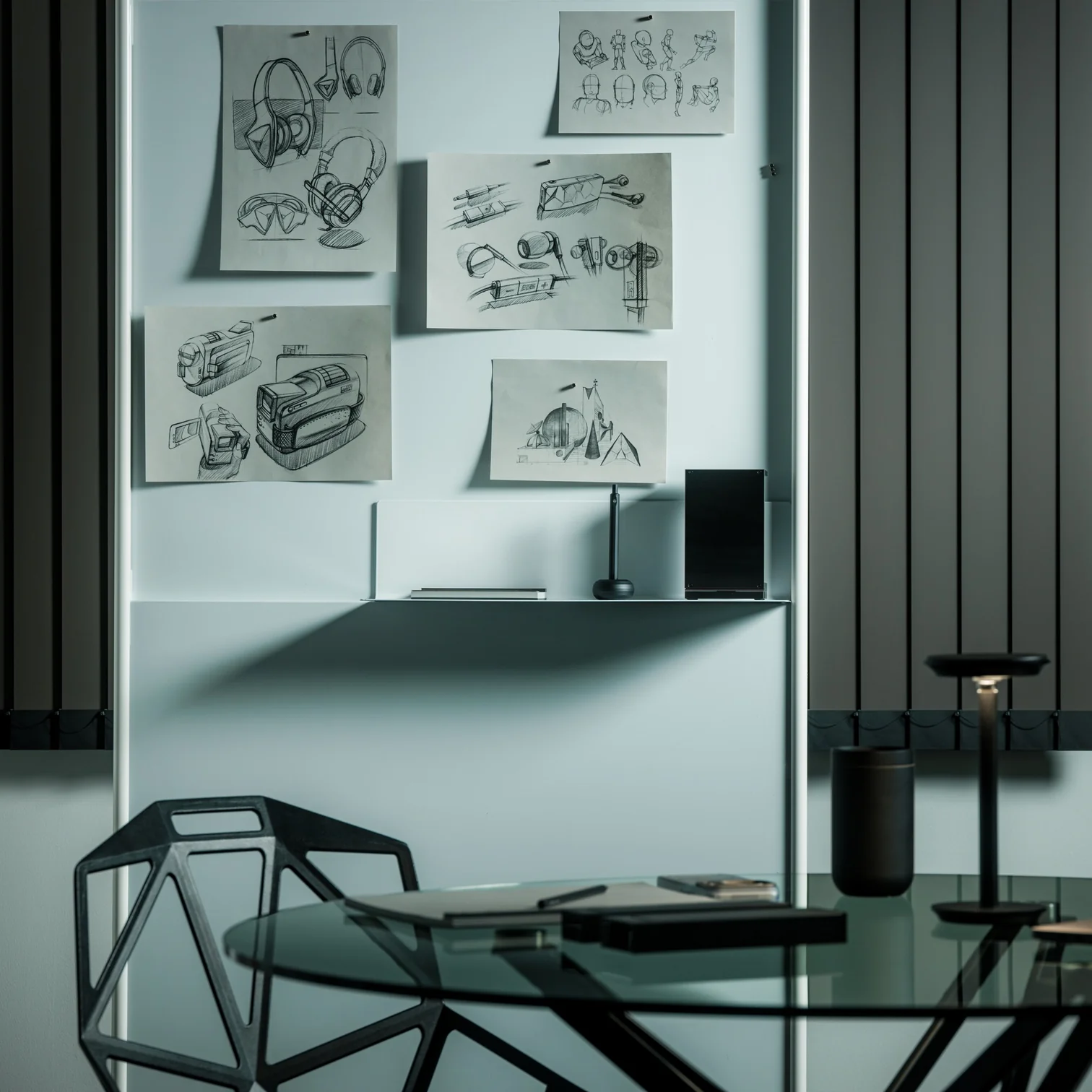
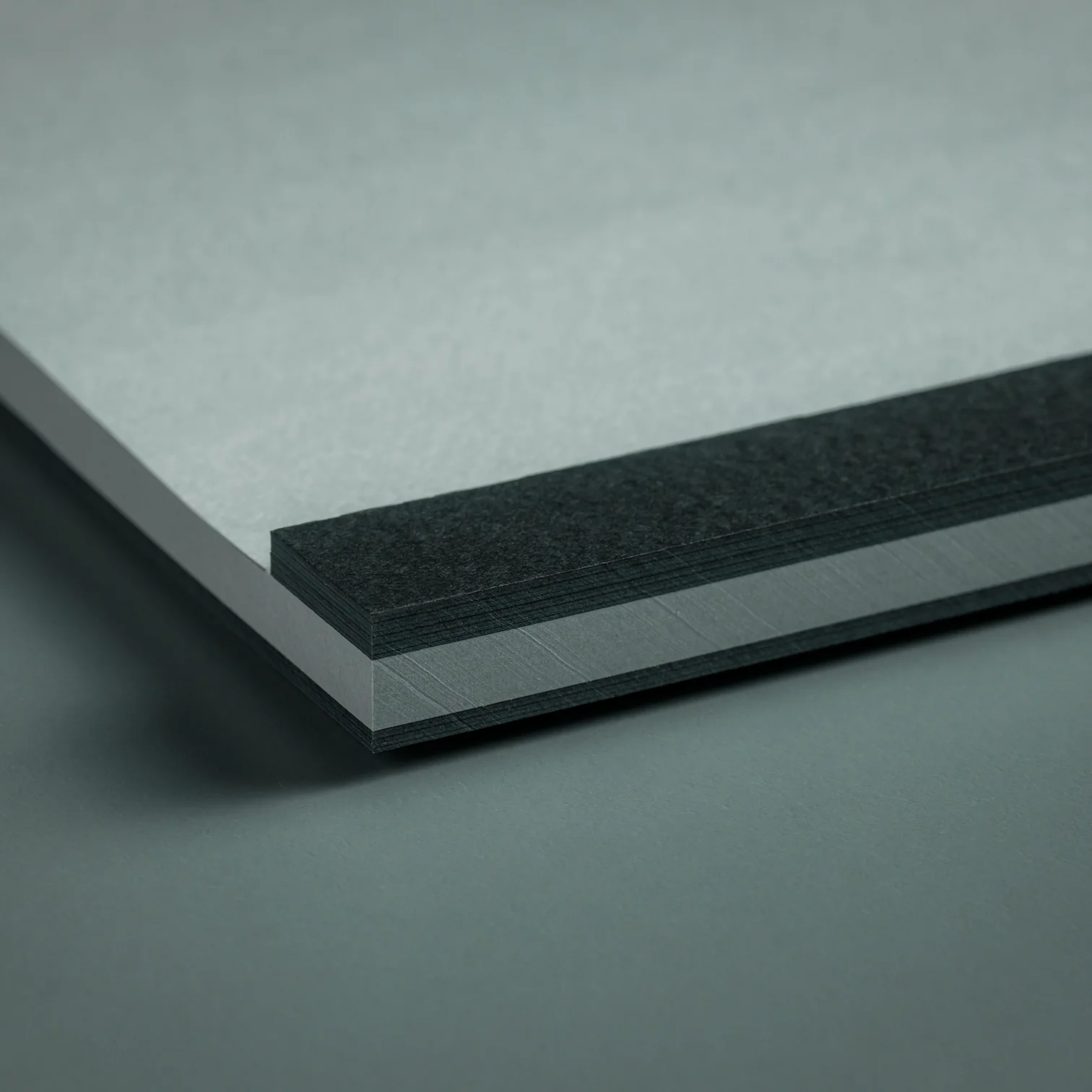
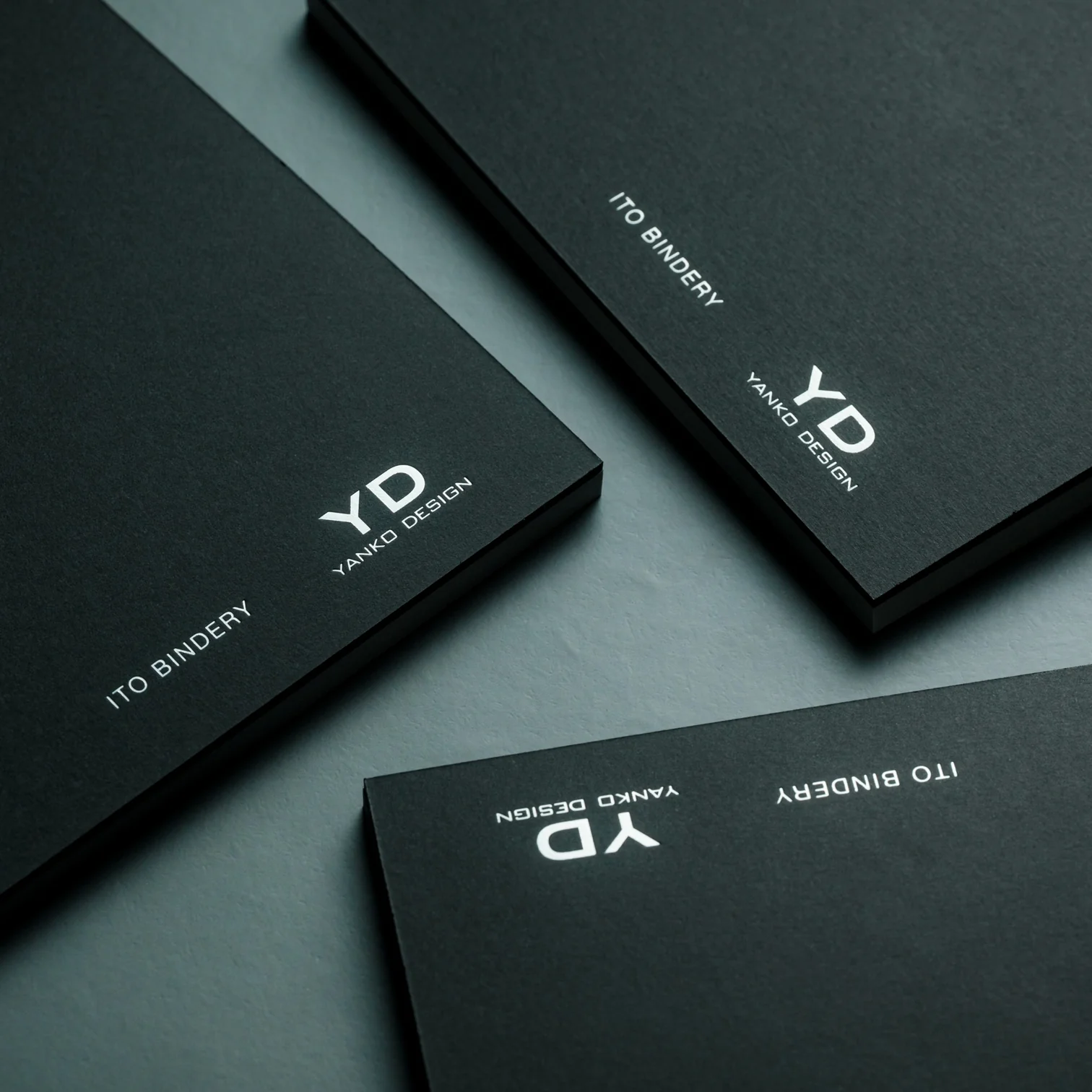


 , an AI system that traces a bad shot through a Body to Club to Ball chain, connecting ball flight to club delivery and then back to the body movement that caused it. That matters because most golfers do not need more raw data, they need help turning data into action. The G10 Pro also rebuilds each swing in 3D, so you can replay it from multiple angles instead of squinting at a flat video and pretending you know what your hips are doing.