❌

Vue lecture

The Selfie Camera on Your Phone Has Always Been in the Wrong Place

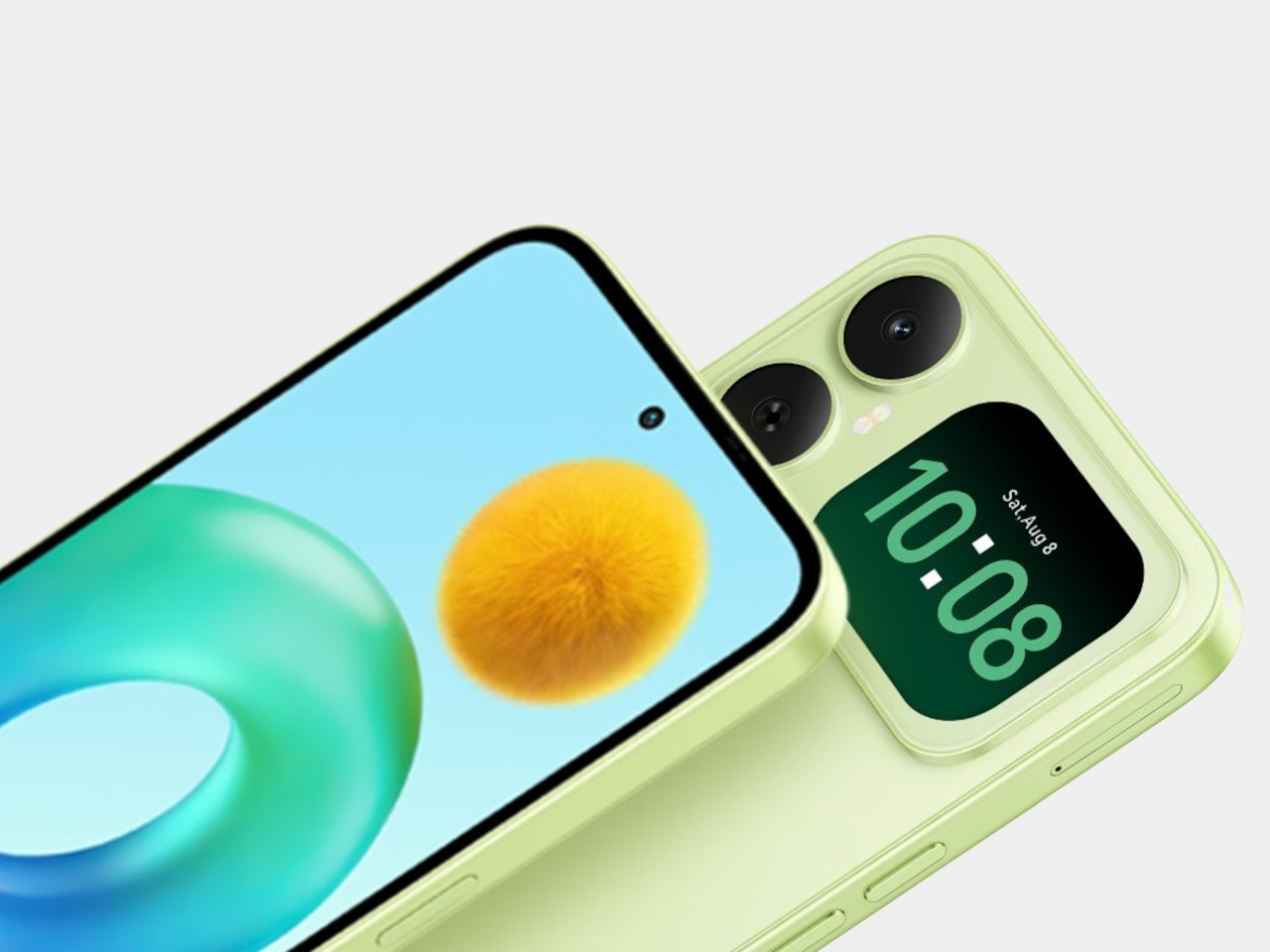
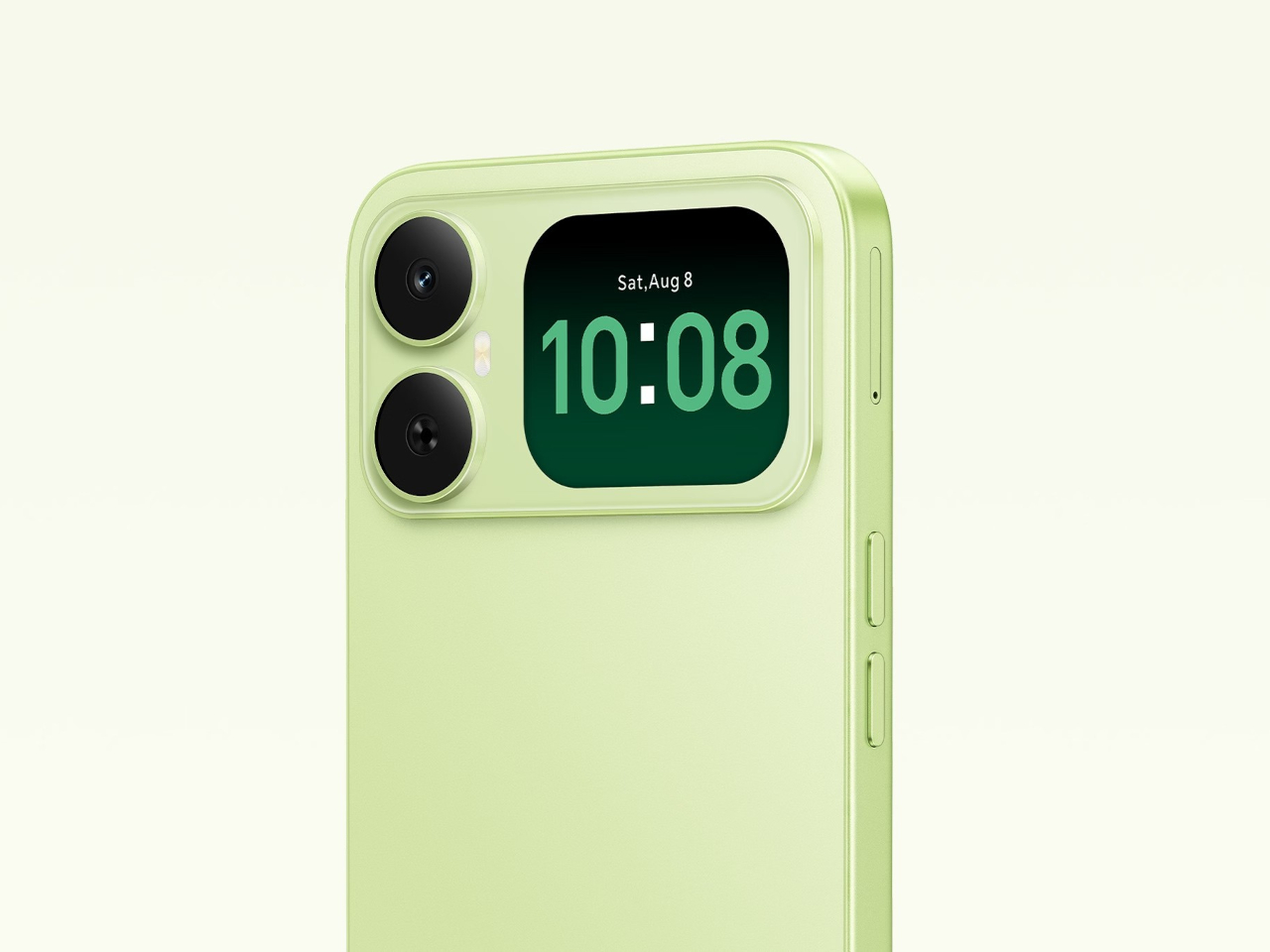
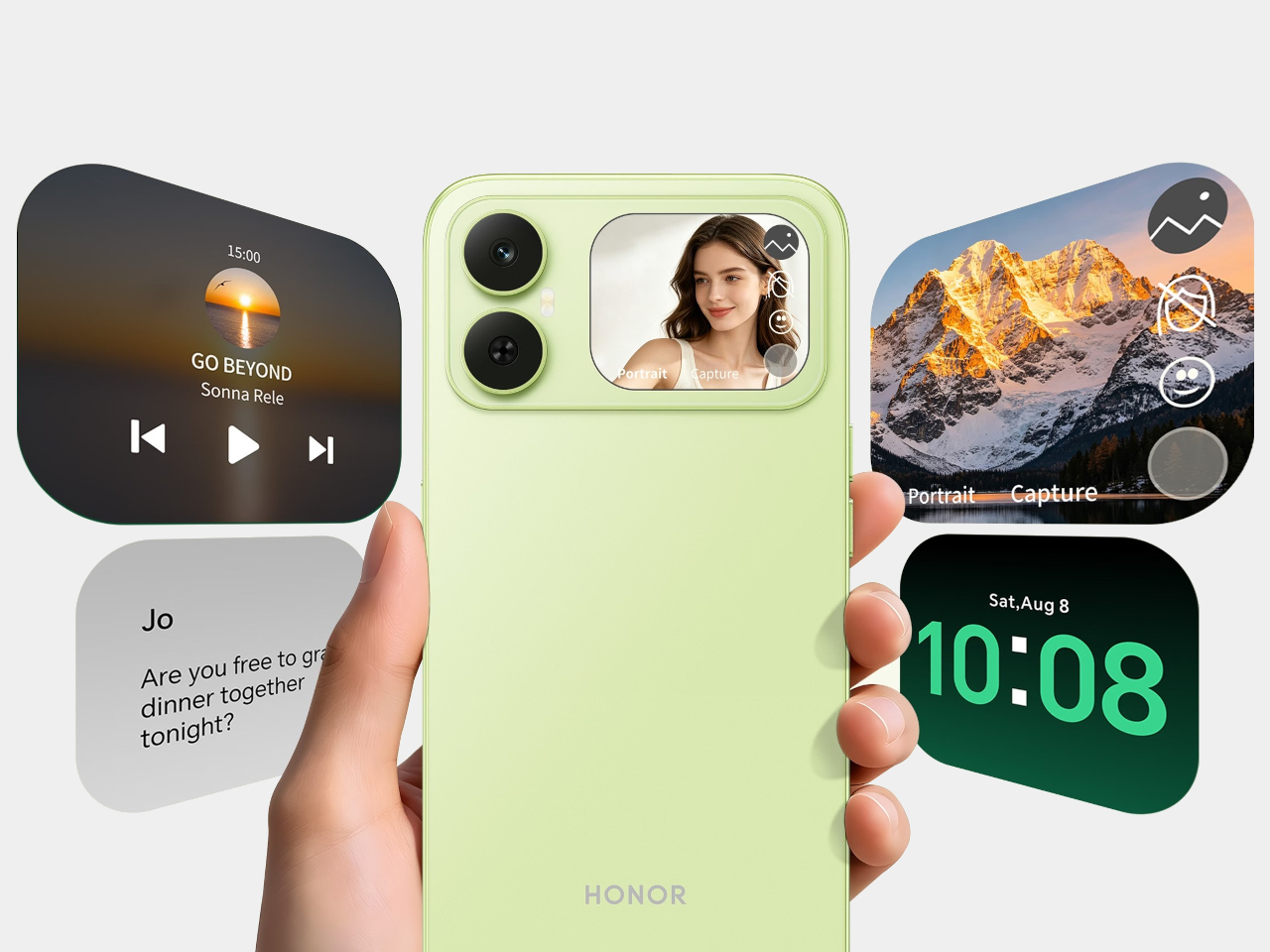
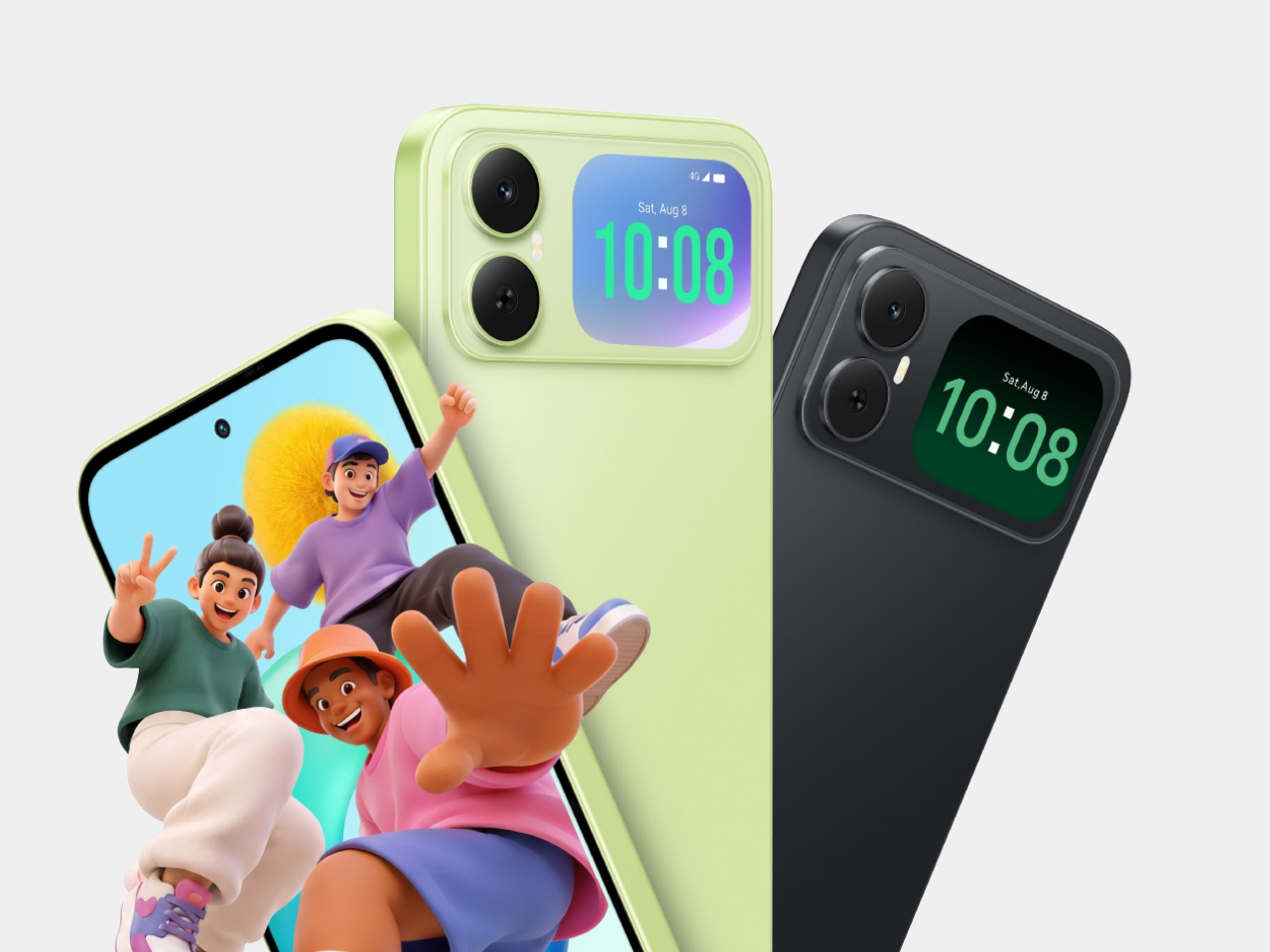
Most budget phones have one screen you stare at and a back you think about. The Honor X5d s makes that back worth a second look by placing a 2.01-inch touchscreen next to its rear camera. It shows the time and alerts, handles music, and helps you take selfies with the better camera. That’s a useful design trick for an inexpensive phone.

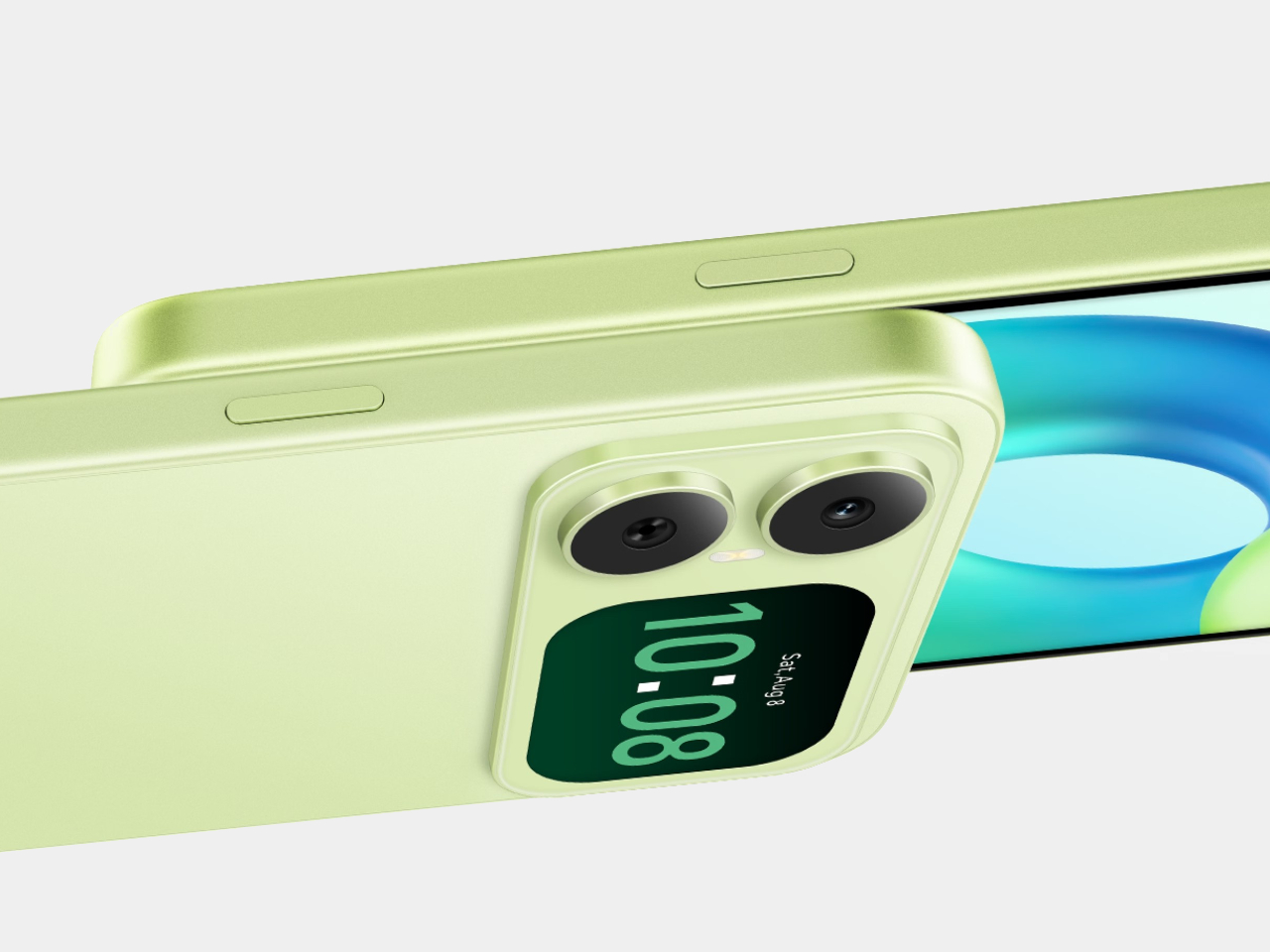
The camera island looks like it was built around that display, rather than having a screen tacked on afterward. Two dark circles sit beside it, although Honor lists only one rear camera. Forest Green makes the island pop against a pale back, while Midnight Black keeps things subdued. Either way, the phone’s most interesting feature is visible before you even wake it.

Designer: Honor

That rear screen makes sense when you’re trying to get everyone into a photo. Instead of extending your arm, guessing at the framing, and discovering that someone’s head is missing, you can see the shot while using the 50-megapixel rear camera. A tap on the back takes the picture. There’s also a 5-megapixel front camera, but this arrangement gives selfies another option.

Of course, a phone can’t spend all day posing for pictures. Leave the X5d s face down on a desk, and its little window can still show the time or a call alert. Music controls live there too, so skipping a song doesn’t require turning the whole device over. It’s a small convenience, but those are often the ones you keep using.

On the other side, there’s a 6.78-inch LCD for more than a glance. Its size makes room for videos, messages, and the photos you took, although the 1,576×720 resolution isn’t particularly sharp for such a large panel. The rear display doesn’t fix that limitation. It simply gives quick tasks their own place instead of asking the bigger screen to do everything.

There’s a 6,000mAh battery to keep both screens running, though the phone’s 15W wired charging might test your patience when it finally needs a refill. Honor also provides 64GB of storage and a three-card slot, letting you add a microSD card without sacrificing either SIM. That’s handy if you keep your photos and music on the phone rather than in the cloud.

Inside, the Unisoc T610 processor and 4GB of RAM tell a more familiar budget-phone story. The side-mounted fingerprint reader is convenient, but there’s nothing particularly exotic about the rest of the hardware. In South Africa, the 4GB/64GB version costs R2,499 (about $150), which puts the extra screen in reach of people who aren’t shopping for a flagship just to get a conversation-starting feature.

That display won’t replace your phone’s main screen, nor will it make the X5d s a better choice for demanding games. But it changes the small interactions that fill a day: a glance at a call, a tap to skip a song, a preview before taking a selfie. At this price, giving the back something useful to do feels refreshing.

The post The Selfie Camera on Your Phone Has Always Been in the Wrong Place first appeared on Yanko Design.

  •  

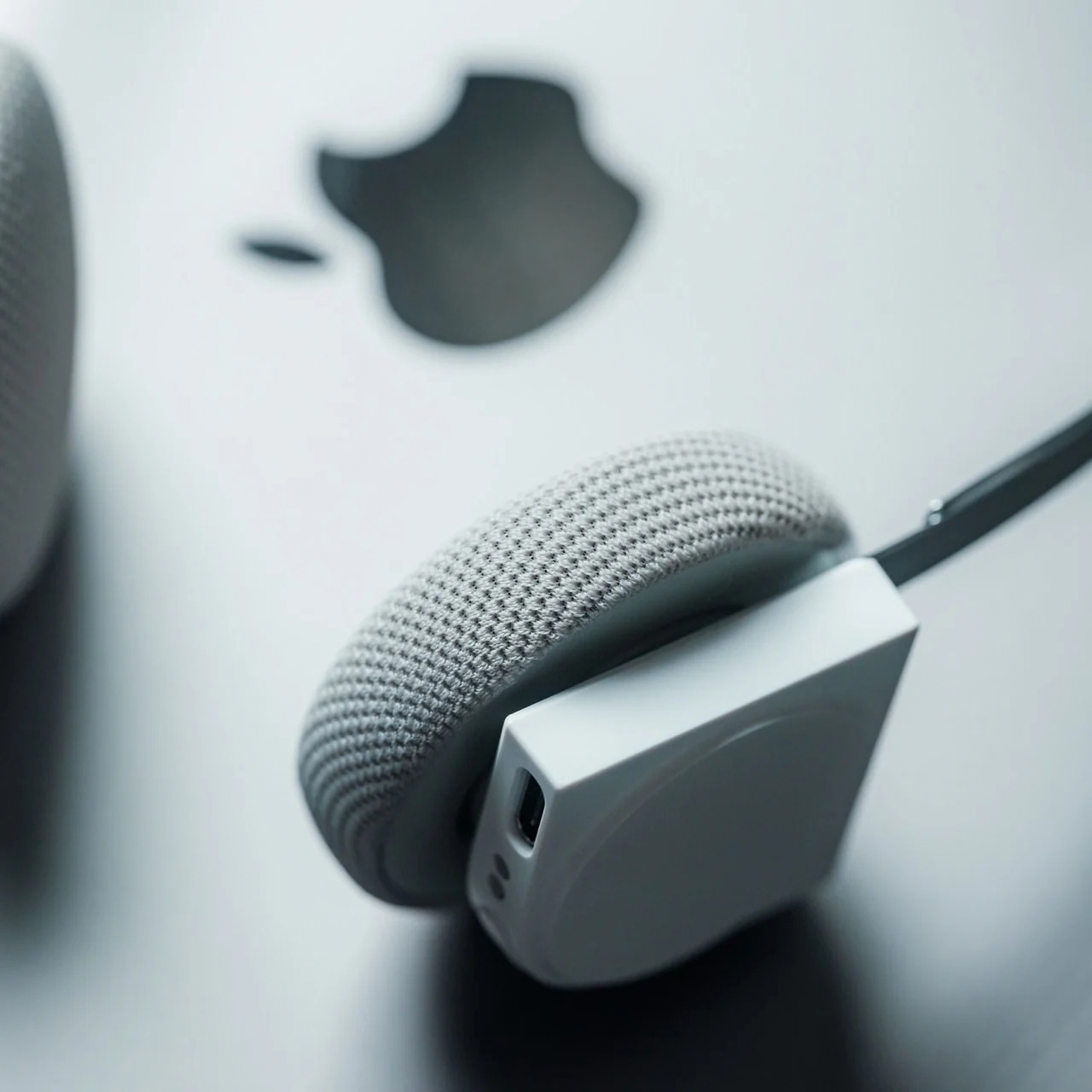
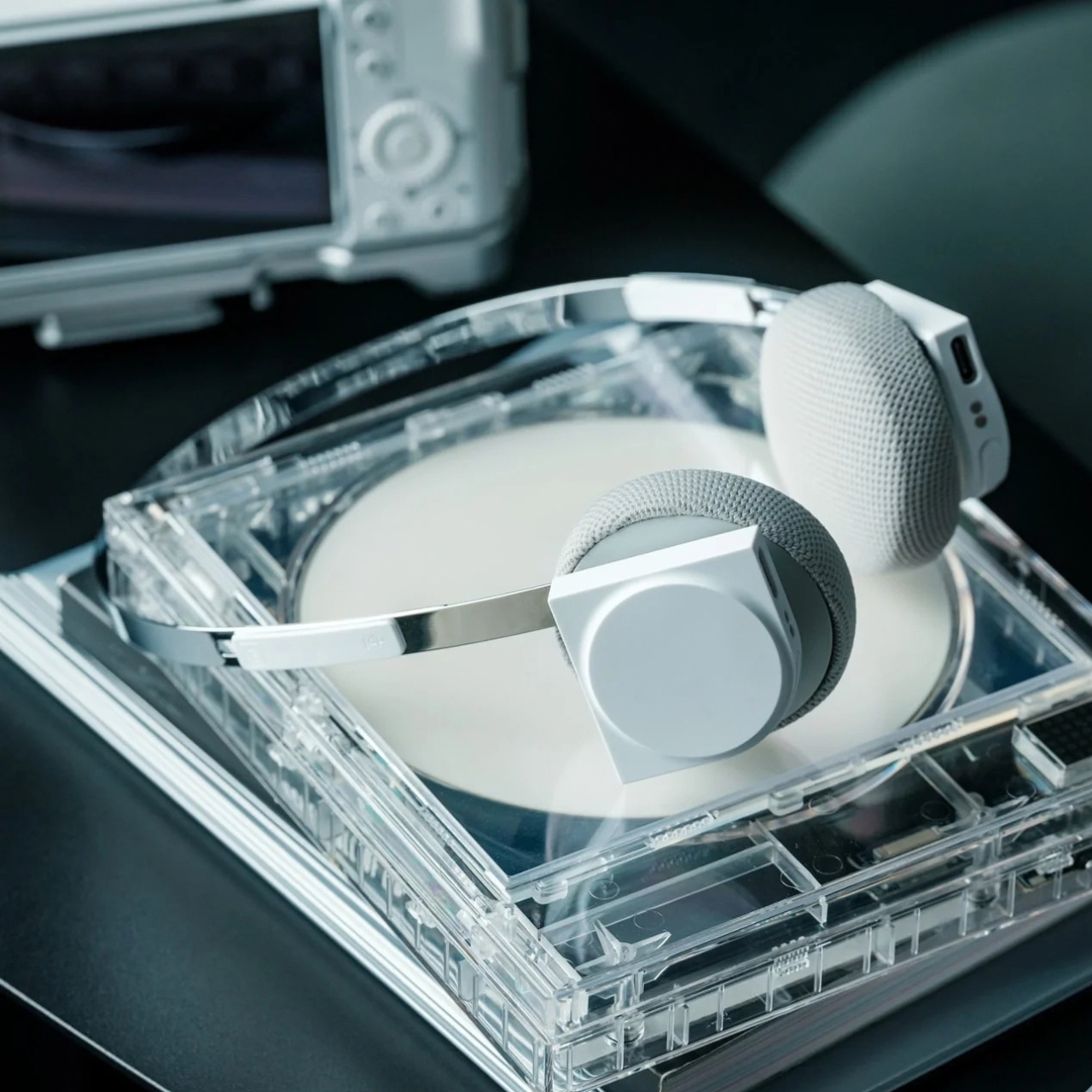
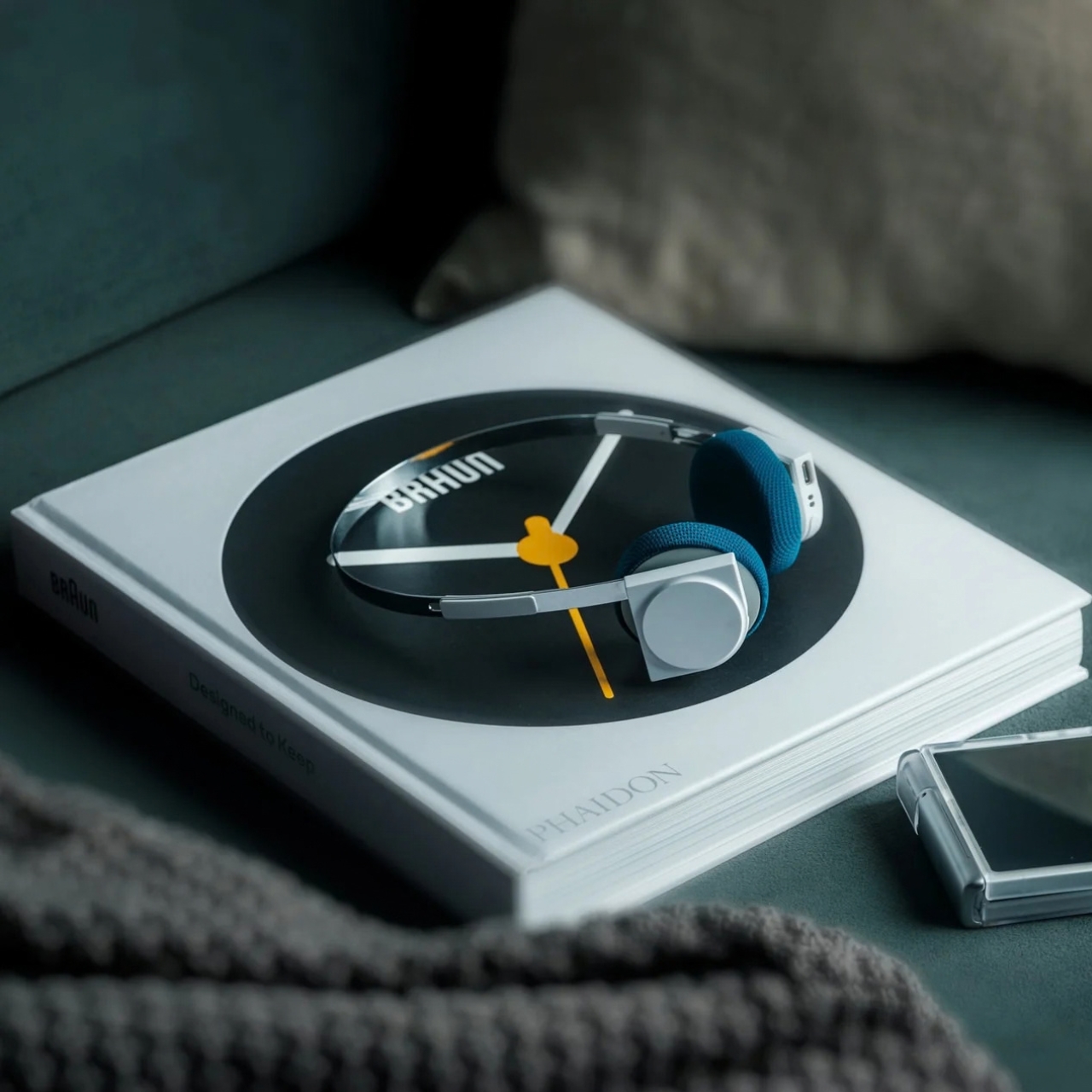
4 Times a Day the StillFrame Headphones Switch Jobs For You

A lot of people spend the entire eight hours of a working day just sitting in front of their screens. You probably have your speakers on or put on your headphones to listen to some background music or for online meetings. But for those of us who don’t want to spend one-third of the day like this, we go through different “phases,” which means that the audio that accompanies us throughout the day also changes. From commuting to work to sitting down at your workstation to going on a dinner date and finally relaxing at home, you don’t want the same setting all day.

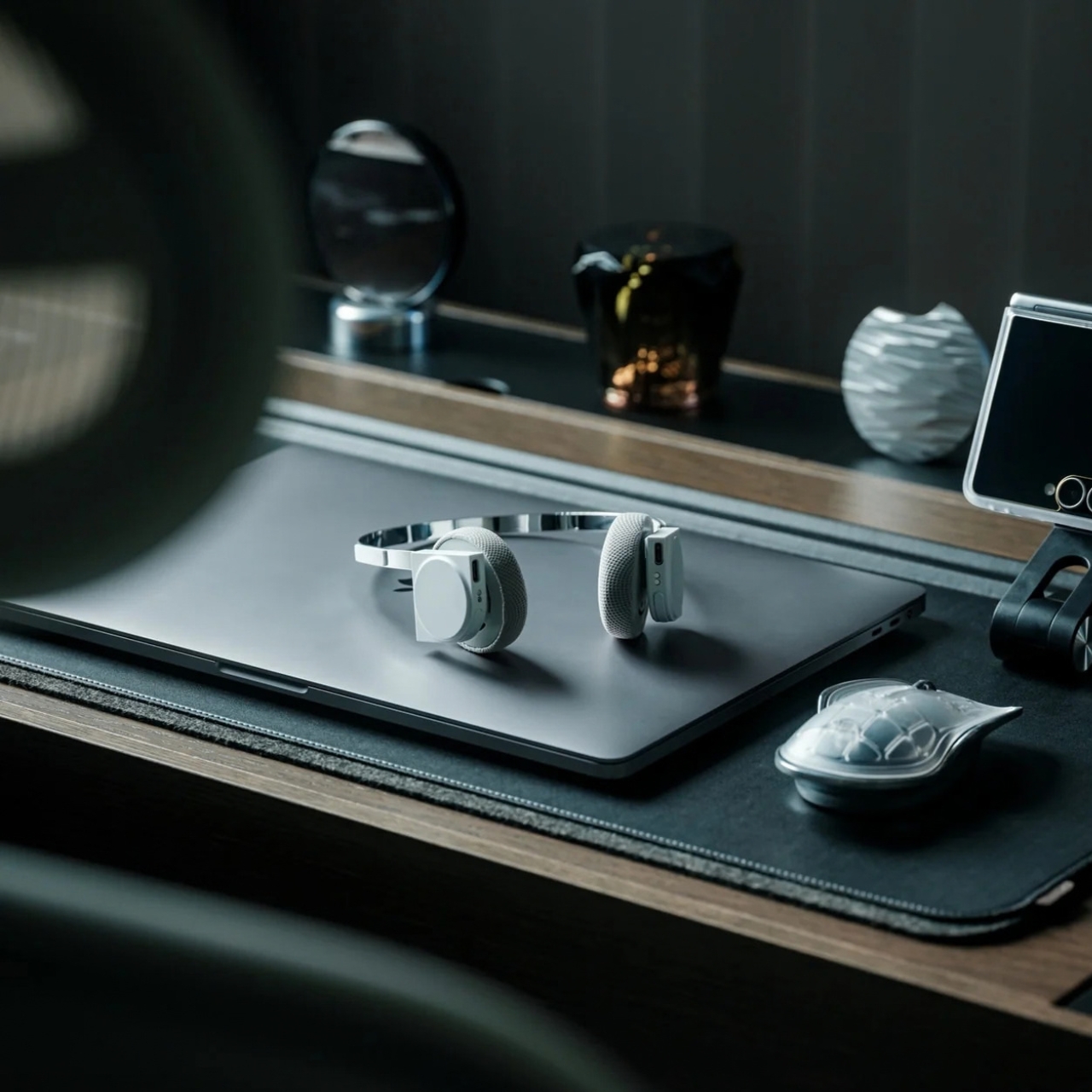
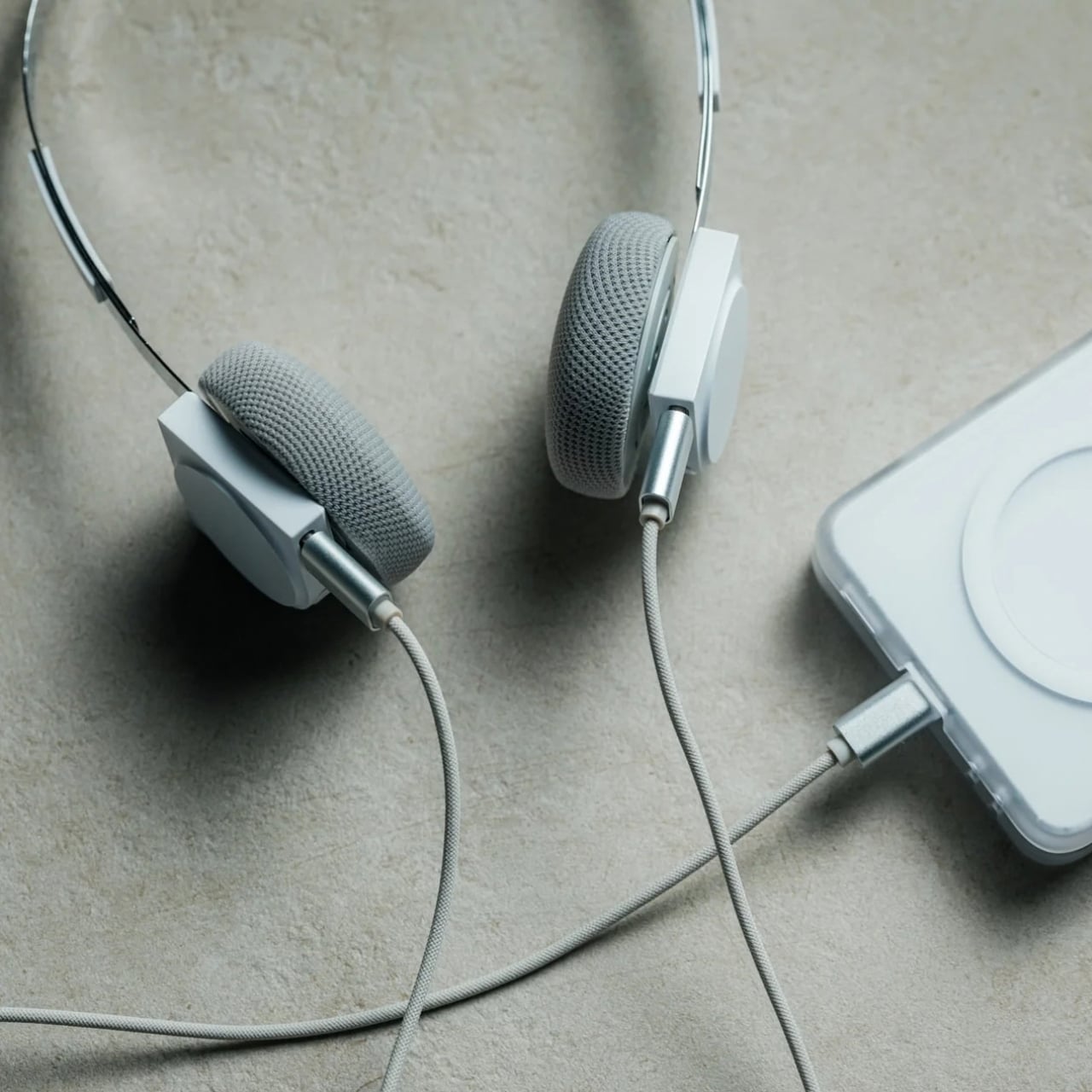
That’s the more interesting way to look at the StillFrame Headphones. Rather than asking them to create one uninterrupted listening session, imagine taking them through a day full of stops and starts. They offer Noise Cancelling and Transparency modes, Bluetooth 5.4 connectivity, a USB-C wired option, and dual microphones with noise control. Each feature has a place in that routine, even if no two days follow quite the same route.

Click Here to Buy Now: $245

The first part of the day for most of those who go to a regular office is the morning commute. You might be on a noisy train with a lot of people talking or walking along a busy street with a lot of city noise. StillFrame’s Noise Cancelling mode will help you focus on what you’re listening to and drown out some of the chaotic noise around you. It is always there as an option for times when you want to immerse yourself in your playlist or the next chapter of the book you’re listening to.

When you do need to let the world back in, you don’t have to turn off your podcast episode at a crucial moment. The headphones have a Transparency Mode option that’s there with a tap for moments when you need to order a coffee or you’re walking somewhere that requires your full attention. Just tap between the two modes for what you need at the moment without having to pause or stop what you’re listening to. It’s also a good reminder that the world isn’t always a distraction.

When you finally reach your office, you might have a scheduled meeting sometime during the day. StillFrame is useful even for work things, as it has dual microphones with noise control so you can shift from consuming audio to communicating with others using the headphones. That doesn’t mean every conversation will sound perfect in every environment. It does mean you can move from a podcast or playlist to a meeting without reaching for a separate pair of headphones just because your role in the audio has changed.

When you finally get home to your cozy bed, you sometimes still want to continue listening to that audiobook, start a new podcast episode, or let some soothing music lull you to sleep. You can choose to continue using your StillFrame headphones over Bluetooth 5.4 or use the USB-C wired option if you’d rather plug in. Either way, the wired option is an alternative to wireless listening and not a reason to assume the headphones will work after their battery runs out.

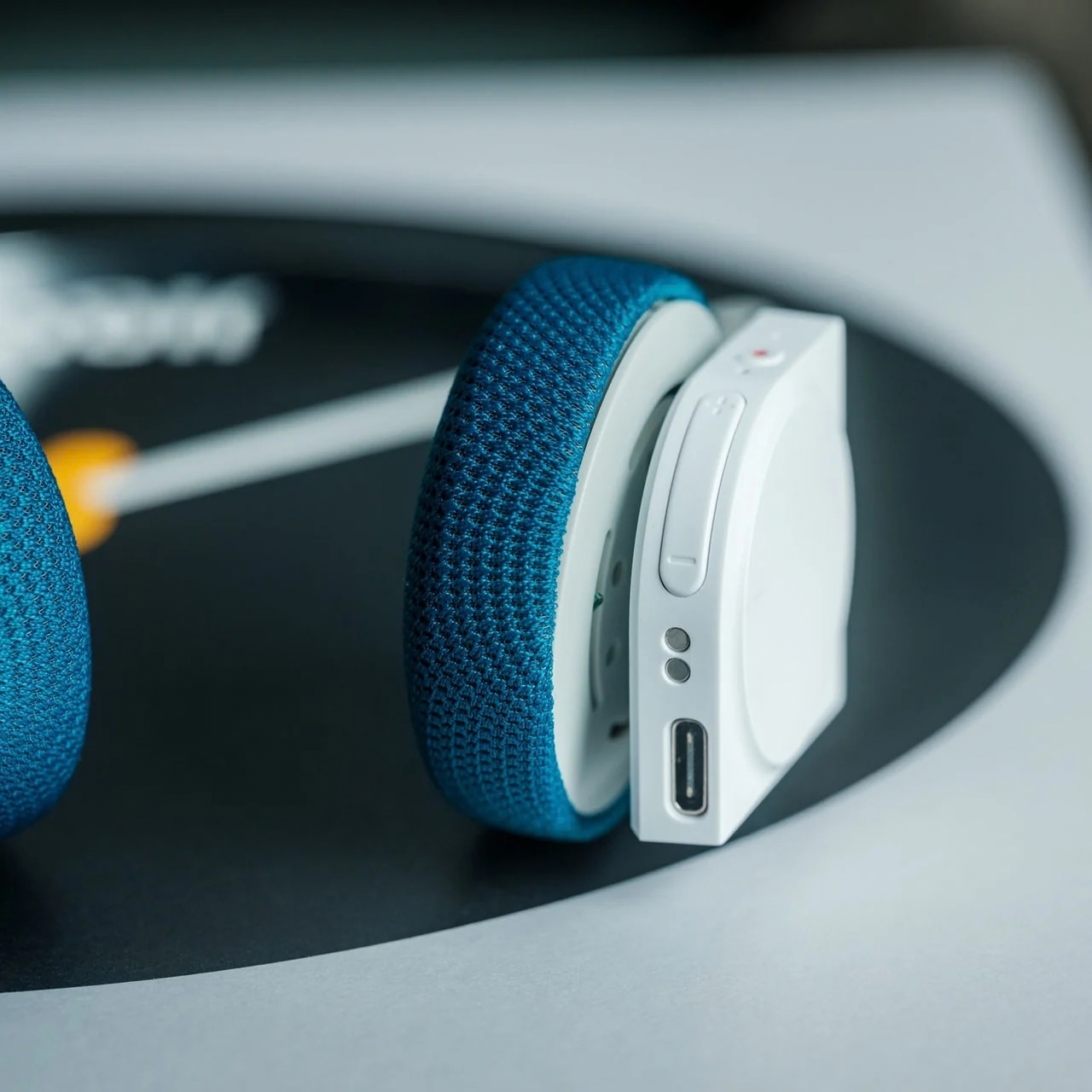
A few other details help round out the picture. StillFrame weighs 103 grams and has a stainless-steel headband, a minimalist frame, and 40mm drivers. Its ear cushions attach magnetically, making them easy to swap; the white model comes with extra pairs in light gray and turquoise. Battery life is rated at up to 24 hours per charge, though actual use may vary. Those details aren’t the main story here, but they help explain what you’re carrying from one part of the day to the next.

No pair of headphones can make a commute quiet, a meeting short, or a busy day slow down. What StillFrame Headphones offer is a set of ways to respond as those moments change. You can focus, let the world in, take a call, or settle into an evening listen. The best setting isn’t one you choose in the morning and keep all day. It’s the one that fits where you are now.

The post 4 Times a Day the StillFrame Headphones Switch Jobs For You first appeared on Yanko Design.

  •  

Why Logitech’s new Zone Vibe Pro headset caught my eye

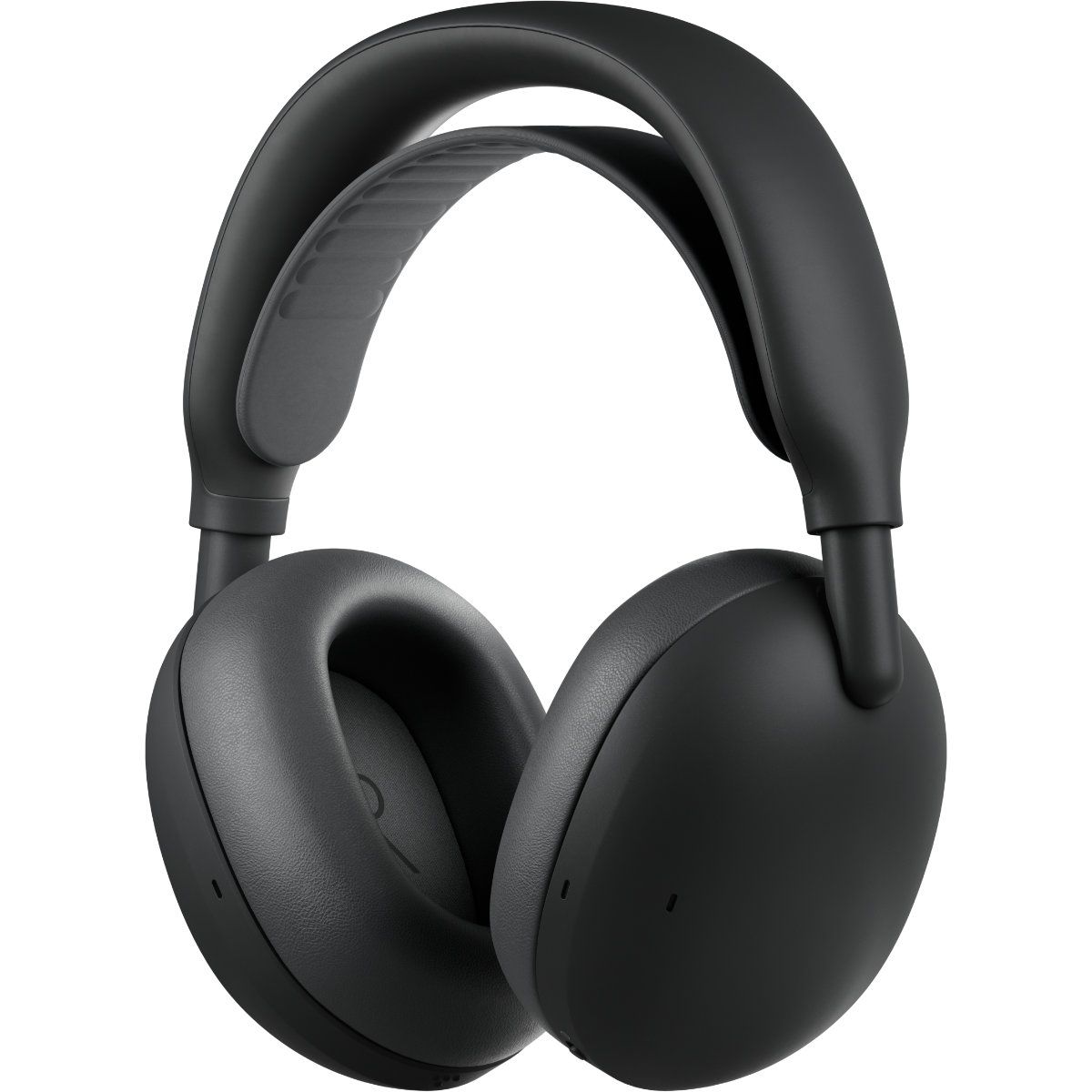
Logitech just announced a pair of headphones that I'm sure will make my wife jealous. The new Zone Vibe Pro headphones promise all-day battery life, clear audio powered by AI voice isolation, and Adaptive Noise Cancellation. But what makes me wish I had a pair is the repairable nature of the headphones.

The Zone Vibe Pro headphones are far from the first headphones to have replaceable parts. But they caught my eye because the earpads of my wife's primary headphones just fell off the other day, and battery life is not what it used to be. Official earpads are available, but those are the only parts that can be replaced.

In contrast, Logitech will sell replacement earpads, head straps, and batteries for the Zone Vibe Pro through its Spare Parts Store.

While writing this article, I briefly mentioned to my wife how Logitech sells spare parts and she emphatically asked why we couldn't get parts the same way for our other accessories.

Zone Vibe Pro: $259.99

These headphones feature AI-powered voice isolation, adaptive noise canceling, and built-in microphones that don't require a drop-down boom. You'll be able to purchase replacement earpads, head straps, and batteries through Logitech's store.View Deal

The most expensive parts of electronic devices are rarely the first parts to wear out. Wires, woofers, and most of the vital components are encased in plastic, metal, or some fancy material depending on what gadget you're dealing with. Considering the current economy and the way prices are trending, I'd rather spend a few dollars on replacement parts than buy a new device altogether.

The Zone Vibe Pro costs $259.99. That price is in line with similar headphones, but it's still quite a bit of money to invest. Being able to replace a worn-out part for a fraction of the total price of the headphones will help future-proof them.

The Zone Vibe Pro headphones have a boomless design that differentiates them from the less premium Zone Vibe (non-pro). Logitech says the headphones get up to 30 hours of listening or 18 hours of call time when ANC is enabled.

When the battery does run out, you can charge the headphones for five minutes to get an additional hour of call time.

If you are a business user, you can get the Zone Vibe Pro for Business which are certified for meeting apps like Microsoft Teams and support IT fleet management through Logitech Sync.

Click to join us on r/WindowsCentral

Join us on Reddit at r/WindowsCentral to share your insights and discuss our latest news, reviews, and more.

  •  

Shure’s latest MV6 Gen 2 microphone blends broadcast‑level sound with gamer‑friendly design

There are plenty of USB microphones aimed at gamers these days, but few come from a company with the audio credentials of Shure. For more than 100 years, Shure has built microphones for musicians, broadcasters, performers, and recording professionals, with products like the SM58 and SM7 becoming industry standards along the way. During a recent briefing with me, Shure described the new MV6 lineup as part of its effort to bring that expertise to creators who want professional-quality audio without the cost and complexity that often comes with traditional XLR gear.

That's what immediately appealed to me about the new MV6 Gen 2 ($169). I've spent the last 15 years using microphones for the Windows Central Podcast, livestreams, media appearances, and interviews. I've used plenty of microphones from Razer, HyperX, Blue, and others, but somehow this was my first extended experience with a Shure. After several weeks of testing, including an appearance on TWiT Episode 1101 where I received compliments on the audio quality afterward, I can see why the company has such a strong reputation among podcasters and broadcasters.

The MV6 Gen 2 may be marketed as a gaming microphone, but after using it, that label feels a little too narrow. This is a microphone for anyone who wants better voice quality without needing an audio interface, mixer, XLR cables, or a degree in audio engineering.

Shure had no input, nor did it see the contents of this review, prior to publication.

What's new with the Shure MV6 USB Gaming Microphone Gen 2?

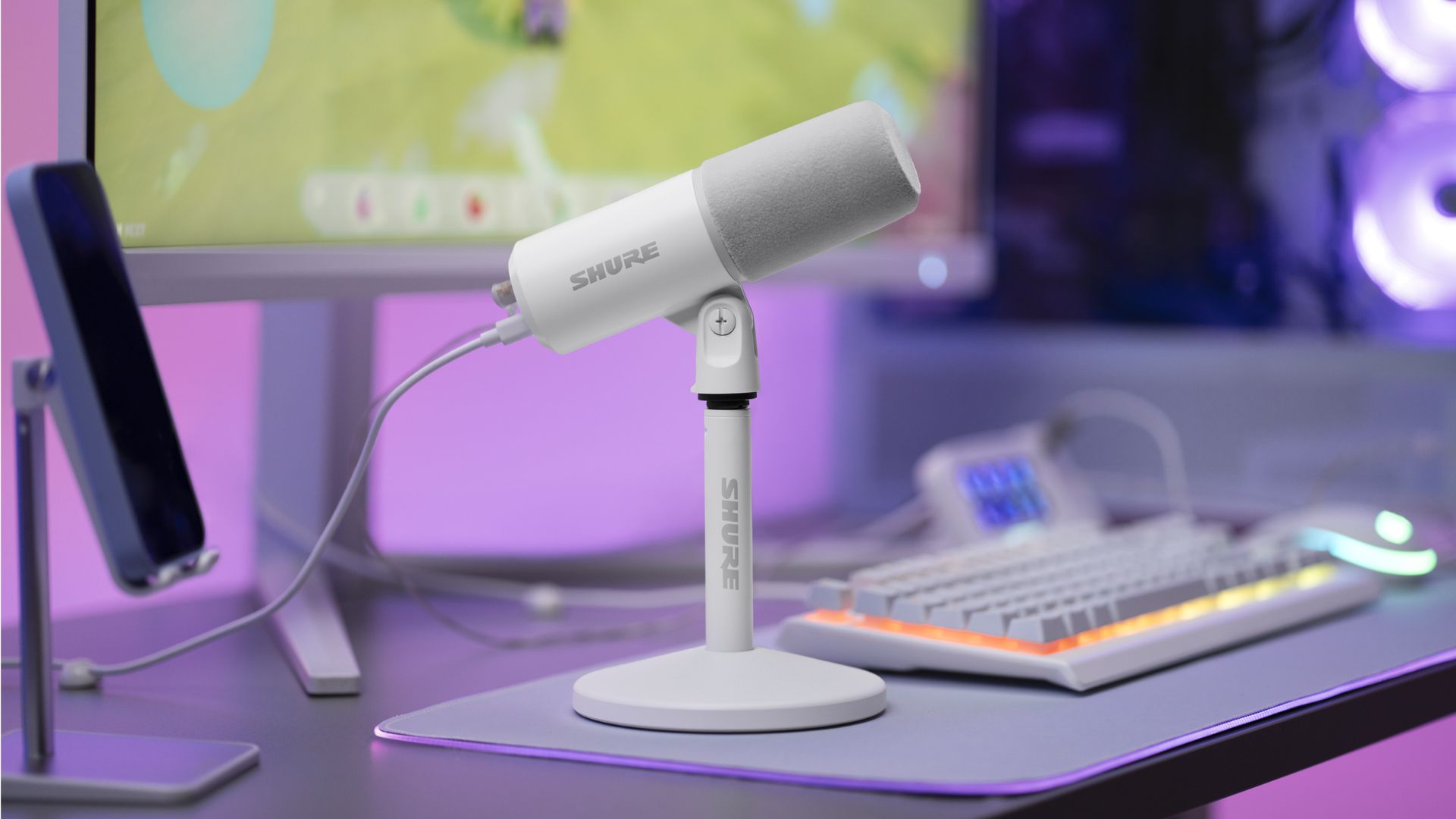
White Shure MV6 USB Gaming Microphone Gen 2 on a desktop stand at a gaming setup with a keyboard, monitor, and purple ambient lighting.

The new Shure MV6 USB Gaming Microphone Gen 2 now comes in a white option, as well. (Image credit: Shure)

I didn't review the original MV6, but most reviews of the first-generation model praised its strong audio quality, easy setup, and excellent value while noting that customization was relatively limited compared to some competitors.

Shure appears to have taken that feedback seriously.

The second-generation MV6 focuses primarily on expanding user control through software and onboard DSP processing rather than reinventing the hardware itself. The microphone still ships with Shure's "sounds great out of the box" philosophy, but users now have significantly more flexibility if they want to fine-tune their audio.

New features include:

  • Adjustable Auto Level controls with configurable target levels
  • New Adaptation Rate settings that determine how quickly gain recovers after volume spikes
  • Adjustable Real-Time Denoiser intensity
  • New Speech, Singing, and Instrument presets
  • A full 5-band EQ for advanced tuning
  • White and black color options
  • A longer included USB-C cable
  • The ability to disable the microphone's touch-sensitive mute button
  • Enhanced DSP processing and customization through the MOTIV Mix software suite

Perhaps most importantly, Shure accomplished this without turning the MV6 into a microphone that demands constant tweaking.

During my briefing, product manager T Banks repeatedly emphasized that users shouldn't need to understand gain staging, EQ curves, or audio engineering to get excellent results. The advanced controls are there if you want them, but the microphone is designed to sound great from the moment it's plugged in.

Shure MV6 USB Gaming Microphone Gen 2: Price and specifications

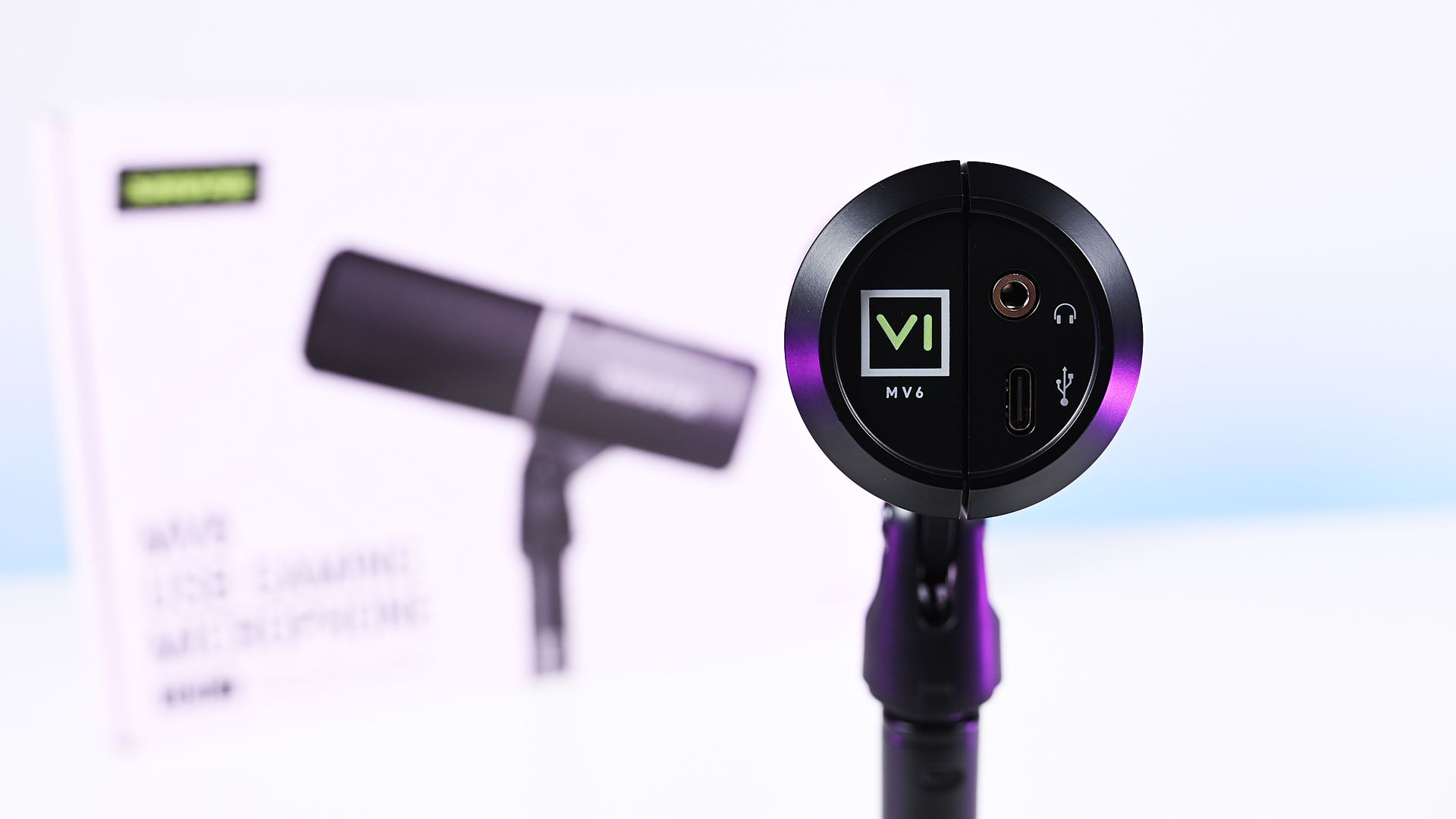
Direct bottom-up view of the Shure MV6 Gen 2 microphone displaying its 3.5mm headphone jack and USB-C port.

Direct bottom-up view of the Shure MV6 Gen 2 microphone displaying its 3.5mm headphone jack and USB-C port. (Image credit: Daniel Rubino)

At $169, the MV6 Gen 2 lands squarely in one of the most competitive segments of the USB microphone market.

That's a price bracket occupied by products like the Razer Seiren V3 Chroma 32-bit and HyperX QuadCast 2 S, both of which offer feature-rich experiences and recognizable gaming branding. The Shure takes a different approach. Instead of trying to out-RGB the competition, it leans heavily on audio quality, DSP processing, and the company's professional heritage.

On paper, the specifications are solid:

  • Dynamic cardioid microphone
  • USB-C connectivity
  • 24-bit / 48 kHz audio
  • Adjustable Auto Level processing
  • Real-Time Denoiser
  • Digital Popper Stopper
  • High-pass filter
  • 5-band EQ
  • 3.5mm monitoring jack
  • Windows, macOS, iOS, and Android support

Basically, these are all the things I want and need in a mic, and none of the extra stuff that I don't.

Shure MV6 USB Gaming Microphone Gen 2: Design and setup

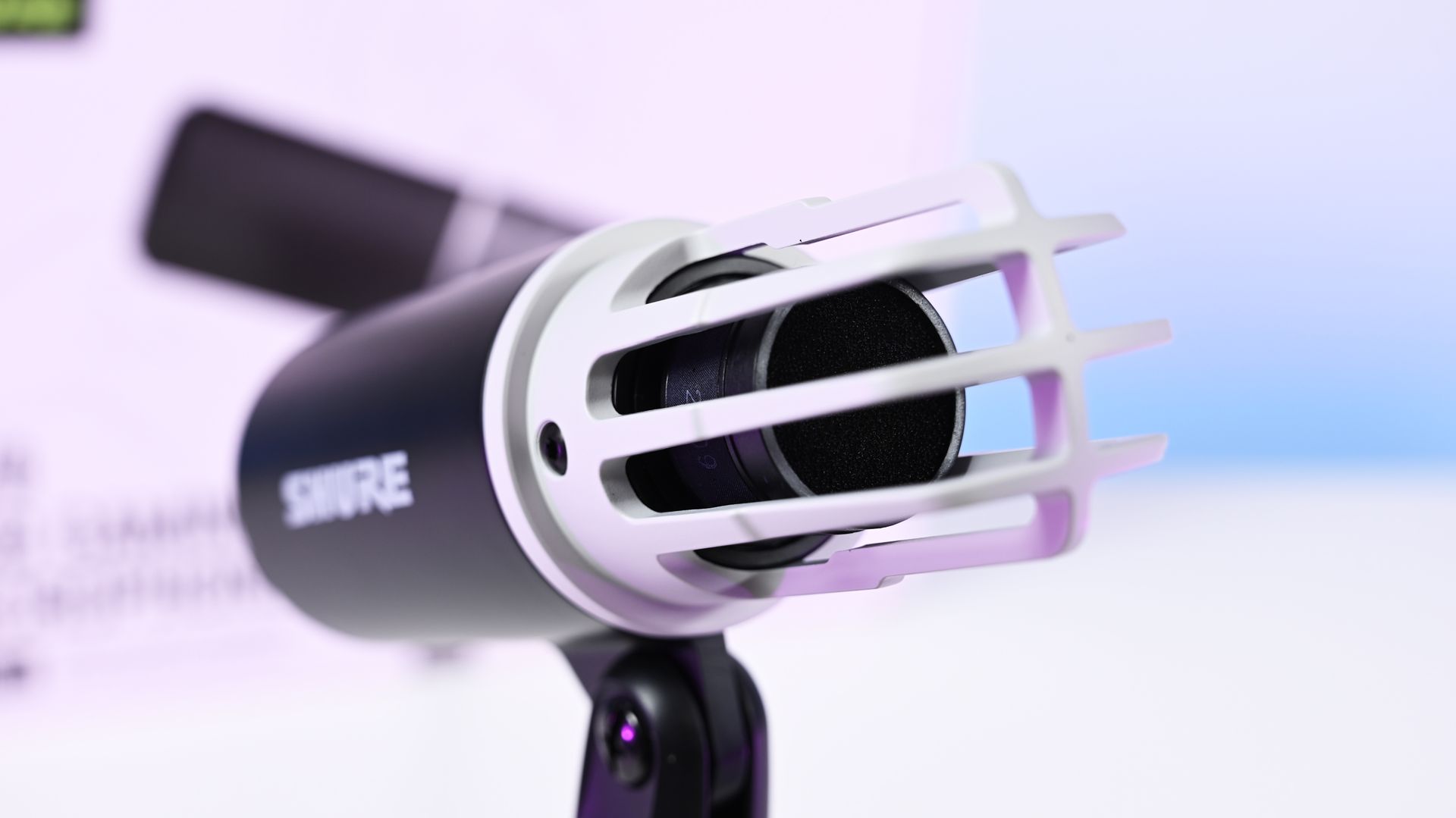
Close-up shot of the Shure MV6 Gen 2 microphone capsule with the foam windscreen off, showing the inner ribbed cage.

Close-up shot of the Shure MV6 Gen 2 microphone capsule with the foam windscreen off, showing the inner ribbed cage. (Image credit: Daniel Rubino)

The MV6 Gen 2 won't be mistaken for a gaming centerpiece.

Compared to the RGB-heavy HyperX QuadCast 2 S or the eye-catching Razer Seiren V3 Chroma, the Shure looks almost understated. The cylindrical design, compact desktop stand, and minimal branding prioritize functionality over personality.

Personally, I like that approach, but I also like glowy things.

The MV6 disappears into the background during video calls and recordings rather than demanding attention. It feels more like a professional tool than a gaming accessory.

Setup is about as painless as USB microphones get. Connect the included USB-C cable, select the device in Windows, and start talking.

One of the more interesting insights from my conversation with Shure involved the company's decision to omit XLR entirely. Shure believes many creators are paying extra for XLR connectivity (like the $249 Razer Seiren V3 Pro) they never actually use. By focusing exclusively on USB and investing heavily in onboard DSP, the company was able to keep costs lower while delivering audio quality that approaches much more complex setups.

Having owned mixers and used XLR microphones myself, I completely understand that reasoning. For most people, this approach makes more sense.

Shure MV6 USB Gaming Microphone Gen 2: MOTIV Mix software

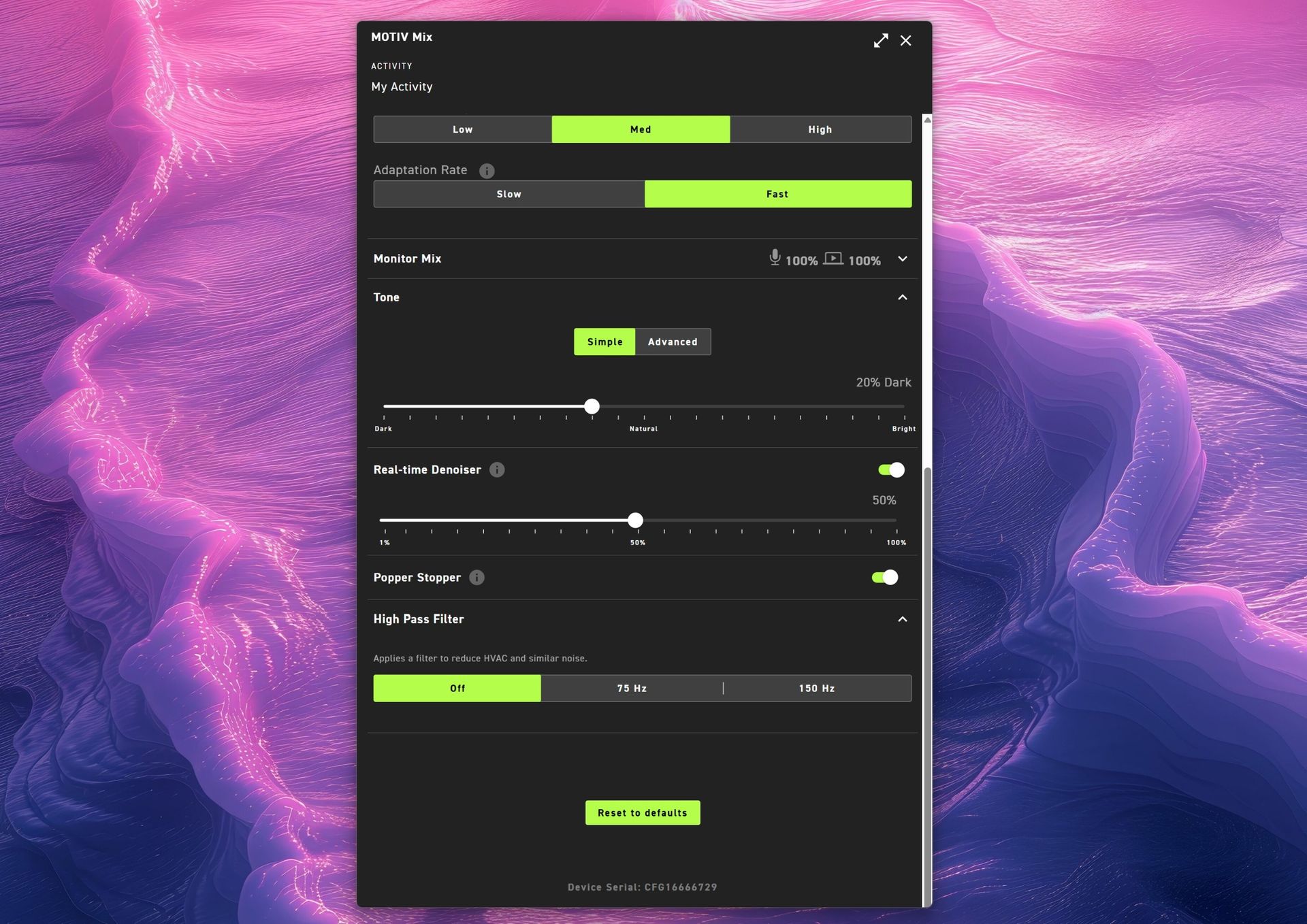
Shure MOTIV Mix app audio settings menu for MV6 G2 showing tone controls, 50% real-time denoiser, Popper Stopper toggle, high pass filter options, and a reset to defaults button.

(Image credit: Daniel Rubino)

The MOTIV Mix software is where many of the Gen 2 improvements come to life.

My first impression was admittedly amusing. The installer feels surprisingly old-school, almost like a utility from an earlier Windows era. Once installed, however, the application is refreshingly straightforward.

That's a good thing.

Companies often fall into the trap of treating audio software like a cockpit. MOTIV Mix feels more like a well-organized control panel.

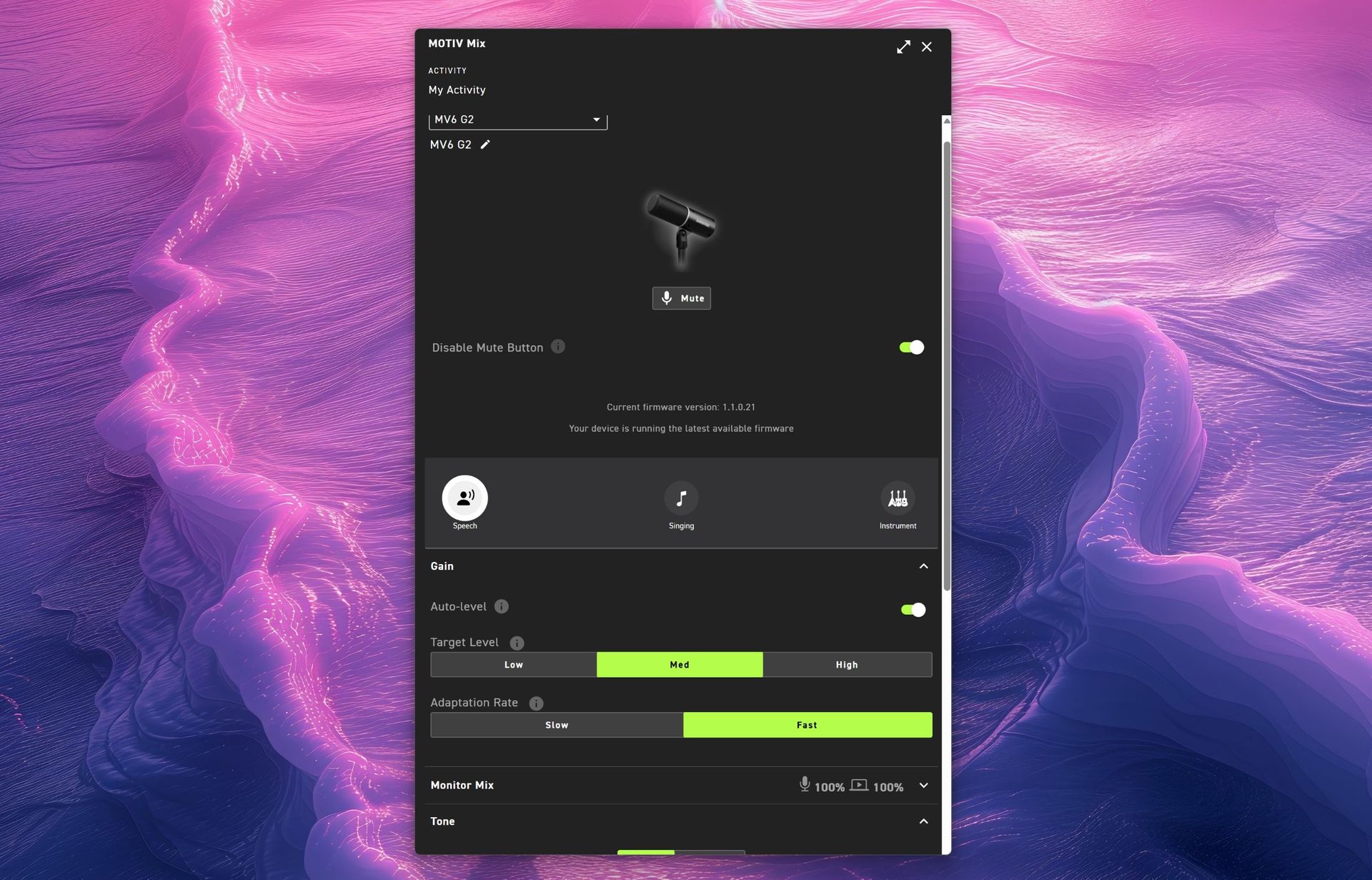
One of my favorite additions is the ability to disable the microphone's touch-sensitive mute button on the side. The mute function works extremely well, maybe a little too well. I accidentally triggered it more than once while adjusting the microphone, so being able to disable it entirely turned out to be an unexpectedly useful feature.

Auto Level and Adaptation Rate

Auto Level is enabled by default and serves as Shure's answer to automatic gain control.

The new system allows users to set different output targets while also adjusting how quickly the microphone responds after loud volume spikes. According to Shure, this feature was added after feedback from gamers who found the first-generation microphone could take too long to recover after sudden loud reactions.

For streamers, podcasters, and excitable gamers, it's a genuinely useful improvement.

Monitor Mix

Monitor Mix lets users balance their own voice against system audio heard through connected headphones.

Anyone who records podcasts, livestreams, or interviews will appreciate having direct control over that monitoring experience without needing external hardware.

Shure MOTIV Mix Windows 11 app main interface for the MV6 G2 microphone showing mute, speech preset, auto-level gain toggles, target level settings, and adaptation rate.

(Image credit: Daniel Rubino)

Tone and Advanced EQ

The Tone section illustrates Shure's overall philosophy particularly well.

Users who don't want to learn EQ can simply slide between Dark, Natural, and Bright tonal profiles. Those who want deeper control can switch to a five-band EQ and manually adjust key frequencies.

It's an elegant balance between simplicity and flexibility.

Real-Time Denoiser

One of the standout Gen 2 upgrades.

The original MV6 offered denoising, but Gen 2 allows users to adjust its intensity. Whether you're recording in a quiet office or trying to overcome computer fans, HVAC systems, or general background noise, the Denoiser provides meaningful control over how aggressively the microphone cleans up your environment.

Popper Stopper and High Pass Filter

The Digital Popper Stopper is designed to reduce plosive sounds caused by hard "P" and "B" consonants. During testing, it worked well enough that I never felt compelled to add an external pop filter.

The High Pass Filter can be set to 75Hz or 150Hz, helping reduce low-frequency rumble from HVAC systems, vibrations, and other environmental noise. Combined with the denoiser, it's surprisingly effective.

Shure MV6 USB Gaming Microphone Gen 2: Audio quality

This is where the MV6 Gen 2 earns its asking price.

Throughout my testing, voices consistently sounded warm, natural, and broadcast-ready with remarkably little effort. The microphone's dynamic capsule does an excellent job focusing on the speaker while minimizing distractions from the surrounding room.

(You can listen to how it sounds above during my 3+ hour guest appearance on This Week in Tech a few weeks ago.)

More importantly, it sounds good before you open the software.

That might sound obvious, but it's becoming surprisingly rare. Many gaming microphones feel like they require software processing to reach their full potential. The MV6 Gen 2 starts from an already excellent baseline and simply gives you tools to refine it further.

That philosophy came up repeatedly during my conversation with Shure. I compared its audio approach to brands like Bose, where tuning and DSP should complement the product rather than compensate for its shortcomings. The expectation is that users plug it in and immediately sound better.

In my experience, that's exactly what happens.

Against the Razer Seiren V3 Chroma 32-bit, I generally preferred Shure's warmer, more natural vocal presentation for podcasting and spoken-word content. The Razer offers more visual flair and creator-focused effects (and the auto-tuning setup in Synapse is great), but the MV6 sounded more like a broadcast microphone.

Compared to the HyperX QuadCast 2 S, the Shure again prioritizes voice quality over spectacle. The HyperX remains one of the best-looking microphones on the market, while the MV6 feels more focused on delivering clean, professional audio.

Neither comparison is a knock against Razer or HyperX. Instead, it highlights how different Shure's priorities are. This feels like an audio company that happens to be making a gaming microphone rather than a gaming company trying to make an audio product.

Shure MV6 USB Gaming Microphone Gen 2: Competition

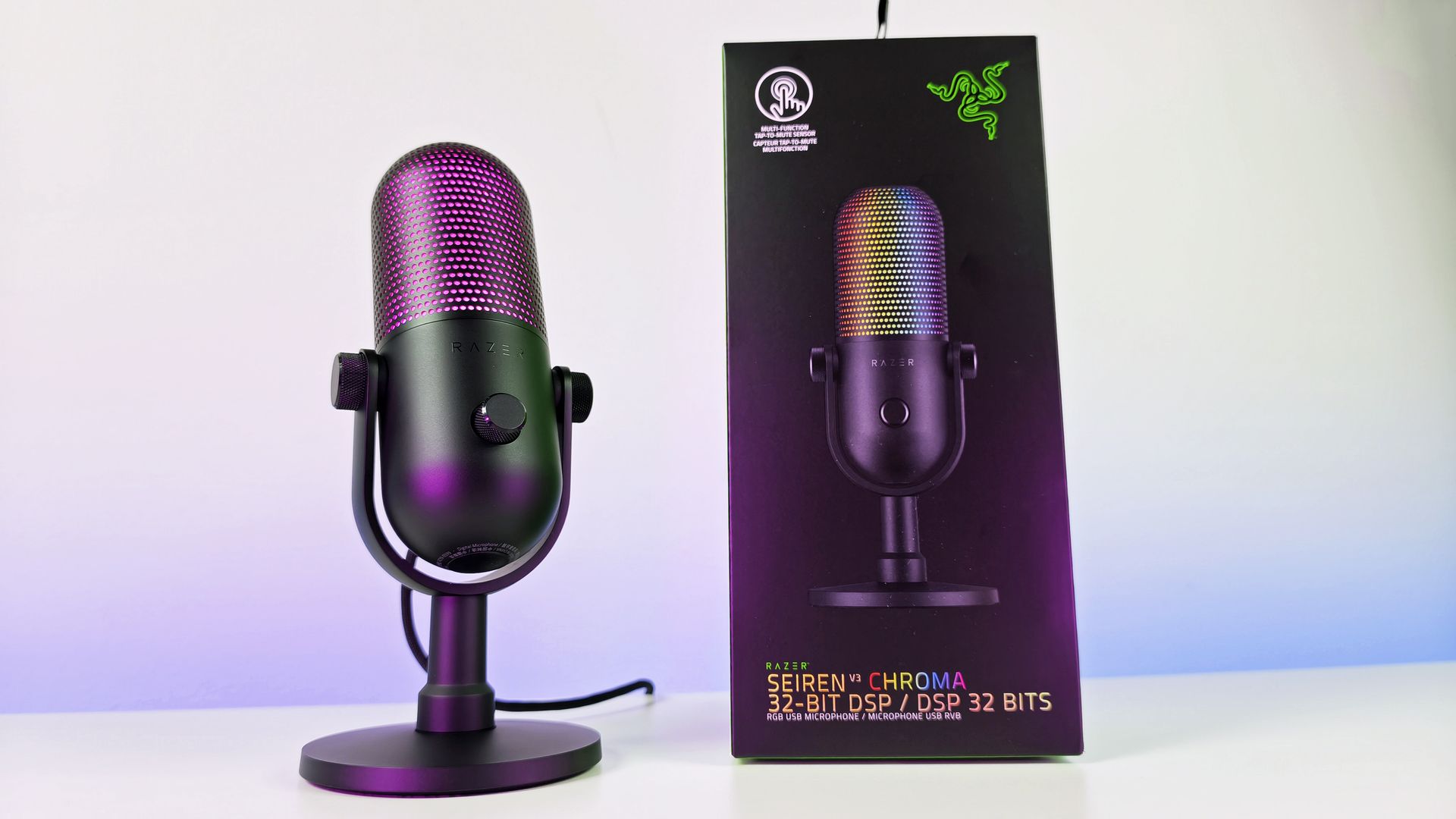
Razer Seiren V3 Chroma microphone on its stand next to its black product box on a white table.

Razer Seiren V3 Chroma microphone offers similar capabilities to the Shure MV6 Gen 2, but with a lot more typical gaming RGB flair. (Image credit: Daniel Rubino)

The biggest competition comes from the Razer Seiren V3 Chroma 32-bit and HyperX QuadCast 2 S, both of which we've reviewed and given high praise.

If RGB lighting, aesthetics, and streamer-focused visual features are top priorities, either competitor may be the better fit.

If audio quality is the top priority, the MV6 Gen 2 presents an extremely compelling argument.

Shure's competitive advantage isn't lighting, software effects, or gaming branding. It's more than 100 years of microphone experience combined with DSP technology that originated from the company's broader professional audio business.

That heritage is difficult to replicate.

Should you buy it?

✅You should buy this if ...

  • You want excellent audio without needing XLR hardware
  • You podcast, stream, create videos, or appear in meetings regularly
  • You value audio quality more than RGB lighting
  • You want useful DSP features that work automatically

❌You should not buy this if ...

  • RGB lighting and visual customization are important to you
  • You want a microphone with multiple polar patterns
  • You prefer software ecosystems as polished as Synapse or NGENUITY

Final thoughts

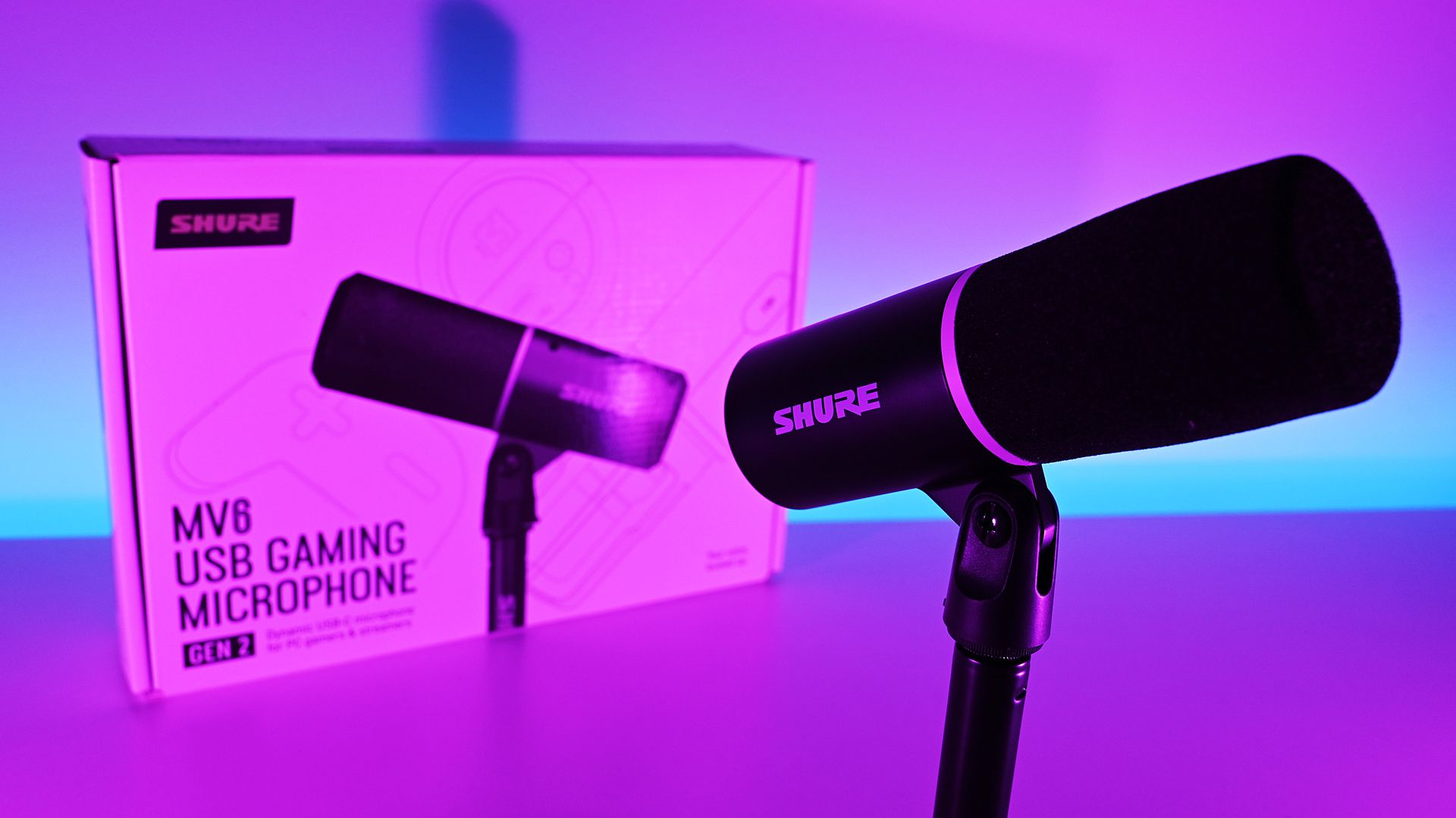
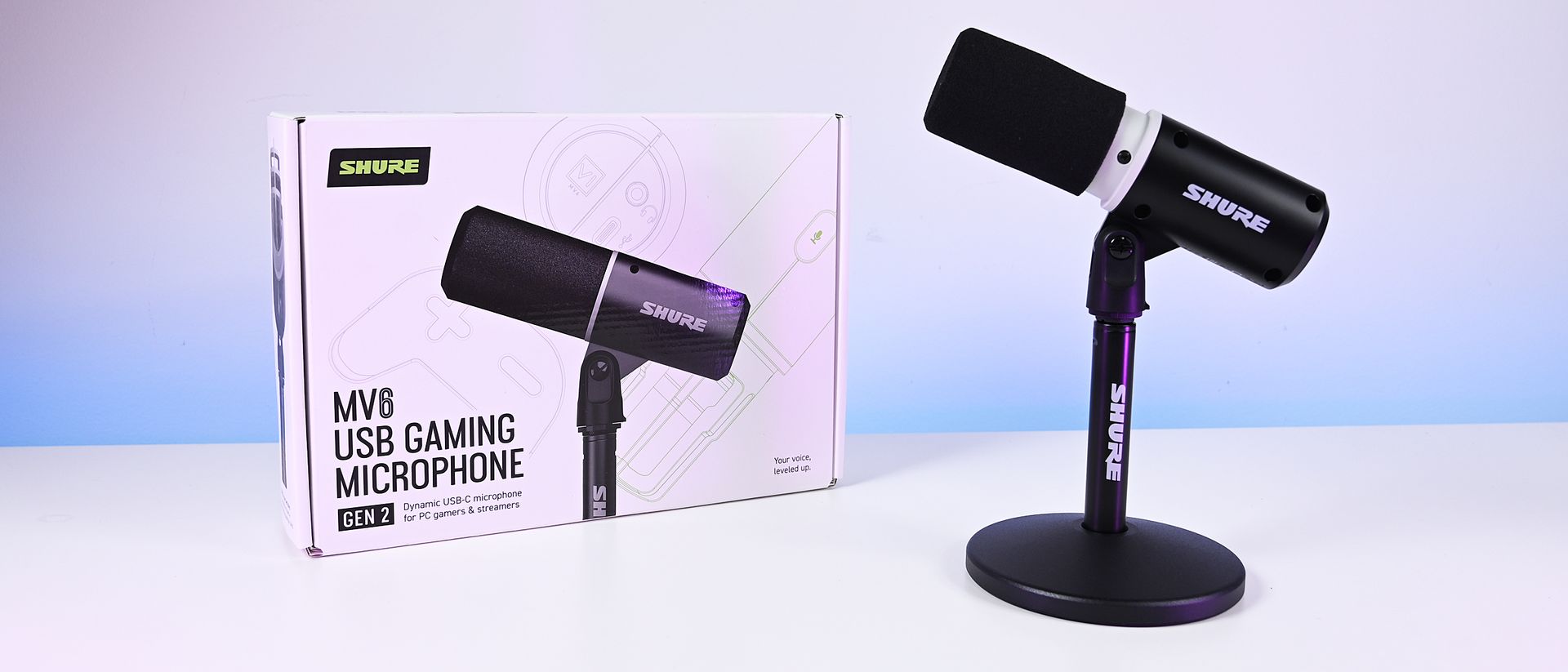
Shure MV6 Gen 2 microphone and retail box illuminated under vibrant pink and purple studio lighting.

(Image credit: Daniel Rubino)

The Shure MV6 USB Gaming Microphone Gen 2 feels less like a gaming microphone and more like a professional USB microphone that happens to be affordable enough for gamers (or anyone who just needs a good mic that's not XLR-level).

For a first-time Shure user, that's probably the biggest compliment I can give it. After years of seeing Shure microphones dominate podcasts and broadcasts, I finally understand why so many creators trust the brand. The sound quality is excellent, the setup is effortless, the DSP features are genuinely useful, and the software gives you just enough control without becoming overwhelming.

My only real criticism is that MOTIV Mix lacks some of the visual polish and ecosystem refinement found in competing software suites. Beyond that, there isn't much to complain about.

At $169, the MV6 Gen 2 delivers exactly what Shure set out to achieve: professional-grade audio that simply works.

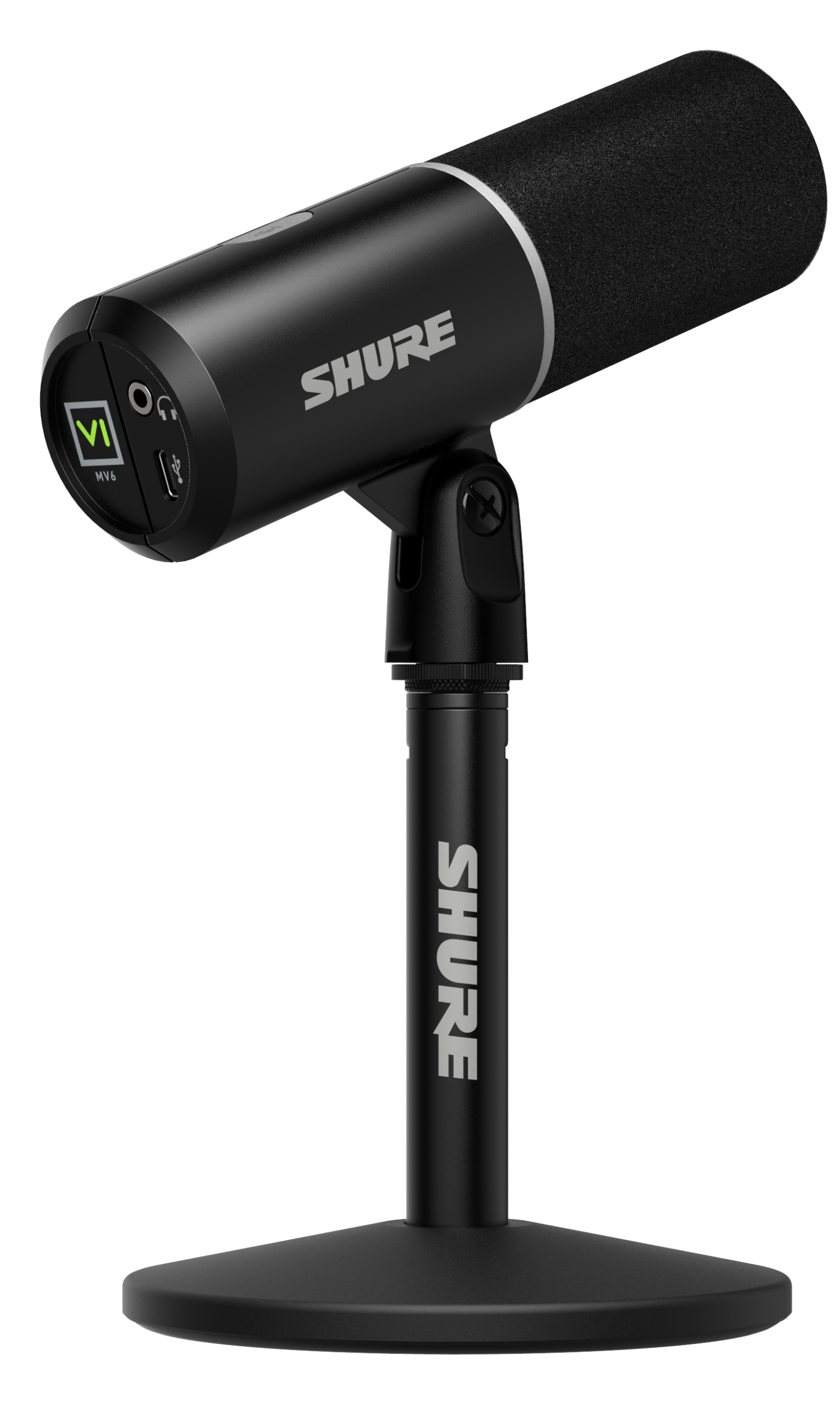
The black Shure MV6 USB Gaming Microphone Gen 2 at a 45 degree angle on its included desk stand.

Professional Grade
Shure
MV6 USB Gaming Microphone Gen 2

Engineered specifically for PC gaming, streaming, and content creation, the MV6 Gen 2 brings Shure's professional broadcast technology to more creators, including those purchasing their first dedicated microphone and looking to elevate their sound beyond a headset.

Click to join us on r/WindowsCentral

Join us on Reddit at r/WindowsCentral to share your insights and discuss our latest news, reviews, and more.

  •  

Would you pay $14,000 for an iPhone Duo without any cameras?

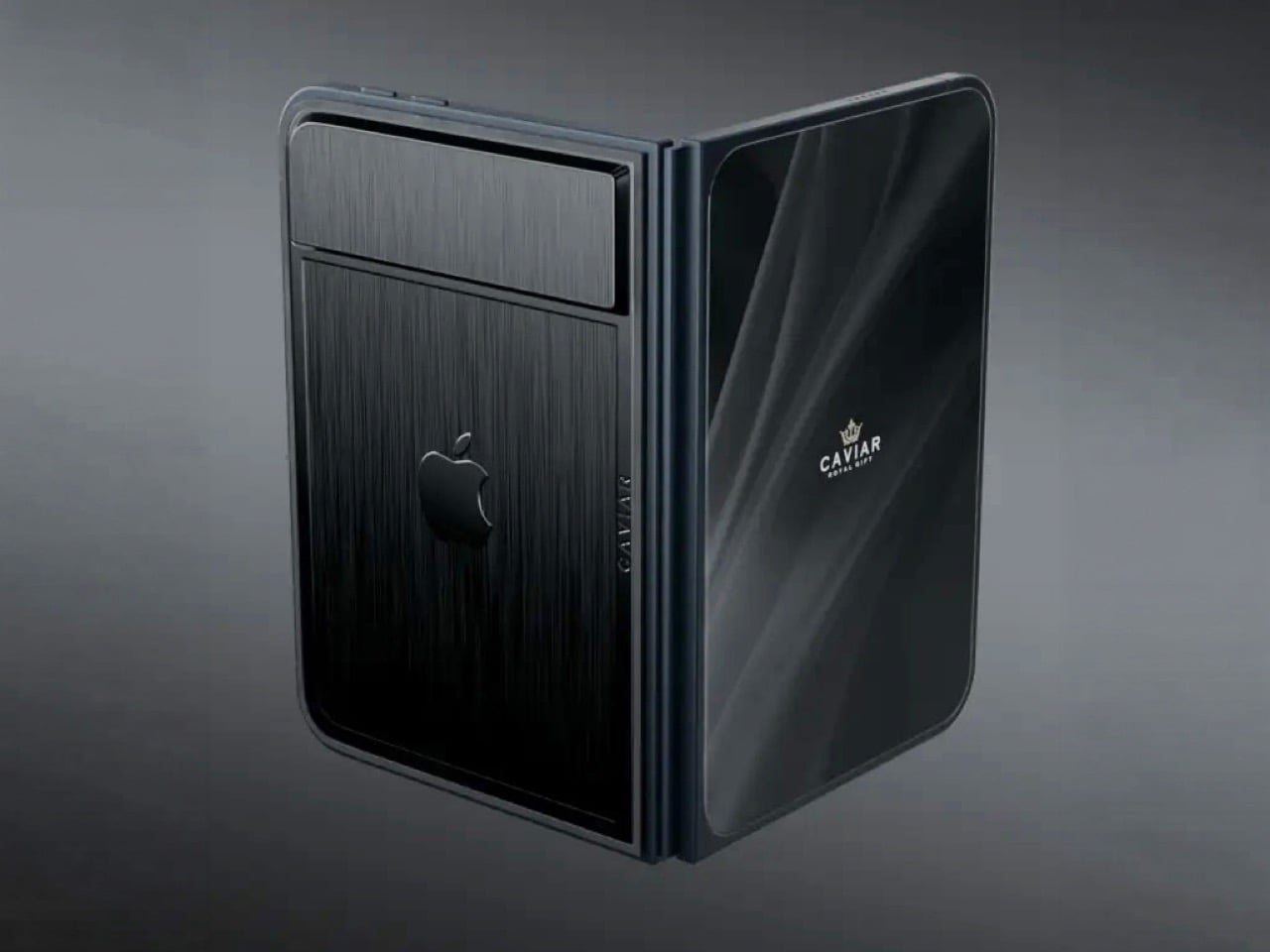
Imagine sitting at a table with friends and whipping your phone out. Your friends see it’s a foldable… then as you unfold it, the animation looks suspiciously like the iPhone Duo. Your friends are impressed, they designate you as the group photo taker… and you tell them regrettably that your iPhone Duo has no cameras. Then you add… not only does it not sport any cameras, it also costs fourteen grand.

To be honest, that scenario is entirely imaginary. Mainly for a bunch of key reasons. Caviar built this version of the iPhone Duo for privacy, championing what they call “Privacy, Minimalism, and a Refined Masculine Style.” Someone who sees truth in that ethos isn’t designated photographer material. And if they were, shelling 14k on a phone means you probably have a few extra grand to hire a photographer wherever you go. The only reason someone buys this hare-brained version of the iPhone Duo is because they can. Plain and simple.

Designer: Caviar Global

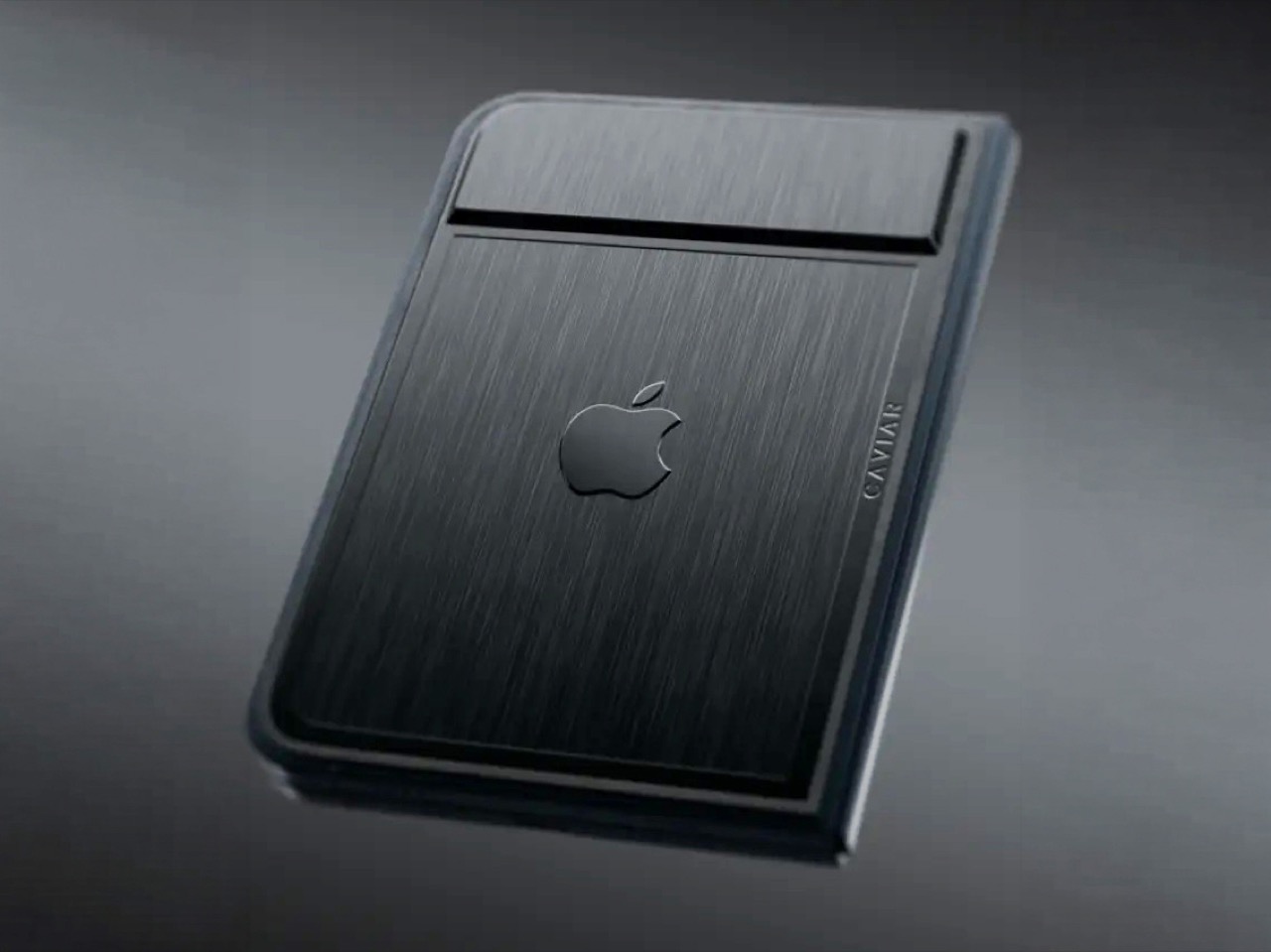
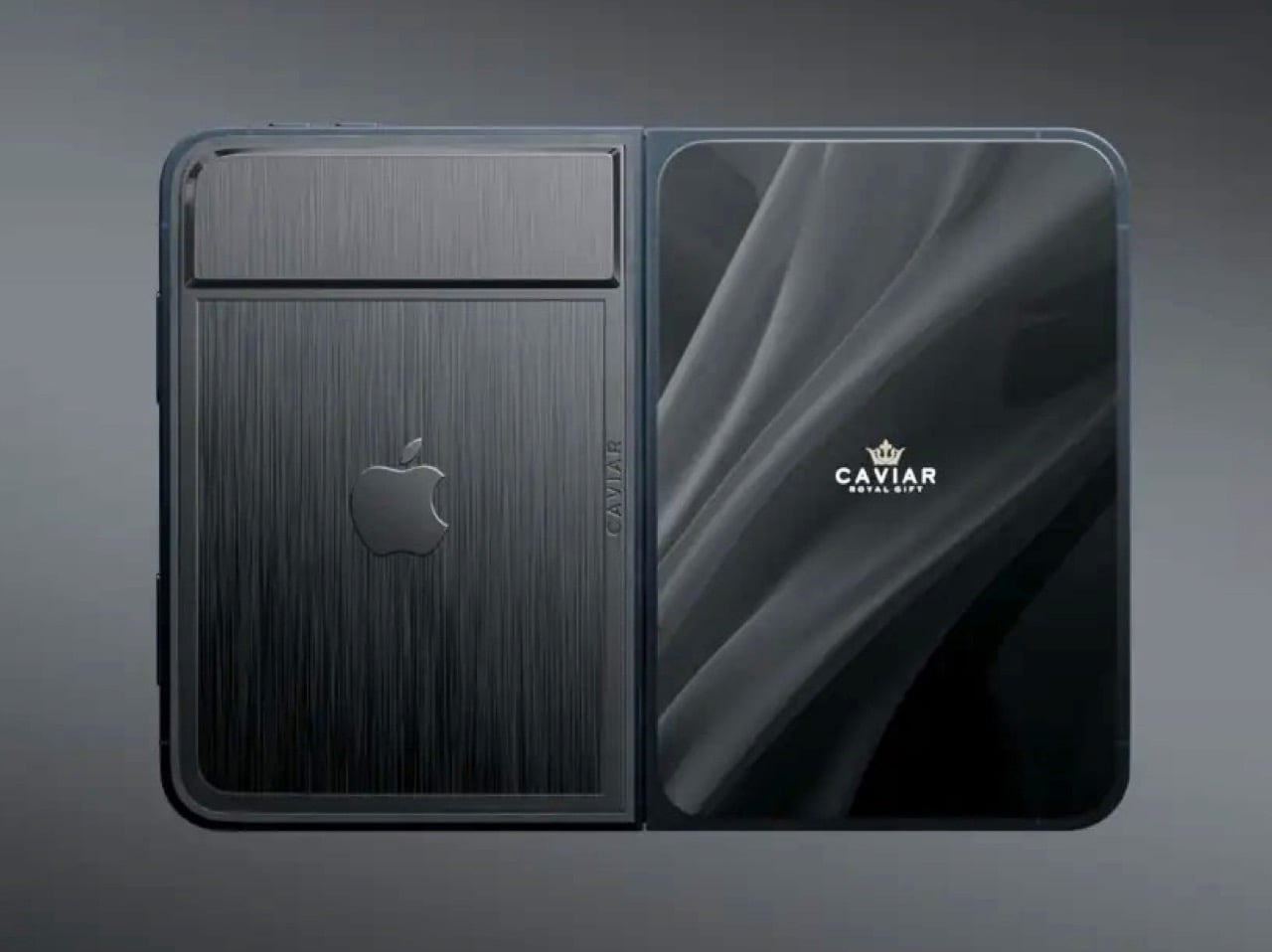
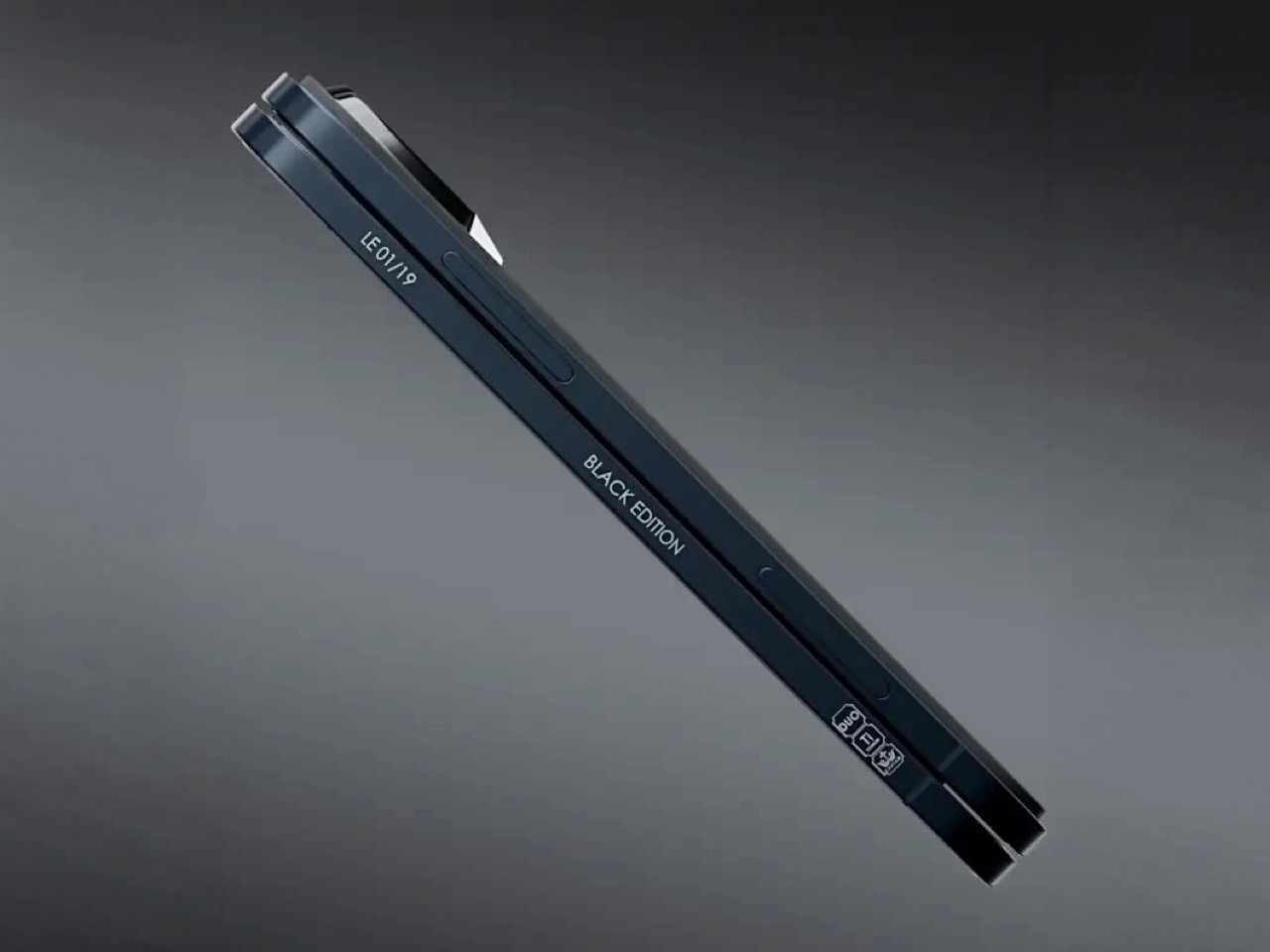
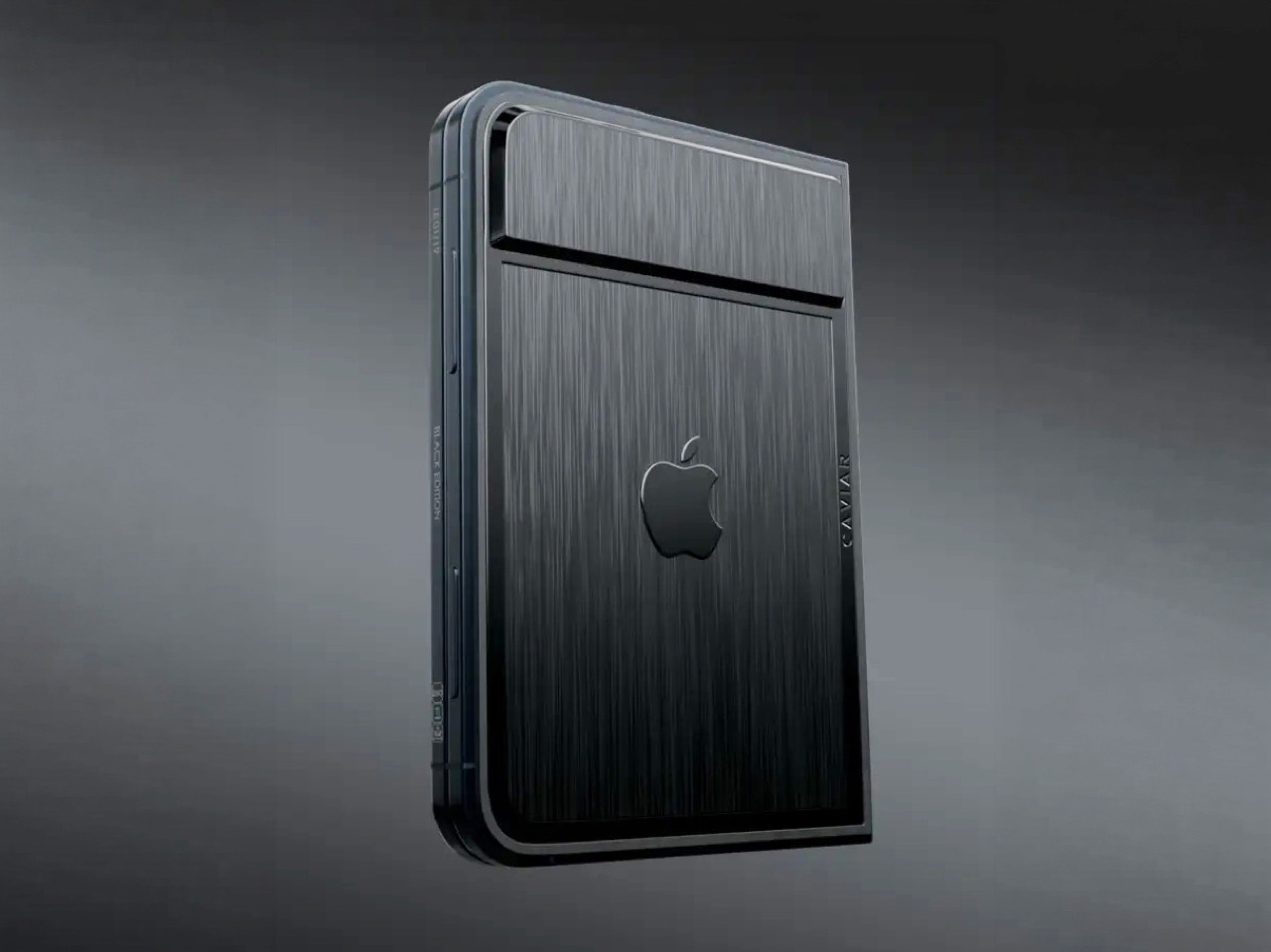
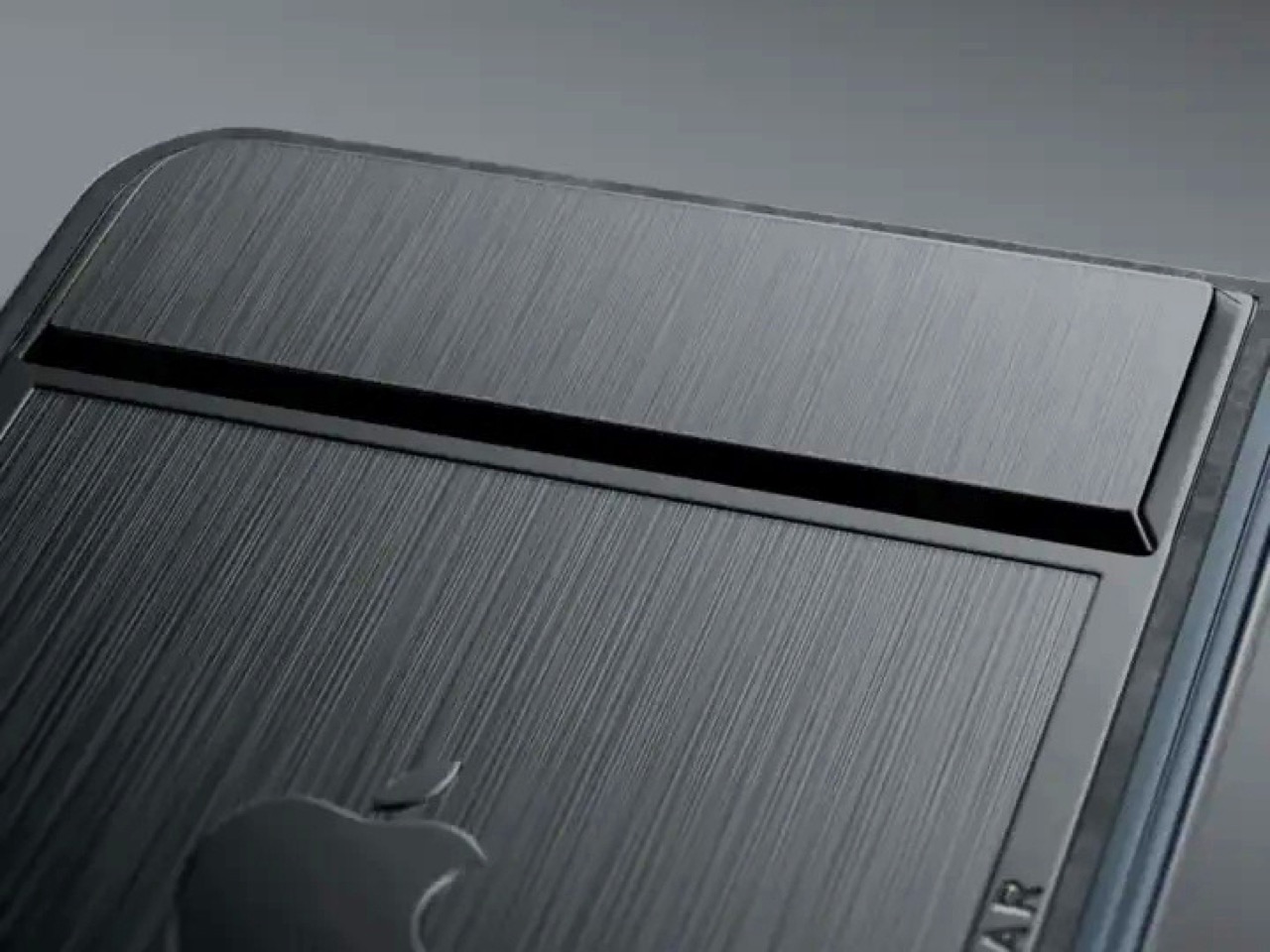
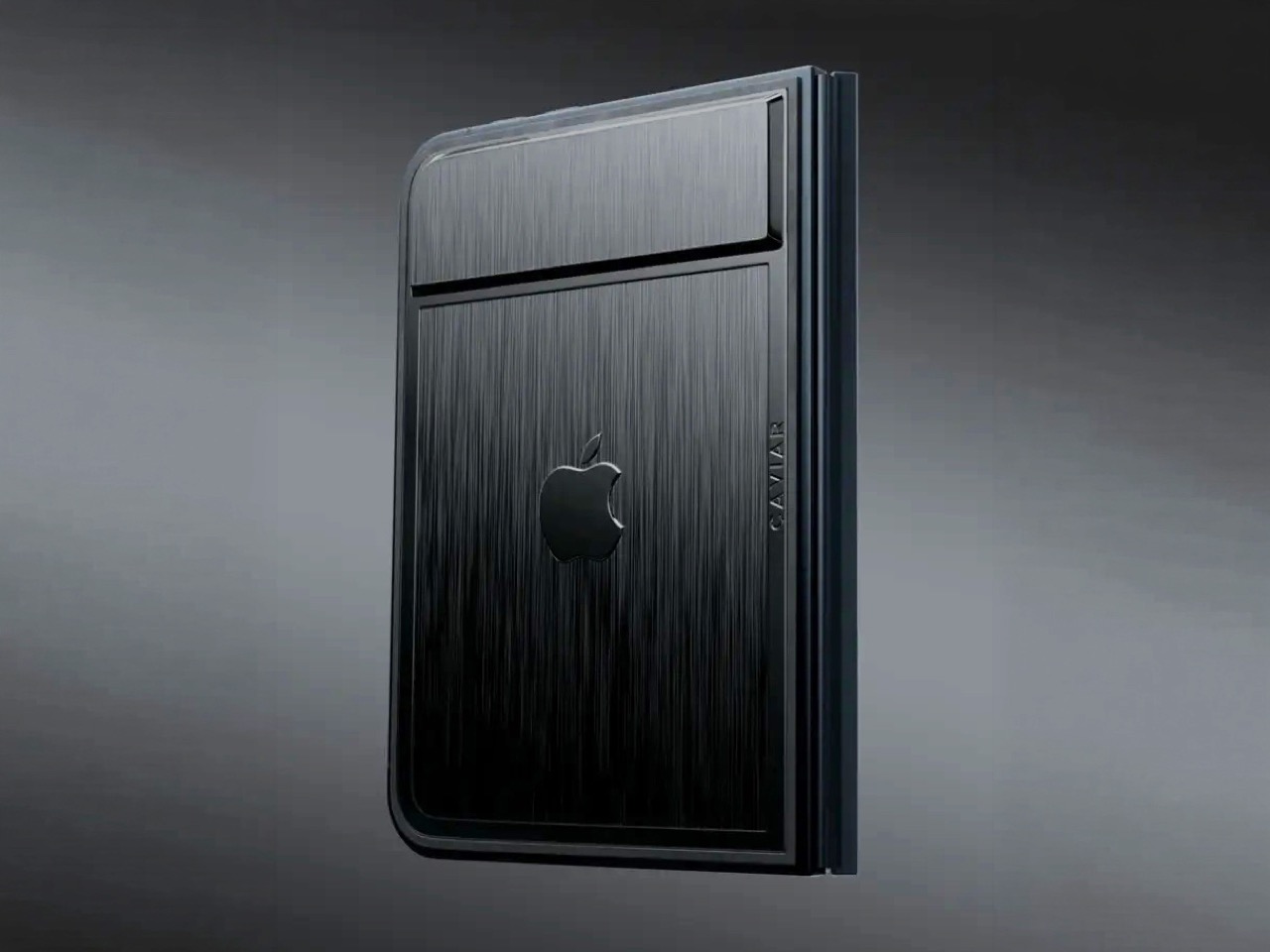
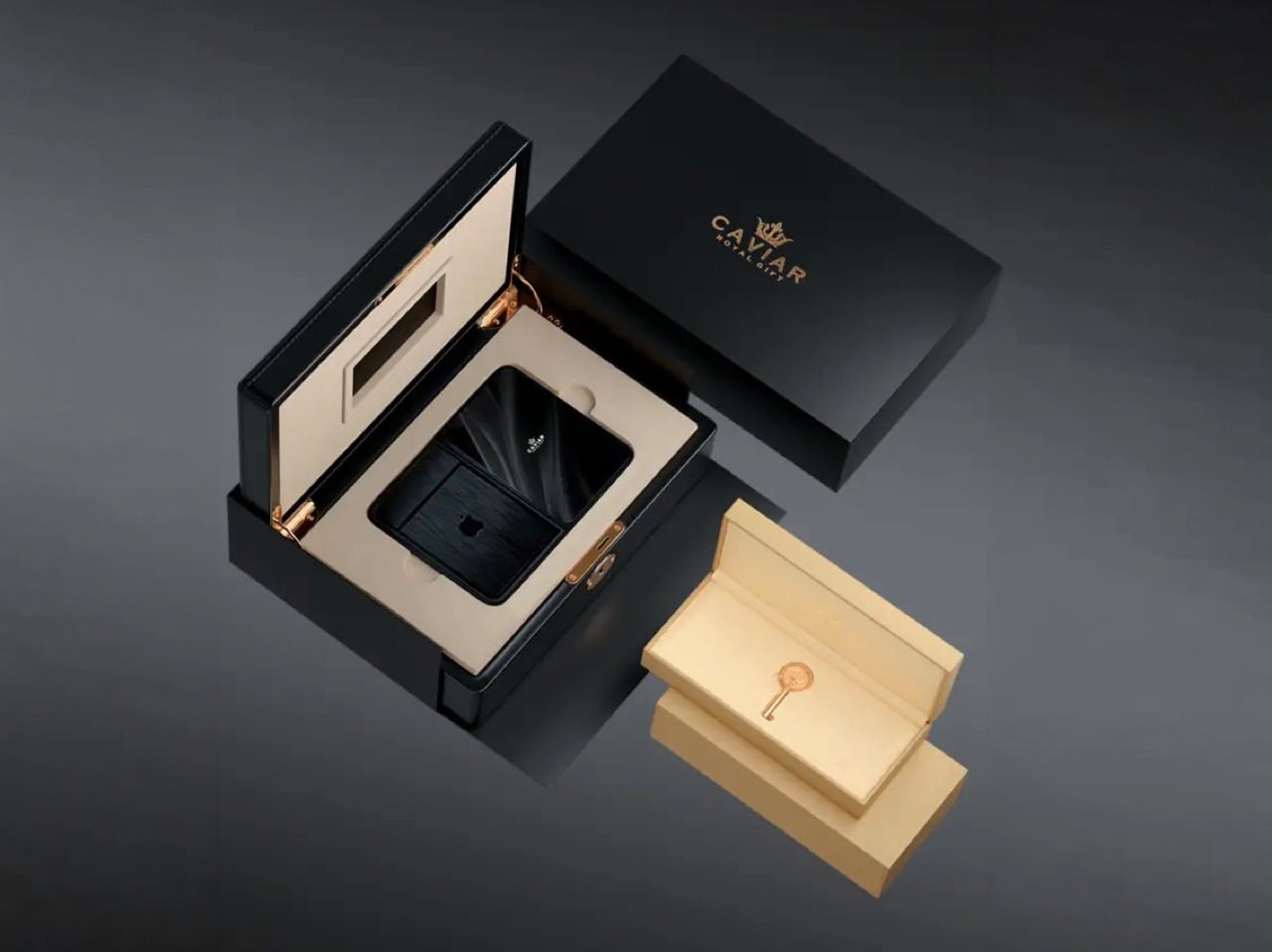
Removing the camera stack from the back of the iPhone Duo does something unexpected: the phone becomes genuinely beautiful. That rear panel, normally dominated by the triple-lens module, turns into a single flat sheet of satin-finished black titanium. No bumps, no rings, no glass circles competing for visual real estate, just one uninterrupted surface that shifts character depending on the light hitting it. Caviar calls the inspiration “supersonic aviation aesthetics,” which sounds like marketing speak until you actually look at the product photos. A blacked-out Apple logo sits flush in the titanium, the Caviar crown marks the opposite panel in a swept fabric-like texture, and the whole thing looks less like a phone and more like a prop from a very expensive spy film.

Apple’s decision to use Touch ID for the iPhone Duo, abandoning Face ID, turns out to be what makes Caviar’s camera-free execution actually hold up. A Face ID phone needs its front camera array to function as a biometric sensor, so pulling that out would mean a very pretty device that cannot unlock. Touch ID lives in the frame rather than behind the screen, so Caviar could strip the entire camera stack, front hole-punch and rear module both, without breaking anything fundamental. Based on product images, the inner display on the Ultimate appears completely clean, no hole-punch interrupting the screen, which makes the inside as seamless as the outside. Two separate design decisions from two separate companies ended up fitting together better than either could have planned.

Caviar made 19 of these total. Each unit ships in a custom lockable black luxury box, presented the way a jeweler presents a watch rather than the way Apple ships a phone. A smaller gold-colored wooden case inside holds what appears to be a gold-plated commemorative coin, the kind of object that exists purely to make the unboxing feel like a ceremony. The side of the phone is engraved with a serial number too, for exclusivity. Caviar knows exactly who they are selling to, and made sure the packaging matches the energy.

Caviar has been doing this for years, taking flagship Apple hardware somewhere Apple would never go, for clients who appreciate the gesture. The formula is consistent: start with the most premium Apple product on the market, make it rarer, make it more dramatic, and let the price be the final statement. We have covered their gold-plated and titanium iPhone builds here before, and none of them committed this hard to stripping features as a form of self-expression. At $13,990 for 19 units (mind you, that’s just the 512GB variant), the Ultimate is the purest version of the Caviar argument: a phone that costs seven times its base price because it does less, and somehow makes that sound like the point.

The post Would you pay $14,000 for an iPhone Duo without any cameras? first appeared on Yanko Design.

  •  

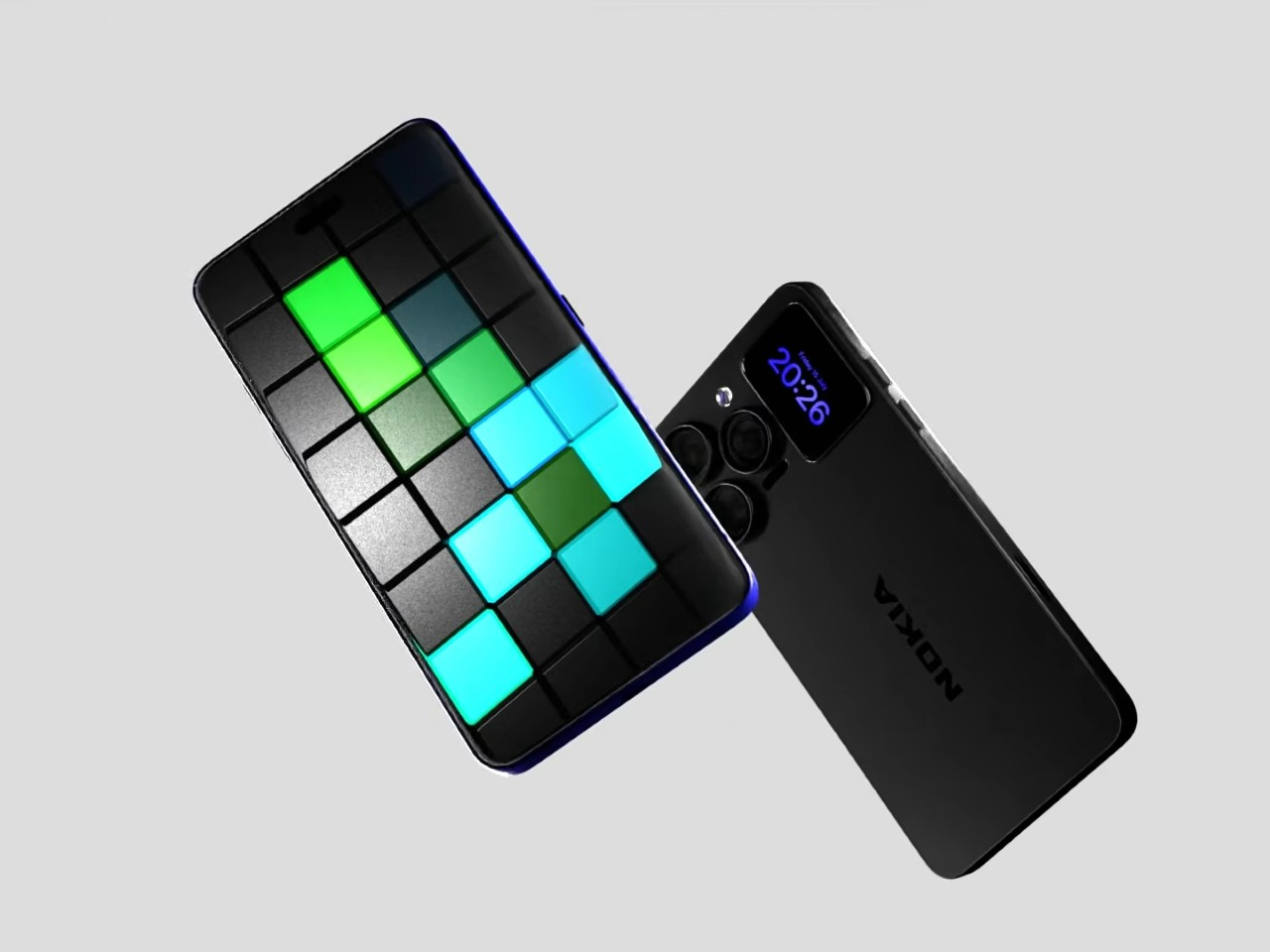
A Fan Imagined Nokia’s Comeback With One Feature Worth Stealing

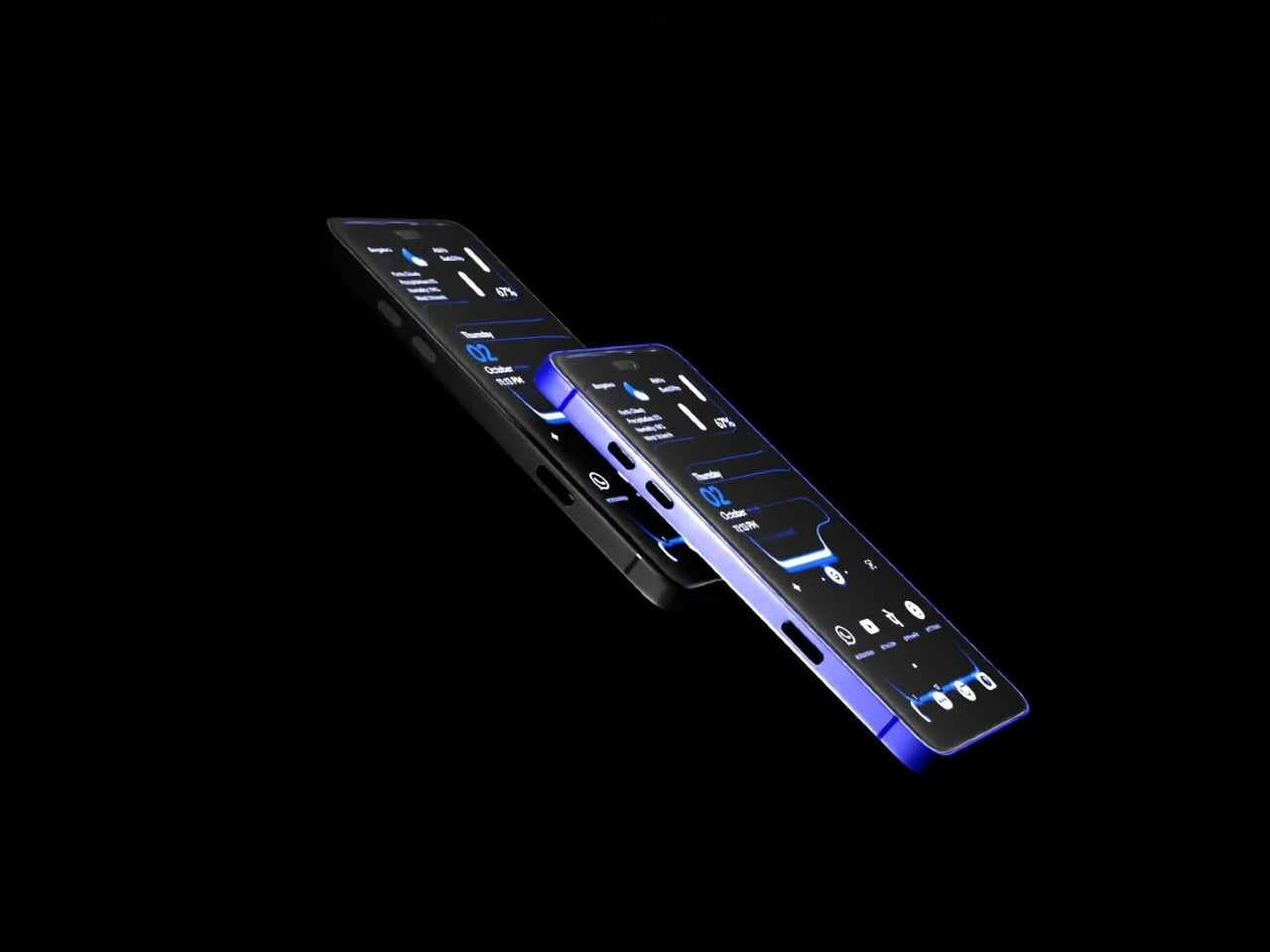
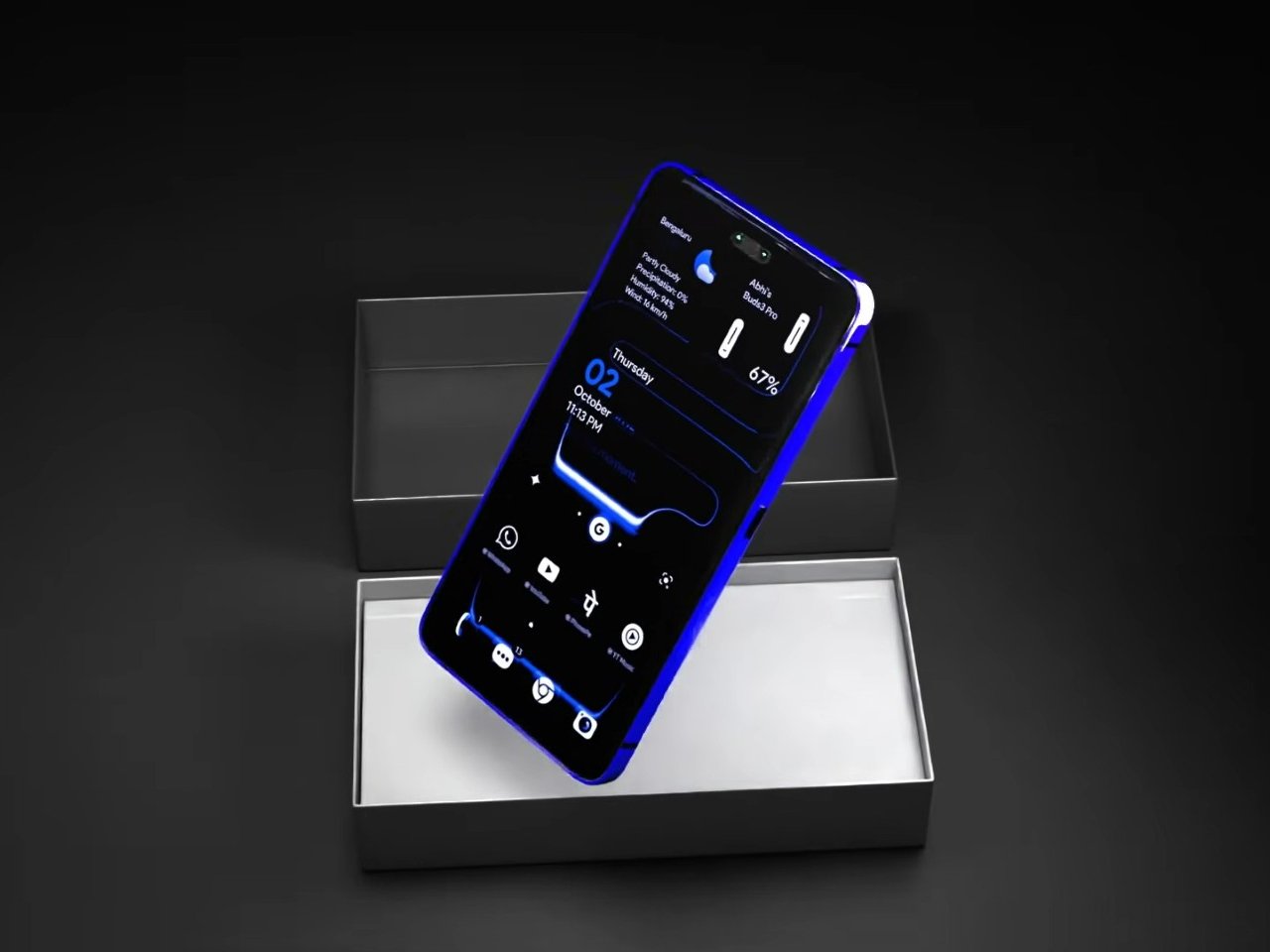
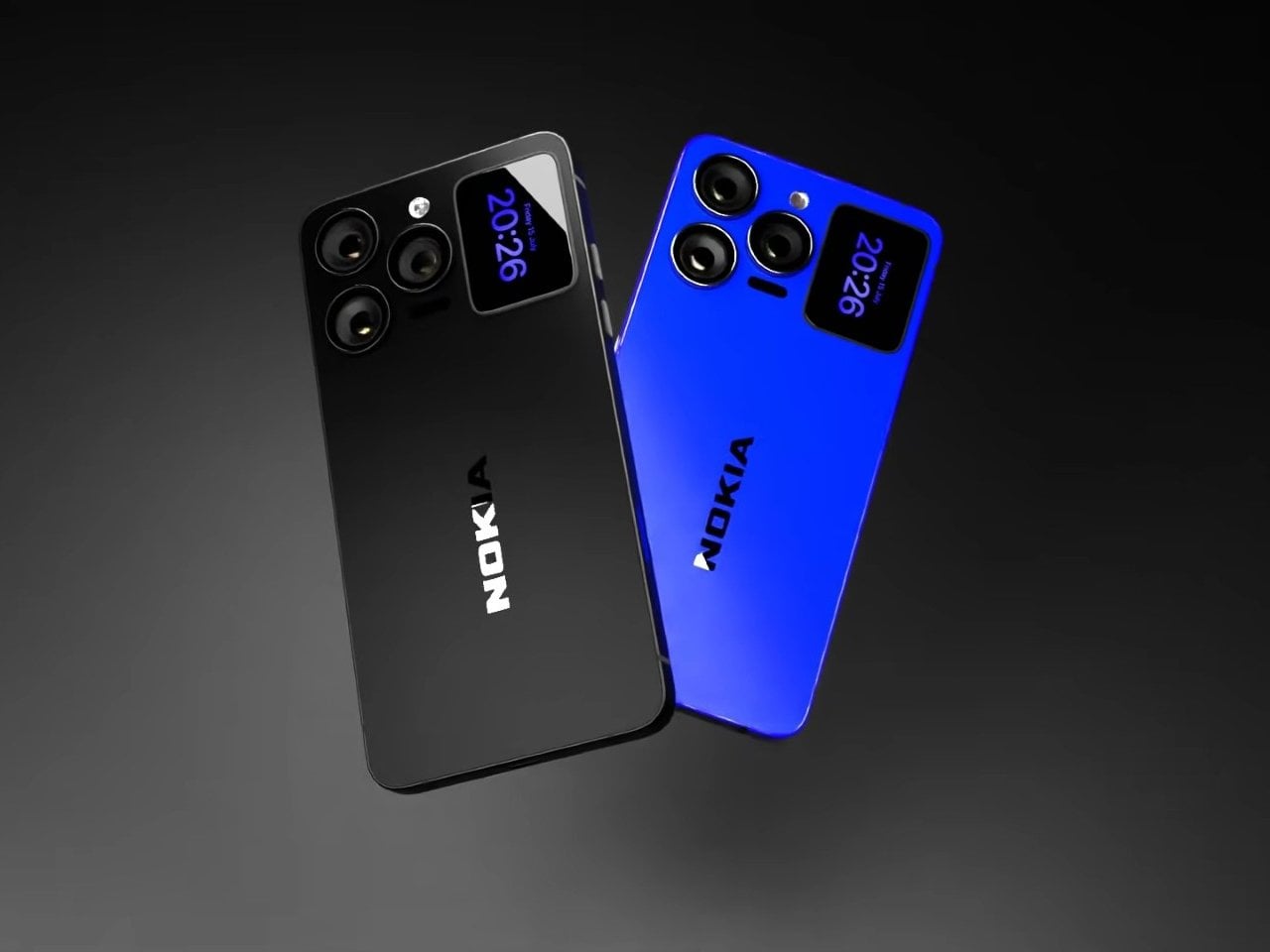
Nokia’s phone business has been fading for years, reduced mostly to budget handsets sold under license, so a concept calling itself the N90 Ultra was never going to become a real product. It’s a fan-rendered video, not a leaked roadmap, and it borrows a legendary name attached to a swivel-barrel camcorder phone from 2005. What it does get right is a smaller, more interesting idea already spreading across actual flagships: a second screen living on the back of the phone.

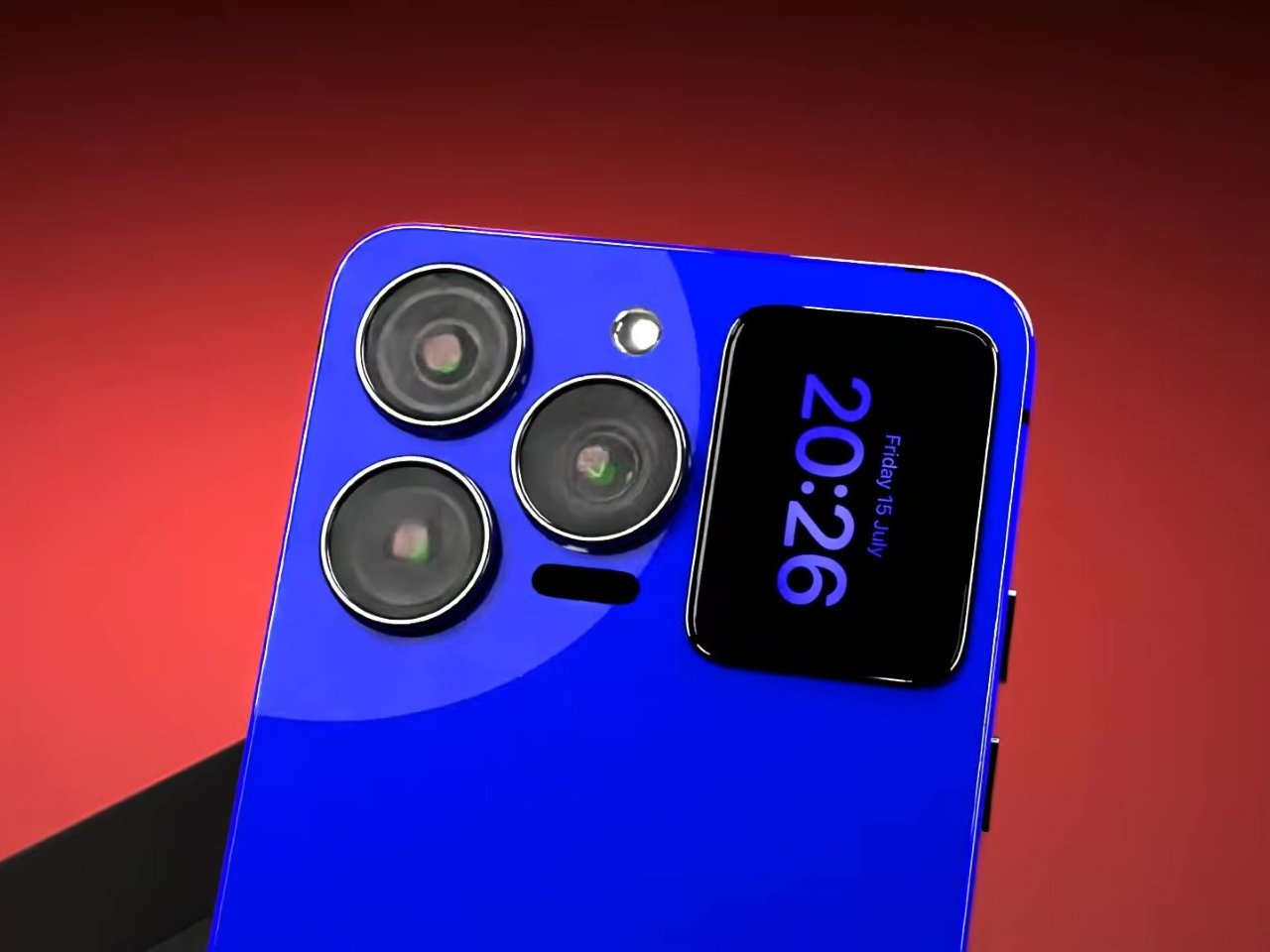
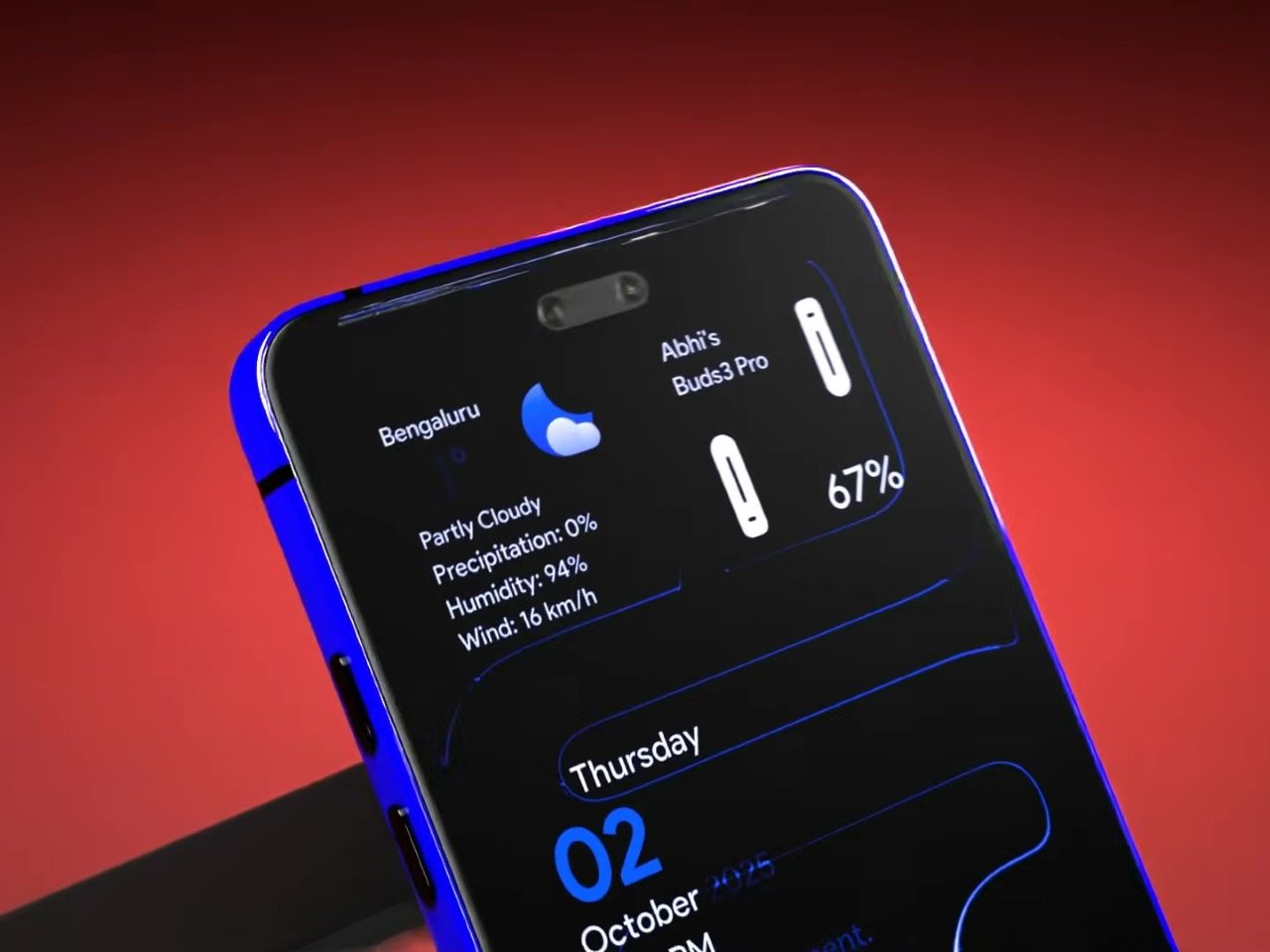
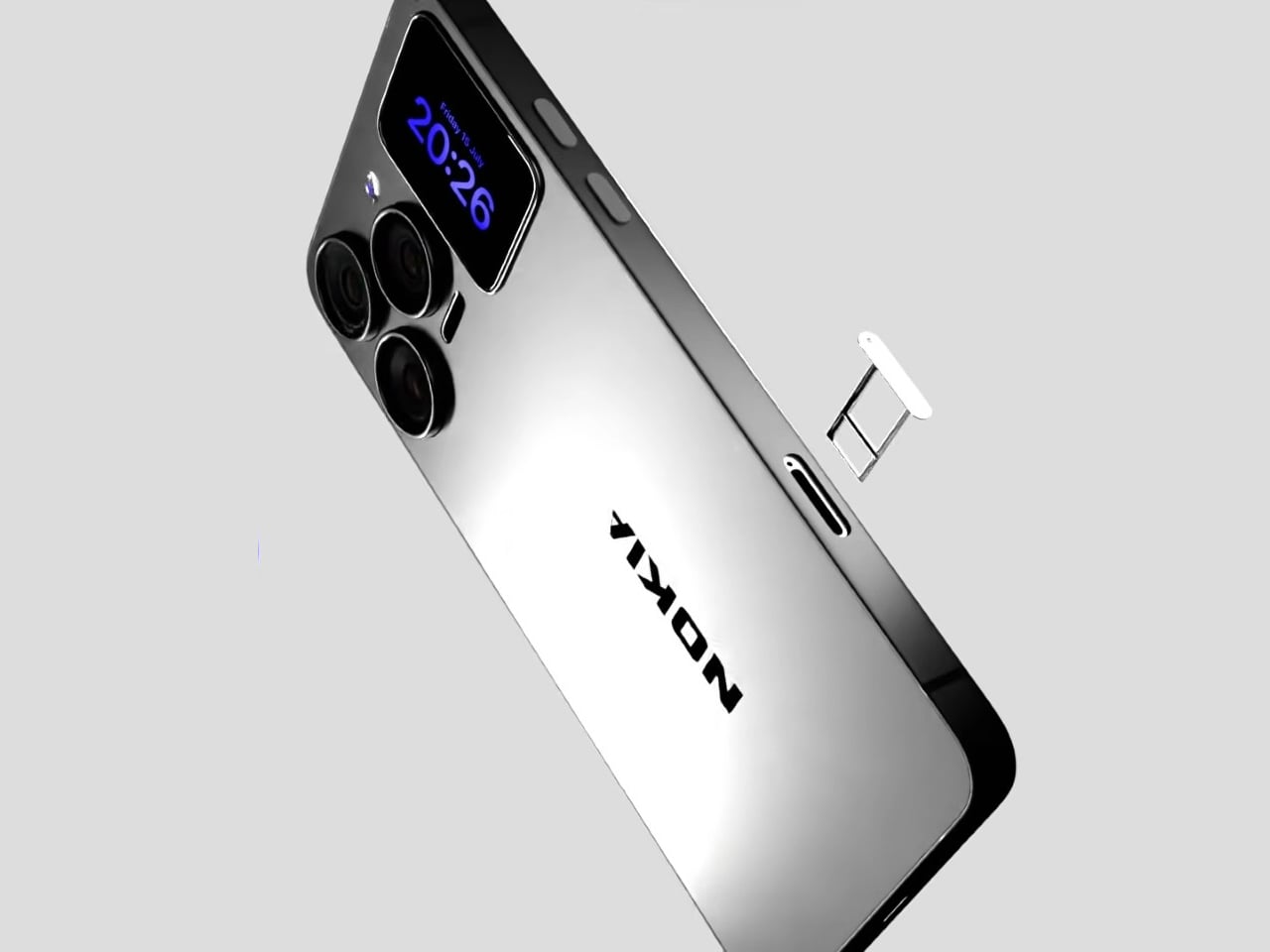
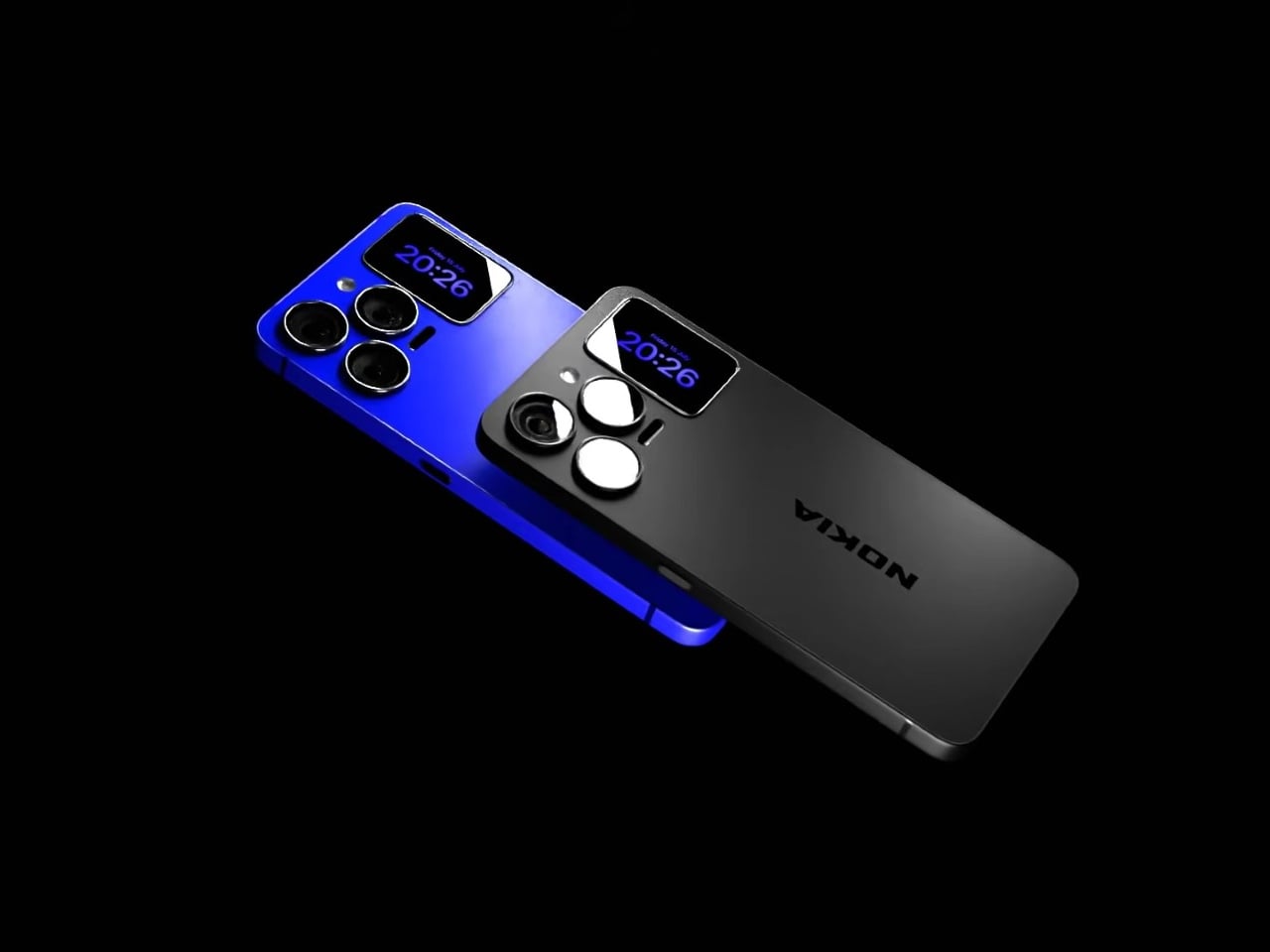
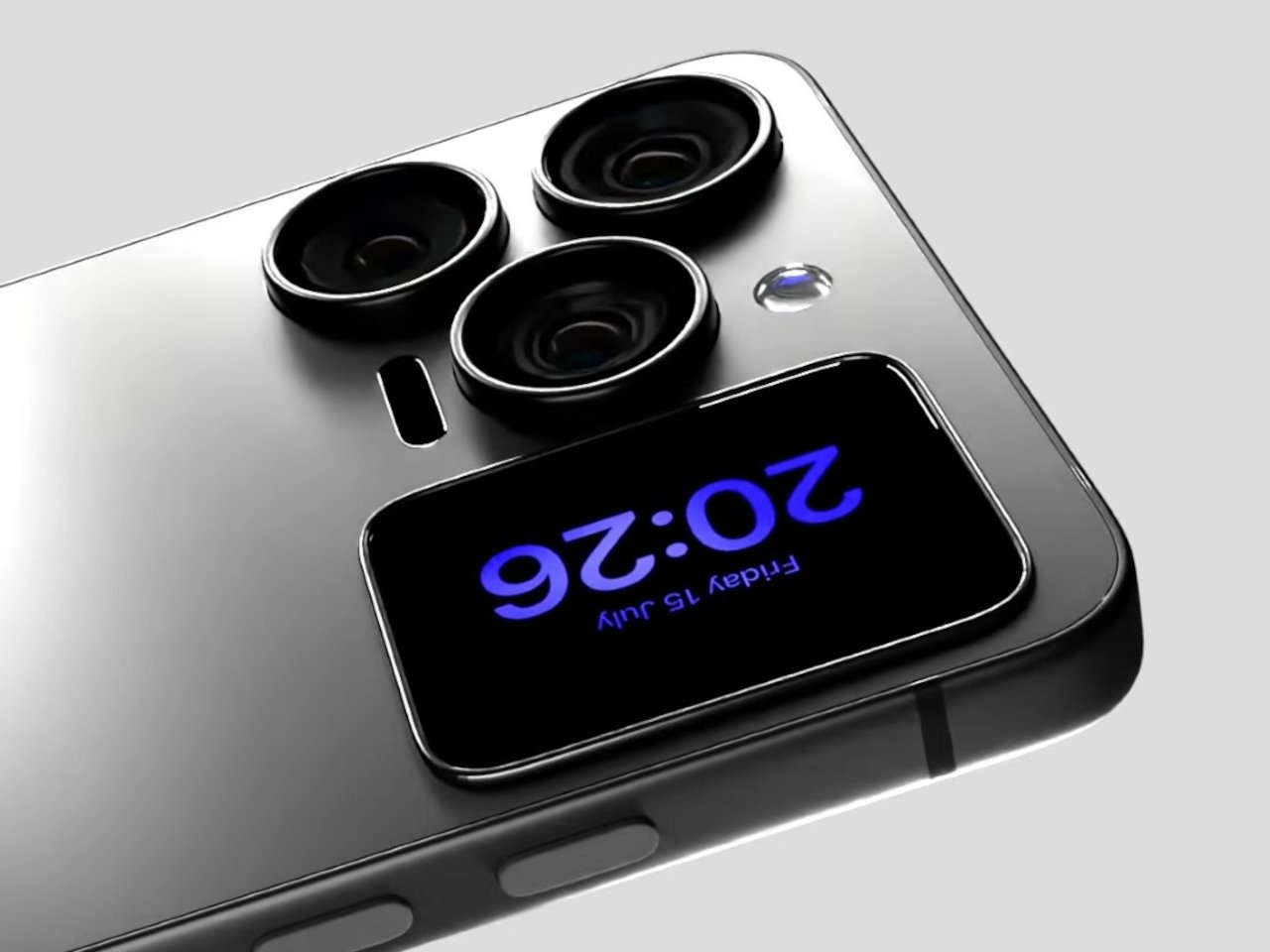
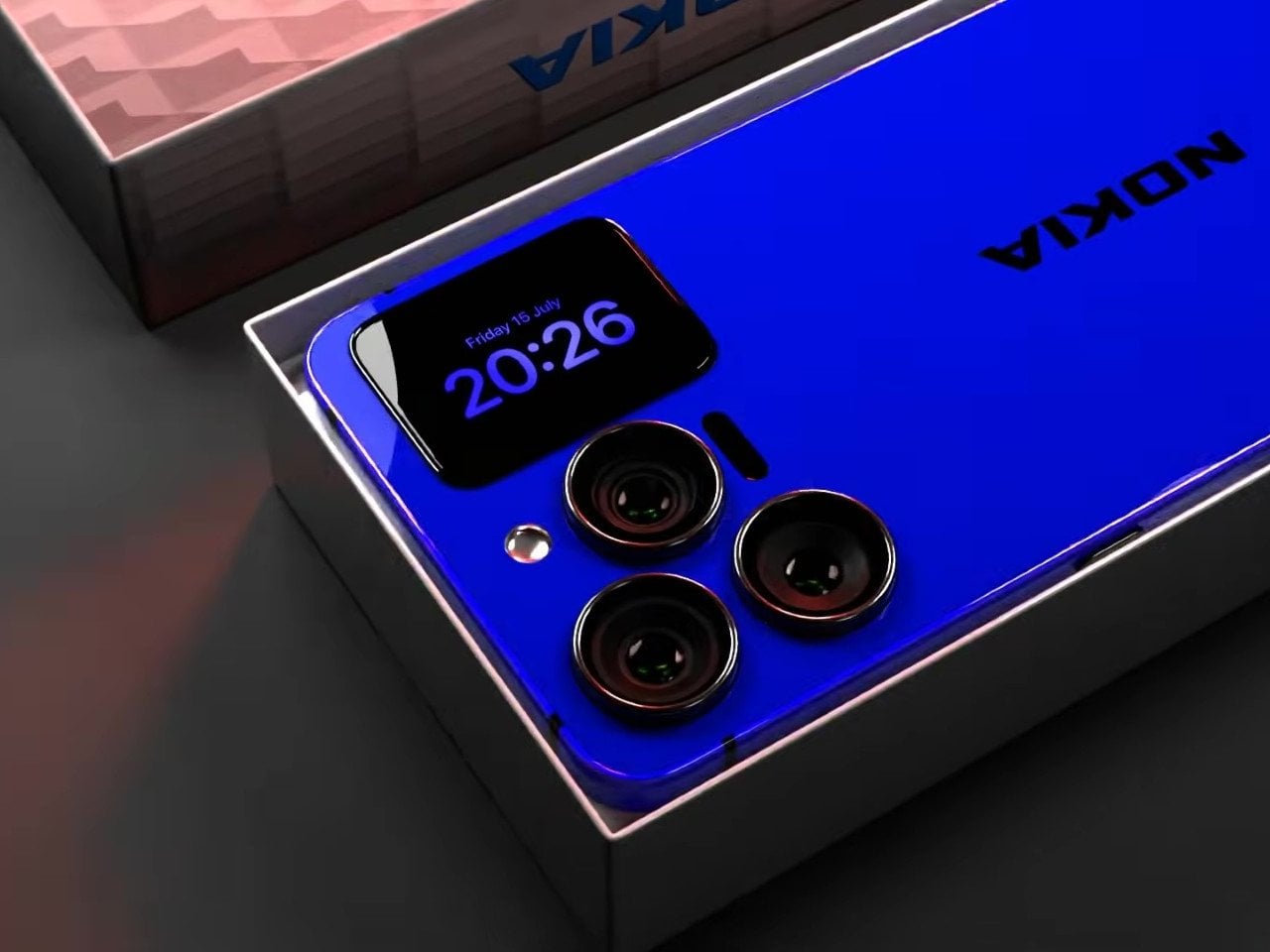
That rear panel holds a titanium alloy frame finished in a glossy cobalt blue or a graphite silver, with a raised visor housing three lens rings alongside a small rectangular display. Instead of sitting blank until a camera app opens, that mini-screen shows the time, the date, and glanceable notifications, all without waking the main display. It’s a small addition, but it changes how often a phone actually needs to come out of a pocket.

Designer: AndroidLeo (Concept)

A phone left face down on a desk during a meeting no longer has to stay silent about the time or a new message. A glance at the back shows both, then nothing more demanding follows, no bright wake screen lighting up a quiet room. That’s the appeal secondary displays have chased since Xiaomi and Meizu first tried the format years back, trimming how often the front screen needs to switch on at all.

The concept pushes its camera claims further than any current phone can back up, listing a 200 MP main sensor with 8K recording and a 200x zoom figure that would require optics no slim smartphone body can physically fit without an extending lens barrel. Two different Snapdragon chipsets get listed side by side too, a sign the spec sheet reads more like a wish list than an engineering plan. None of that undermines what’s genuinely worth noticing here.

The mini-display sitting flush against the camera visor is the detail carrying real design weight, because it reflects a question phone makers keep circling back to: how much information really needs a full screen turned on. Some phones use that rear space purely for decoration, a small strip showing a logo or a battery percentage and nothing else. Others, like this concept, treat it as a working display capable of running widgets, a clock face, or quick status checks.

Nokia returning to flagship phones remains unlikely no matter how sharp a fan render looks, and the camera math here falls apart well before any of these specs reach a factory floor. What holds up is the smaller premise underneath all of it, that a phone’s back panel can carry its own useful screen instead of sitting there as blank glass. That idea keeps showing up across the industry, with or without a Nokia badge attached to it.

The post A Fan Imagined Nokia’s Comeback With One Feature Worth Stealing first appeared on Yanko Design.

  •  

Poco F9 Ultra Review: Great Sound, Grown-Up Design

PROS:


  • Bose-tuned speaker remains a genuine standout

  • big , bright 185Hz display

  • Huge 8,050mAh battery

  • Great performance

CONS:


  • Relatively large and heavy body will not suit everyone

  • Ultrawide still does not feel especially wide

RATINGS:

AESTHETICS
ERGONOMICS
PERFORMANCE
SUSTAINABILITY / REPAIRABILITY
VALUE FOR MONEY

EDITOR'S QUOTE:

The F9 Ultra feels like Poco growing into its strengths, with Bose-tuned sound still leading the experience.

The Poco F8 Ultra felt like a turning point for Poco. Up to that point, the brand had always been easy to understand. You bought a Poco for speed, sharp pricing, and a bit of swagger. The F8 series added something new to that formula with Bose-tuned speakers, and that changed the feel of the phone in a way a faster chip or brighter screen usually does not.

It was not just about volume or clarity. The whole device felt more built around entertainment. Games had more punch, films had more room to breathe, and even everyday audio felt less like an afterthought. The denim-inspired rear panel helped give the F8 Ultra a bit of tactile identity too, even if the finish was more denim-adjacent than truly fabric-like, but the thing that stayed with you was the sound.

Designer: POCO

The Poco F9 Ultra takes that idea and pushes it further. Rather than treating the Bose-tuned system as a one-off flourish, Poco seems to be building on it with more confidence this time, wrapping that sound-first approach in a package that feels bigger, more polished, and more ambitious. If the F8 Ultra introduced a new side of Poco, the F9 Ultra feels like the phone that tries to make it stick.

Aesthetics

If the Poco F8 Ultra leaned young and fashionable, the Poco F9 Ultra leans sophisticated. It keeps the brand’s taste for visual confidence, but expresses it in a more restrained way, swapping tactile playfulness for cleaner lines, flatter surfaces, and a more polished sense of control.

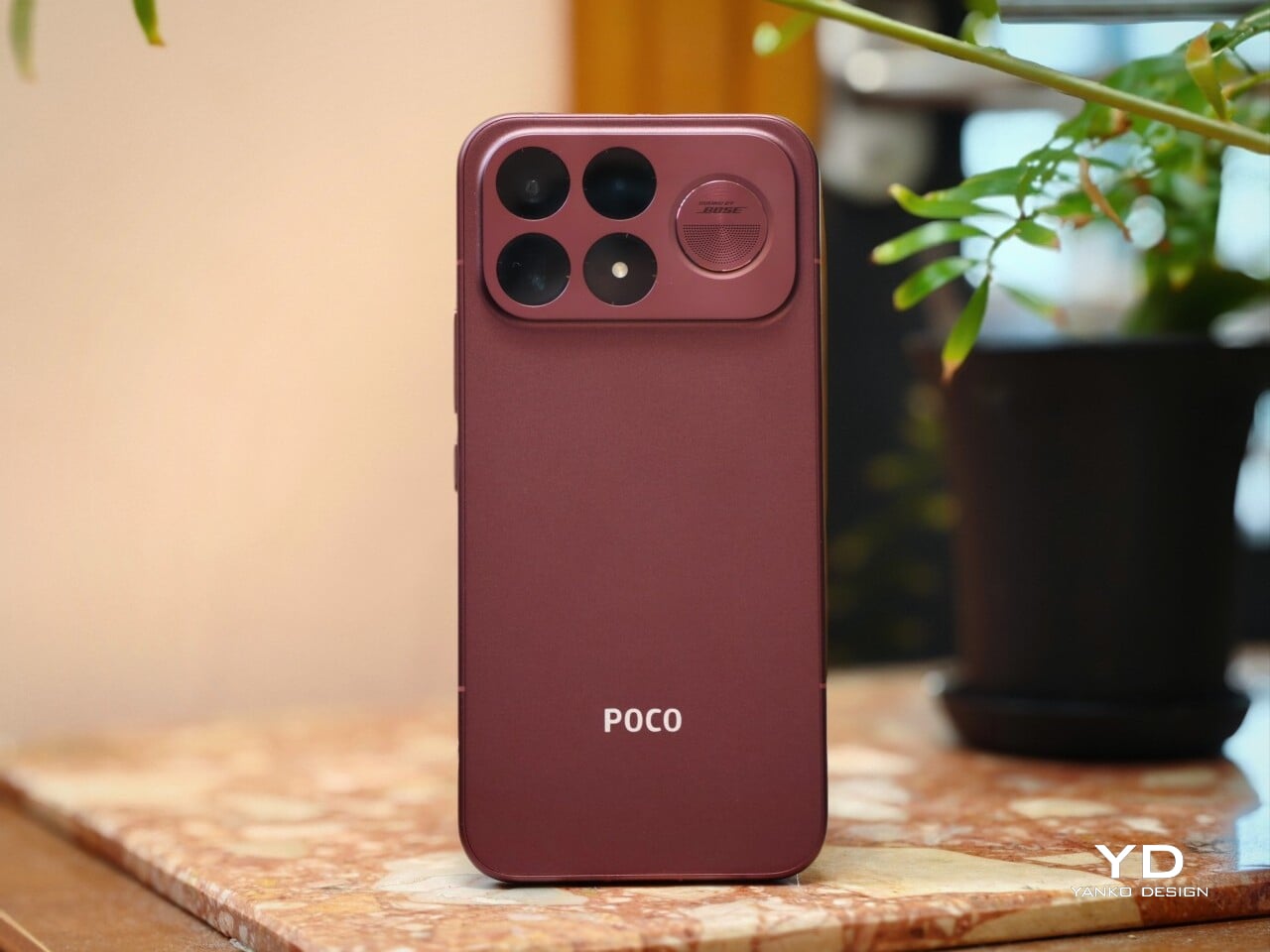
That shift is obvious the moment you look at the back. The denim-inspired treatment from the F8 Ultra is gone, replaced by a finish that feels more metallic and more architectural. The overall silhouette is simpler, but it does not come across as plain. Instead, it feels like Poco has traded novelty for composure, letting shape and proportion do more of the work.
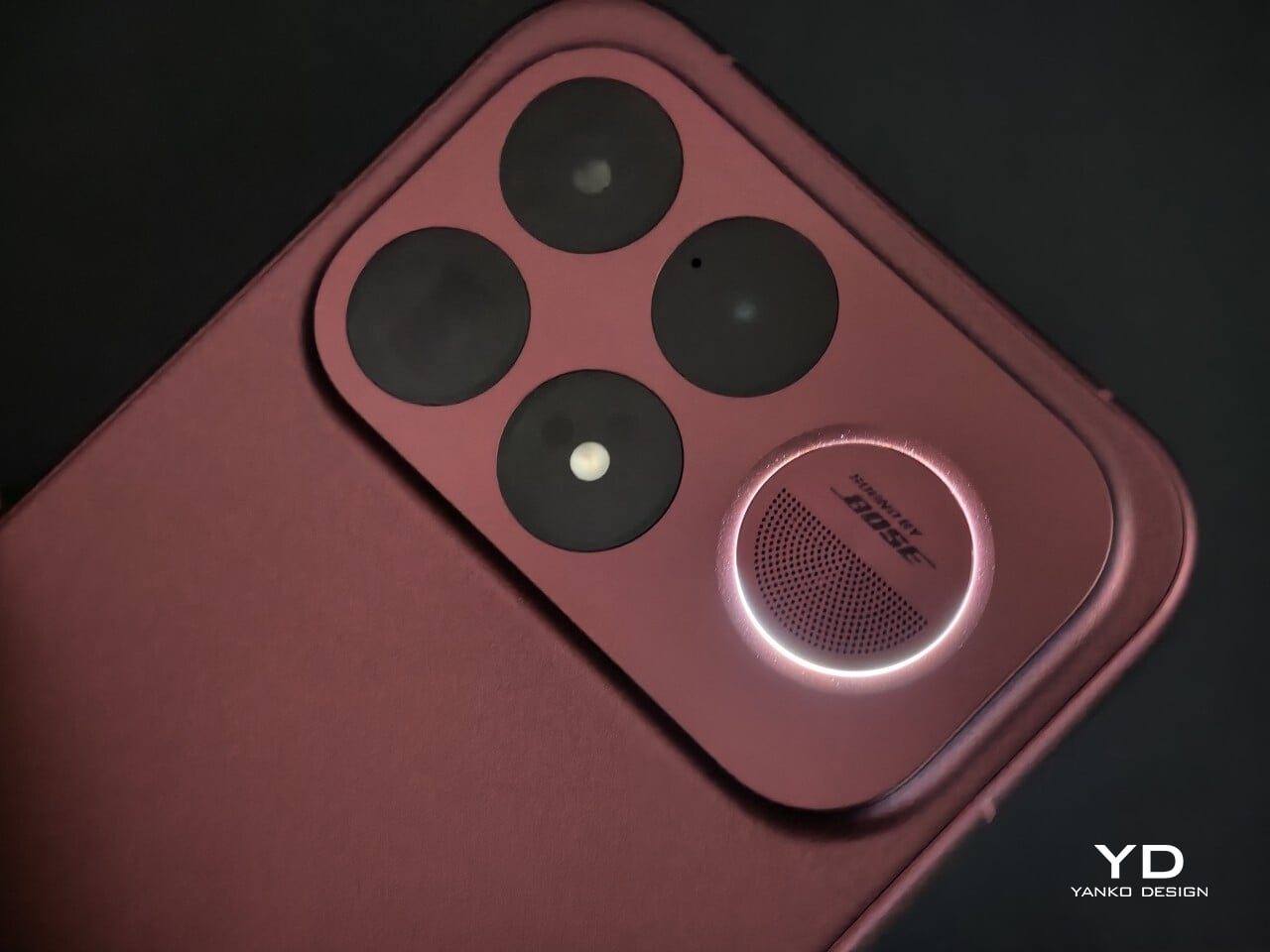
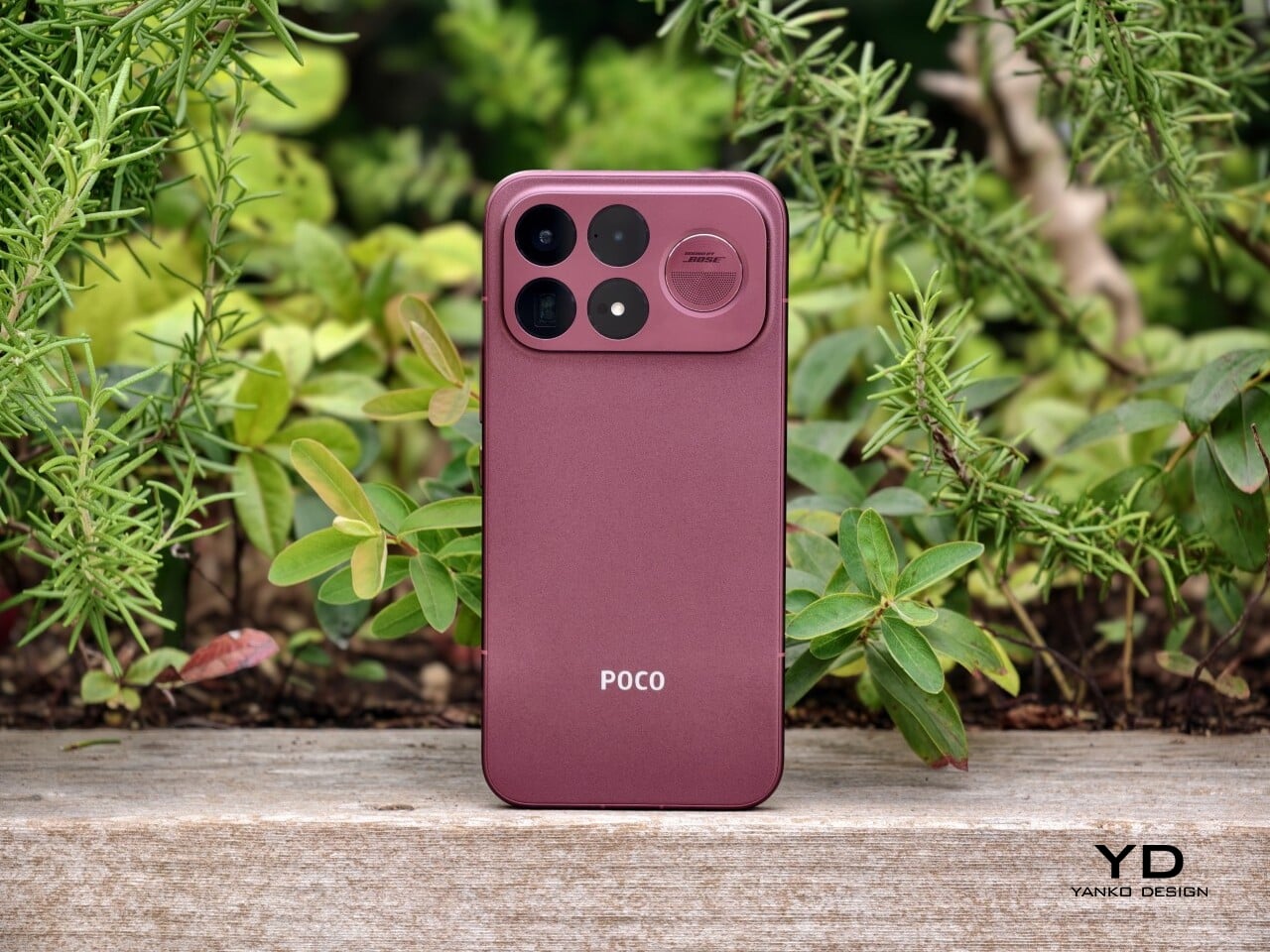
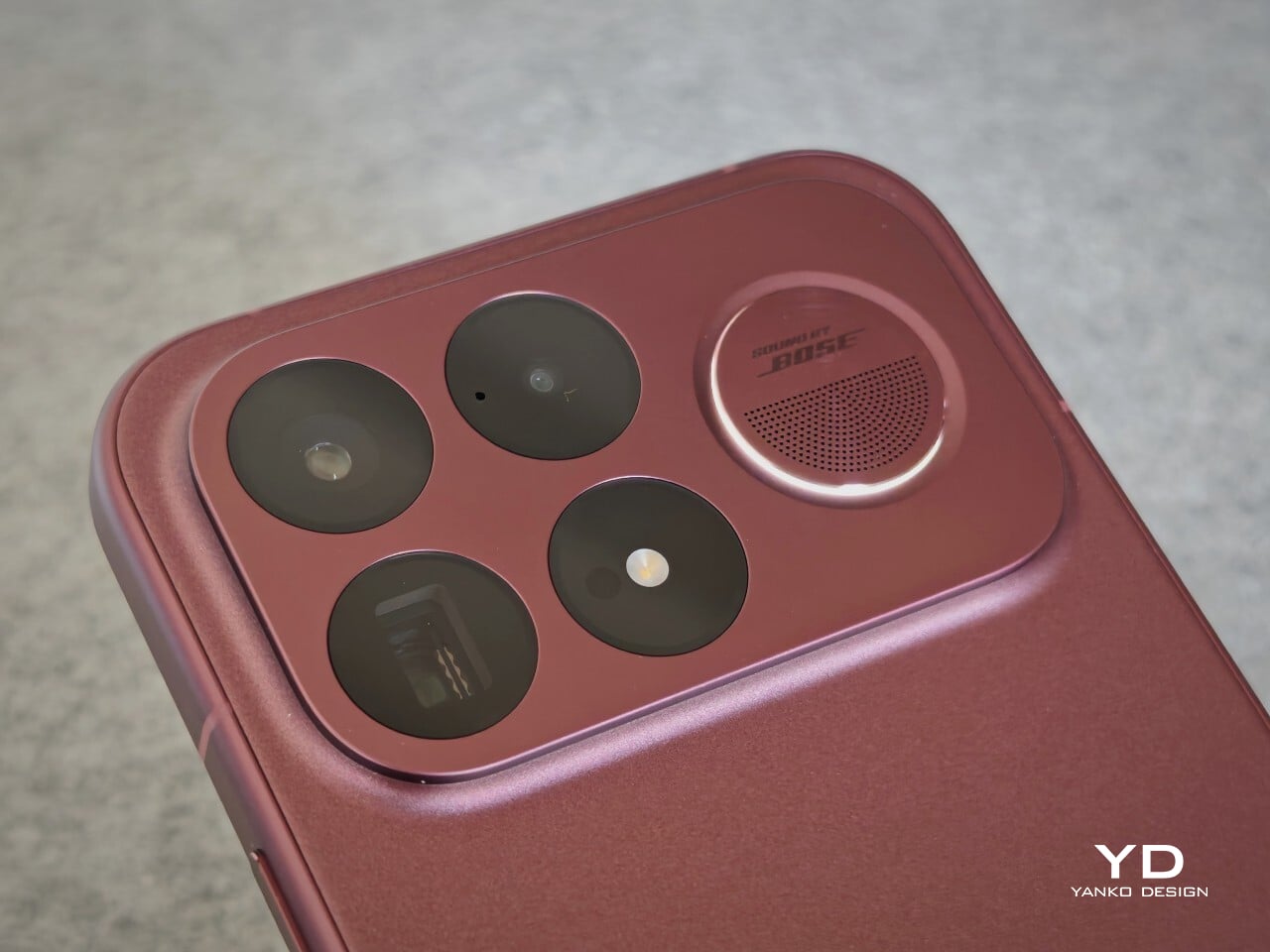
The camera island design remains largely the same as its predecessor, but it feels more resolved here. A large rectangular module sits across the top portion of the phone, housing three cameras and an LED flash in a neat 2 by 2 arrangement, with the speaker grille set off to the right. It is still a bold layout, but one that now feels less experimental and more like a defining part of the phone’s identity.

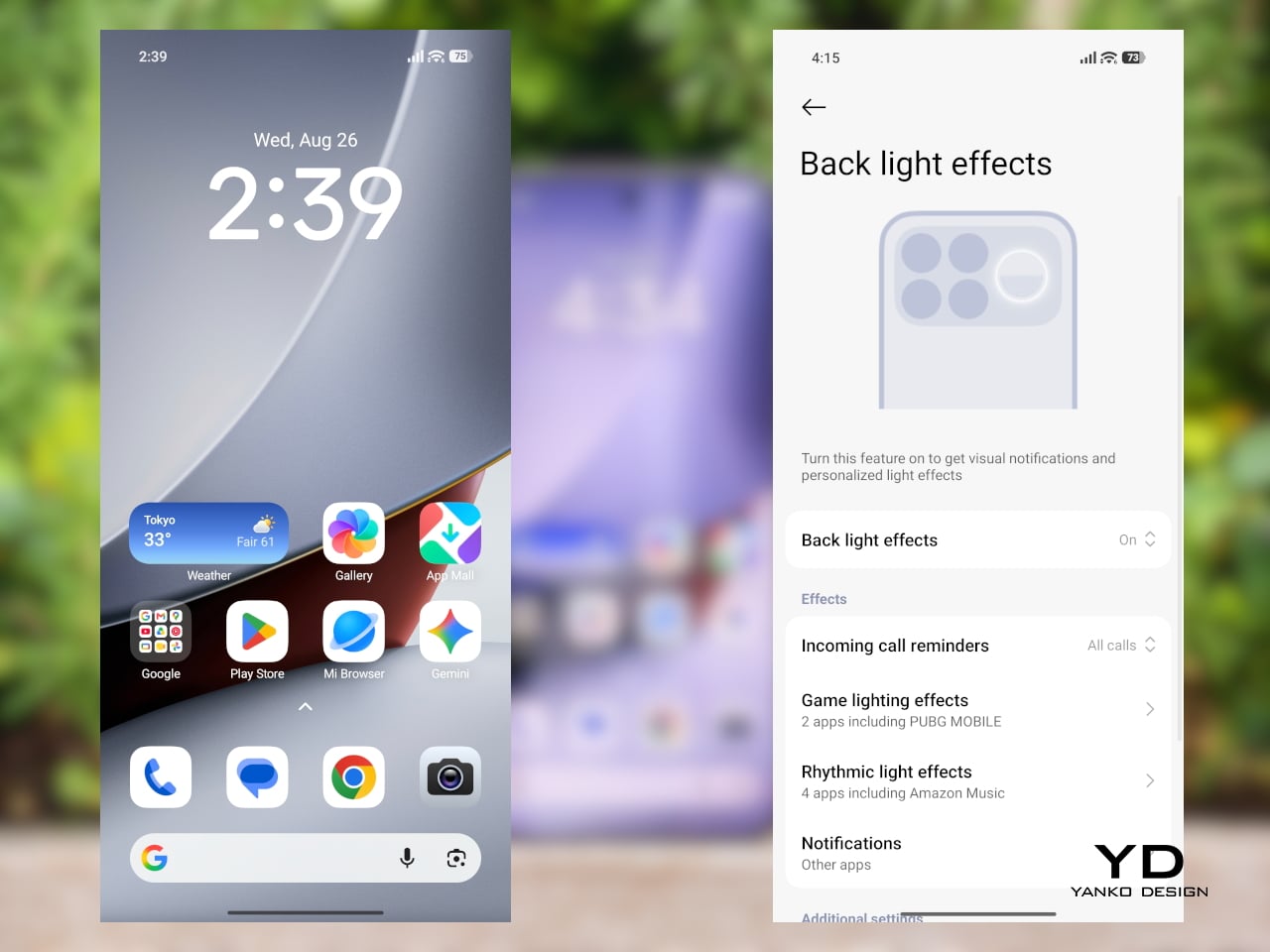
New to the F9 Ultra is a dynamic light ring built around the speaker grille. It supports personalized visual effects for incoming calls, games, and music. The effect itself appears to be fairly simple, closer to a clean white LED accent than anything overly flashy, but that may be exactly the point. It feels like Poco’s way of keeping a hint of gaming-phone energy alive without letting it overwhelm the more sophisticated direction of the design.
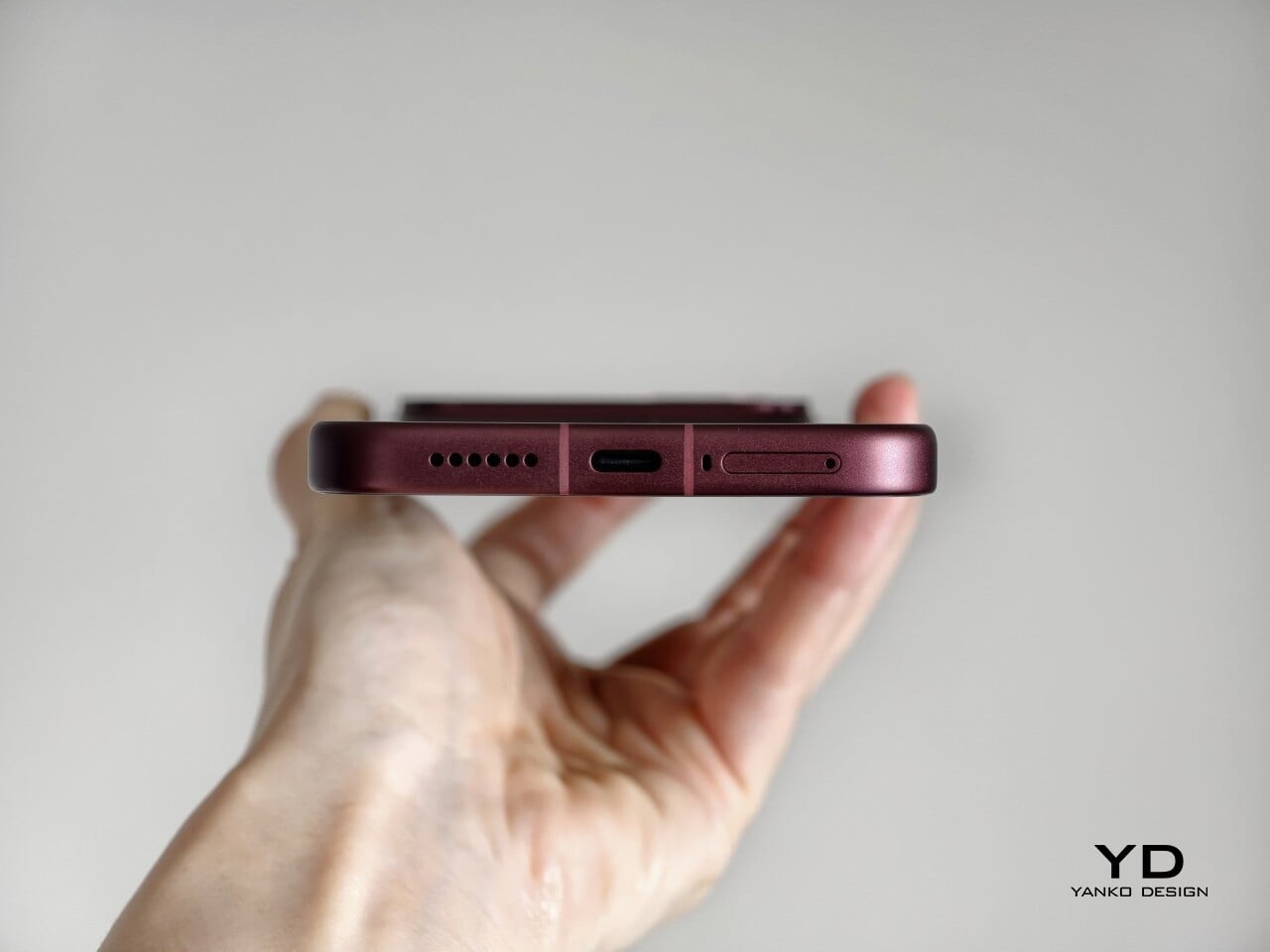
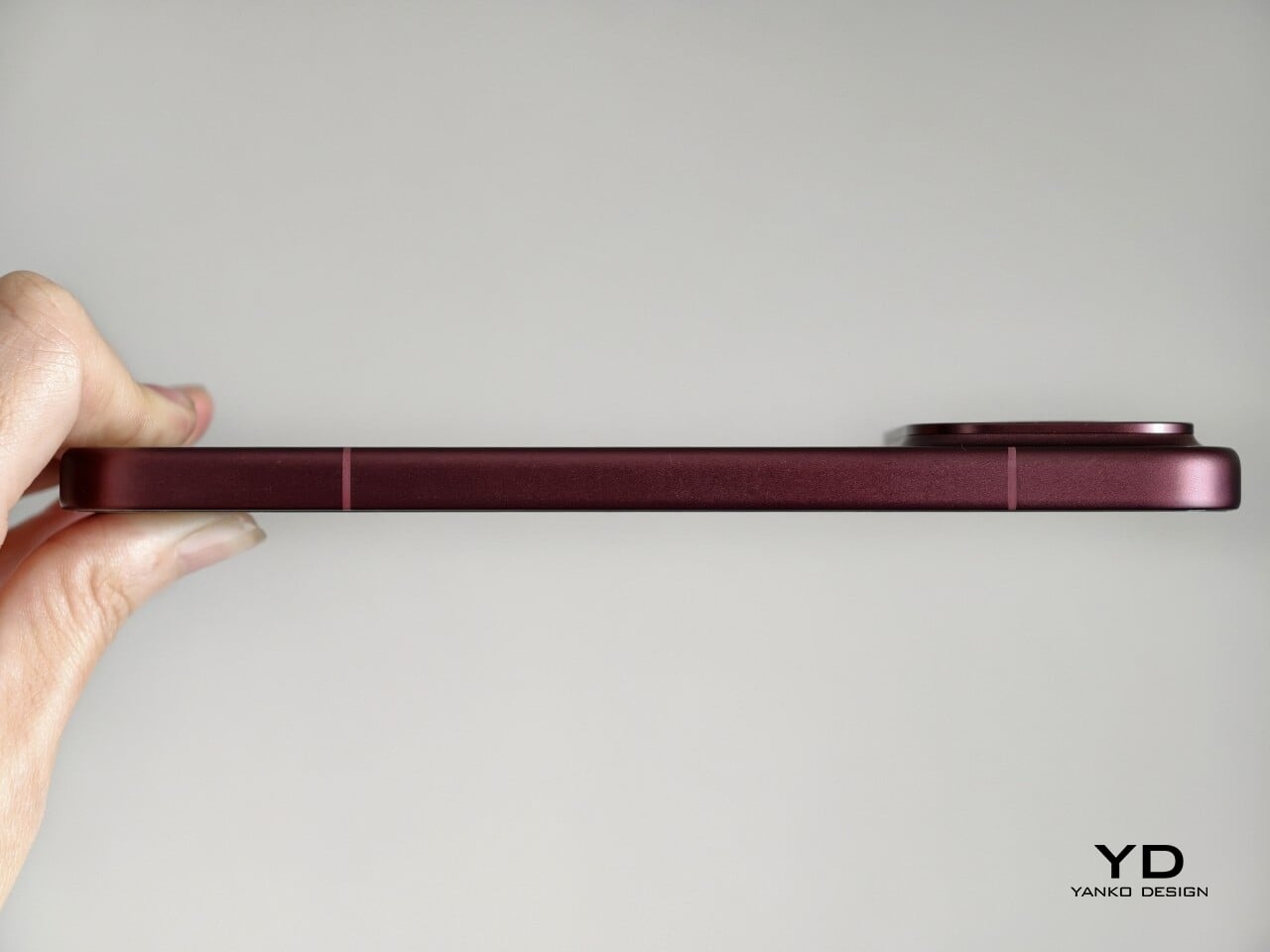
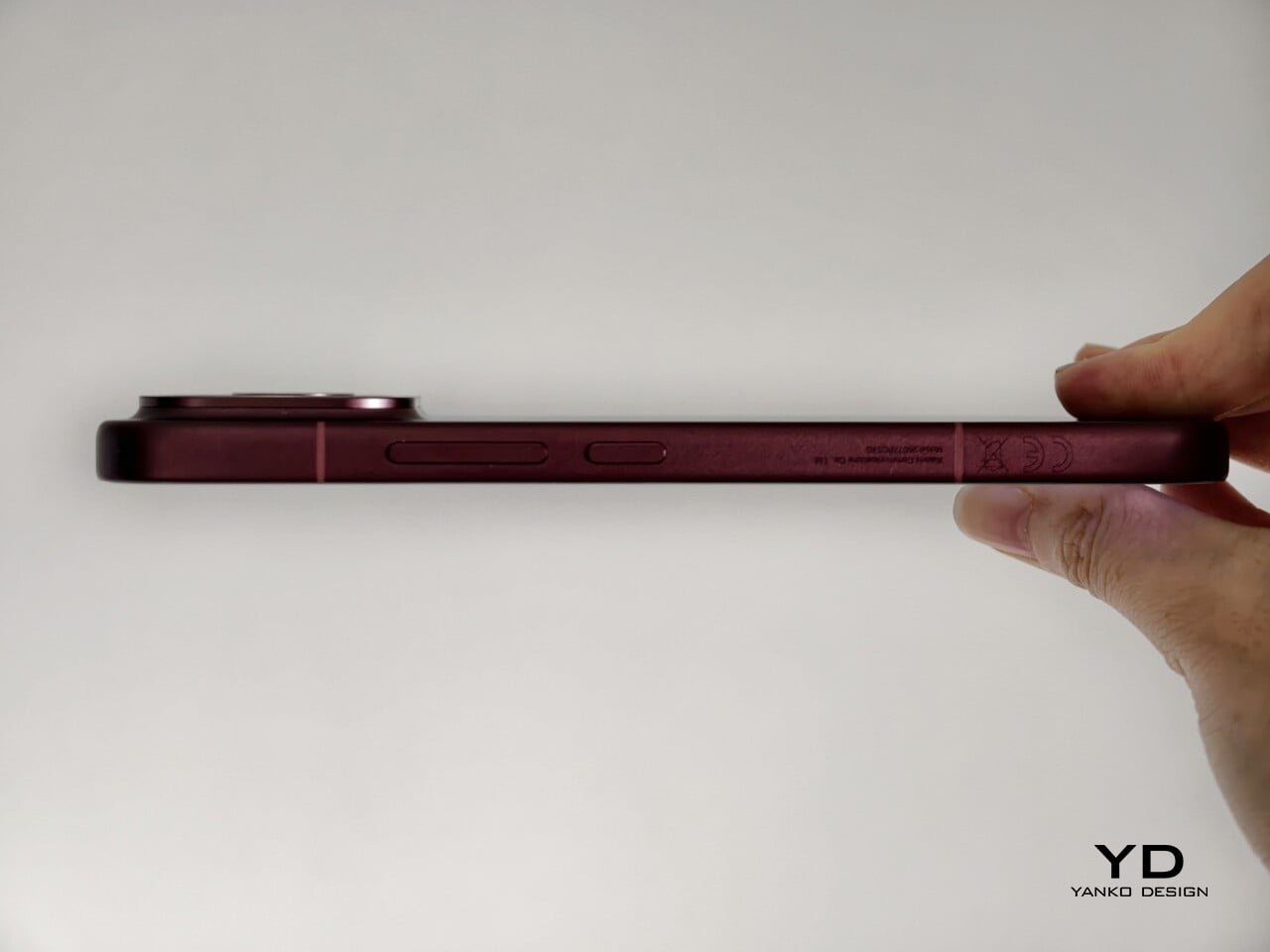
The two colors also tell slightly different stories. The Dark Cherry finish is the more expressive option, bringing warmth and a bit of drama without tipping into flashiness. The Black version feels more understated and technical, especially with the red side-button accent adding a small but effective point of contrast. Both work, but they speak to different moods. One is richer and more characterful, while the other is cooler and more controlled.

Ergonomics

That more sophisticated look does come with a more substantial physical presence. At 235g, the Poco F9 Ultra is about 15g heavier than the F8 Ultra, and you feel that extra weight immediately. It sits firmly on the heavier side, especially in one-handed use, where its size and mass are hard to ignore.
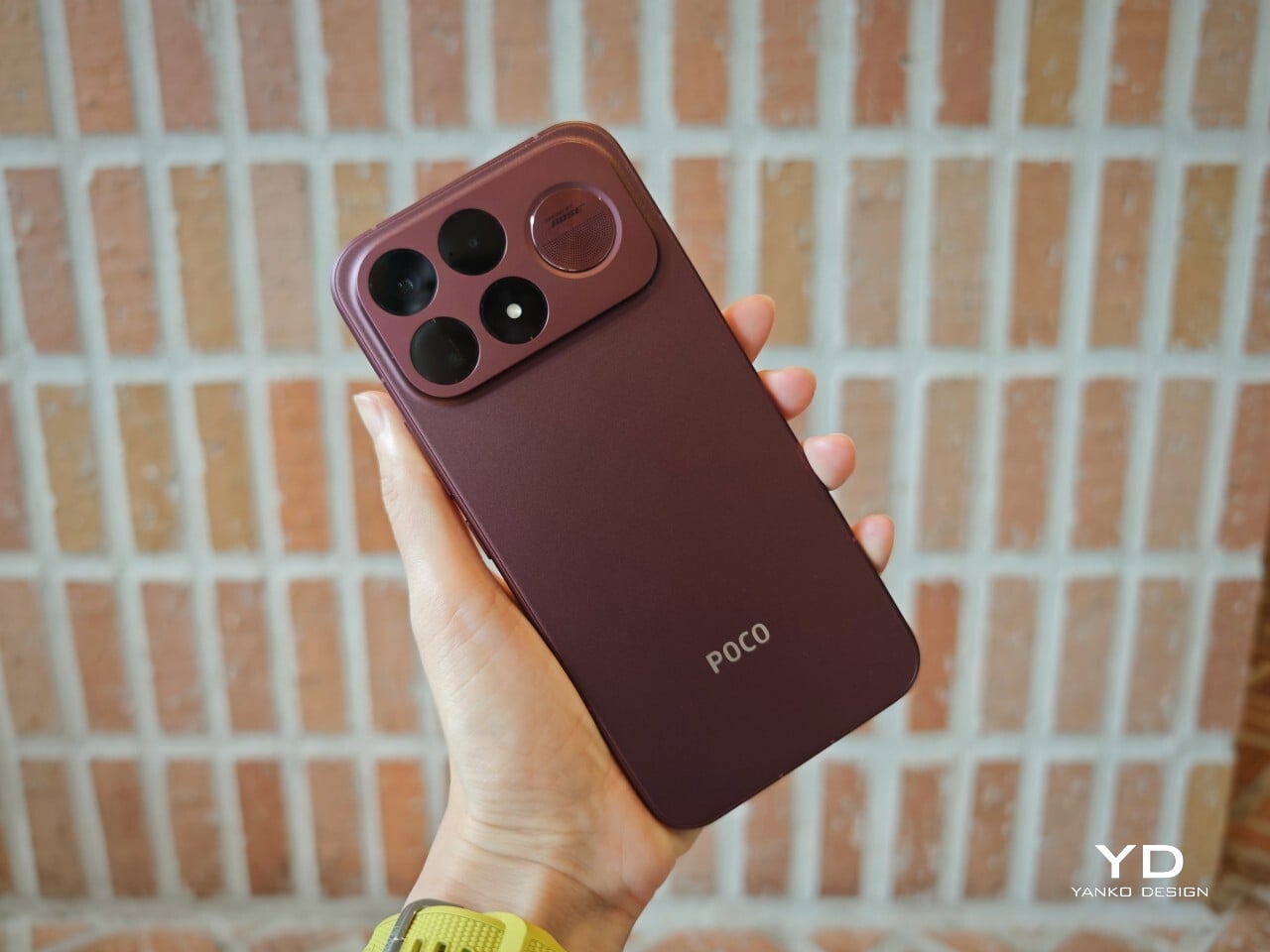
Its dimensions, 163.49 x 77.94 x 8.74mm, are broadly in line with its predecessor, so the overall footprint will feel familiar if you are coming from the older model. It is still a wide phone, though, and not the easiest to manage with one hand. The curved edges do help soften the grip and make it feel less severe than the numbers suggest, but this is still a device that feels more at home in two-handed use.
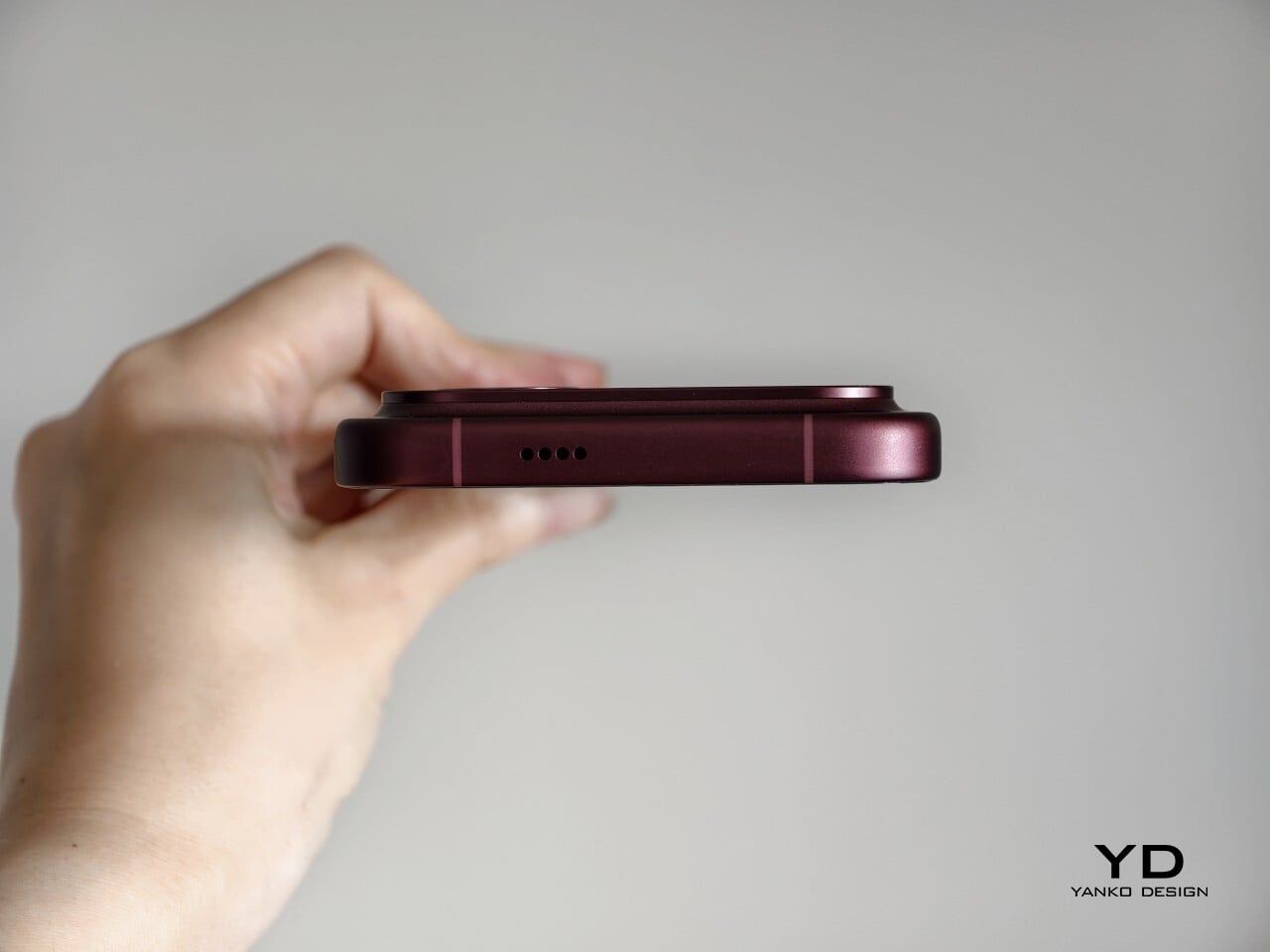
The matte finish does its part as well. It feels premium, pleasant to touch, and better at disguising smudges than a glossier surface would be. Add in the familiar button placement and unchanged in-display fingerprint scanner, and the F9 Ultra ends up feeling less like a phone you need to relearn and more like one you simply need to get used to carrying.

Performance

The F9 Ultra runs on Qualcomm’s Snapdragon 8 Elite Gen 5, the same flagship platform used in the F8 Ultra. Poco has also retained the VisionBoost D8, a dedicated chip aimed at improving gaming and video performance. In practice, that makes the F9 Ultra feel less like a leap in raw power and more like a refinement of an already capable performance formula.
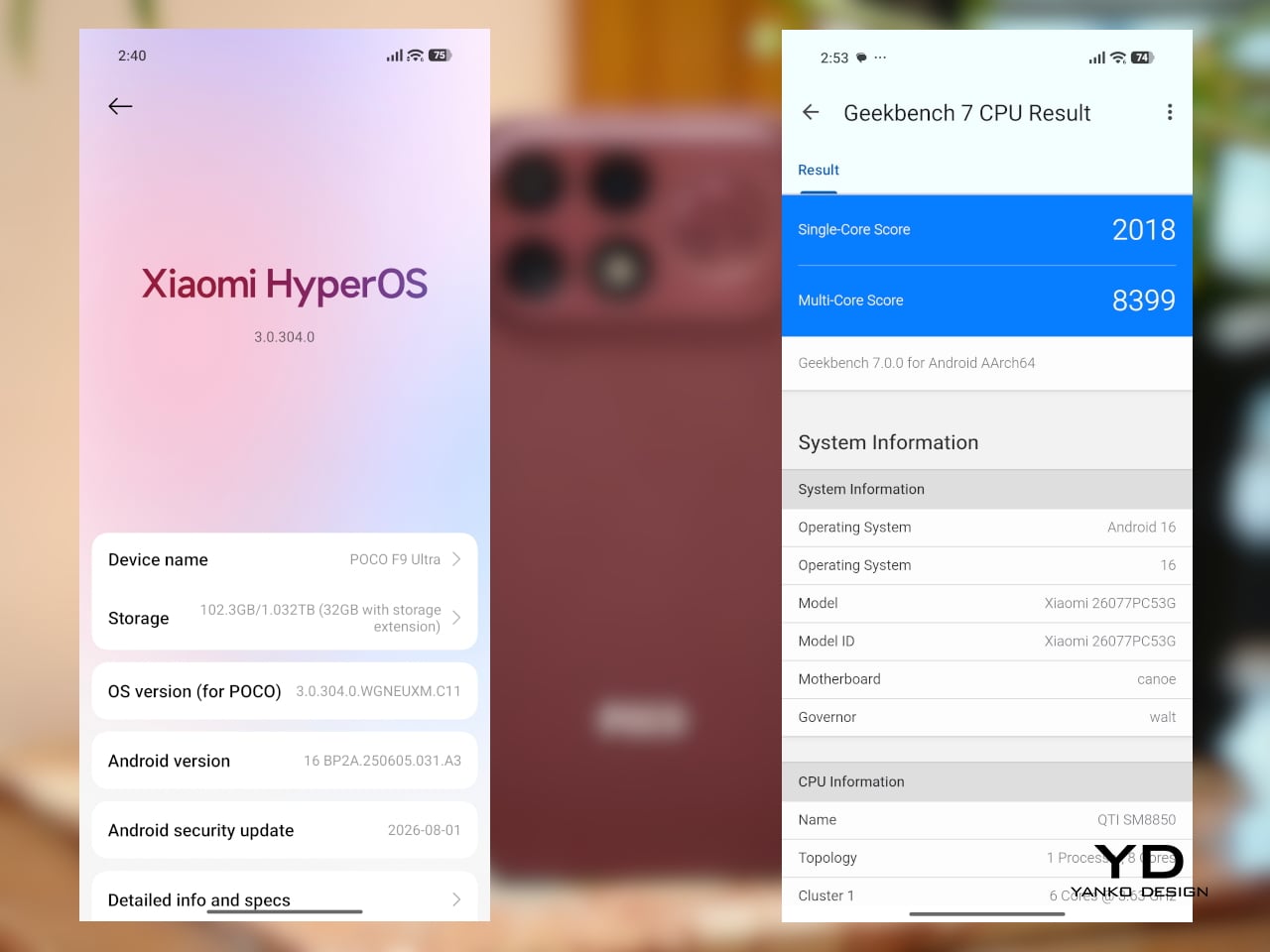
The F9 Ultra pairs that gaming focus with a 6.9-inch 1.5K AMOLED display, and it is exactly the kind of panel you would want on a phone built around entertainment. It is large, sharp, and vibrant, with a refresh rate that gives the phone a clear performance edge in games that can actually take advantage of it. Outside of gaming, that same smoothness carries over into scrolling, animations, and general navigation, even if the practical difference becomes less dramatic in everyday use.

Brightness is another clear strength. Poco says this is the first global lineup to use the new M11 luminescent material, which helps the panel reach up to 4,500 nits in peak brightness and as high as 10,000 nits for HDR highlights. The numbers are extreme, but the more practical takeaway is that the screen stays very readable outdoors and gives bright scenes a stronger sense of punch and contrast without losing too much detail.
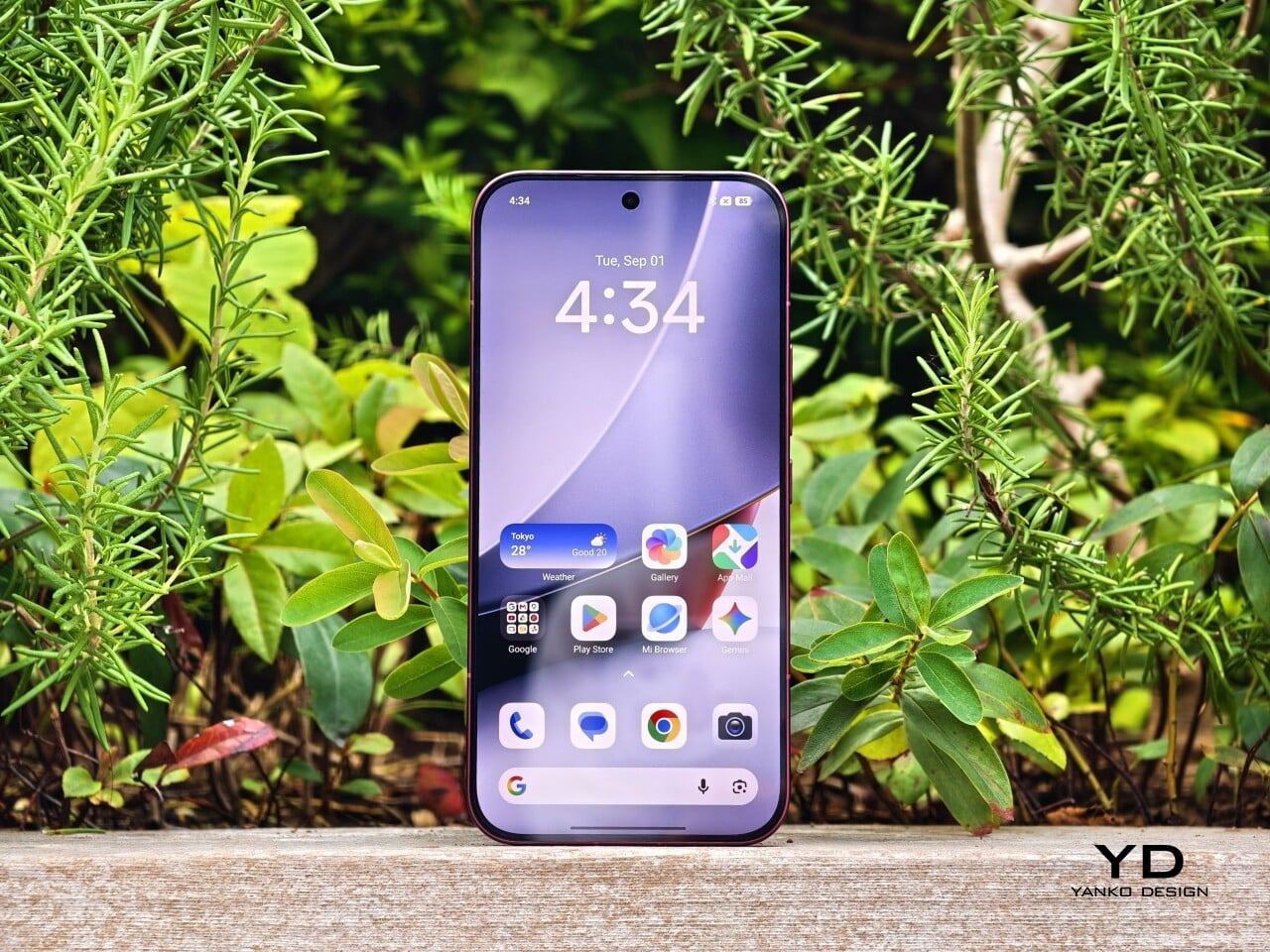
The F9 series is also Poco’s first to push to 185Hz, with support for 24 games running at a native 185fps. That sounds more dramatic than it always feels in practice, because the benefit depends heavily on the kind of game you are playing. In faster titles like Blood Strike, Crossfire: Legends, and Brawl Stars, the higher refresh rate does make a difference. Motion looks cleaner, visual updates come faster, and the game feels a little more immediate under your fingers. In slower games like Clash of Clans, Clash Royale, or Hearthstone, the gain is much smaller. You still get smoother animations and interface movement, but not the same kind of gameplay advantage.

In an hour-long session of Blood Strike at the highest graphic settings, the F9 Ultra was able to hold 185fps without any obvious frame drops. Just as importantly, it did not get uncomfortably hot, staying at around 40 degrees Celsius on the surface. There is clearly enough cooling here to keep performance from falling off over time, but the more important takeaway is that the phone stays consistent under load.

Main Camera, 1x

Portrait mode, Main Camera, 3.1x

The F9 Ultra is the second phone to come out of Poco’s partnership with Bose, which makes the collaboration feel less like a one-off experiment and more like part of the series identity. The Bose-tuned speaker system remains one of its most distinctive features, and also one of the easiest to appreciate in daily use. Poco says it has redesigned the acoustic port and upgraded the dual speakers for clearer sound and richer bass. It also keeps the sound profile presets and 10-band EQ introduced on the F8 Ultra, which means there is still plenty of room to tailor the sound to your liking.

Telephoto Camera, 5x

Telephoto Camera, 10x

In use, the speakers are easy to like. Just like the F8 Ultra, the F9 Ultra delivers some of the best smartphone audio you can get. The sound is fuller and more open than what most phones manage, with enough bass presence to give games, films, and music a bit more body. Dialogue comes through clearly, and the overall presentation feels less cramped than the average smartphone speaker setup.

Main Camera, 1x

Telephoto Camera, 5x

Telephoto Camera, 10x

The F9 Ultra upgrades the main camera from 50MP on the F8 Ultra to 200MP here, though the sensor itself is smaller, dropping from 1/1.31-inch to 1/1.56-inch. That makes it less a straightforward upgrade and more a different kind of tradeoff. The rest of the setup remains familiar, with a 50MP 5x telephoto, a 50MP ultrawide, and a 32MP front camera.

Poco has also made a subtle but useful change to the focal lengths. The F9 Ultra uses a 24mm-equivalent main camera and a 17mm-equivalent ultrawide, compared with 23mm and 18mm on the F8 Ultra. The shift is small, and the ultrawide still does not feel especially expansive, but the added separation between the two lenses makes the jump from main to ultrawide feel a little more purposeful.

Ultrawide Camera, 0.7x

Main Camera, 1x

Telephoto Camera, 10x

In use, the main camera captures photos with good detail, solid dynamic range, and vibrant color. The 5x telephoto is also capable, though it tends to produce images that look a bit more saturated and contrast-heavy. Video is solid too, with crisp footage and enough consistency to make the camera system feel dependable for everyday shooting.

Night Shot, Ultrawide Camera, 0.7x

Night Shot, Main Camera, 1x

Night Shot, Telephoto Camera, 5x

Night Shot, Telephoto Camera, 10x

Battery life remains one of the F9 Ultra’s biggest strengths. The 8,050mAh battery is enormous even by flagship standards, and it gives the phone a clear advantage in the kind of heavy use it is designed for. In my use, it was easy to stretch the phone across two days on a charge, which suits the F9 Ultra’s media-heavy, gaming-friendly character especially well.
Charging is just as capable, with 100W wired and 50W wireless support, plus 27W wired reverse charging and 22.5W wireless reverse charging. It is a battery setup that feels as well-rounded as the rest of the phone.

Sustainability

The F9 Ultra is not a phone that talks much about sustainability in the material-driven sense, but it does make a decent case for longevity. Its IP68 rating and Corning Gorilla Glass 7i should help it stand up to everyday wear, which is still one of the most practical ways a phone can stay useful for longer.
Poco also promises four major Android OS updates and six years of security patches, which gives the F9 Ultra a fairly credible long-term support story. That matters because software support plays a big role in whether a phone remains worth keeping. Poco may not be leading the conversation around recycled materials or repairability here, but the basics of durability and usable lifespan are in place.

Value

The F9 Ultra starts at $799 for the 12GB/256GB version, which puts it $70 above the F8 Ultra. That is still an increase, but not an especially aggressive one in the current climate, where similar phones have seen price jumps closer to $100. Some of that restraint may come from Poco reusing the same Snapdragon 8 Elite Gen 5 platform, which likely helped balance out the rising cost of RAM and other components.
As an upgrade, though, the case is less convincing. If you already have the F8 Ultra, moving to the F9 Ultra does not make a lot of sense unless you specifically want the new design, the 185Hz display, or the 200MP main camera. As a fresh buy, however, it remains one of the best affordable flagship-level phones around. Poco may be edging upward in price, but it still knows how to deliver a lot of phone for the money.

Verdict

The Poco F9 Ultra feels like Poco settling into a formula that actually works. The design is more mature, the gaming side is still strong, and the Bose-tuned speakers remain one of the best reasons to care about the series in the first place. Add the huge battery and the 185Hz display, and you end up with a phone that feels very sure of what it wants to be.

If you already have the F8 Ultra, I do not think this is the upgrade to chase. The older phone is still good enough that the differences here feel more iterative than urgent. But if you are buying fresh, the F9 Ultra is still one of the better affordable flagship-level phones around, especially if you care as much about sound and gaming as you do about the usual specs.
The post Poco F9 Ultra Review: Great Sound, Grown-Up Design first appeared on Yanko Design.

  •  

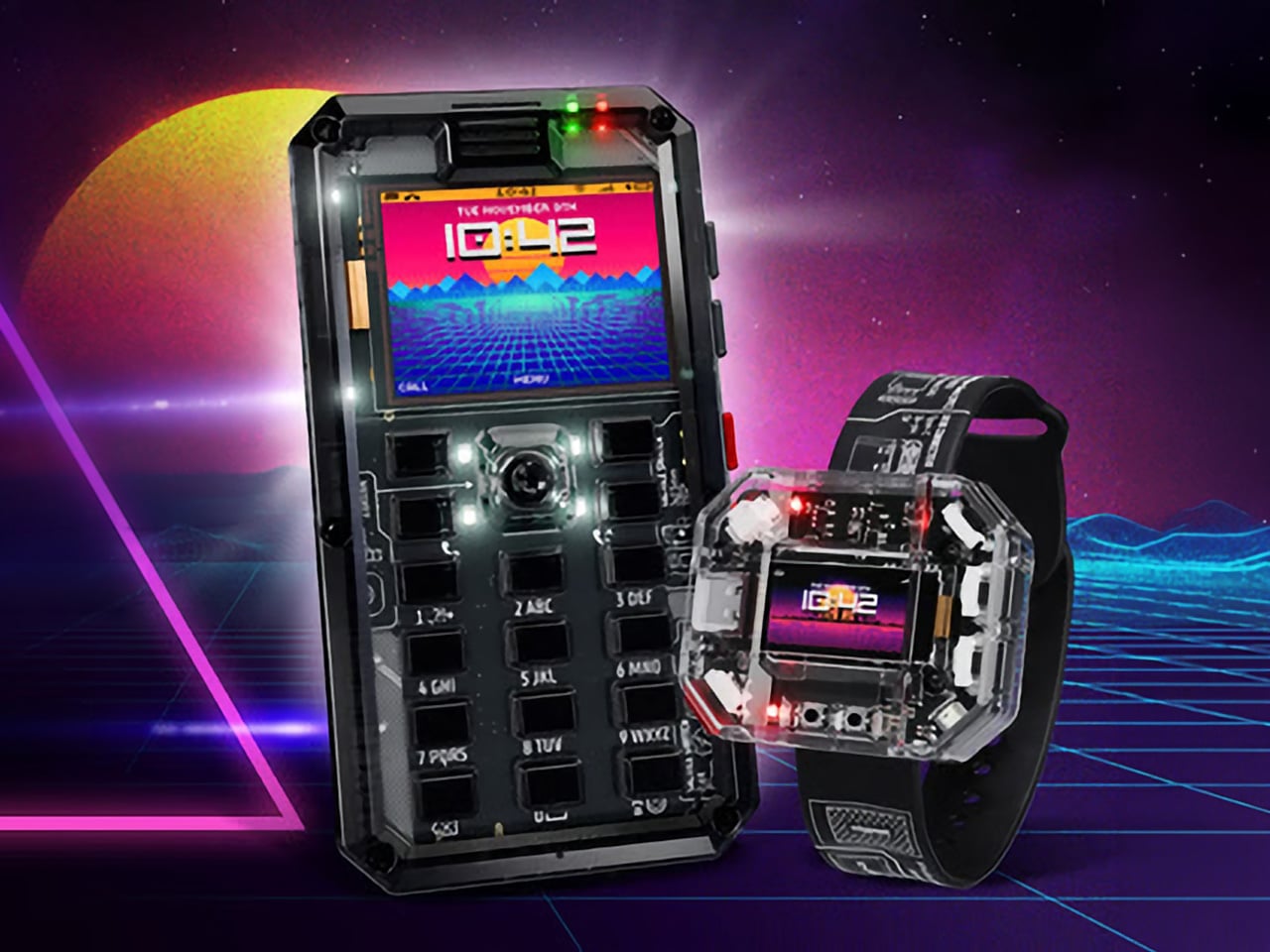
MAKERphone 2.0 Assembles Like LEGO, Calls Like a Real 4G Phone

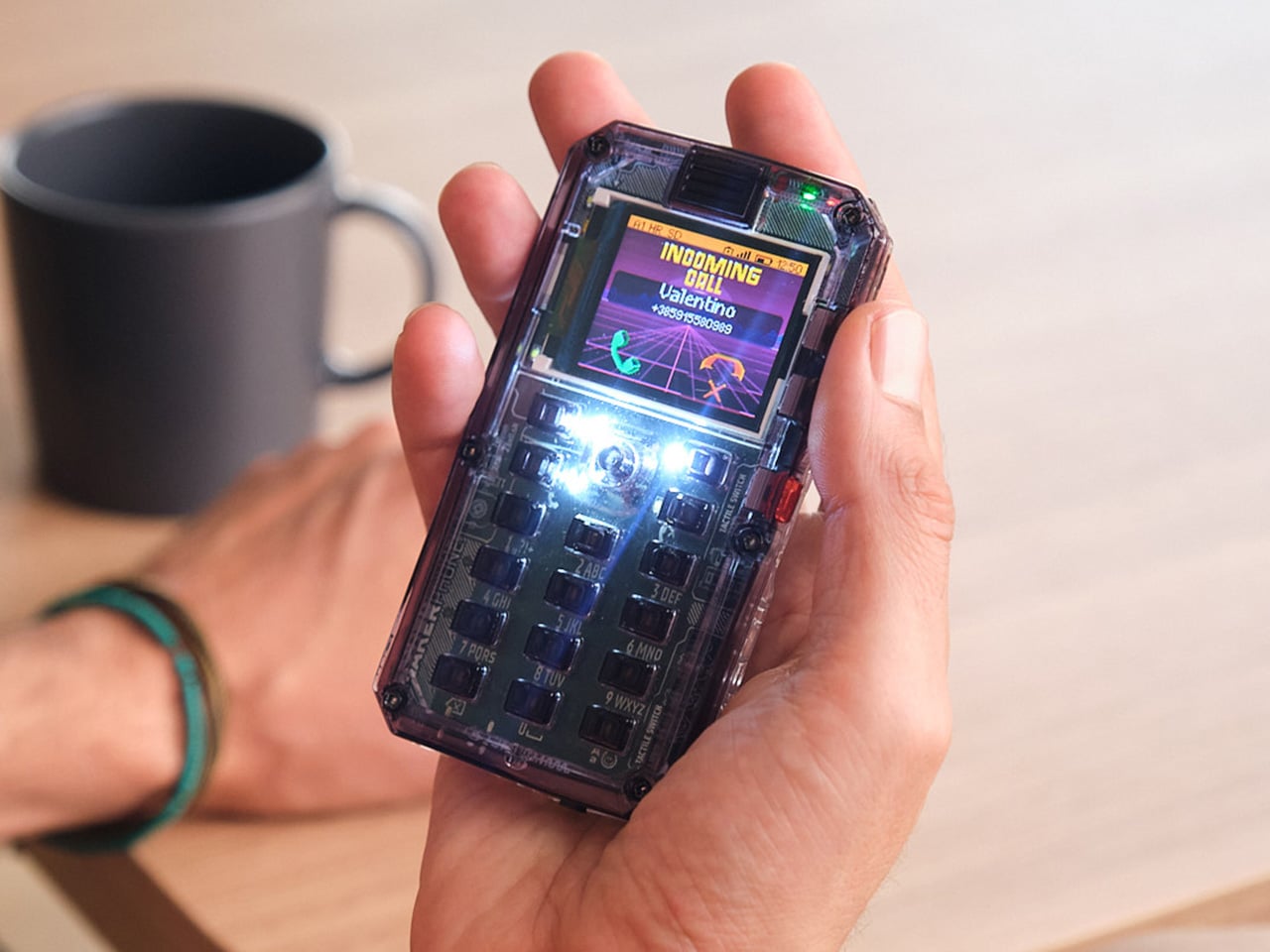
Most phones arrive finished, sealed behind glass before you open the box. MAKERphone 2.0 flips that script. It ships as loose parts that only become a phone once you build it yourself: no soldering iron, no electronics background, just a screwdriver and about two hours. Once assembled, it’s a working 4G device that makes real calls and sends texts over a live network.

The build is what really sells the design. Every piece, from the board to the display to the numpad and to the joystick, clicks or screws into place. The entire endeavor is guided by an illustrated manual that reads like a LEGO instruction booklet, with video walkthroughs for anyone who gets stuck. By the time you finish, you’ve seen the processor, the modem, and the battery close, not used them.
Designer: CircuitMess

Click Here to Buy Now: $129 $160 (24% off). Hurry, only a few left! Raised over $300,000.

Pop in a nano-SIM and the phone comes alive on 4G networks, handling calls and texts like any device off a shelf. There’s a music player, a photo and video gallery, a calendar, notes, and a handful of retro games loaded onto that small color screen. What’s missing says as much: no app store, no social feed, nothing designed to keep anyone scrolling past bedtime.
That absence is the whole appeal for anyone shopping for a kid’s first phone. It calls and texts the people a child needs to reach, without opening the door to an internet’s worth of distraction. When a kid wants a new app or game, the answer isn’t downloading one; it’s building it. Screen time stops being something to limit and starts being something to spend making.
That building happens inside VibeBoy, the phone’s companion coding studio that runs on a computer. Describe an idea in plain English, like a taco dodging falling pickles, and the AI writes code sent to the phone with one click. The goal isn’t to let AI do all the thinking but to let VibeBoy teach users to read that code, question it, and eventually rewrite it.
That teaching happens across four stages built into the same app. Beginners describe what they want and watch it appear on-screen, before moving on to reading and tweaking the Python code the AI generates. Eventually, they write their own Python and C++ from a blank file. Nobody stays at one skill level long; the ladder is designed so most people climb it faster than expected.

Six snap-on modules turn the phone into something closer to a small hardware platform than a single-purpose device. A camera module captures pixelated stills and video, a bigger speaker adds volume, and a flashlight adds utility. An environment sensor reads temperature and humidity, an infrared module controls other devices, and a bare perforated board lets anyone solder a custom circuit and plug it in.

A companion smartwatch called MAKERband follows the same idea, arriving as a kit to assemble rather than a sealed gadget. Once built, it pairs with the phone over Bluetooth and also works with iOS and Android, running 15 watchfaces and five mini-games out of the box. It connects to VibeBoy, so a custom watchface, say, a pixel cat that naps after 9 PM, is a prompt away.

The company behind it, CircuitMess, has spent years building kits like this from a small studio in Croatia. It has shipped hundreds of thousands of units to customers across more than 100 countries, developed dozens of products, and earned coverage from outlets like Wired and The Verge. Just as important, the MAKERphone 2.0 isn’t a rendering or an early prototype: the hardware is finished and ready for production.

What sticks with you isn’t any single spec but the sequence. A pile of components turns into a working phone, and that phone turns into whatever its owner decides to code next. Somewhere between the last screw and the first successful call, the device stops feeling like something you bought and starts feeling like something you actually built, one working call at a time.

Click Here to Buy Now: $129 $160 (24% off). Hurry, only a few left! Raised over $300,000.

The post MAKERphone 2.0 Assembles Like LEGO, Calls Like a Real 4G Phone first appeared on Yanko Design.

  •  

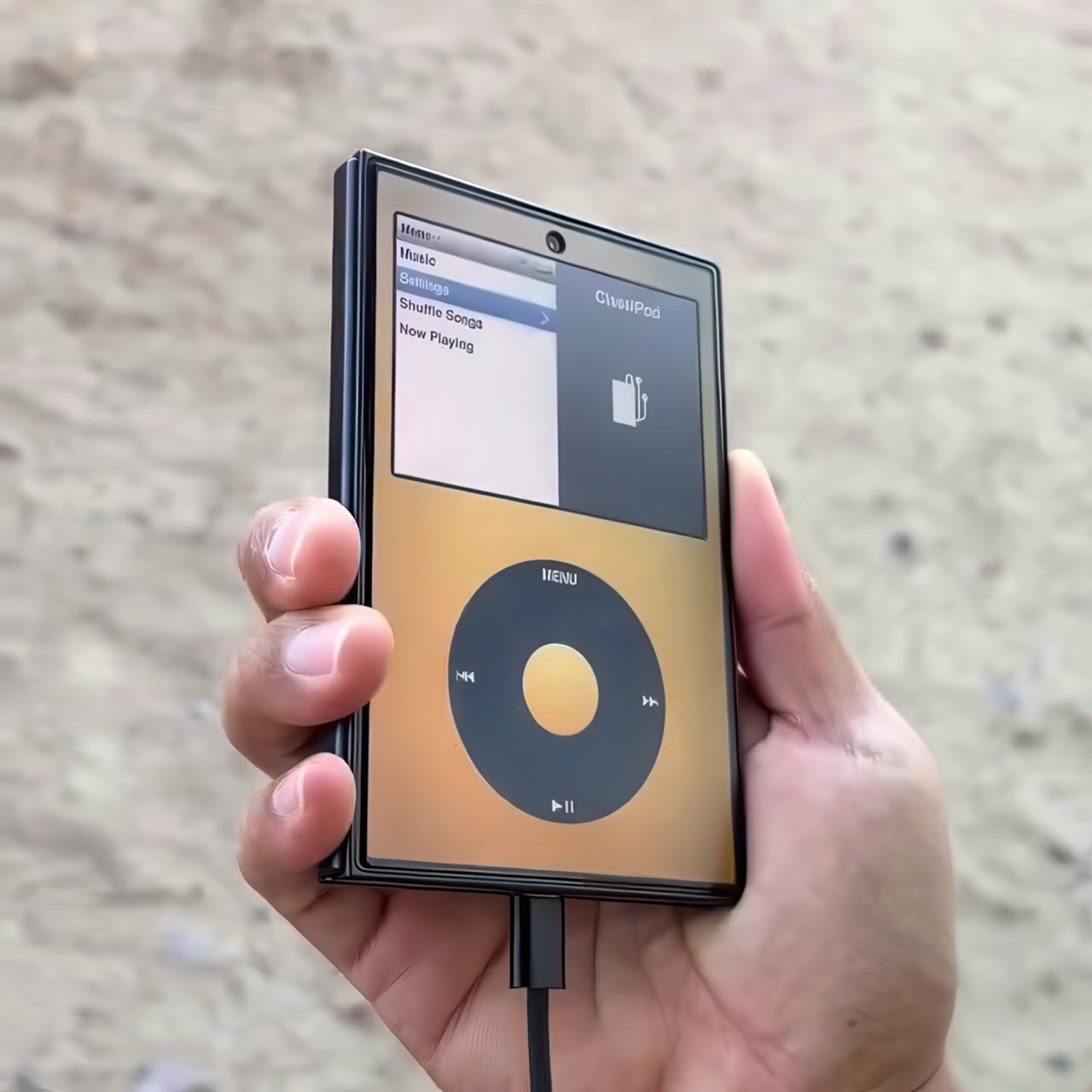
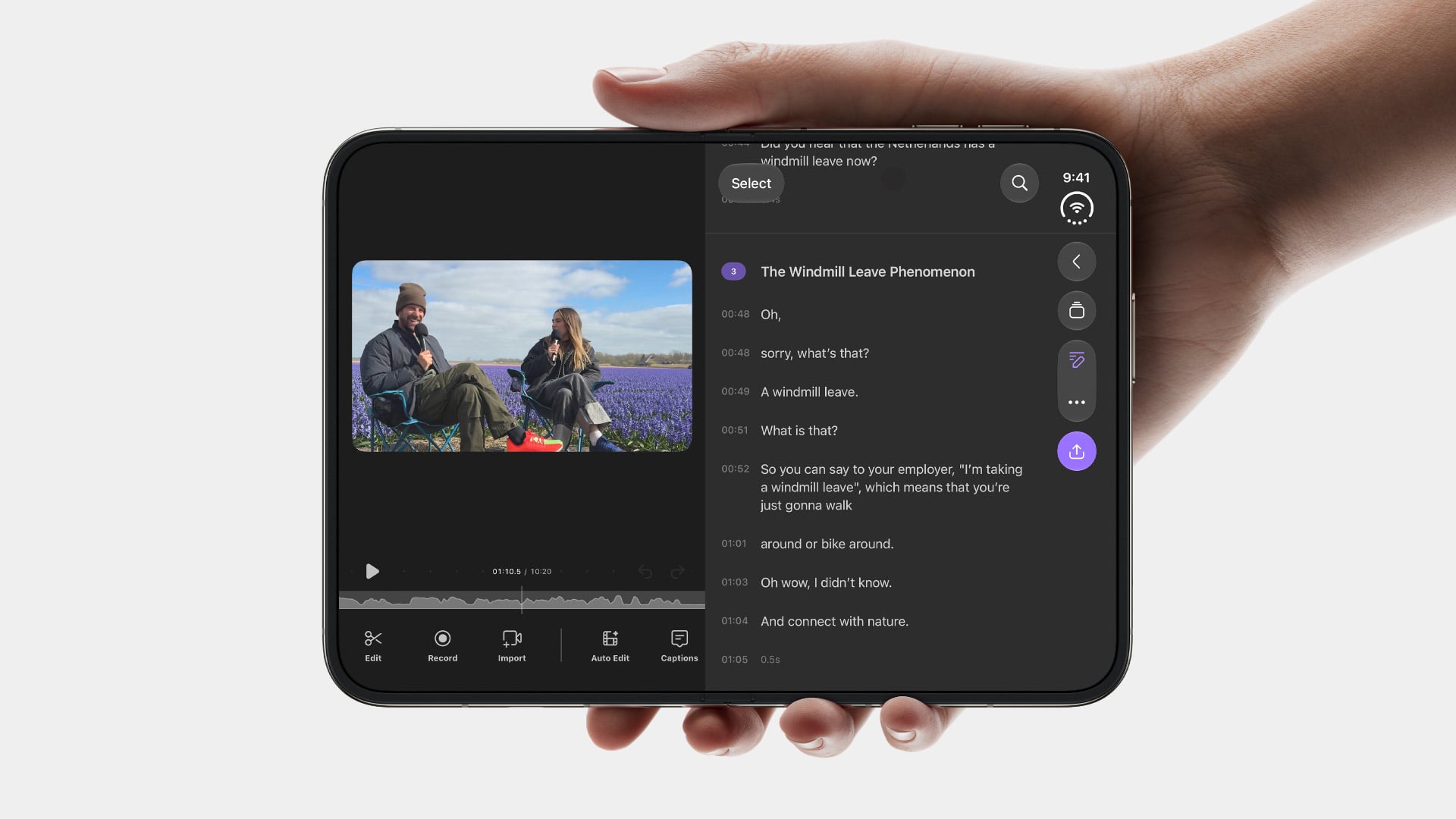
iPod Classic emulator for the Samsung Galaxy Z Fold8 finally gets the size and aspect ratio right

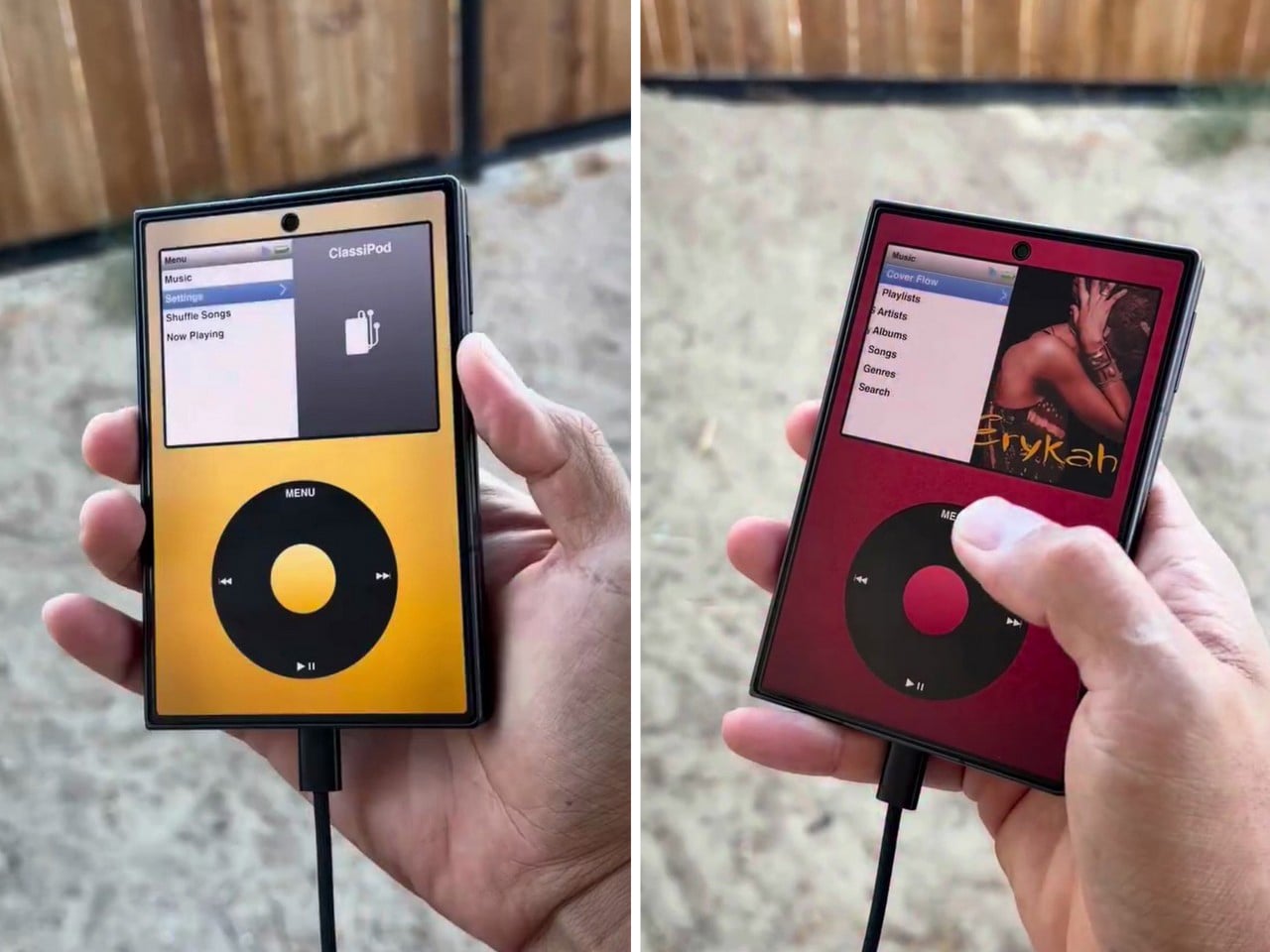
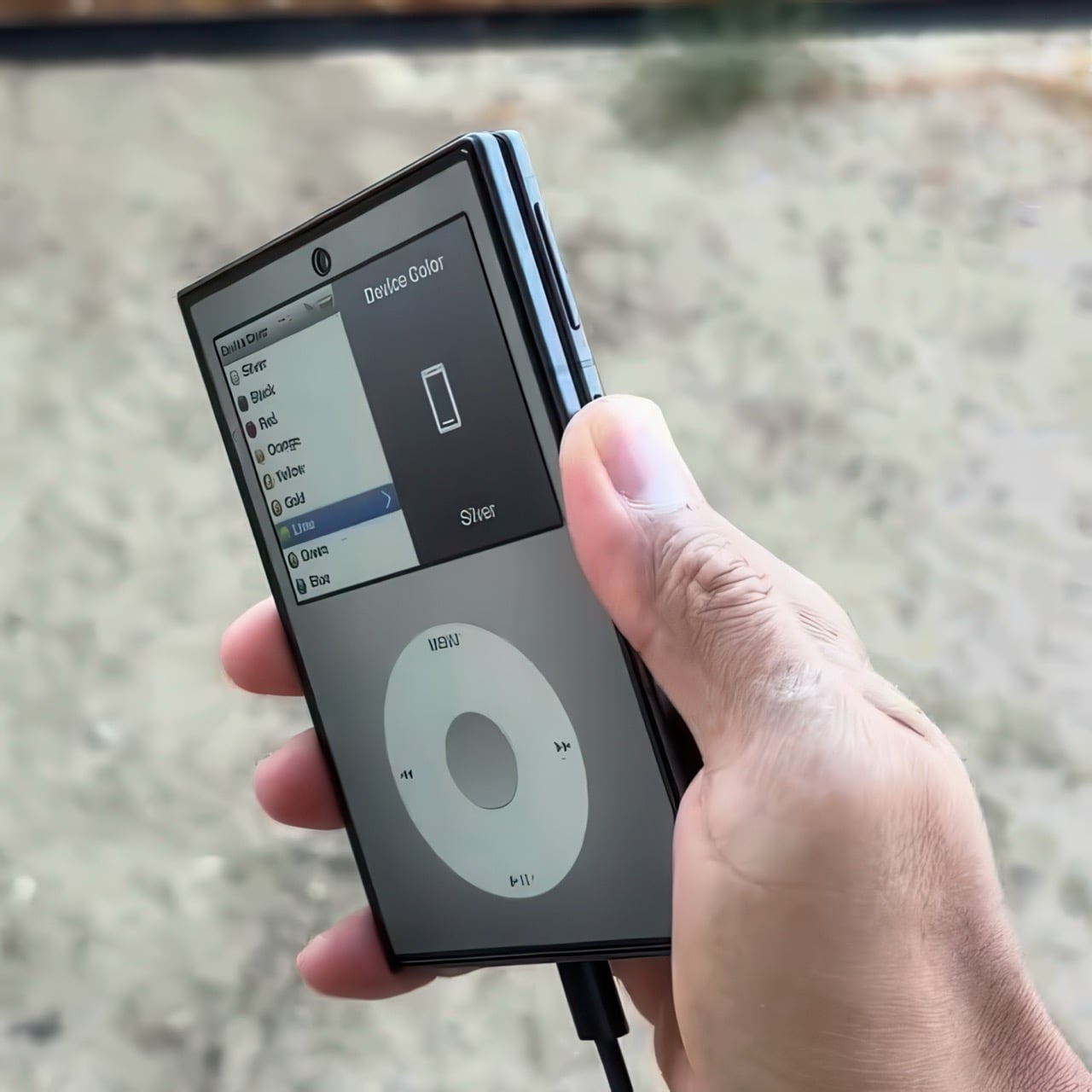
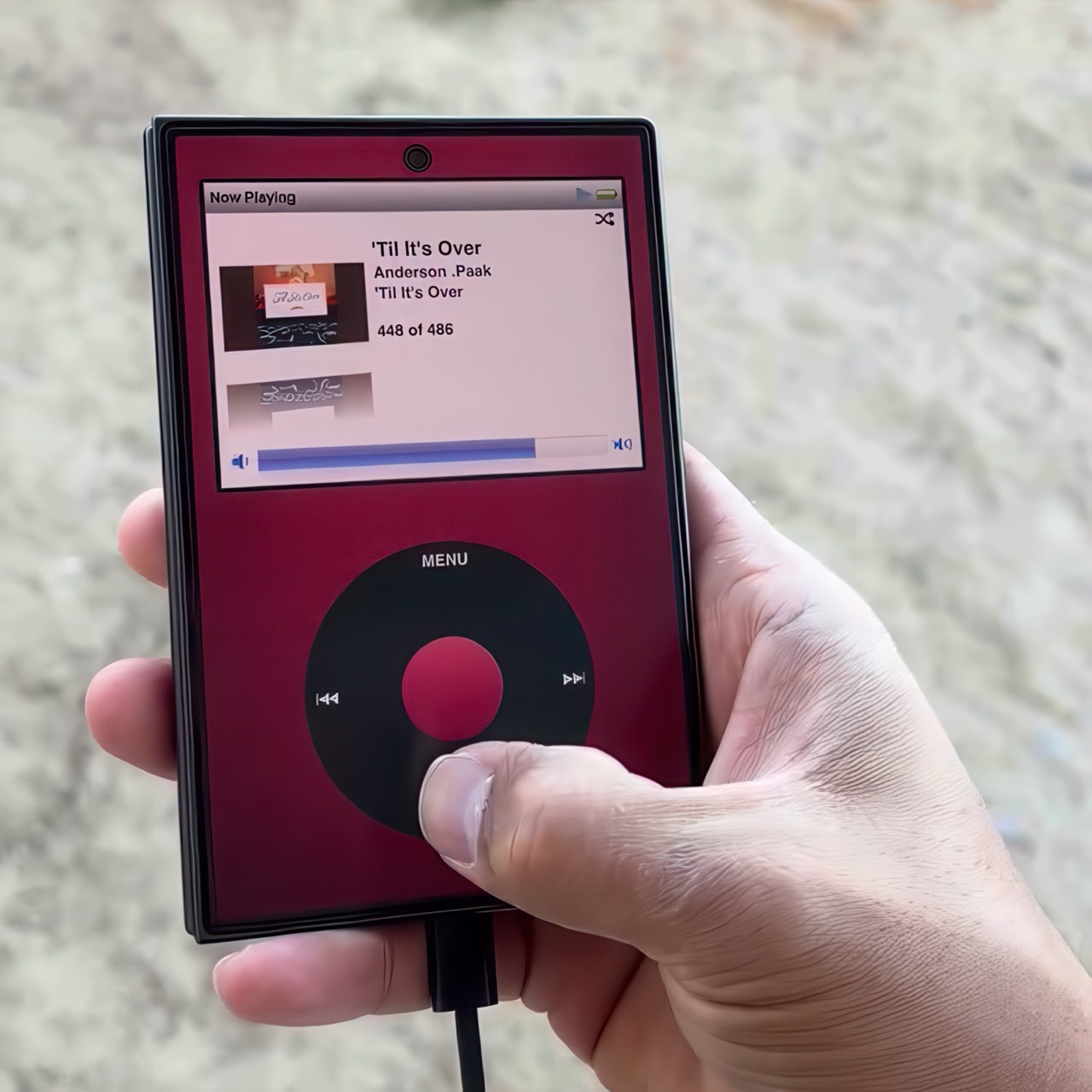
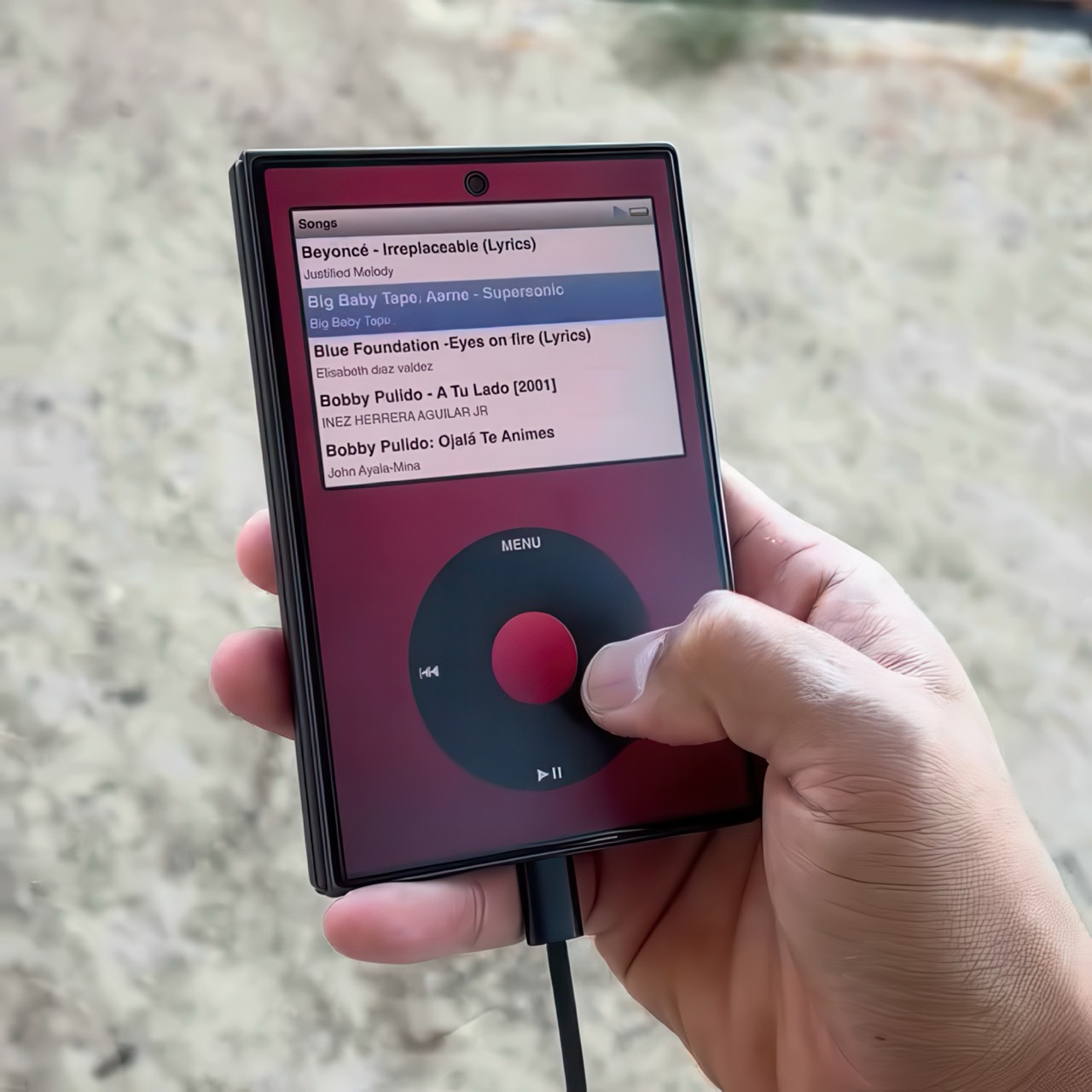
Apple has the opportunity to do something really cool here! An emulator going by the name of Classipod has been doing the rounds on the Google Play Store, letting you run an iPod Classic style interface on any Android phone of your choosing. The only problem is that Apple never really made a 9:20 iPod Classic. Every iPod Classic had a short, stout design and as it stands, there are only two Android phones that currently fit this bill, and both fold.

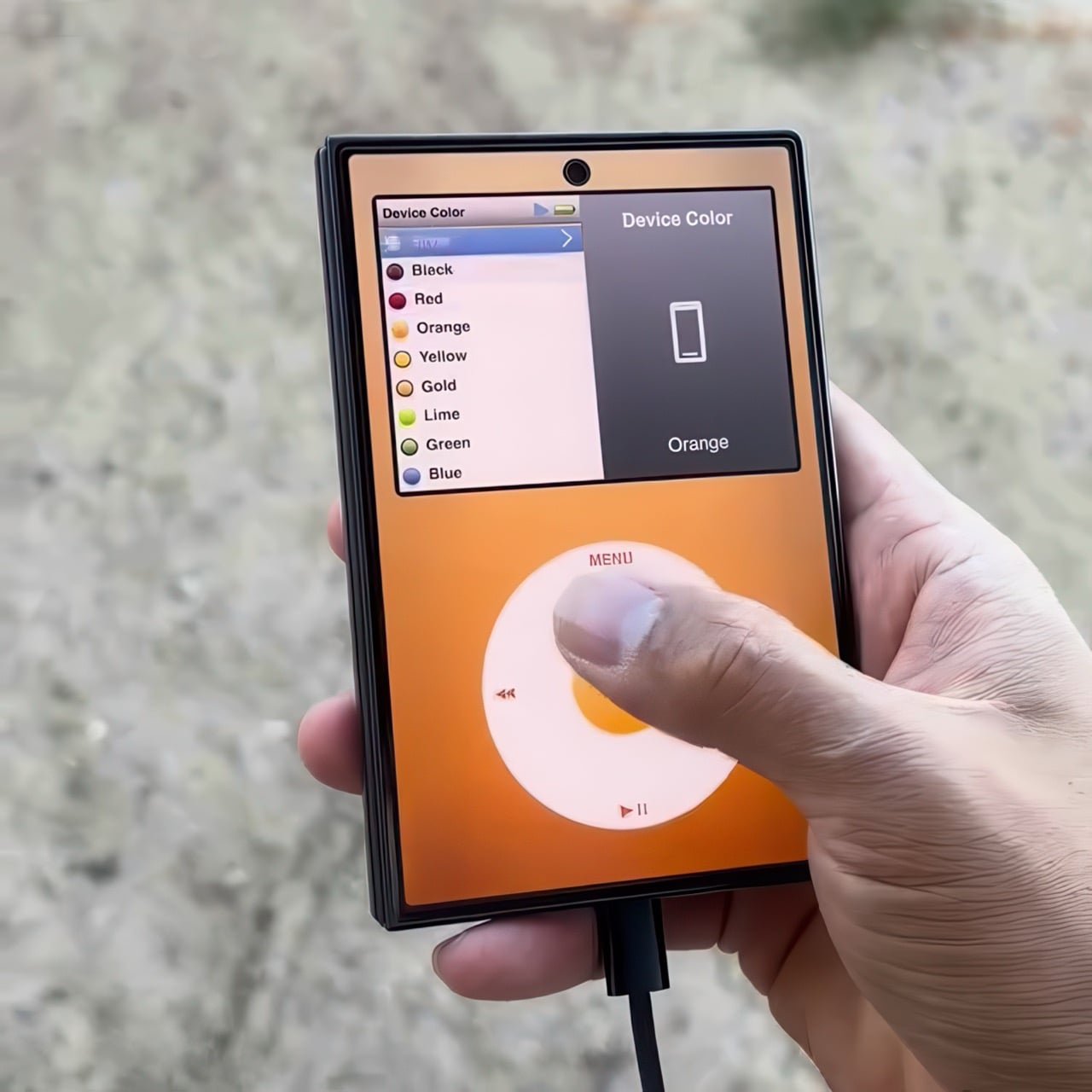
A video on Instagram showed the Classipod interface on a Galaxy Z Fold8 and I can’t help but feel like this almost exactly looks like the classic iPod. The proportions are damn near perfect, the interface still makes me nostalgic, and those color options absolutely slap! The only real problem is that, like all good things, Classipod came to Android before it did to the iPhone Duo… but if someone from Apple’s software team is reading this (hey Craig!), just go ahead and give us an Apple Music skin that brings back the iPod Classic! Pretty please??

Designer: Adeeteya

Here’s what I find so funny about running Classipod on a Z Fold8 – sure, it almost matches the iPod Classic’s form factor, but even when folded shut, it’s still thinner than the iPod! I’m talking hinge, two sets of screens, two batteries, an entire processor, cameras galore, all that packed into something that measures 9.7mm thick while the iPod Classic, which is just a tiny screen, battery, SoC, and a massive flash drive, measures 10.5mm in thickness. Then again, the iPod Classic packs an aux input too, which you’ll never see on a foldable phone.

But hold the Z Fold8 in your hand and the Classipod definitely scratches the itch of owning vintage Apple gear. The weight and heft, the analog interface, and that gorgeous jogwheel that is sure to get your muscle memory kicking in instantly. You sideload music so it plays locally (no streaming), and you can do everything, from searching for artists to making playlists. And yes, if you’re asking, the jogwheel has haptic feedback so it actually does feel like the iPod of yesteryears.

There are a few iPod emulators on the App Store, but none as good as the Classipod. I guess someone could vibecode one overnight and run it on an iPhone Duo soon, but until then, turns out the most faithful recreation of an iPod Classic exists… just on an Android device!

The post iPod Classic emulator for the Samsung Galaxy Z Fold8 finally gets the size and aspect ratio right first appeared on Yanko Design.

  •  

TECNO CAMON Slim 5G Review: Thinner than a Pencil, Tough as a Tank

PROS:


  • Unbelievably slim and lightweight design

  • Striking and stylish art-inspired finish

  • Large 6,000mAh battery despite slim profile

  • Exceptional durability with quad-IP rating, supporting underwater photography

CONS:


  • Modest hardware specs

  • No dedicated telephoto camera

RATINGS:

AESTHETICS
ERGONOMICS
PERFORMANCE
SUSTAINABILITY / REPAIRABILITY
VALUE FOR MONEY

EDITOR'S QUOTE:

Slim, art-inspired, and tougher than it looks, the TECNO CAMON Slim 5G packs a 6,000mAh battery into a body thin enough to turn heads.
award-icon

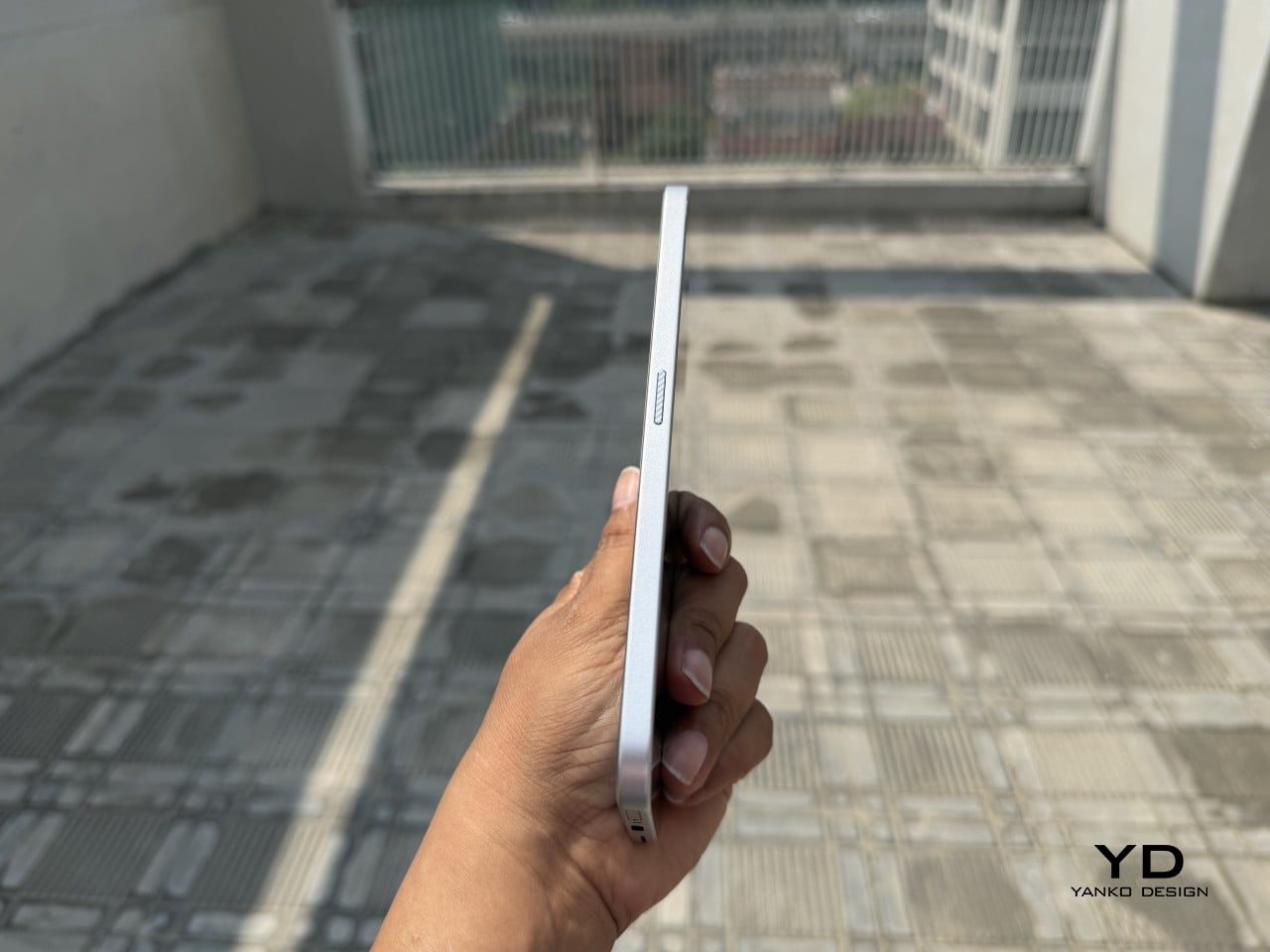
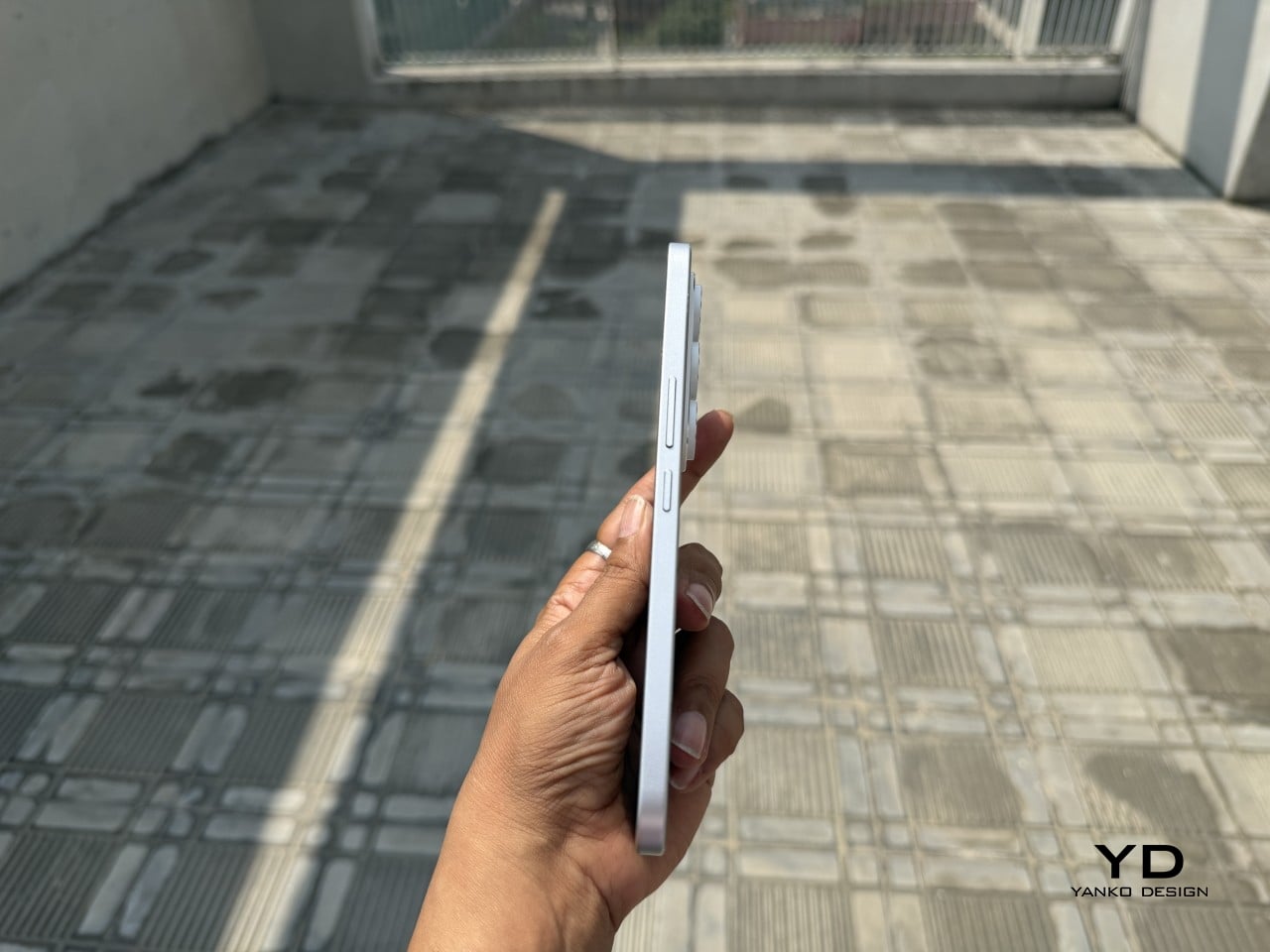
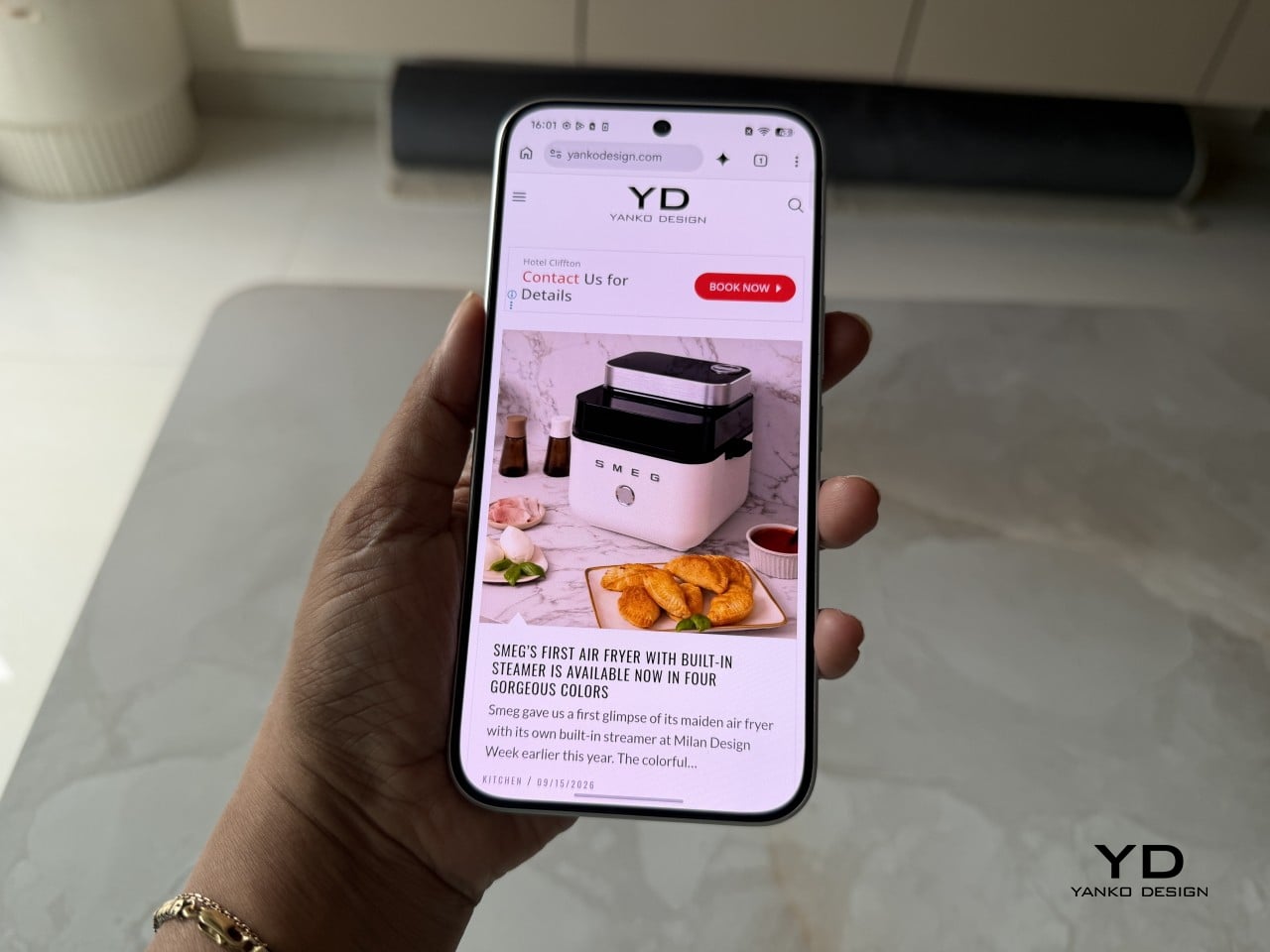
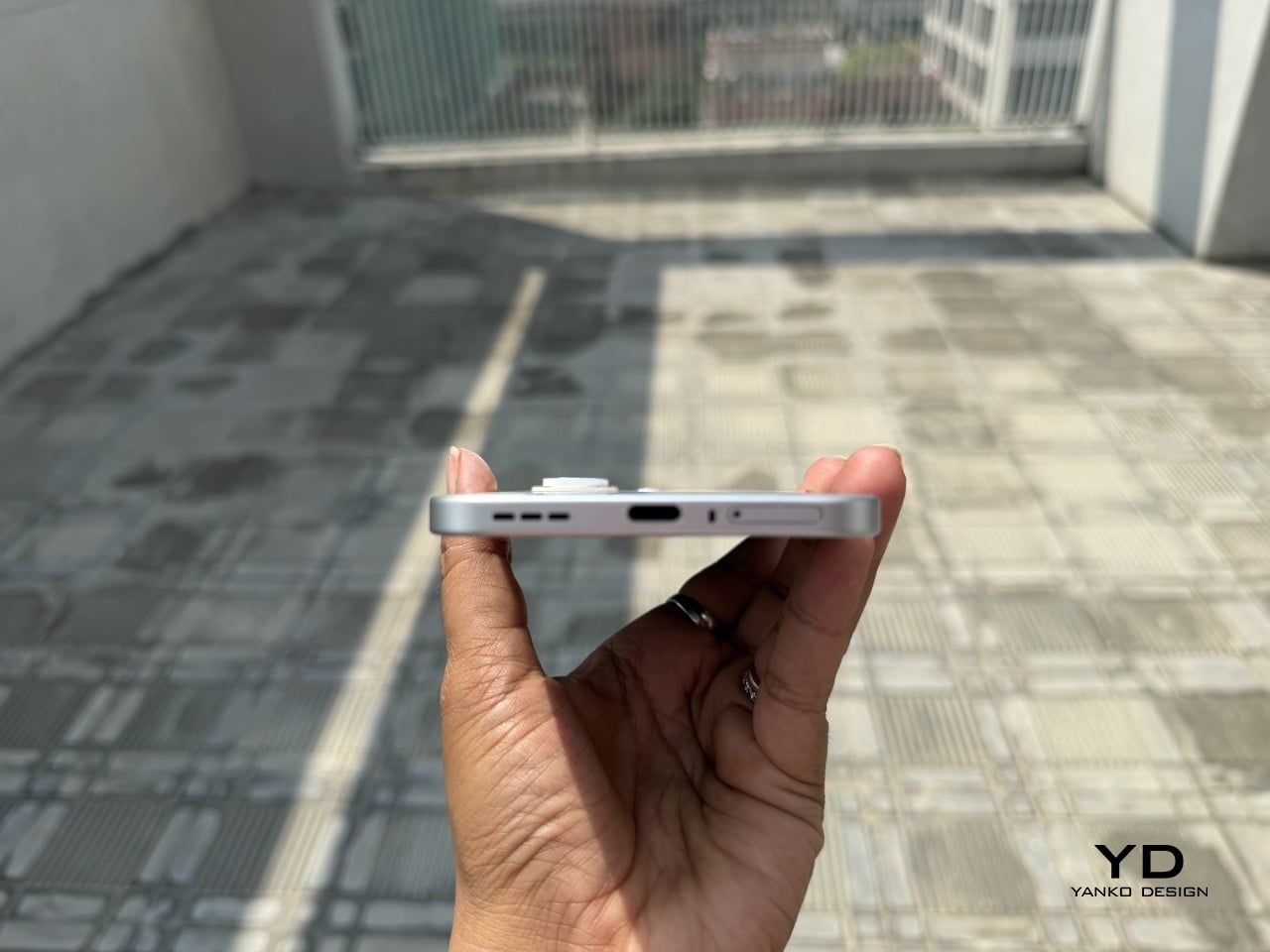
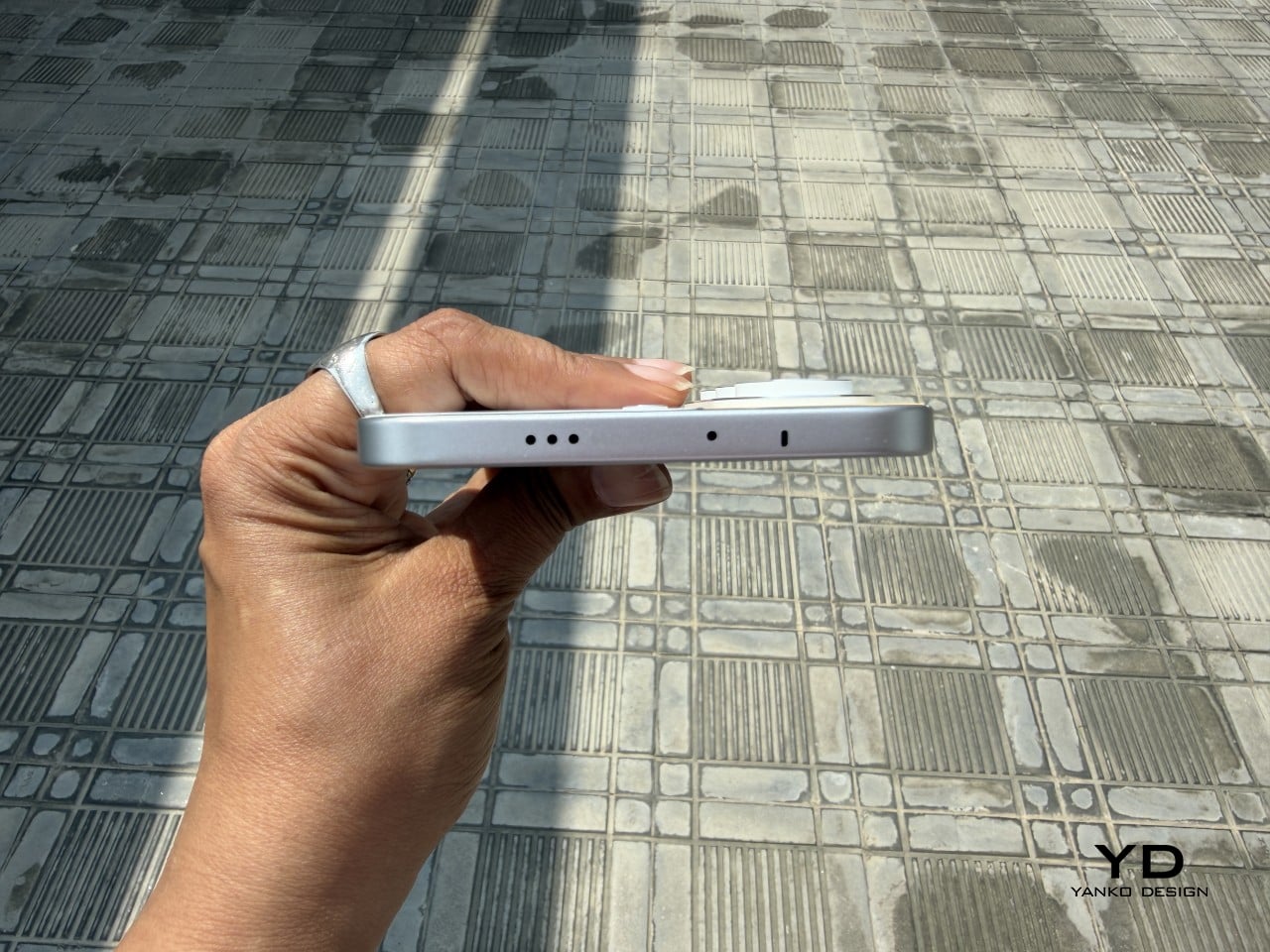
Slim phones have always come with a catch. Shave down the body and something else usually gets sacrificed: usually the battery, sometimes the durability, occasionally both. The TECNO CAMON Slim 5G doesn’t play by that old rulebook. At just 6.39mm thick, it still packs a 6,000mAh battery, 5G connectivity, and a durability rating most phones twice its thickness wouldn’t dare claim.

This review spent real time with the phone away from spec sheets, mostly to see if the design holds up once the initial wow wears off. That meant handling the Neo Mondrian finish TECNO sent for testing, carrying it through a normal week, testing the camera in situations that actually matter, and checking whether the durability claims survive contact with water and everyday clumsiness. The design conversation comes first.

Designer: TECNO

Aesthetics

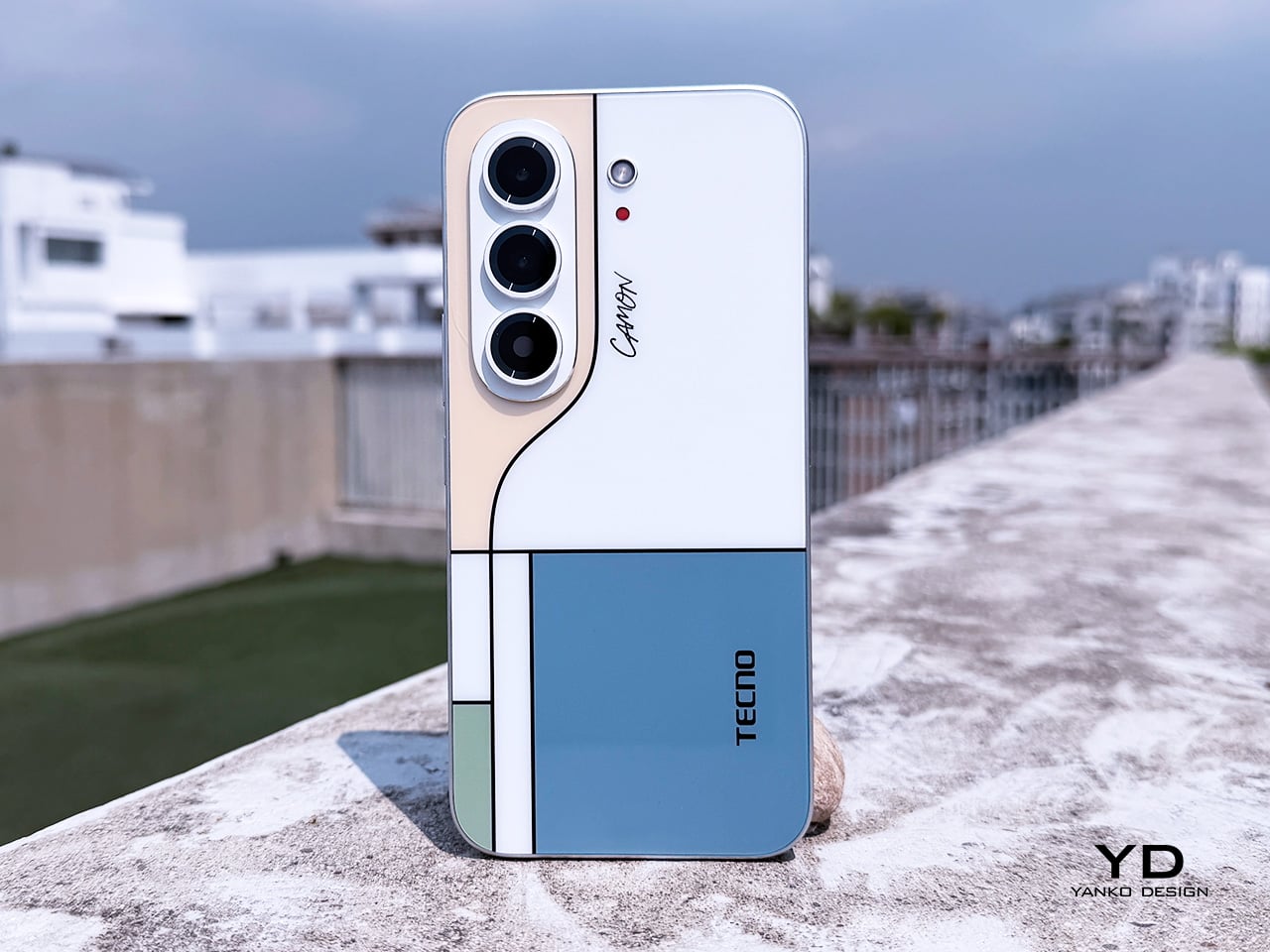
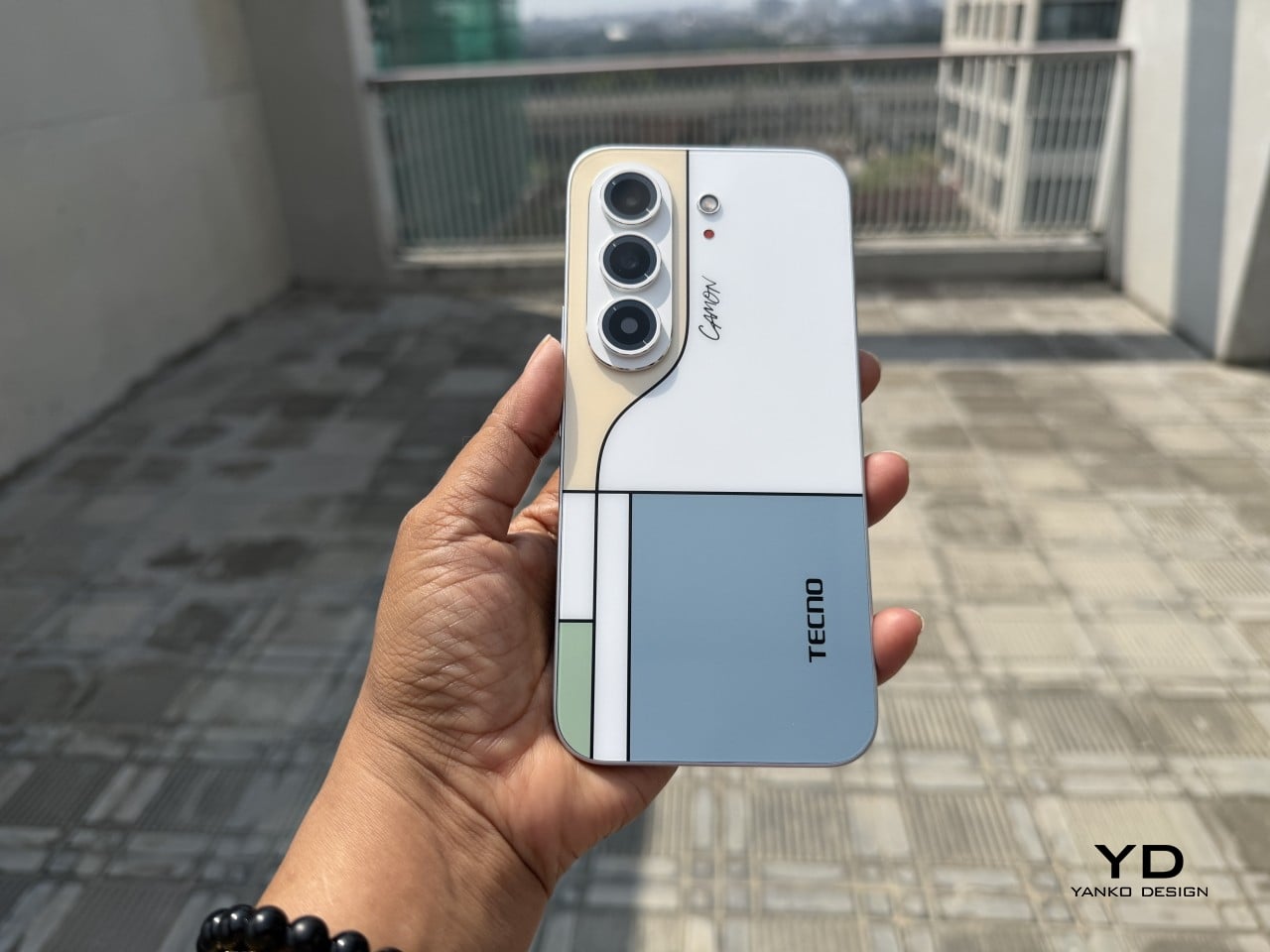
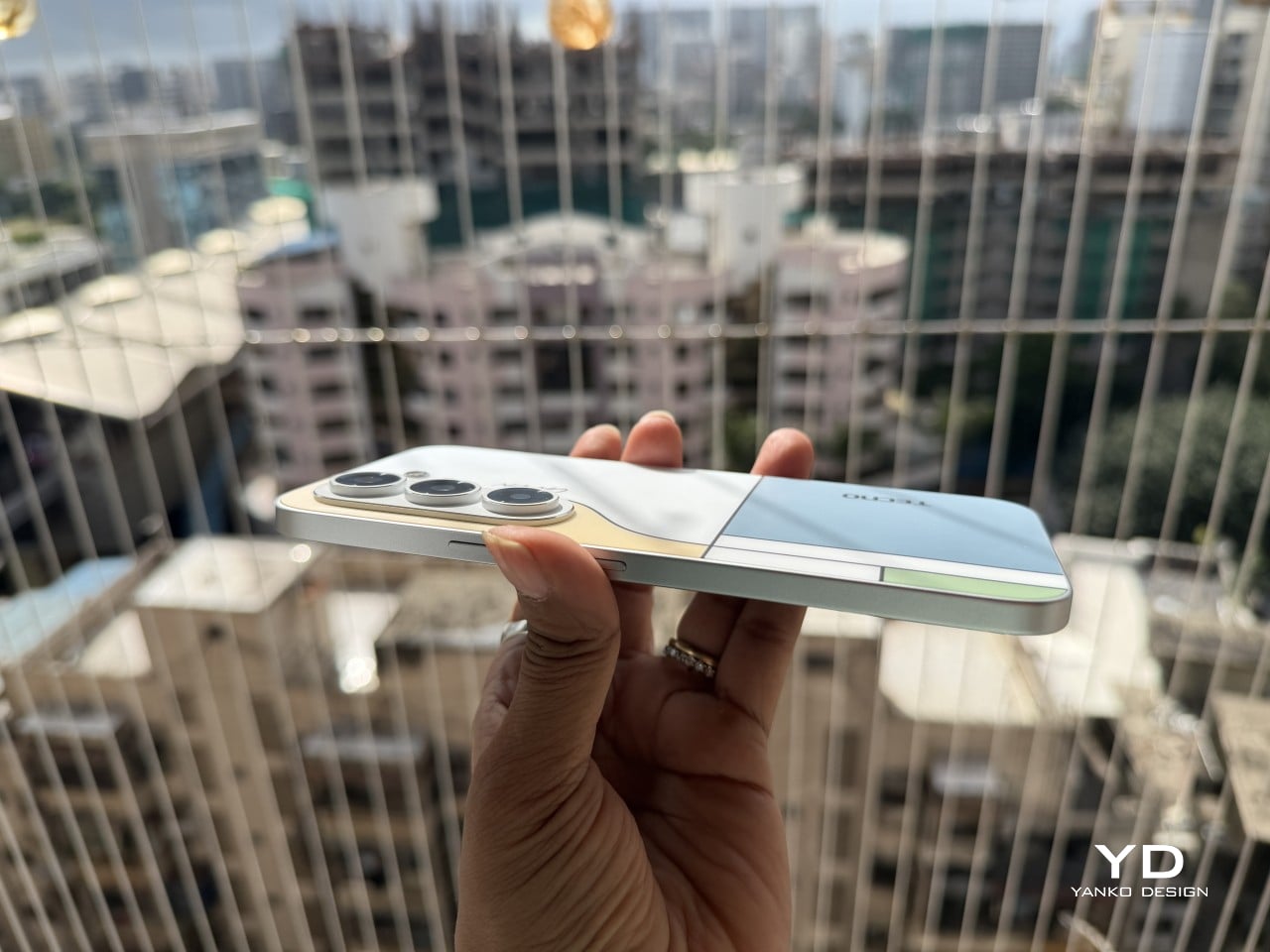
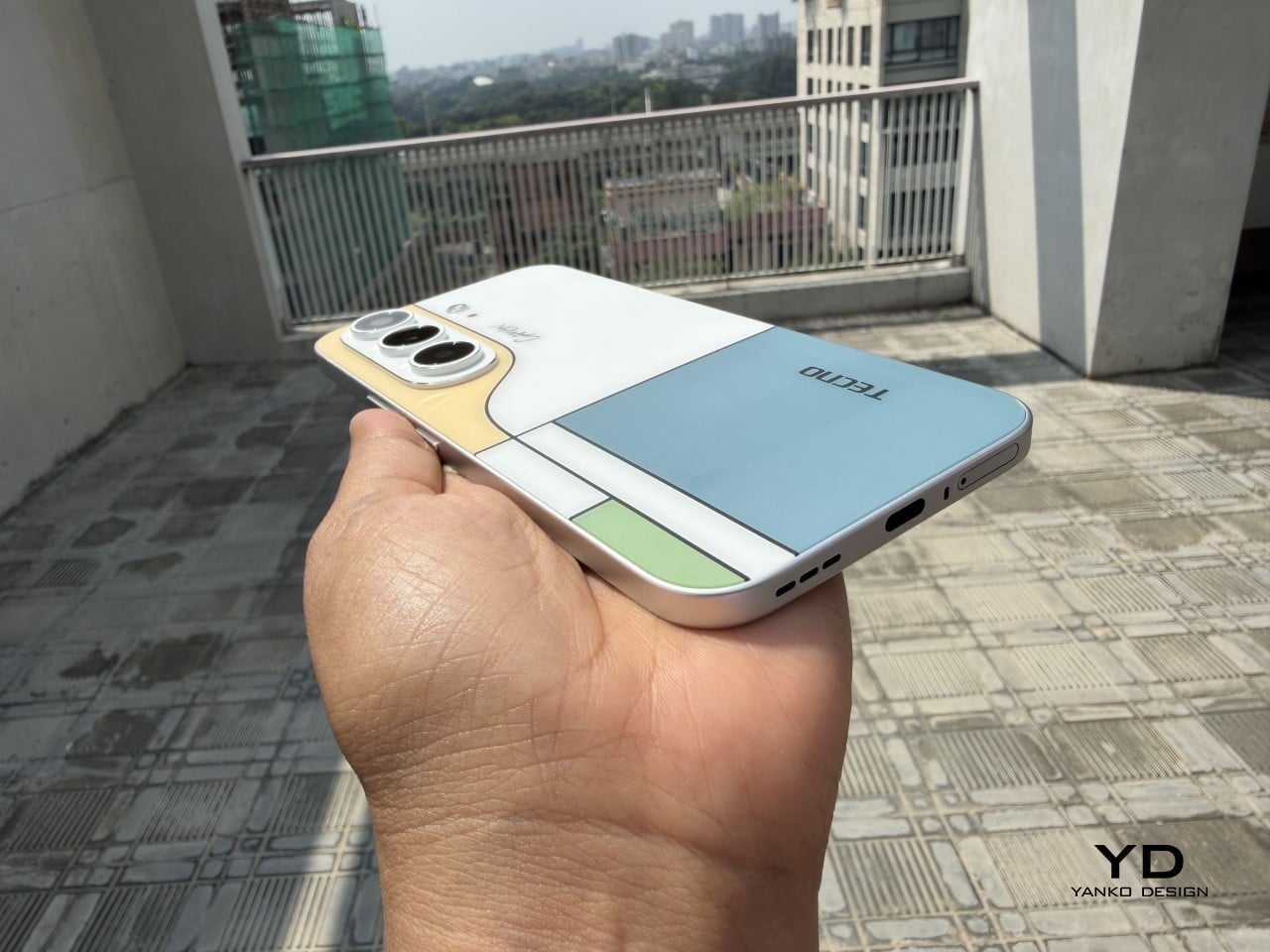
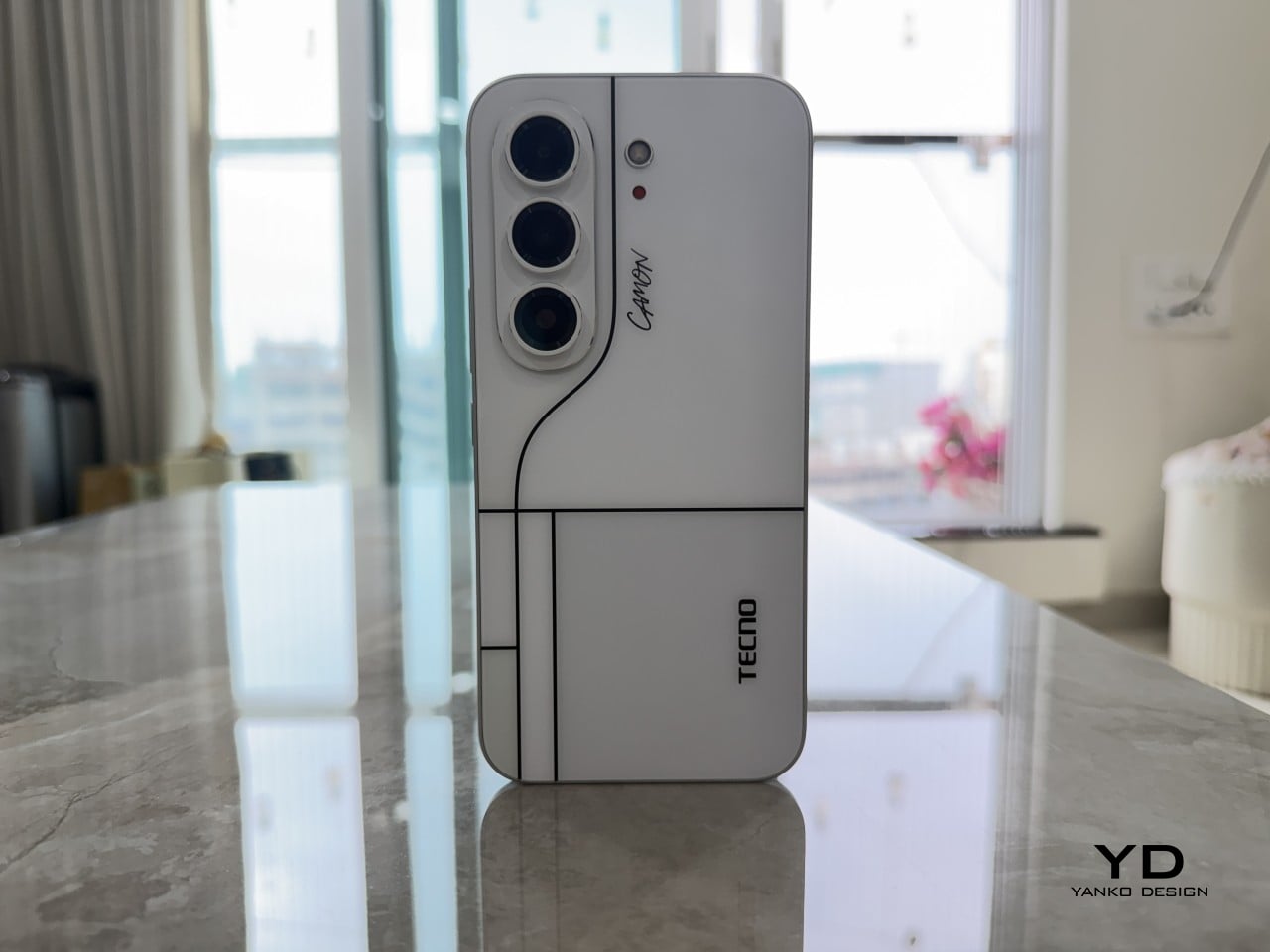
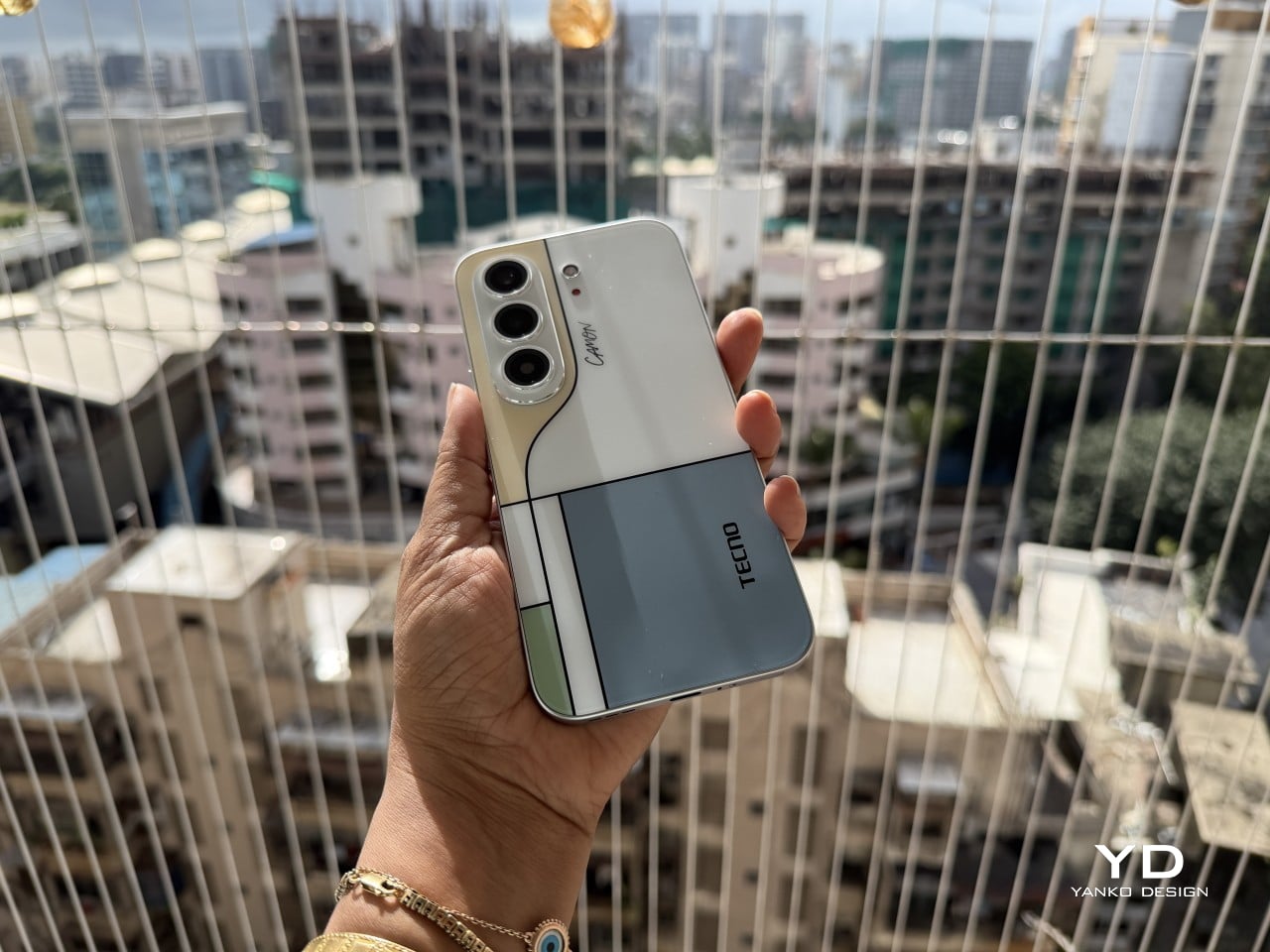
Pull the CAMON Slim 5G out in public and watch what happens. People notice a phone this thin the way they’d notice a watch too elegant for its price tag, usually with a double take and a request to hold it. TECNO carried over the swan-neck curve from the CAMON 50 series, and on a body this slender, that curve reads like a signature rather than a spec sheet footnote.

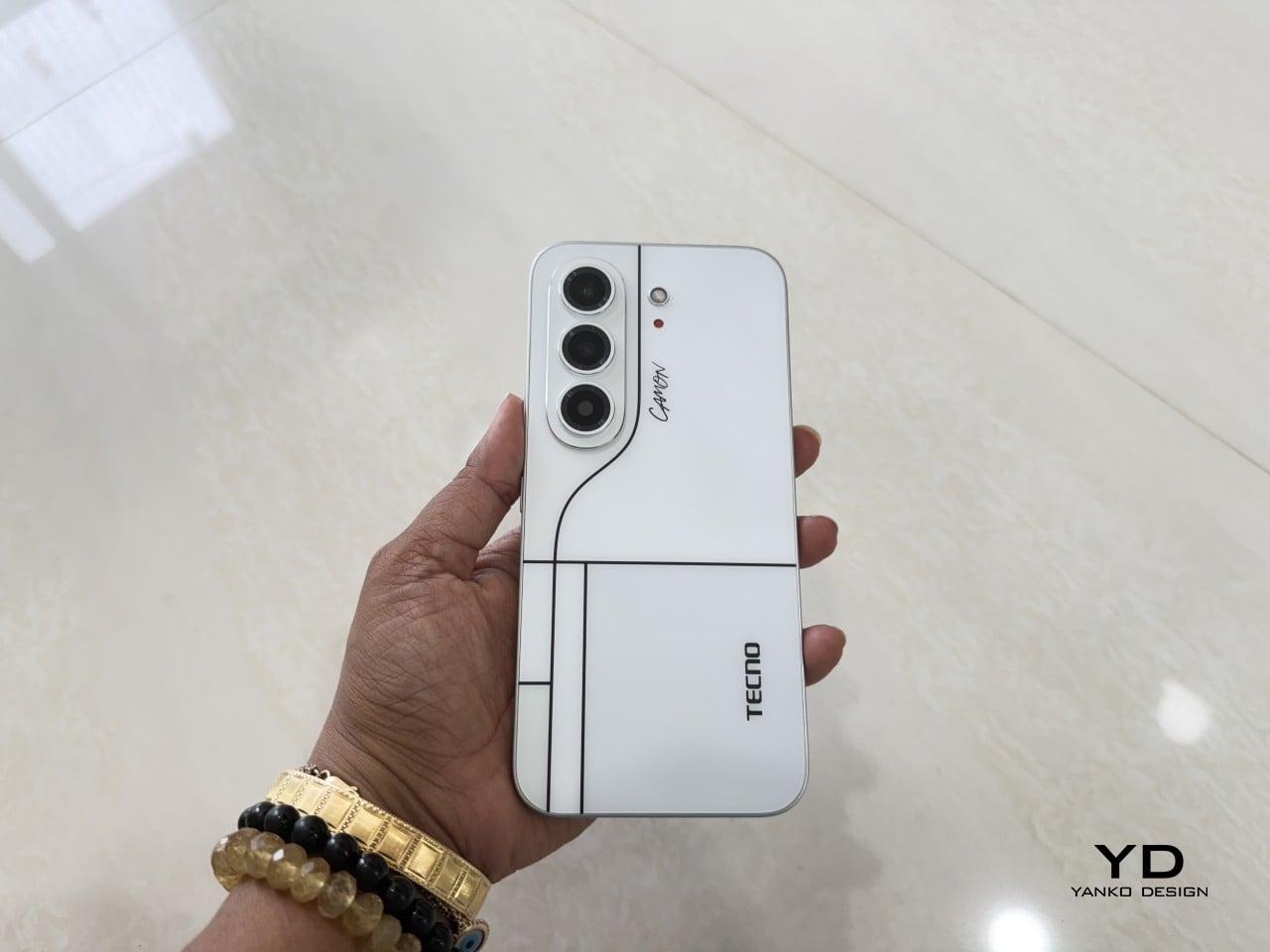
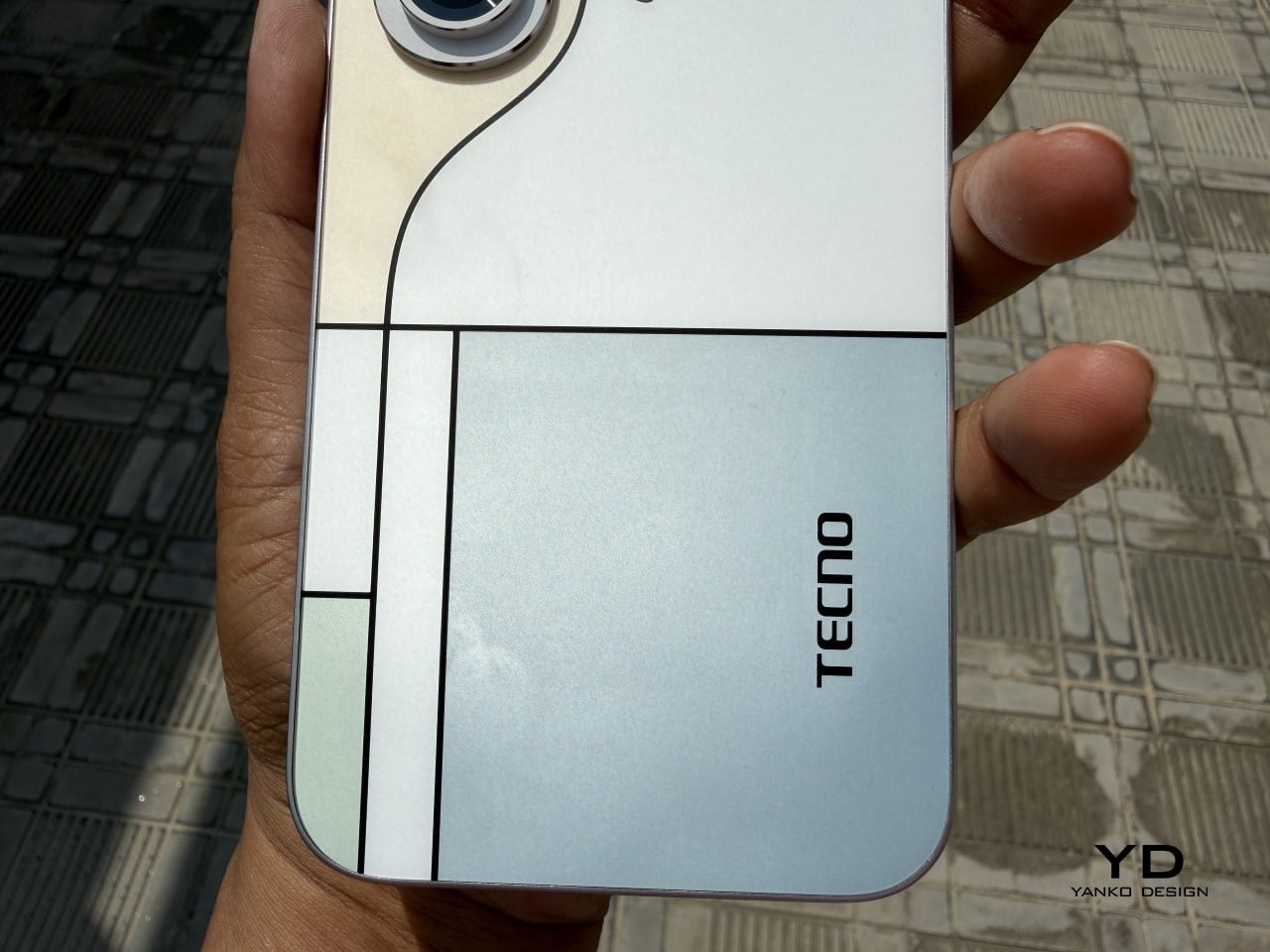
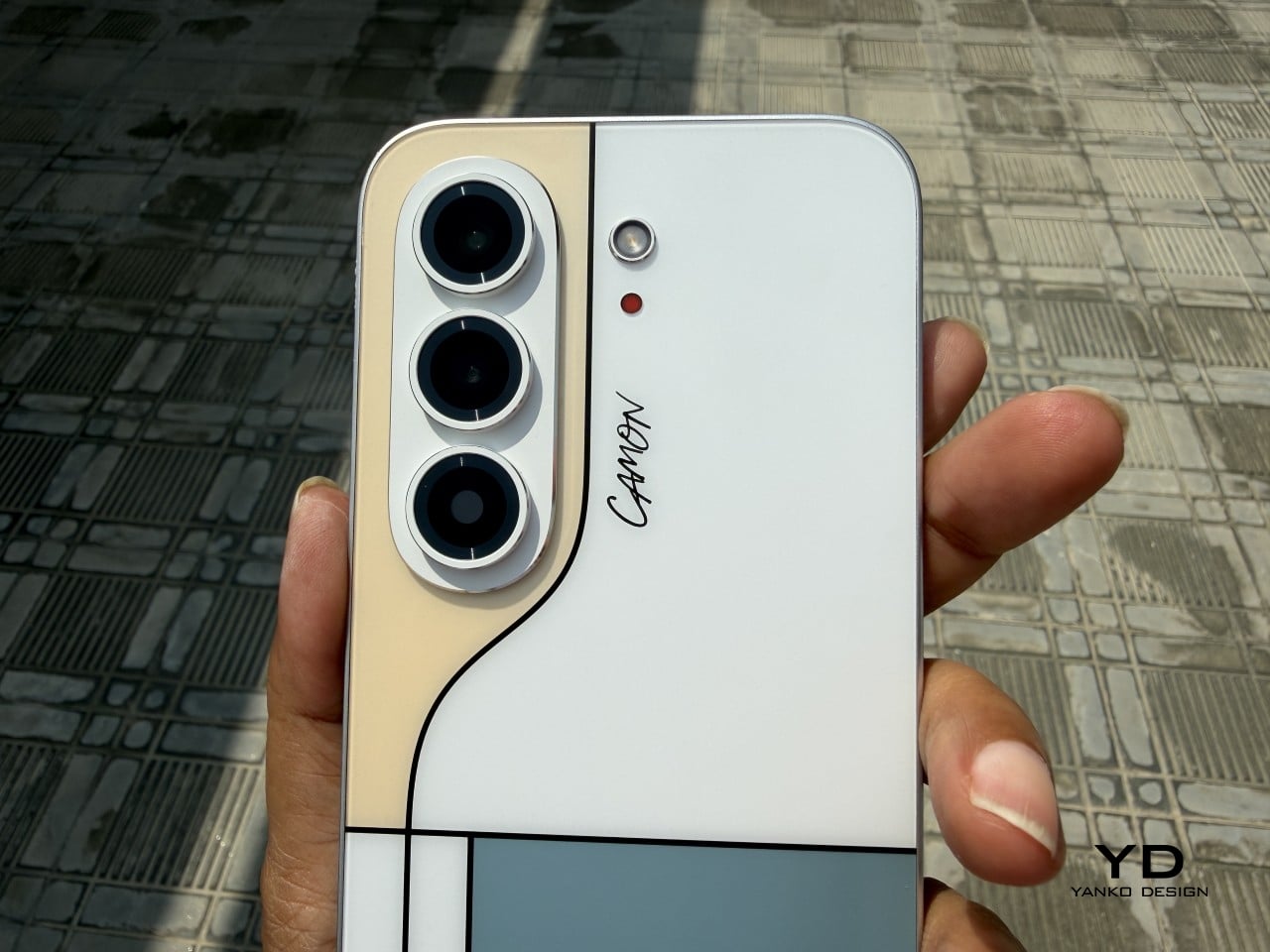
TECNO sent the Neo Mondrian colorway for this review, and it’s the strongest argument for treating a phone back as an actual canvas. Expose the panel to sunlight and yellow, green, and cyan blocks slowly bloom out of white, forming the grid Piet Mondrian made famous a century ago. It’s a photochromic trick, but watching it happen feels less like a gimmick and more like a magic show.

Neo Mondrian isn’t the only finish doing something interesting. Van Gogh Blue uses similar light-reactive techniques to make its swirling nebula pattern look like it’s actually rotating as shadows shift across it, closer to a painting than a phone back. Matisse Black leans into fluorescent green or pink color blocks that echo the artist’s cut-out work, while Burgundy Red blends fiberglass and matte texture into a warm, understated finish. Rebel Pink keeps things simpler, pairing a black body with sharp pink accents for something a little more playful.

Phone backs used to be an afterthought, something to protect rather than admire, which is why so many people slapped an opaque case on day one without a second thought. That’s changing. As manufacturers invest more in finishes, textures, and light-reactive coatings, more owners are leaving their phones bare, treating the back panel the same way they’d treat a piece of art they paid good money to display.

Ergonomics

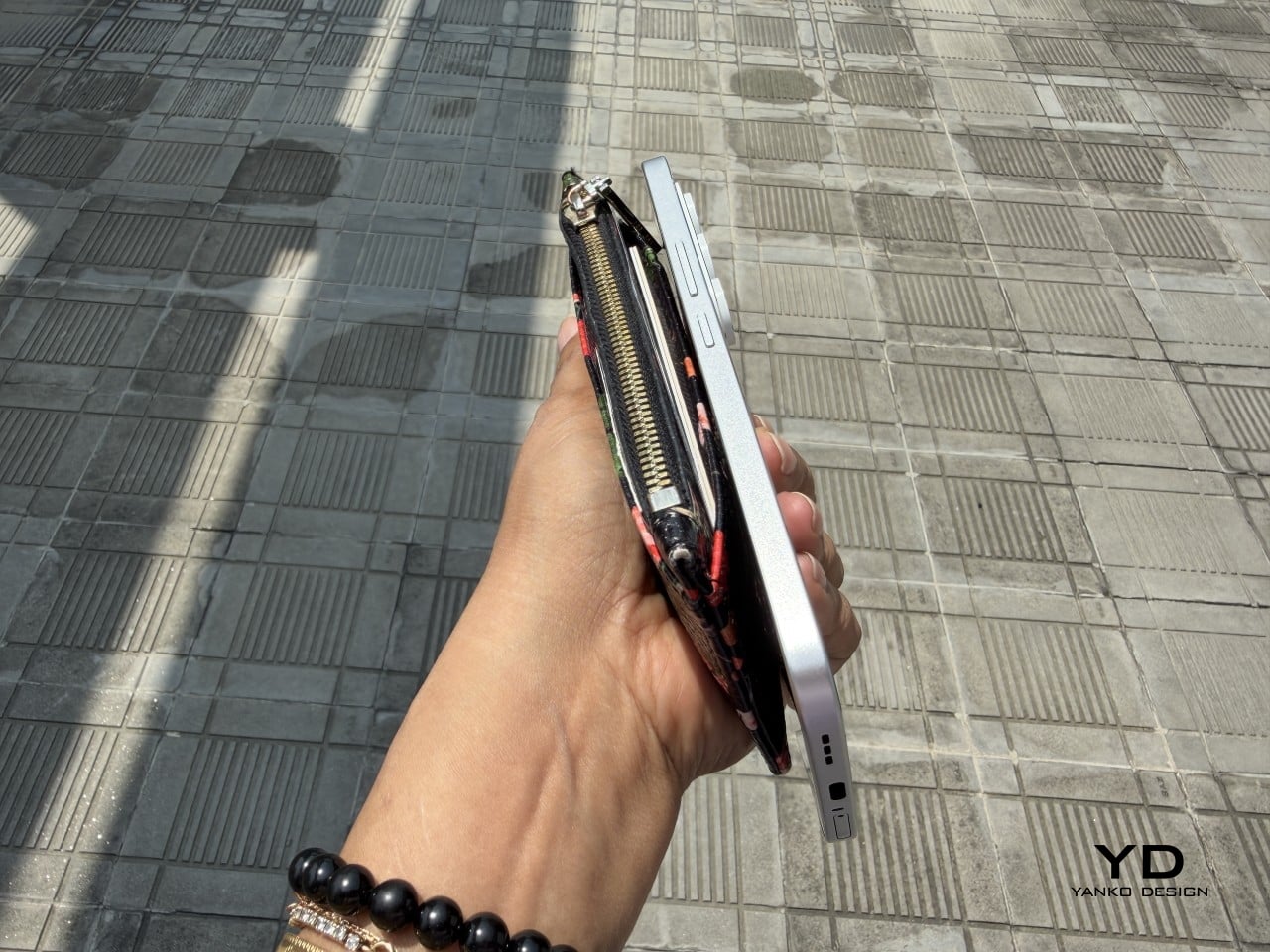
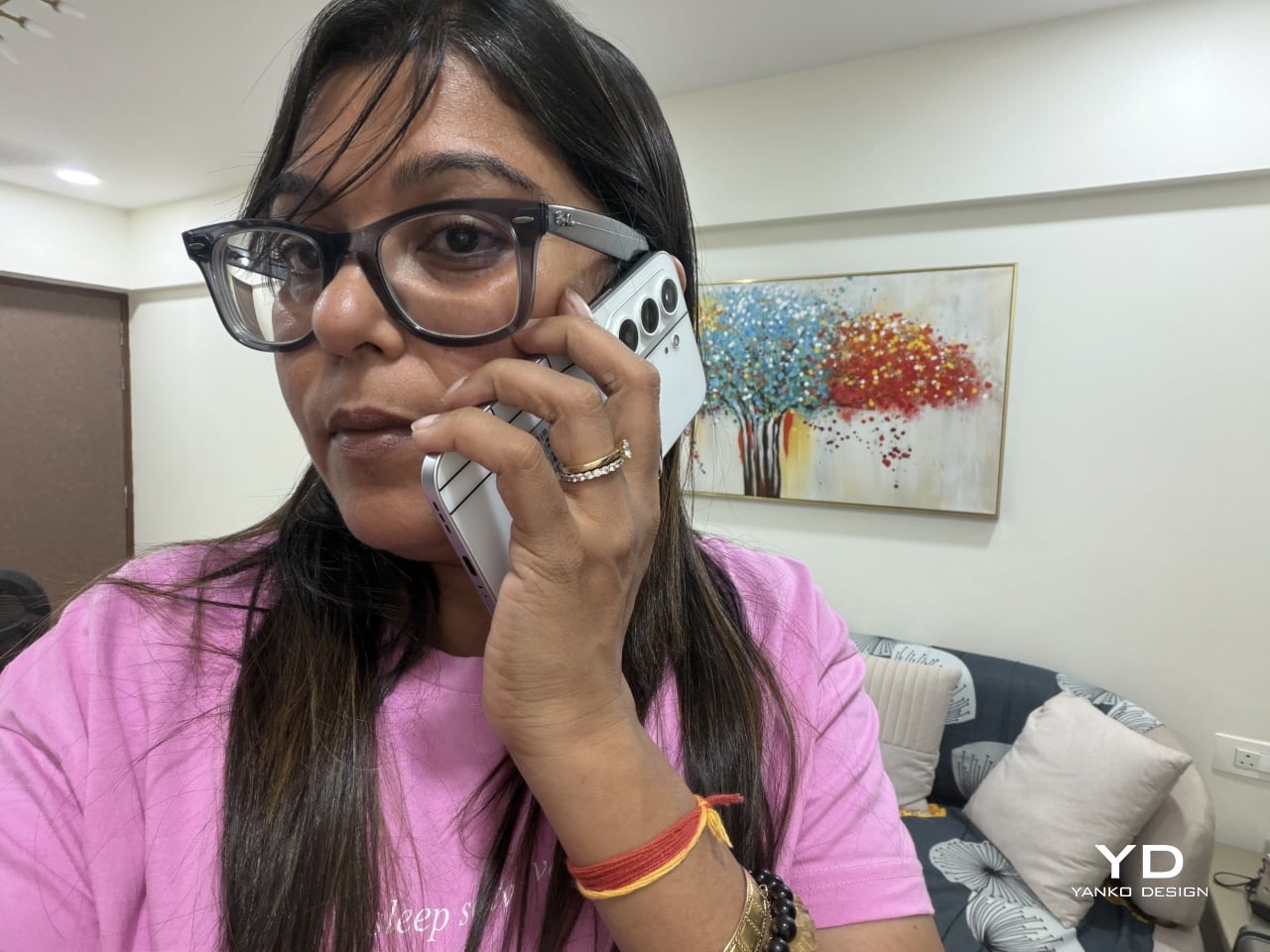
Carrying the CAMON Slim 5G is where the thin body actually pays off day to day. It slides into a front pocket without that telltale bulge, sits flat against a jacket without pulling on the fabric, and feels lighter in hand than the display size suggests. After a few days, reaching for a thicker phone almost feels like picking up a brick by comparison.

Those flat edges aren’t just a style choice borrowed from boxier design trends. They give fingers something to actually grip onto, instead of sliding off a rounded rim the way slippery slab phones tend to do. The matte texture on the Neo Mondrian panel adds even more confidence, and TECNO’s wet and oily finger recognition keeps the touchscreen responsive when hands aren’t exactly dry or clean.

Performance

The 6.78-inch AMOLED display runs at 1.5K resolution and 144Hz, and both numbers translate into a screen that looks sharp and feels fast under a thumb. Photos pop with the kind of contrast only AMOLED delivers, video looks great for a lunch break binge, and scrolling through a feed never feels like it’s fighting the hardware. TÜV Rheinland’s low blue light certification is a nice bonus for long reading sessions.

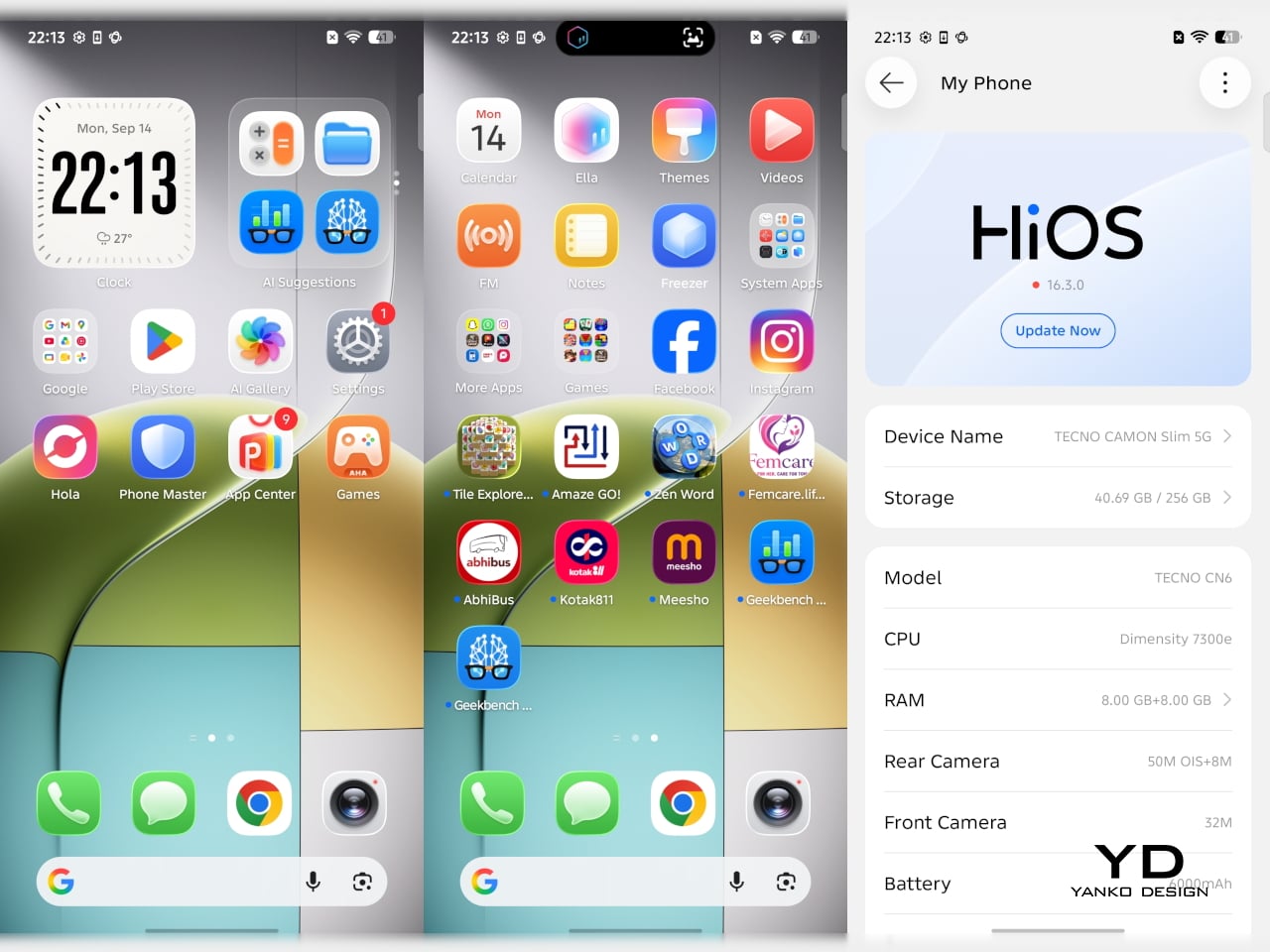
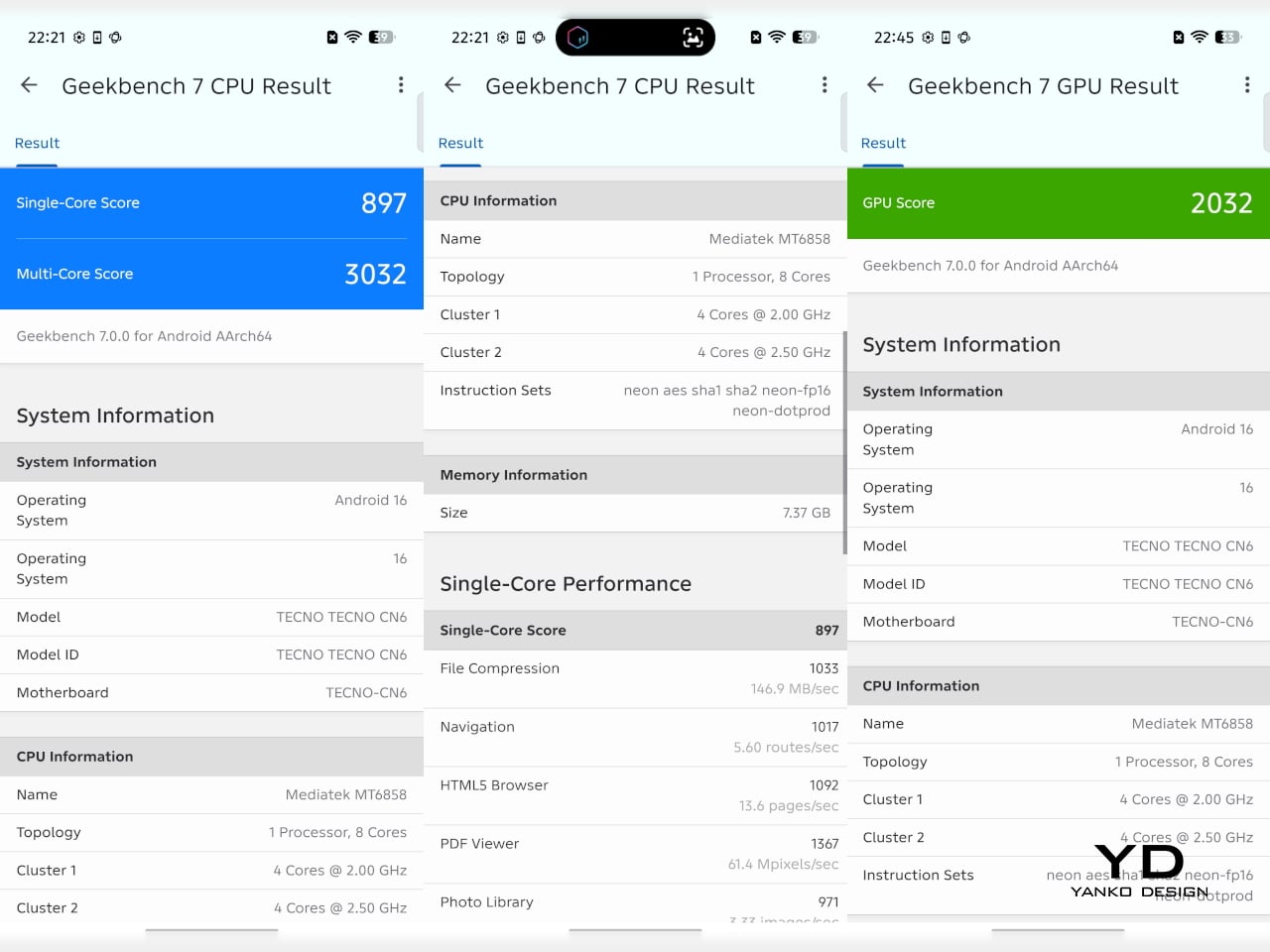
Under the hood sits a MediaTek Dimensity 7300e, a processor built for balance rather than benchmark bragging rights. It handles social apps, photo editing, and everyday multitasking without hiccups, though demanding 3D games will ask more of it than it’s built to give. The 8GB of RAM stretches to 24GB with virtual memory extension, which covers most multitasking habits without needing to close every open app.

The 50MP Sony LYTIA 700C handles most of the photography workload, and it earns that responsibility. A 1/1.56-inch sensor paired with an f/1.8 lens pulls in plenty of light for evening shots, while the closed-loop ball motor keeps focus locked even when subjects won’t sit still. The 8MP ultra-wide feels more like a footnote, and there’s no telephoto here, but the main camera rarely leaves you wanting one.

The real showstopper is the 6,000mAh battery, a number that seems almost impossible once you remember this phone measures 6.39mm thick. It comfortably carries a full day of camera use, video, and scrolling without the battery anxiety that usually comes with slim designs. That same waterproofing also unlocks a dedicated underwater photography mode, one that kicks in automatically the moment the phone senses it’s gone for a swim.

Sustainability

TECNO rates the CAMON Slim 5G at IP69K, IP69, IP68, and IP66, a combination that’s rare even among phones that don’t have to worry about staying thin. That covers everything from high-pressure water jets to dust particles to full submersion, which is a lot of technical armor for a phone this delicate-looking. Finding this rating on a 6.39mm body is the kind of detail that quietly impresses.

There’s also a MIL-STD-810 rating covering shock and drop resistance, which pairs nicely with features like Rain Touch and Waterproof Case Touch that keep the screen usable in a downpour or behind a case. This doesn’t read like a feature bolted on at the last minute. It feels like TECNO wanted this phone to survive actual daily chaos, not just look good sitting still on a shelf.

Longevity extends past the hardware, too. TECNO promises three major OS upgrades and five years of security patches, plus a 60-month smoothness certification from TÜV SÜD. That’s a meaningful commitment in a market where phones often get abandoned after two update cycles. A well-built object is worth keeping around, and TECNO seems to be betting that owners will want to hold onto this one for a while.

Value

TECNO hasn’t confirmed global pricing yet, but early indications point to somewhere around $400. At that number, buyers get a phone with genuine art-inspired finishes, a 6.78-inch 144Hz AMOLED screen, a Sony-backed 50MP camera with real stabilization, a 6,000mAh battery, and a durability rating that most phones twice the price don’t bother chasing. That’s a fairly generous list for a phone that costs less than most flagships.

Most phones in this price range make you pick a lane. Go thin, and the battery usually suffers, or the body skips water resistance entirely, or the software support runs out after a couple of years. TECNO’s five-year update promise and its layered durability ratings quietly add up to lower long-term cost, since a phone built and supported to last half a decade doesn’t need replacing as often.

This phone makes the most sense for people who are tired of carrying an identical black slab and want something that says a little more about them. It’s not the right pick for hardcore mobile gamers chasing max frame rates, or photographers who need optical zoom on tap. For nearly everyone else, it covers daily needs while looking like it belongs on a gallery shelf.

Verdict

After a few days of actual use, the 6,000mAh battery and the quad-IP rating stop feeling like marketing footnotes and start feeling like the whole point. TECNO built a phone that looks like it belongs in a design museum and still survives a rainy commute or a splash at the sink. The Neo Mondrian panel alone gives it a personality that’s genuinely hard to find anywhere near this price.

Plenty of phones ask you to choose between something beautiful and something dependable, and most buyers have quietly accepted that trade-off as the cost of owning a nice-looking device. The CAMON Slim 5G makes a strong case that the choice was never as necessary as the industry made it seem. It’s a phone that looks good on a café table and still works fine after falling off of one.

The post TECNO CAMON Slim 5G Review: Thinner than a Pencil, Tough as a Tank first appeared on Yanko Design.

  •  

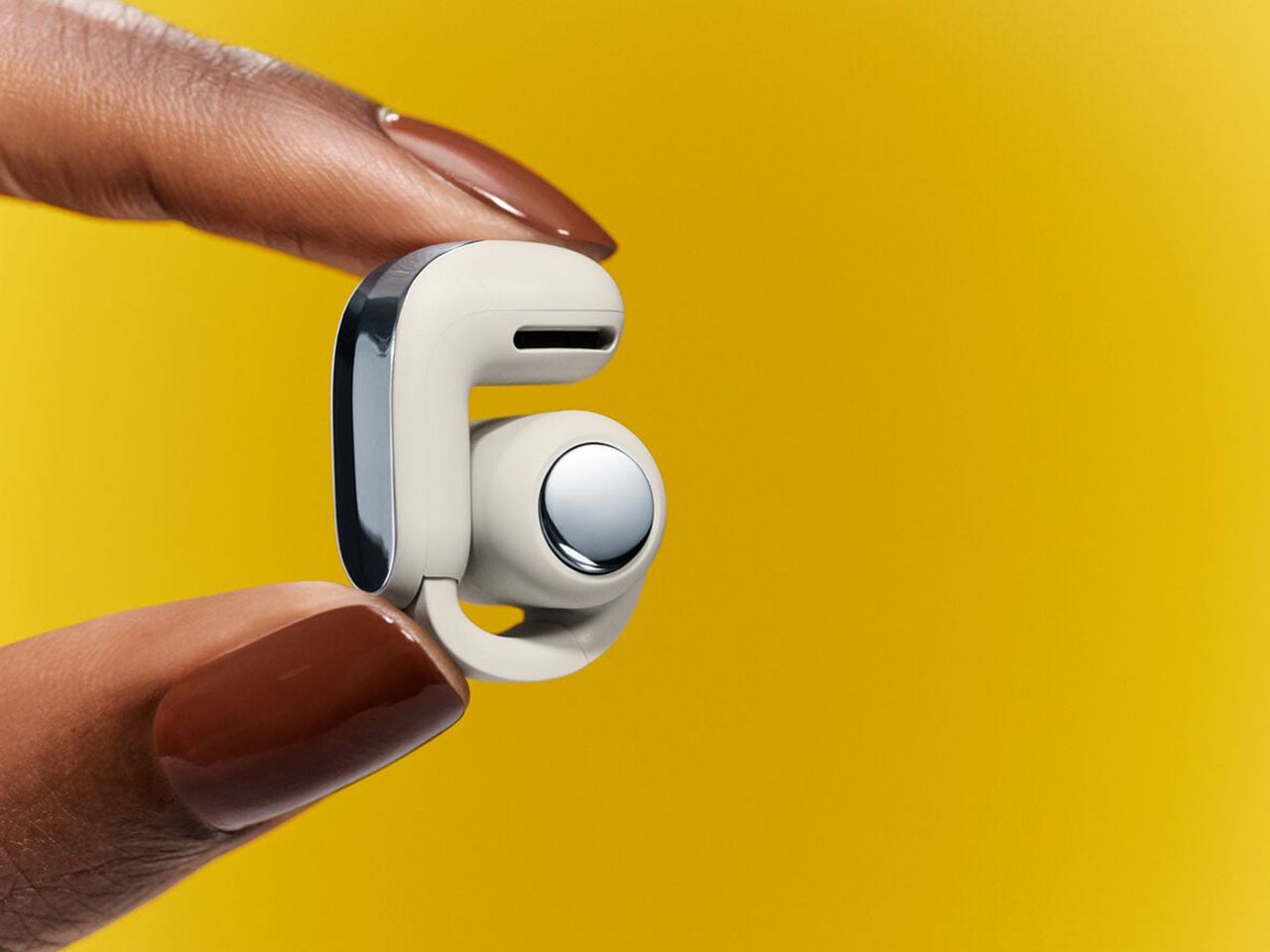
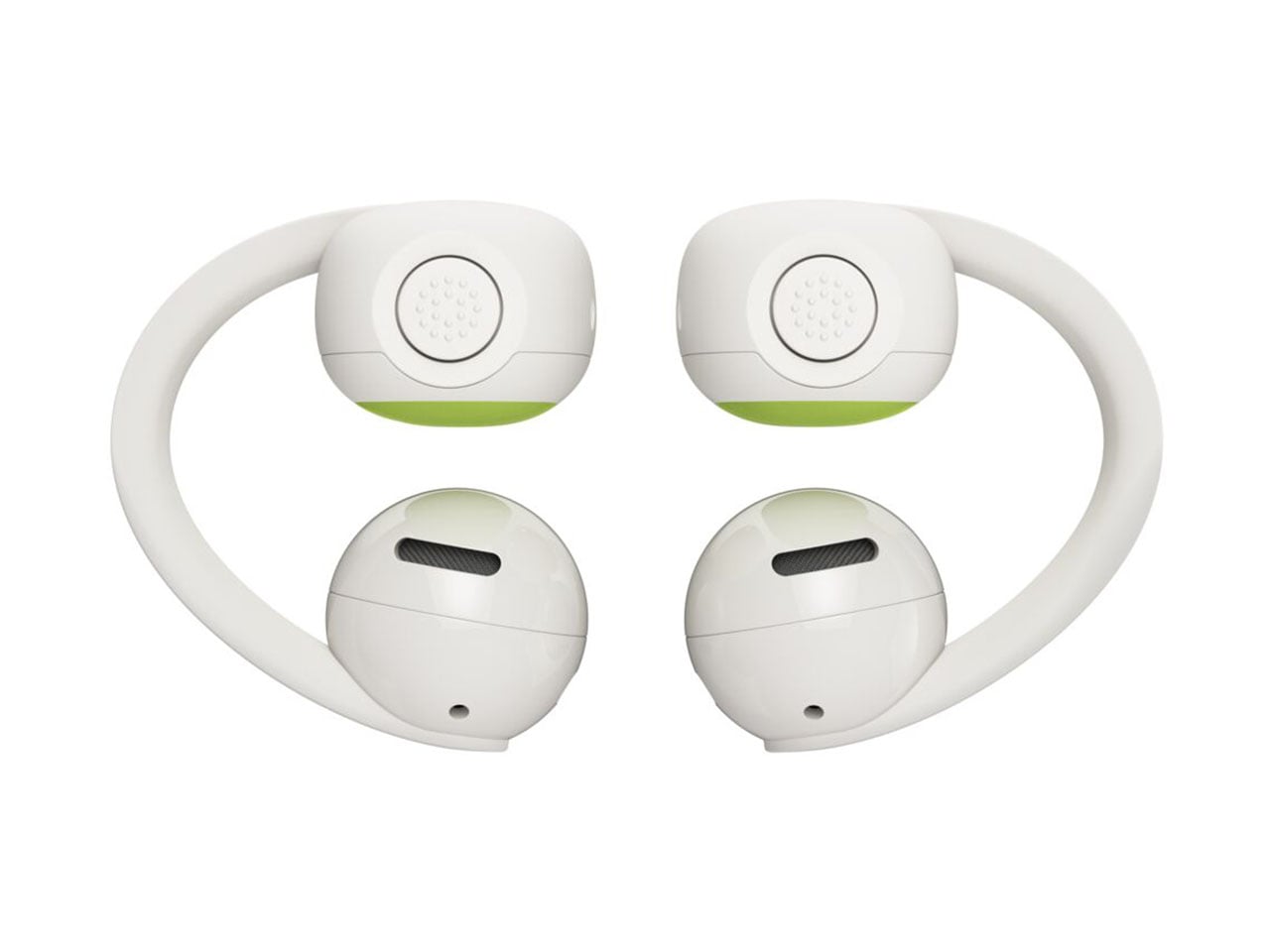
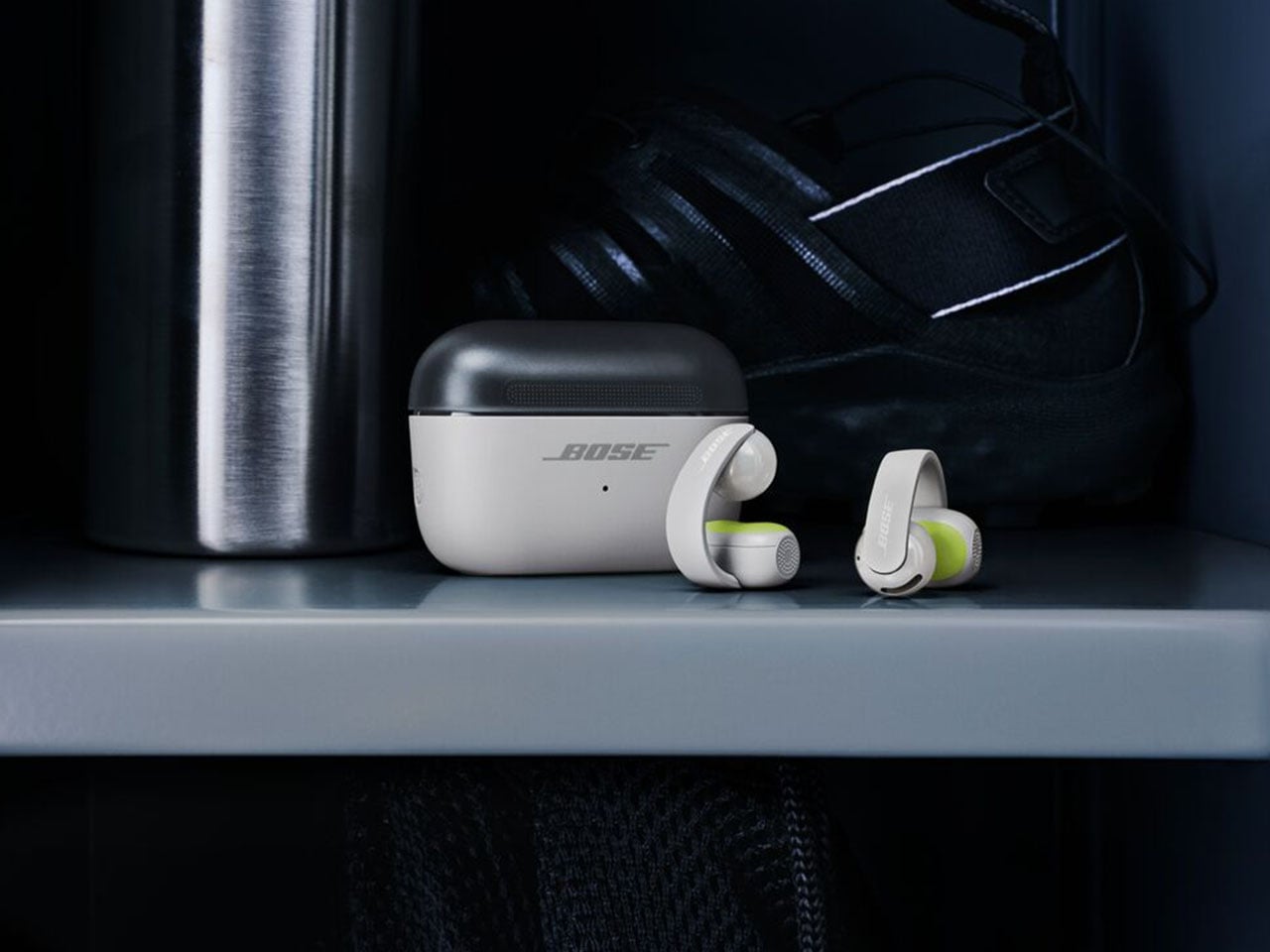
Bose Ultra Open 2nd Gen and Sport Open spice-up the clip-on earbuds options

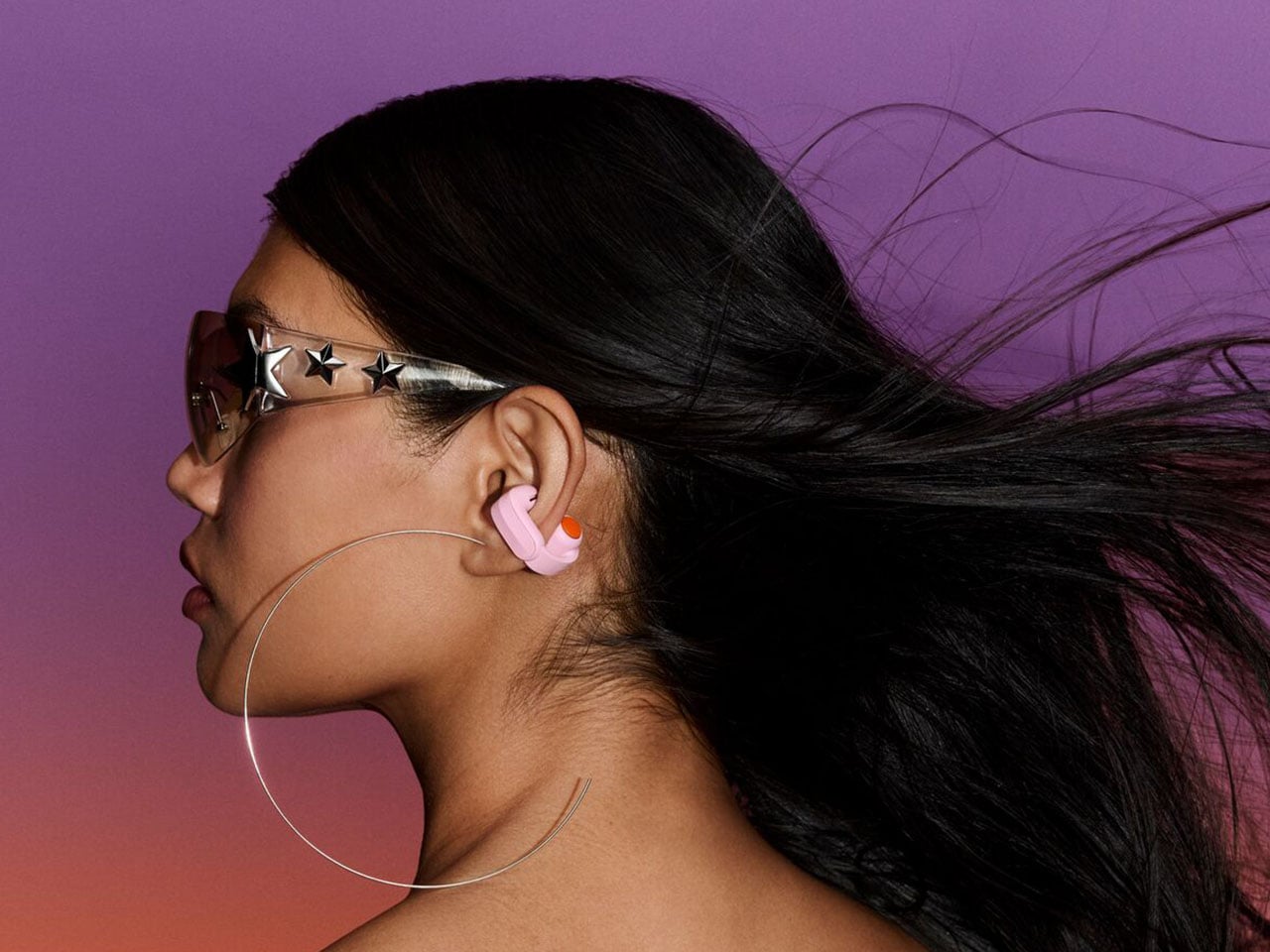
After almost two years of a lull, Bose has finally released a new version of the Ultra Open Earbuds, along with a new pair of fitness-focused open earbuds. While I’m still a sucker for ANC earbuds that isolate me from the ambient world for deep focus moments, Bose’s new Open earbuds are tempting enough to consider for my walks and outdoor activities.

The hardware for the second-generation Open Ultra has been updated for better audio, while the all-new Sports Open Earbuds explore new territory for hardcore active individuals who trust the brand with their audio requirements. Both these open-ear audio accessories take on the competition with a strong set of specifications, features, and pricing to keep everyone interested.

Designer: Bose

The timing of this release is perfect, as the open-ear earbuds are trending amongst individuals who need to be aware of the environment and, more importantly, suffer from occlusion triggered by ANC earbuds. Sure, those buds have transparency mode for situations where you need to hear what’s happening around, but the open-ear options are ideal for runners, cyclists, or public transport users. The two of them will support Bluetooth 5.4 multipoint connectivity for two devices and Google Fast Pair. Both these open-ear buds will be available for pre-order from 19 September, and available from October 1 in Black and White Smoke along with other respective limited edition colors.

Ultra Open Earbuds 2nd Gen

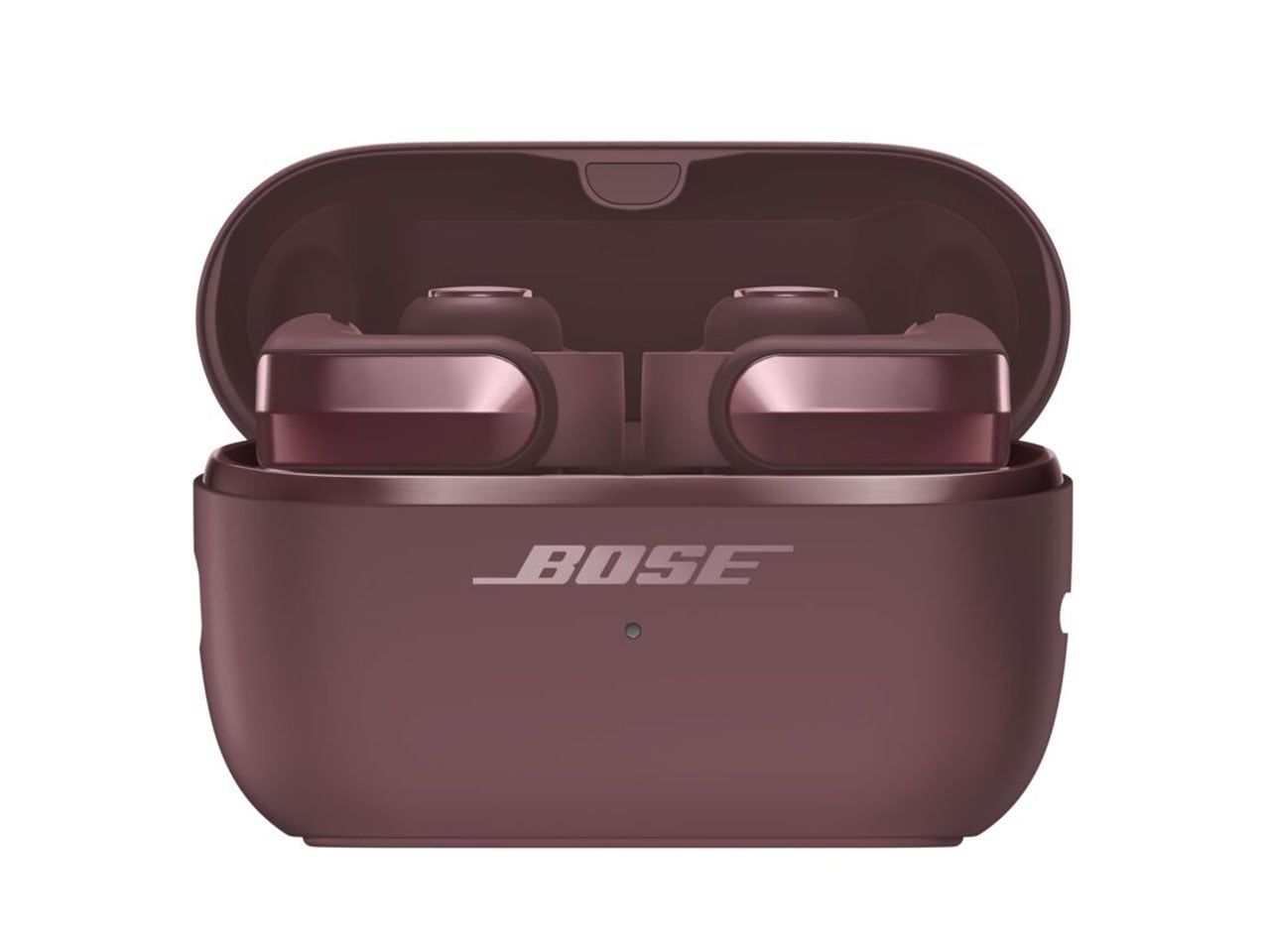
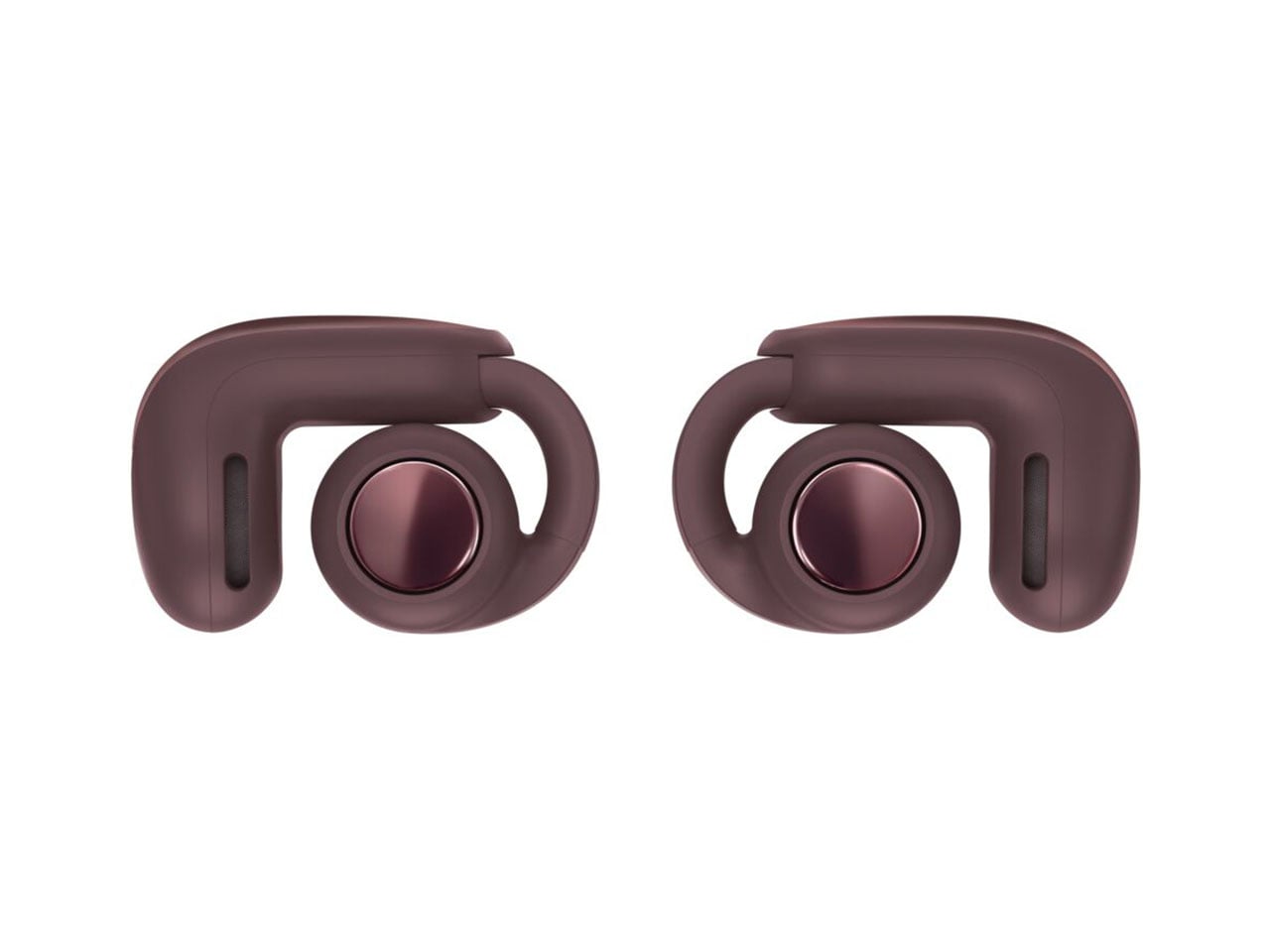
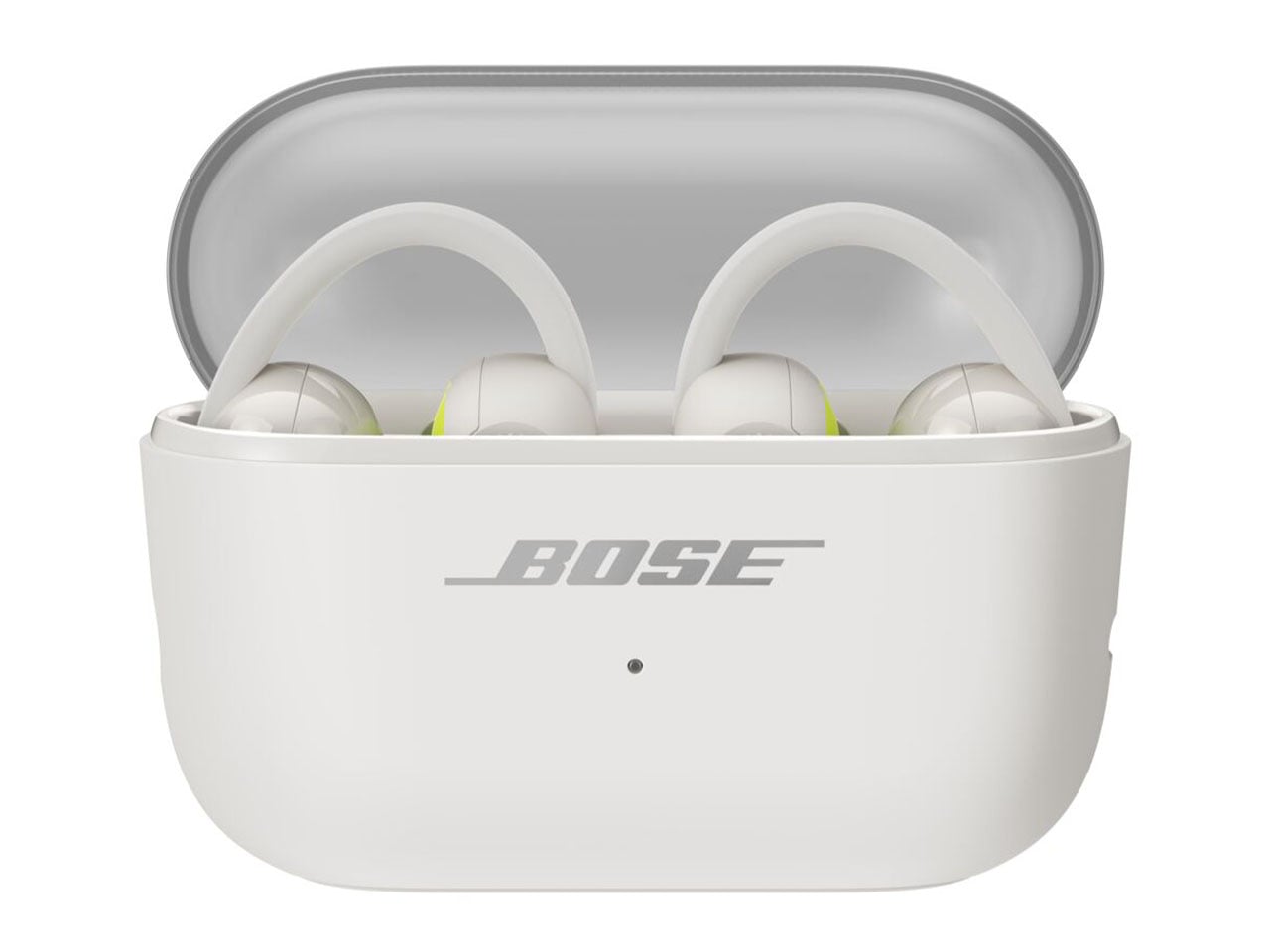
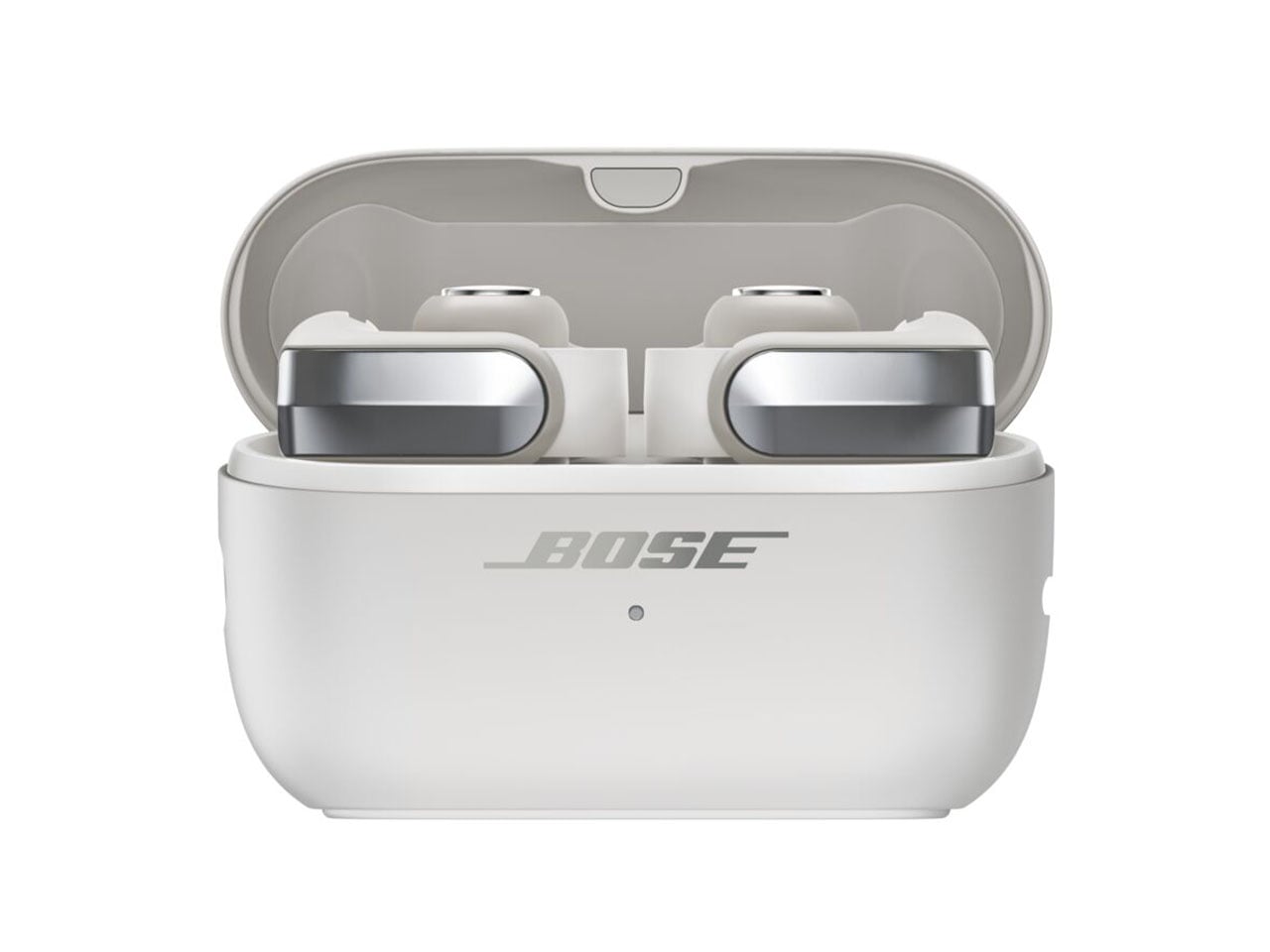
The flagship Ultra Open Earbuds arrive in the second generation to create “more listening moments across active pursuits and everyday life.” The buds are reengineered with better drivers to deliver deeper bass and a higher volume compared to the outgoing version. This has been the major complaint of existing users, and Bose has listened to the feedback and delivered the fix. The look and feel of the buds have been upgraded as they get a refined metallic cap with a beveled finish, while the case also benefits from a renewed design that makes them stand upright. As a welcome addition, the case is now wireless charging compatible. On the buds, you’ll now get 9 hours of battery life, with an additional 19.5 hours on the case. The buds support quick charge to deliver two hours of playback with just 10 minutes of quick charge.

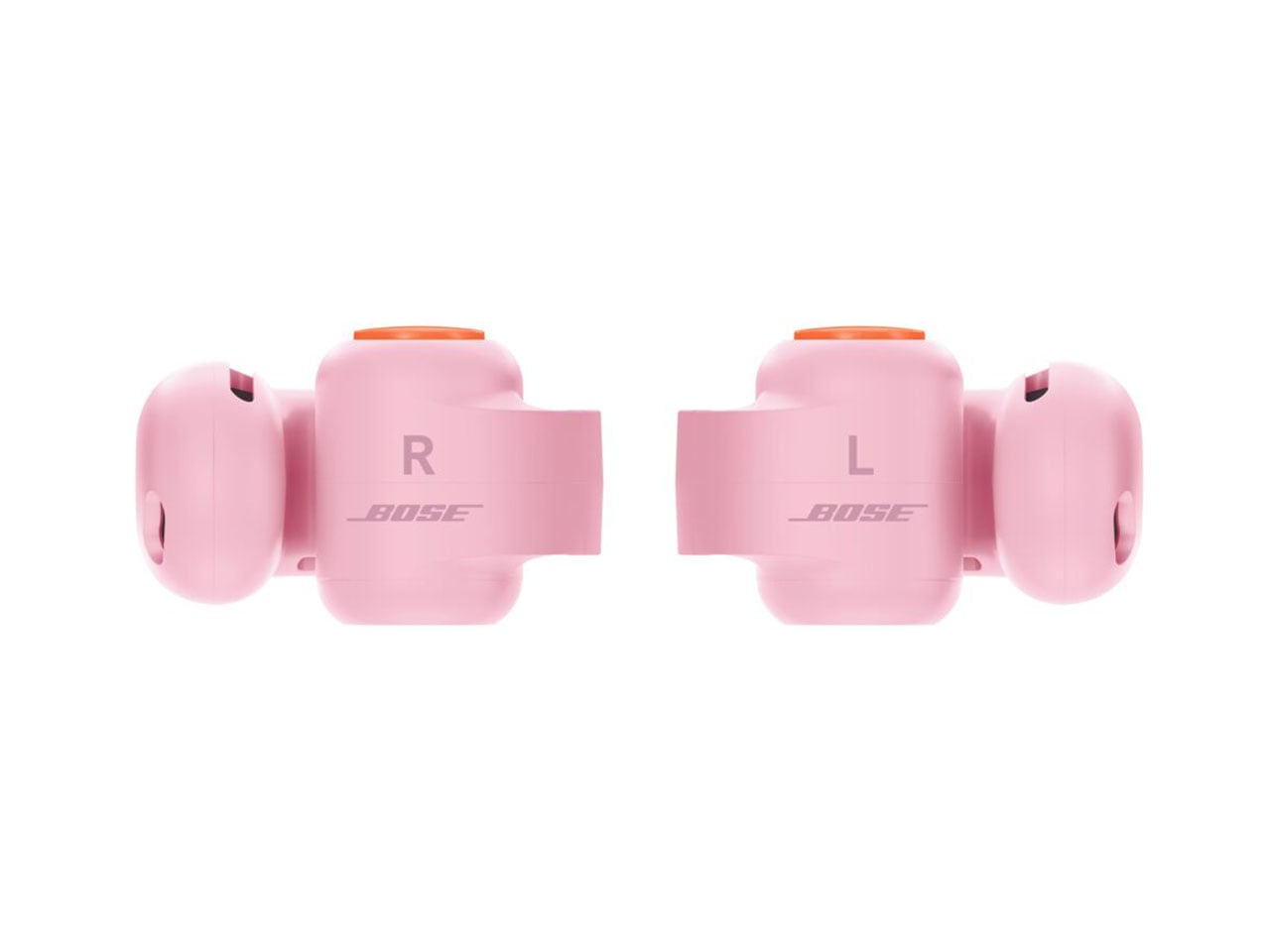
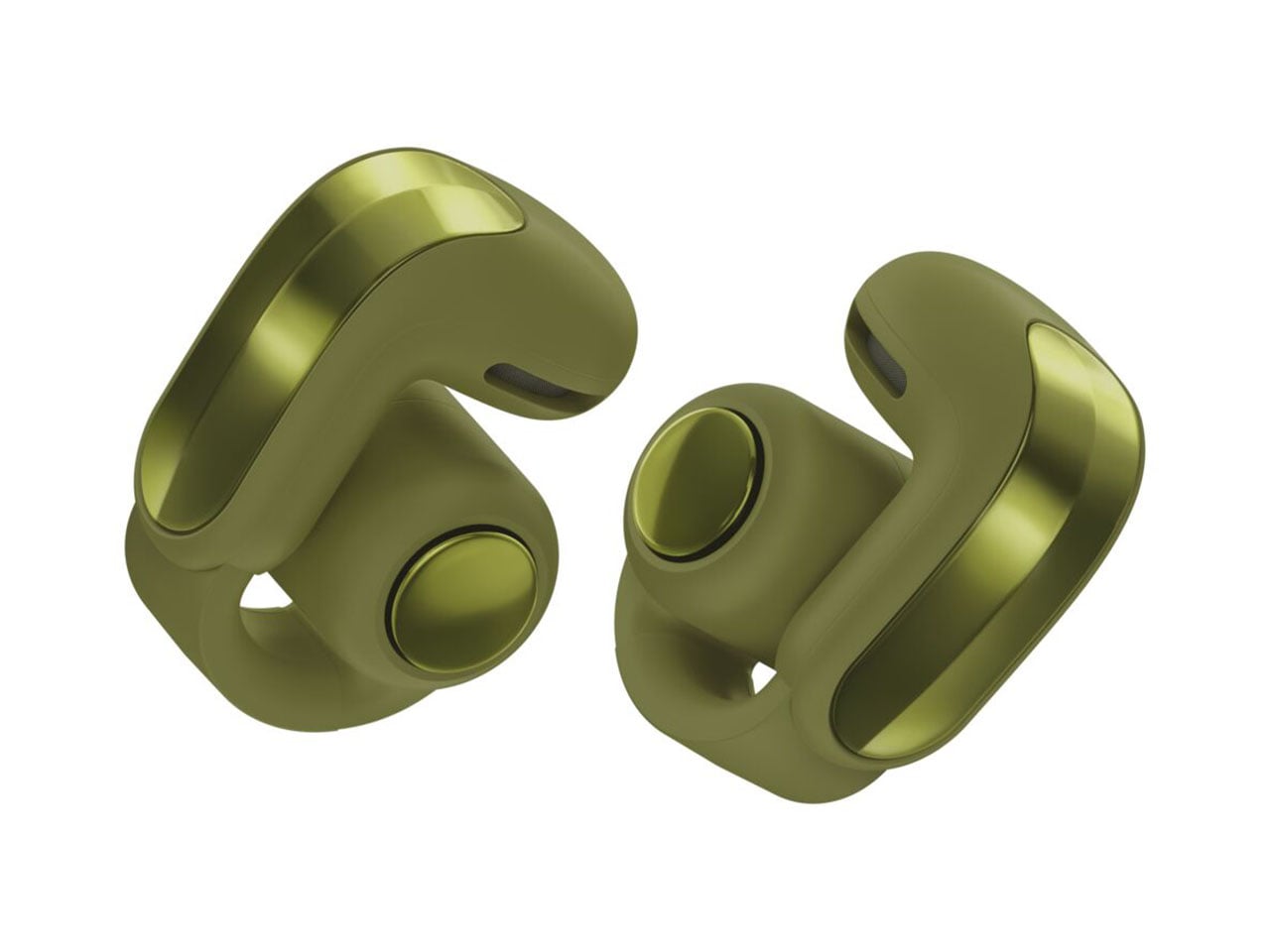
High-quality audio is the main USP, as the open-ear buds get the aptX Adaptive codec and Snapdragon Sound support. For a better calling experience, the buds benefit from the Speech Clarity tech to adjust the listening volume automatically based on the environmental noise. Of course, this is AI-driven to smoothly transition the volume step. For those who love to watch movies and shows in surround sound, there is the Cinema mode that employs Bose’ TrueSpatial tech to envelope you in a 3D sound capsule. Ultra Open Earbuds (2nd Gen) will arrive in limited-edition Olive Green, Cherry Chocolate, and Sky Pink colors for $299.

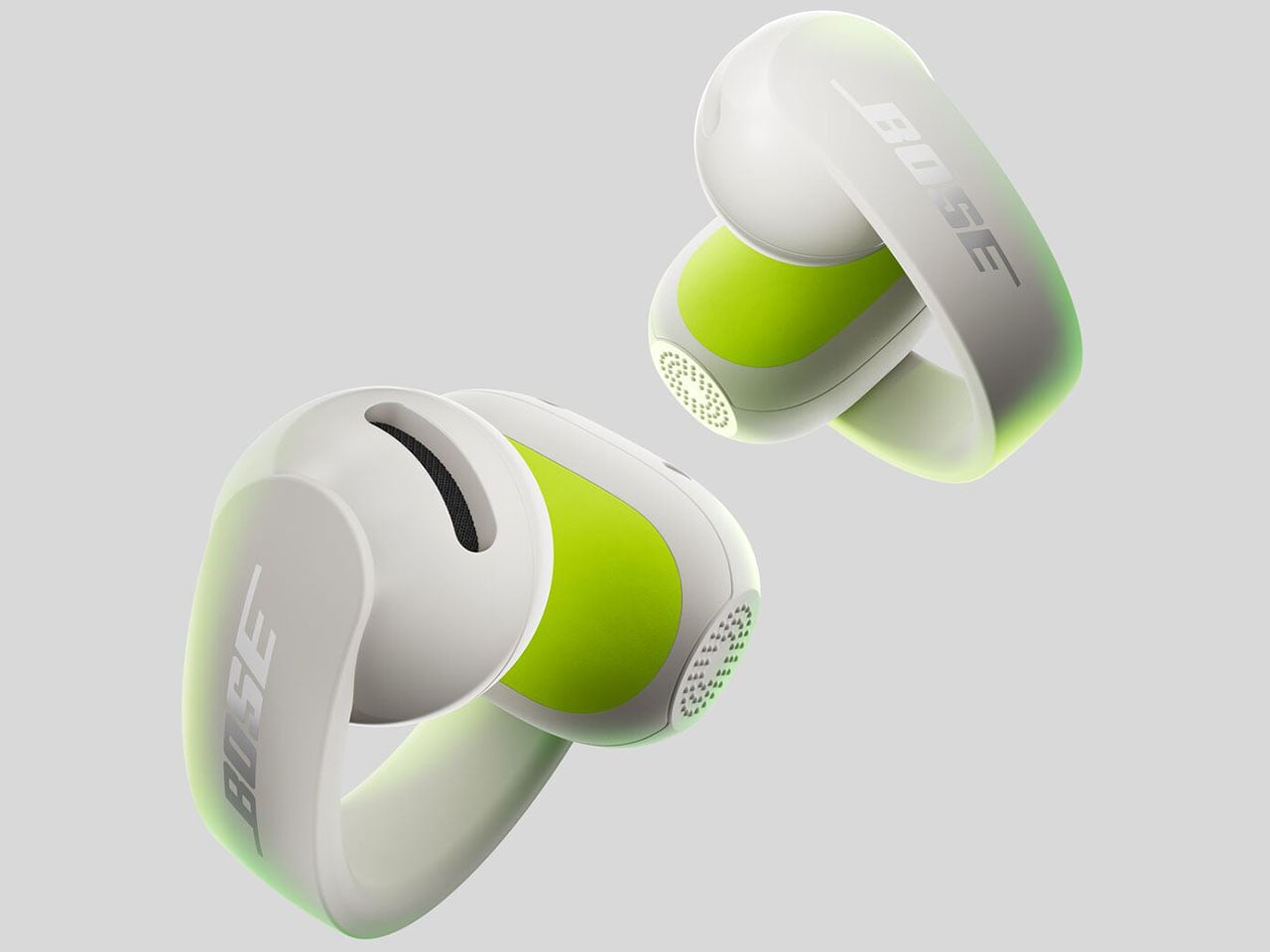
Sport Open Earbuds

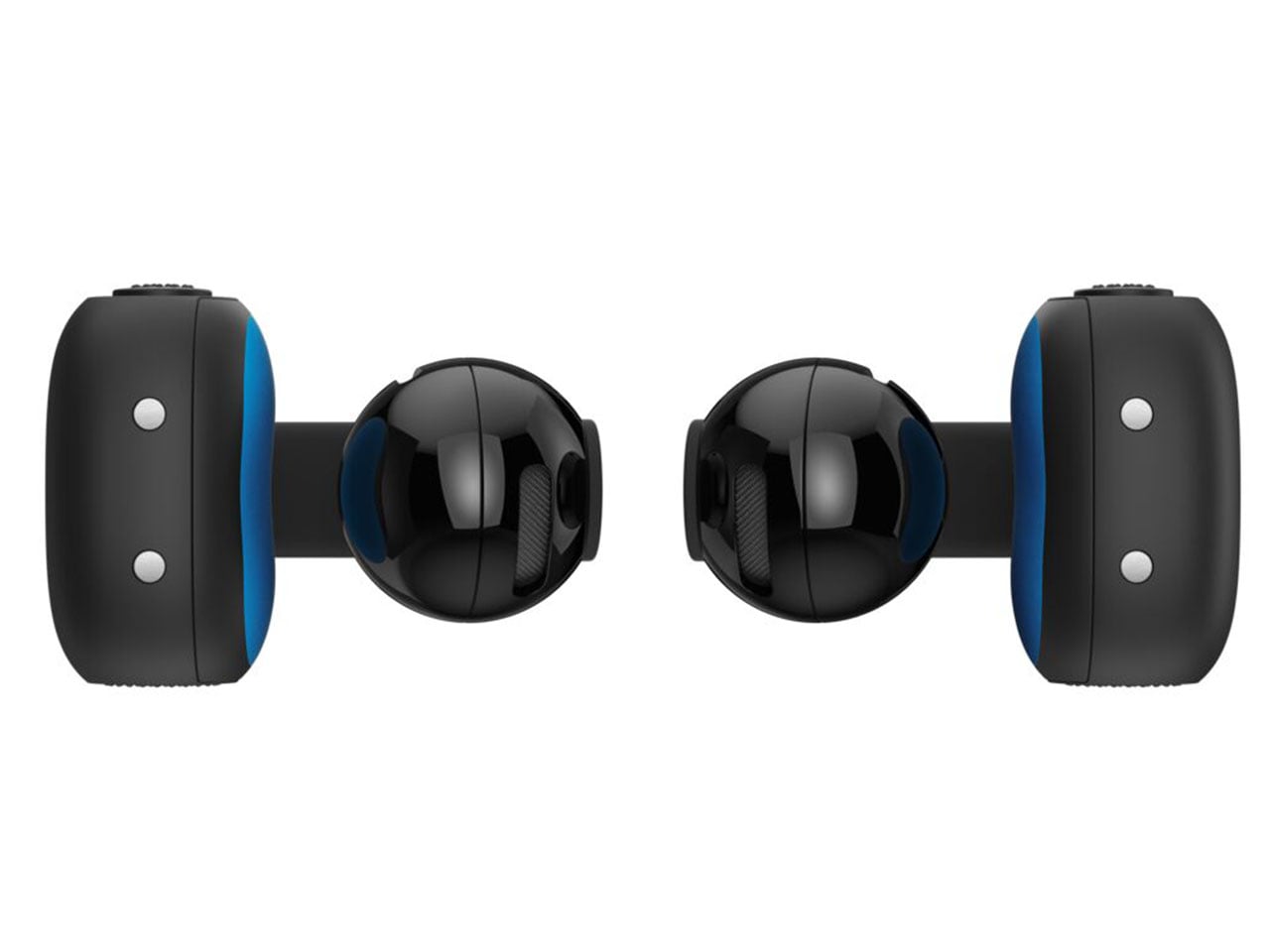
The new kid on the block is the Bose Sport Open Earbuds, which are designed for a secure fit and rated IP54 for dust and splash resistance. Compared to the big brother, these clip-on earbuds sport a more roundish hinge to stay in place even with the most rigorous activities like playing sports, running, or working out in the gym. According to Bose, the Sport Open Earbuds stay in place even with headshakes, cartwheels, and other activities.” For these open-ear wireless earbuds, Bose has opted for the tactile physical buttons since fiddling for touch controls is not practical.

For a sportier design, the earbuds get a translucent case lid that is textured for better grip. Each of the buds weighs 10 grams for all-day wearing comfort and touts 7 hours of listening time, with 29 hours total with the case. The Sport Open Earbuds will be available for $199 in limited-edition Eucalyptus Green, along with the aforementioned color options.

The post Bose Ultra Open 2nd Gen and Sport Open spice-up the clip-on earbuds options first appeared on Yanko Design.

  •  

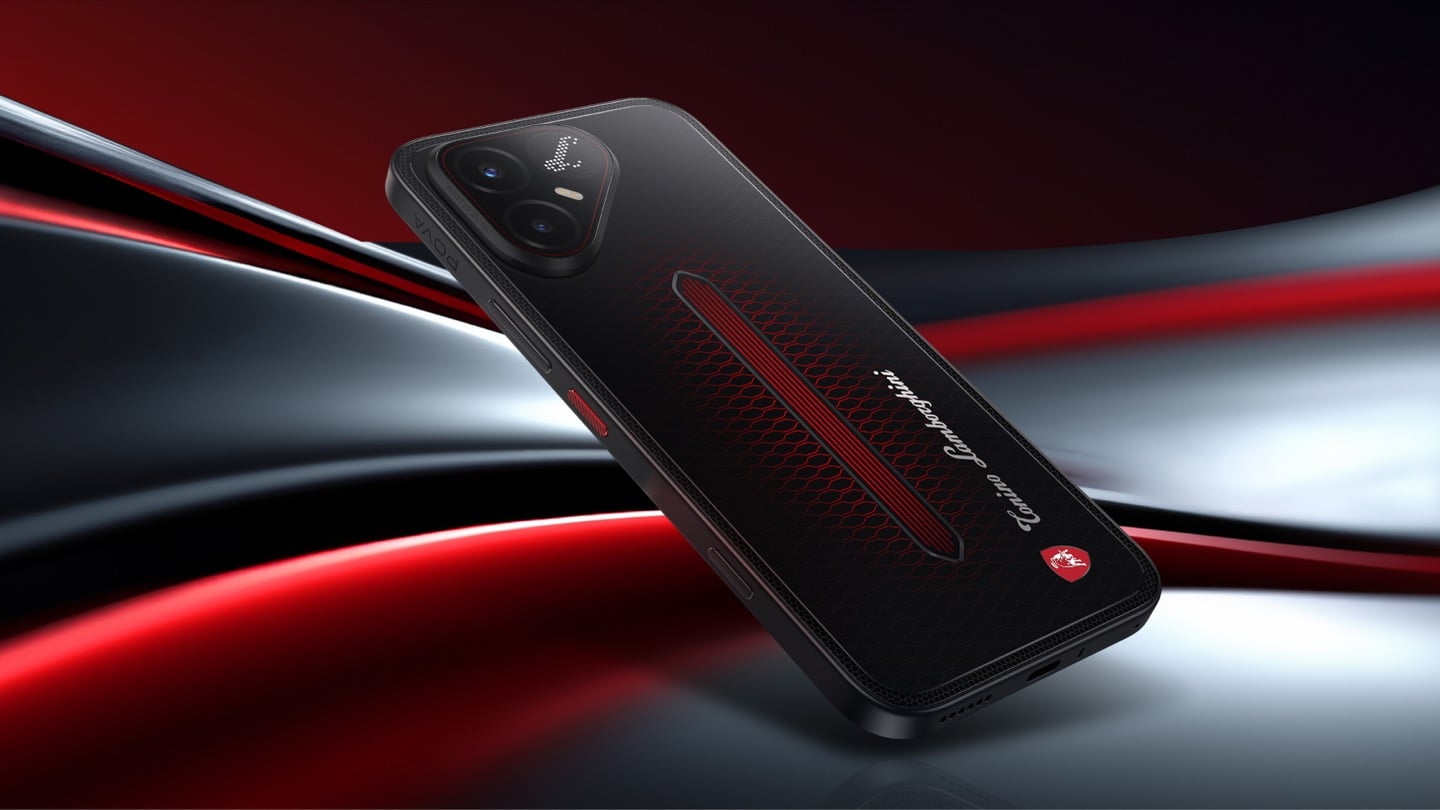
TECNO’s Lamborghini Phone Draws Its Logo in Light Using 177 Mini LEDs

TECNO POVA 8 Pro 5G Tonino Lamborghini Limited Edition

The most expensive Lamborghini phone ever made was a $6,000 slab of hand-stitched leather and gold plating called the 88 Tauri, and it ran Android KitKat on a Snapdragon 801. That was CES 2015, peak era for buying two-year-old silicon at four times the price because someone put a bull on it. Tonino Lamborghini made three of those phones between 2013 and 2017, then went away. The name has now resurfaced on the back of a TECNO POVA that costs about $490, and the badge is finally earning its position. It gets drawn in light instead of stamped in metal.

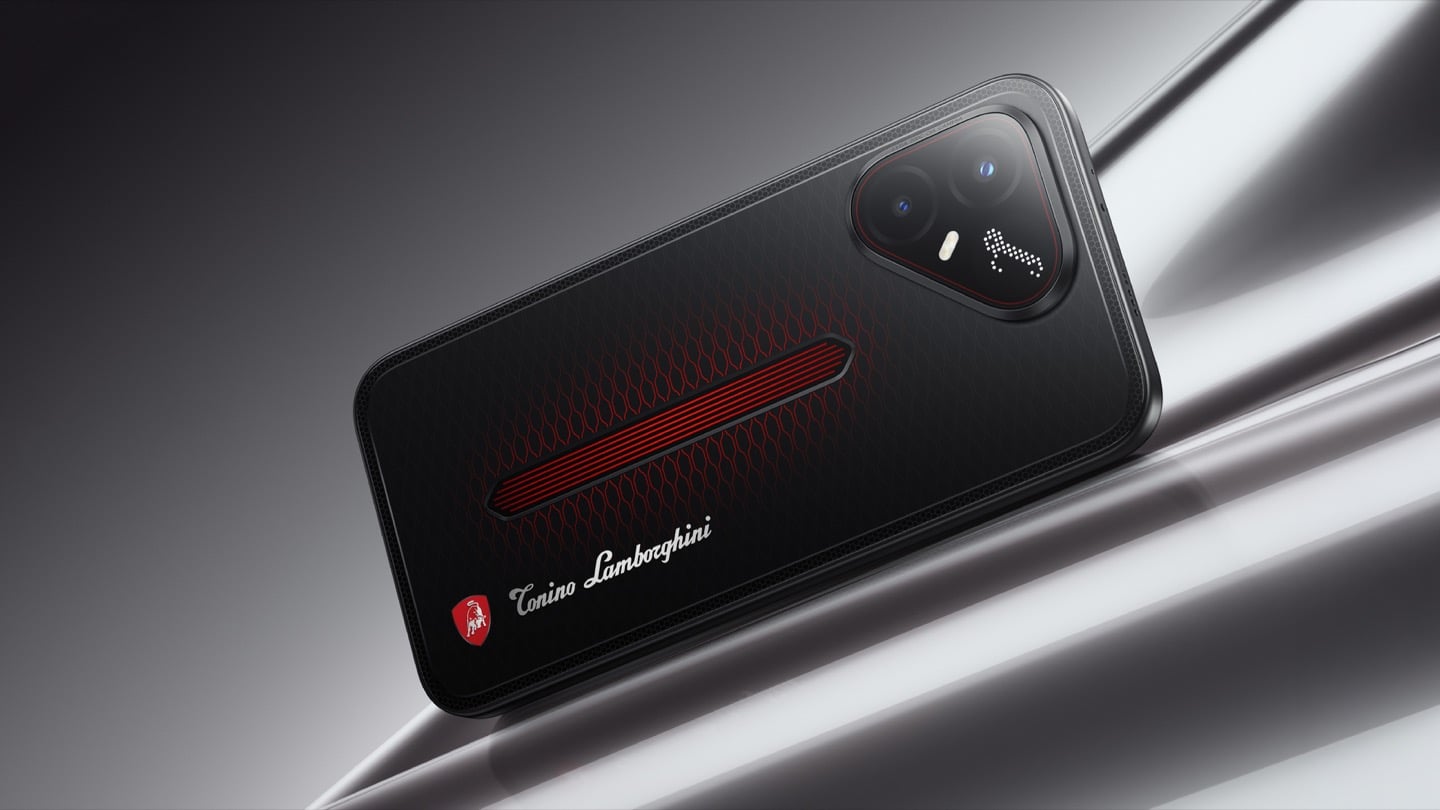
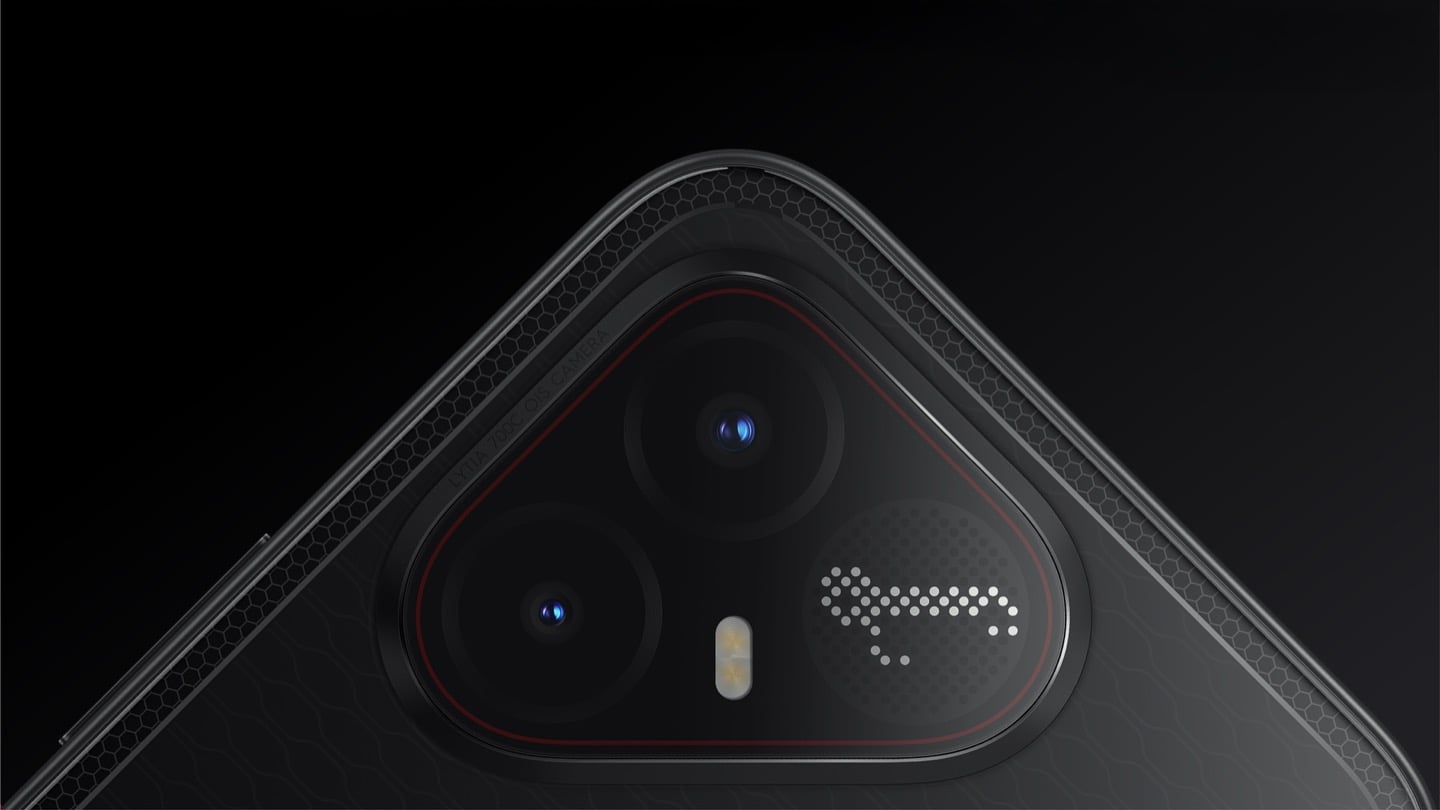
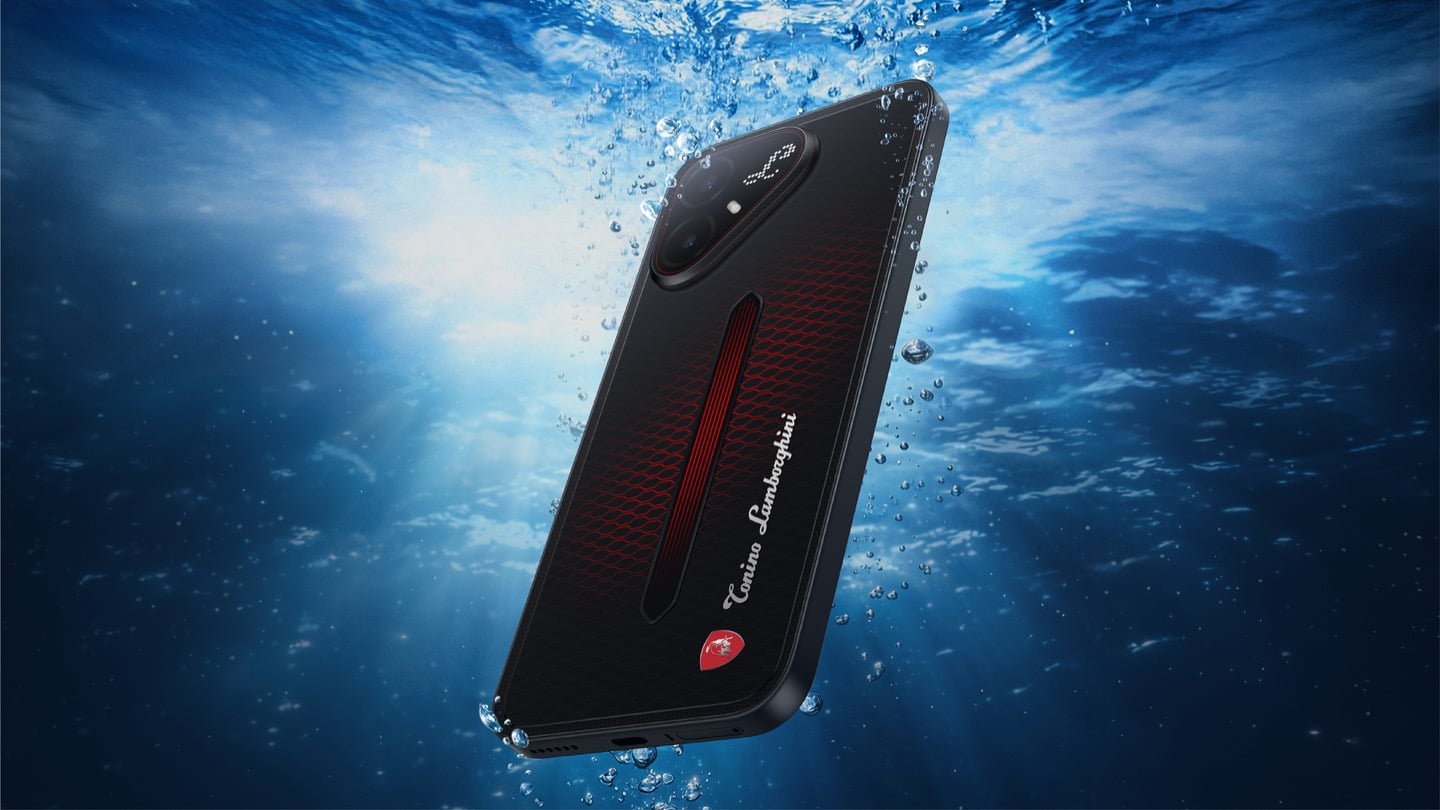
On the POVA 8 Pro 5G Tonino Lamborghini Limited Edition, the Italian brand’s “L” is rendered by 177 individually controlled mini-LEDs in TECNO’s Alive Matrix panel, and the red Pulse Line down the center of the back is a passive optical effect built from internal mirror structures sandwiched between two coating layers at different physical heights. Rotate it and the red rises out of the black, then drops back in. The phone is spec-identical to the standard POVA 8 Pro, so every difference you are paying for is a surface decision. Thai prices start at 15,999 baht for 8GB and 256GB, topping out at 19,999 baht for 12GB and 512GB. There is no US release and no US carrier certification.

Designer: TECNO Design Team, in collaboration with Tonino Lamborghini S.p.A.

Mechanical Grammar, Translated

The brief TECNO gave itself was to take a vocabulary that belongs to cars and make it belong to a slab of glass and aluminum, and the way in usually decides whether that kind of project reads as clever or as a paste job. The team started with the visual codes of mechanical design rather than the logo itself: body lines, cooling grilles, honeycomb patterns, exhaust-inspired detailing. That’s the right instinct. A shield pasted onto a black rectangle says nothing. A shield built from the same geometric logic as an engine bay at least has a reason to exist there. The result is the Signature Shield pattern ringing the Pulse Line, a hexagonal structure lifted from Tonino Lamborghini’s own emblem and mechanical detailing rather than invented fresh for the phone. It gives the back of the device an actual sense of depth and structure instead of a flat decal sitting on top of a chassis that was never designed with it in mind.

The Manufacturing Problem Nobody Sees

The interesting part isn’t the pattern, it’s how TECNO built it. Getting that Pulse Line to shift color under different lighting angles required internal mirror structures processed to redirect light the way a curved mirror does, stacked underneath a brightness-enhancing first layer that behaves closer to a lacquer finish than a printed graphic. Between the two layers sits a real, physical height difference, which is what gives the effect actual depth rather than the flat printed texture you get on most co-branded rear panels. TECNO describes this as one of the most complex rear-cover processes it has run on a POVA product, and the harder problem wasn’t making one unit look right, it was getting thousands of units to look right consistently. That’s a legitimate manufacturing achievement on a phone priced well under $500, and it’s the kind of detail that gets lost entirely once a press release compresses it down to “premium finish.”

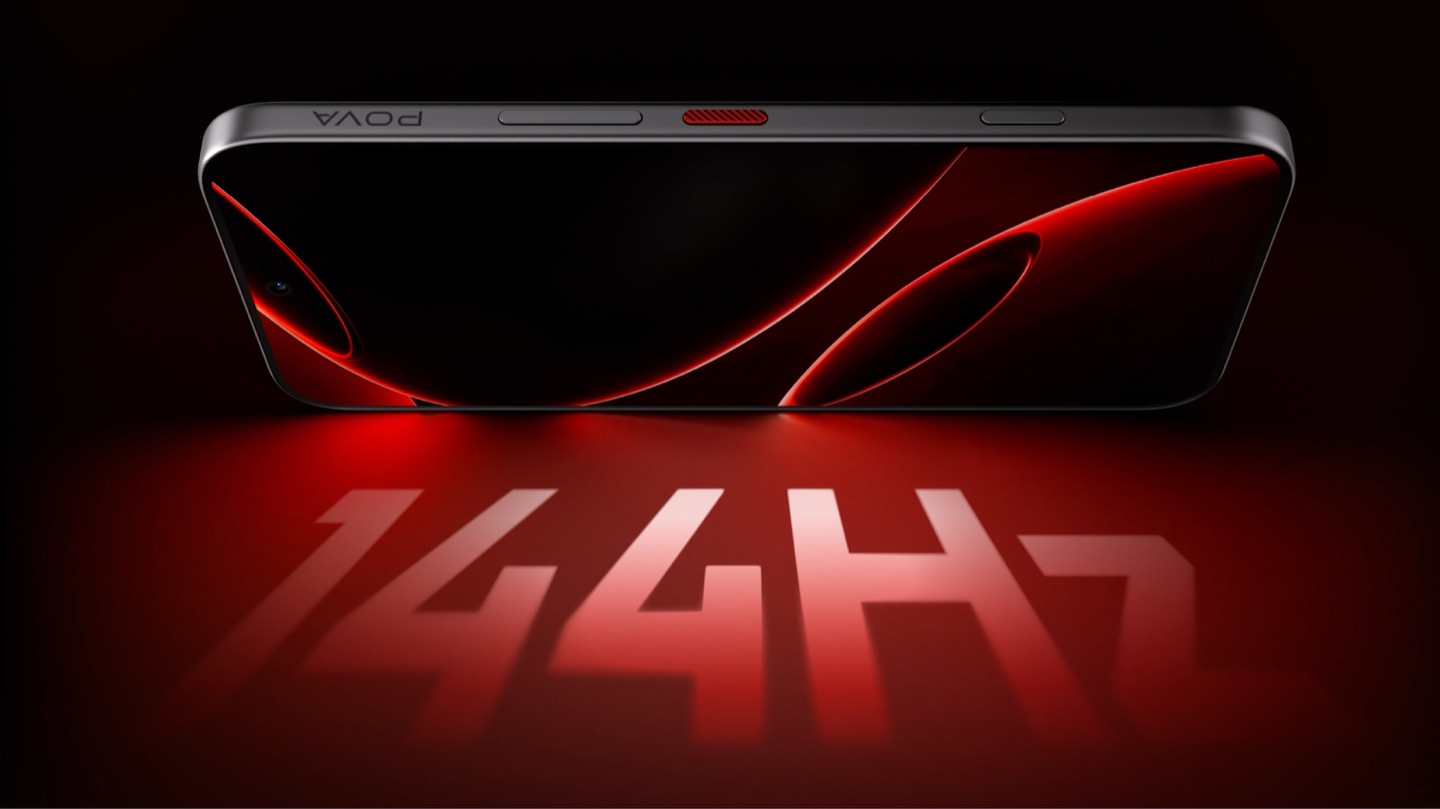
POVA 8 Pro 5G Tonino Lamborghini Limited Edition with a 144Hz Display

A Skin That Goes All the Way Through

TECNO didn’t stop at the shell, which is the part most co-branded phones treat as optional. The software carries the same black-and-red system with reworked icon outlines, nudging soft rounded shapes toward hexagon and shield silhouettes so the interface reads as an extension of the hardware rather than a wallpaper slapped over stock Android. TECNO says the software work alone took close to four months, covering the boot animation, dynamic wallpapers, ringtones, and the Alive Matrix “L” effect. The accessories continue the bit: a braided black-and-red cable, a case built from TPU and polycarbonate carved with a Kevlar-inspired carbon fiber texture. None of it is essential to how the phone functions, but all of it is the difference between a badge and a bit that someone actually thought through.

What a Tonino Lamborghini Badge Used to Cost

Worth sitting with how far this pulls the brand from its own history. This partnership started back in March at MWC, where TECNO and Tonino Lamborghini unveiled the POVA Metal Tonino Lamborghini Limited Edition alongside a water-cooled mini gaming PC concept carrying the same red-and-gunmetal language into laptops, tablets, and earphones. That first phone felt closer to the old playbook than this one does. The 88 Tauri and its 2014 sibling, the Antares, were built around leather, gold plating, and price tags that assumed the badge alone justified the markup. The 2017 Alpha One dialed the ornamentation down but kept the price near $2,100. Automobili Lamborghini’s own collaborations, including the Oppo Find X Automobili Lamborghini Edition at €1,700 against a €1,000 base phone, followed the same math: better materials, a visible badge, a premium that tracked the logo rather than the manufacturing. This is the first Lamborghini phone where the badge shows up as a production process instead of a price justification, and it happens to be the cheapest one the family has ever put its name on. For the full spec rundown on the rear panel construction, we’ve covered the hardware side of this phone in detail already.

Close-up of the TECNO POVA 8 Pro 5G Tonino Lamborghini Limited Edition phone's camera bump

Price, Availability, and the Fine Print

Thailand has this now, sold through BaNANA, IT CITY, Jaymart, and other retailers since August 21, with early buyers getting a Tonino Lamborghini backpack and a Tecno Watch 3 Active thrown in. Pricing for India and other markets hasn’t landed yet as of this writing. If you’re reading from the US, this one isn’t coming your way in any official form. TECNO has no FCC certification and no carrier partnerships stateside, so anything that turns up on a resale site is a gray-market import with no warranty support behind it. Worth knowing before anyone gets attached to a color they’ll never see in a carrier store.

The Badge, Recalibrated

TECNO didn’t need Tonino Lamborghini’s name to sell a $490 phone with a good screen and a big battery, which makes the choice to spend four months on software and reinvent the rear-cover process for a mid-ranger feel almost backward by traditional luxury-licensing logic. Usually the name does the selling and the hardware coasts. Here the hardware earns the attention and the name rides along for once. Whether that model survives past a limited run is a separate question, since Tonino Lamborghini’s own history with phones has always run in short bursts before going quiet for years. For now, the badge looks better on a light source than it ever did on leather.

The post TECNO’s Lamborghini Phone Draws Its Logo in Light Using 177 Mini LEDs first appeared on Yanko Design.

  •  

5 Things the iPhone Duo Got Right That Samsung Still Hasn’t

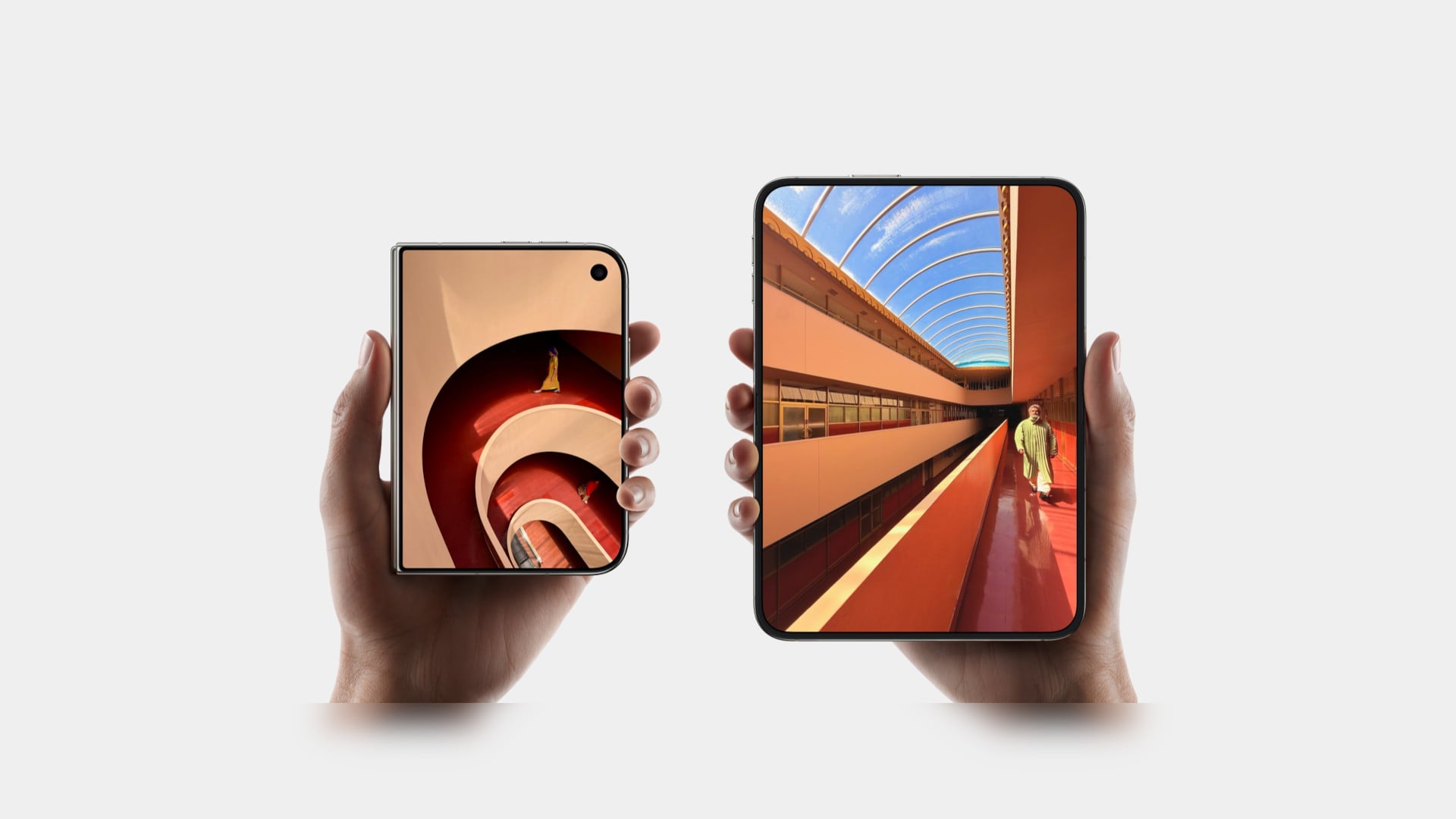
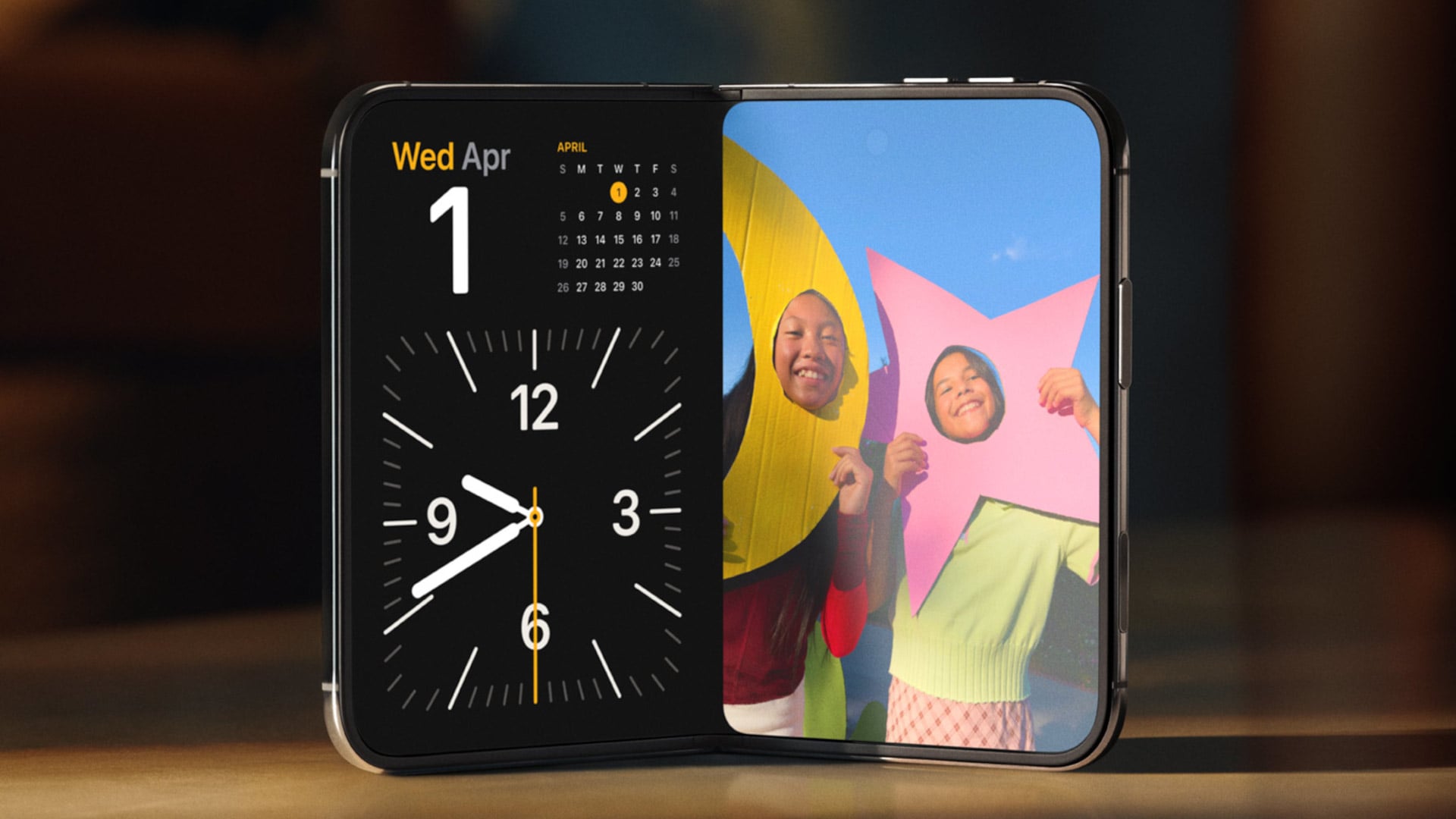
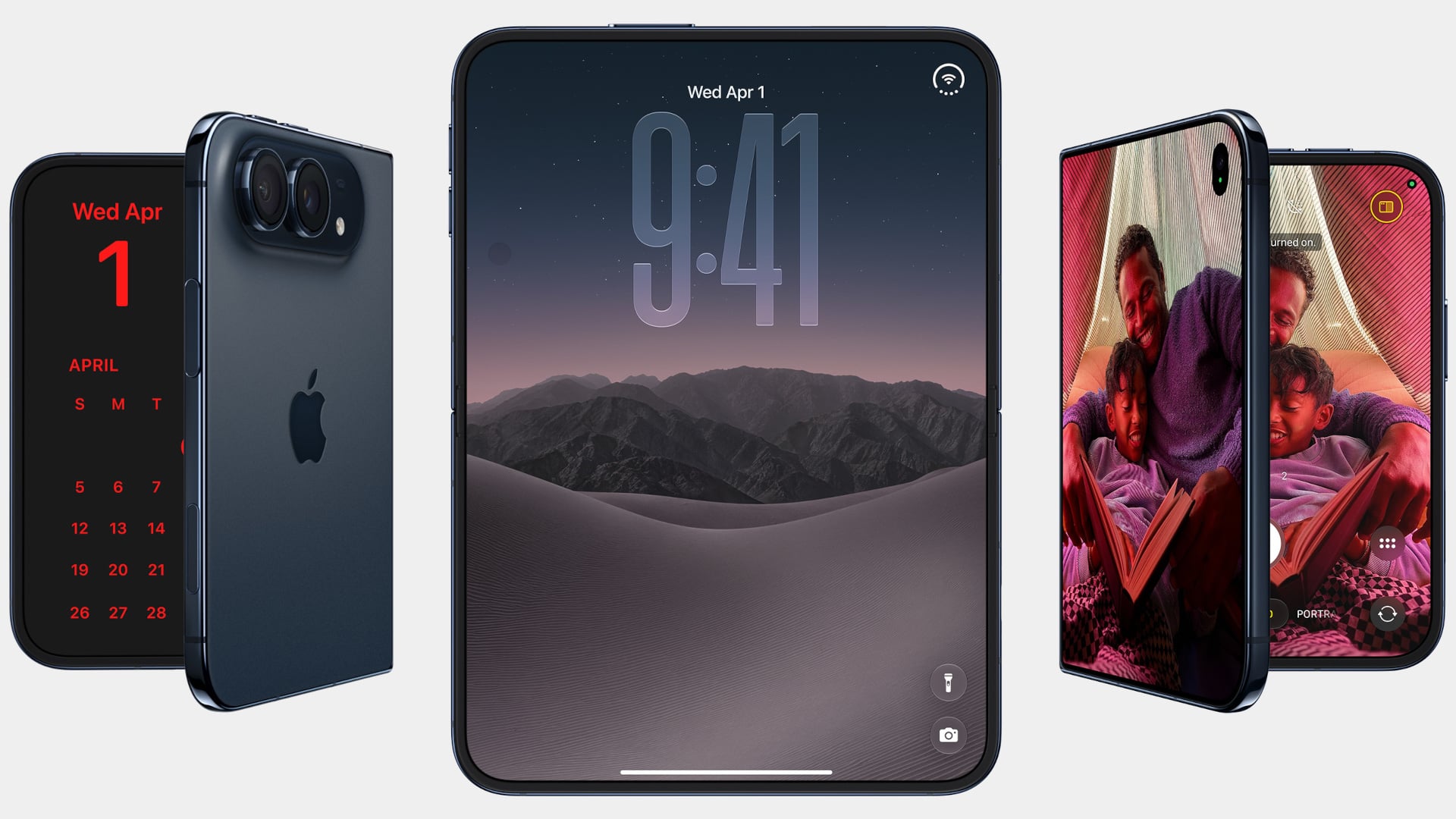
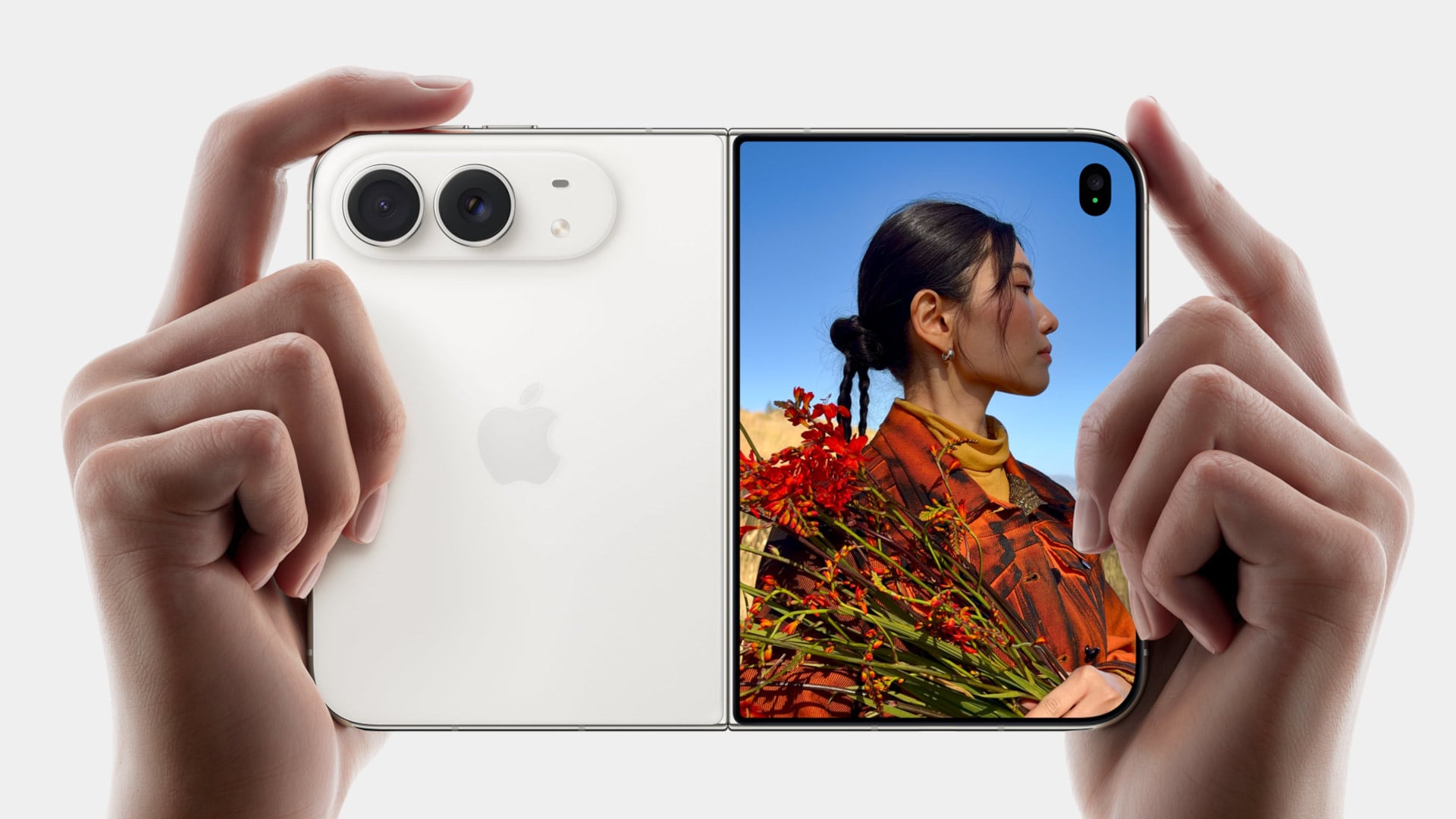
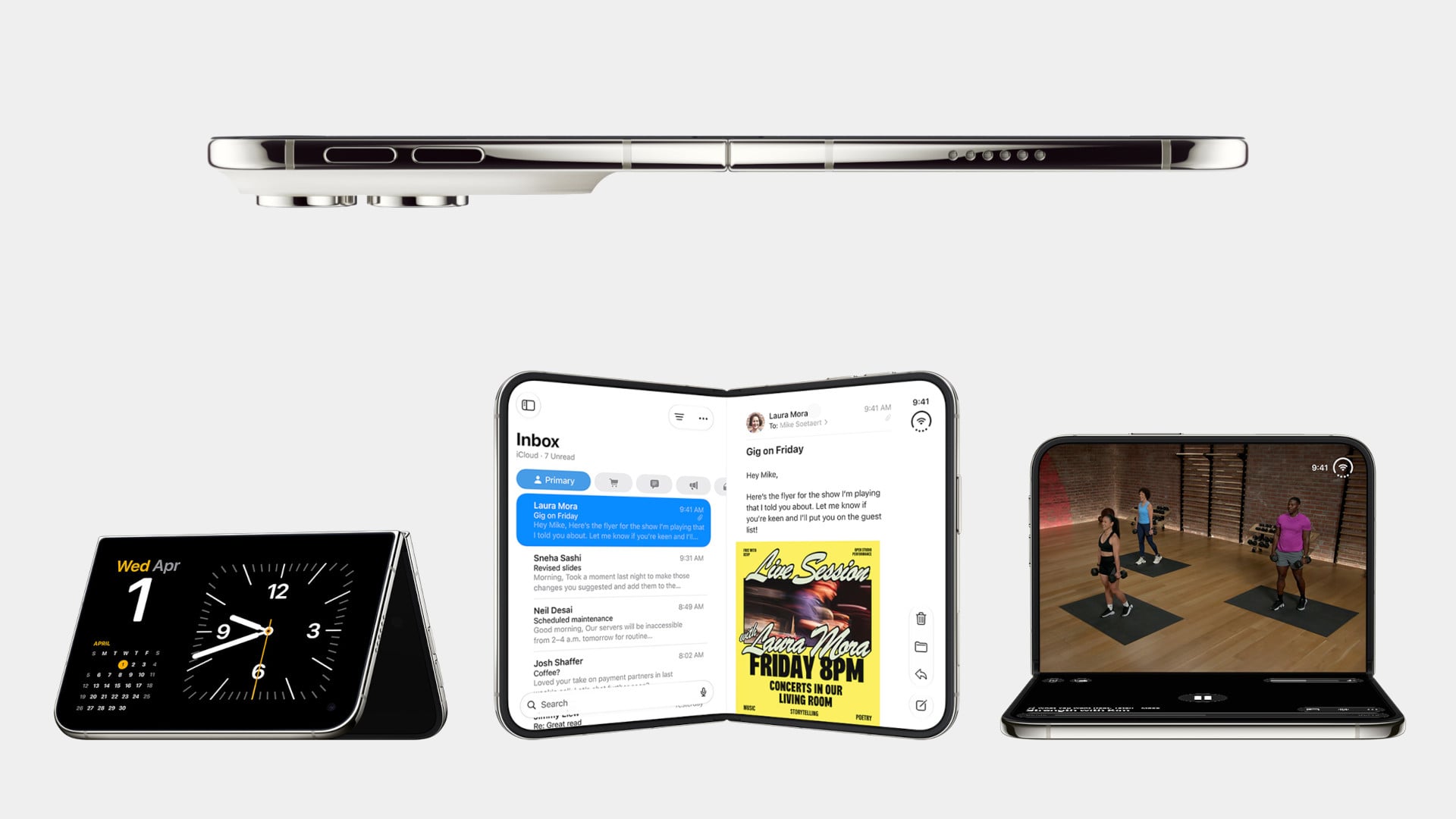
Samsung has had the folding phone conversation to itself for six years now, tweaking hinges, shrinking creases, and figuring out what a cover screen is even for. Apple waited, watched, and let its rival make every mistake first. That patience shows in the iPhone Duo, a first-generation foldable that skipped straight past problems Samsung’s Galaxy Z Fold8 still hasn’t fully solved.

None of that comes cheap, though. The Duo starts at $1,999 and costs more than the Fold8’s $1,899.99, weighs in at roughly nine ounces against the Fold8’s seven, and folds up thicker in your pocket, besides. Samsung still wins those arguments outright, and we’ll get back to that later. But set weight and price aside, because here are five places where Apple’s first foldable actually beat Samsung’s eighth attempt.

Designer: Apple

The Camera That Disappears

A foldable phone’s whole pitch is the screen, one continuous surface that opens up into something closer to a small tablet. Every notch or punch-hole cut into that surface breaks the illusion a little, reminding you that the software is still working around a sensor buried in the glass. Samsung’s Galaxy Z Fold8 has never quite escaped that compromise, even eight generations in.

The Galaxy Z Fold8 carries a 10-megapixel camera punched into both the inner and cover displays, a hole you notice every time the screen lights up. The Duo takes a different route entirely, tucking its inner selfie camera under the panel itself so nothing interrupts the display when you’re watching a movie or scrolling through photos with both halves open. The outer screen keeps a single, smaller cutout.

A Stylus Samsung Gave Up On

Samsung built its whole Note legacy around the S Pen, then carried that stylus into the first few generations of the Galaxy Z Fold before quietly dropping it this cycle. Neither the Galaxy Z Fold8 nor the Galaxy Z Fold8 Ultra bring it back, leaving a gap for anyone who used to sketch, sign, or jot notes onto that big inner display. It’s a strange retreat for a company built on that exact feature.

Samsung Galaxy Z Fold6

Apple Pencil support changes that, working on both the 5.4-inch cover screen and the 7.6-inch inner display, once it arrives. Dual-screen support lands through a software update later this year rather than at launch, so early buyers will have to wait a bit for the full experience. Still, it means signing a document or sketching an idea won’t require unfolding the phone first, something Samsung’s lineup can no longer offer.

Built to Survive the Mess

Dust is the part of durability testing everyone forgets about until it’s too late, and a folding hinge is the worst possible place for grit to sneak into. Water resistance ratings get all the marketing attention, but the dust half of an IP rating tells you whether sand at the beach or fine construction dust will actually make it past the seals and start scratching at the mechanism underneath.

The iPhone Duo carries an IP68 rating, meaning the seal is dust-tight; nothing gets through, full stop. The Galaxy Z Fold8 only manages IP48, which covers water fine but leaves that dust digit low enough that fine particles, sand, and powder aren’t actually kept out. For anyone who takes their foldable to a beach, a workshop, or just a dusty backpack, that gap matters more than it looks.

Room for Everything You Shoot

A foldable’s bigger inner screen practically begs you to shoot more video and drag around heavier files, whether that’s 4K footage, a stack of RAW photos, or a library of apps you’d never bother installing on a regular phone. Storage stops being an afterthought pretty quickly once you’re using the extra screen real estate the way it’s meant to be used, for actual creative work instead of just bigger icons.

Apple tops out the iPhone Duo at 2TB of storage, double what the Galaxy Z Fold8 offers at its 1TB ceiling. That’s the difference between planning around your camera roll on a long trip and simply forgetting storage exists as a problem. For anyone who treats their foldable as a mobile production tool rather than a bigger email client, that extra headroom ends up mattering more than the megapixel count.

Fighting the Fold’s Oldest Flaw

The crease down the middle of a folding screen has been the one problem no manufacturer has fully cracked, Samsung included, no matter how many generations they’ve shipped. Apple’s approach to the Duo’s hinge stacks a nano-texture matte layer over glide-adhesive glass and backs the whole assembly with a titanium plate, an engineering answer to a problem that’s mostly been treated as unavoidable elsewhere in the industry.

Early impressions from outlets with briefing access suggest the crease is still visible. Nobody’s claiming otherwise, but it doesn’t catch your finger or your attention the way it does on most rivals, the Galaxy Z Fold8 included. That’s worth flagging as an early read rather than a verified result, since neither phone has landed in reviewers’ hands yet. Outdoor glare handling gets similar praise, though the real test comes once these ship.

What Samsung Still Gets Right

None of this makes the Galaxy Z Fold8 a bad phone, and Samsung still wins the arguments that matter most to plenty of buyers. It’s $99.01 cheaper, noticeably lighter at roughly seven ounces against the Duo’s nine, and thinner whether it’s folded shut in your pocket or opened flat on a desk. Those are real, measurable advantages, not consolation prizes.

Apple iPhone Duo

Samsung Galaxy Z Fold8

What you’re really choosing between is a phone that’s been refined for eight generations and one making its very first attempt, price and weight included. A first try that already beats its rival on a camera, a stylus, a durability rating, storage, and a hinge design is a strong opening argument, whatever it costs to get there. Samsung’s turn to respond comes next year.

The post 5 Things the iPhone Duo Got Right That Samsung Still Hasn’t first appeared on Yanko Design.

  •  
❌