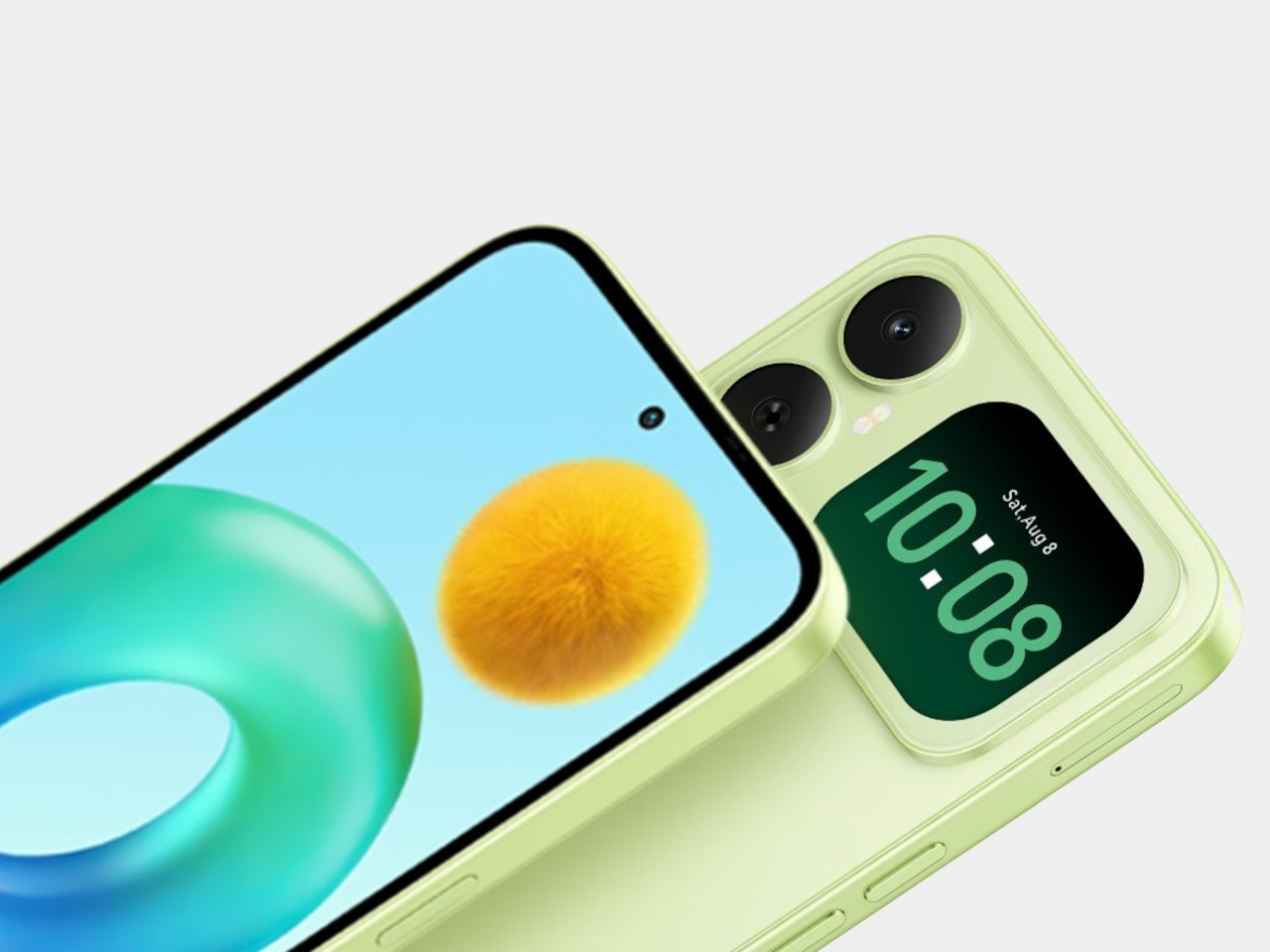
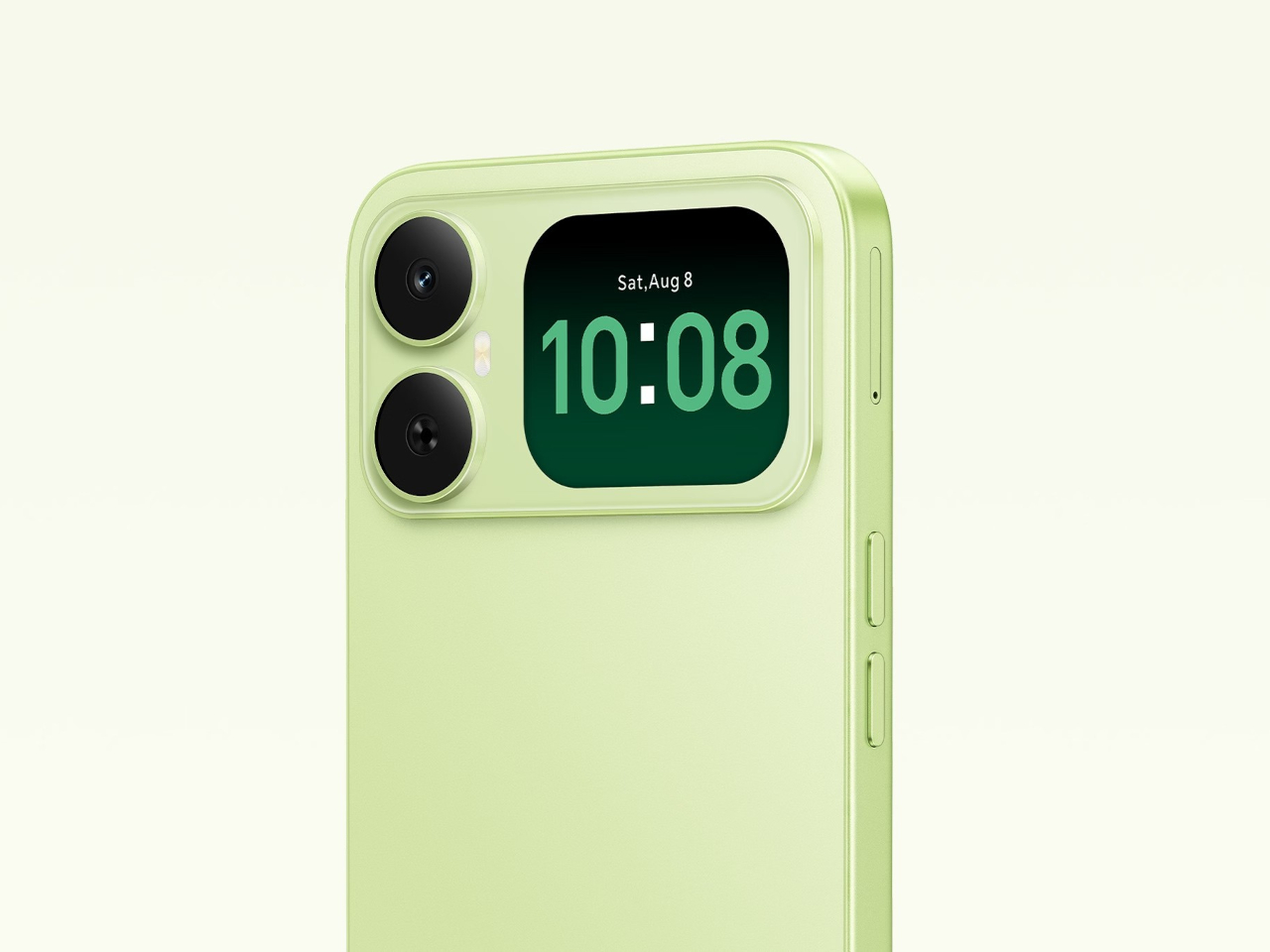
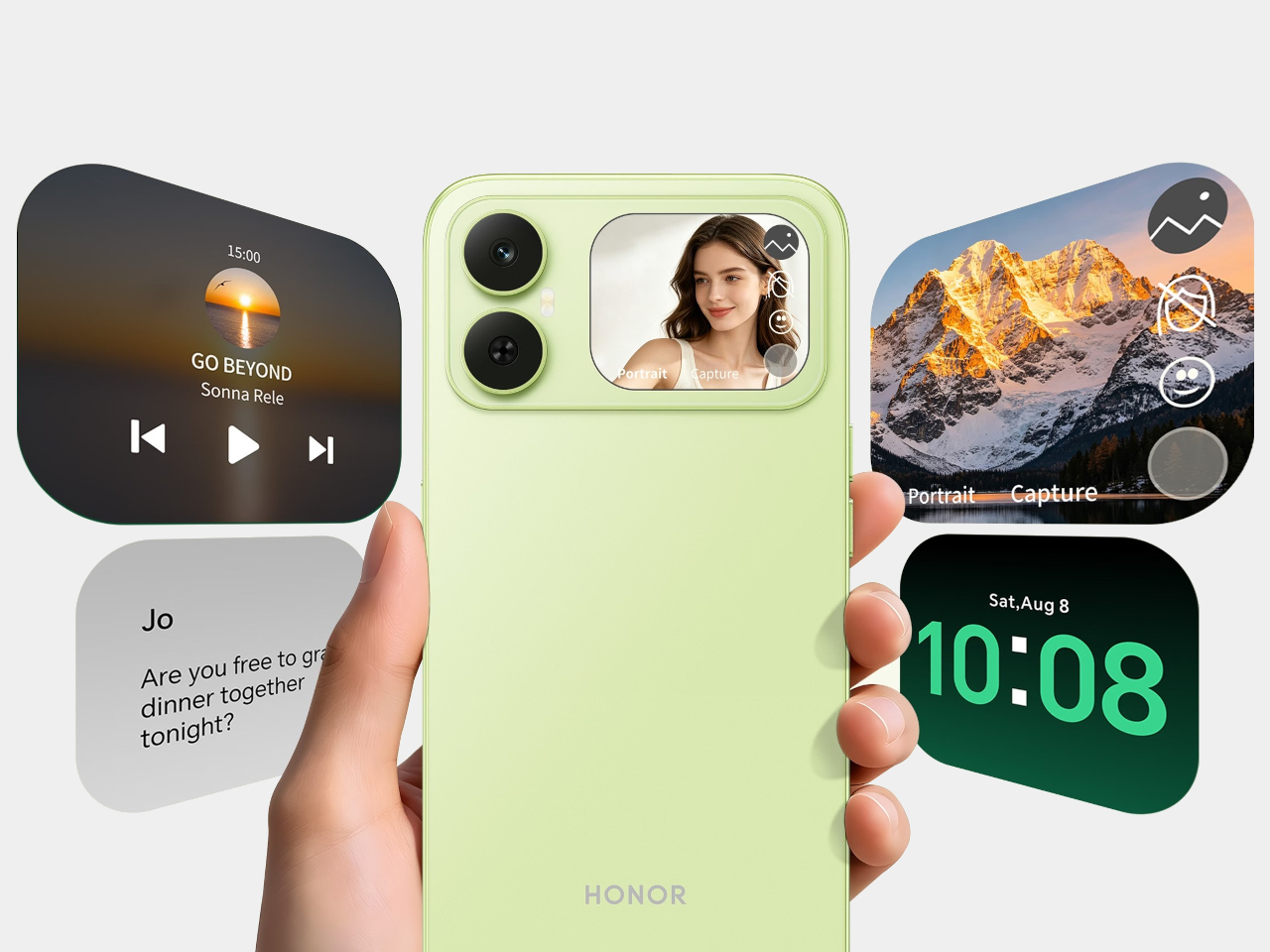
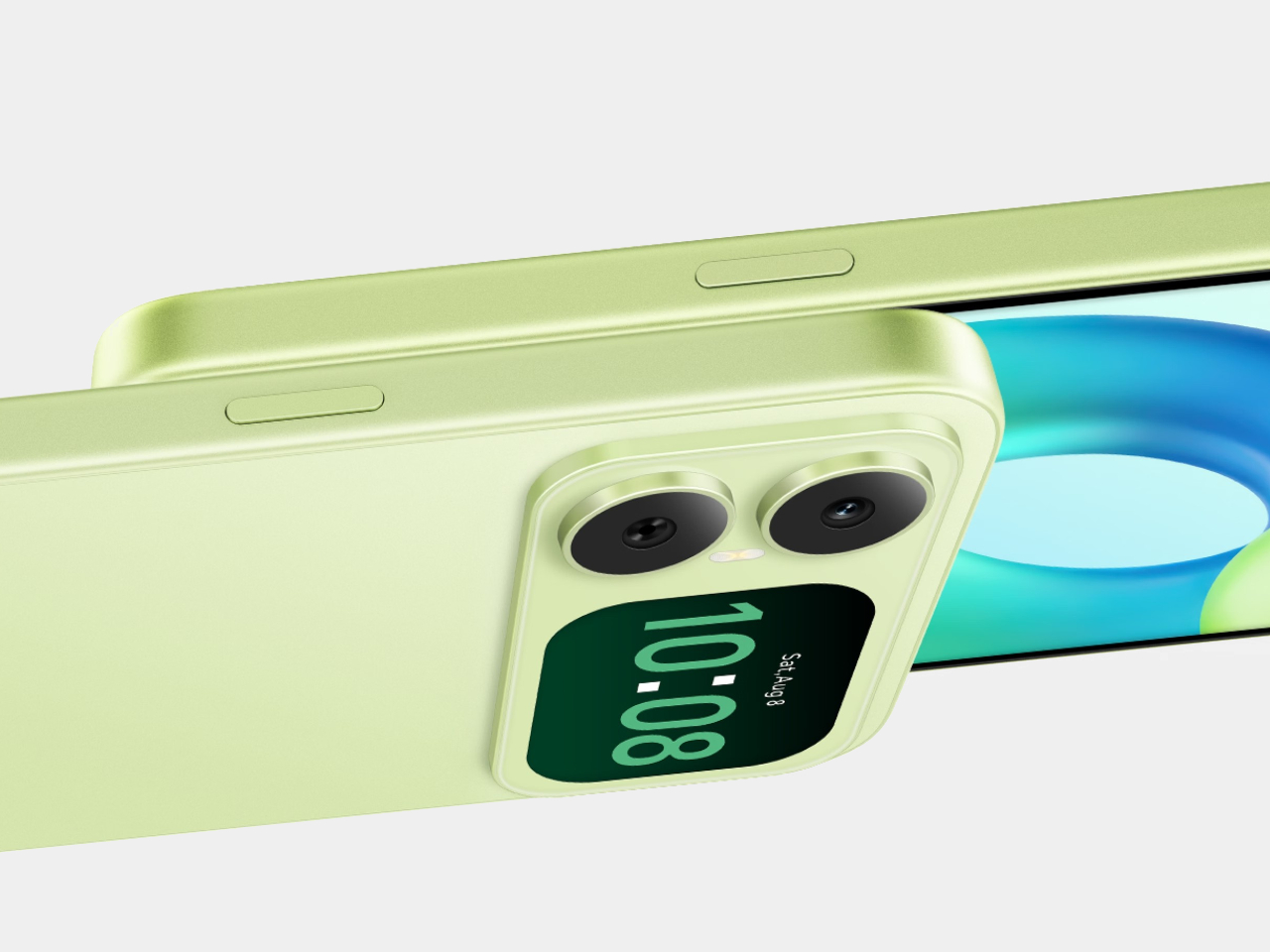
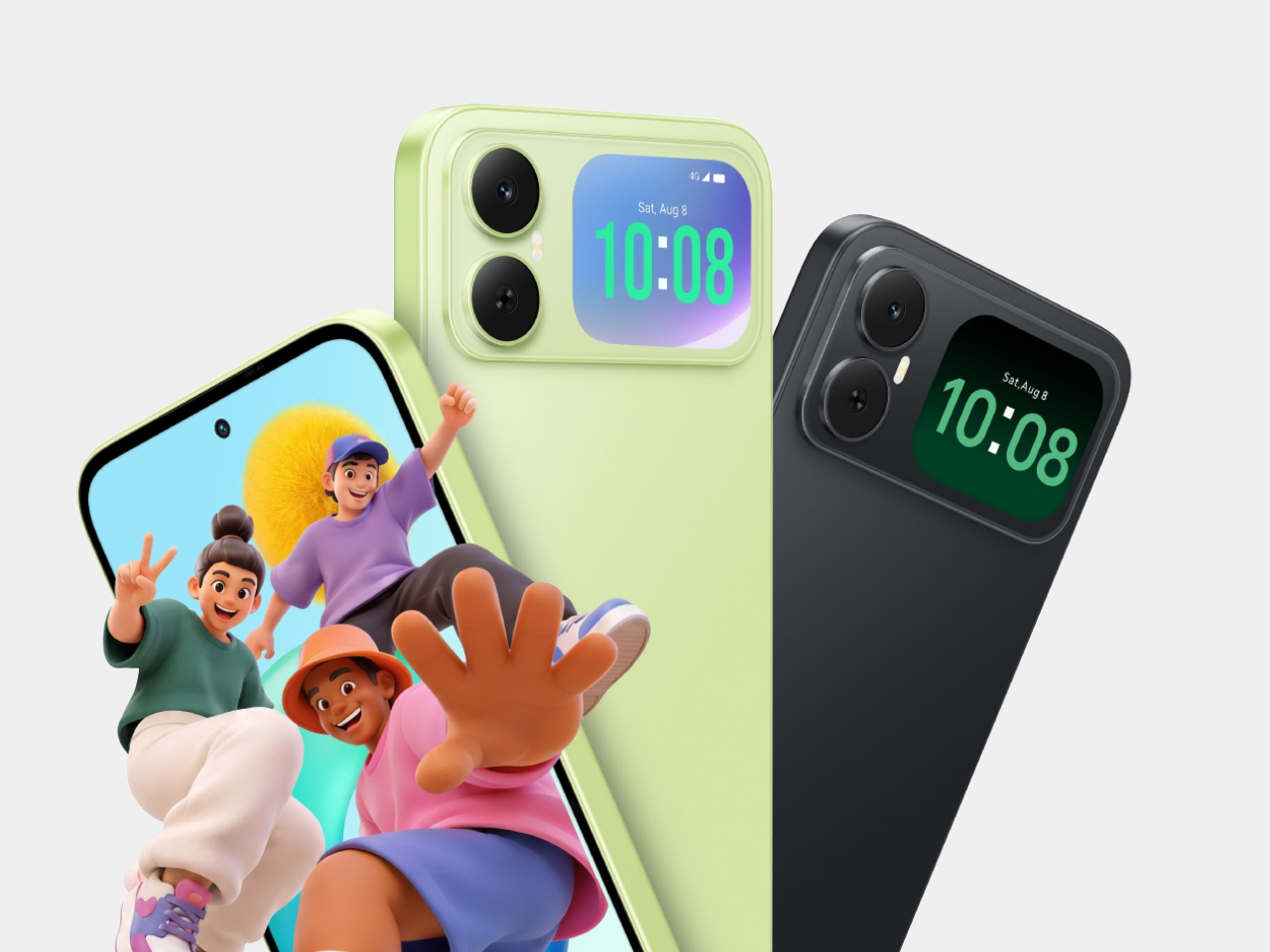
Most budget phones have one screen you stare at and a back you think about. The Honor X5d s makes that back worth a second look by placing a 2.01-inch touchscreen next to its rear camera. It shows the time and alerts, handles music, and helps you take selfies with the better camera. That’s a useful design trick for an inexpensive phone.
The camera island looks like it was built around that display, rather than having a screen tacked on afterward. Two dark circles sit beside it, although Honor lists only one rear camera. Forest Green makes the island pop against a pale back, while Midnight Black keeps things subdued. Either way, the phone’s most interesting feature is visible before you even wake it.
Designer: Honor
That rear screen makes sense when you’re trying to get everyone into a photo. Instead of extending your arm, guessing at the framing, and discovering that someone’s head is missing, you can see the shot while using the 50-megapixel rear camera. A tap on the back takes the picture. There’s also a 5-megapixel front camera, but this arrangement gives selfies another option.
Of course, a phone can’t spend all day posing for pictures. Leave the X5d s face down on a desk, and its little window can still show the time or a call alert. Music controls live there too, so skipping a song doesn’t require turning the whole device over. It’s a small convenience, but those are often the ones you keep using.
On the other side, there’s a 6.78-inch LCD for more than a glance. Its size makes room for videos, messages, and the photos you took, although the 1,576×720 resolution isn’t particularly sharp for such a large panel. The rear display doesn’t fix that limitation. It simply gives quick tasks their own place instead of asking the bigger screen to do everything.
There’s a 6,000mAh battery to keep both screens running, though the phone’s 15W wired charging might test your patience when it finally needs a refill. Honor also provides 64GB of storage and a three-card slot, letting you add a microSD card without sacrificing either SIM. That’s handy if you keep your photos and music on the phone rather than in the cloud.
Inside, the Unisoc T610 processor and 4GB of RAM tell a more familiar budget-phone story. The side-mounted fingerprint reader is convenient, but there’s nothing particularly exotic about the rest of the hardware. In South Africa, the 4GB/64GB version costs R2,499 (about $150), which puts the extra screen in reach of people who aren’t shopping for a flagship just to get a conversation-starting feature.
That display won’t replace your phone’s main screen, nor will it make the X5d s a better choice for demanding games. But it changes the small interactions that fill a day: a glance at a call, a tap to skip a song, a preview before taking a selfie. At this price, giving the back something useful to do feels refreshing.
On a passé une grosse quinzaine de jours avec le
Freo 20
, le nouveau robot aspirateur laveur de Narwal présenté à l'IFA de Berlin début septembre. Autant le dire tout de suite, c'est un des appareils du genre les plus aboutis qu'on ait fait tourner.
Sur le papier, l'aspiration grimpe à 31 000 pascals, soit le haut du panier actuel, et dans la vraie vie ça se vérifie : miettes, poussière, poils d'animaux, tout part en un seul passage, y compris le long des plinthes.
Le vrai truc qui le différencie de la concurrence, c'est côté lavage. Narwal a laissé tomber les serpillières rondes rotatives qu'on voit partout pour un rouleau microfibre de 26 cm qui couvre quasiment toute la largeur du robot, pressé au sol avec 12 newtons et alimenté en eau chauffée à 60 degrés.
Ce rouleau se rince en continu à l'eau propre pendant qu'il travaille, du coup la crasse de la cuisine ne finit pas étalée dans le salon. Une tache de café séchée disparaît sans qu'on ait besoin de repasser trois fois derrière. C'est franchement impressionnant.
Le Freo 20 va surtout très loin sur l'entretien automatique. De retour à la station, la serpillière est lavée à 100 degrés puis séchée à l'air chaud, histoire d'éviter ces odeurs de serpillière humide qui plombent la moitié des robots laveurs du marché.
La station remplit aussi le réservoir d'eau propre du robot, nettoie elle-même son bac d'eau sale et compacte la poussière dans un sac de 2,4 litres annoncé pour environ quatre mois. En pratique, on ne touche à rien, ou presque.
Les cheveux et les poils longs, le cauchemar habituel de ces machines, sont gérés par un système anti-enchevêtrement qui fait plutôt bien le job. Après plus d'une semaine avec un chat à la maison, la brosse n'a pas réclamé un seul démêlage.
Côté navigation, deux caméras couplées à de la lumière structurée, autrement dit une projection lumineuse qui mesure le relief de la pièce, reconnaissent plusieurs centaines d'objets. Câbles, chaussettes et gamelles ont été contournés proprement, et le robot franchit des seuils de 4 cm.
L'application est claire, avec une carte précise, des zones à exclure et un mode multi-cartes si vous avez un étage. Vous n'aurez qu'à porter le robot là-haut, il se repère tout seul.
La station de charge est assez grande, il faut avoir la place, mais c'est souvent le cas avec les robots aspirateurs laveurs de ce genre. Si vous avez la place ça n'est pas un problème, les finitions sont belles, le revêtement texturé ne marque ni les doigts ni la poussière, et le robot lui-même, avec ses 9,5 cm de haut, se faufile sous la plupart des meubles.
Le Freo 20 ramène sous la barre des 850 euros (
835 euros en ce moment
) des prestations qu'on trouvait jusqu'ici sur des machines facturées 1 400 euros et plus. Pour un foyer avec des sols durs et des animaux, c'est, si vous voulez mon avis, un des meilleurs achats du moment.
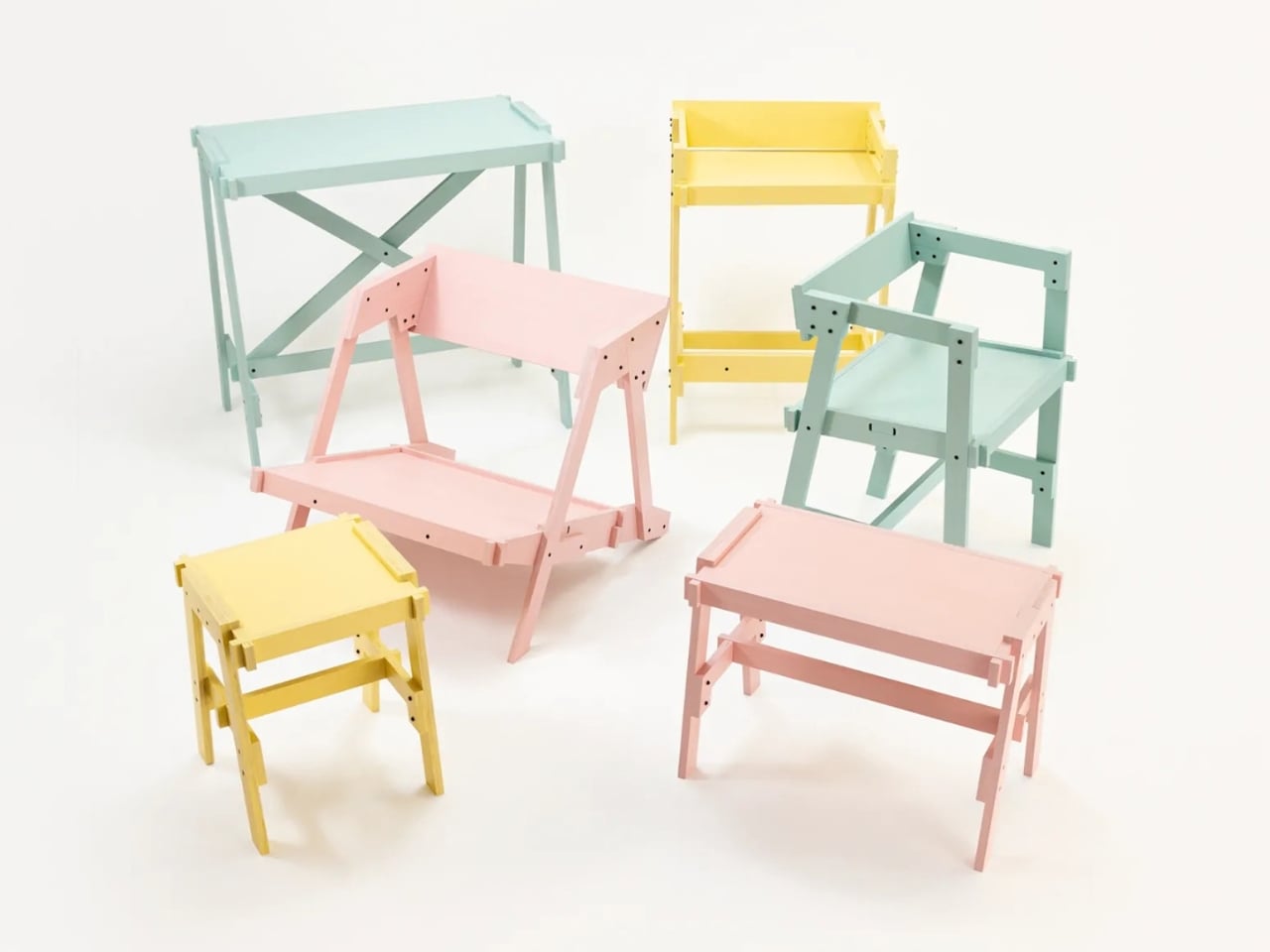
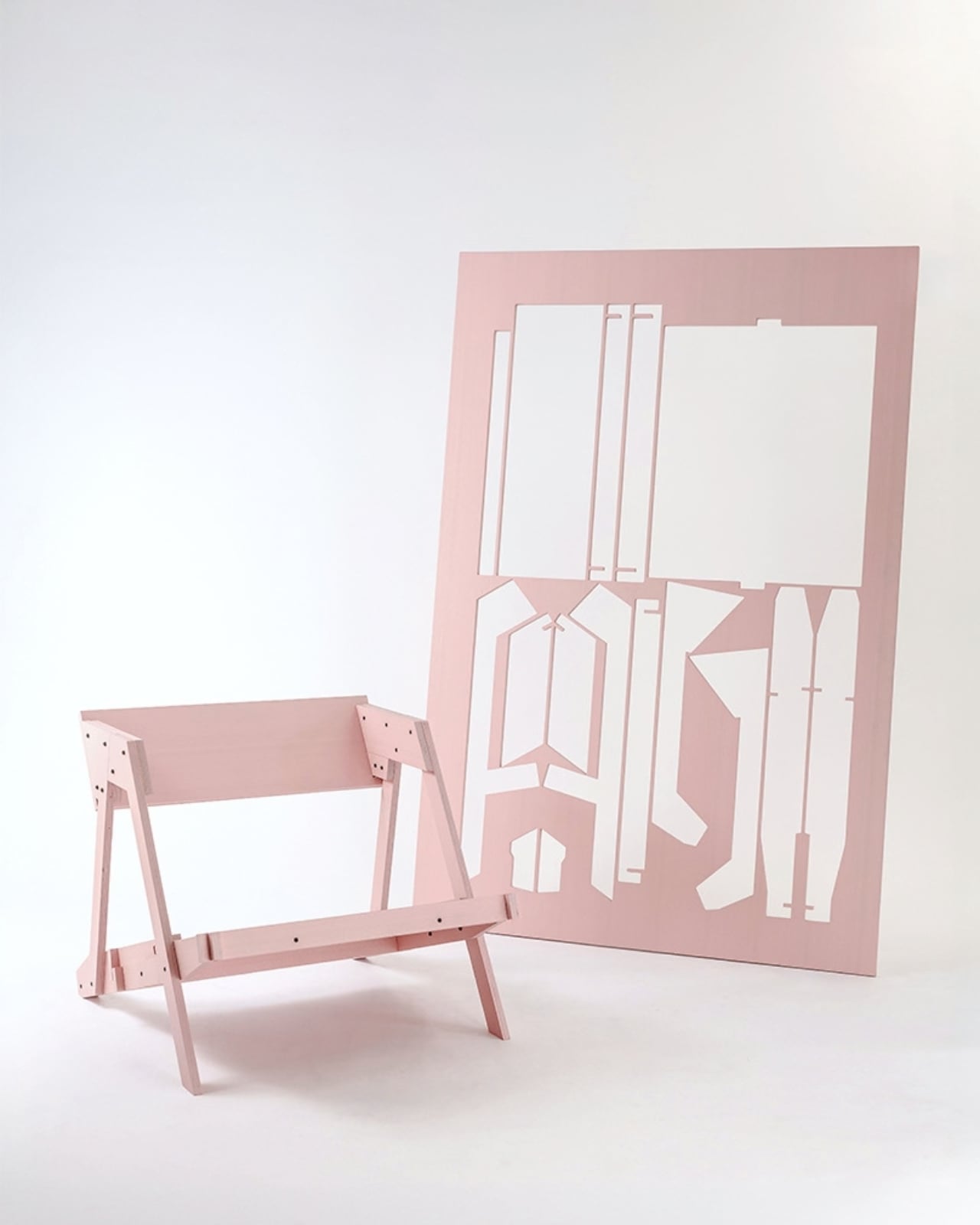
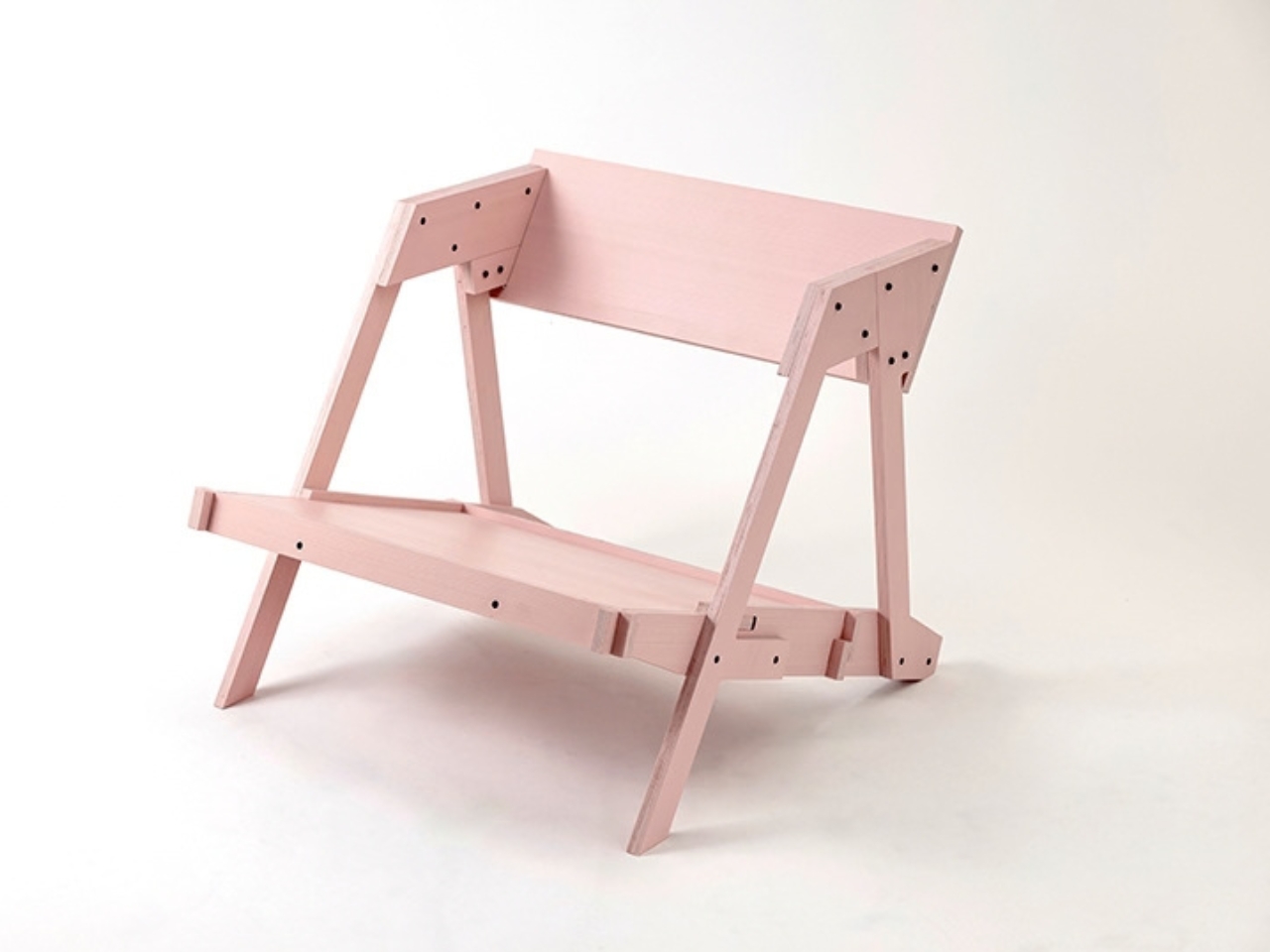
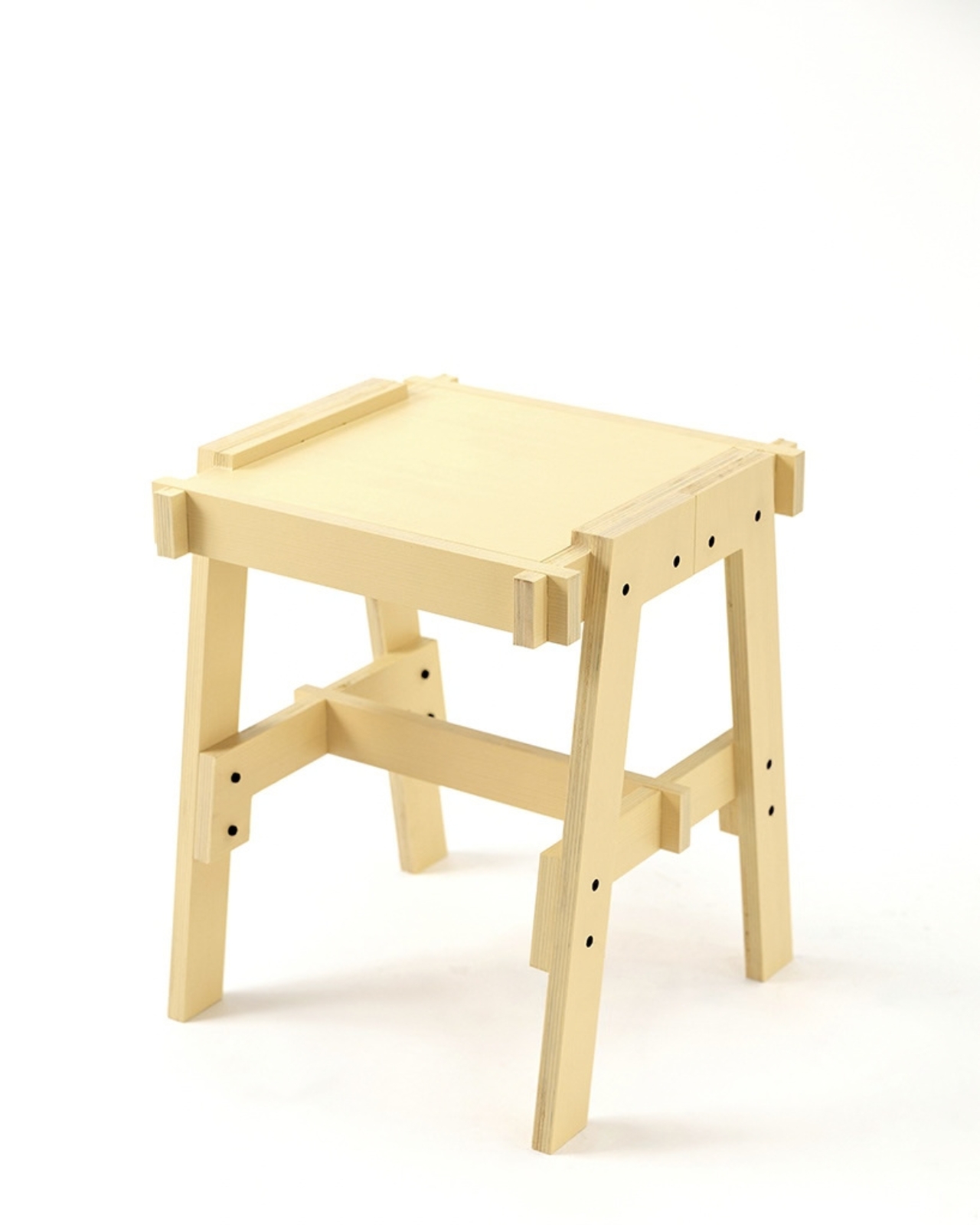
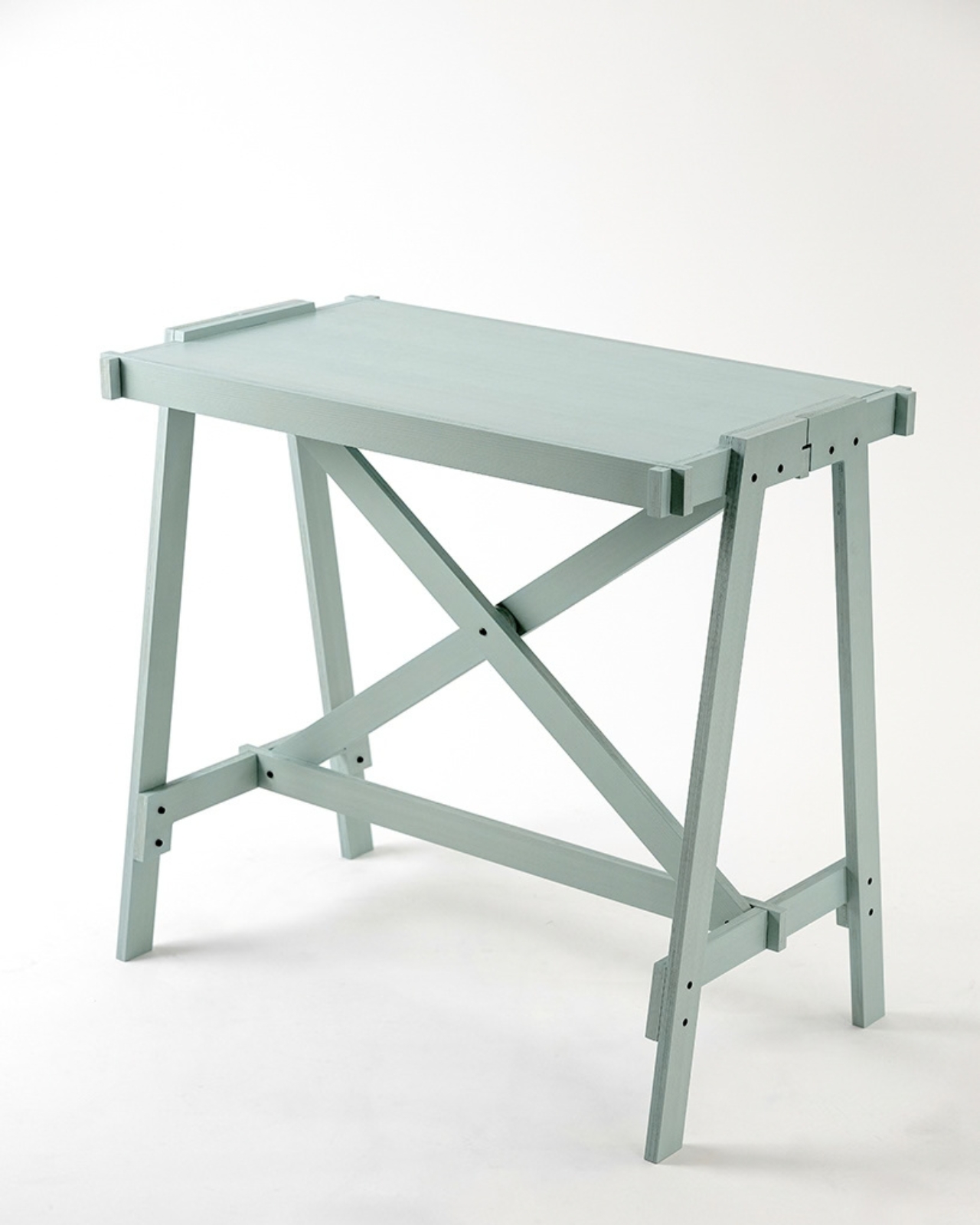
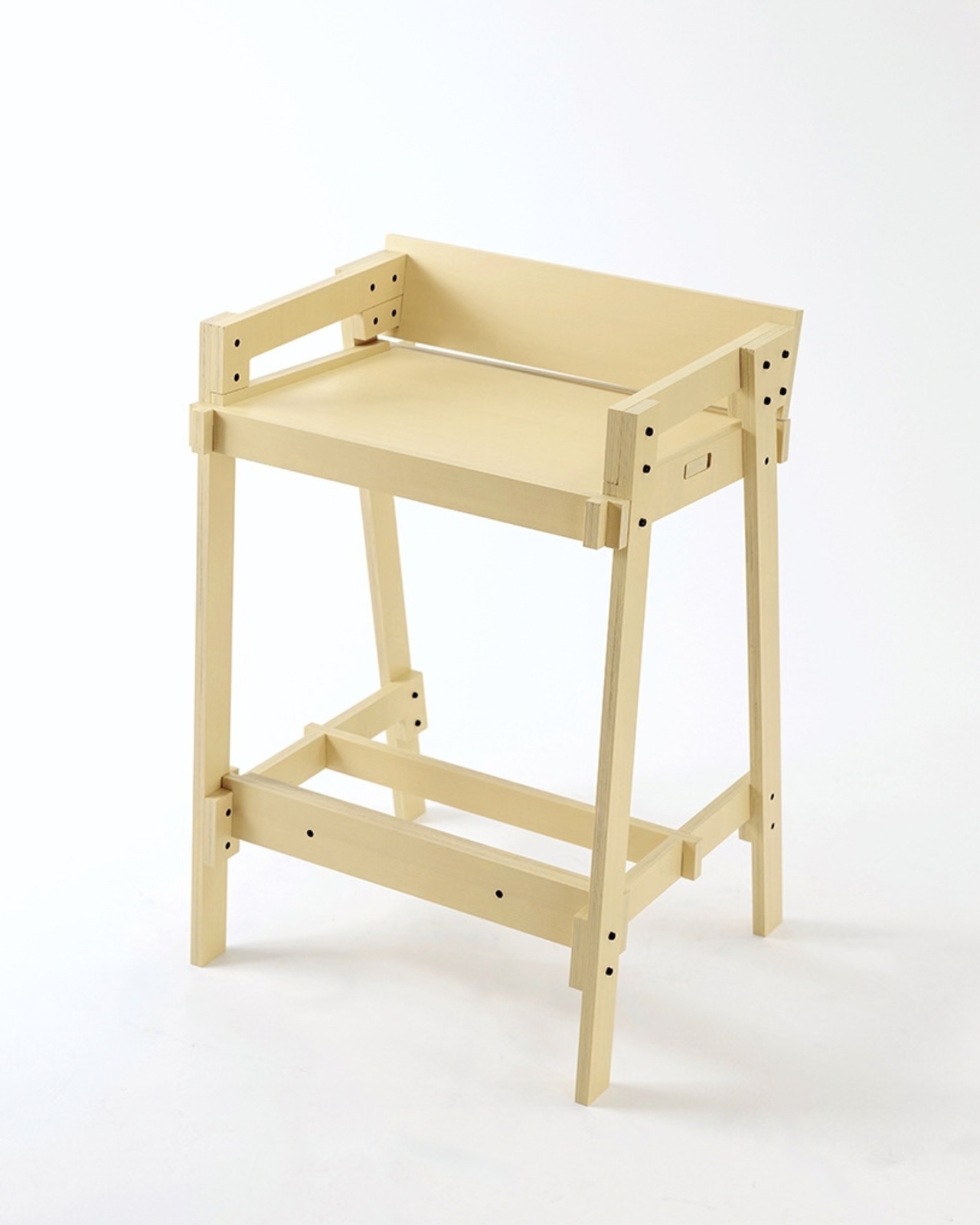
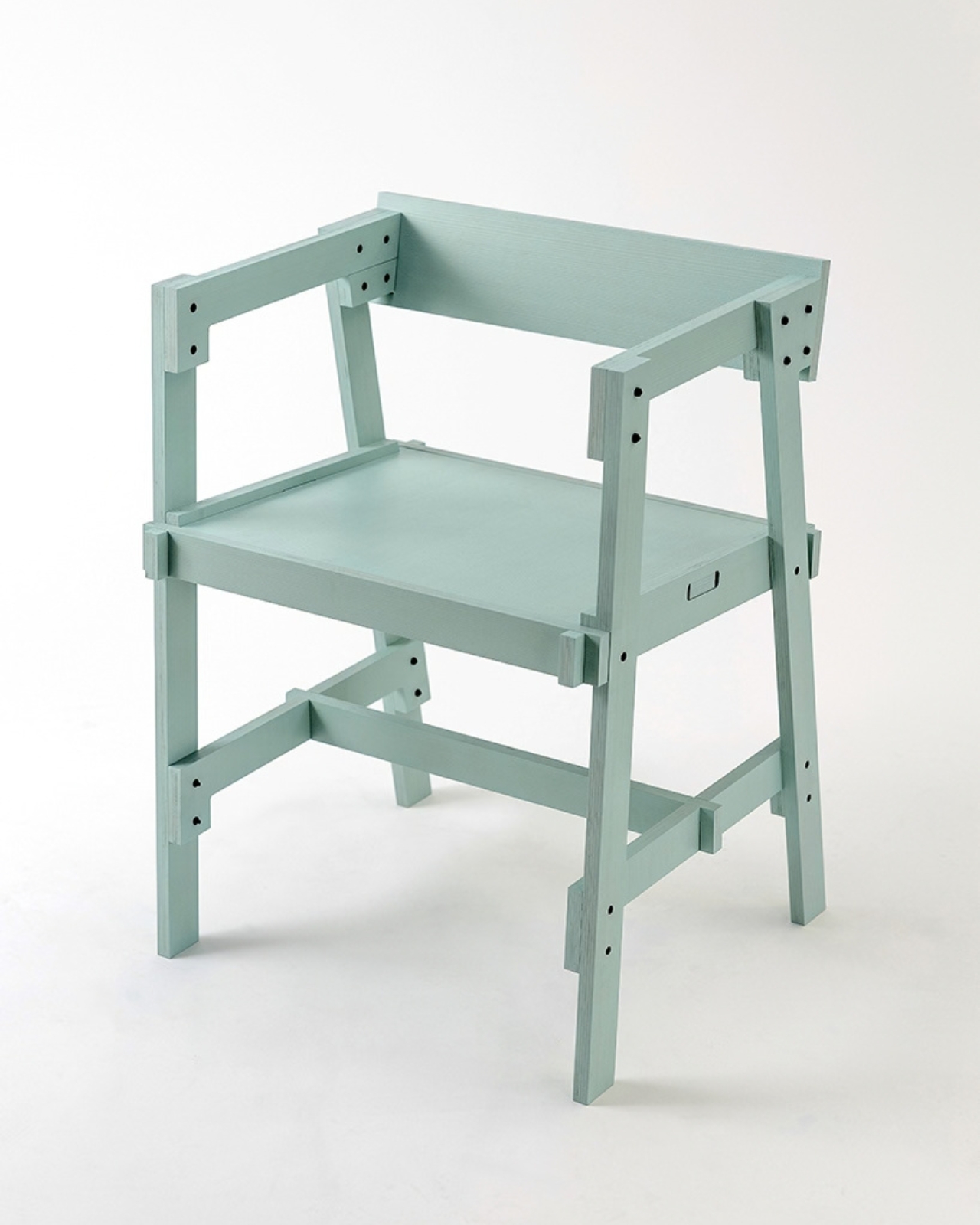
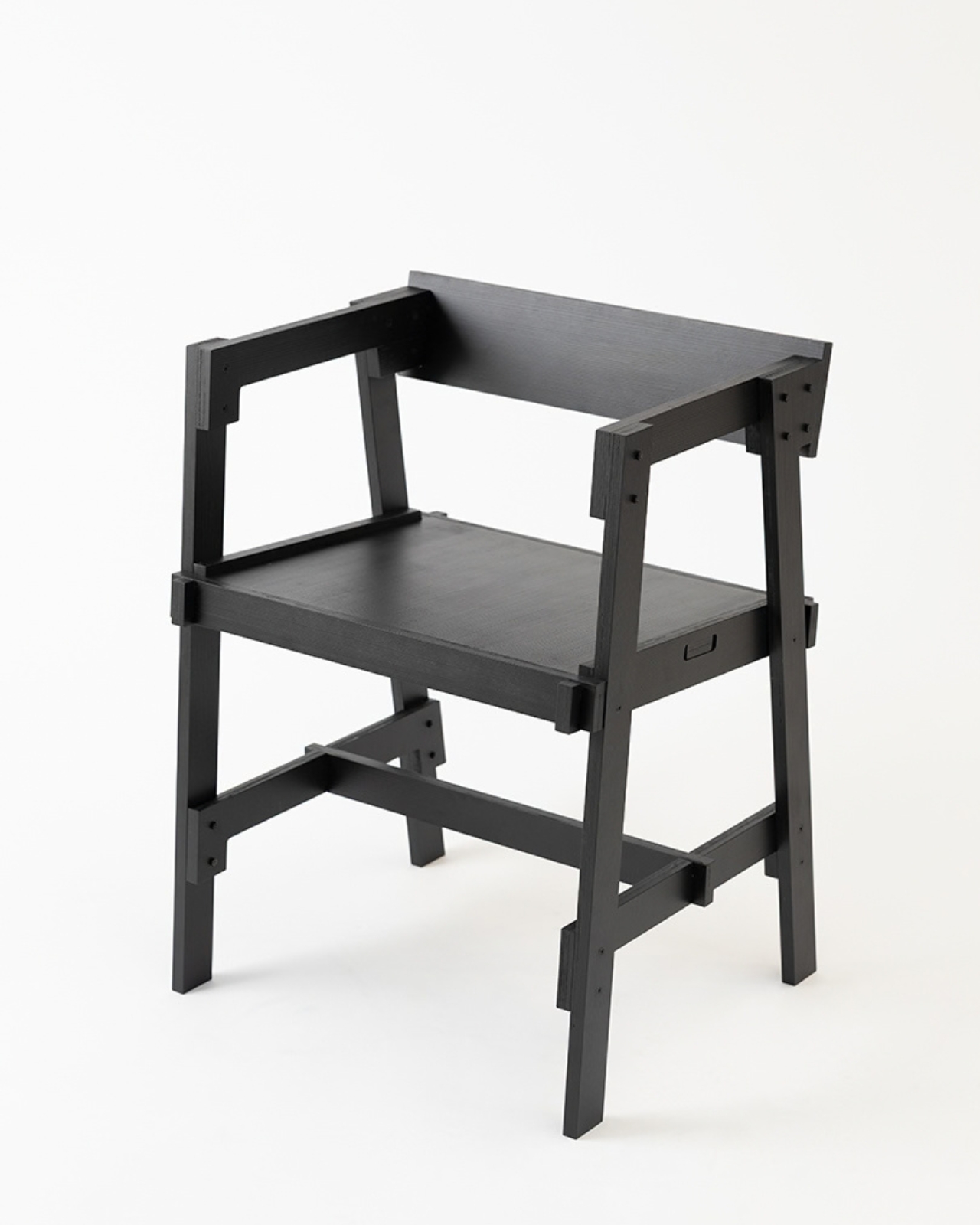
Flat-pack furniture is easy to appreciate on the day it arrives. It fits through the door, and you can usually put it together without much help. The harder test comes later: can it survive a move, come apart cleanly, or be repaired when something goes wrong? FLAT/FORM, a collection by designer Satoshi Itasaka of h220430, is built around those questions. Its pieces use bolts and nuts so they can be assembled, disassembled, repaired, and transported again.
That might sound like a modest ambition, but it changes how I look at the furniture. A dining chair is rarely a one-time purchase for a single room. It may follow you through different apartments, sit beside several tables, and get carried up more stairs than you care to count. FLAT/FORM treats that ongoing life as part of the design brief, rather than leaving it to chance after the first assembly.
Designer: h220430
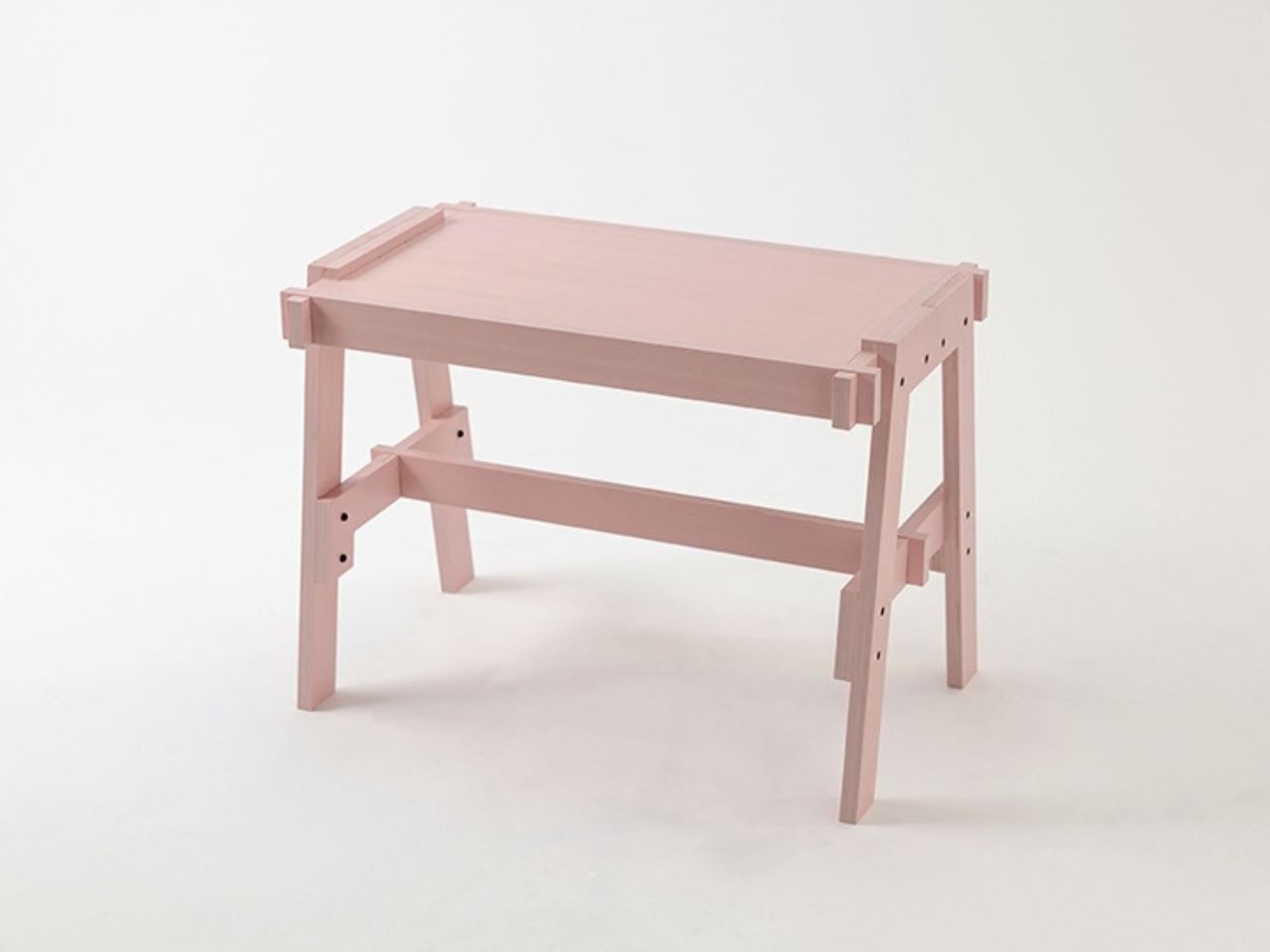
The material gives the project its character. FLAT/FORM uses 15-millimeter-thick veneer panels made from Japanese cedar trees more than 100 years old, with timber supplied by Miyazaki-based forestry company GROWTHRING. A dining chair and a low table are among the pieces in the collection. Both start from flat panels, a straightforward idea that lets the wood grain do some of the visual work while the construction remains easy to understand.
I like that balance. The collection does not try to disguise how it is made. Its flat planes and visible connections make assembly feel like a considered feature, not an awkward step between opening a box and enjoying the result. That distinction matters because a piece can be visually quiet without feeling anonymous. Here, the simple construction gives the furniture a recognizable point of view, while leaving room for the cedar to be the thing you notice first.
The choice of older cedar also invites a little care in how we talk about the project. Wood with a compelling history does not automatically make a product sustainable, and a furniture collection cannot solve every problem associated with consumption. What FLAT/FORM can offer is a more specific proposition: furniture intended to come apart, travel, and be repaired instead of being treated as finished when its first arrangement stops working. That seems more useful to me than a sweeping environmental promise.
There is a practical kindness to that approach. Moving is already expensive and tiring; furniture should not add a puzzle you are afraid to solve twice. Bolts and nuts are familiar hardware, and the collection’s assembly system is intended to make disassembly possible. None of that guarantees that every move will be effortless. It does mean the designer has acknowledged that people relocate and rearrange their lives, and that a chair ought to have some chance of keeping up.
I would still want to sit in the dining chair before making any grand claims about it. Photographs can tell you plenty about proportion and material, but not how a seat feels through a long dinner. Nor does an elegant assembly concept tell you what the collection costs or how its surfaces will age in a busy home. Those are fair questions for any furniture meant to last, particularly furniture whose appeal rests partly on the idea of keeping it around.
Even with those questions open, FLAT/FORM feels refreshing because it gives flat-pack design a different priority. Convenience at delivery is helpful, but convenience at every stage afterward may be the better measure. A table that can leave one home and settle into another without becoming a burden has a value that is easy to overlook when shopping by appearance alone. Itasaka’s collection makes that overlooked part of ownership visible.
Perhaps that is the quietest, strongest idea here: furniture should be allowed to have a future. FLAT/FORM does not need to look complicated to make that point. It uses flat cedar panels and ordinary fasteners to ask a sensible question of a familiar category: what if getting a piece into your home were only the beginning of a good design? That is a question worth asking before the next box arrives at the door.
Whisky
, l'interface qui permettait de lancer des jeux Windows sur un Mac sans bidouiller Wine à la main, n'est malheureusement plus maintenue. Son dépôt est archivé et son README nous prévient que n'importe quel jeu lancé via Whisky peut péter à tout moment !! Et je sais, c'est assez insupportable de vivre avec cette épée de Damoclès au-dessus de la tête.
Alors je vais un peu soulager votre stress en vous présentant
Highball
qui est une appli Mac libre, avec une version en ligne de commande, qui installe et règle Wine, DXMT et DXVK à votre place, puis vous branche sur Steam ou sur votre bibliothèque Epic pour lancer n'importe quel jeu Windows sur votre bon vieux Mac OS. Par contre, on est sur de la bêta++ mais c'est vraiment un bon candidat à la relève de Whisky.
Pour installer Highball ça passe soit par un .dmg ou par la commande brew install --cask highball, ensuite vous cliquez sur "Get started" et il installera Rosetta si besoin, téléchargera le moteur et préparera un environnement Windows aux petits oignons. Au premier lancement, Steam déballera alors son gros client de 235 Mo, et sachez que sous Rosetta ça peut prendre de 15 à 25 minutes quand même ! Et ensuite, bah tout sera rassemblé dans le dossier ~/Library/Application Support/Highball/ . Donc si vous le supprimez, ce sera pareil qu'une désinstallation.
Le gros plus de Highball c'est surtout sa
base de compatibilité
et pour chaque jeu, l'app vous donne le mode graphique à utiliser, et signale d'avance ceux qui embarquent un anti-triche au niveau du noyau, donc ceux qui ne tourneront pas. Voilà c'est bien de le savoir avant de télécharger quoi que ce soit et de galérer avec l'install. Foutus anti-cheats !!
Moi je l'ai connecté à mon Steam et voici ce que j'obtiens :
La bibliothèque Steam dans Highball : Portal est Vérifié, Left 4 Dead 2 et Team Fortress 2 sont Communauté, THE FINALS est Bloqué
Une fois que vous avez sélectionné votre jeu, comme ici, le Portal que j'ai installé, ça vérifie si ça peut fonctionner sur votre ordinateur. Et ensuite, Highball applique pour vous la "recette" qui va bien pour que ça tourne sans encombre sur le Mac.
La fiche de Portal : vérifié sur un M1 Pro, avec la liste des réglages que Highball applique avant le lancement
Lisez quand même bien les fiches des jeux. Parce que pour certains, vous risquez d'être surpris. Par exemple, sur Red Dead Redemption 2, c'est marqué comme jouable sur un M1 Pro mais en réalité le jeu démarre et atteint le menu, mais il n'est pas jouable de manière "confortable" sur ce Mac puisque l'image saccade, et sur 16 Go, la mémoire déborde comme quand vous mettez vos grosses fesses dans la baignoire.
J'ai lancé Portal !!!
Pour le reste, il vous faudra un Mac Apple Silicon sous macOS 14 minimum. D3DMetal, le composant d'Apple, n'est pas fourni donc faut accepter la licence du Game Porting Toolkit et il se téléchargera à part (j'avais parlé de
Game Porting Toolkit 4
à sa sortie). Côté launchers, Steam et Epic passent sans souci, Rockstar et l'app EA affichent leur screen de connexion et lancent leurs jeux, mais GOG Galaxy restera malheureusement à l'état d'écran noir.
Pour ma part, j'ai lancé aussi la version remasterisée de Command & Conquer / Red Alert et ça tourne du feu de Dieu, donc je suis très content de cette install !!
Voilà les amigos, le code est sous GPL-3.0 et le projet promet qu'il n'y aura jamais d'offre payante !! Voilà, vous pouvez revendre votre licence Crossover sauf si vous avez des besoins pointus que Highball n'arrive pas à résoudre.
Microsoft is giving one of the most overlooked keys on your keyboard a surprisingly useful job in Windows 11. The humble tilde (~) key can now be used in File Explorer to quickly jump to your Windows user profile folder and the folders inside it. The change is currently being tested with Windows 11 Insider […]
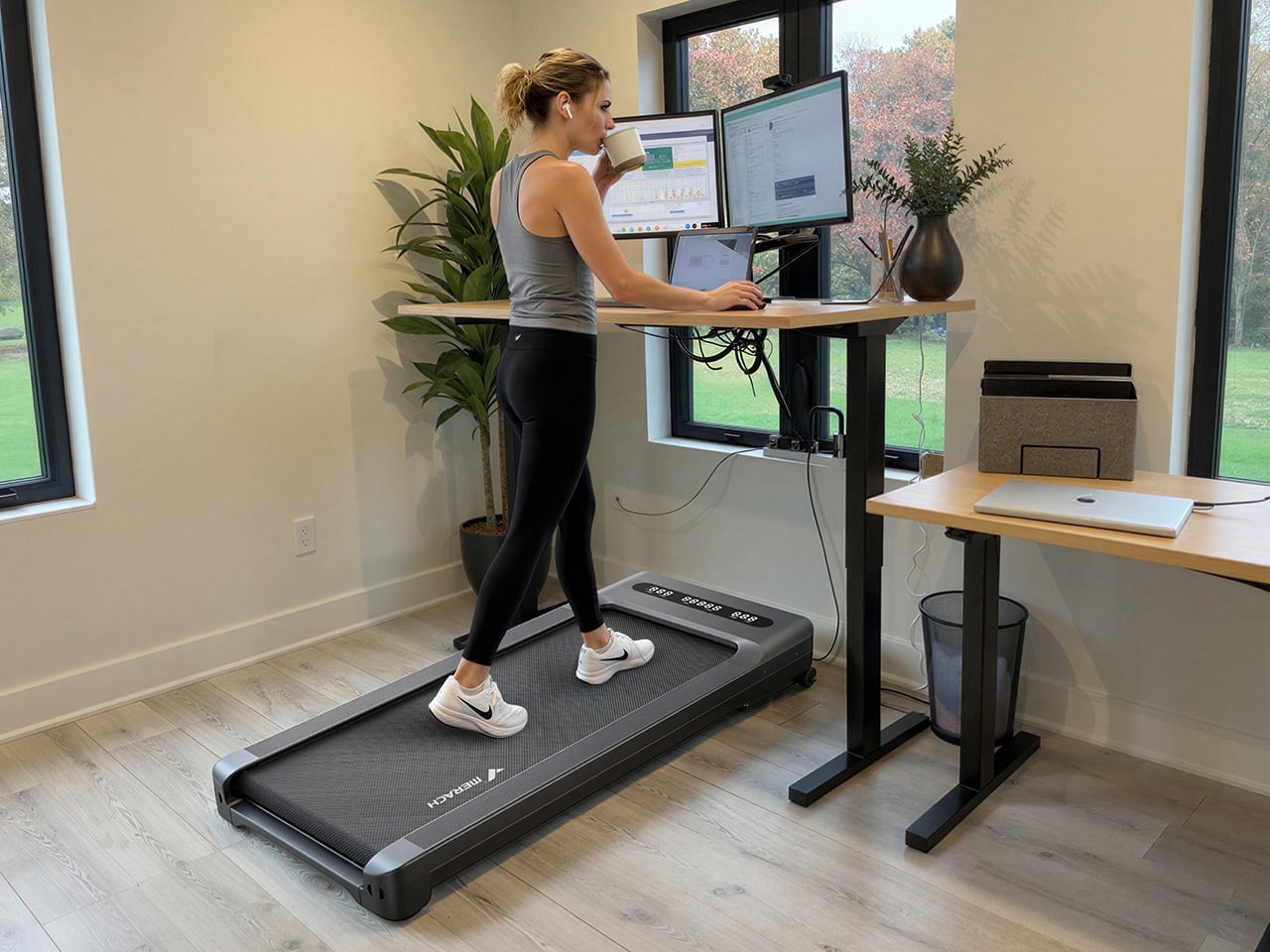
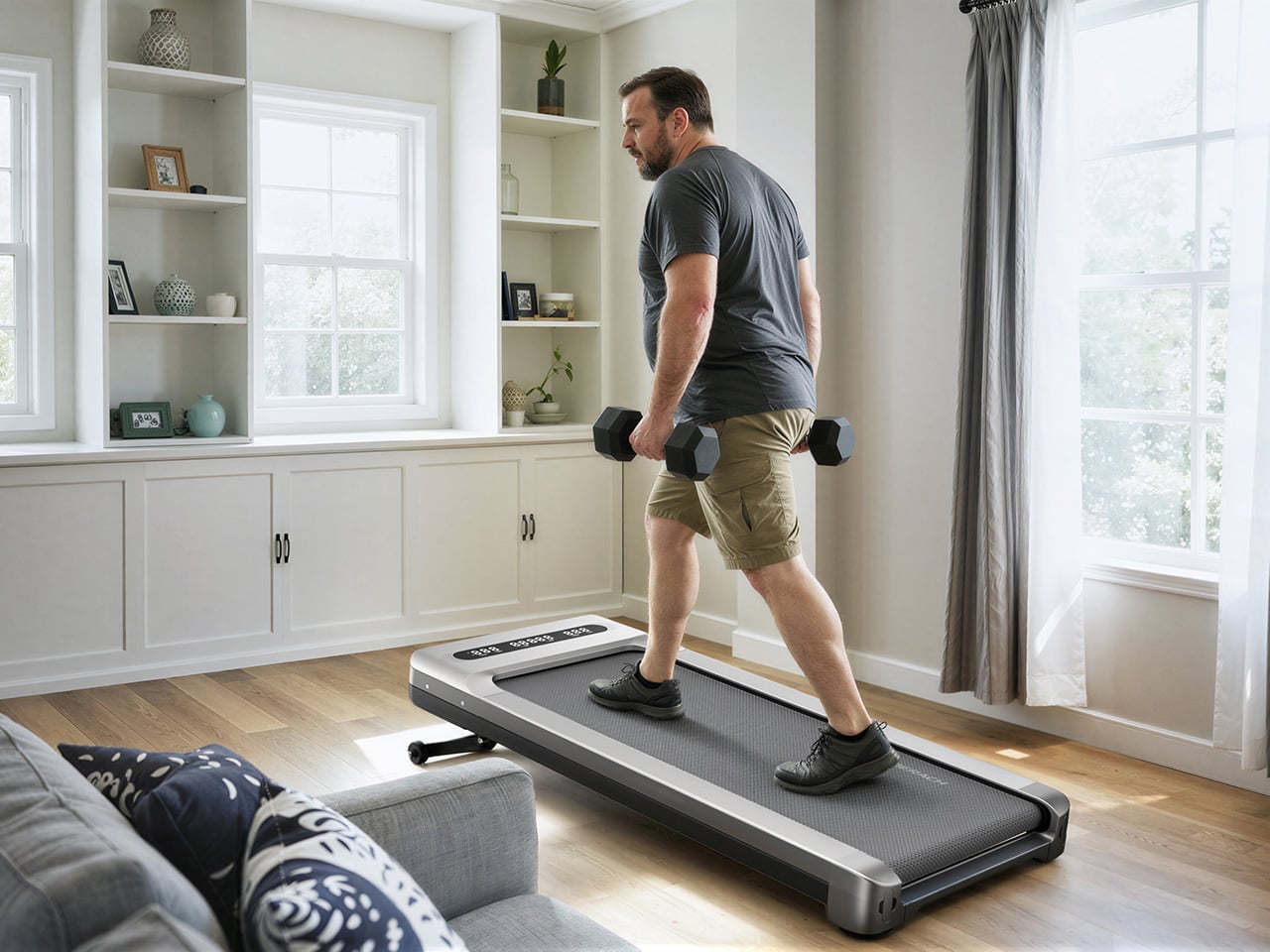
The under-desk treadmill had its moment, arriving as the perfect sidekick for our sudden work-from-home lives (can you believe it’s been six whole years?). It was the simple, brilliant answer to hitting a step count between calls and emails, and products like the original WalkingPad and the WalkingPad S1 were among the early heroes of that era. We all got one, or knew someone who did, turning home offices into miniature gyms where productivity and light cardio could finally coexist. The problem was that a lot of those machines, true to their budget price tags, started dying after six months of use. Walking pads got a reputation for being disposable, which was a shame, because the core concept was always worth taking seriously.
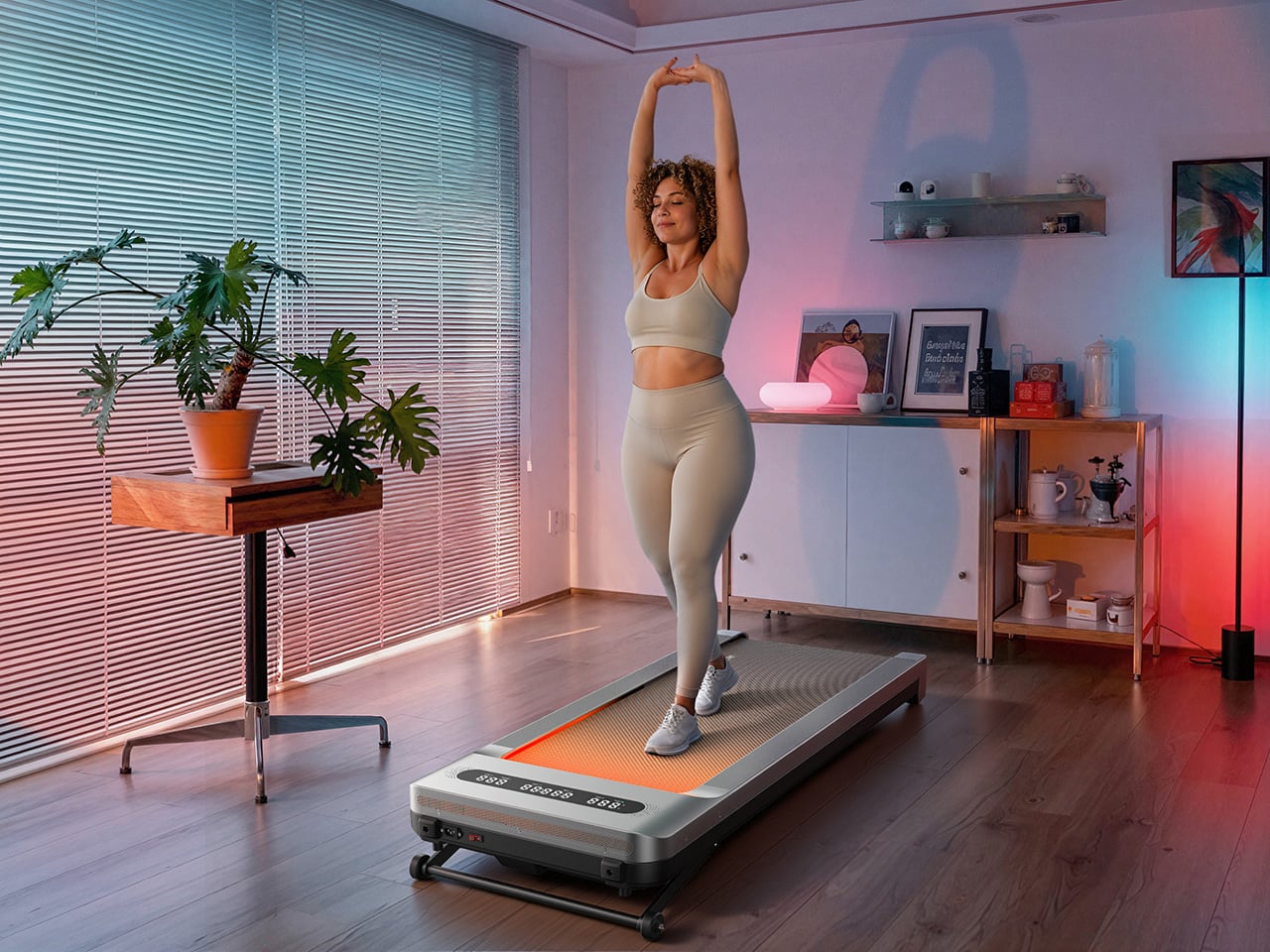
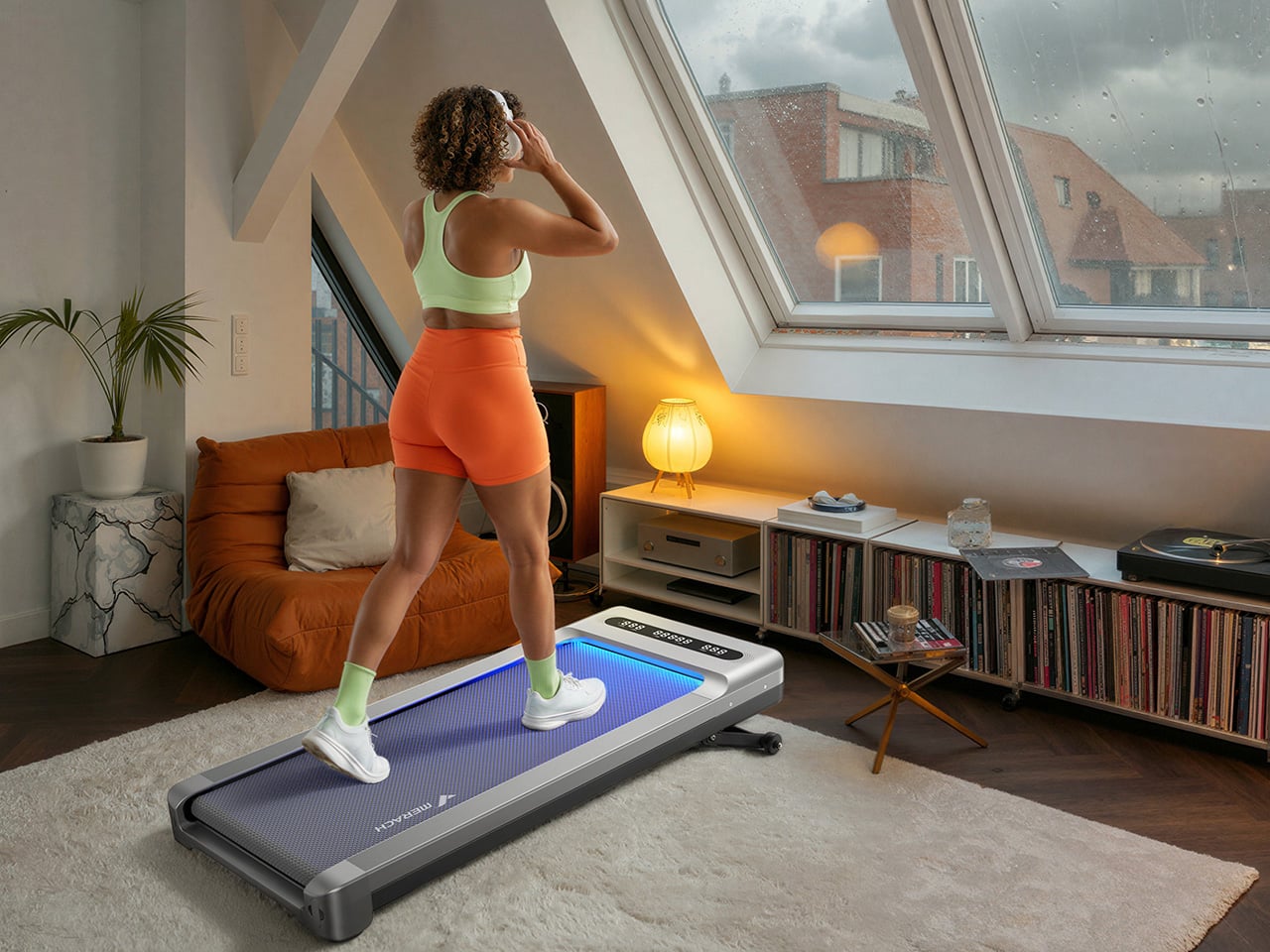
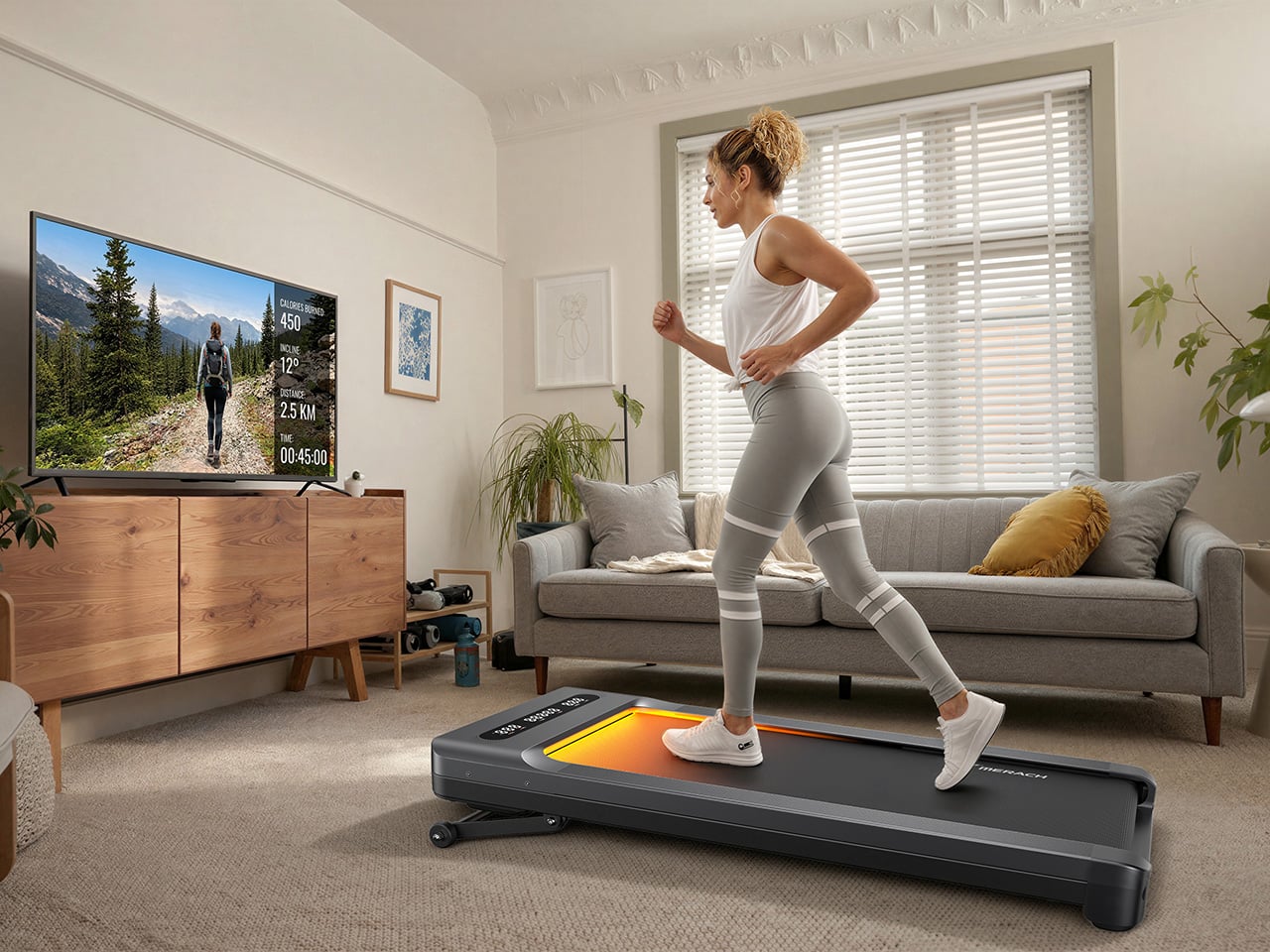
The UltraWalk W60 Plus is the clearest expression of what MERACH is building toward: a walking pad engineered with permanence at its core. When we caught the brand at IFA 2026, their first major trade show appearance despite an already loyal following built through e-commerce, the walking pad lineup stood out for build quality at a price most competitors couldn’t match. The W60 Plus has 12 automatic incline levels, a third-party SGS-certified motor, and a weight capacity that would make a full-size treadmill raise an eyebrow. Mood lighting and a Bluetooth speaker come along too, which sounds ridiculous until you realize how much more likely you are to use a machine that’s genuinely fun to be around.
Designer: MERACH
Click Here to Buy Now: $288$499.99 ($211.99 off, use coupon code “MERACHW60”). Hurry, deal ends in 48-hours!
A 3.5 HP Brushless Motor, SGS-Certified Performance, and a Frame Rated for 330 Lb
The W60 Plus runs on a 3.5 HP peak / 1.25 CHP brushless motor with a 42mm diameter and a Hall sensor for precision feedback. Brushless motors are generally more efficient and longer-lasting than brushed ones, and MERACH claims a lifespan of up to 15,000 hours here, which the brand puts against the 300 to 800-hour lifespans typical of budget walking pad motors. The weight capacity sits at 330 lbs under SGS-certified testing conditions. The heavy-duty steel frame doesn’t wobble under a real walking load, which matters more than most spec sheet comparisons. That stability is what separates a machine you’ll want to use from one you’ll come to resent.
The W60 Plus passed SGS’ performance specs evaluation with flying colors. The noise testing came back at under 54 dB at medium speed with a 75 kg test load, which sits comfortably below the ambient volume of a normal conversation. At maximum speed that figure climbs to 60 dB with load, and 55 dB without, meaning the machine stays apartment-friendly even when it’s working hard. There’s also a one-touch mute function for those moments when you absolutely need silence (hello, important video calls). That noise profile lets you walk and watch TV simultaneously without either experience suffering, which is, honestly, the whole point of this category.
Twelve Auto-Incline Levels, a 16.5-Inch-Wide Deck, and a Speed Range Built for Walking
Twelve levels of automatic incline is the feature that separates the W60 Plus from the flat-and-boring competition, and for a machine in this price tier, it’s genuinely unusual. At the highest setting, it shifts from a gentle recovery walk to something that meaningfully elevates your heart rate, particularly through the posterior chain. The speed range of 0.6 to 4.0 MPH keeps things firmly in walking and light jogging territory, and that 4 MPH ceiling is worth acknowledging: this machine won’t satisfy runners. What it will do is make a 3 MPH incline walk feel like real exercise, which for most desk-workers is entirely the point. Incline transitions between levels automatically and smoothly, a detail that matters when you’re trying to maintain a rhythm.
The running deck measures 16.5 inches wide by 41.3 inches long, which MERACH puts at roughly 33% wider than the category standard. That extra width makes for a more natural gait and stride, particularly for taller users or anyone with broader hips. The non-slip surface handles uphill walking and light jogging without issue, and the length means you’re not constantly worrying about the back edge. Team USA heptathlete Annie Kunz has been using the W60 Plus for active recovery and step accumulation, describing it as a way to “jump on here and there when I feel a burst of energy.” Multi-event athletes log enormous volumes of low-intensity cross-training, and a 12-level incline walking pad fits that workflow more naturally than a flat surface ever could.
Sound-Reactive RGB Lighting, a 5W Bluetooth Speaker, and Triple-Platform App Integration
MERACH’s RGB lighting system reacts to step frequency and syncs to audio rhythm, creating a feedback loop between movement, sound, and visual stimulus that turns a walking session into something engaging. A walking pad that’s boring ends up under the sofa permanently, and MERACH clearly treats engagement as a design constraint, not an afterthought. The lighting pairs with a built-in 5W Bluetooth speaker that fills a home office without headphones, which matters when you’re walking through calls or podcasts. The whole feature cluster borrows from the cozy cardio playbook, acknowledging that for most users, habit formation is a bigger obstacle than physical capability. Make the machine enjoyable to use, and the steps take care of themselves.
Full app integration spans MERACH’s own platform, Apple Health, and Google Fit, with real-time tracking of speed, incline, calories, distance, time, and step count across all three. The MERACH app adds guided routines and custom workout programs, which pushes the W60 Plus into territory where it can coach you through a session rather than simply hosting it. An 8-button magnetic remote handles speed, incline, lighting, mute, start/stop, and program selection, and it docks magnetically to the frame when not in use. The LED display gives you a live readout of key metrics without having to pull out your phone. None of it requires a subscription, which at this price is a genuinely welcome detail.
Zero Assembly, 80 Percent Less Floor Space, and a Price That Makes Sense
The W60 Plus ships fully ready to use: unbox it, plug it into a standard 110V outlet, and step on. No assembly means no instruction booklet, no leftover mystery bolts, and no 45-minute YouTube tutorial that’s supposed to take 10 minutes. When you’re done, the vertical folding support stand lets the machine stand upright, which MERACH says cuts the floor-space footprint by up to 80%. The enlarged front transport wheels make it manageable to move even over carpet, which is where most budget transport wheel designs tend to give up. At 67.7 lbs, the W60 Plus isn’t light, so those wheels are doing real work every time you slide this thing out from under the desk.
The UltraWalk W60 Plus launched on May 26, 2026, and is available now through MERACH’s official website in a Grey finish, with the list price marked at $499.99 and the current sale price at $329.99. MERACH is also offering an extra discount code, MERACHW60, which drops the checkout price to $264.00 with free shipping, a much more aggressive number than this category usually sees for a 12-level auto-incline walking pad. The product page also offers optional accident protection from $29.99. Warranty details are not clearly surfaced in the material provided, so that part is best verified directly on MERACH’s store before publication.
Click Here to Buy Now: $288$499.99 ($211.99 off, use coupon code “MERACHW60”). Hurry, deal ends in 48-hours!
Hurricane season has a way of exposing which of your belongings are actually useful and which ones just take up drawer space. When the power goes out and the forecast turns ugly, the difference between a stressful night and a manageable one often comes down to a handful of well-designed objects rather than a garage full of supplies.
We pulled together five pieces that cover every real need during an outage, from staying informed to staying lit to staying organized. Each one earns its spot by solving a specific problem without asking you to sacrifice good design along the way.
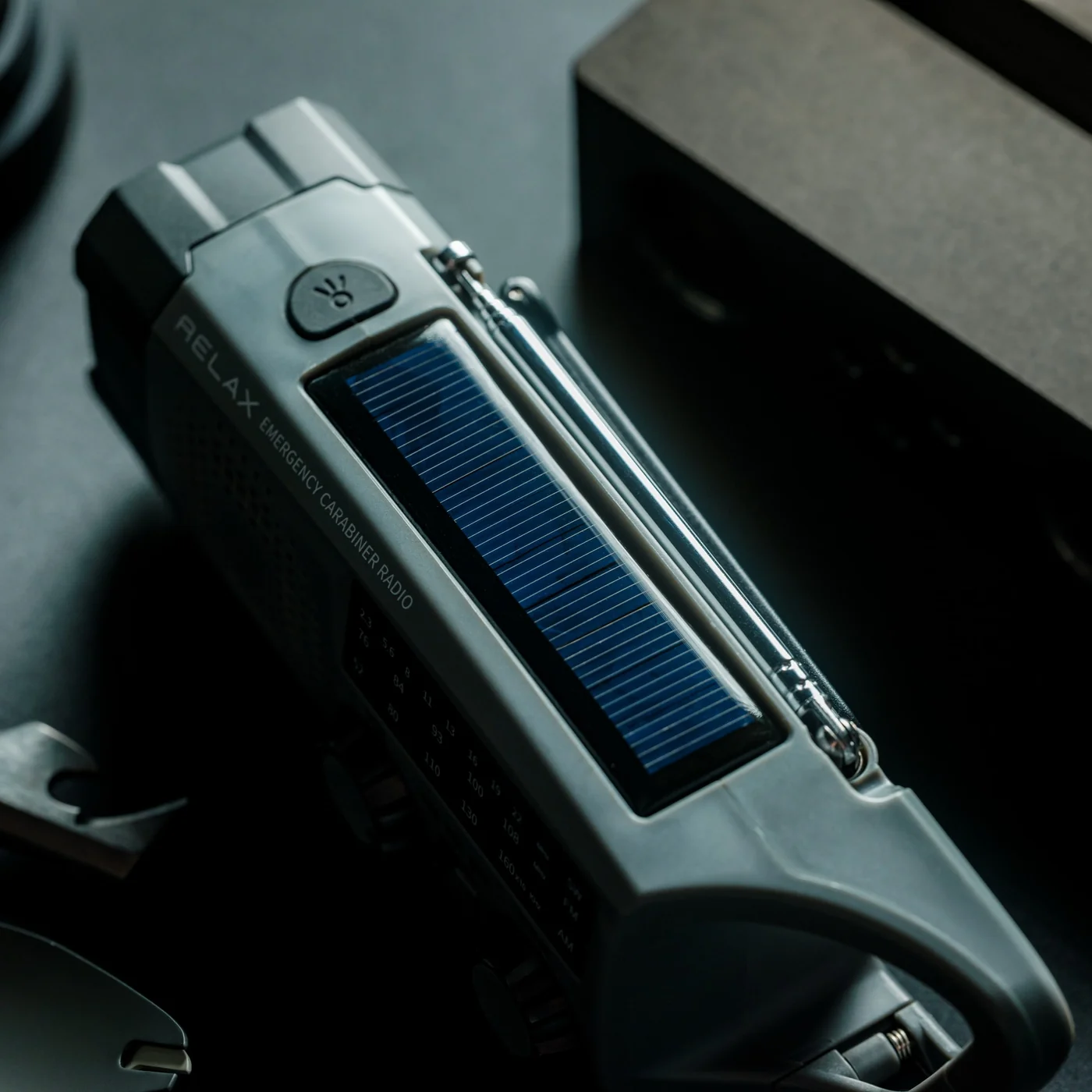
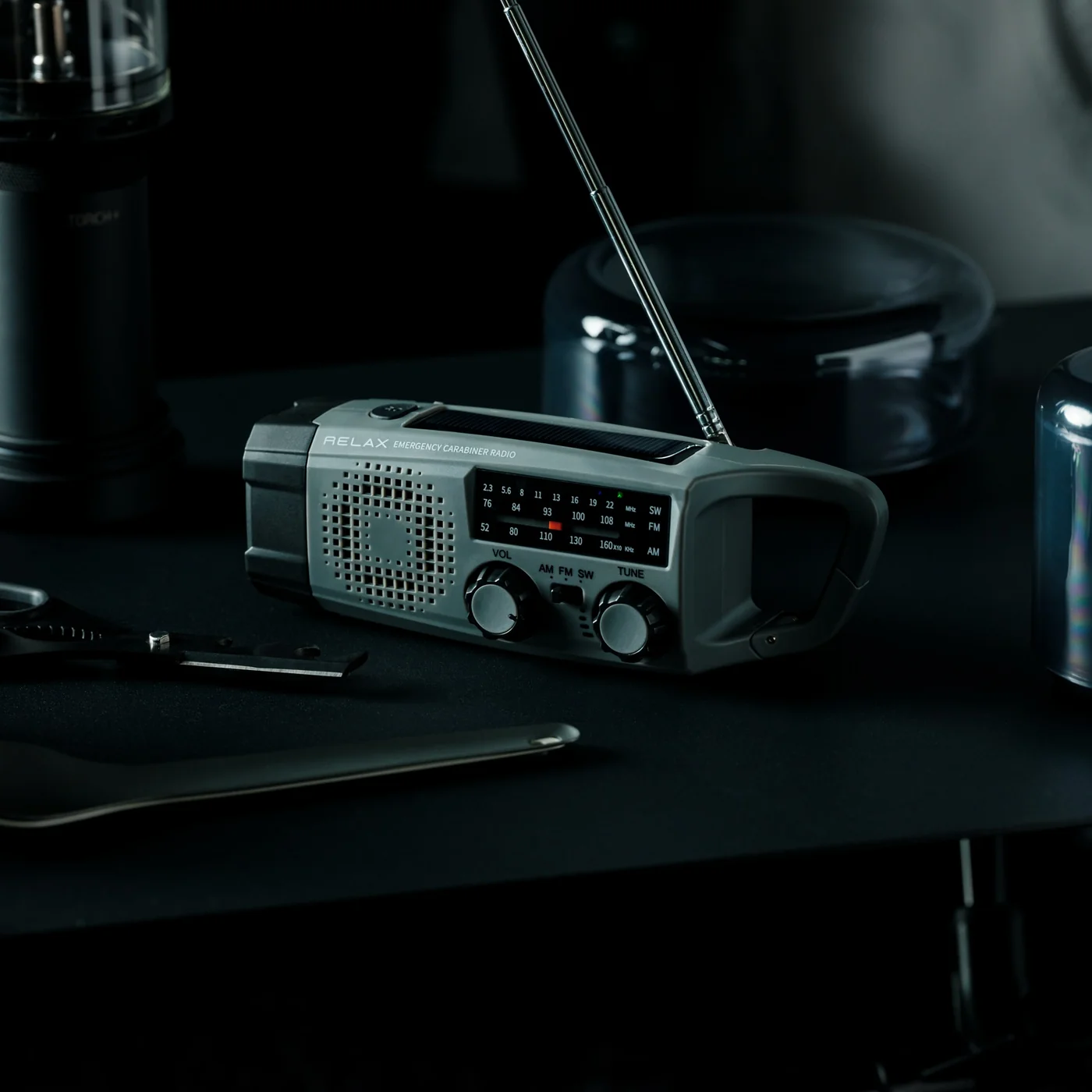
1. Clip&Go Radio
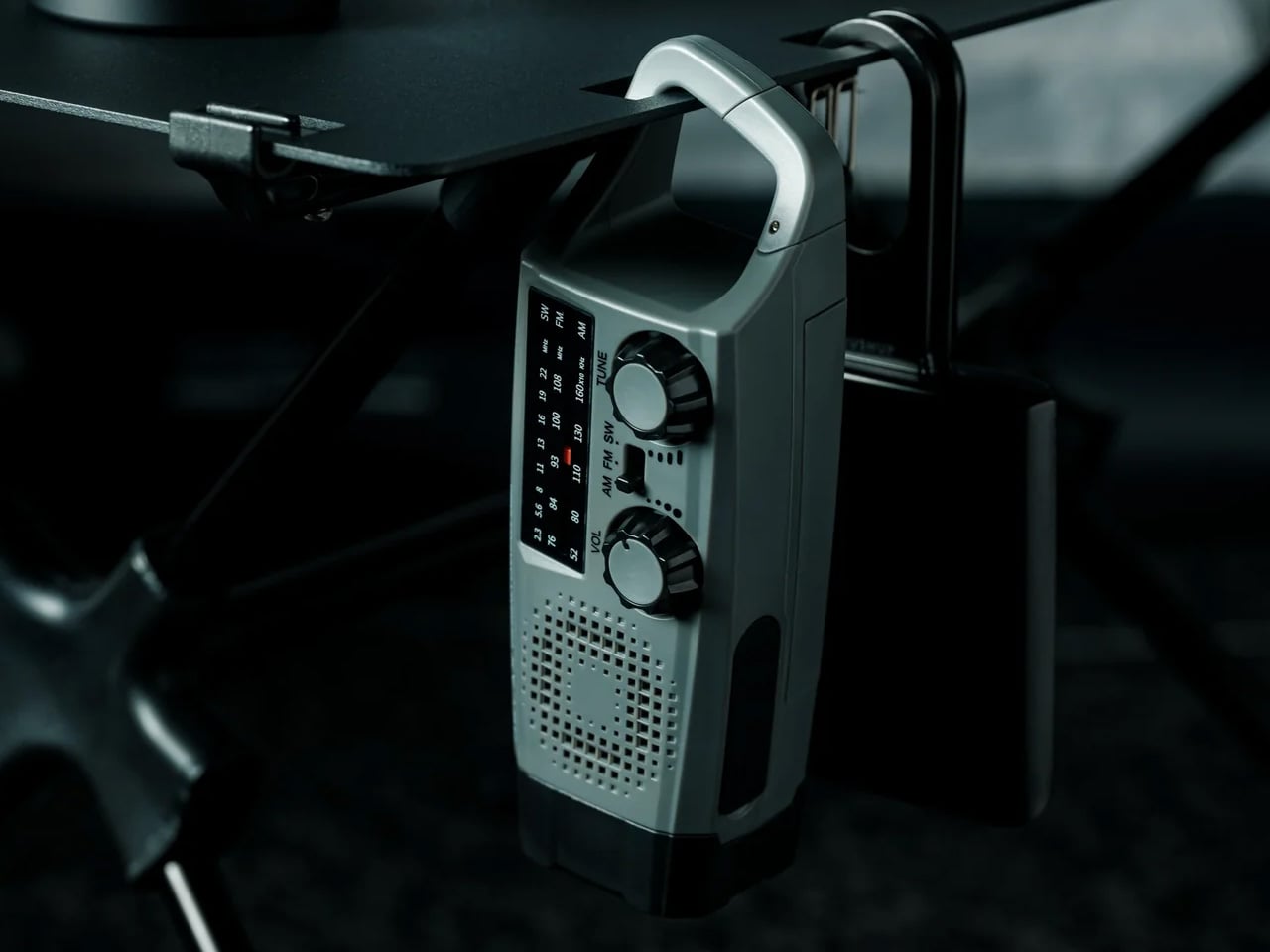
The Clip&Go Radio treats emergency information as something you should never have to search for. Its clip-on form factor means it attaches directly to a bag strap, a belt loop, or a shelf edge, staying within reach the moment a storm warning appears on your phone. It removes the radio from the back of a drawer and puts it exactly where your hand already goes.
For you, this changes what the first ten minutes of an outage actually feel like. Instead of fumbling through boxes for batteries or a charger, you already know where your radio is because it has been clipped to your bag the whole time. That small shift in habit is the difference between calm preparation and last-minute panic when the sky turns dark.
The clip mechanism means it travels with you instead of sitting forgotten until an emergency reminds you it exists
Its compact form factor means carrying it never feels like an inconvenience
What we dislike:
A clip-on build limits how much space is available for larger speaker components or extended battery life
It also means less room for the kind of display or dial controls bigger radios can offer
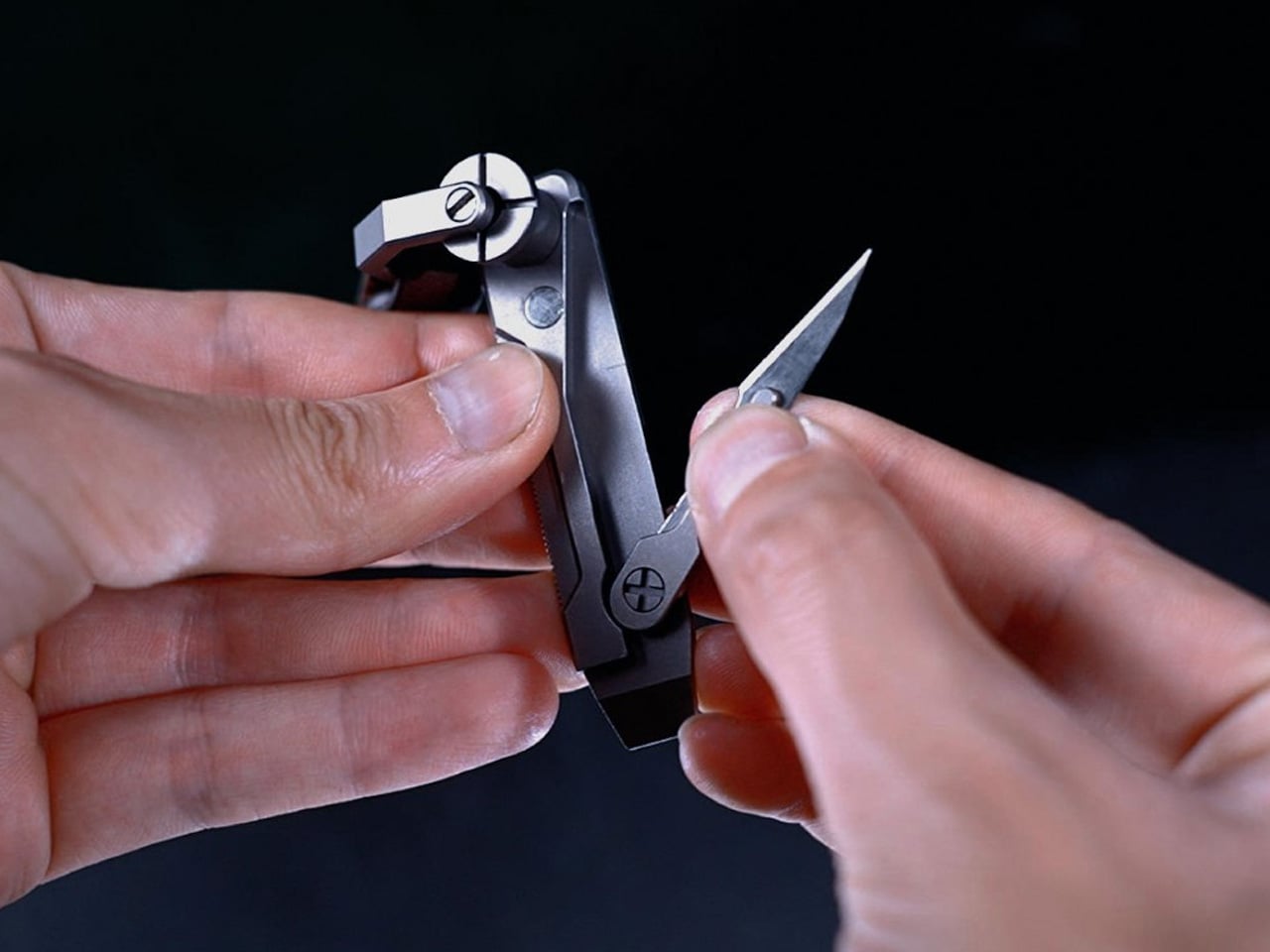
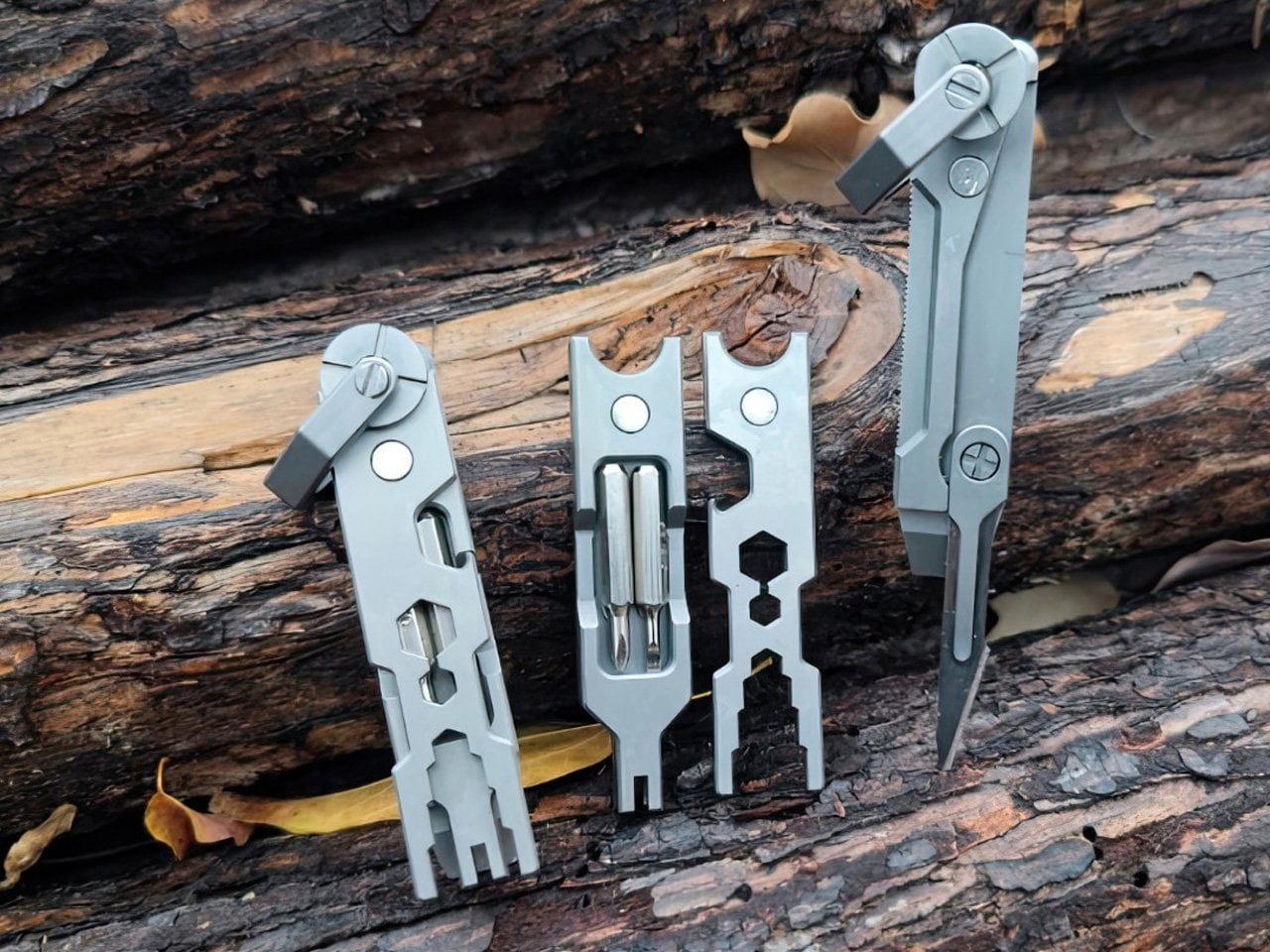
2. JOAT Titanium Multitool
The JOAT earns its name, Jack Of All Trades, by packing six functions into a titanium body just 80mm long and weighing 1.8 ounces. Its keychain loop means it rides alongside your house keys rather than sitting in a toolbox, ready the instant a storm exposes a jammed latch, a loose screw, or a cut strap.
For you, this is the tool that handles the small mechanical failures a storm tends to create without warning. A door that swells shut in the humidity, a tarp that needs tying down, a package that needs opening in a hurry. Because it lives on your keychain, you are never without it, which matters most in the moments you did not think to plan for.
What we like:
Titanium construction resists rust and rough handling far better than standard steel builds
Its keychain-ready size means it requires zero extra thought about where to store it
What we dislike:
At 80mm, it is not built for demanding cutting tasks that a larger blade would handle more easily
Some users may miss a locking mechanism that a compact format like this does not include
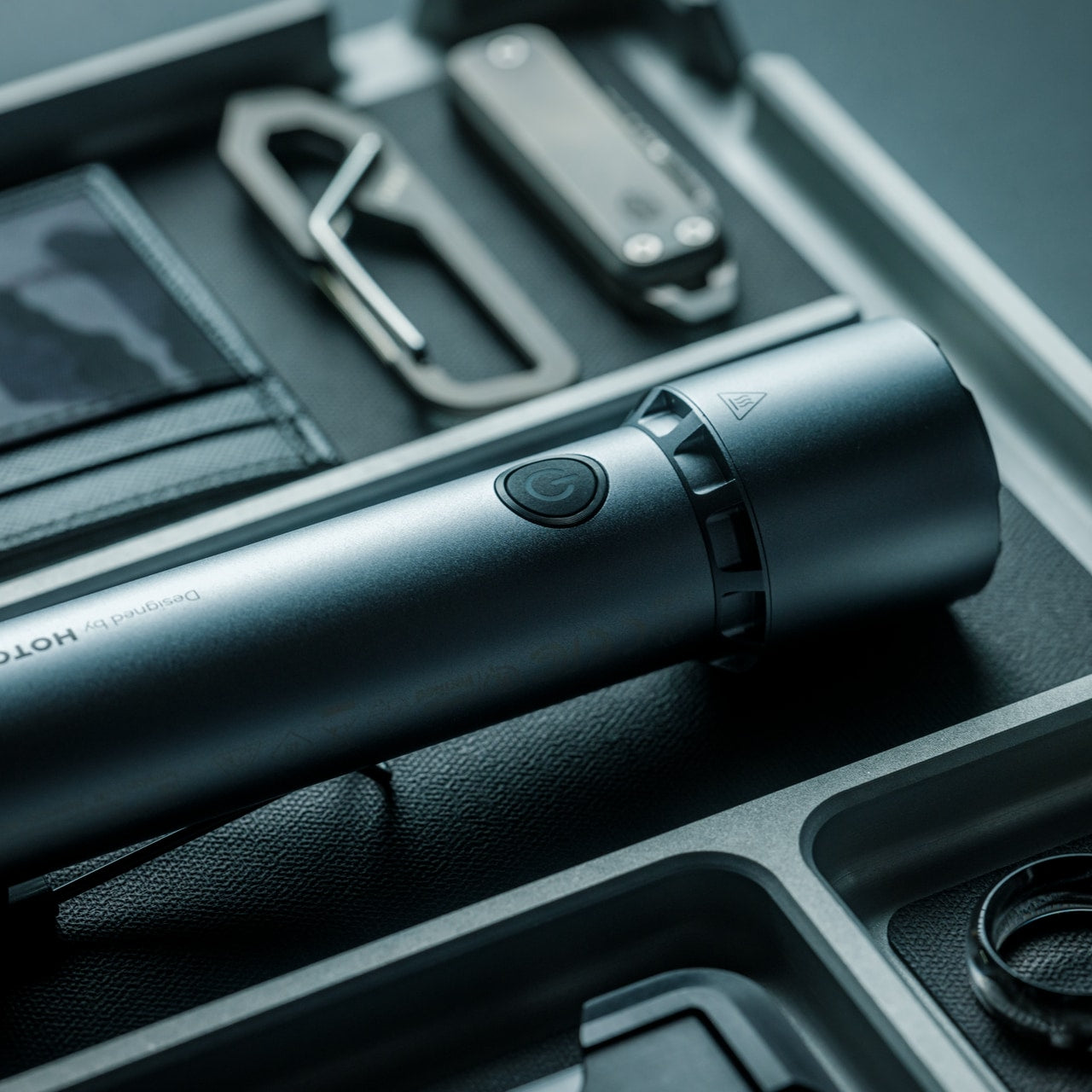
3. Blackout Beam Tactical Flashlight
Light disappears first in a storm and gets missed the most. The Blackout Beam Tactical Flashlight is built specifically for that gap, a rugged beam designed to cut through total darkness rather than the soft glow of a phone screen running on its last bar of battery.
For you, this is about confidence more than convenience. Walking through a dark house to check on a leak, moving through a flooded yard, or signaling for help outside all become far less stressful with a flashlight built for exactly that job. It turns a genuinely unsettling situation into a manageable one, simply by giving you a beam you can trust.
Its tactical housing feels built for genuine outdoor and emergency conditions rather than casual bedside use
The focused beam design prioritizes distance and clarity over soft ambient light
What we dislike:
Tactical styling makes it bulkier and less discreet than a slim everyday carry flashlight
Depending on the build, rugged housings can add extra weight to a bag already carrying other gear
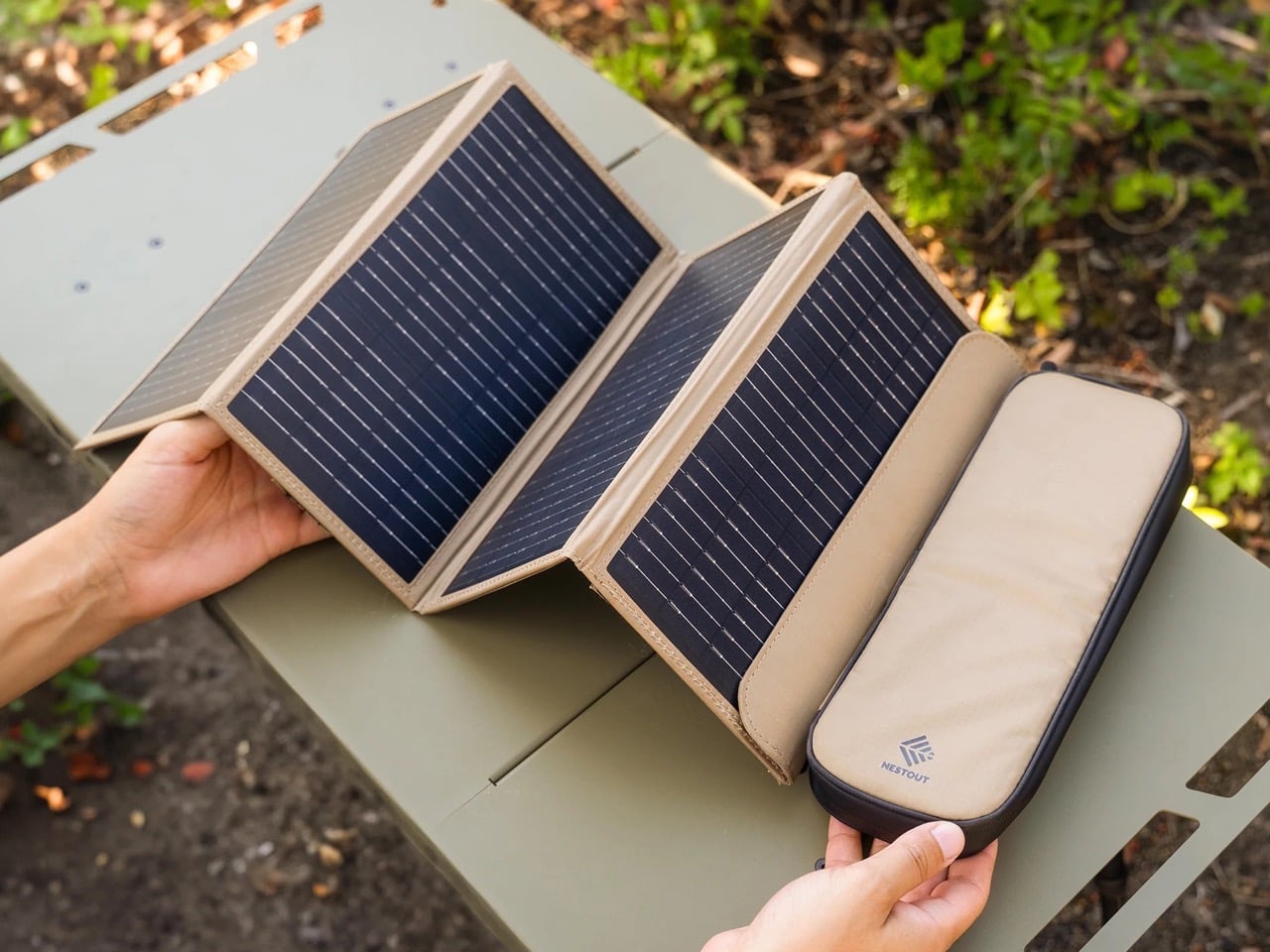
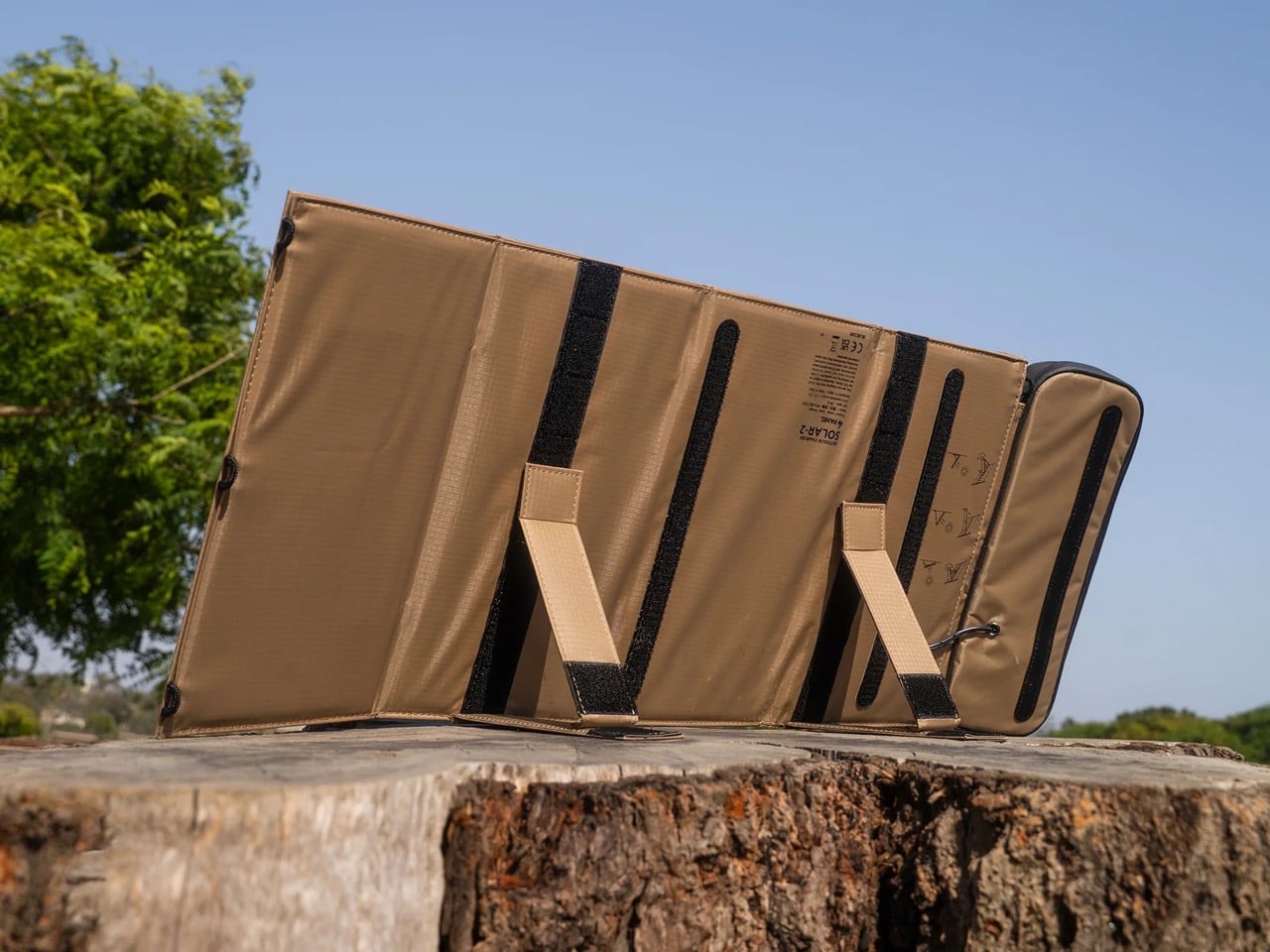
4. NESTOUT Solar Charger
Stored battery power only lasts as long as its charge, but the NESTOUT Solar Charger keeps working as long as the sun does. Its four-panel design folds down into a compact carry format built from rugged, tan colored fabric that feels closer to durable field gear than typical consumer electronics, unfolding into a genuine power source wherever daylight reaches.
For you, this turns a short-term fix into a sustainable one during an extended outage. Instead of watching a power bank slowly drain with no way to refill it, every sunny break in the clouds becomes a chance to top your devices back up. It is the piece that keeps your kit relevant on day three of an outage, not just day one.
What we like:
The folding four-panel design packs down small enough to disappear into a bag without adding real weight
Its fabric build and neutral tone feel purpose-made for outdoor durability rather than delicate electronics
What we dislike:
Solar charging depends entirely on weather and daylight hours, which makes it unreliable during extended cloud cover
It also charges more slowly than a wall outlet, so patience becomes part of the process
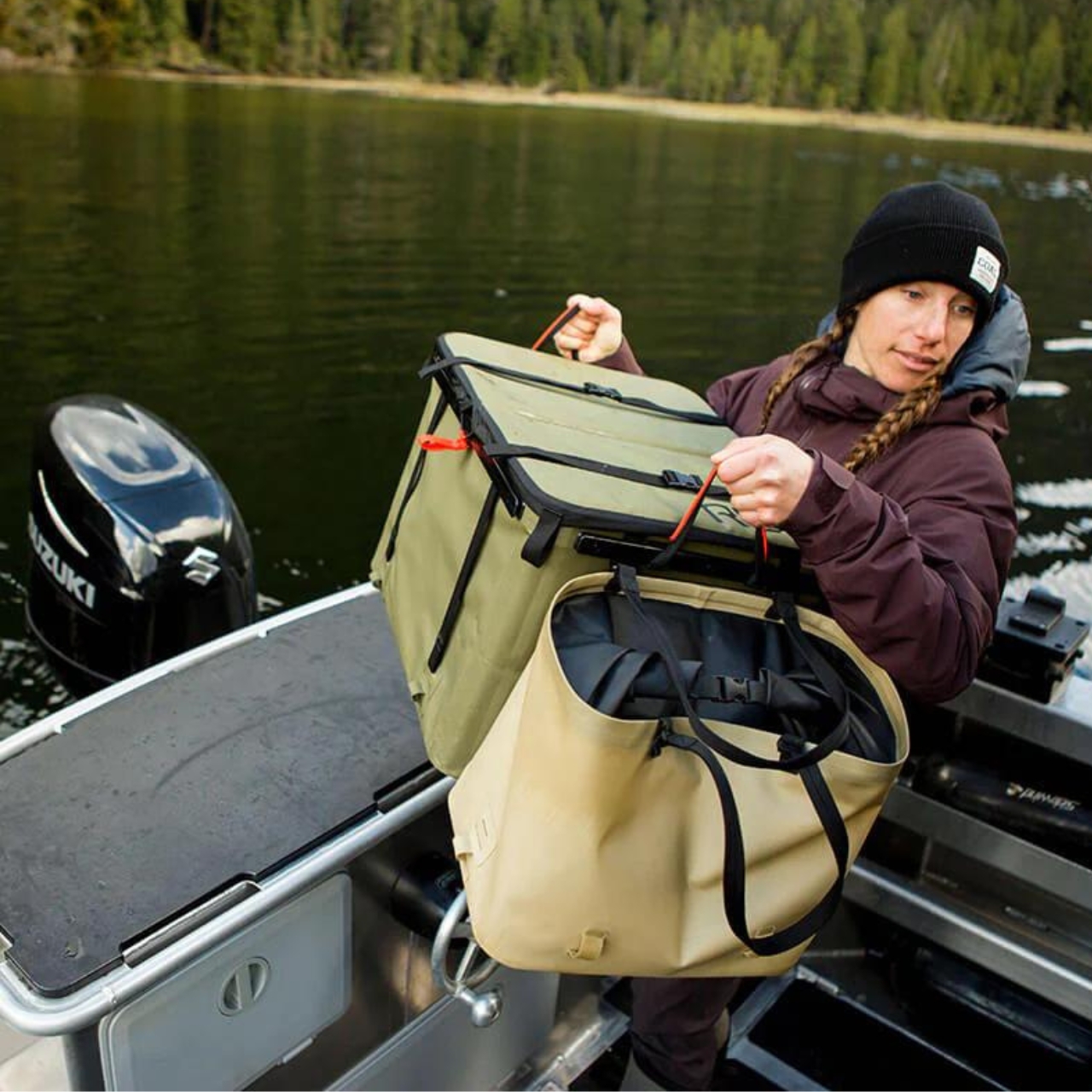
5. Rux Gear Box
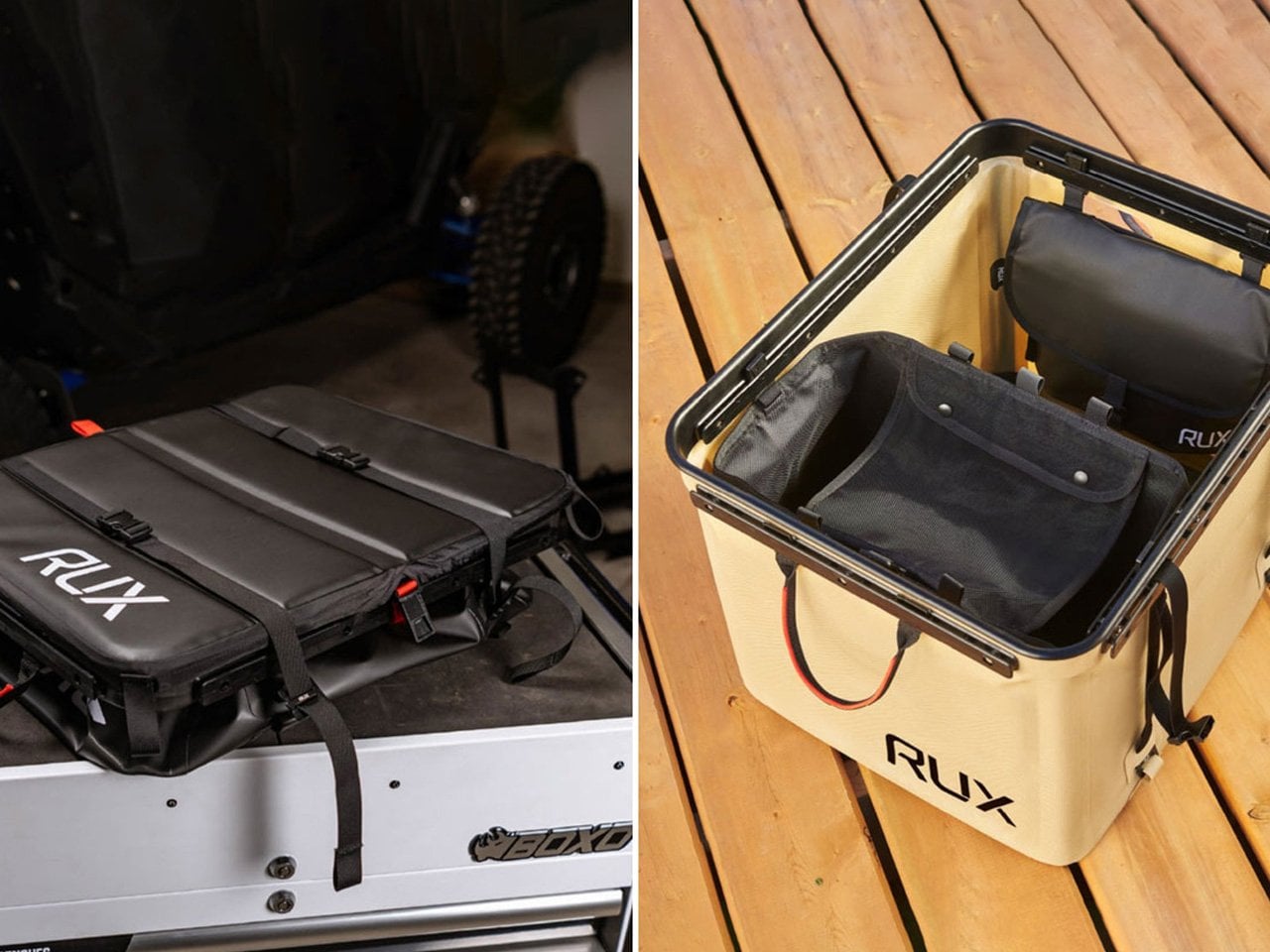
None of the gear above stays useful for long if it ends up scattered across drawers instead of ready to grab. The RUX Gear Box solves that with a collapsible body made from TPU-coated nylon that resists weather and wipes clean easily, plus a separate waterproof insert built to keep wet and dry items apart.
For you, this is the piece that turns four individual objects into one coherent system. Instead of hunting for a radio in one room and a flashlight in another while a storm closes in, everything lives in a single box that compresses flat when not in use and expands the moment you need it. It is the difference between a kit and a pile.
What we like:
The collapsible design means it takes up almost no storage space until an emergency actually calls for it
Its waterproof insert keeps sensitive gear like electronics separated from anything damp
What we dislike:
A soft-sided collapsible build offers less rigid protection than a hard shell case would
Its flexible material also means it will not stack as neatly as a traditional box-style container
Good Design Doesn’t Skip a Storm
Put together, these five objects cover the four things a real outage actually demands. Information, light, utility, and the power to keep going once the first two days have passed. None of them ask you to sacrifice good design to get there, which is exactly the point.
Hurricane season will keep arriving whether we are ready for it or not, but the objects we choose to meet it with do not have to look like they came from an emergency supply closet. These five prove that being prepared and having good taste were never mutually exclusive to begin with.
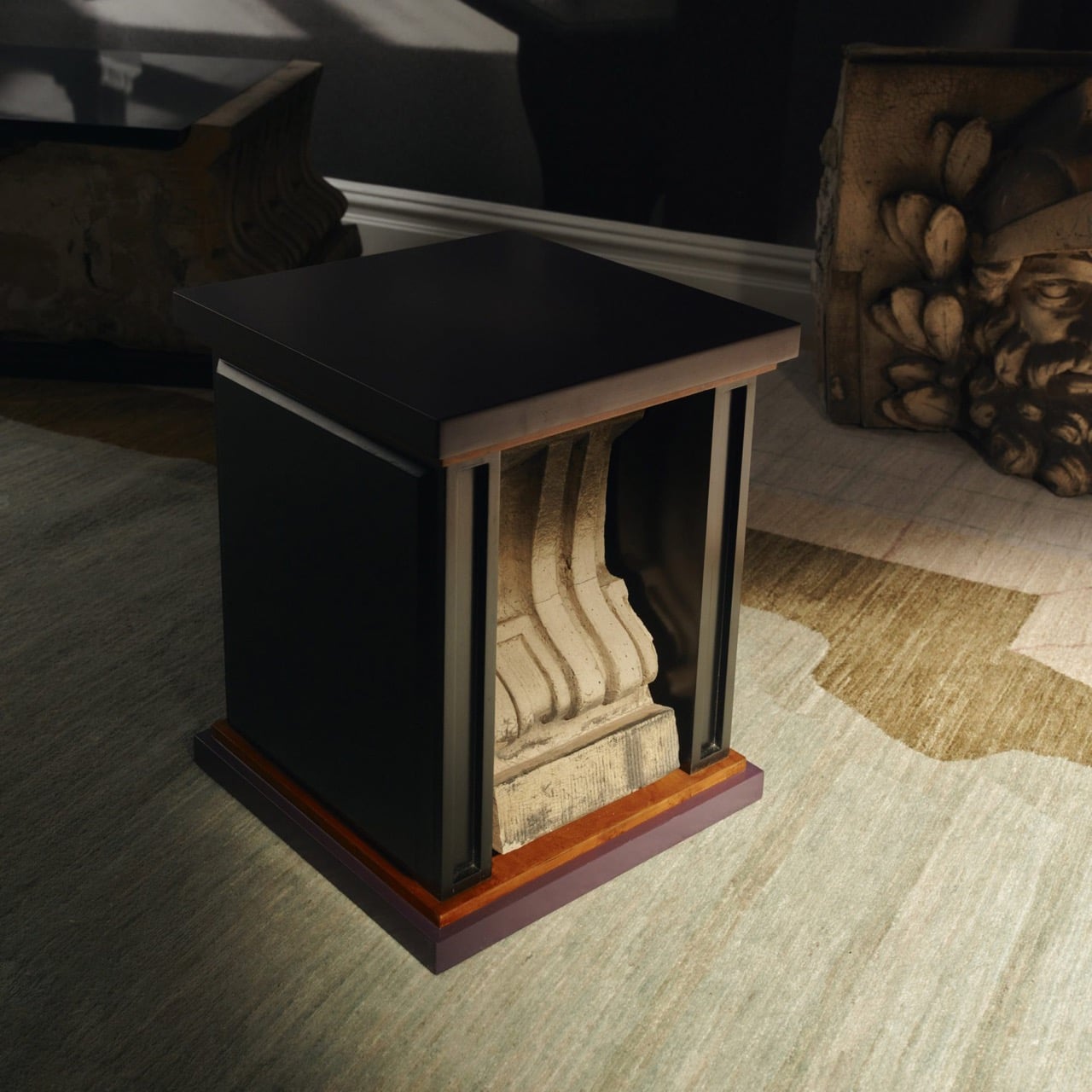
A renovation across the street from Rafael Prieto’s studio offered an unusually good view of his next project. As decorative pieces came off the facade of a Tribeca building, he arranged to save sixteen that were headed for disposal. Most of us would have watched the scaffolding go up and returned to our emails. Prieto, a Mexico-born designer and creative director based in Tribeca, had other ideas. The result is a furniture exhibition that keeps the building’s ornament alive in some very unexpected forms.
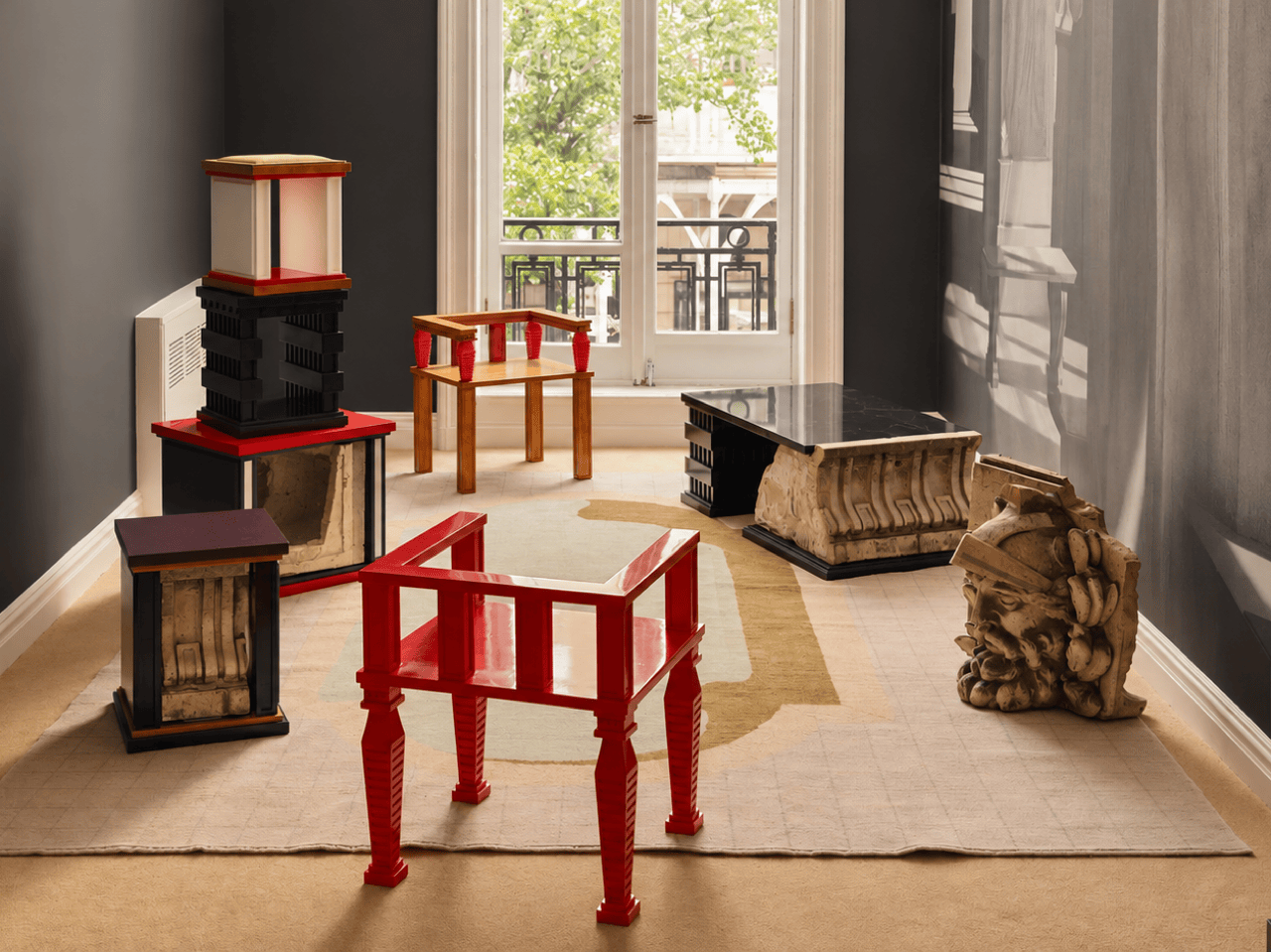
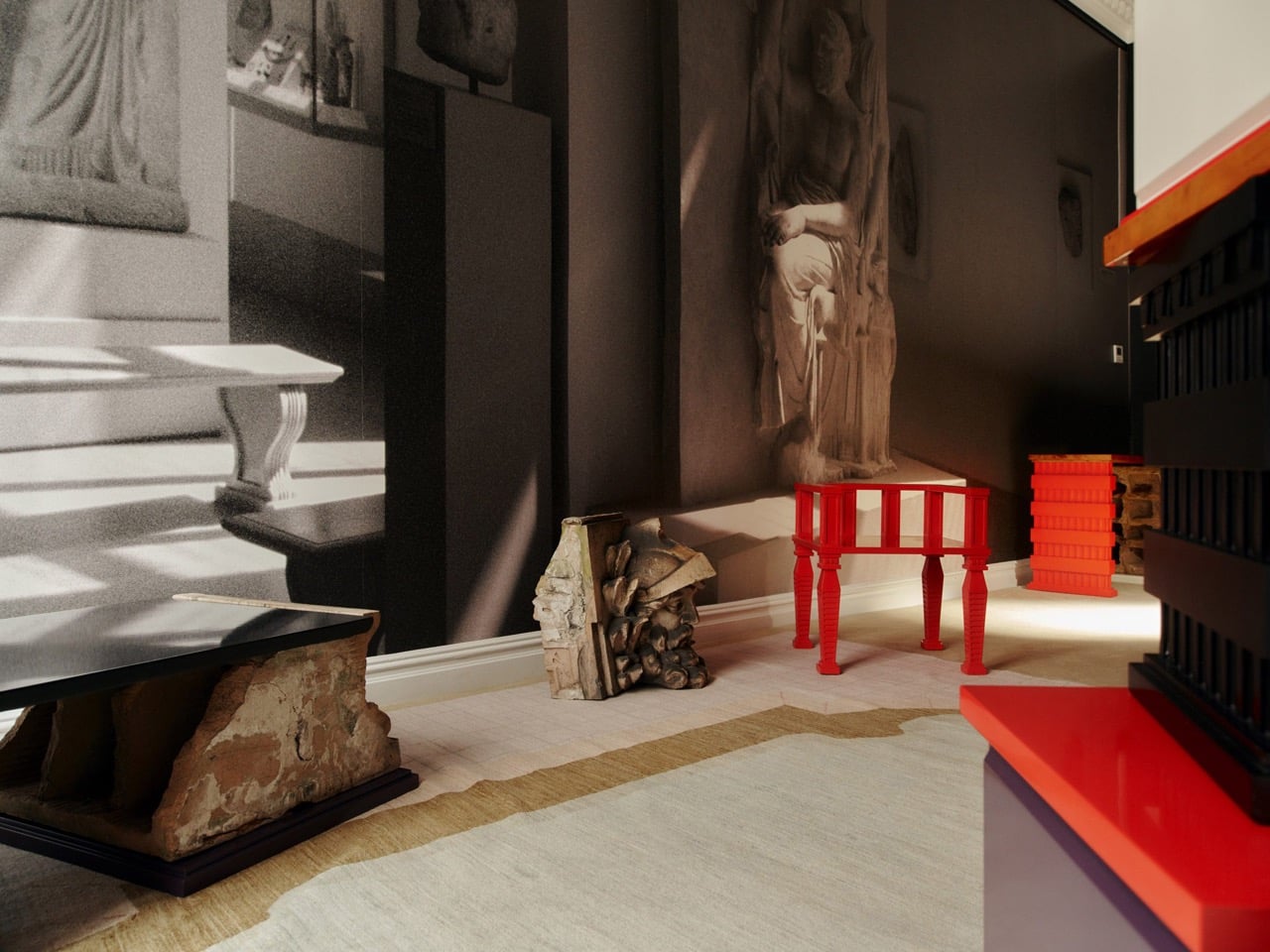
Prieto spent time with the fragments before turning them into the starting point for tables, chairs, and sculptural objects. Weathered ornament sits against painted birch, sometimes tucked inside a crisp new frame. The resulting furniture keeps its New York address close, even when its shape heads somewhere unexpected. Some pieces carry the actual stone; others borrow only its curves, grooves, and proportions. It is a show that rewards looking twice.
Designer: Rafael Prieto
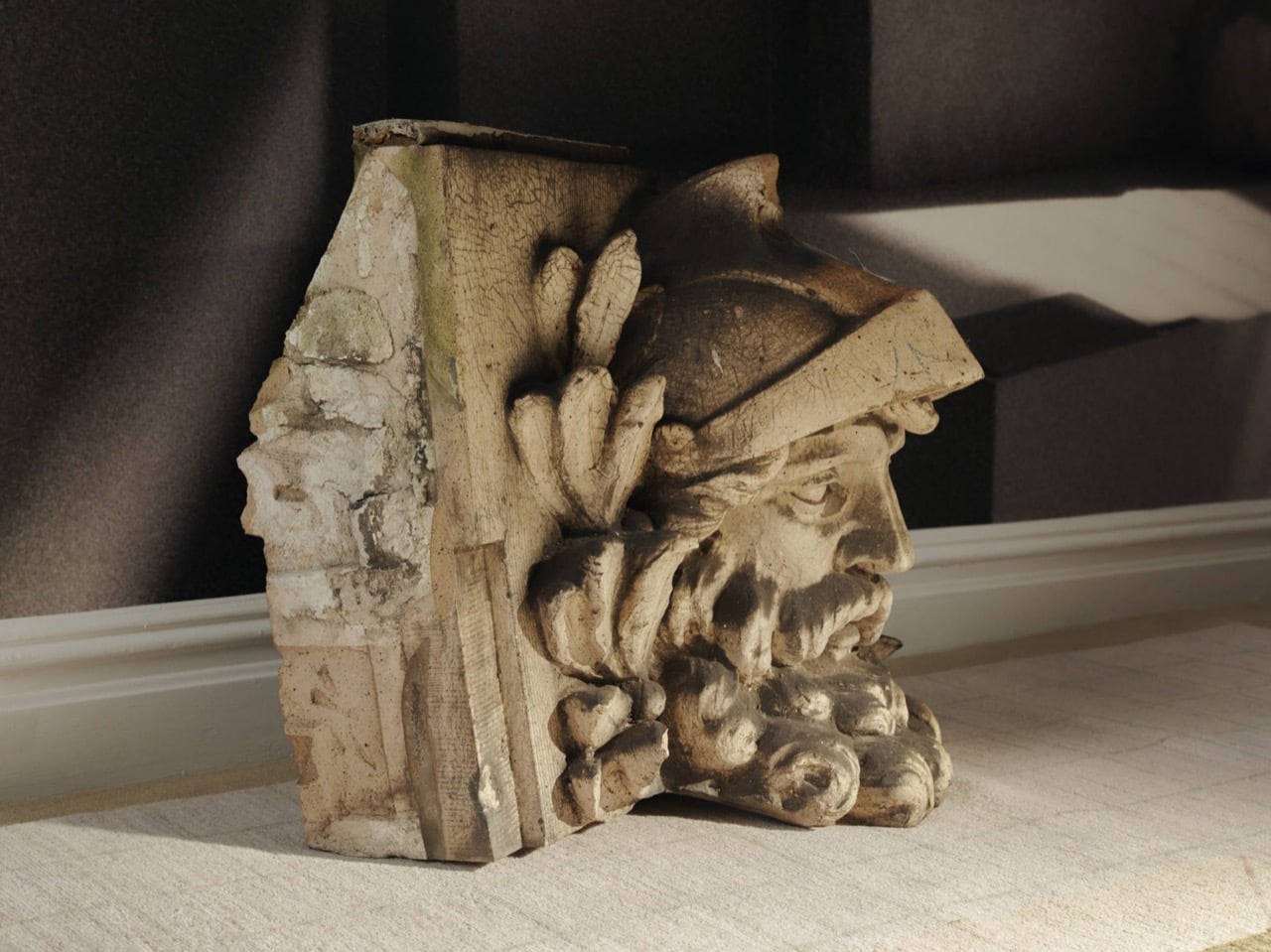
The building across the street is 366 Broadway, now known as Collect Pond House, a twelve-story Beaux-Arts structure designed by Frederick C. Browne in 1908. It was once home to the Royal Typewriter Company, then became a residential co-op in 1979. The facade is densely ornamented: copper cornices, Greek key detailing, marble columns, and keystones carved into bearded faces that have been watching Tribeca change for over a century. A recent multi-year restoration replaced and conserved 65 terra cotta units. A handful of the pieces removed during that process did not make it back onto the building.
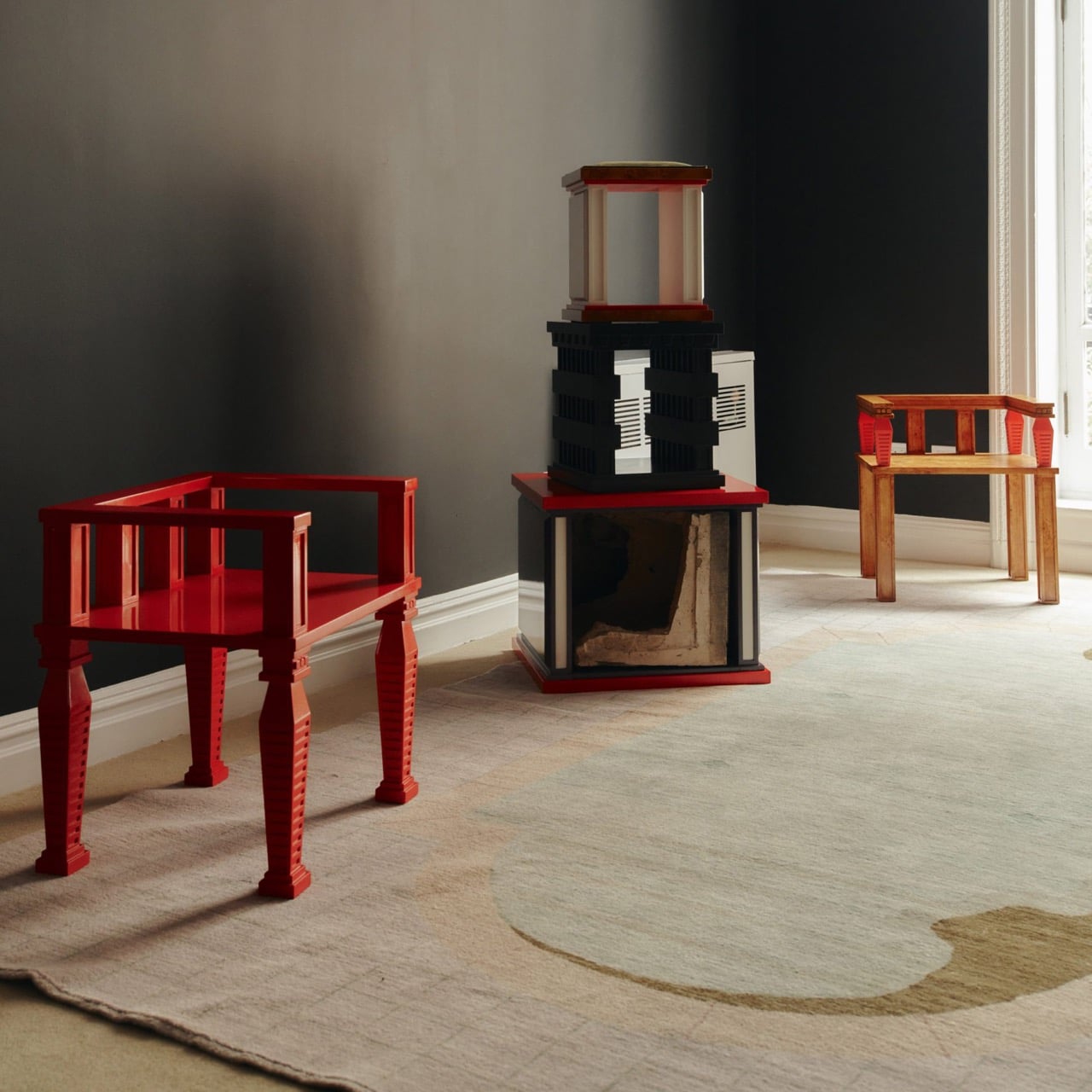
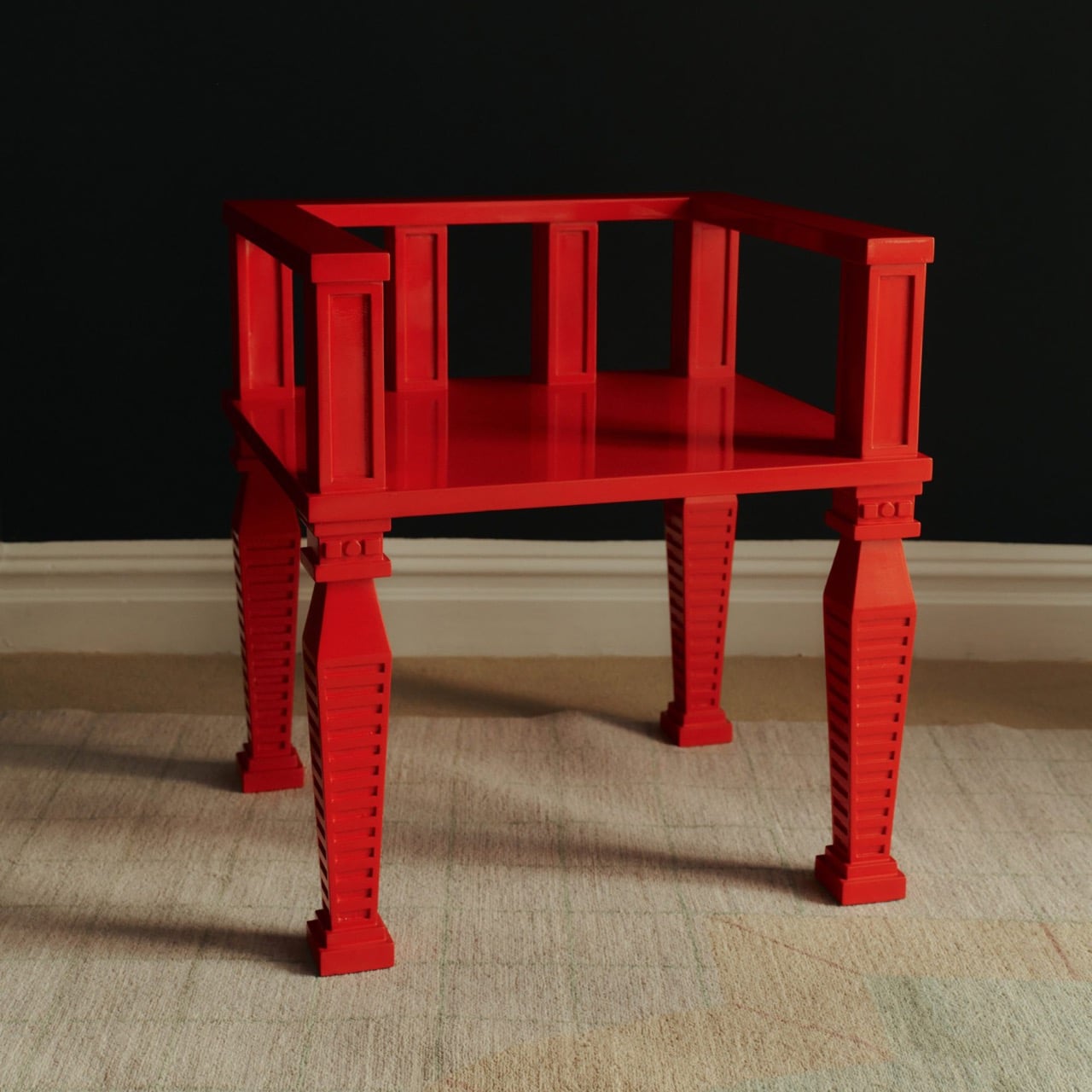
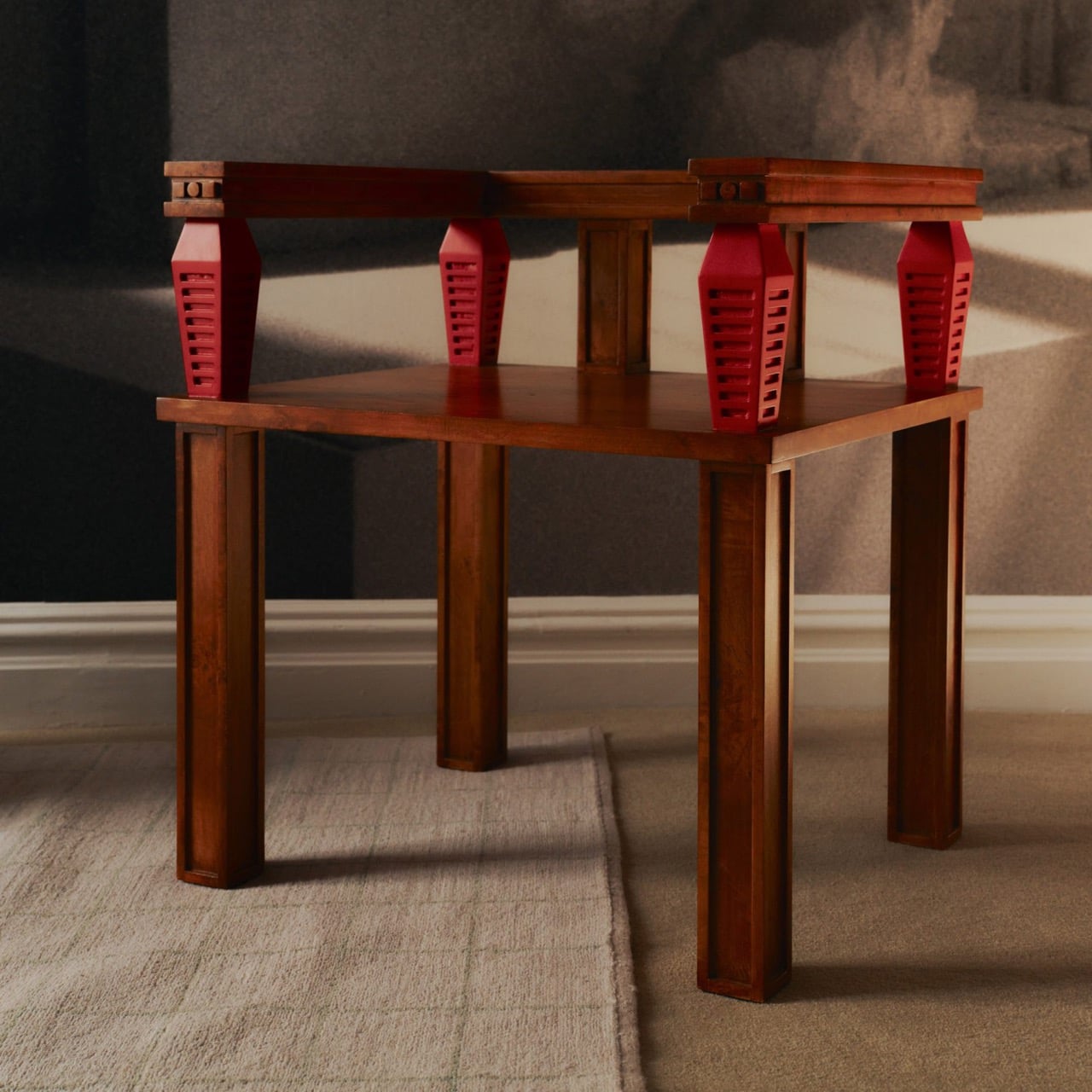
Before cutting anything, Prieto lived with the fragments in his studio for roughly a year and a half. He photographed and scanned each contour and ornament, then layered those images to pull out shapes and combinations that could inform new work. That process produced a design vocabulary rather than any direct copy of the originals. The stepped, ribbed profiles that climb the legs of the red lacquered chair came directly from this translation, somewhere between column fluting and abstracted skyline. It is a method closer to archaeology than furniture-making.
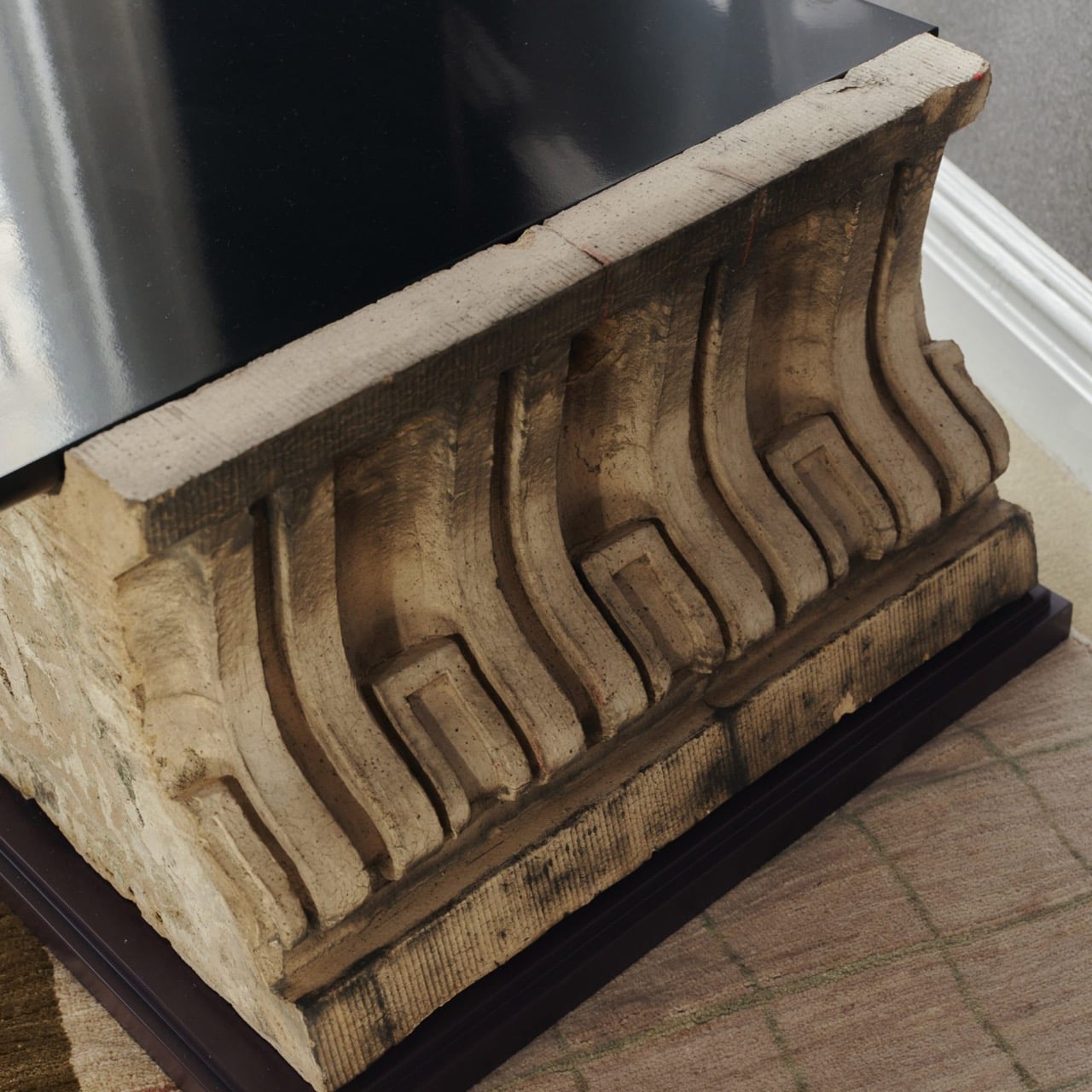
One of the standout pieces has a large carved stone cornice block sitting below a flat black painted tabletop, doing actual structural work. The stone is pale, dense, and loaded with repeating scroll forms, carrying roughly a century of New York weather on its surface. Another piece cages a smaller fragment between vertical black bars inside a cube-shaped form, the stone visible through the gaps like something on display. The medium listing for several works at the gallery confirms “Architectural Fragment” as a named material alongside painted birch. Not every piece carries original stone; some borrow only its shapes.
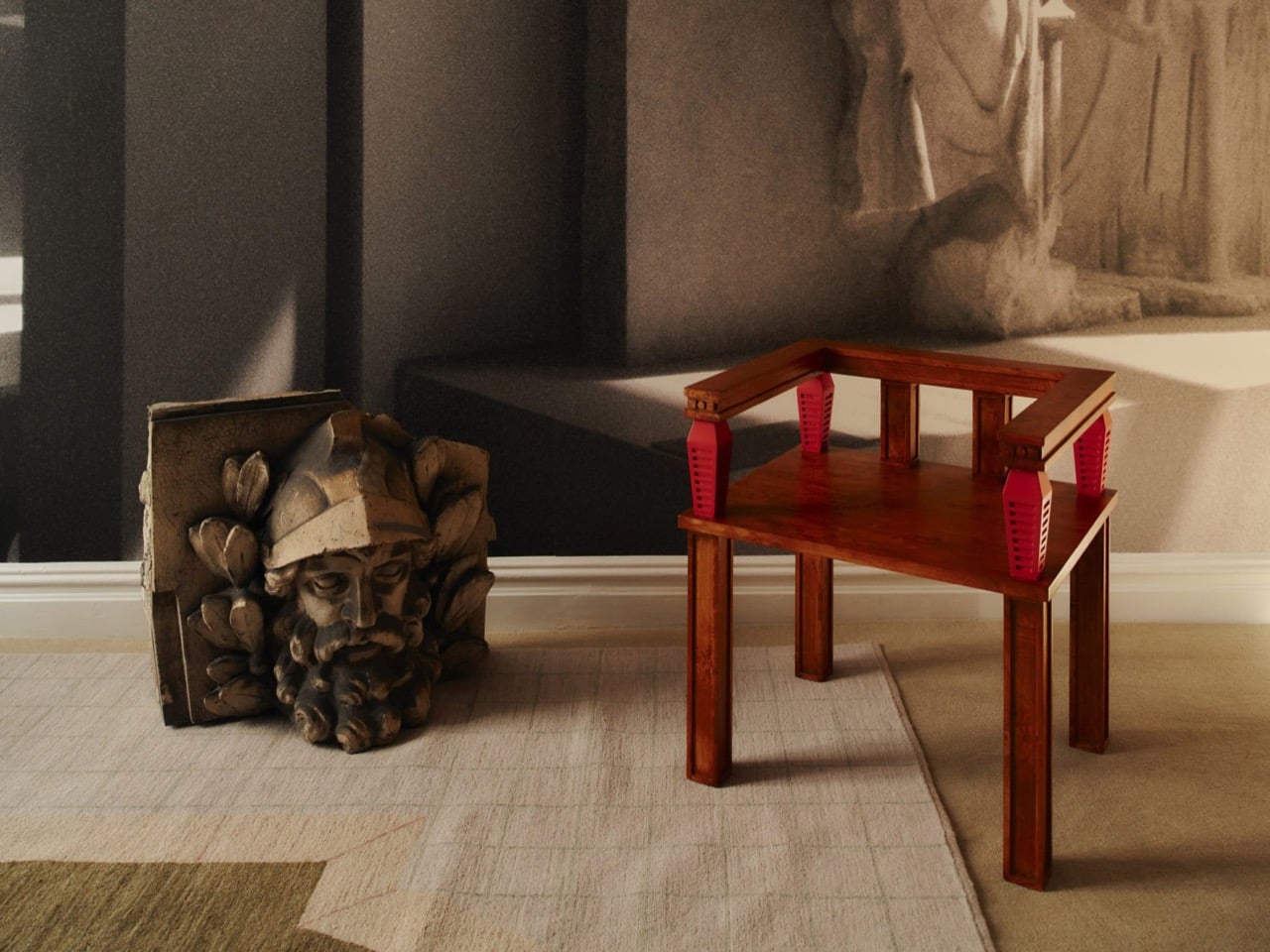
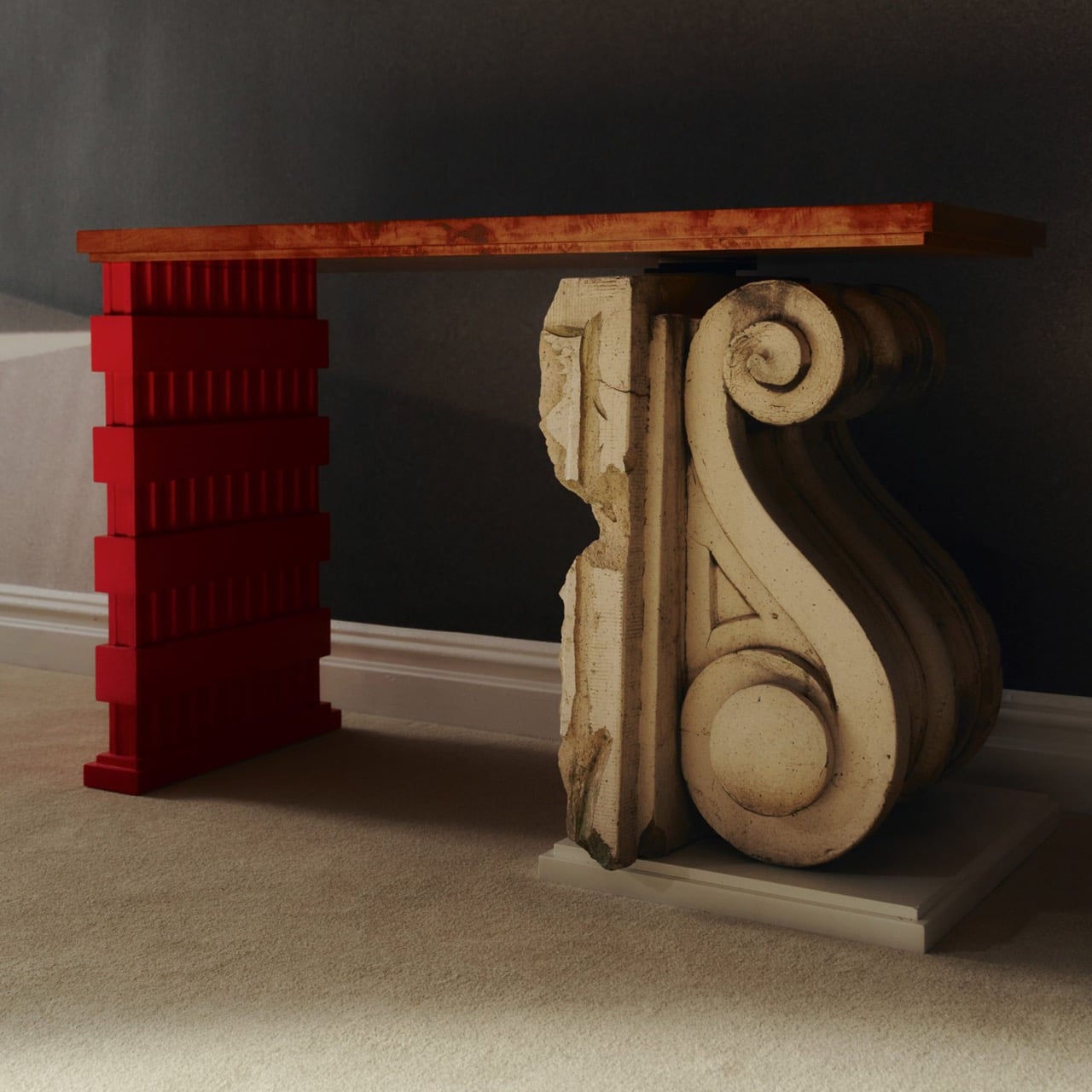
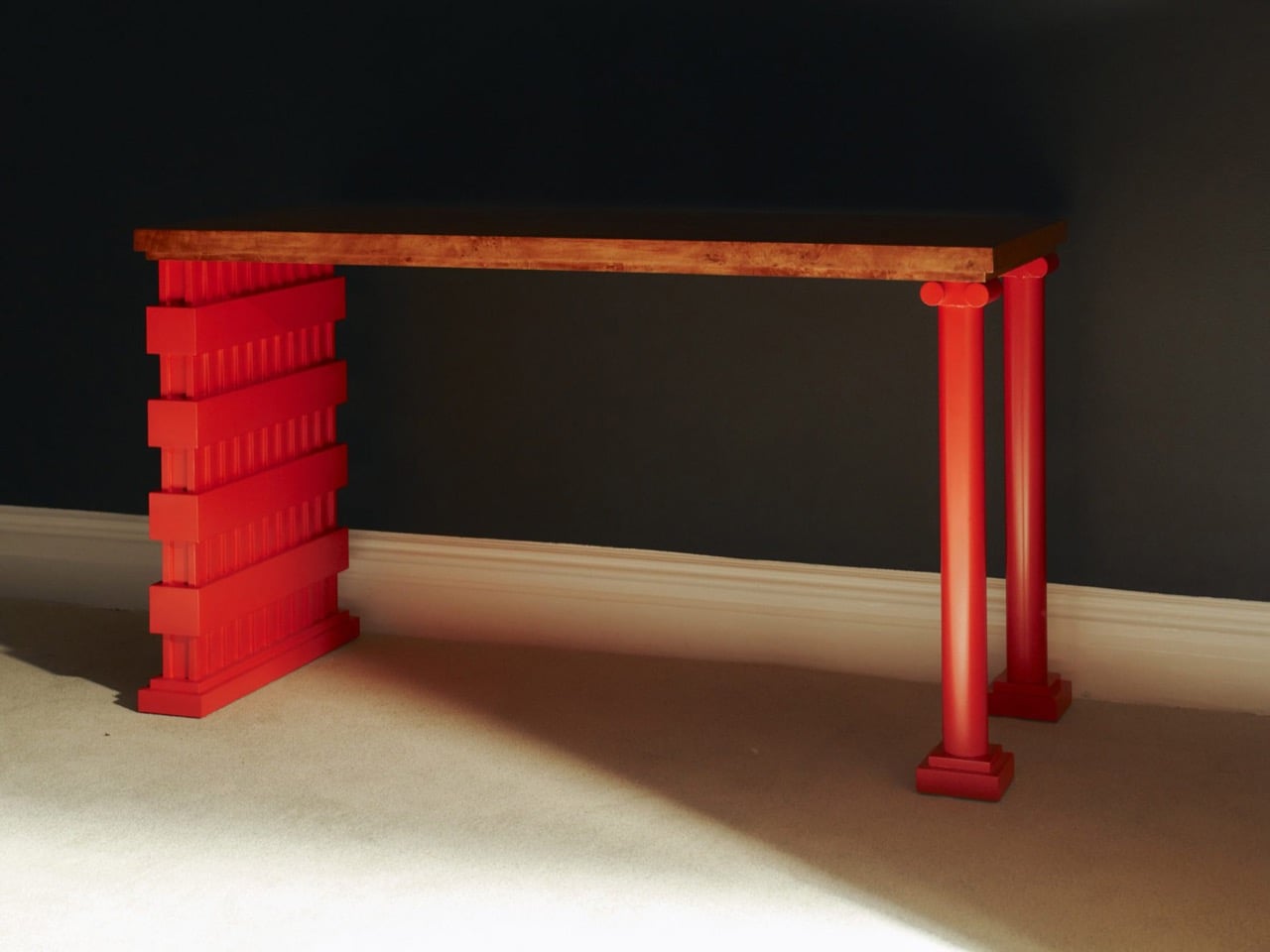
The all-red lacquered chair is the most confident piece in the show, its legs built from stacked, stepped planes that scanning and layering pulled from 366 Broadway’s fluted piers and molded profiles. Its natural birch counterpart deploys the same vocabulary in warm wood, swapping lacquer for grain and adding red geometric arm brackets at the joints. A console table makes the argument most literally: one end sits on a fabricated red plinth, the other rests on an actual salvaged Ionic stone volute, intact and weather-stained. The two supports are not supposed to match. The gallery describes this contrast as the central thread: the hard and the soft, the historic and the contemporary, running through every piece.
Several of the original keystones sit on the gallery floor unaltered, including one carved bearded face in a plumed helmet still stained with moss and a century of city air. Prieto’s analog photography wraps the walls in large-scale architectural murals, produced in collaboration with Wallpaper Projects. The room ends up feeling closer to a photographed ruin than a white-cube gallery, which is entirely the point. He told Family Style that “New York is its architecture,” and that most people talk about the skyline but “don’t look up.” The show does the looking for you.
‘The Future of the Past’ is Prieto’s second solo show with Emma Scully Gallery and runs through December 12 at the Upper East Side location, open Wednesday through Saturday. Pricing and availability are through the gallery directly. The question the collection keeps circling is whether furniture shaped by a building’s discarded ornament carries any of that building’s memory with it. Prieto does not seem interested in settling that question cleanly. The bearded face on the gallery floor looks like he has made his peace with the whole situation.
It’s a little strange when you think about it. People will spend weeks comparing headphones or picking the right coffee maker, yet the hair dryer, shaver, or toothbrush sitting on the bathroom counter rarely gets a second thought. Laifen’s fall lineup is built around fixing exactly that gap, treating everyday personal care tools with the same design attention usually reserved for gadgets people actually brag about owning.
The brand happens to be running one of its bigger sales of the season right now, and it covers four products that together handle nearly every step of a morning routine. Two hair dryers, an electric shaver, and an electric toothbrush, each one designed less like a bathroom appliance and more like something you’d actually want to leave sitting out in view.
Laifen SE 2: The Hair Dryer Most People Should Have Switched to by Now
Most hair dryers get the job done, until something faster comes along and makes the old one feel sluggish by comparison. The Laifen SE 2 runs on a 108,000-RPM brushless motor that pushes air at nearly 48mph, noticeably quicker than what most household dryers manage without resorting to constant blasts of heat. That speed alone cuts a few minutes off the usual routine.
What makes the SE 2 worth a second look is Temperature Cycling Mode, which alternates airflow patterns instead of holding one constant heat level, cutting down on damage from daily drying. 10 drying settings cover most hair types, and at 14.35 ounces without the cord, it’s light enough to hold through a full styling session. The matte white finish fits into almost any bathroom without effort.
Laifen Swift 4: The Dryer That Turns an Everyday Step Into a Hair Care Routine
Most people treat drying and hair care as two separate steps, applying oil or serum first and hoping the blast of hot air doesn’t undo the work. The Laifen Swift 4 folds both into one motion through its Nourishing Nozzle, which breaks essential oils into fine particles and distributes them at a steady 136°F, letting the oil work into hair while it dries instead of sitting on top of it.
Behind that trick sits a 115,000-RPM motor pushing air at nearly 51mph, with temperature checks running 1,000 times a second to keep heat steady. Six modes cover everything from a quick blast to a gentler nourishing cycle, while 400 million negative ions calm frizz and 70 million positive ions look after the scalp. It comes in three metallic finishes, none of them loud.
Laifen P3 Pro: A Shaver Built the Way Premium Gadgets Are Built
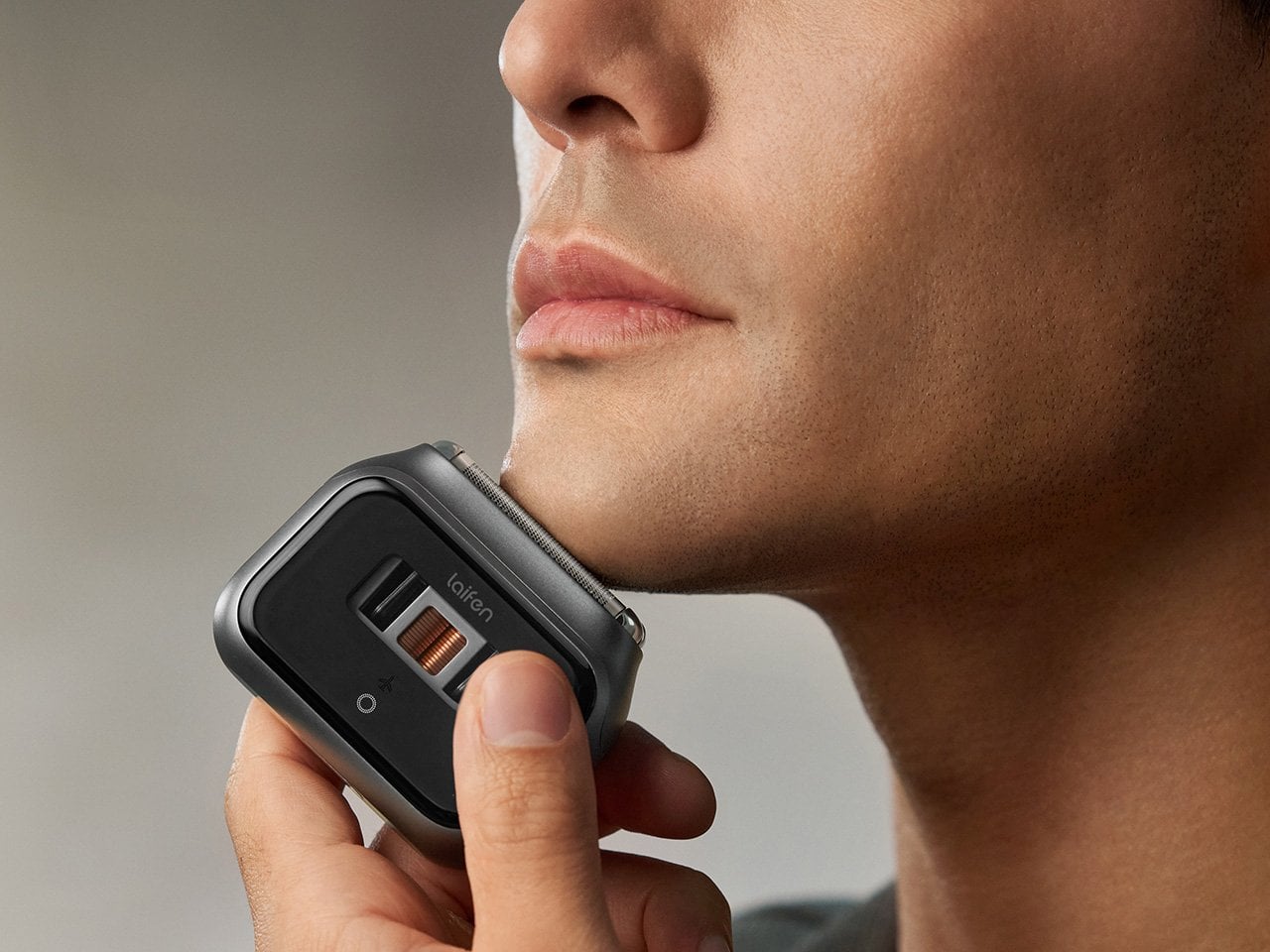
The Laifen P3 Pro Space Gray leads with a detail that has nothing to do with how close it shaves: a transparent motor window borrowed from the exhibition backs of mechanical watches, letting the internals show through instead of hiding behind plain plastic. The body itself is CNC-machined aluminum, a process that takes 9,000 seconds per unit, longer than what most flagship phones require.
At 6.3 ounces and barely bigger than a deck of cards, it slips into a dopp kit or jacket pocket without adding bulk. The dual-drive linear motor reads beard density in real time and adjusts power automatically, so thick patches don’t cause snagging. Two shaver heads handle close, short stubble, a flexible trimmer catches longer hair, and the whole thing carries an IPX7 rating for shower use.
Laifen Wave Pro: The Toothbrush That Actually Pays Attention While You Brush
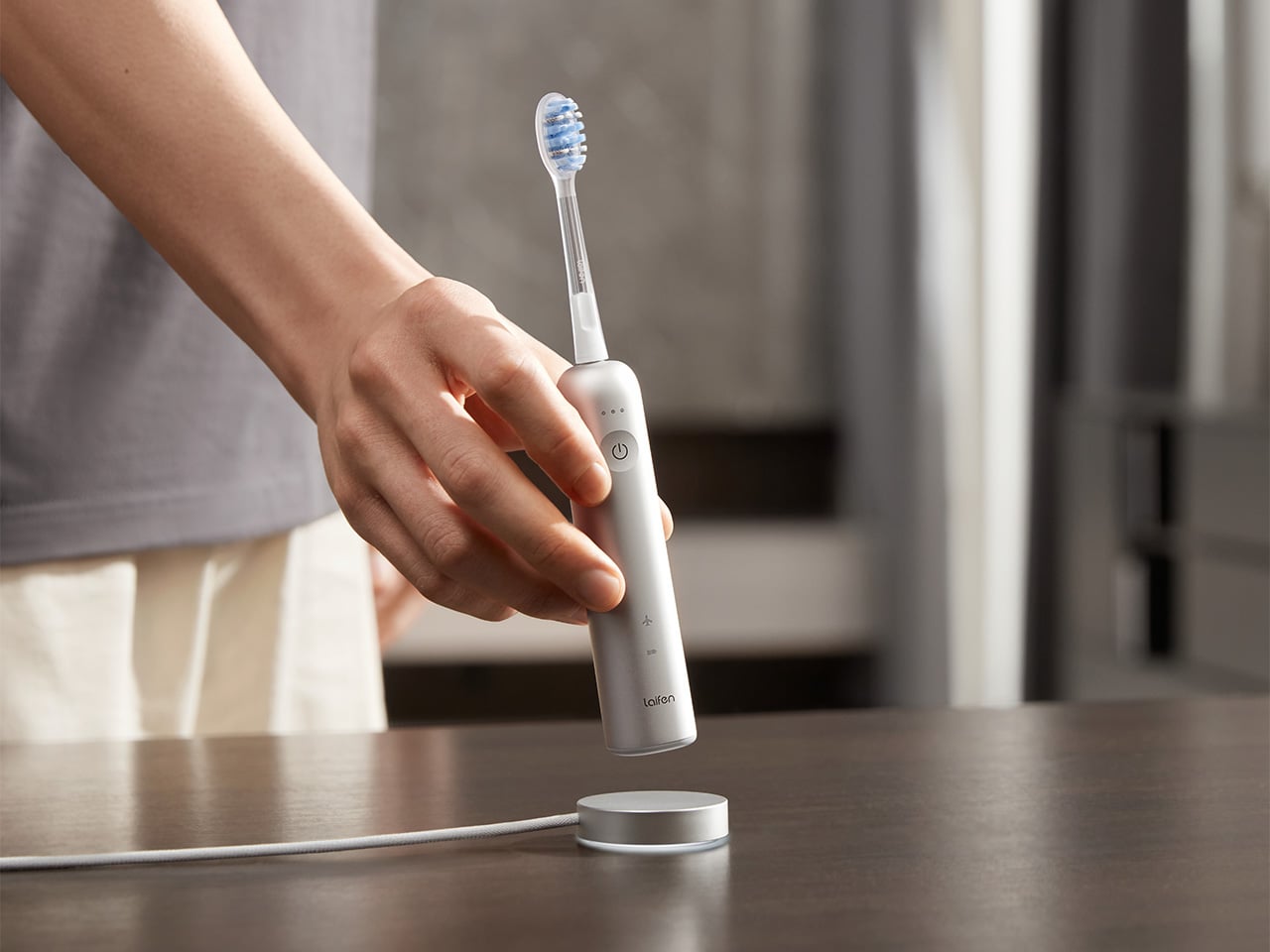
Most people’s relationship with their toothbrush doesn’t involve much thought, which is exactly the assumption the Laifen Wave Pro pushes back on. Its brush head oscillates through a 60-degree arc, wider than most sonic brushes manage, combined with 66,000 vibrations a minute, following a brushing pattern modeled on the Modified Bass technique dentists have recommended for decades. The stainless steel body signals this isn’t an afterthought.
A pressure sensor tracks how hard you’re brushing and dials back motor speed the moment it senses you’re pressing too hard, protecting gums and enamel in the process. Two modes and three intensities give 10 adjustable levels through the companion app, while wireless charging and roughly 70 days of battery life mean it rarely needs attention. A travel pouch and two brush heads round out the package.
Taken together, these four pieces cover the parts of a morning that rarely get a second thought until something better shows up and makes the old routine feel dated. Laifen built each one around a specific daily habit, from drying to shaving to brushing, and the fall lineup lands right as the season nudges people to reset those habits anyway.
Click Here to Buy Now: 96$119.99 (20% off, use coupon code “PRFALLSALE”). Hurry, deal ends in 48-hours!
56k.rip
est un site qui va exciter votre nostalgie d'ancien puisqu'il vous permet de simuler dans votre navigateur une connexion internet par modem de 1996. Vous arrivez sur un faux écran de BIOS, puis direct sur un bureau Windows 95 avec son bouton Démarrer, et ensuite pour aller sur le net, il faut double-cliquer sur l'icône Dial-Up Networking, exactement comme à l'époque !!
Sur cet "ordi" traîne également un fichier texte qui détaille la procédure en onze étapes, dont l'interdiction absolue de décrocher le téléphone de la cuisine, sinon ça vous déconnectera et faudra tout recommencer !! Argh, ça me rappelle de sales souvenirs ^^ !
Pour la connexion, le terminal déroulera du ATZ, ATDT 555-0156 et RINGING avant de lâcher un joyeux CONNECT 50666/ARQ avec le son de connexion dégeulasse qui va bien. Et environ 25 secondes plus tard, vous serez sur la page d'accueil de COMETLINK, un fournisseur d'accès fictif.
Le terminal de connexion
Et ensuite c'est là que le site fait son truc, puisque chaque page web que vous visitez sera chargée selon un "budget" d'octets lié au débit que vous avez choisi. Dans ma fenêtre de connexion, j'avais le choix entre un modem 28.8 et un modem 56K du coup j'ai pu revivre ce trauma de ma jeunesse ^^.
Une fois connecté, on peut donc surfer sur un web d'époque en mode simulateur et donc par exemple charger le site de Gary et ses photos de vacances qui mettent de loooongues minutes à s'afficher couche après couche (JPG tu connais...). L'expérience est vraiment réaliste. C'est juste dommage qu'on ne puisse pas aller sur le site de son choix, cela dit.
La page des photos de Gary en plein chargement
Après ouiiii, je sais les nerds, y'avait pas de modem 56K en 1996 puisque les premiers sont arrivés vers février 1997 (et la norme V.90 n'a été approuvée officiellement qu'en septembre 1998), mais c'est quand même rigolo d'aller fouiller ce tout petit internet d'époque avec une page sur la pêche, un livre d'or, des petites annonces, la météo et même un article qui explique ce qu'est internet... Il y a aussi du mail, un salon de chat, un démineur et un logiciel de dessin.
Bref, si vous n'avez pas connu cette époque bénie où les réseaux sociaux n'existaient pas et où Internet prenait son temps (et nous était facturé à la minute), bah ça vaut le coup pour l'expérience !
Anthropic has made Claude for Government generally available with FedRAMP High authorization, spending controls, audit logs and early Microsoft 365 access.
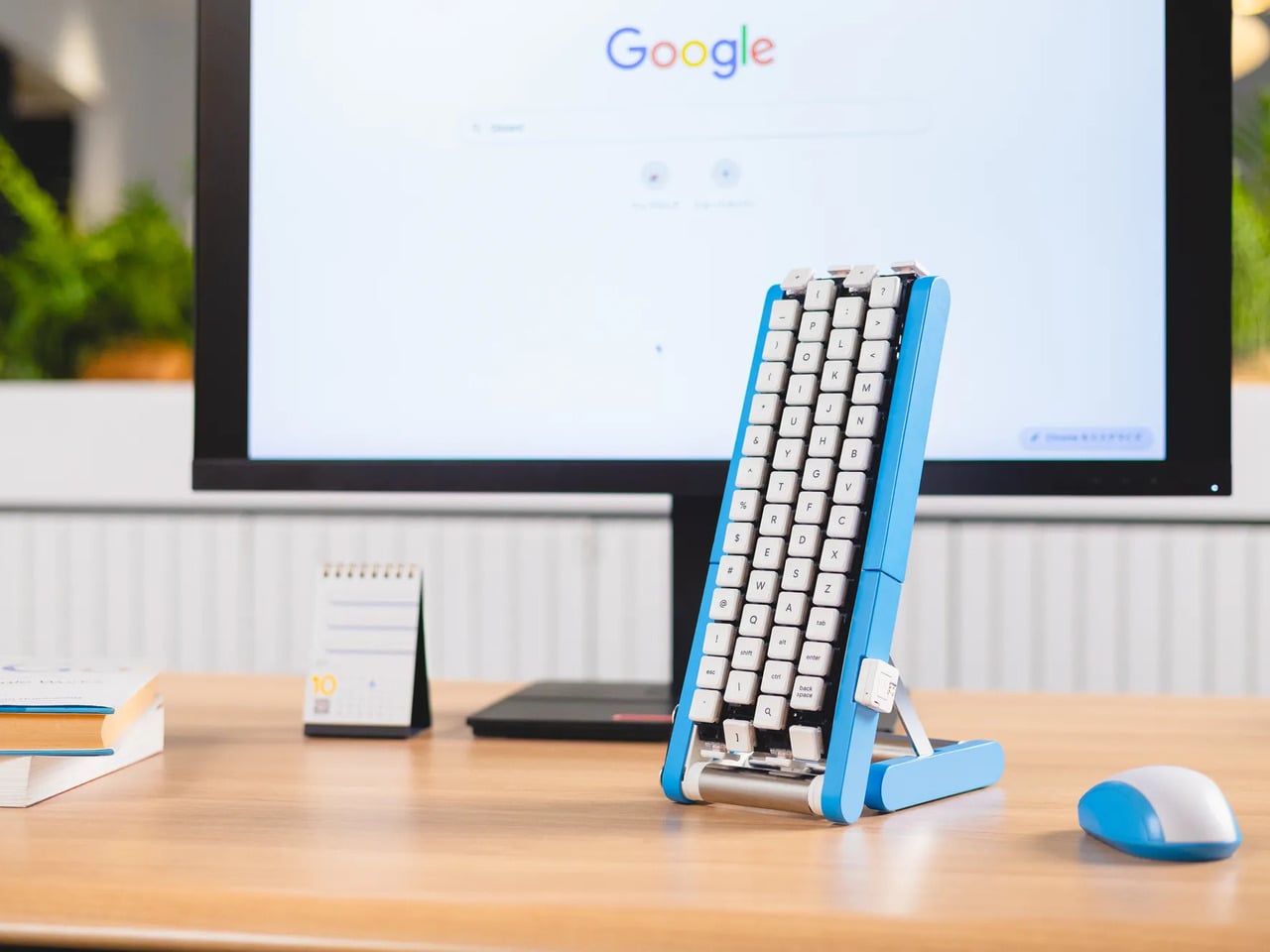
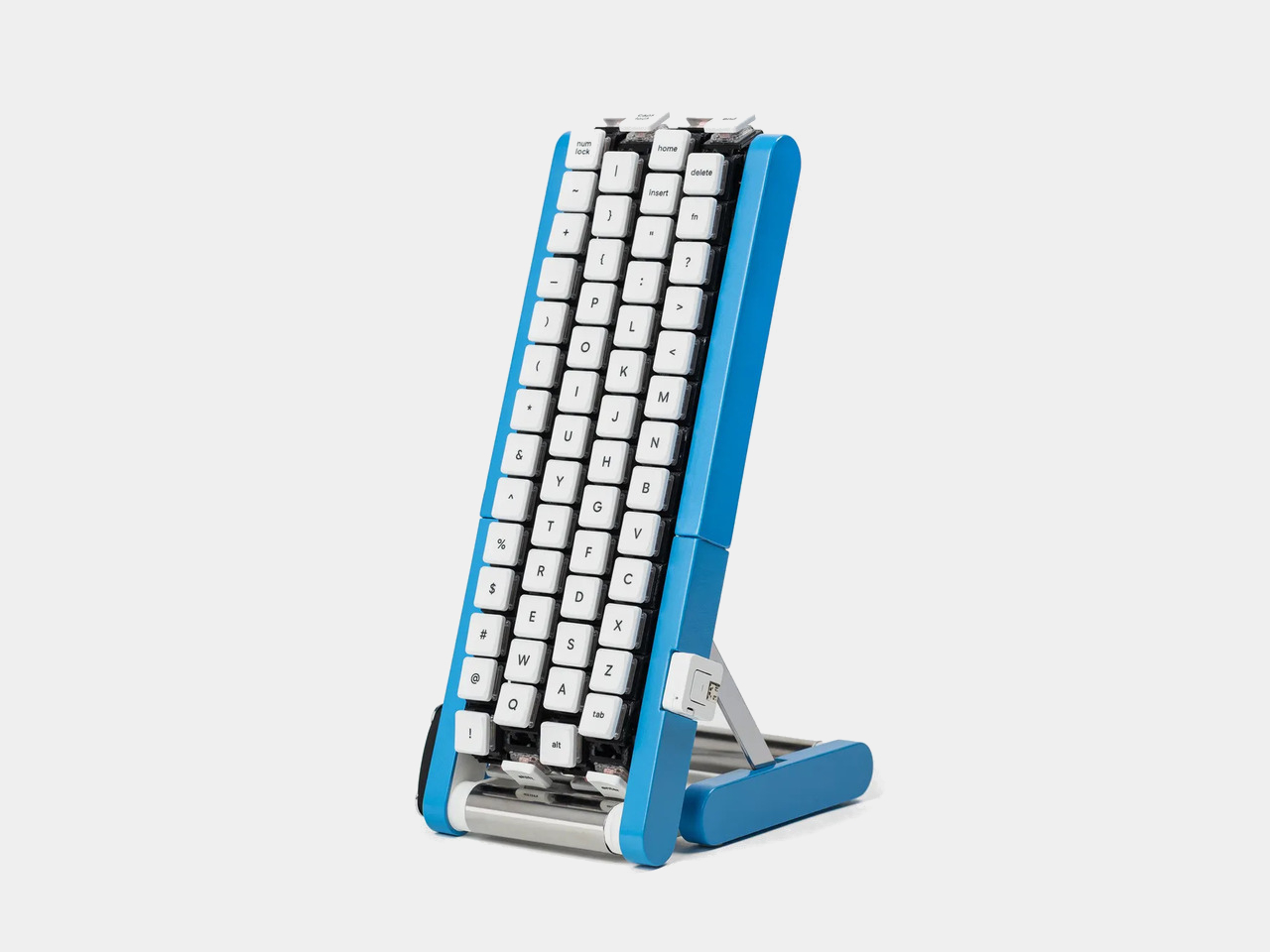
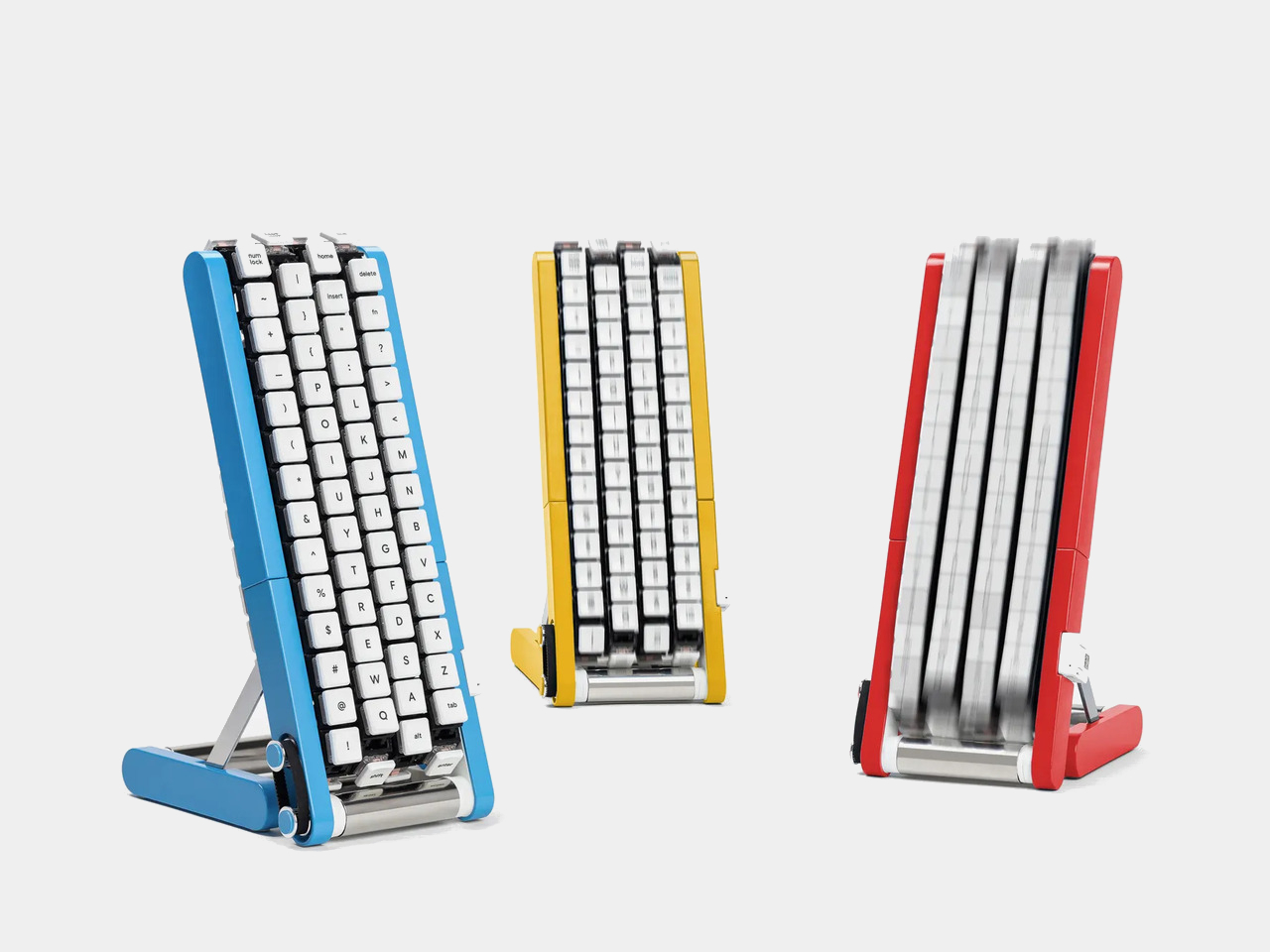
Typing with one hand usually means stretching a finger across a keyboard while the other hand holds a drink or works a mouse. Google’s Gboard team has a wonderfully impractical fix: put the keys on a conveyor belt and let them come to you. Its Rotating Keyboard stands upright on a desk, asking your finger to stay put while the letters keep moving.
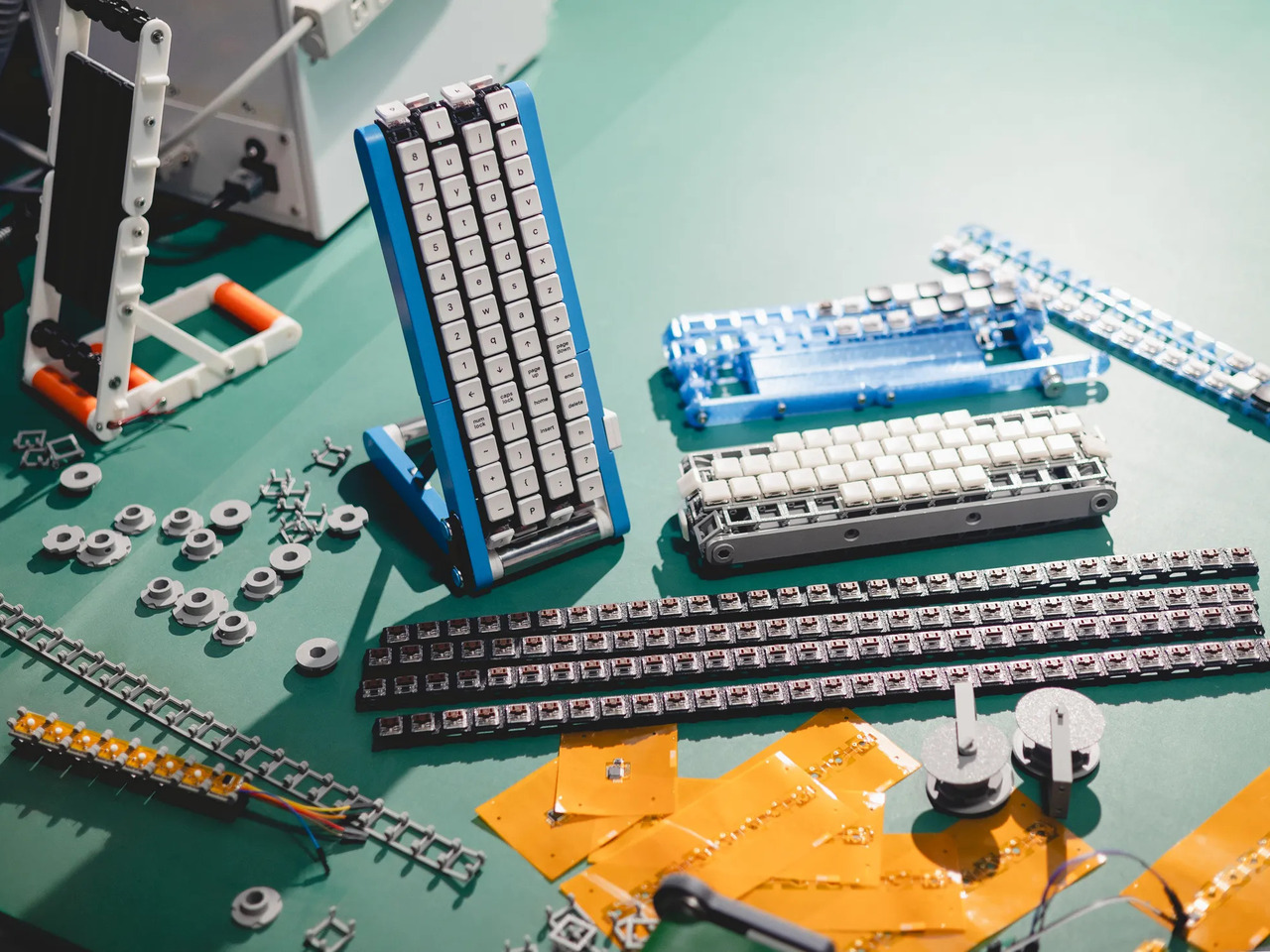
Regular keyboards assume your hands will travel between stationary keys, a reasonable arrangement that has survived decades of typing. Google reverses that relationship by mounting rows of keycaps on loops that travel around rollers. The tall blue frame and angled stand make the moving assembly feel closer to a miniature factory machine than a computer peripheral, which is probably part of the joke.
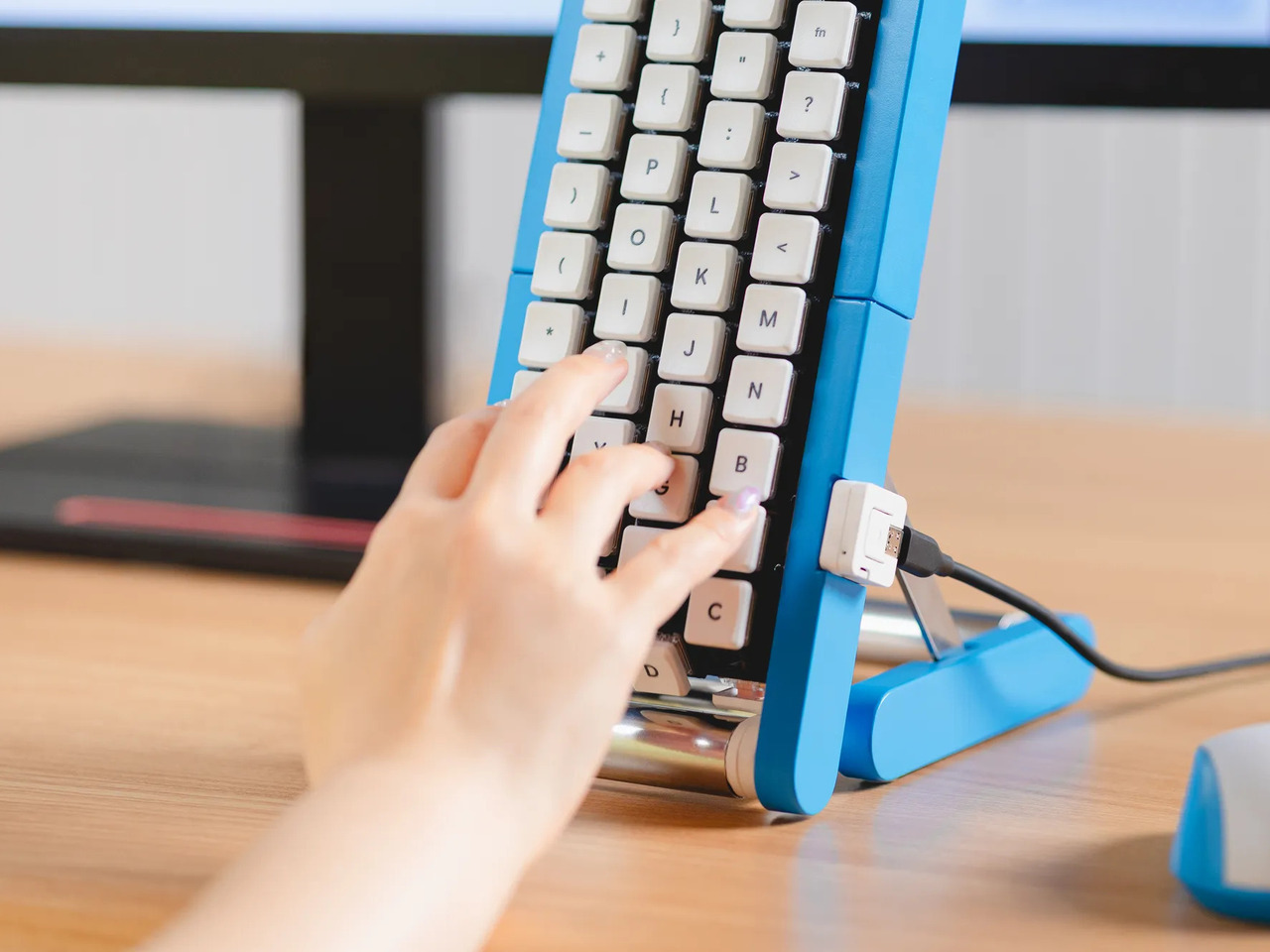
Instead of looking down for a letter, you watch for the right key to arrive and press it as it passes. Google says each belt carries 29 keys and can input both uppercase and lowercase letters. That might let one hand stay near the same spot, though it also turns typing into a timing exercise, especially when the next letter takes its time coming around.
Imagine answering an email with a cup of tea in your free hand. On a conventional keyboard, you’d either put the cup down or hunt for letters one finger at a time. Here, the moving keys do the traveling while you wait at the front of the machine. Google also suggests using your free hand on a mouse, which sounds suspiciously like extra work.
There’s an oddly earnest design lesson underneath the silliness. Questions about ergonomics often begin with who a familiar object was made for, and Google has taken that thought to a ridiculous extreme. The upright arrangement might use less horizontal desk space than a full keyboard, but it trades that footprint for height, moving parts, and the need to watch every passing key.
Google plays along with its own premise, floating ideas for faster movement, longer belts with more characters, shorter versions for phones, and different colors. None of those variations is a promised product. Even the keyboard itself isn’t headed for stores; the team has released open-source plans for a similar device instead. That keeps the joke open to anyone curious enough to build one.
The date is part of the gag, too. Google chose October 1 as a nod to the familiar 101-key keyboard, rather than waiting for April Fools’ Day. It’s the team’s 15th keyboard proposal, continuing a habit of treating ordinary typing as a problem that needs an absurdly elaborate solution. A conveyor belt is hardly the first thing most people would try.
You’re unlikely to write a novel by chasing letters around this contraption, and that isn’t really the point. Google has built a physical answer to a question no keyboard maker was asking: what if the keys did all the moving? It’s a ridiculous way to type an email, but an effective way to notice how much we expect our fingers to do.
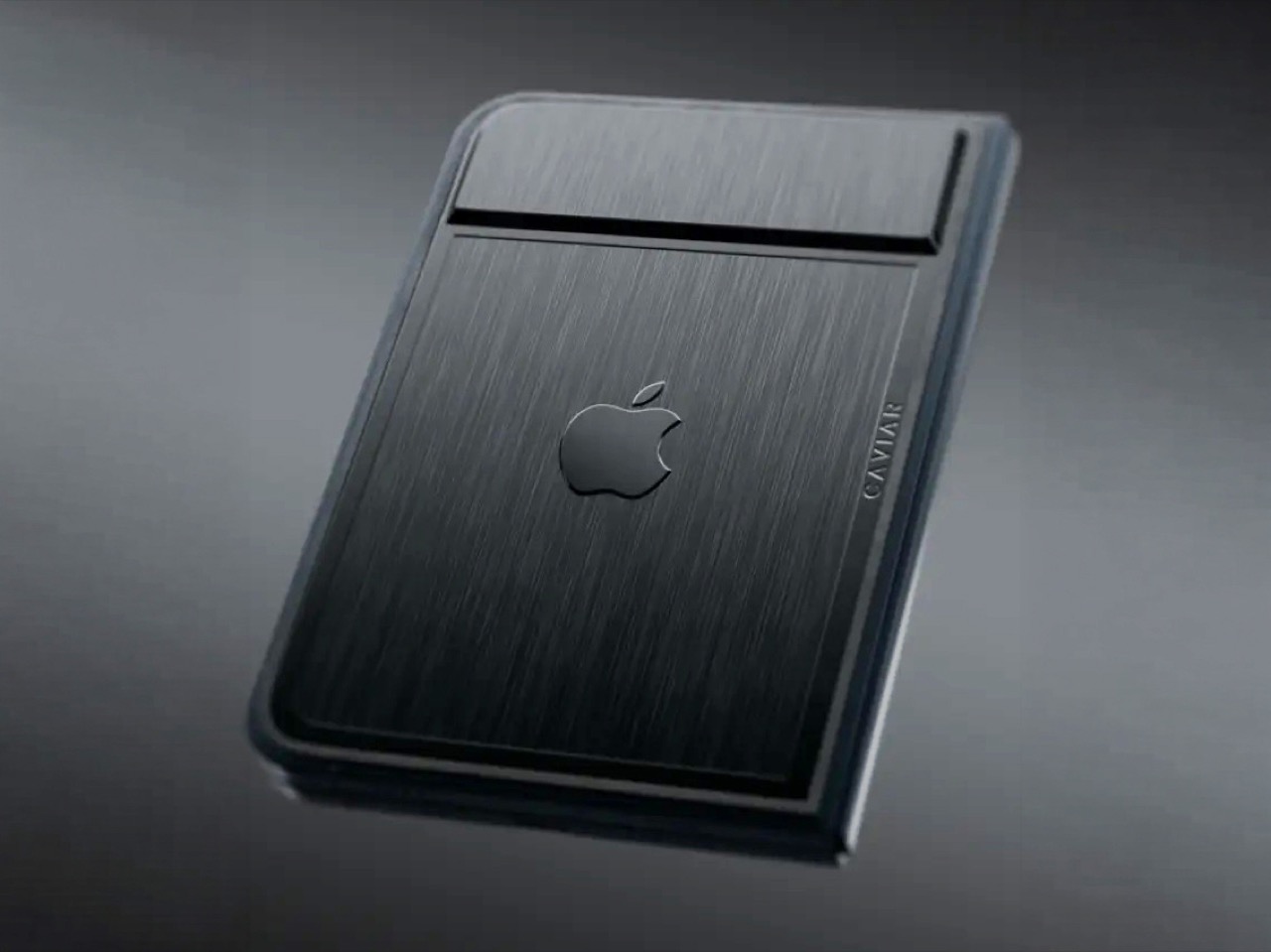
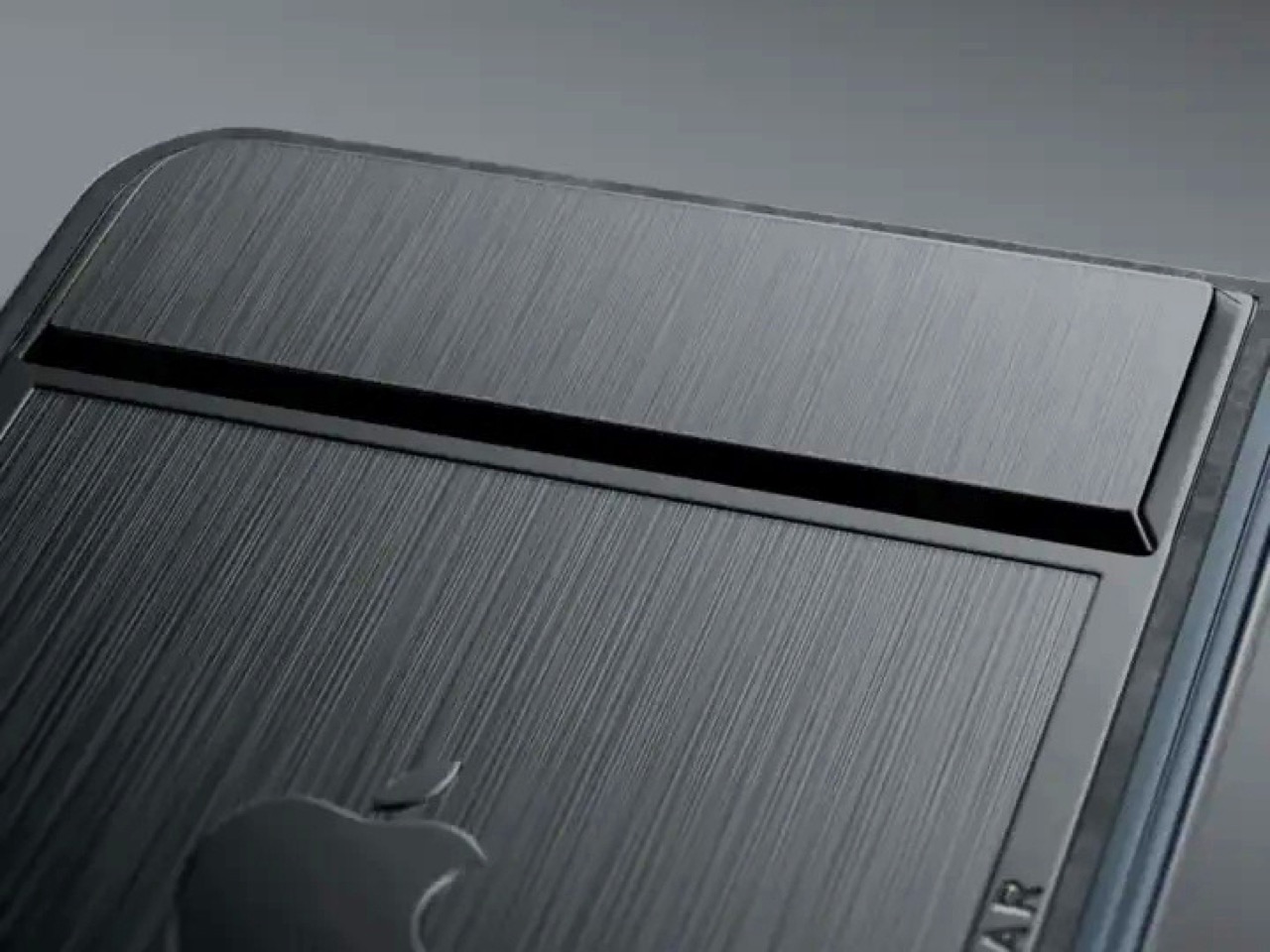
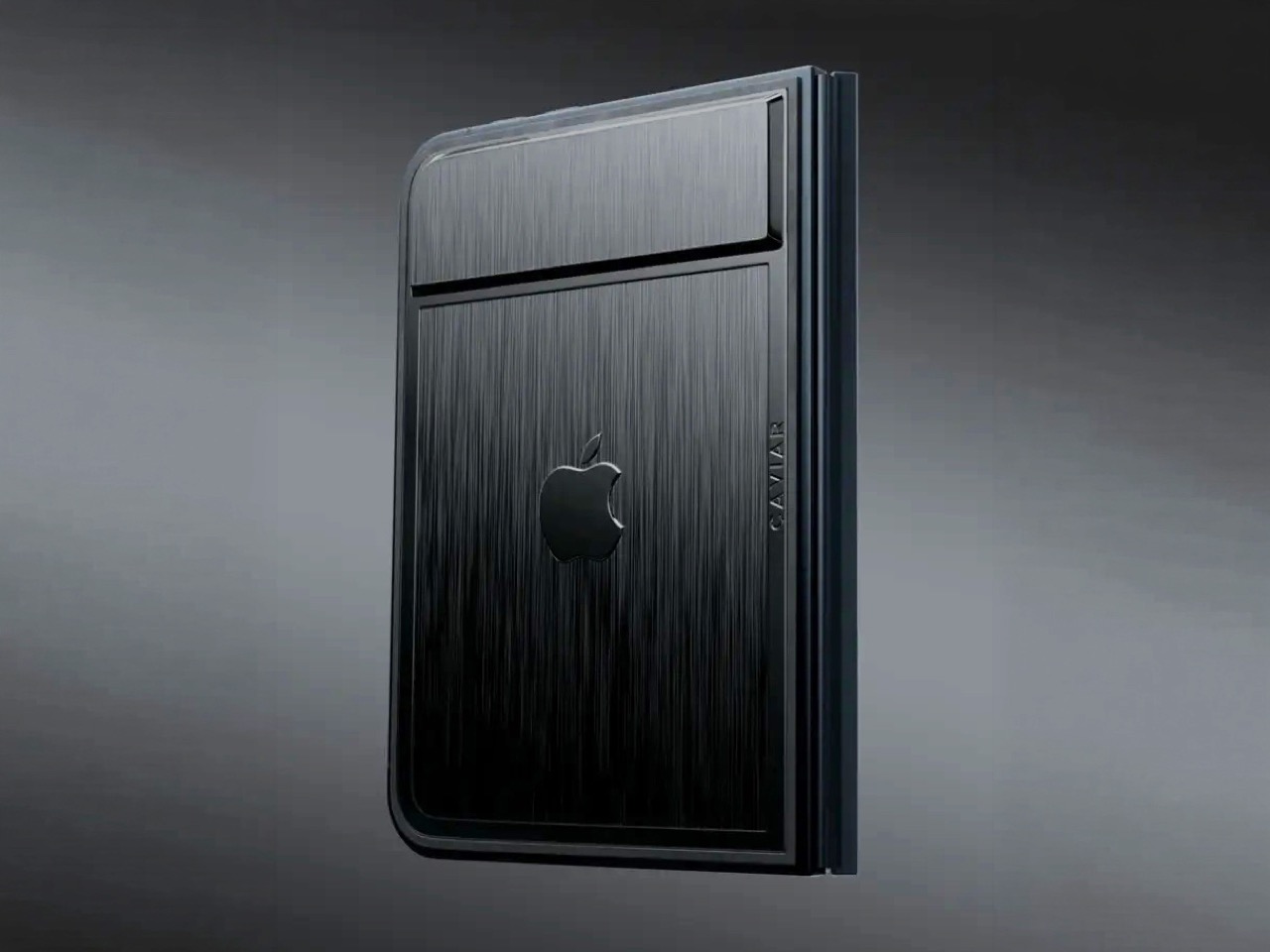
Imagine sitting at a table with friends and whipping your phone out. Your friends see it’s a foldable… then as you unfold it, the animation looks suspiciously like the iPhone Duo. Your friends are impressed, they designate you as the group photo taker… and you tell them regrettably that your iPhone Duo has no cameras. Then you add… not only does it not sport any cameras, it also costs fourteen grand.
To be honest, that scenario is entirely imaginary. Mainly for a bunch of key reasons. Caviar built this version of the iPhone Duo for privacy, championing what they call “Privacy, Minimalism, and a Refined Masculine Style.” Someone who sees truth in that ethos isn’t designated photographer material. And if they were, shelling 14k on a phone means you probably have a few extra grand to hire a photographer wherever you go. The only reason someone buys this hare-brained version of the iPhone Duo is because they can. Plain and simple.
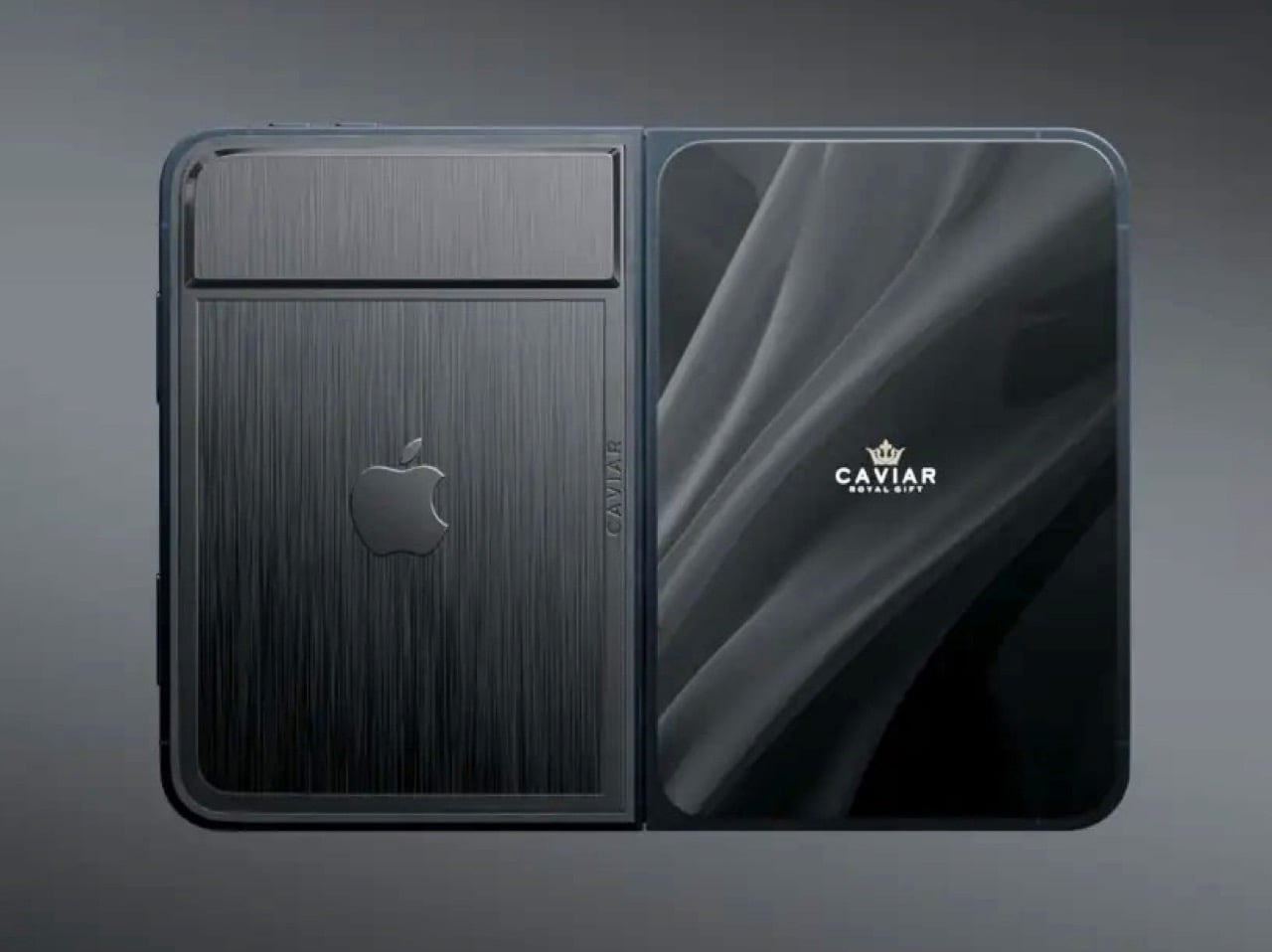
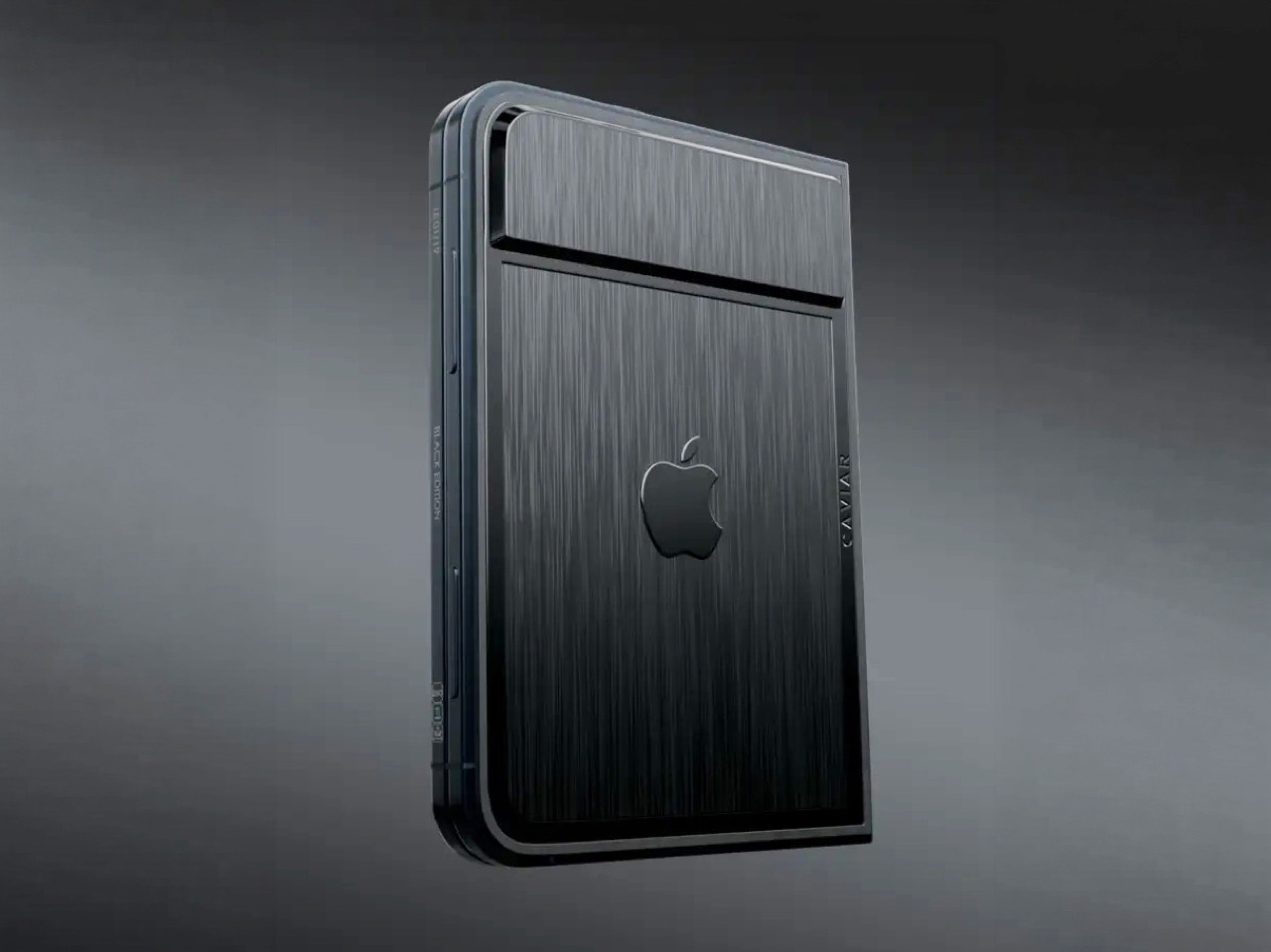
Removing the camera stack from the back of the iPhone Duo does something unexpected: the phone becomes genuinely beautiful. That rear panel, normally dominated by the triple-lens module, turns into a single flat sheet of satin-finished black titanium. No bumps, no rings, no glass circles competing for visual real estate, just one uninterrupted surface that shifts character depending on the light hitting it. Caviar calls the inspiration “supersonic aviation aesthetics,” which sounds like marketing speak until you actually look at the product photos. A blacked-out Apple logo sits flush in the titanium, the Caviar crown marks the opposite panel in a swept fabric-like texture, and the whole thing looks less like a phone and more like a prop from a very expensive spy film.
Apple’s decision to use Touch ID for the iPhone Duo, abandoning Face ID, turns out to be what makes Caviar’s camera-free execution actually hold up. A Face ID phone needs its front camera array to function as a biometric sensor, so pulling that out would mean a very pretty device that cannot unlock. Touch ID lives in the frame rather than behind the screen, so Caviar could strip the entire camera stack, front hole-punch and rear module both, without breaking anything fundamental. Based on product images, the inner display on the Ultimate appears completely clean, no hole-punch interrupting the screen, which makes the inside as seamless as the outside. Two separate design decisions from two separate companies ended up fitting together better than either could have planned.
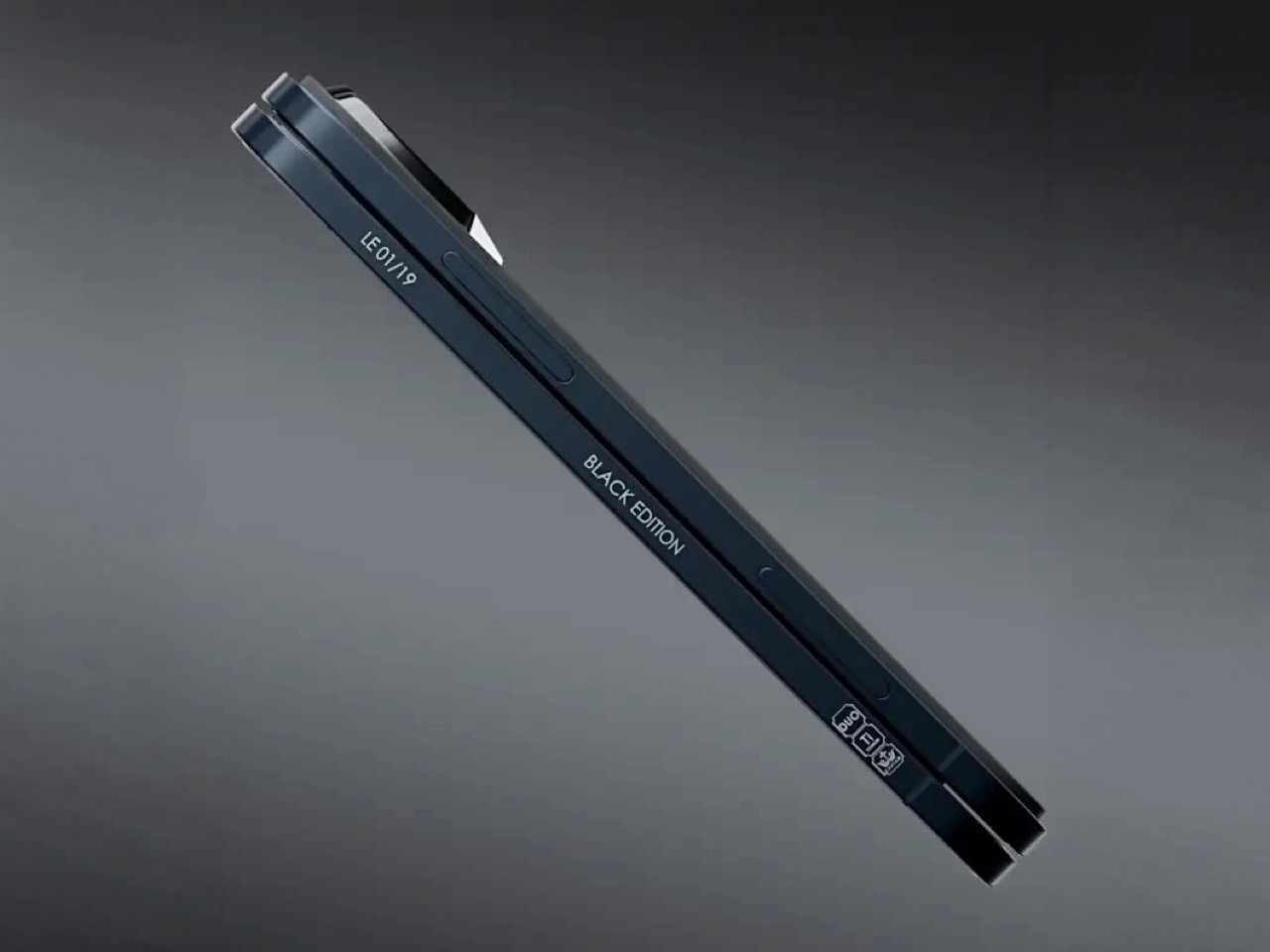
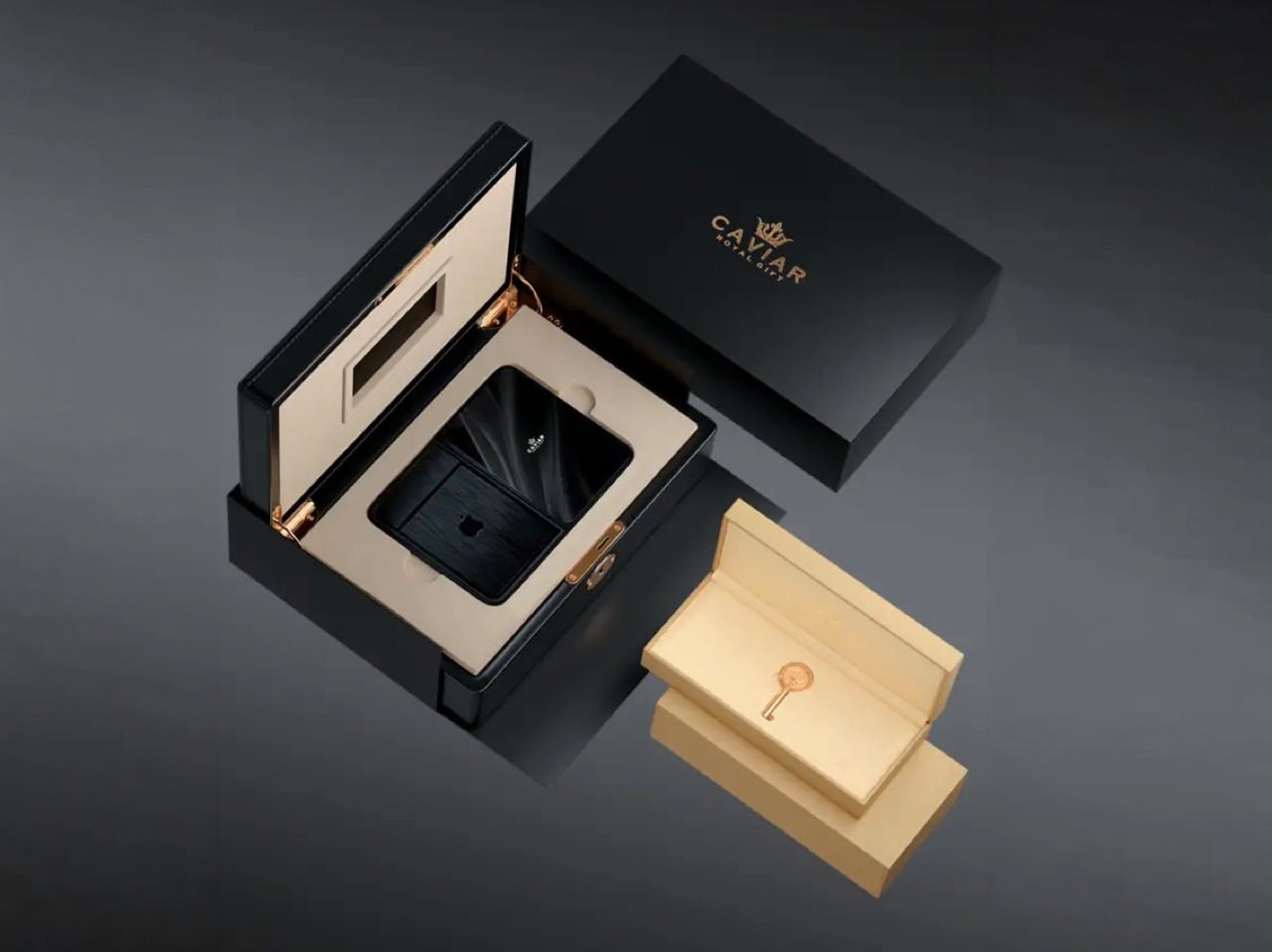
Caviar made 19 of these total. Each unit ships in a custom lockable black luxury box, presented the way a jeweler presents a watch rather than the way Apple ships a phone. A smaller gold-colored wooden case inside holds what appears to be a gold-plated commemorative coin, the kind of object that exists purely to make the unboxing feel like a ceremony. The side of the phone is engraved with a serial number too, for exclusivity. Caviar knows exactly who they are selling to, and made sure the packaging matches the energy.
Caviar has been doing this for years, taking flagship Apple hardware somewhere Apple would never go, for clients who appreciate the gesture. The formula is consistent: start with the most premium Apple product on the market, make it rarer, make it more dramatic, and let the price be the final statement. We have covered their gold-plated and titanium iPhone builds here before, and none of them committed this hard to stripping features as a form of self-expression. At $13,990 for 19 units (mind you, that’s just the 512GB variant), the Ultimate is the purest version of the Caviar argument: a phone that costs seven times its base price because it does less, and somehow makes that sound like the point.
I’m the kind of person who can set down my keys, turn around, and immediately forget where they went. Wallets, earbuds, and bags have a way of disappearing at the least convenient moment, too. A smart tracker can spare you a frantic search, but only if its battery is working and its location can still be found. That makes battery life and the ability to locate an item beyond your phone’s immediate range just as important as a good-looking design.
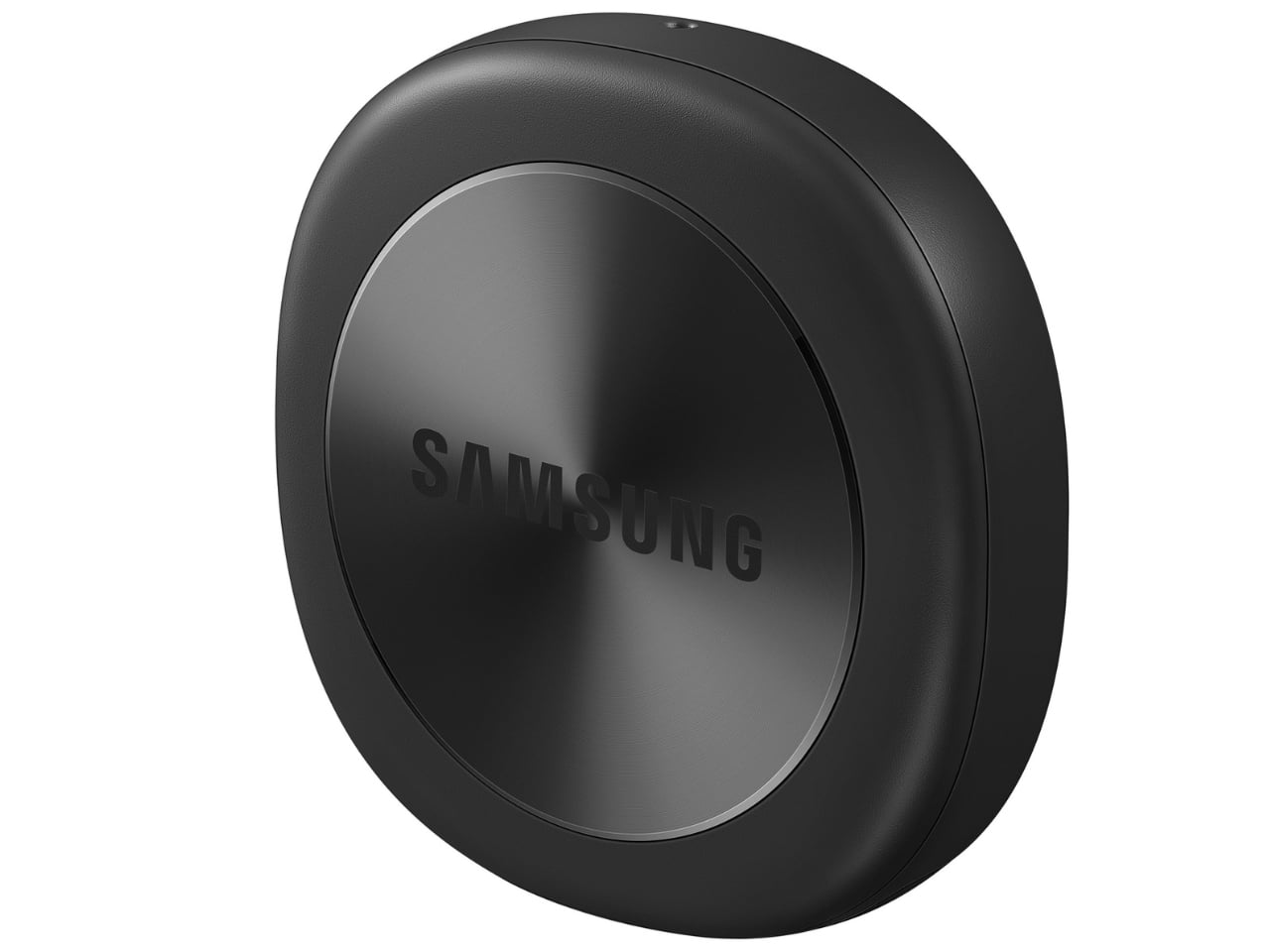
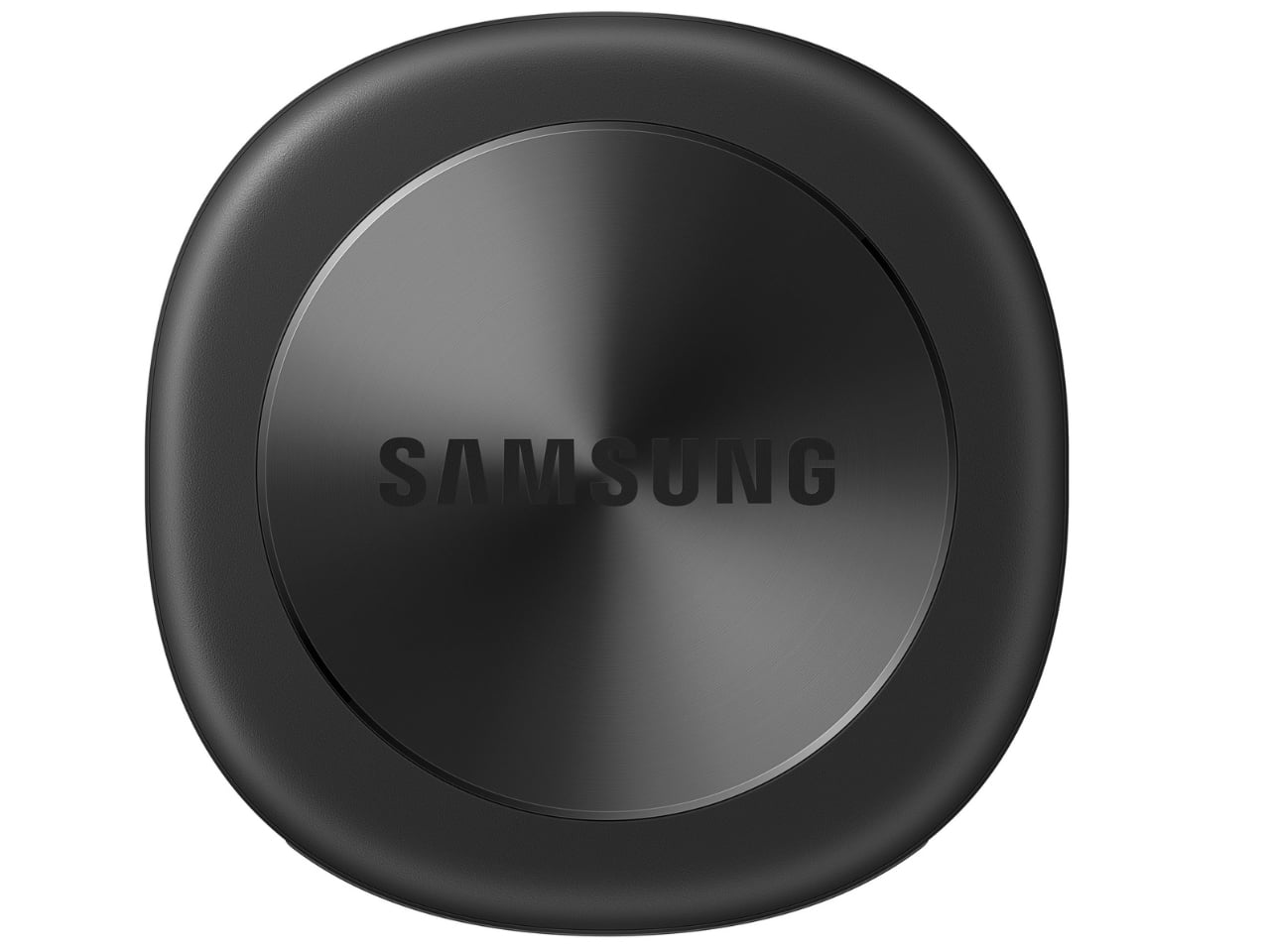
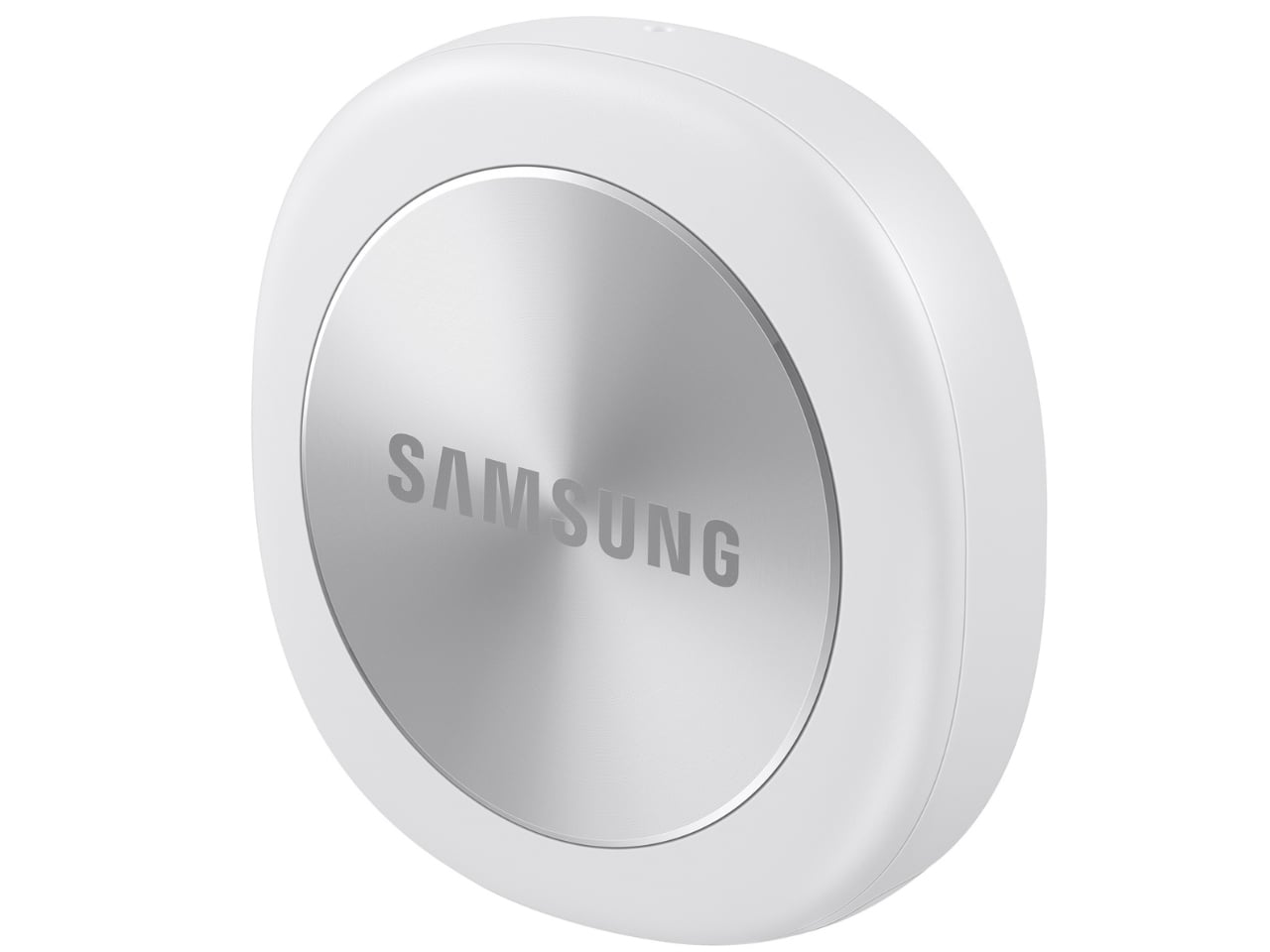
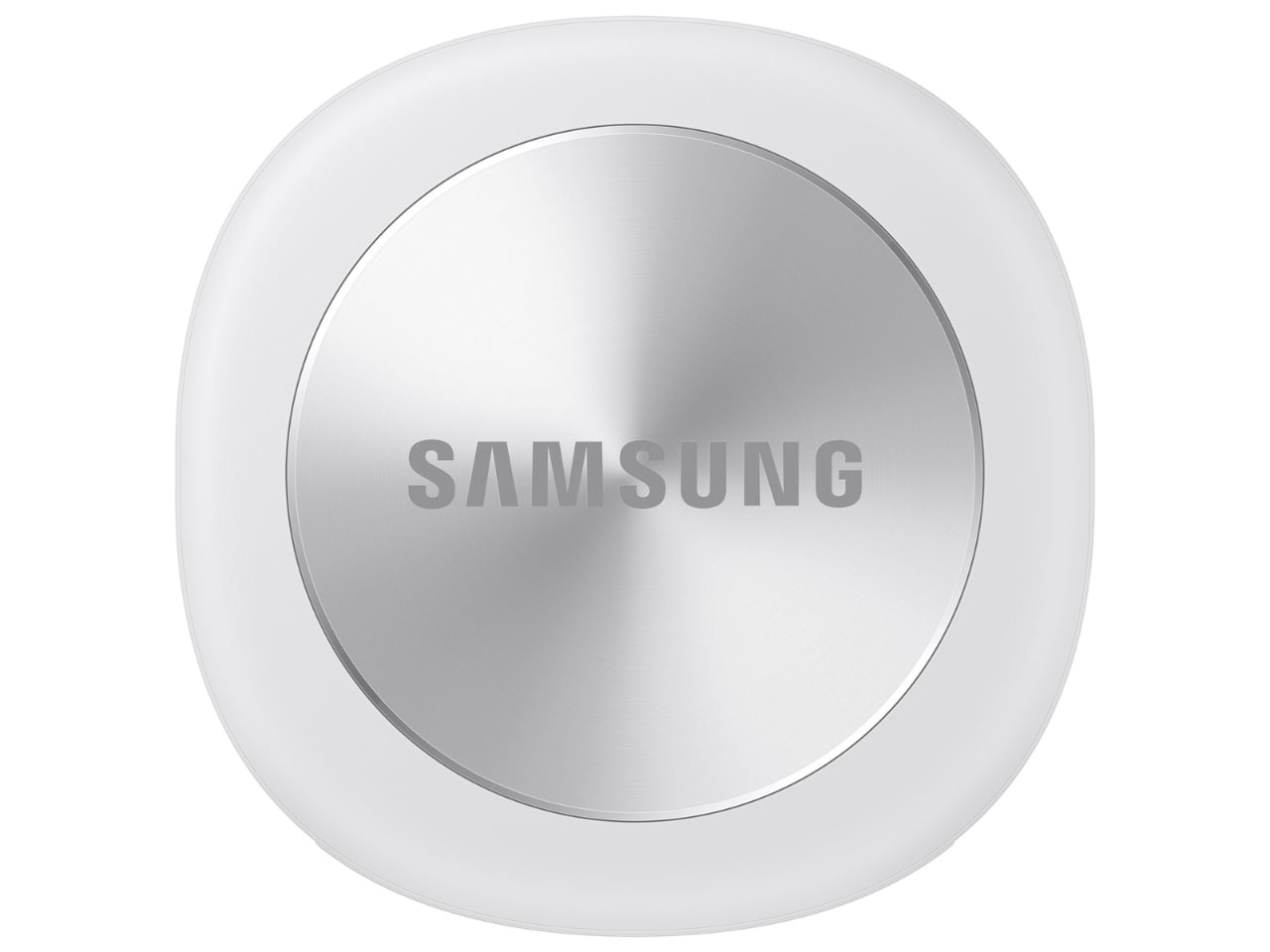
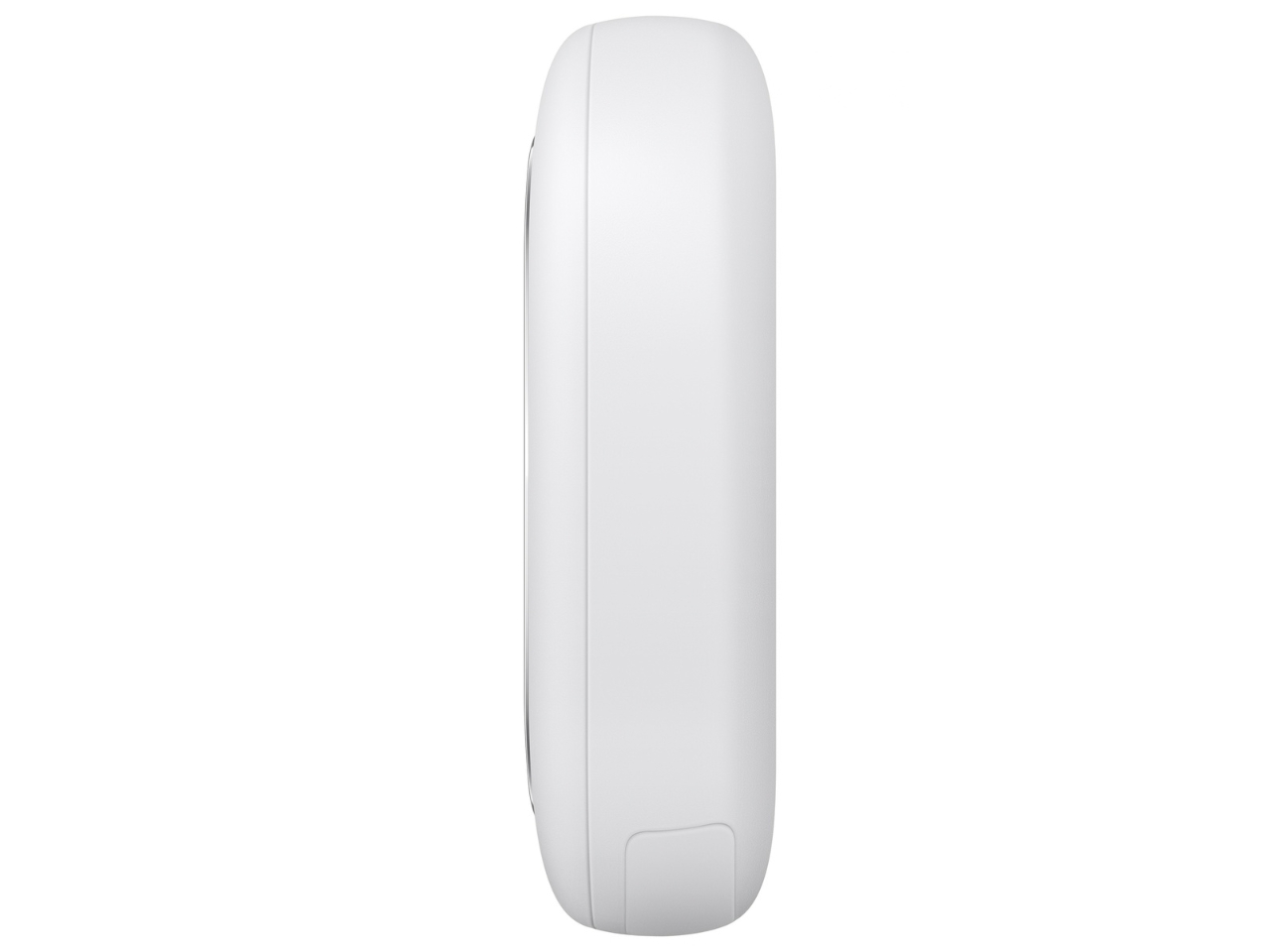
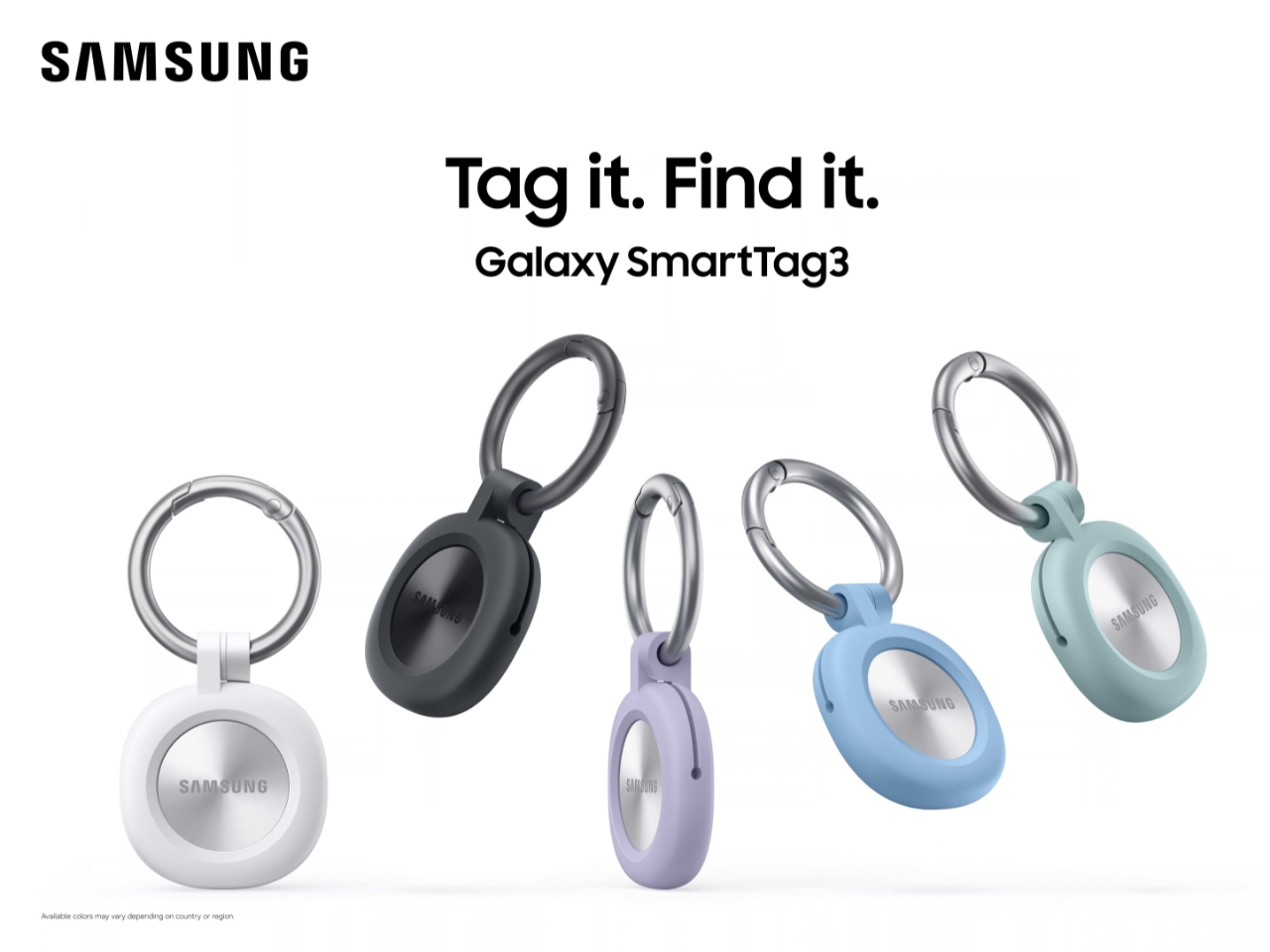
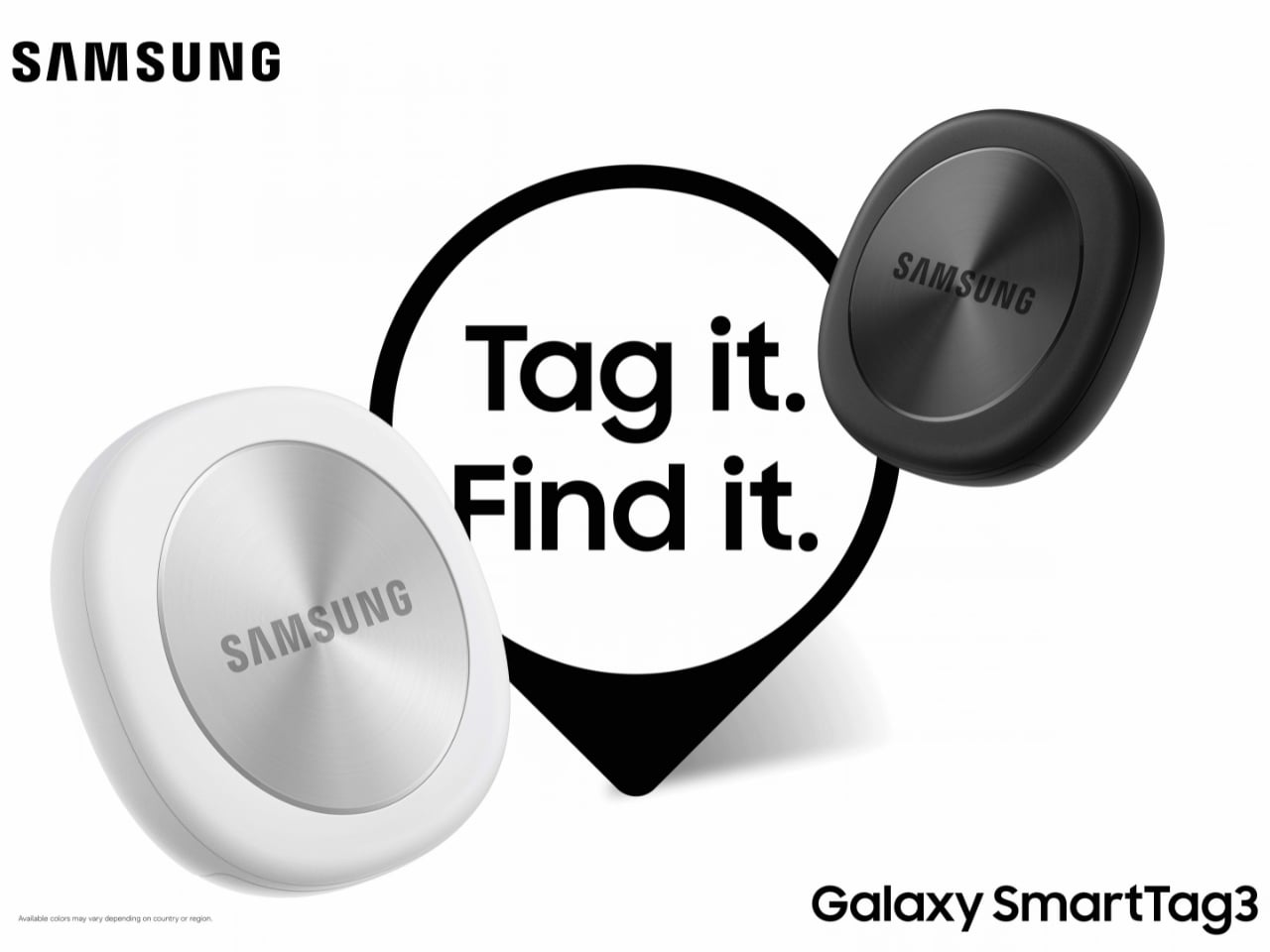
Designed by Samsung, the Galaxy SmartTag3 aims to address those everyday frustrations in a smaller package. Its rounded, nearly square shape gives it a clean look, while its reduced size should make it less noticeable on the things you carry. That matters more than it might seem. A tracker attached to a set of keys needs to be easy to live with every day, not just useful on the rare occasion those keys go missing.
Design: Samsung
The change in shape also raises a practical question: how will you attach it to your belongings? Samsung offers a silicone case with an integrated keyring and a loop case, giving users different ways to secure the tracker to keys or a bag. The smoother outline may look better on its own, but anyone buying one for their keys should consider which attachment will work best.
Samsung says the SmartTag3 is 35% smaller by volume and 33% lighter than its predecessor. It also retains an IP67 rating, indicating resistance to dust and water under specified test conditions. That offers reassurance if the tag gets caught in the rain, though it does not mean the device is waterproof in every situation.
Battery life may be the more meaningful upgrade for anyone who has discovered a dead tracker while looking for a lost item. Samsung says the SmartTag3 can run for up to 550 days under standard usage or up to 790 days in Power Saving Mode. Those figures are based on Samsung’s testing, not a promise that every user will get the same result. Still, a tracker that needs attention less often is less likely to let you down because you forgot to check its battery.
Finding something nearby should be easier, too. Compass View uses Bluetooth 6.0 Channel Sounding to provide distance and directional guidance from up to 60 meters away, about three times farther than on the previous model, according to Samsung. It could help you narrow down where to look before you’re close enough to spot the missing item. Compass View is not available on iOS.
The other finding features are intended to help in different situations. If you leave a tagged bag behind, a Left Behind Alert could prompt you to go back for it, although that feature is also unavailable on iOS. Place Notification is designed to alert you when a tagged item enters or leaves an area you define. Location History and Movement Detection Alert may provide additional clues about where an item has been or whether it has moved. Together, these tools could help you notice a problem sooner and narrow down where to look.
Lost Mode addresses a different problem: helping someone return an item they find. With a compatible phone, a finder can scan the tag using NFC to see the contact information or short message you have registered. That could be useful for a bag left at a café or luggage separated from you during a trip. When an item is beyond your phone’s range, however, location updates depend on nearby participating Galaxy devices. The SmartTag3 should not be treated as a continuous, real-time GPS tracker.
The SmartTag3’s appeal is the combination of a compact design, long claimed battery life, and features that help at several stages of a search. It cannot prevent you from leaving your keys behind, and its alerts will not replace paying attention to your belongings. But if it helps you catch a forgotten bag before you get home, or gives you a useful clue when something disappears, it has done what a well-designed tracker should: made a small, stressful problem easier to manage.
SlopTotal
est un projet qui se présente lui-même comme le "VirusTotal du texte IA", alors faut pas s'étonner que ça m'intéresse ! Vous y collez un texte, un PDF ou une URL, et ensuite 23 détecteurs le passent au crible, en parallèle à l'aide de classifieurs neuronaux, de tests statistiques et autres heuristiques. Ensuite, un score calibré de 0 à 100 résume leurs avis et doit vous dire normalement si tel ou tel texte a été écrit avec de l'IA
J'ai donc installé ça sur ma machine puis passé 36 textes divers et variés (IA et humains) dans mon instance. Parmi eux, 24 ont été écrits par Claude, ChatGPT et Gemini (12 en français, 12 en anglais), avec comme consigne d'avoir un ton neutre, et pour d'autres un ton de "blogueur" ^^. Les 12 autres textes, eux, sont humains. Je lui ai donné 6 de mes articles écrits entre 2018 et 2021 ainsi que 6 billets de blog tech en anglais publiés entre 2020 et 2021.
Voici donc mes résultats...
Sur les 12 textes humains, 4 ont été pris pour de l'IA (verdict "Likely AI-generated" ou pire), ce qui représente 33 %, et ils étaient tous en anglais !! Et sur mes 24 textes écrits par une IA, 9 ont été pris pour une réalisation humaine (verdict "Clean"), ce qui équivaut à 38 %. Ah et ils étaient tous en français.
Le README annonce pourtant mieux comme résultats donc je suis assez étonné (1 texte humain sur 66 classé "Likely AI"), mais sur d'autres genres de textes, comme la presse ou les livres et en 100% english. Alors oui, mon échantillon est petit, mais pour savoir si un texte vient d'une IA, SlopTotal ne me semble pas fiable
Le rapport de SlopTotal pour un article de 455 mots écrit par Claude : 23,6 sur 100, verdict "Clean", 4 moteurs sur 23 en alerte.
Le rapport de SlopTotal pour un billet du blog d'avril 2020 : 56,9 sur 100, "Likely AI-generated", 9 moteurs sur 23 en alerte.
Après c'est pas un nouveau problème car je pense par exemple à OpenAI qui a retiré son propre classifier en juillet 2023 parce que la précision était trop faible (
The Register
). Vanderbilt a débranché également celui de
Turnitin
le mois suivant et
des chercheurs de Stanford
ont testé en 2023, 7 détecteurs en leur faisant analyser 91 rédactions humaines TOEFL de non-anglophones et en moyenne, ils en ont pris 61 % pour de l'IA.
Toutefois, 2 études plus récentes ont également testé des détecteurs commerciaux (pas SlopTotal donc...), et sur du texte humain ancien, elles se rejoignent.
Le NBER
trouve par exemple un taux de faux positifs quasi nul chez Pangram, de 0,1 à 0,3 % chez OriginalityAI et d'environ 0,7 % chez GPTZero, sur 1 992 textes humains d'avant 2020. De son côté, le chercheur
Jonathan Karr et ses collègues
n'ont trouvé aucun positif IA en testant avec Pangram et GPTZero, des tonnes de résumés textes datés de 2013 à 2015.
Par contre, ces études divergent sur l'humanisation. Par exemple, selon le NBER, Pangram tient bon face à l'humanizer StealthGPT alors que moins de 4 % des textes IA passés par Undetectable AI restent signalés chez Karr. Ce dernier note aussi qu'à l'inverse, un résumé écrit par un humain et simplement retouché par une IA est quant à lui, signalé comme IA dans 38 à 80 % des cas. Ça pourrait expliquer pas mal de petits problèmes de "littérature" qu'on a en ce moment, looool.
Bref, installez-le pour vous faire votre propre idée, en commençant par des textes dont vous connaissez l'auteur, mais surtout pas pour "accuser" quelqu'un. Je pense d'ailleurs qu'aucun détecteur ne devrait être la seule preuve d'une accusation... Par exemple, un texte humain qui est passé dans un correcteur orthographique full IA ou alors un texte qui est dicté avec un modèle de speech to text IA peuvent très bien être reconnus comme étant des textes IA alors qu'en fait ce sont juste des textes écrits / dictés par des humains et qui ont été "un peu" modifiés ou "un peu" réorganisés par un LLM. Je dis ça parce que c'est exactement ce que fait mon application de reconnaissance vocale
Kassis
, qui dispose de fonctionnalités de correction et de réécriture... héhé.
La société de sécurité Depthfirst a publié un billet que j'ai trouvé intéressant dans lequel ils expliquent en gros que les conteneurs (Docker et compagnie) ne sont plus une barrière de sécurité suffisamment solide. La thèse du papier, c'est qu'il faut désormais partir du principe qu'un attaquant (hacker ou malware) saura sortir d'un conteneur quand il le veut, sans grande difficulté.
En effet, un conteneur comme ceux que font tourner Docker ou Kubernetes, donne à un programme l'impression d'avoir sa propre machine. Sauf qu'en réalité, il n'embarque pas de système d'exploitation. Tous les conteneurs d'un serveur passent par le même noyau Linux qui est celui de l'hôte et dont le rôle est de gérer pour eux la mémoire, le processeur ainsi que le réseau.
Toutefois, beaucoup d'organisateurs de CTF notamment s'y fient les yeux fermés et hébergent plusieurs épreuves sur le même serveur, chacune dans son conteneur, en comptant uniquement sur la sécurité de l'hôte. Mais c'est un faux sentiment de sécurité, j'en veux pour preuve ce
bulletin de sécurité
d'AWS daté de novembre 2025 où il est expliqué que l'entreprise ne considère plus les conteneurs comme une barrière de sécurité et ne s'en sert donc plus pour isoler ses clients les uns des autres.
Ce qui a changé depuis quelques mois, vous le savez, c'est le prix d'entrée de la recherche de failles puisqu'avec les modèles d'IA de pointe, même un attaquant avec des moyens modestes peut fabriquer sans effort, dès la publication d'une faille, un exploit contre des machines qui ne sont pas encore corrigées, alors qu'avant ça demandait de sérieuses compétences.
source : Depthfirst
Et les chiffres publiés par Depthfirst montrent que tout ça s'accélère puisque 249 CVE ont été publiées pour le noyau Linux en janvier, et en août on en a eu 1 650 !
Depthfirst relève également que sur les 36 CVE divulguées via le kernelCTF de Google, 13 sont réalisables via des interfaces ordinaires comme celles qu'un conteneur reçoit par défaut (dont les sockets locaux). En fait, on en croise sans le savoir dès qu'on passe systemd, Docker ou une base de données locale.
Le 24 juillet dernier, Depthfirst a même décroché une place au kernelCTF avec un exploit 0day (donc avant tout correctif) et aujourd'hui, le PoC est en accès libre sur GitHub. Rassurez-vous, côté noyau Linux, le correctif est sorti le 6 août mais malheureusement, côté Ubuntu la mise à jour au 24 septembre, affichait encore que le noyau de la 26.04 était en "Vulnerable, work in progress" et celui de la 24.04 en "Vulnerable". Bref, trouver des vulns ça va vite. Fixer ces vulns sur TOUTES les releases et les machines, ça prend du temps. Alors qu'avant c'était l'inverse. Bref, tout a été chamboulé et c'est un peu la merde maintenant niveau cybersécurité pour patcher rapidement.
Alors comment se protéger de tout ça ?
Hé bien la solution de Depthfirst va vous mettre en PLS car eux proposent carrément de ne plus partager le noyau. Ils recommandent à la place de migrer les charges non fiables vers des microVM, autrement dit des machines virtuelles légères où chaque charge aura son propre noyau.
Le projet Firecracker
en fait partie tout comme Kata Containers comme ça, en théorie, si un attaquant casse l'un de ces noyau, il ne compromet que sa propre instance et pas l'hôte dans son entièreté ni ses voisins.
Reste que Firecracker s'appuie sur KVM, la brique de virtualisation du noyau Linux de l'hôte. Et comme vous le savez, KVM a eu ses propres failles. En effet, cet été,
la faille Januscape
ouvrait en grand la porte de la machine physique à un attaquant pourtant enfermé dans sa VM, à condition bien sûr que l'hôte autorise la virtualisation imbriquée (une VM dans la VM). Alors certes, la surface d'attaque est plus petite mais loin d'être nulle.
Voilà, en attendant, si vous êtes sous Ubuntu 24.04 ou 26.04, surveillez bien la mise à dispo du prochain noyau. Canonical a d'ailleurs annoncé il y a peu, une publication hebdomadaire des noyaux pour tenter de compenser cet emballement.

 Connexion