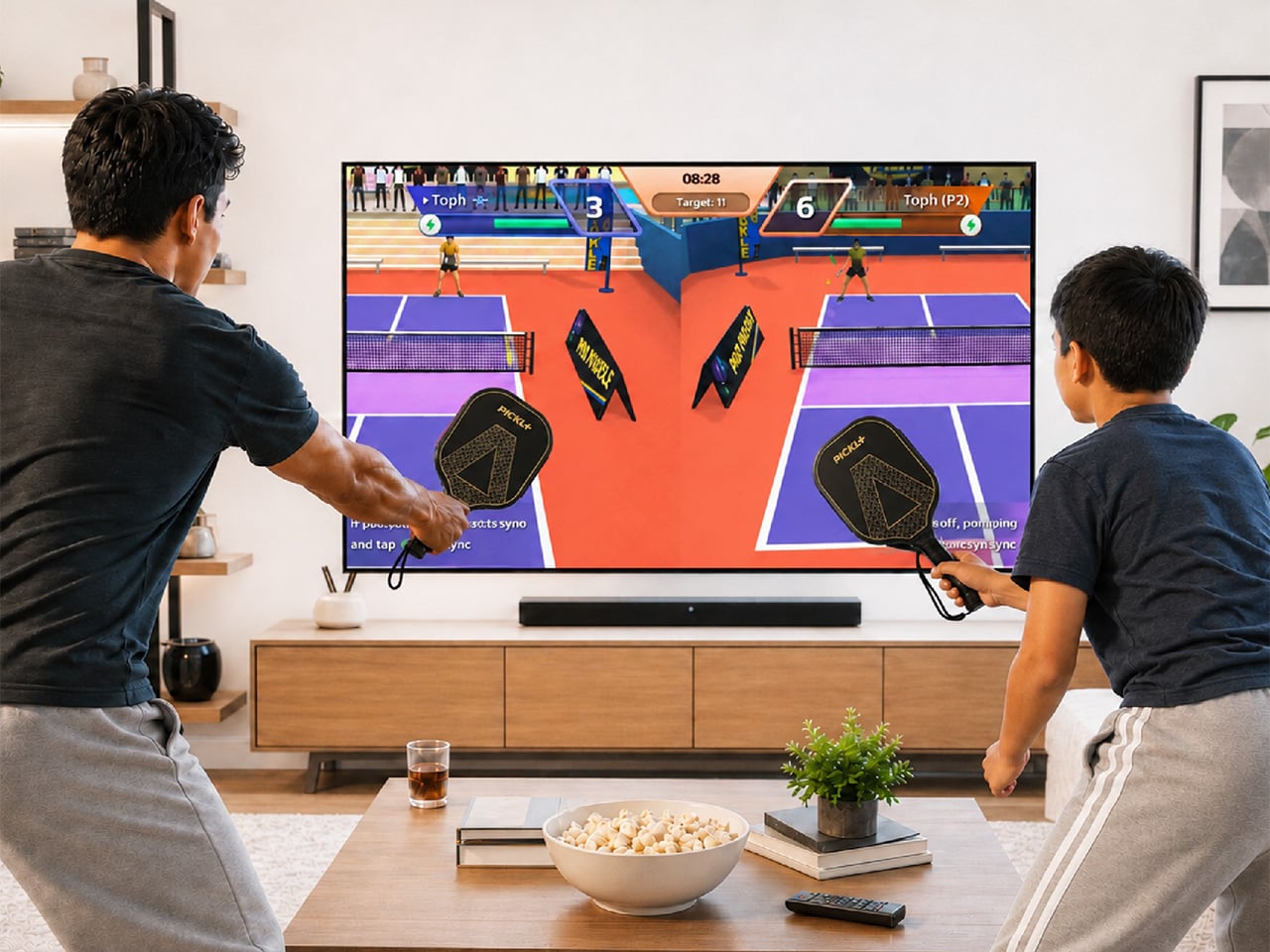
Pickleball has officially escaped the court. At some point in the last two years, it stopped being ironic and became a lifestyle: parking lots of suburban rec centers filled up, TikTok feeds followed, then came the celebrity investors, the professional leagues, the branded paddle drops, and the kind of mainstream saturation that tells you a sport has officially graduated from niche to undeniable. Getting turned into a Wii-style digital pastime is, at this point, a rite of passage for any sport that has truly made it. Tennis got there. Golf got there. Boxing, baseball, bowling. MegaShot Pickl+ is the moment pickleball collects that particular badge, and it does so with an actual sensor-embedded pickleball racket for authentic gameplay, not some generic rectangular controller.
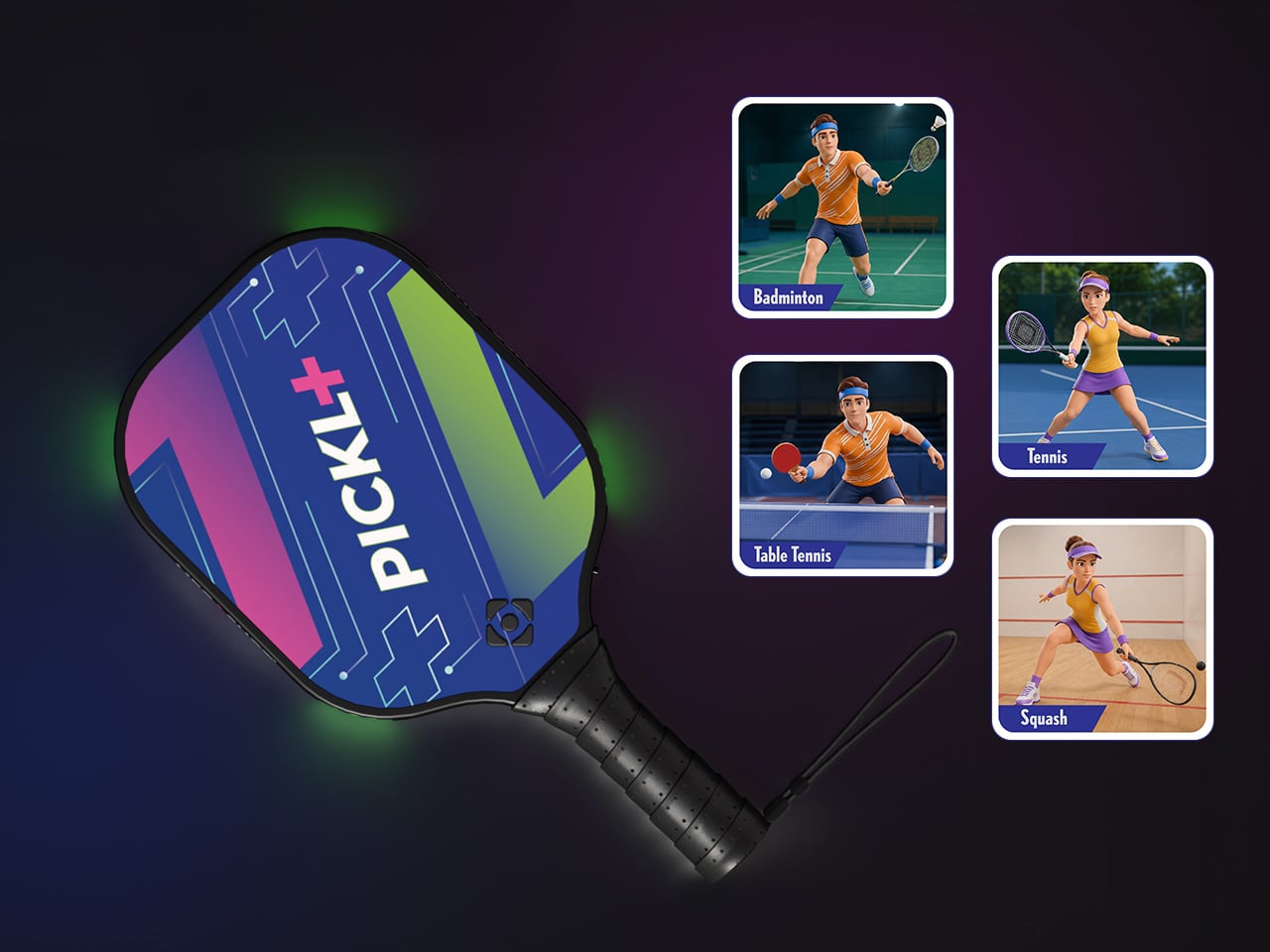
The smart paddle pairs with your phone, tablet, or laptop over Bluetooth and sends the game to your TV (via an included cable) for big-screen play, mimicking your real swing movements on screen and firing haptic feedback through the handle on every hit. A split-screen mode lets you play multiplayer on the same screen too, making it a great family entertainer. No court reservation, no weather to negotiate with. The Wii taught an entire generation that swinging something in your living room could feel surprisingly real. Pickl+ is betting that a generation raised on that premise is ready to do it again, this time for the sport that has genuinely taken over the world, and without an extra console to add to the mix. The Starter Edition is on Kickstarter now for $175, down from a planned retail price of $249 and the campaign has been backed 500% in just 24 hours! Pickl+ will be compatible with sports like tennis, ping pong, and badminton with more racket sports planned for the same smart-paddle platform.
Under the hood, Pickl+ is built around a 9-axis sensor that reads the angle, speed, and arc of every swing for precise motion tracking. The haptic feedback responds distinctly to different kinds of hits, making the on-screen action feel genuinely tied to what your arm is actually doing. The paddle weighs around 300 grams, carries a 2000 mAh battery rated for up to five hours of continuous play, and charges over USB-C. Bluetooth 5.2 handles the wireless pairing, while an MHL cable connects your phone to the TV when the living room demands a proper screen. The app runs on Android 14+, iOS 18+, Windows, and macOS. Setup is as minimal as it sounds: download, charge, pair, connect, play. Unlike the Wii, Switch, or the Meta Quest, no extra console or hardware needed.
Most gaming hardware asks you to adapt to the machine: learn the buttons, the gestures, the control scheme. Pickl+ goes the other direction. You know how to hold a paddle, and you know what a swing feels like. Rather than turning a conventional controller into a sports accessory, Pickl+ turns the sports object itself into the controller. The technology is essentially trying to disappear into the physical experience, which is part of what makes it a more interesting object than just a clever game controller.
Ten-plus game modes ship at launch, including Streak, Practice, Split Mode, Career, Local Multiplayer, Target, and Beach Mode, with more already in the pipeline. VIP unlocks exclusive virtual courts, daily bonus challenges, glowing paddle effects, custom ball trails, and profile cosmetics.
Before the Kickstarter campaign went live, the beta version of the paddle was showcased at New York Toy Fair, where people across different age groups, including gaming enthusiasts and industry experts, got hands-on time with the motion tracking, gameplay, etc. It gave MegaShot an early real-world read on how quickly people understood and enjoyed the experience. Motion gaming can look impressive in a controlled demo; the real test is whether someone can pick up the paddle, understand what to do, and immediately have fun. New York Toy Fair gave MegaShot that read before asking anyone to back the campaign.
MegaShot arrived at this with receipts. Before Pickl+, the company built a smart bat, which sounds hyperlocal until the numbers land: 100,000+ units sold worldwide, 2,700+ Amazon reviews, and ratings above 4.5 across Google, Amazon, the Play Store, and iOS. The Smart Bat earned the team a spot on Shark Tank India, coverage across major publications, and placement on Walmart shelves. Cricket was a demanding proving ground, the kind of sport where precision hardware lives or dies by real player feedback. That foundation gave MegaShot a validated tech stack, a battle-tested supply chain, and the track record that earns trust going into a bigger, more globally ambitious launch.
Pickleball is the entry point for something larger. The same paddle hardware is designed to eventually support tennis, badminton, table tennis, and squash, with the VIP Pass carrying across sports as they are added. That roadmap turns Pickl+ from a single-sport product into a platform for multiple racket-sport experiences, which changes the value calculation considerably. The most globally accessible racket sport of this decade is also, as it turns out, the perfect vehicle for a company that built its credibility in one market and is now ready to find out how far a smart paddle can travel.
The Starter Edition, one smart paddle and an MHL cable, is available at its $175 Kickstarter launch price, versus a planned $249 retail price. Duo packs start at $275 for two paddles with a cable, while the Starter VIP Duo Pack, which throws in a VIP Pass, runs $315.
The Signature Edition, the premium single-paddle option, comes in at $349. The Signature Duo Edition bundles two premium paddles with cables, a VIP Pass, and protective sleeves for $499. Worldwide shipping begins in early 2027, covering the US, Canada, the UK, Germany, Australia, New Zealand, UAE, and India.
When it comes to stationery and my work and leisure desk, I consider my aesthetic to be messycore and maximalist. Having a lot of pens and other supplies on hand whether for work or for my journaling sessions is normal for me. I tried to use some desk organizers, but it seems that there is order in my chaos and I can still find what I need when I need it, although it doesn’t really look all that Instagrammable. That hasn’t stopped me from looking at and exploring desk organizers and pen holders, especially ones that look different from the usual.
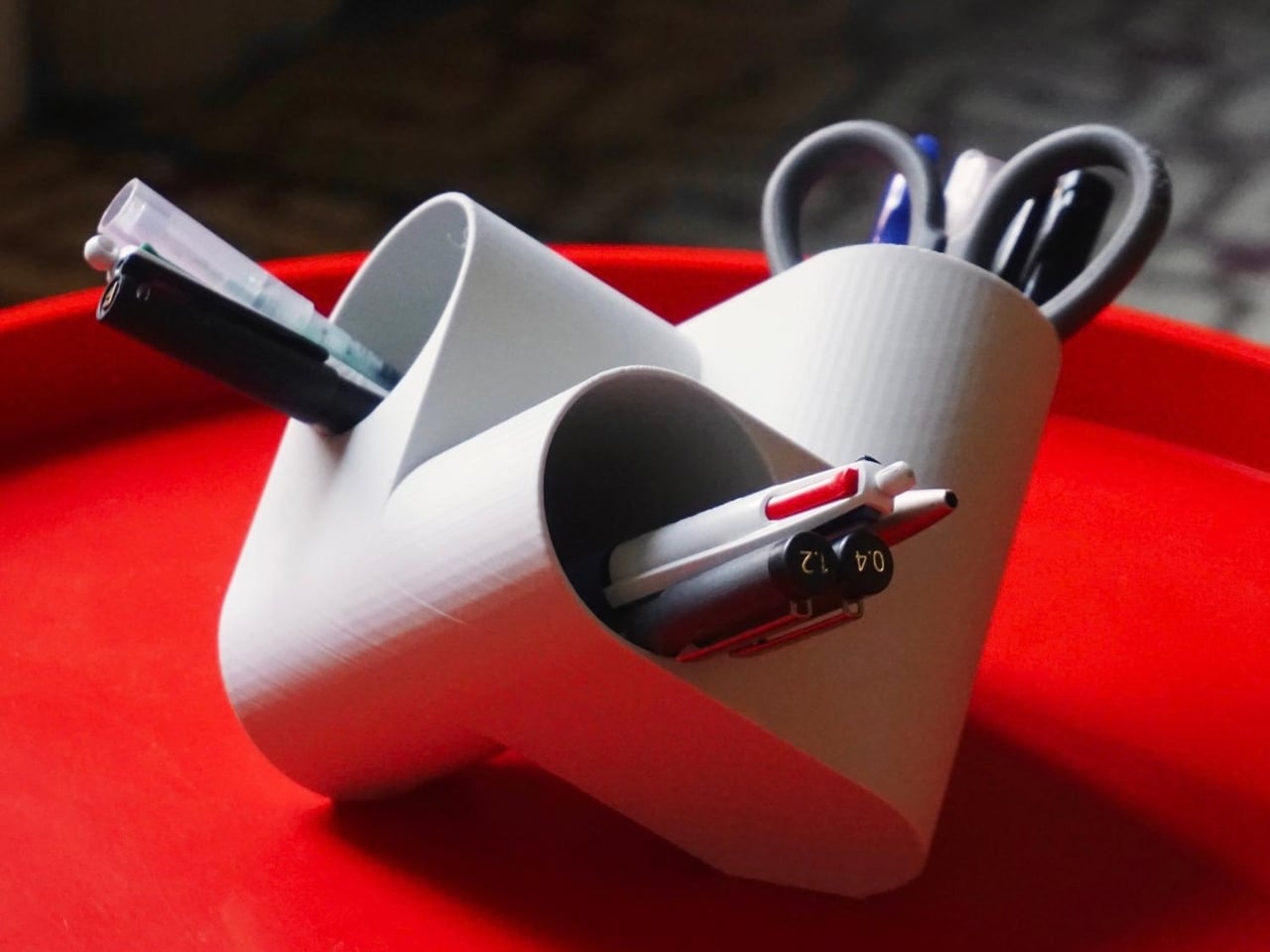
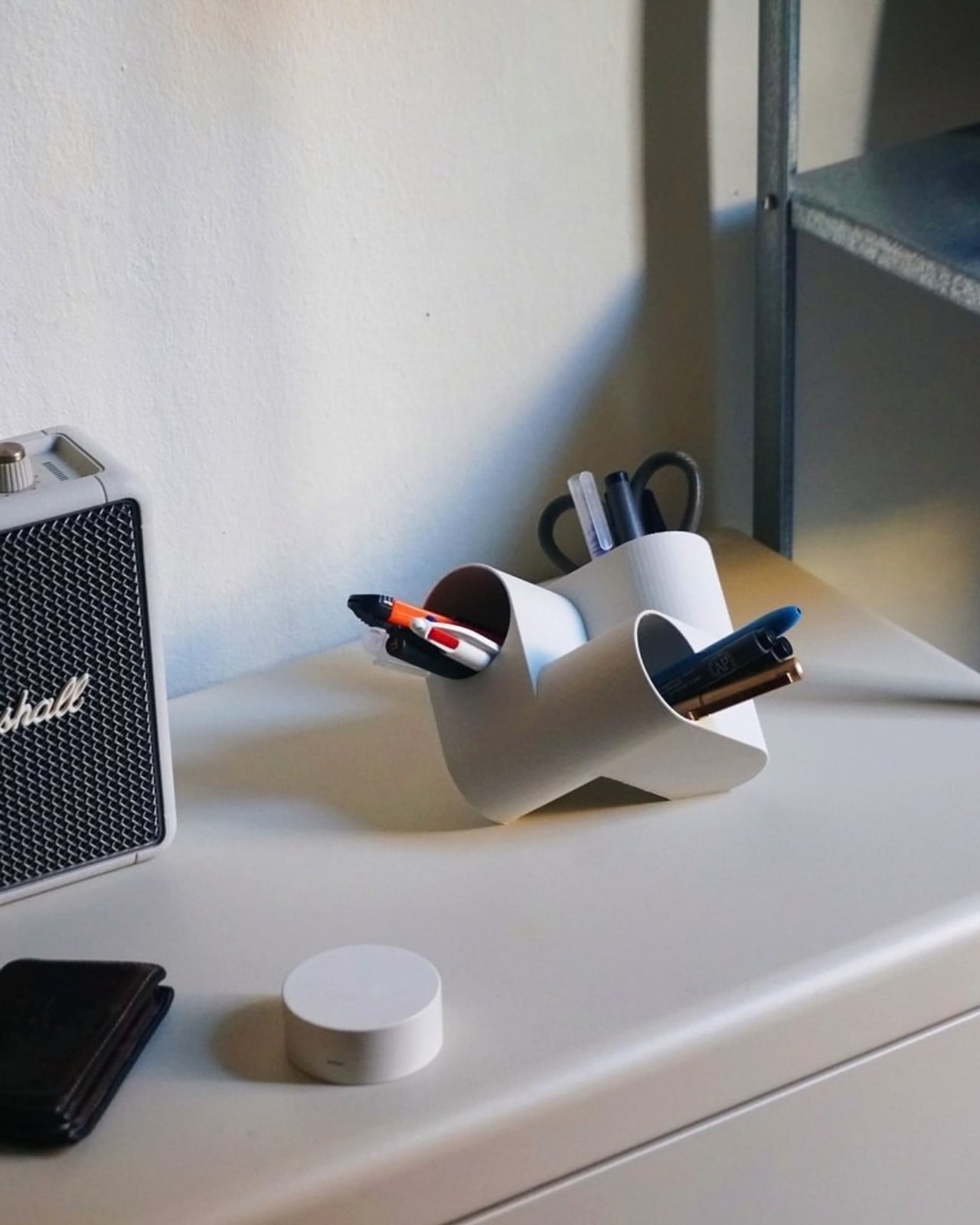
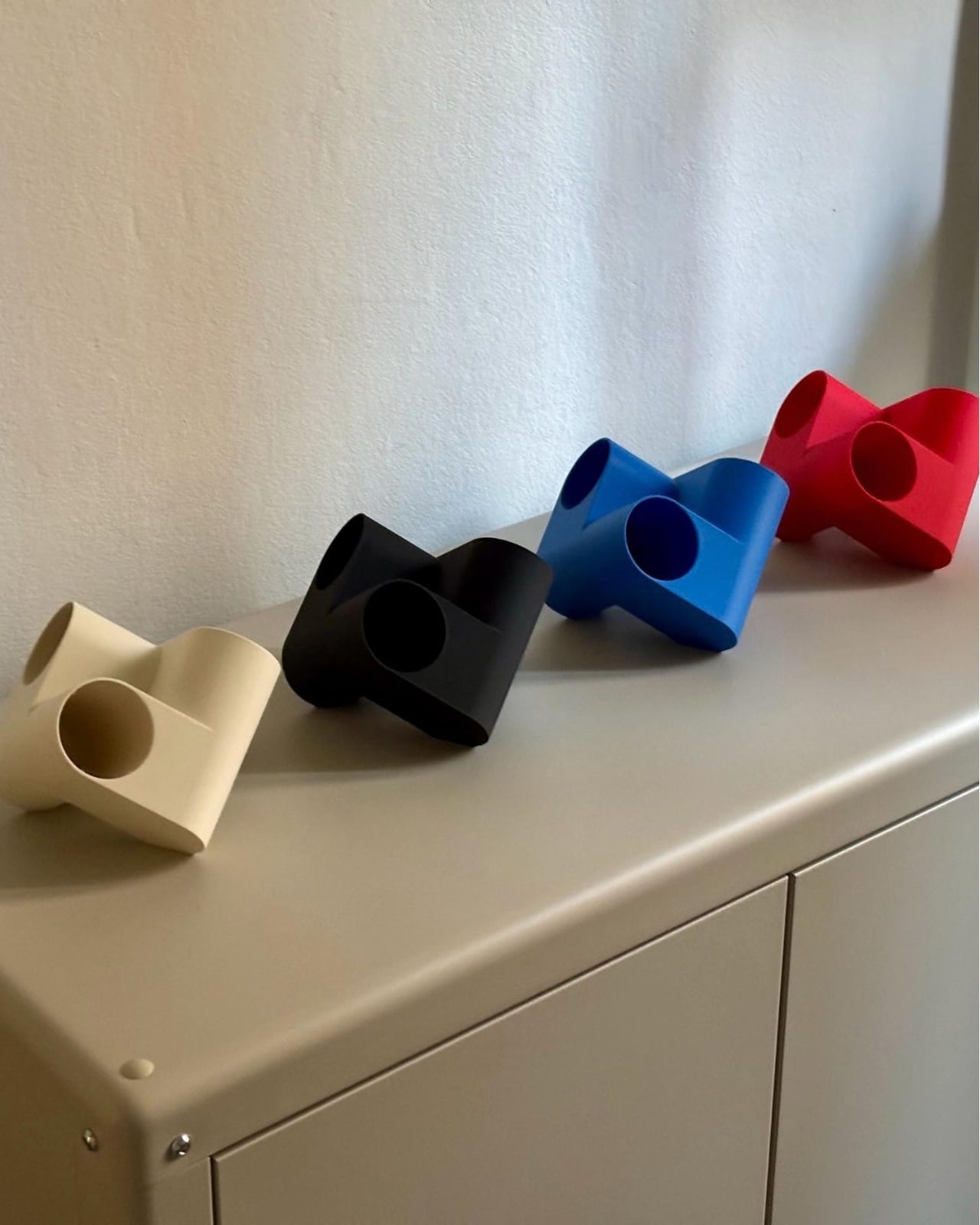
Ciclo is one such pen holder from Spanish industrial designer Eduardo Blanco. The way it’s designed is for you to have more space for your various stationery items and also to give your desk a kind of sculptural-looking organizer that looks good in person and also when you decide to do a post of how your desk looks at the moment. The inspiration for the design actually comes from mathematics and the name itself has ties to it.
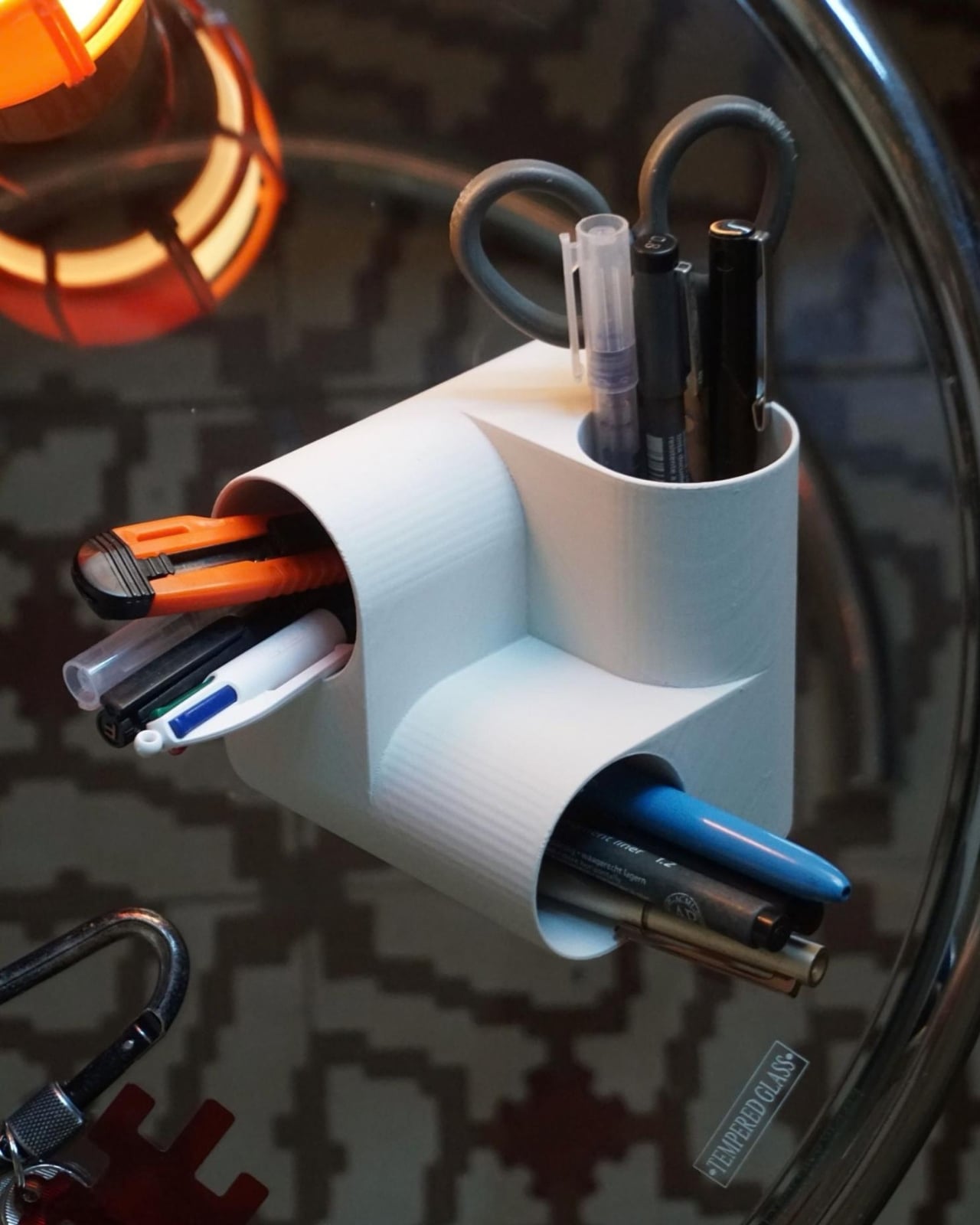
Blanco said he wanted something that didn’t look banal on his desk. The inspiration comes from the Cartesian coordinate system, using three cylinders repeated around the same axis that are stacked and joined one on top of the other. Think about the X, Y, Z axes discussed during math classes (which I would rather forget) but brought to life as a sculptural stationery object. What would normally be a mundane or ordinary object is transformed into a well-designed piece that would look at home at an office desk, a creative workspace, or your side table. Aside from looking beautiful just sitting there, it also means you have three spaces to put your pencils, pens, markers, scissors, cutter, and other supplies you need to organize on your desk.
And honestly, that’s where Ciclo wins me over. Even for someone like me, whose desk looks like a stationery store had a very good time, there’s something undeniably appealing about having one piece that anchors the whole thing visually. You don’t have to be a minimalist to appreciate a beautiful object. If anything, if you’re already going the maximalist route, you might as well make sure some of those items on your desk are actually worth looking at, and Ciclo definitely qualifies. There’s also something kind of fun about having a mathematically inspired piece sitting among your journaling supplies and highlighter collection.
What I also find interesting about Ciclo is the way it challenges how seriously we take the objects we use every day. Most of us grab whatever cheap plastic pen cup is on sale at the office supply store, and that’s perfectly fine. It works. But Blanco’s approach asks a simple but quietly radical question: why settle for something that just works when you could have something that also makes you pause for a second and go, “huh, that’s actually really cool”? That shift in thinking is kind of what separates good design from great design, and it’s exactly what makes Ciclo stand out in a product category that designers have largely ignored.
It’s also worth noting that Ciclo was selected as part of Lagranja Design’s Open Design Editions 2026, a program that spotlights emerging and thoughtful design work, and was presented during Barcelona Design Week. That’s not a small nod. It means the design community sees real value in what Blanco created here, and that Ciclo is more than just a pretty object to put on display.
Whether you keep a very tidy, carefully curated desk or your workspace is a glorious organized mess like mine, Ciclo is the kind of object that earns its spot. It’s a pen holder, sure, but it’s also a small, quiet statement that the things you keep close while you work or create don’t have to be boring. And in a world where so many of us spend a huge chunk of our day at our desks, that feels like it actually matters.
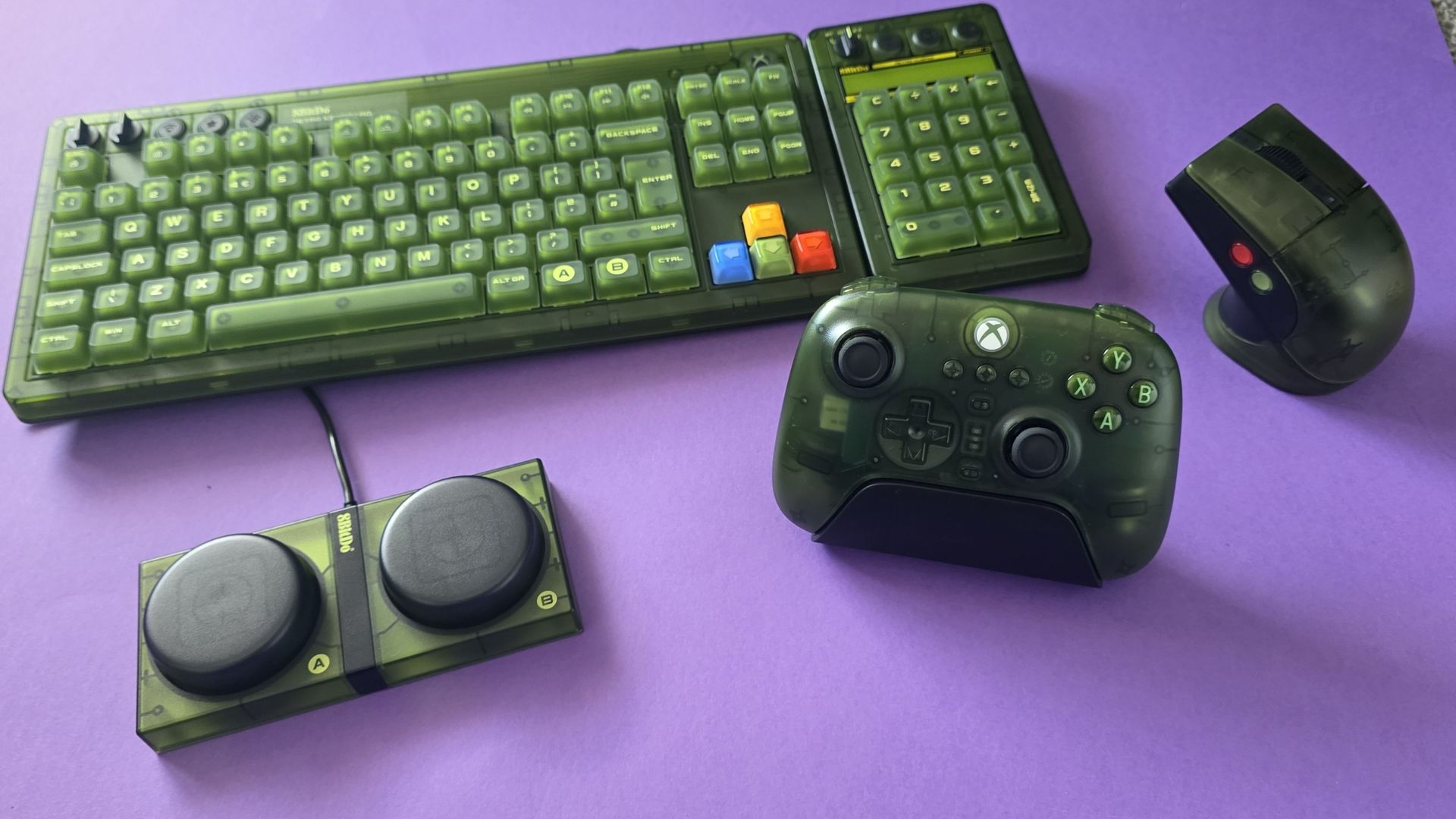
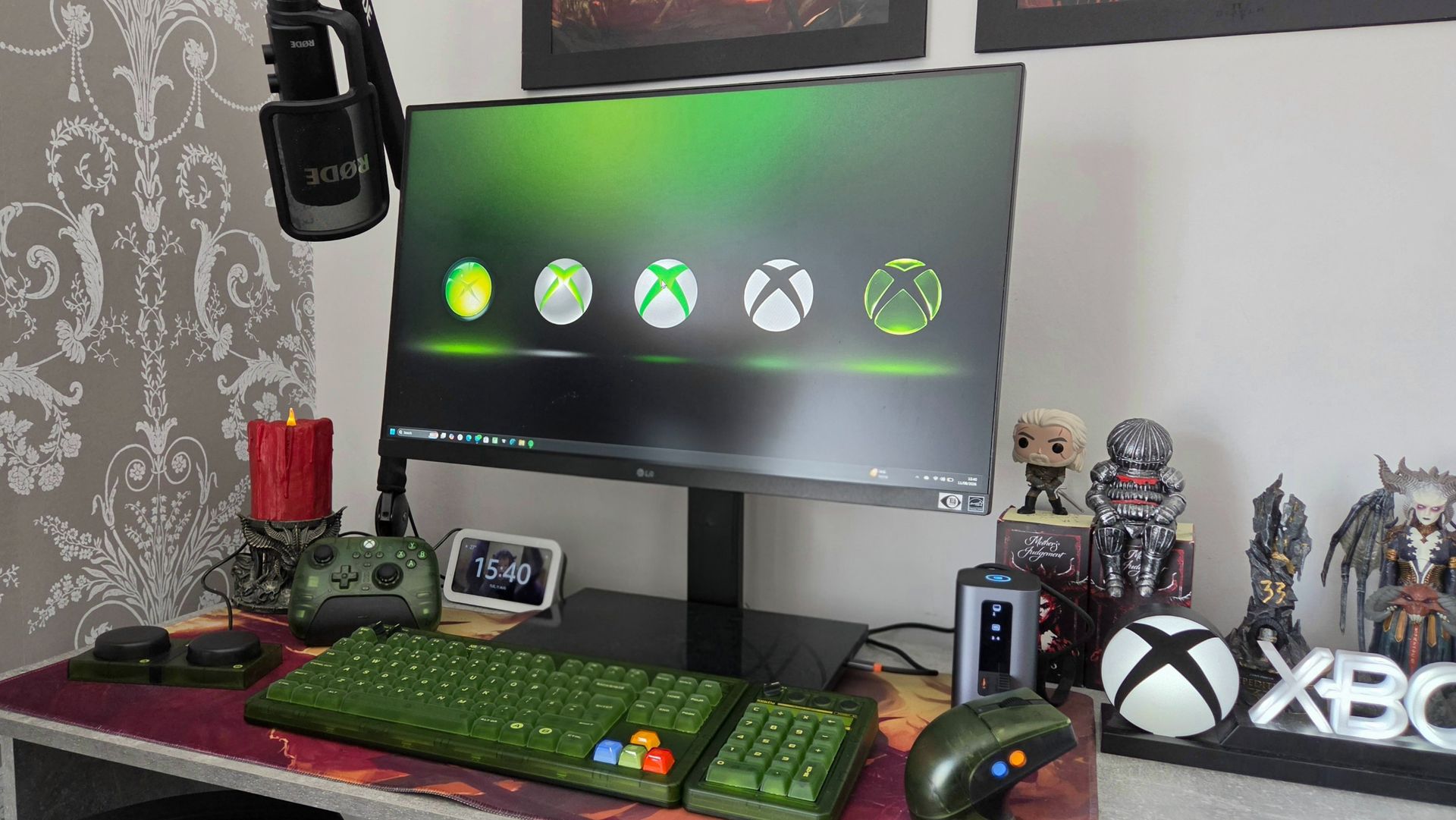
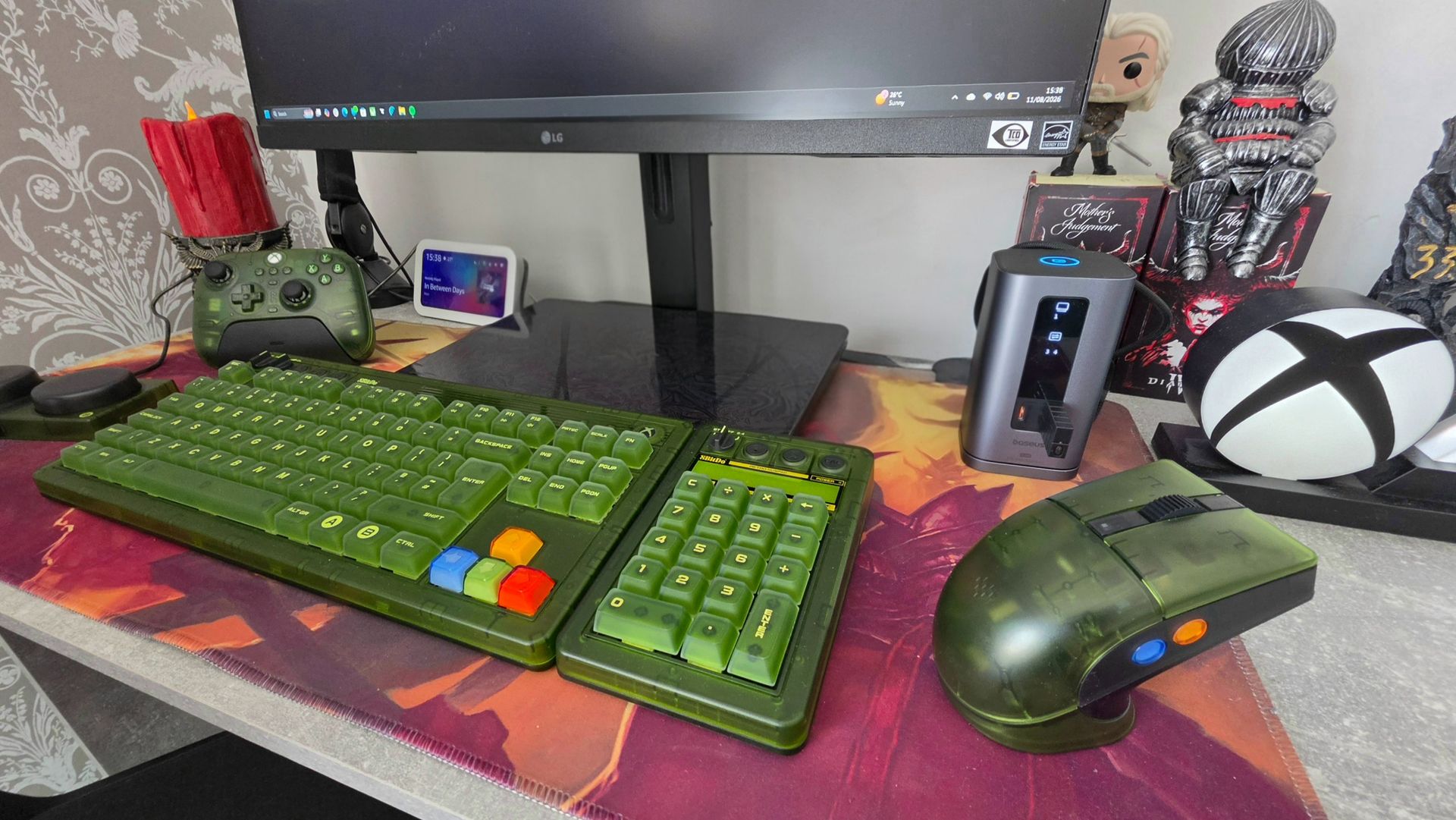
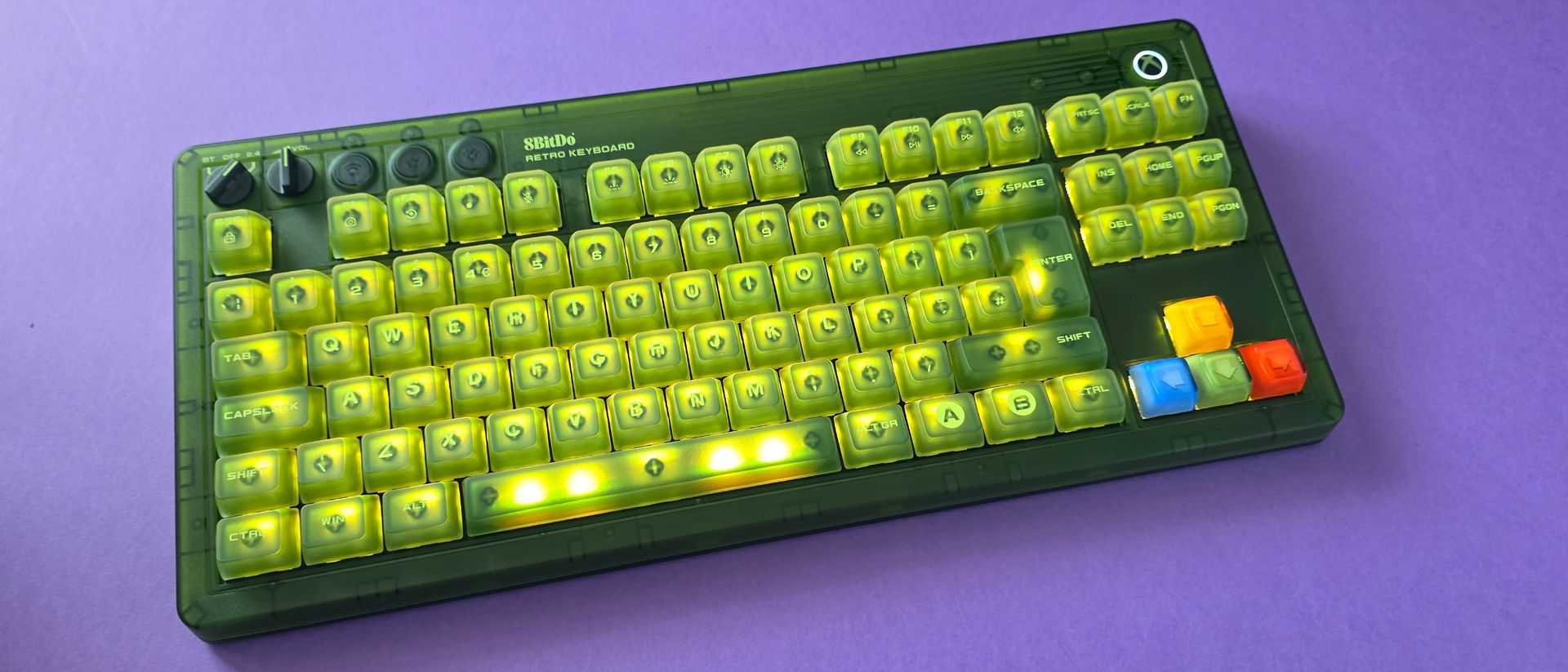
Xbox is about to celebrate its 25th Anniversary, and while there have been numerous brand collaborations to mark the occasion, the 8BitDo Xbox collection has actually been in circulation since November 2024. Inspired by the OG Xbox, the collection is a transparent-green dream consisting of a chunky keyboard, numpad, mouse, and even a controller.
I only got my hands on the set this year, which feels fitting with the Xbox anniversary about to be in full swing. While 8BitDo has just added a gorgeous Gears of War edition to the lineup, I'm firmly sticking with my bleed-green setup, which I've been using every day for around four months now.
The TL;DR of this review is that I absolutely adore this chunky, obnoxiously green keyboard, and I can't see myself using anything else, but read on if you need a little more swaying.
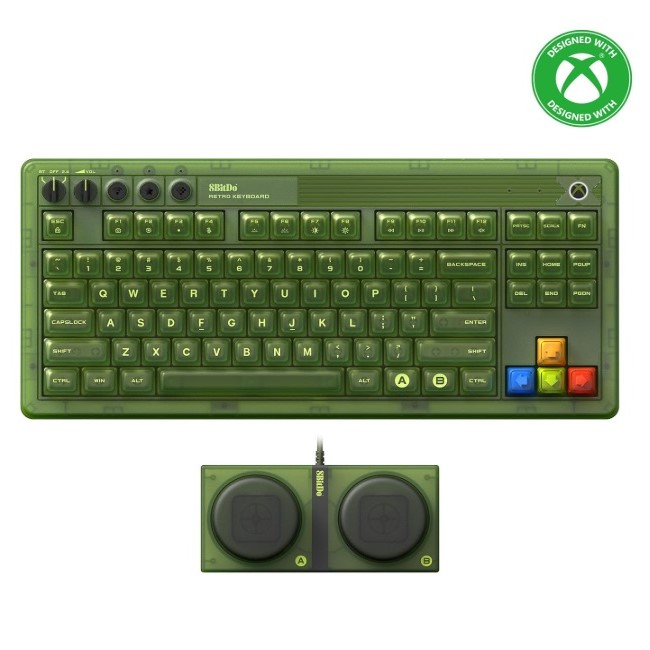
8BitDo Retro 87 Mechanical Keyboard Xbox Edition: Price, availability and specs
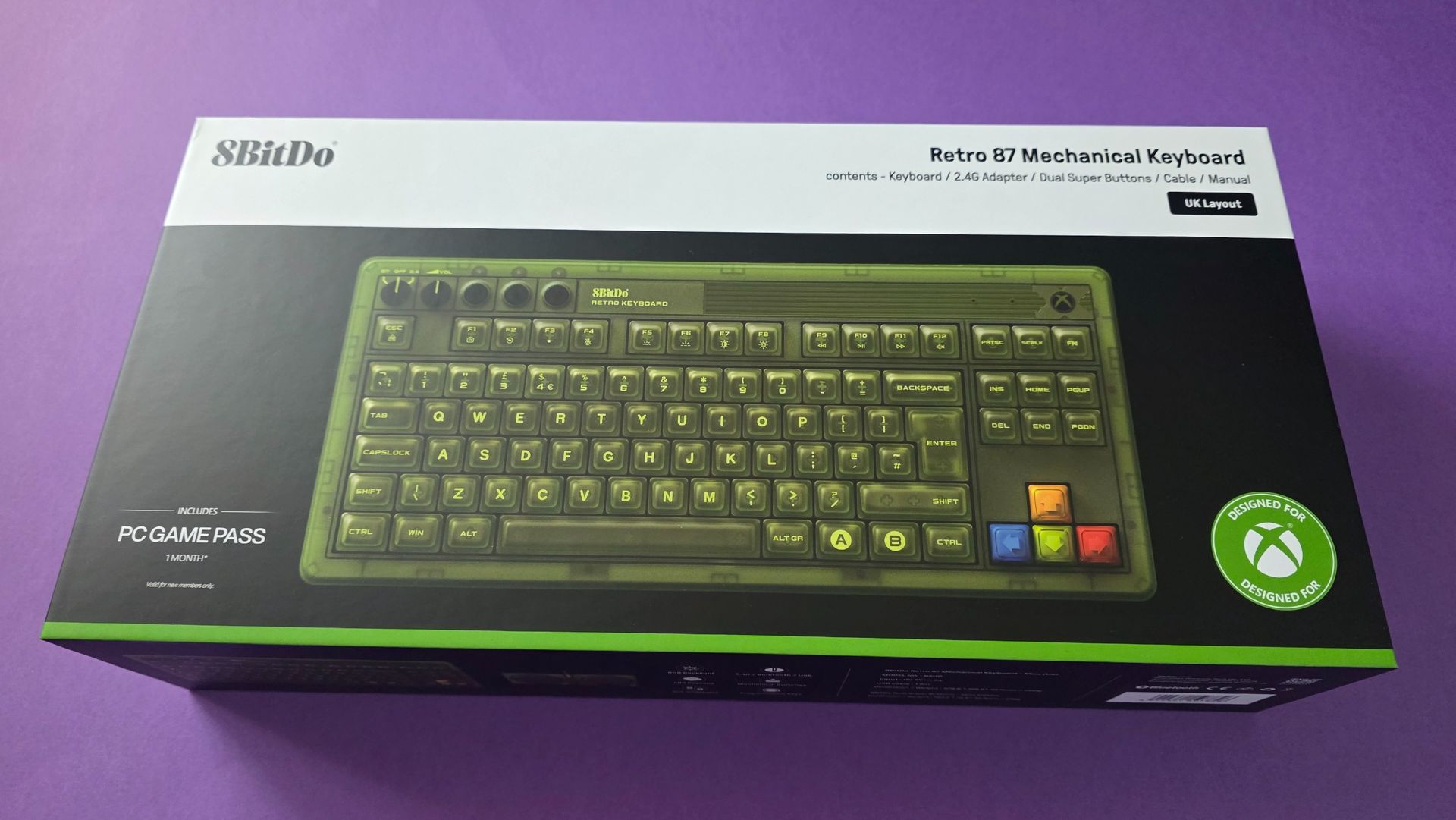
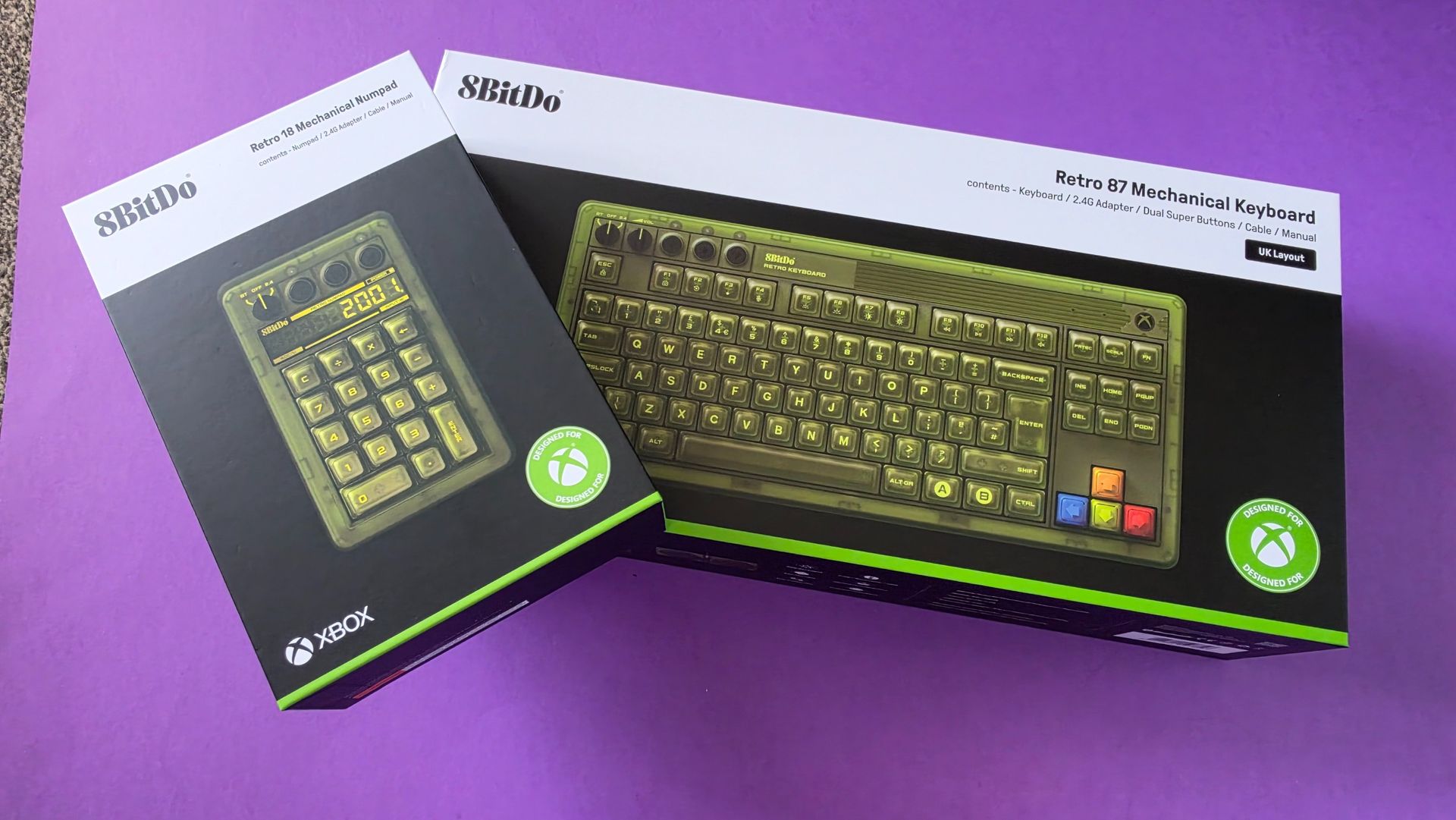
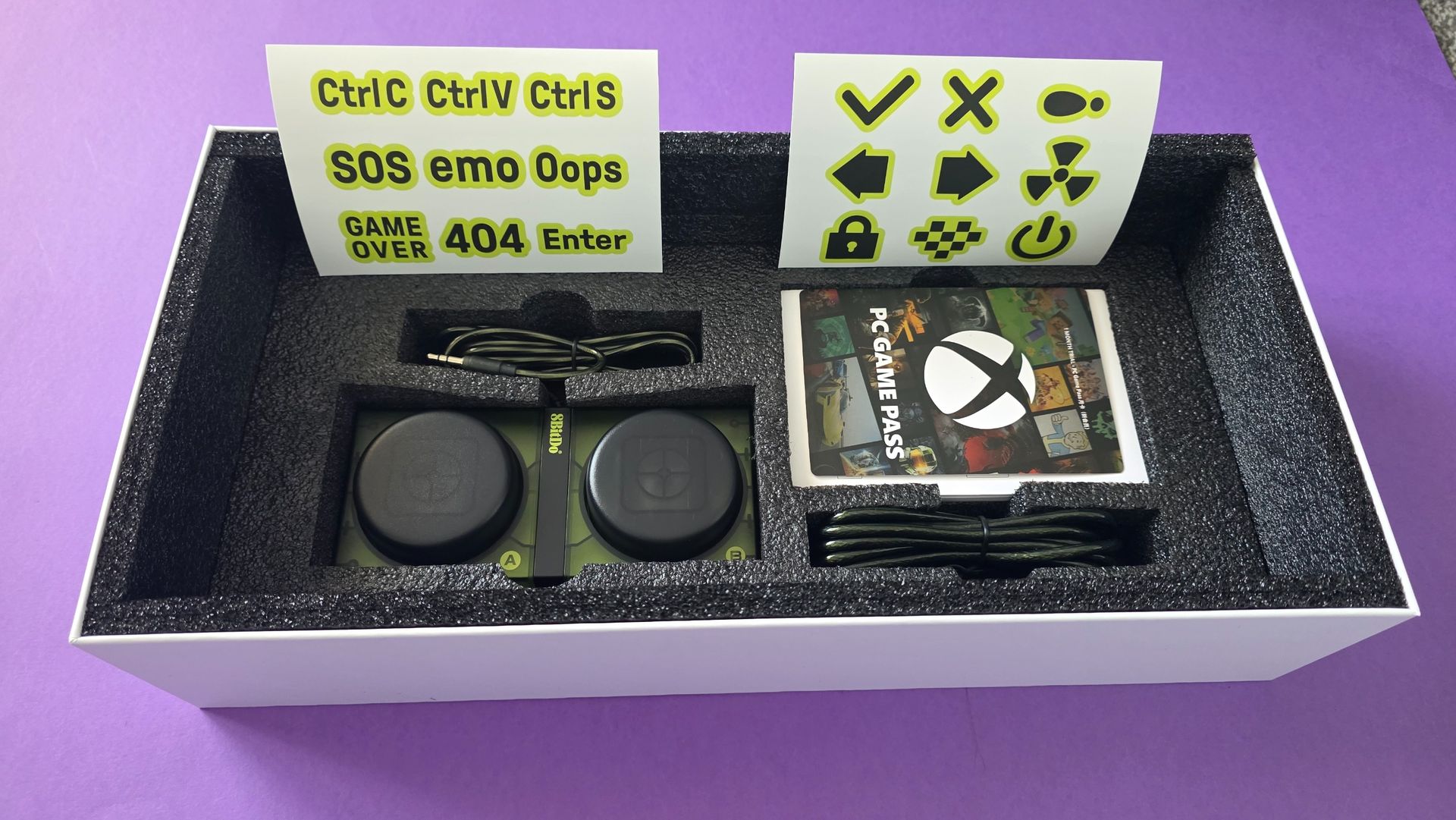
Could barely fit the box in the 16:9 frameJennifer Young - Windows CentralI wish the Numpad was built in but appreciate most (wrong) people prefer withoutJennifer Young - Windows CentralFree sticker and a months Game Pass included (new subscribers only)Jennifer Young - Windows Central
The 8BitDo Retro 87 Mechanical Keyboard (Xbox Edition) retails for $119.99 in the US and £99.99 in the UK. However, it frequently sees discounts and at the time of writing, it is on sale for $89.99 on Amazon US.
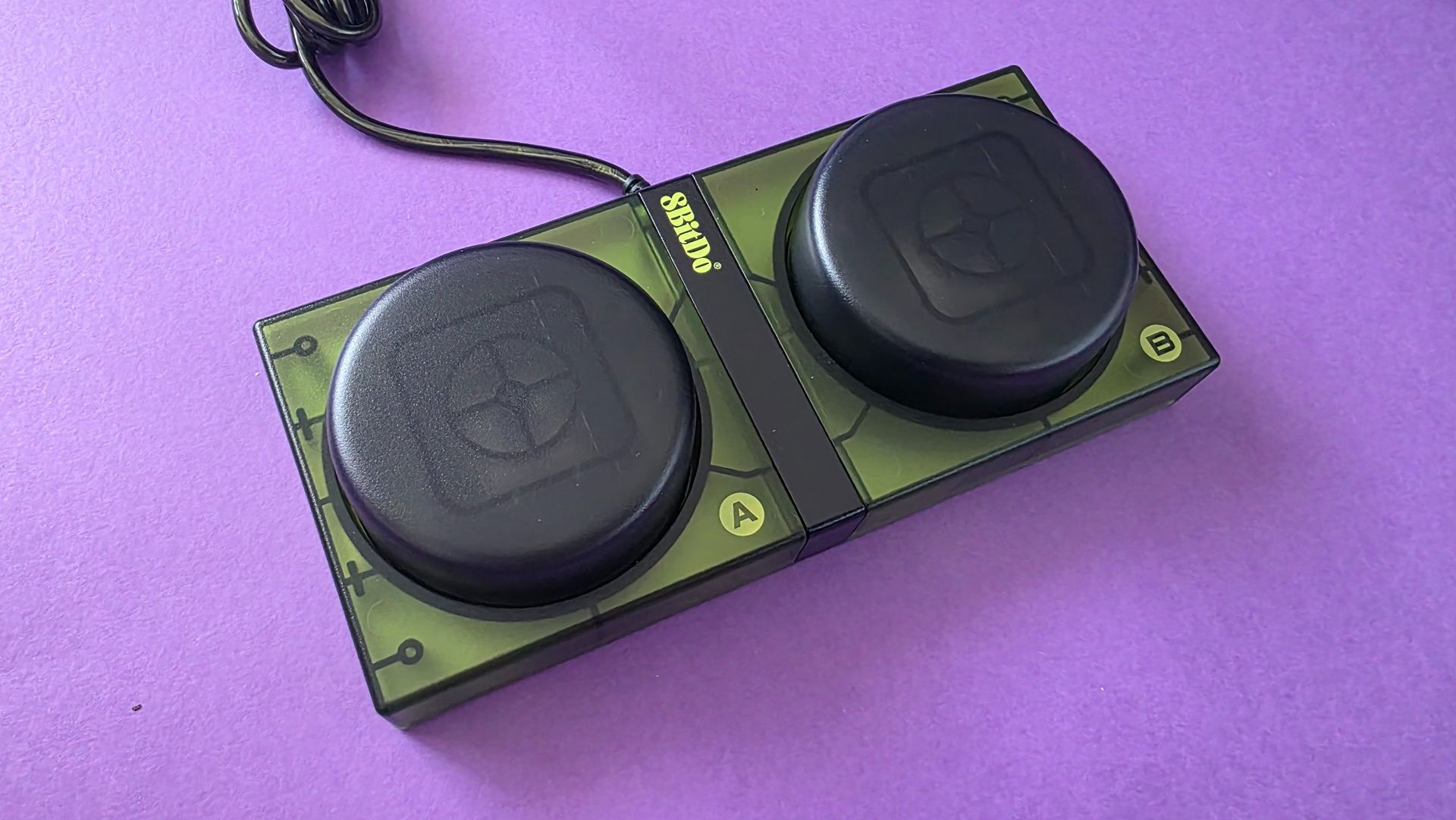
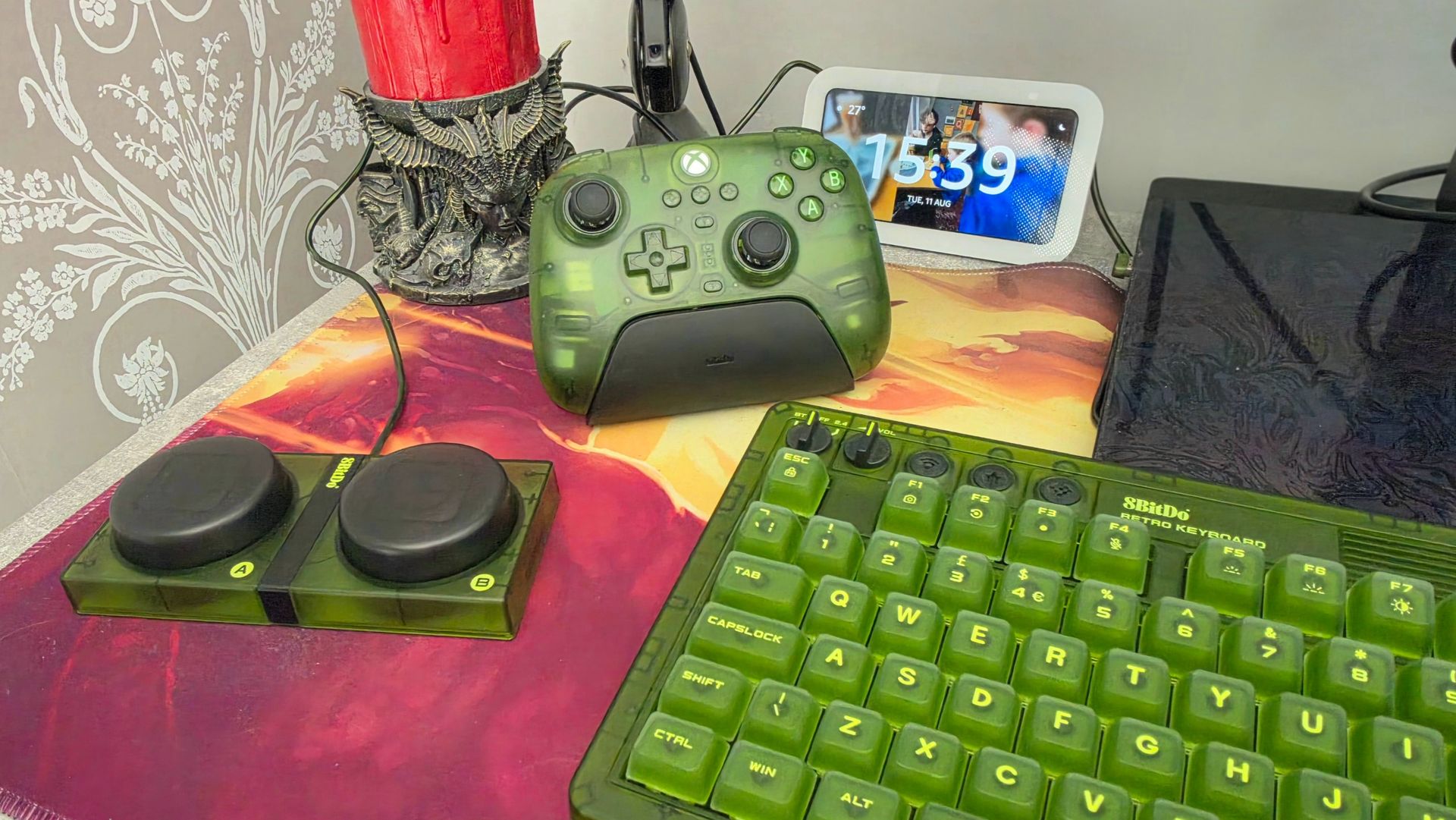
Out of the box, the keyboard includes 8BitDo’s iconic Dual Super Buttons, a pair of massive, programmable arcade-style macro buttons that plug directly into the back of the board via 3.5mm jacks without needing extra software configuration.
If you are a sane person who enjoys using a Numpad, rejecting all minimal keyboard ideology, then 8BitDo also offers a matching standalone Retro 18 Mechanical Numpad (Xbox Edition), which retails separately for $44.99 / £39.99.
The main tech specs you need to know are:
Layout: 87-key Tenkeyless (TKL) with top-mount design
Switches: Kailh Jellyfish X linear/clicky switches (Hot-swappable PCB, full N-key rollover)
Keycaps: Double-layered ABS with a matte UV coating
Connectivity: Tri-mode (2.4GHz wireless via magnetic dongle, Bluetooth 5.0, wired USB-C)
Battery: 4,000mAh rechargeable Li-ion (rated for up to 280 hours on 2.4GHz / 300 hours on Bluetooth)
8BitDo Retro 87 Mechanical Keyboard Xbox Edition: What's good
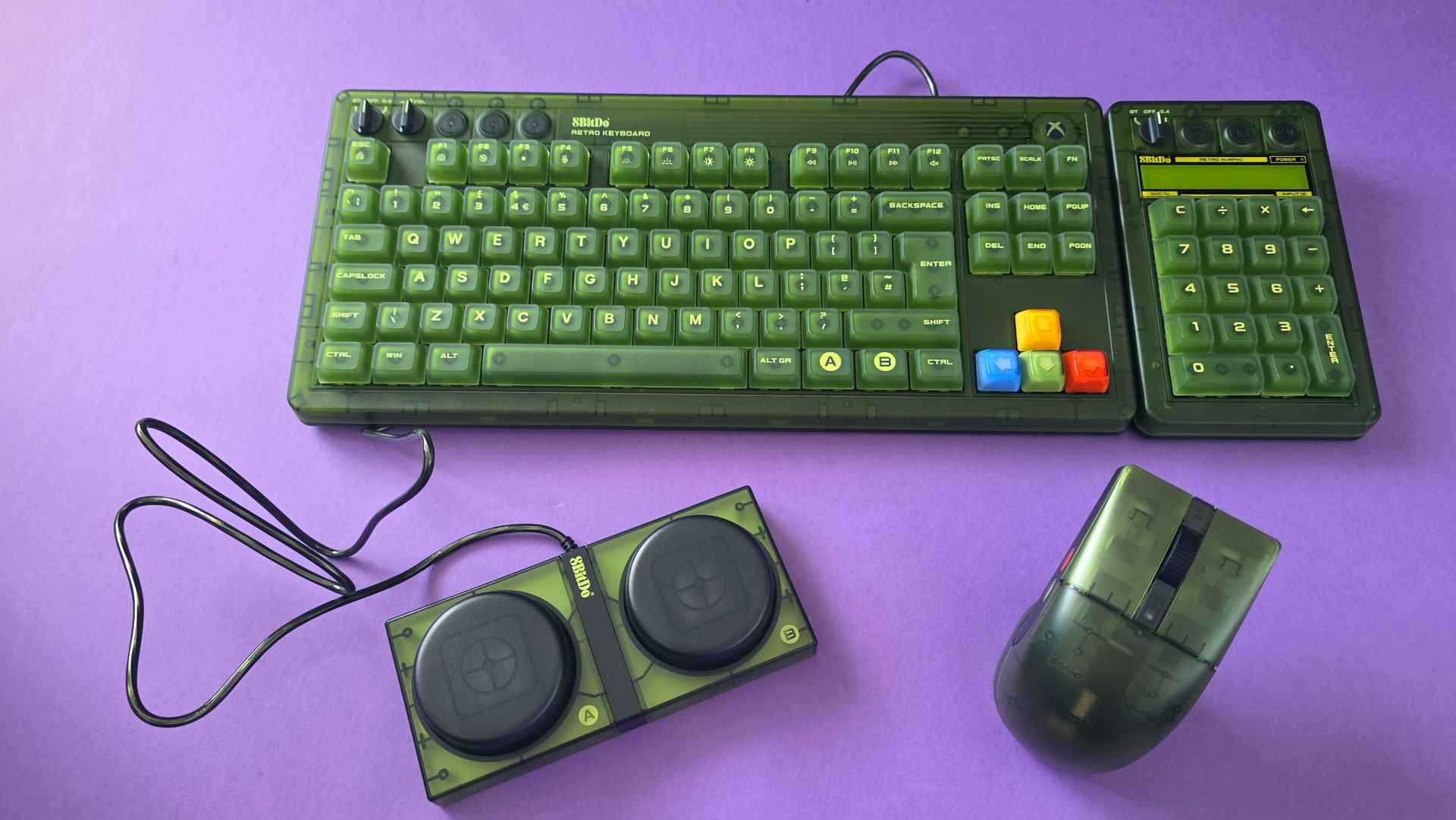
I like my keyboards like I like my men, robust. Jennifer Young - Windows CentralI'm super boring and keep the lights on basic white, the multi colored display isn't for me.Jennifer Young - Windows CentralThe mouse is a great pairing and of a similarly chunky designJennifer Young - Windows Central
Unboxing this was an experience in itself; the box was roughly twice the size of any keyboard package I’ve opened before. Coming from the Roccat Vulcan I’d been rocking (or should I say Roccing hur hur), I expected it to be chunky, and while it was different for sure, I'm kind of loving that 8BitDo has embraced the maximalist approach. To be honest, as I get older, I’m really appreciating the larger keycaps and moving away from that classic all-black "squint at the keys" aesthetic.
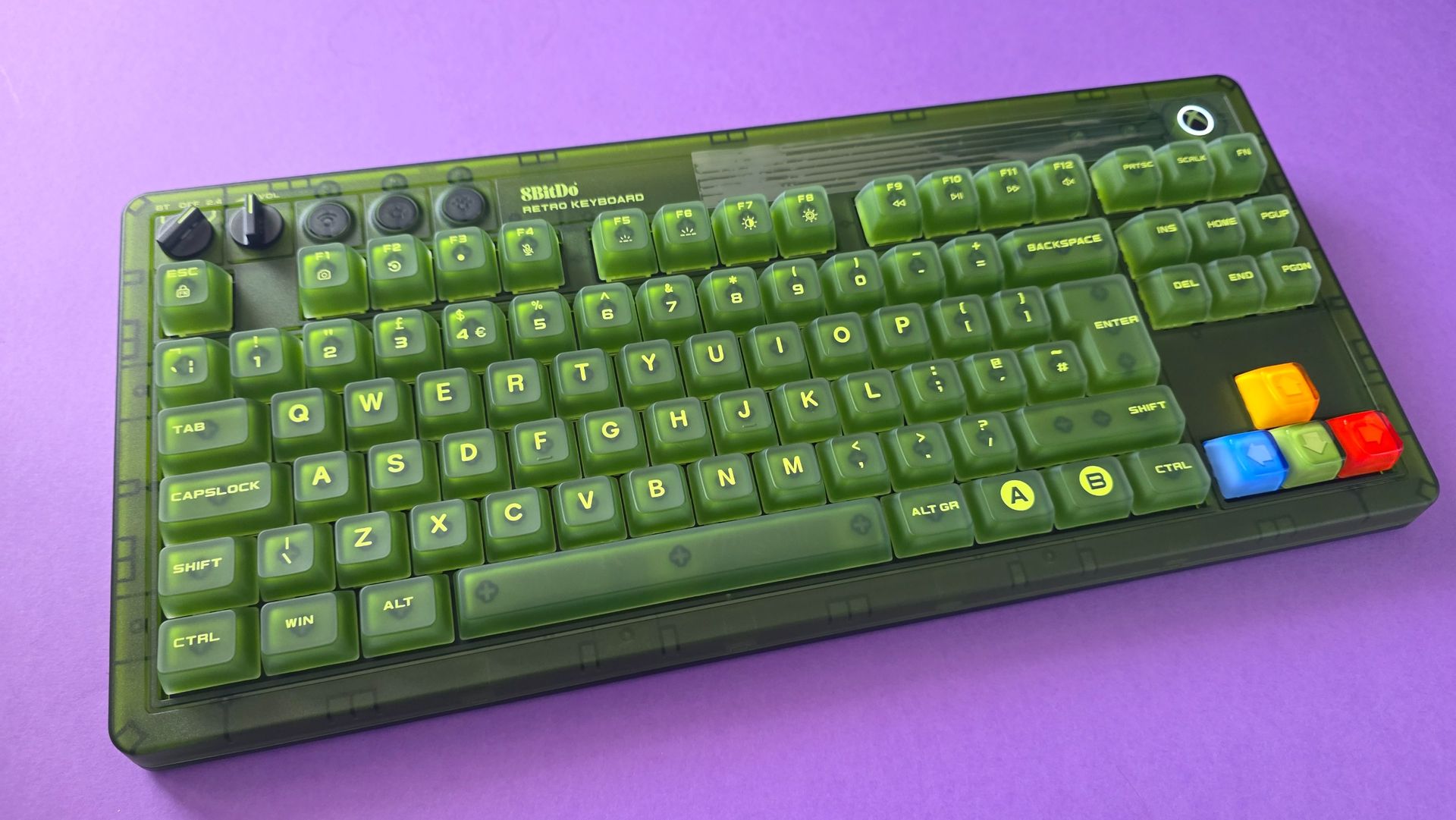
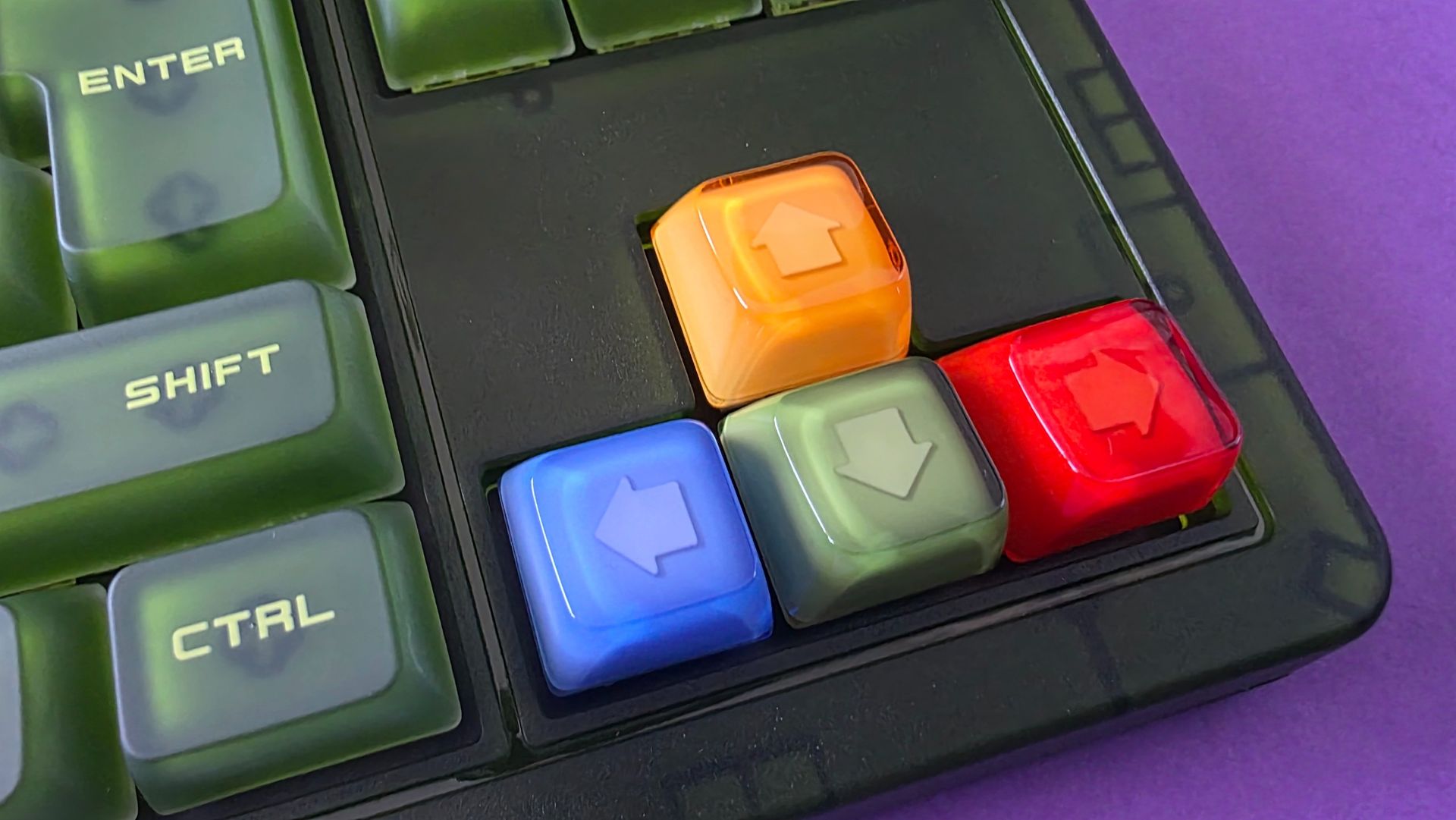
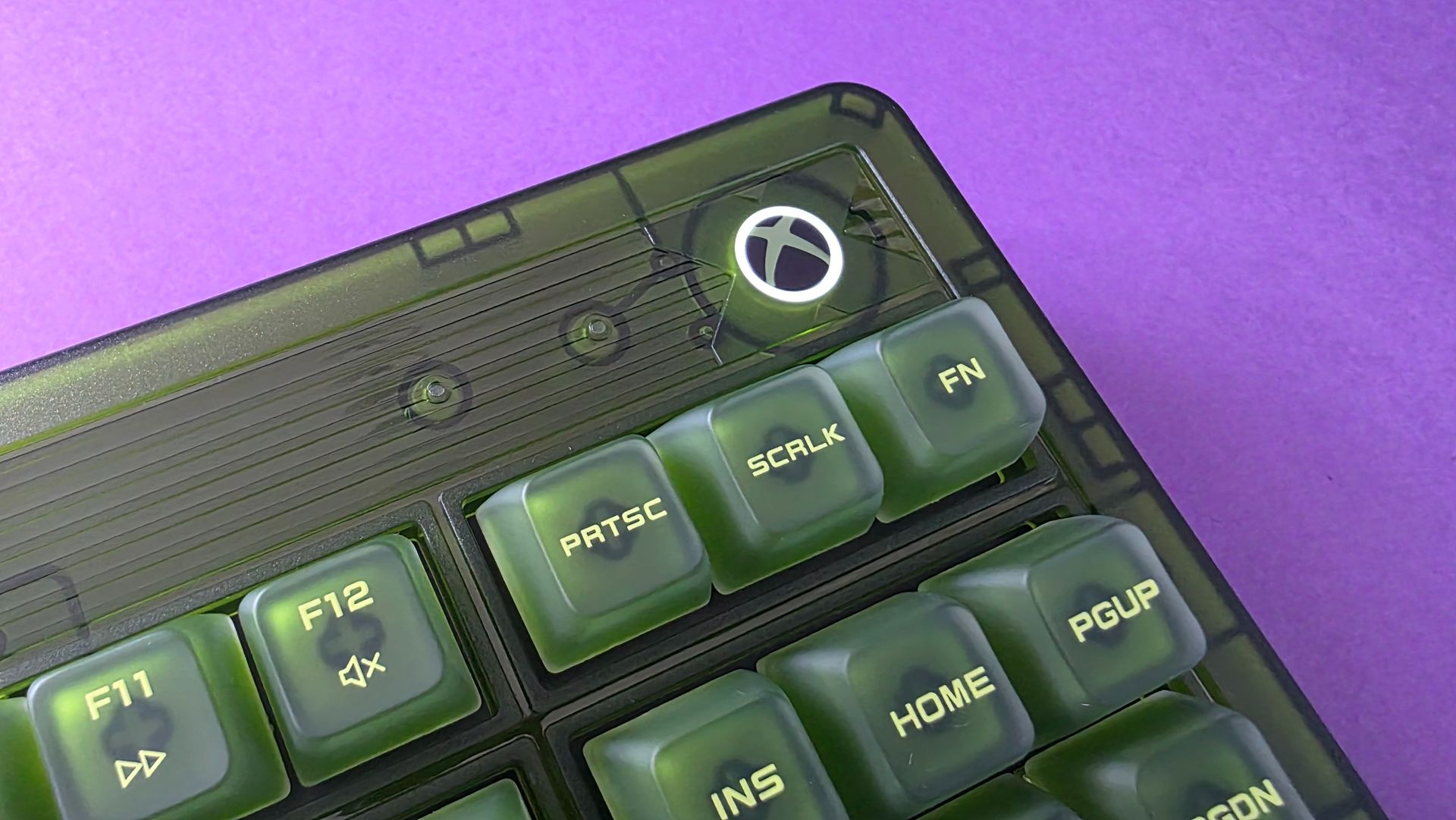
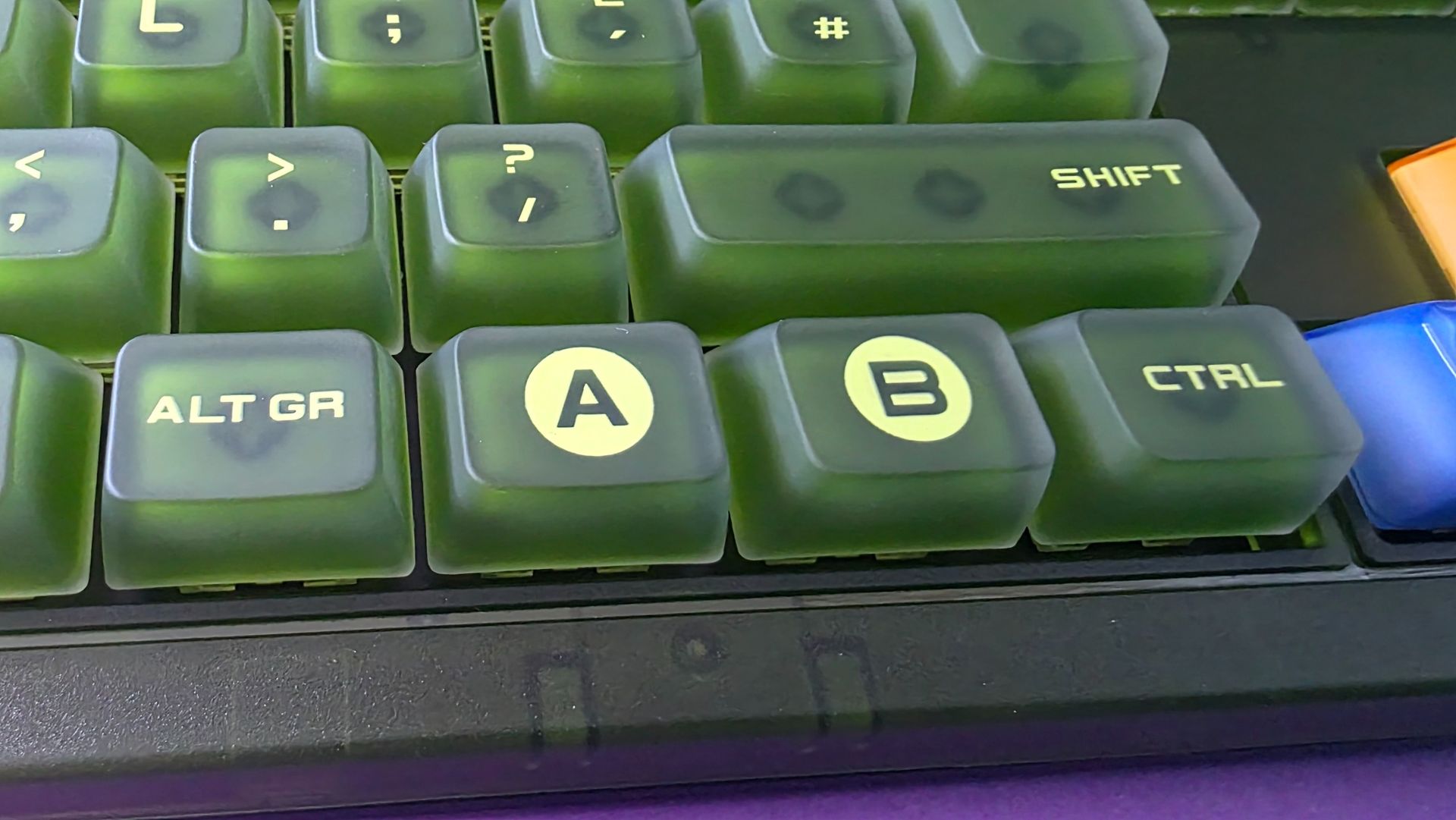
The green design is unabashedly Xbox of course, but with a lot of small, thoughtful touches. Like the A/B/X/Y colored arrow keys that mirror the OG controller and the glowing Xbox home button (which matches the look on the new 25th Anniversary Series X console.) This is a hell of a lot cheaper than that console too!
Colors we know and love!Jennifer Young - Windows CentralNow I have that X25 console button without the X25 price tagJennifer Young - Windows Central
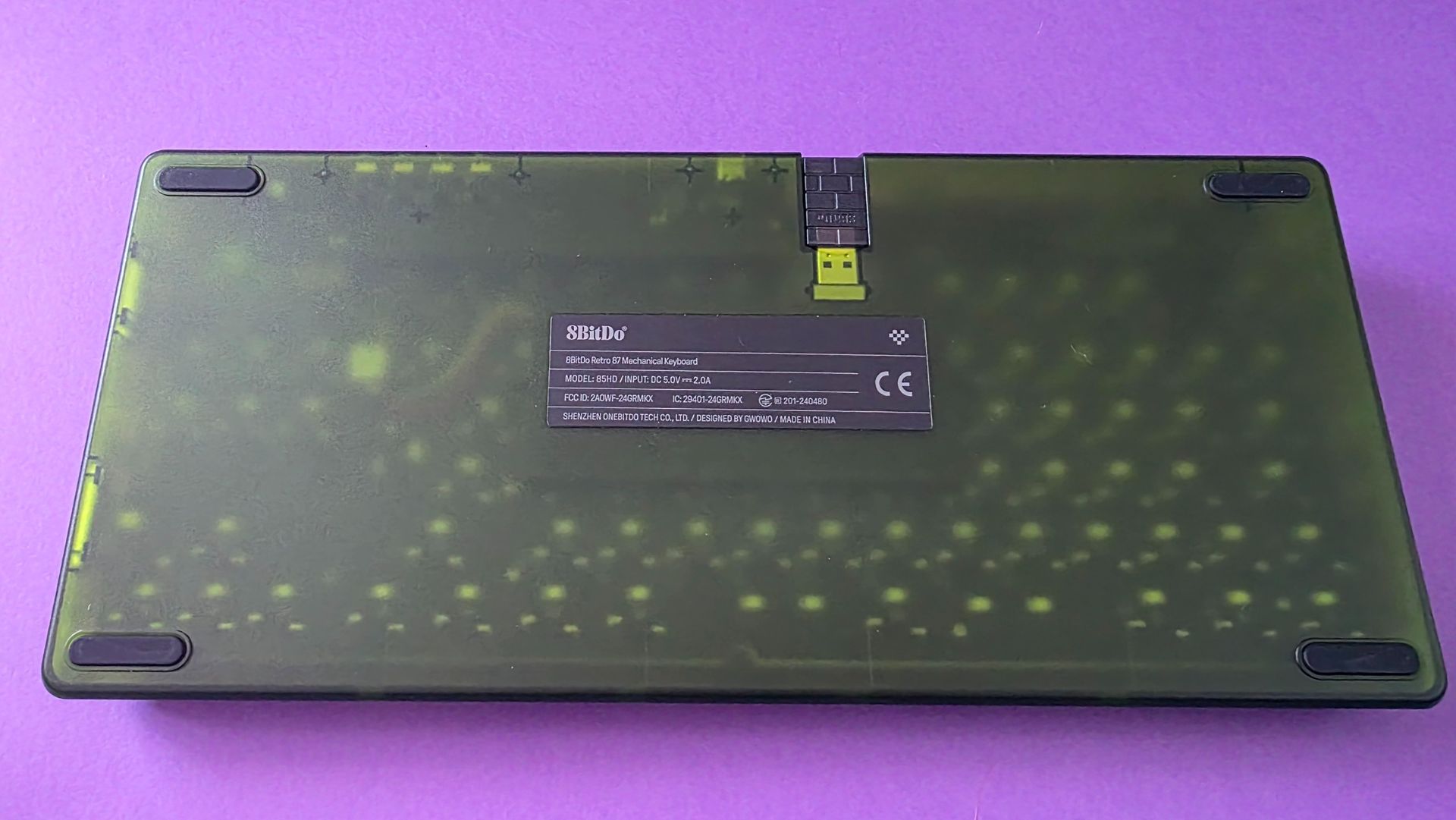
Even before typing a single sentence, the convenient design details impressed me. Having a dedicated magnetic compartment built into the base to store the 2.4GHz receiver is a godsend; I’ve lost count of how many wireless dongles I’ve misplaced over the years.
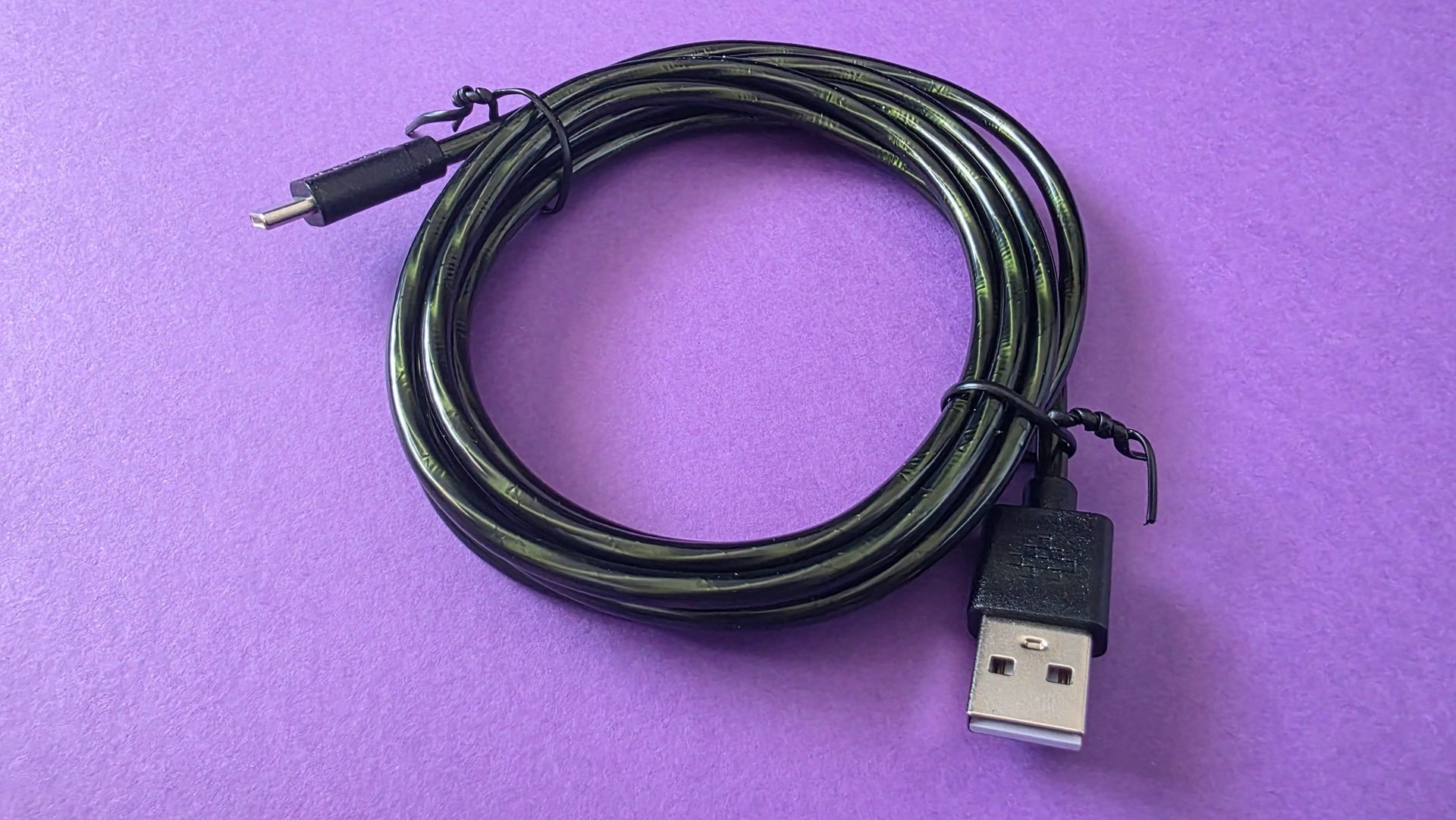
Connectivity is versatile, offering 2.4GHz wireless, Bluetooth, or a wired USB-C connection. I wouldn't normally dedicate a sentence to a cable, but 8BitDo even made the braided wire matching Xbox green. Talk about attention to detail!
The cable is green too, yay! (Image credit: Jennifer Young - Windows Central)
The board itself feels incredibly hefty, solid, and durable on the desk. That robust build quality is a major plus for me: regardless of how gentle I may be with the keyboard, my son also loves gaming at my desk and is considerably heavier-handed. This chassis easily withstands the enthusiastic key-slams of a kid navigating mods in Wobbly Life. The physical dials at the top for adjusting volume and switching connection modes feel equally premium and far from flimsy.
No these are not cat bongos, you map buttons to them. Jennifer Young - Windows CentralThe whole set together was meant to be, and looks even better on my desk Jennifer Young - Windows CentralI do enjoy seeing a tech accessory's innardsJennifer Young - Windows Central
The box includes 8BitDo’s famous Dual Super Buttons. At first, I had no idea what to do with them other than getting my cat to play the bongos, but they plug in via a 3.5mm jack on the rear. You can map them on the fly directly from the board without software, though downloading the 8BitDo Ultimate Software V2 is essential if you want to set up complex macros or multi-key shortcuts.
While I didn't get overly creative with my bindings, mapping the giant "A" button to instantly grab screenshots is super handy during streams.
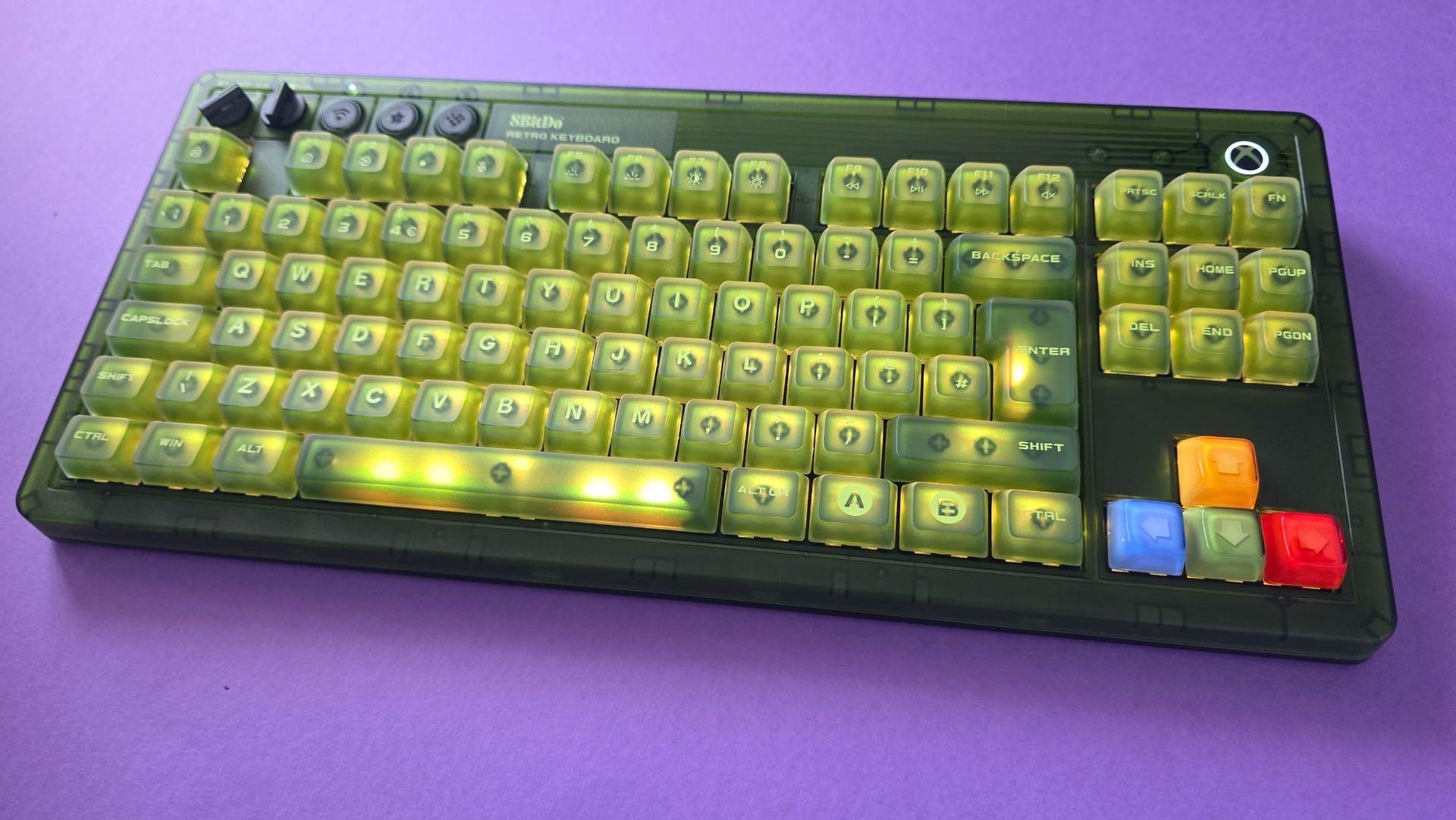
You can change these lights to RGB, but don't. (Image credit: Jennifer Young - Windows Central)
If you love RGB backlighting, the board comes packed with bright lighting modes and a full spectrum of color profiles. I usually keep the backlighting on boring white as I think having multi-colours looks a little 'busy' through the green casing, but the customization options are there if you want a full rainbow light show (I do not, and prefer less visual noise).
The stock switches deliver a wonderfully satisfying clickety-clackety feel (that’s a technical term), offering great audio and tactile feedback. I also didn't note any input lag even over wireless. For tinkerers, the PCB is fully hot-swappable if you ever want to pull the stock switches and experiment with custom ones later on. Finally, if you opt for the matching standalone numpad, it snaps flush against the side of the board with a deeply satisfying magnet click, just another detail that makes this feel pretty premium.
8BitDo Retro 87 Mechanical Keyboard Xbox Edition: What's bad
These keys are a god damn finger grease magnet (Image credit: Jennifer Young - Windows Central)
As I said, I love this keyboard, and I'm hard-pressed to find anything I don't like about it, but if I had any criticisms at all, I'd start with the fact that I have to clean it more often!
The super-matte, double-layered ABS keycaps tend to show finger oils and shine much faster and more noticeably than keycaps on previous boards I’ve used. I find myself wiping the keys down more often, but that's a small price to pay for how good the setup looks on my desk.
Second, while I appreciate that 8BitDo made the matching Numpad an optional extra, it's a bit frustrating that both the keyboard and the numpad require their own separate 2.4GHz USB dongles. USB ports on my dock are always at a premium, so I’ve ended up running the main keyboard wired most of the time. Given that the keyboard sits stationary on my desk anyway, it’s hardly a dealbreaker just a minor setup niggle to keep in mind if you are beholden to getting the Numpad too.
8BitDo Retro 87 Mechanical Keyboard Xbox Edition: The competition
You'll only be reading this if you're already interested in grabbing a very in-your-face Xbox fan-themed keyboard, in which case, it's worth mentioning that Razer have released the Xbox 25th Anniversary Collection just recently, and within that, a Black Widow V4 75% keyboard.
At $209.99 / £199.99, it carries a distinctly "Razer price tag" compared to 8BitDo’s accessible $119.99 MSRP.
(Image credit: Razer)
However, that higher price tag gets you a sleeker, smaller frame and quieter tactile switches.
If you prefer a more subtle, understated tribute to the original Xbox without the chunky retro footprint (and don't mind waiting for pre-orders to ship on October 20), the Razer option is a gorgeous alternative. But for that loud, unapologetic early-2000s green Duke-style aesthetic at nearly half the price, 8BitDo is a no-brainer for me.
8BitDo Retro 87 Mechanical Keyboard Xbox Edition: Should you buy it?
Yes, I changed my PC background to match my new keyboard. Jennifer Young - Windows CentralNever been one to have a minimalist desk, this keyboard fits right in with my trinkets.Jennifer Young - Windows CentralI'm only mildly annoyed that the controller dock isn't also green. Jennifer Young - Windows Central
You should buy this if ...
✅ You want a nostalgia-packed OG Xbox aesthetic
This board is certainly cheaper (and easier to buy) than the Xbox Series X25, and it nails the retro 2000s theme
✅ You love big keycaps and clicky switches
The keyboard is just as loud as the design
✅ You want versatile wireless options and handy extras
With built-in magnetic dongle storage, 2.4GHz/Bluetooth toggles, a dedicated volume dial, and programmable Dual Super Buttons, it’s packed with great quality-of-life details.
You should not buy this if ...
❌ You want a silent, low-profile keyboard
The stock switches are loud and proud, and the chunky retro frame takes up a good chunk of desk space.
❌ You need a built-in numpad without extra dongles
It’s a Tenkeyless layout, and while 8BitDo sells a matching separate numpad, taking up two separate USB ports for two wireless dongles can quickly clutter up your hub or dock.
The 8BitDo Retro 87 Mechanical Keyboard Xbox Edition is just perfect for anyone who holds a soft spot for early 2000s gaming tech, translucent and chunky. I can't wait to sink many hours of WoW Forever on it and live my millennial retirement home dreams.
It looks like a collectors edition item without the price tag you would normally expect, while managing to also be built to last and something I want to keep on using (not just take pretty pictures of for Instagram). If you want a desk setup that brings a smile to your face every time you sit down to type or game, this obnoxiously green and thicc beast is worth every cent.
8BitDo
Retro 87 Mechanical Keyboard - Xbox Edition
Level up your desktop setup with this fitting tribute to the original Xbox. The 8BitDo Retro 87 combines a iconic transparent-green aesthetic with high-performance mechanical typing.
Featuring tri-mode connectivity (2.4GHz wireless, Bluetooth 5.0, USB-C wired), tactile clicky Kailh Jellyfish X switches, dedicated volume and mode dials, and a hot-swappable PCB, it’s as versatile as it is striking. Plus, it includes 8BitDo’s programmable Dual Super Buttons for instant macro access right on your desk..
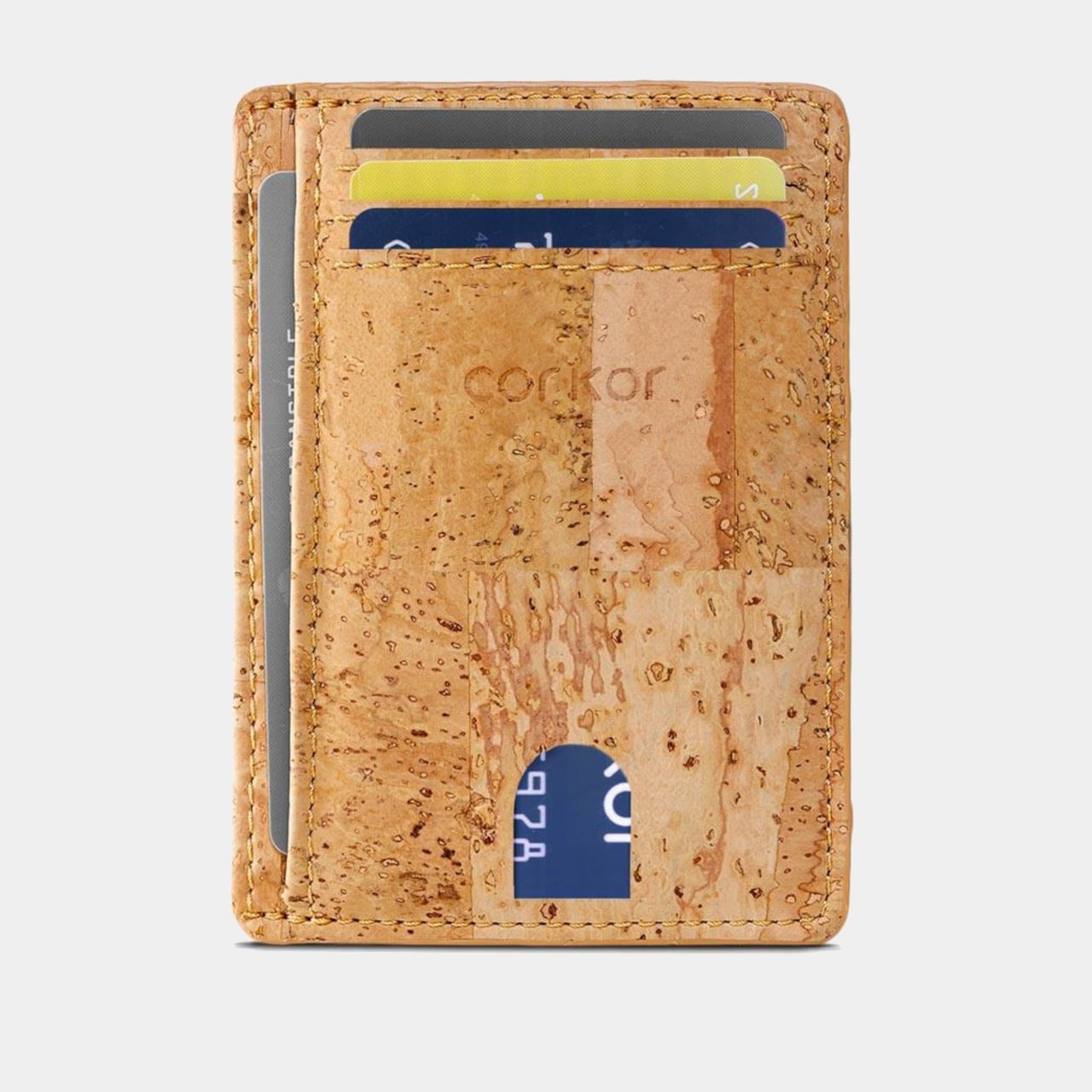
Most wallets don’t start out bulky. They get there one receipt, spare card, and folded bill at a time, until slipping one into a front pocket feels like packing a book. Corkor’s slim card holder asks you to carry less, then makes that decision feel less austere with a cork exterior. Its appeal lies in the material as well as its size.
Cork is something you pull from a bottle or pin notes into, not what you reach for when paying for coffee. Here, its irregular grain gives the wallet character without needing decorative hardware or branding. Stitched edges and stacked pockets keep the shape familiar, but the surface feels different from the smooth leather and synthetic finishes that dominate everyday carry.
The layout keeps your most-used cards in three slots, with an ID window and two compartments for folded bills. A small opening on the front helps you nudge a card upward rather than digging at its edge. Keep only the cards you actually use, though, because squeezing too many into those pockets would inevitably change how slim the wallet feels in your pocket.
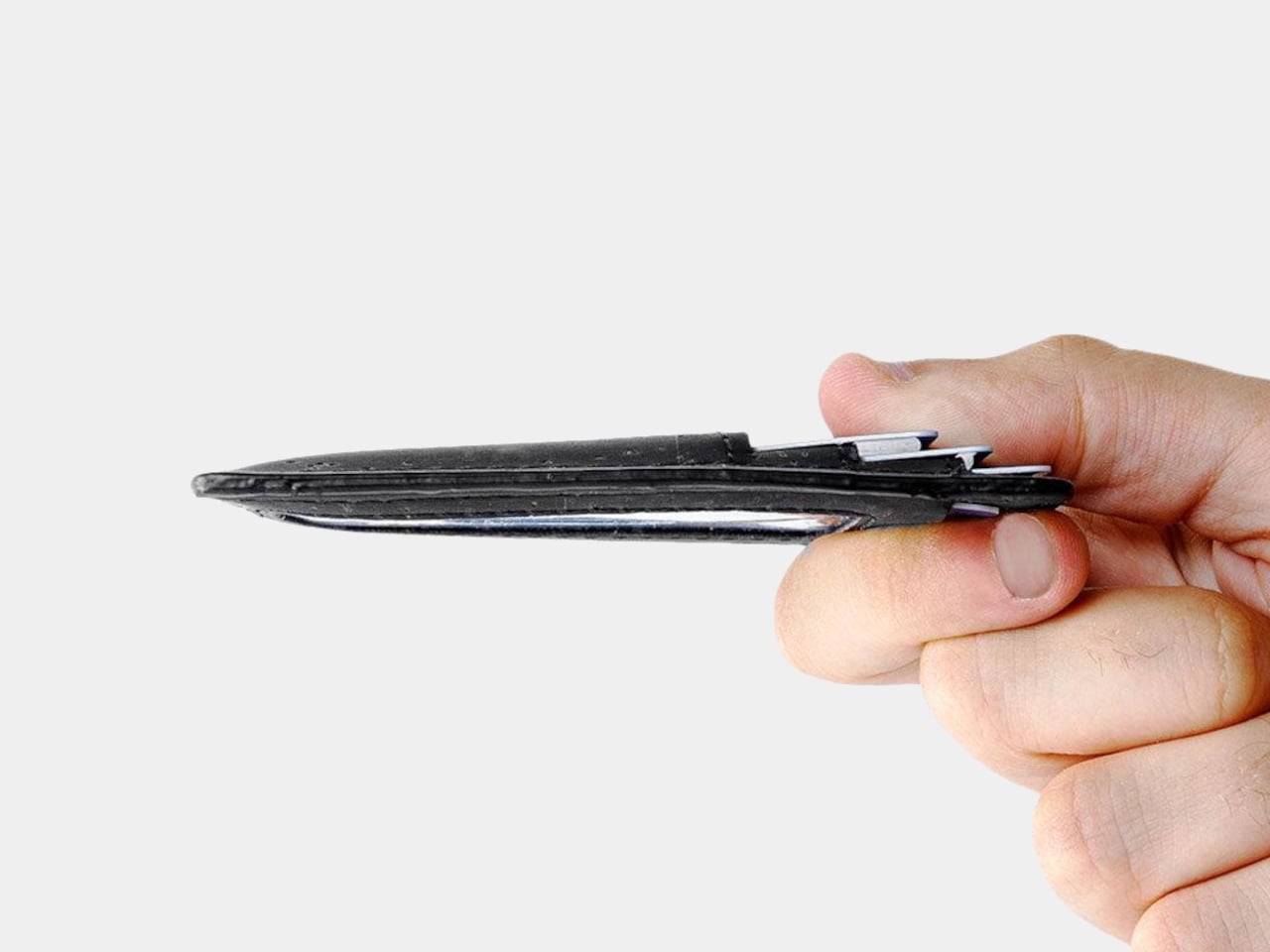
At 4.3 inches tall, 3.2 inches wide, and 0.4 inches thick when empty, the holder takes up less room than a traditional bifold. It weighs just 0.70 ounces before you add anything. You can leave home with a payment card, an ID, and a little cash without carrying a stack of compartments you’ll never open during a long, busy day away from home.
Cork has a purpose beyond its unusual appearance. The thin, pliable material lets the holder bend gently instead of feeling like a rigid little case, and Corkor describes it as water-repellent and easy to clean. For someone who wants an animal-free alternative to leather, that makes the material choice part of the daily experience rather than a claim printed on a label.
The cork comes from Portugal, where Corkor also makes the holder in-house. That doesn’t mean a wallet can settle every question about sustainability, but it does give this one a clear material identity. Corkor says its packaging is recyclable or compostable, and the card holder is certified vegan. Those details matter most when they’re paired with something you actually want to keep using.
Of course, minimalism has limits. There’s no coin pocket, and those folded bills won’t be as quick to sort through as cash in a full-size wallet. RFID-blocking construction is included to help protect compatible cards from skimming, but it won’t prevent other kinds of theft. This is a holder for an edited pocket, not a place to stash whatever the day hands you.
Corkor prices the holder at $59, which might seem steep for something designed to carry so little. That small footprint is precisely the point. The soft, mottled cork makes a familiar stack of slots feel unexpectedly personal, while the slim layout encourages you to leave the clutter behind. Once you’ve pared things down, that front pocket might finally have room for more than your wallet.
"Babe?... Babe!? Is everything alright?" If you're in my house on a relaxing weekend afternoon, you'll often hear me trying to get a hold of my wife. I have to ask a few times, not because she's ignoring me, but because she has a pair of noise cancelling headphones on.
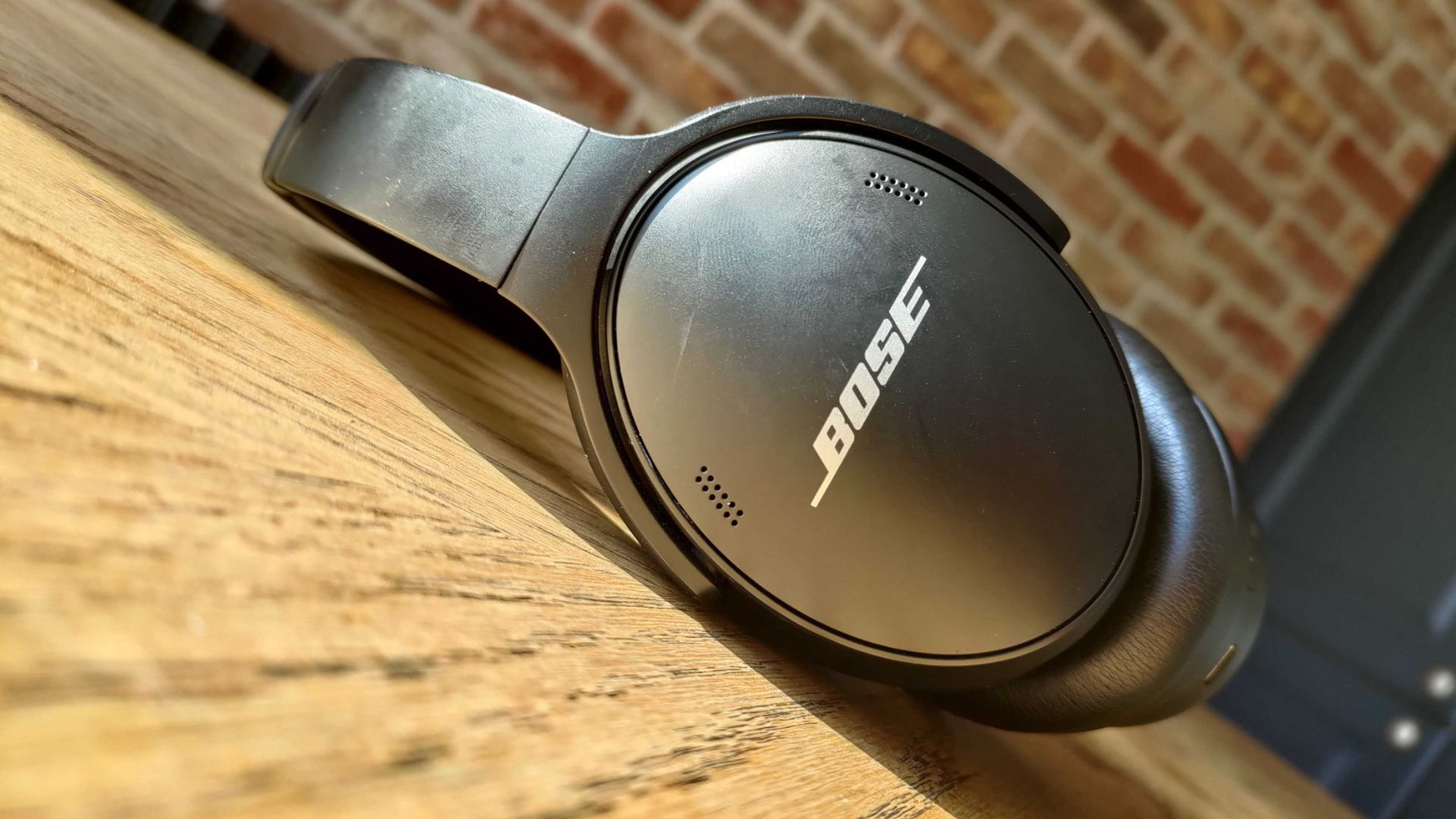
For the last couple of years, my wife has donned a pair of Bose QuietComfort Wireless Noise Cancelling Headphones. They're sleek, comfortable, and do a great job blocking out noise. And right now, they're on sale for $190 off.
These noise cancelling headphones are comfortable, sound great, and last all day. They charge through USB-C, so even if they do run out of battery they're easy to top up.View Deal
You may be surprised to hear that I rarely spend a lot of money on gadgets. I love covering tech, but I try to keep my spending down when it comes to laptops, phones, and accessories. That's why it was a major shift when I bought my wife a pair of Bose QuietComfort Wireless Noise Cancelling Headphones. Back then, the headphones were newer and closer to full price.
But I wanted to splurge on a gift for my wife. She loves music, audiobooks, and podcasts, so I knew she needed a pair of headphones that she could wear all day. The headset from Bose delivered. They're comfortable, block out noise with active and passive noise cancellation, and last a long time.
They're mostly my wife's headphones, but I use them at least once a month and am frequently reminded of how much I like them. After years of heavy use they show some wear and tear (I just ordered new ear pads), but they still sound great.
The Bose QuietComfort Wireless Noise Cancelling Headphones are now a bit older, but they still deliver high-quality audio and are comfortable. They lack some of the bells and whistles you'll see in newer headsets, but they've aged well.
New members can enjoy exclusive Prime Day discounts for free and cancel anytime. After the trial, membership is $14.99/month plus tax. Includes access to games via Prime Gaming alongside Prime Video and Prime Music.
How long does Amazon Prime Big Deal Days last?
Amazon has launched this year's Prime Big Deal Days event with 48 hours of more exclusive deals, which started on Tuesday, October 6, and runs until Wednesday, October 7, 2026
Join us on Reddit at r/WindowsCentral to share your insights and discuss our latest news, reviews, and more.
Razer controllers have been my personal go-to on Xbox and PC for years now, and the company isn't resting on its laurels. Announced today is the Razer Wolverine V4 Pro, alongside a less expensive but still similar Wolverine V4 Tournament Edition.
At first glance the Wolverine V4 Pro looks a lot like both the Wolverine V3 Pro and the PC-exclusive Wolverine V3 Pro 8K. I reviewed both, and I still use both, but the Wolverine V4 Pro now mixes the best of each into one package while making some meaningful upgrades to the tech and its features.
For starters, we're not talking about TMR sticks anymore. Razer has already moved beyond that, building the Wolverine V4 Pro with capacitive sticks. But what does that actually mean?
"Engineered for competitive FPS, racing simulators, and sports games, the Razer Wolverine V4 Pro is a premium wireless gaming controller built for players who demand maximum precision, customization, and control."View Deal
"Powering the Wolverine V4 line’s asymmetrical thumbstick layout are two new capacitive sensors, the next step in contactless sensor design, offering superior resolution, power efficiency and resistance to magnetic interference over TMR and Hall Effect counterparts, while maintaining the drift-resistant performance of both. Paired with a 16-bit ADC chip, the sensors register approximately 3,000 steps1 of movement for smoother tracking, reduced jitter, and overall higher accuracy for dominant FPS play. "
In real-world use it'll be hard to actually quantify, but it should help contribute towards better battery life. One of the biggest drawbacks with the Wolverine V3 Pro was its battery life, so we'll certainly take any improvements we can get.
The other big performance-related improvement in the Wolverine V4 Pro is also the 8,000 Hz polling rate on PC. On Xbox it's still limited to 250 Hz, but there's nothing Razer or anyone else can do about that. It's an Xbox limitation. But for players who play on both Xbox Series X|S and PC, you can now have all the best in a single package.
8,000 Hz is not essential, but if you play competitive games like Call of Duty, Apex Legends, and the like, you want the best sticks and the fastest polling rates you can have. It's becoming increasingly common to get such high polling rates, but previously you'd need to own two of Razer's controllers if you wanted this as well as Xbox compatibility.
Improvements have also been made to the actual thumbsticks. There are now six total thumbcaps to choose from, as well as magnetic rear paddles that can easily be removed if you don't want to use them.
"Featuring high-precision anti-drift sensors, advanced customization, and ultra-low latency with up to 8K Hz Polling on PC, gain the competitive edge you need to perform at your best.View Deal
The Wolverine V4 Pro is an all-in-one performance package now for both PC and Xbox. (Image credit: Razer)
These, along with the additional bumper buttons, can still be remapped to whatever you want them to do, and as with previous controllers, you can store them in up to four different profiles on the controller itself. The Razer Synapse app will also allow you an insane level of customization, as always.
The incredible clicky face buttons are still here, too, as are the near-instant mouse click trigger stops. New for this year's controller, though, is a removable faceplate. It attaches with magnets for ease of use, and it's got a pretty slick translucent design behind it if you want to play without it on at all.
There are no custom faceplates at this point, but having the feature, it seems inevitable that there will be some kind of collaborations in the future. Oh, and haptics are back. But you can turn them off, of course.
It's not all add, though. Razer has decided this time around not to include one of its excellent controller cases. Even if you don't actively put your controller in the case, they've always been really good quality, and it's a nice way to keep your additional sticks and the wireless dongle organized, so it's a little sad to see it go.
The Wolverine V4 Tournament Edition keeps much of the same goodness but comes in a lot cheaper. For one, it's only available wired, but you still get the new capacitive sticks, the 8,000 Hz polling rate on PC, and the same design. The rear paddles aren't removable, however, and neither is the faceplate.
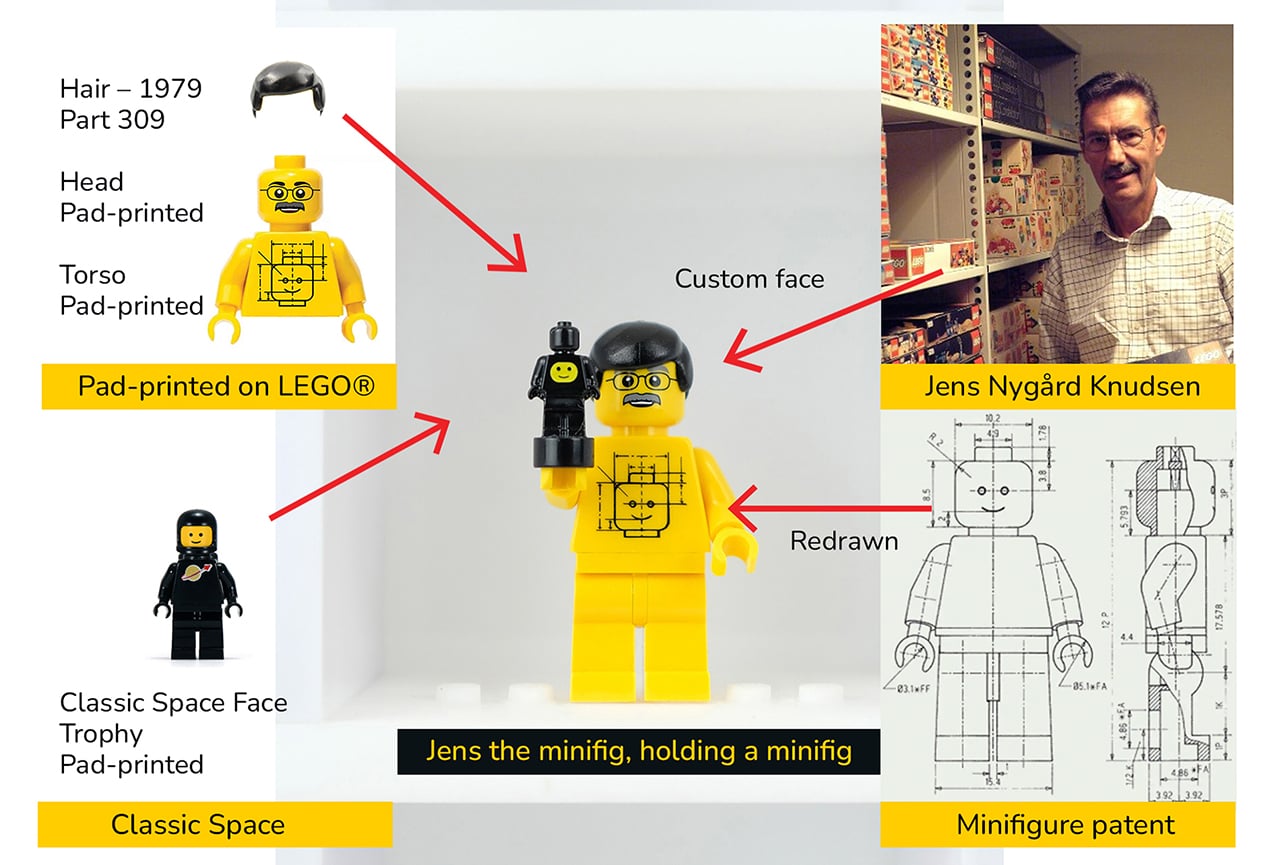
Somewhere in a closet, a perfectly good LEGO minifigure is staring through a plastic bag at the back of a cardboard box. It has a tiny printed face, a surprisingly elaborate hat, and absolutely no audience. Every serious LEGO collector knows the feeling: shelves fill up fast, display cases sell at fixed sizes, and at some point the collection starts living in labeled ziplock bags rather than anywhere it can actually be seen. LEGO has released over 775 Collectible Minifigures across 51 series since 2010, with new figures arriving three times a year, which makes the storage problem a permanent one for anyone collecting seriously. Stephen Peaple, a British-born collector now based in Perth, Australia, had thousands of them and spent four years building the solution he could not find anywhere.
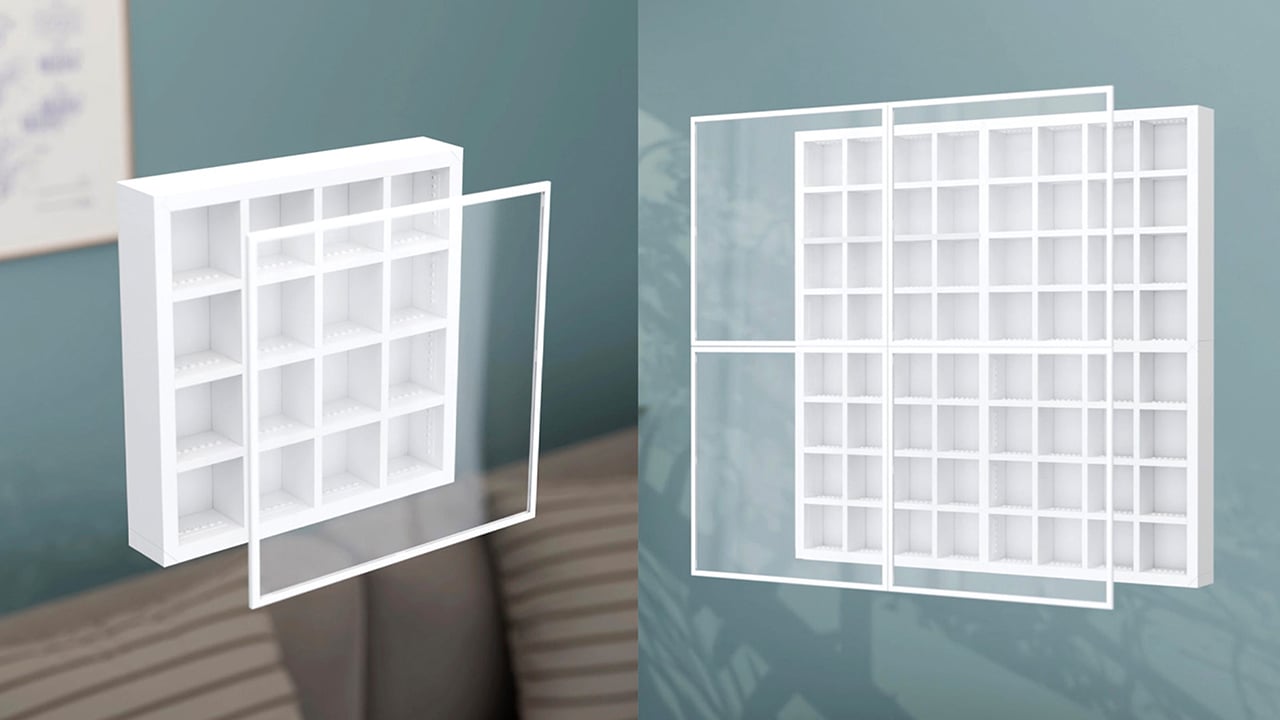
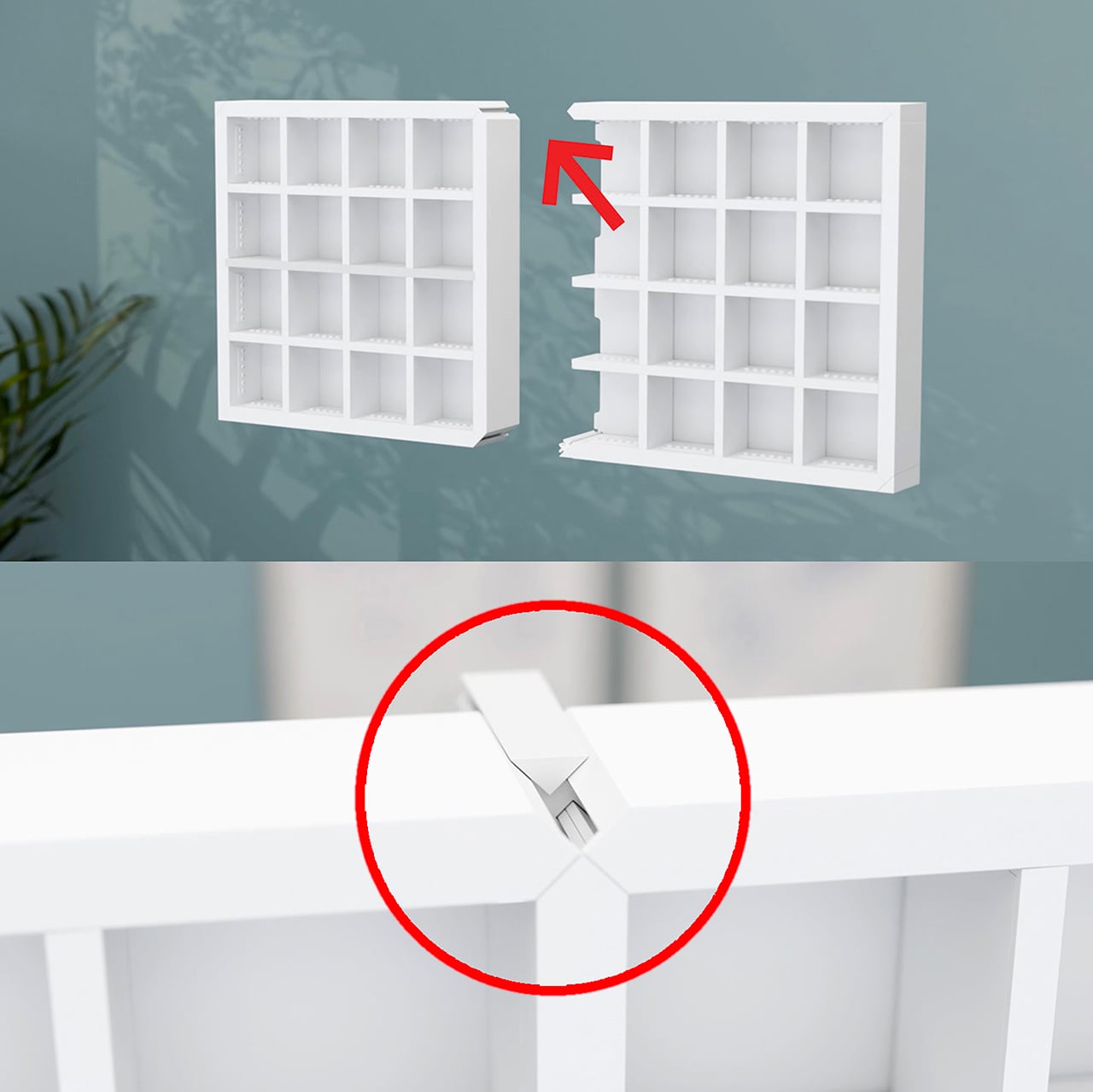
Finity Frames puts a collection on the wall in a clean white grid. A single frame carries 16 spaces, but removable dividers let you make room for bigger figures or pack in a crowd. When the collection grows, connected frames share edges so the display extends as one continuous piece without visual seams or doubled-up borders. Your next minifigure gets a spot without requiring a complete wall makeover. The system is injection-molded ABS, ships flat-packed, and the connection method that makes all of it work is patented.
A Display System That Grows With Your LEGO Collection
Every Finity Frame is built around a seamless edge connection where neighboring frames share a single border, eliminating the doubled-up edge and any visual gap at the join. This is the core innovation that solves the fixed-size problem inherent in every other display case on the market. It means you can start with a single frame for one series of figures and expand outward in any direction, at any time, without having to replace your original investment. The aesthetic is clean and continuous, looking like a single, cohesive unit no matter how large it gets.
This design approach also makes the system more efficient as it grows. Peaple makes the math explicit: the first frame measures 312mm across, and each connected frame adds just 298mm, because one edge is always shared. This reduces material waste and lowers the cost per additional frame. A 2×2 Collector, for instance, cannot be broken apart into four 1×1 Starters, since it doesn’t include the extra pieces. For context, the most prominent fixed-case competitors max out around 190 minifigures. The Finity Frames Showcase holds 1,056, and two of them together can display over 2,100 figures as a single, unified piece.
Built for Customization and Creative Play
Each Finity Frame ships with three horizontal and three vertical internal slats, forming a standard 4×4 grid. This sixteen-space layout is not arbitrary; it maps exactly to one complete Collectible Minifigures series, which traditionally ships with 16 unique figures. The slats are removable in any combination, yielding 64 different internal layouts. You can pull the vertical dividers out, double-stack figures with jumper plates, and a 1×1 Starter can hold up to 88 minifigures. This flexibility lets you create custom spaces for dioramas, larger vehicles, or oversized figures like the Hulk who need a little extra room.
The system’s dimensions are precisely calibrated to the LEGO System of Play. Internal slats are exactly one brick wide, and the frame edges are exactly two bricks wide. Each compartment accepts a 6×8 LEGO plate or four 3×4 minifigure plates, the same stands that come with CMF packs. This means removing the acrylic cover turns the frame into a wall-mounted baseplate where builds can bridge continuously across spaces and frames. Peaple calls this “bridging,” a feature that turns a static display into a creative canvas. Every horizontal slat even has a built-in row of six studs for securing figures or small builds.
Designed for Collectors of All Kinds
A magnetic Perspex acrylic cover protects the collection from dust and removes in a single pull. It’s made from UV-stable material with built-in absorbers to block harmful light, preventing the slow fading that can damage valuable figures over time. The frame itself is a gallery-white, UV-treated ABS plastic, a color choice meant to disappear behind the collection rather than compete with it. Everything is designed to last, preserving the collection while keeping it easily accessible. The magnetic attachment is secure but quick, so you can get to your figures without fussing with clips or latches.
Flipping the horizontal slats 180 degrees turns the studded surfaces into flat shelves, opening the frame to almost any small-scale collectible. A single 64x64x49mm space can hold Funko Pocket POPs, Be@rbricks, Sonny Angels, or even shot glasses. Removing dividers creates double-height spaces for larger items like vintage Kenner 3¾” figures, Super7 ReAction figures, Playmobil sets, or graded collectible cards in their hard cases. It’s a true cabinet of curiosities, designed for a LEGO collection but adaptable enough for just about anything else that deserves a spot on the wall.
Five Sizes, Starting at $65 USD
The five frame sizes run from the 1×1 Starter at 12.3×12.3 inches (up to 88 minifigures) to the 4×3 Showcase at 47.4×35.7 inches (up to 1,056), with the 1×2 Duo, 2×2 Collector, and 3×2 Lifestyle filling in between. All frames run 55mm deep without the cover, 61mm with, and production units are estimated at 0.9 to 1.1kg for the 1×1 (roughly 2 lbs).
Retail pricing starts at AU$99 (roughly US$65) for the Starter and reaches AU$835 (roughly US$550) for the Showcase. Any size can be extended later through a Frame Extender on finityframes.com, where you input what you already own and order only the additional sets required. The system ships flat-packed globally, with US distribution in place through the manufacturing partner.
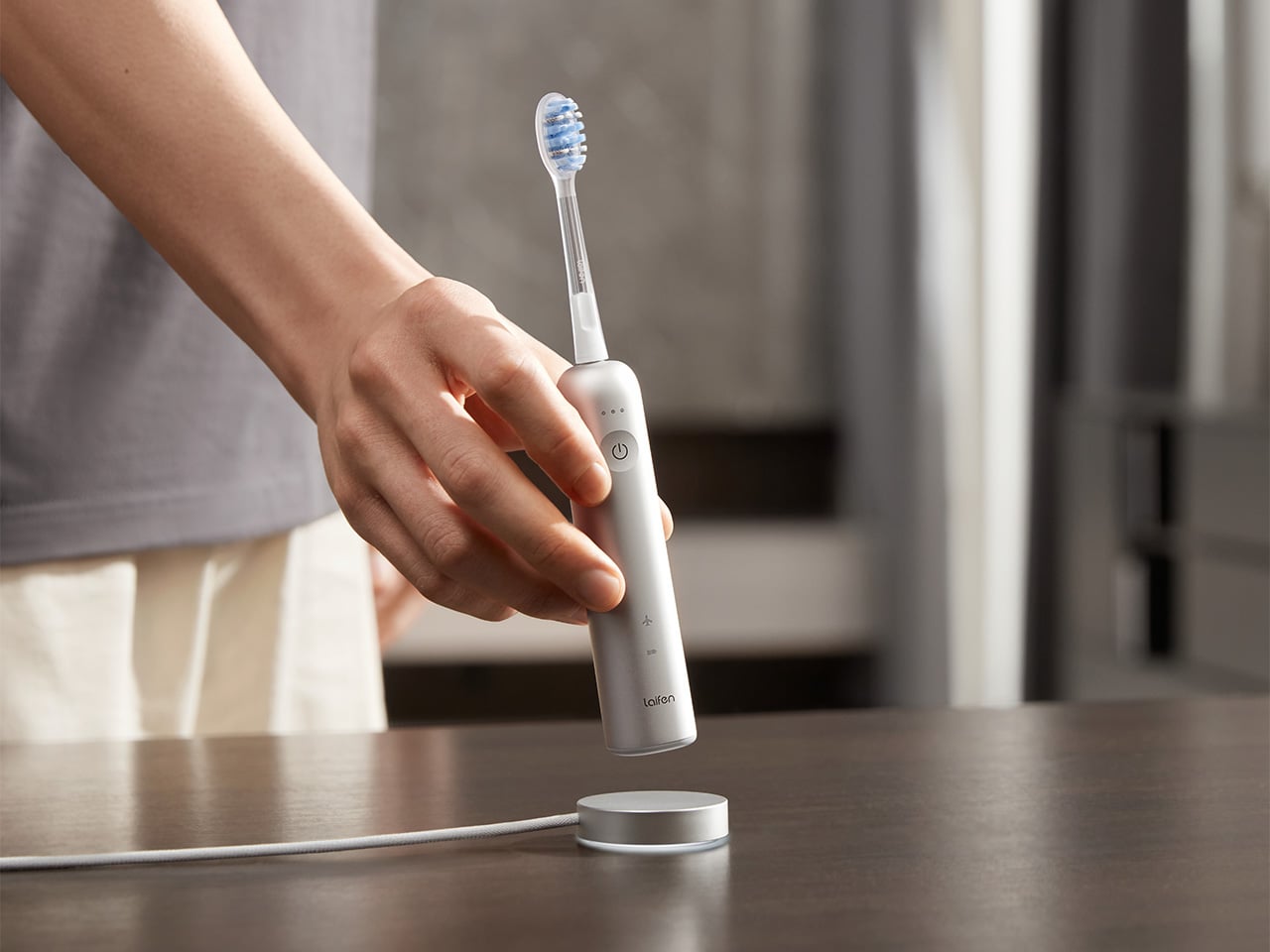
It’s a little strange when you think about it. People will spend weeks comparing headphones or picking the right coffee maker, yet the hair dryer, shaver, or toothbrush sitting on the bathroom counter rarely gets a second thought. Laifen’s fall lineup is built around fixing exactly that gap, treating everyday personal care tools with the same design attention usually reserved for gadgets people actually brag about owning.
The brand happens to be running one of its bigger sales of the season right now, and it covers four products that together handle nearly every step of a morning routine. Two hair dryers, an electric shaver, and an electric toothbrush, each one designed less like a bathroom appliance and more like something you’d actually want to leave sitting out in view.
Laifen SE 2: The Hair Dryer Most People Should Have Switched to by Now
Most hair dryers get the job done, until something faster comes along and makes the old one feel sluggish by comparison. The Laifen SE 2 runs on a 108,000-RPM brushless motor that pushes air at nearly 48mph, noticeably quicker than what most household dryers manage without resorting to constant blasts of heat. That speed alone cuts a few minutes off the usual routine.
What makes the SE 2 worth a second look is Temperature Cycling Mode, which alternates airflow patterns instead of holding one constant heat level, cutting down on damage from daily drying. 10 drying settings cover most hair types, and at 14.35 ounces without the cord, it’s light enough to hold through a full styling session. The matte white finish fits into almost any bathroom without effort.
Laifen Swift 4: The Dryer That Turns an Everyday Step Into a Hair Care Routine
Most people treat drying and hair care as two separate steps, applying oil or serum first and hoping the blast of hot air doesn’t undo the work. The Laifen Swift 4 folds both into one motion through its Nourishing Nozzle, which breaks essential oils into fine particles and distributes them at a steady 136°F, letting the oil work into hair while it dries instead of sitting on top of it.
Behind that trick sits a 115,000-RPM motor pushing air at nearly 51mph, with temperature checks running 1,000 times a second to keep heat steady. Six modes cover everything from a quick blast to a gentler nourishing cycle, while 400 million negative ions calm frizz and 70 million positive ions look after the scalp. It comes in three metallic finishes, none of them loud.
Laifen P3 Pro: A Shaver Built the Way Premium Gadgets Are Built
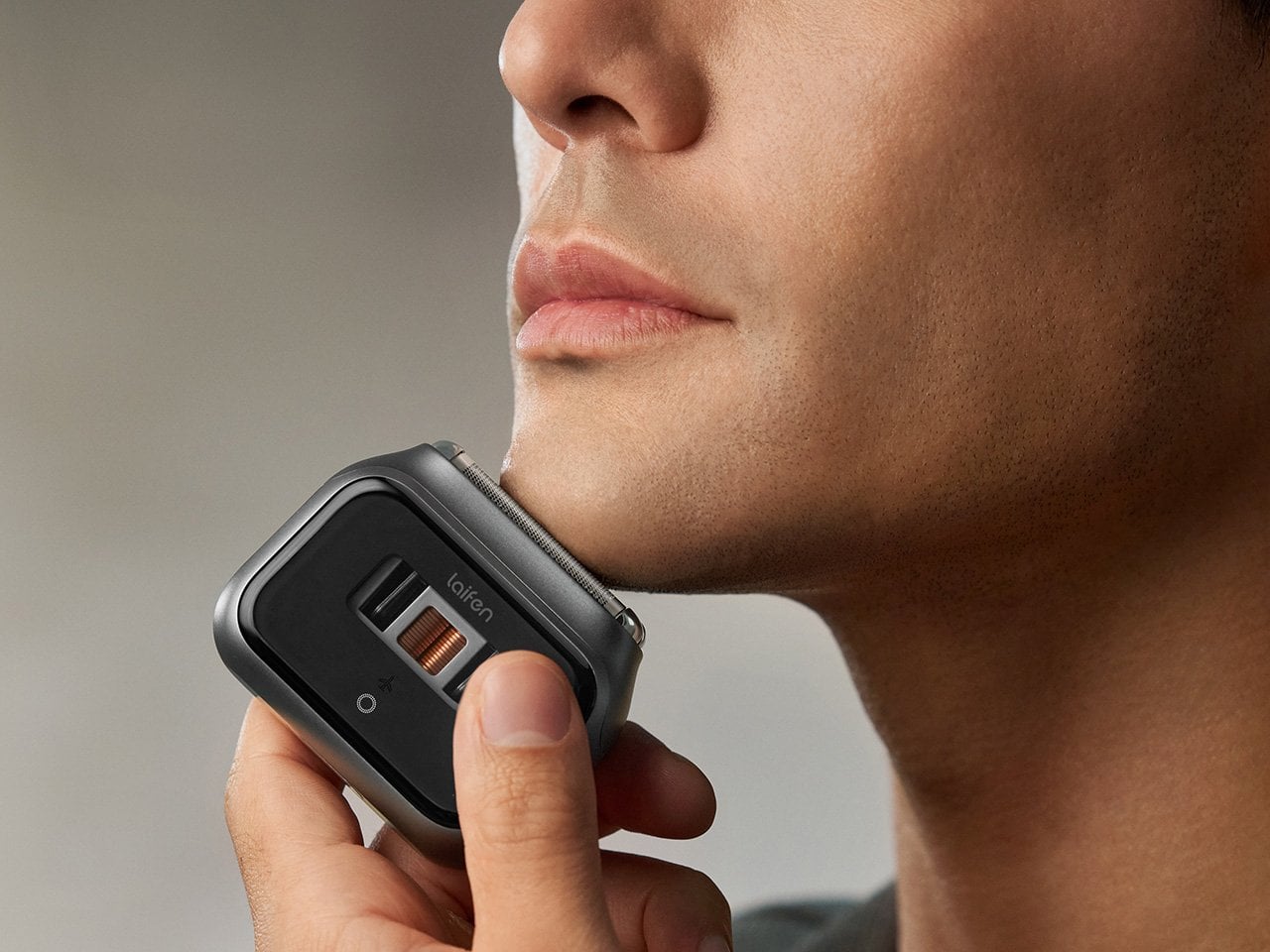
The Laifen P3 Pro Space Gray leads with a detail that has nothing to do with how close it shaves: a transparent motor window borrowed from the exhibition backs of mechanical watches, letting the internals show through instead of hiding behind plain plastic. The body itself is CNC-machined aluminum, a process that takes 9,000 seconds per unit, longer than what most flagship phones require.
At 6.3 ounces and barely bigger than a deck of cards, it slips into a dopp kit or jacket pocket without adding bulk. The dual-drive linear motor reads beard density in real time and adjusts power automatically, so thick patches don’t cause snagging. Two shaver heads handle close, short stubble, a flexible trimmer catches longer hair, and the whole thing carries an IPX7 rating for shower use.
Laifen Wave Pro: The Toothbrush That Actually Pays Attention While You Brush
Most people’s relationship with their toothbrush doesn’t involve much thought, which is exactly the assumption the Laifen Wave Pro pushes back on. Its brush head oscillates through a 60-degree arc, wider than most sonic brushes manage, combined with 66,000 vibrations a minute, following a brushing pattern modeled on the Modified Bass technique dentists have recommended for decades. The stainless steel body signals this isn’t an afterthought.
A pressure sensor tracks how hard you’re brushing and dials back motor speed the moment it senses you’re pressing too hard, protecting gums and enamel in the process. Two modes and three intensities give 10 adjustable levels through the companion app, while wireless charging and roughly 70 days of battery life mean it rarely needs attention. A travel pouch and two brush heads round out the package.
Taken together, these four pieces cover the parts of a morning that rarely get a second thought until something better shows up and makes the old routine feel dated. Laifen built each one around a specific daily habit, from drying to shaving to brushing, and the fall lineup lands right as the season nudges people to reset those habits anyway.
Click Here to Buy Now: 96$119.99 (20% off, use coupon code “PRFALLSALE”). Hurry, deal ends in 48-hours!
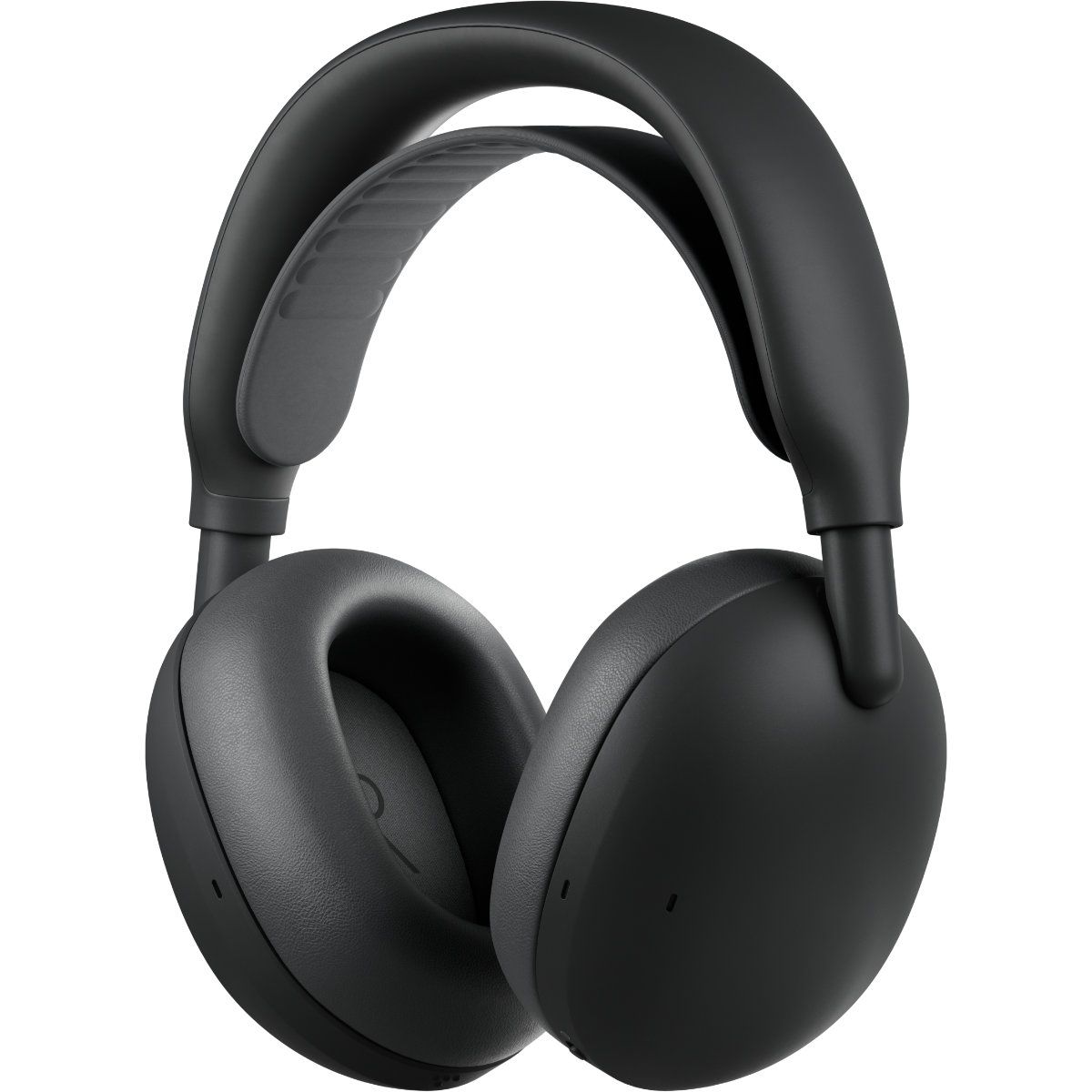
Logitech just announced a pair of headphones that I'm sure will make my wife jealous. The new Zone Vibe Pro headphones promise all-day battery life, clear audio powered by AI voice isolation, and Adaptive Noise Cancellation. But what makes me wish I had a pair is the repairable nature of the headphones.
The Zone Vibe Pro headphones are far from the first headphones to have replaceable parts. But they caught my eye because the earpads of my wife's primary headphones just fell off the other day, and battery life is not what it used to be. Official earpads are available, but those are the only parts that can be replaced.
In contrast, Logitech will sell replacement earpads, head straps, and batteries for the Zone Vibe Pro through its Spare Parts Store.
While writing this article, I briefly mentioned to my wife how Logitech sells spare parts and she emphatically asked why we couldn't get parts the same way for our other accessories.
These headphones feature AI-powered voice isolation, adaptive noise canceling, and built-in microphones that don't require a drop-down boom. You'll be able to purchase replacement earpads, head straps, and batteries through Logitech's store.View Deal
The most expensive parts of electronic devices are rarely the first parts to wear out. Wires, woofers, and most of the vital components are encased in plastic, metal, or some fancy material depending on what gadget you're dealing with. Considering the current economy and the way prices are trending, I'd rather spend a few dollars on replacement parts than buy a new device altogether.
The Zone Vibe Pro costs $259.99. That price is in line with similar headphones, but it's still quite a bit of money to invest. Being able to replace a worn-out part for a fraction of the total price of the headphones will help future-proof them.
The Zone Vibe Pro headphones have a boomless design that differentiates them from the less premium Zone Vibe (non-pro). Logitech says the headphones get up to 30 hours of listening or 18 hours of call time when ANC is enabled.
When the battery does run out, you can charge the headphones for five minutes to get an additional hour of call time.
If you are a business user, you can get the Zone Vibe Pro for Business which are certified for meeting apps like Microsoft Teams and support IT fleet management through Logitech Sync.
Join us on Reddit at r/WindowsCentral to share your insights and discuss our latest news, reviews, and more.
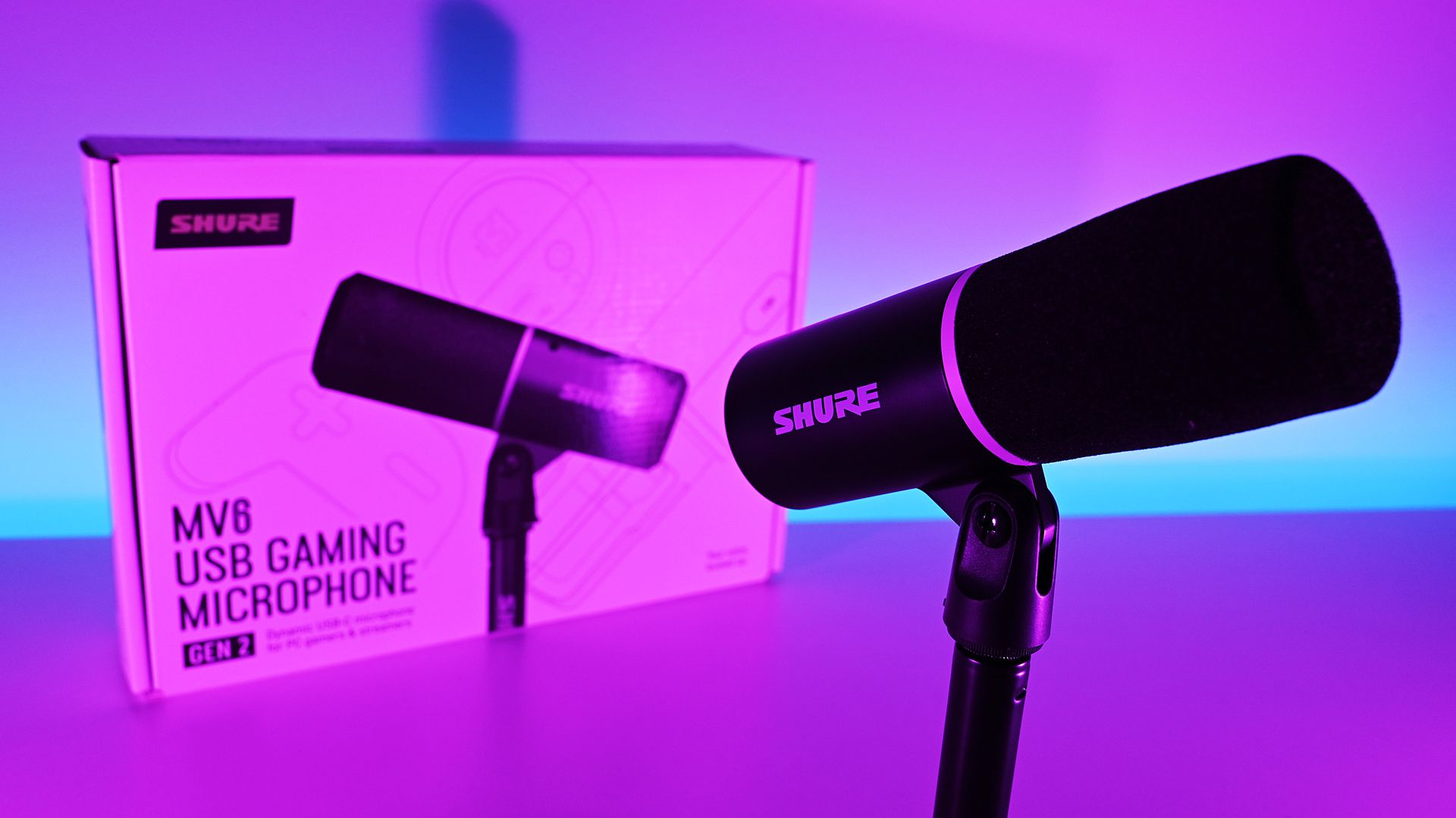
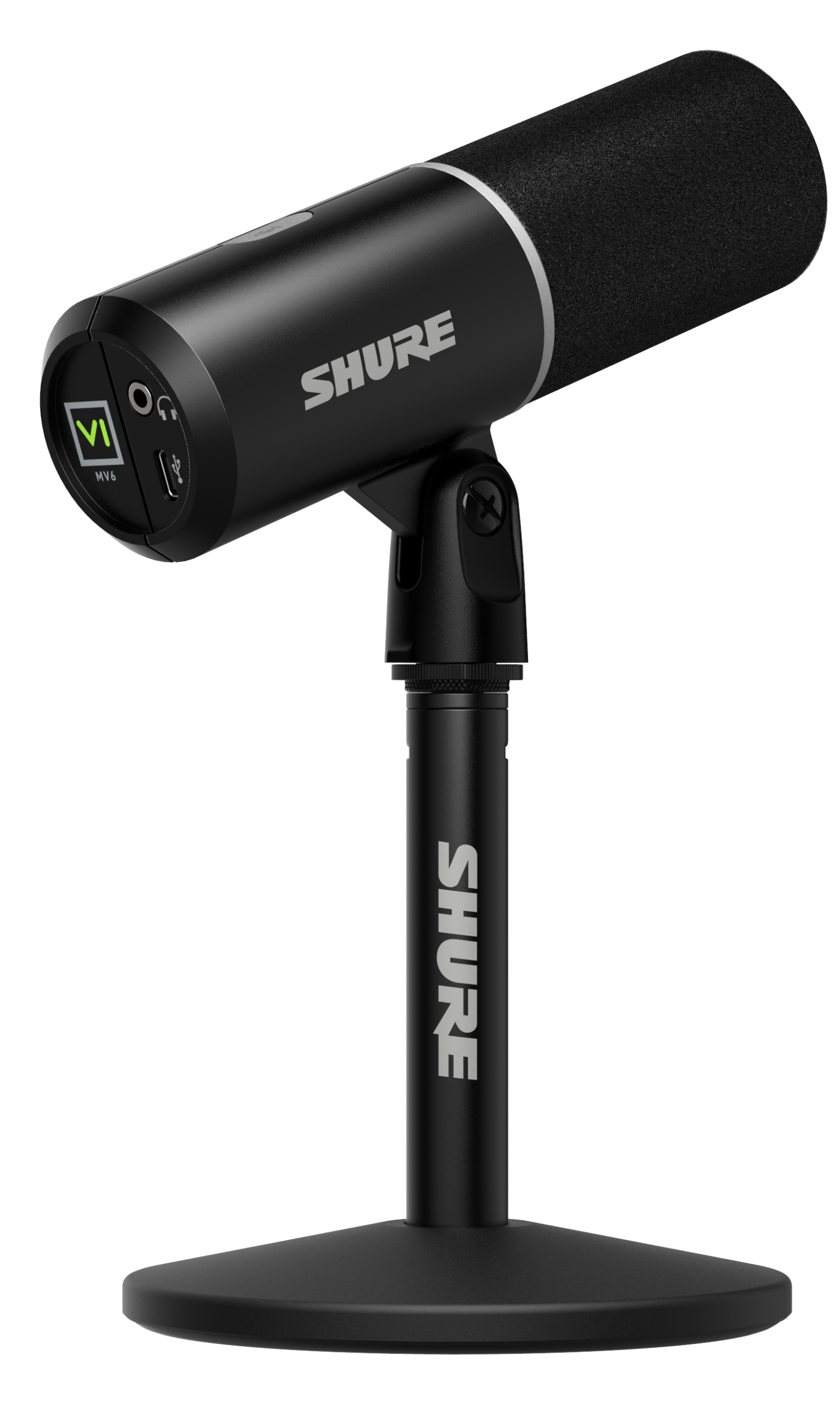
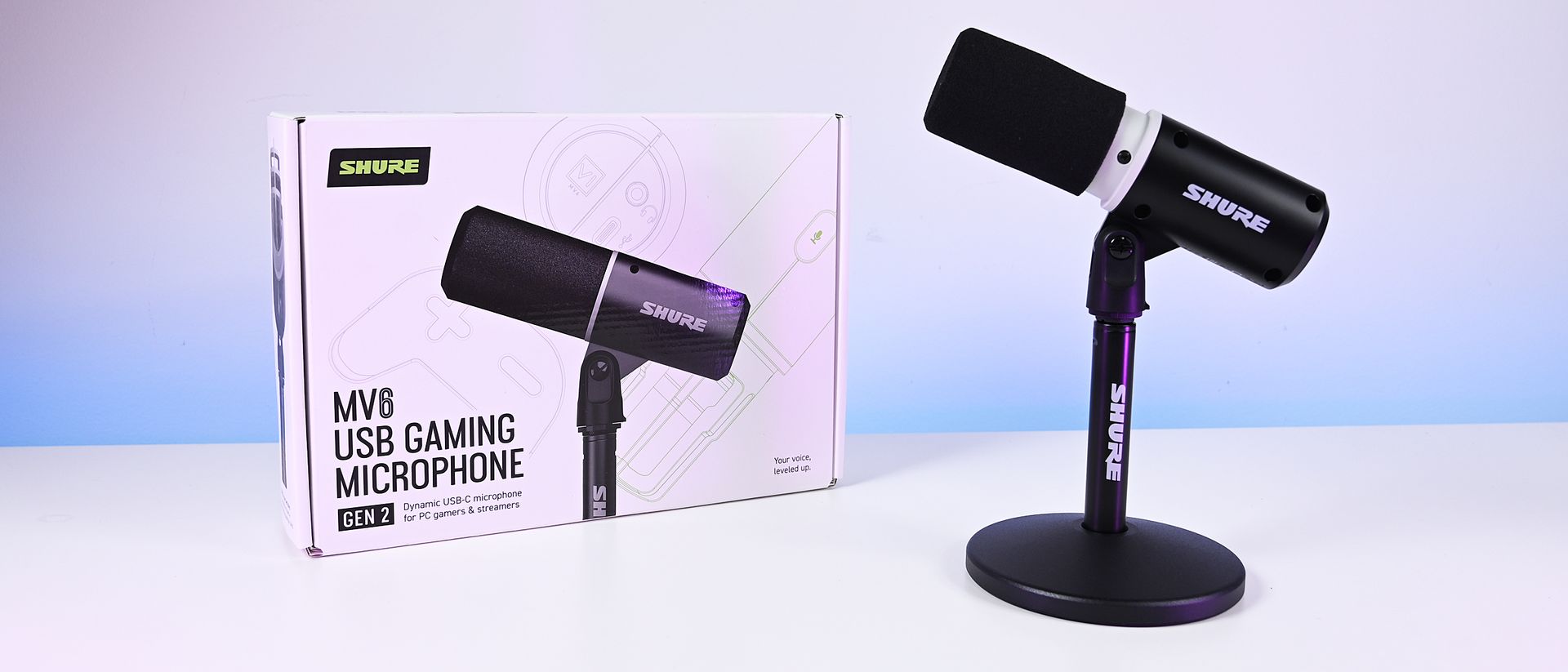
There are plenty of USB microphones aimed at gamers these days, but few come from a company with the audio credentials of Shure. For more than 100 years, Shure has built microphones for musicians, broadcasters, performers, and recording professionals, with products like the SM58 and SM7 becoming industry standards along the way. During a recent briefing with me, Shure described the new MV6 lineup as part of its effort to bring that expertise to creators who want professional-quality audio without the cost and complexity that often comes with traditional XLR gear.
That's what immediately appealed to me about the new MV6 Gen 2 ($169). I've spent the last 15 years using microphones for the Windows Central Podcast, livestreams, media appearances, and interviews. I've used plenty of microphones from Razer, HyperX, Blue, and others, but somehow this was my first extended experience with a Shure. After several weeks of testing, including an appearance on TWiT Episode 1101 where I received compliments on the audio quality afterward, I can see why the company has such a strong reputation among podcasters and broadcasters.
The MV6 Gen 2 may be marketed as a gaming microphone, but after using it, that label feels a little too narrow. This is a microphone for anyone who wants better voice quality without needing an audio interface, mixer, XLR cables, or a degree in audio engineering.
Shurehad no input, nor did it see the contents of this review, prior to publication.
What's new with the Shure MV6 USB Gaming Microphone Gen 2?
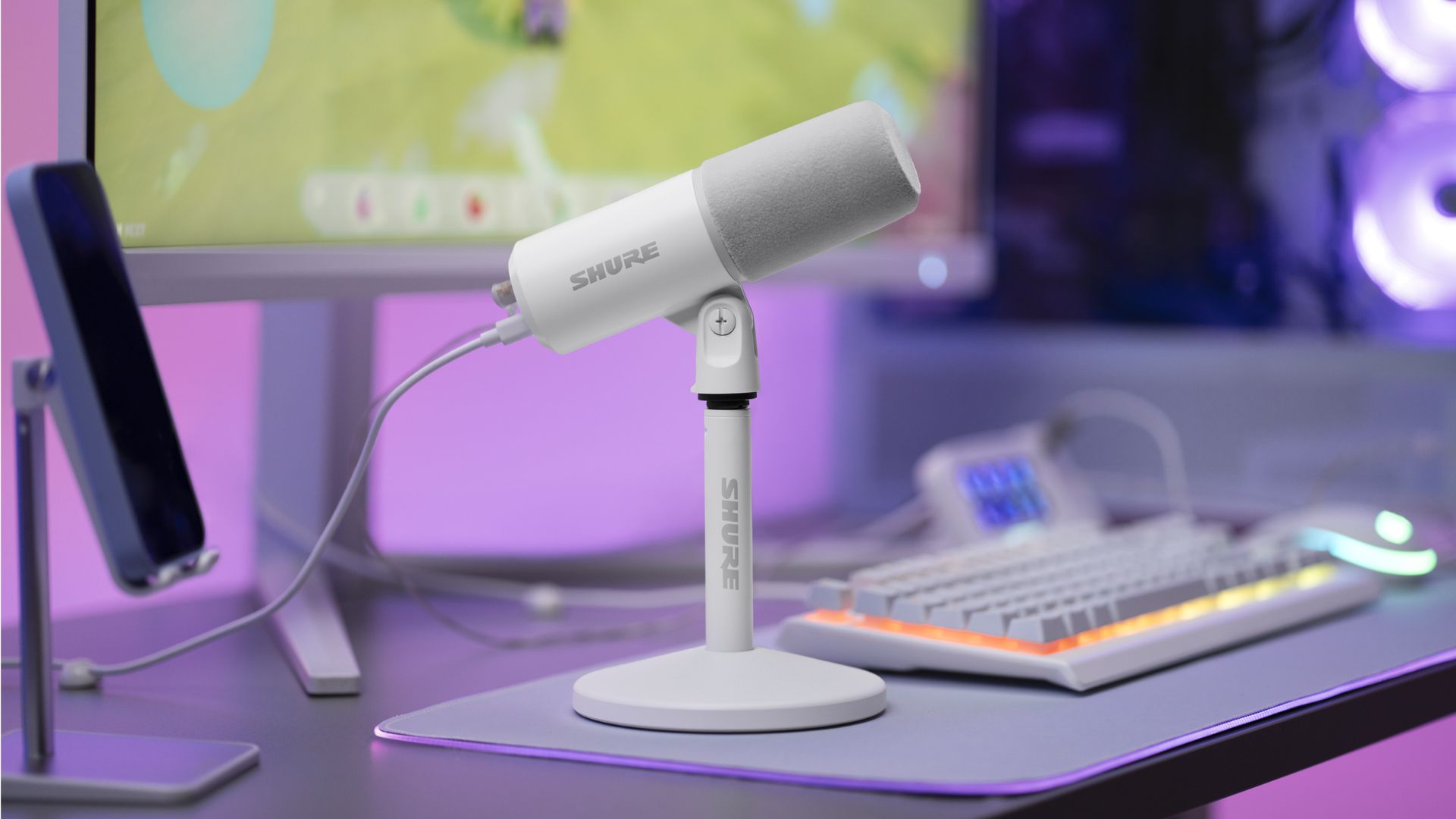
The new Shure MV6 USB Gaming Microphone Gen 2 now comes in a white option, as well. (Image credit: Shure)
I didn't review the original MV6, but most reviews of the first-generation model praised its strong audio quality, easy setup, and excellent value while noting that customization was relatively limited compared to some competitors.
Shure appears to have taken that feedback seriously.
The second-generation MV6 focuses primarily on expanding user control through software and onboard DSP processing rather than reinventing the hardware itself. The microphone still ships with Shure's "sounds great out of the box" philosophy, but users now have significantly more flexibility if they want to fine-tune their audio.
New features include:
Adjustable Auto Level controls with configurable target levels
New Adaptation Rate settings that determine how quickly gain recovers after volume spikes
Adjustable Real-Time Denoiser intensity
New Speech, Singing, and Instrument presets
A full 5-band EQ for advanced tuning
White and black color options
A longer included USB-C cable
The ability to disable the microphone's touch-sensitive mute button
Enhanced DSP processing and customization through the MOTIV Mix software suite
Perhaps most importantly, Shure accomplished this without turning the MV6 into a microphone that demands constant tweaking.
During my briefing, product manager T Banks repeatedly emphasized that users shouldn't need to understand gain staging, EQ curves, or audio engineering to get excellent results. The advanced controls are there if you want them, but the microphone is designed to sound great from the moment it's plugged in.
Shure MV6 USB Gaming Microphone Gen 2: Price and specifications
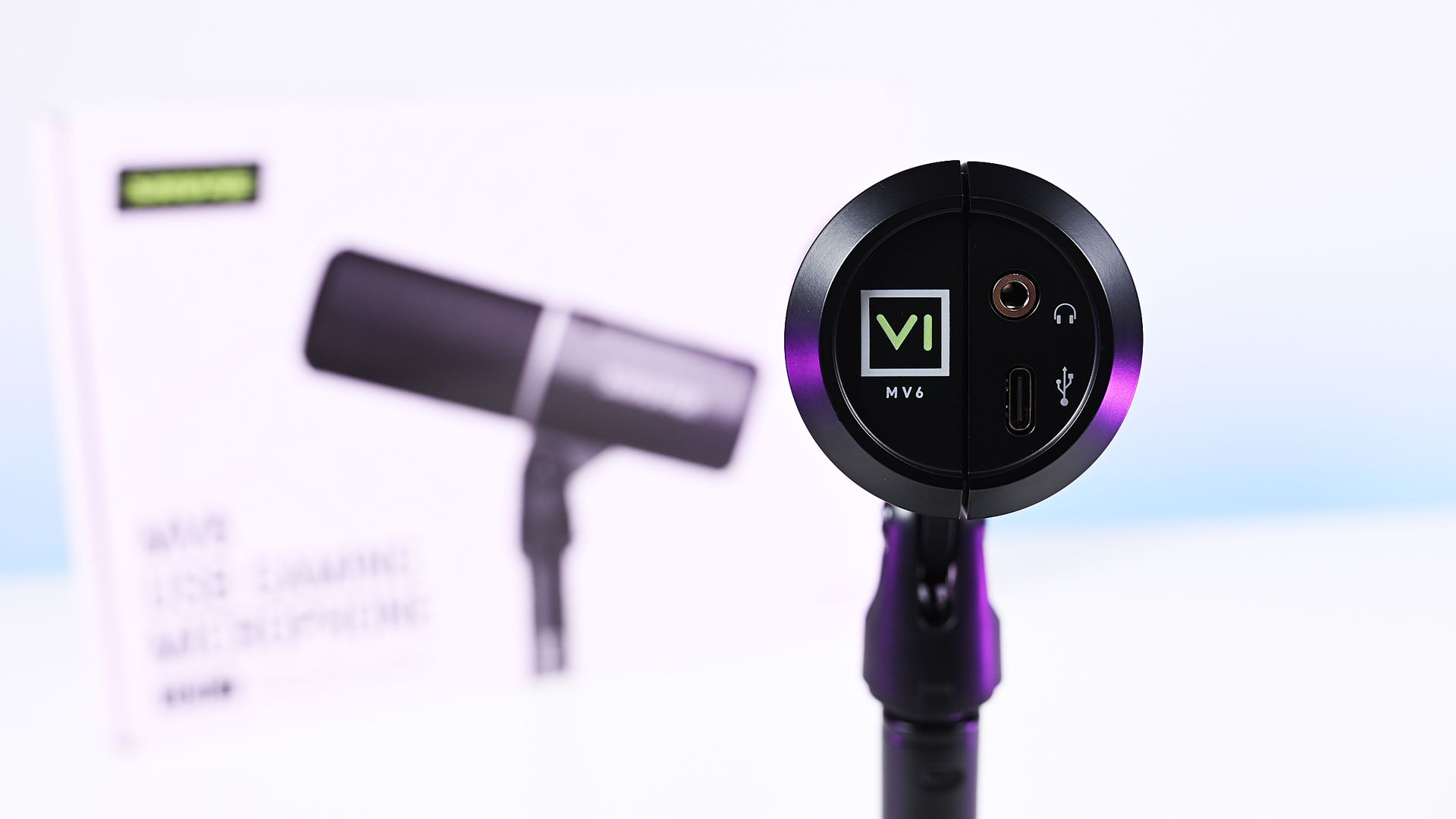
Direct bottom-up view of the Shure MV6 Gen 2 microphone displaying its 3.5mm headphone jack and USB-C port. (Image credit: Daniel Rubino)
At $169, the MV6 Gen 2 lands squarely in one of the most competitive segments of the USB microphone market.
That's a price bracket occupied by products like the Razer Seiren V3 Chroma 32-bit and HyperX QuadCast 2 S, both of which offer feature-rich experiences and recognizable gaming branding. The Shure takes a different approach. Instead of trying to out-RGB the competition, it leans heavily on audio quality, DSP processing, and the company's professional heritage.
On paper, the specifications are solid:
Dynamic cardioid microphone
USB-C connectivity
24-bit / 48 kHz audio
Adjustable Auto Level processing
Real-Time Denoiser
Digital Popper Stopper
High-pass filter
5-band EQ
3.5mm monitoring jack
Windows, macOS, iOS, and Android support
Basically, these are all the things I want and need in a mic, and none of the extra stuff that I don't.
Shure MV6 USB Gaming Microphone Gen 2: Design and setup
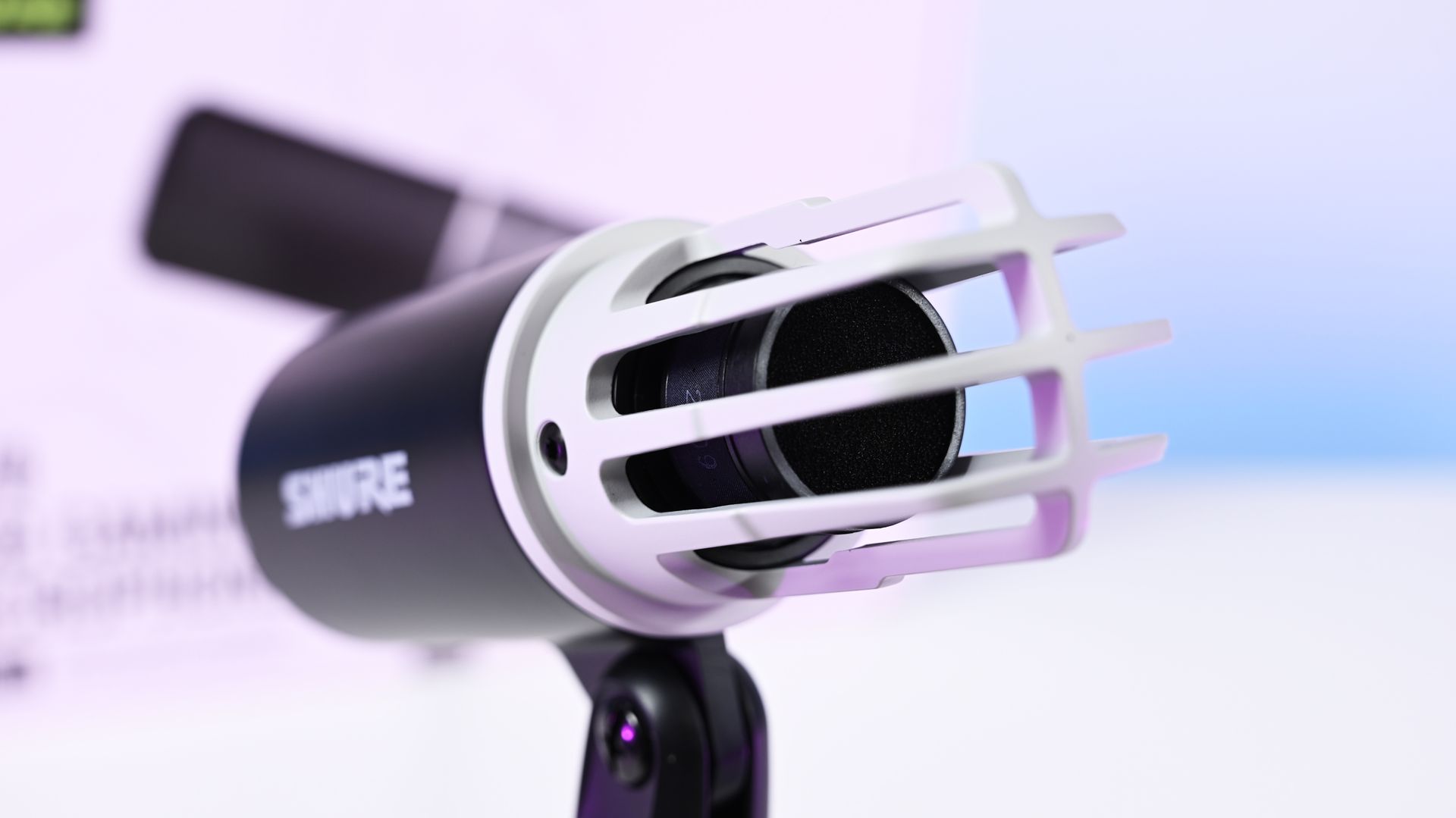
Close-up shot of the Shure MV6 Gen 2 microphone capsule with the foam windscreen off, showing the inner ribbed cage. (Image credit: Daniel Rubino)
The MV6 Gen 2 won't be mistaken for a gaming centerpiece.
Compared to the RGB-heavy HyperX QuadCast 2 S or the eye-catching Razer Seiren V3 Chroma, the Shure looks almost understated. The cylindrical design, compact desktop stand, and minimal branding prioritize functionality over personality.
Personally, I like that approach, but I also like glowy things.
The MV6 disappears into the background during video calls and recordings rather than demanding attention. It feels more like a professional tool than a gaming accessory.
Setup is about as painless as USB microphones get. Connect the included USB-C cable, select the device in Windows, and start talking.
One of the more interesting insights from my conversation with Shure involved the company's decision to omit XLR entirely. Shure believes many creators are paying extra for XLR connectivity (like the $249 Razer Seiren V3 Pro) they never actually use. By focusing exclusively on USB and investing heavily in onboard DSP, the company was able to keep costs lower while delivering audio quality that approaches much more complex setups.
Having owned mixers and used XLR microphones myself, I completely understand that reasoning. For most people, this approach makes more sense.
Shure MV6 USB Gaming Microphone Gen 2: MOTIV Mix software
(Image credit: Daniel Rubino)
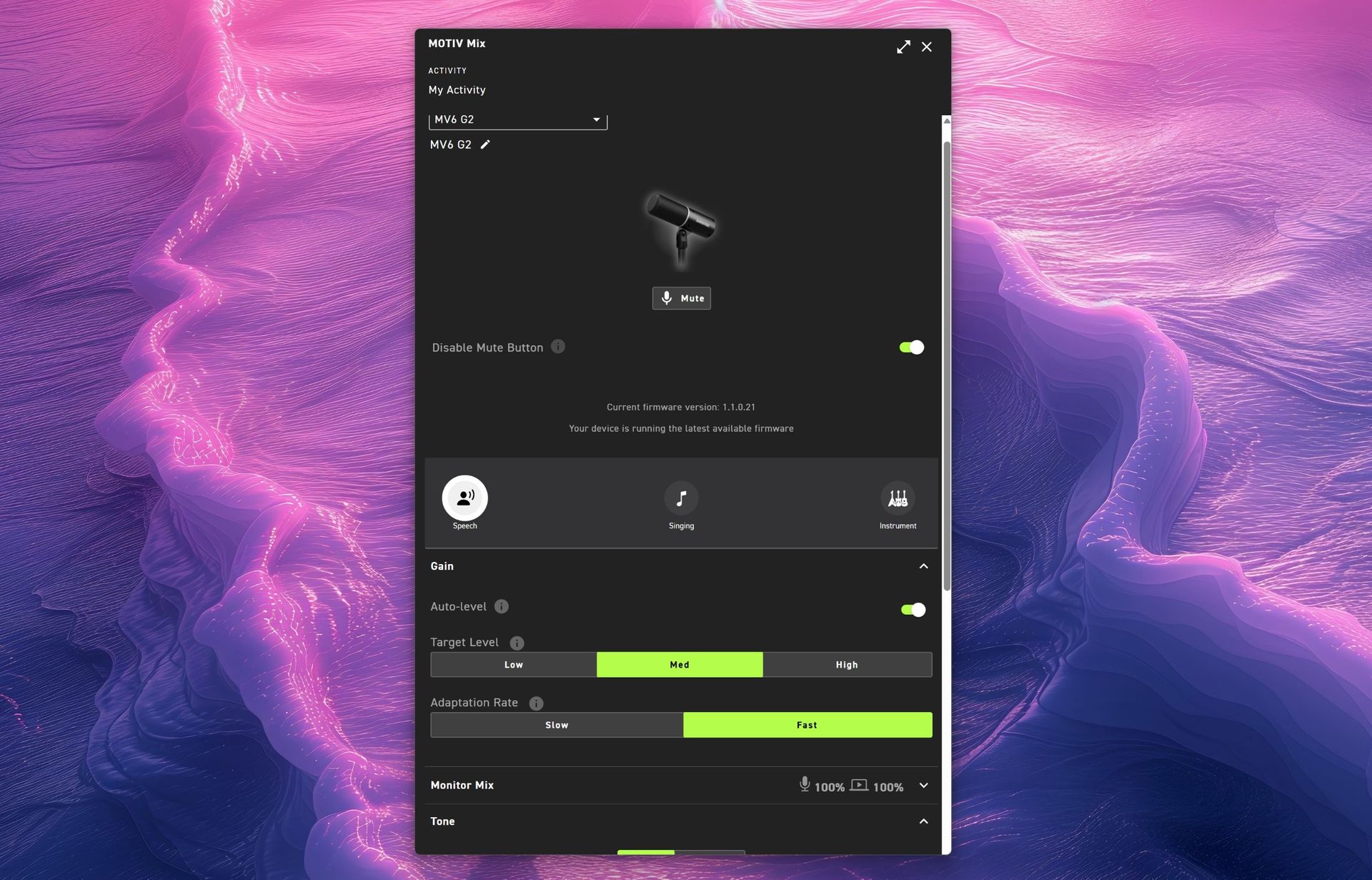
The MOTIV Mix software is where many of the Gen 2 improvements come to life.
My first impression was admittedly amusing. The installer feels surprisingly old-school, almost like a utility from an earlier Windows era. Once installed, however, the application is refreshingly straightforward.
That's a good thing.
Companies often fall into the trap of treating audio software like a cockpit. MOTIV Mix feels more like a well-organized control panel.
One of my favorite additions is the ability to disable the microphone's touch-sensitive mute button on the side. The mute function works extremely well, maybe a little too well. I accidentally triggered it more than once while adjusting the microphone, so being able to disable it entirely turned out to be an unexpectedly useful feature.
Auto Level and Adaptation Rate
Auto Level is enabled by default and serves as Shure's answer to automatic gain control.
The new system allows users to set different output targets while also adjusting how quickly the microphone responds after loud volume spikes. According to Shure, this feature was added after feedback from gamers who found the first-generation microphone could take too long to recover after sudden loud reactions.
For streamers, podcasters, and excitable gamers, it's a genuinely useful improvement.
Monitor Mix
Monitor Mix lets users balance their own voice against system audio heard through connected headphones.
Anyone who records podcasts, livestreams, or interviews will appreciate having direct control over that monitoring experience without needing external hardware.
(Image credit: Daniel Rubino)
Tone and Advanced EQ
The Tone section illustrates Shure's overall philosophy particularly well.
Users who don't want to learn EQ can simply slide between Dark, Natural, and Bright tonal profiles. Those who want deeper control can switch to a five-band EQ and manually adjust key frequencies.
It's an elegant balance between simplicity and flexibility.
Real-Time Denoiser
One of the standout Gen 2 upgrades.
The original MV6 offered denoising, but Gen 2 allows users to adjust its intensity. Whether you're recording in a quiet office or trying to overcome computer fans, HVAC systems, or general background noise, the Denoiser provides meaningful control over how aggressively the microphone cleans up your environment.
Popper Stopper and High Pass Filter
The Digital Popper Stopper is designed to reduce plosive sounds caused by hard "P" and "B" consonants. During testing, it worked well enough that I never felt compelled to add an external pop filter.
The High Pass Filter can be set to 75Hz or 150Hz, helping reduce low-frequency rumble from HVAC systems, vibrations, and other environmental noise. Combined with the denoiser, it's surprisingly effective.
Shure MV6 USB Gaming Microphone Gen 2: Audio quality
This is where the MV6 Gen 2 earns its asking price.
Throughout my testing, voices consistently sounded warm, natural, and broadcast-ready with remarkably little effort. The microphone's dynamic capsule does an excellent job focusing on the speaker while minimizing distractions from the surrounding room.
(You can listen to how it sounds above during my 3+ hour guest appearance on This Week in Tech a few weeks ago.)
More importantly, it sounds good before you open the software.
That might sound obvious, but it's becoming surprisingly rare. Many gaming microphones feel like they require software processing to reach their full potential. The MV6 Gen 2 starts from an already excellent baseline and simply gives you tools to refine it further.
That philosophy came up repeatedly during my conversation with Shure. I compared its audio approach to brands like Bose, where tuning and DSP should complement the product rather than compensate for its shortcomings. The expectation is that users plug it in and immediately sound better.
In my experience, that's exactly what happens.
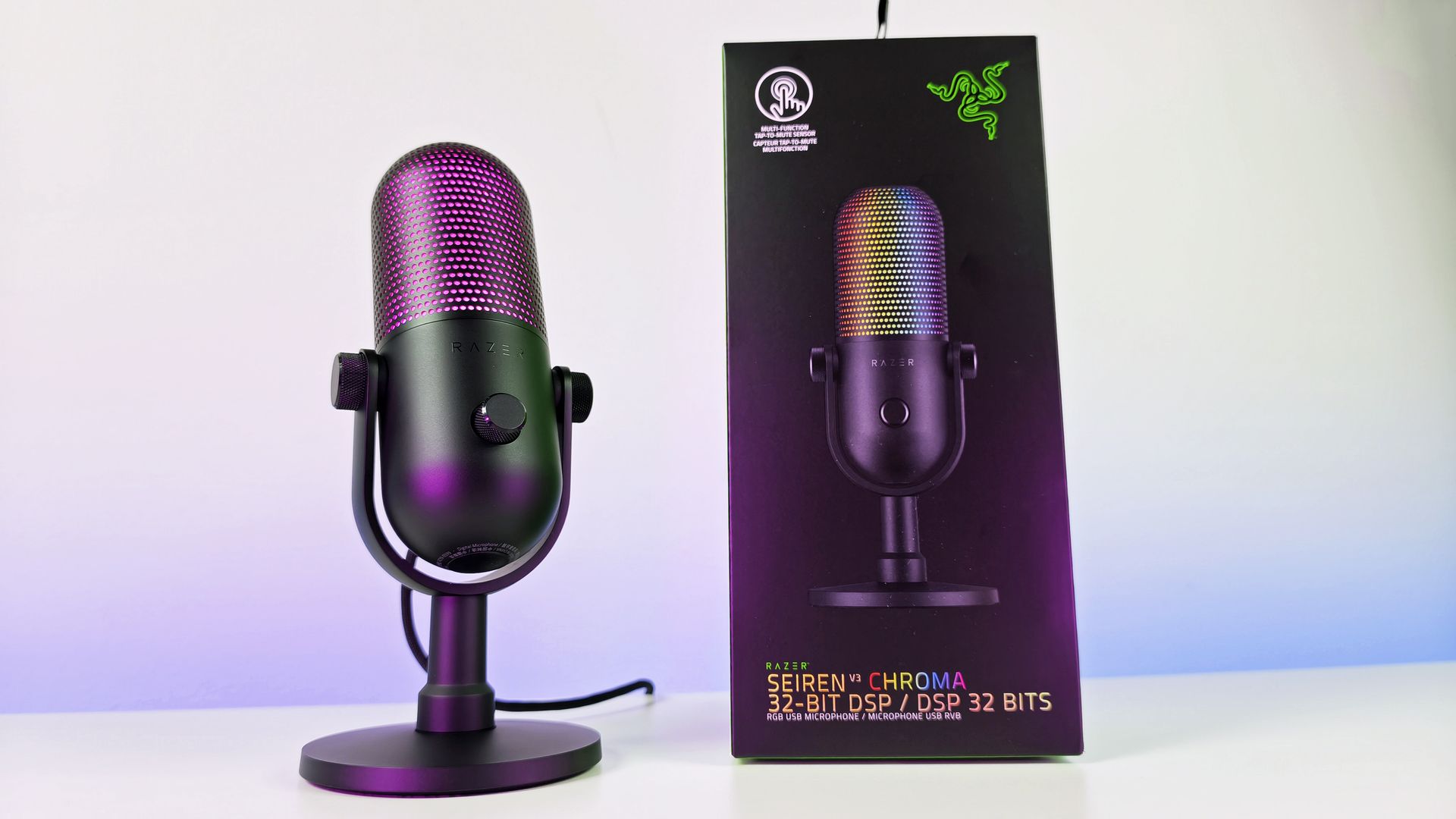
Against the Razer Seiren V3 Chroma 32-bit, I generally preferred Shure's warmer, more natural vocal presentation for podcasting and spoken-word content. The Razer offers more visual flair and creator-focused effects (and the auto-tuning setup in Synapse is great), but the MV6 sounded more like a broadcast microphone.
Compared to the HyperX QuadCast 2 S, the Shure again prioritizes voice quality over spectacle. The HyperX remains one of the best-looking microphones on the market, while the MV6 feels more focused on delivering clean, professional audio.
Neither comparison is a knock against Razer or HyperX. Instead, it highlights how different Shure's priorities are. This feels like an audio company that happens to be making a gaming microphone rather than a gaming company trying to make an audio product.
Shure MV6 USB Gaming Microphone Gen 2: Competition
Razer Seiren V3 Chroma microphone offers similar capabilities to the Shure MV6 Gen 2, but with a lot more typical gaming RGB flair. (Image credit: Daniel Rubino)
If RGB lighting, aesthetics, and streamer-focused visual features are top priorities, either competitor may be the better fit.
If audio quality is the top priority, the MV6 Gen 2 presents an extremely compelling argument.
Shure's competitive advantage isn't lighting, software effects, or gaming branding. It's more than 100 years of microphone experience combined with DSP technology that originated from the company's broader professional audio business.
That heritage is difficult to replicate.
Should you buy it?
✅You should buy this if ...
You want excellent audio without needing XLR hardware
You podcast, stream, create videos, or appear in meetings regularly
You value audio quality more than RGB lighting
You want useful DSP features that work automatically
❌You should not buy this if ...
RGB lighting and visual customization are important to you
You want a microphone with multiple polar patterns
You prefer software ecosystems as polished as Synapse or NGENUITY
Final thoughts
(Image credit: Daniel Rubino)
The Shure MV6 USB Gaming Microphone Gen 2 feels less like a gaming microphone and more like a professional USB microphone that happens to be affordable enough for gamers (or anyone who just needs a good mic that's not XLR-level).
For a first-time Shure user, that's probably the biggest compliment I can give it. After years of seeing Shure microphones dominate podcasts and broadcasts, I finally understand why so many creators trust the brand. The sound quality is excellent, the setup is effortless, the DSP features are genuinely useful, and the software gives you just enough control without becoming overwhelming.
My only real criticism is that MOTIV Mix lacks some of the visual polish and ecosystem refinement found in competing software suites. Beyond that, there isn't much to complain about.
At $169, the MV6 Gen 2 delivers exactly what Shure set out to achieve: professional-grade audio that simply works.
Professional Grade
Shure
MV6 USB Gaming Microphone Gen 2
Engineered specifically for PC gaming, streaming, and content creation, the MV6 Gen 2 brings Shure's professional broadcast technology to more creators, including those purchasing their first dedicated microphone and looking to elevate their sound beyond a headset.
Join us on Reddit at r/WindowsCentral to share your insights and discuss our latest news, reviews, and more.
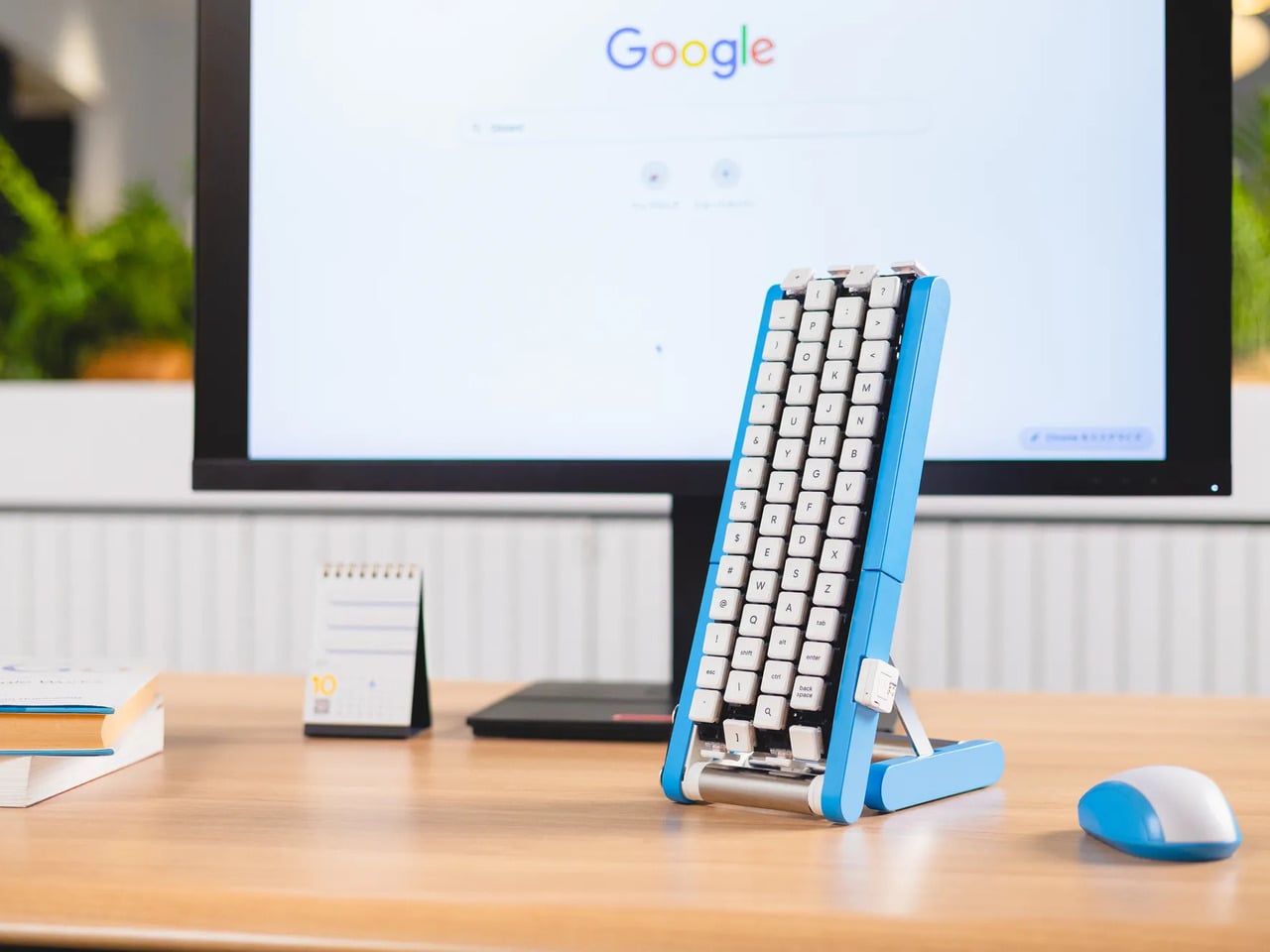
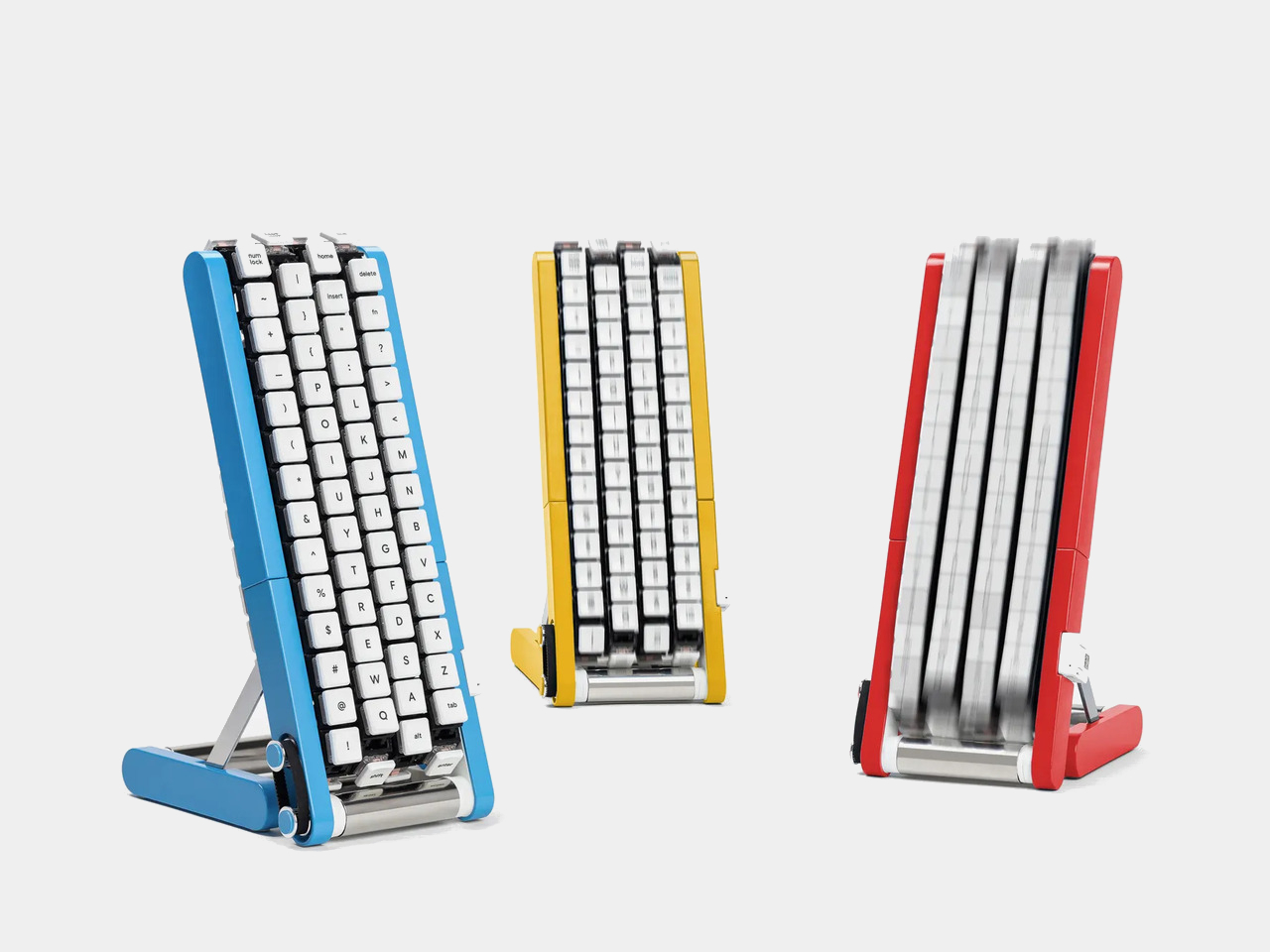
Typing with one hand usually means stretching a finger across a keyboard while the other hand holds a drink or works a mouse. Google’s Gboard team has a wonderfully impractical fix: put the keys on a conveyor belt and let them come to you. Its Rotating Keyboard stands upright on a desk, asking your finger to stay put while the letters keep moving.
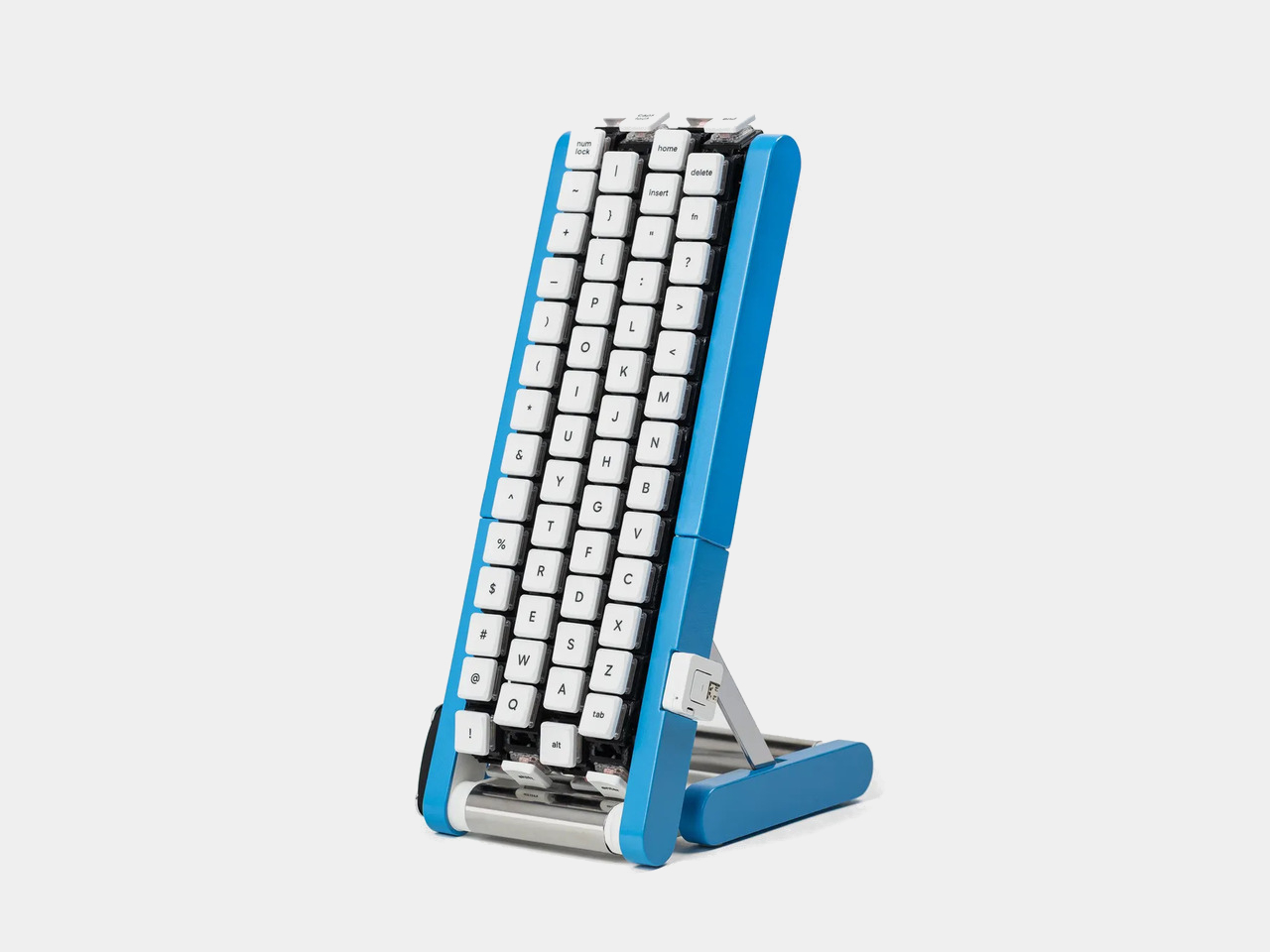
Regular keyboards assume your hands will travel between stationary keys, a reasonable arrangement that has survived decades of typing. Google reverses that relationship by mounting rows of keycaps on loops that travel around rollers. The tall blue frame and angled stand make the moving assembly feel closer to a miniature factory machine than a computer peripheral, which is probably part of the joke.
Instead of looking down for a letter, you watch for the right key to arrive and press it as it passes. Google says each belt carries 29 keys and can input both uppercase and lowercase letters. That might let one hand stay near the same spot, though it also turns typing into a timing exercise, especially when the next letter takes its time coming around.
Imagine answering an email with a cup of tea in your free hand. On a conventional keyboard, you’d either put the cup down or hunt for letters one finger at a time. Here, the moving keys do the traveling while you wait at the front of the machine. Google also suggests using your free hand on a mouse, which sounds suspiciously like extra work.
There’s an oddly earnest design lesson underneath the silliness. Questions about ergonomics often begin with who a familiar object was made for, and Google has taken that thought to a ridiculous extreme. The upright arrangement might use less horizontal desk space than a full keyboard, but it trades that footprint for height, moving parts, and the need to watch every passing key.
Google plays along with its own premise, floating ideas for faster movement, longer belts with more characters, shorter versions for phones, and different colors. None of those variations is a promised product. Even the keyboard itself isn’t headed for stores; the team has released open-source plans for a similar device instead. That keeps the joke open to anyone curious enough to build one.
The date is part of the gag, too. Google chose October 1 as a nod to the familiar 101-key keyboard, rather than waiting for April Fools’ Day. It’s the team’s 15th keyboard proposal, continuing a habit of treating ordinary typing as a problem that needs an absurdly elaborate solution. A conveyor belt is hardly the first thing most people would try.
You’re unlikely to write a novel by chasing letters around this contraption, and that isn’t really the point. Google has built a physical answer to a question no keyboard maker was asking: what if the keys did all the moving? It’s a ridiculous way to type an email, but an effective way to notice how much we expect our fingers to do.
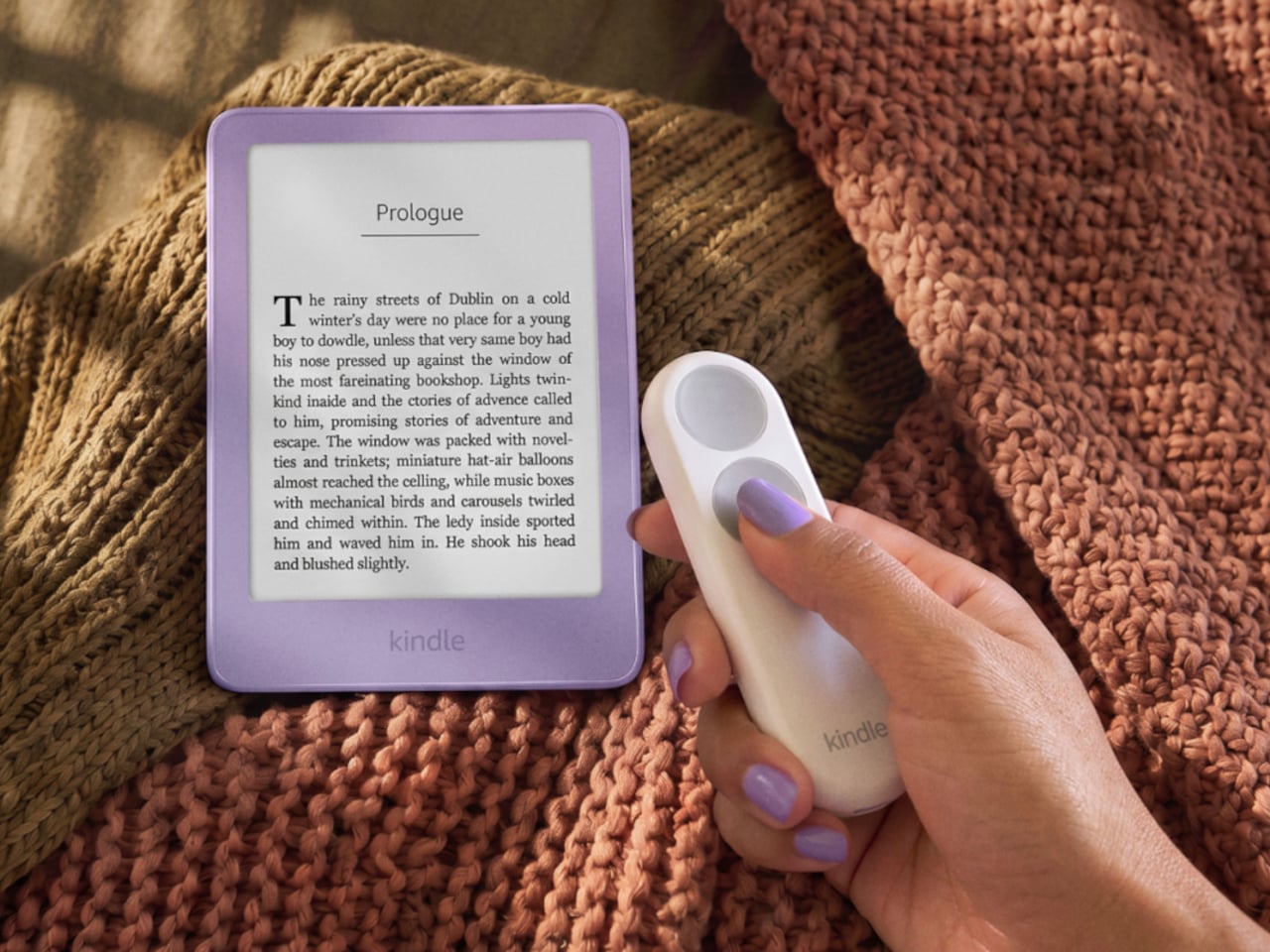
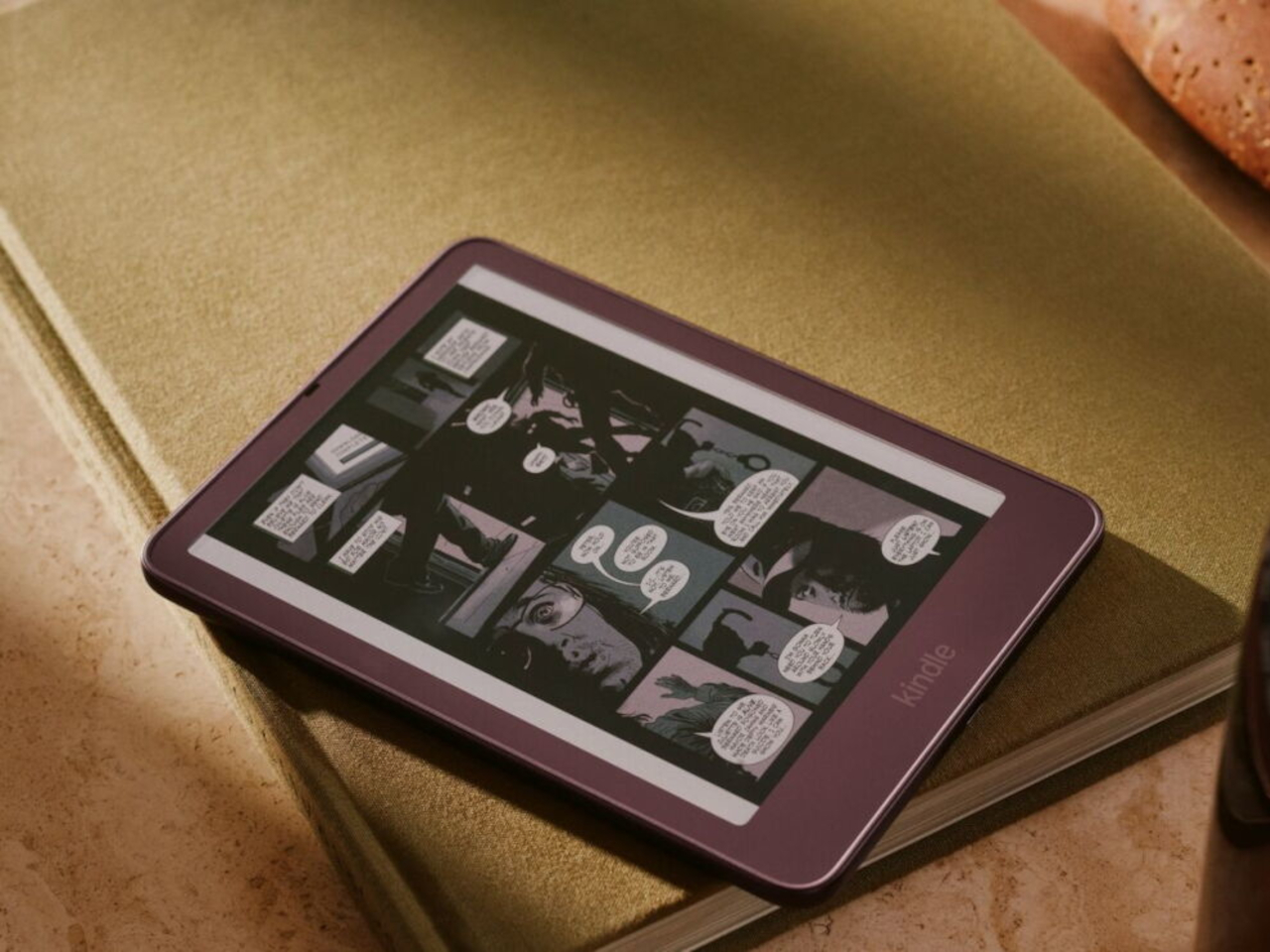
Kindles once let your thumb turn pages, but physical buttons disappeared from most of Amazon’s newer readers. That might not seem like a big loss until you’re holding a Kindle and trying not to disturb your comfortable grip. Amazon’s Kindle Click remote and Page Turn Cover offer two ways to bring that familiar press back, without adding buttons to the Kindle itself.
Of the two, Kindle Click makes the most sense when the device isn’t in your hands at all. Prop your Kindle on a pillow or a stand, pull a blanket over your shoulders, and the next page is a button press away. Other e-reader brands, including Boox, have already explored remotes, but Amazon’s Bluetooth version works without clipping a mechanical gadget onto the screen.
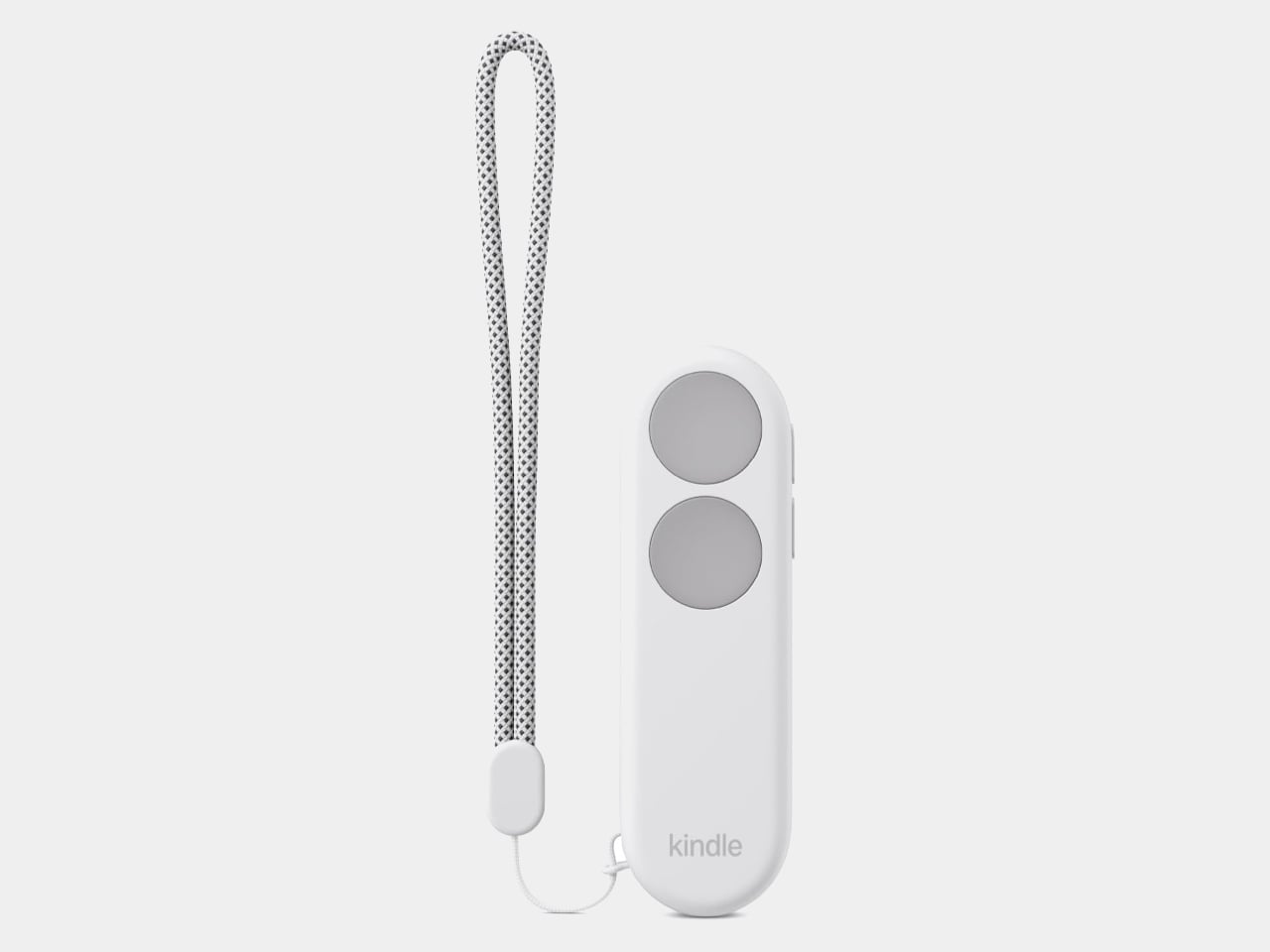
The $34.99 Kindle Click has two large, tactile buttons for moving forward or back, with smaller controls on the side for changing the screen brightness. Press both side buttons to put the Kindle to sleep, or change which main button turns forward in the settings. Its rounded body fits either hand, and a woven wrist lanyard keeps it nearby when you get up.
There’s still a little maintenance involved. Amazon says the rechargeable battery lasts for weeks, but the USB-C cable and adapter aren’t included. More importantly, Kindle Click only pairs with models released in 2024 or later. That leaves out plenty of readers who might want it most, including owners of the 2022 Kindle and 11th-generation Paperwhite. At least it doesn’t demand a particular cover.
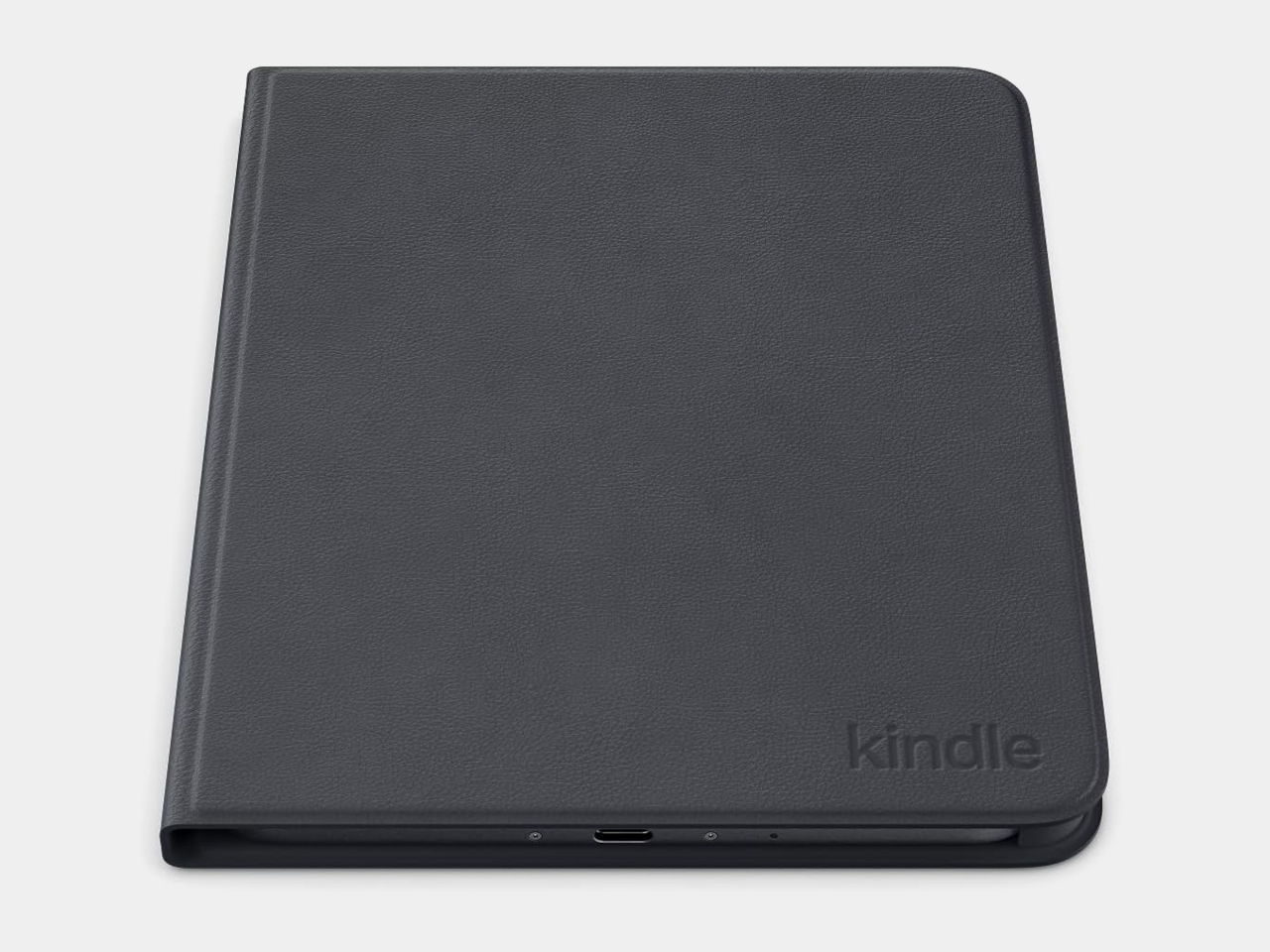
The Page Turn Cover takes the opposite approach. Instead of leaving the Kindle propped up, you hold it like any other folio-covered reader, with page-turn buttons built into the case. Fold the front back flat, and those controls remain part of your grip. The cover attaches magnetically and uses pogo pins to connect, so there’s no separate battery, Bluetooth pairing, or charging routine.
That simplicity carries through to the materials. The cover opens and closes to wake or sleep the Kindle, while a microfiber lining sits against the screen. Amazon says its plant-based leather contains more than 70% renewable biomaterials, with polyurethane making up the remainder. Graphite, Seaglass Green, and Fig offer three different looks, and both the cover and compatible Kindles carry an IPX8 water-resistance rating.
But the buttons come with a rather narrow invitation. The $79.99 cover fits only the 2026 Paperwhite Signature Edition and Colorsoft Signature Edition, so older Kindles and the standard models are out. That’s a considerable price for something that won’t fit most Kindles already in use. If you prefer reading without a case, the extra layer might also feel like an awkward trade.
Amazon hasn’t put physical page-turn buttons back on the readers themselves, and that distinction matters. The remote keeps your hand warm under the blanket while the Kindle stays put; the cover gives your thumb somewhere familiar to land when you’re holding it. Neither approach will suit every Kindle owner, but it’s nice to choose where the buttons belong instead of reaching for the screen again.
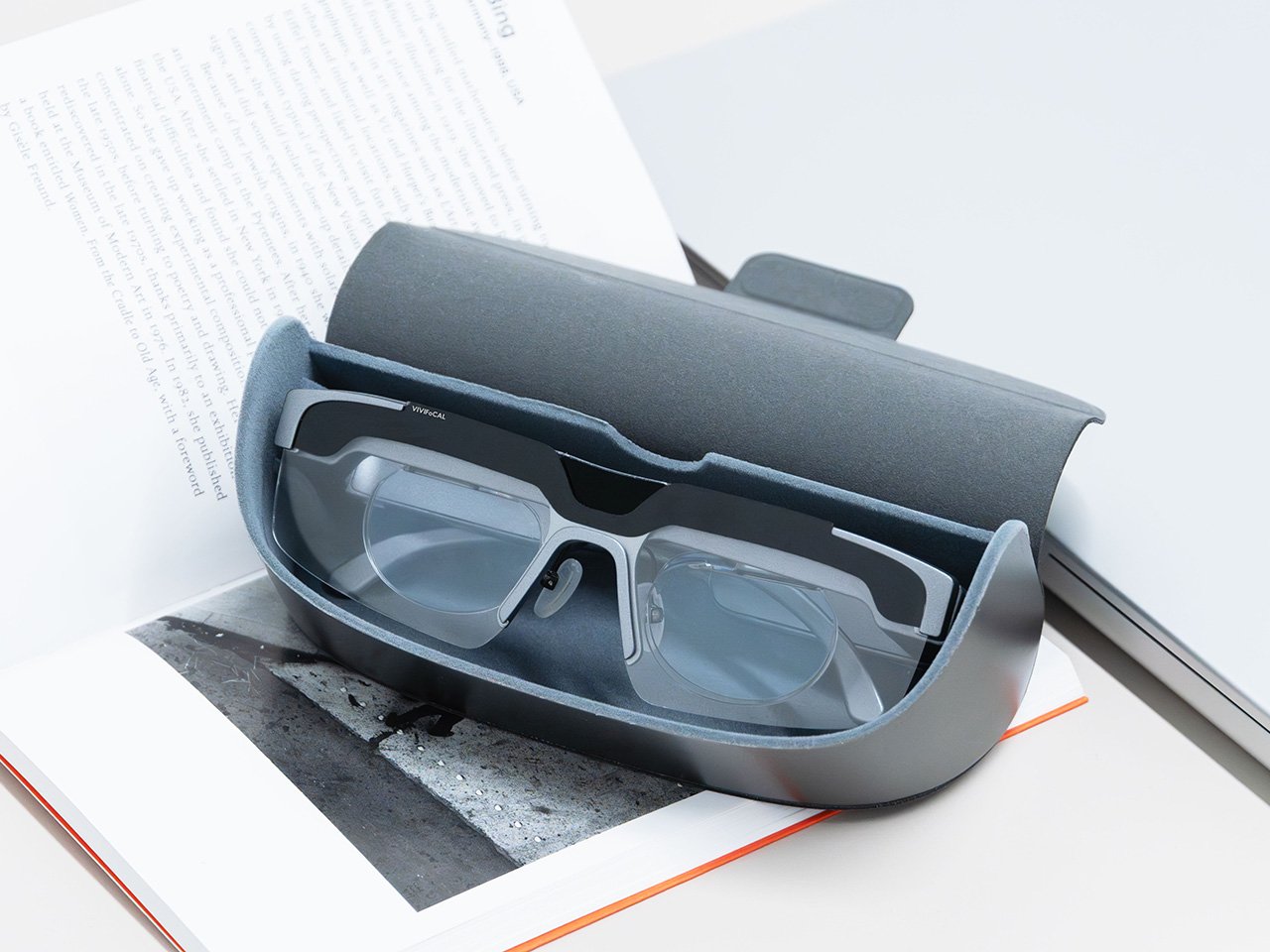
Your phone focuses by firing an invisible laser pulse at whatever you’re aiming it at, timing the bounce, and telling a tiny motor to move some glass. The whole loop finishes in a few hundredths of a second and nobody has thought about it since roughly 2017. VIVIFoCAL has taken that identical hardware recipe, a time of flight sensor, a microcontroller and an actuator, and bolted it onto a pair of glasses pointed at the world instead of at your brunch. The S1 measures how far away the thing you’re looking at is, works out the optical power your eyes need, and mechanically shifts the lenses into position in under 0.1 seconds. It’s autofocus, except the sensor is on your face.
Dr. Zhao, who earned his doctorate at a world-leading university and previously ran an optical R&D laboratory at a major optics company, built VIVIFoCAL around a piece of physics that has not yet been widely adopted by the general public. The S1 uses Alvarez lenses, two complementary freeform elements that change optical power when one slides sideways across the other. Nobel laureate Luis Alvarez patented the principle, and it was then stranded for decades because somebody had to do the sliding. A motor does it now. The result covers 8 inches to infinity in a 40 gram frame, and it launches with VIP pricing from $289.
A laser, a motor, and the 1967 patent working in the background
Three sensors do the work rather than one. A time of flight laser reads distance, a G-sensor tracks head posture, and an infrared wear detection sensor tells the glasses whether they’re on a face at all, which is how the battery survives being pushed up onto your head mid-conversation. The microcontroller sits between them, converting a distance reading into a lens position and commanding the motor in a single pass. The lenses simply change optical power to match whatever distance you’re looking at, the same job your eyes handle on their own before presbyopia kicks in. VIVIFoCAL calls that loop Instant Focus, and the same time of flight hardware we’ve watched migrate into phones, robot vacuums and door locks is what makes it affordable in eyewear.
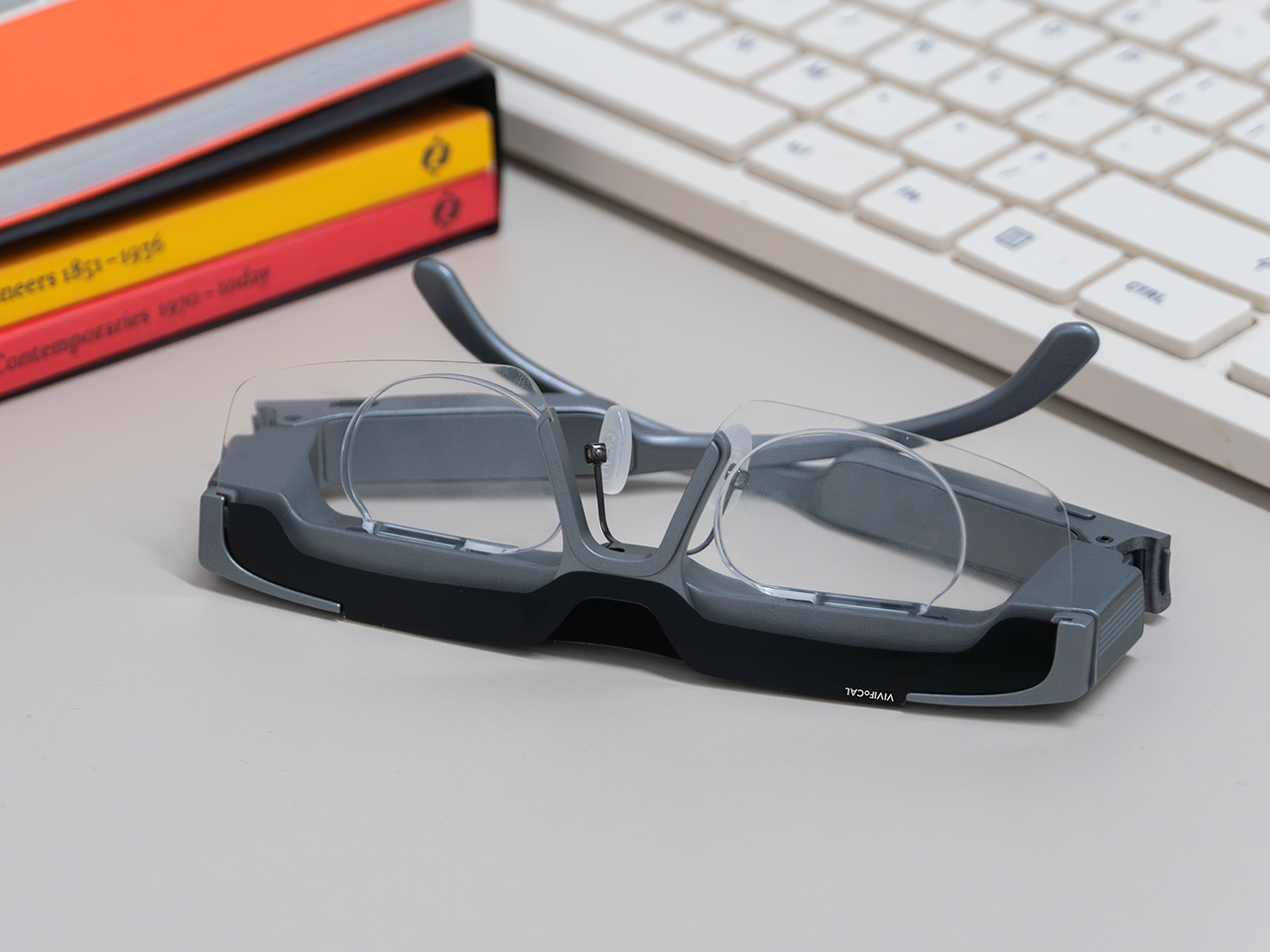
Fitting a moving lens assembly, a rangefinder, a motion sensor, a microcontroller, a motor and a battery into something that still reads as eyewear is the harder half of this product. VIVIFoCAL has pushed the electronics into the brow bar and the temple arms, keeping the optical stack shallow enough that the frame sits on a face instead of announcing itself as hardware. The 160.5 x 160 x 43.5mm envelope is ordinary spectacle territory, which is the entire argument. Every packaging decision is downstream of one goal, helping the wearer see clearly across distances without thinking about the machine doing it.
Progressive lenses ask you to tilt your chin… this doesn’t
Presbyopia is projected to affect 2.1 billion people by 2030, and the standard answer for most of them is a progressive lens with three prescriptions blended into one lens, near at the bottom, distance at the top, intermediate smeared between. Finding the right part of the glass means tilting your chin, and the tradeoff is the narrow tunnel vision that progressive wearers describe, with softness creeping in toward the edges. VIVIFoCAL calls its answer Full-Lens Clarity, where the Alvarez lenses deliver one consistent optical power across the whole lens at every setting instead of splitting it into zones. There is nothing to hunt for and less peripheral distortion to work around. I’ve watched that chin-tilt dance play out for years, so the appeal is obvious.
Progressive glasses are generally built around everyday reading tasks, and for closer or more detailed work plenty of wearers still reach for a second pair or a magnifier. S1’s focusing range starts at 8 inches, which brings fine detail inside the same lens handling everything else. VIVIFoCAL demoed the glasses at WonderFest 2026 against a 1/35 scale miniature, the sort of precision hobby work that has kept optical visors and loupes in business for a century, and the testers who work with their hands responded the way you’d expect. One early tester shared that using S1 in a data center was a productivity gain and a huge plus, because he could walk past equipment and read tiny serial numbers without interrupting his workflow to take out extra readers, switch to other glasses, or use additional visual aids. He no longer carries multiple pairs when he leaves the house.
Forty grams, three nose pad sizes, and all-day power
VIVIFoCAL designed around the fact that head sizes and nose bridge heights vary far more than eyewear brands usually admit, which is why S1 ships with flexible spring hinges and three sizes of interchangeable nose pads to adapt across face shapes. The frame lands at 40 grams bare and 50 with the magnetic front clip, built on TR90 temples, the same material that has quietly taken over lightweight frames and wearable arms across the industry. Those numbers matter because forgetting you’re wearing them is the whole point of automating focus in the first place. A 250mAh battery holds up through 8 hours of constant refocusing and refills over USB-C in about an hour, with normal use stretching to a full day. Glasses that can run flat is still a new idea to make peace with.
A separate pair of lenses attaches behind the Alvarez elements, so one pair carries your prescription to see near and far. Magnetic polarized sunglass lenses snap onto the front for outdoor use with adaptive focus still running underneath. The polycarbonate lenses carry anti-reflective and anti-smudge coatings, transmit more than 90 percent of light, and sit inside a field of view above 110 degrees. The app adds a ±0.5D fine-tuning range on top of the automatic correction, which is how the glasses absorb the slow drift of a presbyopic prescription instead of being replaced. Presbyopia correction tops out at 3.5D, so the deepest cases fall outside what S1 can currently handle.
The bet VIVIFoCAL is making on moving glass
The company isn’t chasing this idea alone. Other teams are working on adaptive focus through liquid crystal lenses or eye tracking instead of a mechanical shift, and the category is young enough that the approaches are still diverging. VIVIFoCAL is betting on the refractive route, real glass moving to change optical power rather than a pixelated layer simulating it, and that bet buys the two things that matter most in eyewear you keep on your face all day. S1 holds above 90 percent light transmittance and a field of view past 110 degrees, which is why the image through it behaves like a lens instead of a screen.
Alvarez lenses have been a lab curiosity since 1967 for one reason, which is that the sliding had to be automated by something small enough to live inside a temple arm. Sensors, motors and microcontrollers have finally shrunk far enough to make that trivial, which makes S1 a triumph of packaging, and packaging is where most wearables actually get decided. Autofocus earned its invisibility in cameras by working so fast nobody noticed it, and 0.1 seconds across 8 inches to infinity puts the same disappearing act in front of your eyes. S1 ships with a 1-year warranty, and a refundable $10 deposit locks in VIP pricing at $289 ahead of the official launch, with either the prescription lens service or the sunglass lens bundle included depending on which one you need. Sixty years is a long time for a good idea to wait for its motor.
Fall is when the appeal of an open flame reasserts itself. The air turns crisp, and everyone wants that fireplace glow back in their evenings. The trouble is that most homes, especially rentals and apartments, were never built to give it to them. Adding a real fireplace means a gas line, a flue, a permit, and a contractor’s schedule that eats up far more than the one free weekend anybody actually has for it.
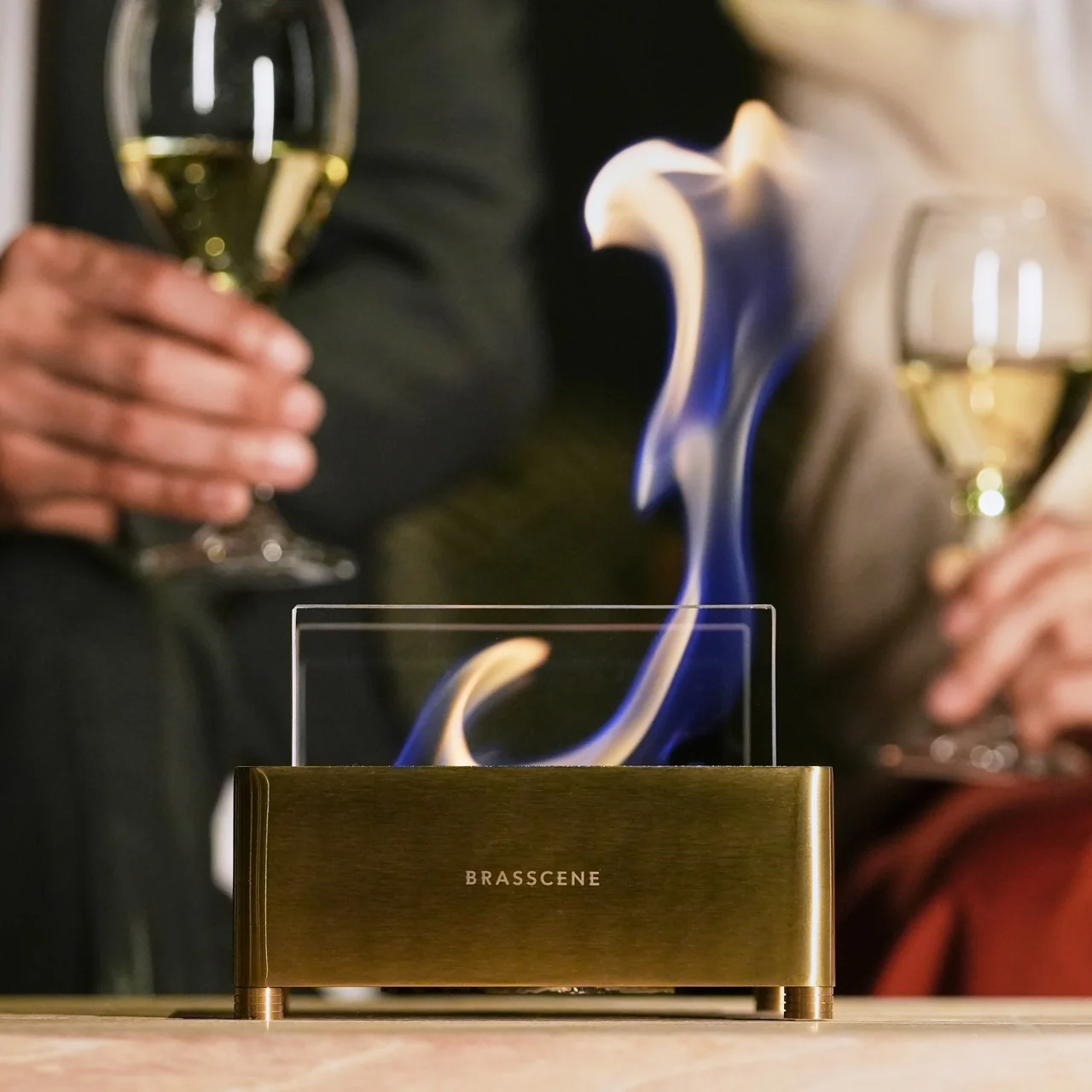
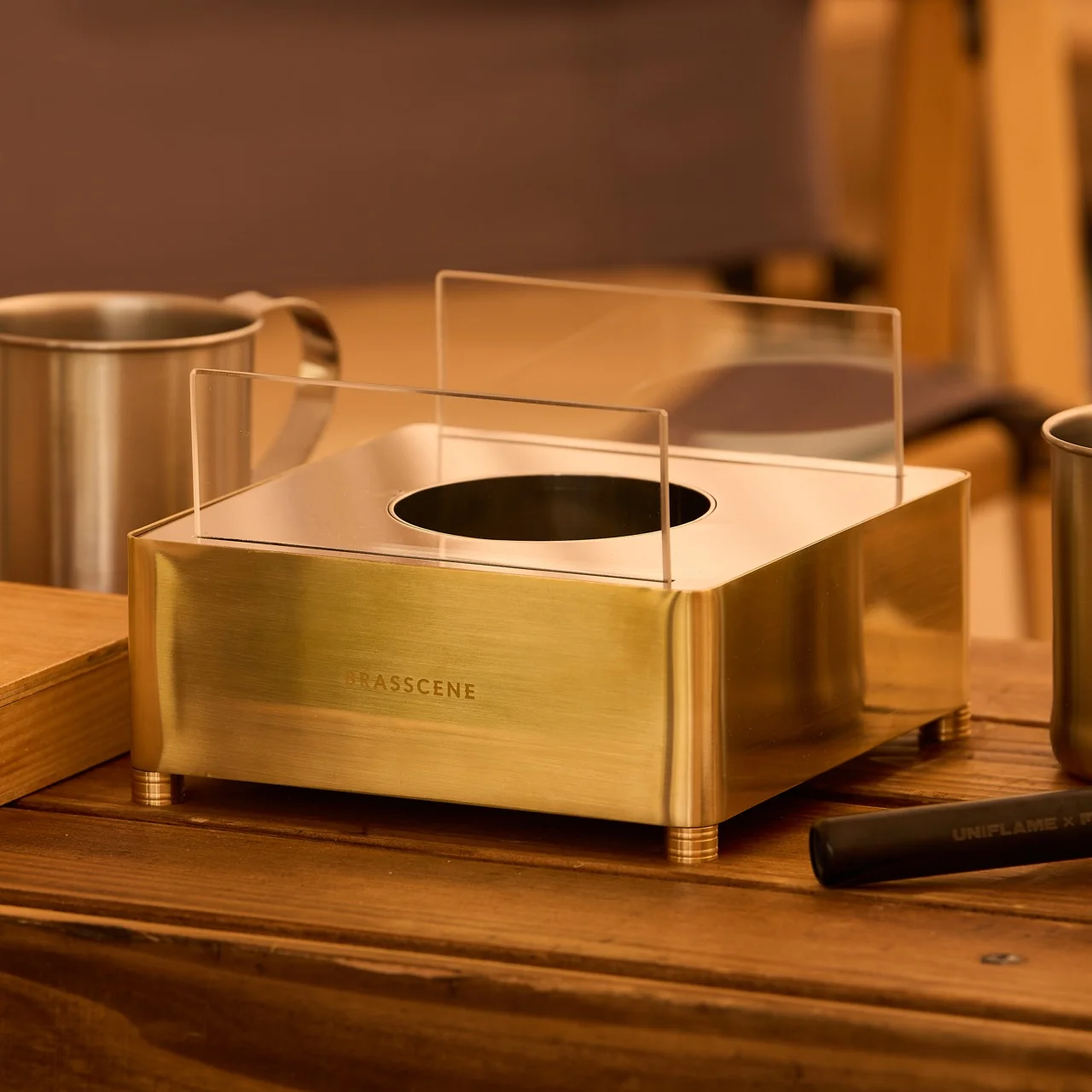
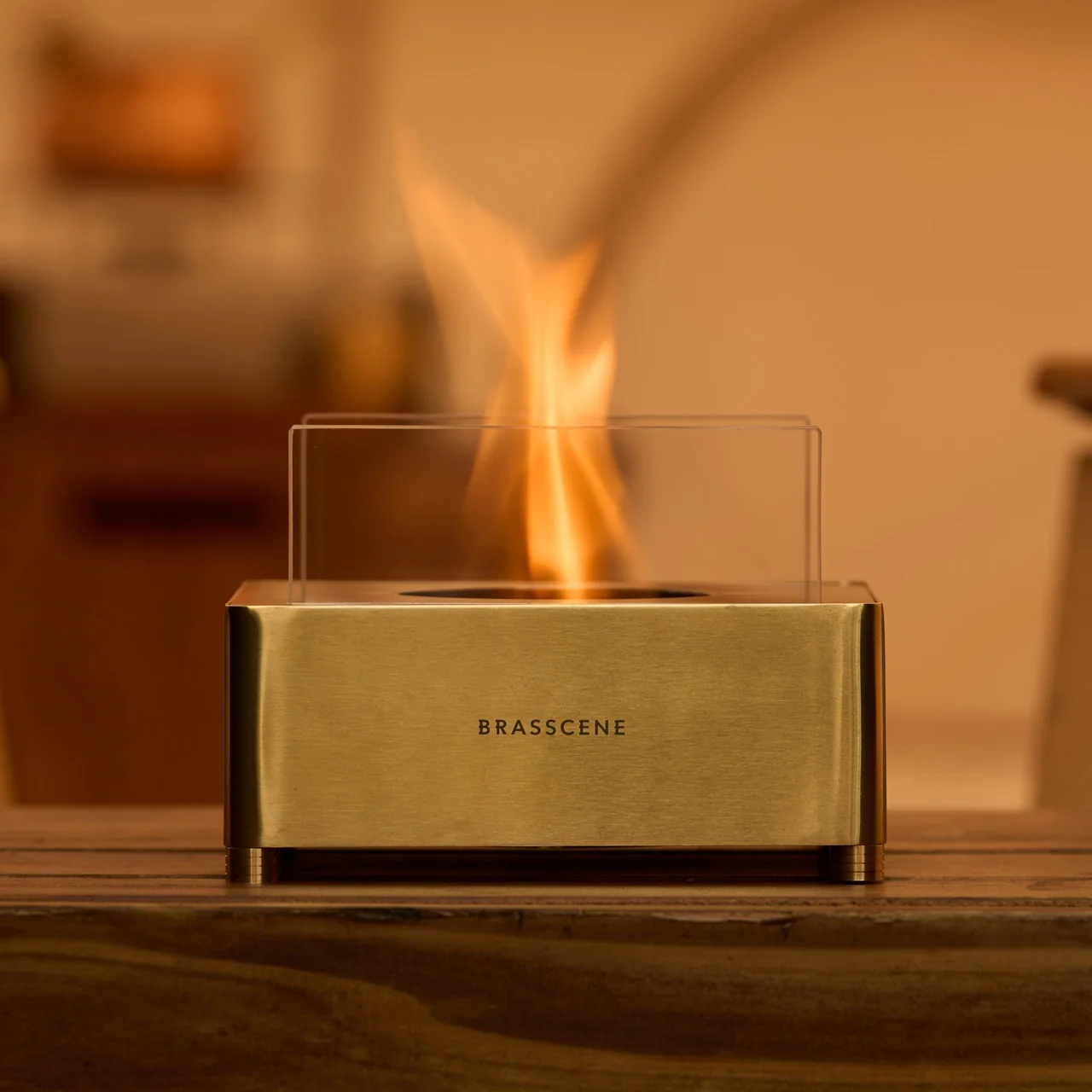
That gap between wanting fire and being able to install it is exactly what the Harmony Flame Lamp solves. It is a brass tabletop fireplace that runs on bioethanol, sits on any flat surface you own, and produces a genuine flame with no ventilation, no gas hookup, and nothing built into a wall. You light it the way you’d light a candle, except what comes back is heat and light with real presence.
What sets it apart from most decorative objects claiming craftsmanship is who actually makes it. The Harmony Flame is built by hand by artisans who normally work on brass instruments, the kind of metalworkers who shape tubas and French horns for a living. That background is not a marketing footnote. Instrument-grade brass has to hold precise acoustic properties and structural integrity, and those same qualities happen to make it excellent at containing and reflecting a flame. The polished surface catches the fire and throws it back in shifting patterns of light and shadow, which is a much harder effect to fake than most LED “flame” gadgets ever manage.
Practically, the lamp behaves the way fall entertaining actually works. It moves from the dining table to the patio to a reading corner without any setup beyond a refill of fuel. Bioethanol burns clean, without smoke or odor, so there’s no lingering campfire smell on your jacket the next morning and no soot to wipe off afterward. The brass itself develops a patina with use, which means the lamp you buy in October will look different, and honestly better, by the time next fall rolls around.
It’s worth putting this next to the fire pit most Americans already know, which is Solo Stove. Solo Stove built an entire category around smokeless backyard fires, and it deserves credit for that. But it’s a wood or pellet-burning outdoor unit, sized for a patio and not meant to come inside. The Harmony Flame is working a different scale entirely. It’s small enough for a dinner table, quiet enough for a bedroom, and refined enough that it reads as a design object first and a heat source second. One is built for a backyard gathering. The other is built for the room you’re actually sitting in on a Tuesday night in November.
At $240, it isn’t an impulse buy, and I don’t think it’s trying to be one. You’re paying for hand-finished brass and a fuel system that skips every complication a real fireplace usually demands, and that combination is genuinely rare at this price. Compare it to a high-end bioethanol fireplace from a home goods brand and you’ll often pay two or three times as much for something with none of the instrument-making pedigree behind it.
The part that sold me is how ordinary the ritual feels once you own it. You strike a match, the brass catches the light, and the room changes temperature and mood at the same time. The Harmony Flame Fireplace is the kind of object that quietly becomes the centerpiece of a dinner party without anyone having to point it out. Fall has a way of making people want warmth and atmosphere they can control themselves, and this lamp answers that without asking for a renovation in return. If you’ve spent the last few autumns wishing your apartment had a fireplace, this is about as close as you’ll get without knocking down a wall.
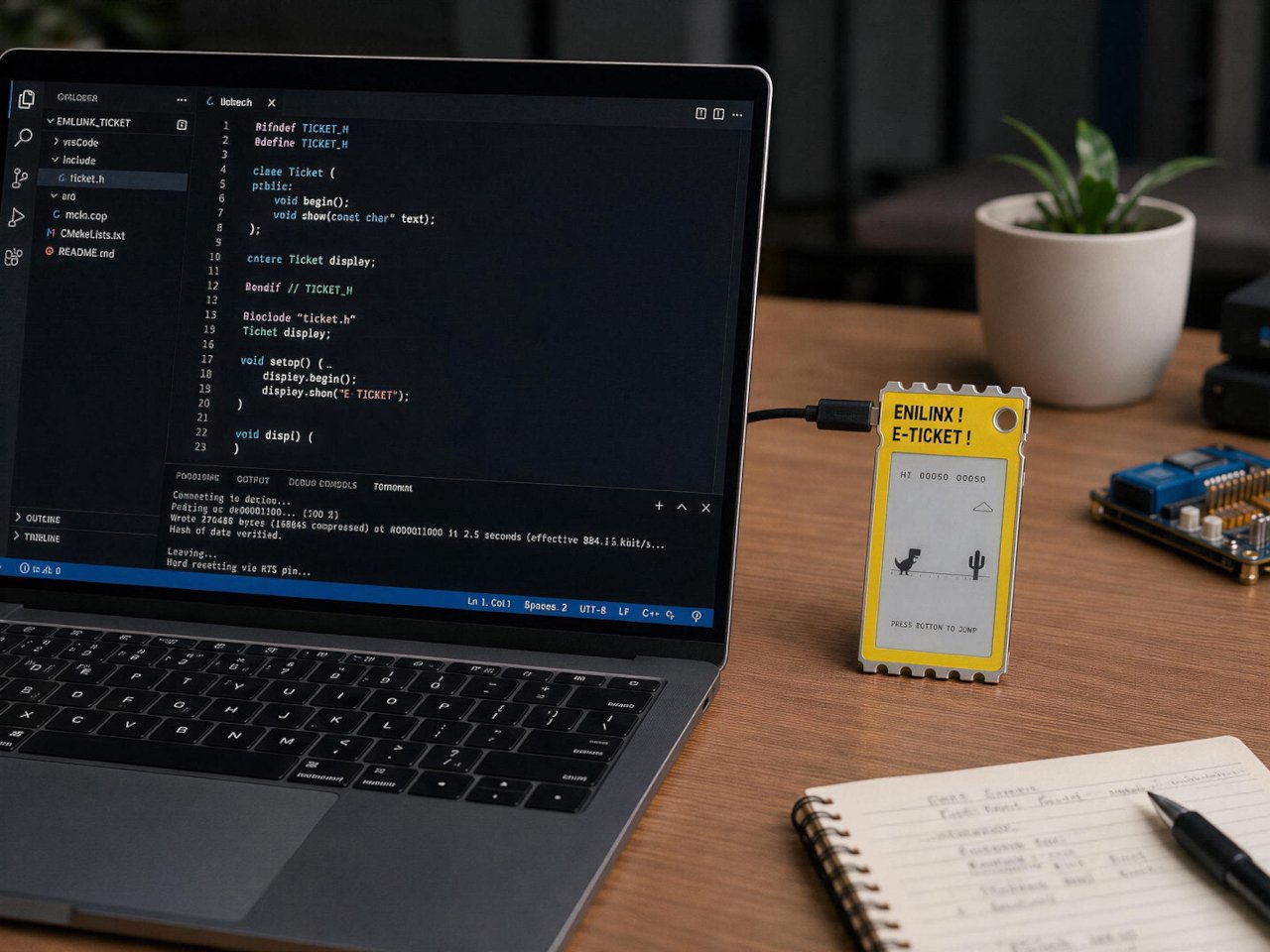
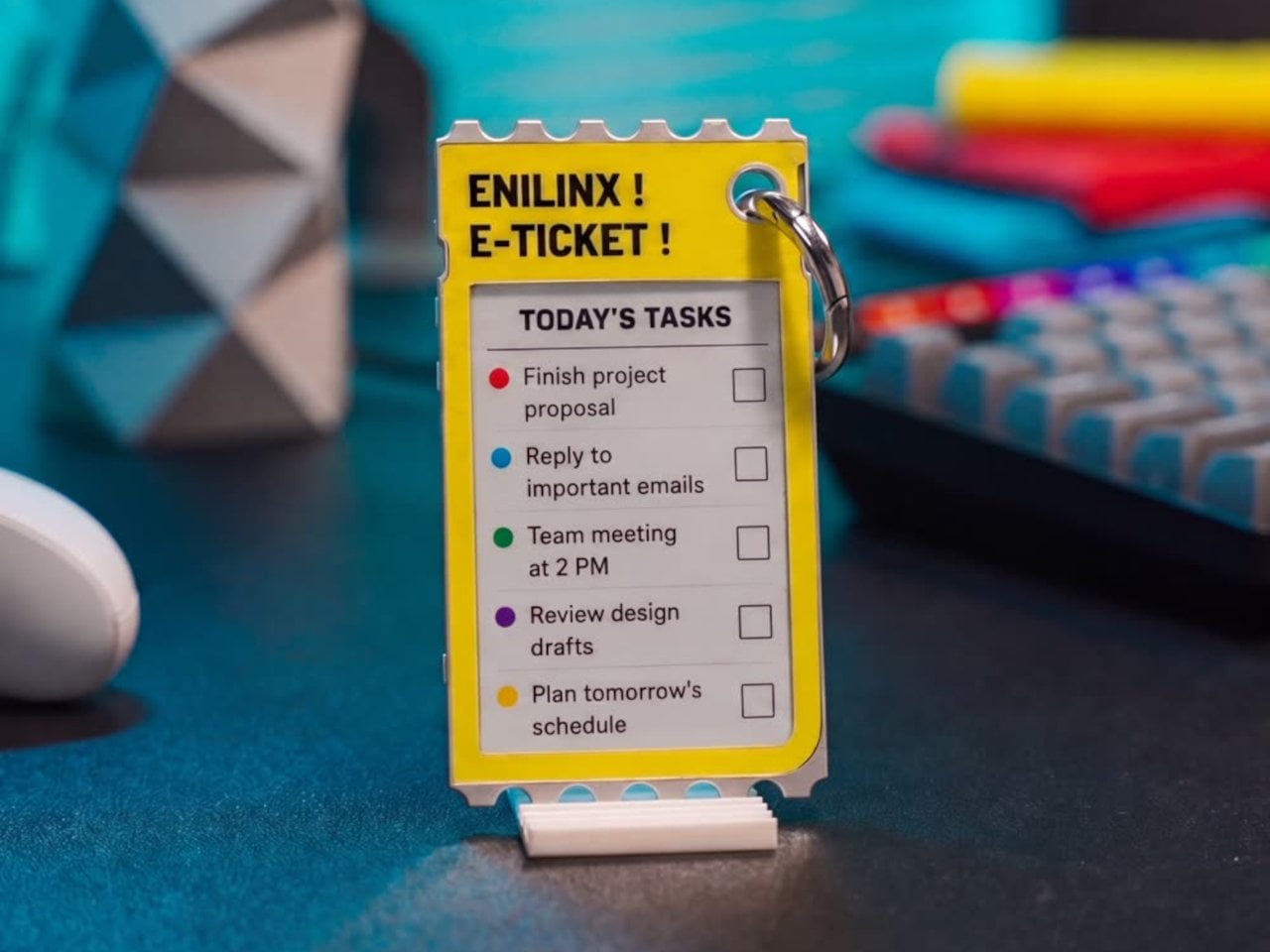
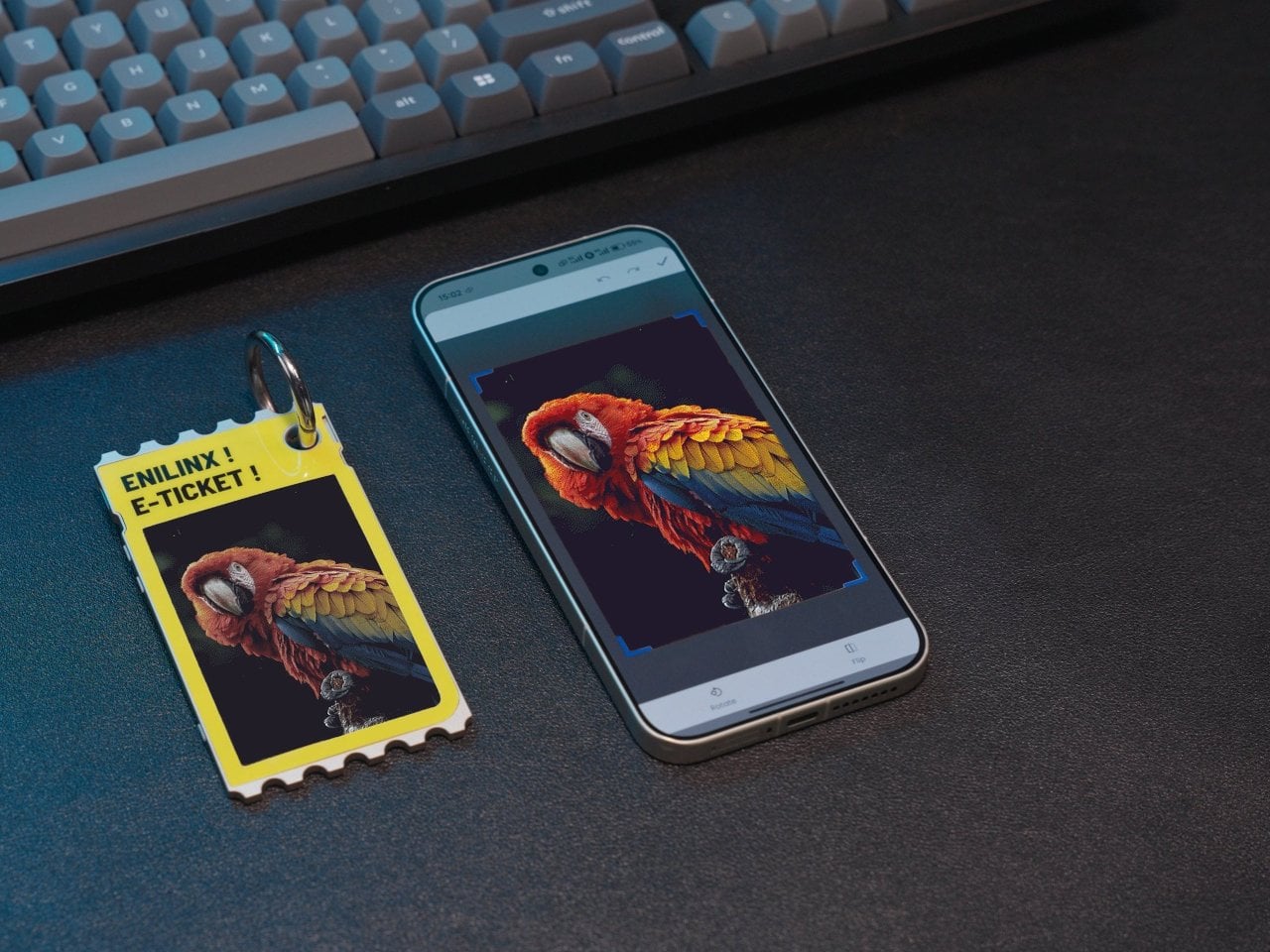
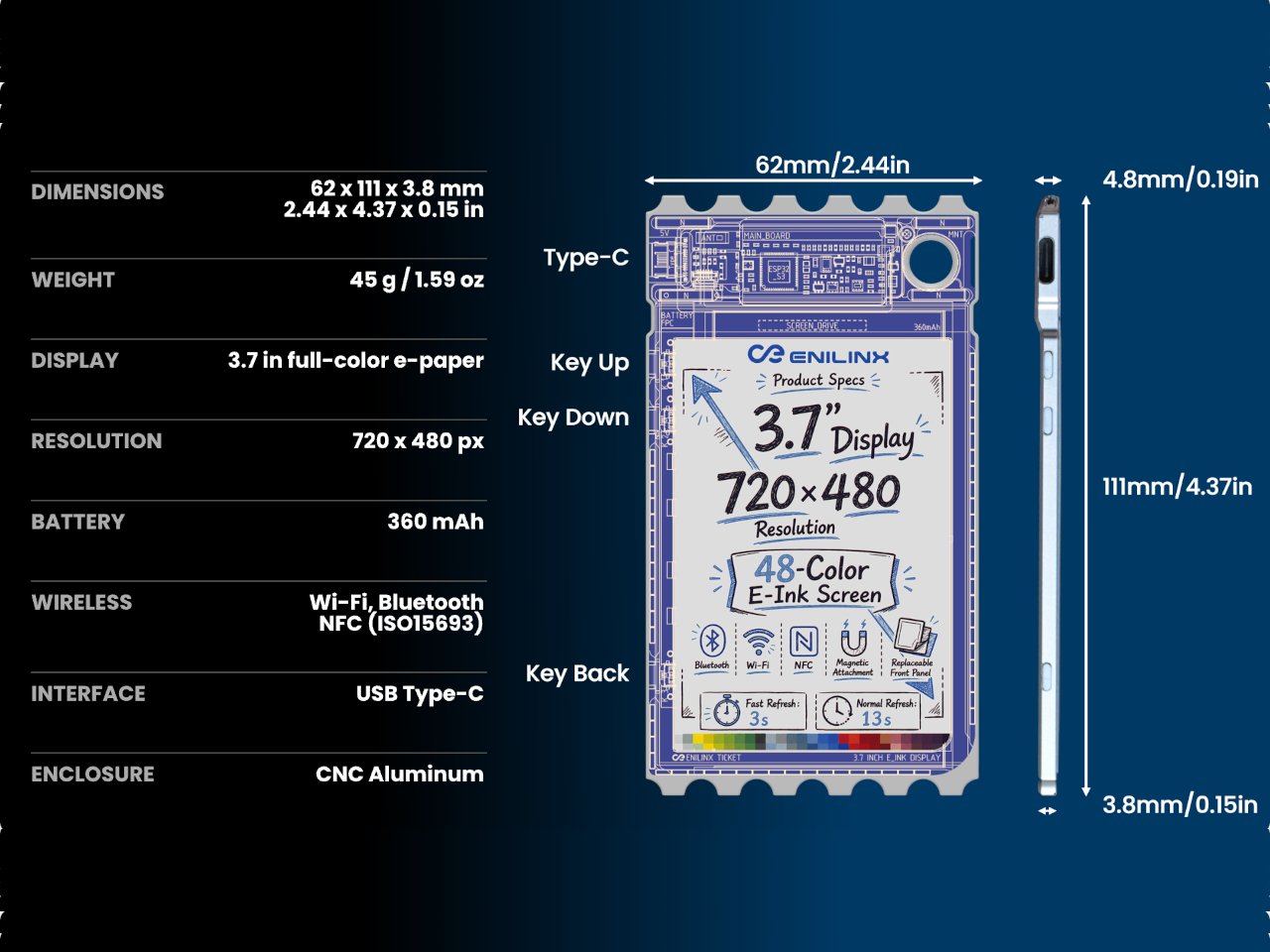
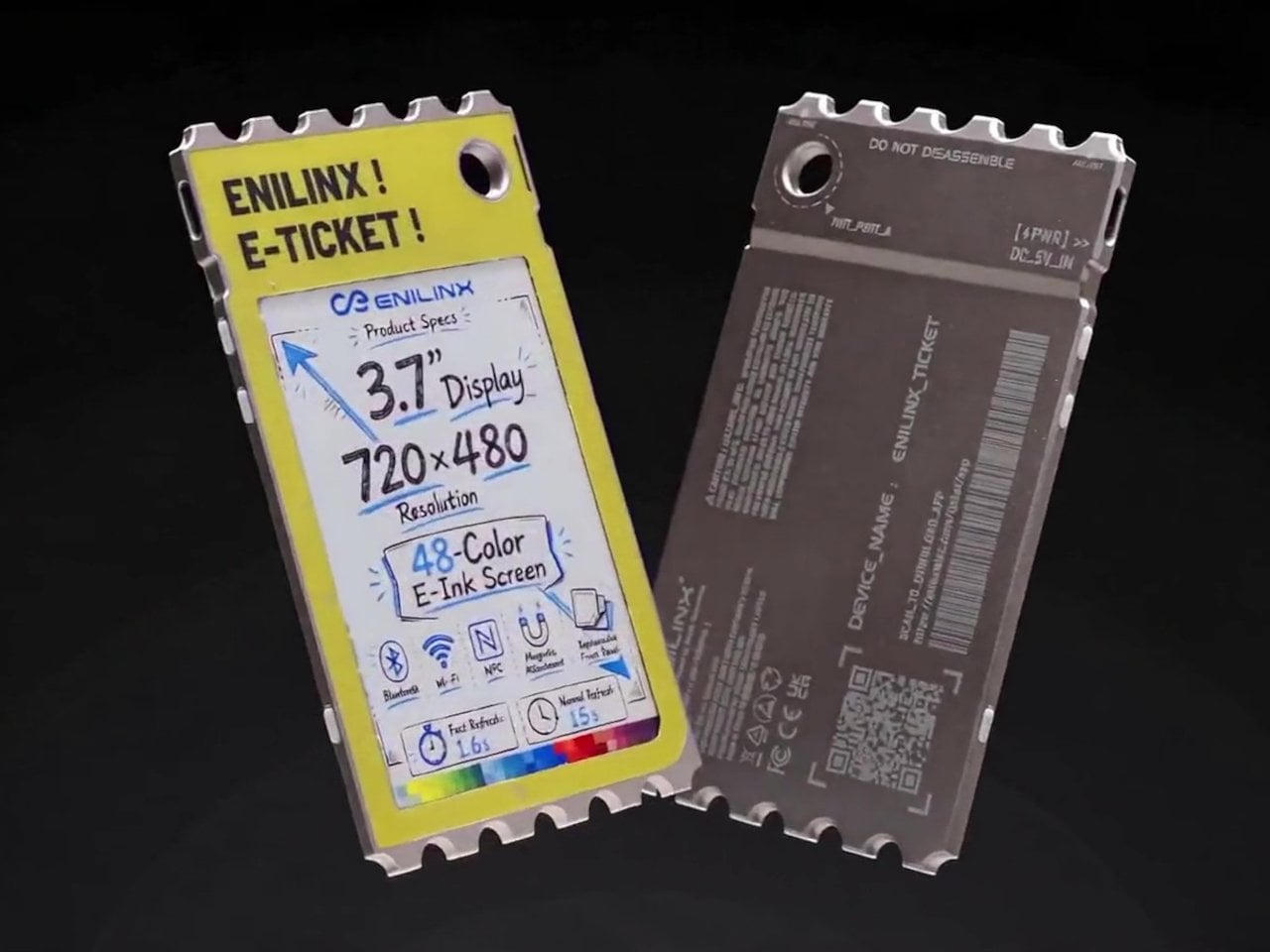
A photo you love rarely leaves the phone it was taken on, fading into a camera roll the moment the screen goes dark. TICKEY tries to pull that image back into physical space, using a 3.7-inch color e-paper panel housed in a 3.8mm aluminum shell that clips onto a bag, sits on a desk, or hangs from a badge lanyard. It’s a small object built around one simple idea: that a picture worth keeping deserves a life outside a glowing rectangle.
The panel itself is the real engineering story here. Most e-paper displays settle for a handful of muted tones and refresh rates measured in long, patient seconds. TICKEY runs on a Modos-developed driver that pushes past 48 native colors while cutting a full-quality refresh down to 13 seconds, with a faster 3-second mode available when precision matters less than speed. That gap between older e-ink hardware and this driver is wide enough to notice immediately.
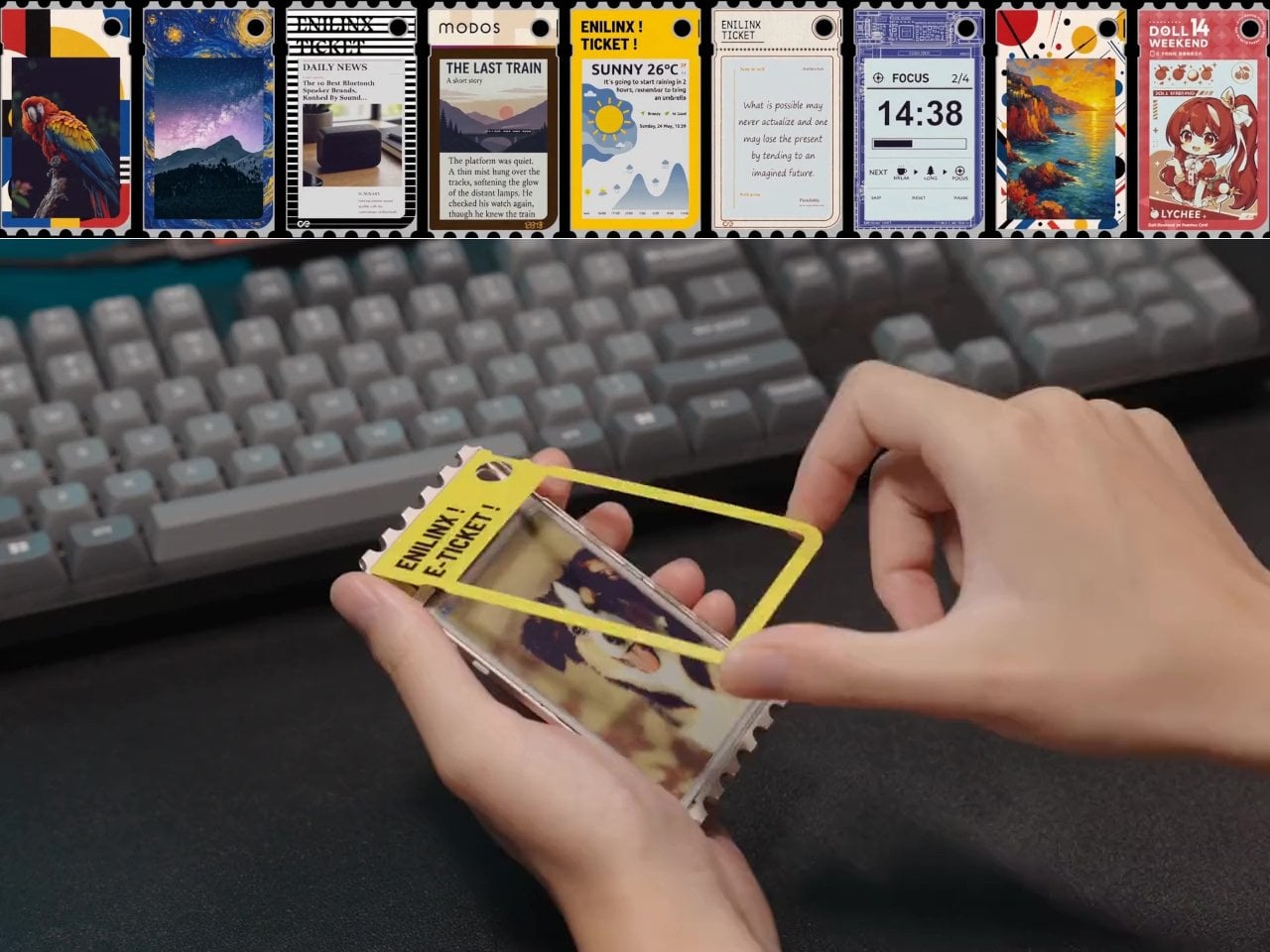
An ESP32-S3 chip handles the processing underneath, paired with Wi-Fi, Bluetooth, and NFC for getting content onto the screen without a cable in sight. A companion app lets someone edit a design on a phone and push it over wirelessly, and templates can be shared between users rather than built from scratch every time. Since the firmware is open, developers get a mature platform to build custom behavior instead of a sealed black box.
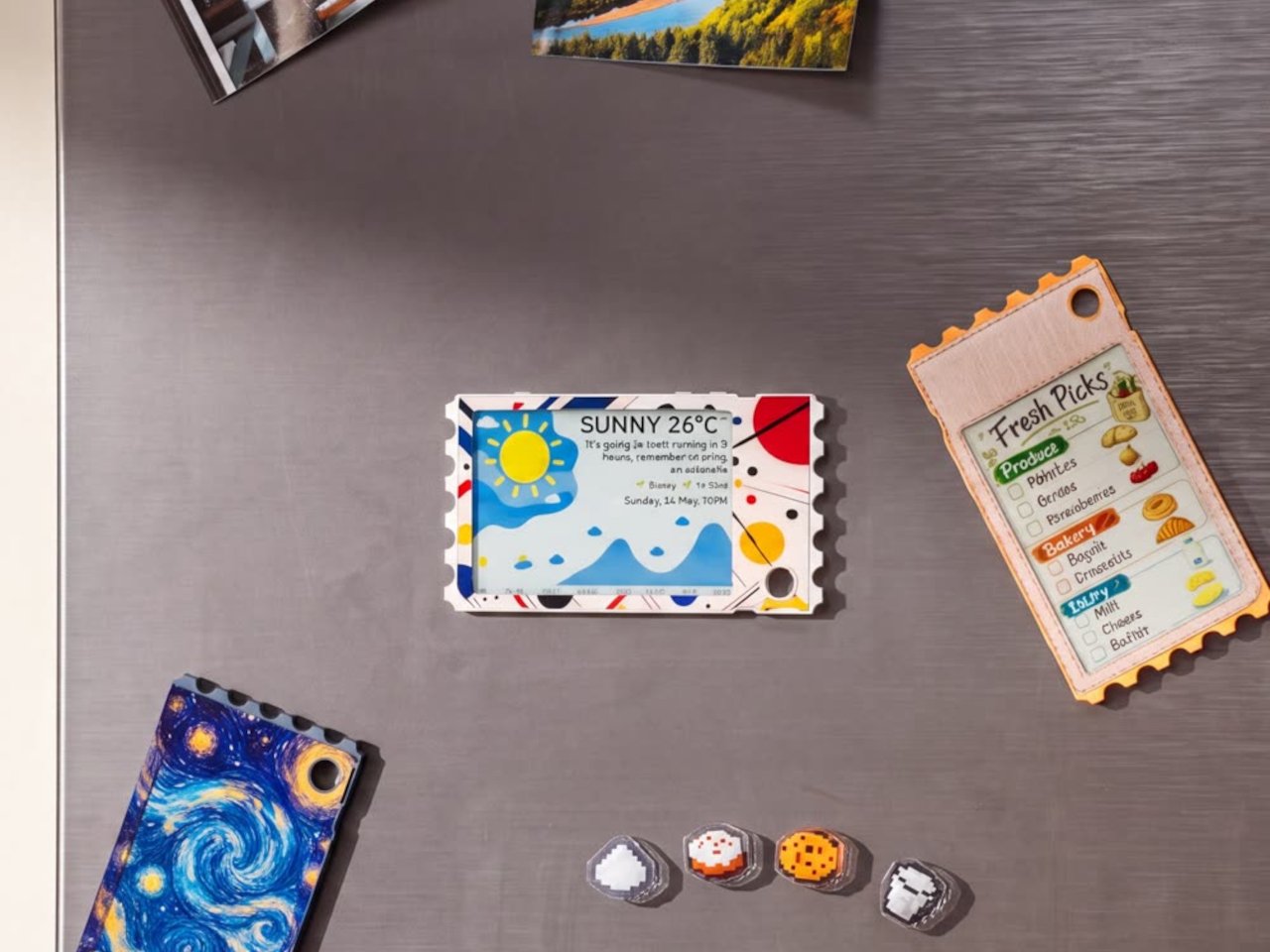
Clip it to a backpack strap before a conference, and it becomes a badge showing a name, a QR code, or contact details, updated the moment plans change instead of printed once and stuck for the day. Set it on a desk, and the same hardware turns into rotating art, swapped whenever the mood calls for something new. A magnet on the back means it holds onto a fridge door just as easily as a bag.
The 45g weight matters more than it sounds on paper, since anything heavier turns a clip-on badge into something that tugs at fabric or slides out of place by midday. Aluminum gives the shell enough rigidity to survive being tossed into a bag alongside keys and a water bottle, while staying thin enough to disappear against a jacket lapel or a laptop sleeve without adding visible bulk.
None of this asks for constant power once an image is set, since e-paper only draws current while actually changing what’s displayed. A finished screen sits there fully visible in direct sunlight, legible without a backlight fighting glare, and idle without draining a battery meant to last through a full day of moving between contexts. That’s the quiet advantage e-paper has always held over LCD, now paired with color depth that used to be out of reach.
TICKEY deliberately skips video and animation, treating that restriction as a feature rather than a compromise. A static image asks less of your attention than a screen that never stops moving, sitting calm on a bag strap or a windowsill until someone chooses to change it. Photos, event badges, or a fridge note showing today’s grocery list all fit that same quiet template, an object built to be looked at rather than constantly checked.
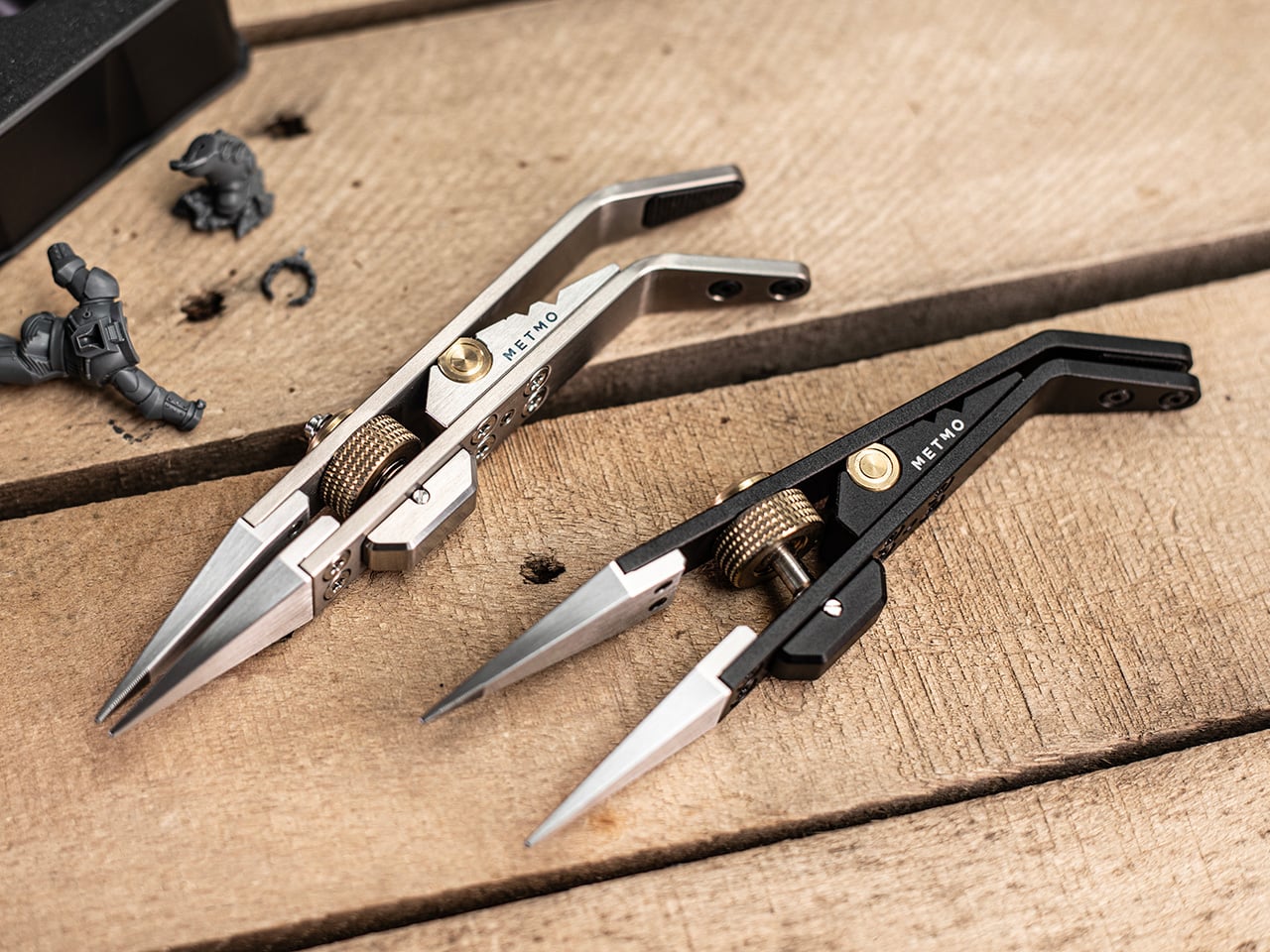
If the name MetMo rings a bell, that’s because this small Leeds outfit has built its reputation out of taking old mechanical ideas nobody else bothered reviving and turning them into objects people genuinely want to own. We’ve covered the MetMo Driver reworking the mid-century ratchet screwdriver, the Fractal Vise shrinking industrial clamping logic down to desktop scale, and the Pocket Grip channeling a century-old patent into nearly half a million dollars of Kickstarter support. The catalog reads like a museum of mechanisms reimagined with modern metallurgy and CNC precision. Now they’re circling back to something smaller, more delicate, and more universally frustrating than anything they’ve tackled before. Their next target is the humble tweezer.
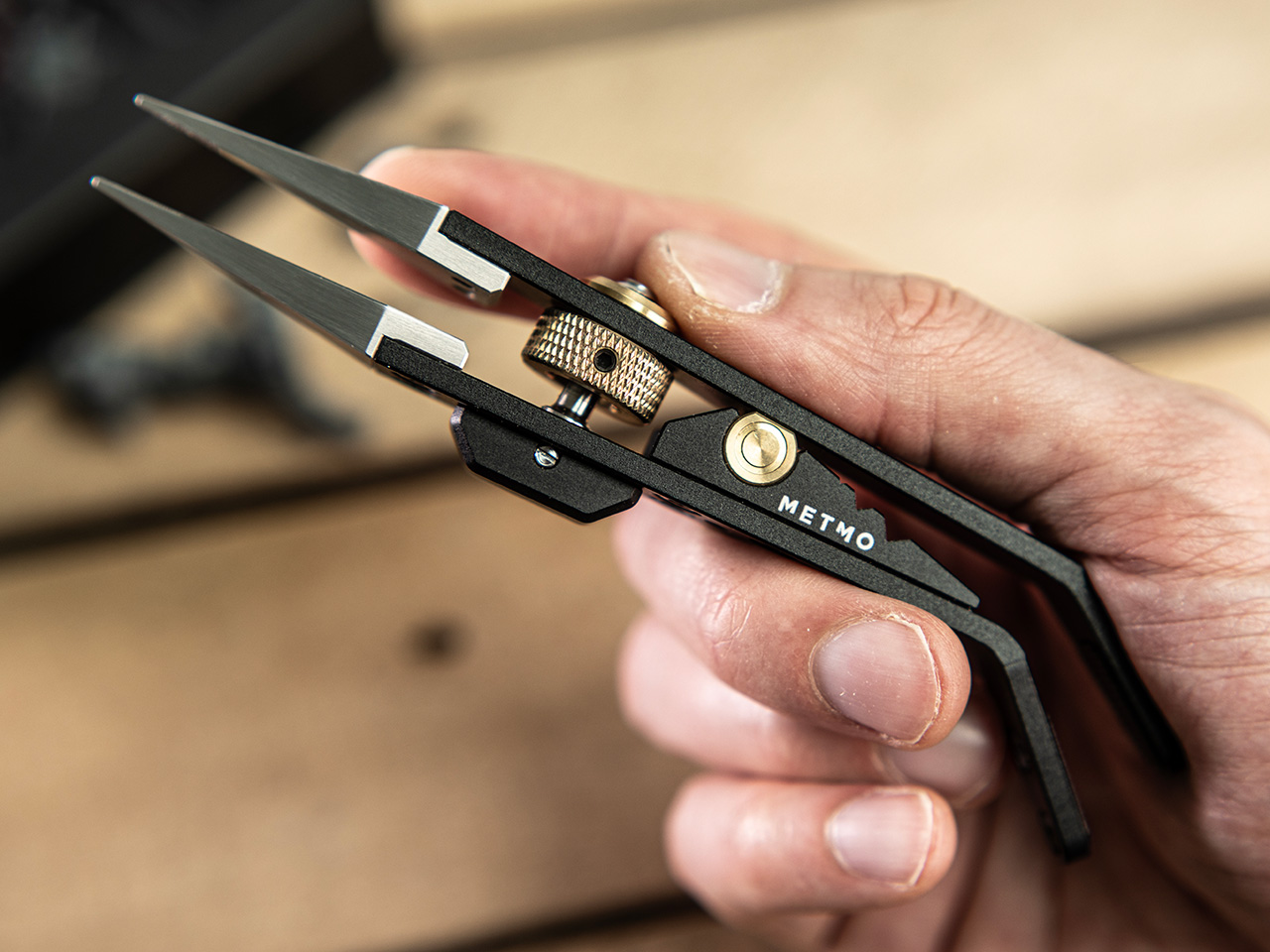
The Precision Grip is calibrated for a different job than MetMo’s earlier clamping tools, the kind of featherlight, controlled pressure needed to hold a model part without crushing it. Where the Pocket Grip chased 21kg of clamping force for daily carry tasks, this one maxes out at 5kg, by design. It runs on a miniaturized drive screw borrowed from precision machining equipment, so you set your grip force once and the jaws hold that position without assistance. That’s the core limitation tweezers can never escape: they hold via sustained finger pressure, and the moment that wavers, the part is gone. For anyone who has ever sacrificed a miniature to the carpet gods, that last sentence is the whole pitch.
For decades, precision hobbyists have been improvising with tools from completely different disciplines. Jewelers raid surgical supply catalogs. Electronics hobbyists use soldering tongs that launch parts across the room the moment grip pressure drops. Model painters hold tiny figures between their fingers and simply hope for the best. MetMo’s position is that these people deserve something built specifically for the job, and the Precision Grip’s lightly textured jaw tips are designed to grip without marking or damaging delicate surfaces, a distinction that no repurposed dental or electrical tool reliably delivers.
The mechanism at the center of all this is a miniaturized version of the drive screw used in high-precision machining equipment, a category of hardware that lives and dies by tolerance accuracy. A solid barrel hinge keeps both jaws in perfect alignment during clamping, preventing the sideways drift and tip-twist you’d get from a conventional pivot, and that dimensional stability is what makes the needle-nose tips usable for genuinely pinpoint work rather than approximations of it. Turn the knurled screw, the jaws close to exactly where you set them, and they hold there with up to 5kg of clamping force. The underlying mechanism traces back to 1912, which MetMo has made into a design tagline for a reason. It’s a genuinely good mechanism.
The jaw tips carry a patent-pending micro-grip texture that MetMo calls “The Gecko’s Finger,” a name that is slightly ridiculous and also completely on point. Small smooth parts get just enough extra friction at the contact surface to stay put without the jaws needing to clamp any harder, which is the right problem to solve when you’re working on something fragile. Beyond the standard needle-nose stainless steel nibs, the system accepts silicone soft inserts for delicate surfaces, round clamp heads for gripping a part’s inner cavity rather than its outer face, and even custom 3D-printed nippers for shapes no off-the-shelf tip could reach. Individual nibs swap out independently when damaged, without touching the body.
Set the jaws slightly open and a spring-loaded mechanism activates, giving you conventional tweezer behavior for quick sorting tasks without engaging the screw-drive lock every time. When you need both hands free, the Precision Grip clamps into a quick-release mount and becomes a miniature desk vice, holding your part steady while you solder, file, or paint. Three V-grooves machined into the body let you form wire or prop the tool as a makeshift stand, keeping parts right where you left them when you step away. The whole setup is fully ambidextrous, which sounds minor until you’re a lefty who has spent years buying tools that don’t think about you. All of that function lives in a body that measures 134mm (5.3 inches) long, 29mm wide, and 16mm deep.
Aerospace-grade hard-anodized aluminum (70.3g), Grade 5 titanium (83.3g), and surgical stainless steel (114.5g) are the three material variants, and each one maps to a different kind of user. The aluminum is the nimble everyday choice, the titanium balances weight savings and durability for more demanding environments, and the surgical stainless is autoclave-rated and built from high-chromium steel throughout, making it viable for medical and laboratory settings. All three are fully user-serviceable, strippable to individual components for maintenance or repair, with high-tensile screws throughout rather than whatever was cheapest to source. MetMo talks about a 200-year product goal, and the fully serviceable construction is what gives that ambition actual credibility.
Pricing for the Precision Grip runs at £89 ($118 USD) for the Aluminum version, while the Stainless Steel variant is priced at £119 or $157 USD. For serious hobbyists and EDC collectors, the Titanium Precision Grip is priced at £179 or $237 USD. The Precision Grip ships worldwide from the UK and comes with the 200-year repairability guarantee that you could possibly only expect from a company as obsessed with detail and quality as MetMo. MetMo balanced the weight distribution around fine writing instrument ergonomics, giving the body a contour that doesn’t tire your hand across long sessions. It also looks genuinely purposeful doing nothing, like an intricate ornament that earns questions from people passing your desk, which MetMo treats as part of the design brief rather than a happy byproduct.
I’ve tried every trick to get my phone to leave me alone. Do Not Disturb. Grayscale mode. Leaving it in another room, which mostly just means I walk to the other room every twenty minutes to check on it. None of it works for long, because the problem was never the settings. The problem is that the phone is still there, still glowing, still capable of buzzing the second I let my guard down. Willpower is a terrible security system, and every app-based fix is still just asking me to trust myself, which is exactly the thing I can’t do at nine at night with a bag of chips in one hand.
That’s the gap French industrial designer Pascal Grangier is quietly working in with FARADAY, a home object that doesn’t ask you to resist your phone. It makes resistance unnecessary. Named after the 19th-century scientist whose cage design blocks electromagnetic fields, the piece works on the same basic physics: once your phone is inside, it has no signal at all. No calls sneak through, no texts land, no app can light up your lock screen and drag your eyes back to it. You’re not disconnecting through discipline. You’re disconnecting through geometry.
What makes this more than a novelty is the shape it comes in. Most signal-blocking products look like they were built for a hardware store, not a living room. Faraday pouches for concerts and courtrooms are floppy nylon sleeves you’d never leave out on a counter. Grangier’s version is carved from wood, with the kind of soft, rounded form you’d expect from a well-made bowl or a piece of studio furniture. It’s designed to sit on a nightstand or a kitchen counter without looking like a confession that you have a phone problem. That distinction matters more than it sounds like it should. An object you’re proud to display gets used. An object you’re embarrassed by gets shoved in a drawer and forgotten by the second week.
I think a lot about why boxes like this are showing up now, and it’s not really about phones getting worse. It’s about people finally admitting that the “just put it on silent” advice never addressed the actual craving, which is the urge to check, not the urge to hear. Silent mode still lets the dopamine loop run in the background of your brain, because you know the notifications are piling up somewhere, waiting. A Faraday enclosure removes the pile entirely. There’s nothing accumulating on the other side of that lid, so there’s nothing to be curious about later.
I don’t think objects like FARADAY are anti-technology, and I’d push back a little on anyone who frames it that way. It’s closer to how we treat food we know we’ll overeat if it’s sitting on the counter. Nobody calls it deprivation to put the cookies in a cabinet instead of banning sugar from the house. A wooden box that mutes a phone for the length of a dinner, or a weekend, or a first date, isn’t rejecting the smartphone era. It’s setting a boundary the same way a lock on a liquor cabinet does, respectfully and without lecturing anyone.
The dinner table is probably where this thing earns its keep fastest. Phone stacking, where everyone tosses their device into a pile and the first person to grab theirs pays the check, has become a real ritual at restaurants precisely because people know they need external enforcement. FARADAY takes that same instinct and gives it a permanent home, no penalty games required, no honor system to break.
Whether a hand-carved signal blocker becomes a fixture in American homes the way candles or diffusers did, I couldn’t tell you yet. But the appetite is obviously there. We keep buying productivity apps, screen time trackers, even flip phones marketed as luxury items, all chasing the same outcome Grangier reached with a block of wood and a basic law of physics. Sometimes the smartest tech solution is the one that refuses to be technology at all.
Most guys have a drawer like this: a razor with a blade that’s gone slightly dull but not dull enough to justify tossing, tweezers that pinch skin as often as hair, and a nail clipper that crushes more than it cuts. None of it is broken exactly. It just quietly underperforms every single day, and most of us have stopped noticing because we’ve never used anything better.
That’s the actual gap the Auger PrecisionMaster Grooming Set is built to close. It’s a five-piece kit from Kai Corporation, the Japanese company that’s been making blades since 1908, and it bundles a razor, tweezers, curved scissors, a nail file, and a nail clipper into one matte black collection that costs $150. The pitch isn’t flashy. It’s the opposite. The whole set is designed around the idea that grooming tools should just work, consistently, without you having to think about them.
The razor is the standout piece, and it’s worth explaining why. It has a 30-degree adjustable pivoting head and a five-blade system, which sounds like spec-sheet noise until you realize what it actually solves: the awkward angles under the jaw or around the nose that force most razors into a compromise. The tweezers use a patented stopper mechanism so the tips close with the same pressure every time instead of slipping at the worst moment. Even the nail clipper has a rotating lever built to cut thicker nails without the hand strain that comes from cheap versions. None of this is revolutionary engineering. It’s just engineering that was actually done, instead of skipped because grooming tools are treated as an afterthought category.
That’s really the argument for buying Kai over the brands most Americans grab without thinking. Gillette and Harry’s have made razors a subscription commodity, cheap, replaceable, and optimized for margin rather than feel. A Gillette Fusion refill pack runs you close to $20 for four cartridges you’ll toss in a month, and a Harry’s starter set lands around $25 with plastic that feels exactly like what it costs. Kai isn’t playing that game. It’s a company that’s spent over a century making blades for barbers and kitchens, and the Auger set is what happens when that expertise gets pointed at your bathroom counter instead of a professional’s toolkit. You’re not paying for a brand name stamped on plastic. You’re paying for a company that actually knows what a blade is supposed to do.
Is $150 a lot for tweezers and a nail file? Sure, if you’re comparing it to what’s sitting in a drugstore bin. But that comparison misses the point a little. This set isn’t for someone who wants the cheapest option that technically works. It’s for someone who’s tired of tools that almost work, who wants their morning routine to feel less like maintenance and more like something they actually control. The all-black finish and the total absence of loud branding fit that mindset too. Nothing about this set is trying to impress anyone else. It’s built for the person using it, not the person watching.
I’ll admit I’m a sucker for products that solve a problem nobody bothers to name out loud, and the Auger PrecisionMaster Grooming Set is exactly that kind of product. Bad grooming tools are one of those small frustrations we’ve all just agreed to tolerate, the same way we tolerated bad headphones before good ones existed. The Auger set won’t change your life. But it might change your morning, and for $150, that’s a fair trade for never reaching for a dull blade again.
I’ve broken more shot glasses than I care to admit, and I’ve also poured a good shot of whisky into a glass that smelled faintly of dish soap because nobody thought to hand-dry it properly. That’s the quiet failure of most drinkware. It’s not that it looks bad. It’s that it gets in the way of the thing you’re actually drinking, whether through fragility, absorption, or just feeling like an afterthought grabbed from a gift-shop shelf.
The Titanium Artisan Spirits Cup solves a problem I didn’t realize I’d been quietly annoyed by for years: the vessel changing the experience instead of getting out of its way. Made in Japan from solid titanium, this tiny cup, just 70ml, about the size of a proper sake or spirits pour, is built from a material that’s completely non-reactive. No metallic aftertaste, no lingering smell from last week’s whiskey, no worry about it cracking if you set it down a little too hard after a long day. It just holds the drink and lets the drink be the drink.
I’ll admit I was skeptical the first time I read “titanium cup” and pictured something that belonged on a camping trip, not a bar cart. But this isn’t the same brushed, utilitarian titanium you’d find in a hiking mug. The anodized finishes here, Horizon’s pink-to-green gradient, Aurora’s iridescent blue-green, Daylight’s pale blue shimmer, are created through an electrochemical process, not paint, which means the color actually lives inside the metal’s oxide layer. Practically speaking, that means no two colored cups come out quite the same. You’re not buying a product off an assembly line so much as picking one version of a process that never repeats itself exactly. For $50 to $60 depending on finish, that’s a small price for owning something genuinely singular.
It’s worth comparing this to how a brand like Yeti has trained American drinkers to think about premium drinkware over the last decade. Yeti built an empire on durability and temperature retention, on the promise that your drink stays cold or hot for hours in something that survives getting thrown in the truck bed. That’s a real, useful problem solved well. But Yeti’s whole design language is about insulation and toughness for casual, high-volume drinking. This titanium cup is solving something almost opposite: it’s not trying to keep your drink at a certain temperature or survive a drop from a tailgate. It’s built for the smaller, slower moment, the two-ounce pour you’re meant to sit with, not gulp. One is engineered for durability at scale. The other is engineered for intimacy in a single sip.
What actually sold me on this piece isn’t the finish or the aerospace-grade pedigree of the material, though both are legitimate. It’s the size. Seventy milliliters forces a kind of restraint. You can’t casually refill it five times without noticing you’re doing it. It nudges you toward treating a pour of whiskey or sake as an event rather than background noise while you scroll through your phone. That’s a small, almost accidental piece of good design, the kind that changes behavior without lecturing you about it.
I also don’t think the Titanium Artisans Spirit Cup is for everyone, and that’s fine. If you want something that holds sixteen ounces of iced tea and survives a dishwasher cycle, this isn’t your object. But if you’ve ever wanted a single, honest vessel for the good stuff, the bottle you save for a specific mood or a specific person, this earns its place on a shelf. With only a handful available at a time, it’s also not pretending to be mass-market, which somehow makes it feel more genuine rather than more precious. Good drinkware should disappear the moment the drink hits your lips. This one actually manages that, and it does it while looking like something you’d want to hold onto forever.
The humble foam earplug has been functionally unchanged since the 1970s: roll it down, jam it in, hope it expands to a seal, and find it somewhere in the sheets by 2 AM. It’s one of the few everyday objects that design culture has genuinely never come for, maybe because the attenuation numbers technically work, or maybe because nobody with enough resources was annoyed enough to fix it. The Ears 360 Silence, a CE-certified soft silicone earplug from Paris, is a structural redesign of that whole idea. Its retractable spiral wraps into the outer ear’s helix rather than anchoring in the canal, locking the plug flat and flush against the head with 24 dB SNR measured to EN 352-2:2020 and a peak of 29.9 dB at the frequency range where snoring and human voices live. The foam never had a chance.
Youcef Abdaoui runs a studio near Paris and started prototyping the Silence in 2024 with a bent wire and a bit of putty, just to test whether a helix-anchoring spiral could hold in an ear. It did, and the dozens of iterations that followed produced a product France voted Product of the Year 2026, consumer-elected rather than jury-awarded, which tells you something about how it performs in actual ears. Ears 360 has since shipped to more than 120,000 customers through their store, 500+ pharmacies and B2B partners before going international. The Silence is not a prototype; it is certified to EN 352-2:2020, mass-produced, and more than 14,000 units are already in stock. I got to see a pair in person, and the silicone finish reads as serious product, not a health-aisle impulse buy.
The ear is already a spiral. The outer rim of the pinna is anatomically called the helix, a curved ridge that traces a partial revolution around the auricle, and deeper inside, the cochlea completes that geometry: a full spiral chamber, coiled like a snail shell, that converts sound pressure into neural signal. Nature returns to the spiral for the same reason architects do: it distributes force without concentration points, the same logic behind a nautilus shell or the tight coil of a fern fiddlehead before it unfurls. The Ears 360 Silence works with that architecture: the spiral holds, not the tip. The spiral wraps laterally into the helix and locks through geometry, bearing almost no canal pressure, which is the whole reason the plug sits flush against the head rather than protrudes from it.
Loop-style reusable earplugs have made a design virtue of their visibility, with a circular protrusion sitting outside the ear canal as a deliberate aesthetic statement. That works at a concert, but it becomes a pressure point the moment you roll onto your side in bed, which is the situation most people are buying earplugs for in the first place. The Silence’s spiral body measures 18.44 mm by 15.49 mm, slim enough that there’s nothing significant pressing against a pillow. The profile looks almost deceitfully small for what it’s actually doing inside the helix. Side sleepers have been the quiet losers in every previous generation of earplug design, and this is the first form factor that treats their use case as the primary constraint rather than an afterthought.
One spiral body, two levels of silence, switchable in seconds from 24 dB to 29 dB. The standard configuration ships with four tip sizes across diameters of 9.9, 10.9, 11.9, and 12.9 mm, covering a genuinely wide range of ear canal openings, and delivers 24 dB SNR in filter mode, enough to take a busy street down to library territory without muffling conversation entirely. The Swim & Work Kit clips on triple-flange tips that push attenuation up to 29 dB, entering genuine worksite and industrial territory. User satisfaction data from Ears 360 puts concert approval at 91% and commute approval at 97%, and the founder confirmed to me directly that concert use is a genuine design intention, not a marketing add-on. The IPX7 waterproof rating keeps the spiral pool-ready alongside the kit’s triple-flange seal.
One Silence replaces hundreds of disposable foam earplugs, full stop. The body is made to last for years, the silicone tips are replaceable instead of throwing the product away, and the packaging is compact by design so every shipment travels as a slim letter, not a parcel. There’s no offset scheme or carbon language layered on top to make it sound more considered than it is. The Silence is reusable by nature: wash it, swap the tips, keep the body. Replacement tip sets extend the product’s life instead of replacing it, and the compact packaging uses a fraction of the material of a standard box.
Pricing starts at €18 (roughly $21) for a single unit with carry case and tip set, with the Silence and Swim & Work Kit bundle at €27, a Duo Pack at €39, a Duo plus Kit at €49, and the new ALL COLORS pack at €59, which includes one pair in each of the three current colorways. Black, Pink, and Green are all available now. Every unit carries the 2-year EU legal warranty of conformity, which is meaningful for a product whose longevity pitch depends on actually outlasting the disposable foam it replaces. Delivery is November 2026, and the Ears 360 Silence is also available at ears-360.com.

 Connexion