❌

Vue lecture

I tested ASUS' Googlebook 14: So, how does it feel to a lifelong Windows user?

In September this year, Google announced its 'Googlebooks' as a premium laptop counterpart to its budget-conscious Chromebooks, rather than a replacement. It wouldn't have made much of a blip on my radar if the company hadn't paired with some of my favorite OEMs to build them.

Indeed, Google isn't building any first-party devices. Unlike Chromebook, these new Android-based offerings come only from OEMs like Acer, ASUS, Dell, HP, and Lenovo. 14-inch Windows laptops have quickly become my favorite, with ASUS' Zenbook in the lead, so the $1,299 ASUS Googlebook 14 is intriguing.

I think it's a great opportunity to steal consumer windows marketshare from MS, not enterprise.

Gibbens, Windows Central Community

Admittedly, that mild intrigue is tempered by skepticism, given the ongoing controversy over app compatibility for the average consumer. I still see people blasting Windows on ARM devices as an inferior experience, despite Qualcomm's efforts with Snapdragon X2 chips proving that to be largely false.

With that in mind, could I ever seriously expect the general public to adopt another operating system with fewer features than Windows, less customization than Linux, and some pricing sensibilities of Mac? Offered a chance to test-drive a sample from ASUS, I couldn't resist. Here's how it went.

ASUS Googlebook 14: What I like
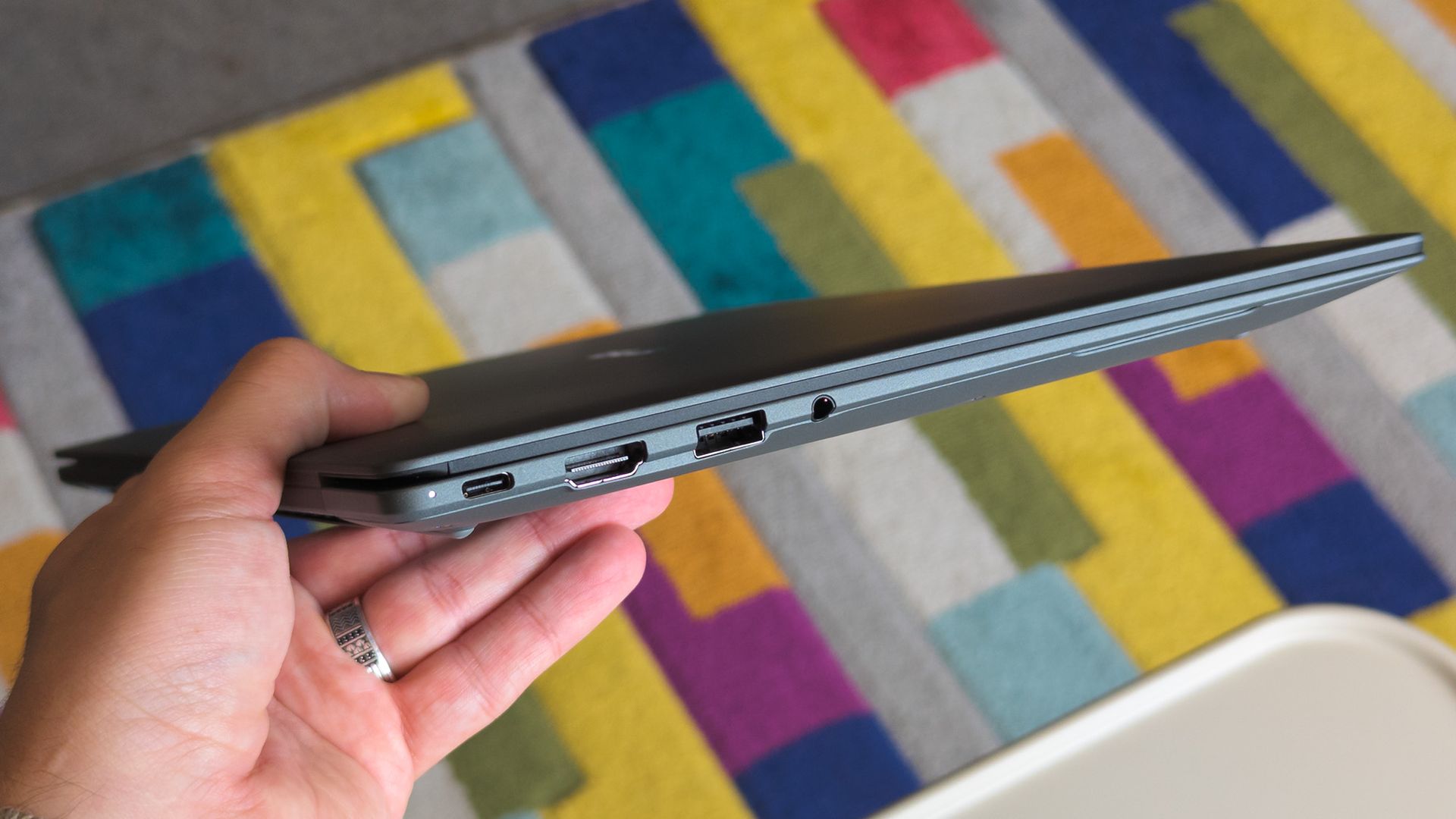
ASUS Googlebook 14 held in hand showing side ports

Lightweight 14-inch laptops are my absolute favorite, but I'll always prefer Windows. (Image credit: Ben Wilson | Windows Central)

The ASUS Googlebook 14 looks (and feels) great, which didn't surprise me, given how much I've enjoyed the company's recent design evolutions. Its chassis is coated in a magnesium-aluminum alloy, which explicitly avoids being labeled as the same Ceraluminum as its Zenbooks, but it's extremely similar.

Perhaps most impressive is its weight; ASUS claims the Googlebook 14 starts at 0.99 kg (2.18 lbs), but my scales place it closer to 0.97 kg (2.13 lbs). I'm a big fan of this emerging trend, having adored the Zenbook A14 at 2.18 lbs. Yes, it comes with extra screen flex, but I don't make a habit of bending my laptops.

ASUS claims the Googlebook 14 starts at 0.99 kg (2.18 lbs), but my scales place it closer to 0.97 kg (2.13 lbs)

OLED displays rarely disappoint either, and sure enough, this 16:10 panel also looks great. I'm still getting used to matte screens, and frankly, I almost want to avoid touching it to prevent fingerprints. Nevertheless, it's rated for up to 450 nits of brightness and 100% DCI-P3 color gamut coverage. Good for creators.

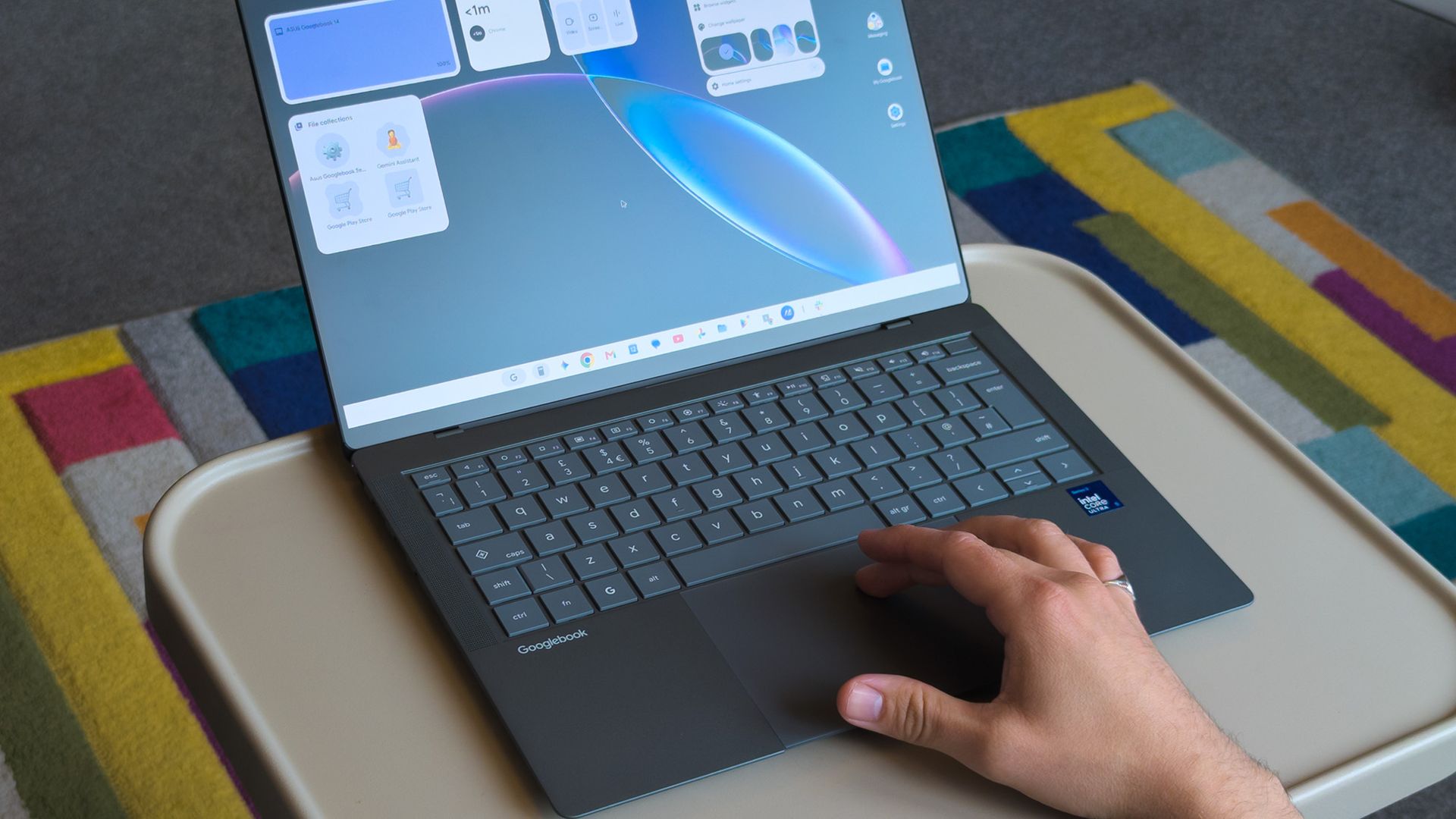
Finally, the chiclet keyboard has a 1.5mm key travel, which is relatively deep and feels good enough. The 6-inch haptic touchpad, however, is immediately fantastic. Left-clicking works anywhere, and it responds convincingly when pressed. I'll even commend the I/O for keeping USB-A ports around.

ASUS Googlebook 14: What I don't like
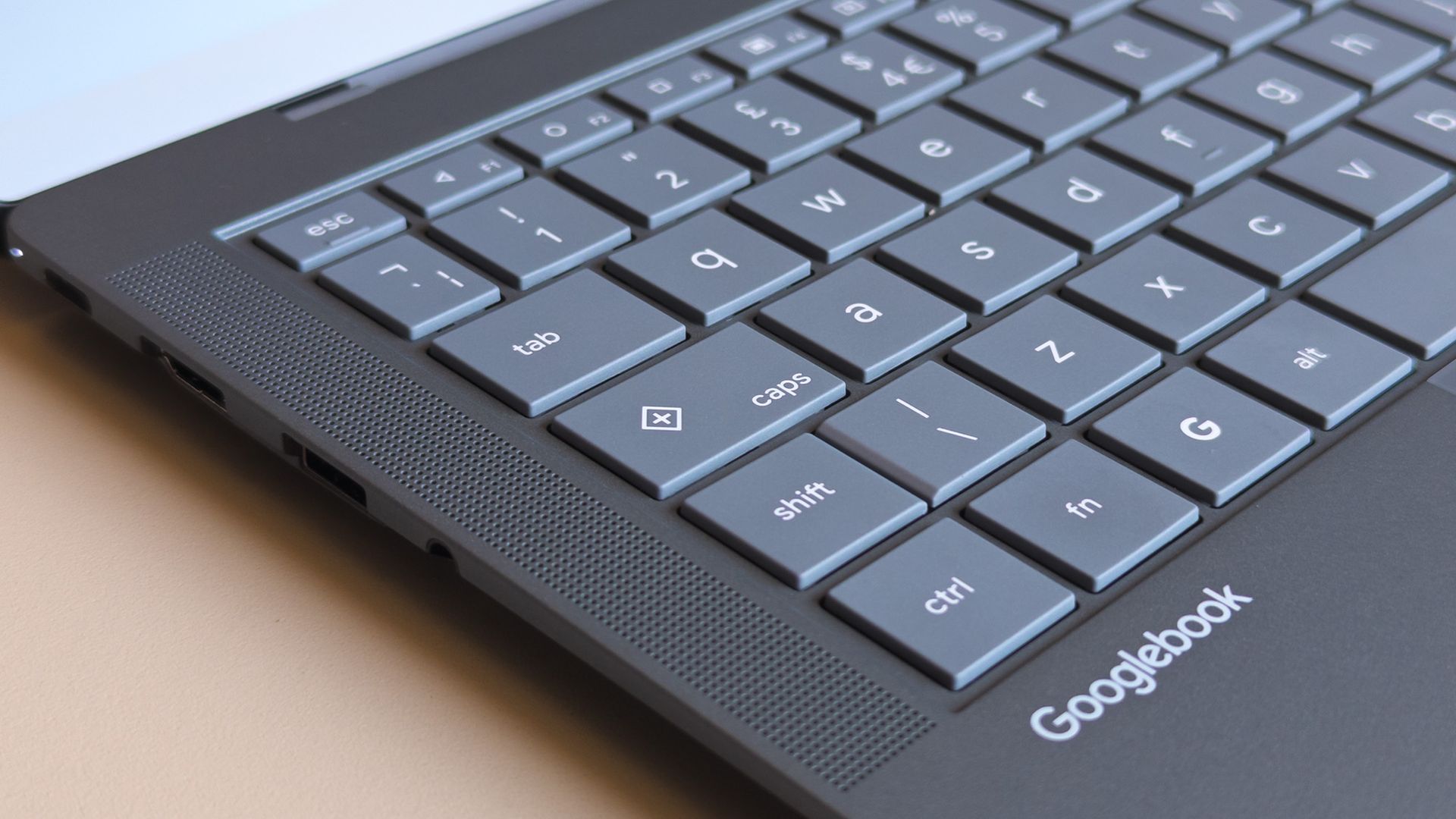
ASUS Googlebook 14 keyboard close up showing caps key with plus symbol

Caps Lock doesn't work without the Fn key, opening a quick context menu if pressed by itself. (Image credit: Ben Wilson | Windows Central)

Before I had a chance to experience much of Googlebook OS (which can refer to itself as ChromeOS during setup), I was irked by a few user experience oddities. Granted, these are primarily related to my expectations as a Windows user, but when I pressed the Caps Lock button, I expected capital letters.

Instead, Caps Lock defaults to activating a context menu indicated by a plus (+) icon, a sort of one-size-fits-all window that resembles Microsoft's 'Emoji and more' picker. Pressing Fn + Caps Lock delivers what I really wanted, which should be no big deal, just a learning curve. But it keeps going.

Even with increased hardware prices you can just buy a full Windows laptop or a MacBook Air for that much. Only a fool would buy one of these.

Fozzy_Bear, Windows Central Community

There's no delete key, so I need Fn + Backspace for that, which I wouldn't mind if double-tapping the touchpad would drag to select multiple words, but it doesn't work that way; I can only double-tap one word at a time. I suppose I might get used to that, too. Shift + arrow keys still select full lines, after all.

Some aren't as drastic; a single haptic click at the top of an app with maintained contact allows me to drag it around, while double-tapping restores or maximizes as I'd expect. On the other hand, there's no right-click area by default, instead requiring a two-finger tap unless I toggle that touchpad tweak in Settings.
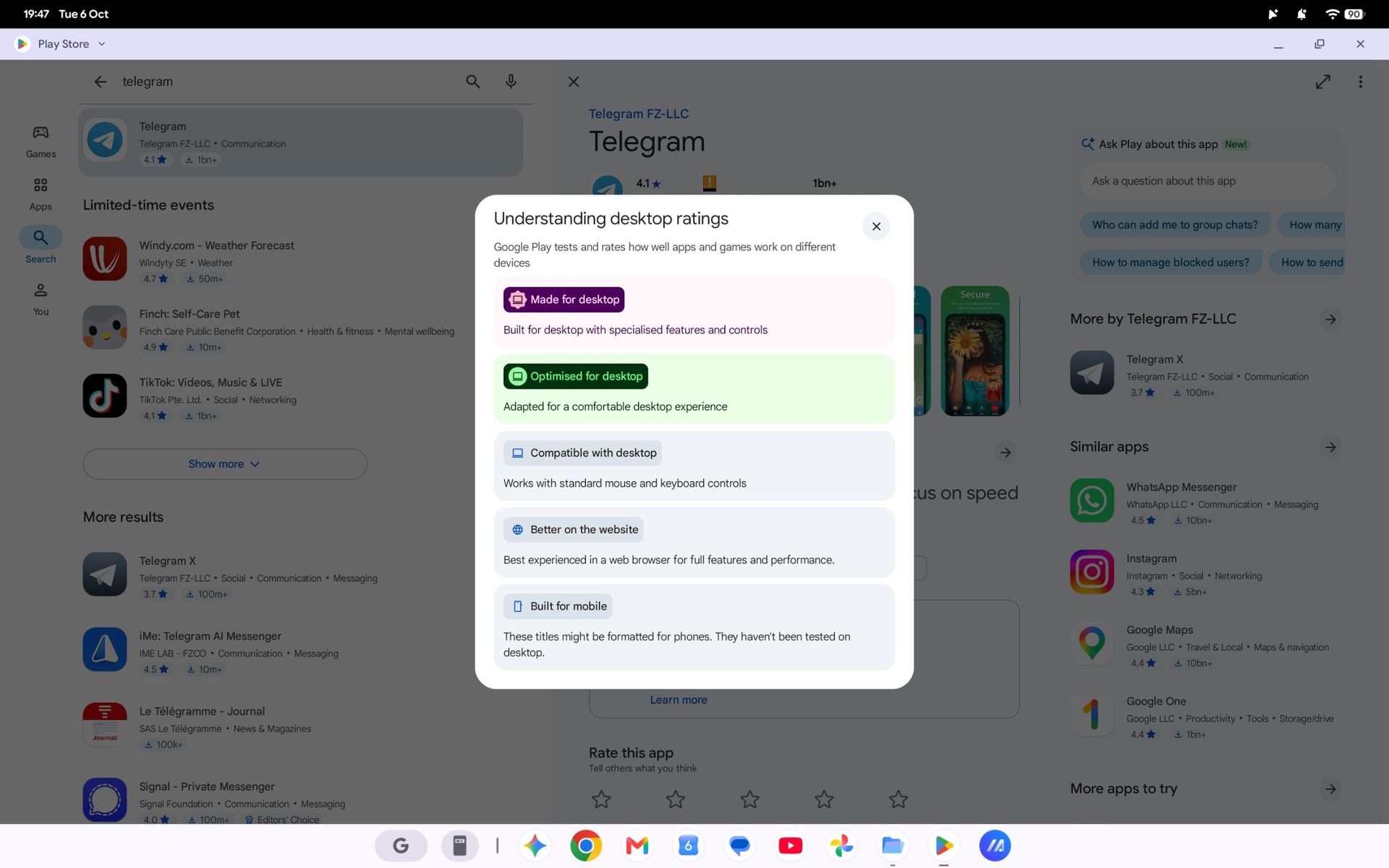
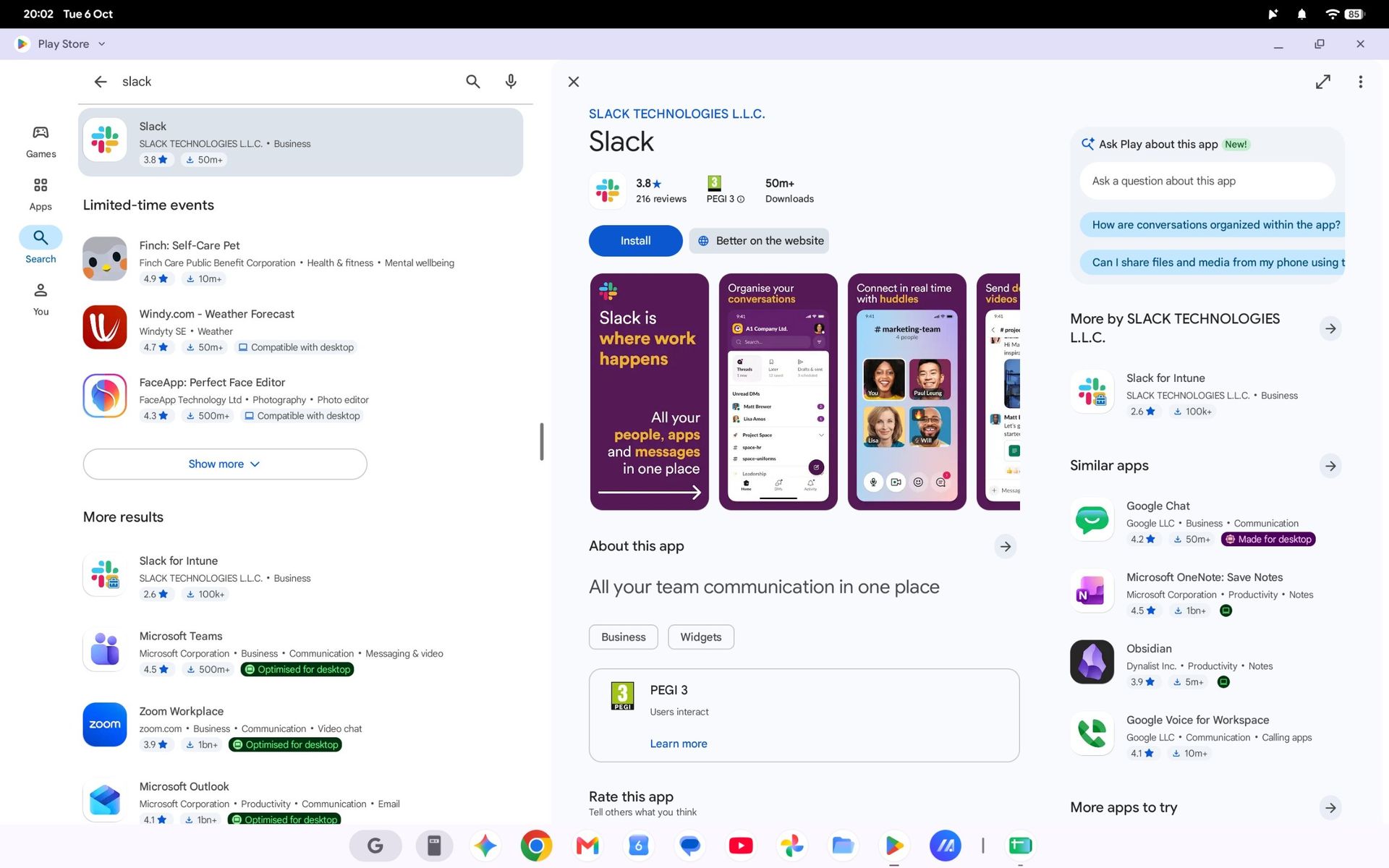
Finding apps that work best on a laptop screen is made easier with Google's app ratings.Google | Windows Central
Slack in the Google Play Store on an ASUS Googlebook 14
Unfortunately, some apps fall back on their web versions, keeping you in the browser.Google | Windows Central
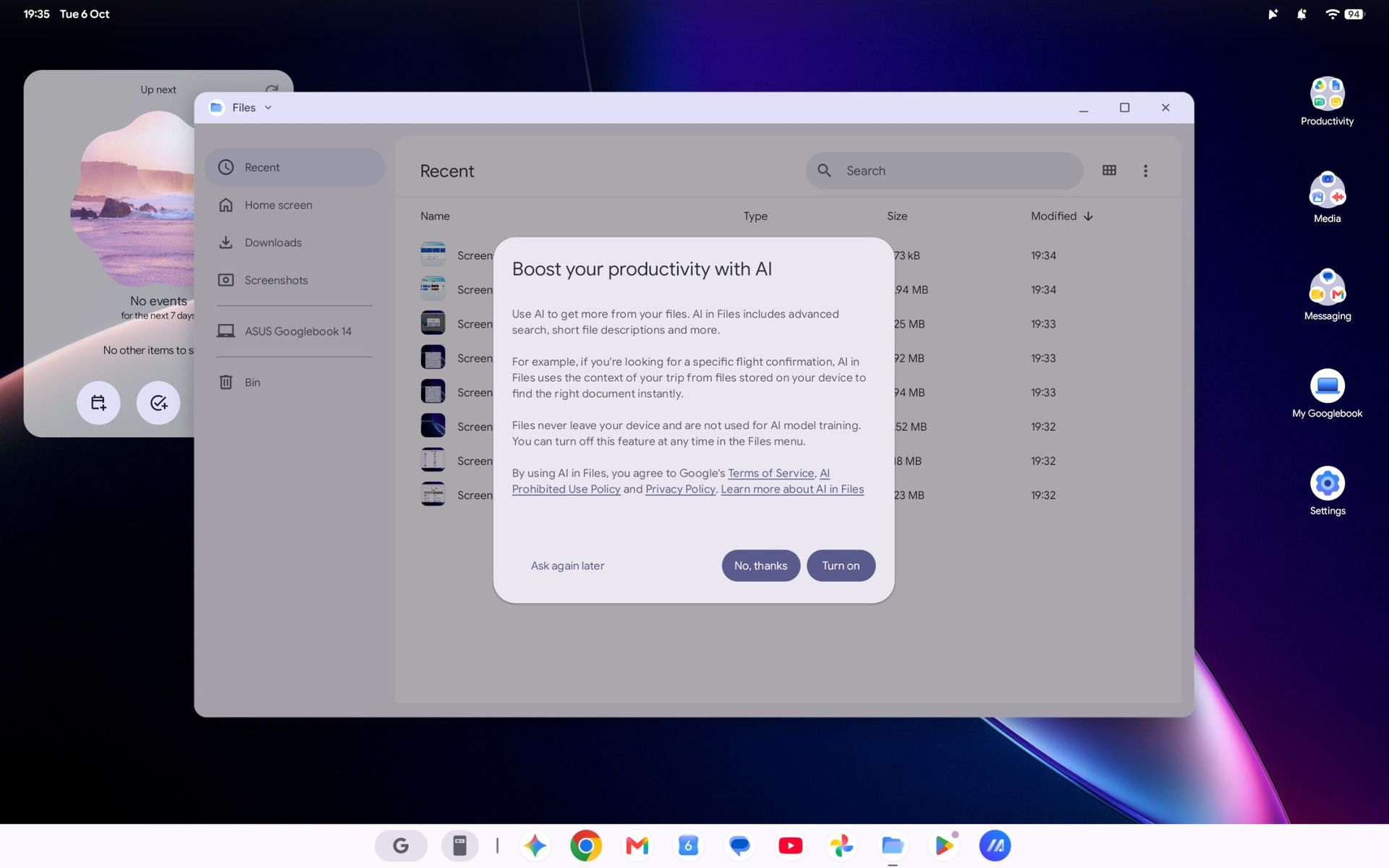
Googlebook OS Files app with AI prompt on ASUS Googlebook 14
Expect to see an AI consent prompt when you open almost every app or feature for the first time.Google | Windows Central

Again, most of these gripes can be so easily dismissed as nothingburger preferences carried over from decades of habits formed on Windows, which is fair, but trying to carry out my daily workflow on the ASUS Googlebook 14 soon had me wondering how much broad appeal this platform will have.

Like an Android smartphone, Google supplies your apps from the Play Store. Starting with Slack shows how a Googlebook handles compatibility by dividing apps into categories ranked from best to worst: Made for desktop, Optimized for desktop, Compatible with desktop, Better on the website, and Built for mobile.

Chrome OS was already able to run android apps; it just looks like they have decided to build it on top of android instead of chrome and its only on premium apps.

Tony Holness, Windows Central Community

Slack feels like an unlucky starting place for my Googlebook adventure since it lands in the 'Better on the website' category, made worse by a message that says, "This app cannot be installed" as a PWA (Progressive Web App). Installing it anyway is, indeed, a lesser experience than using it in Chrome.

Opening the 'Compatible with desktop' Microsoft Edge brings the entire Googlebook to a strange halt, preventing even Task Manager from opening until I restart, and my chosen video editing suite, DaVinci Resolve, isn't available at all. I know it's in its infancy, but Google's OS isn't thrilling me so far.

ASUS Googlebook 14: What happens next?
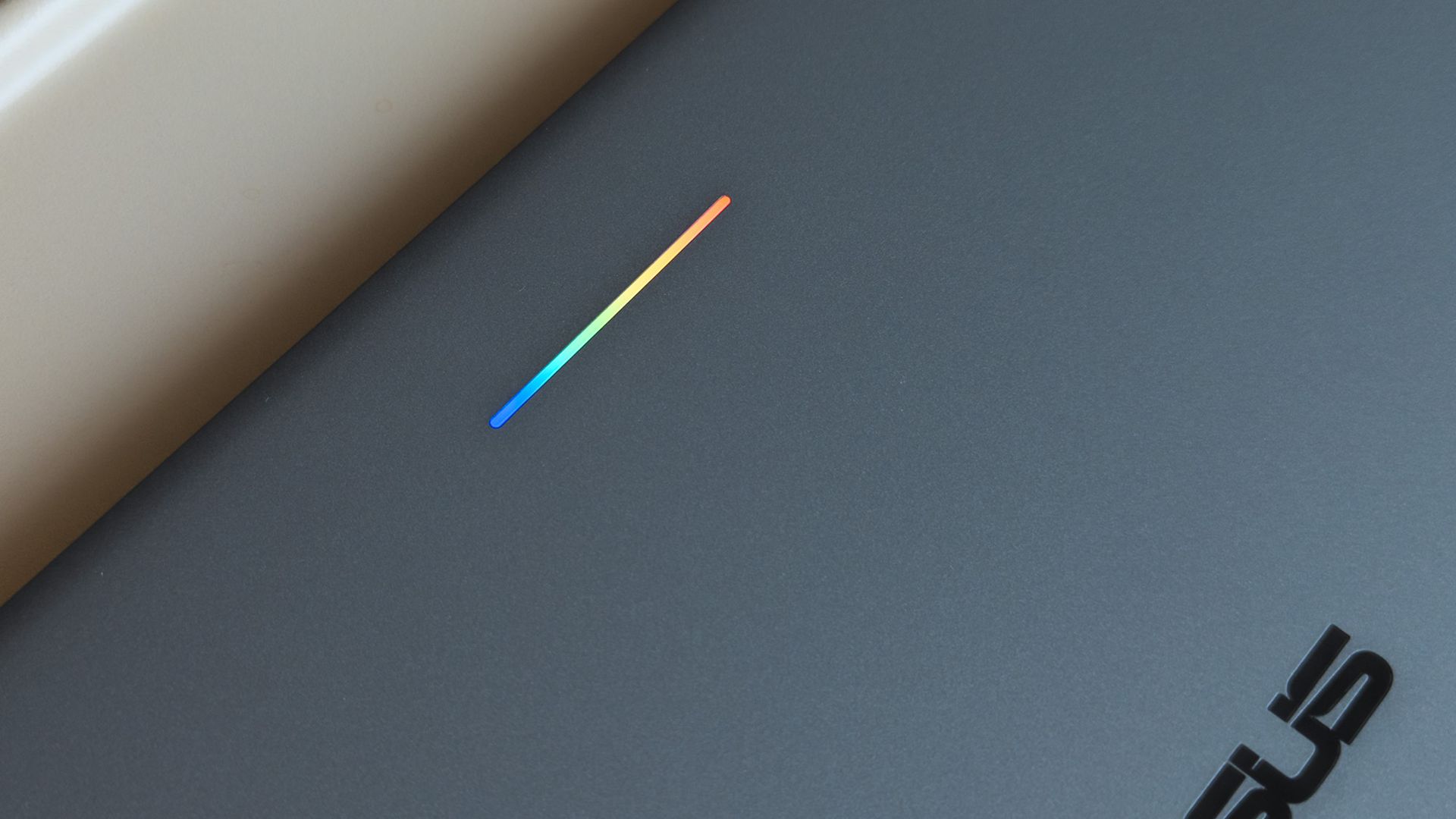
ASUS Googlebook 14 glowbar with rainbow lighting seen on lid

A small 'Glowbar' on Googlebook lids illuminates with RGB colors, but you'll almost never see it. (Image credit: Ben Wilson | Windows Central)

All of these impressions came in the first 24 hours of having my hands on this interesting, AI-centric laptop, and there's more to see. Gemini begs me to use it at every turn, but my next step is syncing my Pixel 7 Pro or Galaxy Z Flip 7 to see how features like 'Cast my apps' actually perform.

I'm not writing it off yet, but my first impressions aren't exactly stellar. Even the RGB Glowbar gimmick offers little more than battery-life visibility; almost as frivolous as the illuminated "look what I have" logos on gaming laptop lids. On the software side, OS updates will likely fix many of my complaints.

Still, I won't ignore the outspoken Windows users who have pushed back on Copilot AI integrations in Microsoft's leading OS for the past few years, and I can only wonder who would adopt something fundamentally the same, except built by Google. Are Googlebooks perhaps only appealing to developers?

Either way, I'm impressed with ASUS but unconvinced by Googlebook. The hardware is fantastic, but it comes from the same people who built the Zenbook, so that's hardly a revelation. I'll keep using Googlebook OS for a few more days and see how it feels once the launch hype dies down.

Click to join us on r/WindowsCentral

Join us on Reddit at r/WindowsCentral to share your insights and discuss our latest news, reviews, and more.
  •  

ASUS launches the Ascent QN10, an 80‑TOPS AI mini PC powered by Snapdragon X2 Elite

ASUS just started shipping the Ascent QN10, the first mini PC built around Qualcomm’s Snapdragon X2 Elite platform and its 80 TOPS NPU.

The 80 TOPS NPU is designed for local AI tasks such as language models, image processing, and automation workflows.

Up to this point, mini PCs running Windows on Arm have been largely dev kits, such as the Windows Dev Kit 2023. Those types of devices allowed developers to optimize apps for Arm, but they were not aimed at general customers. There have been some consumer mini PCs with Arm processors, but the Ascent QN10 is the first with the Snapdragon X2 Elite.

The ASUS Ascent QN10 is a very different device. It’s a consumer‑ready PC with an anodized aluminum chassis rather than the plastic developer boxes we’ve seen in the past. Our friends at Tom’s Guide said the Ascent QN10 “could be the Mac mini M4 alternative for Windows users.”

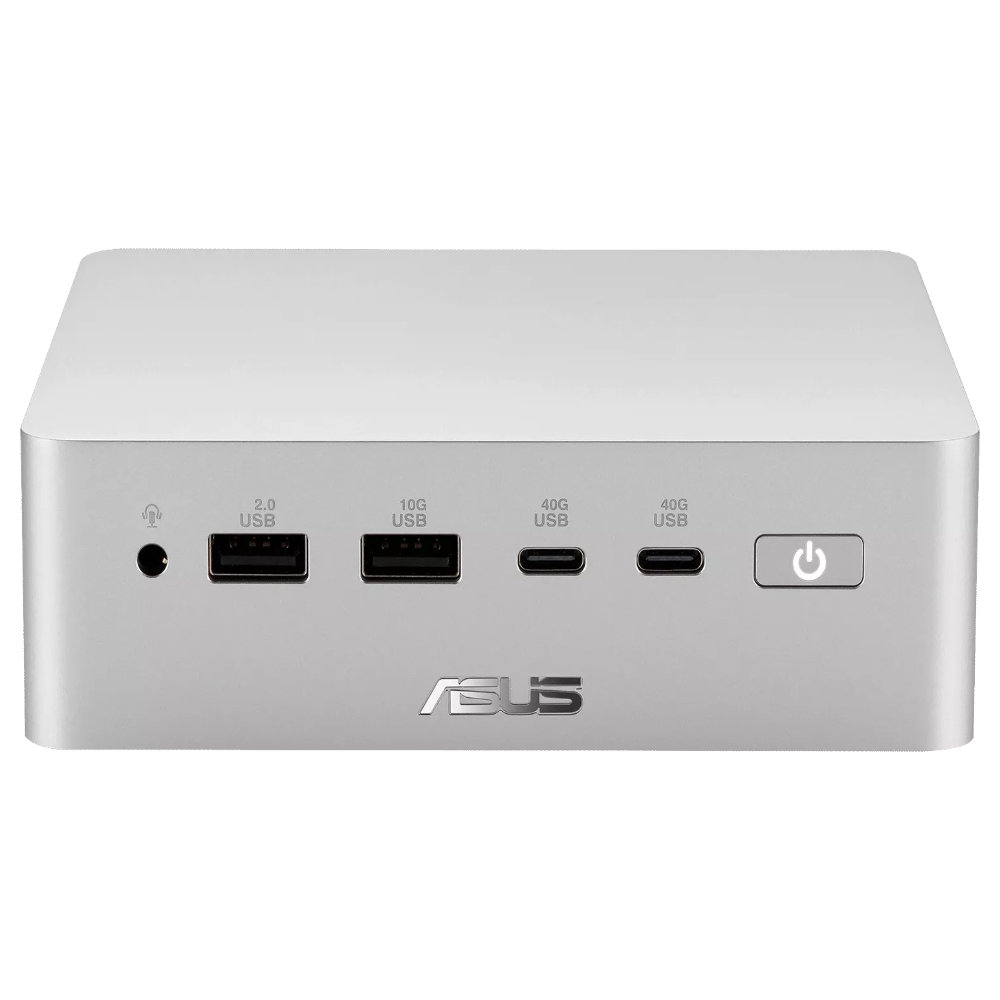
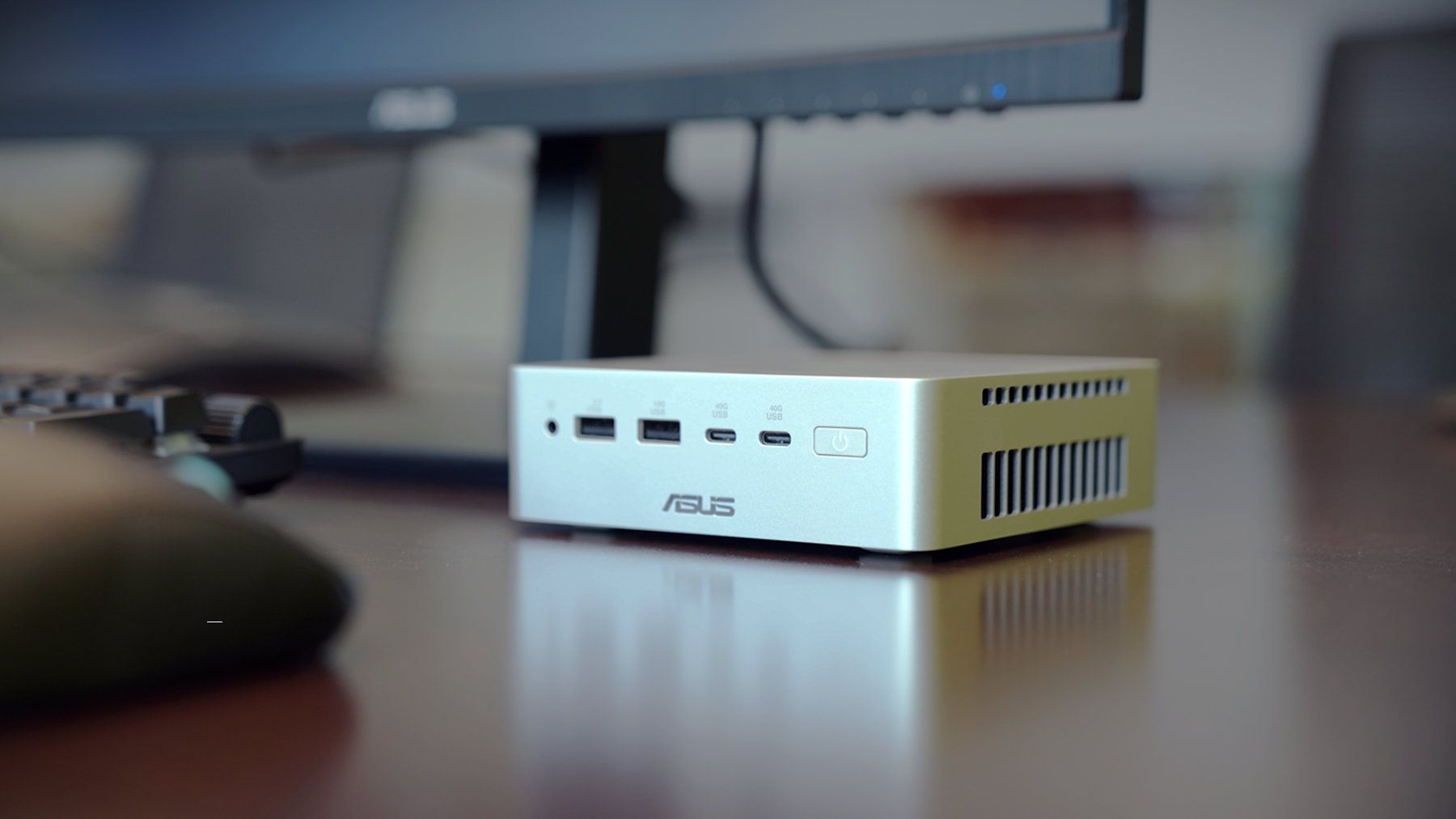
The Ascent QN10 has a 0.7-liter body, making it smaller than many of the best mini PCs. Despite the small body, it packs plenty of ports.

ASUS Ascent QN10 Specs

Processor

Qualcomm Snapdragon X2 Elite (18-Core Oryon CPU)

Graphics

Qualcomm Adreno X2-90

NPU

Qualcomm Hexagon (Up to 80 TOPS)

Memory

Up to 32GB LPDDR5x

Storage

512GB, 1TB or 2TB

Ports

2 x USB4, 2 x USB-A, 1 x 3.5mm audio jack (front), 1 x USB4, 1 x HDMI 2.1, 2 x USB-A, 1 x 2.5 Gigabit Ethernet (rear)

Connectivity

Wi-Fi 7, Bluetooth 6.0

Dimensions

5.1 x 5.1 x 1.5 inches

Weight

1.6 pounds

The specs of the Ascent QN10 received a small bump since our colleagues at Tom's Guide went hands-on with the mini PC. The Ascent QN10 features Bluetooth 6.0 rather than the older Bluetooth 5.4.

The Ascent QN10 has a clever cooling solution that keeps the heat from its CPU and SSD separate. Fresh air is brought in on one side of the device but then split and sent out separately on the other side of the device.

Overall, the Ascent QN10 looks like a strong first showing for Snapdragon X2 Elite in a mini PC. The big question is if there's a demand for an AI-focused mini PC running Windows on Arm.

The Ascent QN10 can access Qualcomm’s AI Hub, which provides over 175 pre‑optimized models and tools for testing and deploying AI workloads.

Closeup of an ASUS Ascent QN10 mini PC showing two USB ports, two USB-C ports, a power button, and a headphone jack.

ASUS
Ascent QN10 Mini PC

This mini PC runs on a Snapdragon X2 Elite and has an NPU with 80 TOPS of performance. Those specs allow it to handle AI workloads effeciently despite the compact body of the mini PC.

  •  

"Market response has far exceeded our expectations" — ASUS can't make enough laptops with RTX Spark ahead of their expected Q4 launch

I was at Computex this year when NVIDIA's RTX Spark System-on-Chip (SoC) was revealed to the world, and from the start, I had a hunch that it would be a big deal.

A powerful chip for Windows on ARM that can run every Windows app ever made? That was one of NVIDIA CEO Jensen Huang's first promises.

With Microsoft as its launch partner, the Surface Laptop Ultra was one of the first RTX Spark laptops announced, but ASUS was right up there with its ProArt P16 and ProArt P14, two laptops I got to see firsthand in Taipei.

Incredibly sleek and streamlined, these laptops were a smash hit on the show floor. Apparently, they're also far more popular than ASUS was expecting.

In a recent ASUS Q2 earnings call, it was revealed that the company is completely out of ProArt P14 and P16 units to ship to its partners (aka third-party retailers and distributors) as part of pre-order efforts.

As one of the first manufacturers to launch RTX Spark-based systems, the market response to pre-orders for our ProArt notebook P16 and P14 has been intense. They are currently completely sold out. [...] Regarding current demand, the market response has far exceeded our expectations. Essentially, the initial quantities we planned have already been fully pre-ordered by our channel partners. We’re continuing to place additional orders with our partners.

S.Y. Hsu, Co-CEO ASUS (ASUS Q2 earnings call)

More RTX Spark laptops are on the way, of course, and ASUS has some time to shore up supplies before the planned Q4 2026 release of the new Spark-powered ProArt PCs.

It's too bad that the earnings call doesn't mention anything about exact volumes, because it's hard to say exactly how popular these laptops really are. However, ASUS says that it's "very optimistic about next year's sales" thanks to the "high AI computing power relative to its compact size" in the RTX Spark laptops.

What is NVIDIA's RTX Spark?

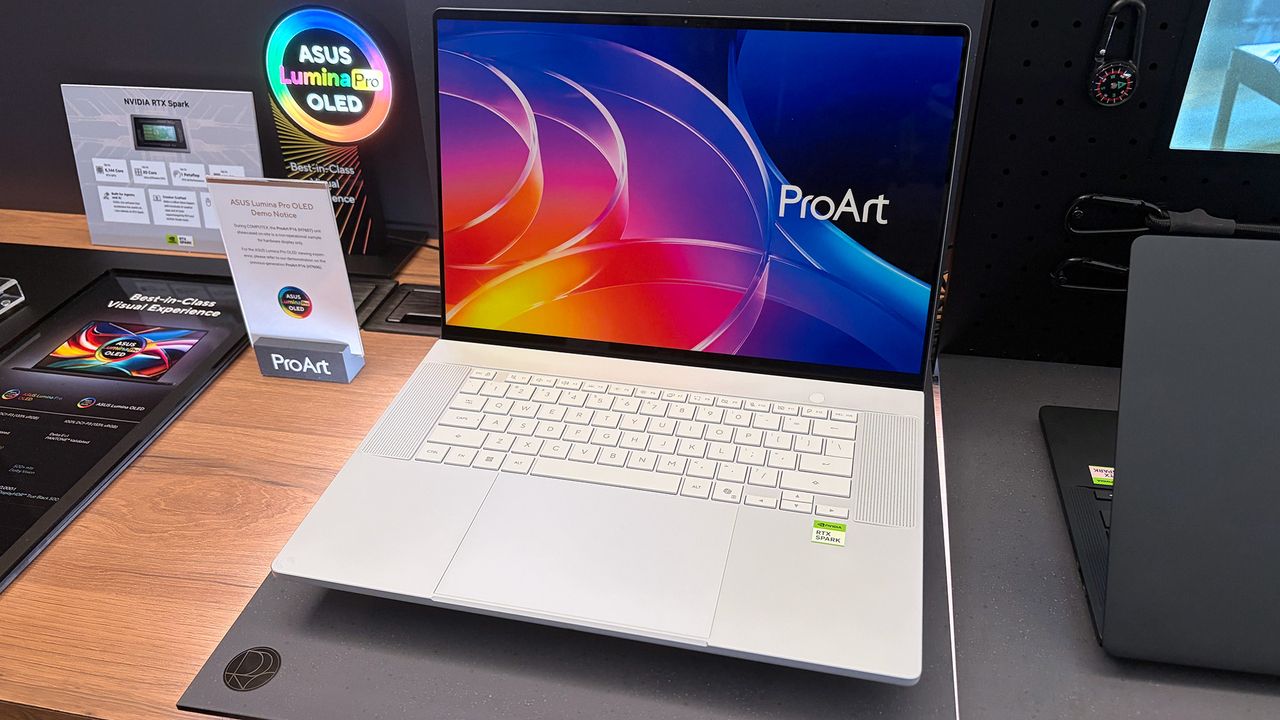
ASUS ProArt P16 laptop samples on display shelving highlighting chassis and features at Computex 2026

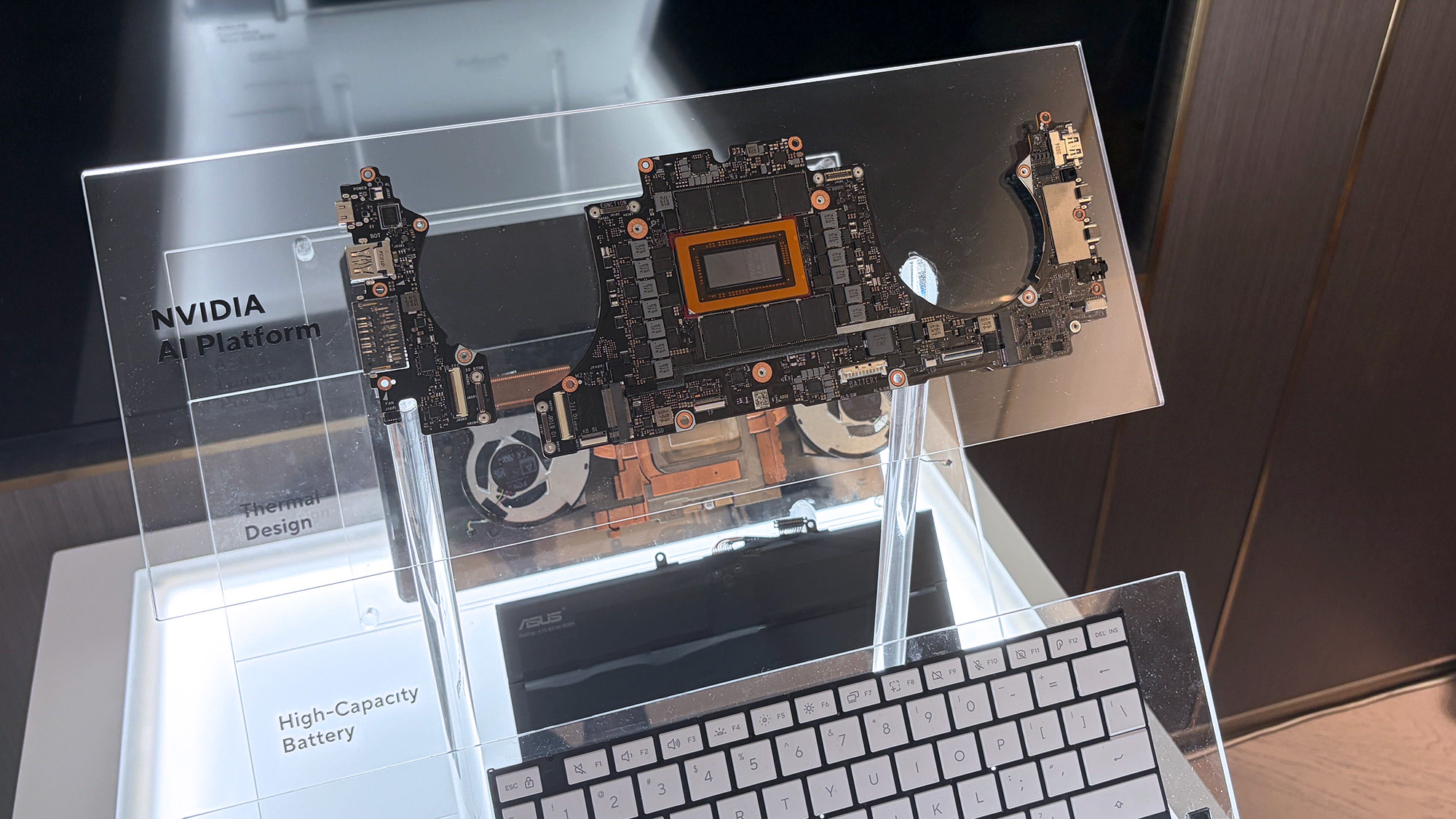
A look at the NVIDIA RTX Spark chip that's (normally) inside the ProArt P16. (Image credit: Cale Hunt | Windows Central)

NVIDIA's RTX Spark is an ARM-powered SoC that's expected to compete directly with the likes of Intel, AMD, and Qualcomm for space in Windows 11 PCs.

I covered rumors of the "N1X" chip for months in the lead-up to Computex 2026, and indeed it seems just as powerful and efficient as pre-announcement estimates.

Spark takes efficient ARM-based CPU cores similar to those found in Qualcomm Snapdragon chips and pairs them with an NVIDIA Blackwell RTX GPU, all while drawing from a unified memory setup that can hit 128GB.

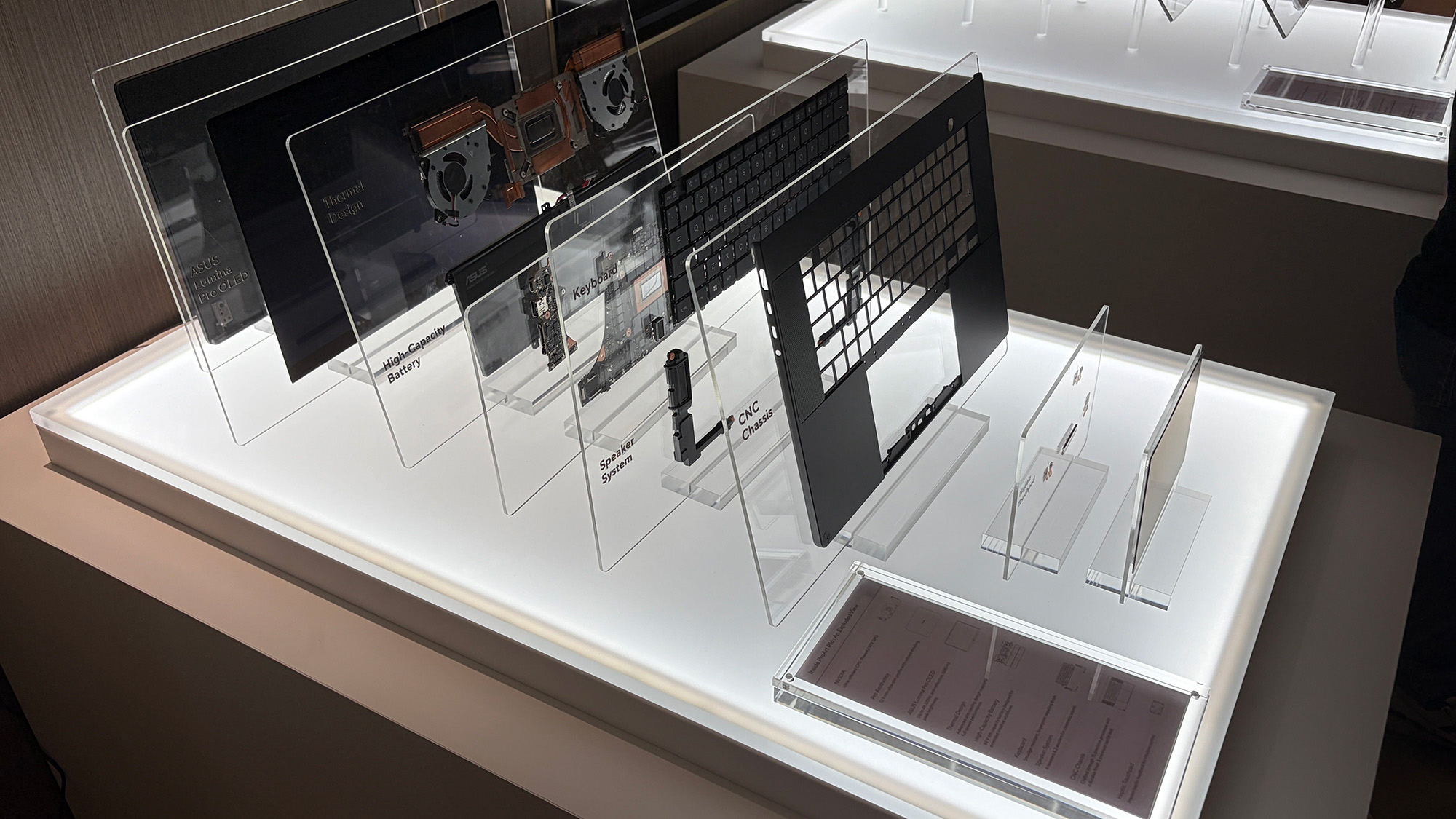
ASUS ProArt P16 laptop samples on display shelving highlighting chassis and features at Computex 2026

A broken-down example of the ASUS ProArt P16 with RTX Spark. (Image credit: Cale Hunt | Windows Central)

This combination allows for massive performance that can shred standard and AI-related tasks without requiring a bulky discrete GPU.

Throw these chips into ASUS ProArt laptops with "all-day-long" battery life, wide port variety, super slim bodies, and 4K OLED displays, and it's easy to see why there's so much interest from retail partners.

(via VideoCardz)

Click to join us on r/WindowsCentral

Join us on Reddit at r/WindowsCentral to share your insights and discuss our latest news, reviews, and more.
ASUS ProArt P16 laptop samples on display shelving highlighting chassis and features at Computex 2026

ASUS ProArt P16 laptop samples on display shelving highlighting chassis and features at Computex 2026

  •  

A severe ASUS Armoury Crate vulnerability affects laptops, handhelds, and desktop PCs — Here's how to check if you're in the clear

ASUS Armoury Crate is but one piece of specialized management software that many of us have installed on our PC, perhaps without even knowing it. It comes preinstalled on ASUS gaming handhelds, including the Xbox Ally X, as well as ASUS gaming laptops.

If that sounds like hardware you use, it's time to check up on Armoury Crate. According to an August 10 update on the official ASUS advisory board, "a component used by Armoury Crate" is vulnerable and could be leaving you open to attacks.

Alongside that unmentioned component of Armoury Crate, ASUS has also released security updates for its GPU Tweak III, GPU Tweak II, and AI Suite 3 software.

This vulnerability, listed as CVE-2026-8917, comes with an 8.4 rating. That's out of a maximum of 10, meaning this isn't an issue you should ignore for long.

What does this ASUS vulnerability entail?

According to the CVE record, an "IOCTL vulnerability allows a local attacker to write a specific value to an arbitrary memory address, potentially leading to privilege escalation."

Although the CVE record doesn't mention Armoury Crate by name, it's clear that ASUS is concerned with that "certain component" alongside its other standalone software.

How do I update the vulnerable ASUS software?

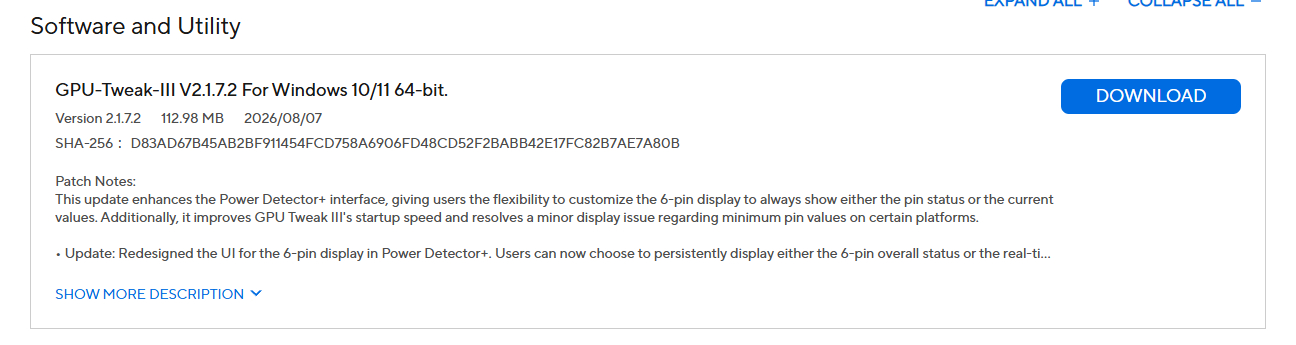
Screenshot of GPU-Tweak-III software update details, including version, size, release date, SHA-256 hash, and patch notes with a

A look at the GPU Tweak III download page at the ASUS support website. (Image credit: ASUS)

Updated versions of GPU Tweak III, GPU Tweak II, and AI Suite 3 software can be directly downloaded from the ASUS support website.

You want to be sure that you're grabbing the most recent version. For GPU Tweak III, I'm seeing version 2.1.7.2. This appears to be a newer version than what's listed as affected on the CVE website.

Download interface for GPU Tweak II version 2.4.0.0, showing file details and a prominent download button.

The GPU Tweak II version on the ASUS support page appears to still be the one affected. (Image credit: ASUS)

For GPU Tweak II, I'm seeing version 2.4.0.0 on the ASUS support page; unfortunately, this version is listed on the CVE page as vulnerable, so I can only guess that ASUS hasn't yet made the necessary updates to its download packages.

It's unclear why ASUS hasn't yet made the secure version of GPU Tweak II available for download. If you're concerned, my best advice is to simply remove the software entirely until it's updated.

For AI Suite 3, I'm seeing version 3.01.10, which is thankfully newer than the affected version 2.1.2.0 listed on the CVE page.

And for the actual Armoury Crate software, you can choose to update from within the app itself.

Is there any alternative to ASUS Armoury Crate?

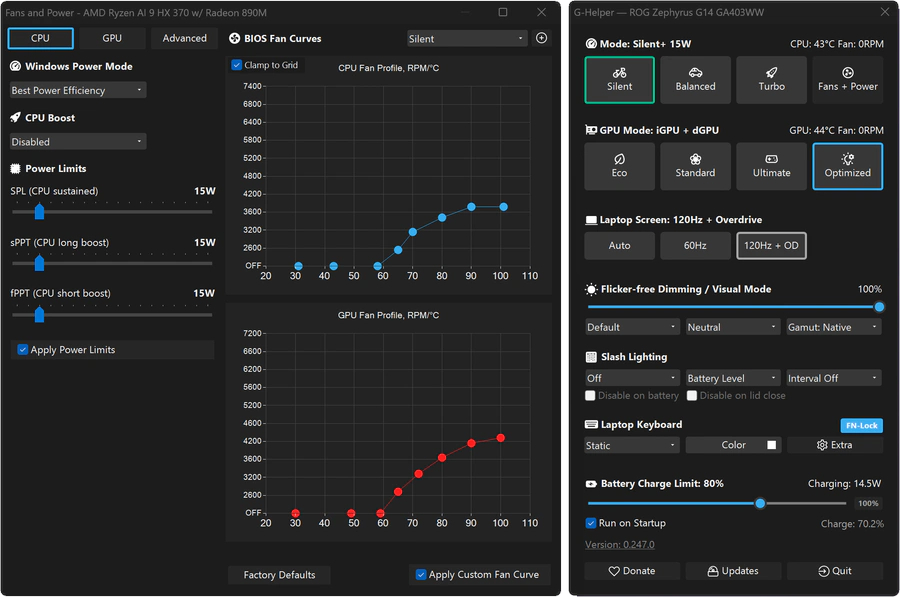
Computer interface showing CPU and GPU fan settings and performance modes for a ROG Zephyrus G14 laptop, featuring graphs and sliders for fan control and power limits.

A look at the G-Helper app interface for ASUS laptops and gaming handhelds. (Image credit: Seerge (g-helper.com))

I often use Armoury Crate on my desktop gaming PC to control certain ROG and TUF components, but most of the time it sits idly in the background. It's not the best software, vulnerabilities aside, but it seems to get the job done.

I've read tales of some specific ASUS desktop hardware absolutely requiring Armoury Crate to function properly, but for other ASUS gaming devices, it can be replaced entirely.

Let me introduce you to G-Helper. It's designed to work with ASUS laptops and gaming handhelds, doing what Armoury Crate does in a streamlined, unbloated app that only eats up about 5MB of space.

You can download G-Helper for free from its official website.

— via PC Gamer

Click to join us on r/WindowsCentral

Join us on Reddit at r/WindowsCentral to share your insights and discuss our latest news, reviews, and more.
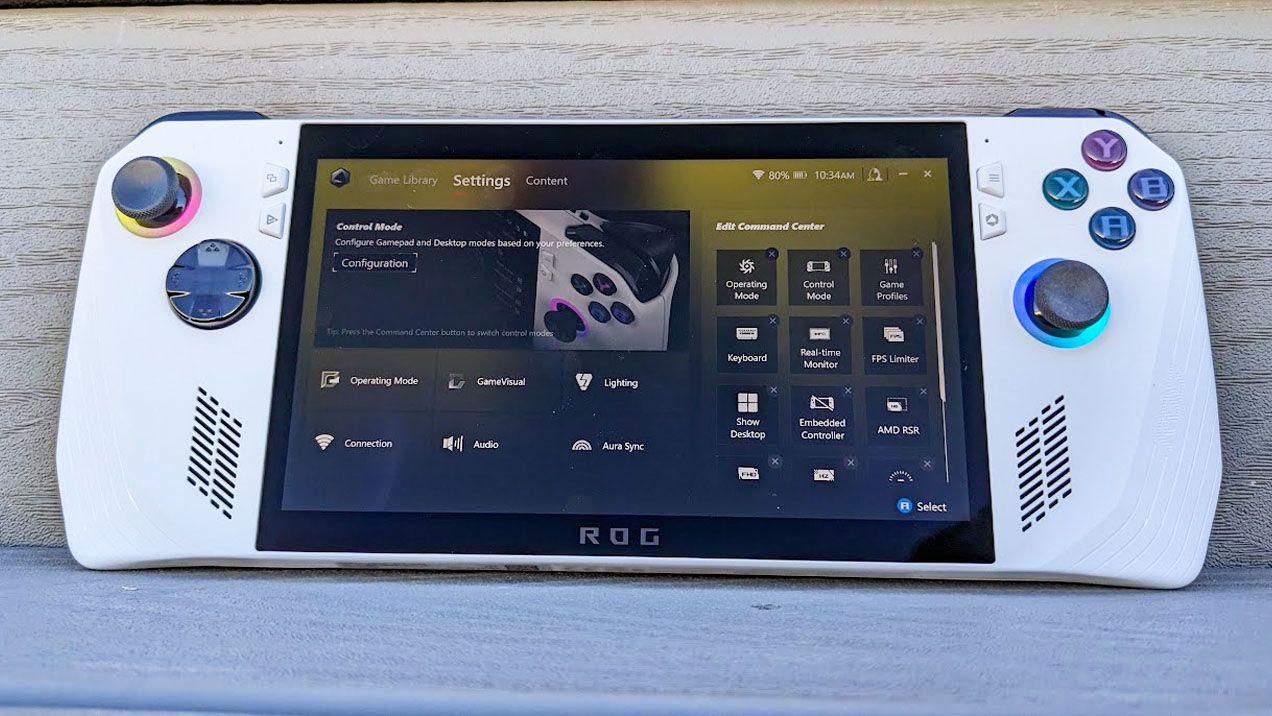
Armoury Crate menu on ROG Ally.

The ROG Ally handheld with Armoury Crate shown on the display.

  •  

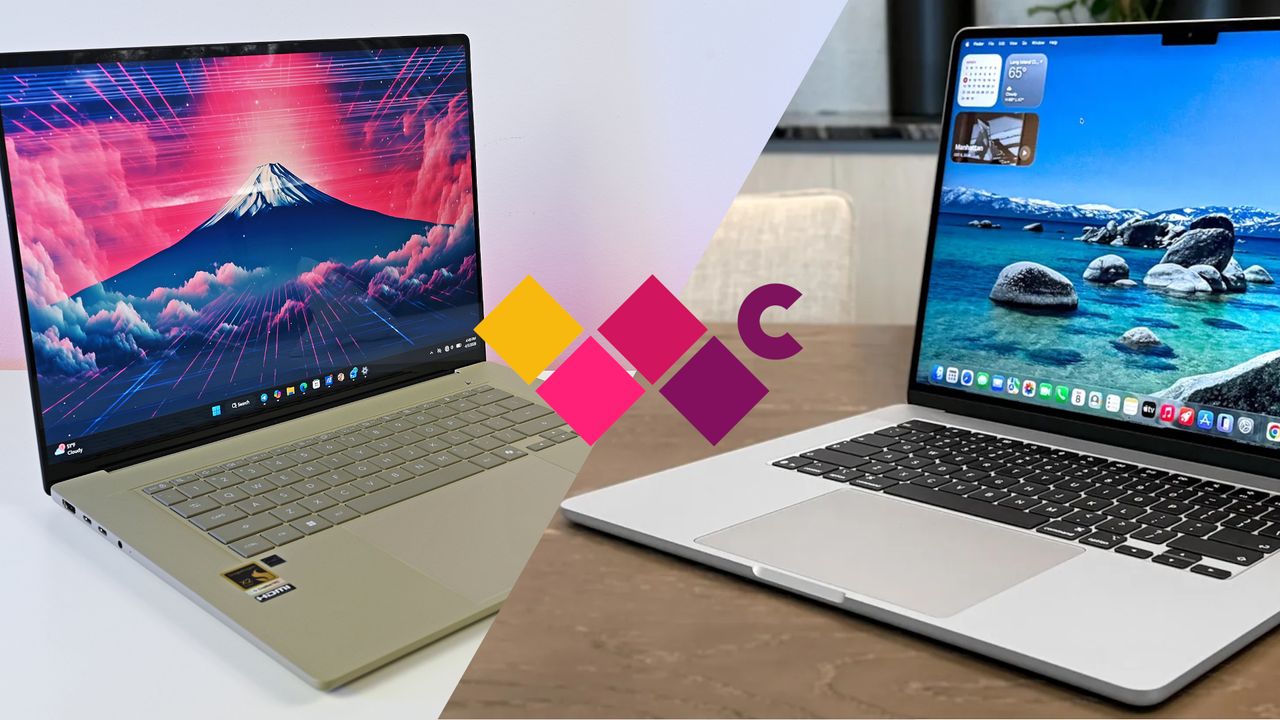
ASUS Zenbook A16 vs. Zenbook S 16: Lots of similarities don't necessarily make for an easy choice, and it might come down to pricing and performance hardware

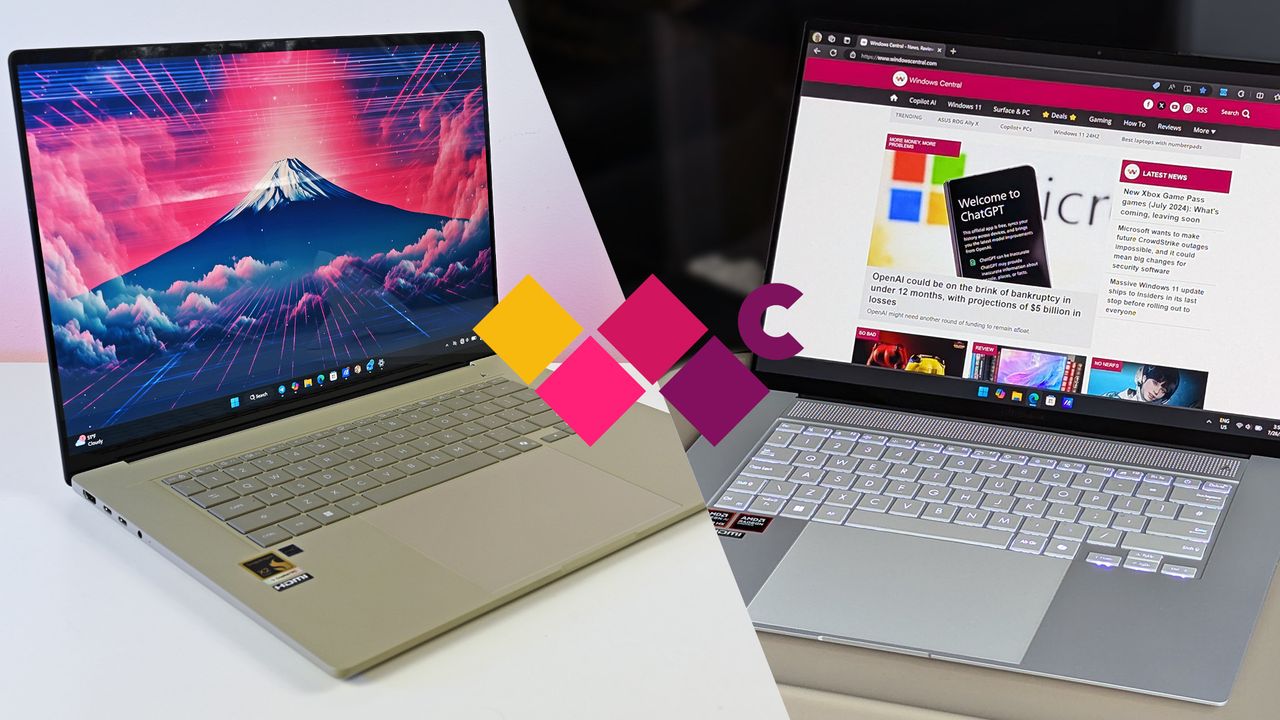
ASUS now has Zenbook A16 and Zenbook S 16 models on the market, and at first glance, they seem quite similar. But once you get inside, differences begin to appear. I've put together this comparison based on our reviews of both laptops to help you make the right decision.

ASUS Zenbook A16 vs Zenbook S 16

I'm comparing the Zenbook A16 to the Zenbook S 16.

  •  

"An error was made": We asked ASUS why Zenbook prices are suddenly soaring, and we have bad news

Just hours after our 5-star review dropped, ASUS and Best Buy hiked the price of the Zenbook A16.

Studio photos of the 2026 ASUS Zenbook A16 laptop featuring the new Qualcomm Snapdragon X2 Elite Extreme processor.

The ASUS Zenbook A16 earned a perfect score in our review, but it confusingly went up in price hours after launch.

  •  

"The MacBook Air is no longer the best lightweight laptop": I compare the new ASUS Zenbook A16 to show how it dominates Apple's sleek notebook in key areas

We got our hands on the new ASUS Zenbook A16 for in-depth testing, and it's clear that the new Windows laptop is gunning for Apple's lightweight MacBook Air 15. Here's how the two devices compare in terms of design, features, displays, performance, efficiency, and pricing.

ASUS Zenbook A16 vs. MacBook Air 15 (M5)

I'm putting the new ASUS Zenbook A16 up against the MacBook Air 15 with M5.

  •  

I tested ASUS' Zenbook A16 with Qualcomm's incredible Snapdragon X2 Elite Extreme CPU, and I'm convinced: This is everything a flagship Windows laptop should be

A combination of Qualcomm's phenomenal generational performance gains and refinements to ASUS' already stellar Zenbook design has crafted a practically perfect Windows laptop.

Studio photos of the 2026 ASUS Zenbook A16 laptop featuring the new Qualcomm Snapdragon X2 Elite Extreme processor.

Studio photos of the 2026 ASUS Zenbook A16 laptop featuring the new Qualcomm Snapdragon X2 Elite Extreme processor.

  •  

I found a sub-$599 Windows 11 laptop that proves you don't need to compromise specs — with 16GB of RAM and 512GB of storage

There is a 23% discount active for the ASUS Vivobook 14, a workhorse laptop equipped with a Snapdragon X CPU, long battery life, 16GB of RAM, 512GB of storage, and more features that help you survive the daily office grind.

AI generated image of the ASUS Vivobook 14, visualized

The ASUS Vivobook 14 is not flashy, but will get the job done with no fuss.

  •  

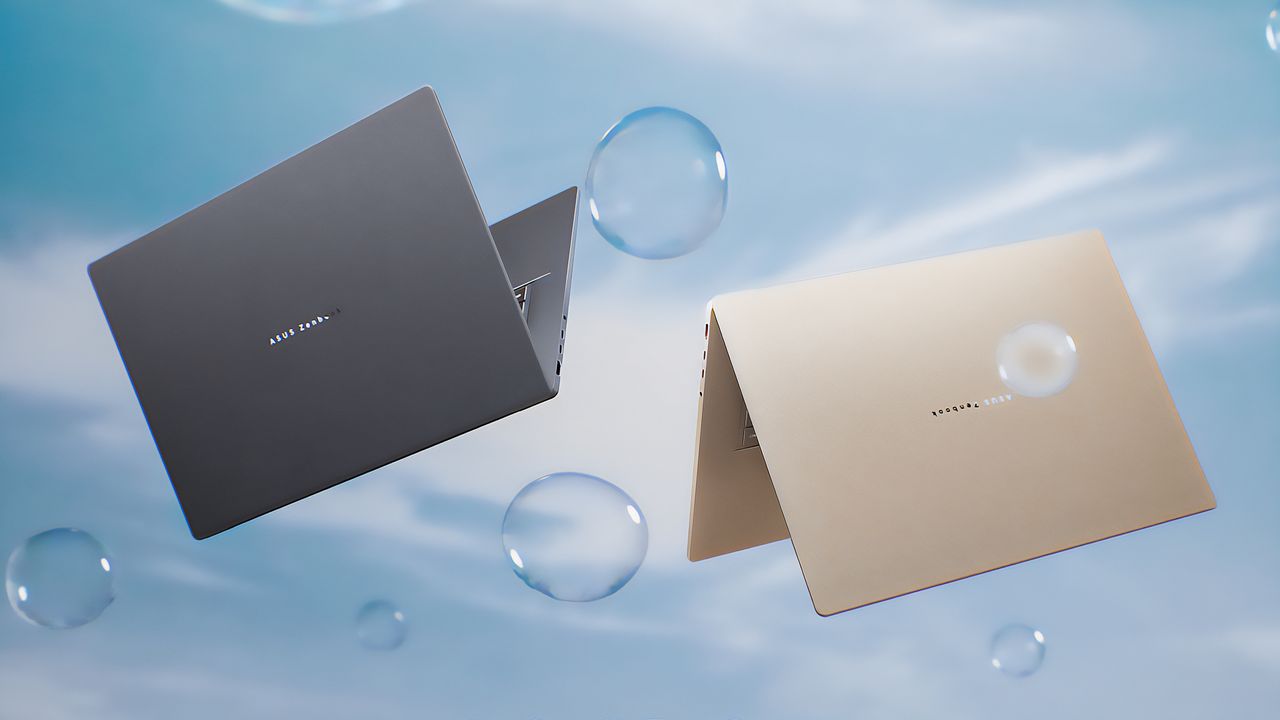
A14 gets smarter, A16 gets stronger, but they're still both lightweight — ASUS expands Zenbook lineup with faster Snapdragon power and bigger OLED options

At CES 2026, ASUS refreshed the awesome Zenbook A14 — and announced a new, ultra-light 16-inch version powered by Qualcomm's most powerful laptop chips yet.

The Iceland Gray and the Zabriskie Beige ASUS Zenbook A16 laptops floating in the air near bubbles.

  •  

You can now preorder ASUS' ridiculously powerful 2-in-1 detachable gaming laptop

You can now preorder the ASUS ROG Flow Z13, which pairs a versatile 2-in-1 design with AMD's most powerful mobile hardware ever. It could be the best gaming tablet.

The ASUS ROG Flow Z13 (2025) in four positions, including upright with its keyboard attached, upright with its keyboard detached, laying down with its screen up, and laying down with its back up.

  •  
❌