❌

Vue lecture

I tested ASUS' Googlebook 14: So, how does it feel to a lifelong Windows user?

In September this year, Google announced its 'Googlebooks' as a premium laptop counterpart to its budget-conscious Chromebooks, rather than a replacement. It wouldn't have made much of a blip on my radar if the company hadn't paired with some of my favorite OEMs to build them.

Indeed, Google isn't building any first-party devices. Unlike Chromebook, these new Android-based offerings come only from OEMs like Acer, ASUS, Dell, HP, and Lenovo. 14-inch Windows laptops have quickly become my favorite, with ASUS' Zenbook in the lead, so the $1,299 ASUS Googlebook 14 is intriguing.

I think it's a great opportunity to steal consumer windows marketshare from MS, not enterprise.

Gibbens, Windows Central Community

Admittedly, that mild intrigue is tempered by skepticism, given the ongoing controversy over app compatibility for the average consumer. I still see people blasting Windows on ARM devices as an inferior experience, despite Qualcomm's efforts with Snapdragon X2 chips proving that to be largely false.

With that in mind, could I ever seriously expect the general public to adopt another operating system with fewer features than Windows, less customization than Linux, and some pricing sensibilities of Mac? Offered a chance to test-drive a sample from ASUS, I couldn't resist. Here's how it went.

ASUS Googlebook 14: What I like
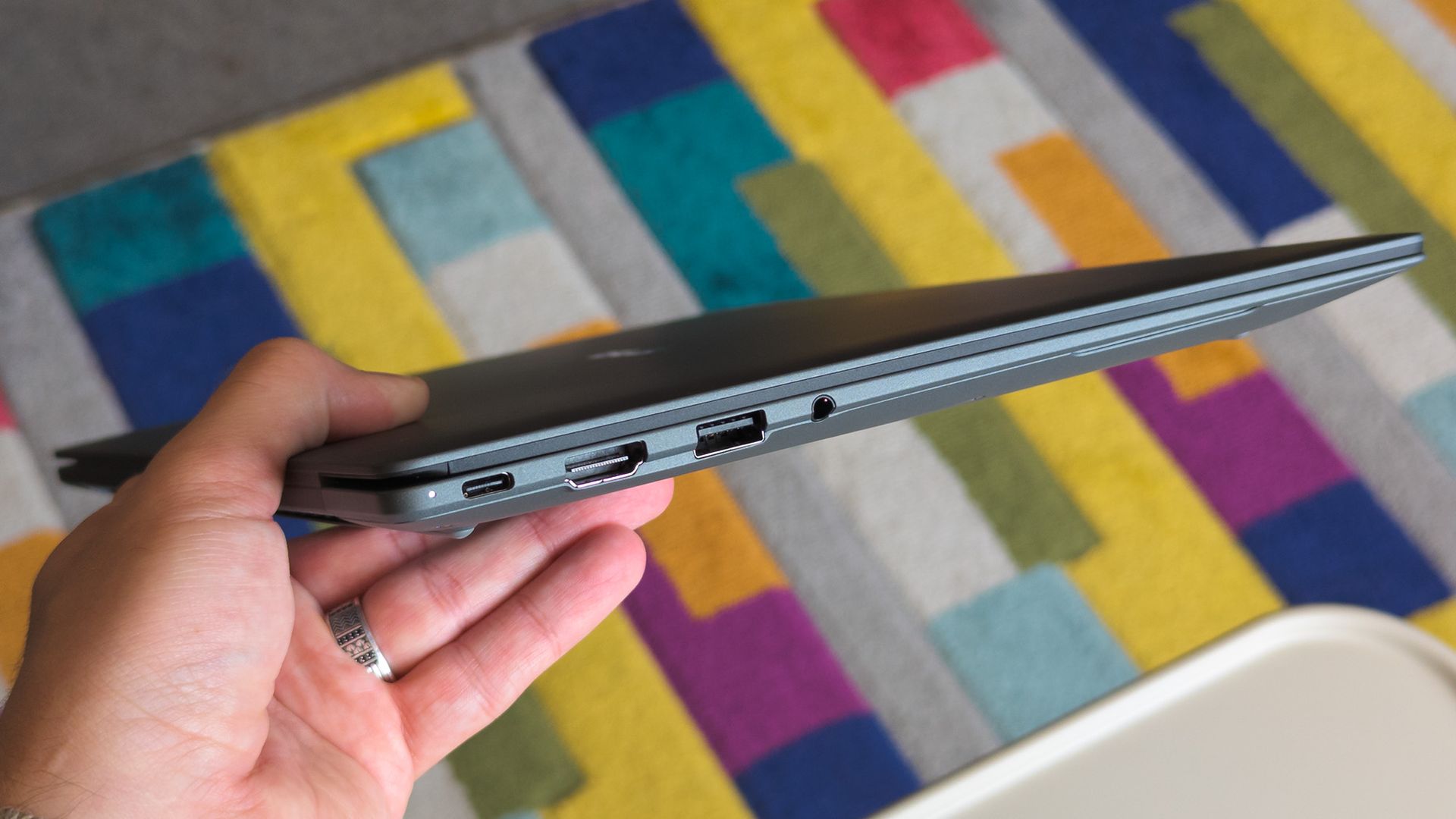
ASUS Googlebook 14 held in hand showing side ports

Lightweight 14-inch laptops are my absolute favorite, but I'll always prefer Windows. (Image credit: Ben Wilson | Windows Central)

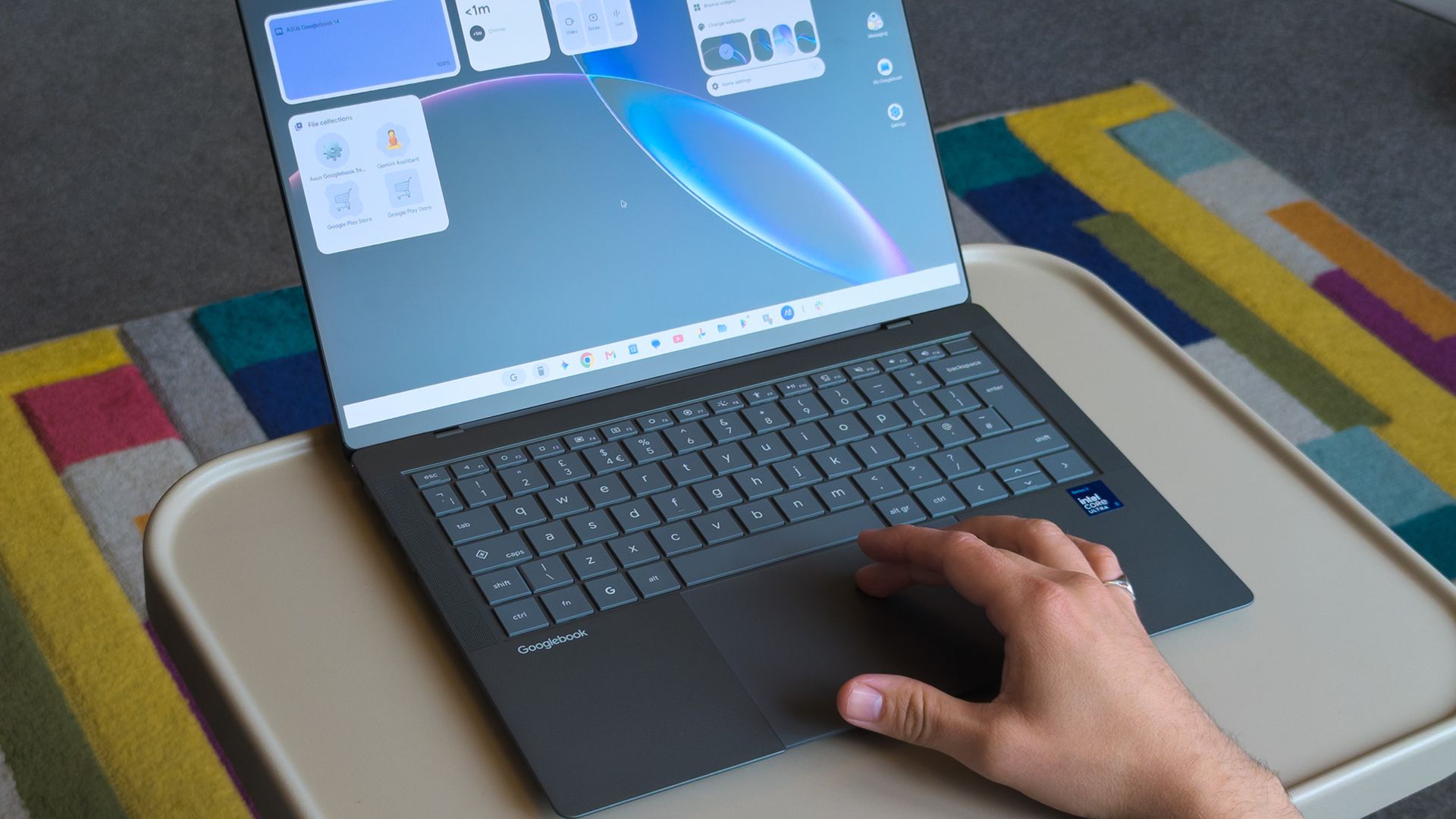
The ASUS Googlebook 14 looks (and feels) great, which didn't surprise me, given how much I've enjoyed the company's recent design evolutions. Its chassis is coated in a magnesium-aluminum alloy, which explicitly avoids being labeled as the same Ceraluminum as its Zenbooks, but it's extremely similar.

Perhaps most impressive is its weight; ASUS claims the Googlebook 14 starts at 0.99 kg (2.18 lbs), but my scales place it closer to 0.97 kg (2.13 lbs). I'm a big fan of this emerging trend, having adored the Zenbook A14 at 2.18 lbs. Yes, it comes with extra screen flex, but I don't make a habit of bending my laptops.

ASUS claims the Googlebook 14 starts at 0.99 kg (2.18 lbs), but my scales place it closer to 0.97 kg (2.13 lbs)

OLED displays rarely disappoint either, and sure enough, this 16:10 panel also looks great. I'm still getting used to matte screens, and frankly, I almost want to avoid touching it to prevent fingerprints. Nevertheless, it's rated for up to 450 nits of brightness and 100% DCI-P3 color gamut coverage. Good for creators.

Finally, the chiclet keyboard has a 1.5mm key travel, which is relatively deep and feels good enough. The 6-inch haptic touchpad, however, is immediately fantastic. Left-clicking works anywhere, and it responds convincingly when pressed. I'll even commend the I/O for keeping USB-A ports around.

ASUS Googlebook 14: What I don't like
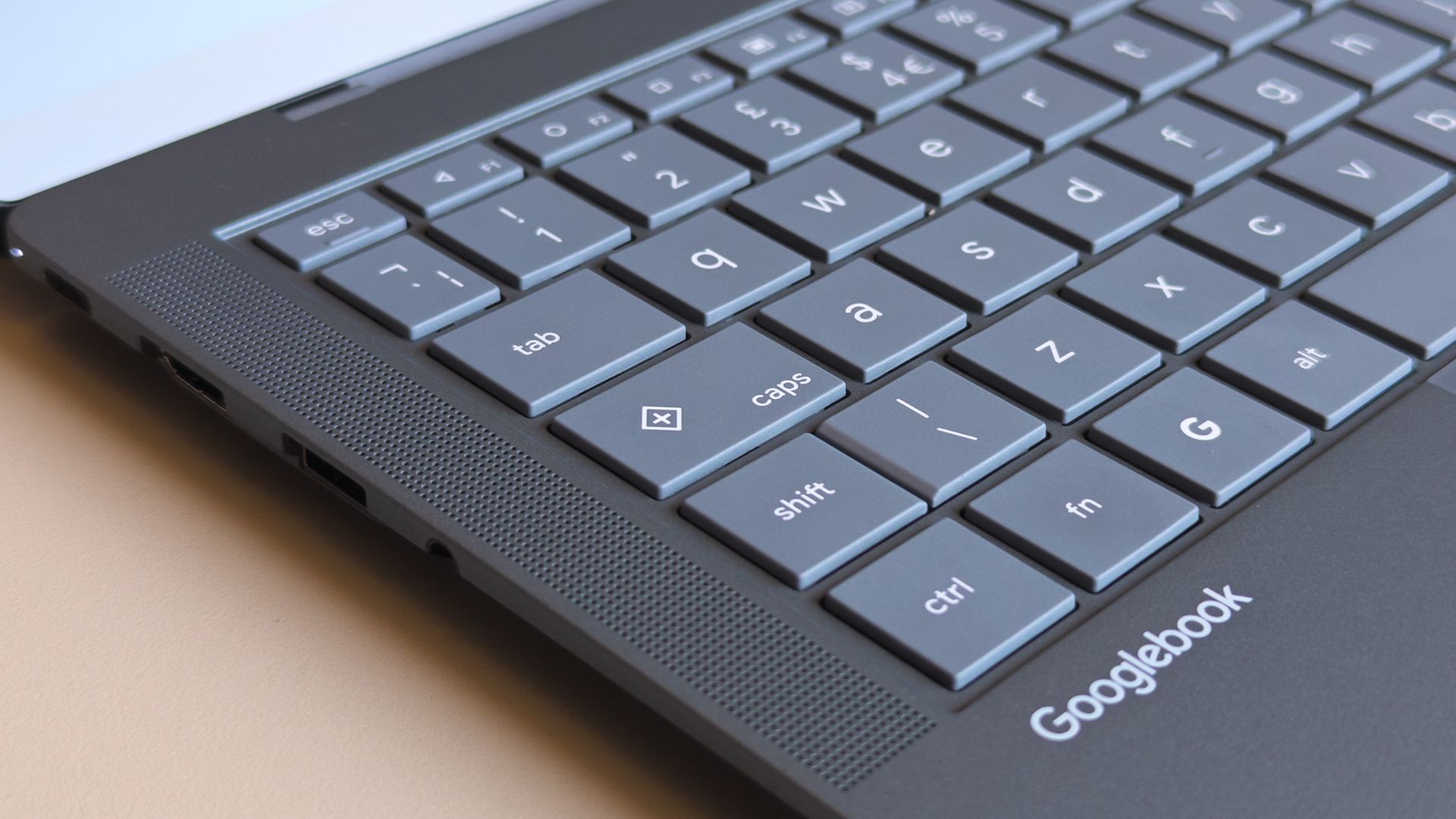
ASUS Googlebook 14 keyboard close up showing caps key with plus symbol

Caps Lock doesn't work without the Fn key, opening a quick context menu if pressed by itself. (Image credit: Ben Wilson | Windows Central)

Before I had a chance to experience much of Googlebook OS (which can refer to itself as ChromeOS during setup), I was irked by a few user experience oddities. Granted, these are primarily related to my expectations as a Windows user, but when I pressed the Caps Lock button, I expected capital letters.

Instead, Caps Lock defaults to activating a context menu indicated by a plus (+) icon, a sort of one-size-fits-all window that resembles Microsoft's 'Emoji and more' picker. Pressing Fn + Caps Lock delivers what I really wanted, which should be no big deal, just a learning curve. But it keeps going.

Even with increased hardware prices you can just buy a full Windows laptop or a MacBook Air for that much. Only a fool would buy one of these.

Fozzy_Bear, Windows Central Community

There's no delete key, so I need Fn + Backspace for that, which I wouldn't mind if double-tapping the touchpad would drag to select multiple words, but it doesn't work that way; I can only double-tap one word at a time. I suppose I might get used to that, too. Shift + arrow keys still select full lines, after all.

Some aren't as drastic; a single haptic click at the top of an app with maintained contact allows me to drag it around, while double-tapping restores or maximizes as I'd expect. On the other hand, there's no right-click area by default, instead requiring a two-finger tap unless I toggle that touchpad tweak in Settings.
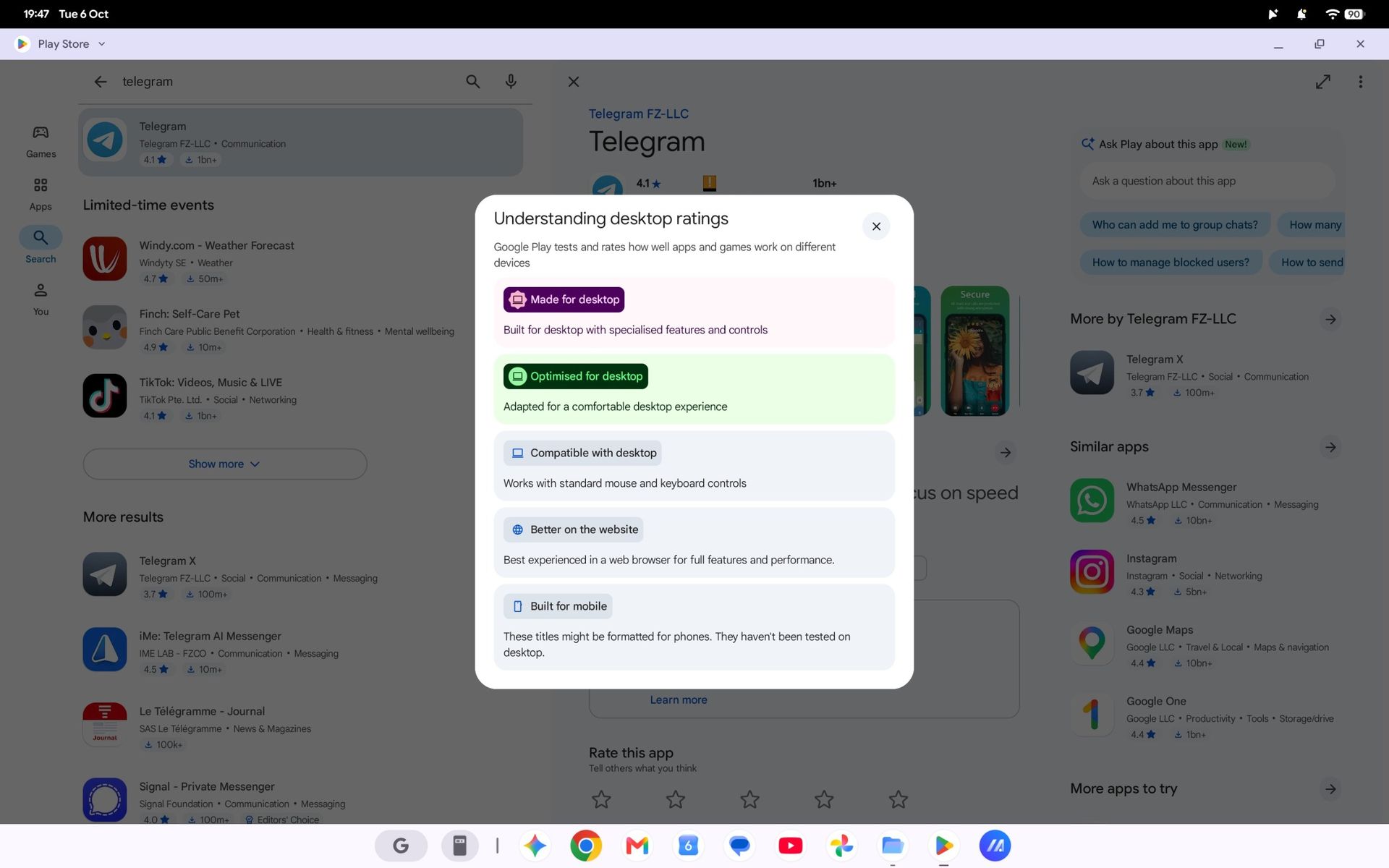
Finding apps that work best on a laptop screen is made easier with Google's app ratings.Google | Windows Central
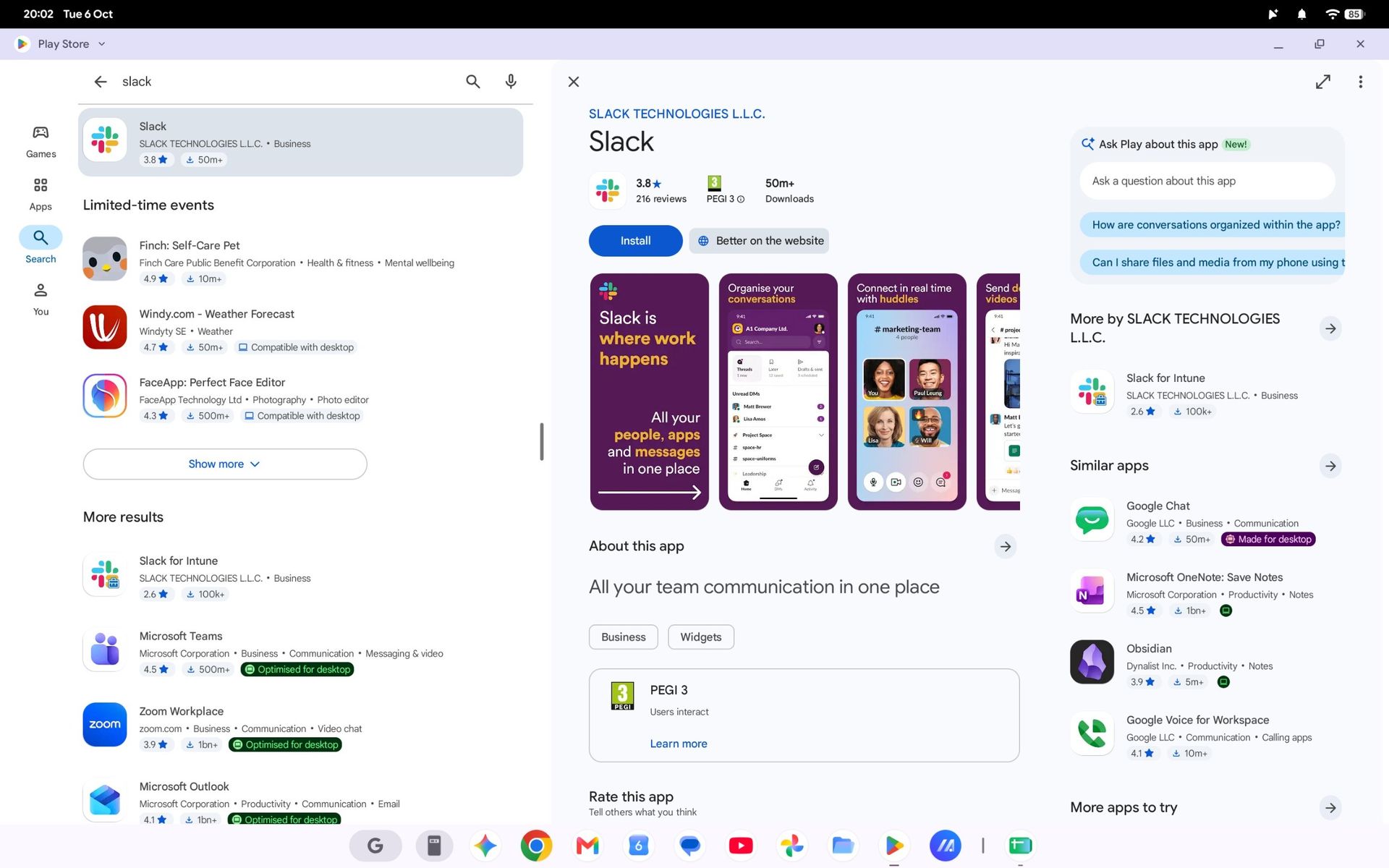
Slack in the Google Play Store on an ASUS Googlebook 14
Unfortunately, some apps fall back on their web versions, keeping you in the browser.Google | Windows Central
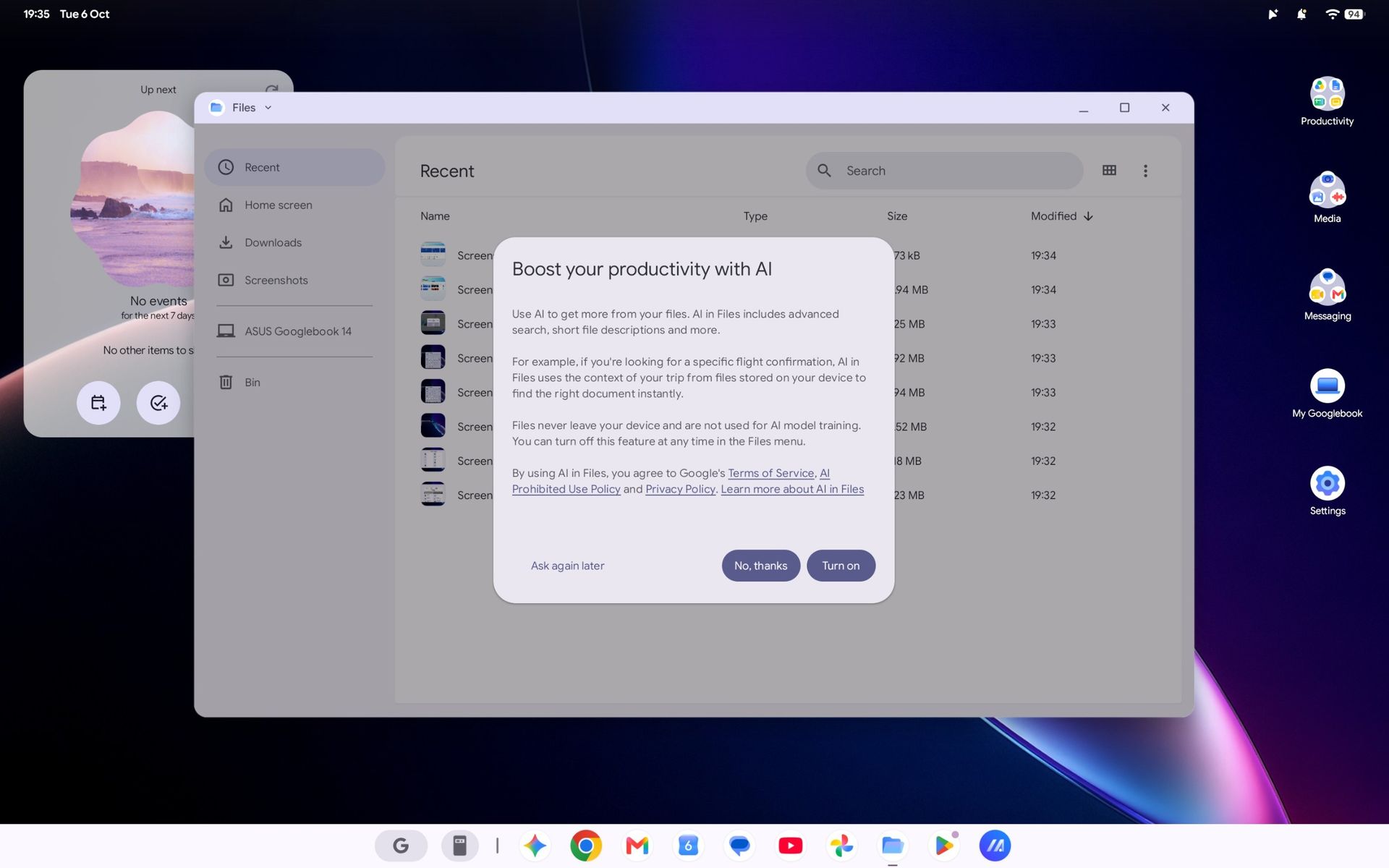
Googlebook OS Files app with AI prompt on ASUS Googlebook 14
Expect to see an AI consent prompt when you open almost every app or feature for the first time.Google | Windows Central

Again, most of these gripes can be so easily dismissed as nothingburger preferences carried over from decades of habits formed on Windows, which is fair, but trying to carry out my daily workflow on the ASUS Googlebook 14 soon had me wondering how much broad appeal this platform will have.

Like an Android smartphone, Google supplies your apps from the Play Store. Starting with Slack shows how a Googlebook handles compatibility by dividing apps into categories ranked from best to worst: Made for desktop, Optimized for desktop, Compatible with desktop, Better on the website, and Built for mobile.

Chrome OS was already able to run android apps; it just looks like they have decided to build it on top of android instead of chrome and its only on premium apps.

Tony Holness, Windows Central Community

Slack feels like an unlucky starting place for my Googlebook adventure since it lands in the 'Better on the website' category, made worse by a message that says, "This app cannot be installed" as a PWA (Progressive Web App). Installing it anyway is, indeed, a lesser experience than using it in Chrome.

Opening the 'Compatible with desktop' Microsoft Edge brings the entire Googlebook to a strange halt, preventing even Task Manager from opening until I restart, and my chosen video editing suite, DaVinci Resolve, isn't available at all. I know it's in its infancy, but Google's OS isn't thrilling me so far.

ASUS Googlebook 14: What happens next?
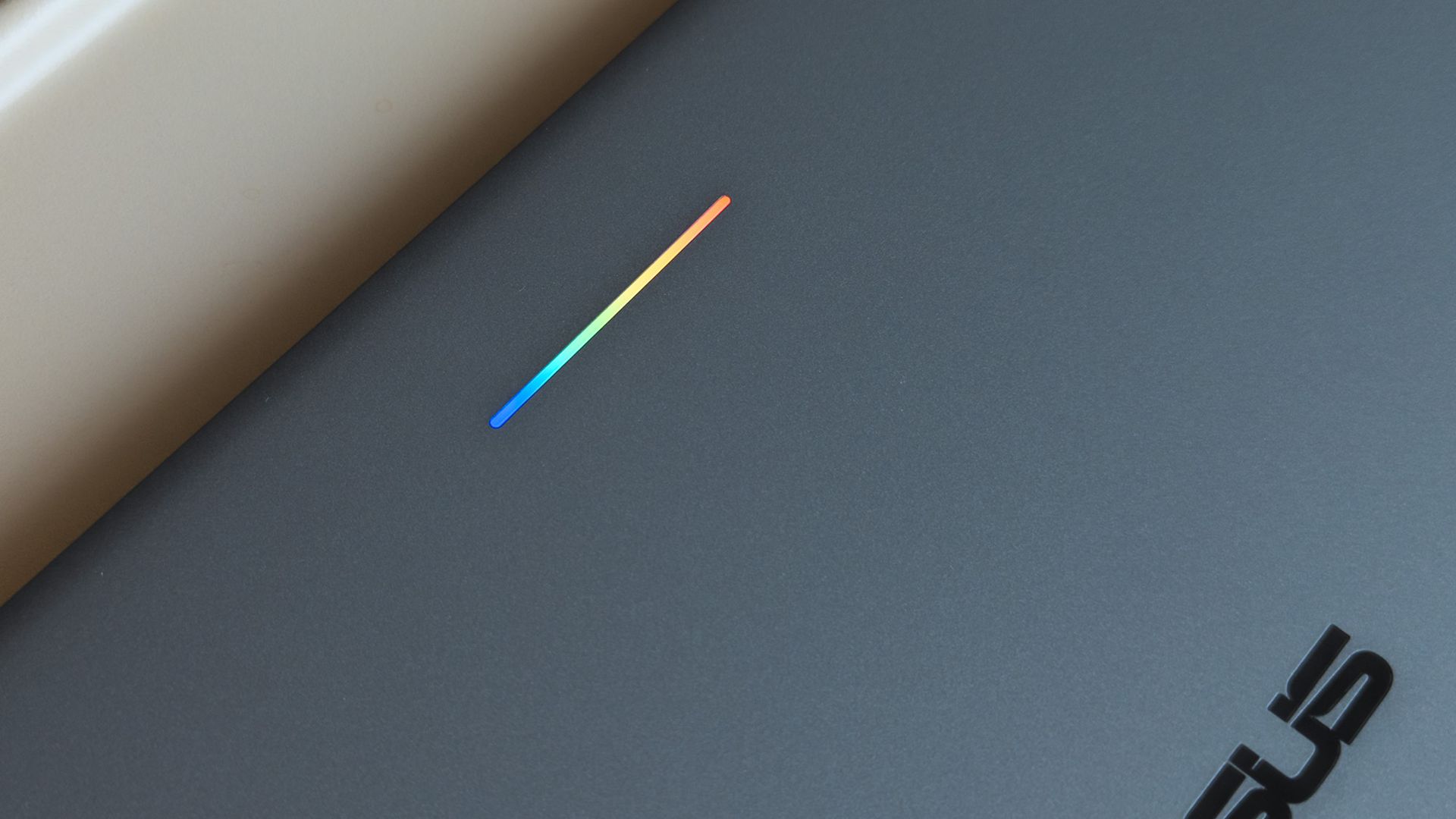
ASUS Googlebook 14 glowbar with rainbow lighting seen on lid

A small 'Glowbar' on Googlebook lids illuminates with RGB colors, but you'll almost never see it. (Image credit: Ben Wilson | Windows Central)

All of these impressions came in the first 24 hours of having my hands on this interesting, AI-centric laptop, and there's more to see. Gemini begs me to use it at every turn, but my next step is syncing my Pixel 7 Pro or Galaxy Z Flip 7 to see how features like 'Cast my apps' actually perform.

I'm not writing it off yet, but my first impressions aren't exactly stellar. Even the RGB Glowbar gimmick offers little more than battery-life visibility; almost as frivolous as the illuminated "look what I have" logos on gaming laptop lids. On the software side, OS updates will likely fix many of my complaints.

Still, I won't ignore the outspoken Windows users who have pushed back on Copilot AI integrations in Microsoft's leading OS for the past few years, and I can only wonder who would adopt something fundamentally the same, except built by Google. Are Googlebooks perhaps only appealing to developers?

Either way, I'm impressed with ASUS but unconvinced by Googlebook. The hardware is fantastic, but it comes from the same people who built the Zenbook, so that's hardly a revelation. I'll keep using Googlebook OS for a few more days and see how it feels once the launch hype dies down.

Click to join us on r/WindowsCentral

Join us on Reddit at r/WindowsCentral to share your insights and discuss our latest news, reviews, and more.
  •  

ASUS launches the Ascent QN10, an 80‑TOPS AI mini PC powered by Snapdragon X2 Elite

ASUS just started shipping the Ascent QN10, the first mini PC built around Qualcomm’s Snapdragon X2 Elite platform and its 80 TOPS NPU.

The 80 TOPS NPU is designed for local AI tasks such as language models, image processing, and automation workflows.

Up to this point, mini PCs running Windows on Arm have been largely dev kits, such as the Windows Dev Kit 2023. Those types of devices allowed developers to optimize apps for Arm, but they were not aimed at general customers. There have been some consumer mini PCs with Arm processors, but the Ascent QN10 is the first with the Snapdragon X2 Elite.

The ASUS Ascent QN10 is a very different device. It’s a consumer‑ready PC with an anodized aluminum chassis rather than the plastic developer boxes we’ve seen in the past. Our friends at Tom’s Guide said the Ascent QN10 “could be the Mac mini M4 alternative for Windows users.”

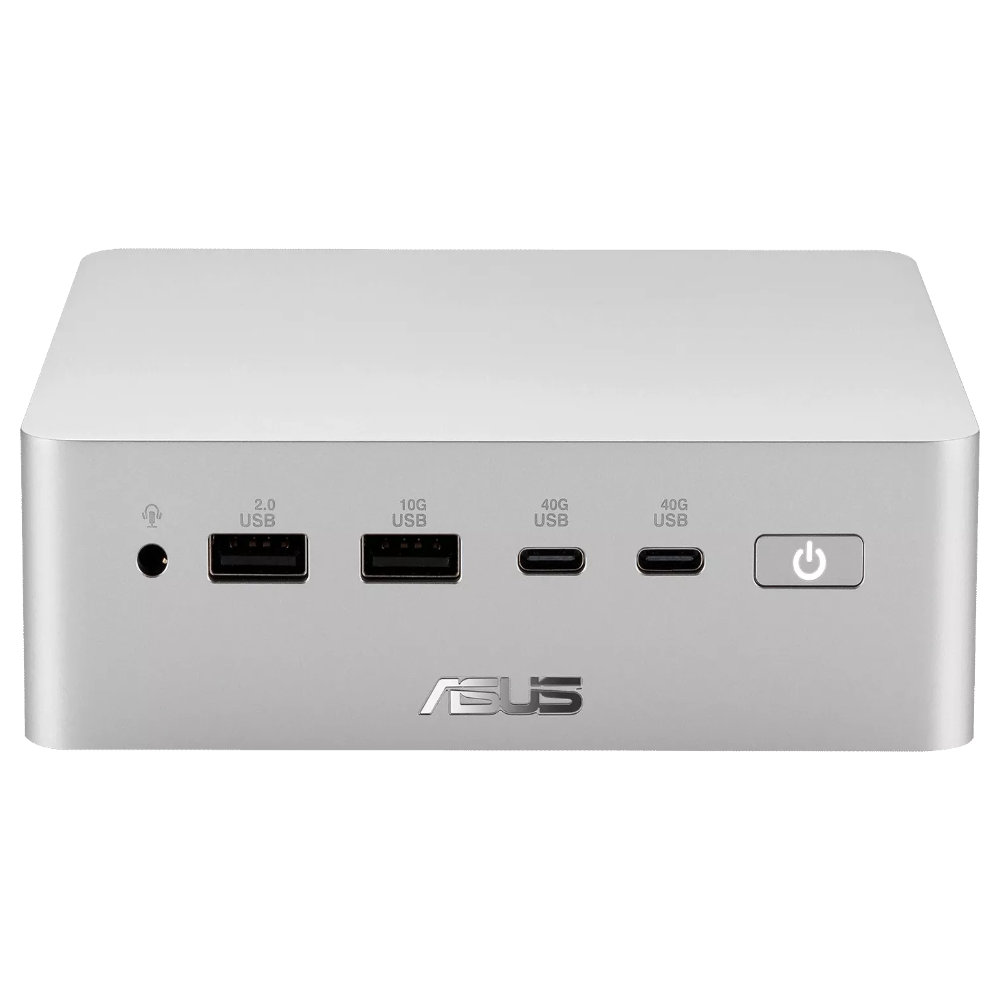
The Ascent QN10 has a 0.7-liter body, making it smaller than many of the best mini PCs. Despite the small body, it packs plenty of ports.

ASUS Ascent QN10 Specs

Processor

Qualcomm Snapdragon X2 Elite (18-Core Oryon CPU)

Graphics

Qualcomm Adreno X2-90

NPU

Qualcomm Hexagon (Up to 80 TOPS)

Memory

Up to 32GB LPDDR5x

Storage

512GB, 1TB or 2TB

Ports

2 x USB4, 2 x USB-A, 1 x 3.5mm audio jack (front), 1 x USB4, 1 x HDMI 2.1, 2 x USB-A, 1 x 2.5 Gigabit Ethernet (rear)

Connectivity

Wi-Fi 7, Bluetooth 6.0

Dimensions

5.1 x 5.1 x 1.5 inches

Weight

1.6 pounds

The specs of the Ascent QN10 received a small bump since our colleagues at Tom's Guide went hands-on with the mini PC. The Ascent QN10 features Bluetooth 6.0 rather than the older Bluetooth 5.4.

The Ascent QN10 has a clever cooling solution that keeps the heat from its CPU and SSD separate. Fresh air is brought in on one side of the device but then split and sent out separately on the other side of the device.

Overall, the Ascent QN10 looks like a strong first showing for Snapdragon X2 Elite in a mini PC. The big question is if there's a demand for an AI-focused mini PC running Windows on Arm.

The Ascent QN10 can access Qualcomm’s AI Hub, which provides over 175 pre‑optimized models and tools for testing and deploying AI workloads.

Closeup of an ASUS Ascent QN10 mini PC showing two USB ports, two USB-C ports, a power button, and a headphone jack.

ASUS
Ascent QN10 Mini PC

This mini PC runs on a Snapdragon X2 Elite and has an NPU with 80 TOPS of performance. Those specs allow it to handle AI workloads effeciently despite the compact body of the mini PC.

  •  

153 millions de permis de conduire scannés en vente sur le darkweb

Des pirates ont mis en vente cette semaine, sur un site baptisé Nexus, les copies numériques de plus de 153 millions de permis de conduire américains et canadiens, plus de 10 millions de cartes d'identité, 3 millions de documents de voyage et de pièces étrangères, et près de 600 000 cartes médicales. Le site vit sur le darkweb, la partie d'internet où ce commerce se fait entre criminels, à l'abri des regards.

Pour chaque personne, le dossier contient jusqu'à six photos du permis, recto et verso, en lumière normale, en infrarouge et en ultraviolet, avec la date et l'heure de la prise de vue. Un acheteur tape un nom, obtient un aperçu en partie masqué, et paie. Le permis du secrétaire américain à la Défense, Pete Hegseth, était affiché à 100 dollars.

Brian Krebs, un journaliste américain spécialisé dans la cybercriminalité, a tapé son propre nom. Son permis y était, et la date de la photo correspondait au jour et à l'heure où il avait tendu sa carte au comptoir d'une agence Hertz, en juin 2025.

D'autres victimes ont fait le même rapprochement, entre la date de leur photo et une location chez Hertz ou un passage dans une boutique de cannabis légal à Las Vegas. À chaque fois, le permis avait été glissé dans un petit scanner posé sur le comptoir pour vérifier qu'il était authentique.

Ces scanners viendraient tous d'IDScan.net, une société de La Nouvelle-Orléans d'une centaine de salariés que Hertz, Target, FedEx, les casinos Caesars ou des centaines de boutiques de cannabis paient pour contrôler les pièces d'identité de leurs clients. Ses appareils photographient le permis en infrarouge et en ultraviolet pour repérer les faux, et c'est exactement ce jeu de six images qu'on retrouve dans chaque dossier vendu par Nexus.

Vous montrez votre permis pour louer une voiture, le boîtier le photographie sous trois lumières, et les images partent chez un sous-traitant dont vous n'avez jamais entendu parler. C'est infernal.

IDScan.net n'a rien dit sur le fond, se contentant de prévenir ses clients dans la nuit d'un possible incident de sécurité, alors que les pirates affirmaient aspirer ces images depuis plus d'un an et en ajoutaient près de 400 000 en 24 heures. Le FBI de La Nouvelle-Orléans a ouvert une enquête le 1er septembre.

Sauf que voilà, un mot de passe volé se change. Un scan de permis, non, et une photo de pièce d'identité sert couramment à ouvrir un crédit ou à passer les contrôles d'identité en ligne, jusqu'aux prestataires qui vérifient votre âge pour les sites pour adultes par chez nous par exemple.

Le soir même de l'ouverture de l'enquête, la page d'accueil de Nexus ne montrait plus qu'une ligne. Le service n'est plus disponible. Les images, elles, sont toujours quelque part.

Source : Apple Insider

  •  

"Market response has far exceeded our expectations" — ASUS can't make enough laptops with RTX Spark ahead of their expected Q4 launch

I was at Computex this year when NVIDIA's RTX Spark System-on-Chip (SoC) was revealed to the world, and from the start, I had a hunch that it would be a big deal.

A powerful chip for Windows on ARM that can run every Windows app ever made? That was one of NVIDIA CEO Jensen Huang's first promises.

With Microsoft as its launch partner, the Surface Laptop Ultra was one of the first RTX Spark laptops announced, but ASUS was right up there with its ProArt P16 and ProArt P14, two laptops I got to see firsthand in Taipei.

Incredibly sleek and streamlined, these laptops were a smash hit on the show floor. Apparently, they're also far more popular than ASUS was expecting.

In a recent ASUS Q2 earnings call, it was revealed that the company is completely out of ProArt P14 and P16 units to ship to its partners (aka third-party retailers and distributors) as part of pre-order efforts.

As one of the first manufacturers to launch RTX Spark-based systems, the market response to pre-orders for our ProArt notebook P16 and P14 has been intense. They are currently completely sold out. [...] Regarding current demand, the market response has far exceeded our expectations. Essentially, the initial quantities we planned have already been fully pre-ordered by our channel partners. We’re continuing to place additional orders with our partners.

S.Y. Hsu, Co-CEO ASUS (ASUS Q2 earnings call)

More RTX Spark laptops are on the way, of course, and ASUS has some time to shore up supplies before the planned Q4 2026 release of the new Spark-powered ProArt PCs.

It's too bad that the earnings call doesn't mention anything about exact volumes, because it's hard to say exactly how popular these laptops really are. However, ASUS says that it's "very optimistic about next year's sales" thanks to the "high AI computing power relative to its compact size" in the RTX Spark laptops.

What is NVIDIA's RTX Spark?

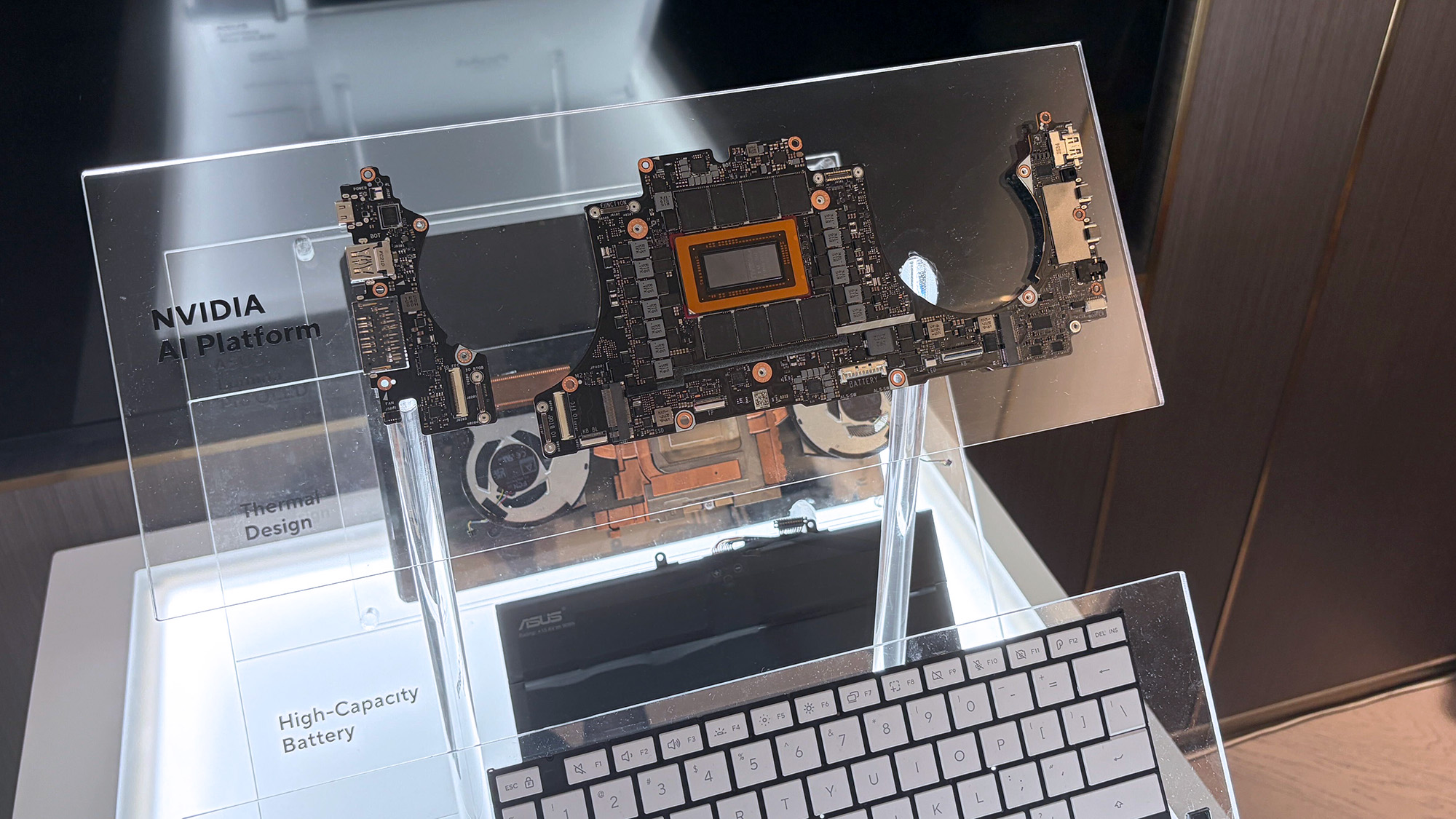
ASUS ProArt P16 laptop samples on display shelving highlighting chassis and features at Computex 2026

A look at the NVIDIA RTX Spark chip that's (normally) inside the ProArt P16. (Image credit: Cale Hunt | Windows Central)

NVIDIA's RTX Spark is an ARM-powered SoC that's expected to compete directly with the likes of Intel, AMD, and Qualcomm for space in Windows 11 PCs.

I covered rumors of the "N1X" chip for months in the lead-up to Computex 2026, and indeed it seems just as powerful and efficient as pre-announcement estimates.

Spark takes efficient ARM-based CPU cores similar to those found in Qualcomm Snapdragon chips and pairs them with an NVIDIA Blackwell RTX GPU, all while drawing from a unified memory setup that can hit 128GB.

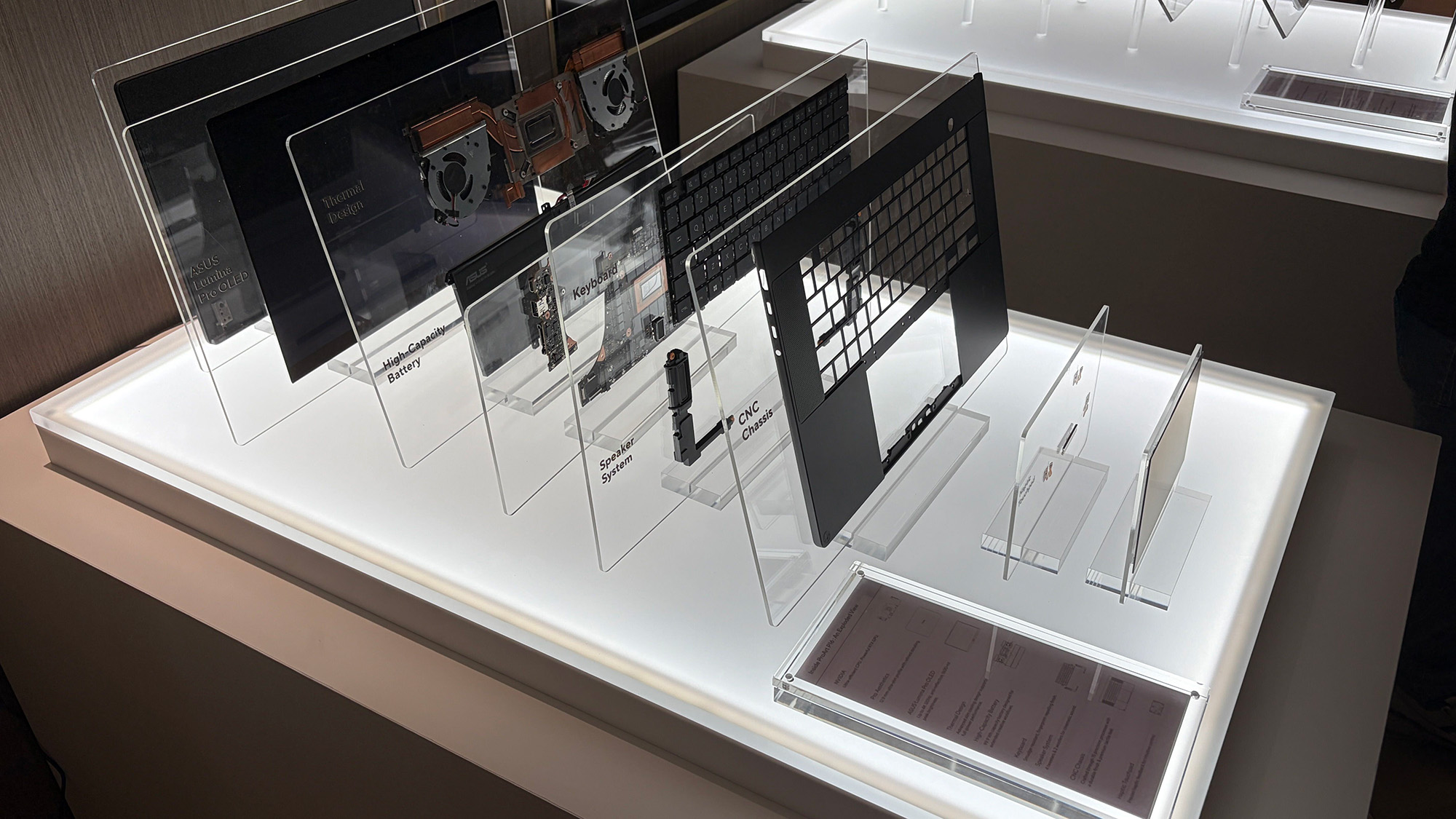
ASUS ProArt P16 laptop samples on display shelving highlighting chassis and features at Computex 2026

A broken-down example of the ASUS ProArt P16 with RTX Spark. (Image credit: Cale Hunt | Windows Central)

This combination allows for massive performance that can shred standard and AI-related tasks without requiring a bulky discrete GPU.

Throw these chips into ASUS ProArt laptops with "all-day-long" battery life, wide port variety, super slim bodies, and 4K OLED displays, and it's easy to see why there's so much interest from retail partners.

(via VideoCardz)

Click to join us on r/WindowsCentral

Join us on Reddit at r/WindowsCentral to share your insights and discuss our latest news, reviews, and more.
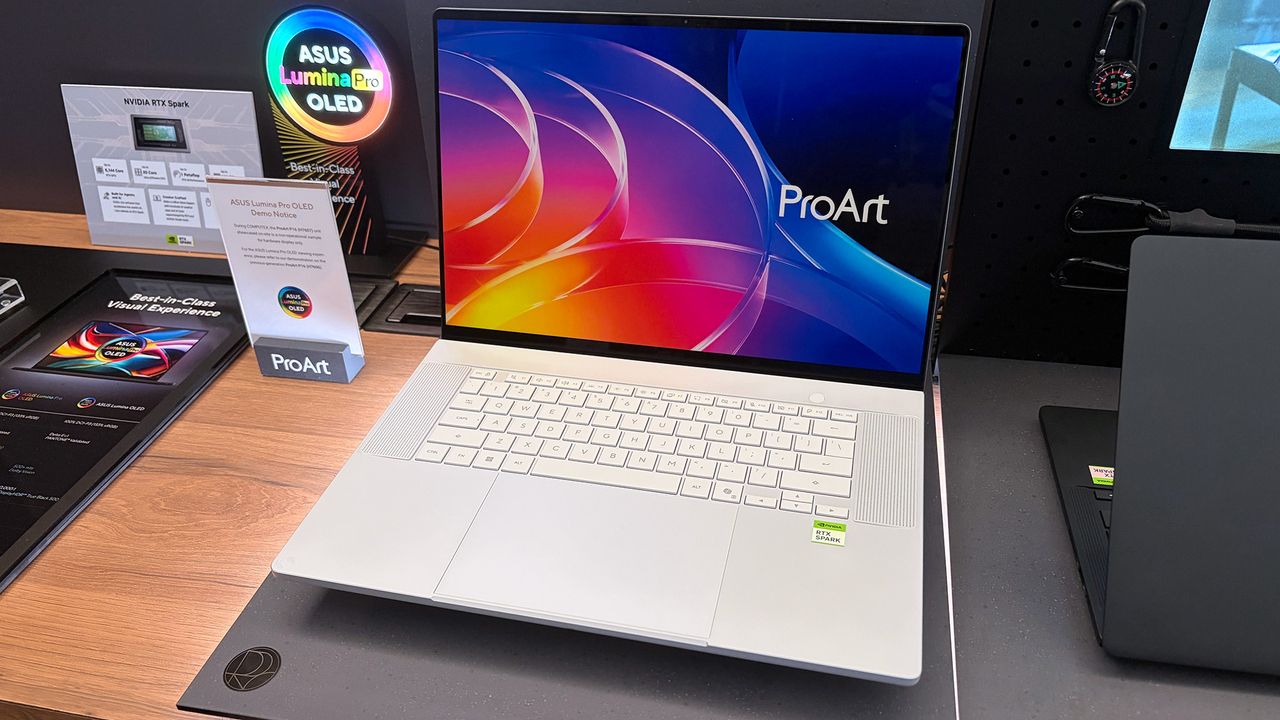
ASUS ProArt P16 laptop samples on display shelving highlighting chassis and features at Computex 2026

ASUS ProArt P16 laptop samples on display shelving highlighting chassis and features at Computex 2026

  •  

Un script pour virer les produits sponsorisés d'Amazon

Allez, on va faire un jeu. Cherchez un disque dur externe sur Amazon et regardez où pointe le premier lien de la page. Bingo, ça part sur une adresse en /sspa/click, autrement dit un emplacement publicitaire. Et c'est pas le mieux noté, c'est pas le moins cher, non, c'est juste celui qui a payé le plus pour être là.

Et moi, ce qui me saoule vraiment, c'est que les filtres n'y peuvent rien.

Pour remédier à cela il faut sortir l'artillerie. J'ai d'abord pensé à faire un filtre uBlock Origin, puis à me coder une extension Firefox, avant de me rappeler que Tampermonkey tournait déjà dans mon navigateur.

Direction le repo Greasy Fork, donc, où traîne un script qui fait exactement ça . Une cinquantaine de règles CSS, qui dégagent du DOM les résultats sponsorisés de la recherche, les carrousels promo, les encarts publicitaires de la fiche produit, l'upsell Prime et les bannières de marque.

On passe ainsi de ça :

À ça :

Et ça fonctionne super sur toutes les versions d'Amazon, y compris Amazon.fr.

Trois réglages attendent dans le menu du gestionnaire de scripts. Un compteur qui affiche en bas de page ce qui a été retiré et pourquoi, une journalisation console pour les curieux, et une option qui redirige les pages de navigation vers la vraie liste de résultats.

Attention quand même à ce qui saute en plus des pubs. Le bloc "Les gens qui ont acheté ça, ont aussi acheté ça". Le script s'attaque aussi à Rufus, l'assistant d'achat maison et côté installation, il vous faut Tampermonkey, Violentmonkey ou Greasemonkey. Sur Firefox, ça s'arrête là. Par contre sur Chrome, depuis la version 138, il faut en plus activer un switch "Allow User Scripts" sur la fiche de l'extension, coupé par défaut sur toute extension fraîchement installée.

Voilà, j'espère que ça vous aidera à avoir un Amazon un peu plus propre. Maintenant, n'oubliez pas, Amazon, c'est le mal, donc si vous avez les moyens de payer 2x plus cher la même chose et que vous aimez passer votre vie dans les transports ou en bagnole à faire une espèce de chasse au trésor à travers toute la ville, pour trouver le produit qu'il vous faut, le mieux reste encore et toujours d'acheter dans des magasins physiques. Lol.

  •  

33 secondes pour lancer un MP3 ? C'est pas VLC, c'est Windows Defender

Hé oui, ENCORE LUI !!

Jonathan Blow, le développeur de Braid et de The Witness, a annoncé hier (le 12 août) sur X qu'il laissait tomber VLC... La raison c'est 33 putain de secondes d'attente entre un clic sur un fichier MP3 et le début de la lecture, sous Windows (évidement). C'est vrai qu'une demi-minute pour lancer un son sur une machine récente, c'est abusé ! Du coup, il est repassé au bon vieux lecteur multimédia de Microsoft.

Son point de vue c'est que "tout un secteur du logiciel open source est dans un état franchement embarrassant" dès qu'il s'agit de tourner Windows. Je peux pas lui donner tord, c'est vrai que le ralentissement est réel sous Windows 11, sans qu'on sache vraiment pourquoi...

Mais heureusement, la réponse de VideoLAN ne s'est pas faite attendre et a replacer correctement le débat. Pour l'équipe de VLC, la lenteur vient d'un bug de Microsoft Defender arrivé avec une mise à jour de Windows 11, qui a mis le cache de plugins de VLC en quarantaine. L'antivirus maison de Windows a donc classé comme suspect, puis mis de côté, un fichier que VLC génère lui-même. VideoLAN écrit qu'il s'est retrouvé là "comme par magie".

Pour remettre VLC d'aplomb, VideoLAN propose donc de réinstaller le logiciel ou de régénérer ce cache. Mais pas besoin d'aller jusqu'à la réinstallation, puisque l'installeur Windows officiel dispose déjà d'un raccourci qu'il faut dans le dossier VideoLAN du menu Démarrer, "VLC media player - reset preferences and cache files".

Ce raccourci lance vlc.exe avec les deux options de remise à zéro, la configuration et le cache de plugins, puis referme aussitôt le lecteur. Ça devrait faire le taf même si attention, vos préférences partent aux chiottes avec le reste, donc si vous avez bricolé vos réglages de sortie audio, vos raccourcis clavier ou vos sous-titres, vous les perdrez. Mais ensuite, le cache, lui, se reconstruira au lancement suivant.

Après régénérer le cache n'empêche pas Defender de le rechoper par la suite. L'autre option, c'est donc d'exclure une bonne fois pour toutes vlc.exe de la liste d'analyse de l'antivirus.

Bref, ce genre de faux positif n'est pas nouveau chez Windows Defender, qui y'a pas longtemps a même pris des certificats DigiCert pour un cheval de Troie, sans parler des ISO Linux qui se font flagger régulièrement .

Voilà, hormis la comm de VLC pour le moment, personne n'a encore publié de détails techniques, et Microsoft n'a rien dit.

Source

  •  
❌