Apple unveils HomeView, Apple TV 4K, HomePod mini 2 and smart home accessories. Compare prices, release dates, device requirements and subscription costs.
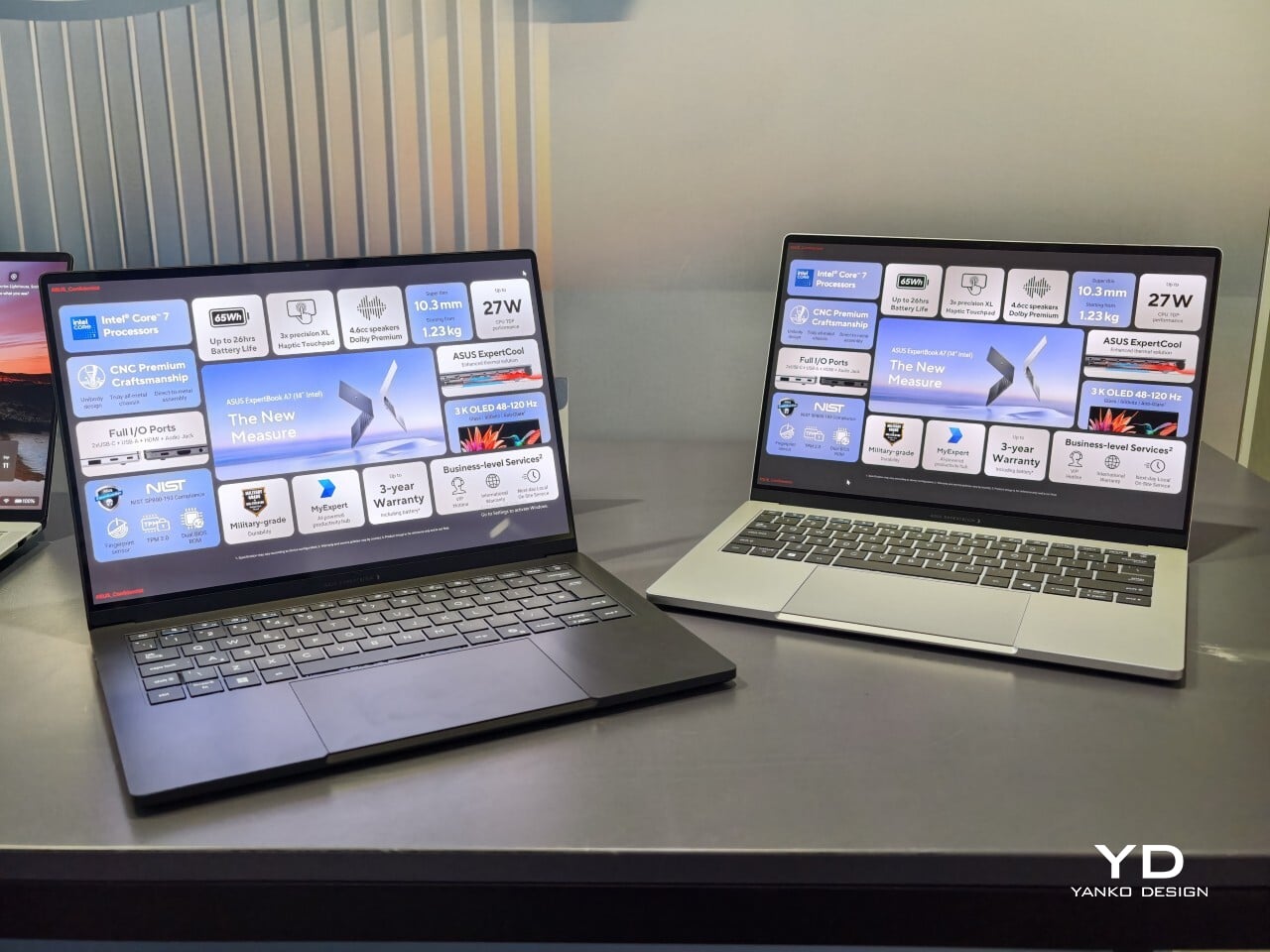
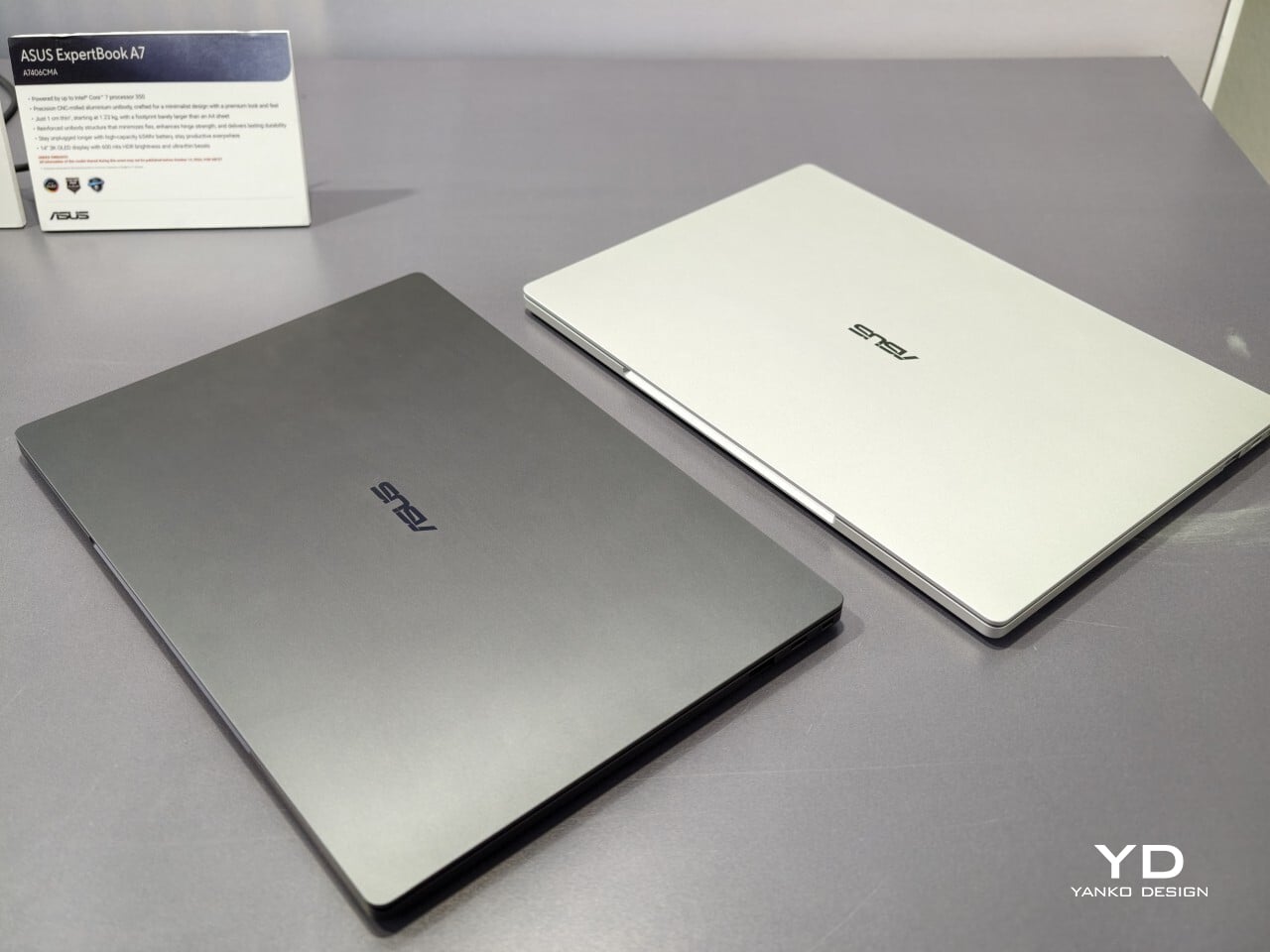
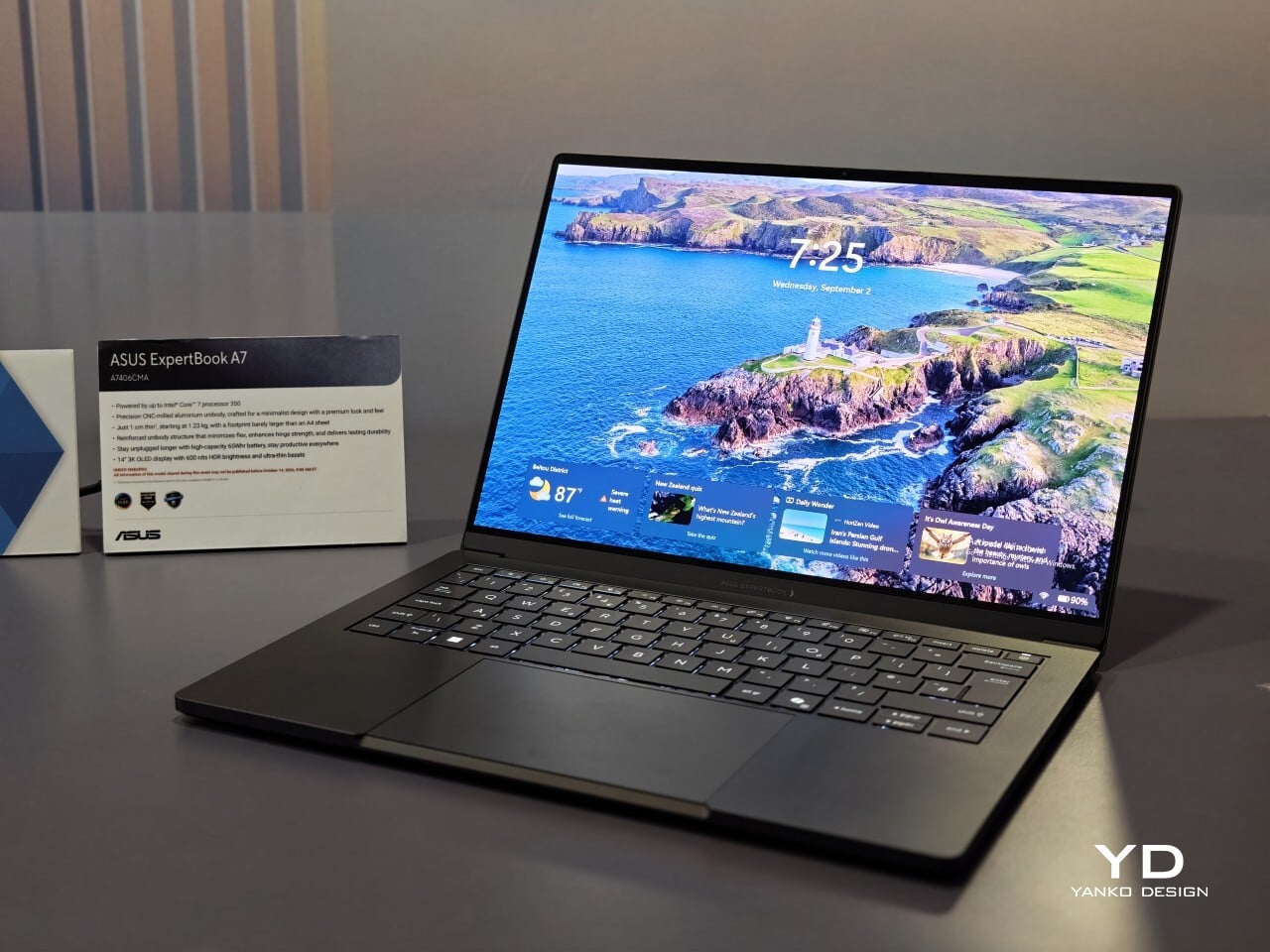
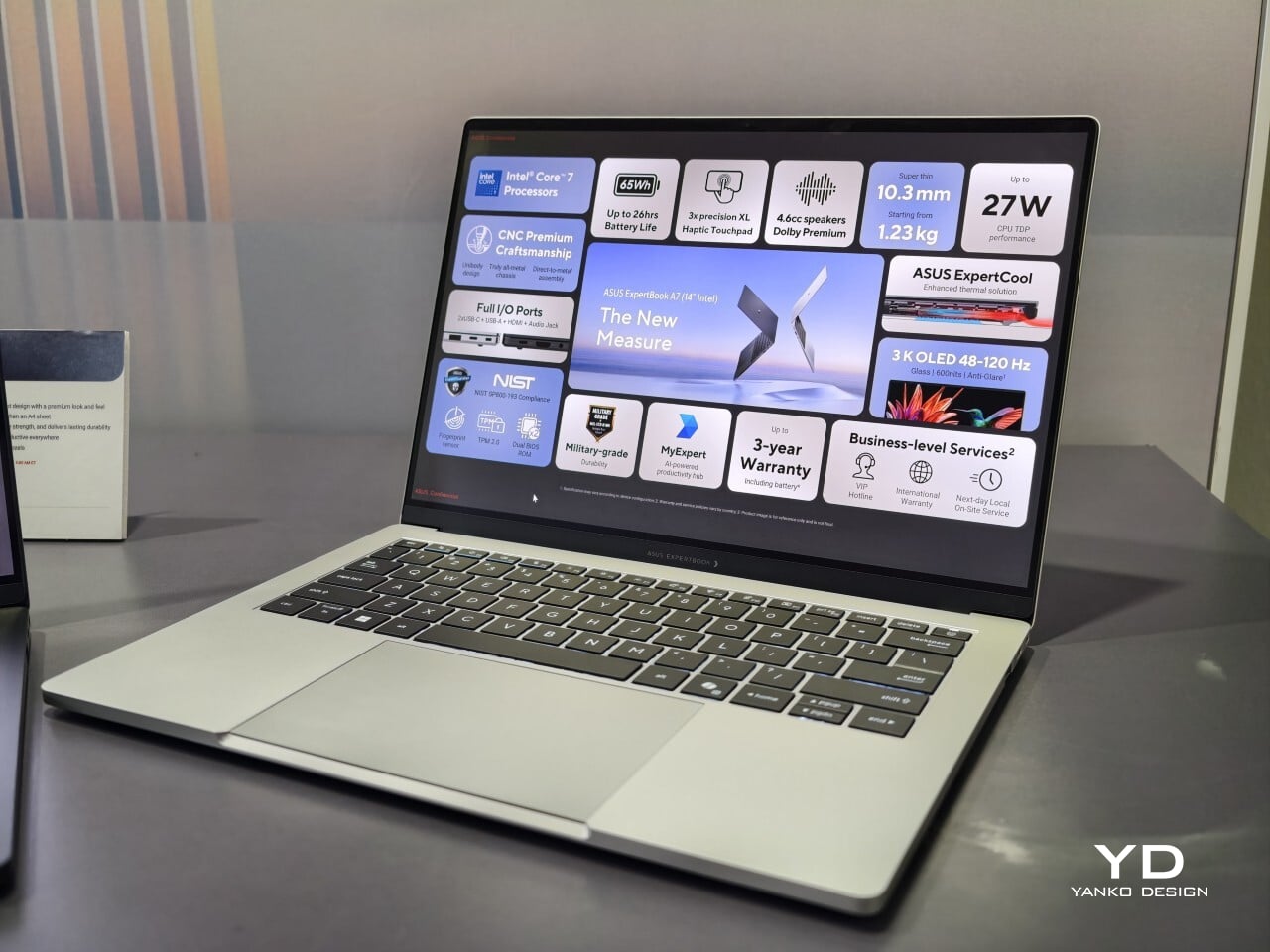
When I first saw the ASUS ExpertBook A7, I had to double-check that it was really meant for business. This laptop immediately cuts a different silhouette compared to the usual gray rectangles that fill airport lounges and open offices. Instead of relying on harsh edges or a boxy build, the A7 projects an air of modern sophistication that feels more at home next to a designer handbag than lost in a sea of generic briefcases. It is refreshing to see a company put such clear effort into making work hardware truly attractive.
With this launch, ASUS introduces an all-new A series to its commercial lineup. Pricing in the US starts at $1,299, which places it among premium options for professionals who care about their tools’ aesthetics as much as their productivity. The combination of an aluminum body with a vivid OLED screen ensures it stands out from the crowd while still promising plenty of business features beneath the surface.
Designer: ASUS
A Work Companion Designed with Intention
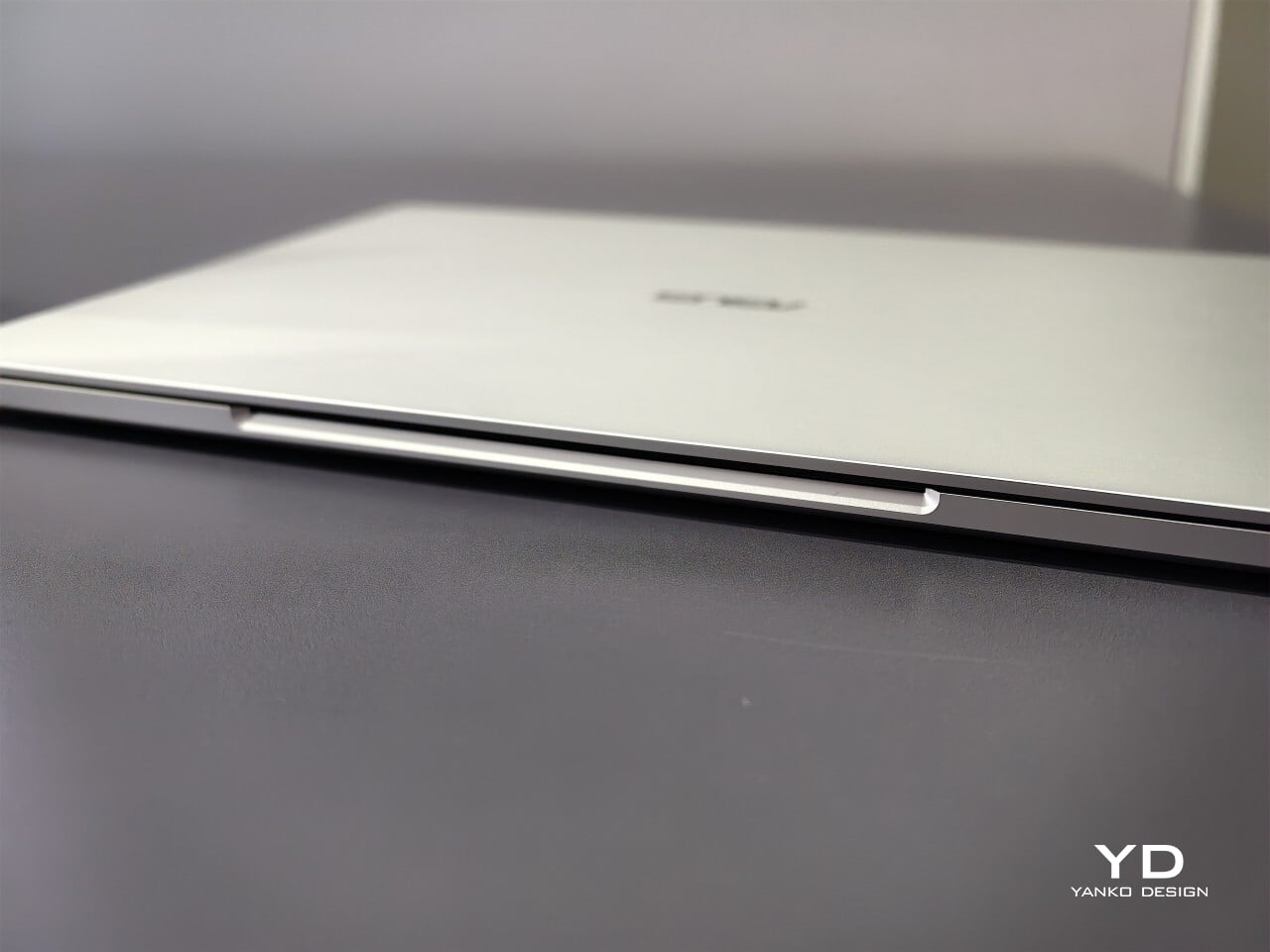
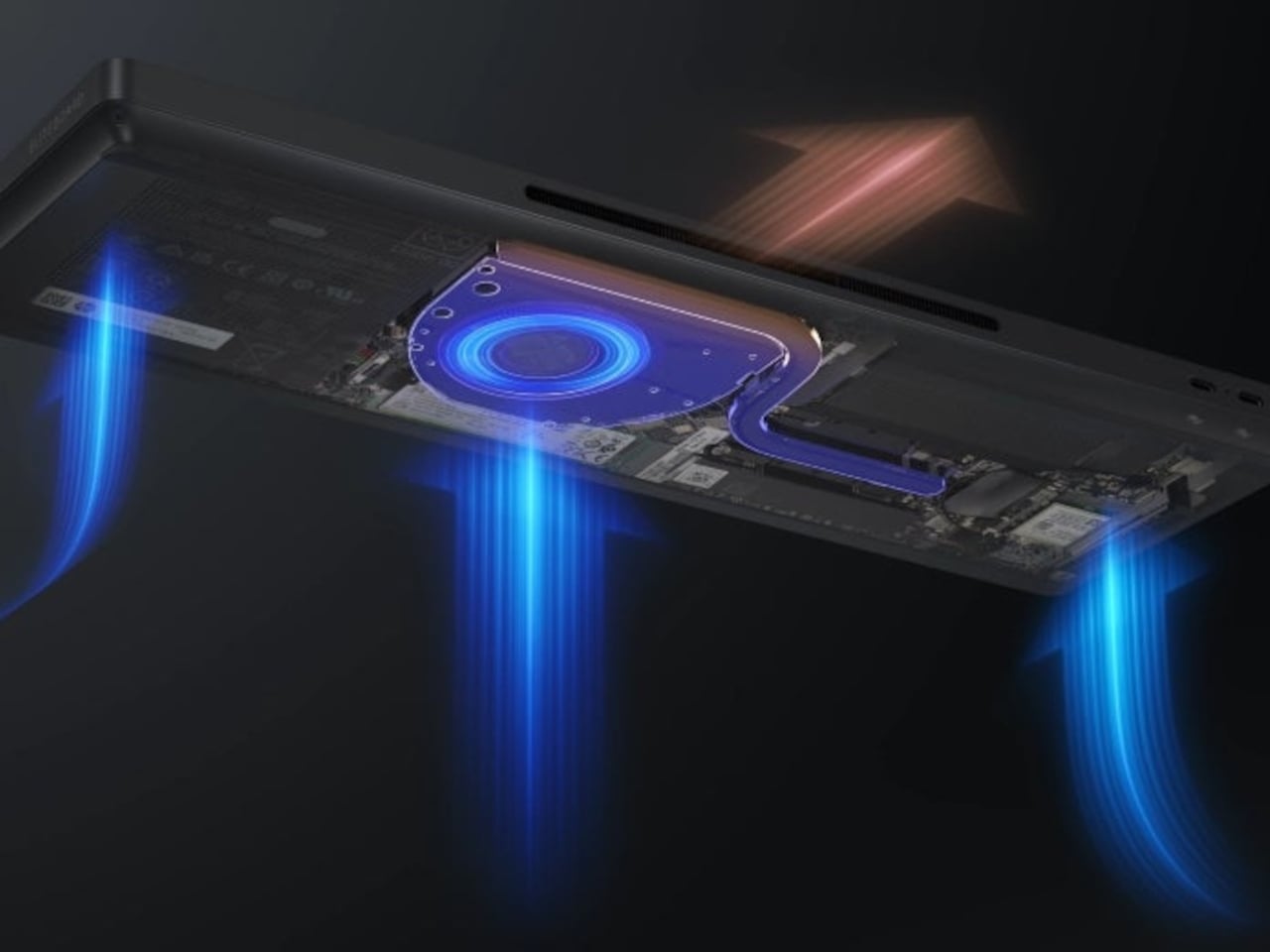
From the first touch, you notice how carefully built the ExpertBook A7 feels. ASUS says this device is milled from a single block of 6000 series aluminum alloy, which is better known for its use in airplanes than office cubicles. This construction helps reduce visible seams and eliminates weak points that could otherwise catch on your bag or wear down over time. The result is a chassis that feels reassuringly solid in everyday use.
Sustainability gets its due as well. Nearly all of the aluminum used around the keys and top cover comes from recycled sources, while the bottom case uses 70% recycled material, too. That focus on sustainability does not just make environmental sense; it gives the laptop a cool touch and premium finish that plastic simply cannot match. Color choices remain subtle yet attractive. You can pick either Lunar Silver or Eclipse Black, both of which offer understated style wherever you work or play.
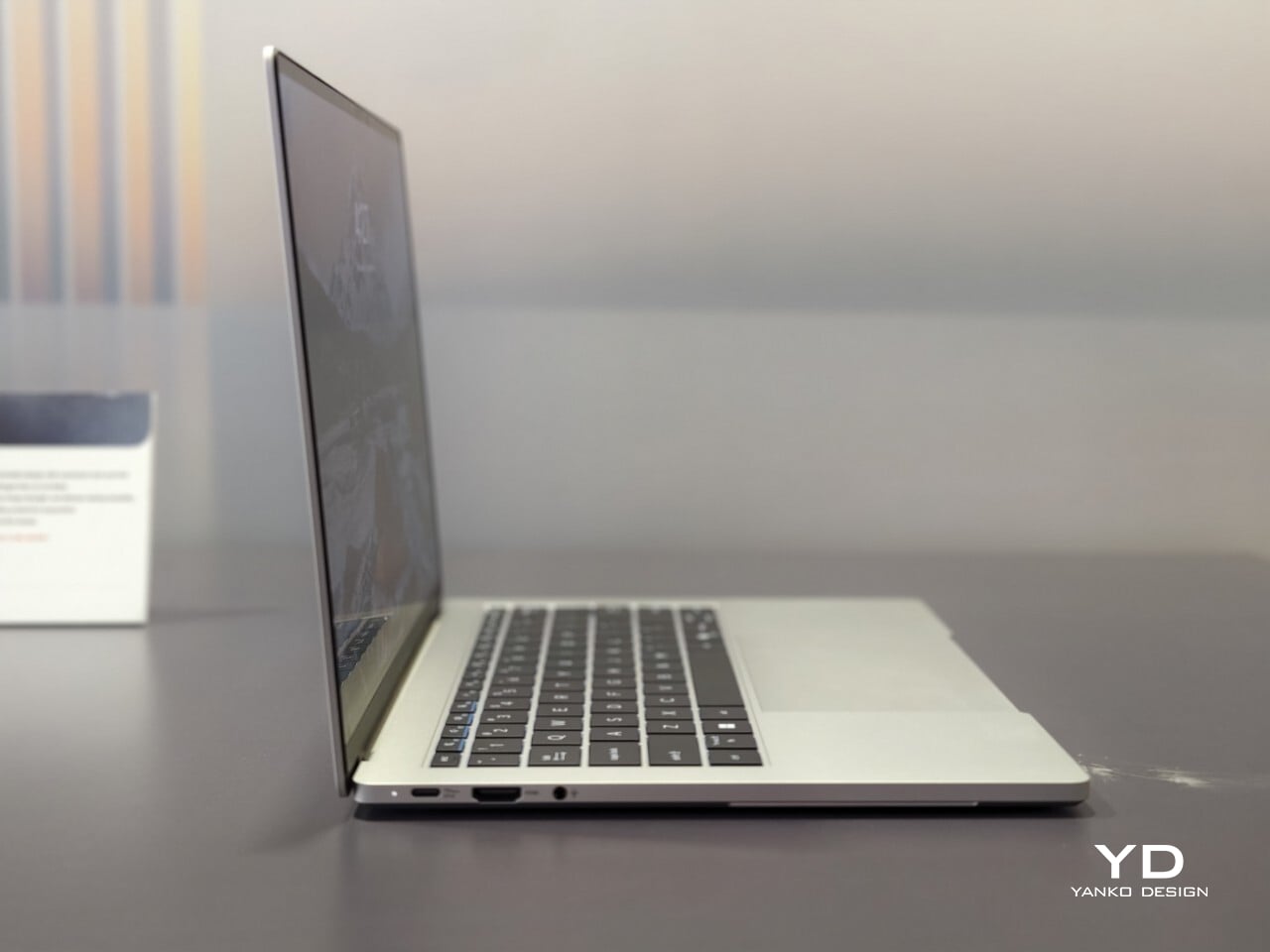
Measuring just under half an inch thick and weighing less than three pounds, this laptop is easy to slip into any bag without adding bulk or strain. Carrying it around feels closer to bringing along a glossy magazine than hauling old-school work equipment. For people who are always on the move, this lightweight build is more than just convenient.
Display That Draws You In
Flip open the lid, and you will immediately notice why ASUS is proud of its screen technology. The 14- inch panel offers 3K resolution at 2880×1800 pixels, using OLED technology for richer colors and true black levels. With a refresh rate of 120Hz, everything from scrolling through presentations to watching videos appears fluid and sharp.
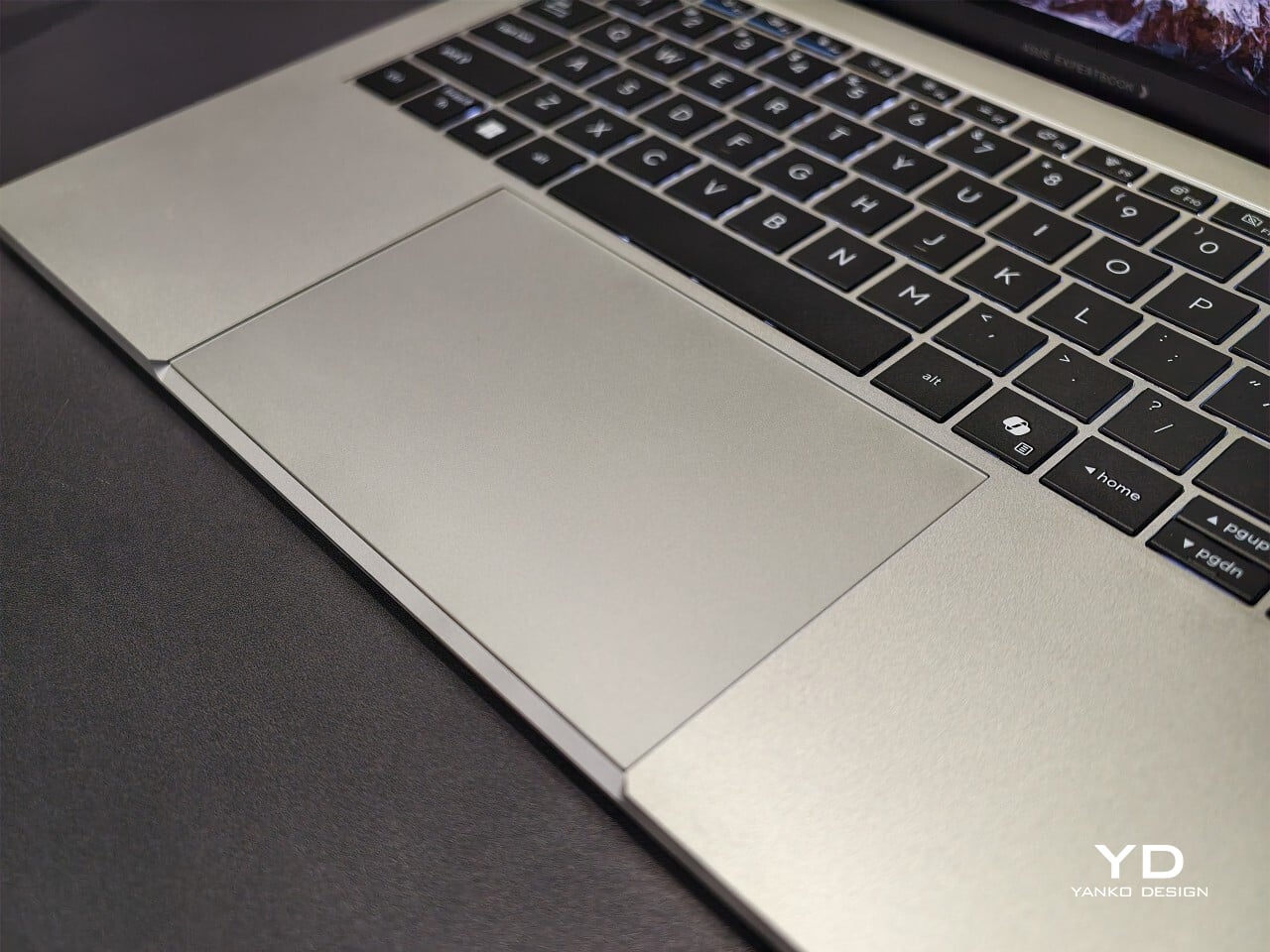
For those who spend time editing photos or creating graphics, full coverage of the DCI-P3 color space means you get accurate color reproduction for creative work as well as daily tasks. Some versions offer an anti-glare coating to help keep reflections at bay if you often work near windows or bright lights. There is no touch input on this model. Instead, all interaction happens through a backlit keyboard and a glass haptic touchpad that gives gentle feedback with every click or gesture.
Thoughtful Features for Real Workdays
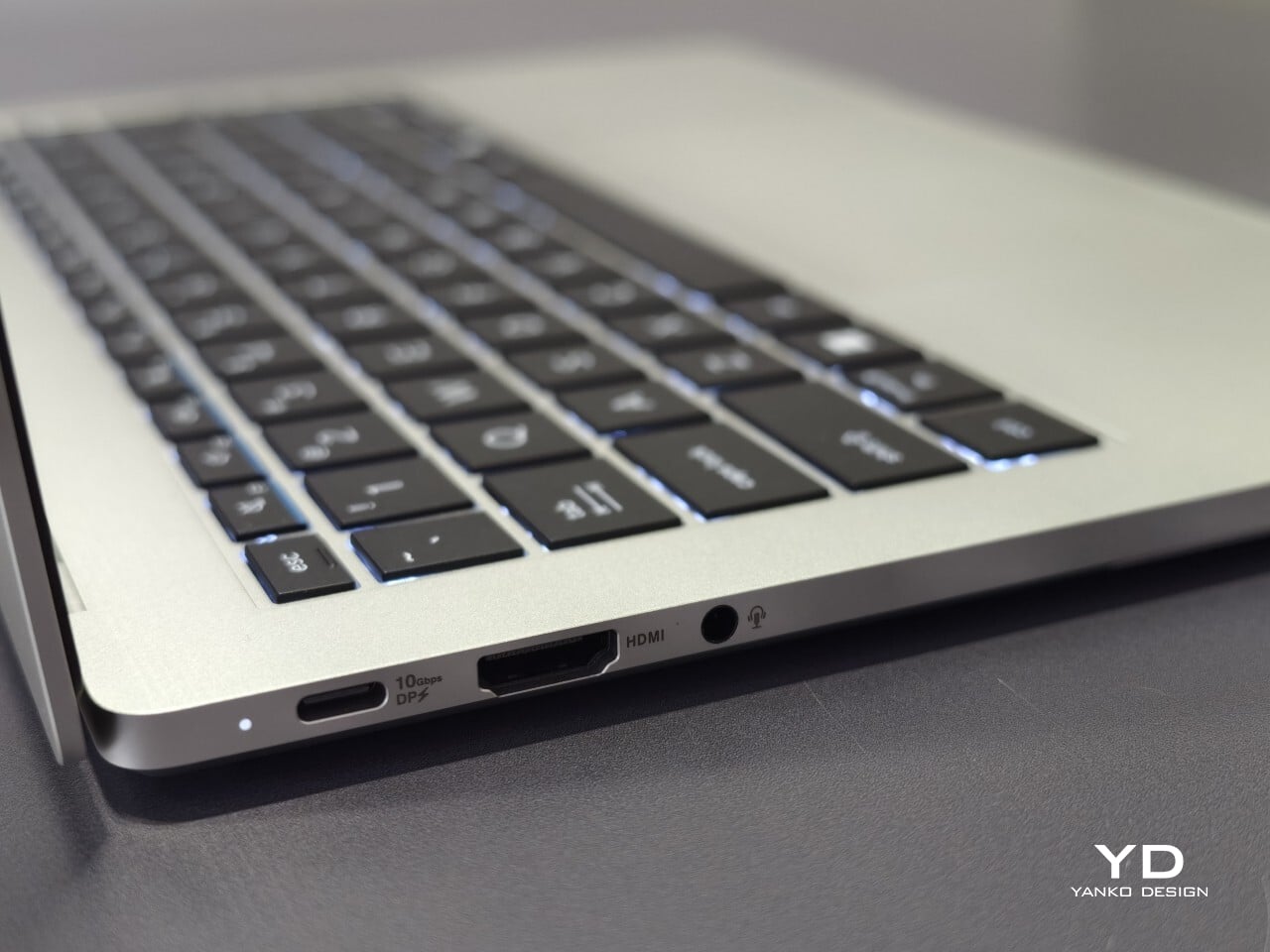
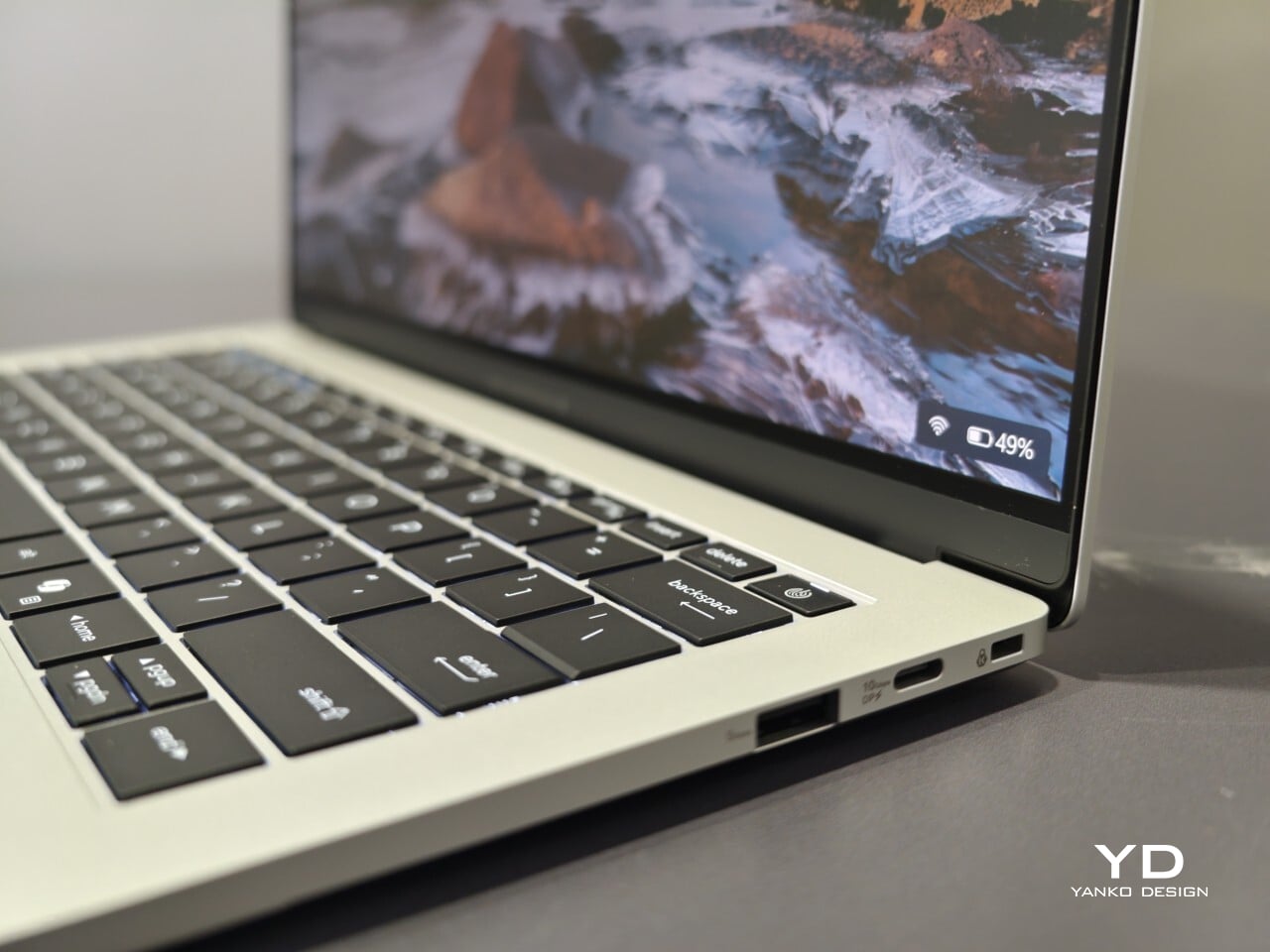
The port selection keeps you ready for any meeting or workspace setup without forcing extra adapters into your bag. Two USB-C connectors handle charging and video output while USB-A supports older accessories you might still rely on day to day. HDMI makes connecting to projectors or external monitors simple, and there is also a headphone jack when wireless audio just will not do.
ASUS includes small touches that make daily use easier than expected. For example, you can open the lid with just one hand, thanks to the carefully tuned hinge resistance. This proves surprisingly handy when juggling coffee cups or paperwork during a busy day. In my own hands-on time with the device, I found screen wobble kept nicely under control even while typing quickly.
Performance starts strong out of the box with Intel Core 5 processors available up to Core 7 models depending on your configuration needs. 16GB of memory comes standard along with 512GB of solid-state storage, so multitasking rarely slows things down.
Battery Life and Security That Keep Up
ASUS advertises up to 26 hours of battery life based on controlled video playback tests using their 65 WHr battery pack. In real-world situations filled with conference calls, dozens of browser tabs, and relentless emails, expect something less, but fast charging back up to 50% capacity in 30 minutes can help keep you unplugged longer when needed.
Security features include fingerprint sign-in support along with enterprise-level BIOS protection. Plus, regular updates are promised for five years after purchase. Buyers also receive three years of warranty coverage, which brings extra peace of mind when investing in premium hardware.
Your phone can shoot video, run a demanding game, and carry an entire music library. It can also leave you holding a warm slab of glass, untangling a charging cable, or trying to photograph someone under terrible lighting. Those are the gaps worth designing for. A useful accessory should fix a specific irritation without creating three more, preferably through a mechanism you can understand before opening a thick instruction manual.
These nine selections tackle cooling, listening, cable clutter, misplaced cards, awkward camera controls, and backup power. Some attach to the phone; others give it a useful companion on your desk or in your bag. Start with the problem that actually bothers you most each day.
1. OnePlus Ice Card Mini
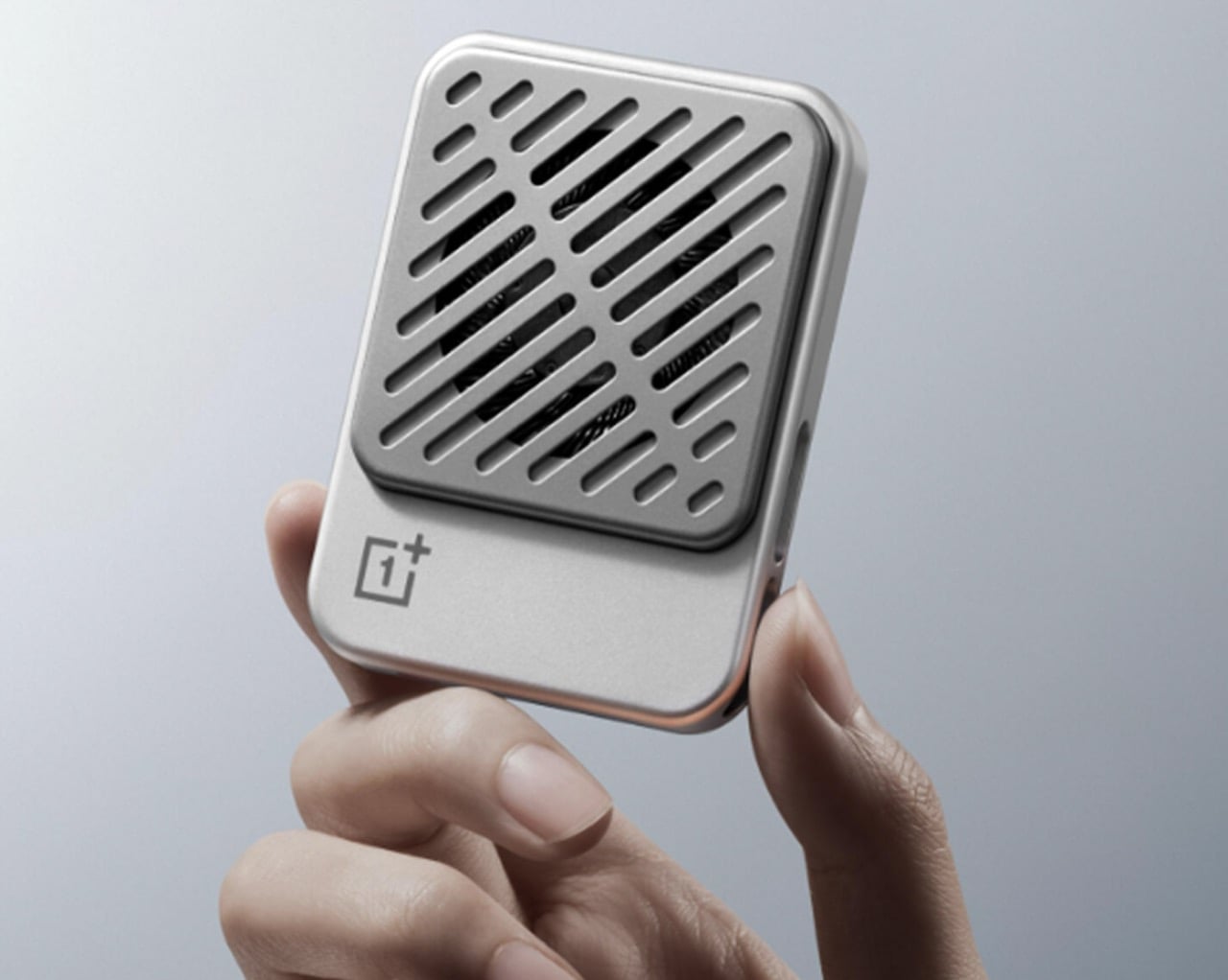
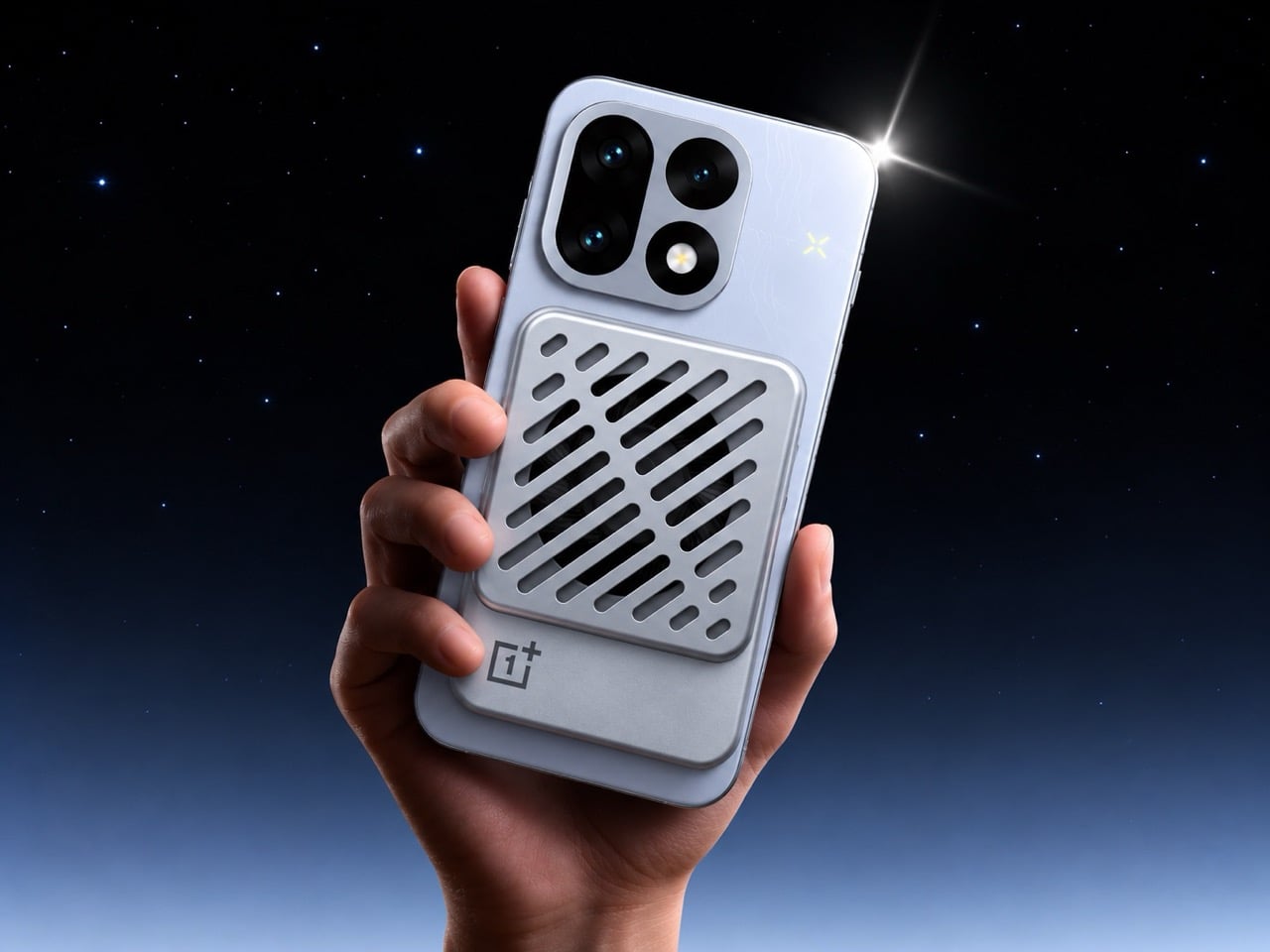
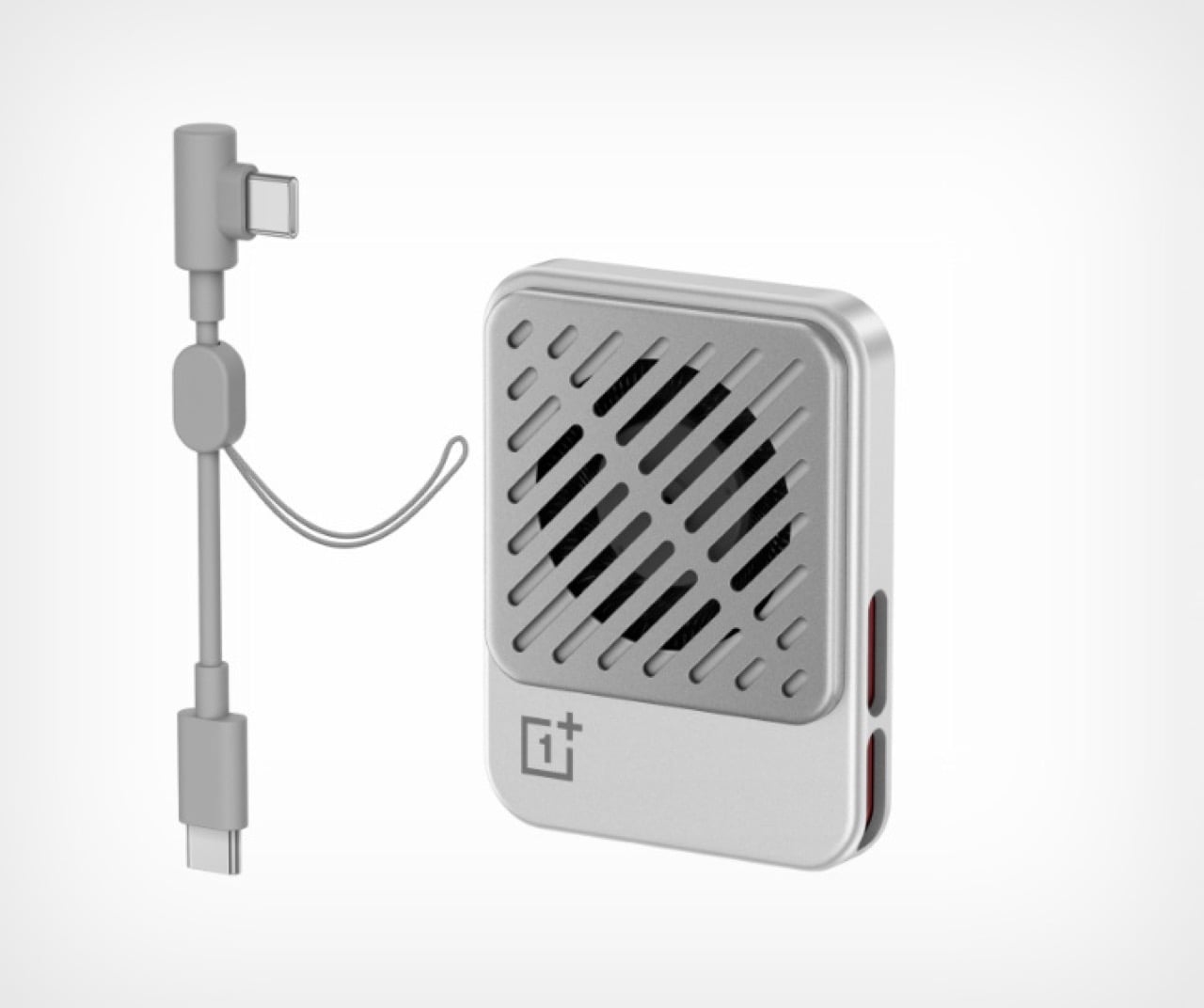
OnePlus has squeezed a phone cooler into a small card footprint rather than a bulky gaming attachment. The Ice Card Mini is listed in OPPO’s China store and described as a 50-gram body measuring 70mm by 53.4mm. Its thermoelectric chip works with an air-cooling system, while magnets hold the accessory against the phone. That compact packaging is the appeal: cooling becomes something you might carry alongside a cable, rather than reserve for a dedicated desktop gaming setup.
The practical tradeoff is power. The Mini draws up to 3.5W through USB-C and can run from a phone, power bank, or wall adapter. An included magnetic plate lets you attach it to phones without built-in magnets. It gives heat-conscious gamers a relatively discreet option, but drawing power from the phone adds another demand on its battery.
What we like
Compact, 50-gram magnetic format.
USB-C power accepts several sources.
What we dislike
Consumes power rather than supplying it.
2. StillFrame Headphones
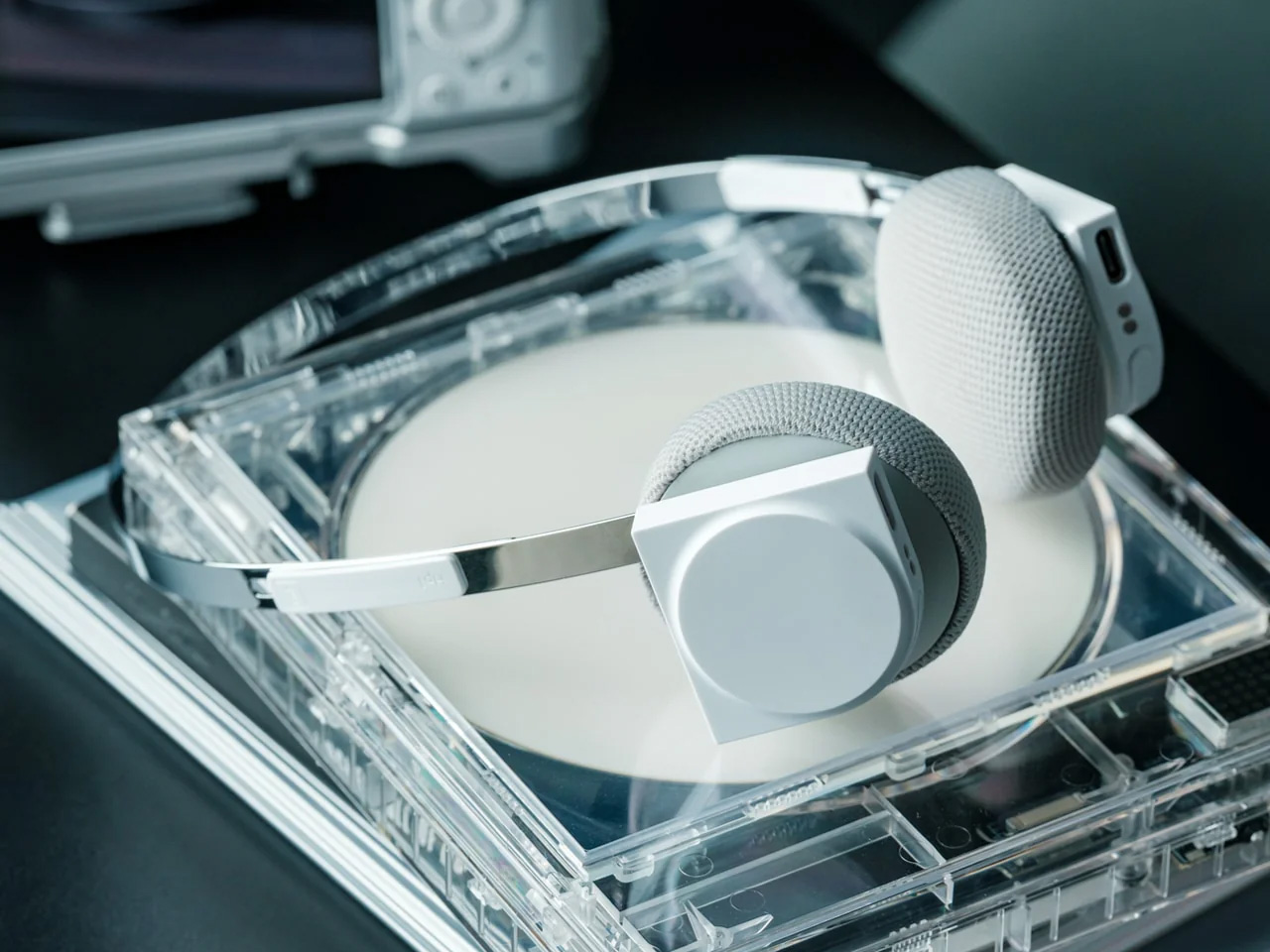
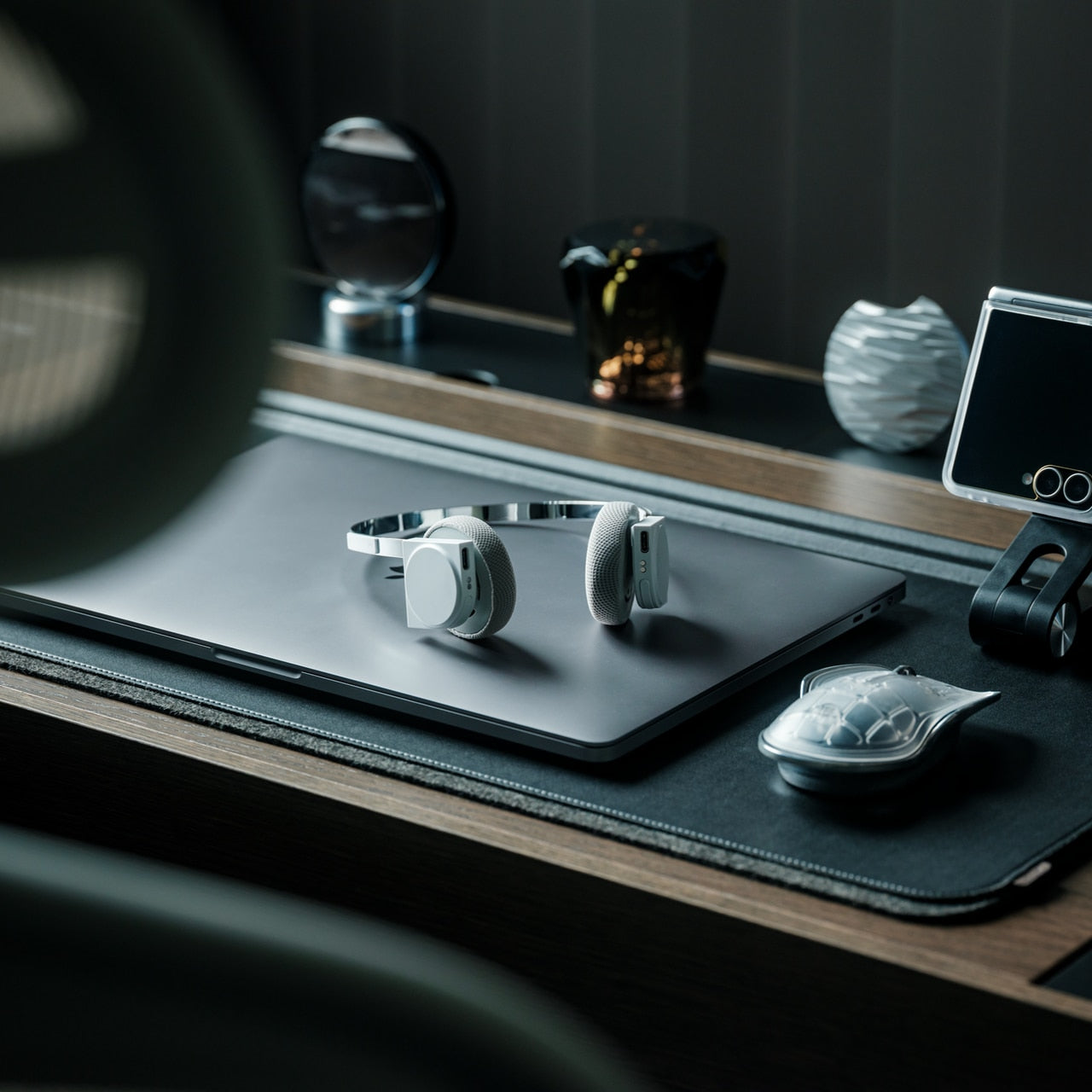
If earbuds bother your ears, a phone’s music library deserves another way out. StillFrame Headphones, designed by Tatsufumi Funayama, use an on-ear format with a stainless steel headband and magnetically attached fabric cushions. Circular and square geometry share the housings, with circuitry deliberately exposed. The retro reference has a practical point: you can choose headphones that sit against your ears without choosing the bulk of a conventional over-ear design for everyday listening.
Bluetooth 5.4 handles wireless listening, while the supplied USB-C cable supports wired playback. The headphones include 40mm drivers, noise cancellation, and a transparency mode; the maker claims up to 24 hours of playback. Those choices make StillFrame worth considering for desk listening or commuting when you prefer an alternative to in-ear buds. There’s one unusual operating detail: both sides need charging and separate button presses to power on. Light construction also doesn’t prove comfort or effective noise cancellation by itself.
Both sides require charging and separate power-on presses.
A full charge takes approximately three hours.
3. SuperCalla Magnetic Charging Cable
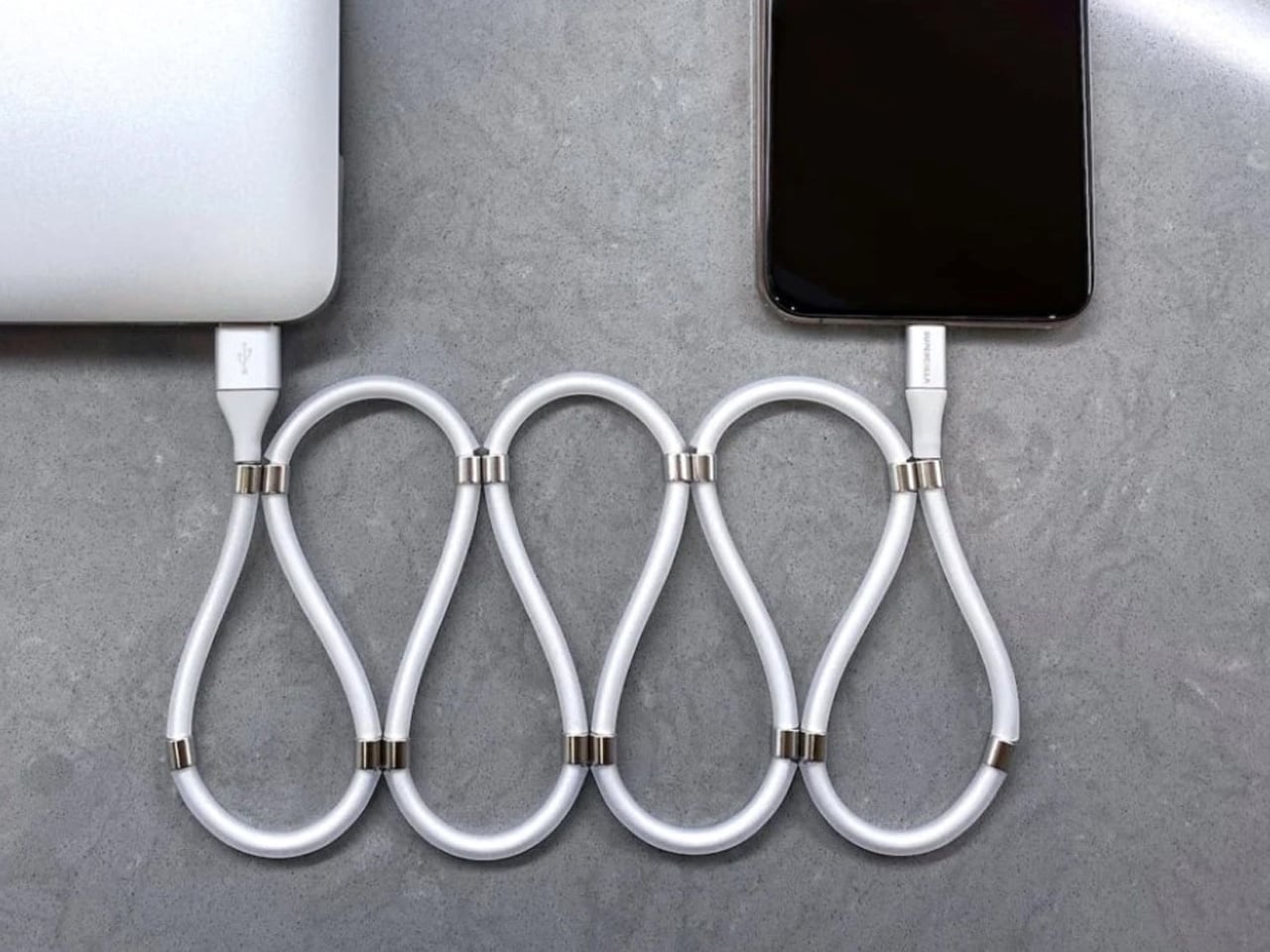
A charging cable shouldn’t need its own accessory just to stay organized. SuperCalla builds the organizer into the cable, placing magnets at intervals along its length. Line them up and the cable holds a coil or folded arrangement without a separate tie. The useful distinction is that these magnets manage the cable’s shape; they aren’t detachable charging connectors. For a bag that also carries keys, headphones, and adapters, keeping the loose length contained addresses a very ordinary frustration quite directly.
The manufacturer’s USB-C to USB-C listing separates a 60W, USB 2.0 version from a 100W, USB 3.1 Gen 2 option. That matters because neat storage says nothing about charging speed or file transfer performance. Choose the connector and electrical specification your phone actually needs, then treat the magnetic organization as the bonus.
What we like
Magnetic organization without a separate cable tie.
Multiple folding and coiling arrangements.
What we dislike
Cable variants have different data capabilities.
Dated shipping information needs clarification.
4. Battery-free Amplifying iSpeakers
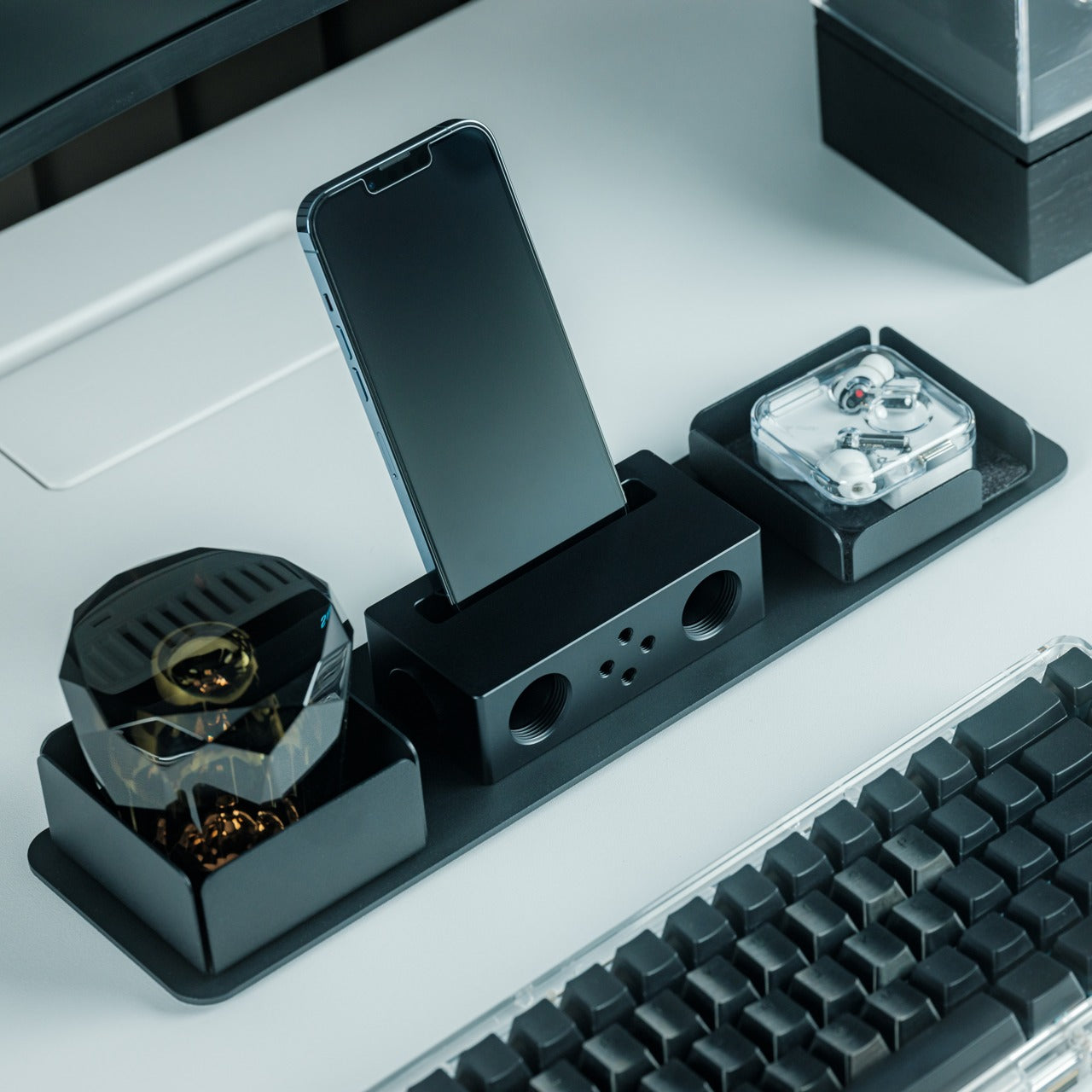
The Battery-free Amplifying iSpeakers take a pleasingly literal approach to phone audio: put the phone in a shaped metal enclosure and let the geometry do the work. Designed by Ooi Masato and made in Japan, the accessory uses duralumin rather than a powered amplifier. There’s no Bluetooth pairing, battery gauge, or charging cable involved. For someone who wants to listen aloud at a desk, it offers a dedicated place for the phone without adding another electronic device to the routine.
The attraction is simplicity, not a promise of room-filling volume. The phone remains the sound source, so this makes more sense as a casual listening accessory than a replacement for powered speakers. Check your phone and case fit before buying, along with the position of the speaker opening. Optional +Bloom and +Jet modules redirect sound and are sold separately. It’s an appealing desk object for people who value avoiding chargers and want their phone to have a permanent desktop home.
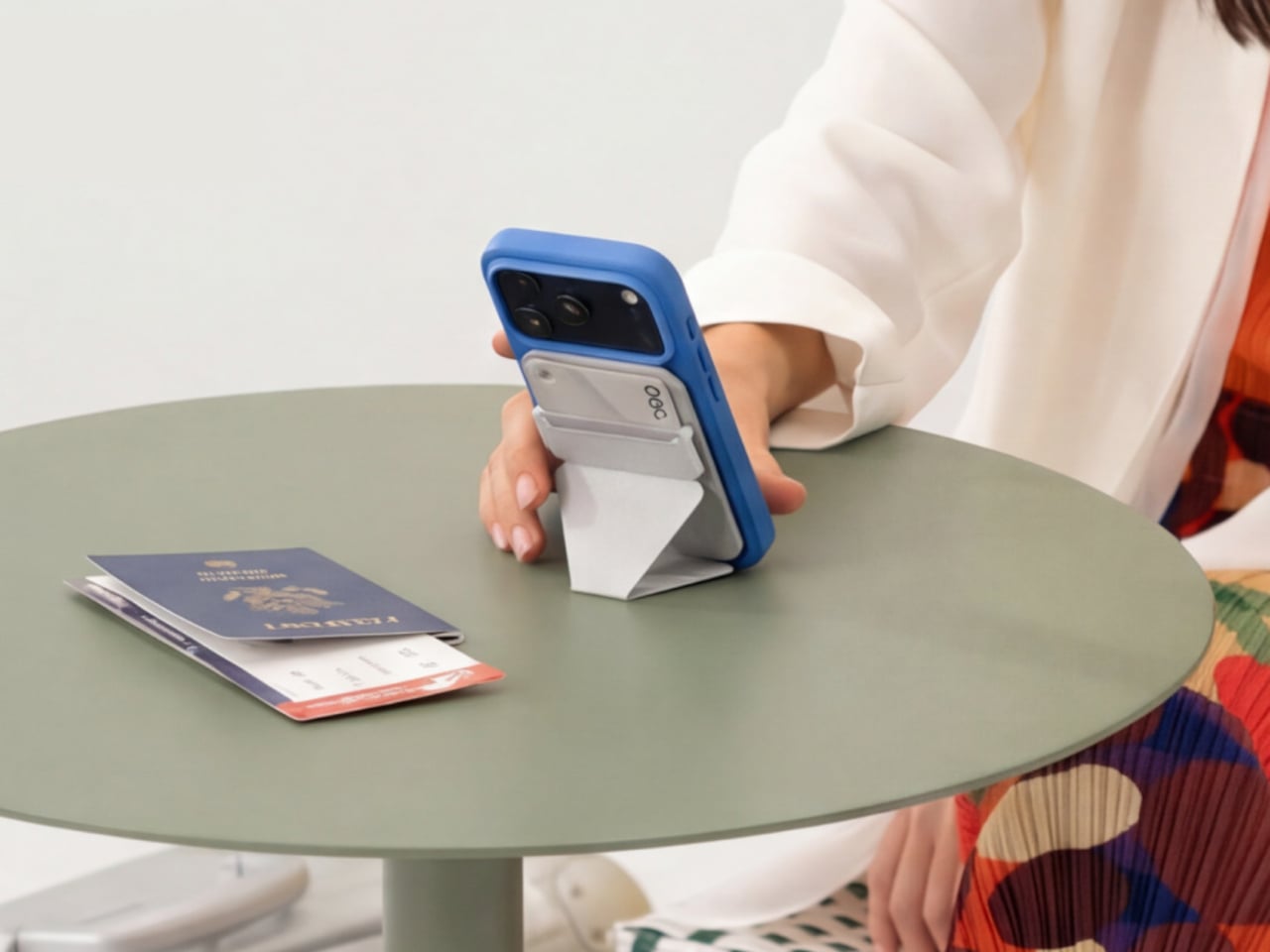
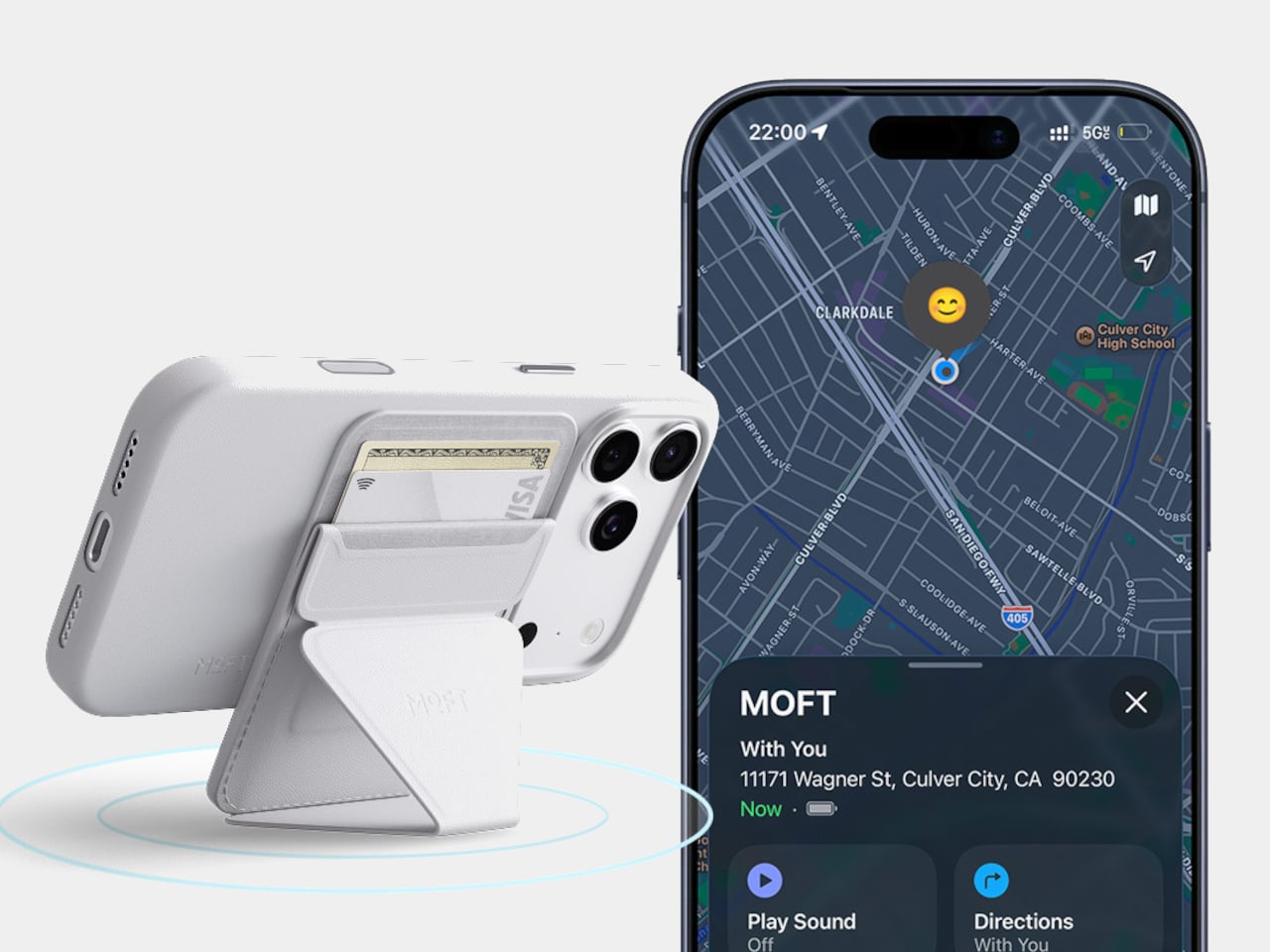
A magnetic wallet makes leaving the house with less stuff appealing, right up until you detach it and forget where it went. MOFT’s Trackable Snap-on Phone Stand & Wallet builds Apple Find My support into a folding accessory that also serves as a grip and stand. The current product listing specifies two cards and a 6mm thickness. Its usefulness comes from keeping those functions together, rather than asking you to carry a wallet, separate tracker, and stand every single day.
Find My gives the wallet a way to report its location and sound an alert, making it easier to look for when separated from your phone. MOFT claims around six months between wireless charges, and the folding construction supports portrait, landscape, and floating viewing positions. The limitation is equally clear: this is an Apple-oriented solution with room for just two cards. Its tracking battery is built in and nonreplaceable, so rechargeability is welcome but doesn’t resolve eventual battery serviceability concerns.
What we like
Find My tracking without a separate tag.
Wallet, grip, and stand share one folding structure.
What we dislike
Holds only two cards.
The tracking battery is not replaceable.
6. WUBEN E1 Magnetic Phone Light
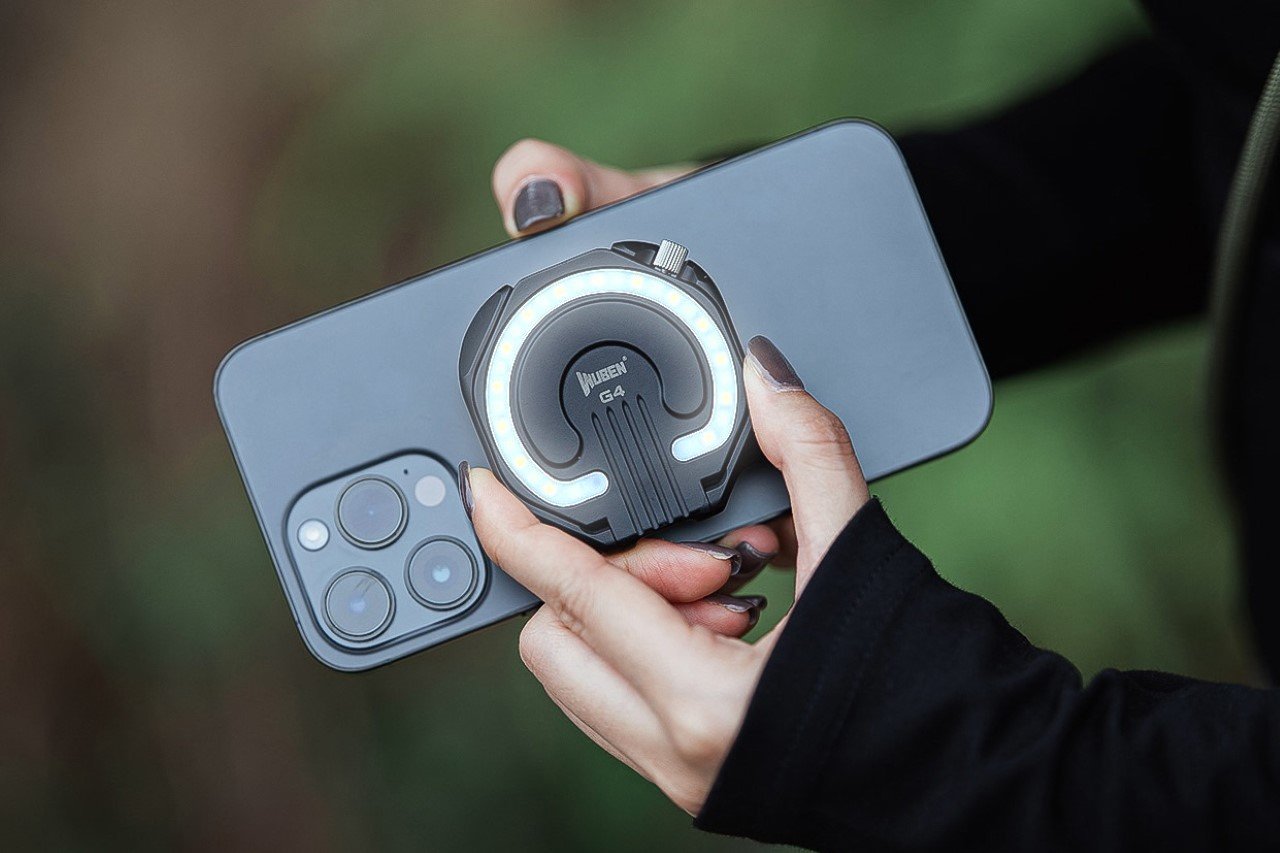
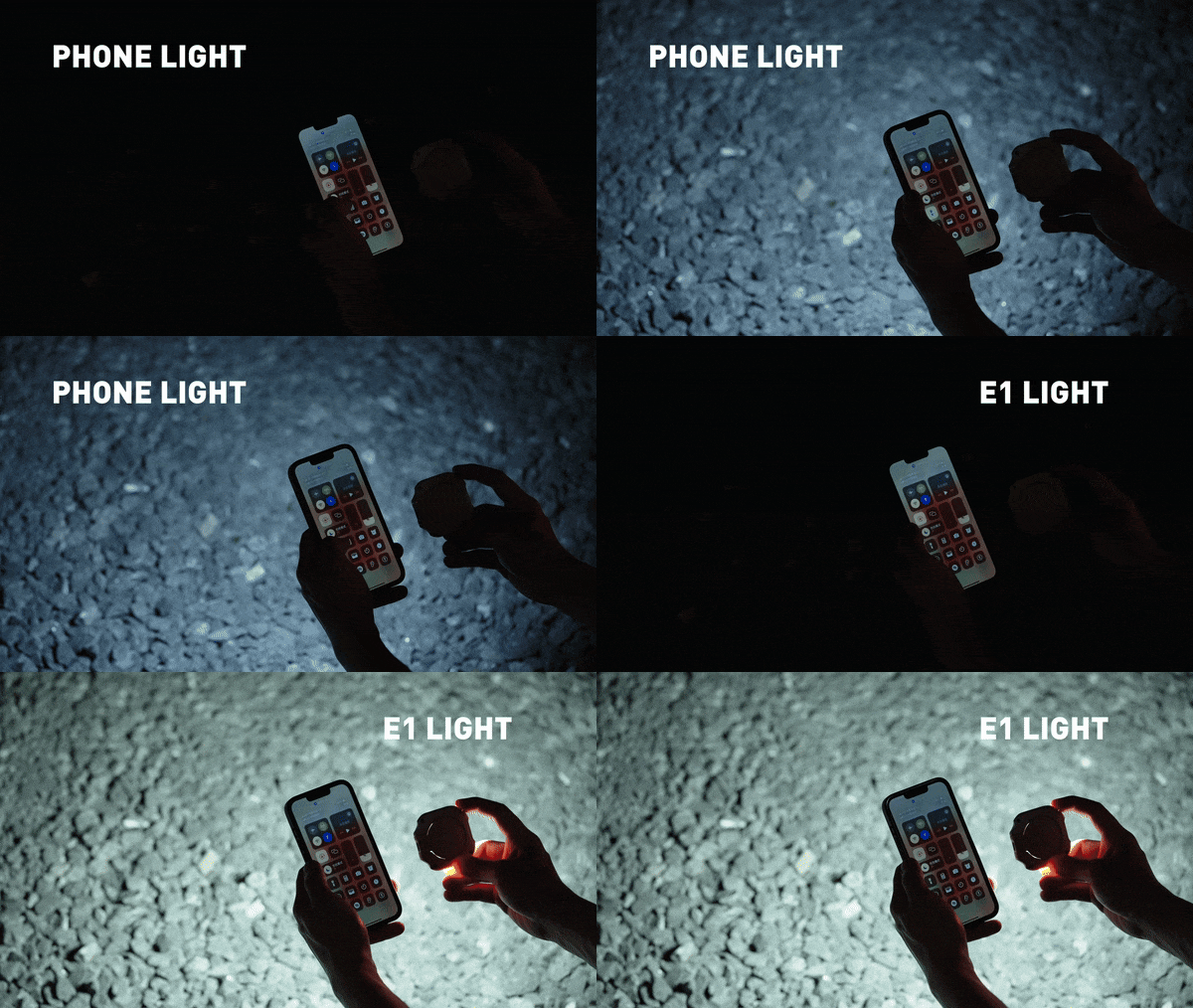
A good phone camera still depends on the light in front of it. WUBEN’s E1 gives you another source to position, combining an adjustable ring light with a magnetic phone mounting arrangement. Brightness is adjustable, and warm, neutral, and cool settings let you choose the color of the light rather than accept whatever the built-in flash provides. The hinged support lets you redirect the light and use the assembly as a stand for your phone too.
This makes the E1 interesting for video calls, close-up filming, and selfies where a small adjustable source is more useful than simply pushing exposure higher. WUBEN rates output at up to 300 lumens, but that specification alone doesn’t establish how flattering the light will look. It recharges through USB-C and needs magnetic phone compatibility or an adapter ring. Check the selected retail bundle carefully: the product page lists the bracket separately among its variants; don’t assume the mount is included.
What we like
Adjustable brightness and three color-temperature settings.
Hinged mounting adds control over light direction.
What we dislike
Adds another battery to recharge.
Bracket inclusion requires careful checking.
7. Leica LUX Grip
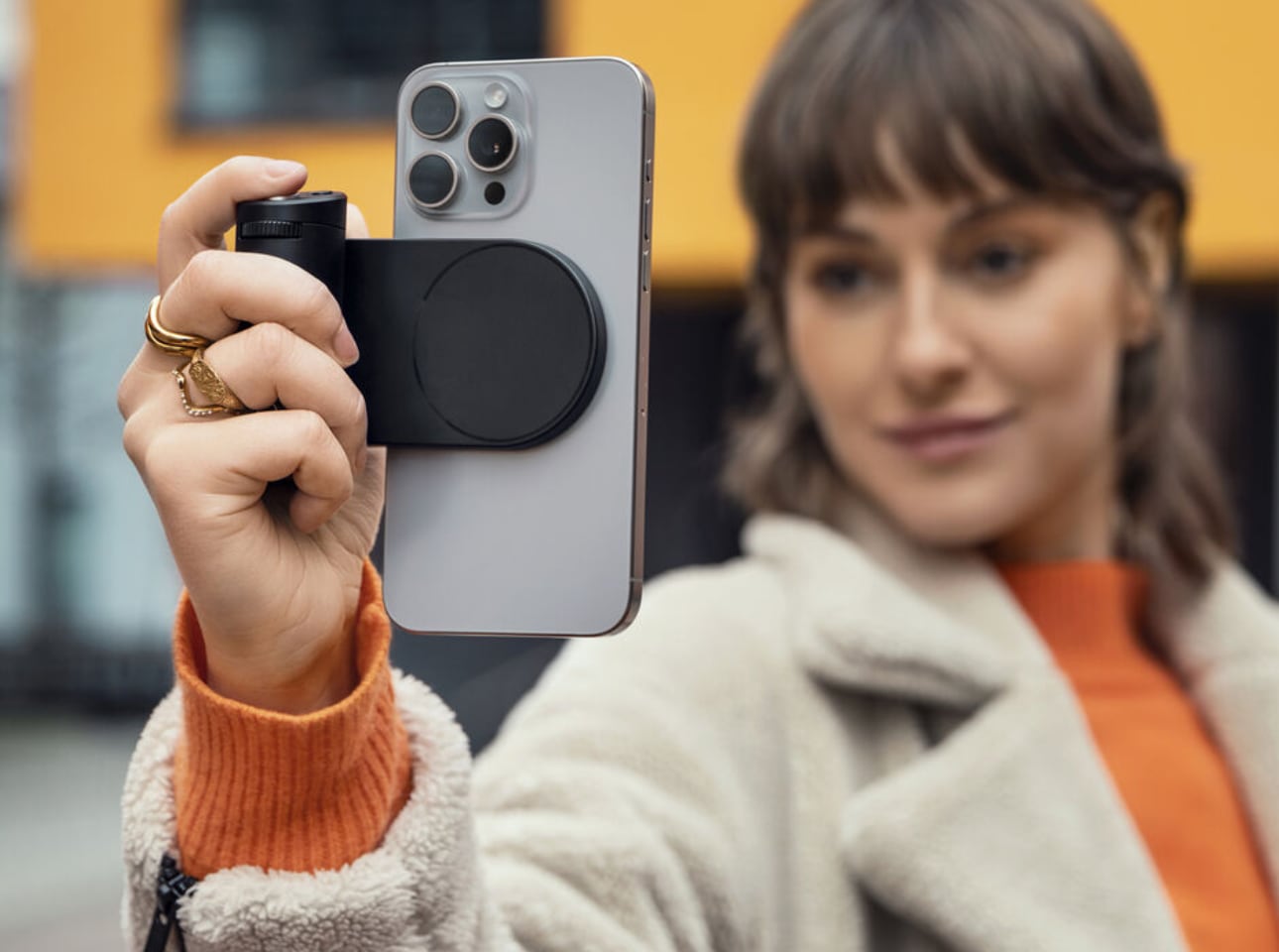
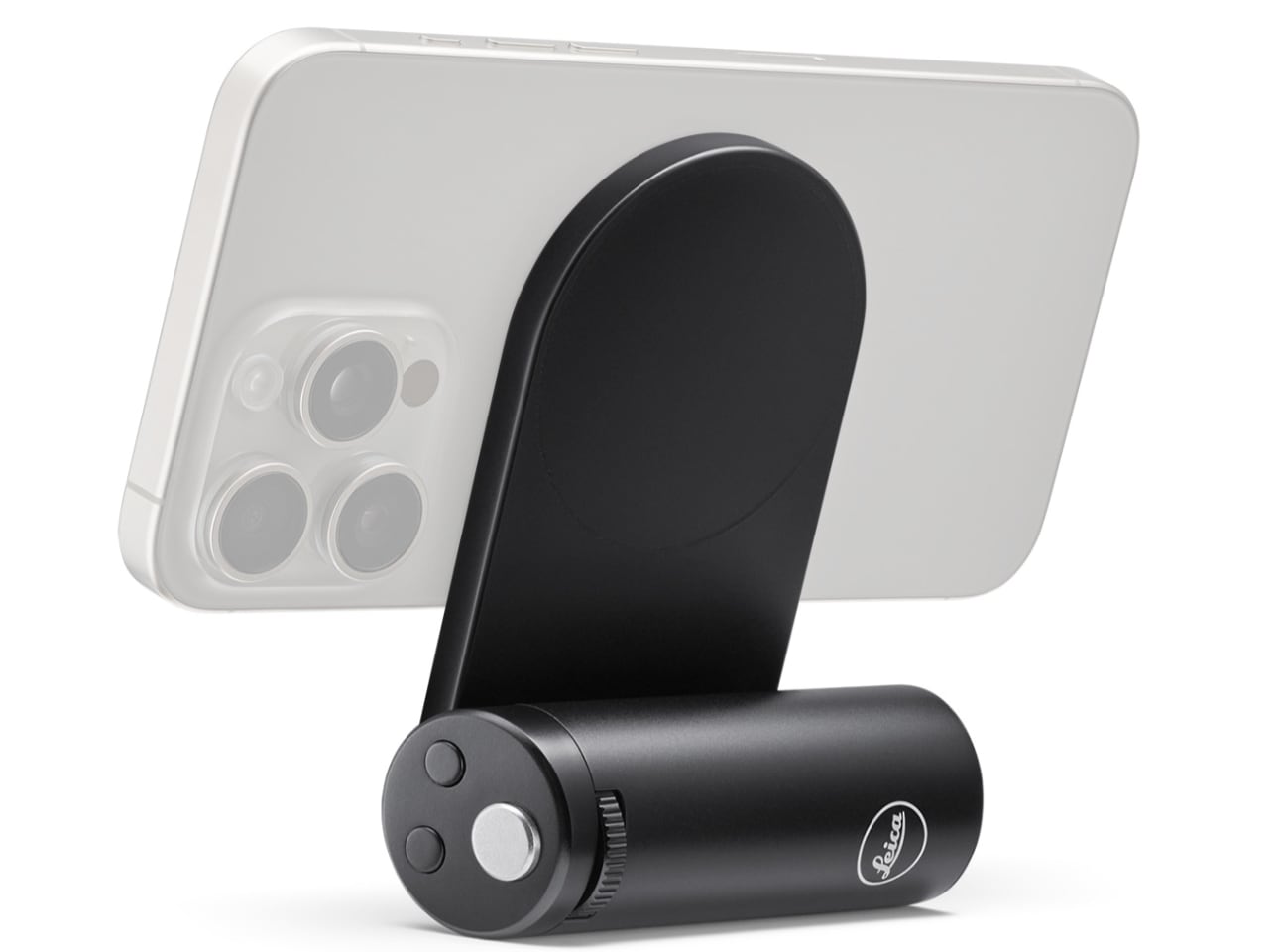
Touchscreens are wonderfully adaptable until you want a control you can find without looking. Leica’s LUX Grip attaches magnetically to a compatible iPhone and adds a two-stage shutter button, two customizable buttons, and a control dial. Half-press the shutter to focus, then press fully to take the photograph. That physical sequence is the point: it brings a recognizable camera action to a device otherwise dominated by glass, giving regular phone photographers a different way to hold and operate their camera.
The aluminum housing weighs approximately 130 grams, and Leica specifies roughly 1,000 exposures per charge. There’s an important software boundary, though: the grip works with the Leica LUX app, not Apple’s built-in Camera app. Registration includes twelve months of LUX Pro, with paid access afterward if you retain the subscription. It’s a specialized choice for someone happy to adopt Leica’s workflow. It does not change the iPhone’s sensor or optics, and it cannot double as a phone-charging power bank either.
What we like
Physical shutter and configurable controls.
Supports portrait and landscape attachment.
What we dislike
Limited to the Leica LUX app.
Pro access becomes paid after the included year.
8. KUXIU D5 Charging Station
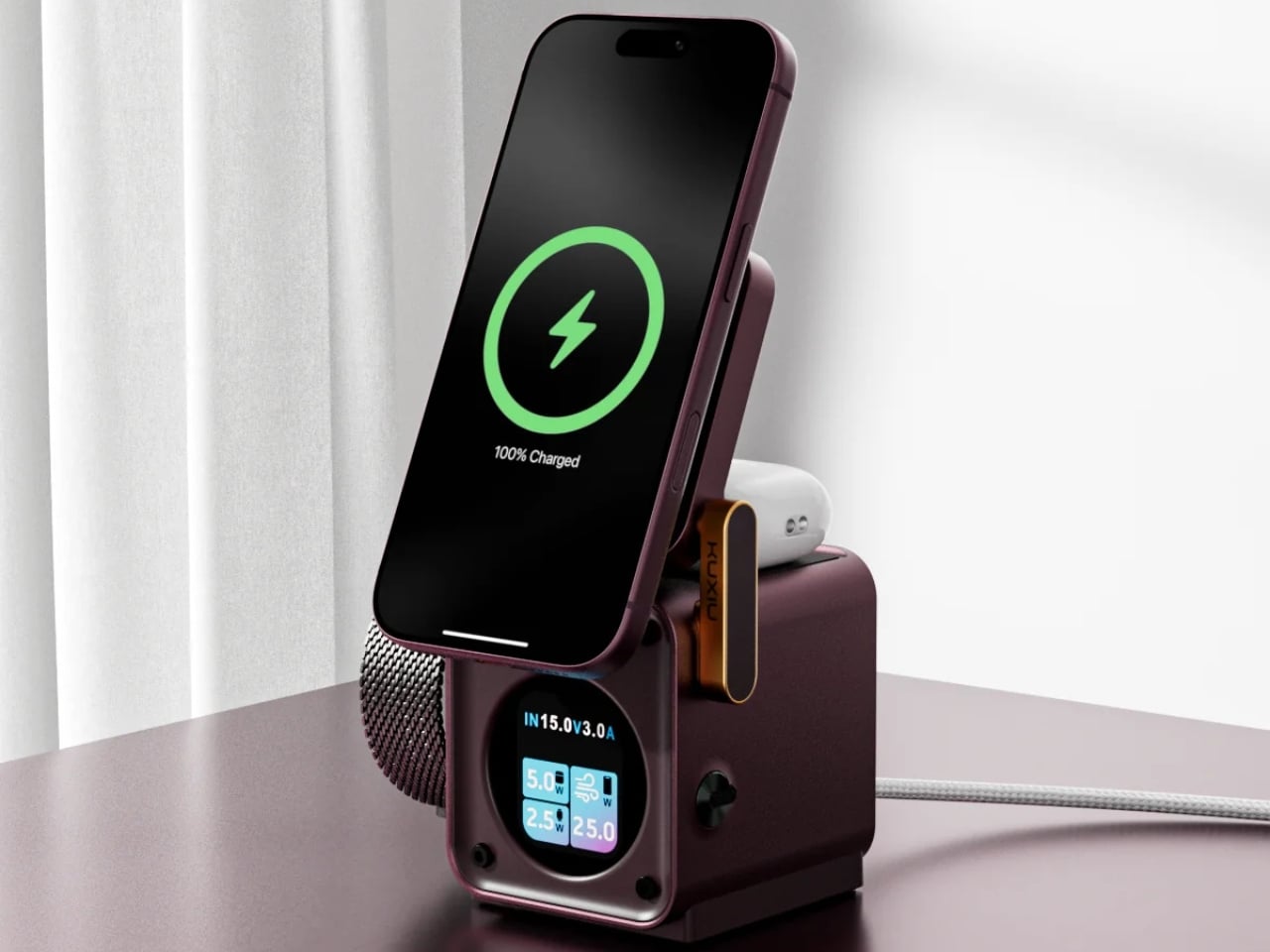
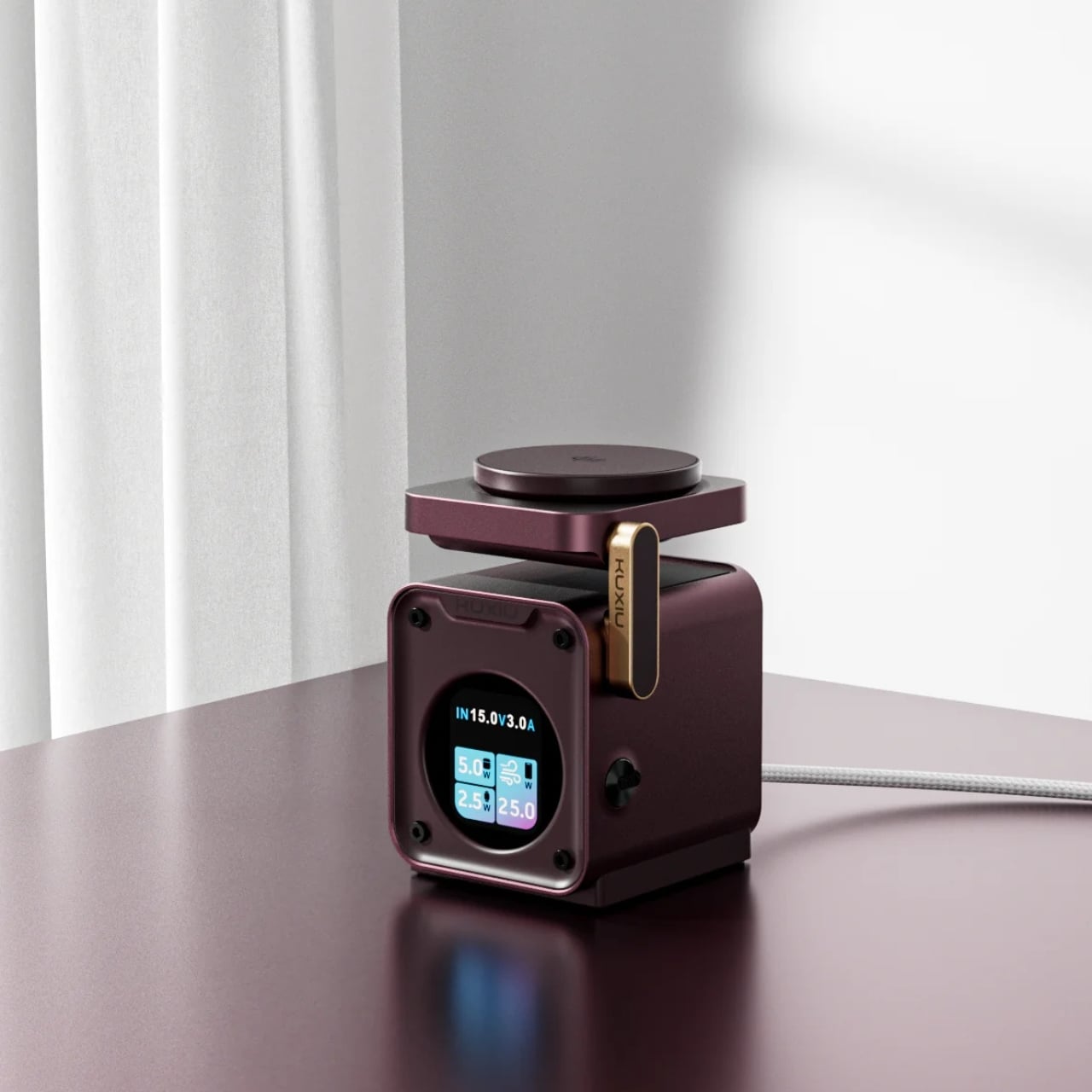
The annoyance here lives around the phone: an Apple Watch charger, an earbud cable, and adapters competing for desk space. KUXIU’s D5 gathers three compatible devices into one wireless charging station, with an adjustable phone platform and a motorized Apple Watch module that retracts into the body. The hidden watch charger is an unusually specific design decision. You only need that protrusion when a watch is charging, so the dock needn’t keep it permanently extended across your desk between sessions.
The display shows input voltage, current, and power, plus individual charging status, giving the dock more feedback than a single indicator light. KUXIU also includes an active cooling fan that can be switched off. Phone charging is advertised at up to 25W, but actual speed depends on the handset’s support. The watch module is specifically for Apple Watch, and earbuds need a wireless-charging case. For a compatible trio, the benefit is consolidation, not a guarantee that everything suddenly charges faster.
What we like
Three charging positions in one station.
Retractable watch module and informative display.
What we dislike
Watch charging is Apple Watch-specific.
Maximum phone charging speed depends on compatibility.
9. RetroWave 7-in-1 Radio
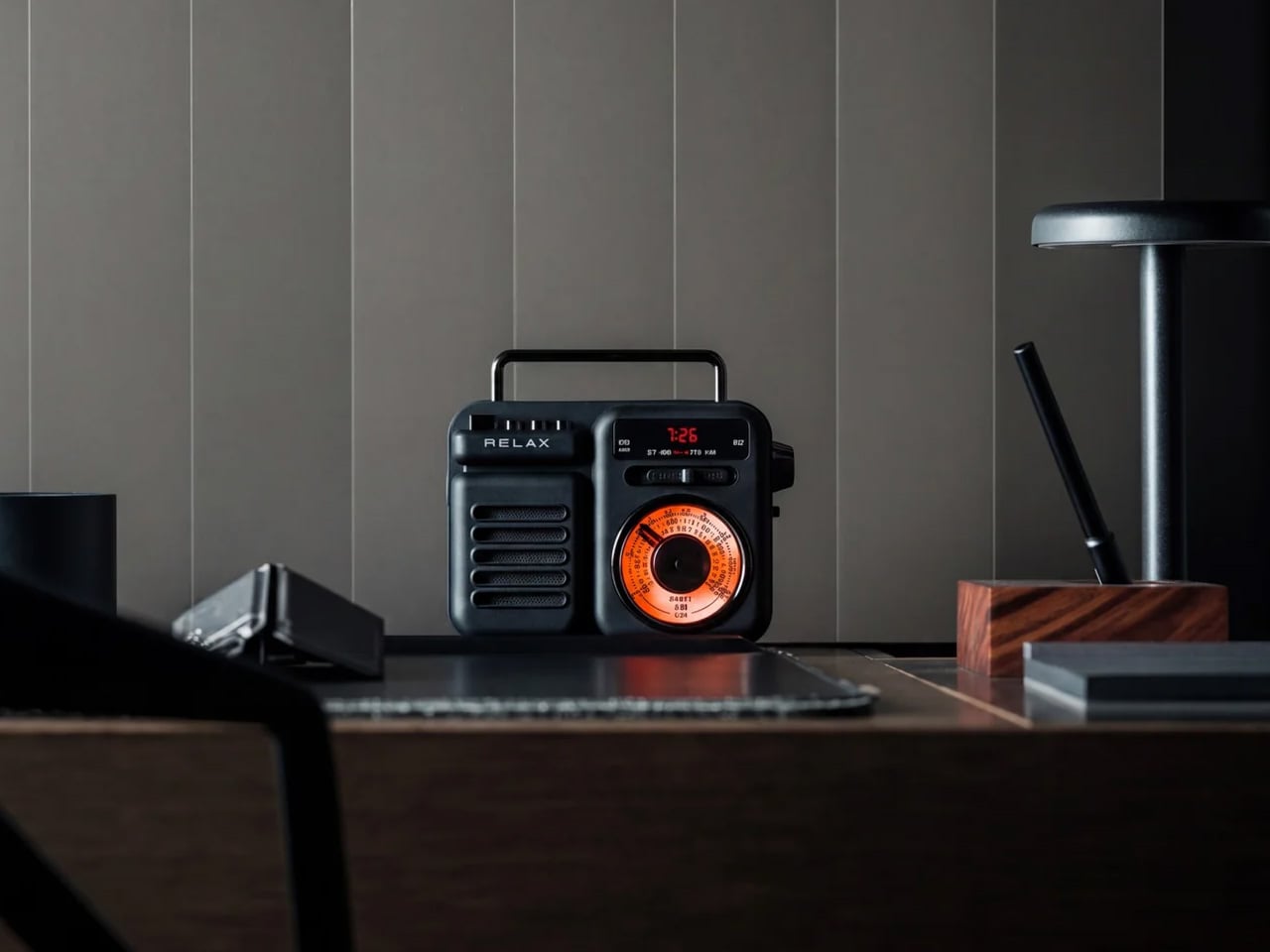
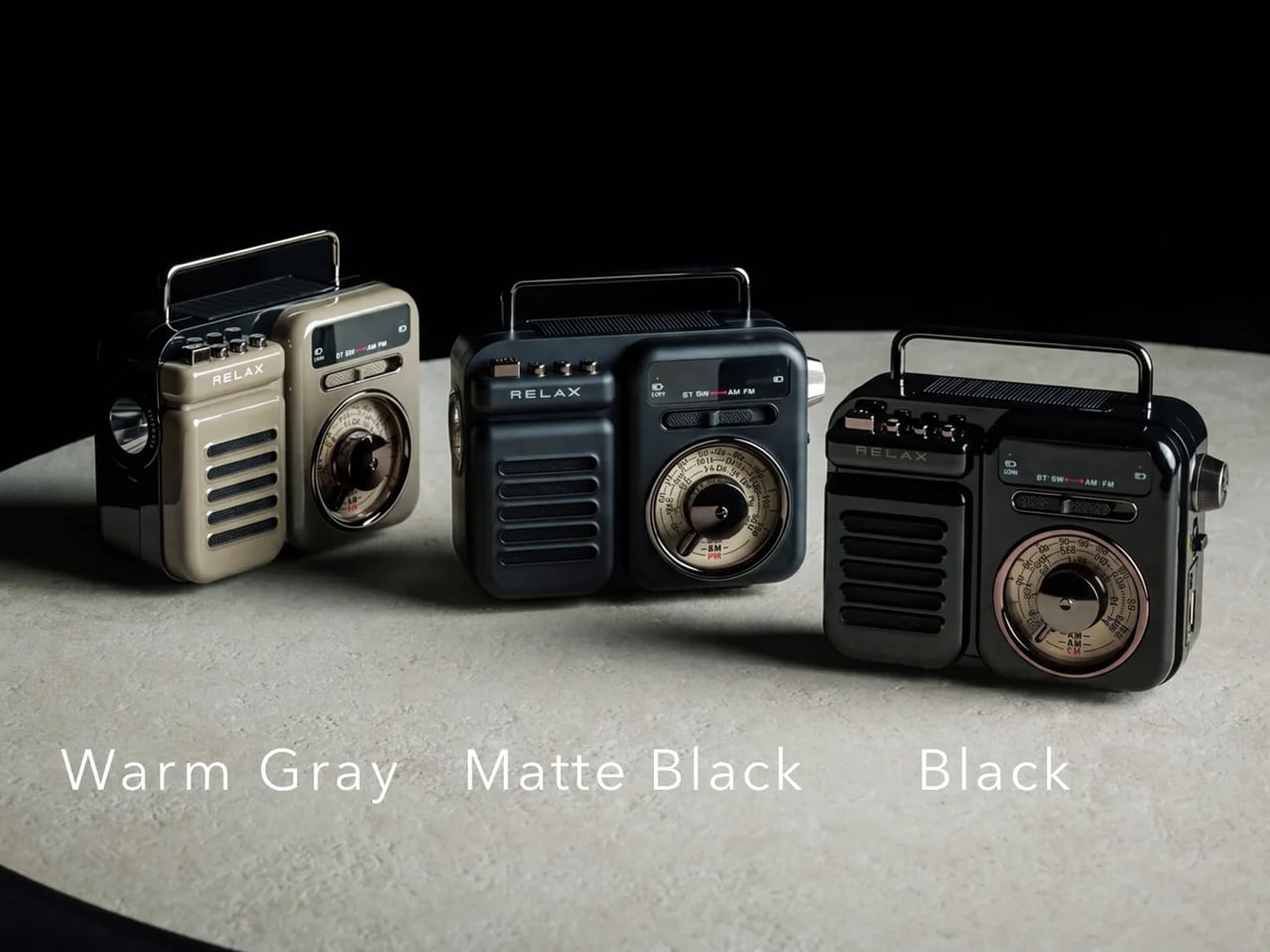
A smartphone becomes a much less useful companion when the battery runs down, and there’s no outlet nearby. The RetroWave 7-in-1 Radio brings a modest backup battery together with things a phone shouldn’t have to supply indefinitely: a flashlight, an SOS siren, and radio reception. Its 2,000mAh battery can provide a phone top-up, while AM, FM, and shortwave listening work without an internet connection. The tuning dial also provides a direct physical control instead of another screen to navigate.
Bluetooth playback gives RetroWave an everyday role as a phone speaker, while USB and microSD playback let it handle music independently. That matters for an emergency companion: it has reasons to stay accessible rather than disappear into a drawer. Be realistic about its charging options. USB is the primary method, the hand crank is intended for emergencies, and solar charging is supplementary. The small battery won’t replace a substantial power bank, but it offers a useful reserve alongside standalone functions.
Phone charging alongside independent radio and lighting.
Bluetooth and offline music playback.
What we dislike
Limited 2,000mAh backup capacity.
Solar and crank charging are secondary options.
Buy for the Problem You Actually Have
The sensible way to choose from this collection is to start with the irritation, not the accessory. If cables are your daily nuisance, a more elaborate charging station may be unnecessary. If touch controls interrupt your photography, a grip deserves more attention than another camera specification. Match the mechanism to the task, then check the phone, case, app, and charging requirements that determine whether it will actually work for you.
The less obvious question is where the accessory belongs when you’re finished using it. Something that folds, coils, docks, or stays useful independently has a better chance of fitting into a routine than something you must keep rearranging. There’s no need to buy all nine. A phone already does enough jobs; the right companion should remove one small source of friction without giving you another object to manage every day.
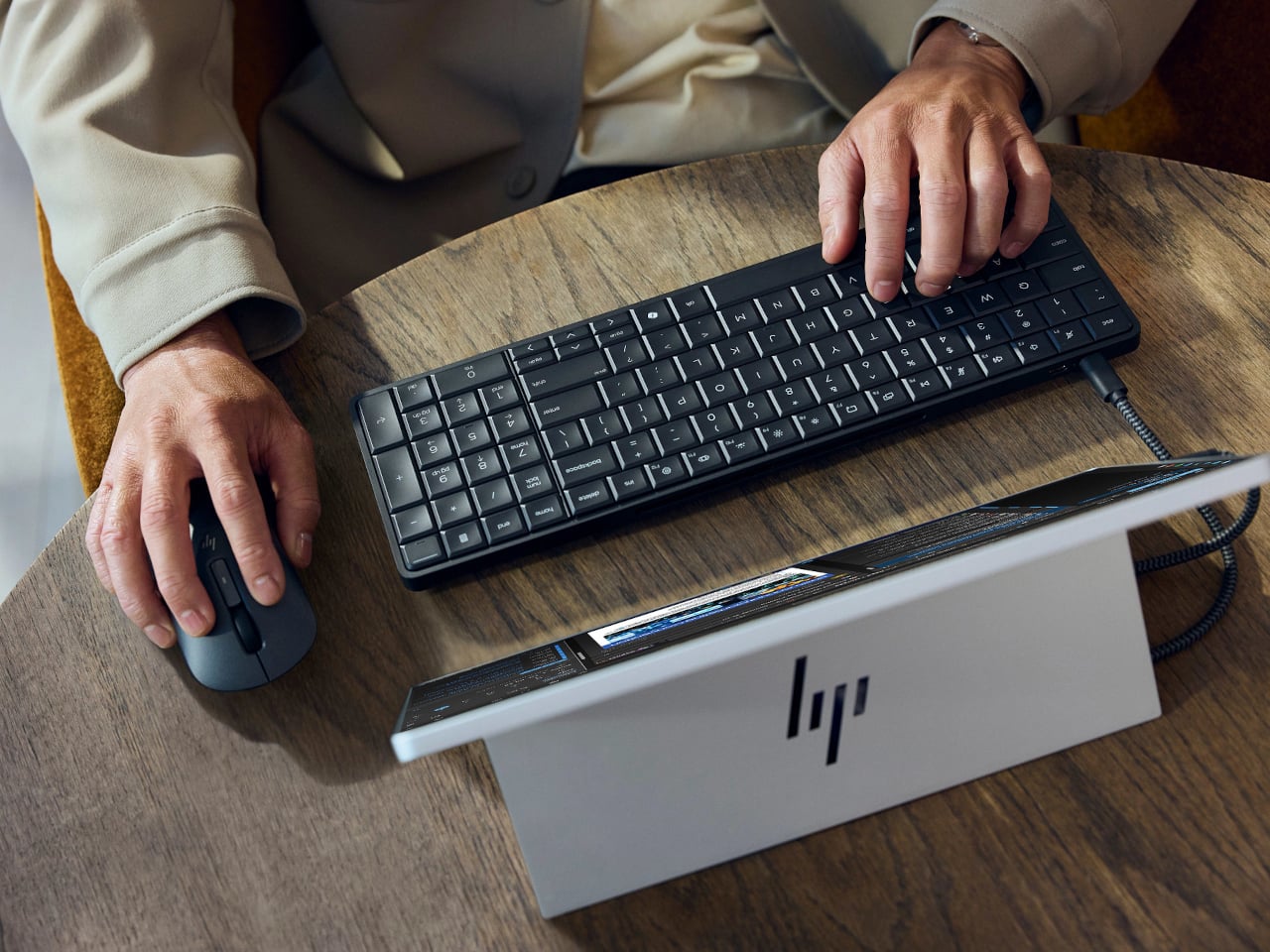
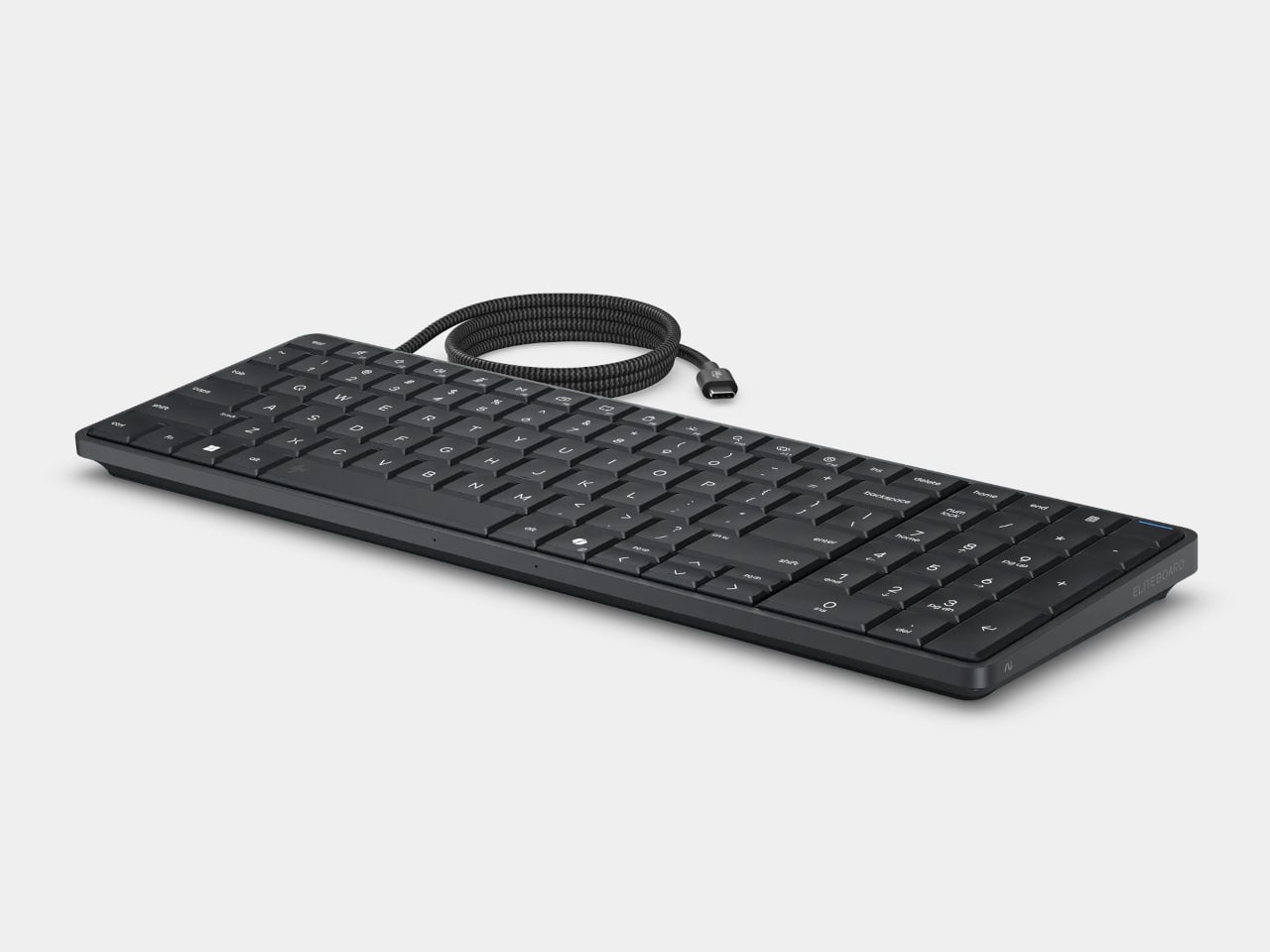
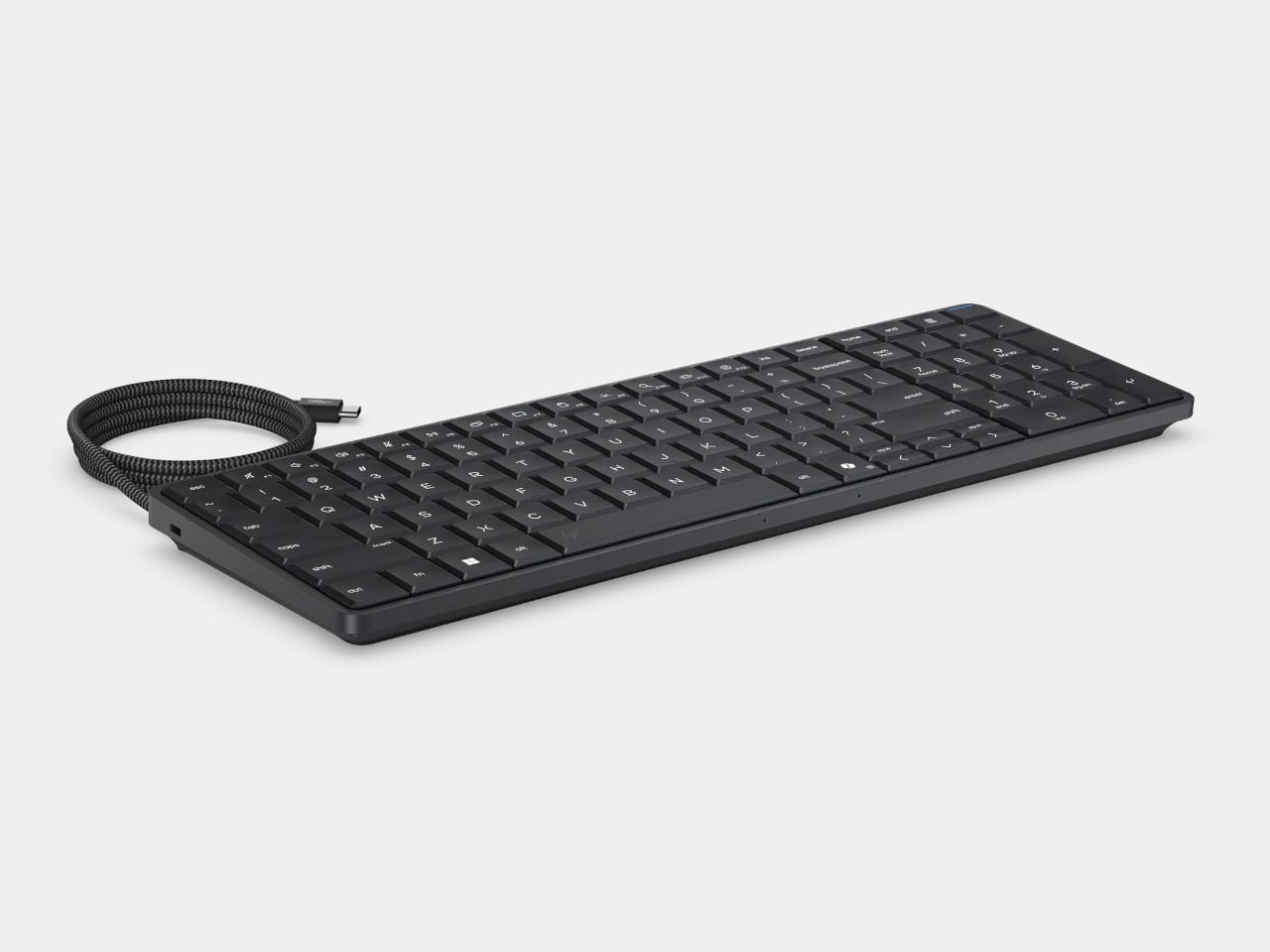
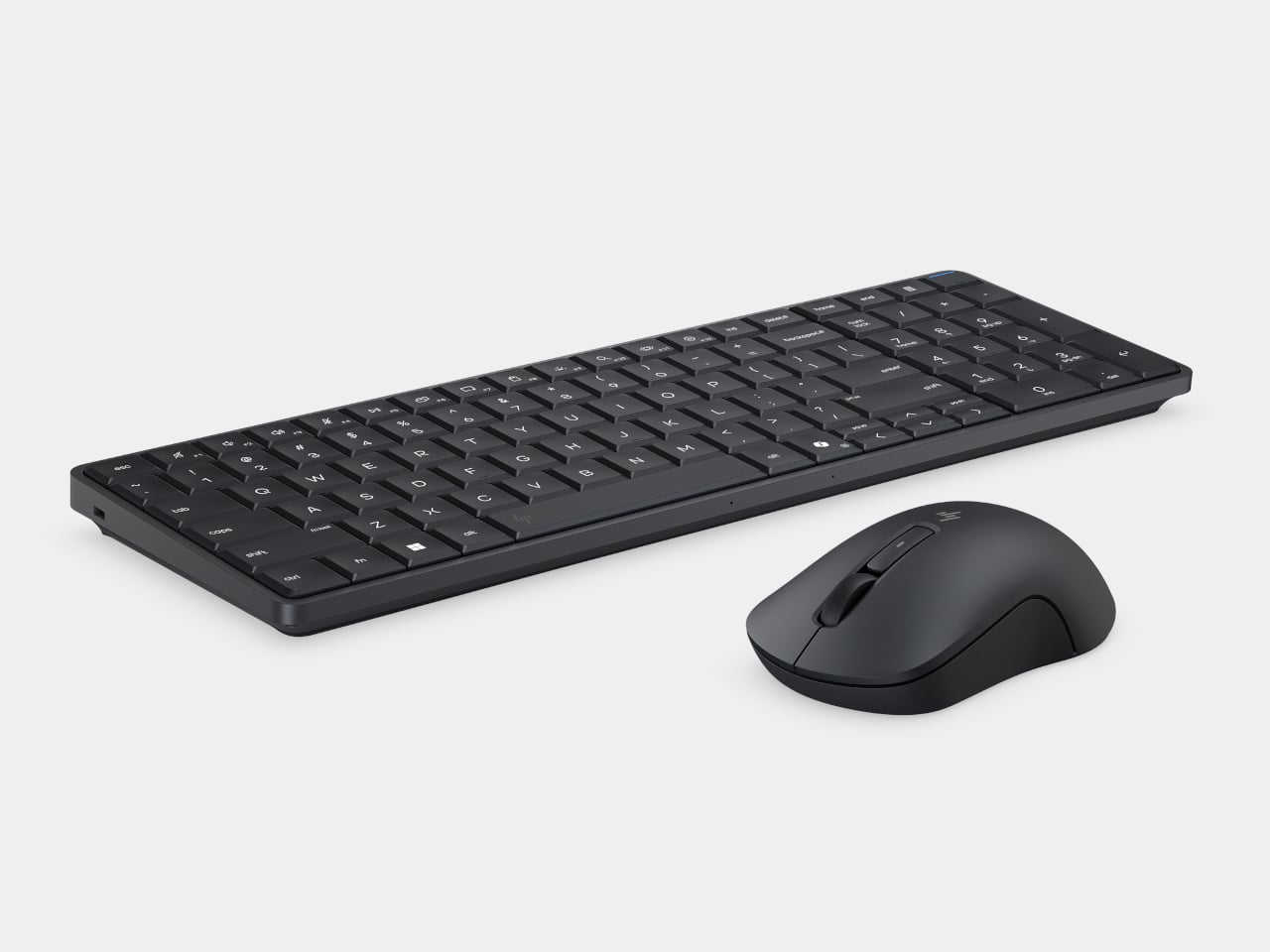
Desktop computers have become smaller, but even a little box needs somewhere to sit and cables to connect it. HP’s EliteBoard G2a removes that separate enclosure by putting the computer inside a full-size keyboard. This Windows PC keeps the surface you already type on and gives it another job, making a compact workstation easier to carry between home and office.
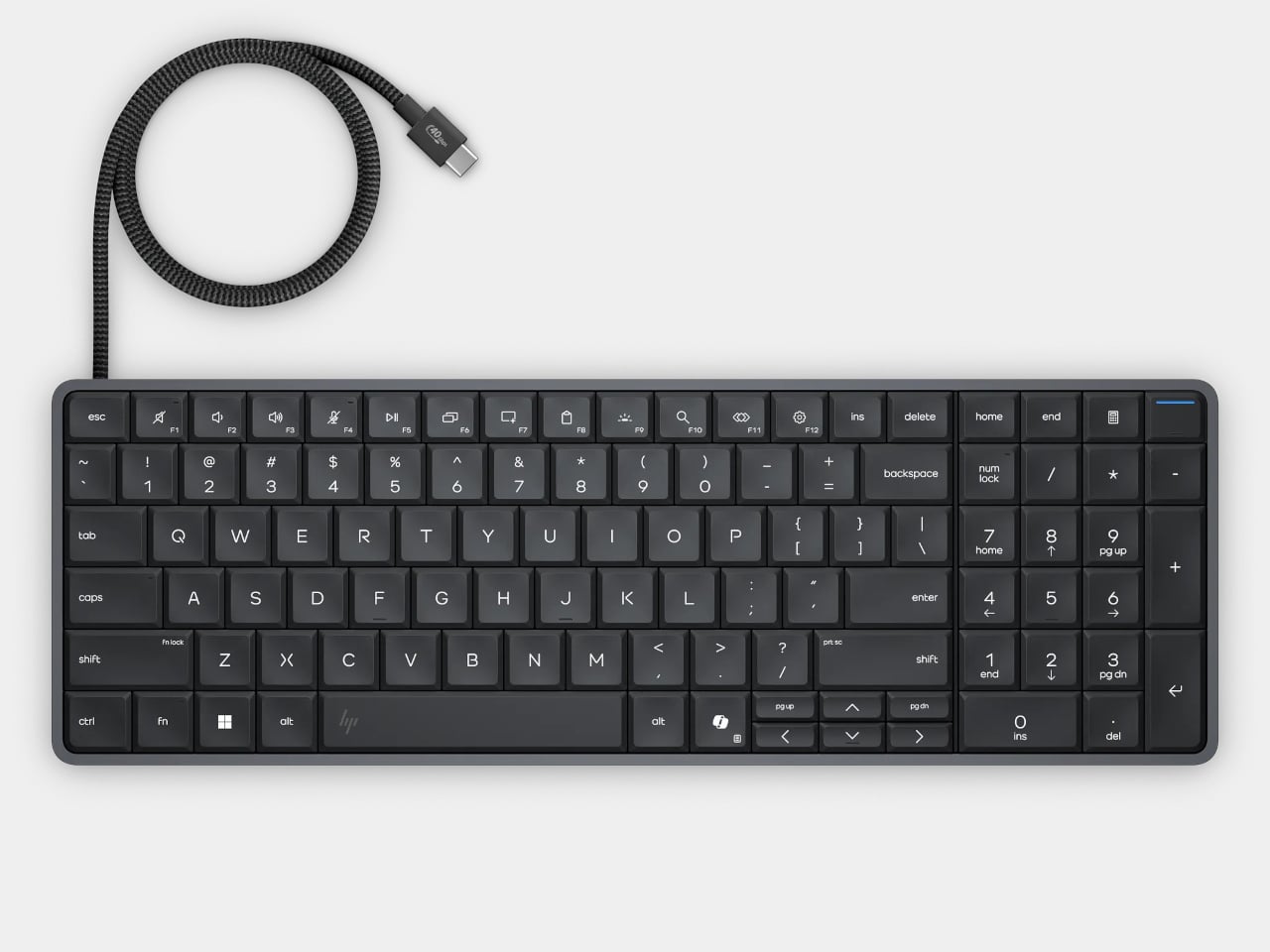
The gray body measures 14.1 by 4.7 by 0.7 inches and weighs about 1.49 pounds, depending on configuration. Low-profile keys, a numeric keypad, and backlighting preserve the familiar business-keyboard layout rather than shrinking everything into a travel accessory. That makes the design’s restraint rather convincing: there’s no separate machine competing for attention, although you’re still setting aside space for a full keyboard.
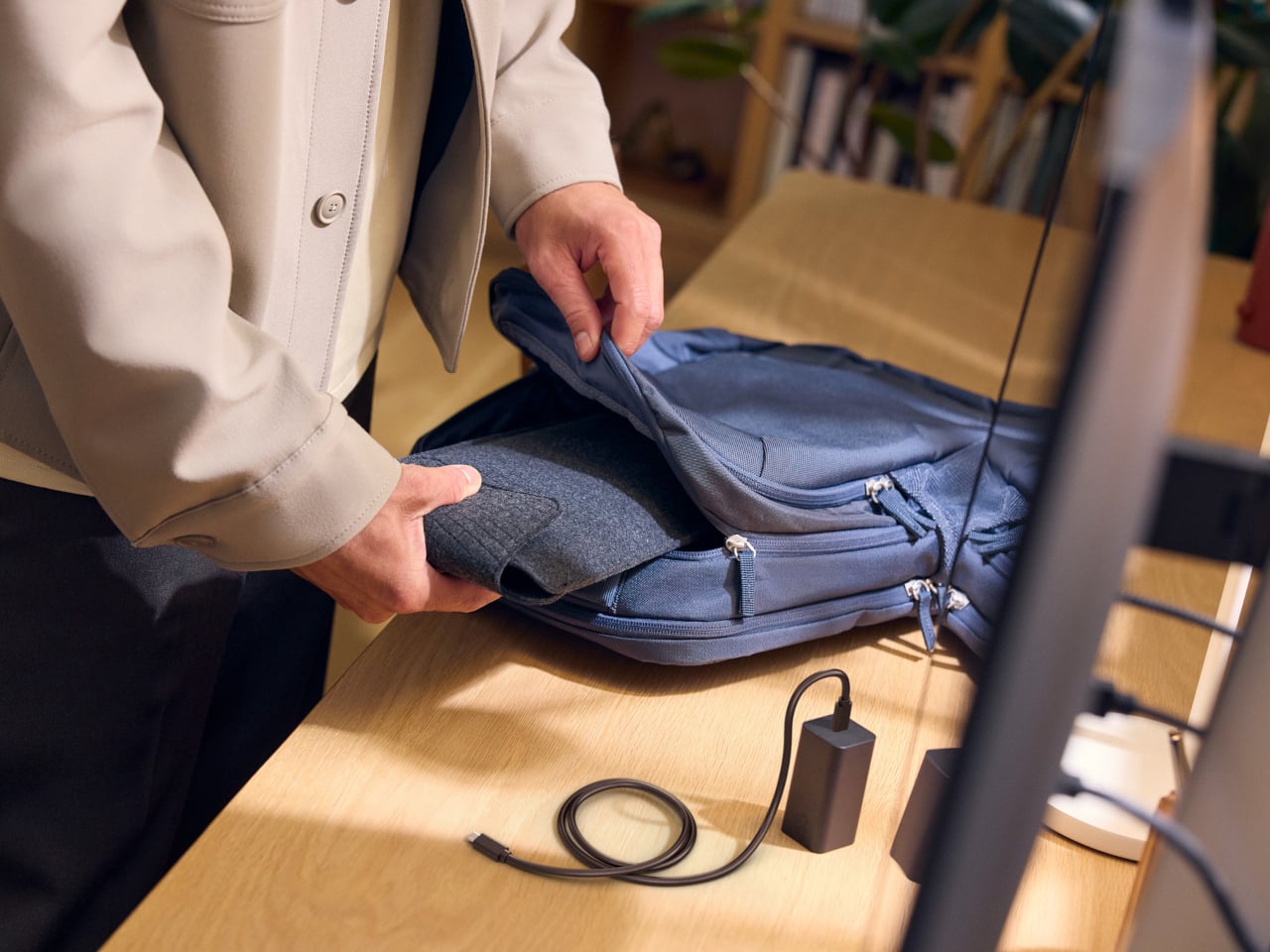
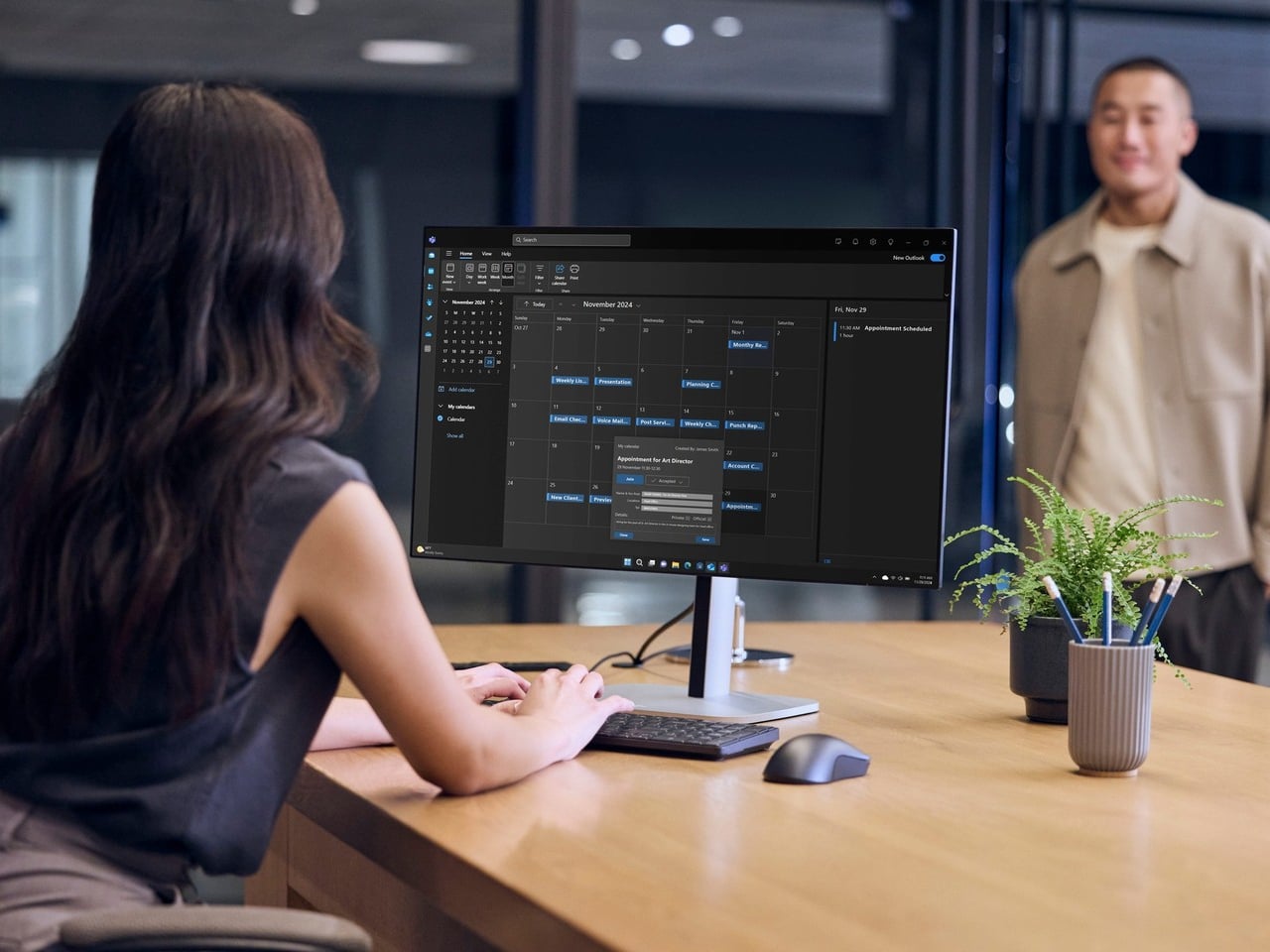
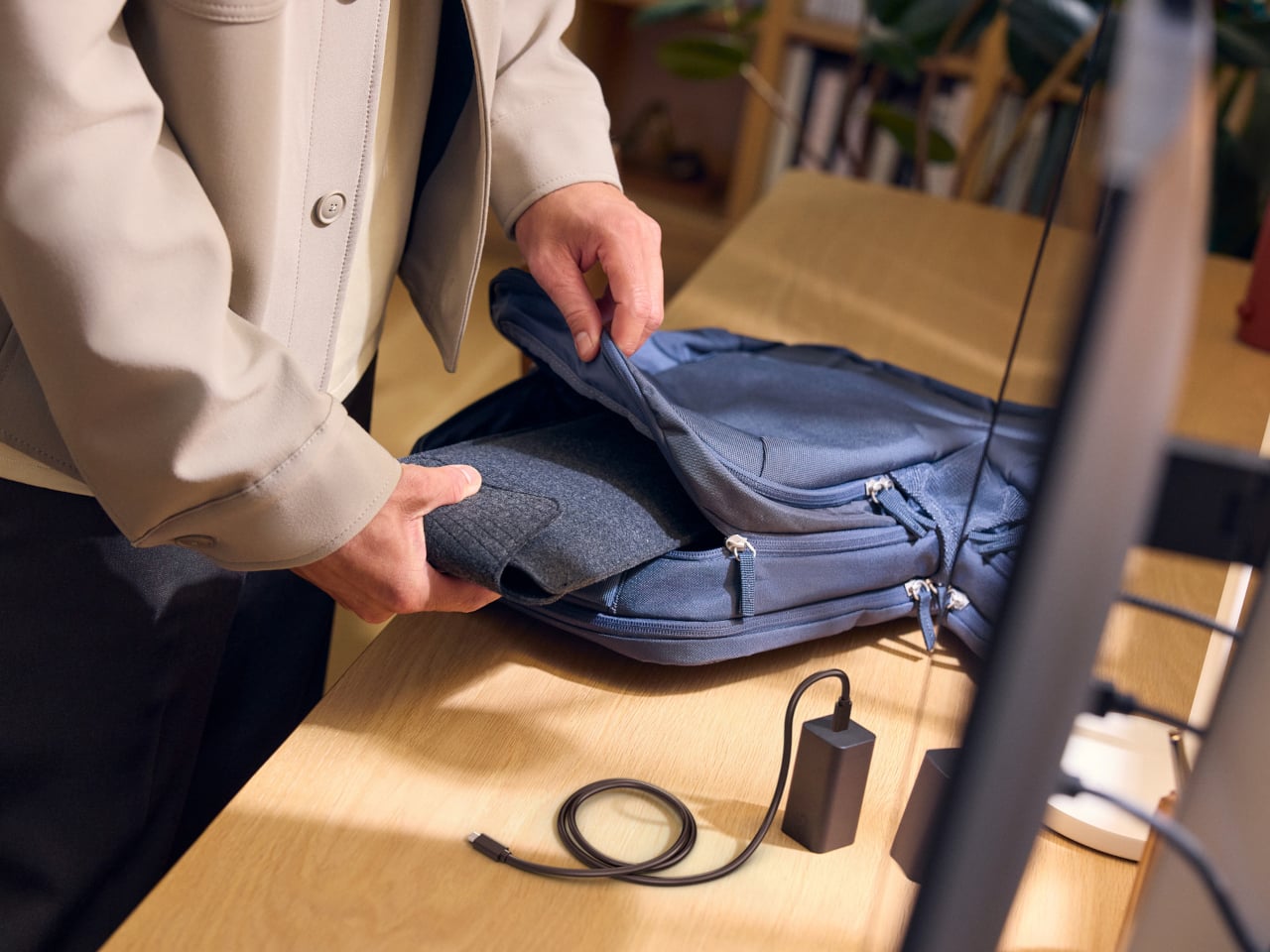
Of course, the missing piece is a screen. Connect the G2a to a compatible USB-C monitor and you can bring your computer to a desk where the display already lives. A single cable can carry video, data, and power, provided the monitor supplies the required 65W. Otherwise, the included power adapter is still needed. A USB-C socket alone doesn’t guarantee that tidy arrangement.
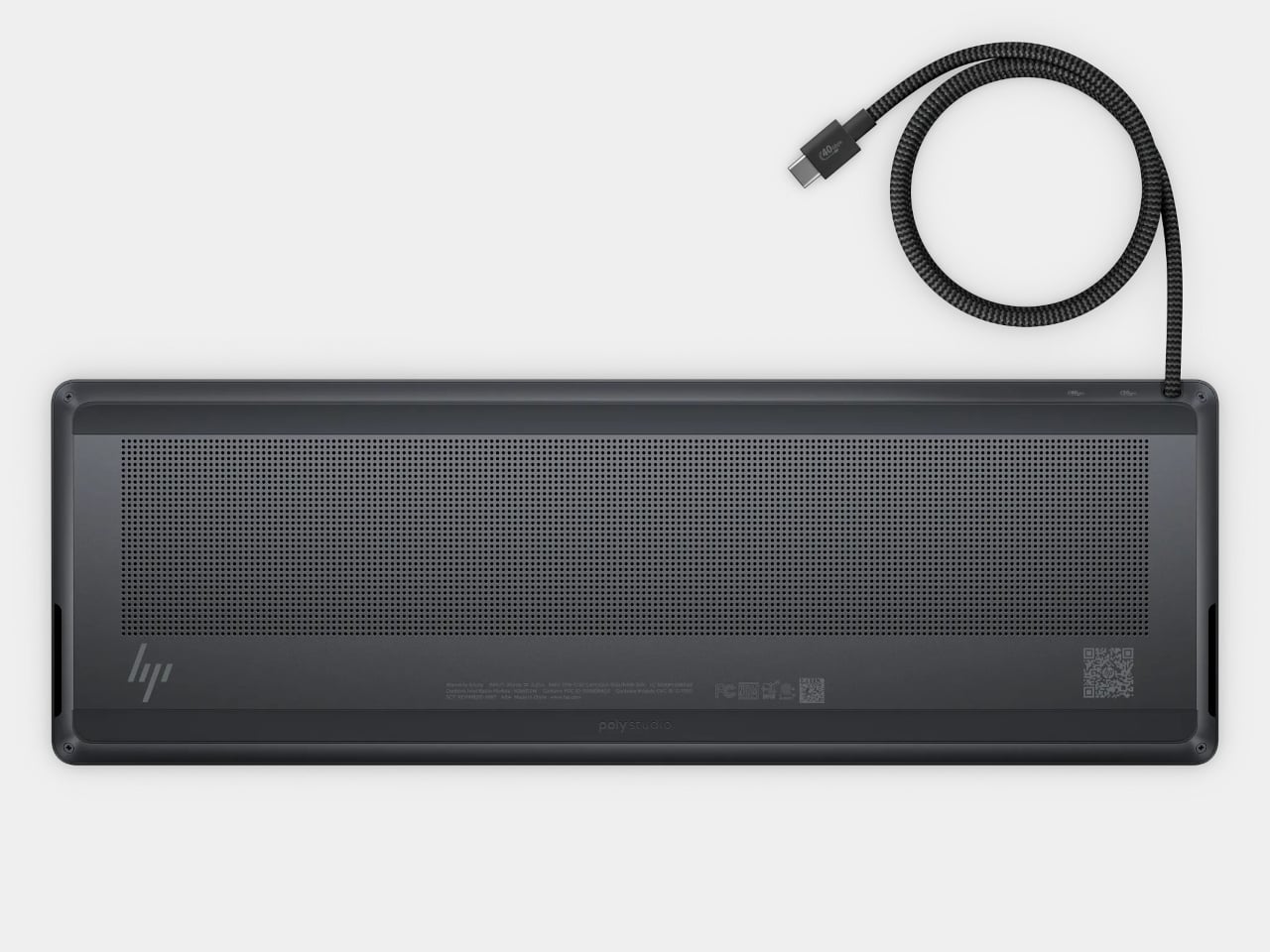
The cable itself comes in attached and detachable versions, a small choice with consequences when packing up. An attached lead stays with the machine, so there’s one less item to leave behind. A detachable cable separates from the keyboard for storage or replacement. The second USB-C connection handles accessories, but USB-A devices and wired Ethernet require adapters, adding clutter to the setup.
Underneath, AMD Ryzen AI 5 PRO 435 or Ryzen AI 7 PRO 450 processors distinguish this G2a from the older G1a. Both include a 50-TOPS neural processing unit for compatible local AI software. The listed configurations pair 16GB or 32GB of RAM with a 512GB SSD. These prove the existence of a powerful computer beneath the keys, not a keyboard controlling something hidden behind your monitor.
An optional 32Wh battery gives the arrangement another advantage when you’re changing desks: the computer can stay running while disconnected. That doesn’t turn it into a laptop, since you’ll still need a display when you arrive. Integrated speakers and microphones reduce the peripherals needed for audio calls, and a prepaired wireless mouse completes the controls. Video calls still need a separate camera, of course.
Putting everything beneath the keys could make a damaged keyboard an expensive problem, which is why serviceability matters here. HP makes the top-mounted keyboard replaceable, alongside the RAM, SSD, and optional battery. Two accessible memory slots support upgrades to 64GB. You don’t have to treat the computer as disposable because its most frequently touched part wears out, although repairs still require appropriate skills.
That said, the price is harder to hide than the computer. Listed US configurations start at $3,028, while the attached-cable version with 32GB of RAM is priced at $3,846. A compatible monitor remains a separate purchase. For someone moving between equipped workspaces, carrying a keyboard instead of a desktop makes sense. Paying that much to avoid a separate box, however, is a considerably bigger decision.
2026 is the year when Trainers everywhere celebrate Pokémon’s 30th anniversary, so we expected a lot of new merchandise, themed events, and collaborations with other well-known brands. We’ve seen footwear and apparel rollouts with adidas and PUMA, LEGO sets, even a partnership with the European Space Agency, and food collaborations like Pokémon-themed Hershey’s Kisses. If you’re looking for audio equipment featuring your favorite monster, you’re in luck with this newly announced collaboration.
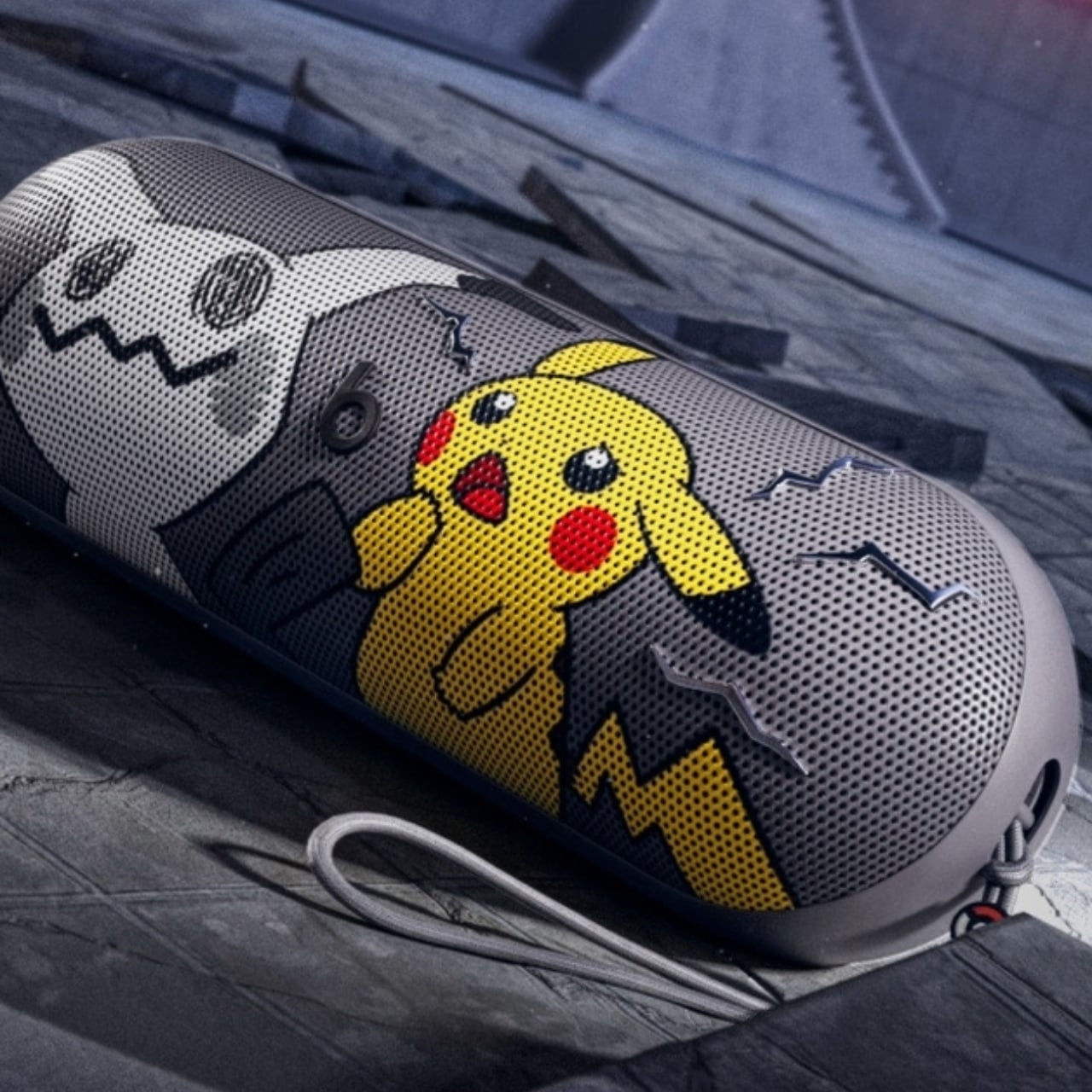
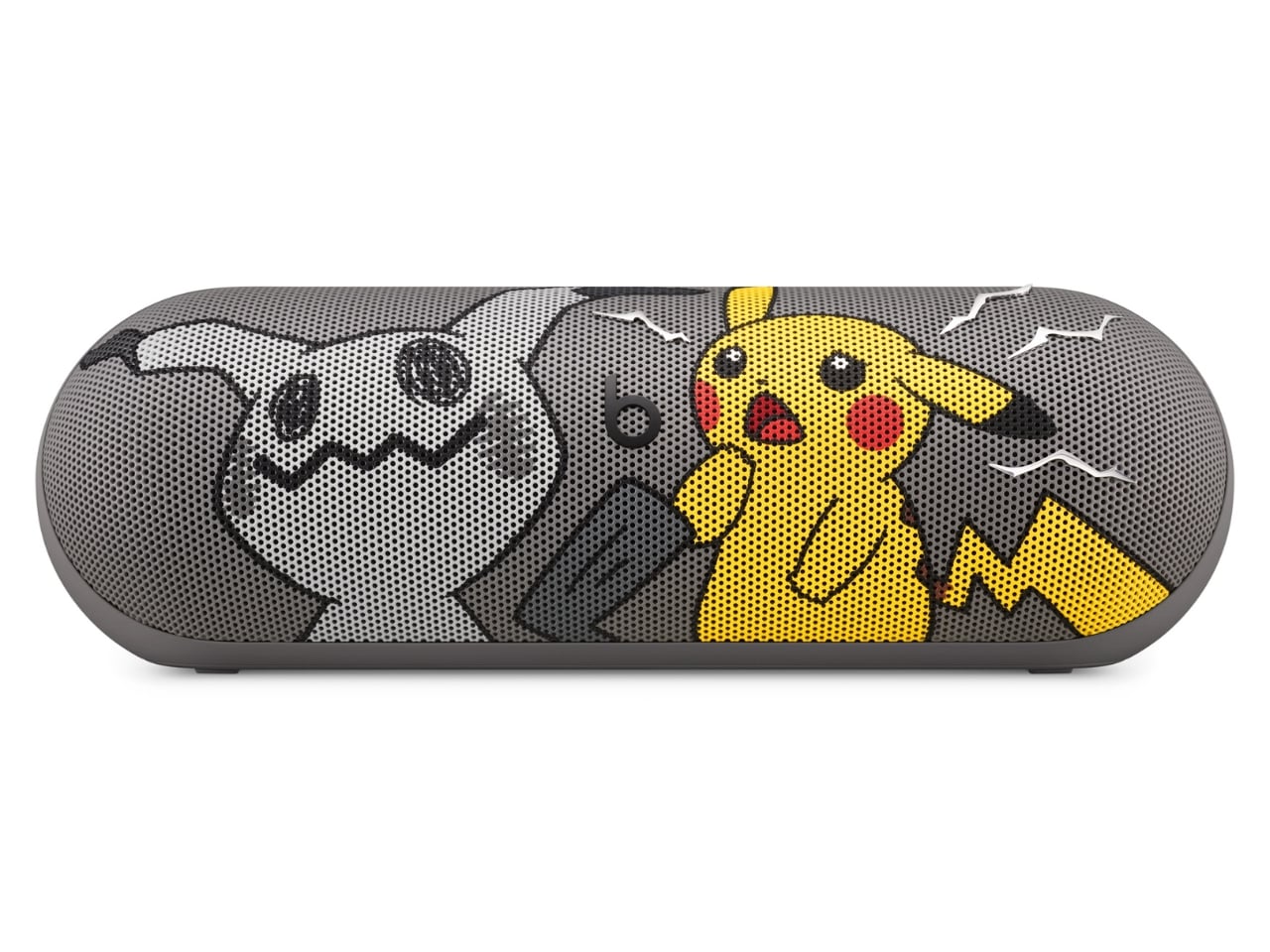
The Pokémon Beats Pill is a Bluetooth speaker announced by audio brand Beats in partnership with The Pokémon Company International. It features two familiar Pokémon characters, the ubiquitous Pikachu and the more mysterious Mimikyu. It brings the bright yellow and minimalist gray associated with these characters to a portable speaker with what Beats calls its signature sound. Both Beats collectors and Pokémon Trainers may want to have this special-edition collaboration to bring their music and other audio content to life.
Designers: Beats x Pokémon
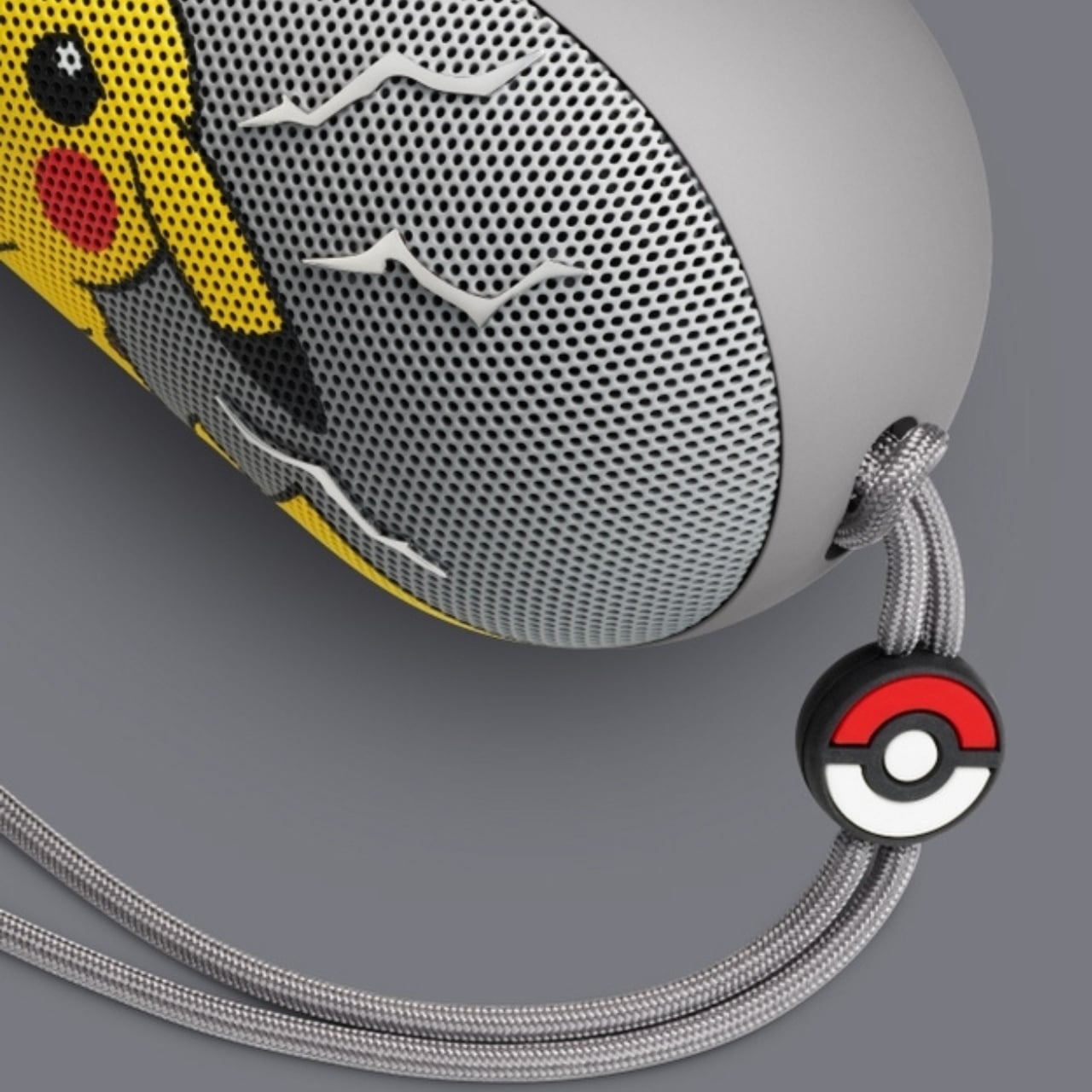
The speaker’s design is a contrast between the electric yellow most identified with Pikachu and a grayscale interpretation of Mimikyu, with the latter hiding beneath a cloth that resembles the former. More than just attaching a logo to the Bluetooth speaker, this is a character-driven design. Both Pokémon appear on the grille, while the speaker itself remains compact and elongated like other Beats Pill devices.
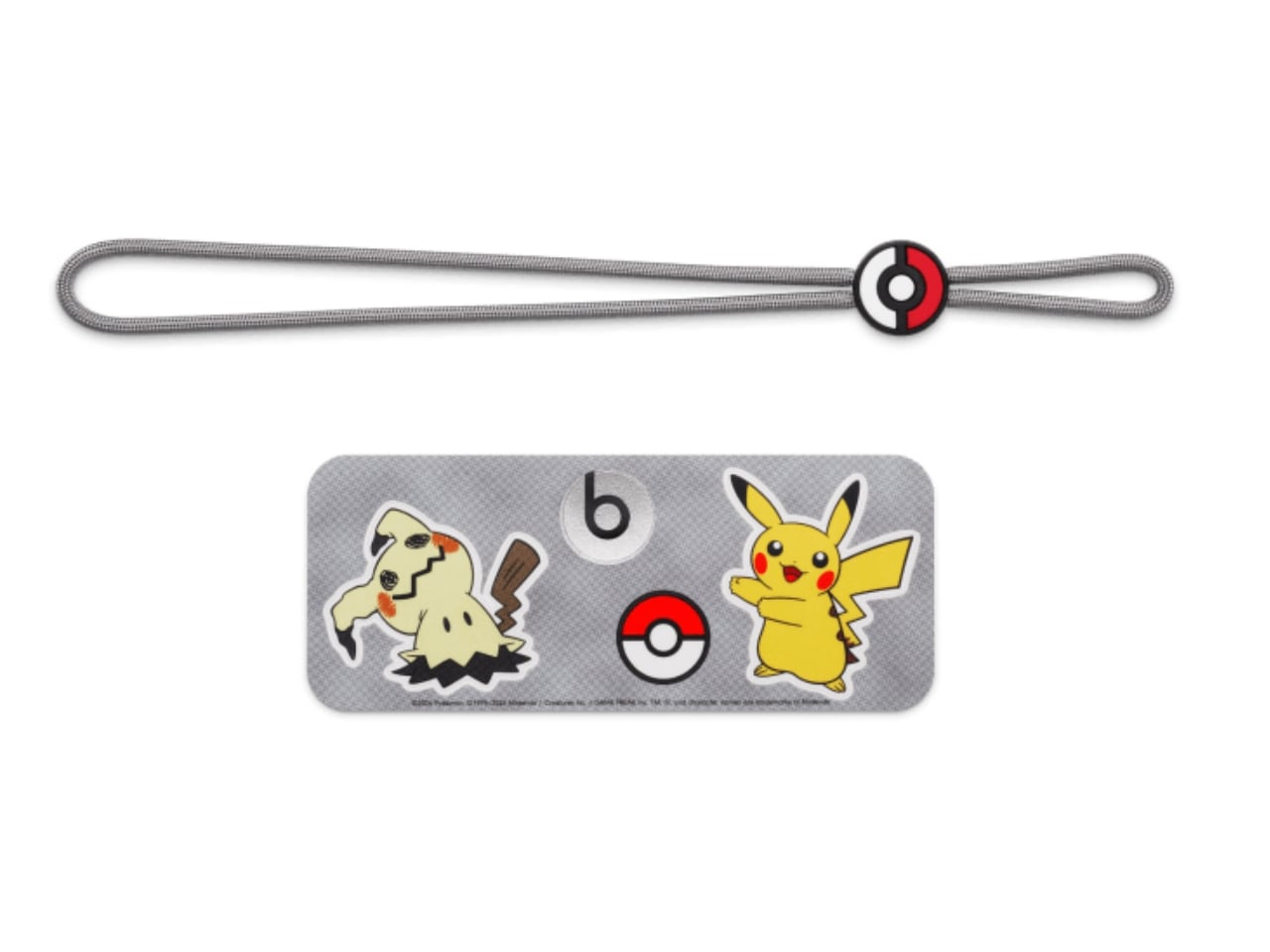
According to Beats, this is also the first Pill release that comes with charms. Trainers who like collecting accessories get the iconic Poké Ball, Pikachu-inspired lightning bolts, and the equally recognizable Beats “b.” The color-matched gray carry lanyard is removable, so there’s a practical carrying accessory alongside the collectible details. It also comes with interactive packaging, which Beats says includes a movable piece, plus special-edition stickers. The exact packaging mechanism isn’t explained in detail on the collaboration page.
The familiar shape has a practical side, too. Its 20-degree upward tilt is designed to direct sound toward your ears when it sits on a table, while the soft-grip silicone backing is intended to make it easier to hold. At 8.6 inches long and 24 ounces, it’s portable enough for a bag, although not pocket-sized. Keeping the existing Pill shape also means the Pokémon treatment doesn’t turn it into a bulky character figurine that needs its own dedicated space.
Specs-wise, the speaker has a bespoke acoustic system that Beats says delivers room-filling sound and deep bass for your favorite tunes, podcasts, or audiobooks. It offers up to 24 hours of battery life and has an IP67 rating for dust and water resistance. That battery figure is a manufacturer claim, not a guarantee for every listening session. You can also charge a compatible phone from the speaker via USB-C, using some of its battery in the process.
You can listen over Bluetooth or plug in a compatible device via USB-C for high-resolution lossless audio. The wired connection matters here; lossless playback isn’t being promised over Bluetooth. You can even pair two Beats Pills together in Amplify Mode or Stereo Mode. The former synchronizes playback across both speakers, while the latter separates the left and right channels. You’ll need a second Pill for either option.
The speaker also supports both iOS and Android devices, so you don’t need an iPhone to use it. One-touch pairing and supported device-location features add to its everyday usefulness. It can also serve as a speakerphone, letting you take calls through the paired speaker rather than reaching for your phone every time. The Pokémon Beats Pill is scheduled to become available in the United States for $149.99 on October 15, 2026, at 8 a.m. PDT, through Apple and Target online and at select Target stores.
For Pokémon fans, the appeal is having a collectible that doesn’t have to stay on a shelf. The collaboration’s announced changes focus on appearance, accessories, and packaging, rather than a Pokémon-specific audio upgrade. If you already own a Pill, the reason to choose this one is mainly the character treatment. For someone looking for a portable speaker, though, Pikachu and Mimikyu give a familiar everyday device some personality.
For fifteen years, Apple was the friend who shows up to the party an hour late and then insists it brought the best snacks. Tim Cook even had a motto for it, saying Apple was perfectly fine with not being first. Then John Ternus took over on September 1, and the snack table got crowded fast. In six weeks Apple has revealed the foldable iPhone Duo, a HomeView smart display in tabletop and wall-mounted versions, and nine smart home accessories. That makes twelve fresh designs, a wild number for a company that used to agonize over one hinge.
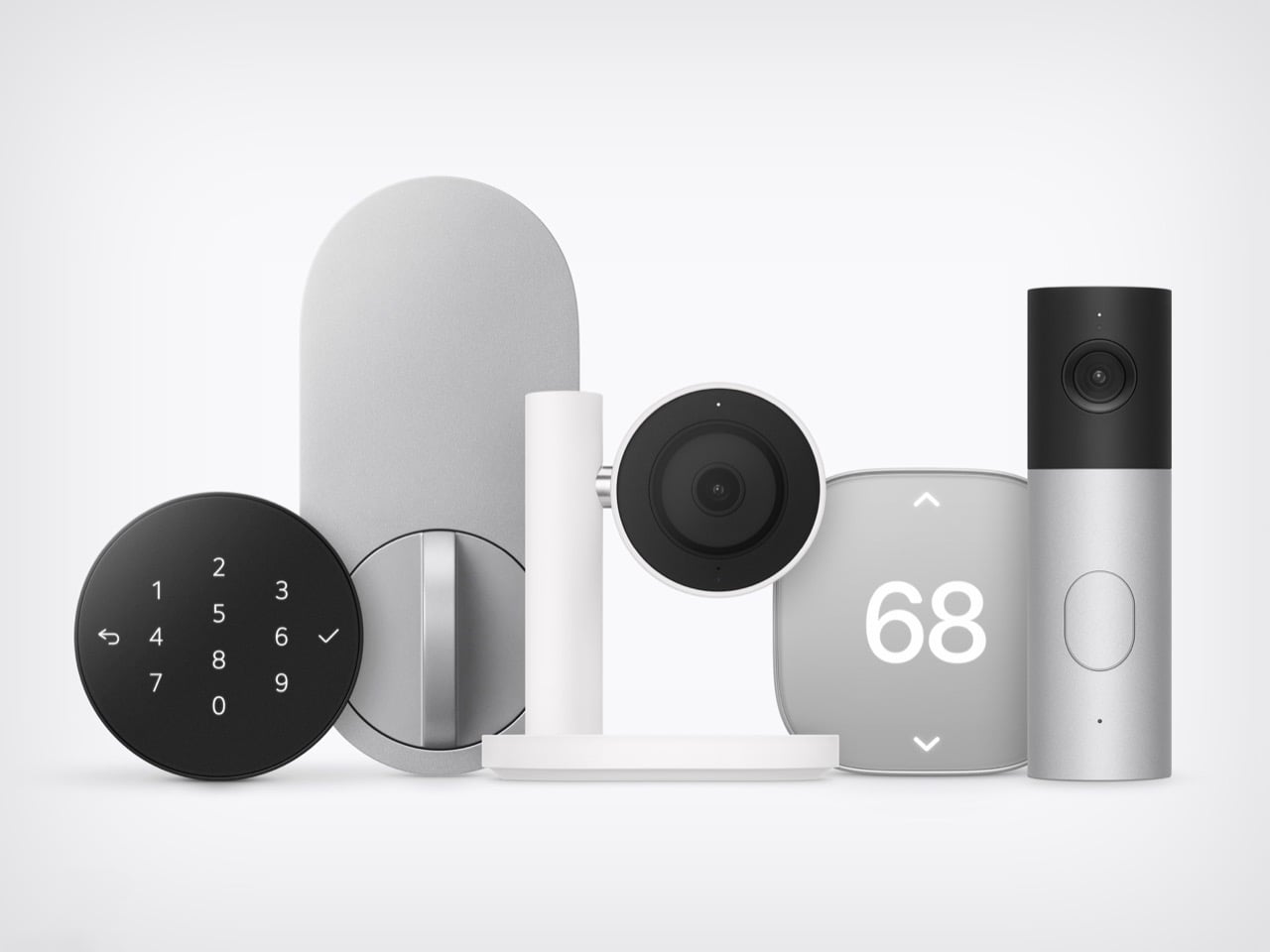
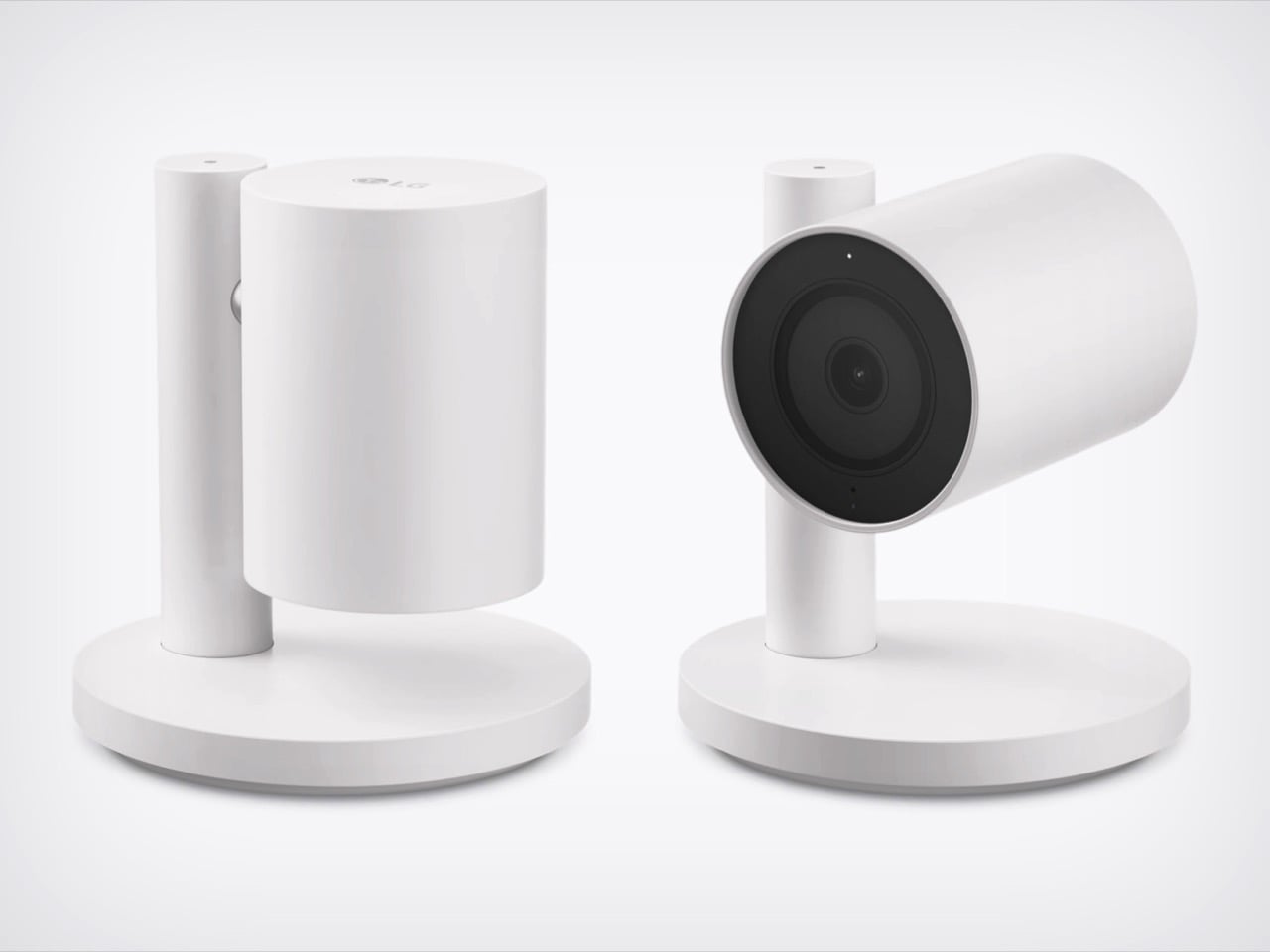
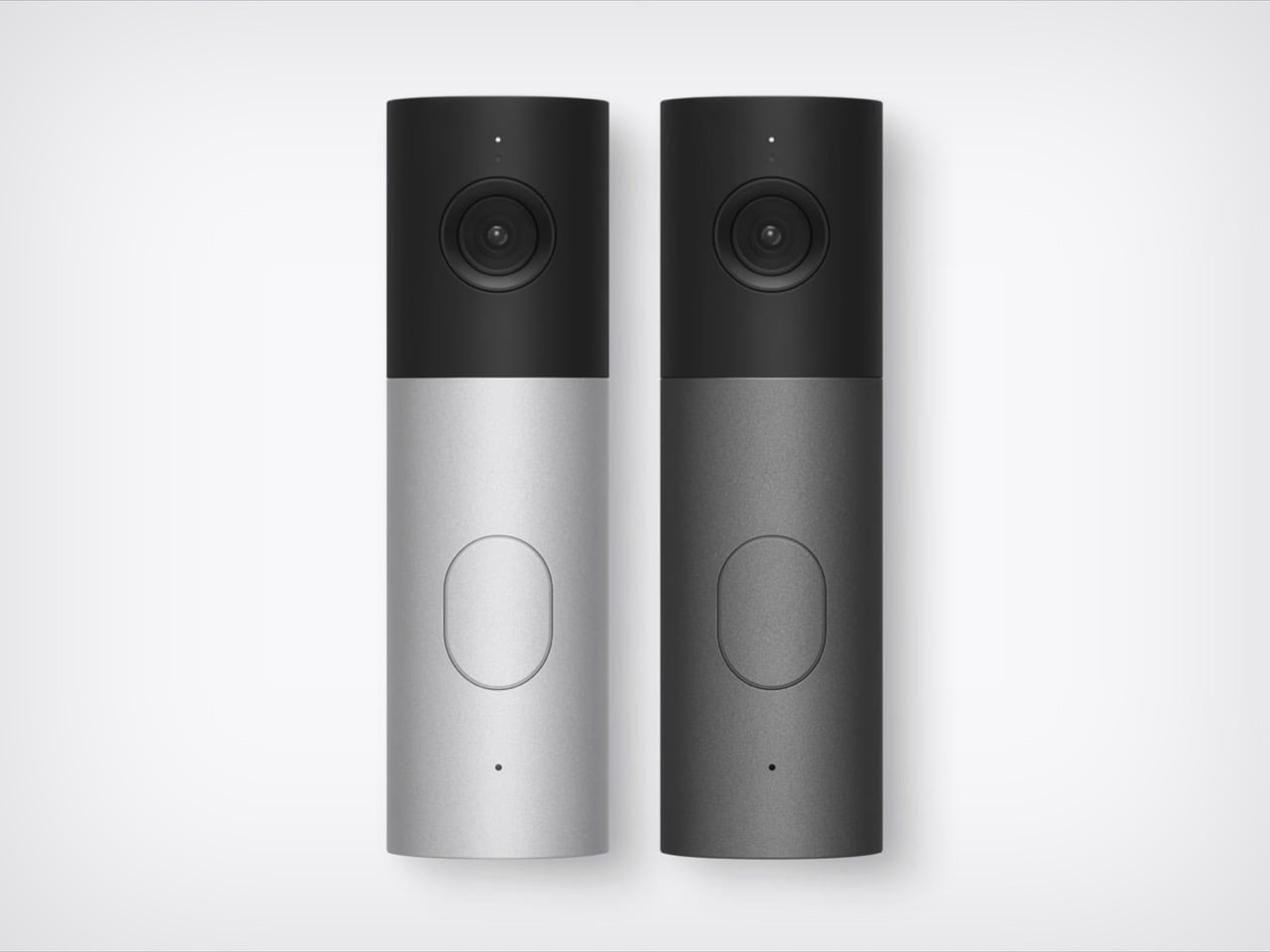
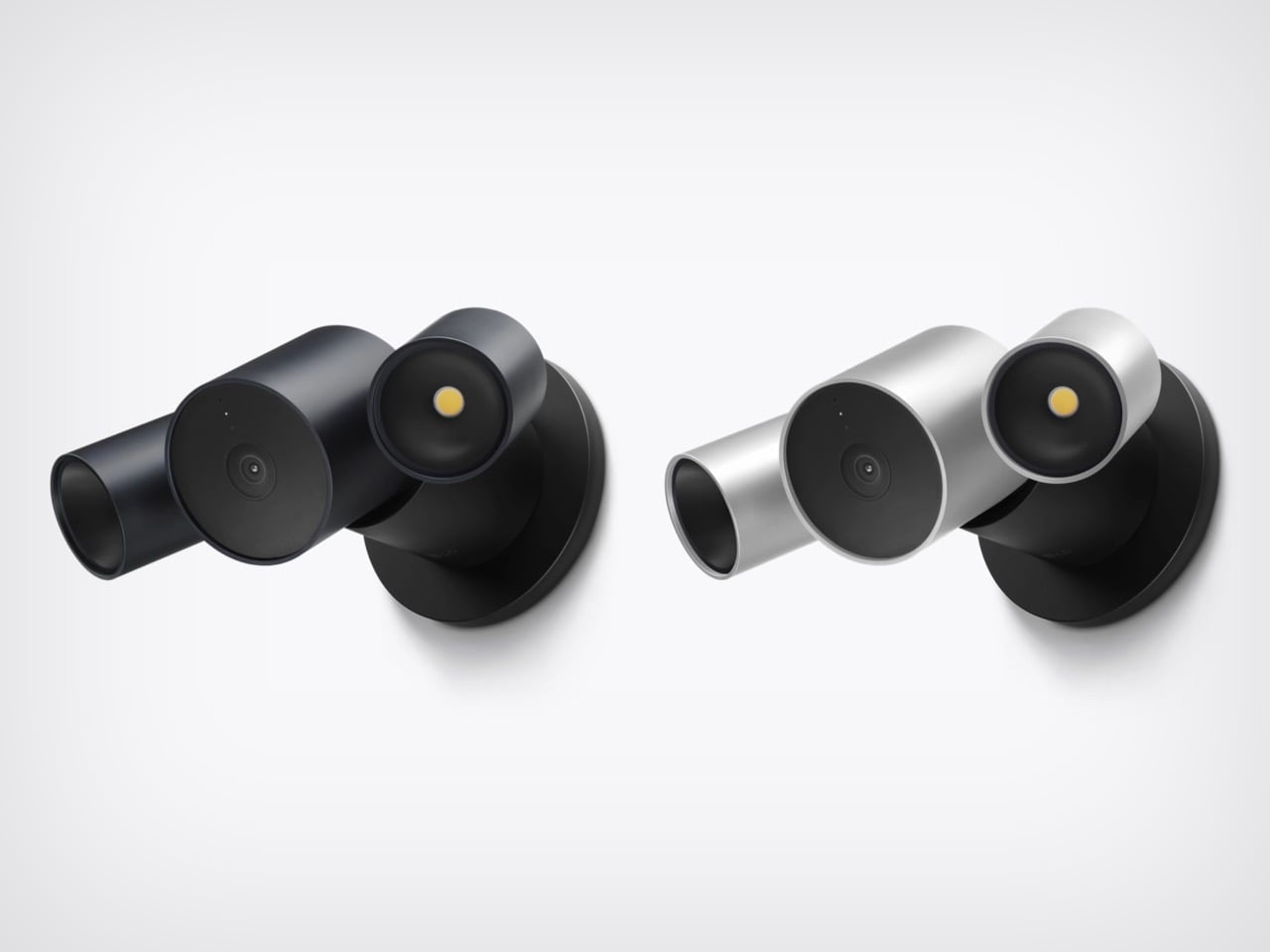
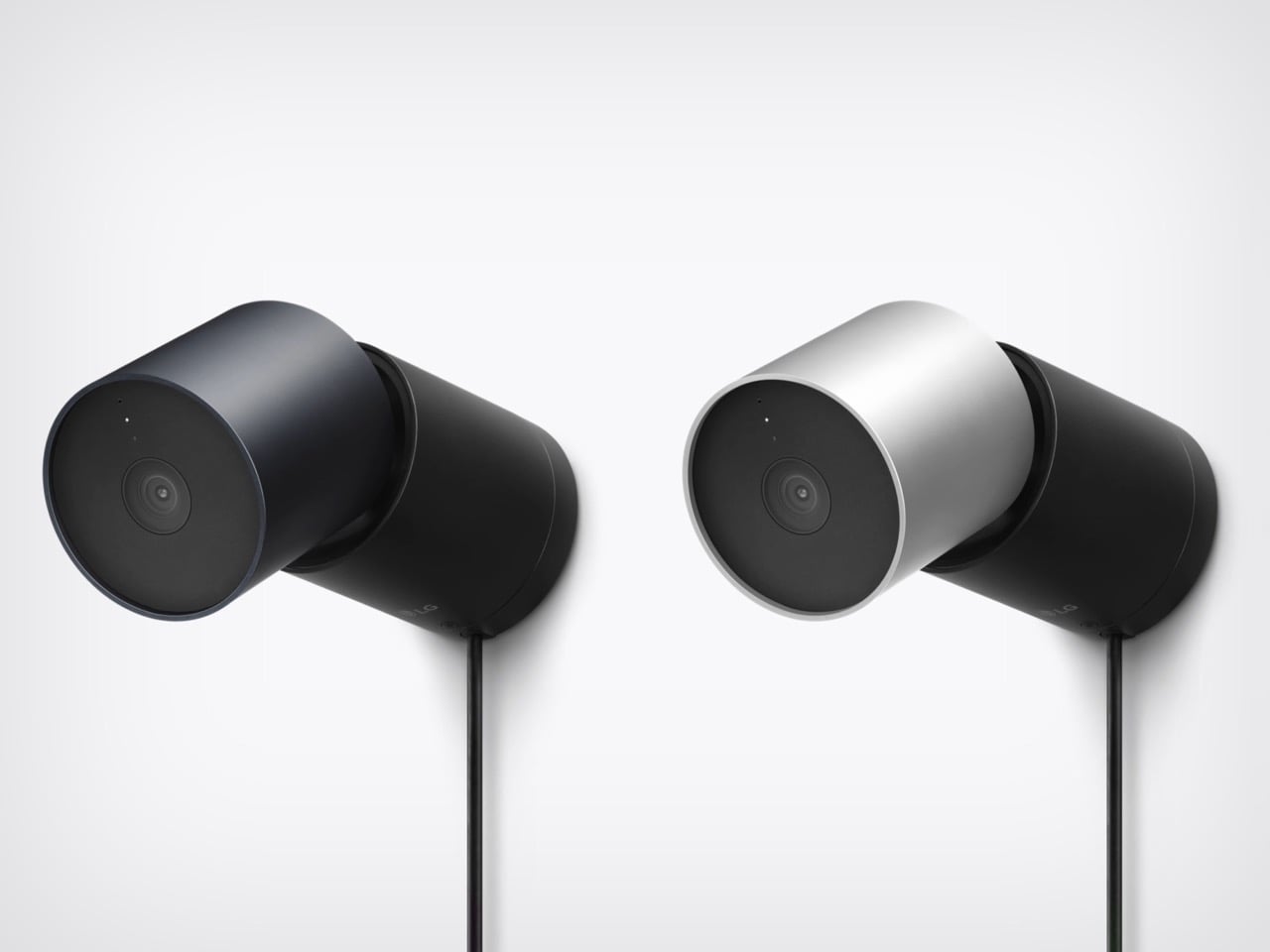
HomeView and the foldable will get the splashy coverage, but the real fun is the smart home gear. LG Electronics and Schneider Electric helped Apple build a video doorbell, a floodlight cam, outdoor and indoor cams, a deadbolt, two thermostats, and two sensors. They start arriving in December, with prices running from $39.95 for a sensor to $399.95 for the floodlight cam. Apple’s fingerprints are all over them, from the aluminum to the black glass to the rounded shapes. I am here to tell you why that deserves a small celebration.
Designers: LG and Schneider for Apple
The ROKR Taught Apple to Keep the Design and Rent the Factory
In September 2005, Steve Jobs launched the Motorola ROKR E1, a rebadged Motorola phone with an iTunes button and a cap of 100 songs. The demo stumbled and the phone flopped. Jobs looked pained onstage, and you can see why, since Apple’s software was riding around in someone else’s hardware. Roughly sixteen months later he unveiled the iPhone. The ROKR was a stepping stone he needed, taken at exactly the moment he needed it.
Ternus gets to run that play with the lesson already learned. Bloomberg reports that Apple shaped the design, features, and engineering of the LG gear, while LG handles manufacturing and support. The ROKR was Motorola’s design wearing Apple’s software. This is Apple’s design wearing LG’s factory. Ternus joined Apple in 2001, so he watched the ROKR saga from the inside, and the LG deal likely began on Cook’s watch but ships under Ternus, which puts it in his column.
Nine Products, One Family Look From Two Different Companies
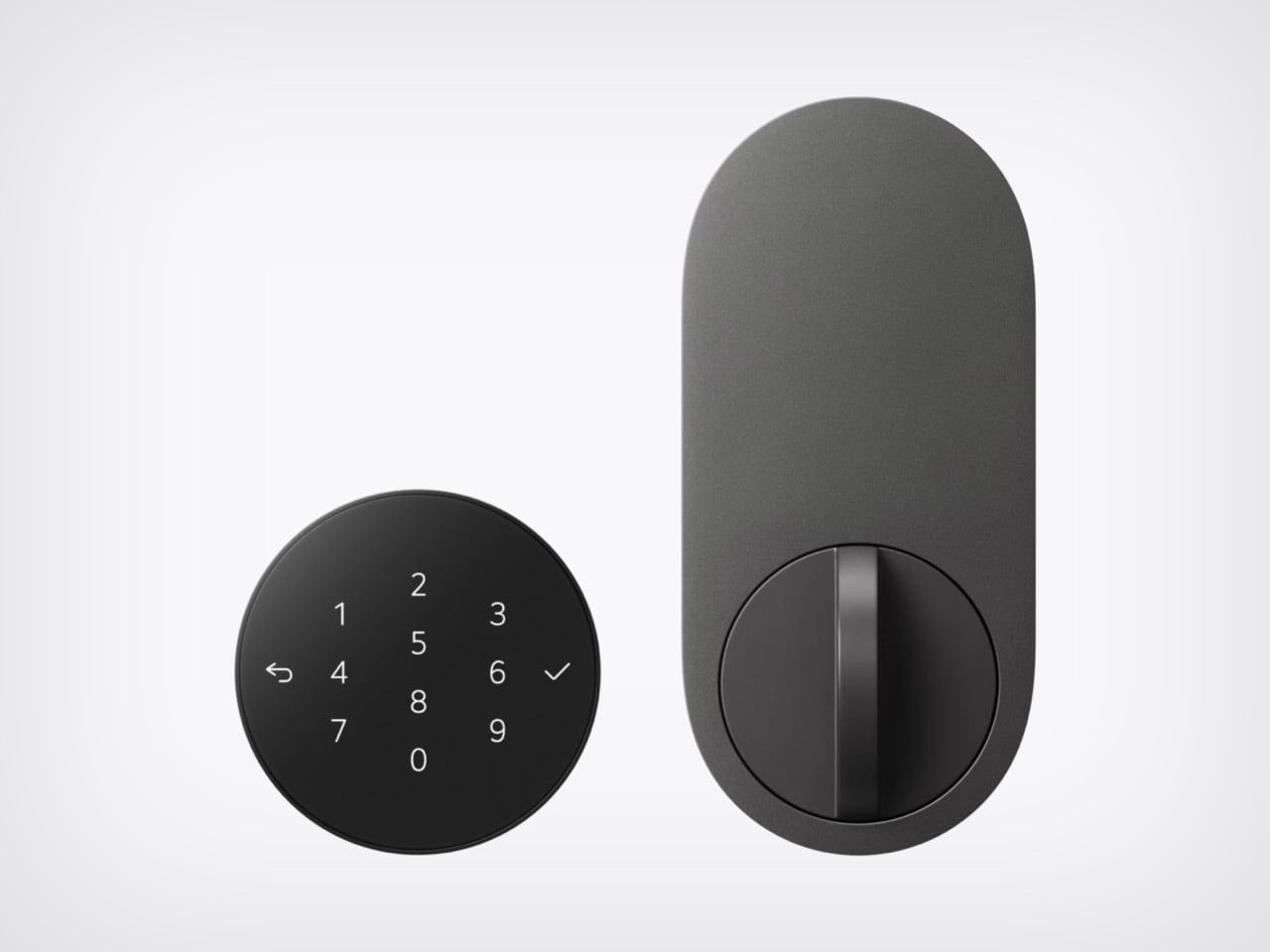
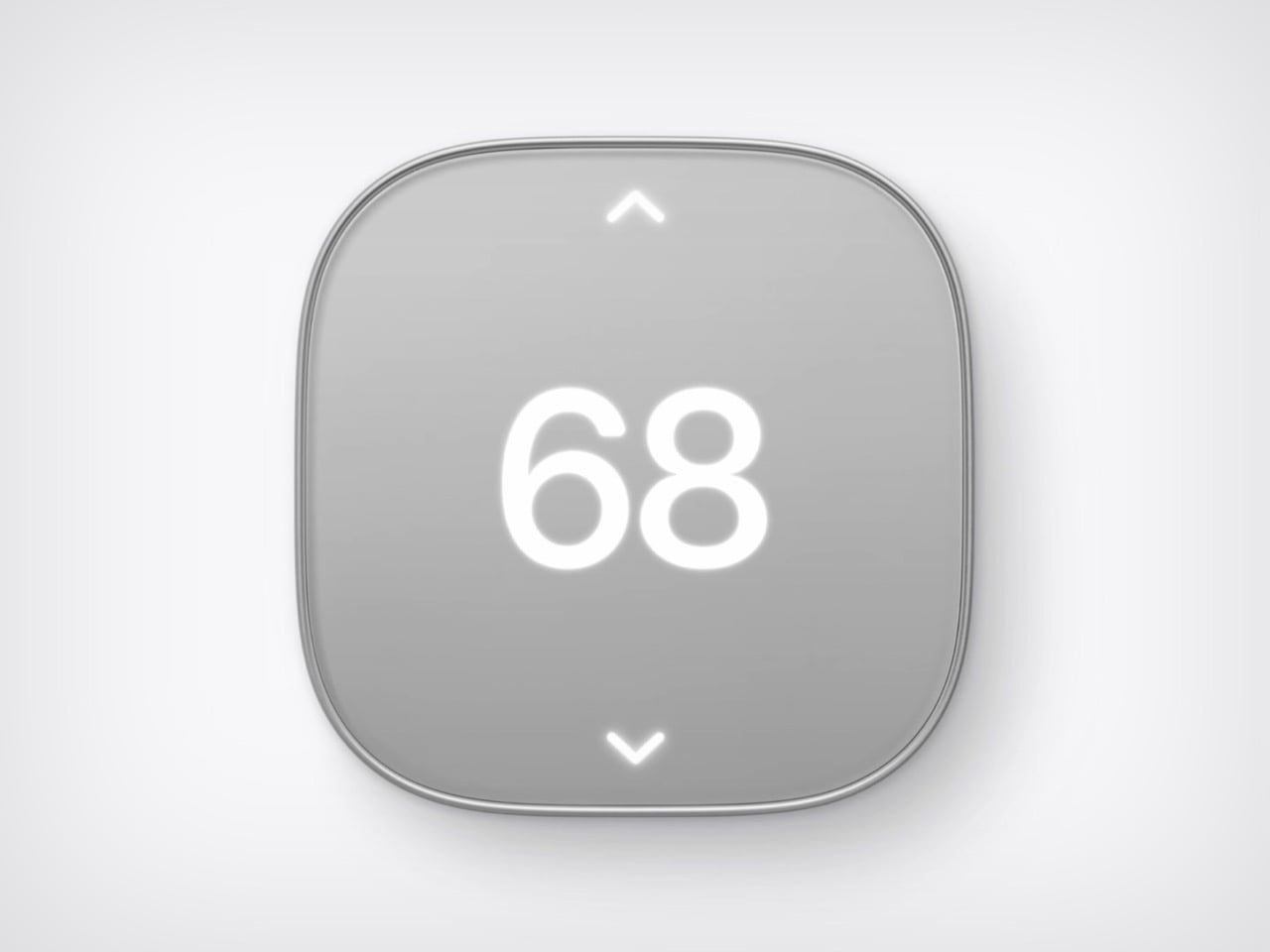
Line up the lock, camera, thermostat, and doorbell from Apple’s photo and the family resemblance is hard to miss. The Smart Deadbolt pairs a black glass keypad with a pill-shaped aluminum plate, and the Video Doorbell is an aluminum column capped in black glass. The Indoor Cam’s round head swivels on a chrome pivot that echoes the hinge on HomeView. The big 68 on the thermostat belongs to Schneider, yet it shares the same soft rounded-square body. Two companies, one look.
The Indoor Cam physically tilts down to stop watching the moment the first person gets home, which is the friendliest privacy gesture I have seen on a camera. The doorbell carries a 2.5K front camera plus a 1080p lens aimed at the doorstep for packages. The deadbolt uses Ultra Wideband (a precise short-range radio) to unlock as you walk up with your iPhone or Apple Watch, and it keeps working without internet. Everything sets up with one tap on your iPhone. There is no extra app and no extra account.
Ternus Ships What Is Ready Instead of Waiting for Perfect
Cook’s way was to wait until Apple could do it perfectly, and the home hub paid for it, slipping from spring 2025 while Siri caught up. Ternus, per Bloomberg, wants Apple to ship faster, experiment more, and spread launches through the year instead of two big events. HomeView still waited for Siri AI, so the rulebook did not change overnight. What changed is that the wait no longer stalls everything around it. The doorbell, lock, cameras, and thermostats are ready now, and Apple is shipping them.
The Home Collection starts at $39.95 for a sensor, with the lock at $349.95 and the floodlight cam topping out at $399.95. It arrives in December in the U.S. and Canada, the cameras and doorbell are also heading to the UK, and select items slip to early 2027. You can see the full lineup in Apple’s Home Collection announcement. Cook’s Apple was the friend who showed up late with the best snacks. Ternus’s Apple shows up on time, brings the snacks, and even has gluten-free options because he listened to his audience.
Gaming soundbars became popular in the 2017s, but the trend faded; in the last couple of years, this category of audio accessories has seen renewed interest. Razer kicked off the new wave, with several mainstream brands and some offbeat makers releasing their own versions. Creative recently launched their B3 soundbar for gamers at a very affordable price, and now Edifier is upping the ante with an even sweeter deal.
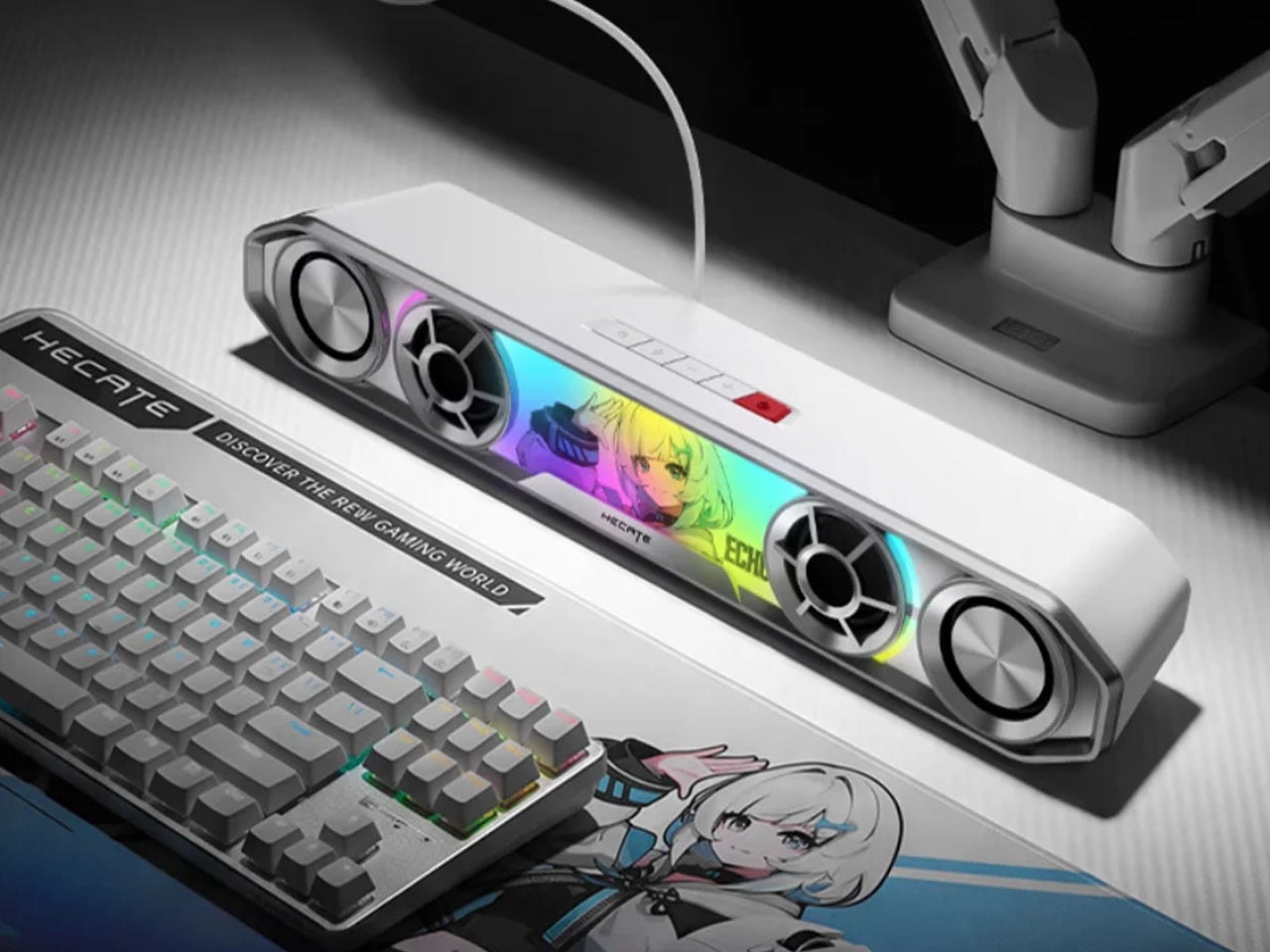
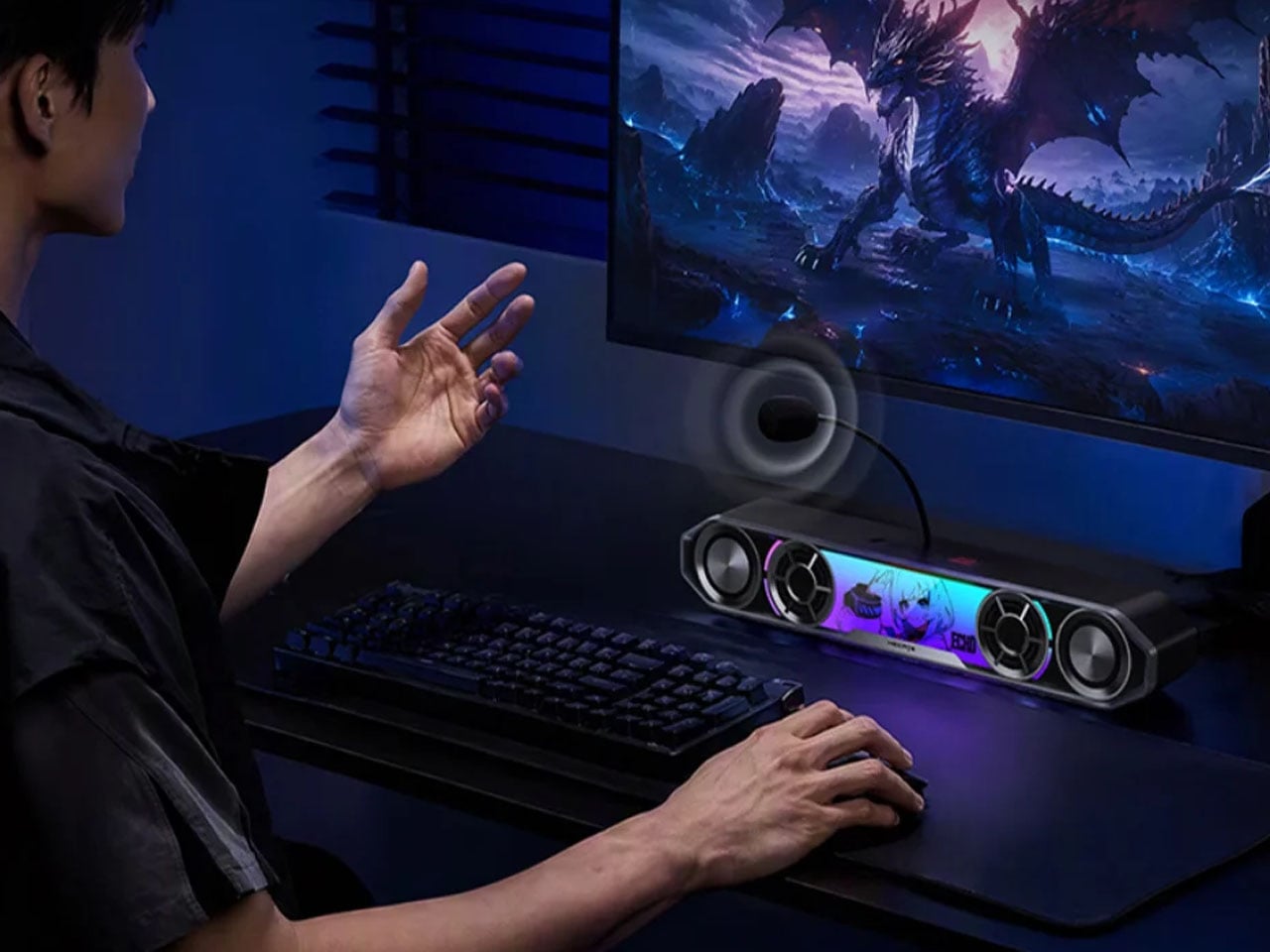
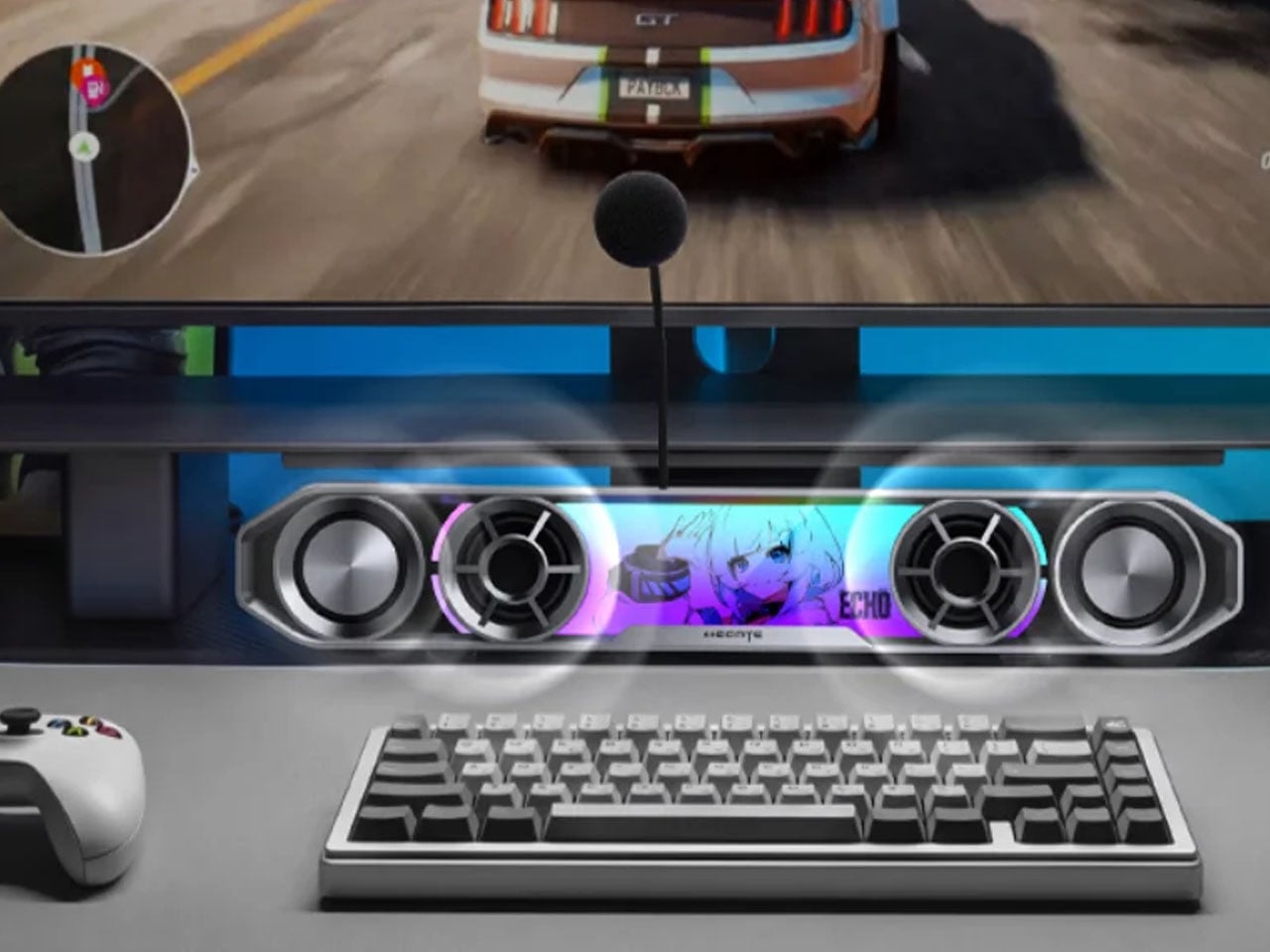
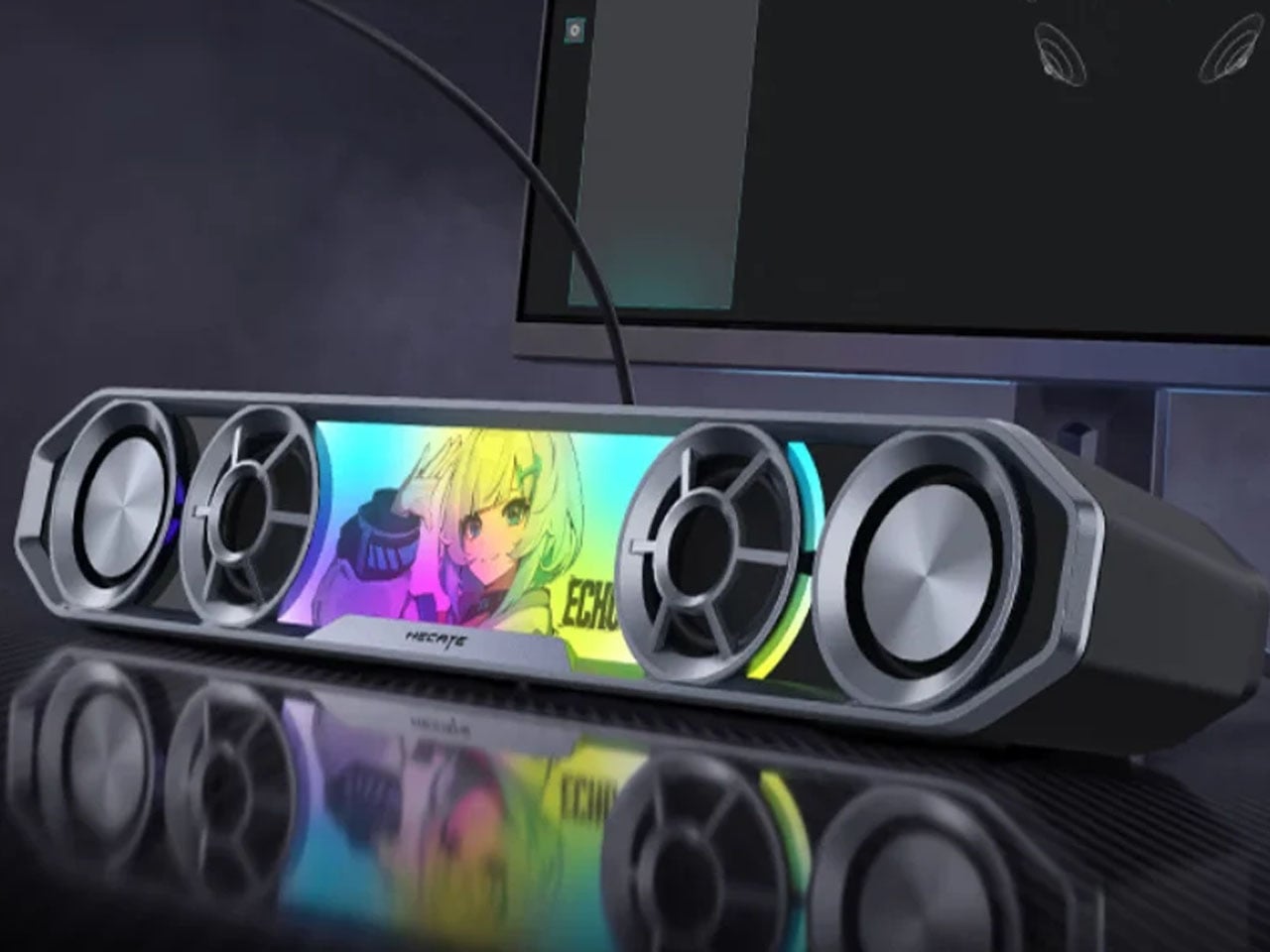
The China-based audio accessories maker, known for high-end bookshelf speakers, has come up with a very cool-looking soundbar for gamers. Dubbed the Hecate G2000 Bar, the desktop audio boomer is all set to be available from 16 October onwards for a price tag of 349 yuan ($52), which is an introductory price slashed from the normal price of 387 yuan ($58).
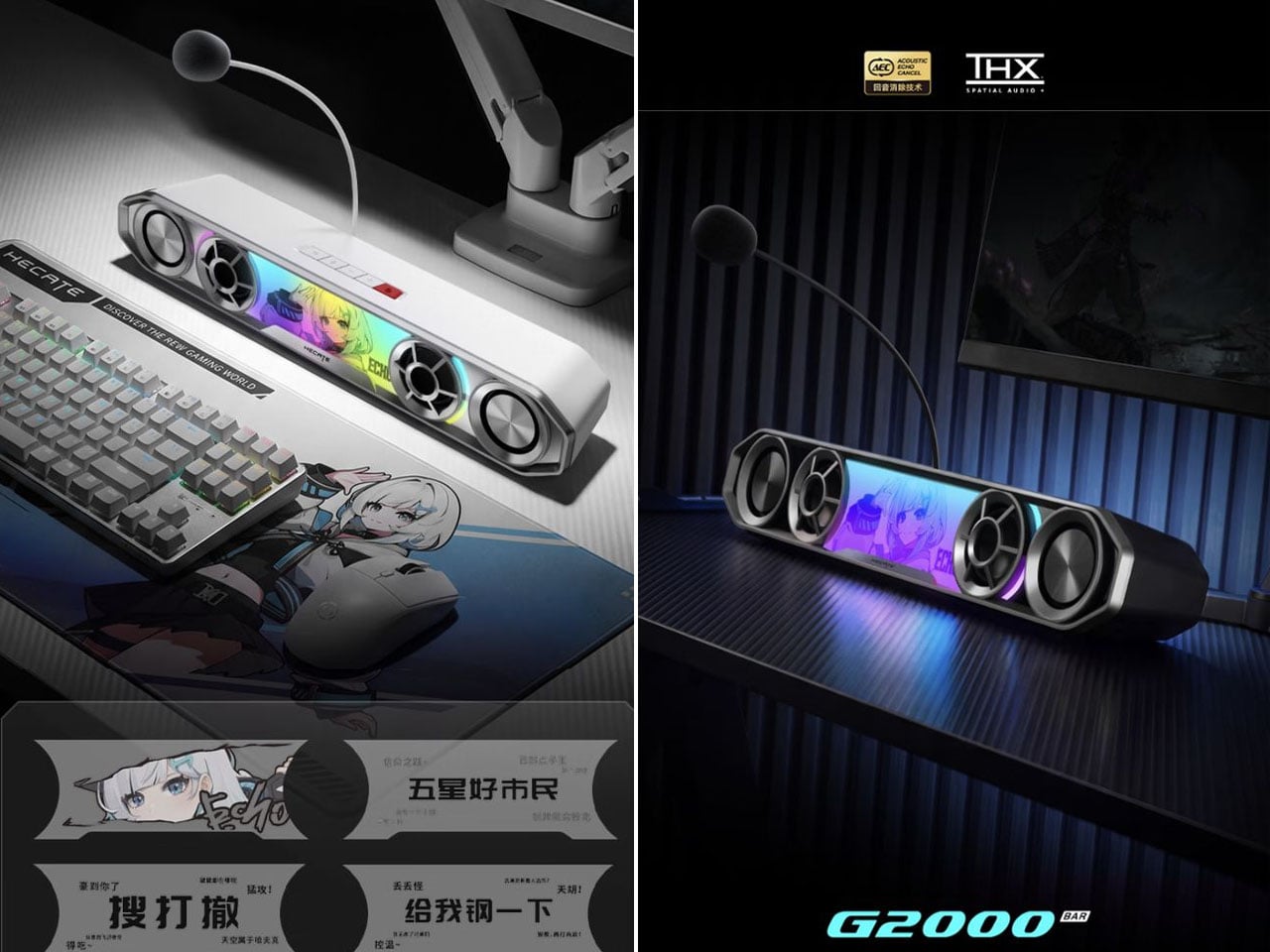
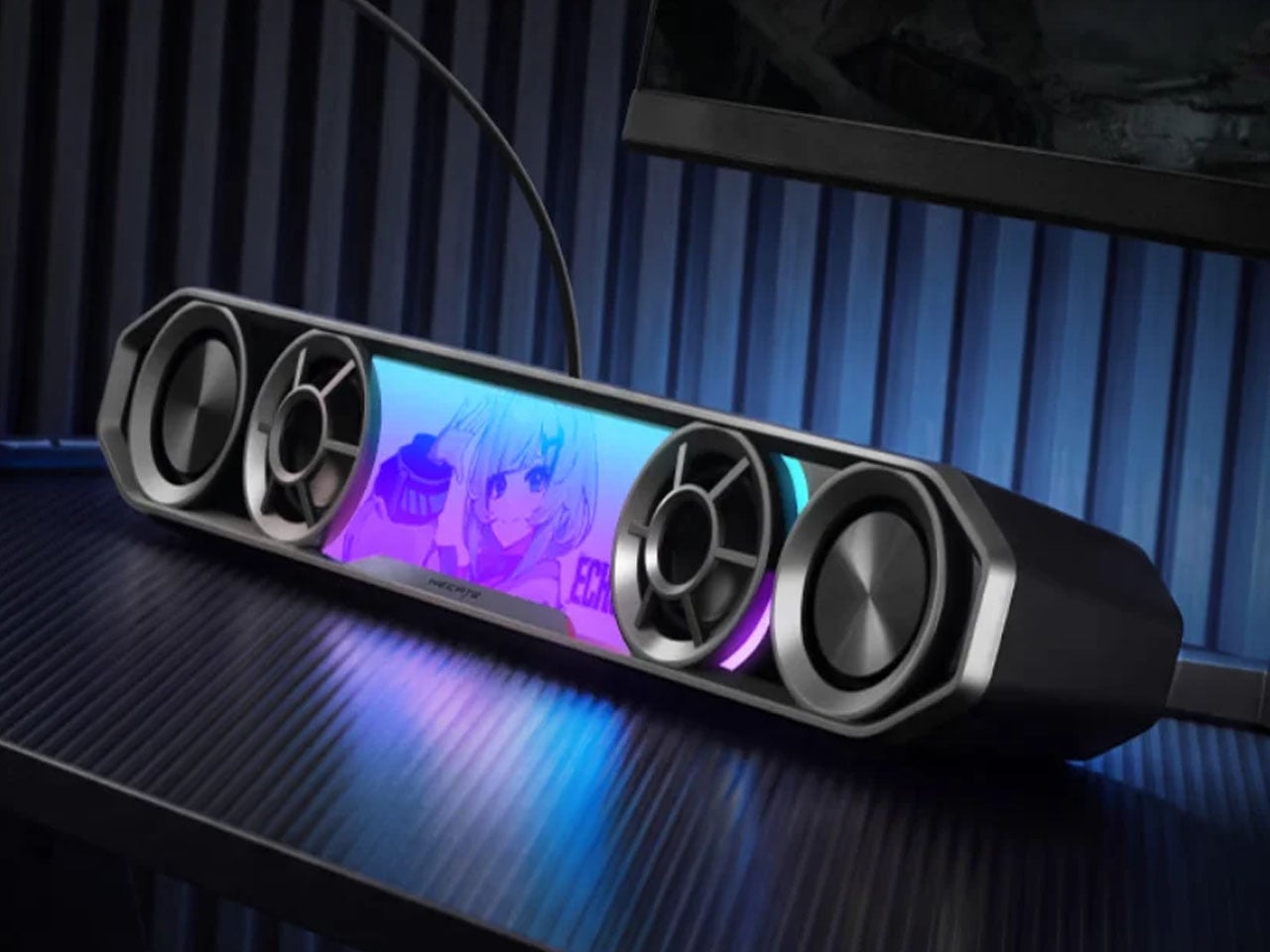
The G2000 Bar combines a compact footprint with an angular, mecha-inspired design intended to fit into a gaming setup without taking up much desk space. It will be available in black and white, with a built-in five-degree upward tilt that directs sound toward the listener rather than across the desktop. Five interchangeable themed stickers let users customize the front panel, while 12 RGB lighting effects, including rainbow and flowing-light patterns, add some visual flair. Lighting can be adjusted via the Edifier Connect mobile app or Hecate PC software.
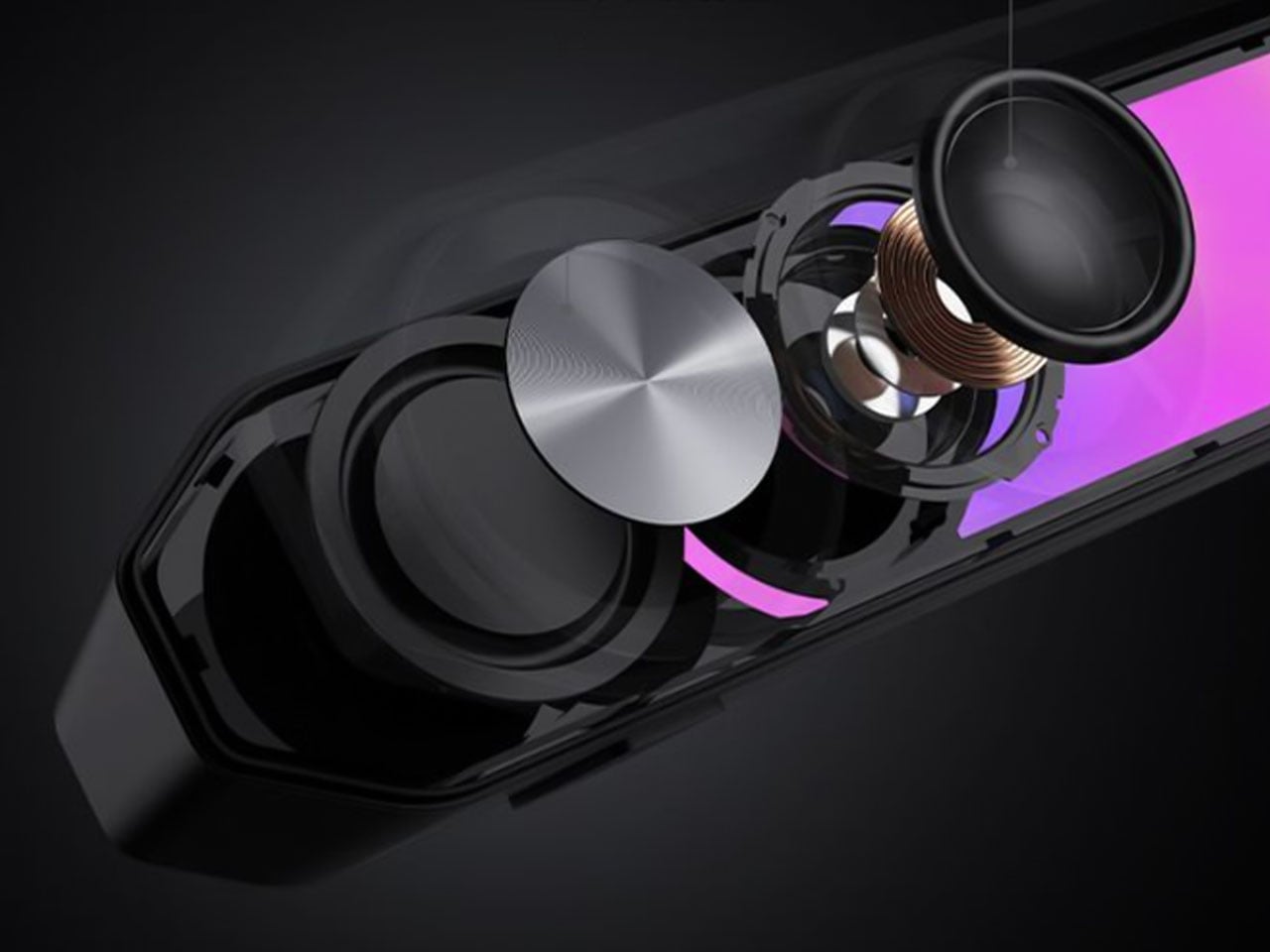
Under the hood, the soundbar uses two 56mm full-range drivers with copper-clad aluminum wire voice coils, paired with two 60mm passive radiators. The arrangement is designed to deliver fuller audio and reinforce low frequencies without requiring a separate subwoofer. Output is rated at 3W per channel, or 6W in total, with peak power reaching 12W. The stated frequency response spans 67Hz to 20kHz.
For gaming, the G2000 Bar supports THX 7.1.4 spatial audio processing, which aims to create a more immersive, surround-like listening experience from a desktop soundbar. Six dedicated audio presets cater to different gaming genres, including first-person shooters, role-playing games, and racing titles. These modes give players a way to tailor the sound to different types of gameplay without manually adjusting equalizer settings.
The other notable addition is a detachable microphone mounted on top. It uses AEC 2.0 acoustic echo cancellation, a dedicated digital signal processor, and AI-assisted noise reduction to limit background sounds and reduce audio feedback from the speakers. This could make voice chat more convenient for players who prefer open speakers to a gaming headset, although performance will depend on the surrounding environment.
Connectivity includes Bluetooth 6.0 and USB sound-card input, allowing the soundbar to work with compatible PCs, laptops, mobile devices, and consoles. An independent 9V DC power adapter supplies power, while physical controls on the top metallic panel provide access to volume adjustment, microphone muting, and audio-mode switching.
With its compact design, customizable lighting, spatial audio processing, and integrated voice-chat features, the Hecate G2000 Bar brings several gaming-focused conveniences to an affordable desktop soundbar. Its initial pricing makes it an interesting option for players looking to simplify their setup without committing to a separate speaker system and microphone.
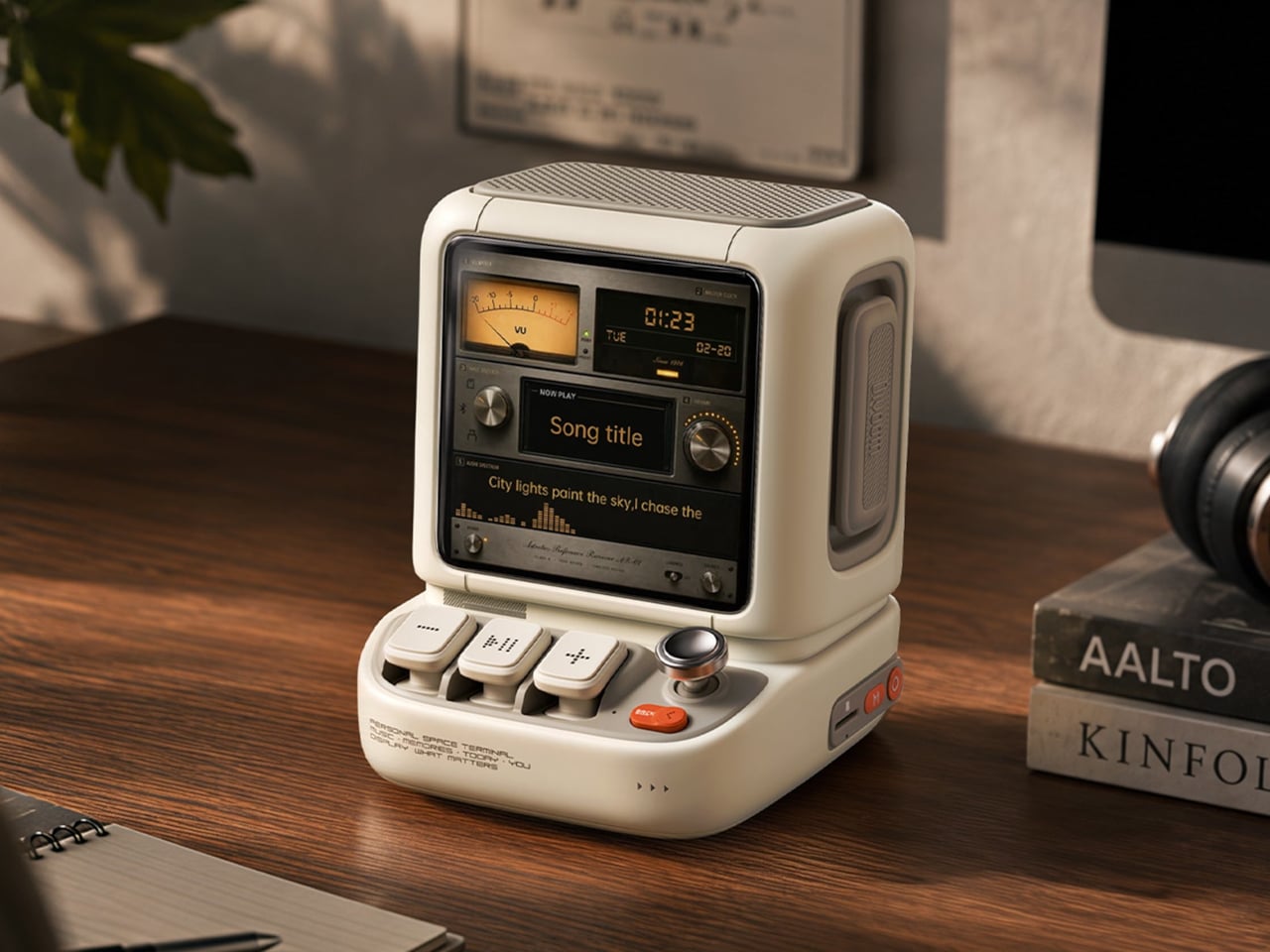
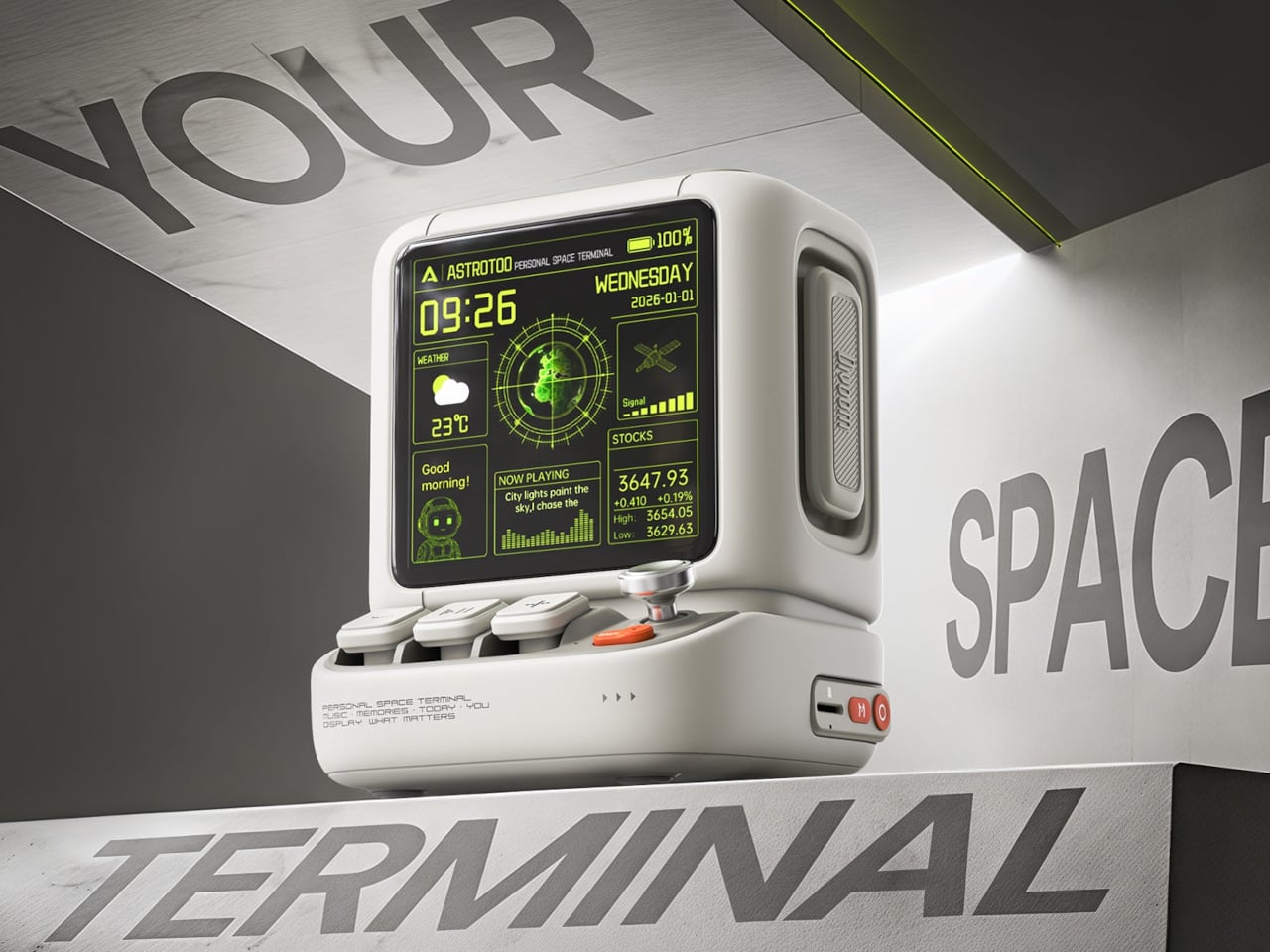
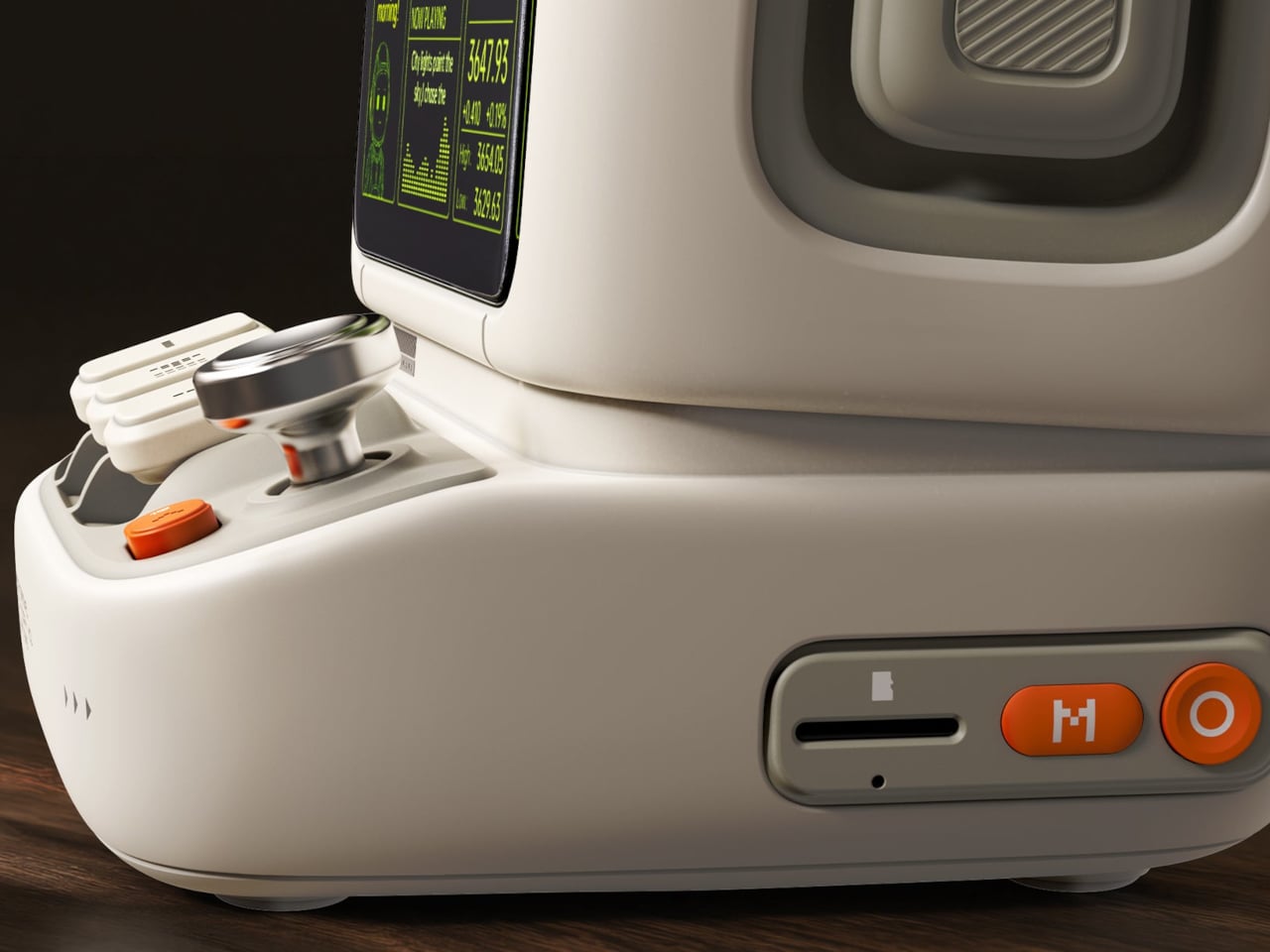
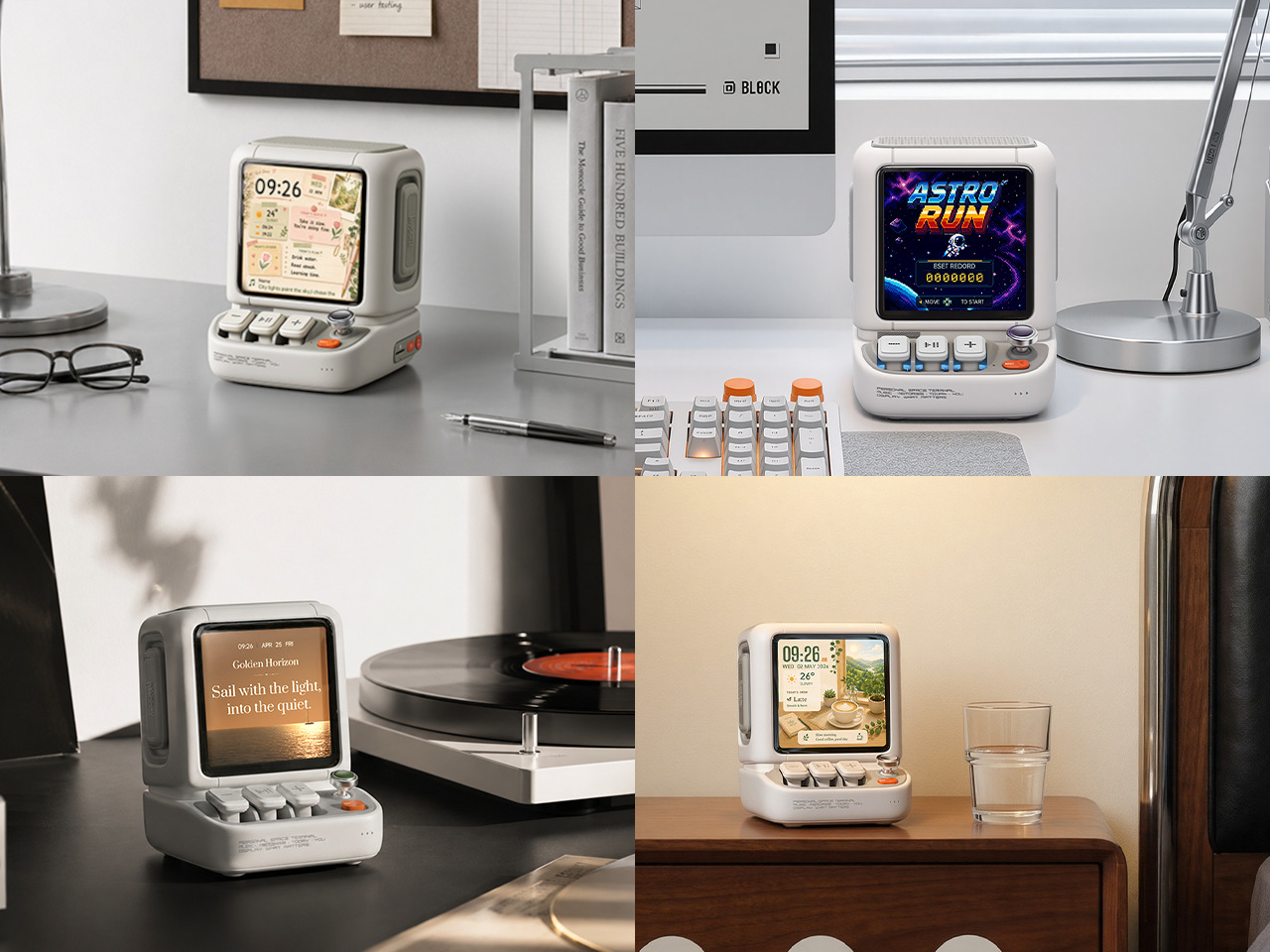
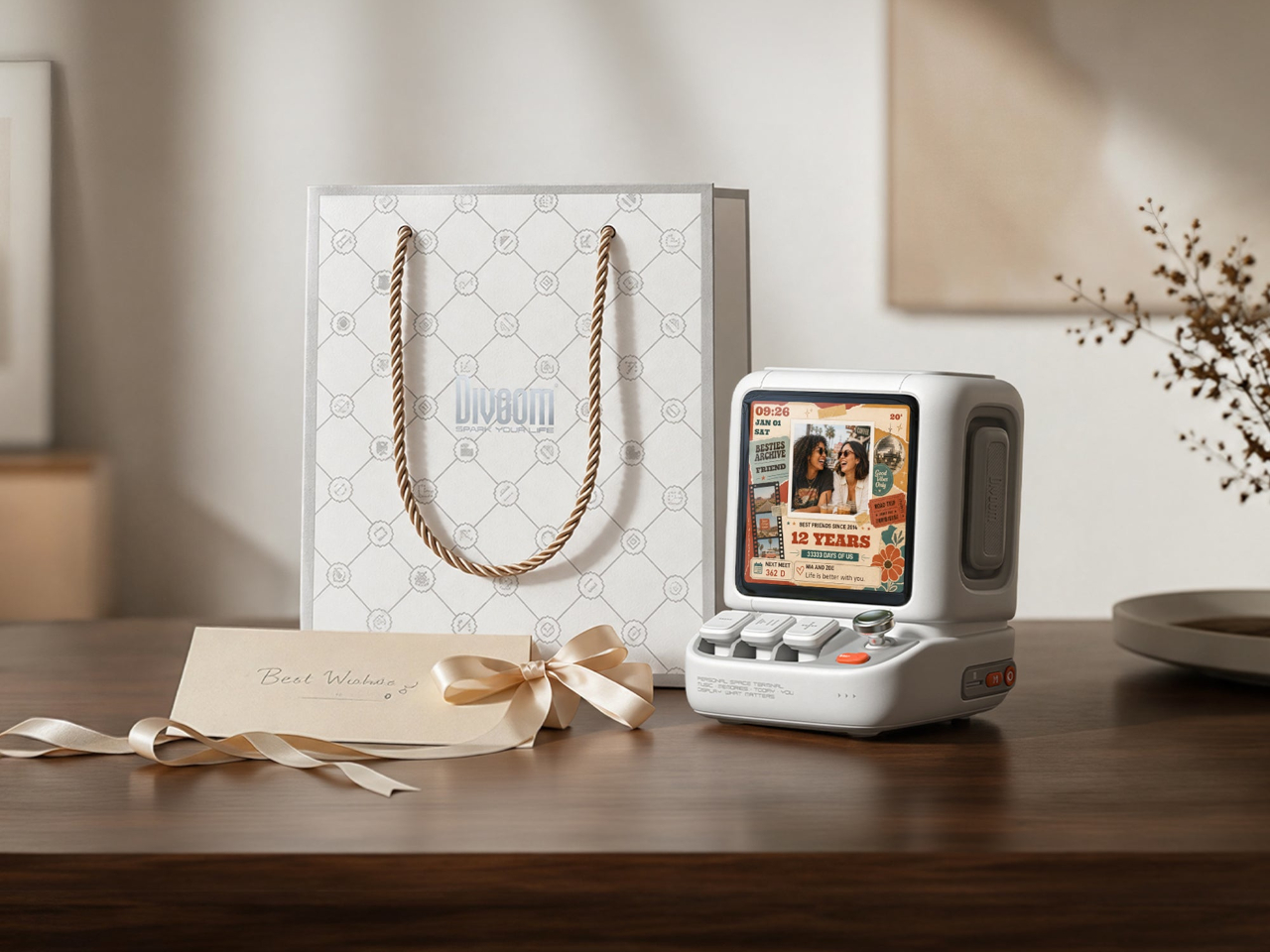
Desktop speakers usually have a pretty straightforward job and an equally straightforward appearance. That makes sense when all you want is music, but it doesn’t leave much room for personality. Divoom’s Astrotoo takes a different approach, putting a display and oversized physical controls into a speaker that looks like a tiny computer terminal. It definitely gives your desk something playful and personal, and your friends something to be jealous of.
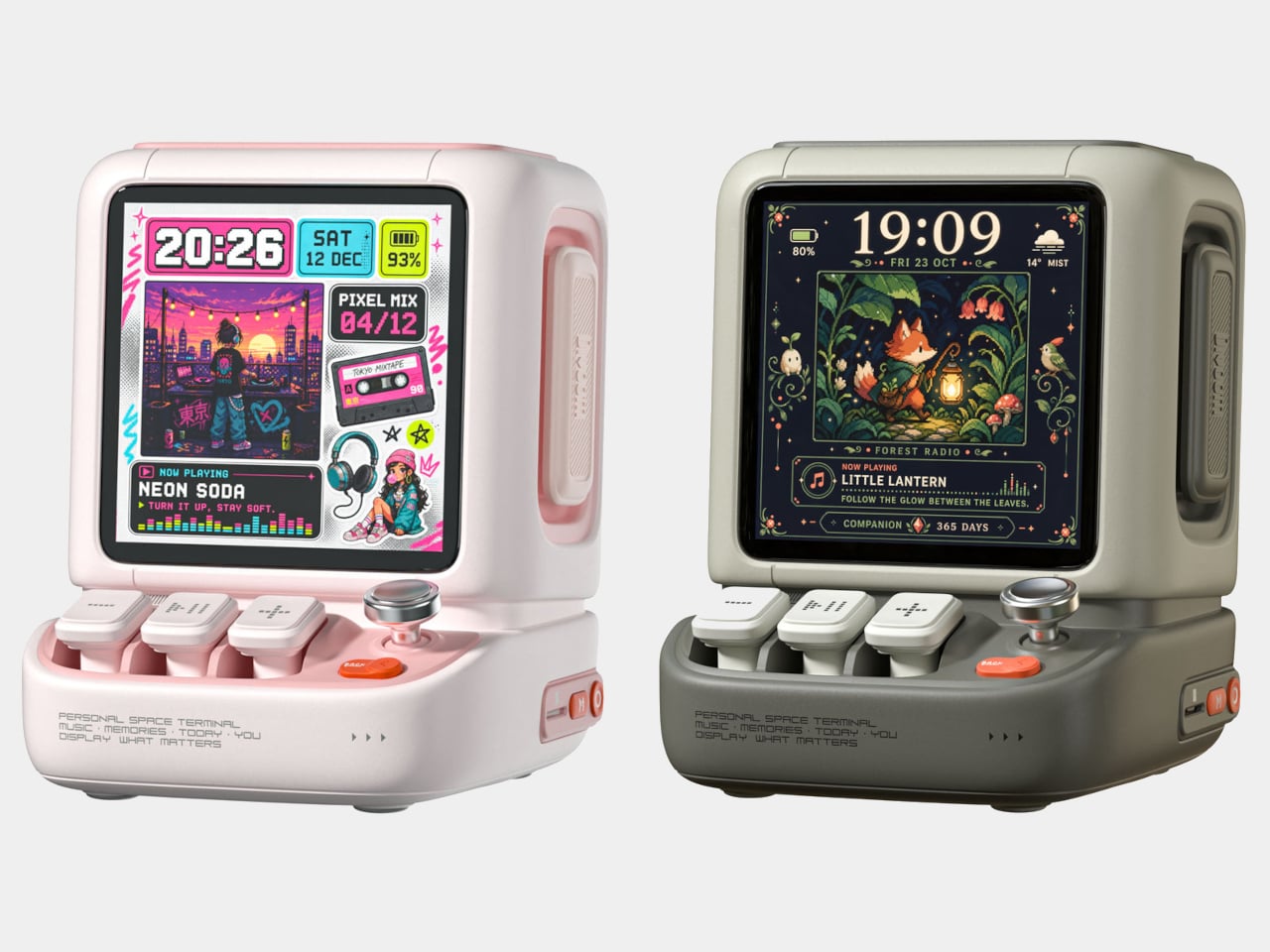
The rounded housing and recessed side panels give Astrotoo the appearance of equipment from an imagined future, albeit one with chunky buttons. White, pink, and green finishes offer different levels of restraint. At roughly 4.2 by 4.3 inches across its base, it won’t need the space of a computer, although its upright screen certainly makes it harder to overlook than a conventional speaker.
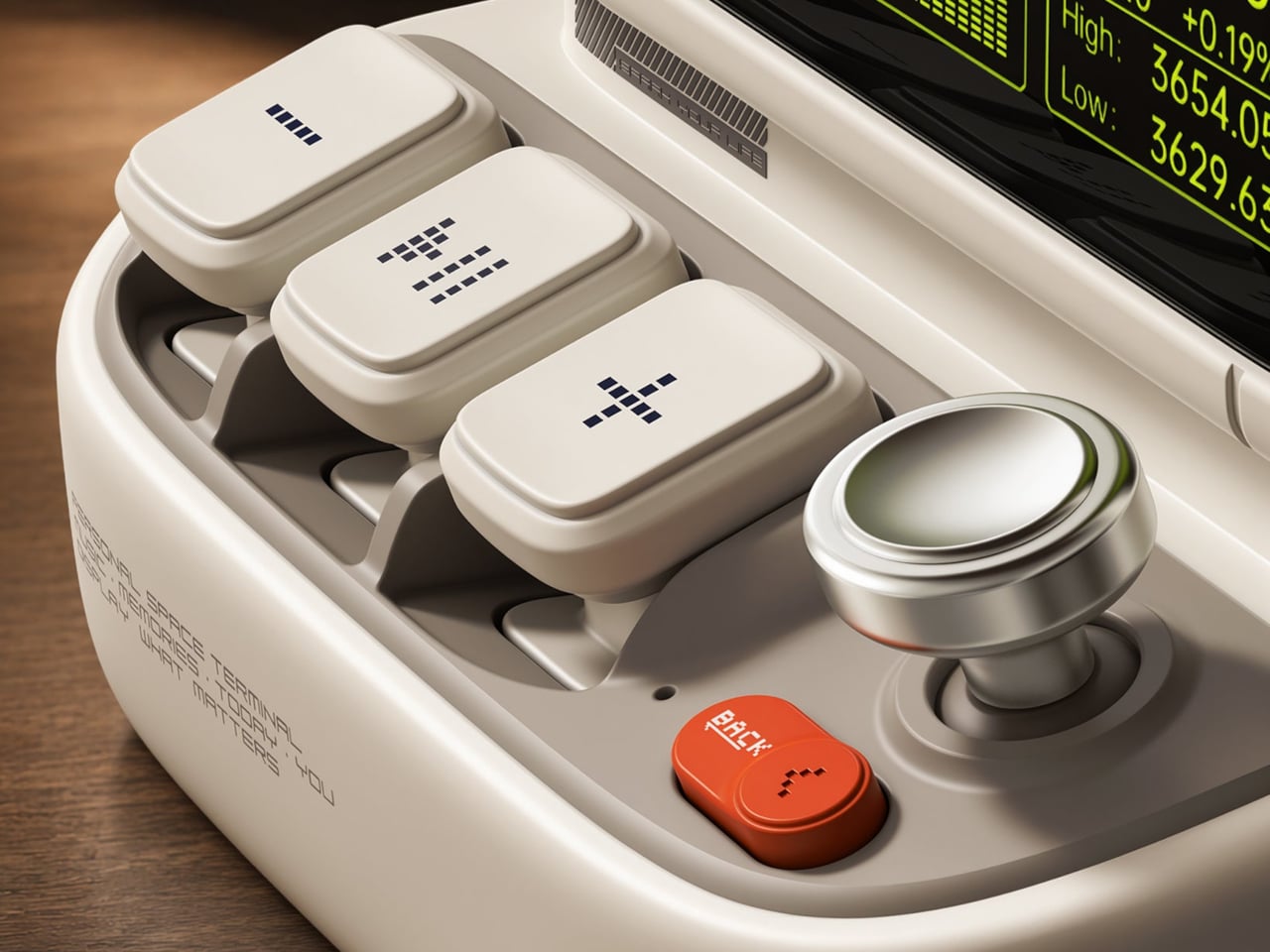
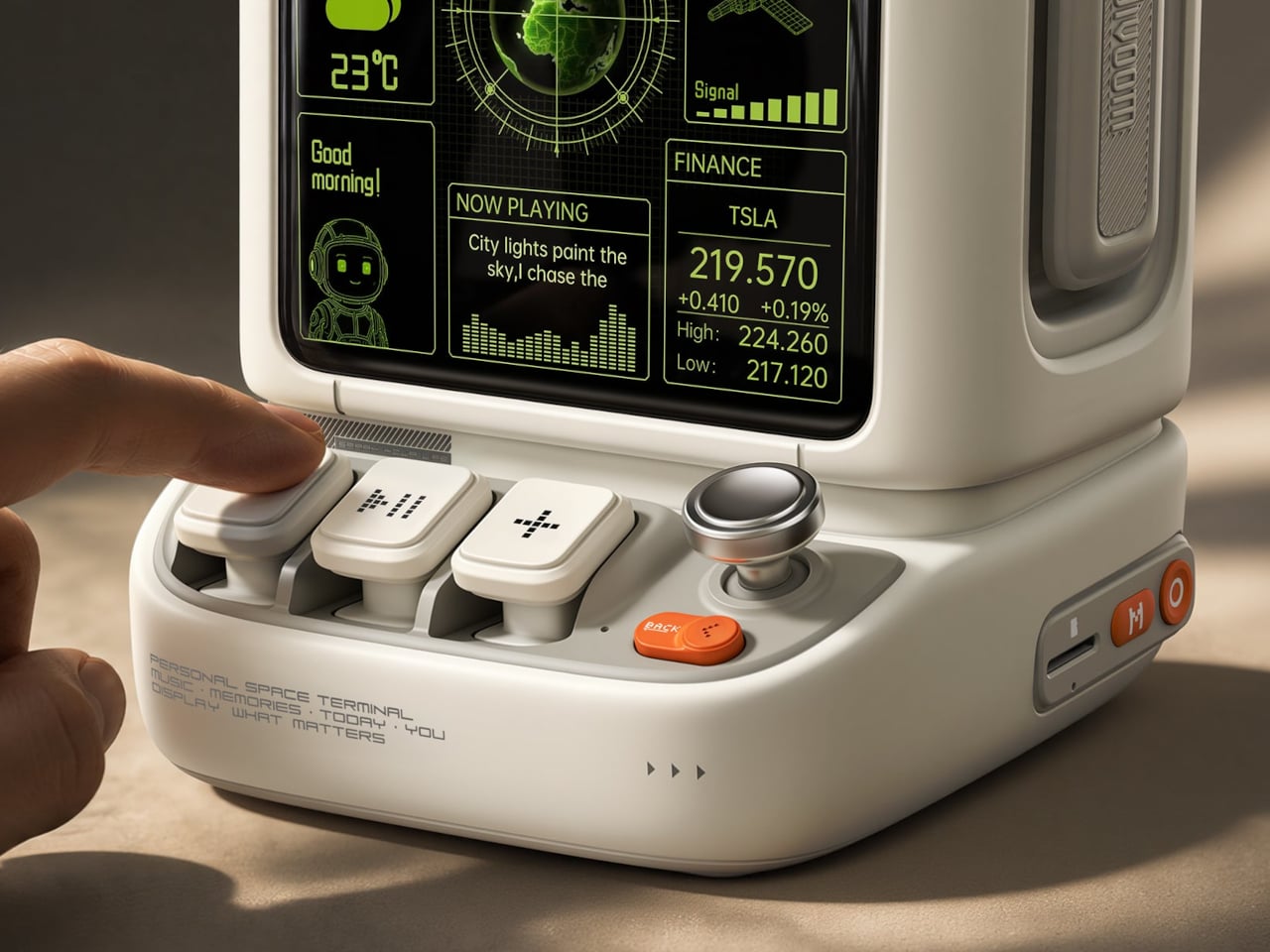
Of course, those buttons aren’t simply there to complete the retro disguise. Three raised mechanical keys, a joystick, and an orange Back button handle music and display functions. You can reach over to control playback without opening another app, though customizing the display still involves your phone. It’s a familiar division of labor, with physical controls for everyday actions and software for the changes.
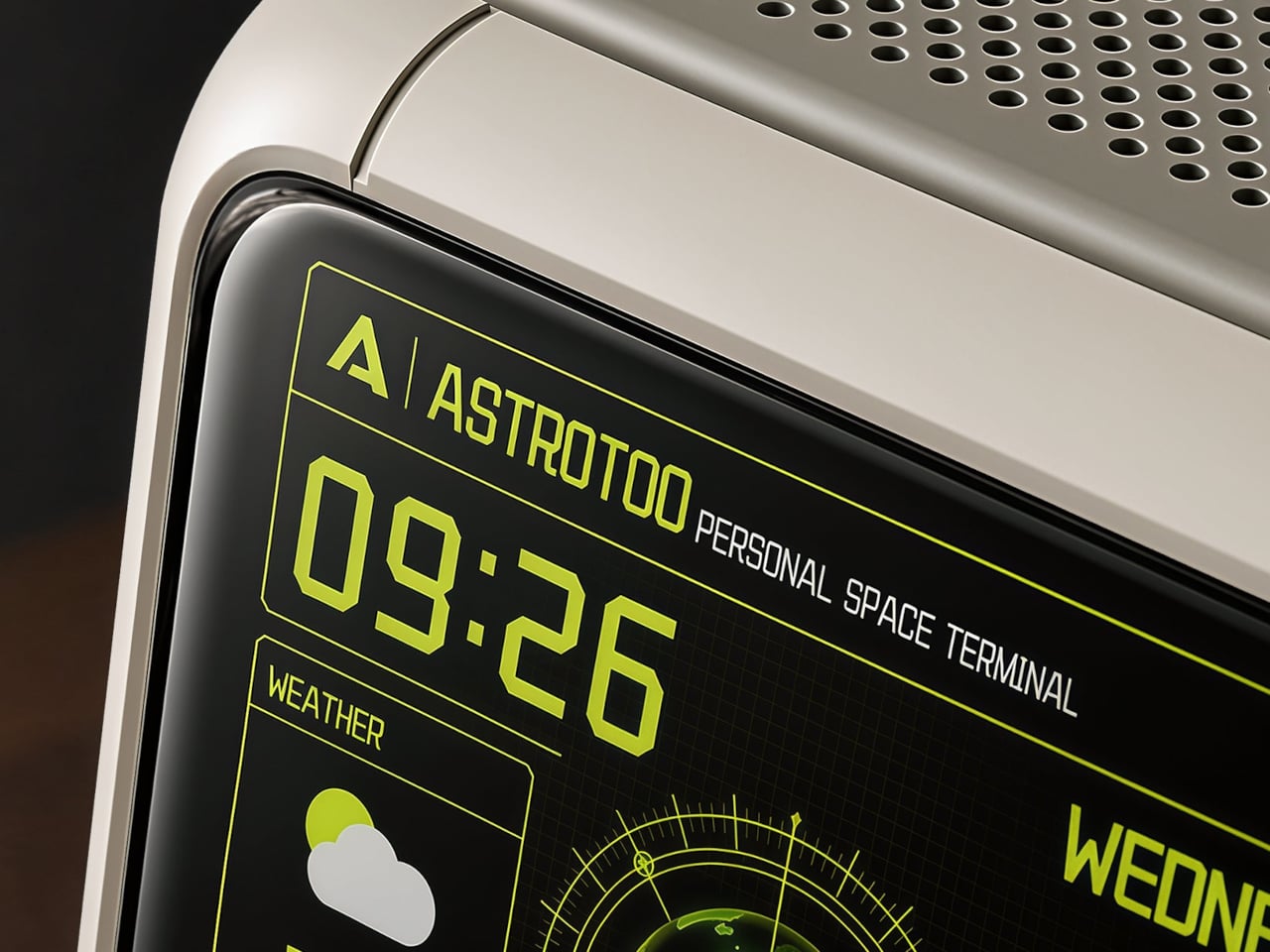
Despite the pixel art theme, Astrotoo doesn’t limit you to blocky characters and low-resolution graphics. Its 3.95-inch IPS display has a 480×480 pixel resolution, accommodating photographs and detailed clock faces as well. That means you can keep a family photo beside your monitor without making room for another frame. Music visualizations are also available, if you’d rather have your speaker put on a show.
The Divoom app lets you change visual content and clock faces, giving the device something to do when the music stops. Weather and stock information bring a more practical side to that small screen. That said, another dashboard isn’t necessarily what a busy desk needs. A favorite picture might be a better companion than financial numbers quietly competing for your attention all afternoon.
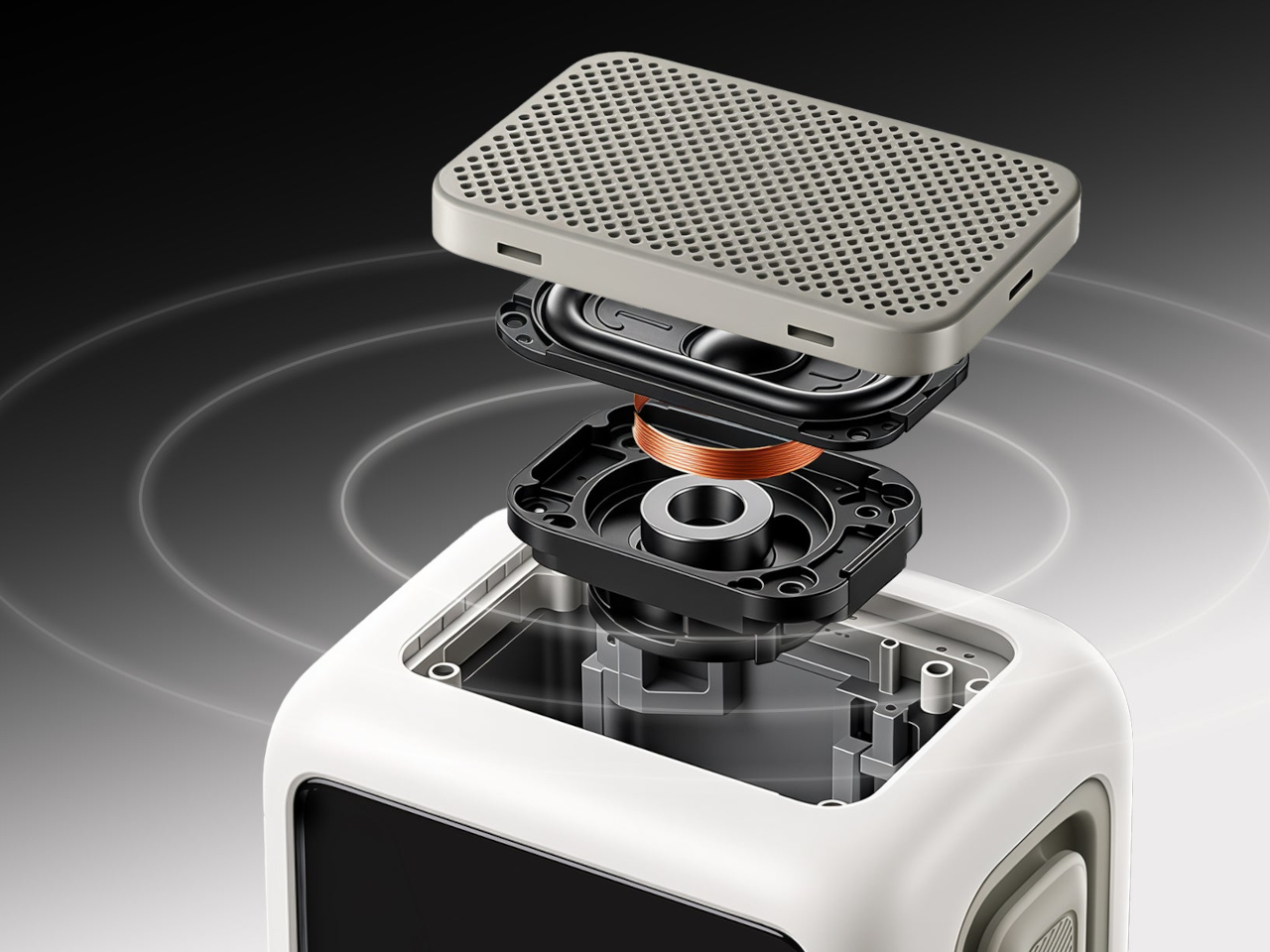
Divoom positions the 20W speaker for listening nearby, so the desktop proportions aren’t entirely about appearance. Playing music while answering emails or listening to a podcast during a break fits that purpose. Of course, the power rating doesn’t tell us how balanced the sound will be. The styling is easier to judge than the audio, which needs listening rather than a specification sheet.
Bluetooth 6.0 handles wireless audio, while microSD playback lets you bring a collection of stored music along without keeping a phone connected. Wi-Fi supports the connected display features. There’s also a battery, with Divoom claiming up to six hours of operation. That’s enough to move it between rooms for a while, but don’t expect it to stay unplugged through an entire workday.
The $199.99 US price makes this a considered desk accessory rather than a casual decoration. Divoom lists approximately 3.5 hours for USB-C charging, so it probably makes sense to leave a cable nearby. You can dress the screen as a futuristic control panel, but there’s nothing futuristic about discovering that your tiny computer needs plugging in before the afternoon playlist.
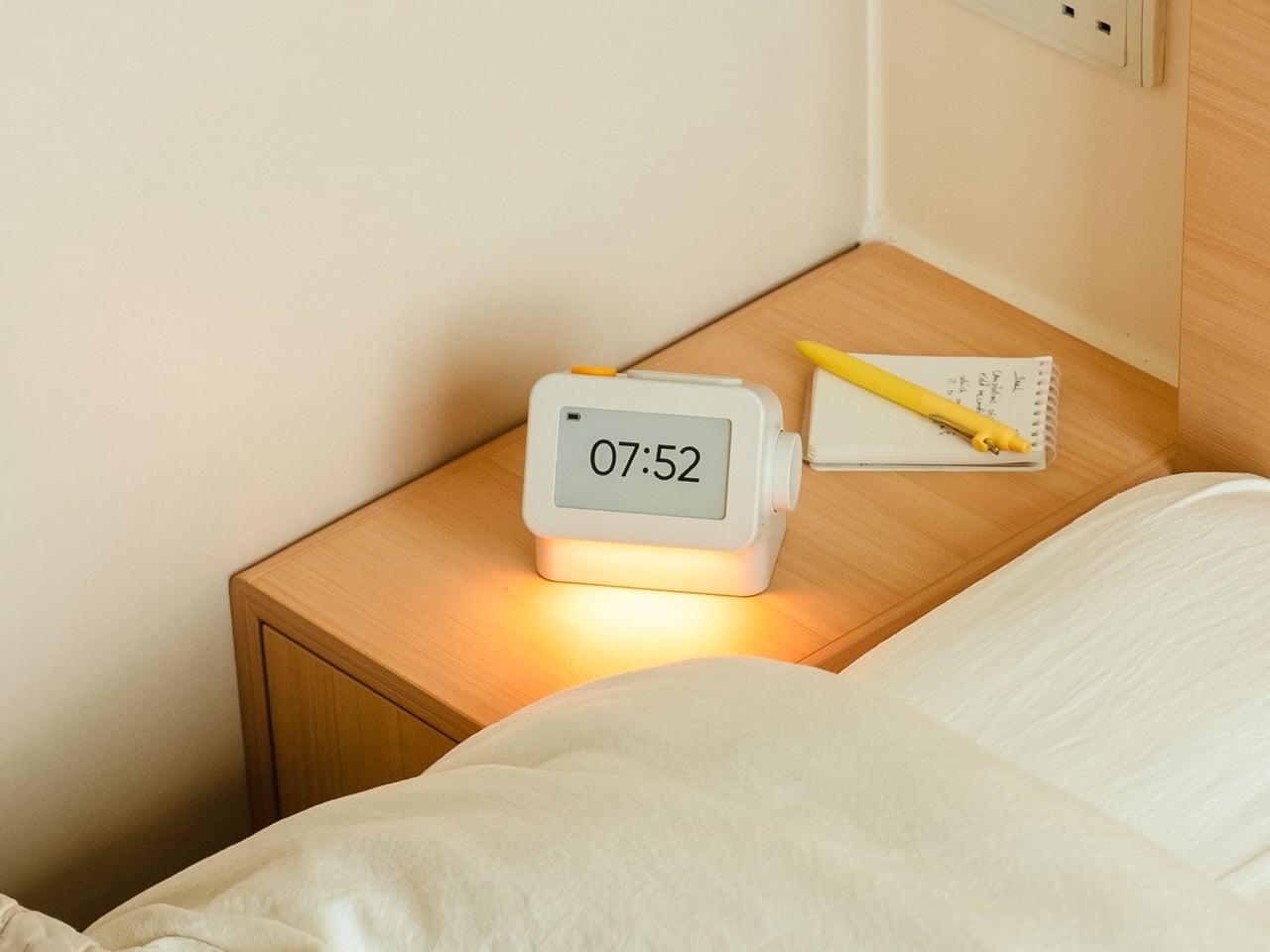
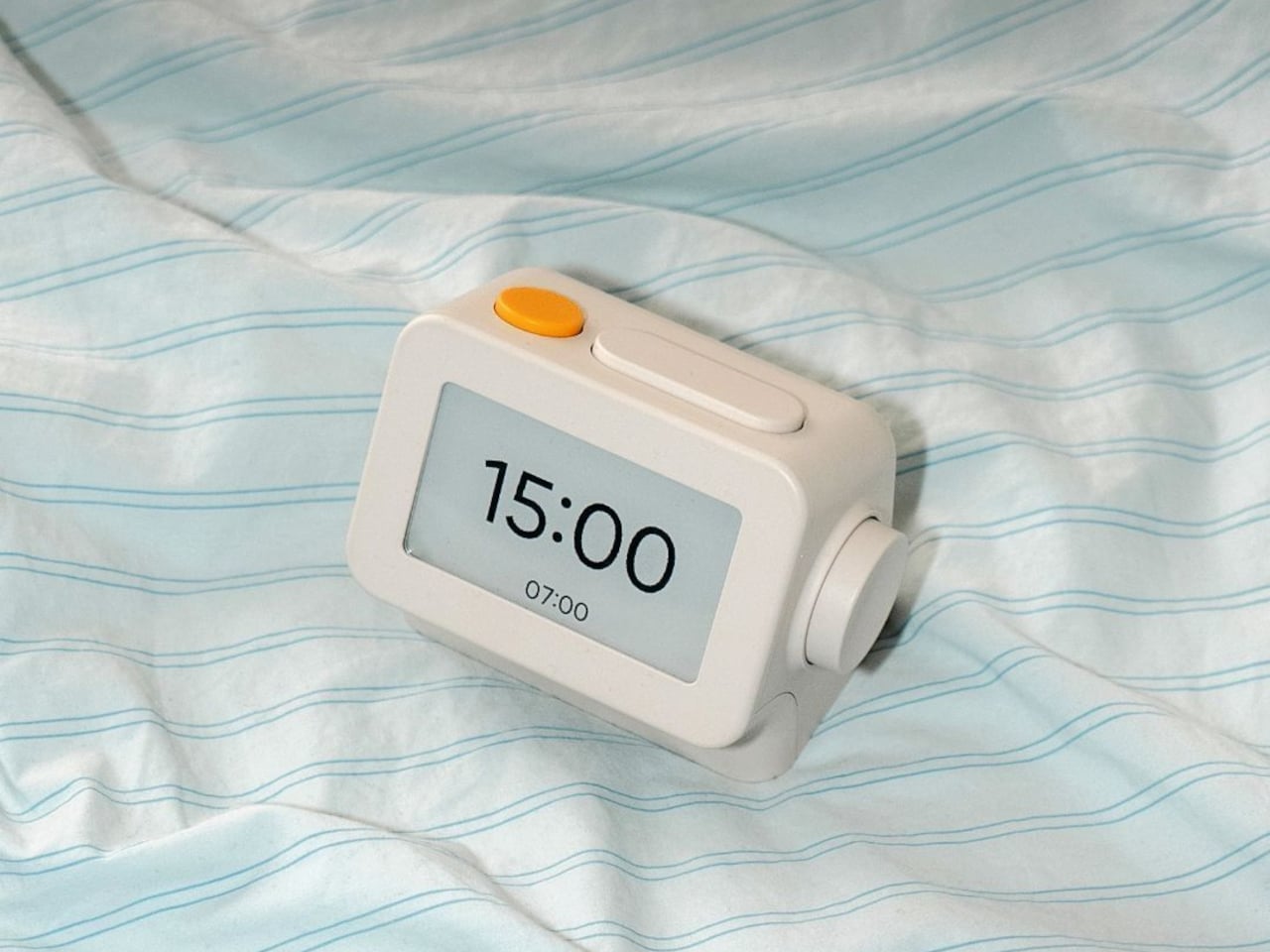
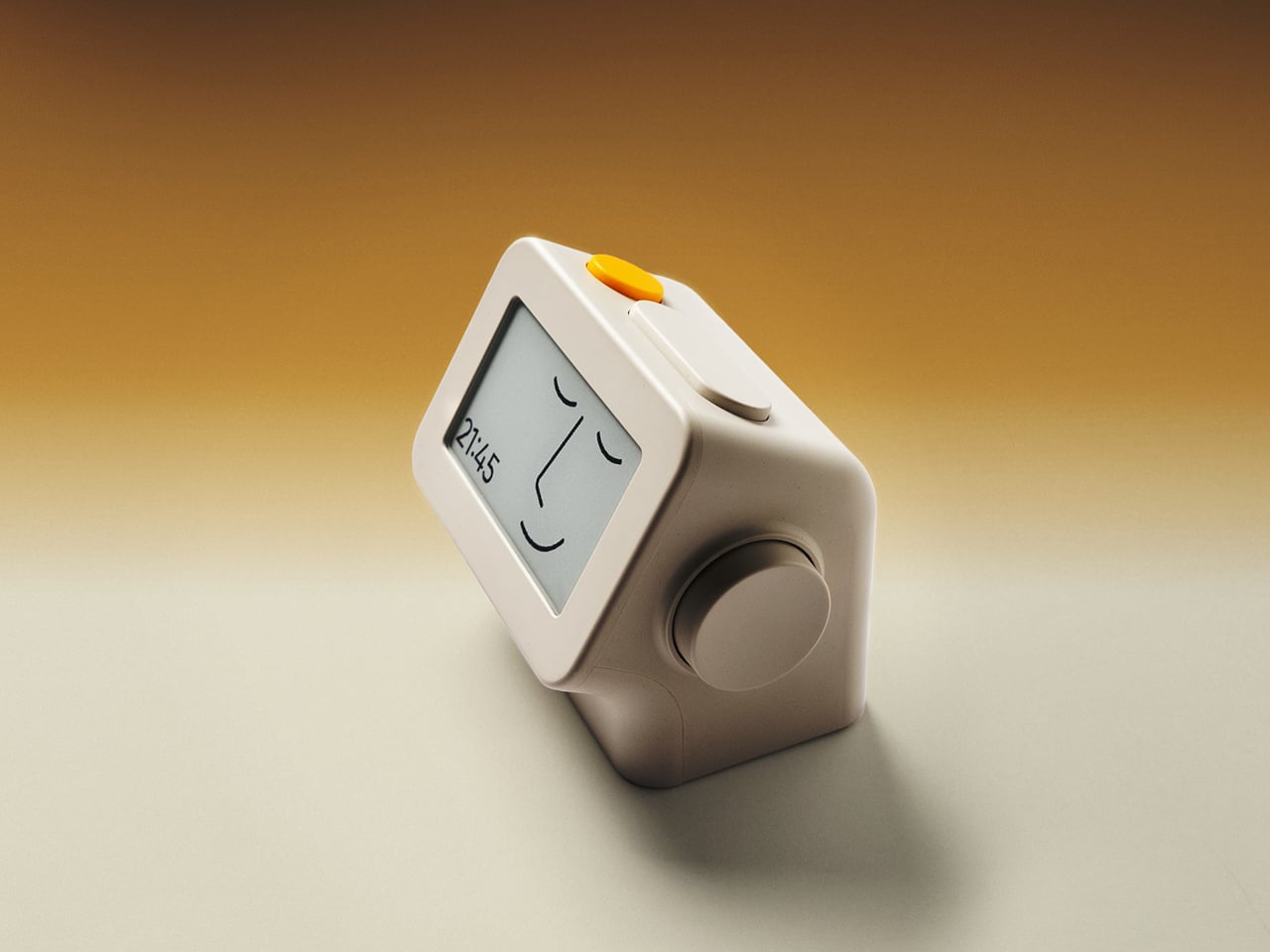
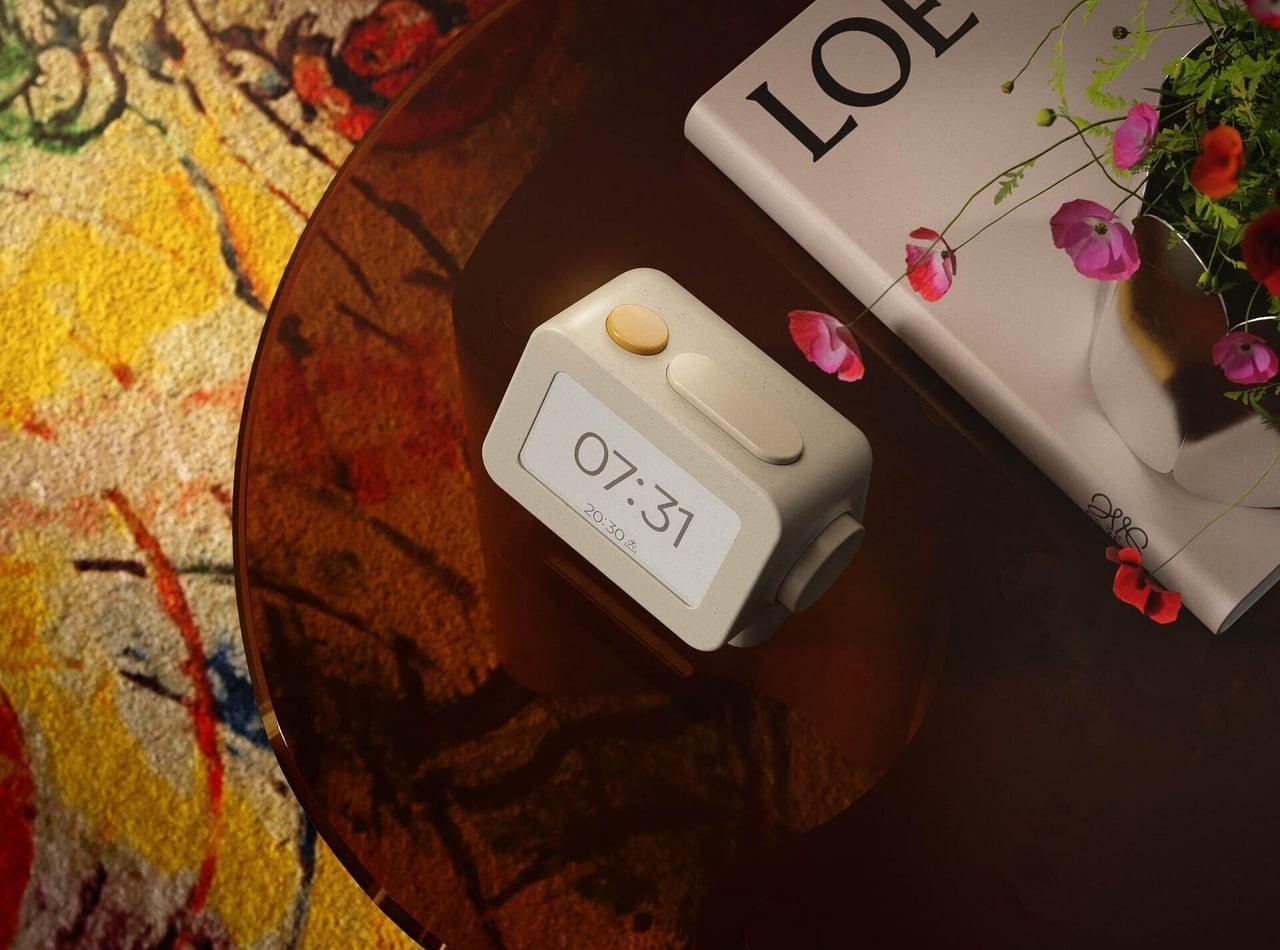
Smartphones have become rather good at convincing us they belong beside the bed, if only because we need an alarm in the morning. Unfortunately, that also puts every source of distraction within reach the moment you open your eyes. To fight that, Habity’s E-Paper Bedside Clock takes over the alarm, sleep sounds, and nightlight duties with physical controls and a display that doesn’t glow continuously, giving your phone fewer reasons to stay.
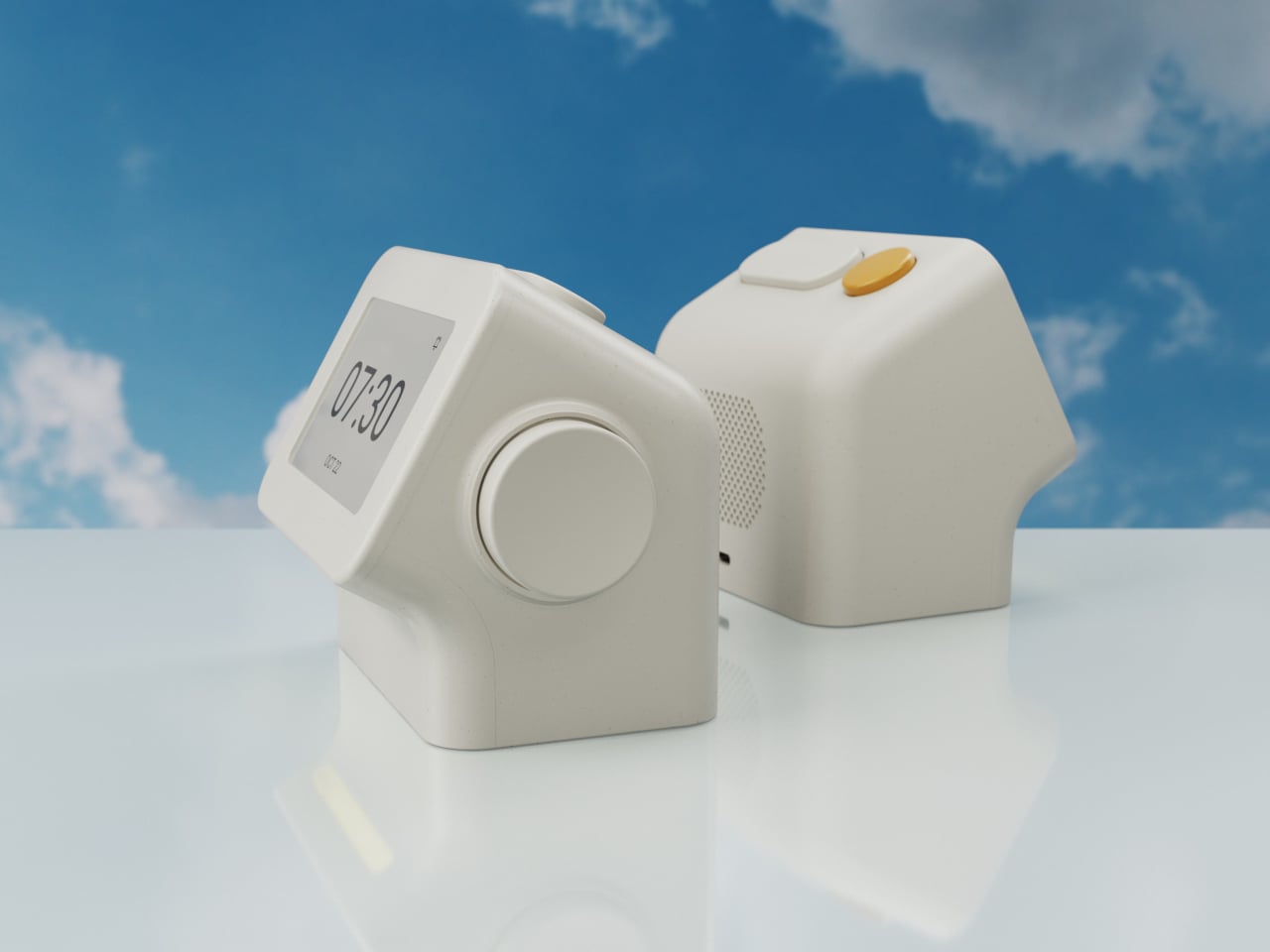
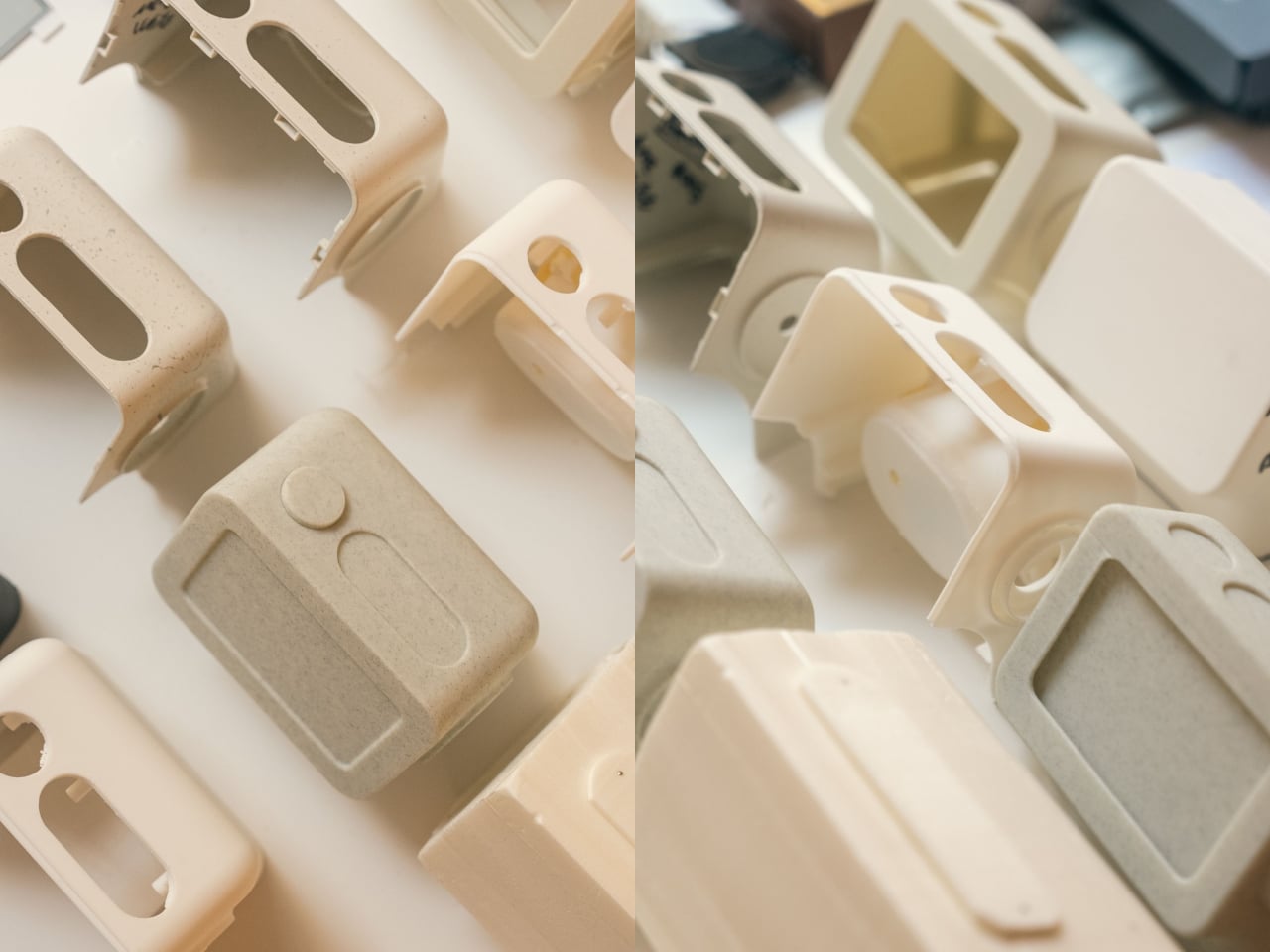
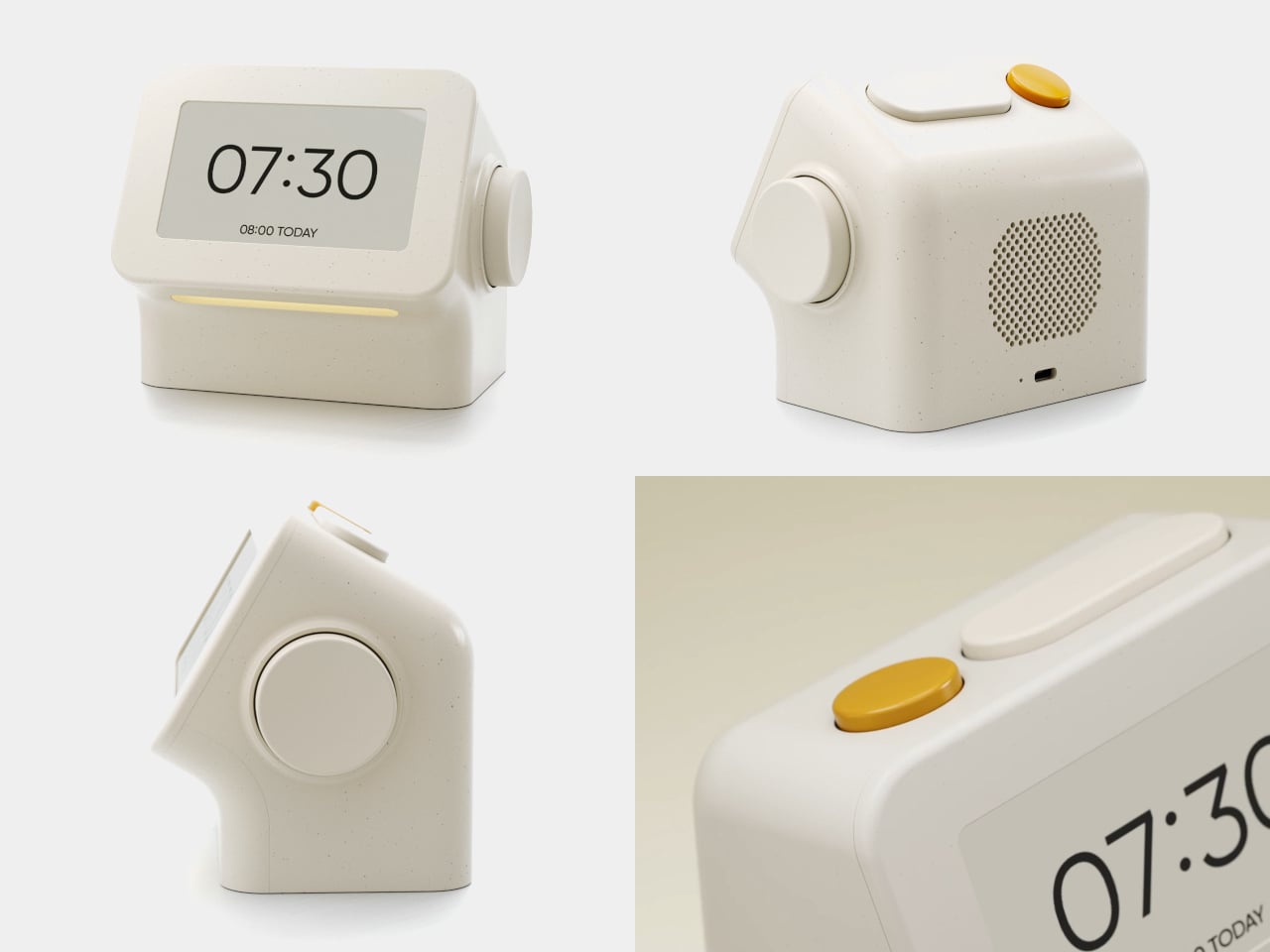
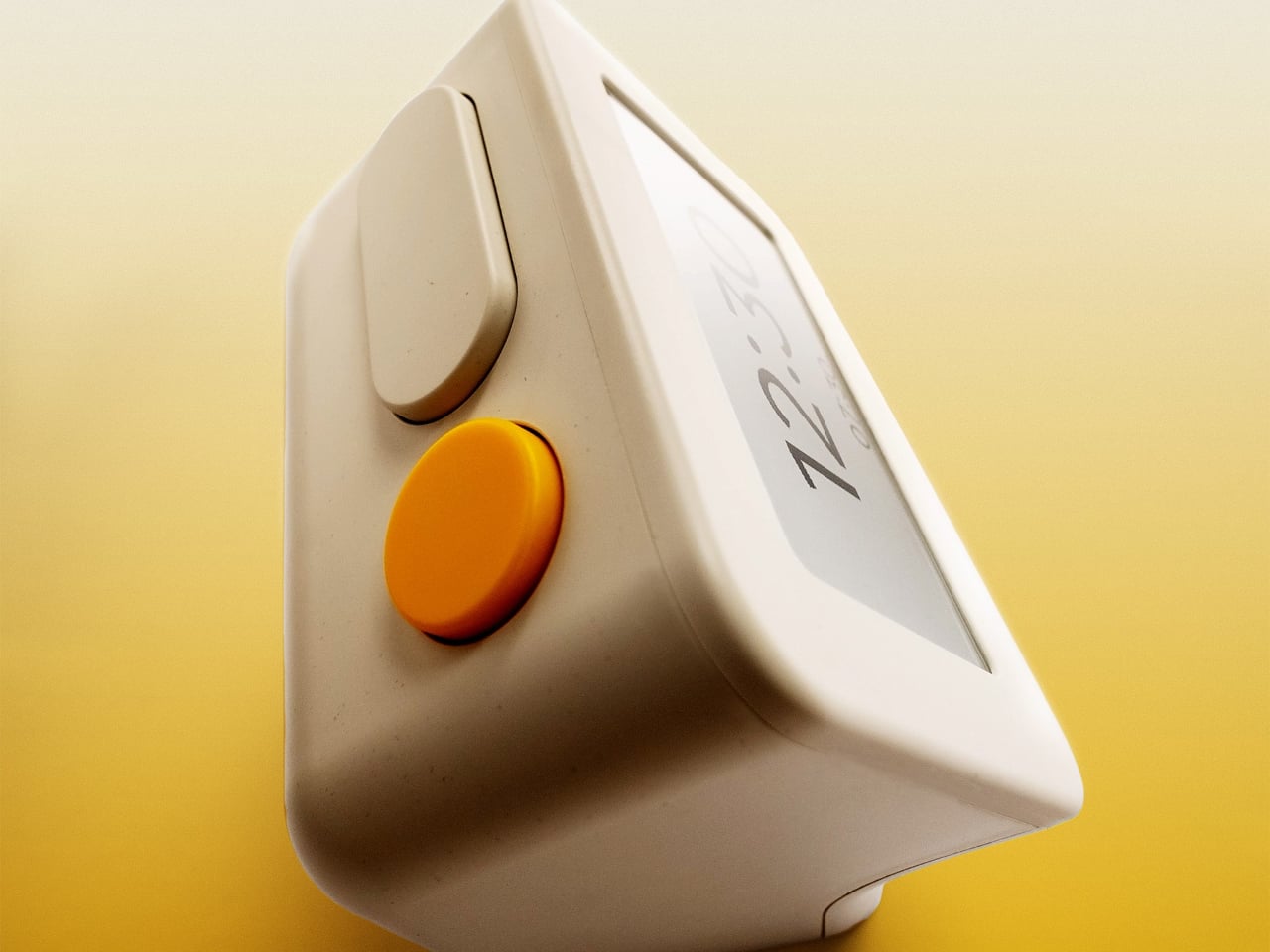
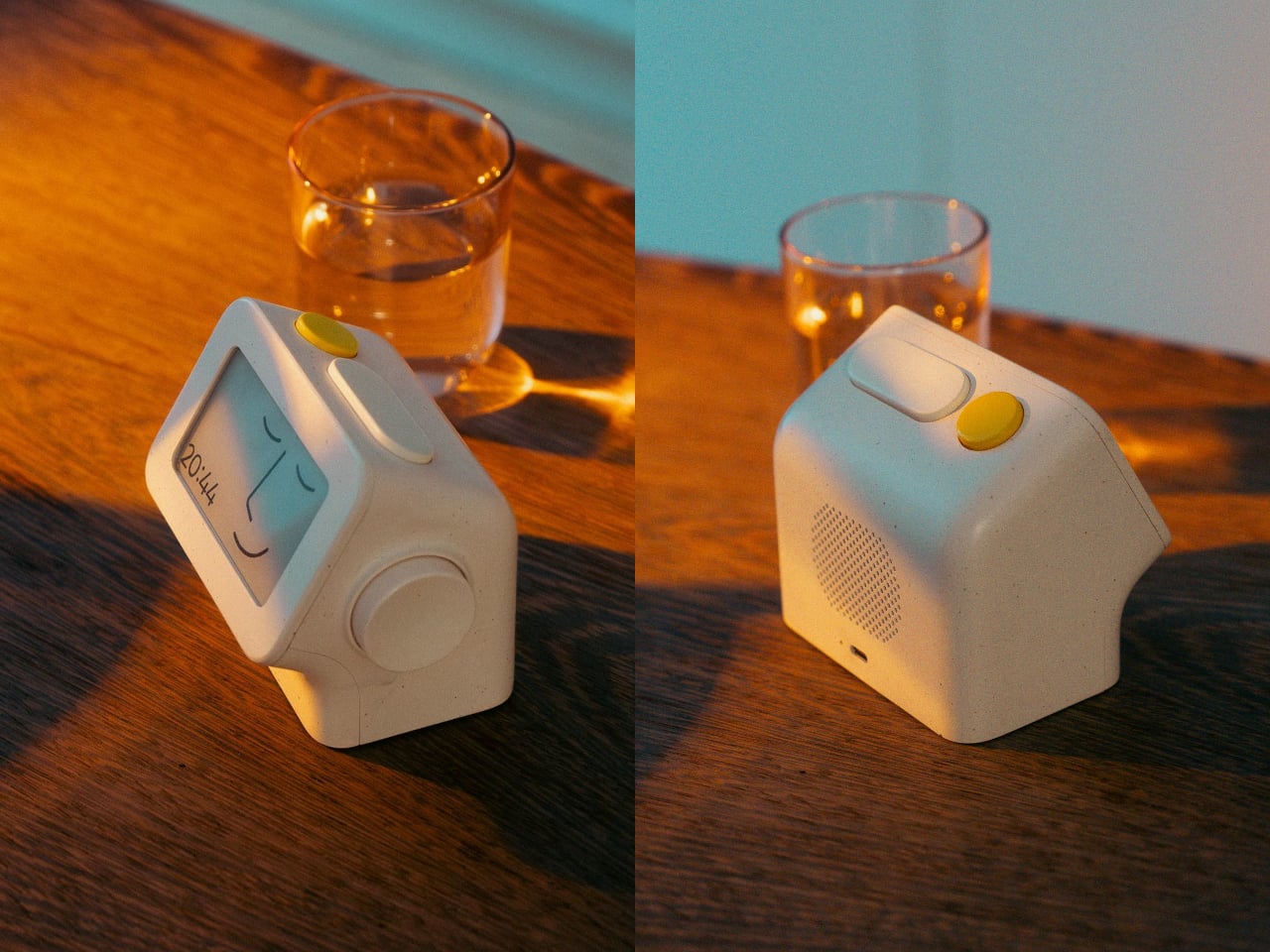
The clock has a rounded rectangular body and a slightly tilted face, but its most useful details are the ones your fingers encounter. A large side dial handles settings and volume through turning and pressing. On top, a yellow stop button sits beside a broad snooze key. Their different shapes separate two decisions you probably don’t want to confuse when you’re half asleep.
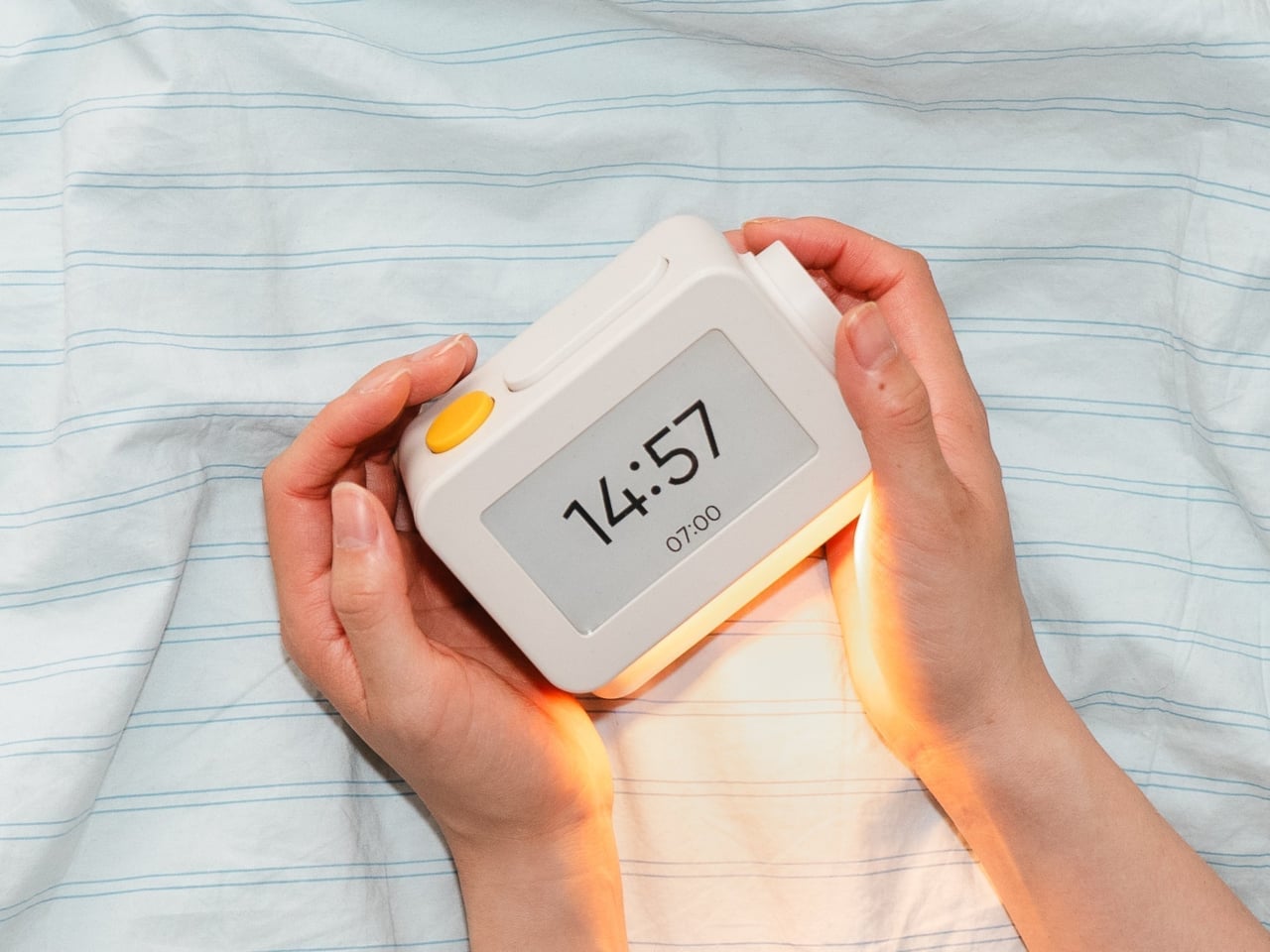
Of course, the screen is where Habity really parts ways with your phone. Its 3.7-inch e-paper display reflects ambient light rather than relying on continuous illumination. That means darkness calls for a little help. Interacting with the clock activates a warm frontlight for 10 seconds, enough for a quick check without leaving the time glowing beside your pillow all night long.
There’s also a built-in speaker for sleep sounds, which don’t need an app or subscription. Rain and ocean waves are familiar choices, but a sleeping dog and dishwasher bring a surprisingly domestic touch to the collection. Double-press the snooze button to start playback and turn the dial to change volume. Sessions can last up to eight hours, without borrowing your phone for the soundtrack.
Mornings get a little more flexibility than a single repeating alarm. Habity lets you choose weekday schedules or different wake-up times for individual days, although you’re limited to one wake-up alarm per day. The built-in light can gradually brighten up to 30 minutes beforehand. Once the alarm sounds, that broad snooze button grants another five minutes, as many times as you care to negotiate.
Perhaps the most curious detail is what happens when you stop touching the clock. After 10 minutes, an optional idle screen introduces an illustrated face and shrinks the time. The hour is still there, just less prominent. It’s a small concession for people who don’t want a constant reminder of how late it’s getting, and you can disable it if you’d rather keep watching the, er, watch.
Despite those straightforward controls, Habity hasn’t completely shut the door on connected features. Optional Wi-Fi provides automatic time setting and integrations with Philips Hue Bridge, Home Assistant, and Homey. That requires USB-C power, however. Leave it offline and the alarms and sounds still work, so your morning routine doesn’t need to depend on whether the router is having a good day.
Habity estimates two weeks of battery life, depending on use, but a full recharge can take up to 24 hours. You’ll want to plan that USB-C top-up rather than squeeze it in before bedtime if you’re using it unplugged. Getting one won’t move your phone to another room, of course, so you’ll still have to decide where it spends each night.
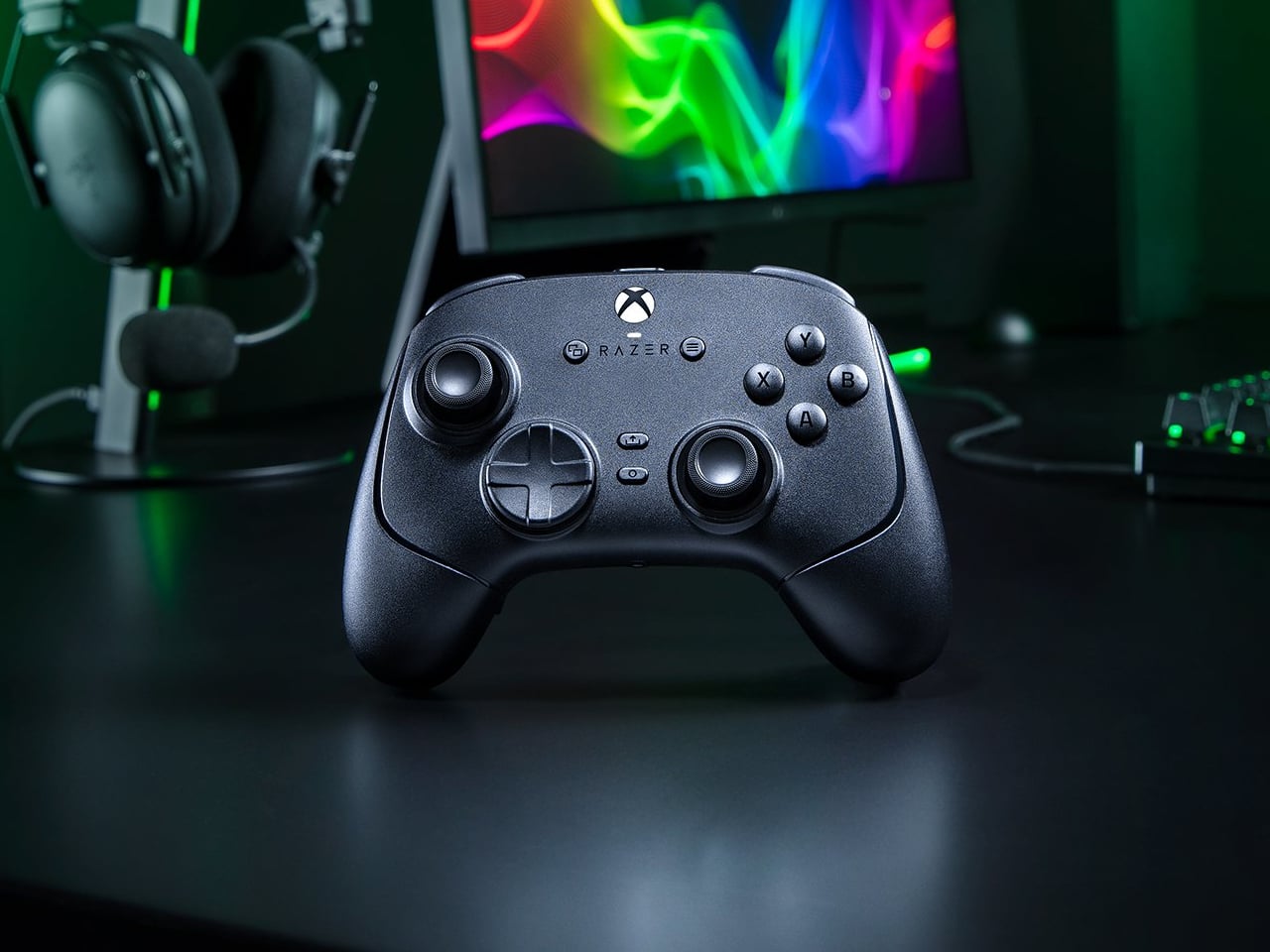
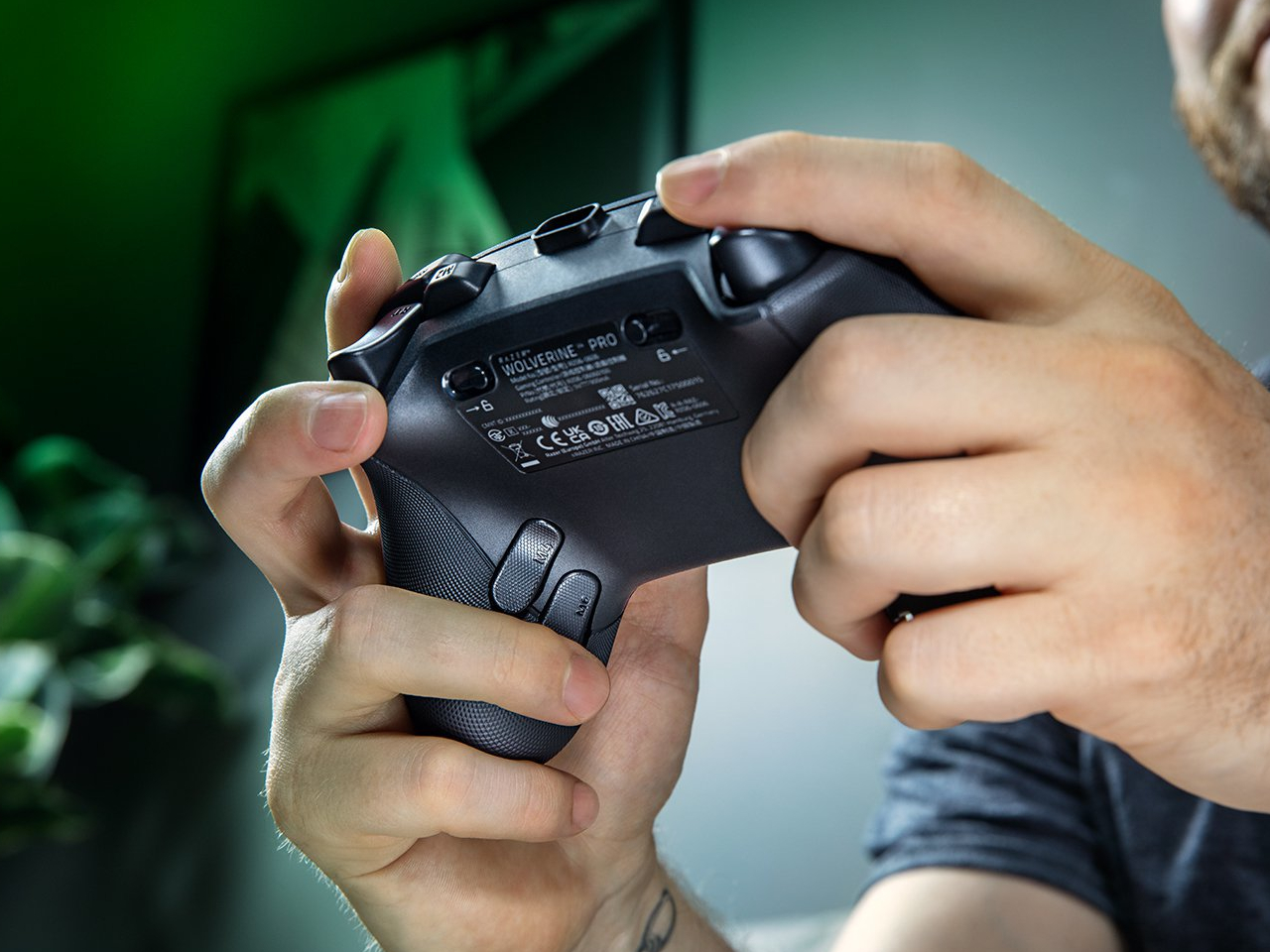
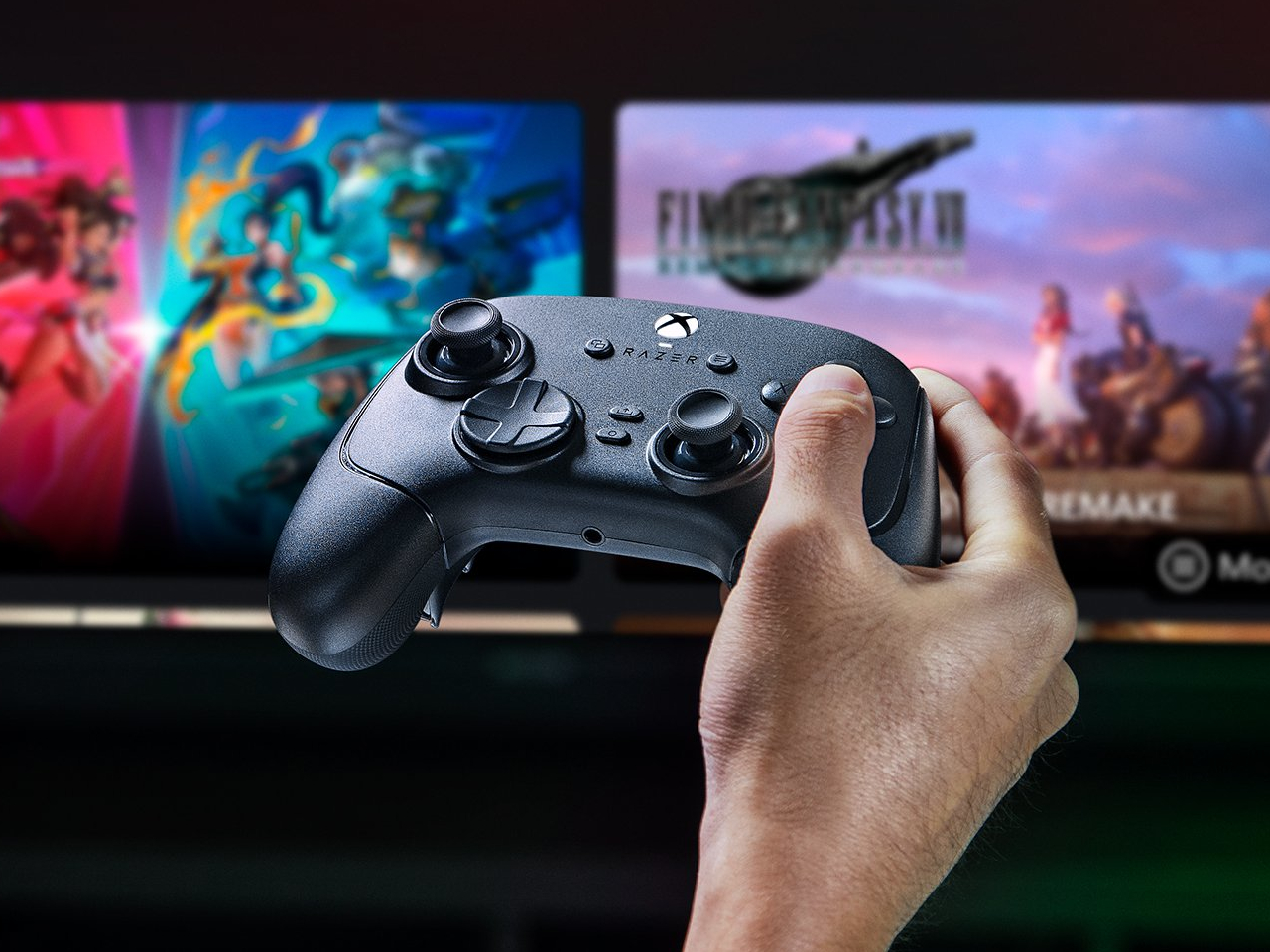
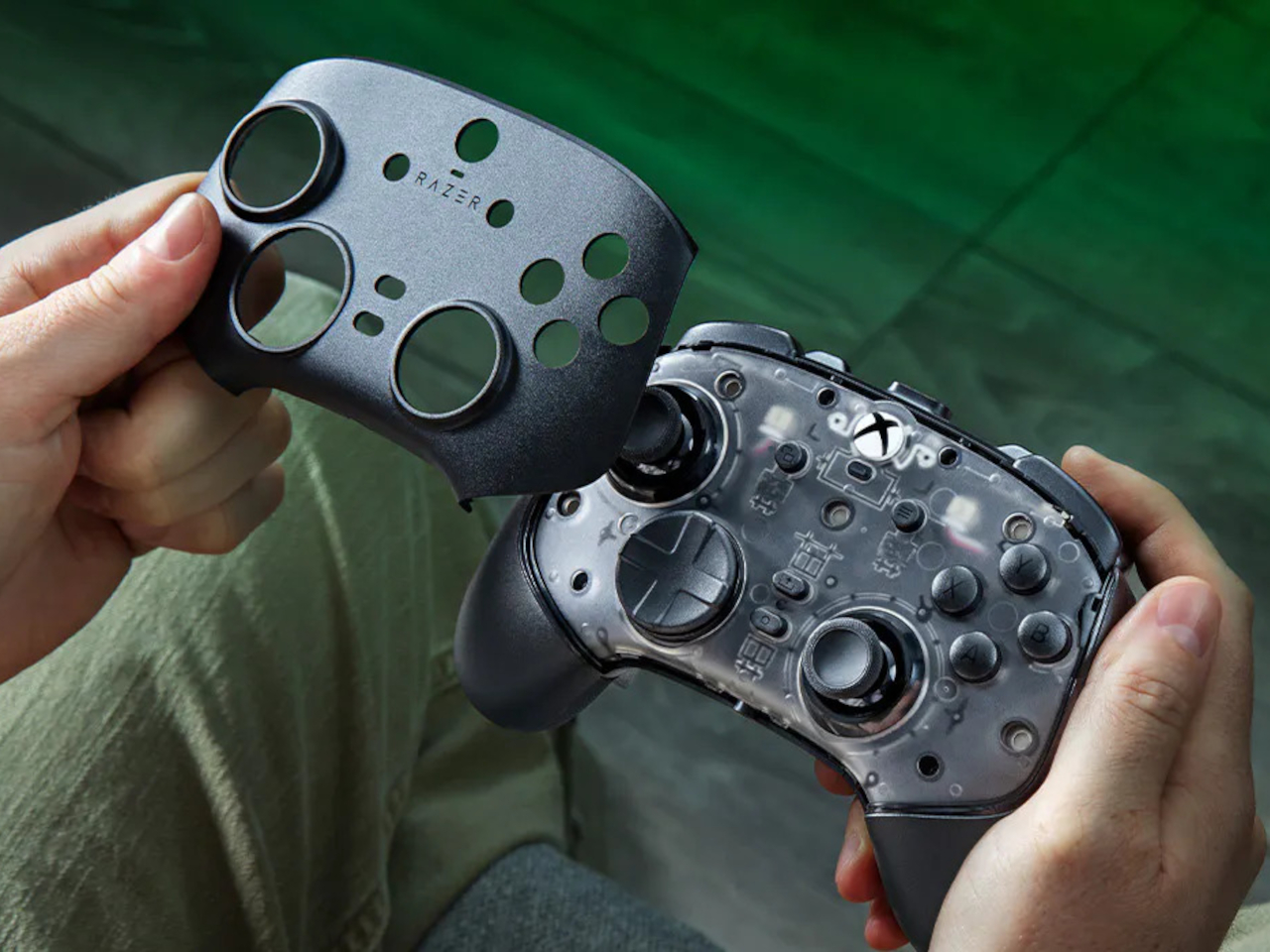
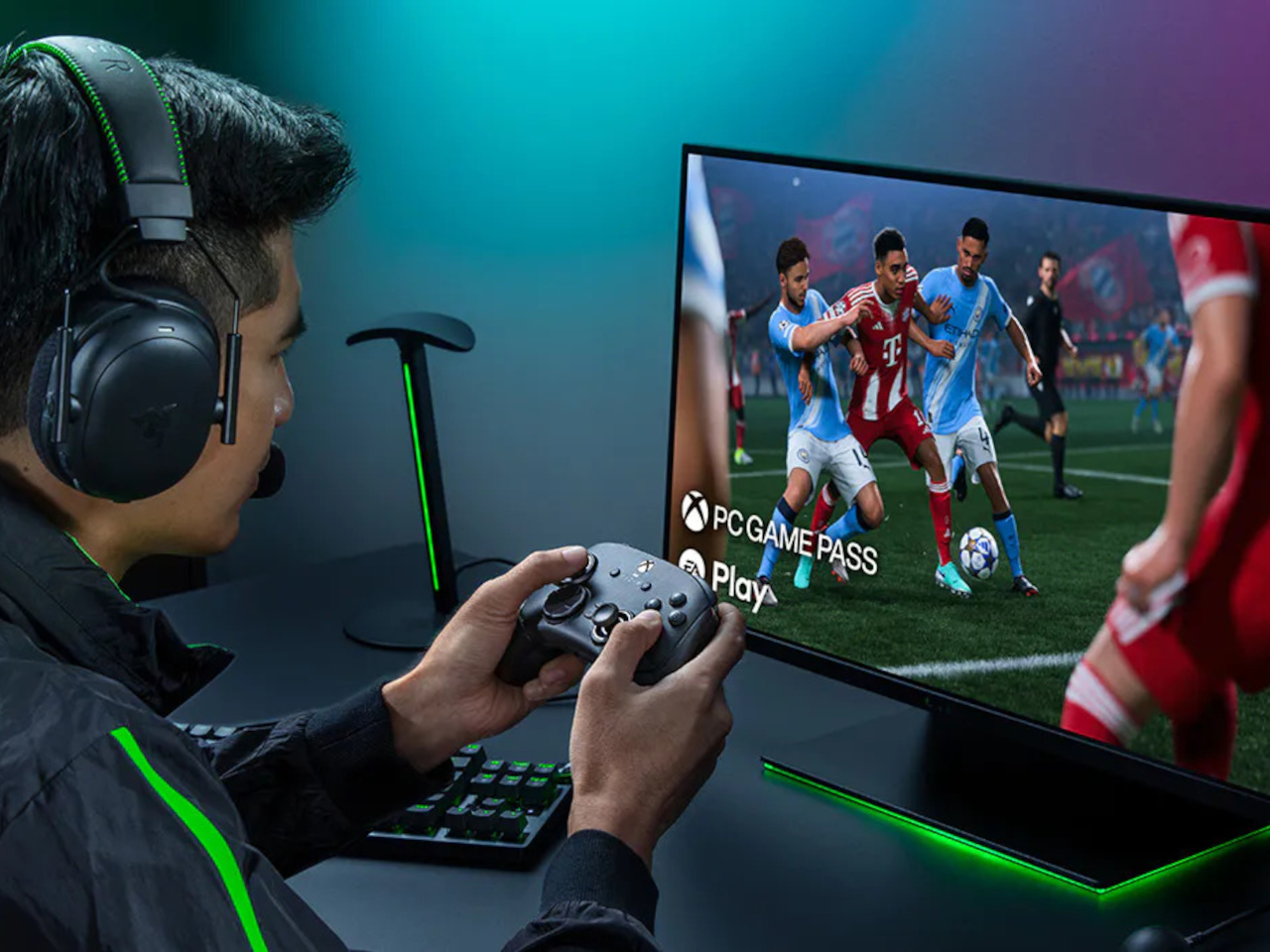
Extra buttons on a game controller can be handy, at least until they get in the way of holding it. Razer’s Wolverine V4 Pro gives players a little more say in that arrangement, with magnetic back buttons you can remove instead of simply ignoring them. Available for Xbox and PC, the wireless controller also lets you change its thumbstick caps and even take off its faceplate.
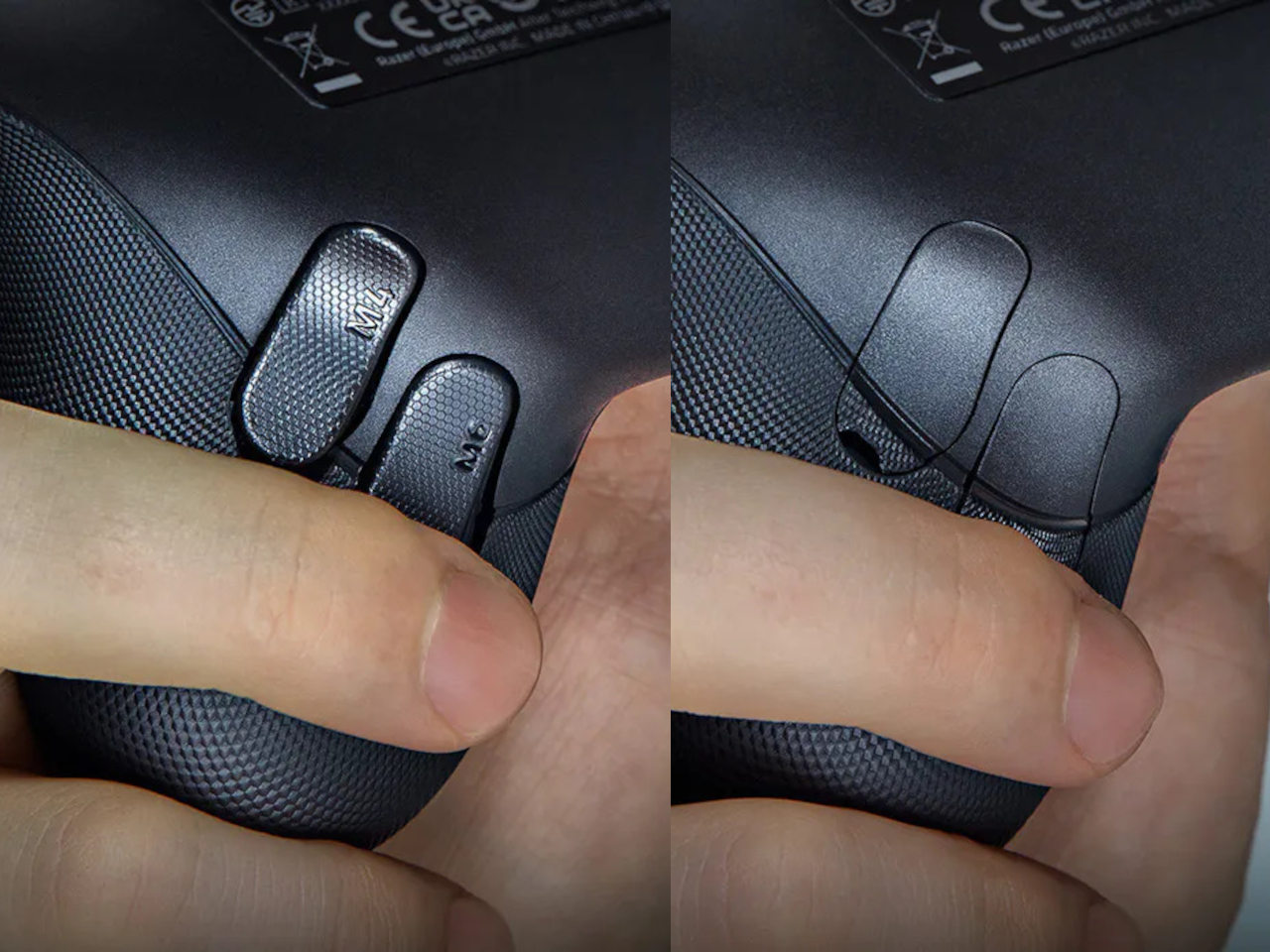
The four rear buttons come off without tools, making it possible to keep all of them, use only a pair, or clear the back entirely. Blank inserts replace the unwanted controls, following the controller’s contours rather than leaving little gaps behind. It’s a small detail, but an important one when that surface is where your fingers spend most of their time during a game.
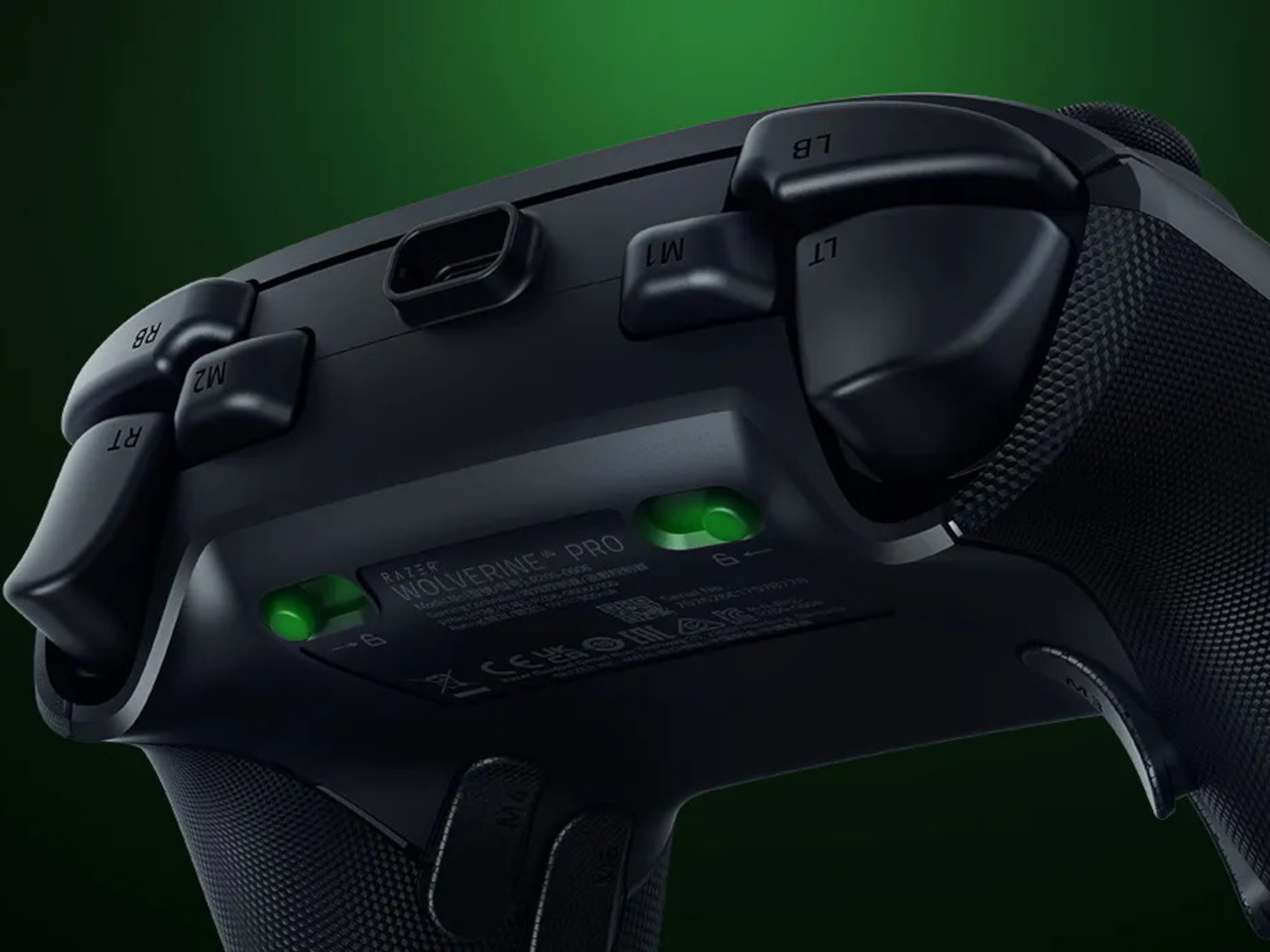
Of course, keeping those buttons attached makes sense when you’re juggling several actions at once. Their mouse-click switches can handle commands such as jumping or reloading, letting your thumbs stay on the sticks while your other fingers do the work. Two additional shoulder buttons bring the total to six remappable inputs, giving frequently used actions somewhere to go besides the familiar face buttons.
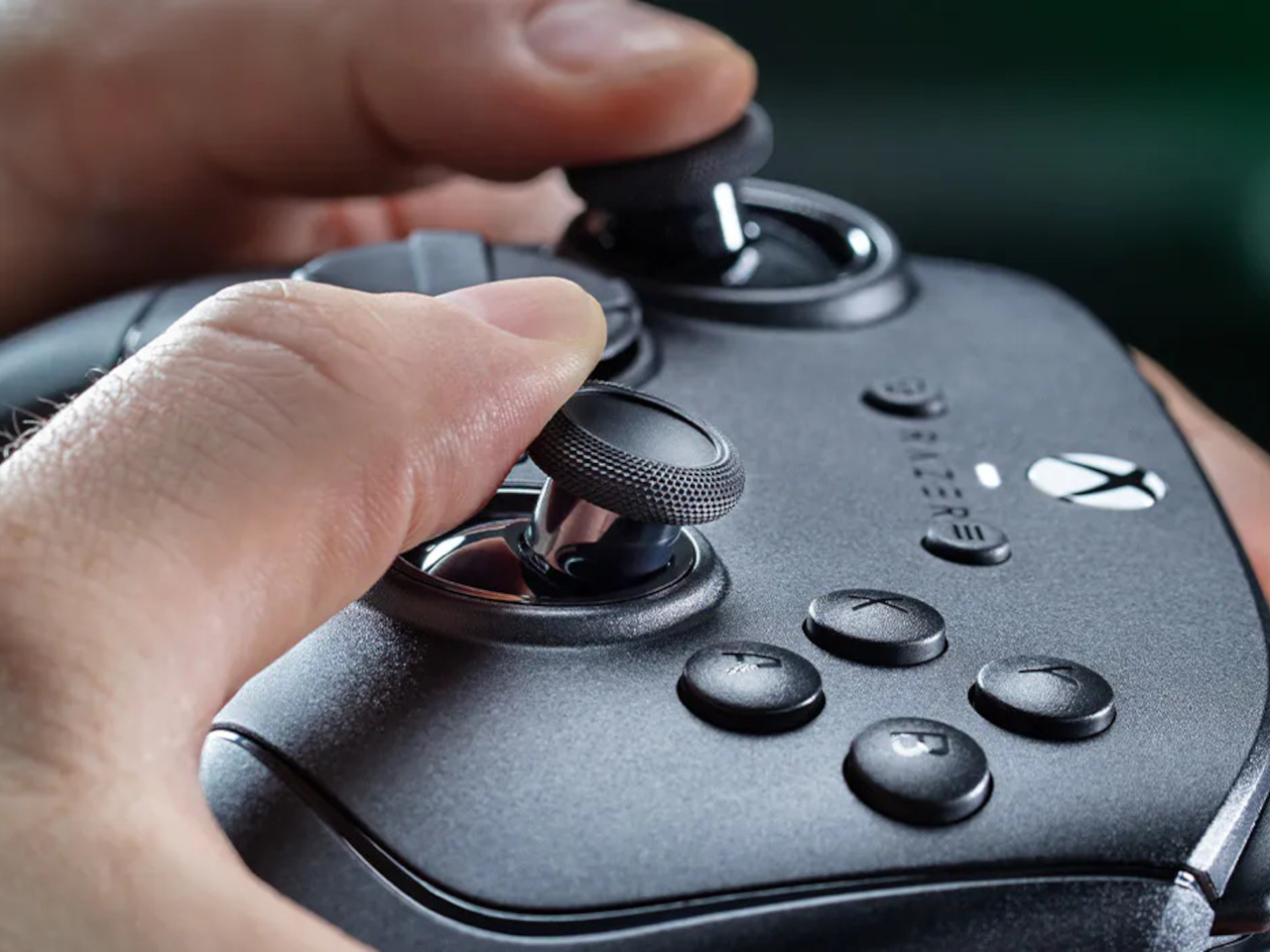
The thumbsticks get their own set of options, changing both their height and the surface beneath your thumbs. Short convex caps provide a rounded surface, while tall concave versions give your thumb a recessed resting spot and more height to work with. Razer recommends the taller caps for precise aiming. You can mix the supplied options, but swapping caps doesn’t mean you’re replacing the sensors underneath.
That flexibility continues with the triggers, which can switch between a short mouse-click action and a full analog pull using rear-mounted locks. The shorter setting suits firing in a shooter, while the longer travel lets you ease onto the throttle in a racing game. Through Razer Synapse, you can also adjust each trigger’s activation point to suit how you play.
Even the exterior is open to a little tinkering, thanks to a magnetic faceplate that lifts off without tools. Personalize that panel, or leave it off entirely to reveal the translucent housing underneath. The working components remain enclosed, so you’re changing the controller’s outer appearance rather than exposing its electronics. It’s an option for people who prefer seeing a bit of machinery.
The software takes care of the changes you can’t make with magnets. Four onboard profiles hold different button assignments and sensitivity settings, so a racing setup doesn’t have to overwrite your shooter preferences. You can also adjust thumbstick dead zones, deciding how much movement registers as input. That said, greater sensitivity can pick up tiny thumb movements you didn’t intend.
At $199.99 in the US, this level of customization doesn’t come cheap, and there’s no included carrying case to keep the removable pieces together. You’ll have to find your own place for spare caps and unused buttons. After spending that much on a controller you can rearrange, a dedicated home for the bits you’ve removed would have been rather welcome.
Apple HomeView is reportedly due in November. Explore its expected designs, colors and Siri features, plus the compatibility questions buyers should ask.
Google Chrome offers five tools for studying, from Gemini-generated quizzes and podcast summaries to split view and reading mode. Here's what works and where.
Tesla has renamed Full Self-Driving in Europe as regulators question its branding and safety. Here's what the change means for drivers and EU approval.
Tesla's Optimus robot production reportedly increased in 2026. Here's what to know about Elon Musk's 2027 sales target, manufacturing challenges, and rollout.
The best ERP vendors are SAP S/4HANA for large enterprises, Oracle Fusion Cloud ERP for large data volumes, Microsoft Dynamics 365 for Windows users, Epicor Kinetic for SMBs, and Deltek Costpoint for government contractors.
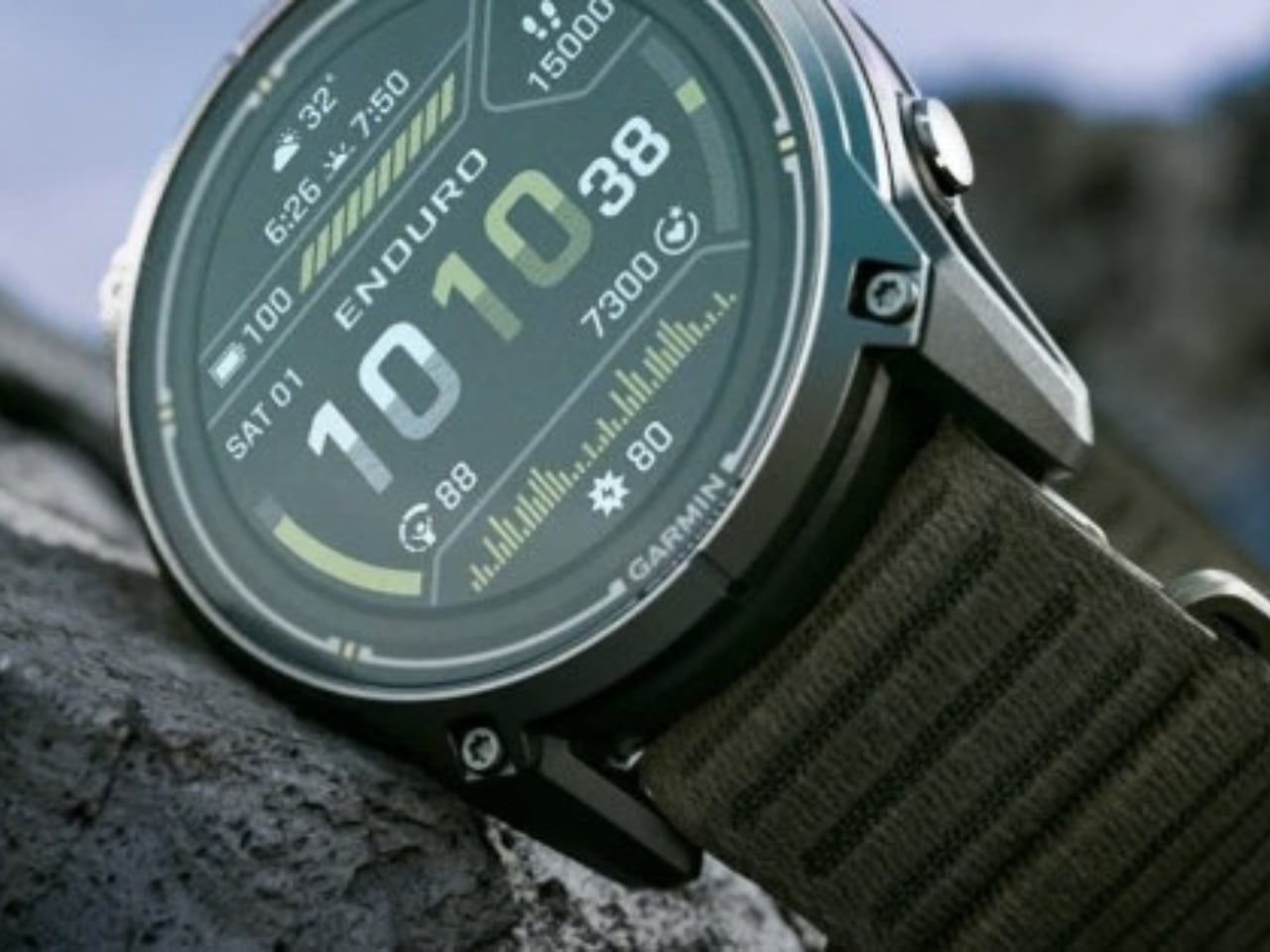
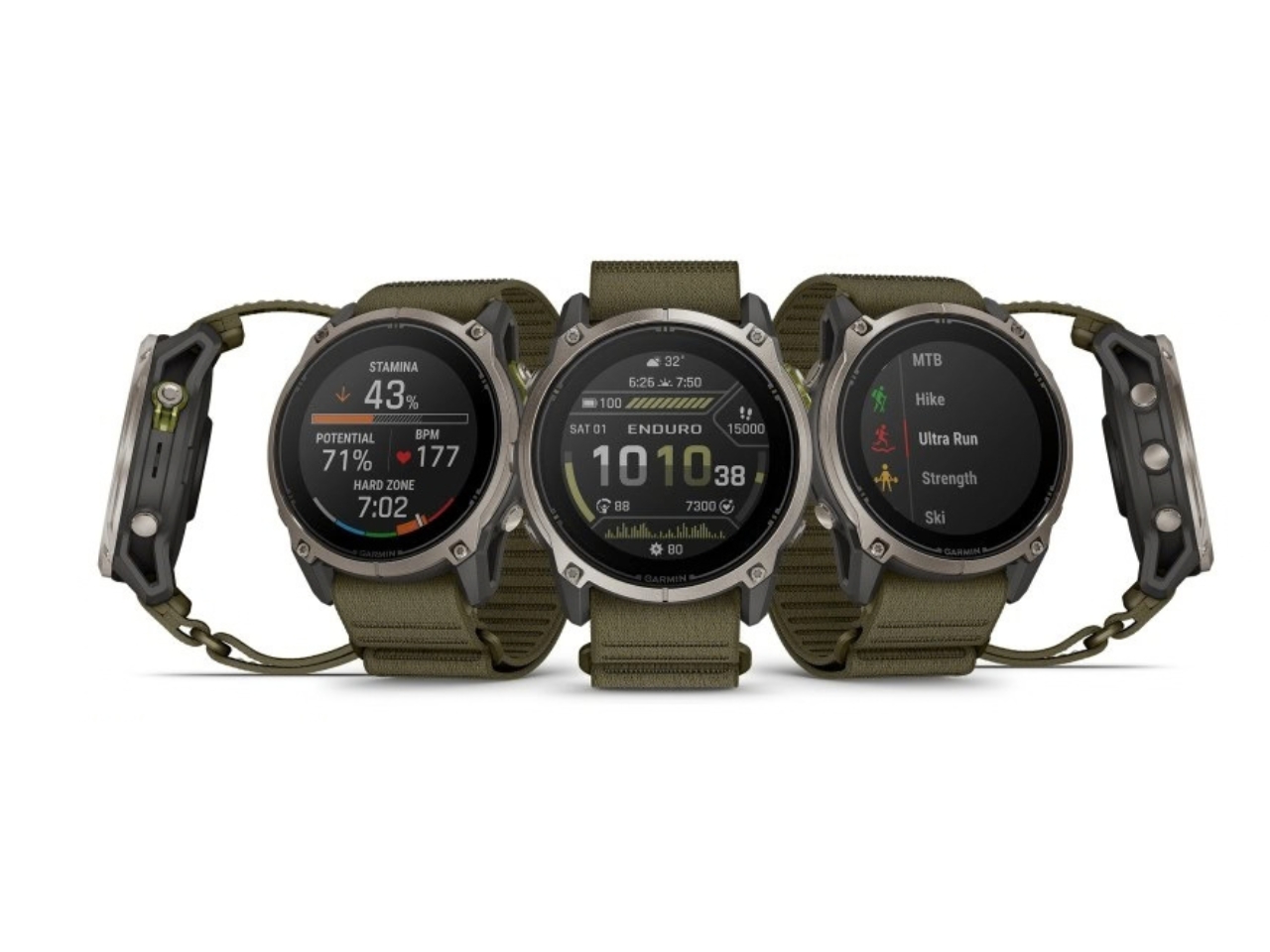
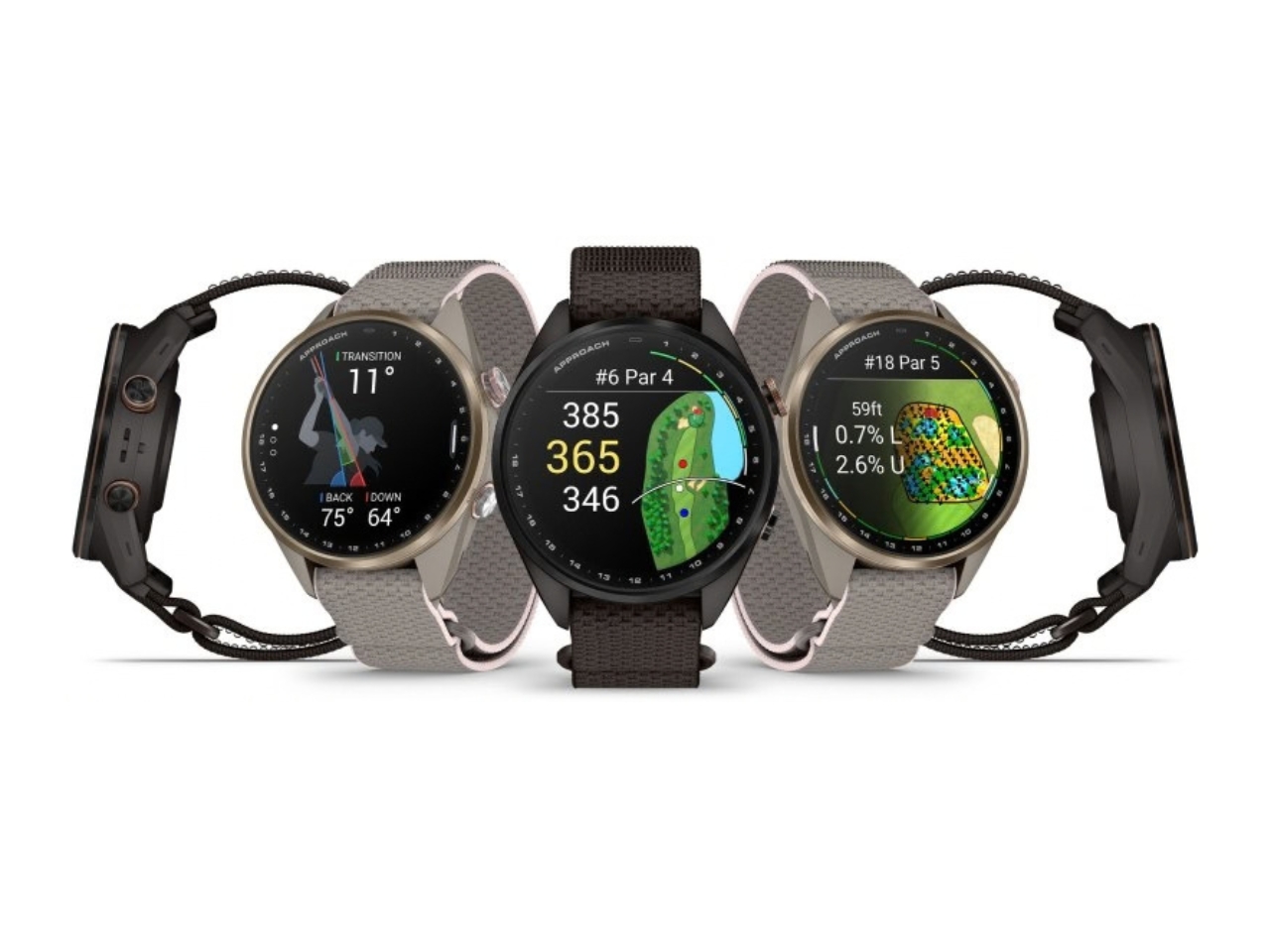
The most frustrating moment for a sports watch to fail is when you need it most: halfway through a long route with no easy way to recharge, or standing over a golf shot on an unfamiliar course with no clear sense of the distance. Garmin’s Enduro 4 and Approach S72 tackle different versions of that problem. One is built to keep working deep into an adventure. The other puts more useful information within reach before and after every swing.
They make an interesting pair because neither treats design as decoration. The Enduro 4 favors battery life, low weight and quick access to maps. The Approach S72 gives golfers a brighter, more visual way to understand the course and their game. Both have premium materials and comfortable fabric bands, but their real appeal is how those choices serve the person wearing them.
Designer: Garmin
Garmin Enduro
For the Enduro 4, battery life is the headline. Garmin rates it for up to 320 hours in activity mode or up to 90 days in smartwatch mode, with solar charging under the conditions behind those estimates. That is a meaningful promise for someone planning an ultramarathon, a backpacking trip or several days away from an outlet. I would still treat those numbers as best-case figures, but the design priority is clear: spend less time managing the watch and more time moving.
Its 51mm case is substantial, yet Garmin says the watch weighs 66 grams. A titanium bezel and scratch-resistant Power Sapphire lens bring durability, while a fiber-reinforced polymer case helps keep the weight down. The 1.4-inch MIP display is less showy than a vivid AMOLED screen, but paired with the solar lens, it suits a watch built around endurance. The fabric band and white-and-red LED flashlight are thoughtful details for long days that may turn into nights.
The improvements are not limited to how long the watch lasts. Garmin says the Enduro 4 has 50% more RAM than the Enduro 3 and map panning that is 30% faster. Grade-adjusted pace tools offer a better way to judge effort on hills, while stamina features help athletes see how their endurance changes during training. Garmin Epic can group activities across multiple days. Together, those features address a familiar problem: plenty of data, but not always enough context to use it.
Garmin Approach S72
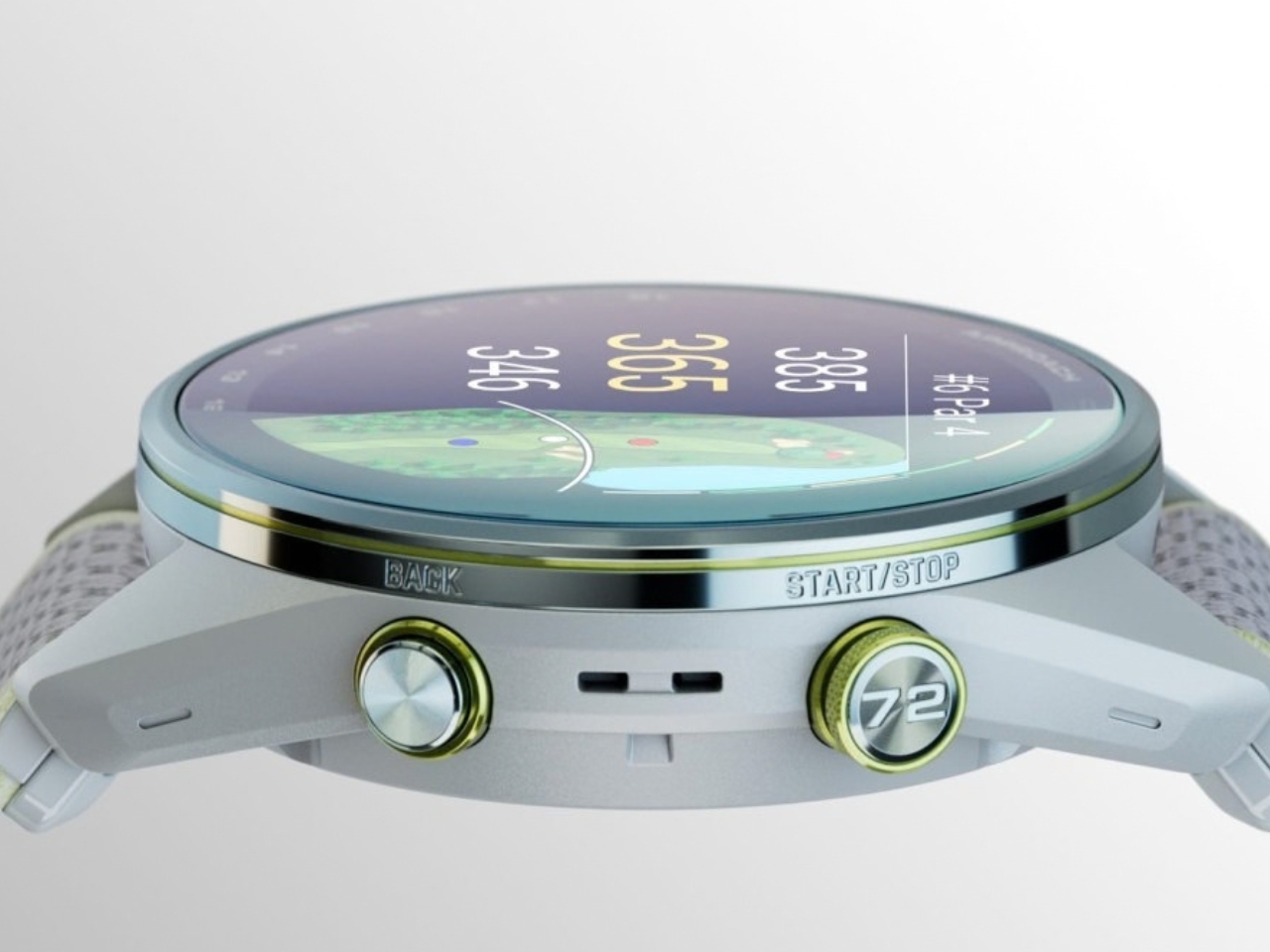
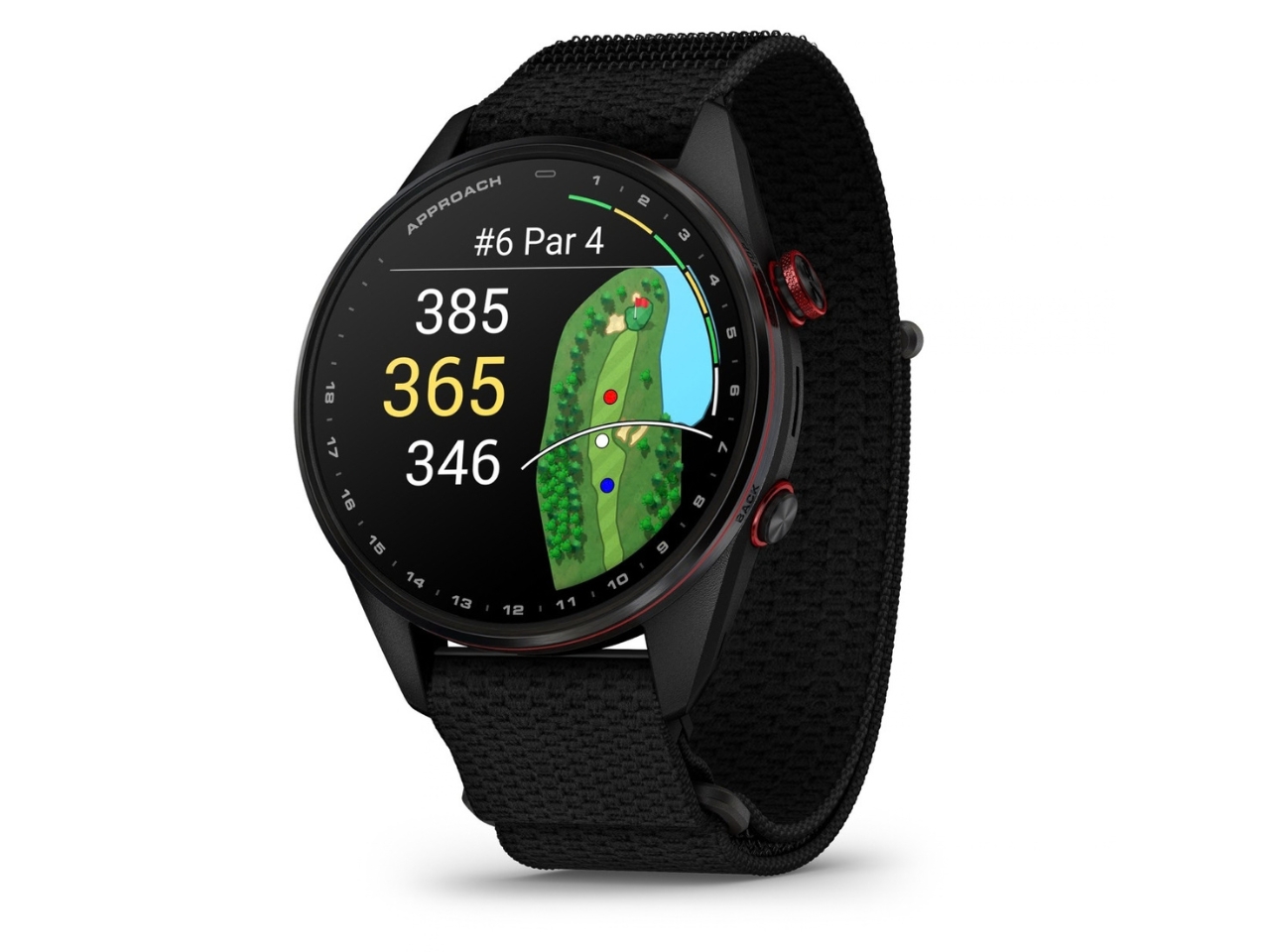
The Approach S72 takes the opposite visual approach. Available in 43mm and 47mm sizes, it has a bright AMOLED display, a titanium bezel, a sapphire lens and a lightweight ComfortFit fabric band. I like the choice of two sizes here. A golf watch needs enough screen space to make a hole legible at a glance, but it also has to feel comfortable through a round and look at home afterward.
Its most intriguing idea is connecting golf performance to what is happening with the player. The watch can show heart-rate trends alongside a completed round, while swing metrics include hand speed, backswing length and wrist rotation. On the driving range, golfers can log practice sessions rather than leaving that work outside their broader activity record. None of this guarantees a lower score, but it could make practice feel more purposeful than guessing which part of a swing went wrong.
The course tools are more immediate. Green reading uses contour data to help golfers judge a line on select courses, while aerial imagery provides a clearer look at the hole ahead. Post-round putting analytics can reveal tendencies in speed, direction and make rate. These are the features that could save a few uncertain decisions during play, then give someone a specific thing to work on afterward. Some require a Garmin Golf membership, a detail worth checking before buying.
Battery life matters here, too, though on a different scale. Garmin rates the 47mm S72 for up to 20 hours of golf activity or 16 days in smartwatch mode; the 43mm model is rated for up to 15 hours and 10 days, respectively. Add heart-rate, stress and sleep tracking, and it becomes easier to see why Garmin designed this as an everyday watch rather than a device you pull out only for tee time.
Neither watch is trying to do everything for everyone. The Enduro 4 makes the strongest case for people whose plans regularly outlast ordinary battery life; the S72 is for golfers who want clearer decisions and better feedback. What connects them is a useful design principle: the best sports technology should reduce the little uncertainties that distract you from the activity you came to enjoy.
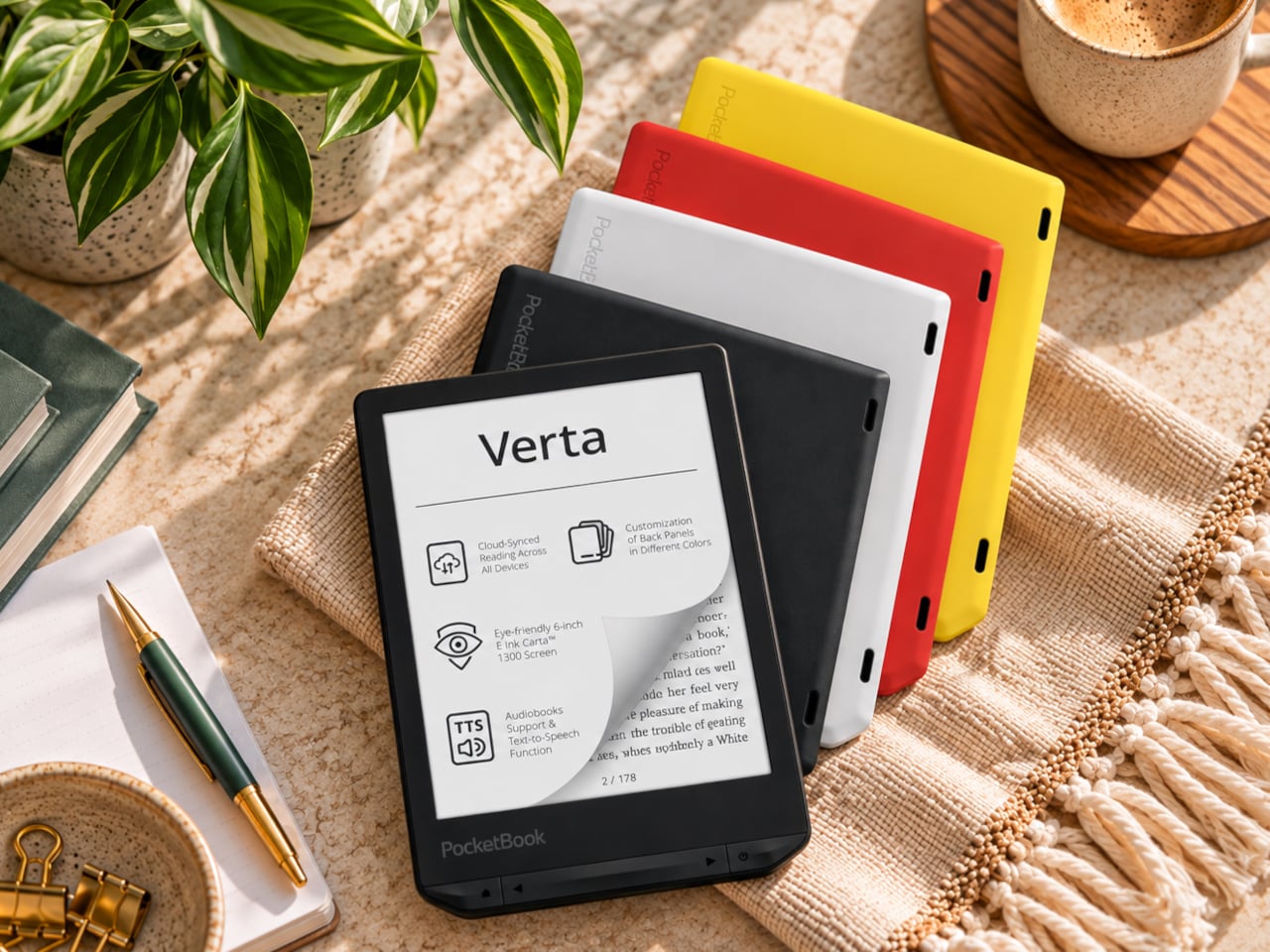
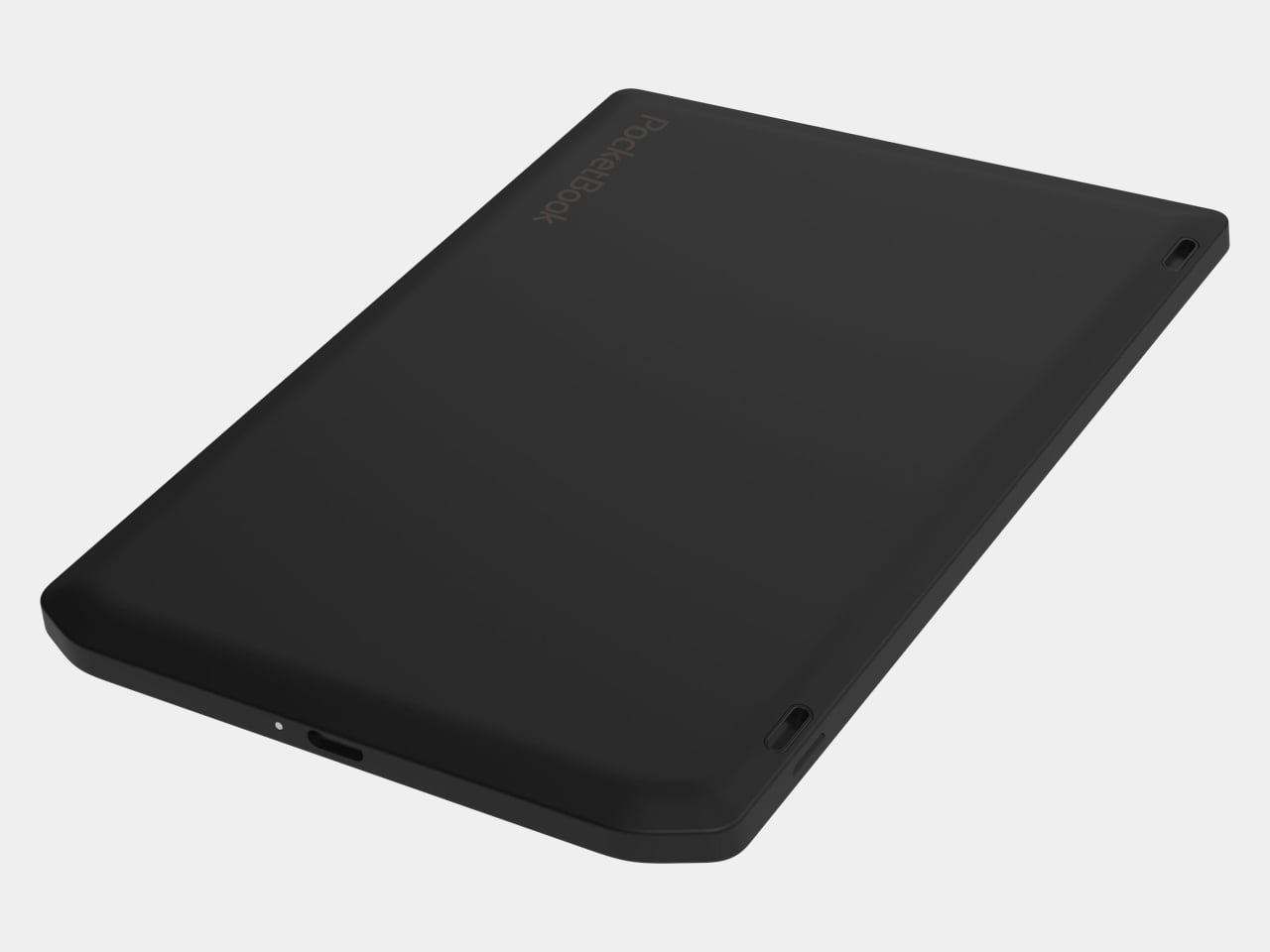
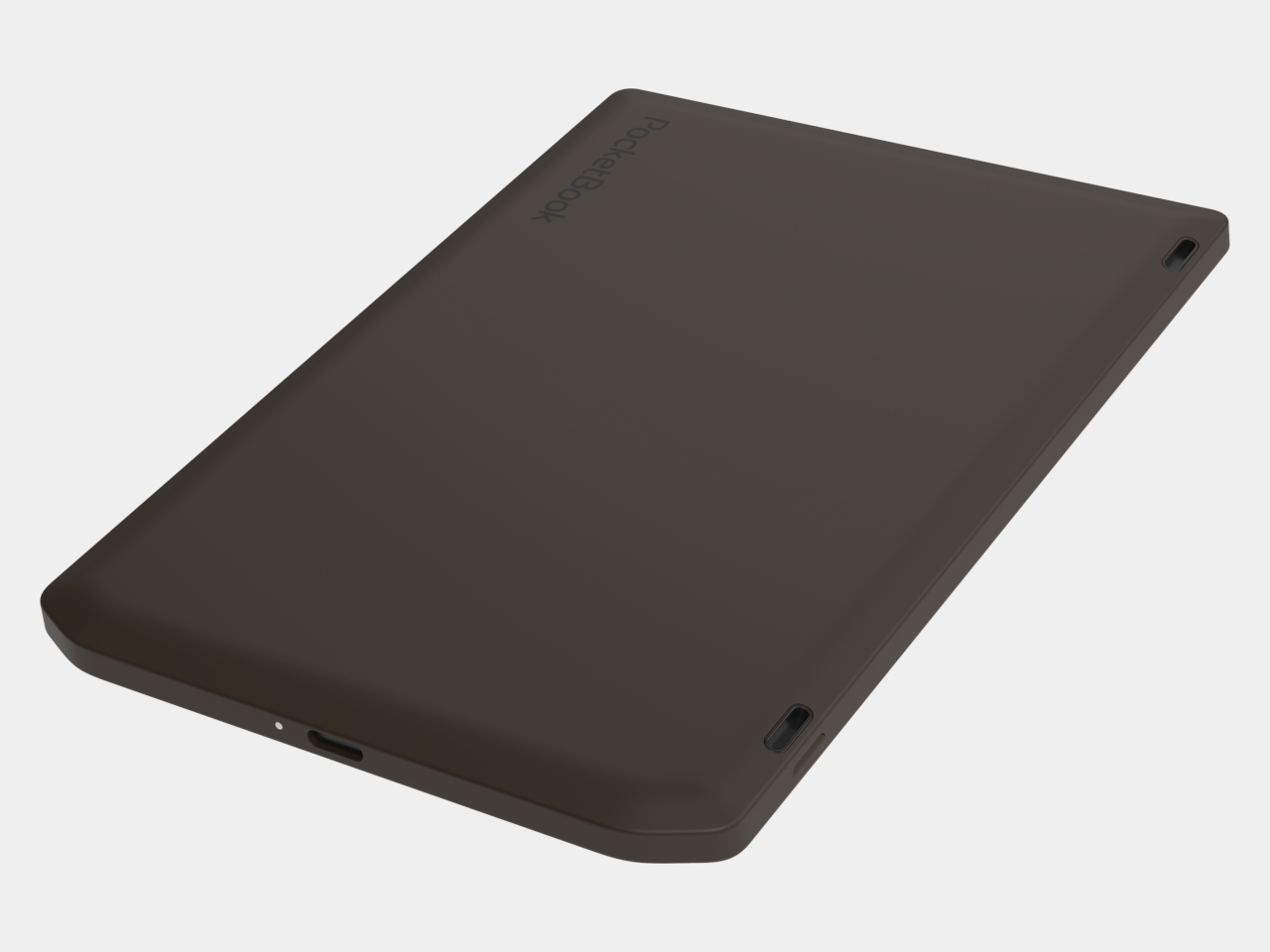
E-readers are supposed to replace physical books, but they strangely come mostly in black or gray, unlike colorful and distinctive book covers. Although not a complete design overhaul, Pocketbook’s new Verta and Verta Color e-readers offer a simple fix, and no, it doesn’t require slapping on a case. You can change the color of the e-reader by swapping the back panel while maintaining its slim shape and keeping the screen and page-turn buttons uncovered.
That’s a rather different approach to personalization than slipping on a protective cover. The interchangeable panels are sold separately, so you can keep a few colors around and switch when your taste changes. More importantly, they replace the back rather than wrapping over the front. There’s no extra flap to fold behind the reader when you settle into a chair with a book.
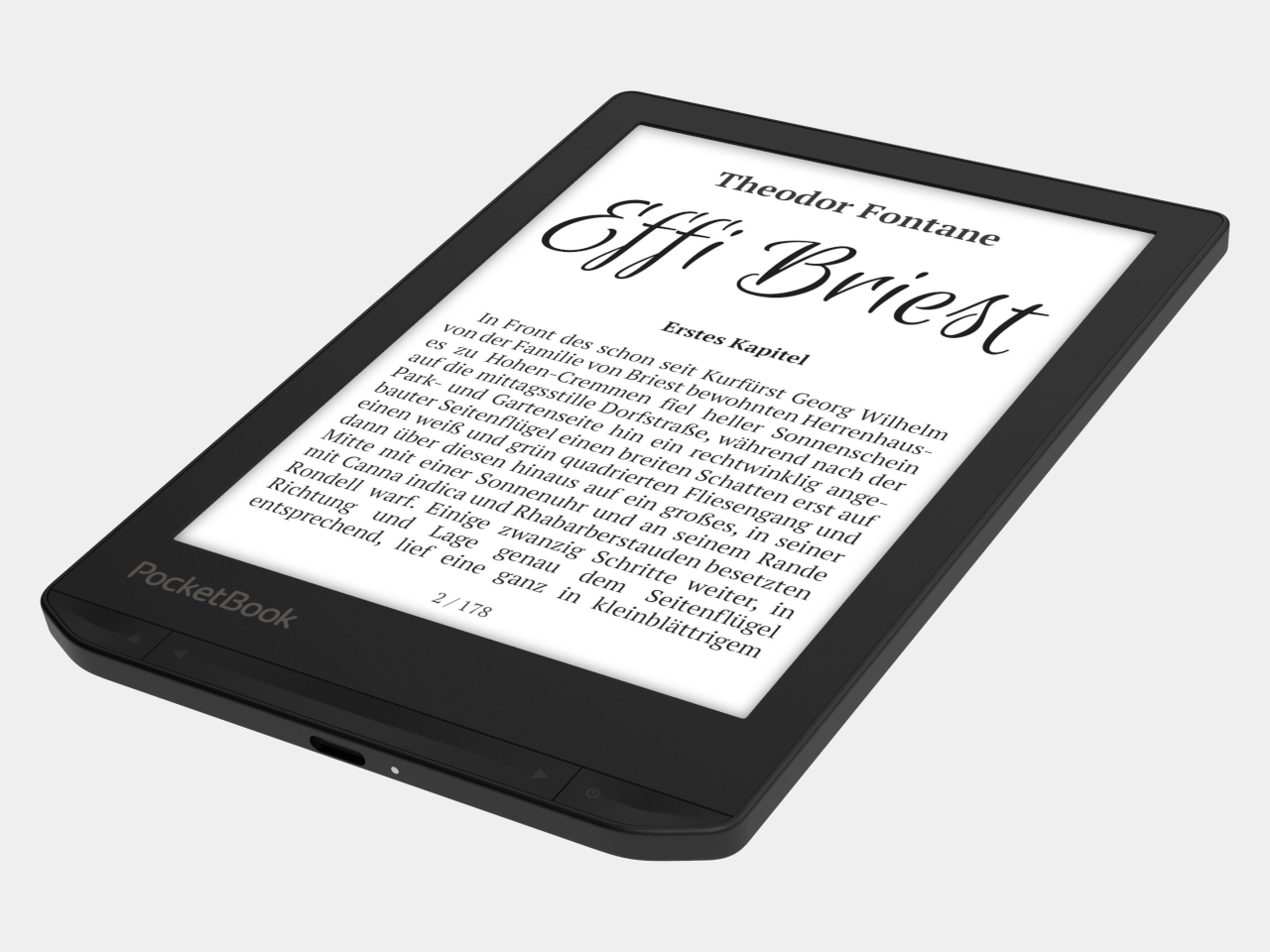
The front stays familiar in the best way. Both readers have a 6-inch touchscreen and enlarged page-turn buttons beneath it, giving your thumb another way forward when the screen is smudged or your hands are occupied. Each measures just 0.28 inches thick and weighs about 4.9 ounces, a size that suits a jacket pocket or an overstuffed bag on the commute.
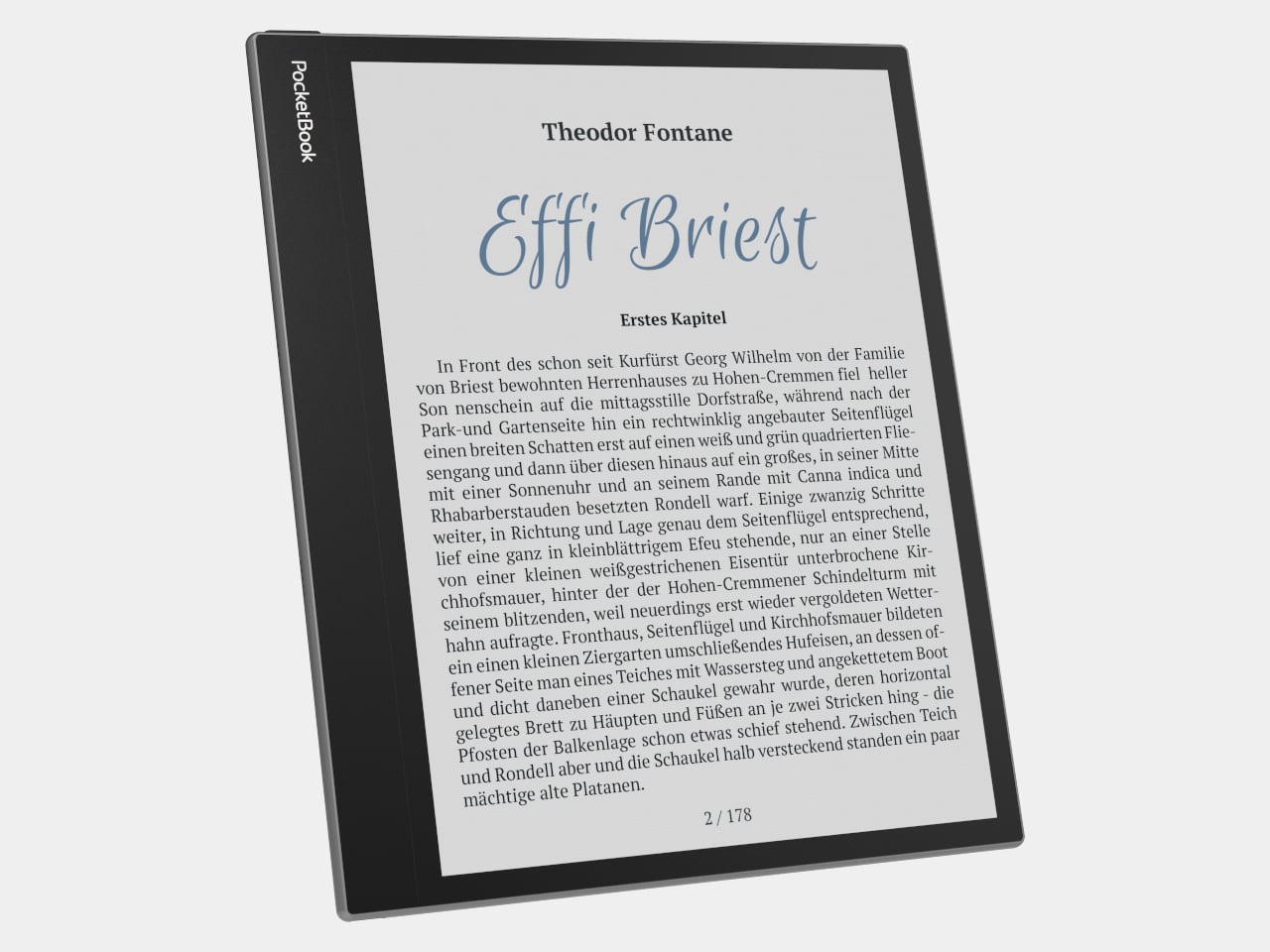
Choose the regular Verta, and you get a 6-inch E Ink Carta 1300 display at 300 pixels per inch, built for the sort of long novel that makes you miss your stop. SMARTlight lets you adjust brightness and warmth as daylight disappears. It also offers Dark Mode, so you can keep reading in bed without a bright white page facing the person beside you.
The Verta Color is for readers who want their covers, illustrated pages, and comics to retain some color. Its E Ink Kaleido 3 screen renders monochrome text at 300 pixels per inch, but color drops to 150 pixels per inch. Those numbers matter if you read fine print in graphic novels; the color option gives illustrations some life, not the punch of a tablet.
Both have 16GB of storage, Wi-Fi for downloading books, and Bluetooth audio for audiobooks or text-to-speech, though you’ll need headphones or another compatible listening device. PocketBook also supports a broad range of file formats and borrowing through library apps. That flexibility comes in handy when the next book you want isn’t sitting in a single company’s store waiting for you.
An IPX4 rating gives the pair protection against splashes, not an invitation to use them in the bath. Their 1,500mAh batteries are meant to last up to two months, depending on how you read, although that figure comes from PocketBook rather than an independent test. The removable backs add personality, but they’re not a replacement for a protective case if the reader needs one.
PocketBook plans to release both in November 2026, pricing the Verta at €169 (about $198) and the Verta Color at €179 (about $209). Both are marked as coming soon on its storefront. The cleverest trick, though, is letting you change the color of something you hold for hours on end without asking a protective case to do the decorating for you.
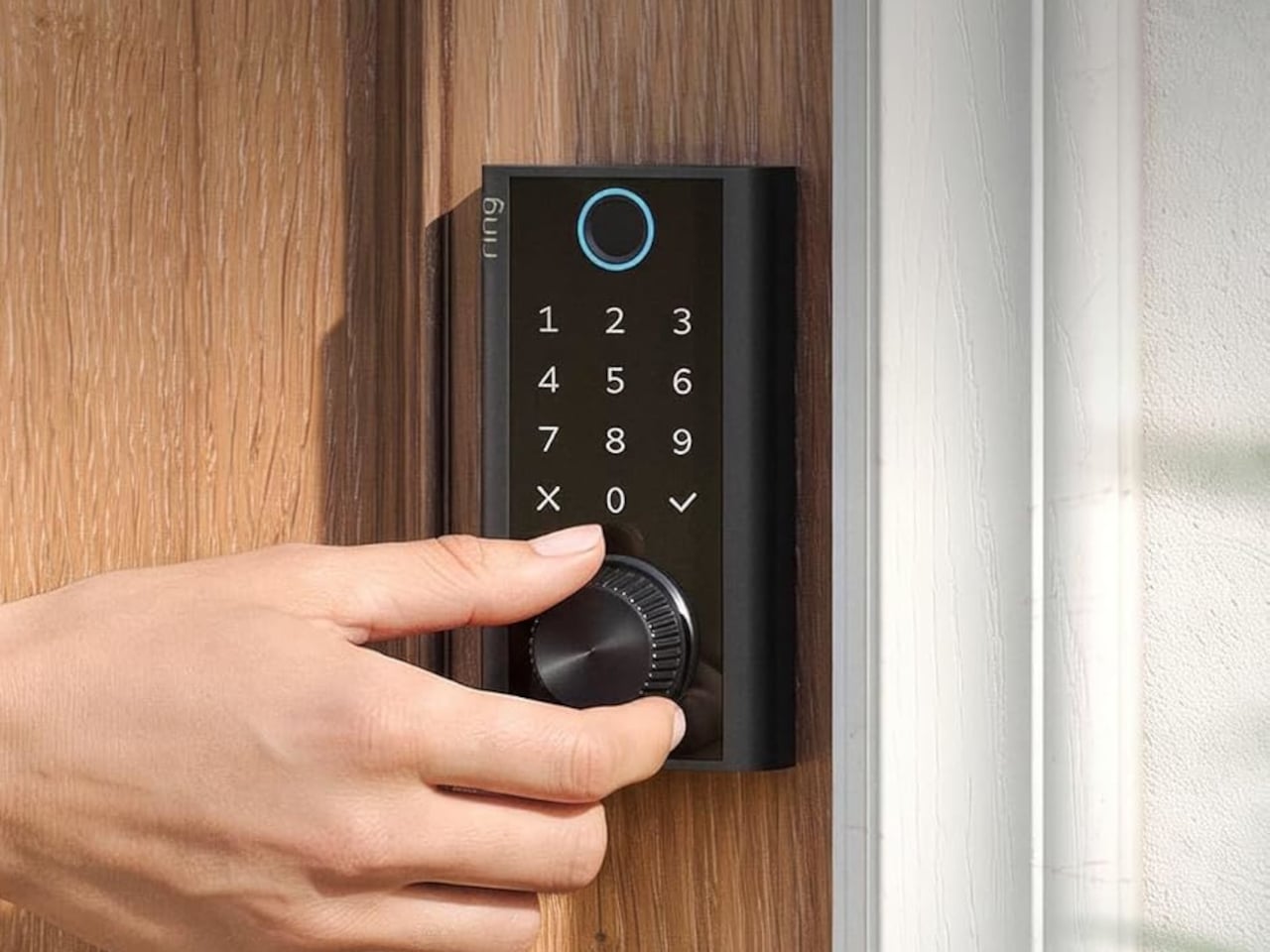
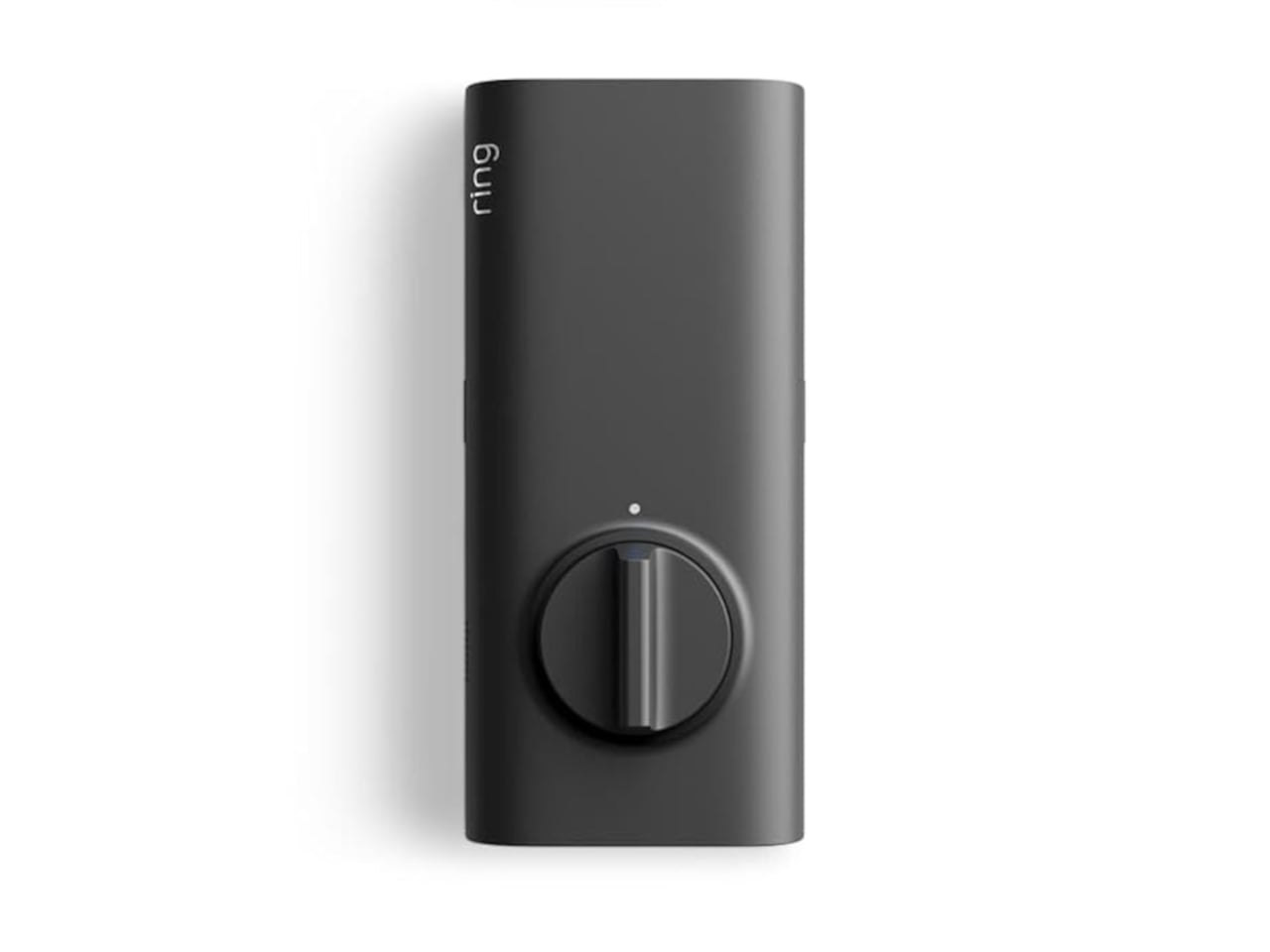
Smart locks sound like the future until you’re standing outside with groceries and the lock won’t wake up because of a dead battery. Although there are different methods to address that, Ring’s first-ever Smart Lock has a rather ingenious solution: an almost literal crank. Simply turn a dial a few times to power the keypad just long enough to key in your code.
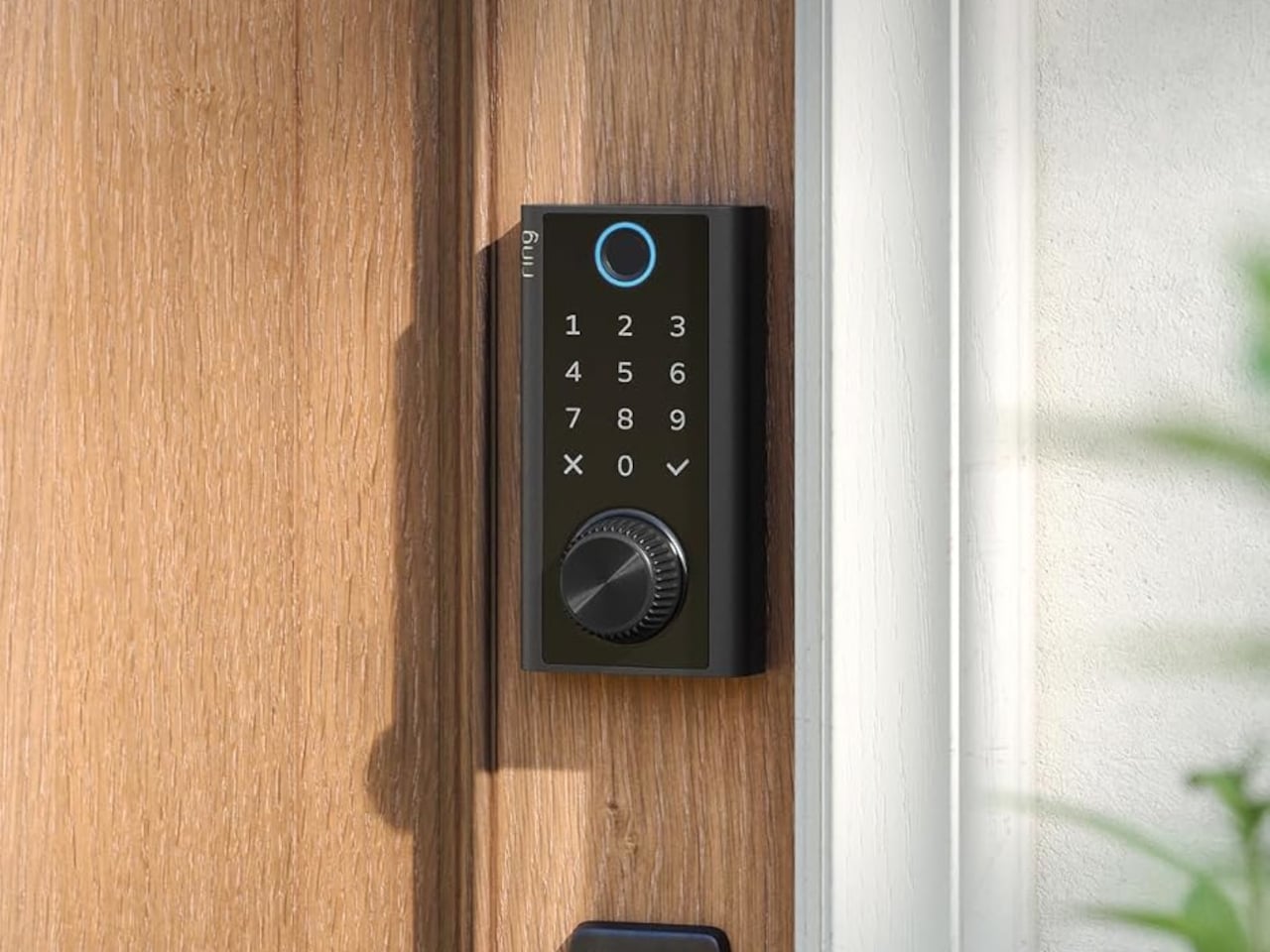
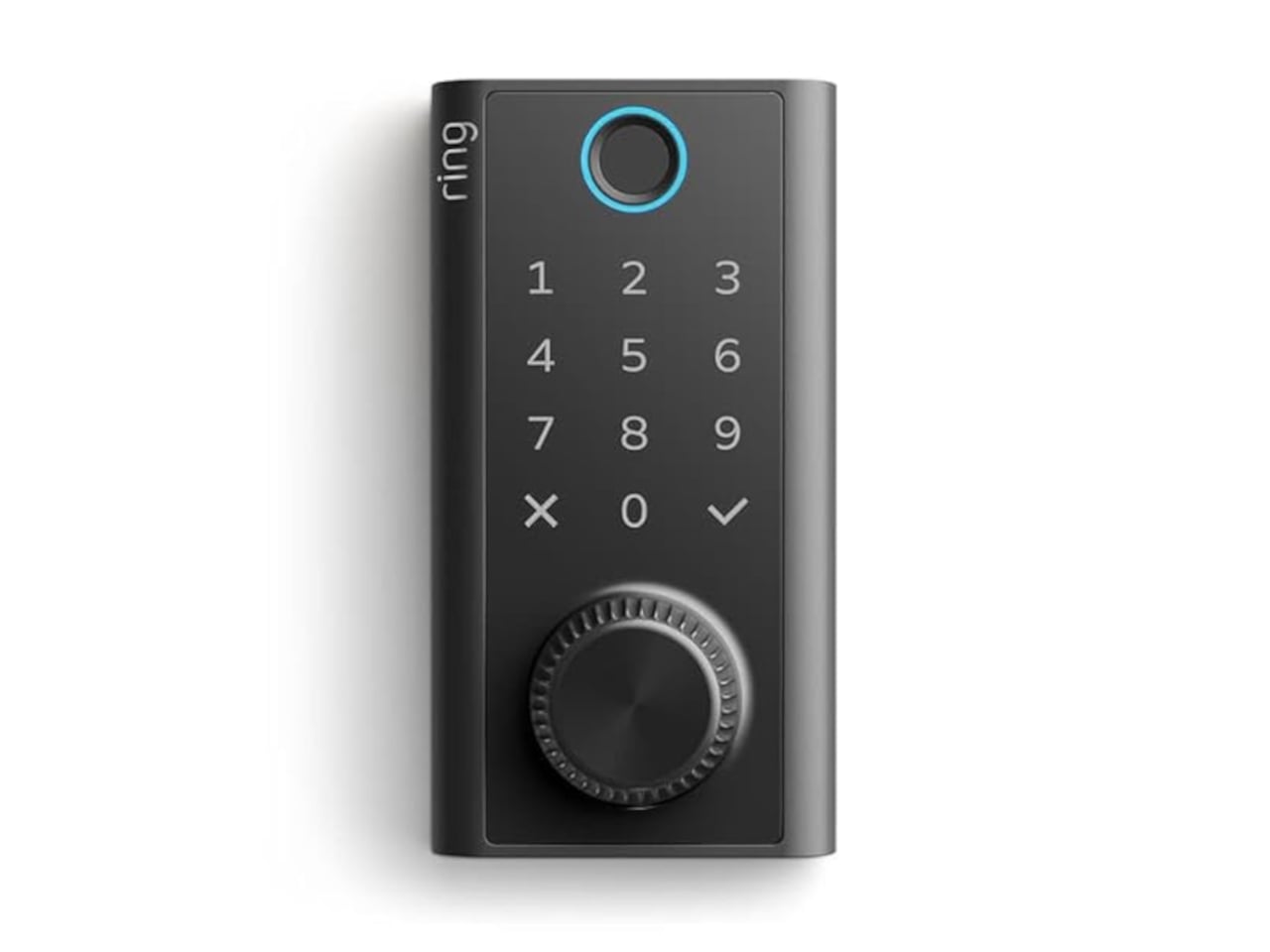
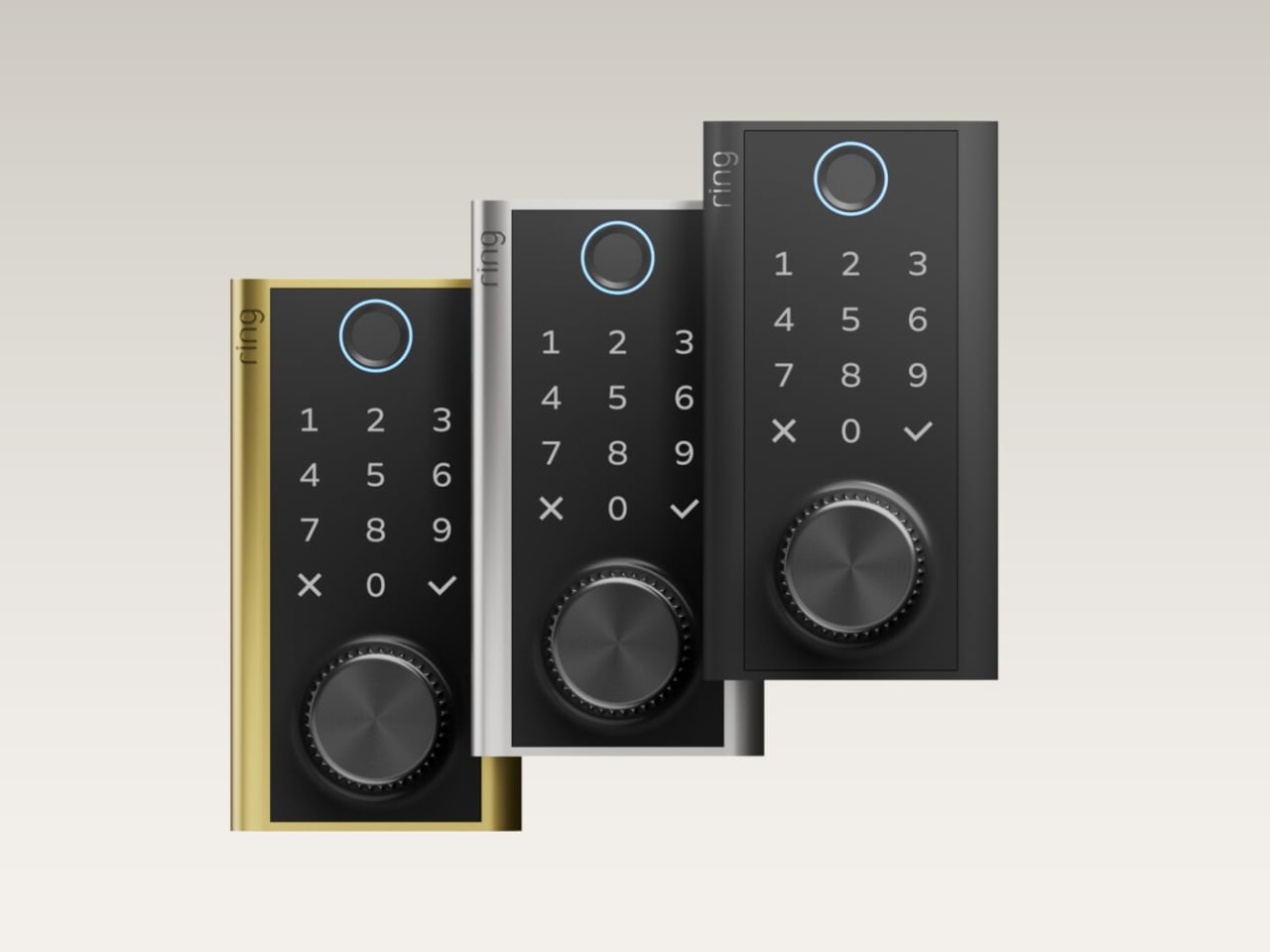
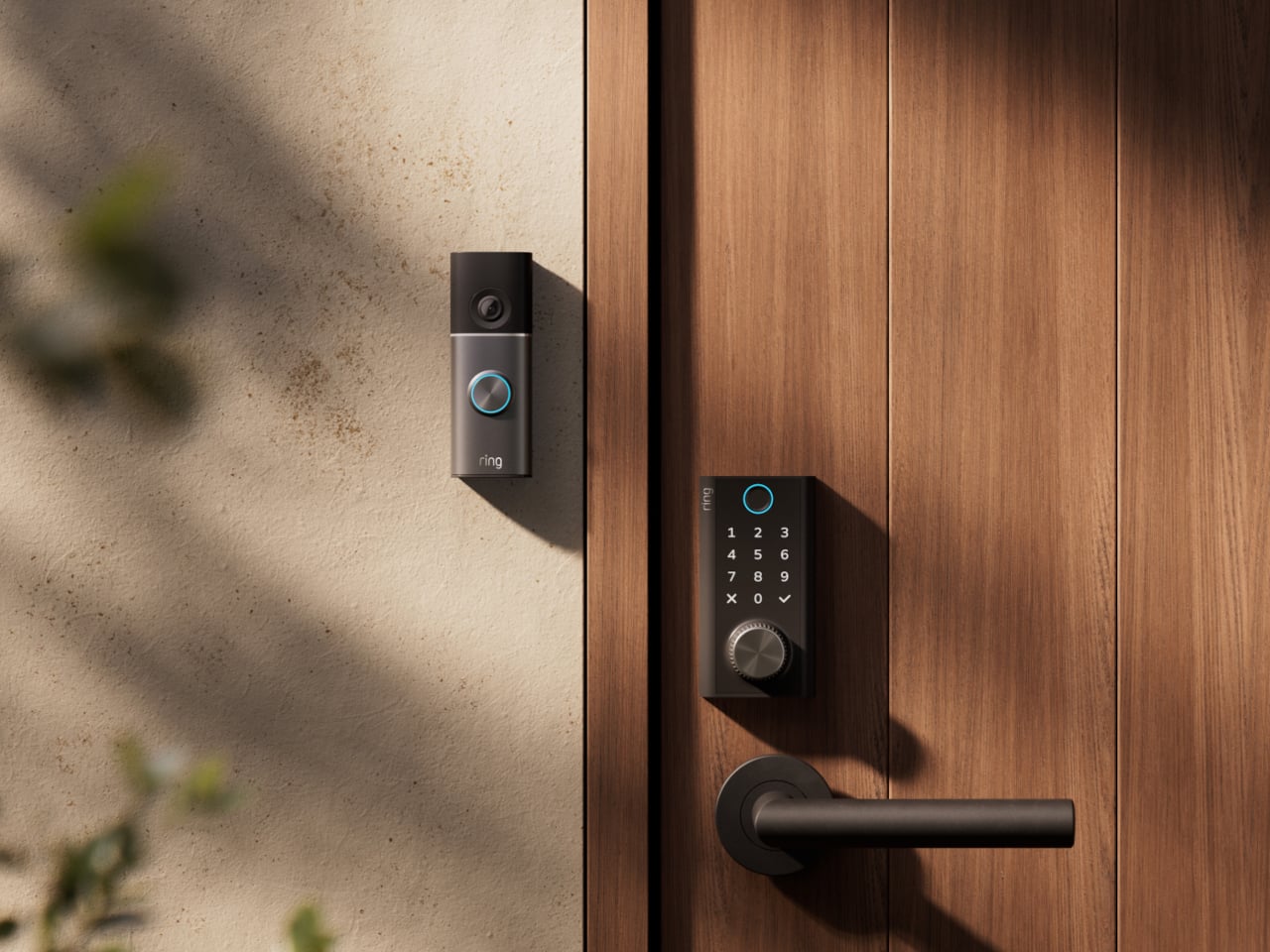
It’s simple yet effective, and it doesn’t require you to fumble for a cover to replace the battery. The knurled dial sits beneath the backlit touchscreen keypad, with a circular fingerprint reader topping them all. All in all, the design looks more like a stack of controls instead of a deadbolt with electronics just bolted on.
Designer: Amazon
On regular days or nights, you can simply touch the fingerprint reader instead of digging for keys in your bag or pocket. You can also give a visitor a PIN that only works during a set time window. The Ring app also offers yet another way to let you in, and it also allows you to check the lock remotely, including Alexa voice control. These are the typical features you’d expect from a smart lock, but Ring does one better.
Most keyless locks require a cable or a spare battery before they even wake up, which isn’t exactly the fastest or the easiest when you only have one hand free. Ring puts that backup in that same free hand, figuratively. Simply turn the dial to “charge” the lock, almost like cranking some lever for power. It’s an almost comical analogy, but it gets the job done.
Of course, you don’t charge the Ring Smart Lock by turning the dial endlessly. That’s what the Quick Release Ultra Battery Pack is for. That battery is rechargeable, which means you don’t need to worry about extra wiring or hardware when installing the Smart Lock. It works with a standard single-cylinder deadbolt, making it immediately compatible with many doors.
One thing to note is that remote features depend on Amazon Sidewalk rather than your home Wi-Fi. That could spare you a trip back to check whether the door locked, or let you admit someone while you’re away, provided there’s coverage where you live. Ring says unlocking at the door happens locally, but Sidewalk remains a requirement for the connected functions. It’s a condition beneath the promise of convenience.
The lock can share the Ring app’s activity feed with Ring’s other products such as doorbell, cameras, and alarms, so you get a more holistic view of everything that happens at home even when you’re away. That said, it doesn’t have a camera of its own, which is a subtle nudge to get a Ring doorbell, too.
Black, silver, and brass finishes are planned, with a $249 price and U.S. availability expected in early 2027, pending regulatory authorization. For now, some details about the Ring Smart Lock have yet to be fully disclosed, including battery life. Regardless, it’s an interesting and low-tech solution to a high-tech problem that makes you feel you’re in control, even in such an emergency.
Get the key details on Apple Watch Series 12, including health features, AI tools, battery life, pricing, compatibility, and which model may suit you best.

 Connexion