Microsoft Maia 300 and Nvidia Rubin target different AI infrastructure needs. Compare their memory, bandwidth, efficiency claims, availability, and deployment options.
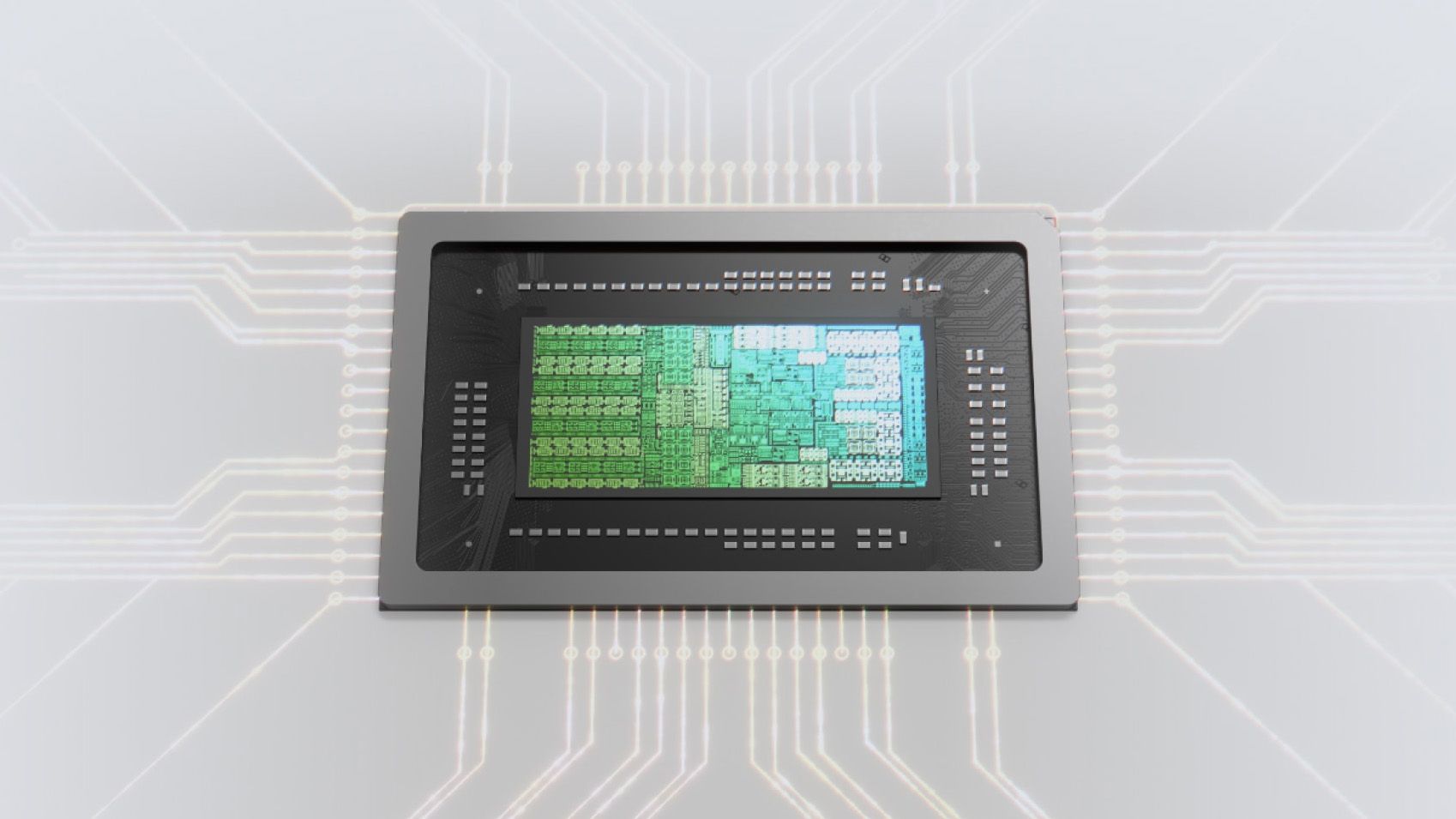
RTX Spark is finally here. After years of rumors, NVIDIA has re-entered the Windows silicon game with the MediaTek N1X, a tailor-made 18/20-core SoC with 5,120 or 6,144 GPU cores, up to 128GB of unified memory, and a heck of a lot of power for apps, games, and AI experiences under the hood.
It's not every day that Windows gains a new silicon partner, which is why everyone seems to be involved with ensuring this launch goes as smoothly as possible. Microsoft has worked closely with NVIDIA on optimizing the Windows platform, especially for RTX Spark, and third-party app vendors like Adobe, Blender, anti-cheat software, and more have mobilized to optimize their products and frameworks for the new chipset.
But the big play with RTX Spark is on-device AI. LLMs and agentic workflows have become all the craze over the last year, and NVIDIA believes the RTX Spark is the first chipset for Windows that has been designed from the ground up for running local AI experiences locally and securely, without sacrificing performance.
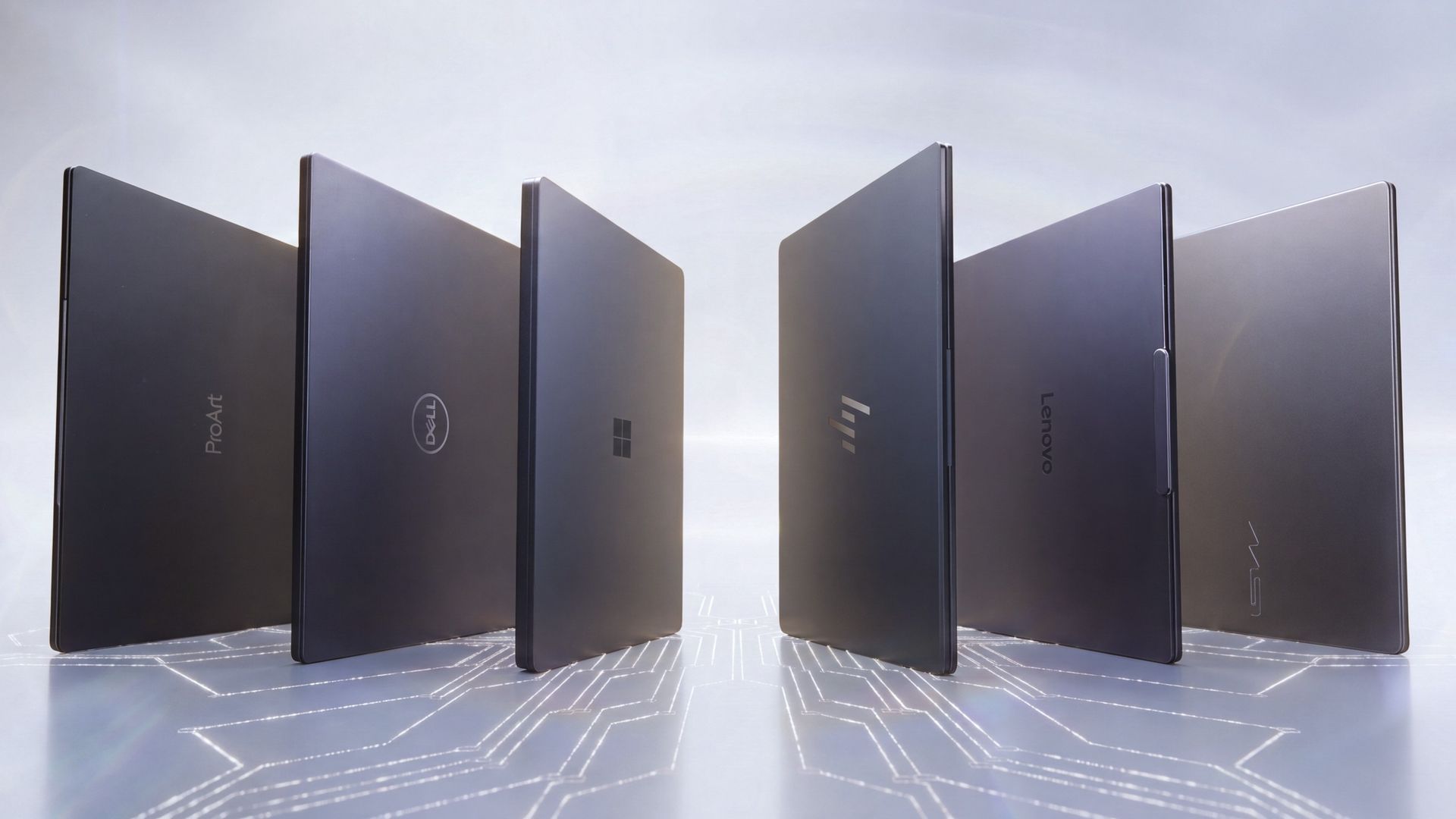
NVIDIA has 6 hardware partners lined up to ship RTX Spark hardware starting this week, and all of them are aimed at the high-end content creator or developer crowd. NVIDIA has set its sights on competing head-to-head with the MacBook Pro, and is eager to win over AI developers who flocked to that platform thanks to Apple Silicon.
I've been testing out the top configuration of RTX Spark over the last week on a Surface Laptop Ultra, and here's what I discovered it's good at, and what it's not so good at. FYI, today's embargo only allows us to detail the RTX Spark's performance and benchmarks, not the Surface Laptop Ultra itself. So battery life, thermal performance, and laptop-specific variables are not included in this piece. That information will be shared in the full laptop review, coming soon.
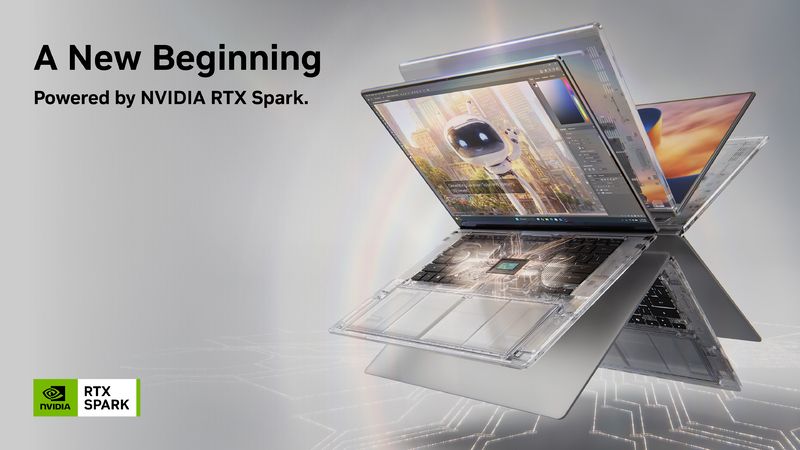
NVIDIA RTX Spark Overview
(Image credit: NVIDIA)
If you're looking for a quick rundown of what RTX Spark is and how it compares, here's what you need to know:
RTX Spark is a powerful SoC with good CPU performance and great GPU performance. Its CPU is comparable to the Apple M4 Pro and Qualcomm's Snapdragon X2 Elite, with multi-thread performance being its stronger asset in the CPU department, though it trails behind the Apple M4 Max and Snapdragon X2 Elite Extreme.
The GPU is the star of the show, with great performance thanks to its 6,144 GPU cores that deliver smooth framerates (with help from DLSS and framegen), faster rendering times, and very capable AI performance. Its quantized INT8 tensor execution, unified memory sharing, and computer vision acceleration easily leapfrog mobile discrete GPUs in its power class for AI workflows, which it excels at.
I don't believe RTX Spark is for everyone. It's very good at key things, and shines primarily for those who are knee-deep in local AI workflows and experiences. If you're not a mobile content creator, software developer, or utilize local LLMs often, RTX Spark probably isn't for you.
Mobile efficiency varies depending on power profile. The GPU is hungry and will drain power fast when at full pelt, but in day-to-day usage that only occasionally leans on the GPU, it should last the workday. The good news is, you should see the same performance regardless of plugged-in state.
Compared with most integrated Snapdragon, Intel, and AMD systems, RTX Spark is substantially faster in AI image generation and local inference, while matching or approaching dedicated RTX 4070/5060/5070 class GPU performance in most workloads outside of AI.
The latest generation of high-end Apple Silicon retains an advantage in peak single-thread CPU performance, but RTX Spark’s strength is its GPU, with TensorRT execution and high-speed memory providing advantages in diffusion, quantized models, and sequential data access.
RTX Spark configurations
Specification
RTX Spark N1X (5120-core GPU)
RTX Spark N1X (6144-core GPU)
CPU Configuration
18 cores (9x Cortex-X925 + 9x Cortex-A725)
20 cores (10x Cortex-X925 + 10x Cortex-A725)
Max Performance Core Clock
3.9 GHz
4.0–4.1 GHz
Max Efficiency Core Clock
2.8 GHz
2.8 GHz
GPU Architecture
Blackwell RTX
Blackwell RTX
CUDA Cores
5,120
6,144
Streaming Multiprocessors (SMs)
40
48
RT Cores
4th Generation
4th Generation
Tensor Cores
5th Generation
5th Generation
Unified Memory Type
LPDDR5X
LPDDR5X
Memory Interface
256-bit / 16-channel
256-bit / 16-channel
Memory Speed
Up to 9,400 Mbps
Up to 9,400 Mbps
Peak Memory Bandwidth
Up to 300 GB/s
Up to 300 GB/s
NVLink-C2C Bandwidth
600 GB/s bidirectional
600 GB/s bidirectional
Display Support
HDMI 2.1a, DisplayPort 2.0 over USB4
HDMI 2.1a, DisplayPort 2.0 over USB4
Process Technology
TSMC 3nm (CPU & GPU dies)
TSMC 3nm (CPU & GPU dies)
Configurable SoC TDP
45–80W
45–140W
NVIDIA RTX Spark CPU Performance
(Image credit: NVIDIA)
The RTX Spark CPU was co-designed by NVIDIA and MediaTek. The N1X, as it's known, comes in either 18- or 20-core configurations and is relatively efficient while delivering good performance. With that said, it's not leading in its class, leaving something to be desired when it comes to raw benchmarks.
In Cinebench 2026, the 20-core N1X achieved a single-core score of 558 and a multi-core score of 6,885. To put that into perspective, its single-core score beats the first-gen Snapdragon X Elite X1E-80-100 at 519, but falls short compared to Qualcomm's Snapdragon X2 Elite Extreme, which achieves a score of 662 for single-core. Multi-core fares better, with a score of 6,885, which is only just behind the X2 Elite Extreme and Apple M4 Max.
Cinebench Scores (Best Performance)
Cinebench 2026 Test
Plugged In Result
Unplugged Result
CPU (Multi Core)
6,885 pts
6,844 pts
CPU (Single Core)
558 pts
554 pts
MP Ratio
12.33 x
12.35 x
These scores do place it ahead of Intel's and AMD's latest flagship mobile workstation chips, but the chipset simply doesn't compete with Apple's latest Max chips, consistently trailing behind the Apple M4 Max and the M3 Ultra. This is a little disappointing given that the RTX Spark is directly targeting Apple Silicon.
It's a similar story with our Geekbench 7 results, achieving a single-core score of 2,718 and a multi-core score of 23,571. It's clear that multi-core performance is the N1X's stronger asset, competing with the likes of the Apple M4 Pro or Intel Core Ultra 9 285K, and is well ahead of the last-gen Snapdragon X Elite and Intel Lunar Lake, as it should be.
Geekbench Scores (Best Performance)
Geekbench 7.1
Plugged In Result
Unplugged Result
CPU (Multi Core)
23,571
23,879
CPU (Single Core)
2,710
2024
Outside of benchmarks, in day-to-day use the N1X feels fine. This isn't a slow CPU by any means, and will chew through even complex workflows with no sweat. Most day-to -day apps are Arm native these days, but for the few that do require Microsoft's Prism emulation layer, you won't even notice it. RTX Spark makes it so emulated apps feel just like native ones.
All our benchmarks were run with the Best Performance setting enabled, and in our tests we ran them a number of times in both plugged-in and unplugged states to see if there's any performance drop when away from a wall outlet. The good news is the RTX Spark delivers pretty much the same power regardless of plugged-in state, which mimics Apple Silicon.
NVIDIA RTX Spark GPU Performance
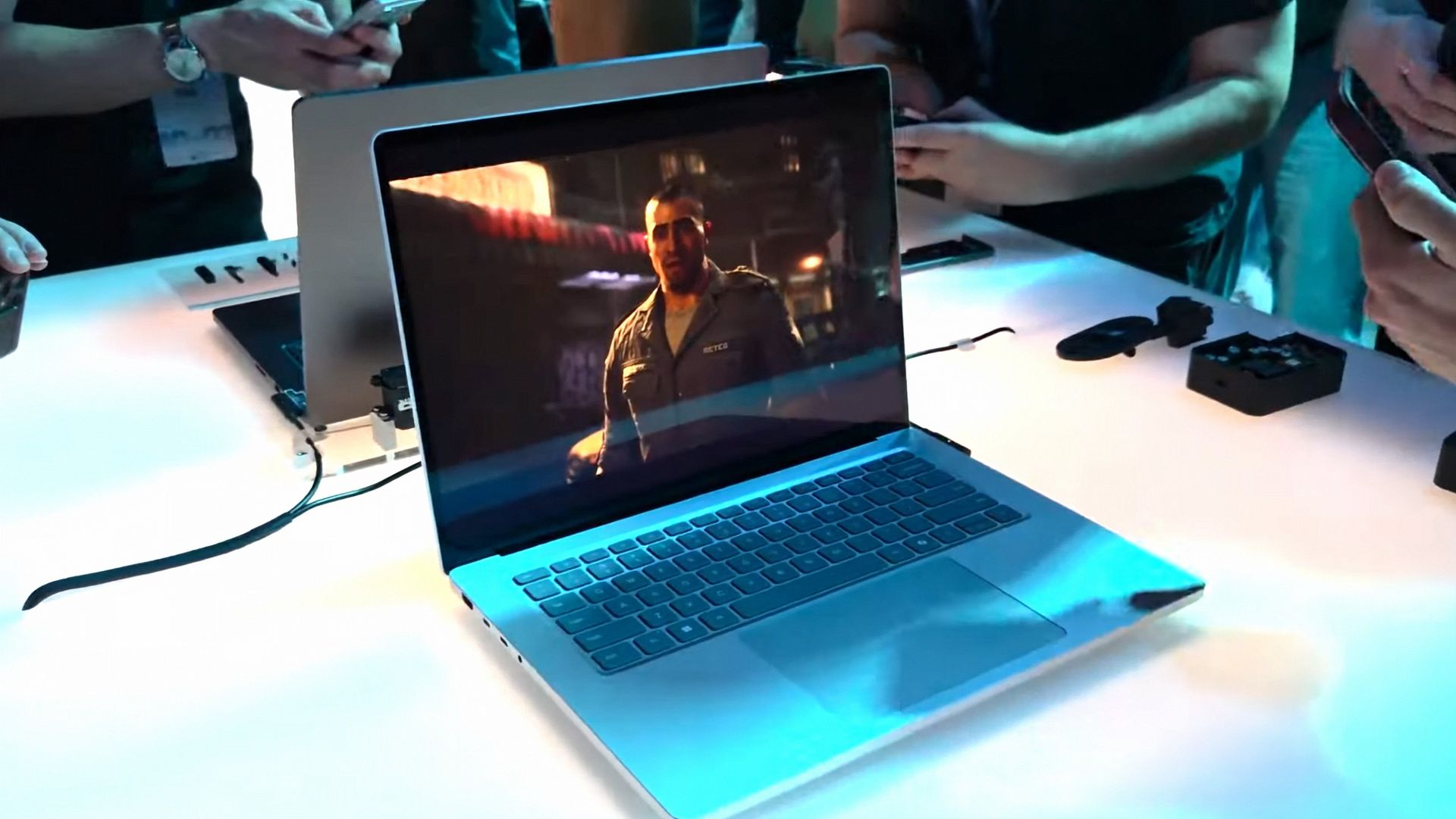
Gears of War E-Day running on RTX Spark (Image credit: Zac Bowden / Windows Central)
The star of the show with RTX Spark is the Blackwell RTX GPU with either 5,120 or 6,144 cores. We benchmarked the top-end, 6,144-core configuration for these benchmarks, and it does impress, outputting performance in workflows like video editing, model rendering, and gaming similar to an RTX 4070 or 5060, but in an efficient package with all-day battery life.
For what is essentially an integrated GPU, it outputs dedicated GPU performance in pretty much all workflows. But it really excels at AI workflows, especially when optimized for tensor and CUDA.
The 128GB configuration is set to split that memory evenly between system RAM and the GPU, meaning in our default configuration and for how we ran most of our benchmarks, the GPU had 64GB of video RAM to make use of. In this configuration, it's more than capable for most tasks, with the only exception being running AI models that surpass this size. In that situation, you can allocate more memory to the GPU so that it will fit.
In our 3DMark tests, we found that the RTX Spark performs similarly to an RTX 4070. It's very capable at 1440p gaming with high settings in most titles, though more demanding games will need to lean on DLSS and frame generation for smooth 60+ FPS gaming. In most titles we benchmarked, games ran without a hitch and looked great.
Benchmark
Target Resolution & API
Overall Score
Graphics Score
CPU Score
Test Framerates
3DMark Time Spy
1440p (DirectX 12)
12,771
12,368
15,669
GT1: 81.68 FPS, GT2: 70.11 FPS, CPU: 52.64 FPS
3DMark Time Spy Extreme
4K UHD (DirectX 12)
5,857
5,972
5,281
GT1: 37.77 FPS, GT2: 35.19 FPS, CPU: 66.30 FPS
3DMark Steel Nomad
4K UHD (DirectX 12 Heavy)
3,064
3,064
N/A
Graphics Test: 30.65 FPS
3DMark Speed Way (Run 1)
1440p (DirectX 12 Ultimate / DXR)
3,011
3,011
N/A
Graphics Test: 30.12 FPS
3DMark Speed Way (Run 2)
1440p (DirectX 12 Ultimate / DXR)
2,985
2,985
N/A
Graphics Test: 29.85 FPS
Gaming is not the main reason to buy an RTX Spark laptop, but it is an additional benefit. It's the first Windows on Arm platform that does gaming relatively well, supporting the usual breadth of gaming technologies and frameworks such as:
Ray tracing
DLSS 5
Multi Frame Generation
Neural Rendering
Reflex
G-SYNC
RTX Remix
Most games run under emulation on RTX Spark, as the platform is Arm64, and most games are compiled for x86. However, in most titles, this isn't a problem. Most mainstream anti-cheat software is now compatible with Windows on Arm, and the Prism emulation layer has been tuned specifically for RTX Spark to ensure most games run without a hitch, though there are exceptions.
Some games, such as Red Dead Redemption 2, will require you to change settings to get them to run successfully. For example, by default Red Dead Redemption 2 was set to run with Vulkan, which caused it to crash at launch. Switching it to DirectX12 fixed this for me. Most games run without needing to change any settings first, however.
Zac Bowden / Windows CentralZac Bowden / Windows CentralZac Bowden / Windows CentralZac Bowden / Windows Central
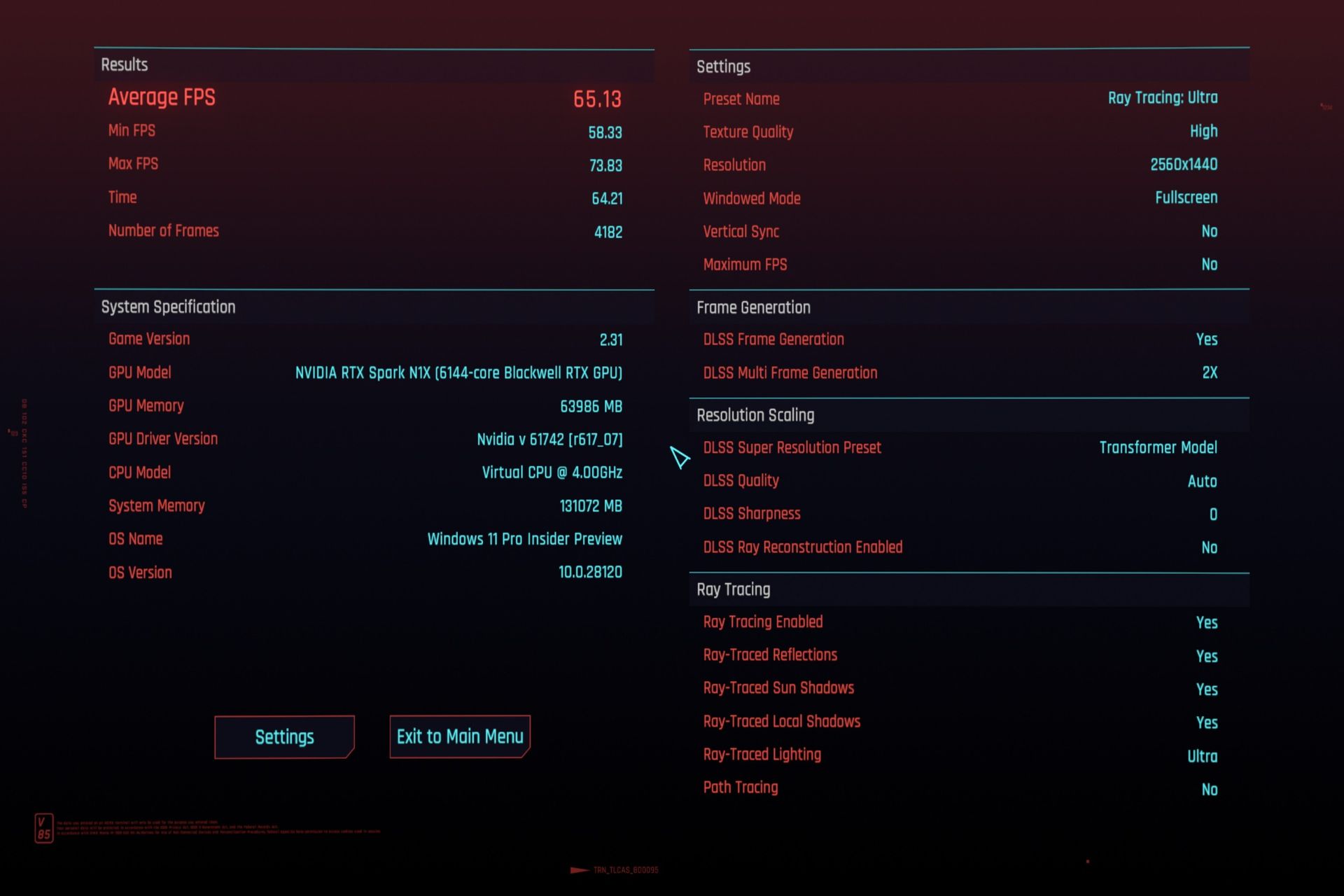
I tried Cyberpunk 2077, which runs pretty well right out of the box. The game analyzed my system and decided that Ray Traced Ultra settings were a perfect fit for the RTX Spark. Running at 1440p with frame gen enabled, the game was easily able to maintain 60fps while looking good doing it with these graphics settings enabled.
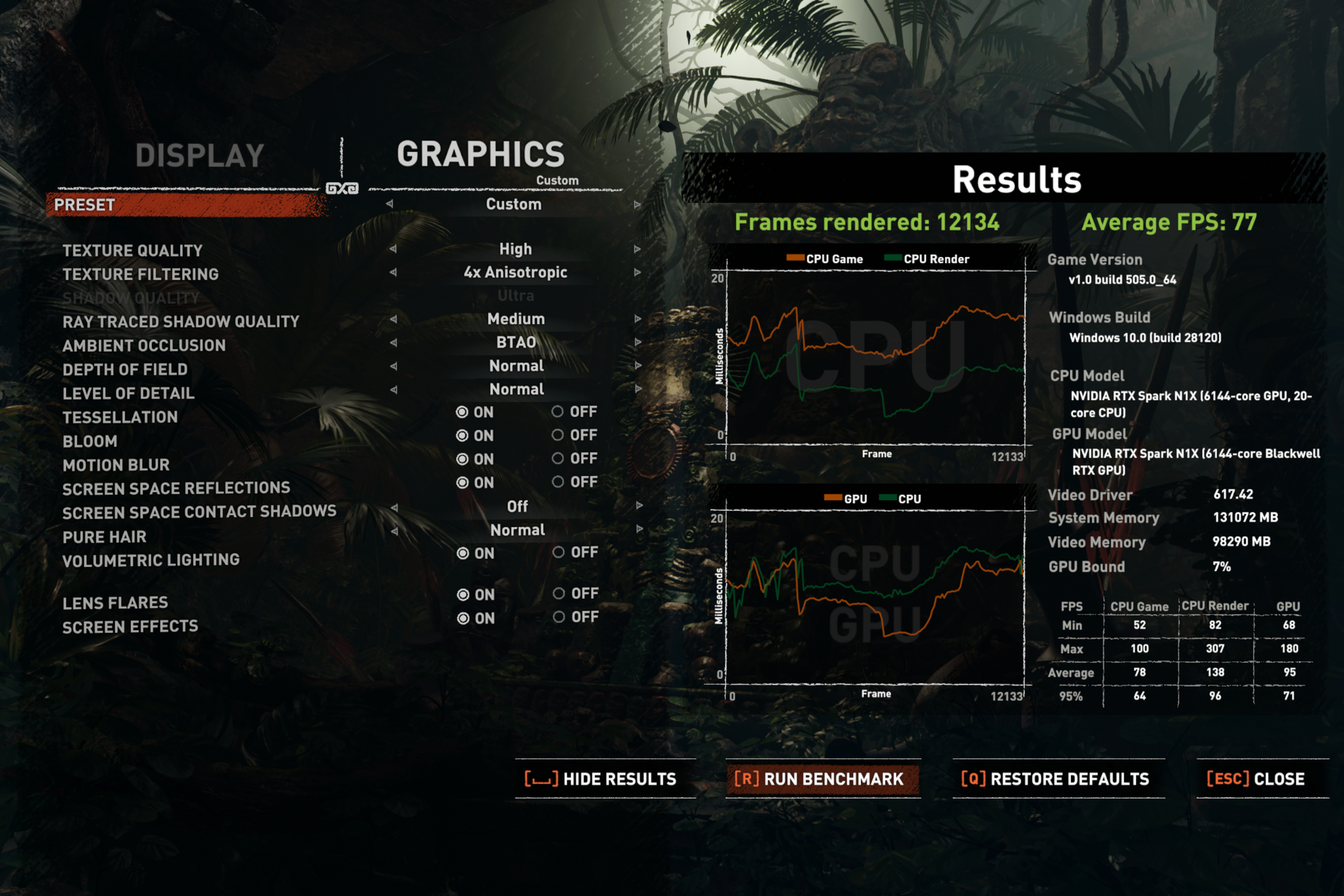
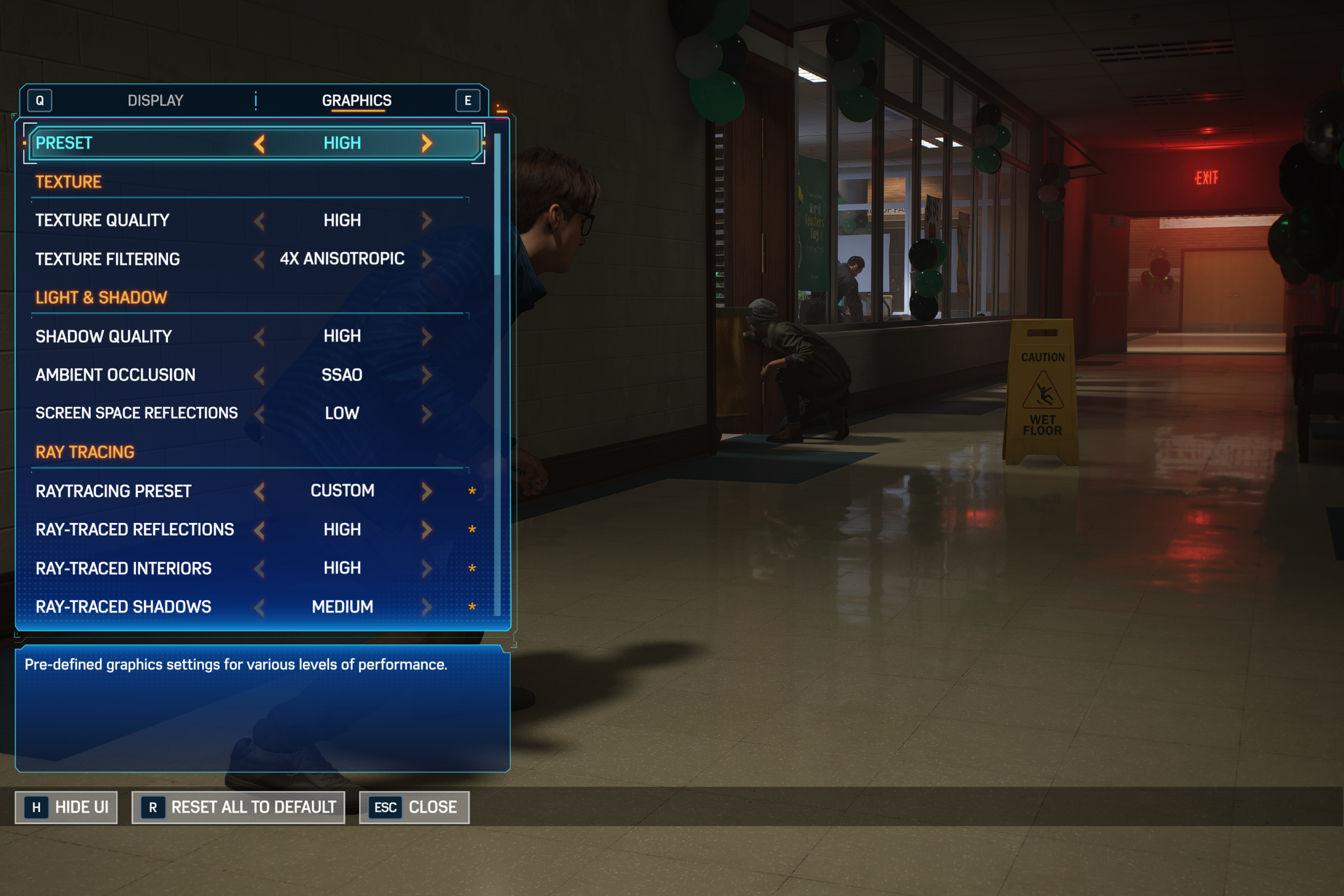
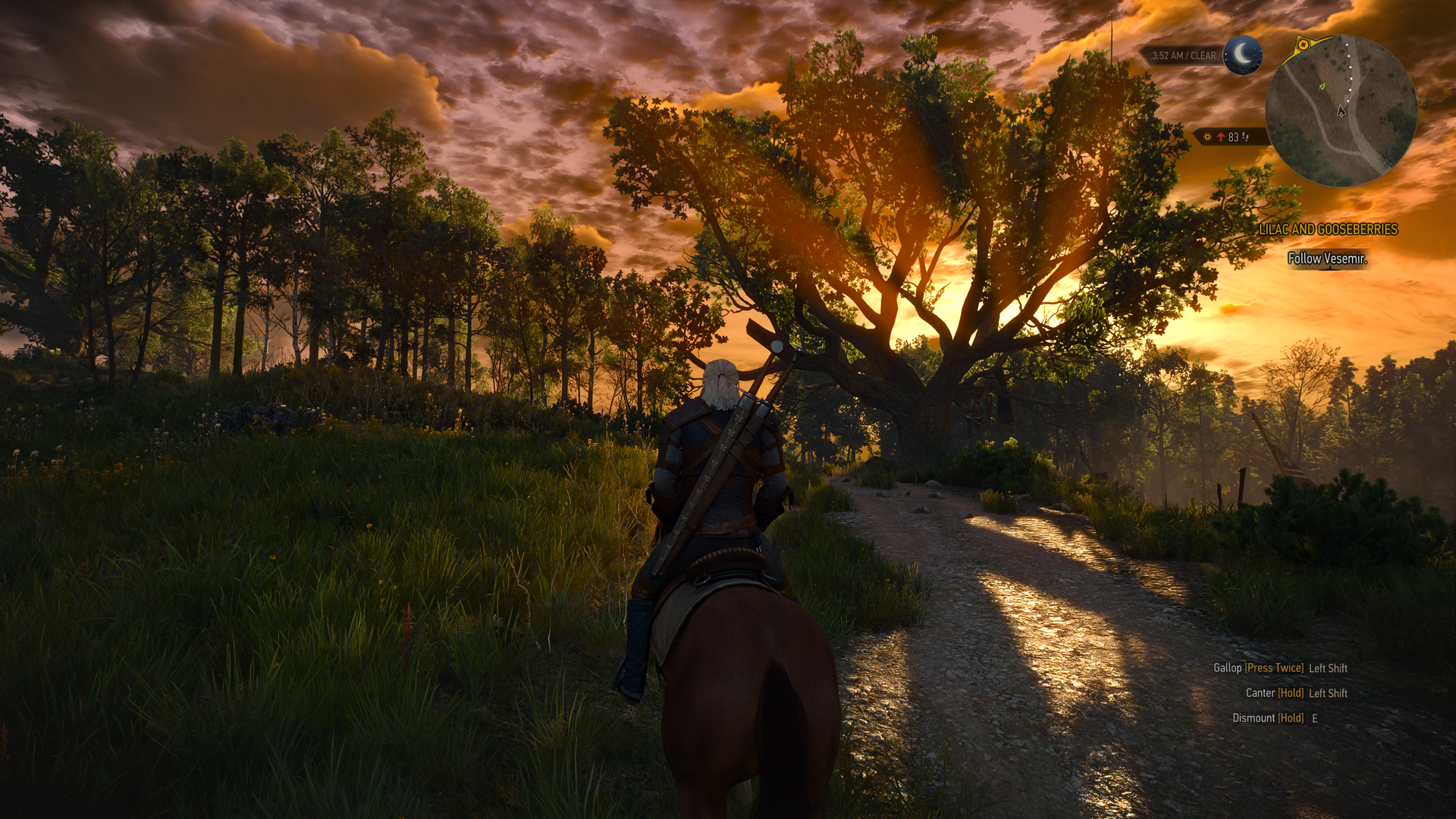
Shadow of the Tomb Raider also works great, but it takes quite a while to actually load up. But once the game is running and you're in-game, it looks great and runs well above 60fps at high settings at 1440p. Marvel's Spider-Man 2 and The Witcher 3 Remastered ran without a hitch, reaching close to 90fps in high settings at 1440p.
For content creators, RTX Spark is a great choice. Whether you are editing photos or rendering videos using apps like Adobe Photoshop and Premiere Pro, or rendering 3D environments in Blender, the RTX Spark is well suited for those tasks.
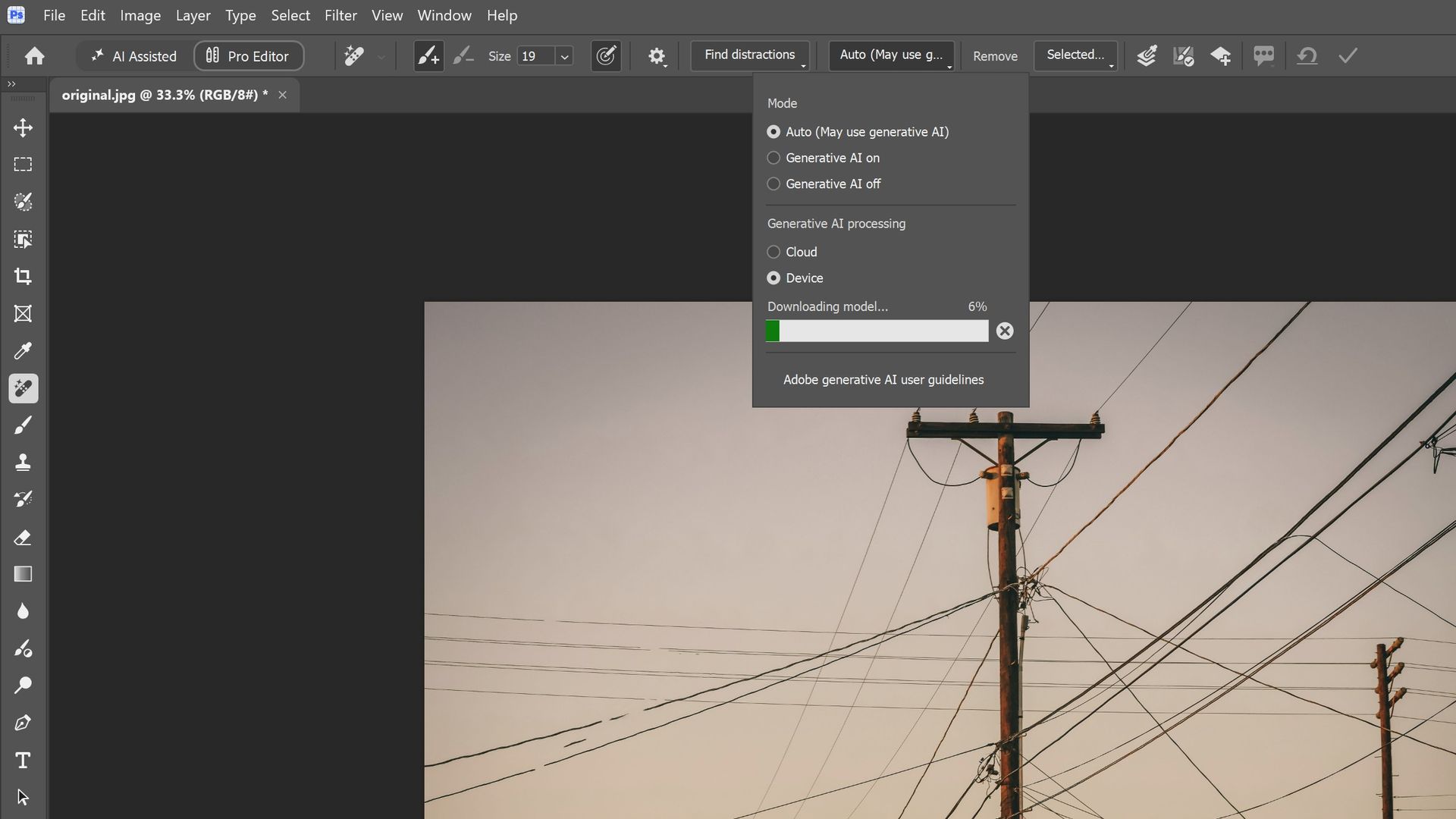
Photoshop supports on-device AI models on RTX Spark (Image credit: Zac Bowden / Windows Central)
Adobe and NVIDIA say the Adobe Creative Cloud Suite has been optimized specifically for RTX Spark. These optimizations include:
Photoshop on-device AI object removal
Premiere Pro TensorRT acceleration
Blender support for DLSS 4.5 Ray Reconstruction
When it comes to video rendering times, the RTX Spark trails the current-gen RTX 50 series GPUs. We benchmarked it against three other laptops with an RTX 5060, 5070 Ti, and 5080, in which it trailed the RTX 5060 in video rendering performance, finishing a few seconds later in most instances. In this benchmark, we ran Premiere Pro Beta, as that version includes necessary optimizations for RTX Spark.
Premiere Pro Export Times
Export Profile (Seconds ↓)
Surface Laptop Ultra (RTX Spark)
Lenovo Yoga Pro 9 (RTX 5060 8GB)
ASUS Zephyrus G14 (RTX 5070 Ti 12GB)
Lenovo LEGION 9 (RTX 5080 16GB)
H.264 Export (1 GPU)
42.002 s
32.111 s
39.403 s
20.218 s
H.264 Export (Pass 2)
34.415 s
26.003 s
33.532 s
18.401 s
H.264 UHD Export (1 GPU)
81.419 s
64.140 s
71.918 s
40.235 s
H.264 UHD Export (Pass 2)
66.496 s
52.301 s
59.536 s
34.253 s
Dedicated GPU performance can vary depending on laptop chassis size, cooling solution, and thermal envelope, which is why the 5070 Ti frequently trailed the 5060 in our testing.
The RTX Spark GPU is very performant and is capable of pretty much handling anything you'd want to throw at it on a mobile workstation. Where it really shines, however, is running local AI models directly on it. It's the reason NVIDIA built this platform to begin with, and it does this very well.
We ran several Procyon AI benchmarks to see how well the GPU performs when running on-device AI workflows. Text generation LLMs ran very fast, with Spark delivering responsive time-to-first-token results, including 0.27 seconds on Phi and 0.39 seconds on LLaMA3, but its sustained decoding rates trail higher-wattage discrete GPUs.
On-device text generation benchmarks
Model
Overall Score
Tokens / Second
Time to First Token (s)
Model Load Time (s)
Phi-3.5-mini
2,615
72.21
0.27
0.66
Mistral 7B
2,276
53.07]
0.47
0.96
Llama 3.1 8B
2,251
49.44
0.40
1.50
Llama 2 13B
2,108
27.44
0.84
1.69
But quantized AI performance is where RTX Spark truly leads. In Stable Diffusion 1.5 INT8, the RTX Spark scored 11,294 and generated images in 2.77 seconds, substantially outperforming the tested RTX 5080, RTX 5070 Ti, and RTX 5060, on which we ran the same tests.
Stable Diffusion Benchmarks
Model Profile & Metric
Surface Laptop Ultra (RTX Spark)
Lenovo Yoga Pro 9 (RTX 5060 8GB)
ASUS Zephyrus G14 (RTX 5070 Ti 12GB)
Lenovo LEGION 9 (RTX 5080 16GB)
SD 1.5 FP16 - Total Duration
67.55 s
69.70 s
107.73 s
44.59 s
SD 1.5 FP16 - Speed
4.222 img/s
4.356 img/s
6.733 img/s
2.787 img/s
SD 1.5 FP16 - Average UNet
23.986 it/s
23.265 it/s
15.070 it/s
36.426 it/s
SD 1.5 INT8 - Total Duration
22.14 s
138.74 s
101.83 s
440.19 s
SD 1.5 INT8 - Speed
2.767 img/s
17.342 s/img
12.729 img/s
55.024 s/img
SD 1.5 INT8 - Average UNet
19.158 it/s
2.949 it/s
4.043 it/s
0.927 it/s
SDXL FP16 - Total Duration
400.82 s
499.37 s
735.47 s
303.68 s
SDXL FP16 - Speed
25.051 s/img
31.211 s/img
45.967 s/img
18.980 s/img
SDXL FP16 - Average UNet
4.028 it/s
3.331 it/s
2.196 it/s
5.321 it/s
AI Workflows
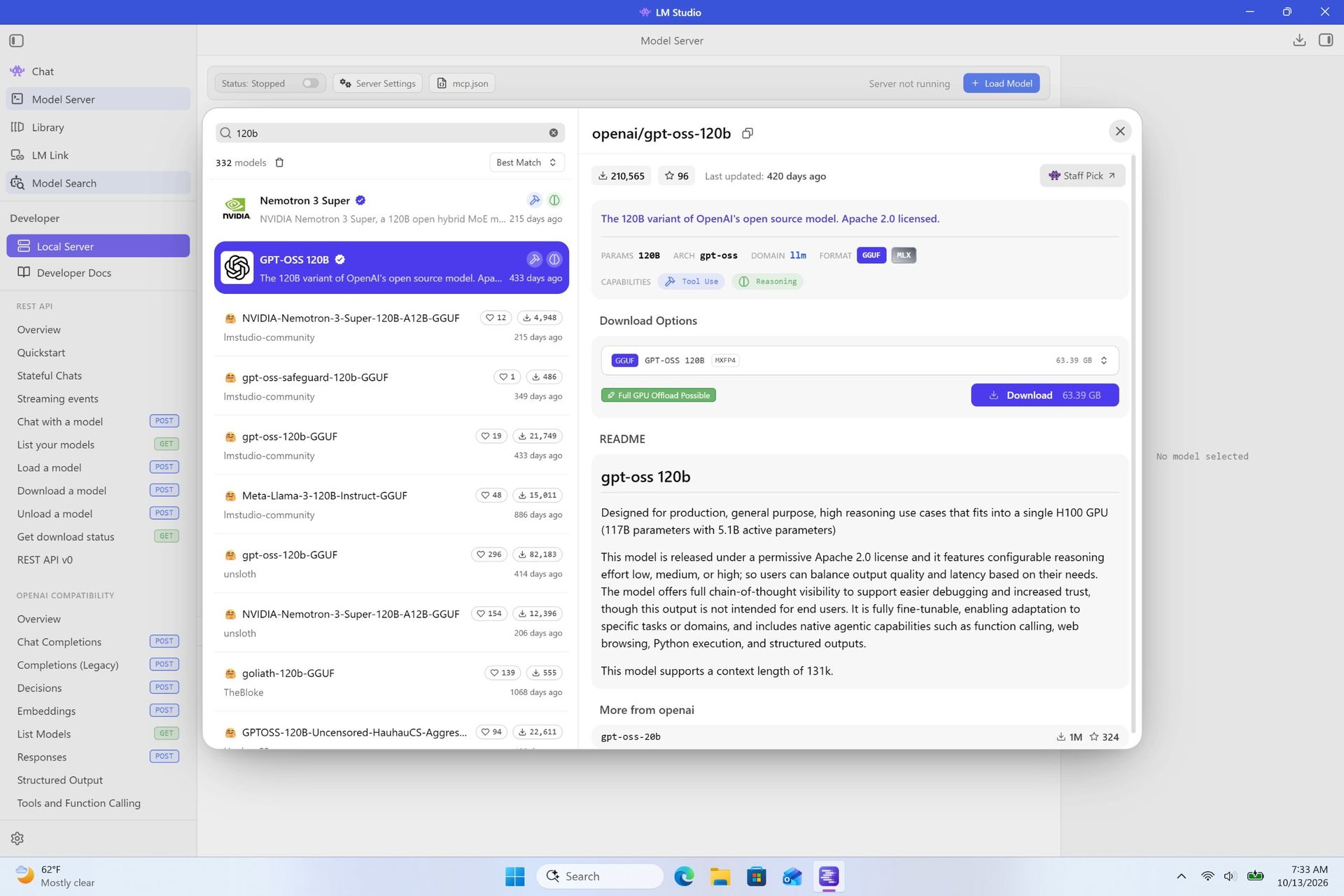
The GPU is best suited for running large on-device AI models such as Qwen 3.8 27B, Gemma 4 31B, or even 120B-parameter models such as Nemotron or GPT-OSS.
NVIDIA is touting local agentic capabilities with this GPU, leaning on apps like Hermes Agent and OpenClaw to achieve this. We tested Hermes Agent, as OpenClaw failed to connect to the gateway once setup was complete.
The selling point of running LLMs and agents locally is that you are no longer constrained by usage limits or the amount of tokens you have available. When the AI runs locally, it's yours. You can run it for as long and as hard as you like.
120B parameter models can fit entirely on the RTX Spark's GPU, significantly speeding up LLM performance. (Image credit: Zac Bowden / Windows Central)
It's also good for security and privacy reasons. You may have confidential documents, audio recordings, intellectual property that you need summarized or explained to you, and feeding that data to a cloud-based LLM or agent is giving that data away to the host.
With RTX Spark, you can feed whatever data or task you want to your local AI running off the GPU, and that data will never leave the device. You can build up your own personal agent that is capable of managing your local files, creating documents, making edits, and in some cases even controlling your PC.
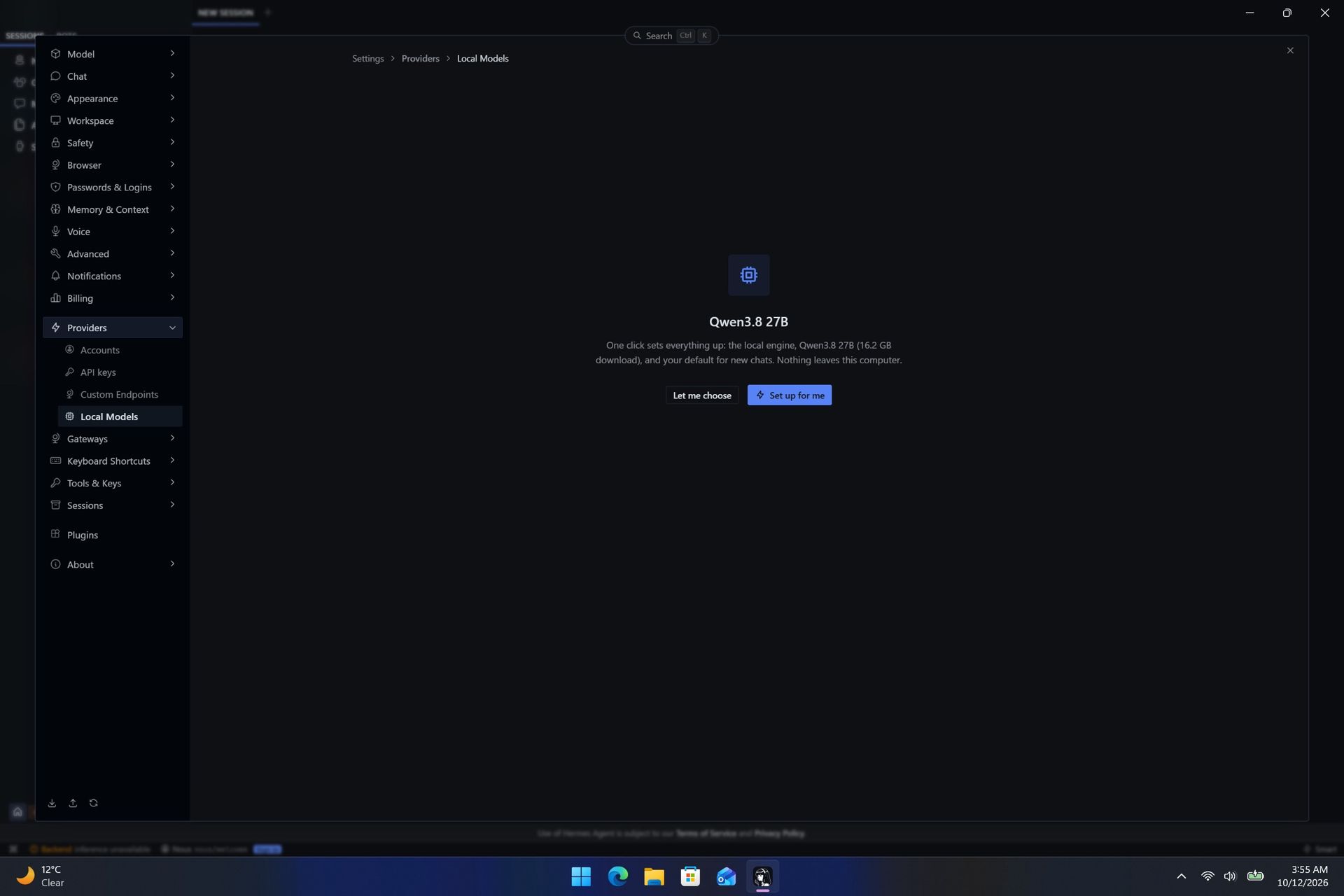
Hermes Agent is a great tool for beginners, as it offers local AI compute experiences and makes setting it up a breeze. You open the app, choose to run AI locally, and it recommends the best model for the specs you have. Once downloaded, you're good to start chatting with your own AI locally.
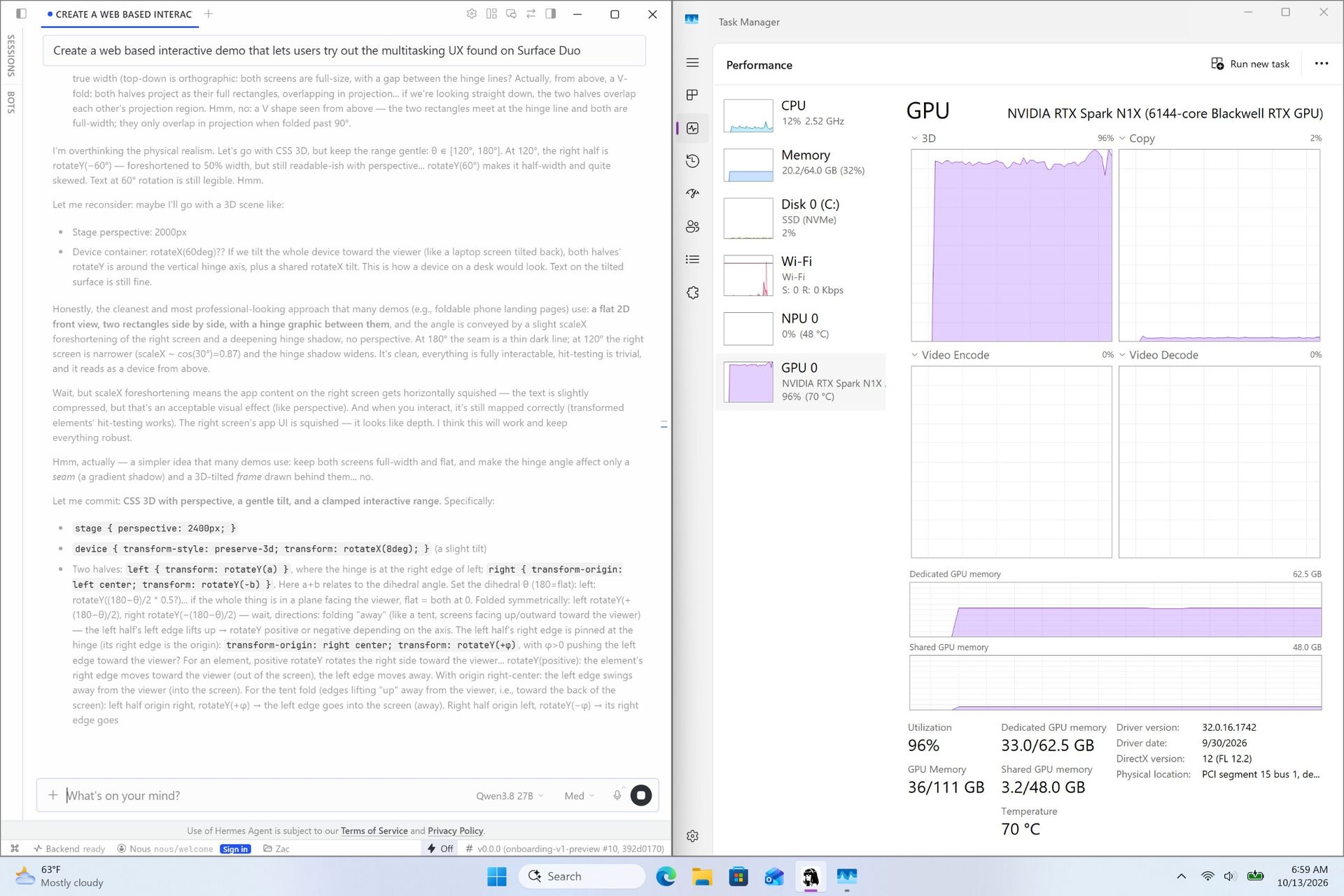
Instead of using up tokens in the cloud, local AI leans on the GPU for processing. Unlimited power! (Image credit: Zac Bowden / Windows Central)
Hermes Agent is particularly good at automating tasks. The first thing I did was tell it to clean up and organize my large, cluttered downloads folder. It moved images to my photos library, deleting any old executables, and organizing and categorizing PDFs and Word documents appropriately. It did all this without sending any of my data to the cloud, all processed by the GPU.
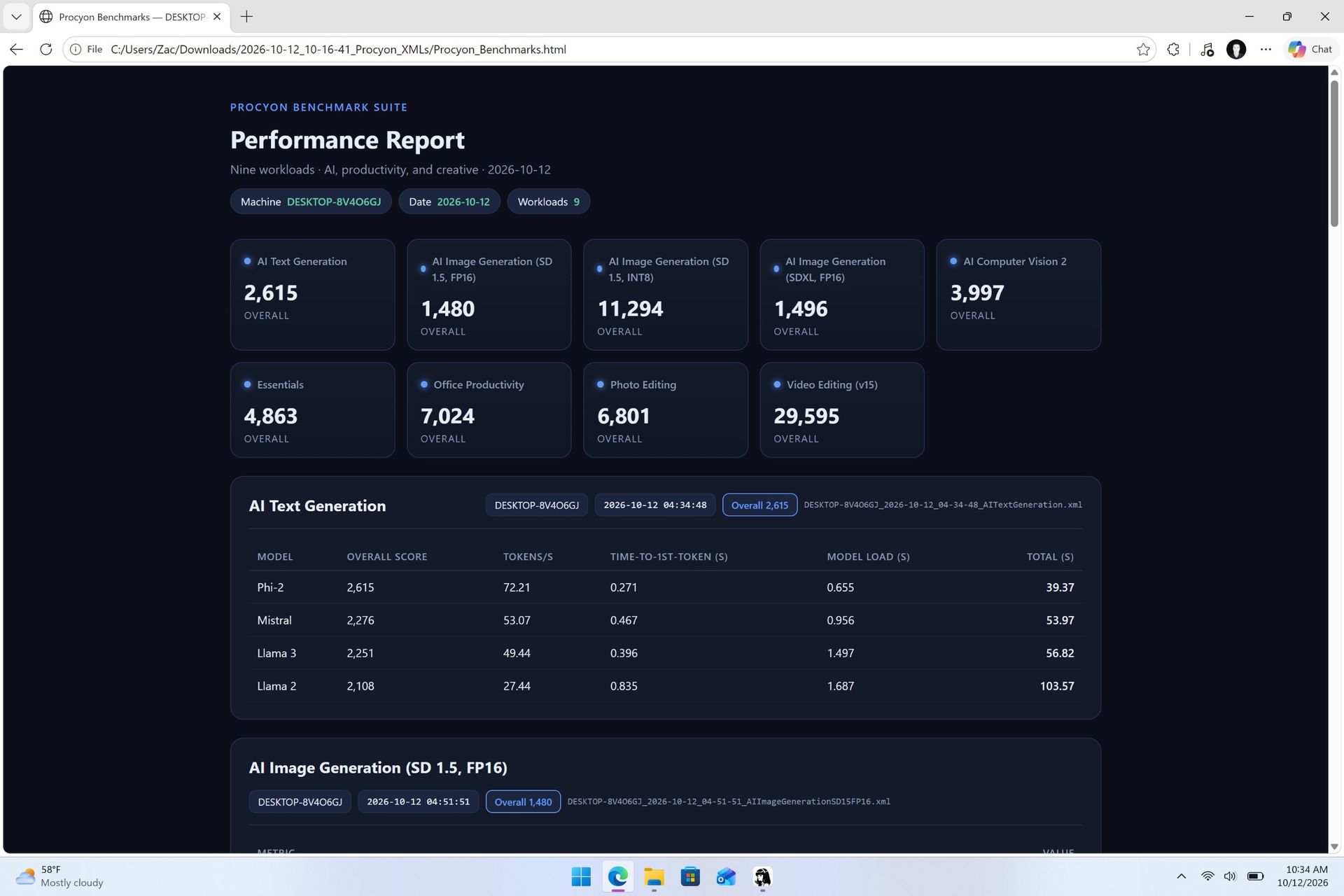
I also asked it to build me a basic website that included all my benchmark results so that I could refer back to them more easily. It ran that process entirely off my GPU, and came up with a pretty nice looking webpage design in the process. Zero cloud-based tokens used:
The webpage that the Qwen 3.8 27B parameter model created using Hermes Agent. (Image credit: Zac Bowden / Windows Central)
NVIDIA has even built MCP support into NVIDIA Broadcast and NVIDIA Control Panel, allowing you to hook it up to your local LLM and issue commands that allow it to configure your NVIDIA PC's settings.
Windows and RTX Spark
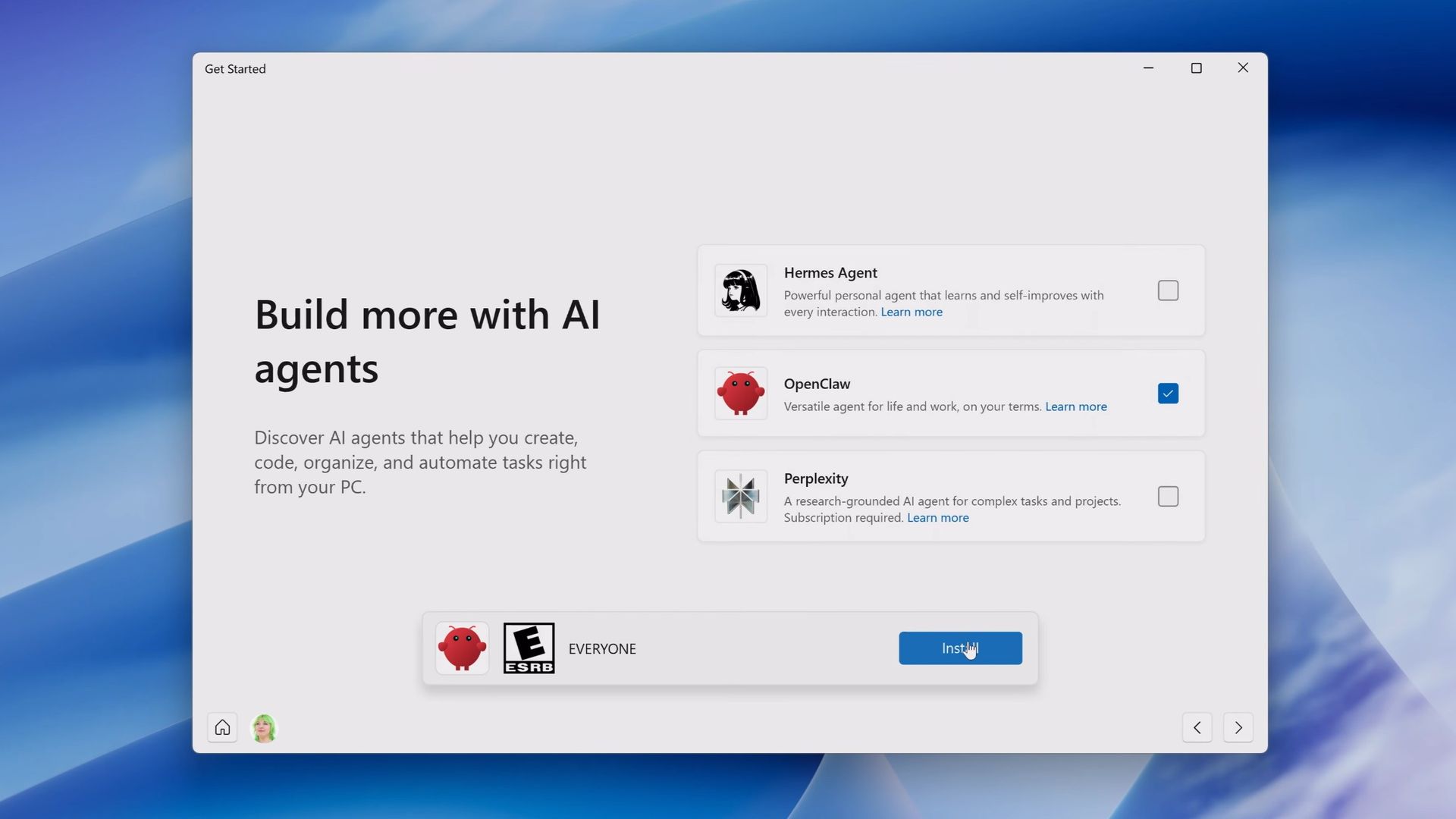
The Get Started app on RTX Spark includes a step to automate installing agent apps. (Image credit: Microsoft)
In addition to raw CPU and GPU performance, Microsoft has worked closely with NVIDIA to optimize RTX Spark for Windows 11. This partnership runs deep, and there are a lot of things going on behind the scenes that will aid the performance of Windows and support for apps on RTX Spark over the coming months and years.
For those unboxing a new RTX Spark laptop this fall, the Get Started app on Windows 11 will present a step that makes downloading and installing apps that can handle AI agents super easy. Hermes Agent will even go a step further and recommend a suitable model to download once up and running, meaning the user has to do zero research to get started.
With that said, I still find these recommended apps quite complex and convoluted. Many beginners will feel overwhelmed by these apps, especially OpenClaw, which I could not get working properly after it failed to open a gateway to allow the AI model to communicate with the OpenClaw chat interface.
Hermes Agent does automate setting up your first local agent. (Image credit: Zac Bowden / Windows Central)
Microsoft has optimized the system scheduler specifically for RTX Spark to squeeze out as much performance across Windows, menu flyouts, app launches, and more as possible. It has also made changes and enhancements to how Windows handles unified memory so that it's faster and more reliable at feeding that memory to where you need it.
TensorRT is now supported by Windows ML, and DirectX 12 has neural rendering support. The Prism emulation layer has also been tuned for RTX Spark, which results in emulated apps that simply do not feel like they are being emulated.
Microsoft is also keen to position Windows as the platform for local AI and agentic workflows. It has built safeguards and security into the Windows platform to ensure the local agents you run on Windows aren't capable of making severe changes or causing damage to your files, apps, and more.
This is a direct attempt at combating the sudden rise in local AI developers flocking to the Mac. Apple has made little optimizations to macOS to adopt and safeguard local AI and agentic workflows on that platform, whereas Microsoft is moving to make agents a native extension of the Windows platform.
RTX Spark is a Copilot+ PC certified chip, but you won't find any Copilot+ PC features at launch. Microsoft says it's working with NVIDIA to bring features like Windows Recall, Click To Do, and on-device Semantic Search to the RTX Spark platform in the coming months, which will run off the RTX Spark's 50 TOPS NPU.
Conclusion
(Image credit: NVIDIA)
RTX Spark is a super interesting chipset. It's forward leaning in a lot of ways, built on the Arm64 architecture that delivers serious performance and great efficiency. While its N1X CPU is just okay, its Blackwell RTX GPU really shines.
This is the first time we've seen RTX 4070-5070 level performance in an SoC that is this small and efficient. It's optimized for AI workloads, which is its strongest workflow by far. Quantized AI models run great, and with up to 128GB of unified memory, most mainstream models will fit entirely on the GPU without a hitch.
It's also great for content creators, and is very capable at gaming also. But at the prices that these devices are launching at, I think most people would be better served getting an Intel or AMD laptop with a dedicated NVIDIA GPU instead, as these often cost less than the cheapest RTX Spark laptops right now.
But if your workflow involves running AI models locally all day, software development, or complex data crunching and source code management, the RTX Spark is one of the better choices in the Windows space right now, especially for laptops that are thin-ish and (relatively) lightweight.
These RTX Spark laptops are more efficient and portable than typical laptops with a dedicated NVIDIA GPU, which is one of the key benefits of an SoC like this. The power this GPU outputs, for what is essentially integrated graphics, should not be understated.
Of course, just how efficient RTX Spark is will depend entirely on the hardware you choose to buy, as OEMs are free to feed the GPU more or less power depending on the chassis and thermal envelope. Keep that in mind.
Benchmarks
All benchmarks ran on RTX Spark 20-core CPU configuration with 128GB RAM and 6,144 GPU cores. All tests ran connected to power with Best Performance profile enabled, unless stated otherwise. We are still running benchmarks and new tests, and will update accordingly.
Bitdeer is expanding its AI infrastructure footprint in Malaysia with a new 67 MW facility designed for NVIDIA Blackwell systems. Here's what's confirmed about its rollout and customer commitments.
Microsoft’s Surface Laptop Ultra starts at $2,599 with an Nvidia RTX Spark GPU, up to 128GB of memory, and support for running large AI models locally.
Dans la série des trucs qui ne servent à rien, mais qui sont bien cools quand même, je vous présente ce bon vieux DOOM de 1993 qui vient de passer au DLSS 5. L'auteur de cette nouvelle prouesse, c'est Nikolai Zhivotenko qui a publié
DOOM + DLSS 5
, un port Windows 64 bits de Linux DOOM 1.10 qui conserve le moteur d'origine. Le jeu produit ainsi toujours son image en 320x200 pixels, puis celle-ci est reconstruite dans une fenêtre de 1280x800 en Direct3D 12 par l'upscaler de votre choix.
Un upscaler moderne ayant besoin d'autre chose que des pixels pour travailler, le moteur modifié doit inscrire à chaque image la profondeur, les normales et le mouvement, et les touches F2 à F4 affichent ces trois vues à la place du jeu.
L'auteur en a même fait un petit banc d'essai, avec un exécutable par mode : DLSS Ray Reconstruction, DLSS Super Resolution en preset K (DLSS 4) ou L (DLSS 4.5), FSR 2.2 d'AMD, Anime4K, et le bon vieux nearest 4x pour comparer. Ray Reconstruction se contente d'ailleurs de buffers factices (spéculaire noir, rugosité à 1), puisque DOOM n'a aucun éclairage path-tracé à lui donner.
Un couloir de DOOM avec l'étiquette "DLSS 5 On" en bas à gauche et trois vignettes de données en haut de l'image (capture fournie par l'auteur du port)
Et le DLSS 5 dans tout ça ?
Eh bien le mode 5 commence par la même passe que le 4.5, avec le SDK officiel de NVIDIA et ensuite seulement, si l'addon RenoDX du DLSS 5 est placé à côté de l'exécutable, une seconde passe laisse le Neural Rendering retoucher l'image. Et ce Neural Rendering là ne vient pas du port mais de
DLSS5-Swapper
, un outil communautaire sous licence MIT qui injecte le modèle de NVIDIA dans les jeux. Bref, c'est indispensable comme addon pour passer d'un rendu 4.5 à un rendu 5.
Côté NVIDIA, le
DLSS 5 dont je vous parlais en mars
n'est sorti que le 3 septembre, avec NBA 2K27, sur les RTX 50 et GeForce NOW mais il avait fuité juste avant via des fichiers trouvés dans une mise à jour de ce même jeu. Du coup,
les moddeurs
l'ont collé dans The Witcher 3 ou Cyberpunk 2077 sans attendre.
Quant au résultat sur DOOM, n'espérez pas avoir du photoréalisme... niet, le modèle n'a pas été pensé pour des sprites en 320x200, et d'après Wccftech, certains détails reconstruits peuvent même ressortir plutôt bizarrement...
Une créature face au joueur, avec la même étiquette "DLSS 5 On" et mêmes vignettes en haut (capture fournie par l'auteur du port)
Maintenant pour tester, il vous faudra un Windows 64 bits, une GeForce RTX, et compiler tout ça vous-même avec le script build.cmd du dépôt. Vous déposez un IWAD dans le dossier wads (celui de
Freedoom
fait l'affaire), puis vous déclarez le dossier du mode 5 dans
Swapper
, en route Native. Côté carte, Swapper annonce les RTX 20 à 50 pour ses routes à base de ReShade, dont fait partie l'addon
RenoDX
, mais prévient quand même que la compatibilité n'est pas garantie.
Et si vous voulez juste comparer, le script screencast-windoom.cmd rejouera la même démo dans chacun des modes et peut même exporter chaque image en PNG.
DLSS-NR on AMD
est un mod pour Windows capable de faire tourner sur une Radeon le fameux Neural Rendering du DLSS 5, la technologie de Nvidia dont tout le monde parle. Ce mod vise les AMD RX 9000 mais les RX 7000 sont censées fonctionner aussi, et il se greffe également sur les jeux DirectX 12 qui gèrent déjà le FSR d'AMD.
Le principe c'est qu'en toute dernière étape du rendu, le DLSS 5 ajoute de l'éclairage et des tas de détails de matière à l'image que le jeu vient de calculer. Nvidia l'a mis en place sur
NBA 2K27
en partenariat avec Visual Concepts et 2K, alors que le mod DLSS-NR on AMD l'applique déjà à Cyberpunk 2077, qui n'a pourtant pas été conçu pour ça. Je me rappelle quand même que la démo du DLSS 5 avait été
très mal accueillie en mars
parce qu'elle donnait l'impression d'écraser la direction artistique des jeux mais on dirait que ça passe un peu mieux aujourd'hui... Soit les gens se sont habitués, soit le logiciel fait du meilleur taf, je ne sais pas.
D'après le README du projet, pour installer ça sur votre ordi, vous devez placer le programme d'install de la dernière release dans le dossier de l'exécutable du jeu (bin\x64 pour Cyberpunk 2077), à côté
d'une DLL de Nvidia
. Ensuite vous le lancez, puis vous démarrez le jeu et activez le FSR. La touche Fin ouvrira alors l'overlay du mod, et si vous voulez mettre à jour tout ça ou le virer, il suffit de relancer l'installateur.
Il faut aussi Windows 11 et le pilote Adrenalin 26.1.1 ou plus récent et comme les jeux avec anti-triche bloquent la DLL, vaut mieux pas vous lancer en multi avec ce mod.
Par contre, sachez-le, les résultats en termes de FPS ne sont pas toujours au rendez-vous si j'en crois les benchmarks publiés sur les pages du projet.
Maintenant à vous de voir si vous faites confiance à ce mod puisque le code n'est pas publié. Notez que 2 autres projets similaires pourraient également vous intéresser... Il y a
lmxxf
, sous licence MIT qui se limite aux RX 9000 et embarque les poids de Nvidia extraits d'une copie locale de la DLL. Et aussi
AMDNR
de 3zwr1 qui est intégré à OptiScaler.
Mais en tout cas, si vous essayez DLSS-NR on AMD sur une RX 7000, sachez que son auteur demande des retours donc n'hésitez pas à lui envoyer votre fichier dlssnr_on_amd.log si vous rencontrez des bugs.
NVIDIA released AI-predicted protein structures for more than 2,800 viruses and an open BioNeMo pipeline to help researchers prepare for future outbreaks.
NVIDIA has confirmed new details and availability info about its upcoming RTX Spark SoC for Windows 11 devices. At IFA 2026, the company announced that it expects the first RTX Spark laptops to begin shipping as soon as next month, sometime in October depending on the OEM. Additionally, two new devices are joining the launch lineup; the Lenovo Yoga 9n laptop and Acer SFF desktop PC.
Alongside availability news, NVIDIA has also confirmed configuration details for the upcoming RTX Spark chips. There will be two different configurations of the RTX Spark N1X, with configurable RAM and storage based on what OEMs wish to offer. The high-end RTX Spark will be targeted at desktops and laptops, with support for up to 128GB unified memory, 20 CPU cores, and 6144 Blackwell RTX cores.
There will also be a less powerful RTX Spark configuration exclusively for laptops, which can only be configured with 24GB or 32GB unified memory, a 5120-Core Blackwell RTX GPU, and an 18-core CPU. While still a high-end chip, this should allow RTX Spark to ship in laptops that cost closer to $2,000, significantly lower priced than the high-end SoC.
Category
Specification 1
Specification 2
GPU Cores
6144-core Blackwell RTX GPU
5120-core Blackwell RTX GPU
CPU Cores
20-core Grace CPU
18-core Grace CPU
Memory
24-128 GB Unified Memory
24-32 GB Unified Memory
Form Factors
Laptops and Compact Desktops
Laptops
NVIDIA is touting RTX Spark as the best SoC for AI development on Windows. It supports NVIDIAs full AI stack, as well as the Windows Agent Framework and 120B parameter agents. It also supports hardware accelerated 4:2:2 video for video editing professionals.
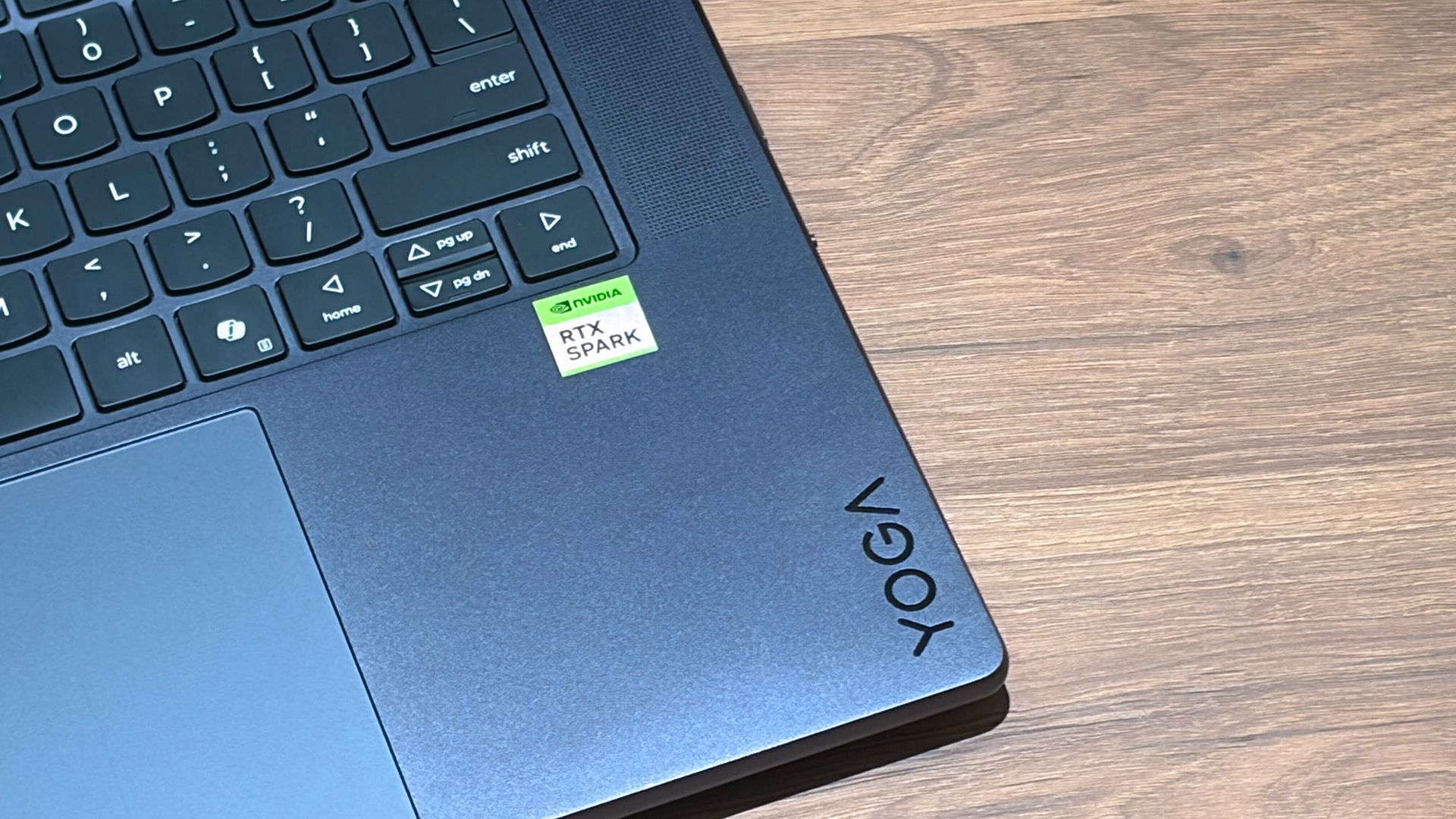
While the first RTX Spark devices are expected to begin shipping in October, it's not yet clear which OEMs will be first out the gate. All major Windows hardware makers, including Dell, Lenovo, HP, ASUS, and Microsoft have all announced RTX Spark devices that are expected to ship by the end of this year. Devices like the Surface Laptop Ultra have not yet been given a release date, though Microsoft typically does aim to ship new Surface PCs in October.
We'll be sure to keep you updated on all the RTX Spark device availability as more information is revealed by OEMs. In the meantime, are you considering an RTX Spark device as your next Windows PC? Let us know in the comments!
Join us on Reddit at r/WindowsCentral to share your insights and discuss our latest news, reviews, and more.
If you're not a keen follower of the AI space, then the name Hugging Face may not mean anything to you. But the company has just been acquired by NVIDIA, which continues to reinforce its new identity as an AI company.
Hugging Face is an open platform that has been likened to GitHub, except for local, open AI models that anyone can use. NVIDIA's plans are to keep Hugging Face the same as it is today but to scale. Because if you're not scaling AI these days, what are you even doing?
"Hugging Face will remain an open platform for the entire AI ecosystem. Developers will choose the models they want, the frameworks they want, the clouds and inference service providers they want and the computing platforms they want. NVIDIA compute will not be required to build on or deploy through Hugging Face.
Hugging Face will continue to support open source and open weight models from across the ecosystem, from every model builder. It will continue to support multi-cloud and multi-accelerator development and deployment, so builders can use the hardware and infrastructure that best fit their work."
Keeping personal opinions about AI aside, I'm certainly more in favor of real people being able to use AI models without having to rely on massive, un-evironmentally friendly data centers from the likes of Microsoft and OpenAI.
AI is very much here to stay, whether we choose to embrace it or not. But I'm definitely on the side of being able to use it however you want to use it and without feeding all your data to companies that don't necessarily deserve it.
NVIDIA is very much AI-first these days, though. Gone are the days we'd all look at its shiny new GPUs, and our only thoughts would be about gaming. It does make you ponder what the future holds for gamers, though.
I've got an RTX 5090, for example, and it's still overkill for gaming. But with 32GB of VRAM and a ton of compute horsepower, it's pretty damn good for local AI use. But is this where future products will be aligned first? Everything's getting more expensive, and AI is definitely to blame for a good chunk of it.
Alas, here we are. If you use Hugging Face currently, it doesn't sound like anything's going to change. But if you're a gaming customer of the company, as I am, I am starting to wonder how important we're going to be in the future.
Join us on Reddit at r/WindowsCentral to share your insights and discuss our latest news, reviews, and more.
Depuis ce week-end, bonne nouvelle les zamis, puisque ce bon vieux ffmpeg sait maintenant fabriquer des images qui n'ont jamais été filmées. Oui oui ! Et ça c'est possible grâce à un filtre qui s'appelle fruc_vulkan, qui permet de calculer le mouvement entre deux images grâce au bloc dédié des GeForce RTX, pour ensuite synthétiser ce qui manque entre les deux. Grâce à ça, un 24 images par seconde ressort sans souci en version 60 images par seconde.
La cadence de sortie se paramètre, donc vous pouvez aussi faire du 25 vers du 50, du 30 vers 60, ou n'importe quelle valeur intermédiaire. C'est donc beaucoup plus souple que le filtre équivalent côté AMD, frc_amf, qui ne sait que doubler la fréquence et ne fonctionner qu'en DirectX...
Fabriquer ce genre d'images intercalaires n'a rien de neuf, cela dit... L'outil
RIFE convertissait déjà du 24 fps en 96
en 2020. Mais ce qui change ici, c'est qu'il n'y a plus de chaîne externe, plus d'aller-retour par des milliers de PNG, puisque tout tient dans le graphe de filtres, entre le décodage et l'encodage.
Le filtre logiciel historique de ffmpeg, minterpolate, existe pourtant depuis des années mais c'était loin d'être du temps réel. Alors que là, le vrai gain avec cette nouvelle feature, c'est qu'on passe en full temps réel. Ça veut dire que sur un catalogue à réencoder, l'interpolation cesse d'être l'élément qui bloque toute la chaîne de conversion.
Pour l'essayer il vous faut une RTX 30 ou plus récente. Il faut aussi compiler une version de développement car ce filtre est arrivé après la sortie de ffmpeg 9.0, ce qui veut dire que pour le moment, il n'est dans aucune release et ne sera dans aucun paquet avant la prochaine.
La commande suit ensuite le motif habituel des filtres Vulkan, qui veulent les images en mémoire GPU :
L'auteur du filtre prévient quand même qu'en 2160p24, les réglages par défaut ne suivront pas en temps réel et qu'il faudra alors descendre la qualité d'estimation du mouvement. Ça s'écrit comme ceci :
fruc_vulkan=fps=60:perf=medium:grid=2
En traitement par lots maintenant, la question ne se pose pas, c'est juste plus lent.
Maintenant, les pros de l'encodage, redescendez de votre chaise parce que j'ai quand même quelques mauvaises nouvelles... Tout d'abord, on n'a aucune stat indépendante sur le débit ou la qualité. Et il y a aussi un défaut que l'auteur du patch documente lui-même... En fait, dans les zones sans texture, le moteur invente un mouvement faux mais cohérent, qui laisse des "fantômes" autour des objets. La
parade
existe heureusement, mais c'est une heuristique, qui demande quelques réglages à la main sur des échantillons.
Et il y a aussi un coût qu'on oublie... Car doubler la cadence, c'est donner deux fois plus d'images à avaler à l'encodeur, donc, il y a toujours une espèce de goulot d'étranglement. Et puis après il y a le rendu... un film de cinéma en 24 images par seconde qu'on monte à 60 prend immédiatement un aspect téléfilm que les cinéastes détestent !! Imaginez l'Odyssée de Nolan avec l'aspect visuel de Plus Belle La Vie... Ahahaha. Après sur de l'animation ou un ralenti, ça se défend bien sûr mais sur du cinéma, c'est un choix à prendre et pas une amélioration. En tout cas, c'est mon avis.
Ah et dernier point, parce que la confusion est déjà partout dans les commentaires sur le net : Tout ça se passe à l'encodage ! Je répète : A L'ENCODAGE ! Le fichier qui sort de ffmpeg est une vidéo NORMALE. Absolument personne n'aura besoin d'une carte graphique GeForce pour la regarder ! OK ? 😘
Voilà le genre de rumeur qui fait tousser tout un secteur. D'après plusieurs médias américains bien branchés, Nvidia serait sur le point de poser 12,9 milliards de dollars sur la table pour avaler Hugging Face. Aucun des deux ne confirme, l'accord peut encore capoter, mais l'annonce serait proche.
Un mot pour ceux qui ne connaissent pas. Hugging Face, c'est un peu le GitHub de l'IA, un immense dépôt en ligne où les développeurs du monde entier rangent, échangent et récupèrent des modèles d'intelligence artificielle libres, avec les paquets de données qui vont avec.
Toute une communauté y a planté sa tente, celle qui triture l'IA loin des grosses forteresses fermées d'OpenAI ou de Google, et qui en a fait son point de ralliement.
En rachetant Hugging Face pour un tel montant, Nvidia n'empocherait pas uniquement la bibliothèque ultime des modèles IA, mais elle poserait aussi ses grosses fesses en plein milieu du carrefour où tout l'IA mondiale ouverte transite. C'est loin d'être négligeable.
Rappelons que la boîte tient déjà les puces qui font tourner à peu près toute l'intelligence artificielle de la planète. Ajoutez le dépôt où les développeurs vont piocher leurs modèles, et vous obtenez les deux bouts de la ficelle dans la même main, ce qui fait tout de même beaucoup pour un seul acteur.
En plus de ça, il y a la question du Cloud, un sujet qui intéresse très fort Nvidia depuis bien longtemps. Racheter Hugging Face permettrait à l'entreprise de refourguer sa puissance de calcul à tous les clients de la plateforme, qui ont tous de vrais besoins en cloud.
Ce flirt ne date d'ailleurs pas d'hier. Nvidia y avait déjà glissé quelques billets en 2023, quand Hugging Face valait 4,5 milliards, puis tenté d'y remettre 500 millions fin de l'année dernière, sauf que la réponse a été non. On est donc passé du pied dans la porte à l'envie de tout emporter.

 Connexion