The EU is questioning OpenAI and Anthropic over AI agent security incidents, raising questions about the AI Act's reach into model development and testing.
AMD introduces Helion, an open rack design for agentic AI. Explore CPU and GPU options, planned availability, and what IT teams should assess before deployment.
Nothing OS 5.0 brings Android 17 to 10 phones. See the full rollout schedule, eligible Nothing and CMF devices, new features, and when to expect the update.
Je pense que ça va vous plaire ! En tout cas, moi ça m'a vraiment impressionné !
Le Petit Prince parmi les étoiles
, c'est un jeu en 3D qui se lance directement dans le navigateur et qui nous emmène de planète en planète tout comme dans le conte de Saint-Exupéry. Il n'y a rien à installer, et le jeu est en français, en plus de sept autres langues.
La carte du voyage en français : B-612 est ouverte, les sept autres planètes attendent
Au premier clic, la carte du voyage s'ouvre avec huit planètes, et au démarrage, seule B-612 est accessible. Le roi, l'allumeur de réverbères, le géographe et les autres attendront donc leur tour pendant que vous promenez le petit prince sur son astéroïde (après une courte cinématique où il contemple une mer de nuages), entre ses volcans et sa fleur. Votre progression, elle, reste sauvegardée dans le navigateur d'une visite à l'autre.
Sur B-612, premier objectif : faire le tour de la planète, entre la cabane et les deux volcans
L'ambiance est reposante, un peu magique et m'a bien replongé en enfance, quand je lisais cette histoire poétique et un peu bizarre ^^.
Derrière ce jeu, il y a Sac, un créateur basé à Singapour qui parle d'IA et de 3D toute la journée sur X. Dans
son post de lancement
, il explique avoir passé 16 jours sur ce projet avec l'aide de Claude Opus 5.5, en combinant
Tripo
et
Blender
. Mais c'est surtout Opus 5.5 qui a transformé chaque planète du conte en scène 3D totalement explorable. Il a promis aussi de publier un peu plus tard le code source du jeu et le détail de comment il a réussi à faire tout ça. Après avoir fait ce jeu pour tester les capacités de l'IA, ce qu'il pense maintenant, c'est que plus personne n'a la moindre raison de ne pas l'utiliser.
En attendant qu'on ait les détails de son making-of, en creusant un peu, ce qu'on peut déjà voir c'est que c'est un export Unity qui tourne en WebGPU (sans aucun repli vers WebGL2), découpé en lots de chapitres, et que les commentaires dans le code renvoient à des documents de conception écrits en Markdown (UI_DESIGN.md, ENGLISH_COPY.md, WEB_BUILD.md...) ainsi qu'à des scripts Python qui génèrent en l'occurrence les polices et les logos.
Maintenant, quelle part a été faite à la main, ça, on ne le saura que lorsqu'il publiera sa technique...
Mais en tout cas, si après avoir joué à ce jeu, ça vous donne envie de vous y mettre pour réaliser vous aussi le jeu vidéo de vos rêves que vous avez dans la tête depuis que vous êtes tout petit, voici ce que vous avez à votre dispo.
Tout d'abord, il vous faut des graphismes et pour cela, Tripo transformera une description texte ou une simple image en modèle 3D, surtout si vous utilisez aussi son
add-on officiel pour Blender
qui permet de faire ça sans quitter le logiciel (à condition d'avoir une clé API Tripo). Maintenant, si vous préférez tout garder sur votre machine, n'oubliez pas que TRELLIS de Microsoft génère lui aussi des modèles 3D, sous licence MIT, et que je vous avais présenté
son portage sur les Mac Apple Silicon
il y a quelques mois.
Ensuite, pour que Claude pilote Blender, il y a
MCP for Blender
, l'ex-blender-mcp. L'IA y écrit elle-même le Python de Blender pour la modélisation, les matériaux, l'animation, le rig et la retopologie, et le serveur lui ajoute Poly Haven, Sketchfab ainsi que la génération 3D par Tripo ou Hyper3D Rodin (il propose aussi Hunyuan3D, mais
la licence de Tencent
exclut l'Union européenne, donc à voir ce qu'on fait de ça chez nous...).
Côté moteur, Unity a déclaré obsolète le serveur MCP intégré à son éditeur au profit du
Unity CLI
, gratuit et indépendant de son offre Unity AI, qui sait configurer Claude et installer des skills Unity pour votre agent.
Ça donne ceci si vous voulez l'installer. Ça commence par Blender d'abord, et puis Unity :
Ensuite, pour sortir le jeu et qu'il tourne dans le navigateur, sachez que le WebGPU d'Unity n'est
plus expérimental depuis Unity 6.6
, mais qu'il faut encore l'ajouter vous-même aux API graphiques du lecteur Web. Quant au chef d'orchestre, Claude Code, comme vous le savez, c'est payant et inclus dès
l'abonnement Pro de Claude
, à 20 balles par mois.
Après, le hic, c'est ce WebGPU obligatoire car le jeu exige Chrome ou Edge 113 et plus, Safari 26, ou Firefox 141 sous Windows et 145 sur les Mac Apple Silicon. Et sous Linux (si j'en crois
le suivi du W3C
), Chrome ne l'active d'office qu'avec un GPU Intel récent ou une carte NVIDIA sous Wayland, et Firefox seulement en Nightly.
Donc si l'écran vous dit que votre navigateur n'est pas compatible, séchez vos larmes et essayez depuis un Mac ou un PC Windows.
Et puis si l'envie vous prend d'adapter un autre classique à votre tour, choisissez-le bien, puisque le texte de Saint-Exupéry reste protégé en France jusqu'en 2032 et que ses héritiers
exploitent le nom et les personnages comme étant des marques
. Du coup, y'a des chances que Little Prince, le jeu, saute rapidement.
HomePod mini 2 can serve as a Mac speaker for movies, gaming, and video calls. Here's what Apple confirms about compatible Macs, stereo pairing, setup, and microphone limitations.
Bitdeer is expanding its AI infrastructure footprint in Malaysia with a new 67 MW facility designed for NVIDIA Blackwell systems. Here's what's confirmed about its rollout and customer commitments.
Honor's WIN 2 phones bring dual cooling fans, with a fan-equipped gaming tablet set for an October 21 launch in China. See the features and buyer trade-offs.
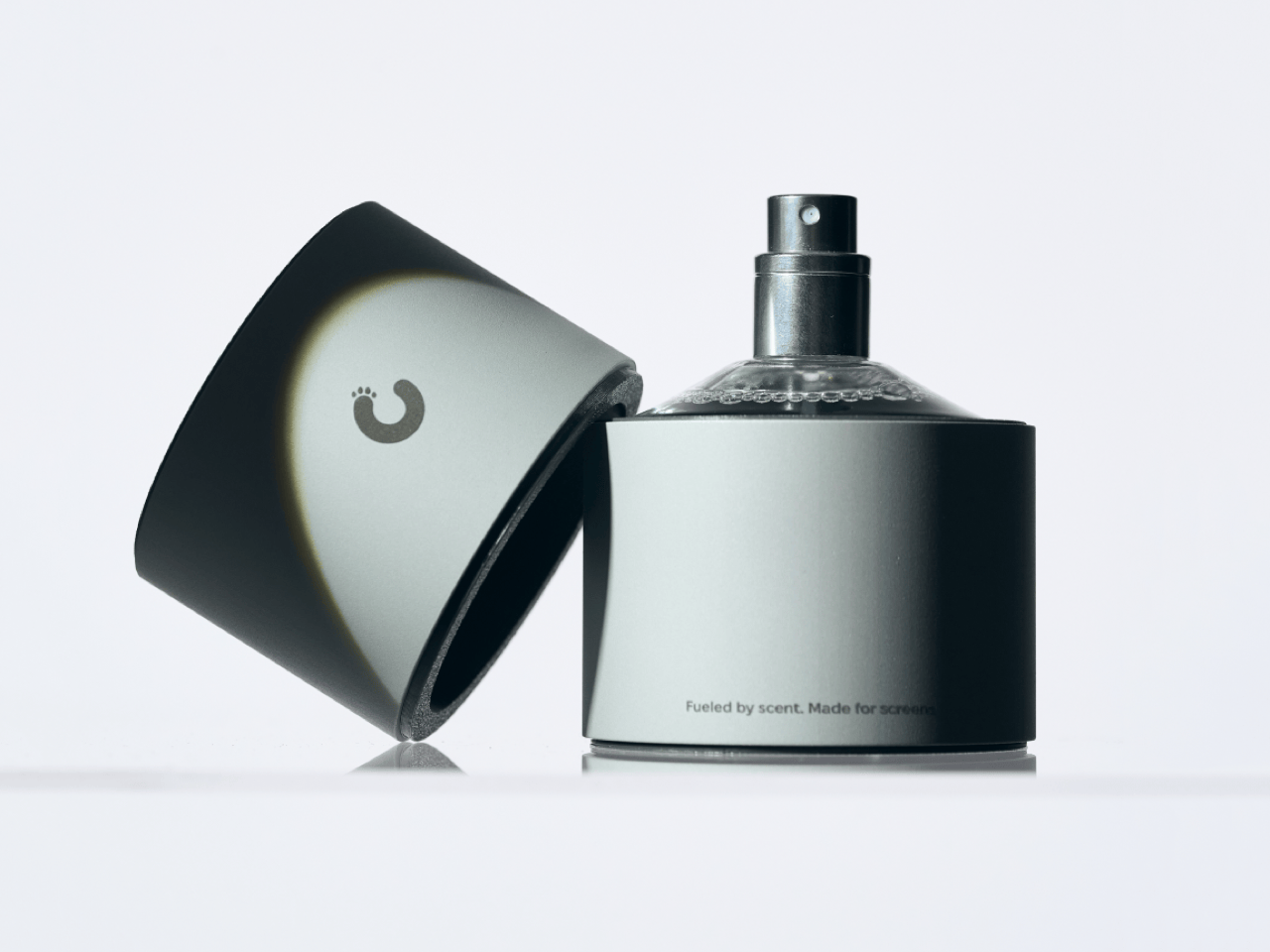
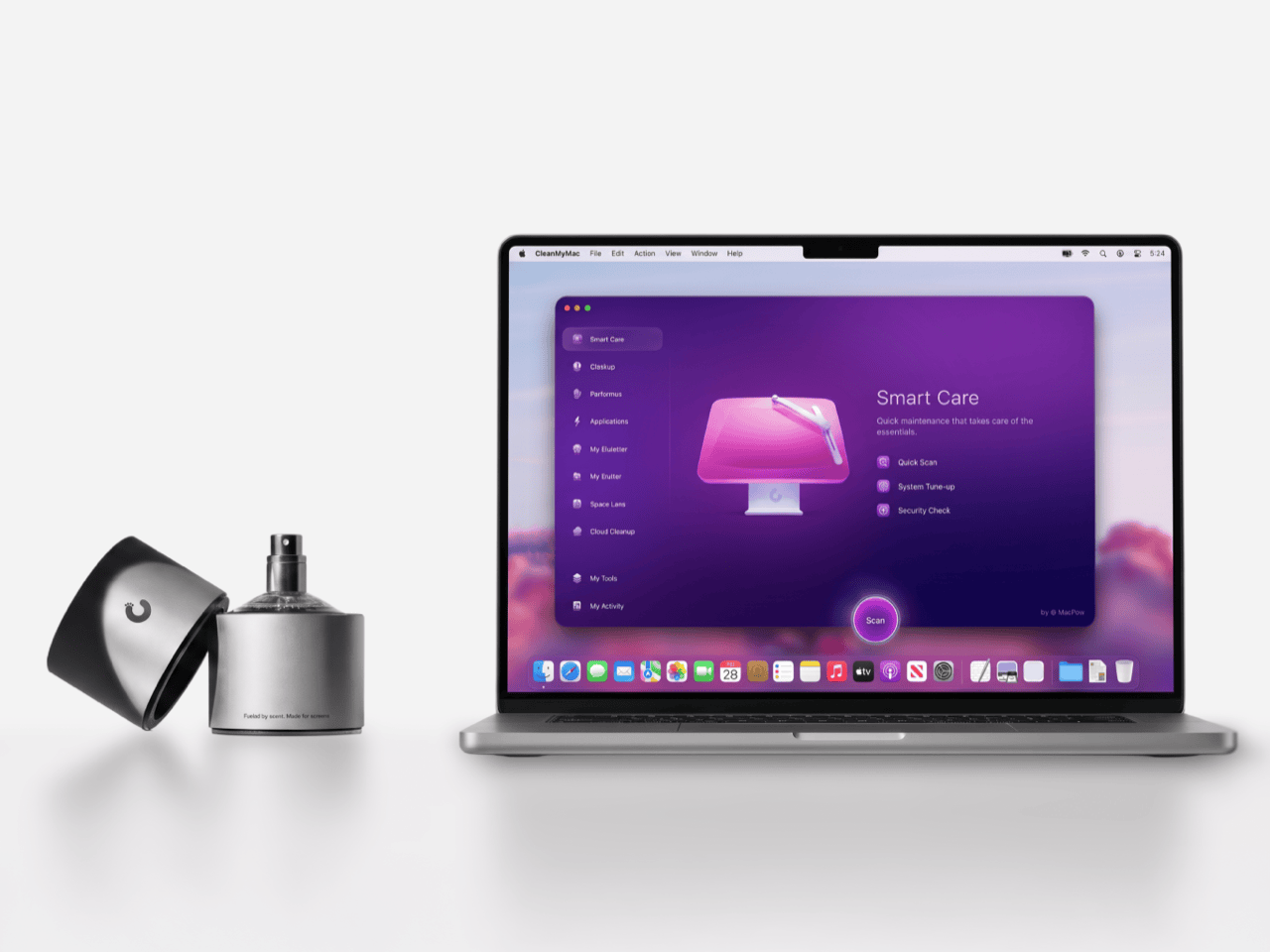
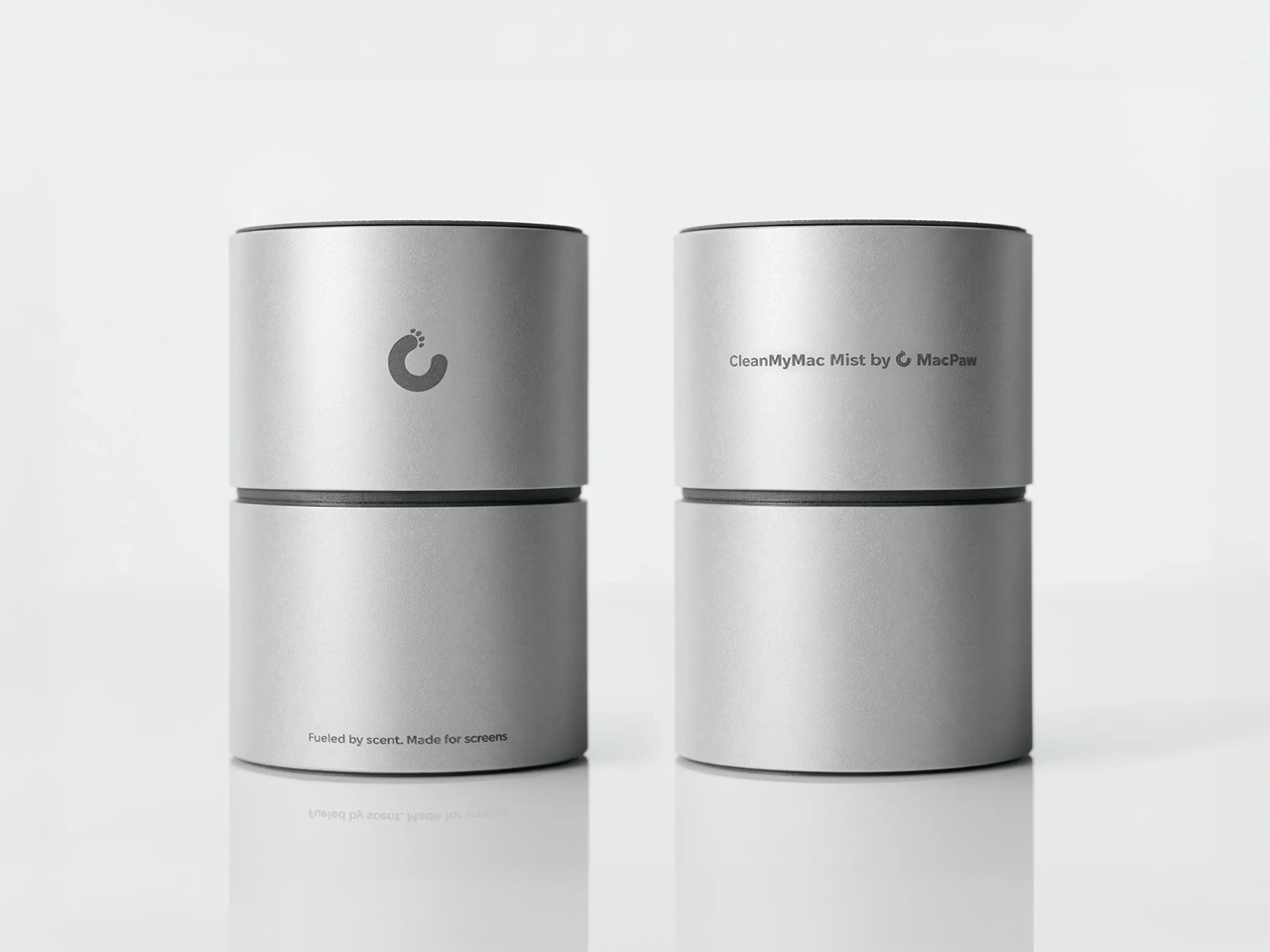
Apple’s official answer to a smudgy MacBook screen is a $9 Polishing Cloth, which, to be fair, is ten bucks cheaper than the version everyone roasted in 2021. MacPaw has a more extravagant answer. The Ukrainian company behind CleanMyMac just revealed CleanMyMac Mist, its first physical product, a screen and keyboard cleaner dressed up as a bottle of designer fragrance. One spritz on a microfiber cloth is meant to lift the fingerprints and leave your laptop smelling like a frosty pine forest. Your candles, your hand soap and your car already have signature scents, so honestly, the MacBook was overdue.
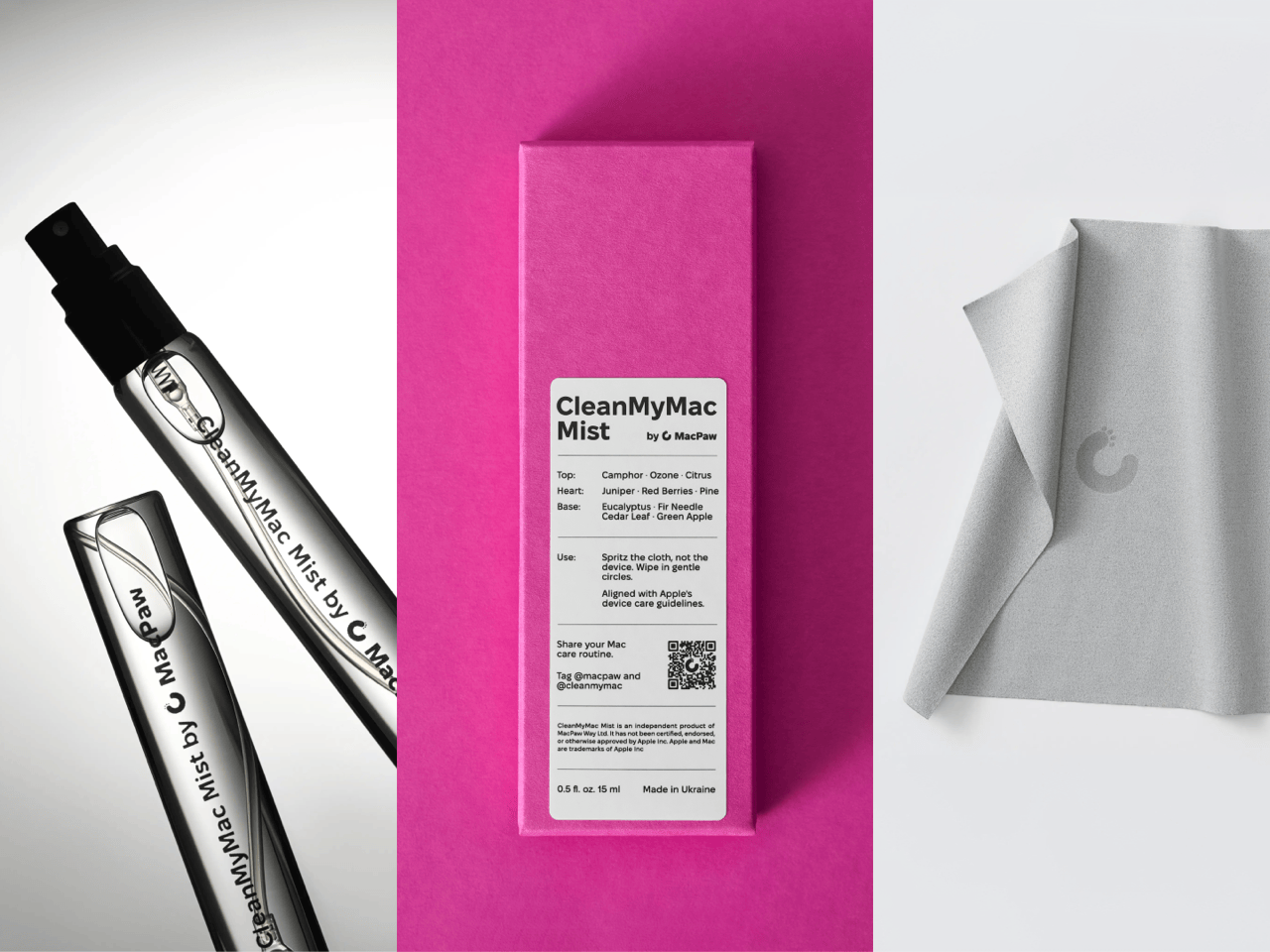
MacPaw calls the scent Frosted Juniper, picked because juniper grows both in Ukraine, where the company was founded, and in California, where the Mac was born. That’s a little sentimental, and I’m completely here for it. The notes run from camphor, ozone and citrus up top to fir needle, cedar leaf and green apple at the base, and the brief was to smell clean without smelling like a cleaning product. Pole, a design and small-batch production studio in Ivano-Frankivsk, made the glass atomizer, its metal case, and a pink box loud enough to see from across the office. Only 100 bottles exist, and they’re up for grabs via a CleanMyMac Instagram and TikTok giveaway until October 23, so don’t go hunting for a price tag.
Designers: MacPaw & Pole
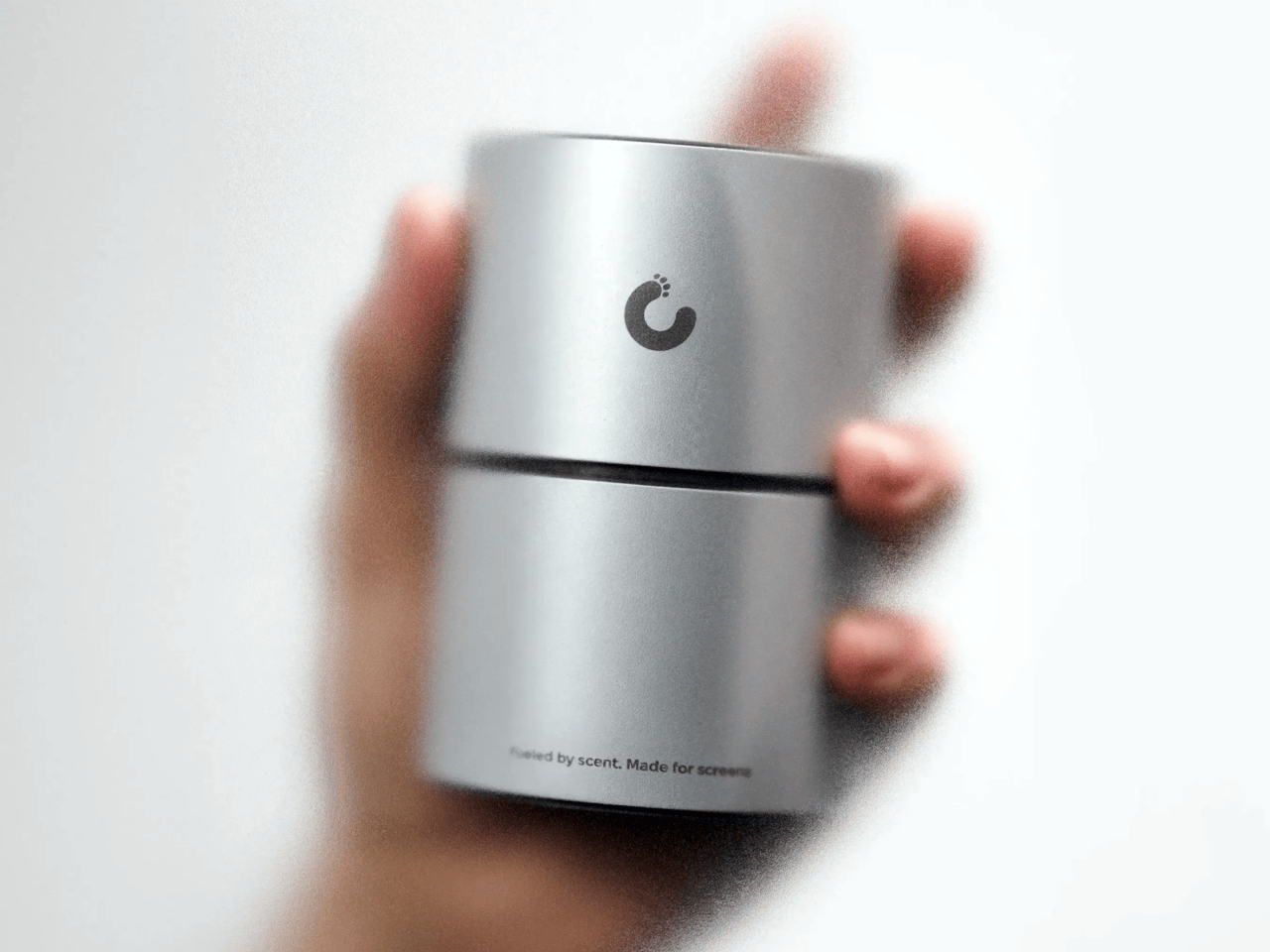
Every design choice here borrows from the perfume counter instead of the cleaning aisle. A slim glass atomizer sits inside a cylindrical metal case, and its silver-and-gray finish would sit happily next to any MacBook. The box flips the mood entirely, with a hot pink tray holding the Mist, a microfiber cloth, a small brush and a scent card, which is basically a perfume blotter for your laptop. The whole package is designed to live on your desk in plain view, far away from the Windex under the kitchen sink. Le Labo pulled a similar trick with its hand-cast concrete diffuser, treating a fragrance gadget as decor first.
Apple’s own cleaning guide warns against aerosol sprays, so the Mist uses a pump atomizer, and you spritz the cloth instead of the screen. That small habit change tackles a real problem, since one in three US Mac owners in MacPaw’s survey admitted to damaging their machine while cleaning it. The product site names the usual culprits: glass cleaners that strip anti-reflective coatings, paper towels that leave micro-scratches, and the hoodie sleeve that only feels like it’s doing something. Apple Stores reportedly keep their display units spotless with WHOOSH!, so dedicated screen formulas are nothing new. MacPaw’s twist is making the formula something you’d happily smell on your fingertips afterward, though nano-texture displays should still stick to Apple’s dry cloth.
As a longtime CleanMyMac user, I find the whole thing delightfully on the nose. The app launched in 2008, has racked up 29 million downloads sweeping caches, logs and leftover app files out of Macs, and MacPaw says it cleans a million machines a day. For 18 years, “clean” was a metaphor for digital housekeeping, and now the metaphor has a nozzle and a note pyramid. MacPaw handed the physical side to Pole, a design and production center in Ivano-Frankivsk with metal, wood, ceramics and biolab workshops under one roof. Pole specializes in runs of 1 to 500 units and built elements for Ukraine’s pavilion at Expo 2025 in Osaka, so a 100-bottle drop sits right in its comfort zone.
The Mist isn’t for sale, and the only way to get a bottle is a giveaway on CleanMyMac’s Instagram and TikTok that closes at 11:59 PM EST on October 23. MacPaw will pick 10 winners on Instagram and 5 on TikTok, so the odds are slim, but every entrant still gets a 20% CleanMyMac coupon. The full scent breakdown and entry details live at cleanmymacmist.com. Millions of Mac owners already trust MacPaw with the inside of their machines, and I suspect plenty of them would buy a refill to keep the outside smelling like a snowy forest. Frosted Juniper makes a great first edition, though I’m already lobbying for a cozy sandalwood one by December.
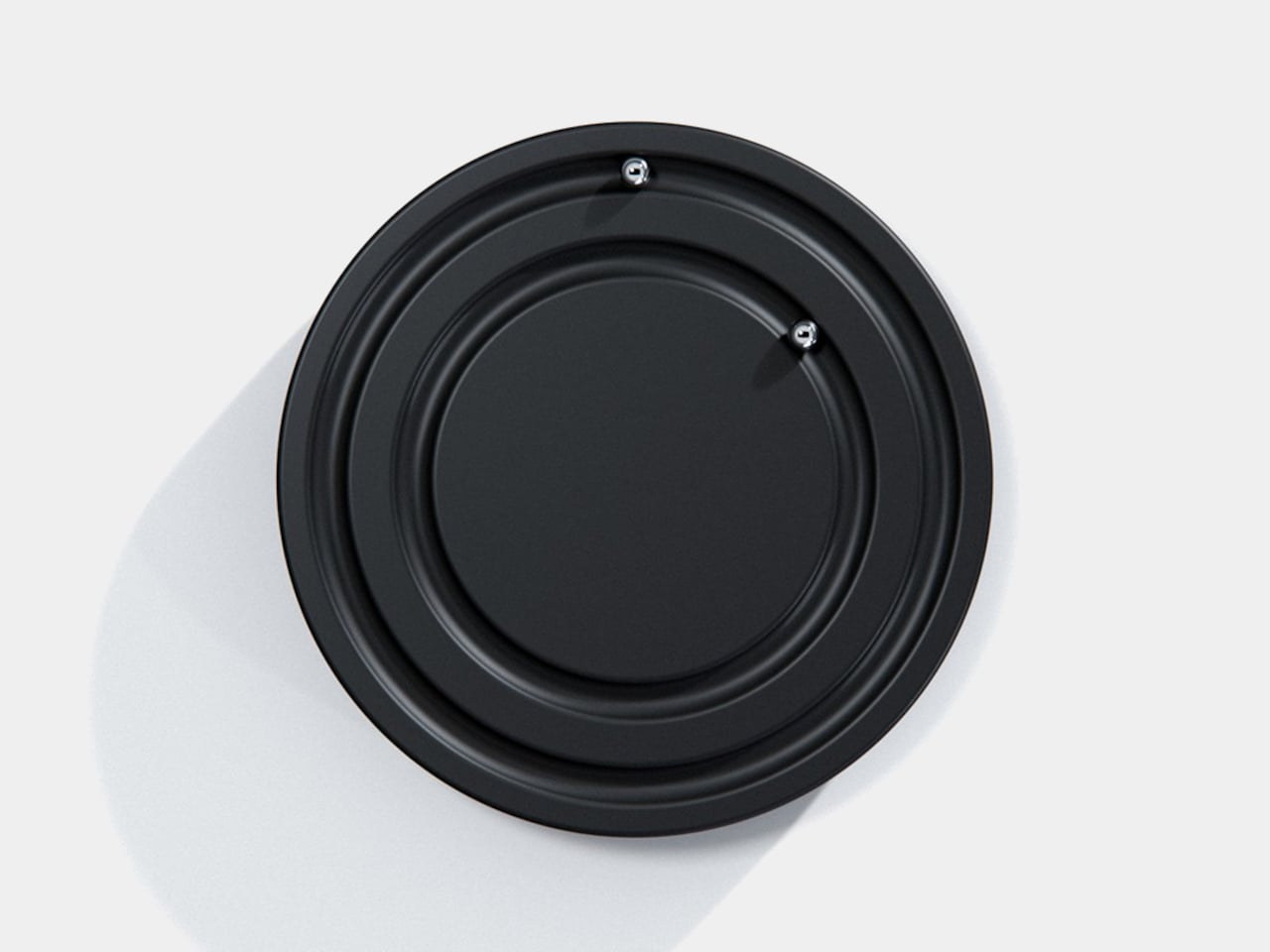
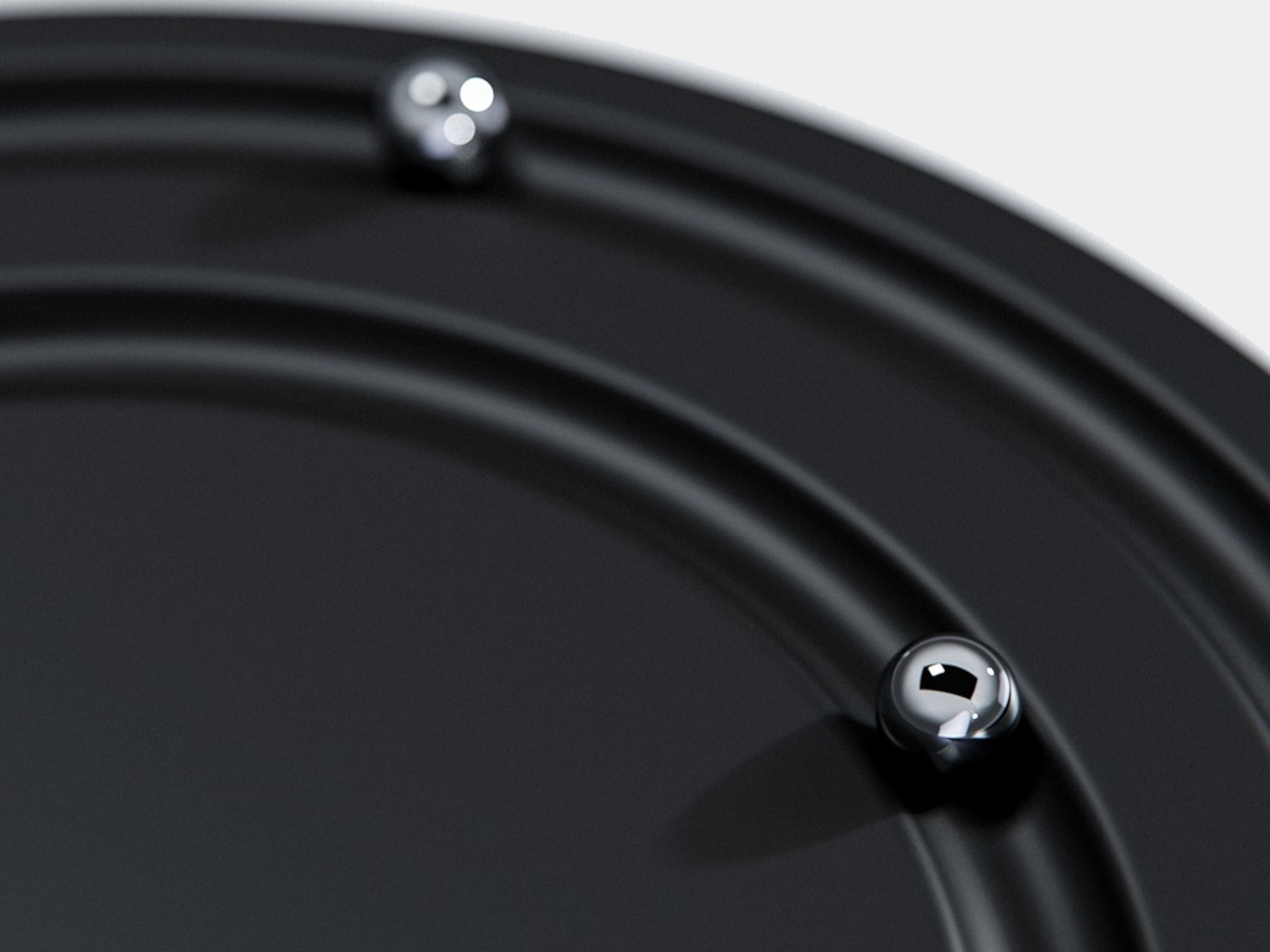
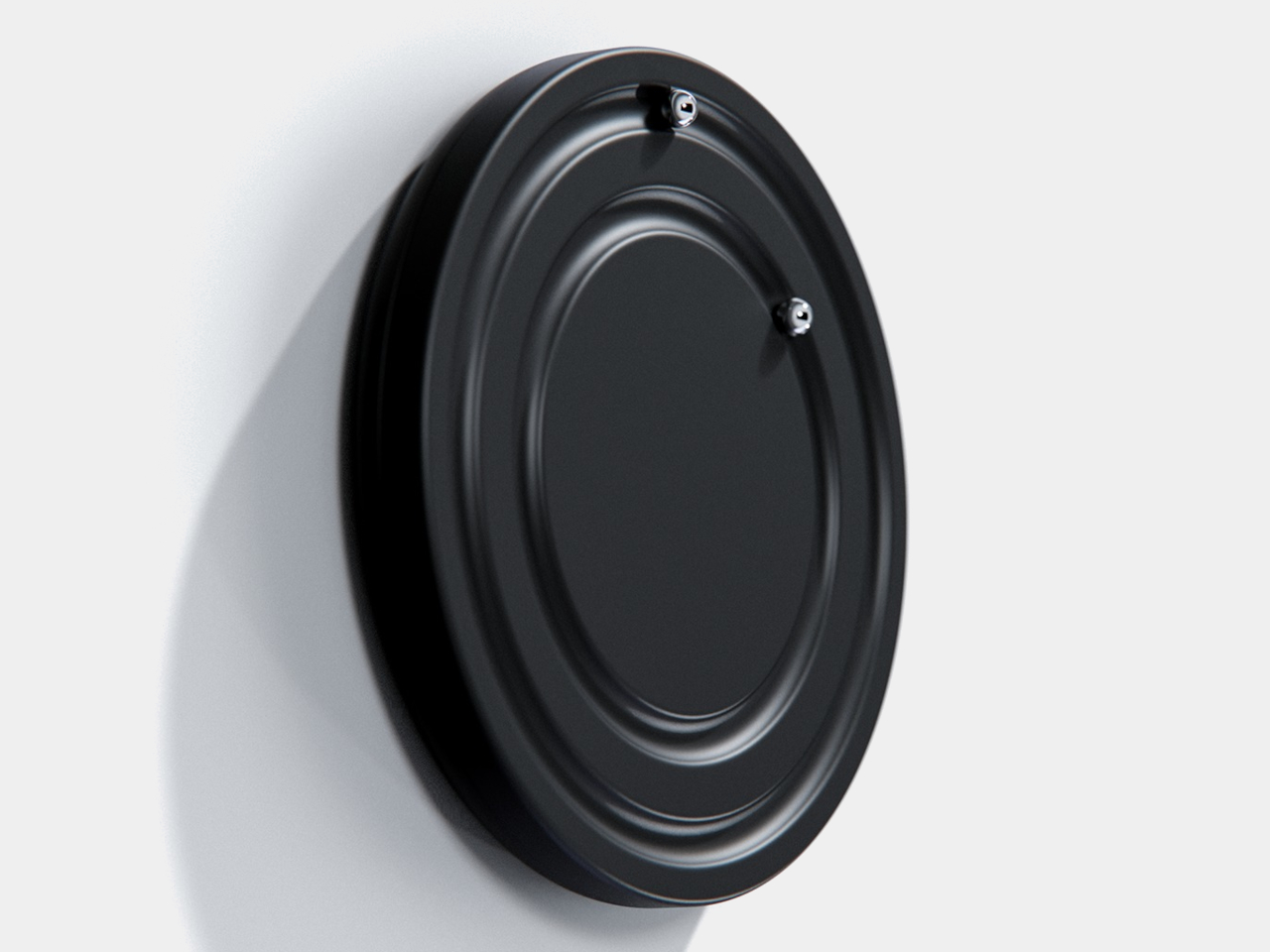
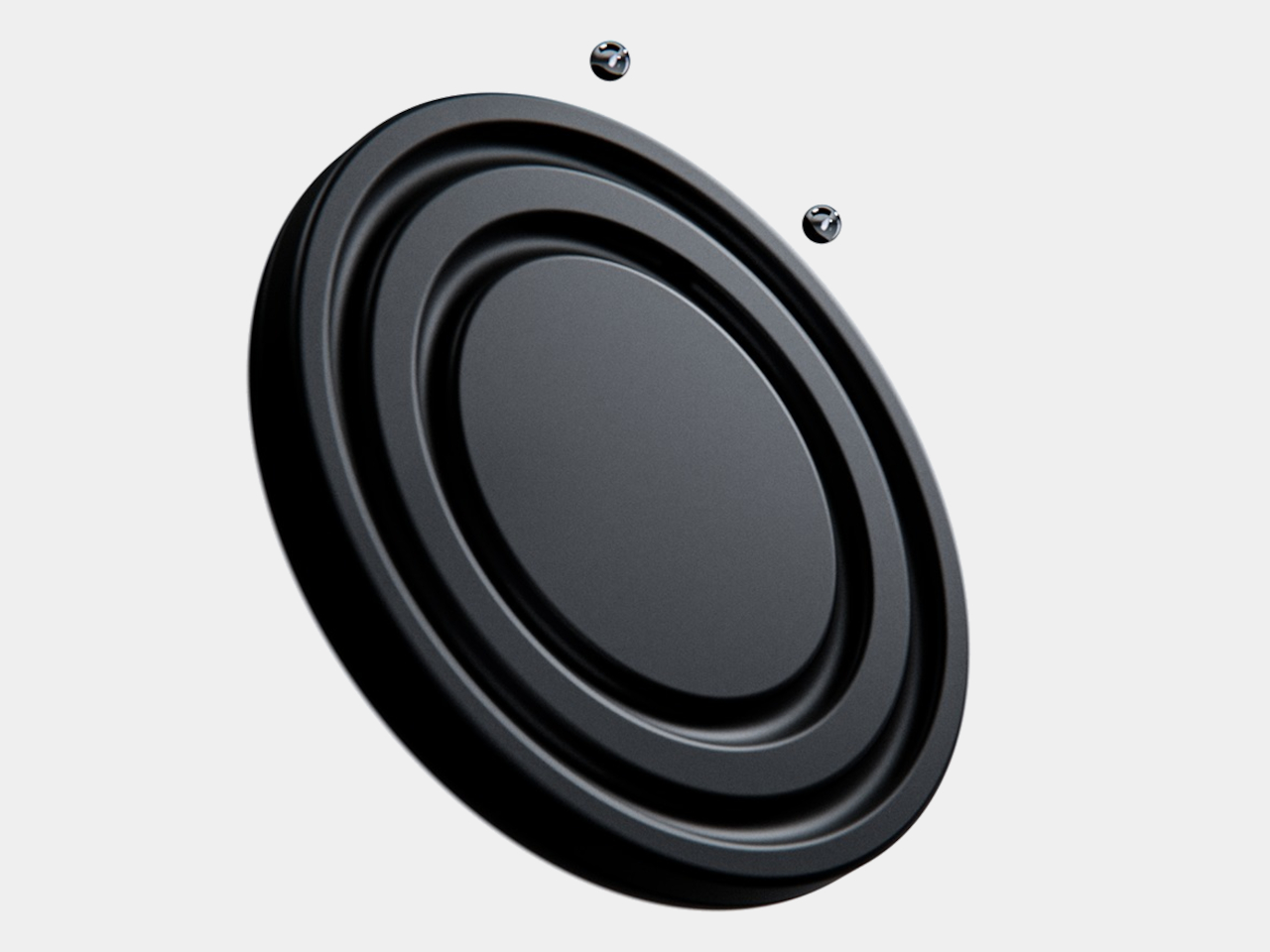
Clocks have become so familiar that we barely think about what their hands are doing. They point to positions around a circle, a habit that Orbit keeps while removing the hands themselves. This ultra-minimalist clock concept replaces them with two magnetically held metal spheres, giving time a physical presence you can reach and remove, instead of leaving it behind protective glass.
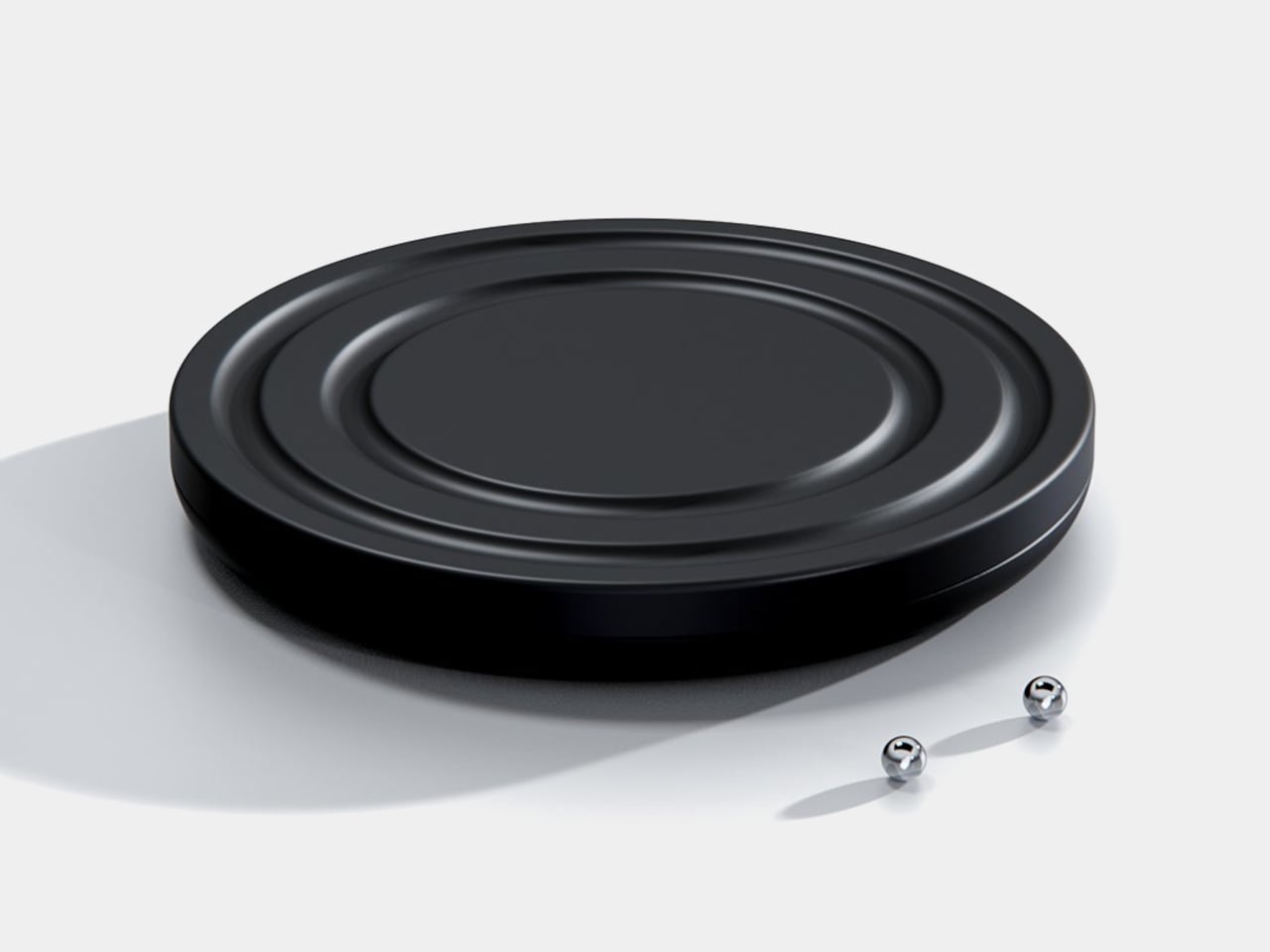
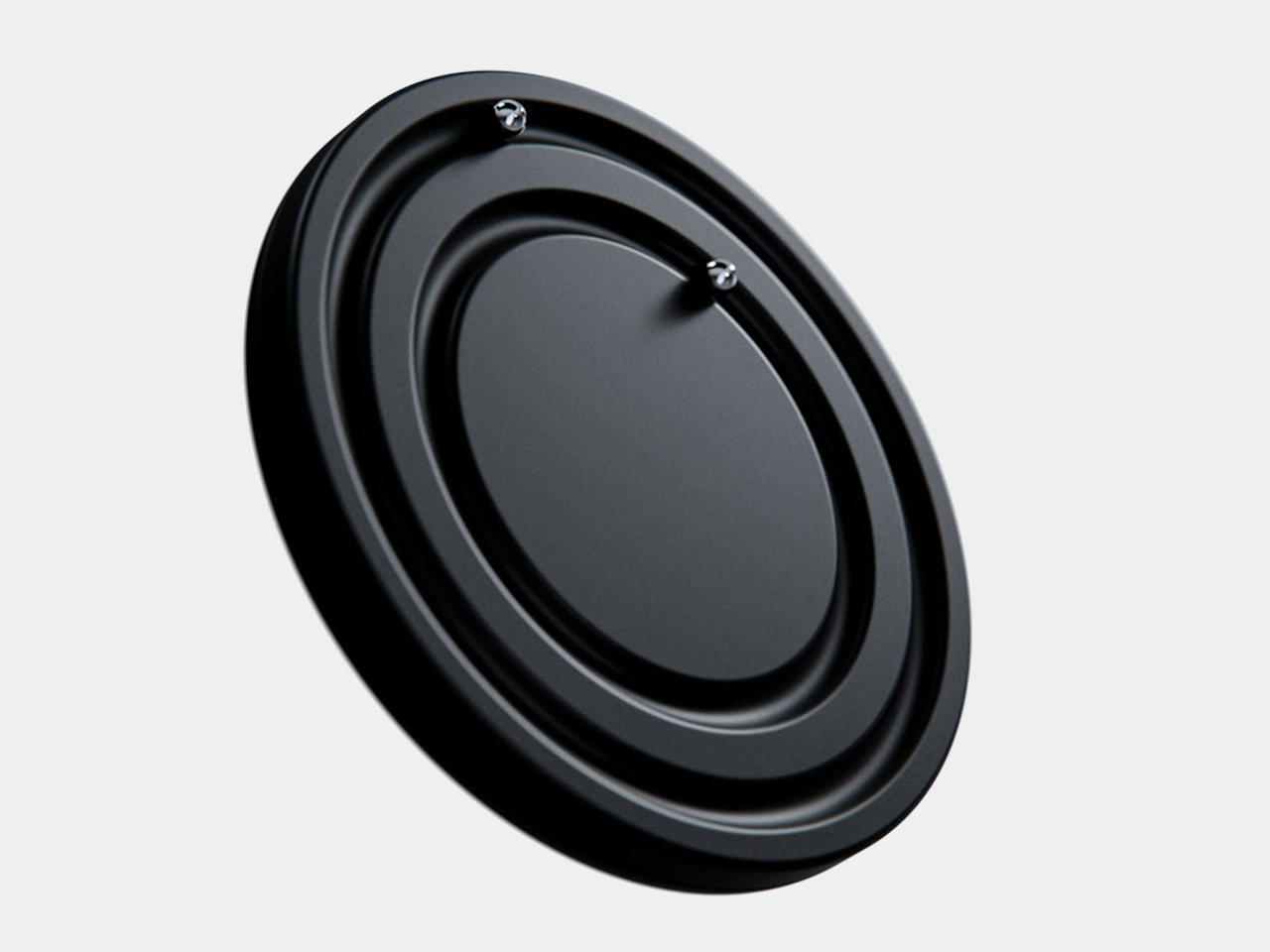
The face is a dark circular disk with two concentric recessed tracks, each carrying a polished sphere. There’s no cluster of numerals or central pin to interrupt the surface. Instead, the grooves give the small bearings separate paths, while their reflective finish contrasts with the darker background. The clock’s relief supplies the detail that printed markings would normally provide on a conventional dial.
One sphere represents the hours and the other the minutes, preserving the basic logic of an analog clock. You still look for positions around the face, only without a pair of hands connecting those positions to the center. That makes the idea less unfamiliar than it initially sounds. Reading it doesn’t call for learning an entirely new code, although some adjustment seems inevitable.
Of course, removing all those markings comes with a compromise. Estimating the hour should be simpler than judging an exact minute on an unmarked circle. Orbit could suit a living room where a glance is enough to keep track of the afternoon. Checking how many minutes remain before catching a train might make you rather grateful for the numbers on your phone.
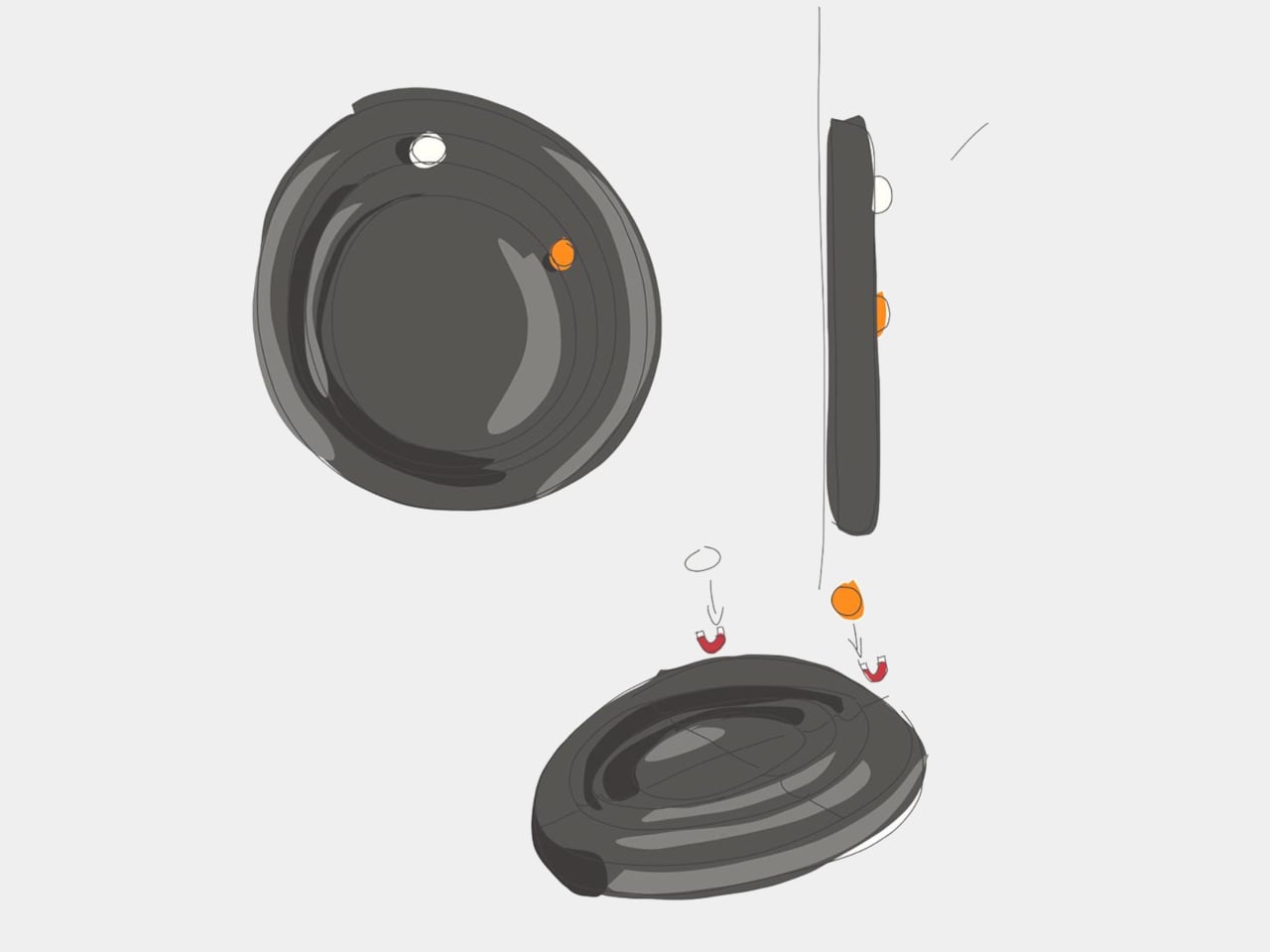
The more unusual part is that the spheres aren’t permanently trapped in their tracks. Magnetic attachment is intended to let you lift each one away and put it back, adding a tactile interaction to an object usually left alone. That’s a surprisingly playful detail for such a restrained design, especially when removing both markers would leave the clock with nothing to tell you.
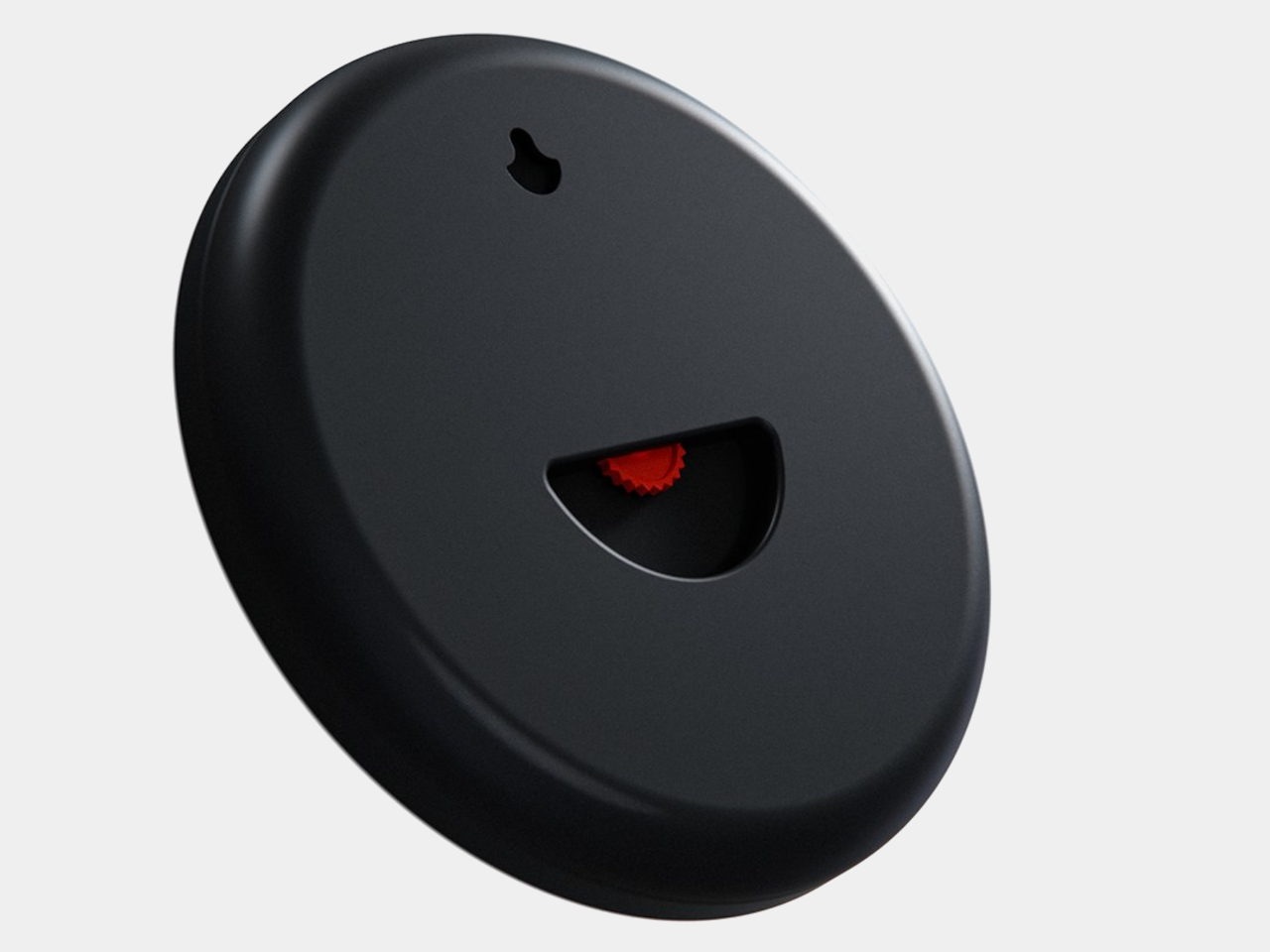
There’s a sculptural quality to the body itself, with a rounded outer edge and circular channels that give the black surface depth. A rear keyhole slot provides for wall mounting, keeping that face upright without a separate stand. The name Orbit feels appropriate here, with two small spheres occupying rings around an empty center, rather than hands meeting at a shared pivot point.
Orbit remains a concept, so there’s no established price or availability to weigh against those compromises. Its detachable markers do suggest a rather different relationship with a wall clock, though. Reach for the face and you’re handling the things that tell the time. Just make sure those little spheres don’t end up somewhere less useful, such as behind the living room sofa.
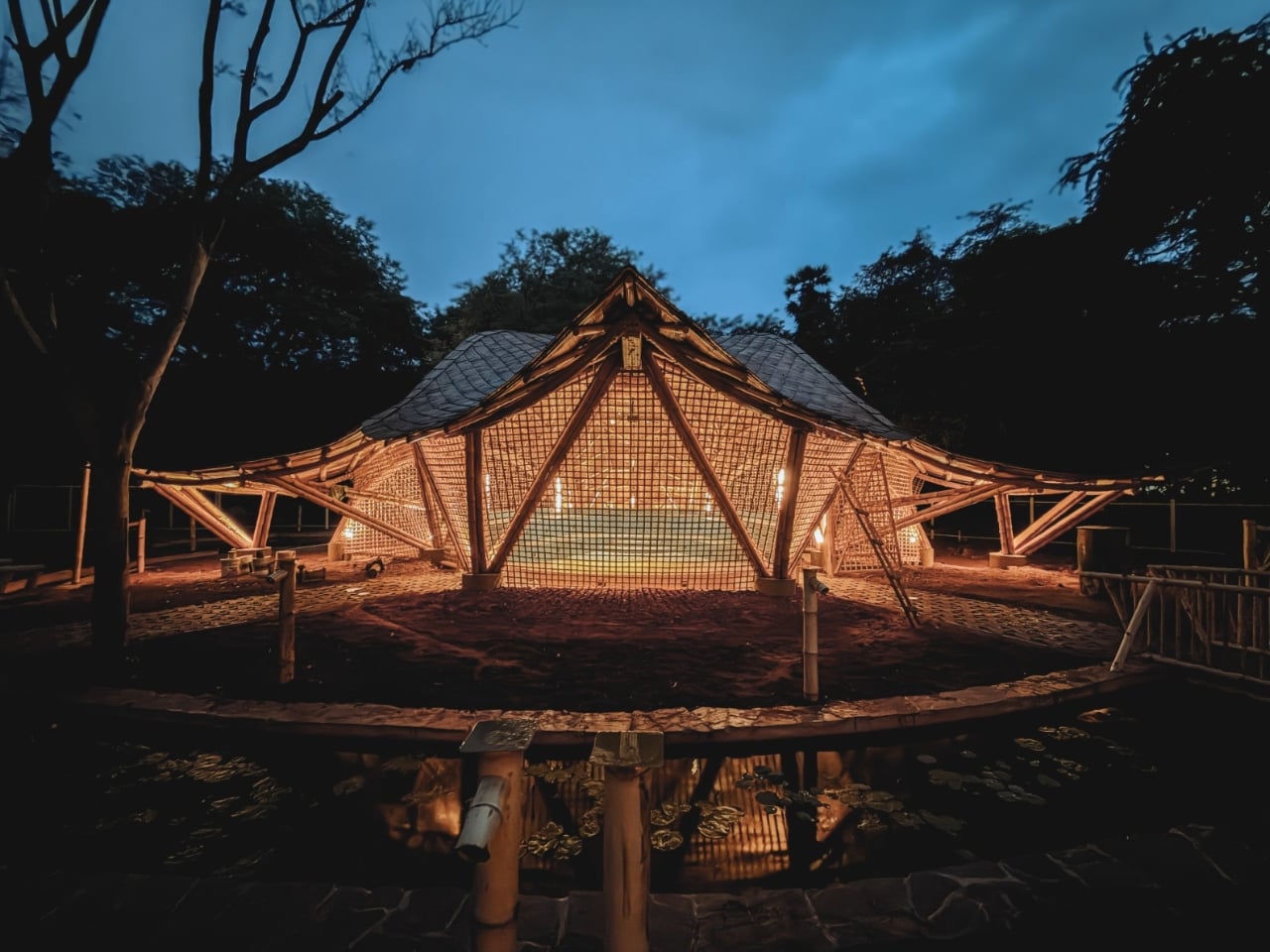
A column in the middle of a music hall means someone has to look around it. That’s a practical problem to solve before worrying about how dramatic the ceiling looks. At the Maestro Ilaiyaraaja Centre for Music Learning and Research in Chennai, India, Ekarth Studio uses bamboo vaults to create spans of up to 49 feet without interior columns. The structure makes room for people to gather, while giving them a roof worth looking up at.
The completed, 10,000-square-foot center at IIT Madras addresses another challenge: bringing music education, research, rehearsal, and recording into one setting. Named for composer Ilaiyaraaja, it belongs to the university’s “Music for All” initiative, whose research interests include acoustics, artificial intelligence, sound synthesis, and instrument design. That’s an unusually broad assignment for a music building. It needs places for focused work, but also room for different disciplines to meet without every encounter becoming a scheduled appointment.
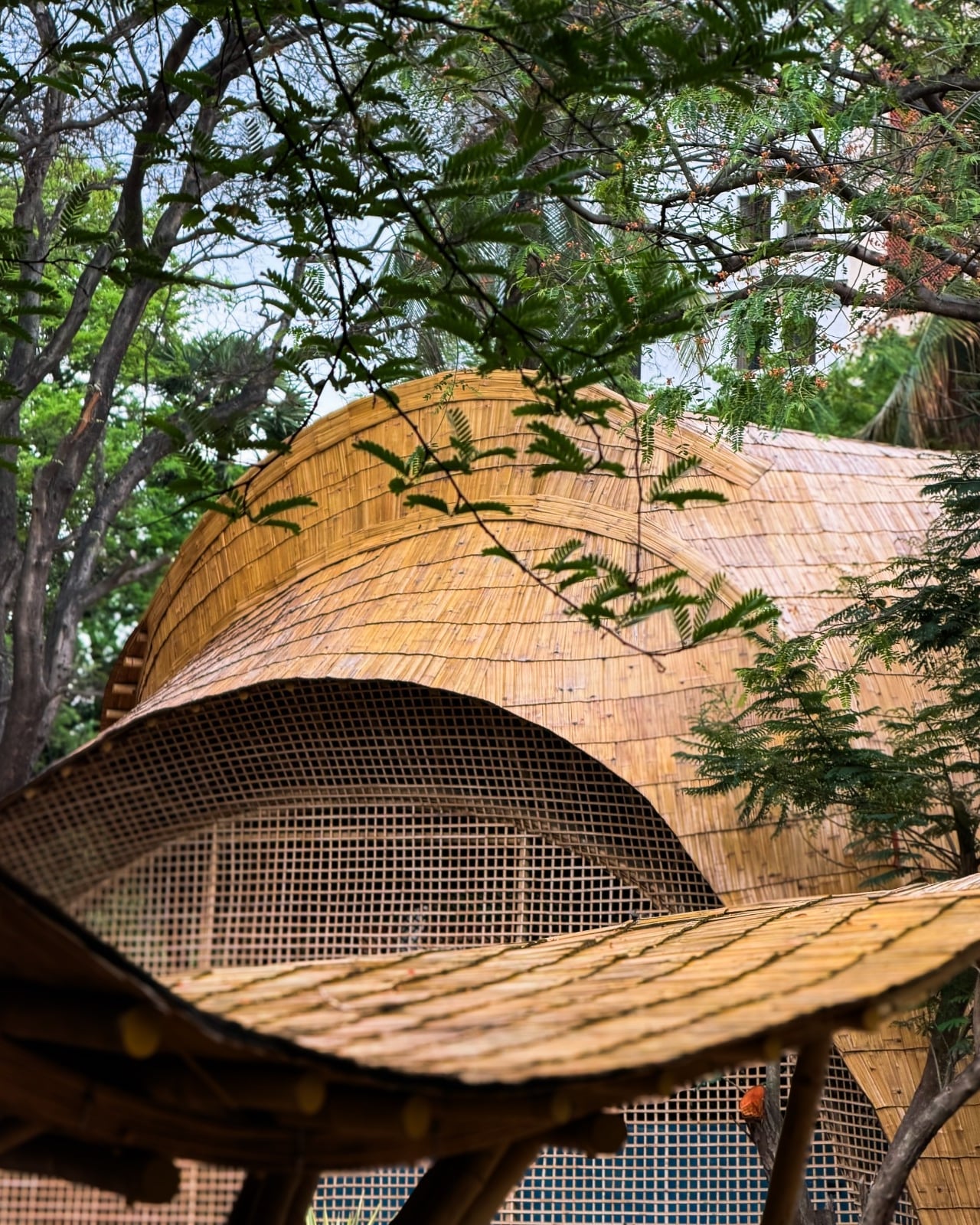
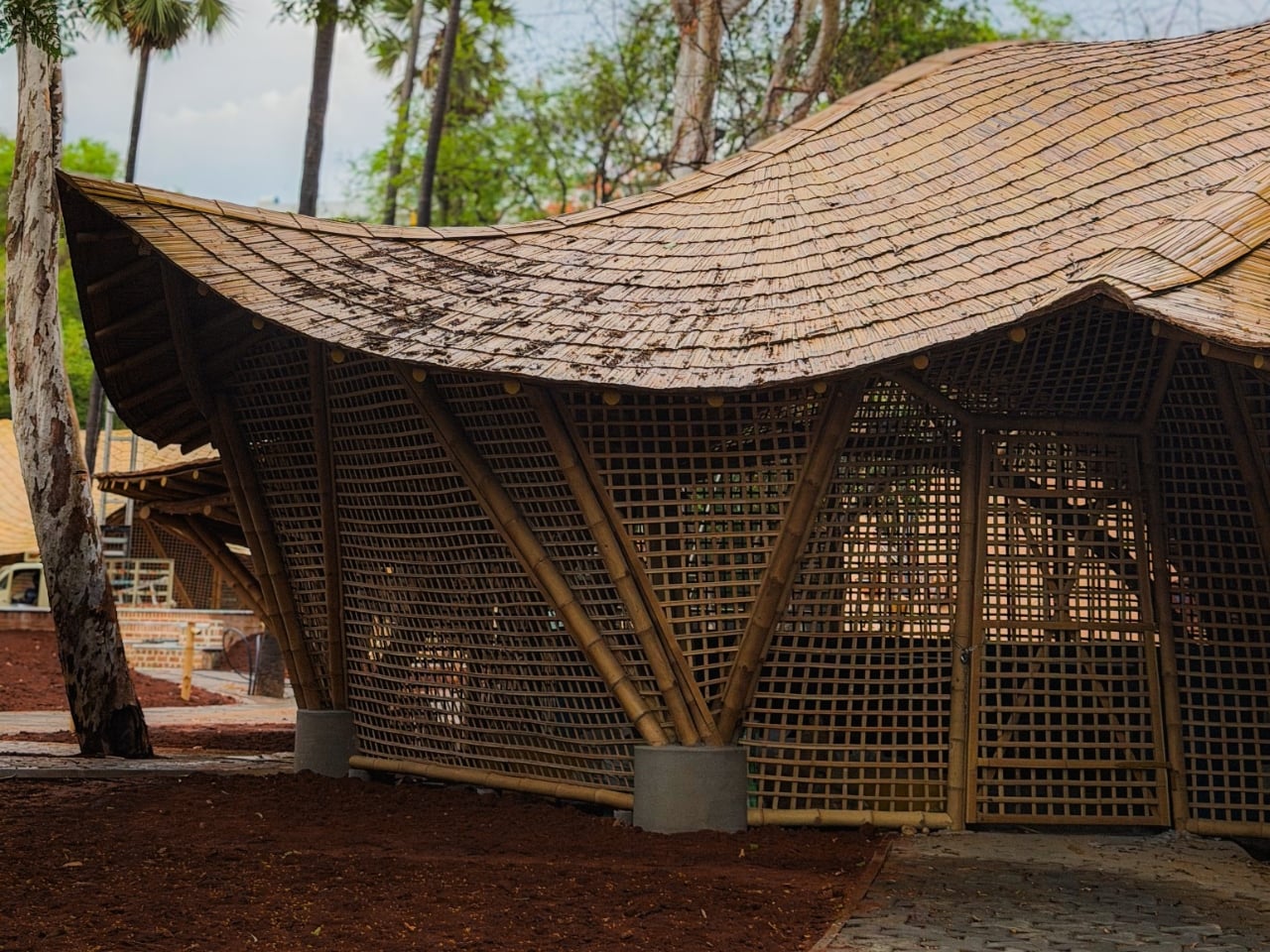
The roofs give those activities a recognizable home. Ekarth Studio drew their geometry from Bel Patra, the three-part leaf associated with Lord Shiva. Interconnected vaults translate that reference into canopies that rise, dip, and extend over the spaces below. I like that the inspiration has a specific cultural origin. A music center with a curving roof could easily attract a vague explanation about sound waves, but this one has a more deliberate starting point.
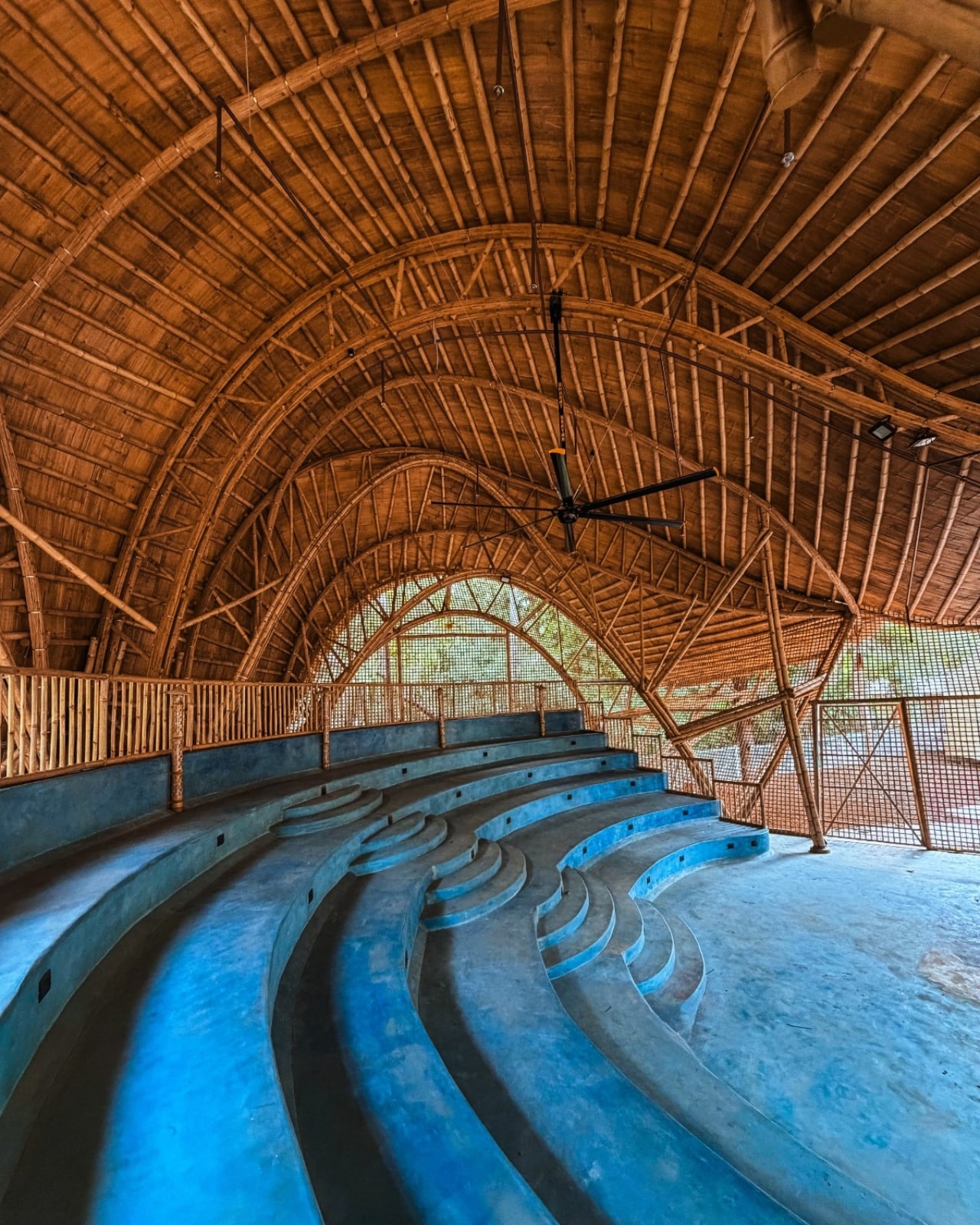
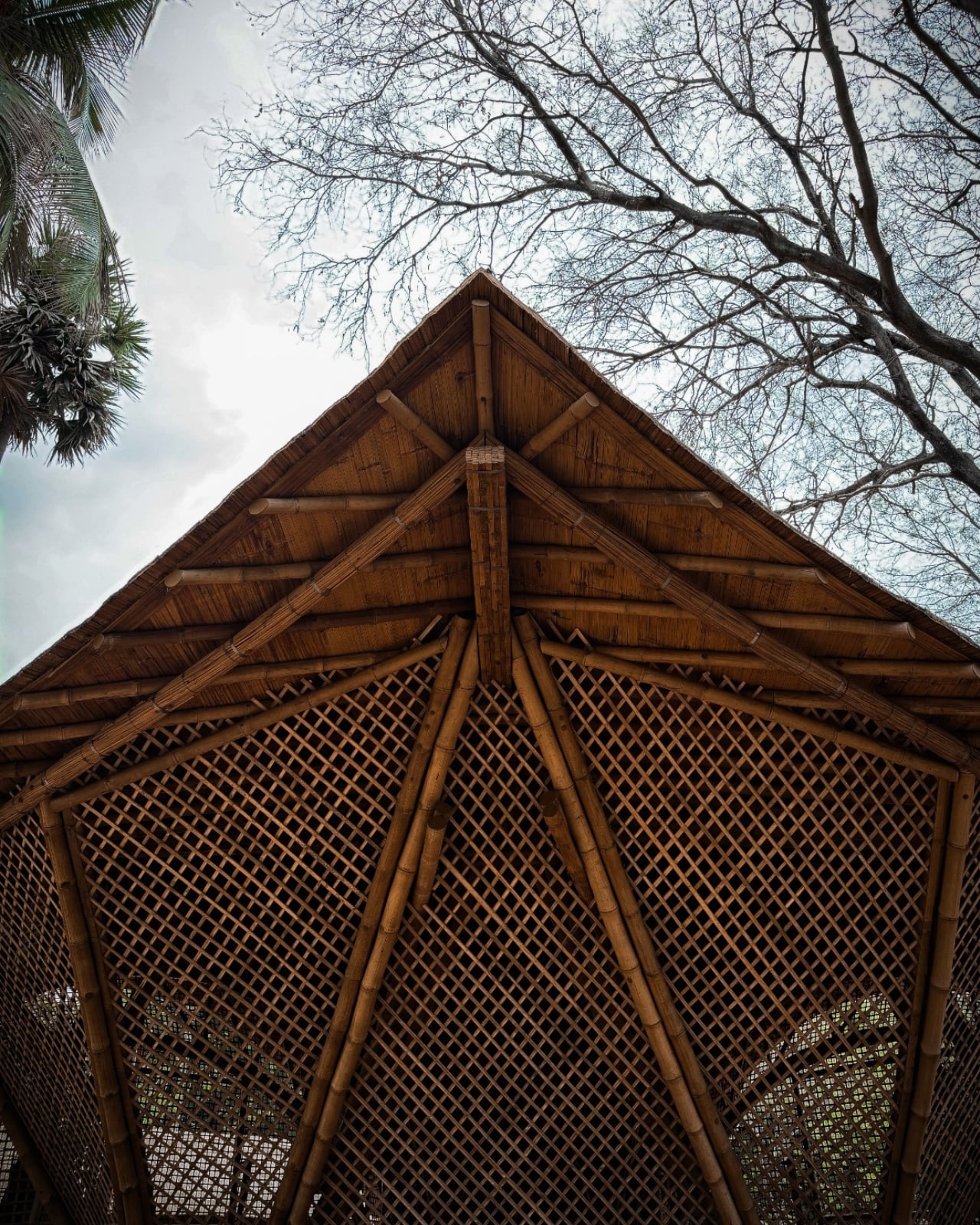
Those curves also involve some serious assembly. The studio describes a structural system combining round bamboo culms, bundled splits, and bundled sticks. Flat bamboo splits are gathered together to form the primary spine beams, rather than relying on a single solid member. Arches reach nearly 30 feet high. The useful distinction is that bamboo carries the roof and establishes its shape. Calling it a decorative finish would miss the most interesting decision in the project.
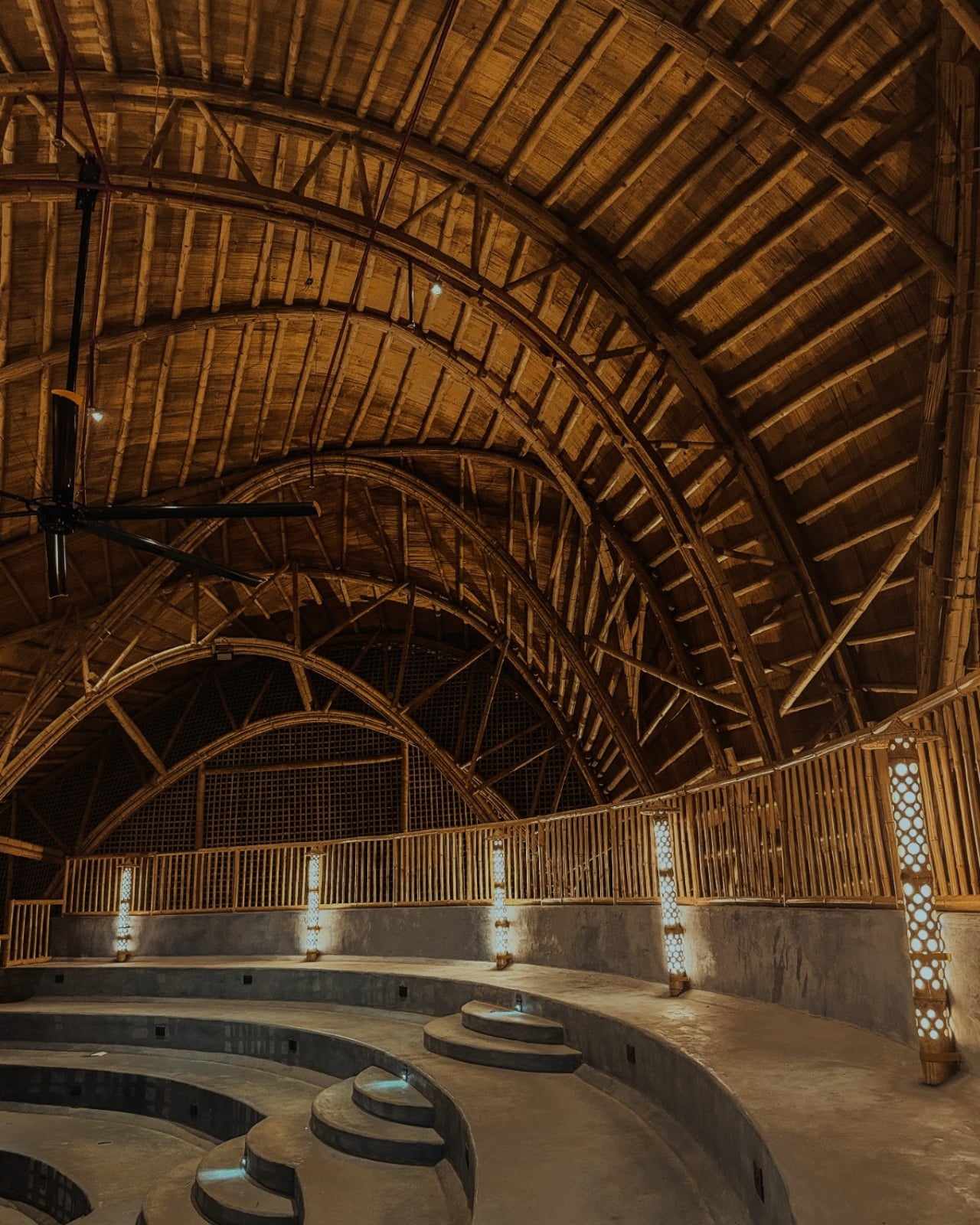
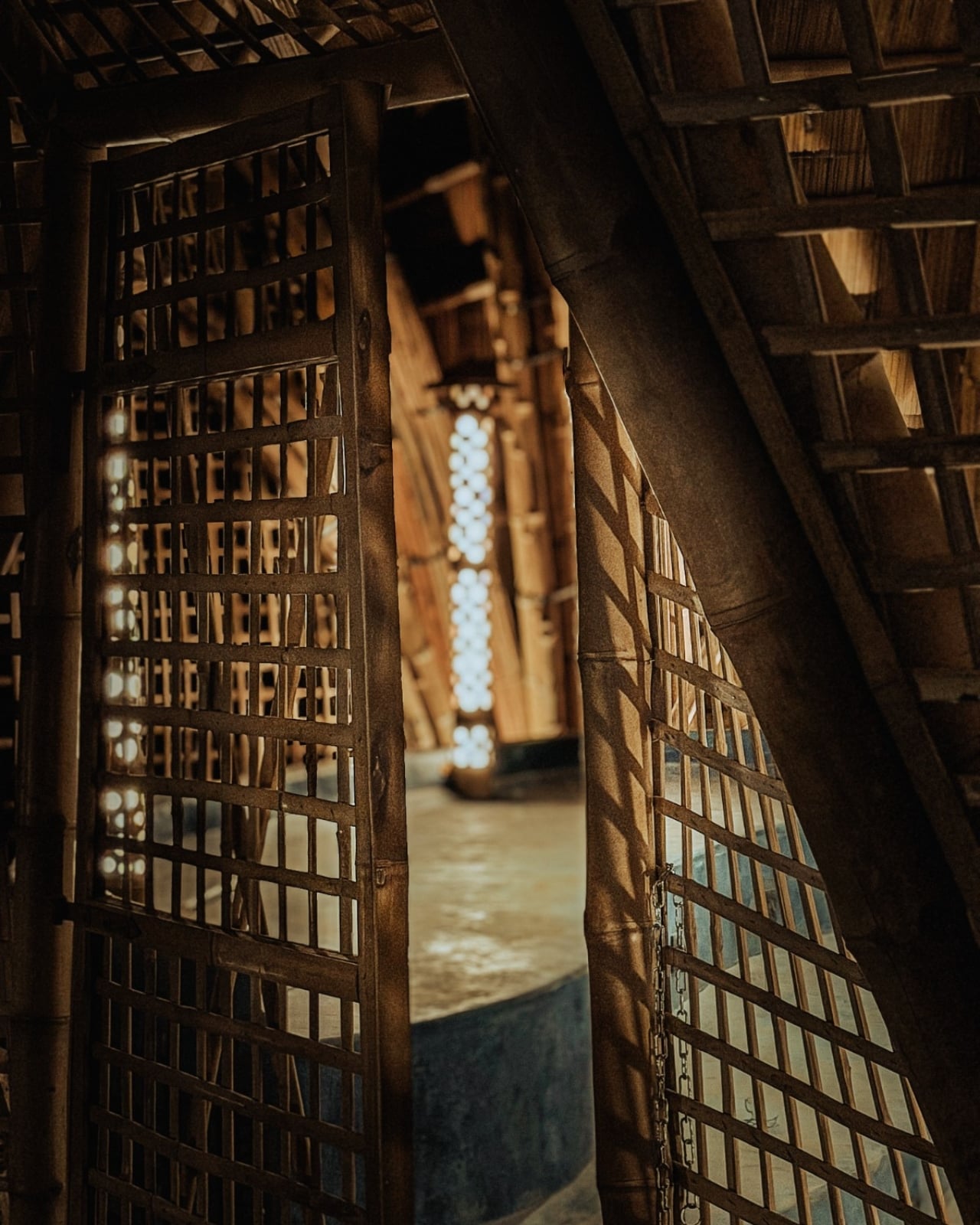
Leaving that construction exposed gives the interiors their character. Ekarth’s material palette includes treated bamboo, lime-based finishes, earthen surfaces, natural-fiber roofing, and handcrafted bamboo weaving. The studio also leaves the bamboo’s connections visible. I’m drawn to buildings that let you follow how they were assembled. Here, the repetition of individual pieces gives the large roof forms a finer scale, so the architecture offers more to examine than its outline from a distance.
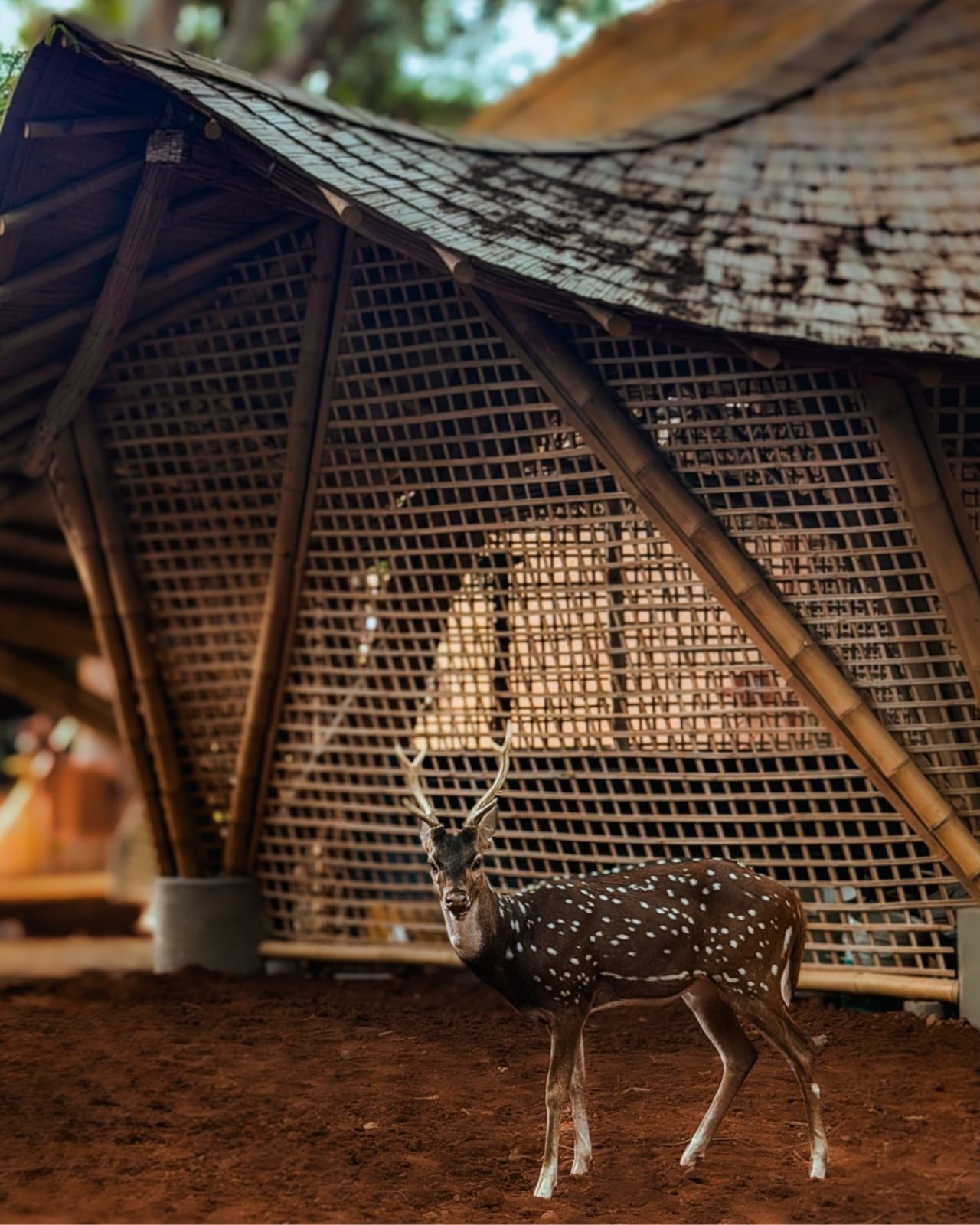
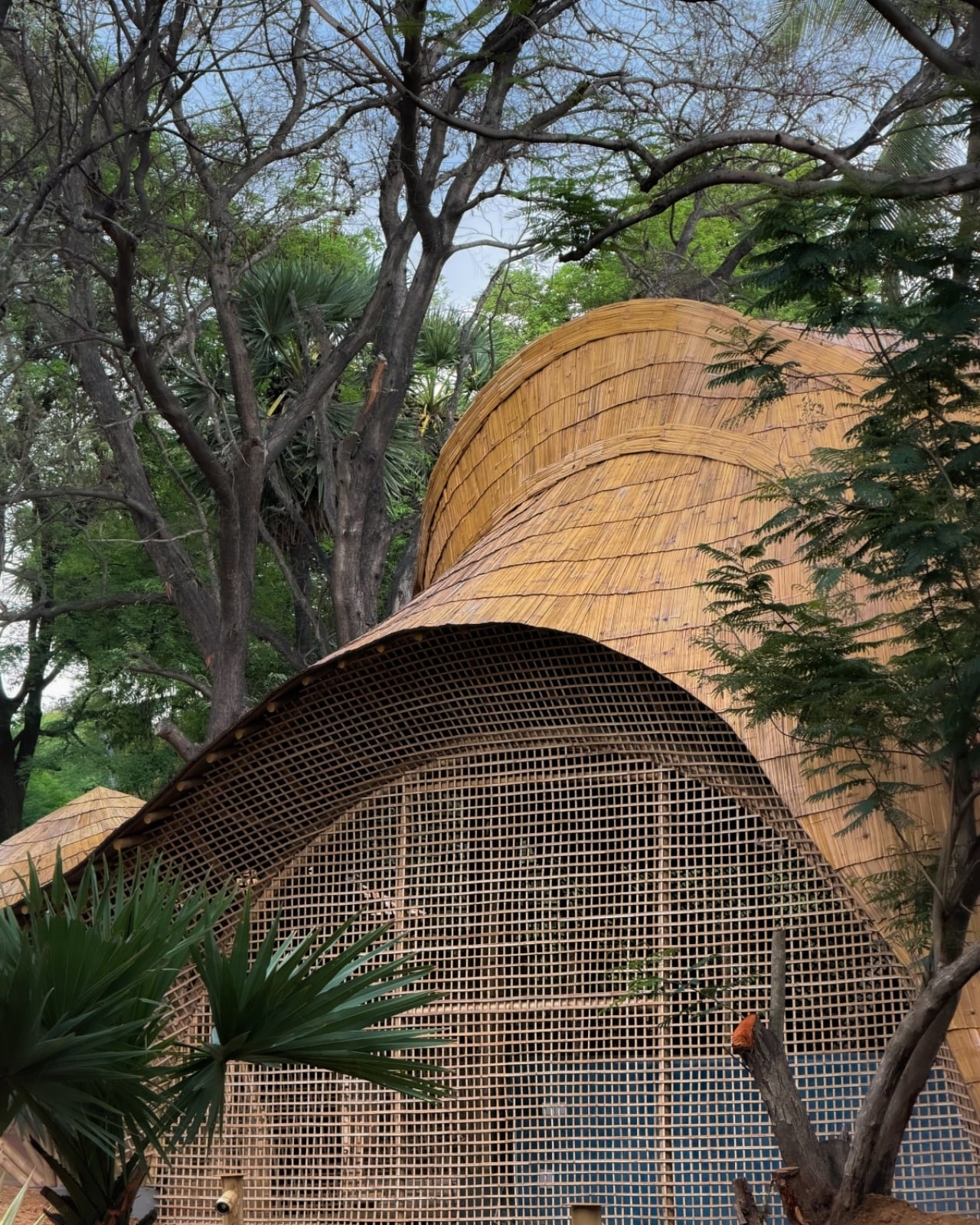
The exterior photographs show roof edges sweeping outward above bamboo lattice screens, with trees close to the pavilions. The small, regular openings in those screens contrast with the broad curves overhead. They make the enclosure look less abrupt than a blank wall would. Ekarth’s plan connects classrooms and other spaces with courtyards and shaded outdoor areas, giving the center an architectural relationship with its surroundings that goes beyond putting landscaping around a finished building.
The people who assembled it deserve attention, too. According to the studio’s account, artisans split, bent, bundled, and joined the bamboo primarily with basic carpentry tools, while structural engineering adapted those processes for an institutional building. Ekarth reports an 11-month construction period with limited use of heavy machinery. That timeline is noteworthy, but I’d give equal billing to the craft. Its contribution remains legible in the finished architecture rather than disappearing behind another surface.
A beautiful bamboo structure doesn’t, by itself, establish how well a recording room isolates sound or how comfortable the building stays throughout the year. Those are separate performance questions, and the published project descriptions don’t provide measurements that settle them. The same restraint applies to sustainability. Natural materials and a less machinery-intensive construction process are choices worth discussing, but they aren’t enough to calculate the building’s environmental footprint or long-term maintenance demands.
Even with those questions open, the design gives me a clear reason to pay attention. The central amphitheater-like gathering space puts rehearsal, performance, and collective learning beneath the same expressive structure. That feels like an appropriate investment for a music center: a memorable room whose defining gesture also keeps its floor open. The ceiling earns its visual complexity by leaving more usable space underneath, where the people and the music belong.
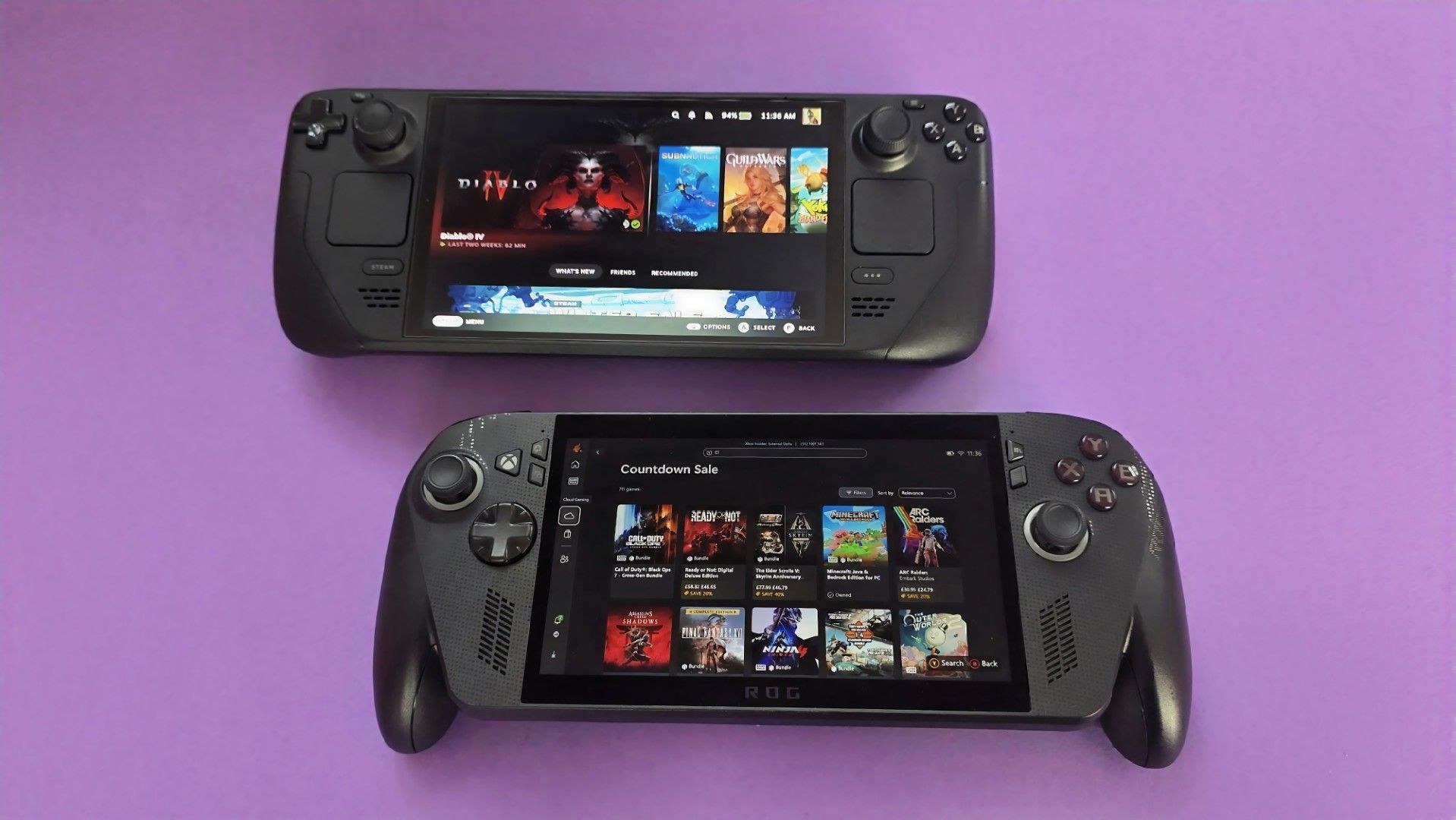
For those unfamiliar with what DLSS and FSR do, they basically let hardware render games at lower resolutions to improve performance, then upscale that image without tanking visual quality. Think of it as a game rendering at 720p and upscaling to 1080p for a much sharper image.
The mod, called HelixSR, is quite clever in how it achieves this. Rather than requiring NVIDIA hardware, it effectively tricks the hardware in believing it's AMD's FSR 3.1, allowing games to use DLSS's image reconstruction instead.
In testing from various creators, we actually know whether the mod is good or not. And early testing says, yes, it is. Over on ResetEra, users have been comparing HelixSR against FSR 4. One test showed that upscaling at 1080p took around 7 milliseconds with HelixSR, compared to 11 milliseconds using FSR 4.
It's not an insignificant difference, particularly for handhelds where performance is already rather limited. Of course, there's more to upscaling than raw performance, and whether the resulting image looks better is up for debate.
YouTuber BlackHeart909 has also been experimenting with the mod, reportedly achieving between 35 and 40 FPS in CONTROL Resonant on the ROG Ally X at 1080p. Dropping the output to 720p apparently allowed the game to maintain a locked 60 FPS, which is rather impressive.
There are some catches, though. HelixSR currently only works with DirectX 12 games, and those without FSR 3.1 support need an additional tool called OptiScaler.
Still, I find this whole thing fascinating. NVIDIA has spent years making DLSS a major selling point for its graphics cards, and now we're seeing people bring the technology to AMD-powered handhelds, which is just something I never thought we'd see.
Slot
est une interface incroyable pour la console portable
Anbernic RG SP
(lien affilié) qui ne lit que la Game Boy, la Game Boy Color et la Game Boy Advance. Mais il retrouve les gestes d'une GBA SP sur laquelle vos jeux deviennent des cartouches sur une étagère, et qui font le même bruit que celle qu'on enfonce IRL dans sa GBA d'enfance.
Voici ce que ça donne :
L'interface de slot : les cartouches GBA défilent sur l'étagère, puis une cartouche Pokémon s'enfonce dans la fente et le jeu démarre
Si vous appuyez sur la touche Start, la cartouche se retournera pour afficher son circuit imprimé. Et à partir de là, vous pourrez choisir l'émulateur que vous voulez entre mGBA et gpSP.
Un appui sur la touche A relancera la dernière sauvegarde et si vous faites un appui long, vous repartirez de zéro. Maintenant, si vous voulez éjecter la cartouche, il faudra laisser le bouton Menu enfoncé. Et ça permettra de créer une nouvelle sauvegarde instantanément pour ne pas perdre votre progression en changeant de jeu.
Le clapet suit le même principe... le refermer écrit une sauvegarde et éteint l'écran, et au bout de trois minutes slot éteint la console, qui reprendra au même endroit au démarrage suivant. Même le câble link passe par le Wi-Fi entre deux RG SP, de quoi échanger des Pokémon sur Émeraude, Rouge Feu et Vert Feuille.
Après, ce soft slot est bridé exprès puisqu'il dit "non" aux autres systèmes d'émulation. En fait, l'auteur voulait vraiment et uniquement une expérience similaire à ce qu'il avait avec sa GBA SP d'enfance. Donc il n'a pas non plus intégré les RetroAchievements ni les Cheats et encore moins tout ce qui était Bluetooth (c'est la prise jack ou rien).
Donc si vous voulez d'autres consoles,
SpruceOS
, dont je vous ai parlé en septembre, en gèrera bien plus.
Côté machines, slot tourne sur la RG SP, les RG34XX, RG34XXSP (sans le stick pour l'instant), RG35XXSP et 35XX Plus, et depuis la 1.6.0 sur la RG28XX. Le code est bien sûr sous licence GPL-3.0, et l'auteur précise que le frontend a été écrit par Claude Opus, puis relu par lui. C'est maintenant un gage de qualité car, eh, qui veut encore développer des outils à l'ancienne ? (lol, oui j'essaye de vous trigger !!)
Pour l'installer, il faut flasher
BaseOS
, l'image système de Prashant Vaibhav, sur une carte SD, puis démarrer la console une fois pour qu'elle étende le stockage. Ensuite, vous copiez le contenu de l'archive de slot à la racine de la carte et vous rangez vos ROMs dans leur dossier des plateformes sous Games/. Elles doivent être décompressées puisque slot ne lit ni les .zip ni les .7z.
Et pour faire une mise à jour, suffit de remplacer le dossier System/, sans toucher aux jeux ni aux sauvegardes. Le reste, y compris la variante à deux cartes SD où slot et vos jeux sont sur la seconde, est indiqué dans
le guide du projet
.
Anthropic’s new Claude policy prohibits extreme, repeated abuse. Learn what remains allowed, how enforcement works, and what changes for workplace users.
UBTECH and FAW-Volkswagen plan new humanoid robot trials for factory logistics in China, building on earlier tests as manufacturers explore automation.
Indonesia is reviewing water requirements for BDx's 640MW AI campus in West Java after construction was halted over missing environmental and building approvals.
A brand-new desktop interface prototype codenamed “Garrison” represents Xbox’s fresh approach to native PC gaming software. Engineered to solve longstanding performance bottlenecks, Garrison delivers a lightning-fast ecosystem capable of handling massive game libraries without sluggish menu delays or memory bloat. Beyond under-the-hood engine overhauls, Garrison bridges input gaps with a rebuilt dual UI optimized for […]
Chez moi, c'est un Mac mini qui gère à peu près tout depuis des mois. Il héberge mes projets de vibe coding, (pour ceux qui débarquent, on parle du développement où une IA écrit le gros du code pendant que je bois des chocolats chauds devant Rick et Morty), il fait tourner mes sessions de Claude, l'IA d'Anthropic, il pilote ma domotique, il surveille même mes NAS et mon Plex. Tout ça marche bien, je n'y touche presque jamais.
Sauf que voilà, il m'a fallu une seconde session de travail avec une autre instance de Claude/Codex, pour un projet qui n'avait rien à voir. J'ai d'abord pensé racheter un Mac mini. Et puis entre les prix qui ont gonflé et macOS qu'il aurait fallu piloter à distance en permanence, j'ai un peu baissé les bras.
GEEKOM m'a alors proposé de tester son A5
, un petit PC de la taille d'un Mac mini, 11,7 centimètres de côté pour 650 grammes, qu'on trouve autour de 500 euros avec trois ans de garantie. J'ai dit oui, forcément, même si je n'ai plus acheté de PC depuis 15 ans.
Dedans, il y a un Ryzen 7 7730U d'AMD avec huit cœurs, seize threads et une fréquence qui monte à 4,5 GHz, le tout dans 15 watts, donc ça chauffe vraiment très peu. Les 16 Go de mémoire DDR4 ne sont pas soudés, on peut aller jusqu'à 64 Go en ouvrant le boîtier, et ça, Apple ne vous laissera jamais le faire sur un Mac Mini.
Le SSD de 500 Go est déjà plus généreux que les 256 Go du Mac mini de base, et si ça ne suffit pas, il y a un deuxième emplacement M.2 et une baie pour un disque 2,5 pouces. En cumulant, on peut monter à 7 To.
Pour la connectique, j'ai de quoi voir venir, avec six ports USB dont deux USB-C, deux sorties HDMI qui gèrent jusqu'à quatre écrans 4K, du WiFi 6, du Bluetooth 5.4 et surtout un port Ethernet 2,5 gigabits, le seul que j'utilise vraiment vu que la machine discute toute la journée avec mes NAS, tout le monde à cette vitesse, ce qui est quand même bien sympathique.
La machine est livrée sous Windows 11, mais je lui ai installé un Ubuntu en version serveur. J'ai branché un écran une heure à tout casser, le temps de l'installation, de configurer le Bios pour qu'il redémarre tout seul en cas de panne de courant, et depuis je n'y touche plus qu'en SSH, la prise de contrôle à distance en ligne de commande. Et encore quand je dis "Je", ce sont mes IA et mes automatisations qui administrent la machine, et ça fonctionne, sans drame (j'ai BEAUCOUP de sauvegardes derrière, je vous conseille d'en avoir aussi si vous laissez l'IA administrer vos machines).
Le plus fou, et qui m'a vraiment surpris, c'est le silence. GEEKOM annonce autour de 28 décibels au repos et à peine plus en charge, et dans les faits je ne l'entends simplement jamais, alors qu'il est posé dans mon salon et qu'il tourne 24h/24. La consommation est ridicule aussi, environ un demi kilowattheure par jour.
Ce genre de machine peut servir à plein de choses, un petit serveur maison, Home Assistant pour la domotique, une médiathèque, des agents IA qui bossent la nuit, ou tout simplement un PC de bureau classique si vous le laissez sous Windows.
Et pour tout vous dire, sur cet usage serveur, il est même meilleur que mon Mac mini. Plus de bizarreries macOS, plus de mise à jour qui réclame une session ouverte, plus de réglage système qui se met en travers du chemin. Ubuntu fait ce qu'on lui demande et c'est vraiment très reposant.
Le circuit graphique Vega 8 intégré ne vous permettra pas de lancer GTA6 en 4K (en même temps il n'est toujours pas annoncé sur PC...), et il ne faut pas compter dessus pour faire tourner un gros modèle d'IA en local, mais pour du développement, du serveur et de la vidéo, c'est vraiment la machine idéale.
Si vous avez le même genre de besoin que moi, ou que vous avez envie d'expérimenter, vous pouvez y aller. L'A5 est en vente autour de 550 euros sur Amazon,
dispo en cliquant ici
.
Avec en plus un petit code promo : Prix habituel : 549 € Prix après réduction : 494 € (10 % de réduction) Code promo : KORBA527 (valable jusqu'au 30 octobre)

 Connexion