Six burgers, a pile of fries, and generous spoonfuls of caviar are a pretty good way to explain dumæ’s Masa Tray. In the brand’s photographs, the food sits on a rippling brass surface that looks more like a small sculpture than standard serving ware. I like the slightly ridiculous pairing. It also makes the tray’s purpose clear: give dinner a visually interesting home without adding a separate decorative centerpiece.
Designed by Los Angeles brand dumæ and handcrafted in India, Masa addresses that familiar divide between the serving pieces you use and the decorative objects you leave out. Its project description says the brass tray is finished to be food-safe, allowing it to move between both roles. The appeal is having one substantial object that doesn’t need to disappear when everyone finishes eating.
Designer: dumæ
The starting point is the movement of waves, translated into broad rises and shallow dips rather than a literal seashell outline. IADA’s announcement traces the reference to Point Dume, the stretch of coast where dumæ founder Kym Gold grew up. I appreciate that the backstory isn’t required reading. Even without knowing the geography, you can see how the curves break up what could otherwise be a rather stern metal rectangle.
In the close-up photographs, light collects along the higher ridges while the depressions fall into softer shadow. That gives the surface a sense of movement even when it’s covered with crackers and grapes. The edges rise and dip with the rest of the form, so the shape feels continuous rather than decorated afterward. To my eye, that’s the strongest design decision here. The visual interest comes from the tray itself, without needing a pattern applied on top.
Those undulations also deserve a practical look. A sculpted surface offers a different proposition from a flat platter, particularly if you’re arranging small bowls or setting down glasses. I’d treat Masa primarily as a tabletop serving piece rather than assume it’s the ideal tray for carrying drinks across a room. The photographs make a convincing case for loosely arranged food. They don’t establish how securely every vessel would sit, and the distinction matters when the surface is this expressive.
The handcrafting adds another layer. According to the announcement, small differences in form and finish occur from piece to piece. That feels appropriate for a design built around irregular movement; perfect repetition would almost work against the idea. Still, handmade isn’t a performance specification. The individuality is a reason to appreciate the object visually, not evidence that it will resist scratches or survive every kind of use. I’d want the maker’s specific care guidance before treating it as everyday workhorse tableware.
Retail listings put its footprint at approximately 21.5 by 11.5 inches, with a height of 3 inches. That’s worth measuring against your table before imagining a generous spread surrounded by dinner plates. The Happy Kangaroo lists Masa at $595, although it’s marked sold out at the time of writing. At that price, this is a considered decorative purchase with a serving function, and its appeal depends on wanting to see it between meals.
Masa received Platinum recognition in both Kitchen & Dining Room Design and Homewear & Decor at the International Architecture & Design Awards 2026. Those categories neatly reflect its intended overlap: something for the table that can also hold its own elsewhere in the house. The recognition is useful context, though the more persuasive argument is still visible in the photographs: food looks inviting against those broad brass curves.
I’m most persuaded by the burger arrangement. The cheese, figs, and carefully grouped grapes are lovely, but takeout gives the tray a less precious personality. It suggests that owning a sculptural serving piece doesn’t require hosting a perfectly coordinated dinner party. I’d rather see an object like this earn its space under a heap of fries than spend its life waiting for an occasion formal enough to deserve it. The waves are already doing the decorating.
The most useful thing in your bag is often the thing you forgot to pack. Scissors for a stubborn package, a light for a dark stairwell, a driver for the screw working loose on your gear. October’s EDC selection starts with Eiger’s eight-function scissors, then moves through seven other designs that give familiar tasks a more considered form, without assuming everyone needs to carry an entire miniature workshop every day.
Pocket space is limited, so every extra object needs a reason to come along. A pen that packs down, a wallet stripped to the essentials, and a charger built around one USB-C port approach that constraint differently. Some designs combine jobs; others concentrate on doing one thing well. The appeal lies in finding something that earns its place in your daily routine without giving you more than you actually need.
1. Eiger 8-in-1 Scissors
EigerTool starts with a pair of scissors and works the extra functions into their existing geometry. Made by hand in Sanjo, Niigata, the SUS420J2 stainless-steel tool combines cutting with a knife, can opener, bottle opener, screw-cap opener, shell cracker, prying tool, and gas-release function. It’s a sensible starting point for an everyday tool: the main cutting action stays accessible, rather than being a miniature attachment you have to dig out of a handle before opening a stubborn package.
At 5.1 inches long and 53 grams, Eiger is better understood as a small bag tool than a keychain accessory. An included leather case covers it between uses, while a red NITE IZE carabiner gives it a place outside the bag. The black finish comes from an oxidation coloring treatment that the maker says improves corrosion resistance. That doesn’t remove the need for care: EigerTool recommends washing and thoroughly drying the scissors before storage, particularly after messy jobs around camp.
Scissors take priority, with seven supporting functions.
The leather case and bag-attachment carabiner are included.
What we dislike
The five-inch length favors bag carry over a keychain.
The steel still needs washing and thorough drying after use.
2. RolTine 2.0 Titanium Tape Measure
COMANDI-Corres puts two ways of measuring into a titanium disc measuring 46 millimeters across and 18 millimeters thick. RolTine 2.0 contains a retractable 150-centimeter tape for conventional measurements, plus a rolling wheel for following contours. The wheel’s 150-millimeter circumference provides the reference: count complete turns, then add the remaining dial reading. It’s an appealing approach for checking rounded objects or curved edges, provided you’re willing to keep track of rotations rather than expect an electronic readout to do the arithmetic.
The Grade 5 titanium frame is skeletonized around the mechanism, giving this tape measure some of the exposed complexity associated with mechanical watches. An embedded magnet adds a way to park it on a steel toolbox between measurements. The important qualification is availability; February 2027 is the estimated shipping date. For now, its most convincing idea is giving curved measurements a place beside the straight tape without doubling pocket clutter.
Retractable tape and rolling measurement share one compact body.
The embedded magnet provides a convenient place to park it.
What we dislike
Rolling measurements require manually tracking complete rotations.
February 2027 delivery is an estimate, not confirmed availability.
3. Corkor Front-Pocket Cork Wallet
Not every EDC improvement needs another mechanism. Corkor’s Front-Pocket Cork Wallet makes its case through a familiar card-holder layout and an unusual material. The Portuguese brand uses cork for an animal-free exterior, with three card slots, an ID window, and two compartments for folded bills. At a listed 20 grams, it starts light before you add your essentials. The surface gives the collection a welcome material change, particularly if your carry already contains plenty of black plastic and brushed metal.
The dimensions are 110 by 80 by 10 millimeters, which makes restraint part of the design rather than an optional extra. Add spare cards and receipts, and you start working against the point of a slim holder. Corkor includes RFID-blocking construction, but the more tangible daily benefit is the straightforward division between cards, ID, and cash. There’s no coin pocket, and bills need folding. It suits someone ready to edit their wallet, not someone looking to relocate an overstuffed bifold.
What we like
The animal-free cork exterior offers an alternative to leather.
Dedicated card, ID, and cash compartments keep the layout straightforward.
What we dislike
There’s no compartment for loose change.
Folded bills are less convenient to sort than cash in a full-size wallet.
4. CasaBeam Everyday Flashlight
CasaBeam takes a less tactical approach to the everyday flashlight. The body combines ABS and aluminum alloy, with a hanging loop and an included diffuser cap that broaden where the light can work. Adjust the beam for a concentrated spot or wider illumination, then stand the flashlight upright for ambient use. That flexibility matters more here than aggressive styling: one light can move between a bag, a bedside table, and a shelf.
The listing specifies up to 1,000 lumens, three brightness levels, a 2,600mAh rechargeable battery, and USB-C charging. Its claimed 24-hour runtime applies at the low setting, not maximum brightness. At 6.14 inches long and 175 grams, this is a deliberate bag-carry choice rather than something that disappears beside your keys. The useful design move is keeping handheld and stationary lighting together, so you don’t need to reserve the flashlight exclusively for the next power cut or an occasional camping trip.
The included diffuser extends its role into ambient lighting.
An adjustable beam and hanging loop offer different working arrangements.
What we dislike
At 175 grams, it’s substantial for pocket carry.
The longest advertised runtime requires the lowest brightness setting.
5. MetMo Pocket Driver
The MetMo Pocket Driver features its own dedicated tool, built around a reversible ratchet and a handle that folds outward. Keep it inline for a narrow approach, or open the handle into a T configuration when you need a different grip. Standard quarter-inch hex-bit compatibility is the important practical detail: you can choose bits around your own equipment instead of buying into a proprietary format. It’s a compact repair tool whose working parts remain visible during each turn.
MetMo lists the black aluminum version at 103 millimeters long and 109 grams, with hardened steel among its working materials. The handle stores two bits, enough to keep frequently used sizes with the driver without carrying an entire bit case. That also sets a limit: repairs needing several different heads require extra storage. It earns a place for people who tighten and adjust things throughout the week. If you rarely encounter a loose screw, it’s another handsome object to carry.
What we like
The reversible ratchet works with multiple handle positions.
Standard quarter-inch hex bits let you tailor it to your equipment.
What we dislike
Only two bits fit inside the handle.
Its 109-gram weight needs justifying if fastening jobs are rare.
6. Lumink Titanium Fountain Pen
EyeQ’s Lumink addresses the awkward part of carrying a fountain pen: the length that makes it comfortable to write with can make it inconvenient to pocket. Its threaded configuration changes from approximately 96 millimeters in carry form to 140 millimeters for writing. The Grade 5 titanium body has twelve facets designed to stop it rolling away, plus a pocket clip.
The writing end uses a German nib, and the seller lists compatibility with international cartridges and converters. That gives owners a choice between convenient replacements and filling from bottled ink. Belloc describes a threaded cap and internal gasket intended to prevent drying between uses. There’s still a setup step before writing, unlike the instant deployment of a click pen. That makes Lumink better suited to someone who enjoys a writing instrument’s mechanics than someone who needs the quickest possible signature.
What we like
A short carry form becomes a full-length writing instrument.
Cartridge and converter compatibility provides different filling options.
What we dislike
Threaded setup adds a step before writing.
Fountain-pen cleaning remains part of ownership.
7. Tilta Khronos Core Limited Edition Kit
Tilta’s Khronos Core Limited Edition Kit treats a phone case as a small platform for everyday accessories. A CNC-machined aluminum frame accepts four backplates without tools: a kickstand plate, rotating ring plate, transparent keepsake compartment, or card holder. The card holder takes up to three cards behind a latched cover, while the transparent option leaves space for a photograph. Available for iPhone 18 Pro and Pro Max, it changes the function of the phone’s exterior rather than changing its color.
The kit includes short and long straps, with magnetic quick-release attachments and multiple mounting points on the frame. This supports different carrying arrangements, including wearing the phone across your body. Its strongest EDC argument is consolidation: a card plate could replace a separate wallet for a short outing. The compromise is buying several configurations when you may favor only one. Tilta’s standard case already includes the kickstand backplate, so the complete kit makes sense only if you’ll use the alternatives regularly.
What we like
Four tool-free backplates let the same frame serve different purposes.
The three-card compartment could replace a separate holder for short outings.
What we dislike
This kit is specific to iPhone 18 Pro and Pro Max.
The extra backplates add little value if you only use the kickstand.
8. Rolling Square Supertiny 100W GaN Charger
Rolling Square’s Supertiny 100W is the bag essential in this selection, rather than another object to clip onto your keys. Introduced through crowdfunding, it concentrates its advertised 100-watt output into a single USB-C port. The US version has folding prongs, a useful detail when the charger shares a pouch with cables and other equipment. EU and UK versions use different fixed plug arrangements, so the tiny footprint shouldn’t be treated as identical across every regional version or every travel setup.
The appeal is straightforward if you carry a compatible USB-C laptop and want to leave a larger adapter at home. One capable port avoids the extra sockets and bulk of a multiport charger, but also limits the standard setup to one connected device.
What we like
The single-port layout prioritizes compactness over extra connections.
Folding prongs on the US model make packing more convenient.
What we dislike
One USB-C port limits the standard setup to one device.
Current retail availability of the 100W version remains unverified.
Carry for the Jobs You Actually Do
Start with the small inconvenience that repeats. If you keep borrowing scissors, that’s a stronger reason to carry Eiger than any function count. If you regularly repair equipment, build a bit selection around the MetMo. A wallet or charging adapter might make a bigger difference than either. The useful test is what an object replaces, or what specific job it makes possible, rather than how impressive it looks laid out.
Leave room for changing your mind, too. A bag packed for commuting doesn’t need the same tools as one packed for a weekend away, and a phone case with card storage may make a separate holder unnecessary. The aim isn’t to assemble all eight into a matching collection. It’s to find the one or two objects that deserve to stay packed after the novelty has worn off and life resumes.
Choosing a coffee table usually means choosing a finish you’ll be living with for years. LUMVIA leaves that decision open a little longer, with interchangeable mosaic tiles that let you change the tabletop’s pattern instead of replacing the furniture. Developed by Romania’s mkt, the coffee table prototype puts that freedom inside a solid oak frame, with hidden storage underneath for the less decorative things.
The top has a hexagonal outline, with a broad wooden border surrounding 24 triangular tiles. Those repeated shapes give every arrangement a common structure, even when the colors change completely. You could group similar shades together or scatter contrasting pieces across the surface, turning the same geometry into a quiet backdrop or something that competes with the coffee cups for your attention.
There’s more to the customization than picking a favorite color, of course. Ceramic and glass provide different material options, while the lines between the tiles can be black or white. Dark separators make the individual triangles more pronounced against pale pieces; lighter ones soften that contrast. Even before rearranging anything, changing those lines alters how strongly the mosaic announces itself in a room.
That flexibility becomes particularly appealing when the rest of the room changes. A new rug might make yesterday’s tabletop feel a little too busy, while a neutral sofa could leave space for a bolder composition. LUMVIA’s removable tiles are intended to accommodate those shifts, letting owners revise the pattern over time rather than treating the original selection as a permanent decorating commitment.
The geometry continues underneath, where triangular drawers offer somewhere to tuck away the small objects that tend to collect around a sofa. Their shape follows the mosaic above, rather than introducing a rectangular box below it. There’s a practical tradeoff here, though: an angular compartment won’t suit everything, even if it gives keys or other small belongings a place away from the tabletop.
Both the drawers and the grid supporting the tiles are 3D-printed, placing digital manufacturing beneath the more familiar wood, ceramic, and glass. The approach gives the repeated triangular forms a role in construction as well as decoration. A separate wood version uses interlocking wooden tiles, offering another way to build a pattern without introducing ceramic or glass into the surface.
Still, a surface that invites rearranging also needs to work when you’re setting down a hot drink. Some tiles have recessed triangular details, while others are plain, making the choice about texture as well as color. How those pieces sit together, stay in place, and handle everyday spills will matter just as much as the pleasure of choosing which triangle goes where next.
LUMVIA remains a customizable prototype rather than a mass-produced table, and its configurator includes a step for selecting extra tiles. Having spare pieces could let you test different combinations without replacing the whole set every time your tastes change. You’ll still need somewhere to keep all the triangles that aren’t on display, though. Even a coffee table makeover can leave you with leftovers.
Kevlar has spent most of its career in serious places, like bulletproof vests, racing tires, and the occasional helmet. Chemist Stephanie Kwolek invented it at DuPont in 1965, and I doubt anyone in that lab imagined a functional fabric like Kevlar would one day be asked to look classy. Today the fiber basically has a second life as a fashion fabric. I find that delightfully absurd, like learning your bodyguard also had a career as a swimsuit model. Benks has been leaning into that split personality for a while, and its latest drop takes it somewhere sunnier.
Meet Haven Azure and Haven Rouge, two Kevlar cases for the iPhone 18 Pro and Pro Max, priced at $69.99 each. Benks weaves the pattern directly into the Kevlar fiber using a 600D floating jacquard technique, rather than printing it onto the surface. That means the design is part of the weave itself, not just a layer of color that can scuff off. Azure ripples in layered blues, Rouge glows in warm reds, and both wrap the phone in a slim, full coverage shell. Building on the ArmorAir, the Haven series features a taller raised metal camera frame for enhanced lens protection, along with an upgraded ArmorKey that fully covers the Camera Control button. The result is a slim, full-coverage case that offers more comprehensive protection without compromising its refined design. Same tough stuff, just dressed for vacation.
Jacquard weaving builds a design into the cloth by lifting individual threads in a programmed order, a trick Joseph-Marie Jacquard automated with punched cards in the early 1800s. Silk mills near Lake Como, Benks’ stated inspiration, have long used the technique for ties. Benks applies the same logic to Kevlar, letting some threads float over others so colors and shapes appear in the weave. The 600D figure is a denier rating, which tells you how thick the yarn is. According to Benks, strands finer and more densely woven than the common 1500D give a smoother surface and a slimmer case. A loom from 1804 would recognize the idea instantly.
Getting color into Kevlar takes effort, and most of us picture the fiber as black and nothing else. Benks says the Haven colorways are woven into the fiber structure, with no laminated surface layer to peel, so the texture you feel is the weave itself. The brand has been heading here for a while, from the Knight ArmorAir with its champagne horse that reads like pixel art made from industrial fiber, to these flowing ripples. Benks bills the 600D Kevlar jacquard as an industry first, and the product shots show why it wants the credit. Big diagonal sweeps also suit a phone better than tiny repeating logos ever could.
Azure Cools Things Down, Rouge Warms Them Up
Azure sets a deep navy base and runs a diagonal band of lighter blues down the back, a bit like sunlight breaking up on lake water. Benks describes the pattern as gentle ripples in layered blue tones. Look closely at the product shots and the lighter threads read like tiny stitched pixels, which gives the band a cross-stitch charm. Rouge flips the mood with a burgundy base and a pale gold band, and Benks calls the shade Rouge Valley Red, with woven contour lines meant to recall warm valleys at dusk. Honestly, Azure feels like a lake breeze and Rouge feels like a glass of wine.
Benks shows both cases on all four iPhone 18 Pro colors, which are Black, Glacier, Burgundy, and Silver. Rouge on Burgundy looks like the obvious match, since phone and case speak the same dark red language. Azure beside Glacier makes sense too, though the blues also look sharp against Silver and Black. Each colorway has a matching ArmorPop grip and stand at $29.99 for anyone who wants the full set. The Haven tagline is “somewhere between here and away,” which also describes my mental state every Friday afternoon. Pick the mood first, then let your phone color follow.
Metal Frame, Enclosed Keys, Built-In Magnets
The iPhone 18 Pro is the first iPhone with a physical variable aperture, so its camera plateau deserves a proper guard. Haven wraps it in a raised metal frame that Benks says helps shield the lenses from scratches and bumps. Raised screen edges keep the display off flat surfaces without adding bulk. Enclosed ArmorKeys cover the side buttons, camera button included, and Benks promises crisp, responsive clicks. Cutouts line up with the ports, and the Kevlar texture wraps around the edges for a slip-resistant grip. A built-in magnetic core handles MagSafe accessories, so your charger, wallet, and grip stay where you put them.
Haven Azure and Haven Rouge are listed at $69.99 each on Benks’ site, with versions for the iPhone 18 Pro and the Pro Max (they’ll fit the 17 Pro series too). The cases boast a one year warranty, free shipping on orders of $39 or more, and a 30 day return window. Matching ArmorPop grips sit on the same product pages if you want to coordinate. Protection and personality have usually sat on separate shopping lists for phone cases, and weaving color straight into Kevlar is a neat way to merge them. Kevlar went from body armor to brunch, and I suspect it has a few more lives left.
I’ll say it: Nothing launched the Ear (open) under the wrong logo. The open-ear buds debuted in 2024 at $149, wrapped in Nothing’s signature transparent look, and they were good enough to win a Red Dot Product Design award. Still, every time I looked at them, my brain kept whispering “CMF.” Open-ear buds are the casual, colorful, sweat-friendly second pair you toss in a gym bag, which describes CMF’s entire personality. Even Nothing seems to have noticed, since the Ear (open) now comes in soft blue for $99 in the US. That’s CMF money in a CMF color, wearing a Nothing name tag.
Apparently I’m not alone in this conspiracy theory. Industrial designer Shreyansh Onial, whose CMF Flip foldable concept got a reaction from Carl Pei himself, built the CMF Ear (open) that Nothing never released, and it looks like it rolled straight off CMF’s assembly line. The over-ear hook stays, but the transparent panels give way to solid Coral, Light Grey, and Dark Grey. Each bud gets a chunky physical button, and the pill-shaped case borrows the knurled Smart Dial from CMF’s $99 Clip Pro. It’s the alternate-universe launch I didn’t know I was waiting for.
Designer: Shreyansh Onial
Trading Nothing’s see-through shell for CMF’s candy-colored hooks
Coral, Light Grey, and Dark Grey carry the whole concept, and they match the Clip Pro’s palette exactly. Transparency is Nothing’s calling card, though on the Ear (open) much of the surface is a silicone ear hook anyway. Onial goes fully opaque, with a soft matte finish on the hook and a glossier coat on the round acoustic pod that sits by your ear canal. The outer face is a rounded pill panel with a single round button and a tiny glyph made of a circle, a dot grid, and a filled dot. The battery tail picks up a fine stippled texture, which gives sweaty fingers something to grip.
A real button on each bud fixes the biggest workout annoyance with the Ear (open), which relies on pinch controls that get fiddly with slippery fingers. CMF already gave the Clip Pro physical buttons for exactly this reason, so the move fits the brand’s own playbook. Flip the bud around and you’ll find a perforated metal grille shaped like a little kidney bean, plus two pogo pins on a short collar for charging. That bean grille is my favorite detail, because it gives the bud an oddly cartoonish face. It also mirrors the soft circles of the dial on the case. The whole thing feels friendly and approachable, which suits a pair built for sweat and sidewalks.
The Clip Pro’s Smart Dial case meets a hook built for runners
The case comes straight from CMF’s Clip Pro, a deep pill-shaped capsule with a knurled metal dial set into one end of the lid. On the Clip Pro, that Smart Dial adjusts volume, controls playback, answers calls, and triggers pairing. CMF put the same dial on its Buds Pro 2, and it has since become the brand’s signature move. Onial adds a dot-matrix “cmf” wordmark on the lid, a front status LED, and a USB-C port on the side. Inside, molded cradles hold the two hooks in a neat V, with a charging pocket waiting for each acoustic pod.
Over-ear hooks anchor behind the ear, which keeps them planted through runs, burpees, and sprints for the bus. The Clip Pro’s C-shaped clip hugs the ear’s outer edge instead, a format better suited to commutes and long desk days. That leaves the runner with a CMF-shaped hole in their gym bag, since CMF currently offers nothing for them (lowercase n). A dial makes even more sense here, because twisting a knob on the case beats digging through phone menus mid-stretch. Pair it with real buttons on the buds and you get a workout setup that never asks for a precise touch gesture.
Where a CMF Ear (open) would land in a crowded open-ear market
Open-ear audio got crowded fast, with Bose’s Ultra Open sitting at the top for $299 and Sony’s LinkBuds Clip, Huawei’s FreeClip, and Shokz’s hook-style buds filling out the field. The Clip Pro landed at $99 with LDAC support, a 10.8mm driver, and up to 32.5 hours of total battery. The Ear (open) counters with a bigger 14.2mm driver, 8 hours per charge, and 30 hours with its case. Each Ear (open) bud weighs 0.29 oz (8.1 grams), while each Clip Pro bud weighs 0.21 oz (5.9 grams). A CMF hook could split the difference, pairing the Ear (open)’s stable fit and big driver with the Clip Pro’s dial, buttons, and price.
The blue Ear (open) already sells for $99 in the US, the same price as the Clip Pro, so Nothing has basically priced its own product at CMF level. Moving it under the CMF badge would make that price tag look like a plan instead of a markdown. It would also free Nothing to return later with a pricier transparent sequel, flipping the usual order where the premium brand gets the good stuff first. CMF became an independent Nothing subsidiary headquartered in India last year, and a signature sport bud would give the young brand another reason to stand apart from its parent. Onial’s renders already look ready for the shelf. Sometimes the little sibling deserves the new toy first.
David Guetta just won DJ Mag’s Top 100 DJs poll for a record sixth time, and I have a very specific idea for his trophy shelf. Somebody on the internet has turned a Pioneer DJ setup into Korean blue-and-white porcelain, tigers and all. Two decks and a four-channel mixer, glazed bone white and hand-painted (well, AI-painted) in cobalt blue. It looks like something you’d find behind glass at the Met, right before a security guard asks you to step back. It’s also the most Guetta-coded object I’ve seen all year, because a guy who headlines weekly Ibiza residencies deserves a rig that looks as expensive as the bottle service.
The setup comes from creators patchkims and takitani.lab, who posted it as the “Joseon Baekja Prototype,” complete with a “1 of 1, no restock” caption that reads like a sneaker drop. It’s an AI render, so nobody’s shipping it to Guetta’s villa anytime soon. The idea still lands, though. Each jog wheel carries a tiger and a magpie under a pine tree, lifted straight from Korean folk painting, and the screens swap waveforms for misty mountains and waterfalls. Suddenly your DJ gear graduates from booth equipment to living room centerpiece, which is a fun flex for anyone, let alone the world’s No. 1 DJ.
Kkachi horangi is a genre of Korean folk painting where a deliberately goofy tiger, nicknamed the idiot tiger, plays the aristocratic yangban, and a smug magpie in a pine tree speaks for the common people. Both jog wheels here carry that exact scene, with the cat prowling below and the bird looking unbothered above. The two decks get different tiger poses, so the platters work like a call and response. Joseon painters used the setup to poke fun at the ruling class, and now it sits under the palms of whoever runs the dance floor. That is either delicious irony or very on-brand for a king of the booth.
The screens trade waveforms for misty peaks, a waterfall, a pavilion, and a pair of moons, echoing Irworobongdo, the sun, moon and five peaks painting that stood behind the king’s throne in Joseon palaces. The sun and moon stood for the king and queen, so the painting doubled as a majesty backdrop. A headliner on a raised stage occupies similar real estate, so the throne comparison writes itself. The original sun burned red, and going cobalt turns it into a second moon, which suits a room that wakes up after midnight. Calling a DJ booth a throne room is a stretch, but watch a stadium crowd hang on a Guetta build-up and the royalty comparison stops feeling silly.
Joseon Korea made white its signature after the green celadon era of Goryeo, and cobalt-painted porcelain sat at the top of the pile. The pigment was rare and imported from China, so when supply dried up, court kilns improvised with iron-brown, and some banquet wares wore painted imitations of blue-and-white called gahwa, literally fake painting. A porcelain Pioneer rig conjured by AI is a 2026 gahwa, a convincing stand-in for an object nobody has actually fired in a kiln. I’m weirdly fine with that, because the Joseon court got there first. Meanwhile, Christie’s has estimated a genuine 15th-century cobalt jar at roughly $2 million to $3 million, so the real thing sets the bar high.
The real-world version of this lineup runs two AlphaTheta CDJ-3000X players at $2,999 each plus a Pioneer DJ DJM-A9 mixer at $2,899, roughly $8,900 in the US. The render looks closer to the older CDJ-2000NXS2 generation, disc slots and all. Pioneer did sell a limited white CDJ-2000NXS2-W run in 2017, so colorway flexes are old news for the brand. I imagine if such a product were to exist, it would probably cost in the hundreds of thousands. That being said, I’m sure an enthusiastic deejay with money to throw could acquire this for their den. Guetta, SHM, heck even Shaq… I’m looking at y’all.
Porsche has unveiled the Mission S, a vision model that previews its evolving design language and introduces plans for a new mid-engine super sports car positioned above the 911. The German automaker describes the performance machine as the foundation for a permanent addition to its lineup, combining motorsport influences with a more focused approach to driving.
Revealed in Queens, New York, the Mission S also draws attention to Porsche’s history. The location recalls the 1953 appearance of the 550 Spyder on the same pier, a car that helped establish the company’s reputation in the United States. The new concept carries that legacy forward through proportions and details inspired by several of the marque’s historic sports cars.
Its exterior centres on a low nose, rounded headlights and pronounced front fenders that recall the 911. The flat front end takes inspiration from the 911 GT1, while the roofline extending beneath the rear wing references the 959. At the back, a design treatment derived from the GT1 creates a layered, car-within-a-car effect. These references are integrated into a contemporary form rather than reproduced as retro styling.
A continuous line connects the front and rear light signatures, visually tying the body together. Above it, the sculpted surfaces emphasise the car’s muscular proportions; below, exposed technical elements reinforce its functional character. The centrally positioned engine makes the familiar Porsche roofline possible, while a cooling arrangement inspired by the 917’s radiator fan and an integrated active rear wing bring engineering details into the visual design. The wheels reinterpret the distinctive dial-like pattern of the 928, with an emphasis on lightweight construction.
On the inside, Porsche takes a less screen-dependent approach to the driving experience. The cabin draws on the 550 Spyder and 356, using flowing lines across the dashboard and doors to create a low, enclosed cockpit. Traditional switches and physical controls sit alongside digital displays, with the layout arranged around the driver. White, grey and red accents reference the brand’s racing colours.
The instrument cluster is a central feature. Five round instruments sit behind the steering wheel, with an analogue rev counter at the centre and a digital display behind it. Their arrangement can change with the selected driving mode, adapting the presentation to the driver’s needs. A redesigned Sport Chrono element combines analogue styling with digital functions, while push-pull controls provide direct access to selected vehicle settings.
Porsche has also left out a permanently installed central touchscreen and passenger display. Instead, a retractable smartphone holder compatible with MagSafe allows a personal device to serve as a navigation or information screen when needed. The My Porsche app provides access to vehicle functions and offers historically inspired designs for the digital instrument displays.
For now, Mission S remains a vision model, not a production car with confirmed performance figures or a launch date. Porsche has, however, announced development of a new mid-engine super sports car platform. Its eventual production models will show how much of this concept’s design and driver-focused philosophy makes it to the road.
The carrying handle on Jess Wiseman’s CHEKT board is the detail that makes the design click for me. Chessboards have an awkward domestic life: leave one out and it claims a chunk of your table; put it away and playing becomes another thing to unpack. CHEKT’s board design considers that friction through a clear enclosure with a handle, while giving the familiar checkerboard a visual personality closer to a desk accessory than a formal game set.
It also addresses a smaller, relatable problem: choosing a board usually means committing to one look. The supplied images show four transparent shells with different graphic treatments, suggesting a way to change the board’s appearance without replacing the underlying object. That’s a more interesting proposition than another beautifully finished slab. I like objects that leave room for your taste to change, especially when they’re likely to spend as much time sitting around as being used.
Underneath those shells, CHEKT has an eight-by-eight grid of black and pale peach forms. Rounded corners soften the geometry, and the raised surfaces make it look almost like an oversized keyboard. Circular details occupy the middle area, while square forms dominate elsewhere. The images don’t establish what those individual components do mechanically, so I wouldn’t call them buttons or switches. Visually, though, they give the board depth and rhythm that a printed checkerboard doesn’t have.
The clear outer enclosure makes those layers visible rather than hiding them behind a finished exterior. Small orange details along the edges interrupt the black-and-peach palette, and the slim, silver-colored handle gives the whole thing a faint briefcase quality. It’s playful without relying on a novelty shape. Sitting on a desk beside an orange mushroom lamp in one image, the board looks quite comfortable sharing space with objects chosen for their appearance.
The shell graphics are where the design becomes especially expressive. One uses yellow outlines around the squares, another introduces dark diagonal hatching, and a third has red, dot-built chess-piece illustrations. The fourth features large blue circles and angular linework. They offer different degrees of visual busyness, which matters. A graphic you enjoy looking at across the room might be less welcome when you’re trying to read a complicated position. I’d probably start with the quieter option.
One image shows a hand wiping drawn red arrows from the illustrated shell. That suggests a useful secondary role as a surface for working through moves, explaining a position, or marking an idea before clearing it away. It’s an appealing detail for casual learning because the discussion can happen directly over the board. The specific writing tools and surface compatibility aren’t established here, but the pictured interaction gives the transparent layer a purpose beyond changing the color scheme.
That ability to annotate is arguably more compelling than making a chessboard resemble a collectible gadget. You can imagine two people tracing a possible move rather than trying to explain everything through gestures. It wouldn’t replace learning the rules or recognizing positions, but it could make that conversation easier to follow. For me, this is where the graphic design starts earning its place: the surface becomes something you can use, not merely something to admire.
The packaging carries the same attitude. Oversized yellow CHEKT lettering, blue corner accents, chess-piece drawings, and diagrams of the layered board give the boxes a lively, almost hobby-kit character. The shell package explicitly labels its contents as a set of four, making the customization idea legible before anything is opened. I appreciate that clarity. Attractive packaging is more persuasive when it helps explain what the object is, rather than asking the branding to do all the work.
I’d still want to know how the shells attach, how easily their surfaces scratch, and whether the added graphics complicate play. Those answers would determine whether CHEKT feels practical rather than merely photogenic. But the design’s appeal is already clear: it gives a familiar game a place in a less formal room, with an appearance that doesn’t have to be permanent. A chessboard you can carry, customize, and potentially draw on offers several reasons to take it off the shelf.
Your phone can shoot video, run a demanding game, and carry an entire music library. It can also leave you holding a warm slab of glass, untangling a charging cable, or trying to photograph someone under terrible lighting. Those are the gaps worth designing for. A useful accessory should fix a specific irritation without creating three more, preferably through a mechanism you can understand before opening a thick instruction manual.
These nine selections tackle cooling, listening, cable clutter, misplaced cards, awkward camera controls, and backup power. Some attach to the phone; others give it a useful companion on your desk or in your bag. Start with the problem that actually bothers you most each day.
1. OnePlus Ice Card Mini
OnePlus has squeezed a phone cooler into a small card footprint rather than a bulky gaming attachment. The Ice Card Mini is listed in OPPO’s China store and described as a 50-gram body measuring 70mm by 53.4mm. Its thermoelectric chip works with an air-cooling system, while magnets hold the accessory against the phone. That compact packaging is the appeal: cooling becomes something you might carry alongside a cable, rather than reserve for a dedicated desktop gaming setup.
The practical tradeoff is power. The Mini draws up to 3.5W through USB-C and can run from a phone, power bank, or wall adapter. An included magnetic plate lets you attach it to phones without built-in magnets. It gives heat-conscious gamers a relatively discreet option, but drawing power from the phone adds another demand on its battery.
What we like
Compact, 50-gram magnetic format.
USB-C power accepts several sources.
What we dislike
Consumes power rather than supplying it.
2. StillFrame Headphones
If earbuds bother your ears, a phone’s music library deserves another way out. StillFrame Headphones, designed by Tatsufumi Funayama, use an on-ear format with a stainless steel headband and magnetically attached fabric cushions. Circular and square geometry share the housings, with circuitry deliberately exposed. The retro reference has a practical point: you can choose headphones that sit against your ears without choosing the bulk of a conventional over-ear design for everyday listening.
Bluetooth 5.4 handles wireless listening, while the supplied USB-C cable supports wired playback. The headphones include 40mm drivers, noise cancellation, and a transparency mode; the maker claims up to 24 hours of playback. Those choices make StillFrame worth considering for desk listening or commuting when you prefer an alternative to in-ear buds. There’s one unusual operating detail: both sides need charging and separate button presses to power on. Light construction also doesn’t prove comfort or effective noise cancellation by itself.
Both sides require charging and separate power-on presses.
A full charge takes approximately three hours.
3. SuperCalla Magnetic Charging Cable
A charging cable shouldn’t need its own accessory just to stay organized. SuperCalla builds the organizer into the cable, placing magnets at intervals along its length. Line them up and the cable holds a coil or folded arrangement without a separate tie. The useful distinction is that these magnets manage the cable’s shape; they aren’t detachable charging connectors. For a bag that also carries keys, headphones, and adapters, keeping the loose length contained addresses a very ordinary frustration quite directly.
The manufacturer’s USB-C to USB-C listing separates a 60W, USB 2.0 version from a 100W, USB 3.1 Gen 2 option. That matters because neat storage says nothing about charging speed or file transfer performance. Choose the connector and electrical specification your phone actually needs, then treat the magnetic organization as the bonus.
What we like
Magnetic organization without a separate cable tie.
Multiple folding and coiling arrangements.
What we dislike
Cable variants have different data capabilities.
Dated shipping information needs clarification.
4. Battery-free Amplifying iSpeakers
The Battery-free Amplifying iSpeakers take a pleasingly literal approach to phone audio: put the phone in a shaped metal enclosure and let the geometry do the work. Designed by Ooi Masato and made in Japan, the accessory uses duralumin rather than a powered amplifier. There’s no Bluetooth pairing, battery gauge, or charging cable involved. For someone who wants to listen aloud at a desk, it offers a dedicated place for the phone without adding another electronic device to the routine.
The attraction is simplicity, not a promise of room-filling volume. The phone remains the sound source, so this makes more sense as a casual listening accessory than a replacement for powered speakers. Check your phone and case fit before buying, along with the position of the speaker opening. Optional +Bloom and +Jet modules redirect sound and are sold separately. It’s an appealing desk object for people who value avoiding chargers and want their phone to have a permanent desktop home.
A magnetic wallet makes leaving the house with less stuff appealing, right up until you detach it and forget where it went. MOFT’s Trackable Snap-on Phone Stand & Wallet builds Apple Find My support into a folding accessory that also serves as a grip and stand. The current product listing specifies two cards and a 6mm thickness. Its usefulness comes from keeping those functions together, rather than asking you to carry a wallet, separate tracker, and stand every single day.
Find My gives the wallet a way to report its location and sound an alert, making it easier to look for when separated from your phone. MOFT claims around six months between wireless charges, and the folding construction supports portrait, landscape, and floating viewing positions. The limitation is equally clear: this is an Apple-oriented solution with room for just two cards. Its tracking battery is built in and nonreplaceable, so rechargeability is welcome but doesn’t resolve eventual battery serviceability concerns.
What we like
Find My tracking without a separate tag.
Wallet, grip, and stand share one folding structure.
What we dislike
Holds only two cards.
The tracking battery is not replaceable.
6. WUBEN E1 Magnetic Phone Light
A good phone camera still depends on the light in front of it. WUBEN’s E1 gives you another source to position, combining an adjustable ring light with a magnetic phone mounting arrangement. Brightness is adjustable, and warm, neutral, and cool settings let you choose the color of the light rather than accept whatever the built-in flash provides. The hinged support lets you redirect the light and use the assembly as a stand for your phone too.
This makes the E1 interesting for video calls, close-up filming, and selfies where a small adjustable source is more useful than simply pushing exposure higher. WUBEN rates output at up to 300 lumens, but that specification alone doesn’t establish how flattering the light will look. It recharges through USB-C and needs magnetic phone compatibility or an adapter ring. Check the selected retail bundle carefully: the product page lists the bracket separately among its variants; don’t assume the mount is included.
What we like
Adjustable brightness and three color-temperature settings.
Hinged mounting adds control over light direction.
What we dislike
Adds another battery to recharge.
Bracket inclusion requires careful checking.
7. Leica LUX Grip
Touchscreens are wonderfully adaptable until you want a control you can find without looking. Leica’s LUX Grip attaches magnetically to a compatible iPhone and adds a two-stage shutter button, two customizable buttons, and a control dial. Half-press the shutter to focus, then press fully to take the photograph. That physical sequence is the point: it brings a recognizable camera action to a device otherwise dominated by glass, giving regular phone photographers a different way to hold and operate their camera.
The aluminum housing weighs approximately 130 grams, and Leica specifies roughly 1,000 exposures per charge. There’s an important software boundary, though: the grip works with the Leica LUX app, not Apple’s built-in Camera app. Registration includes twelve months of LUX Pro, with paid access afterward if you retain the subscription. It’s a specialized choice for someone happy to adopt Leica’s workflow. It does not change the iPhone’s sensor or optics, and it cannot double as a phone-charging power bank either.
What we like
Physical shutter and configurable controls.
Supports portrait and landscape attachment.
What we dislike
Limited to the Leica LUX app.
Pro access becomes paid after the included year.
8. KUXIU D5 Charging Station
The annoyance here lives around the phone: an Apple Watch charger, an earbud cable, and adapters competing for desk space. KUXIU’s D5 gathers three compatible devices into one wireless charging station, with an adjustable phone platform and a motorized Apple Watch module that retracts into the body. The hidden watch charger is an unusually specific design decision. You only need that protrusion when a watch is charging, so the dock needn’t keep it permanently extended across your desk between sessions.
The display shows input voltage, current, and power, plus individual charging status, giving the dock more feedback than a single indicator light. KUXIU also includes an active cooling fan that can be switched off. Phone charging is advertised at up to 25W, but actual speed depends on the handset’s support. The watch module is specifically for Apple Watch, and earbuds need a wireless-charging case. For a compatible trio, the benefit is consolidation, not a guarantee that everything suddenly charges faster.
What we like
Three charging positions in one station.
Retractable watch module and informative display.
What we dislike
Watch charging is Apple Watch-specific.
Maximum phone charging speed depends on compatibility.
9. RetroWave 7-in-1 Radio
A smartphone becomes a much less useful companion when the battery runs down, and there’s no outlet nearby. The RetroWave 7-in-1 Radio brings a modest backup battery together with things a phone shouldn’t have to supply indefinitely: a flashlight, an SOS siren, and radio reception. Its 2,000mAh battery can provide a phone top-up, while AM, FM, and shortwave listening work without an internet connection. The tuning dial also provides a direct physical control instead of another screen to navigate.
Bluetooth playback gives RetroWave an everyday role as a phone speaker, while USB and microSD playback let it handle music independently. That matters for an emergency companion: it has reasons to stay accessible rather than disappear into a drawer. Be realistic about its charging options. USB is the primary method, the hand crank is intended for emergencies, and solar charging is supplementary. The small battery won’t replace a substantial power bank, but it offers a useful reserve alongside standalone functions.
Phone charging alongside independent radio and lighting.
Bluetooth and offline music playback.
What we dislike
Limited 2,000mAh backup capacity.
Solar and crank charging are secondary options.
Buy for the Problem You Actually Have
The sensible way to choose from this collection is to start with the irritation, not the accessory. If cables are your daily nuisance, a more elaborate charging station may be unnecessary. If touch controls interrupt your photography, a grip deserves more attention than another camera specification. Match the mechanism to the task, then check the phone, case, app, and charging requirements that determine whether it will actually work for you.
The less obvious question is where the accessory belongs when you’re finished using it. Something that folds, coils, docks, or stays useful independently has a better chance of fitting into a routine than something you must keep rearranging. There’s no need to buy all nine. A phone already does enough jobs; the right companion should remove one small source of friction without giving you another object to manage every day.
Large dining tables are useful right up until you need to move one, when their reassuring weight becomes somebody else’s lifting problem. LAYER’s Ripple research table explores a lighter construction by giving thin plywood a corrugated profile instead of relying on a thick slab. That said, the project keeps a flat surface for everyday use while putting the waves underneath, mostly hidden from view.
The original table was specified at approximately 8.2 feet long and 39.4 inches wide, weighing about 19.8 pounds. That’s a generous dining surface for something intended to be moved by one person. Bringing it across a room for guests or shifting it away from the wall could become less of a coordinated household event. Its footprint, however, doesn’t shrink along with its weight.
The material comes from a collaboration with Canadian manufacturer Corelam, using pressure lamination to form the repeating curves. LAYER specifies plywood approximately 0.12 inches thick, although that isn’t the overall depth of the assembled tabletop. The distinction matters here: the design gets its structure from a shaped sheet and layered construction, rather than pretending a thin, flat board can do everything alone.
Of course, a wavy dining surface would be a fairly annoying place to balance your coffee. Ripple covers its corrugated structure with a flat plywood sheet, leaving the waves visible below and along the edge. Plates and laptops get the ordinary surface they need, while the underside carries the more unusual geometry. The useful part doesn’t have to look particularly experimental from above.
The legs follow the same preference for shape over bulk. A refined version uses hollow triangular profiles, designed to increase rigidity in two directions. The tabletop’s underside also curves gently across its length and width. Those changes address a fairly obvious concern with lightweight furniture: being easy to pick up is only useful if the table still supports what you put on it.
The red finish keeps Ripple from disappearing into the background, even with such a thin outline. From the side, the top appears almost like a sheet balanced on four narrow supports. Along the short edges, the repeating curves reveal why that impression is misleading. The structure supplies its own ornament, without adding a carved border or a heavier decorative frame.
Using less wood is part of the environmental argument, too. The project’s original documentation claims 70% to 80% less material than a standard timber table, but doesn’t establish a defined comparison for that figure. Less material isn’t automatically a complete environmental assessment, either. Adhesives, finishing, production, and working life still matter, even when the basic idea of doing more with less is appealing.
LAYER presents Ripple as a studio research project, without a current retail price or ordering details. The construction offers an answer for people whose furniture has to move with them, though size remains a constraint. You might no longer need help with the lifting, but you’d still need a clear route through the house before taking that tabletop around a corner.
Moss has been on this planet for around 450 million years, which means it predates dinosaurs, continents as we know them, and the concept of a watering schedule. The plant’s actual trick is that it has no roots and absorbs everything it needs directly through its surface, which makes it one of the most low-maintenance living things you could put in a room. Interior designers figured this out around 2015 and started installing living moss walls everywhere from hotel lobbies to coworking spaces, at which point the rest of us learned that professional moss wall installation costs roughly what a decent used car costs. A consumer-friendly version of that idea has been weirdly slow to materialize. MOSSLAB designed Moss Hexa around that natural biology, using a soil-free system that reduces day-to-day care while preserving the texture and presence of real moss.
Moss Hexa is a modular moss system using 100% real moss panels in a hexagonal format, mounting via a proprietary magnetic system called HexaLock that lets you click panels into place, rearrange them, or swap them out without tools. Three panel types handle the main use cases: Basic for pure moss texture and color, Light for integrated LED ambient lighting with an auto-dimming sensor and app control, and Wood for warmth and visual rhythm as an accent. MOSSLAB, the South Korea-based studio behind the award-winning Moss Air and Moss Echo, built all three modules to share the same mounting hardware, making the whole system genuinely expandable over time without disturbing anything already on the wall. Pricing runs from a discounted $59 for the 3-panel Basic Starter Pack, with larger configurations available at campaign-exclusive pricing.
Hexagonal patterns appear throughout nature because they connect efficiently, repeat beautifully, and expand with minimal wasted space, from honeycomb structures to cellular geometry in biological tissue. MOSSLAB’s choice of the hexagon as Moss Hexa’s base unit is a structural decision that determines how the system scales and how freely it grows, and it pays off. Each panel measures 8.27 × 7.09 × 1.42 inches (210 × 180 × 36 mm), and because hexagons share flat, parallel edges on all sides, tiles can cluster in multiple directions without gaps or forced symmetry. The system offers preset configurations of 3, 9, and 15 panels, but the geometry means there’s nothing stopping you from building something in between. It holds up when you pull everything down six months later and try a completely different arrangement from scratch, which is the whole point.
The Basic panel features 100% real moss that is naturally drought-tolerant, requires no direct sunlight, and needs only occasional light misting to stay at its best. Its frame is made from PC and steel, with magnetic components, and the whole panel weighs just 0.75 lb (338 g). The moss retains its color and three-dimensional texture between mistings, helping preserve the natural depth and organic character that distinguish real moss from artificial alternatives. The Wood panel uses the same HexaLock mounting footprint but replaces moss with a warm wood-finish surface, designed as a compositional accent rather than a primary surface. A mostly-moss arrangement with a few Wood panels breaking the pattern is the right call; the contrast reads as intentional interior design rather than a texture experiment that got away from you.
Each Light panel combines 100% real moss with built-in ambient lighting designed to bring out the moss’s natural depth, color, and texture while changing the atmosphere of the surrounding space. Brightness can be adjusted from 1–100%, with a maximum power draw of 7W per panel, while a built-in ambient light sensor automatically adapts the lighting as the environment changes. Light panels connect directly to one another through USB-C-to-USB-C connections, and one Control Hub & Power Adapter can support up to nine Light Panels. The Hexa App provides manual lighting control, lighting presets, and Natural Daily Rhythm scheduling, giving users more flexibility to shape the atmosphere throughout the day.
Sound absorption performance was independently measured by KCL, a KOLAS-accredited laboratory recognized under the international ILAC-MRA framework, using a Moss Echo installation made with the same real moss material used across MOSSLAB’s Moss product line. Covering nearly 11 m² with approximately 300 moss panels, the installation was tested in a large-scale interior setting. The test recorded sound absorption of 27% at common speech frequencies, increasing to 56% at frequencies associated with keyboard typing and up to 65% at higher frequencies associated with background chatter. Those results add a functional layer to real moss beyond its visual and tactile presence. Because the test was conducted using the same real moss material found in Moss Hexa, the takeaway is not that Hexa replaces dedicated acoustic treatment, but that the material itself brings measurable sound-absorbing properties into a system designed to change how a space feels.
Powered by the HexaLock magnetic mounting system, each panel snaps into place with a single click, no complicated measuring, no specialist tools, no installation experience needed. You attach the mounting guide to your chosen surface, and both screws and adhesive mounting options are included. The guide handles alignment automatically, so panels sit consistently without leveling. The key design call is that Basic, Light, and Wood panels all share the same HexaLock footprint, meaning you can swap any panel type for any other at any point without touching the wall hardware. You can start with 3 Basic panels, add Light panels as a seasonal upgrade, and work toward a 15-panel Signature Styling set across multiple additions, all from the same original wall installation. The dual mounting option, screws for homeowners and adhesive for renters, is a small detail MOSSLAB got right, and the kind of thing you only think to include if you’ve genuinely considered your customer’s actual living situation.
Moss Air earned a CES Innovation Award, an iF Design Award, and an IDEA Design Award, and MOSSLAB has also participated in an open innovation program with a major Korean conglomerate, and in 2025 was the only international startup chosen among five for Panasonic’s Electric Works accelerator program. These are production-level credentials, not concept-stage accolades, and they matter when evaluating a new product that ships internationally. The Basic Starter Pack (3 panels) will be available for $59 during the first 72 hours of the Kickstarter campaign launch, the Light Starter Pack (3 panels) at $99, and the 9-panel Basic and Light Standard Packs starting at $159 and $229, respectively. The 15-panel Signature Styling Pack, which combines Basic, Light, and Wood panels, starts at $339 during the same launch period. Individual add-ons are available at $25 for a Basic Panel, $40 for a Light Panel, and $24 for a Wood Panel, while an additional Control Hub & Power Adapter Set is $23. Estimated U.S. shipping starts at $25 for a 3-panel configuration, with fulfillment estimated to begin in June 2027.
In 2006, Dutch designer Joris Laarman fed a bone growth algorithm into a computer and got a chair that looked grown rather than built. His Bone Chair became a landmark of generative furniture, and every hollowed out, nature mimicking object since has lived in its shadow. Zaha Hadid’s flowing buildings, Ross Lovegrove’s organic forms, and Neri Oxman’s computational experiments all share that family tree. Chairs, buildings, and lamps have all been invited to the reunion. Keyboards, strangely, never got the invite.
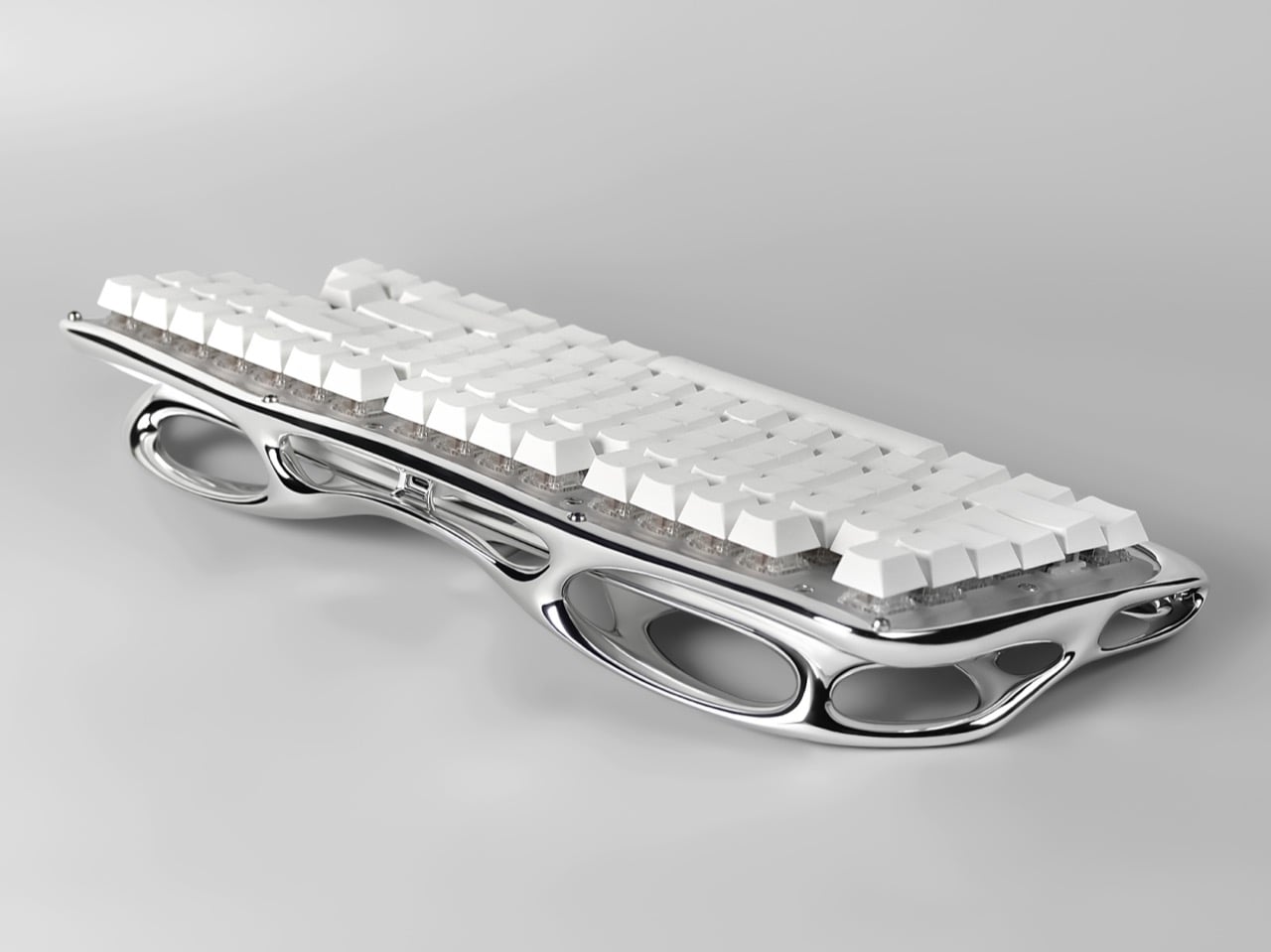
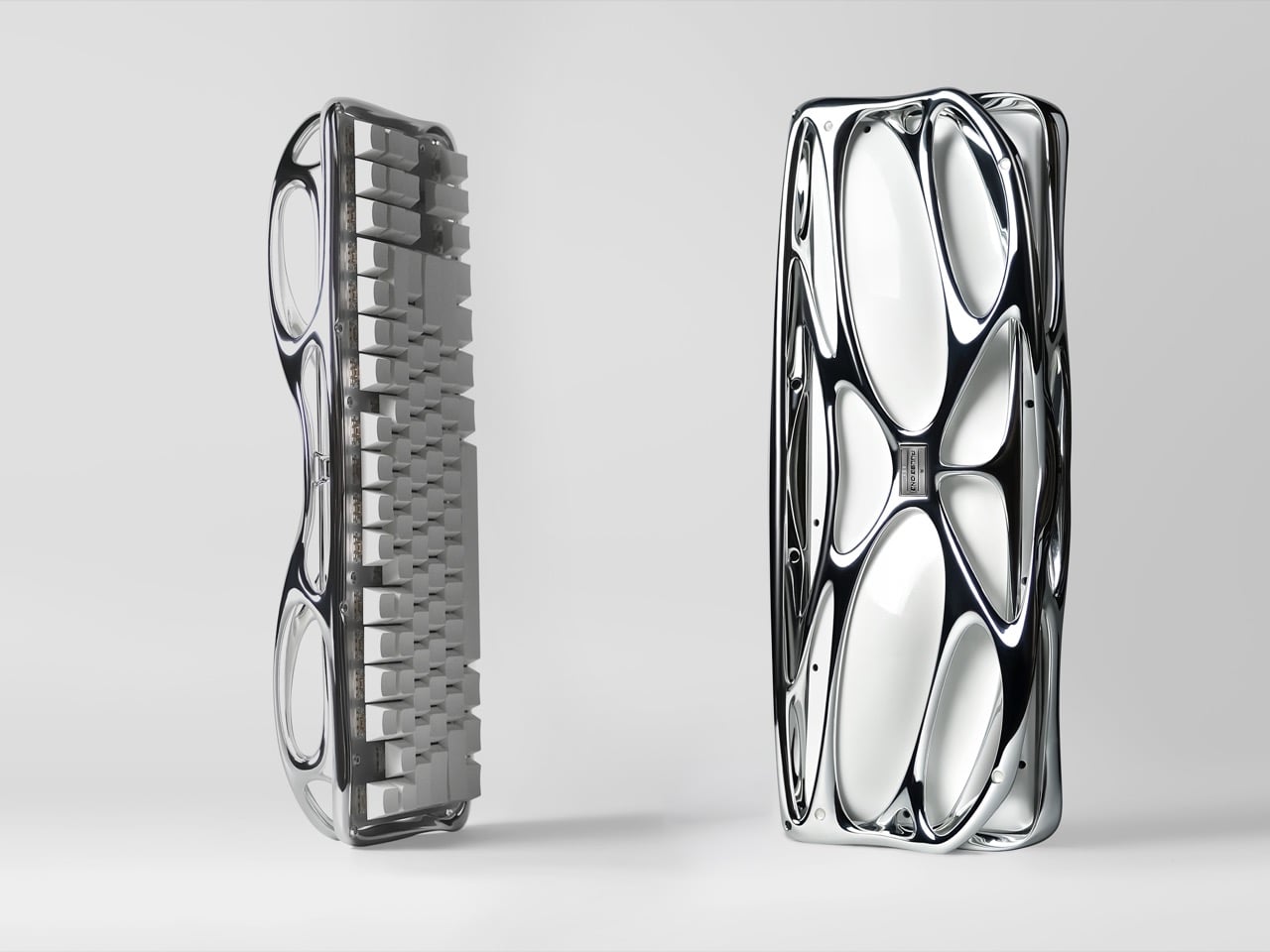
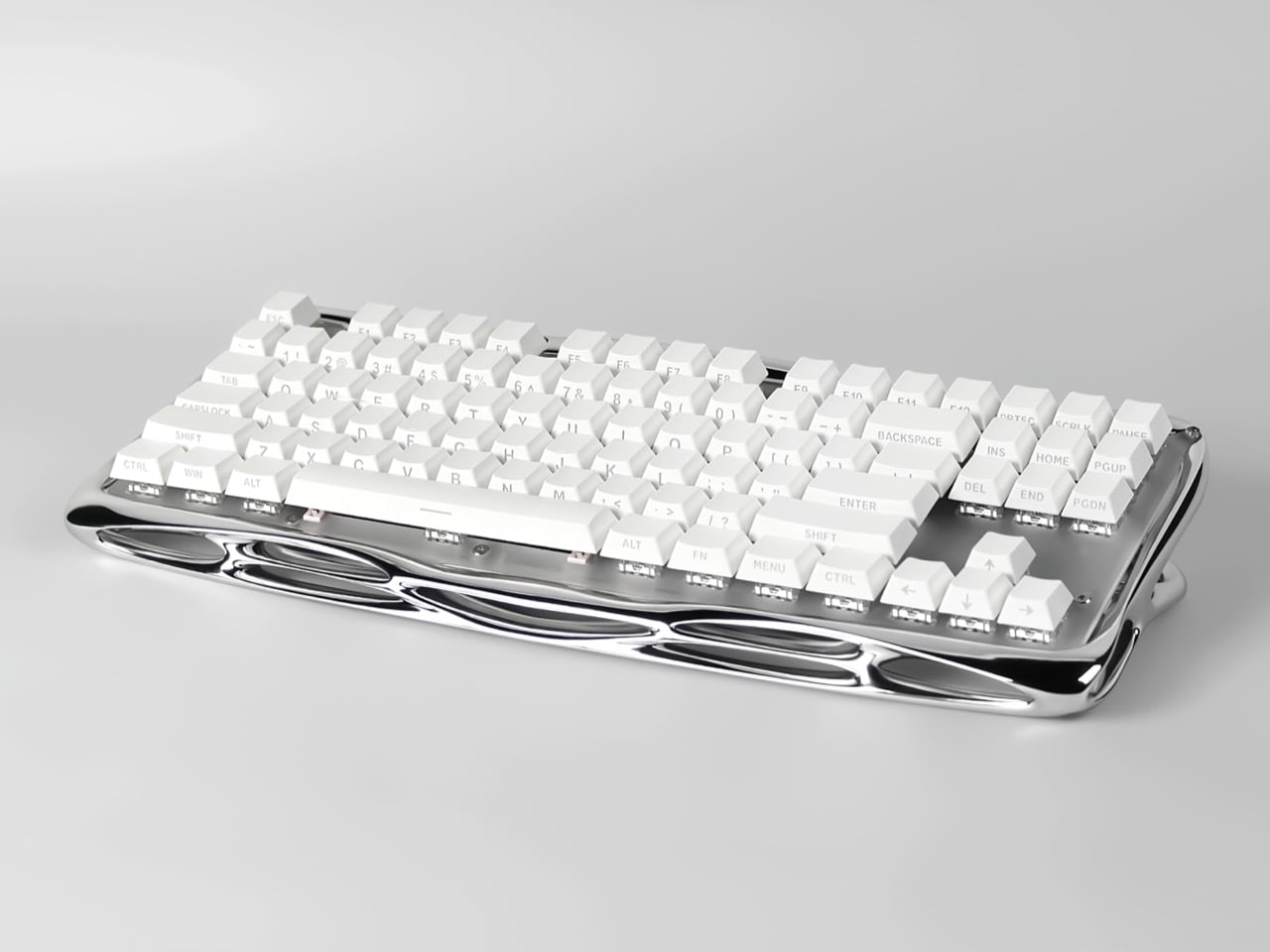
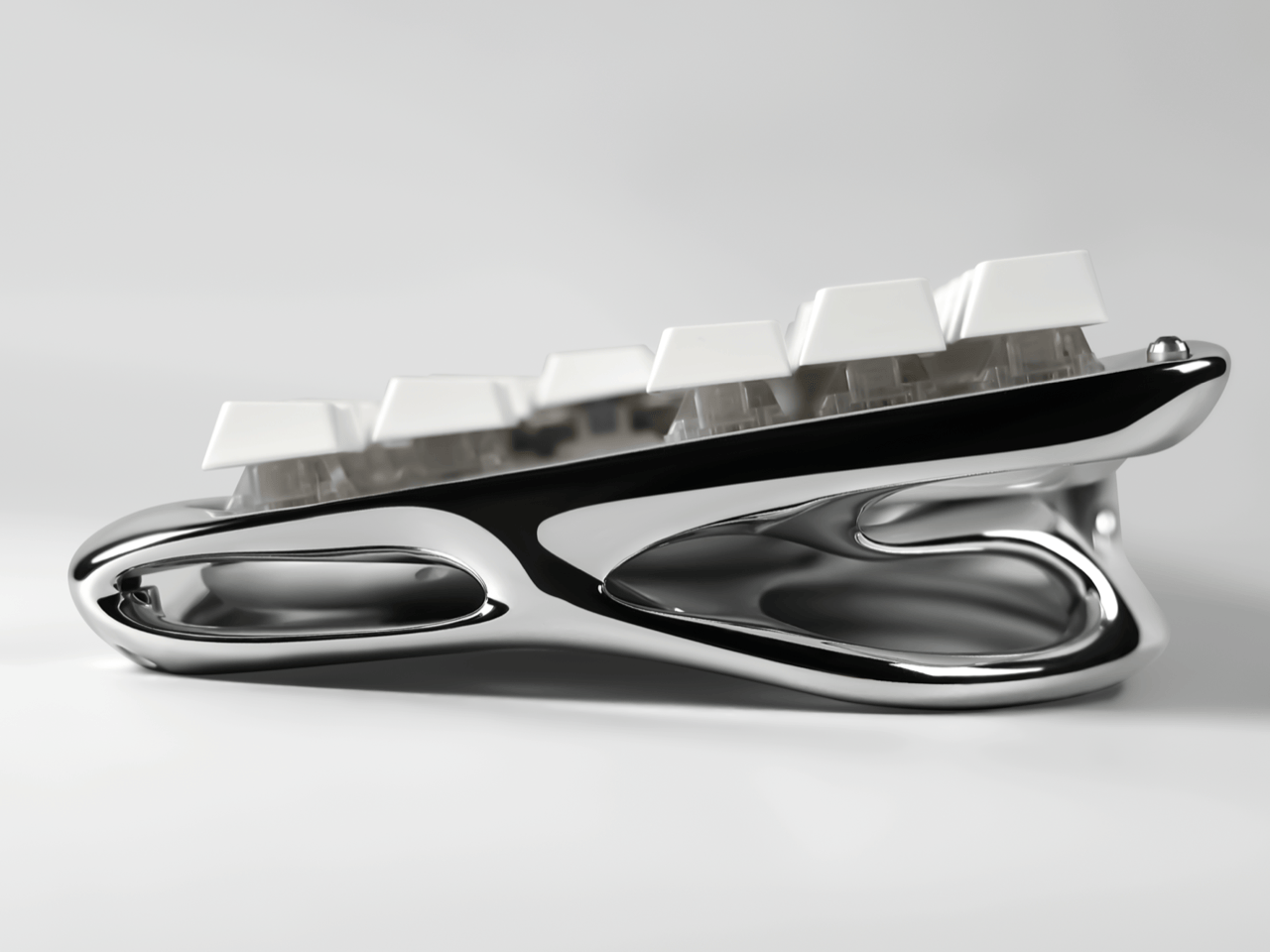
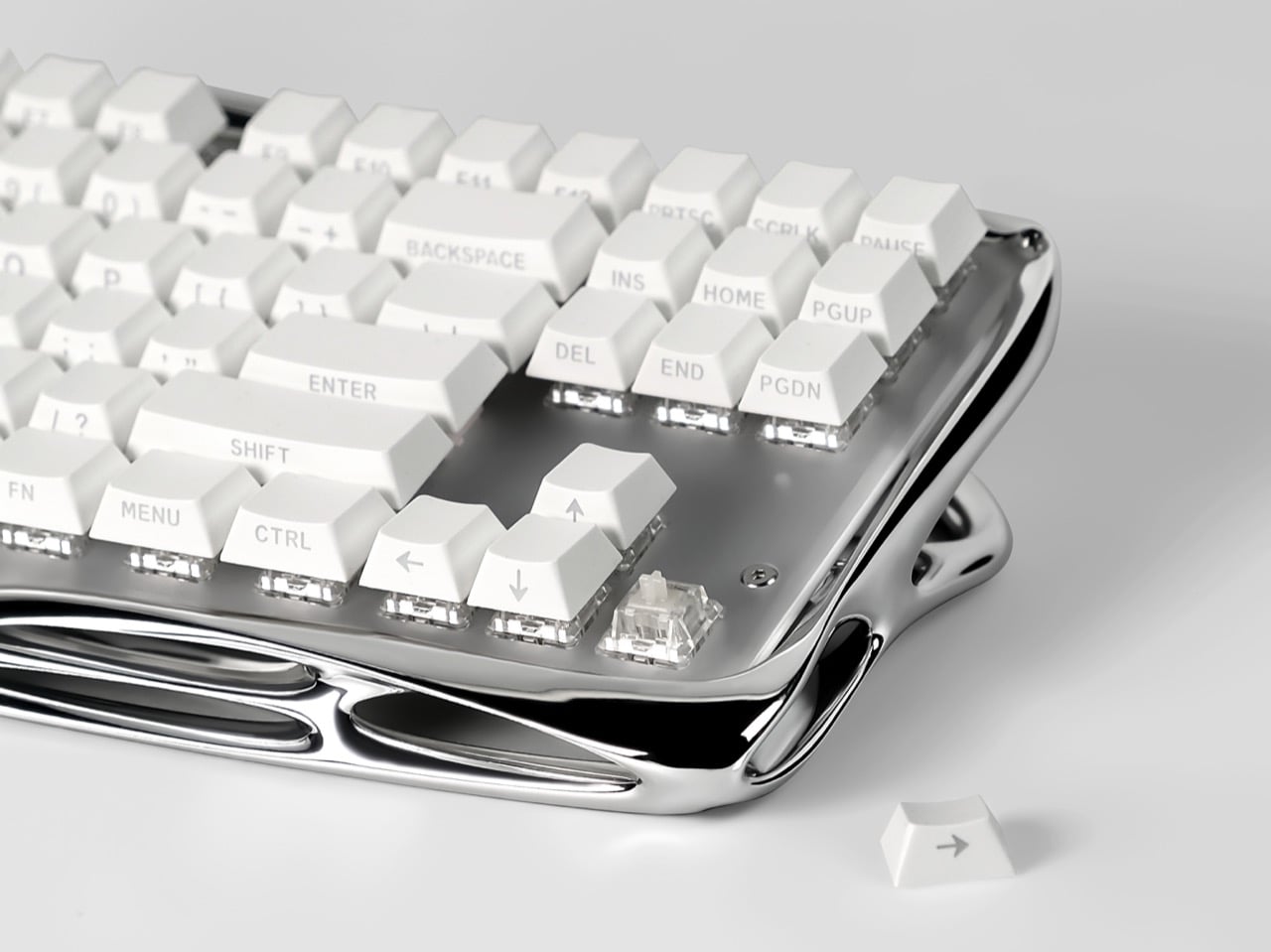
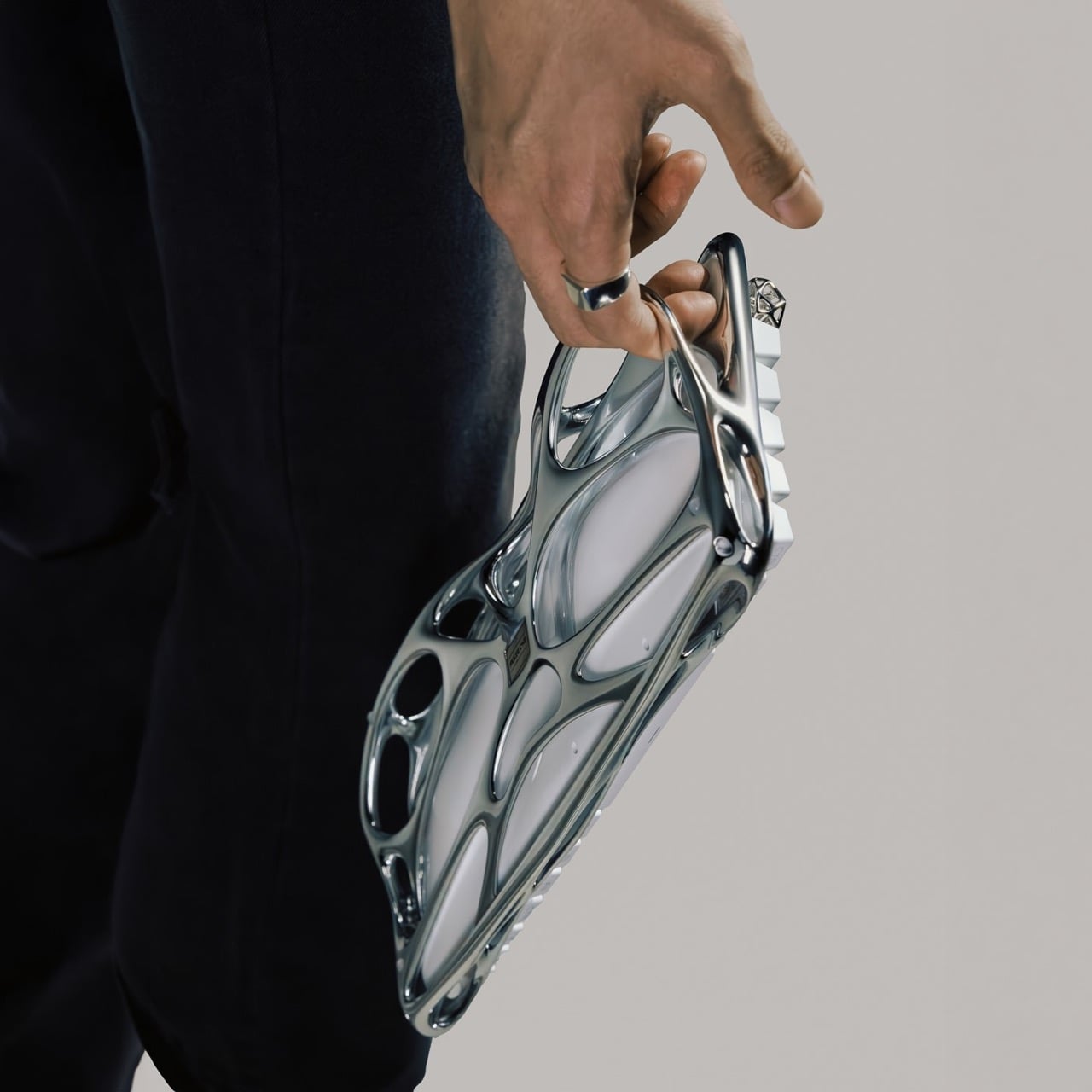
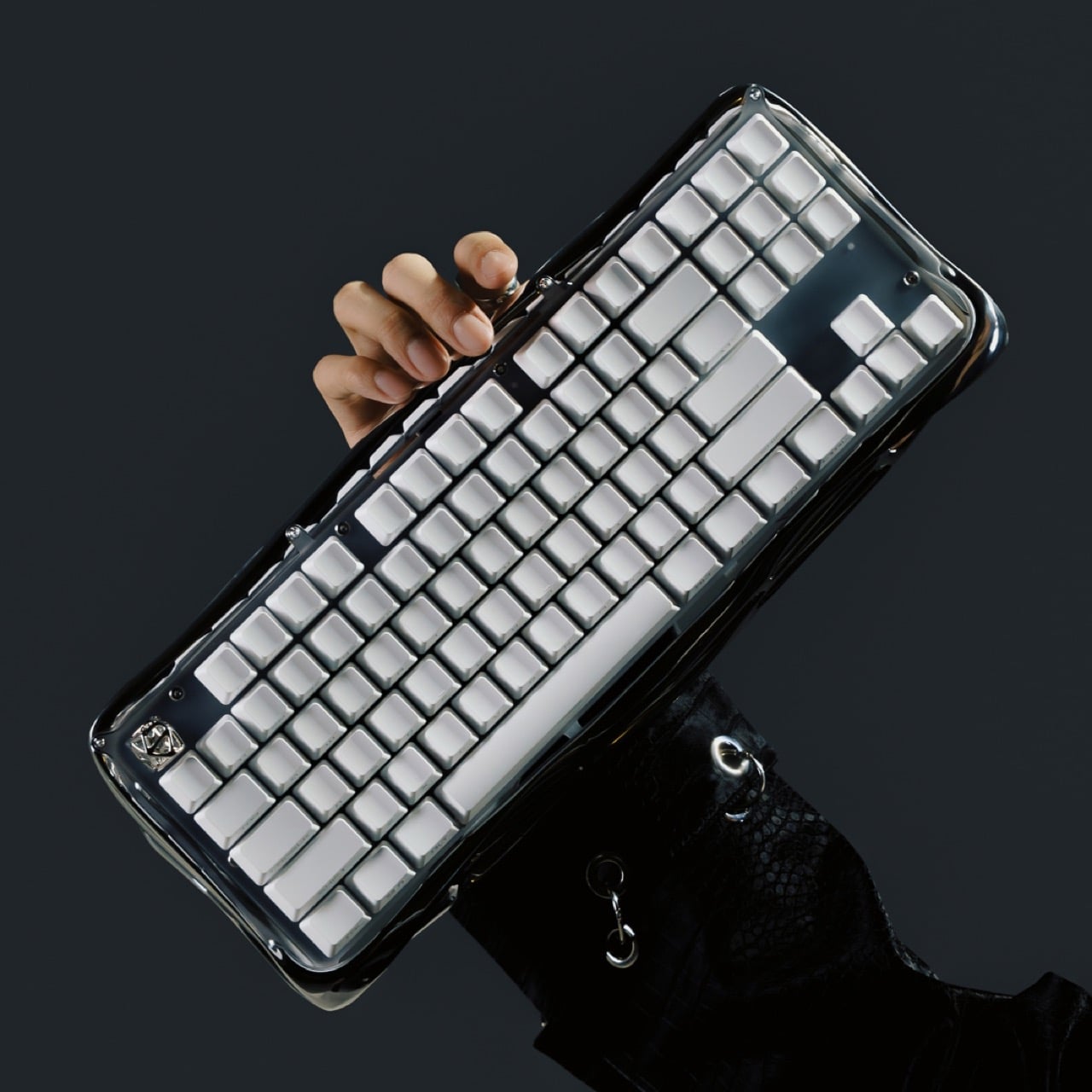
Pulse One, designed by Haoyuan Lu of New York based Pulsekey, is the late RSVP. Its 3D metal printed shell was shaped through generative design and digital sculpting, fusing the palm rest, frame, and bezel into one mirror finish lattice that looks like a skeleton went to a spa. White keycaps float above clear switches, and the board runs wireless. It earned Silver in Consumer Electronics / Computer Accessories at the International Design Awards. This is the most extra keyboard ever made, and I say that with admiration.
Designers: Haoyuan Lu, Hongbin Zhang & Wendi Yu
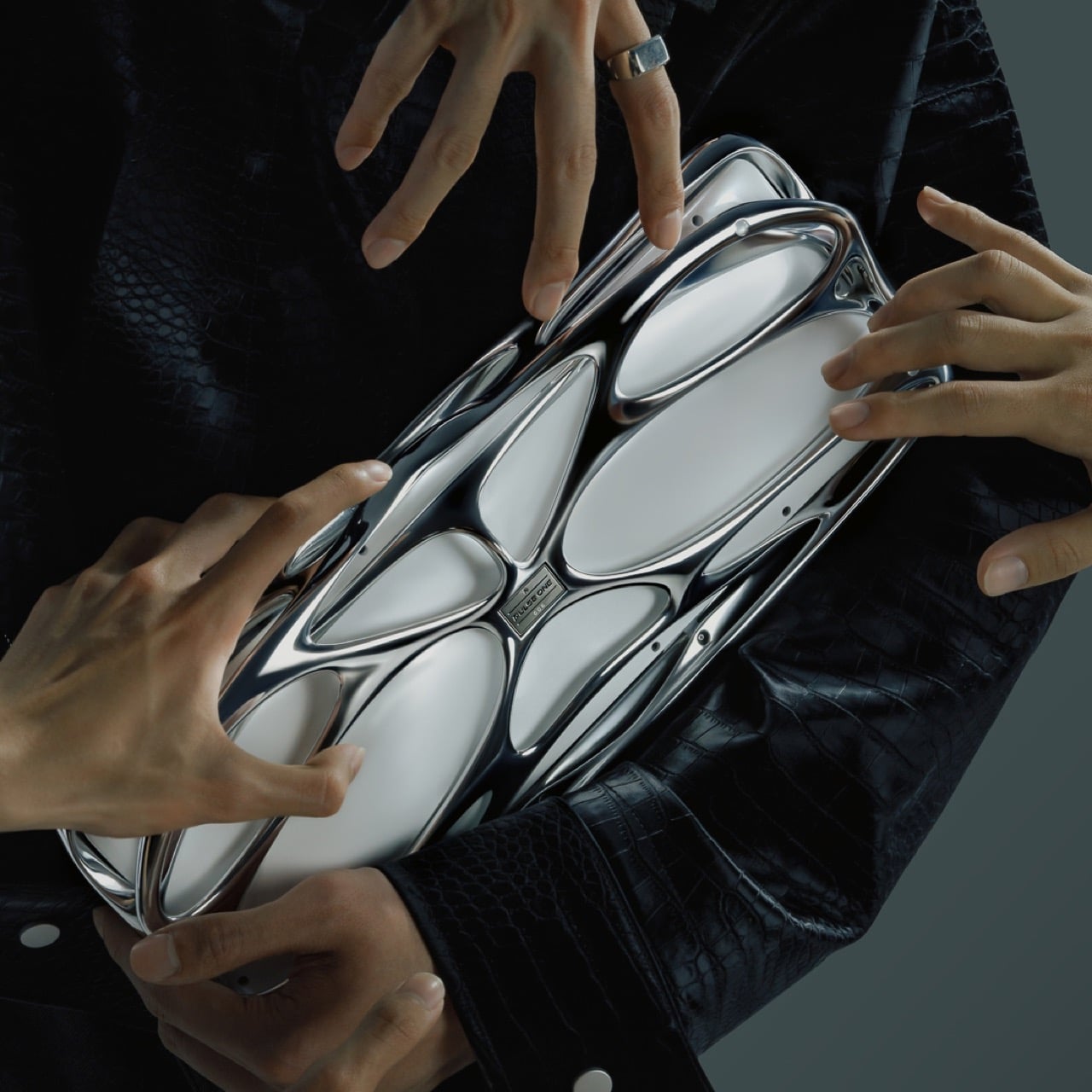
The closest pop culture cousin is the T-1000, the liquid metal assassin from Terminator 2: Judgment Day in 1991. That movie made flowing chrome terrifying, and designers have been borrowing the look ever since, minus the murder. Pulse One has the same mercury sheen, and every curve catches the light and stretches it into long silver ribbons. Park it on a desk and your monitor suddenly has a reflection to argue with. I would not outrun it, but I would happily let it sit next to my coffee.
Generative design, in general, works by handing a computer a set of goals and letting it propose the shape. The software piles material where a structure needs it and strips it away where it does not, which is why the results look so organic. You can see that logic in Pulse One’s shell, where big elliptical voids sit beside slim, tapering bridges of metal. Lu’s team then refined the form through digital sculpting, which is how a machine’s cold logic ends up looking this graceful. It reads as grown, much like Laarman’s chair did.
Folding the palm rest, frame, and bezel into one piece also cleans up a messy corner of keyboard design. Most boards stack a case, a plate, and a wrist rest, each with its own seams, screws, and opinions about alignment. Pulse One’s shell sweeps all of that into a single form that cradles the switches and tilts them toward your hands. A few small screws are still visible in the photos, so it is not magic, only very tidy engineering. Your wrists get a sculpted perch where a foam strip usually lives.
Under all that sculpture sits a keyboard people can actually live with. The campaign pitches it as wireless, hot-swappable, and good for weeks on a charge. Hot-swap sockets let you pull a switch and drop in another without a soldering iron, and one product photo shows exactly that, a lone switch pulled out beside a stray arrow keycap. The entry also describes the construction as modular, built for maintenance, customization, and renewal. Basically, it looks like a museum piece and behaves like a tinkerer’s board.
For fifteen years, Apple was the friend who shows up to the party an hour late and then insists it brought the best snacks. Tim Cook even had a motto for it, saying Apple was perfectly fine with not being first. Then John Ternus took over on September 1, and the snack table got crowded fast. In six weeks Apple has revealed the foldable iPhone Duo, a HomeView smart display in tabletop and wall-mounted versions, and nine smart home accessories. That makes twelve fresh designs, a wild number for a company that used to agonize over one hinge.
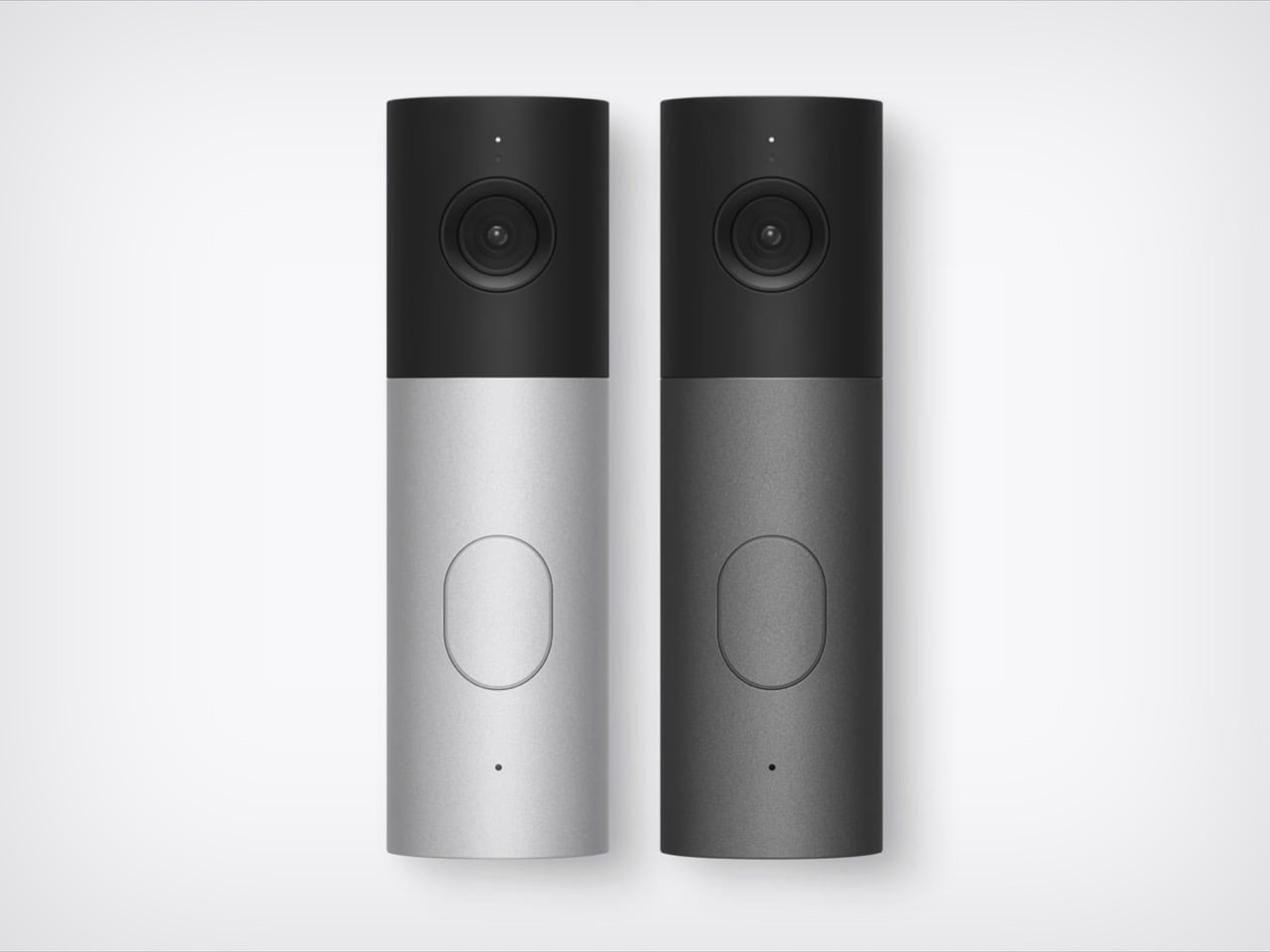
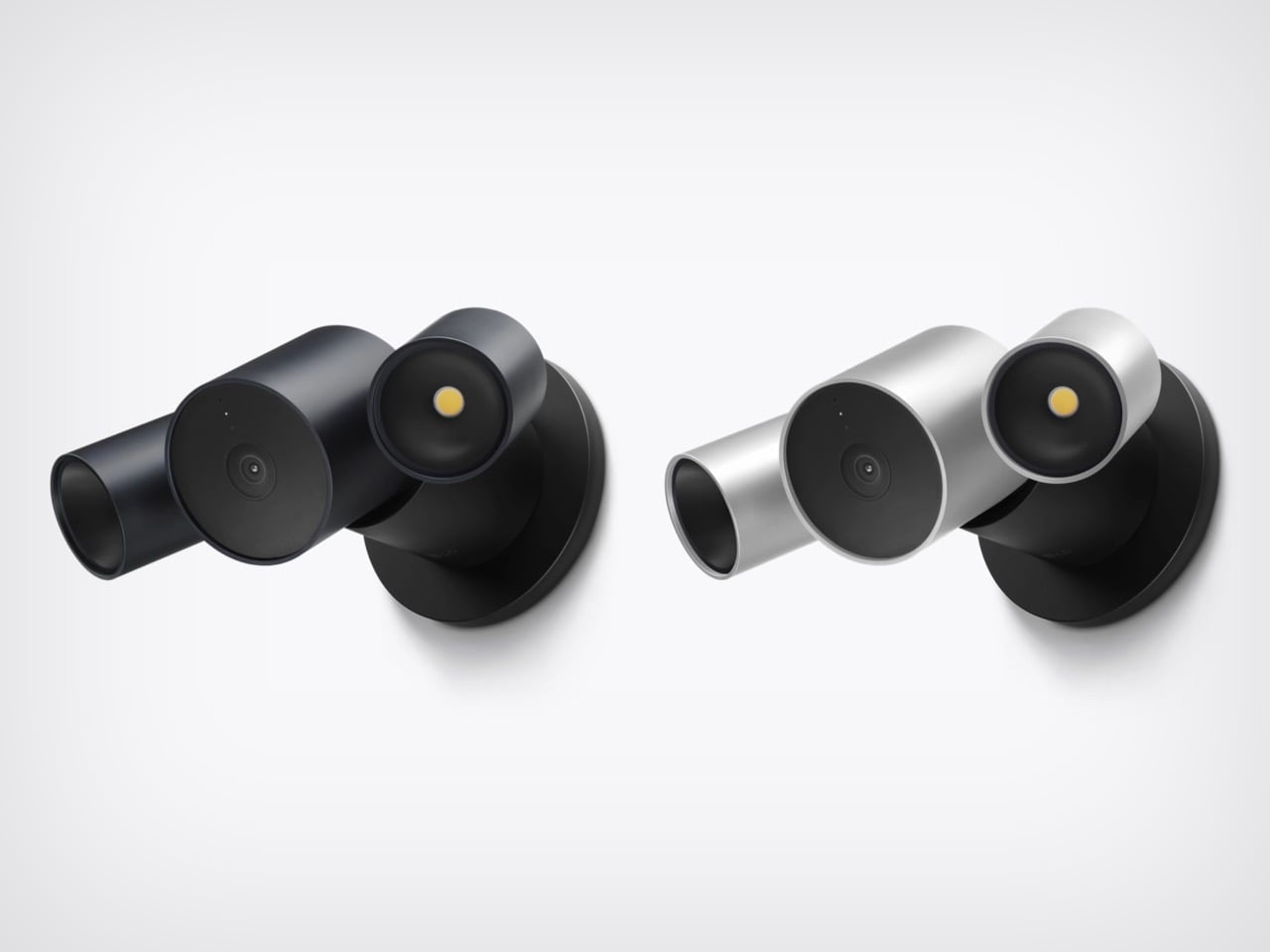
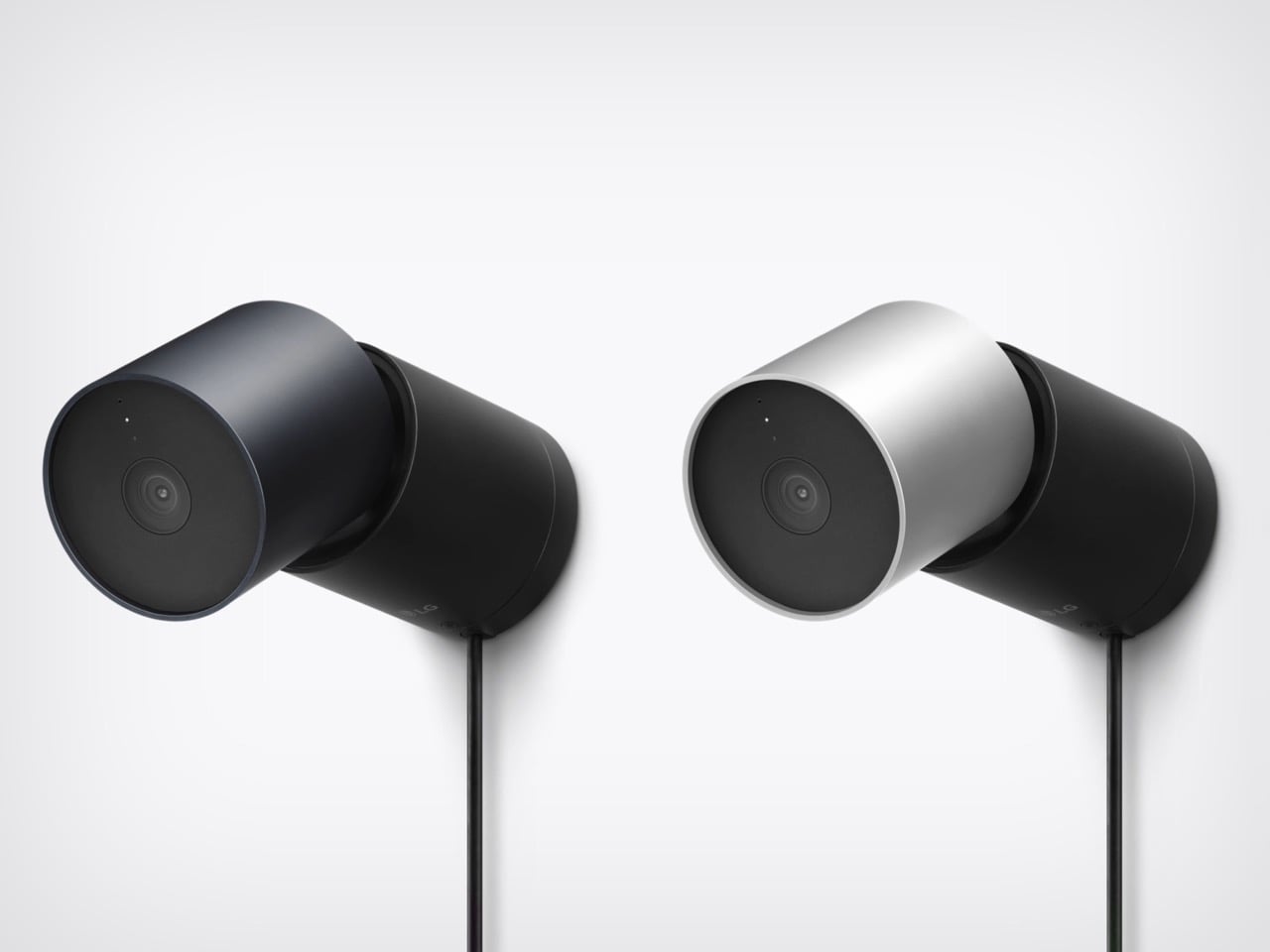
HomeView and the foldable will get the splashy coverage, but the real fun is the smart home gear. LG Electronics and Schneider Electric helped Apple build a video doorbell, a floodlight cam, outdoor and indoor cams, a deadbolt, two thermostats, and two sensors. They start arriving in December, with prices running from $39.95 for a sensor to $399.95 for the floodlight cam. Apple’s fingerprints are all over them, from the aluminum to the black glass to the rounded shapes. I am here to tell you why that deserves a small celebration.
Designers: LG and Schneider for Apple
The ROKR Taught Apple to Keep the Design and Rent the Factory
In September 2005, Steve Jobs launched the Motorola ROKR E1, a rebadged Motorola phone with an iTunes button and a cap of 100 songs. The demo stumbled and the phone flopped. Jobs looked pained onstage, and you can see why, since Apple’s software was riding around in someone else’s hardware. Roughly sixteen months later he unveiled the iPhone. The ROKR was a stepping stone he needed, taken at exactly the moment he needed it.
Ternus gets to run that play with the lesson already learned. Bloomberg reports that Apple shaped the design, features, and engineering of the LG gear, while LG handles manufacturing and support. The ROKR was Motorola’s design wearing Apple’s software. This is Apple’s design wearing LG’s factory. Ternus joined Apple in 2001, so he watched the ROKR saga from the inside, and the LG deal likely began on Cook’s watch but ships under Ternus, which puts it in his column.
Nine Products, One Family Look From Two Different Companies
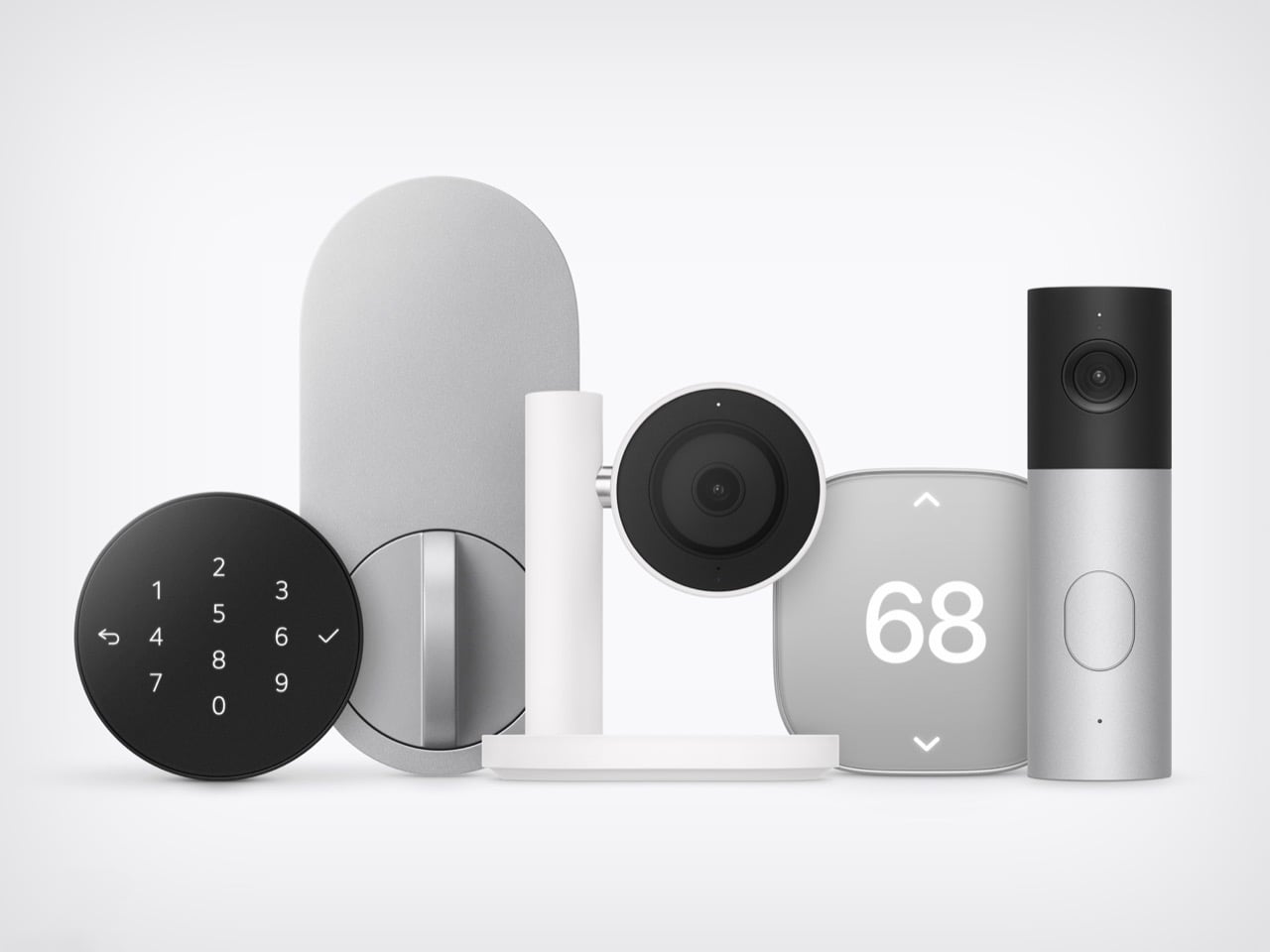
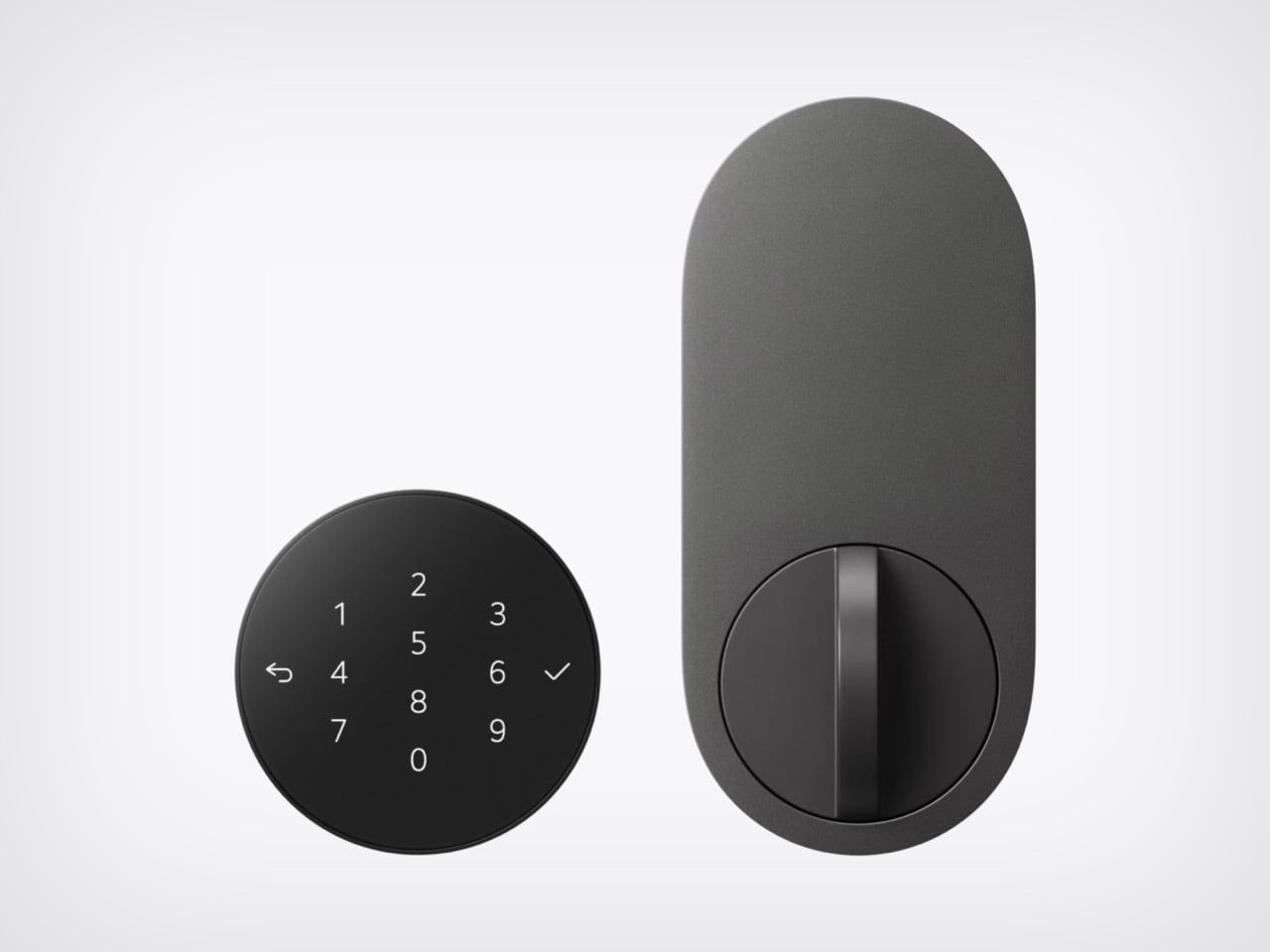
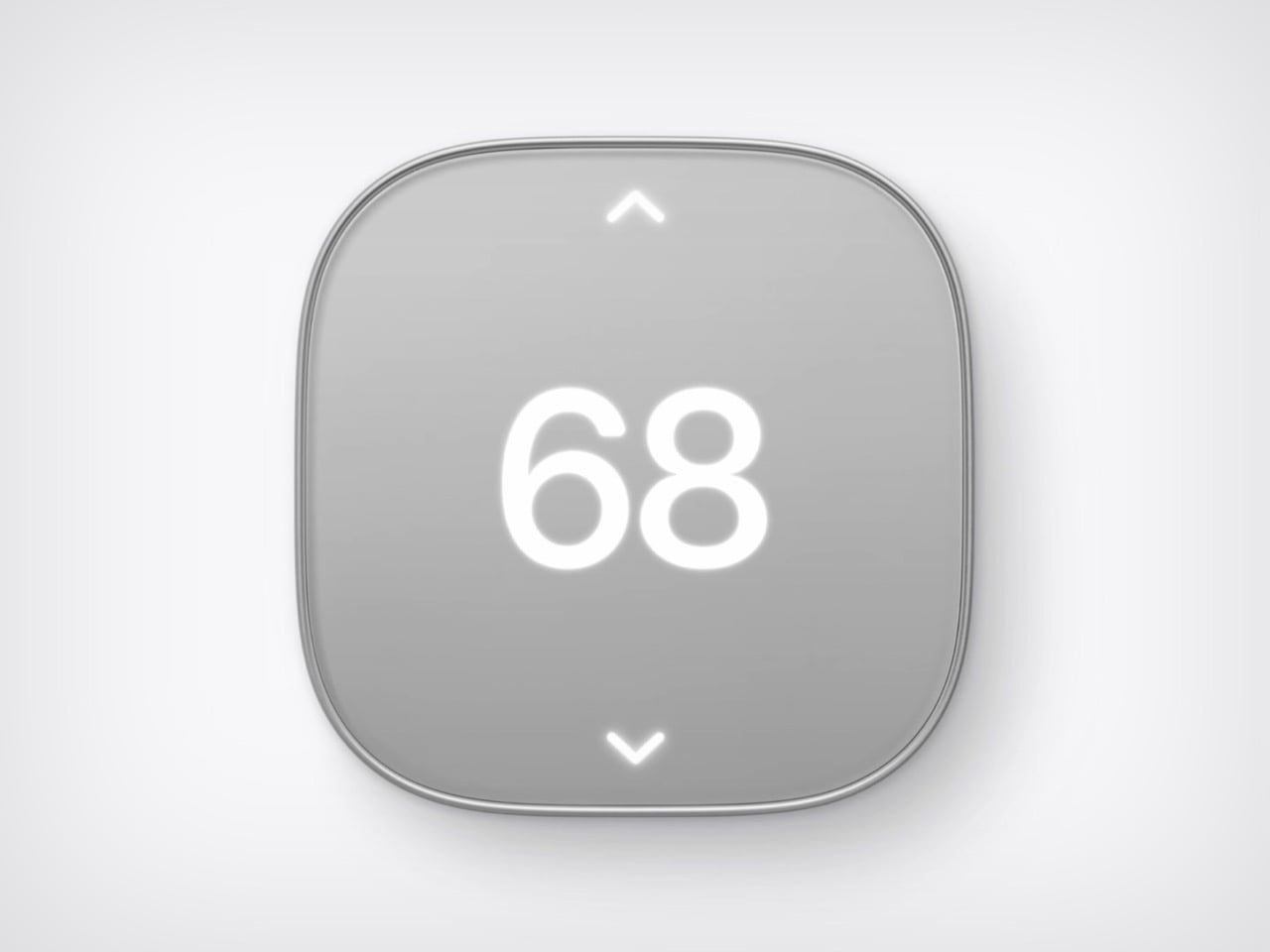
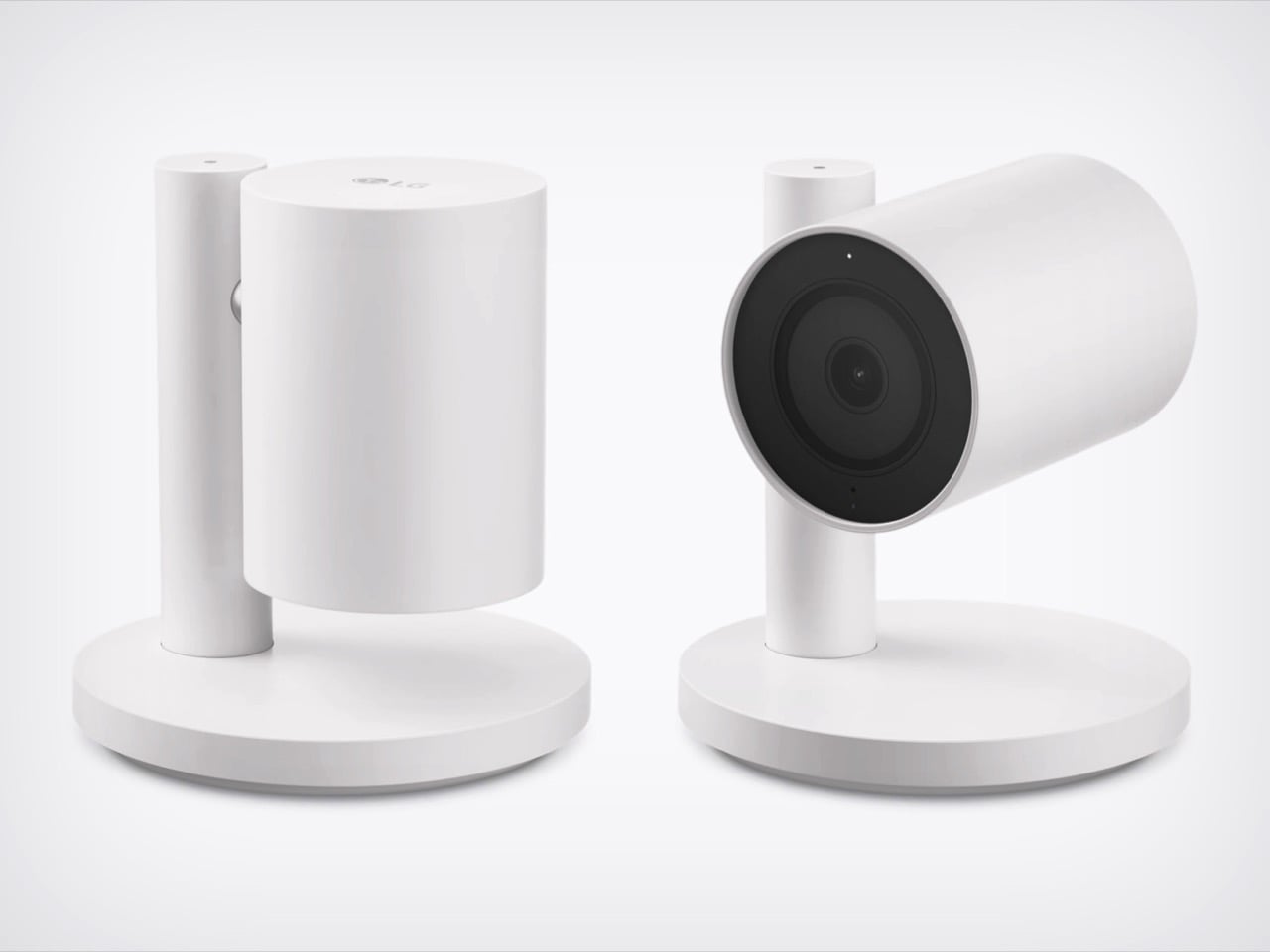
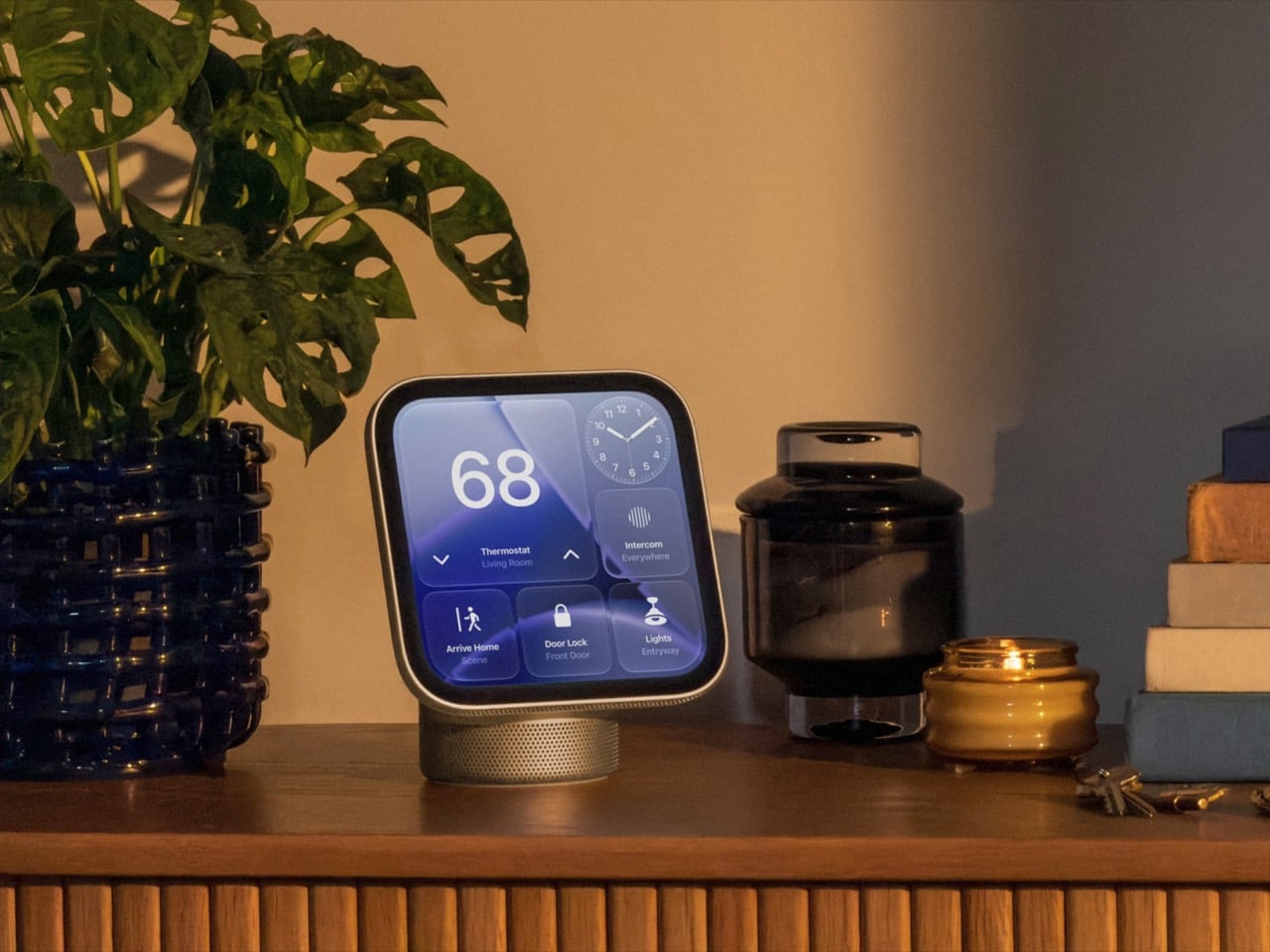
Line up the lock, camera, thermostat, and doorbell from Apple’s photo and the family resemblance is hard to miss. The Smart Deadbolt pairs a black glass keypad with a pill-shaped aluminum plate, and the Video Doorbell is an aluminum column capped in black glass. The Indoor Cam’s round head swivels on a chrome pivot that echoes the hinge on HomeView. The big 68 on the thermostat belongs to Schneider, yet it shares the same soft rounded-square body. Two companies, one look.
The Indoor Cam physically tilts down to stop watching the moment the first person gets home, which is the friendliest privacy gesture I have seen on a camera. The doorbell carries a 2.5K front camera plus a 1080p lens aimed at the doorstep for packages. The deadbolt uses Ultra Wideband (a precise short-range radio) to unlock as you walk up with your iPhone or Apple Watch, and it keeps working without internet. Everything sets up with one tap on your iPhone. There is no extra app and no extra account.
Ternus Ships What Is Ready Instead of Waiting for Perfect
Cook’s way was to wait until Apple could do it perfectly, and the home hub paid for it, slipping from spring 2025 while Siri caught up. Ternus, per Bloomberg, wants Apple to ship faster, experiment more, and spread launches through the year instead of two big events. HomeView still waited for Siri AI, so the rulebook did not change overnight. What changed is that the wait no longer stalls everything around it. The doorbell, lock, cameras, and thermostats are ready now, and Apple is shipping them.
The Home Collection starts at $39.95 for a sensor, with the lock at $349.95 and the floodlight cam topping out at $399.95. It arrives in December in the U.S. and Canada, the cameras and doorbell are also heading to the UK, and select items slip to early 2027. You can see the full lineup in Apple’s Home Collection announcement. Cook’s Apple was the friend who showed up late with the best snacks. Ternus’s Apple shows up on time, brings the snacks, and even has gluten-free options because he listened to his audience.
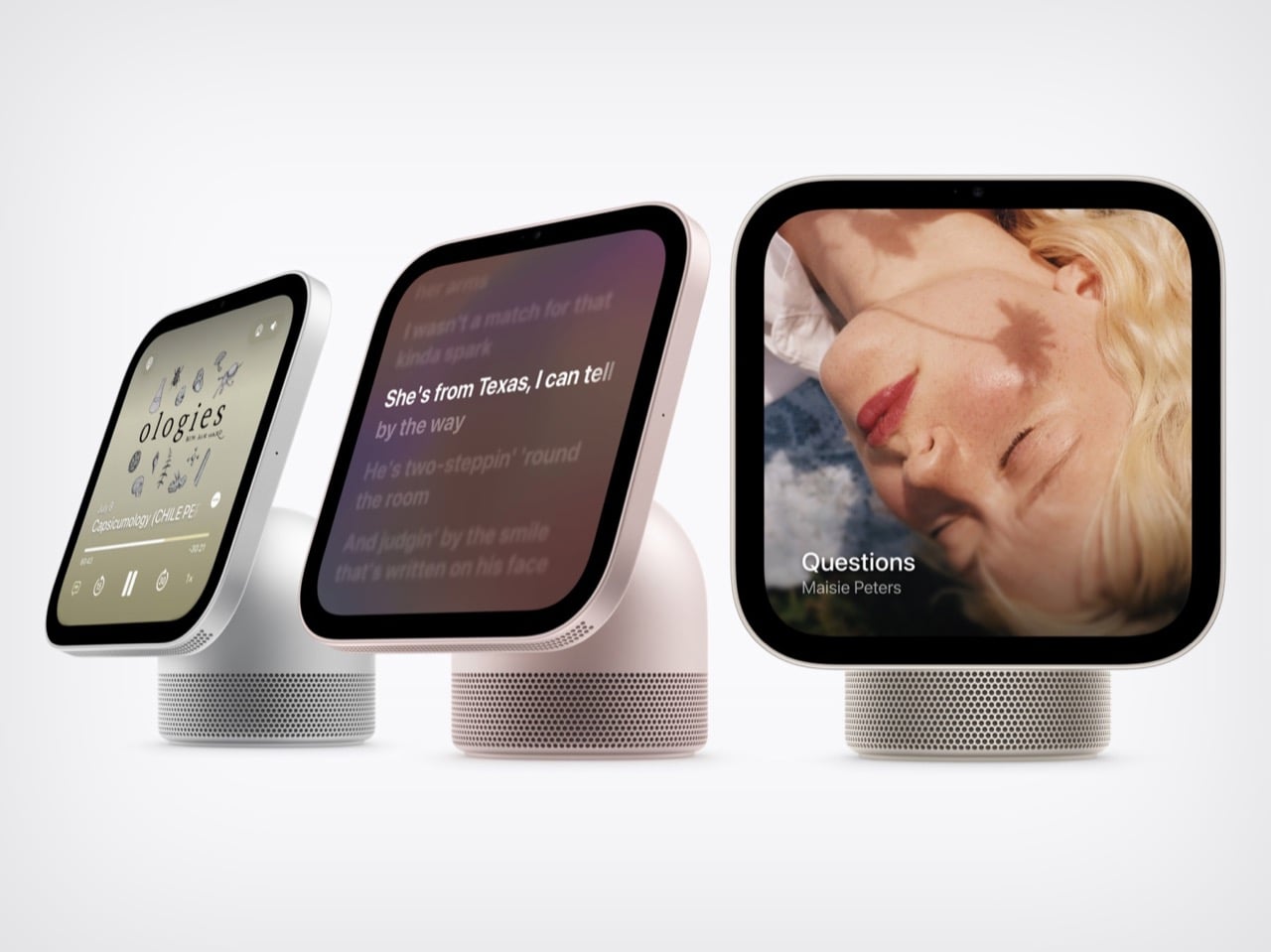
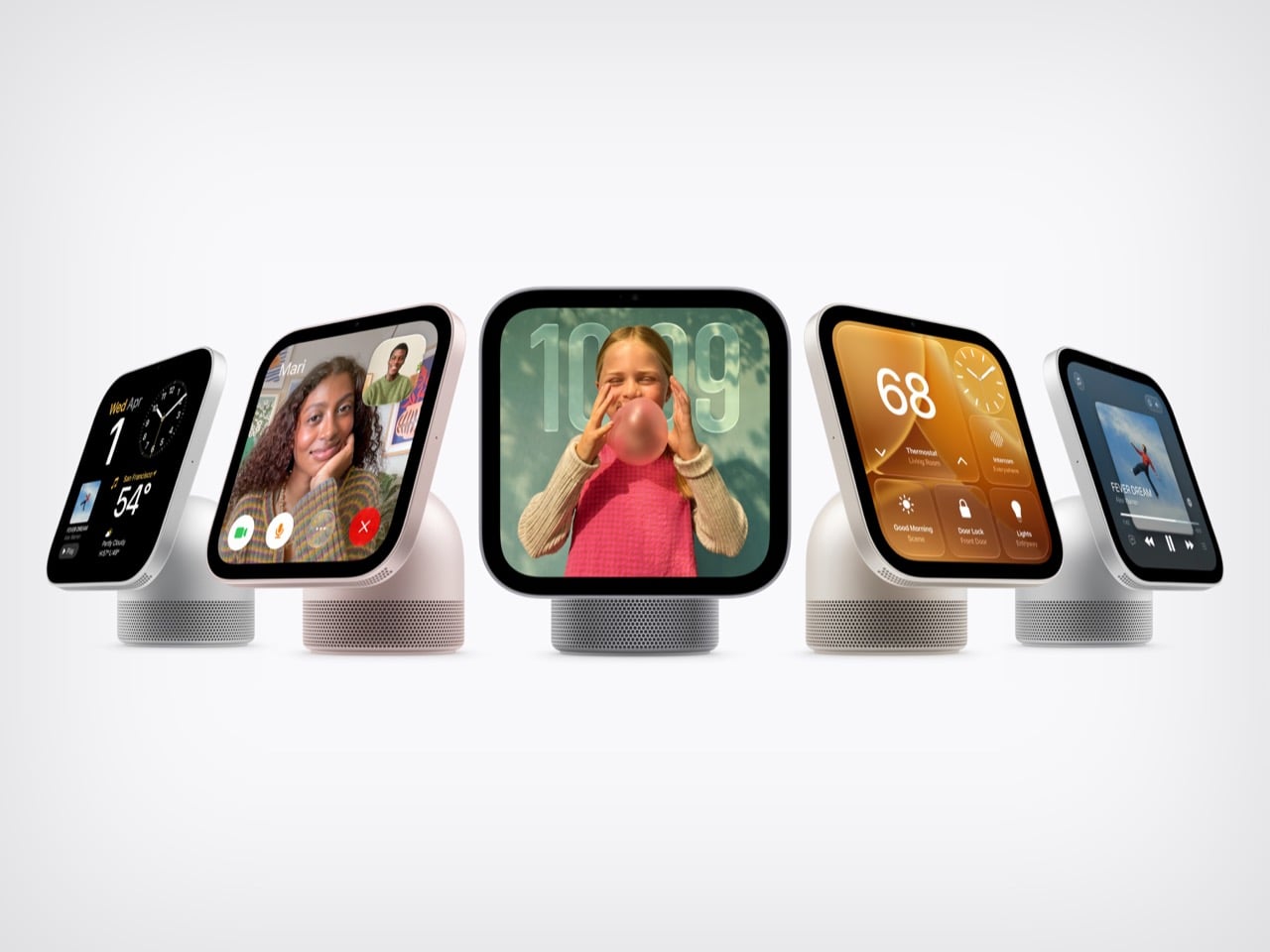
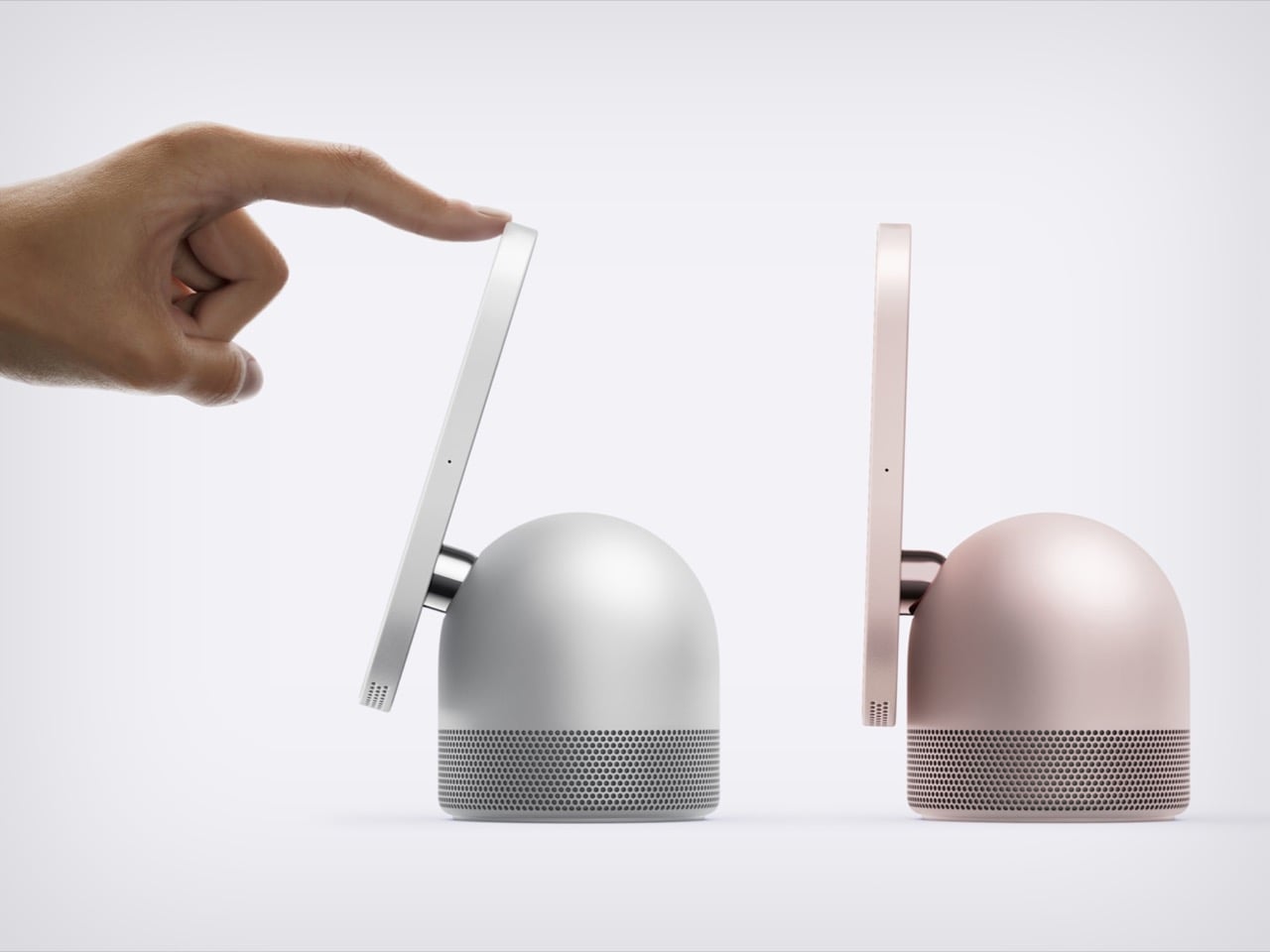
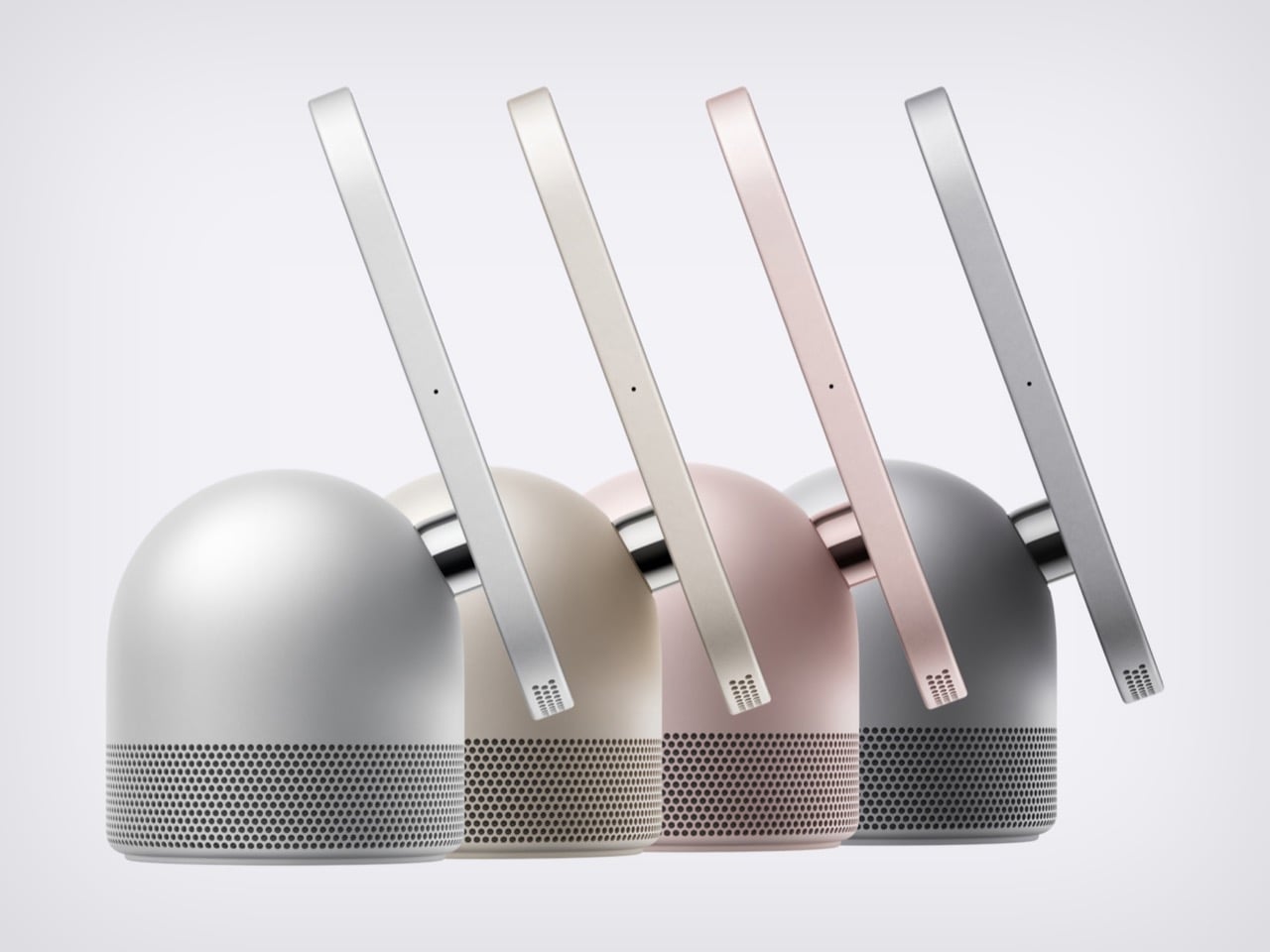
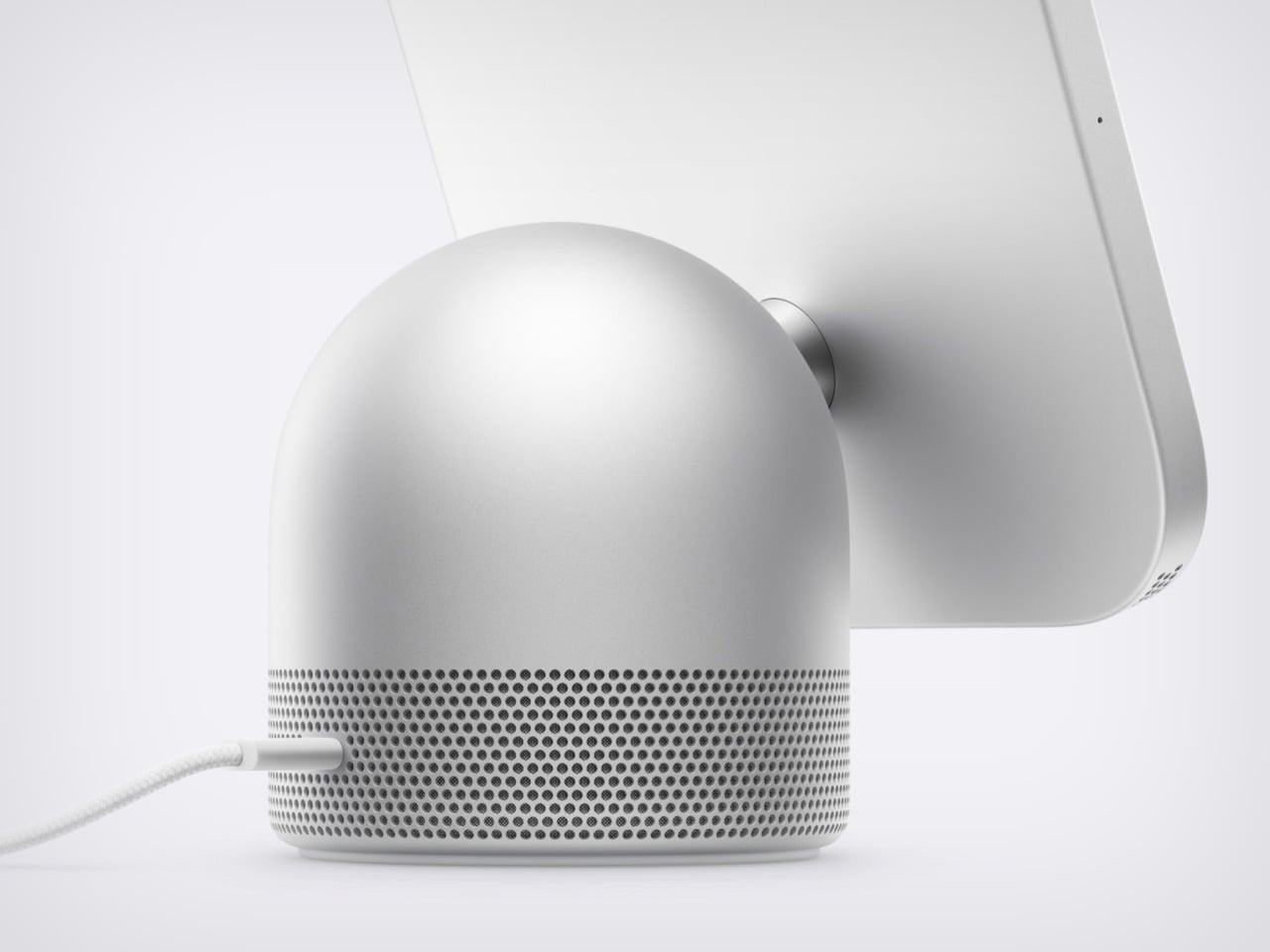
Apple’s design team apparently raided four different family albums and stitched the best bits into one object. HomeView has the iMac G4’s floating-screen silhouette, Apple Watch-style faces, the iPad’s slab of glass, and a speaker base that recalls the HomePod. I have a soft spot for that sunflower-lamp iMac, so seeing a dome and a tilting display make a comeback in 2026 made me unreasonably happy. Somehow the pile of parts works visually. It looks like a lamp, has a tablet’s touchscreen, and doubles as a speaker.
Apple announced HomeView on October 13, 2026. It pairs a 7-inch Liquid Retina screen with a domed aluminum speaker base and a stainless steel hinge that lets you tilt the display. An A18 chip and the rebuilt Siri AI run the show, and Apple says it recognizes up to six enrolled users, each with a personalized experience. A wall-mounted version offers the same screen and core functions, though its speaker hardware differs. Both models cost $299 in the U.S., with preorders open and availability scheduled for November 13, 2026.
The iMac G4’s Dome and Personality Make a Comeback
The iMac G4 arrived in January 2002 with a 15-inch flat panel hovering over its base. Its sunflower-inspired form emerged from Steve Jobs and Jony Ive’s design discussions; Walter Isaacson’s account credits Ive with suggesting that the screen be separated from the base like a sunflower. HomeView echoes that silhouette but swaps the long swinging arm for a compact hinge, which suits a counter where nobody wants a lamp neck knocking over the olive oil. The tilt adjustment gives you some latitude on a low nightstand or a tall kitchen island.
The G4 showed how much personality a computer’s shape could carry. HomeView’s similar stance makes a box packed with a camera and microphones look friendlier, at least to my eye. A dome with a head-on-neck posture reads more like a desk pet than a gadget, which is a handy trick for something that recognizes faces. The thick black bezel is a taste call I’m happy to defend: it gives the Photos face a proper picture-frame border.
Apple Watch-Style Faces and iPad Glass Decide What You See
The screen looks like it comes from the iPad side of the family: a square slab of glass with rounded corners and a front camera for FaceTime. Center Stage adjusts the framing as people move or join the call. Apple lists a brightness range from 500 nits down to 0.3 nits, allowing the display to dim substantially at bedtime. True Tone adjusts the white balance to ambient lighting. Selected interface elements also respond to your distance, showing simpler information across the room and more detail as you approach.
The faces feel distinctly Apple Watch-like. Photos offers Portrait-style depth effects, while Flow reacts to movement in the room. Snoopy’s animations respond to the time of day, weather, and sporting events, a very Watch way of being useful and adorable at once. Home Modular puts favorite accessories on one dashboard, and Home Camera can stream up to nine video feeds at once. Fan designers were exploring this territory years ago. Justin Latham’s HomePod Nano concept, which we covered in 2023, imagined a speaker with a display running a proposed watchOS fork. It was a fan concept, not an Apple product or working software announcement. HomeView’s Live Activities surface the current song, an active timer, or an incoming Intercom message, bringing that glance-and-go logic to a household screen.
The Speaker Base Does the Heavy Lifting
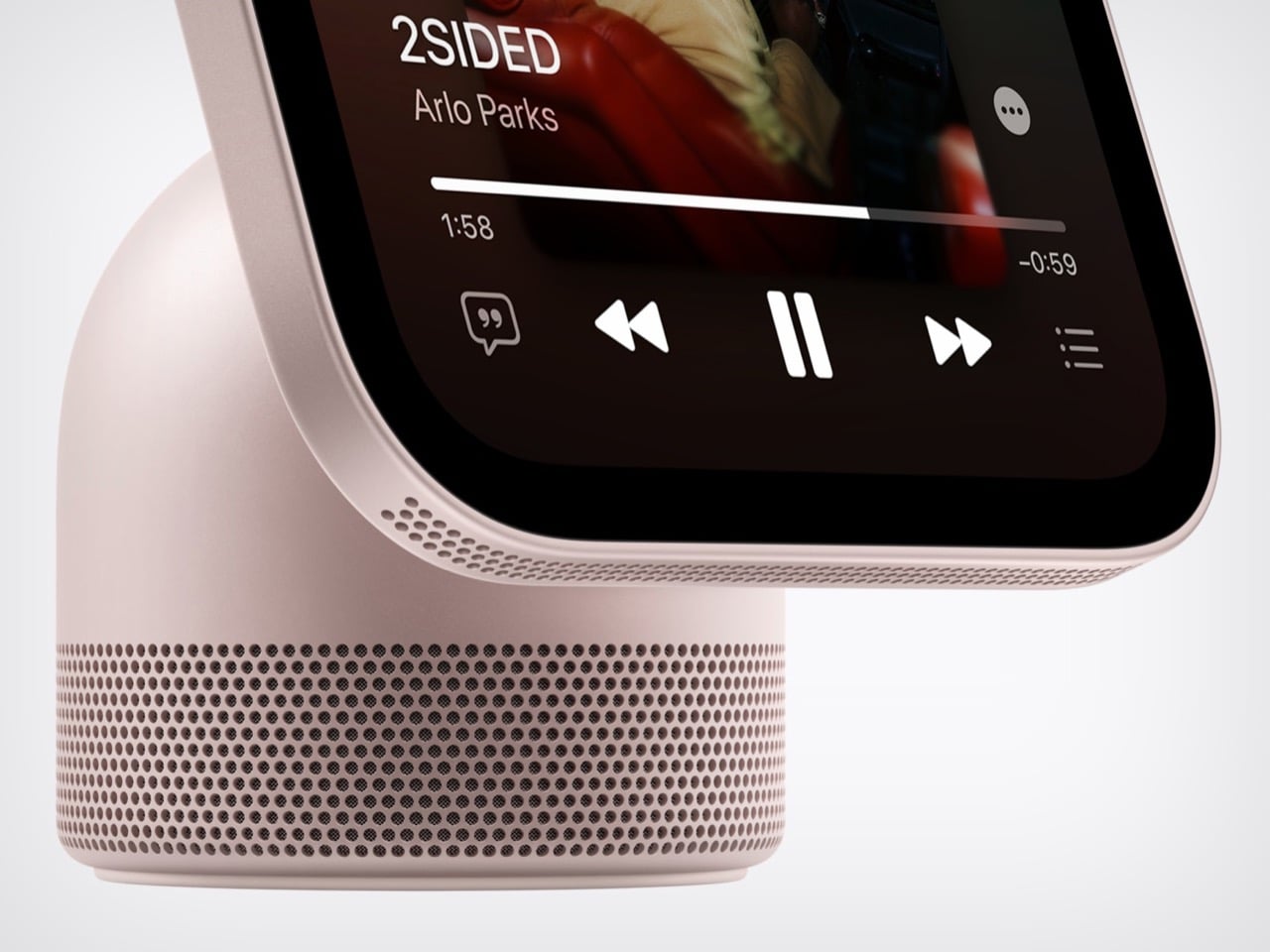
The base recalls the HomePod, although Apple’s images show a perforated, color-matched exterior rather than the HomePod’s fabric mesh. Small grille holes also run along the display’s lower edge. A down-firing woofer and two force-cancelling passive radiators sit in the base, while two full-range drivers occupy the display.Apple says computational audio uses its silicon and onboard sensors to adjust loudness and bass response in real time. The wall-mounted model has two full-range drivers but no base-mounted woofer or passive radiators, so the two versions shouldn’t be treated as acoustically identical. HomeView supports multiroom audio alongside HomePod, HomePod mini, and AirPlay-compatible speakers. Intercom also reaches HomeView and HomePod speakers elsewhere in the house.
The original HomePod was announced in 2017 at $349, when we dubbed it Apple’s “tune-busting Fabergé Egg.” Against that historical price, $299 for a speaker, screen, camera, and face recognition looks tempting on paper. You can pre-order HomeView on Apple’s site now, with both the tabletop and wall-mounted models arriving November 13. The tabletop unit ships with a color-matched USB-C cable, while the wall version relies on Schneider Home’s power mounts, which start at $59.95 and are sold separately. Siri AI launches in beta and in English, and Apple is not selling HomeView in the EU for now. Every ancestor in this object was Apple’s bet on a different decade, and HomeView is the first time they all share one counter.
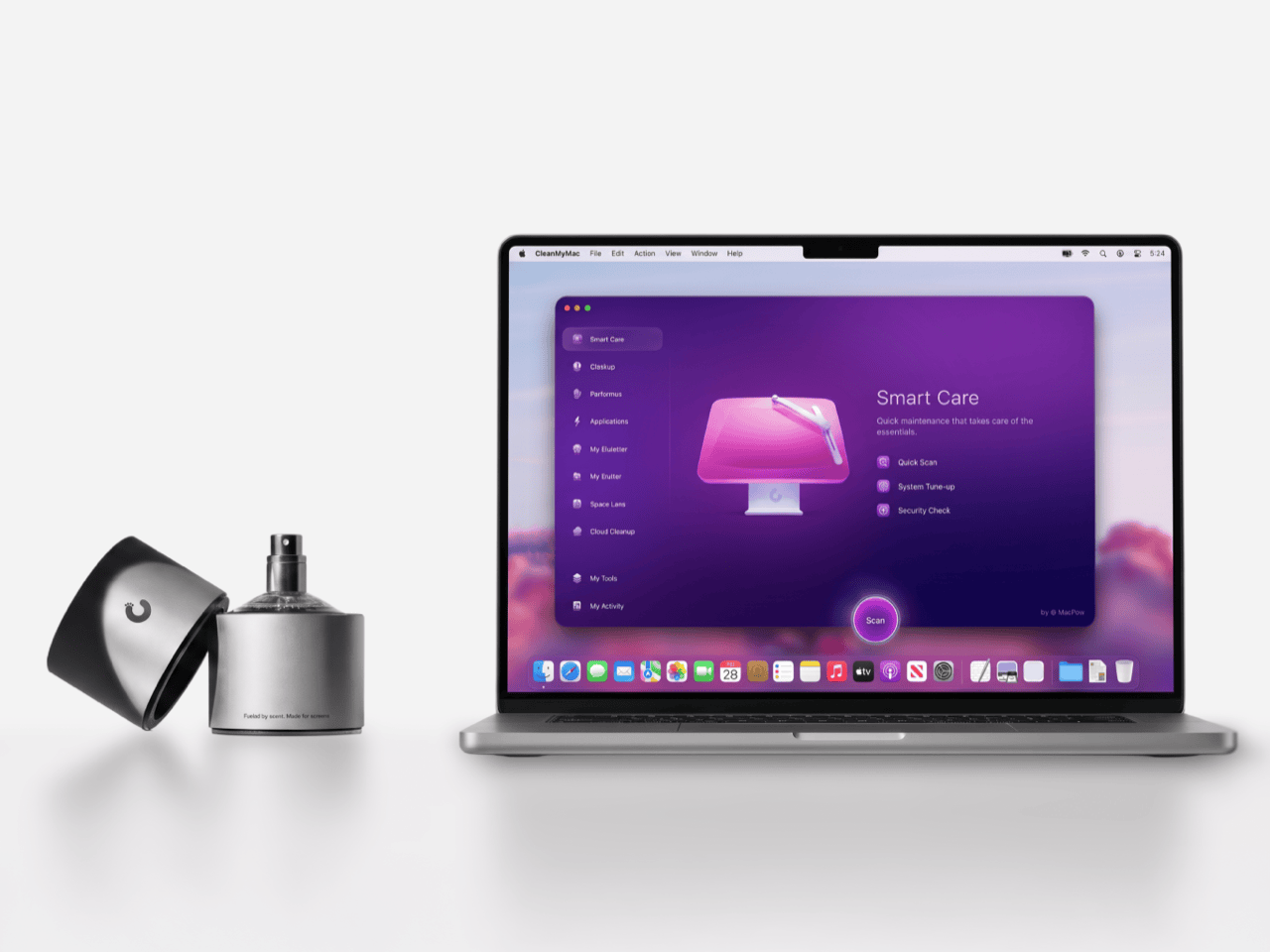
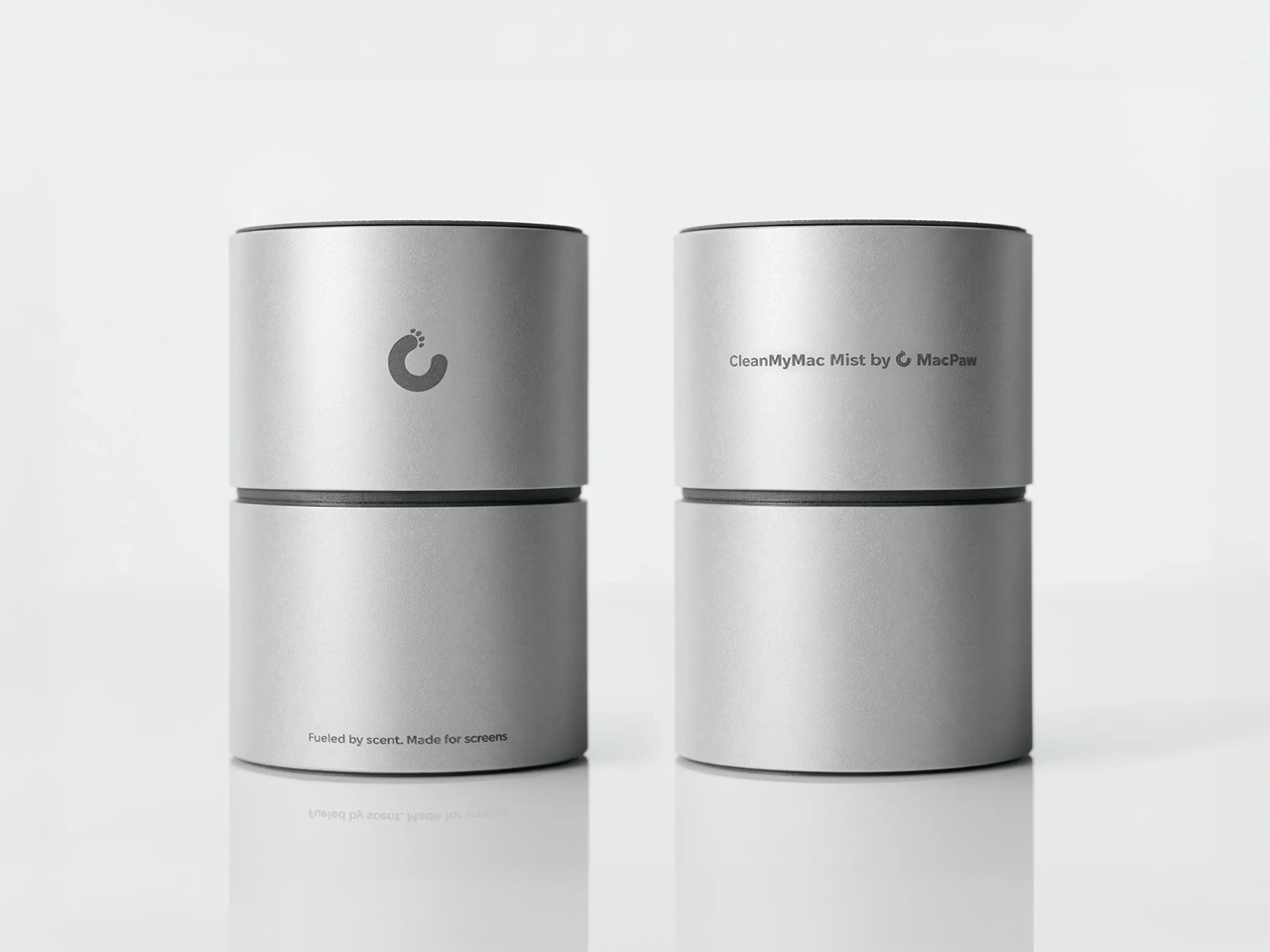
Apple’s official answer to a smudgy MacBook screen is a $9 Polishing Cloth, which, to be fair, is ten bucks cheaper than the version everyone roasted in 2021. MacPaw has a more extravagant answer. The Ukrainian company behind CleanMyMac just revealed CleanMyMac Mist, its first physical product, a screen and keyboard cleaner dressed up as a bottle of designer fragrance. One spritz on a microfiber cloth is meant to lift the fingerprints and leave your laptop smelling like a frosty pine forest. Your candles, your hand soap and your car already have signature scents, so honestly, the MacBook was overdue.
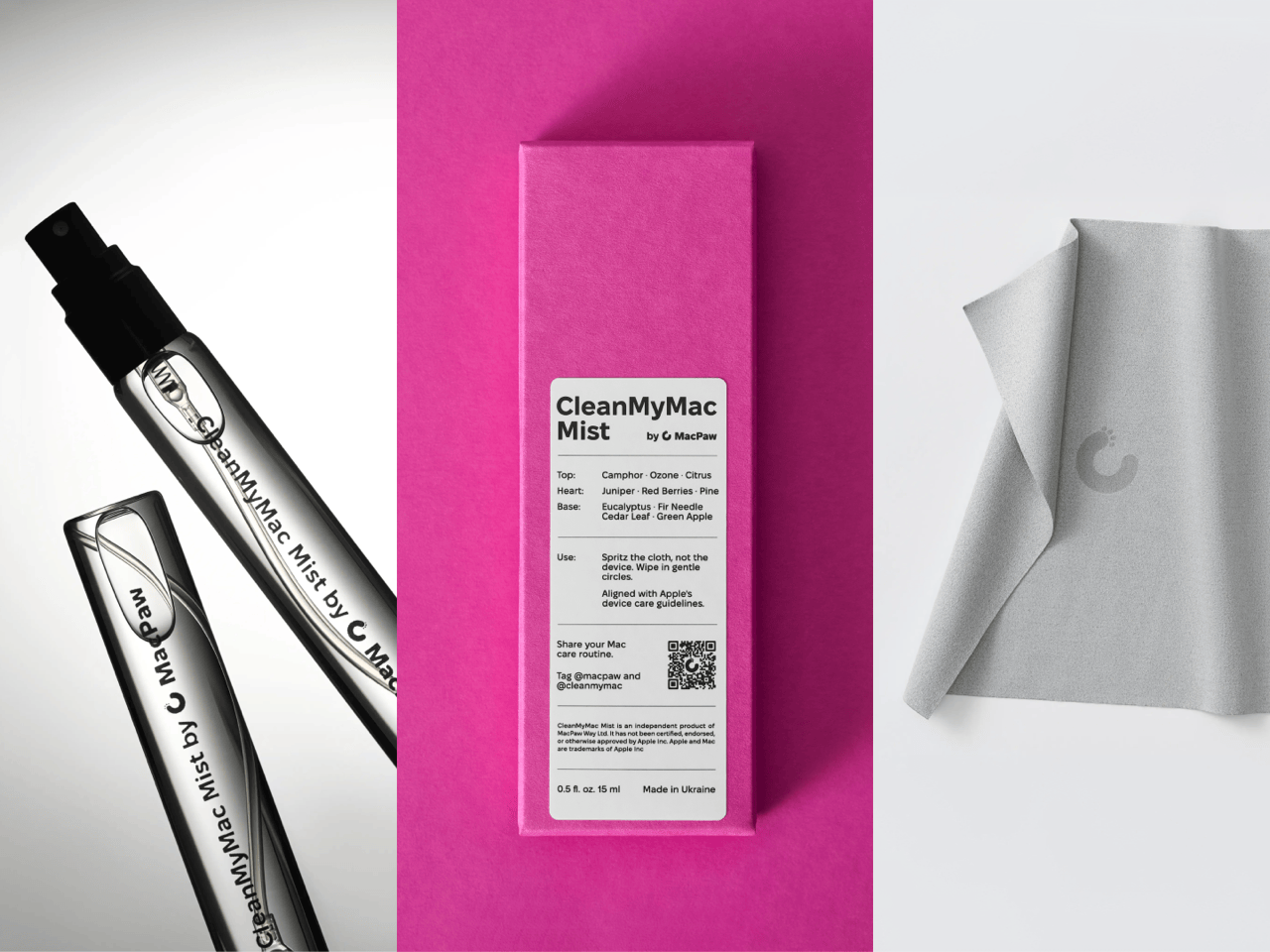
MacPaw calls the scent Frosted Juniper, picked because juniper grows both in Ukraine, where the company was founded, and in California, where the Mac was born. That’s a little sentimental, and I’m completely here for it. The notes run from camphor, ozone and citrus up top to fir needle, cedar leaf and green apple at the base, and the brief was to smell clean without smelling like a cleaning product. Pole, a design and small-batch production studio in Ivano-Frankivsk, made the glass atomizer, its metal case, and a pink box loud enough to see from across the office. Only 100 bottles exist, and they’re up for grabs via a CleanMyMac Instagram and TikTok giveaway until October 23, so don’t go hunting for a price tag.
Designers: MacPaw & Pole
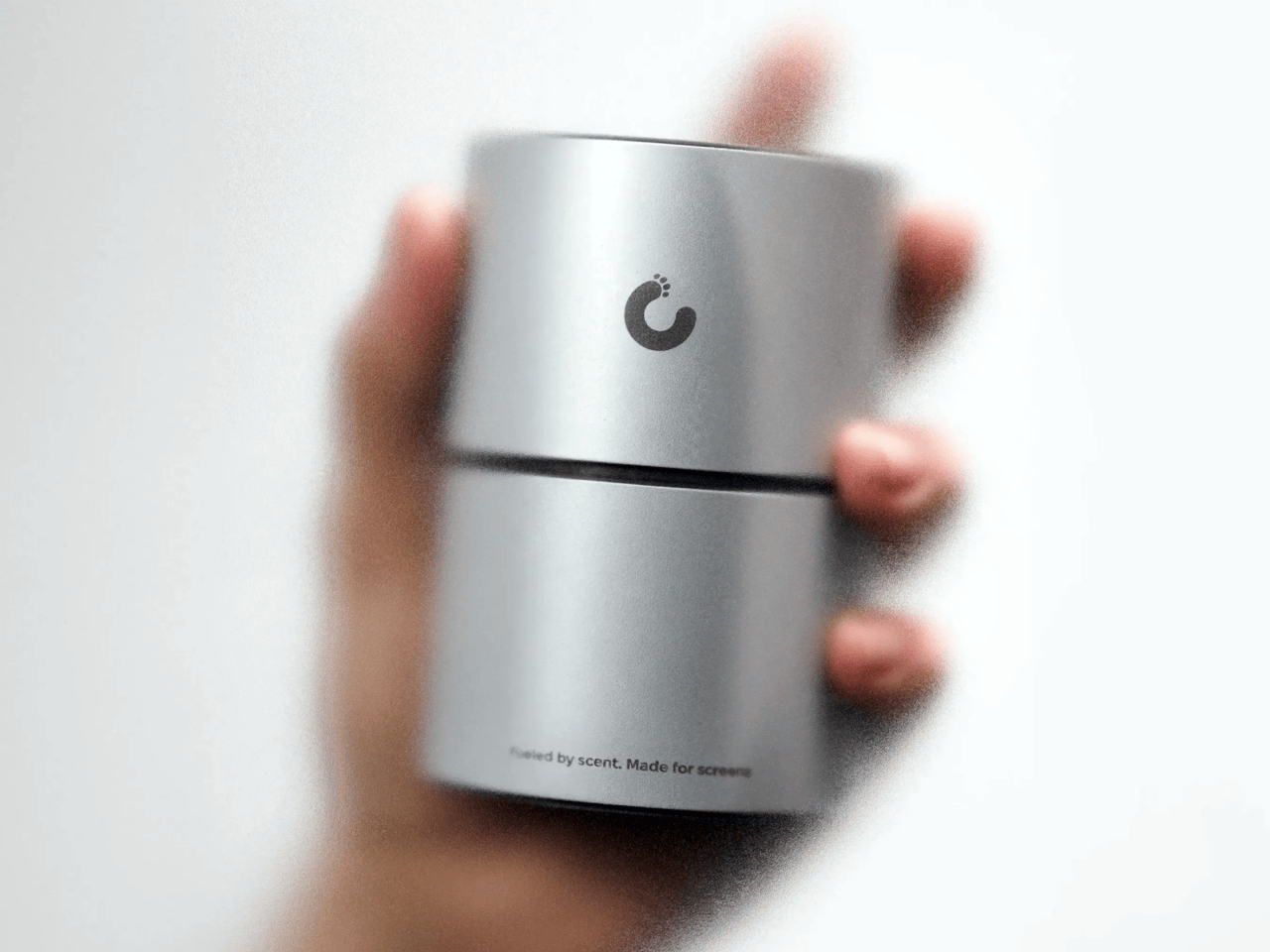
Every design choice here borrows from the perfume counter instead of the cleaning aisle. A slim glass atomizer sits inside a cylindrical metal case, and its silver-and-gray finish would sit happily next to any MacBook. The box flips the mood entirely, with a hot pink tray holding the Mist, a microfiber cloth, a small brush and a scent card, which is basically a perfume blotter for your laptop. The whole package is designed to live on your desk in plain view, far away from the Windex under the kitchen sink. Le Labo pulled a similar trick with its hand-cast concrete diffuser, treating a fragrance gadget as decor first.
Apple’s own cleaning guide warns against aerosol sprays, so the Mist uses a pump atomizer, and you spritz the cloth instead of the screen. That small habit change tackles a real problem, since one in three US Mac owners in MacPaw’s survey admitted to damaging their machine while cleaning it. The product site names the usual culprits: glass cleaners that strip anti-reflective coatings, paper towels that leave micro-scratches, and the hoodie sleeve that only feels like it’s doing something. Apple Stores reportedly keep their display units spotless with WHOOSH!, so dedicated screen formulas are nothing new. MacPaw’s twist is making the formula something you’d happily smell on your fingertips afterward, though nano-texture displays should still stick to Apple’s dry cloth.
As a longtime CleanMyMac user, I find the whole thing delightfully on the nose. The app launched in 2008, has racked up 29 million downloads sweeping caches, logs and leftover app files out of Macs, and MacPaw says it cleans a million machines a day. For 18 years, “clean” was a metaphor for digital housekeeping, and now the metaphor has a nozzle and a note pyramid. MacPaw handed the physical side to Pole, a design and production center in Ivano-Frankivsk with metal, wood, ceramics and biolab workshops under one roof. Pole specializes in runs of 1 to 500 units and built elements for Ukraine’s pavilion at Expo 2025 in Osaka, so a 100-bottle drop sits right in its comfort zone.
The Mist isn’t for sale, and the only way to get a bottle is a giveaway on CleanMyMac’s Instagram and TikTok that closes at 11:59 PM EST on October 23. MacPaw will pick 10 winners on Instagram and 5 on TikTok, so the odds are slim, but every entrant still gets a 20% CleanMyMac coupon. The full scent breakdown and entry details live at cleanmymacmist.com. Millions of Mac owners already trust MacPaw with the inside of their machines, and I suspect plenty of them would buy a refill to keep the outside smelling like a snowy forest. Frosted Juniper makes a great first edition, though I’m already lobbying for a cozy sandalwood one by December.
Everyone has held a milk carton, which is exactly why CMF’s new speakers are so hard to stop looking at. CMF, the budget sub-brand of Nothing, shaped its first Bluetooth speakers like gable-top cartons, a form that toy manufacturer John Van Wormer of Toledo, Ohio, patented in 1915 as the Pure-Pak. Your brain files that silhouette under breakfast, fridge door, and home before it even registers the grille. Then the colors and a deliberately mismatched knob finish the job. Black cylinders and bricks have run the speaker aisle for a decade, so a carton is practically a plot twist.
The CMF Speaker S ($59) and Speaker M ($109) launched October 12 at nothing.tech and select retailers, in white, dark grey, turquoise, and orange. CMF’s own product pages cite a carton’s sharp geometry as the inspiration, so the resemblance is deliberate. A sloped roof carries the knob where a carton’s screw cap would sit, and the M’s top fin doubles as a carry handle. The front panel and knob pop off, which turns each speaker into a base for swapping or 3D printing. Both are IP68 too, so the carton can sit on a patio table without a worry.
A carton has three recognizable parts, and CMF kept all three. The sloped gable roof becomes the top edge of a folded color panel that wraps over from the front face. The sealed top seam becomes the M’s raised fin with a handle cutout, while the S settles for a round cutout in the corner. The screw cap, a carton upgrade Elopak dates to 1991, becomes a knob you press and turn. On the orange and turquoise models, a dark grey body sits behind the panel, so the color reads like printed paperboard around a core.
The grilles do the decorating. On the turquoise model the mesh is a deeper teal, on the orange it turns brick red, and on white and dark grey it goes black, so each face is a flat field with big circles punched in. The M stacks two of them, the S gets one, and a small pixel-style cmf wordmark sits above like a tiny brand stamp. An oval button with a white light bar is the only other mark besides the knob. That is very few elements, all of them deliberate.
Pint-and-quart proportions and a color system with a mismatched knob
The S measures 5.1 by 3.3 by 1.7 inches (130.5 by 85 by 44mm). The M stretches to 8.7 inches (220mm) tall at the same 85mm width, so the pair reads like a pint and a quart of the same product. Helen Sanematsu’s 1999 AIGA Journal essay on milk packaging argued that cartons get their punch from standing in rows, with color separating the varieties. CMF’s launch imagery lines up four colors across two sizes, which plays that exact game. Put them on a shelf together and you get a dairy case designed by someone with great taste.
Each colorway gets its own knob: a black X on orange, a white ring on turquoise, a red paddle on dark grey, and a teal paddle on white. That deliberate mismatch gives every speaker a single accent, like a bright cap on a carton. Pop it off and you can mix freely or 3D print your own, a habit that follows the CMF Phone 1, whose community printed everything from Lego-friendly backs to a foam dart launcher. We once featured a fan concept for a CMF speaker that went retro radio. The carton is the braver call.
Drivers, battery life, and durability behind the carton
The S pairs a 1.8 inch (45mm) driver with two passive radiators, unpowered diaphragms that beef up bass, for 10W. The M adds a 2.8 inch (70mm) woofer and 0.6 inch (16mm) tweeter for 35W RMS, a continuous power rating. Both claim 18 hours at 50 percent volume with Ultra Bass on, enough for a workday and the commute. A 10 minute charge buys an hour while you hunt for your keys. They survive 30 minutes in nearly 5 feet (1.5 meters) of water and passed a 30 inch (0.76 meter) drop test.
The S costs $59 and the M $109, and both are on sale now at nothing.tech and select retailers. That puts a distinctive object within impulse-buy range, which is unusual for a design this committed. It is the rare budget speaker that makes you want to rearrange a shelf. Van Wormer’s carton survived a century by being easy to hold, stack, and carry, and a portable speaker wants the same three traits. Somebody finally noticed a great speaker shape was sitting in your fridge door all along.
Ants aren’t usually welcome around a coffee table, especially when there are snacks involved. The Colheita Coffee Table concept, however, borrows something more useful from them: the curved cuts left by leafcutter ants. Its steel surface folds downward to become its own legs, while movable wooden supports provide places for drinks. The nature reference gives the table its construction logic, rather than simply decorating it.
The body starts with a single steel sheet, cut by laser and bent so three broad sections reach the floor. Those sections remain attached, leaving openings where a conventional tabletop would be solid. Rather than adding separate legs underneath, Colheita carries the tabletop material through to its base. The relationship is easy to follow, even if the resulting silhouette is rather unusual.
That approach is intended to reduce component count and material waste, although it isn’t a claim of waste-free manufacturing. A smaller detail helps explain how the sheet takes shape: enlarged, rounded ends on the cuts provide relief during bending. They’re there to ease stress where flat metal becomes a leg. The graceful curves have a fabrication purpose alongside their resemblance to a harvested leaf.
The wooden pieces might look like little bowls at first, but their flat tops serve as platforms rather than containers. Each hemisphere has a groove that slots onto the folded steel, allowing it to move along the edge. The wood adds a warmer color and visible grain to the dark metal, while giving a glass or small object its own resting place.
That means the arrangement doesn’t have to stay the same after you’ve chosen where the table goes. Move a wooden support closer to your seat, or spread them around when friends gather on different sides. The system is also intended to help stabilize the upper surface. These small additions therefore have a job beyond making the steel look a little less austere.
Of course, all those openings leave less uninterrupted space for whatever usually accumulates on a coffee table. A book or tray needs a solid patch beneath it, and a loose remote won’t forgive careless placement. The gaps do leave room for trailing plants and allow light through. Colheita invites you to arrange its contents more deliberately, which won’t appeal to everyone’s housekeeping habits.
The project also explores an unfinished carbon steel version, letting oxidation change the surface’s colors and patterns over time. That’s a different proposition from furniture meant to keep an immaculate, uniform finish. It gives the table a changing appearance rather than a permanent shade of gray. The project presentation doesn’t explain how to manage that aging around spilled drinks or routine household cleaning.
Colheita means “harvest” in Portuguese, a nod to the ants and to gathering around the table. It remains a concept project with fabrication work documented, rather than a verified retail offering. Dimensions and load capacity aren’t provided. Before trusting one of those platforms with hot coffee, you’d want to know how securely it stays put when someone nudges the table.
Clocks have become so familiar that we barely think about what their hands are doing. They point to positions around a circle, a habit that Orbit keeps while removing the hands themselves. This ultra-minimalist clock concept replaces them with two magnetically held metal spheres, giving time a physical presence you can reach and remove, instead of leaving it behind protective glass.
The face is a dark circular disk with two concentric recessed tracks, each carrying a polished sphere. There’s no cluster of numerals or central pin to interrupt the surface. Instead, the grooves give the small bearings separate paths, while their reflective finish contrasts with the darker background. The clock’s relief supplies the detail that printed markings would normally provide on a conventional dial.
One sphere represents the hours and the other the minutes, preserving the basic logic of an analog clock. You still look for positions around the face, only without a pair of hands connecting those positions to the center. That makes the idea less unfamiliar than it initially sounds. Reading it doesn’t call for learning an entirely new code, although some adjustment seems inevitable.
Of course, removing all those markings comes with a compromise. Estimating the hour should be simpler than judging an exact minute on an unmarked circle. Orbit could suit a living room where a glance is enough to keep track of the afternoon. Checking how many minutes remain before catching a train might make you rather grateful for the numbers on your phone.
The more unusual part is that the spheres aren’t permanently trapped in their tracks. Magnetic attachment is intended to let you lift each one away and put it back, adding a tactile interaction to an object usually left alone. That’s a surprisingly playful detail for such a restrained design, especially when removing both markers would leave the clock with nothing to tell you.
There’s a sculptural quality to the body itself, with a rounded outer edge and circular channels that give the black surface depth. A rear keyhole slot provides for wall mounting, keeping that face upright without a separate stand. The name Orbit feels appropriate here, with two small spheres occupying rings around an empty center, rather than hands meeting at a shared pivot point.
Orbit remains a concept, so there’s no established price or availability to weigh against those compromises. Its detachable markers do suggest a rather different relationship with a wall clock, though. Reach for the face and you’re handling the things that tell the time. Just make sure those little spheres don’t end up somewhere less useful, such as behind the living room sofa.
Putting a laptop away doesn’t solve every problem with working from home. A video call still needs some privacy, and recording a voiceover beside the dishwasher is a negotiation nobody particularly wants. I like furniture that helps a room do more, but a folding desk only addresses half the issue. Sometimes the missing piece is a door.
FUSEBOOX, designed by Czech architect Vojtěch Kolínský of Prague studio Indivizual, proposes a home office that slides out when needed and retracts into the surrounding interior afterward. It’s a built-in acoustic workspace, presented at DesignBlok 2026, rather than another freestanding booth asking for permanent floor space. The problem it tackles is straightforward: finding somewhere to concentrate without dedicating an entire room to it.
Designer: Vojtěch Kolínský
The module has three positions. Open, it works as a desk within the larger room, so you can stay connected to whatever’s happening around you. Extended and closed, it becomes a private enclosure intended to reduce noise traveling in and out. Retracted, the workspace disappears behind its exterior panels. A custom-developed mechanism handles extension and retraction automatically, according to the maker. That’s a more useful distinction than simply calling it a disappearing desk.
In the supplied images, the interior looks invitingly domestic. Pale wood-grain surfaces, textured wall panels, a narrow shelf, and warm lighting surround a compact desk. The exhibition setup includes a microphone and a metronome, while another image shows a guitar mounted above the worktop. Those details suggest a space for practicing and making things, not merely surviving the next calendar invitation. I’d rather see that than a miniature corporate meeting room.
The acoustic ambition deserves a closer look. FUSEBOOX describes a multilayer construction with sealed contact edges that limits sound transmission, alongside treatment intended to control reflections and reverberation inside. In practical terms, keeping household noise out and reducing echo around a microphone are separate jobs, and the design aims to address both. The supplied release promises studio-quality sound, but provides no measured isolation figures or independent testing to establish that claim.
Ventilation and adjustable lighting are included, with the website specifying variable brightness and color temperature. These are sensible priorities for a small enclosed workspace. I’d want airflow and lighting considered alongside the moving panels, because a booth that looks good from the couch still has to make sense from the chair. The tall glazed side panels visible in the images also keep the enclosure from looking like an opaque cabinet.
The hidden position is the strongest part of the idea for me. Closing a laptop leaves the desk, cables, and unfinished work in view. Closing up an entire workspace could give the living room a more convincing end to the workday. That isn’t a promise of better productivity or instant relaxation. It’s a physical boundary you can see, which feels more useful than another reminder to log off.
Of course, the module doesn’t manufacture extra square footage. Its built-in portion still occupies space, and the extended enclosure needs clear floor area in front. A coffee table or an awkward circulation path could complicate the arrangement. I see it as borrowing space at different times, rather than making space disappear. That makes the surrounding room layout just as important as the mechanism.
FUSEBOOX is designed and made in the Czech Republic, with configurable layouts, materials, fittings, upholstery, and exterior finishes. The company plans to open preorders in January 2027; prices and detailed dimensions haven’t been published yet. Those omissions matter for anyone picturing it at home. A custom built-in belongs in a renovation conversation, and renters would need to discuss installation with their landlord.
I’m drawn to the restraint of the proposal. The images suggest you could finish the exterior to read as ordinary cabinetry, leaving the more elaborate engineering behind it. A home office doesn’t always need to announce itself from across the room. If the acoustics and installation prove convincing, FUSEBOOX could offer something genuinely useful: a place to work, followed by permission to stop looking at it.
Football season turns living rooms into something closer to a clubhouse for a few hours every weekend. The right gear makes that shift effortless, pulling together sound, screen, food, and drink into one setup that actually works for a full slate of games rather than falling apart by halftime.
None of these eight picks are trying to reinvent the sport itself. They’re solving the real logistics of hosting: the can that never pours right, the cooler that goes warm by the second quarter, the speaker setup that can’t keep up with a packed room full of noise.
1. DraftPro Top Can Opener
There’s a reason the first pour matters so much on game day. DraftPro removes the entire top of a can instead of just puncturing it, turning a beer or sparkling water into something closer to a glass pour, aroma included. Designed by Shu Kanno and built in Japan, the motion is smooth and controlled, with a clean edge that’s safe to drink from directly. For you, that means handing a guest a can that actually tastes like it was poured properly, without reaching for a single glass all game.
It works for more than beer too. Drop ice straight into the can for instant chilling when the cooler’s running warm, or mix a quick cocktail right inside it with zero cleanup. Compatible with domestic and international cans, it travels well between the kitchen and the couch, and the clean cut even lets you repurpose empties into planters or pen holders once the game’s over.
Removes the entire top for a smooth, glass-like drinking experience
Works as a makeshift cocktail shaker with no extra dishes to wash
What We Dislike
Only a handful of units were listed in stock at the time of writing
Limited to cans, so bottles need a separate opener nearby
2. PhaseTherma
A great drink setup falls apart the moment the ice turns to water. Freezill solves that with PhaseTherma, a phase-change cooling core that keeps ice solid for up to 150 hours without any external power source. For you, that means setting up the drink station once before kickoff and not thinking about it again until the final whistle of a doubleheader weekend, no refills, no plugging anything in.
At $149, it reads less like a cooler and more like premium travel gear that happens to double as game day equipment. The zero power draw also means it works just as well on a porch or in a garage as it does parked next to the couch, so the setup goes wherever the crowd ends up sitting.
What We Like
PhaseTherma core keeps ice solid for up to 150 hours
Needs zero external power to maintain its cooling performance
What We Dislike
$149 is a real investment for what is, at its core, a cooler
Premium design means it’s built for care, not for rough outdoor use
3. Battery-free Amplifying iSpeakers
Every other speaker in the room needs something: a charge, a pairing sequence, a Wi-Fi password. This one needs nothing but your phone. Designed by Ooi Masato and machined from Duralumin, the same vibration-resistant aluminum alloy used in aircraft, it amplifies a smartphone’s built-in speaker purely through acoustic geometry. For you, that means setting it down on a side table and having sound fill the room without a single cable in sight.
The chamber’s proportions were shaped using the golden ratio, which is less a gimmick and more the reason the sound comes out as focused as it does. No app, no Bluetooth, no battery to die mid-game. Just a slot for the phone and a noticeably louder room a second later.
Golden ratio proportions make it as much a desk object as a speaker
What We Dislike
Volume ceiling is naturally lower than a powered Bluetooth speaker
Only works with a phone placed inside it, not as a standalone unit
4. Xiaomi Redmi Projector 5 Pro
The screen is where game day actually lives, and this one makes a big one affordable. Native 1080p scales up to 120 inches, backed by 1,000 CVIA lumens, HDR10, and a 120Hz refresh rate running at just 5ms of latency. For you, that means a crisp, responsive picture that can fill an entire wall for less than the cost of a year of streaming subscriptions combined.
A metal gimbal arm swings 150 degrees, so the projector adjusts to whatever angle the room demands without needing a dedicated mount or stand. Dual HDMI and Wi-Fi 6 round out the connections, meaning a streaming box, a console, and a laptop can all stay hooked up at once without a single cable getting swapped out between games.
What We Like
120-inch scaling at $281 undercuts most home theater setups by a wide margin
Gimbal arm adjusts 150 degrees without needing a separate mount
What We Dislike
1080p native resolution means it’s not a true 4K experience
HDR10 support only goes so far without a properly darkened room
5. LG xBoom Stage 501
Halftime needs its own kind of energy, and this speaker is built specifically for that shift in mood. Up to 220W of output runs through dual 2.5-inch woofers and Peerless tweeters, loud enough to carry a packed room without distortion. For you, that means the moment the game pauses, the room doesn’t go quiet; it just changes gears.
The real party piece is AI Karaoke Master, which strips vocals from any song in real time using deep learning trained on more than 10,000 songs. Built around what LG calls late-night living-room chaos, it turns a halftime break into its own event, no separate karaoke machine or backing track search required.
What We Like
220W output with dedicated tweeters handles a full room without strain
AI Karaoke Master removes vocals from any song on the spot
What We Dislike
At $499.99, it’s a serious commitment for occasional halftime use
Karaoke feature works best with a crowd actually willing to sing
6. Death Star Popcorn Maker
Snacks are half of game day, and this one earns its spot by being genuinely good at the one thing it does. A hot air vortex pops corn with close to a 98 percent success rate, no oil or butter required, while the whole unit folds back into a Death Star display piece once the popping’s done. For you, that means a snack station that’s actually fun to look at sitting on the counter between rounds, not just a plastic appliance shoved in a cabinet.
It’s a lighter note in the lineup, a conversation starter as much as a kitchen tool, and a reminder that not every piece of game day gear needs to be purely functional to earn its place in the rotation.
What We Like
Close to a 98 percent popping success rate without oil or butter
Folds back into a display piece instead of looking like leftover kitchen clutter
What We Dislike
Novelty shape won’t appeal to everyone’s kitchen aesthetic
Limited to popcorn, so it’s a single-purpose appliance taking up cabinet space
7. Took Foldable Chair
Every host eventually runs out of couch space before they run out of guests. This chair collapses into a compact case about the size of a soundbar, with a strap handle and a one-touch hinge mechanism that opens it in seconds. For you, that means extra seating that lives in a closet the rest of the week and shows up the moment the guest list grows past what the furniture can hold.
It closes the lineup on a practical note: the kind of object that doesn’t need to be clever so much as ready, there when the room fills up and out of the way the second it empties back out.
What We Like
Folds to the footprint of a soundbar for easy storage
One-touch hinge means setup takes seconds, not a wrestling match
What We Dislike
A folding chair will never match a couch for comfort over a long game
Durability of the hinge mechanism depends on how often it gets folded and unfolded
8.WiiM Bar Soundbar
For the games that deserve real sound, not just loud sound, this soundbar fills that gap. True 3.0.2 Dolby Atmos runs through an eight-driver array, three front mid-woofers, three front tweeters, and two upward-firing full-range drivers, backed by four passive radiators for low end that doesn’t need a separate subwoofer. For you, that means commentary, crowd noise, and the snap of a tackle all land with the kind of separation a standard TV speaker can’t touch.
A 2.1-inch round touch display sits embedded in the bar’s front face, giving quick access to inputs and volume without digging for a remote between plays. It sits under the TV rather than competing for space, built for the room rather than announcing itself as the centerpiece.
What We Like
Eight-driver array delivers genuine Dolby Atmos without a subwoofer
Touch display built into the bar simplifies control mid-game
What We Dislike
A setup this capable asks for a TV and source worth the upgrade
Four passive radiators still can’t fully replace a dedicated subwoofer in a large room
The Setup That Covers the Whole Afternoon
None of these eight pieces are trying to be the loudest thing in the room. The projector and the two speaker options handle the screen and the sound, the cooler and the can opener handle the drinks, and the popcorn maker and the folding chair round out the food and seating without asking for much space in return.
What makes this lineup work isn’t novelty; it’s that each piece solves one real problem well. A host doesn’t need everything to be smart or connected. Sometimes the best upgrade is a can that pours like a glass, or a chair that disappears into a closet until the room needs it most.

 Connexion
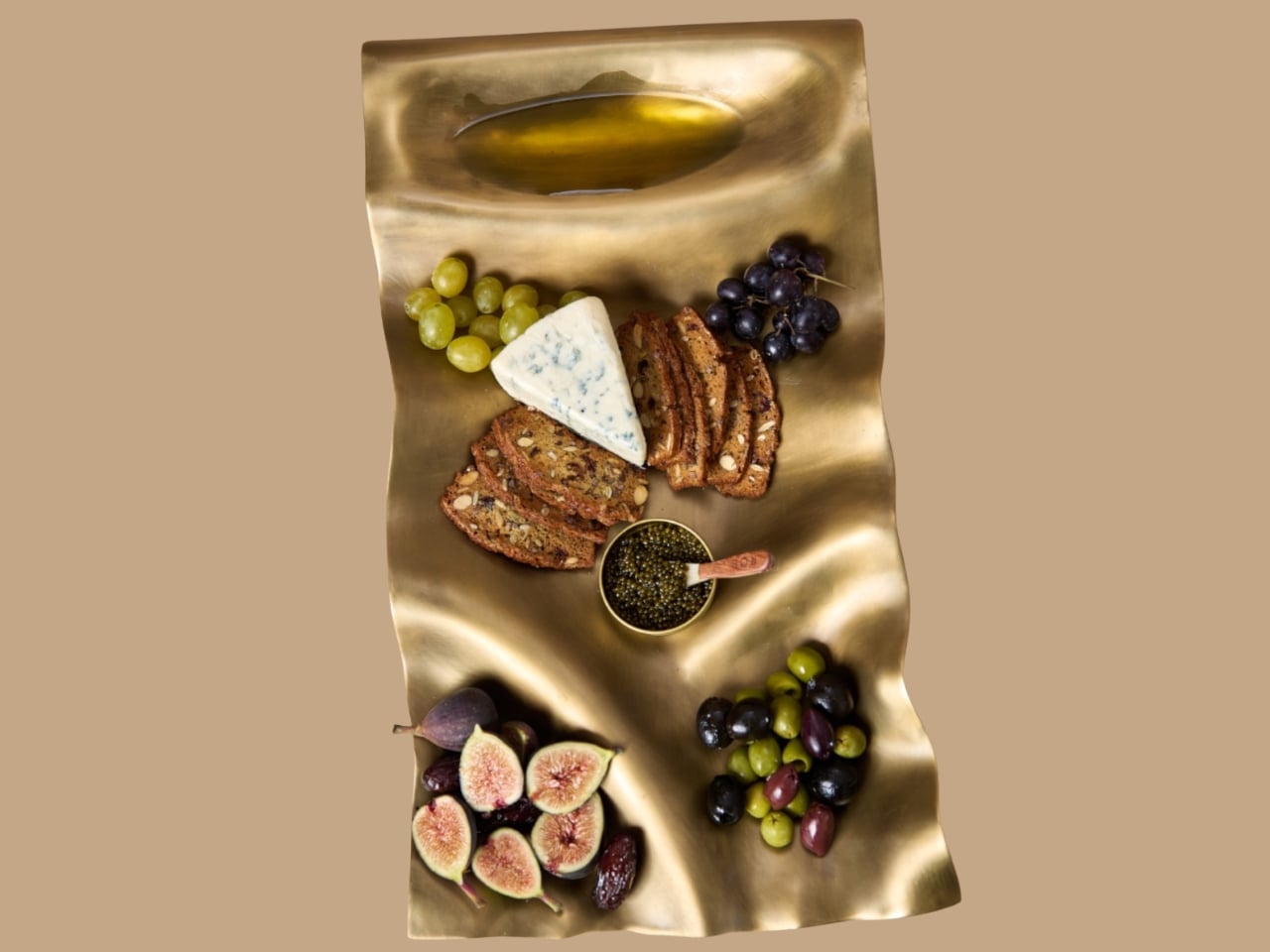
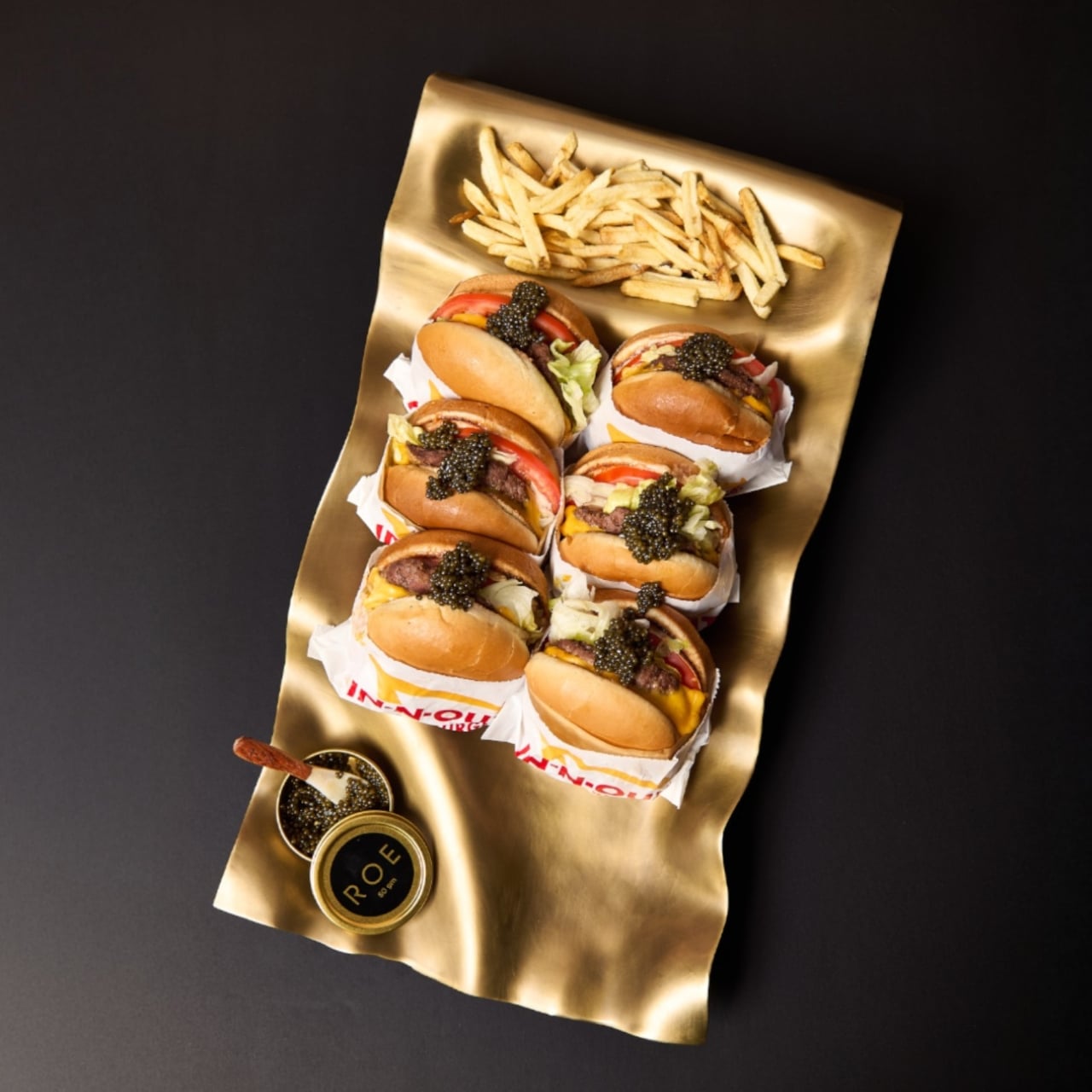
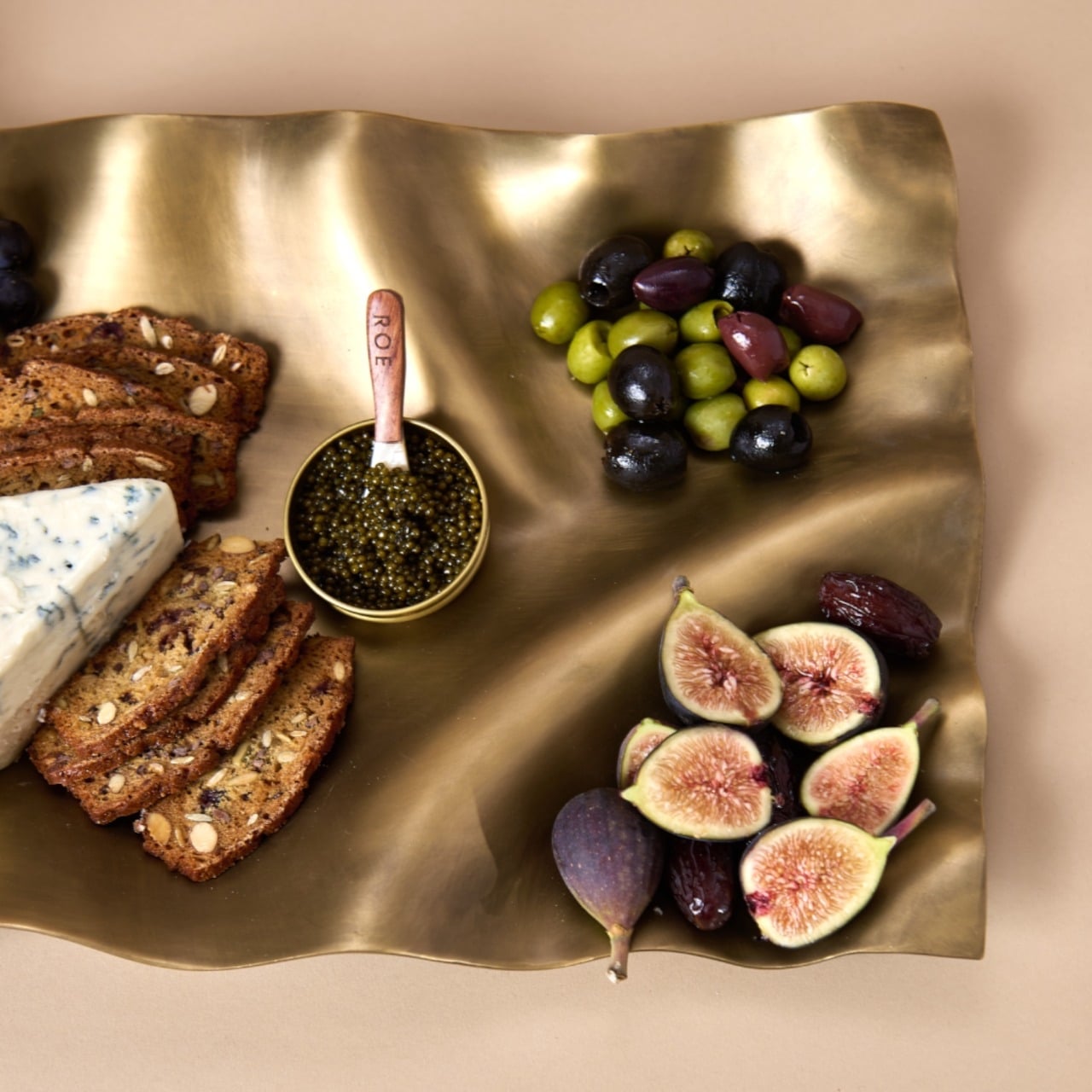
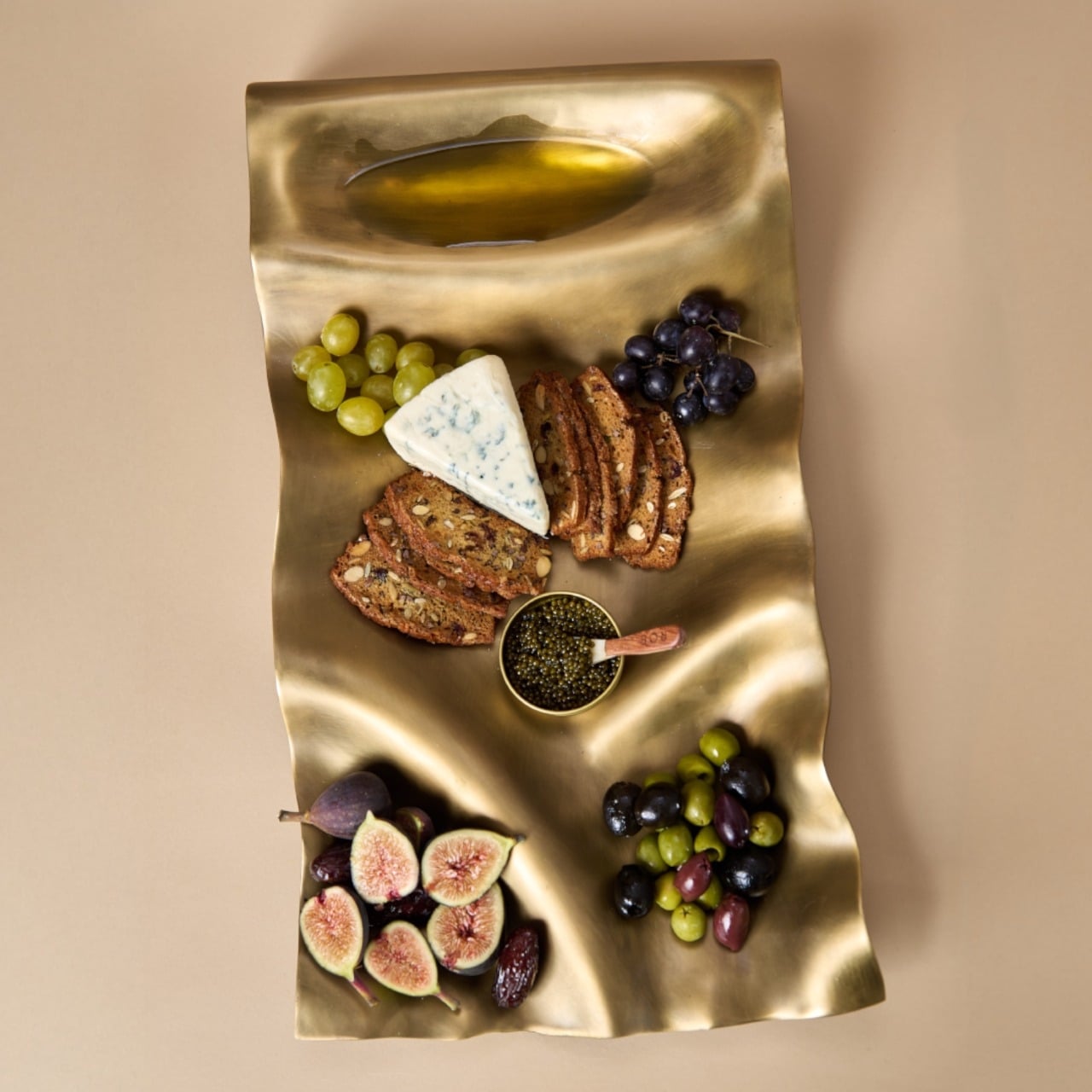
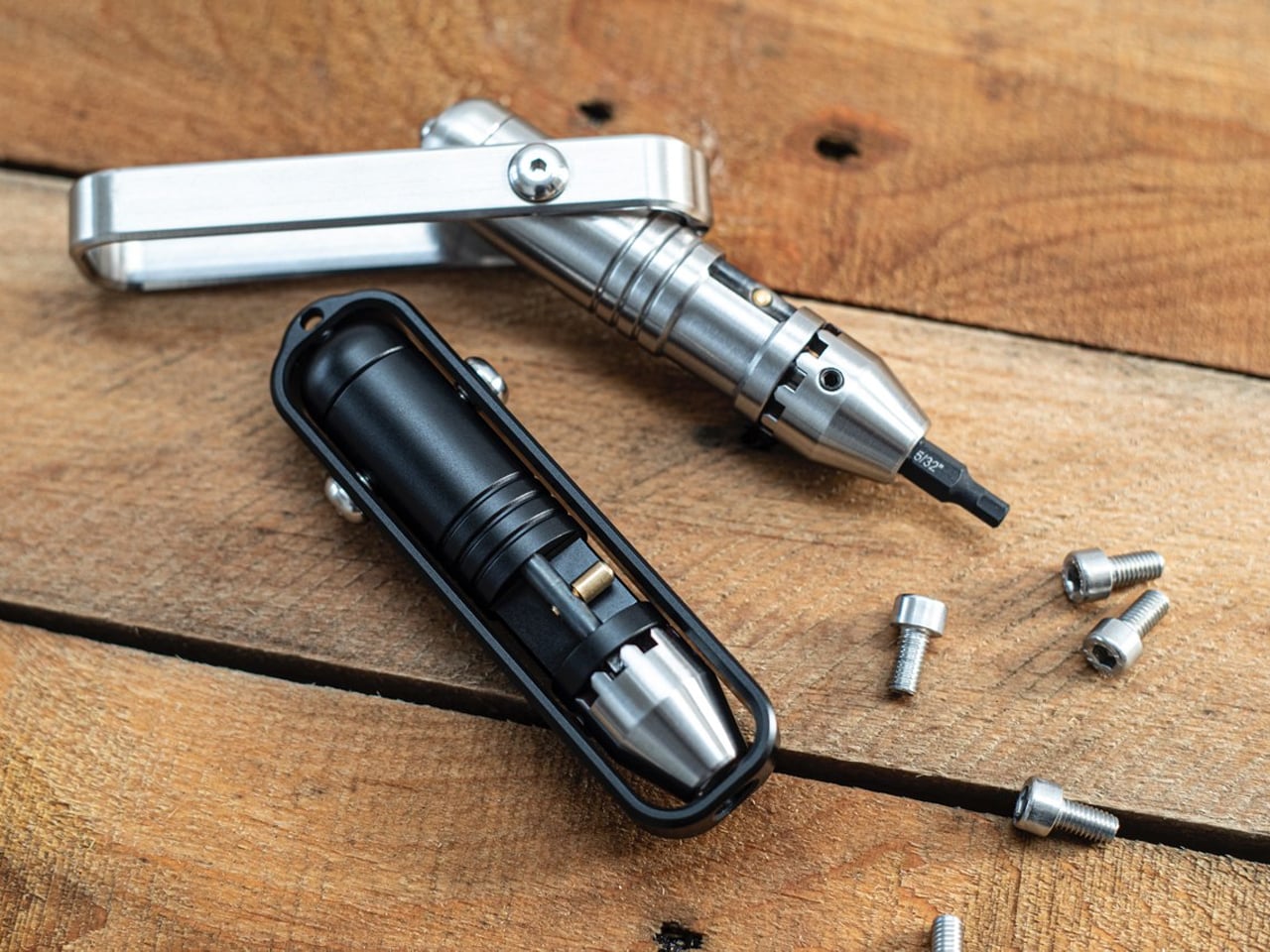
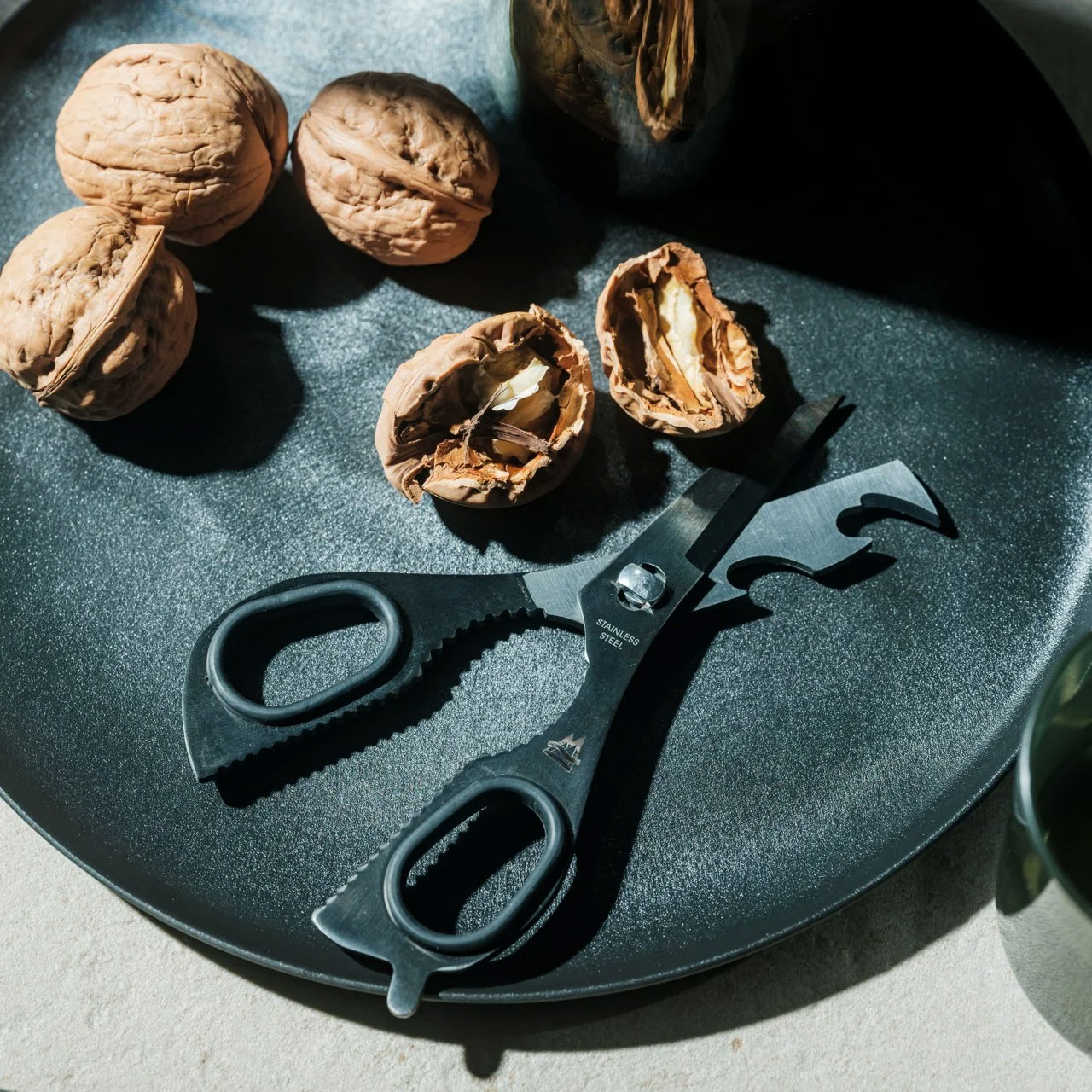


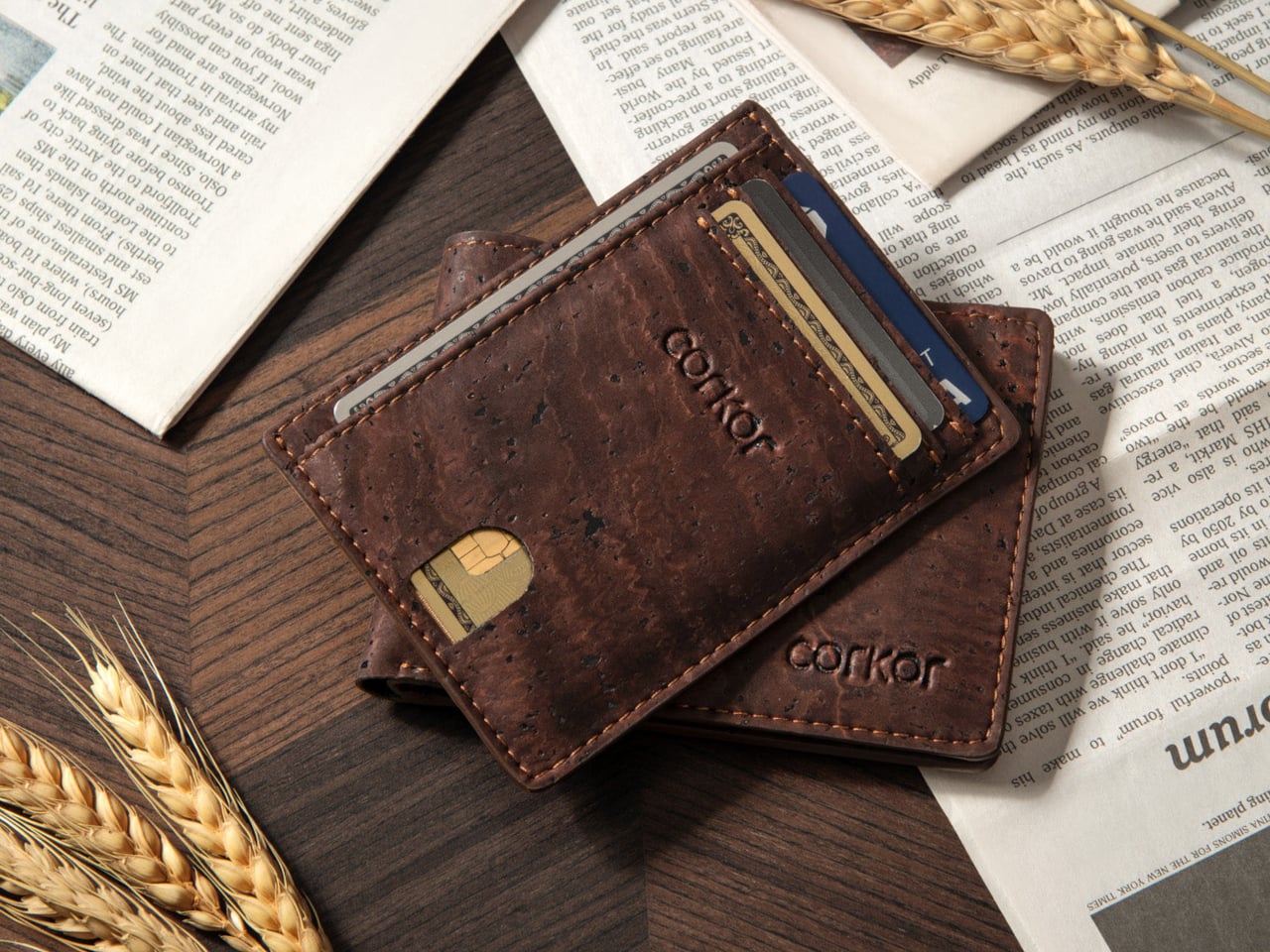

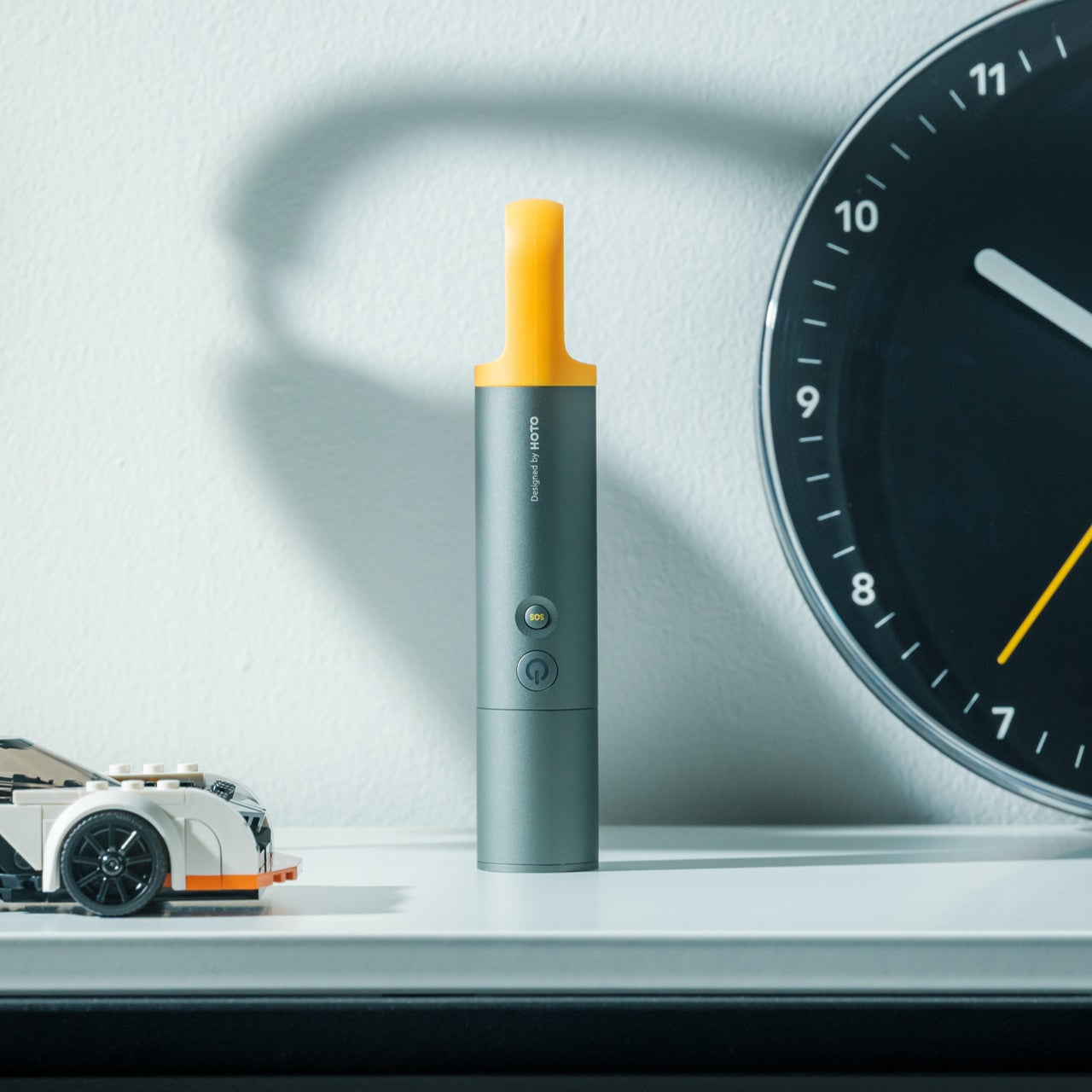
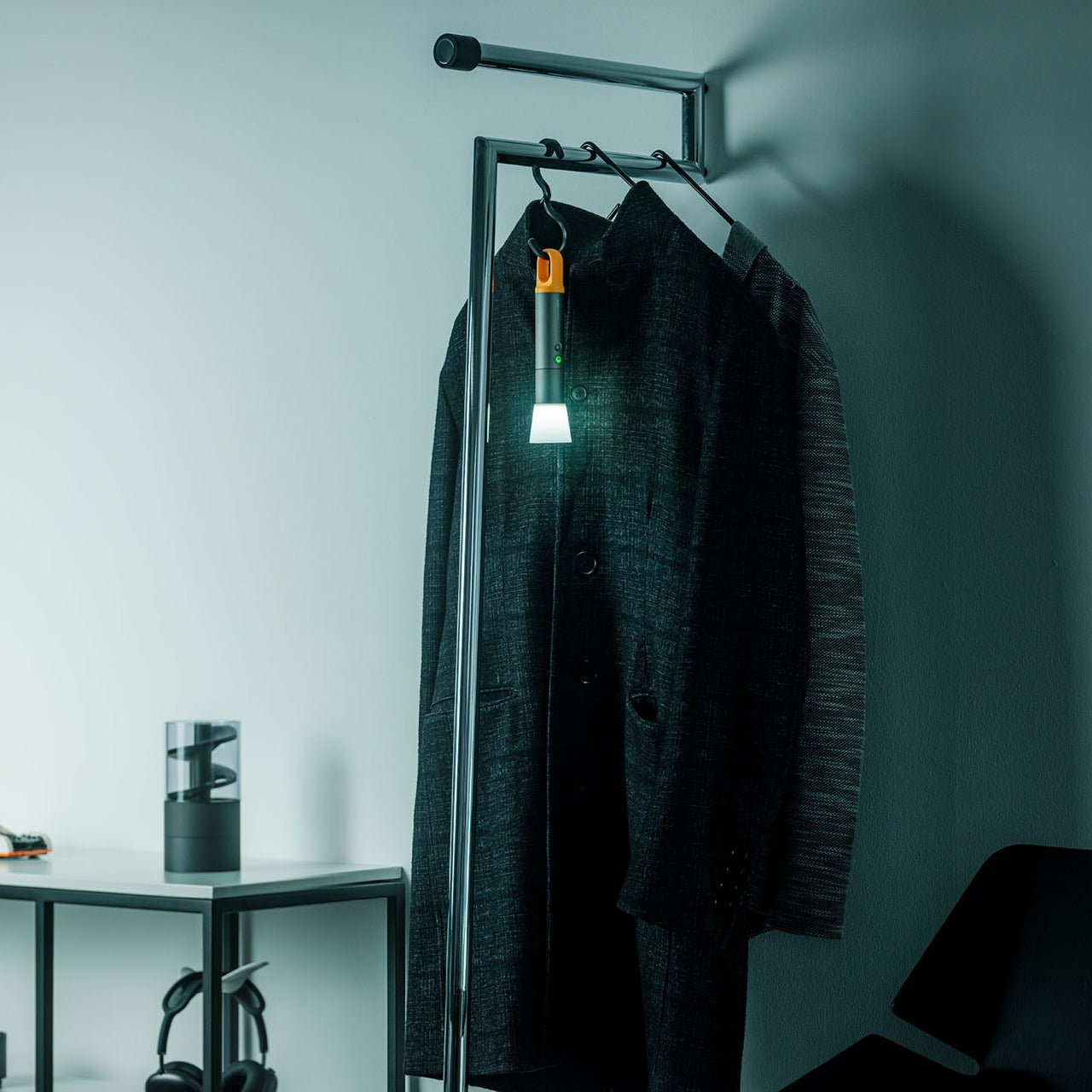

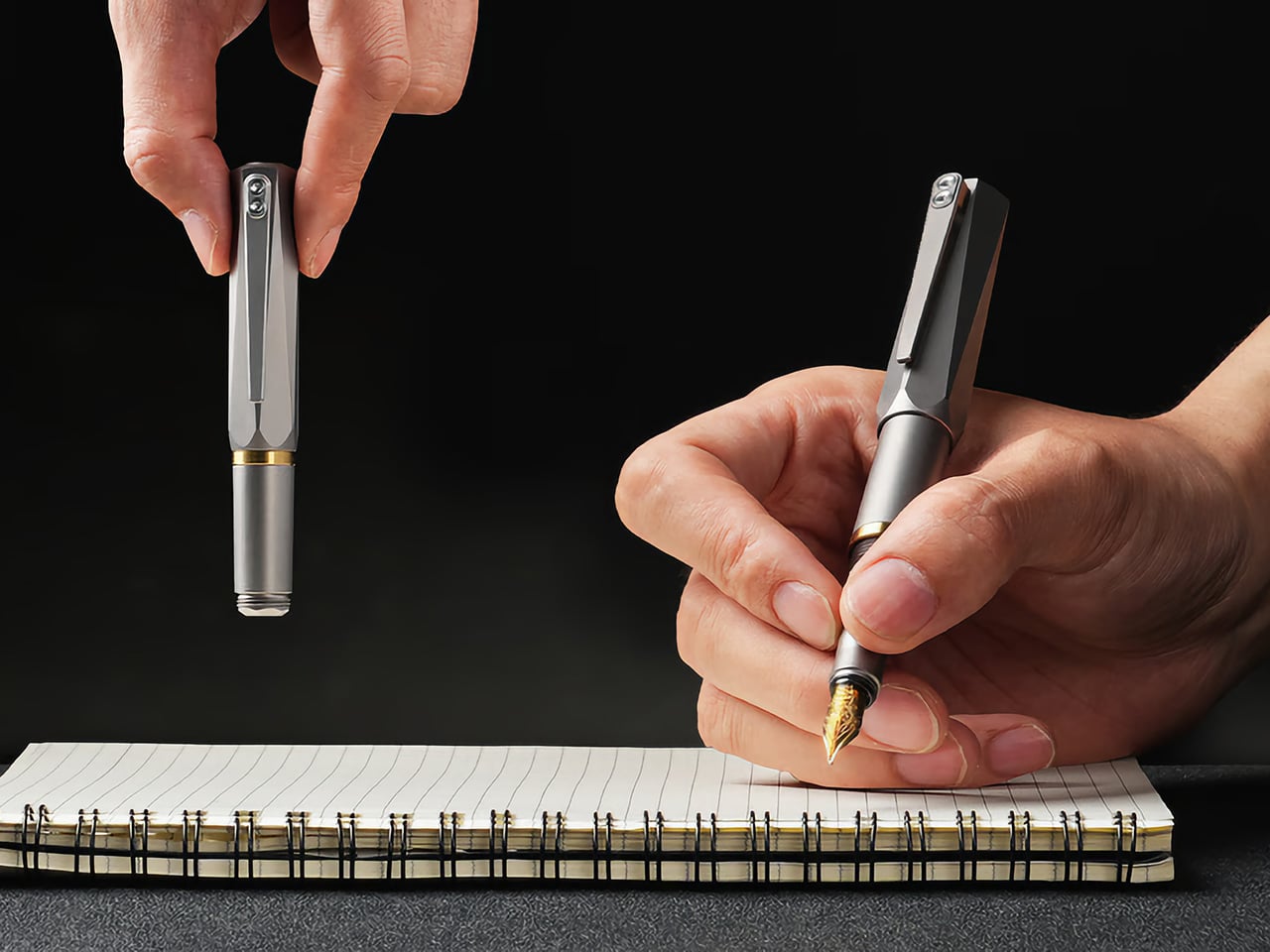

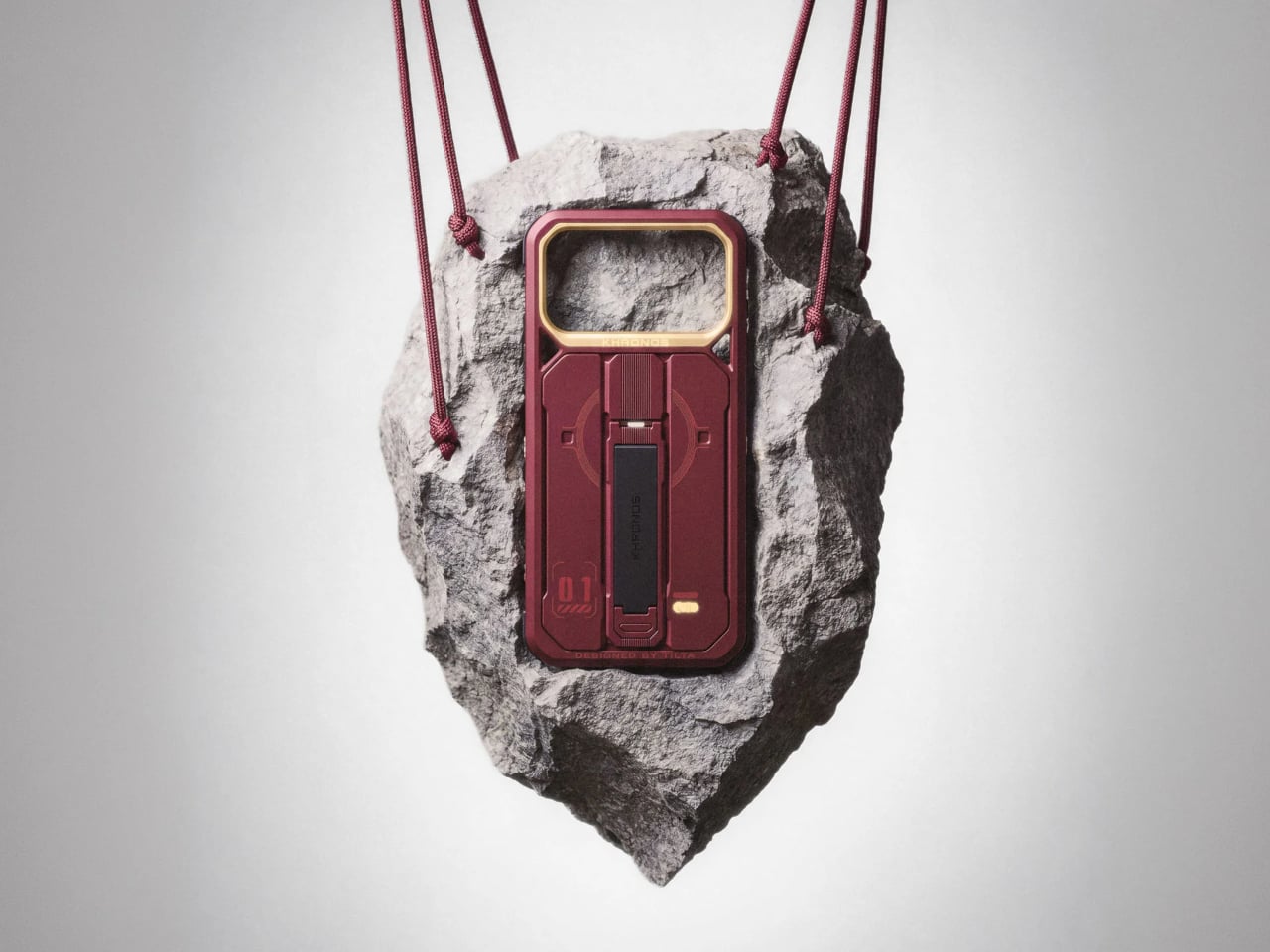
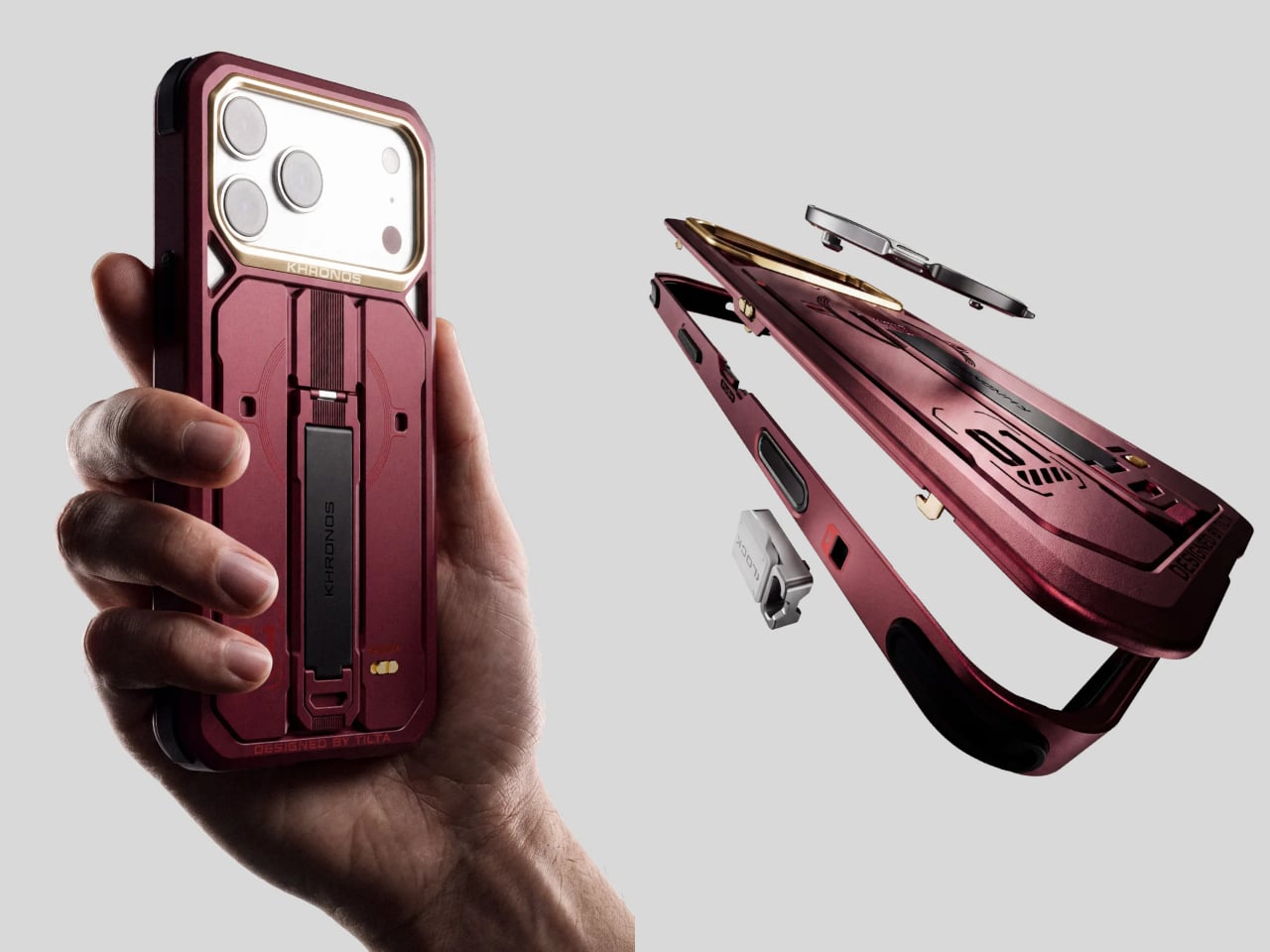
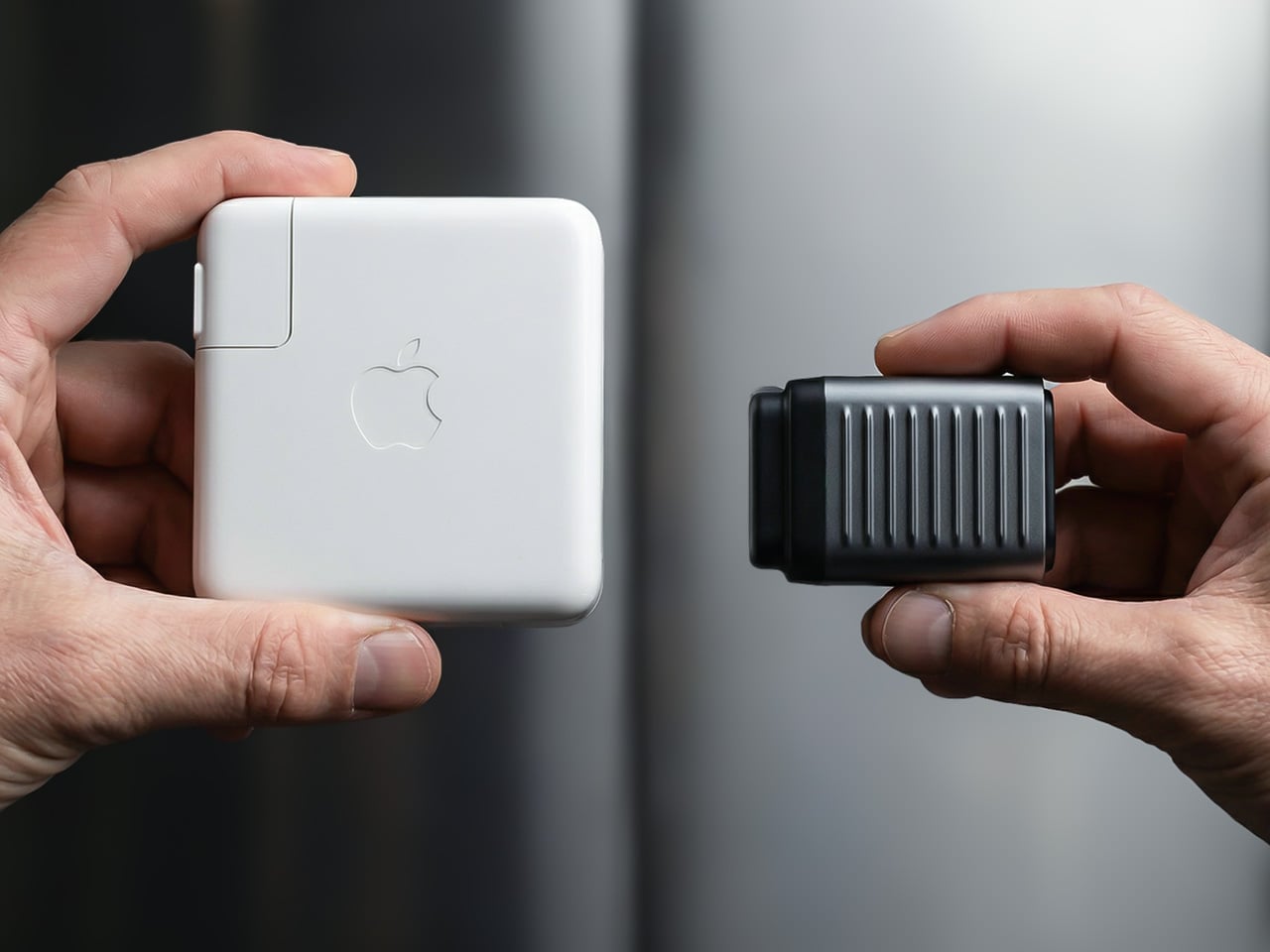
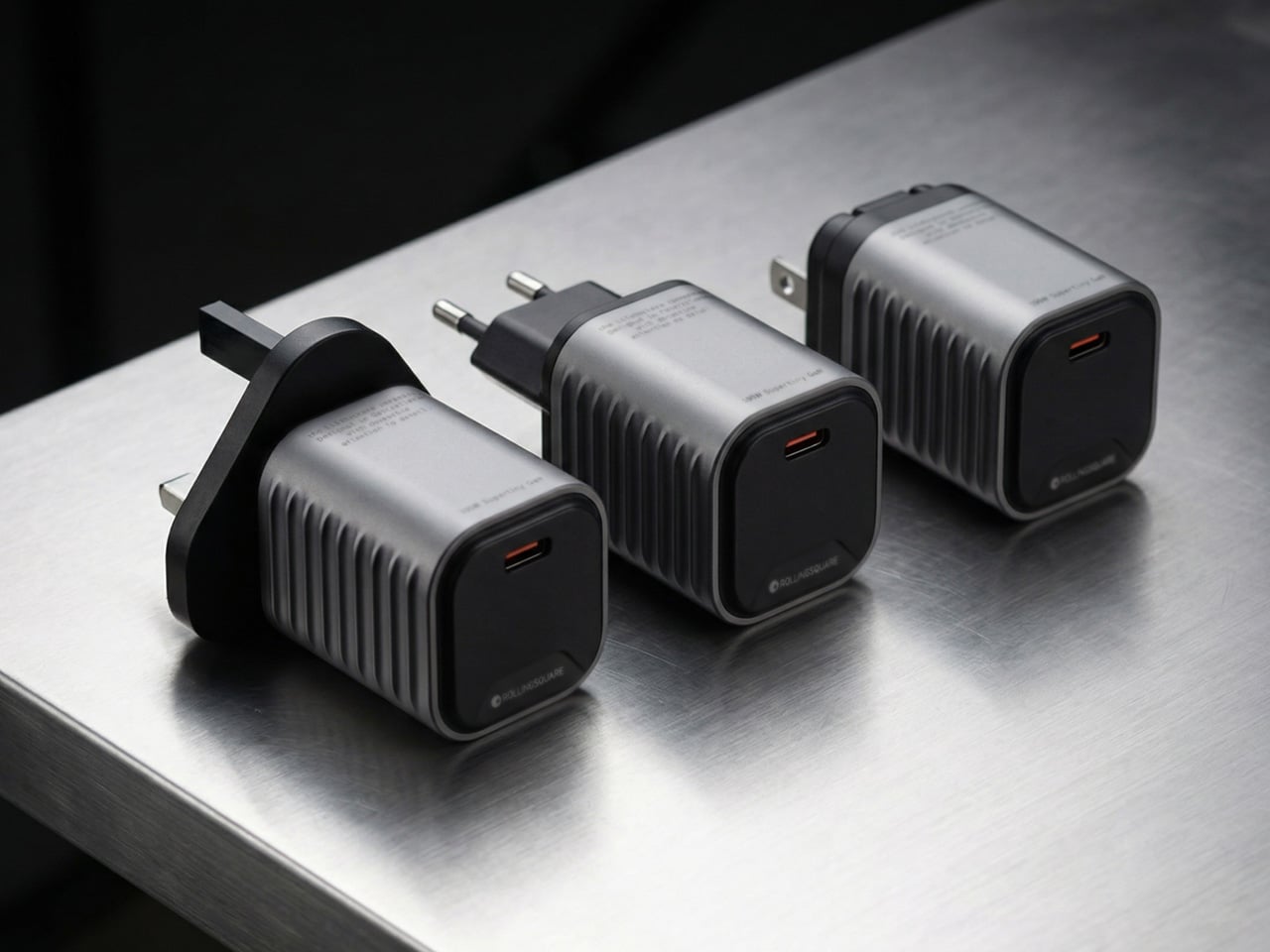
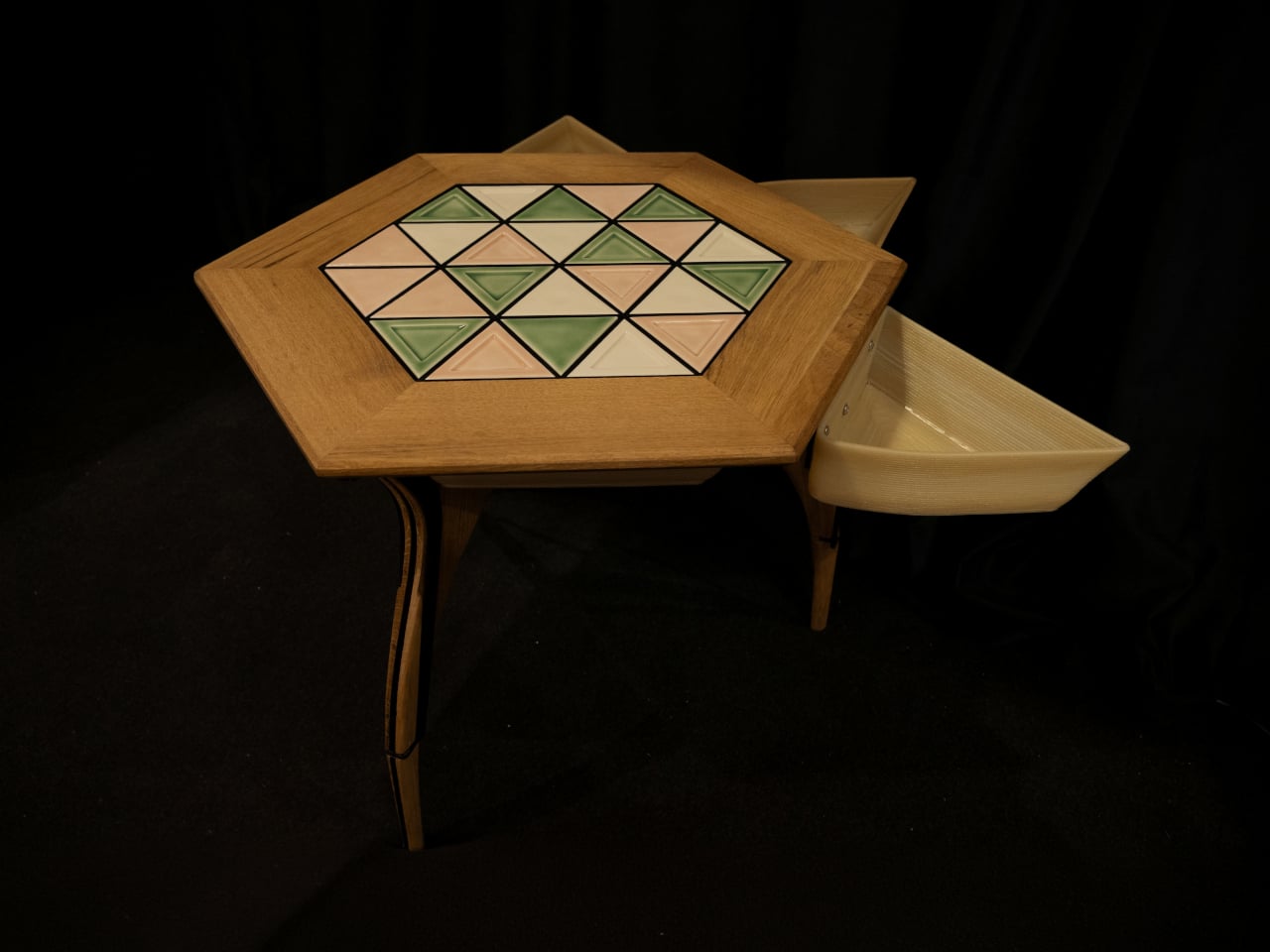
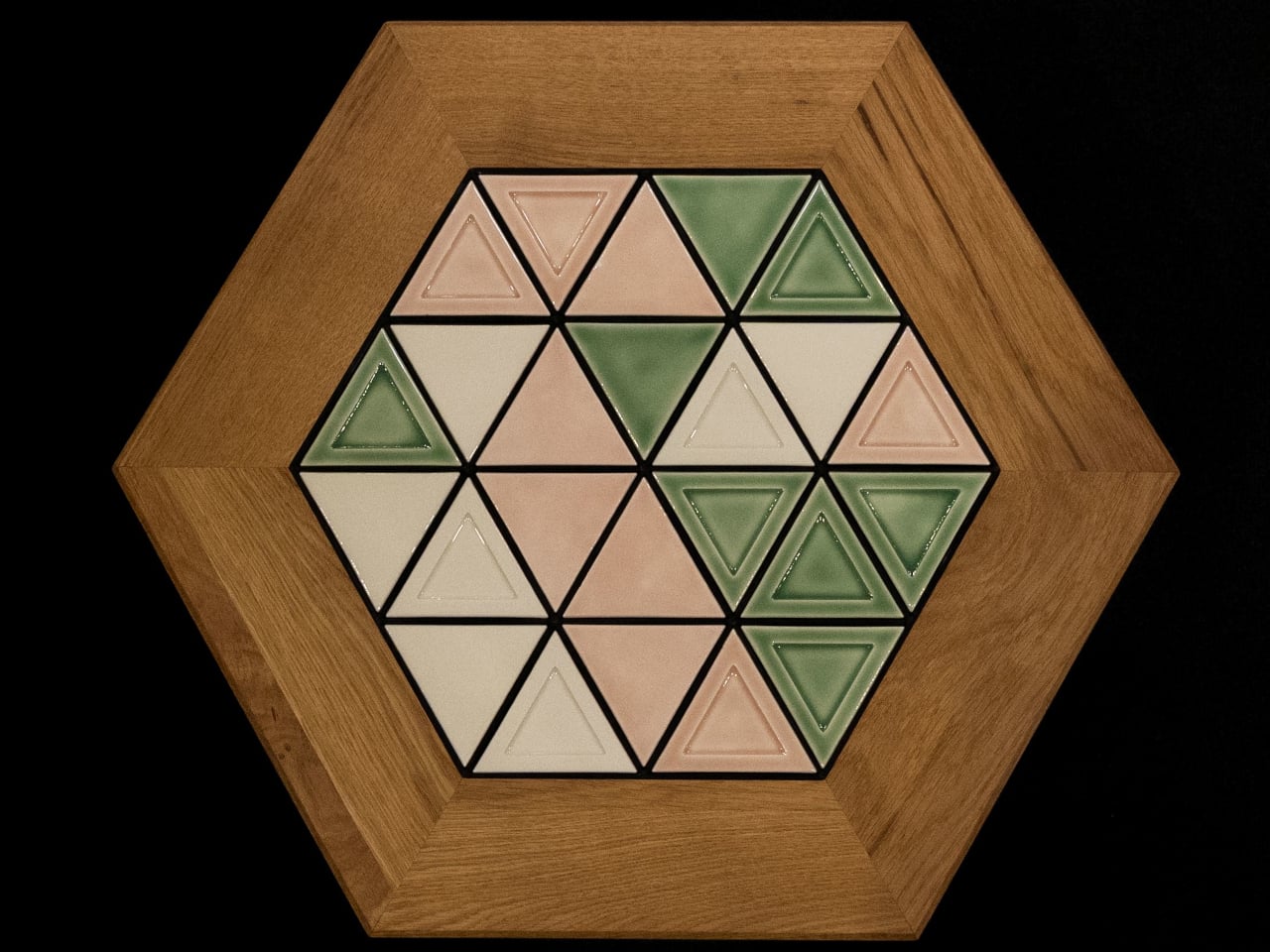
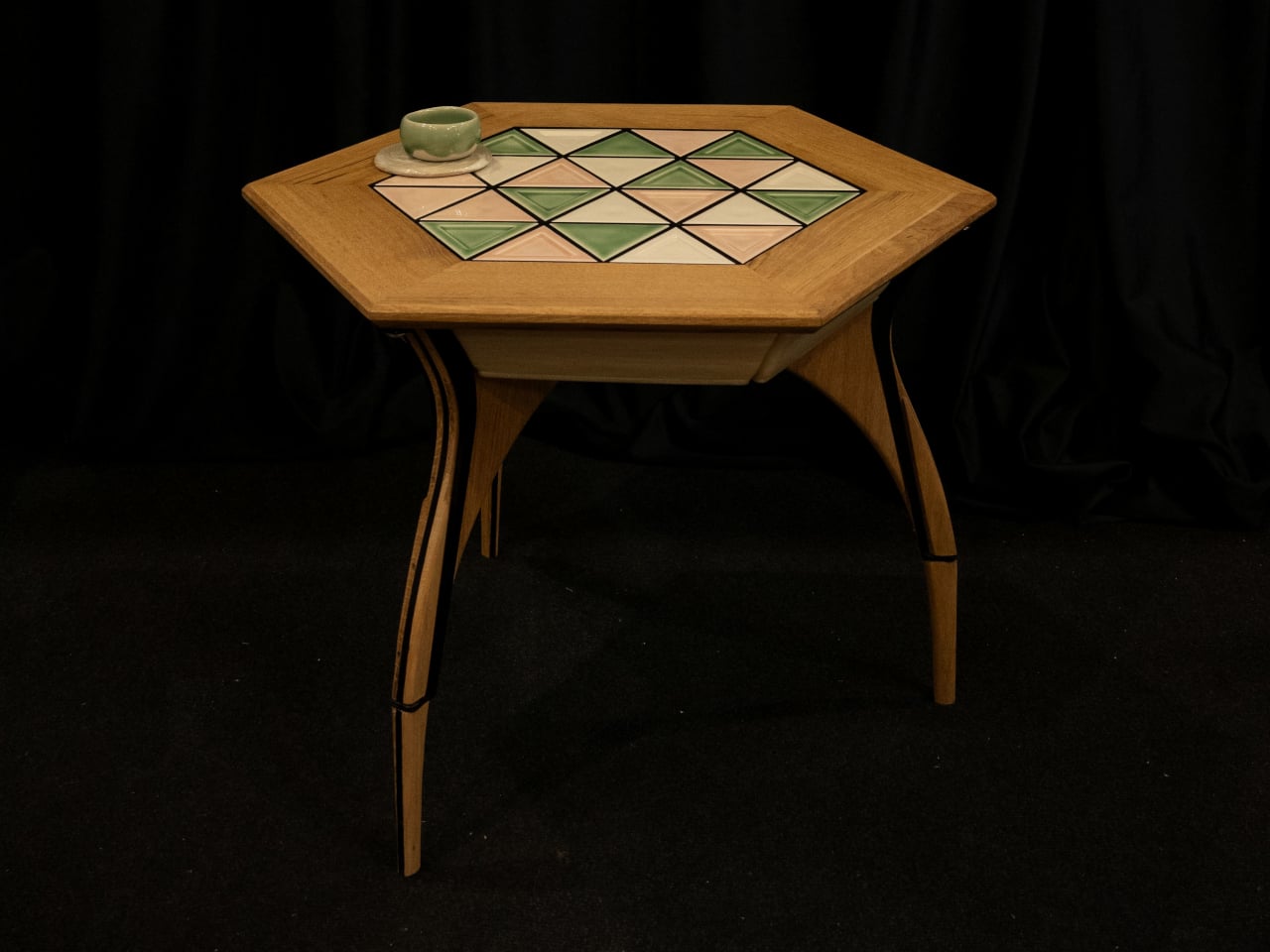
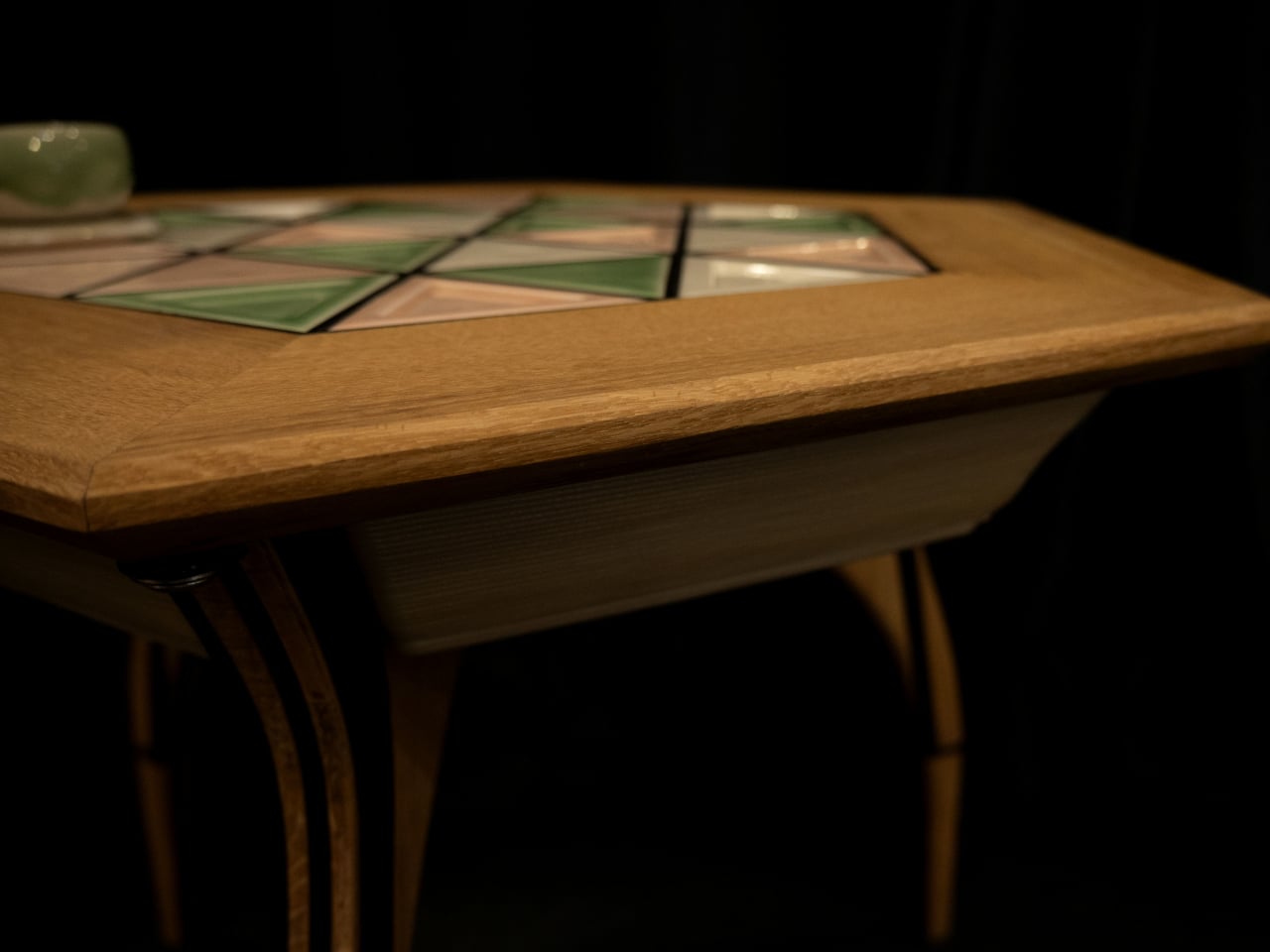
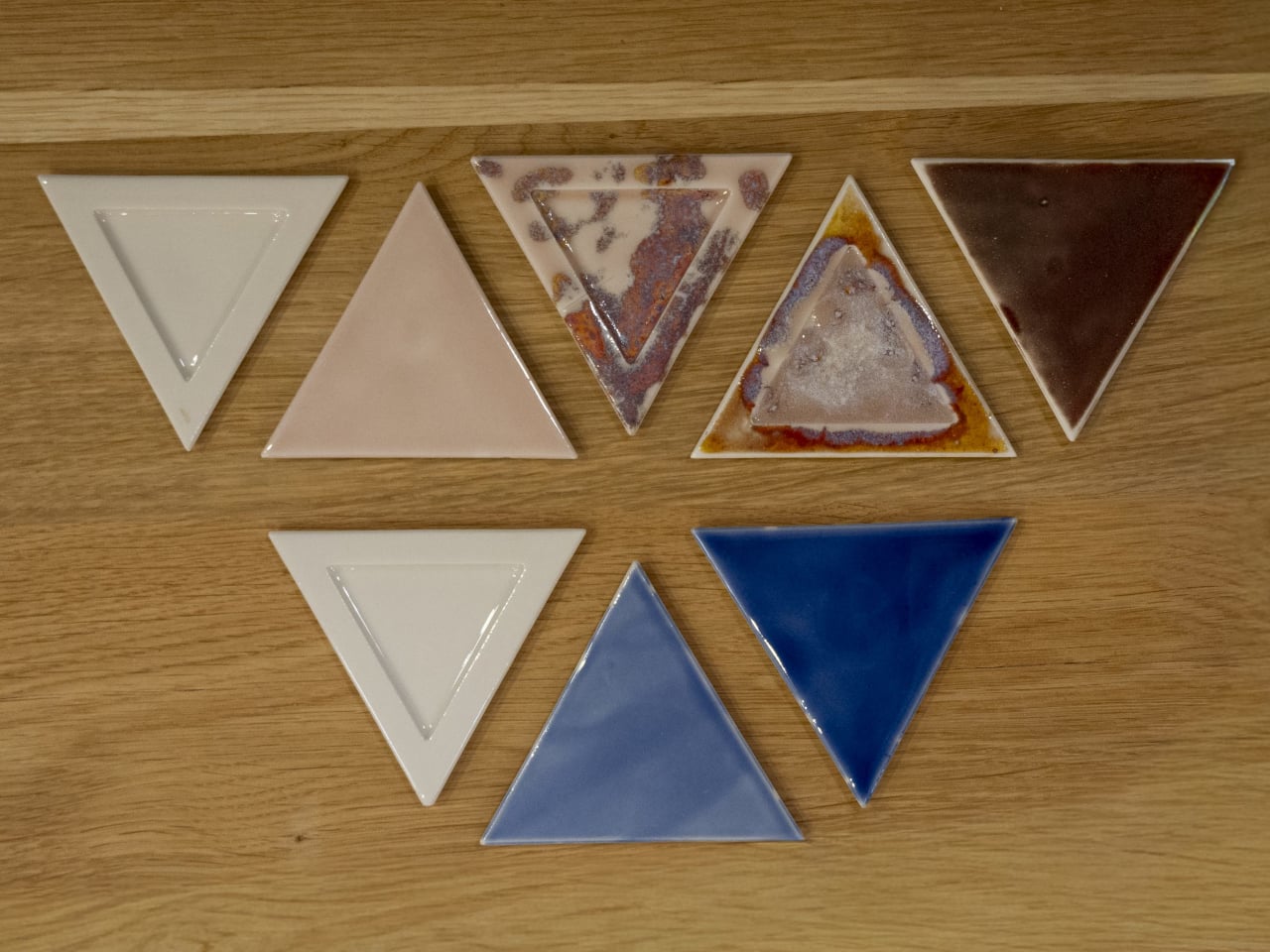
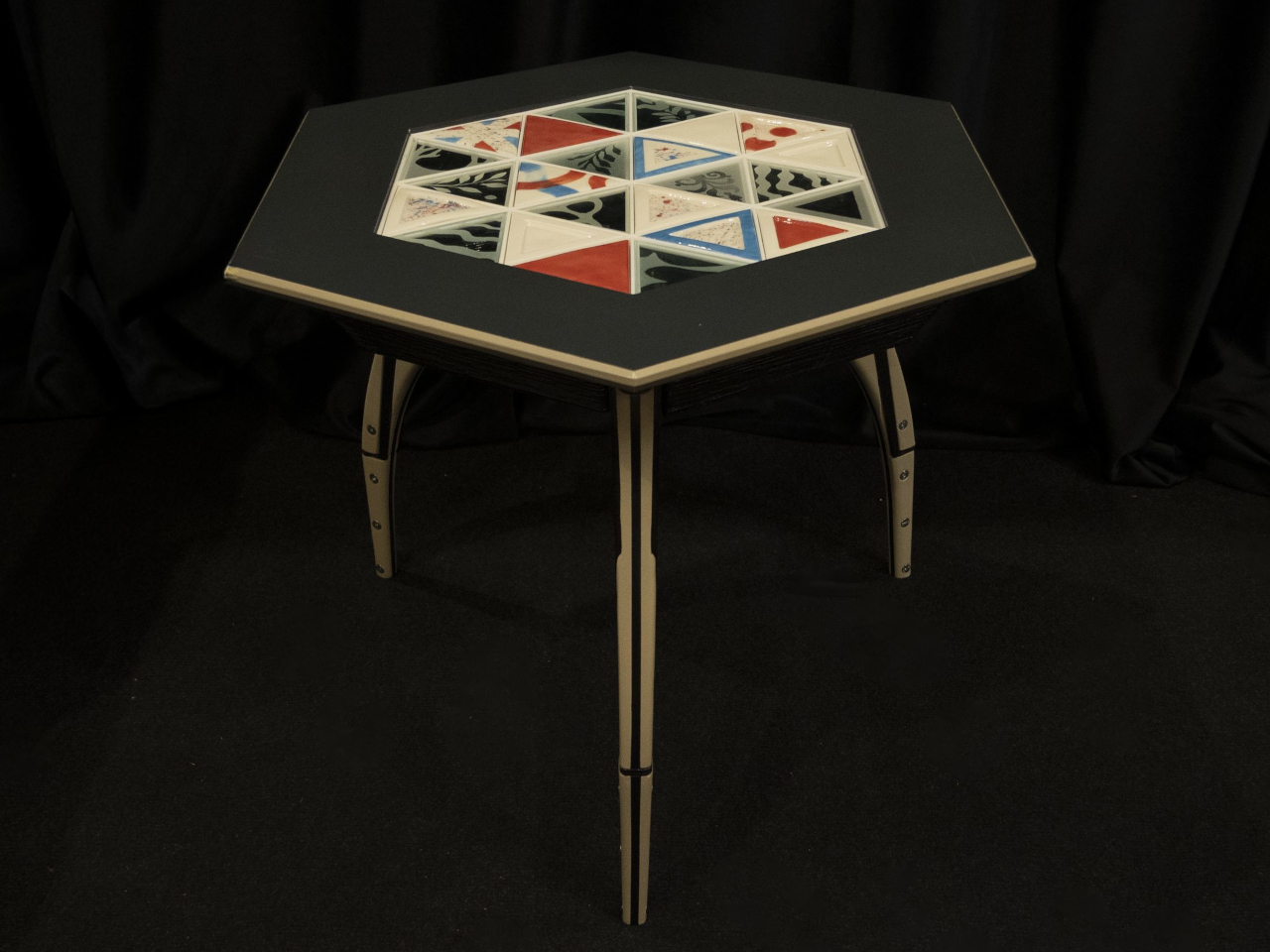
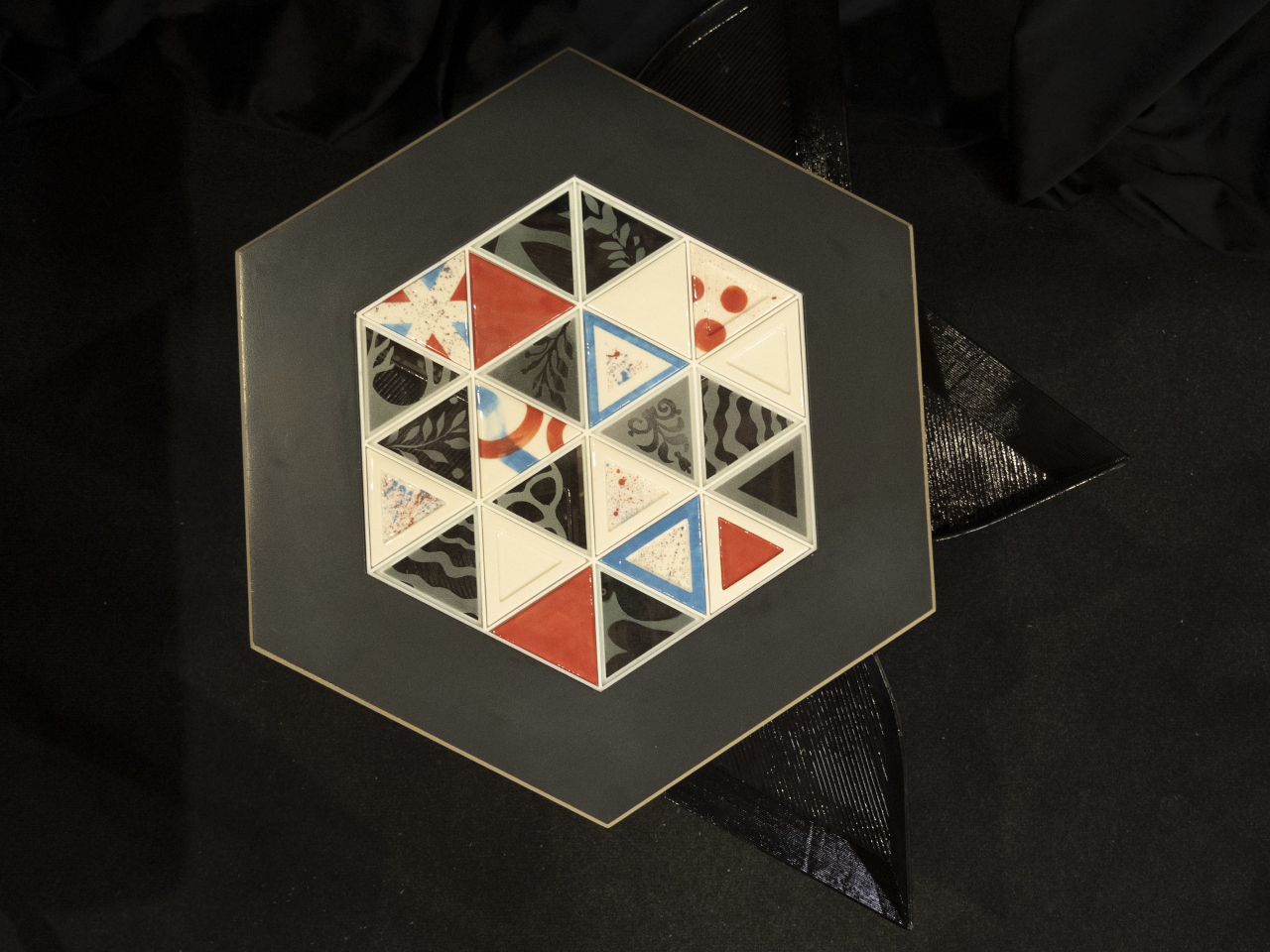
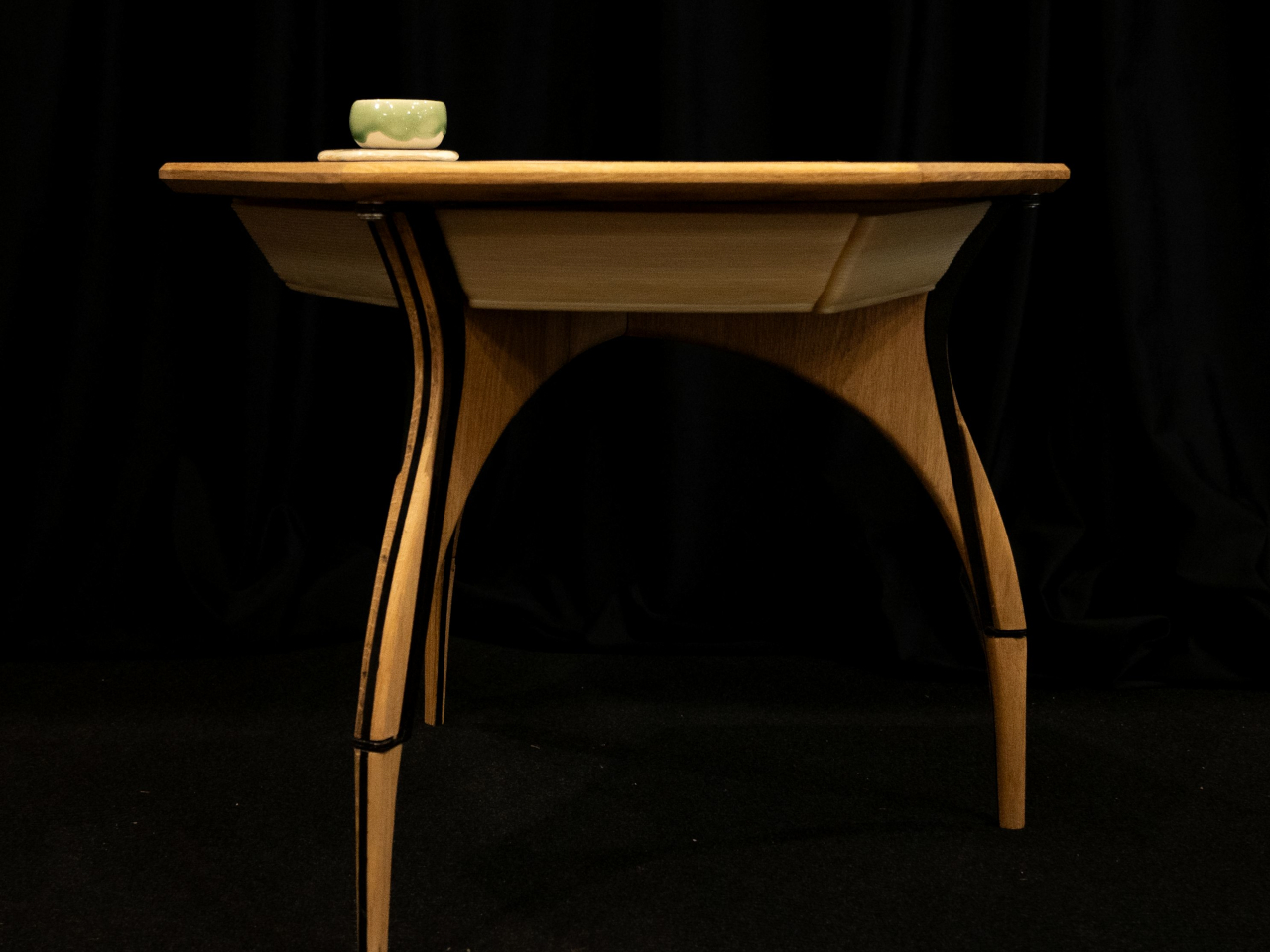
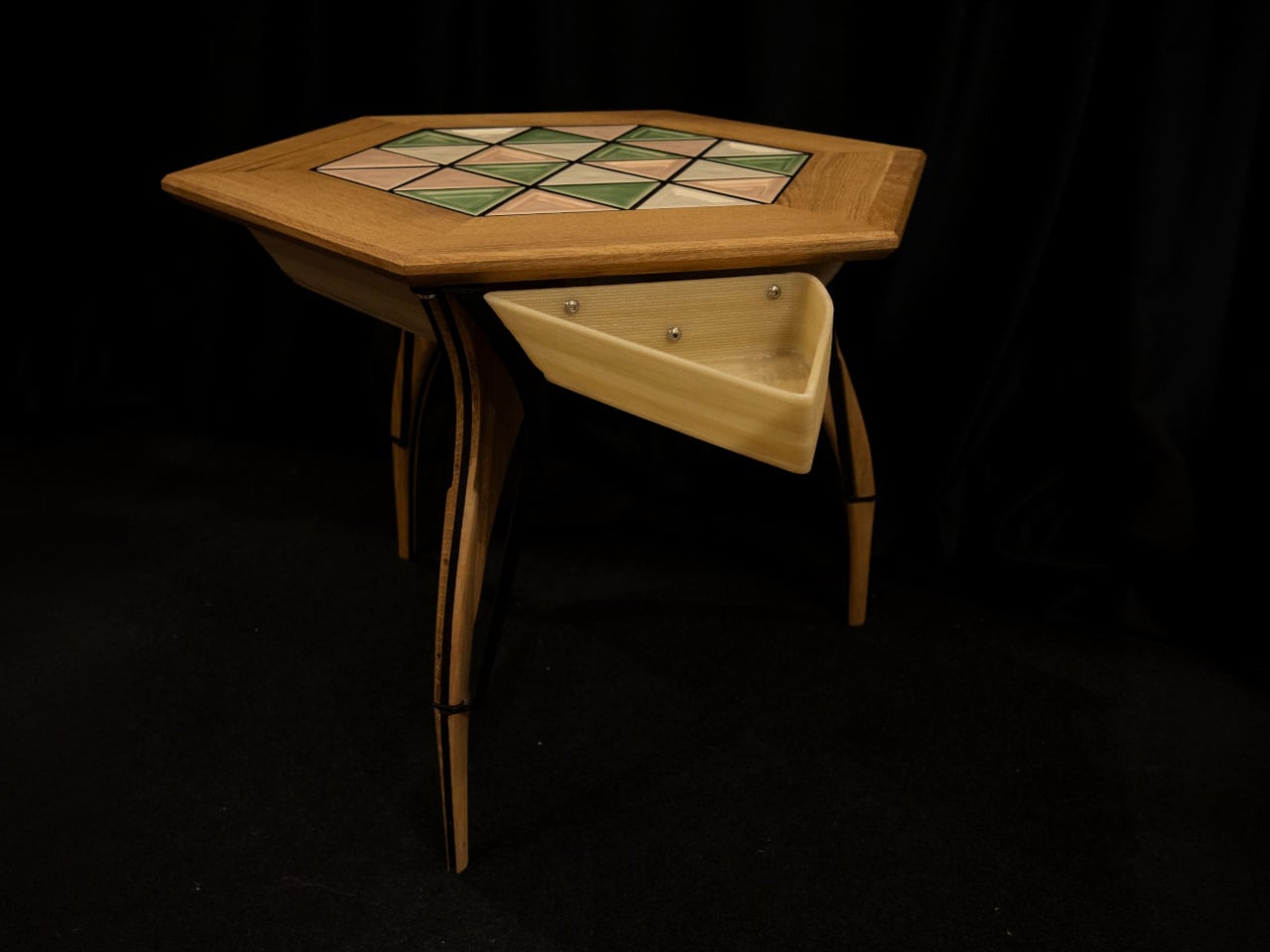
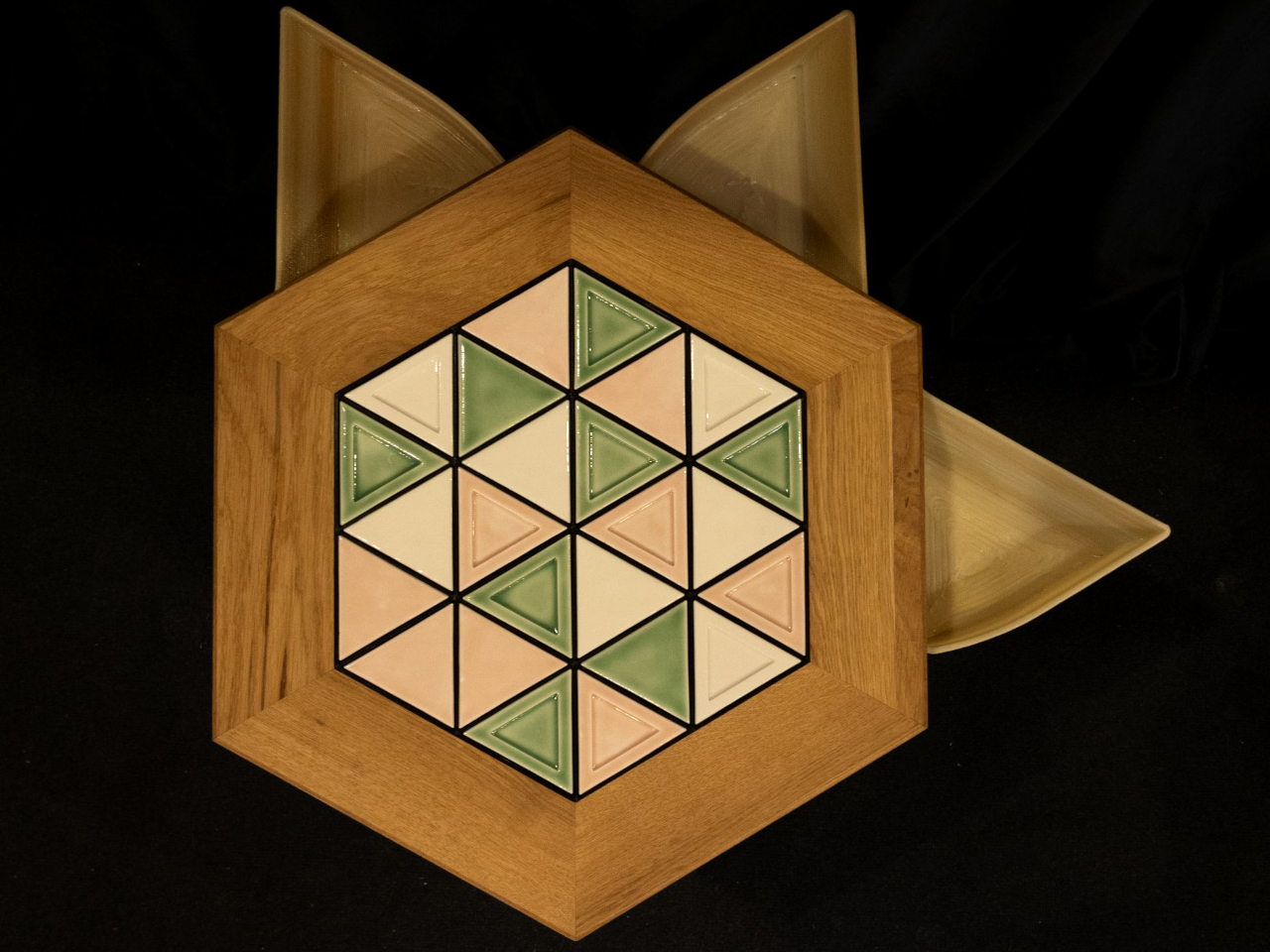
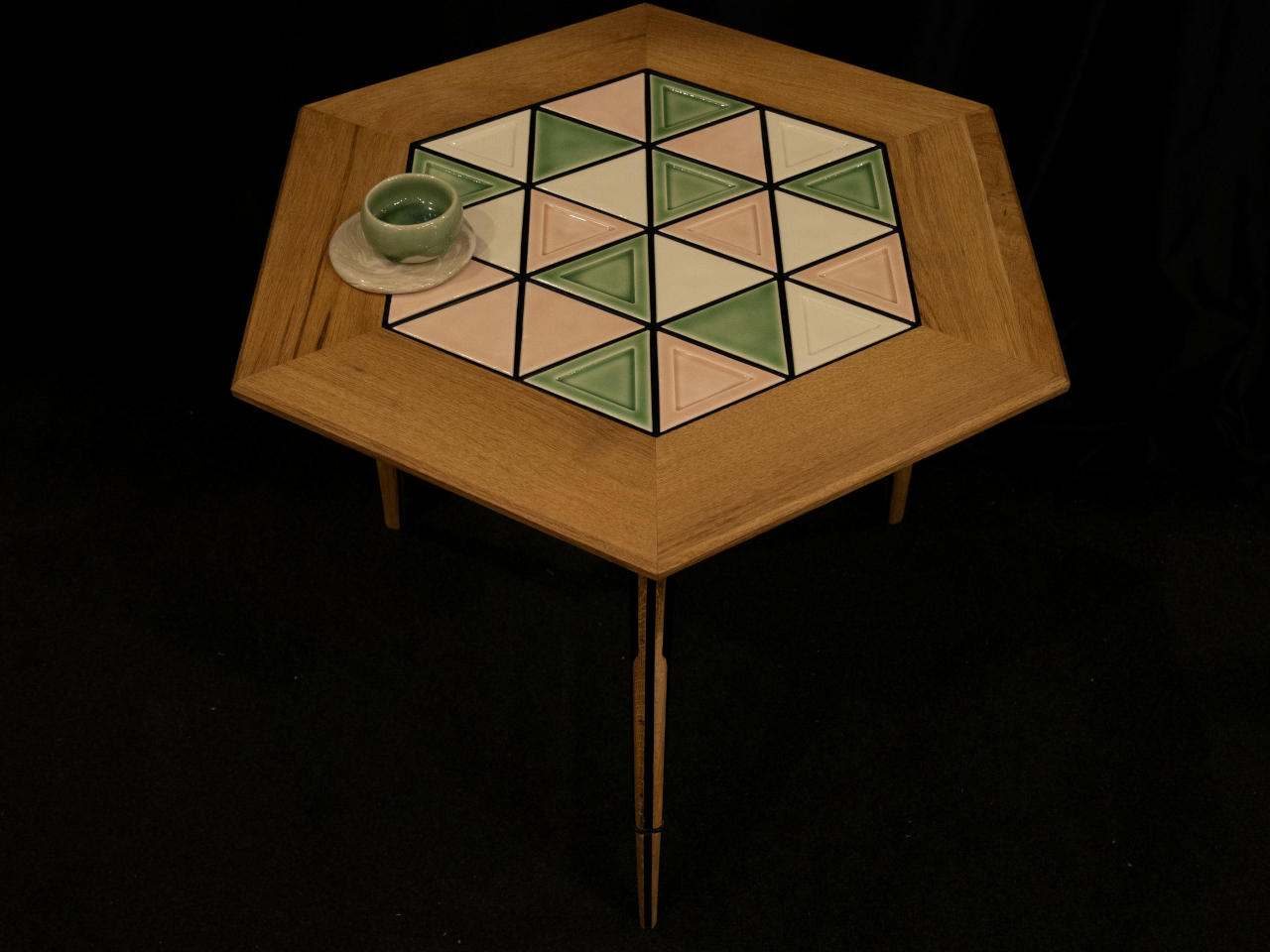

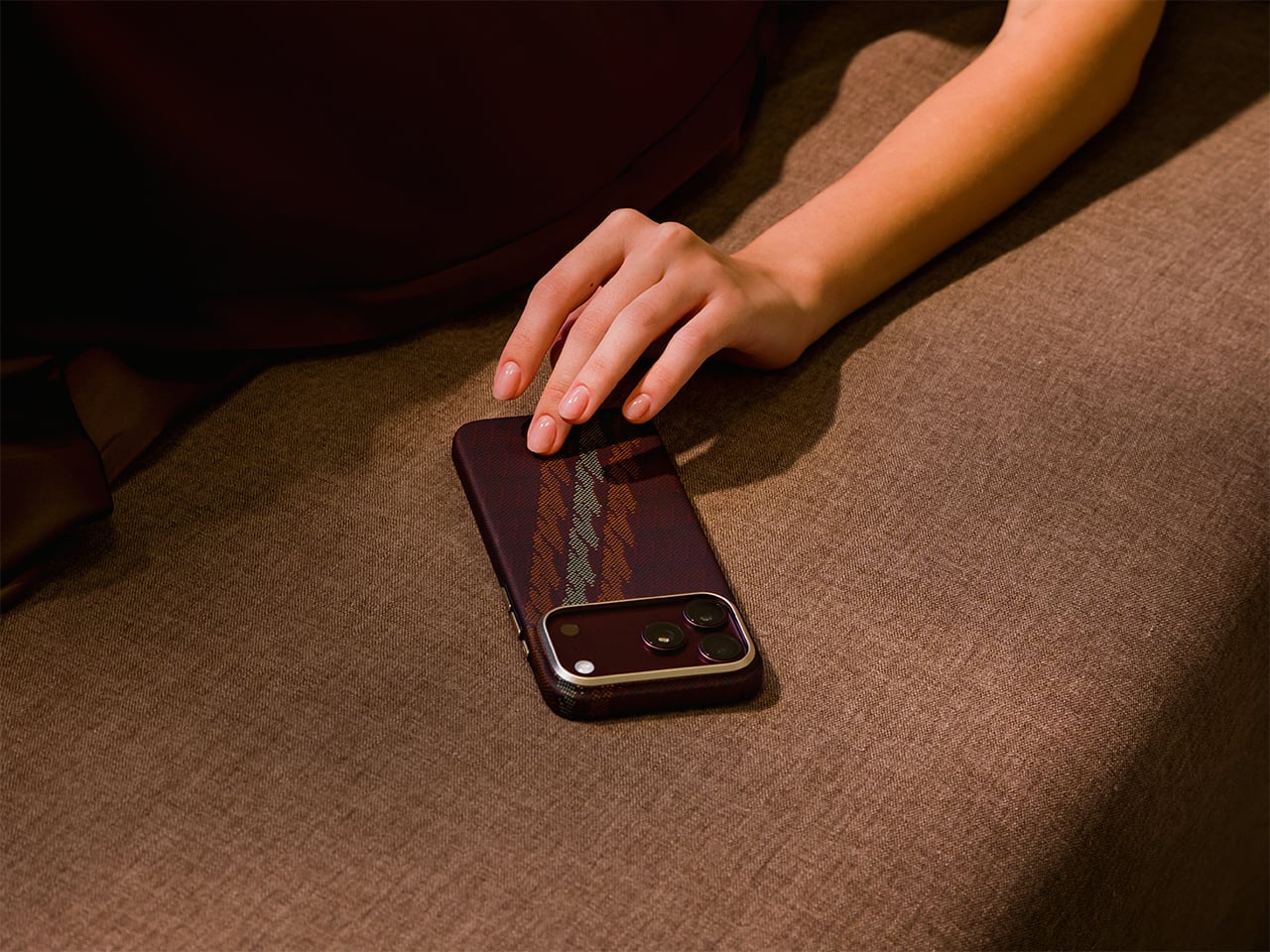
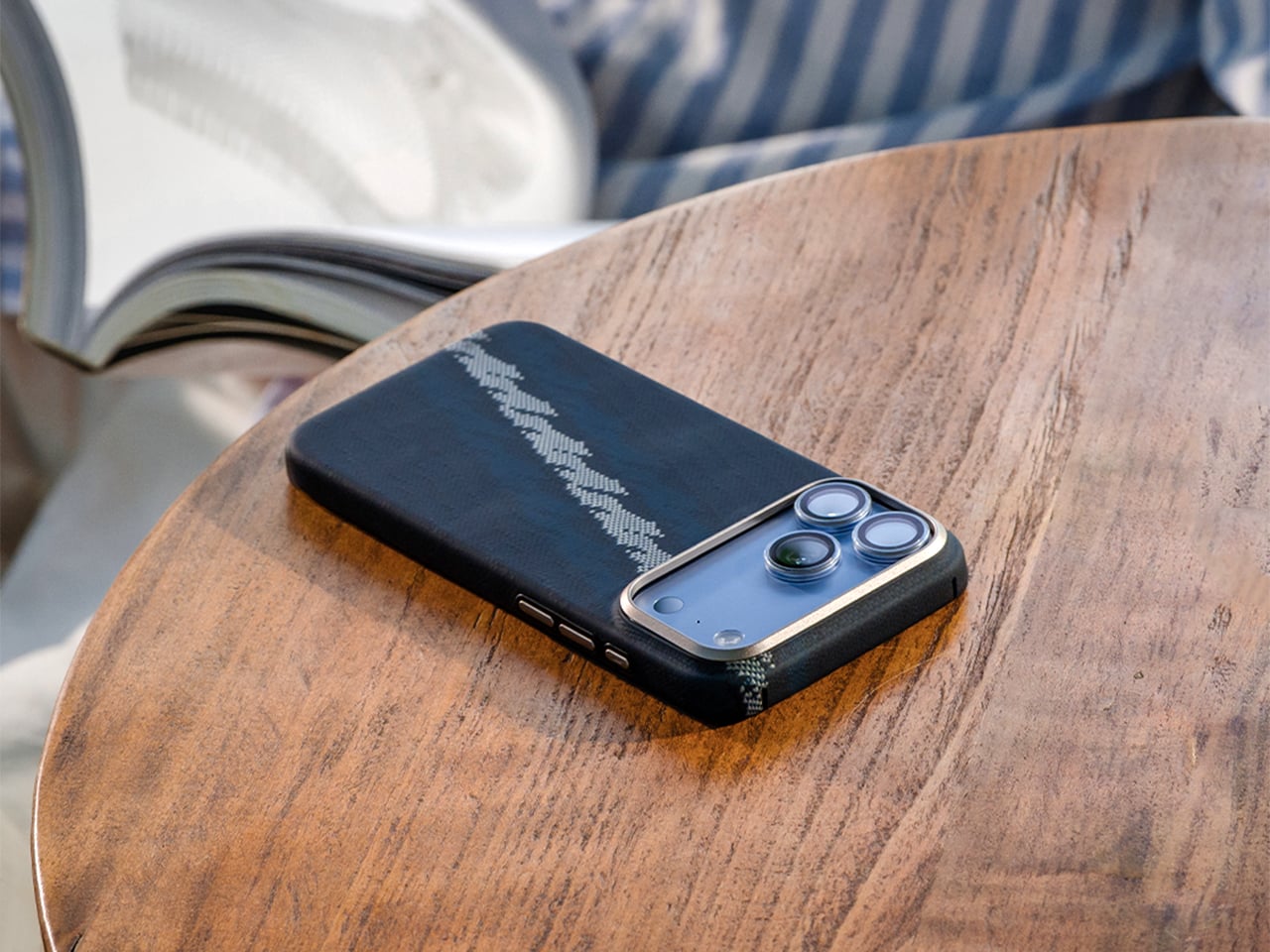

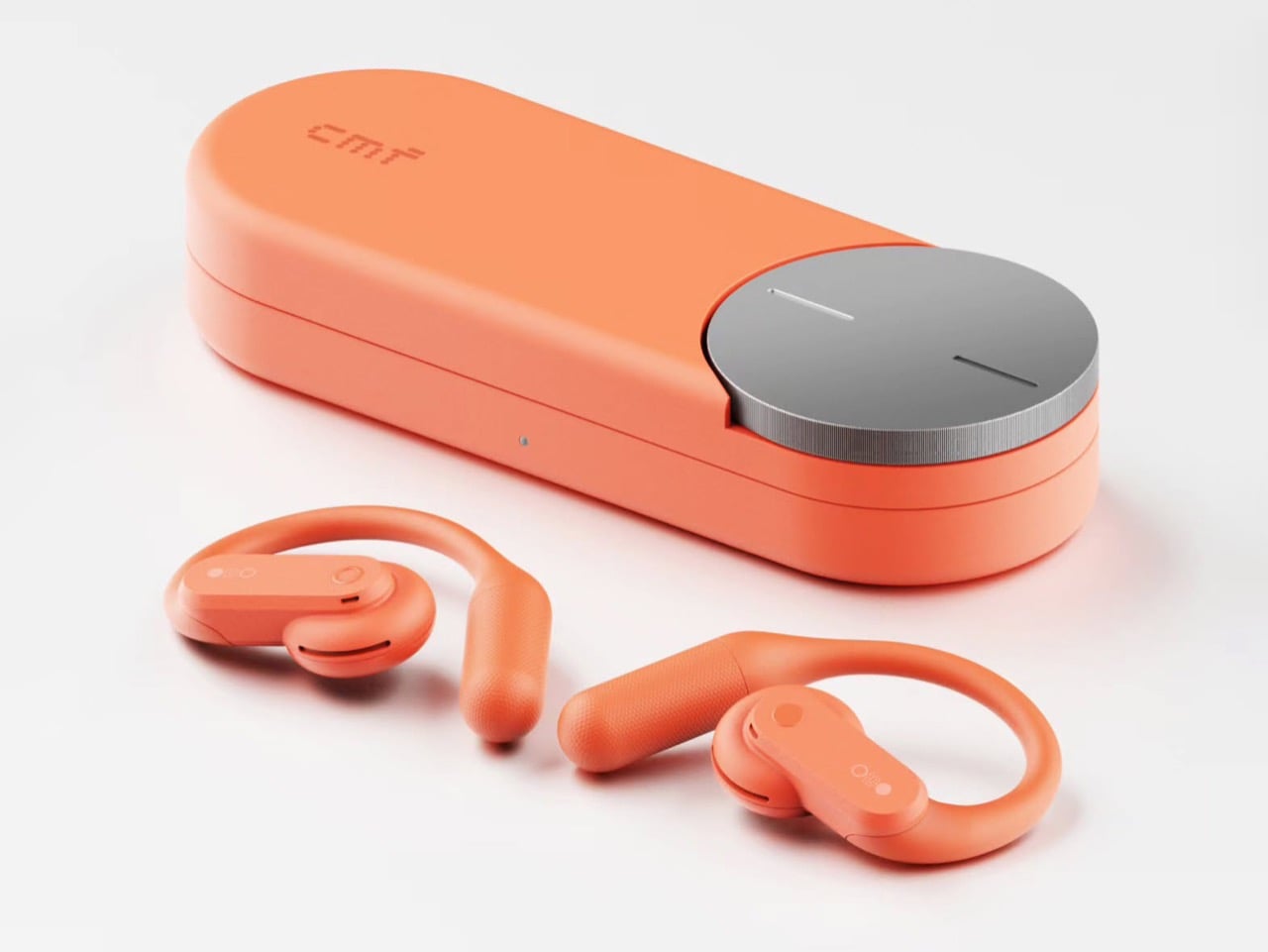
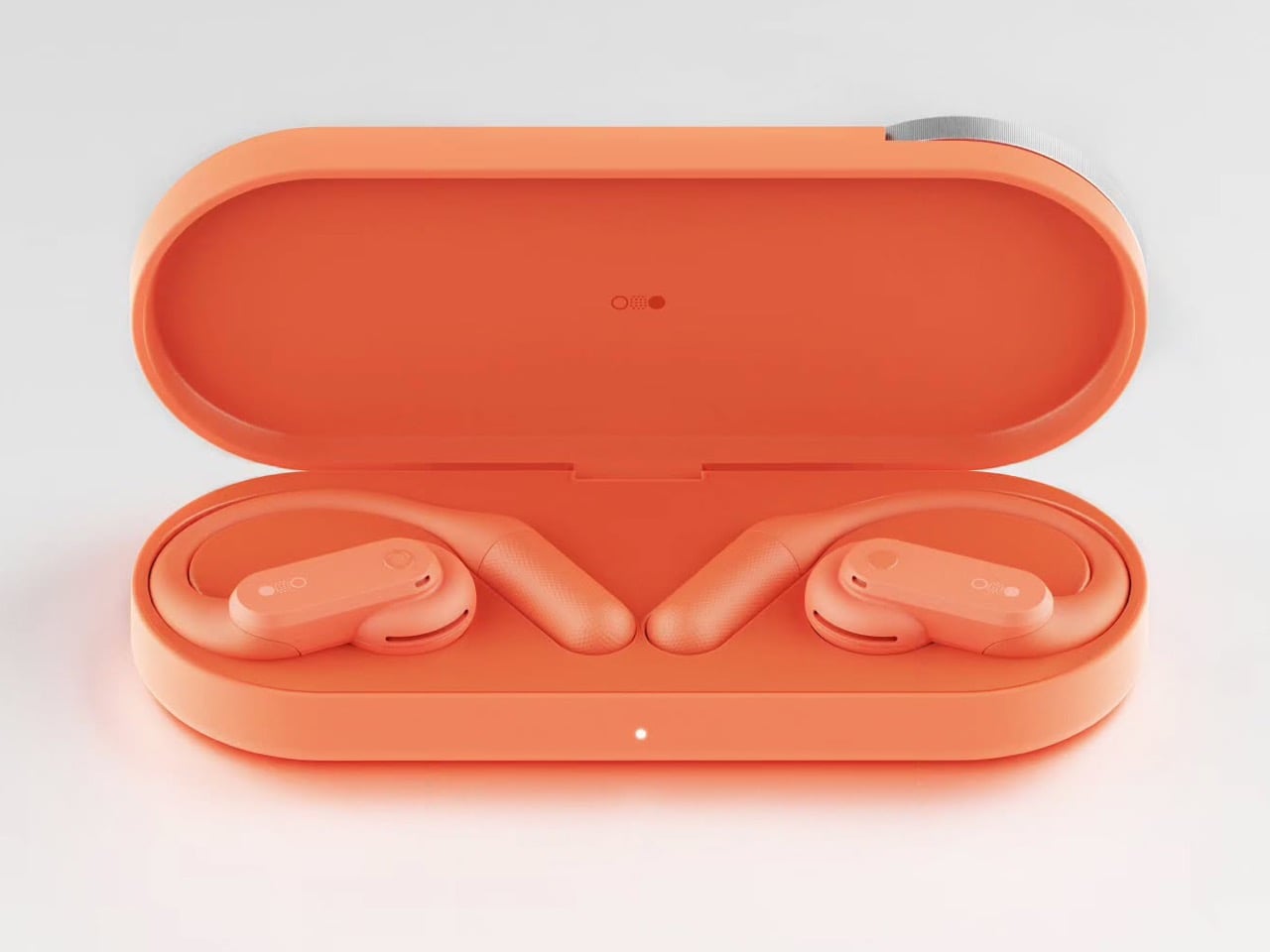

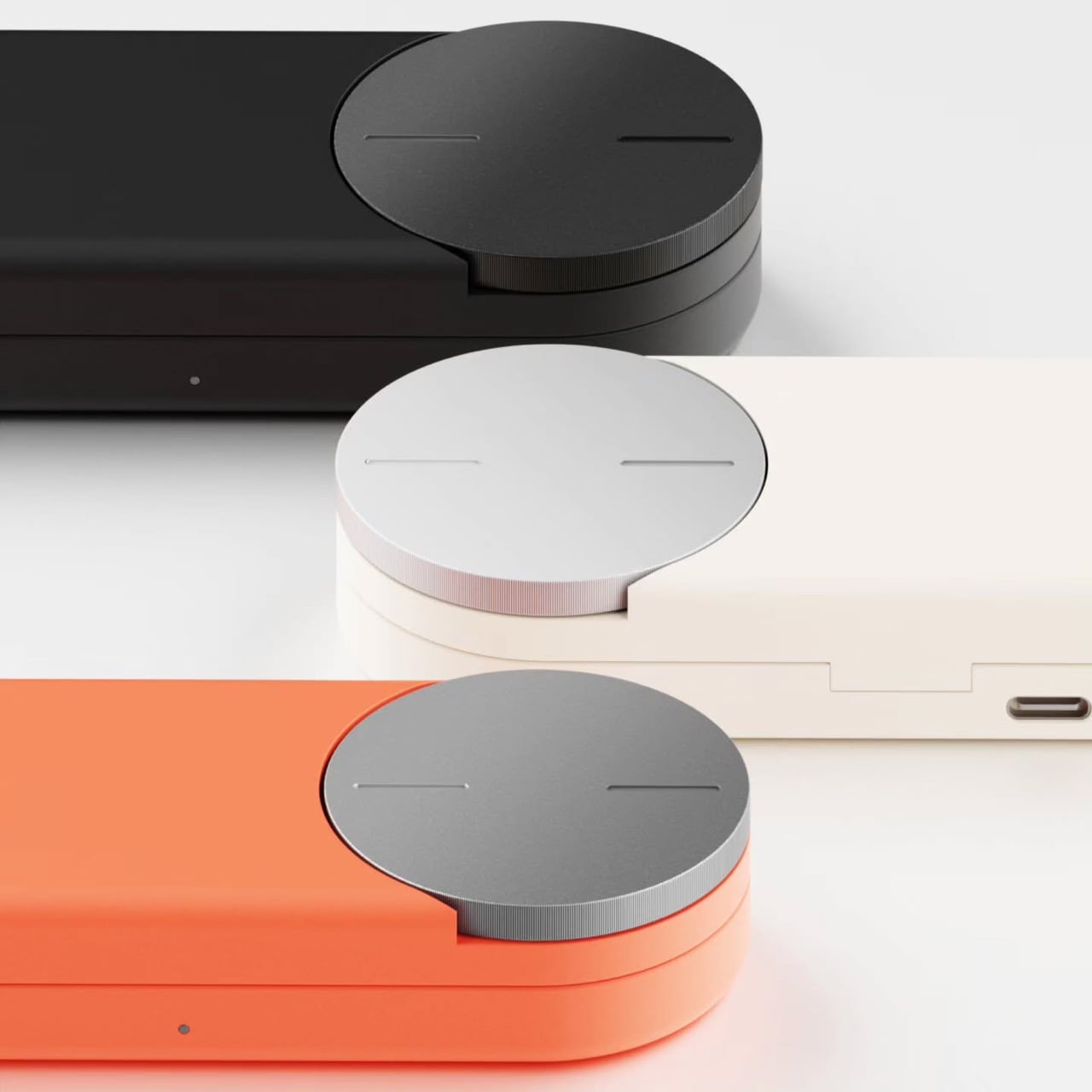



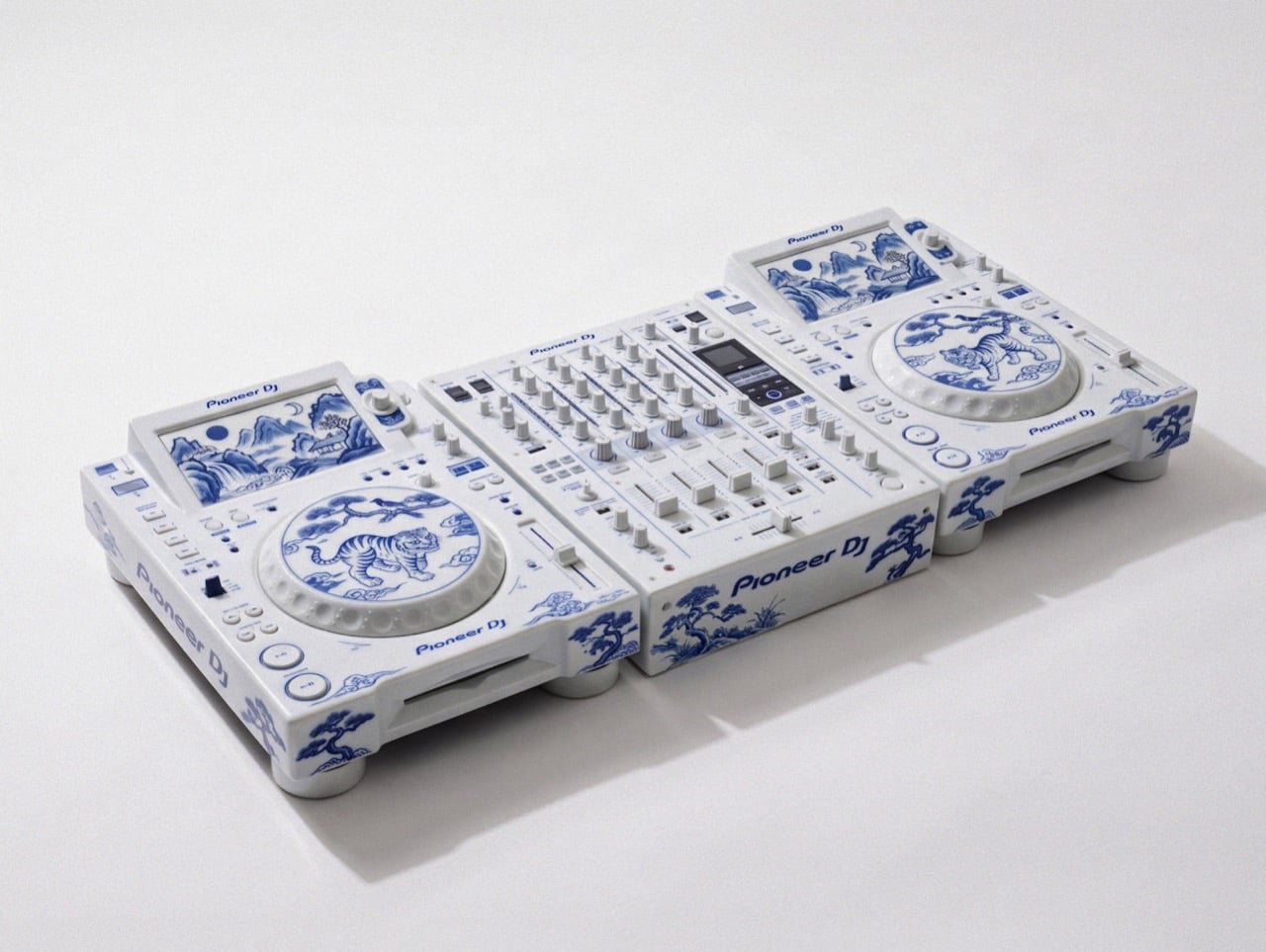
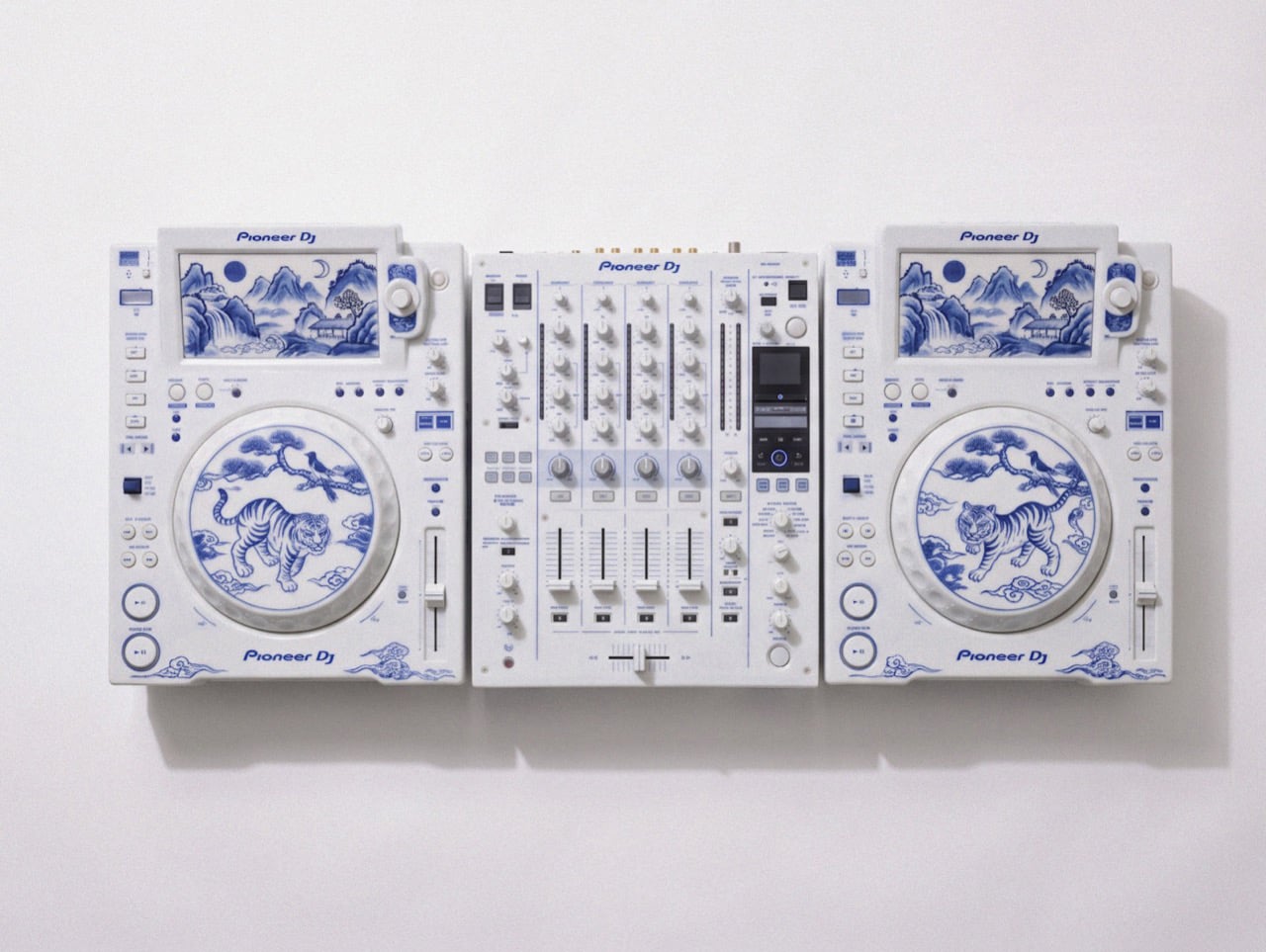
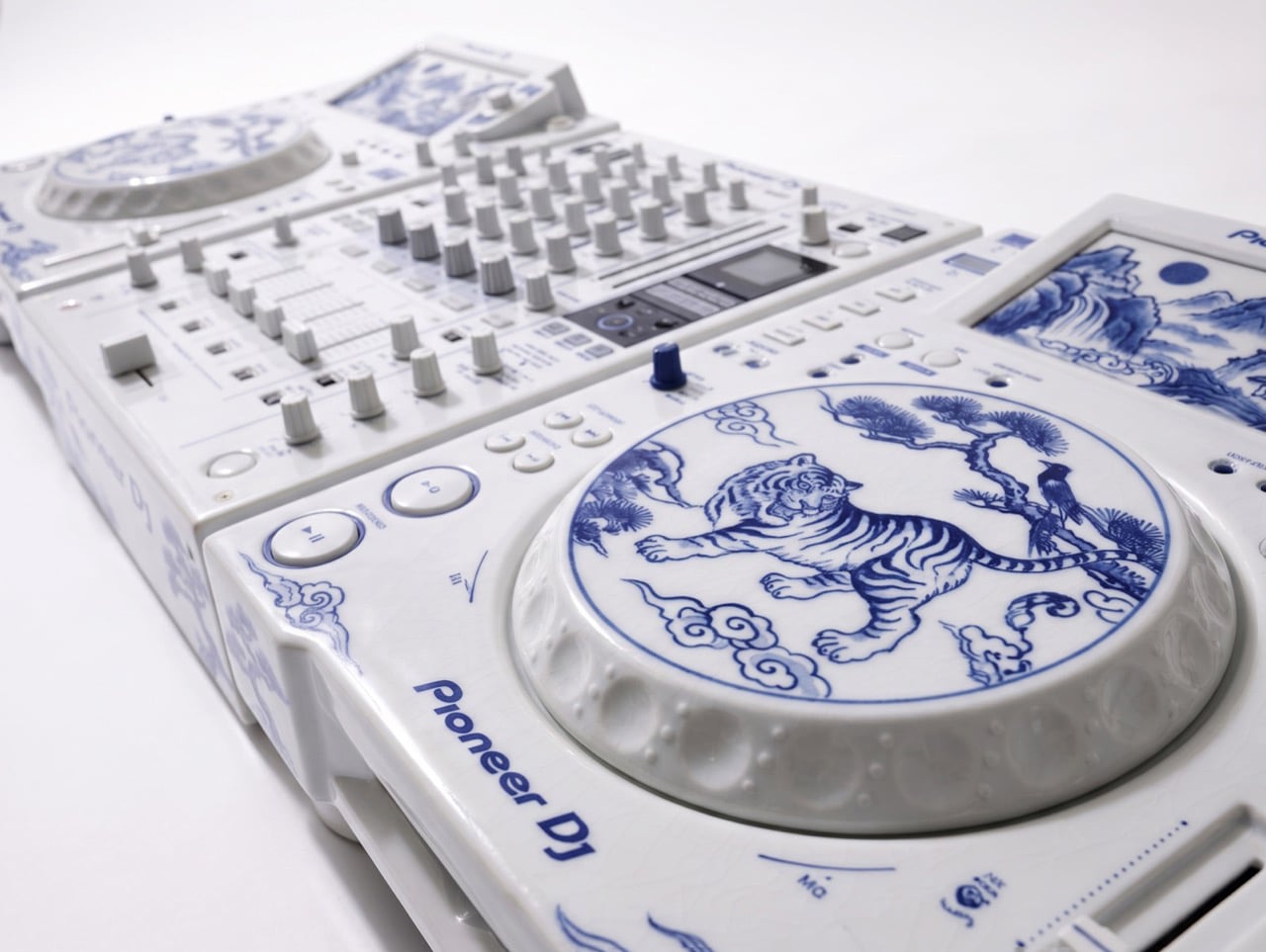
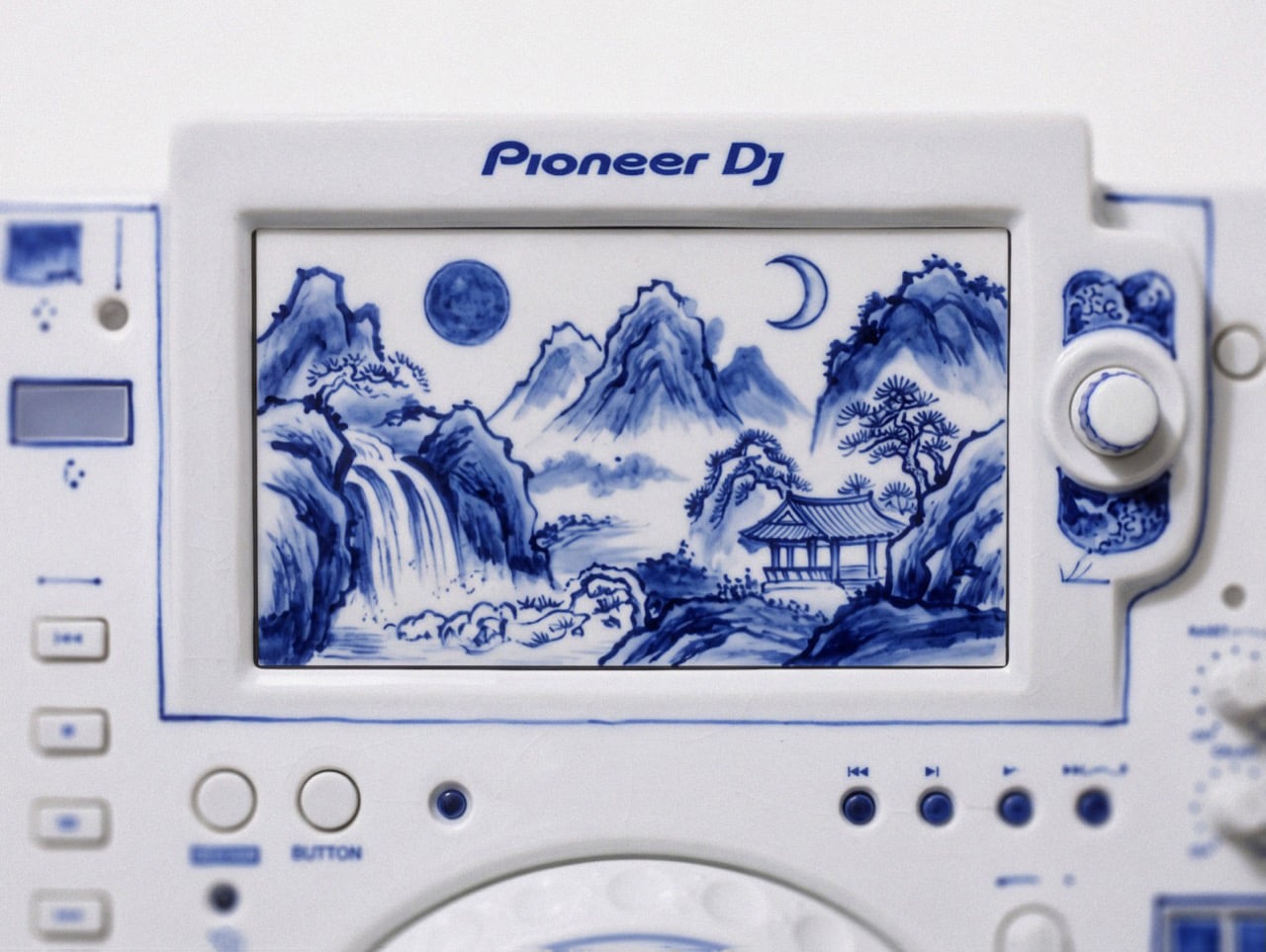
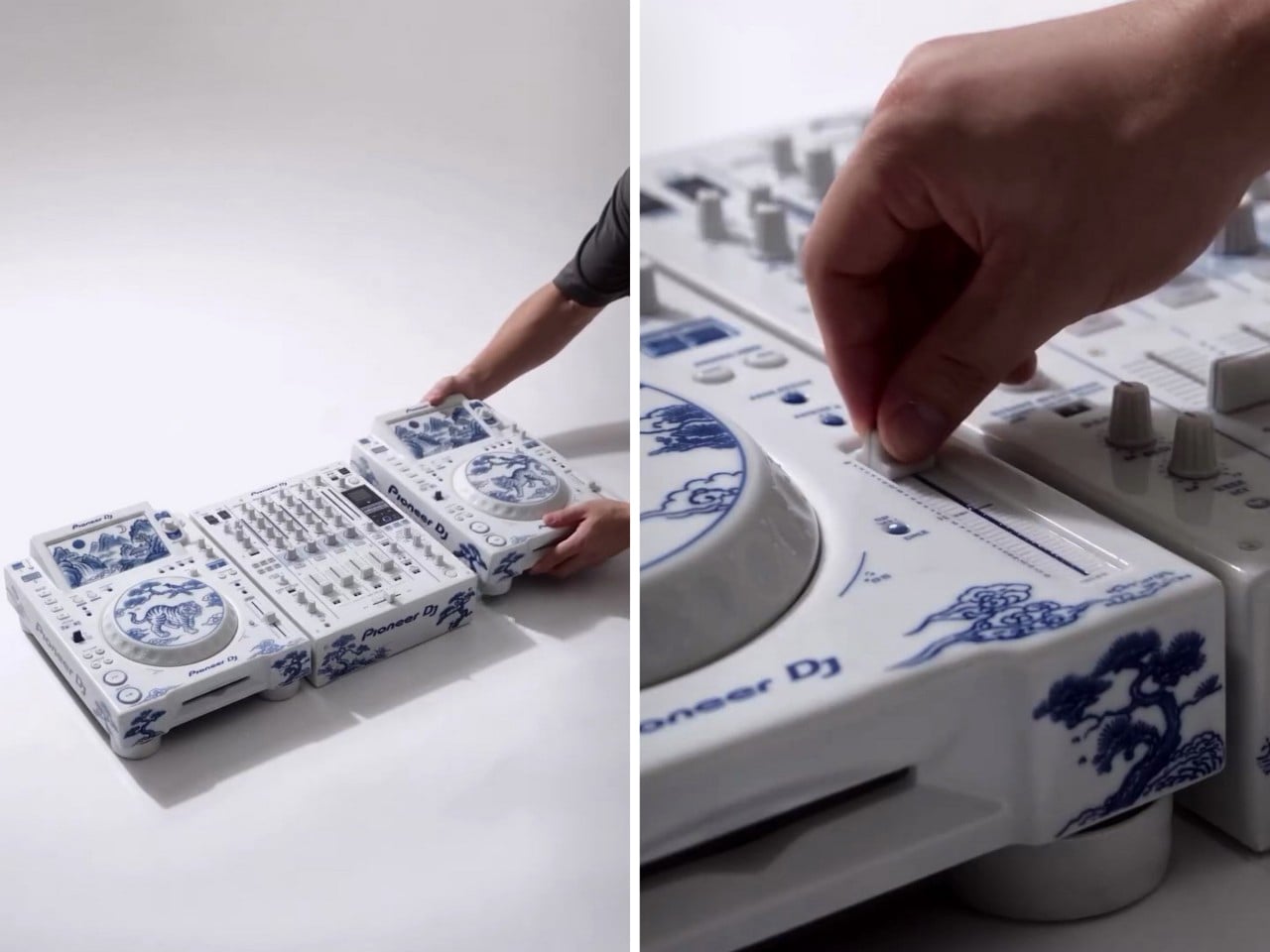
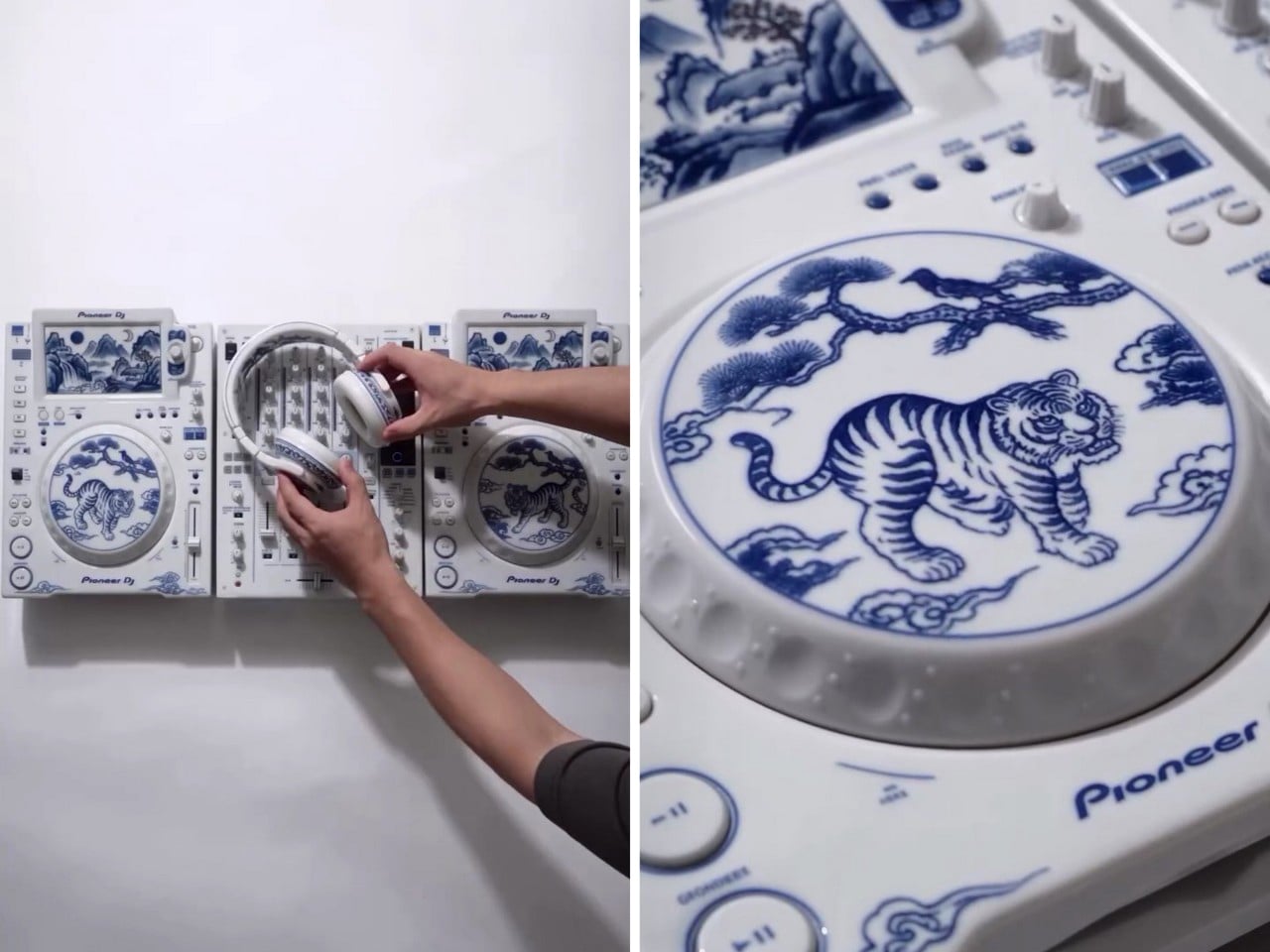





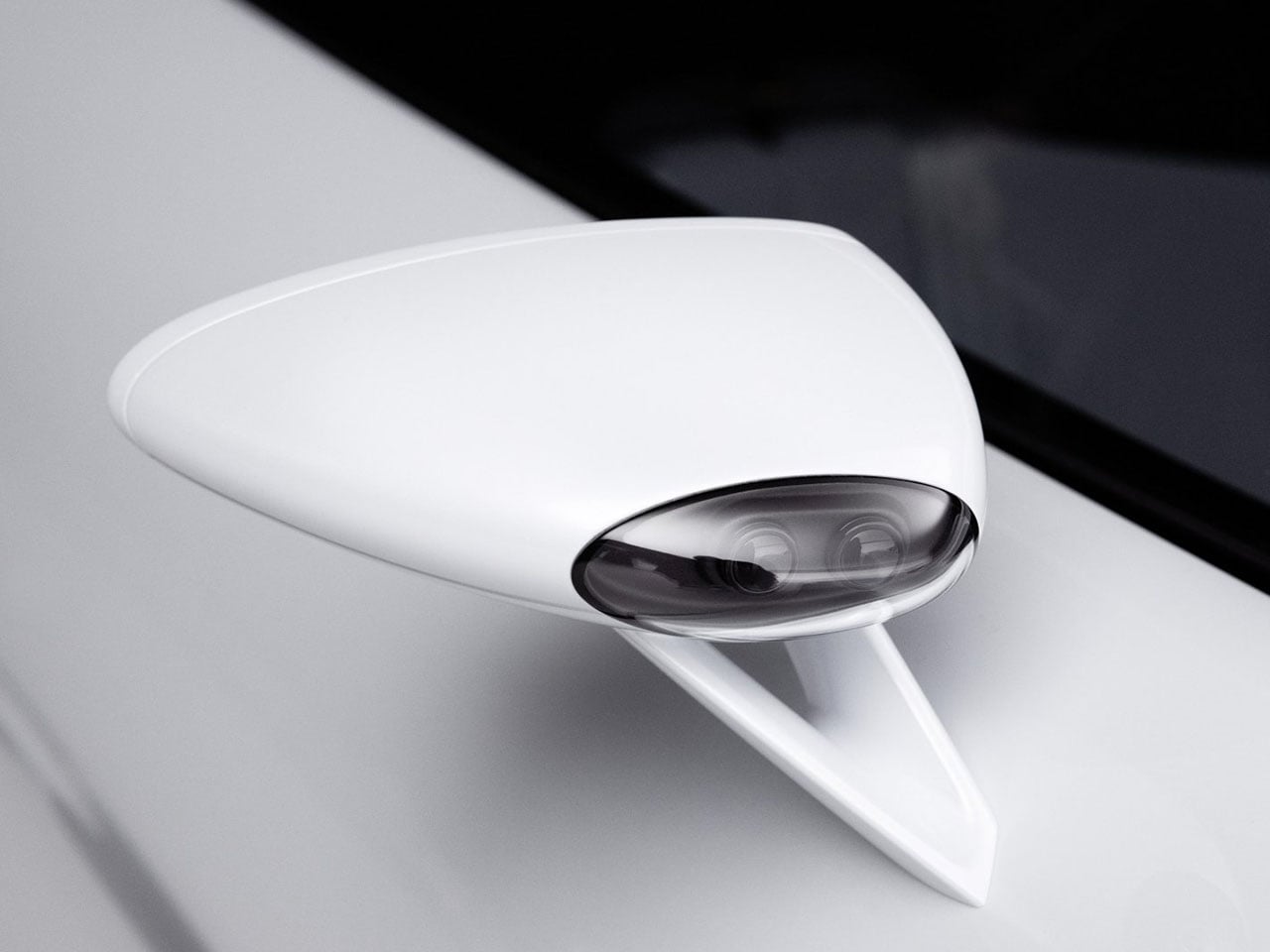



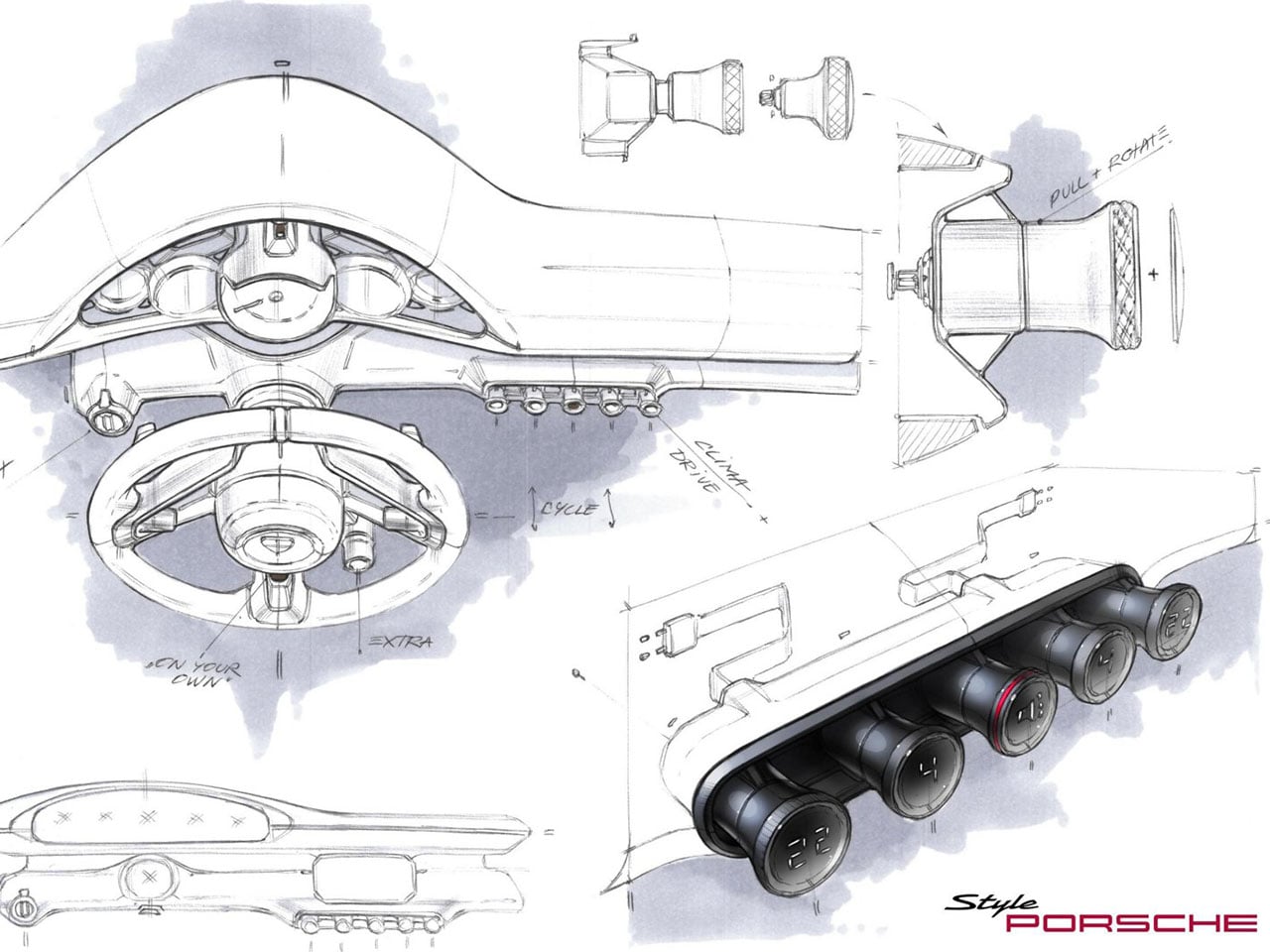
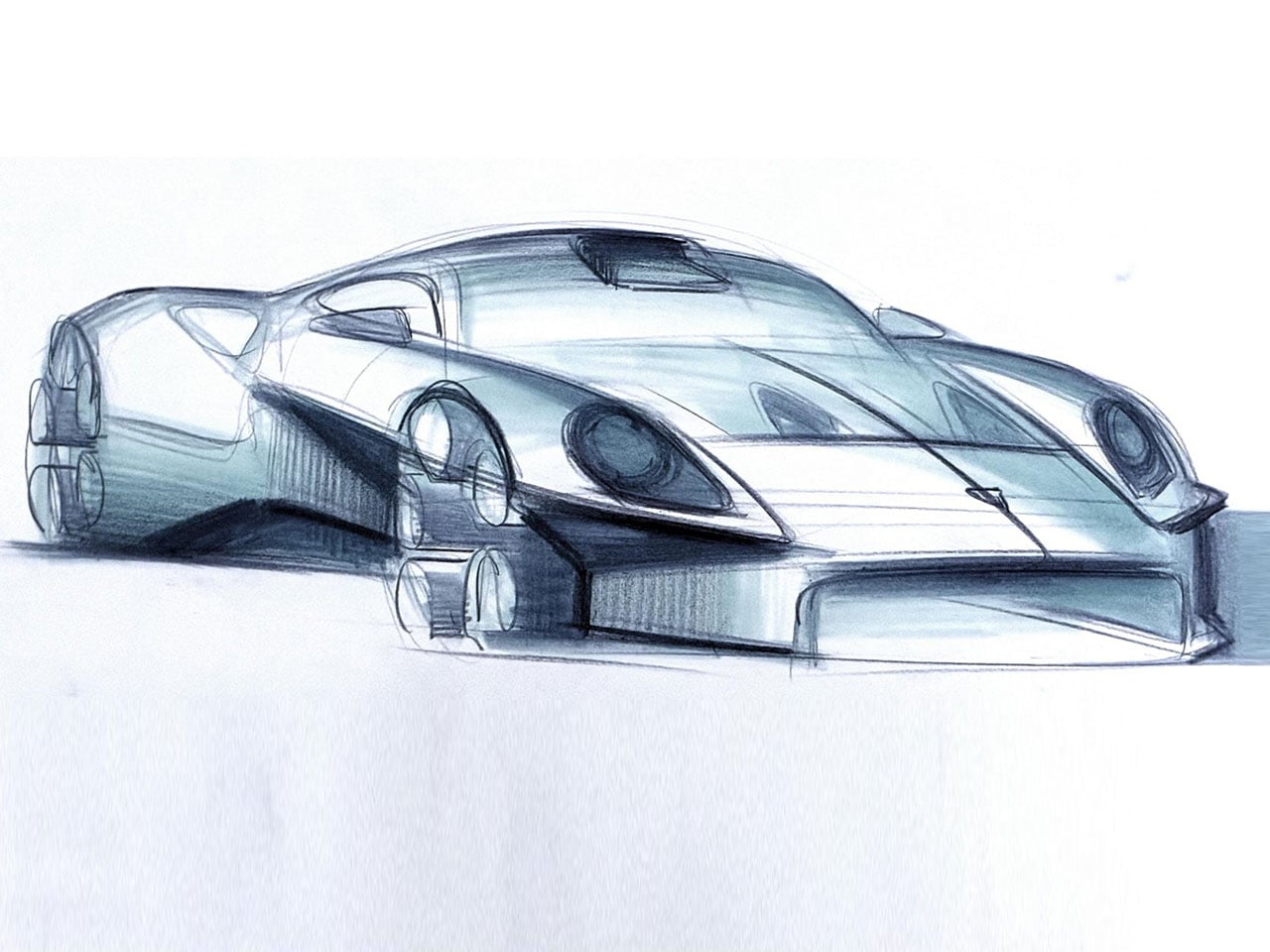



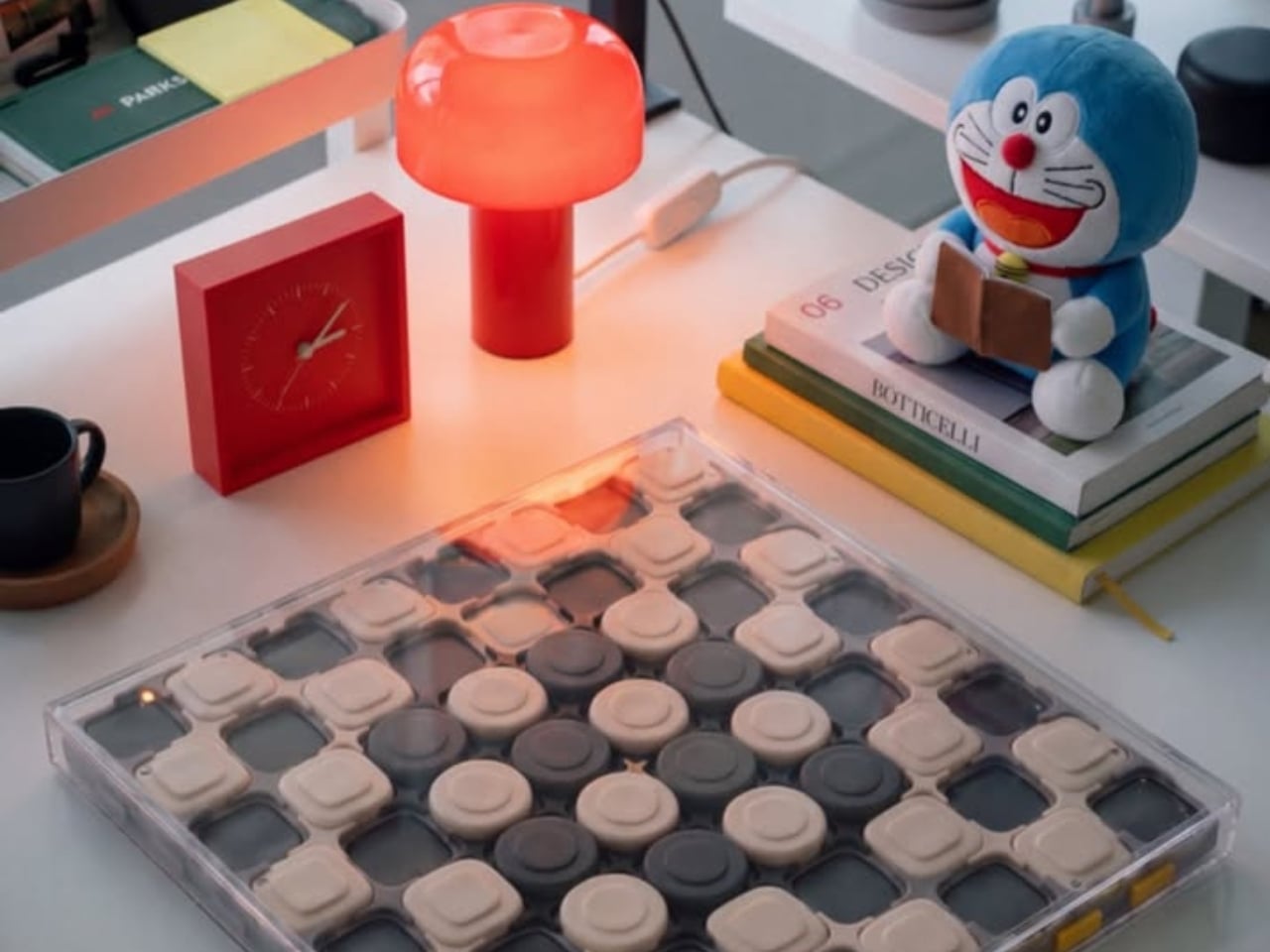
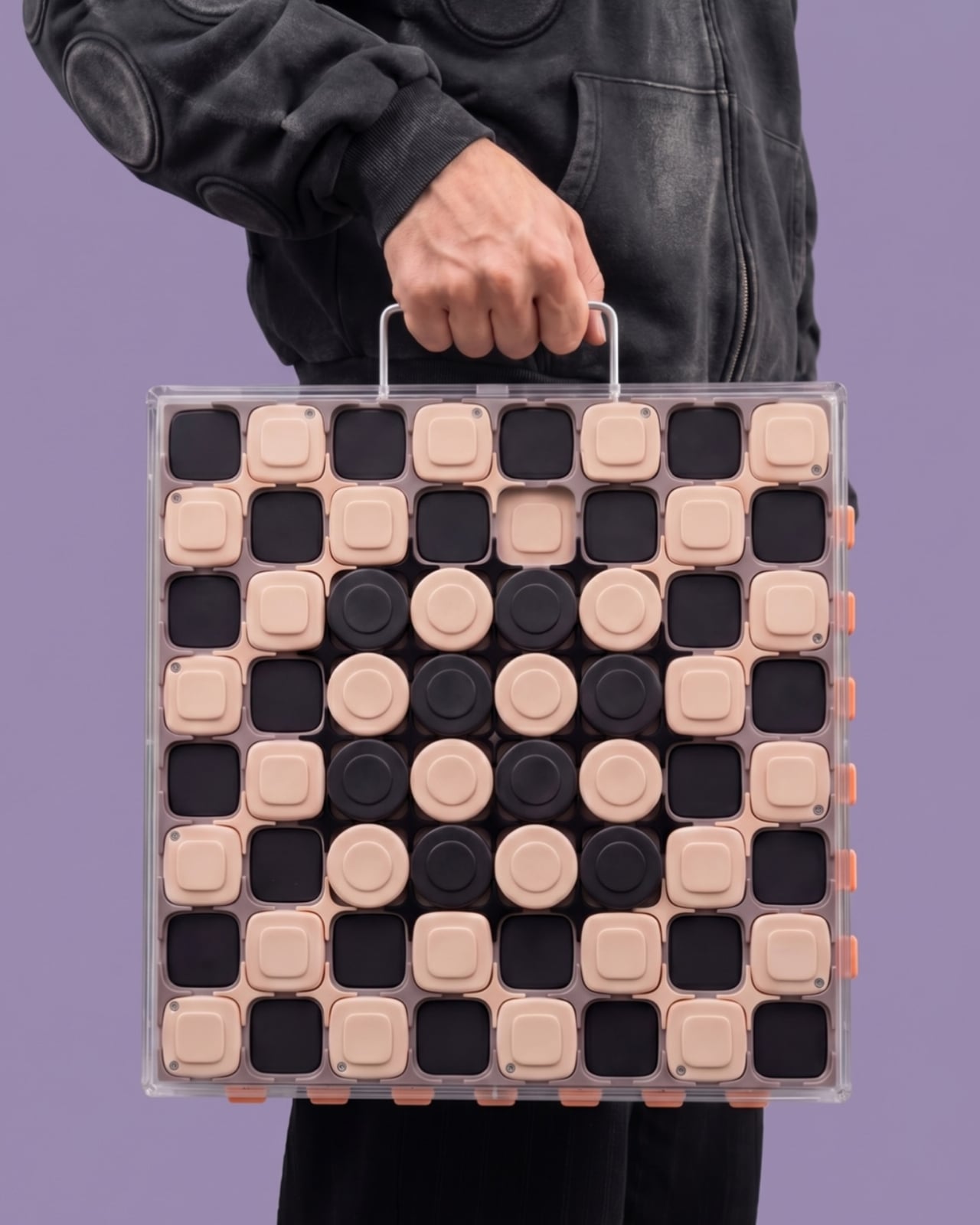
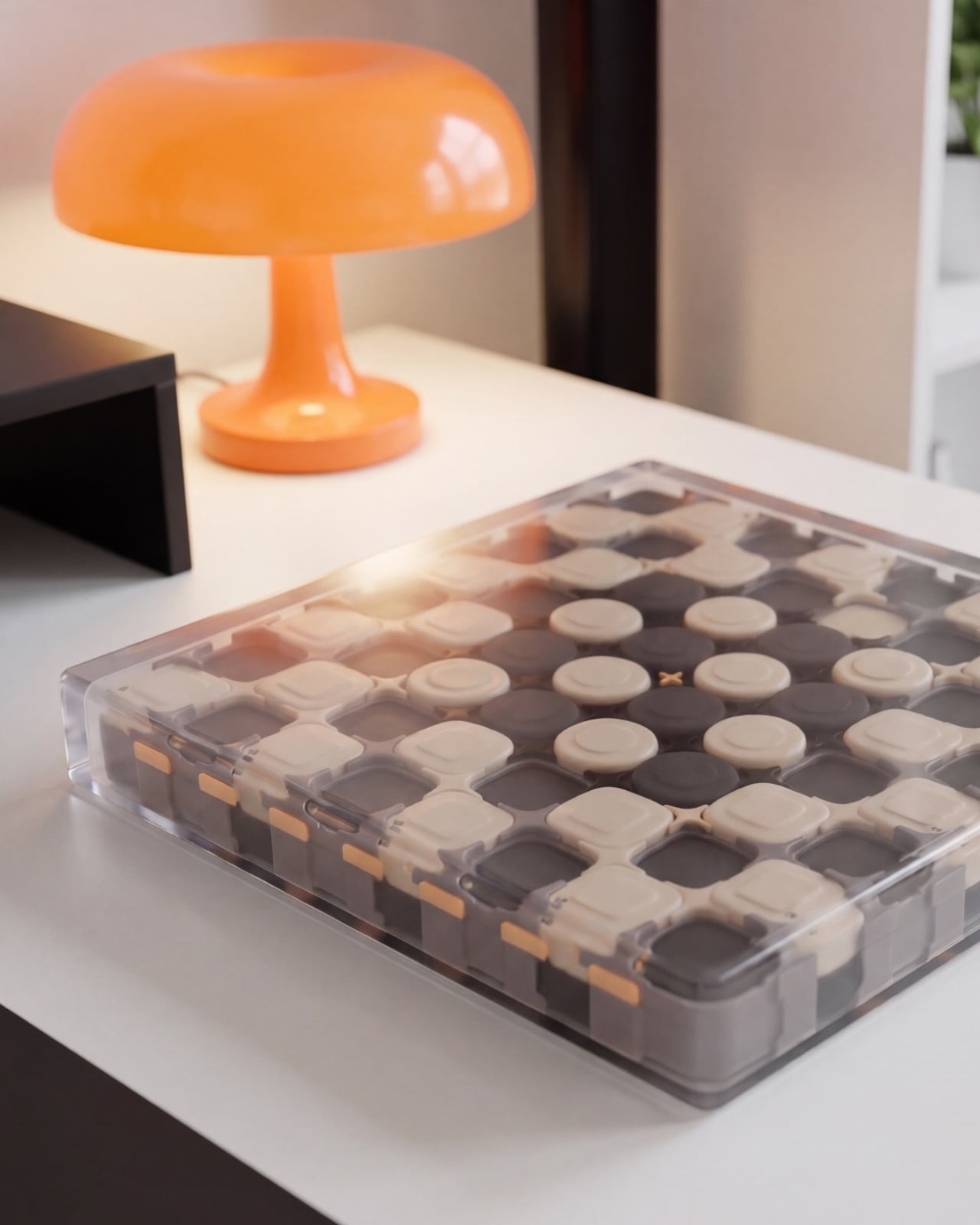
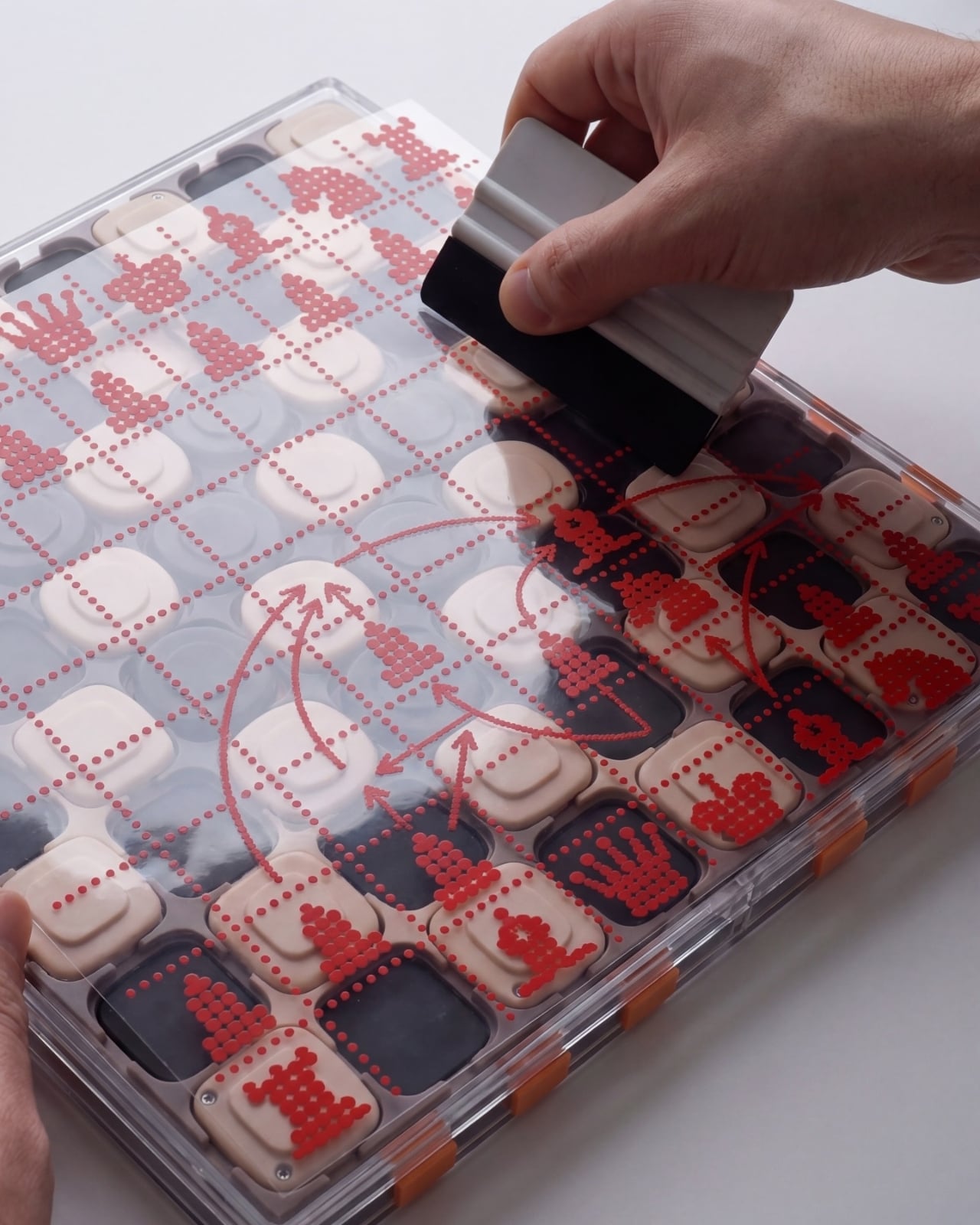
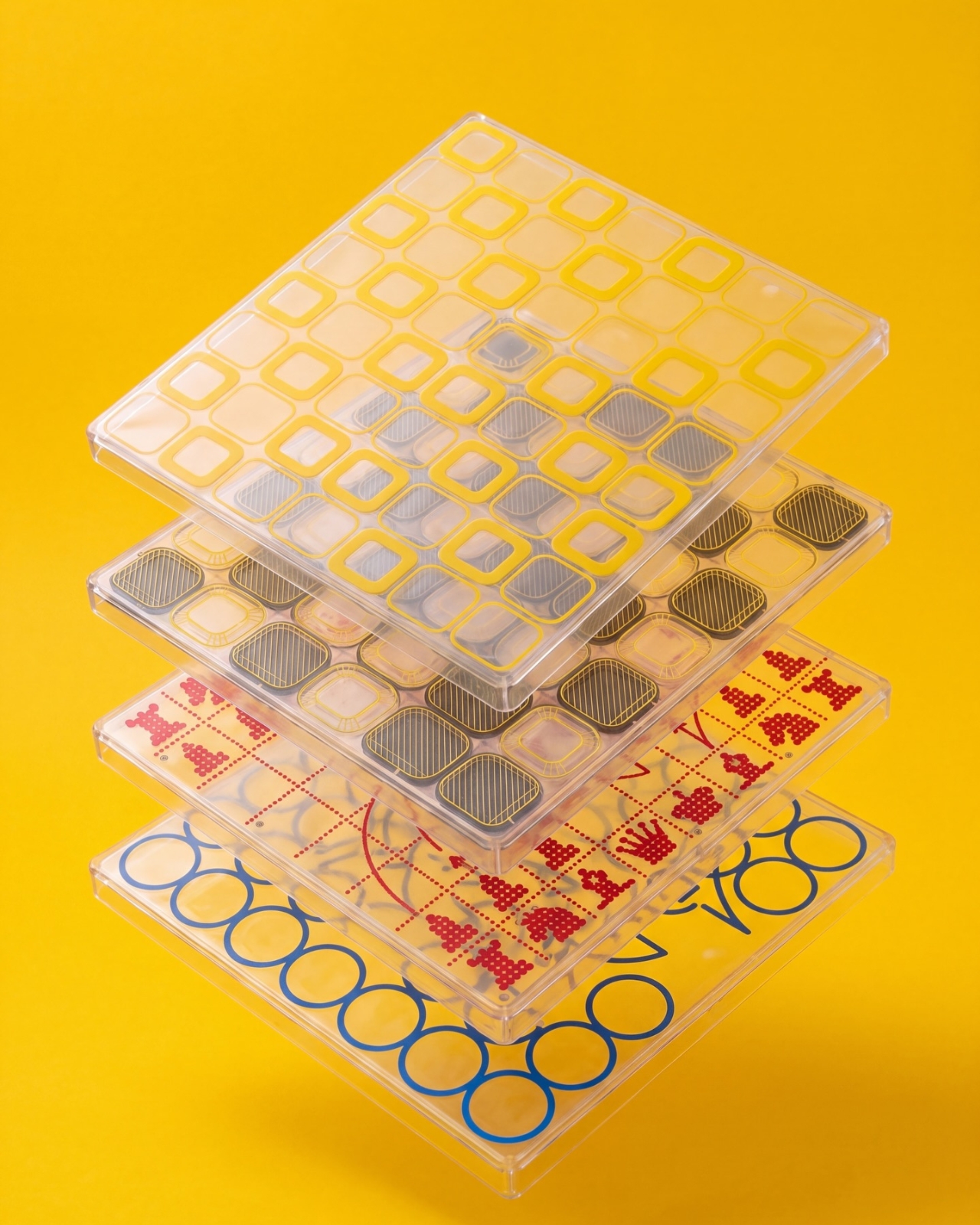

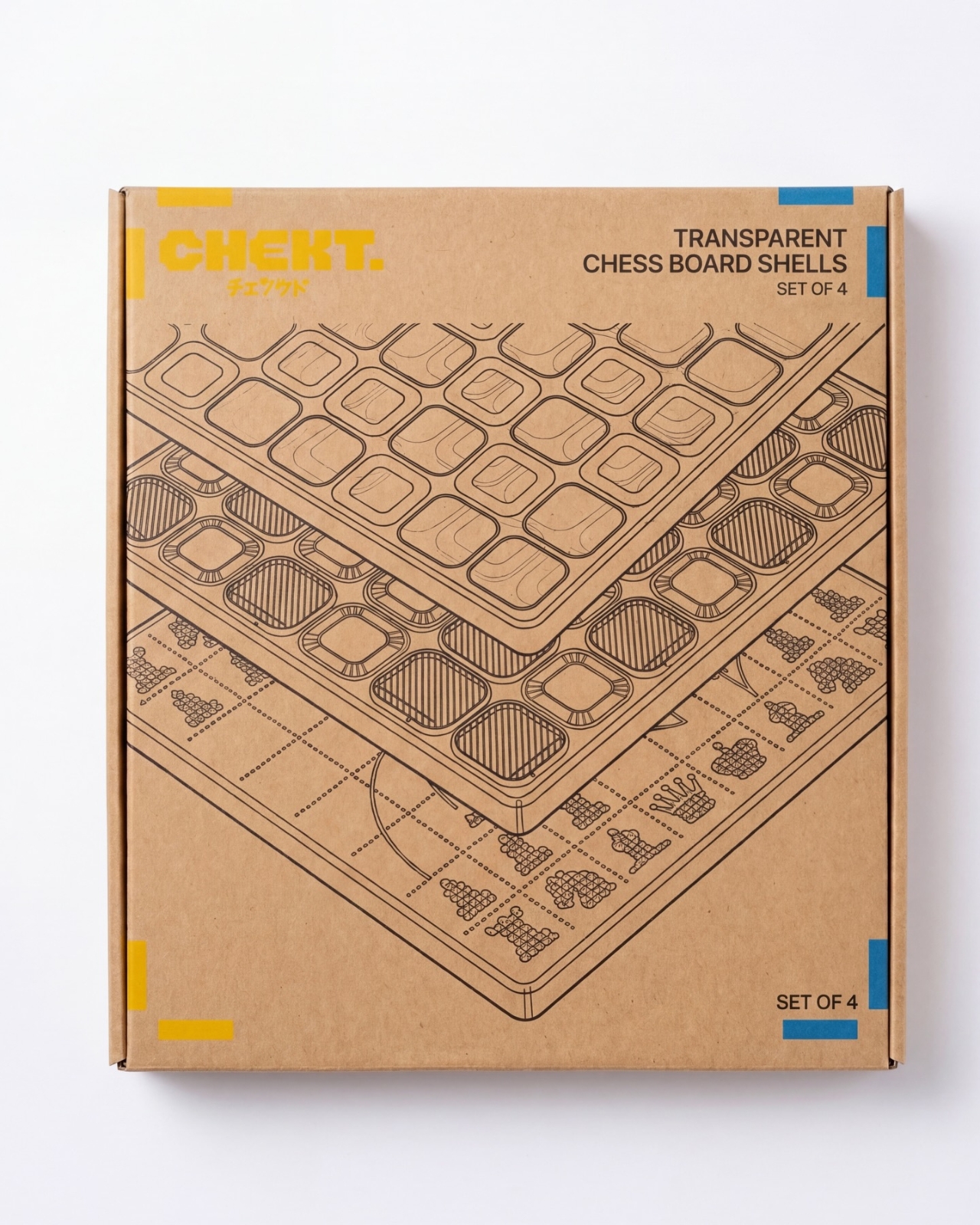
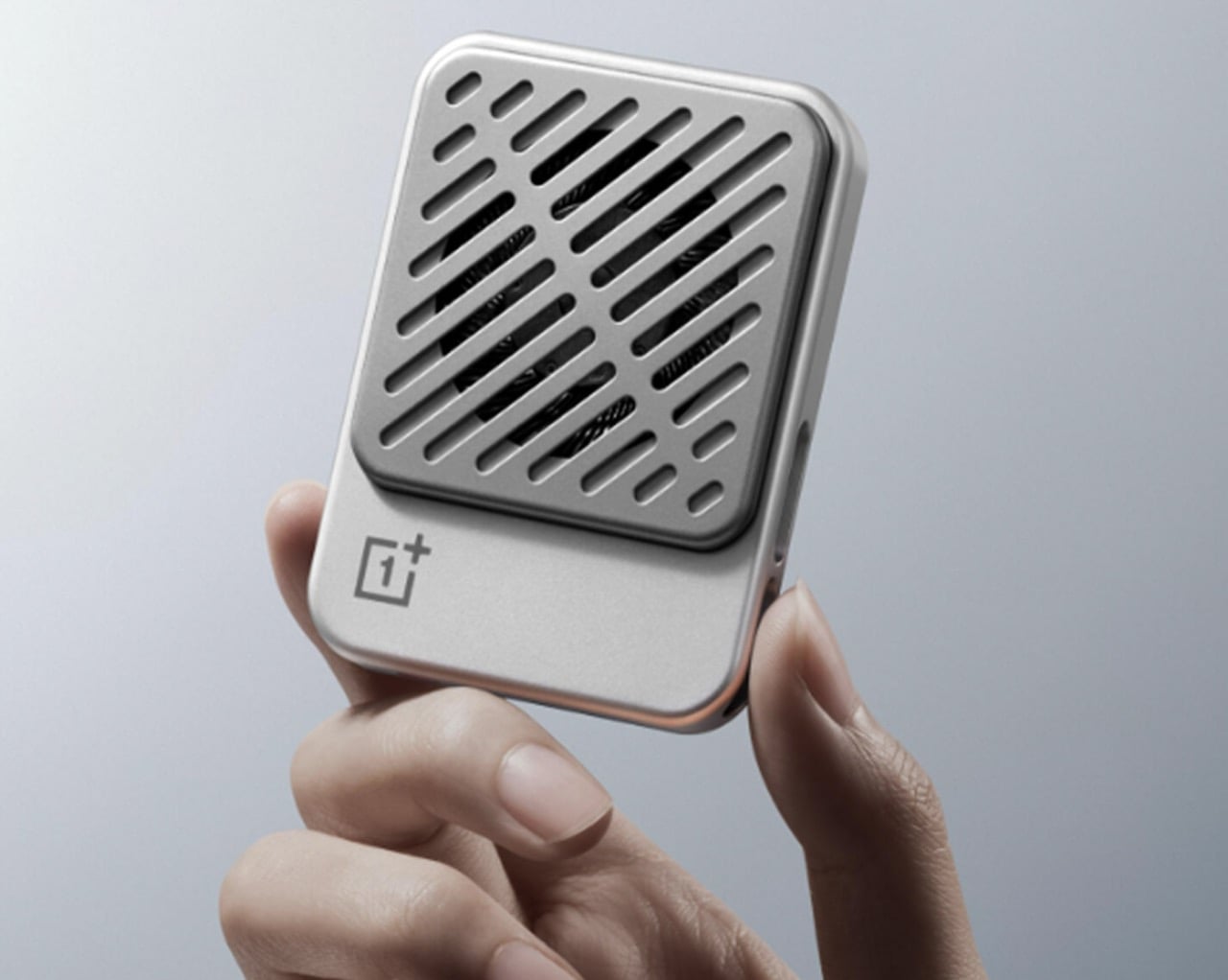
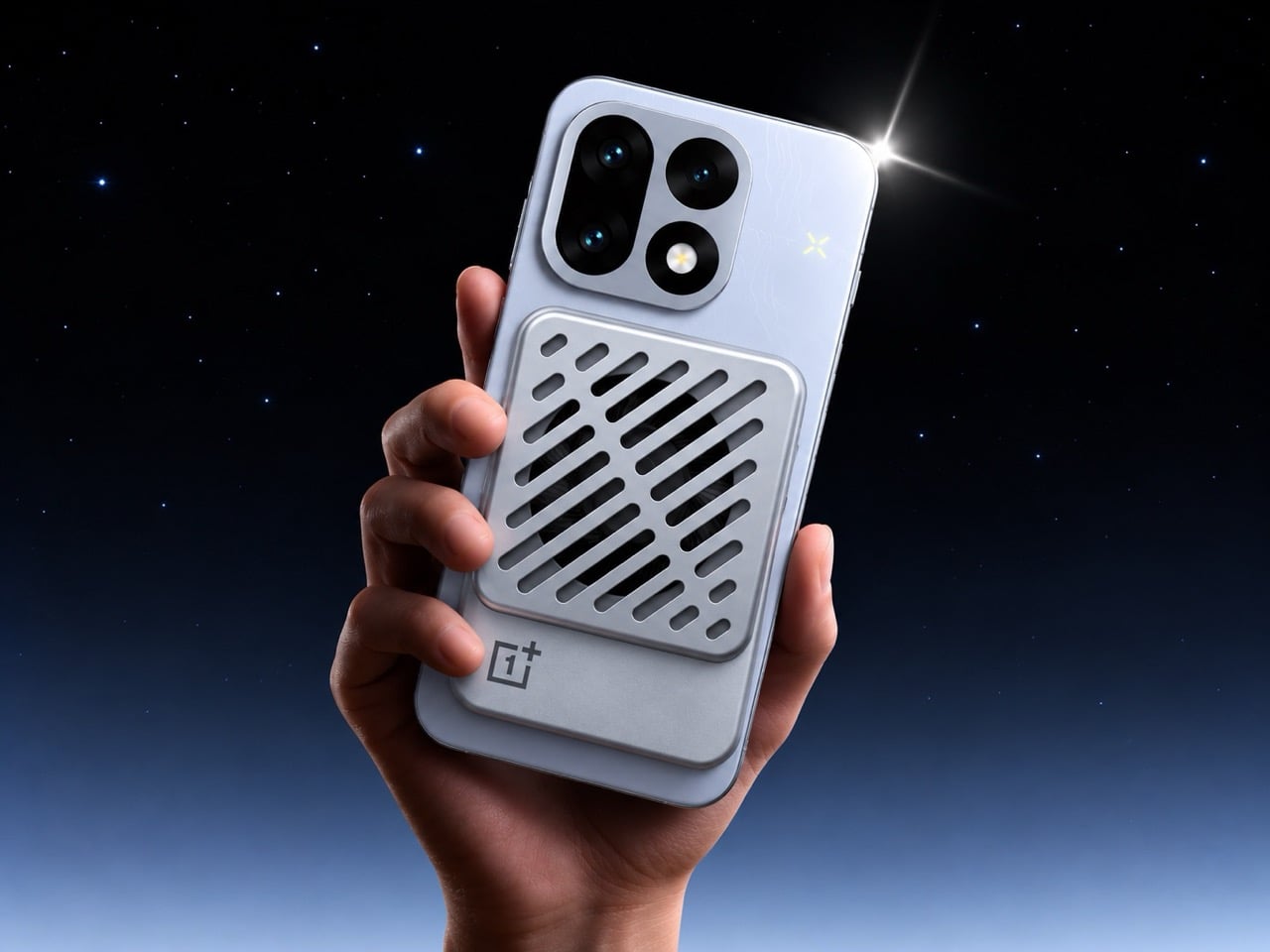
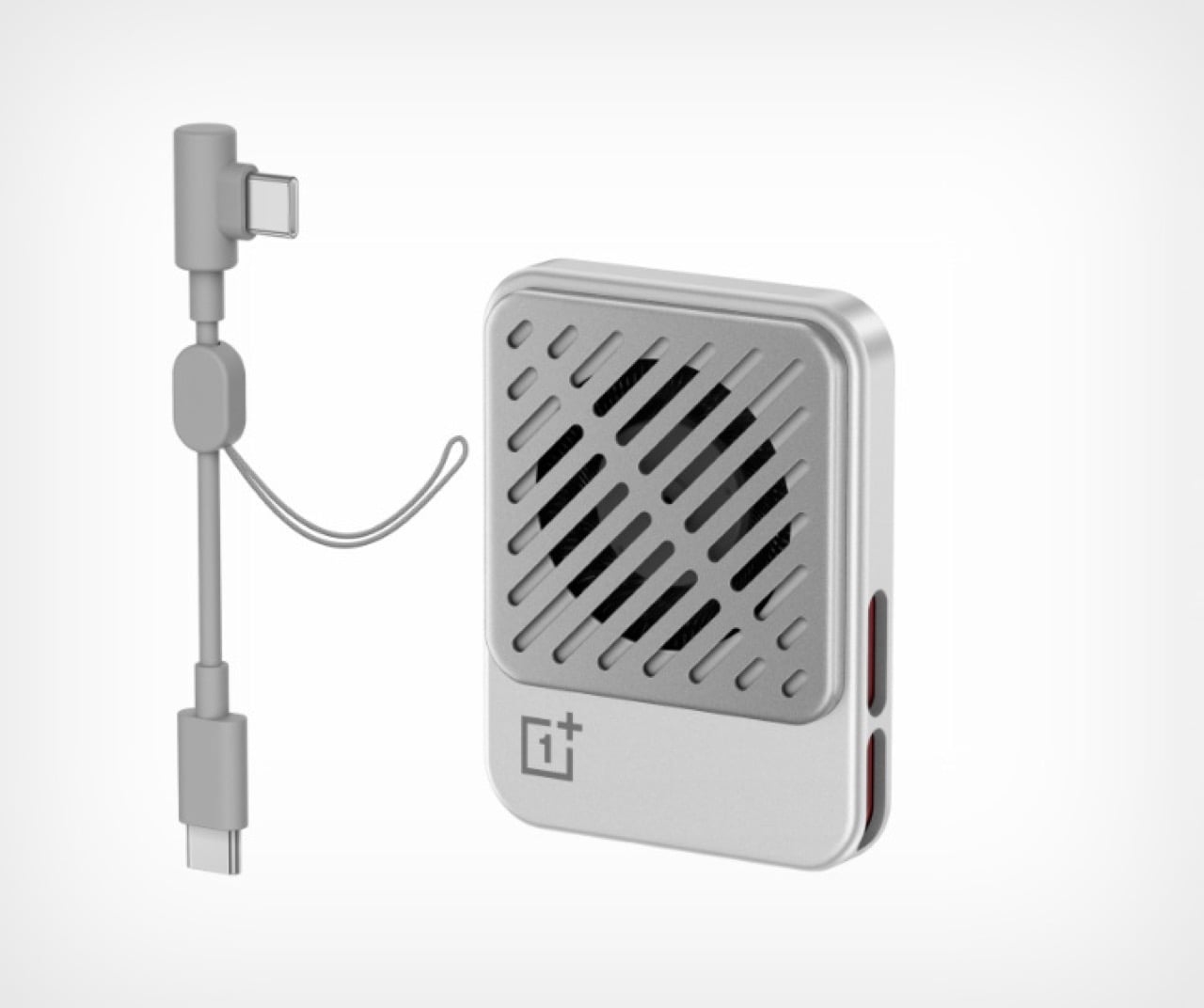
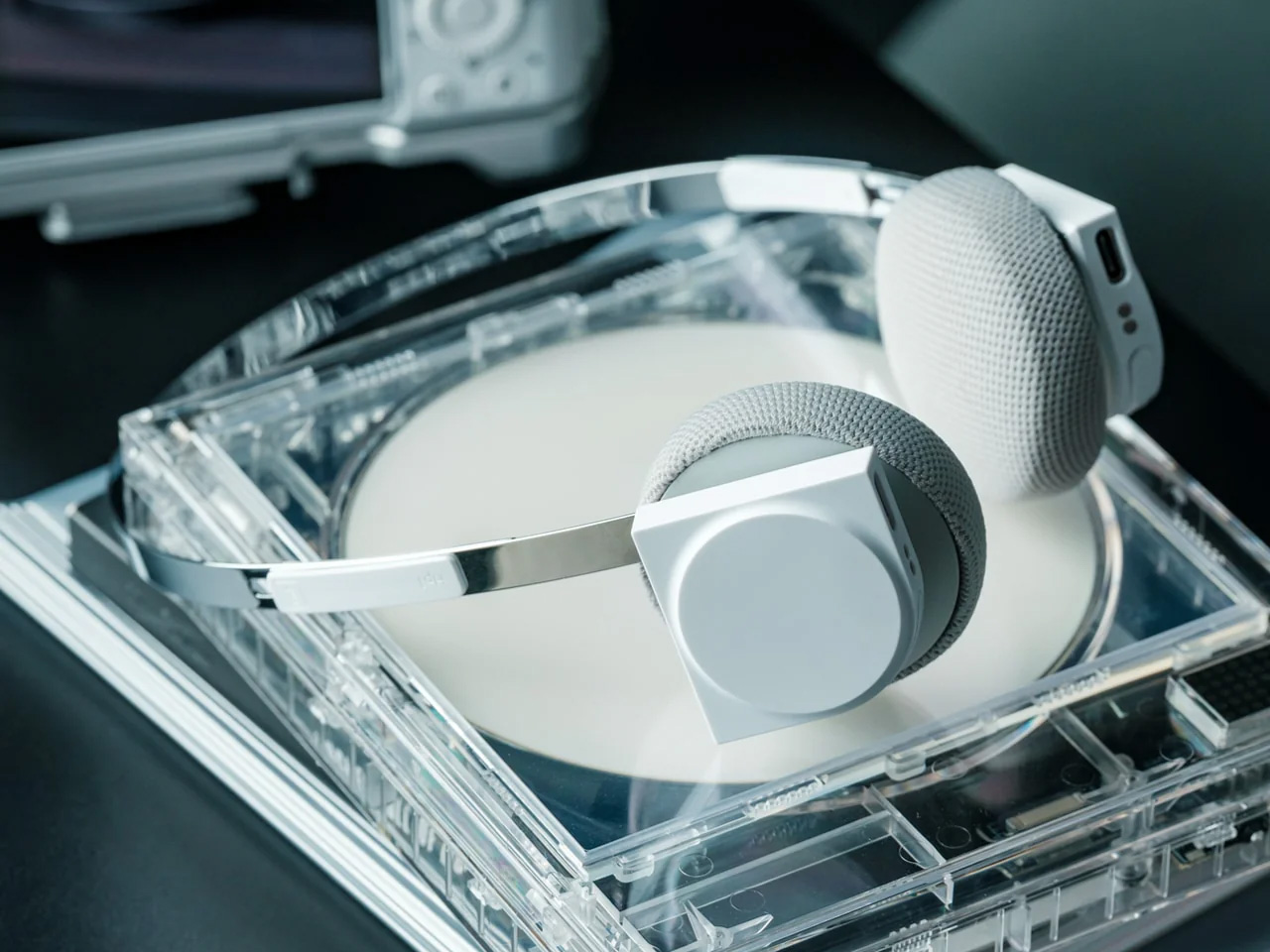
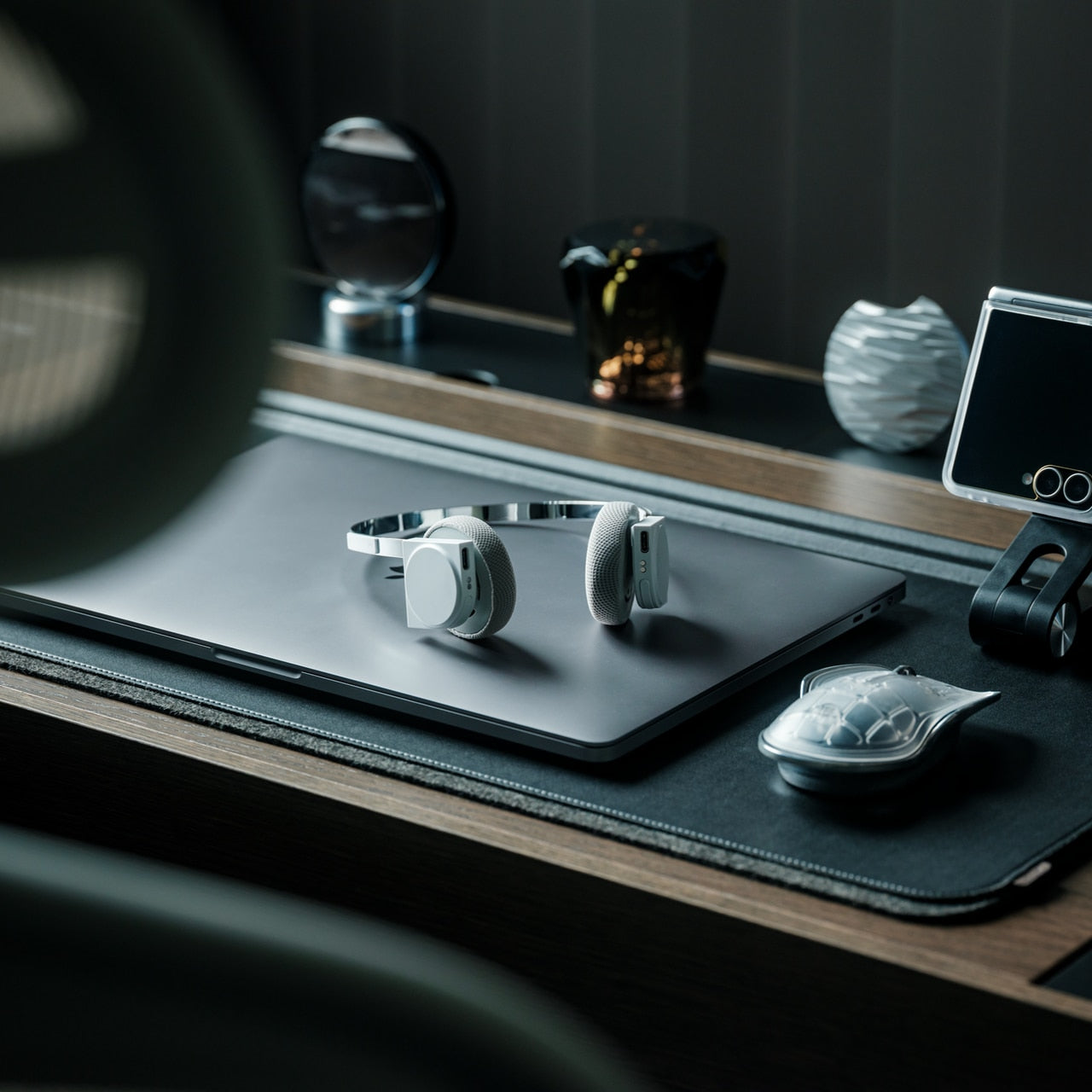
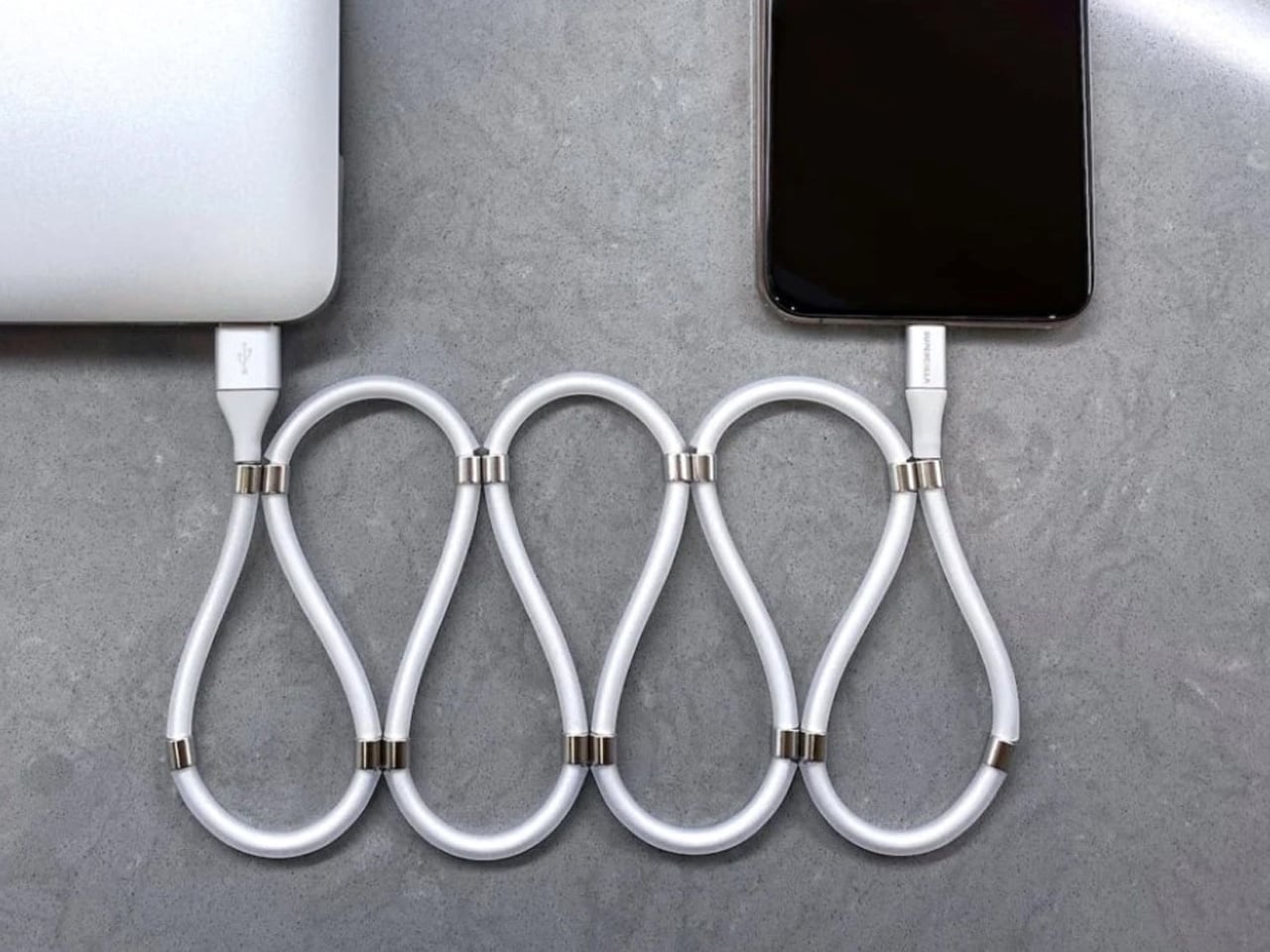
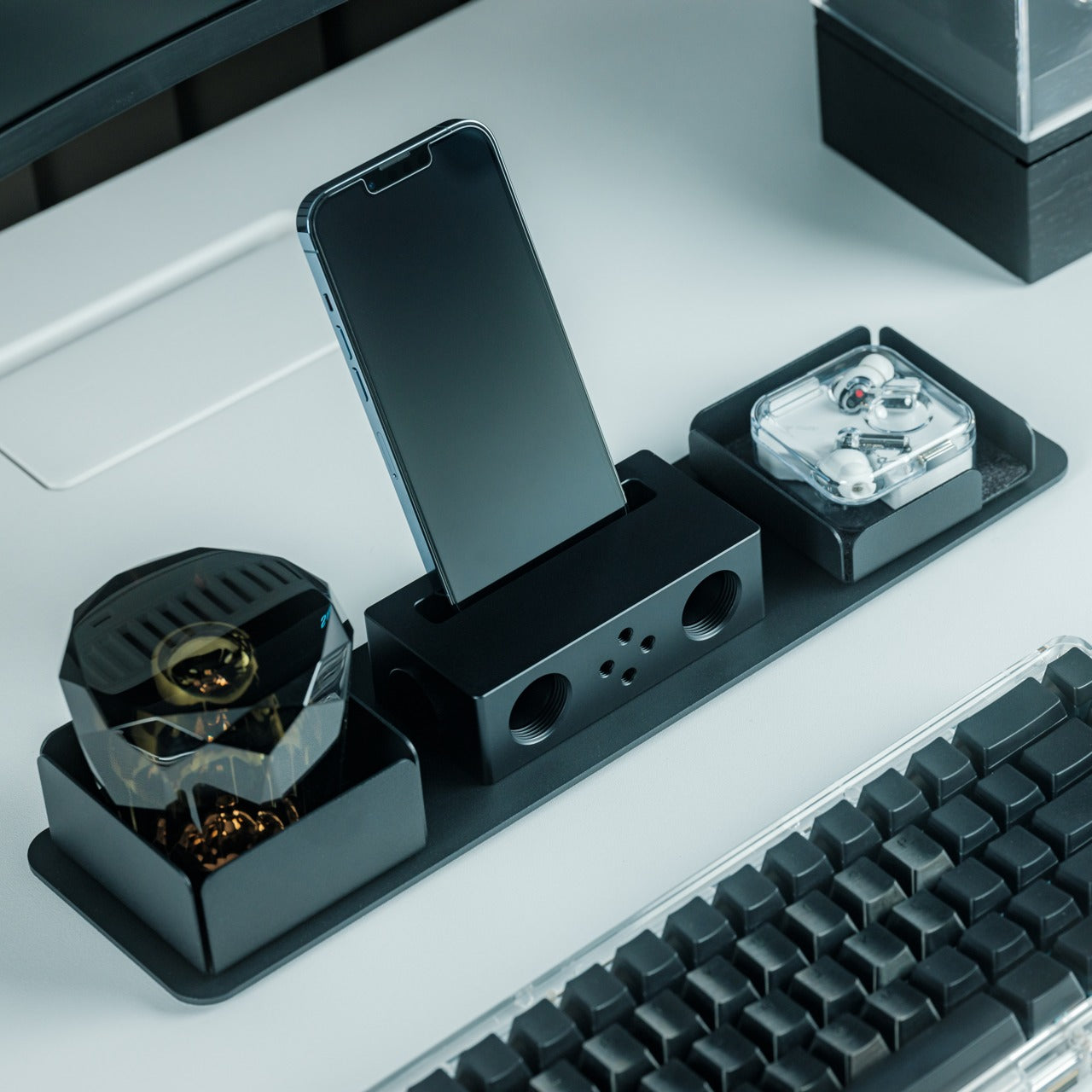
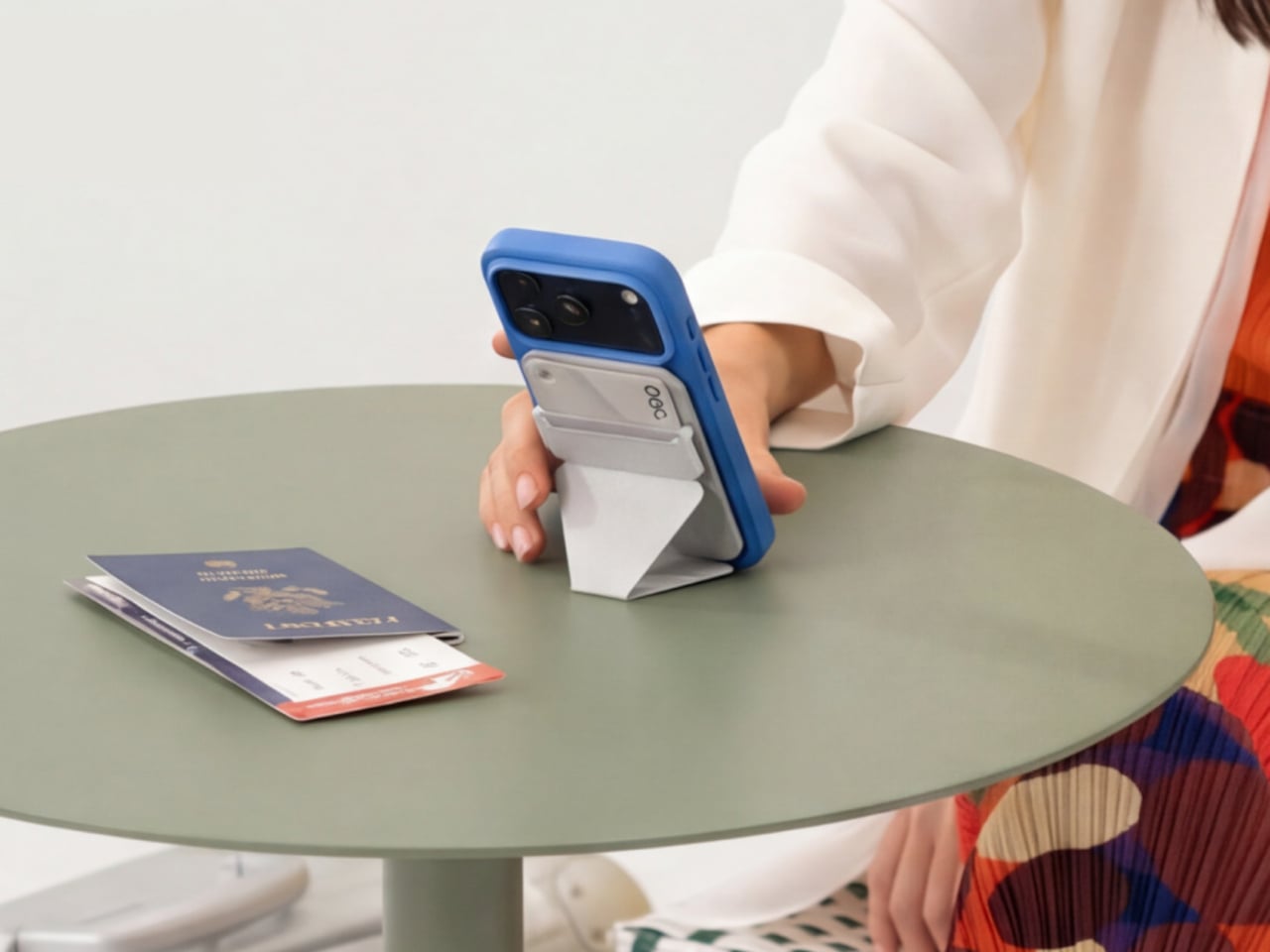
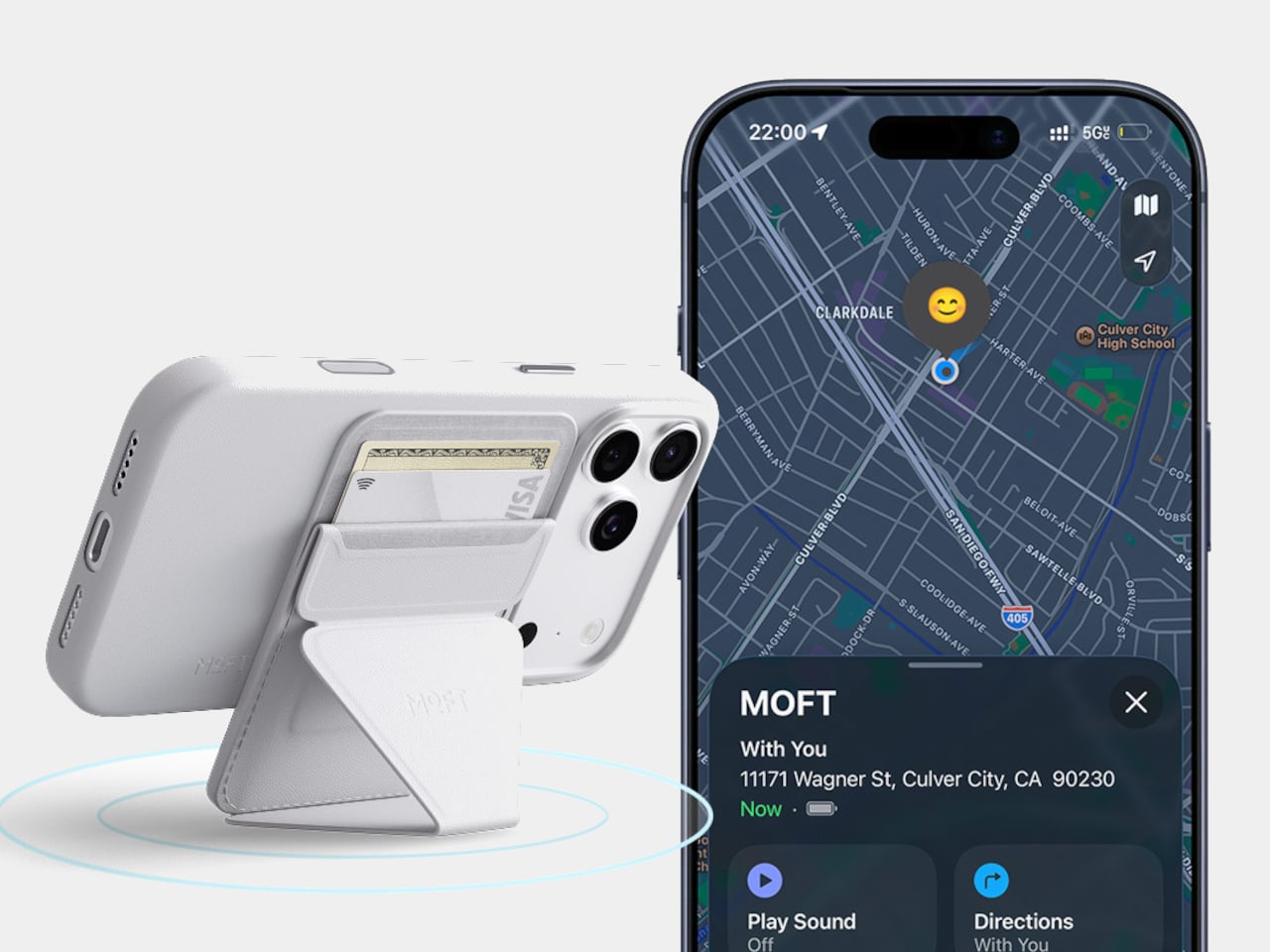
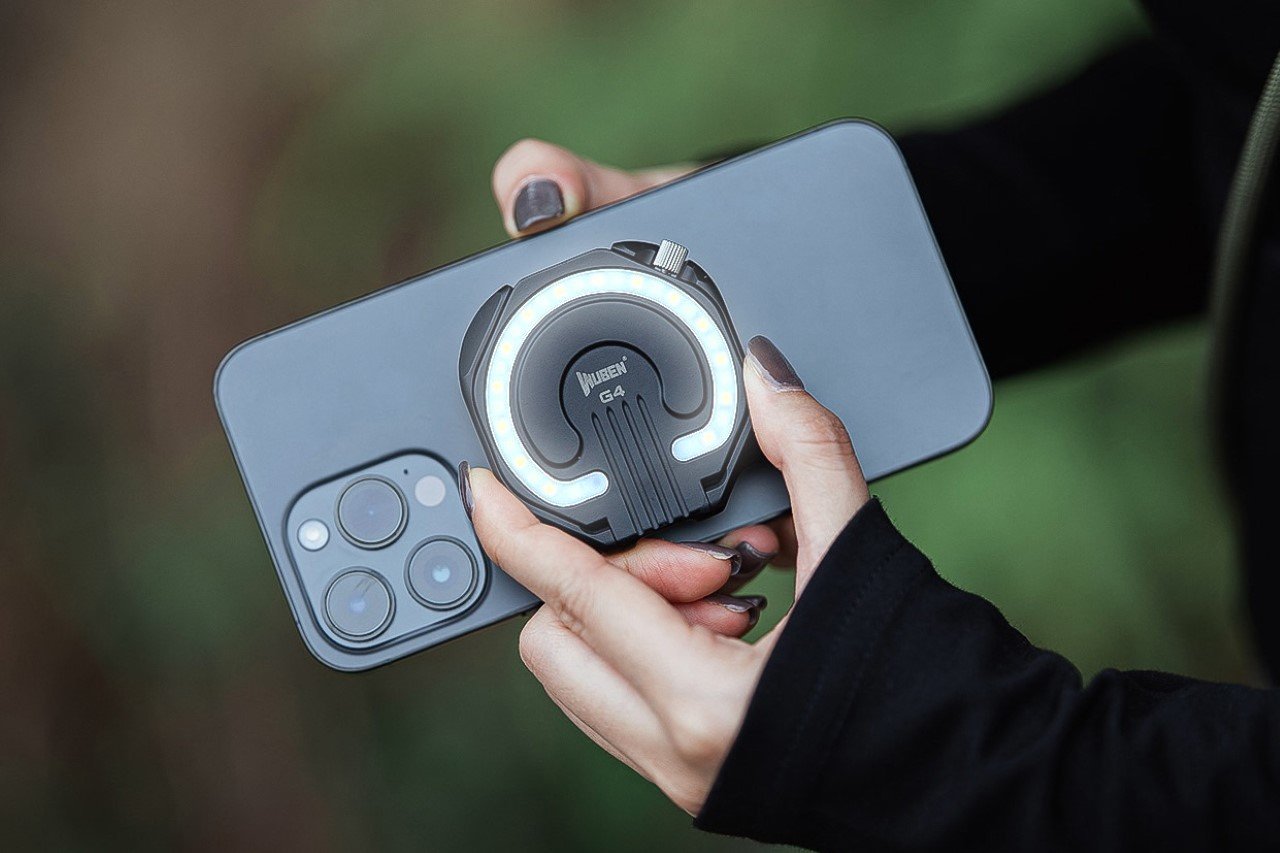
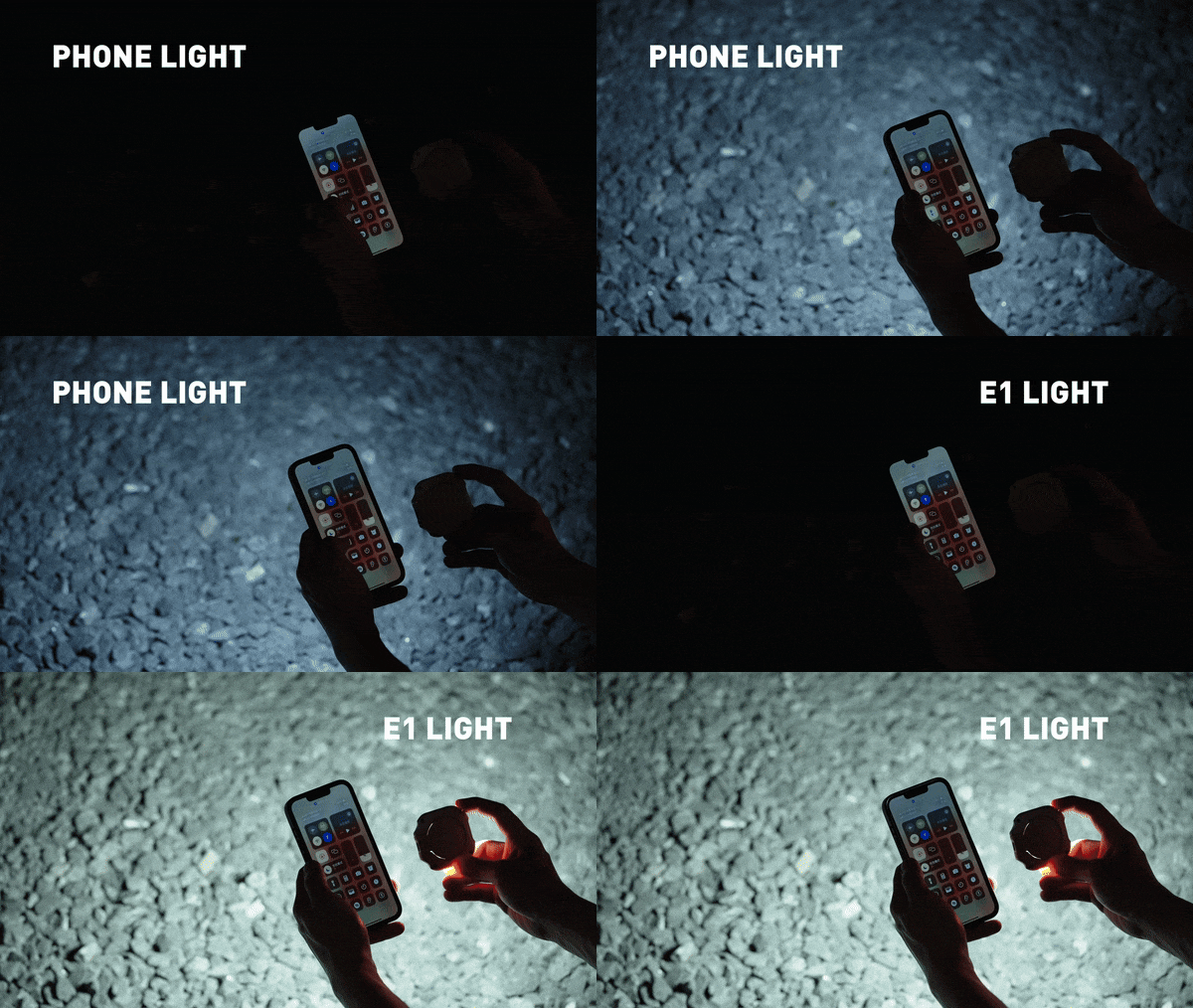
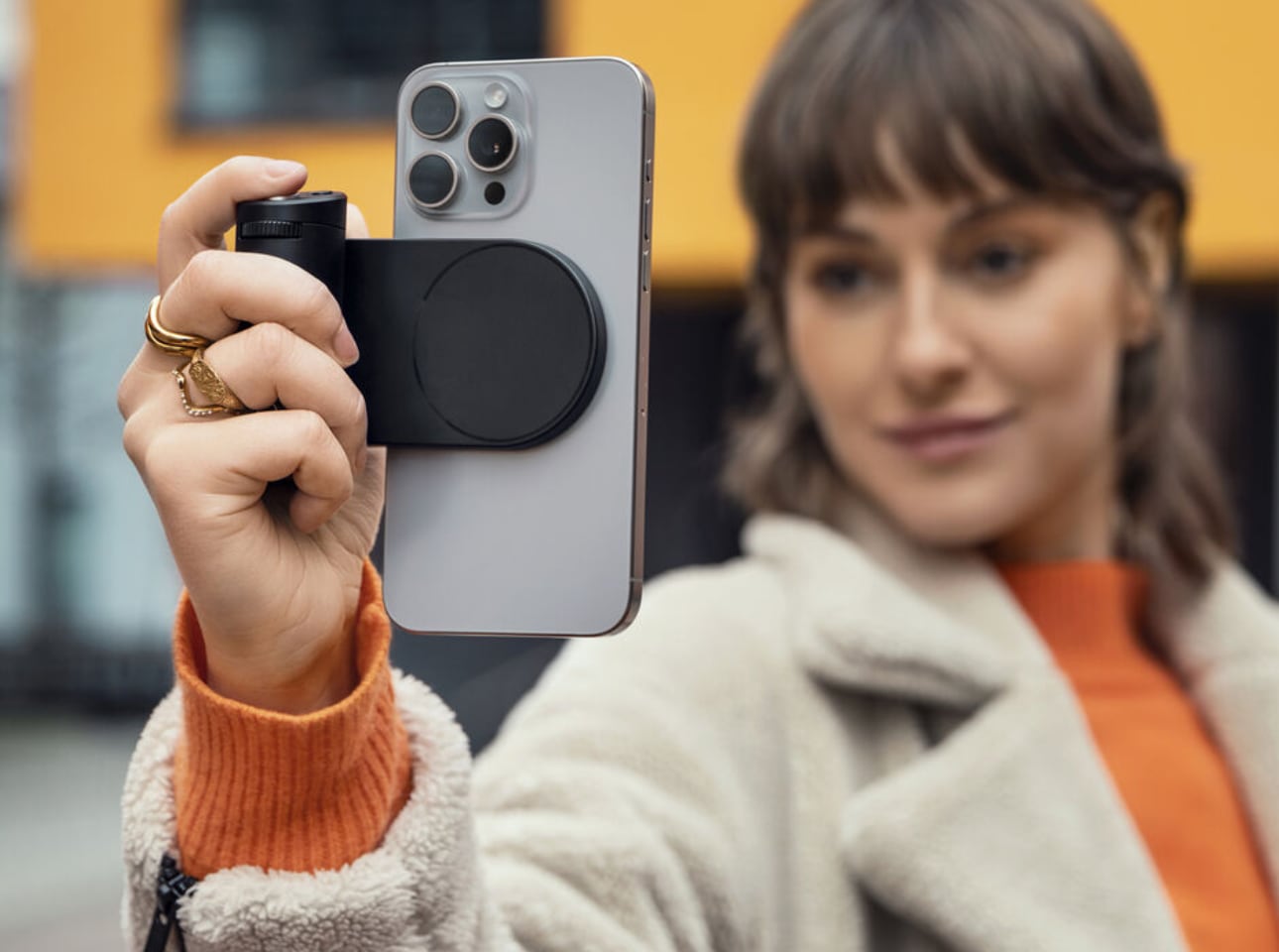
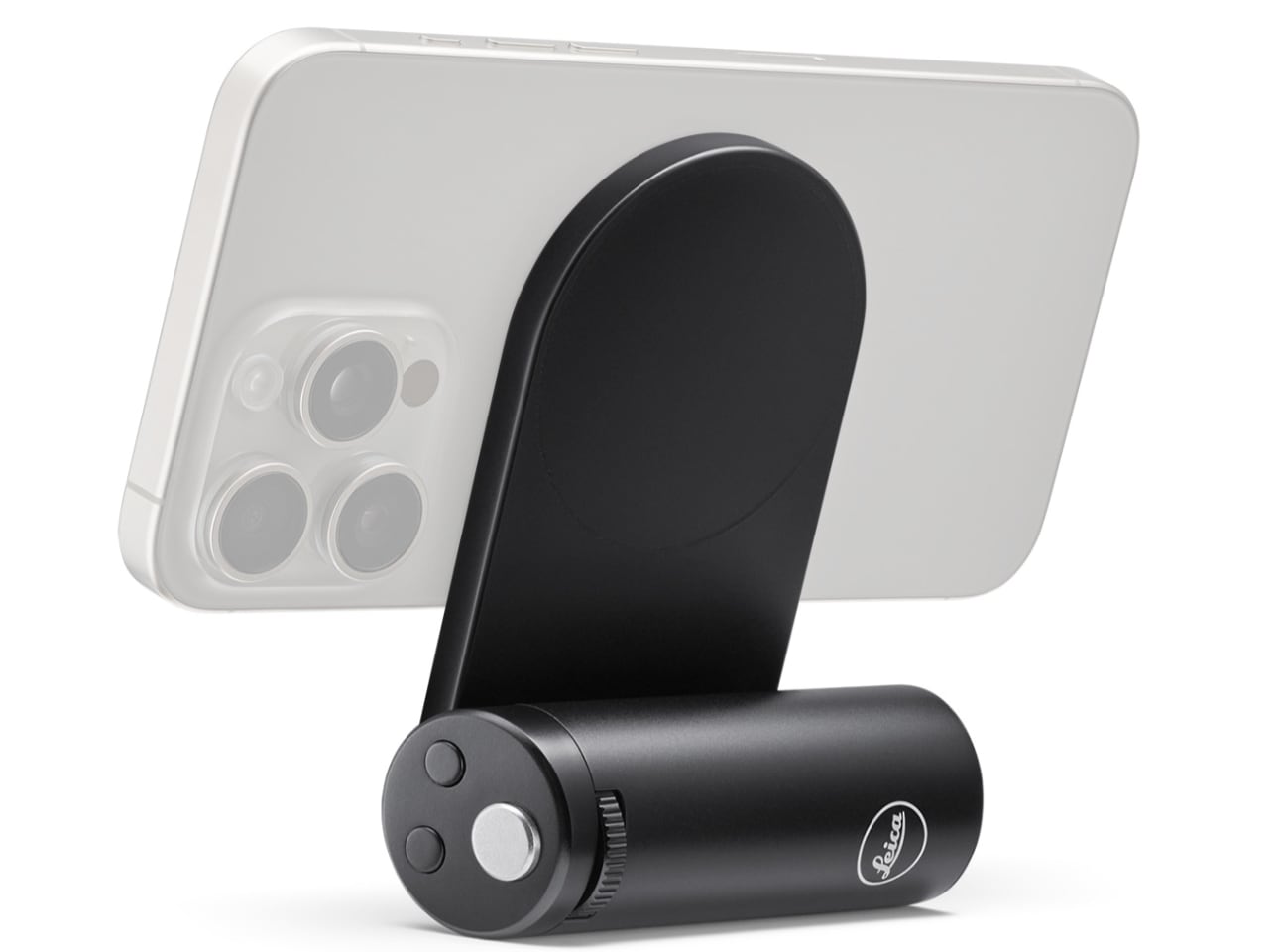
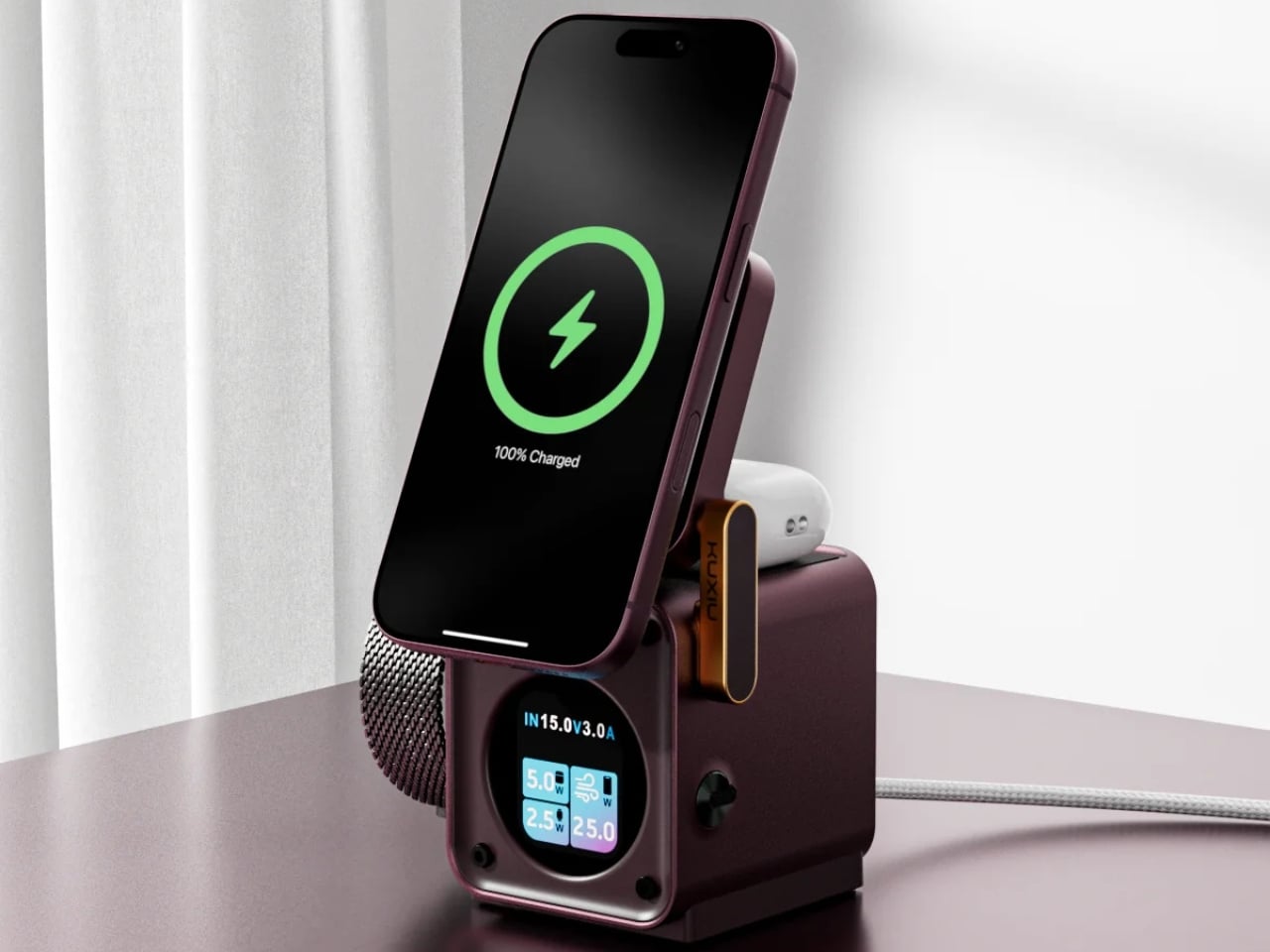
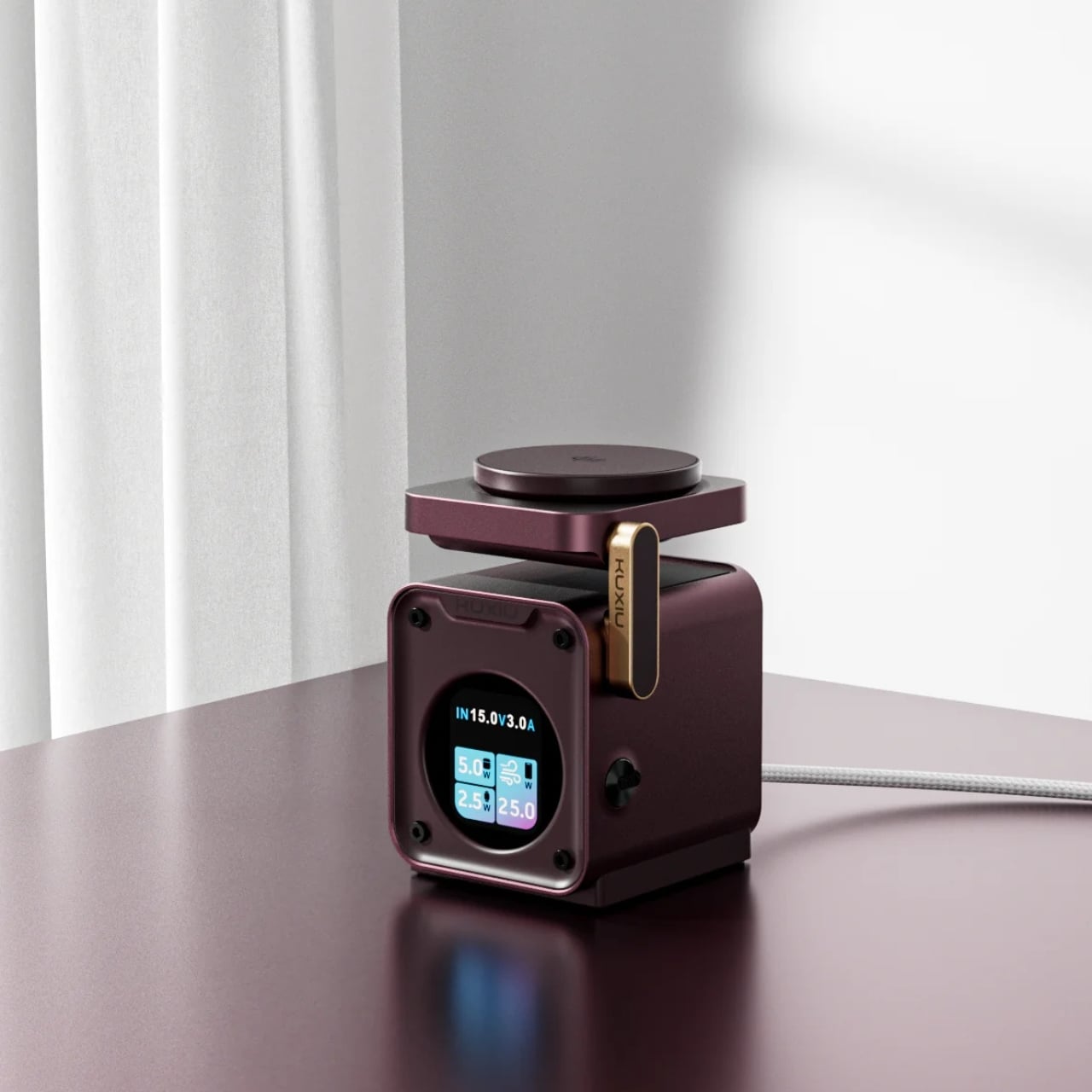
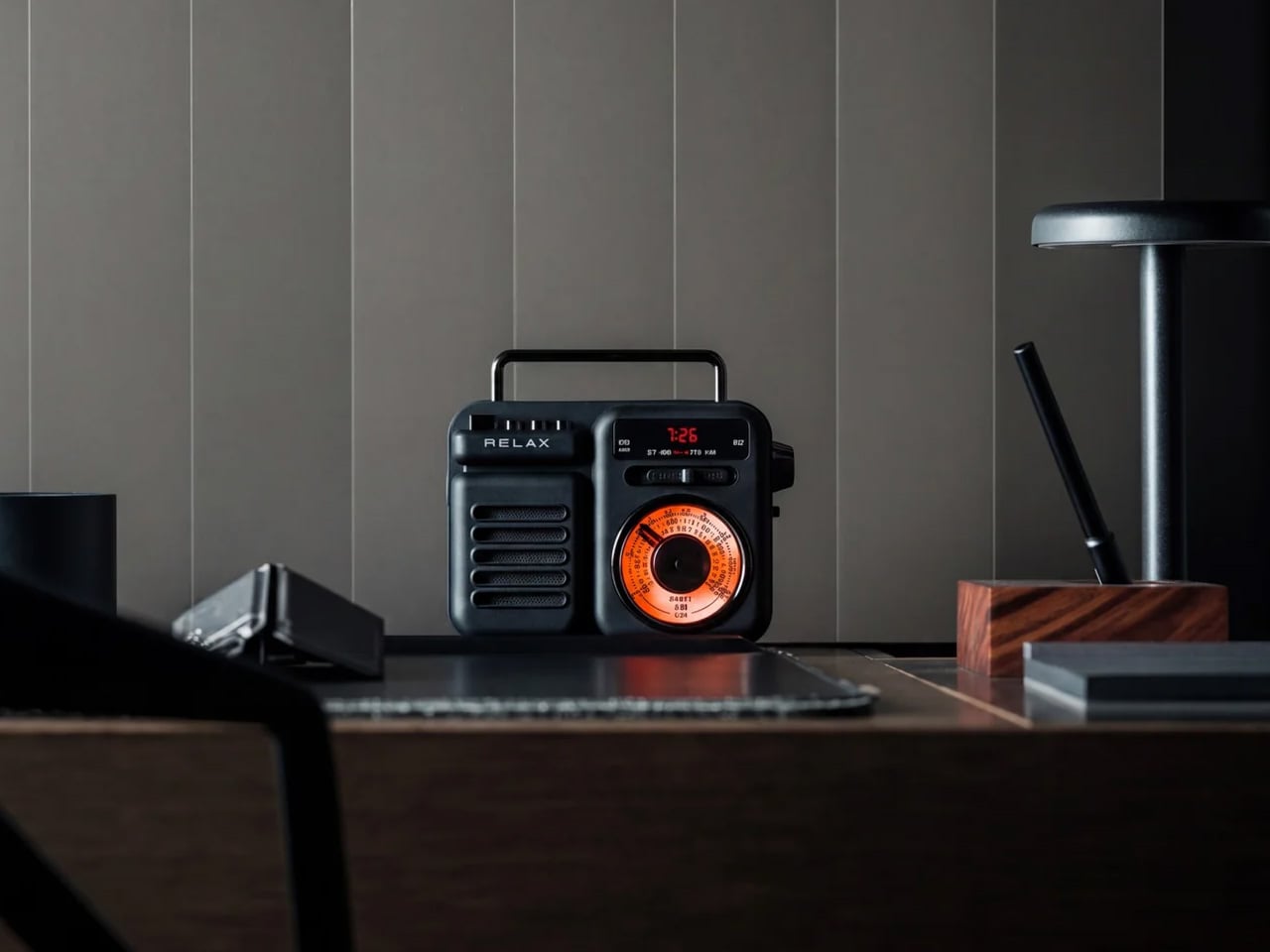
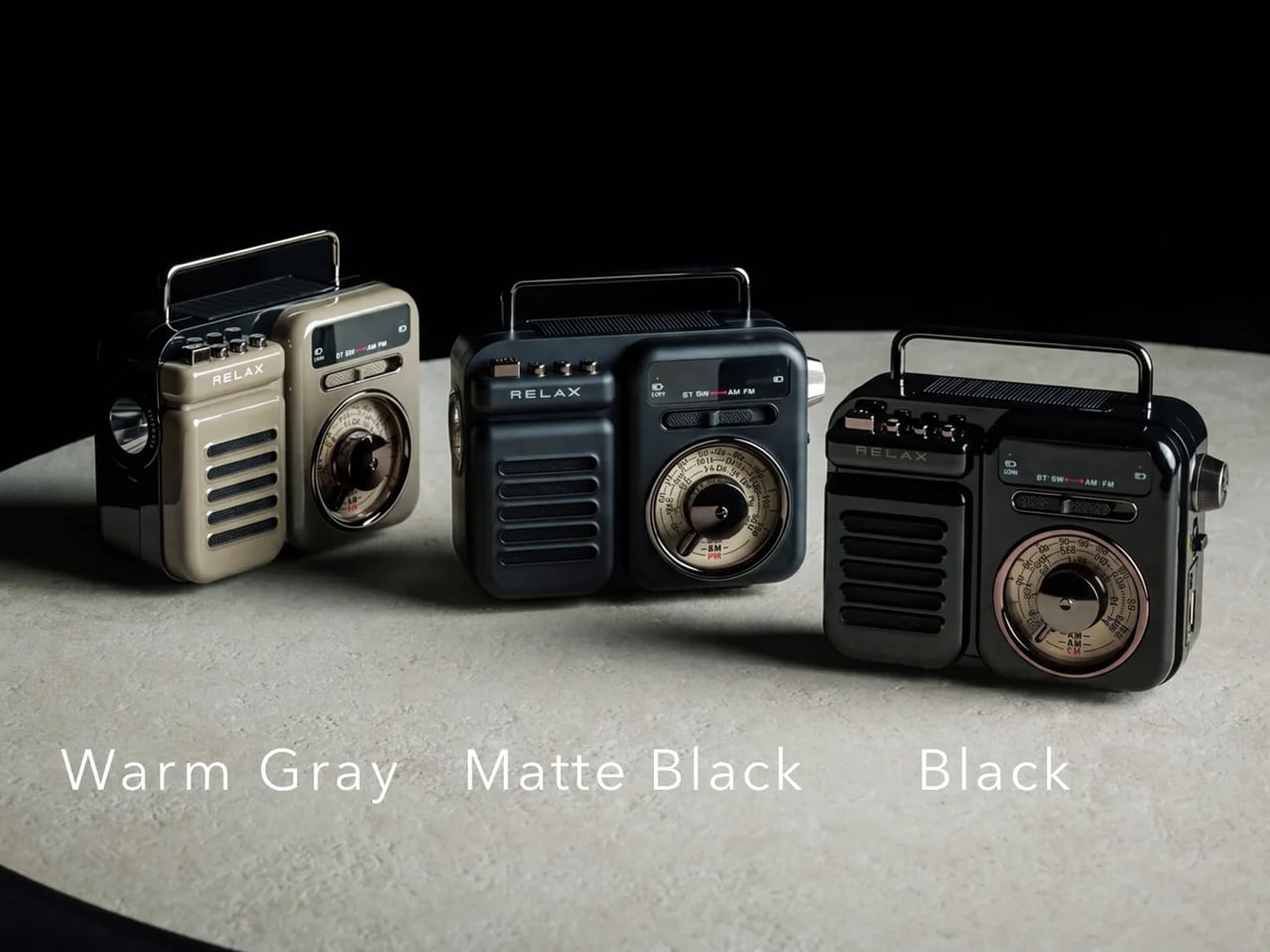
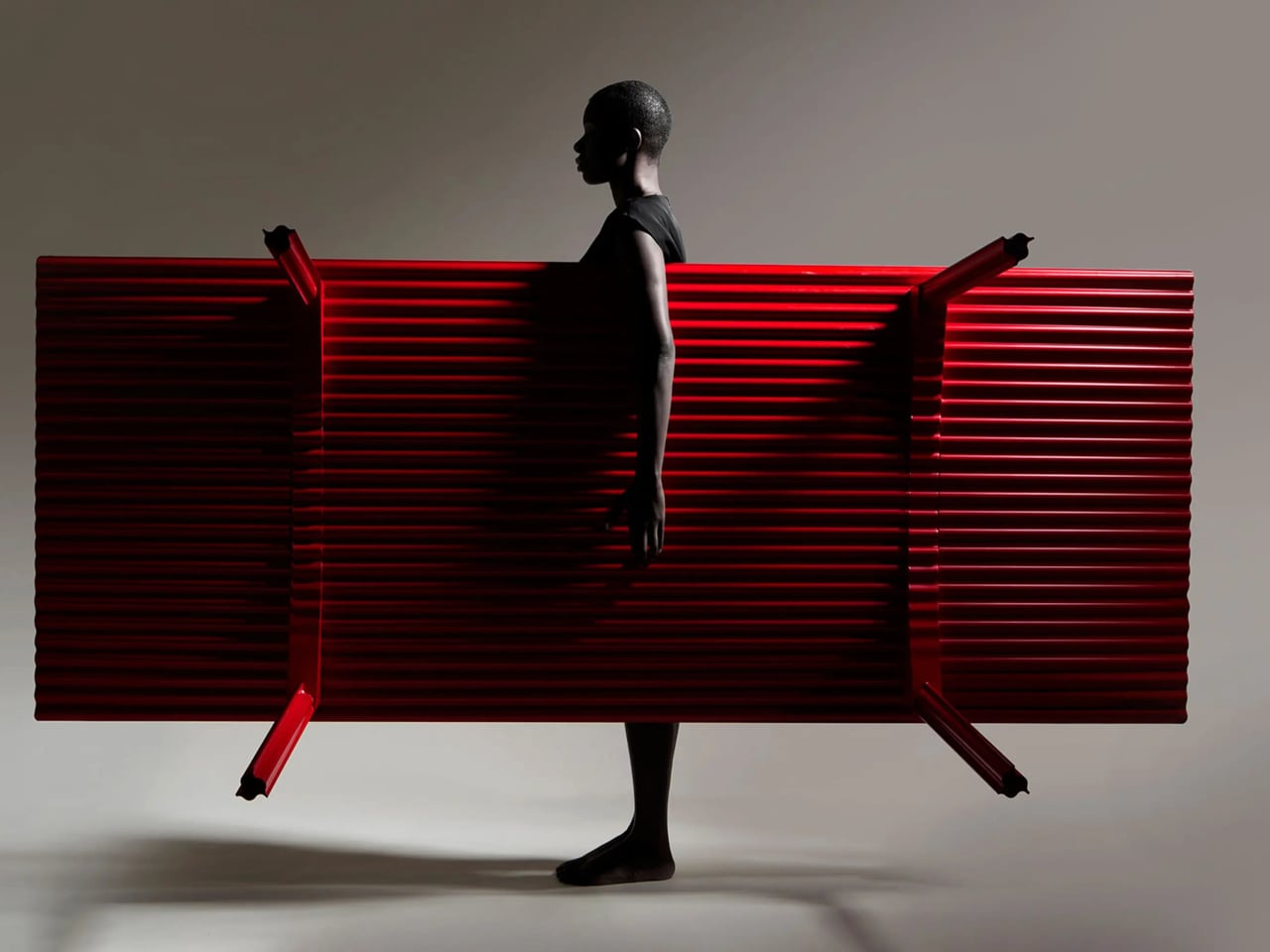
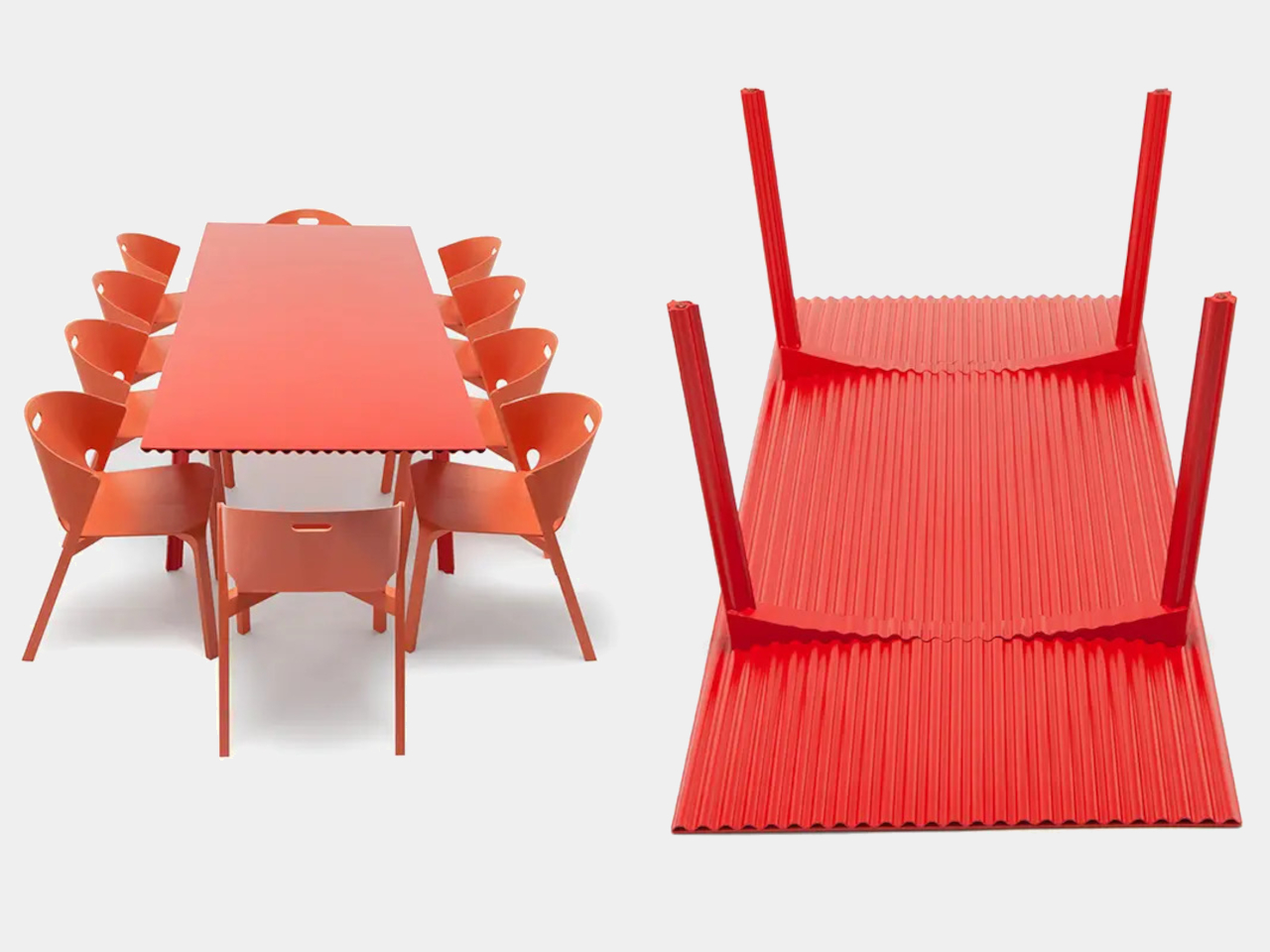
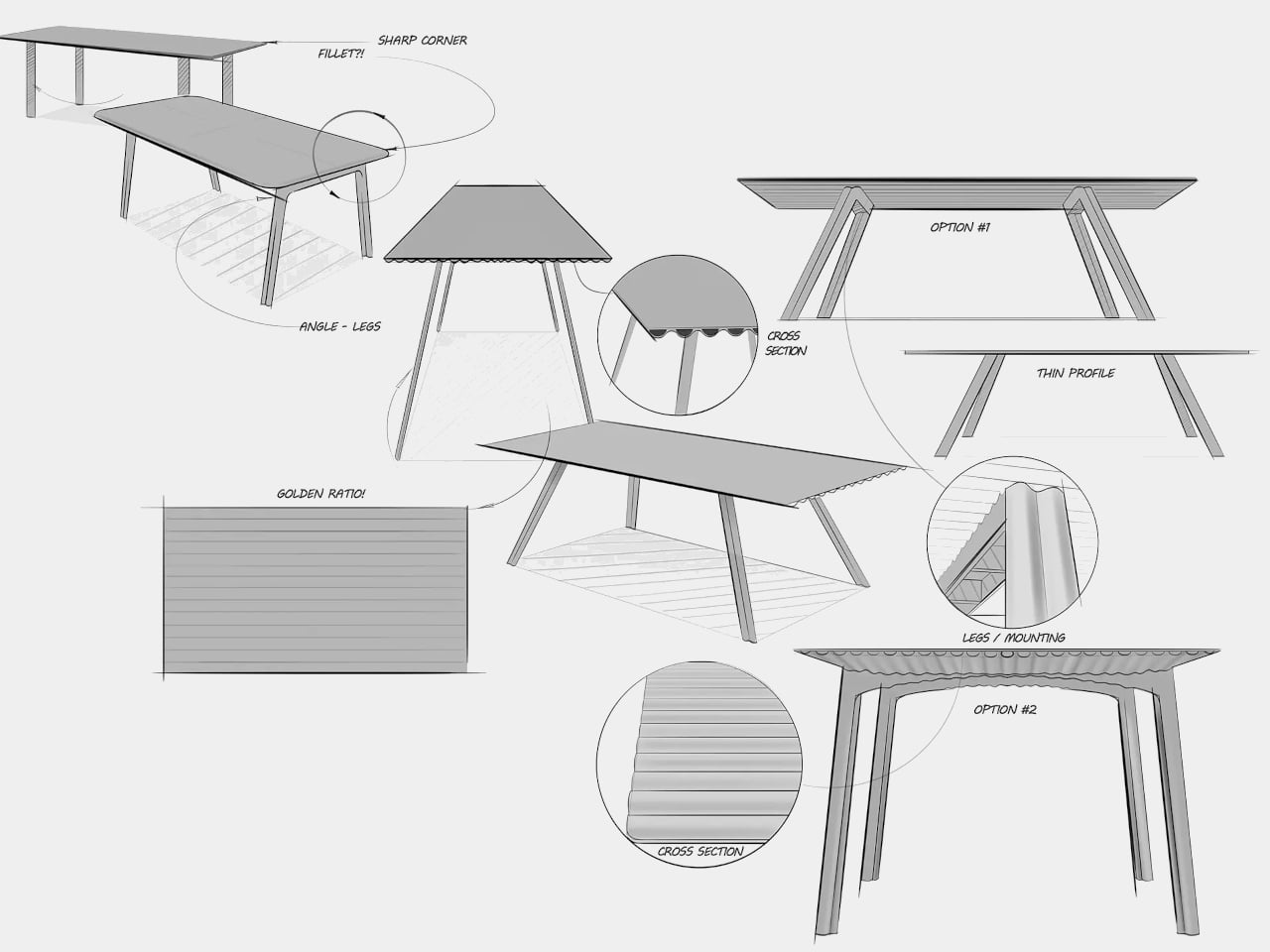
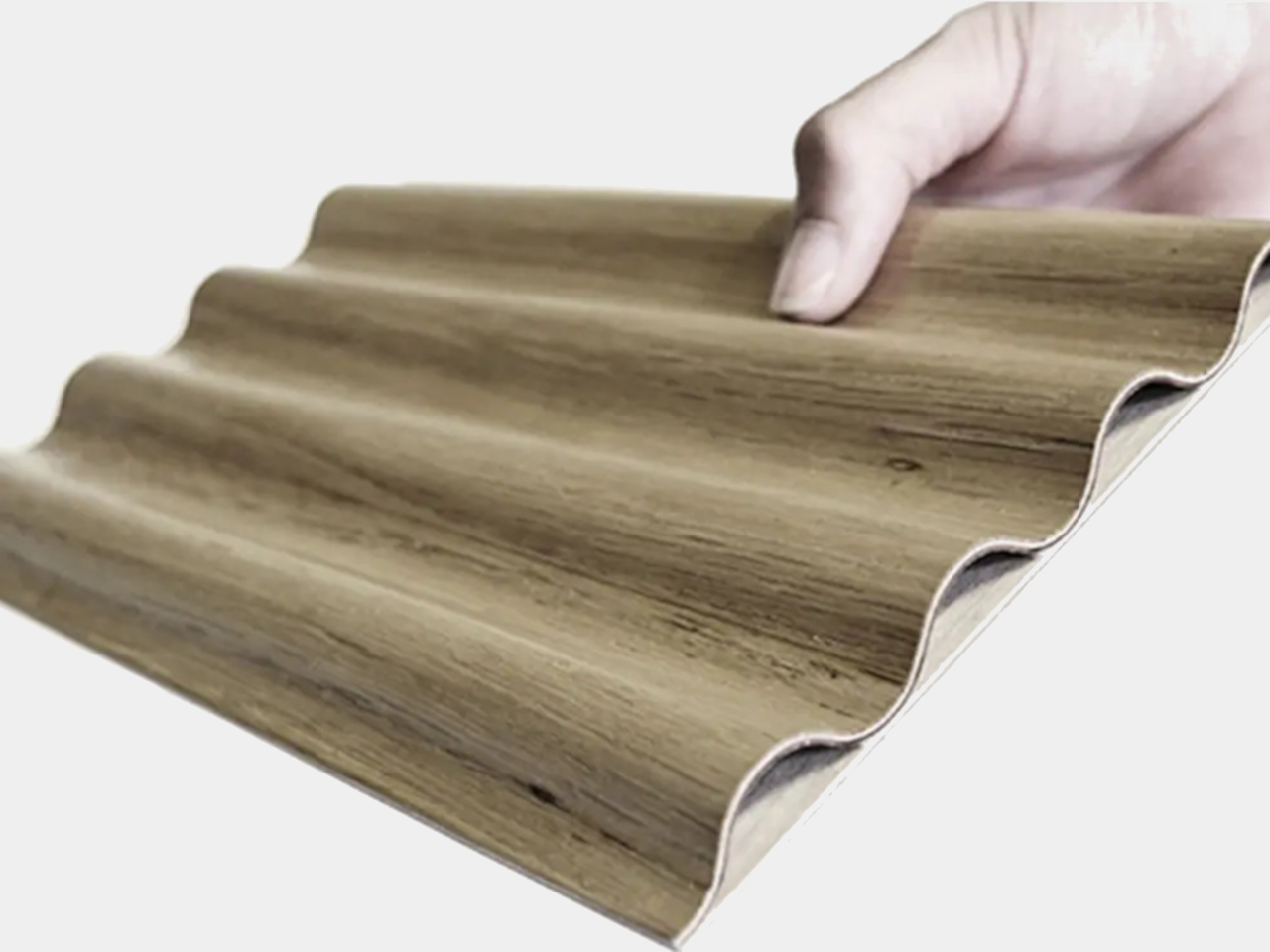
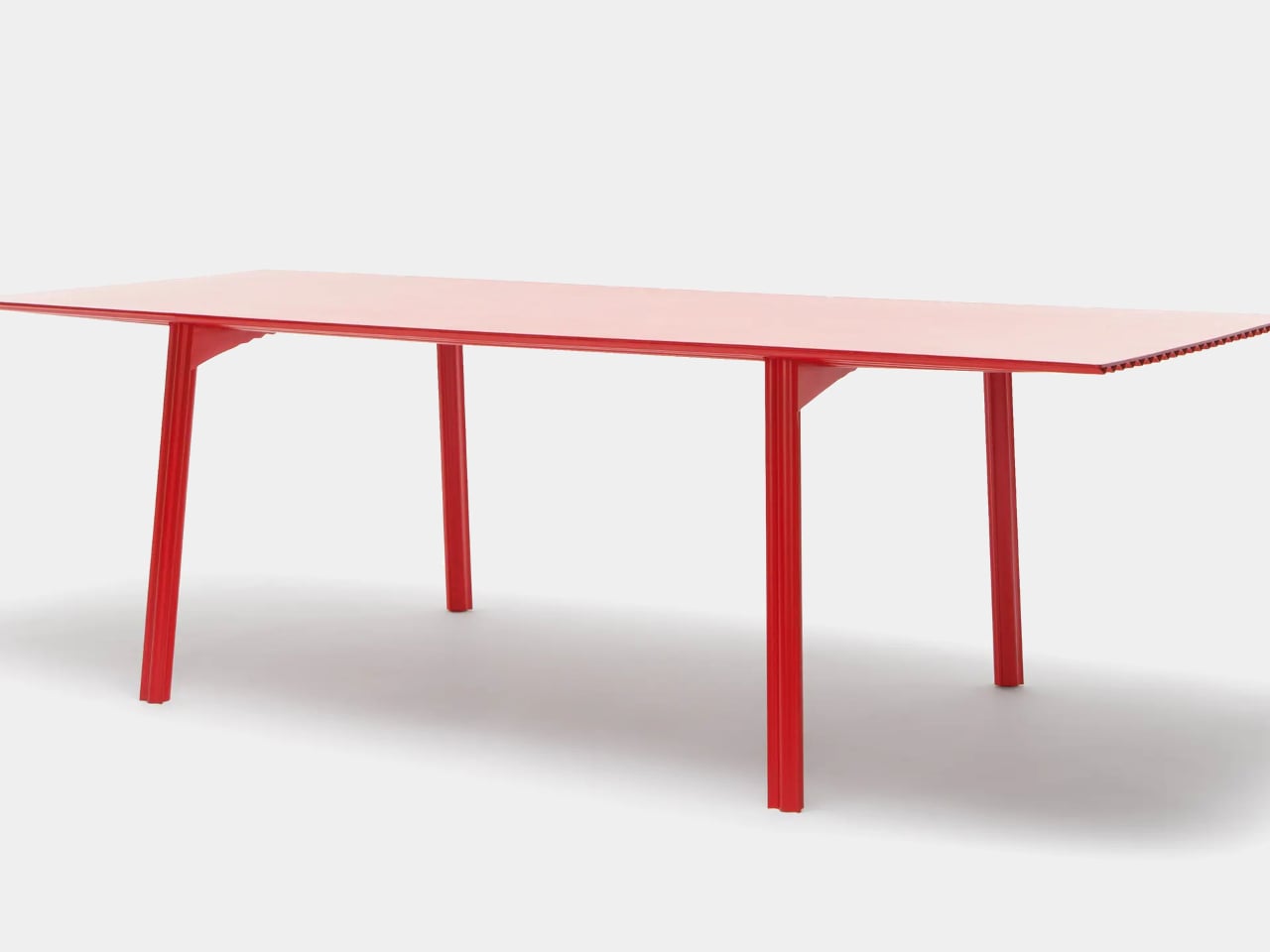

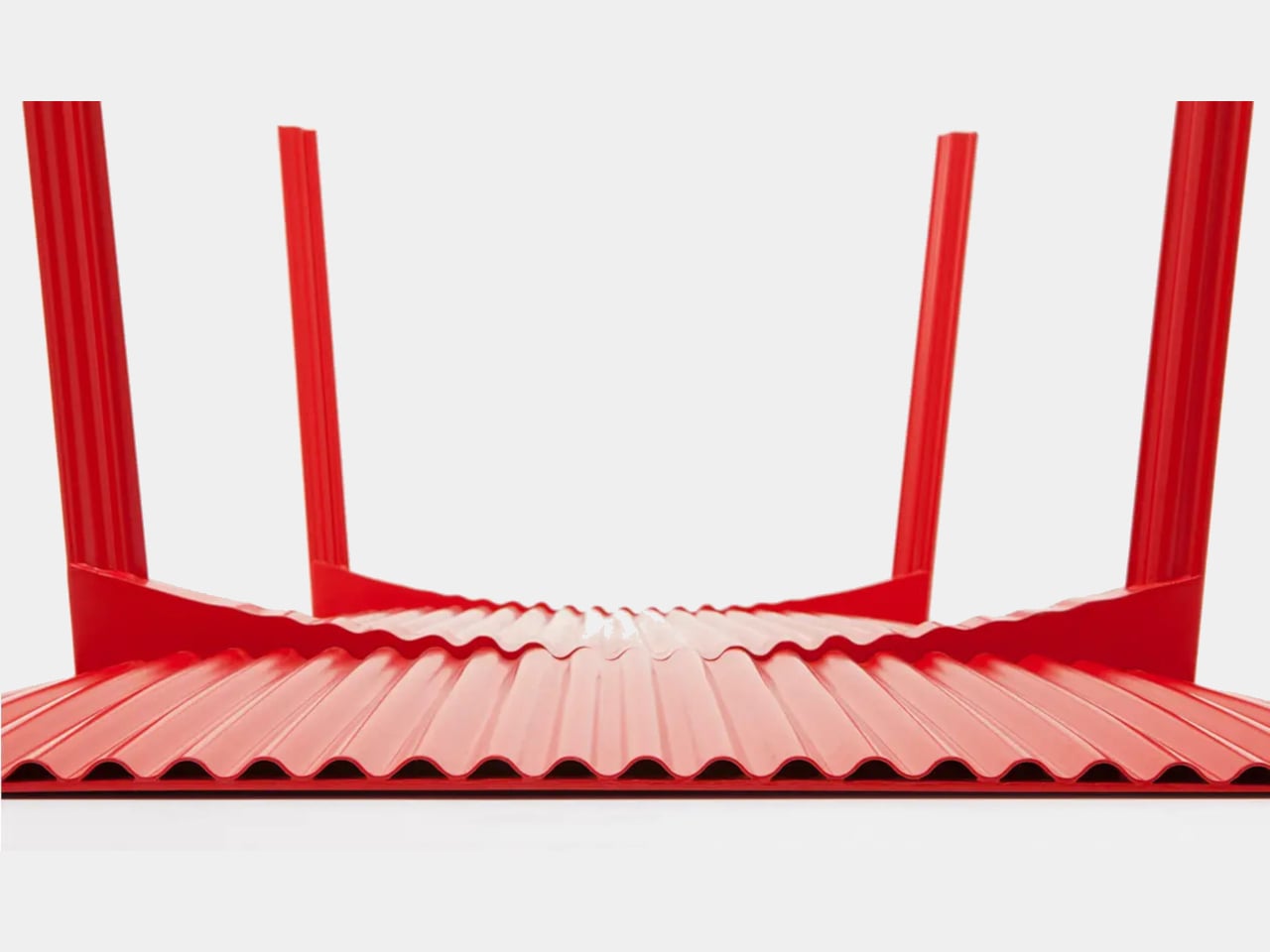


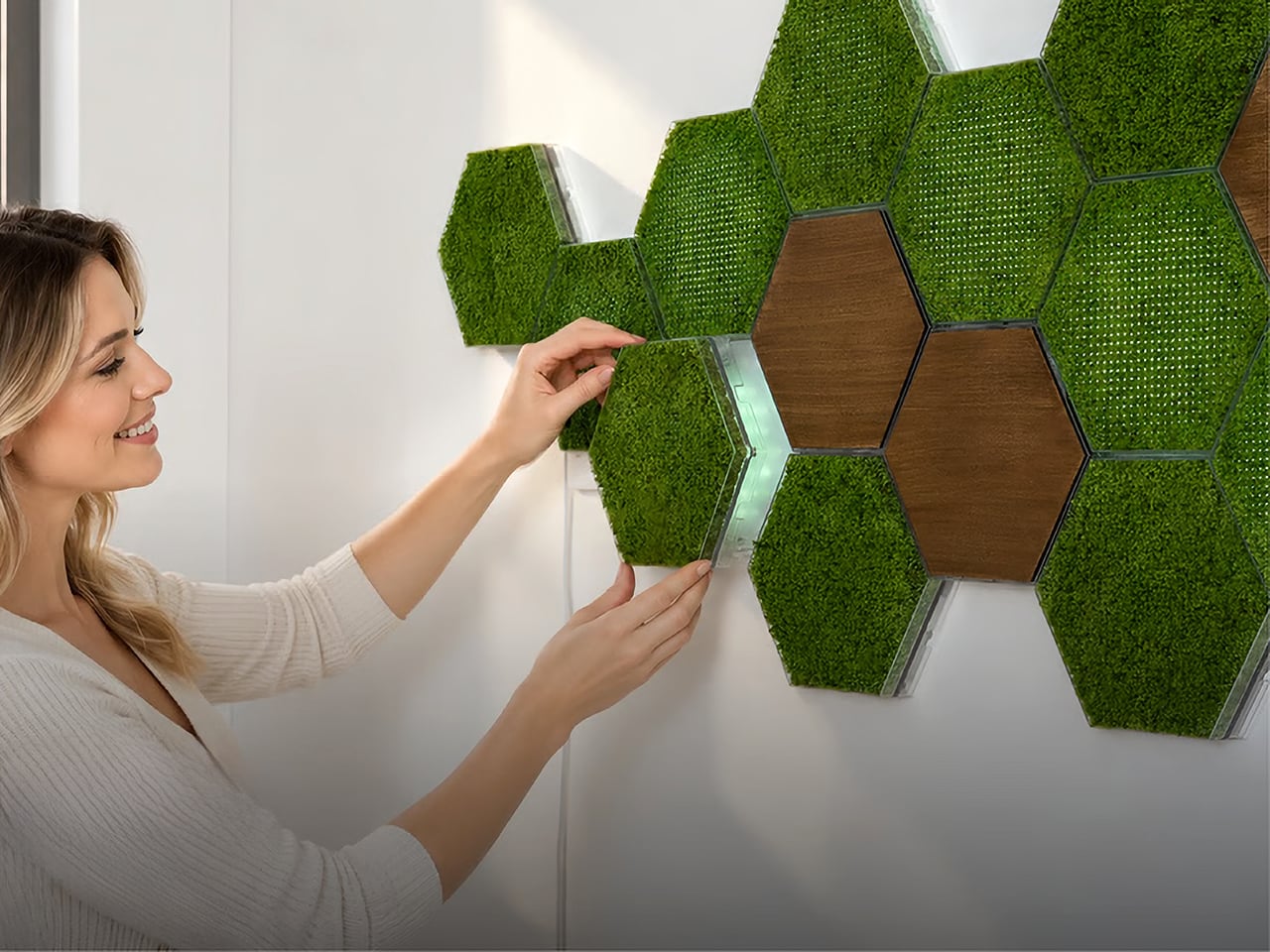


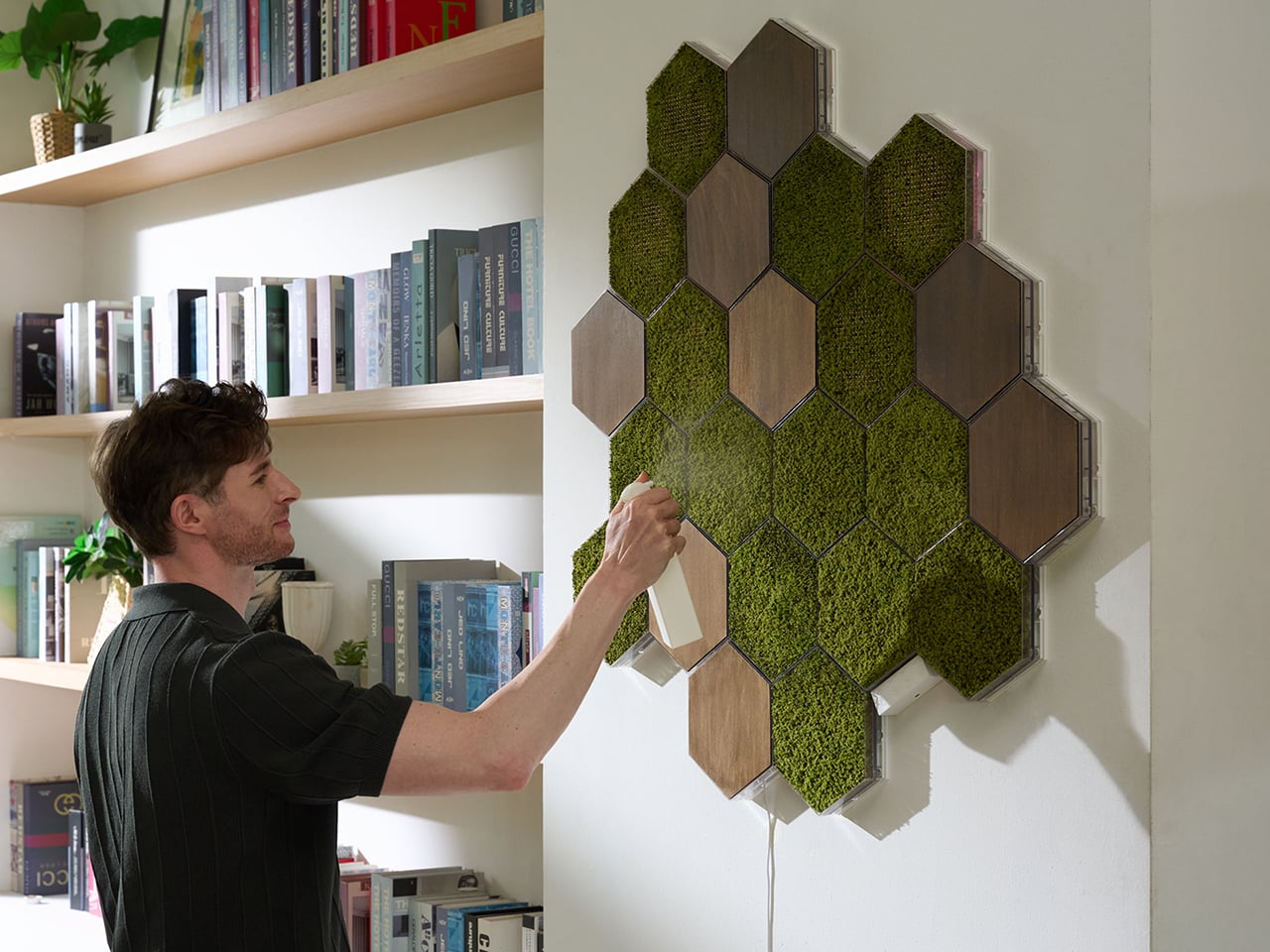
 magnetic mounting system, each panel snaps into place with a single click, no complicated measuring, no specialist tools, no installation experience needed. You attach the mounting guide to your chosen surface, and both screws and adhesive mounting options are included. The guide handles alignment automatically, so panels sit consistently without leveling. The key design call is that Basic, Light, and Wood panels all share the same HexaLock