Australia is preparing legal action against Meta, TikTok, Snap, and Google over alleged breaches of its under-16 social media ban. Here's what could happen next.
Southeast Asia's digital economy is set to reach $368 billion in 2026 as AI investment grows, but fragmented data rules complicate regional operations.
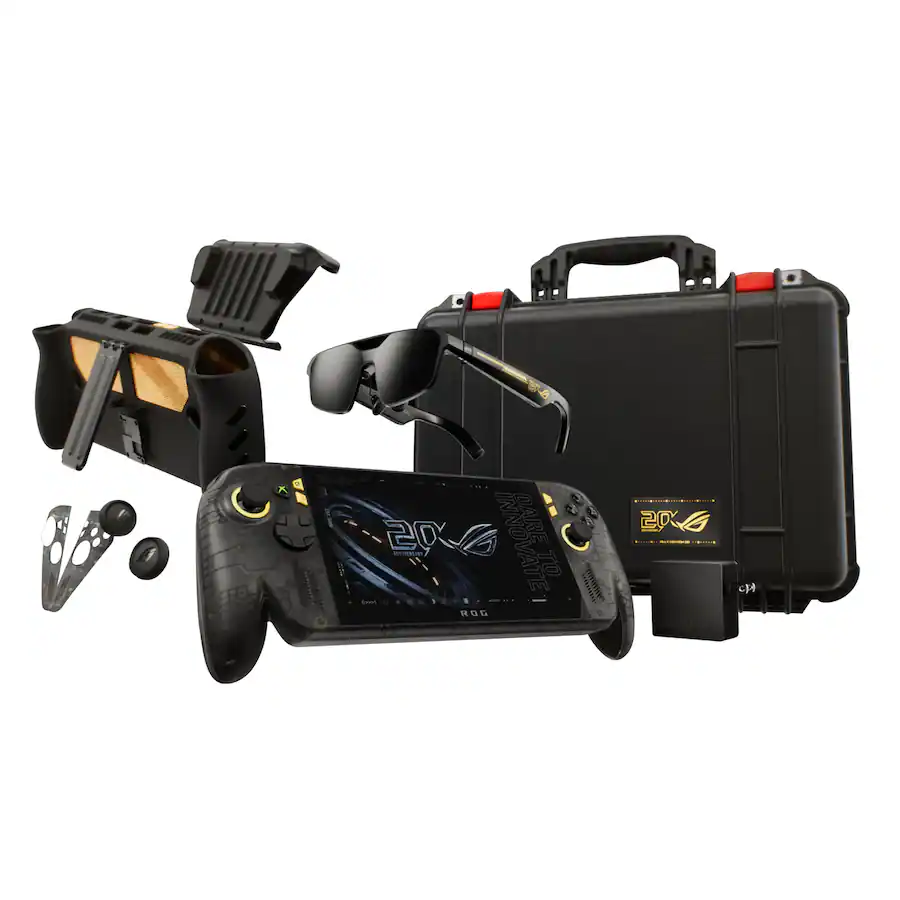
It was just a few days ago that I was unboxing the new ASUS ROG XBOX Ally X20, which went on sale just five days ago on October 15th, and now both the handheld ($1,299) and the $2,499 bundle (handheld + XREAL glasses, dBrand skin) are sold out at both Best Buy and ASUS.com.
Indeed, I'm not even saying they sold out today, but rather that today was the first day I checked to see if there was any inventory left. Going by a Reddit thread, it appears it sold out sometime yesterday or Sunday.
That's a very impressive metric, when you consider the pricing here. The current ROG XBOX Ally X is available for $999, while this refreshed model (which is better in every way) is $300 more. And the $2,500 bundle is also no joke, especially for what many would consider a secondary gaming PC.
Sure, we can attribute this to limited production and a finite inventory on hand, but it’s worth noting that preorders began almost two months ago on August 25th, giving ASUS ample time to prepare for demand.
And we know there was demand. Looking at our internal numbers for click-throughs, we saw back in August an unusually high amount of interest in the ROG XBOX Ally X20, more than you might expect from the most expensive ROG Ally to date.
A lot of this goes back to what I've been saying for years: Gaming is one of the few price-proof areas in tech, practically insulated from the harsh economic realities that many people are facing, on top of the overall higher prices attributed to AI-driven demand for RAM and NAND (storage).
ASUS
ROG Xbox Ally X20
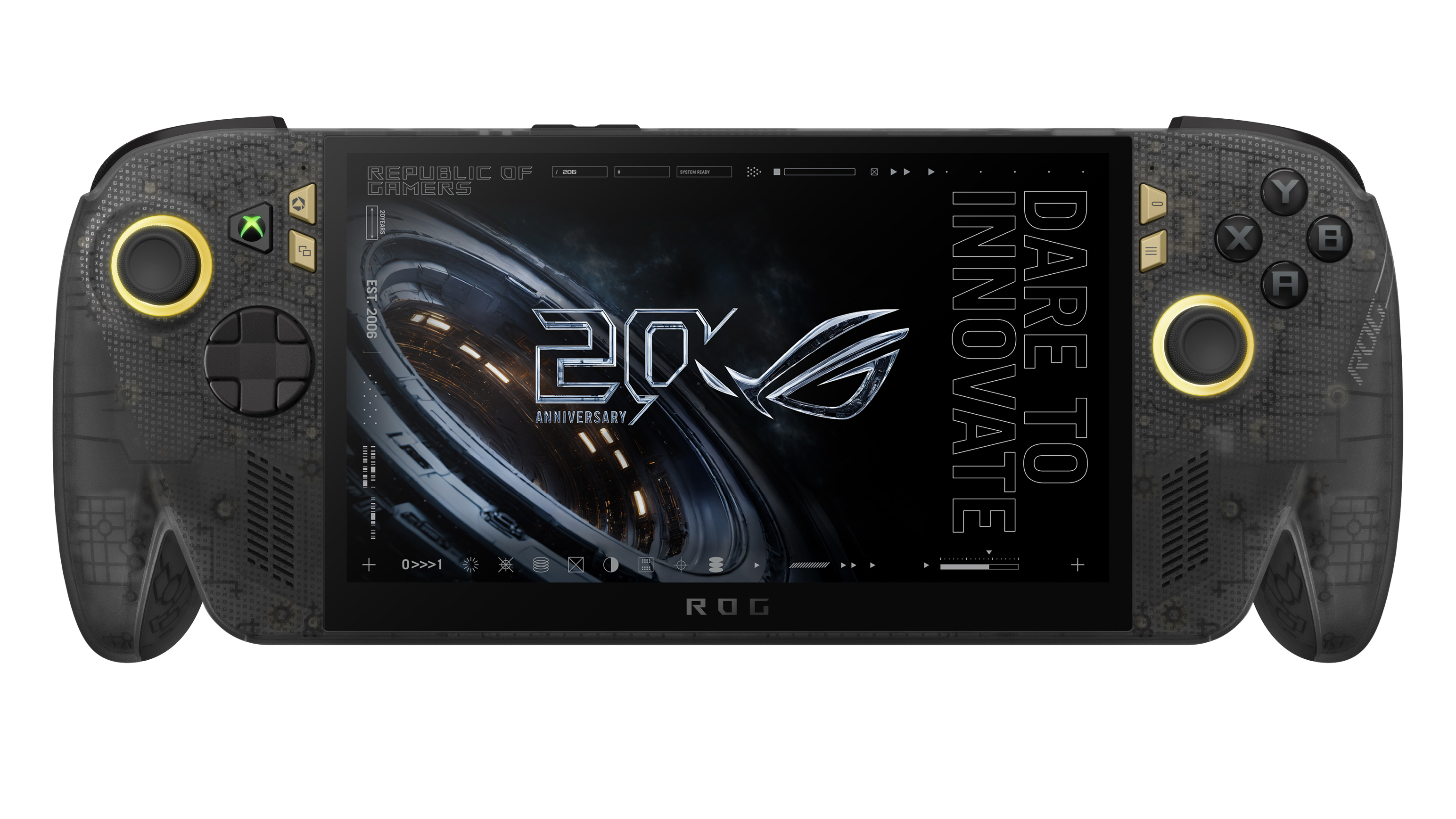
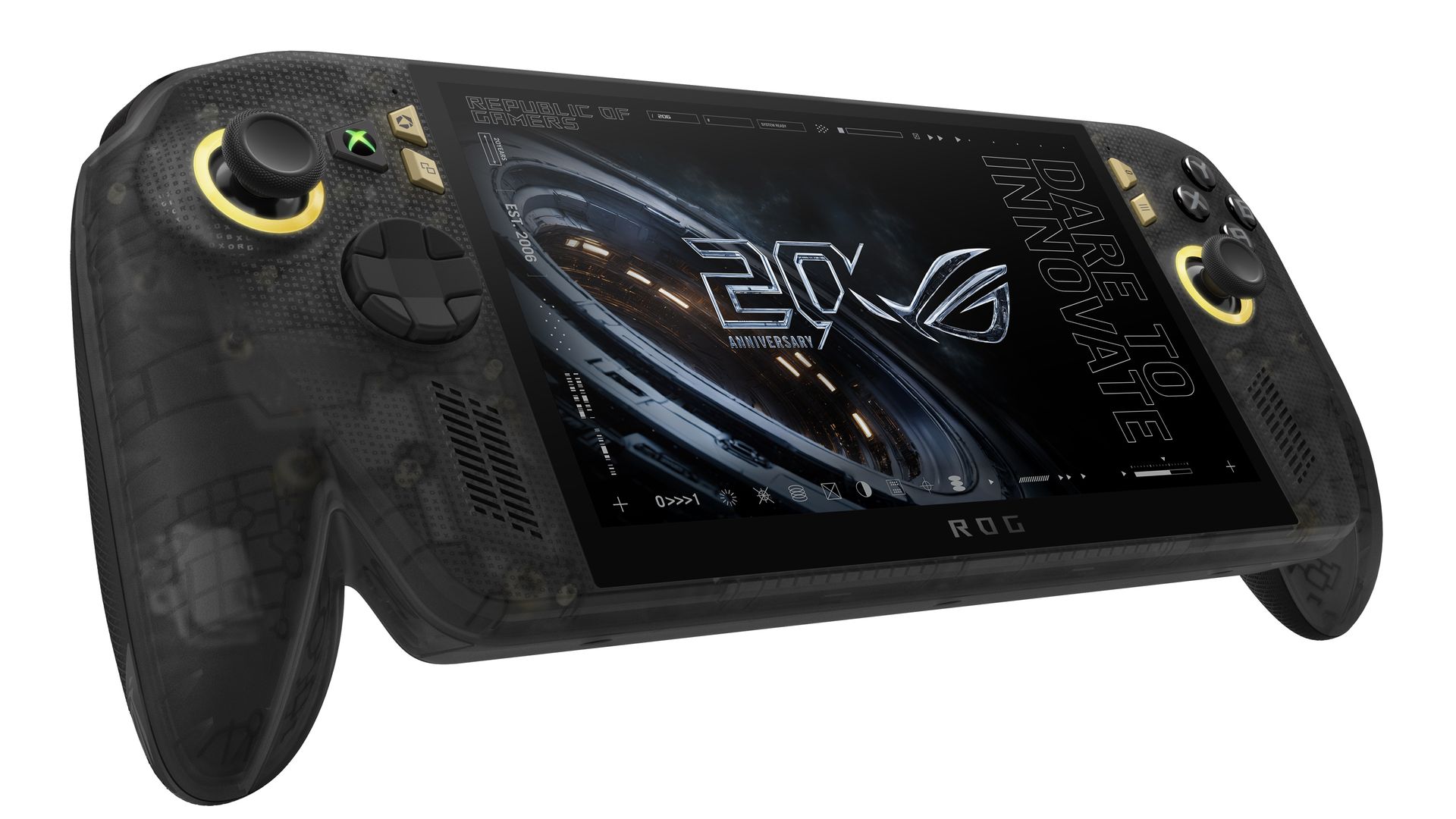
A refined celebration of ASUS’s gaming legacy, the Ally X20 Anniversary Edition pairs its upgraded Ryzen AI Z2 Extreme chip with a vibrant 7.4‑inch OLED HDR display and a boosted 80 Wh battery. It’s a sleeker, more efficient Windows gaming handheld built to mark the milestone with sharper visuals, quieter thermals, and longer play sessions.
Whether a recession, a pandemic, a RAM shortage, or a crypto mining craze (remember that?), gamers are almost always willing to fork over big bucks to have the latest gear. It's one reason that, despite some of the doom-and-gloom over PC sales in the last decade, gaming PCs grew year-over-year consistently.
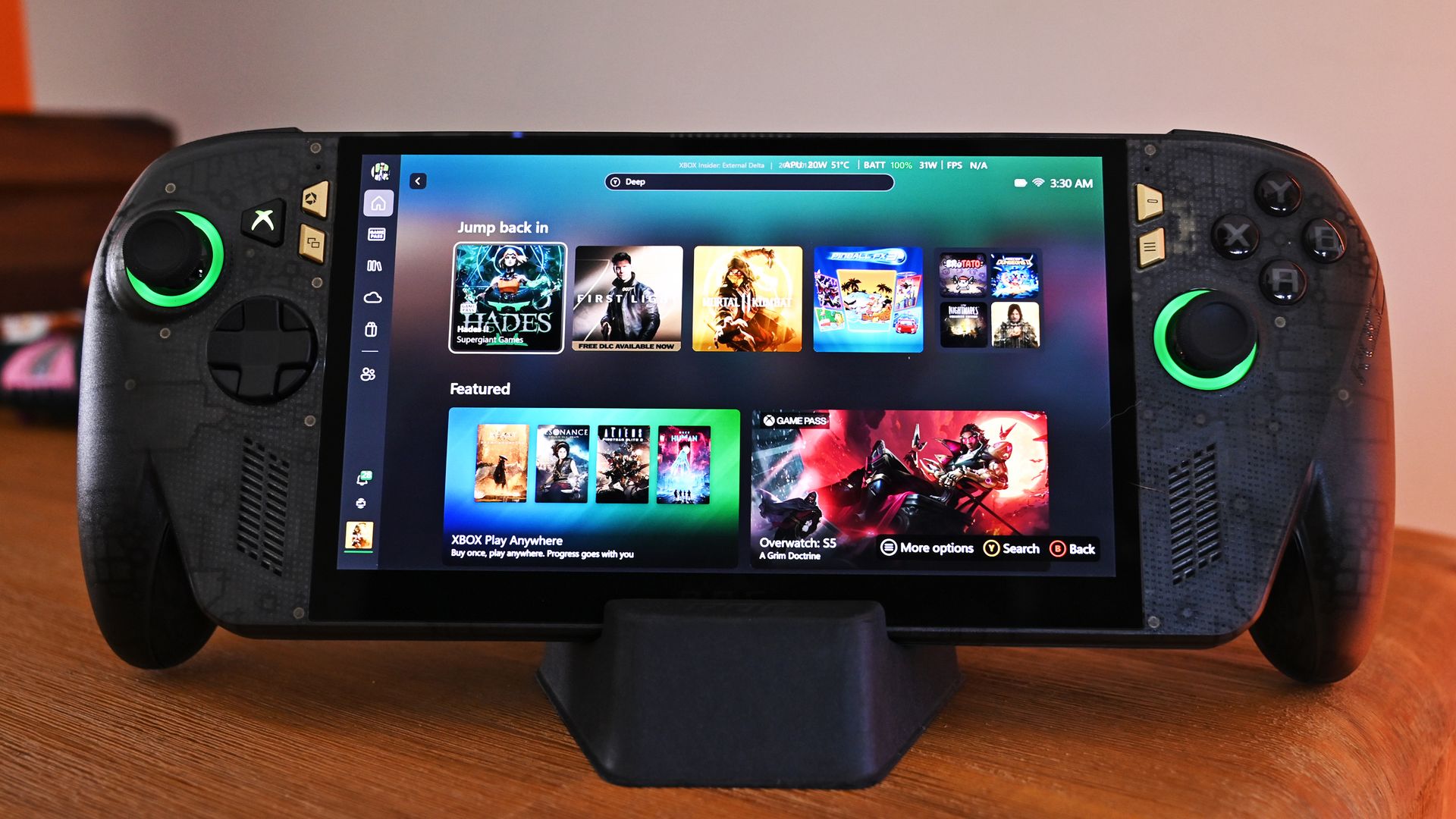
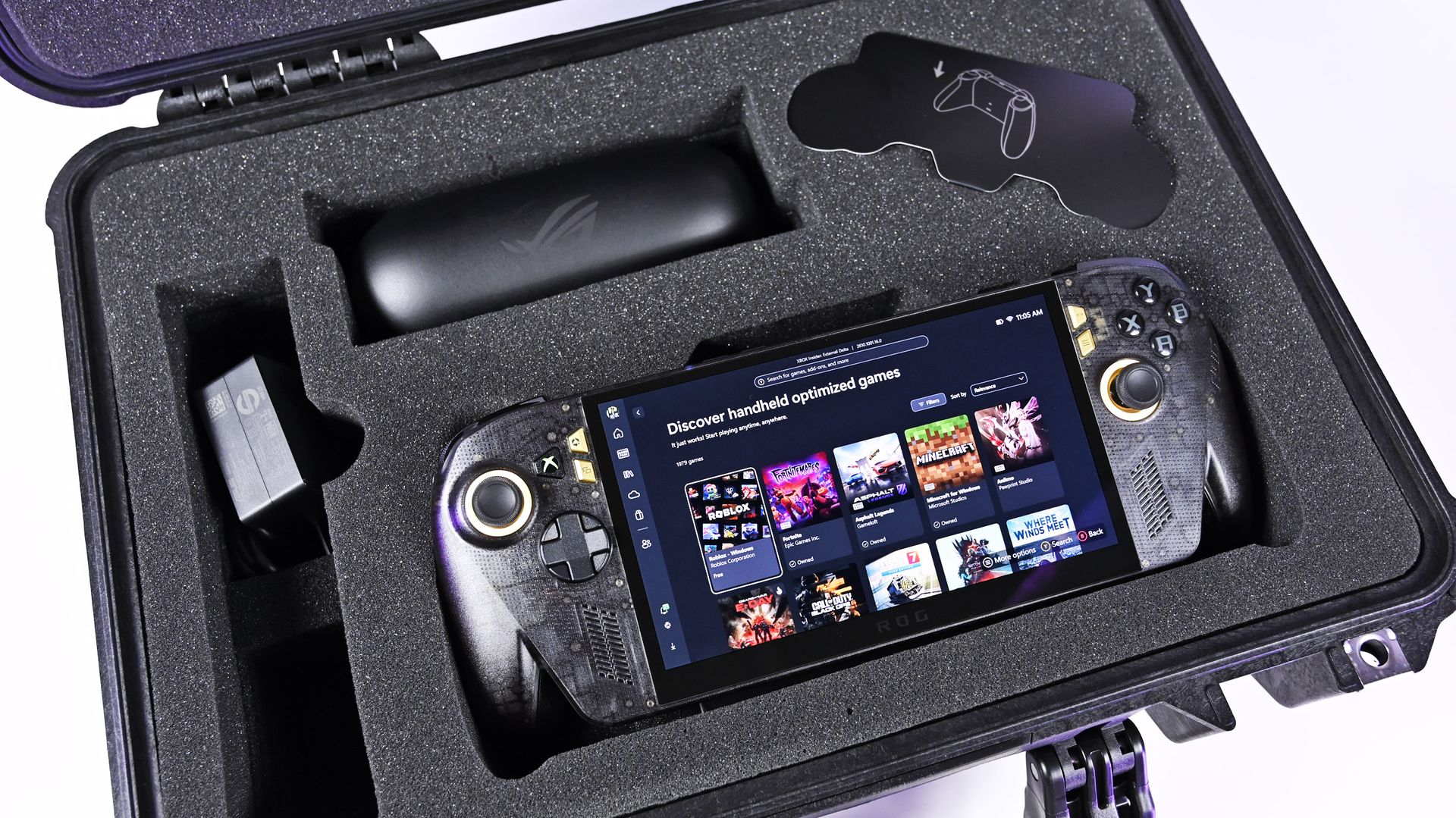
Front view of the ROG Ally X20 handheld, which is in very high demand. (Image credit: Daniel Rubino)
If you haven't followed this story closely, you'd be forgiven for thinking this is just a simple refresh of last year's XBOX Ally X, albeit with an OLED panel replacing the IPS.
That ... would be way oversimplifying it.
Yes, the same AMD Z2 Extreme and 24GB of RAM are here (albeit slightly faster memory), so overall performance is very much the same, but ASUS basically completely rebuilt this entire device with all new components. In fact, I've been documenting all the changes that I've noticed and collected from talking to ASUS and from past press events.
So, here's what's actually new:
Larger 7.4-inch OLED panel (up from 7.0 IPS)
1,400 nits peak HDR (no HDR before)
600 nits peak SDR (was 500 before)
Dolby Vision support
Corning Victus + DXC anti-reflection coating
Smaller bezels
Redesigned airflow channel specifically for cooling the OLED panel
Completely redesigned PCB USB4 ports
Upgraded fan and heatsink fins for better cooling
Hybrid metal dome switches for a more tactile D-pad
Transforming D-pad
TMR joysticks (Hall-effect style)
LEDs increased from 2 to 4 per stick
Quieter, more tactile ABXY buttons
Realigned shoulder buttons
Smoked black translucent housing
Rubberized ergonomic grips
Upgraded microSD Express slot (up to ~1 GB/s)
And this translates into a major real-world difference in terms of fit and finish, as well as overall enjoyment of the device, which is why so many people are praising the build quality.
While Intel's G3 Extreme trounces AMD in performance, the overall gaming experience on the ROG XBOX Ally X20 is very likely the best of any handheld. Plus, a faster AMD or newer Intel chip would have driven the price up even further (see MSI's $1,800 Claw).
Of course, the one pain point is still ... Windows 11. At least for the out-of-the-box experience (OOBE), but we'll talk about that another time. Once you're set up, the Ally X20 is top-tier.
ROG XBOX Ally X20 is getting great reviews
(Image credit: ASUS)
It's worth noting that reviews, both professional and from consumers, have been near-universal in their acclaim for the ROG XBOX Ally X20.
Yeah, Best Buy only has 10 reviews posted, but it's a solid 5.0 across the board, with some noting, "This is the single most refined PC handheld ... I’ve tried." and "it might be the best quality handheld device in the market," and "ASUS Definitely hit it out of the park with this one."
Going by more professional reviews, IGN says the OLED takes the machine "to a completely new level" and argues that the extra $300 is"absolutely worth it" if you have the cash. Notebookcheck is similarly effusive, calling the OLED a "game changer" and describing the image quality as "simply stunning."
And one of my favorite YouTube channels, 128KB, dedicated to handheld gaming, also gave high praise (you can see the podcast embed above).
That kind of word of mouth goes a long way, and ASUS seems to have quite a hit on its hands despite the current market circumstances.
Of course, my review is coming out shortly, but spoiler alert: I don't differ much from most of the other conclusions. Sure, "The X20 should have been the original Ally X last year" is a common theme, but OLED displays this small with variable refresh were hard to come by in 2025, so ASUS went with what it could mass-produce at the time.
The Ally X20 selling out across every configuration shows just how aggressively ASUS has captured the handheld gaming PC conversation. This launch isn’t a blip or a lucky surge; it’s a clear sign that ASUS understands what Windows handheld buyers want and is willing to push the category forward faster than anyone else.
When a premium bundle disappears instantly, it tells you the audience is hungry, confident, and ready to invest in hardware that feels genuinely next‑gen. ASUS, in my opinion (and others'), set a new bar, and the rest of the industry now has to decide whether it can keep up with the pace ASUS just established.
Anyway, let me know in the comments what you think about the state of handheld gaming in 2026, and whether the ROG XBOX Ally X20 is on your radar (if it comes back in stock).
ASUS
ROG Xbox Ally X20 Bundle
Twenty years of ROG innovation, marked by the limited ROG Edition 20 lineup in an exclusive colorway. The ROG XBOX Ally X20 Bundle carries that celebration forward, pairing the handheld with the ROG XREAL R1 Edition 20 Gaming AR glasses to create a complete gaming setup that travels with you.
Join us on Reddit at r/WindowsCentral to share your insights and discuss our latest news, reviews, and more.
MiniMax launches M3.1 Flash with claims of faster, cheaper AI agents. See how its pricing, benchmarks, and reliability compare with enterprise requirements.
Replit has chosen OpenAI as its preferred AI partner while keeping Anthropic models available. Here's what the shift means for developers and enterprise teams.
Windows 11 offers controls for diagnostic data, location access, clipboard syncing, and personalized recommendations. Here's how to review seven privacy settings and understand their trade-offs.
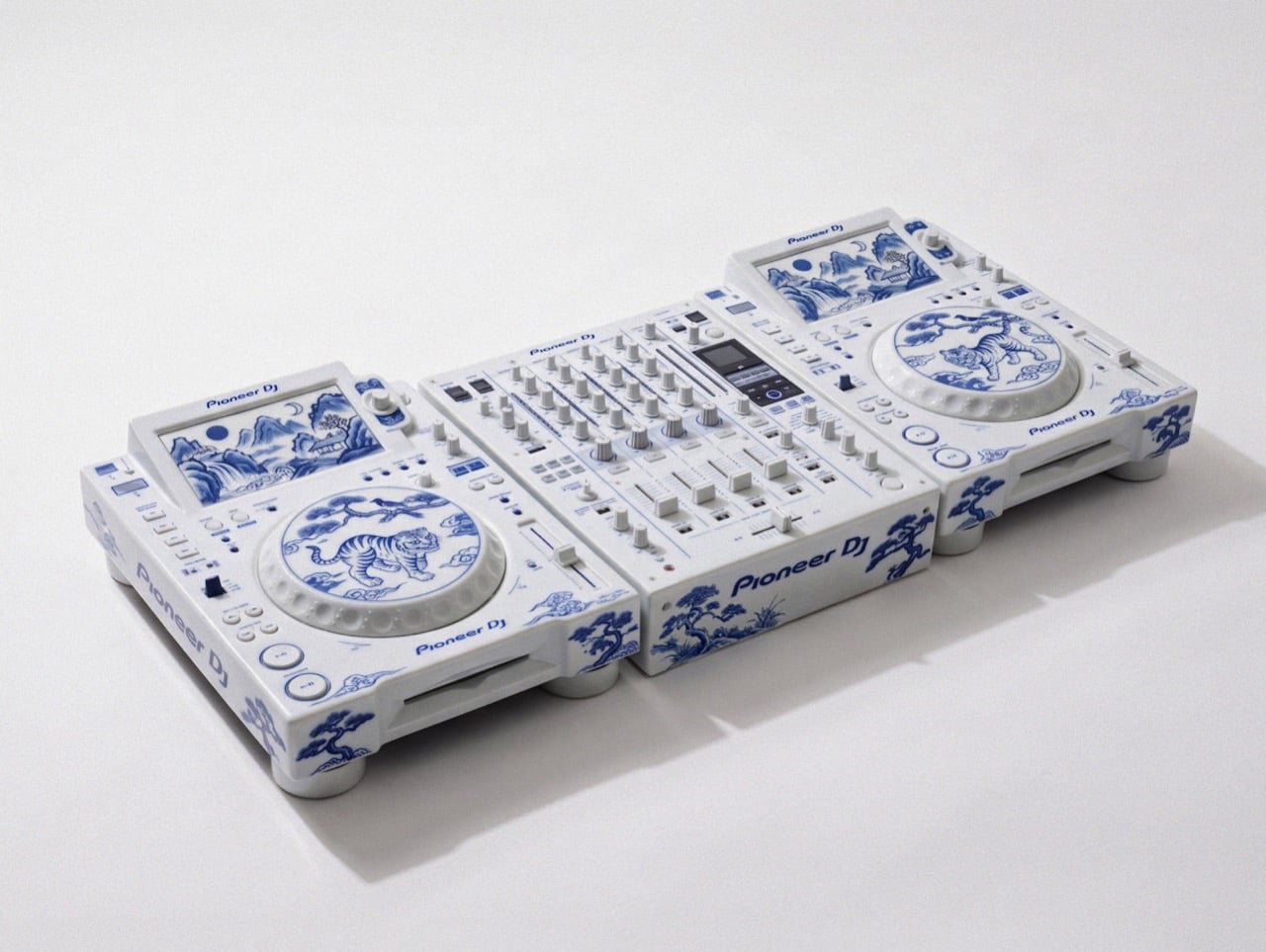
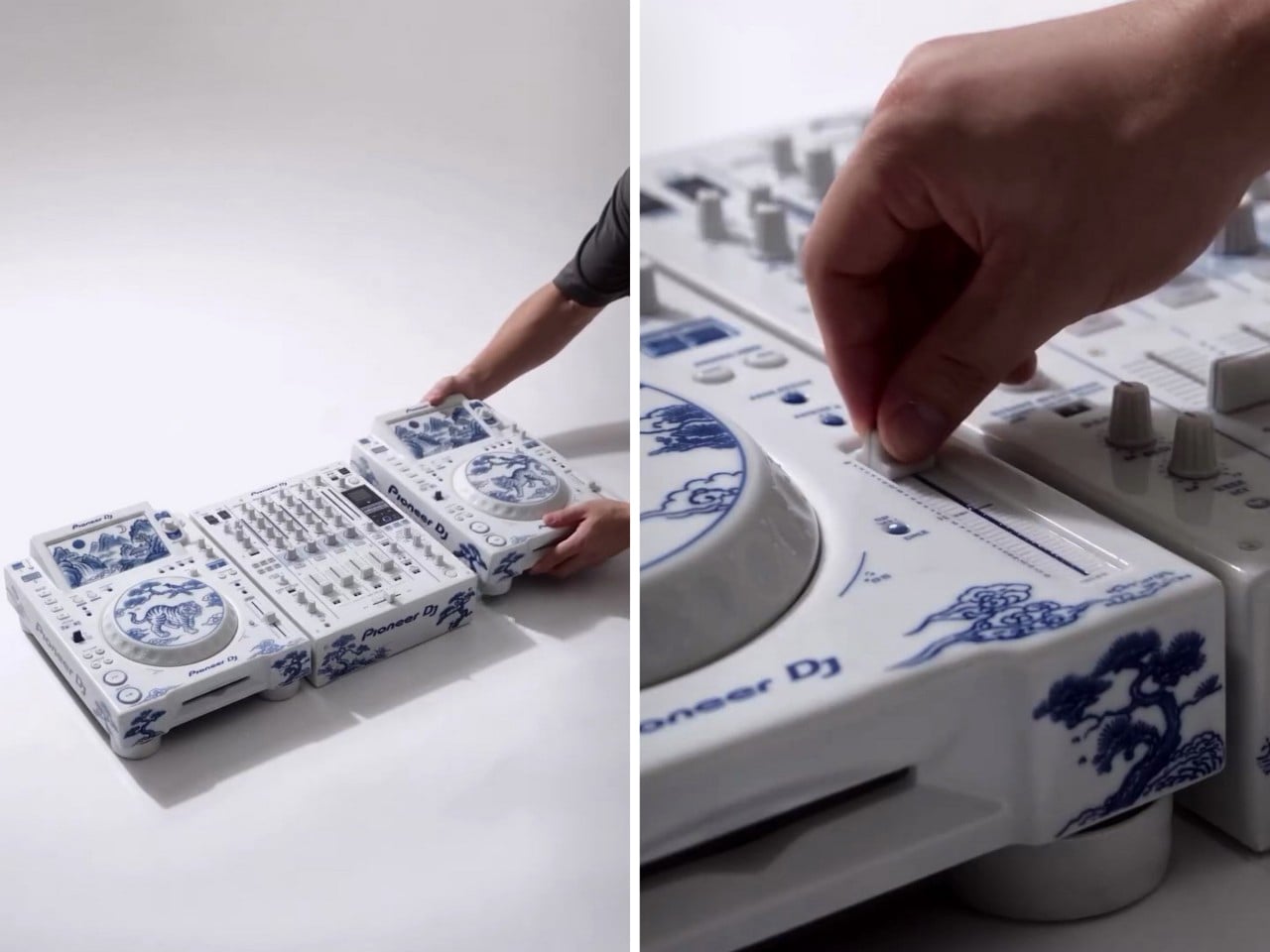
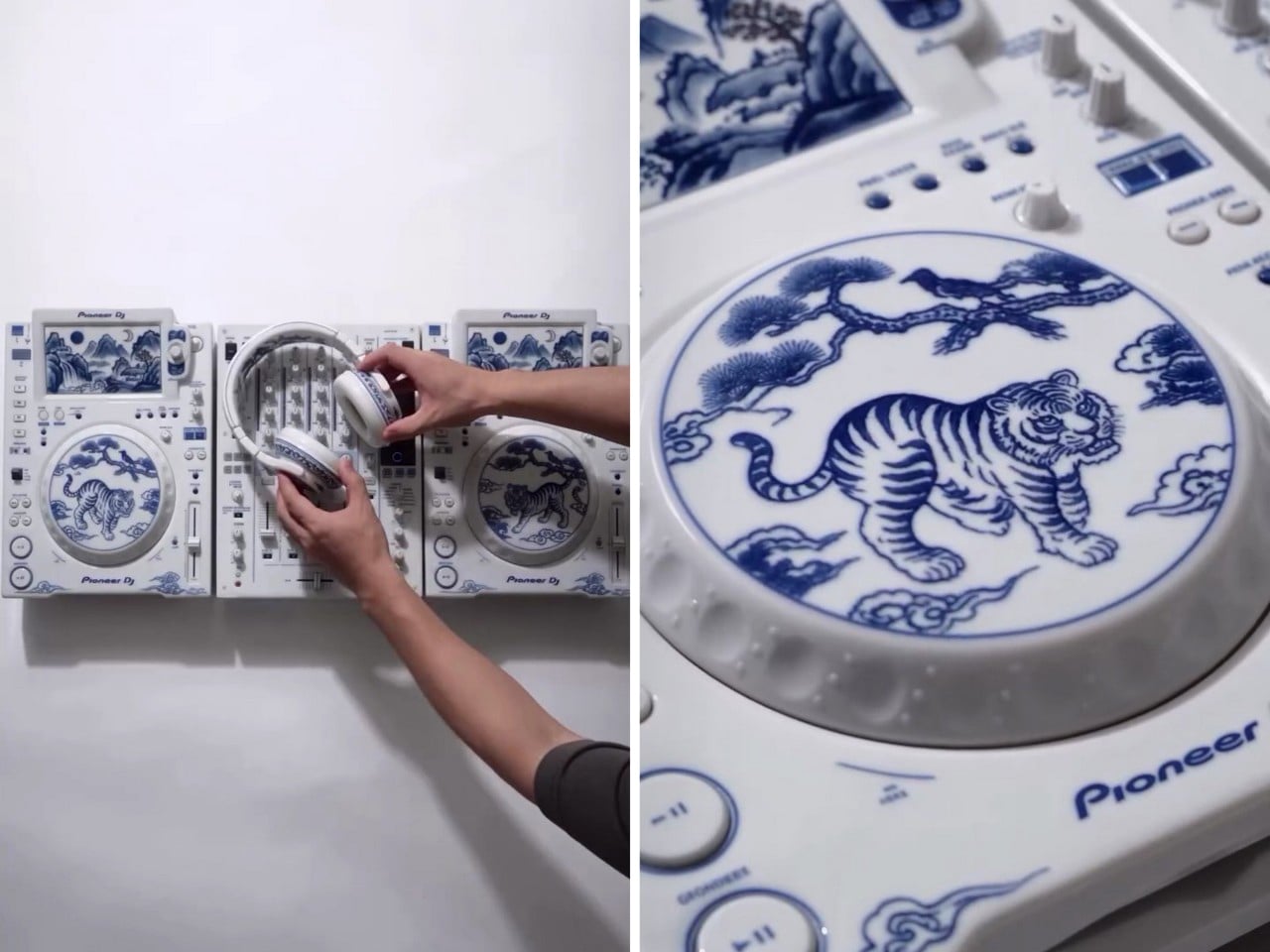
David Guetta just won DJ Mag’s Top 100 DJs poll for a record sixth time, and I have a very specific idea for his trophy shelf. Somebody on the internet has turned a Pioneer DJ setup into Korean blue-and-white porcelain, tigers and all. Two decks and a four-channel mixer, glazed bone white and hand-painted (well, AI-painted) in cobalt blue. It looks like something you’d find behind glass at the Met, right before a security guard asks you to step back. It’s also the most Guetta-coded object I’ve seen all year, because a guy who headlines weekly Ibiza residencies deserves a rig that looks as expensive as the bottle service.
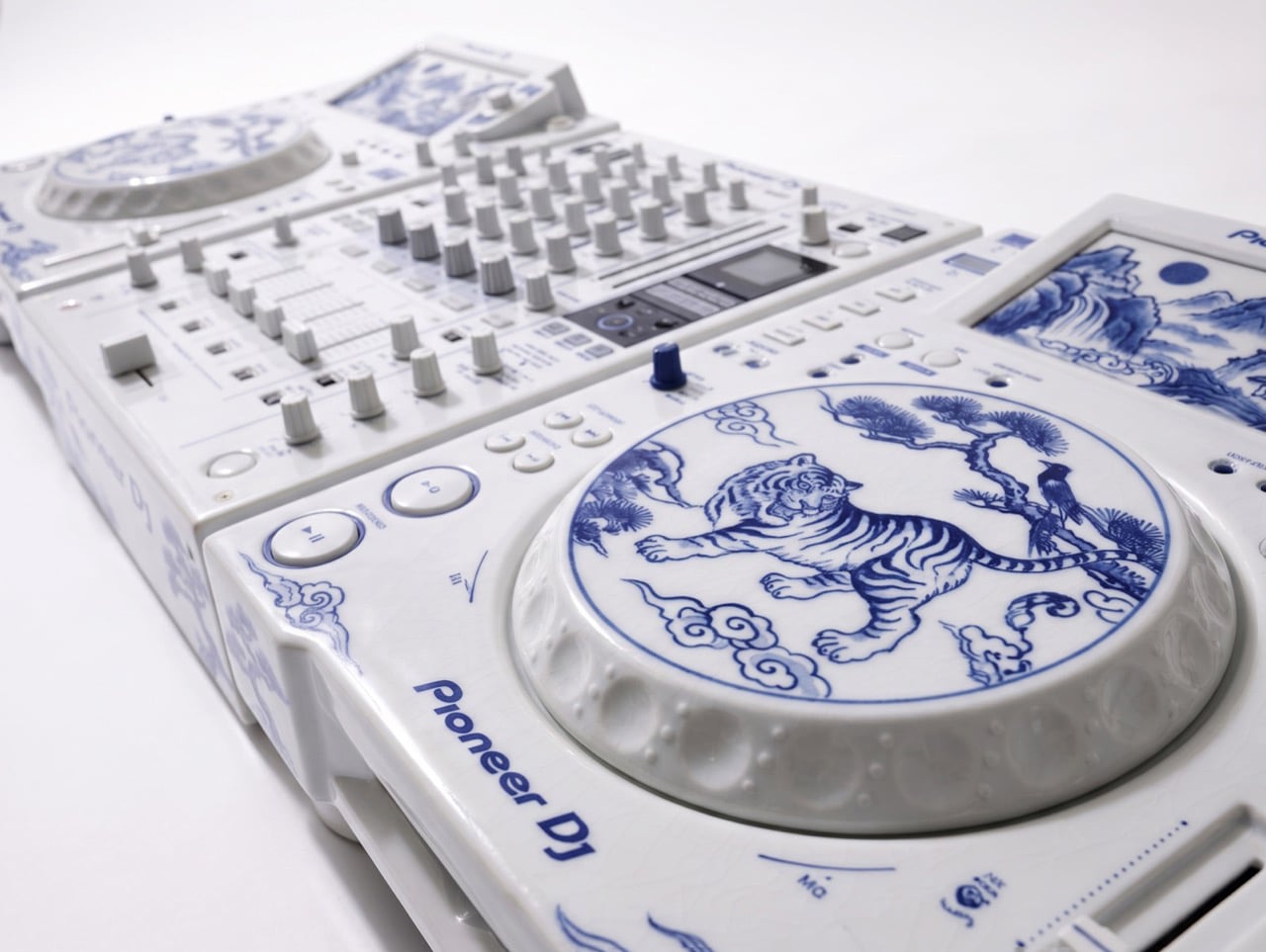
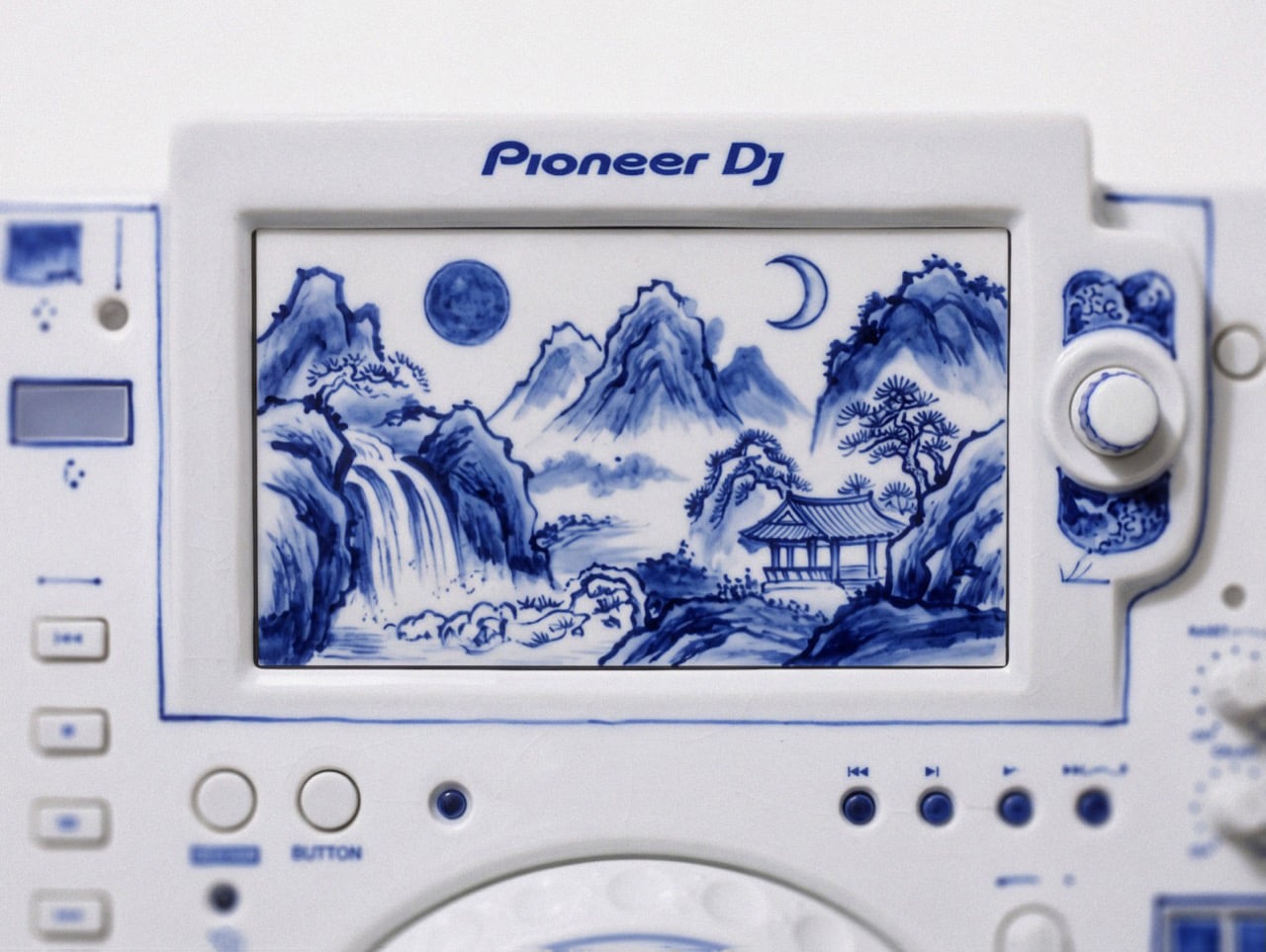
The setup comes from creators patchkims and takitani.lab, who posted it as the “Joseon Baekja Prototype,” complete with a “1 of 1, no restock” caption that reads like a sneaker drop. It’s an AI render, so nobody’s shipping it to Guetta’s villa anytime soon. The idea still lands, though. Each jog wheel carries a tiger and a magpie under a pine tree, lifted straight from Korean folk painting, and the screens swap waveforms for misty mountains and waterfalls. Suddenly your DJ gear graduates from booth equipment to living room centerpiece, which is a fun flex for anyone, let alone the world’s No. 1 DJ.
Kkachi horangi is a genre of Korean folk painting where a deliberately goofy tiger, nicknamed the idiot tiger, plays the aristocratic yangban, and a smug magpie in a pine tree speaks for the common people. Both jog wheels here carry that exact scene, with the cat prowling below and the bird looking unbothered above. The two decks get different tiger poses, so the platters work like a call and response. Joseon painters used the setup to poke fun at the ruling class, and now it sits under the palms of whoever runs the dance floor. That is either delicious irony or very on-brand for a king of the booth.
The screens trade waveforms for misty peaks, a waterfall, a pavilion, and a pair of moons, echoing Irworobongdo, the sun, moon and five peaks painting that stood behind the king’s throne in Joseon palaces. The sun and moon stood for the king and queen, so the painting doubled as a majesty backdrop. A headliner on a raised stage occupies similar real estate, so the throne comparison writes itself. The original sun burned red, and going cobalt turns it into a second moon, which suits a room that wakes up after midnight. Calling a DJ booth a throne room is a stretch, but watch a stadium crowd hang on a Guetta build-up and the royalty comparison stops feeling silly.
Joseon Korea made white its signature after the green celadon era of Goryeo, and cobalt-painted porcelain sat at the top of the pile. The pigment was rare and imported from China, so when supply dried up, court kilns improvised with iron-brown, and some banquet wares wore painted imitations of blue-and-white called gahwa, literally fake painting. A porcelain Pioneer rig conjured by AI is a 2026 gahwa, a convincing stand-in for an object nobody has actually fired in a kiln. I’m weirdly fine with that, because the Joseon court got there first. Meanwhile, Christie’s has estimated a genuine 15th-century cobalt jar at roughly $2 million to $3 million, so the real thing sets the bar high.
The real-world version of this lineup runs two AlphaTheta CDJ-3000X players at $2,999 each plus a Pioneer DJ DJM-A9 mixer at $2,899, roughly $8,900 in the US. The render looks closer to the older CDJ-2000NXS2 generation, disc slots and all. Pioneer did sell a limited white CDJ-2000NXS2-W run in 2017, so colorway flexes are old news for the brand. I imagine if such a product were to exist, it would probably cost in the hundreds of thousands. That being said, I’m sure an enthusiastic deejay with money to throw could acquire this for their den. Guetta, SHM, heck even Shaq… I’m looking at y’all.
J'ai pas mal de déplacements pro en ce moment, et comme je suis sur plein de projets en même temps, c'est un peu relou. Parce que tout ne tourne pas uniquement sur mon ordi portable. J'ai des traitements un peu plus lourds qui tournent par exemple sur mon Mac Studio et faut dire que je lui en fais vraiment voir de toutes les couleurs à celui-là...
La plupart du temps, j'arrive heureusement à tout gérer à distance en me connectant en SSH à l'ordinateur via mon VPN privé (ça me permet d'avoir toutes mes machines sur le même réseau local virtuel comme ça c'est chiffré et sécurisé) mais il arrive parfois que je doive cliquer sur un bouton ou taper un mot de passe via l'interface de macOS.
Jusqu'à présent pour ce genre de choses, j'utilisais donc l'application Partage d'Écran fournie par Apple, mais je ne sais pas vous, chez moi ça lag furieusement et c'est vraiment pas pratique à utiliser. Bref, j'aime pas.
Je me suis donc rabattu sur des Real VNC et compagnie, mais pareil, ce n'est pas un protocole et des clients que je trouve très efficaces. Et j'avais pas envie non plus de payer un peu au pif une app présentée comme meilleure comme celle-ci d'Apple pour voir ce que ça donne :
Ça s'appelle Korben Remote Desktop et ça fonctionne en deux parties. On a d'un côté un petit agent sur l'ordi à contrôler, qui demande juste les autorisations système "Enregistrement de l'écran" et "Accessibilité" (sans oublier la fonctionnalité de Session à distance activée dans Partage, pour le tunnel SSH au niveau des réglages de macOS), et de l'autre côté le client sur le Mac que vous avez sous les yeux. Les deux se parlent ensuite à travers un tunnel SSH chiffré, sur votre réseau local ou votre VPN privé, sans passer par aucun serveur chez moi ni ailleurs puisque l'appli refuse carrément les adresses IP publiques pour des questions de sécurité.
Voici tout ce que j'ai mis en place dans cette application :
Une image fluide, jusqu'en 4K. Capture ScreenCaptureKit, encodage HEVC ou H.264 par la puce du Mac, transport UDP chiffré avec de la parité Reed-Solomon pour encaisser les paquets perdus. Qualité au choix (Automatique, 720p, 1080p, 4K ou Native) et cadence de 30, 60 ou 120 images par seconde.
Un Wi-Fi qui coupe n'est plus un drame. Une micro-coupure est traitée comme un retard et pas comme une perte, et trois priorités de présentation (Réactif, Équilibré, Fluide) règlent le tampon selon que vous voulez la latence la plus basse ou aucun gel d'image.
Le son aussi. Le son système du Mac distant arrive au format Opus, et si y'a pas de son, aucune bande passante n'est consommée pour ça.
Souris, clavier et raccourcis. Défilement précis, boutons latéraux compris, et les raccourcis partent au Mac distant tant qu'il a le clavier (⌘C copie là-bas, pas chez vous). Ceux du client sont donc basculés en ⌃⌥⌘ pour ne pas leur marcher dessus.
Un mode jeu. Capturer la souris (⌃⌥⌘G) cache le curseur, envoie le mouvement brut sans le bloquer aux bords de l'image et passe le clavier en touches physiques, donc W reste la touche W quelle que soit la disposition. Les manettes passent aussi, en expérimental.
Tous les écrans. Vous passez d'un écran à l'autre, ou vous les affichez tous à la fois (⌃⌥⌘A), rangés comme sur le Mac distant, le pointeur passe de l'un à l'autre et une fenêtre se tire d'un écran à l'autre. Un écran branché ou débranché pendant la session apparaît ou disparaît tout seul.
Zoom et plein écran. Un zoom comme celui de macOS (pincement à partir du curseur, déplacement à deux doigts, double toucher) et un plein écran système dont la barre d'outils se range.
Les fenêtres des apps distantes, chez vous. Une fenêtre d'une application du Mac distant (un Terminal du Studio, par exemple) peut s'ouvrir comme une fenêtre indépendant sur votre Mac. Vous la déplacez, la redimensionnez, vous tapez et cliquez dedans, et c'est l'application distante qui répond. Quand elle a accès au clavier, la barre des menus de votre Mac affiche même les menus de cette application distante, et un clic droit y ouvre le vrai menu contextuel du Mac distant.
Fichiers et presse-papiers. Presse-papiers texte partagé, transfert de fichiers dans les deux sens, y compris en glisser-déposer vers et depuis le Finder distant. Un transfert interrompu peut également reprendre sans tout recommencer. Les fichiers reçus sont ensuite mis en quarantaine, comme n'importe quel téléchargement.
Reconnexion automatique. Si le lien tombe, l'image se grise et le client réessaie jusqu'à ce que vous l'arrêtiez, en gardant vos fenêtres déportées. Et si aucune session n'est ouverte sur le Mac distant (après un redémarrage, par exemple), l'appli vous propose alors d'ouvrir le Partage d'écran d'Apple pour taper votre mot de passe, puis reprend la main dès que l'agent est prêt (J'ai pas d'autre choix que de faire comme ça).
Un Mac qui ne montre rien pendant que vous bossez dessus. Durant une session, l'écran du Mac distant est noir pour quelqu'un qui passerait devant, son clavier et sa souris sont bloqués et ses haut-parleurs sont coupés (le son, lui, continue d'arriver chez vous). À la déconnexion, l'agent demande au lecteur multimédia de se mettre en pause (s'il peut le faire) et verrouille la session, par défaut.
Un accès depuis un simple navigateur. L'agent peut aussi ouvrir un accès web, à démarrer explicitement dans sa fenêtre. Vous copiez un lien à usage unique valable quinze minutes, vous l'ouvrez dans Safari ou Chrome sur votre réseau privé, vous comparez l'empreinte du certificat avec celle affichée par l'agent, et vous retrouvez l'écran, le son, le zoom et le contrôle sans rien installer. Les fichiers et les fenêtres séparées restent réservés au client Mac.
Sécurisé par défaut. Tunnel SSH obligatoire pour le client natif (votre compte SSH est la clé, aucun compte à créer nulle part), TLS avec échange de clés ECDHE et ChaCha20-Poly1305 pour le lien de contrôle, AES-256-GCM pour l'image et le son, adresses publiques refusées, et un seul viewer à la fois (le deuxième doit demander la place au premier, qui répond oui ou non).
Une vraie app Mac. Barre latérale avec vos Macs, barre d'outils native, fenêtre Réglages, menus complets, mode sombre, français ou anglais selon la langue du système, et les Macs du réseau qui ont la session à distance activée sont trouvés tout seuls par Bonjour. Les statistiques du flux (⌃⌥⌘I) donnent la latence, la gigue, le tampon et les pertes, et une "liaison économe" allège tout d'un coup pour un réseau lent ou compté.
Ce que ça ne fait pas encore par contre, c'est pas de réveil à distance, pas de déverrouillage FileVault après un redémarrage à froid (prévu sur macOS 26, mais pas encore validé), les gestes du trackpad comme la rotation ou le balayage à trois doigts ne passent pas, et le verrouillage des majuscules reste celui du Mac distant. Il faut macOS 14 minimum des deux côtés, et les deux applications sont universelles, Apple Silicon comme Intel (testées sur Apple Silicon, l'Intel et macOS 14 restent à valider).
Maintenant pour pour l'utiliser tous les jours, ce que je peux vous dire c'est que ça marche très bien. Maintenant, j'ai pas eu d'autres testeurs que moi-même pour le moment mais ça fait tout ce dont j'ai besoin.
Et je me suis payé le luxe également d'adapter le code (en version ultra alpha, j'ai pas encore assez testé ça) pour Windows et Linux. Et l'application iOS est également sur les rails.
Maintenant, comme d'hab, j'ai essayé de la mettre sur l'App Store d'Apple mais ils sont tellement casse couilles que je ne sais pas si j'y arriverai. Mais peu importe, je me suis dit que ça vous servirait alors je vous ai fait un petit site ici pour télécharger mon app :
remotedesktop.korben.info
.
C'est 100% gratuit, y'a aucune télémétrie ni pub dedans et je n'ai pas de plan de carrière avec ce logiciel si ce n'est de l'améliorer par petites touches au fil du temps. Je l'ai créé pour mes besoins et je me suis dit que ce serait dommage de ne pas vous en faire profiter, c'est tout.
Voilà, donc n'hésitez pas à tester. C'est conçu pour macOS mais j'ai décliné ça pour Windows et Linux (je le redis, c'est de l'alpha pour Win et Linux) afin que chaque client puisse prendre le contrôle de n'importe quelle machine peu importe son système d'exploitation.
Si vous avez des potes qui vous envoient des liens Spotify trop cools toute la journée alors que vous écoutez tout sur Deezer (ou l'inverse), bah c'est chiant votre vie. Faut copier le titre, ouvrir votre appli, le chercher...etc.
Heureusement, il existe
Music Bridge
, une extension pour le navigateur signée Simon Duhem (un ancien de Deezer) qui vous permet d'éviter de faire tout ce bordel en ouvrant directement la bonne chanson dans votre application musicale à vous.
Une fois Music Bridge installé, vous réglez votre service favori une fois pour toutes dans les options, et ensuite chaque page de morceau ou d'album ouverte ailleurs vous renvoie automatiquement vers son équivalent chez vous.
Deezer, Spotify, Apple Music, YouTube Music, Amazon Music, Tidal et Pandora se renvoient ainsi la balle dans n'importe quel sens, et YouTube ou SoundCloud peuvent également servir de destination. Et bien sûr si le morceau n'existe pas dans votre catalogue parce que c'est trop niche, bah vous restez sur la page d'origine avec un petit message qui vous prévient.
Maintenant pour ceux qui préfèrent l'appli de bureau plutôt que l'extension navigateur, une option permet également de lancer la musique directement dedans pour Deezer, Spotify et Apple Music, sous Windows et macOS, et une autre s'occupe de refermer l'onglet resté ouvert 5 secondes après l'ouverture de l'appli. Cochez juste "Toujours autoriser" la première fois que le navigateur vous demande s'il peut ouvrir l'appli, sinon l'onglet se fermera avant d'avoir eu votre réponse.
Après, il y a encore quelques trous dans la raquette... Par exemple, il n'y a pas de conversion pour les artistes ou pour les playlists. Et sur Android, quand l'appli de l'autre plateforme est installée, c'est elle qui récupère ses liens avant même que le navigateur ne les voie, et ça malheureusement, l'extension n'y peut rien.
Maintenant, pour retrouver le bon morceau, l'extension envoie l'adresse de la page ainsi que la plateforme de destination choisie à un petit service web que Simon hébergé chez Cloudflare, qui interroge l'API d'
Odesli
(le moteur de song.link) pour faire le matching.
The EU is questioning OpenAI and Anthropic over AI agent security incidents, raising questions about the AI Act's reach into model development and testing.
AMD introduces Helion, an open rack design for agentic AI. Explore CPU and GPU options, planned availability, and what IT teams should assess before deployment.
Nothing OS 5.0 brings Android 17 to 10 phones. See the full rollout schedule, eligible Nothing and CMF devices, new features, and when to expect the update.
Je pense que ça va vous plaire ! En tout cas, moi ça m'a vraiment impressionné !
Le Petit Prince parmi les étoiles
, c'est un jeu en 3D qui se lance directement dans le navigateur et qui nous emmène de planète en planète tout comme dans le conte de Saint-Exupéry. Il n'y a rien à installer, et le jeu est en français, en plus de sept autres langues.
La carte du voyage en français : B-612 est ouverte, les sept autres planètes attendent
Au premier clic, la carte du voyage s'ouvre avec huit planètes, et au démarrage, seule B-612 est accessible. Le roi, l'allumeur de réverbères, le géographe et les autres attendront donc leur tour pendant que vous promenez le petit prince sur son astéroïde (après une courte cinématique où il contemple une mer de nuages), entre ses volcans et sa fleur. Votre progression, elle, reste sauvegardée dans le navigateur d'une visite à l'autre.
Sur B-612, premier objectif : faire le tour de la planète, entre la cabane et les deux volcans
L'ambiance est reposante, un peu magique et m'a bien replongé en enfance, quand je lisais cette histoire poétique et un peu bizarre ^^.
Derrière ce jeu, il y a Sac, un créateur basé à Singapour qui parle d'IA et de 3D toute la journée sur X. Dans
son post de lancement
, il explique avoir passé 16 jours sur ce projet avec l'aide de Claude Opus 5.5, en combinant
Tripo
et
Blender
. Mais c'est surtout Opus 5.5 qui a transformé chaque planète du conte en scène 3D totalement explorable. Il a promis aussi de publier un peu plus tard le code source du jeu et le détail de comment il a réussi à faire tout ça. Après avoir fait ce jeu pour tester les capacités de l'IA, ce qu'il pense maintenant, c'est que plus personne n'a la moindre raison de ne pas l'utiliser.
En attendant qu'on ait les détails de son making-of, en creusant un peu, ce qu'on peut déjà voir c'est que c'est un export Unity qui tourne en WebGPU (sans aucun repli vers WebGL2), découpé en lots de chapitres, et que les commentaires dans le code renvoient à des documents de conception écrits en Markdown (UI_DESIGN.md, ENGLISH_COPY.md, WEB_BUILD.md...) ainsi qu'à des scripts Python qui génèrent en l'occurrence les polices et les logos.
Maintenant, quelle part a été faite à la main, ça, on ne le saura que lorsqu'il publiera sa technique...
Mais en tout cas, si après avoir joué à ce jeu, ça vous donne envie de vous y mettre pour réaliser vous aussi le jeu vidéo de vos rêves que vous avez dans la tête depuis que vous êtes tout petit, voici ce que vous avez à votre dispo.
Tout d'abord, il vous faut des graphismes et pour cela, Tripo transformera une description texte ou une simple image en modèle 3D, surtout si vous utilisez aussi son
add-on officiel pour Blender
qui permet de faire ça sans quitter le logiciel (à condition d'avoir une clé API Tripo). Maintenant, si vous préférez tout garder sur votre machine, n'oubliez pas que TRELLIS de Microsoft génère lui aussi des modèles 3D, sous licence MIT, et que je vous avais présenté
son portage sur les Mac Apple Silicon
il y a quelques mois.
Ensuite, pour que Claude pilote Blender, il y a
MCP for Blender
, l'ex-blender-mcp. L'IA y écrit elle-même le Python de Blender pour la modélisation, les matériaux, l'animation, le rig et la retopologie, et le serveur lui ajoute Poly Haven, Sketchfab ainsi que la génération 3D par Tripo ou Hyper3D Rodin (il propose aussi Hunyuan3D, mais
la licence de Tencent
exclut l'Union européenne, donc à voir ce qu'on fait de ça chez nous...).
Côté moteur, Unity a déclaré obsolète le serveur MCP intégré à son éditeur au profit du
Unity CLI
, gratuit et indépendant de son offre Unity AI, qui sait configurer Claude et installer des skills Unity pour votre agent.
Ça donne ceci si vous voulez l'installer. Ça commence par Blender d'abord, et puis Unity :
Ensuite, pour sortir le jeu et qu'il tourne dans le navigateur, sachez que le WebGPU d'Unity n'est
plus expérimental depuis Unity 6.6
, mais qu'il faut encore l'ajouter vous-même aux API graphiques du lecteur Web. Quant au chef d'orchestre, Claude Code, comme vous le savez, c'est payant et inclus dès
l'abonnement Pro de Claude
, à 20 balles par mois.
Après, le hic, c'est ce WebGPU obligatoire car le jeu exige Chrome ou Edge 113 et plus, Safari 26, ou Firefox 141 sous Windows et 145 sur les Mac Apple Silicon. Et sous Linux (si j'en crois
le suivi du W3C
), Chrome ne l'active d'office qu'avec un GPU Intel récent ou une carte NVIDIA sous Wayland, et Firefox seulement en Nightly.
Donc si l'écran vous dit que votre navigateur n'est pas compatible, séchez vos larmes et essayez depuis un Mac ou un PC Windows.
Et puis si l'envie vous prend d'adapter un autre classique à votre tour, choisissez-le bien, puisque le texte de Saint-Exupéry reste protégé en France jusqu'en 2032 et que ses héritiers
exploitent le nom et les personnages comme étant des marques
. Du coup, y'a des chances que Little Prince, le jeu, saute rapidement.
HomePod mini 2 can serve as a Mac speaker for movies, gaming, and video calls. Here's what Apple confirms about compatible Macs, stereo pairing, setup, and microphone limitations.
Bitdeer is expanding its AI infrastructure footprint in Malaysia with a new 67 MW facility designed for NVIDIA Blackwell systems. Here's what's confirmed about its rollout and customer commitments.
Honor's WIN 2 phones bring dual cooling fans, with a fan-equipped gaming tablet set for an October 21 launch in China. See the features and buyer trade-offs.
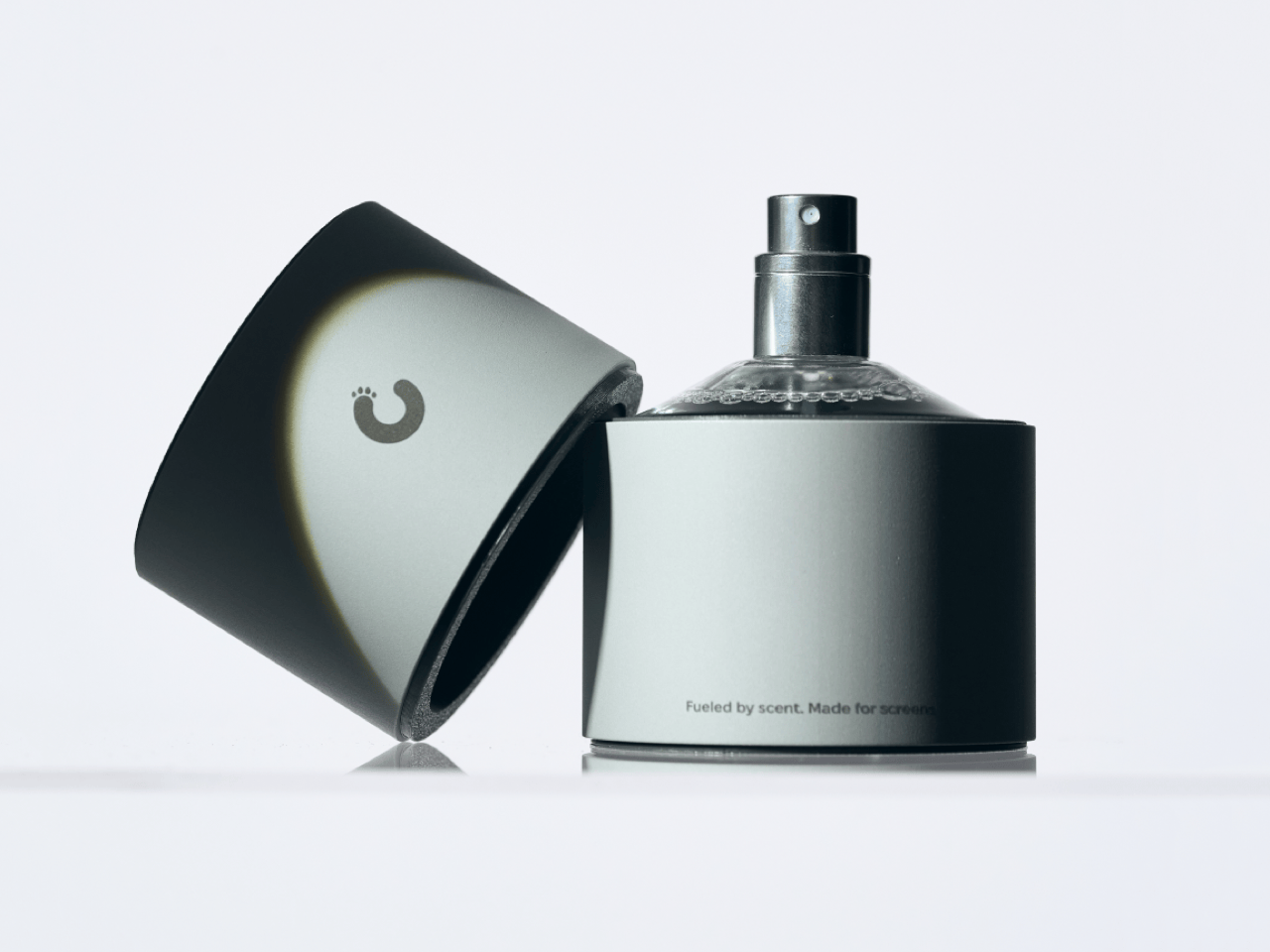
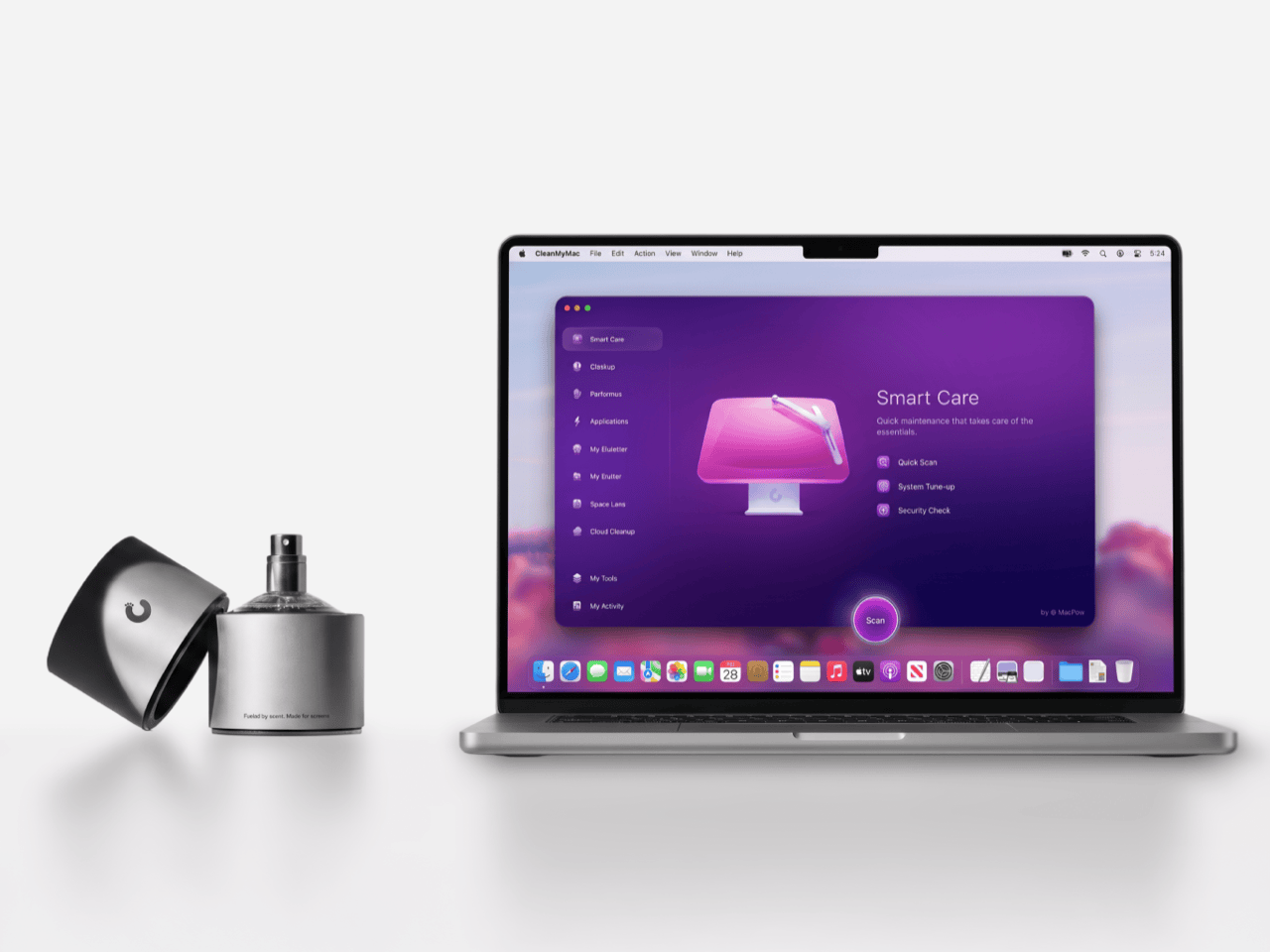
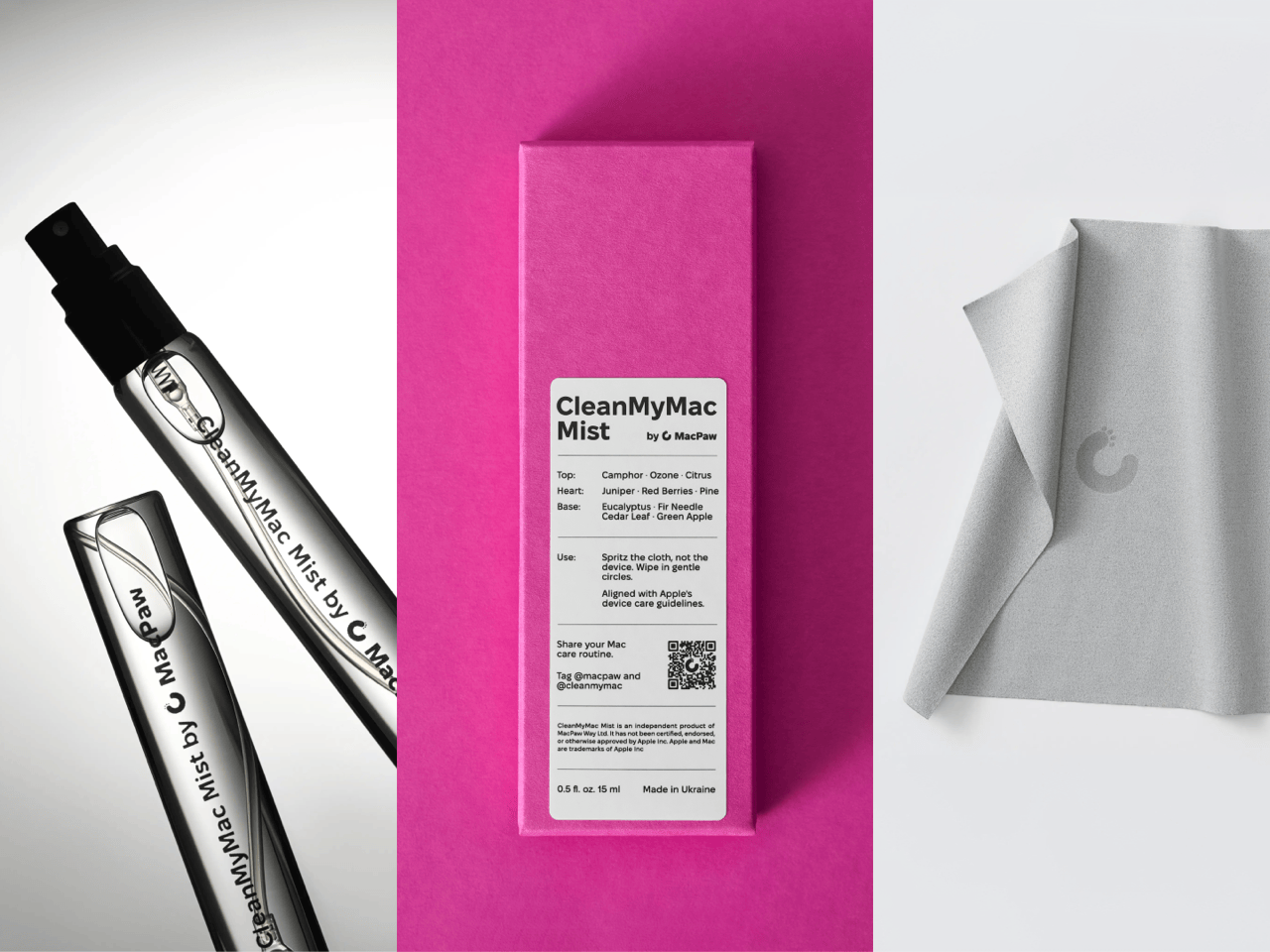
Apple’s official answer to a smudgy MacBook screen is a $9 Polishing Cloth, which, to be fair, is ten bucks cheaper than the version everyone roasted in 2021. MacPaw has a more extravagant answer. The Ukrainian company behind CleanMyMac just revealed CleanMyMac Mist, its first physical product, a screen and keyboard cleaner dressed up as a bottle of designer fragrance. One spritz on a microfiber cloth is meant to lift the fingerprints and leave your laptop smelling like a frosty pine forest. Your candles, your hand soap and your car already have signature scents, so honestly, the MacBook was overdue.
MacPaw calls the scent Frosted Juniper, picked because juniper grows both in Ukraine, where the company was founded, and in California, where the Mac was born. That’s a little sentimental, and I’m completely here for it. The notes run from camphor, ozone and citrus up top to fir needle, cedar leaf and green apple at the base, and the brief was to smell clean without smelling like a cleaning product. Pole, a design and small-batch production studio in Ivano-Frankivsk, made the glass atomizer, its metal case, and a pink box loud enough to see from across the office. Only 100 bottles exist, and they’re up for grabs via a CleanMyMac Instagram and TikTok giveaway until October 23, so don’t go hunting for a price tag.
Designers: MacPaw & Pole
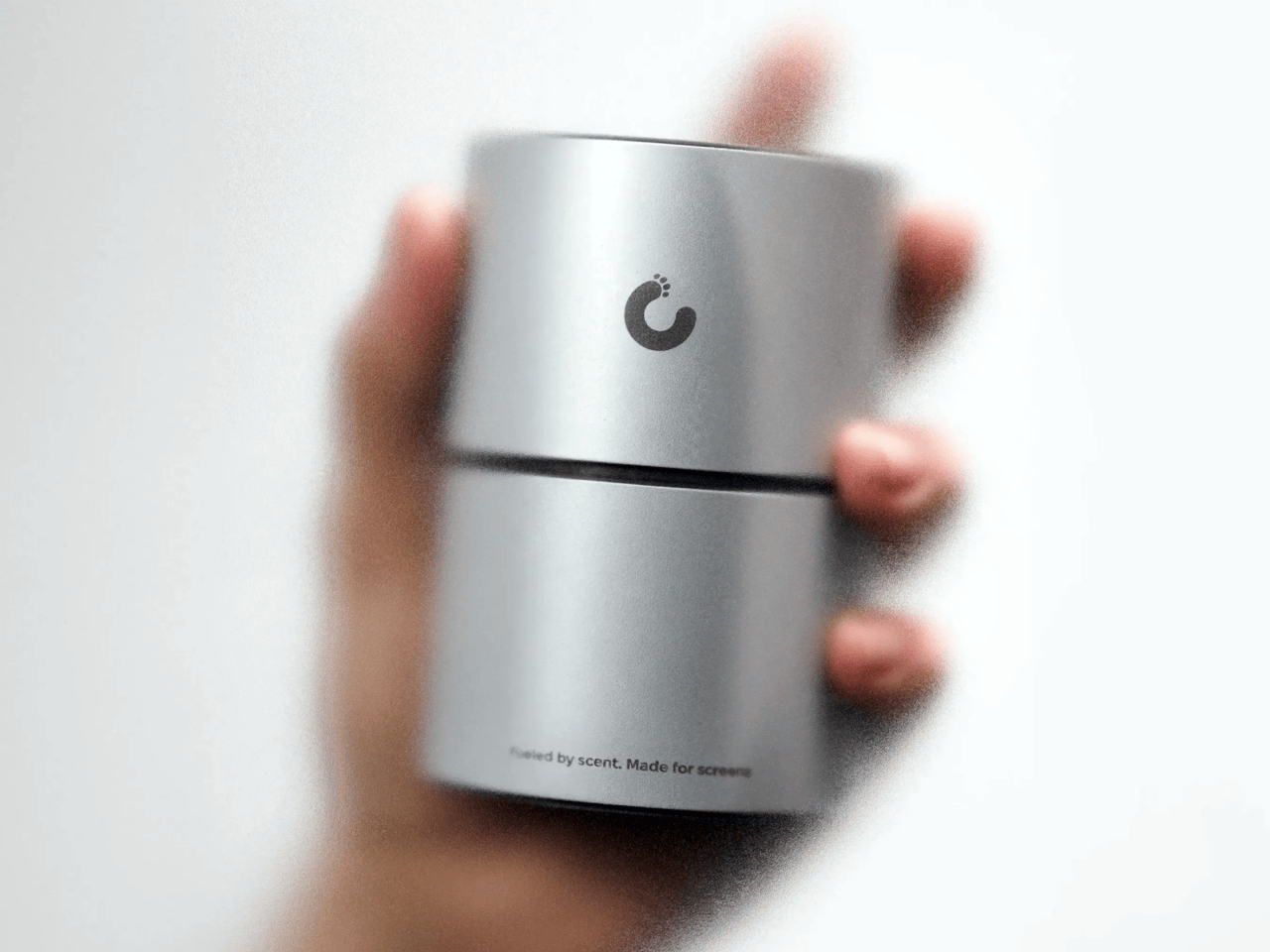
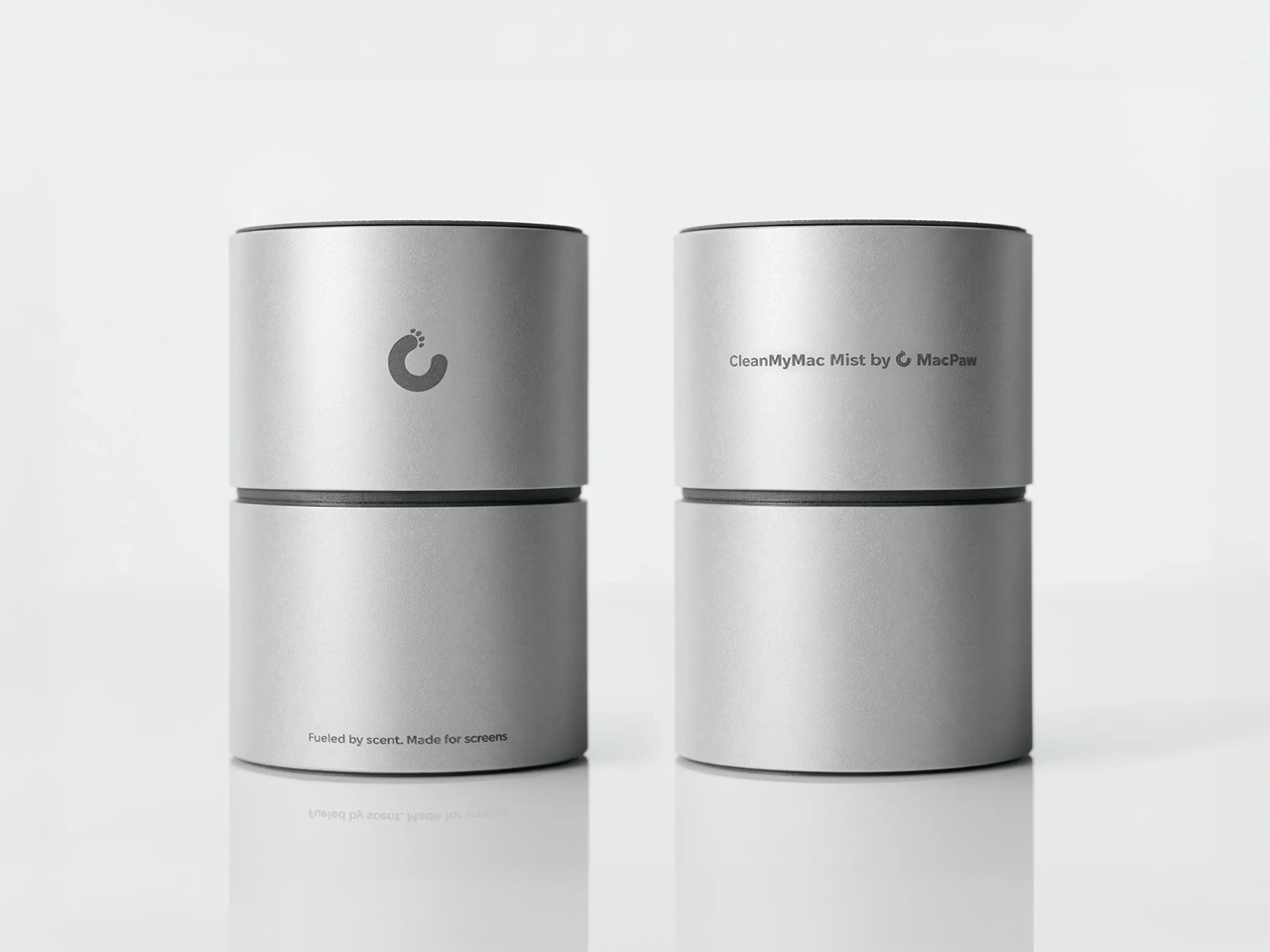
Every design choice here borrows from the perfume counter instead of the cleaning aisle. A slim glass atomizer sits inside a cylindrical metal case, and its silver-and-gray finish would sit happily next to any MacBook. The box flips the mood entirely, with a hot pink tray holding the Mist, a microfiber cloth, a small brush and a scent card, which is basically a perfume blotter for your laptop. The whole package is designed to live on your desk in plain view, far away from the Windex under the kitchen sink. Le Labo pulled a similar trick with its hand-cast concrete diffuser, treating a fragrance gadget as decor first.
Apple’s own cleaning guide warns against aerosol sprays, so the Mist uses a pump atomizer, and you spritz the cloth instead of the screen. That small habit change tackles a real problem, since one in three US Mac owners in MacPaw’s survey admitted to damaging their machine while cleaning it. The product site names the usual culprits: glass cleaners that strip anti-reflective coatings, paper towels that leave micro-scratches, and the hoodie sleeve that only feels like it’s doing something. Apple Stores reportedly keep their display units spotless with WHOOSH!, so dedicated screen formulas are nothing new. MacPaw’s twist is making the formula something you’d happily smell on your fingertips afterward, though nano-texture displays should still stick to Apple’s dry cloth.
As a longtime CleanMyMac user, I find the whole thing delightfully on the nose. The app launched in 2008, has racked up 29 million downloads sweeping caches, logs and leftover app files out of Macs, and MacPaw says it cleans a million machines a day. For 18 years, “clean” was a metaphor for digital housekeeping, and now the metaphor has a nozzle and a note pyramid. MacPaw handed the physical side to Pole, a design and production center in Ivano-Frankivsk with metal, wood, ceramics and biolab workshops under one roof. Pole specializes in runs of 1 to 500 units and built elements for Ukraine’s pavilion at Expo 2025 in Osaka, so a 100-bottle drop sits right in its comfort zone.
The Mist isn’t for sale, and the only way to get a bottle is a giveaway on CleanMyMac’s Instagram and TikTok that closes at 11:59 PM EST on October 23. MacPaw will pick 10 winners on Instagram and 5 on TikTok, so the odds are slim, but every entrant still gets a 20% CleanMyMac coupon. The full scent breakdown and entry details live at cleanmymacmist.com. Millions of Mac owners already trust MacPaw with the inside of their machines, and I suspect plenty of them would buy a refill to keep the outside smelling like a snowy forest. Frosted Juniper makes a great first edition, though I’m already lobbying for a cozy sandalwood one by December.
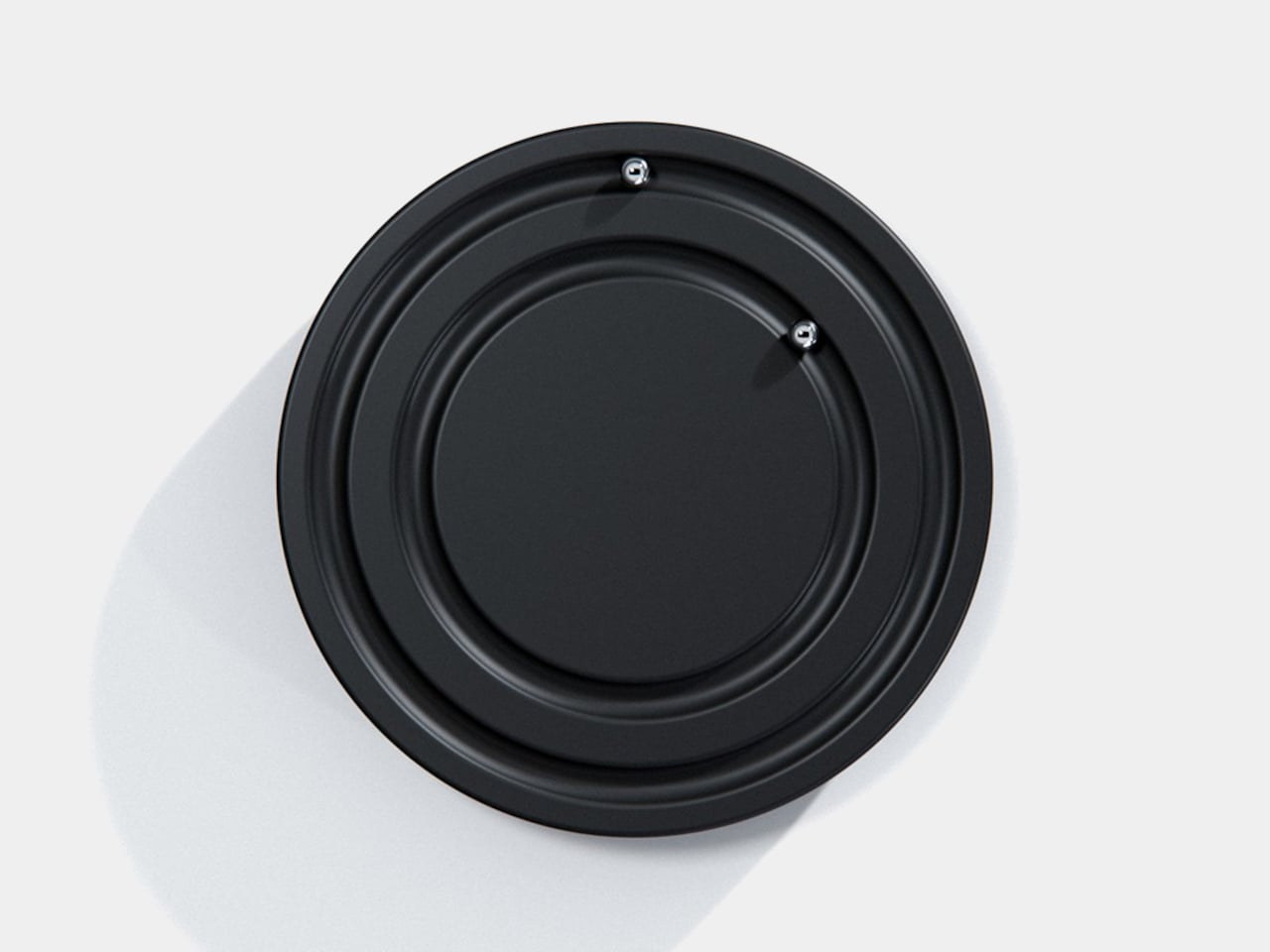
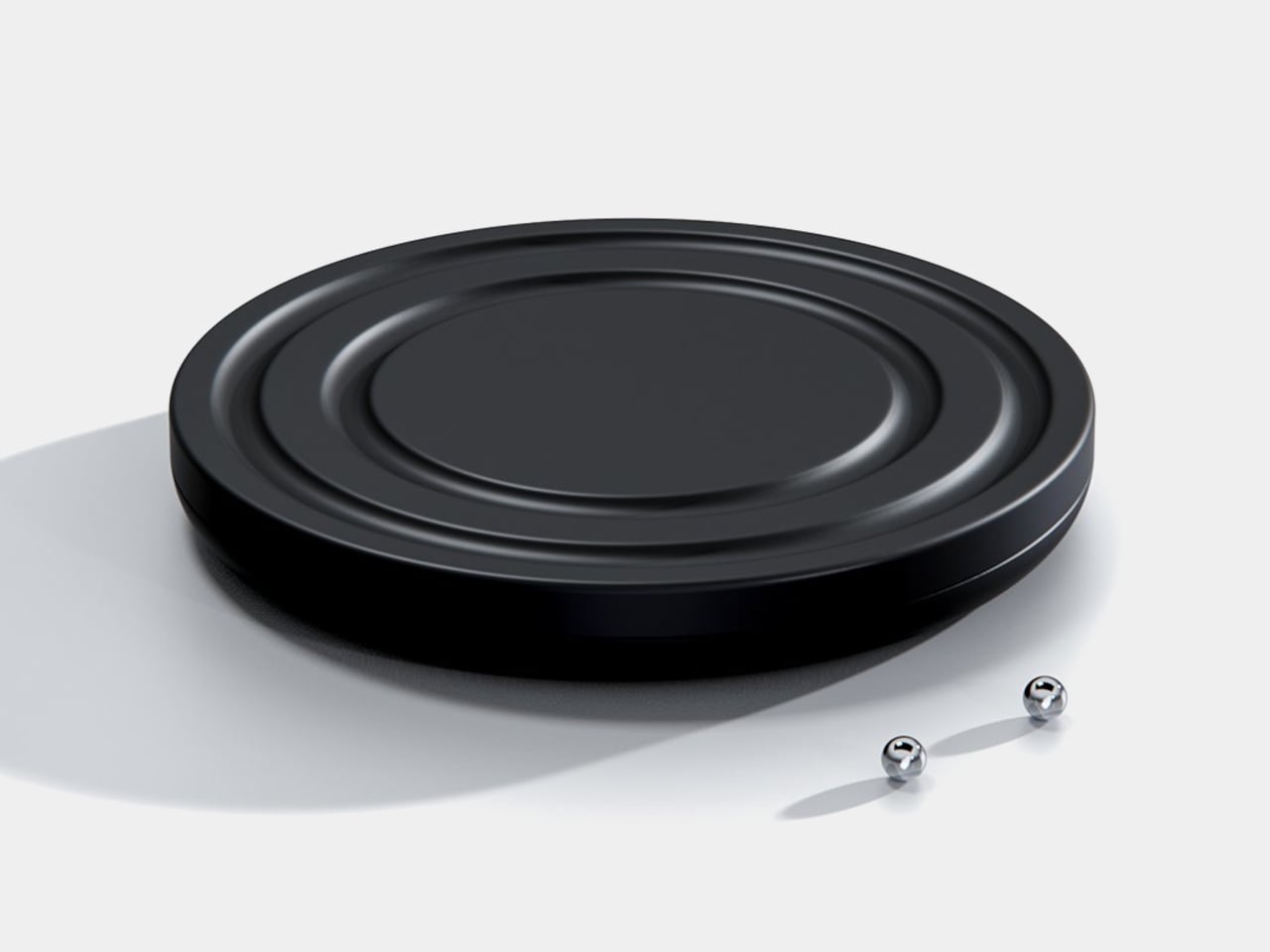
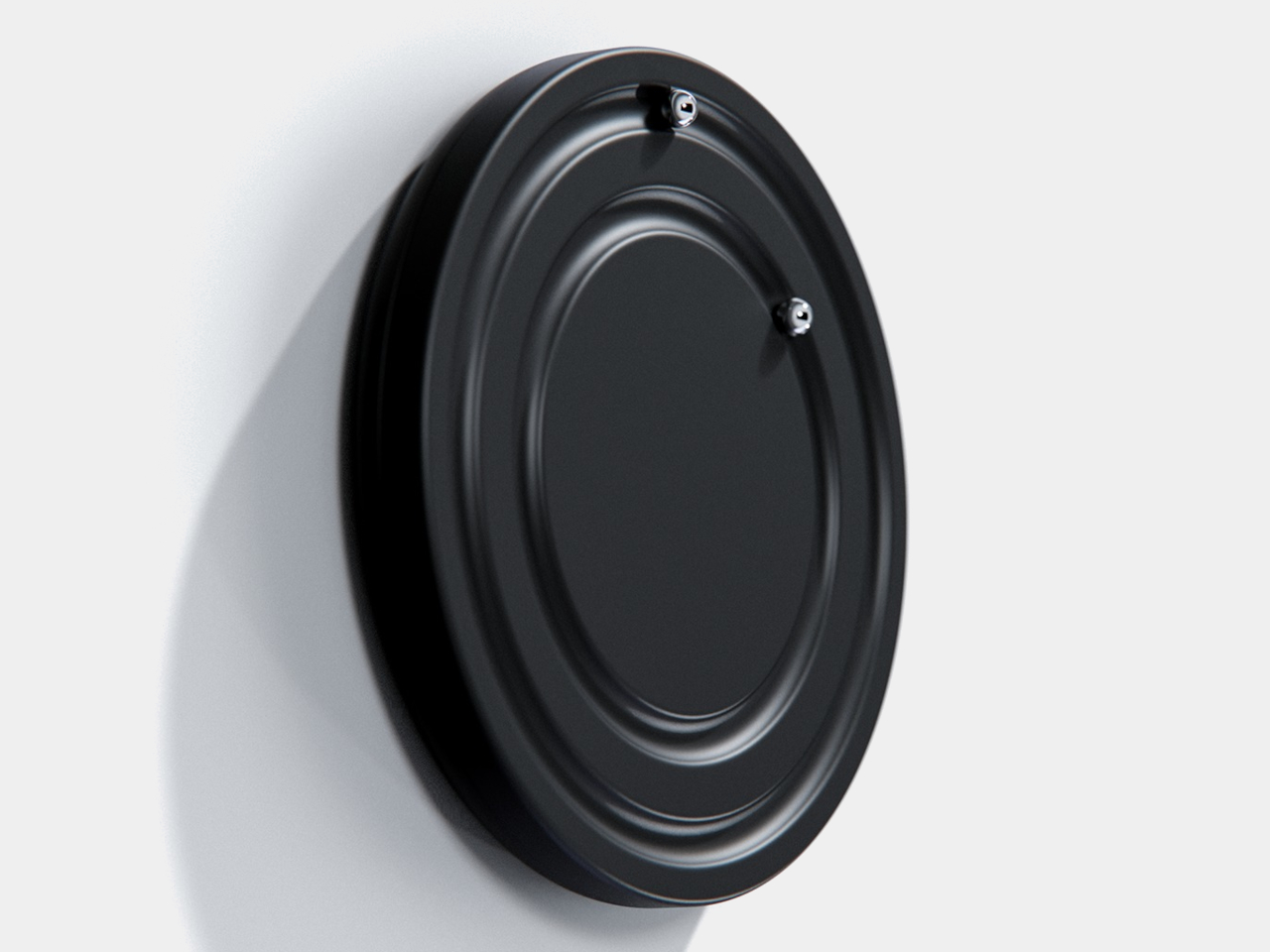
Clocks have become so familiar that we barely think about what their hands are doing. They point to positions around a circle, a habit that Orbit keeps while removing the hands themselves. This ultra-minimalist clock concept replaces them with two magnetically held metal spheres, giving time a physical presence you can reach and remove, instead of leaving it behind protective glass.
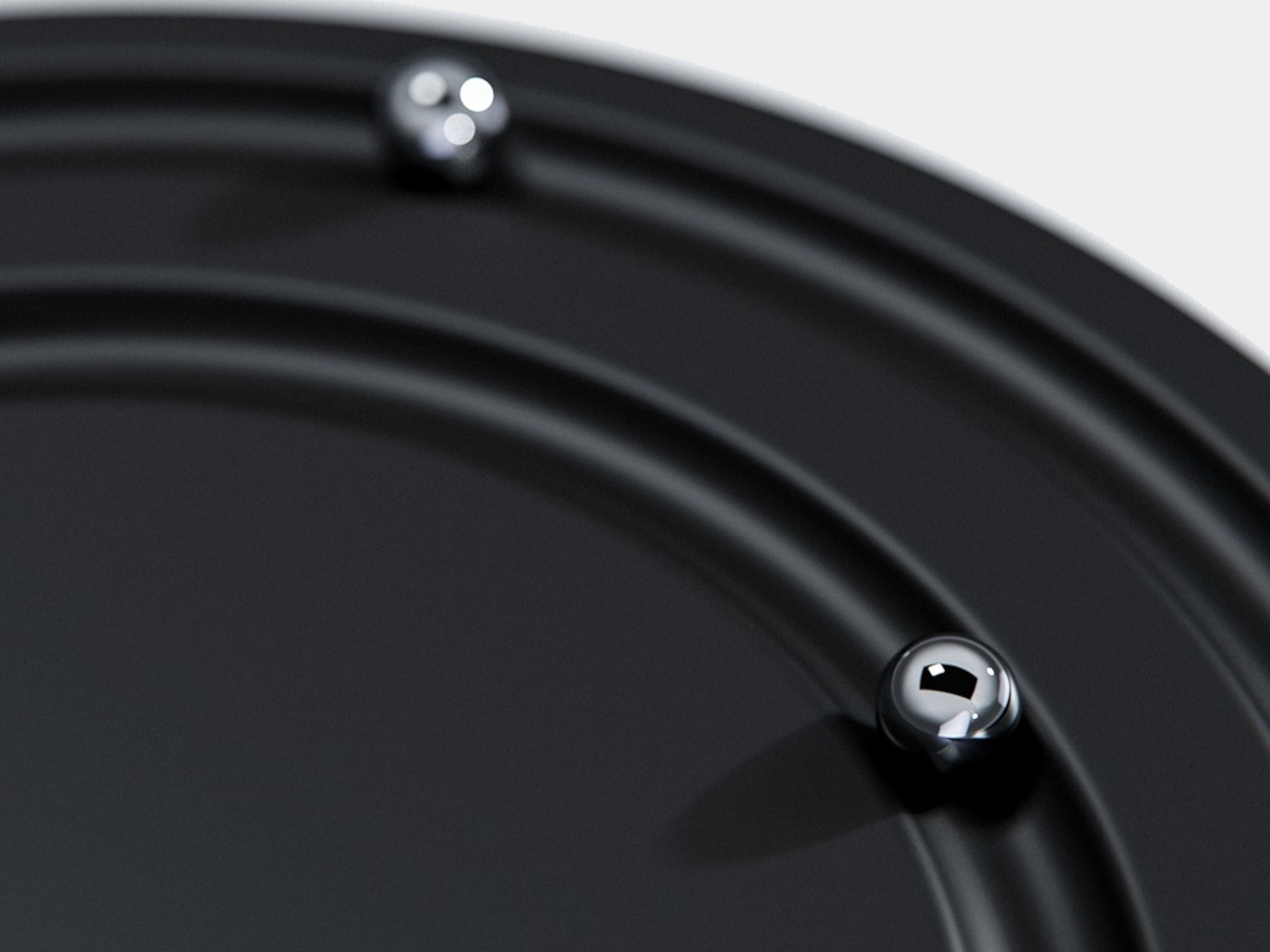
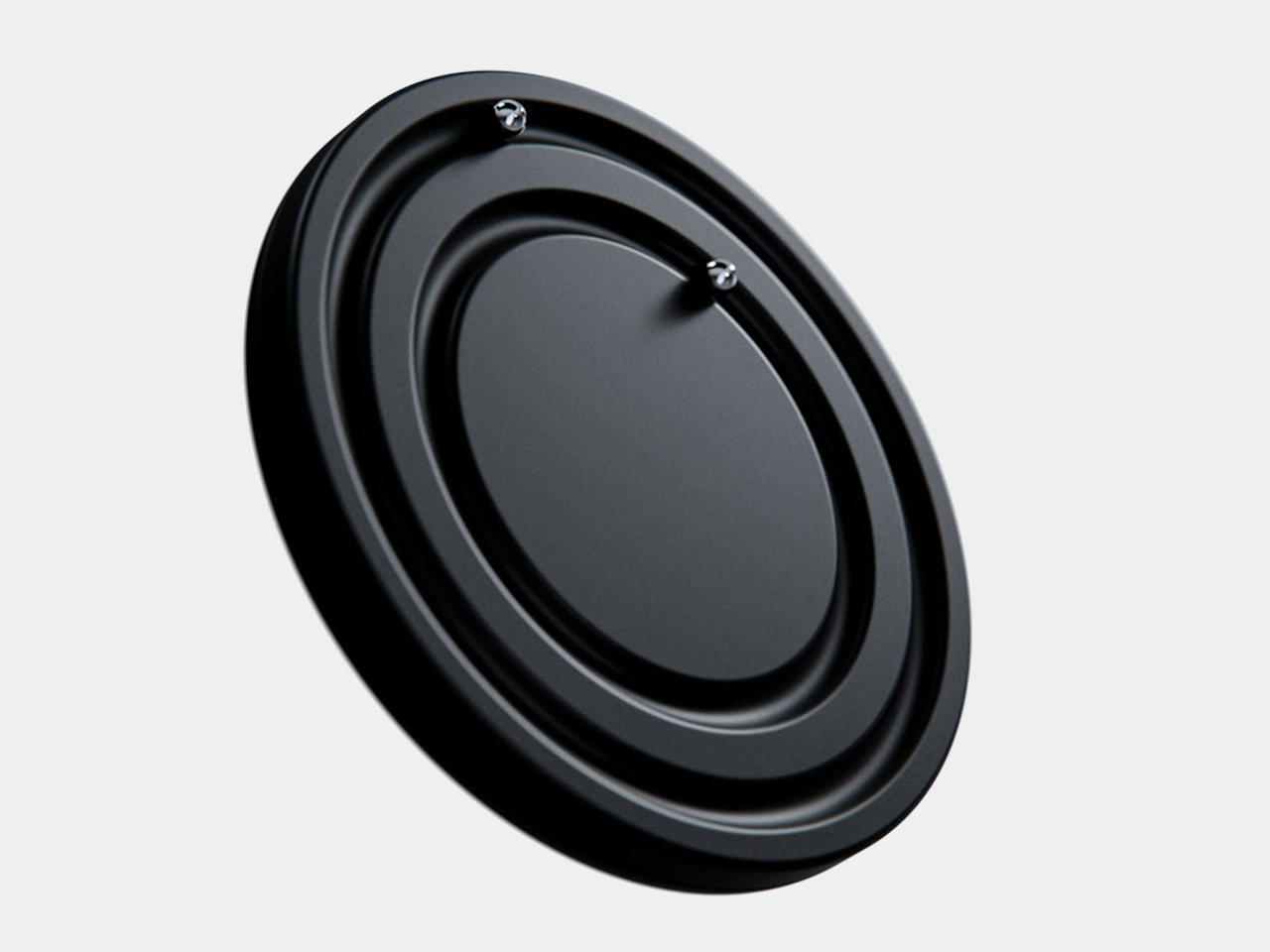
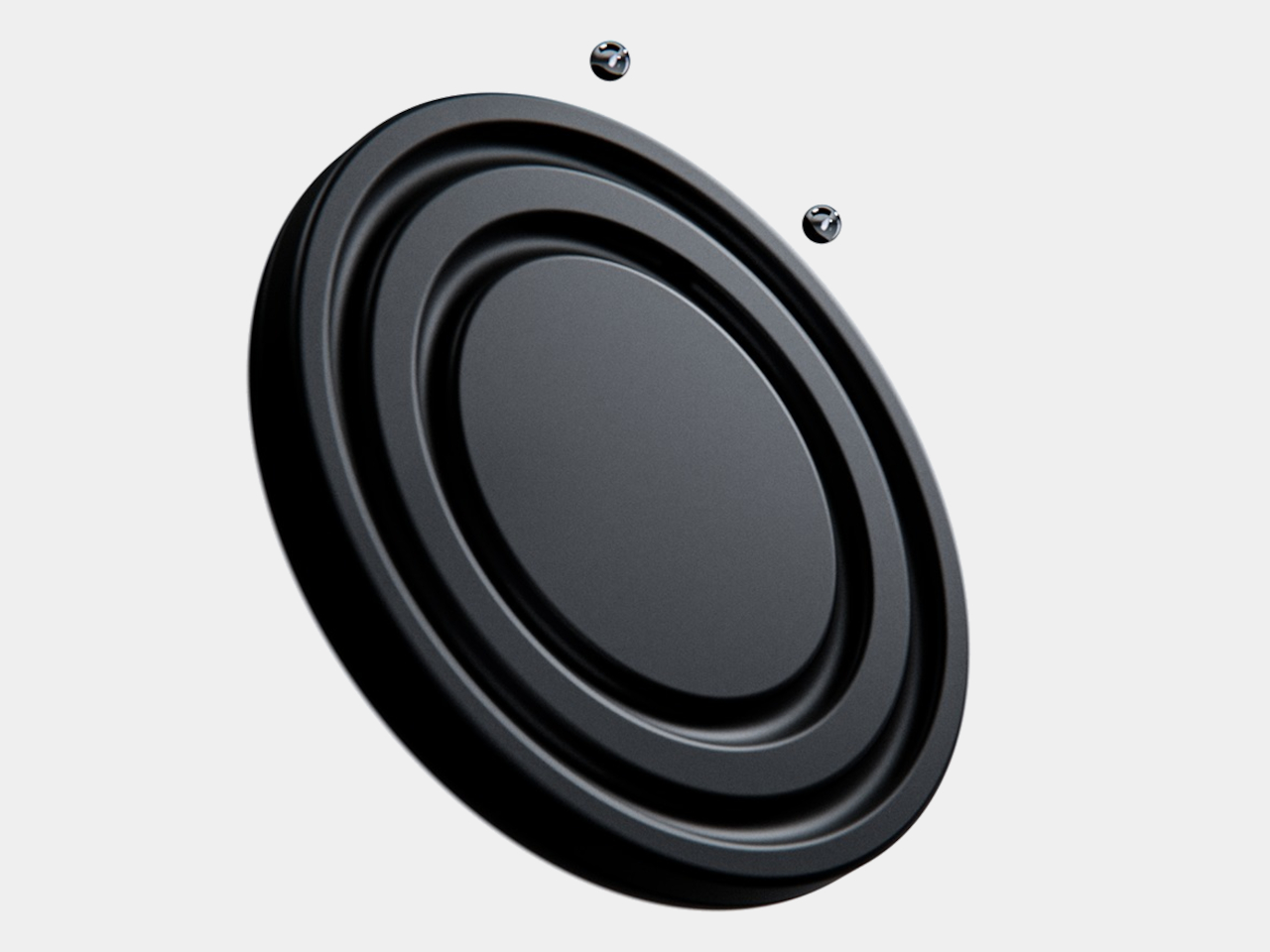
The face is a dark circular disk with two concentric recessed tracks, each carrying a polished sphere. There’s no cluster of numerals or central pin to interrupt the surface. Instead, the grooves give the small bearings separate paths, while their reflective finish contrasts with the darker background. The clock’s relief supplies the detail that printed markings would normally provide on a conventional dial.
One sphere represents the hours and the other the minutes, preserving the basic logic of an analog clock. You still look for positions around the face, only without a pair of hands connecting those positions to the center. That makes the idea less unfamiliar than it initially sounds. Reading it doesn’t call for learning an entirely new code, although some adjustment seems inevitable.
Of course, removing all those markings comes with a compromise. Estimating the hour should be simpler than judging an exact minute on an unmarked circle. Orbit could suit a living room where a glance is enough to keep track of the afternoon. Checking how many minutes remain before catching a train might make you rather grateful for the numbers on your phone.
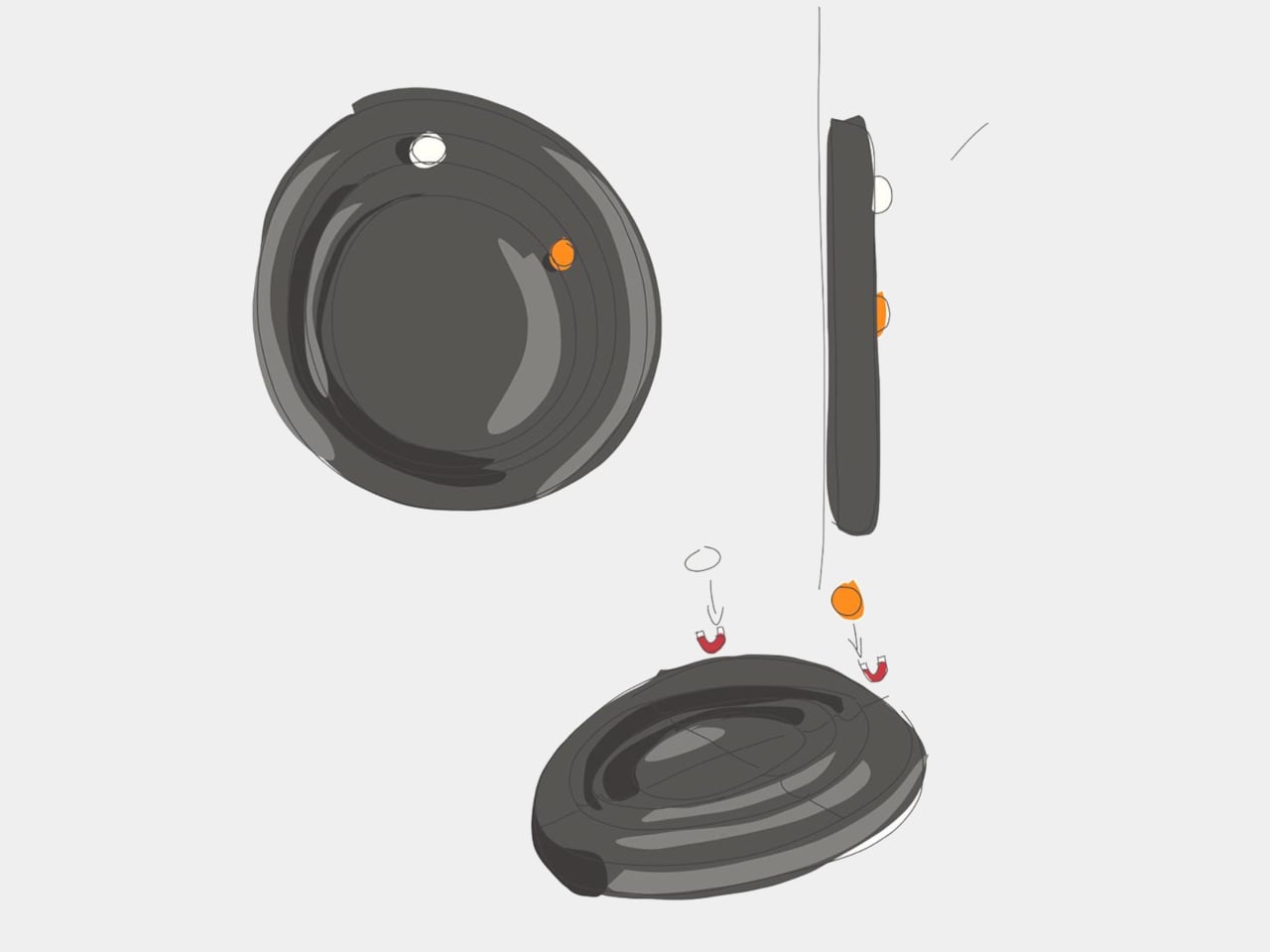
The more unusual part is that the spheres aren’t permanently trapped in their tracks. Magnetic attachment is intended to let you lift each one away and put it back, adding a tactile interaction to an object usually left alone. That’s a surprisingly playful detail for such a restrained design, especially when removing both markers would leave the clock with nothing to tell you.
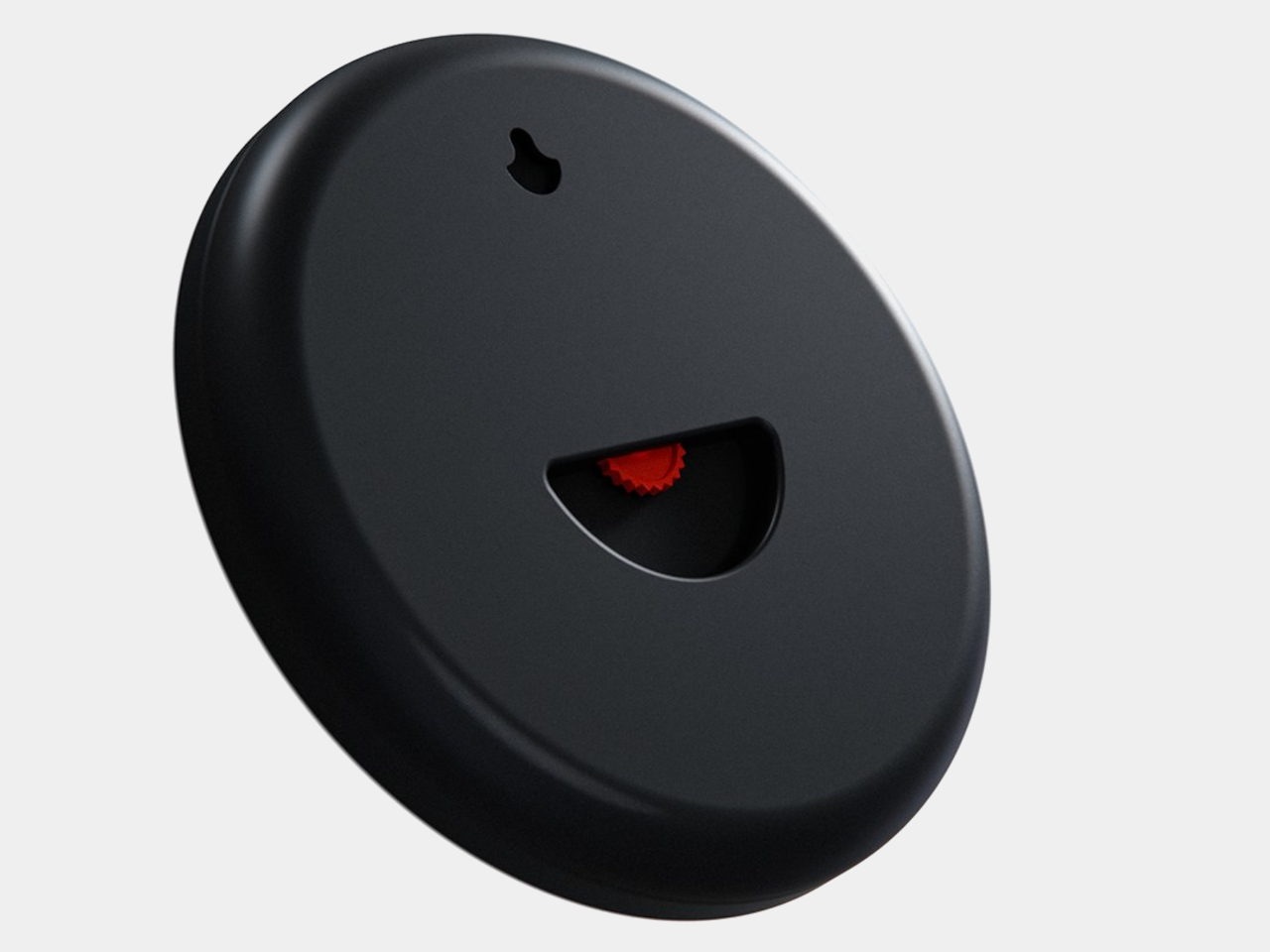
There’s a sculptural quality to the body itself, with a rounded outer edge and circular channels that give the black surface depth. A rear keyhole slot provides for wall mounting, keeping that face upright without a separate stand. The name Orbit feels appropriate here, with two small spheres occupying rings around an empty center, rather than hands meeting at a shared pivot point.
Orbit remains a concept, so there’s no established price or availability to weigh against those compromises. Its detachable markers do suggest a rather different relationship with a wall clock, though. Reach for the face and you’re handling the things that tell the time. Just make sure those little spheres don’t end up somewhere less useful, such as behind the living room sofa.

 Connexion