Black Friday is inching closer, but that doesn't mean you should wait for bargains on Windows laptops built for productivity before then. Dell is offering a selection of its laptops featuring 16GB of RAM for reliable performance under load, 1TB SSDs for plenty of storage space, and a range of portable sizes to suit you.
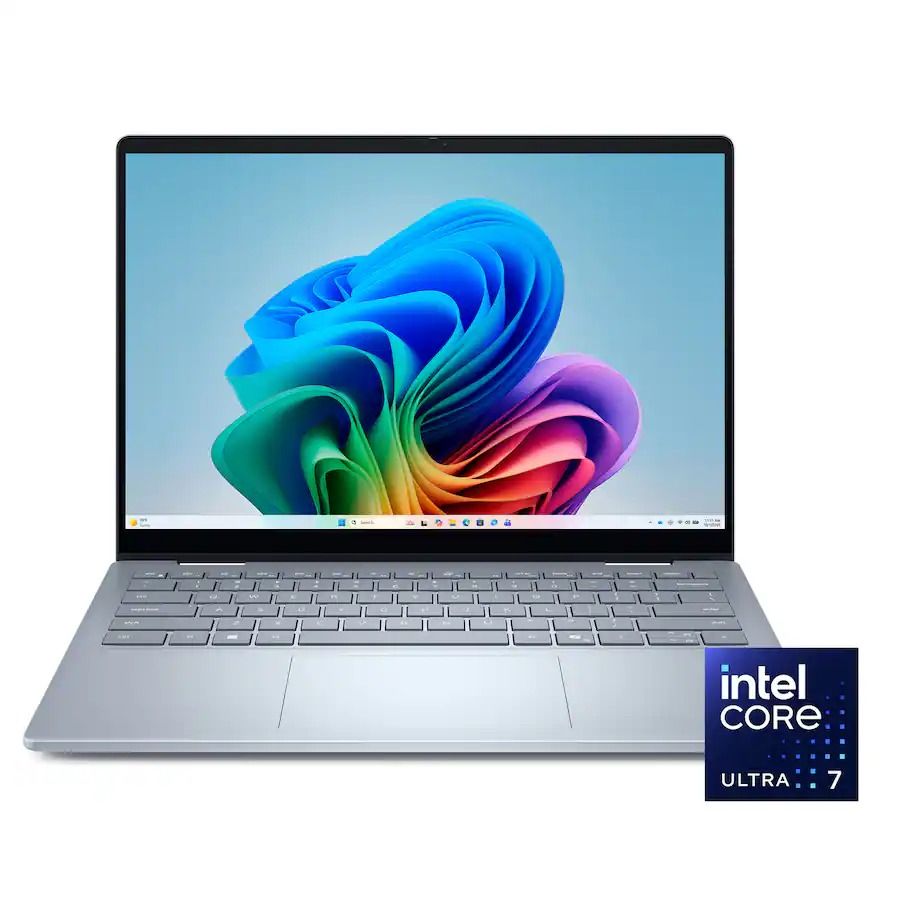
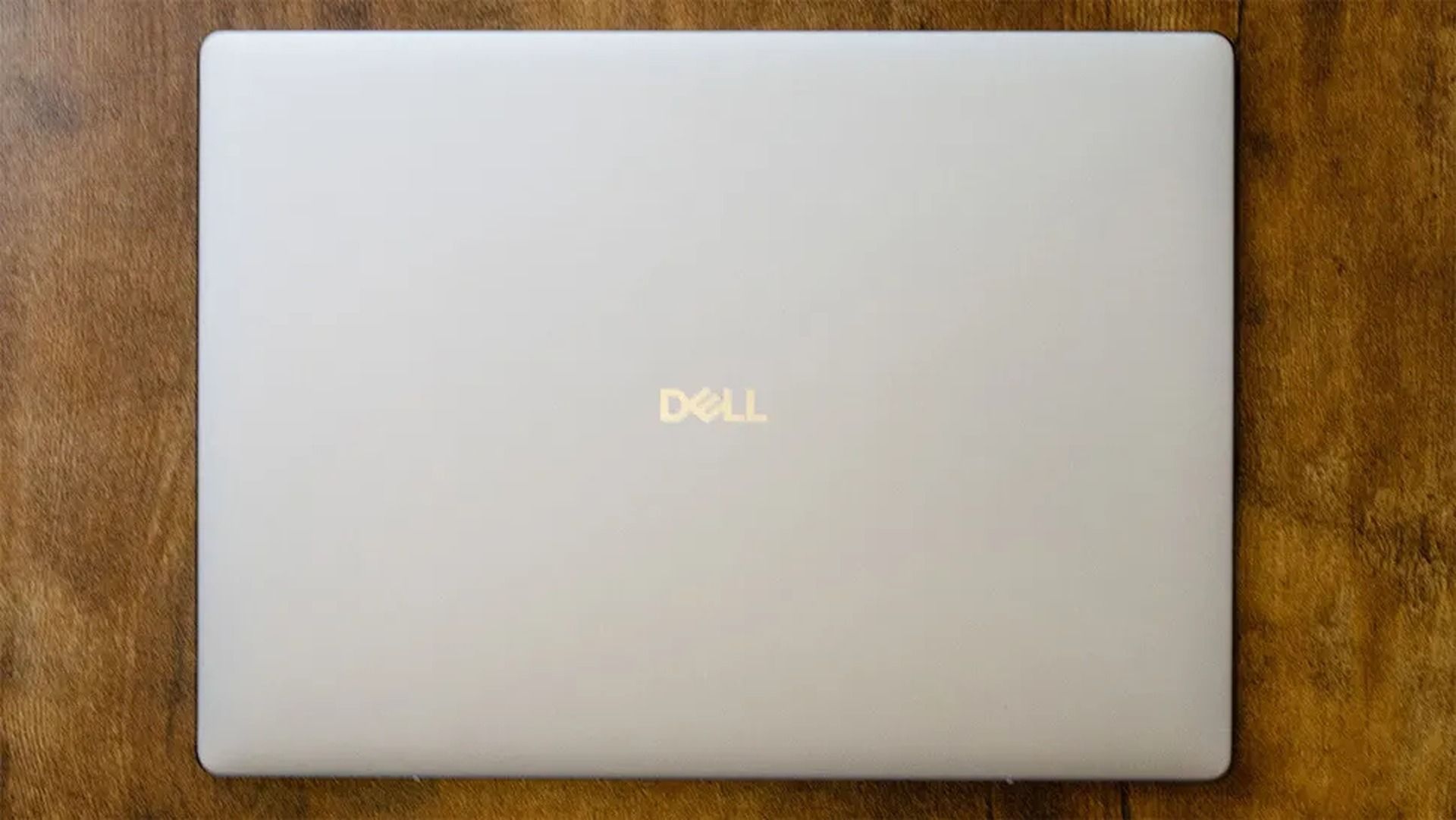
The Dell 14 Plus is the most expensive but best portable laptop in this roundup thanks to its thin and light form factor. It also comes with a crisp 14-inch non-touch QHD+ display (2560x1600), an Intel CPU, 16GB RAM, and a 1TB SSD to crush work assignments.View Deal
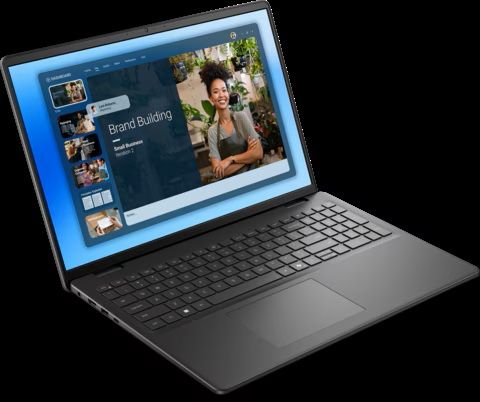
The Dell 16 will give you the most screen space of all the highlighted laptops with its 16" FHD+ Touchscreen display (1920x1200) while handling creative tasks with ease using its Intel Core 7 CPU, 16GB RAM, and 1TB SSD.View Deal
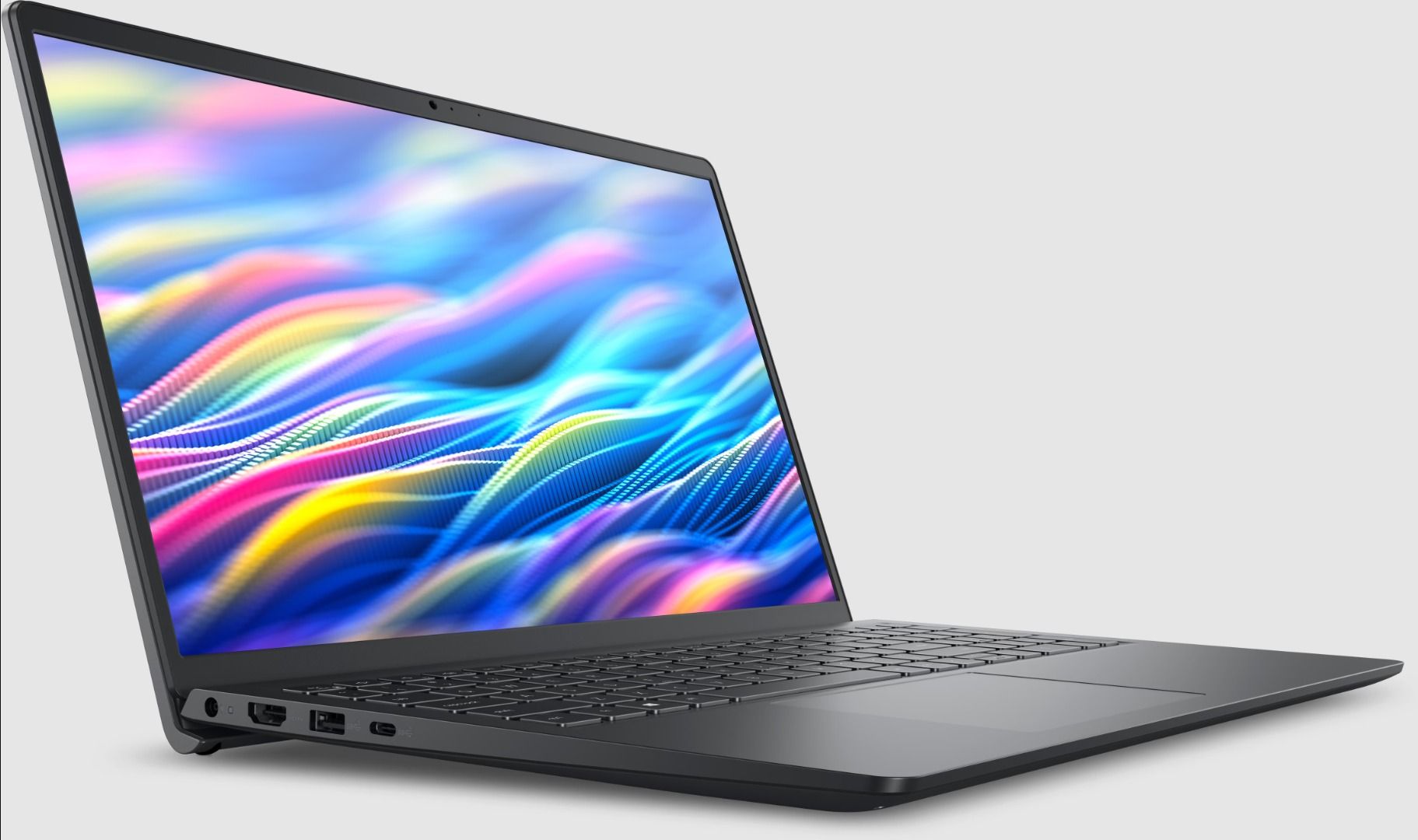
The Dell 15 handles workflows efficiently with its Intel CPU, 16GB RAM, a 15.6" non-touch FHD (1920x1080) display, and 1TB SSD, while keeping a respectable mid-range price compared to its upper-tier siblings.View Deal
Which of these Dell laptops is best for you?
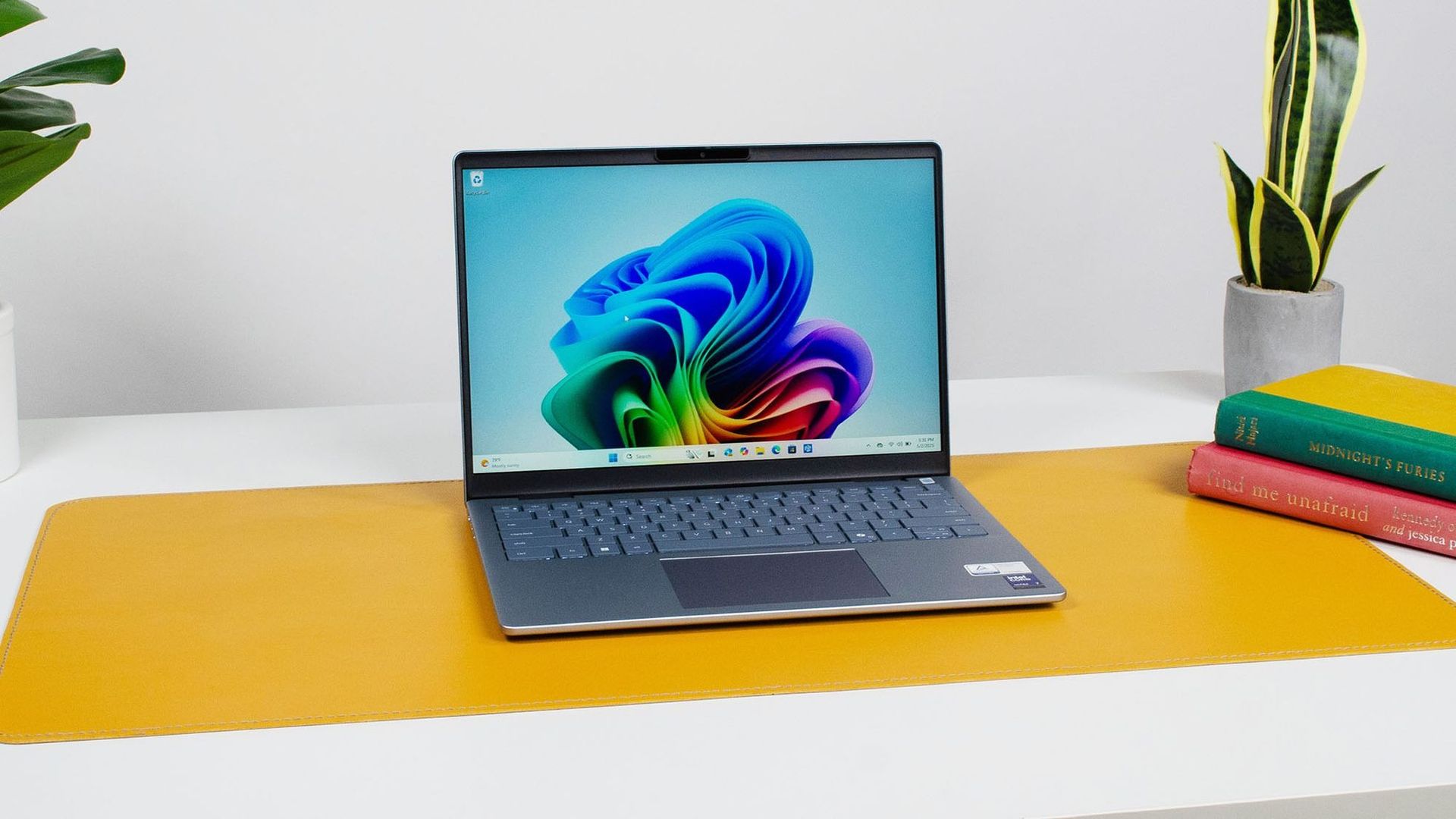
The Dell 14 Plus laptop on display (Image credit: Future / John Loeffler)
If you're looking for an affordable yet capable laptop, the Dell 15 offers the best value compared to the other laptops in this roundup.
It's equipped with a 15.6" (Non-Touch) FHD display with 1920x1080 resolution and a 120Hz refresh rate to render images, videos, and writing with sharp details, so you don't have to squint at your work when typing or worry about blurry video feed when hosting stream meetings.
It comes with an AMD Ryzen 7000 7730U CPU and 16GB RAM that will make short work of Office, web browsing, and other productivity tasks while offering a ton of space to back up your precious files with its 1TB SSD.
However, if you've got the budget for more processing power, then go for the Dell 14 Plus Laptop.
It's won high praise from our friends at TechRadar for its 13+ hour battery, great portability due to its ultra-thin design, and 14-inch non-touch QHD+ display with 120Hz and Anti-glare protection.
Best of all, the Dell 14 Plus offers the best single-core performance for everyday use and heavy workloads thanks to its Intel Core Ultra 7 256V CPU, 16GB, and 1TB SSD.
Can these laptops have their RAM and SSDs replaced?
Only the Dell 15 laptop can have its RAM replaced, as it isn't soldered like the ones in the Dell 14 Plus and Dell 16 laptops. All of these laptops can have their SSDs swapped out and replaced with larger ones.
Are they good for gaming?
The Dell 15, Dell 16, and Dell 14 Plus aren't designed for gaming due to their integrated graphics cards, so they will struggle to run most games beyond extremely light titles like Minecraft. Stick to cloud gaming.
Should I wait for Black Friday for a better deal?
It depends on whether you're willing to wait until Black Friday for a bigger discount or if you're in need of a new laptop for work/casual use right now and don't have time to wait for a killer deal.
Join us on Reddit at r/WindowsCentral to share your insights and discuss our latest news, reviews, and more.
Apple finally "invented" the folding phone, bringing flexibility and multitasking to the masses. iPhone Duo reviews are in, and I couldn't help but feel a sense of déjà vu.
All the talk of passport-shaped phones, mobile multitasking, and optimized apps sent me back to the days of Microsoft's Surface Duo. A lot of the phrasing in iPhone Duo reviews could have been copied and pasted from reviews of the Surface Duo.
So, I put together a quiz to see if people can identify if a quote is from an iPhone Duo review or a Surface Duo review.
I've changed all of the quotes in this quiz as little as possible and all changes are noted with brackets. I only altered a quote if it includes something that's a giveaway like iPhone Duo, Surface Duo, Apple, or Microsoft.
I sent this quiz to a few friends and colleagues before publishing it. No one got a perfect score, and many only got 50% correct. I'm curious to see if that trend continues as more people take the quiz. Please let me know how you did in the comments!
Below are all of the reviews I used to create this quiz.
An engineer is working on a way to get macOS to run on computers powered by a Snapdragon X2 Elite chip. The "Snapintosh" project resurrects the concept of a Hackintosh but works with one of the latest chips from Qualcomm.
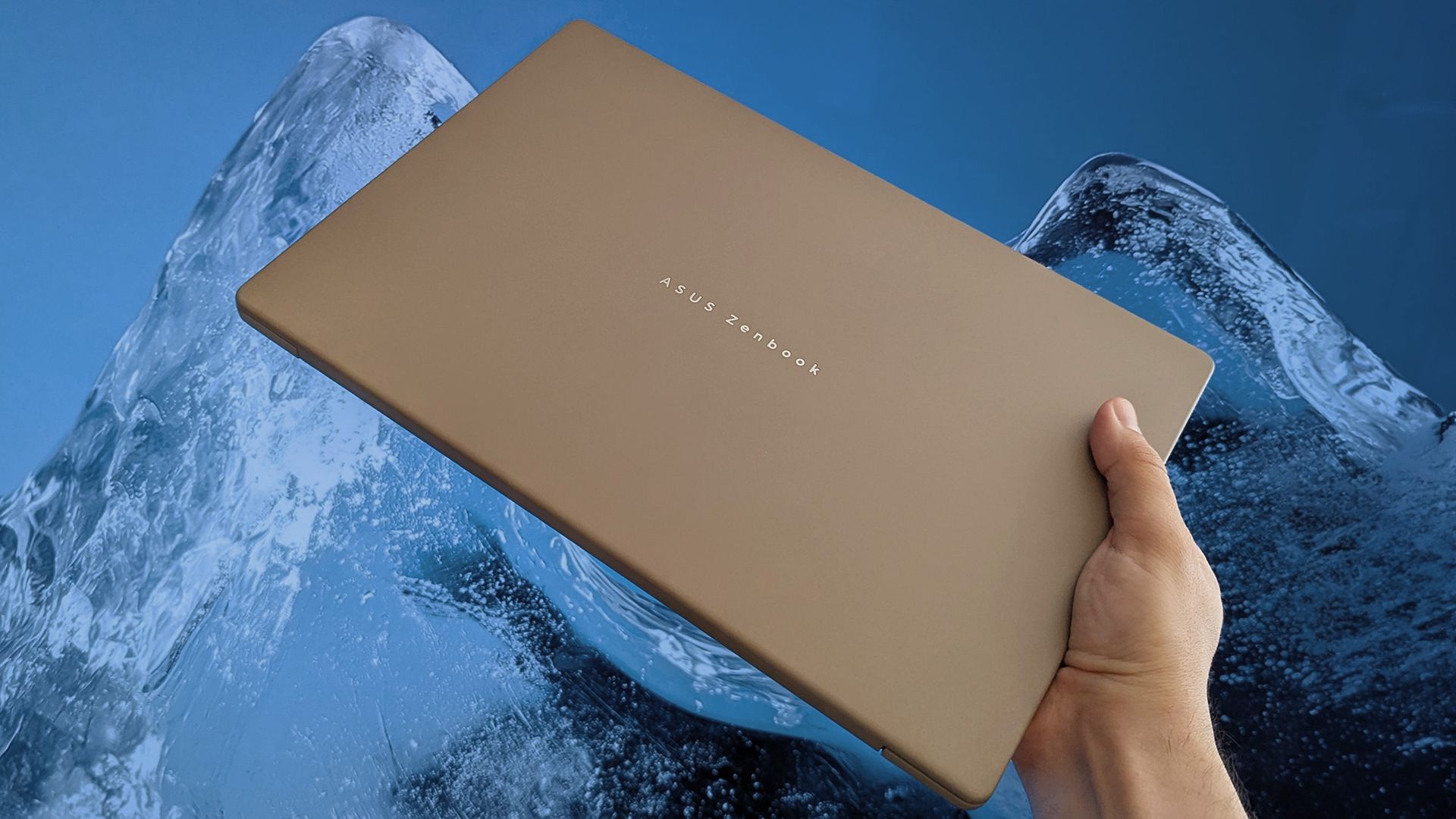
X user Miguel C shared his progress on the project recently. The video shows macOS 27 running on an ASUS Zenbook A16.
Snapintosh is still in its early days. The Zenbook A16 can boot the macOS desktop with GPU acceleration and render what's supposed to appear, but interaction with the interface is "usable but not yet smooth," according to Miguel C.
The term Hackintosh refers to a non-Apple PC modified to run macOS (hack + Macintosh). It was popular for years and not just among enthusiasts or niche creators.
It was popular because it allowed people to run macOS on less expensive or more customizable hardware than Apple's own computers.
New Hackintosh builds became increasingly uncommon after Apple switched to Apple silicon. Apple designs macOS around its own chips and hardware, making it increasingly difficult to run the operating system on unsupported devices.
Until recently, I would have said the days of the Hackintosh were over. But Miguel C's Snapintosh project suggests there may still be a way to run modern versions of macOS on non-Apple hardware.
"Hackintosh Lives," exclaimed Miguel C on X. He noted that people should expect the experience to be "very rough" and that he's "working on de-slopifying the codebase."
If Miguel C is able to refine the experience, it would be interesting to try macOS on a Snapdragon X2 chip. The general consensus is that Apple makes the best ARM processors right now, so even a perfectly optimized Snapintosh would not beat an M-Series MacBook.
But some people prefer hardware made by companies apart from Apple. There are also more affordable Snapdragon X2 chips on the market, so you could potentially get better value on a Snapintosh using certain chips. Right now, the project is limited to the Snapdragon X2 Elite.
Even if a Snapintosh fails to ever compete with a Mac, the project is an intriguing engineering feat and a reminder of the fun days of Hackintosh computers.
Join us on Reddit at r/WindowsCentral to share your insights and discuss our latest news, reviews, and more.
Every once in a while, Best Buy will host a lucrative deal on a reliable, mid-range laptop during its "Deal of the Day" sale, and that's especially true now, as the HP Omnibook 3 laptop is available for $599.99 at Best Buy (was $799.99), but only for today.
This laptop is a great mid-range choice for students and office workers alike, with its above-average performance, battery life, and high-contrast OLED display that will help you get through the day.
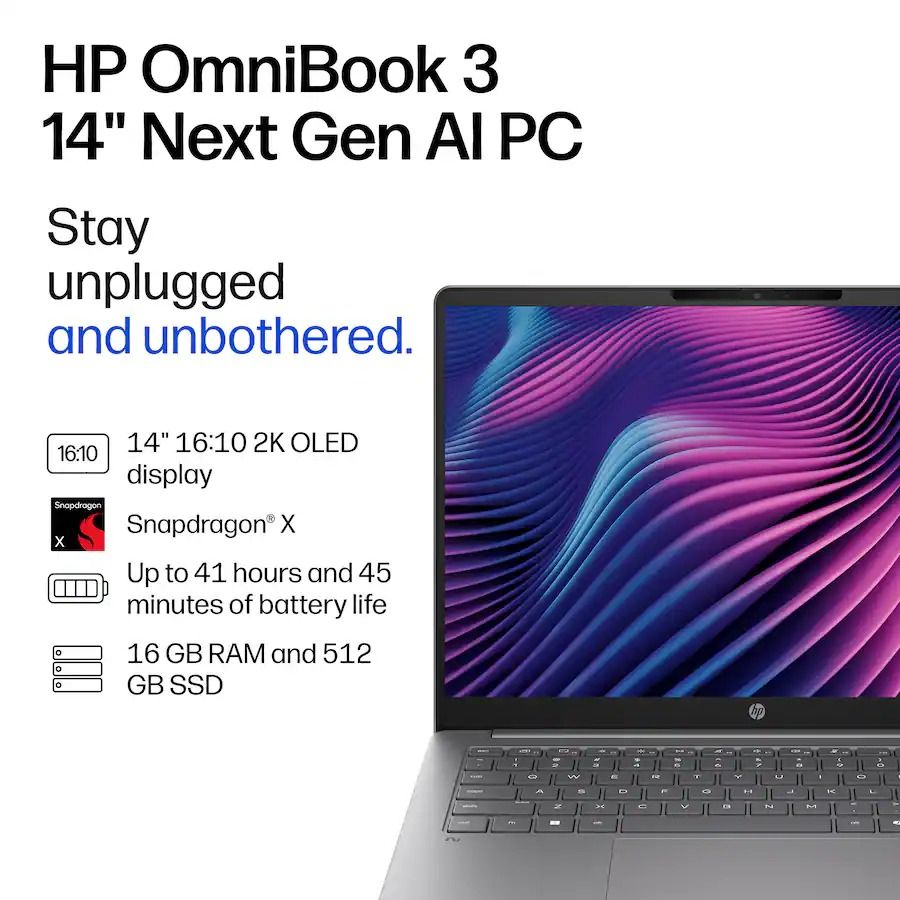
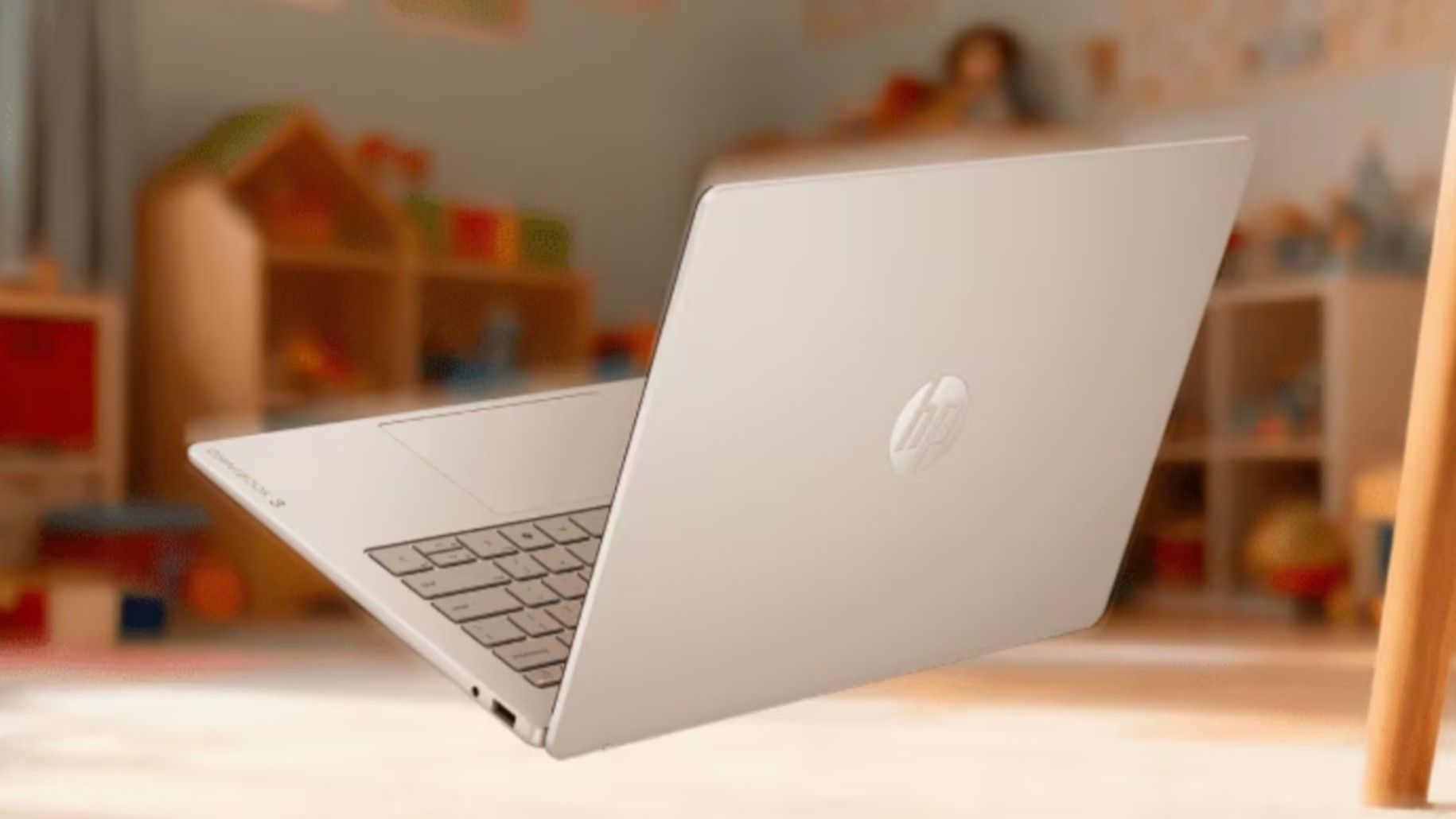
The HP OmniBook 3 is a well-made mid-range laptop that will power through homework, casual tasks, and office work with its performance-boosting Snapdragon X CPU and 16GB RAM, long-lasting battery life of 32 hours, and detailed 2K OLED touchscreen.View Deal
Why buy the HP Omnibook 3?
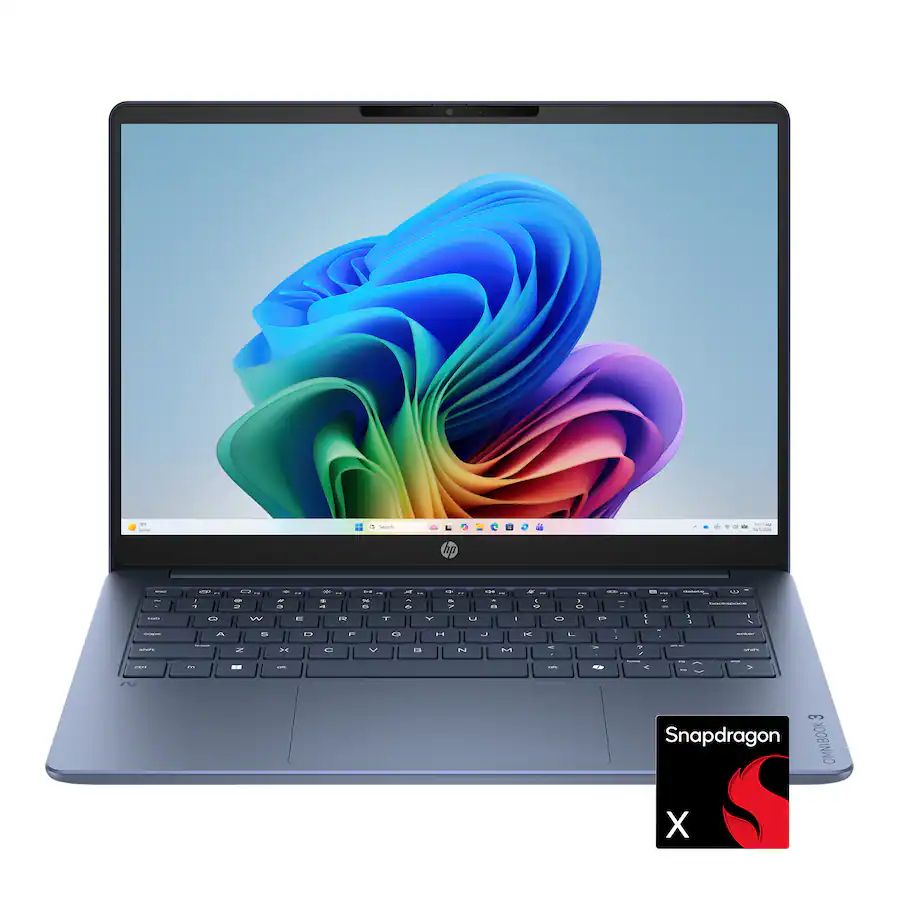
The spec highlights for the HP Omnibook 3 laptop. (Image credit: HP)
Our friends at TechRadar have praised and recommended the HP Omnibook 3 in their coverage a couple of times, and it's easy to agree with them. It's a well-made laptop for school learners or desk workers who need a reliable solution for daily homework, assignments, research, creative tasks, and casual use without breaking the bank.
This laptop is equipped with Qualcomm's (8-core) Snapdragon X CPU to give it faster and more responsive performance when running apps, 16GB of RAM to help it multitask multiple apps without slowing it down, and a 512GB SSD to store precious data.
The HP Omnibook 3 also features a 14-inch 2K OLED touchscreen that displays images, videos, and livestreams with crisp and vibrant details, and a massive battery life of potentially up to 41 hours so you won't have to worry about it shutting down during work.
Is it's RAM and SSD upgradeable?
The HP Omnibook 3's RAM is soldered, so it can't be upgraded, but its SSD can be removed via its M.2 NVMe SSD slot and replaced with a larger one up to 1TB.
Is it an AI laptop?
Yes, the HP Omnibook 3 is an AI laptop as it features Copilot+ PC integration with an NPU capable of 45 TOPS for boosted performance rates while performing local AI-related tasks.
Is it worth waiting until Black Friday?
It depends on your situation and needs. If you're not in a hurry and are willing to wait for a better price, then waiting until Black Friday on November 27, 2026, is a valid option.
However, if you desperately need a new, high-quality laptop and are concerned that laptop prices are going to get worse thanks to the RAM crisis, then we recommend taking advantage of Best Buy's 25% discount on the HP Omnibook 3, as this deal is only available for today.
Join us on Reddit at r/WindowsCentral to share your insights and discuss our latest news, reviews, and more.
Not a week goes by that I don’t miss Windows Phone. To this day, it remains the only OS that would genuinely drag me away from my iPhone. Don’t hate me for saying it, but the iPhone still offers me a superior user experience over Android, at least in my experience. I’ve tried Android many times, and quite frankly, I really don't like it.
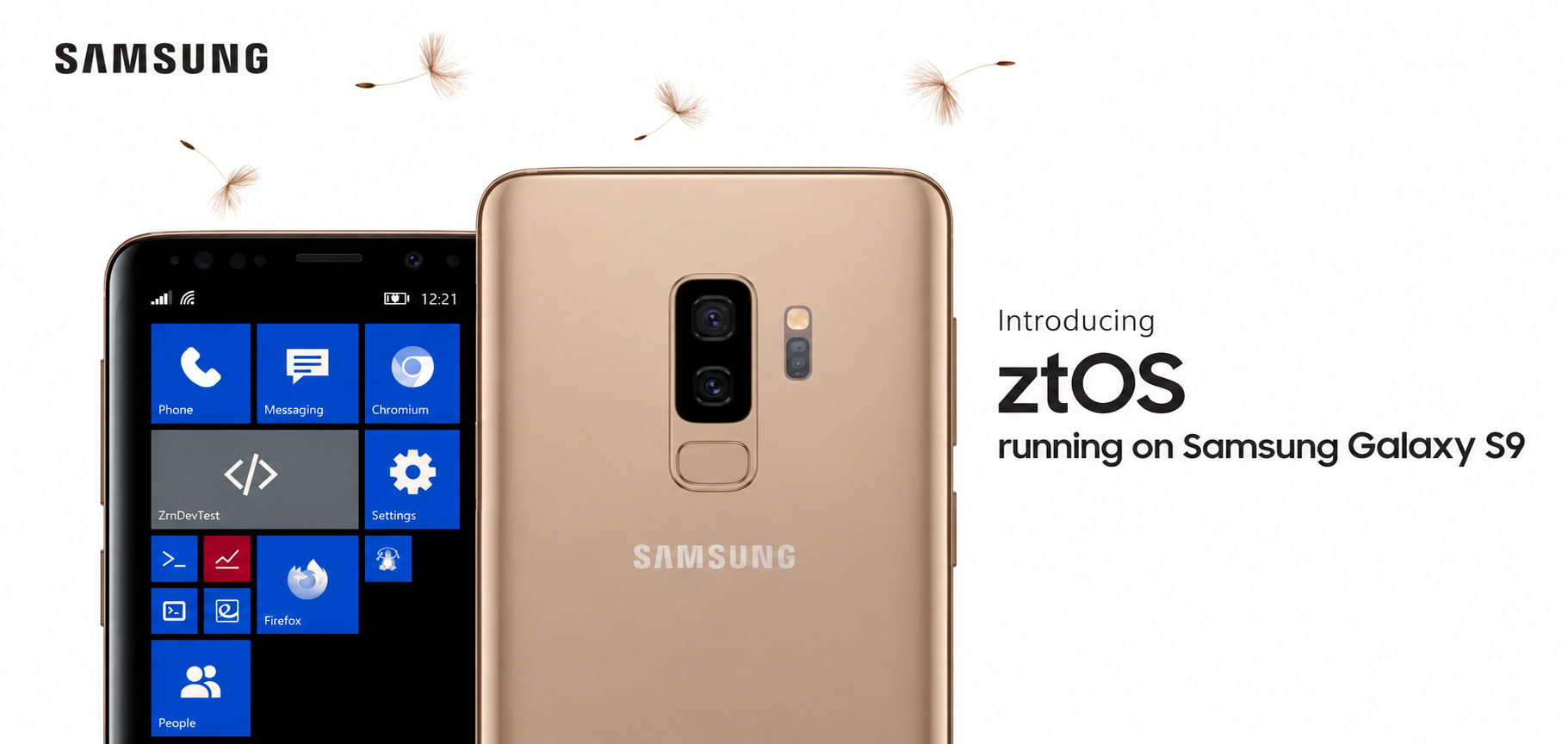
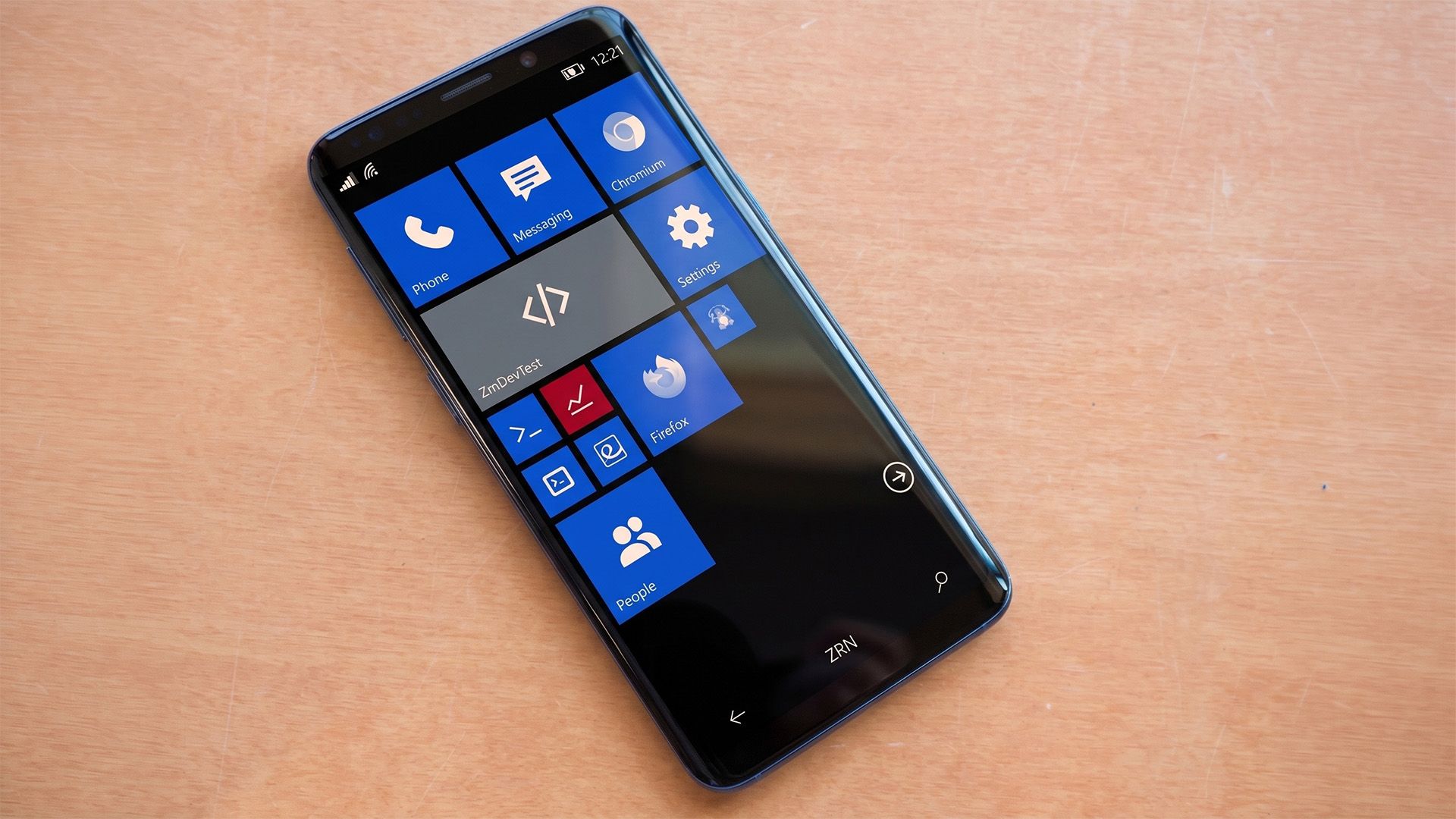
Then again, I don’t hate Android with a burning passion, either, and I did recently stumble across something that might make me reconsider. ztOS is a new operating system designed to look and feel exactly like Windows Phone 8.1. It’s built on Arch Linux for ARM, complete with its own suite of apps.
According to the project notes, the ztMETRO shell and its components are written in C and accelerated with OpenGL. It also includes an SDK for building apps in Python and Qt, along with an updater to keep the system maintained. It’s a surprisingly robust setup for a passion project.
Windows Phone lives through Linux and AI
Windows Phone might be dead, but ztOS is bringing its iconic interface back to life on the Samsung Galaxy S9. (Image credit: Zerone-Laboratories | Samsung)
There is a catch, as usual. Currently, the project seemingly only works on the Samsung Galaxy S9. The project itself is in alpha, so expect some bugs and install at your own risk.
And yes, whether you care or not, the project is spearheaded by Claude. Because, well, everything seemingly happens through AI coding now. I’m guilty of it myself, having jumped on the FreeMyTV bandwagon to debloat my TV, improve performance, and get rid of adverts.
Still, I do long for Windows Phone. There’s a small part of me that hopes we’ll see it return in some fashion. Seeing all these wild AI-driven projects, whether it’s Xbox Labs reviving the Blades dashboard or Steam games running natively on Android or the iPhone, we're really in the midst of unknown territory.
Thinking of Windows Phone, though, really does make me facepalm at the idea that we maybe could have had a future where Windows Phones would natively play your Xbox games via the Xbox app. Imagine full cloud saves and achievements, giving you even more reasons to invest in Game Pass. But again, this is all just wishful thinking. Windows Phone is sadly, truly dead. Even I admit it.
Regardless, let me know what you think. Would you install a Windows Phone-like OS on your Android, or do you think Windows Phone should be left for dead and forgotten? Leave a comment down below and make sure you take part in our poll!
Join us on Reddit at r/WindowsCentral to share your insights and discuss our latest news, reviews, and more.
Nvidia's 64GB DGX Spark launches at $4,999 with the same GB10 chip as the 128GB version. Compare memory limits, model support, clustering costs, and what IT buyers should verify.
Amazon introduces five Blink security cameras with 4K video, long-range wireless connectivity, and new viewing features. Compare prices and key limitations.
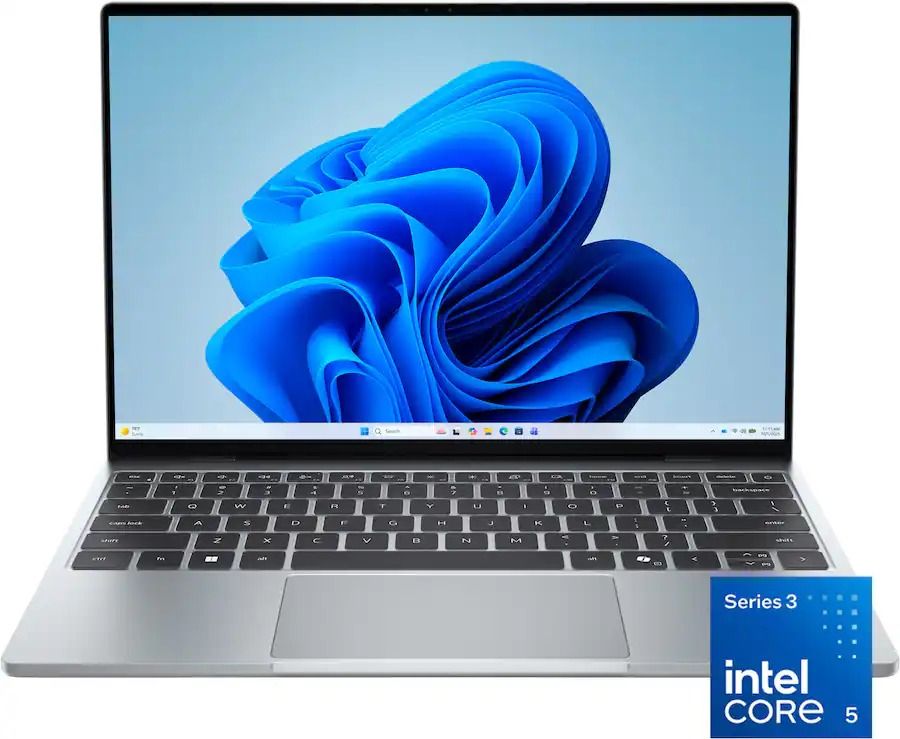
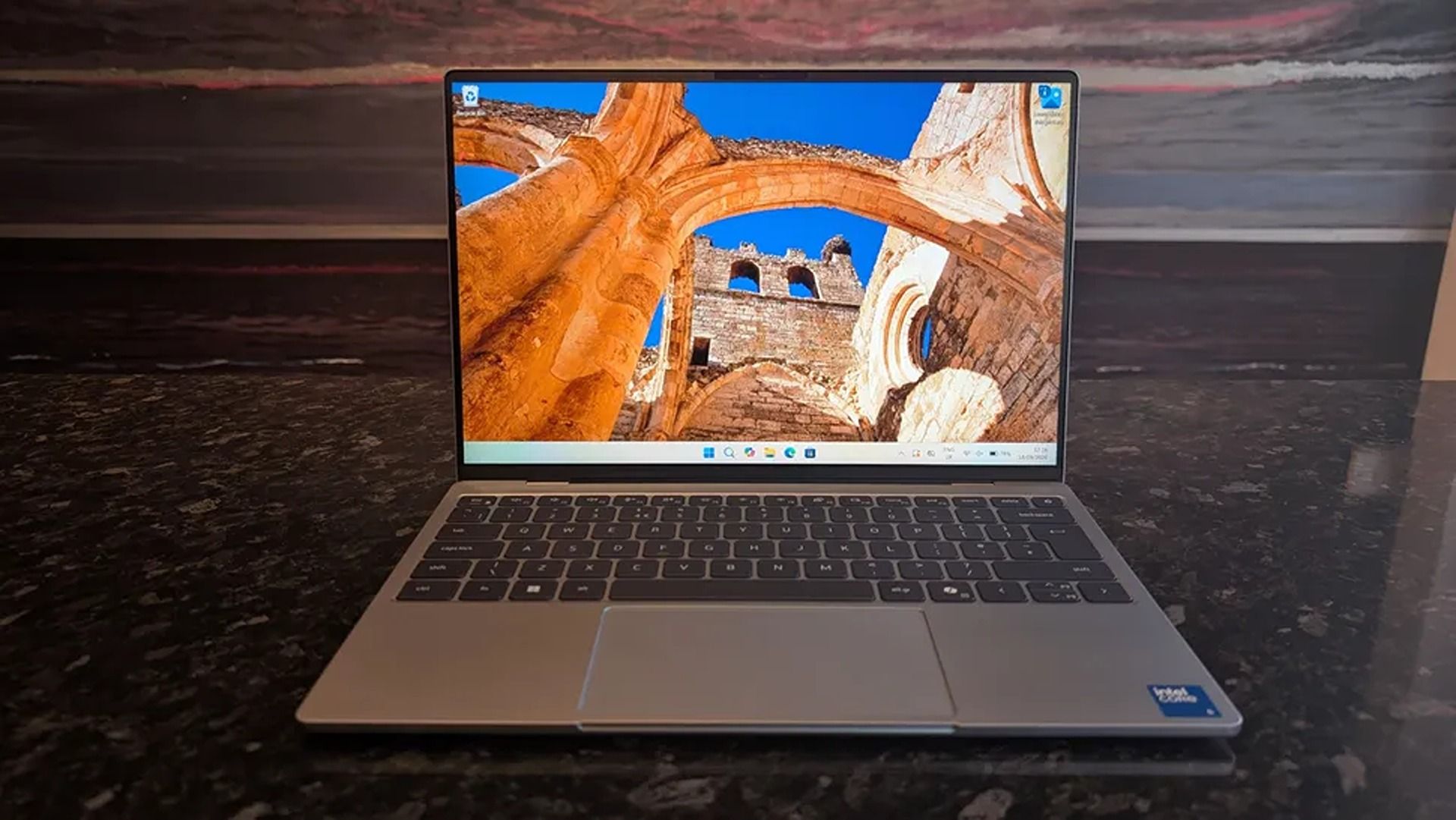
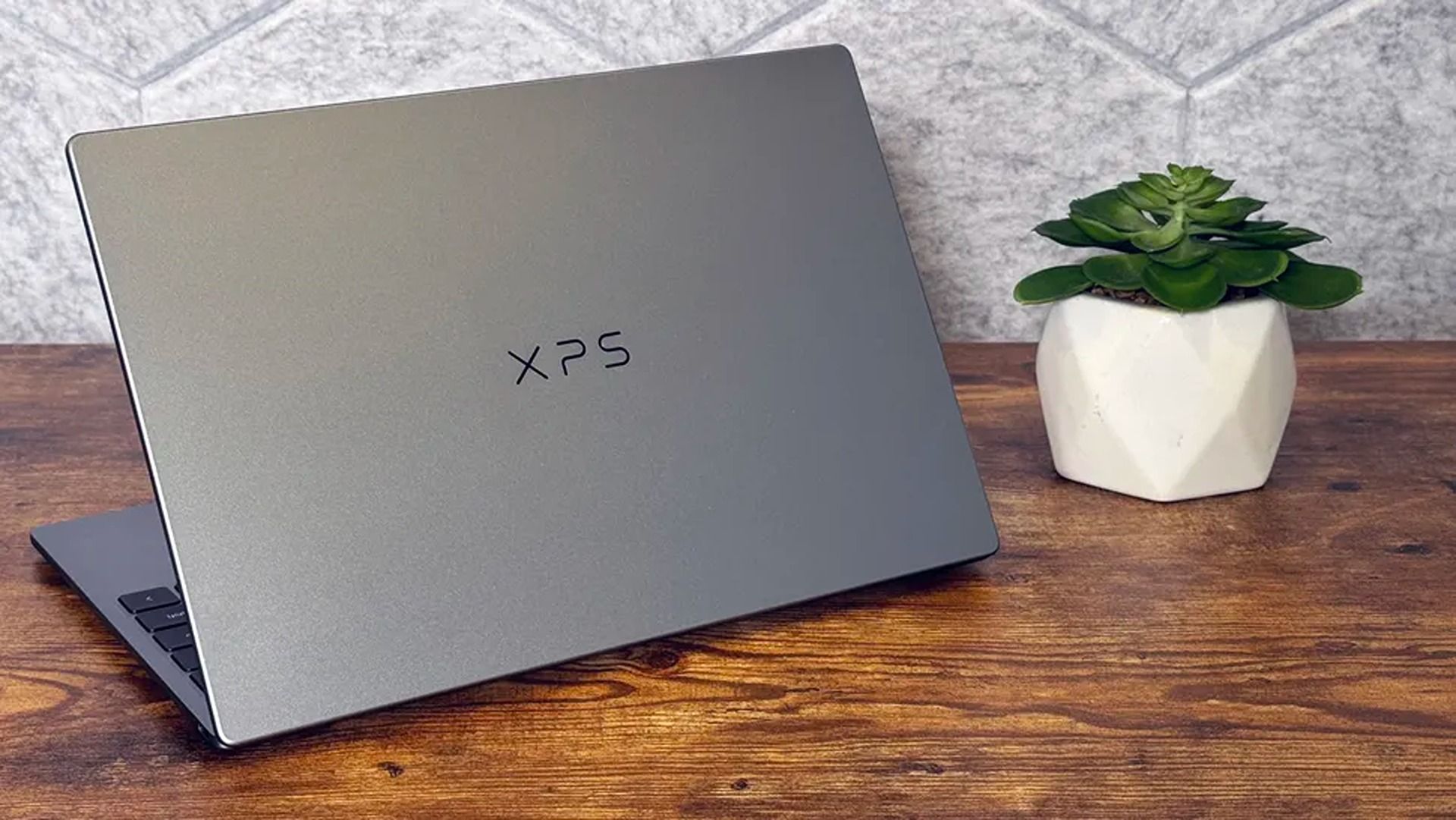
2026 saw the release of the familiar Dell XPS 13, a 'new' laptop designed to be the ultimate, affordable gateway for first-time PC users thanks to its respectable performance, long-lasting battery life, high-quality build, and general reliability.
"The Dell XPS 13 returns as an excellent Windows-based answer to the MacBook Neo. It’s an excellent option for students or mainstream users who don’t need more CPU or GPU muscle." — Matt Safford, Managing Editor, Tom's Hardware
They don't make those comments lightly because the Dell XPS 13 has plenty of features to help it live up to the hype and make it an easy recommendation for beginner PC users, students, and workers.
These include a strong battery life of nearly 15 hours per charge, a 13.4" 3K Touchscreen with 2560x1600 resolution and a 120Hz refresh rate to provide crisp and detailed images and videos, and a solid, thin 0.5 inches thick chassis weighing in at 2.2lb for easy portability.
On top of that, the Dell XPS 13 has a solid and responsive keyboard, a pair of Thunderbolt 4 ports to plug in useful accessories, an IR sensor for facial recognition, great-sounding speakers, Wi-Fi 7 support for faster and more stable internet connections, and decent performance for casual use and mid-level intensive workflows thanks to its Intel Core 5 Series 3 320 CPU and 16GB of RAM.
Can it's RAM and SSD be swapped with different ones?
The Dell XPS 13 laptop's RAM can't be removed and swapped for a different one due to being soldered, so you will need to decide how much RAM it gets during checkout.
Its SSD, however, can be swapped out with a different one, and the Dell XPS 13 supports up to 4TB of storage.
Is it worth waiting until Black Friday?
In the past, we'd recommend waiting until Black Friday for a chance at a better discount, as laptops are usually discounted to their lowest by then.
However, with the ongoing RAM crisis hiking the prices of laptops further and further, who's to say that the Dell XPS 13 won't have a good price by then, even with a Black Friday discount?
With that in mind, it's still worth using Best Buy's 26% discount for the Dell XPS 13 now in case things get worse, especially if you're in a hurry for a high-quality, beginner-friendly laptop.
Join us on Reddit at r/WindowsCentral to share your insights and discuss our latest news, reviews, and more.
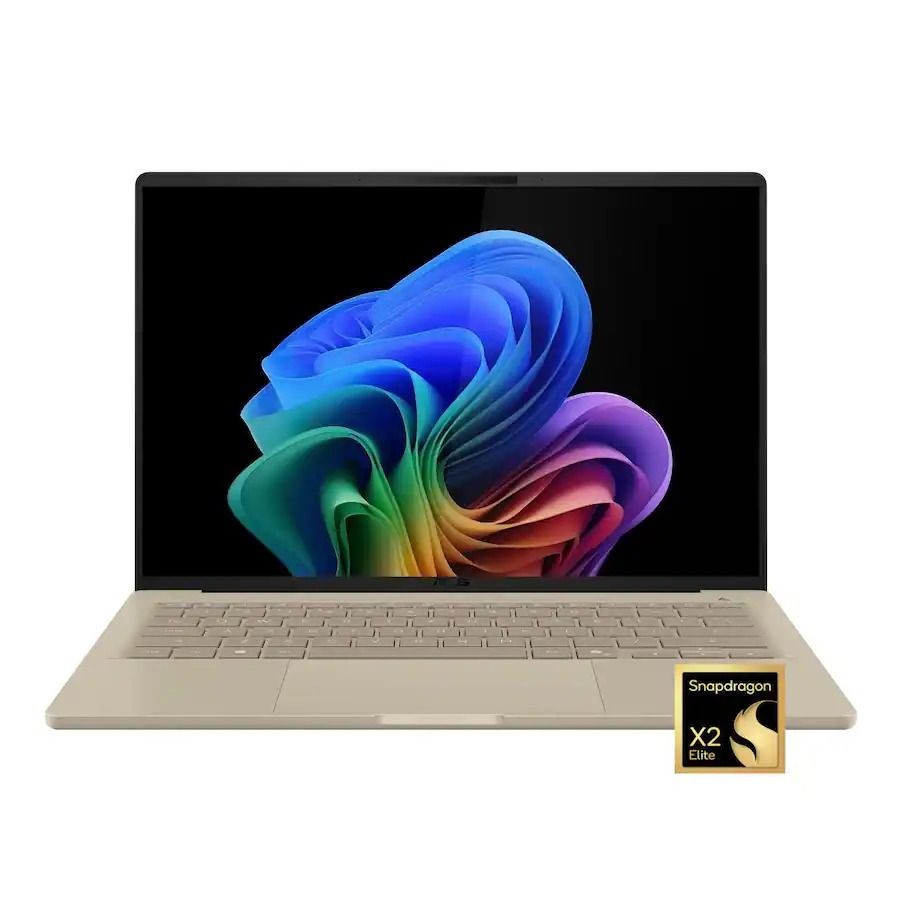
There have been few laptops that have completely blown us away with exceptional design, long battery life, and a smooth Windows experience quite like ASUS' Zenbook A14, and it saw a massive upgrade this year with a refresh outfitted with Qualcomm's Snapdragon X2 Elite processor.
Normally, the ASUS Zenbook A14 with its $1,349.99 price tag can seem like a hard sell compared to its cheaper (yet very capable) Snapdragon X Plus predecessor (usually $939.00 — $969.99), and its premium-grade Zenbook A16 sibling with its powerful X2 Elite Extreme CPU ($1,599.99 — $1,899.99).
Thankfully, with this 26% discount, the Zenbook A14 with Snapdragon X2 Elite is now at a smarter price of $999.99 at Best Buy, compared its siblings.
"At a glance, it might feel like the Zenbook A14 didn't change at all, but upgrading to the Snapdragon X2 Elite gave it a massive CPU performance bump." — Ben Wilson, Senior Editor
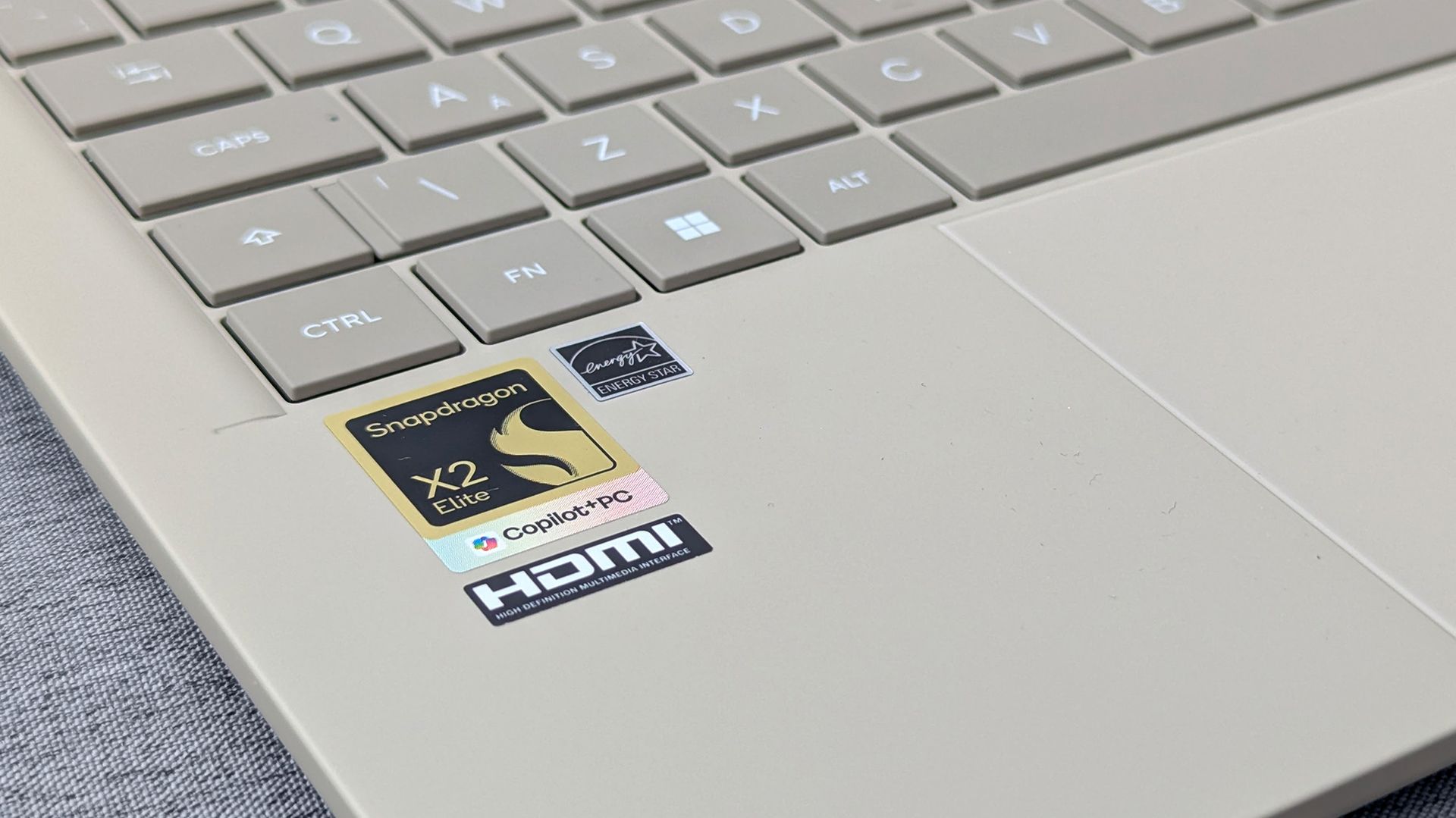
The Snapdragon X2 Elite logo on the ASUS Zenbook A14. (Image credit: Ben Wilson | Windows Central)
For starters, ASUS' Zenbook A14 laptop with Snapdragon X2 Eliteoffers vastly superior performance for casual use and heavy workloads compared to its 2025 Snapdragon X Plus predecessor, while also outperforming Apple's M5 chip.
Additionally, this laptop also earned high praise from us for its exceptional battery life of 17 hours per charge, crisp 14-inch OLED display that runs at 1920x1200 resolution with a max refresh rate of 60Hz, and vast selection of USB4, HDMI 2.1, and USB-A ports.
Plus, this version of the ASUS Zenbook A14 laptop also has Wi-Fi 7 support for faster and more stable wireless internet connections.
So, if you're looking for a lightweight, compact Windows laptop that will make mincemeat out of CPU-heavy apps and workflows, then the ASUS Zenbook A14 laptop with the Snapdragon X2 Elite CPU will serve you well in the office or school.
Will my everyday apps and old devices work with it?
Most everyday apps will function on the ASUS Zenbook A14, but older devices like legacy printers or scanners may have compatibility issues with the laptop's Qualcomm Snapdragon ARM-based processor. So make sure you check these older devices before using them on the ASUS Zenbook A14.
Is the RAM and SSD upgradeable?
The ASUS Zenbook A14's 16GB RAM is soldered, so it can't be removed and swapped with a larger one. You will need to select how much RAM it will have during checkout (16GB or 32GB). Its 512GB SSD, on the other hand, can be swapped out with a larger one up to 4TB of space.
Is it worth waiting until Black Friday for a better deal on this laptop?
It depends on your situation and wants. If you can hold out for a few weeks for a chance at a better discount, I'd recommend waiting until Black Friday.
However, if you're in a hurry for a new premium-level laptop for work and are afraid the ongoing RAM crisis will drive the price of this laptop to unaffordable levels in the future, then I'd say take the Asus Zenbook A14 now while its 26% discount is hot (and making its price slightly more on par with the 2025 model).
Join us on Reddit at r/WindowsCentral to share your insights and discuss our latest news, reviews, and more.
Linux support is progressing for Snapdragon X2 laptops, but missing drivers and hardware limitations mean buyers should check exact models before switching.
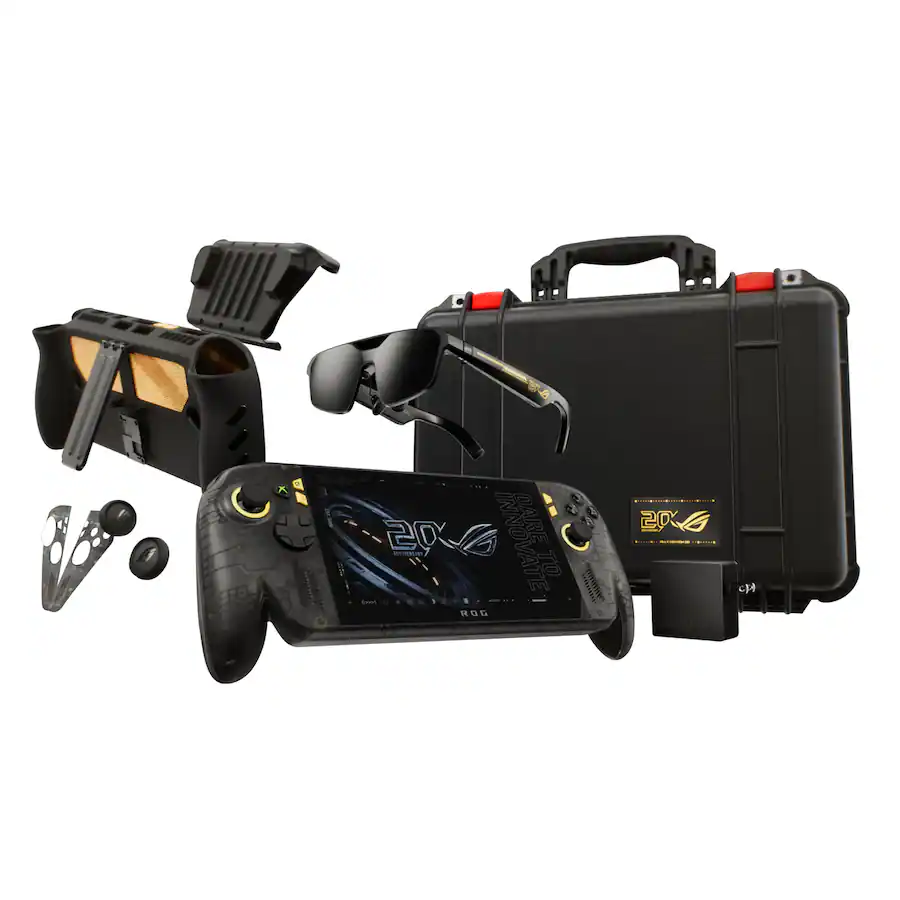
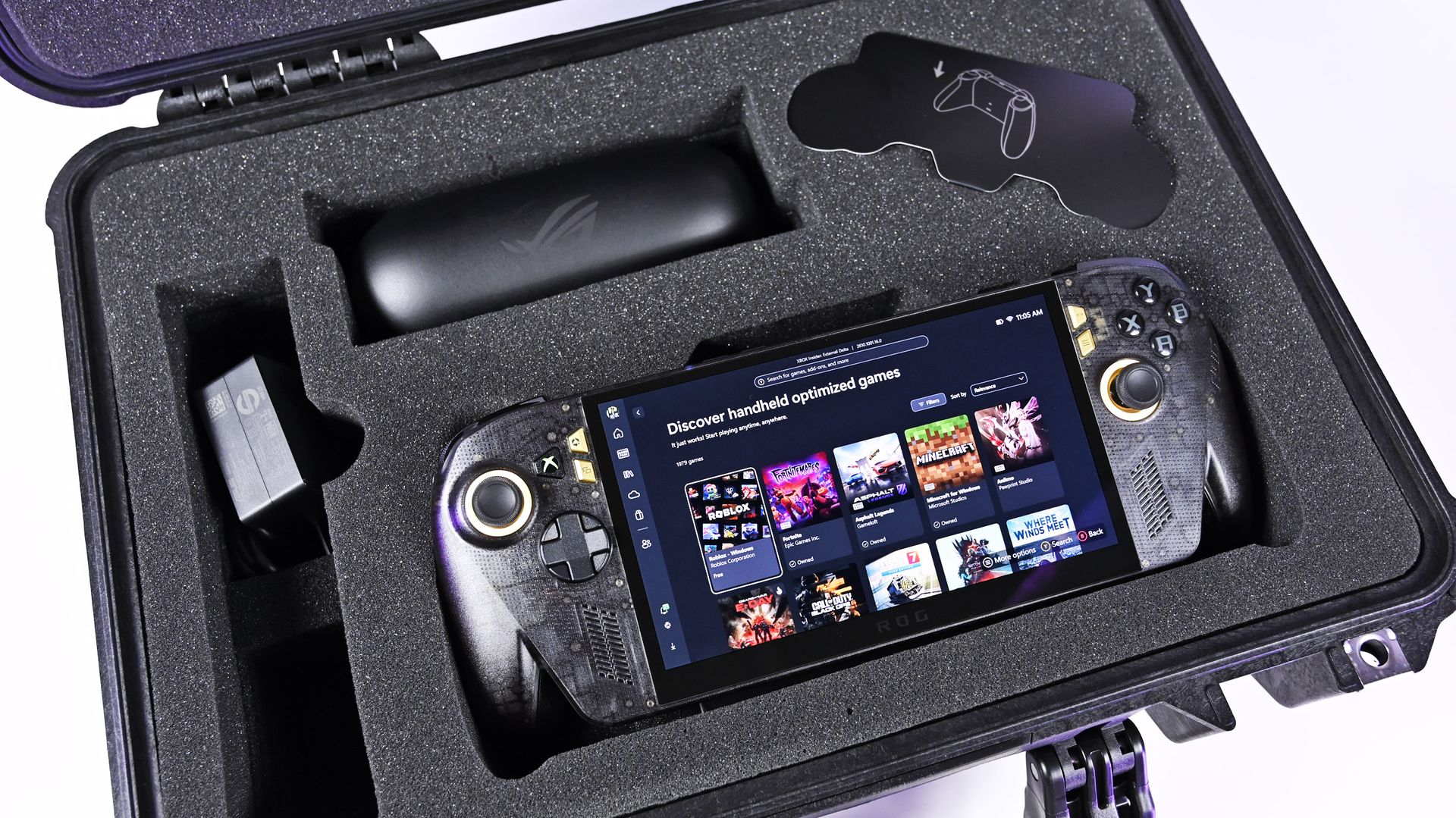
It was just a few days ago that I was unboxing the new ASUS ROG XBOX Ally X20, which went on sale just five days ago on October 15th, and now both the handheld ($1,299) and the $2,499 bundle (handheld + XREAL glasses, dBrand skin) are sold out at both Best Buy and ASUS.com.
Indeed, I'm not even saying they sold out today, but rather that today was the first day I checked to see if there was any inventory left. Going by a Reddit thread, it appears it sold out sometime yesterday or Sunday.
That's a very impressive metric, when you consider the pricing here. The current ROG XBOX Ally X is available for $999, while this refreshed model (which is better in every way) is $300 more. And the $2,500 bundle is also no joke, especially for what many would consider a secondary gaming PC.
Sure, we can attribute this to limited production and a finite inventory on hand, but it’s worth noting that preorders began almost two months ago on August 25th, giving ASUS ample time to prepare for demand.
And we know there was demand. Looking at our internal numbers for click-throughs, we saw back in August an unusually high amount of interest in the ROG XBOX Ally X20, more than you might expect from the most expensive ROG Ally to date.
A lot of this goes back to what I've been saying for years: Gaming is one of the few price-proof areas in tech, practically insulated from the harsh economic realities that many people are facing, on top of the overall higher prices attributed to AI-driven demand for RAM and NAND (storage).
ASUS
ROG Xbox Ally X20
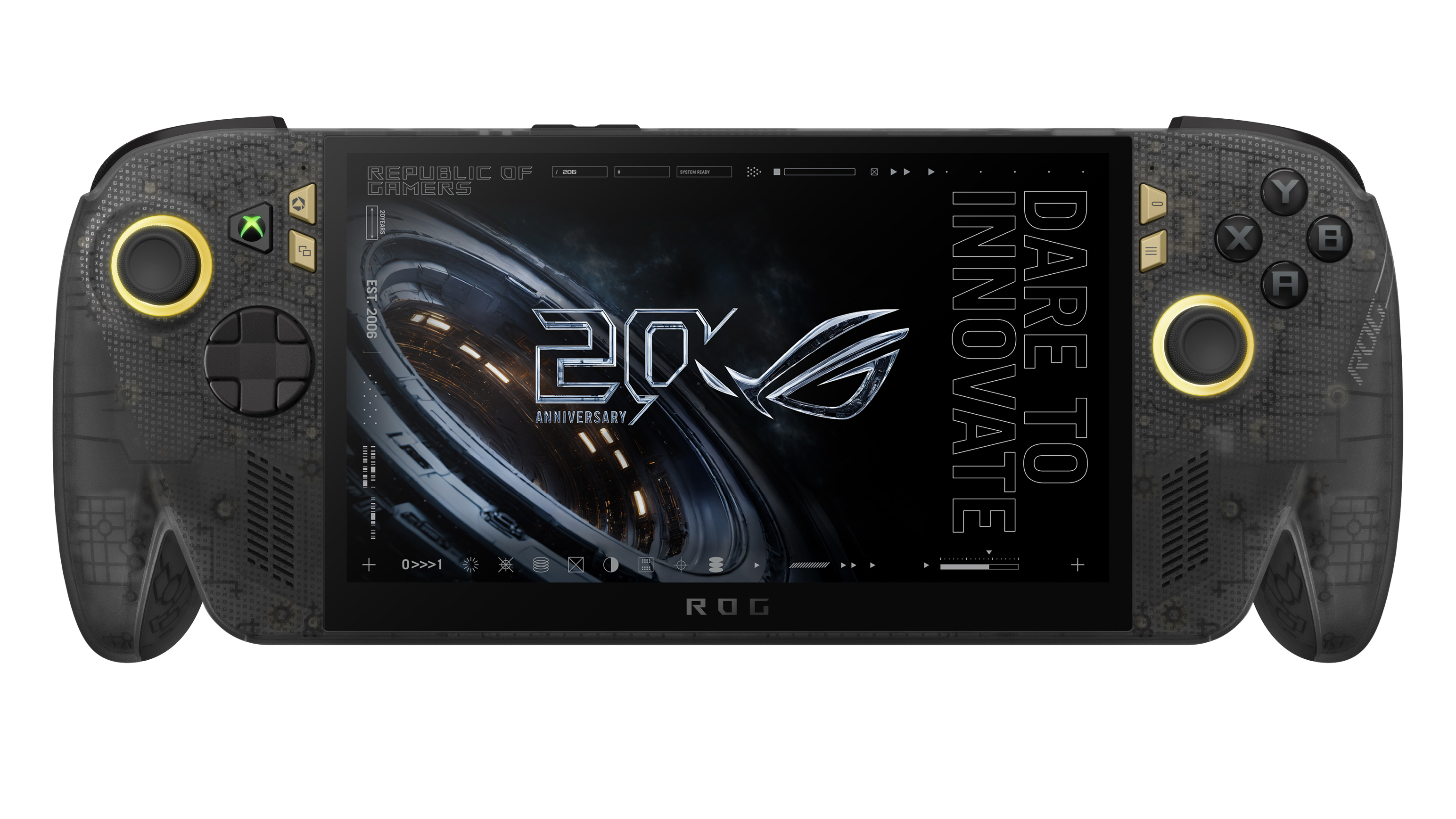
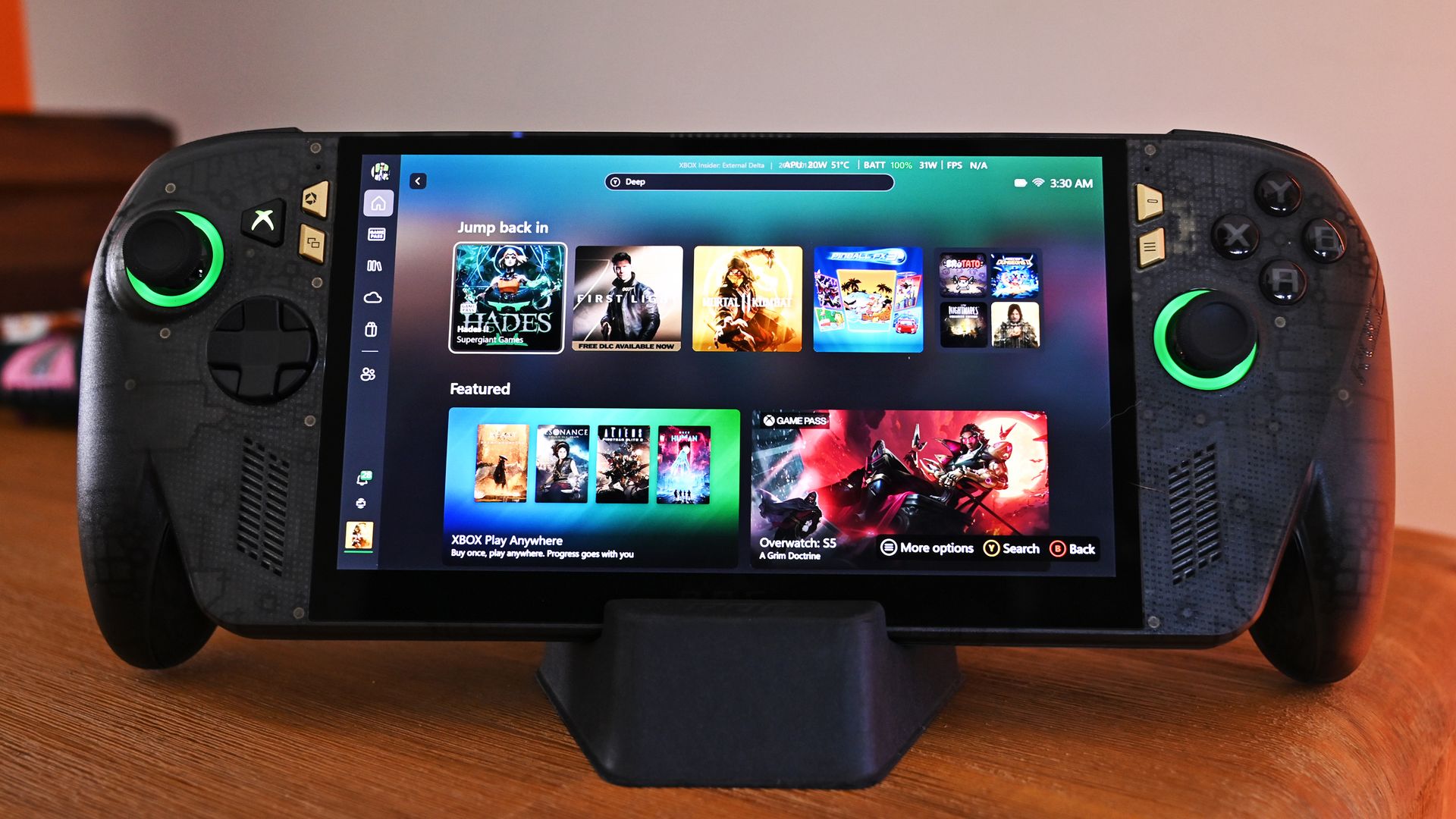
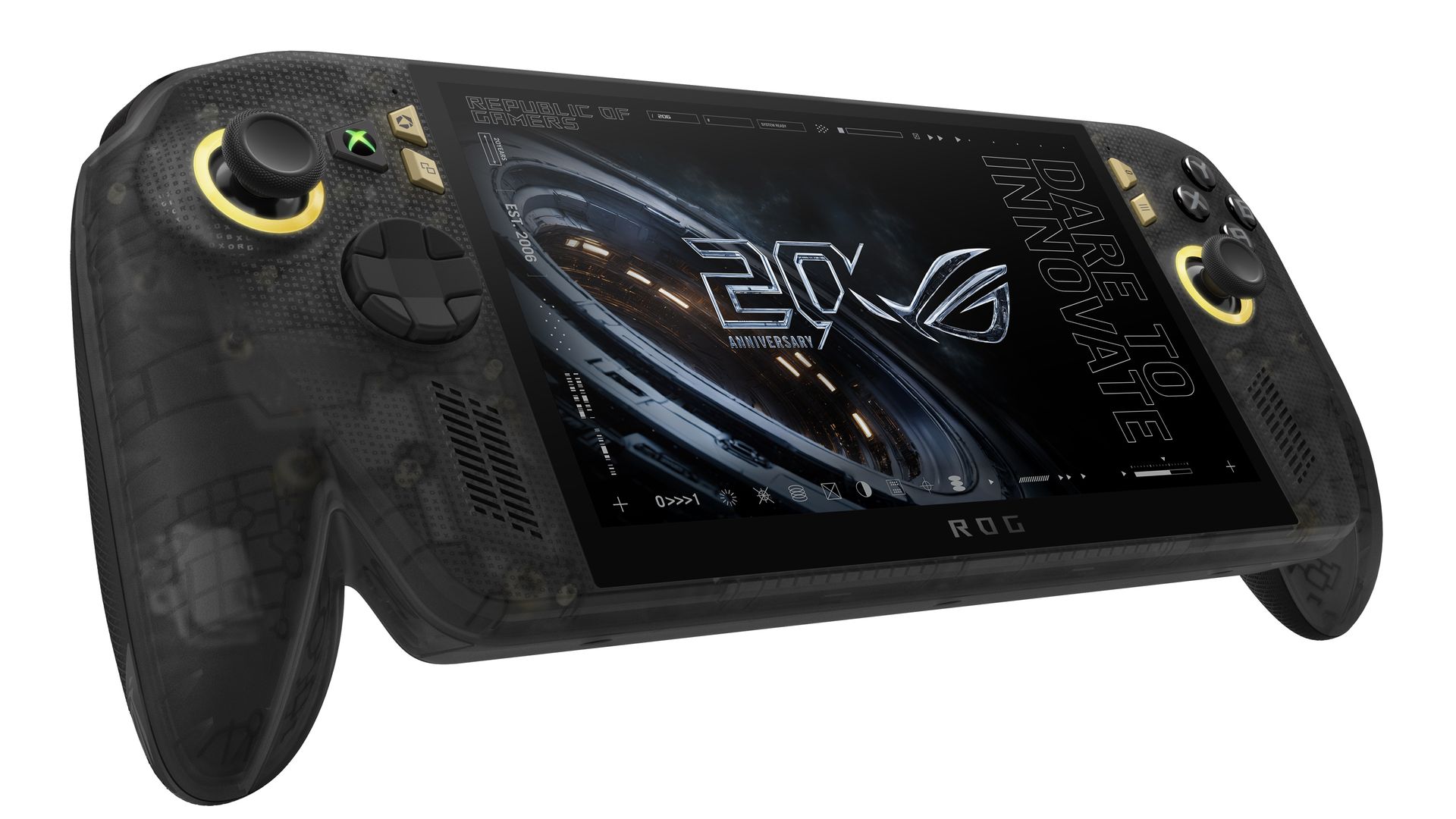
A refined celebration of ASUS’s gaming legacy, the Ally X20 Anniversary Edition pairs its upgraded Ryzen AI Z2 Extreme chip with a vibrant 7.4‑inch OLED HDR display and a boosted 80 Wh battery. It’s a sleeker, more efficient Windows gaming handheld built to mark the milestone with sharper visuals, quieter thermals, and longer play sessions.
Whether a recession, a pandemic, a RAM shortage, or a crypto mining craze (remember that?), gamers are almost always willing to fork over big bucks to have the latest gear. It's one reason that, despite some of the doom-and-gloom over PC sales in the last decade, gaming PCs grew year-over-year consistently.
Front view of the ROG Ally X20 handheld, which is in very high demand. (Image credit: Daniel Rubino)
If you haven't followed this story closely, you'd be forgiven for thinking this is just a simple refresh of last year's XBOX Ally X, albeit with an OLED panel replacing the IPS.
That ... would be way oversimplifying it.
Yes, the same AMD Z2 Extreme and 24GB of RAM are here (albeit slightly faster memory), so overall performance is very much the same, but ASUS basically completely rebuilt this entire device with all new components. In fact, I've been documenting all the changes that I've noticed and collected from talking to ASUS and from past press events.
So, here's what's actually new:
Larger 7.4-inch OLED panel (up from 7.0 IPS)
1,400 nits peak HDR (no HDR before)
600 nits peak SDR (was 500 before)
Dolby Vision support
Corning Victus + DXC anti-reflection coating
Smaller bezels
Redesigned airflow channel specifically for cooling the OLED panel
Completely redesigned PCB USB4 ports
Upgraded fan and heatsink fins for better cooling
Hybrid metal dome switches for a more tactile D-pad
Transforming D-pad
TMR joysticks (Hall-effect style)
LEDs increased from 2 to 4 per stick
Quieter, more tactile ABXY buttons
Realigned shoulder buttons
Smoked black translucent housing
Rubberized ergonomic grips
Upgraded microSD Express slot (up to ~1 GB/s)
And this translates into a major real-world difference in terms of fit and finish, as well as overall enjoyment of the device, which is why so many people are praising the build quality.
While Intel's G3 Extreme trounces AMD in performance, the overall gaming experience on the ROG XBOX Ally X20 is very likely the best of any handheld. Plus, a faster AMD or newer Intel chip would have driven the price up even further (see MSI's $1,800 Claw).
Of course, the one pain point is still ... Windows 11. At least for the out-of-the-box experience (OOBE), but we'll talk about that another time. Once you're set up, the Ally X20 is top-tier.
ROG XBOX Ally X20 is getting great reviews
(Image credit: ASUS)
It's worth noting that reviews, both professional and from consumers, have been near-universal in their acclaim for the ROG XBOX Ally X20.
Yeah, Best Buy only has 10 reviews posted, but it's a solid 5.0 across the board, with some noting, "This is the single most refined PC handheld ... I’ve tried." and "it might be the best quality handheld device in the market," and "ASUS Definitely hit it out of the park with this one."
Going by more professional reviews, IGN says the OLED takes the machine "to a completely new level" and argues that the extra $300 is"absolutely worth it" if you have the cash. Notebookcheck is similarly effusive, calling the OLED a "game changer" and describing the image quality as "simply stunning."
And one of my favorite YouTube channels, 128KB, dedicated to handheld gaming, also gave high praise (you can see the podcast embed above).
That kind of word of mouth goes a long way, and ASUS seems to have quite a hit on its hands despite the current market circumstances.
Of course, my review is coming out shortly, but spoiler alert: I don't differ much from most of the other conclusions. Sure, "The X20 should have been the original Ally X last year" is a common theme, but OLED displays this small with variable refresh were hard to come by in 2025, so ASUS went with what it could mass-produce at the time.
The Ally X20 selling out across every configuration shows just how aggressively ASUS has captured the handheld gaming PC conversation. This launch isn’t a blip or a lucky surge; it’s a clear sign that ASUS understands what Windows handheld buyers want and is willing to push the category forward faster than anyone else.
When a premium bundle disappears instantly, it tells you the audience is hungry, confident, and ready to invest in hardware that feels genuinely next‑gen. ASUS, in my opinion (and others'), set a new bar, and the rest of the industry now has to decide whether it can keep up with the pace ASUS just established.
Anyway, let me know in the comments what you think about the state of handheld gaming in 2026, and whether the ROG XBOX Ally X20 is on your radar (if it comes back in stock).
ASUS
ROG Xbox Ally X20 Bundle
Twenty years of ROG innovation, marked by the limited ROG Edition 20 lineup in an exclusive colorway. The ROG XBOX Ally X20 Bundle carries that celebration forward, pairing the handheld with the ROG XREAL R1 Edition 20 Gaming AR glasses to create a complete gaming setup that travels with you.
Join us on Reddit at r/WindowsCentral to share your insights and discuss our latest news, reviews, and more.
Xbox turns 25 this year, and if you're going to commemorate a quarter-century of one of gaming's most recognizable brands, slapping a green logo onto some existing hardware isn't going to cut it.
Thankfully, Razer didn't phone it in.
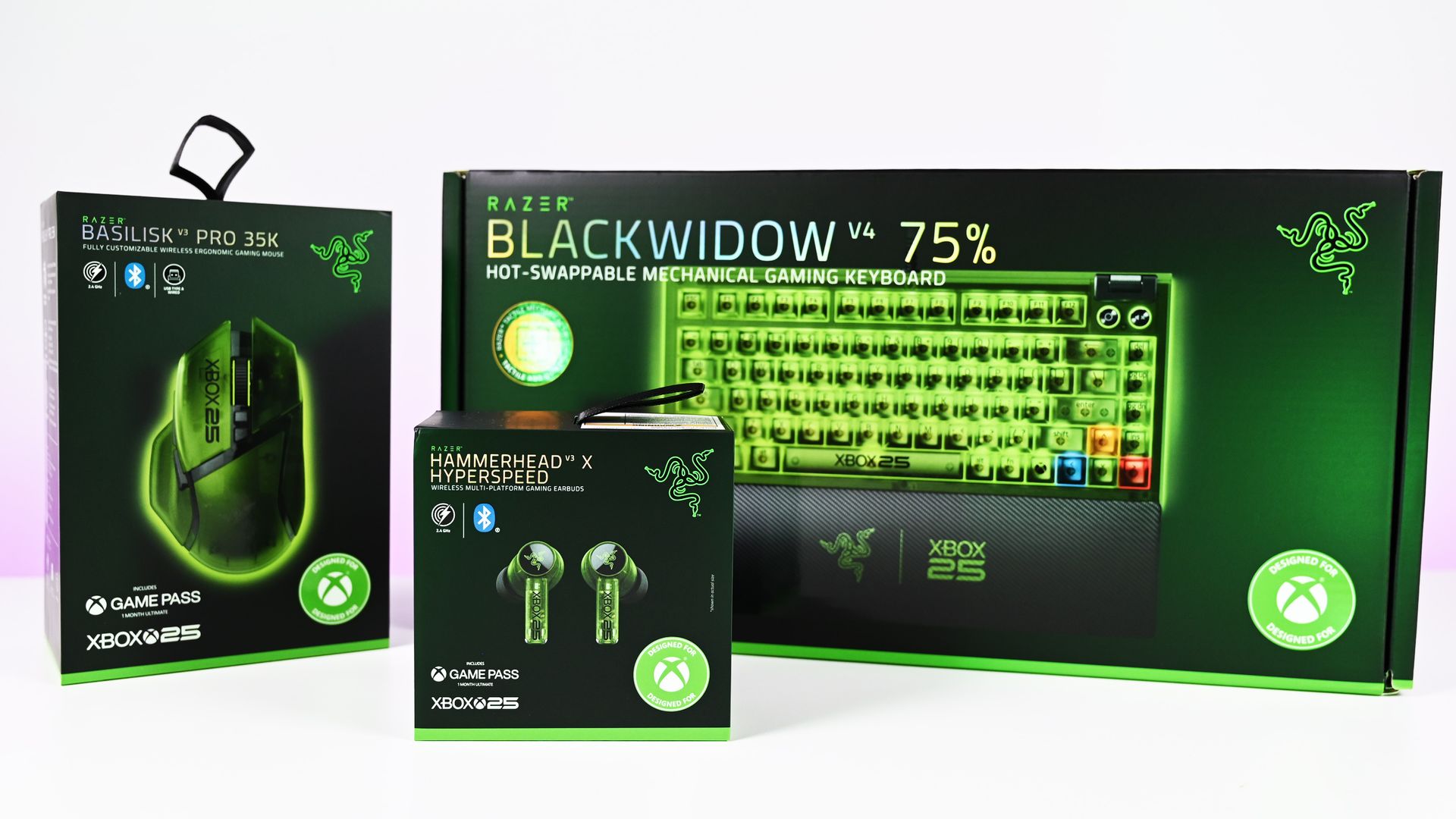
The new Razer | XBOX 25 Anniversary Collection (now available) takes three existing Razer products, the BlackWidow V4 75%, Basilisk V3 Pro 35K, and Hammerhead V3 X HyperSpeed, and transforms them with translucent green shells, Xbox detailing, and some fantastic use of RGB lighting. Razer officially announced the limited-edition collection in August, describing it as a collaboration with Xbox celebrating 25 years of the brand.
I've now spent some time with all three, and there's one product that immediately stands above the rest.
The keyboard is ridiculously good.
The BlackWidow V4 75% is the star of the show
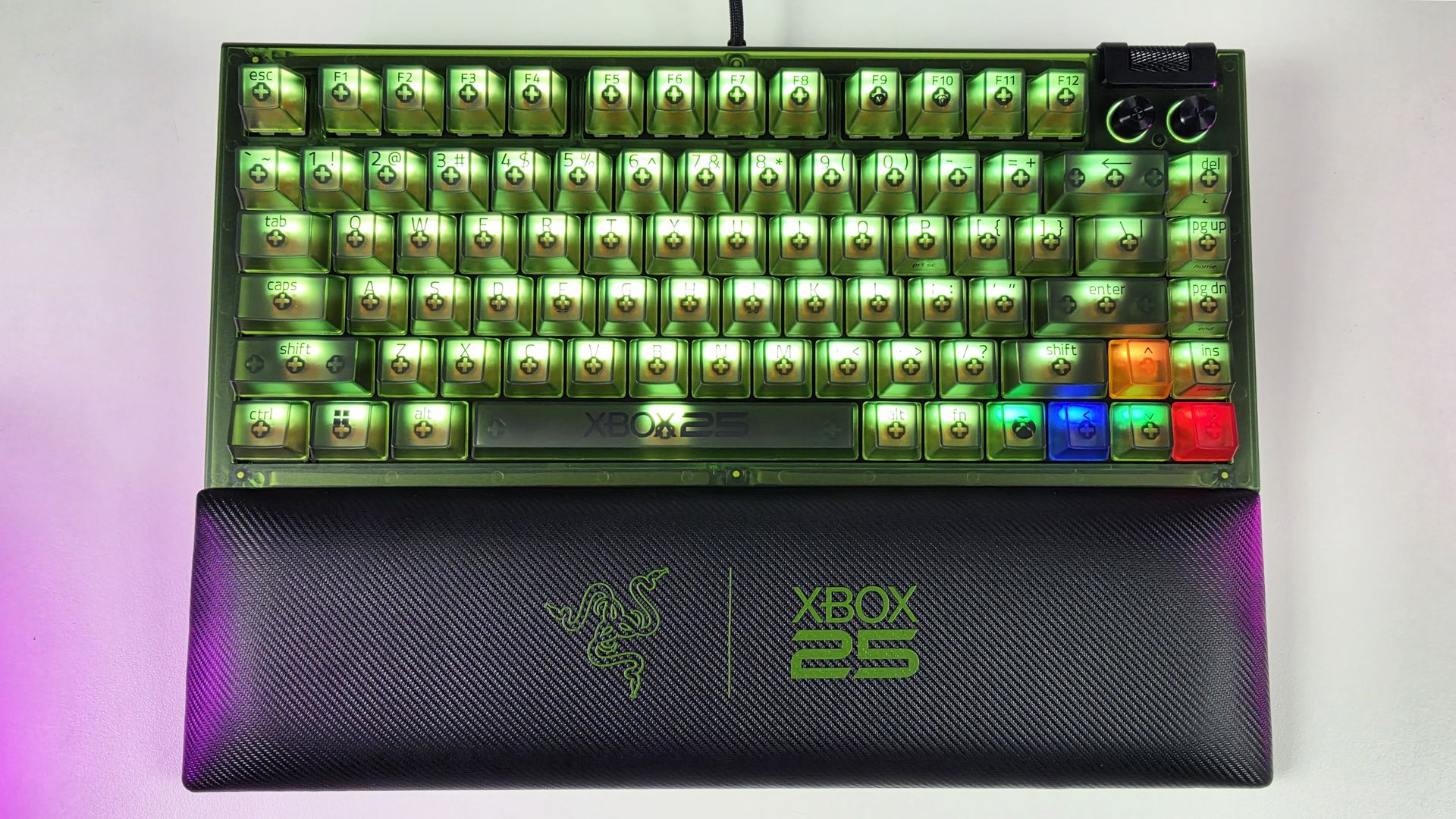
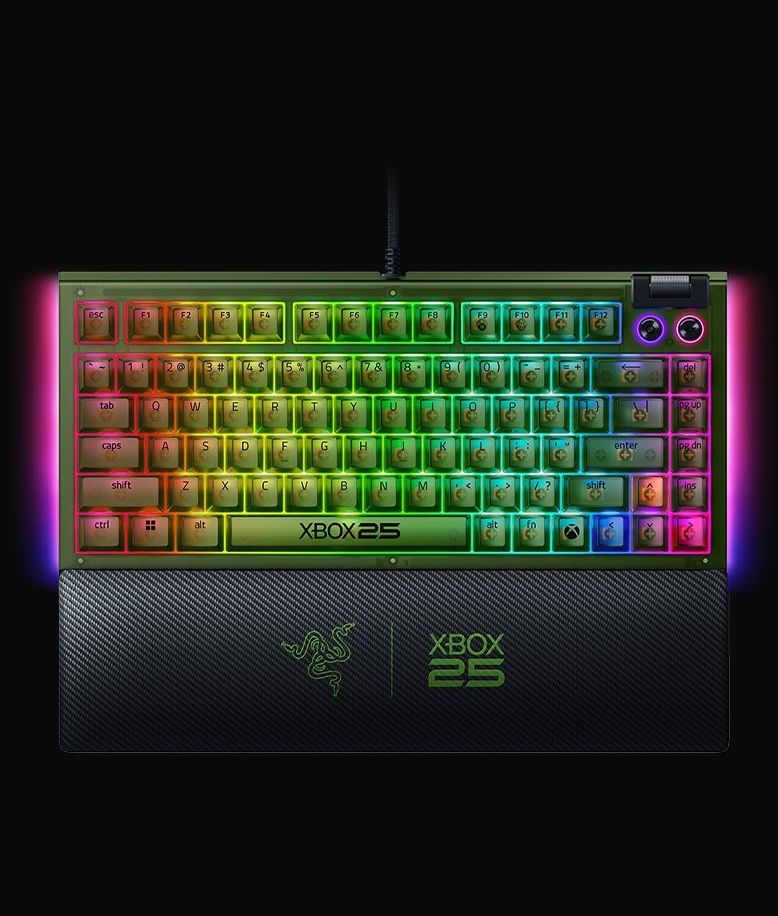
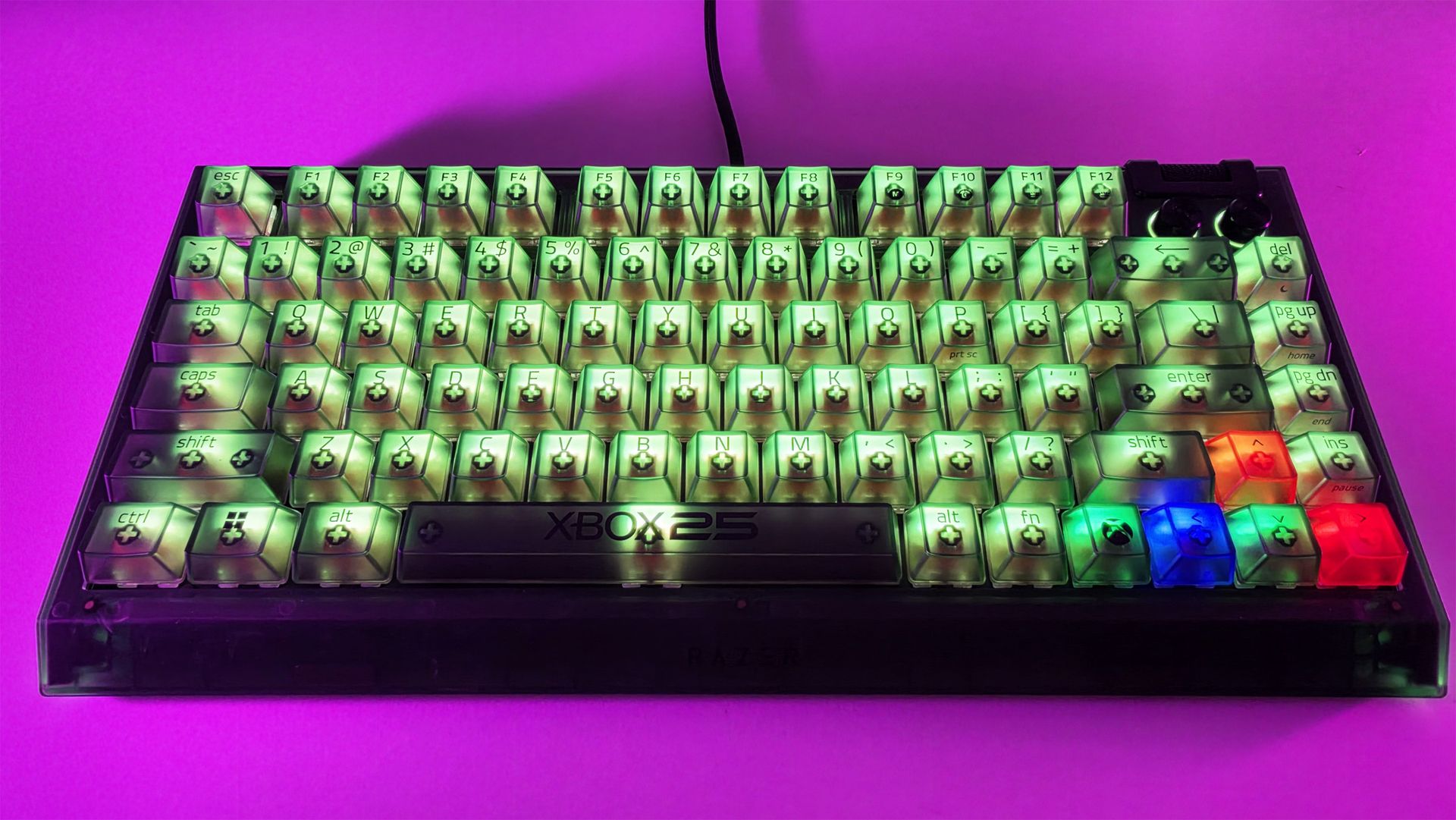
Top-down view of the Razer BlackWidow V4 75% Xbox 25th Anniversary keyboard and wrist rest. (Image credit: Daniel Rubino)
If I could only buy one thing from this collection, it would unquestionably be the BlackWidow V4 75%.
It's absolutely awesome-looking in person.
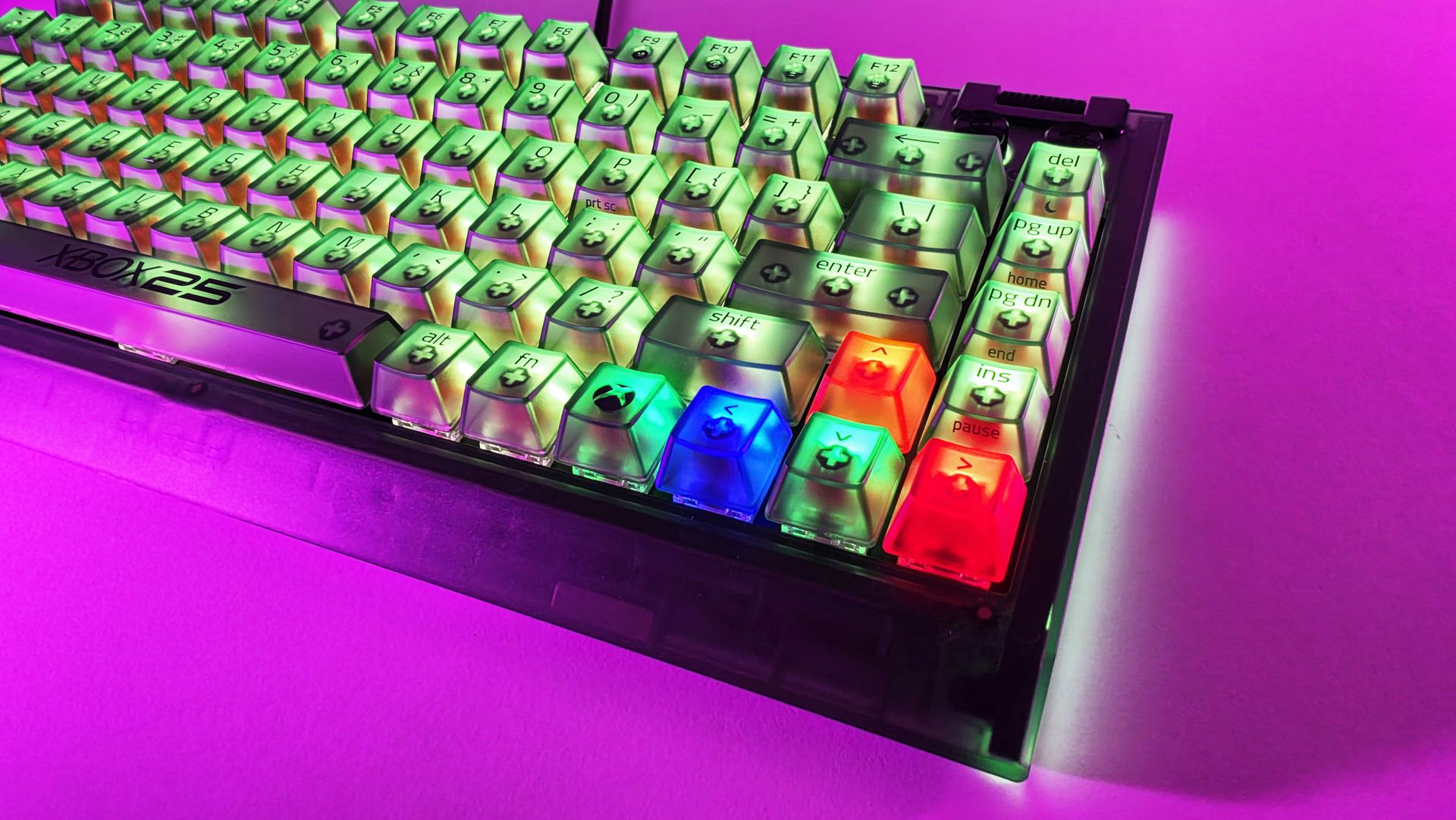
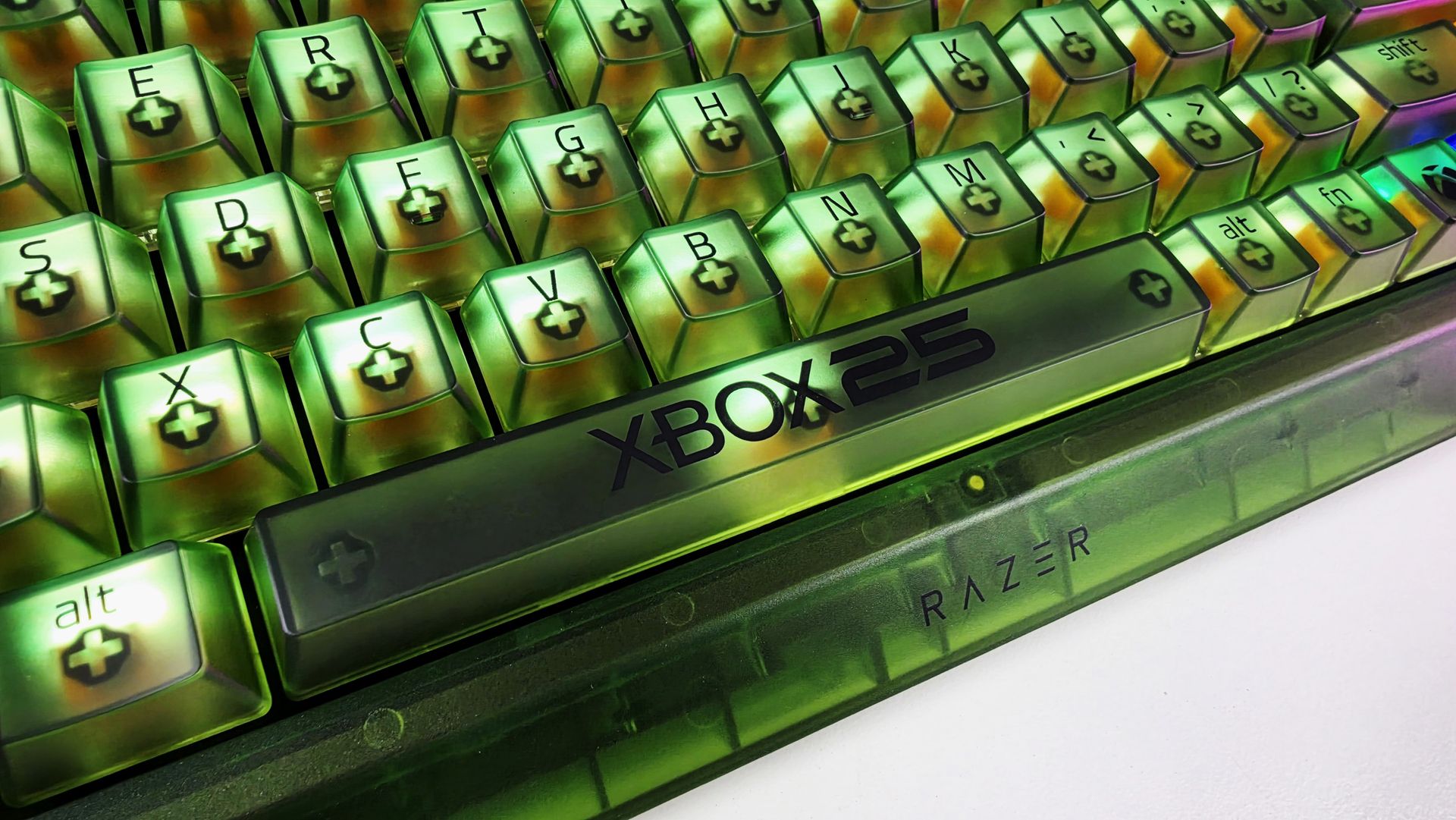
The translucent green chassis and keycaps make exceptionally good use of Razer's Chroma lighting because you're not simply seeing RGB through the legends. The light spills through the translucent structure of the keyboard itself, illuminating the switches and keys and giving the whole thing this glowing, almost radioactive Xbox-green appearance.
My photos don't really do it justice. I've generally kept mine predominantly green for obvious reasons, but you aren't locked into the Xbox color scheme. Razer Chroma gives you full RGB customization, including per-key lighting, while the keyboard also has two-sided underglow.
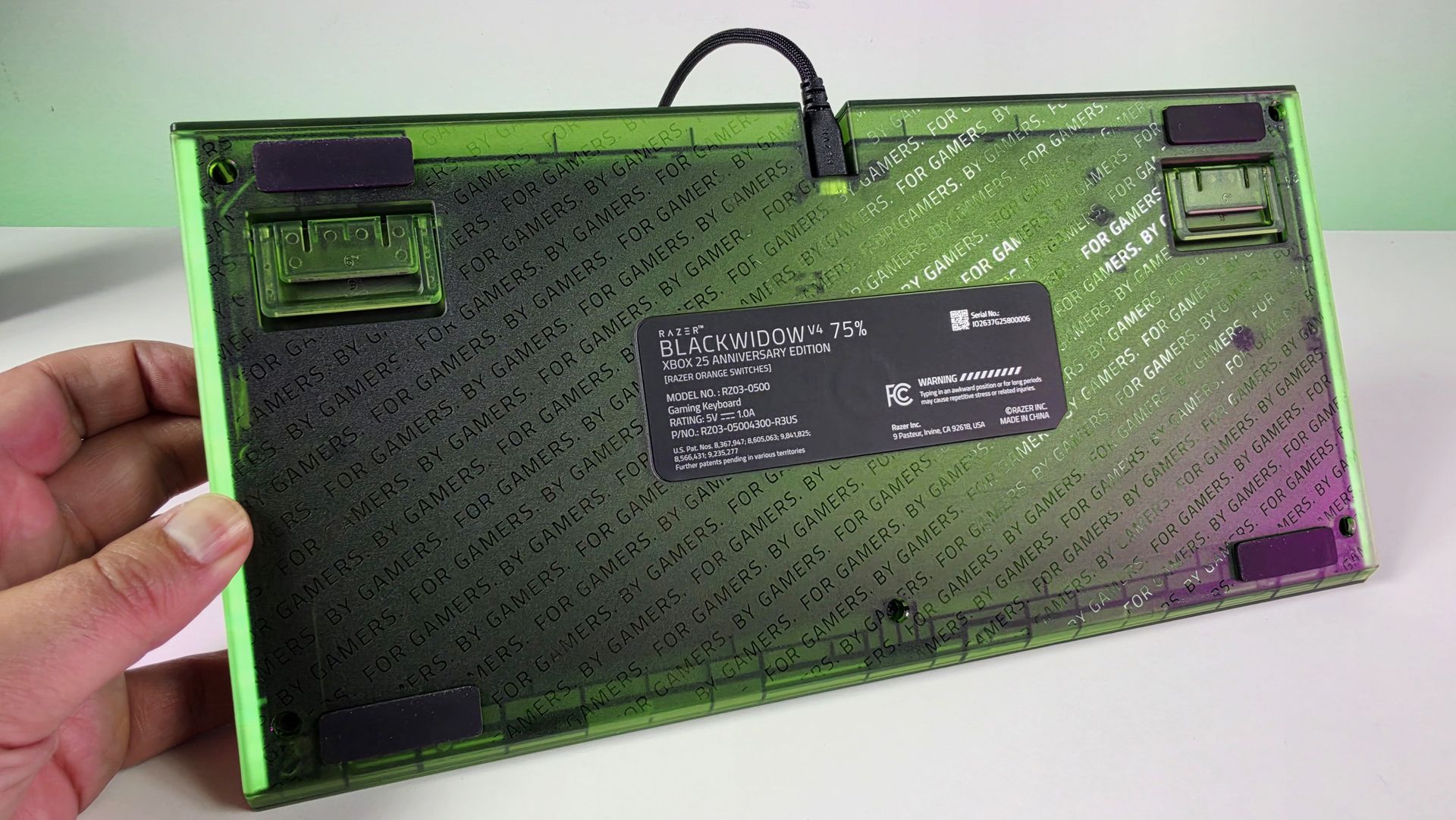
Even the bottom of this keyboard looks great. (Image credit: Daniel Rubino)
There are some lovely smaller touches, too. The spacebar carries the XBOX 25 branding; there are Xbox-inspired symbols scattered across the keycaps, and the familiar ABXY colors appear around the arrow cluster. Razer has even included a dedicated Xbox key for opening Game Bar.
But perhaps my favorite finishing touch is sitting in front of the keyboard.
Sure, you can customize the RGB using Synapse, but out of the box, I love the default color profile. (Image credit: Daniel Rubino)
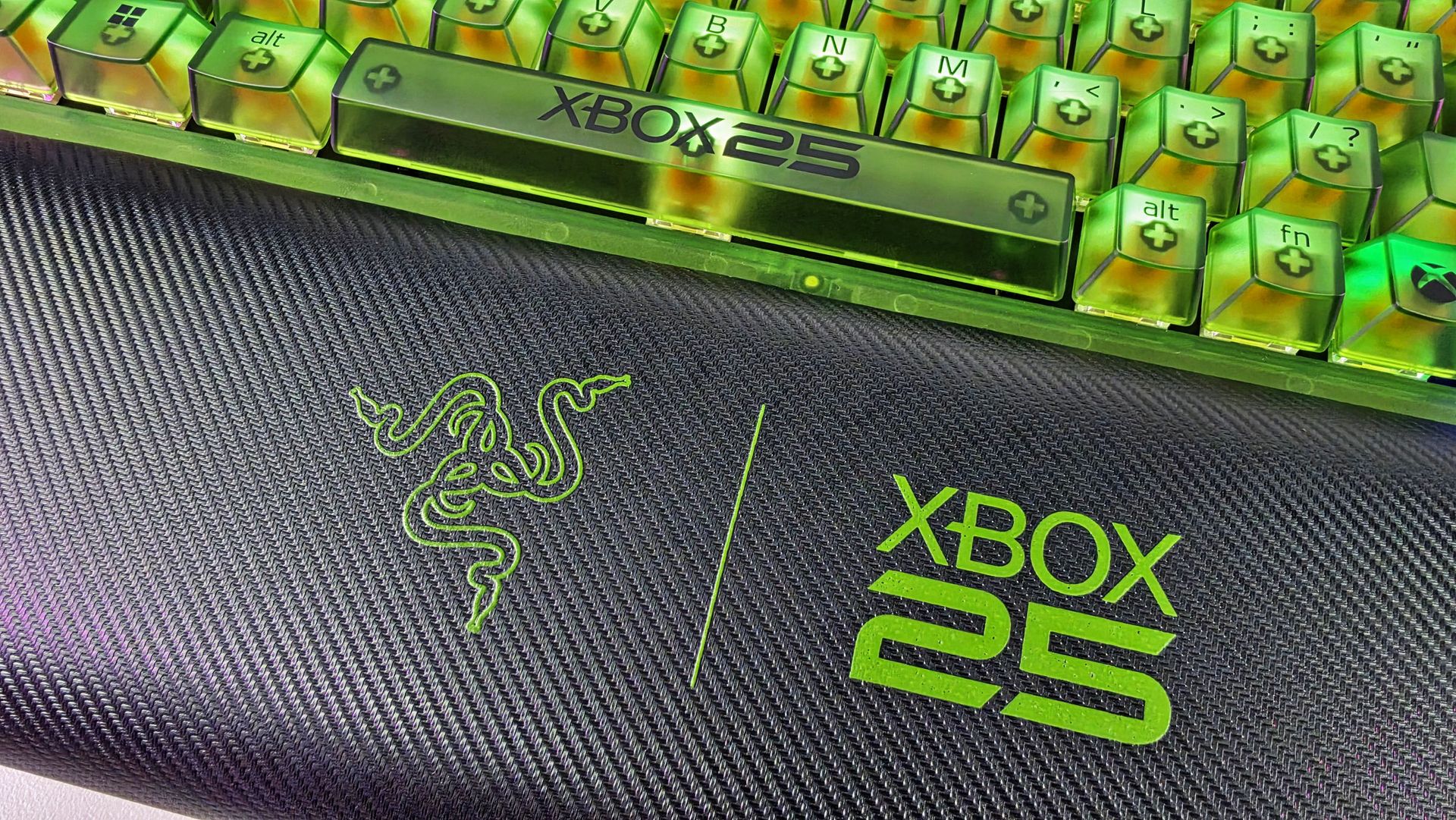
The included magnetic wrist rest has Razer and XBOX 25 branding prominently printed on it in green, and that's the type of detail that pushes this beyond feeling like a basic special-edition colorway. It completes the look.
Even the wrist rest gets some branding love. (Image credit: Daniel Rubino)
Razer uses its Orange Tactile Switches Gen-3 here, while retaining the BlackWidow V4 75%'s hot-swappable design.
At $209.99 on Razer.com, it's admittedly not cheap. But if I'm buying something specifically because it's a limited Xbox 25th-anniversary edition, I want it to actually feel special. This does.
BLACKWIDOW V4 75%: $209.99 If you’re looking for more customization and immersion, meet your XBOX enthusiast needs with a compact, hot-swappable mechanical keyboard featuring Razer Chroma RGB and Razer Orange Tactile Mechanical Switches Gen‑3.View Deal
The Basilisk V3 Pro 35K completes the look
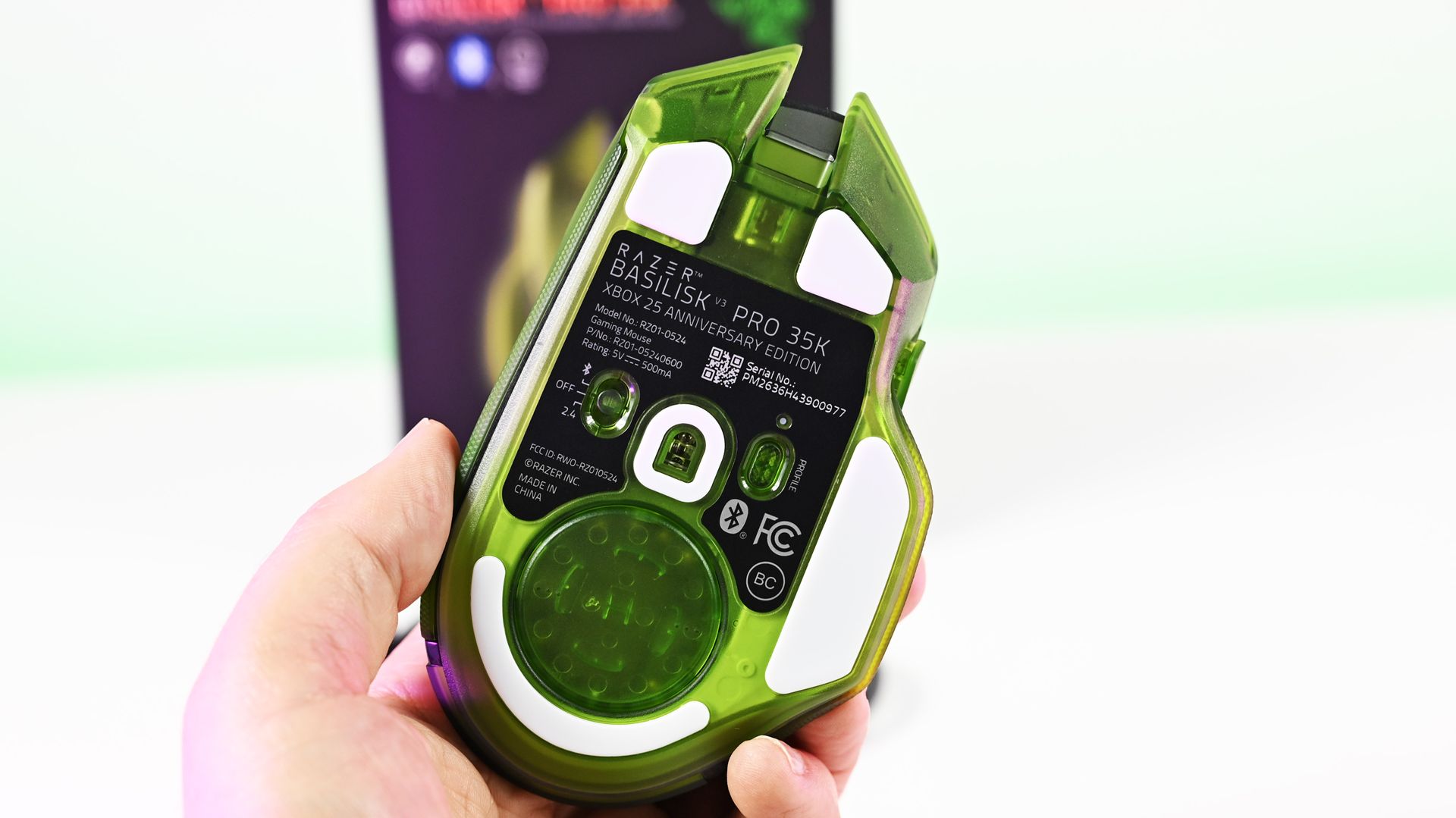
Arguably one of the best combo gaming and ergo mice around, the Basilisk V3 Pro 35K in translucent green looks superb. (Image credit: Daniel Rubino)
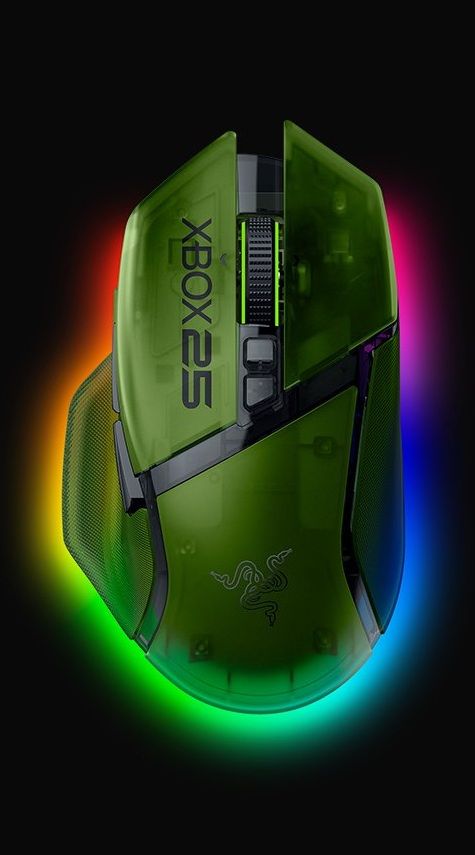
I'm already a fan of the Basilisk line, and underneath the translucent green makeover, this remains a very capable wireless gaming mouse. You get Razer's Focus Pro 35K Optical Sensor Gen-2, HyperScroll Tilt Wheel, 13 customizable controls, HyperSpeed Wireless connectivity, and Chroma RGB.
Razer lists up to 140 hours of battery life over HyperSpeed Wireless as well.
However, once again, it's the execution of the anniversary design that makes the difference.
(Image credit: Future)
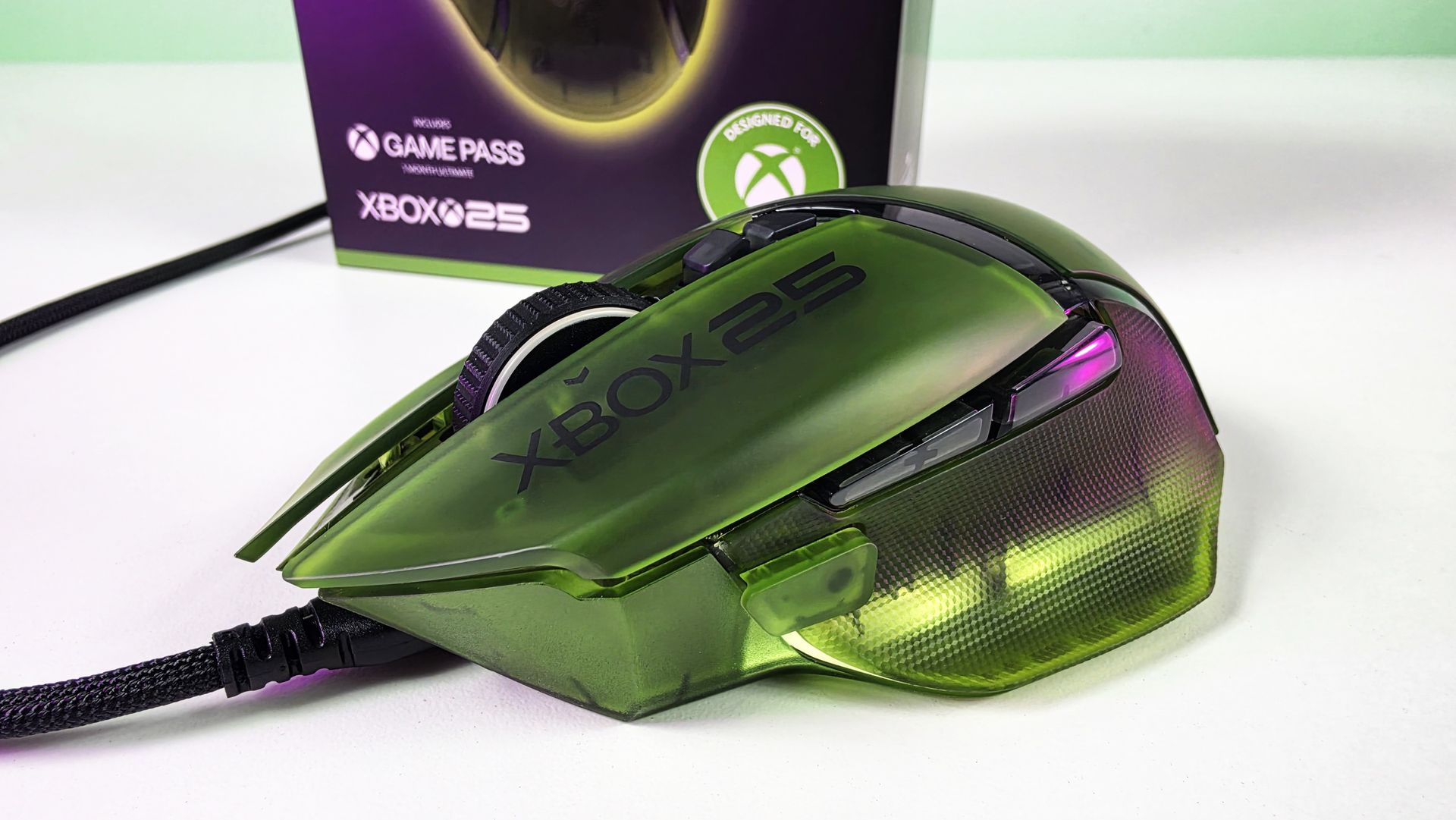
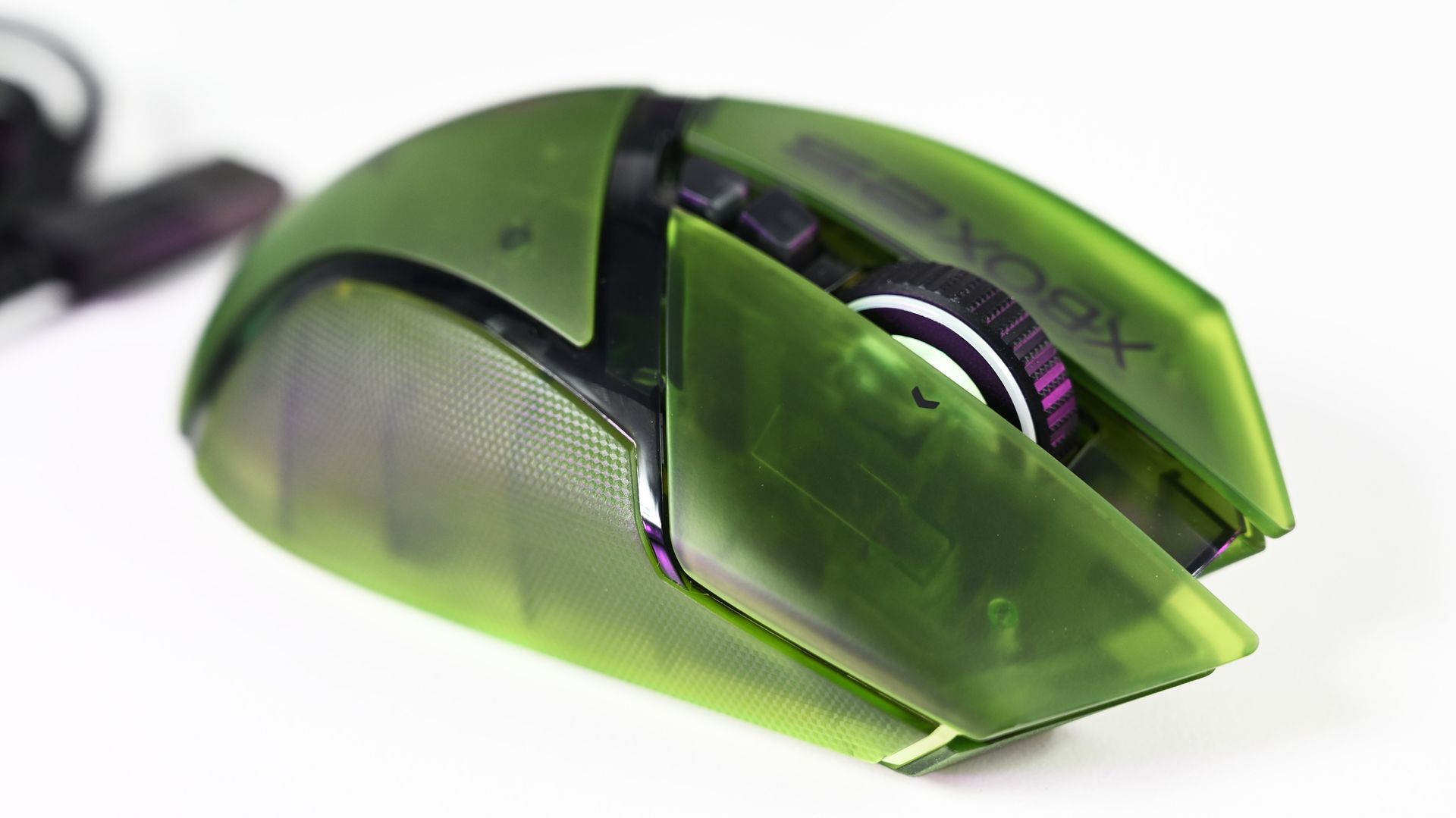
The translucent green upper shell lets you see hints of the mouse's internal structure, while XBOX 25 branding runs down the side. RGB lighting beneath the mouse creates a bright green glow that makes it look fantastic beside the BlackWidow.
Honestly, if you're getting the keyboard, you really should just get the mouse too (sorry about your wallet).
Close-up top view of the Razer Basilisk V3 Pro 35K Xbox 25th Anniversary gaming mouse featuring a translucent green shell and Xbox 25 branding. (Image credit: Future)
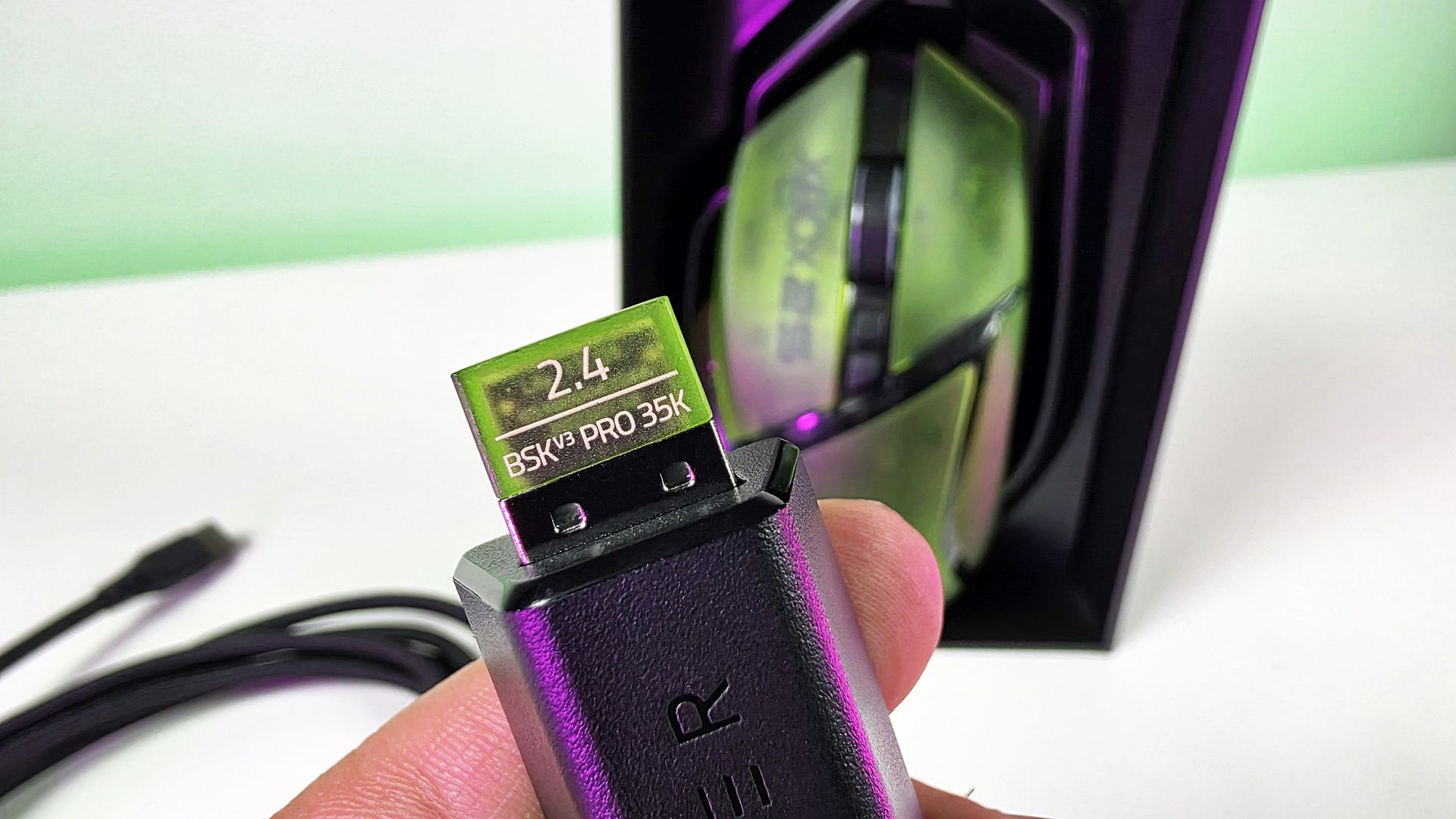
There's even a translucent green 2.4GHz wireless dongle! Nobody needed to do that. Razer did it anyway, and that's precisely my point about this collection. Everywhere I look, there's another little bit of attention to detail.
This was completely unecessary, but Razer really went all out for the theme here🫡. (Image credit: Daniel Rubino)
The Basilisk costs $179.99 on Razer.com. Yes, Razer has subsequently moved the Basilisk family forward, so you're not buying the newest generation simply because this is a new Xbox edition. But considering what you're really paying for here, namely an excellent mouse transformed into a collectible anniversary design, I'm not going to complain too much.
BASILISK V3 PRO 35K: $179.99 Packed with cutting-edge technology, unleash your full potential with an XBOX-themed RGB gaming mouse that redefines the boundaries of performance, customization, connectivity, and control.View Deal
The Hammerhead V3 X HyperSpeed does exactly what it needs to
(Image credit: Daniel Rubino)
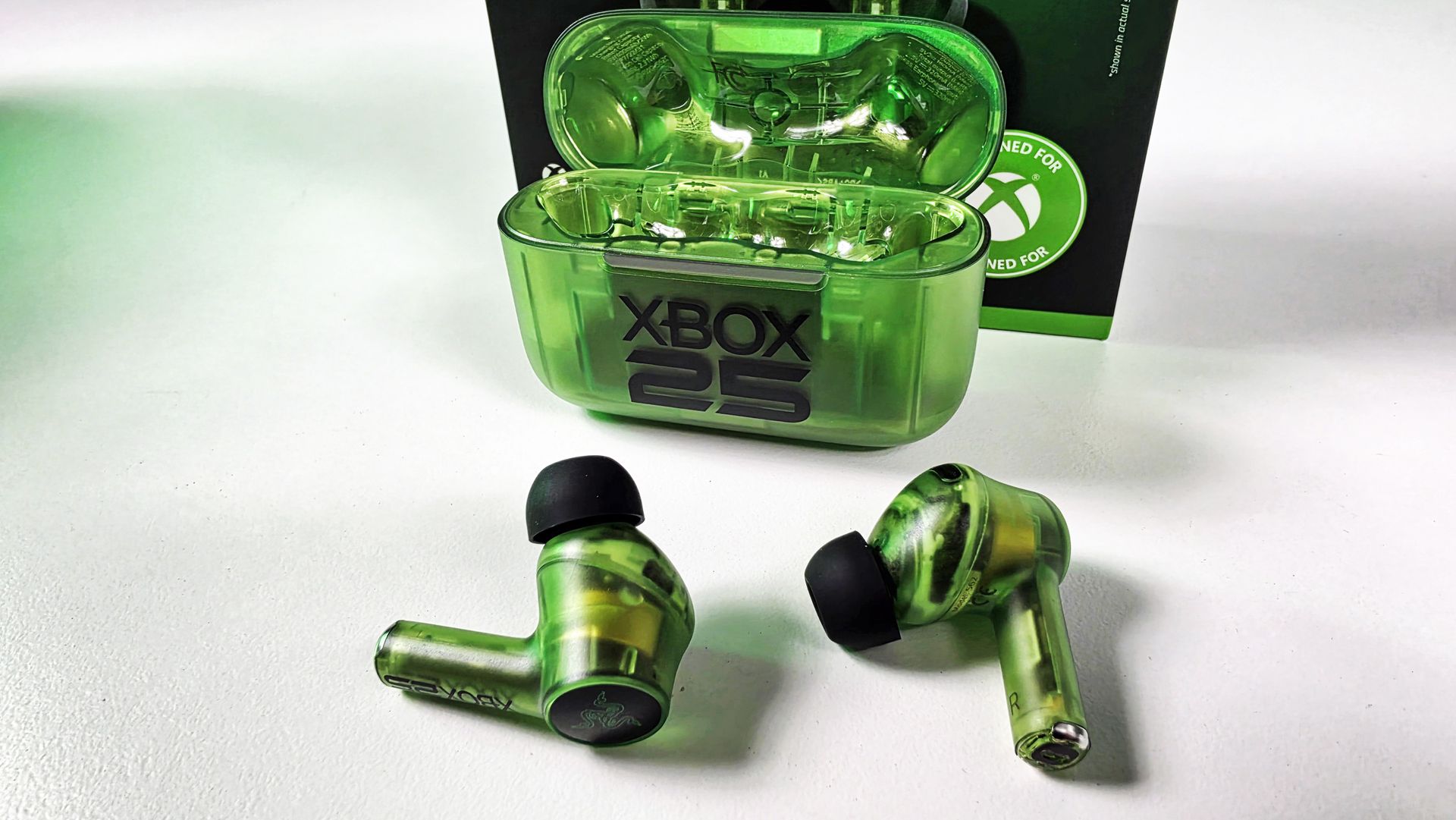
Finally, there are the Hammerhead V3 X HyperSpeed earbuds.
I've been using these with my ASUS Xbox Ally X, where they've made a great little companion for handheld gaming. They sound great, and the transparent green design is wonderfully nostalgic without looking cheap.
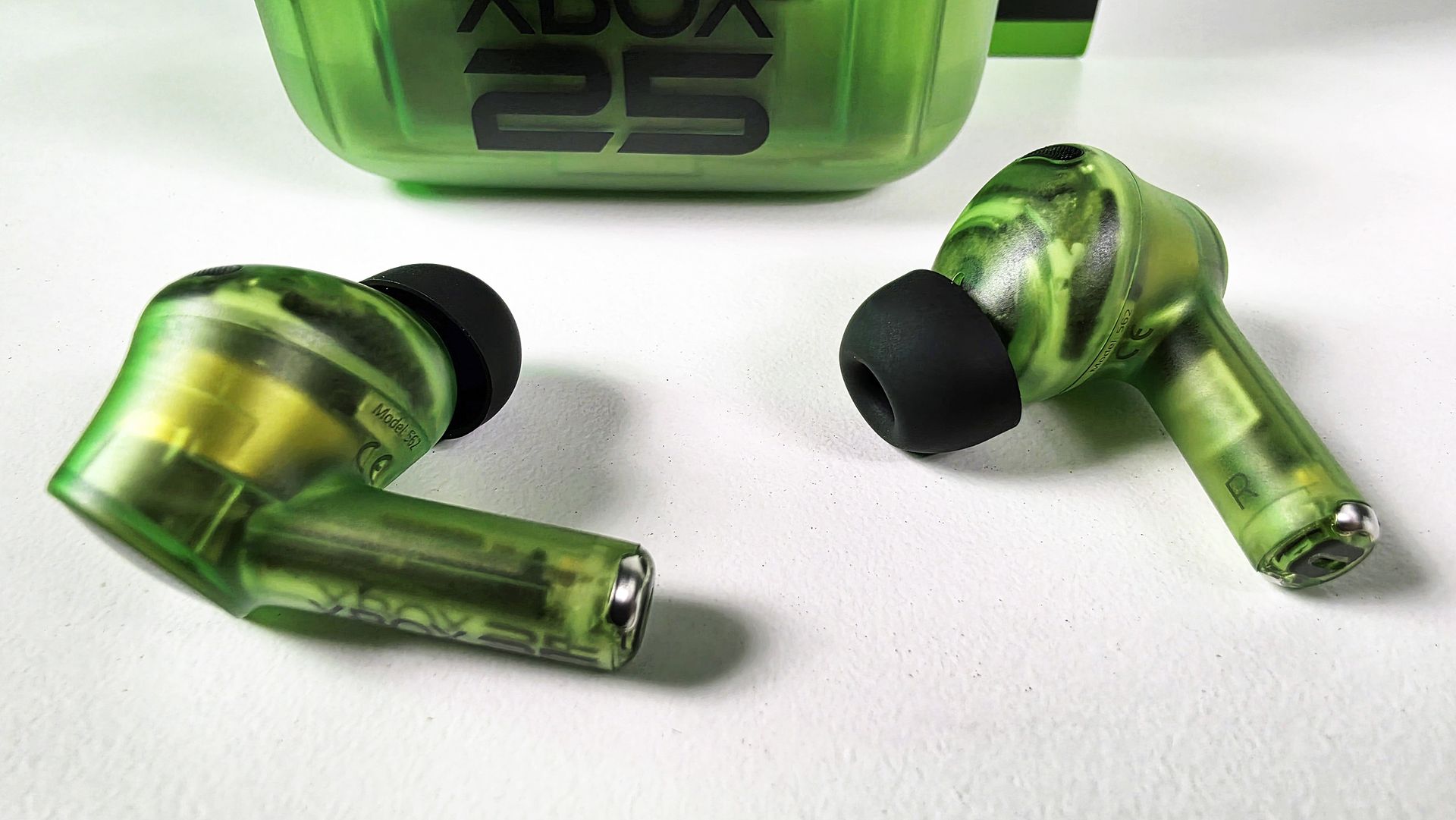
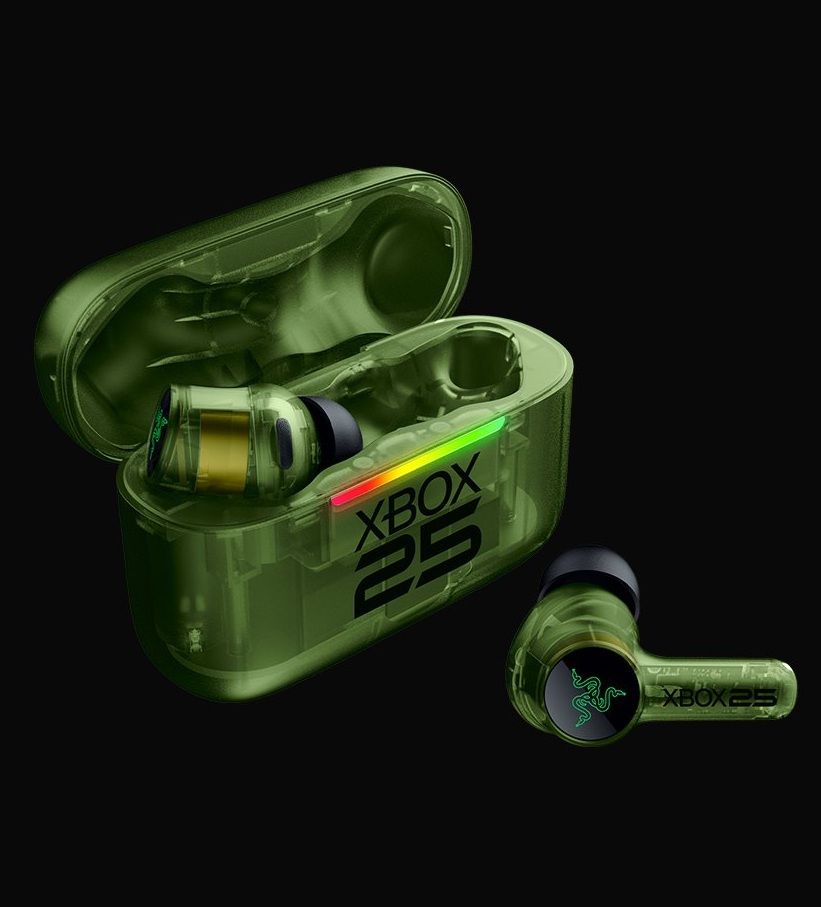
The earbuds themselves are translucent right down through the stems, while the charging case gets the same treatment with a large XBOX 25 logo across the front. It's distinctive without Razer needing to reinvent the product underneath.
(Image credit: Daniel Rubino)
To be clear, I'm not sure what else Razer could have done here.
These support both Razer HyperSpeed Wireless over 2.4GHz and Bluetooth 5.3, including Razer SmartSwitch, alongside up to 35 hours of total battery life. They're also IPX4-rated, and Razer lists surround-sound support across Xbox and PC.
At$119.99 on Razer.com, they're also the least expensive route into the collection.
HAMMERHEAD V3 X HYPERSPEED: $119.99 Experience seamless audio with the ultimate wireless gaming earbuds. Equipped with Razer HyperSpeed Wireless, Razer SmartSwitch Dual Wireless, and THX Spatial Audio, stay connected, competitive, and fully immersed on Xbox and beyond.View Deal
This is how you do an anniversary collection
(Image credit: Future)
The three anniversary models carry roughly a $10 to $20 premium over their standard counterparts, depending on the product. That's the sort of "special edition tax" I can live with when I'm actually getting something special in return.
And, in my opinion, Razer really went over the top here.
There's a consistency across all three products that makes them feel like an actual collection, rather than three unrelated products that happen to share a logo and color. Put the BlackWidow and Basilisk together on a desk, and they look fantastic.
The translucent green plastic immediately evokes Xbox, while the XBOX 25 logos, custom keycaps, ABXY colors, wrist-rest embroidery, RGB implementation, and even that ridiculous little green wireless dongle demonstrate that somebody cared about sweating the details.
🤌It's so cool looking! (Image credit: Daniel Rubino)
And that's ultimately why I like these so much.
Razer started with some of its best hardware rather than using Xbox's anniversary to dress up cheaper peripherals, and then went far enough with the aesthetic changes that they feel genuinely unique.
The Razer | XBOX 25 Anniversary Collection is available to order from October 20, with the BlackWidow V4 75% at $209.99, Basilisk V3 Pro 35K at $179.99, and Hammerhead V3 X HyperSpeed at $119.99.
These are limited edition, so don't be shocked if they sell out.
If I were choosing only one, I'd take the BlackWidow without hesitation. (But let's be honest: the keyboard and mouse belong together.)
A+ from me, Razer. This is how you do anniversary hardware.
Hit me up in the comments if you have any questions while I still have these on hand! And you can follow the rest of our XBOX 25 coverage as we round out 2026.
Join us on Reddit at r/WindowsCentral to share your insights and discuss our latest news, reviews, and more.
Nvidia RTX Spark laptops start at $2,599. Explore local AI capabilities, compatibility checks, and the cost and security trade-offs IT teams should assess.

 Connexion