❌

Vue lecture

Abxylute’s $65 smartphone gamepad packs Hall Effect triggers, clickable sticks, and gyro aiming

Valve raised the price of the 512GB Steam Deck OLED to $789 this May, a number that makes anyone want to close the browser tab out of spite. Blame the AI boom, which has data centers swallowing memory chips faster than factories can make them, leaving handhelds to fight over the scraps. Now look at the phone in your hand. It runs native console ports like Resident Evil, streams entire Xbox and PlayStation libraries, and emulates most of the consoles a millennial grew up with. All it lacks is a pair of real thumbsticks and triggers, which is a far cheaper problem to solve.

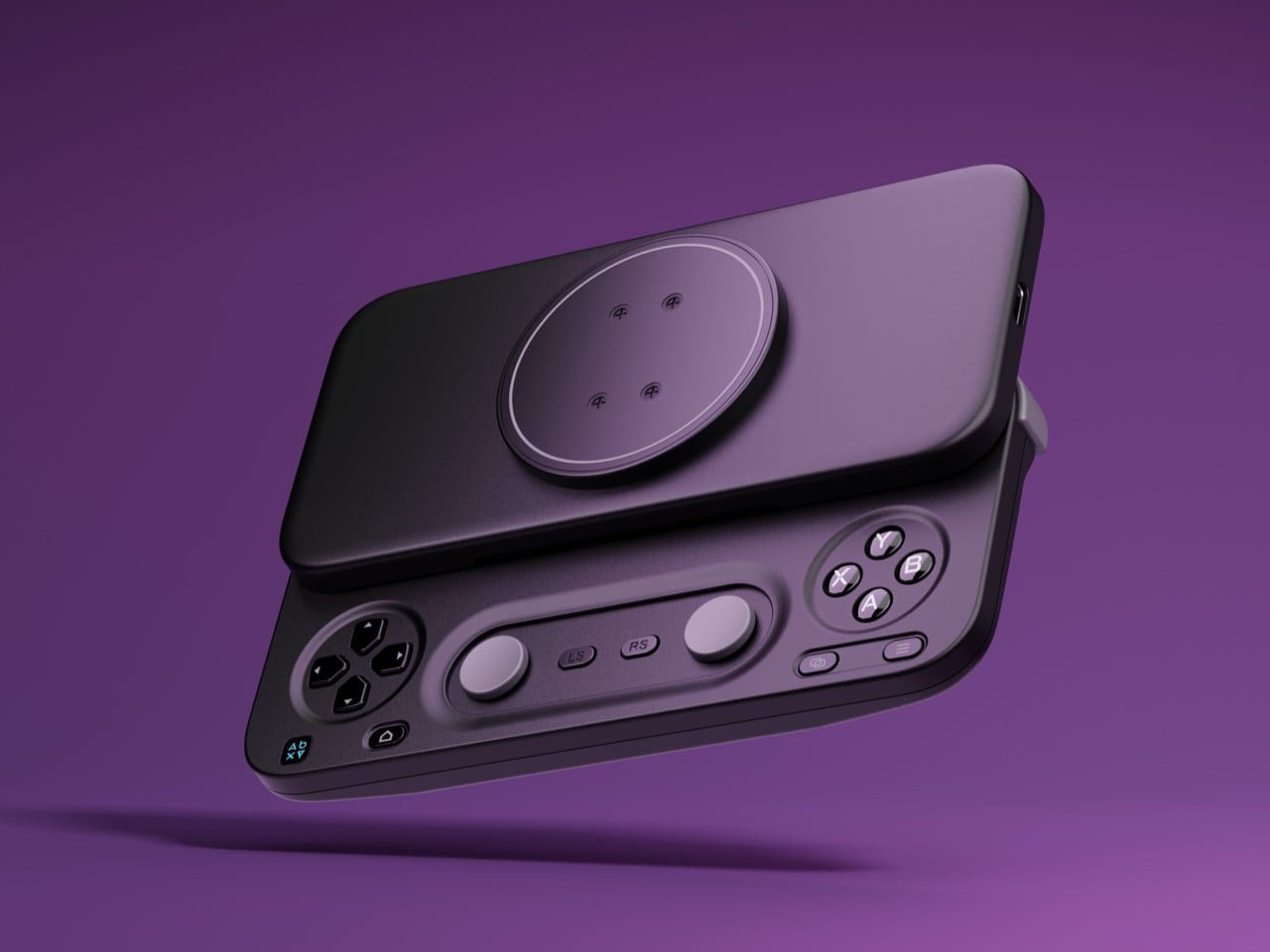
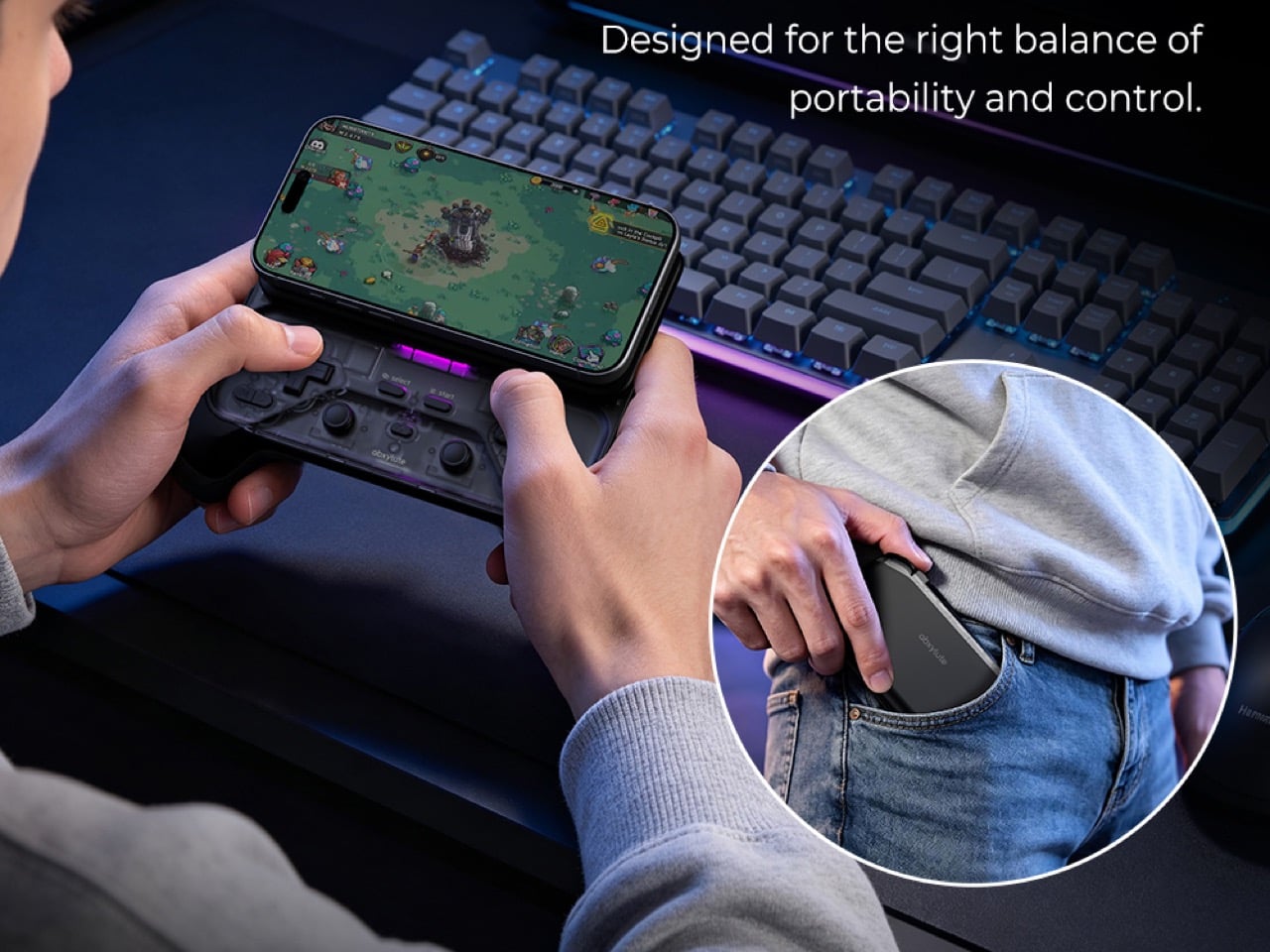
Hong Kong-based abxylute solves that problem with the M5 and M6, two sliding controllers that magnetically snap to the back of your phone. Closed, they sit behind it like a chunky case. Slide the phone up and a full gamepad appears underneath, Xperia Play style, with sticks, triggers, and rumble. The M5 is the slim one, plugging in over USB-C with zero pairing and pass-through charging. The M6 goes wireless over Bluetooth, adding clickable capacitive sticks, Hall Effect triggers, gyro aiming, and a 10-hour battery. Both retail under $90, roughly one-ninth of a Steam Deck these days, and for anyone whose gaming happens on commutes and couches, that math is hard to argue with.

Designer: abxylute

Click Here to Buy Now: $65 $84.99 (24% off) Hurry! Only limited units available.

A slider rail from the Nokia era, rebuilt for modern phones

Sliding rails nearly went extinct when touchscreen slabs replaced slider phones, and so did most of the factories that made them. abxylute eventually tracked down a manufacturer that once built rails for Nokia and Sony, then asked it to do something those phones never needed. A slider from 2010 only had to carry a lightweight screen half, while the M5 and M6 have to hold a phone and case weighing up to around 10.6 ounces (300g). The resulting bidirectional damped rail glides smoothly both ways, with magnets snapping it into the fully open and closed positions. That makes for a calmer motion than the spring-loaded slide on the OhSnap MCON, which fires the phone open at a button press.

The phone attaches through an adjustable magnetic mount rated at 4,098 gf, roughly 9 pounds of pull and comfortably above the 2,500 to 3,500 gf abxylute quotes for Apple’s MagSafe. Both mounts clear camera bumps up to 0.28 inches (7mm), and the plate shifts to suit different phone sizes. Supported phones include the iPhone 18 series, Galaxy S26, Pixel 11, OnePlus 15, and Xiaomi 17, with a magnetic adhesive ring in the box for anything lacking MagSafe. Thick cases will sap some of that grip, so slimmer cases make the safer pairing. Lightning iPhones sit out the M5 entirely, since that model needs a USB-C port to work.

The M5 goes wired and thin for pocket duty
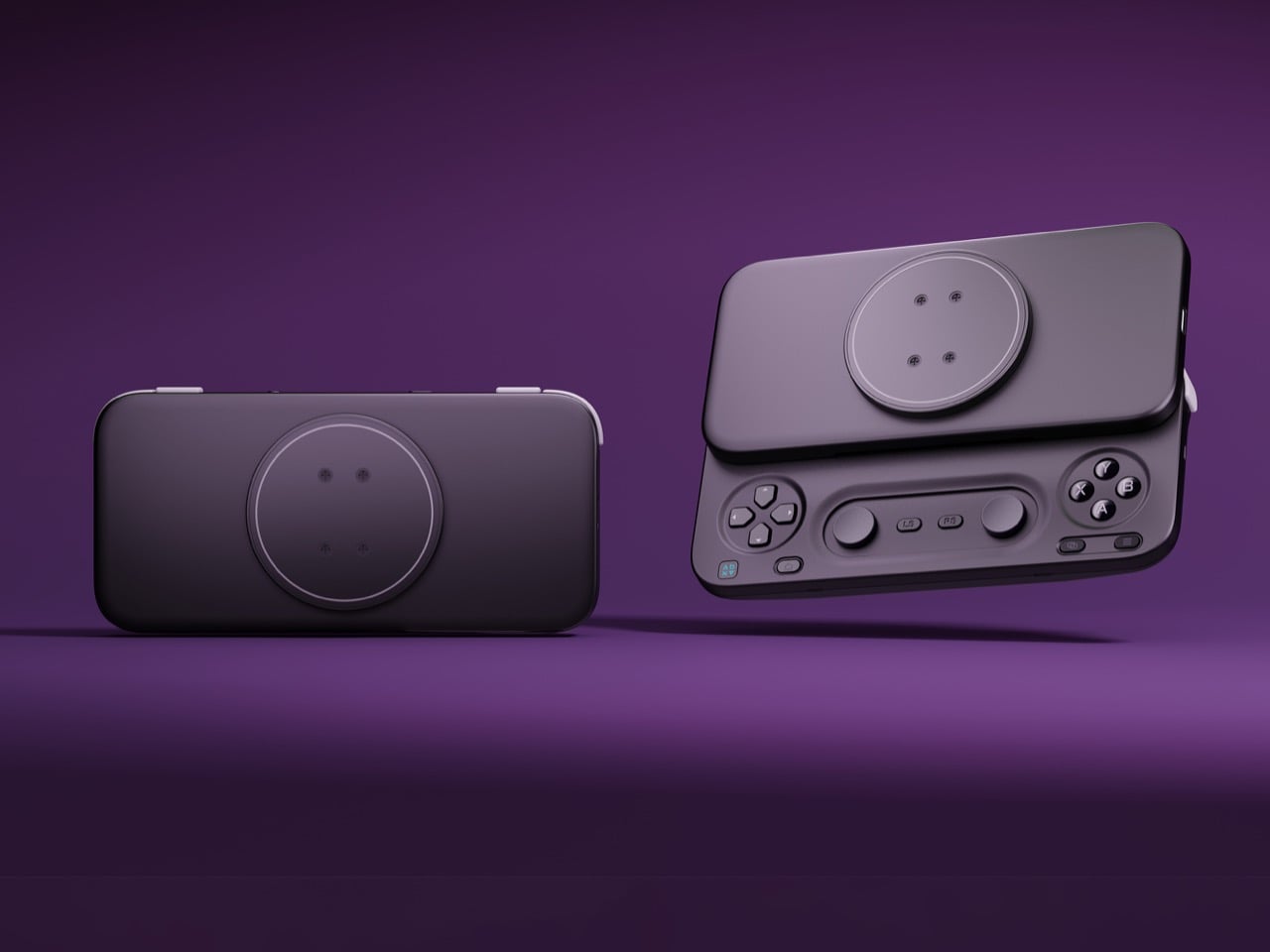
The M5 began life as a DIY build by Jinjiang, an independent maker who handled the 3D modeling, PCB design, and programming himself before abxylute partnered with him to engineer it for mass production. Its connection is wired USB-C, which means no Bluetooth pairing, no battery to charge, and pass-through charging so your phone can top up mid-session. The sticks are low-profile carbon-film sliders modeled on the PSP, PSP Go, and Nintendo 3DS, recessed nearly flat to keep the controller slim. Because sliders can’t click, abxylute added dedicated LS and RS buttons that double as programmable macro keys. Micro-switch triggers with short travel and a crisp click round out the inputs.

Those choices produce a controller that weighs about 6 ounces (170g) and measures 0.91 inches (23mm) thick with the mount, thinning to 0.45 inches (11.5mm) at the grip area. It spans 5.9 inches (149.5mm) wide, about the width of a large phone, so it slips into a jacket pocket easily. I appreciate a product that commits this fully to one idea, and the M5 commits to portability. Slider sticks offer less throw than full-size ones, so they favor retro titles and platformers over twitchy shooters. A limited M5 Founder’s Edition, capped at 1,000 units, comes in translucent retro green with a customizable two-letter badge replacing the abxylute logo.

The M6 packs full-size controller features into the slide
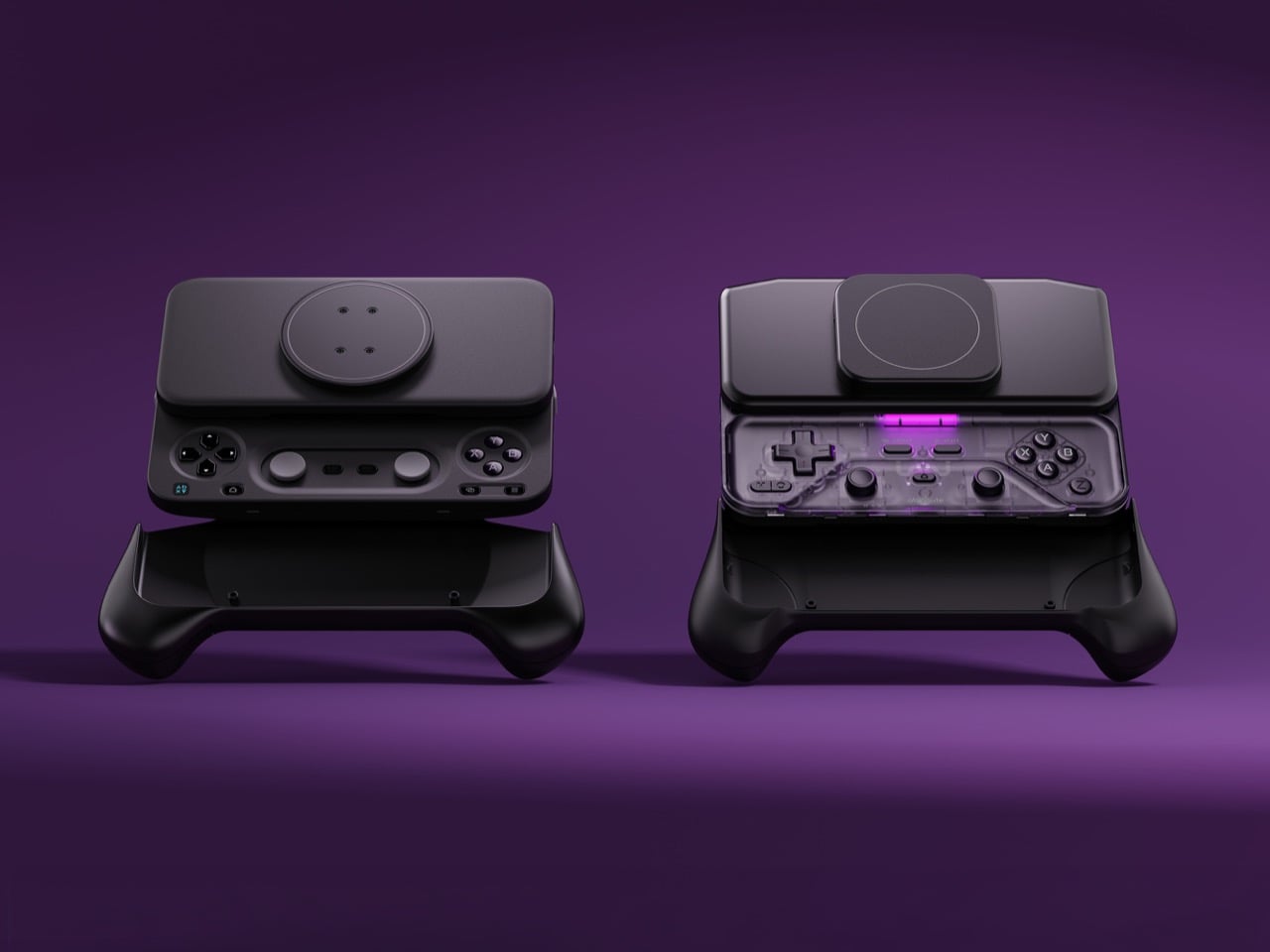
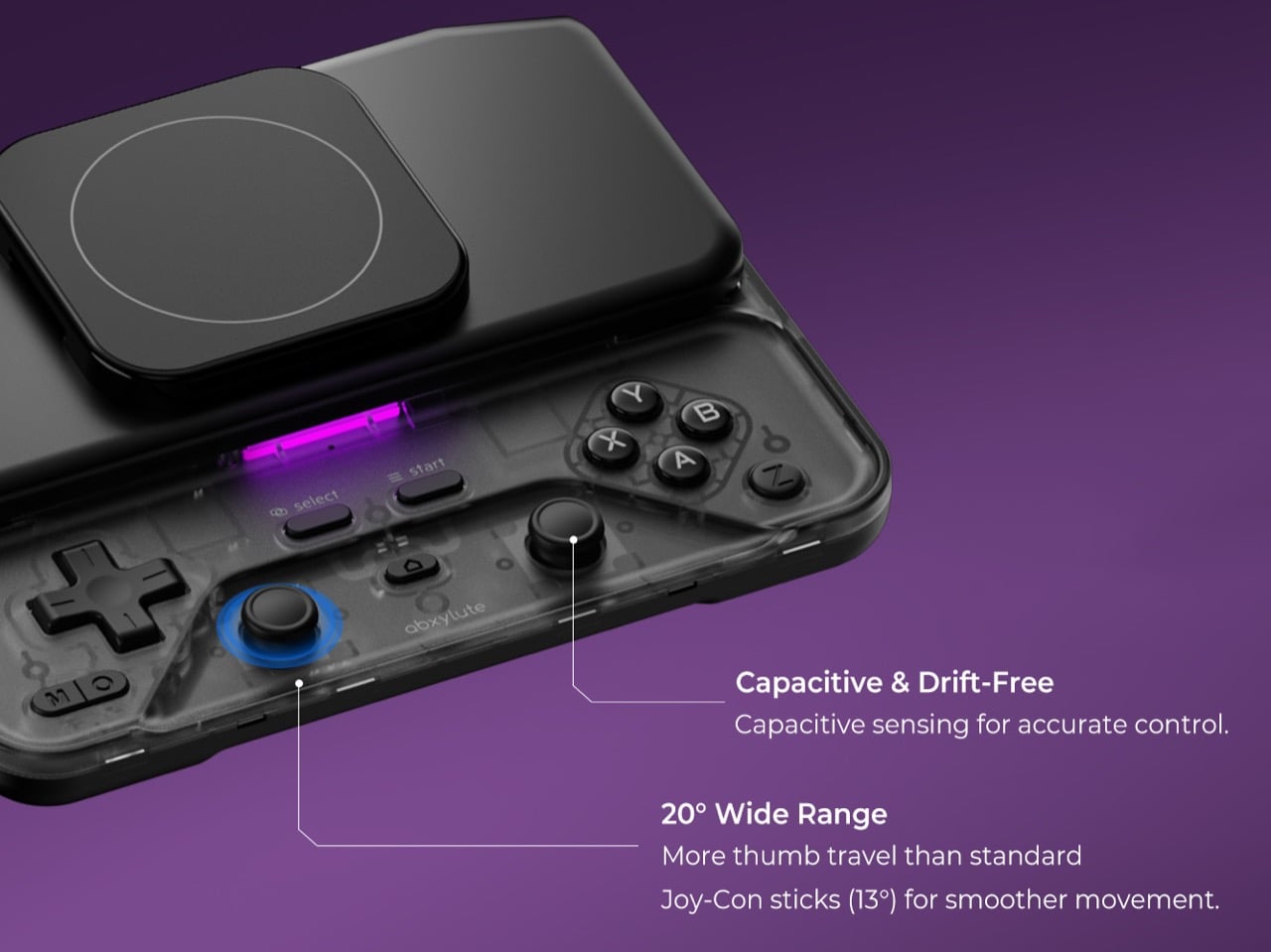
The M6 took nearly three years to develop, long enough to earn the internal nickname “little Nezha,” and most of that effort went into the controls. Its capacitive sticks, developed with component maker K-Silver, tilt 20 degrees against the roughly 23 degrees of a full-size controller stick, and they click for L3 and R3. abxylute also built them to resist magnetic interference, a smart call given the strong magnet array sliding a few millimeters above them. Instead of sinking the sticks into deep wells, a stepped surface around each one frees up room for your thumbs. Stick output switches between circular and square modes, handy for racing games and emulators.

Hall Effect linear triggers with 0.22 inches (5.5mm) of travel handle racing games, and a Fast Trigger Mode shortens actuation for shooters. A face-mounted Z button takes remaps and multi-button macros, so a fighting game special move or a jump-and-shoot combo fits under one thumb. There’s also a 6-axis gyroscope for motion aiming, and Bluetooth 5.3 backed by a 500mAh battery rated for up to 10 hours. The lighting is diffused, bouncing off the controller’s surface instead of shining at your eyes, and its color changes with each mode. All this comes in at 6.7 ounces (191g) and 1.02 inches (26mm) thick, a modest premium over the M5.

Shared features, the abxy app, and what each model costs
Both controllers share a physical mode switch that flips between NS, XInput, and PS layouts, covering Switch emulators, Android and cloud gaming, and iPhone titles respectively. Each gets dual Z-axis linear vibration motors with four intensity levels, plus a Turbo function paired to the M button. The free abxy Game App doubles as a launcher for emulators and cloud services, and it handles remapping, dead zones, macros, lighting, and vibration. Virtual touch mapping lets you assign on-screen controls to physical buttons for games that never bothered with controller support. Detachable magnetic grips, held by magnets plus a mechanical shear lock, add full-size handles for longer sessions, though they aren’t listed among the box contents.

Kickstarter pricing currently sits at $65 for the M5 and $69 for the M6, against retail prices of $84.99 and $89.99, both well under the $169.99 Backbone Pro. A bundle with one of each costs $119, down from $174.98. The M6 is estimated to ship in November 2026 and the M5 in December 2026, with worldwide delivery. The M5 box adds a USB-C cable to the controller, adhesive ring, and manual that both models share. Valve wants $789 for a handheld. abxylute wants $69 to upgrade the one you already own.

Click Here to Buy Now: $65 $84.99 (24% off) Hurry! Only limited units available.

The post Abxylute’s $65 smartphone gamepad packs Hall Effect triggers, clickable sticks, and gyro aiming first appeared on Yanko Design.
  •  

A Hidden Mechanism Turns the Scissor Chair Into a Lounger

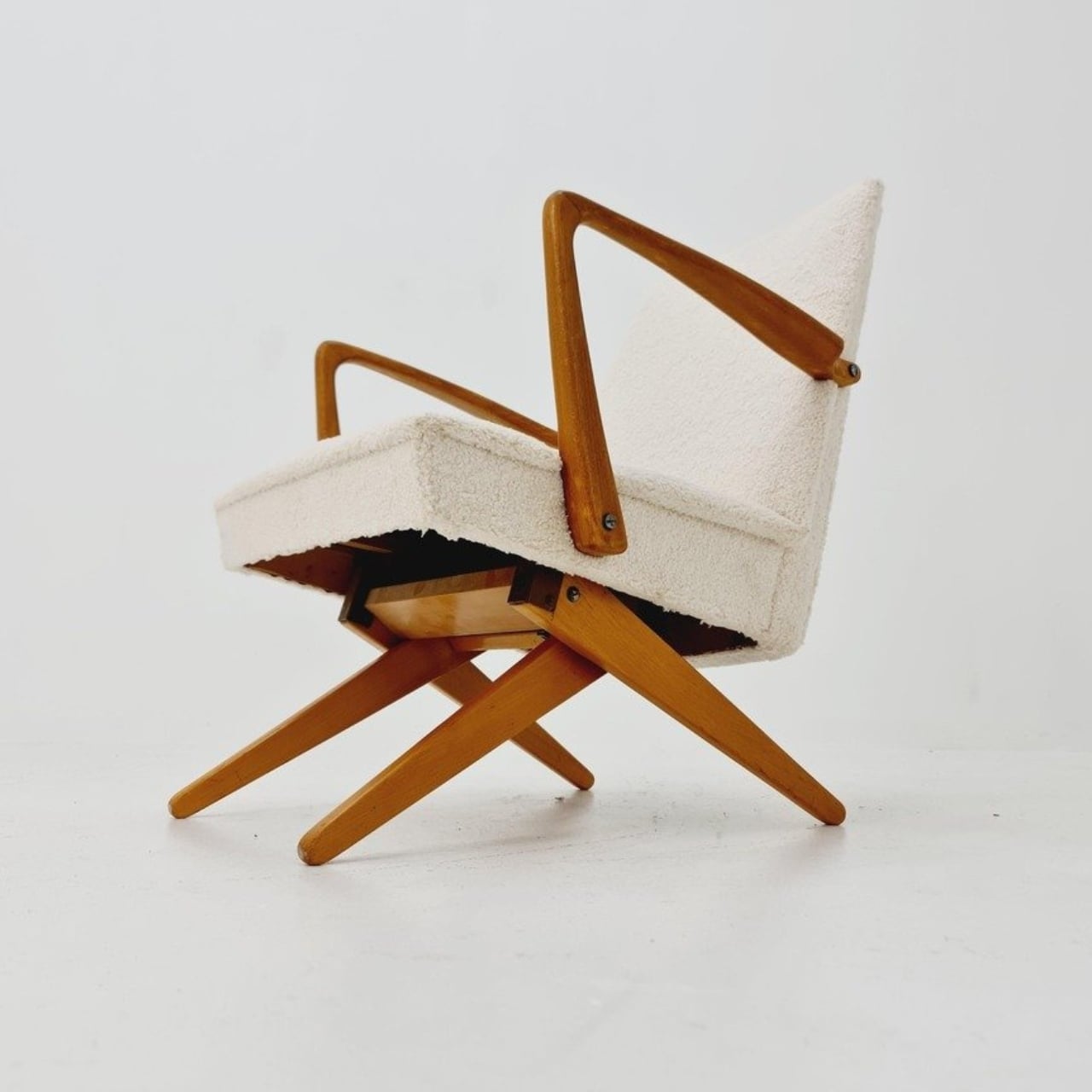
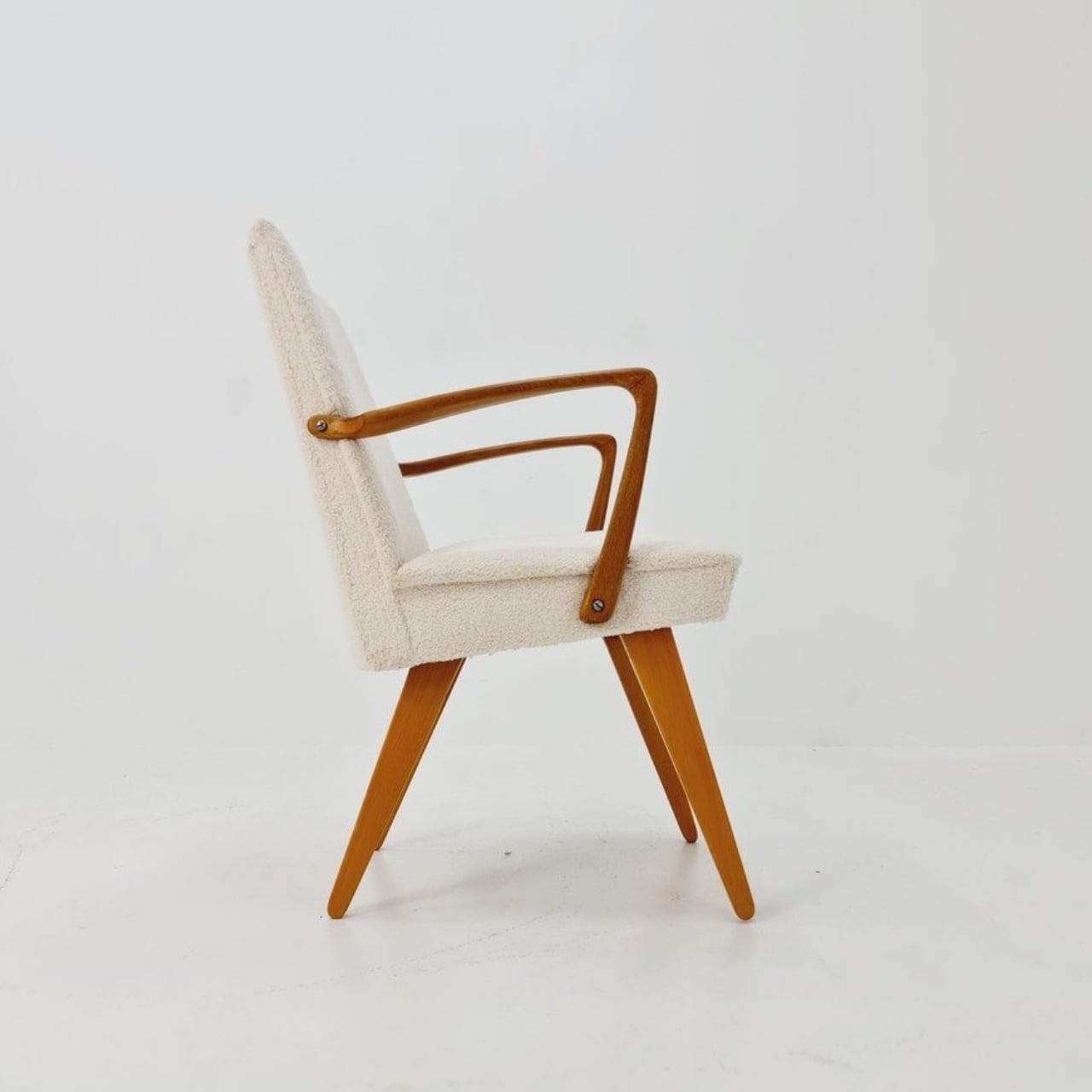
Buying a chair for conversation and buying one for an evening with a book can feel like two separate furniture decisions. One asks you to sit up; the other invites you to sink back. If your living room doesn’t have space for both, the Scissor Chair offers an appealing compromise. Produced by the German company Wilhelm Knoll, this mid-century design changes its sitting position while keeping the appearance of an ordinary upholstered armchair. Its designer remains unknown, but the problem it addresses is familiar.

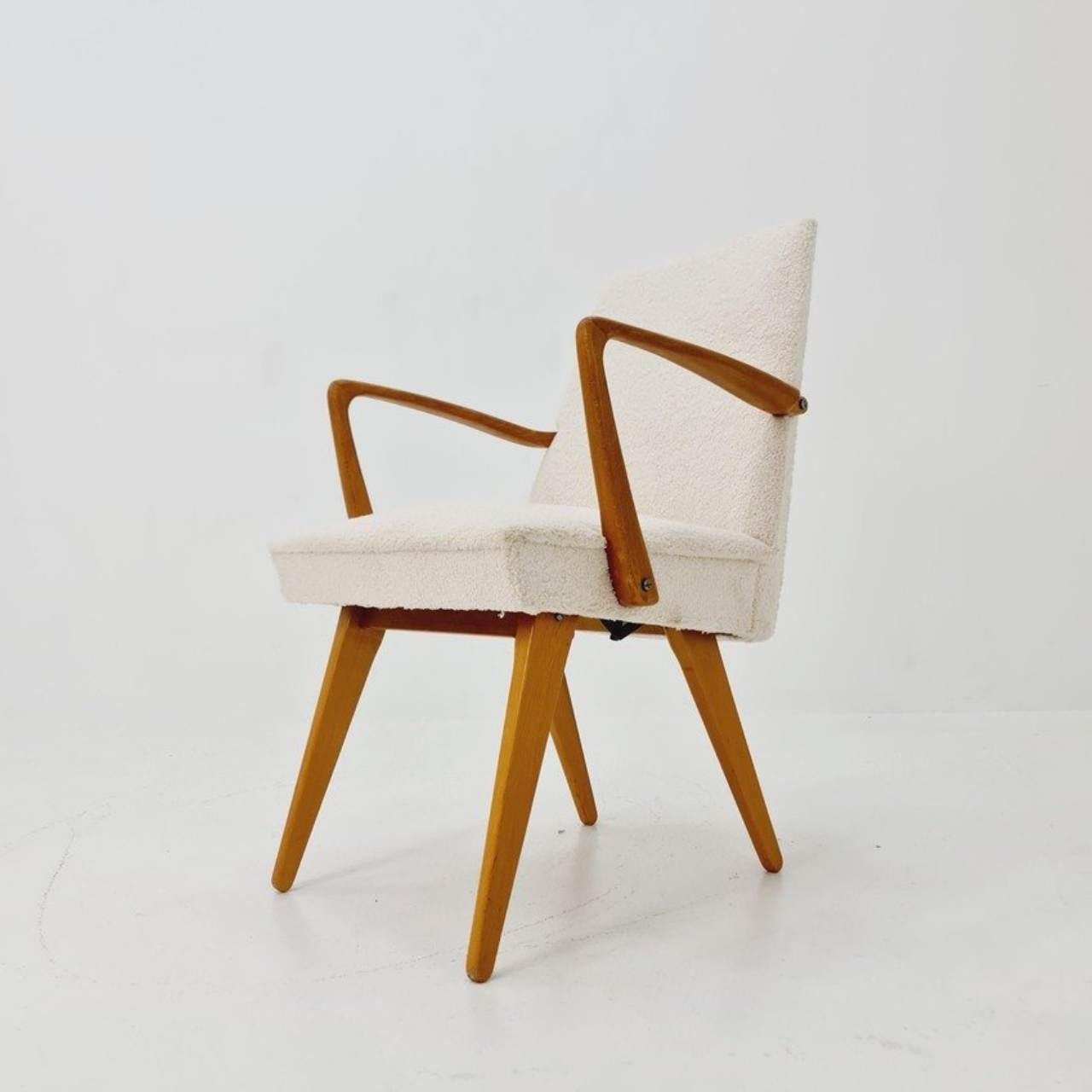
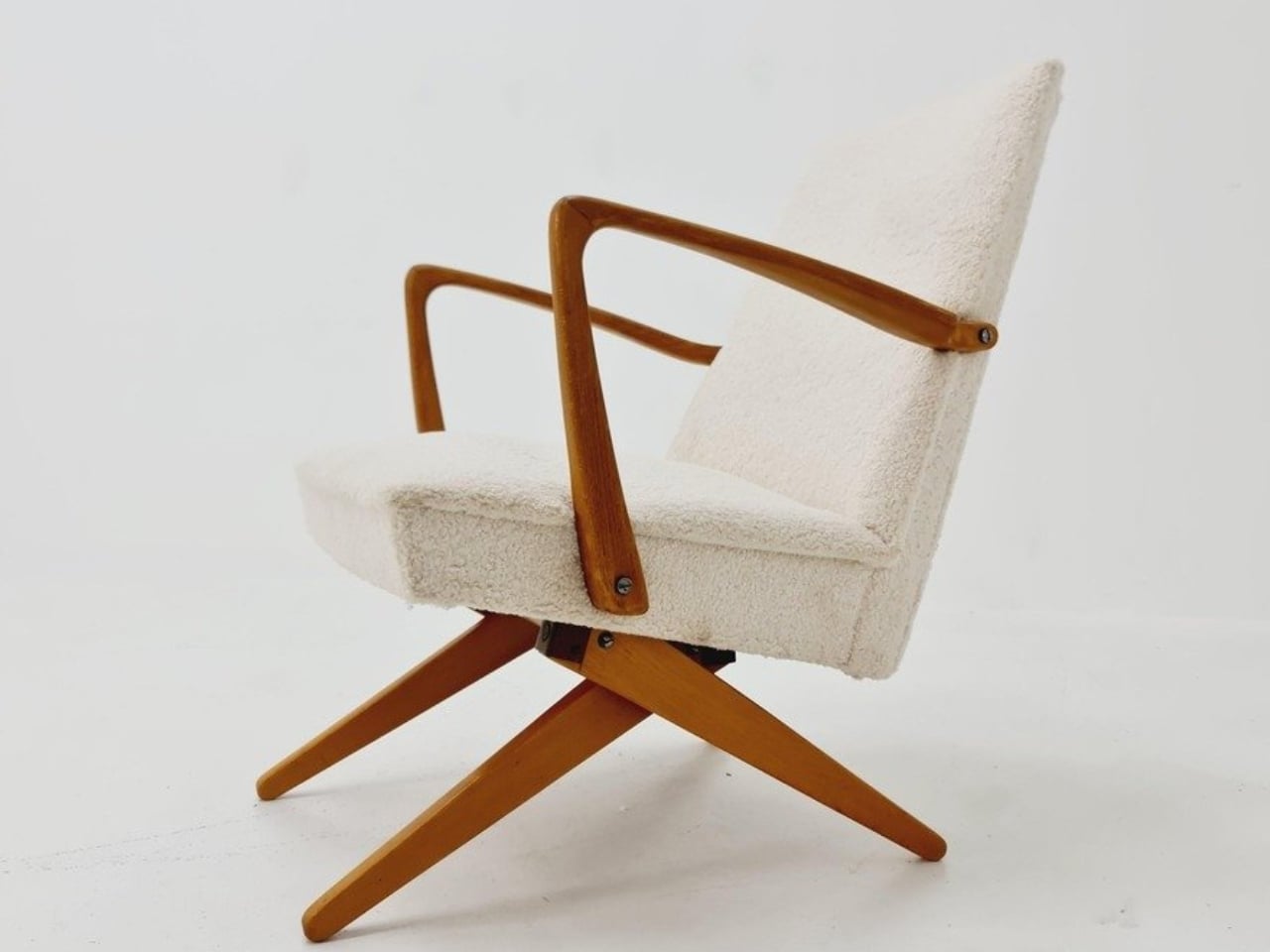
The name gives away the basic geometry. According to a vintage dealer’s description, lifting the armrests allows the crossed legs to unfold. The chair moves between a taller, more upright configuration and a lower lounging position. Instead of leaving the legs stationary while only the backrest moves, the transformation changes the stance of the chair itself. I like that the supporting structure participates in the adjustment. Those wooden legs have a job beyond providing a handsome silhouette.

Designer: Unknown (produced by Wilhelm Knoll)

In photographs of a cream-upholstered example, the narrow wooden arms trace an open shape around the seat and back. There’s plenty of air beneath the upholstery, and the legs remain visually separate rather than disappearing inside a boxy base. In the upright position, it looks quite composed. Lowered, the crossed supports become more obvious, and the chair takes on a relaxed, backward-leaning posture. The useful surprise is how little visual fuss accompanies that change.

The adjustment is more substantial than a slight tilt. One dealer lists seat heights of 45 and 36 centimeters for an example, roughly 18 and 14 inches. That’s a difference of about three and a half inches, enough to make these visibly different seating arrangements. Those are seller-provided measurements for a vintage piece, rather than a universal specification, but they help explain the appeal. You’re choosing between two distinct positions, with different relationships to the floor and surrounding furniture.

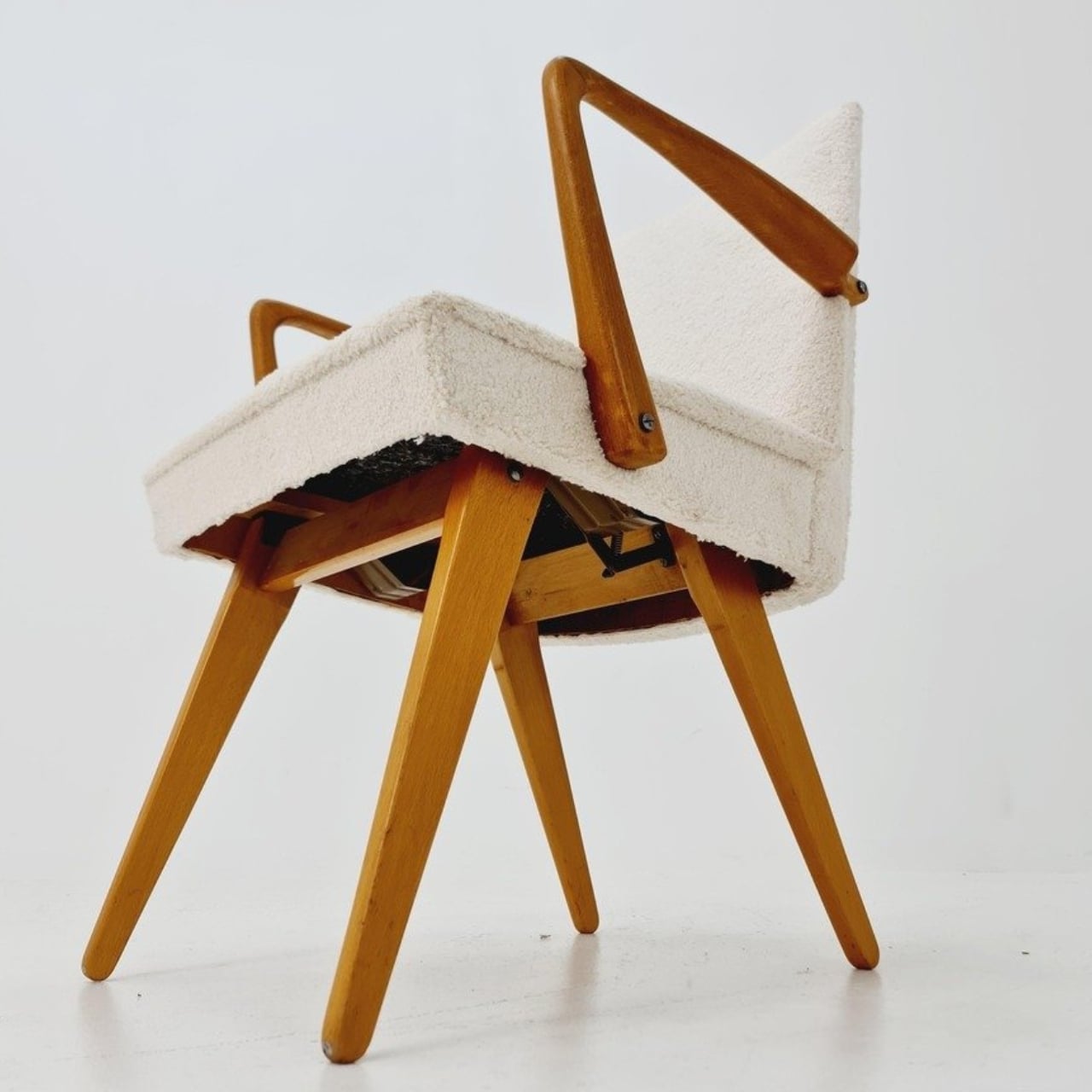
Underneath, the mechanism is considerably busier than the silhouette suggests. A dealer’s underside photograph reveals pivoting metal links, brackets, and a coil spring tucked between the wooden supports. I’d happily leave that view to someone servicing it. From a design perspective, though, the separation makes sense: the mechanical assembly sits beneath the upholstered seat, where it can do its work without dictating the appearance of every surface above it. The chair doesn’t need to look like workshop equipment to have moving parts.

For a smaller living room, I see the attraction as flexibility rather than some miraculous recovery of square footage. A chair that changes posture still needs room around it, especially when its stance changes. The more convincing benefit is having one seat that can suit a conversation and then offer a lower position for unwinding. That’s a modest promise, and a useful one. I’d rather have two clearly differentiated options than an elaborate transformation with no obvious purpose.

The Knoll name deserves a little care here. Wilhelm Knoll was a German business whose roots go back to a Stuttgart leather shop founded in 1865. It shouldn’t be casually confused with the American company Hans Knoll established in 1938, although the businesses share family history. Vintage dealers date Scissor Chair examples to the 1950s. Keeping the manufacturer credit separate from the unidentified designer matters, particularly with an object whose mechanism deserves more attention than a famous surname alone.

Of course, photographs can’t tell me how smoothly a surviving example adjusts or how supportive it feels after an hour. With a vintage moving chair, I’d want the mechanism demonstrated and its condition checked before buying. That practical reservation doesn’t diminish the idea. The Scissor Chair appeals to me because its cleverness is so specific: lift the arms, alter the stance, settle into a different position. A living room doesn’t always need another chair. Sometimes the chair already there could simply offer another way to sit.

The post A Hidden Mechanism Turns the Scissor Chair Into a Lounger first appeared on Yanko Design.

  •  

Aery’s Office Chair Offers a Fit You Can Actually Fine-Tune

A desk setup can look perfect and still feel wrong by lunch. The monitor is aligned, the cables are hidden, and the chair matches the room, yet you’re shuffling around trying to get comfortable. That gap between a workspace that photographs well and one that fits the person using it is the more interesting design problem to me. It’s where EFFYDESK’s Aery Ergonomic Chair makes its case.

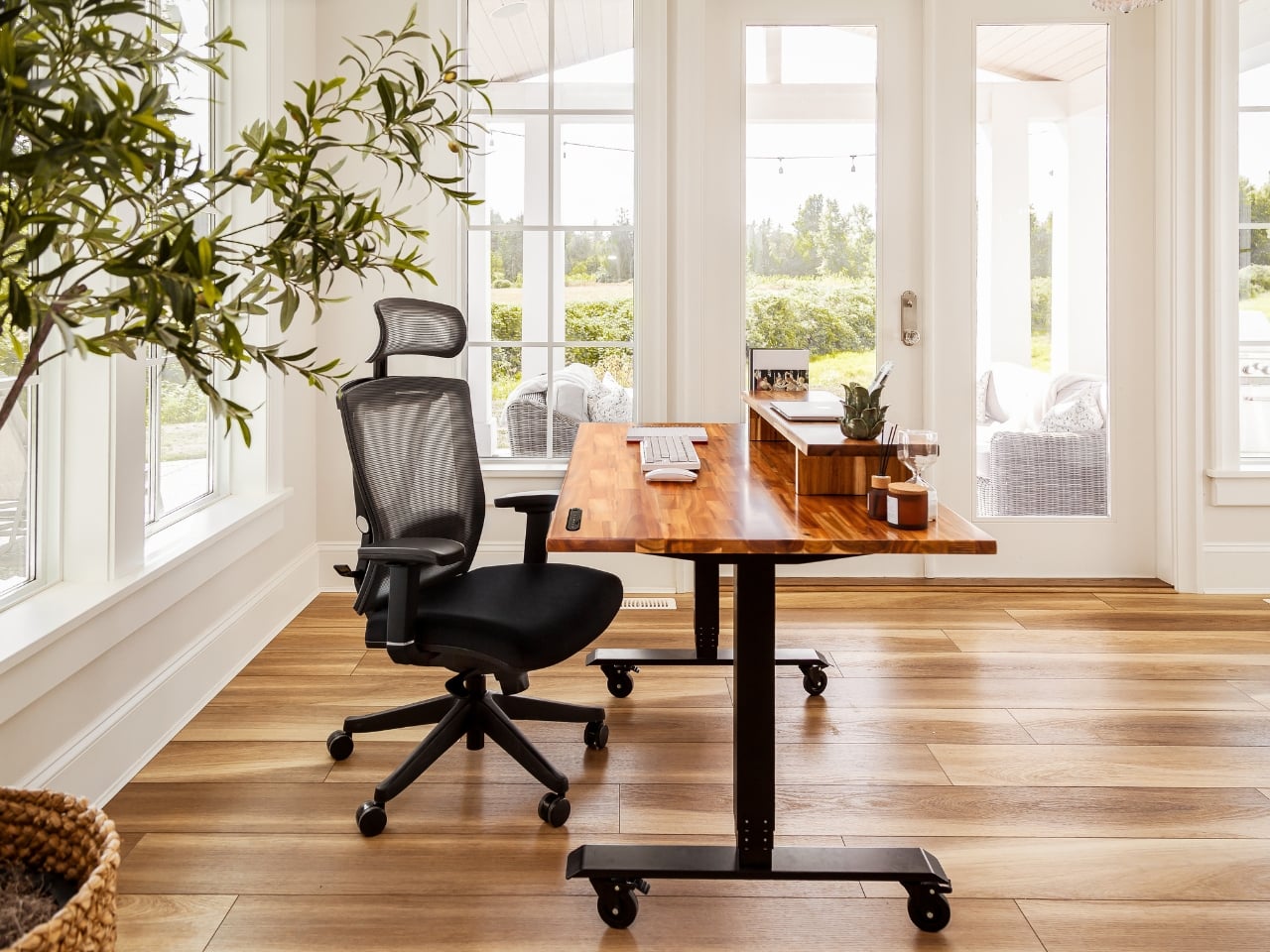
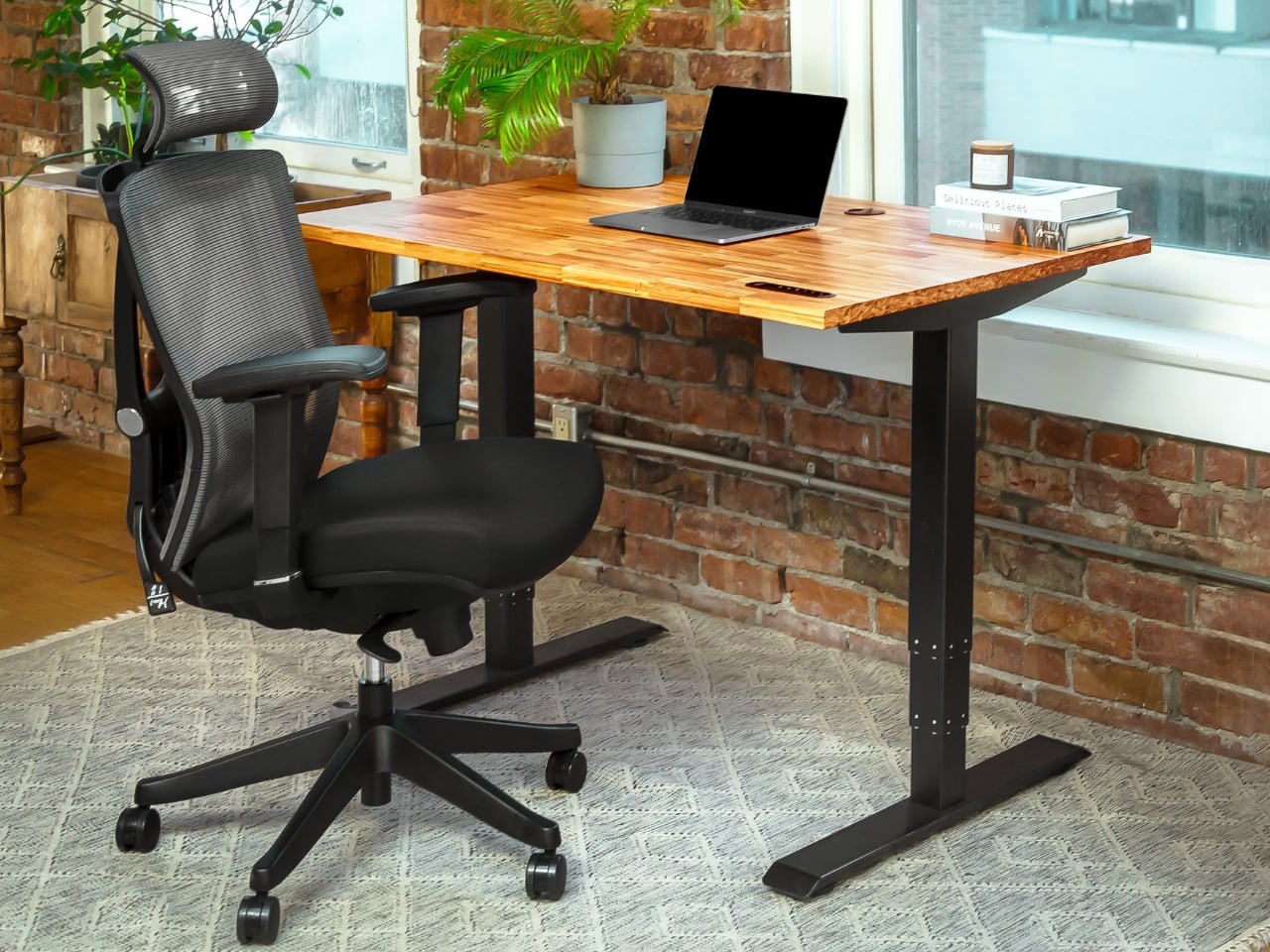
For anyone whose office occupies a bedroom corner or shares space with the living room, choosing a chair involves a negotiation. You want something you can spend time in, but you also have to look at it after closing the laptop. The Aery approaches that compromise with a mesh back, a cushioned seat, and adjustments that let its proportions work around the person sitting in it.

Designer: effydesk

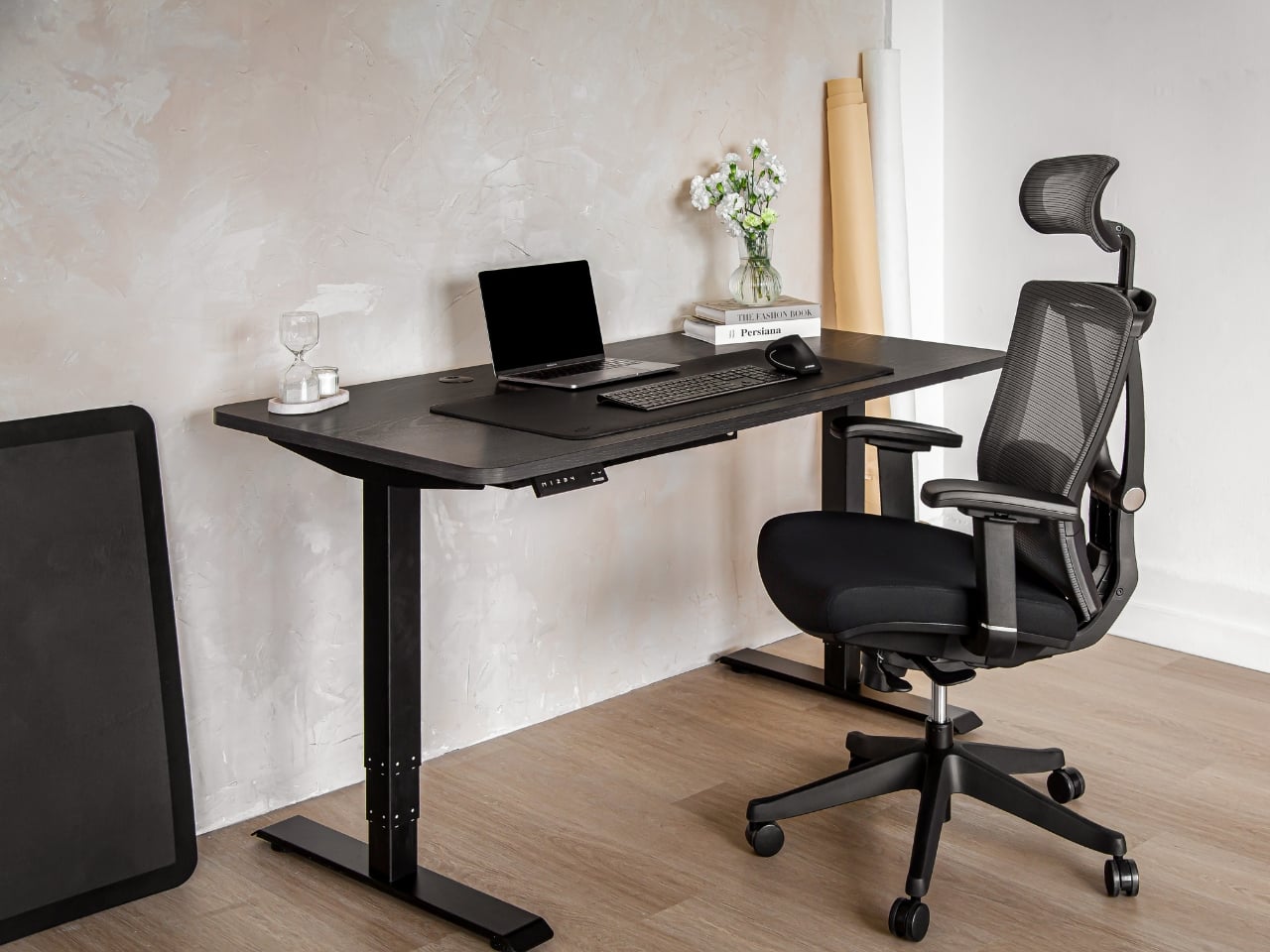
The mesh is doing some of the visual work here. A tall upholstered back can become a fairly imposing presence beside a small desk. With the Aery, the open surface allows the supporting structure to remain visible, breaking up what could otherwise read as one large block. It still looks like an office chair, especially with that separate headrest, but its outline has a little breathing room.

I appreciate that it doesn’t try to disguise its purpose. In black, the frame, armrests, and cushion form a straightforward piece of working furniture. It isn’t pretending to be a dining chair you could drag into a meeting. That distinction matters in a home office, where choosing something purely for the room’s aesthetic can leave you making compromises every time you sit down.

The fabric-covered cushion gives the design a softer counterpoint to the mesh back. It also offers a combination that may appeal to people who prefer padding beneath them without wanting an upholstered surface behind their entire torso. I like the visual balance between the two. The seat gives the chair some substance, while the open back keeps that substance from extending all the way upward.

The most useful adjustment is also one of the least visually dramatic: the seat slides forward and backward. Rather than changing the chair’s appearance in any meaningful way, it changes how the cushion sits beneath your legs. That’s worth paying attention to if you’ve ever loved the look of a chair but found yourself perched near its edge because sitting all the way back didn’t feel right.

The movable armrests follow the same thinking. They adjust in height, slide in different directions, and rotate, giving you some freedom to place the supports where your arms naturally rest. The appeal is less about collecting adjustment options than avoiding a fixed position that doesn’t suit you. A chair’s silhouette can look perfectly balanced while its armrests feel entirely wrong for the person using it.

The headrest and reclining back introduce a more relaxed posture into the design. I see the appeal for reading through a document or leaning back between tasks, particularly when the desk is where several parts of your day happen. Still, the headrest feels secondary to getting the seat and arms right. Those are the relationships you live with while doing the work.

I haven’t sat in the Aery, so its cushion comfort and the feel of its controls remain open questions. Images and adjustment lists can explain the design, but they can’t tell me whether an armrest stays put when I want it to. That’s what I’d want to check in person, along with how naturally the chair fits beneath my desk.

What appeals to me is how much of the Aery’s design can be put to an everyday use. The mesh changes its visual presence; the cushion changes the sitting surface; the adjustments offer room to work out a better fit. It gives a home-office buyer reasons to look beyond the styled photograph, while still acknowledging that the chair has to live in the room.

The post Aery’s Office Chair Offers a Fit You Can Actually Fine-Tune first appeared on Yanko Design.

  •  

Test du chargeur UGREEN Nexode Pro 300W

- Contient des liens affiliés Amazon -

UGREEN m'a envoyé sa station de charge Nexode Pro 300W il y a quelques semaines, et elle n'a plus quitté mon bureau depuis. Le bloc remplace à lui seul le chargeur du MacBook, celui du téléphone et les alimentations qui traînaient derrière l'écran, avec 300W à répartir sur huit sorties.

Dans le détail, la bête aligne six ports USB-C, un port USB-A pour dépanner et une sortie DC de 240W, cette prise ronde qui alimente certains PC portables gourmands. Les trois premiers ports USB-C montent chacun à 140W grâce au PD 3.1, la norme de charge rapide la plus musclée du moment, les deux suivants plafonnent à 100W et le dernier à 30W.

Tout ça tient dans un boîtier raisonnable grâce au GaN, le nitrure de gallium qui remplace le silicium dans les chargeurs récents et qui chauffe beaucoup moins à puissance égale. UGREEN annonce un rendement de 93 %, et après des semaines à charger un MacBook Pro, un iPhone et une tablette en même temps, le bloc est à peine tiède.

Côté vitesse, le constructeur annonce un MacBook Pro M5 rechargé à 56 % en 30 minutes, un iPhone 17 Pro Max à 65 % dans le même temps, et même deux MacBook Pro à 50 % en moins d'une demi-heure. En pratique, mon portable reprend des couleurs le temps d'un thé, et je n'ai jamais vu la station broncher avec cinq appareils branchés.

Le petit écran TFT affiche en temps réel la puissance tirée par chaque port, et une appli en WiFi permet de suivre tout ça à distance, de régler chaque sortie et de choisir entre cinq modes de charge. Gadget ? Peut-être. Mais je passe mon temps à regarder les watts défiler, c'est plus fort que moi.

Attention quand même, il vous faudra aussi lui réserver une vraie place, ce n'est pas un chargeur qu'on glisse dans un sac, il est fait pour rester posé là.

Niveau prix justement, la station est affichée en ce moment à 126 euros au lieu de 170 sur Amazon , environ un quart de remise, alors qu'elle était lancée cet été autour de 200 dollars. Du coup, la facture devient nettement plus digeste pour qui veut faire le ménage dans ses chargeurs.

Il est disponible par ici sur Amazon , et je vous le recommande vivement.

  •  

Stop Believing the Hype: That Hidden Windows 11 Taskbar Right-Click Menu Isn’t Coming to Your PC

Every few months, the tech news cycle hits a dry spell, and like clockwork, breathless headlines begin popping up across tech blogs: “Secret Windows 11 Feature Revealed!” or “Microsoft is Finally Testing a Quick Right-Click Menu to Move Your Taskbar!” If you have spent any time on Windows forums or tech news aggregators recently, you […]

  •  

YouTuber built a bike camper from scratch and took it to Burning Man

A solo traveler needs a compact camping solution on his bike. To satiate this adventure group, a new league of bike RVs/campers is coming of age. After having already seen the likes of a wooden camper behind a bike to this hard-walled bike camper with a slide-out component to increase the compact living space for two people, it’s time now to spare some thought for this new bike RV built from scratch (quite literally) by Attoparsec YouTube channel.

The YouTuber has put out a detailed video illustrating and talking us through the entire build. You can see the complete video embedded above. If you want an idea of what’s been done and how he has created a pedal-powered bicycle RV or camper, as you may, read on.

Designer: Attoparsec

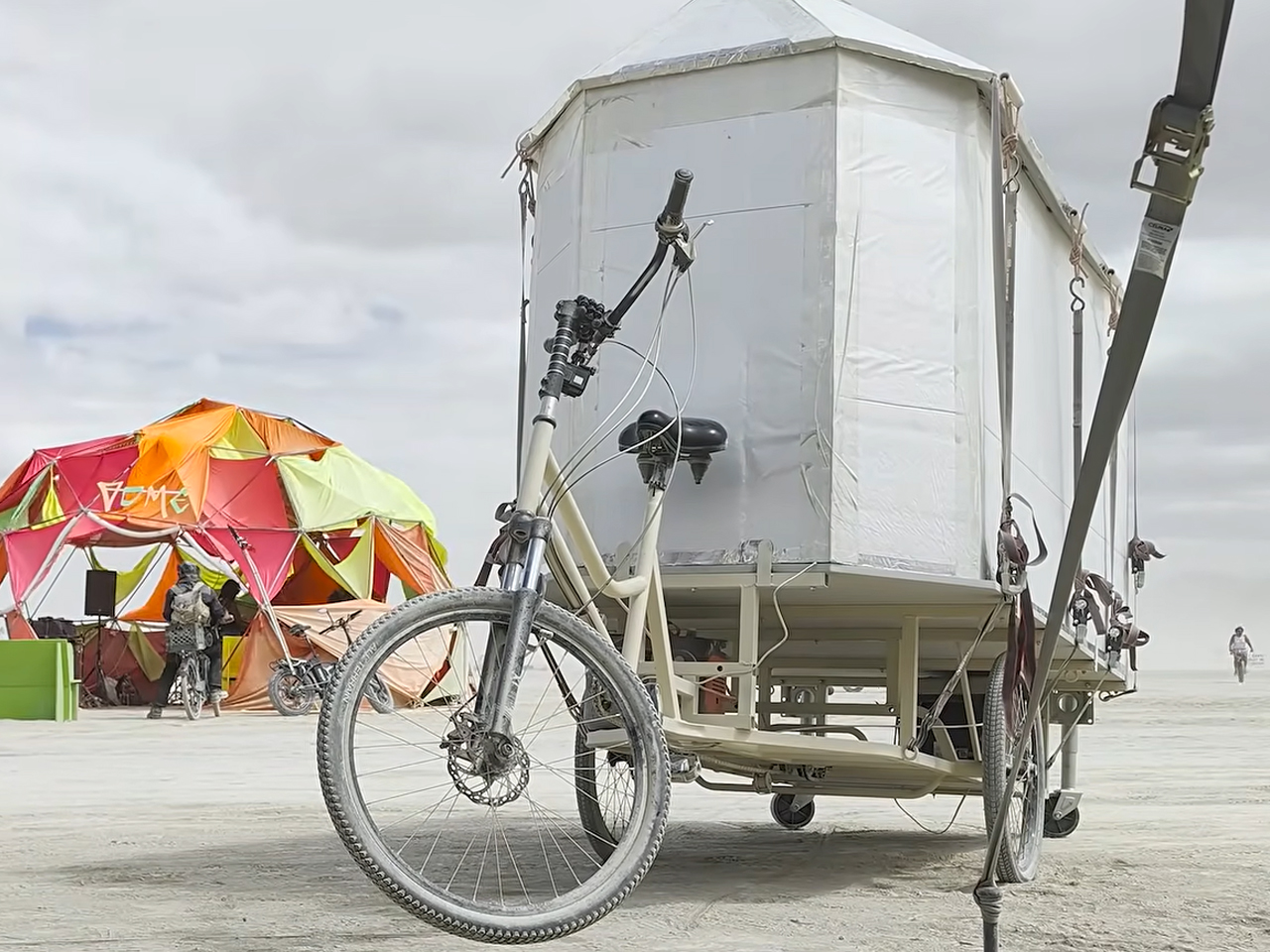
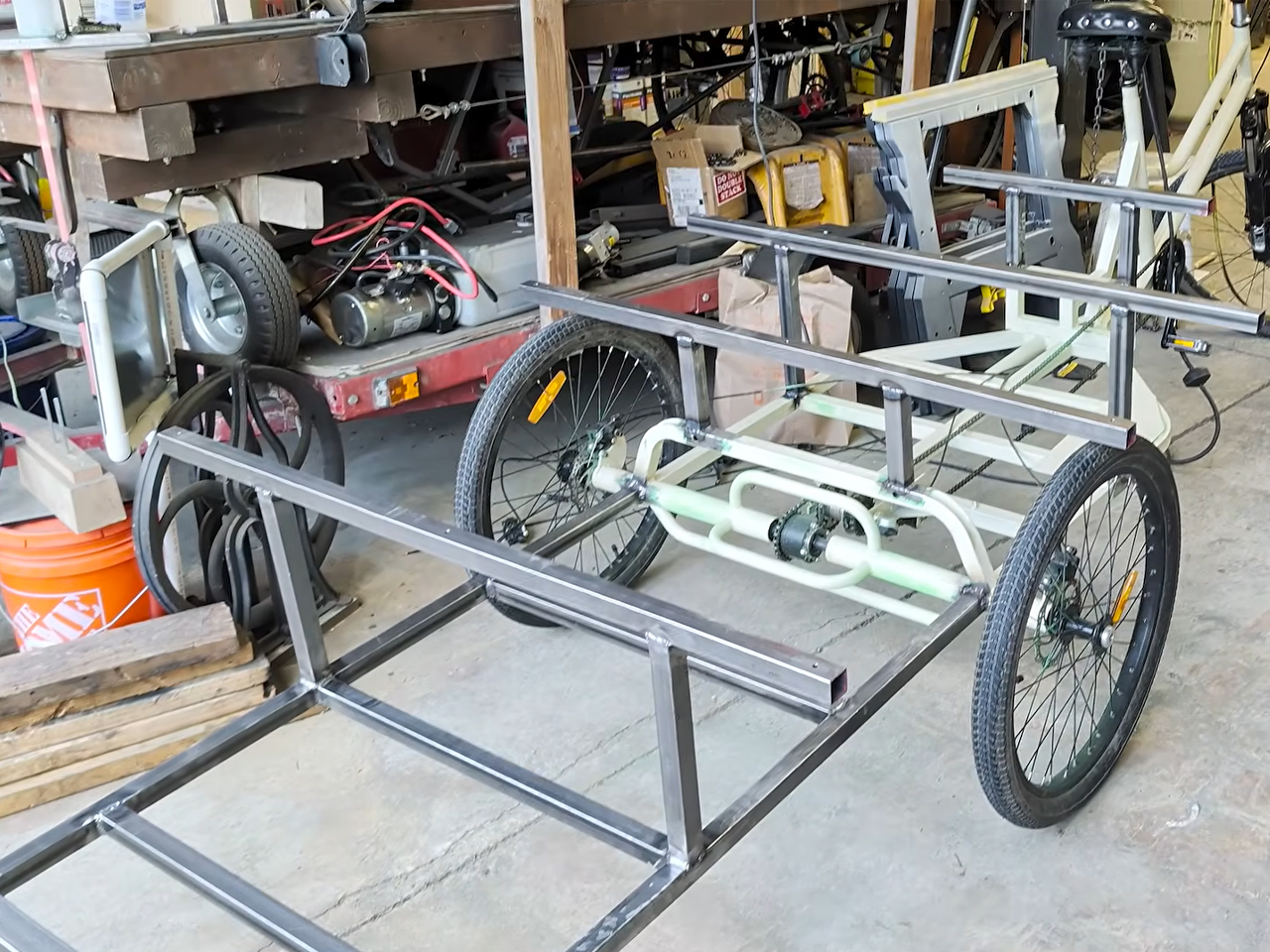
Attoparsec starts off with getting a home and industrial cargo trike, which he wasn’t able to use right away for the base. After addressing significant design and mechanical flaws (we’ll try and detail a few of them below), the custom bike was readied, and then the living solution was installed atop.

Constructed to be taken to Burning Man, Attoparsec restructured the donor trike’s mechanical flaw of a single brake cable splitting into a Y to trigger the two rear brakes. Since this caused uneven pulling, which could have been dangerous with the eventual load onboard, the YouTuber created a dual-cable brake lever that worked as a linkage mechanism to create an ideal balance at the rear wheels to brake together. custom mechanical solution also included retrofitting a new differential in addition to the brake system.

This wasn’t the only thing that required tweaking. The cargo bed on this standard trike also needed some expansion. The bed was custom extended toward the rear using round aluminum tubing for structural rigidity and to make it spacious enough to fit one sleeping adult. The compact 8-foot-long, 4-foot-wide living compartment to go on it would ensure comfort for a solo traveler. But extending the frame without moving the rear axle caused problems. The DIYer had to fine-tune it with the use of two heavy-duty trailer jacks with wheels to safeguard the camping structure from tipping over in a wheelie.

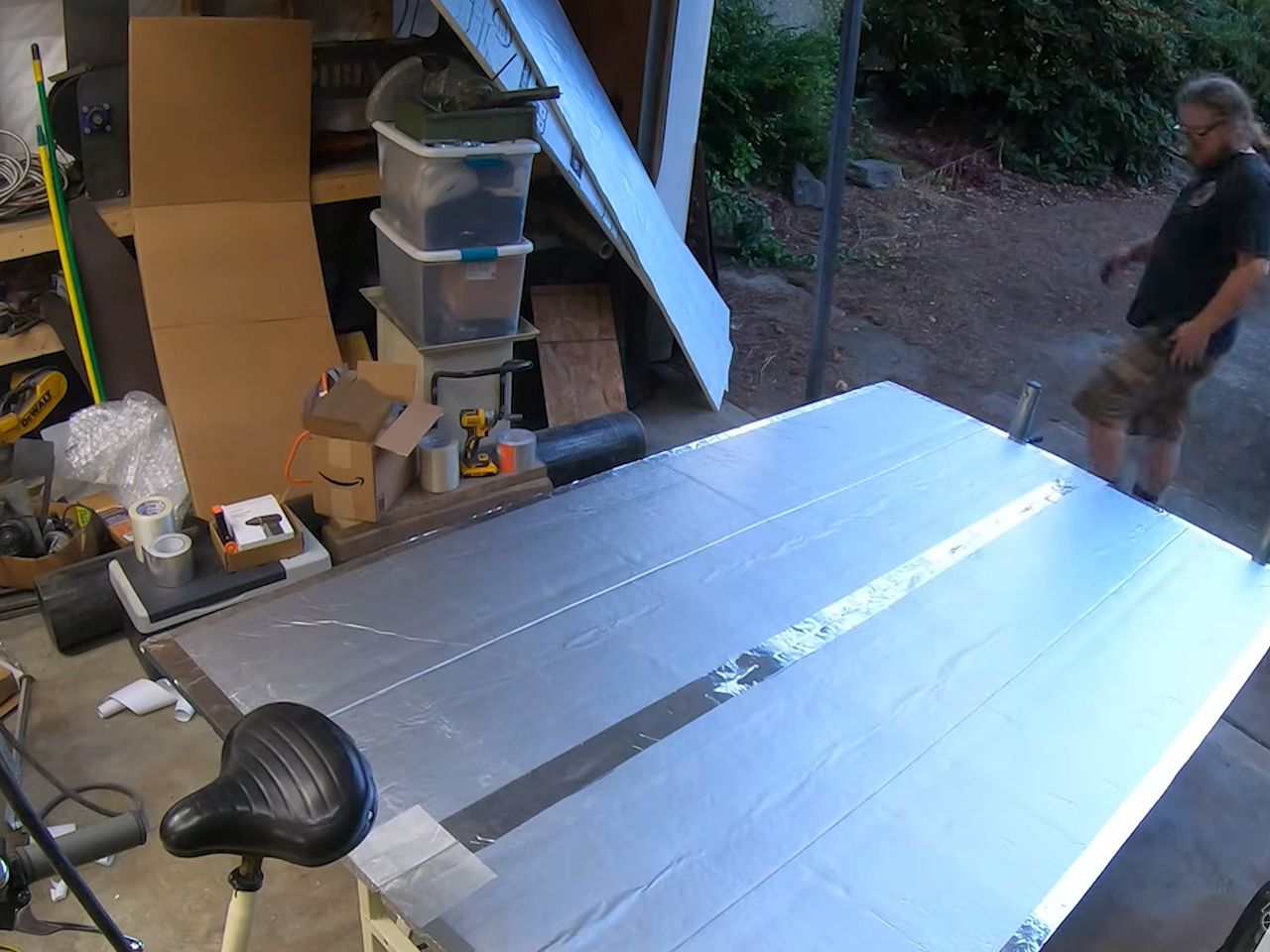
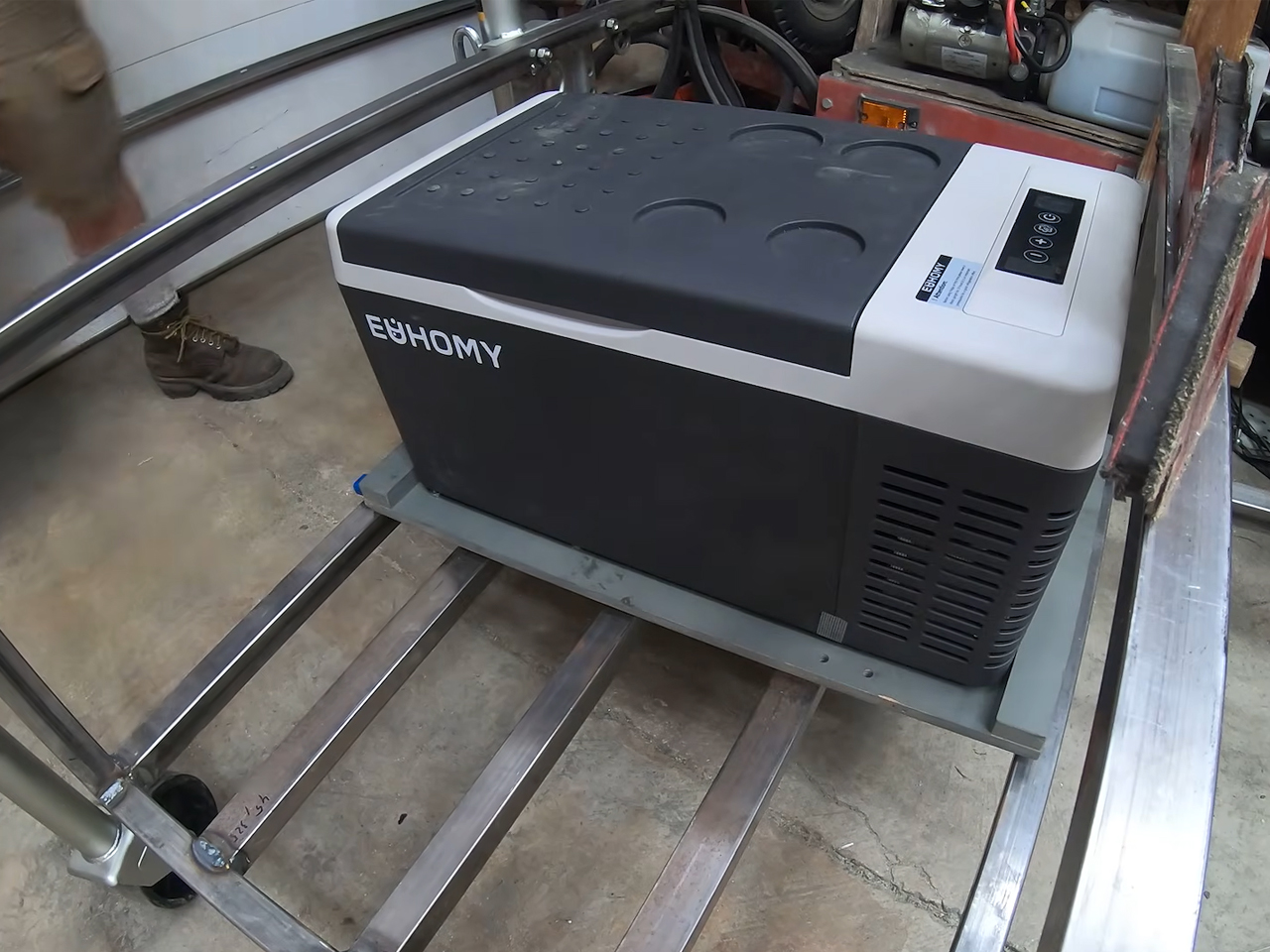
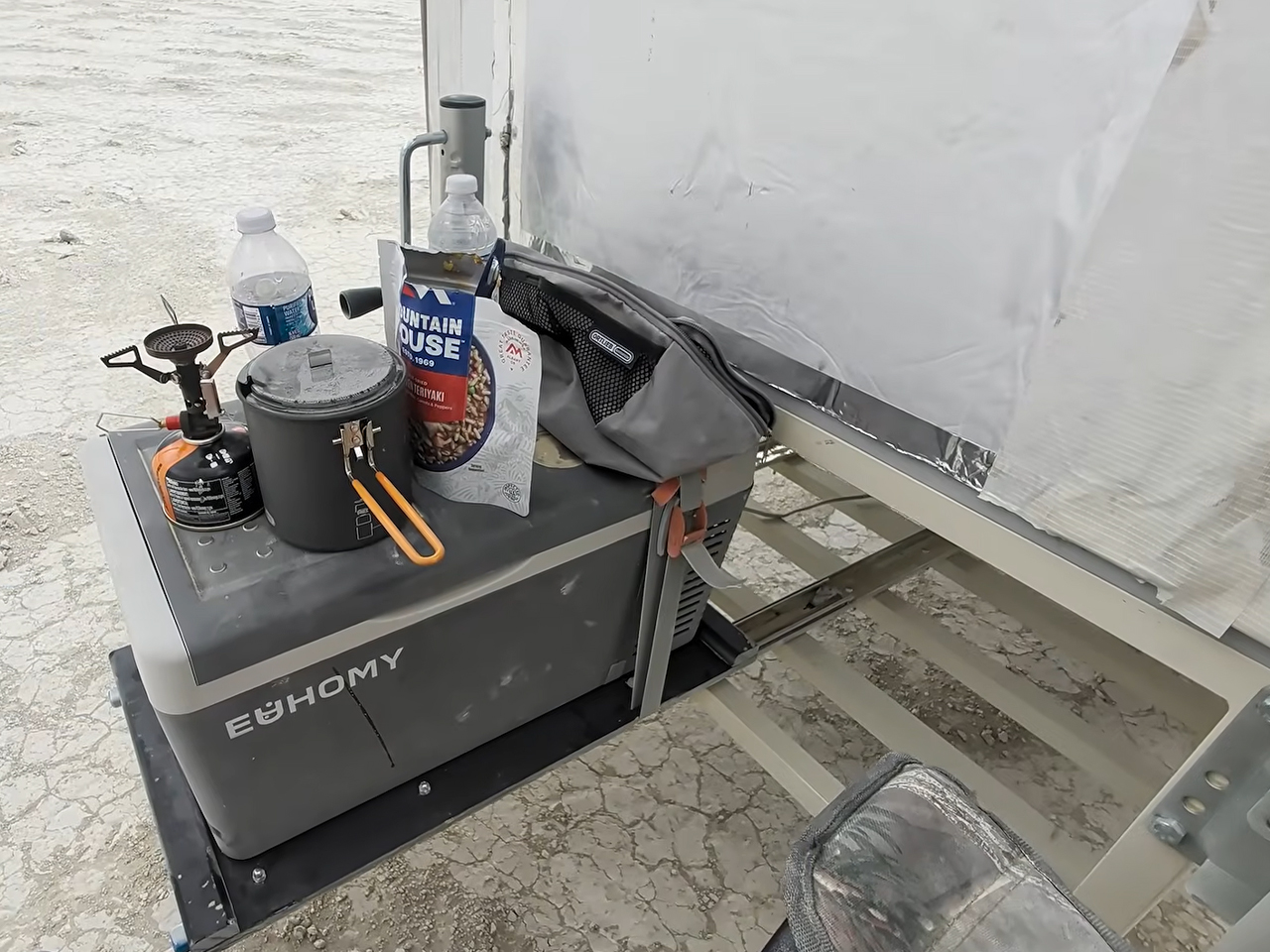
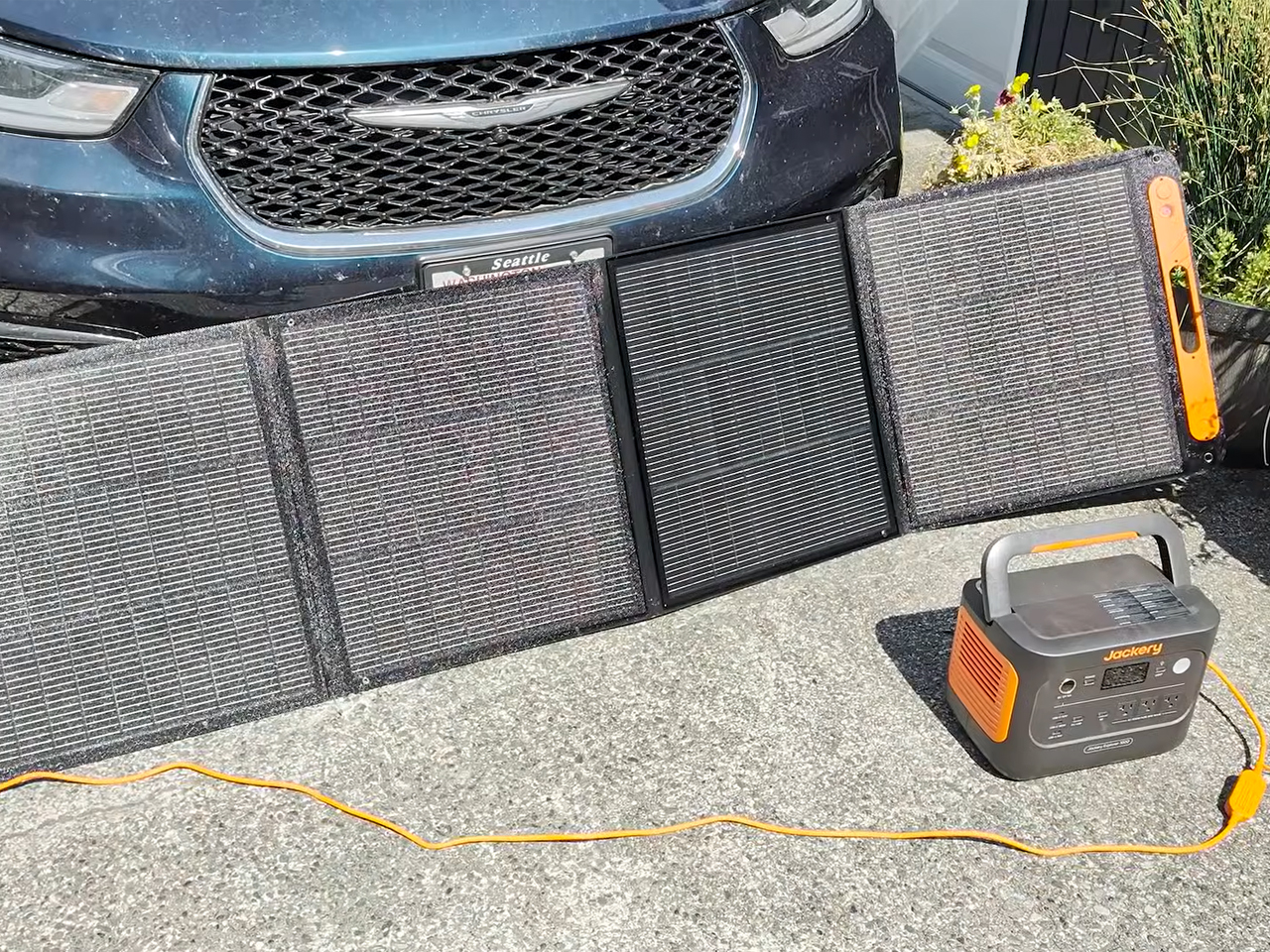
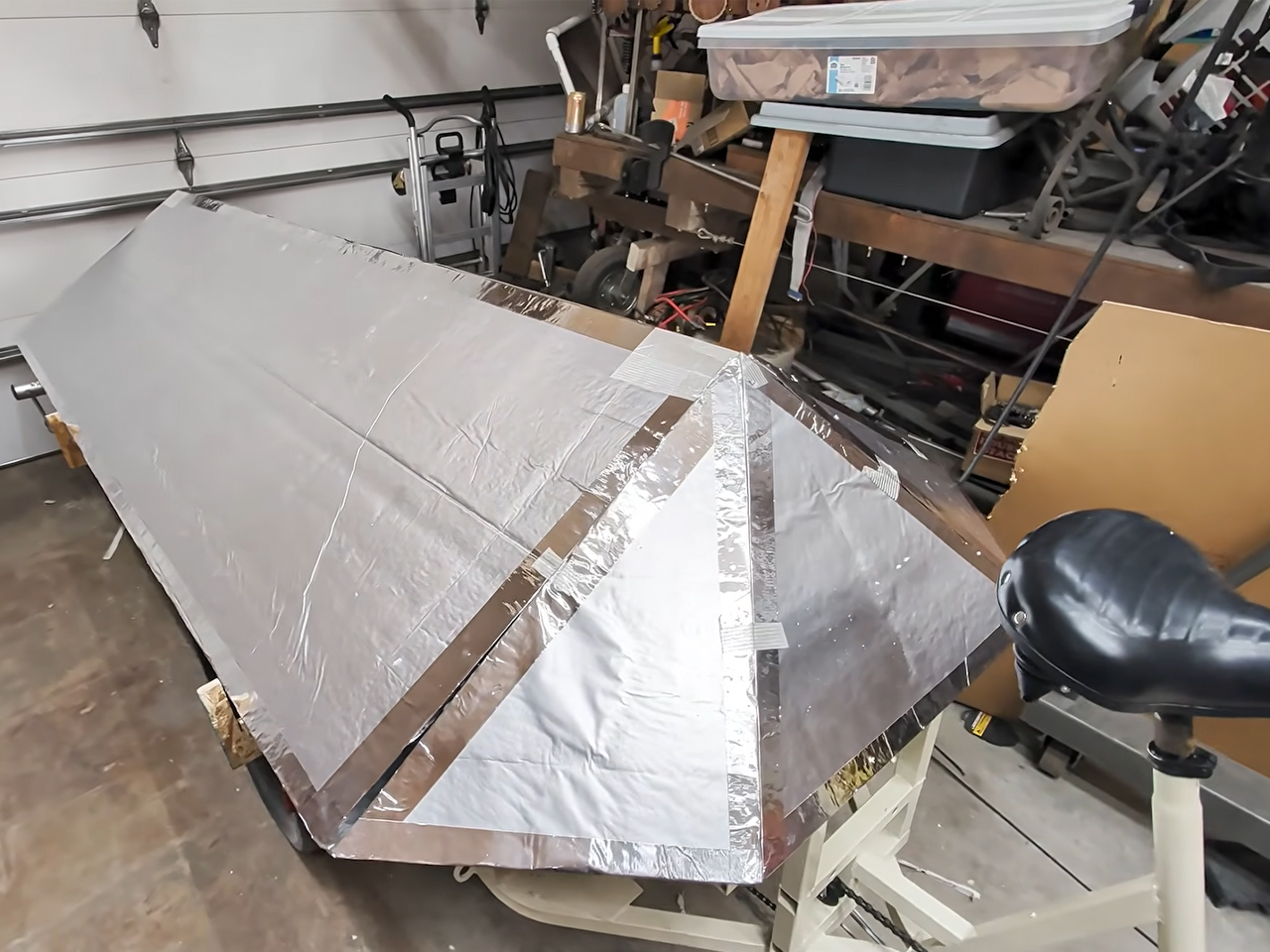
The sleeping enclosure sits on raised, reinforced frame risers and is built with rigid foam insulation. The structure is taped together to ensure the sun and the playa dust remain outside when the bike RV is stationed at the Burning Man. The bicycle camper is provided with a solar-powered refrigerator and draws its energy from a Jackery backup battery bank. According to the DIYer, the mobile home on a bike features a transformable interior that adjusts between lounging and sleeping easily. It fared well weathering storms and rain on the dry lake bed of the Black Rock Desert in Nevada.


The post YouTuber built a bike camper from scratch and took it to Burning Man first appeared on Yanko Design.

  •  

Sunseeker Elite’s mower has LiDAR, vision, and a serious beef with leftover grass strips

They say AI will steal our jobs. Whoever trims that stubborn strip of grass along the lawn’s edge seems to have excellent job security. We’ve got robots driving around gardens, mapping their surroundings, and keeping the grass neatly cut, yet the border still has a habit of becoming someone’s weekend assignment. Personally, that’s a job I’d be delighted to hand over.

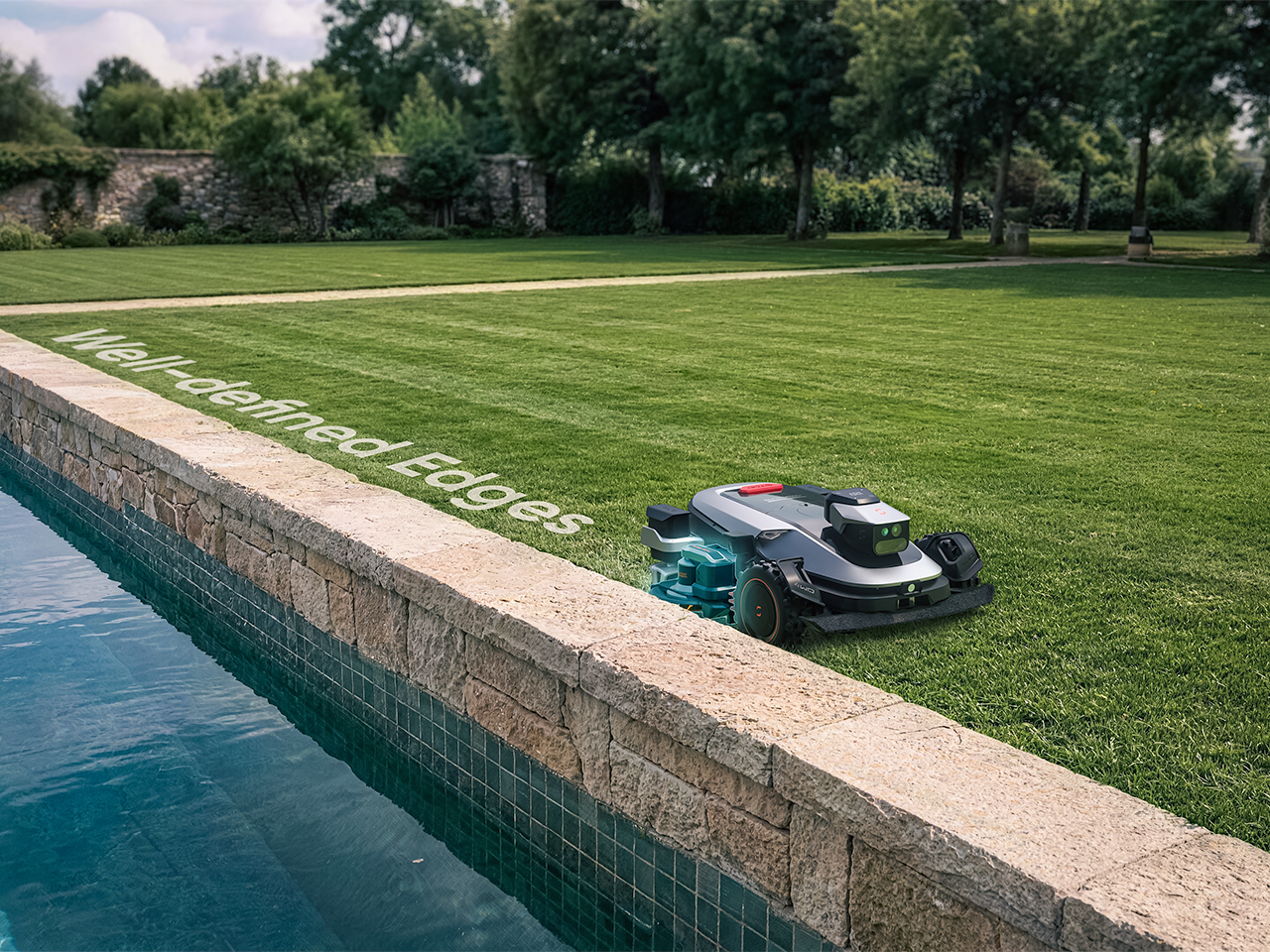
Sunseeker’s upcoming X8 Plus looks eager to apply. Its EdgeZero™ 2.0 trimming system targets a zero-inch edge gap, according to the company, putting that leftover strip squarely on the agenda. Set for a preview at Equip Expo 2026, the robotic mower also brings solid-state LiDAR, stereo vision, and network-assisted satellite positioning. An impressive résumé, although the edge-cutting hardware is what makes me want to schedule the interview.

Designer: Sunseeker Elite Team

Click Here to Know More: Equip Expo 2026.

The Last Few Inches Are a Hardware Problem

A mower can follow a boundary accurately and still leave grass behind if its blades cannot reach it. Knowing where the border is and cutting right up to it are separate assignments. Sunseeker describes EdgeZero™ 2.0 as its answer to the second one, though the announcement leaves the mechanism’s finer details unexplained. That’s the part I’d want a closer look at: how the trimming tool reaches the border while the mower’s body stays clear. A clean pass beside a raised edge would tell a useful story.

Getting into position is its own engineering task. The X8 Plus uses nRTK, a form of satellite positioning that draws correction data from a network of reference stations. In plain English, those corrections help tighten up the machine’s estimate of where it is. Sunseeker combines that positioning with solid-state LiDAR and stereo vision, giving the mower several sources of information as it navigates. Your garden may look peaceful from the patio; the robot has quite a bit to figure out down there.

Sharing the Lawn With the Locals

There’s an infrared camera in the mix, too, which Sunseeker says supports animal-friendly operation. That’s a worthwhile consideration for a machine sharing outdoor space with creatures that have never checked its mowing schedule. The announcement doesn’t establish exactly how the system identifies or responds to different animals, so I’d keep the promise modest for now. Still, accounting for the lawn’s other residents belongs in the design brief. The grass might stay put, but everything passing through it gets a vote in how smoothly an autonomous mower’s afternoon goes.

Sunseeker Elite already explores that relationship between sensing and physical movement in its existing X7 Gen 2 and X7 Plus Gen 2. Those models combine satellite positioning with visual mapping, while all-wheel drive and floating dual cutting discs address traction and uneven ground. That provides useful context for the X8 Plus: software has to work with wheels, blades, and the shape of the property. I like that the new preview brings attention back to the finishing work. A mower’s route can look beautifully organized on an app, but the result still gets judged from the garden chair.

A Closer Look at Equip Expo 2026

Equip Expo should provide a closer look at Sunseeker’s approach. The show runs October 20-23, 2026, at the Kentucky Exposition Center in Louisville, Kentucky, with Sunseeker at Indoor Booth #1190 and Outdoor Booth #7460D. The company plans an interactive mower-vision experience, letting visitors see imagery from a machine’s perspective, alongside outdoor slope demonstrations. Seeing what a mower perceives could make that long sensor list considerably easier to understand.

Pricing and retail availability for the X8 Plus aren’t specified in the announcement, so the zero-inch edge target remains a reason to watch its development rather than retire the trimmer immediately. For me, though, it’s a persuasive direction to pursue. Finishing the borders would remove a very specific reason for a person to follow the robot outside and pick up another tool. If Sunseeker can make that work reliably, I’m perfectly comfortable with this particular job disappearing. The person who used to do it can have Saturday morning back.

Click Here to Know More: Equip Expo 2026.

The post Sunseeker Elite’s mower has LiDAR, vision, and a serious beef with leftover grass strips first appeared on Yanko Design.
  •  

Oboro’s Silver Moon Calendar Is Wall Art You’ll Actually Use

Most of the time, when you need to check a day or date, you open your phone’s default calendar app. For those of us who still use planners, we also like to flip through the calendar pages since our schedules are often written there. But maybe you rarely notice actual wall calendars displayed in offices or living rooms anymore. If there is one, it might be some random promotional gift. It can feel like we’ve stopped carefully choosing a wall or desk calendar that suits our aesthetic or that we find interesting.

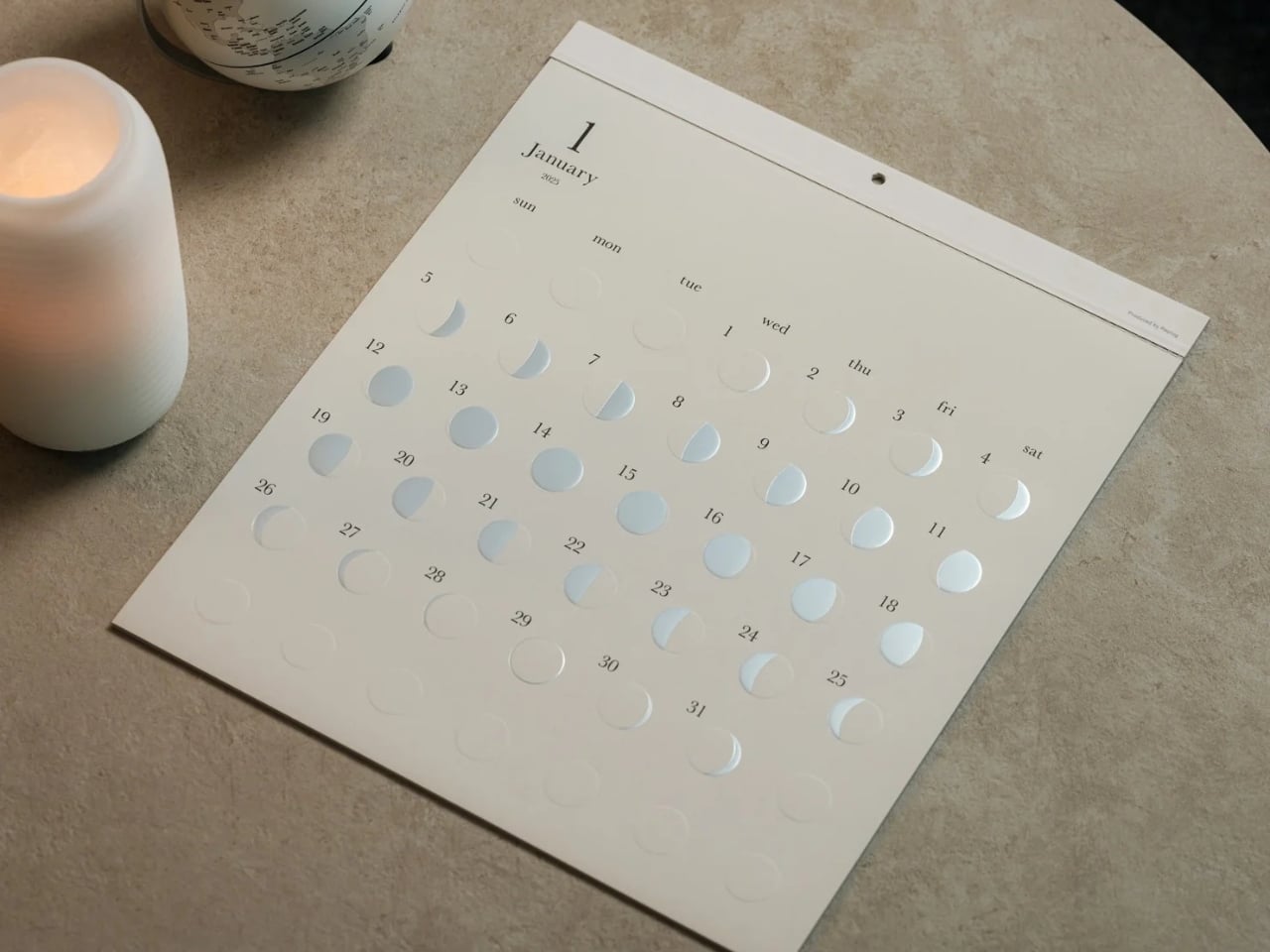
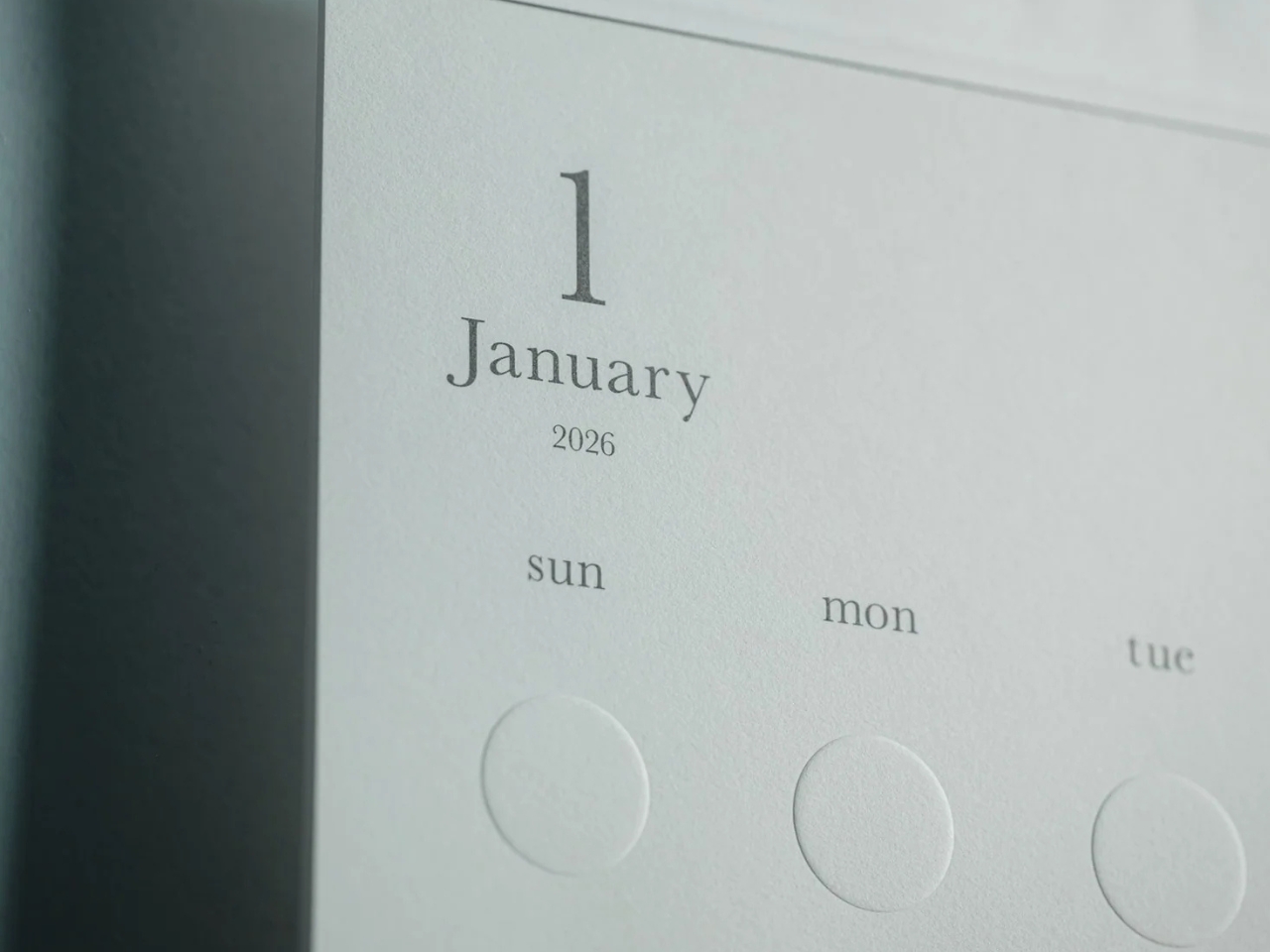
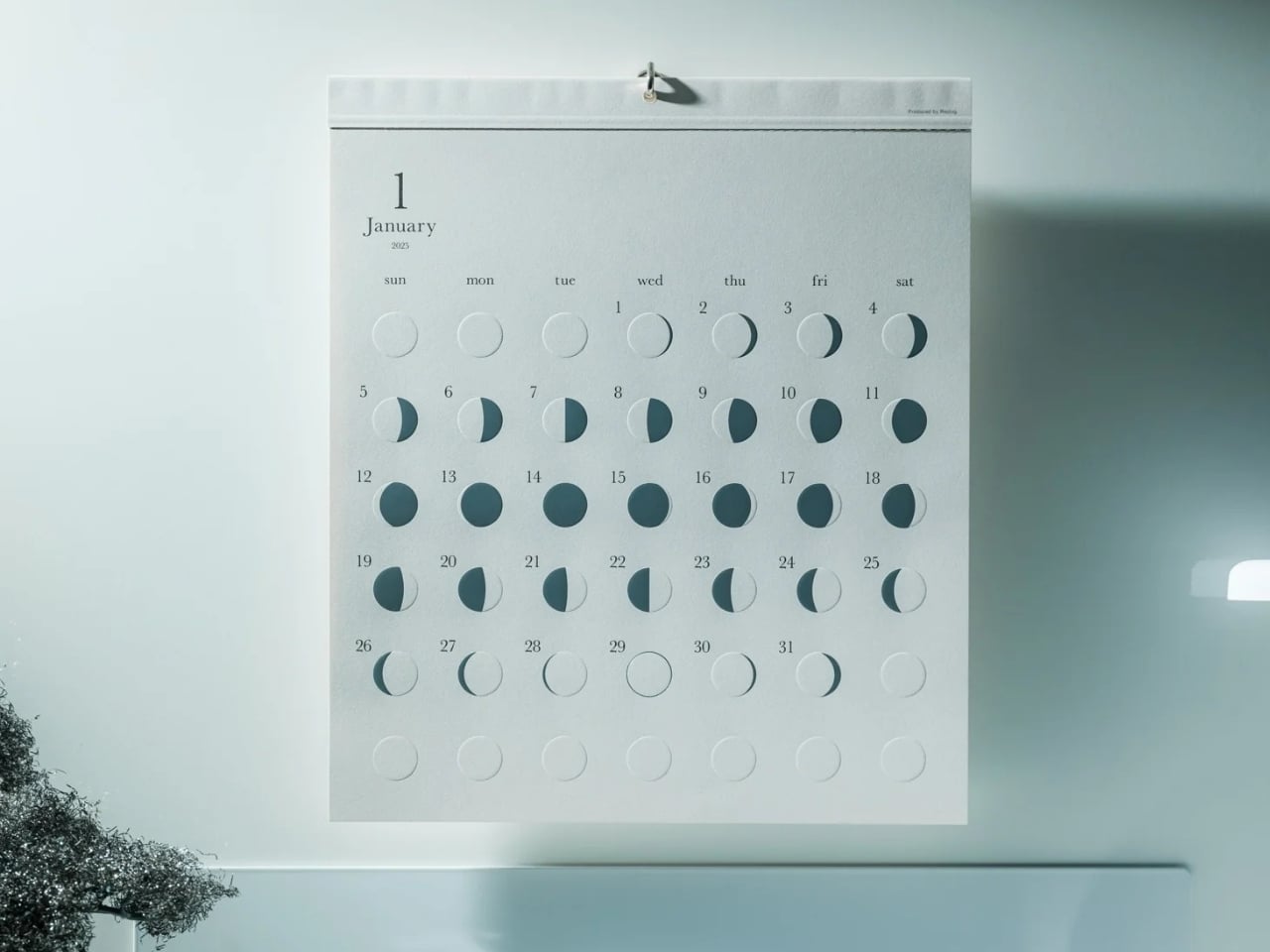
The Oboro Silver Moon Calendar quietly makes itself part of your minimalist space, especially if you love the moon. Created by Replug, it originated as a limited-edition 2025 calendar celebrating the Michiru calendar series’ 10th anniversary. Its name comes from oborozuki, a hazy moon, which inspired the design’s soft appearance. The YD Select listing describes its inspiration as having “serene and mystical qualities.” You might see that misty moon as a reminder that life is impermanent but still beautiful, although that’s a personal interpretation rather than something a calendar needs to explain.

Click Here to Buy Now: $70 Hurry, only 5 left!

Instead of the usual white paper that many wall calendars have, this uses a soft gray-beige paper that evokes a moonlit sky. It could bring a more introspective and relaxing atmosphere to the room, especially when you stare at the calendar while contemplating your life for the rest of the month (well, if you like doing that sort of thing). The subdued background also keeps the metallic details from competing with a bright color palette.

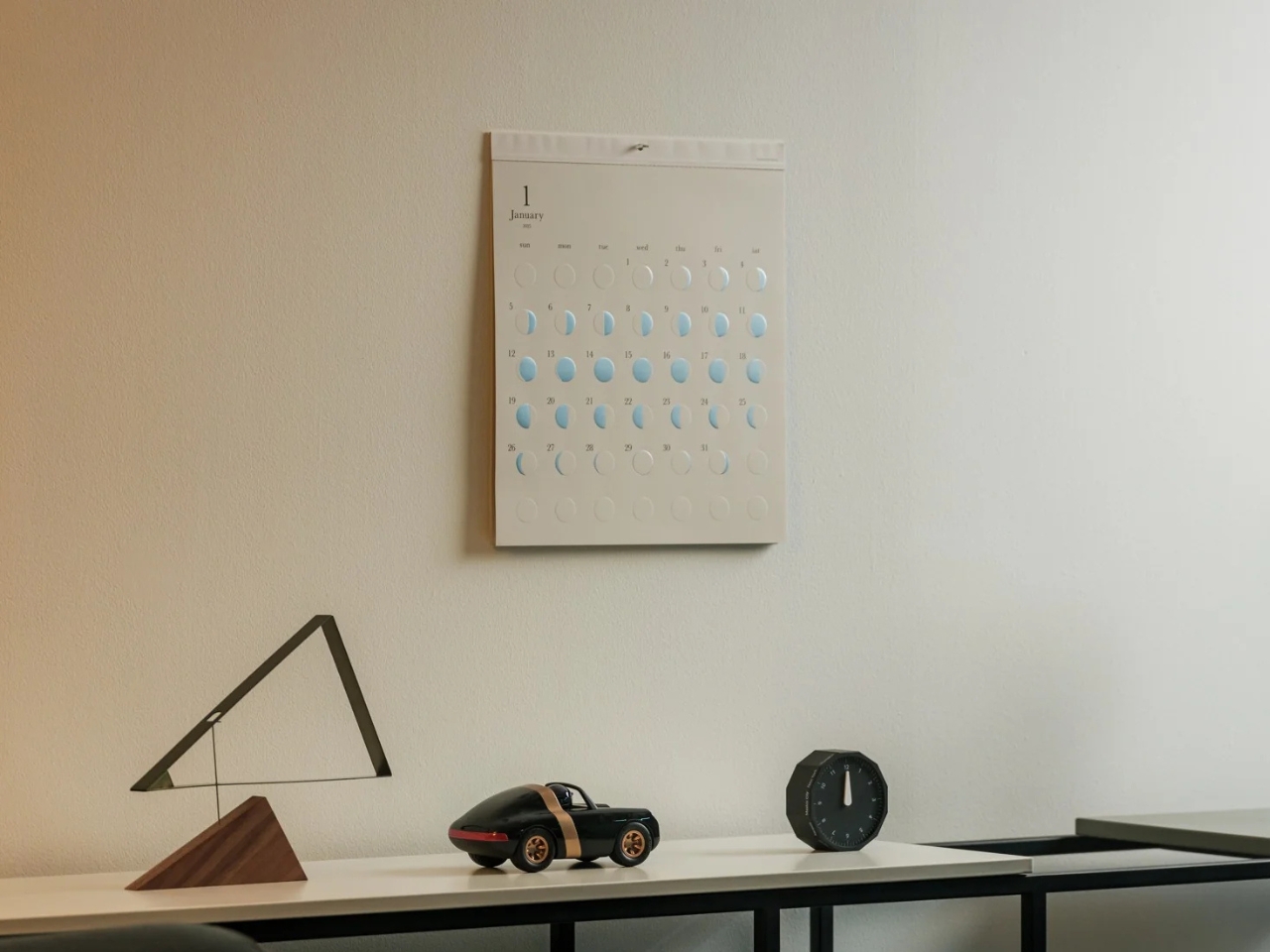
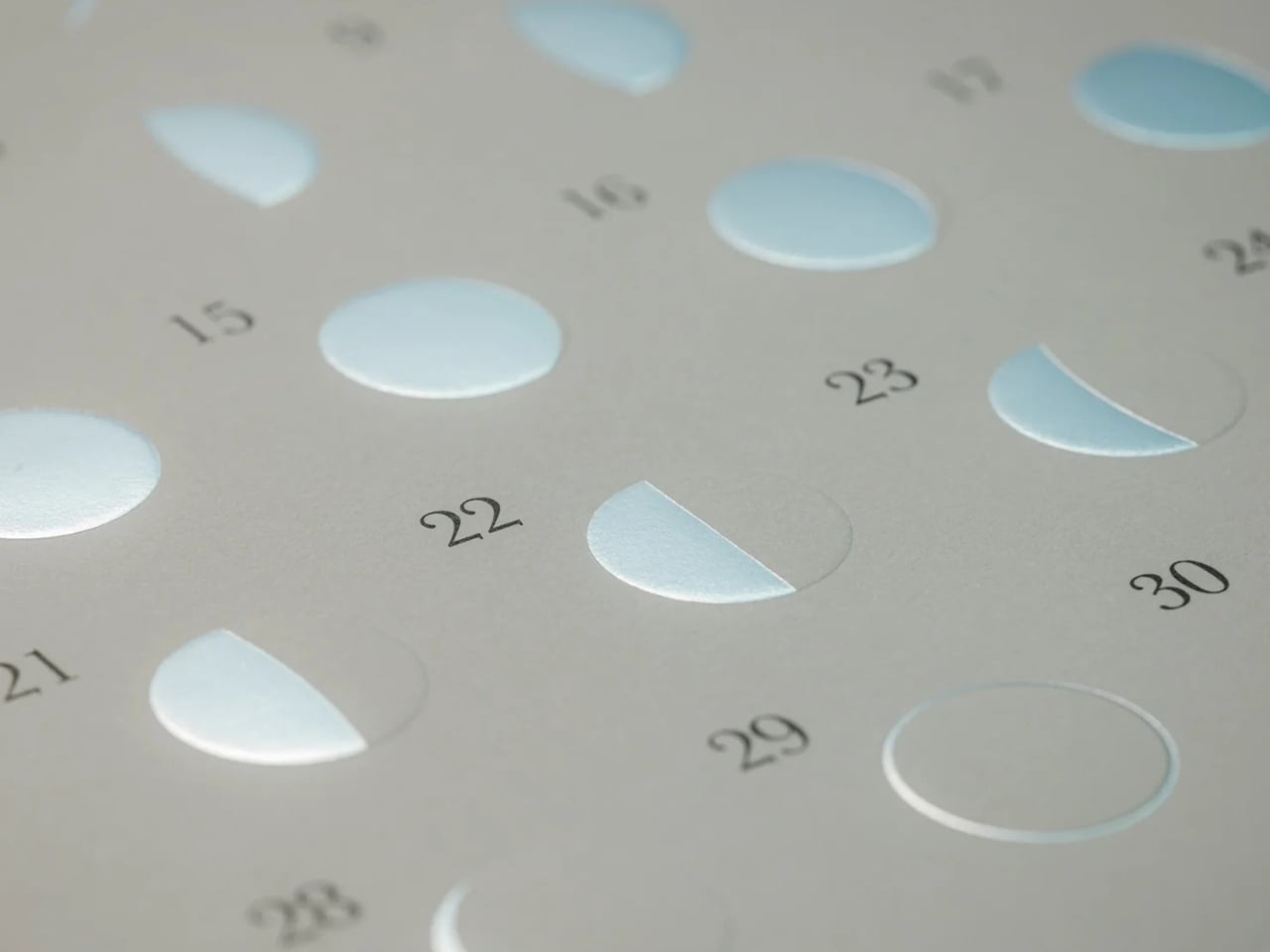
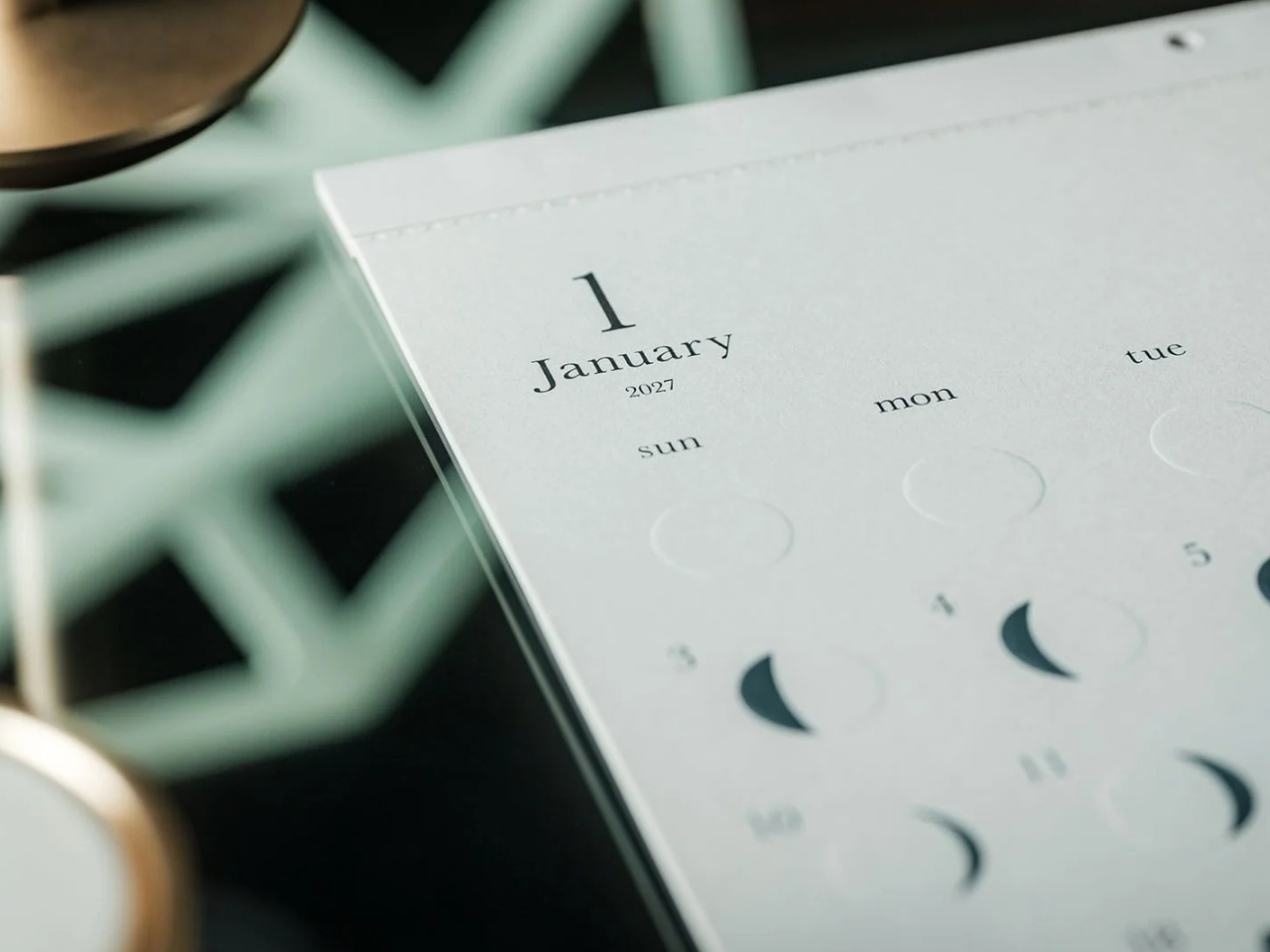
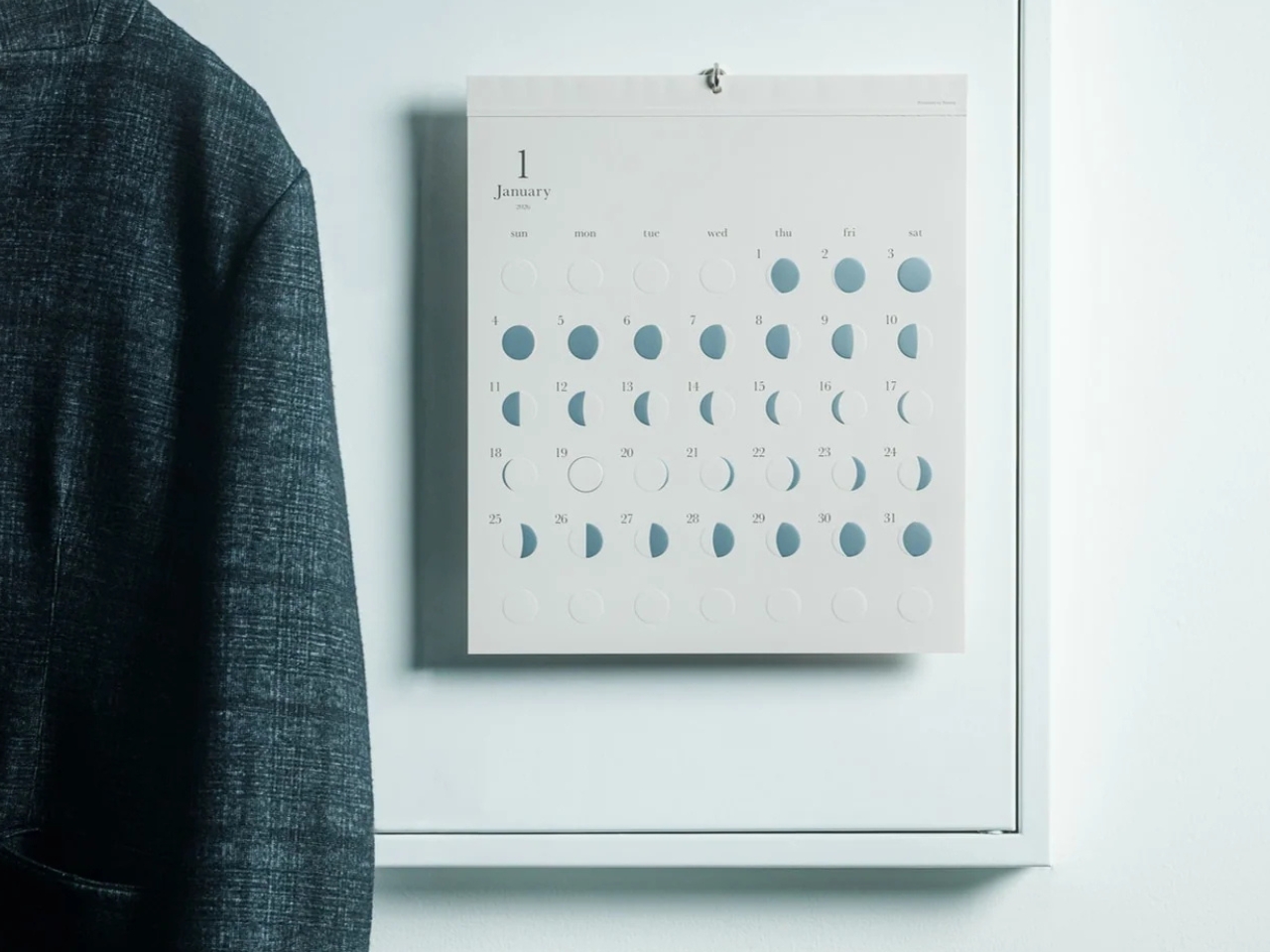
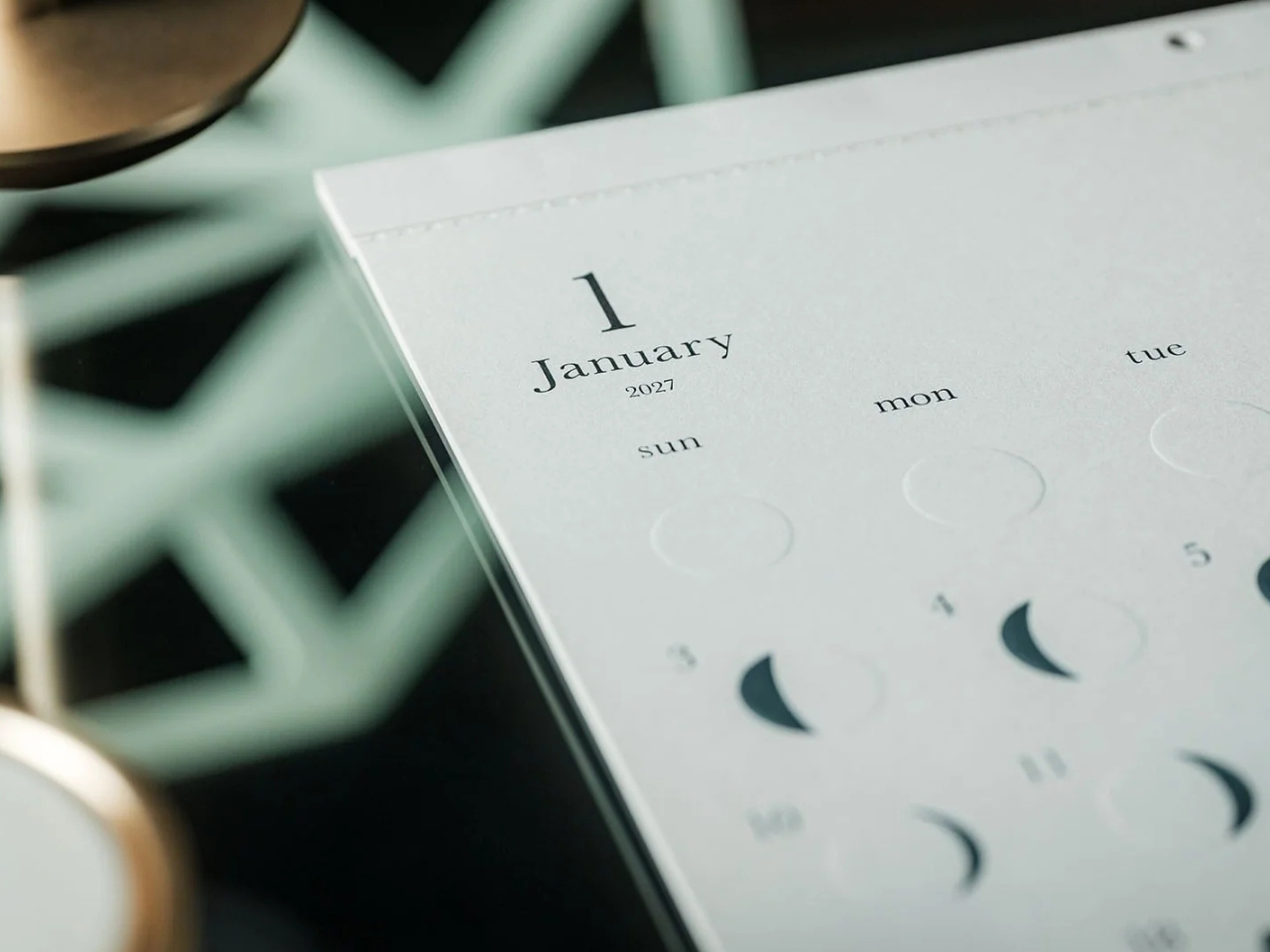
This is primarily a calendar that brings attention to the lunar cycle. It shows the moon’s phases in shimmering, reflective silver foil that catches the light falling on it. That distinction matters: it reflects light rather than producing its own illumination. Its appearance can change depending on the angle of the light, making placement part of the effect. It also has an embossed moon silhouette that adds a tactile element when you touch the calendar. For someone who enjoys small daily rituals, pausing to notice the changing lunar phases could become a grounding moment in an otherwise busy day.

The calendar is made in Japan, with 12 paper sheets measuring approximately 11.7 by 13.5 inches. That gives you a sense of the wall space it needs without making it sound like an oversized art print. The combination of embossing and silver foil is the important design choice here: one gives the paper physical relief, while the other changes how it catches light.

For comparison, MUJI’s 2027 Bagasse Paper Wall Calendar, listed on its European store, uses a Monday-start monthly layout that presents the full month at a glance. Both could appeal to someone who prefers understated stationery, but their priorities differ. MUJI emphasizes straightforward date reference, while Oboro gives lunar phases and decorative surface treatments more attention. Oboro’s appeal is less about improving your scheduling system and more about giving a useful paper object a place in your decor. The better choice depends on what you want to look at every day.

There is also something appealing about checking a calendar without reaching for your phone. If opening an app tends to lead you somewhere else entirely, a paper reference lets you glance at the date and move on. You can still keep your appointments in a digital calendar while choosing something more personal for the wall beside your desk. If you’ve stopped choosing calendars because your phone already handles the practical side, Oboro Silver Moon Calendar gives you a reason to reconsider. It can sit alongside your existing routine, offering something different to notice: the shape of the moon, the texture of the paper, or a brief flash of silver as the light changes.

The post Oboro’s Silver Moon Calendar Is Wall Art You’ll Actually Use first appeared on Yanko Design.

  •  
❌