There aren’t a lot of situations that would require me to pull a portable lamp out of my bag. But as someone who likes to journal on the go and read whenever I get the chance, I’ve run into more than a few moments where the available light just wasn’t enough. Even at home, a lamp comes in handy for those times when the main overhead lighting feels like way too much.
The Anywhere-Use Lamp is built for exactly those moments. You don’t need an outlet, you don’t need an extension cord, and you don’t need to panic if your battery is dead. This lamp works wherever you need it, whether that’s indoors on your desk or nightstand, or outdoors on a picnic table or inside a camping tent.
The lamp looks like a mushroom popping up out of the ground, with a soft, rounded cap sitting atop a slim stem base. It reads more like a small sculptural object thanks to its minimalist design, rather than the sleek, tech-forward look most portable gadgets go for. The metal base is “scratch-detailed,” meaning the wear and imperfections it picks up over time become part of its character instead of something you need to constantly wipe down or worry about.
Because it comes in a modular, pack-flat construction, you can assemble and disassemble the lamp quickly and toss it into your bag whenever you’re on the move. There are no dials or switches to fuss with, either. You simply press along any edge of the cap to cycle through brightness levels, and you’ll even feel a satisfying haptic click each time you adjust it, a small but memorable tactile detail that makes the whole interaction feel more considered than your average lamp.
The six high-CRI LEDs are built for light quality over quantity. The warm, soft glow settles gently into your space, functioning more like ambient lighting that supports your surroundings rather than a harsh task light glaring in your face. It runs entirely on AA batteries, so there’s no charging cable to hunt down. As long as you’re carrying a spare set, you can keep the light going for as long as you need.
If you’ve shopped for portable lamps before, you’ve probably come across the Philips Hue Go, one of the biggest names in the battery-powered lighting space. At $179.99, the Hue Go offers smart features the Anywhere-Use Lamp doesn’t try to compete with, including app control, millions of color options, and Alexa or Google Home compatibility. But that convenience comes with strings attached. It relies on a charging base, needs to be recharged every 5 to 48 hours depending on brightness, and works best when you’re connected to Wi-Fi or Bluetooth for full functionality.
The Anywhere-Use Lamp takes the opposite approach. At $149, it skips the smart home ecosystem entirely and leans into pure simplicity: no app, no charging base, no dead battery with nowhere to plug in. If you’re at a campsite, a beach house, or a hotel with an outlet that’s just out of reach, you can swap in fresh AAs and keep going, no Wi-Fi signal required. For readers who want dependable, no-fuss lighting over smart-home bells and whistles, that difference matters.
The true beauty of the Anywhere-Use Lamp is right there in its name. You can use it anywhere you want or need to, thanks to its thoughtful design and practical features. Whether you’re at home looking for a bit of mood lighting or out camping and need a reliable light source to finish up a task, this lamp is ready to be your go-to lighting companion.
At the end of the day, good lighting shouldn’t come with a long list of conditions attached. It shouldn’t require a nearby outlet, a fully charged battery pack, or a phone app just to turn on. The Anywhere-Use Lamp strips all of that away and hands you something refreshingly simple: warm, reliable light that goes exactly where you go. For anyone who values design as much as function, and who’s tired of being tied down by cords and chargers, this little mushroom-shaped lamp might just earn a permanent spot in your bag.
We put glow on everything we are afraid of losing in the dark. Watch hands, exit signs, stair edges, light switches, and those plastic stars on a kid’s ceiling all got the memo decades ago. The carabiner, an object whose entire job is hanging onto things in low light, somehow missed it. It sits there, smug in anodized aluminum, daring you to find it. That is the oversight of the century, and I will happily defend that claim at any campsite.
OBORO, from Maruhachi Kasei, a plastics factory in Nagoya, Japan that has been molding resin since 1974, closes the loop. The large D carabiner is glow-infused polycarbonate, measures about 3 by 1.7 inches, weighs 0.42 ounces, and is rated for 66 pounds. Leave it in sunlight or under a lamp for a bit and it shines for hours, with no battery, no charging, and no app (thankfully). A one-handed clip joins it for towels and tarps, rated for 55 pounds, and both come in green or a cooler blue. It is accessory gear rather than climbing gear, so keep your rope work on the real stuff.
The glow pigment is mixed into the polycarbonate itself, so the entire body is the light source. There is no paint layer to chip or flake, which matters on an object that spends its life banging against rocks, zippers, and other gear. Polycarbonate is the same family of plastic used in bulletproof glazing, and the maker claims five times the impact resistance of ABS and 250 times that of ordinary glass. It also handles weather and heat better than most plastics. The gate is a nickel-plated metal wire, the one part that has to flex thousands of times, so it makes sense that it is not resin.
In the maker’s own test, twenty minutes under a blacklight gave about three hours of visible glow. Brightness peaks in the first 10 to 20 minutes and fades gradually from there, the way every glow-in-the-dark thing you have ever owned behaves. Sunlight and ordinary LED room lighting both recharge it, as many times as you like. Long-afterglow pigments like this trace back to a 1993 breakthrough at Japan’s Nemoto & Co., the lineage behind Super-LumiNova on Swiss watch dials, though the maker does not name its exact pigment. Water is the weak spot: the maker says wet pigment loses its charge and the surface can cloud, so this belongs in the tent, not out in the rain.
A Bigger Gate, Beefier Numbers, and a Clip for Towels
The large D measures about 3 by 1.7 inches and 0.28 inches thick, which the maker says is 30 percent bigger than a standard carabiner. That extra room is the whole point of the redesign. The gate opens wide enough for thick camp rope, so a mug, a kettle, and a lantern can all hang without a game of Tetris. The working load is rated at 66 pounds, while the maker’s pull test ended at 213 kilograms, roughly 470 pounds. That gap is deliberate, since the rating sits near 15 percent of breaking load, and at 0.42 ounces you will forget the thing is on your bag until you need it.
The clip is built for flat, floppy things like towels and tarps. It opens and closes with one hand, using serrated jaws and a sliding block with a toothed lock, and a thin metal loop up top lets it hang from a line or a bag. The wide mouth takes thick fabric where a standard clothespin gives up. Its 55-pound rating sits a bit under the D carabiner, which is plenty for a soaked camp towel. Two clips and a rope between trees give you a glowing clothesline you can actually find after dark.
Two Colors, Endless Things to Hang, and Roughly $6 a Piece
Green is the classic and the brighter of the two, while blue is the rarer, cooler color that I find more fun to look at. By day neither looks like it does at night, since green reads pale yellow-green and blue looks milky white. Blue is dimmer after dark, which seems a fair trade for the novelty. The use cases click once the idea sinks in: a tent guyline, a go-bag handle, a kid’s school backpack, a dog’s leash, a key hook by the front door.
The 12-piece set (six large D carabiners and six clips) is ¥11,616, about $73, against a ¥14,520 (about $91) retail price, which works out to roughly $6 a piece. Singles run about $6 for a D carabiner and about $7 for a clip. Pink versions of both ($40 for six of each), a three-pack of Suncheck glow carabiners ($33), and the older Ouroboros Carabiner Clip ($4) are available as add-ons. OBORO ships worldwide with delivery estimated for January 2027.
A multitool can earn its place in your pocket, right up until its weight makes you leave it at home. Pliers, blades, drivers, and openers all need somewhere to go, and those stacked layers of steel add up. If your daily repairs mostly involve opening a package or tightening a loose screw, carrying the entire assortment can feel like packing a toolbox for a job that takes thirty seconds flat.
The five designs here keep their ambitions small and their functions specific. There’s a DIY toolkit inside a Zippo case, a utility knife with a magnetic ruler, a keychain tool, a flat flashlight, and compact scissors with a few useful extras. Each offers a different way to pare down your everyday carry. Pick the one that matches your usual tasks rather than treating the collection as a pocket packing list.
1. Tiny Tool Shop’s DIY Zippo Toolkit
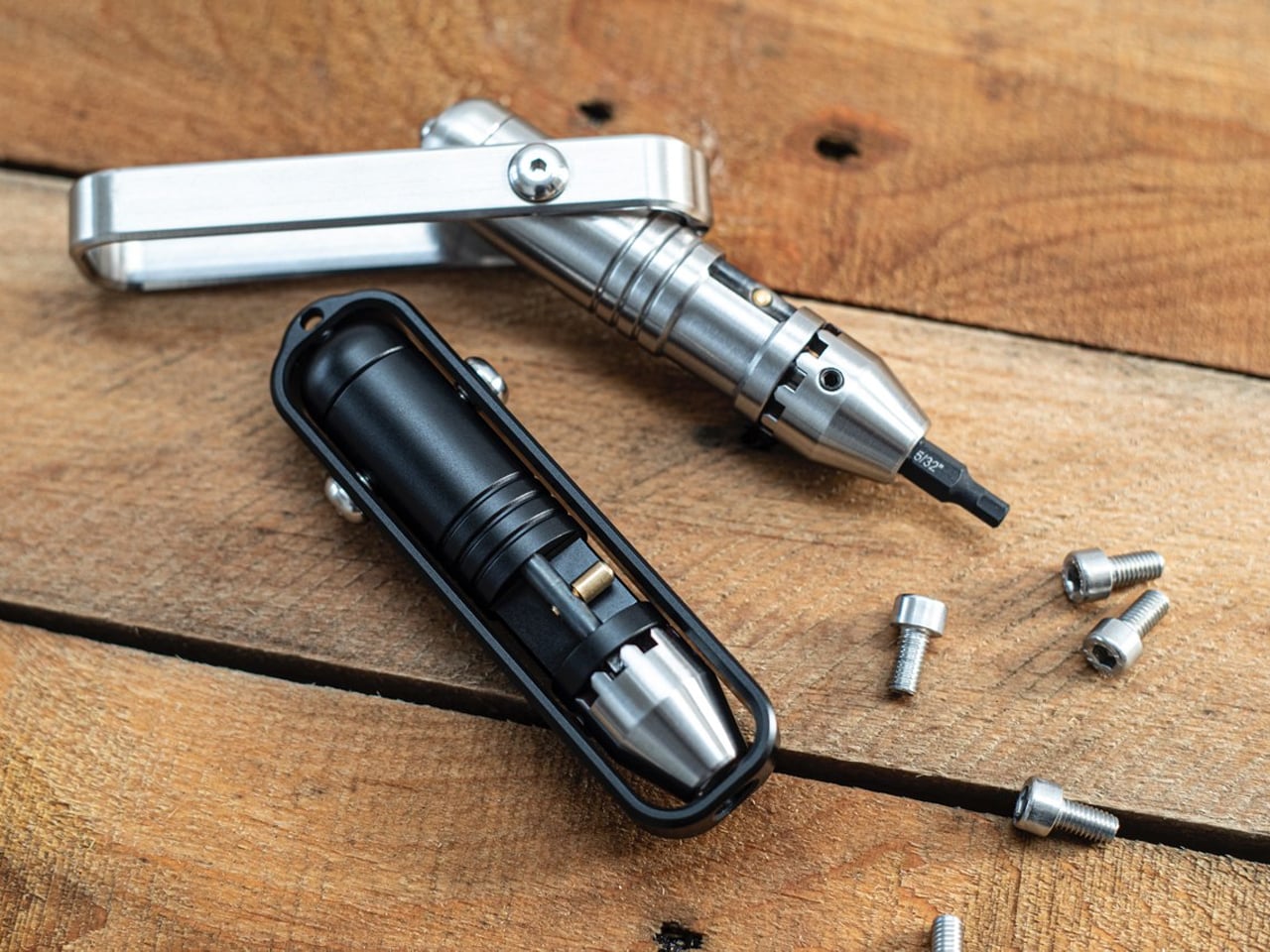
Closed, Tiny Tool Shop’s DIY toolkit is still a Zippo case. Open it, and a custom 3D-printed insert holds a Crom micro ratchet, two Steinwhale micro bits, and a Klein utility knife extension. The lighter insert has been removed, so this no longer doubles as a lighter. That constraint is part of the appeal: the maker uses an existing enclosure, with its hinged lid already solved, then designs the internal storage around a very specific selection of small tools.
The cleverest detail is retrieval. A spring salvaged from a Bic lighter helps push the ratchet through an opening in the case’s back, addressing the obvious problem of extracting something packed this tightly. Dedicated recesses organize the components instead of leaving them loose inside the shell. This is a maker project, not a ready-made Zippo product, and reproducing it means sourcing parts and making the insert. For someone drawn to mechanical projects, that assembly process is part of its attraction.
What we like
Reuses a familiar hinged enclosure with dedicated tool storage.
Spring-assisted retrieval addresses the difficulty of removing tightly packed components.
What we dislike
Requires DIY assembly and a custom printed insert.
Storage is tailored to the specified ratchet, extension, and bits.
2. CraftMaster EDC Utility Knife
CraftMaster makes more sense when opening boxes and trimming materials account for most of your tool use. The utility knife pairs a metal body with a replaceable OLFA blade deployed using a rotating knob. At 4.72 inches long, the package stays compact, while a companion metal ruler docks magnetically against the back. Rather than hiding a blade among unrelated attachments, the design gives cutting and measuring the full object, with the ruler stored alongside the knife.
The ruler carries both metric and imperial markings, with a raised edge to help lift it from a flat surface. It also incorporates a blade breaker for removing dull segments, keeping a maintenance accessory within the same compact arrangement. That’s the interesting decision here: the extra features support the main task instead of chasing a larger function count. At $80, this is a deliberate upgrade to a basic cutter, and its appeal depends on how often you cut and measure.
Gerber’s Shard takes the opposite approach to the Zippo build: there’s nothing to unpack. This stainless steel keychain tool integrates a pry bar, two flathead drivers, a cross driver, a wire stripper, and a bottle opener into its fixed shape. A hole attaches it to your keys, so it doesn’t demand a separate pouch. The appeal is straightforward. For occasional small adjustments or light prying, you can reach for a tool without unfolding an entire set of handles and attachments.
The design asks you to accept a small gripping surface in exchange for less hardware. That’s a reasonable bargain for a backup, but not a reason to retire proper screwdrivers. There’s no blade or pair of pliers here, and the integrated tips aren’t interchangeable. Gerber specifies a titanium nitride coating for corrosion resistance, although that’s a protective treatment rather than a claim that the tool is titanium. Its distinction is how little mechanism it needs to do its limited jobs.
What we like
Integrated tools need no unfolding or assembly.
Keyring attachment avoids a separate carrying case.
Small gripping area limits its role in demanding jobs.
4. Streamlight Wedge SL
A flashlight earns its place here because seeing the screw can matter as much as having the right bit. Streamlight’s Wedge SL uses a flat aluminum body rather than a cylindrical tube, measuring 0.28 inches thick, or 0.41 inches with its pocket clip. It weighs 1.14 ounces and measures 5.65 inches long. Those proportions explain the design: this is a slim inspection light for a pocket edge or tool pouch, with dimensions that prioritize a thin profile over outright miniaturization.
Streamlight rates continuous output at 100 lumens on high and 50 on low, with a temporary mode reaching 500 lumens. Keeping those figures distinct matters more than leading with the biggest number. A tail switch handles operation, while USB-C charging and a user-replaceable battery support continued use. The manufacturer quotes 1.75 hours on high, so this is worth choosing around short inspections rather than assuming an entire evening at full output. That runtime deserves as much attention as the brightness.
What we like
Flat body measures 0.41 inches thick, including the clip.
USB-C charging and a user-replaceable battery.
What we dislike
The 500-lumen output is temporary, not continuous.
Rated runtime on high is only 1.75 hours.
5. Eiger 8-in-1 Scissors
EigerTool starts with the scissors, which is a sensible choice if most of your everyday cutting involves packaging, string, or labels. Made in Sanjo, Japan, the Eiger 8-in-1 Scissors use SUS420J2 stainless steel and measure 5.12 inches long, weighing 1.87 ounces without the carrying case. The handles and blades incorporate bottle, can, and screw-cap openers alongside other functions. Instead of burying small scissors inside a conventional folding tool, Eiger makes the familiar cutting action the center of the whole design.
A leather case covers the tool for carrying, and the included Nite Ize carabiner offers a bag attachment option. That matters because a tool this long still needs room, even if the scissors themselves weigh little. The case belongs in the size calculation, too: the listed 53 grams refers to the scissors, not everything you’ll carry when they’re protected and clipped on.
Case weight isn’t included in the 53g specification.
Choose the Task Before the Tool
Before adding another tool, think about the last few times you actually needed one away from home. Frequent deliveries suggest carrying a dedicated package cutter. Loose fasteners suggest a driver. Dark cupboards suggest a light. That sounds obvious, but it’s an effective way to avoid choosing by function count alone. Your pocket has limited space; the useful question is which recurring inconvenience deserves a permanent place in it each day.
There’s also permission here to leave capabilities behind. If pliers rarely solve a problem for you, their absence isn’t automatically a flaw. If you need them regularly, none of these smaller alternatives make that requirement disappear. Compact carry works best as an honest edit, including the case, clip, or loose components that come along. The goal is a tool you’ll willingly bring, without slowly rebuilding the toolbox inside your pants.
My phone flashlight handles most of my after-dark chores, which is a funny confession from someone who writes about EDC gear for a living. It is always in my pocket, it is bright enough, and it asks for nothing extra. Then a job needs both hands, and suddenly the phone is clamped in my teeth, aiming at the ceiling while I squint at a breaker box. The phone flashlight is a great idea with one design flaw, which is that it comes attached to a phone. Hands-free light has always been the gap, and headlamps are too much hardware for a trip to the garage.
Wuben’s G6 SPARK is a keychain-sized answer to the teeth problem. Its clip rotates 90 degrees with distinct clicks, so you can clip it to a pocket, cap brim, or backpack strap and aim the beam where your hands are busy. The 500-lumen main light handles distance, a 100-lumen side light with red modes handles up close, and a hidden blunt-tip blade covers the odd chore. The body is 7075 aluminum, 0.34 inches (8.6 mm) thick, and 1.4 ounces (40 g or about as much as an AirPods case).
Eleven credit cards thick and cut from aerospace aluminum
The G6 SPARK measures 2.56 by 1.35 inches and 0.34 inches thick (65 by 34.2 by 8.6 mm), and it weighs 1.4 ounces (40 g). That makes it roughly eleven credit cards thick, so it vanishes into a jeans pocket. The body is 7075 aluminum, which Wuben calls aerospace-grade, and a slab this thin needs a metal with a spine. Wuben rates it IP66 against dust and powerful water jets, with 1 meter (3.3 feet) of impact resistance, so a keychain’s daily abuse should not scare it. The USB charging port hides inside the body, which keeps the face clean and symmetrical.
7075 is the zinc-rich member of the aluminum family, and it has a reputation for being far tougher than the 6061 found in most flashlight bodies. Aircraft engineers fell for it because it is light and stiff at the same time. Stiffness is exactly what a flat flashlight needs, since a thin body that flexes is a bad day for the lens and the electronics. On a keychain, that rigidity should also help it survive a crowded pocket full of other metal. A push-release attachment lets you pop it off the ring when you want it in your hand instead of dangling off your keys.
Three lights, one button, and a click code you can learn in an evening
The main light tops out at 500 lumens with a 66 meter (217 ft) throw and a peak beam intensity of 1,089 candela. Those numbers describe a beam for the space around you, like a driveway or a campsite, rather than a hillside across the valley. Light color is 5000K, a daylight white, and the CRI of 70 means colors look decent rather than lab-accurate, which is fine for finding a dropped screw. Brightness steps are Eco, Low, Medium, and High, and you cycle them by holding the button. A double click jumps to Turbo, a triple click gives you Strobe, and mode memory remembers your last setting.
The independent side light is the one I expect to use most, since it gives a close-range pool of light at arm’s length. White comes in Low, Medium, and High, topping out at 100 lumens, which is plenty for reading a label or tracing a wire. Red adds a steady mode and a signal mode at 10 lumens, handy for saving night vision or flagging yourself on a dark road. Hold the button while the main light is off to wake the side light, and hold again to cycle the five modes. That is a lot of options on one button, though the click patterns are easy enough to learn in an evening.
A clip that aims, a blade that hides, and a cap brim that becomes a headlamp
The clip is the headline trick, rotating through 90 degrees with distinct mechanical clicks so you can feel each position. Clipped to a cap brim, it works like a minimalist headlamp, and I would happily wear it to read in a tent. Tucked into the side is a blunt-tip utility blade that handles opening boxes, slicing tape, and sharpening a pencil, and probably a marshmallow stick if you ask nicely. Fold it away and the G6 goes back to being a slab that keeps your keys company. My one wish is a tiny tactile mark near the button, so a cold thumb can find it in the dark.
Copying customer details from a message into a spreadsheet probably isn’t anyone’s idea of a good afternoon. Unfortunately, even a perfectly capable computer still leaves plenty of that work to you. Bvio’s Violoop is a plug-in AI operator designed to handle those repetitive steps, giving your existing computer an assistant without asking you to replace the machine you’re already comfortable using.
You can tell Violoop what you need in ordinary language, such as finding customer information in a WhatsApp conversation and entering it into a customer relationship management (CRM) system. That might sound like a small convenience, until you’ve spent an afternoon repeating the same routine. The aim is to let you explain the task instead of manually carrying every detail from one window to another.
To do that, Violoop interprets what’s on the screen and interacts with applications through keyboard and mouse controls. Its companion software supports Windows, macOS, and Linux, while the screen-based approach means it doesn’t need a dedicated integration for each application. You’re still working with familiar programs, only with assistance intended to bridge the gaps between them, and without the need to learn programming to give it instructions.
Of course, customer records are only part of the paperwork that follows a small business around. Invoice details need entering into spreadsheets, documents need organizing, and files rarely end up where they belong without some encouragement. Violoop is designed to help with that preparation, taking on the repetitive handling while leaving you to check the information and decide what to do with it.
Email offers another familiar example. Having something sensible to edit can be easier than staring at an empty reply box, especially when several messages need similar responses. Violoop can prepare replies as drafts for review, giving you a starting point while keeping the final wording in your hands. You can add the context that a customer relationship or a delicate conversation actually needs.
There’s also a reason this assistant takes up physical space on your desk. Its compact enclosure and angled touchscreen give ongoing tasks a place of their own, rather than burying everything in another software window. Inside, the tiny device packs a punch of up to 26 trillion operations per second (TOPS) of AI processing. That hardware is intended to support local screen understanding and other AI work on Violoop itself.
That local processing also supports a more personal approach to recurring work. Violoop keeps personal memory on the device, retaining preferences and context so you don’t have to explain the same habits every time. Local memory doesn’t mean every task stays offline, however. Depending on the selected mode, Violoop can also connect to cloud services or larger AI models when additional help is needed.
The most interesting control might be the button on top. Violoop separates AI processing from a dedicated security controller, with an approval step for sensitive actions. The physical confirmation button gives that pause a tangible form. Preparing information and committing to an action are different responsibilities, after all, and the design puts a deliberate checkpoint between what the AI proposes and what happens next.
You don’t have to stay beside it to keep an eye on progress, either. Phone access lets you check tasks, send further instructions, and approve sensitive actions while you’re away from the desk, provided the computer remains on and connected. That’s useful when you need to step out but still want to see how things are going, without returning to the keyboard for every update.
An organized spreadsheet won’t decide which project you should take on next, and a drafted reply doesn’t know everything about the person receiving it. Those parts still belong to you. Violoop’s role is to help get the surrounding work ready, using a device that keeps progress visible and approval close at hand. That leaves the final email waiting for something decidedly familiar: your own words.
Small jobs have a habit of sending us looking for bigger tools. A package arrives, the tape won’t budge, and suddenly you’re searching a drawer for something sharp. Carrying a large knife for these little interruptions feels a bit excessive, though. Lunark’s Edge & Pop takes a more modest approach, combining a folding pocket knife and bottle opener in one compact, wood-handled design.
At 2.7 inches long when open, with a 1.6-inch handle and a 1.1-inch blade, Edge & Pop keeps its ambitions fairly small. And at one ounce, it’s quite lightweight, too. That’s useful when your pockets already have a phone, wallet, and keys competing for space. There’s little reason for a tool meant for occasional cutting to take over the rest of your everyday carry.
The drop-point blade brings a curved cutting edge and a tip that slopes down from the spine. It’s intended for modest tasks, such as opening envelopes, slicing packing tape, or trimming cord. You don’t need to invent a camping trip to find a reason to carry it. A delivery on the doorstep or a stubborn bit of packaging is a less dramatic place to start.
Of course, a tiny knife doesn’t have to look like anonymous hardware. The blade is made of Damascus steel with 67 layers of high-carbon 9Cr18MoV, while the winding patterns give its surface a character of its own. The lines resemble the contours on a map, bringing detail to a small area. That pattern is an aesthetic attraction that makes the knife feel more considered than your typical cutting tools.
The ebony handle gives that patterned steel a quieter companion. Dark wood grain sits alongside black fasteners and softened corners, keeping the shape simple without making it plain. It’s an appealing departure from tools that turn every surface into exposed metal. The grain varies between pieces, so some of the object’s personality comes from the material rather than an added color scheme.
The bottle opener, meanwhile, becomes useful when a capped drink calls for something better than an improvised trick. It sits at the rear of the blade and becomes accessible when the cutting edge folds into the handle. There’s no separate implement to swing out first. Moving between the two jobs means changing the blade’s position, keeping the arrangement compact without adding another folding tool.
That little opener has another job as well. Pressing its end helps rotate the blade outward, making it part of the opening mechanism rather than a feature sitting idle between drinks. A liner lock holds the blade in its extended position, so you won’t have to worry about the blade folding back in accidentally. It’s a small but critical detail you’ll be thankful for when facing a stubborn box.
An attachment opening in the handle provides another way to keep the tool nearby. Paired with the included mini carabiner, it can join a keychain or hang from a bag rather than occupy a pocket. Whether in a pocket or hanging from a belt or bag, having a choice of carry arrangements is useful for an object meant to tag along.
Beneath the ebony handle, a heat-treated 420 stainless steel frame gives the tool a neatly defined outline. The exposed metal traces the wood’s edges, while black fasteners keep the assembly visually restrained. It’s a considered way to bring several materials into such a small object. There’s detail to appreciate up close, yet the overall shape stays simple enough to read at a glance.
A taped box on the kitchen counter and a capped drink at the end of the day make a good case for keeping these two functions together. Edge & Pop answers both with a compact shape and materials that reward a closer look. The pleasure is in that combination, having something useful within reach that feels as thoughtfully designed as the objects you choose to display.
Valve raised the price of the 512GB Steam Deck OLED to $789 this May, a number that makes anyone want to close the browser tab out of spite. Blame the AI boom, which has data centers swallowing memory chips faster than factories can make them, leaving handhelds to fight over the scraps. Now look at the phone in your hand. It runs native console ports like Resident Evil, streams entire Xbox and PlayStation libraries, and emulates most of the consoles a millennial grew up with. All it lacks is a pair of real thumbsticks and triggers, which is a far cheaper problem to solve.
Hong Kong-based abxylute solves that problem with the M5 and M6, two sliding controllers that magnetically snap to the back of your phone. Closed, they sit behind it like a chunky case. Slide the phone up and a full gamepad appears underneath, Xperia Play style, with sticks, triggers, and rumble. The M5 is the slim one, plugging in over USB-C with zero pairing and pass-through charging. The M6 goes wireless over Bluetooth, adding clickable capacitive sticks, Hall Effect triggers, gyro aiming, and a 10-hour battery. Both retail under $90, roughly one-ninth of a Steam Deck these days, and for anyone whose gaming happens on commutes and couches, that math is hard to argue with.
A slider rail from the Nokia era, rebuilt for modern phones
Sliding rails nearly went extinct when touchscreen slabs replaced slider phones, and so did most of the factories that made them. abxylute eventually tracked down a manufacturer that once built rails for Nokia and Sony, then asked it to do something those phones never needed. A slider from 2010 only had to carry a lightweight screen half, while the M5 and M6 have to hold a phone and case weighing up to around 10.6 ounces (300g). The resulting bidirectional damped rail glides smoothly both ways, with magnets snapping it into the fully open and closed positions. That makes for a calmer motion than the spring-loaded slide on the OhSnap MCON, which fires the phone open at a button press.
The phone attaches through an adjustable magnetic mount rated at 4,098 gf, roughly 9 pounds of pull and comfortably above the 2,500 to 3,500 gf abxylute quotes for Apple’s MagSafe. Both mounts clear camera bumps up to 0.28 inches (7mm), and the plate shifts to suit different phone sizes. Supported phones include the iPhone 18 series, Galaxy S26, Pixel 11, OnePlus 15, and Xiaomi 17, with a magnetic adhesive ring in the box for anything lacking MagSafe. Thick cases will sap some of that grip, so slimmer cases make the safer pairing. Lightning iPhones sit out the M5 entirely, since that model needs a USB-C port to work.
The M5 goes wired and thin for pocket duty
The M5 began life as a DIY build by Jinjiang, an independent maker who handled the 3D modeling, PCB design, and programming himself before abxylute partnered with him to engineer it for mass production. Its connection is wired USB-C, which means no Bluetooth pairing, no battery to charge, and pass-through charging so your phone can top up mid-session. The sticks are low-profile carbon-film sliders modeled on the PSP, PSP Go, and Nintendo 3DS, recessed nearly flat to keep the controller slim. Because sliders can’t click, abxylute added dedicated LS and RS buttons that double as programmable macro keys. Micro-switch triggers with short travel and a crisp click round out the inputs.
Those choices produce a controller that weighs about 6 ounces (170g) and measures 0.91 inches (23mm) thick with the mount, thinning to 0.45 inches (11.5mm) at the grip area. It spans 5.9 inches (149.5mm) wide, about the width of a large phone, so it slips into a jacket pocket easily. I appreciate a product that commits this fully to one idea, and the M5 commits to portability. Slider sticks offer less throw than full-size ones, so they favor retro titles and platformers over twitchy shooters. A limited M5 Founder’s Edition, capped at 1,000 units, comes in translucent retro green with a customizable two-letter badge replacing the abxylute logo.
The M6 packs full-size controller features into the slide
The M6 took nearly three years to develop, long enough to earn the internal nickname “little Nezha,” and most of that effort went into the controls. Its capacitive sticks, developed with component maker K-Silver, tilt 20 degrees against the roughly 23 degrees of a full-size controller stick, and they click for L3 and R3. abxylute also built them to resist magnetic interference, a smart call given the strong magnet array sliding a few millimeters above them. Instead of sinking the sticks into deep wells, a stepped surface around each one frees up room for your thumbs. Stick output switches between circular and square modes, handy for racing games and emulators.
Hall Effect linear triggers with 0.22 inches (5.5mm) of travel handle racing games, and a Fast Trigger Mode shortens actuation for shooters. A face-mounted Z button takes remaps and multi-button macros, so a fighting game special move or a jump-and-shoot combo fits under one thumb. There’s also a 6-axis gyroscope for motion aiming, and Bluetooth 5.3 backed by a 500mAh battery rated for up to 10 hours. The lighting is diffused, bouncing off the controller’s surface instead of shining at your eyes, and its color changes with each mode. All this comes in at 6.7 ounces (191g) and 1.02 inches (26mm) thick, a modest premium over the M5.
Shared features, the abxy app, and what each model costs
Both controllers share a physical mode switch that flips between NS, XInput, and PS layouts, covering Switch emulators, Android and cloud gaming, and iPhone titles respectively. Each gets dual Z-axis linear vibration motors with four intensity levels, plus a Turbo function paired to the M button. The free abxy Game App doubles as a launcher for emulators and cloud services, and it handles remapping, dead zones, macros, lighting, and vibration. Virtual touch mapping lets you assign on-screen controls to physical buttons for games that never bothered with controller support. Detachable magnetic grips, held by magnets plus a mechanical shear lock, add full-size handles for longer sessions, though they aren’t listed among the box contents.
Kickstarter pricing currently sits at $65 for the M5 and $69 for the M6, against retail prices of $84.99 and $89.99, both well under the $169.99 Backbone Pro. A bundle with one of each costs $119, down from $174.98. The M6 is estimated to ship in November 2026 and the M5 in December 2026, with worldwide delivery. The M5 box adds a USB-C cable to the controller, adhesive ring, and manual that both models share. Valve wants $789 for a handheld. abxylute wants $69 to upgrade the one you already own.
Even though I already have drawers and boxes of various stationery items, I’m always on the lookout for things that are cute and unique but still useful for work and my hobbies. Scissors are one of those things you can never have too many of, especially if they serve different functions. There are pairs for everyday cutting, for journaling, for cutting things into cute shapes, and some that are just highly decorative.
If you love stationery and music, the Rockstar Guitar Scissors may be your next tiny purchase. As the name suggests, it’s a pair of scissors shaped like an electric guitar. But more than just being uniquely shaped, the design itself has a role in storing and using the scissors. It’s the kind of item you might want to keep out of your office drawer, and it could also make a small gift or stocking stuffer this upcoming holiday season.
A lot of differently shaped stationery items can just be novelty things that are good to display on your desk. This one, though, has parts that were thought out to match the theme while making it a functional piece for everyday use. So forget about guitar graphics slapped onto a pair of conventional scissors. This one takes the idea further. Well, it still can’t play actual music, of course.
The guitar body separates into the handles, with the finger openings as part of the lower body of the instrument it’s imitating. The narrow neck of the “guitar” separates into the cutting blades. It even has a removable ABS cap that completes the headstock when the scissors are closed. According to the store’s description, the cap also covers the sharp point and prevents the scissors from opening while it’s in place. That gives a decorative detail a useful job when you’re putting the scissors away.
The scissors have stainless steel blades, while the handles and cap use ABS plastic and the stand is made from elastomer. You can choose from three color options: black, metallic blue, and pearl white. They measure about 7.8 inches overall, and the YD Select lists black at US$30; metallic blue and pearl white at US$40 each.
They even come with a stand that holds up your closed scissors like an actual guitar at rest on an instrument stand. For anyone who tends to lose smaller tools among notebooks and pen cases, having a dedicated spot could make them easier to find. Of course, the stand takes up some desk space, so this isn’t really a space-saving solution. It’s more about giving a useful item a place where you’ll actually notice it.
Made in Japan by Nikken Cutlery, the scissors are also known as Seki Sound. Nikken says craftspeople in Seki individually sharpen the blades, and it describes a fluorine-coated finish intended to reduce adhesive sticking when cutting tape. That’s a relevant feature if your stationery projects involve tape, although it shouldn’t be read as a promise that the blades will never need cleaning. The guitar detailing also includes six strings and frets, rather than relying only on the outline.
Compared with options from a big brand like Fiskars, the Rockstar Guitar Scissors put more emphasis on their display-ready shape. Fiskars offers SoftGrip handles, Easy Action spring-assisted opening, and nonstick models, while its MoMA collection puts artwork on familiar scissor handles. The Rockstar design instead turns the whole tool into a miniature instrument, complete with a cap and stand. There isn’t enough evidence to say it cuts better or feels more comfortable than those alternatives; its clearest distinction is how the guitar shape carries through to storage.
I wouldn’t expect the Rockstar Guitar Scissors to replace every specialty scissor in my drawers. What appeals to me is having something with a recognizable personality that still has a reason to be on my desk. For a stationery lover who also loves music, it could make a good holiday gift or stocking stuffer, especially if you’d rather give something useful than another ornament that just sits there. At least this little guitar has a job between its imaginary performances.
An album can be a folder you keep, a disc you lend, or a cassette you record yourself. That is a useful starting point for choosing audio equipment: what happens to the music after you press stop? The most interesting designs here give a collection a place to live, a way to travel, or a reason to come off the shelf. Their appeal starts with what you want to play.
These eight picks approach ownership from different directions, from carrying digital files to displaying album artwork and making recordings. You don’t need to abandon streaming to appreciate any of them. The selection includes an upcoming player alongside established products, chosen for their documented features and design decisions rather than hands-on sound testing. The question throughout is simple: what does this object let you do with the music you have chosen to keep?
1. Sudo Music Player
New Matter’s Sudo puts an iPod wheel beneath a small touchscreen, giving a familiar interaction a contemporary home. The upcoming player has an expected price of $ 249 and a straightforward appeal: carry your library on an object dedicated to listening. In the Tangerine version, black controls interrupt the orange body, making the wheel the obvious focal point. The layout gives playback its own physical territory, rather than asking a touchscreen to handle every interaction. It’s a promising starting point for a pocket music player.
New Matter lists 64GB of storage, microSD expansion up to 1TB, a 3.5mm jack, Bluetooth, and USB-C charging. It also lists streaming, so this isn’t a strictly offline machine. The reservation terms deserve equal attention: a refundable $50 deposit goes toward the expected purchase price, with shipping projected for the beginning of Q4 2027. Sudo leads this collection because of its design proposition, not proven performance. It remains something to watch, rather than a player to buy for immediate listening.
What we like
A dedicated wheel gives playback a clear physical interface.
Expandable storage accommodates a growing personal library.
What we dislike
Shipping is still projected for Q4 2027.
The $249 price is an estimate, not final pricing.
2. CD Jacket Player
The CD Jacket Player gives album packaging a job after you’ve removed the disc. Its frame accommodates the jacket artwork, letting the record you’re listening to become the player’s face. That makes particular sense for a collection assembled with some affection for sleeves, typography, and photography. Instead of letting those details disappear into a storage rack, the design brings one album forward. It turns choosing what to hear into choosing what to display, without requiring a separate picture frame.
The player offers Bluetooth output for wireless speakers or headphones and a 3.5mm jack for wired listening. A rechargeable battery and USB-C charging let it move between listening spots, while the shop includes a wall bracket. You’ll still need headphones or a speaker, and the display stand is sold separately. For someone who already owns a suitable listening setup, the attraction is the frame itself: the player gives an existing CD collection a visible place in the room.
Album artwork becomes part of the player’s appearance.
Wired and Bluetooth outputs provide listening flexibility.
What we dislike
It requires separate headphones or speakers.
The display stand costs extra.
3. FiiO DM15 R2R
FiiO’s DM15 R2R has a useful answer to the divide between collecting CDs and carrying digital files: it can rip tracks to external storage in WAV format while you listen. That makes it more than a destination for a disc. It can also be a step toward building a portable library from albums already on your shelf. For a collector who wants both formats, this is a more consequential feature than simply giving an old playback format a new enclosure.
Physical buttons and a volume knob keep the main operations accessible, with 3.5mm and balanced 4.4mm headphone outputs accommodating different wired setups. The copying workflow has boundaries worth knowing before buying. FiiO specifies FAT32 storage, recommends a USB-C flash drive of 32GB or smaller, and requires external power for ripping. Its support documentation also excludes Enhanced CDs from that function. Think of it as a disc player with a specific copying facility, rather than a replacement for every part of managing a digital collection.
What we like
WAV ripping connects a CD collection with digital playback.
Physical controls and two headphone outputs broaden its usefulness.
What we dislike
Ripping requires external power and compatible storage.
Enhanced CDs aren’t supported for ripping.
4. Side A Cassette Speaker
The Side A Cassette Speaker borrows the appearance of a mixtape, but its place here comes from a less conspicuous feature: microSD playback. Put MP3 files on a card, and the speaker can play your selection without using a phone as the source. The transparent shell and Side A graphics supply the visual joke, while the included clear case doubles as a stand. At $49, it’s an approachable way to give a small, personally assembled collection its own playback object.
Its limits are worth stating plainly. This is a cassette-shaped digital speaker, not a machine that plays tapes, and card playback supports MP3 files only. Bluetooth offers another source option when you want it. The case becoming a stand is the more thoughtful detail: something needed for storage also supports the speaker on a desk. It suits a deliberately edited selection of tracks, although the format restriction makes it less appropriate for someone hoping to play an existing library of lossless files unchanged.
microSD playback gives personal files a phone-free route.
The protective case doubles as a display stand.
What we dislike
Card playback is limited to MP3.
Despite its appearance, it cannot play cassettes.
5. Audio-Technica Sound Burger AT-SB727
Audio-Technica’s Sound Burger makes a compelling case for keeping a record player small without pretending records themselves are small. Its narrow clamshell body leaves much of the disc exposed during playback, creating an unmistakable silhouette. The regular-line AT-SB727 follows the limited anniversary model, bringing the design into the company’s continuing lineup. A belt-driven platter plays 33⅓ and 45 RPM records, while a spring applies stylus pressure through the tonearm. The compact mechanism is the story here, not merely the retro colors.
Bluetooth and a wired line output let it connect to suitable listening equipment, and Audio-Technica rates the rechargeable battery for up to 12 hours of playback. Portability needs a little interpretation: you can carry it between places, but the manual requires a level surface and warns against moving it while playing. You’ll also need an external listening device. For a smaller home, that tradeoff can make sense. The player is compact enough to put away, while your record collection remains the substantial part of the arrangement.
What we like
A distinctive compact mechanism accommodates full-size records.
Bluetooth and line output support different listening setups.
What we dislike
It needs external audio equipment.
Portable doesn’t mean usable while moving.
6. Shanling Q2
Shanling’s Q2 concentrates the personal-library argument into an 83g player measuring 80 by 50 by 13.5mm. Its microSD slot supports cards up to 2TB, giving a substantial collection somewhere to travel without requiring a phone. The rounded body, small touchscreen, and circular control make it visually approachable, but the interaction deserves clarification. Shanling identifies the touchscreen as the navigation interface and the touch wheel as a volume control. That distinction matters if its appearance has you expecting the full browsing behavior of an old iPod.
The Q2 includes both 3.5mm and balanced 4.4mm headphone outputs, making it relevant to listeners who already own wired headphones. It also supports network features, including Tidal streaming, so owning files and accessing a service aren’t mutually exclusive here. Shanling specifies that Tidal playback is online only, without offline downloads. For this collection, the microSD slot remains the reason to choose it: the player provides a compact home for music files you manage yourself, with streaming sitting alongside that function rather than replacing it.
What we like
Up to 2TB of card storage suits large libraries.
Two headphone outputs accommodate different wired connections.
What we dislike
The wheel controls volume rather than full menu navigation.
The 2.09-inch screen gives browsing limited space.
7. We Are Rewind GB-001 Blaster Curtis
The GB-001 Blaster Curtis brings recording into a collection otherwise dominated by playback. We Are Rewind’s boombox plays and records Type I and Type II cassettes, with backlit VU meters helping you monitor levels. The design puts the cassette mechanism between substantial speaker sections and adds dedicated controls for volume, bass, treble, and balance. It gives tape an appropriately physical interface. For someone interested in making recordings as well as collecting releases, the deck has a purpose that its retro appearance alone couldn’t supply.
A stereo line input and microphone input provide routes for recording, while Bluetooth allows the unit to work as a speaker for another source. The rechargeable battery is replaceable, a worthwhile provision in such a substantial object. And substantial it is: the manufacturer lists 6.81kg, or roughly 15 pounds. At $579, this is a deliberate commitment to cassette listening and recording. The carrying handle makes it transportable, but the weight suggests choosing its everyday home with more care than you would a pocket player.
What we like
Recording makes it useful beyond playing purchased tapes.
The rechargeable battery is replaceable.
What we dislike
Roughly 15 pounds limits casual portability.
The $579 price demands a serious interest in tape.
8. ClearFrame Speaker CD Player
ClearFrame lets the owner decide how much of the player to reveal. Insert album artwork into its included tray and the sleeve becomes its face; leave it out, and the clear body exposes the disc, circuitry, and mechanism. That choice gives it a different emphasis from the CD Jacket Player earlier in this list. The artwork can take center stage, but the hardware is also allowed to be interesting. At 27mm thick, the player makes those layers visible within a relatively shallow enclosure.
The built-in speaker is the practical distinction, allowing CD playback without a separate audio setup. It lists a 40mm driver with a bass diaphragm and up to 3W output, alongside a headphone jack and Bluetooth transmission. That last word matters: ClearFrame sends CD audio to compatible headphones or speakers but cannot receive music from a phone. Starting at $240, it offers a self-contained place to play and display discs, although the upright stand and wall-mount hardware are optional purchases rather than standard equipment.
Artwork and exposed mechanics offer two distinct appearances.
What we dislike
Bluetooth cannot receive audio from a phone.
The display stand and wall mount cost extra.
Choose for the Music You Already Own
Start with the collection you actually have, rather than the format you feel you ought to love. A drawer of CDs calls for a different purchase from a carefully tagged folder of downloads. Think about where listening happens, too. Headphones on a train, a shelf beside a desk, and a shared living room ask different things of an object. Choose for the place where you’ll actually press play most often.
Leave room for the less photogenic parts of the decision: organizing files, keeping backups, finding suitable headphones, or making space for the media itself. Those tasks are part of maintaining a collection, and no attractive enclosure removes them. Good audio design should make that effort feel worthwhile by keeping the music within reach. Buy the object that helps you use your collection, rather than one that merely matches its aesthetic.
Interchangeable batteries offer near-uninterrupted use
Familiar frame styling keeps the design approachable
Adjustable temples and nose pads help personalize the fit
In-view translation into 98 languages reduces the need to check a phone
CONS:
Swapping batteries require a 5-second reboot
Optional prescription lenses don't support hyperopia (farsightedness)
RATINGS:
AESTHETICS
ERGONOMICS
PERFORMANCE
SUSTAINABILITY / REPAIRABILITY
VALUE FOR MONEY
EDITOR'S QUOTE:
The INMO GO3 AI Glasses pair familiar eyewear styling with practical translation tools and the convenience of swappable batteries.
Looking down at a phone to translate a conversation can interrupt the exchange it’s supposed to help. Reading presentation notes creates a similar problem, pulling attention away from the people in front of you. The INMO GO3 AI Glasses bring those words into view instead, putting translation and presentation tools inside a familiar rectangular frame that doesn’t require a dramatic change in personal style.
That familiar shape is only part of the appeal, though. Adjustable contact points, discreet controls, and, most importantly, a replaceable battery give the GO3 a practical foundation beyond its display. Together, they suggest an approach to smart glasses that puts everyday wear on equal footing with software features. How convincingly the GO3 brings those priorities together comes down to a few details, starting with the frame itself.
The INMO GO3’s rectangular lenses and softened corners give it the outline of conventional eyewear, although the frame has more substance than a pair of reading glasses. That’s a reasonable visual compromise, of course, given what it packs inside. The thicker brow provides room for the display hardware while giving the front a confident shape, rather than leaving its components looking like something awkwardly attached afterward.
The dark matte finish does much of the visual work. It gives the broad surfaces a quieter presence than glossy plastic would, while the small red accents around the hinges add a bit of personality. Thankfully, the color doesn’t spread across the frame. There’s enough contrast to make the details interesting without making the glasses look like equipment borrowed from a gaming setup.
The GO3 utilizes aluminum alloy and polyamide for the construction with a CNC-finished, fingerprint-resistant surface. It’s not an entirely metal object, which makes sense when you consider that the electronics also add their own weight to the equation. The frame and temples share a restrained finish instead of competing for attention through contrasting textures.
The slim temples measure around 8mm, keeping the side profile from becoming an oversized box. The curved ends retain the familiar outline of glasses, even with additional hardware inside. It isn’t dainty eyewear, admittedly, but the shape avoids the visor treatment that would make a business lunch feel like a technology demonstration.
The camera is integrated into the front rather than perched above it, and the controls follow the temples. These details help the INMO GO3 read as a somewhat fashionable object instead of gadgets sharing a frame. A supplied camera cover also provides a way to obscure the lens when recording isn’t appropriate, especially given the current conversations around smart glasses.
Ergonomics
At approximately 58 grams, the INMO GO3 has the weight of electronics to accommodate as well as the frame itself. Comfort depends on more than the number on the specification sheet. The relationship between the nose pads, temples, and ears matters as much. There’s a focus on those contact points, rather than relying on a lightweight label to explain away the fitting process.
Air-cushion nose pads support the front, while the temples offer 15 degrees of adaptive movement, at least on paper. That flexibility gives the frame room to accommodate differences in head shape. Naturally, there will be cases when the head shape just won’t fit, but INMO has tried to accommodate as many head sizes as possible.
Given we’re talking about glasses, prescription support is another important piece of that everyday equation. The GO3 uses an insert system, with INMO’s current lenses supporting nearsightedness and astigmatism, though not farsightedness. That won’t cover every prescription, but it gives supported wearers a way to combine vision correction and the display.
Operating the glasses doesn’t have to depend on talking to them. Temple touch controls and physical power and GO buttons provide alternatives, while the companion app handles setup and settings. When you’re around people or somewhere that requires a degree of silence, a discreet gesture is often preferable to a spoken command, and familiar controls help make the wearable format a little less foreign.
Performance
Two-Way Dialogue Translation – Read translations directly through the glasses, while the other person sees or hears your translated response on the phone.
The INMO GO3’s binocular green Micro-LED display uses optical waveguides, with a 640×480 resolution and a 30-degree field of view. Adjustable brightness is listed up to 1,500 nits, which is plenty even for the bright outdoors. That said, those specs clearly mark it as something more for text and guidance rather than a miniature cinema. Green lettering has a slightly retro character, but a translation or the next line of a speech doesn’t need a full-color backdrop to be useful.
Translation, of course, is the primary use case for these glasses, and the numbers are admittedly impressive. INMO lists 78 source languages and 98 target languages online, with subtitles appearing in view rather than on a phone held between speakers. Offline support covers nine languages on Android and 13 on iOS, and future updates promise even more. The phone still needs to stay paired to a phone, of course, but a missing internet connection needn’t end every supported conversation.
Built-In Teleprompter – Follow your script directly through the glasses.
For presentations, the teleprompter moves the script from a desk into the speaker’s field of view, allowing for a more natural-looking stage presence. There’s automatic voice-following advancement in 17 languages (including English, Mandarin, Cantonese, Japanese, Korean, German, French, Thai, Russian, Spanish, Portuguese, Polish, Arabic, Indonesian, Vietnamese, Dutch, and Italian), alongside manual scrolling from the temple. Other languages will be displayed, depending on the document uploaded by the user, but the pages for unsupported languages can’t be automatically turned by voice. Very few will be sitting close enough to realize you’re not exactly looking at them, but at least you won’t be spending half of the presentation staring down at your notes.
Photo Translation – Point the camera at written text and read its translation directly through the glasses.
The GO3 also offers features better used in meetings, such as recording, transcription, and AI summaries for later review. Walking and cycling directions, an AI assistant powered by ChatGPT and Gemini, and photo translation extend the same idea beyond work scenarios: put a useful answer nearby without making a phone screen the center of every activity.
Admittedly, many AI smart glasses offer similar features, but the INMO GO3’s killer feature is its interchangeable battery system. One 270mAh battery is installed in the glasses, with one spare included. Continuous use yields around 3 hours on a full charge, which is probably more than enough for most use cases. The 1,300mAh battery charging case offers three to four more charges, so you practically get a full day’s worth in total.
Where it gets interesting is how you can swap out the dead battery on the tip of the GO3 with the spare in the charging case. It’s quick and convenient, but not entirely seamless. The glasses will shut down when you pull out the battery, but plugging a fresh one in boots it up in just a few seconds. It does mean you have to briefly stop what you’re doing or make sure you’re not in the middle of something critical, but it’s better than waiting for minutes for the glasses to charge up.
Sustainability
The replaceable battery has a longer-term benefit beyond getting through a busy afternoon. An aging power cell doesn’t automatically have to take the entire pair of glasses out of service. INMO lists a replacement battery at $49, making that component a separate ownership expense. That’s a useful piece of product design: the part expected to wear with repeated charging doesn’t have to remain permanently sealed inside.
That doesn’t establish a complete sustainability story, and there’s no need to pretend otherwise. The reviewed specifications don’t establish recycled material content, comprehensive component repairability, or an end-of-life program. The more defensible advantage is the ability to keep the same frame in service when its battery needs replacing. Thoughtful care still matters, particularly for the lenses and hinges, but accessible power replacement is a concrete place to start.
Value
At $699, currently discounted to $509, the INMO GO3 asks for a commitment beyond casual curiosity. The standard package includes the glasses, installed battery, single spare, and battery charging case. That’s a coherent starting point, with the power system already accounted for. The value comes from using the display repeatedly, rather than paying for a collection of functions that remain untouched save for a few presentations or travels abroad.
The useful comparison is between priorities, rather than a contest over the longest feature list. Camera-and-audio glasses answer a different need from eyewear that puts text in view, while entertainment-focused displays serve another purpose again. For someone moving between multilingual conversations and presentations, the GO3’s combination is easier to justify. That it can also be your travel companion and AI assistant brings added value to the table, especially when you don’t look like a walking technology advertisement.
Verdict
The INMO GO3’s most appealing quality is how its design keeps returning to recognizable habits. Wear glasses, follow a conversation, glance at a script, and change a battery when necessary. The technology adds steps of its own, of course, but the physical form doesn’t ask for an entirely new routine. Its familiar outline and adaptable contact points give the translation and presentation tools a sensible place to live.
Travelers, presenters, and people working across languages have the clearest reasons to appreciate that combination. A paired phone remains part of most workflows, and battery changes belong between tasks, but neither qualification takes away the appeal of information placed closer to the conversation. There’s something refreshingly practical about glasses that leave room for ordinary interactions, even when a little green text is helping them along.
As a hoarder, I mean collector, of notebooks, I prefer ones that don’t have lines because I feel like they inhibit my creativity. Or maybe they remind me of required writing during my school days. But sometimes, when I’m writing in my journal, my handwriting goes haywire. When I try to read back what I wrote, it’s a mess. I used to wish there were a notebook that could help me keep my handwriting in check without leaving visible lines all over the page.
The iA Vanishing Line Notebook has made that wish come true. It’s a premium, handcrafted paper notebook from Information Architects, the company behind the iA Writer app. As the name implies, it has watermark lines that guide you as you write but appear to “disappear” once the page fills with words. There’s no magic or disappearing ink involved. It’s a beautifully designed notebook that lets you enjoy the best of both lined and unlined worlds.
When you crack open the notebook, you’ll see that the lines are visible on an empty page. They serve as a guide for you and your pen, helping you write straight and keep your lines evenly spaced, if that’s how you want to write. I know some people prefer a messier look, but when I’m filling a page with journal entries or other writing I plan to revisit, a little guidance can be welcome.
Once you’ve written on the page, the contrast between your writing and the paper makes the lines visually fade into the background. Hence, the notebook’s name. When you read back what you’ve written, your handwriting takes center stage instead of competing with a distracting grid. To be clear, the lines don’t physically vanish, and the effect becomes more noticeable as the page fills up. It won’t change your handwriting, but it could make what you’ve written more pleasant to read.
iA (Information Architects, in case you didn’t know) achieved this without any tricks. The watermark lines had to be faint enough to recede behind the writing but visible enough to help while the page was empty. That balance is the detail I find most interesting. The paper and binding matter, too: the notebook uses Japanese writing paper and opens flat, so you don’t have to hold down one side while trying to finish a sentence. As someone who is a connoisseur of Japanese stationery products, I can appreciate the thought that went into it.
There are other practical details worth noting. The hardcover notebook is A5-sized, with 144 sheets, or 288 pages, and its watermark lines are spaced 10 millimeters apart. Its 81 gsm Araveal White paper is designed to work with most pens and inks, including fountain pens. It’s handcrafted in Japan, and the wooden presentation box gives it the feel of something you might keep on your desk rather than toss into the bottom of a bag. Of course, that also means this is a more considered purchase than an everyday notebook you wouldn’t think twice about using up.
If you usually buy a Moleskine Classic, the difference comes down to what bothers you about an ordinary page. Moleskine offers both plain and ruled layouts, along with practical touches such as a ribbon bookmark, an elastic closure, and an inner pocket. Its ruled pages give you consistent guidance, while its plain pages leave you free to write wherever you like. The iA Vanishing Line Notebook offers a middle ground: its guidelines are there when you need them and less noticeable when you read your work later. Moleskine is the more familiar everyday choice; iA’s design is for someone who cares about that specific writing experience.
I don’t think this notebook will turn every messy journal entry into a masterpiece, and honestly, I wouldn’t want it to. Sometimes the scribbles are part of the fun. But for the days when I want my thoughts to flow freely and still be able to read them afterward, these vanishing lines sound like the compromise I’ve been looking for. It gives my pen a path without making the finished page look like homework.
Candles have stepped beyond being just decorative objects that are placed on a dining table or shelf. Today, they are becoming artistic installations, architectural statements, sensory experiences, and even functional design objects. Designers across the world are transforming the humble candle into sculptural pieces that blur the line between art, craft, and innovation.
These evolving creations reflect changing lifestyles, where everyday products are expected to combine beauty, functionality, craftsmanship, and emotional value within contemporary interiors. Here are some fascinating examples showing how contemporary design is reinventing the everyday candle.
1. Murano Glass Candles: Where Venetian Craft Meets Modern Luxury
Murano glass candles blend traditional craftsmanship with contemporary design, turning everyday candles into artistic decor objects. Known for their vibrant colors, flowing patterns, and handcrafted finishes, these candles create a warm visual experience that feels both elegant and sculptural. Their glass vessels often become statement pieces within modern interiors, adding character even when unlit.
What makes these candles especially appealing today is their lasting value beyond fragrance. Instead of being discarded after use, the handcrafted containers can be repurposed as decorative accents, small storage pieces, or collectible objects.
CADAR’s latest candle collection transforms traditional candles into sculptural objects crafted from exquisite hand-blown Murano glass. Created in collaboration with Venini, each candle is designed as a glossy glass sphere assembled from multiple rounded components that fit together seamlessly. The rich transparency, smooth finish, and substantial weight of the Murano glass give every piece a refined, collectible quality. Instead of functioning as simple candle holders, the vessels feel like contemporary art pieces that interact beautifully with light, reflection, and shadow.
The collection stands out through its dramatic use of color and the timeless craftsmanship of Murano glass. Deep cobalt blue, emerald green, ruby red, amber, smoky charcoal, and soft lavender create striking combinations with exceptional depth and luminosity. The high-gloss surfaces amplify the intensity of each shade, allowing the glass to glow almost like liquid under changing light. Together, the candles create a sophisticated visual experience where fragrance, craftsmanship, and Murano glass artistry merge into one luxurious design statement.
2. Flame to Elegance: The Candle That Becomes a Japanese Lantern
Some contemporary candle designs are moving beyond single-use functionality by transforming into decorative objects after the wax has melted away. Inspired by minimal, thoughtful design philosophies, these candles are crafted to evolve and do not simply disappear after use. This approach adds a deeper sense of purpose and emotional value to everyday objects.
The concept also reflects the growing importance of sustainability and long-lasting craftsmanship in modern design. Instead of creating waste, the candle continues to serve as a functional or decorative piece, encouraging reuse and mindful living.
Designed by James Kaoru Bury, the Chouchin Candle reinterprets the traditional Japanese lantern through a refined and contemporary candle design. Inspired by the soft glow of a classic “chouchin” lantern, the pillar-shaped candle features a dual-layer wax construction that combines functionality with atmospheric lighting. The inner core burns like a conventional candle, while the exterior is made from a patented non-melting wax that forms a translucent shell. As the flame flickers within, the outer layer gently diffuses the light, creating a warm lantern-like glow that enhances the surrounding ambiance.
Developed in collaboration with Pegasus Candle Co. Ltd in Kurashiki, Japan, the candle is designed for elegance and practicality. The non-melting exterior safely contains liquid wax, eliminating dripping and removing the need for a separate tray. With a burn time of nearly 60 hours and replaceable candle refills, the product also emphasizes longevity and sustainability while maintaining its calm, sculptural presence.
3. The Candle Disc: Tracking Time Through Melting Wax
Contemporary candle design is increasingly exploring the deeper meaning of time, transformation, and human experience through the way candles burn and evolve. Rather than remaining simple decorative objects, some candles are designed to change shape gradually as the wax melts, turning the burning process itself into a visual and emotional experience.
These ideas reflect a growing interest in mindful and experiential design. This is because modern candles are no longer valued only for fragrance or ambiance, but also for the atmosphere and reflection they inspire.
Designed by Seokoo Yeo, the Candle Go reimagines the traditional candle as a functional time-tracking object. Instead of a standard upright candle with a burning wick, the product uses a rotating disc-shaped wax candle mounted on an axis. A built-in warming element gradually melts the wax in a radial pattern, creating a visual representation of passing time. As sections of the wax disappear, gravity naturally causes the disc to rotate, turning the candle into a dynamic and interactive experience that feels both sculptural and meditative.
The product combines minimalist design with productivity-focused functionality. The changing wax pattern acts like a visual timer, allowing users to intuitively track work sessions, goals, or moments of focus. Melted wax is neatly collected in a lower chamber, keeping surfaces clean while eliminating the need for an open flame. Once the candle disc fully melts away, it reveals a hidden medal inside, transforming the product into a symbolic reward system that celebrates time spent productively and intentionally.
4. Scented Candle Cards: Compact Design for Modern Lifestyles
Scented candle cards are introducing a new and compact approach to candle design, rethinking how fragrance products can be experienced in everyday life. Unlike traditional candles housed in heavy containers, these designs are lightweight, portable, and minimal in form. Their slim structure and creative presentation make them feel modern, functional, and visually distinctive.
Beyond convenience, these candles reflect the growing interest in interactive and experience-driven products. Their compact format makes them suitable for gifting, travel, hospitality, and creative packaging concepts.
The AromaCandle Thank You Card transforms the traditional candle into a compact sensory experience that combines fragrance, design, and personal messaging. The product features an ultra-thin aromatic candle paired with a slim foldable card that functions as both packaging and a display stand. Once opened, the candle can be placed into a dedicated slot and lit, creating a warm glow and subtle fragrance while the handwritten message is read. Its minimalist construction makes the object feel delicate, elegant, and highly thoughtful.
The product stands out through its clever balance of aesthetics, functionality, and emotional design. Available in fragrances such as Sakura, Green Tea, and Yuzu, each candle is designed to evoke a distinct atmosphere through scent and color. The fire-retardant paper structure and self-extinguishing candle design add practicality and safety to the experience. Compact enough to be mailed like a standard card, the product reimagines candles as intimate objects that create memorable moments through light, fragrance, and personal connection.
5. Sfumato Candle: Inspired by Leonardo da Vinci’s Artistic Technique
Modern candle design is increasingly embracing craftsmanship, turning candles into carefully made artisanal objects rather than mass-produced decor items. In the process, starting from hand-poured wax to sculpted forms and detailed finishes, craftsmanship plays a major role in creating candles that feel unique and personal. Designers often experiment with textures, layered colors, and handcrafted techniques to give each candle its own identity and character.
This focus on craft also highlights the value of slow, thoughtful production. Many contemporary candles are created using traditional methods combined with modern design ideas, resulting in pieces that celebrate skill, creativity, and material quality. Beyond fragrance, these candles reflect the growing appreciation for handmade products that bring artistry and authenticity into everyday living.
The Sfumato Candle reimagines the everyday candle as a sculptural design object inspired by architecture and materiality. Designed by Kegan McDaniel, the candle is housed in a cast concrete vessel that gives it a bold, stone-like appearance with a refined architectural presence. Its minimalist form and textured finish make it feel more like a contemporary décor piece than a traditional scented candle. The sturdy concrete exterior adds depth and permanence, creating a calming visual experience even before the candle is lit.
The collection combines fragrance, color, and craftsmanship into a cohesive sensory design. Available in scents such as Tuscan Fields, Amalfi Citrus, and Sicilian Sage, each candle is paired with distinctive shades of green, yellow, and red inspired by Italian landscapes. The name “Sfumato,” borrowed from Leonardo da Vinci’s famous painting technique, reflects the soft, atmospheric quality the product aims to create. Together, the architectural vessel, earthy textures, and immersive fragrances transform the candle into a sophisticated object designed for relaxation and ambiance.
Modern candles are evolving beyond simple décor into immersive lifestyle objects that combine craftsmanship, innovation, sustainability, and emotional storytelling. Today’s designs focus on sculptural forms, sensory experiences, reusable materials, and atmospheric lighting, transforming candles into meaningful objects that engage the emotions and the surrounding space.
They say AI will steal our jobs. Whoever trims that stubborn strip of grass along the lawn’s edge seems to have excellent job security. We’ve got robots driving around gardens, mapping their surroundings, and keeping the grass neatly cut, yet the border still has a habit of becoming someone’s weekend assignment. Personally, that’s a job I’d be delighted to hand over.
Sunseeker’s upcoming X8 Plus looks eager to apply. Its EdgeZero 2.0 trimming system targets a zero-inch edge gap, according to the company, putting that leftover strip squarely on the agenda. Set for a preview at Equip Expo 2026, the robotic mower also brings solid-state LiDAR, stereo vision, and network-assisted satellite positioning. An impressive résumé, although the edge-cutting hardware is what makes me want to schedule the interview.
A mower can follow a boundary accurately and still leave grass behind if its blades cannot reach it. Knowing where the border is and cutting right up to it are separate assignments. Sunseeker describes EdgeZero 2.0 as its answer to the second one, though the announcement leaves the mechanism’s finer details unexplained. That’s the part I’d want a closer look at: how the trimming tool reaches the border while the mower’s body stays clear. A clean pass beside a raised edge would tell a useful story.
Getting into position is its own engineering task. The X8 Plus uses nRTK, a form of satellite positioning that draws correction data from a network of reference stations. In plain English, those corrections help tighten up the machine’s estimate of where it is. Sunseeker combines that positioning with solid-state LiDAR and stereo vision, giving the mower several sources of information as it navigates. Your garden may look peaceful from the patio; the robot has quite a bit to figure out down there.
Sharing the Lawn With the Locals
There’s an infrared camera in the mix, too, which Sunseeker says supports animal-friendly operation. That’s a worthwhile consideration for a machine sharing outdoor space with creatures that have never checked its mowing schedule. The announcement doesn’t establish exactly how the system identifies or responds to different animals, so I’d keep the promise modest for now. Still, accounting for the lawn’s other residents belongs in the design brief. The grass might stay put, but everything passing through it gets a vote in how smoothly an autonomous mower’s afternoon goes.
Sunseeker Elite already explores that relationship between sensing and physical movement in its existing X7 Gen 2 and X7 Plus Gen 2. Those models combine satellite positioning with visual mapping, while all-wheel drive and floating dual cutting discs address traction and uneven ground. That provides useful context for the X8 Plus: software has to work with wheels, blades, and the shape of the property. I like that the new preview brings attention back to the finishing work. A mower’s route can look beautifully organized on an app, but the result still gets judged from the garden chair.
A Closer Look at Equip Expo 2026
Equip Expo should provide a closer look at Sunseeker’s approach. The show runs October 20-23, 2026, at the Kentucky Exposition Center in Louisville, Kentucky, with Sunseeker at Indoor Booth #1190 and Outdoor Booth #7460D. The company plans an interactive mower-vision experience, letting visitors see imagery from a machine’s perspective, alongside outdoor slope demonstrations. Seeing what a mower perceives could make that long sensor list considerably easier to understand.
Pricing and retail availability for the X8 Plus aren’t specified in the announcement, so the zero-inch edge target remains a reason to watch its development rather than retire the trimmer immediately. For me, though, it’s a persuasive direction to pursue. Finishing the borders would remove a very specific reason for a person to follow the robot outside and pick up another tool. If Sunseeker can make that work reliably, I’m perfectly comfortable with this particular job disappearing. The person who used to do it can have Saturday morning back.
Most of the time, when you need to check a day or date, you open your phone’s default calendar app. For those of us who still use planners, we also like to flip through the calendar pages since our schedules are often written there. But maybe you rarely notice actual wall calendars displayed in offices or living rooms anymore. If there is one, it might be some random promotional gift. It can feel like we’ve stopped carefully choosing a wall or desk calendar that suits our aesthetic or that we find interesting.
The Oboro Silver Moon Calendar quietly makes itself part of your minimalist space, especially if you love the moon. Created by Replug, it originated as a limited-edition 2025 calendar celebrating the Michiru calendar series’ 10th anniversary. Its name comes from oborozuki, a hazy moon, which inspired the design’s soft appearance. The YD Select listing describes its inspiration as having “serene and mystical qualities.” You might see that misty moon as a reminder that life is impermanent but still beautiful, although that’s a personal interpretation rather than something a calendar needs to explain.
Instead of the usual white paper that many wall calendars have, this uses a soft gray-beige paper that evokes a moonlit sky. It could bring a more introspective and relaxing atmosphere to the room, especially when you stare at the calendar while contemplating your life for the rest of the month (well, if you like doing that sort of thing). The subdued background also keeps the metallic details from competing with a bright color palette.
This is primarily a calendar that brings attention to the lunar cycle. It shows the moon’s phases in shimmering, reflective silver foil that catches the light falling on it. That distinction matters: it reflects light rather than producing its own illumination. Its appearance can change depending on the angle of the light, making placement part of the effect. It also has an embossed moon silhouette that adds a tactile element when you touch the calendar. For someone who enjoys small daily rituals, pausing to notice the changing lunar phases could become a grounding moment in an otherwise busy day.
The calendar is made in Japan, with 12 paper sheets measuring approximately 11.7 by 13.5 inches. That gives you a sense of the wall space it needs without making it sound like an oversized art print. The combination of embossing and silver foil is the important design choice here: one gives the paper physical relief, while the other changes how it catches light.
For comparison, MUJI’s 2027 Bagasse Paper Wall Calendar, listed on its European store, uses a Monday-start monthly layout that presents the full month at a glance. Both could appeal to someone who prefers understated stationery, but their priorities differ. MUJI emphasizes straightforward date reference, while Oboro gives lunar phases and decorative surface treatments more attention. Oboro’s appeal is less about improving your scheduling system and more about giving a useful paper object a place in your decor. The better choice depends on what you want to look at every day.
There is also something appealing about checking a calendar without reaching for your phone. If opening an app tends to lead you somewhere else entirely, a paper reference lets you glance at the date and move on. You can still keep your appointments in a digital calendar while choosing something more personal for the wall beside your desk. If you’ve stopped choosing calendars because your phone already handles the practical side, Oboro Silver Moon Calendar gives you a reason to reconsider. It can sit alongside your existing routine, offering something different to notice: the shape of the moon, the texture of the paper, or a brief flash of silver as the light changes.
The most useful thing in your bag is often the thing you forgot to pack. Scissors for a stubborn package, a light for a dark stairwell, a driver for the screw working loose on your gear. October’s EDC selection starts with Eiger’s eight-function scissors, then moves through seven other designs that give familiar tasks a more considered form, without assuming everyone needs to carry an entire miniature workshop every day.
Pocket space is limited, so every extra object needs a reason to come along. A pen that packs down, a wallet stripped to the essentials, and a charger built around one USB-C port approach that constraint differently. Some designs combine jobs; others concentrate on doing one thing well. The appeal lies in finding something that earns its place in your daily routine without giving you more than you actually need.
1. Eiger 8-in-1 Scissors
EigerTool starts with a pair of scissors and works the extra functions into their existing geometry. Made by hand in Sanjo, Niigata, the SUS420J2 stainless-steel tool combines cutting with a knife, can opener, bottle opener, screw-cap opener, shell cracker, prying tool, and gas-release function. It’s a sensible starting point for an everyday tool: the main cutting action stays accessible, rather than being a miniature attachment you have to dig out of a handle before opening a stubborn package.
At 5.1 inches long and 53 grams, Eiger is better understood as a small bag tool than a keychain accessory. An included leather case covers it between uses, while a red NITE IZE carabiner gives it a place outside the bag. The black finish comes from an oxidation coloring treatment that the maker says improves corrosion resistance. That doesn’t remove the need for care: EigerTool recommends washing and thoroughly drying the scissors before storage, particularly after messy jobs around camp.
Scissors take priority, with seven supporting functions.
The leather case and bag-attachment carabiner are included.
What we dislike
The five-inch length favors bag carry over a keychain.
The steel still needs washing and thorough drying after use.
2. RolTine 2.0 Titanium Tape Measure
COMANDI-Corres puts two ways of measuring into a titanium disc measuring 46 millimeters across and 18 millimeters thick. RolTine 2.0 contains a retractable 150-centimeter tape for conventional measurements, plus a rolling wheel for following contours. The wheel’s 150-millimeter circumference provides the reference: count complete turns, then add the remaining dial reading. It’s an appealing approach for checking rounded objects or curved edges, provided you’re willing to keep track of rotations rather than expect an electronic readout to do the arithmetic.
The Grade 5 titanium frame is skeletonized around the mechanism, giving this tape measure some of the exposed complexity associated with mechanical watches. An embedded magnet adds a way to park it on a steel toolbox between measurements. The important qualification is availability; February 2027 is the estimated shipping date. For now, its most convincing idea is giving curved measurements a place beside the straight tape without doubling pocket clutter.
Retractable tape and rolling measurement share one compact body.
The embedded magnet provides a convenient place to park it.
What we dislike
Rolling measurements require manually tracking complete rotations.
February 2027 delivery is an estimate, not confirmed availability.
3. Corkor Front-Pocket Cork Wallet
Not every EDC improvement needs another mechanism. Corkor’s Front-Pocket Cork Wallet makes its case through a familiar card-holder layout and an unusual material. The Portuguese brand uses cork for an animal-free exterior, with three card slots, an ID window, and two compartments for folded bills. At a listed 20 grams, it starts light before you add your essentials. The surface gives the collection a welcome material change, particularly if your carry already contains plenty of black plastic and brushed metal.
The dimensions are 110 by 80 by 10 millimeters, which makes restraint part of the design rather than an optional extra. Add spare cards and receipts, and you start working against the point of a slim holder. Corkor includes RFID-blocking construction, but the more tangible daily benefit is the straightforward division between cards, ID, and cash. There’s no coin pocket, and bills need folding. It suits someone ready to edit their wallet, not someone looking to relocate an overstuffed bifold.
What we like
The animal-free cork exterior offers an alternative to leather.
Dedicated card, ID, and cash compartments keep the layout straightforward.
What we dislike
There’s no compartment for loose change.
Folded bills are less convenient to sort than cash in a full-size wallet.
4. CasaBeam Everyday Flashlight
CasaBeam takes a less tactical approach to the everyday flashlight. The body combines ABS and aluminum alloy, with a hanging loop and an included diffuser cap that broaden where the light can work. Adjust the beam for a concentrated spot or wider illumination, then stand the flashlight upright for ambient use. That flexibility matters more here than aggressive styling: one light can move between a bag, a bedside table, and a shelf.
The listing specifies up to 1,000 lumens, three brightness levels, a 2,600mAh rechargeable battery, and USB-C charging. Its claimed 24-hour runtime applies at the low setting, not maximum brightness. At 6.14 inches long and 175 grams, this is a deliberate bag-carry choice rather than something that disappears beside your keys. The useful design move is keeping handheld and stationary lighting together, so you don’t need to reserve the flashlight exclusively for the next power cut or an occasional camping trip.
The included diffuser extends its role into ambient lighting.
An adjustable beam and hanging loop offer different working arrangements.
What we dislike
At 175 grams, it’s substantial for pocket carry.
The longest advertised runtime requires the lowest brightness setting.
5. MetMo Pocket Driver
The MetMo Pocket Driver features its own dedicated tool, built around a reversible ratchet and a handle that folds outward. Keep it inline for a narrow approach, or open the handle into a T configuration when you need a different grip. Standard quarter-inch hex-bit compatibility is the important practical detail: you can choose bits around your own equipment instead of buying into a proprietary format. It’s a compact repair tool whose working parts remain visible during each turn.
MetMo lists the black aluminum version at 103 millimeters long and 109 grams, with hardened steel among its working materials. The handle stores two bits, enough to keep frequently used sizes with the driver without carrying an entire bit case. That also sets a limit: repairs needing several different heads require extra storage. It earns a place for people who tighten and adjust things throughout the week. If you rarely encounter a loose screw, it’s another handsome object to carry.
What we like
The reversible ratchet works with multiple handle positions.
Standard quarter-inch hex bits let you tailor it to your equipment.
What we dislike
Only two bits fit inside the handle.
Its 109-gram weight needs justifying if fastening jobs are rare.
6. Lumink Titanium Fountain Pen
EyeQ’s Lumink addresses the awkward part of carrying a fountain pen: the length that makes it comfortable to write with can make it inconvenient to pocket. Its threaded configuration changes from approximately 96 millimeters in carry form to 140 millimeters for writing. The Grade 5 titanium body has twelve facets designed to stop it rolling away, plus a pocket clip.
The writing end uses a German nib, and the seller lists compatibility with international cartridges and converters. That gives owners a choice between convenient replacements and filling from bottled ink. Belloc describes a threaded cap and internal gasket intended to prevent drying between uses. There’s still a setup step before writing, unlike the instant deployment of a click pen. That makes Lumink better suited to someone who enjoys a writing instrument’s mechanics than someone who needs the quickest possible signature.
What we like
A short carry form becomes a full-length writing instrument.
Cartridge and converter compatibility provides different filling options.
What we dislike
Threaded setup adds a step before writing.
Fountain-pen cleaning remains part of ownership.
7. Tilta Khronos Core Limited Edition Kit
Tilta’s Khronos Core Limited Edition Kit treats a phone case as a small platform for everyday accessories. A CNC-machined aluminum frame accepts four backplates without tools: a kickstand plate, rotating ring plate, transparent keepsake compartment, or card holder. The card holder takes up to three cards behind a latched cover, while the transparent option leaves space for a photograph. Available for iPhone 18 Pro and Pro Max, it changes the function of the phone’s exterior rather than changing its color.
The kit includes short and long straps, with magnetic quick-release attachments and multiple mounting points on the frame. This supports different carrying arrangements, including wearing the phone across your body. Its strongest EDC argument is consolidation: a card plate could replace a separate wallet for a short outing. The compromise is buying several configurations when you may favor only one. Tilta’s standard case already includes the kickstand backplate, so the complete kit makes sense only if you’ll use the alternatives regularly.
What we like
Four tool-free backplates let the same frame serve different purposes.
The three-card compartment could replace a separate holder for short outings.
What we dislike
This kit is specific to iPhone 18 Pro and Pro Max.
The extra backplates add little value if you only use the kickstand.
8. Rolling Square Supertiny 100W GaN Charger
Rolling Square’s Supertiny 100W is the bag essential in this selection, rather than another object to clip onto your keys. Introduced through crowdfunding, it concentrates its advertised 100-watt output into a single USB-C port. The US version has folding prongs, a useful detail when the charger shares a pouch with cables and other equipment. EU and UK versions use different fixed plug arrangements, so the tiny footprint shouldn’t be treated as identical across every regional version or every travel setup.
The appeal is straightforward if you carry a compatible USB-C laptop and want to leave a larger adapter at home. One capable port avoids the extra sockets and bulk of a multiport charger, but also limits the standard setup to one connected device.
What we like
The single-port layout prioritizes compactness over extra connections.
Folding prongs on the US model make packing more convenient.
What we dislike
One USB-C port limits the standard setup to one device.
Current retail availability of the 100W version remains unverified.
Carry for the Jobs You Actually Do
Start with the small inconvenience that repeats. If you keep borrowing scissors, that’s a stronger reason to carry Eiger than any function count. If you regularly repair equipment, build a bit selection around the MetMo. A wallet or charging adapter might make a bigger difference than either. The useful test is what an object replaces, or what specific job it makes possible, rather than how impressive it looks laid out.
Leave room for changing your mind, too. A bag packed for commuting doesn’t need the same tools as one packed for a weekend away, and a phone case with card storage may make a separate holder unnecessary. The aim isn’t to assemble all eight into a matching collection. It’s to find the one or two objects that deserve to stay packed after the novelty has worn off and life resumes.
Kevlar has spent most of its career in serious places, like bulletproof vests, racing tires, and the occasional helmet. Chemist Stephanie Kwolek invented it at DuPont in 1965, and I doubt anyone in that lab imagined a functional fabric like Kevlar would one day be asked to look classy. Today the fiber basically has a second life as a fashion fabric. I find that delightfully absurd, like learning your bodyguard also had a career as a swimsuit model. Benks has been leaning into that split personality for a while, and its latest drop takes it somewhere sunnier.
Meet Haven Azure and Haven Rouge, two Kevlar cases for the iPhone 18 Pro and Pro Max, priced at $69.99 each. Benks weaves the pattern directly into the Kevlar fiber using a 600D floating jacquard technique, rather than printing it onto the surface. That means the design is part of the weave itself, not just a layer of color that can scuff off. Azure ripples in layered blues, Rouge glows in warm reds, and both wrap the phone in a slim, full coverage shell. Building on the ArmorAir, the Haven series features a taller raised metal camera frame for enhanced lens protection, along with an upgraded ArmorKey that fully covers the Camera Control button. The result is a slim, full-coverage case that offers more comprehensive protection without compromising its refined design. Same tough stuff, just dressed for vacation.
Jacquard weaving builds a design into the cloth by lifting individual threads in a programmed order, a trick Joseph-Marie Jacquard automated with punched cards in the early 1800s. Silk mills near Lake Como, Benks’ stated inspiration, have long used the technique for ties. Benks applies the same logic to Kevlar, letting some threads float over others so colors and shapes appear in the weave. The 600D figure is a denier rating, which tells you how thick the yarn is. According to Benks, strands finer and more densely woven than the common 1500D give a smoother surface and a slimmer case. A loom from 1804 would recognize the idea instantly.
Getting color into Kevlar takes effort, and most of us picture the fiber as black and nothing else. Benks says the Haven colorways are woven into the fiber structure, with no laminated surface layer to peel, so the texture you feel is the weave itself. The brand has been heading here for a while, from the Knight ArmorAir with its champagne horse that reads like pixel art made from industrial fiber, to these flowing ripples. Benks bills the 600D Kevlar jacquard as an industry first, and the product shots show why it wants the credit. Big diagonal sweeps also suit a phone better than tiny repeating logos ever could.
Azure Cools Things Down, Rouge Warms Them Up
Azure sets a deep navy base and runs a diagonal band of lighter blues down the back, a bit like sunlight breaking up on lake water. Benks describes the pattern as gentle ripples in layered blue tones. Look closely at the product shots and the lighter threads read like tiny stitched pixels, which gives the band a cross-stitch charm. Rouge flips the mood with a burgundy base and a pale gold band, and Benks calls the shade Rouge Valley Red, with woven contour lines meant to recall warm valleys at dusk. Honestly, Azure feels like a lake breeze and Rouge feels like a glass of wine.
Benks shows both cases on all four iPhone 18 Pro colors, which are Black, Glacier, Burgundy, and Silver. Rouge on Burgundy looks like the obvious match, since phone and case speak the same dark red language. Azure beside Glacier makes sense too, though the blues also look sharp against Silver and Black. Each colorway has a matching ArmorPop grip and stand at $29.99 for anyone who wants the full set. The Haven tagline is “somewhere between here and away,” which also describes my mental state every Friday afternoon. Pick the mood first, then let your phone color follow.
Metal Frame, Enclosed Keys, Built-In Magnets
The iPhone 18 Pro is the first iPhone with a physical variable aperture, so its camera plateau deserves a proper guard. Haven wraps it in a raised metal frame that Benks says helps shield the lenses from scratches and bumps. Raised screen edges keep the display off flat surfaces without adding bulk. Enclosed ArmorKeys cover the side buttons, camera button included, and Benks promises crisp, responsive clicks. Cutouts line up with the ports, and the Kevlar texture wraps around the edges for a slip-resistant grip. A built-in magnetic core handles MagSafe accessories, so your charger, wallet, and grip stay where you put them.
Haven Azure and Haven Rouge are listed at $69.99 each on Benks’ site, with versions for the iPhone 18 Pro and the Pro Max (they’ll fit the 17 Pro series too). The cases boast a one year warranty, free shipping on orders of $39 or more, and a 30 day return window. Matching ArmorPop grips sit on the same product pages if you want to coordinate. Protection and personality have usually sat on separate shopping lists for phone cases, and weaving color straight into Kevlar is a neat way to merge them. Kevlar went from body armor to brunch, and I suspect it has a few more lives left.
Your phone can shoot video, run a demanding game, and carry an entire music library. It can also leave you holding a warm slab of glass, untangling a charging cable, or trying to photograph someone under terrible lighting. Those are the gaps worth designing for. A useful accessory should fix a specific irritation without creating three more, preferably through a mechanism you can understand before opening a thick instruction manual.
These nine selections tackle cooling, listening, cable clutter, misplaced cards, awkward camera controls, and backup power. Some attach to the phone; others give it a useful companion on your desk or in your bag. Start with the problem that actually bothers you most each day.
1. OnePlus Ice Card Mini
OnePlus has squeezed a phone cooler into a small card footprint rather than a bulky gaming attachment. The Ice Card Mini is listed in OPPO’s China store and described as a 50-gram body measuring 70mm by 53.4mm. Its thermoelectric chip works with an air-cooling system, while magnets hold the accessory against the phone. That compact packaging is the appeal: cooling becomes something you might carry alongside a cable, rather than reserve for a dedicated desktop gaming setup.
The practical tradeoff is power. The Mini draws up to 3.5W through USB-C and can run from a phone, power bank, or wall adapter. An included magnetic plate lets you attach it to phones without built-in magnets. It gives heat-conscious gamers a relatively discreet option, but drawing power from the phone adds another demand on its battery.
What we like
Compact, 50-gram magnetic format.
USB-C power accepts several sources.
What we dislike
Consumes power rather than supplying it.
2. StillFrame Headphones
If earbuds bother your ears, a phone’s music library deserves another way out. StillFrame Headphones, designed by Tatsufumi Funayama, use an on-ear format with a stainless steel headband and magnetically attached fabric cushions. Circular and square geometry share the housings, with circuitry deliberately exposed. The retro reference has a practical point: you can choose headphones that sit against your ears without choosing the bulk of a conventional over-ear design for everyday listening.
Bluetooth 5.4 handles wireless listening, while the supplied USB-C cable supports wired playback. The headphones include 40mm drivers, noise cancellation, and a transparency mode; the maker claims up to 24 hours of playback. Those choices make StillFrame worth considering for desk listening or commuting when you prefer an alternative to in-ear buds. There’s one unusual operating detail: both sides need charging and separate button presses to power on. Light construction also doesn’t prove comfort or effective noise cancellation by itself.
Both sides require charging and separate power-on presses.
A full charge takes approximately three hours.
3. SuperCalla Magnetic Charging Cable
A charging cable shouldn’t need its own accessory just to stay organized. SuperCalla builds the organizer into the cable, placing magnets at intervals along its length. Line them up and the cable holds a coil or folded arrangement without a separate tie. The useful distinction is that these magnets manage the cable’s shape; they aren’t detachable charging connectors. For a bag that also carries keys, headphones, and adapters, keeping the loose length contained addresses a very ordinary frustration quite directly.
The manufacturer’s USB-C to USB-C listing separates a 60W, USB 2.0 version from a 100W, USB 3.1 Gen 2 option. That matters because neat storage says nothing about charging speed or file transfer performance. Choose the connector and electrical specification your phone actually needs, then treat the magnetic organization as the bonus.
What we like
Magnetic organization without a separate cable tie.
Multiple folding and coiling arrangements.
What we dislike
Cable variants have different data capabilities.
Dated shipping information needs clarification.
4. Battery-free Amplifying iSpeakers
The Battery-free Amplifying iSpeakers take a pleasingly literal approach to phone audio: put the phone in a shaped metal enclosure and let the geometry do the work. Designed by Ooi Masato and made in Japan, the accessory uses duralumin rather than a powered amplifier. There’s no Bluetooth pairing, battery gauge, or charging cable involved. For someone who wants to listen aloud at a desk, it offers a dedicated place for the phone without adding another electronic device to the routine.
The attraction is simplicity, not a promise of room-filling volume. The phone remains the sound source, so this makes more sense as a casual listening accessory than a replacement for powered speakers. Check your phone and case fit before buying, along with the position of the speaker opening. Optional +Bloom and +Jet modules redirect sound and are sold separately. It’s an appealing desk object for people who value avoiding chargers and want their phone to have a permanent desktop home.
A magnetic wallet makes leaving the house with less stuff appealing, right up until you detach it and forget where it went. MOFT’s Trackable Snap-on Phone Stand & Wallet builds Apple Find My support into a folding accessory that also serves as a grip and stand. The current product listing specifies two cards and a 6mm thickness. Its usefulness comes from keeping those functions together, rather than asking you to carry a wallet, separate tracker, and stand every single day.
Find My gives the wallet a way to report its location and sound an alert, making it easier to look for when separated from your phone. MOFT claims around six months between wireless charges, and the folding construction supports portrait, landscape, and floating viewing positions. The limitation is equally clear: this is an Apple-oriented solution with room for just two cards. Its tracking battery is built in and nonreplaceable, so rechargeability is welcome but doesn’t resolve eventual battery serviceability concerns.
What we like
Find My tracking without a separate tag.
Wallet, grip, and stand share one folding structure.
What we dislike
Holds only two cards.
The tracking battery is not replaceable.
6. WUBEN E1 Magnetic Phone Light
A good phone camera still depends on the light in front of it. WUBEN’s E1 gives you another source to position, combining an adjustable ring light with a magnetic phone mounting arrangement. Brightness is adjustable, and warm, neutral, and cool settings let you choose the color of the light rather than accept whatever the built-in flash provides. The hinged support lets you redirect the light and use the assembly as a stand for your phone too.
This makes the E1 interesting for video calls, close-up filming, and selfies where a small adjustable source is more useful than simply pushing exposure higher. WUBEN rates output at up to 300 lumens, but that specification alone doesn’t establish how flattering the light will look. It recharges through USB-C and needs magnetic phone compatibility or an adapter ring. Check the selected retail bundle carefully: the product page lists the bracket separately among its variants; don’t assume the mount is included.
What we like
Adjustable brightness and three color-temperature settings.
Hinged mounting adds control over light direction.
What we dislike
Adds another battery to recharge.
Bracket inclusion requires careful checking.
7. Leica LUX Grip
Touchscreens are wonderfully adaptable until you want a control you can find without looking. Leica’s LUX Grip attaches magnetically to a compatible iPhone and adds a two-stage shutter button, two customizable buttons, and a control dial. Half-press the shutter to focus, then press fully to take the photograph. That physical sequence is the point: it brings a recognizable camera action to a device otherwise dominated by glass, giving regular phone photographers a different way to hold and operate their camera.
The aluminum housing weighs approximately 130 grams, and Leica specifies roughly 1,000 exposures per charge. There’s an important software boundary, though: the grip works with the Leica LUX app, not Apple’s built-in Camera app. Registration includes twelve months of LUX Pro, with paid access afterward if you retain the subscription. It’s a specialized choice for someone happy to adopt Leica’s workflow. It does not change the iPhone’s sensor or optics, and it cannot double as a phone-charging power bank either.
What we like
Physical shutter and configurable controls.
Supports portrait and landscape attachment.
What we dislike
Limited to the Leica LUX app.
Pro access becomes paid after the included year.
8. KUXIU D5 Charging Station
The annoyance here lives around the phone: an Apple Watch charger, an earbud cable, and adapters competing for desk space. KUXIU’s D5 gathers three compatible devices into one wireless charging station, with an adjustable phone platform and a motorized Apple Watch module that retracts into the body. The hidden watch charger is an unusually specific design decision. You only need that protrusion when a watch is charging, so the dock needn’t keep it permanently extended across your desk between sessions.
The display shows input voltage, current, and power, plus individual charging status, giving the dock more feedback than a single indicator light. KUXIU also includes an active cooling fan that can be switched off. Phone charging is advertised at up to 25W, but actual speed depends on the handset’s support. The watch module is specifically for Apple Watch, and earbuds need a wireless-charging case. For a compatible trio, the benefit is consolidation, not a guarantee that everything suddenly charges faster.
What we like
Three charging positions in one station.
Retractable watch module and informative display.
What we dislike
Watch charging is Apple Watch-specific.
Maximum phone charging speed depends on compatibility.
9. RetroWave 7-in-1 Radio
A smartphone becomes a much less useful companion when the battery runs down, and there’s no outlet nearby. The RetroWave 7-in-1 Radio brings a modest backup battery together with things a phone shouldn’t have to supply indefinitely: a flashlight, an SOS siren, and radio reception. Its 2,000mAh battery can provide a phone top-up, while AM, FM, and shortwave listening work without an internet connection. The tuning dial also provides a direct physical control instead of another screen to navigate.
Bluetooth playback gives RetroWave an everyday role as a phone speaker, while USB and microSD playback let it handle music independently. That matters for an emergency companion: it has reasons to stay accessible rather than disappear into a drawer. Be realistic about its charging options. USB is the primary method, the hand crank is intended for emergencies, and solar charging is supplementary. The small battery won’t replace a substantial power bank, but it offers a useful reserve alongside standalone functions.
Phone charging alongside independent radio and lighting.
Bluetooth and offline music playback.
What we dislike
Limited 2,000mAh backup capacity.
Solar and crank charging are secondary options.
Buy for the Problem You Actually Have
The sensible way to choose from this collection is to start with the irritation, not the accessory. If cables are your daily nuisance, a more elaborate charging station may be unnecessary. If touch controls interrupt your photography, a grip deserves more attention than another camera specification. Match the mechanism to the task, then check the phone, case, app, and charging requirements that determine whether it will actually work for you.
The less obvious question is where the accessory belongs when you’re finished using it. Something that folds, coils, docks, or stays useful independently has a better chance of fitting into a routine than something you must keep rearranging. There’s no need to buy all nine. A phone already does enough jobs; the right companion should remove one small source of friction without giving you another object to manage every day.
Moss has been on this planet for around 450 million years, which means it predates dinosaurs, continents as we know them, and the concept of a watering schedule. The plant’s actual trick is that it has no roots and absorbs everything it needs directly through its surface, which makes it one of the most low-maintenance living things you could put in a room. Interior designers figured this out around 2015 and started installing living moss walls everywhere from hotel lobbies to coworking spaces, at which point the rest of us learned that professional moss wall installation costs roughly what a decent used car costs. A consumer-friendly version of that idea has been weirdly slow to materialize. MOSSLAB designed Moss Hexa around that natural biology, using a soil-free system that reduces day-to-day care while preserving the texture and presence of real moss.
Moss Hexa is a modular moss system using 100% real moss panels in a hexagonal format, mounting via a proprietary magnetic system called HexaLock that lets you click panels into place, rearrange them, or swap them out without tools. Three panel types handle the main use cases: Basic for pure moss texture and color, Light for integrated LED ambient lighting with an auto-dimming sensor and app control, and Wood for warmth and visual rhythm as an accent. MOSSLAB, the South Korea-based studio behind the award-winning Moss Air and Moss Echo, built all three modules to share the same mounting hardware, making the whole system genuinely expandable over time without disturbing anything already on the wall. Pricing runs from a discounted $59 for the 3-panel Basic Starter Pack, with larger configurations available at campaign-exclusive pricing.
Hexagonal patterns appear throughout nature because they connect efficiently, repeat beautifully, and expand with minimal wasted space, from honeycomb structures to cellular geometry in biological tissue. MOSSLAB’s choice of the hexagon as Moss Hexa’s base unit is a structural decision that determines how the system scales and how freely it grows, and it pays off. Each panel measures 8.27 × 7.09 × 1.42 inches (210 × 180 × 36 mm), and because hexagons share flat, parallel edges on all sides, tiles can cluster in multiple directions without gaps or forced symmetry. The system offers preset configurations of 3, 9, and 15 panels, but the geometry means there’s nothing stopping you from building something in between. It holds up when you pull everything down six months later and try a completely different arrangement from scratch, which is the whole point.
The Basic panel features 100% real moss that is naturally drought-tolerant, requires no direct sunlight, and needs only occasional light misting to stay at its best. Its frame is made from PC and steel, with magnetic components, and the whole panel weighs just 0.75 lb (338 g). The moss retains its color and three-dimensional texture between mistings, helping preserve the natural depth and organic character that distinguish real moss from artificial alternatives. The Wood panel uses the same HexaLock mounting footprint but replaces moss with a warm wood-finish surface, designed as a compositional accent rather than a primary surface. A mostly-moss arrangement with a few Wood panels breaking the pattern is the right call; the contrast reads as intentional interior design rather than a texture experiment that got away from you.
Each Light panel combines 100% real moss with built-in ambient lighting designed to bring out the moss’s natural depth, color, and texture while changing the atmosphere of the surrounding space. Brightness can be adjusted from 1–100%, with a maximum power draw of 7W per panel, while a built-in ambient light sensor automatically adapts the lighting as the environment changes. Light panels connect directly to one another through USB-C-to-USB-C connections, and one Control Hub & Power Adapter can support up to nine Light Panels. The Hexa App provides manual lighting control, lighting presets, and Natural Daily Rhythm scheduling, giving users more flexibility to shape the atmosphere throughout the day.
Sound absorption performance was independently measured by KCL, a KOLAS-accredited laboratory recognized under the international ILAC-MRA framework, using a Moss Echo installation made with the same real moss material used across MOSSLAB’s Moss product line. Covering nearly 11 m² with approximately 300 moss panels, the installation was tested in a large-scale interior setting. The test recorded sound absorption of 27% at common speech frequencies, increasing to 56% at frequencies associated with keyboard typing and up to 65% at higher frequencies associated with background chatter. Those results add a functional layer to real moss beyond its visual and tactile presence. Because the test was conducted using the same real moss material found in Moss Hexa, the takeaway is not that Hexa replaces dedicated acoustic treatment, but that the material itself brings measurable sound-absorbing properties into a system designed to change how a space feels.
Powered by the HexaLock magnetic mounting system, each panel snaps into place with a single click, no complicated measuring, no specialist tools, no installation experience needed. You attach the mounting guide to your chosen surface, and both screws and adhesive mounting options are included. The guide handles alignment automatically, so panels sit consistently without leveling. The key design call is that Basic, Light, and Wood panels all share the same HexaLock footprint, meaning you can swap any panel type for any other at any point without touching the wall hardware. You can start with 3 Basic panels, add Light panels as a seasonal upgrade, and work toward a 15-panel Signature Styling set across multiple additions, all from the same original wall installation. The dual mounting option, screws for homeowners and adhesive for renters, is a small detail MOSSLAB got right, and the kind of thing you only think to include if you’ve genuinely considered your customer’s actual living situation.
Moss Air earned a CES Innovation Award, an iF Design Award, and an IDEA Design Award, and MOSSLAB has also participated in an open innovation program with a major Korean conglomerate, and in 2025 was the only international startup chosen among five for Panasonic’s Electric Works accelerator program. These are production-level credentials, not concept-stage accolades, and they matter when evaluating a new product that ships internationally. The Basic Starter Pack (3 panels) will be available for $59 during the first 72 hours of the Kickstarter campaign launch, the Light Starter Pack (3 panels) at $99, and the 9-panel Basic and Light Standard Packs starting at $159 and $229, respectively. The 15-panel Signature Styling Pack, which combines Basic, Light, and Wood panels, starts at $339 during the same launch period. Individual add-ons are available at $25 for a Basic Panel, $40 for a Light Panel, and $24 for a Wood Panel, while an additional Control Hub & Power Adapter Set is $23. Estimated U.S. shipping starts at $25 for a 3-panel configuration, with fulfillment estimated to begin in June 2027.

 Connexion
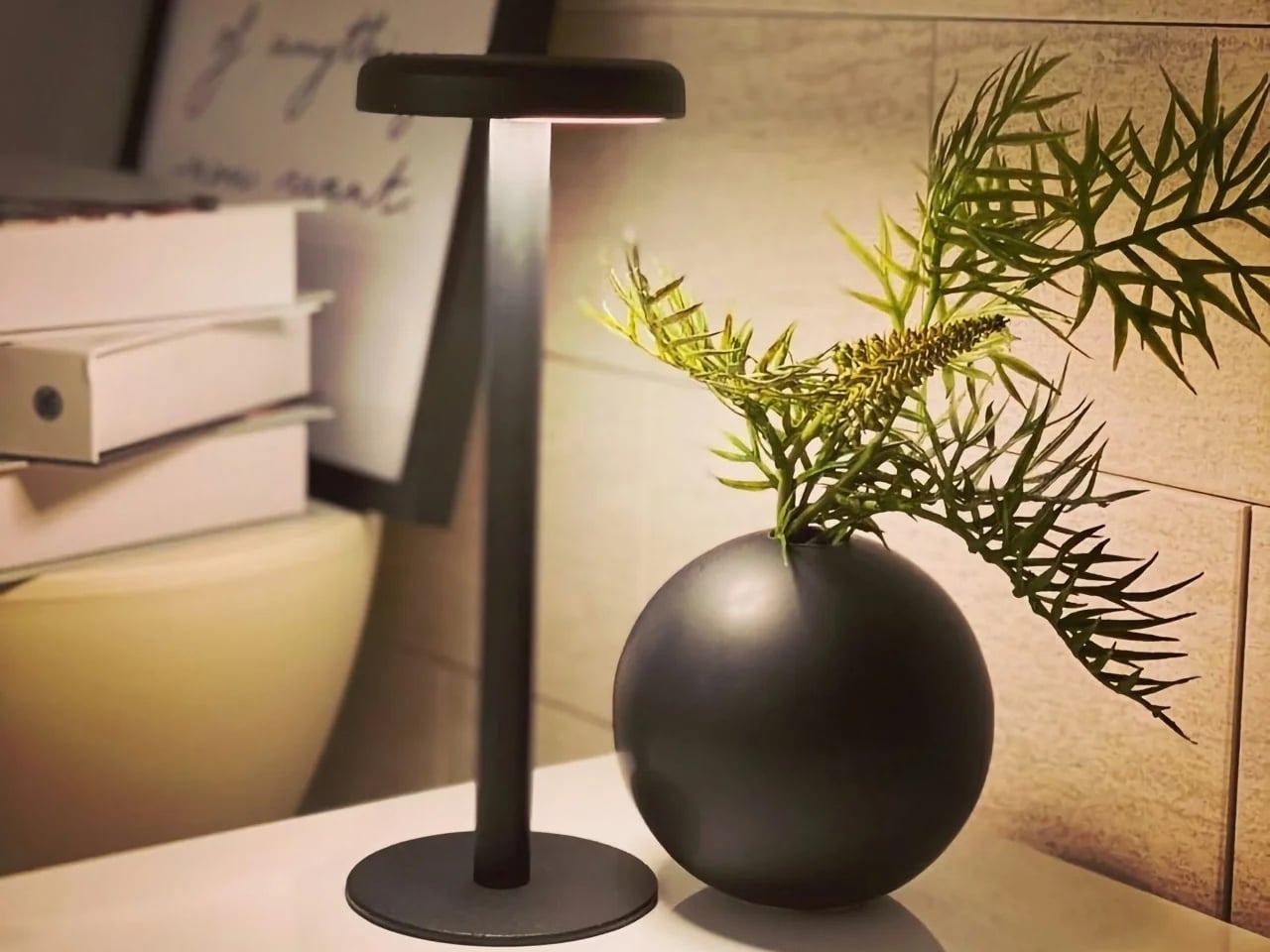
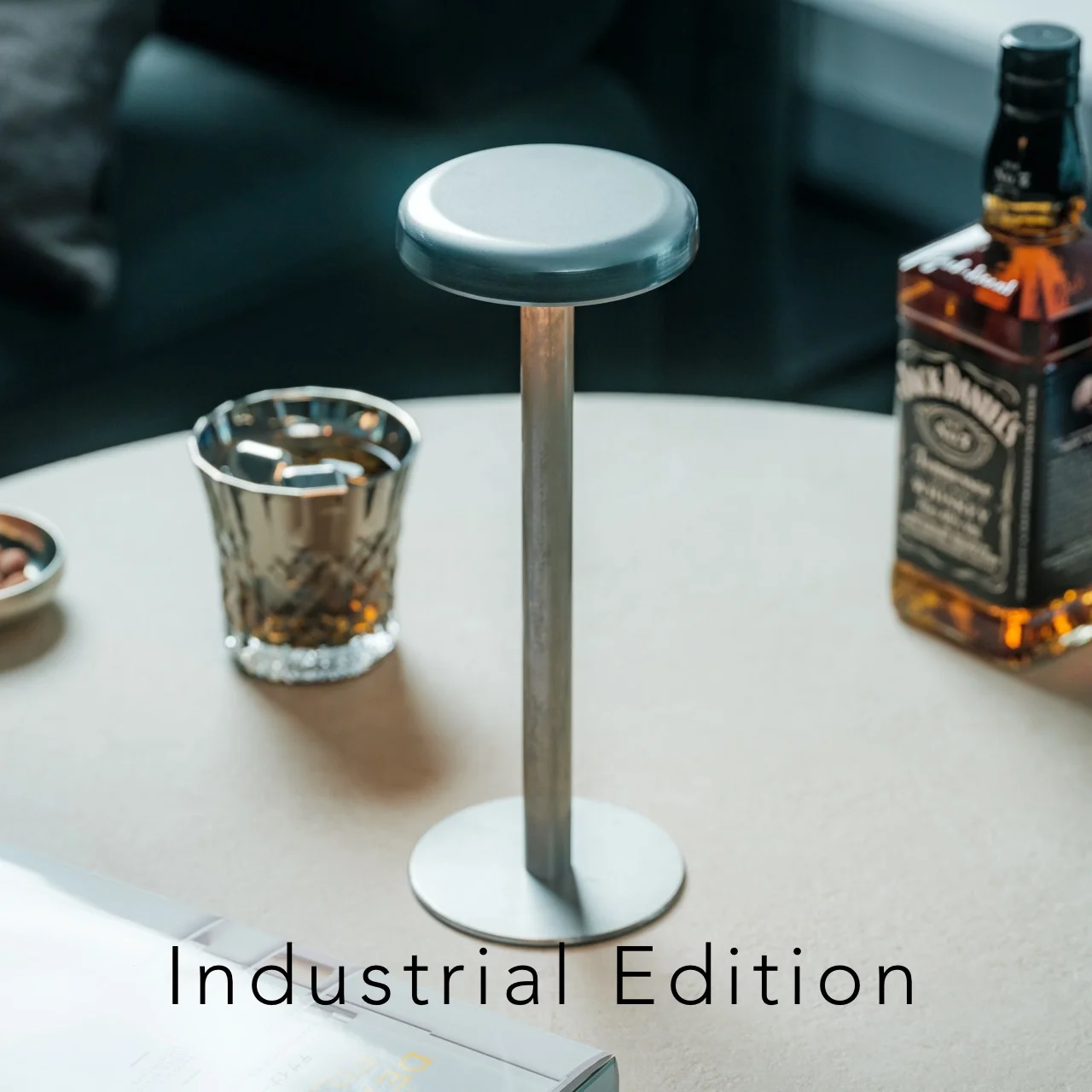

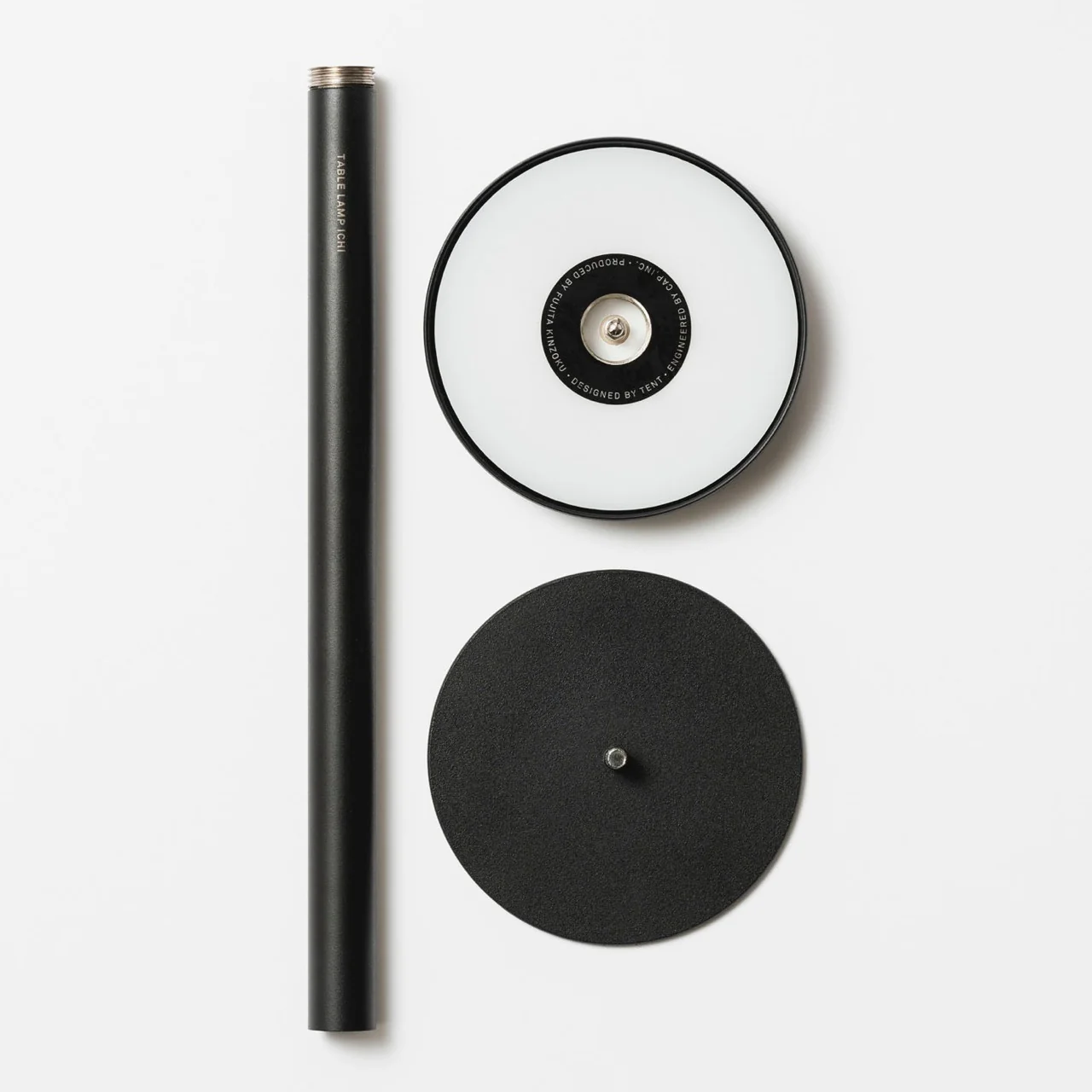
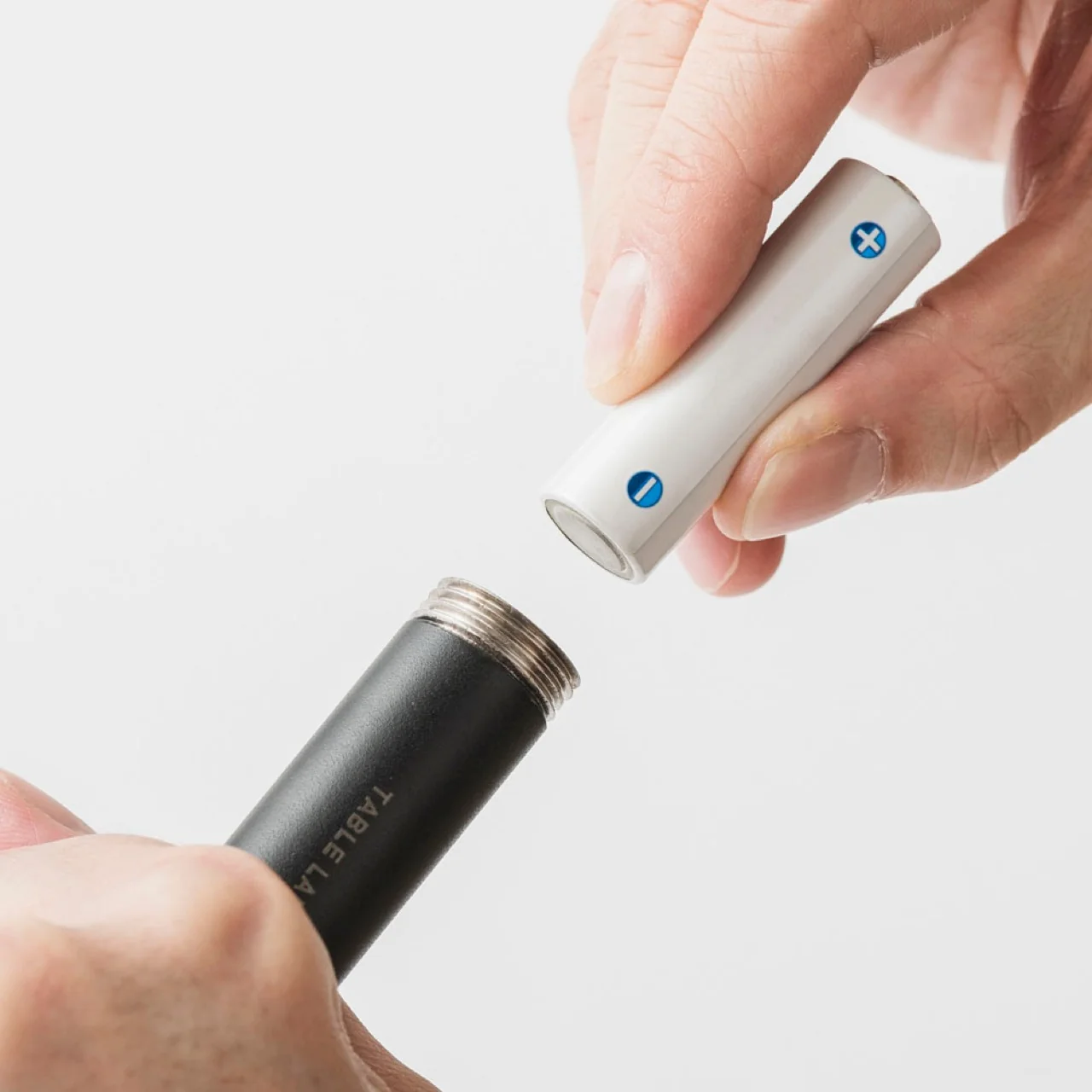
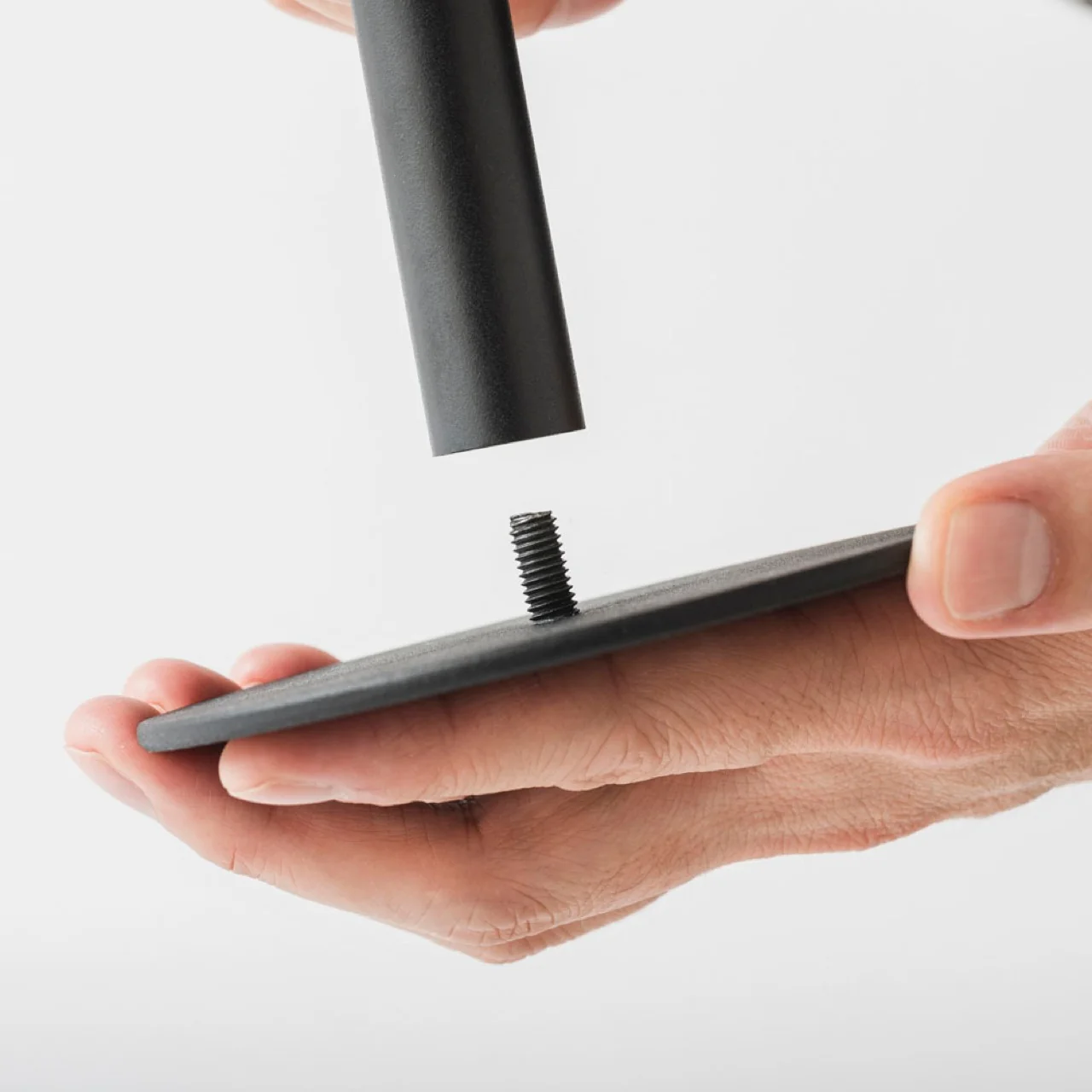
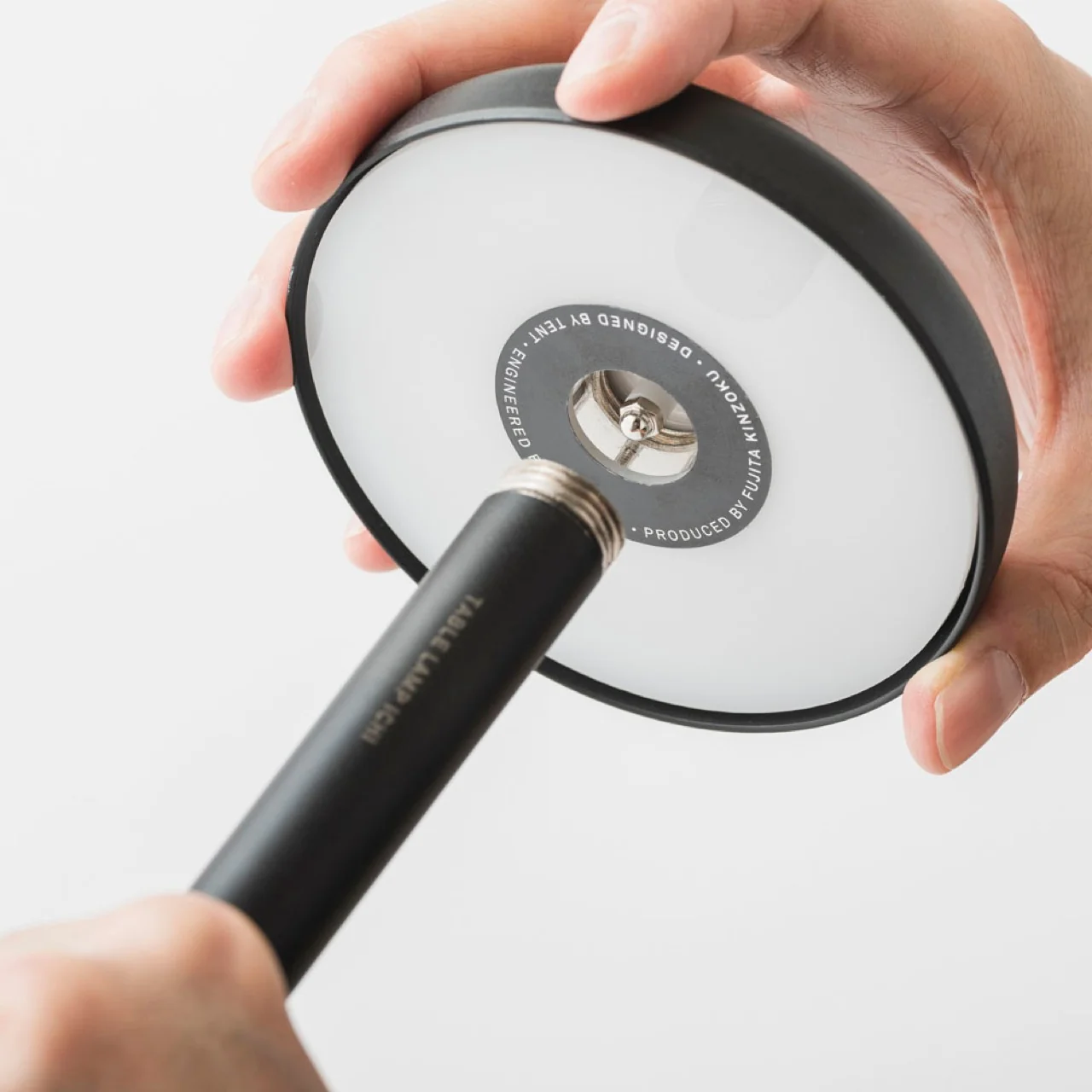



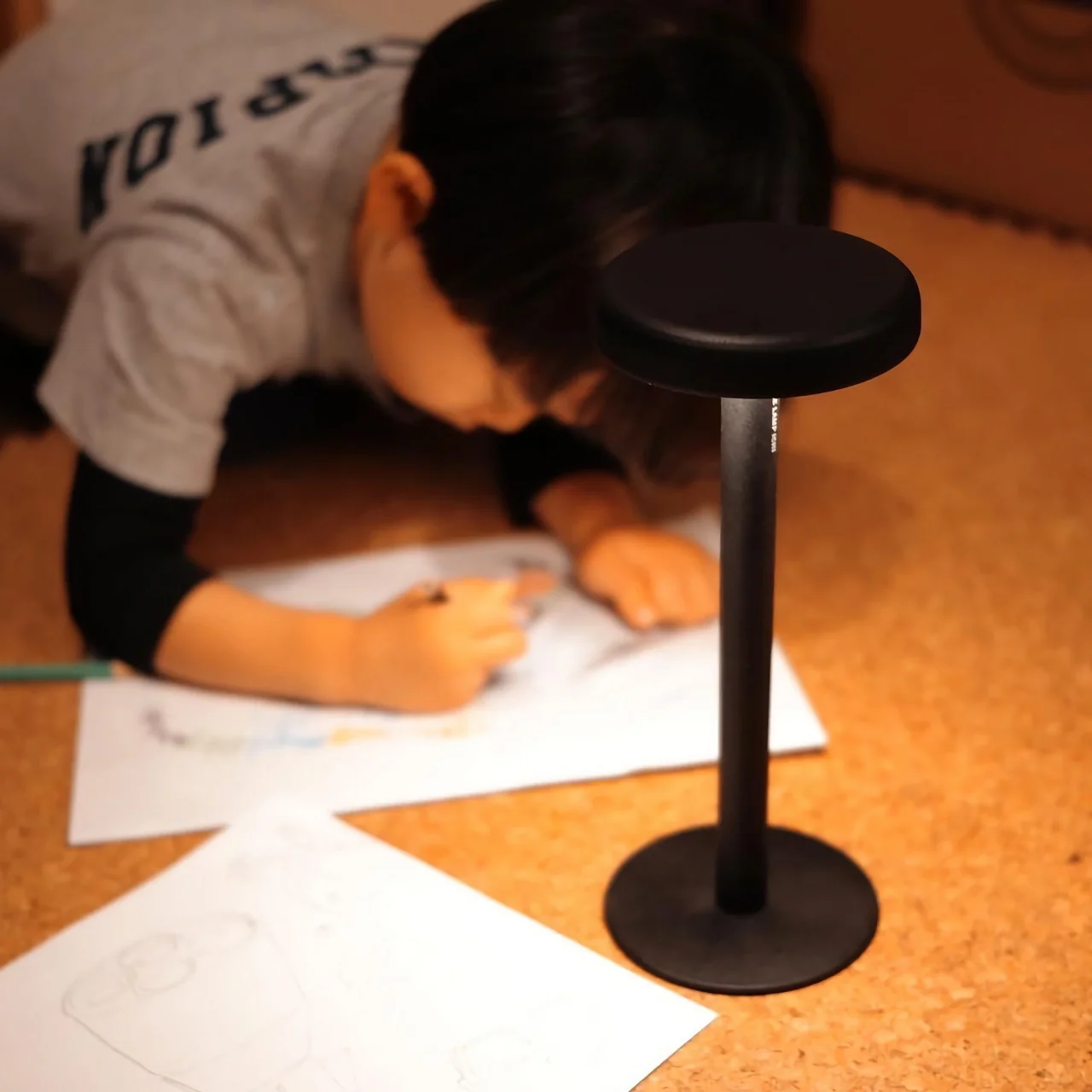



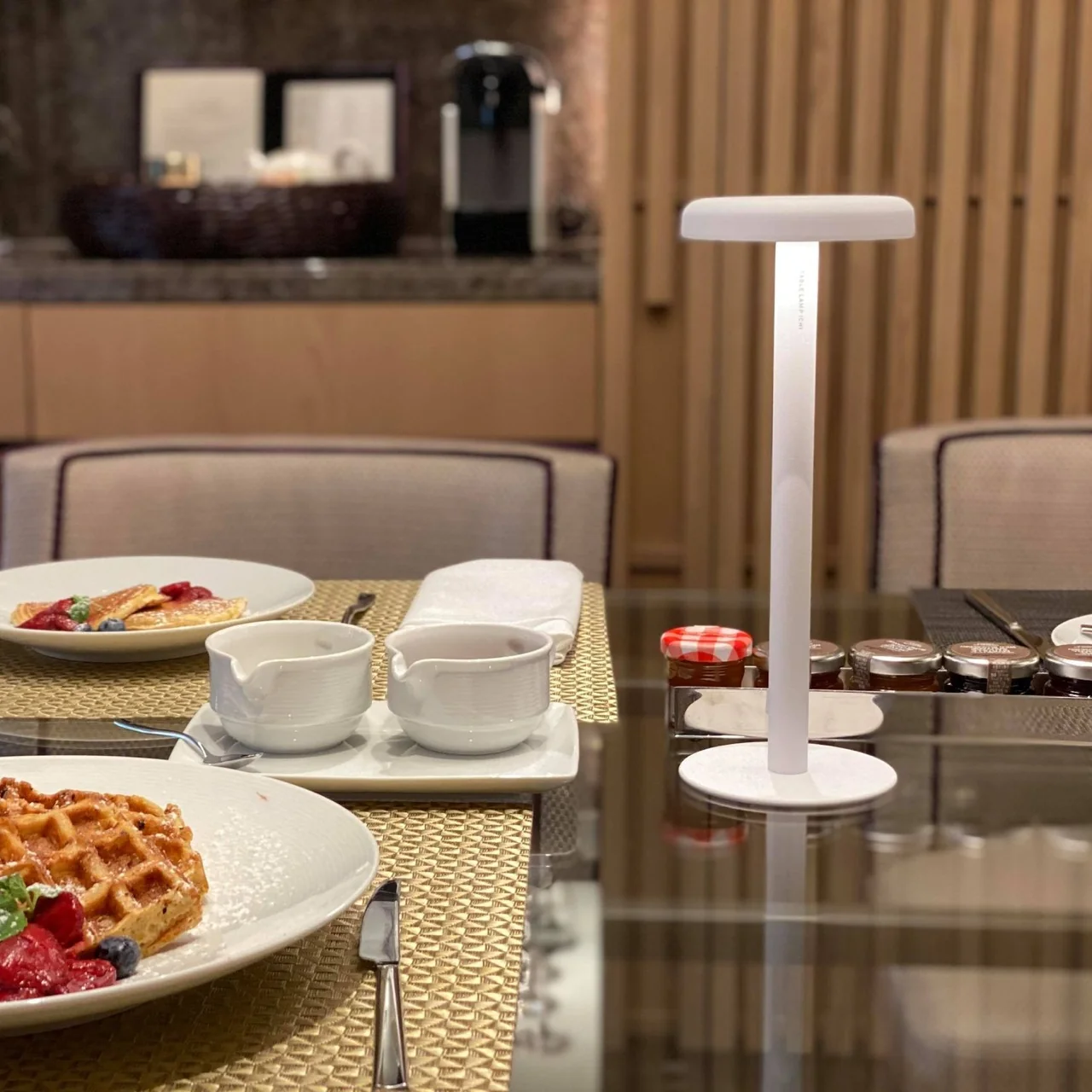
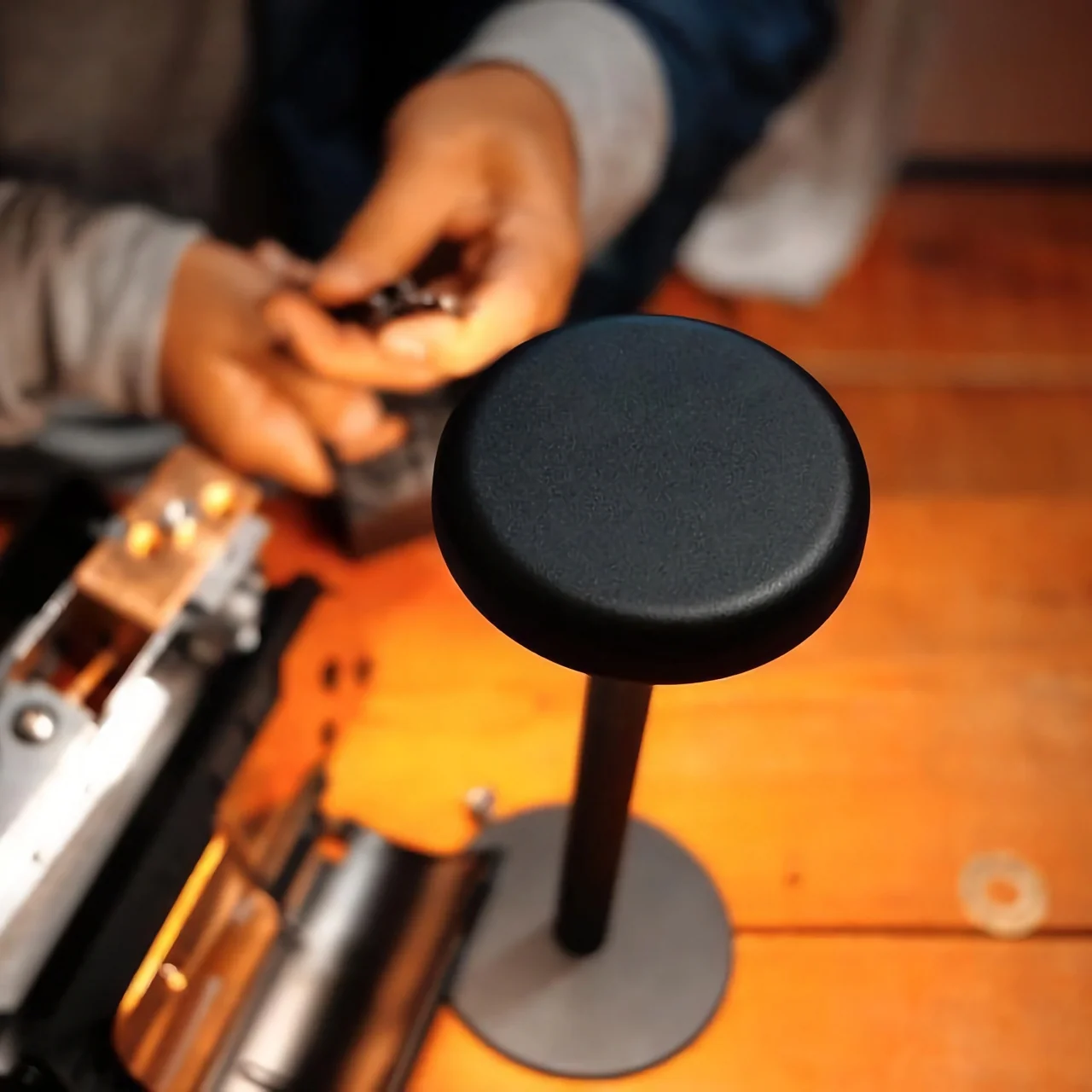



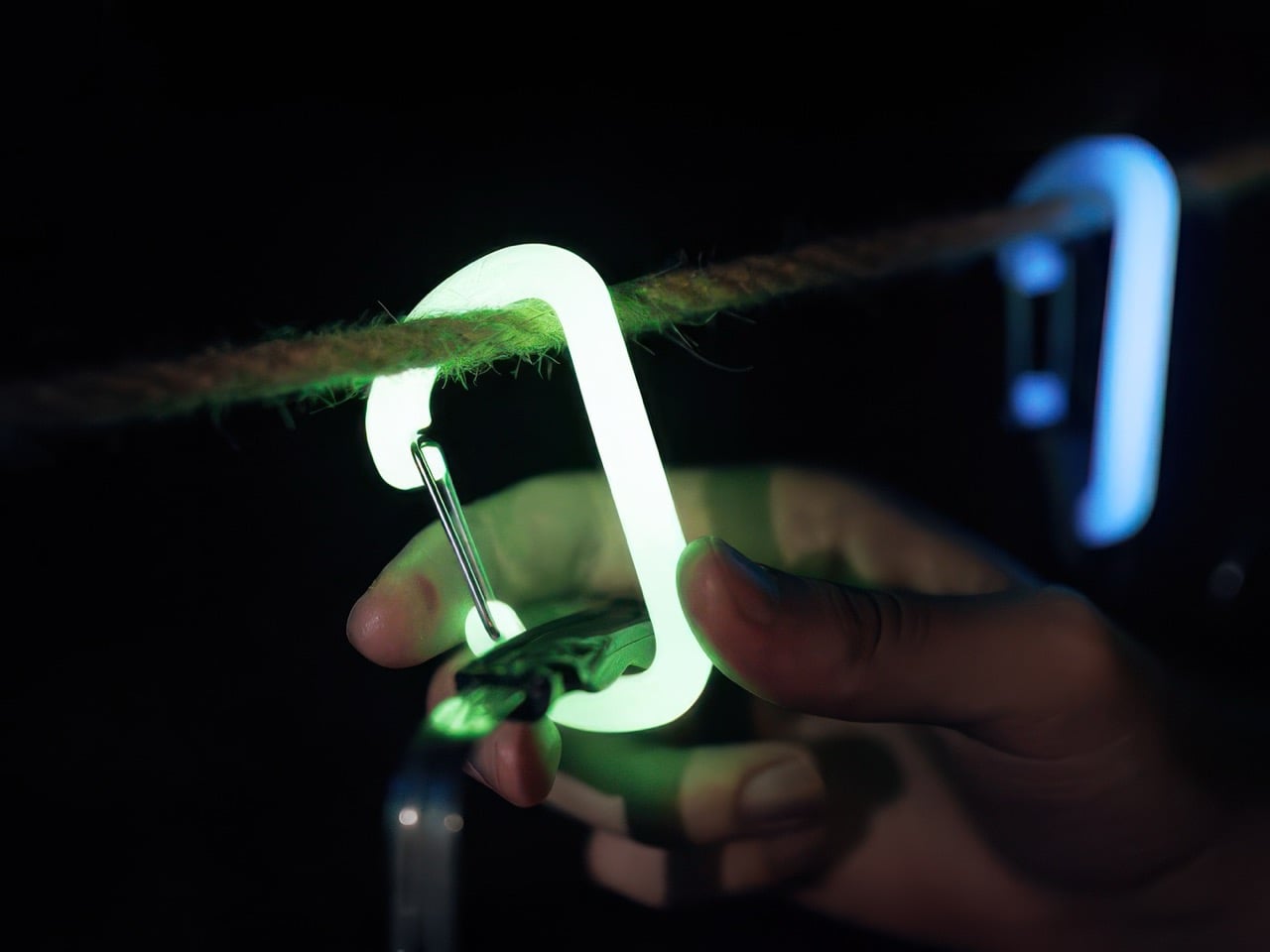
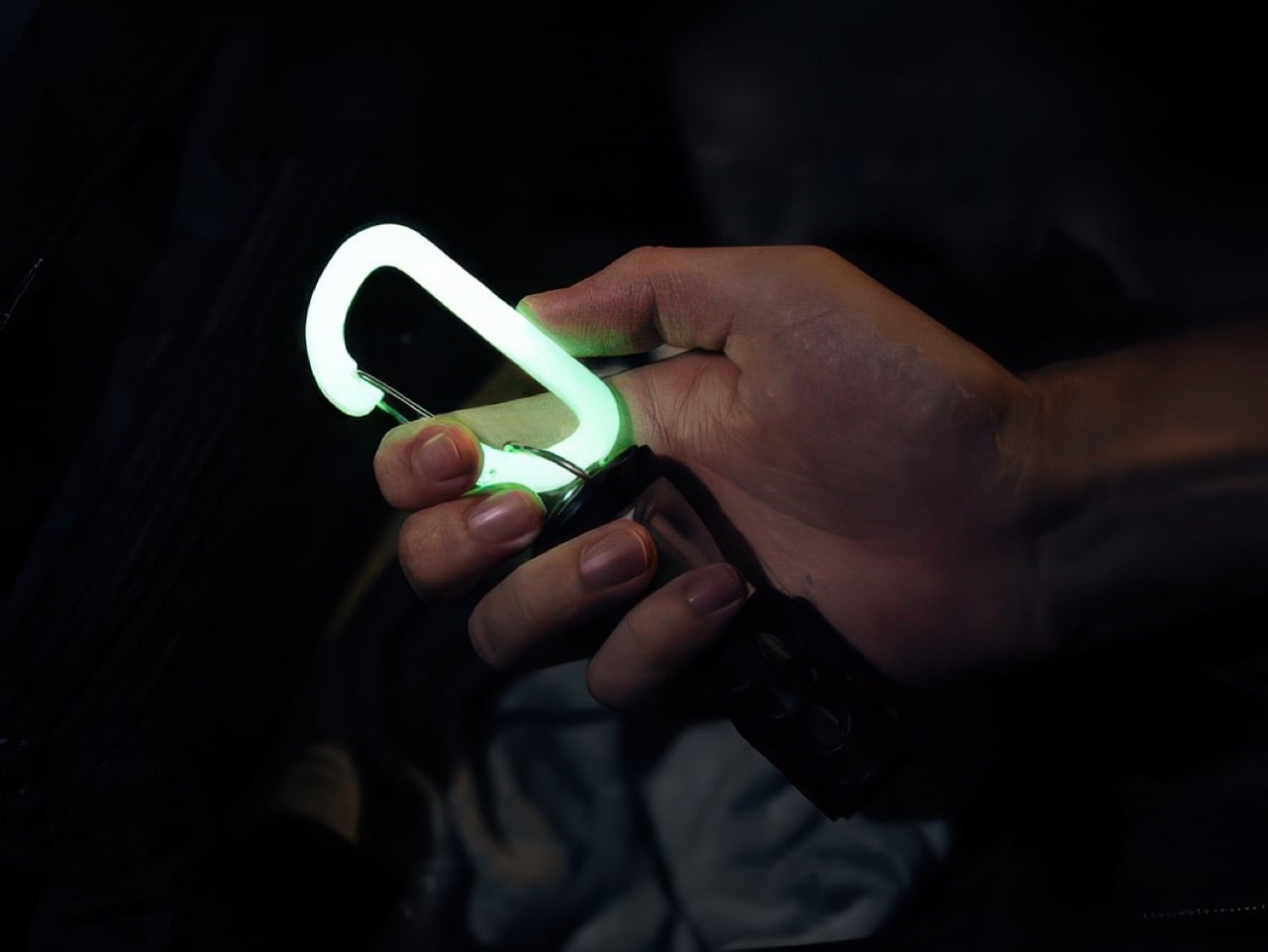

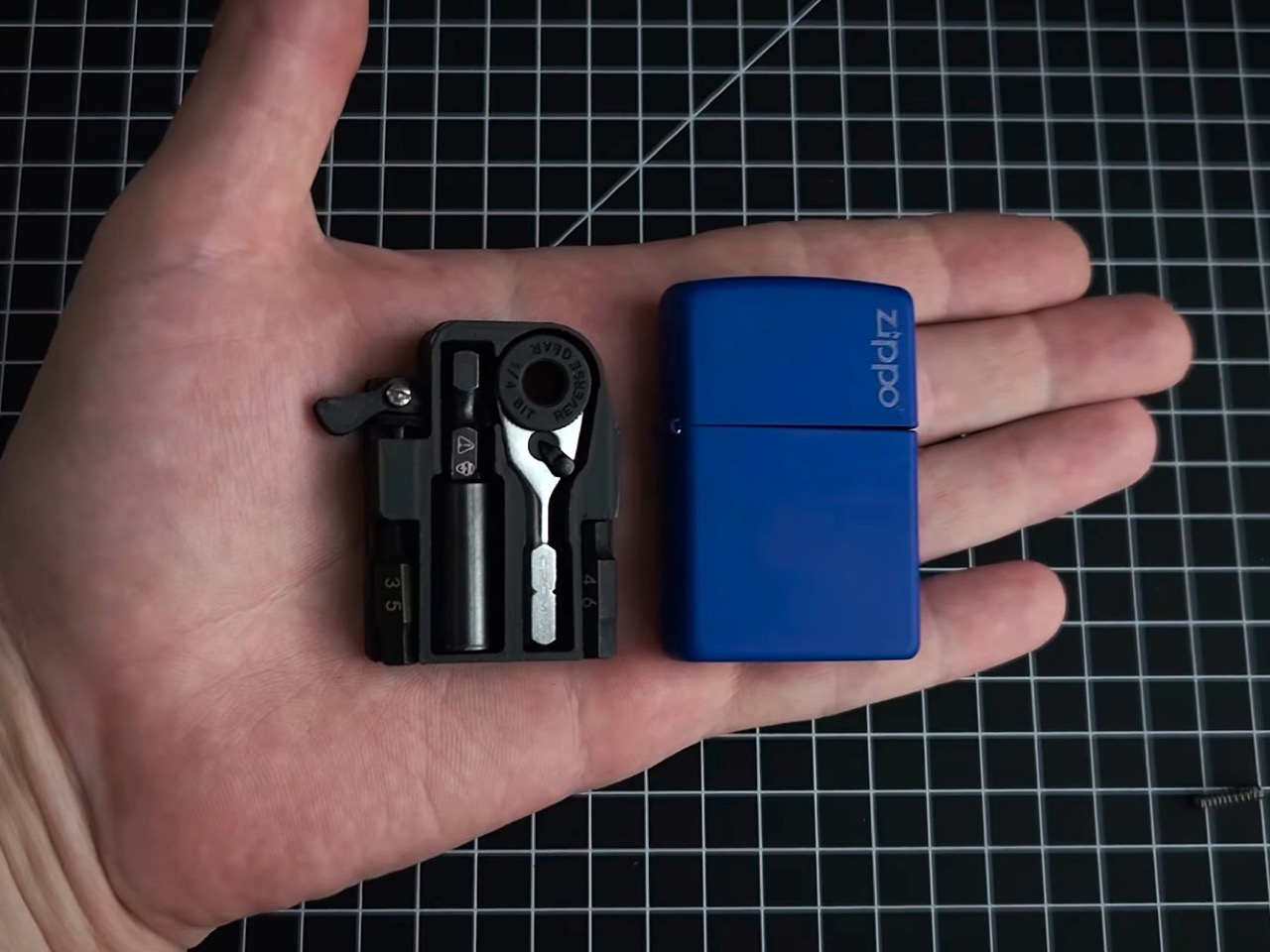
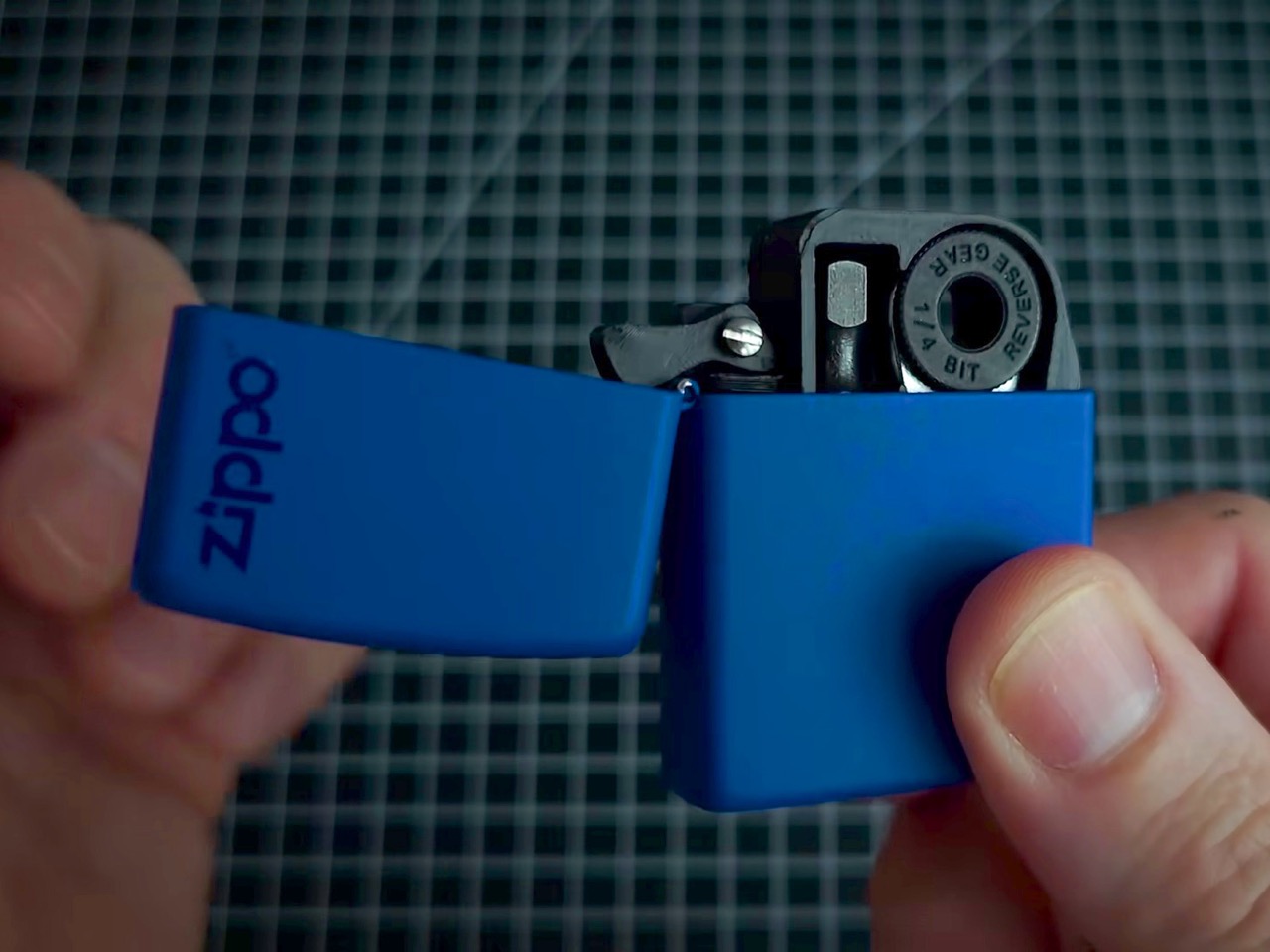
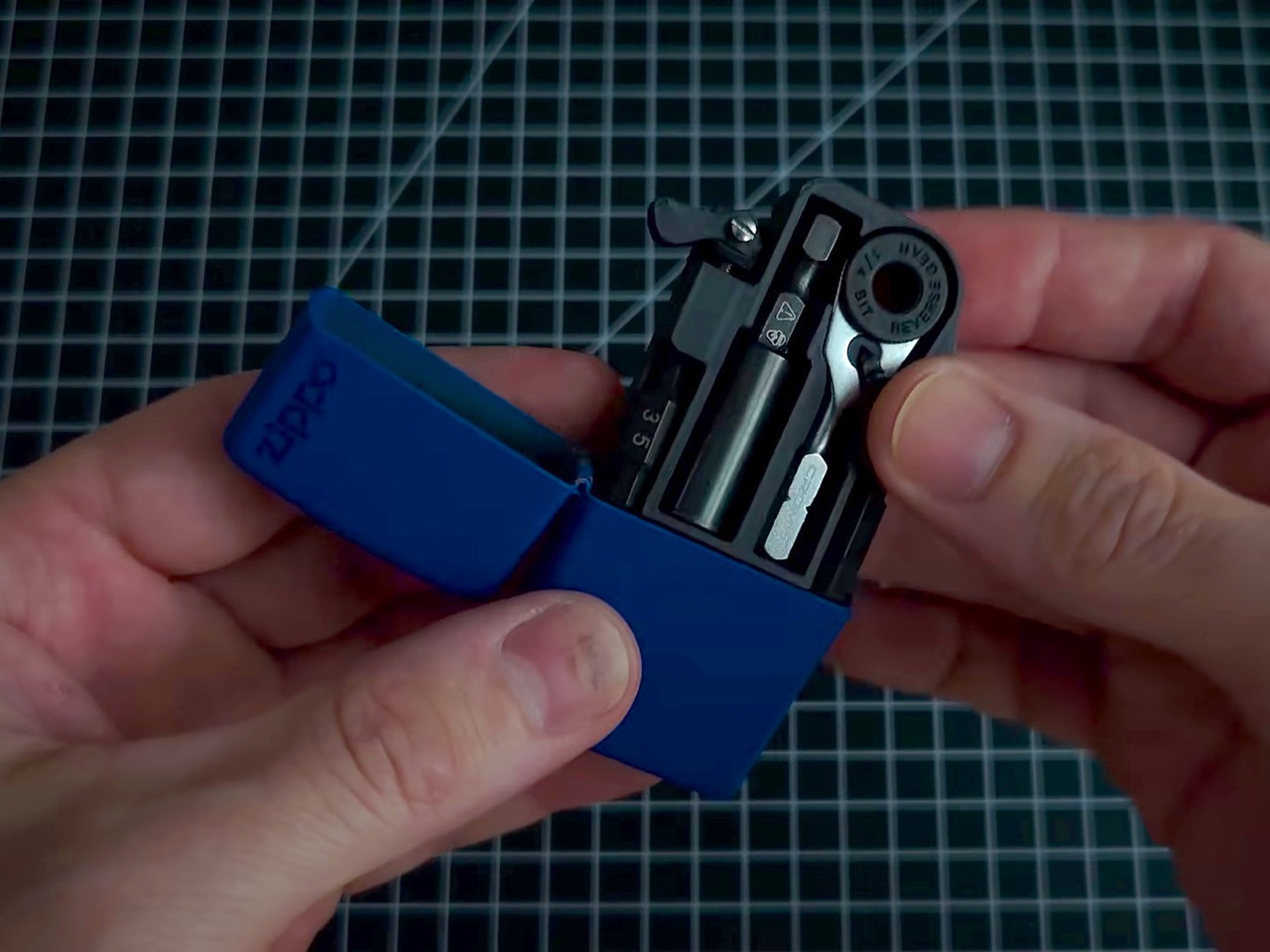
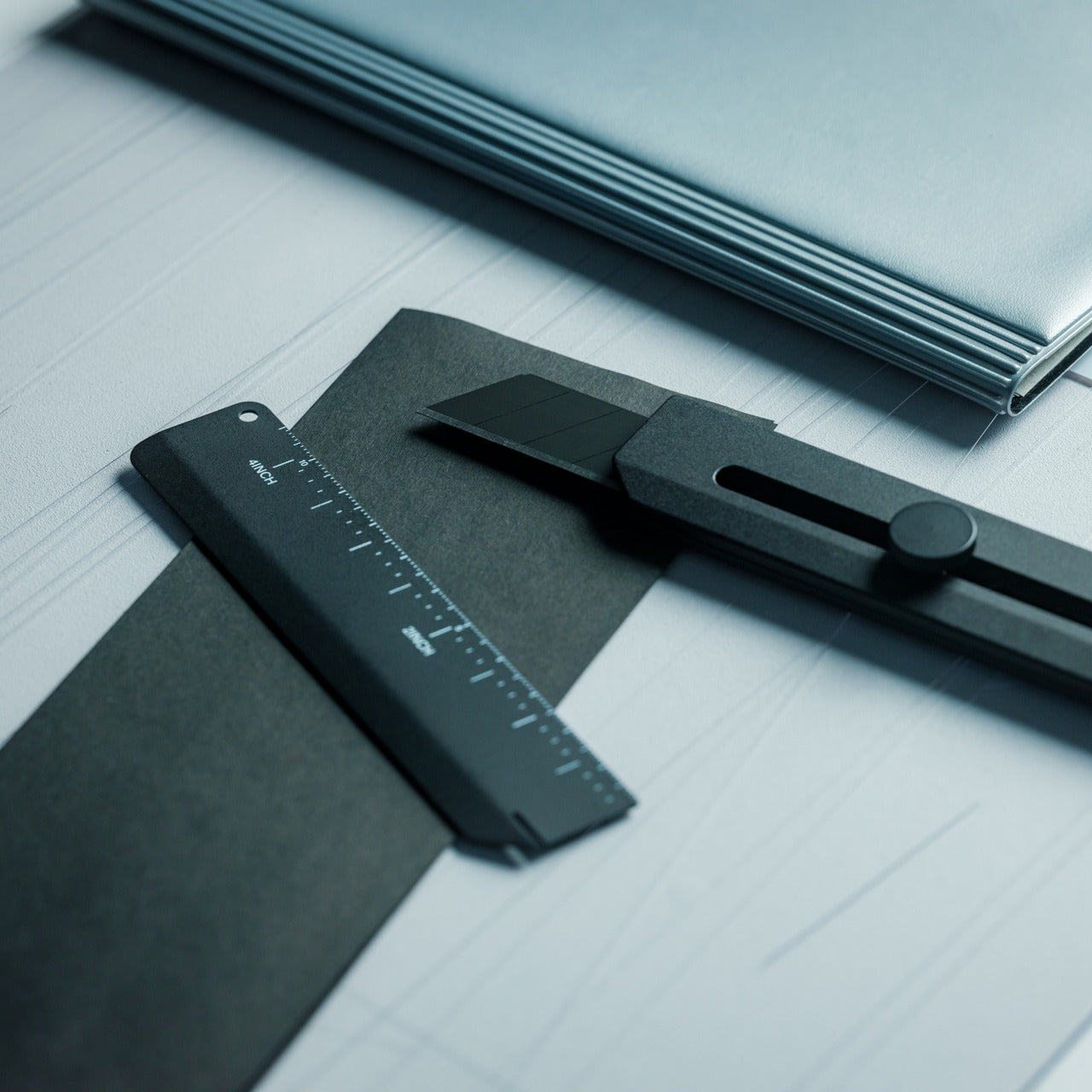
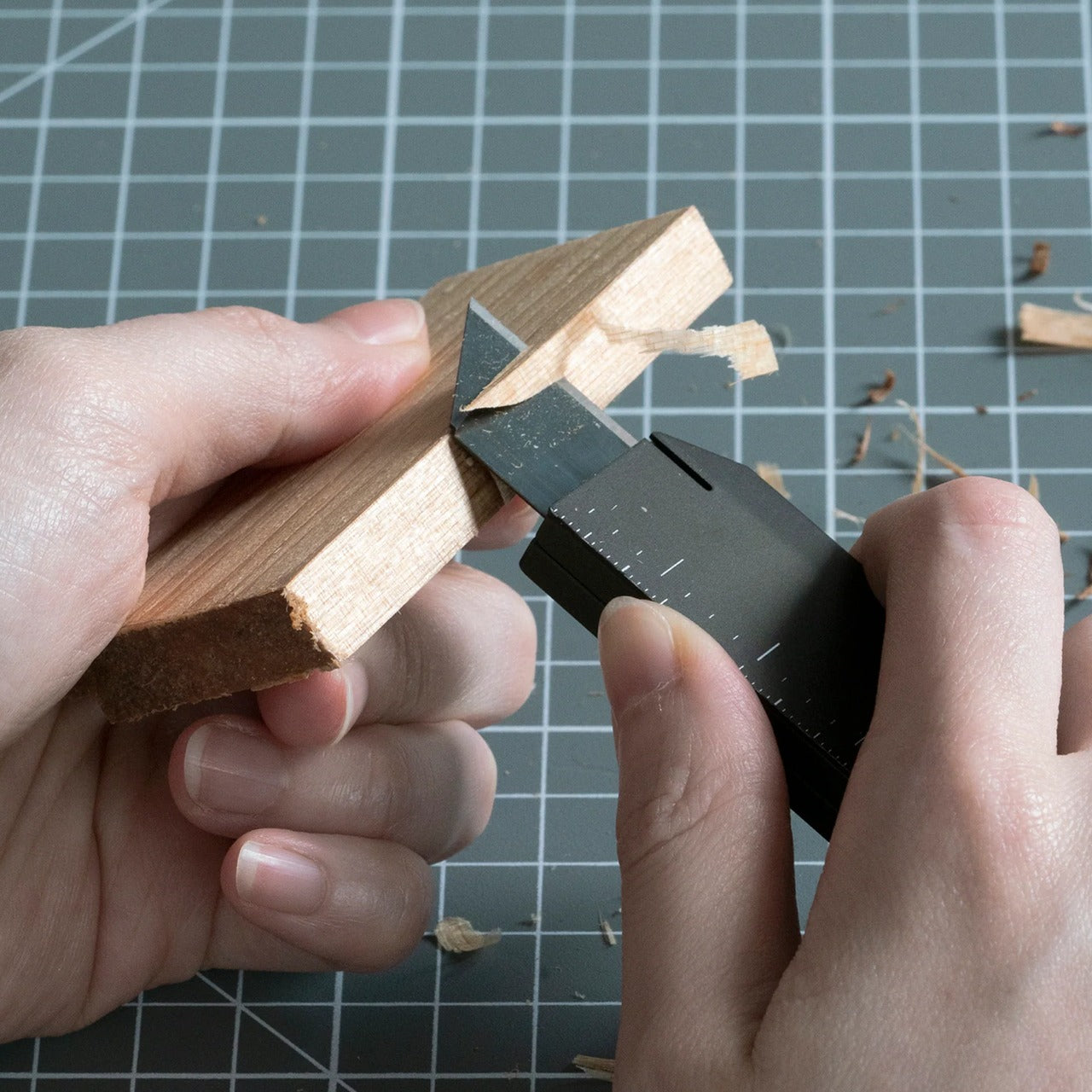
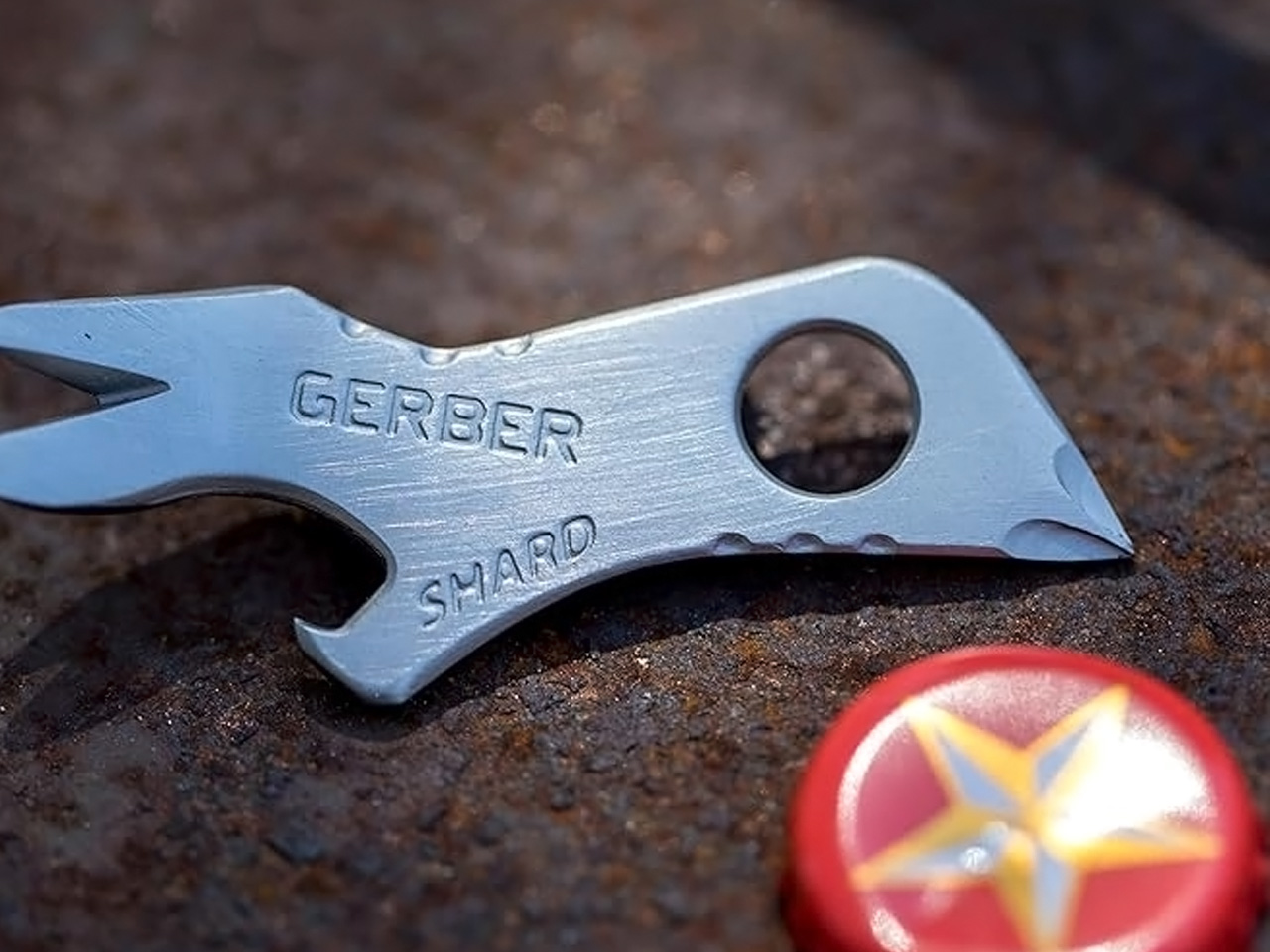
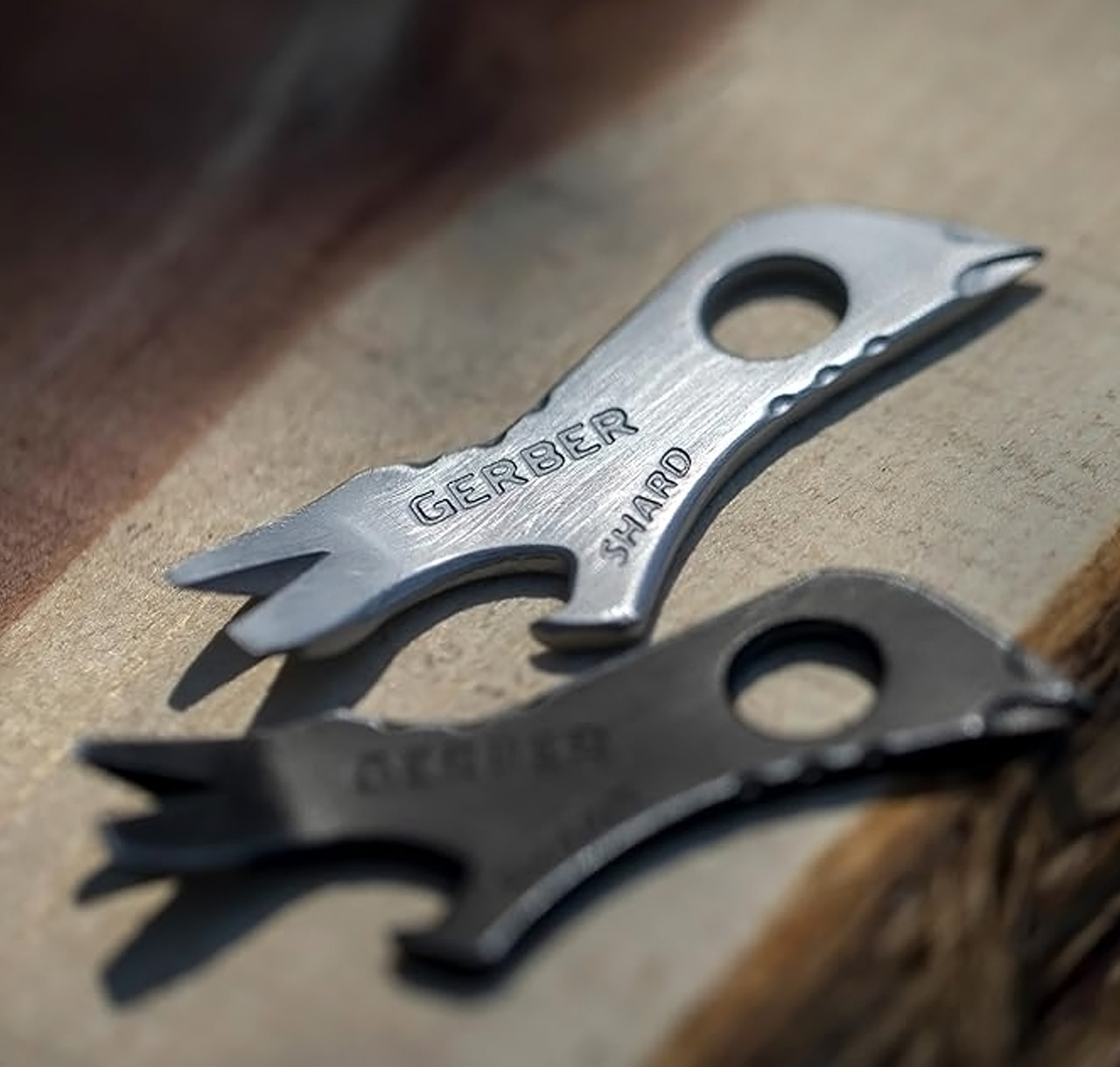
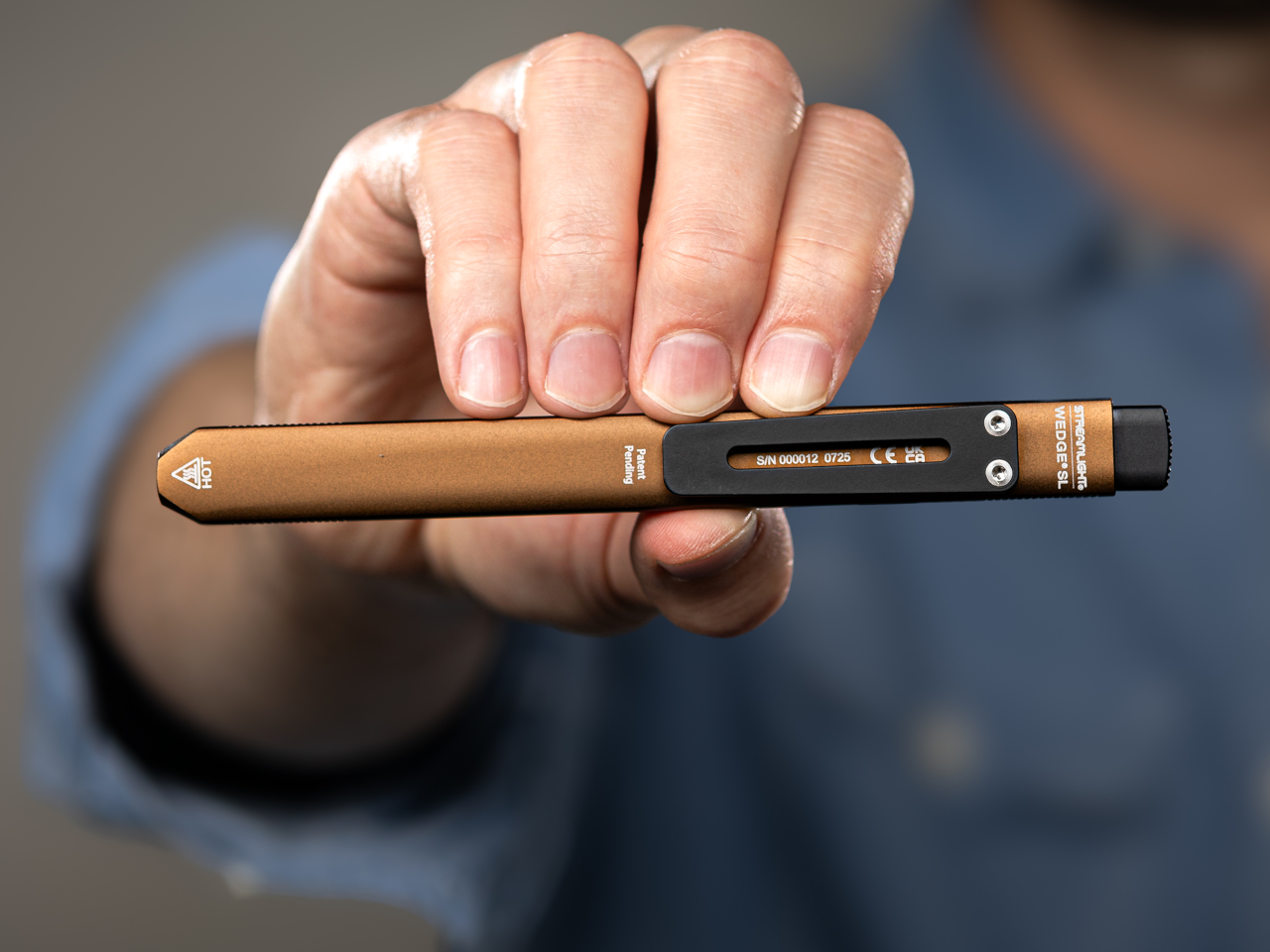
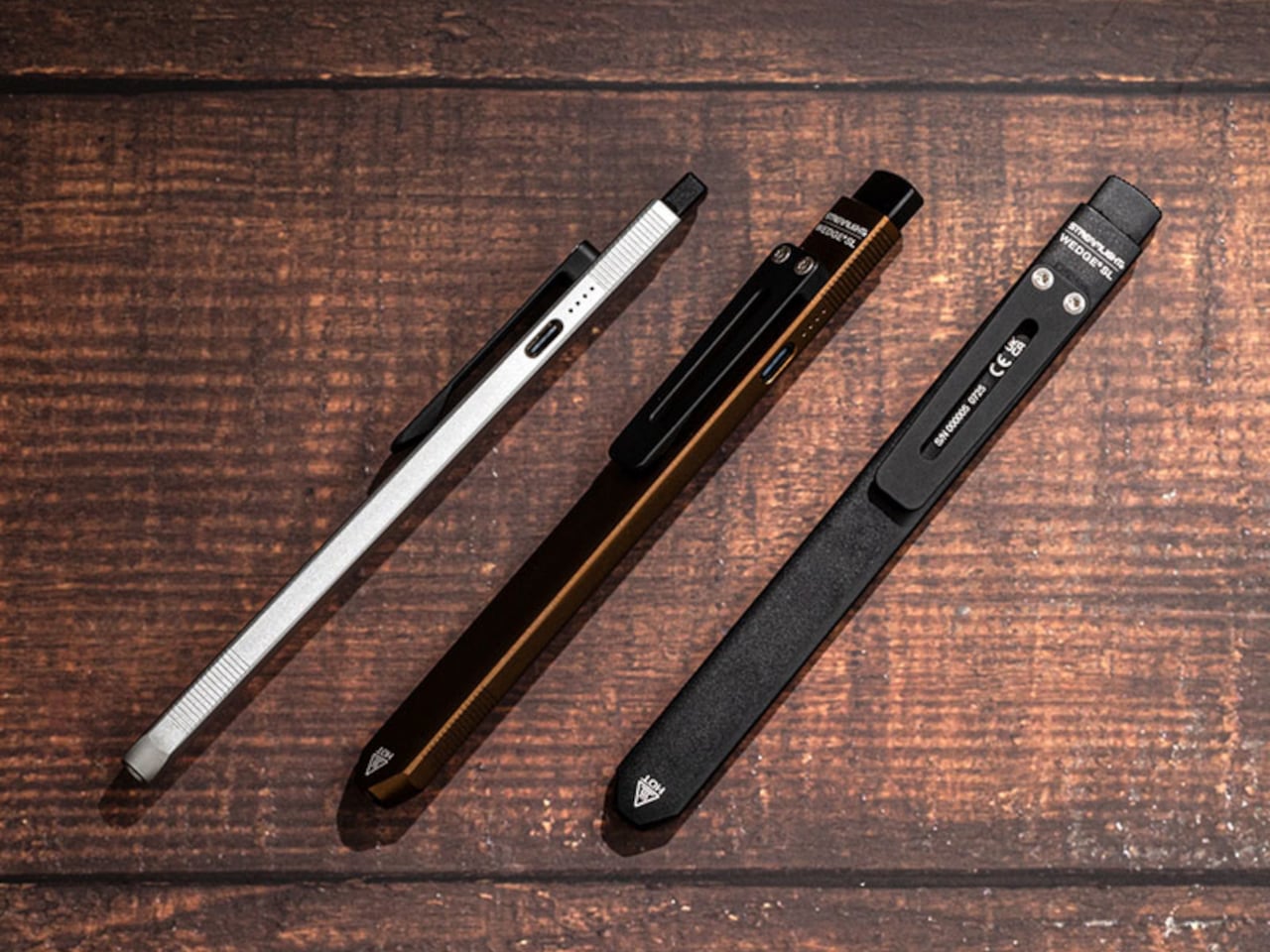

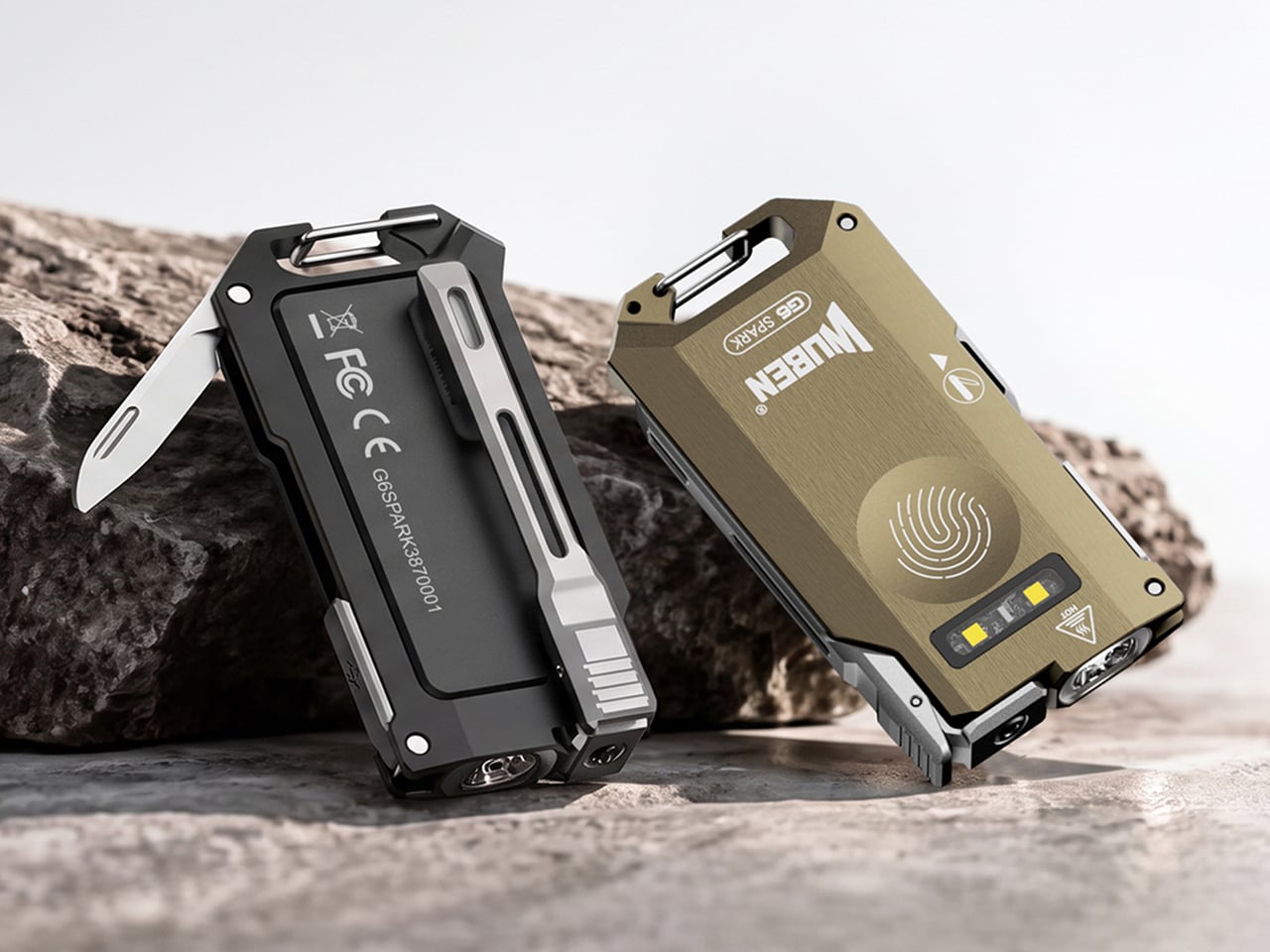


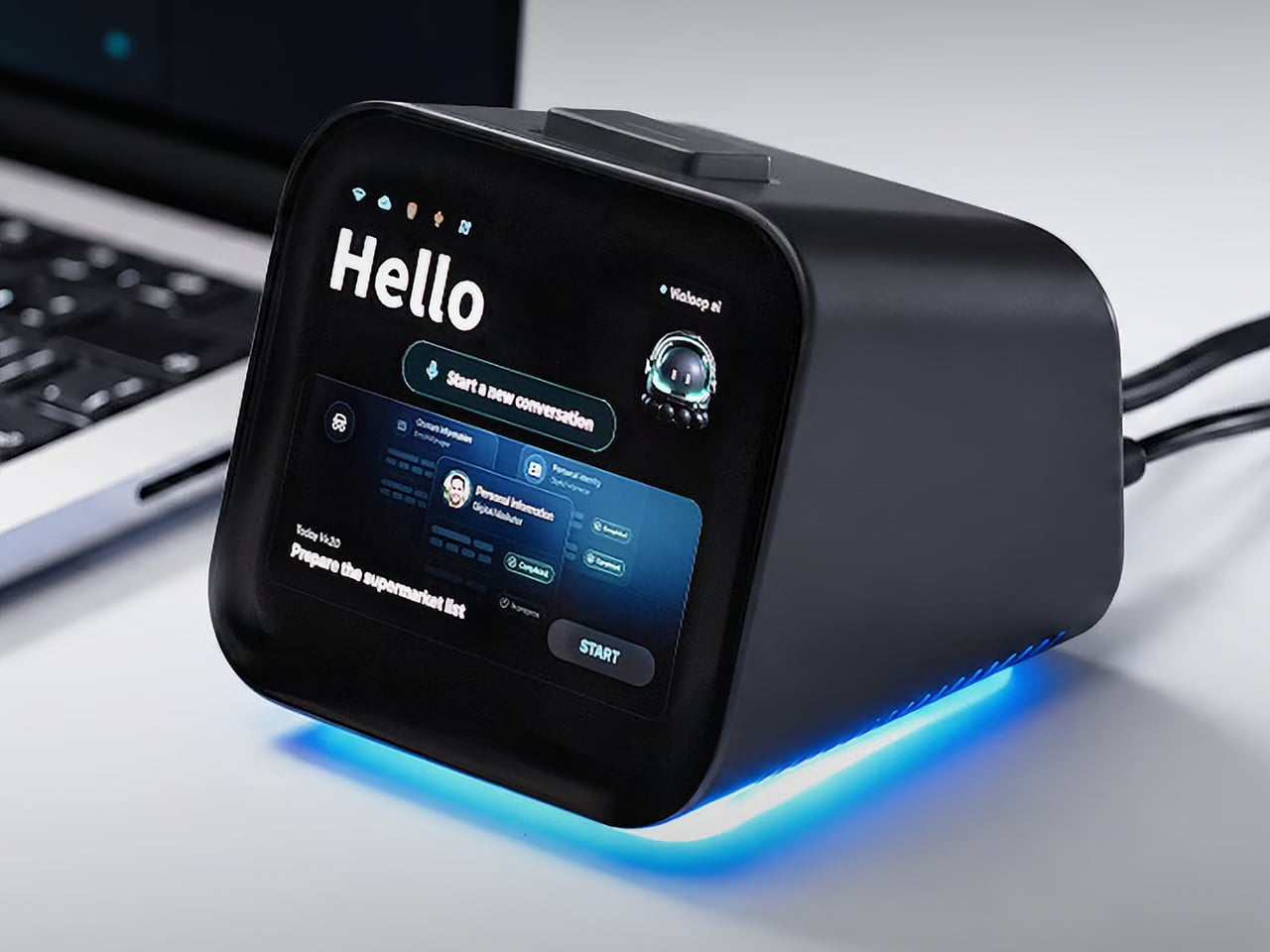


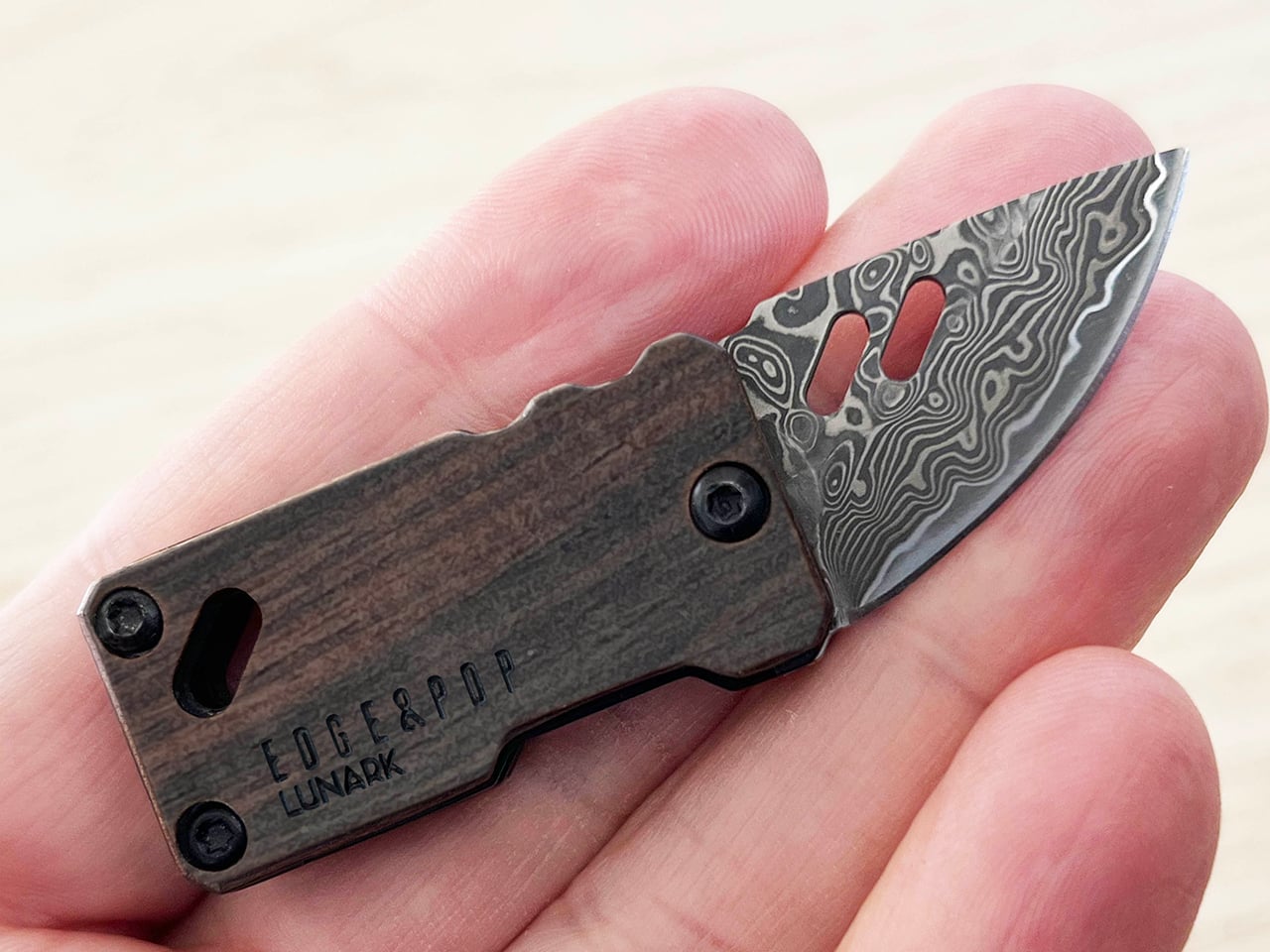
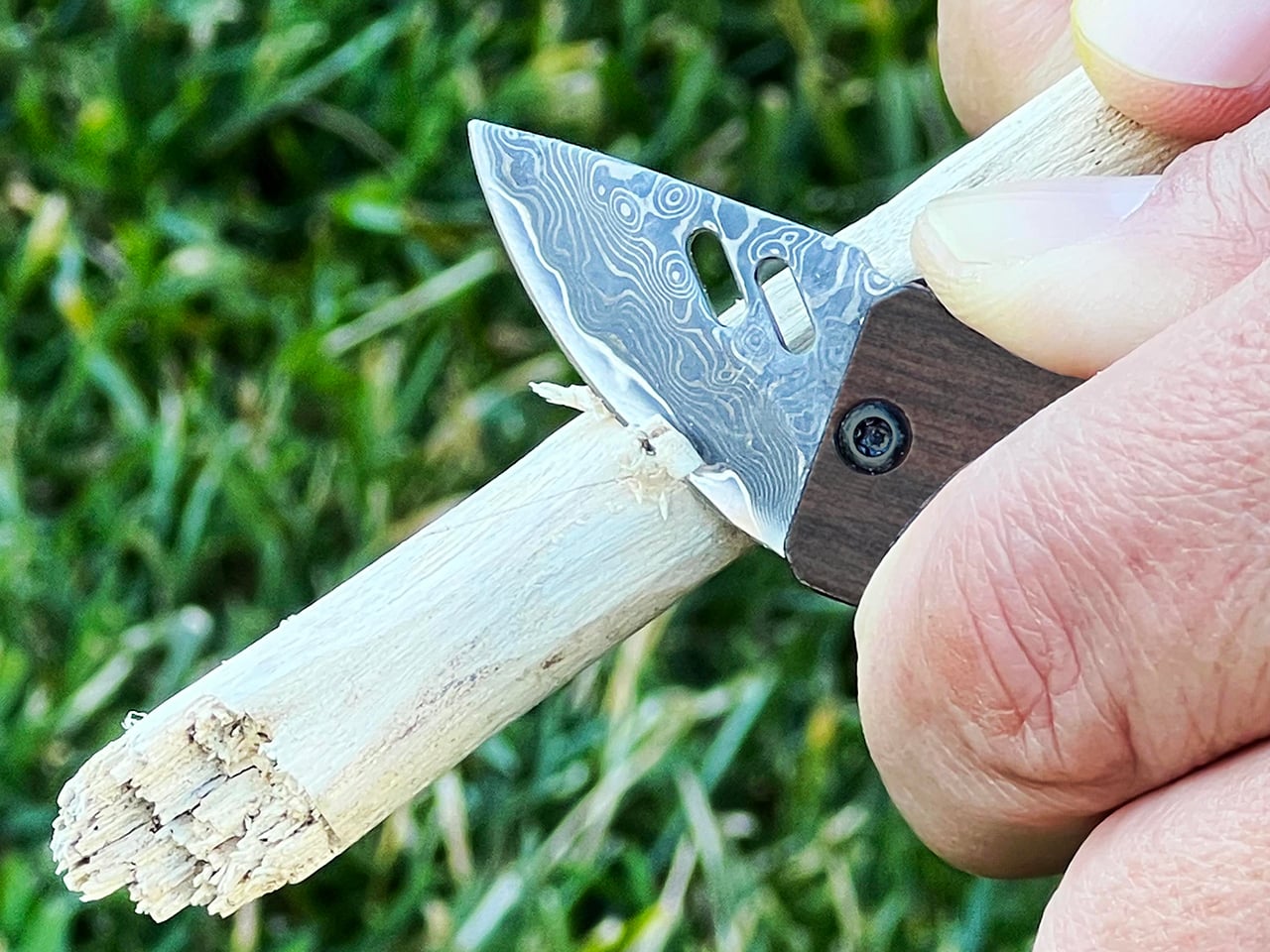
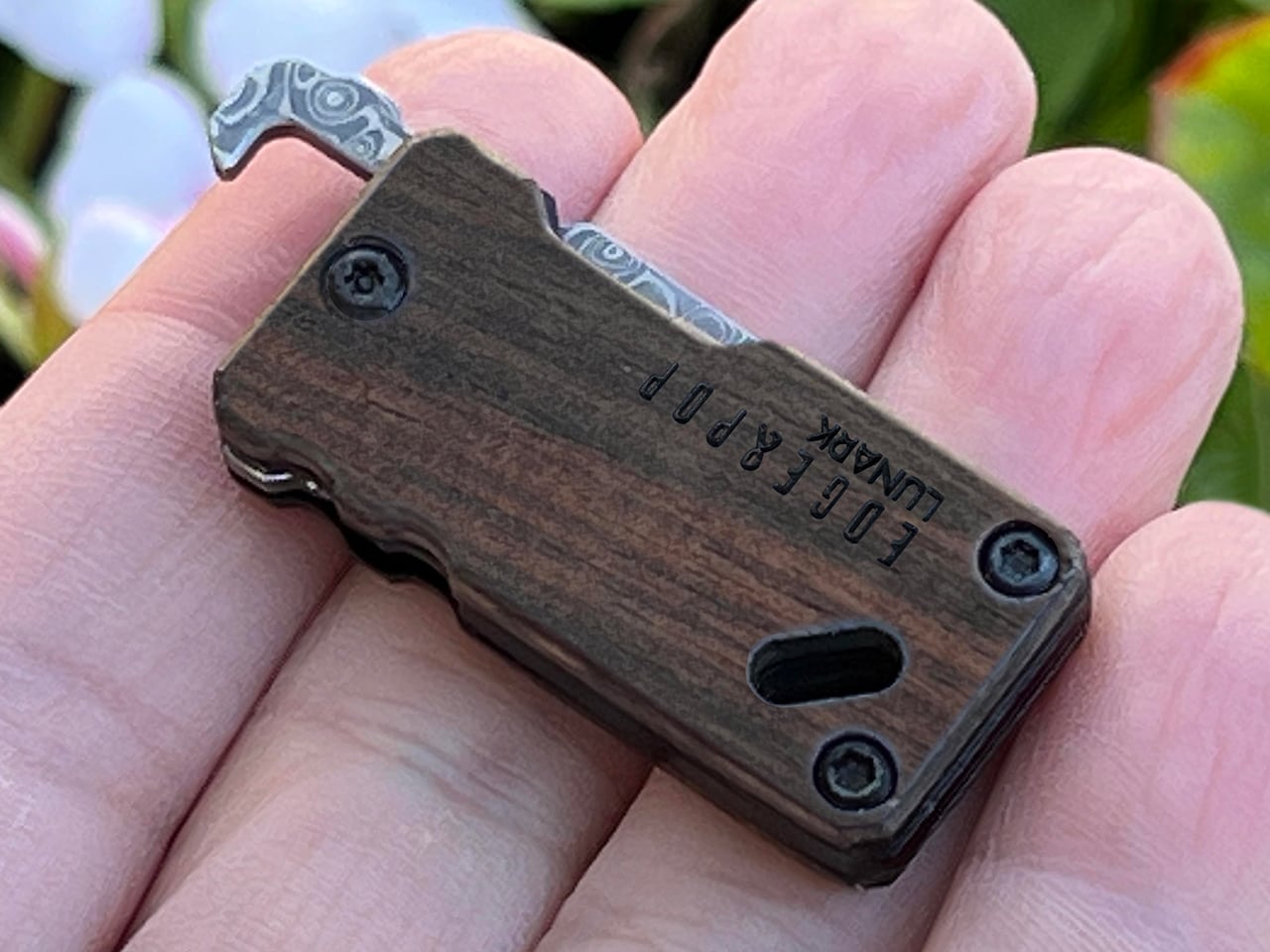
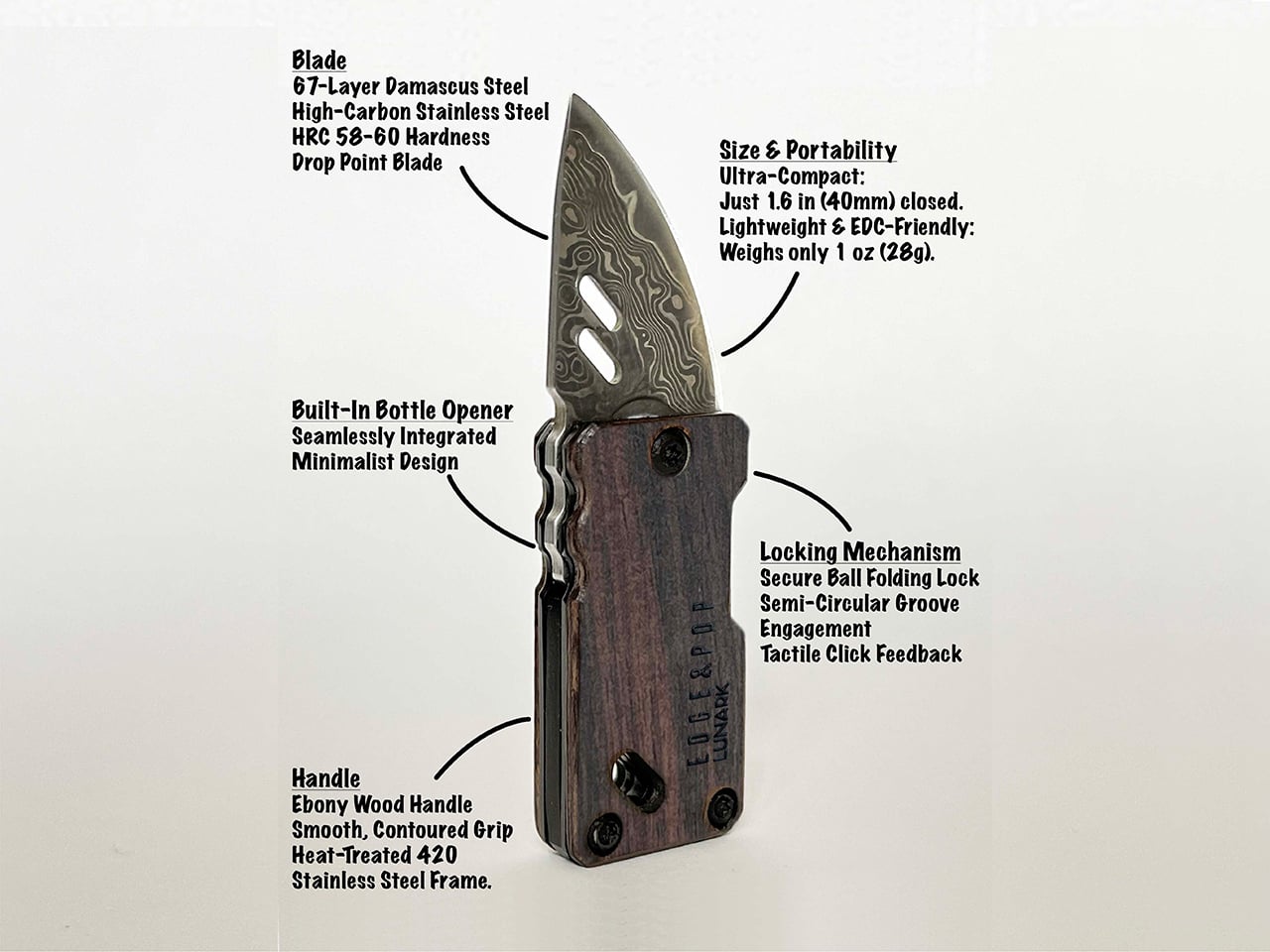

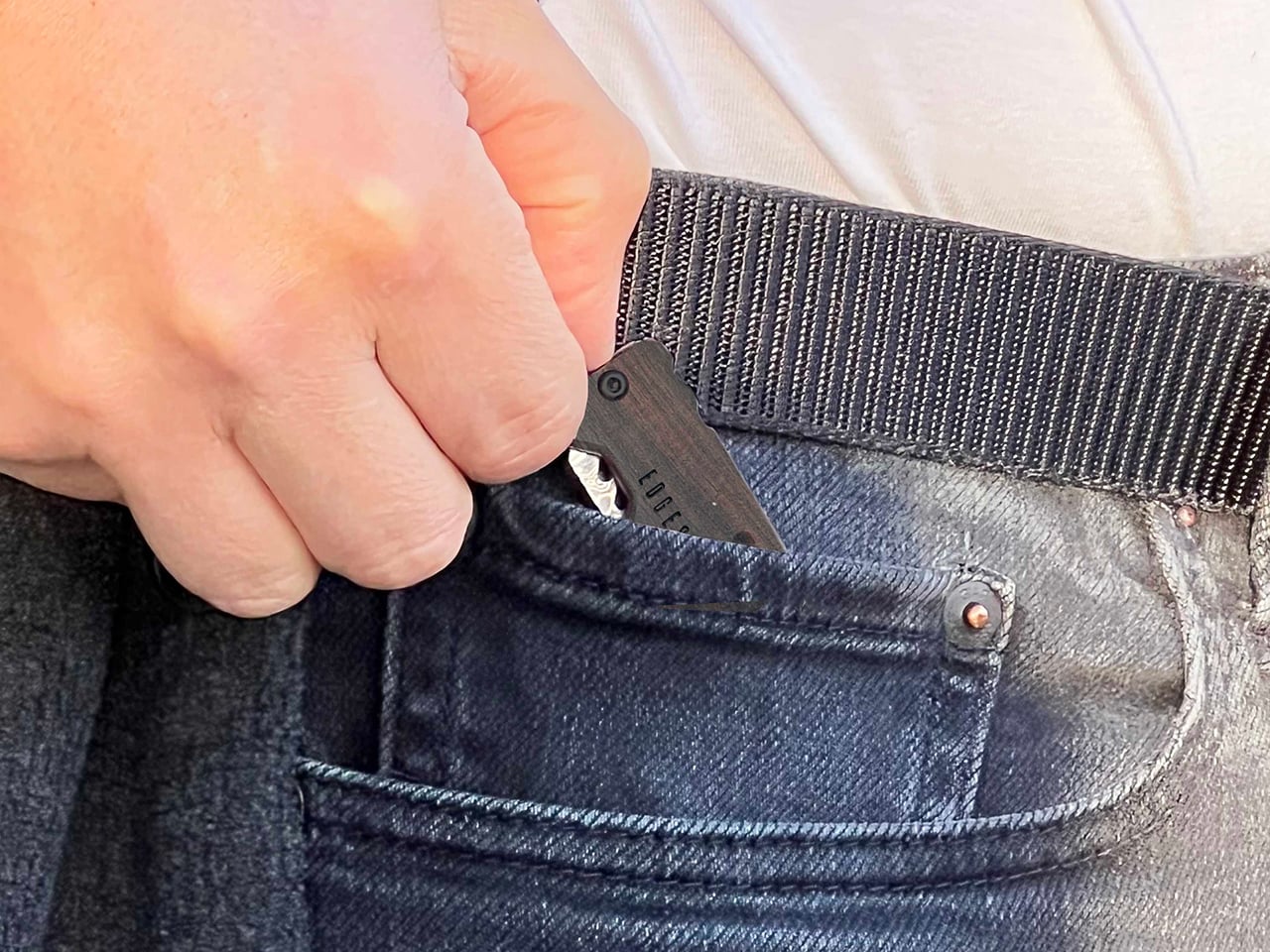


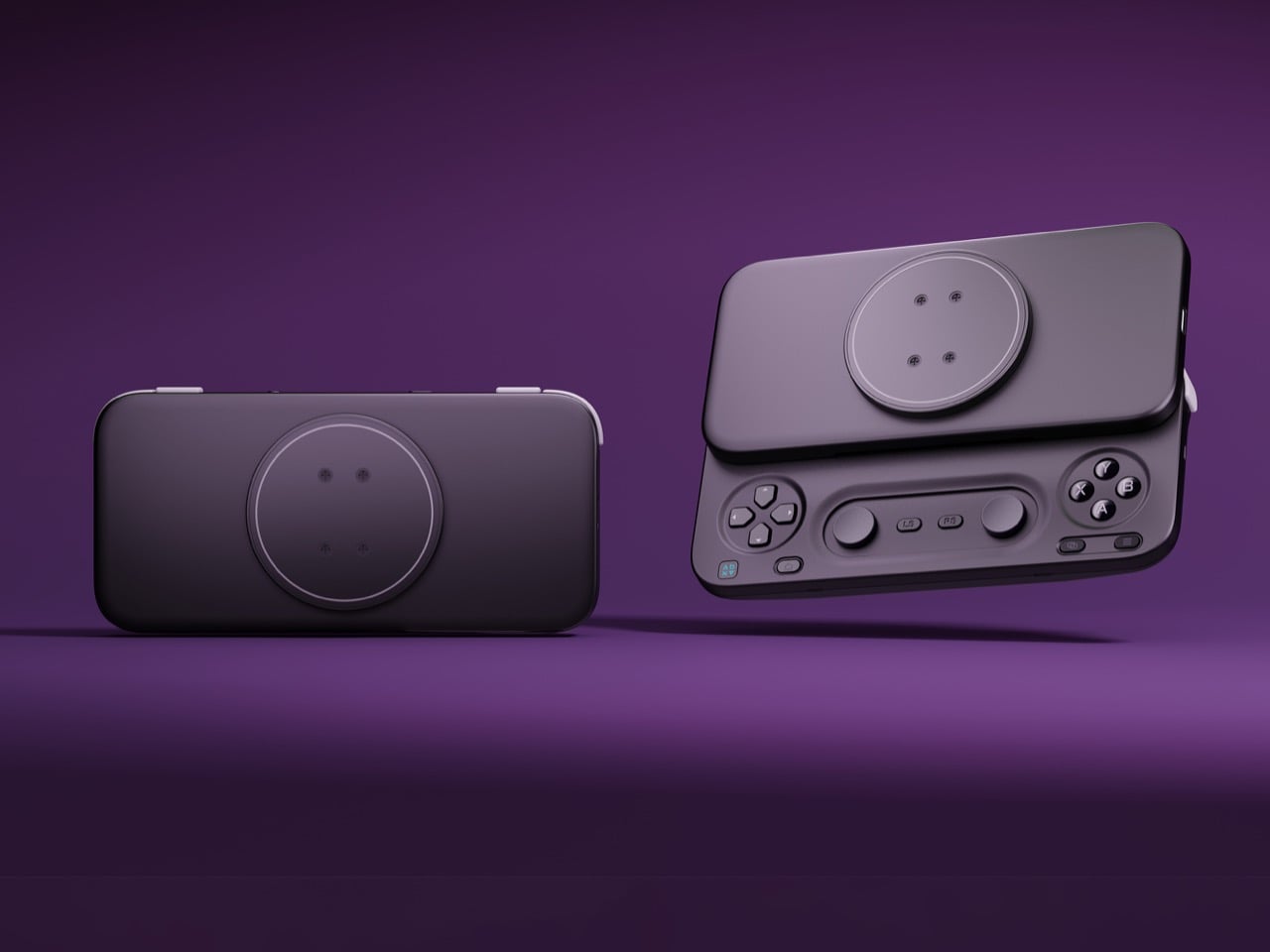
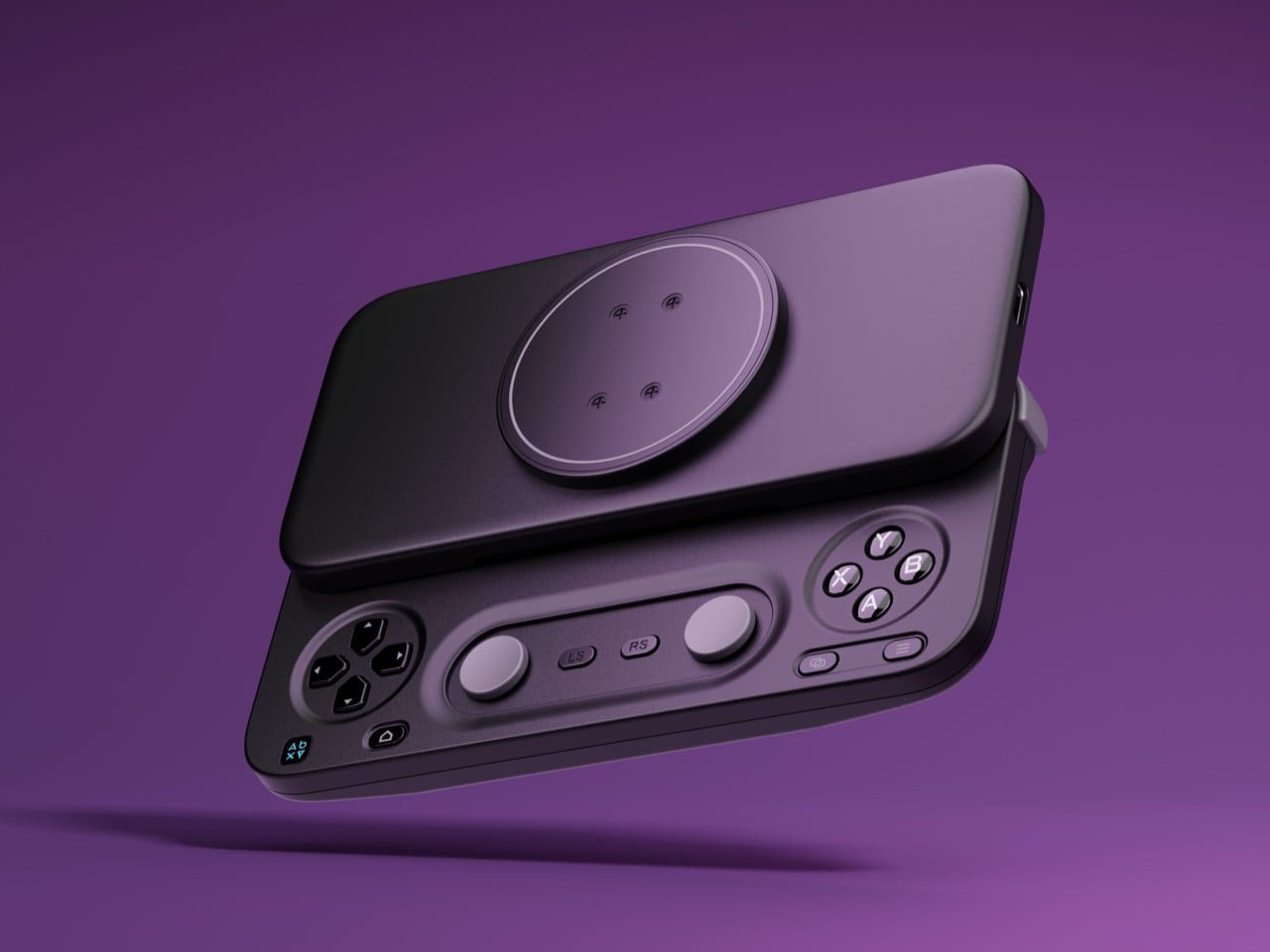
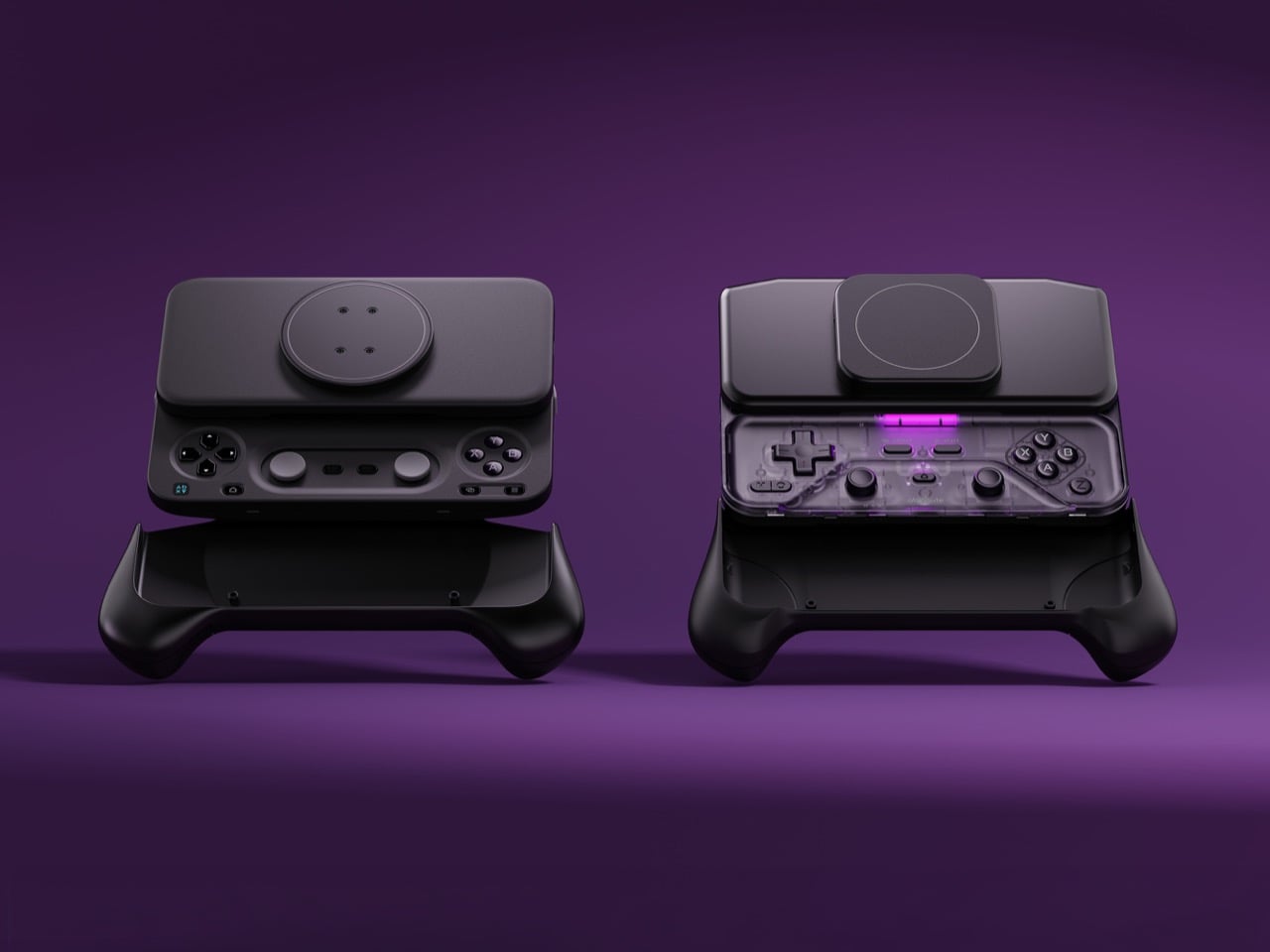

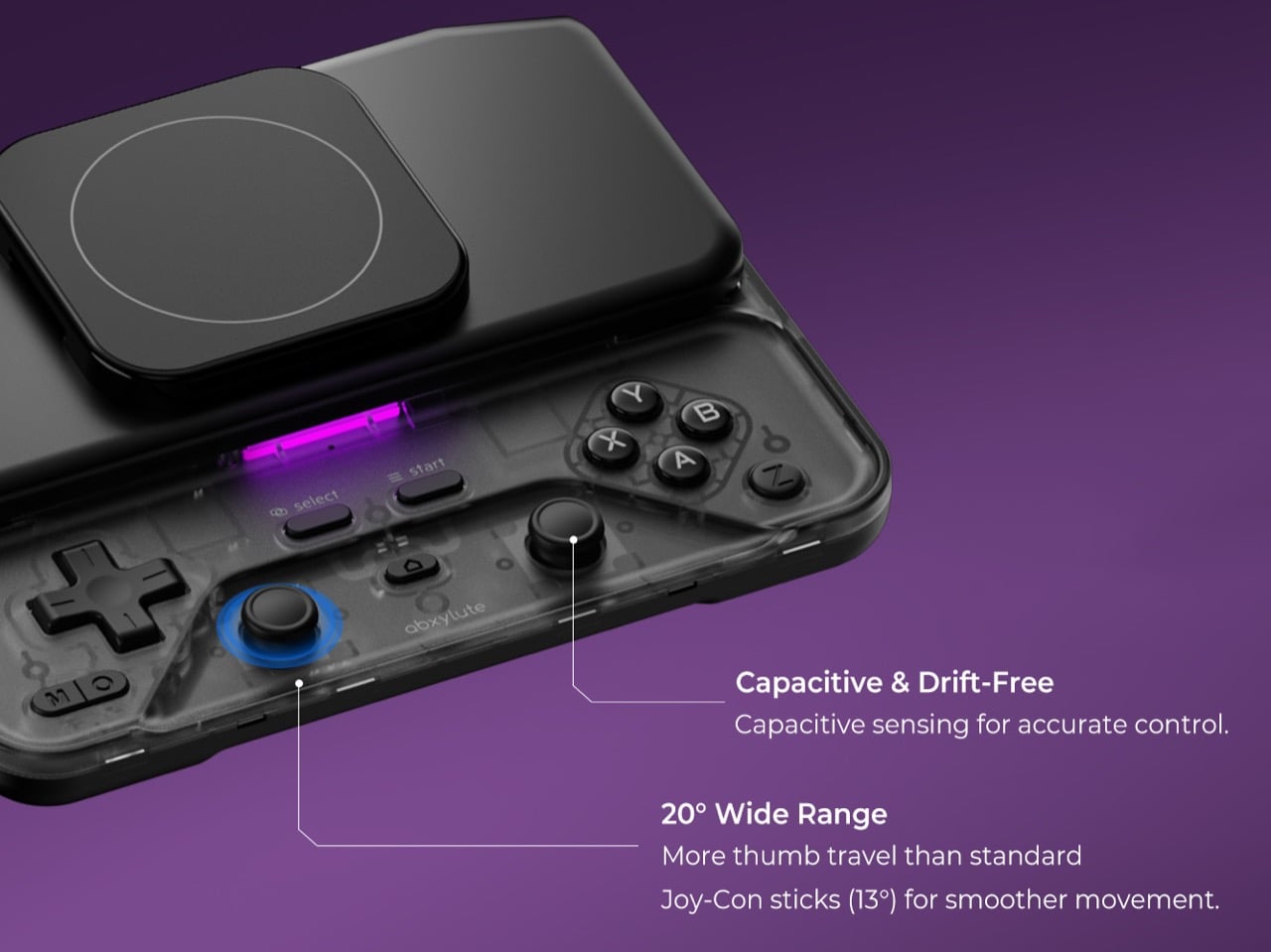
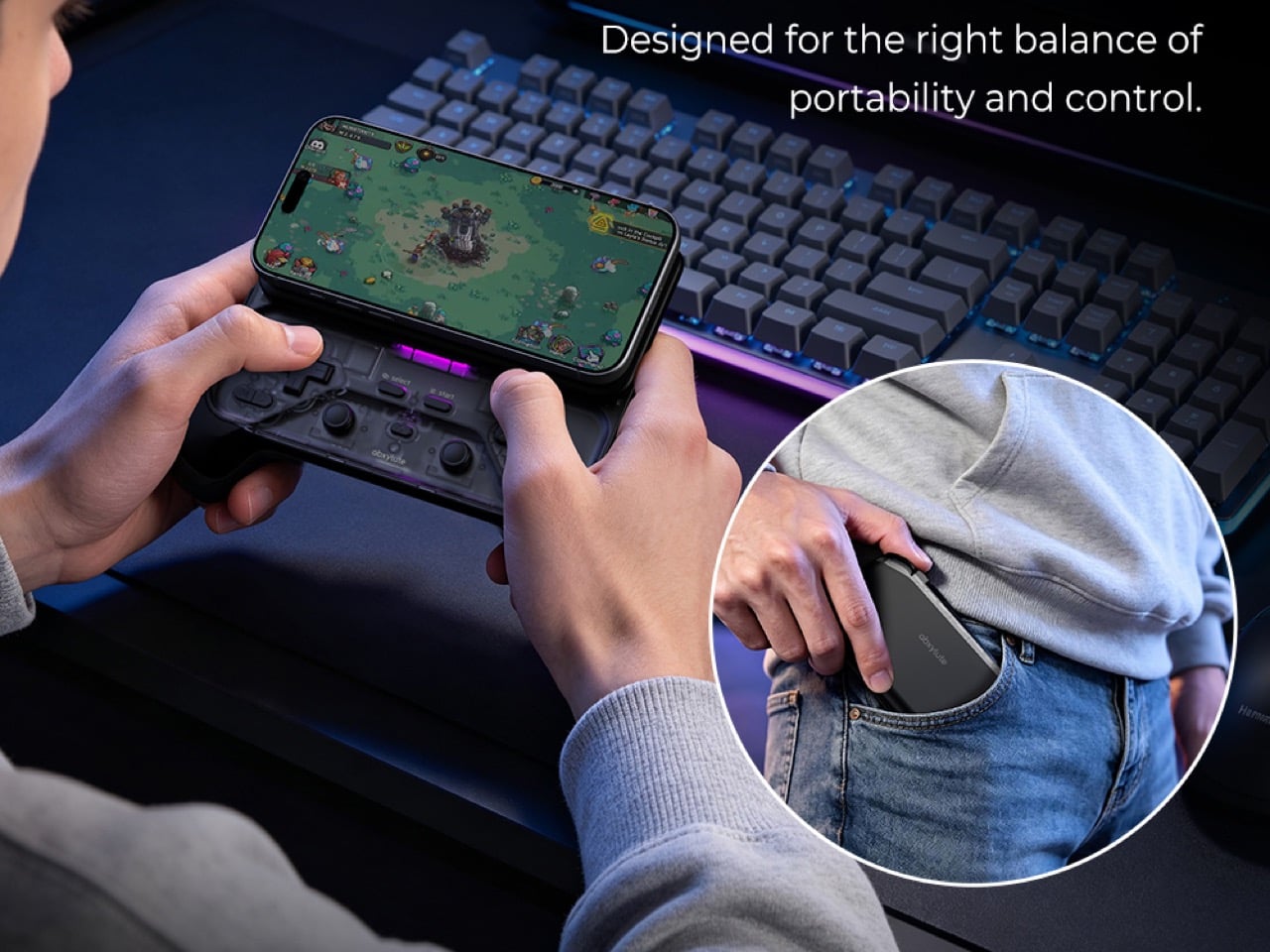

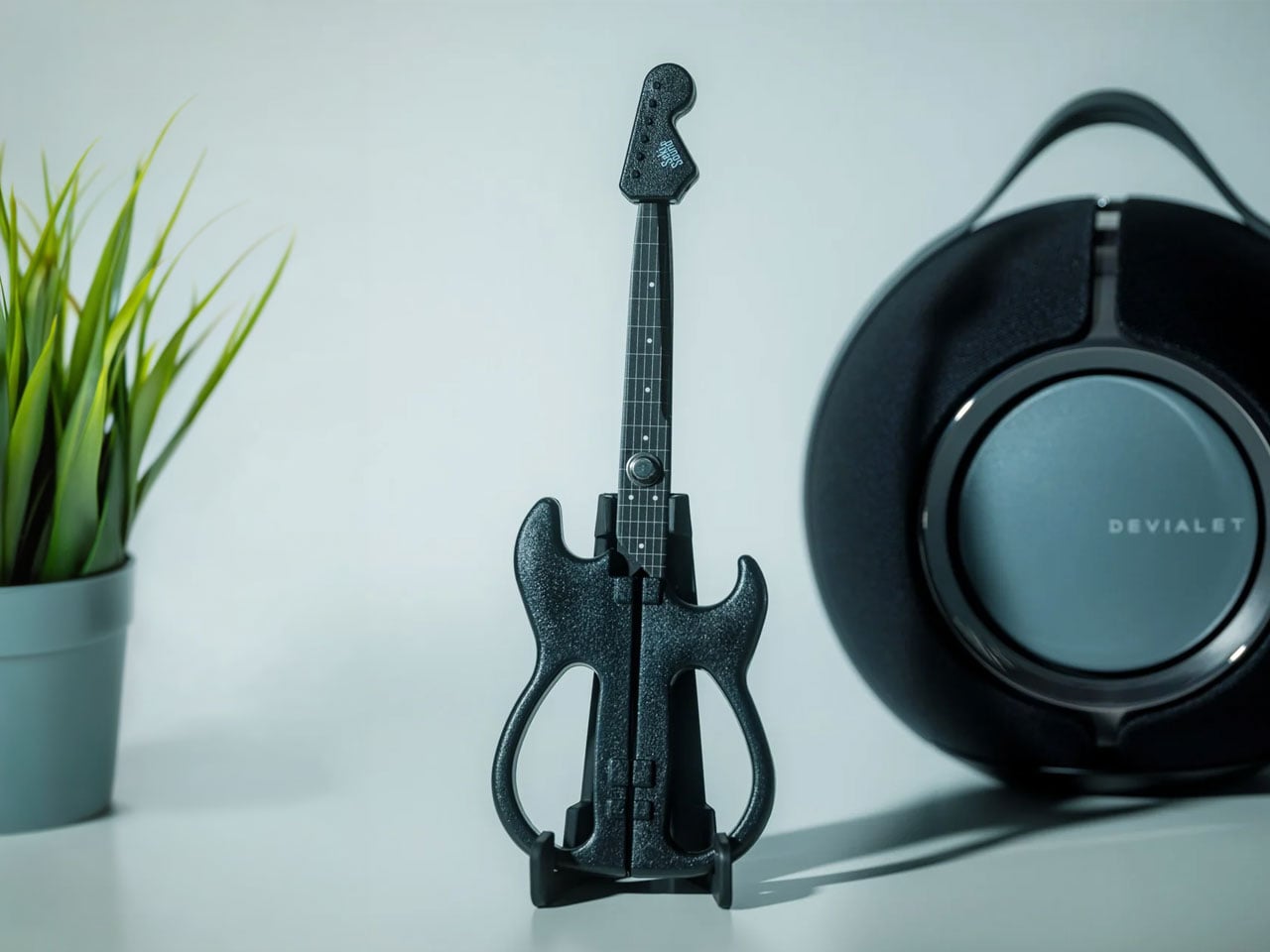
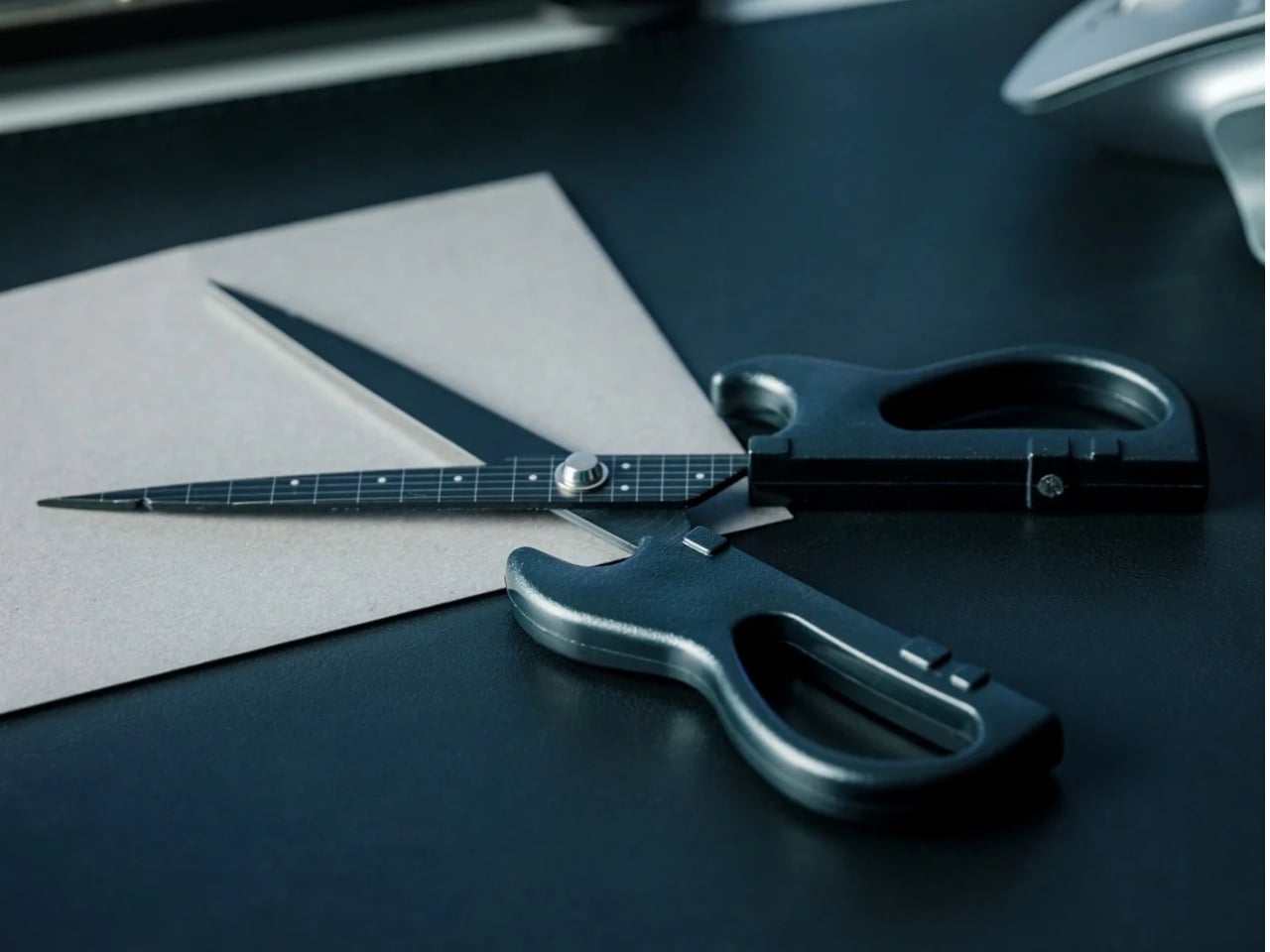
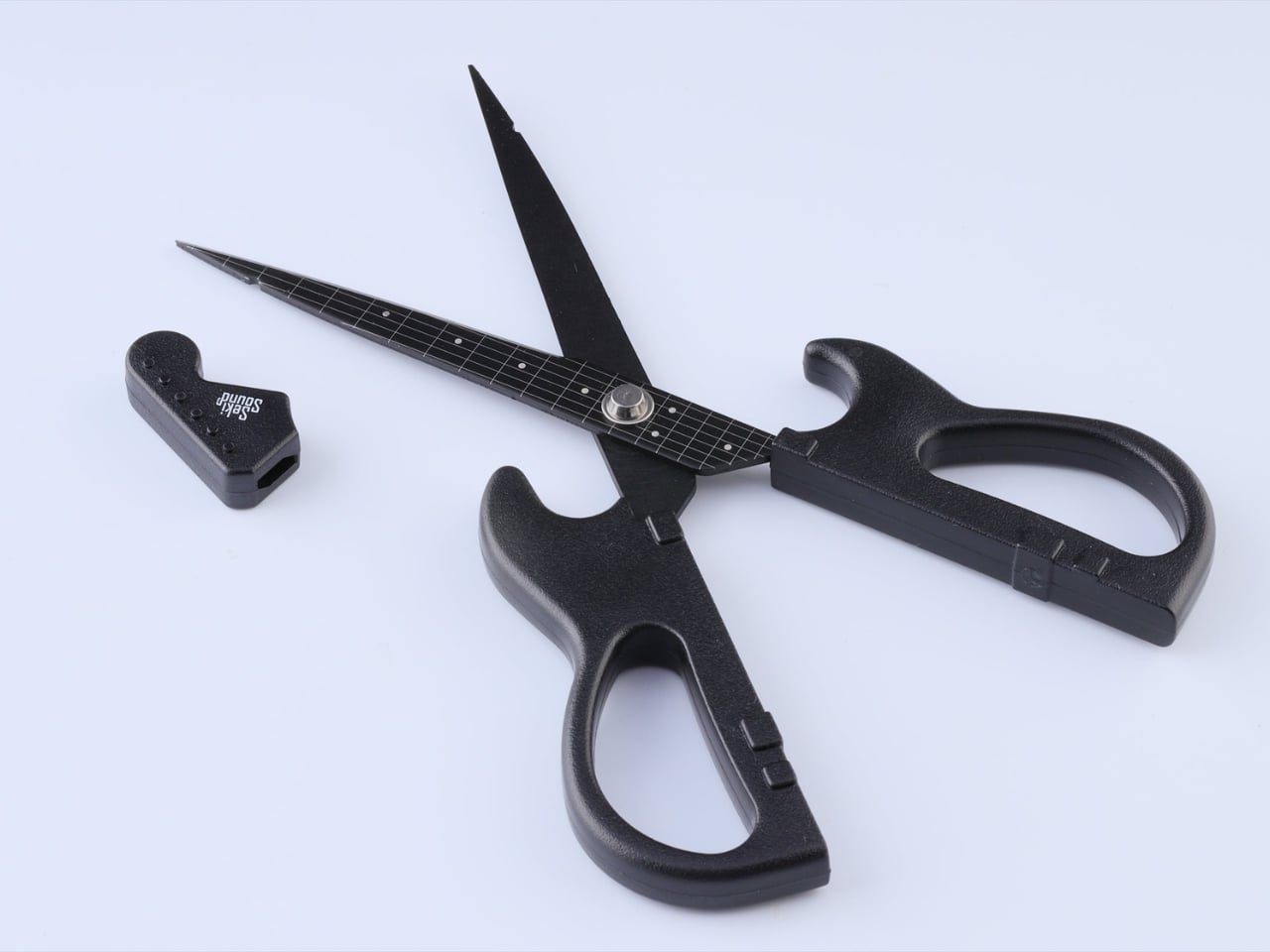
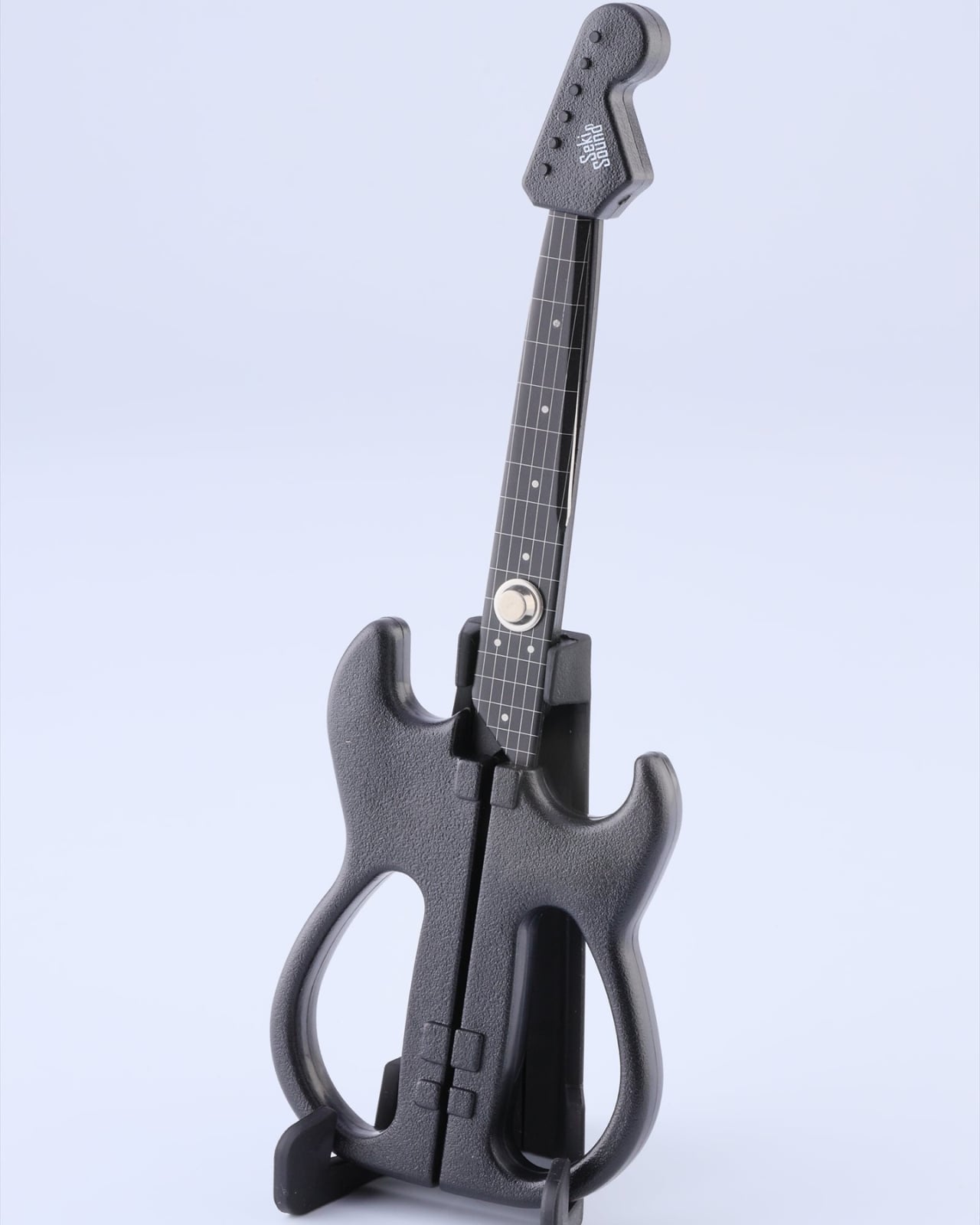
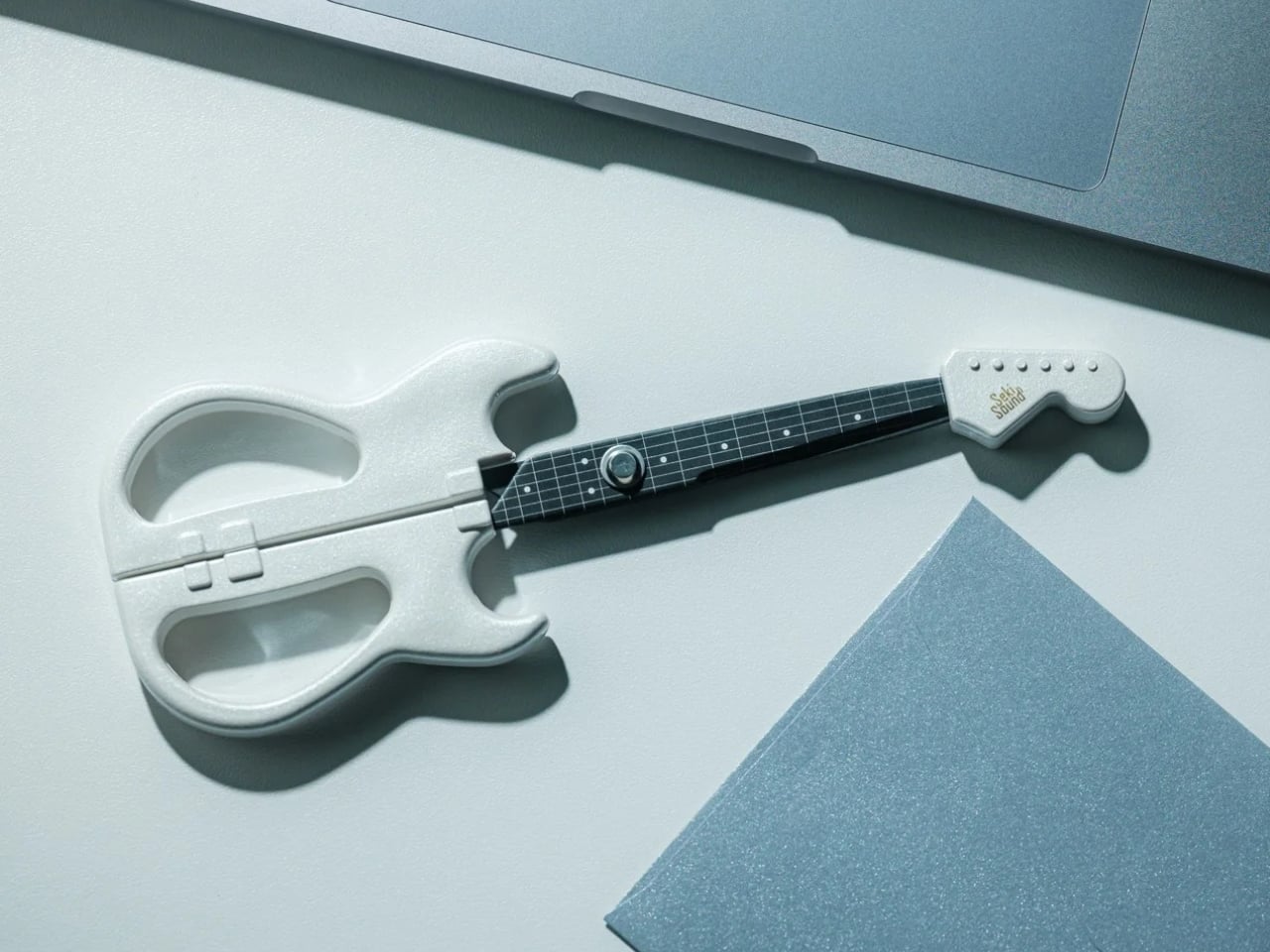
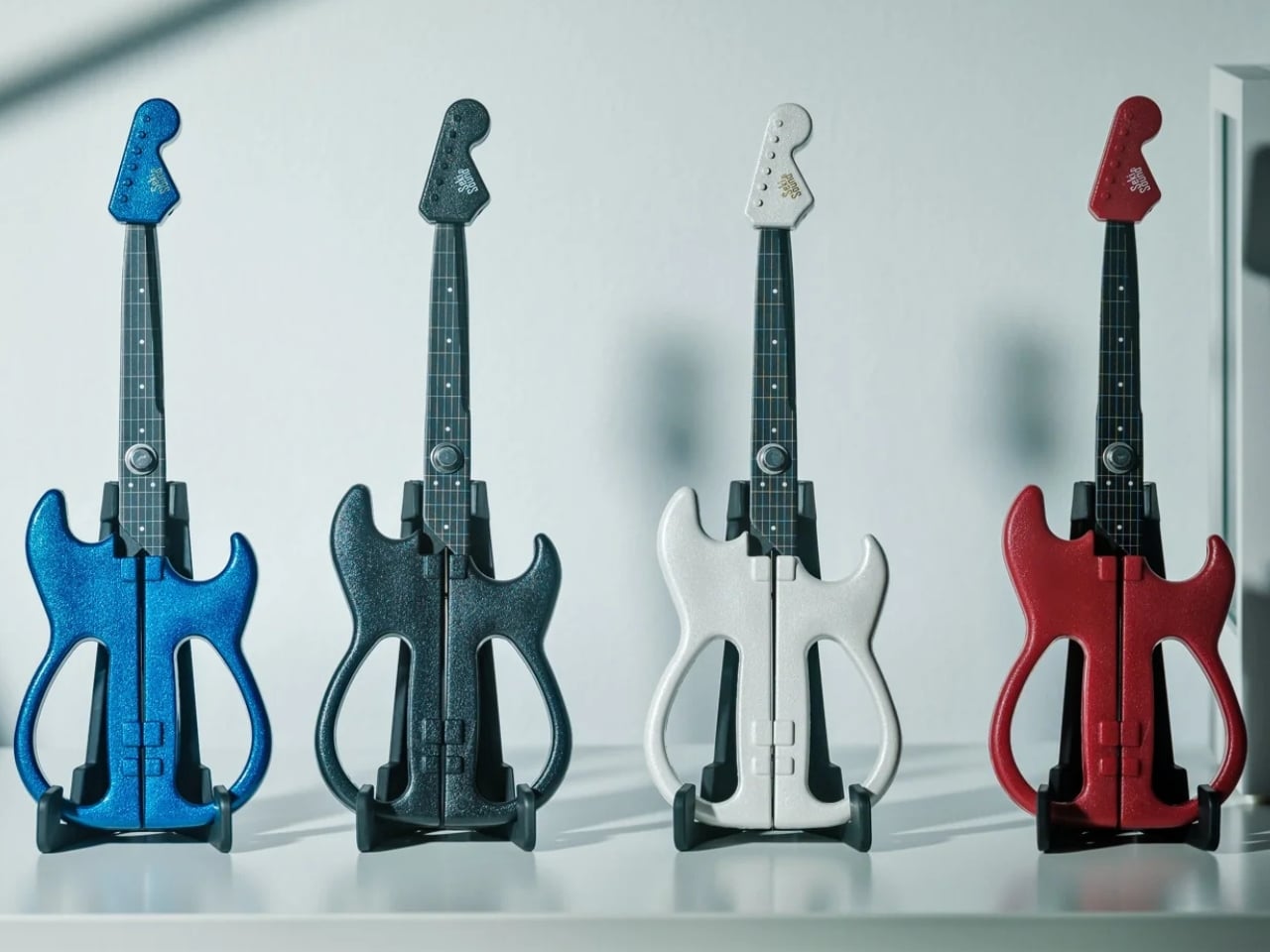
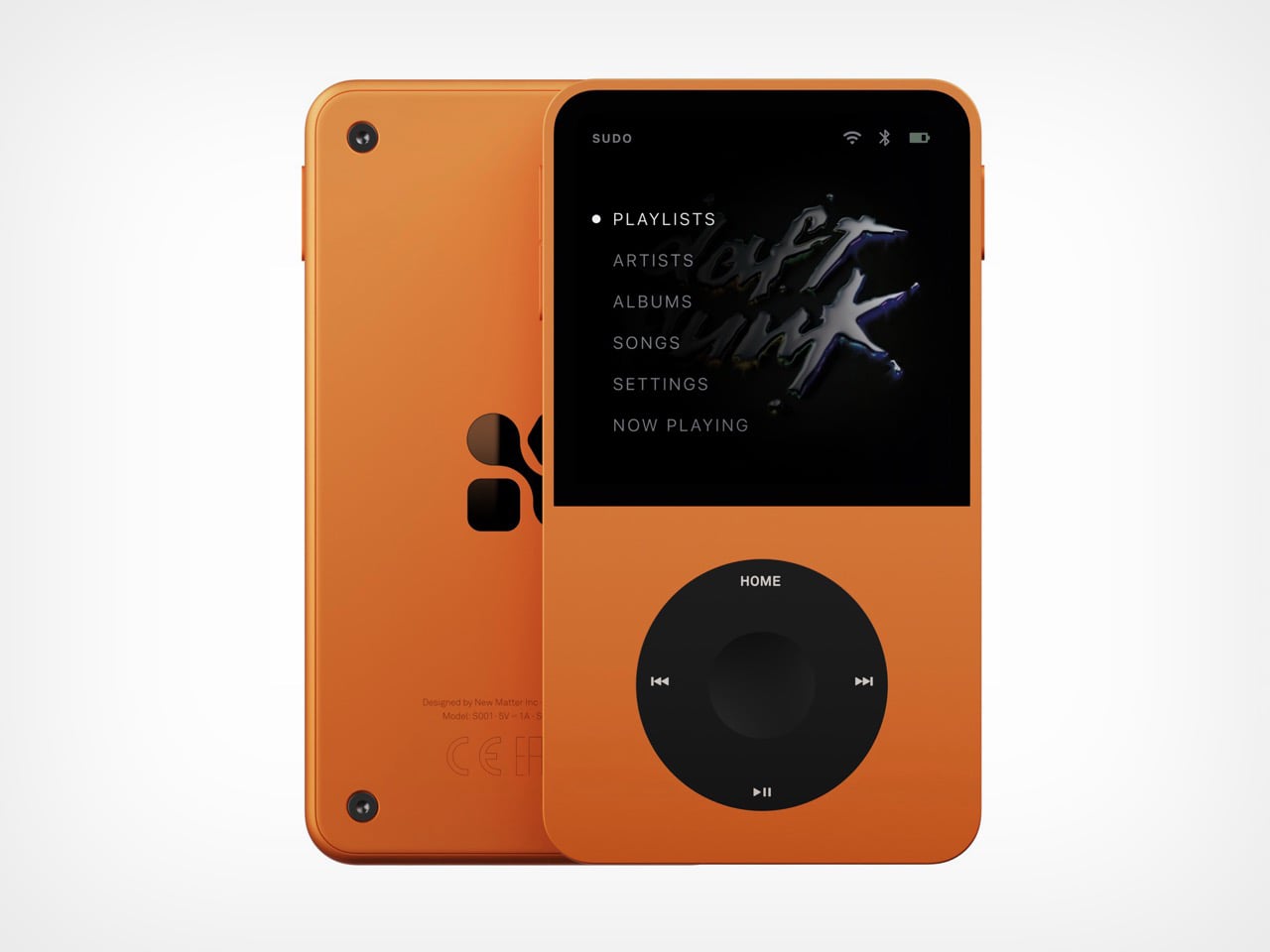
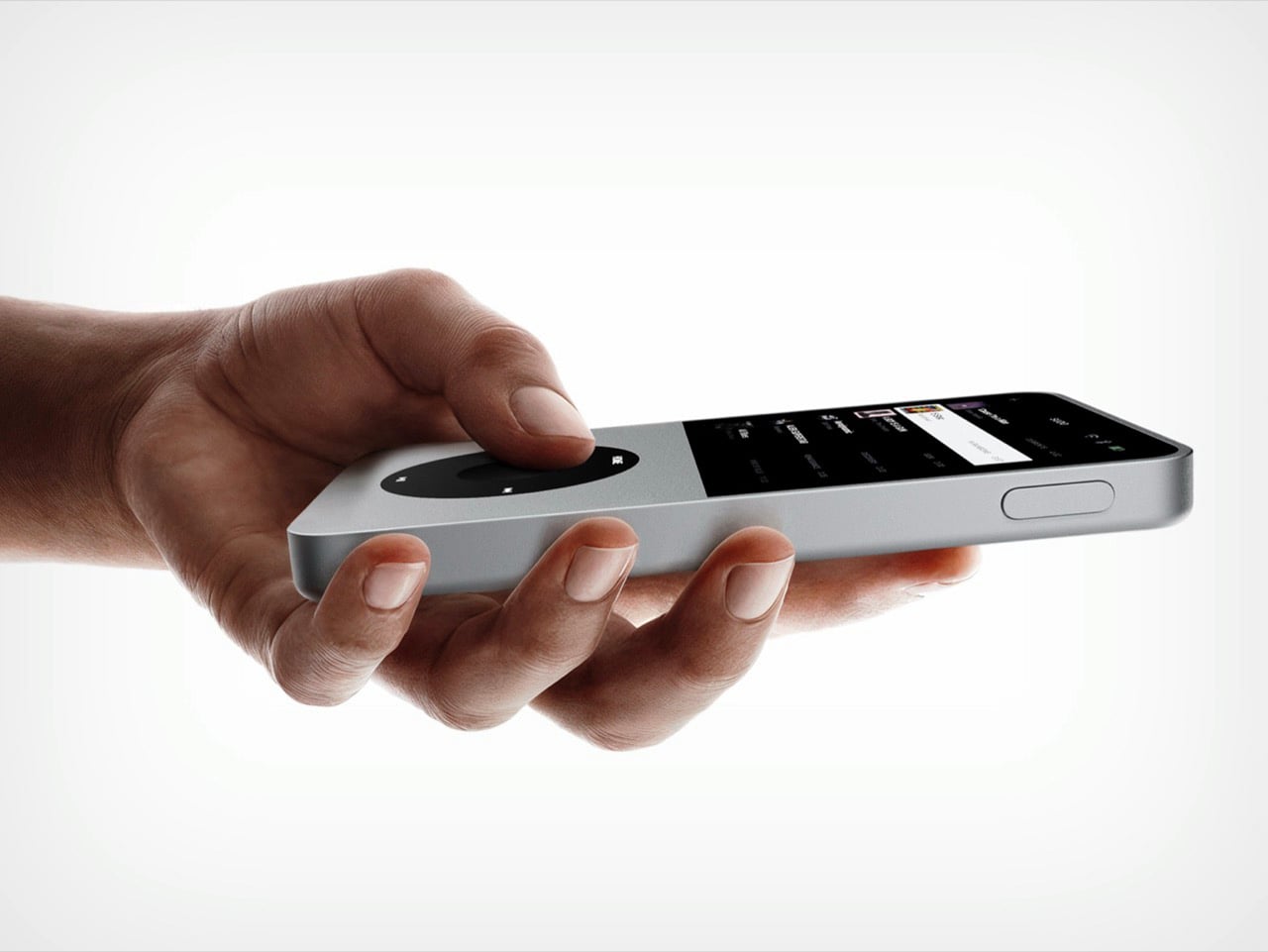
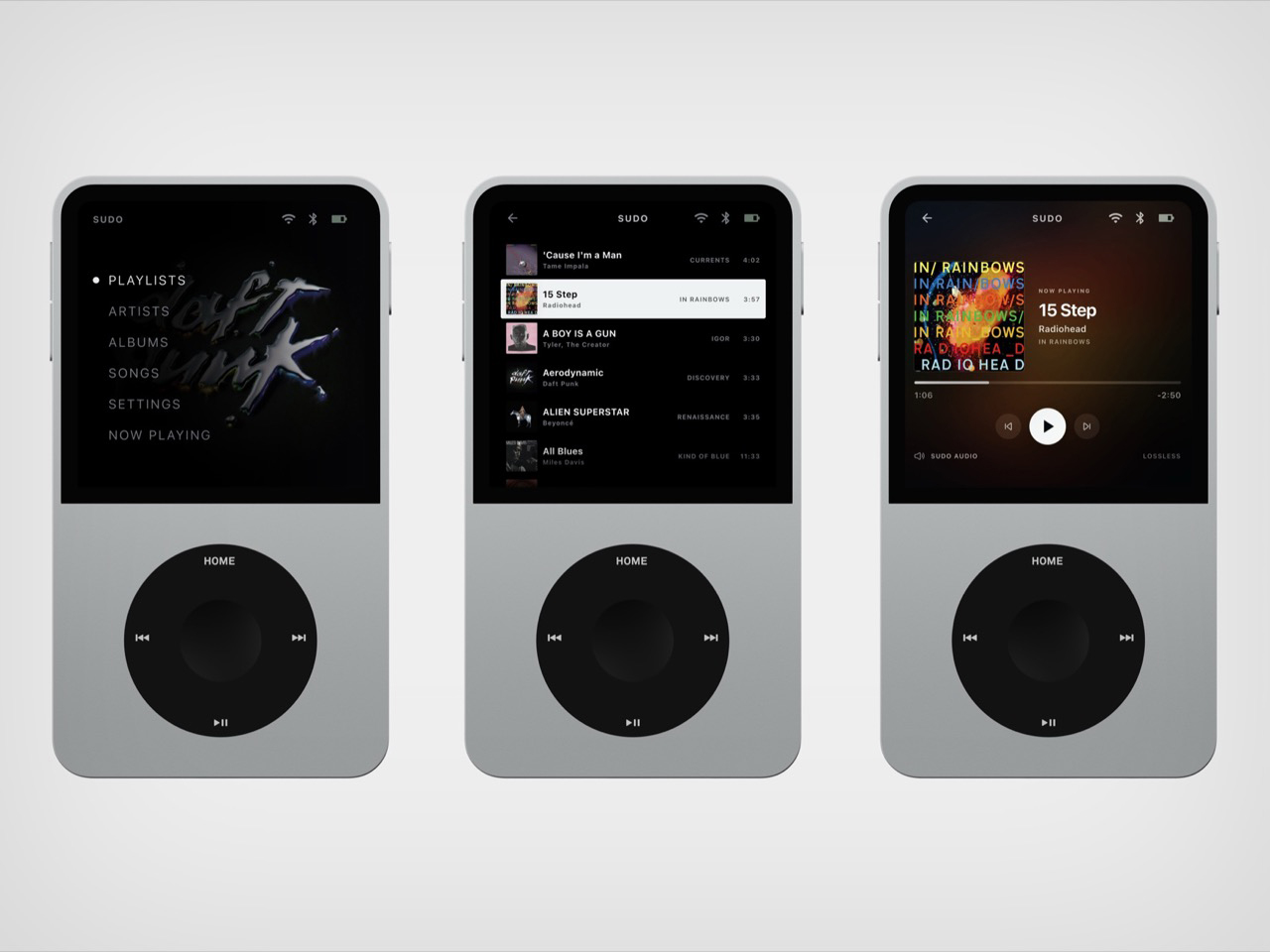

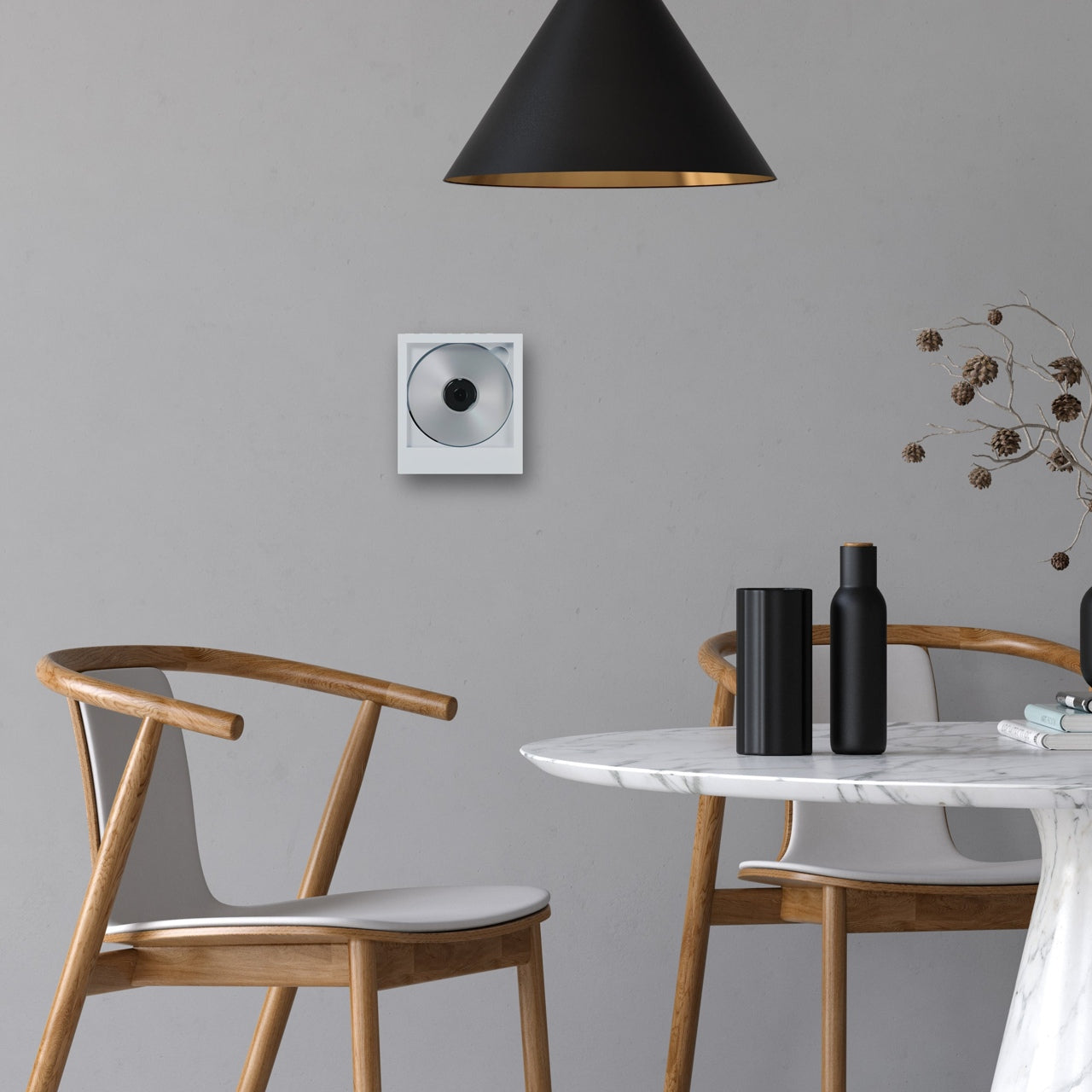
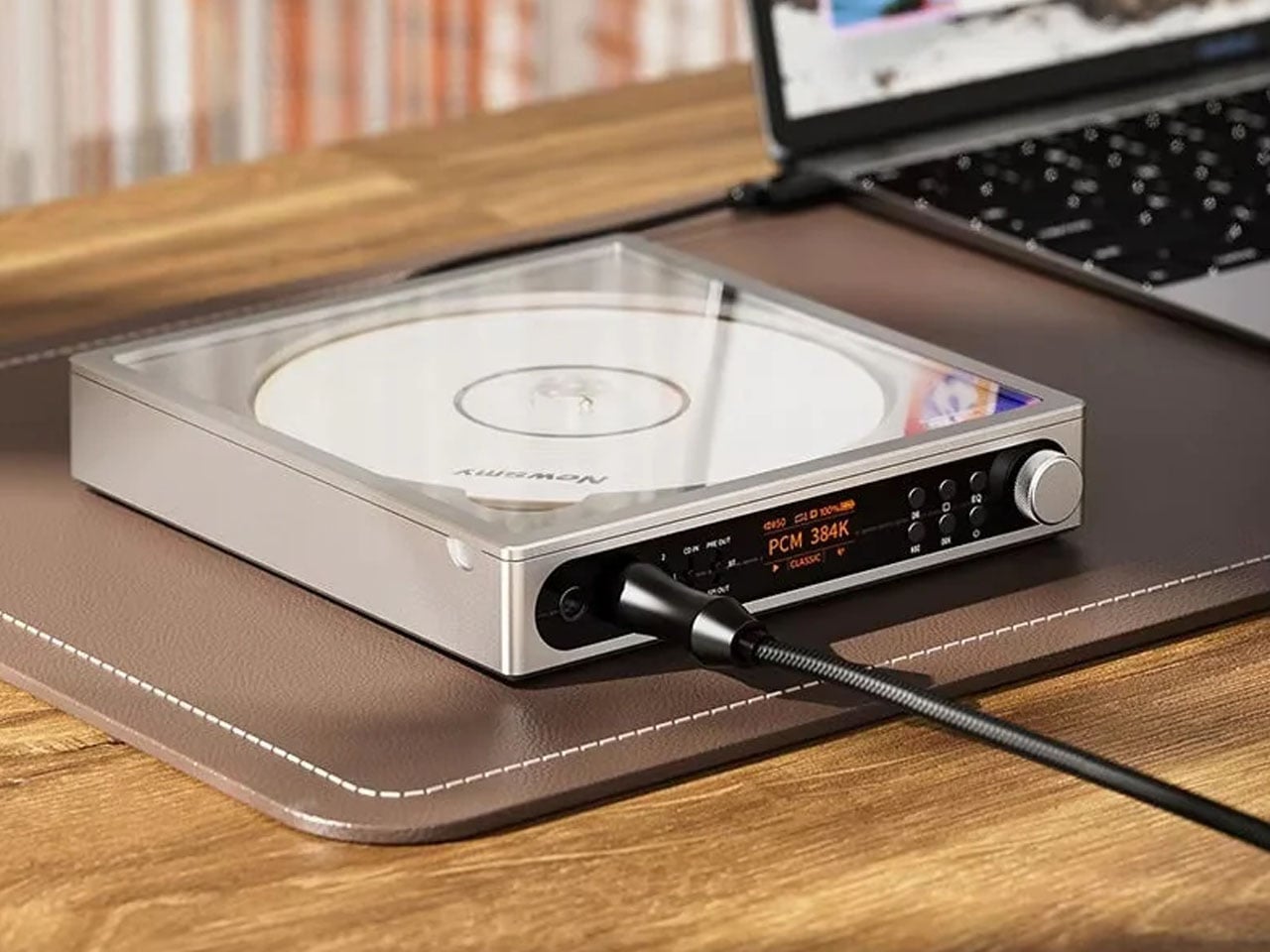
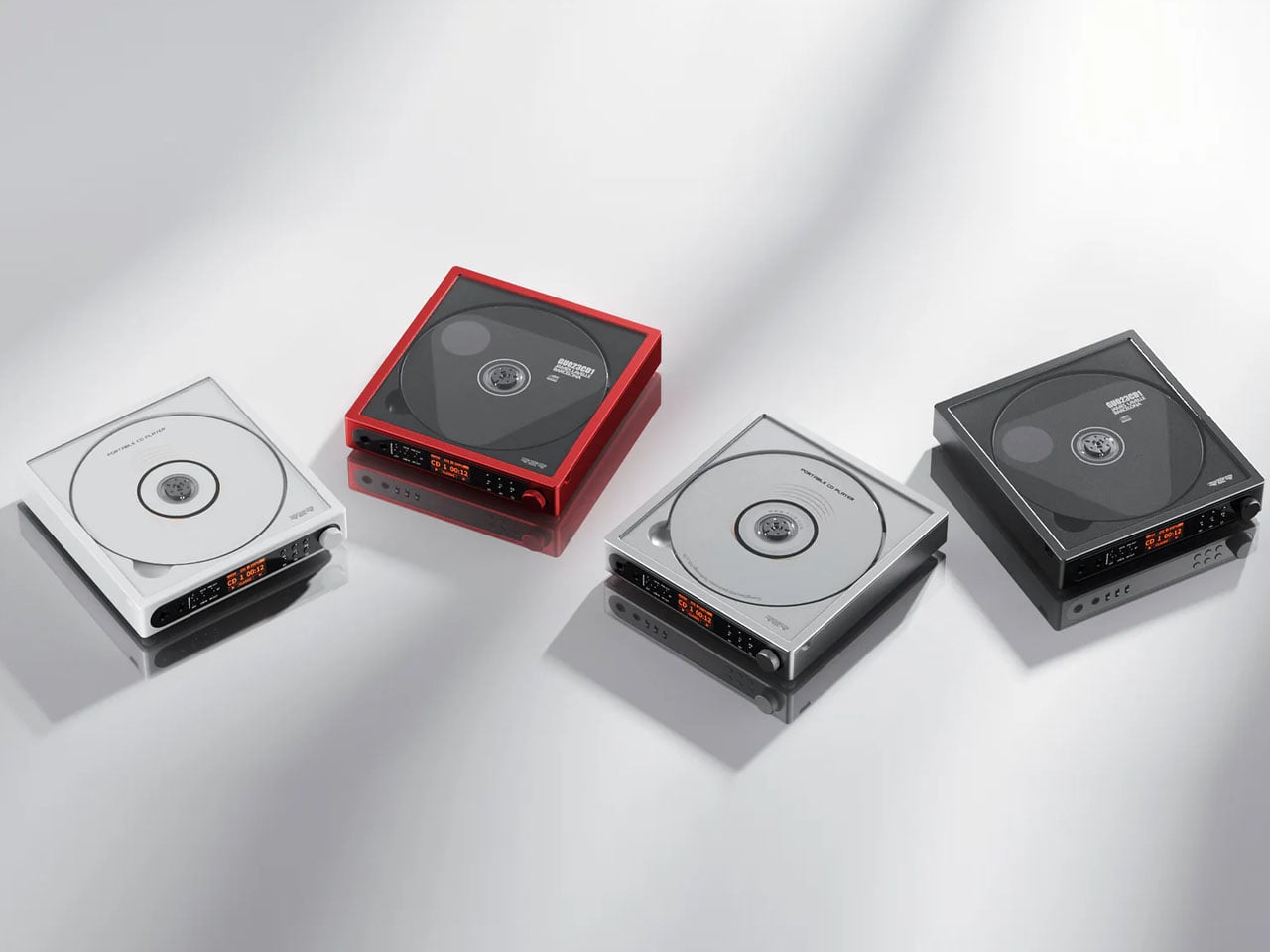

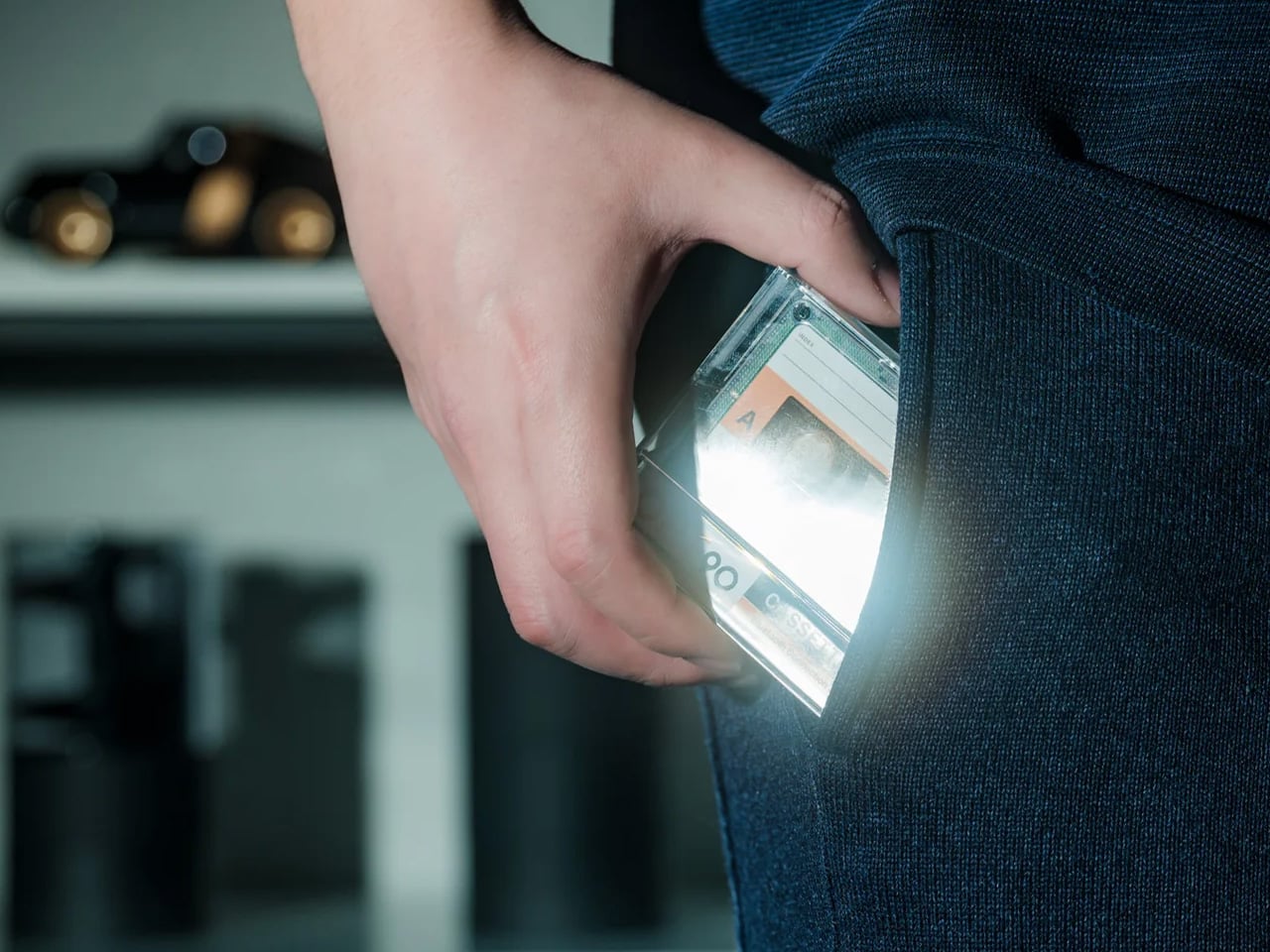
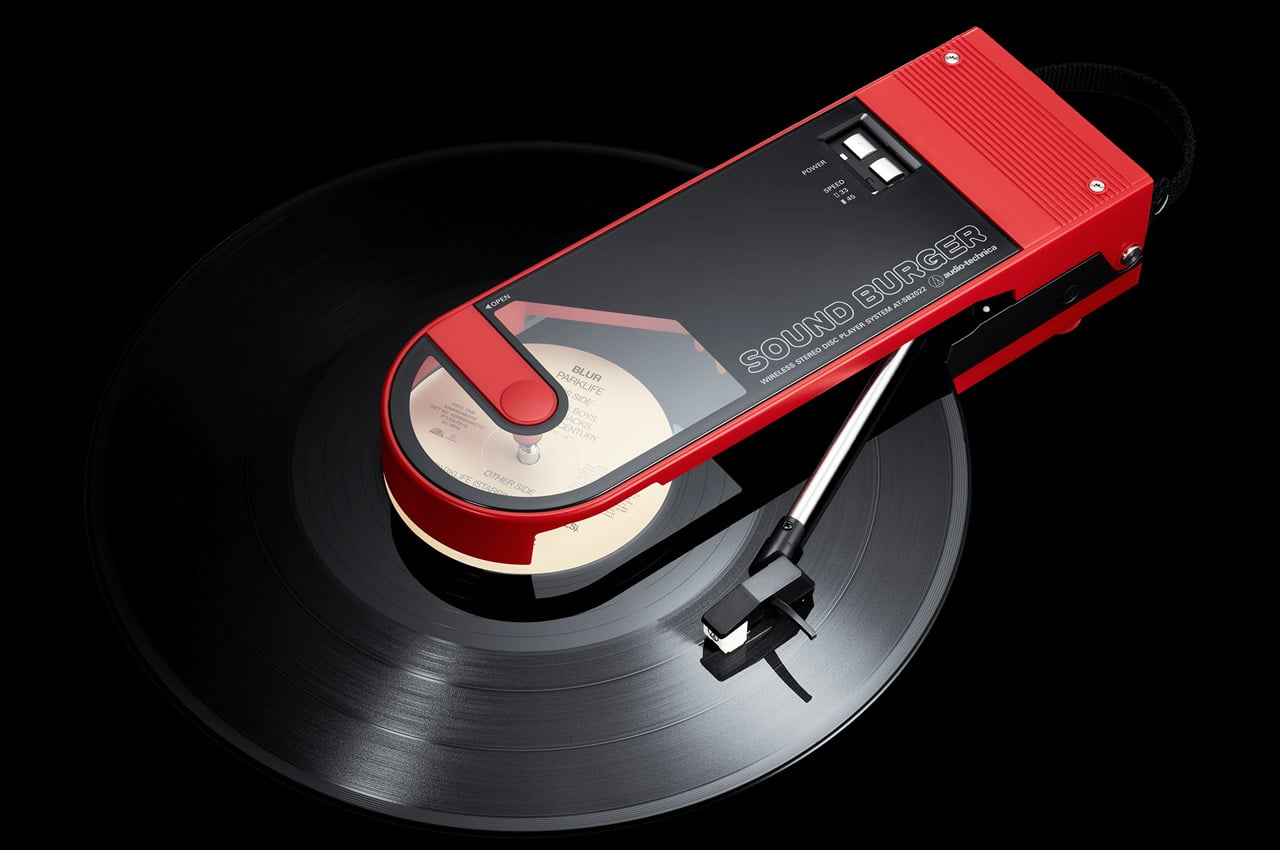

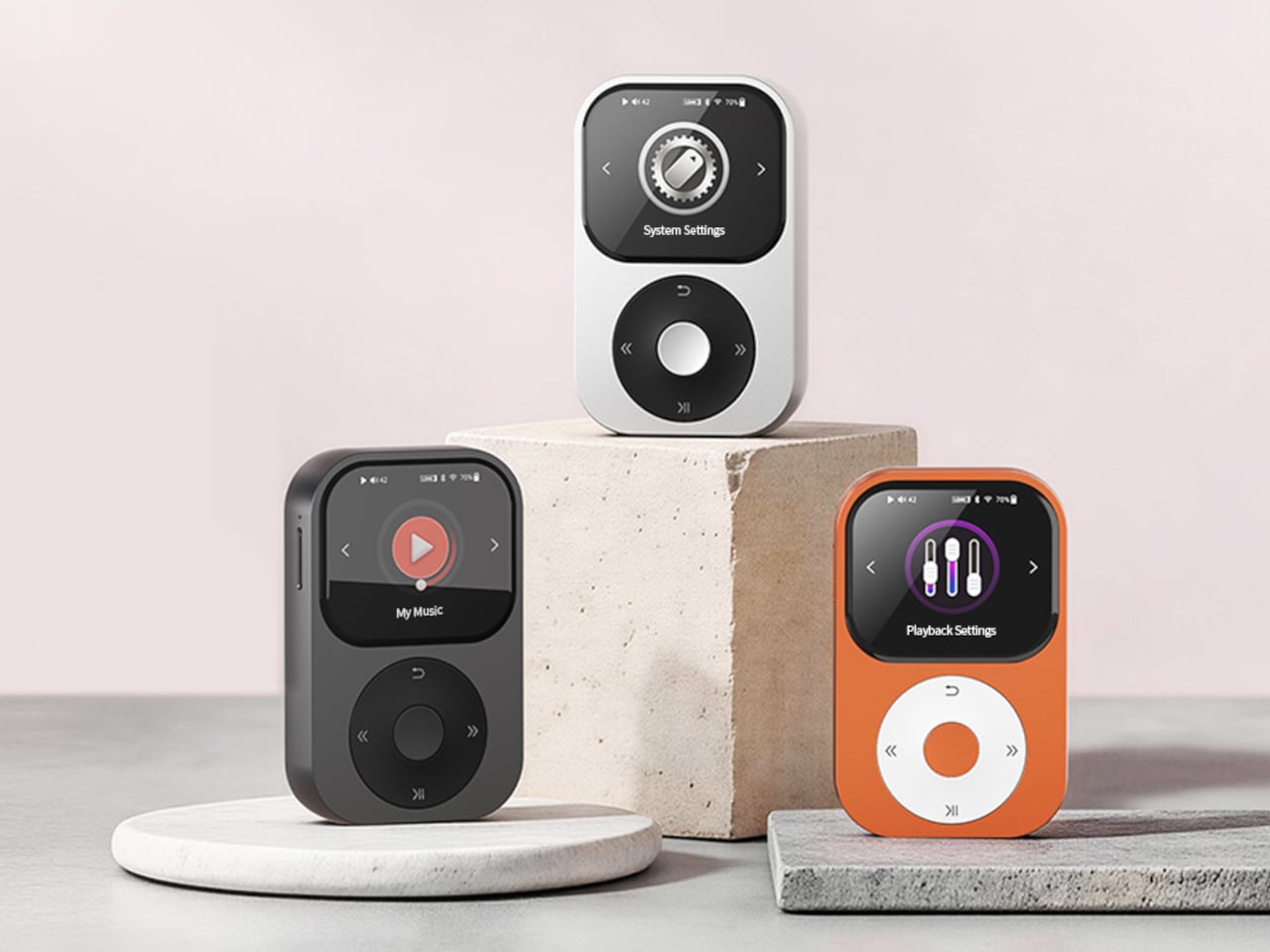
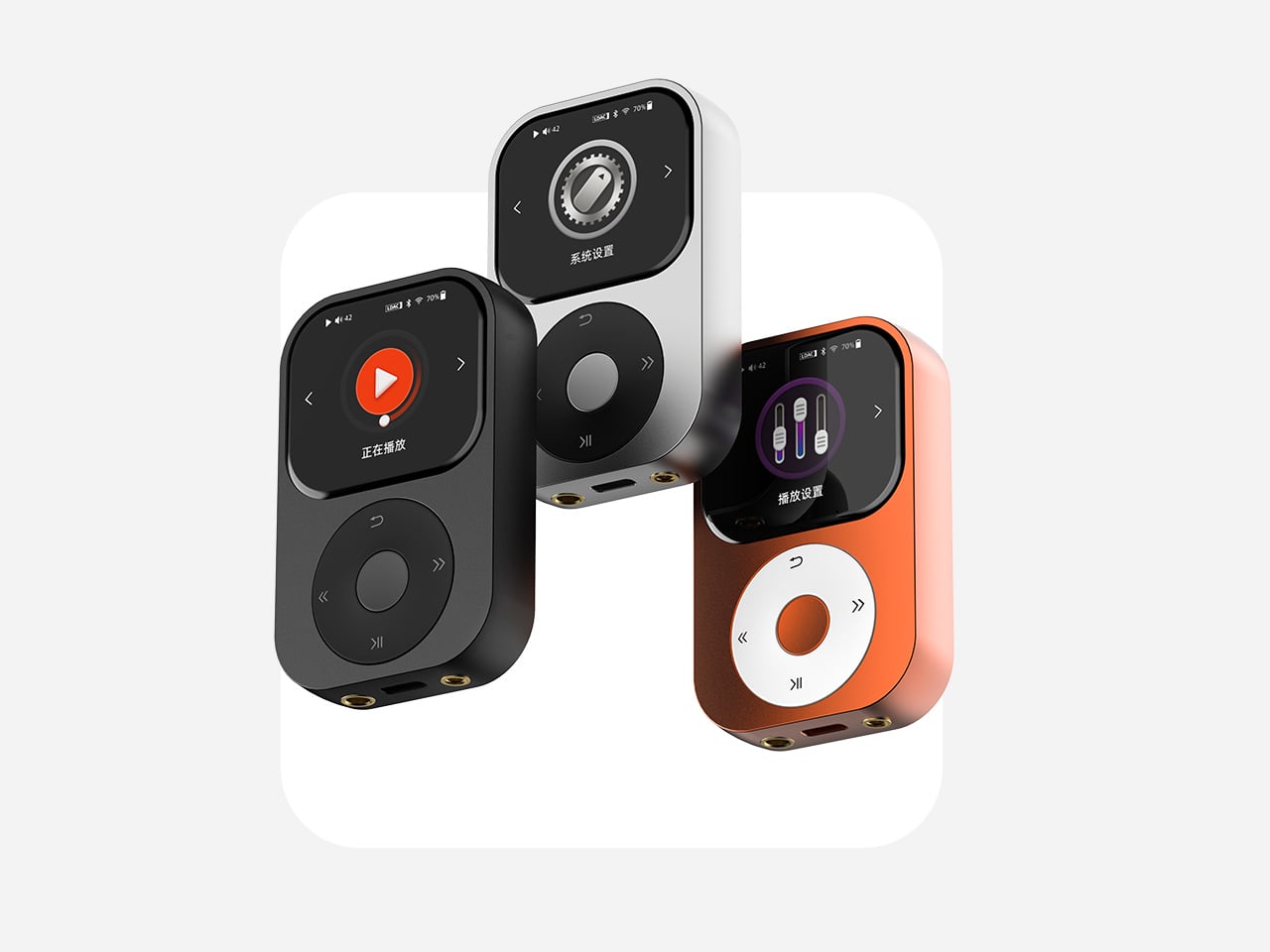
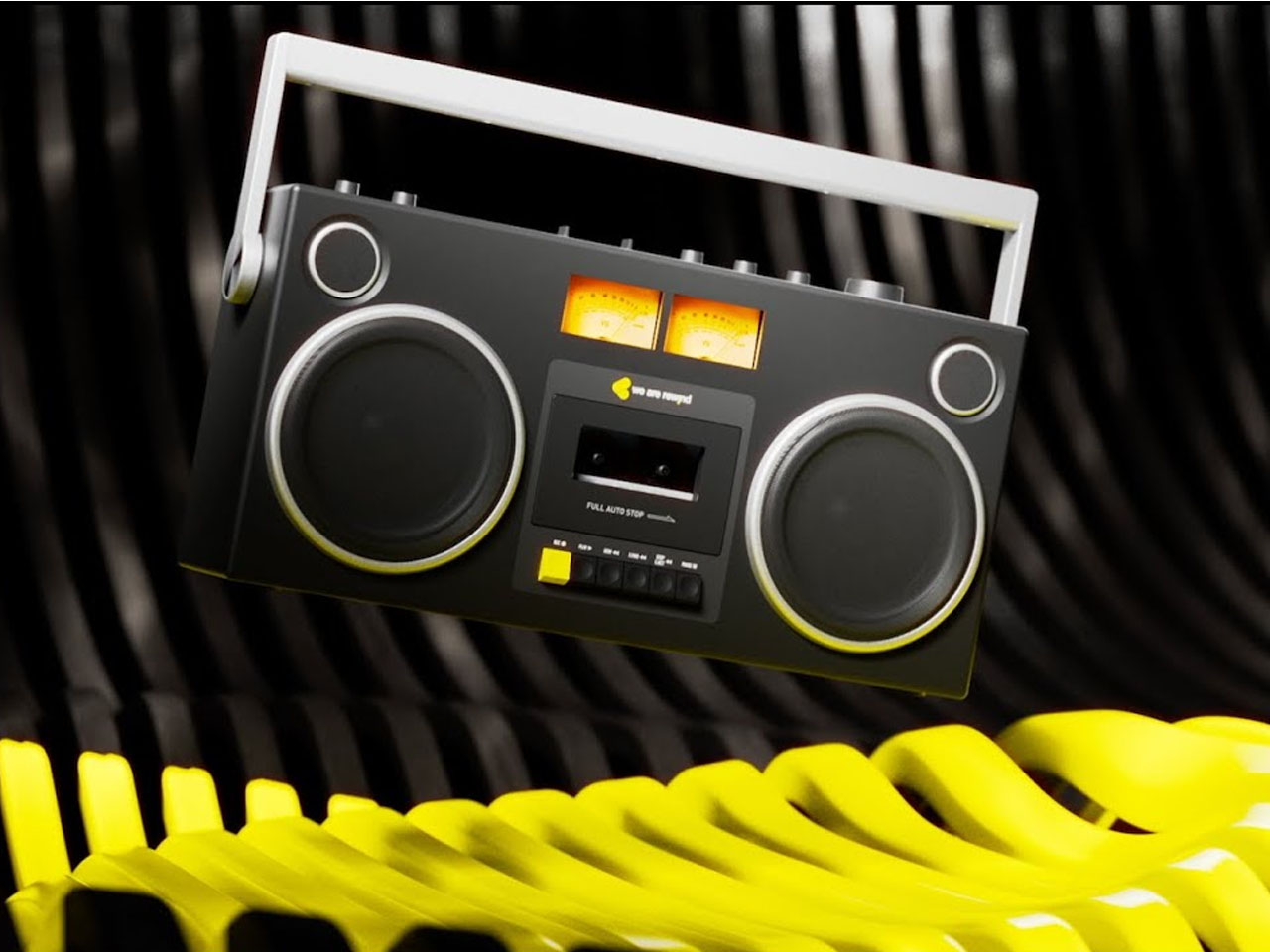
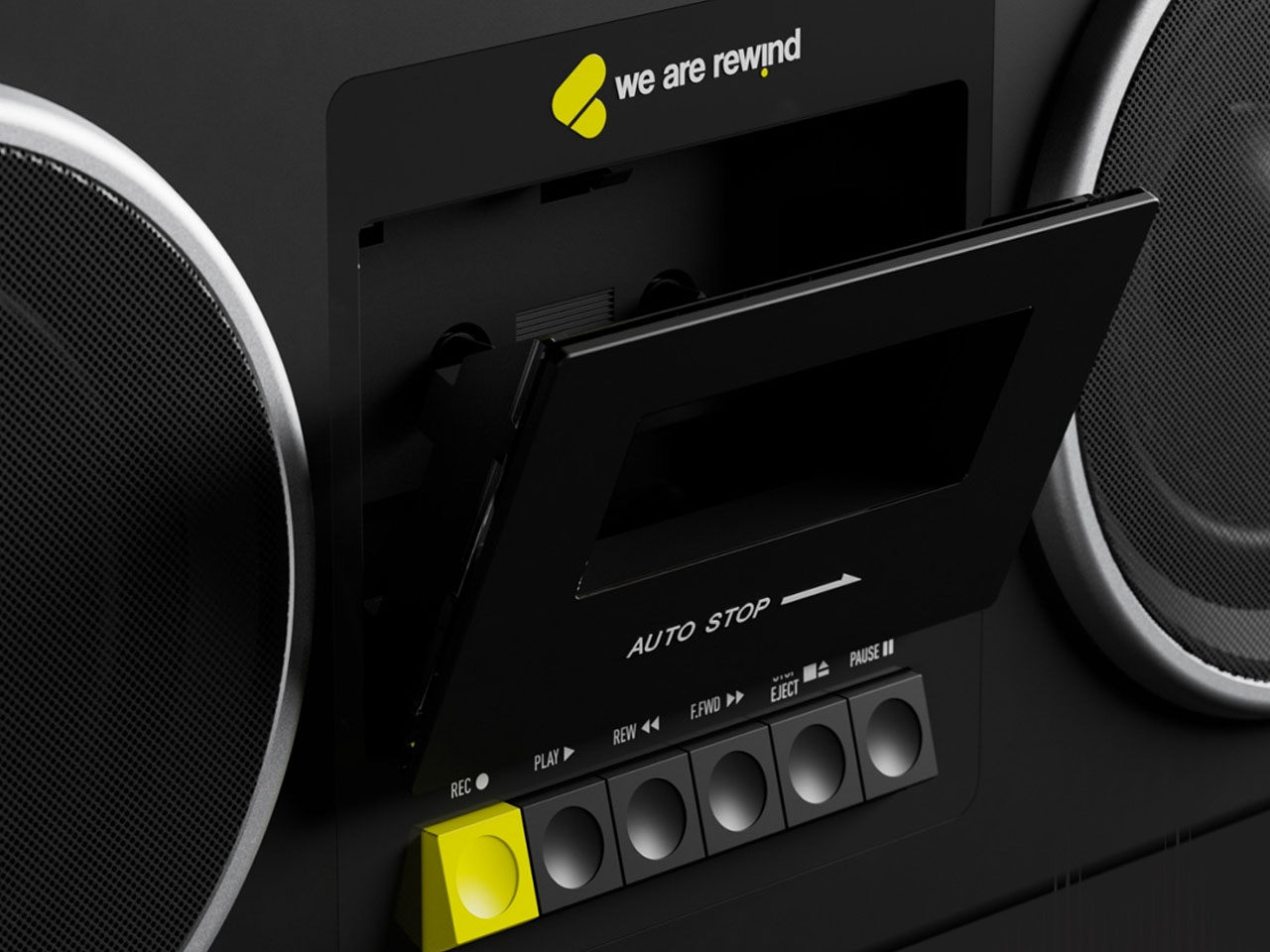
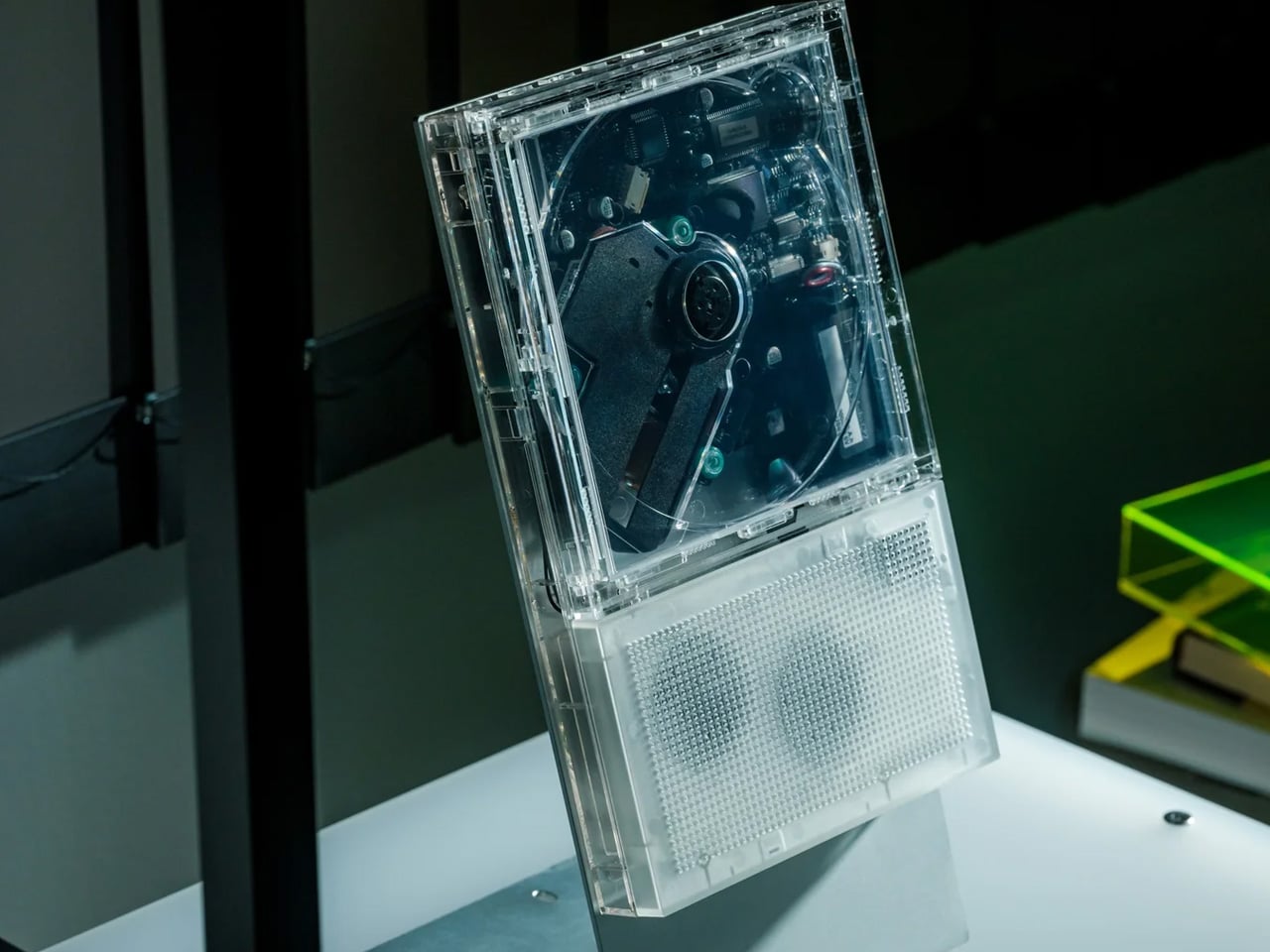

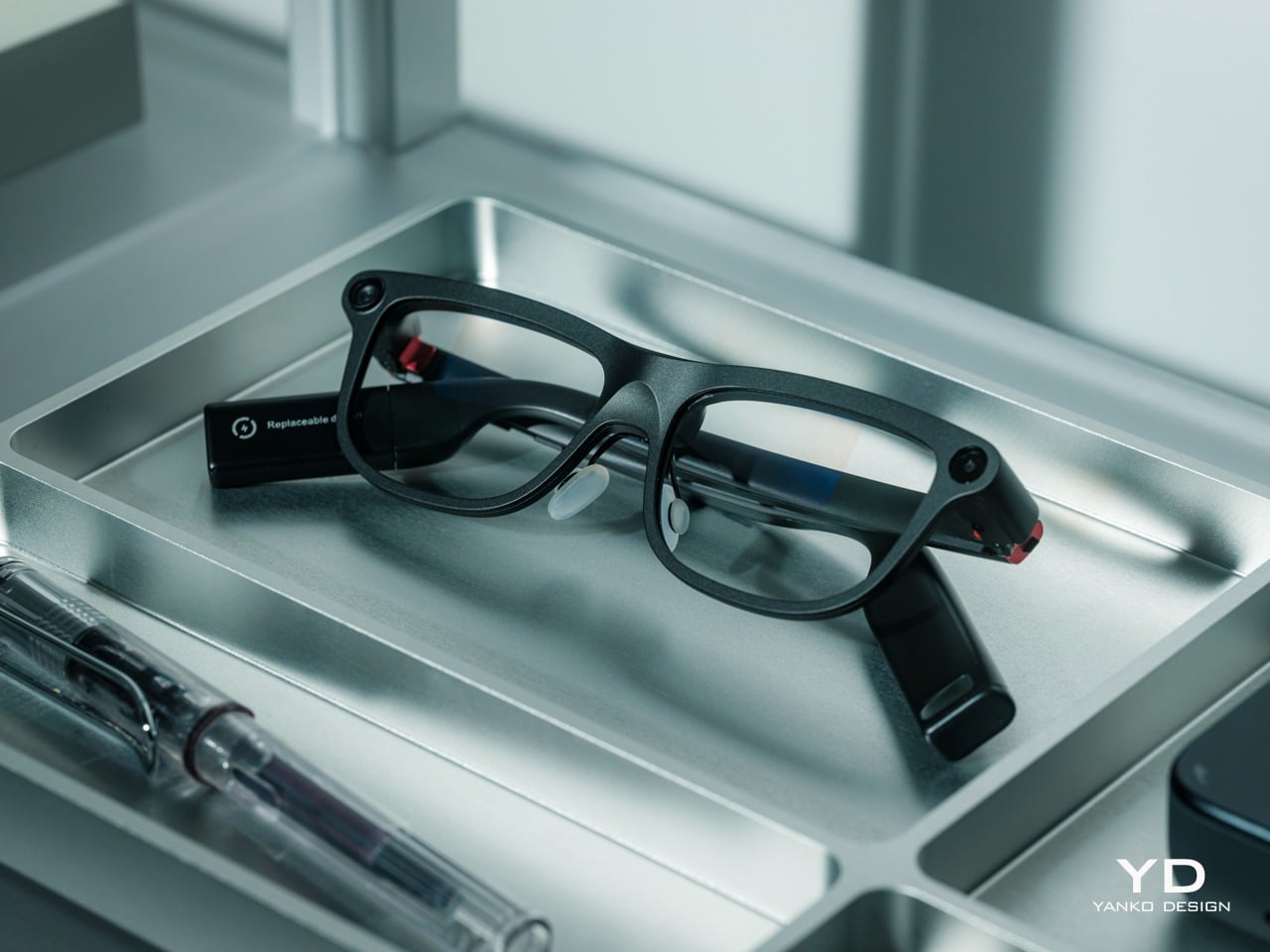
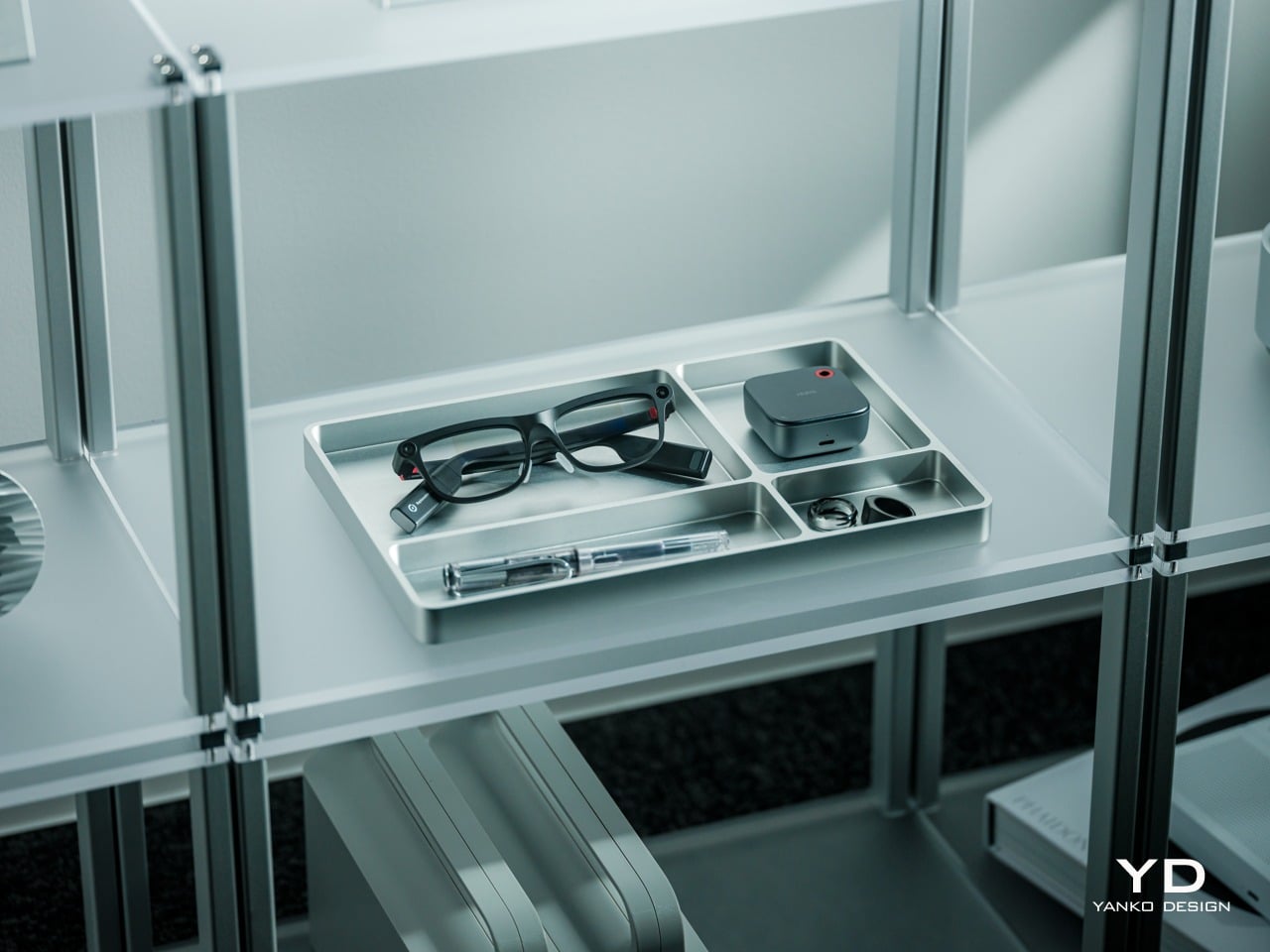
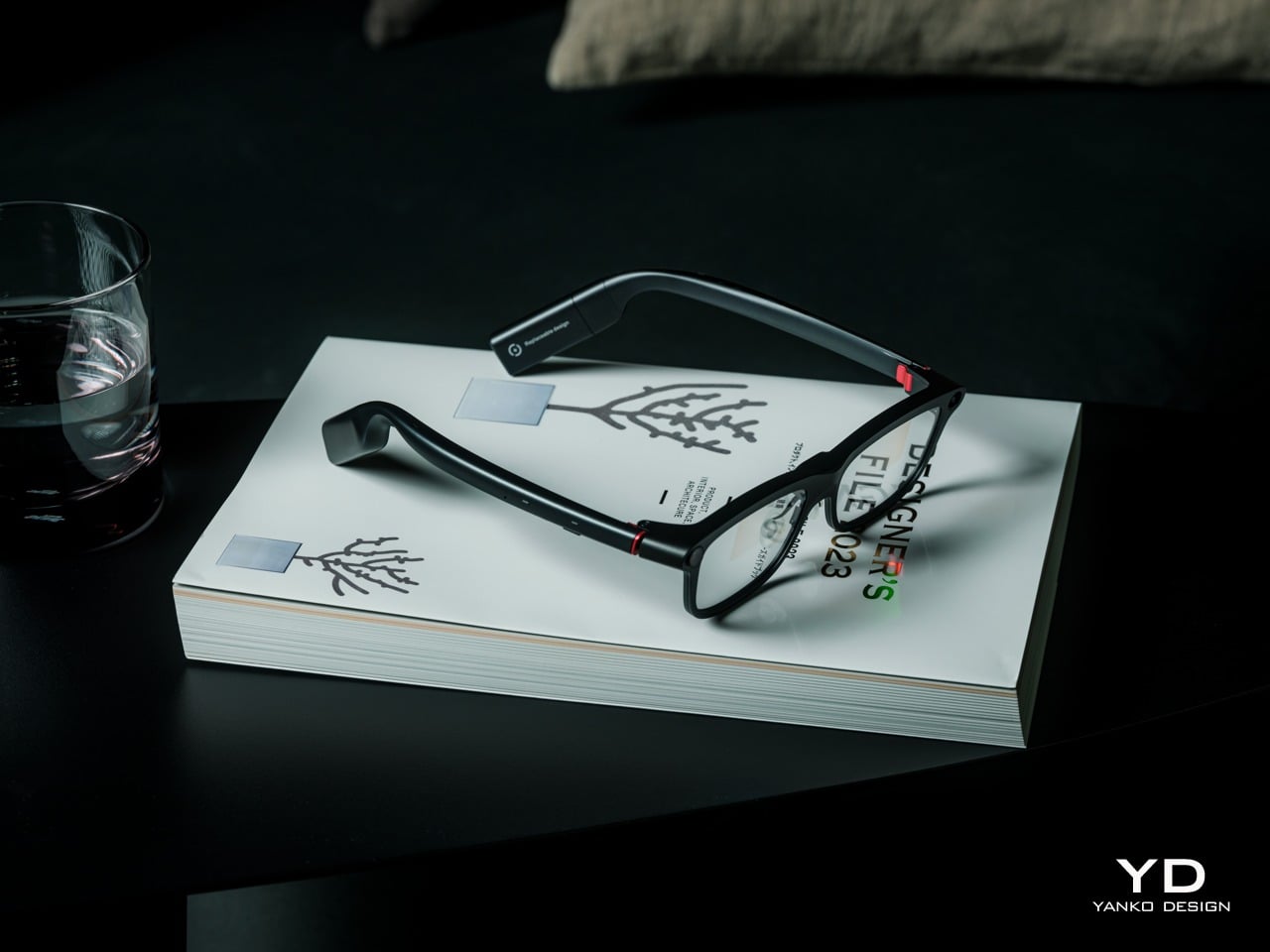
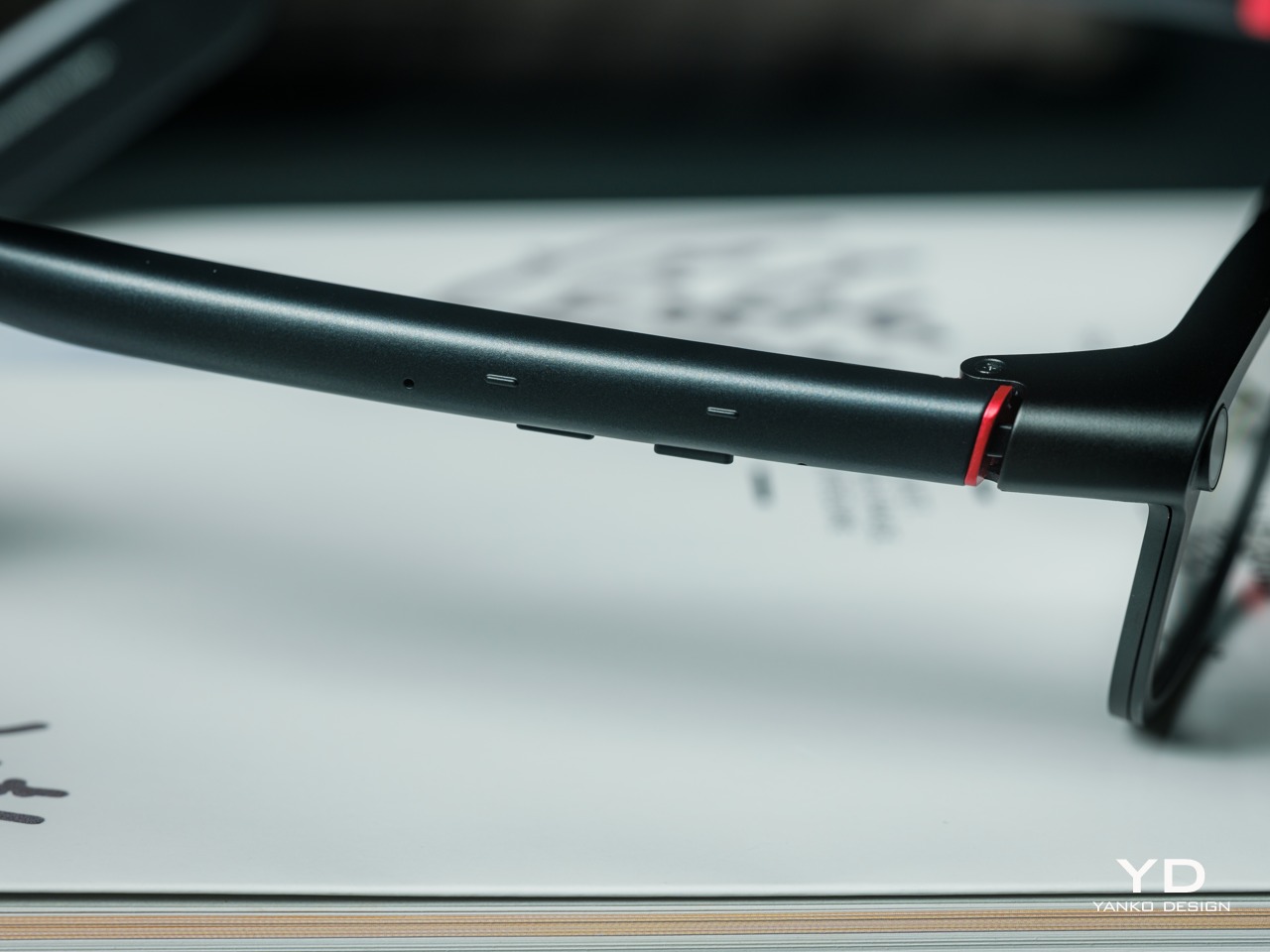

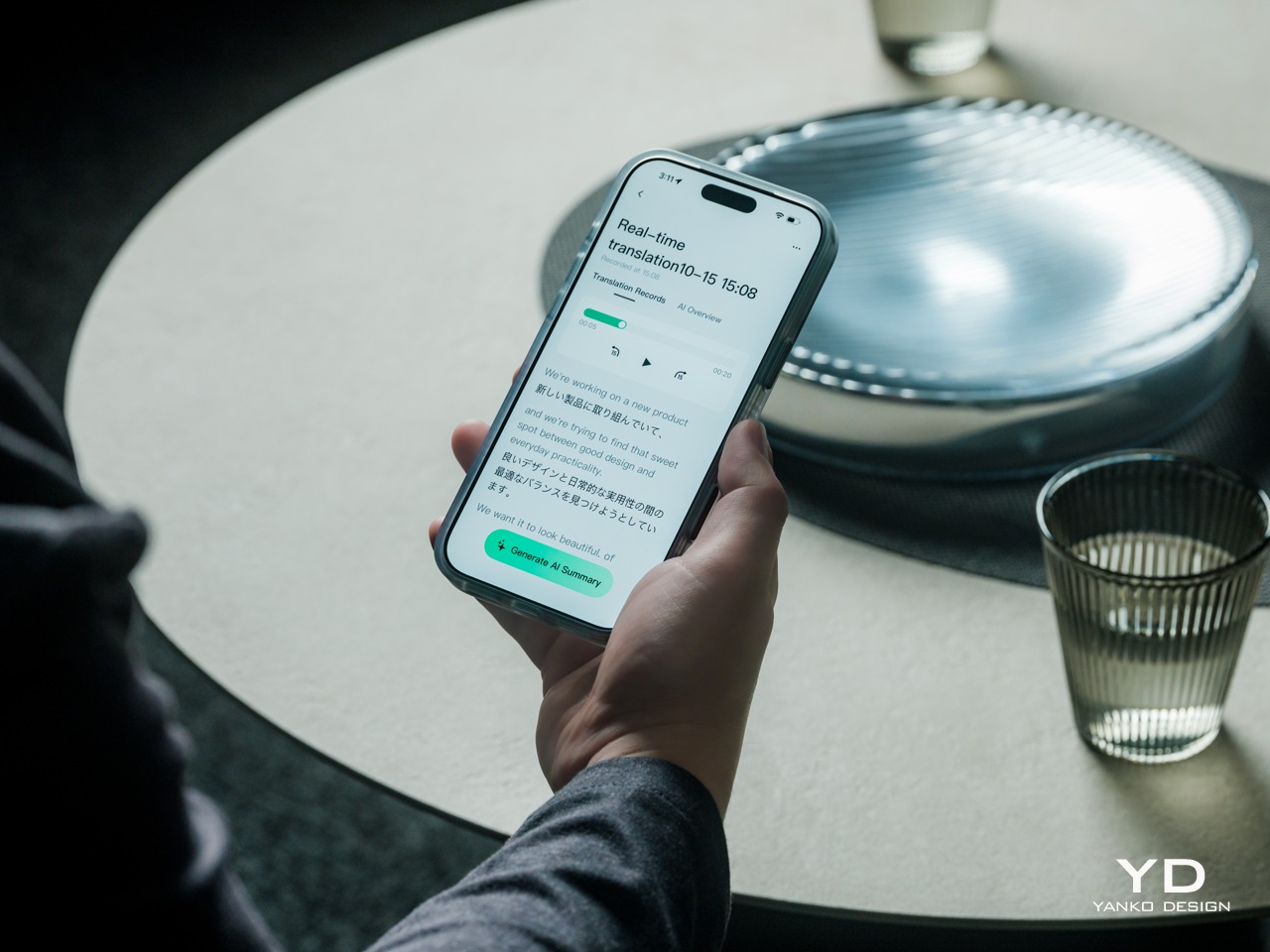

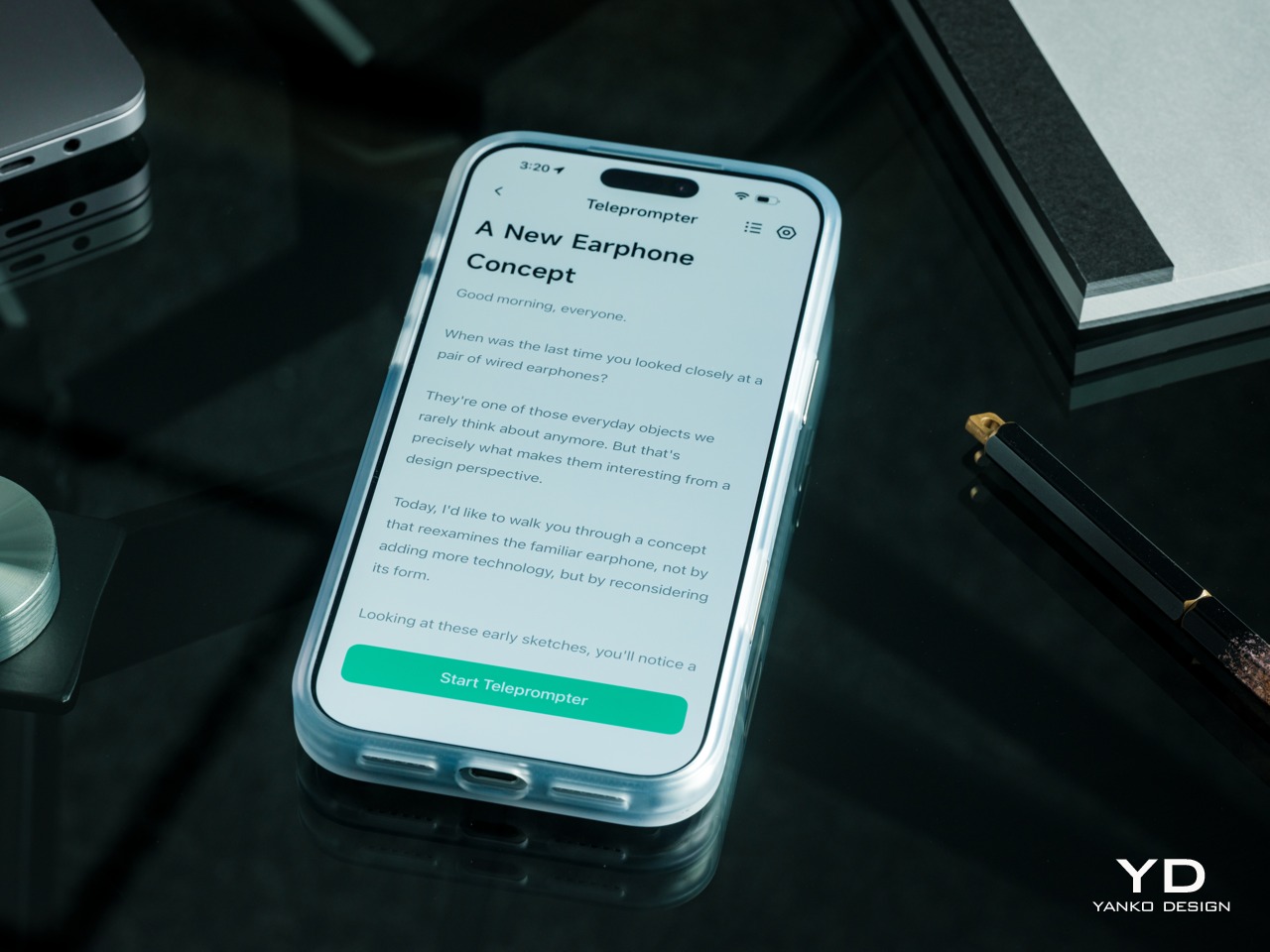

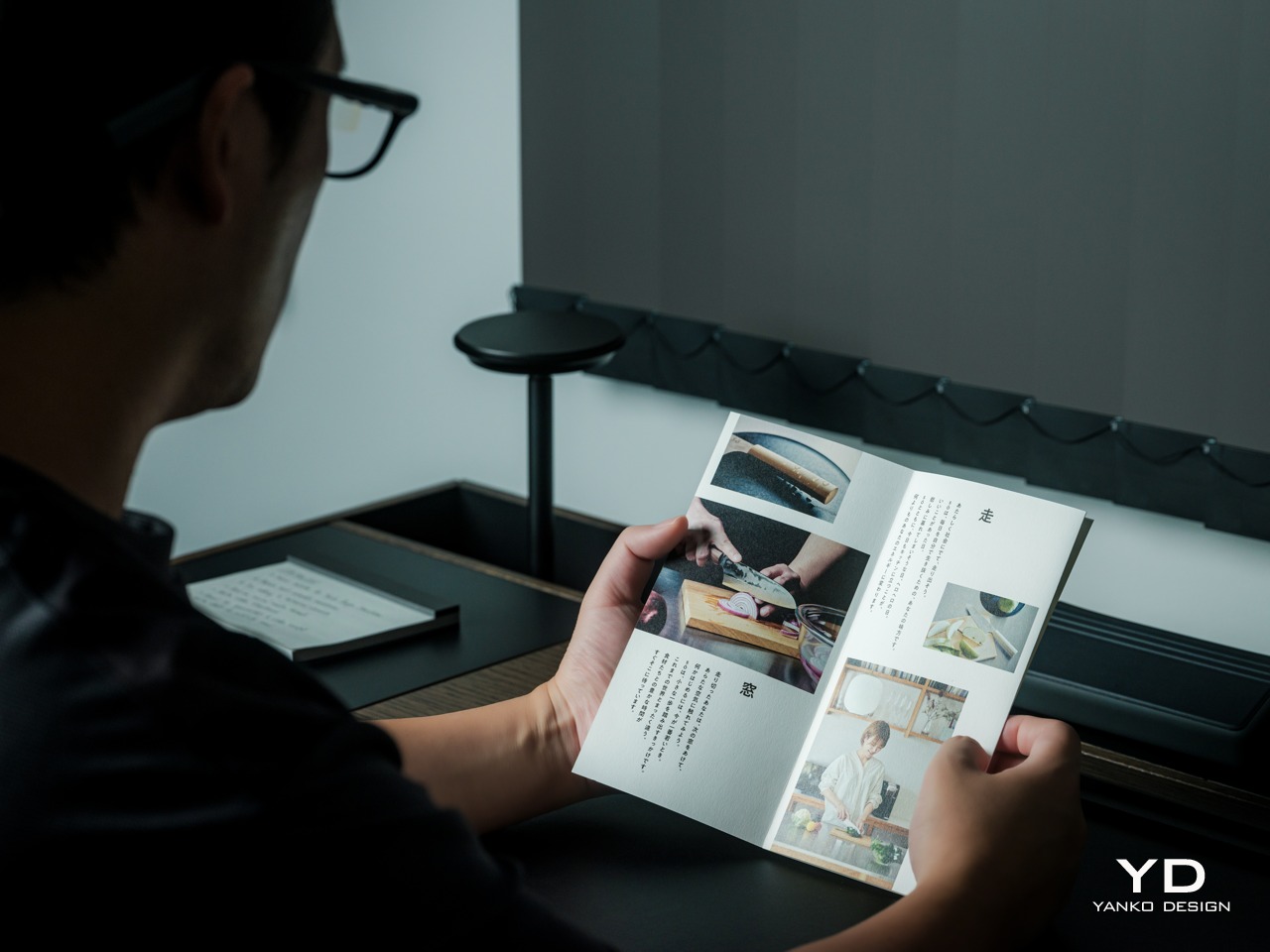
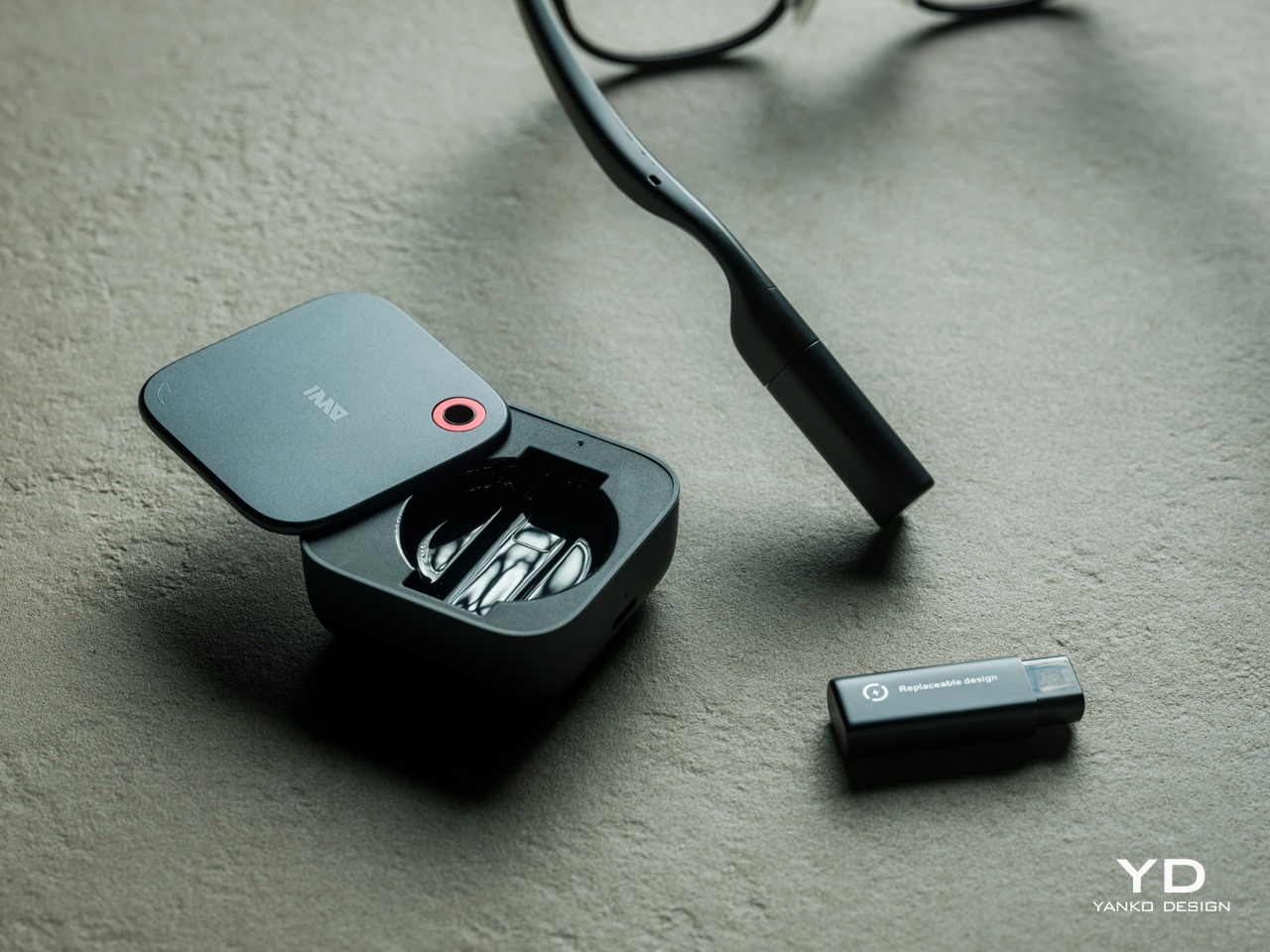
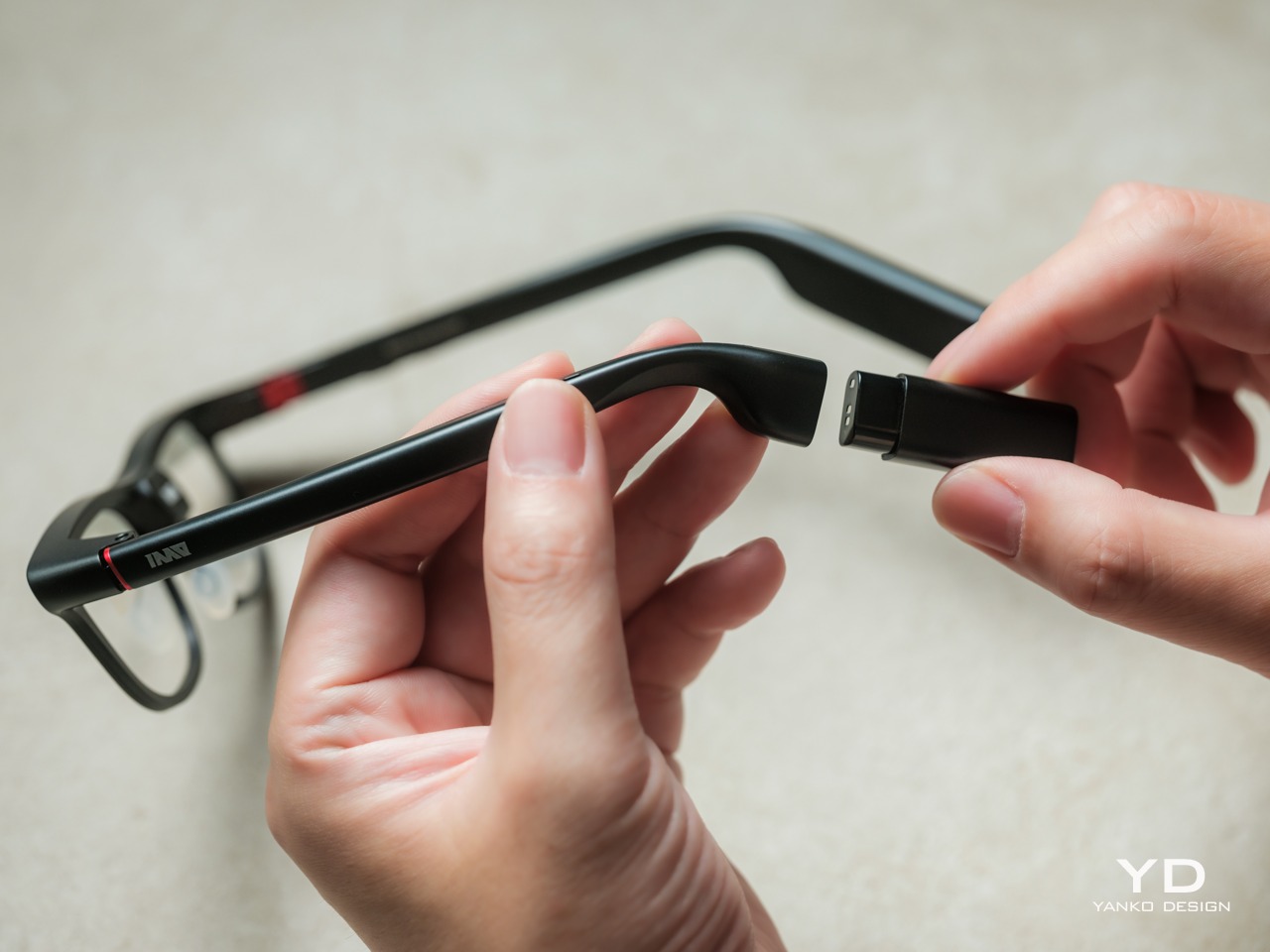

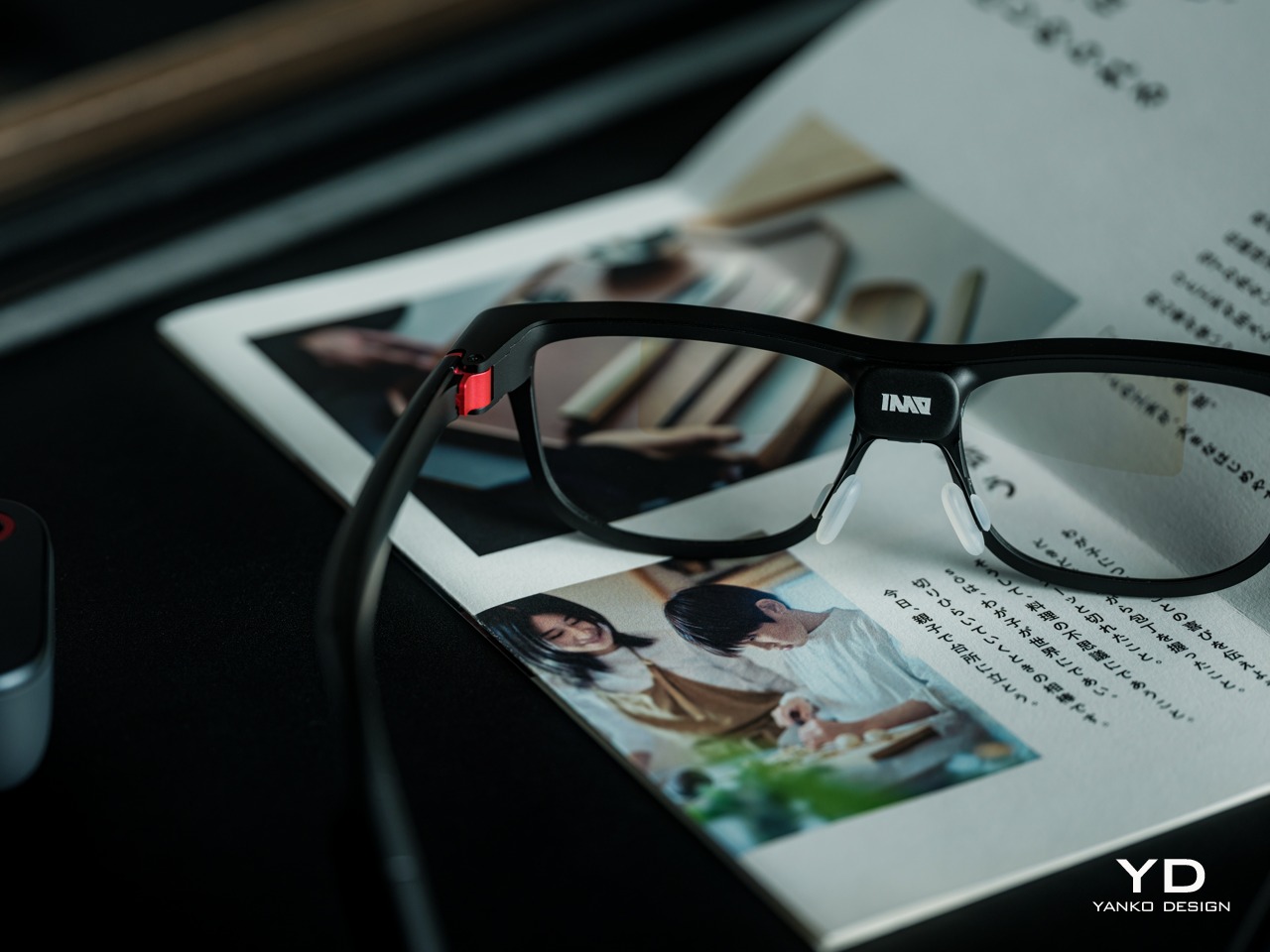






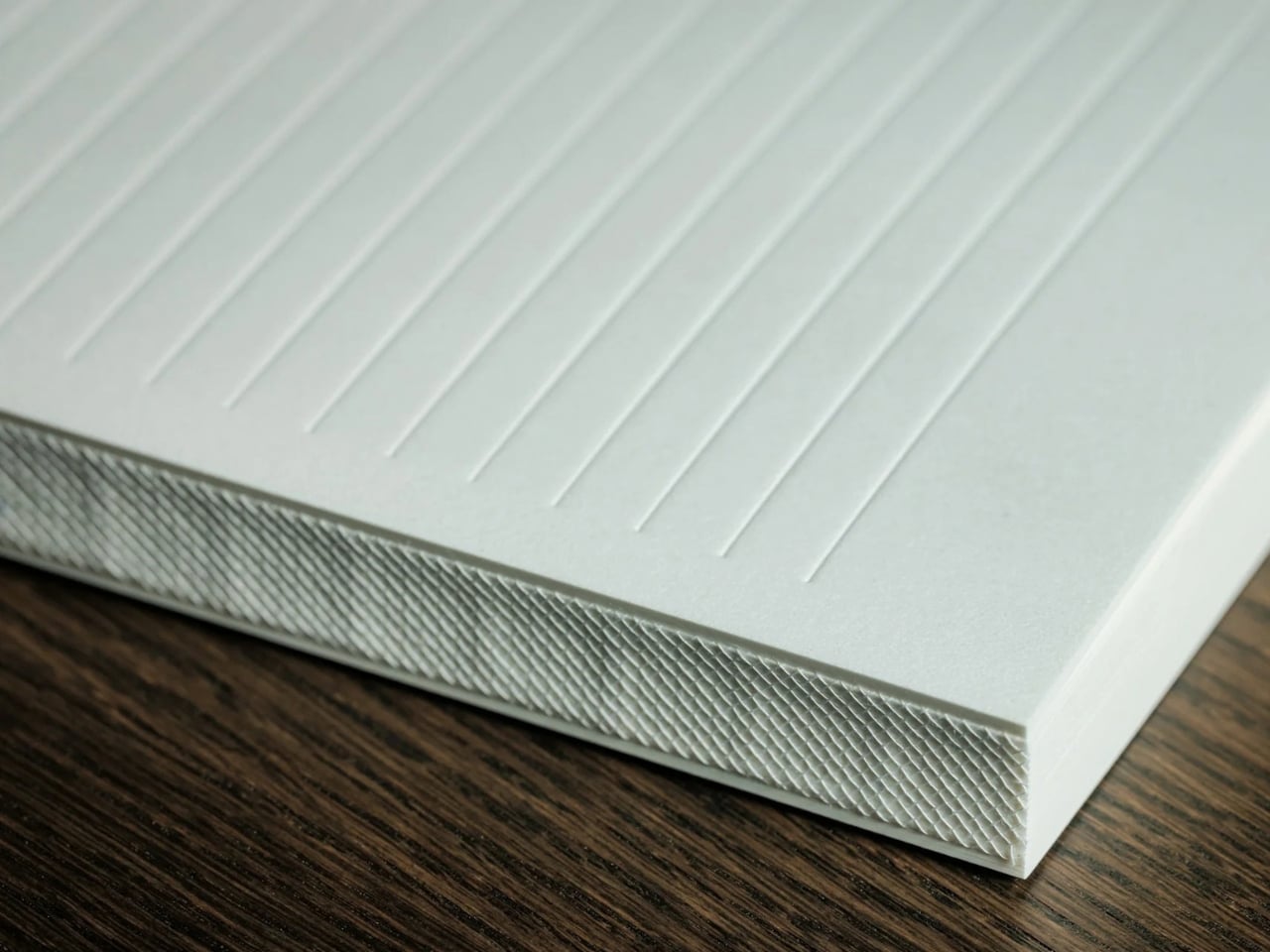
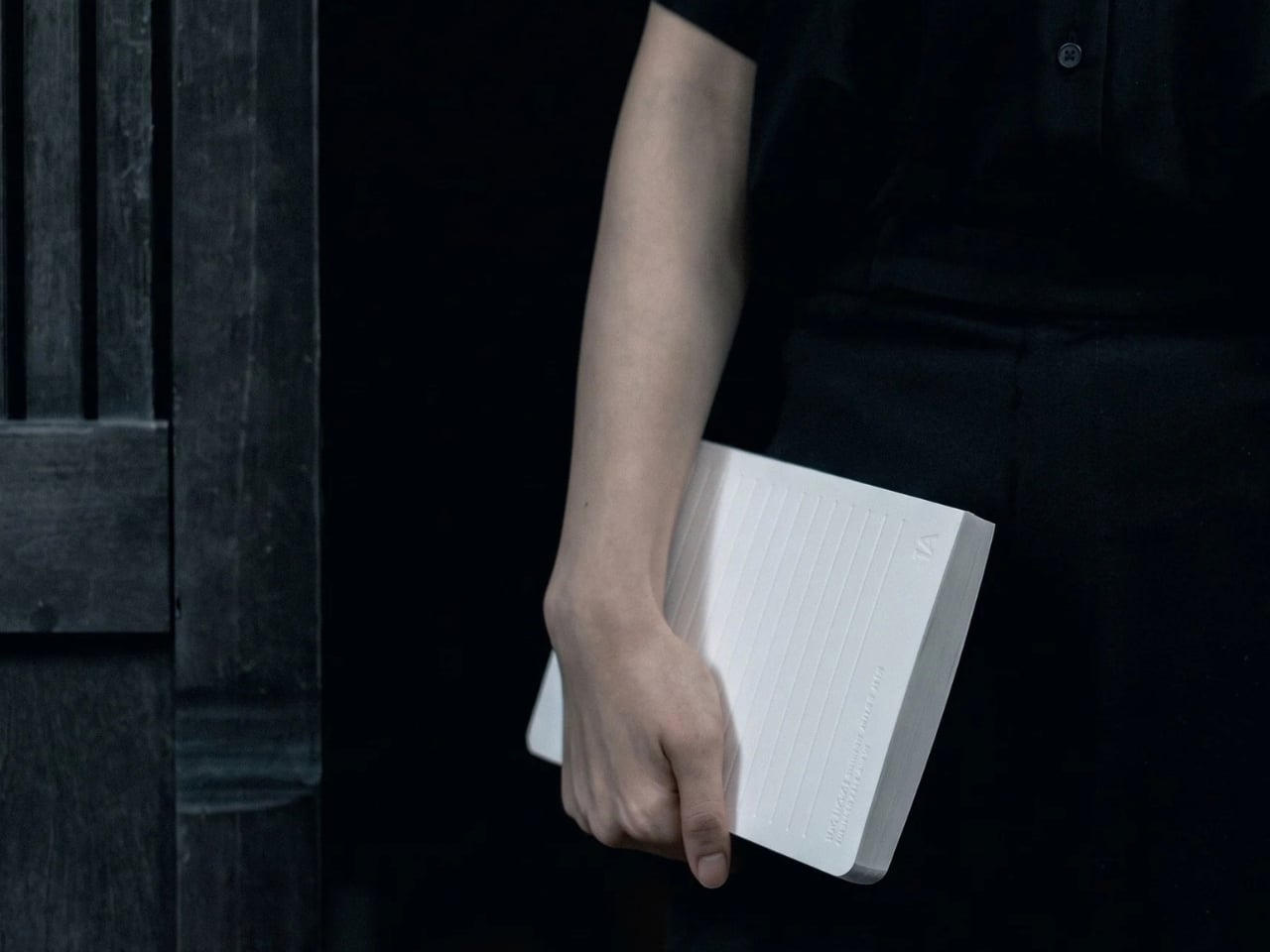
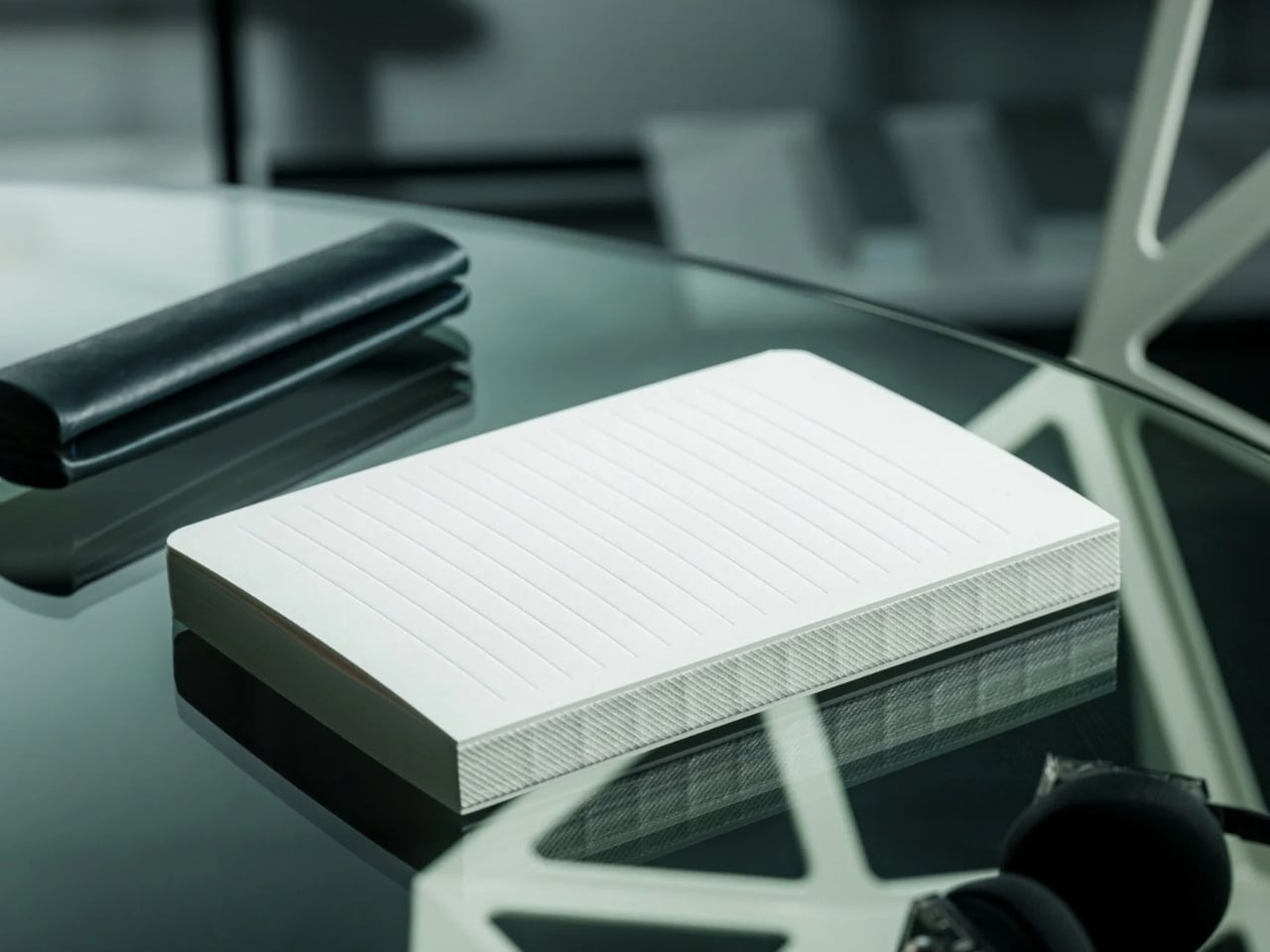


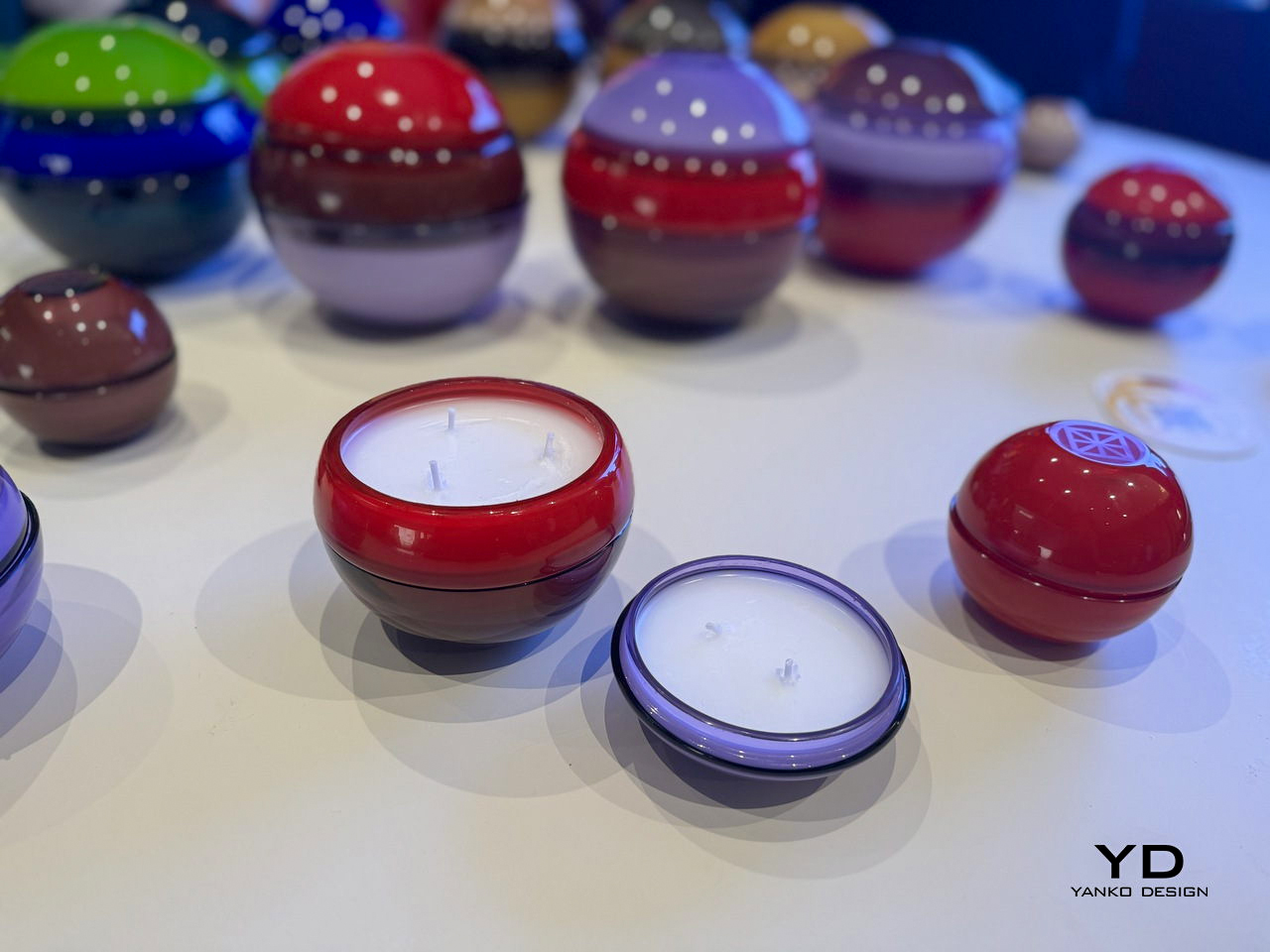
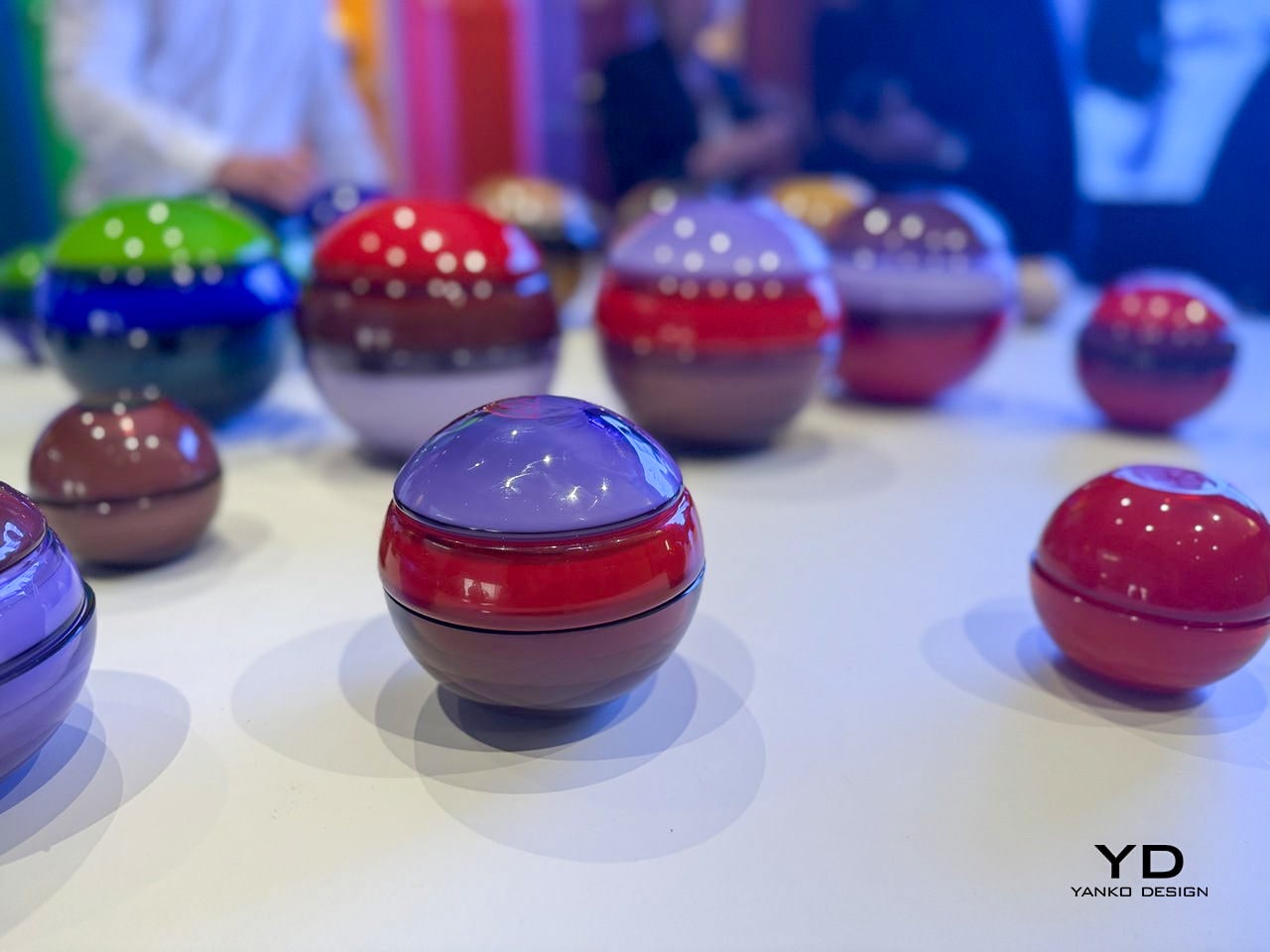

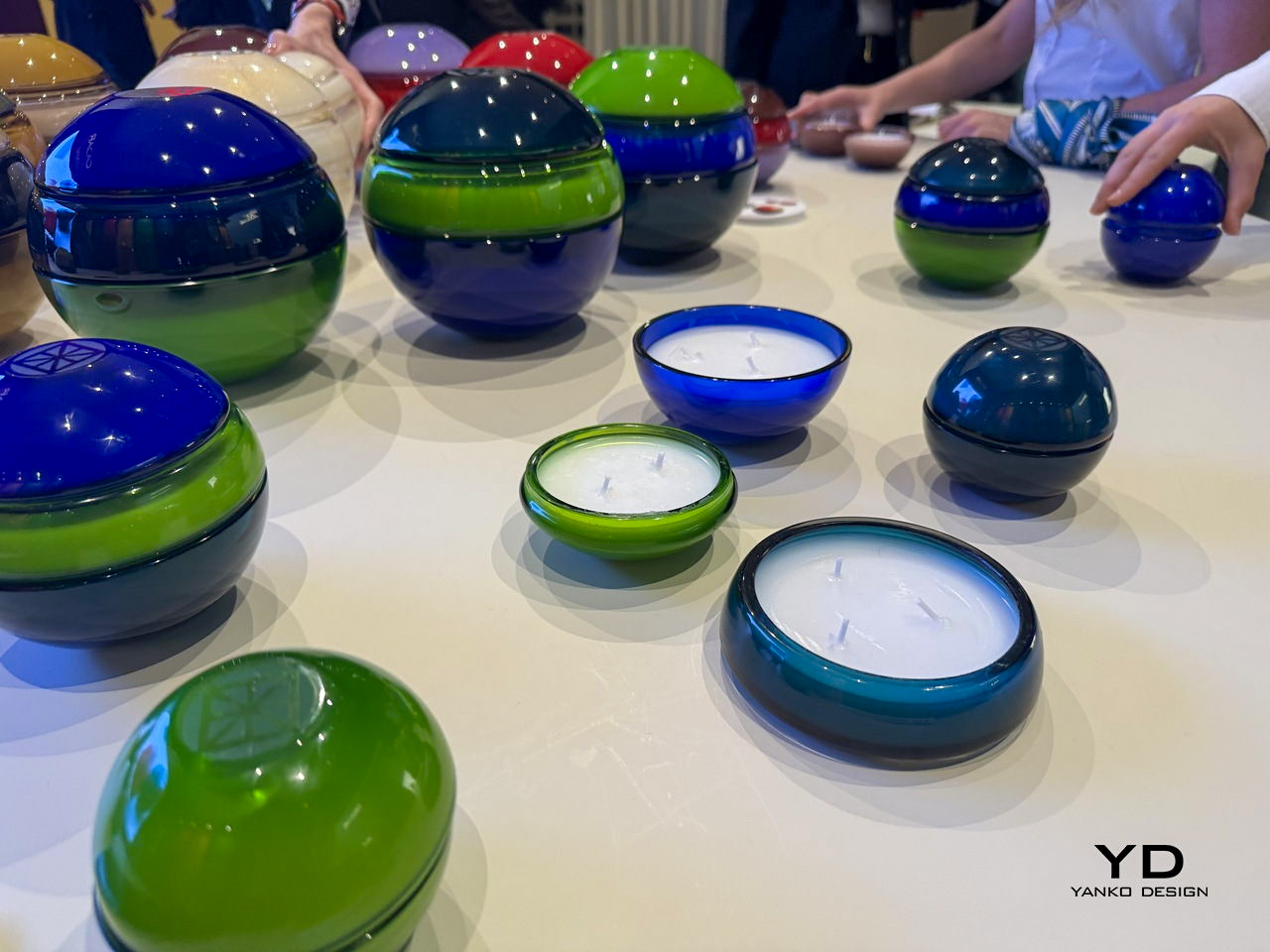
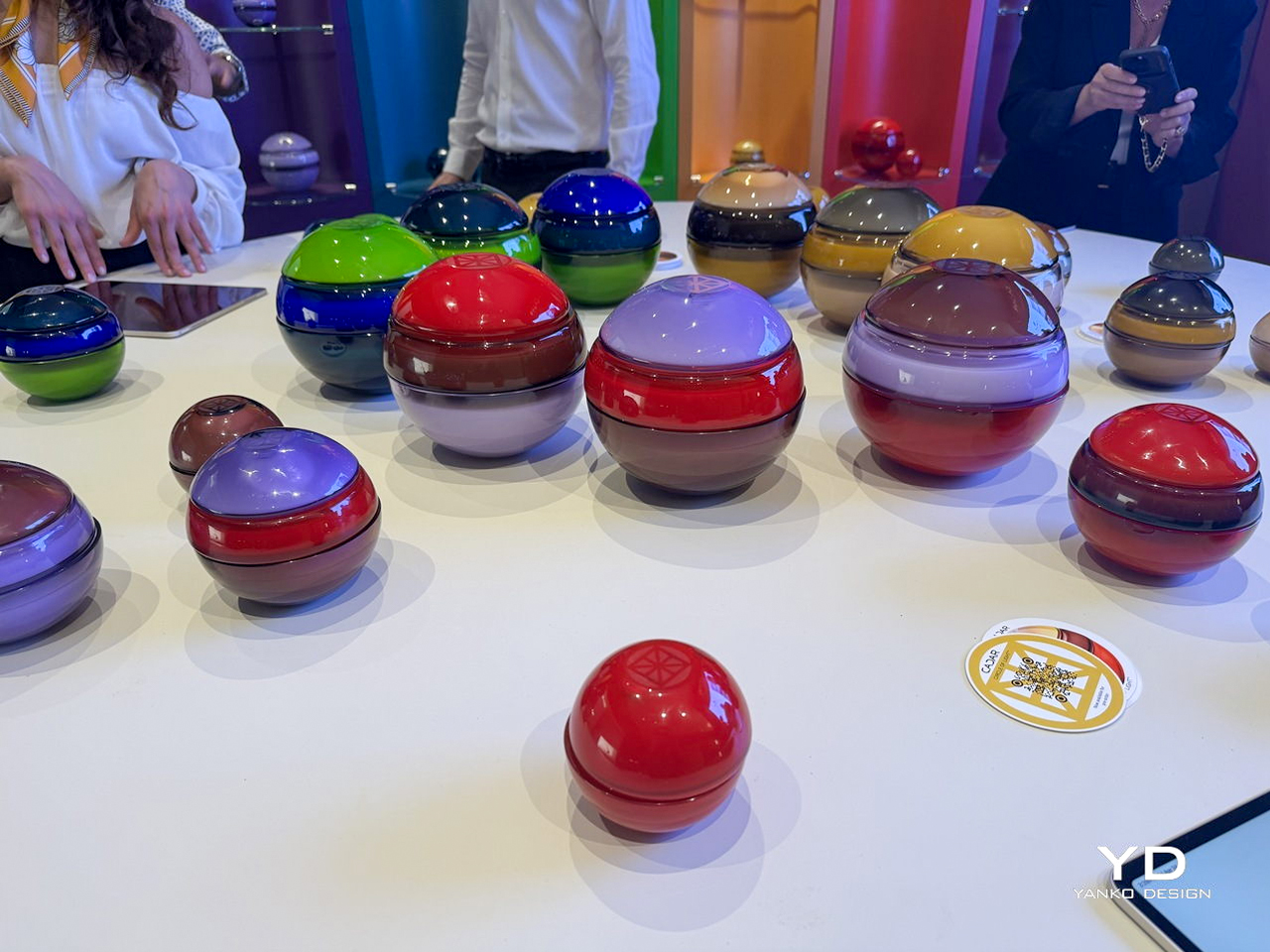
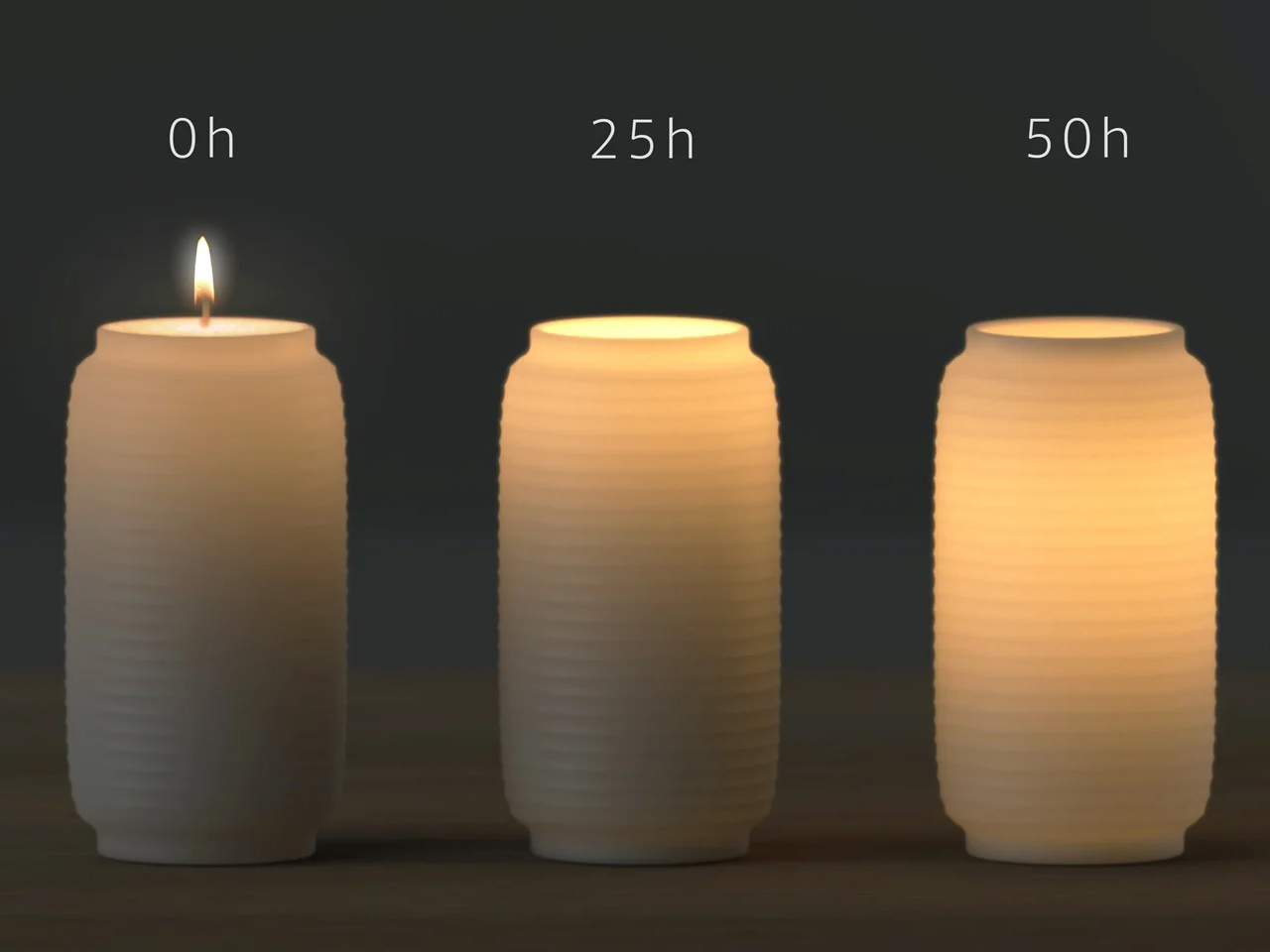

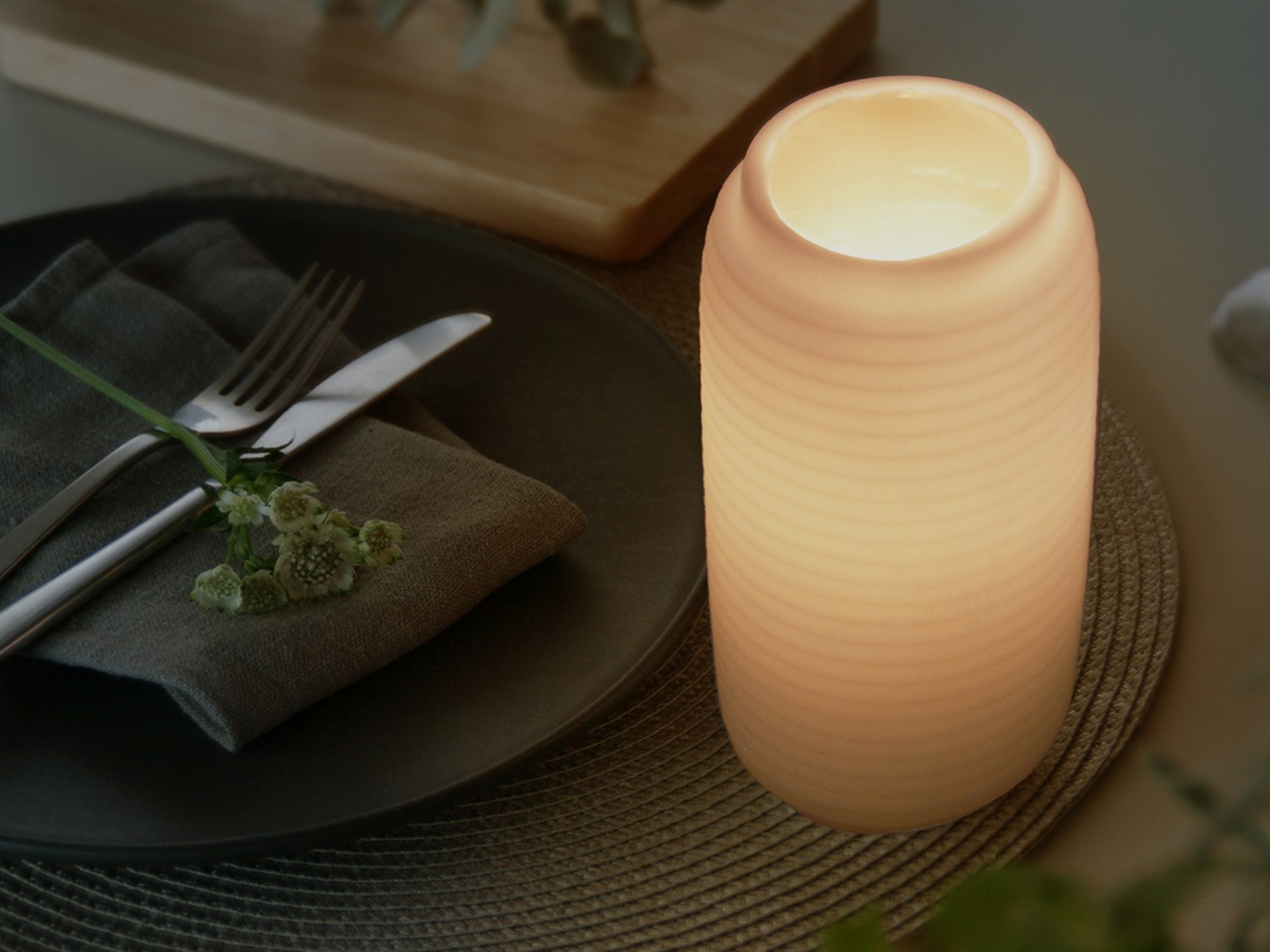


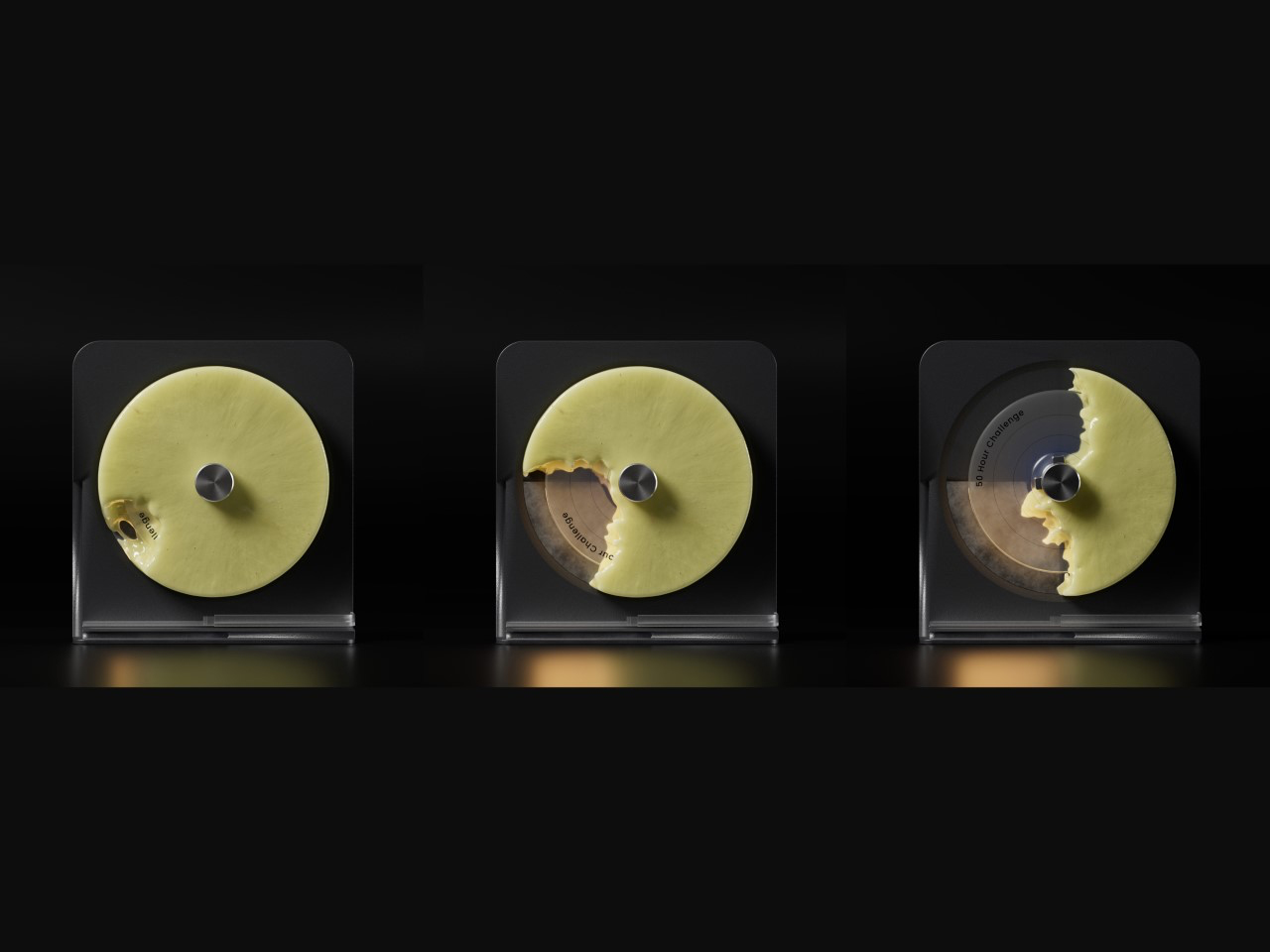
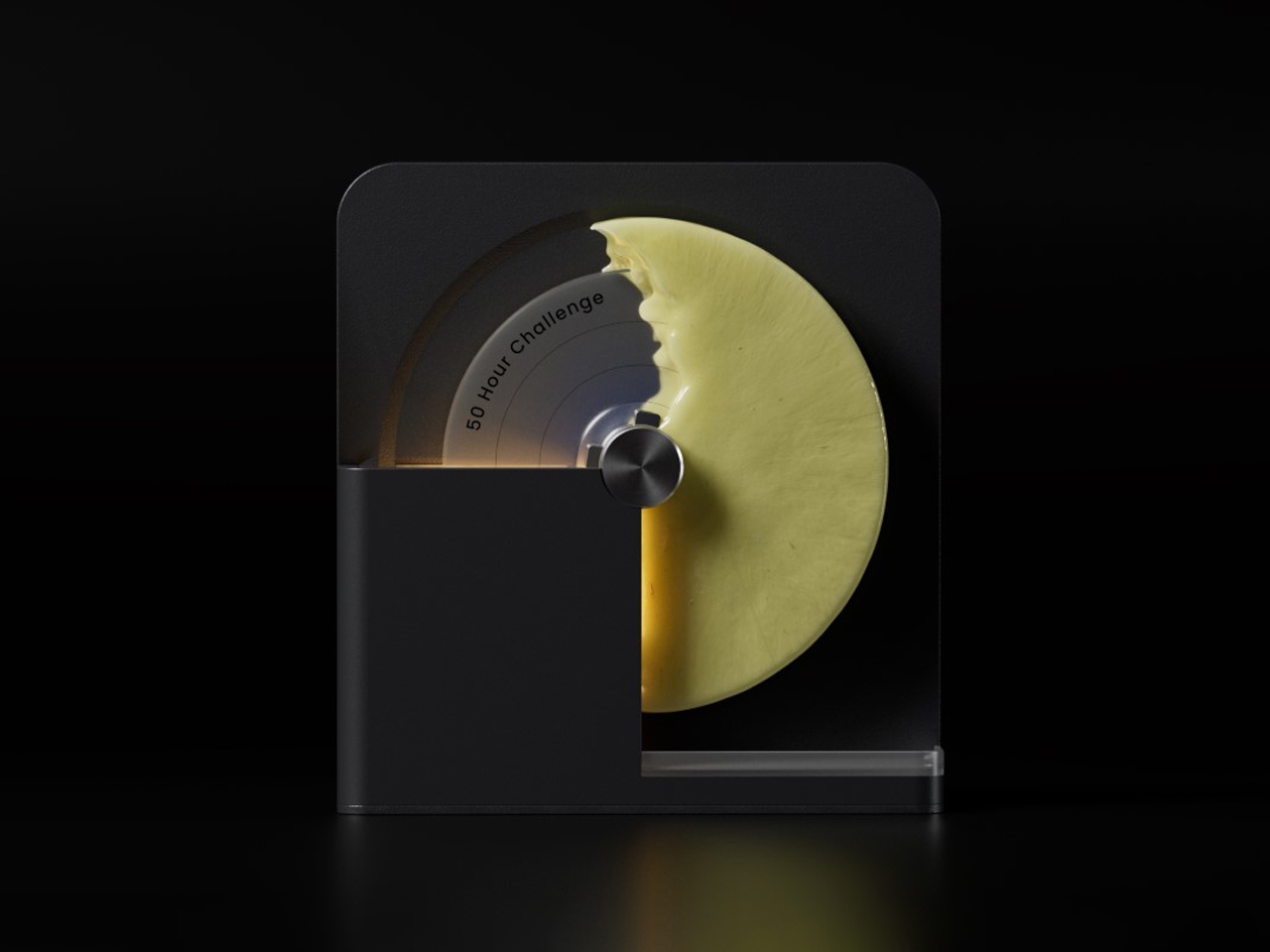
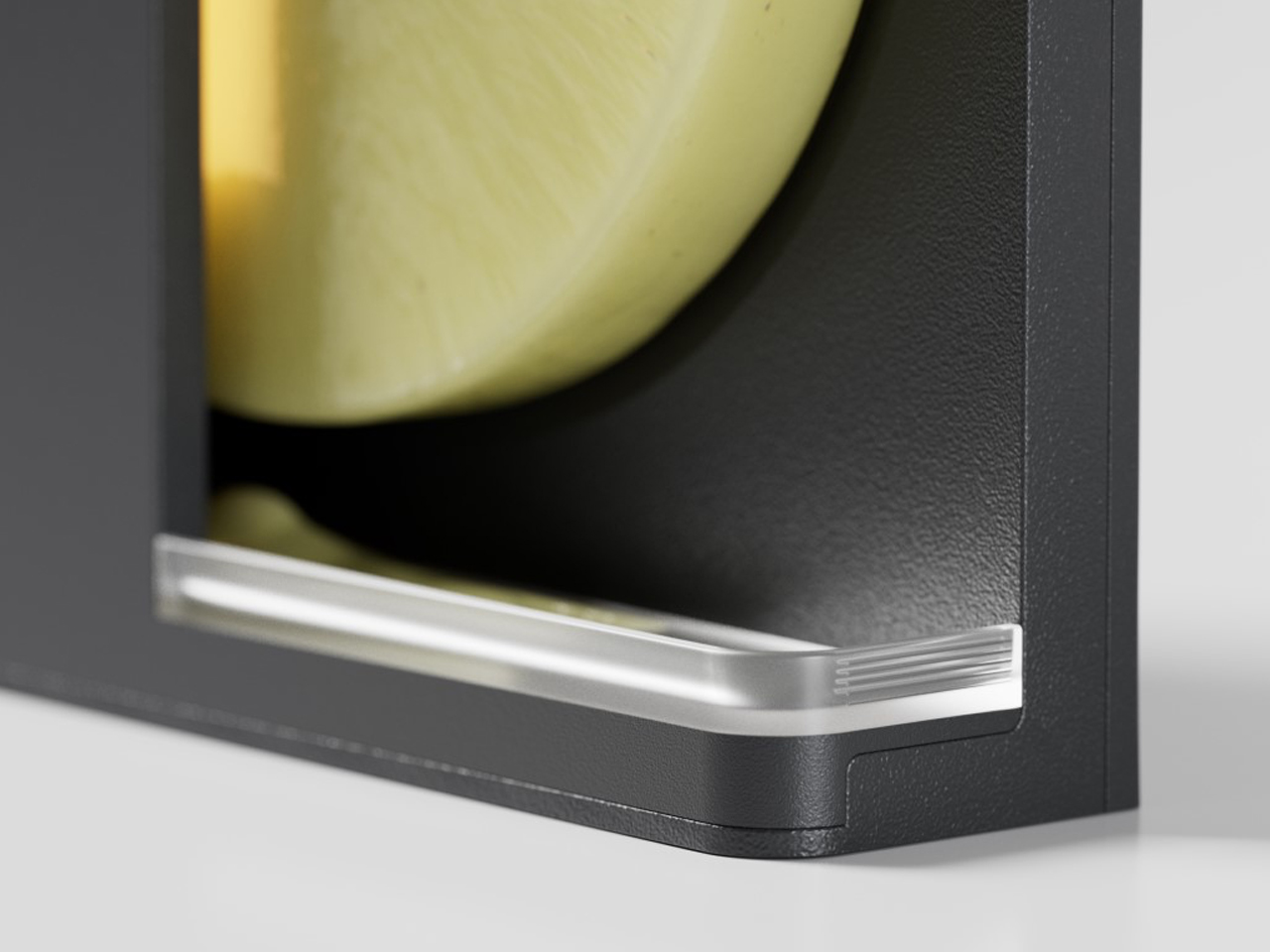

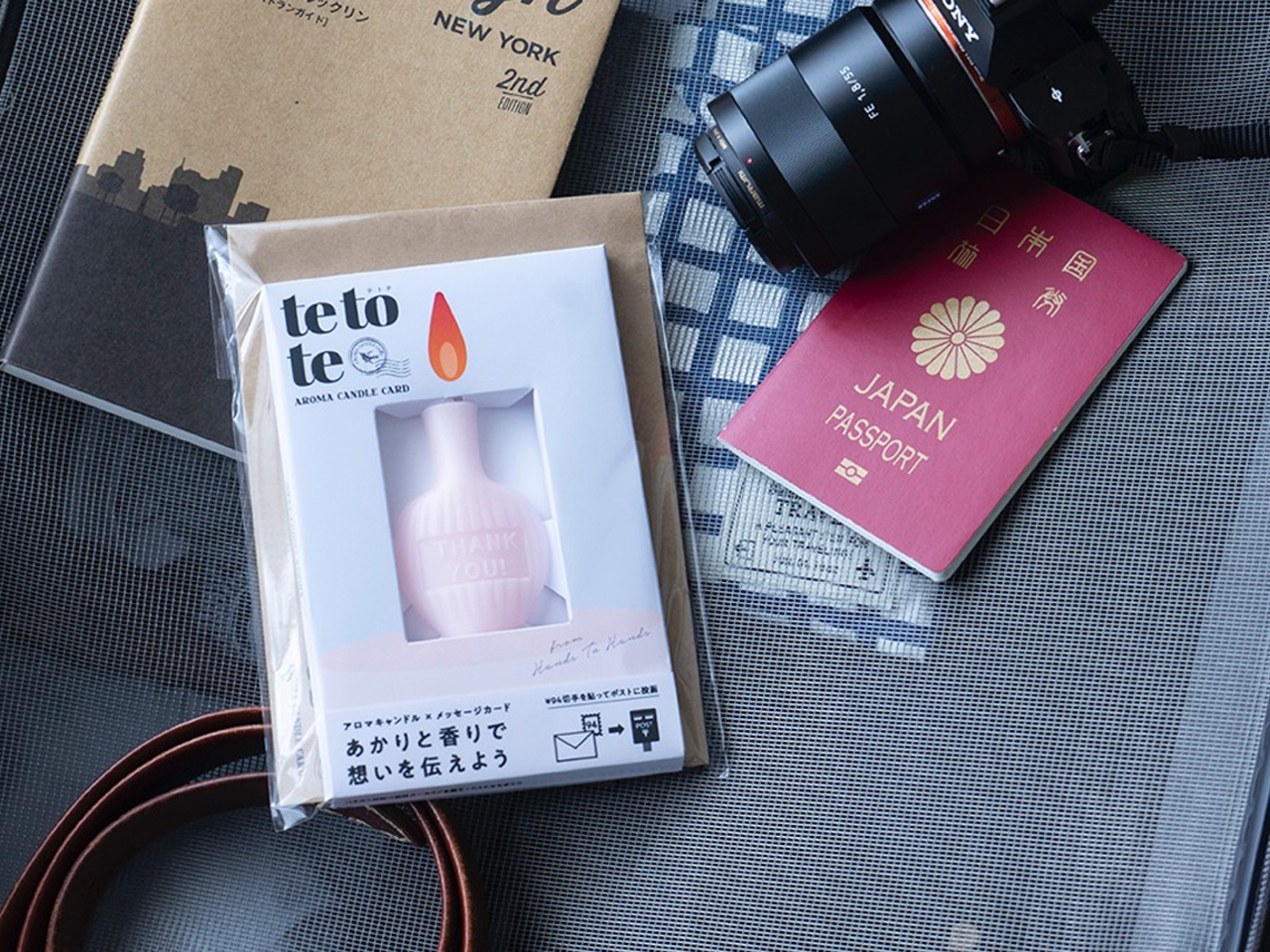
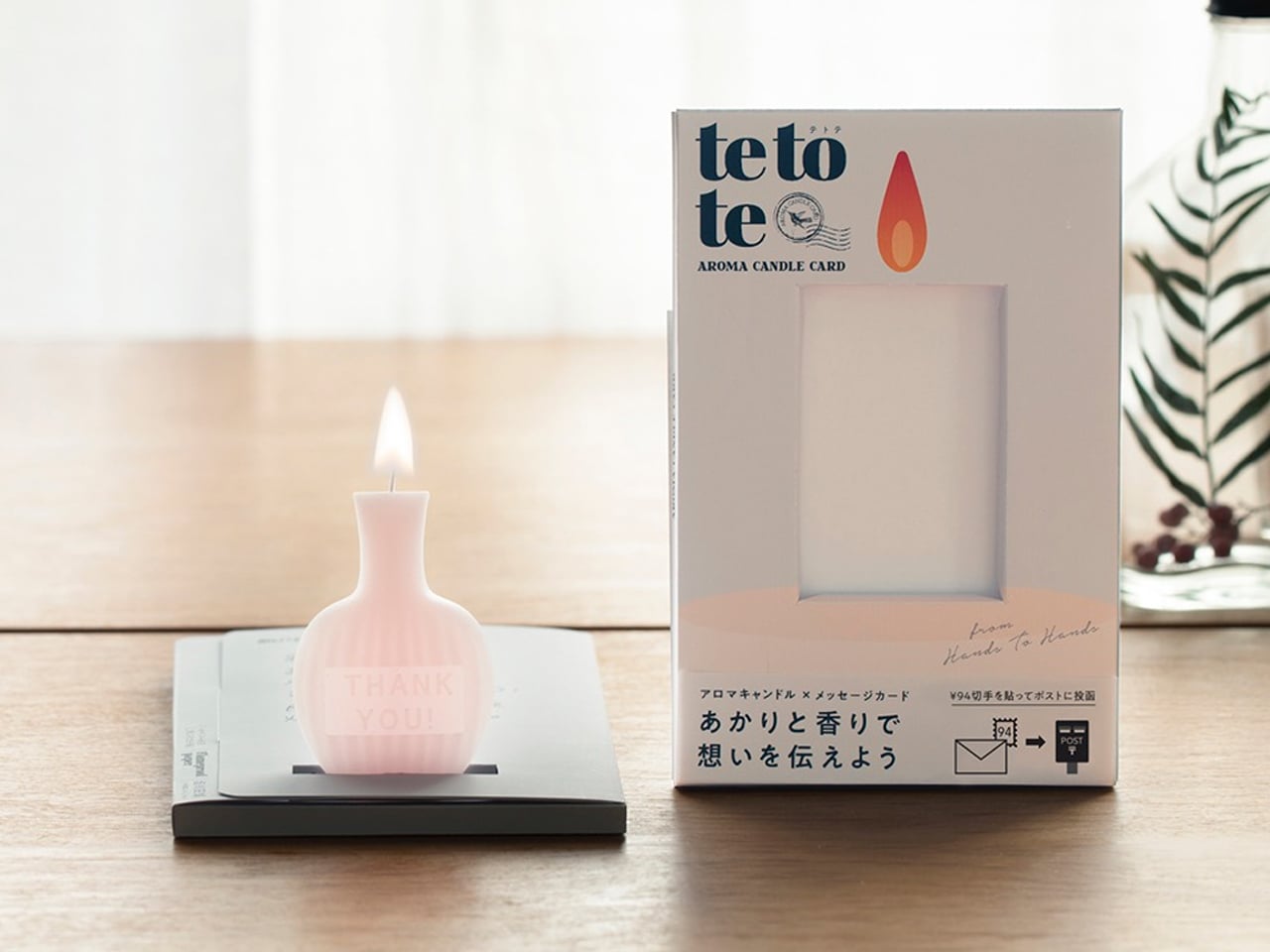
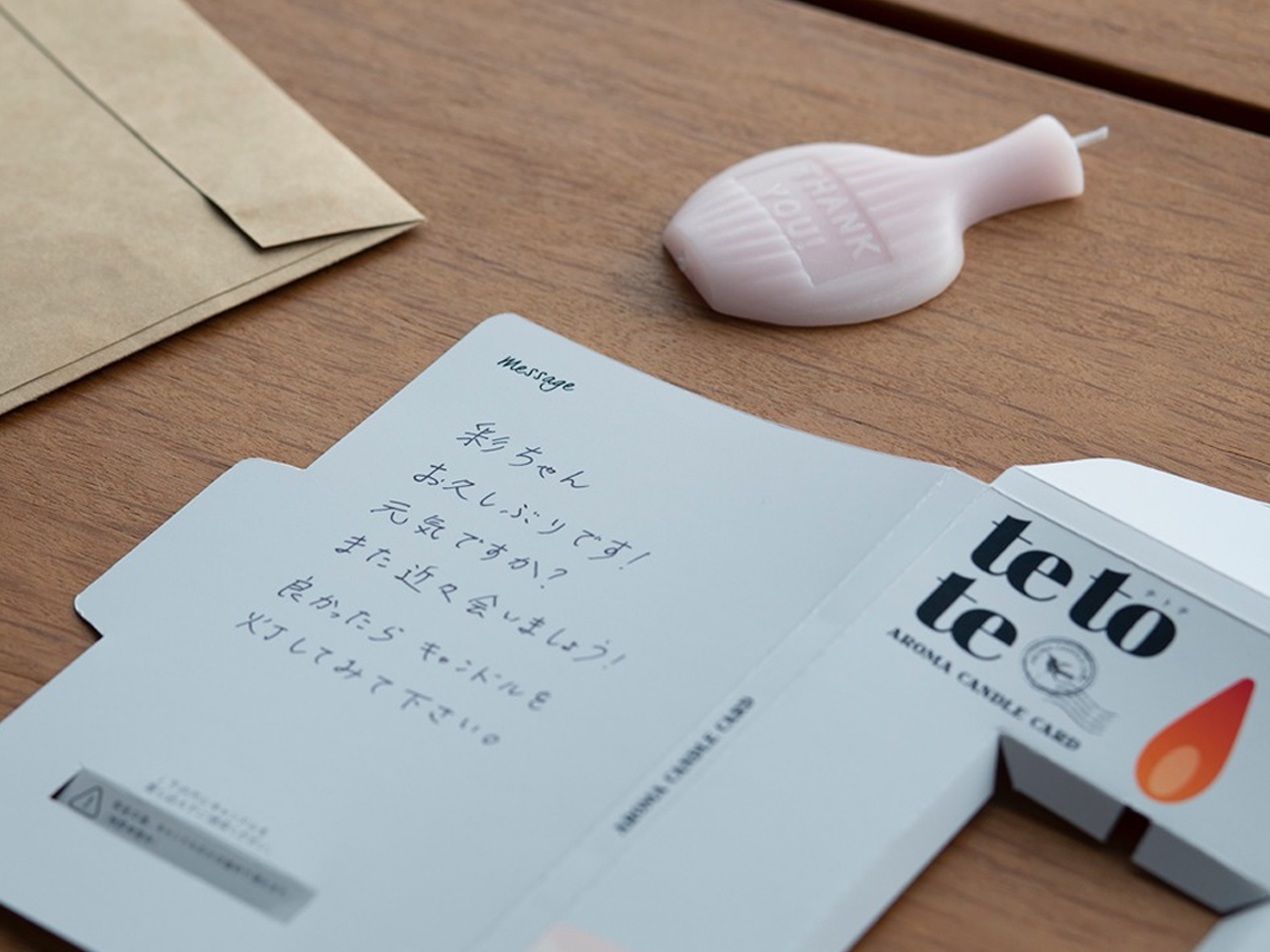


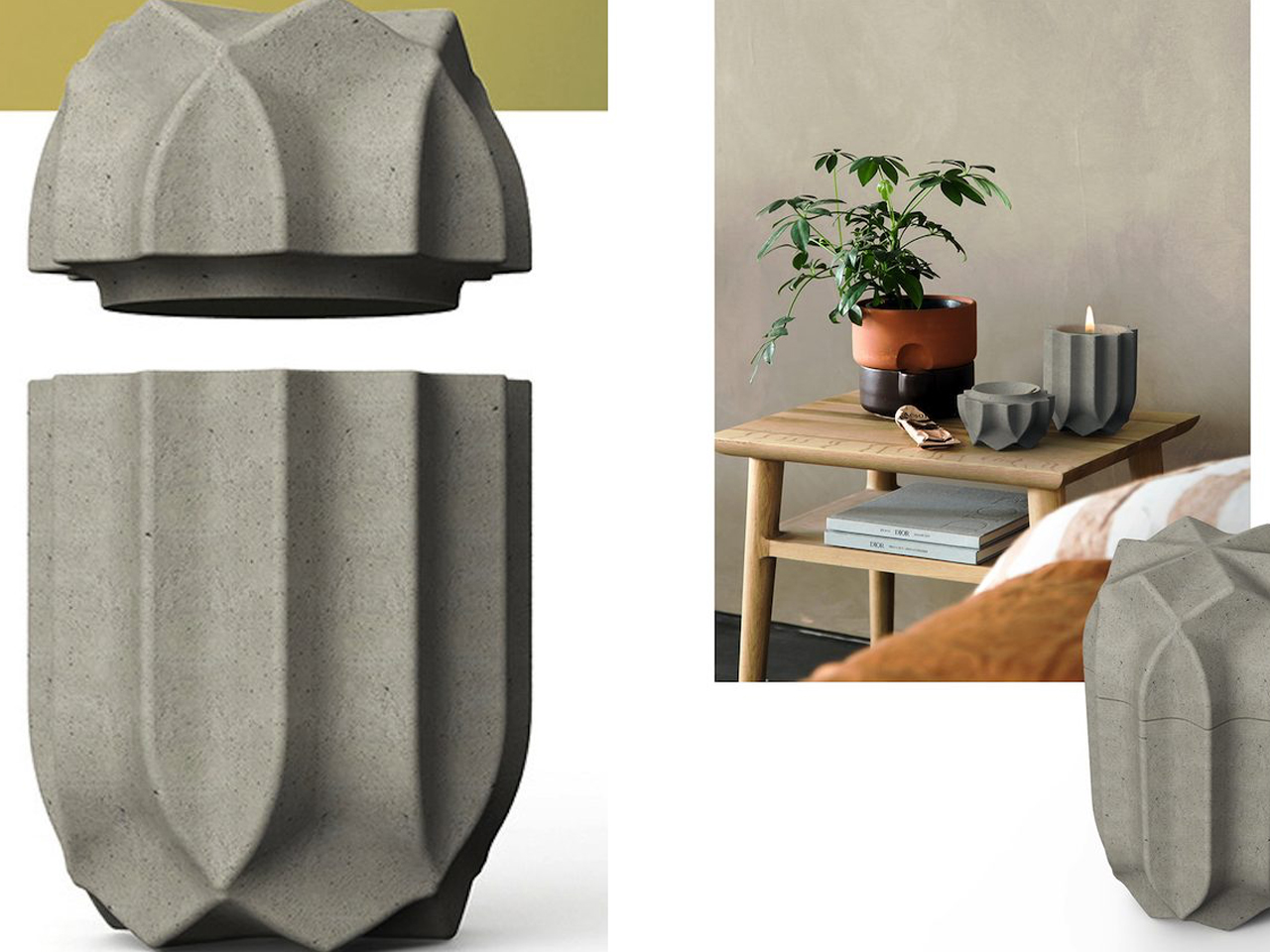


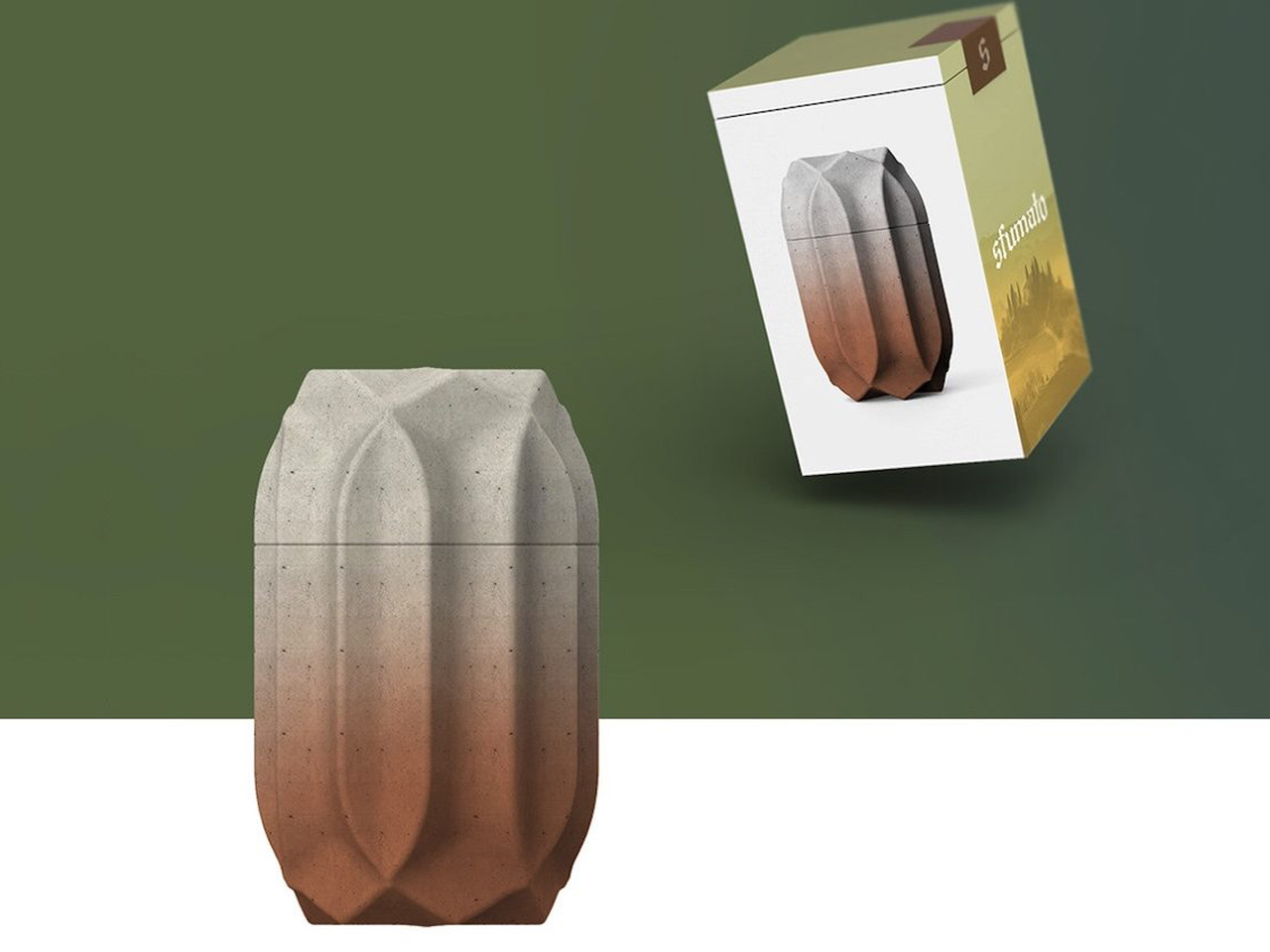

 2.0 trimming system targets a zero-inch edge gap, according to the company, putting that leftover strip squarely on the agenda. Set for a preview at Equip Expo 2026, the robotic mower also brings solid-state LiDAR, stereo vision, and network-assisted satellite positioning. An impressive résumé, although the edge-cutting hardware is what makes me want to schedule the interview.