Microsoft's once popular IRC client "Comic Chat" is being open sourced to celebrate its 30th anniversary. Those who frequented the world wide web in the 90's will likely remember Comic Chat for being a unique experiment into how IRC chatting could be, featuring graphical avatars that presented chats and chatrooms in comic strip form.
Originally developed by Microsoft Researcher David Kurlander and released on August 13, 1996, Comic Chat began life as a research project before morphing into Microsoft Chat and becoming the default chat client for MSN.
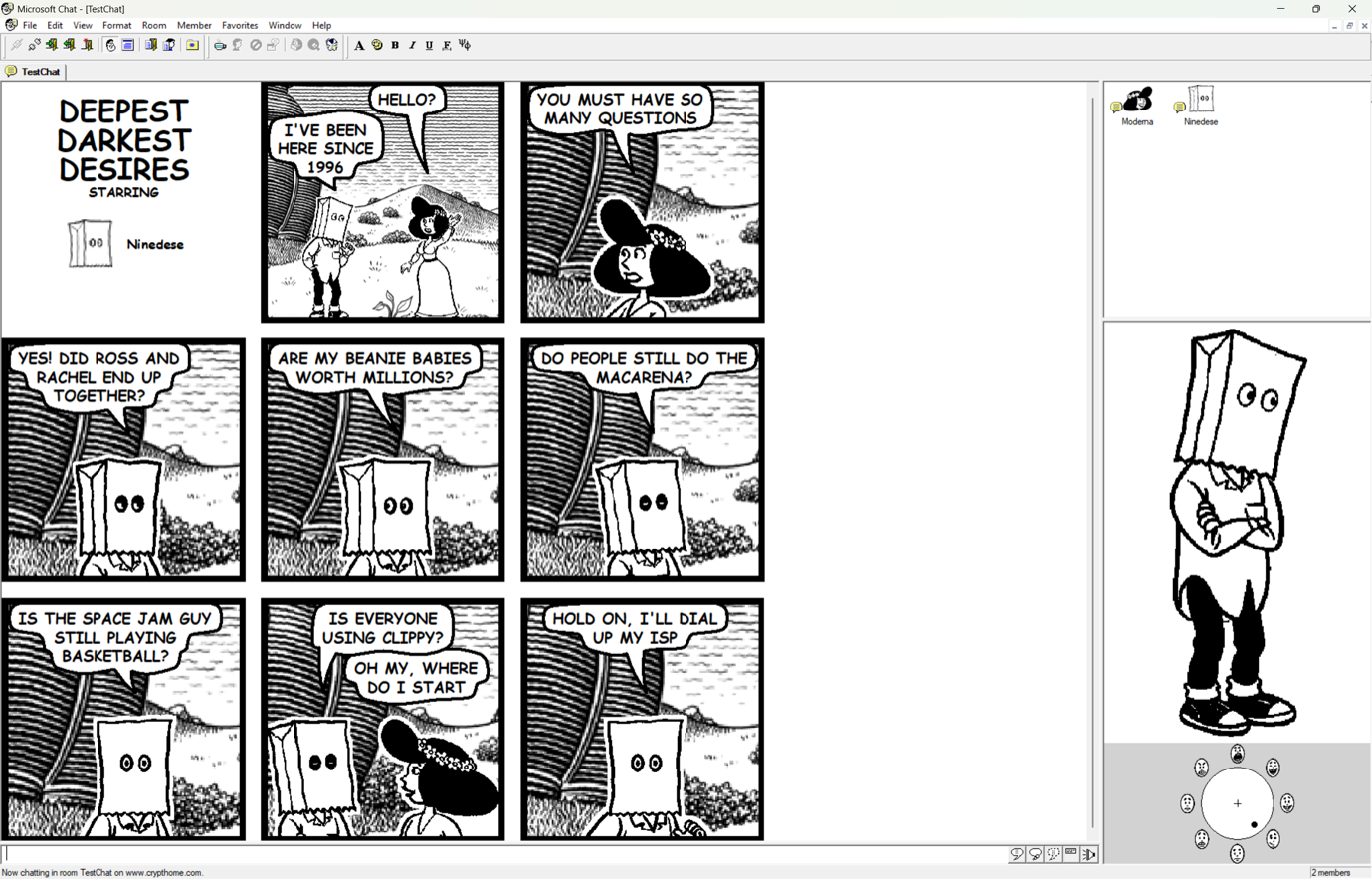
"Today, we’re excited to announce the open-source release of Microsoft Comic Chat, the chat client that automatically turned conversations within Internet Relay Chat (IRC) into comic panels featuring illustrated characters, speech bubbles, and expressions, and helped introduce the world to a little font called Comic Sans," Microsoft's Scott Hanselman announced in a blog post today.
Comic Chat running on Windows 11. (Image credit: Microsoft)
"For many people, Comic Chat is a nostalgic artifact from the early days of the internet as we transitioned from technologies like telnet, Usenet, and IRC to the largely visual web that we enjoy today. For others, it’s a legendary piece of Microsoft history they have only heard about in stories, screenshots, and debates about typography. Now, developers, historians, retro computing enthusiasts, and anyone who appreciates a wonderfully unconventional idea can explore the source code for themselves."
Although from the 90s, Comic Chat is still functional as an IRC client today, though most people likely don't use it anymore. Still, with the app now being open source, perhaps developers and tinkerers will be more open to breathing life back into the 30 year old app.
The Comic Chat source code is now public on GitHub for anyone who wants to take a look and compile their own version.
Join us on Reddit at r/WindowsCentral to share your insights and discuss our latest news, reviews, and more.
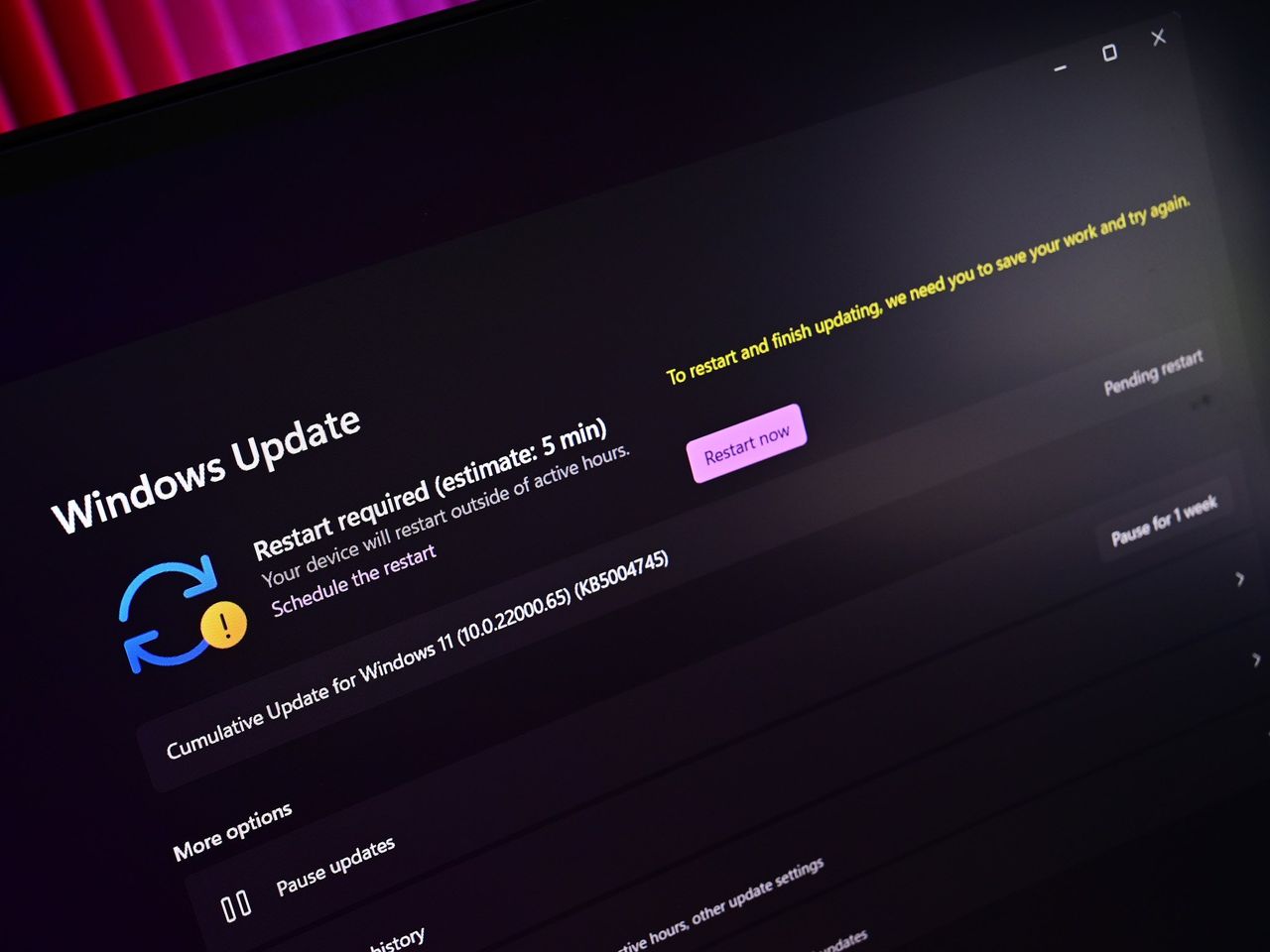
Microsoft has confirmed that it has blocked the availability of the recent Windows 11 July Patch Tuesday update (KB5101650) on Dell PCs, after Dell reported a number of issues including unexpected shutdowns, overheating, poor performance, and more caused by the preview update that released before it.
The KB5101650 began rolling out on July 14, and includes a number of quality of life improvements and fixes. For most users, this update is issue free, but Dell PCs will find that the update is not available for them currently.
"A limited number of Dell devices might display a yellow exclamation point in Device Manager next to the Intel Innovation Platform Framework Processor Participant driver. These devices can potentially experience unexpected shutdowns, poor performance, increased heat, and battery drain."
This issue applies to both the KB5101650 update that rolled out on July 14, and the optional preview update KB5095093 that rolled out on June 23, on either Windows 11 version 24H2 or 25H2. Dell PCs running either of these updates and experiencing issues should roll back.
The bug in question appears to be caused by the new Windows USB-C Connection Manager interface, with the Intel Innovation Platform Framework Processor Participant driver no longer functioning as intended. "This issue was reported by Dell during testing and identified as an incompatibility between the Intel driver and the new Windows USB-C Connection Manager interface."
Microsoft says that it's working on a fix, and will release a resolution for the PCs that are impacted by this issue soon. The good news is that it appears Microsoft was aware of the problem right away, as the July 14 update was blocked on Dell PCs right out of the gate.
Unfortunately, there was no immediate block on the optional update that released on June 23, meaning some devices may have installed the update that is causing problems. The best course of action in that situation is to simply roll-back to the previous update.
This week, Microsoft unveiled a major overhaul coming soon to Windows 11's search experience that's designed to fix its biggest flaws and criticisms. For a long time, many have agreed that search on Windows is pretty much broken, but the new changes that are now in testing may finally be fixing that problem.
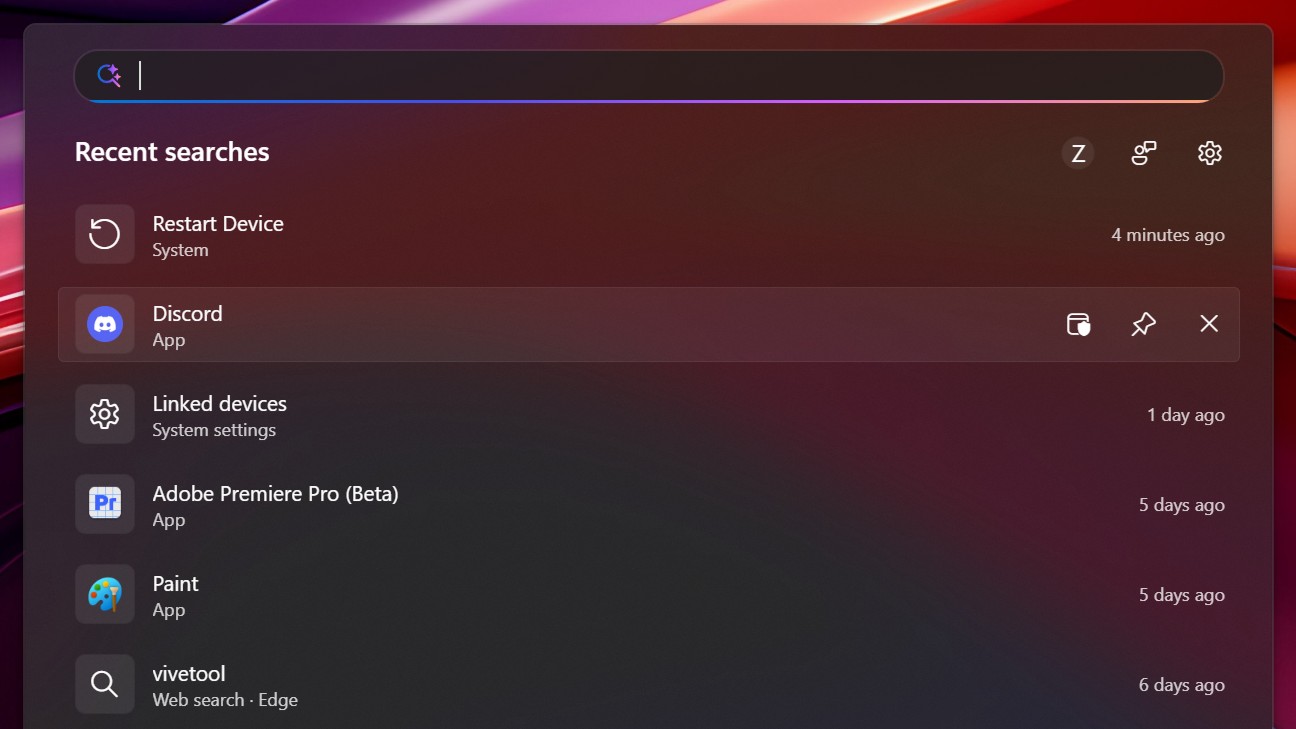
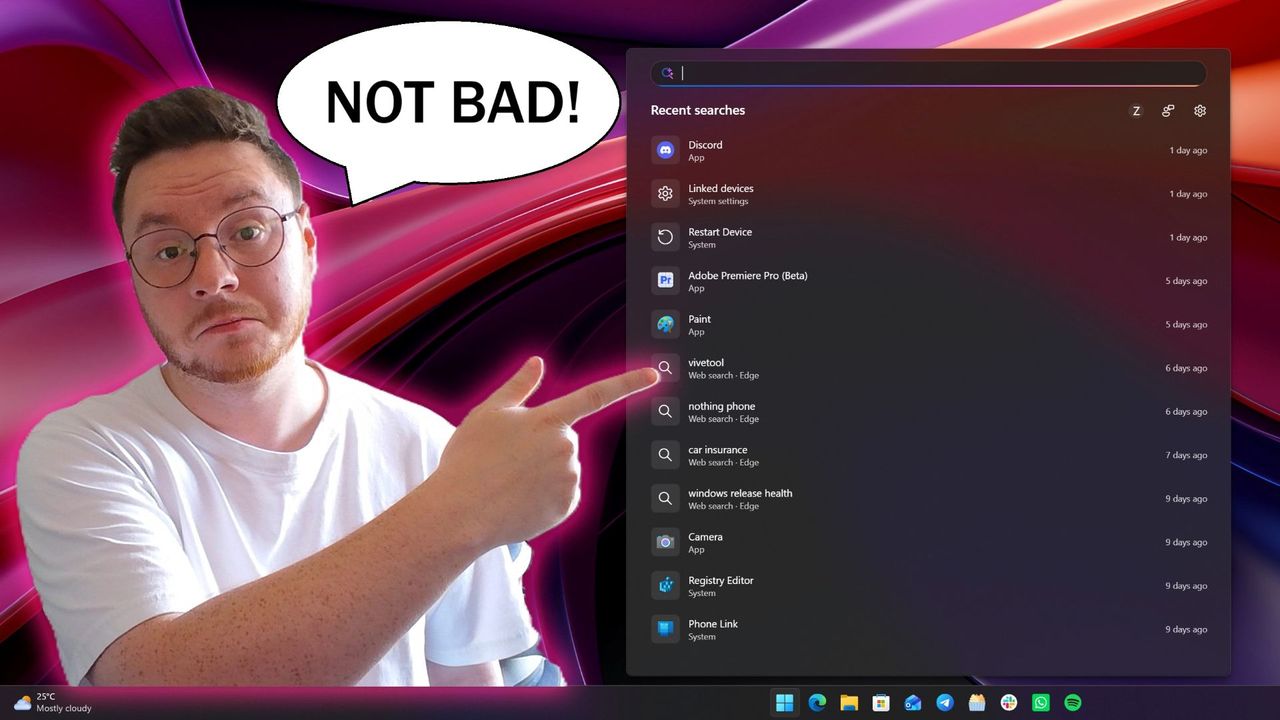
I've been testing the new Windows Search out over the last two days, and I'm very impressed with the new experience. Right off the bat, the search pane is no longer a noisy mess of Bing ads and sponsored content. It's a clean list of recent searches, exactly what you'd expect from a search pane.
Search items that appear in this list are categorized so that you know whether an item is an app, document, setting, or web search. Hovering over items in this menu will display options depending on the type of item it is, such as apps which present the option to pin it to the Taskbar or run as an administrator.
Quick options appear when you hover over recent search items. (Image credit: Zac Bowden / Windows Central)
You can also right-click on any of the items in the search pane for more info, which displays additional options such as uninstall or app settings, open file location, as well as the ability to remove the item from the recents list.
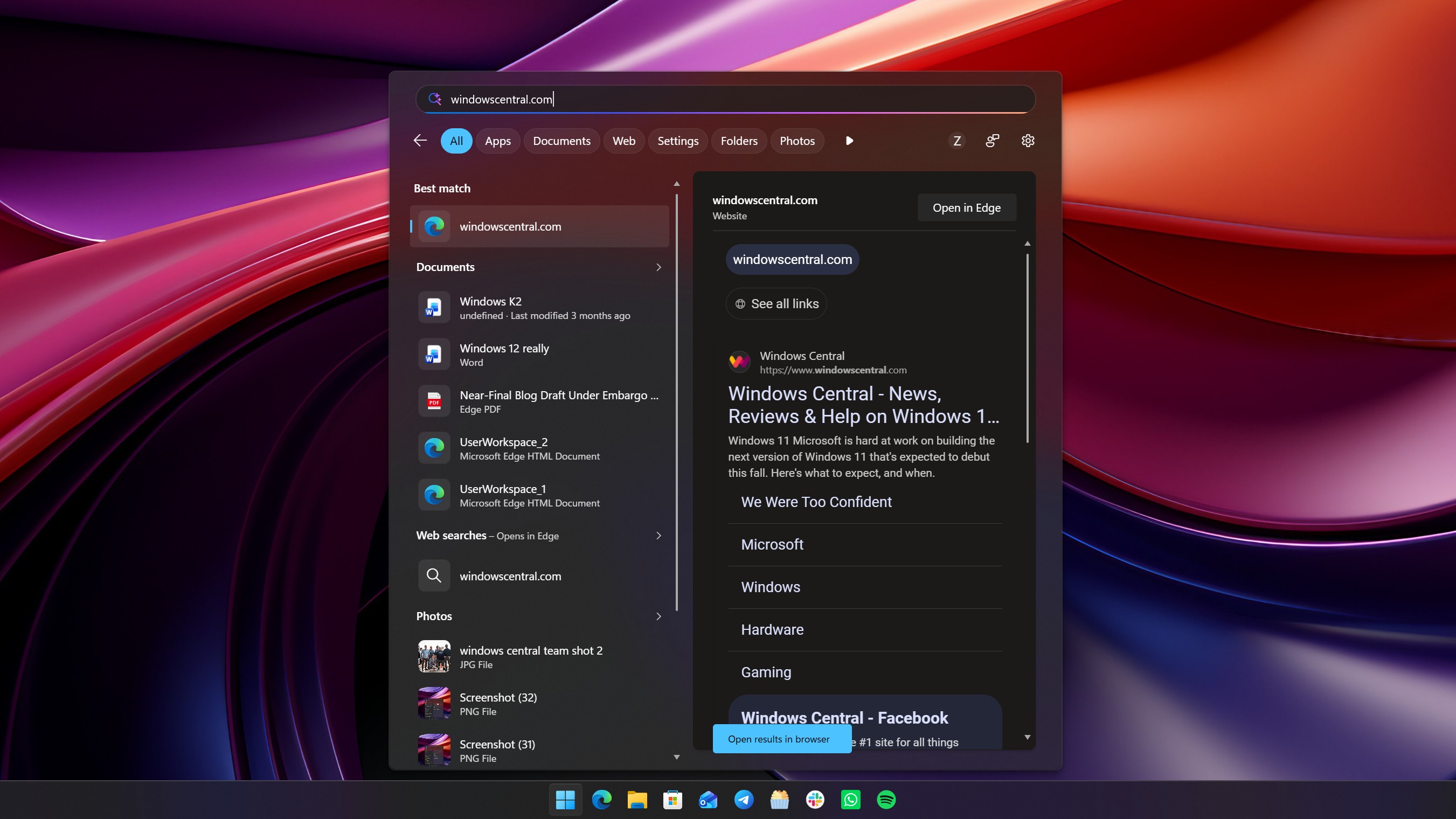
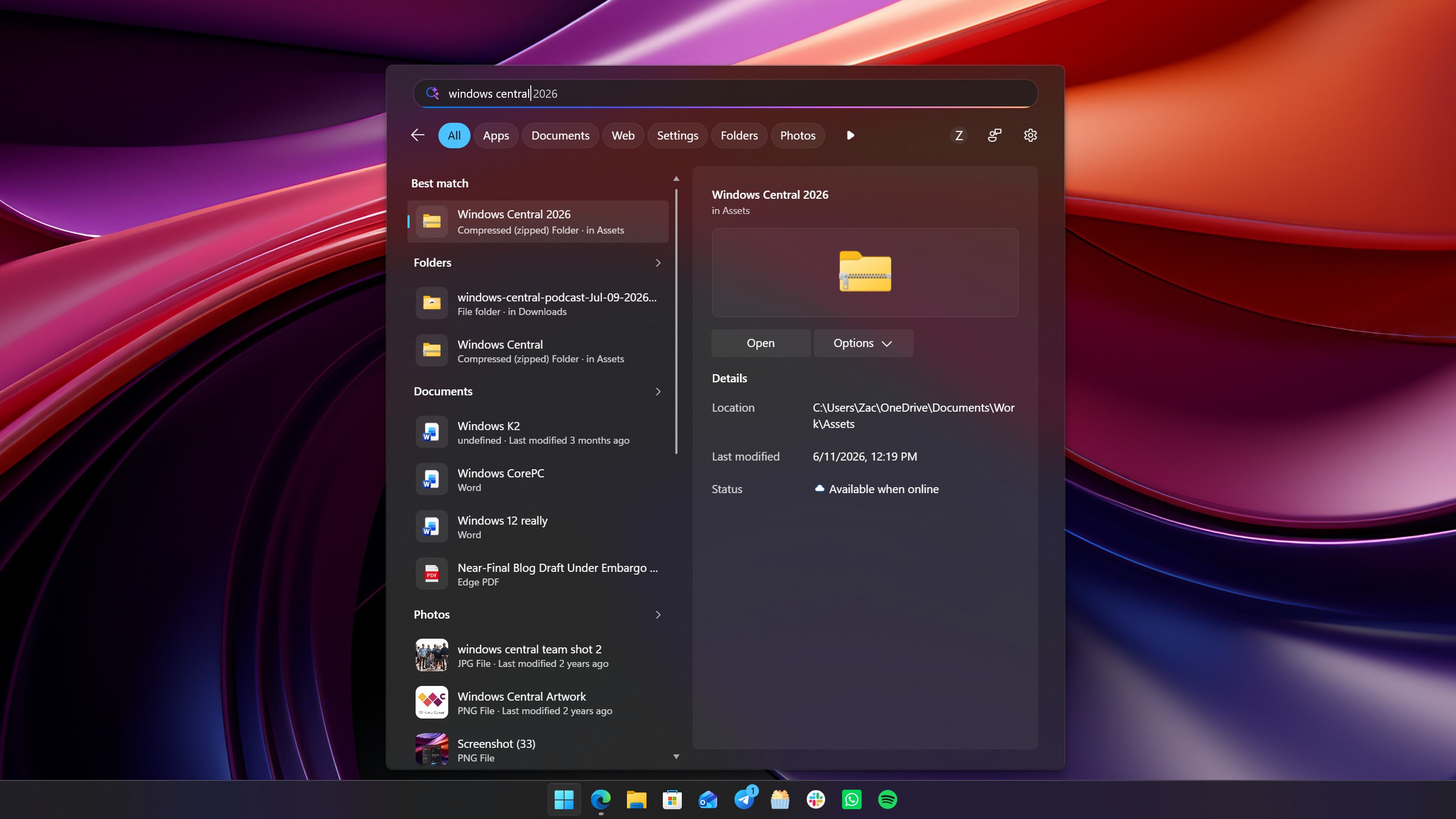
Getting onto the actual searching experience, it's a major step up. The UI is nice and clean, and web results now pretty much never show up at the top unless you are actively searching for a website or query that makes sense for a search engine. In the old Window Search, searing for "windows central" would always bring the Bing result to the top, but now it prioritizes my local files and folders.
When a web result does appear at the top, you'll no longer see any ads or sponsored content in that result. The Bing results are now ad-free, showing only results that relate to your search query, which is amazing. You no longer have to worry about accidentally clicking on a link or app that has paid to be there.
Web results are now more deliberate and ad-free.Zac Bowden / Windows CentralPreviously, searching "windows central" would show a web result. Now, it shows my local files that relate to that term. Zac Bowden / Windows Central
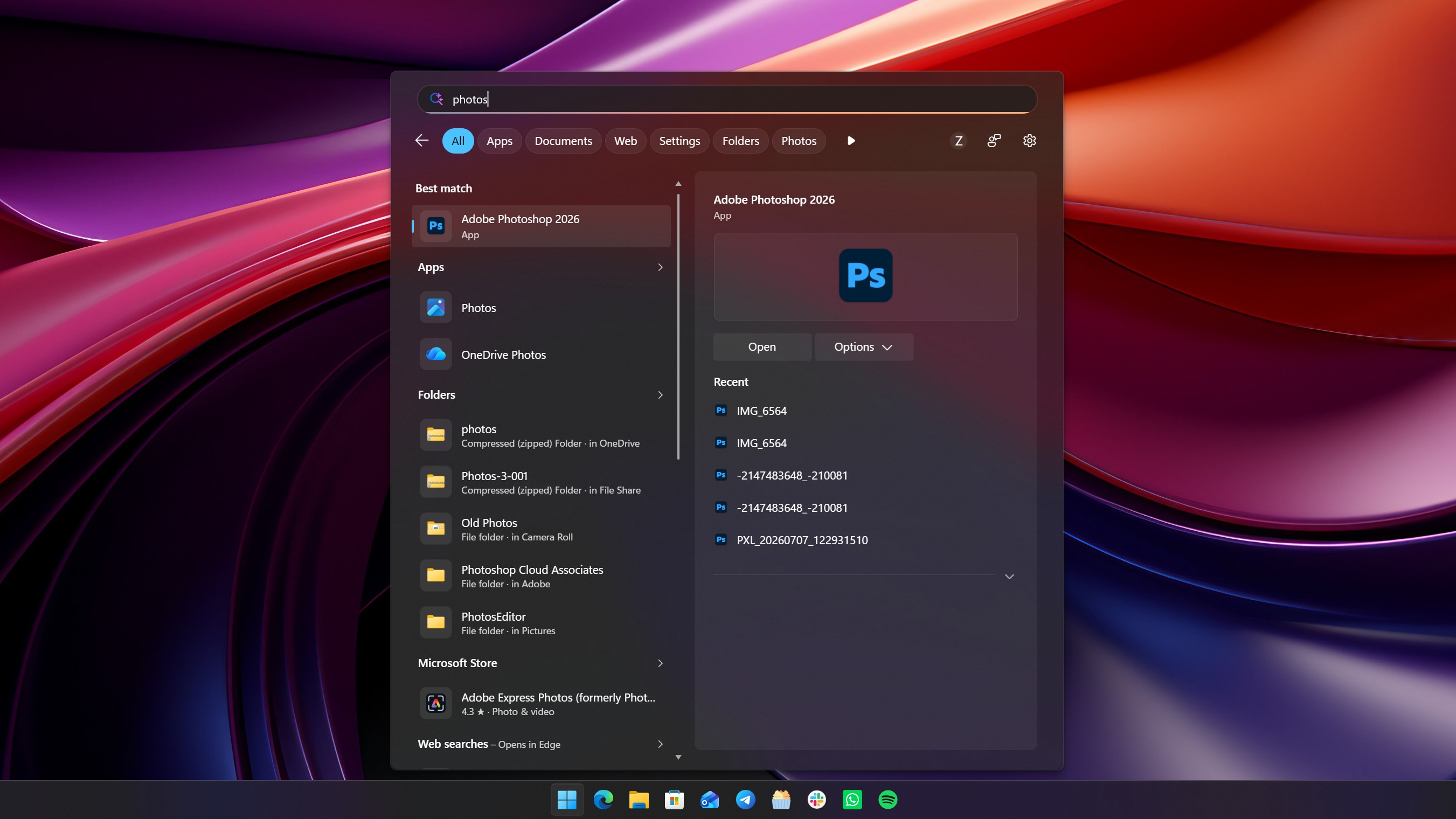
I also find that search results are now more accurate based on how you use your system. For example, on a PC where I have both the Photos and Photoshop app installed, typing "photos" actually surfaces Photoshop, which is what I want. I believe this is happening because I've never opened the Photos app on my PC before, and so Windows assumes that I'd want to use the app I use more often or most recently.
To test this theory, I ran Photos a few times and then typed "photos" again, and sure enough the Photos app was now appearing above Photoshop. To triple confirm, I started opening Photoshop a few times, and Photoshop became the top result for "photos" after.
This is great for those who have a system set in place where all the apps they ever use are already in full circulation on their PC. Windows knows which apps you use most, and will now do its best to position them as a best match when it thinks you're searching for it, listing follow up results below it that you can manually select if that's what you need instead.
Windows will surface a best match based on how you use your PC. As I frequently use Photoshop, searching for "photos" places it at the top. (Image credit: Zac Bowden / Windows Central)
I also find that search is now a little smarter and more dynamic. If you don't know the name of an app, you can search for a category and Windows will do its best to surface an app that it thinks can do that job. For example, if I type "video editor" into the search box, Windows surfaces Clipchamp as a result, as that's the only video editor I have installed.
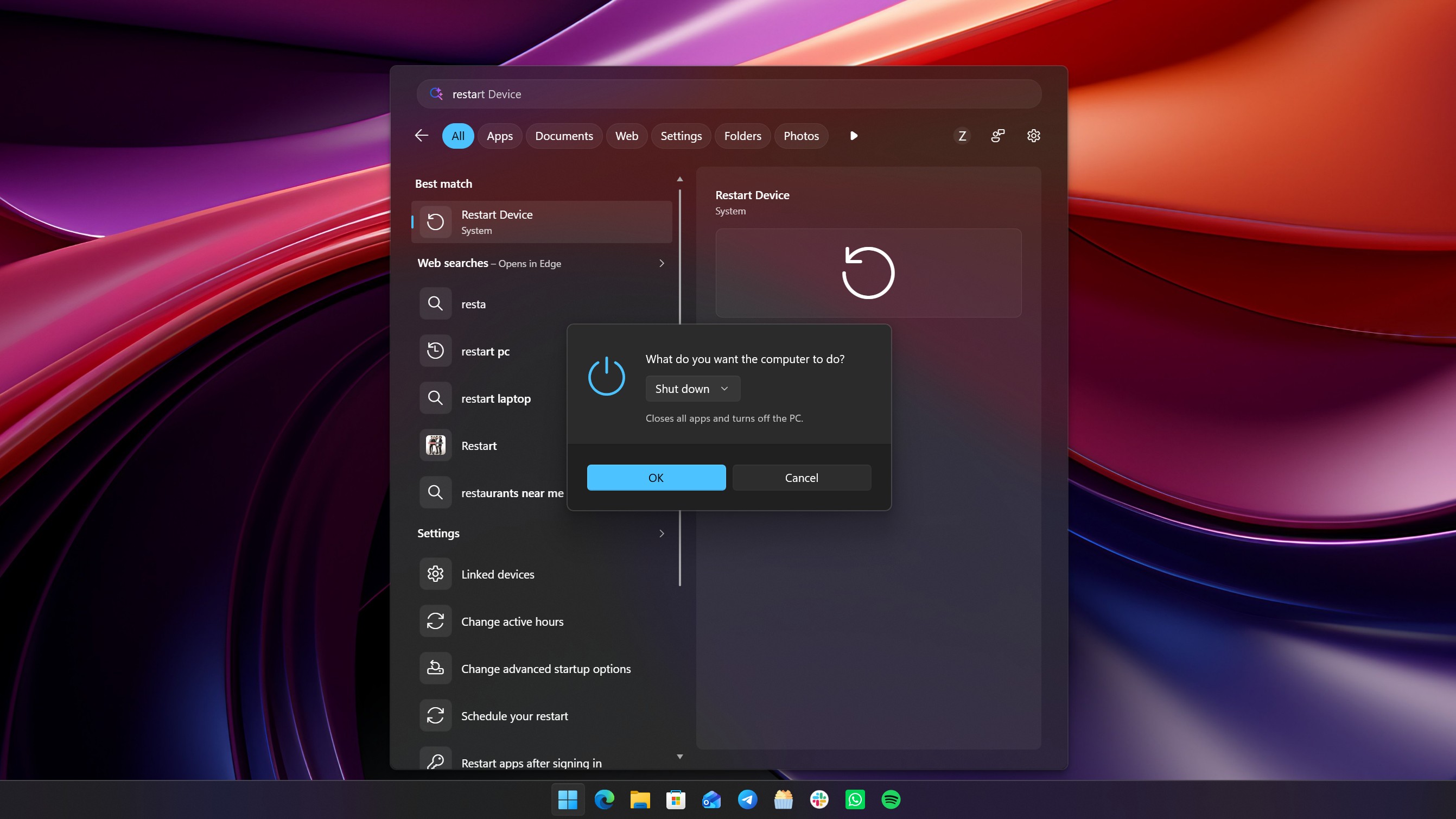
Windows Search now also does a much better job at surfacing settings that you might want to configure. If I type "temp" it'll show delete temporary files, or if i type "wifi" the wi-fi settings page is at the top. Even things like "insider" now correctly surface the Insider settings page. You can now pretty much search for any Windows Setting and have it accurately appear in the search pane, without needing to open Settings first.
Some settings even have configurable options within the search pane. For example, typing restart PC will show a setting to do so right from search, which then lets you select whether you want to restart or shut down. It's pretty neat, though most people will probably find it faster to just do that from Start.
Settings are now better represtedn in search (Image credit: Zac Bowden / Windows Central)
Overall, these new search improvements are a real strong step in the right direction. In my brief testing, I've not really been able to fault it, and understand why the best match results are what they are. Being able to turn off things like Microsoft Store and web results are also a great addition, letting you craft your experience into whatever you need it to be. If you only ever want local search results, you can make it so.
It's clear that even in its default state now, local results are the number one priority. Unless your search query is clearly one intended for a search engine, Windows will more than likely place a local result as a best match, which is going to address the biggest complaint most people have with Windows Search.
These improvements are rolling out now in preview for Windows Insiders, with general availability expected later this year.
Join us on Reddit at r/WindowsCentral to share your insights and discuss our latest news, reviews, and more.

 Connexion