Vue lecture

Quote of the day by NVIDIA CEO Jensen Huang: "Moore's law is dead. It's completely over" — Will GPUs ever be affordable again?

Mourning the concept of affordability in the custom PC-building scene isn't a new trend; on the contrary, the eulogy for "Moore's law" was read years ago, around when hardware like NVIDIA's high-end GeForce RTX 40 Series graphics cards came with astronomical prices, and possibly even earlier than that.

Moore's law is dead [...] the ability for Moore's Law to deliver twice the performance at the same cost, or at the same performance and half the cost, every year and a half is over. It's completely over.

Jensen Huang, NVIDIA CEO, 2022

If you've never heard of the term — named after Intel co-founder Gary Moore — it's a prediction (not really a law) of how computing power increases every few years by doubling transistor counts without a severe cost impact. Anyone who follows graphics card, RAM, or storage prices knows that dream is over.

On a more widely known subject, the demands of generative AI quickly became obvious as more models were widely adopted, and building them on local hardware is how that all gets started. Since then, our sister site, Tom's Hardware, has watched GeForce RTX 50-series GPU prices spike by up to 39%. Sure, MSRP always felt like a suggestion rather than a rule with GPUs, but it's getting worse.

Today's GPU for the price of yesterday's PC
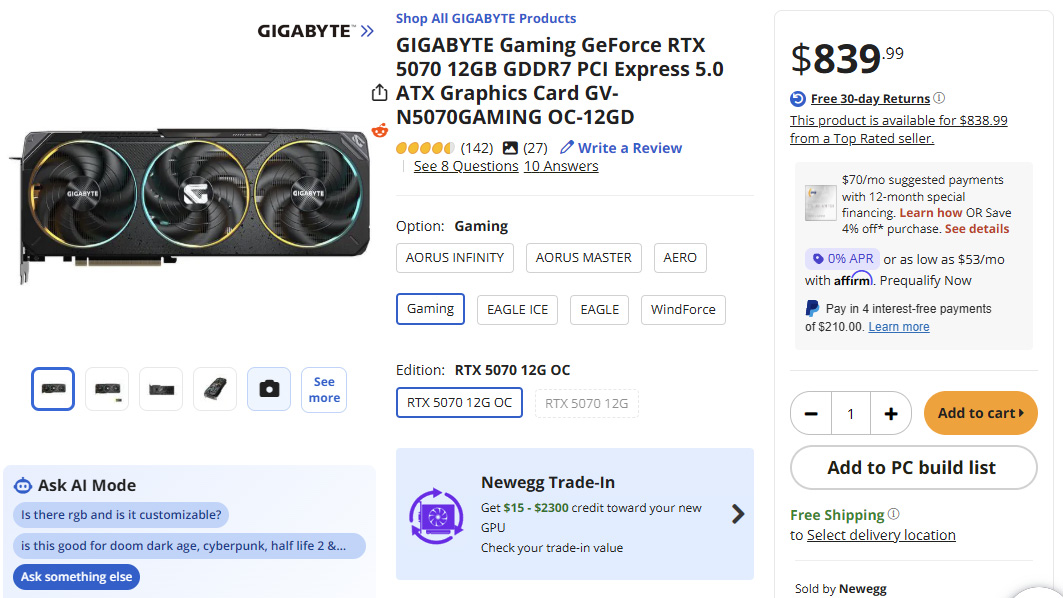
A Newegg product page displaying the GIGABYTE Gaming GeForce RTX 5070 graphics card. The listing is priced at $839.99, alongside ratings, reviews, edition options, and trade‑in credit details.

What should be a mid-range RTX 50 Series GPU now costs hundreds of dollars over its intended MSRP. (Image credit: Newegg)

As it stands, encouraging novices to build their first custom Windows rig is particularly difficult because it usually means settling for the absolute bare-bones, entry-level GPU to stand a chance of keeping your build under $1,500. No matter how many advancements NVIDIA puts into DLSS — which I maintain is still the best graphics upscaler on the scene — it can't solve everything.

The idea that a chip is going to go down in cost over time, unfortunately, is a story of the past.

Jensen Huang, NVIDIA CEO, 2022

Plus, all these GPU headaches come before you start the painful process of finding a storage drive and suitable RAM modules to pair with it. Once you start approaching $2,000, I generally nudge people toward high-end gaming handhelds like the MSI Claw 8 EX AI+ for something more entertaining. Then again, nothing beats the satisfaction of building your own rig from scratch.

Of course, the reality is that Moore's Law has its scientific limits. We can only go so far into microscopic process nodes before manufacturing hits the borders of what's currently possible. That doesn't excuse inflated prices, and a commercial obsession with artificial intelligence still pulls the brunt of that blame, but why isn't there any AI-free hardware for the rest of us?

Would any brand go against the grain?

Lip-Bu Tan, chief executive officer of Intel Corp., during a news conference on the sidelines of the Computex conference in Taipei, Taiwan, on Monday, May 19, 2025.

Could Intel's CEO, Lip-Bu Tan push his company into funding more desktop graphics cards? (Image credit: Getty Images | Bloomberg)

Realistically, practically any functional computer can run a local AI model on its CPU, GPU, NPU, or a combination of the three on a single SoC processor. Much like the crypto-mining fad that saw graphics cards scalped for their usefulness in Bitcoin earnings, modern components are at the mercy of AI, and it's a bubble that shows no signs of bursting (whether I like it or not).

Since the advent of Intel's Arc graphics hardware, particularly the first-generation "Alchemist" A750, which powered my wife's gaming PC for years with gradually improving performance, I've become an advocate for what the brand is trying to do. It's a similar story on AMD's Radeon graphics side, as both have an opportunity to steal the entry-level market away from NVIDIA.

After all, if NVIDIA isn't under enough threat from its competition, why would there be any incentive to lower prices? Intel has made impressive advancements in its own XeSS upscaling tech, which is part of what makes Intel Arc G3-powered handhelds so appealing. If it could commit to more affordable discrete GPUs with its long-awaited "Celestial" range, it could shake up the game.

Then again, Intel's CEO, Lip-Bu Tan, seems more interested in a return to the memory business (via Tom's Hardware), which would push Intel's desktop graphics even further down the list of priorities. It's much the same story as NVIDIA's minuscule — if utterly dominant — consumer GPU business compared to its monstrous data center and artificial intelligence side.

Could gigantic desktop graphics cards even seem ridiculous a decade from now, when NVIDIA's RTX Spark chips become its main priority? Doubtful, but who knows? Either way, Moore's Law is seemingly dead, and regular consumers are eating the costs passed on from major manufacturers as the march towards AI psychosis continues. I'll keep my eyes peeled for any signs of that changing.

Click to join us on r/WindowsCentral

Join us on Reddit at r/WindowsCentral to share your insights and discuss our latest news, reviews, and more.

Jensen Huang, co-founder and chief executive officer of Nvidia Corp., speaks while holding one of the company's new GeForce RTX 50 series graphics cards during the 2025 CES event in Las Vegas, Nevada

NVIDIA's CEO Jensen Huang called it years ago: Chip production costs will never go down.

  •  

Students finally have real Windows laptop options that don't break the $1,000 barrier — head back to school with the right PC

There's a lot of debate around minimum memory requirements for Windows laptops at the moment, and that often comes with the discussion of rising costs for the same components. It could be confusing for students looking for a new portable PC as they head back to school, but there are genuinely great options out there.

Back to school deals up to $900 off PCs and more at Dell

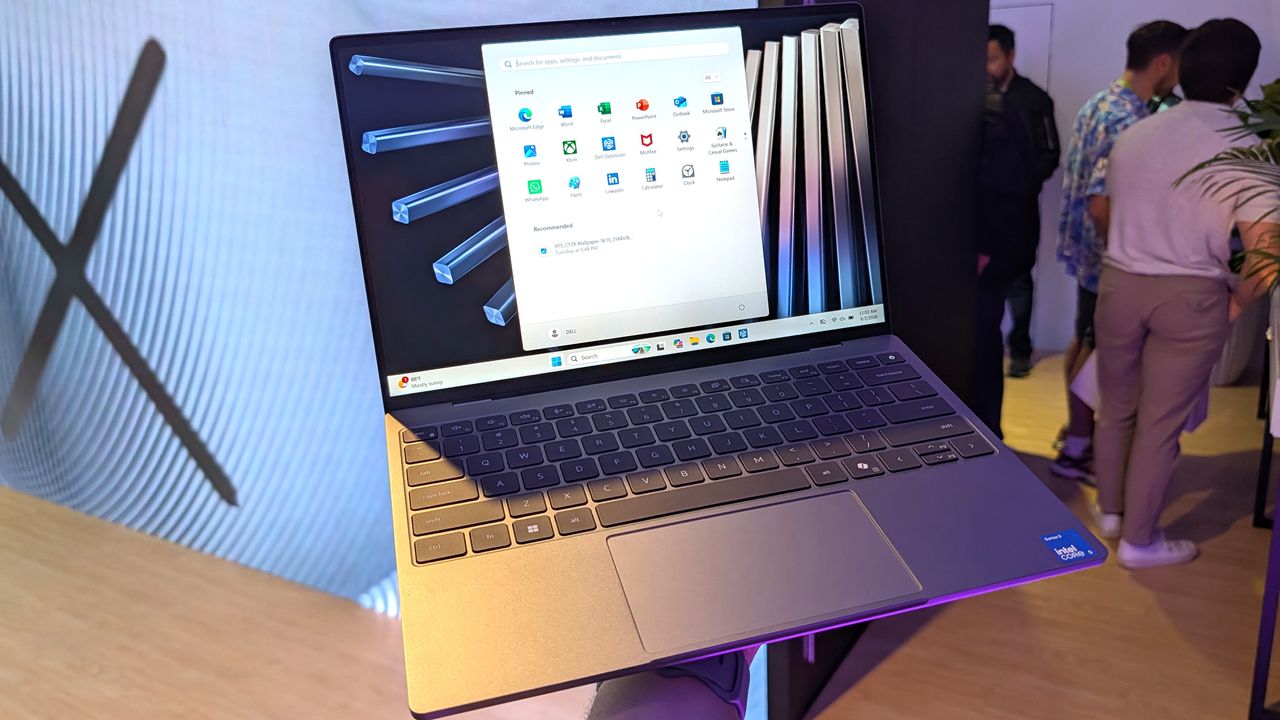
Dell's latest XPS 13 offers student pricing starting at $599, and comes with the absolute latest "Wildcat Lake" processors from Intel. Yes, it sticks with an entry-level 8GB of RAM — though it is high-speed (7,467 MT/s) LPDDR5x memory — but at 2.2 lbs, it's still one of the most lightweight and portable options available right now. Need more? I have some options.


Dell returns to its iconic branding with the "thinnest & lightest XPS laptop ever," and its choice of Intel processor delivers up to 17 hours of battery life.

👉 Standard pricing: $699.99 at Dell.comView Deal


This previous-generation model doubles its SSD capacity and adds a larger display, powered by a traditional x86-64 AMD CPU and DDR4-3200MT/s RAM.View Deal


Go even larger with this 16-inch touchscreen display and a last-generation "Hawk Point" CPU from AMD, paired with 16GB of DDR5-5600MT/s RAM.View Deal

How much RAM does Windows really need?

Dell XPS 13

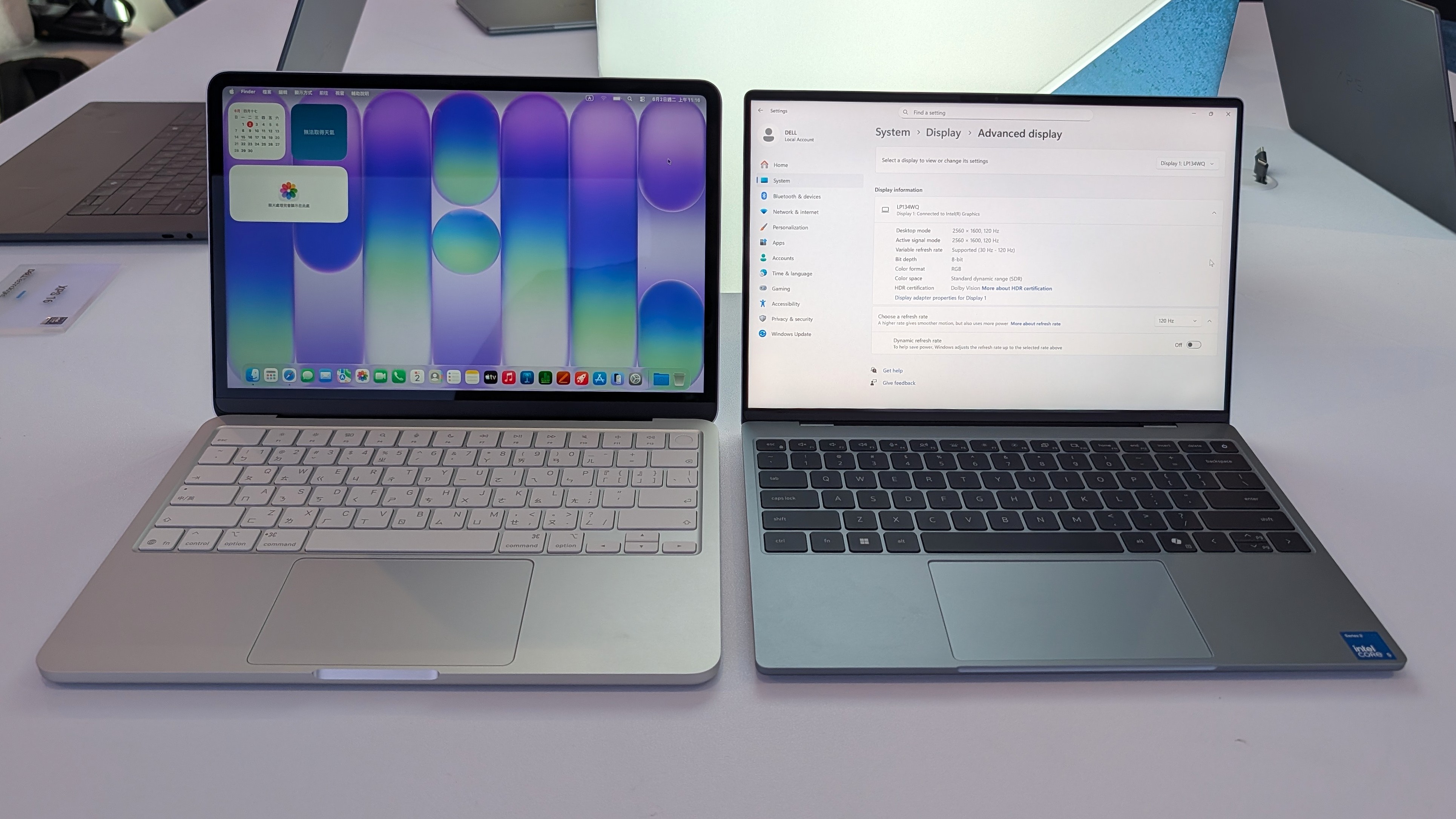
Dell's new XPS 13 (right) is essentially the Windows equivalent of Apple's MacBook Neo (left). (Image credit: Zac Bowden / Windows Central)

There's no doubt that manufacturers like Dell started flexing their design muscles even harder after Apple launched its MacBook Neo for $599 — later rising to $699 —and it's arguably led to better choices for Windows PC consumers on a budget. We saw the new XPS 13 at Computex, a technology convention held earlier this year in Taiwan, and learned more about its choice of Intel Wildcat Lake processors.

Dell's Konstantin Tuv described it as "a great student device" [...] we want this to be their first XPS", and revealed that it was in production far before the Neo ever appeared, so it certainly isn't some knee-jerk reaction to rush an affordable laptop to market. Indeed, the XPS 13 was designed from the beginning to be a featherweight companion for students and workers alike. Still, its release didn't suddenly remove its in-house alternatives from sale.

Everyone [in the PC industry] is getting more aggressive and trying to redefine what 'good' looks like.

Konstantin Tuv, Dell VP, Head of Product

Microsoft itself is committed to optimizing Windows 11 for 8GB of RAM, as CVP Marcus Ash told us directly: "We're relentless at reducing the memory footprint." However, if you're certain you need more memory (RAM) or storage (SSD space), Dell still offers its 15-inch and 16-inch laptops with modern DDR5 and previous-generation DDR4 modules, so you can choose a variant that suits you.

Ultimately, the $599.99 Dell 16 comes closest to satisfying each category, albeit with a larger display (though you'll have access to its touchscreen) and increased weight at 4.18 lbs, but you get 16GB of RAM and the same sensible 512GB of storage as the $599/$699 XPS 13. Otherwise, if you're prioritizing portability, the $549.99 Dell 15 doubles the SSD to 1TB, giving you more space for your files.

Whatever you choose, it's refreshing to see Dell pushing its capable laptops below $1,000, even if it takes back-to-school-themed sales to do it. If you've been holding out for a new Windows PC, there are still brief moments of savings happening like this where it's smart to shop.

Click to join us on r/WindowsCentral

Join us on Reddit at r/WindowsCentral to share your insights and discuss our latest news, reviews, and more.

Dell XPS 13

Dell's new XPS 13 laptop offers a $100 discount for students.

  •  

Valve's shipping partner leaks shipping data in a cyberattack — including the names, addresses, and phone numbers of Steam Machine and Steam Controller buyers

If you ordered any of Valve's products within Europe, such as its Steam Machine gaming PC or the modern Steam Controller, there's a chance your private information may have been compromised. This morning, an email detailed "a note about a security incident at our shipping partner in Europe" involving a cyberattack on Valve's EU shipping partner, CEVA Logistics, on August 7.

Expect fake messages - email, SMS or phone - that mention your hardware order and appear to come from Steam, Valve or a delivery company.

Valve

I bought the Steam Controller in May, though I skipped the Steam Machine pre-order queue, and still received the notice as a customer in the United Kingdom. Crucially, Valve clarifies that this attack on CEVA and its subsequent data breach does not affect "your payment information, passwords, Steam Guard codes or other information."

Your Steam account should remain safe, and right now, there's no reason to change your password or change any account settings. However, Valve warns that customers could "expect fake messages" from bad actors asking for money or other information. Personal details that "may have been compromised" include:

  • Your name
  • Your street address, postal code and city
  • Your country
  • Your phone number
  • Your email address — the same one your Steam account uses
  • The type and price of the ordered product

How did the CEVA Logistics breach happen?

Steam Machine for 2026

Steam Machine buyers report receiving the same email, presumably affecting all European hardware shipments. (Image credit: Valve)

Valve says that it is "pressing CEVA for the full scope of what was taken and how, and we are in the process of notifying the data protection authorities in the countries affected", and clarifies that the affected system has been taken offline and isolated from further leaks, but there is currently no confirmation on which customers have been affected or exactly how this happened.

For now, Valve invites anyone with concerns or questions to reach out to its support team at help.steampowered.com or to write to its contact point at Artana Digital GmbH, Alstertwiete 3, 20099 Hamburg, Germany.

Fake messages from convincing impersonators are unfortunately common, and bad actors will go through extreme lengths to make their text messages, emails, and phone calls appear genuine. If you're new to Steam, remain vigilant but remember that Valve only handles account issues via its dedicated support site, and "never by email, Steam Chat, or Discord — Anyone who contacts you elsewhere claiming to be Steam Support is not."

Comment
 from r/steammachine

I'd also caution anyone who might be at risk that, while Valve implies that your credit card information is safe, bad actors can use other personal information to attempt various identity fraud and access accounts elsewhere. It's important to stay vigilant as data breaches like this happen, and scrutinize every message you receive from delivery companies asking for money: "Treat all of them as fake", Valve says.

Customers based in the United States and, in turn, anywhere outside CEVA Logistics' operating area in Europe shouldn't be affected by this breach. Nevertheless, it should come as an important lesson in customer privacy and data security. Keep using strong passwords that are unique to each platform, and protect yourself as much as possible.

Click to join us on r/WindowsCentral

Join us on Reddit at r/WindowsCentral to share your insights and discuss our latest news, reviews, and more.

Valve Steam Controller (2026) in its retail box, displayed on a magenta card background

Bought a Steam Controller recently? Time to check your inbox.

  •  

I went hands-on with this portable and compact gaming PC case — and now I'm planning my first mini ITX build

Desktop gaming PCs have a reputation for being huge, and, to be honest, a lot of them are. However, if you're confident enough to dive into the twisted world of cable management, then a compact build could be a fantastic challenge that pays off as a space-saving monster rig. When the Cooler Master Qube 340 case appeared at Computex earlier this year, I was immediately intrigued, even if I can't afford the full gamut of parts to build inside of it just yet.

Cooler Master provided a sample but did not see the contents of my article before publishing. I'm also refraining from assigning a traditional review score to this case until I can complete a build with a full set of components.

How much does the Qube 340 cost?

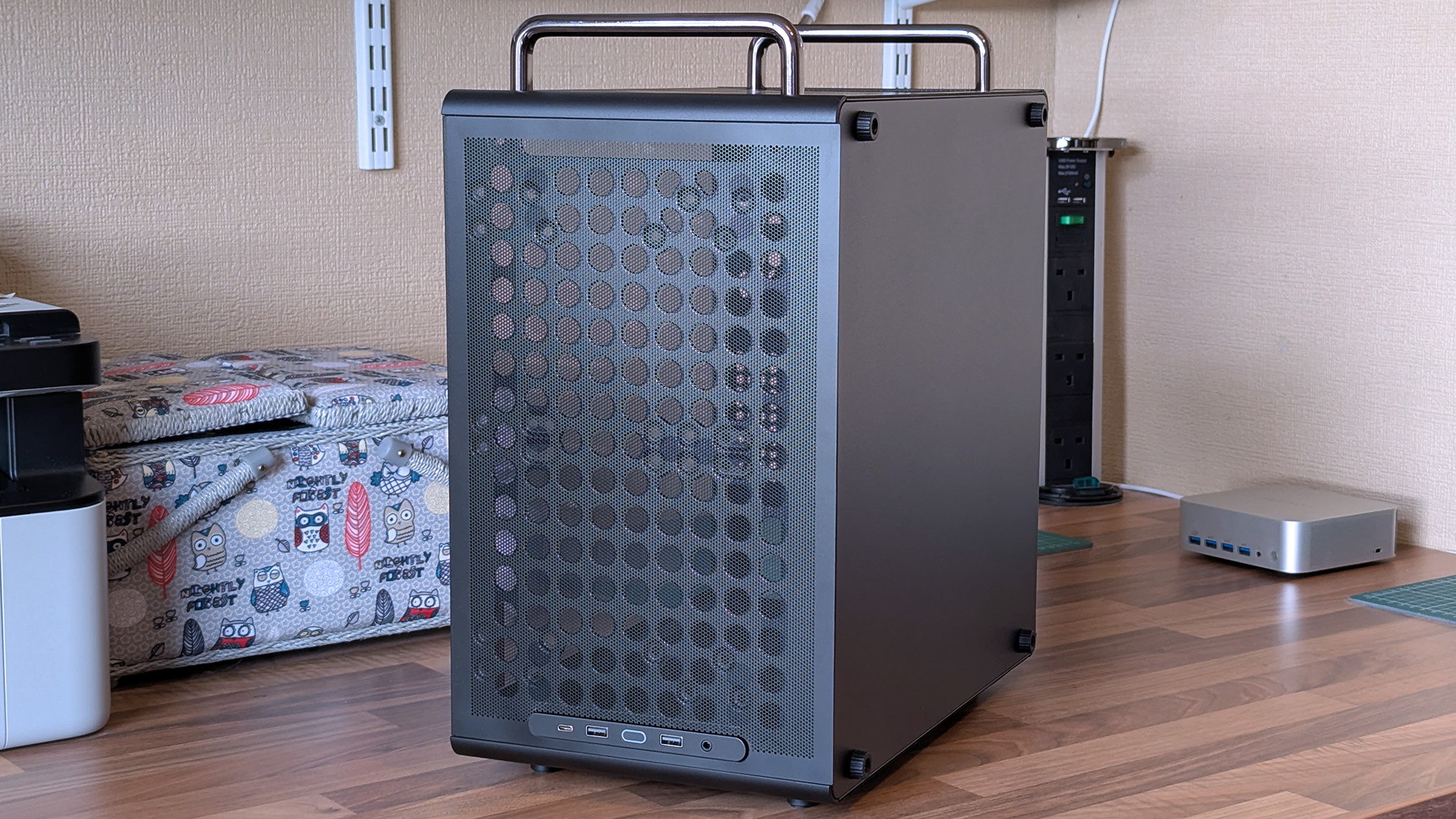
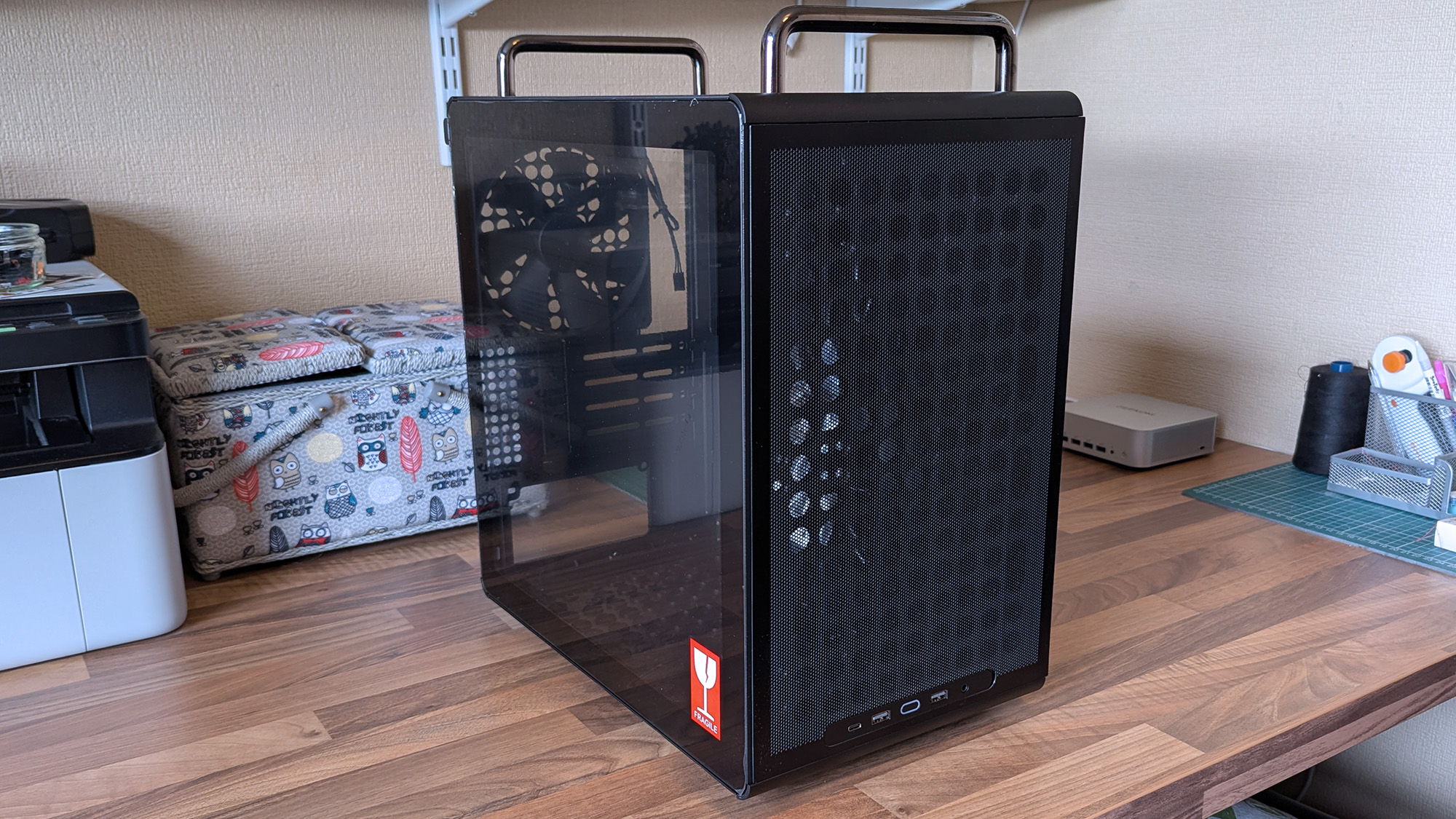
The front of a Cooler Master Qube 340 case features a large mesh panel, visible internal components, and top handles, with front I/O ports along the upper edge.

I wouldn't say it looks exactly like that infamous Apple Mac Pro, but there's definitely a resemblance. (Image credit: Ben Wilson | Windows Central)

For now, the best place to buy the Cooler Master Qube 340 is Newegg at $54.99. It's currently listed by Newegg itself, rather than any third-party sellers, and is in stock at the time of writing. A listing for the Qube 340 in black on Amazon US lists "Newegg Business" as a reseller at $59.49, which isn't worth the extra money. At the time of writing, the white variant of this case is "currently unavailable" on Amazon and is outright missing from Newegg.

Qube 340 sample specifications

Component

Spec

Motherboard support

Mini-ITX
Micro-ATX

Power supply support

ATX

Fan support

2x 120mm / 2x 140mm (top/front)
1x 120mm / 1x 140mm (rear/bottom)

Radiator support

240mm/120mm (top/front)
120mm (rear)
N/A (bottom/side)

I/O

2x USB-A 3.2 Gen1
1x USB-C 3.2 Gen2x2
1x 3.5mm combo audio

Clearances

CPU cooler: 178mm
GPU: 365mm (without front fan)
PSU: 200mm/100mm (with/without bottom fan)

Dimensions

386.1 x 230 x 429.4 mm (including handles, feet)


The exact model I tested is available on Newegg at its intended price, with good availability and options for free shipping, depending on your location.View Deal

What I like about the Qube 340

A Cooler Master Qube 340 case rests on a desk with its tempered glass side panel attached, revealing the empty interior and rear cooling fan behind the transparent panel.
Compact and portable, the Qube 340 instantly had me planning a build.Ben Wilson | Windows Central
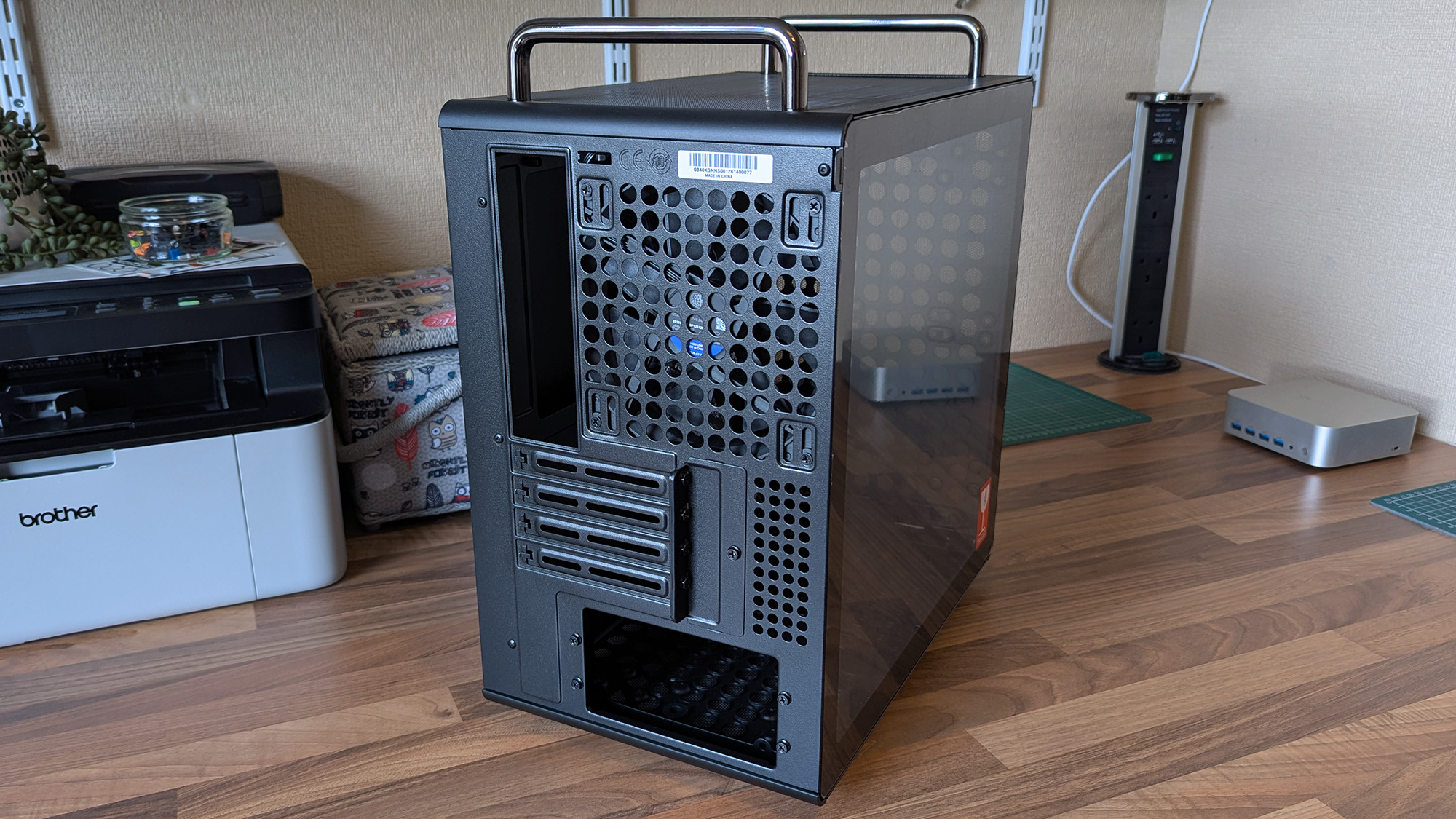
The rear of a Cooler Master Qube 340 case shows ventilation holes, expansion slots, and top carry handles, with a tempered glass side panel.
Micro ATX or Mini ITX, you have enough expansion slots to choose from.Ben Wilson | Windows Central
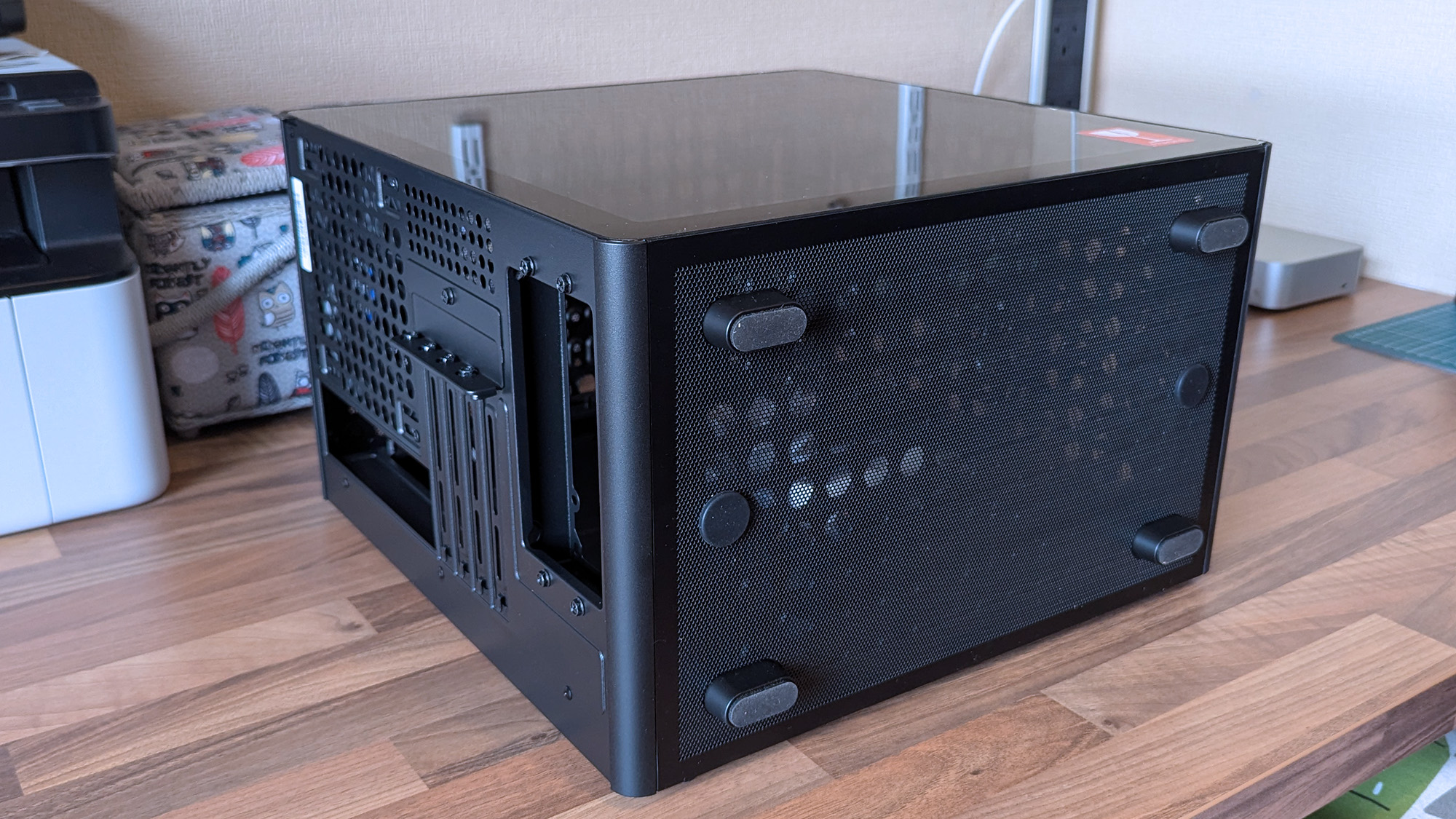
A compact Cooler Master Qube 340 case sits on a desk with a mesh bottom and tempered glass side, showing the rear expansion slots and ventilation layout.
Dust shields cover the whole case, but they can all be removed easily.Ben Wilson | Windows Central

Ever since the RAM crisis ruined any prospect of affording Valve's Steam Machine gaming PC, I've thought about how I could repurpose some of the spare components I have in storage — and even then, it isn't a huge pile. Still, I knew I'd never manage anything quite as purposefully tiny, but I could come close with a mini ITX build, and the Qube 340 looked perfect on paper.

The removable handles (are) ideal for what I've planned: A desktop that I can set up and take away at a moment's notice.

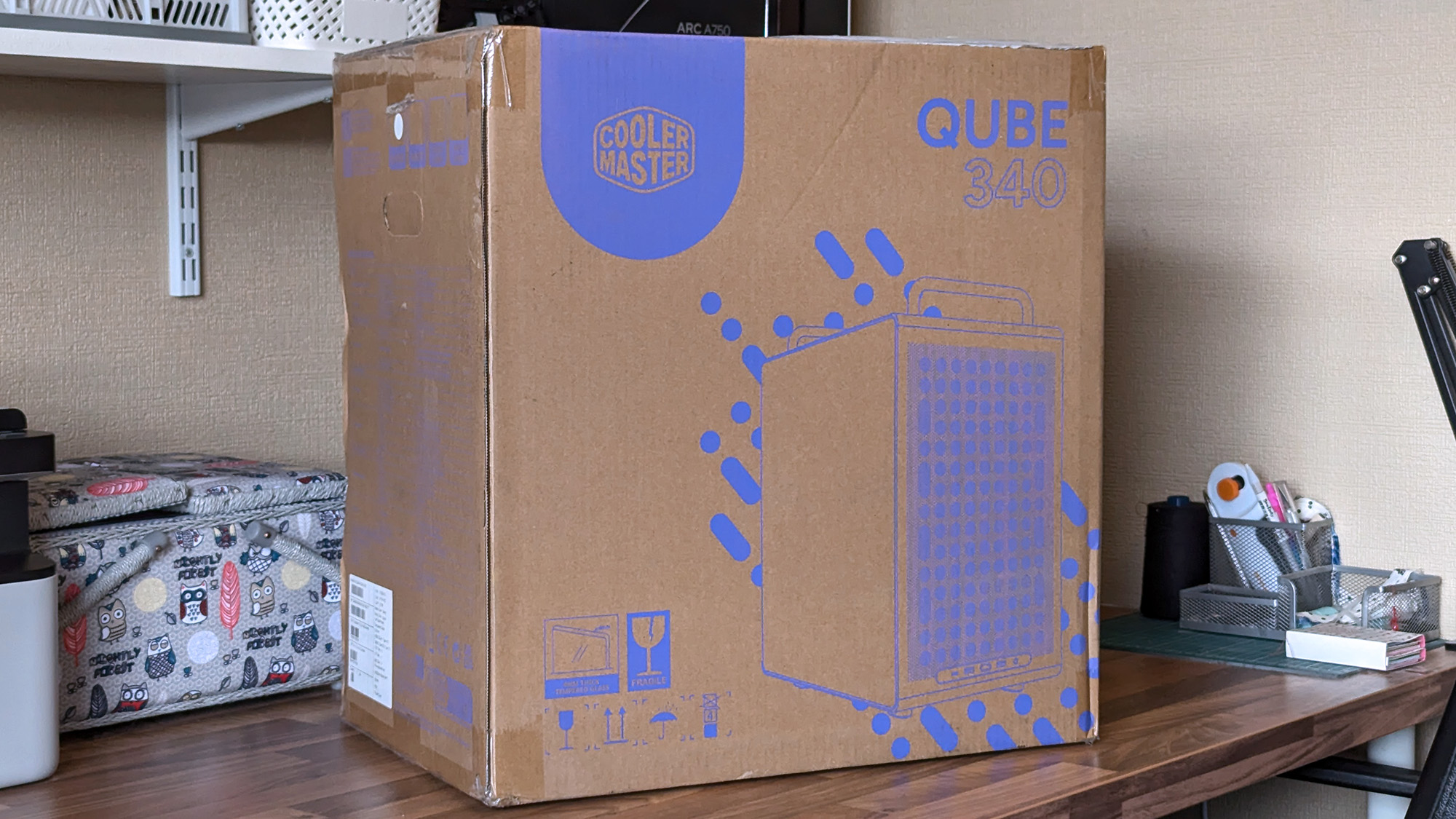
It came in a huge box, but it feels as compact in person as I'd hoped. The removable handles are also ideal for what I've planned: A desktop that I can set up and take away at a moment's notice, rather than leaving something permanently underneath our TV. Sure, I'll need to buy some more niche parts, like a compatible motherboard, but Cooler Master impressed me out of the box.

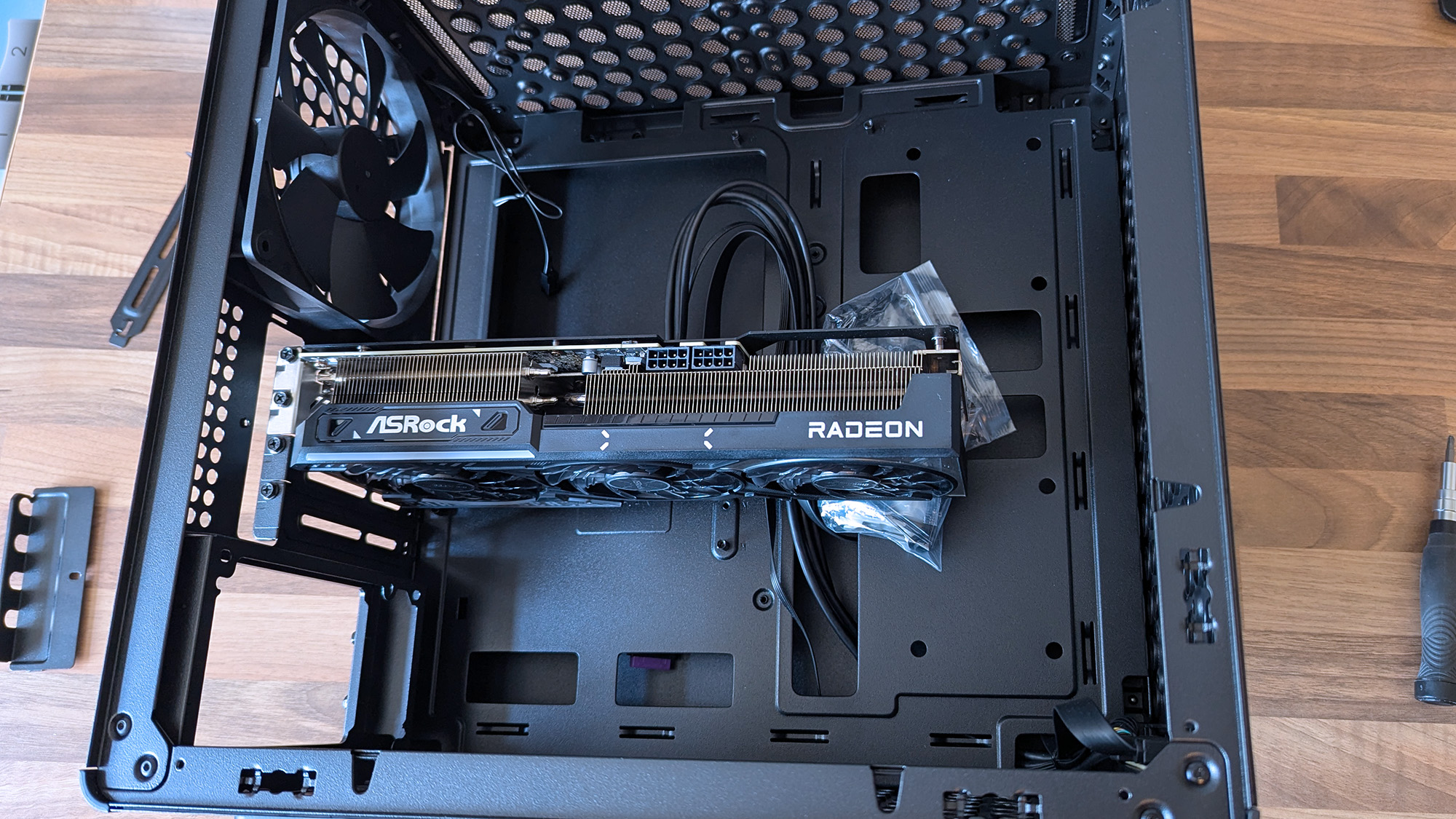
Cooler Master Qube 340 PC case with an ASRock Radeon graphics card inserted without other components

A 290mm ASRock Challenger Radeon RX 9070 XT GPU fits with room to spare for front-mounted fans. (Image credit: Ben Wilson | Windows Central)

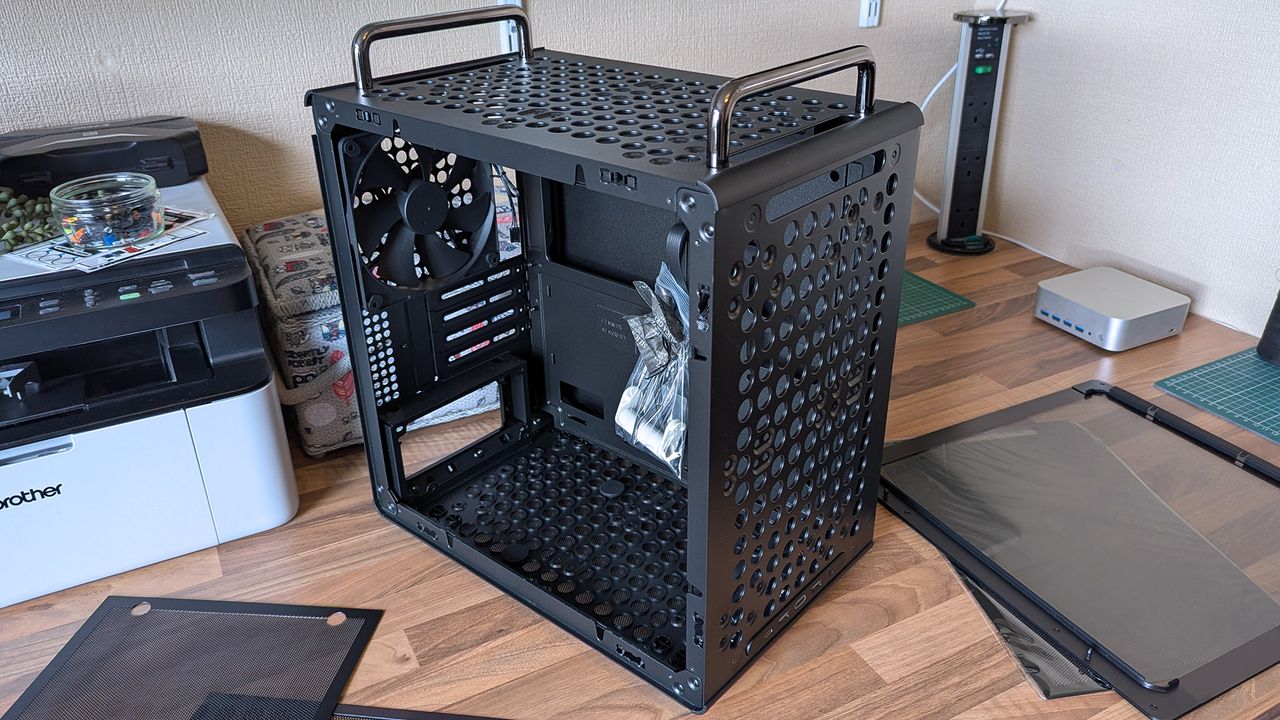
My most important consideration was whether the ASRock Challenger Radeon RX 9070 XT graphics card I have would fit, depending on my front-fan decisions. I could also use an AIO radiator, but the cheesegrater-esque design of the Qube 340 feels better suited to a traditional air cooler — even if only in aesthetics — plus there's a 140mm 'DF1402512RFLN' fan pre-installed at the rear.

At a glance, there's nothing to worry about, as the 290mm GPU fits with around 78mm to spare. My immediate idea is to have a single 140mm intake fan mounted at the top, pulling cool air into the case and pushing it through a CPU air cooler before exhausting it out the back. Still, I have options, including adding an even longer card, as long as everything is measured correctly.

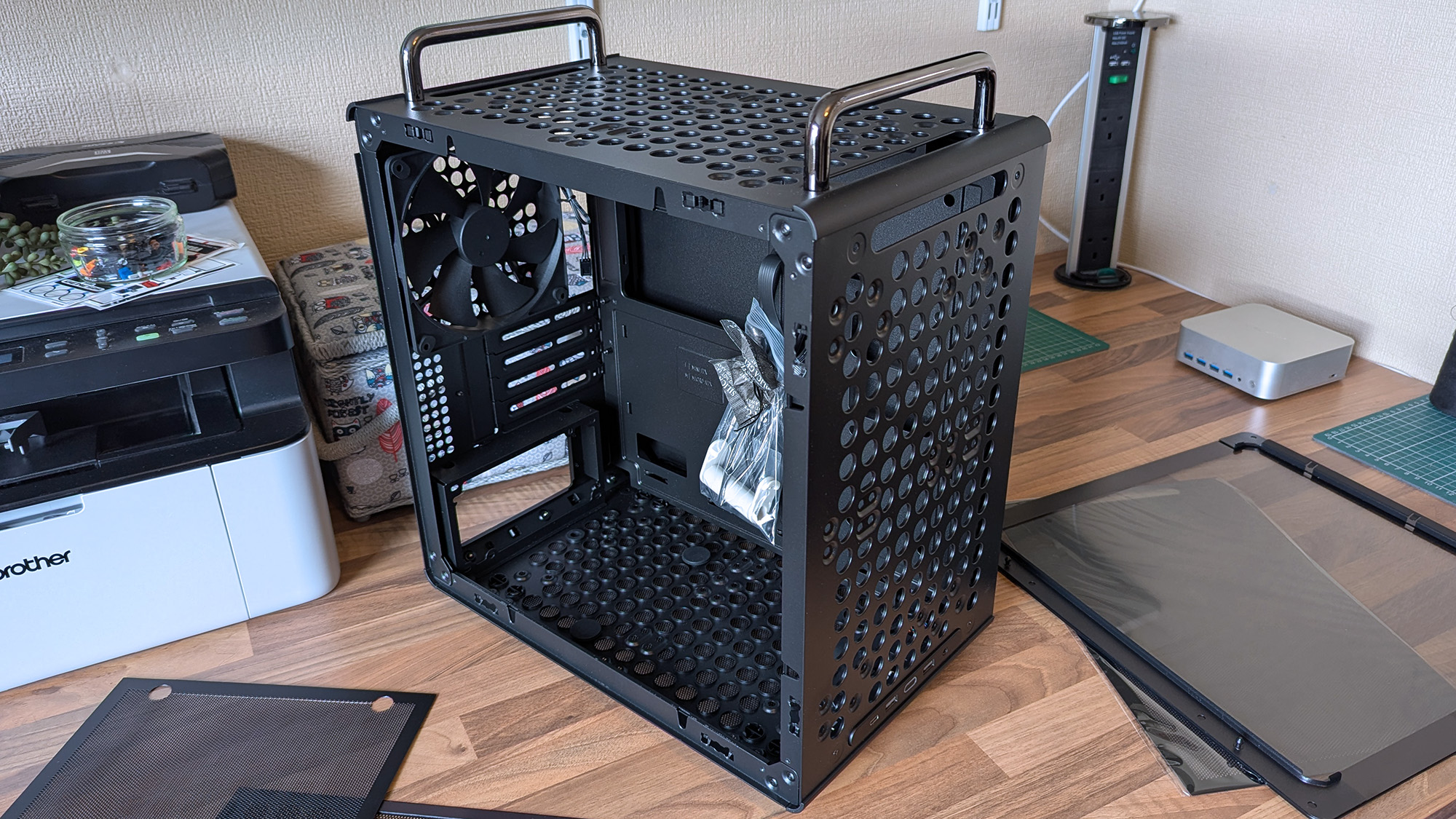
A Cooler Master Qube 340 case sits on a desk with its side panels removed, showing the empty interior, rear fan, and a small bag of screws inside the chassis.
Undoubtedly geared towards airflow, the Qube 340 is absolutely covered in holes.Ben Wilson | Windows Central
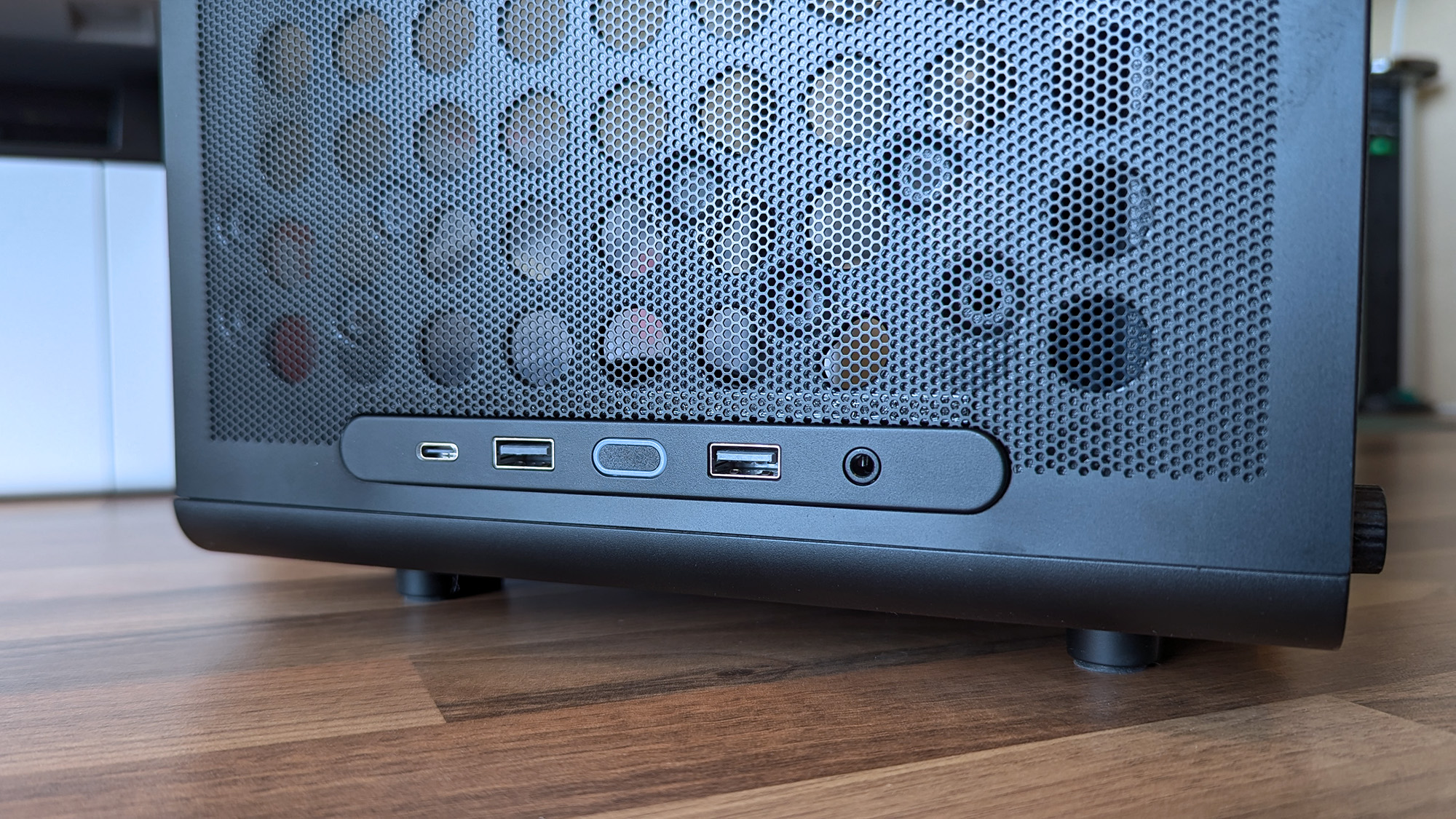
Cooler Master Qube 340 PC case front I/O panel showing USB-C, USB-A, and headphone port with power button
The front I/O panel can be moved, which is ideal because I prefer a top-mounted power button.Ben Wilson | Windows Central

Next up are cable management and routing options. Like most hobbyists, I prefer to take my time with my own builds and get everything as clean as possible, which is more of a mandatory requirement in a compact case than a preference. While there aren't any dedicated trunking channels, there are a few mounting points for zip ties, so I just need to plan everything carefully.

The front-mounted I/O plate is also removable, so I can move it to the top of the case for easier access and re-route the attached cables from the start. It all depends on my motherboard of choice and how it determines the shortest route for each component, but it's fantastic to have the option. I'll always prefer my power button and front ports to be at the top of the case.

What I don't like about the Qube 340

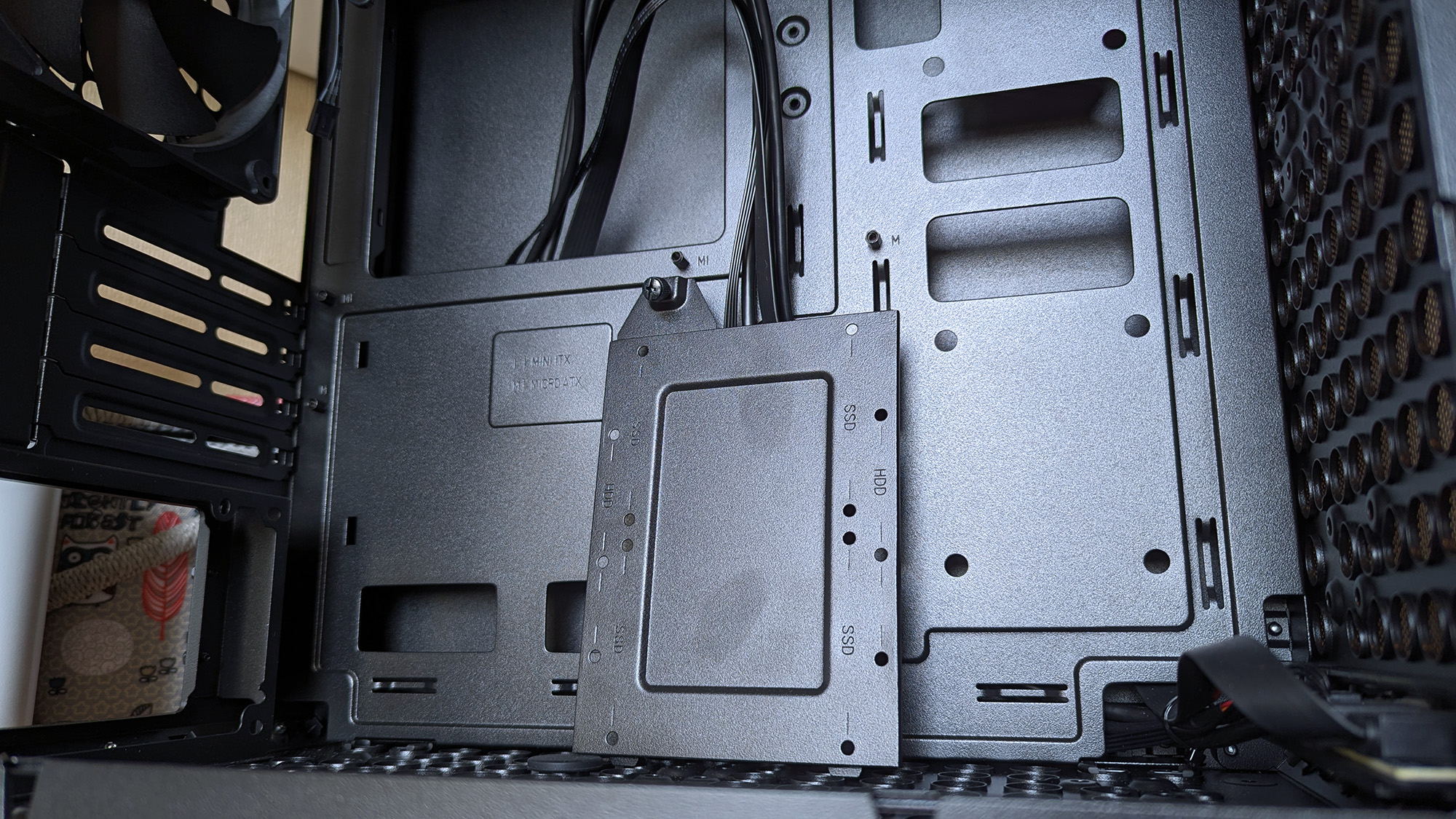
Cooler Master Qube 340 PC case internals showing motherboard tray with standoffs and a detached SSD mounting tray
Internally, some of the metal is thin and somewhat flexible.Ben Wilson | Windows Central
Cooler Master Qube 340 PC case glass side panel tab photographed close up with a triple-fan graphics card in the background
The glass side panel is held in place by a protruding tab, which could pose an issue during transit if it were accidentally released.Ben Wilson | Windows Central

The build quality is generally great on the outside, with those sturdy carry handles and rubberized feet keeping it steady in a vertical position and similarly when laid flat for construction and upgrades. However, the metal on the inside — particularly around the motherboard tray — is quite thin with some flex, but I doubt I'd ever accidentally bend it in any permanent way.

Being mostly toolless also raises some concern about the glass side panel, which holds well but is secured only by a single protruding tab.

I found the removable 2.5/3.5-inch drive tray similarly skinny and flexible, but it hardly has to do anything beyond holding my storage in place, and it at least removes with a single thumbscrew. It would likely take a heavy dent from an accidental drop to twist this case out of shape, and though it's well padded in its box, it's still worth checking everything over as soon as you buy one.

Concerns about missing rubber grommets are tempered by the fact that this is a $55 PC case. Not to excuse any internal mishaps that might happen, but again, it feels unlikely given how solid the outer shell is overall. Otherwise, being mostly toolless also raises some concern about the glass side panel, which holds well but is secured only by a single protruding tab.

Should you buy the Qube 340?

Cooler Master Qube 340 PC case in cardboard shipping box on a wooden desk

Thankfully, the shipping box for the Qube 340 is so huge, it helps protects it against concerns of bent metal. (Image credit: Ben Wilson | Windows Central)

You should buy this if ...

✅ You want to build a portable mini ITX gaming PC

✅ You're prioritizing airflow with dust protection

You should not buy this if ...

❌ This is your first-ever rig; compact builds are tricky

You can go smaller, but for my first planned adventure into a mini-ITX build, the Qube 340 is exactly what I wanted it to be. If, like me, you're toying with the idea of a compact gaming PC that's easier to move around than a full-sized desktop, I think you'll be quite happy with this incredibly affordable case. Some of my opinions might change once I have enough parts to build inside it, but that won't affect the overall praise I have for Cooler Master on this occasion.

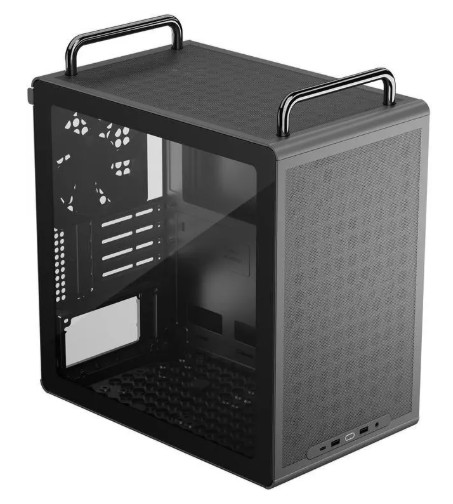
Cooler Master Qube 340 render

Cooler Master
Qube 340

Compact and cool with a design built entirely around airflow, this portable case is a bargain.

A Cooler Master Qube 340 case sits on a desk with its side panels removed, showing the empty interior, rear fan, and a small bag of screws inside the chassis.

A Cooler Master Qube 340 case sits on a desk with its side panels removed, showing the empty interior, rear fan, and a small bag of screws inside the chassis.

  •  

I've avoided OLED screens for a while, but this ASUS ROG Strix gaming monitor is convincing me to finally switch

The ROG Strix OLED XG32UQWMS gaming monitor is planned for release in September 2026. ASUS provided a sample, but the company had no input on the article nor saw its contents before publishing.

OLED gaming monitors have been around for a while, but concerns about text clarity and burn-in left me less excited to buy something like the ASUS ROG Strix OLED XG32UQWMS. Given the chance to test an upcoming model from its range shown at Computex earlier this year, I couldn't resist, and my review could be the moment that helps me overcome my apprehension. Here's what I learned.

How much does the 32-inch Strix OLED cost?

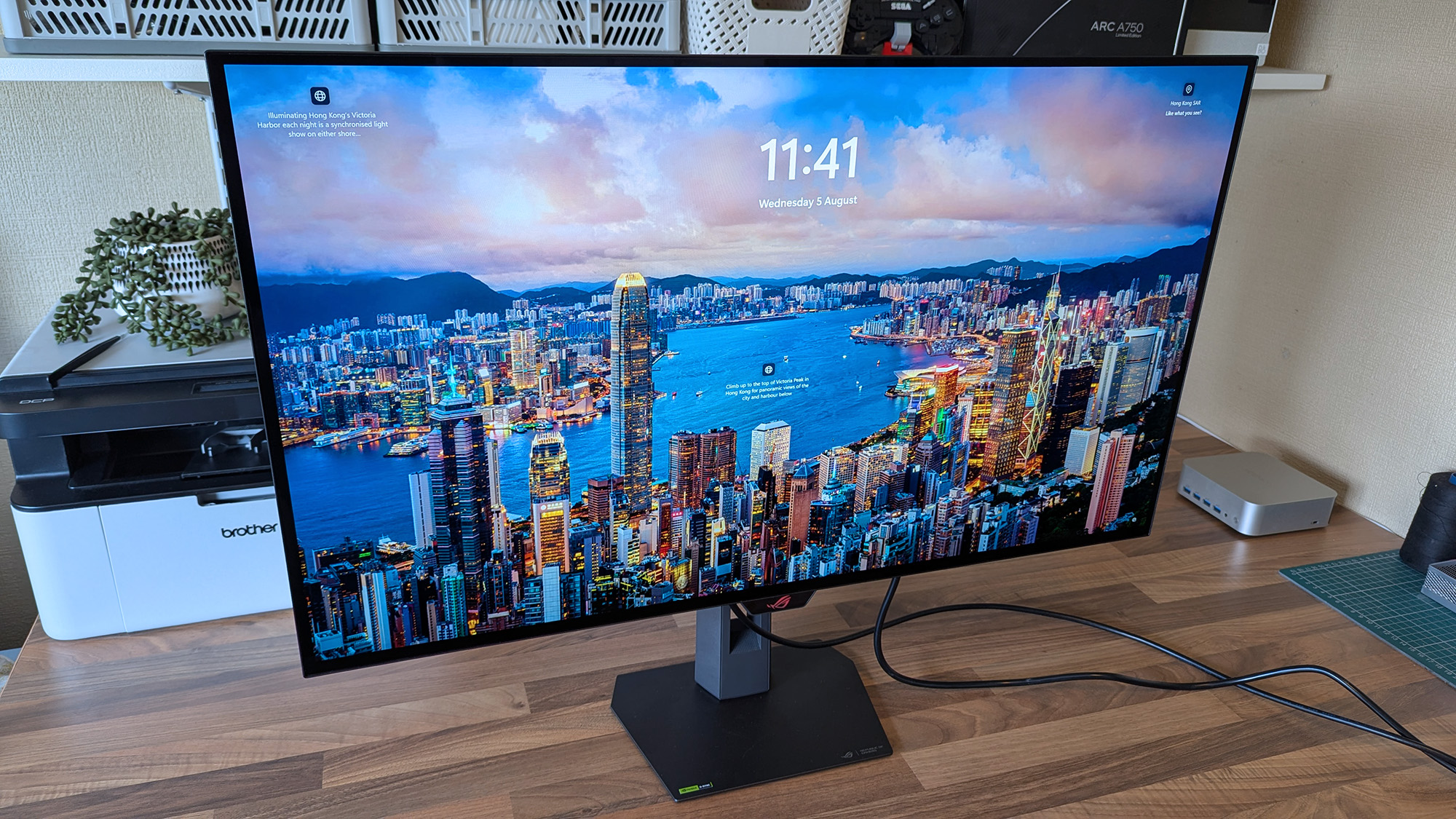
ASUS ROG Strix OLED XG32UQWMS monitor displays a vivid Hong Kong Victoria Harbor lock screen with the time, date, and descriptive text, surrounded by a desk setup.

4K looks fantastic in Windows 11, and UHD is perhaps better suited to gaming if you don't want to stress your PC. (Image credit: Ben Wilson | Windows Central)

The ROG Strix XG32UQWMS is targeting a September launch for $899, with specific US retailers to be confirmed. In the United Kingdom, that converts to £819, with planned third-party resellers including Amazon UK, Currys, and Very. In the meantime, you can sign up for availability notifications on the monitor's official ASUS listing for your region.

ROG Strix XG32UQWMS sample specifications

Component

Spec

Display type

WOLED

Resolution

UHD (3840 x 2160)
FHD (1920 x 1080)

Refresh rate

240 Hz (UHD)
480 Hz (FHD)

Brightness

330 cd/m² (typical)
Up to 1,500 cd/m² (peak)

Viewing angle

178°/ 178° (vertical/horizontal)

Response

0.03 ms (Gray-to-Gray)

Dimensions

28.27" x 22.13" x 7.40" (71.8 x 56.2 x 18.8 cm)

Weight

10.64 – 14.46 lbs
(4.83 – 6.56 kg)


Originally announced at Computex 2026, ASUS targets a September launch in the United States at $899, with sign-ups offered for availability notifications.View Deal

Is the 32-inch Strix OLED easy to set up?

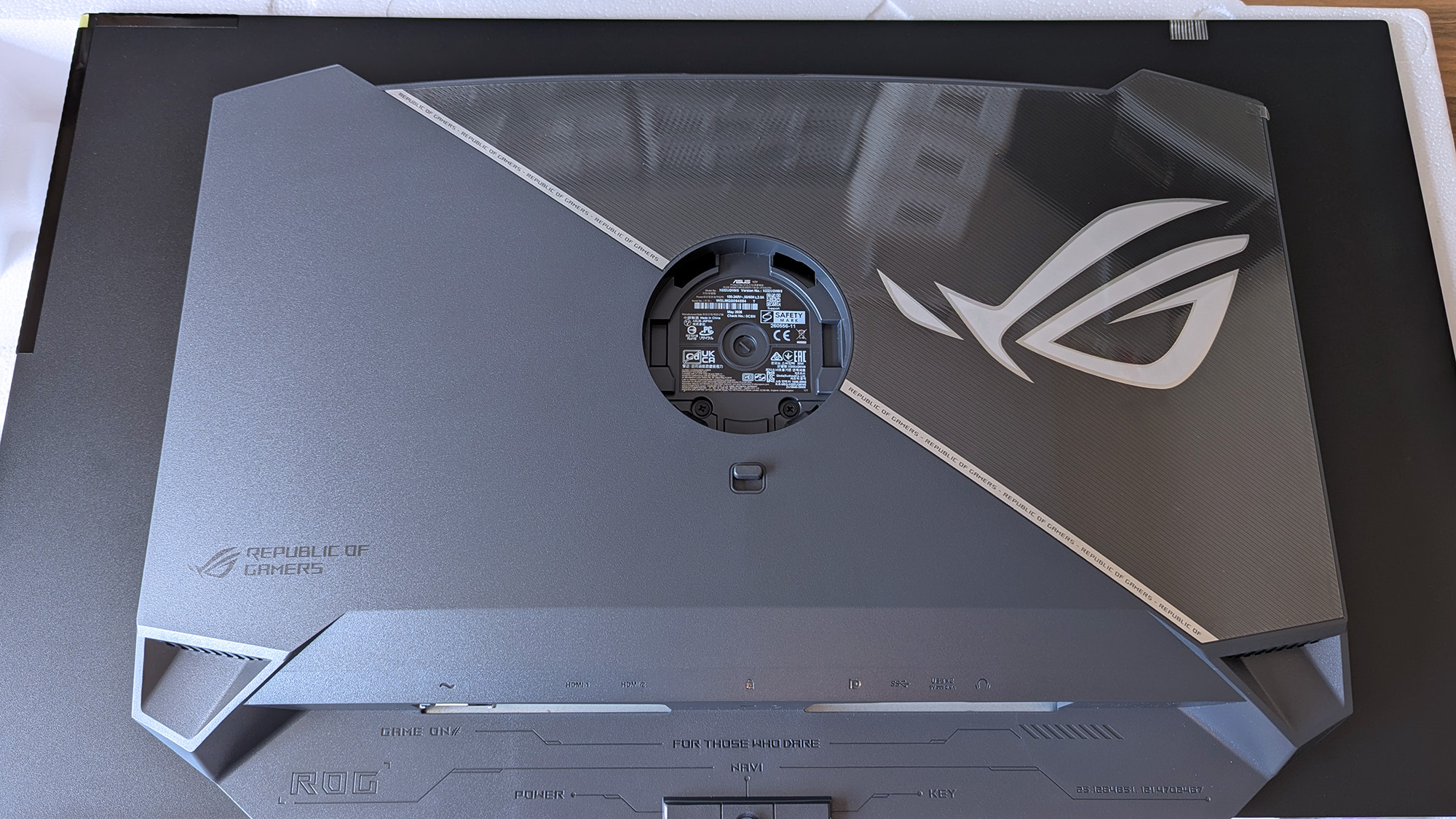
Back of the ASUS ROG Strix OLED monitor showing the ROG logo, mounting area, and labeled HDMI, DP, USB, and power ports.
The chunky middle section makes it much easier to move this monitor around.Ben Wilson | Windows Central
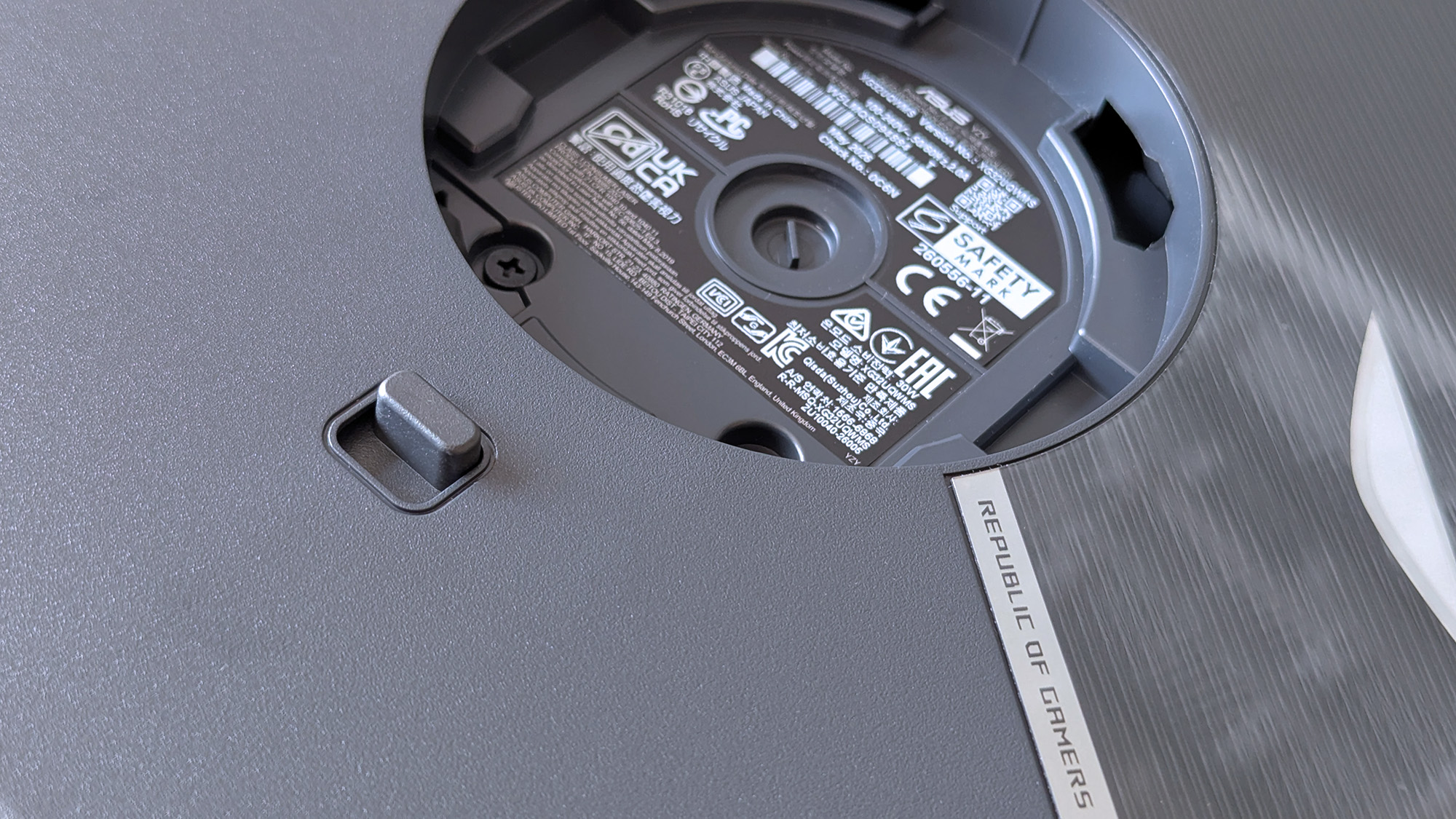
Underside of the ASUS ROG monitor stand mount displaying certification labels and product markings.
This push-button release system is inspired and makes the stand easy to attach.Ben Wilson | Windows Central
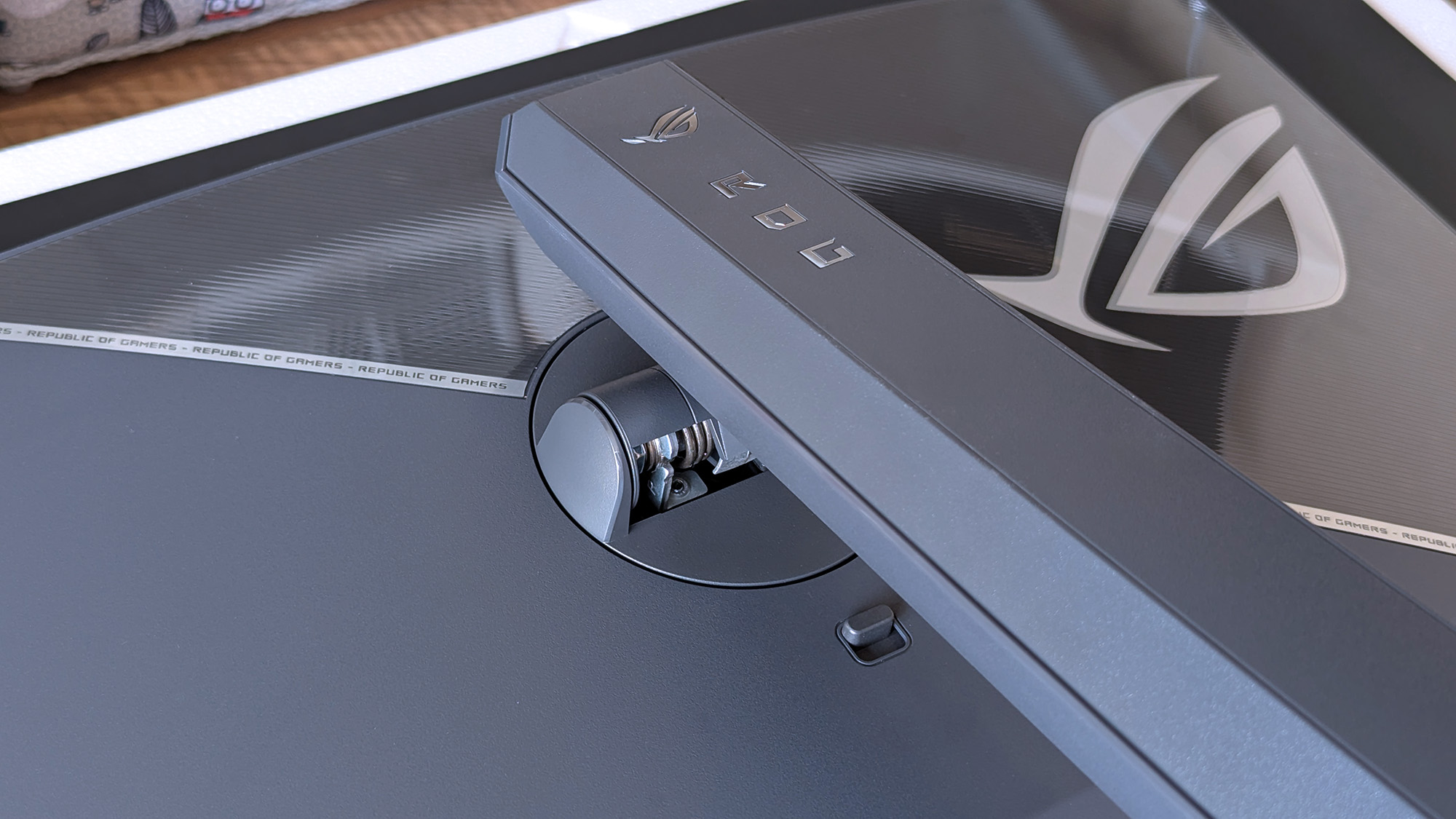
ASUS ROG Strix OLED stand mounting arm with the ROG logo and push-release button in view.
The height-adjustable table stand is heavy, but it's definitely sturdy.Ben Wilson | Windows Central
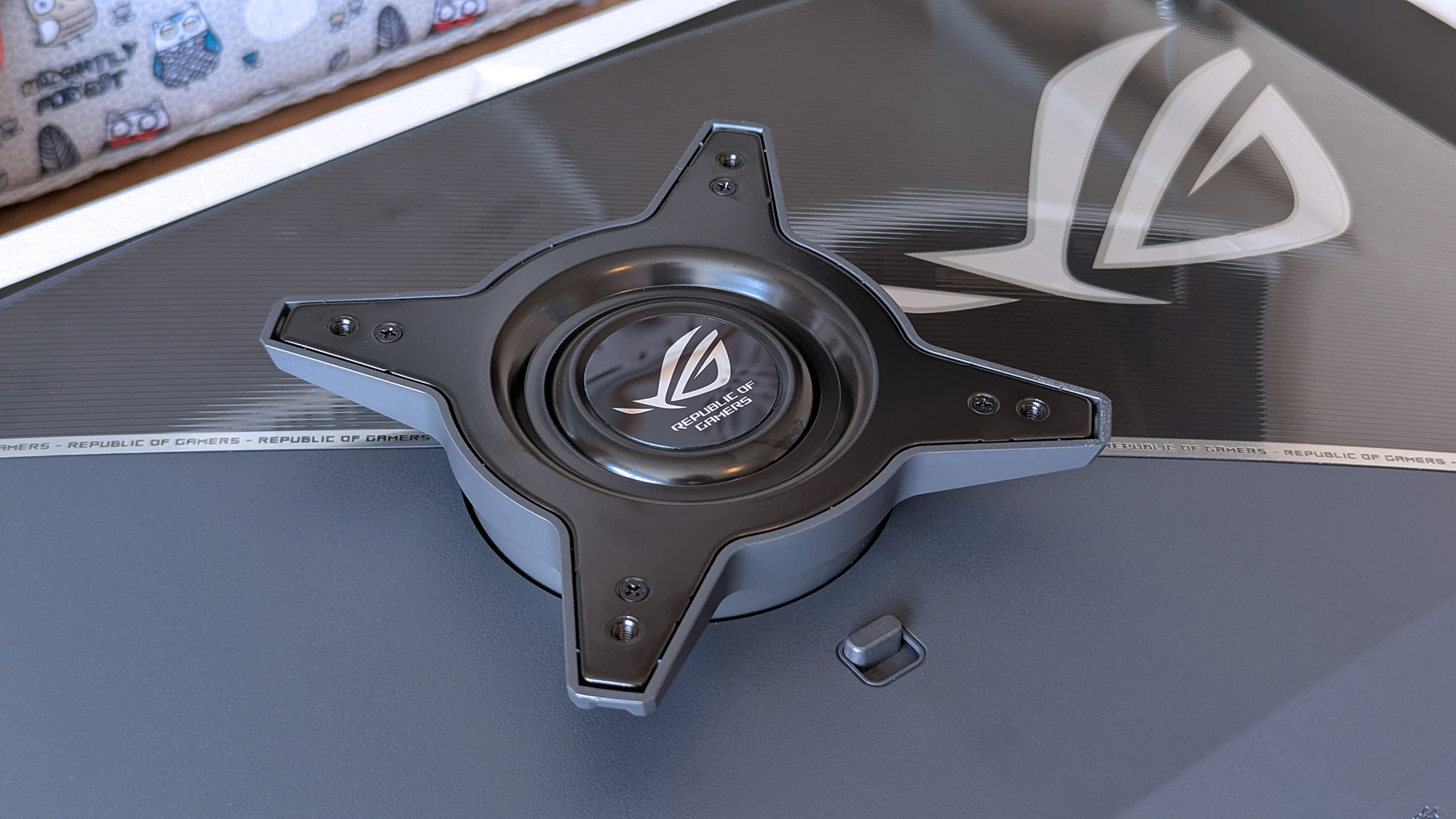
ASUS ROG Strix OLED rear mounting bracket with the central ROG logo and four‑point screw mount.
If you prefer a VESA mount, you'll have to provide your own screws.Ben Wilson | Windows Central
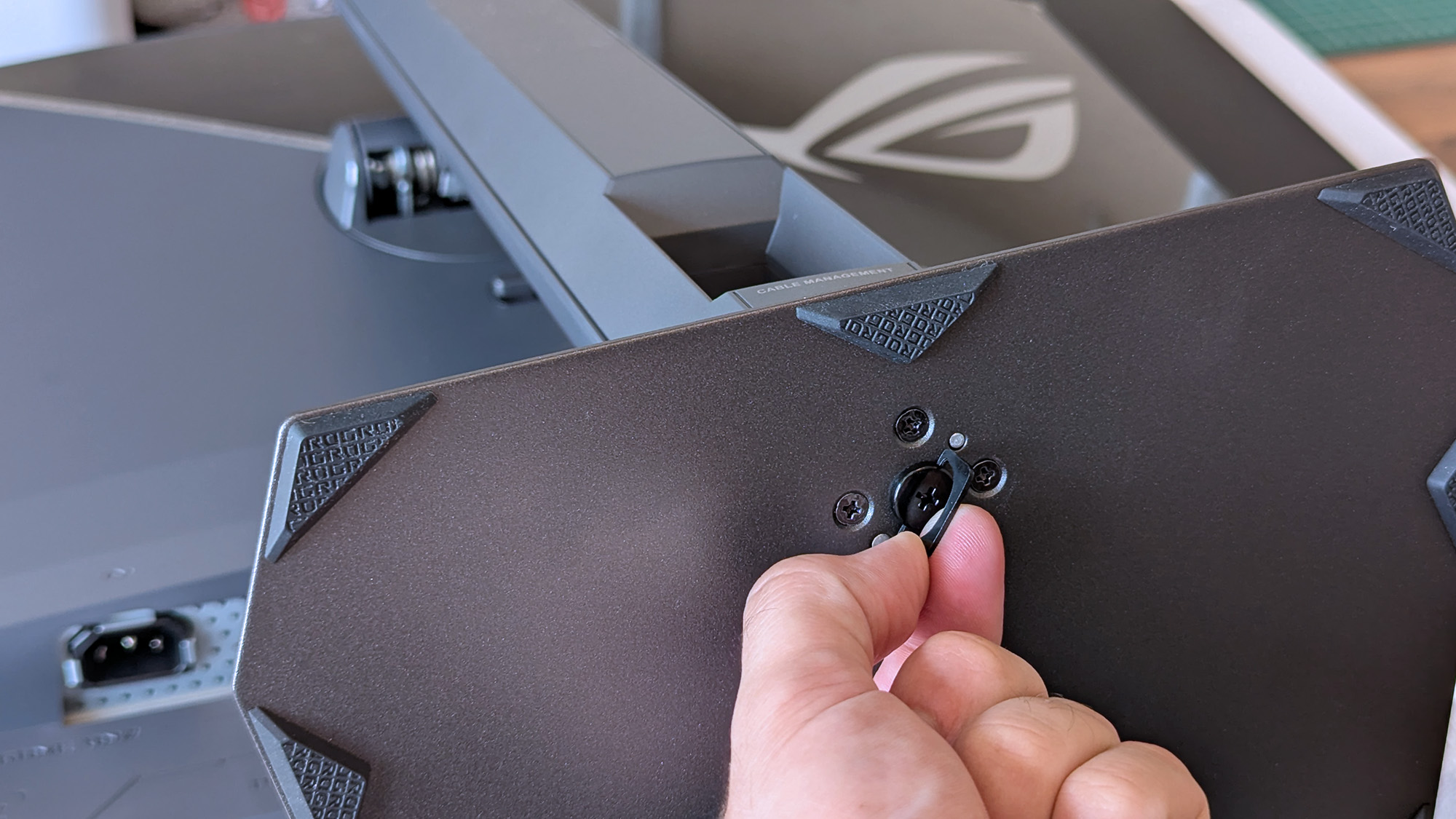
Hand tightening the ASUS ROG monitor stand screw, with the cable‑management section visible.
The footplate fixes tight with a simple thumbscrew and feels secure.Ben Wilson | Windows Central

I'm a big fan of toolless setups wherever they appear, and ASUS ROG wins points for delivering a straightforward process here. Everything hinged on a push-button release mechanism that either gripped the stand or the VESA mount; I used the former and attached the footplate with a simple thumbscrew.

I'm a big fan of toolless setups wherever they appear, and ASUS ROG wins points for delivering a straightforward process here.

The display alone weighs 9.92 lbs (4.5 kg), and adding the VESA mount brings the total to 10.64 lbs (4.83 kg) in a mounted setup. Otherwise, the foot plate and strut together weigh 4.54 lbs (2.06 kg), controlling height with a sturdy but not overly stiff response. On my desk, the monitor is 14.46 lbs (6.56 kg) overall.

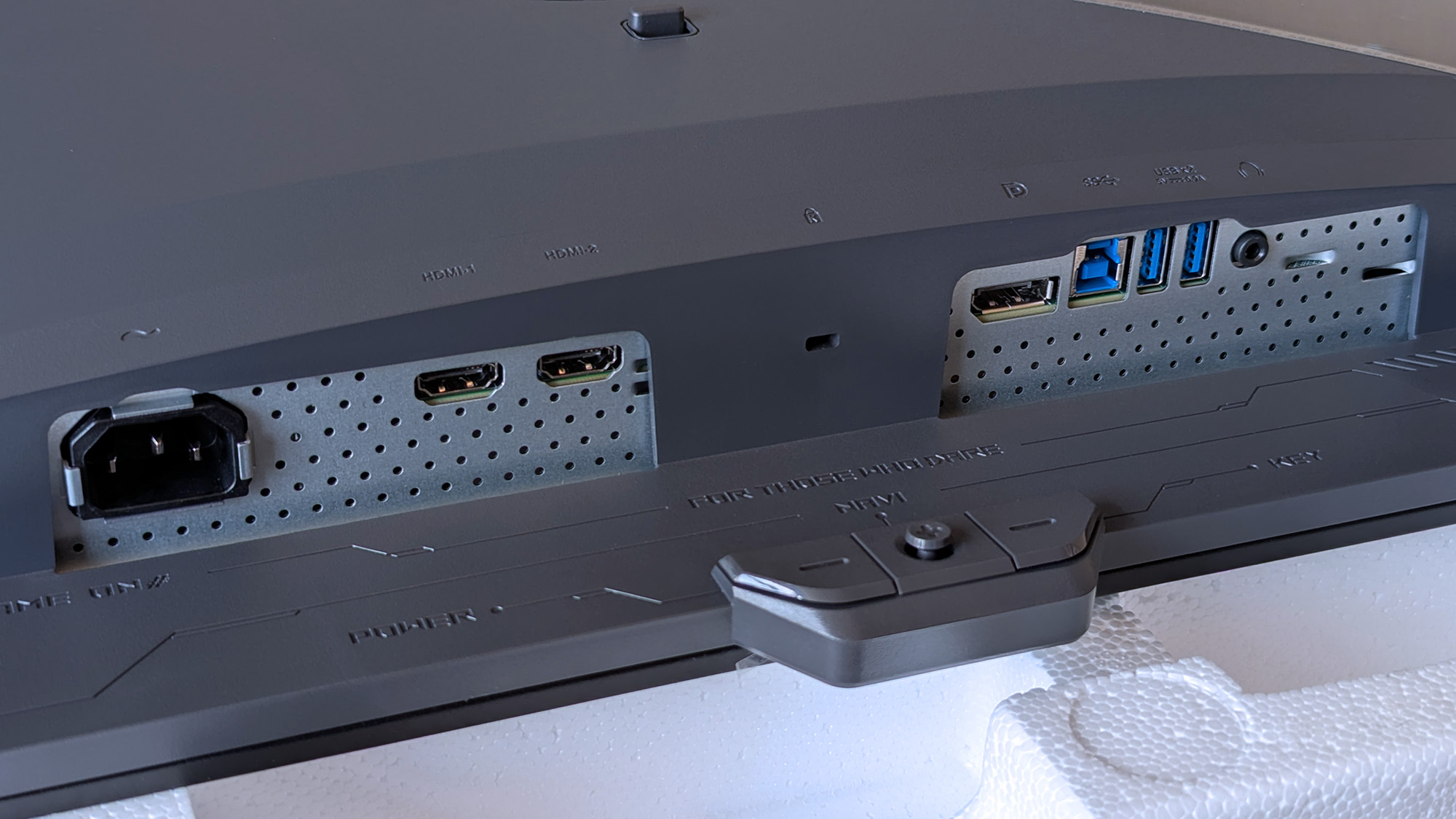
Close-up of the ASUS ROG Strix OLED monitor’s I/O panel featuring power, HDMI, DisplayPort, USB upstream/downstream, and headphone jack.
Ports aplenty, but you only get a DisplayPort cable and AC power in the box.Ben Wilson | Windows Central
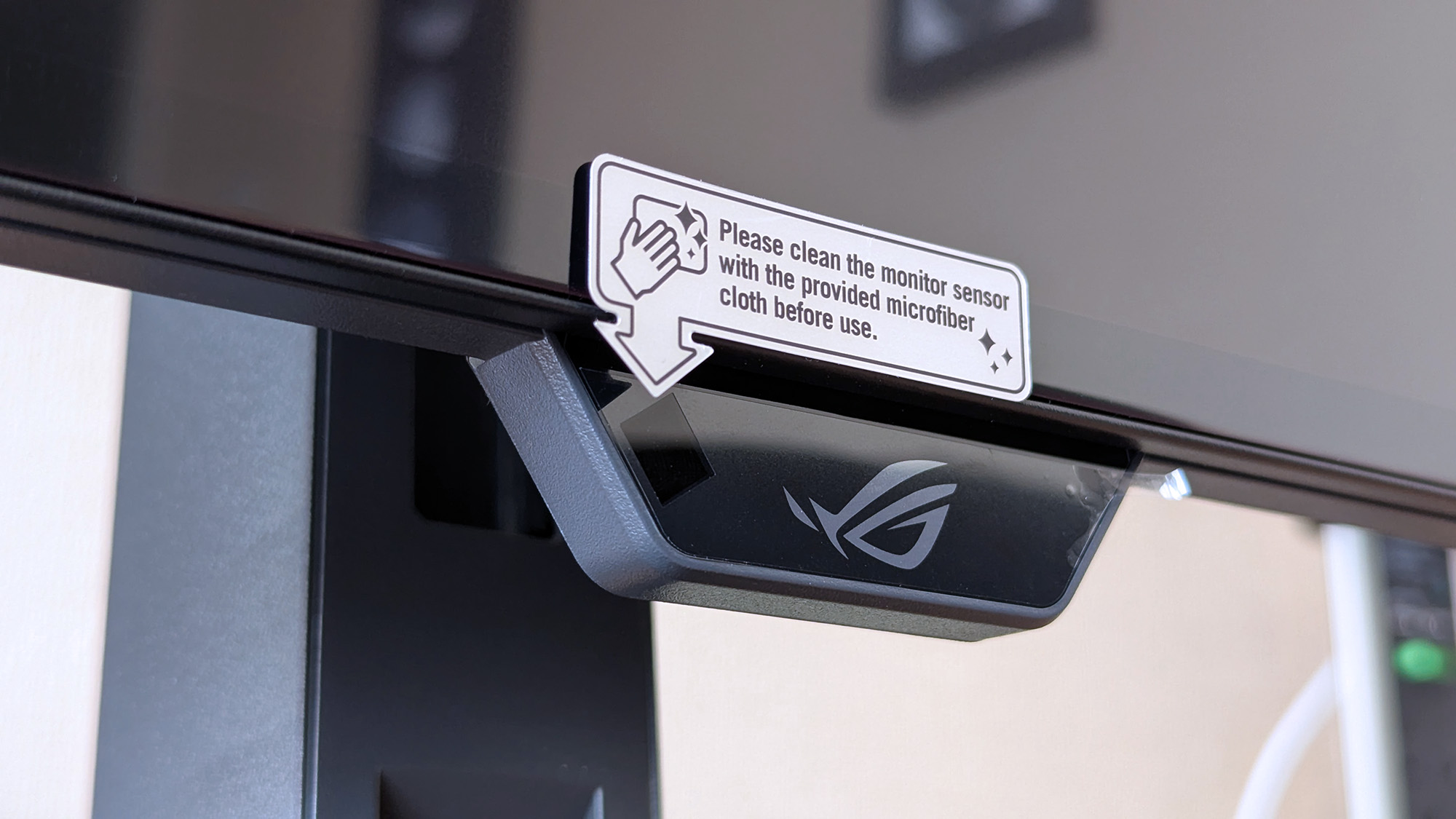
Close‑up of the ASUS ROG Strix OLED monitor’s front sensor module attached beneath the display.
The proximity sensor helps the monitor automatically dim when I move away, preventing burn-in.Ben Wilson | Windows Central
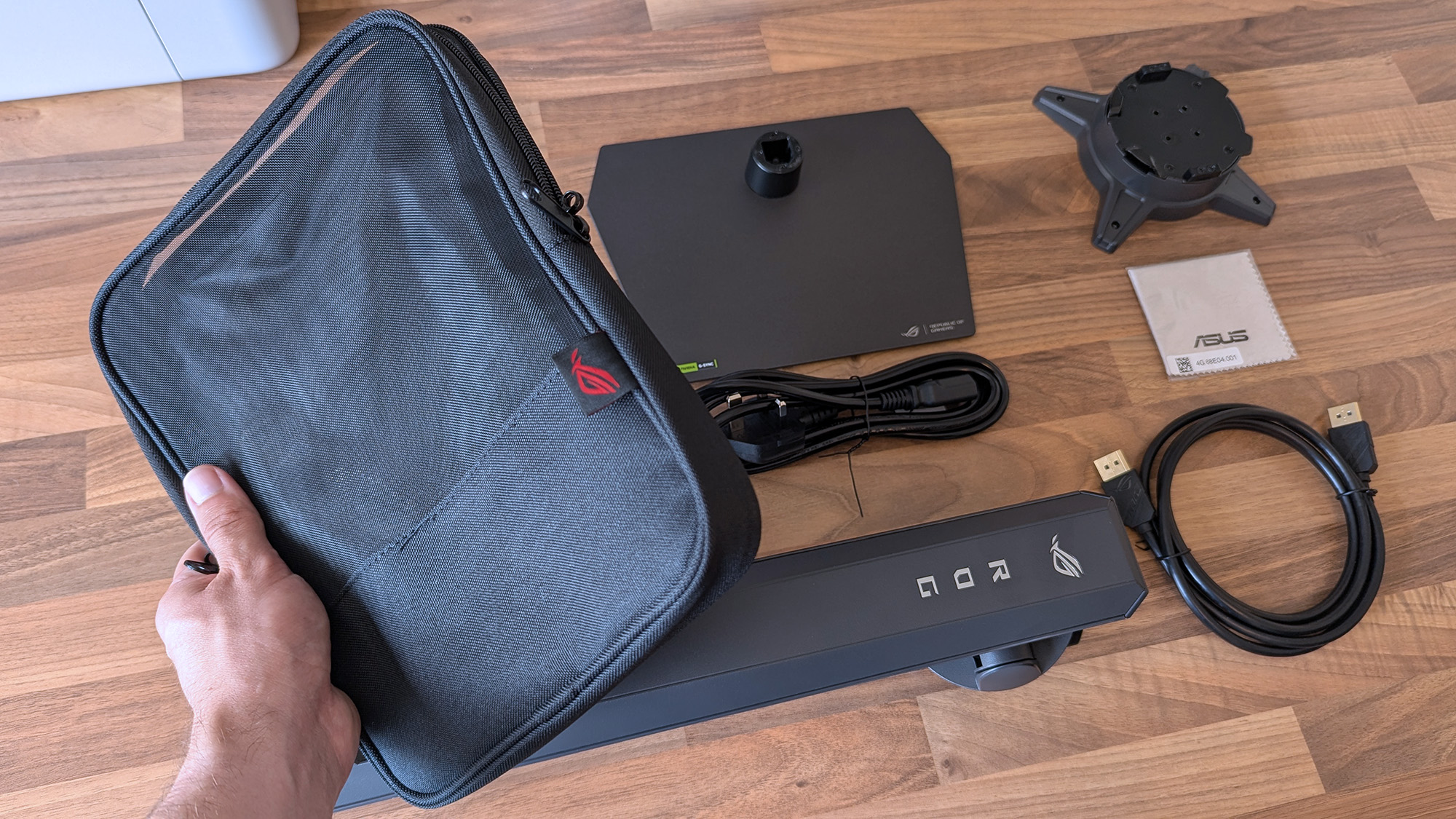
ASUS ROG Strix OLED monitor accessories arranged on a desk, including stand parts, cables, a carrying case, and setup materials.
ASUS throws in a cute pouch for spare parts I won't use.Ben Wilson | Windows Central
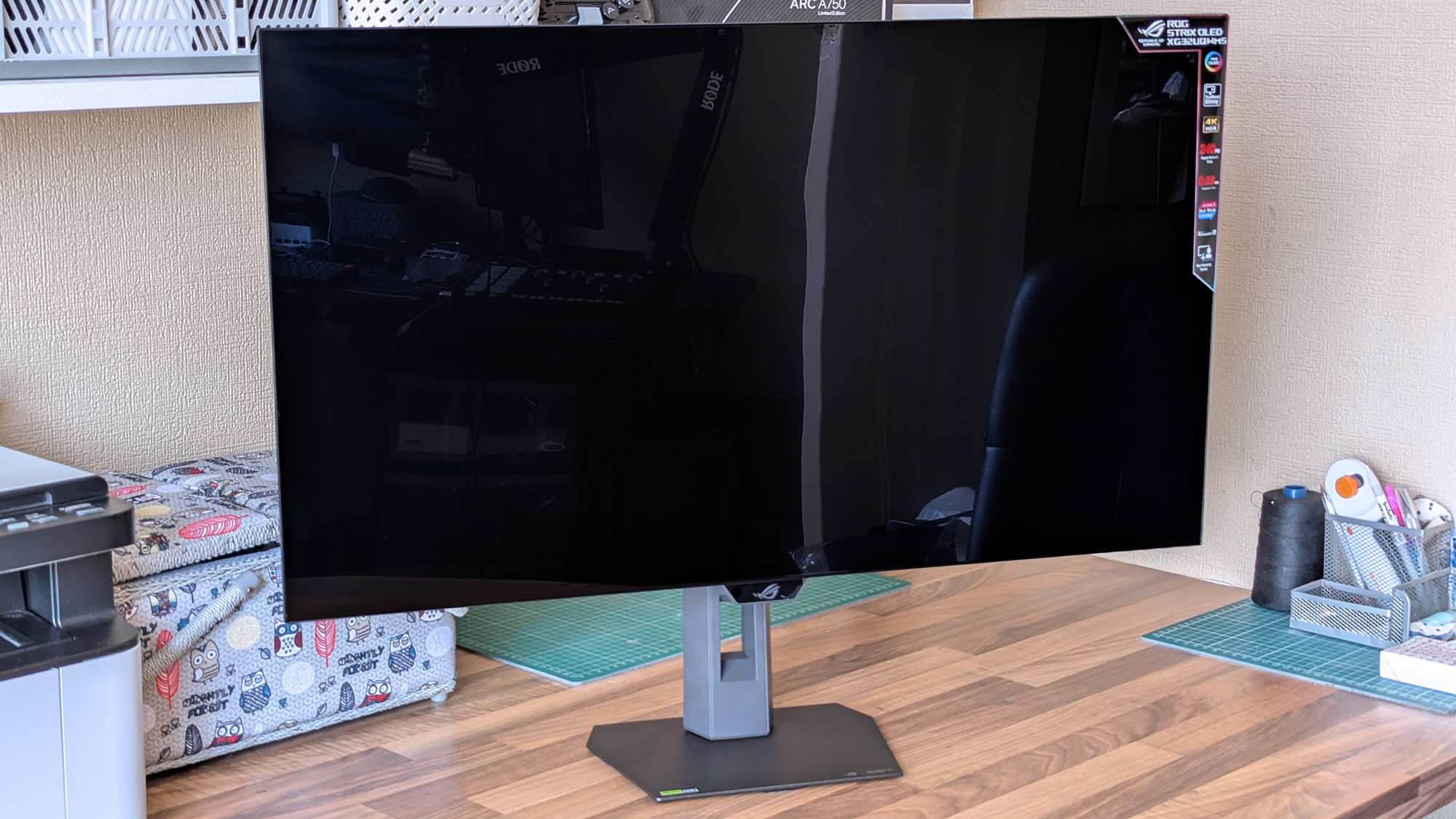
ASUS ROG Strix OLED monitor on a workspace desk, powered off, with crafting tools, organizers, and a second display visible in the background.
A big, satisfying peel of a protective plastic film under the advertisements is all that remains.Ben Wilson | Windows Central

Attaching the stand gave me a clear view of the ports and navigation via the multi-function button (MFB) located behind the bottom-mounted ASUS ROG logo and its accompanying "Neo" proximity sensor. It's a pretty standard affair that matches rival brands, and its controls should feel familiar to most people.

While there are two HDMI 2.1 ports, a pair of USB-A 3.2 Gen 1 with a hub port, and a headphone jack, there's only a single DisplayPort cable in the box for its matching DP 1.4 port, along with the AC cord. Bundling a free USB-B cable shouldn't be too expensive, and I'm disappointed to see it missing here.

Does the 32-inch Strix OLED look good?

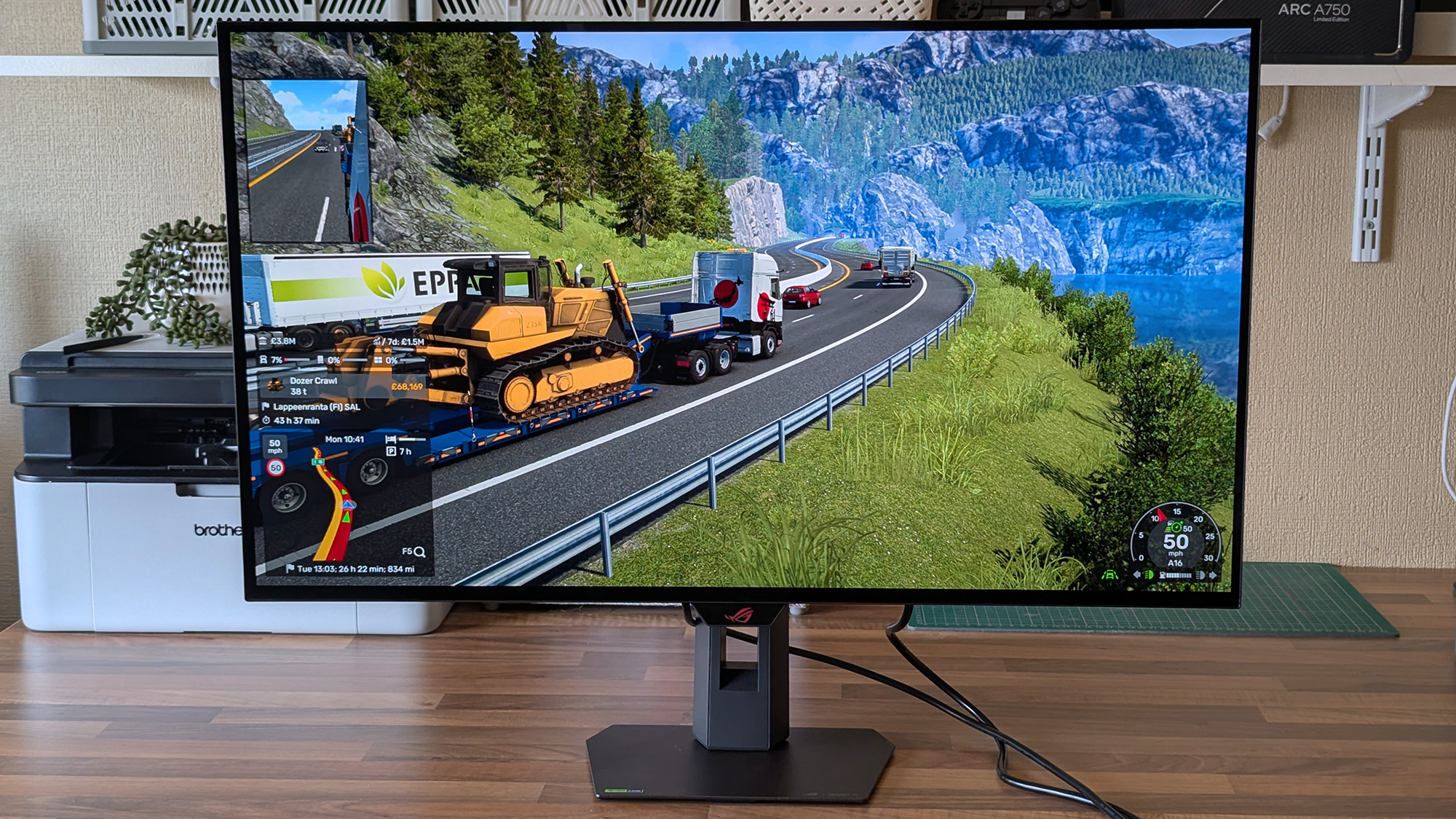
ASUS ROG Strix OLED XG32UQWMS monitor shows Euro Truck Simulator 2 hauling a yellow bulldozer along a mountain road, with delivery details and route information visible on‑screen.

Now that I've played on an OLED monitor, it'll be hard to go back to my IPS screen. (Image credit: Ben Wilson | Windows Central)

Moving from a 27-inch IPS Alienware monitor to an OLED panel made its benefits immediately obvious, with an experience similar to the one I get from my LG C2 TV in the living room. High contrast, deep blacks, and crisp visuals come with its 4K resolution and that smooth 240Hz refresh rate. Windows 11 adjusted my settings accordingly, and the monitor looks great out of the box.

The UHD @ 240Hz mode looks fantastic, and I'm left wondering who would ever want to switch to 1080p for the sake of 480Hz on a 32-inch display.

In motion, the UHD @ 240Hz mode looks fantastic, and I'm left wondering who would ever want to switch to 1080p for the sake of 480Hz on a 32-inch display. I know it has its place in ultra-competitive shooters like Counter-Strike 2 and its many rivals, but 240Hz still feels like plenty to me. If you're the target audience, I think you'll be happy, because FHD gameplay still looks quite good.

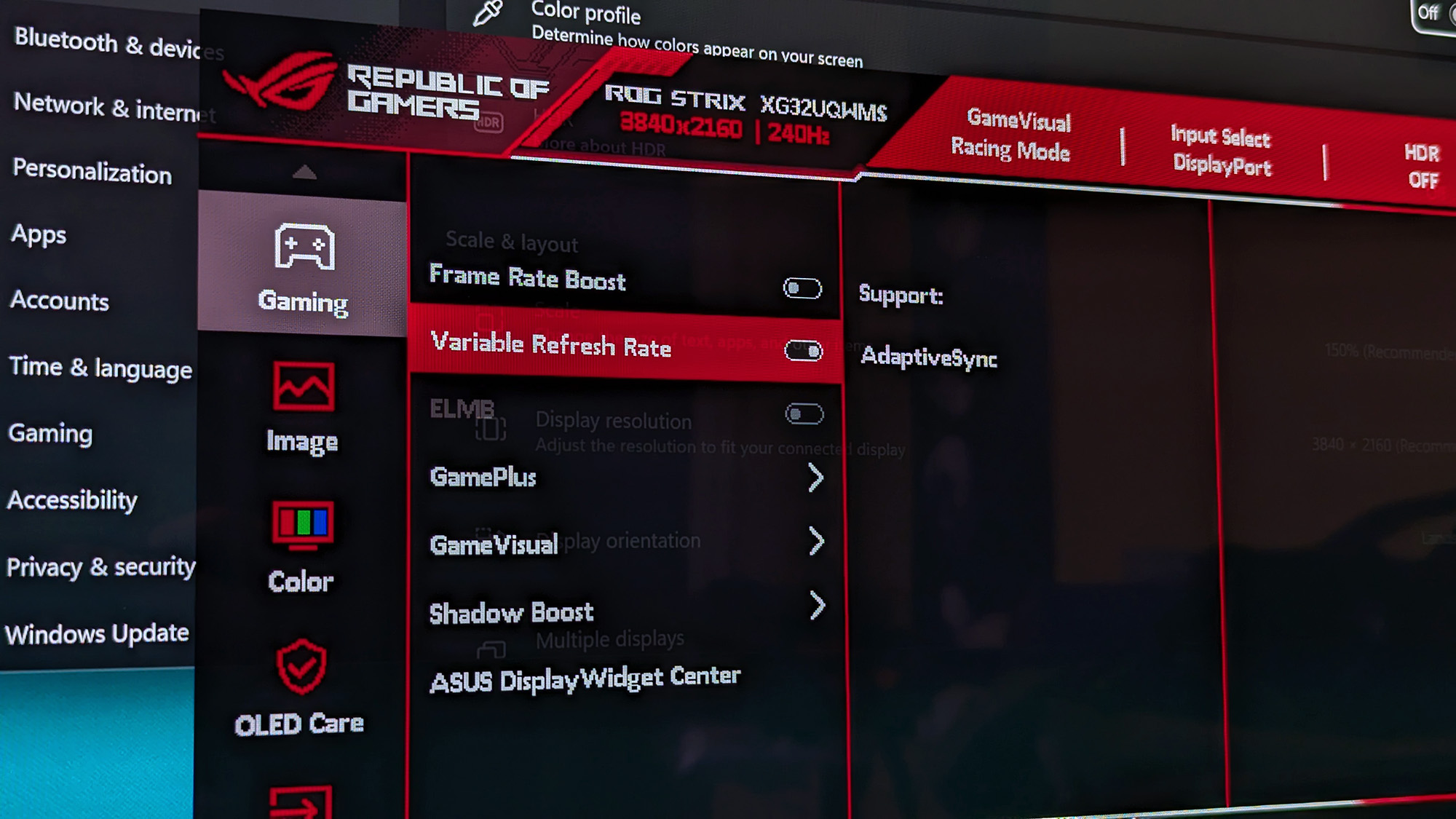
The ASUS ROG Strix OLED XG32UQWMS monitor shows its on‑screen display open to gaming settings, highlighting Variable Refresh Rate and AdaptiveSync options.
There are plenty of visual tweaks to make in the OSD, primarily balancing brightness, if you need them.Ben Wilson | Windows Central
A close‑up of the ASUS ROG Strix OLED XG32UQWMS monitor showing a Windows desktop with Recycle Bin, Microsoft Edge, and Discord icons against a light blue background.
Text looks fine, aided mostly by the sheer clarity offered by 4K in the first place.Ben Wilson | Windows Central

Up close, the clarity of on-screen text looks fine; nothing particularly groundbreaking, but nothing looks noticeably fringed when I sit at a comfortable distance in UHD mode. Adjusting ClearType in Windows 11 might give results that better suit you, but I didn't feel like anything looked out of place during my usual daily work and gaming.

The OSD is at least easy to navigate, and I could install the DisplayWidget Center if I really wanted to use a mouse to tweak several settings at once. Otherwise, the "TrueBlack Glossy" panel looks significantly darker at a glance than the other screens in my office, which certainly helps with the deep blacks OLED is famous for, and I found the visible room reflections were tolerable.

Testing the display

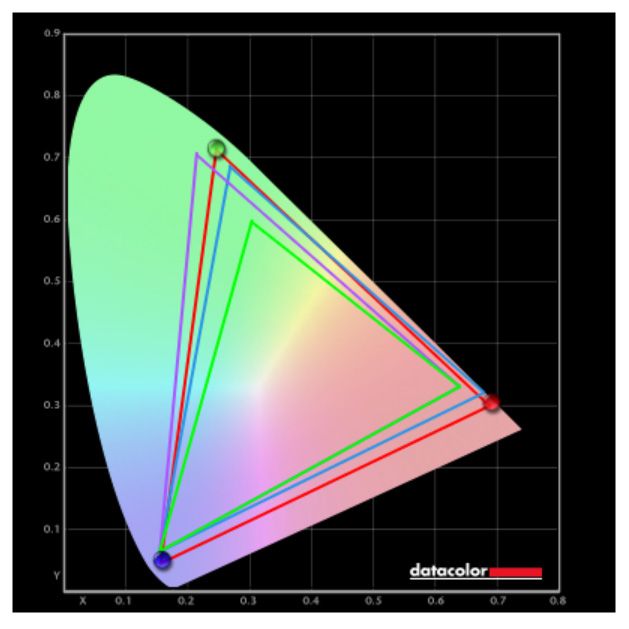
ASUS ROG Strix OLED XG32UQWMS gaming monitor test results with SpyderX colorimeter

Out of the box, the XG32UQWMS defaults to "Racing mode", hitting 99% of the DCI-P3 color gamut as advertised, and sRGB accuracy earns a perfect score, while Adobe RGB maxes out at 93%. Without changing settings, a 100% brightness level reached around 306 to 311 nits, so getting it to 330 nits will require a bit of tweaking. On the whole, I'm satisfied with its stock settings.

Should you buy the 32-inch Strix OLED?

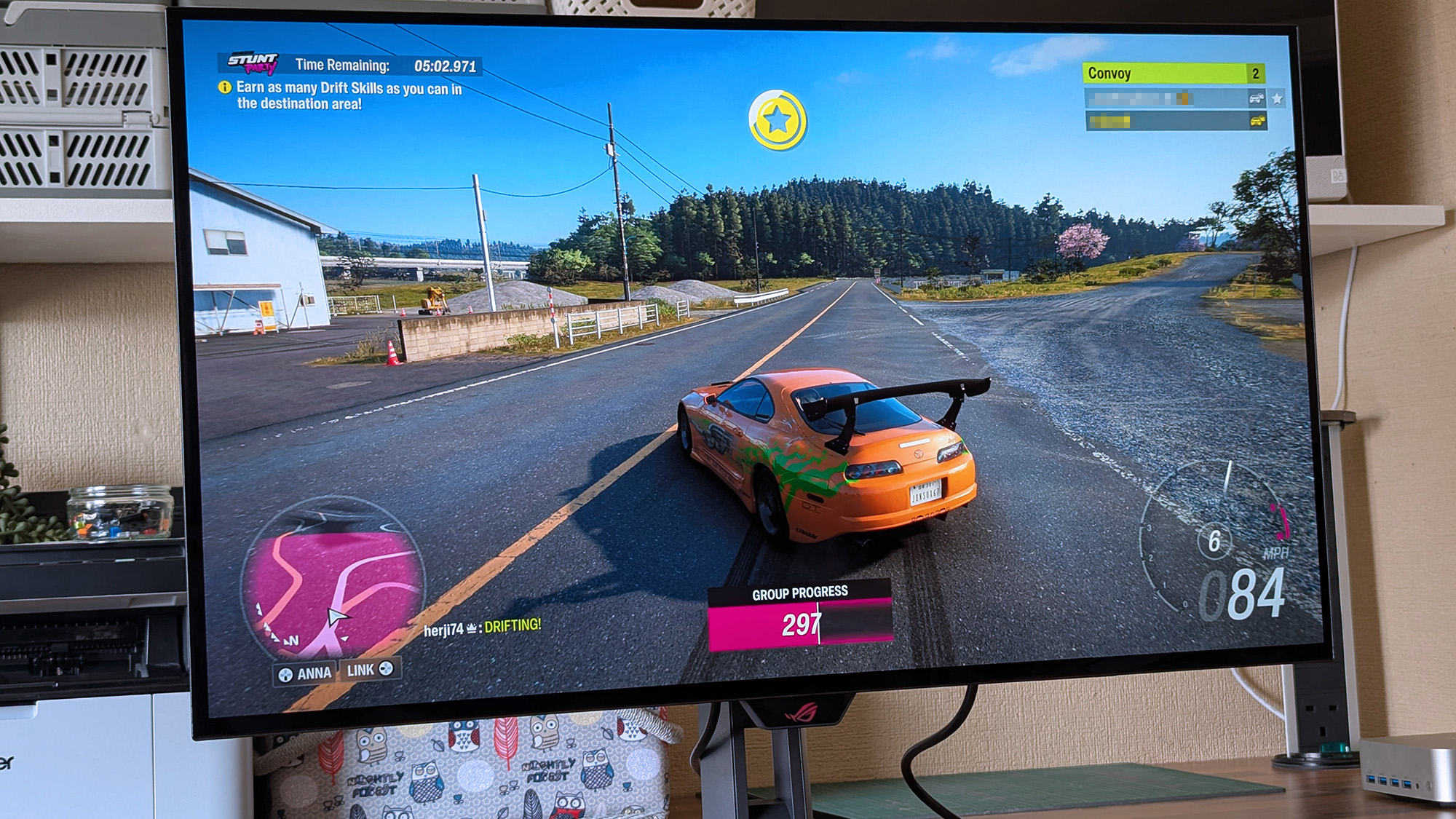
ASUS ROG Strix OLED XG32UQWMS monitor displays Forza Horizon 6 racing with an orange sports car drifting on a rural road, showing timers, drift objectives, convoy players, and speed indicators.

At this price, it's certainly considered an investment, but burn-in prevention tools make it much easier to recommend. (Image credit: Ben Wilson | Windows Central)

You should buy this if ...

✅ You want an OLED monitor built for preventing burn-in

✅ You're a competitive gamer who thrives on high refresh rates

You should not buy this if ...

❌ You want an out-of-the-box USB hub monitor

A built-in presence sensor probably sets off alarm bells for some gamers, but the proximity detection is literally there to help protect this OLED panel by switching off when you walk away. That, along with adjustments to uniform brightness and pixel-cleaning settings, helps prevent burn-in, which was my biggest concern with monitors like these. ASUS definitely could have thrown in a free upstream USB cable for its hub, but the display itself is solid, so it still wins praise.

ASUS ROG Strix OLED XG32UQWMS gaming monitor render

ASUS ROG
Strix OLED XG32UQWMS

Due for release in September 2026, this OLED gaming monitor should be at the top of your considerations if you're shopping around.

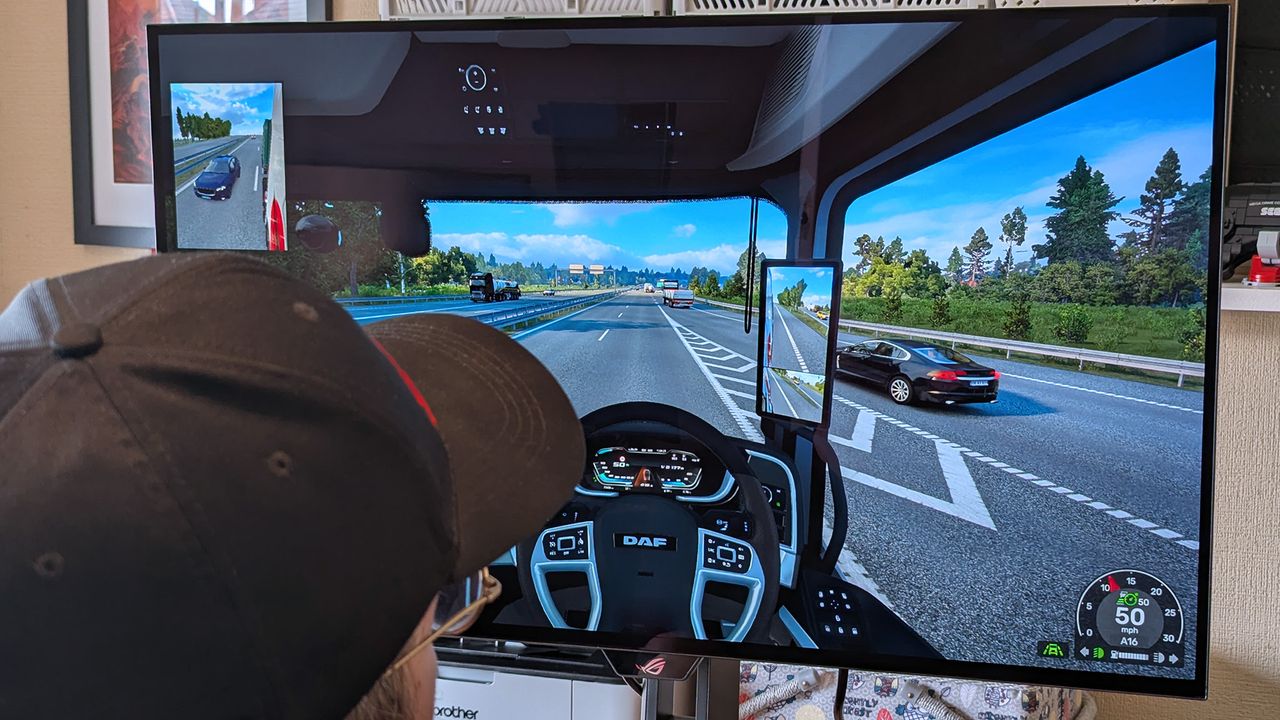
Windows Central's Ben Wilson wearing a black cap sits at a desk playing Euro Truck Simulator 2, with the ASUS ROG Strix OLED XG32UQWMS monitor showing a DAF truck interior.

Euro Truck Simulator 2 never looked so good.

  •  
❌