Vue lecture

Stop putting off your monitor upgrade — our favorite Dell and Alienware displays just made it an easy choice for the new semester

Monitors generally last so long that I often forget how significant an upgrade can be, but seeing some of the 4K displays and OLED panels in our recent reviews always proves they're among the best investments you can make. After all, you're looking at your PC monitor most of the time, so it's worth it.

Back to school deals up to $900 off PCs and more at Dell

Sure enough, Dell is offering generous discounts on some of the best monitors we've tested, including a gaming variant in its Alienware subbrand. If you're thinking about a screen upgrade for your new semester, now's the right time to buy. Here's my curated collection of Dell monitors that are easy to recommend.
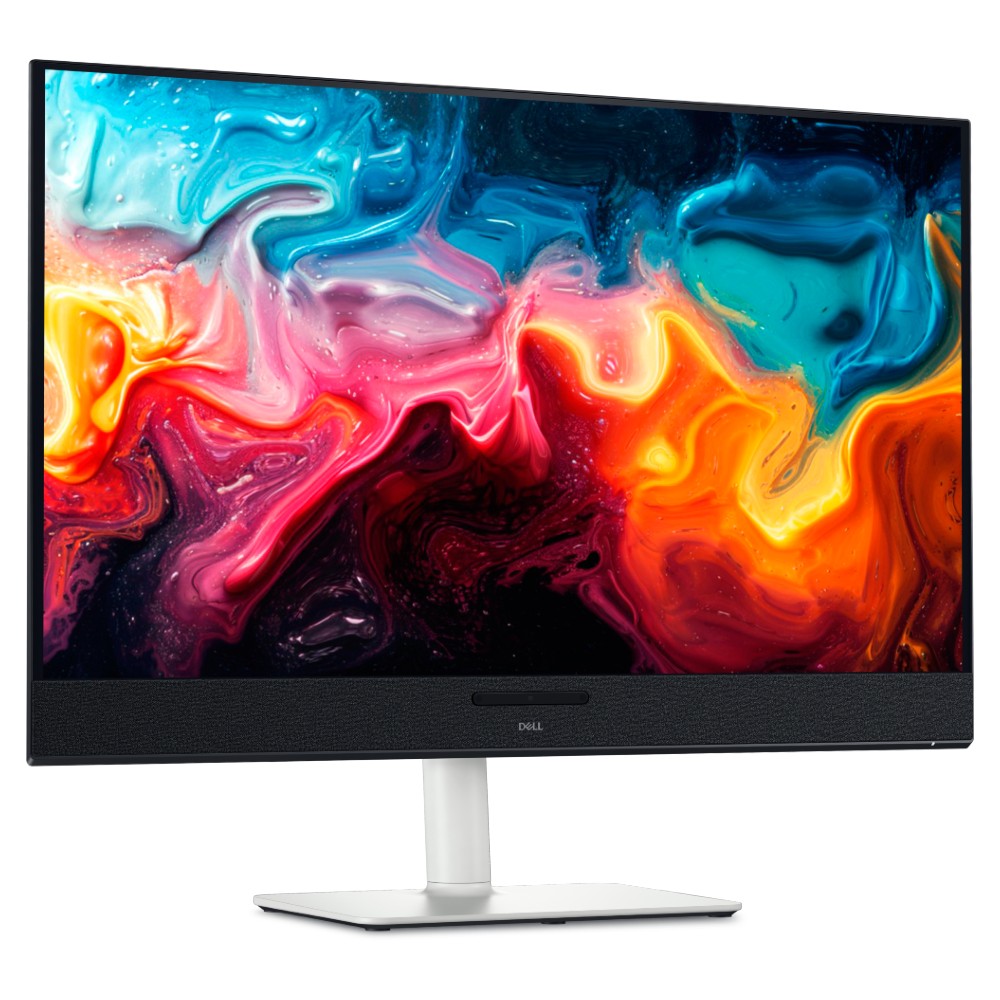
32 Plus 4K QD-OLED (S3225QC): was $799.99 now $599.99

Dropping below $600 makes this an easy choice for anyone who has the space. You get built-in audio with 5 speakers and a gorgeous, color-accurate 4K QD-OLED panel.
Windows Central review: ⭐⭐⭐⭐½View Deal

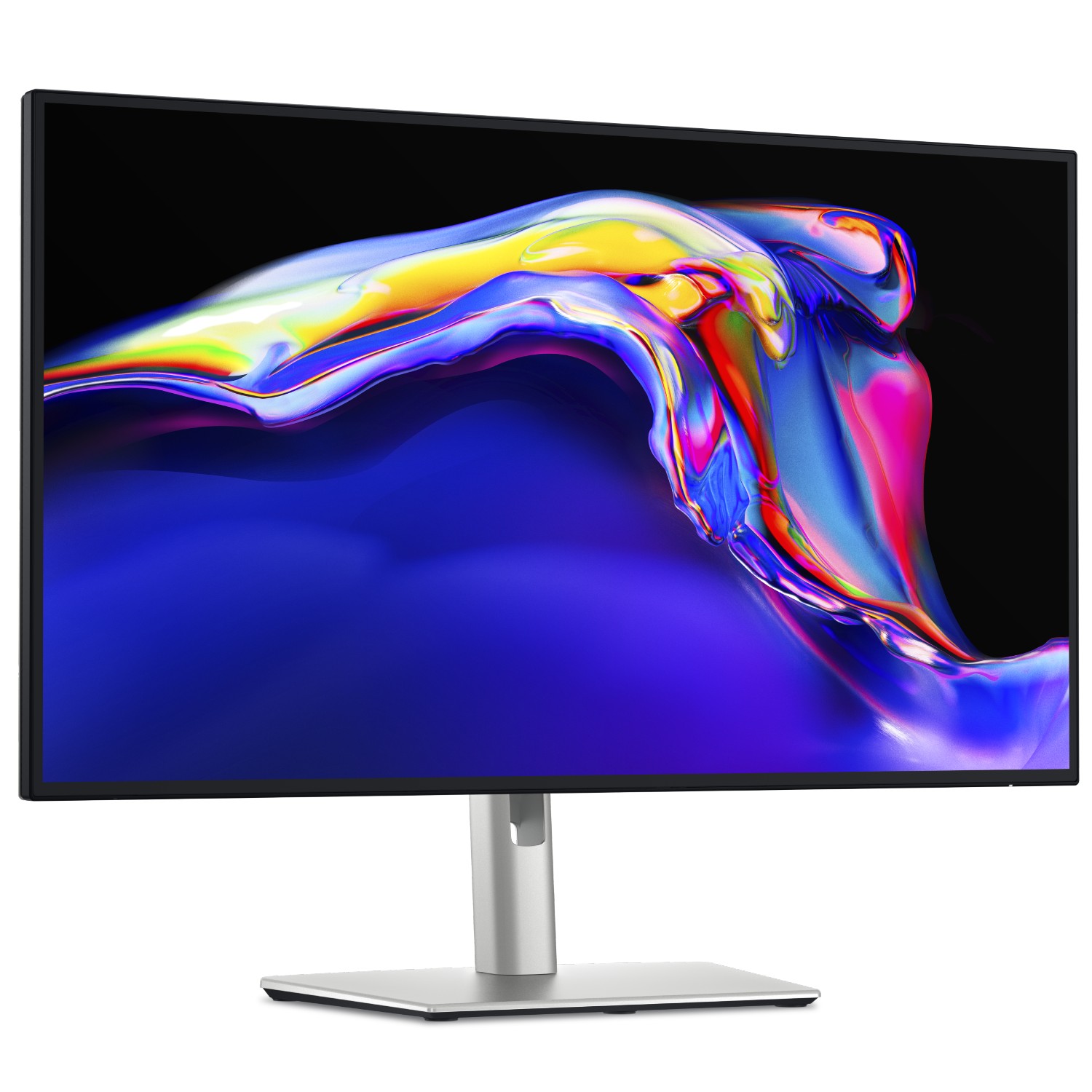
UltraSharp 27 4K Thunderbolt Hub (U2725QE): was $849.99 now $699.99

At a more "standard" size, Dell gives you a 4K IPS LCD panel running at 120Hz, a Thunderbolt 4 hub, and extra USB ports for all your peripherals.
Windows Central review: ⭐⭐⭐⭐½View Deal

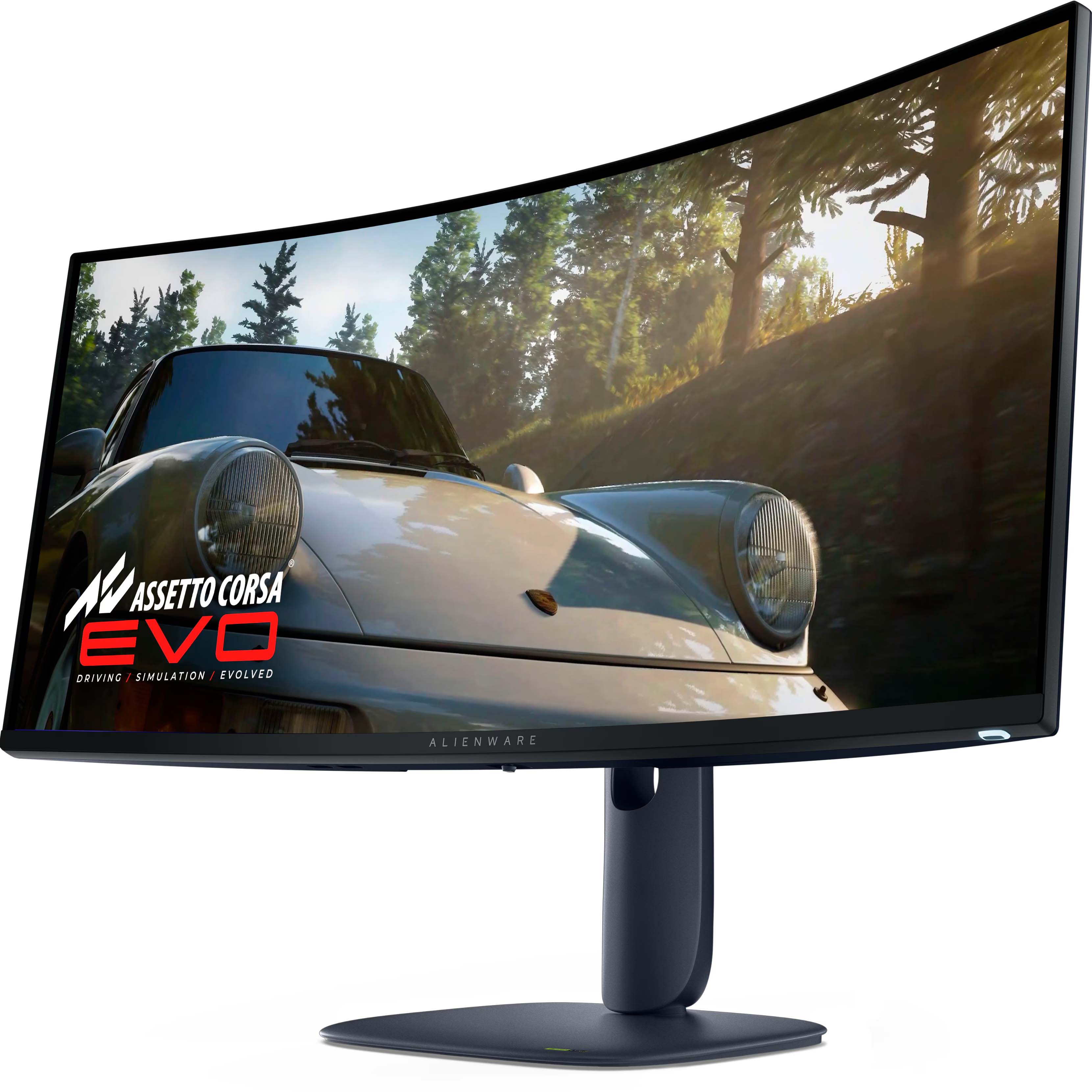
34 240Hz QD-OLED Gaming (AW3425DW): was $799.99 now $749.99

For the gamers — and it's a beast. A curved QD-OLED 1440p (not 4K) panel running at 240Hz, with a 0.03ms response time, alongside HDR and G-Sync support.

Windows Central review: ⭐⭐⭐⭐½View Deal

Does Dell make good monitors?

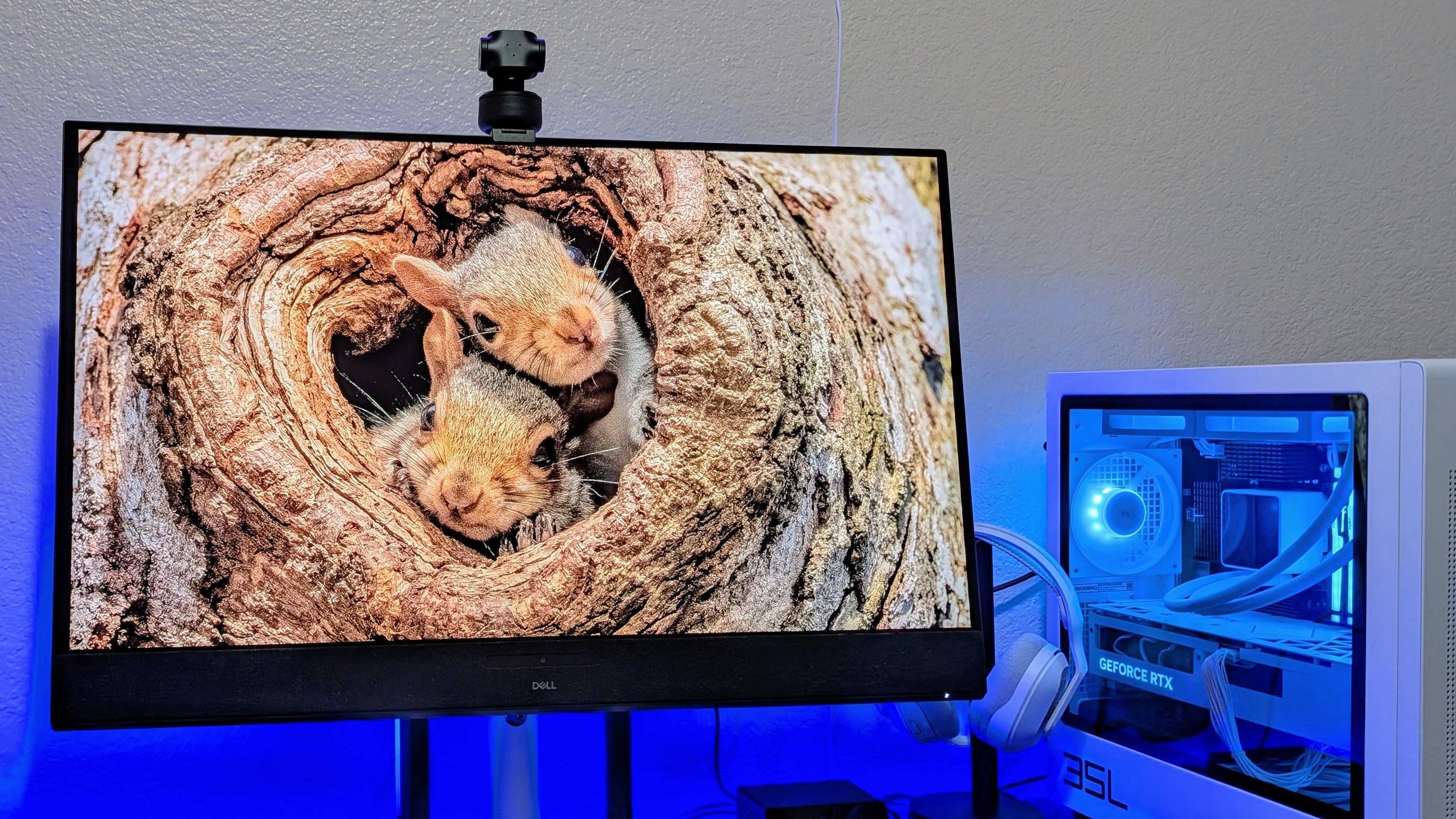
Image of the Dell 32 Plus 4K QD-OLED Monitor (S3225QC).

Dell 32 Plus 4K QD-OLED Monitor (S3225QC). (Image credit: Windows Central | Zachary Boddy)

Dell has consistently impressed my team and me with each monitor that we've sampled — and in some cases permanently adopted — with accurate color representation on sharp panels with good contrast. Their construction is consistently above average, too, often with a toolless setup and included stands offering plenty of tilt and swivel adjustment options.

The Dell S3225QC's 5-speaker system easily sounds better than the majority of monitors with built-in audio.

Zachary Boddy, Former Staff Writer

With its $200 saving, the 32 Plus 4K QD-OLED (S3225QC) stands out as the best deal, and we particularly praised its five-speaker array for delivering "some of the best audio you'll hear in a monitor or TV". Indeed, it includes a two-piece toolless stand for a straightforward setup and affordable access to a Quantum Dot OLED (QD-OLED) panel with "perfect" contrast.
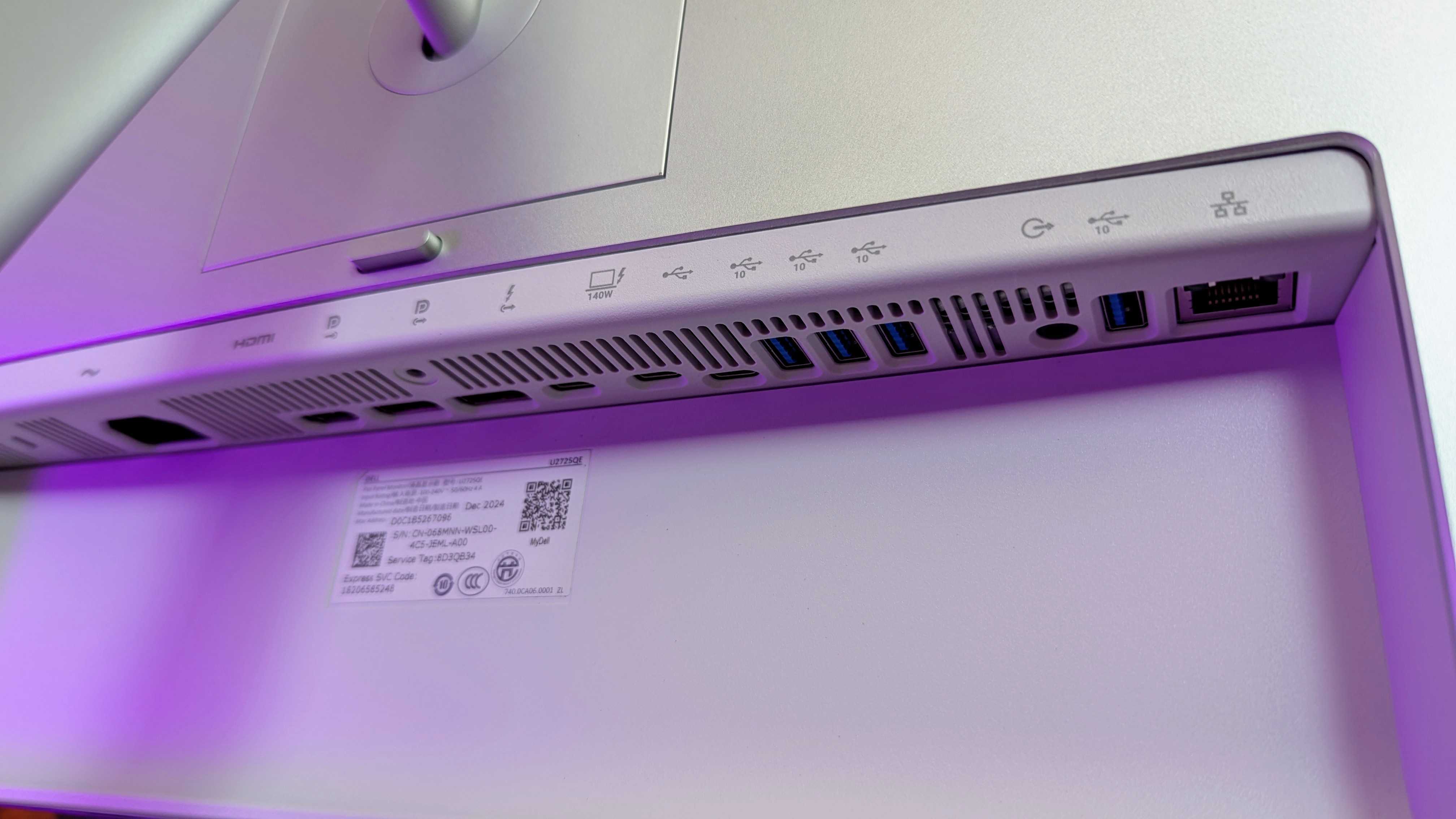
Image of the Dell UltraSharp 27 4K Thunderbolt Hub Monitor (U2725QE).

Connectivity is bountiful on the UltraSharp 27. (Image credit: Windows Central | Zachary Boddy)

One of the most important considerations is connectivity and whether your existing PCs and devices can connect to the monitor you buy. For example, the S3225QC offers a gorgeous panel, but it's limited to a single HDMI port and two USB-C ports — one of which supports DisplayPort 1.4 output — but there's nothing for a traditional full-sized DisplayPort cable.

The opposite side of that coin is the UltraSharp 27 4K (U2725QE) with its Thunderbolt Hub and two DisplayPort options, HDMI, alongside a positively huge array of USB-A and USB-C ports. For gamers, responsiveness matters more, and the Alienware AW3425DW dominates with a 240Hz refresh rate and a 0.03ms response time built into a 21:9 (3440 x 1440) panel.

Overall, our own testing proved that Dell monitors are great picks for practically anyone. Nevertheless, you should always consider your needs, including which display size best fits your desk setup (or whether you'll use a mounting arm over the included stands). Right now, availability is healthy at Dell's US store, with fast delivery times.

Click to join us on r/WindowsCentral

Join us on Reddit at r/WindowsCentral to share your insights and discuss our latest news, reviews, and more.

Image of the Dell UltraSharp 27 4K Thunderbolt Hub Monitor (U2725QE).
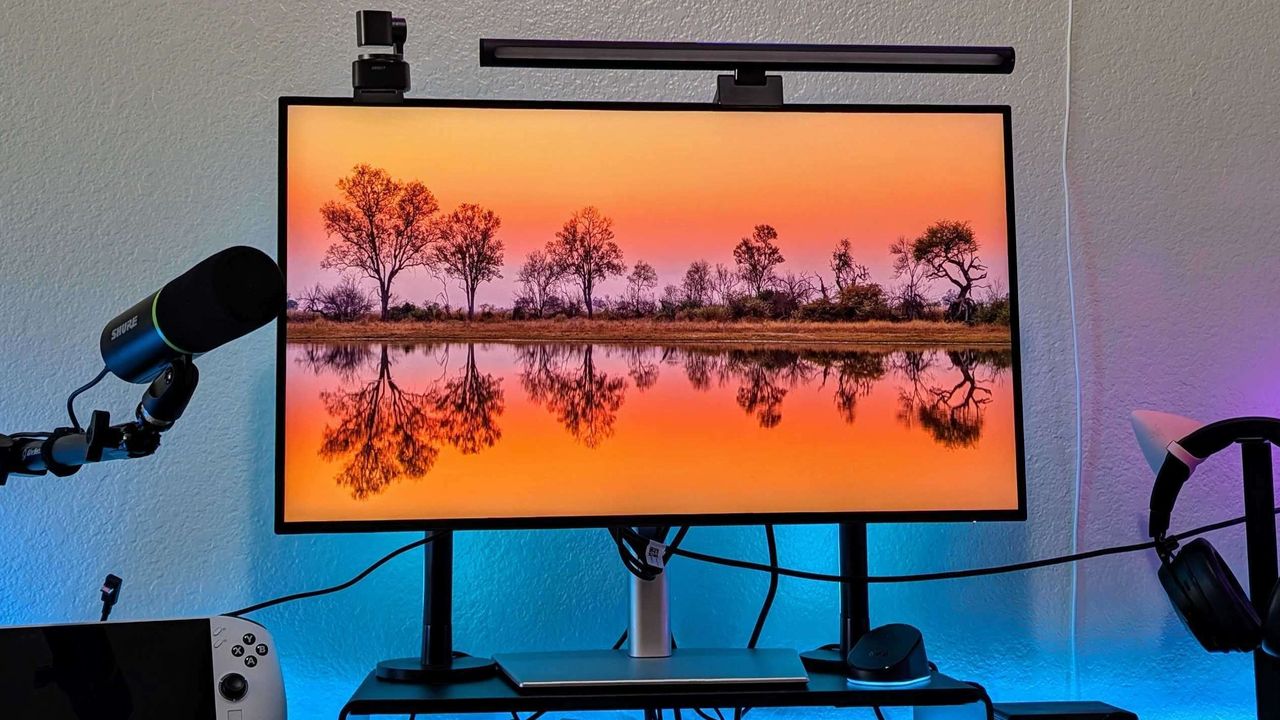
Dell's UltraSharp 27 is a discounted winner.
  •  

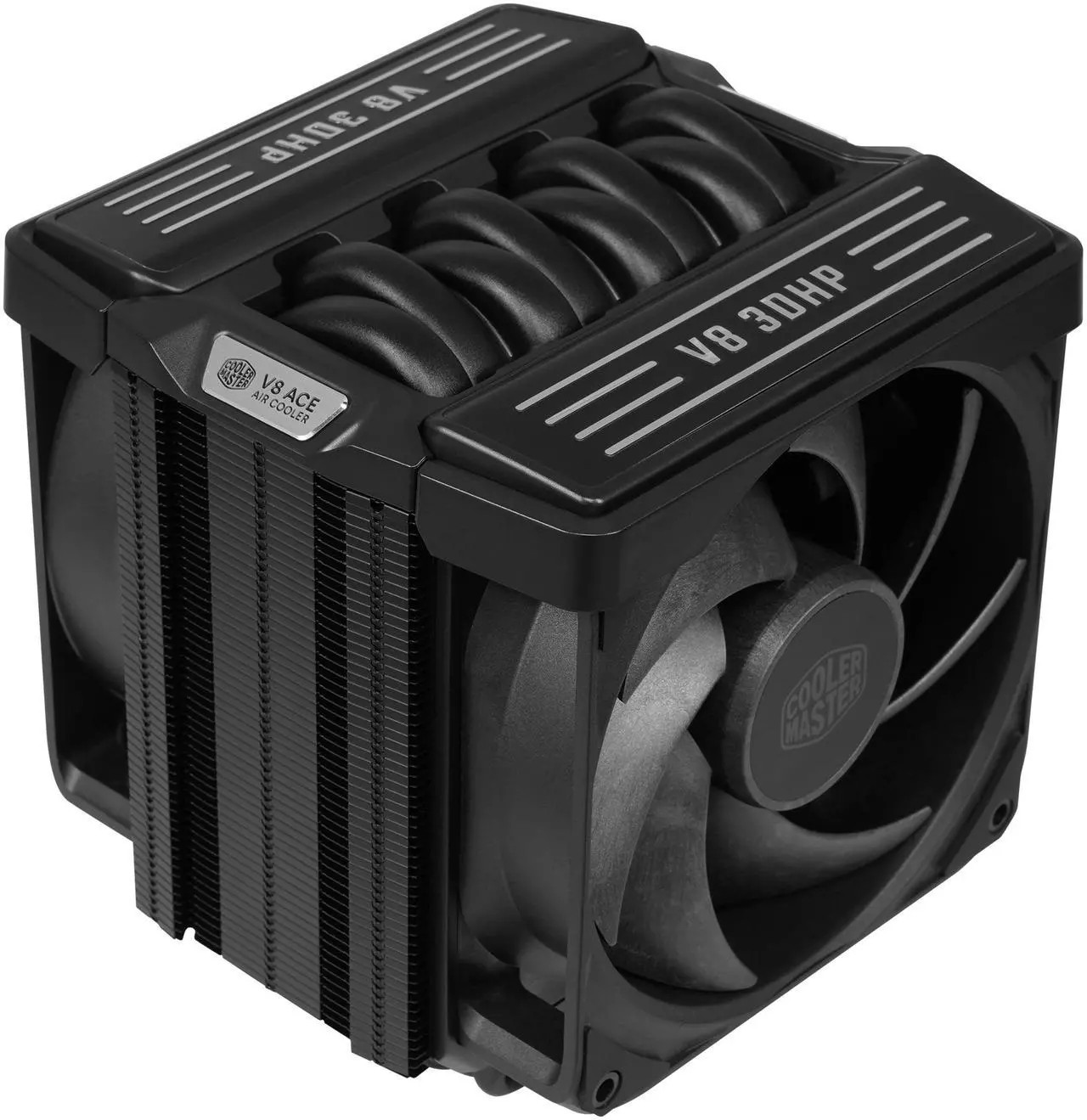
I tested a CPU cooler that looks like a V8 engine — and this air-powered monster performs like one, too

I've generally leaned towards all-in-one (AIO) liquid cooling for my own custom PC builds for the past decade or so, but air cooling is practically forcing its way back into my habits because it keeps proving its worth via reviews like these. The Cooler Master V8 ACE 3DHP caught my eye mostly because of its "V8 engine" throwback gimmick, but there's a clever secret hiding inside its fins — something that Hyper 212 3DHP cooler owners will recognize.

Cooler Master provided a sample but did not see, nor did it have any input on, the contents of my article before publishing.

How much does the V8 ACE 3DHP cost?

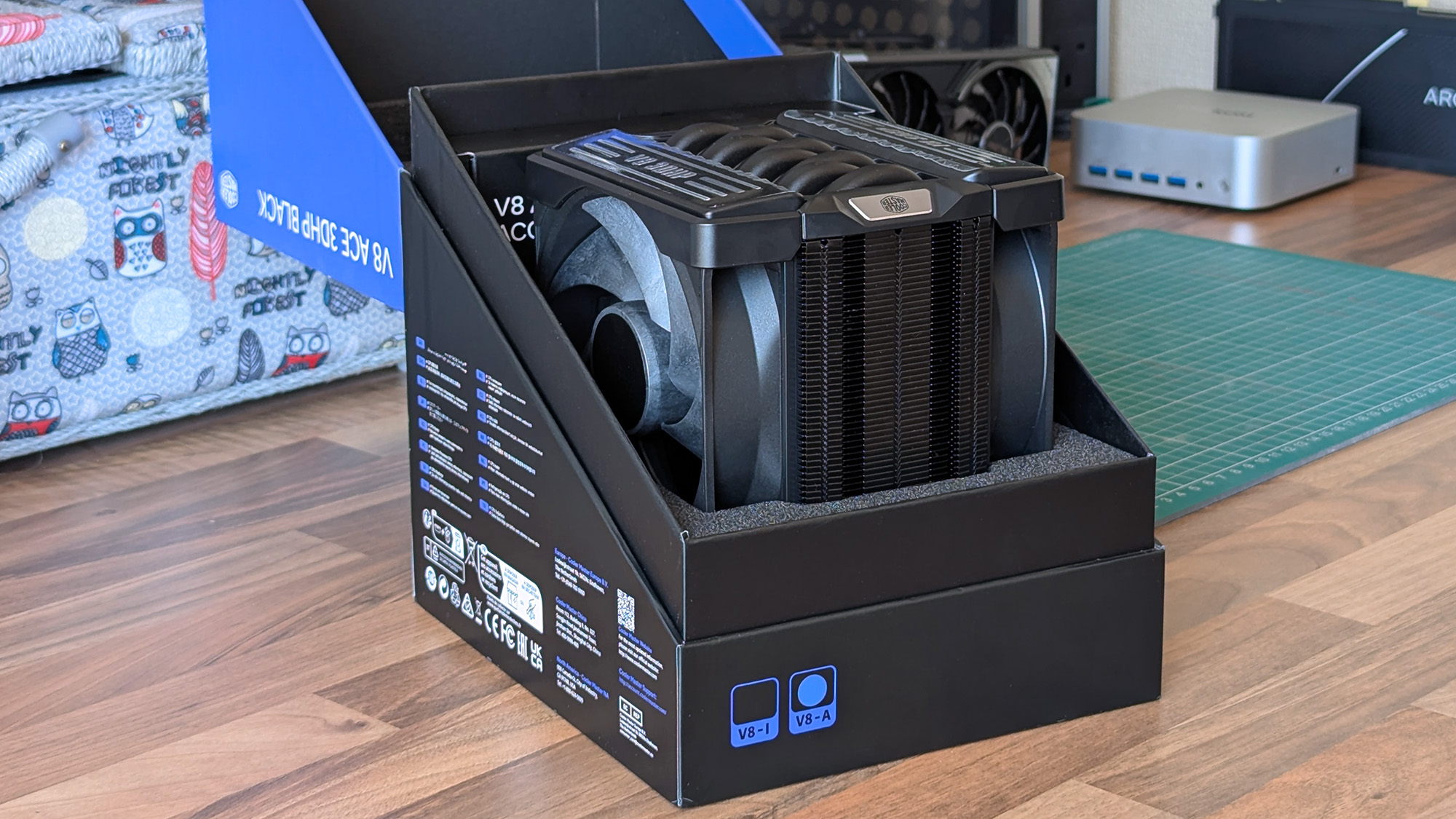
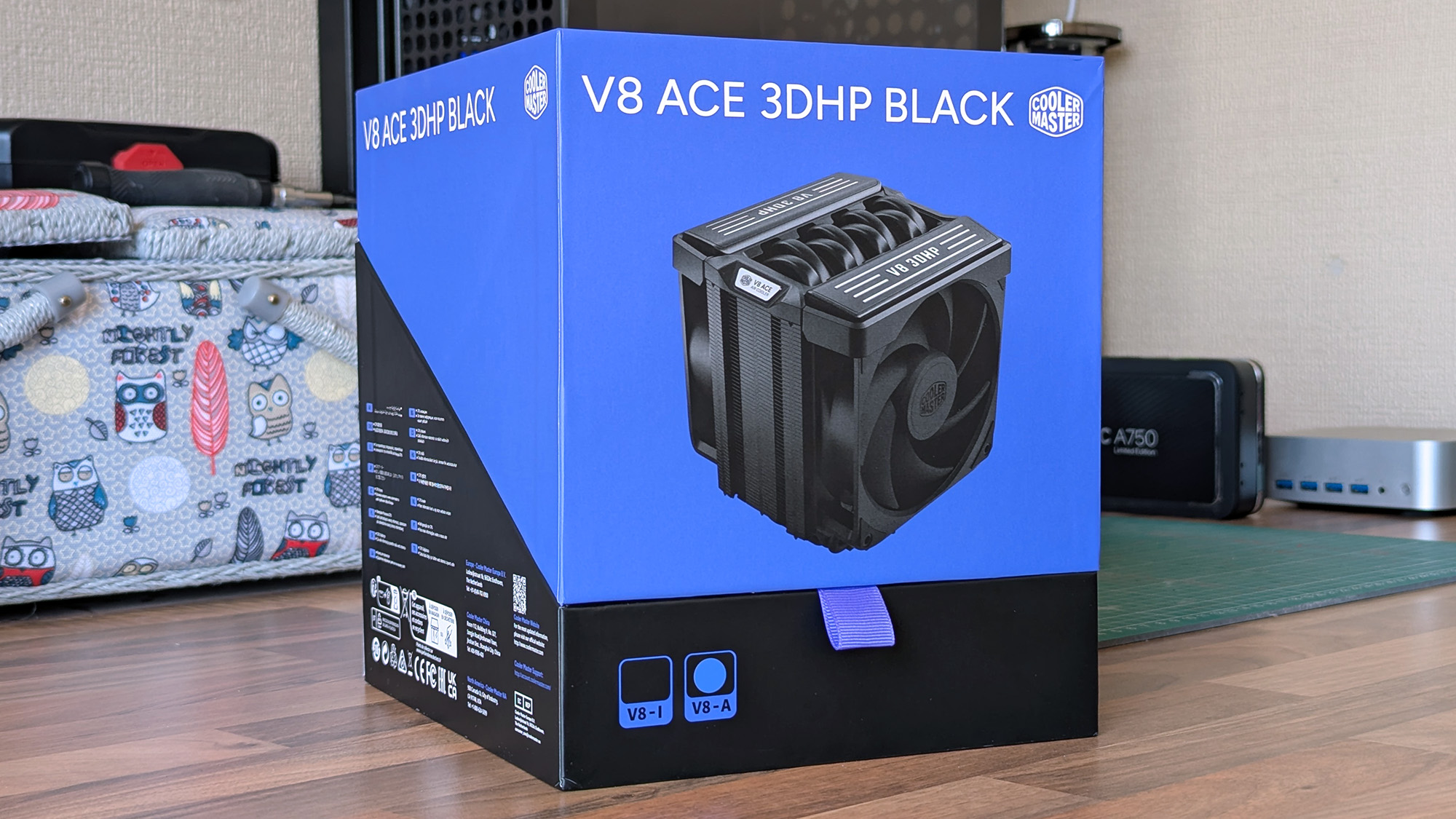
The Cooler Master V8 ACE 3DHP Black CPU cooler box sits on a wooden desk, showing the product image, branding, and specifications. Other PC components are visible in the background.

Built separately for AMD and Intel, each base plate has a specific design, but brackets are included for both. (Image credit: Ben Wilson | Windows Central)

At the time of writing, the best place to buy the Cooler Master V8 ACE 3DHP designed for AMD (AM4/AM5) processors is Newegg at $119.99, or Amazon for the same price via Newegg Business. I also found it sold above MSRP by third parties at Best Buy, which could be a last resort.

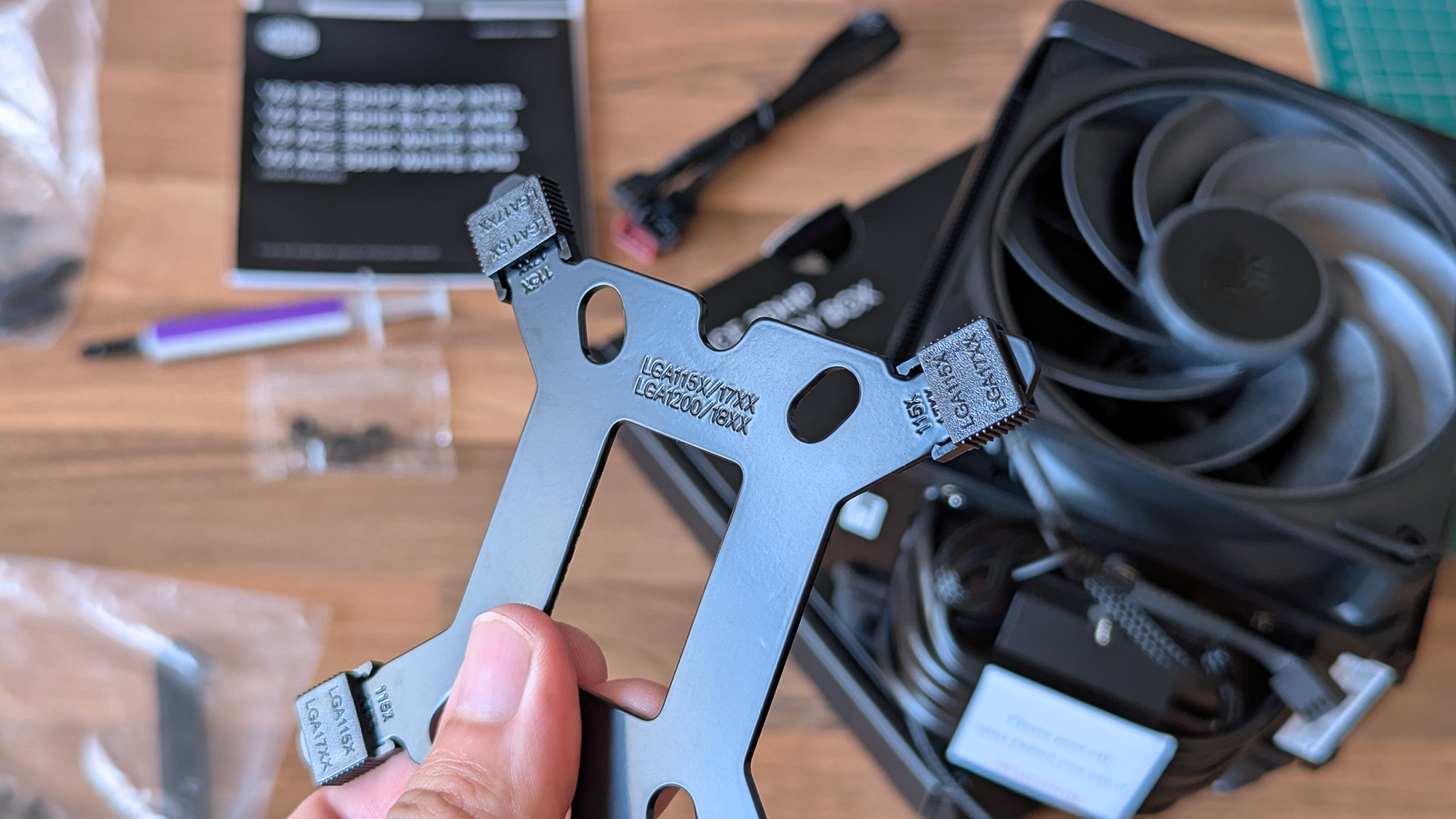
Otherwise, the Intel (LGA 1851/1700/1200/115X) variant isn't listed on the official Cooler Master US store, Newegg, or other third-party stores. For now, availability is skewed towards the AMD side, and though you do get an Intel bracket inside the box, it isn't perfectly optimized for those chips.

Cooler Master V8 ACE 3DHP (AMD) specifications

Component

Spec

Socket support

AMD AM4/AM5
Intel LGA LGA 1851/1700/1200/115X (with included bracket)

Dimensions

138.95 x 136.47 x 167.3mm

Weight

2.57 lbs (1.17 kg)

Fans

120 x 120 x 30mm, 89.6 CFM (front)
120 x 120 x 30mm, 61.0 CFM (rear)

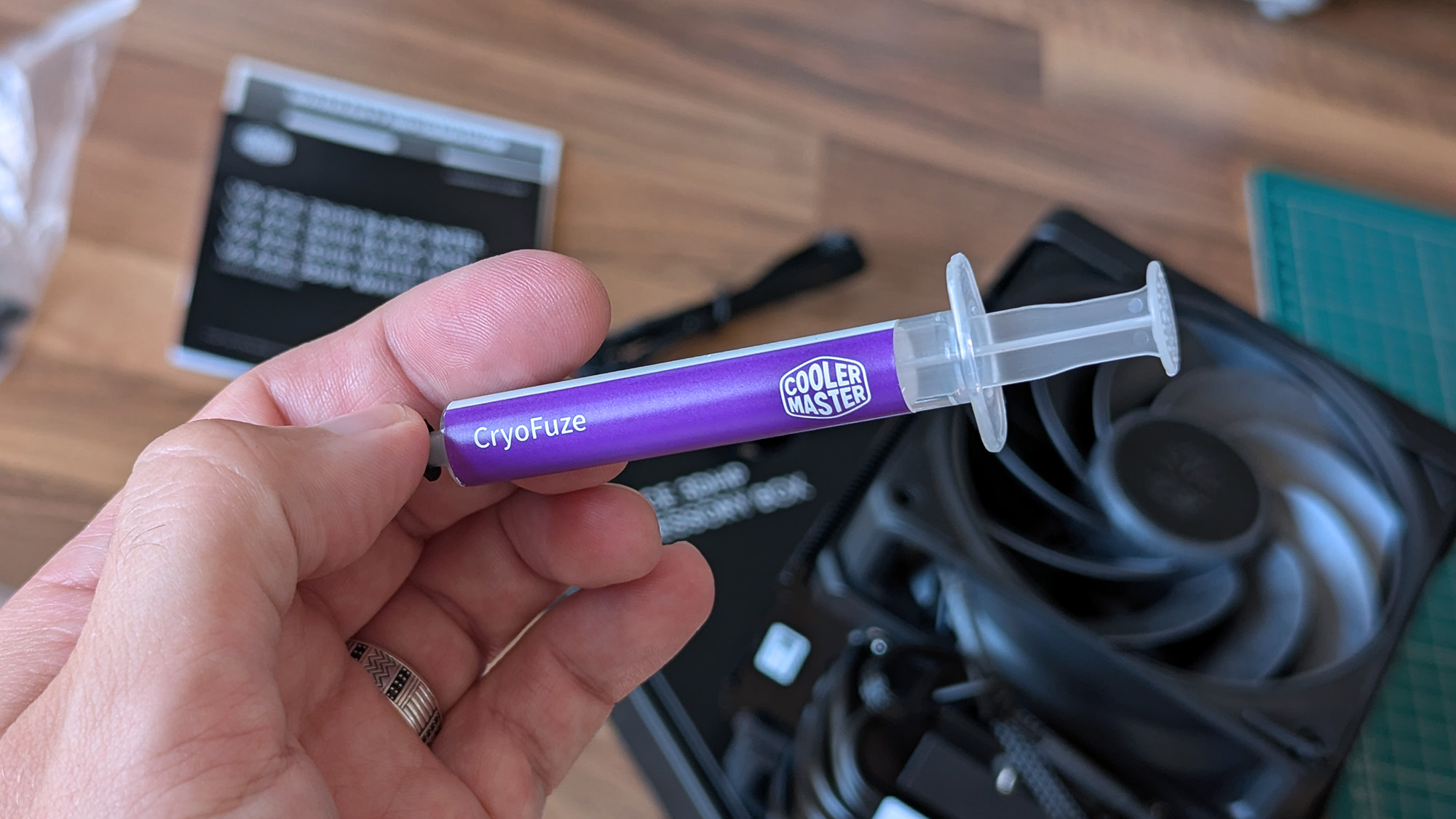
Thermal paste

Cooler Master CryoFuze

Warranty

6 years

V8 ACE 3DHP: $119.99

Newegg is, so far, the best place to buy.

👉 Also available: £111.59 at Newegg UKView Deal

Is the V8 ACE 3DHP a good CPU cooler?

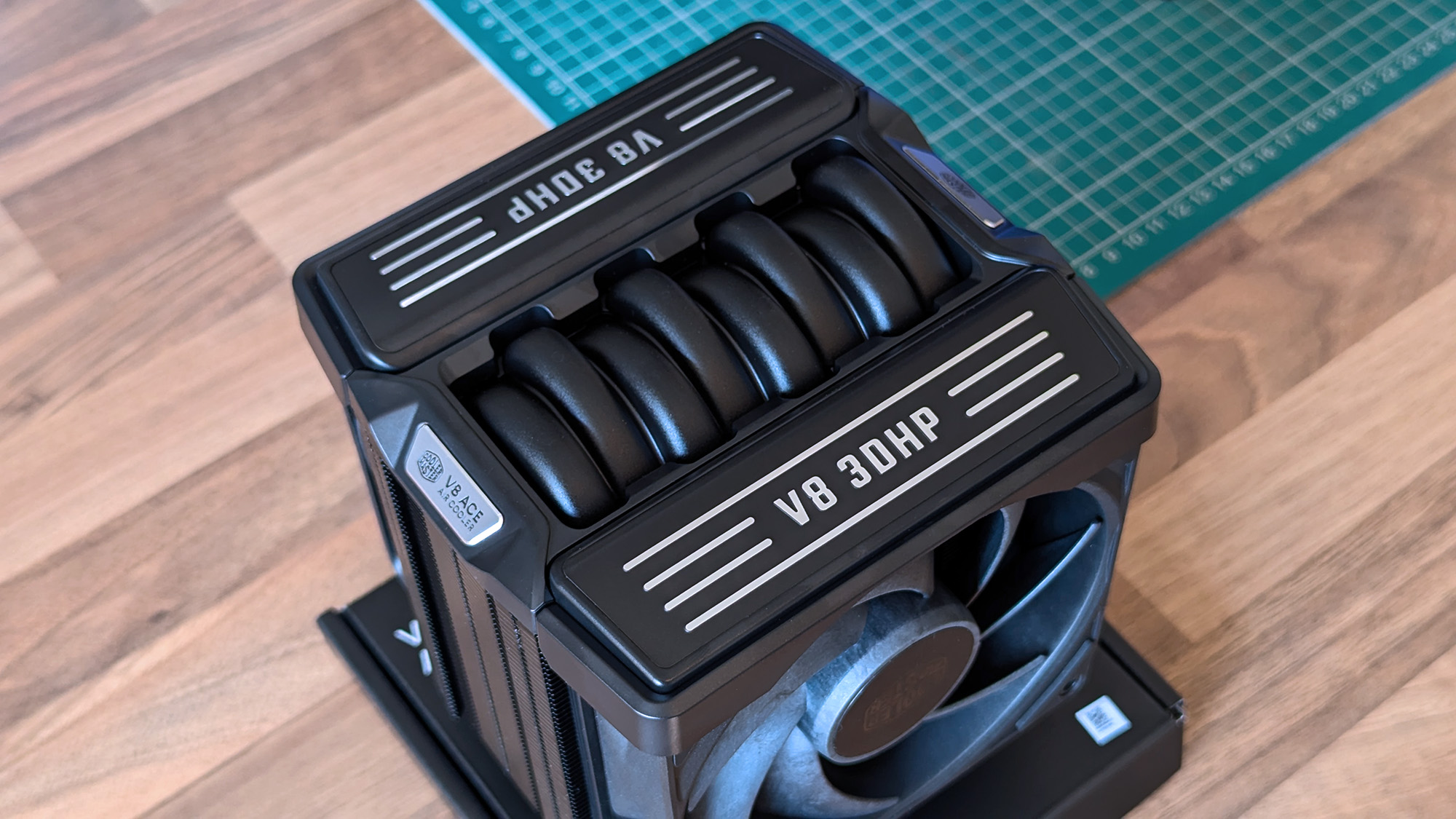
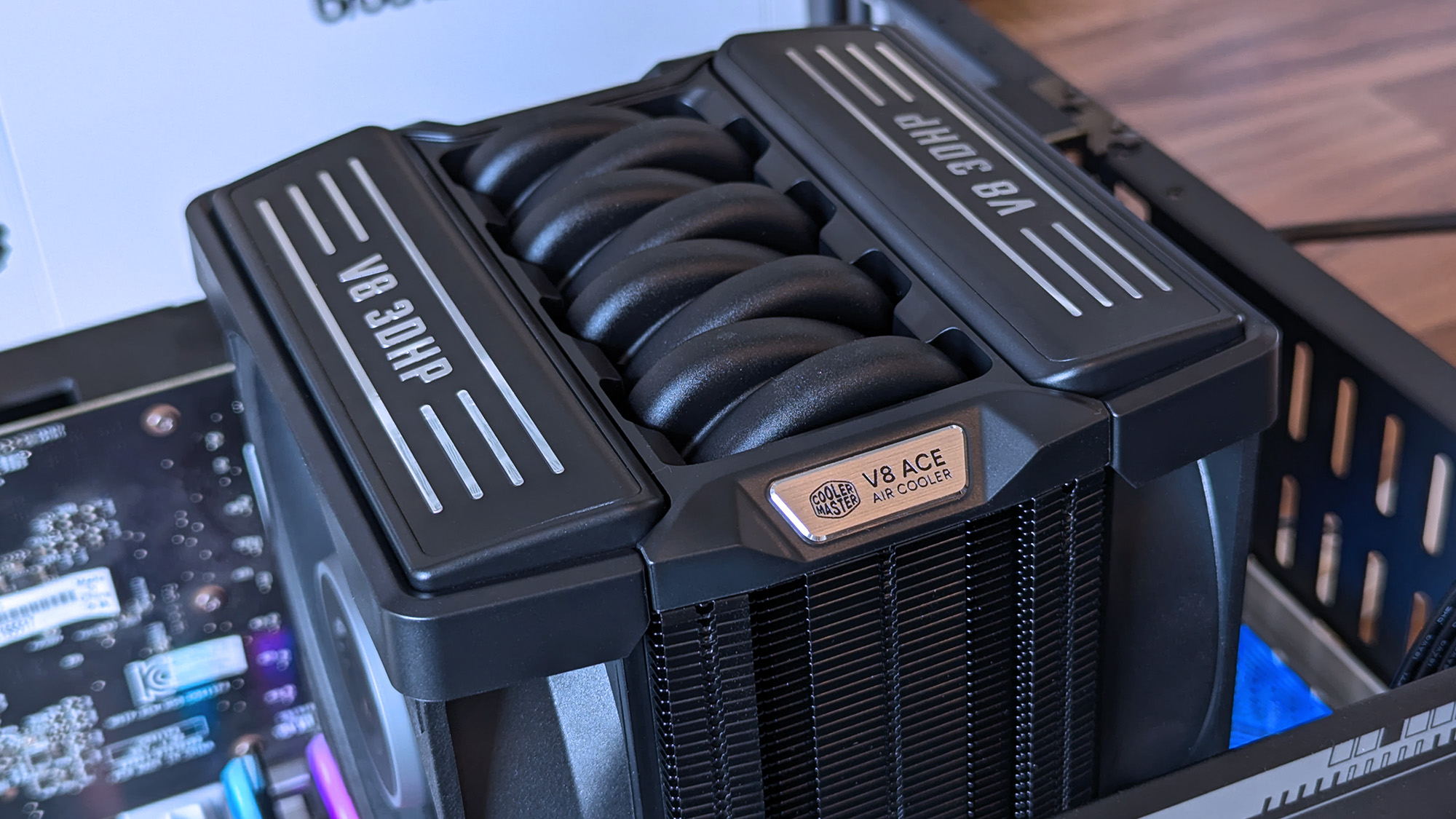
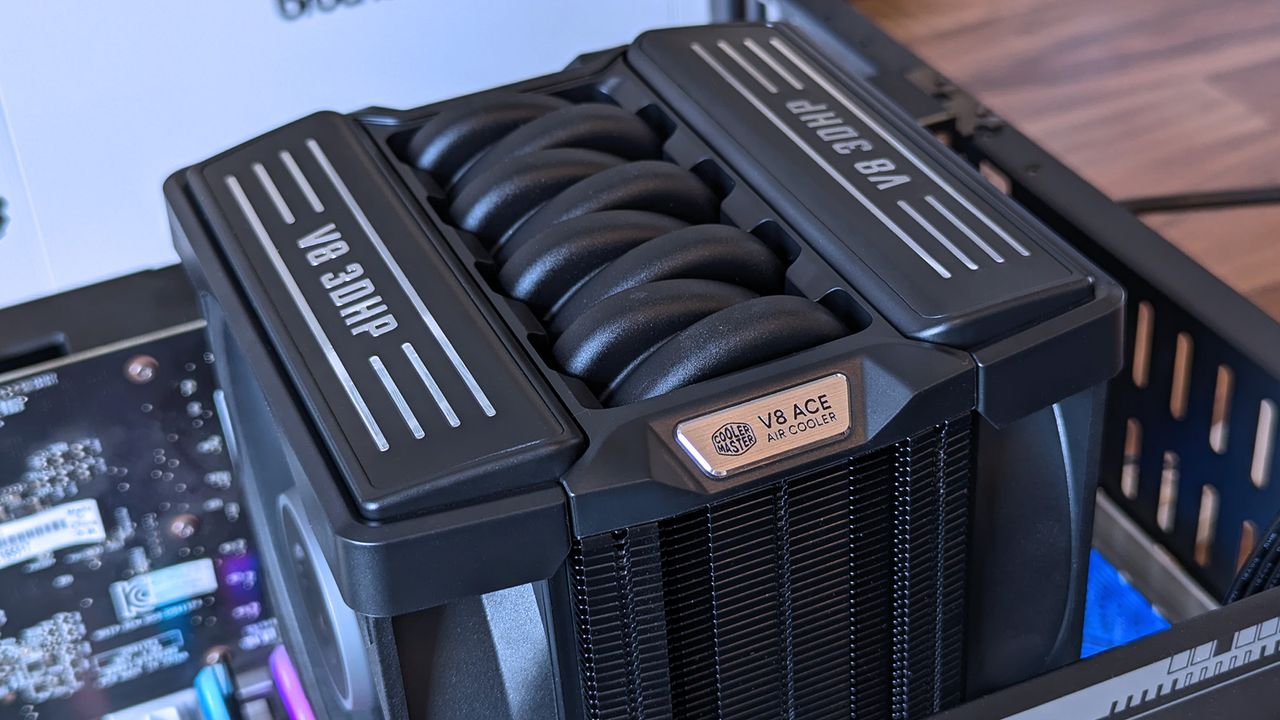
Close‑up of the Cooler Master V8 ACE 3DHP CPU cooler showing its engine‑inspired top shroud with “V8 3DHP” and “V8 ACE Air Cooler” branding.
Those aren't the heatpipes on top; it's just a plastic cover, but I dig it.Ben Wilson | Windows Central
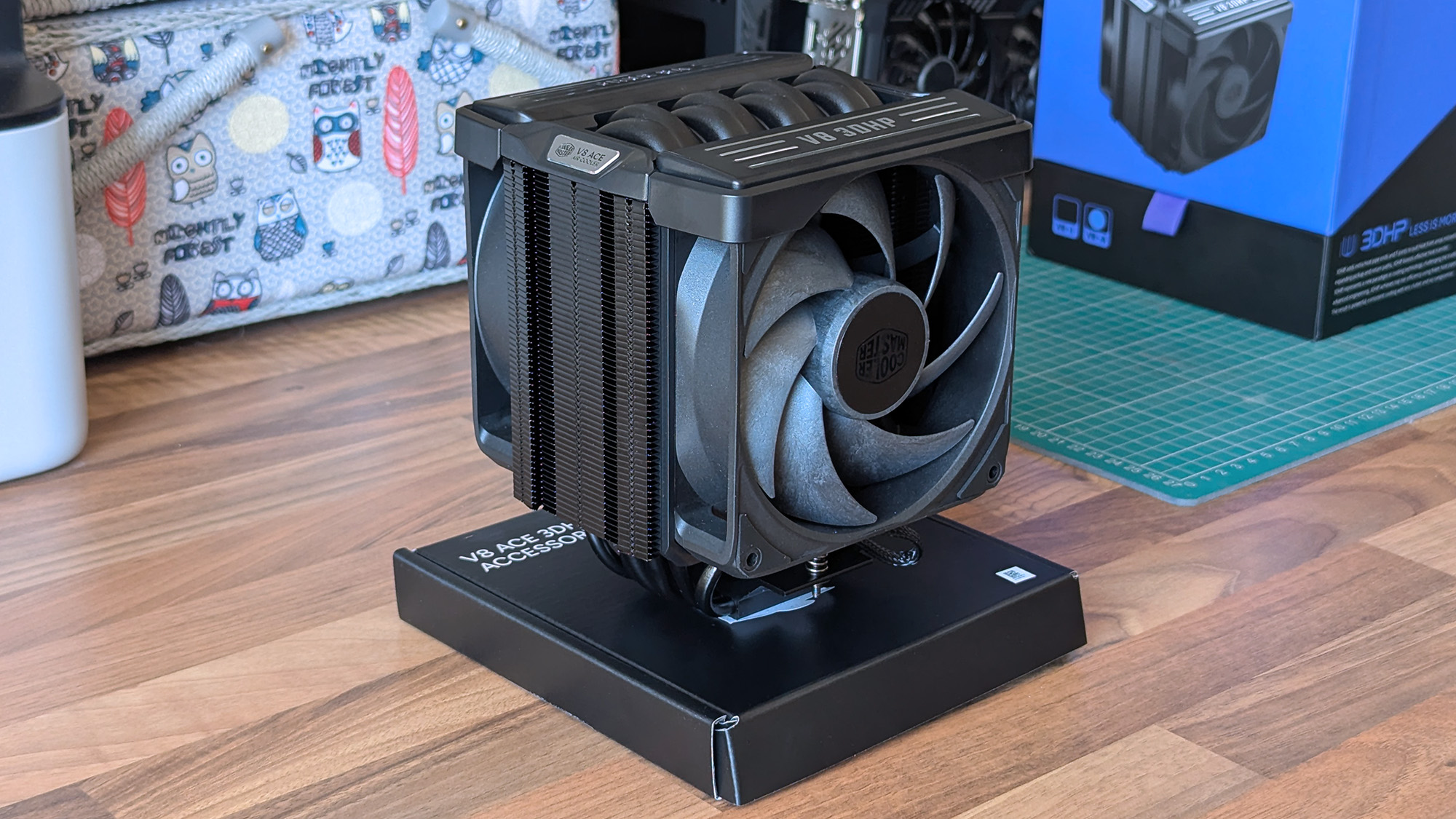
The Cooler Master V8 ACE 3DHP CPU cooler sits on a wooden desk, displaying its dual‑fan layout, heat pipe array, and black shroud with “V8 3DHP” labeling.
It's tall, wide, and heavy, but surprisingly easy to install.Ben Wilson | Windows Central
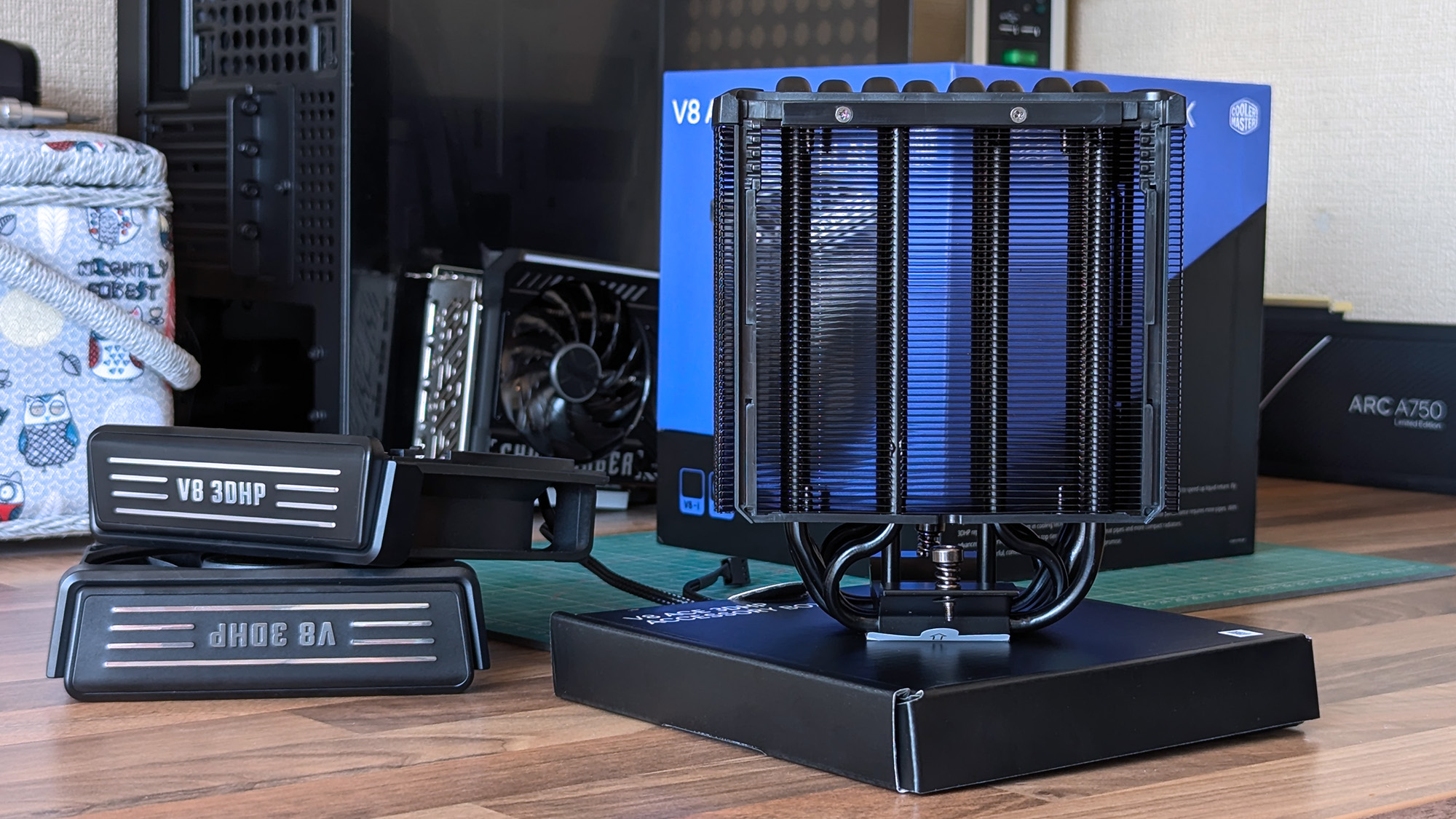
The Cooler Master V8 ACE 3DHP CPU cooler stands upright on a desk, displaying its heat pipes. Graphics cards, product boxes, and other hardware fill the background of the workspace.
A glimpse through the dense fins reveals the extra "3D" heatpipes.Ben Wilson | Windows Central
A hand holds a metal CPU cooler mounting bracket labeled for Intel LGA sockets. Screws, cables, a fan, and thermal paste are scattered across the desk behind it.
Despite its AMD-first design, this variant still comes with an Intel bracket.Ben Wilson | Windows Central
A hand holds a Cooler Master CryoFuze thermal paste syringe above a V8 ACE 3DHP Black CPU cooler on a desk.
I'll never turn my nose up at a free tube of thermal paste.Ben Wilson | Windows Central

Before I ever installed this cooler onto a motherboard, I loved the way it looked. It isn't quite as extreme as Cooler Master's V8 GTS from 2013 — which almost resembled an alien motorbike engine — opting for a single-tower setup this time with incredibly dense fins on the heatsink. It's still a chunky air cooler, just like its ancestor, but now it actually looks more like a V8 car engine.

The V8 ACE 3DHP offers separate fine-tuned versions for AMD and Intel, though you still get mounting brackets for both.

Aesthetics aside, the hype centers on the setup of 4x traditional heatpipes plus 2x "3D heatpipes" (3DHP) that run vertically from the base plate through the heatsink. It's all about pulling as much heat away from your chosen CPU as possible, which is why the V8 ACE 3DHP offers separate fine-tuned versions for AMD and Intel, though you still get mounting brackets for both.

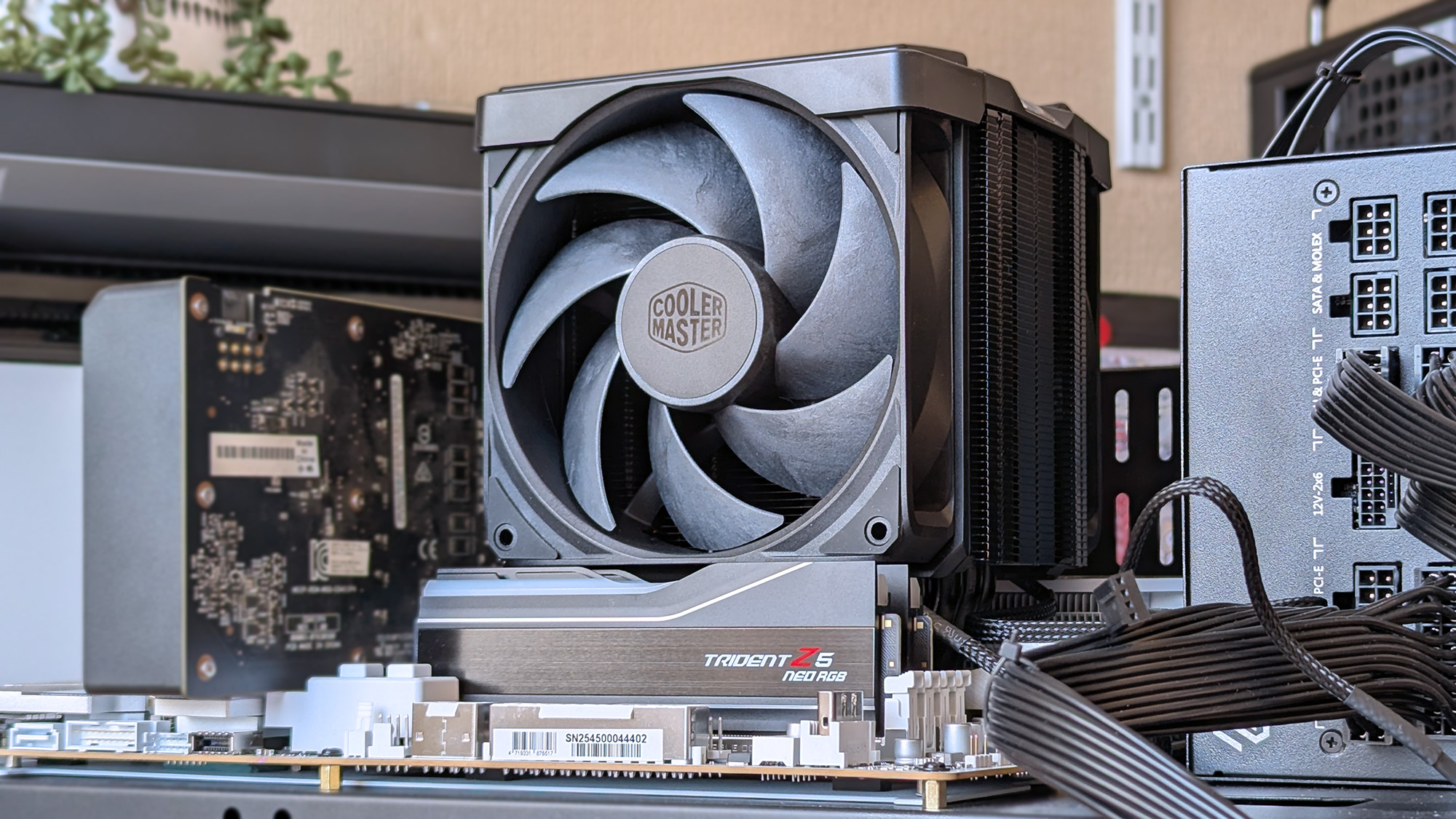
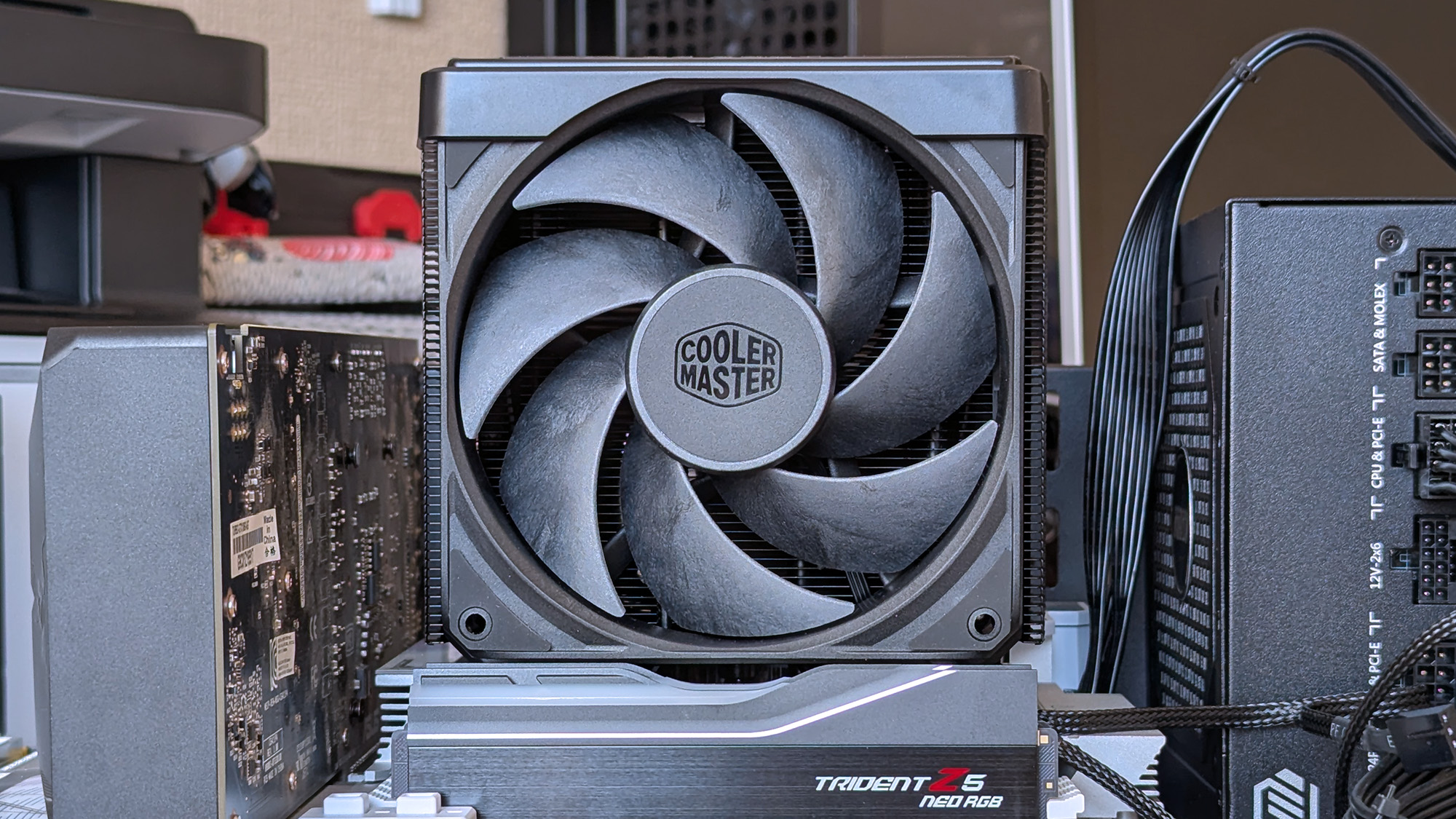
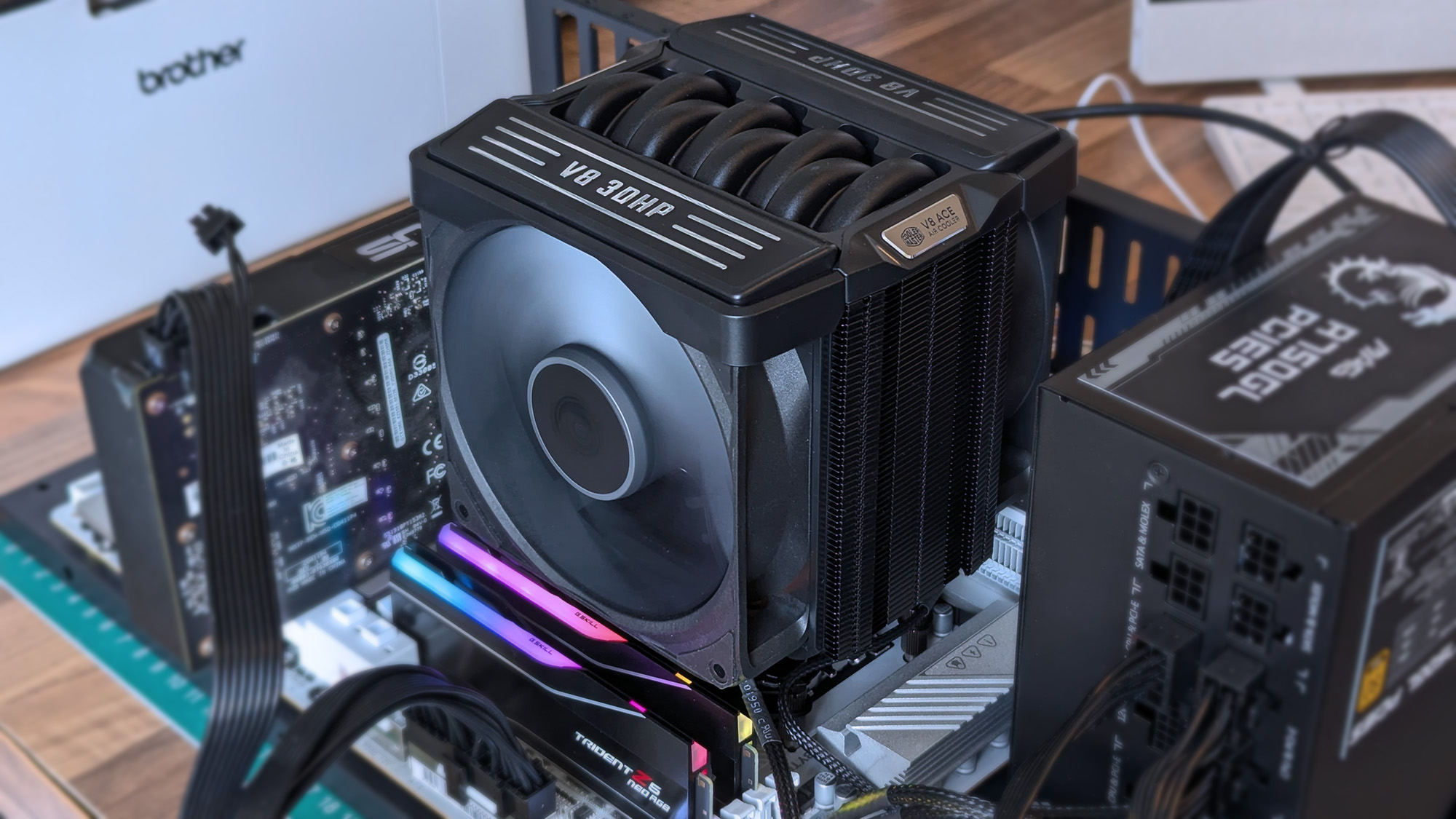
Cooler Master V8 ACE 3DHP installed on a test bench with RAM, power supply, and graphics card visible with various motherboard power cables.
Even on an open-air test bench, this is an imposing air cooler.Ben Wilson | Windows Central
Cooler Master V8 ACE 3DHP installed on a test bench with RAM, power supply, and graphics card visible.
Nevertheless, I didn't experience any RAM clearance issues.Ben Wilson | Windows Central
Cooler Master V8 ACE 3DHP CPU cooler installed inside a test bench with running fans above RGB RAM
There's no RGB, and I don't see any reason to raise the cost further by including it.Ben Wilson | Windows Central
Close‑up of the Cooler Master V8 ACE 3DHP CPU cooler installed inside a test bench, showing its engine‑inspired shroud, curved heat pipes, and fin stack.
This is the part you'll want to show off, so make sure your PC case has a clear side panel.Ben Wilson | Windows Central

Installation was a breeze. The V8 ACE 3DHP attaches to the standard AM5 backplate with four thumbscrews, two plates, and four more screws to hold it in place. The fans slide off the heatsink, so I can attach the two threads and tighten everything up. Finally, the fans are reattached and daisy-chained together, connecting to the CPU_FAN header.

Clearance is slim, but it fits cleanly over my RAM and the Gigabyte X870E Aorus Master X3D ICE SSD heatsink, with a slight amount of breathing space over G.Skill Trident Z5 Neo RGB modules. Running an AMD Ryzen 7 9850X3D on my open-air test bench at around 5.2GHz for 15 minutes kept an average temperature of 81.5°C, peaking at 83.5°C.

Unsurprisingly, it maintains a lower temperature on this powerful chip than my ~$35 Thermalright Peerless Assassin 120 SE — and our sister site goes deeper into V8 ACE 3DHP benchmarks over at Tom's Hardware if you're craving more specific test results — while its fans thankfully showed no signs of rattles or other unwanted motor noise.

Does the V8 ACE 3DHP have any issues?

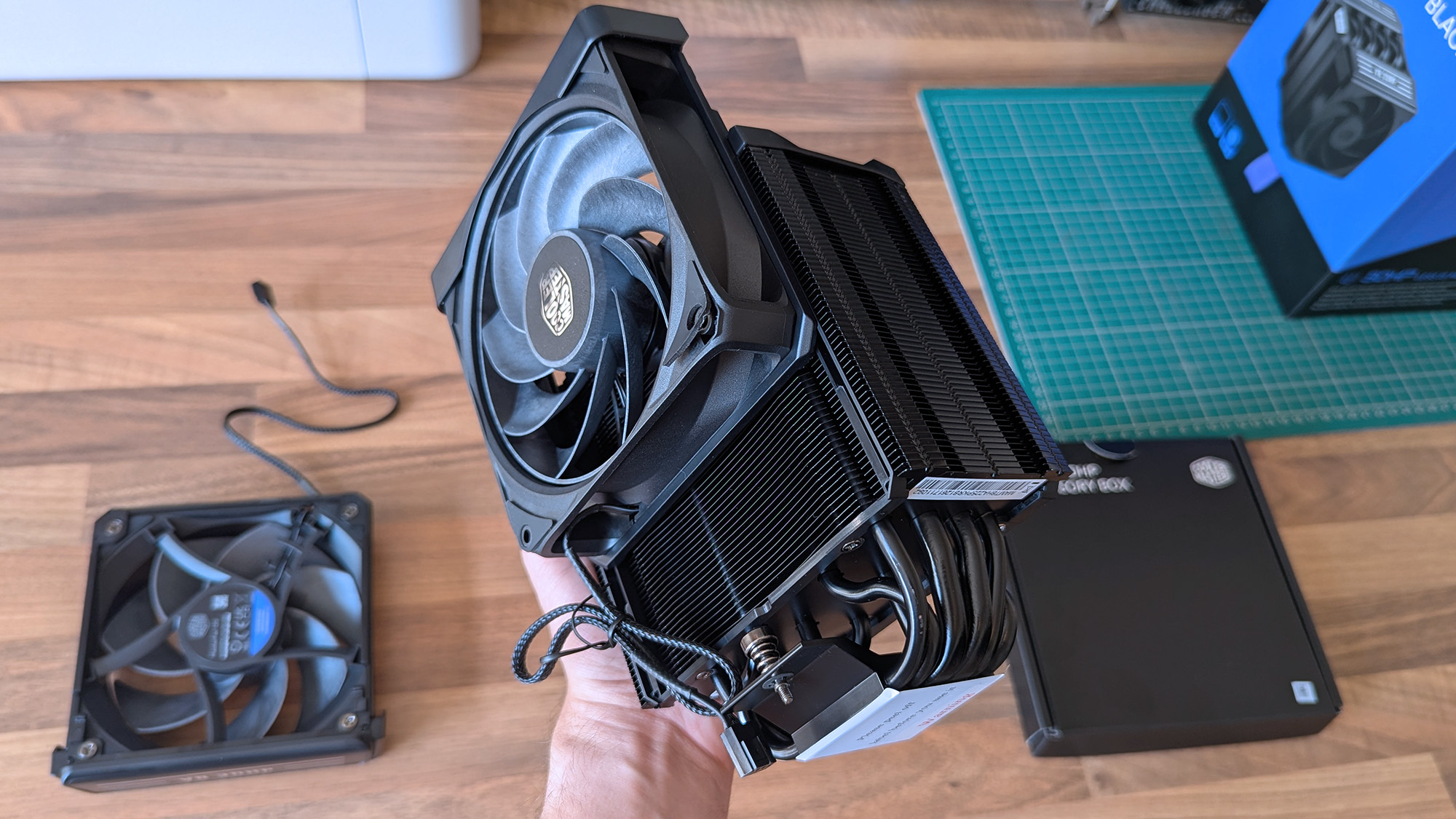
A hand lifts the Cooler Master V8 ACE 3DHP CPU cooler, showing its large heatsink, multiple heat pipes, and mounted fan. Another fan, product box, and PC parts are arranged on the desk below.
They won't slip off without a firm pull, but the heatsink's weight alone can dislodge the fans.Ben Wilson | Windows Central
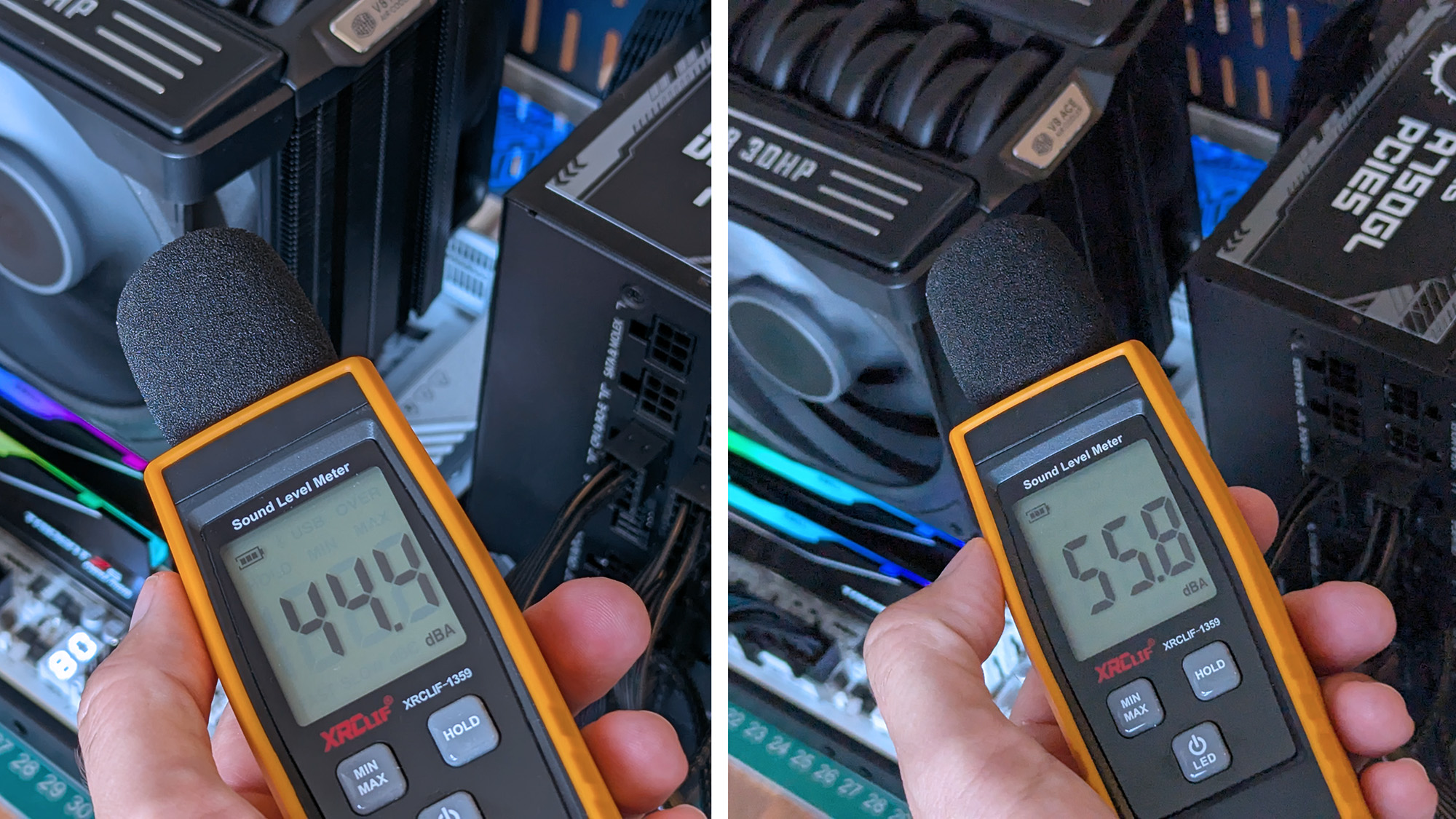
Handheld sound level meter readings of 44.4 dBA and 55.8 dBA positioned near an open PC test bench, measuring acoustic output from the Cooler Master V8 ACE 3DHP cooler.
It isn't the loudest cooler in the world, but remember, my open setup had plenty of space to breathe.Ben Wilson | Windows Central

Being such a chunky cooler with a performance focus, the V8 ACE 3DHP is heavy — around 2.57 lbs (1.17 kg) — and it'll need plenty of cool, strong intake airflow to feed its thick, 30mm PWM fans, which generate at least 55 dBA of noise under load. PC builders tempted by this cooler will surely take its dimensions and clearance considerations into account, but it's still surprisingly big.

The V8 ACE 3DHP is heavy — around 2.57 lbs (1.17 kg) by my estimate — and it'll need plenty of cool, strong intake airflow to feed its thick, 30mm PWM fans.

Because those fans slide into place on rails, you'll also want to be careful when handling this cooler. Although I'd mostly held it by the center section, I had once shifted my grip to one of its fans, which slipped down before I quickly caught it. I think my heart fell further than the cooler physically did, but it was a lesson learned. Nice feature, but be safe handling those detachable fans.

Should you buy the V8 ACE 3DHP?

The Cooler Master V8 ACE 3DHP Black CPU cooler rests inside its open box, revealing its dual‑fan design and dense fin stack. Surrounding PC parts and tools sit on a desk with a green cutting mat.

If you're going all out on a high-end CPU, then the V8 ACE 3DHP could replace the usual AIO liquid setup. (Image credit: Ben Wilson | Windows Central)

You should buy this if ...

✅ You want to cool a powerful, high-performance CPU

✅ You're building in a PC case with plenty of airflow

You should not buy this if ...

❌ You're planning a compact gaming PC

The V8 Ace 3DHP is an impressive feat, but it demands a constant source of cool air moving through its thick heatsink. As long as you're planning ahead with a PC case that supports healthy airflow with a proper setup of intake and exhaust fans, then this'll be a great pairing for a higher-end, high-TDP processor.

Push it close to a demanding GPU, and there's a chance you'll see less-than-optimal CPU performance if the ambient temperature inside grows unchecked. However, if you're certain you know what you're doing, it wouldn't be impossible to keep this cooler happy in a miniature case with the right airflow setup.

Cooler Master V8 ACE 3DHP CPU cooler render

Cooler Master
V8 Ace 3DHP CPU Air Cooler

Built for AMD AM4/AM5 sockets, Cooler Master includes thermal paste and optional mounting brackets for Intel LGA.

Close‑up of the Cooler Master V8 ACE 3DHP CPU cooler installed inside a test bench, showing its engine‑inspired shroud, curved heat pipes, and fin stack.

Cooler Master's V8 ACE 3DHP CPU is expensive, but I'm impressed nonetheless.

  •  
❌