Vue lecture

Microsoft has a new way to twist your arm to use Edge, this time on mobile

Microsoft Edge for Android has some new image themes in testing. The latest Edge Canary build has some snazzy backgrounds, but to set them you have to make Edge your default browser.

It's a strange requirement that may ruffle some feathers, but there's always a chance it will change. The requirement to set Edge as your default browser to use the themes only appears in Edge Canary. That rule may not roll out to general availability.

The change was spotted by Leo Varela, who tracks updates and changes to Edge and other browsers.

Microsoft has added new image themes in Edge Canary for Android, but to use them as your NTP background, you have to set Edge as your default browser. All browsers use tactics to motivate you to make them your default, and Edge is no exception 🤷 https://t.co/sK1xv7W0RC pic.twitter.com/VVIPywivm2August 21, 2026

Microsoft has a long history of trying to convince people to use Edge. Some efforts, such as adding unique features are viewed as fair play. Other tactics, such as Windows 11 making it more difficult to switch your default browser, have been met with criticism.

A recent survey commissioned by the Browser Choice Alliance suggests that switching away from Edge is too difficult. But that survey relates to PC users. Microsoft has a different battle on Android.

Instead of having hundreds of millions of users with PCs that already have Edge installed, Microsoft needs to convince people to download Edge for Android. Then, the tech giant needs to get people to set Edge as their default browser, which is no easy task.

I imagine the amount of people who have installed Edge on their phones but have not set the browser as their default is small. Considering how niche Edge is on Android, anyone who goes out of their way to install it probably plans to use Edge.

Some Samsung phones come with Edge preinstalled, so perhaps the new picture themes in Edge are designed to sway those users.

Of course, Microsoft is not alone in using aggressive methods to push a browser. Google and Apple have also pushed Chrome and Safari, respectively.

I'm curious to see how effective locking picture themes behind a default setting requirment will be for Edge.


Blank Pixel

Click to join us on r/WindowsCentral

Join us on Reddit at r/WindowsCentral to share your insights and discuss our latest news, reviews, and more.

In this photo illustration a Microsoft Edge logo of a web browser developed by Microsoft is seen on a smartphone and a pc screen.
In this photo illustration a Microsoft Edge logo of a web browser developed by Microsoft is seen on a smartphone and a pc screen.
  •  

The man behind PowerToys is most excited about these features that ship next week

PowerToys is one of my favorite Windows apps and a must-have for people who want to get the most out of Windows 11. We often highlight new and upcoming features for PowerToys, but we rarely get to hear about the most exciting features in the eyes of Niels Laute.

Next week, PowerToys will receive several improvements, including a compact option for Command Palette and a ripple effect for Mouse Highlighter. Laute, who is the project manager of PowerToys and WinUI, shared the features and changes he's looking forward to.

As PM of PowerToys, Laute oversees the development of one of the best free Windows apps. But the app is worked on by several people. Over 300 pull requests contributed to next week's update, and Laute thanked the team for their efforts.

Next week's PowerToys release is looking good 👀!The team and our amazing community have merged almost 300 PRs, packed with quality-of-life improvements, stability fixes, and polish across the suite :)!Here's some of my favorite (small) improvements coming 🧵:August 18, 2026

We've known about some of these changes because of the PowerToys preview. For example, on-device Phi Silica support has been in testing over the last two weeks. But next week the changes will ship to everyone using PowerToys.

Command Palette is similar to Spotlight on macOS. Another way to look at it is as what Windows Search should be. The utility can launch apps, open settings, and trigger actions quickly.

Command Palette is a powerful tool, but it can take up quite a bit of space on your screen. Next week's update to PowerToys brings the option to use a compact view for Command Palette.

Command Palette is getting compact mode! pic.twitter.com/DA7RzmUSgzAugust 18, 2026

Mouse Highlighter is a handy tool that lets you find your mouse cursor. It can save you some time if you use multiple monitors or an ultrawide display. But it can feel a bit heavy-handed since it grays out your screen to highlight the cursor. The upcoming ripple effect is more subtle.

Mouse Highlighter getting new Ripple effects! @ClintRutkas has been cooking with this one 🚀. pic.twitter.com/MzDycvsgBvAugust 18, 2026

Phi Silica is a small language model (SLM). It's perhaps best known for being the model that powers Copilot+ PC features such as Click to Do and on-device rewriting in Word and Outlook.

@khmyznikov added Phi Silica support for Advanced Paste 🚀! So you will be able to take advantage of your NPU for AP on a Copilot+ PC! pic.twitter.com/sR60TT51W1August 18, 2026

Phi Silica and other features have been in preview testing for a bit. The next update to PowerToys will make it easier to get preview updates.

New update UX that addresses a bunch of reported issues - and the ability to opt-in our new preview channel! pic.twitter.com/Cs8oDjXqt6August 18, 2026

Change logs for PowerToys are famously long and detailed, so you can expect the "gazillion" fixes Laute mentions to be listed next week.

And so much more! Shortcut Guide is much smoother now and has built-in search, a gazillion CmdPal bugfixes (thanks @AkaWizardPrime!) and perf and stability fixes across the board. Oh, and a brand new utility to look forward too :)!Stay tuned!August 18, 2026

I'll update this piece when the new version of PowerToys rolls out and add the complete change log.

PowerToys | Free at GitHub | Free at Microsoft Store

This collection of utilities includes a large library of features to enhance the Windows experience. PowerToys is designed with power users in mind, but it has handy features for people who just use their PC for everyday computing too.

Click to join us on r/WindowsCentral

Join us on Reddit at r/WindowsCentral to share your insights and discuss our latest news, reviews, and more.

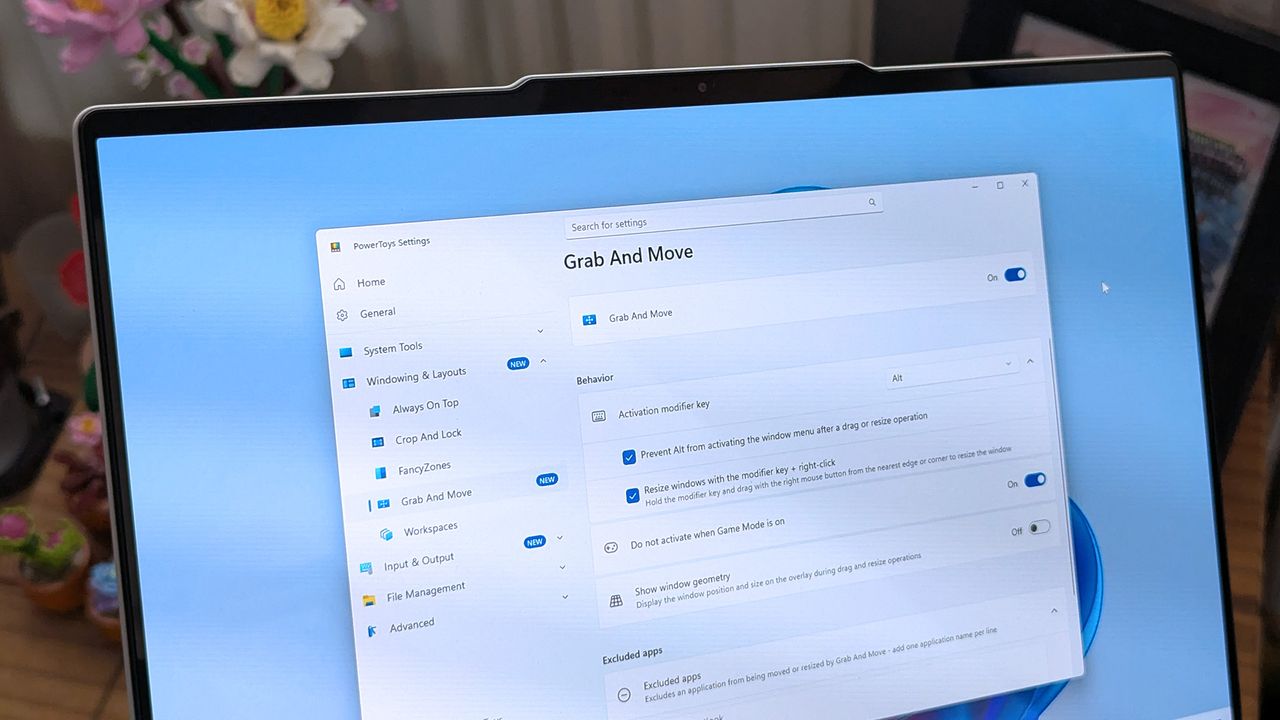
A laptop screen displaying Windows 11, featuring the "Grab And Move" settings window of PowerToys. The desktop background is colorful and vibrant.

A laptop screen displaying Windows 11, featuring the "Grab And Move" settings window of PowerToys. The desktop background is colorful and vibrant.

  •  

I used to use the stock Windows 11 Media Player to rip CDs but it's such a letdown now — here's what I started using instead

I've always been a fan of physical media, be it movies, music, or games. I'm also old enough that I grew up in a time when it's all we had; there was no Spotify or Netflix.

Slowly I'm working through it all to create digital copies for both archival purposes and convenience since there are plenty of situations where it's not practical to put a disc in a machine and consume its content.

Right now I'm working through a vast stack of CDs acquired from the days when cars had CD players, not just screens connected to your phone or directly to streaming services. But I quickly found that the app I've used for this process in the past, the stock Windows 11 Media Player, nowadays isn't up to scratch.

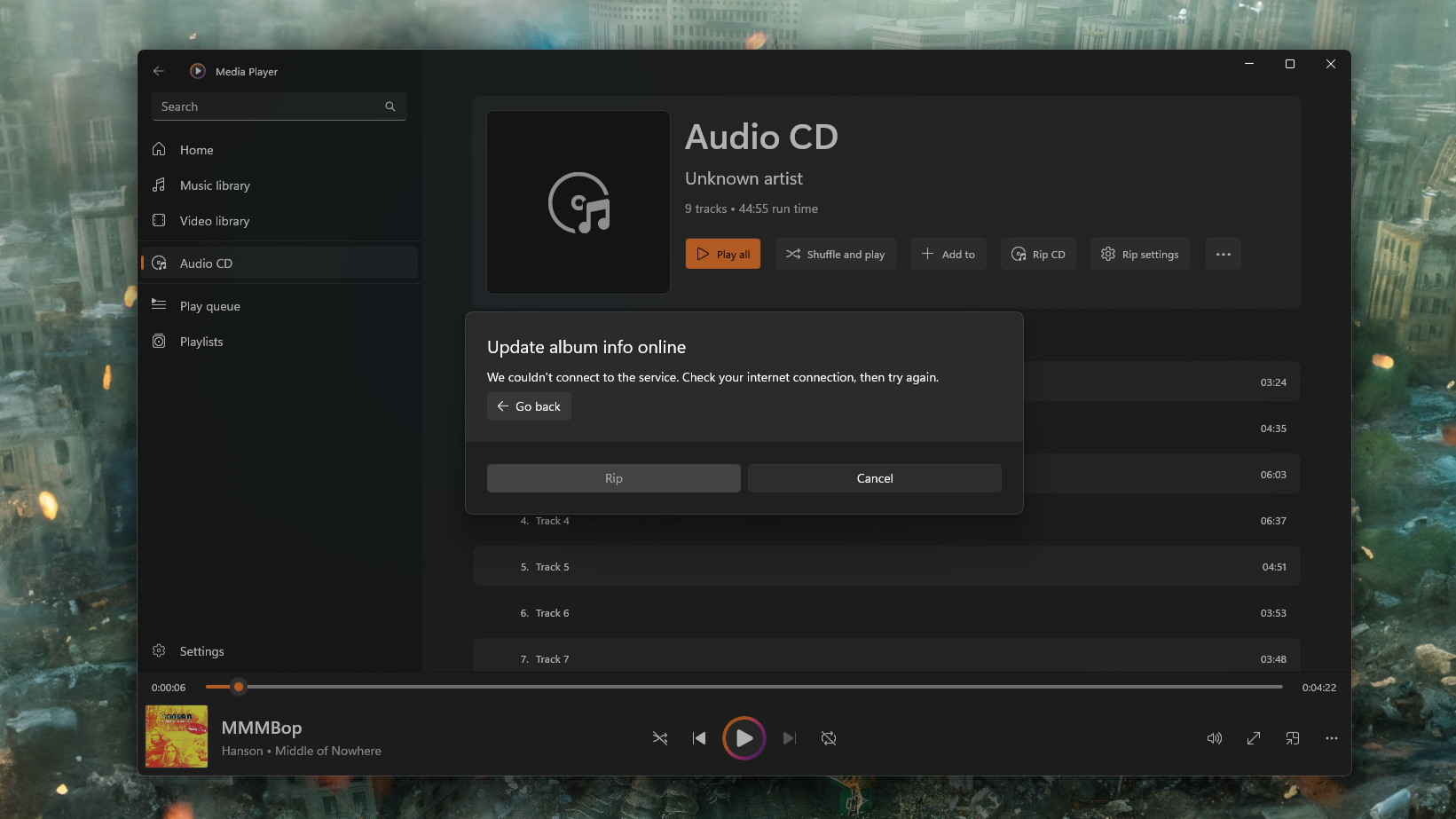
It will still rip CDs, but it's no good for the metadata anymore. Microsoft turned off the online tool that you could use to grab it, but even then, I figured I could just enter it manually, right?

Seems that doesn't work all the time, either. Even on the few CDs I have that actually have the metadata on them already. It took ripping a few discs for me to realize that information wasn't being applied to some or all tracks, and the artwork wasn't sticking, either. So I needed a replacement, and frankly, I should have just gone for this out of the gate.

Enter Exact Audio Copy (EAC). A free app that is absurdly powerful and does the job right the first time.

Without online metadata the process takes too long anyway

A screenshot of the Windows 11 Media Player app showing an error trying to get CD metadata from online sources.

If the feature doesn't work anymore why is it still there? (Image credit: Windows Central)

Admittedly, it's been a while since I last digitized a stack of CDs, and it had completely passed me by that Microsoft had turned off the service to get the information online. It's a pretty poor experience for a stock app, even if it's a feature that's increasingly used by fewer people.

A better solution would have been to update the app, allowing its users to find an alternative source of this information. There are options out there, such as MusicBrainz, a free and open-source database of metadata. Maybe I'm asking too much; after all, Microsoft didn't even update the app to remove the option to check for metadata.

It's still there; it just gives you an error if you try and use it. I actually quite like the stock Media Player app, and still use it to play music. It's simple and mostly nice to use. If it's not going to work properly, though, just remove it altogether.

Exact Audio Copy is the perfect solution

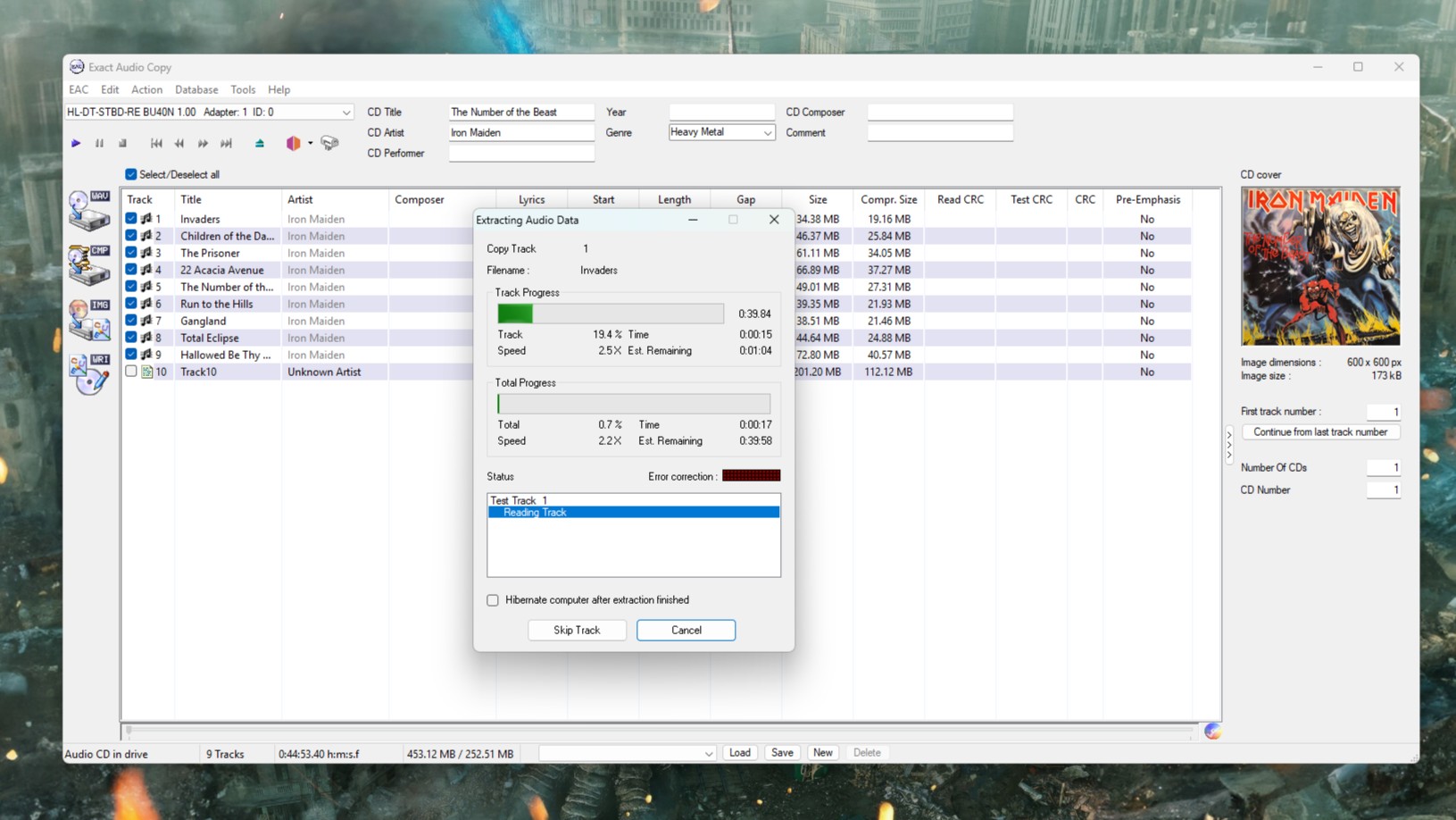
A screenshot of Exact Audio Copy running on Windows 11, ripping a copy of Iron Maiden's The Number of the Beast

It looks a bit old school, but boy does it work. (Image credit: Windows Central)

Fortunately there is always an alternative, and in this case, it's called Exact Audio Copy (EAC). There will be folks out there that have known of this app for years and are screaming at my incompetence for not going straight to it.

But I didn't know it existed. I'm glad I do now.

This isn't a full tutorial on how to use the app, mostly because I'm doing one specific thing, but it is really powerful. There are plenty of better tutorials out there, such as this one.

All I want is an accurate rip in FLAC, a standardized filename structure, metadata, and album artwork applied. The good news is that if you just want the same thing every time, EAC will run you through a setup wizard when you first use it. From there, you shouldn't need to touch your settings again.

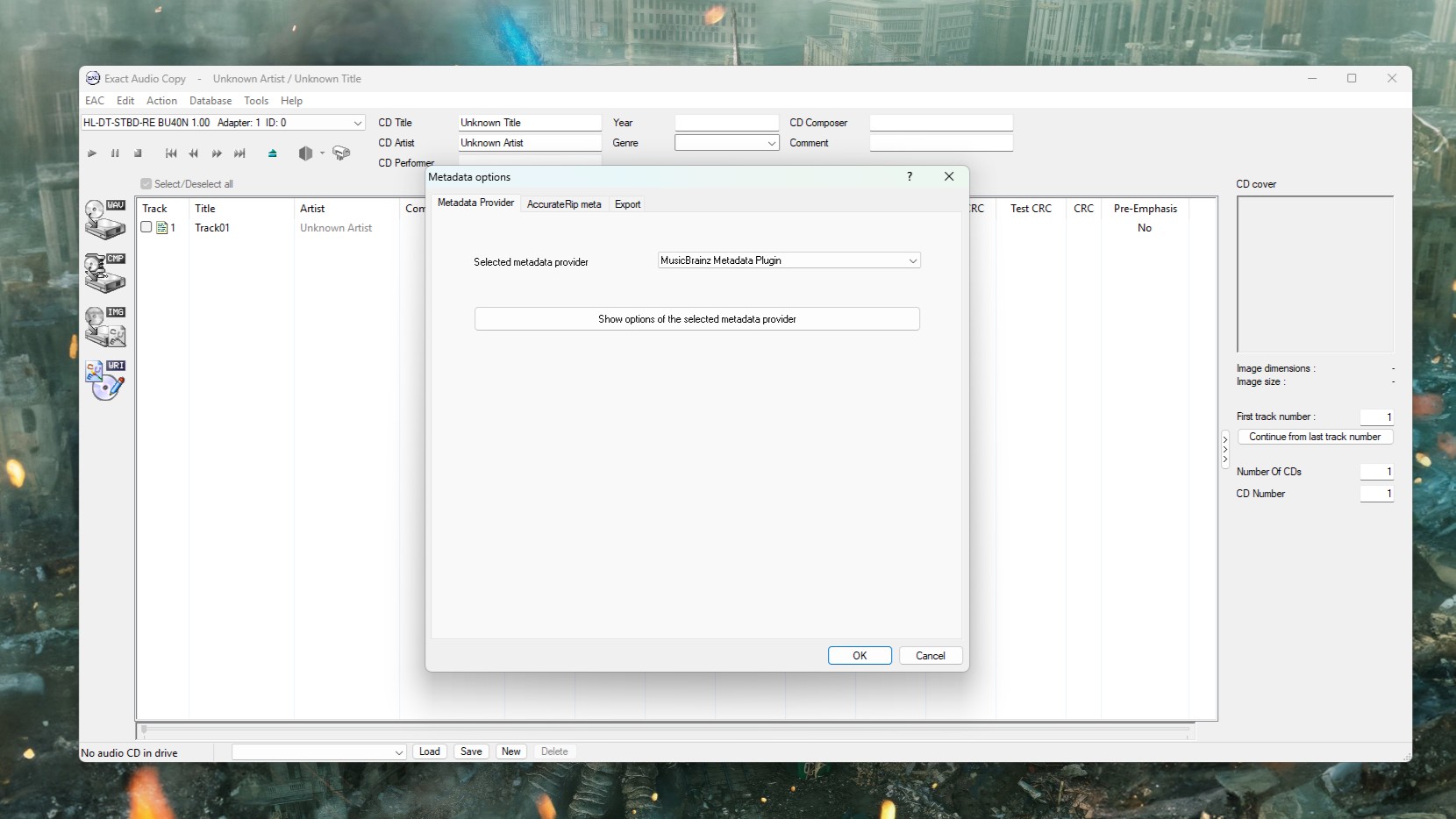
The only thing I did need to change was the metadata provider. The default option is only free for 10 rips, but you can change it within the app to MusicBrainz, which is completely free.

A screenshot of Exact Audio Copy on Windows 11 showing the Metadata Provider settings box.

You don't want the default metadata provider, but you can change it to something else. (Image credit: Windows Central)

I now know I should have used this all along. AccurateRip will check your CD against a database of other exact rips to ensure yours is as perfect as it can possibly be. It can deal with scratched discs (of which I sadly own several), and it communicates directly with the hardware.

I may be underselling it, but I'm as far from an expert as there is on this stuff. There are plenty of more knowledgeable folks out there, like this post on Flemming's blog that is an excellent resource for getting set up properly.

EAC isn't the only alternative to using Media Player, but it's the one I tried first, and I'm happy. I may try and get in the weeds at some point, but for now it's doing what I need. Archiving my CDs accurately, with good quality, and all the necessary metadata.

If you've any tips or tricks to share on this process, or even an alternative worth trying, be sure to drop them in the comments below.

Click to join us on r/WindowsCentral

Join us on Reddit at r/WindowsCentral to share your insights and discuss our latest news, reviews, and more.

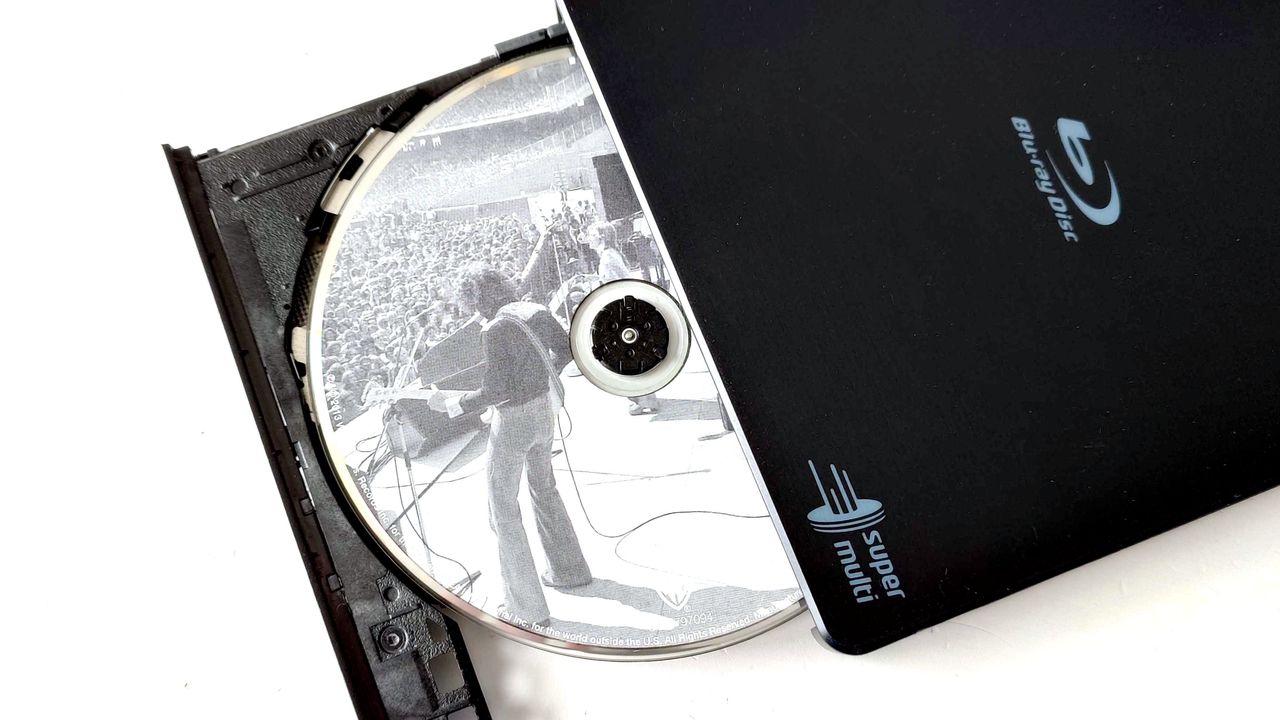
An LG USB Blu-ray drive open showing a Fleetwood Mac CD inside

A slight change of plan, but the great CD digitizing project continues.

  •  

I replaced File Explorer on my Windows 11 laptop with this app — and it's still one step ahead of Microsoft's optimization plans

Built as an alternative to the standard File Explorer in Windows 11, Files is an open-source project that always seems to stay one step ahead of Microsoft. Its latest update to Files v4.2.7 is a perfect example, as it focuses on improving the speed and overall responsiveness of the right-click menu before the official context menu upgrade comes to Windows.

The optimization trend extends to multitasking in Files, as v4.2.7 also improves its memory cleanup habits when any tabs are closed. Efficient tabs are a headline feature of the app, even if the experience feels quite similar to File Explorer — including its support for keyboard shortcuts — but Windows PC enthusiasts will undoubtedly appreciate any efforts to lower memory usage.

The context menu is improving in multiple ways

We already knew that plans to fix Windows 11's slow context menus are coming with a major overhaul, and it certainly feels overdue, but it's a step in the right direction for Microsoft. Nevertheless, some of our YouTube audience certainly share this sentiment, and I wouldn't be surprised if Files sees broader adoption among like-minded PC users with updates like this.

I'm not going to praise Microsoft for doing what they should have done a few years ago, but I'm glad I can finally see a decent context menu coming.

@bogdan.p, YouTube Viewer

I first started using the Files App on my primary laptop shortly after v4.0 launched, when it added more flexibility for the right-click context menu. It isn't installed on all of my PCs, but on my travels I find it quite useful alongside my portable mainstays like PowerToys Run. Anything that lowers my RAM usage is a winner in my eyes, whether it comes from Microsoft or elsewhere.

You can try Files — and even make it your default file manager in Windows 11 without uninstalling File Explorer or damaging your OS in any way — to see if you prefer the experience over Microsoft's default implementation. If you don't, it's no big deal; you can revert to the standard experience by uninstalling it, as you would with any other app. Give it a shot.

View the full changelog ↴

Files v4.2.7 changelog

  • What’s New in Files v4.2.7
    • Improved context menu performance
      • Opening the right-click context menu is now noticeably faster and more responsive.
    • Open a new tab by middle-clicking the tab strip
      • You can now open a new tab by middle-clicking an empty area of the tab strip, giving you a quick way to add tabs without reaching for the new tab button.
    • Select items opened from other apps
      • When you open a file’s location from another application, Files now selects that item in the folder automatically.
    • Reduced memory usage after closing tabs
      • Files now frees up more memory when tabs are closed, helping keep the app lightweight during long sessions.
  • Fixes
    • Fixed issue with the filter text box being cleared.

Files App: was $12.99 now $11.69 at Microsoft Store

👉 Alternatively: Free at GitHub

"Purchasing Files through the Microsoft Store helps support the developers and allows us to continue updating the app with new features and improvements."View Deal

Click to join us on r/WindowsCentral

Join us on Reddit at r/WindowsCentral to share your insights and discuss our latest news, reviews, and more.

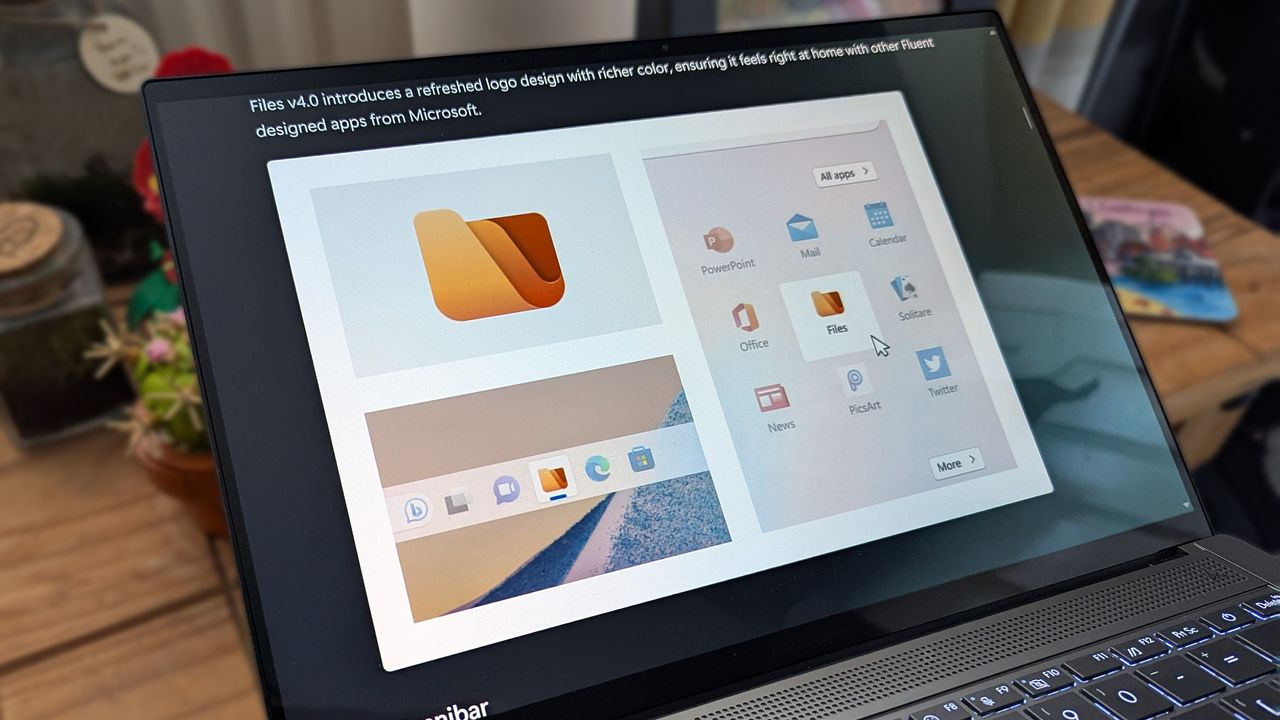
Files 4.0 app promotional images on an ASUS Zenbook laptop screen.

Files v4.2.7 speeds up Windows 11's sluggish context menu and improves memory use, ahead of Microsoft's own planned File Explorer optimizations.

  •  
❌