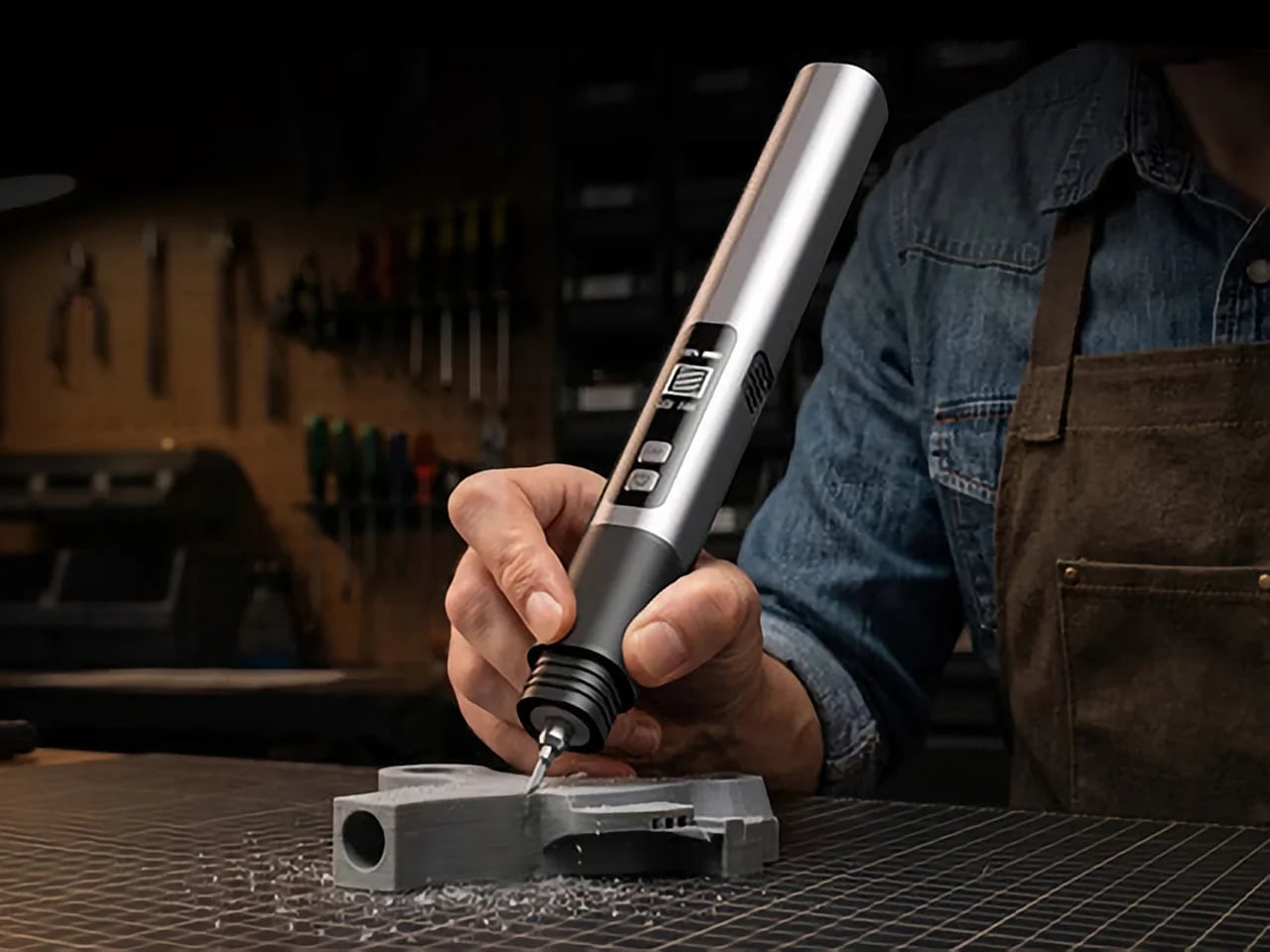
There are power tools, and then there are smart tools. A power tool gives you brute force; a smart tool gives you controlled, consistent results. Think of a simple drill that just spins versus one that manages its own torque to avoid stripping a screw. For delicate work like trimming EVA foam for a cosplay project or cleaning up support structures on a 3D print, you definitely want the smart one. The problem is, most handheld cutters are pretty basic, giving you one speed and just hoping for the best.
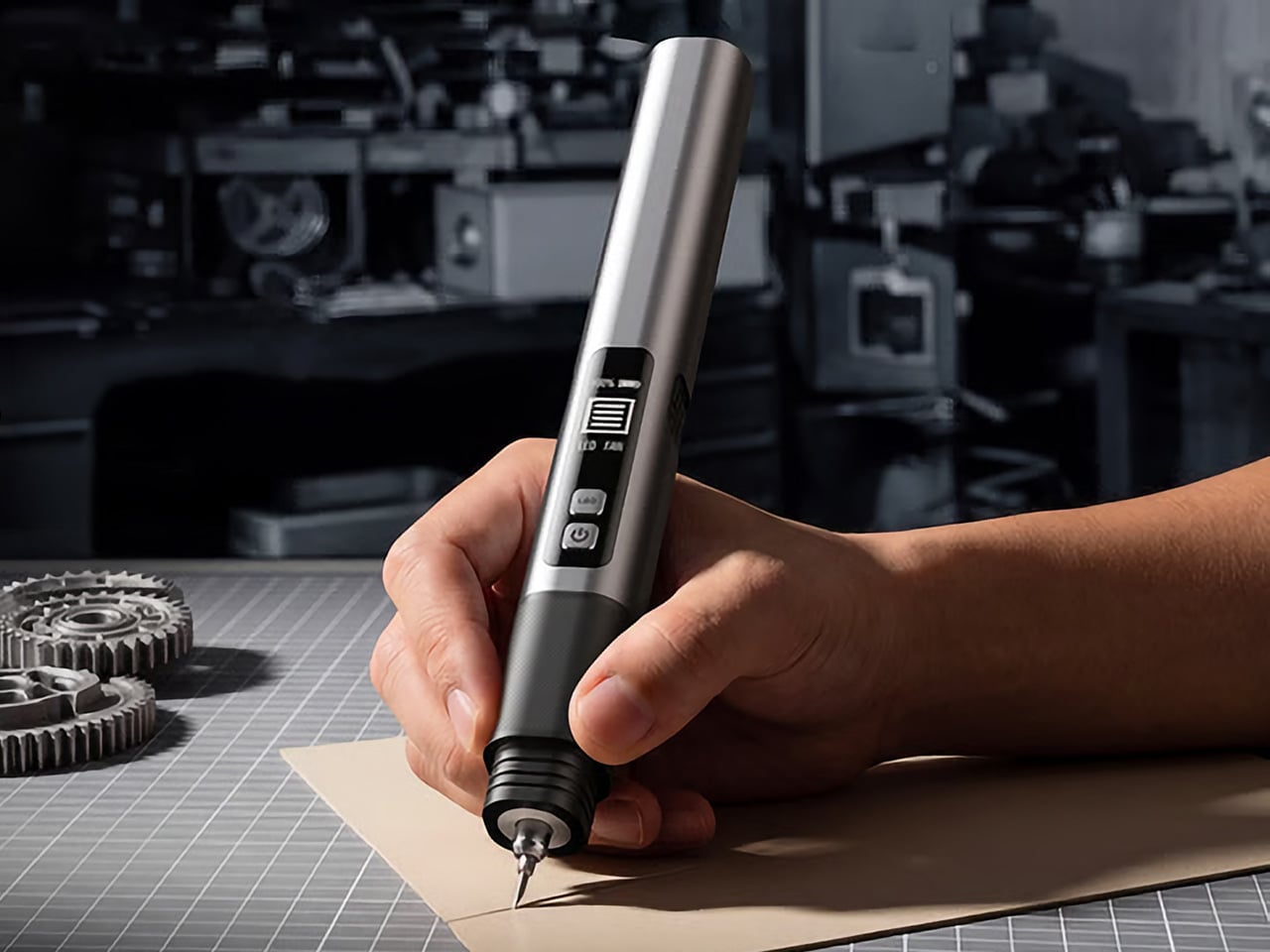
The SonicMax Slice 10 is aiming for that higher IQ. It’s a cordless ultrasonic cutter that senses the material you’re cutting and adjusts its own power output in real time. Slice through dense plastic and it pushes harder; trim the thin walls of a resin print and it eases back. This adaptive system, combined with cooling that prevents heat-related power drops, makes it feel like proper workshop equipment in the palm of your hand. It runs at 40kHz, delivers up to 50 watts of dynamic peak power, and does all of this without a single cable getting in your way.
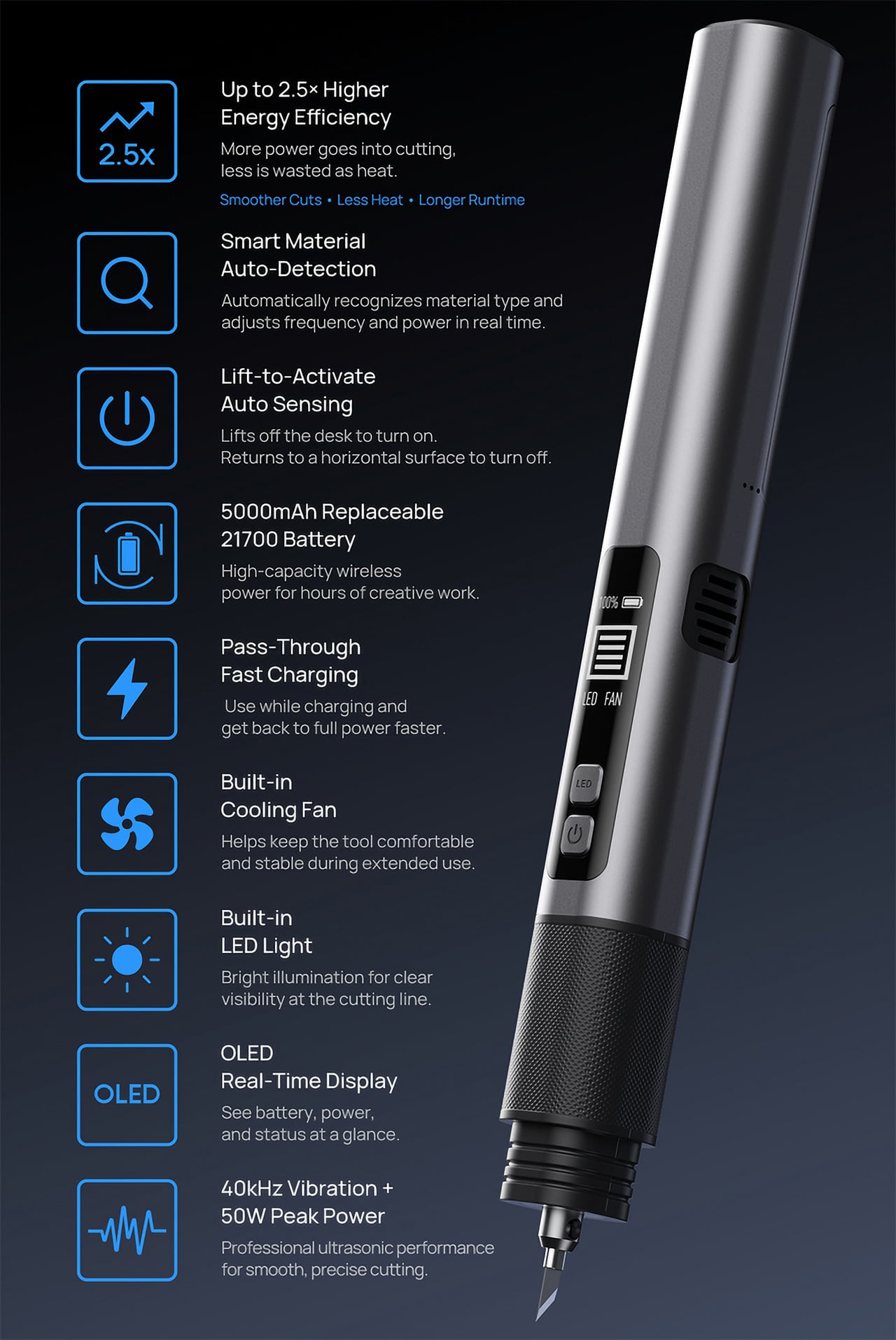
Most ultrasonic cutters on the market use transducers with a mechanical quality factor, or Qm, somewhere between 150 and 250. A higher Qm means the transducer converts electrical energy into vibration more efficiently, which directly translates to less heat generated during use. SonicMax claims a Qm of over 500 for the Slice 10, and lab data backs that up with a verified measurement of 541.1. That’s roughly two to three times higher than a typical competing tool, and it’s the foundational reason the Slice 10 can sustain longer sessions without thermal drama. That single transducer decision cascades into everything else, from runtime and cut quality to how comfortable the tool actually stays in your hand.
As the blade meets resistance, the Slice 10’s Smart Material Auto-Detection reads that feedback and adjusts power output and vibration frequency without you touching anything. Cutting through a stiff chunk of EVA foam feels different from trimming the thin walls of a resin print, and the tool responds to each material accordingly. You’re not locked into a fixed setting that works okay for most things but perfectly for nothing. The system also preserves cut quality across a long session, where material resistance can shift as the blade warms. The result is consistent cuts from the first pass to the last, regardless of what you’re running the blade through.
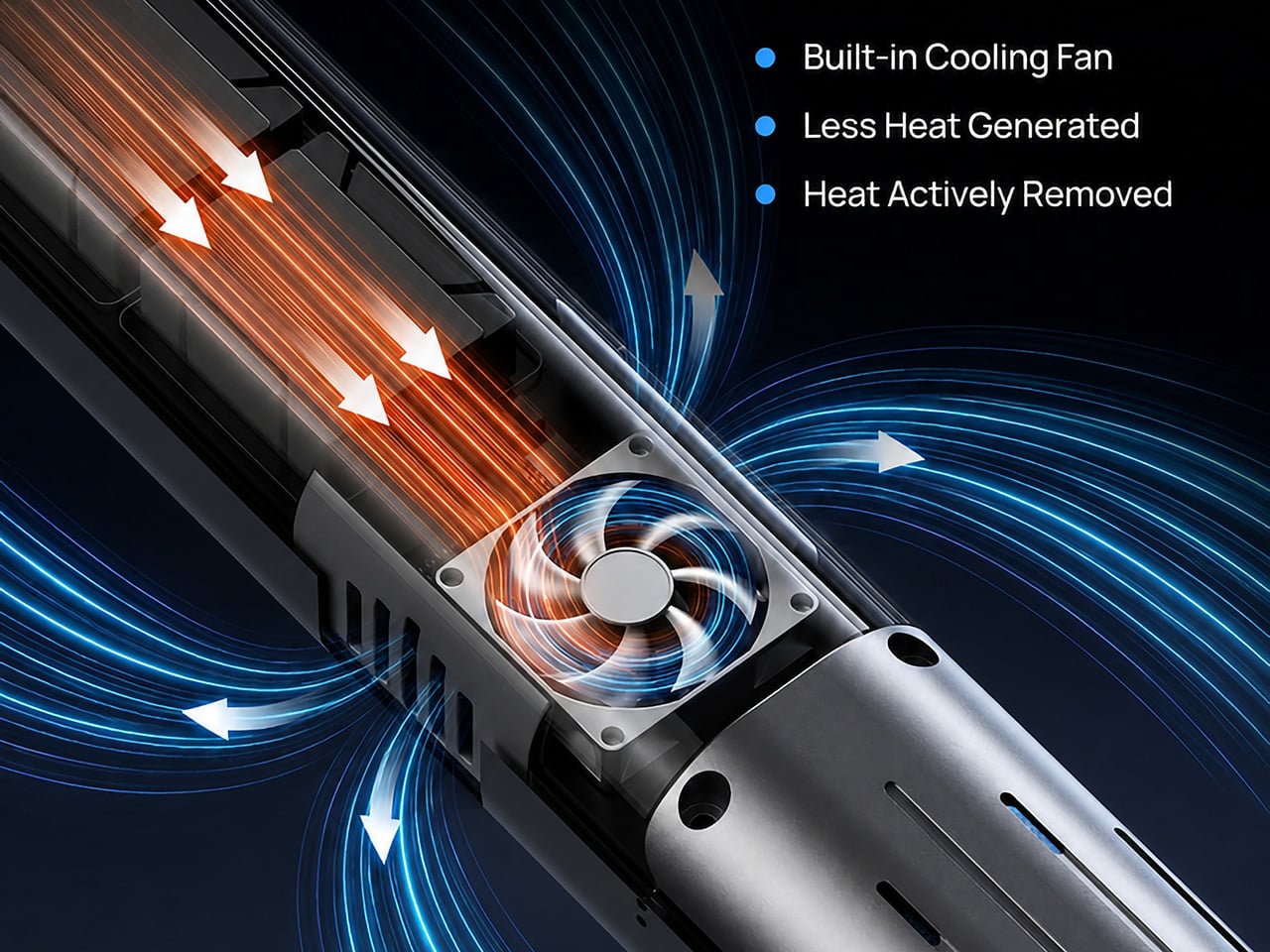
Heat is the reason most cordless ultrasonic cutters force you to stop every five to ten minutes, and the Slice 10 attacks that problem from two directions. Corded bench tools sidestep this issue by drawing steady power and dissipating heat more easily, but you give all of that up the moment you cut the cord. The high-efficiency transducer generates less heat from the start, and the built-in active cooling fan manages whatever thermal load does build up during a session. Overheat protection kicks in automatically at 80 degrees Celsius at the motherboard level, so the tool protects itself without you having to babysit it. You only appreciate how good this is after you’ve spent a session on a cutter that kept shutting itself off on you mid-cut.
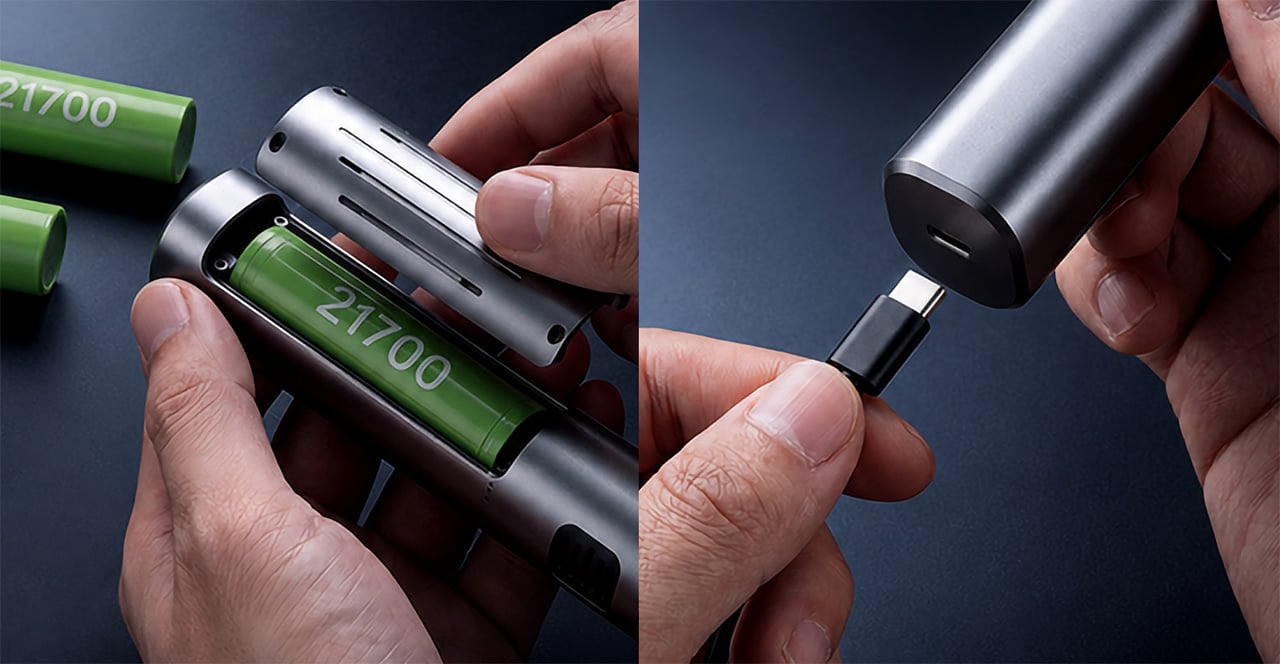
A 5000mAh 21700 lithium-ion battery powers the Slice 10, and SonicMax made it user-replaceable, which you’ll end up appreciating far more than any spec sheet number. The 21700 is a high-performance cell format found in premium flashlights and power tools, so sourcing replacements from SonicMax or compatible third-party brands should never be a problem. SonicMax’s own branded replacement cell is rated for 500 charge cycles at 80% capacity retention, a reasonable lifespan for a tool you’re actually putting to work regularly. An 18W USB-C pass-through charging system brings it from zero to full in about 70 minutes, and the tool keeps running while plugged in. Claimed runtime sits at up to four hours, and when you run low mid-project, swapping in a spare takes seconds.
Blade choice gives the Slice 10 a lot of its bench-tool personality. SonicMax offers five blade styles that let the same handheld body take on very different jobs: a Standard Utility Blade for everyday trimming, a Precision Long Blade for tighter access and more delicate reach, a Fine Chisel Blade for careful cleanup work, a Heavy Duty Chisel Blade for more aggressive material removal, and a Wide Flat Scraper Blade for broader surface work. That range matters because it turns the Slice 10 into something closer to a compact cutting system than a one-trick knife. If you’re the kind of maker who bounces between foam, plastic, supports, edges, and surface cleanup in the same afternoon, this is where the tool starts looking properly versatile.
Lift-to-Activate sensing turns the tool on when you pick it up and off when you set it down, keeping your fingers away from controls mid-session and preventing accidental activation on the bench. A small OLED display shows real-time power output and battery level, so you’re never left guessing how much runtime remains. Built-in LED lighting illuminates the cut line, which sounds like a minor detail until you’re trying to trace a clean edge on a dark-colored print at your desk at some ungodly hour. Auto-shutdown kicks in after five minutes of idle, and low-battery protection activates before the cell drops to a damaging voltage. Together, these details make the Slice 10 feel like a tool that respects your workflow rather than constantly asking you to manage it.
The Slice 10 measures 260.5mm long and 28mm across, weighing 236 grams, keeping it firmly in single-hand, pen-grip territory across long sessions. Just the Slice 10 is available for a discounted $119, and ships with 10 replaceable Standard Utility blades. Upgrade to the Maker’s Bundle for $169 and you get the Slice 10 along with 50 blades spread across the five blade profiles (standard, precision long, fine chisel, heavy duty chisel, and flat scraper) as well as a 5000mAh replacement battery. If you’re looking for versatility and pushing your prints to the max, the $50 price bump does bring a fair share of value. You can also buy extra blades and batteries as add-ons. Shipping is expected to begin mid-October 2026 with worldwide delivery available, and SonicMax has not publicly confirmed warranty terms at the time of writing.
Our brain is still a mystery, of which only a small part has been completely understood. Every single decision we make, every move in stressful situations, and the ability to plan way ahead of time can be attributed to the grey matter between the ears. While most wearables want to bring the prowess of advanced medical-grade brain monitoring to everyday life, the strings attached nullify the comprehensive level of scanning required for deeper insight.
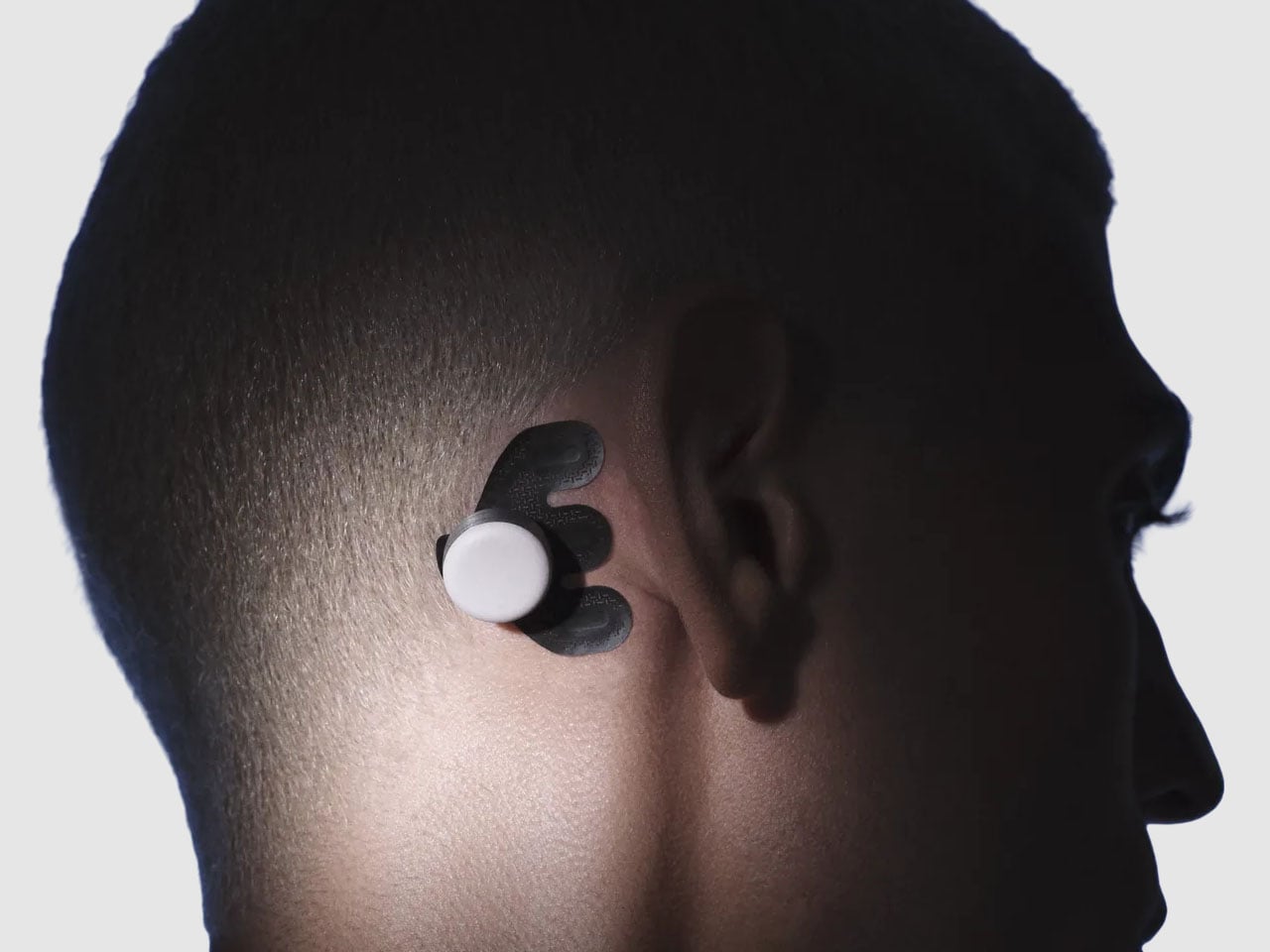
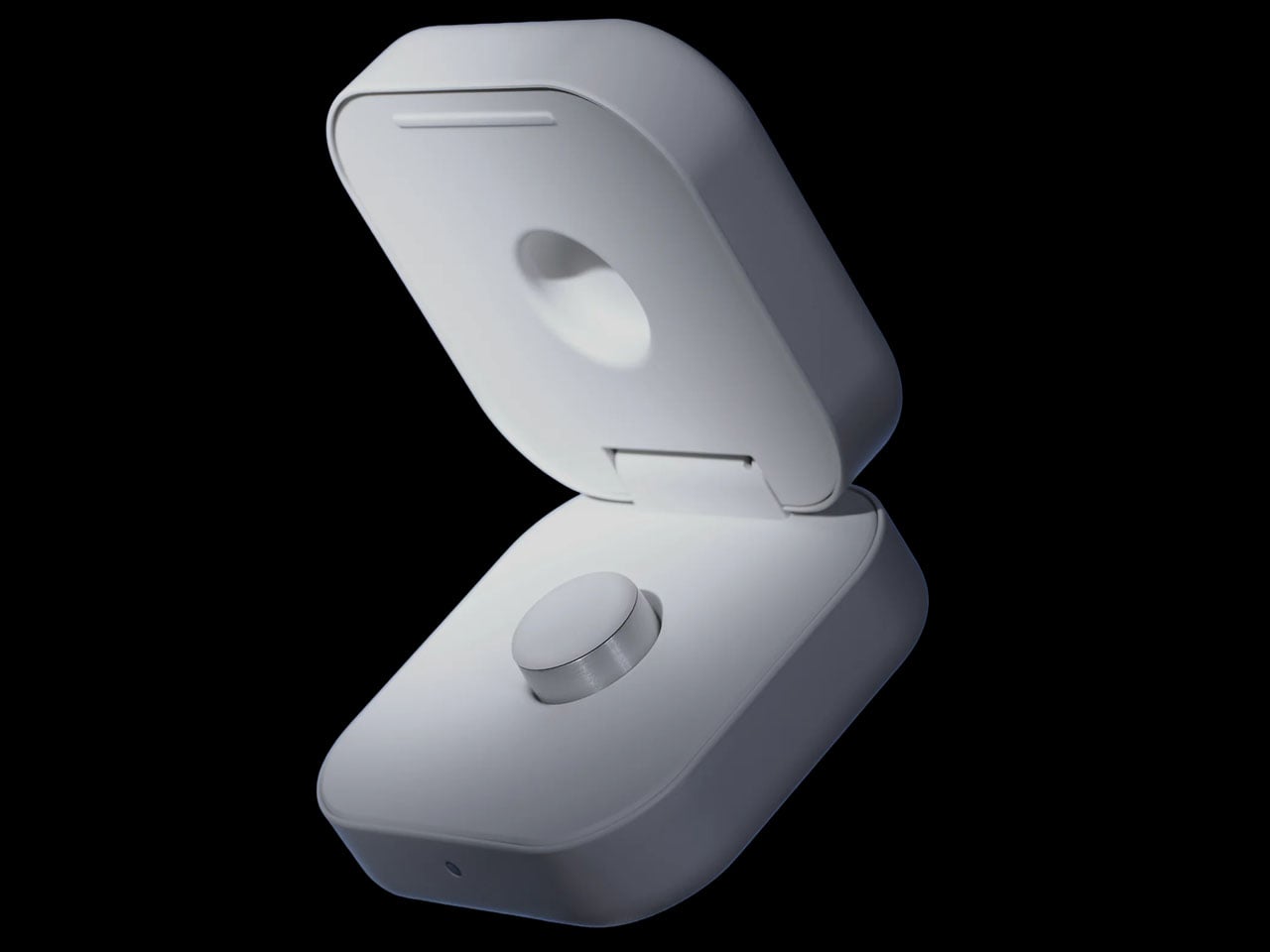
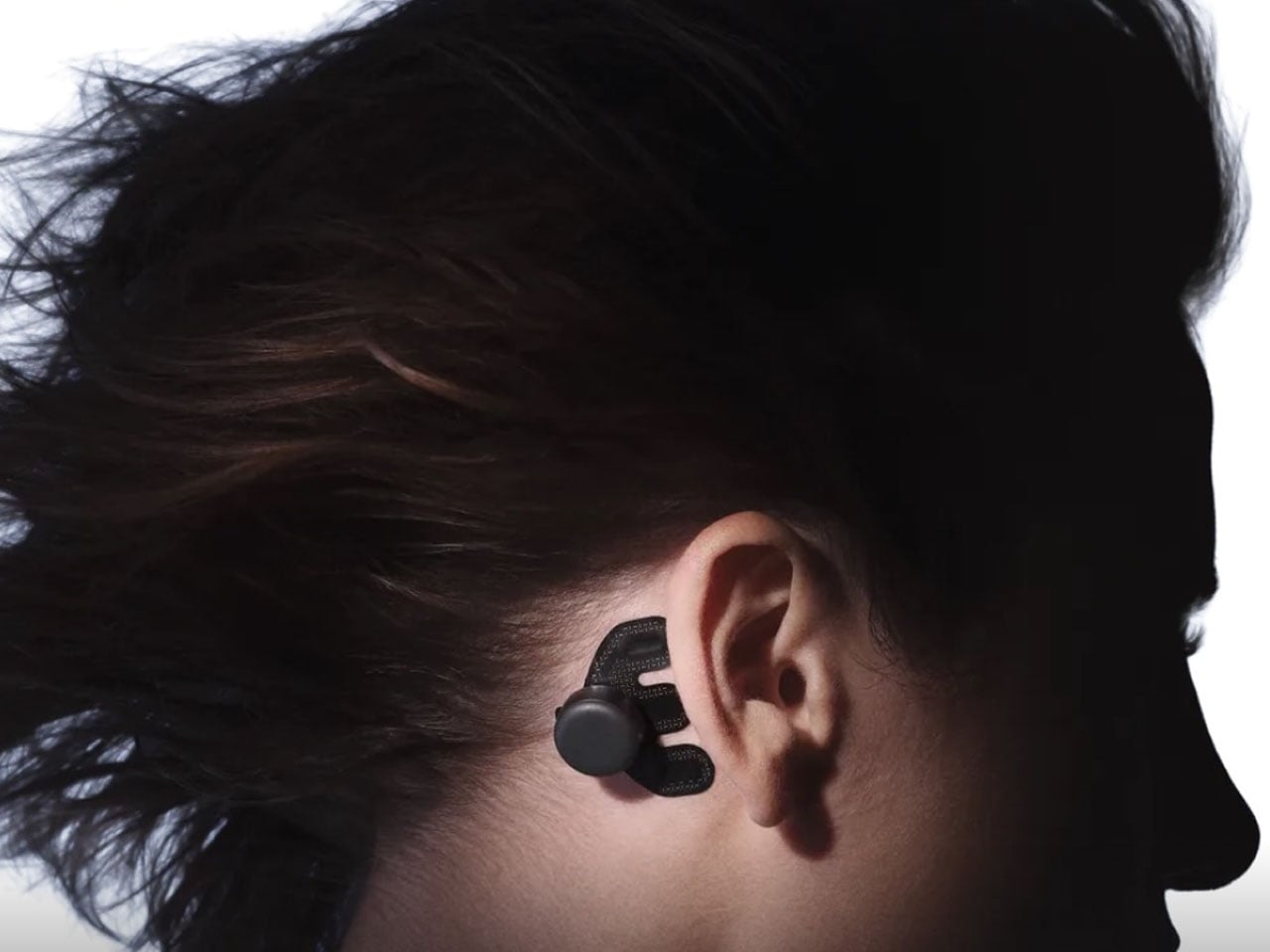
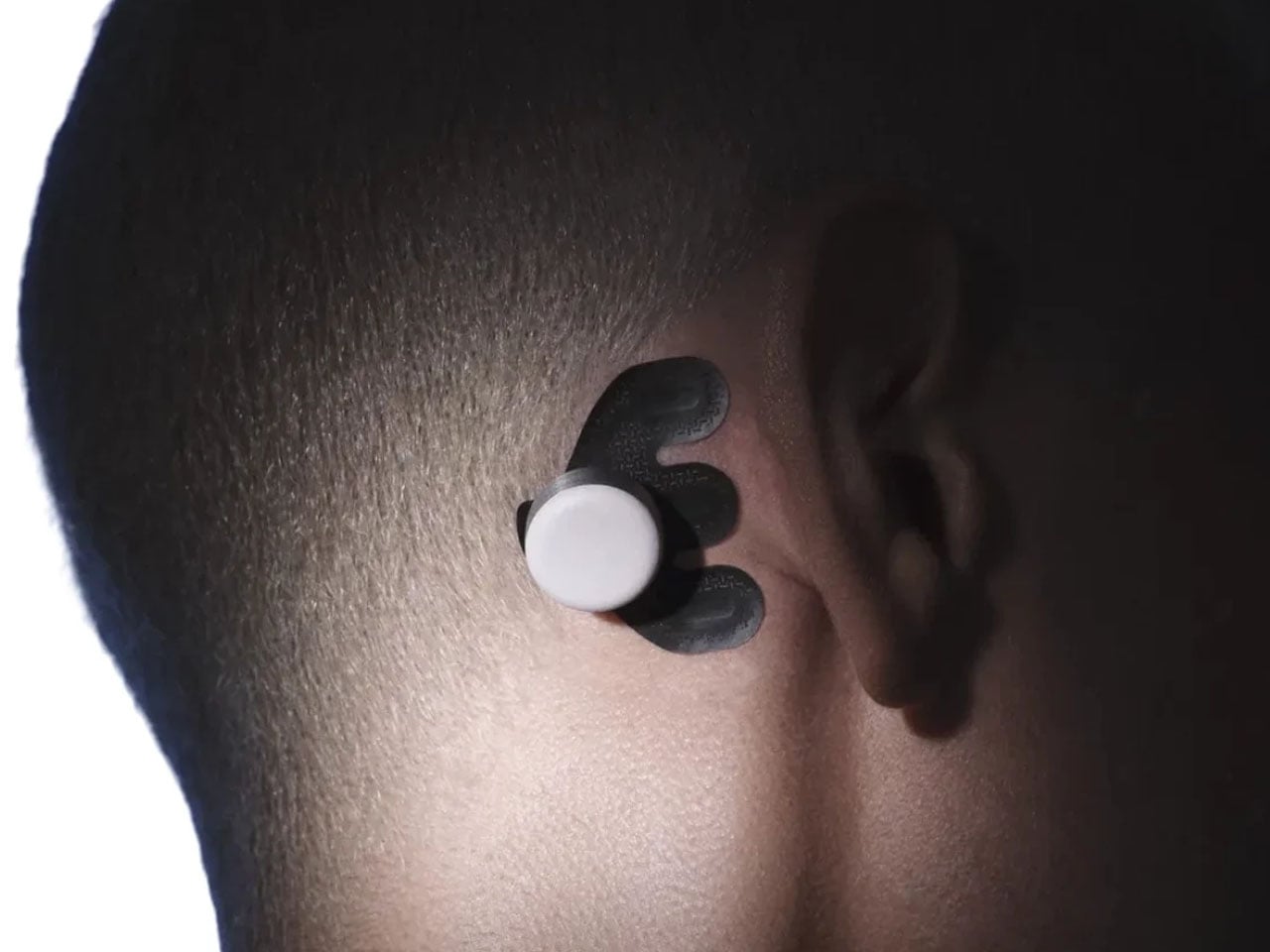
Atlas Mankind, a startup, wants to change that with a $500 wearable that sticks to the back of your ears to function in the background as we go on with our daily lives. That’s a leap from other similar wearable gadgets, which require the wearer to stay still or only function while you are asleep. Dubbed Atlas 1.0, the advanced EEG gadget monitors electrodermal activity, voice patterns, and head movements throughout the day to make precise readings of what your brain is doing.
According to Atlas Mankind, the compact EEG tracker doesn’t restrict the wearer’s movement or only function in certain situations, thereby making it a more natural and unbiased instrument for understanding the internal state of the wearer. It creates a longitudinal record of the brain’s activity in real-life situations, “which is much more meaningful than a single test or isolated brain scan.” The wearable functions in conjunction with the compatible app to track three metrics, which are Presence, Stress, and Energy Burn. That is much more comprehensive than having the half-baked metrics of your stress levels, heart rate, skin temperature, sleep analysis, and generic brain activity that other advanced wearables tout.
Coming back to the three main metrics on which Atlas 1.0 excels – Presence represents whether your attention is inwards or outwards. For instance, during a conversation with your friend, how engaged you actually were. This is done by analyzing the speech patterns and the hemisphere of the brain that was activated during that time. Then there is the Stress tracking, which keeps a very close tab on your physiological stress in the background. The last one is Energy Burn that identifies the activities that were most taxing during the course of the day.
In conjunction with the app that connects to your calendars, event logs, and schedules, the wearable determines the level of shift in these metrics for an in-depth analysis of the brain state over a period of time. The patterns revealed can help the user identify which habits and activities are worth taking up and which ones are better avoided if possible. Atlas 1.0 sticks to the skin behind the ears on an adhesive pad and records the brain waves, as well as voice patterns (not the actual speech for data safety) and movement 24×7. With a dataset of more than 50,000 brain recordings to power the advanced algorithm, the prospects here are exciting.
According to Ana Montero, co-founder & chief executive officer, “For the first time, some of the most important moments in a human life are becoming measurable.” This is supported by André Marques-Smith, PhD: co-founder & chief technology officer, who says, “commitment to accuracy makes ATLAS a tool for genuine mastery and personal science, not just measurement and vanity metrics.” He adds that the engineering challenge of capturing “research-grade data while in motion” is what makes Atlas 1.0 special.
The company is already taking pre-orders for the non-invasive wearable, and it does come with a $30 monthly subscription to keep going. It’ll be interesting to see how accurate the wearable turns out to be, since it is not cheap and you’ll have to keep paying a monthly subscription to make it relevant.
"Maintenant", ce n'est pas qu'un adverbe à la con pour apprécier l'instant présent ou faire péter ses ordres comme votre Belle Mère !
C'est également un conteneur à lancer,
qui se connecte en lecture seule à un socket Docker pour réaliser en un battement de cil, tout l'inventaire de votre home lab !
Il relève ainsi l'état de chaque conteneur, ses healthchecks, ses boucles de redémarrage, ses logs, et vos projets Compose regroupés comme vous les avez écrits.
Ensuite, tout ce qui vous alerte pour de bon se déclare à la main. Les checks HTTP et TCP se configurent sous la forme de labels sur les conteneurs à surveiller. Par exemple, un maintenant.endpoint.http avec son intervalle et son seuil d'échec, un maintenant.endpoint.tcp pour la base...etc. Pas besoin donc d'aller mettre votre gros nez dans un fichier de config spécifique.
Vos tâches planifiées reçoivent chacune une URL à appeler quand elles finissent comme ça si la sauvegarde de trois heures du matin ne se manifeste pas, vous êtes prévenu. Vos certificats HTTPS sont surveillés et signalés cinq fois avant leur expiration, un mois avant puis de plus en plus près. Il compare aussi l'empreinte de vos images à celle publiée sur le registre, ce qui vous permet ensuite de savoir lesquelles ont pris du retard sans lancer des docker pull à l'aveugle. Ah et il sert une page de statut publique pour vos utilisateurs.
Le tout tient dans un binaire Go qui occupe environ 17 Mo de RAM et qui se repose sur une simple base SQLite.
Par contre, l'édition gratuite (Community) gère une seule machine. Si vous voulez du multi-hôte, il faudra passer par la case payante. Toujours en gratuit, il y a aussi des plafonds... Vous avez le droit uniquement à 10 endpoints, 5 heartbeats, 5 certificats, 3 composants de page de statut et uniquement 7 jours d'historique.
Attention quand même, y'a 2 choses à savoir avant de vous enflammer et de poser ça sur une machine exposée sur le net. Il n'y a aucune authentification intégrée, et de ce que j'ai compris, c'est assumé ! A vous donc de mettre en place un reverse proxy et un Authelia ou un Authentik devant.
Pour situer "Maintenant" par rapport à d'autres solutions que je vous ai déjà présentées,
Beszel
fait les métriques par conteneur sans aucun plafond gratos, mais pas les checks HTTP.
Uptime Kuma
lui, fait les checks, mais ses monitors doivent être créés un par un dans l'interface, sauf à lui greffer
AutoKuma
pour lire les labels. Donc, il n'y a pas vraiment de solution tout-en-un gratuite...

 Connexion