❌

Vue lecture

ELEGOO DAY 2026 Invites the World to Create, Share, and Grow With Nexprint

Every idea deserves somewhere to go, and for a lot of 3D printing hobbyists, that place has been missing. ELEGOO wants to change that with ELEGOO DAY 2026, launching September 10, its annual celebration built around bringing creators together on Nexprint. This year folds in a creator fund, a design contest, new model generators, and a sale, all pointing toward one goal: getting more people to create, share, and be part of a growing community.

Most of that action happens on Nexprint, ELEGOO’s open-source 3D model platform, built on the belief that creation should be open to anyone with an idea. Think of it as the hub tying everything together: models get uploaded, tools get discovered, and creators get a real reason to keep contributing. That shift is slowly turning ELEGOO from a printer maker into a community built around making.

Designer: ELEGOO

Click Here to Submit Now | Click Here To Buy Now.
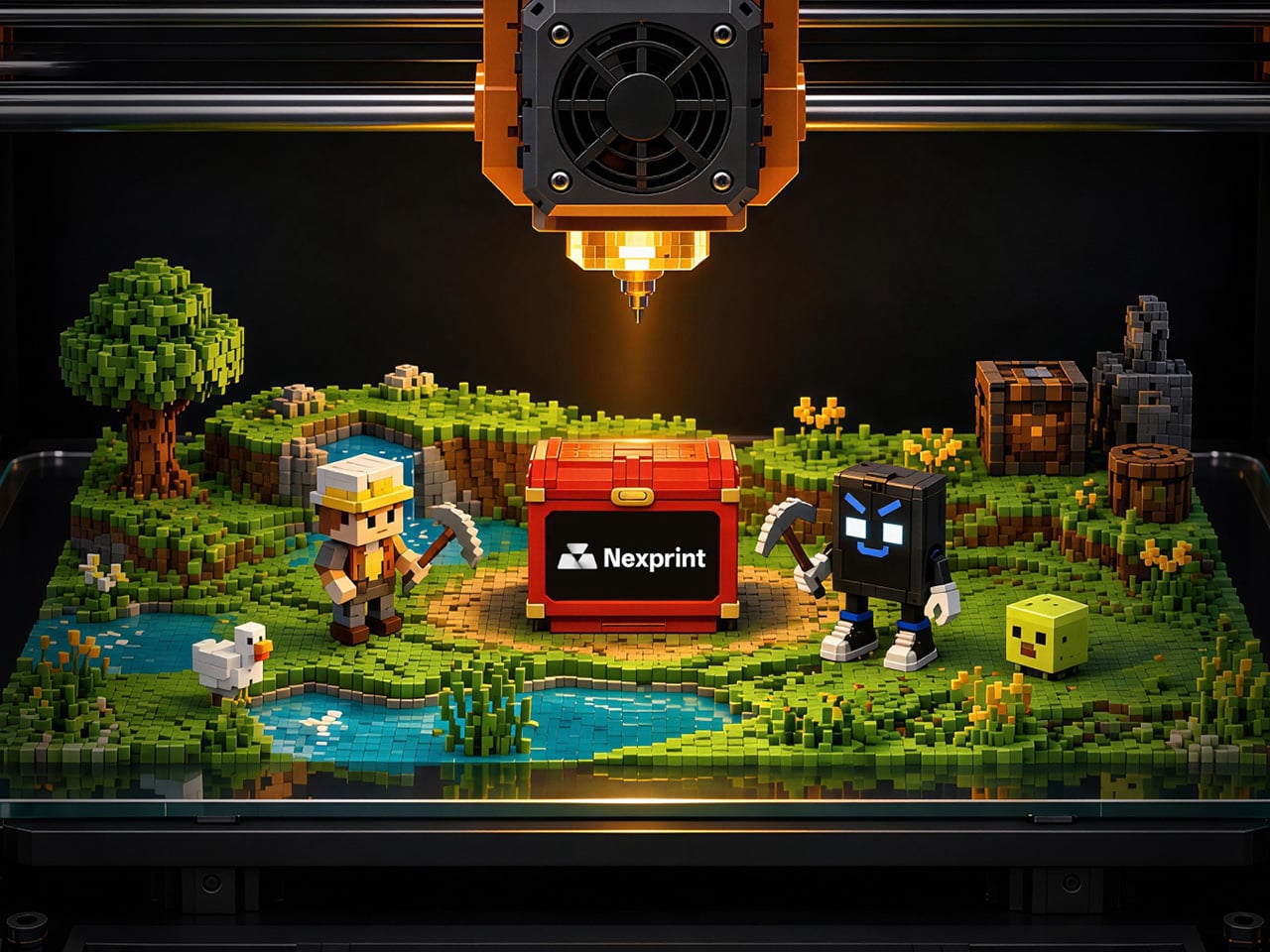
The centerpiece is the new $1,000,000 Creator Fund, ELEGOO’s way of recognizing and rewarding people for sharing 3D models on Nexprint, not just paying for output but investing in the community itself. Rewards start with your very first submission, no waiting for likes or rankings to climb first. Individual models can earn up to $100, and stacking incentives push that ceiling to $300 per model.

There’s more structure built in too. Extra rewards unlock at 3, 5, 10, 20, and 50 submissions, so consistency pays off as much as any single hit model. Monthly rankings hand exclusive prizes to the top five creators, including actual ELEGOO printers, while a new bonus-card mechanism can push individual payouts even higher. It feels less like a marketing gimmick and more like a system built to grow alongside its creators.
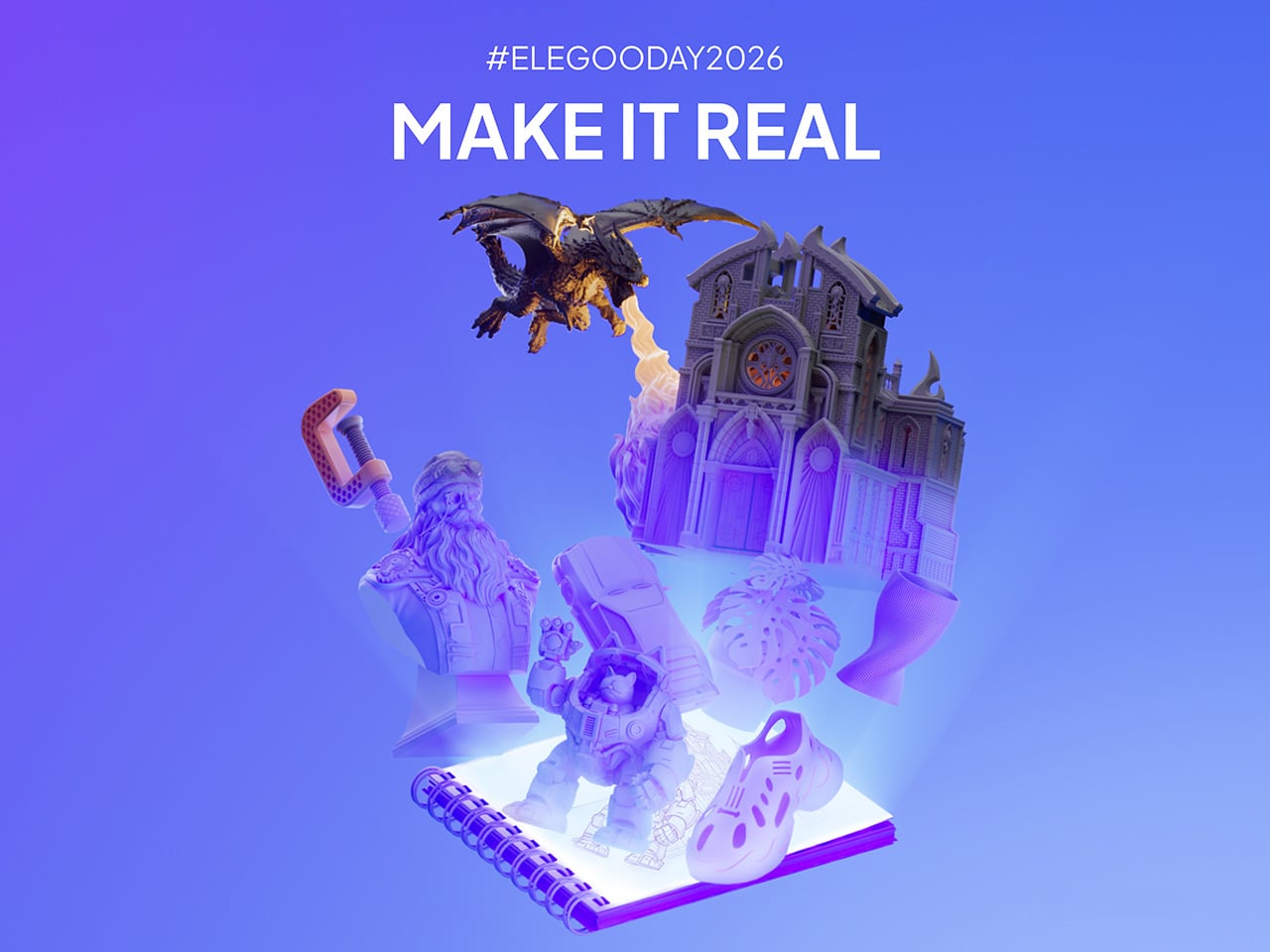
From September 10 to October 30, ELEGOO runs the MakeItReal contest on Nexprint, and the premise couldn’t be simpler: take a flat idea, in whatever form it takes, and give it dimension, no design background required. There’s no theme to chase, just that shift from flat to physical. Winning entries will be picked and announced on November 20, each earning up to $300 in ELEGOO coupons for the trouble.

The idea behind it is almost sentimental for a hardware company, echoing ELEGOO’s belief that 3D printing works best as a creative outlet, not a manufacturing shortcut. A photo on your phone or a doodle in a notebook can end up as something you actually hold, not just imagine. Creators don’t need advanced modeling skills to compete, either. Nexprint’s upcoming Text and Image to 3D Generator lets anyone shape a contest entry straight from a photo or a written description, no CAD needed.

That generator is one of three new tools ELEGOO just added to Nexprint, alongside a Vase Generator and a Nameplate Generator, each built to make creation easier for beginners and veterans alike. All three do the same basic job: they take a drawing, a photo, or a few typed words and turn it into a printable model within minutes. None of it replaces real design skill, but it removes the blank-page problem that stops many from starting.

Put it together, and the loop makes sense. Someone sketches an idea, runs it through a generator, shares the result on Nexprint, enters it into MakeItReal, and picks up Creator Fund rewards along the way. None of those steps demand deep technical skill. This is the connected ecosystem ELEGOO keeps referencing, not a slogan, but an actual sequence anyone can walk through starting today.

All this activity lines up with the ELEGOO DAY Sale, with discounts of up to 54% on selected products, running September 8 through 29 with regional pricing, ELEGOO’s way of putting that ecosystem into more hands. The Saturn 4 Ultra 16K brings high-resolution resin printing for detailed sculptures, jewelry prototypes, and miniatures. The Centauri Carbon 2 Combo handles multicolor prints for home décor and personalized gifts. The Mars 5 Ultra offers a smaller resin option with sharp detail for tight workspaces.

What stands out about ELEGOO DAY 2026 isn’t any single feature; it’s the shape of the whole thing. A hardware company built its business on printers, then quietly built systems for sharing, competing, and earning that turn a machine into a habit. For ELEGOO, that’s what building an ecosystem means: more chances for people to create, connect, and turn ideas into something real.

Click Here to Submit Now | Click Here To Buy Now.

The post ELEGOO DAY 2026 Invites the World to Create, Share, and Grow With Nexprint first appeared on Yanko Design.
  •  

This Supercharged Grand Tourer Was Built Using a 90-Year-Old Metal-Shaping Tool

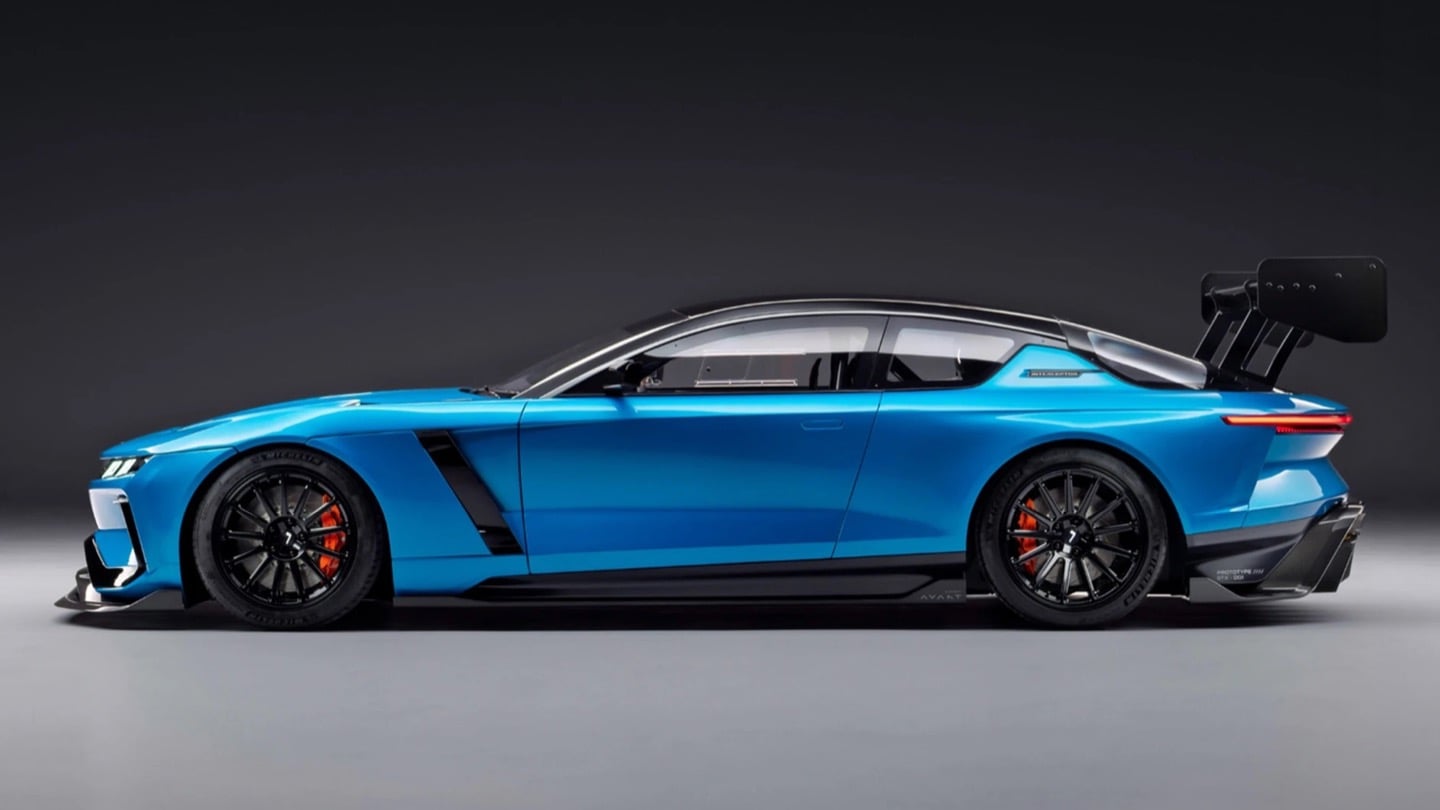
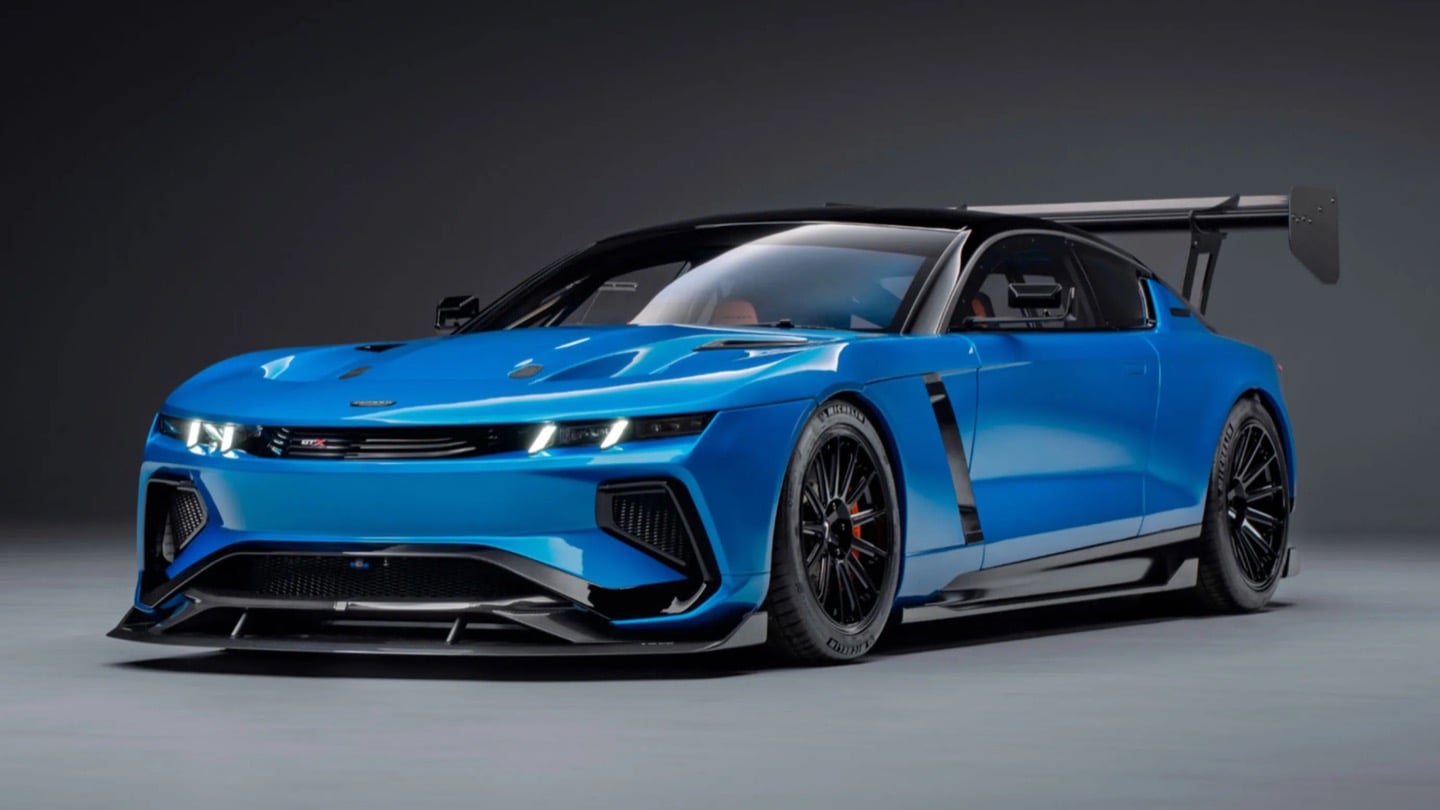
The GTX in Riviera blue, all splitter, vents, and a rear wing that towers over the roofline.

There is a tool called an English wheel that has been shaping aluminum car panels since roughly the 1930s. It is a big metal hoop with a roller in the middle, and you push sheet metal through it by hand until it curves the way you want. It sounds like something you would find in a blacksmith’s shed, not in the workshop of a car aiming for 1,200 horsepower. Yet that is exactly the tool Coventry Metalcraft used to hand-form the body of the new Jensen Interceptor GTX, alongside laptops running computational fluid dynamics software. Old-world muscle meets new-world math, and somehow both sides showed up to the same car without arguing.

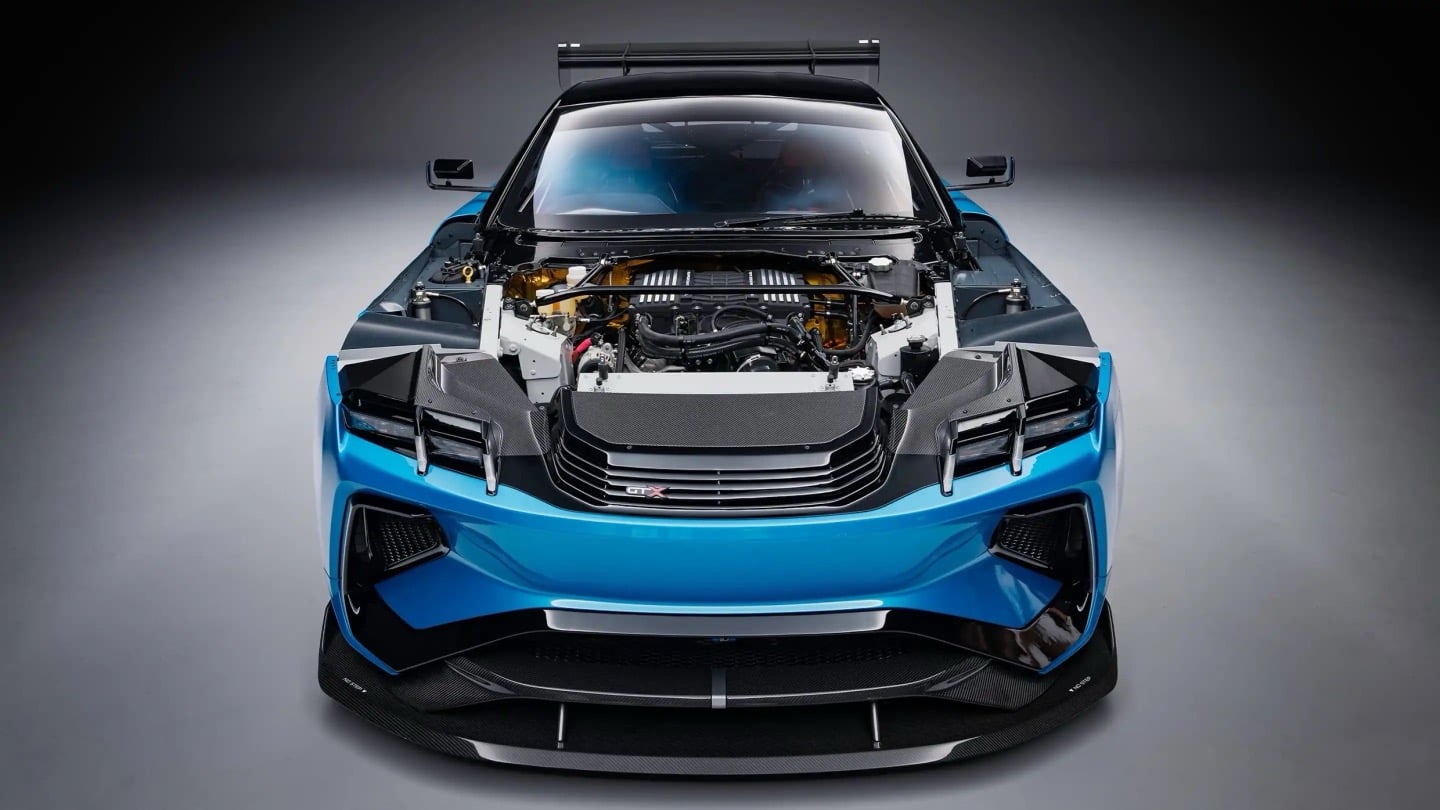
Jensen International Automotive unveiled the GTX in early September, and it is a strange beast by design. It is Jensen’s first ever clean-sheet car, built to preview a whole new Interceptor lineup, and it gets there using ten English wheels worked by more than 30 artisans, alongside digital design data from studio Avant Design and mixed-reality checks nobody in 1966 could have dreamed of. The result is a 960 bhp supercharged V8 grand tourer wearing hand-beaten aluminum panels shaped partly by algorithms. Britain’s oldest car-forming trick just got a very modern wingman.

Designer: Avant Design

Under the hood: a 6.8-liter supercharged V8 from Late Model Engines, wrapped in carbon and gold foil.

Long bonnet, fastback roofline, and a wing that ruins the original Interceptor's silhouette on purpose.

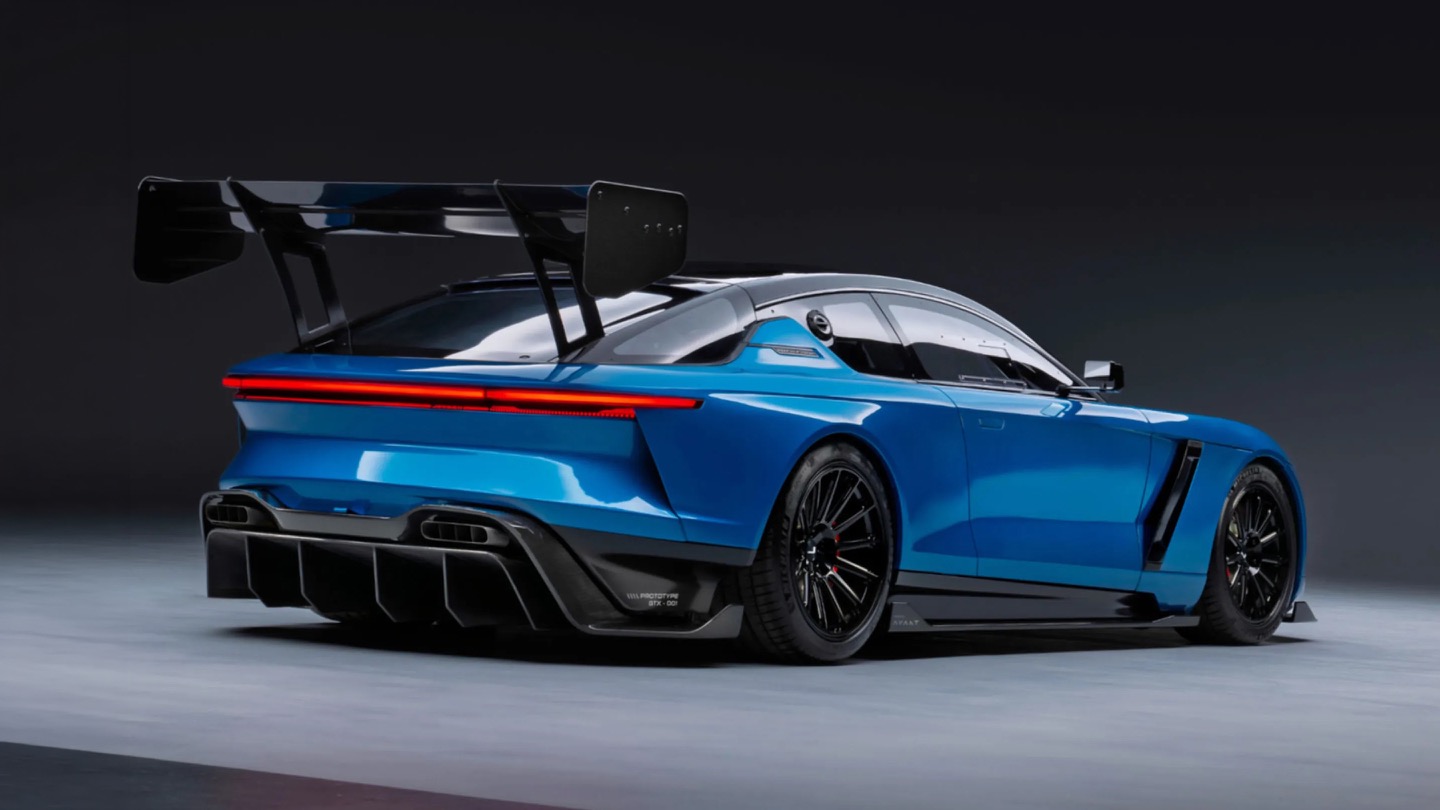
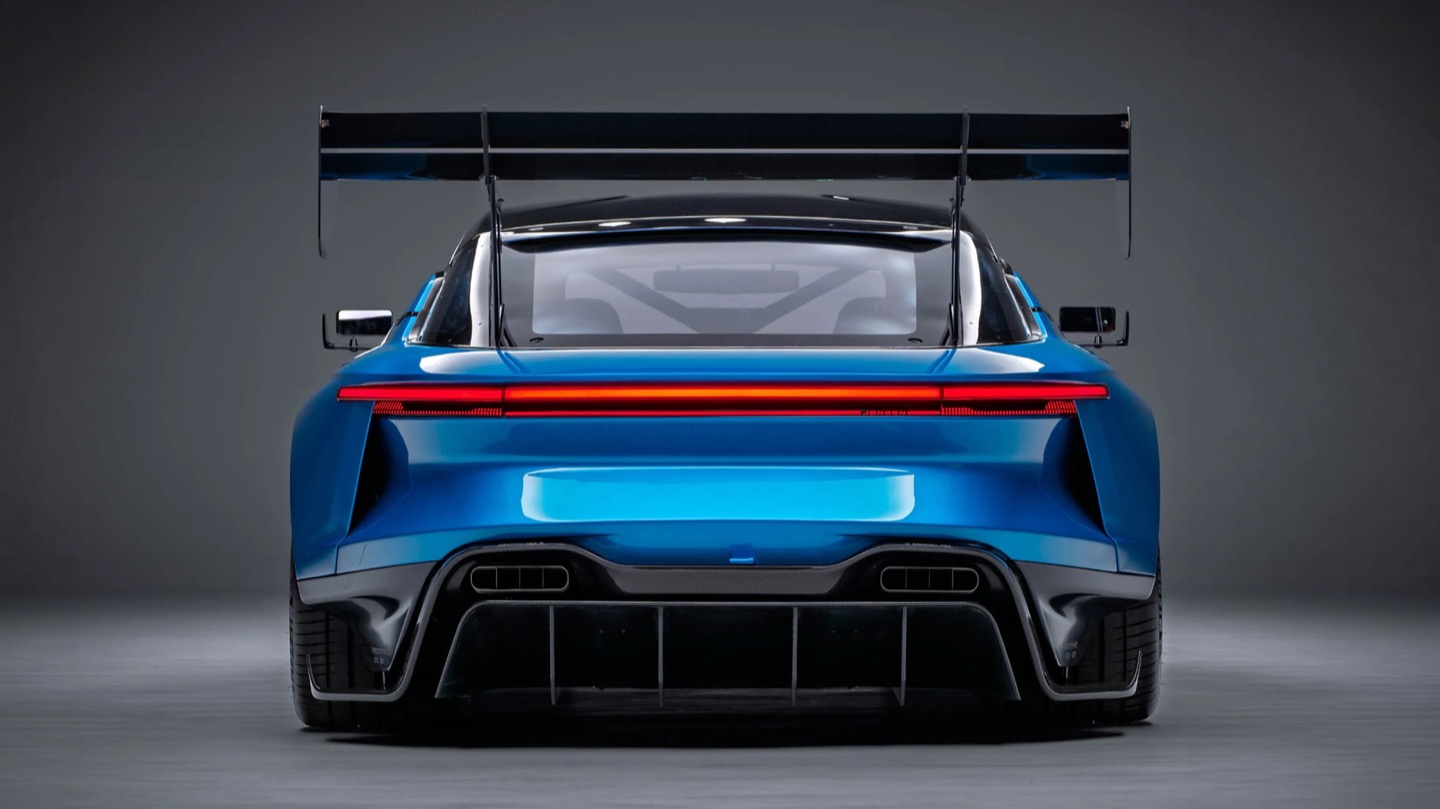
Avant Design, based out of Royal Leamington Spa, is the studio responsible for translating the original 1966 Interceptor’s proportions into something that reads as contemporary rather than costume. The long bonnet survives, the tightly drawn greenhouse survives, and the wraparound rear glass that made the original such a distinctive shape is still there, even if a towering rear wing now partially blocks the view of it. What is new is the front end, with slim horizontal LED lighting and enormous carbon intakes replacing the old car’s chrome-heavy face. Interestingly, this is not Avant’s first crack at reimagining this exact silhouette. Back in 2023, the studio quietly published a concept called the E-Ceptor, an electric take on the Interceptor with reworked rear glazing and a fresh grille graphic. The GTX effectively took that speculative sketch and gave it a supercharged V8 instead of a battery pack.

Diffuser, quad exhausts, and a wing built for lap times.

A full-width taillight and a wing pulled straight from GT3 territory.

The aluminum decision, both for the chassis and the body, was not driven by sentiment. David Duerden, Jensen International’s managing director, put it plainly when explaining why the GTX skipped carbon fiber entirely. He does not want the car riding like “a skateboard,” which is a fair concern given how punishing a stiff carbon tub can feel on a road built for a Sixties grand tourer, not a modern track special. Aluminum chassis structures are also considerably cheaper to produce in small batches, since they avoid the expensive tooling that carbon fiber demands before a single panel gets made. For a car expected to sell in the dozens rather than the thousands, that economic math matters more than bragging rights about carbon weave.

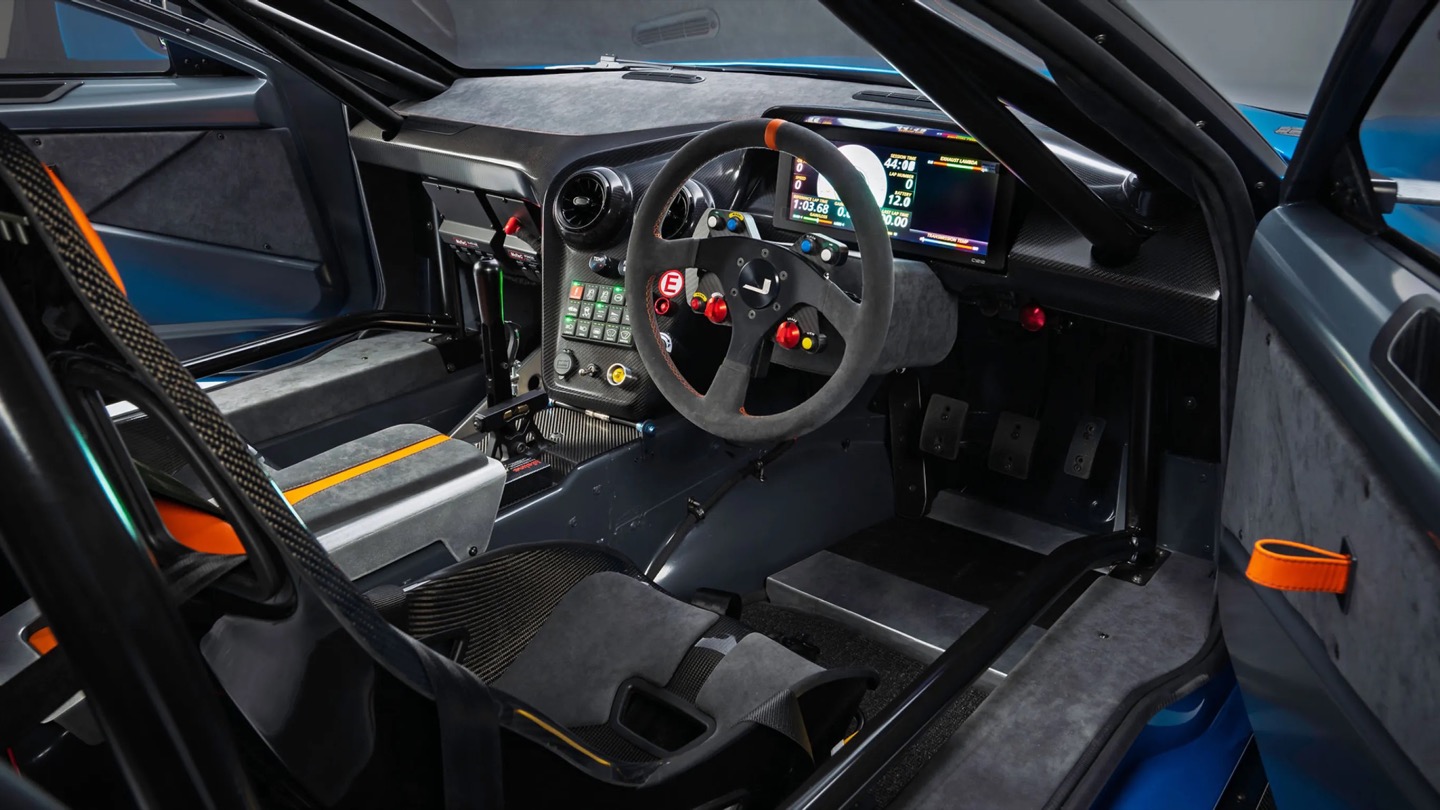
No screen, just a MoTeC dash, roll cage, and switchgear built for business.

That economic logic is exactly why the English wheel earns its keep here. Hand-forming panels sidesteps the tooling costs that would sink a low-volume carbon fiber program before it ever reached a customer. Coventry Metalcraft’s artisans still shape every piece the old-fashioned way, but they are working from digital surfaces that Avant Design refined using CFD modeling, chasing the 350 kilograms of downforce the GTX needs to behave itself at speed. It is a genuinely odd combination of a seventy-year-old forming technique and simulation software that did not exist when the original Interceptor left the Kelvin Way factory. Jensen is betting its entire comeback on that combination holding together, and so far, from what we have seen, it seems to be working rather beautifully.

The post This Supercharged Grand Tourer Was Built Using a 90-Year-Old Metal-Shaping Tool first appeared on Yanko Design.
  •  

The Bali Sculpture That Finally Makes Overshot Views Feel New

Bali has a photo problem. Not a bad one, exactly, but a familiar one: the same rice terrace, the same infinity pool angle, the same swing shot dangling over the same jungle canopy, reposted by a few million travelers who all found the identical spot through the same map pin. When a landscape gets photographed enough times, it starts to flatten out in your memory before you’ve even seen it in person. You arrive, and it feels like déjà vu instead of discovery.

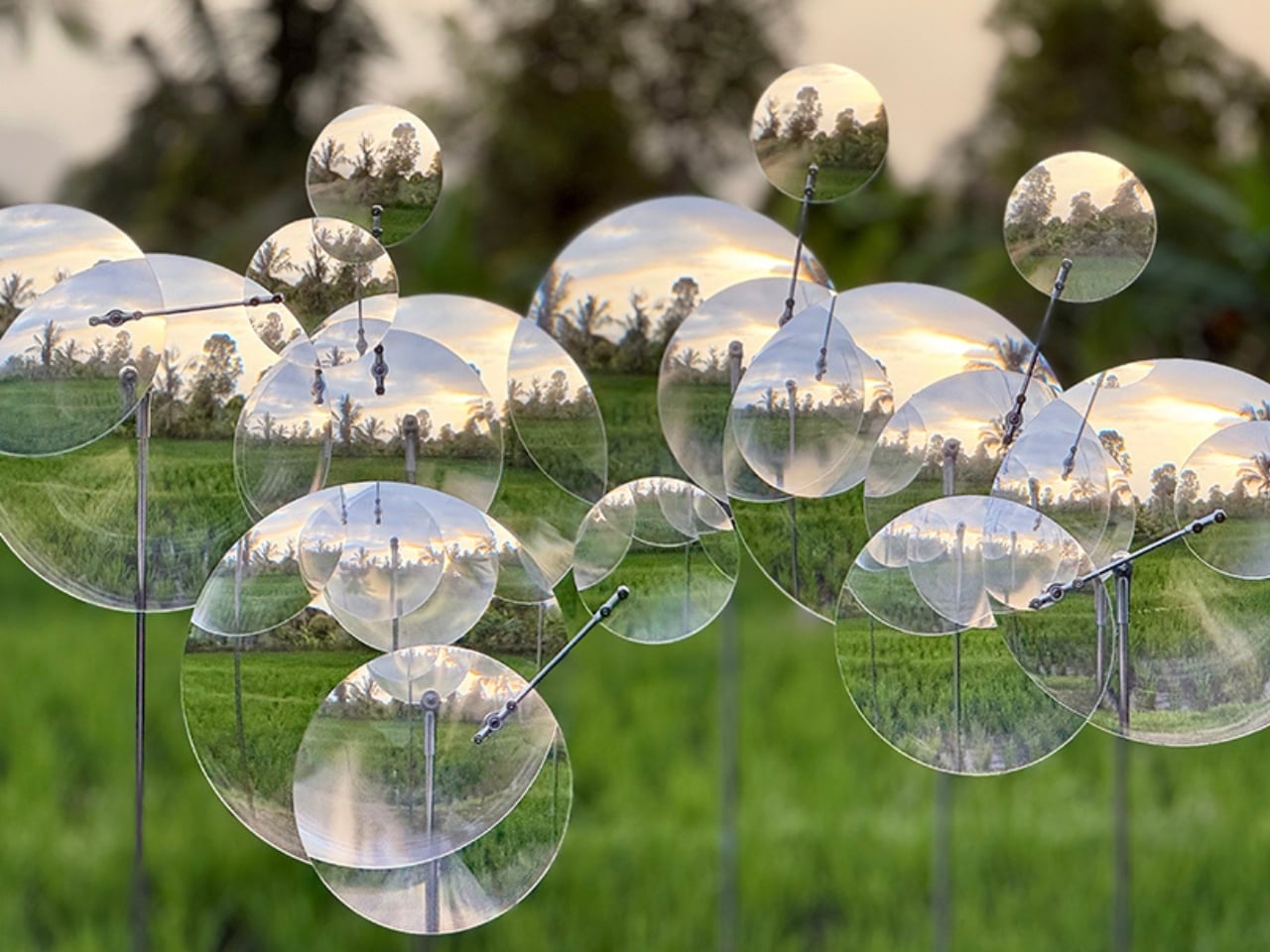
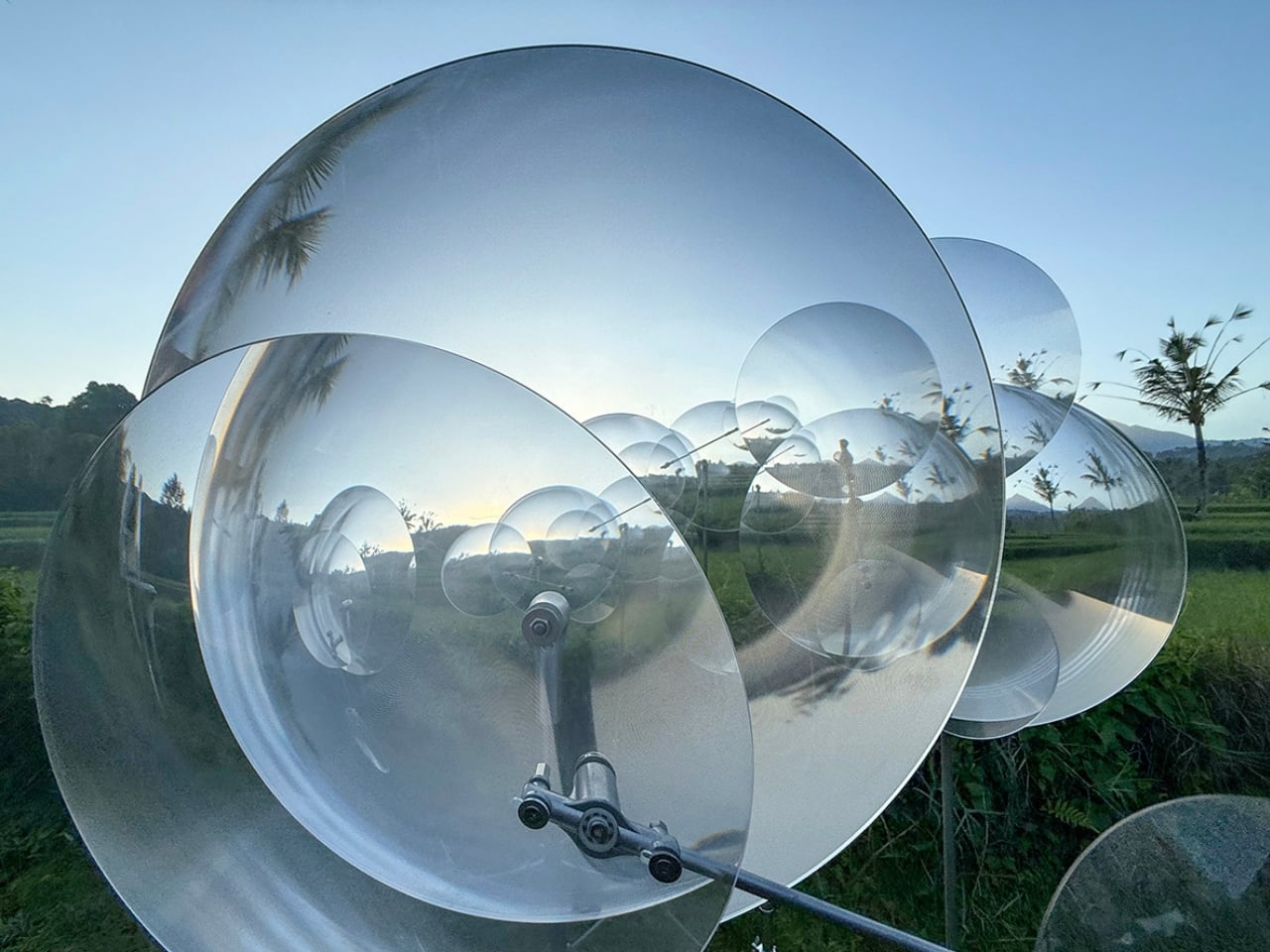
That’s the quiet problem Vincent Leroy’s new installation seems to answer, even if he’d probably never put it in those terms. Tucked into the hills of Munduk, “Eccentric Lenses” is a field of Fresnel lenses mounted on posts, catching the wind and spinning on axes that aren’t centered, so nothing ever settles into a repeatable frame. Point a camera at it in the morning and again at dusk and you won’t get the same picture twice, not because the location changed, but because the lenses never stop rearranging it for you.

Designer: Vincent Leroy

Fresnel lenses are the flat, ridged discs you’d recognize from old lighthouses or projector screens, built to bend light without the bulk of a curved glass lens. Leroy has been experimenting with them for years, but this piece feels like his most site-specific use of the idea. Instead of distorting a studio backdrop, he’s pointed the lenses at Bali’s actual terrain, its rice fields, its distant volcanic peaks, its low clouds, and let the wind do the editing. Every gust nudges a lens a few degrees, and the mountain behind it splits, doubles, or slides sideways for a second before reassembling.

What I appreciate here is the restraint. There’s no motor, no app, no LED strip pretending to be magic. It’s just optics and weather, working together in a way that feels almost stubbornly analog for 2026. We’ve spent the better part of a decade being told that wonder needs a screen attached to it, that a landscape only becomes interesting once it’s been filtered, looped, or turned into a Reel. Leroy’s installation goes the opposite direction. It takes the one thing every travel photo tries to eliminate, unpredictability, and makes it the entire point.

There’s a reason kinetic art tied to natural forces keeps resurfacing right now, from wind-driven sculptures to mirror installations chasing the sun across a field. People are a little exhausted by content that behaves exactly the way it’s supposed to. A piece that changes because the wind decided to pick up speed is refreshing precisely because nobody, including the artist, can fully predict what it’ll look like an hour from now. That unpredictability used to be considered a flaw in outdoor art. Here it’s the mechanism.

It also helps that Leroy didn’t ask Bali’s landscape to hold still for him. The lenses don’t compete with the rice terraces or try to outshine the mountains; they just keep reintroducing you to them. That’s a small but telling choice. So much of contemporary installation art wants to be the main event, the thing you drove out to see. This piece works because it insists the actual landscape was always worth a second look, it just needed a nudge to prove it.

I don’t think “Eccentric Lenses” is trying to solve tourism fatigue or fix anyone’s relationship with their camera roll. But it’s hard not to read it that way anyway, especially watching footage of a single mountain peak splintering into five overlapping versions of itself, then quietly reforming into one. For a moment, an overexposed view of Bali stops feeling used up. It just feels new again, which might be the most useful trick any piece of art can pull off right now.

The post The Bali Sculpture That Finally Makes Overshot Views Feel New first appeared on Yanko Design.

  •  

RHYTHM Is the Walkman the Smartphone Era Forgot to Build

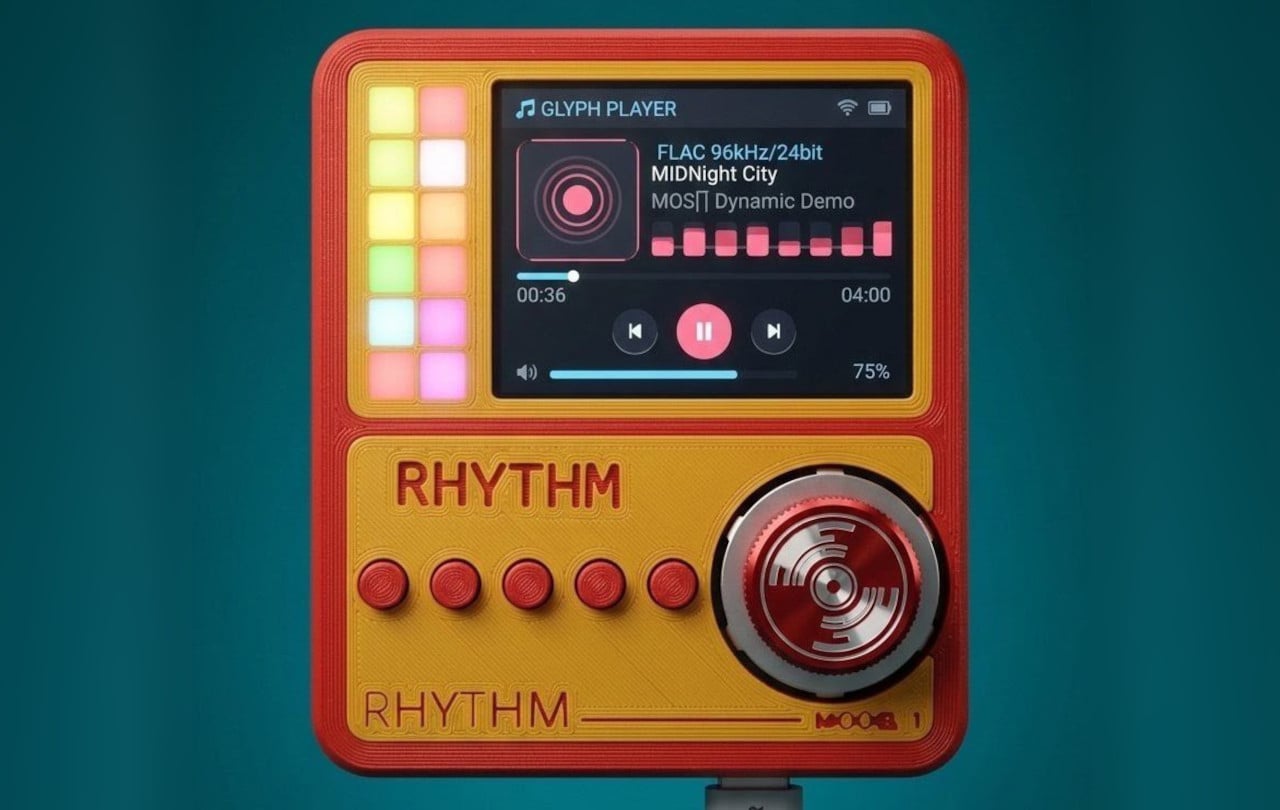
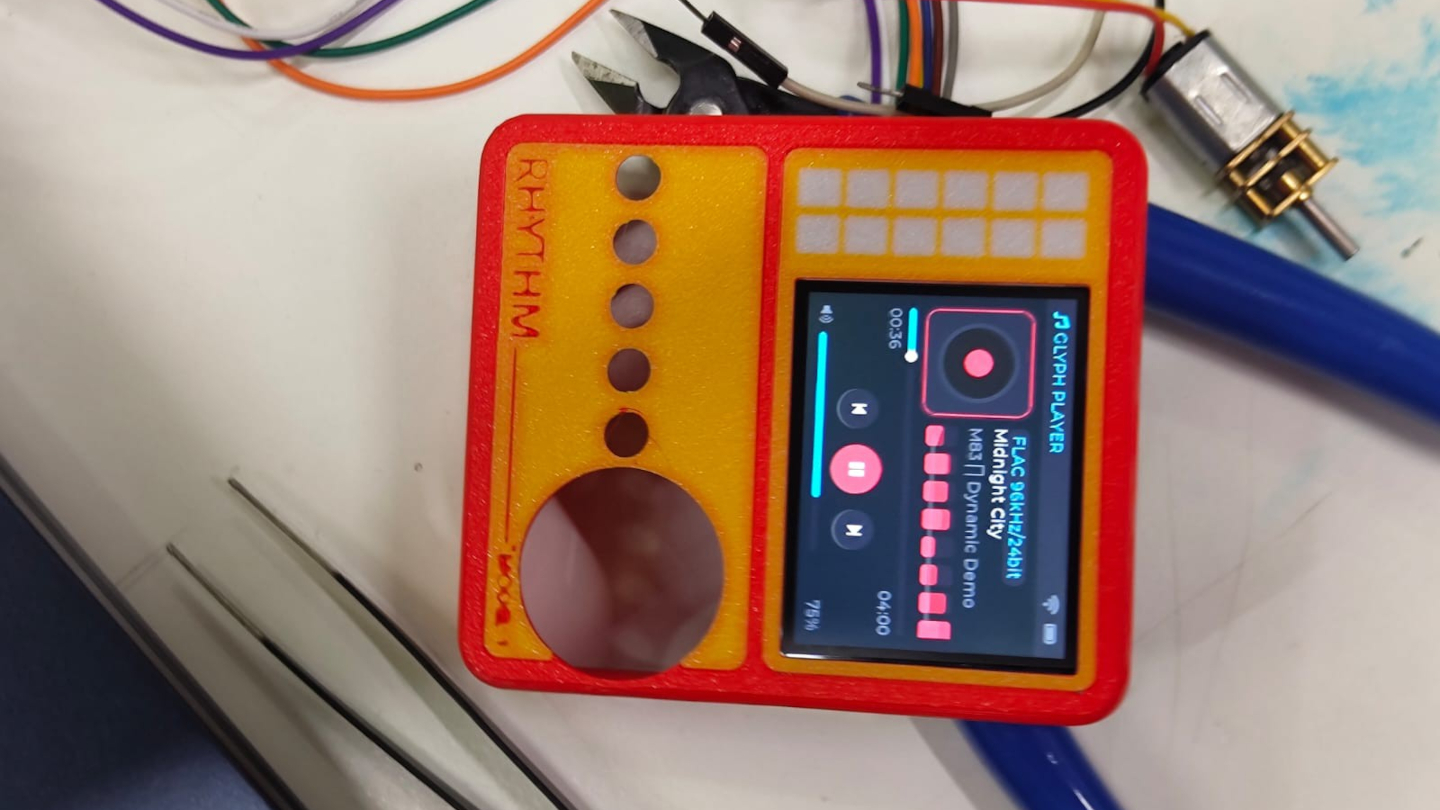
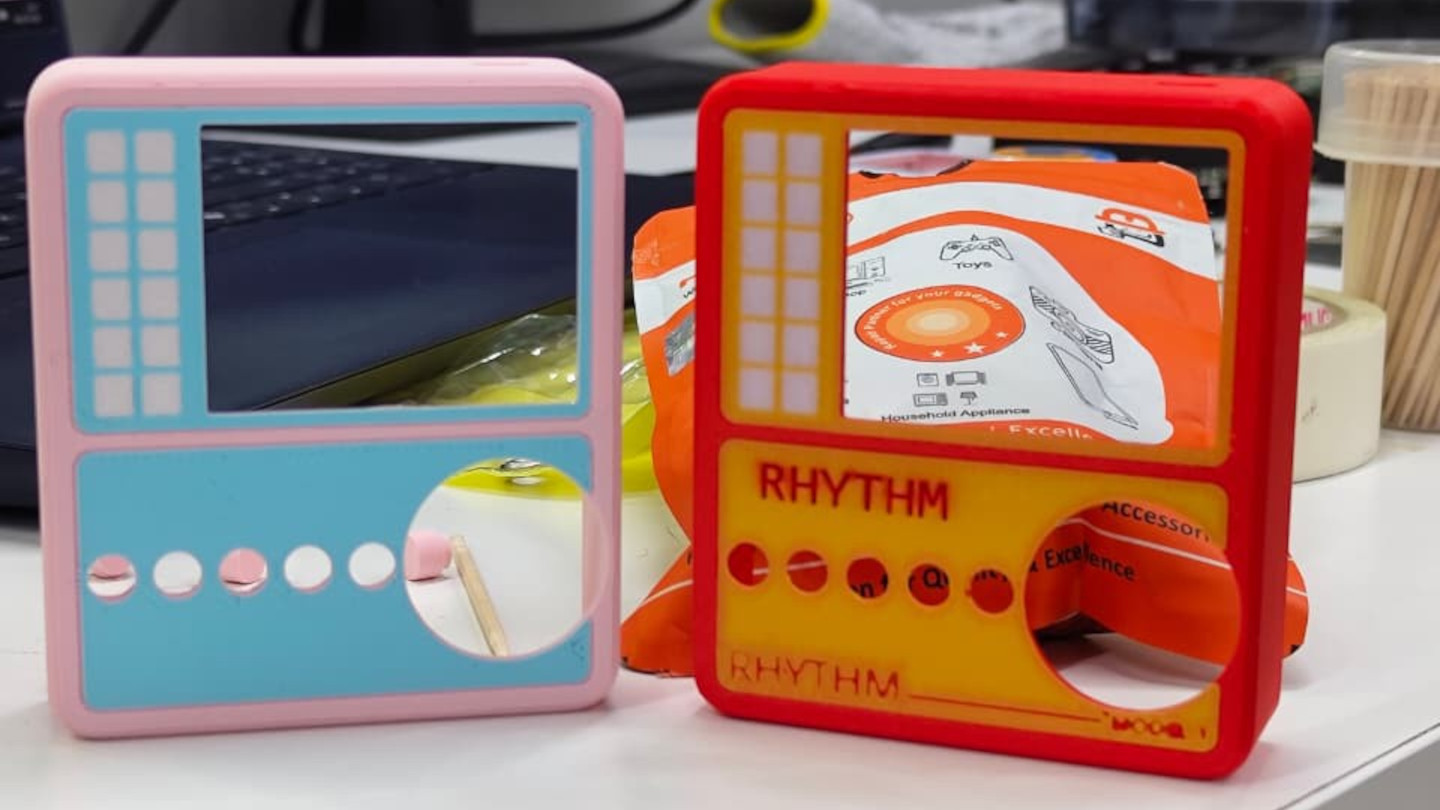
Smartphones turned music into just another notification competing for attention, a song interrupted by a text, an album broken up by a calendar alert. RHYTHM exists to undo that arrangement entirely, building a dedicated listening device from real audio components instead of borrowing a phone’s guts and bolting on a headphone jack. It’s a from-scratch digital audio player designed around one job: playing music properly, without a screen demanding anything else from you.

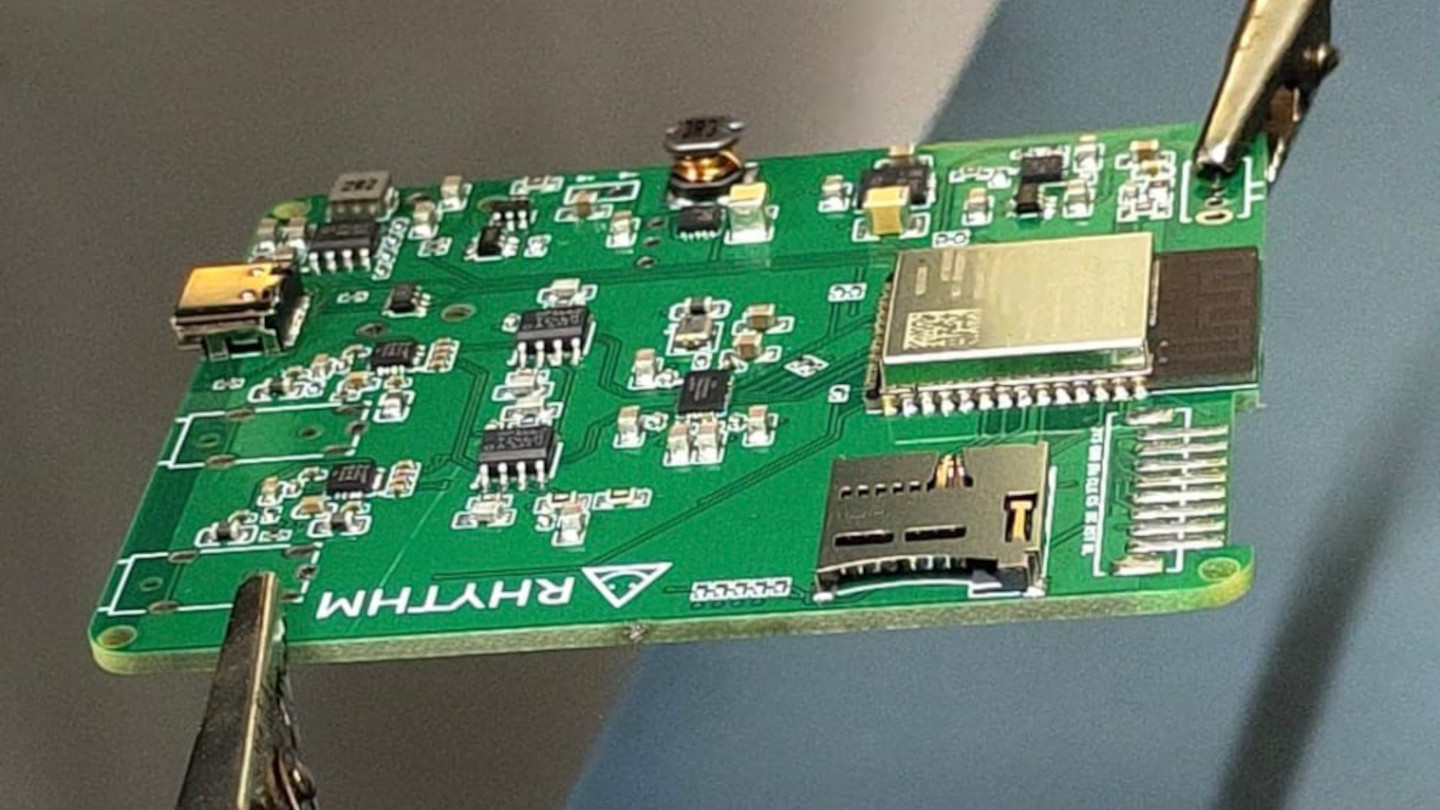
That commitment starts with what’s actually driving the sound. Rather than leaning on an all-in-one audio codec chip the way most budget players do, RHYTHM routes music through a genuine ESS SABRE DAC, the same category of chip found in dedicated hi-fi gear, paired with a discrete amplifier stage rather than a shortcut solution. An ESP32-S3 handles the file parsing and processing, but the actual sound reproduction runs through hardware built specifically for that job alone.

Designer: Mithilesh Gupta Konda

The headphone output makes the clearest case for why any of this matters. Instead of splitting one internal signal across a single jack, RHYTHM runs two completely independent, actively buffered 3.5mm outputs, each driven by its own dedicated amplifier chip. Two people can plug in two entirely different pairs of headphones, and each gets a full, uncompromised signal, no shared circuit quietly degrading whichever connection came second.

Keeping that signal clean required rethinking the power supply as much as the audio path. RHYTHM physically separates its digital logic and high-frequency switching lines from the analog circuitry that actually shapes the sound, regulating each side through its own dedicated, ultra-low-noise power regulator. It’s an unglamorous decision that never shows up in a spec sheet screenshot, but it’s exactly the kind of choice that determines whether quiet passages in a recording stay quiet.

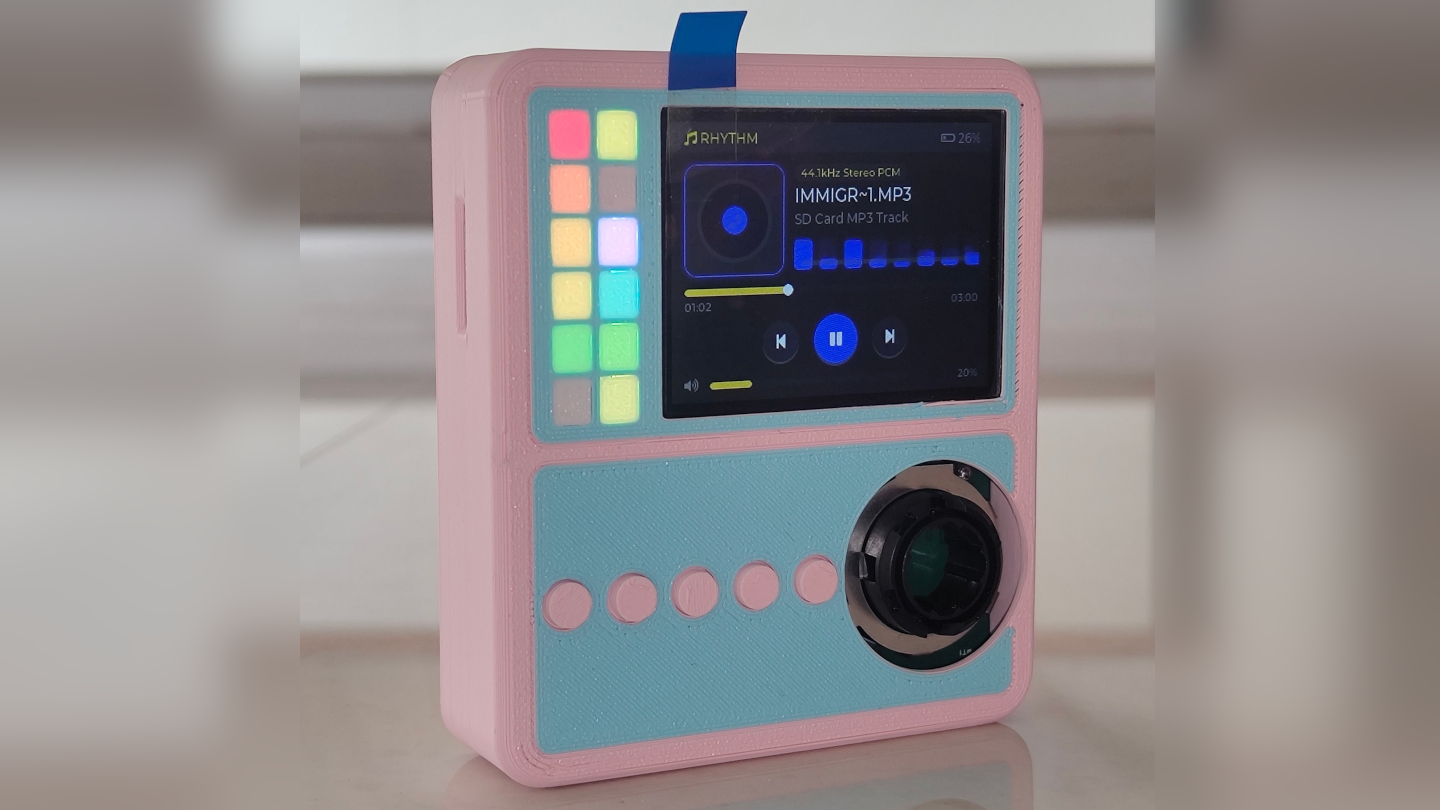
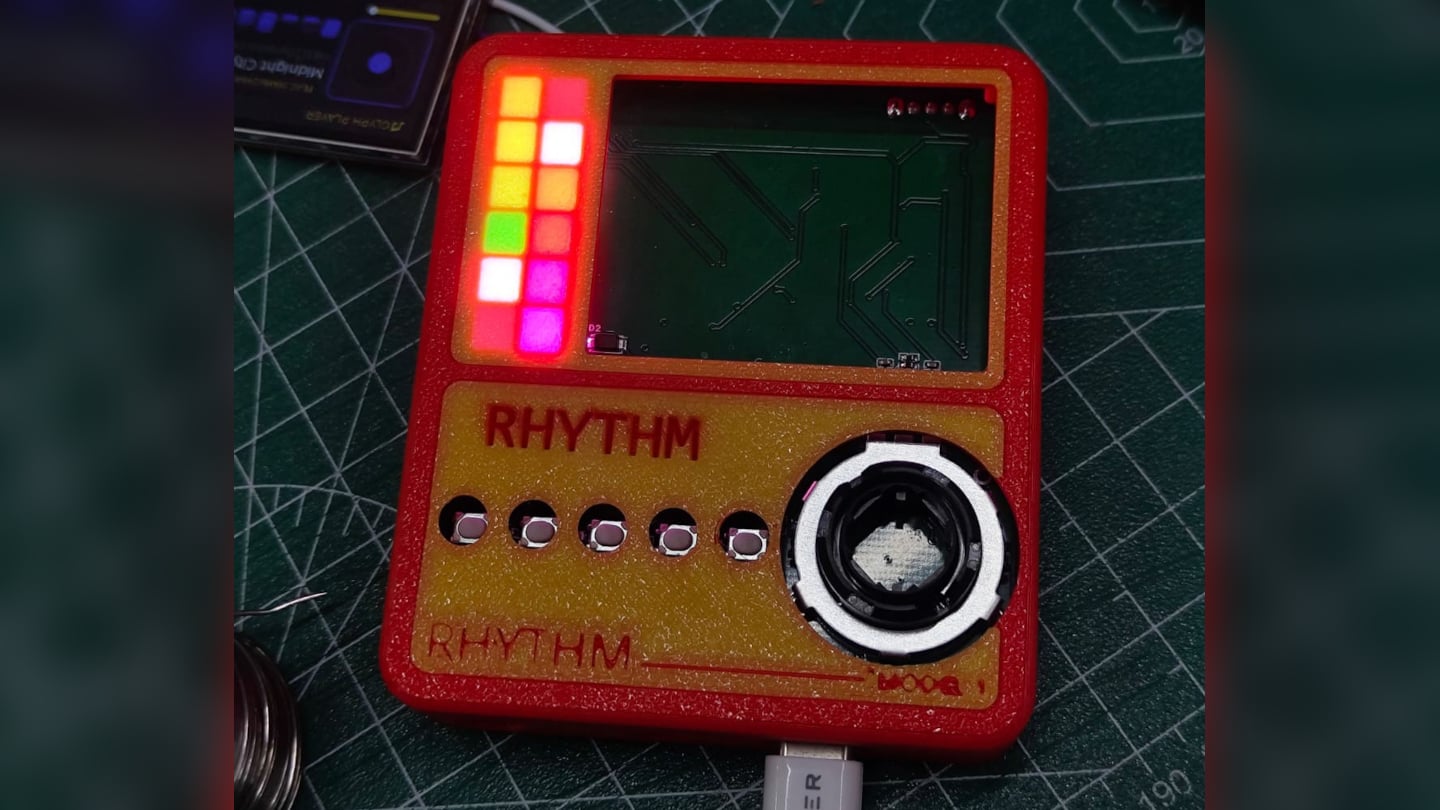
Physical control gets the same attention. A precision mechanical rotary encoder handles navigation alongside a set of tactile buttons, giving the whole interface a hands-on quality that a touchscreen simply can’t replicate. Paired with a compact 2-inch color display, the device reads less like a shrunken phone and more like a purpose-built instrument, something meant to be operated by feel in a pocket or a bag without needing to look at it.

A microSD slot rounds out the practical side, storing lossless files locally rather than depending on a streaming connection or app ecosystem. That local-first approach extends the project’s entire philosophy: RHYTHM isn’t trying to replace a phone’s convenience. Instead, it’s opting out of that convenience on purpose, trading constant connectivity for a listening experience built around a single, uninterrupted task.

The post RHYTHM Is the Walkman the Smartphone Era Forgot to Build first appeared on Yanko Design.

  •  

Le Deathray - Le shader WebGPU qui fait redémarrer votre Mac

Auberon López vient de publier sur son blog un bouton qui freeze complètement les Mac à partir d'un simple clic dans un navigateur. Il a baptisé ça le Deathray (le rayon de la mort quoi...) et c'est un shader WebGPU diffusé via une page web des plus ordinaires, qu'il suffit d'ouvrir d'un simple clic sur un lien.

Ce qui arrive ensuite change d'une fois sur l'autre : Vous aurez le doit à la roue multicolore, ou la souris qui se fige, ou encore parfois des saletés magenta sur une partie de l'écran. Le reste de l'ordinateur, lui, va très bien et vous pouvez vous y connecter en SSH depuis une autre machine sans souci. C'est juste l'affichage qui ne répond plus, et il ne reviendra pas sauf si vous rebootez.

Le fait est que macOS surveille également son WindowServer, le processus qui dessine tout ce que vous voyez. S'il ne répond plus pendant deux minutes, le chien de garde déclenche un kernel panic et la machine redémarre ensuite toute seule. Mais vous pouvez aussi appuyer sur le bouton d'alimentation si vous êtes pressé, mais en croisant les doigts pour que votre navigateur ne rouvre pas l'onglet au redémarrage...

Le truc tient dans un seul fichier HTML, et histoire de vous expliquer un peu plus, un compute shader part dans une boucle écrite sans incrément, donc elle ne se termine jamais, et recopie indéfiniment le même vecteur en mémoire. À côté, le vertex shader qui dessine l'image lit alors cette même zone, et comme le premier ne lâche jamais la main, le second ne peut pas avancer d'un pouce.

Sauf que l'embouteillage ne reste pas cantonné au navigateur. Tous les processus qui veulent le GPU se retrouvent alors à patienter derrière, WindowServer compris, d'où l'écran figé. López dit avoir reproduit la chose dans Chrome, Firefox et Safari, sur des MacBook à puce M tournant sous macOS Tahoe. Après sur les autres systèmes testés, l'onglet rame un bon coup, puis tout rentre dans l'ordre dès qu'on ferme la page.

Mais alors pourquoi eux et pas les autres OS comme Windows ?

Hé bien parce que Windows embarque un mécanisme appelé TDR , qui repère qu'une carte graphique met plus longtemps que prévu à répondre et qui la réinitialise pour éviter que tout le système se bloque. Deux secondes par défaut, et le shader qui déconne se fait éjecter.

Alors que sur Apple Silicon, c'est un coprocesseur maison, l'ASC, qui pilote le GPU avec un firmware Apple et qui s'occupe de tout : énergie, ordonnancement des commandes, préemption des tâches. Asahi Lina , qui a retourné la puce M1 pour écrire un pilote Linux , a d'ailleurs relevé que si ce firmware plante, il n'y a qu'un moyen de s'en sortir. La seule solution c'est de redémarrer complètement la machine.

López a signalé le problème à Apple Security fin juillet. Apple a reproduit le bug, annoncé un correctif et donné un calendrier (confidentiel, donc on ne le connaîtra pas). Puis le 26 août, revirement complet d'Apple qui explique ne voir "aucune implication de sécurité dans ce rapport", lequel n'entraînera donc aucun changement dans ses produits. Le dossier est ensuite parti vers une autre équipe pour d'éventuelles "considérations d'amélioration".

En 2023 pourtant, Ron Masas d'Imperva avait déjà fait planter des Mac, des iPhone et des iPad avec un shader, en WebGL cette fois. Apple avait alors sorti le CVE-2023-40441 , noté 6,5 sur 10, et l'avait bouché en renforçant la validation des entrées pour mieux repérer les boucles folles.

Seulement voilà, sa boucle à lui était énorme mais finie, donc détectable, alors que celle du Deathray tourne pour toujours. Et une boucle infinie, la repérer à coup sûr, c'est le problème de l'arrêt ... donc personne ne sait faire.

López l'écrit d'ailleurs sur son site, les chercheurs en sécurité avec qui la question a été discutée donnent plutôt raison à Apple. Pour la firme, le résultat n'est qu'un plantage, un gel ou une perte de données récupérable, et ça ne constitue pas un réel problème de sécurité. Et sur le principe, ça se défend. Sauf que dans la vraie vie, si vous avez oublié de sauvegarder vos fichiers et que vous cliquez sur ce lien, vous l'avez dans l'os (et pas dans le "MacOS"... roh roh roh).

Donc non, il n'y a rien à installer pour empêcher ça et rien à attendre de Cupertino pour le moment. Voilà, sachez juste que n'importe quel couillon qui aura lu cet article pourra vous envoyer un petit lien par mail, façon rickroll des enfers, ce qui aura pour effet de freezer et faire redémarrer votre Mac.

Désolé !! 🤷‍♂️

Source : le billet d'Auberon López .

  •  

Pluton - Le backup chiffré qui se pilote depuis le navigateur

Restic chiffre bien vos sauvegardes, rclone sait parler à 70 services de stockage, mais connecter les deux ensemble demande d'écrire des scripts et surtout de les surveiller. Eh bien bonne nouvelle, Pluton est l'interface web qui fait ce travail à votre place.

Vous y décrivez un plan de sauvegarde via un formulaire, avec une source, une destination, une fréquence, une politique de rétention, et Pluton fabrique les commandes restic derrière. Les sauvegardes restent ainsi incrémentielles et chiffrées avant l'envoi. La destination peut être un disque local, un bucket S3, un Backblaze B2 ou un Google Drive, et le même plan peut se répliquer vers plusieurs stockages pour respecter la fameuse règle 3-2-1.

L'installer

Je vous ai préparé un petit kit IA pour ceux qui ne jurent que par leur agent :

Un dossier, deux fichiers, et c'est parti. Le docker-compose.yml d'abord, dans lequel vous montez ce que vous voulez sauvegarder en lecture seule et le dossier qui recevra les sauvegardes en écriture. Si vous êtes sur Mac, lisez l'avertissement plus bas avant de monter quoi que ce soit, car ce montage-là m'a joué un tour :

services:
 pluton:
 image: plutonhq/pluton:latest
 container_name: pluton
 restart: unless-stopped
 ports:
 - "5173:5173"
 volumes:
 - pluton-data:/data
 - ./mes-documents:/mnt/documents:ro
 - ./mes-sauvegardes:/mnt/backups
 environment:
 ENCRYPTION_KEY: ${ENCRYPTION_KEY}
 USER_NAME: ${USER_NAME}
 USER_PASSWORD: ${USER_PASSWORD}
 NODE_ENV: production
 IS_DOCKER: "true"

volumes:
 pluton-data:

Puis le .env à côté, avec vos trois secrets. Générez-les, ne les inventez pas :

printf 'ENCRYPTION_KEY=%s\nUSER_NAME=korben\nUSER_PASSWORD=%s\n' \
 "$(openssl rand -hex 16)" "$(openssl rand -hex 10)" > .env

Par contre, attention à cette ENCRYPTION_KEY, c'est le point à ne pas rater. Le compose officiel la documente comme la clé de chiffrement des snapshots restic et rclone, et c'est bien ça. Il s'agit du mot de passe de vos dépôts, c'est la même clé pour tous vos plans. Et donc la perdre, c'est perdre vos sauvegardes, et la changer rendra illisible tout ce qui a déjà été écrit. Bref, copiez-la dans votre gestionnaire de mots de passe avant d'aller plus loin, parce que le jour où vous en aurez besoin, personne ne pourra vous la redonner.

Puis faites un :

docker compose up -d

L'interface répond alors sur le port 5173 et vous demande directement les identifiants du .env. Pas d'assistant de première configuration, pas de compte à créer... en fait quand les variables sont bien configurées, Pluton s'installe tout seul au démarrage. Chez moi, entre le up -d et l'écran de connexion, il s'est donc passé moins d'une minute.

Créer le premier plan de backup

Le bouton "+ New" de l'interface ouvre un assistant en quatre écrans. Vous nommez le plan, vous gardez la stratégie "Incremental Backup" (les trois autres sont grisées, elles appartiennent à l'offre Pro), vous pointez /mnt/documents comme source et /mnt/backups comme destination, puis vous réglez la fréquence et la rétention. Le dernier écran laisse le chiffrement et la compression activés et propose de lancer la sauvegarde tout de suite, ce que j'ai fait.

Chez moi, trois fichiers de test de quelques octets sont partis en quelques secondes. Et c'est là qu'il faut regarder la bonne chose pour vérifier que ça fonctionne... Non, c'est pas la pastille verte, mais plutôt le nombre de fichiers et leur taille.

Le plan Documents juste après sa première sauvegarde.

En fait, si je vous dis ça, c'est parce que sur mon Mac, avec Docker Desktop, restic n'arrivait pas à lire les dossiers montés depuis l'hôte, et sort en erreur d'entrée/sortie sur chaque fichier. Et pourtant, Pluton affichait quand même la sauvegarde en vert avec le statut "Complete". Les colonnes disaient bien 0 fichier et 0 octet, mais le statut, lui, semblait correct... Donc si vous êtes sur Mac, prenez plutôt l'installeur de bureau, qui existe aussi pour Windows et Linux, et dans tous les cas vérifiez que les chiffres sont OK après votre première sauvegarde.

Vérifier et répéter une restauration

Votre dossier de destination contient maintenant un config, un data/, un index/, un keys/ et un snapshots/, tous illisibles en clair. C'est un dépôt restic standard, et ça se vérifie sans Pluton, avec le binaire embarqué dans le conteneur :

docker exec -e RESTIC_PASSWORD=votre_cle -e RESTIC_REPOSITORY=/mnt/backups \
 pluton restic snapshots

Vous obtenez la liste de vos snapshots avec leur taille, et avec une mauvaise clé, restic répondra "wrong password or no key found" et s'arrêtera là. Faites les deux essais car ça prouve en une fois que le chiffrement travaille, et que vos données restent récupérables même si Pluton disparaît demain.

Le menu d'une sauvegarde propose ensuite "Browse", qui ouvre le snapshot comme un explorateur de fichiers, avec la taille de chacun et un bouton pour le télécharger ou le restaurer seul.

Le contenu du snapshot, fichier par fichier, avec le téléchargement et la restauration à droite de chaque ligne

Et le "Restore" lancera un assistant qui vaut le détour puisqu'il sait restaurer vers un chemin différent de l'original. Il vous laisse choisir quoi faire des fichiers déjà présents, et surtout il génère un aperçu en dry run (à blanc quoi...) avant de toucher au disque. J'ai restauré mes trois fichiers vers un dossier séparé, puis comparé avec les originaux, et c'était identique. Faites-le une fois, tranquillement, pendant que vous n'en avez pas besoin.

Voilà, tout ça, c'est la version gratuite, pour la machine où elle tourne. Maintenant, si vous voulez piloter les sauvegardes de plusieurs machines depuis la même interface, ça passera par l'offre Pro à 59 dollars par an. Si vous voulez comparer avec un autre truc, sachez aussi que Zerobyte joue dans la même cour.

Amusez-vous bien !

Source : Pluton

  •  
❌