Microsoft will hold a Windows and Surface event on October 7, 2026. We've known about the event for weeks, but Microsoft has now shared details about how to watch it live.
Microsoft CEO Satya Nadella, Surface Chief Pavan Davuluri, and NVIDIA CEO Jensen Huang will all be in attendance.
Microsoft has been tight-lipped about the event. We weren't even sure if it would be live-streamed until recently. The description of the live stream is similarly scarce on details:
"Join us live October 7th at 10:00 am PT for a look at what's next from Windows, Surface, and NVIDIA. See the latest, including RTX Spark and new experiences designed to unlock more possibilities for developers and builders."
Microsoft already announced the Surface Laptop Ultra and discussed RTX Spark, so seeing those on stage would hardly be shocking. Windows 11 just received an update, so there are few surprises about what's shipping to PCs this year. But Microsoft's description talks about "what's next," so the tech giant could tease future updates or discuss changes to how it makes its flagship software or hardware.
Based on our recent poll, Windows Central readers are excited about the Surface Laptop Ultra. So even if the device has already been announced, many people will appreciate details about the laptop.
Join us on Reddit at r/WindowsCentral to share your insights and discuss our latest news, reviews, and more.
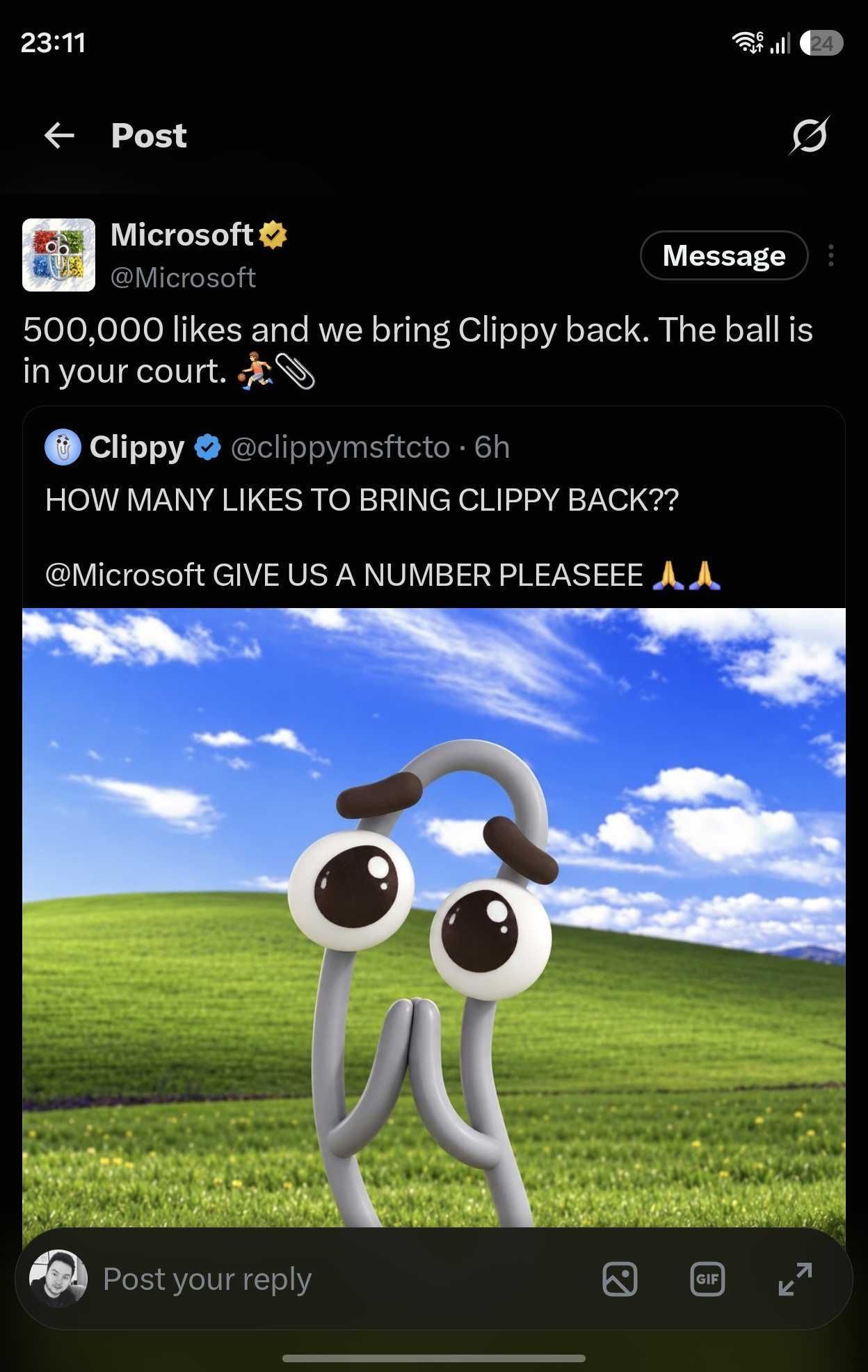
Microsoft's official X account was compromised this week in what appears to have been an attempt to promote a cryptocurrency token. The account followed another account and reposted a message asking how many likes would be needed to bring back Clippy.
An emphatic request to bring back Clippy is nothing new on social media, but the post by the since-suspended @clippymsftcto account was not a genuine plea to bring back the iconic assistant.
(Image credit: Future (original post by Microsoft))
Normally, a story involving Clippy is lighthearted. Microsoft has playfully referenced the mascot over the years. Sadly, that's not the case here. On top of Microsoft being hacked, which is an issue in itself, the hack was apparently used to promote cryptocurrency.
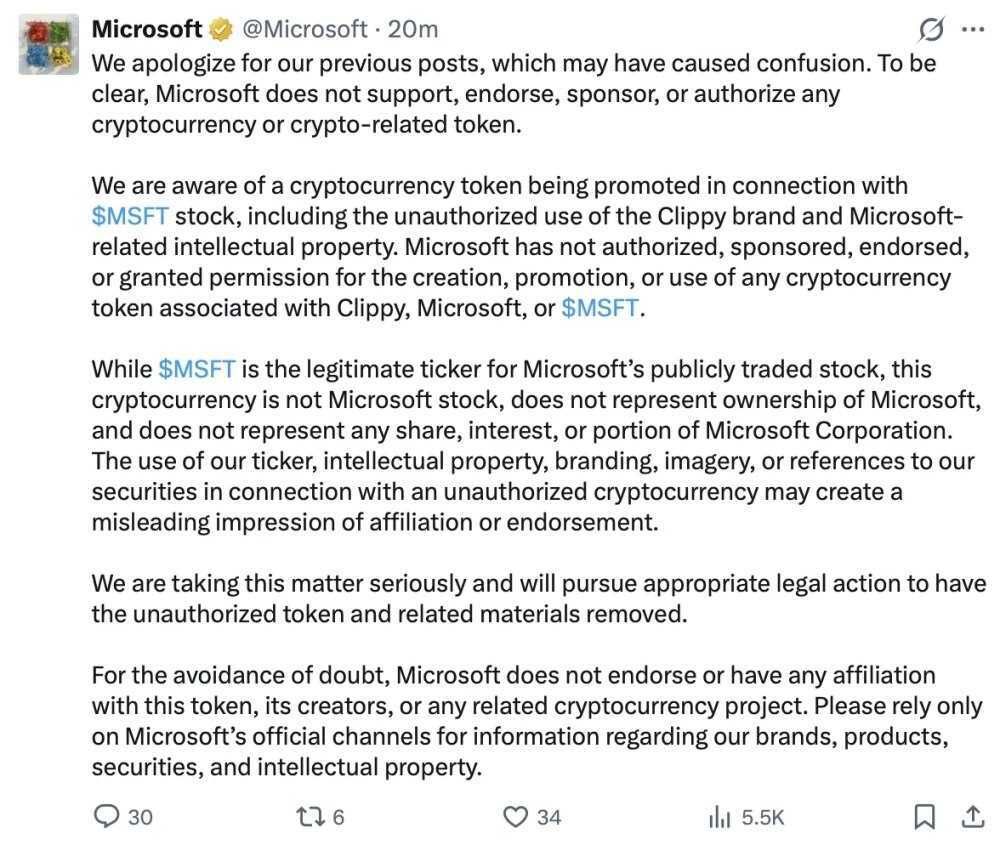
Microsoft has since deleted its post on the situation, but the company apologized for the post about bringing Clippy back and emphasized that it does not endorse cryptocurrency. The Verge captured a screenshot of the post before it was removed.
(Image credit: Microsoft post on X (screenshot via The Verge))
The deleted post concludes with a somewhat ironic piece of advice to "rely only on Microsoft's official channels for information regarding our brands, products, securities, and intellectual properties."
Microsoft has deleted its post about the situation, but the tech giant confirmed that its account had been compromised. "We have confirmed unauthorized access to our account on X including posts that did not come from Microsoft," said a Microsoft spokesperson to The Verge. "The account has been secured and the unauthorized posts have been removed, and we are continuing to investigate the circumstances."
Microsoft should bring back Clippy
Obviously a hack done to promote a cryptocurrency scam is an issue. Microsoft's first priority should be to secure its accounts. Somewhere down the line, the company's leaders should ask if bringing back Clippy is a good idea.
Clippy has an interesting history, but people's views about the assistant have trended positively over the years. The favorable view of Clippy is likely due to a combination of irony and nostalgia, but people often are excited to see official mentions of the paperclip.
Microsoft's public perception has taken a hit, and having a bit of fun with Clippy could lighten the mood. Imagine Microsoft teasing major news about Windows on stage at its event next month and then revealing Clippy Copilot.
Join us on Reddit at r/WindowsCentral to share your insights and discuss our latest news, reviews, and more.
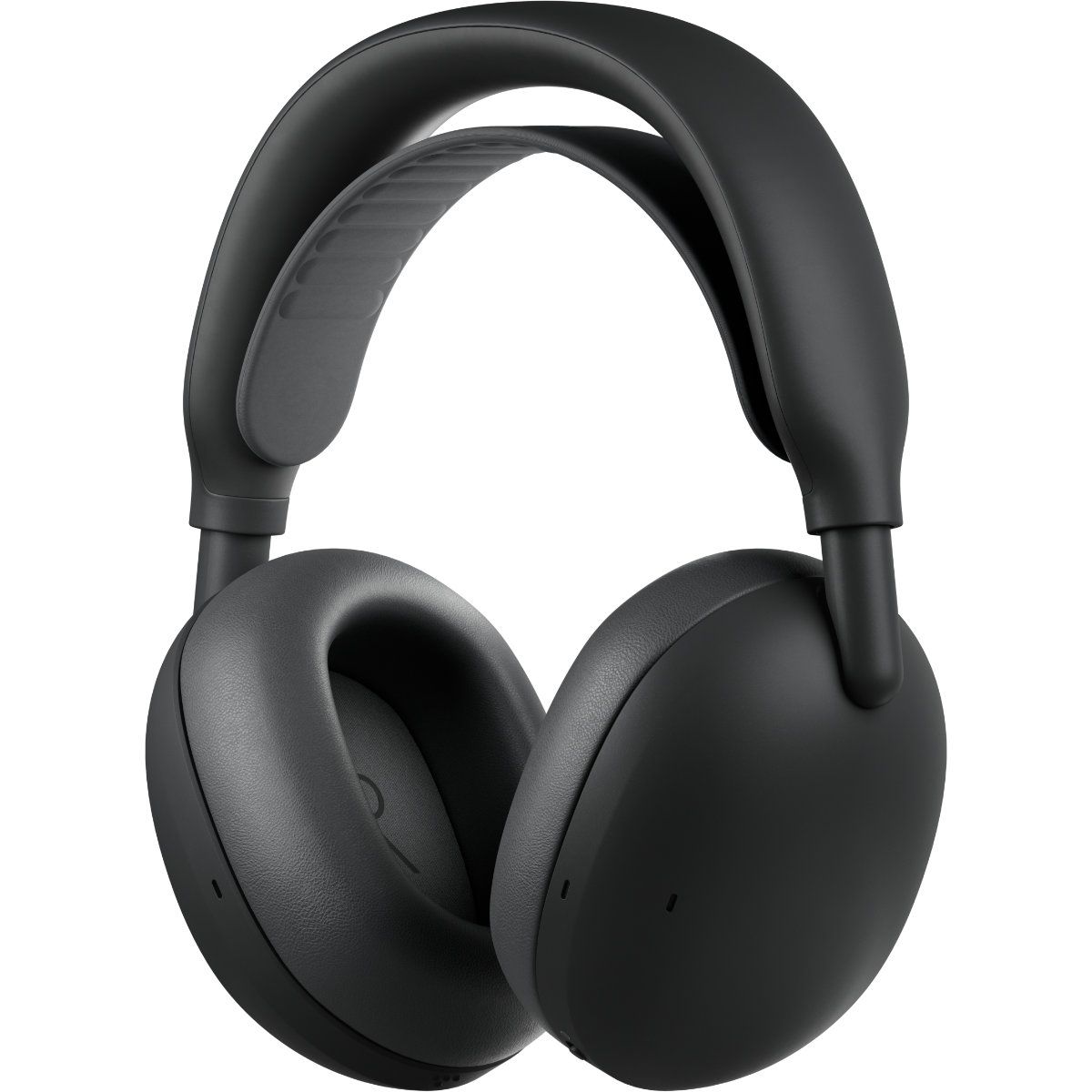
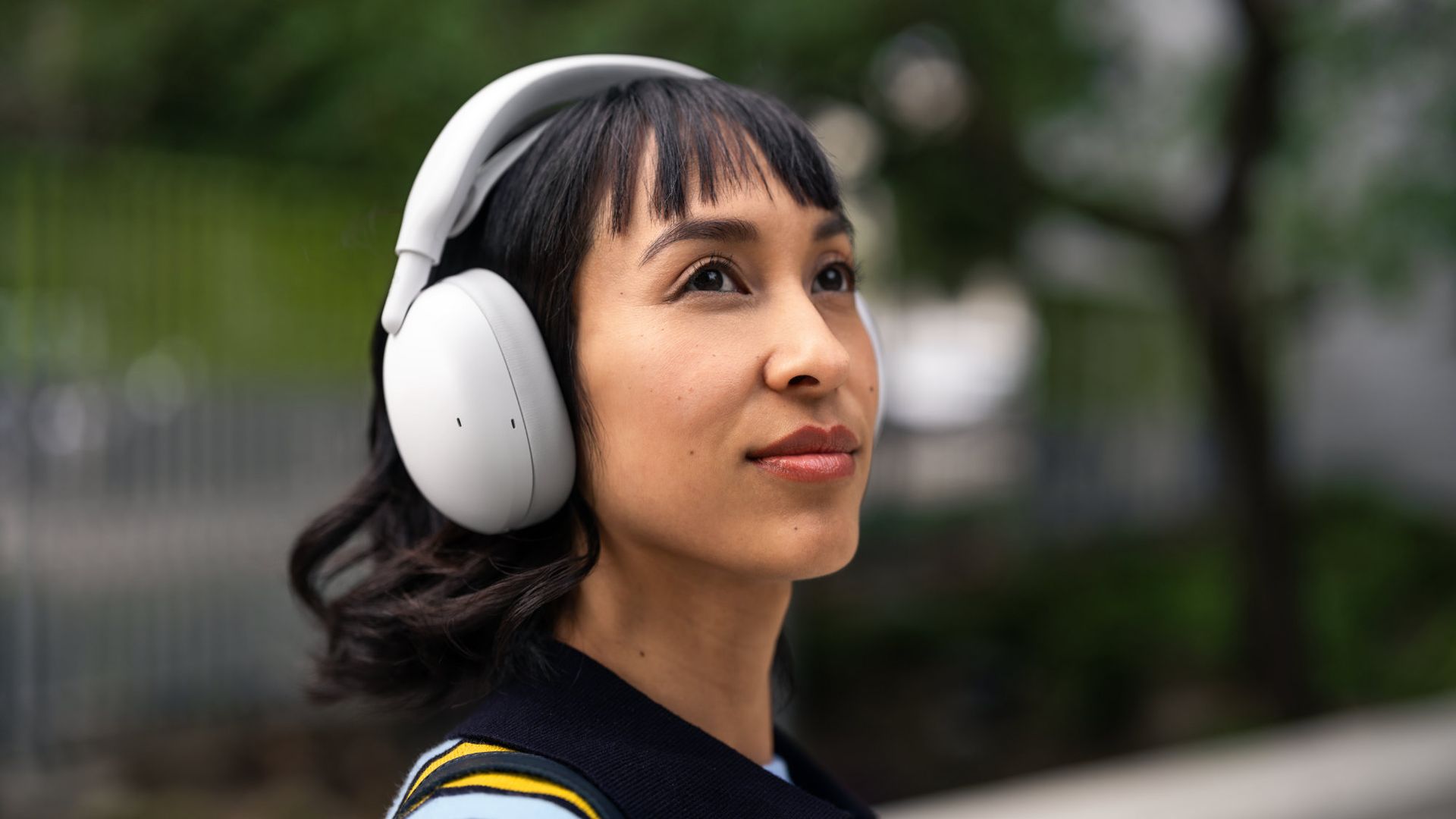
Logitech just announced a pair of headphones that I'm sure will make my wife jealous. The new Zone Vibe Pro headphones promise all-day battery life, clear audio powered by AI voice isolation, and Adaptive Noise Cancellation. But what makes me wish I had a pair is the repairable nature of the headphones.
The Zone Vibe Pro headphones are far from the first headphones to have replaceable parts. But they caught my eye because the earpads of my wife's primary headphones just fell off the other day, and battery life is not what it used to be. Official earpads are available, but those are the only parts that can be replaced.
In contrast, Logitech will sell replacement earpads, head straps, and batteries for the Zone Vibe Pro through its Spare Parts Store.
While writing this article, I briefly mentioned to my wife how Logitech sells spare parts and she emphatically asked why we couldn't get parts the same way for our other accessories.
These headphones feature AI-powered voice isolation, adaptive noise canceling, and built-in microphones that don't require a drop-down boom. You'll be able to purchase replacement earpads, head straps, and batteries through Logitech's store.View Deal
The most expensive parts of electronic devices are rarely the first parts to wear out. Wires, woofers, and most of the vital components are encased in plastic, metal, or some fancy material depending on what gadget you're dealing with. Considering the current economy and the way prices are trending, I'd rather spend a few dollars on replacement parts than buy a new device altogether.
The Zone Vibe Pro costs $259.99. That price is in line with similar headphones, but it's still quite a bit of money to invest. Being able to replace a worn-out part for a fraction of the total price of the headphones will help future-proof them.
The Zone Vibe Pro headphones have a boomless design that differentiates them from the less premium Zone Vibe (non-pro). Logitech says the headphones get up to 30 hours of listening or 18 hours of call time when ANC is enabled.
When the battery does run out, you can charge the headphones for five minutes to get an additional hour of call time.
If you are a business user, you can get the Zone Vibe Pro for Business which are certified for meeting apps like Microsoft Teams and support IT fleet management through Logitech Sync.
Join us on Reddit at r/WindowsCentral to share your insights and discuss our latest news, reviews, and more.
Henry Cavill is famous for quite a few reasons. He's played iconic characters such as Superman and Geralt from the Witcher. He wowed Tom Cruise by "reloading" his fists in a Mission Impossible film. But around these parts and among many gamers, Cavill is best known for his genuine nerdiness.
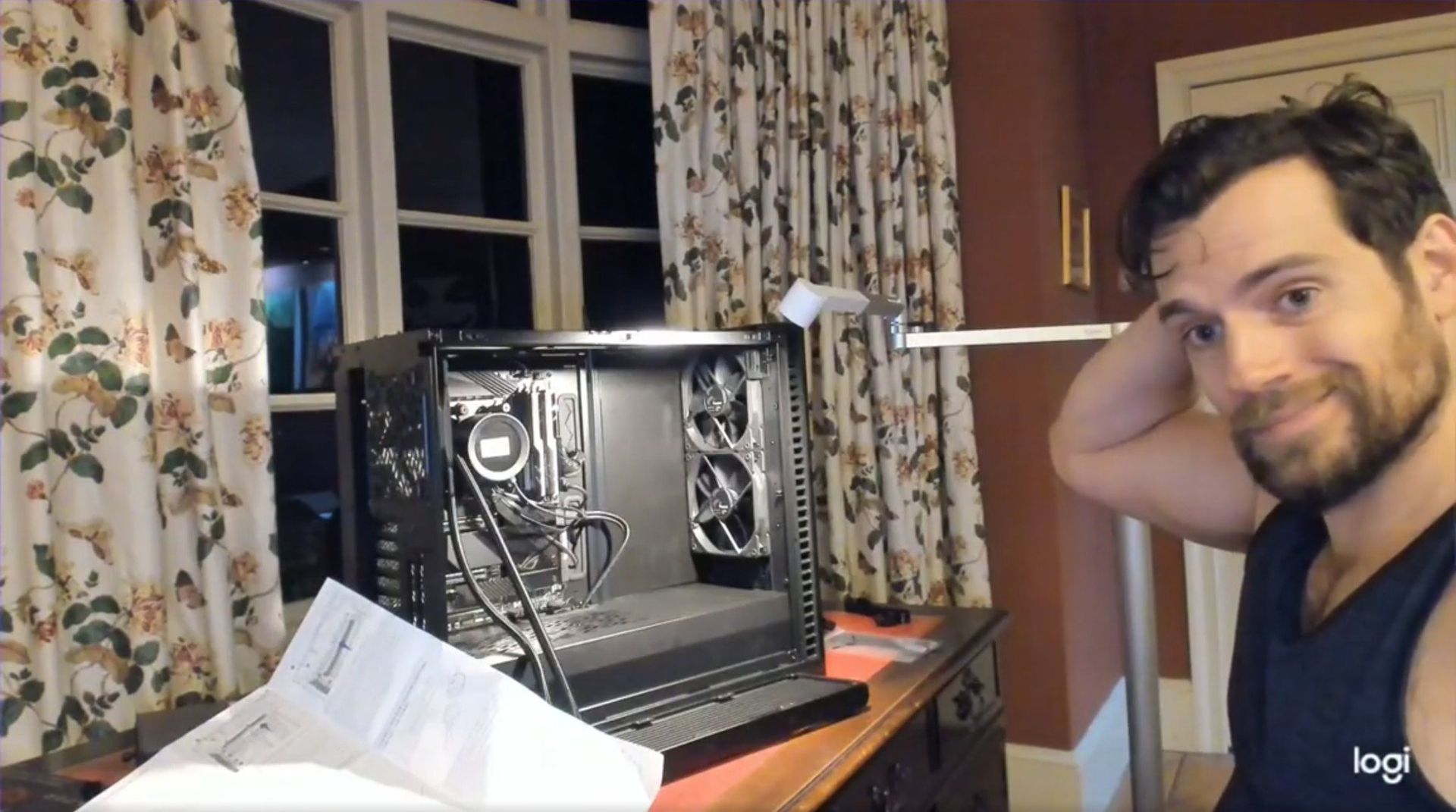
Cavill famously built a gaming PC and shared a video of it on social media, proving that you can be considered both a conventionally handsome man and a PC gamer. But the star has found a new computing passion: Googlebooks.
Android is officially partnering with Cavill by having him test a Googlebook. The actor is shown using an HP Googlebook in a promotional post on X.
A Google blog post details Cavill's plans to use a Googlebook. "After being hands on and spending some time with their team, I believe this has the potential to be the start of something rather special," said Cavill.
There's always a chance that Cavill still loves gaming on a desktop PC and that he uses a Googlebook when he's on the go or doing light work. Of course, there's also a chance Cavill doesn't use a Googlebook at all.
Cavill would not be the first Justice League star accused of endorsing a product while using a competing device. Gal Gadot infamously posted on social media how much she loves Huawei from an iPhone. Gadot denied doing so, but her post clearly indicated that it was made from an iPhone.
Marques Brownlee was the first to notice Gadot's gaffe. That post was later deleted and reposted from an Android phone. I believe Brownlee is still blocked on X by Gadot.
The tactic of hiring a person well-known for advertising or endorsing a competing device is not new. Paul Marcarelli, also known as "Verizon's 'Can you hear me now' guy, was hired to advertise for Sprint. Marcarelli has since joined Buzz Aldrin in an ad for Verizon. Justin Long, the "I'm a Mac" guy, did an ad campaign for Intel.
Comedian Dave Chapelle once joked that he's done ads for both Coca-Cola and Pepsi and that he just hypes whichever company paid him most recently.
Google alluded to Cavill's "maker" fame it its announcement:
"To kick off our partnership, we couldn’t resist the chance to tap Henry's inner maker. This November, Henry is teaming up with Google to build a video game using Googlebook."
We'll have to wait to see what type of game Cavill creates on his Googlebook. I'd love to see a tie-in to Warhammer 40,000, but I doubt that will happen.
Join us on Reddit at r/WindowsCentral to share your insights and discuss our latest news, reviews, and more.
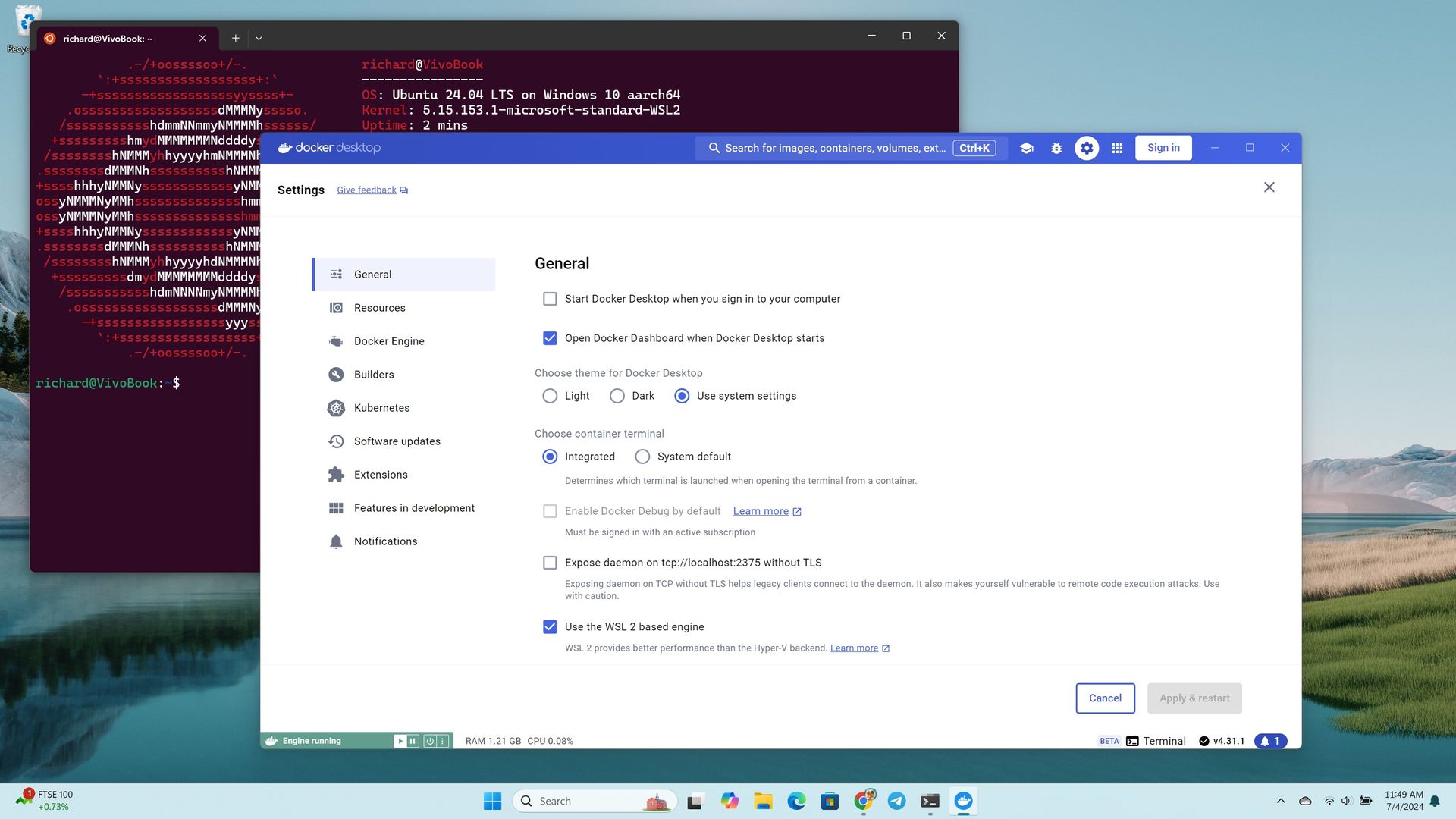
Developers can now jump into their workflows faster on Windows 11. Microsoft has made WSL Containers generally available, reducing the setup and management required to run Linux containers through the Windows Subsystem for Linux (WSL).
Containers are packages that include an application and the dependencies required to run it. Developers use them to ensure software behaves consistently across different systems.
WSL Containers brings built-in Linux container support to Windows through WSL. Until now, developers typically relied on third-party tools such as Docker Desktop to run Linux containers on Windows. With WSL Containers, Microsoft is providing a built-in alternative through WSL.
Microsoft announced WSL Containers at Build 2026 and has tested the feature since then. The platform is now generally available.
Microsoft has also added new features to WSL containers since testing began, including support for container health checks, real-time event streaming, expanded networking controls, configurable storage locations, and several new container management commands.
Microsoft is also adding more enterprise controls to WSL Containers, including Intune policies and Microsoft Defender for Endpoint support.
Tools such as Docker Desktop continue to be an option for developers, but WSL Containers requires less software to install and manage.
Microsoft's new wslc command-line tool uses commands that will feel familiar to developers who already work with containers, making the transition relatively seamless.
WSL Containers won't replace tools such as Docker Desktop for everyone, but they do give developers one less app to install. For many Windows 11 users, running Linux containers just became a built-in feature rather than something that requires extra software.
Most Windows 11 users will never run a container, so this update won't change their day-to-day experience. But making container support a built-in part of Windows removes a barrier for developers, which can speed up app development and testing.
Join us on Reddit at r/WindowsCentral to share your insights and discuss our latest news, reviews, and more.
People assigned to review Copilot prompts are being shown sexually explicit images and potentially illegal content, according to a report by 404 Media. The report cites Microsoft documents, threads with messages from contractors, and guidelines from a company called Prolific that hires the contractors assigned to review prompts given to Copilot.
Copilot prompts and image uploads can be reviewed by human contractors to improve the tool.
The fact that humans review Copilot conversations should not come as a surprise. Many companies rely on people to assess and audit AI responses. There are, however, some key differences between the recently uncovered situation and other reviews of AI responses.
The people who are looking at these queries are not being asked to flag inappropriate content or help reduce sexual conversations with Copilot. Instead, the contractors are being asked if Copilot did a good job responding to queries.
There are several negative consequences that come as a result of this setup. One is the fact that people are being inundated with sexual questions and images, often without warning.
404 Media saw the contents of an internal message board discussing reviews of Copilot prompts. The thread showed that people were asked to ensure a woman's skirt had been made short enough or if a woman's breasts had been adequately enlarged.
She-Hulk images come up a lot, according to the thread seen by 404 Media. Other content includes suggestive images of young girls and making an image of Ariana Grande with anorexia.
"Who is writing these prompts and who is deciding that basically generating porn is what Copilot is now focused on? It’s hard to take things seriously when my focus has to be what model generated the appropriate bust size or which middle aged woman was put in the appropriate sexually suggestive position," said one contractor in the thread.
Copilot can be a useful work companion, but many try to use the tool to create explicit or pornographic content. (Image credit: Windows Central | Jez Corden)
Microsoft's guidance to contractors is to trust their intuition, according to documents seen by 404 Media. The company asks people to rely on their gut reaction to determine if an image meets the demands of a prompt.
In a vacuum, asking people to assess the realism of AI-generated images is fine. Humans have an uncanny ability to detect when an image feels off. But the contractors are not being asked to determine if an innocent image looks real.
Contractors are sometimes given tasks that turn out to include explicit, unsafe, or potentially illegal images, according to 404 Media. One contractor discussed being sent a collection of upskirt photos. While those types of images can be taken with consent, they often are taken without permission.
Other prompts reviewed by humans include a request to make fetish images of children's cartoon characters.
Microsoft provided a statement to 404 Media:
"Microsoft uses customer data as described in our terms of use, including to improve our products and enforce our code of conduct."
Prolific did not respond to a request for comment made by 404 Media.
404 Media breaks down the situation extensively, so I suggest reading through all of their coverage as well. The piece asks for prompt reviewers to reach out to 404 Media, so we may see more details emerge in the future.
Join us on Reddit at r/WindowsCentral to share your insights and discuss our latest news, reviews, and more.
After years of trying to get people to embrace the Copilot+ PC brand, Microsoft decided to move away from the moniker entirely. The new Surface Pro 12-inch and Surface Laptop 13-inch aren't called Copilot+ PCs even though they meet all the technical requirements to be labeled as such.
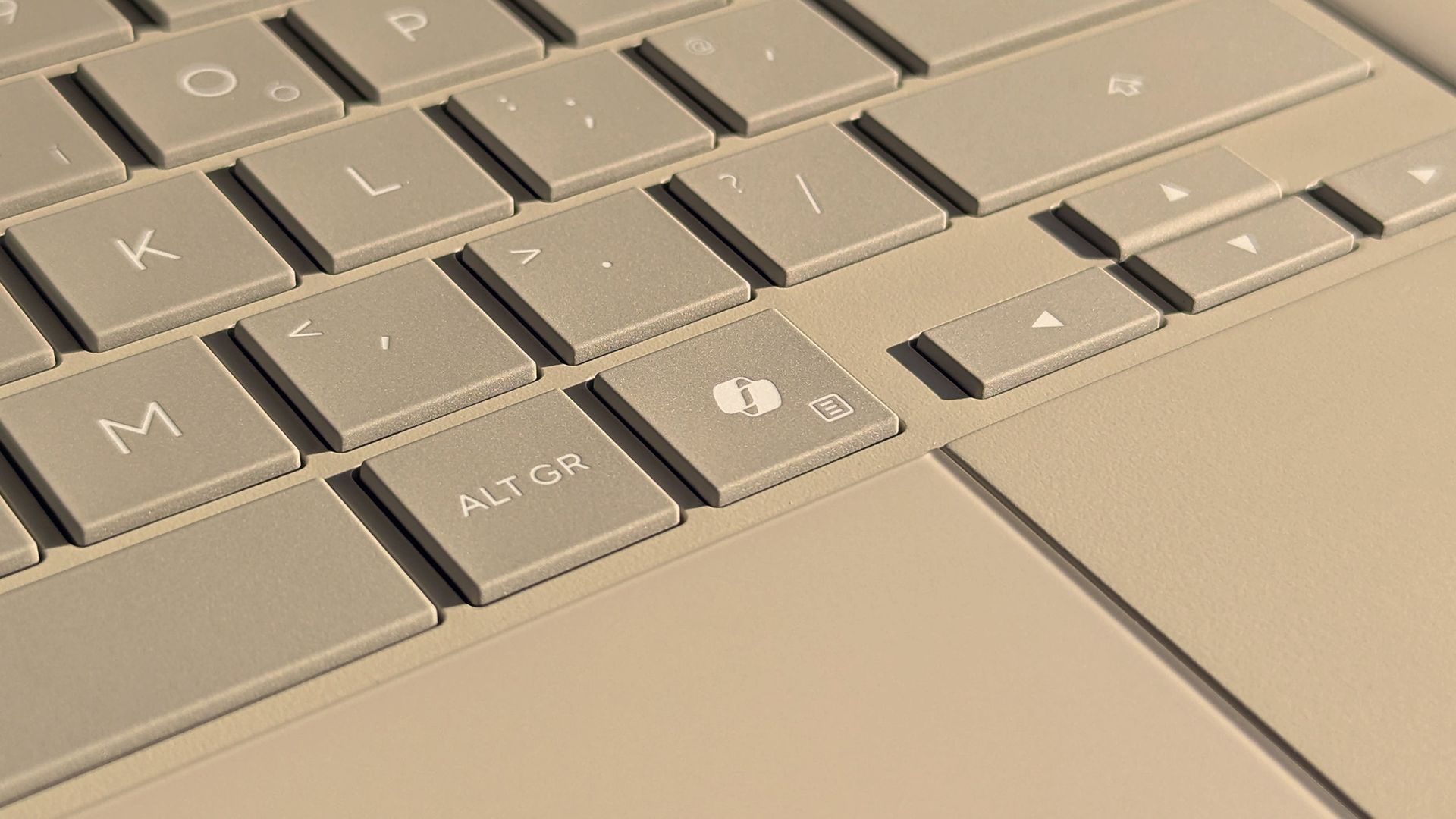
That leaves some of us in a strange spot. Many purchased Copilot+ PCs because that was the only way to get a new model of certain laptops. People can enable or disable AI features as they'd like, but Copilot+ PCs feature a Copilot key that is useless to a lot of people.
There are non-Copilot+ PCs and keyboards that feature a Copilot key. But because of the recent change regarding Copilot+ PCs, people online have complained about their Copilot+ PCs having a Copilot key, so I made this guide.
So, what can you do if you spent hundreds, or even thousands, of dollars on a laptop to get the latest specs only to find a key on your keyboard wasted? Luckily, Microsoft considered this quandary and made it possible to remap the Copilot key.
Windows 11 allows you to customize what the Copilot key does, but the options are limited. You can set the key to open Search, open Copilot, or launch an app.
If you want more control over what the Copilot key does (pun intended), you can use PowerToys to remap the key.
You can also spend a few dollars to cover up the Copilot logo and replace it with whatever you'd like to remap that key to.
How to remap Copilot key in Windows 11
This is the easiest option, but it has serious limitations.
Open the Settings app on Windows 11.
Open Bluetooth & devices.
Open Keyboard.
Click the dropdown menu next to Customize Copilot key on keyboard.
Select Search, Copilot, or Open an app.
The option to remap the Copilot key shipped to Windows 11 this year, so you need to make sure your PC is up to date to use the feature.
How to remap Copilot key with PowerToys
If you want to remap the Copilot key to do something other than launch Search, Copilot, or an app, you need to use a separate application. PowerToys includes a Keyboard Manager that does the trick.
Because the Copilot key is treated by Windows 11 as a shortcut and not as a single key, you need to use the option to remap a shortcut.
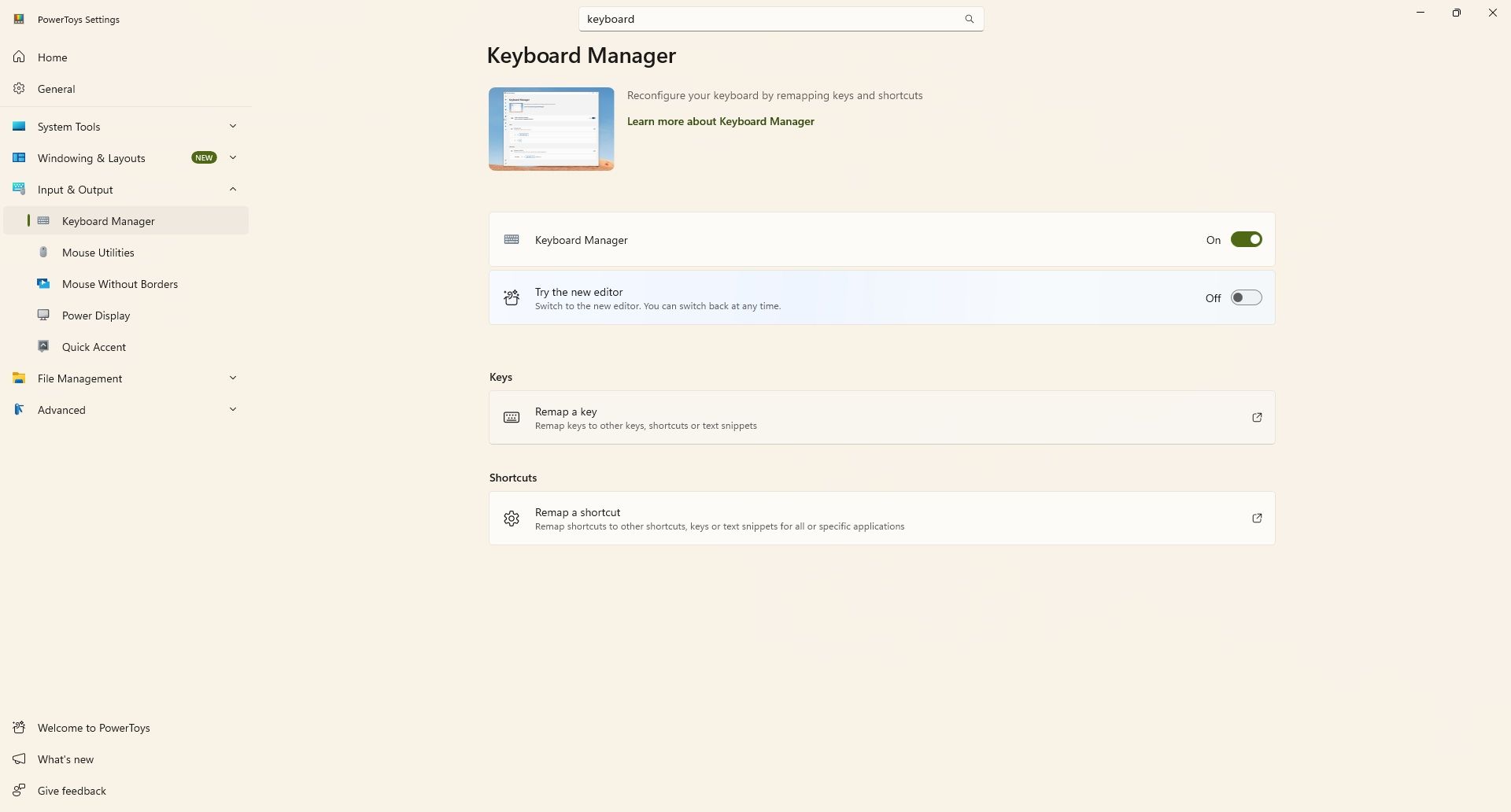
I found this process easier to complete using the classic Keyboard Manager within PowerToys. You can do this by toggling Try the new editor off.
If you are running the latest version of PowerToys, you may find it easier to use the classic editor rather than the new editor. (Image credit: Future)
Install PowerToys.
Open PowerToys.
Open the Keyboard Manager tool.
Make sure Keyboard Manager is enabled.
Select Remap a shortcut.
Select Add shortcut remapping.
Set the shortcut to Windows + Shift + Ctrl + F23.
Set the action to whatever you'd like (such as Ctrl (Right)).
Since few keyboards have an F23 key, I found it easier to use the classic editor in Keyboard Manager. Our colleagues at Tom's Hardware were the first to discover that the Copilot key is actually a shortcut using F23.
This collection of utilities includes a large library of features to enhance the Windows experience. PowerToys is designed with power users in mind, but it has handy features for people who just use their PC for everyday computing too.View Deal
How to cover the Copilot key
Even if you remap the Copilot key, the logo will still appear on your keyboard. If you dislike keys mismatching what they input on your PC, you may want to cover up the Copilot key.
Unfortunately, how easy that will be depends on the color of your keyboard. It's very easy to find keyboard stickers in black or white. This listing on Amazon includes stickers in white, black, and in various languages.
If you have a Surface with a gray keyboard or a colorful Type Cover, you may struggle to find a sticker that matches the color of your keys. You may have better luck on eBay or Etsy, but since items there are often custom made, I won't recommend a specific set of stickers.
If you find stickers to replace the Copilot key on your PC and want to make sure other people know about them, comment below or reach out to me on social media and I'll update this piece.
Join us on Reddit at r/WindowsCentral to share your insights and discuss our latest news, reviews, and more.

 Connexion