❌

Vue lecture

This $175 Wii-style Smart paddle turns your TV into a pickleball court

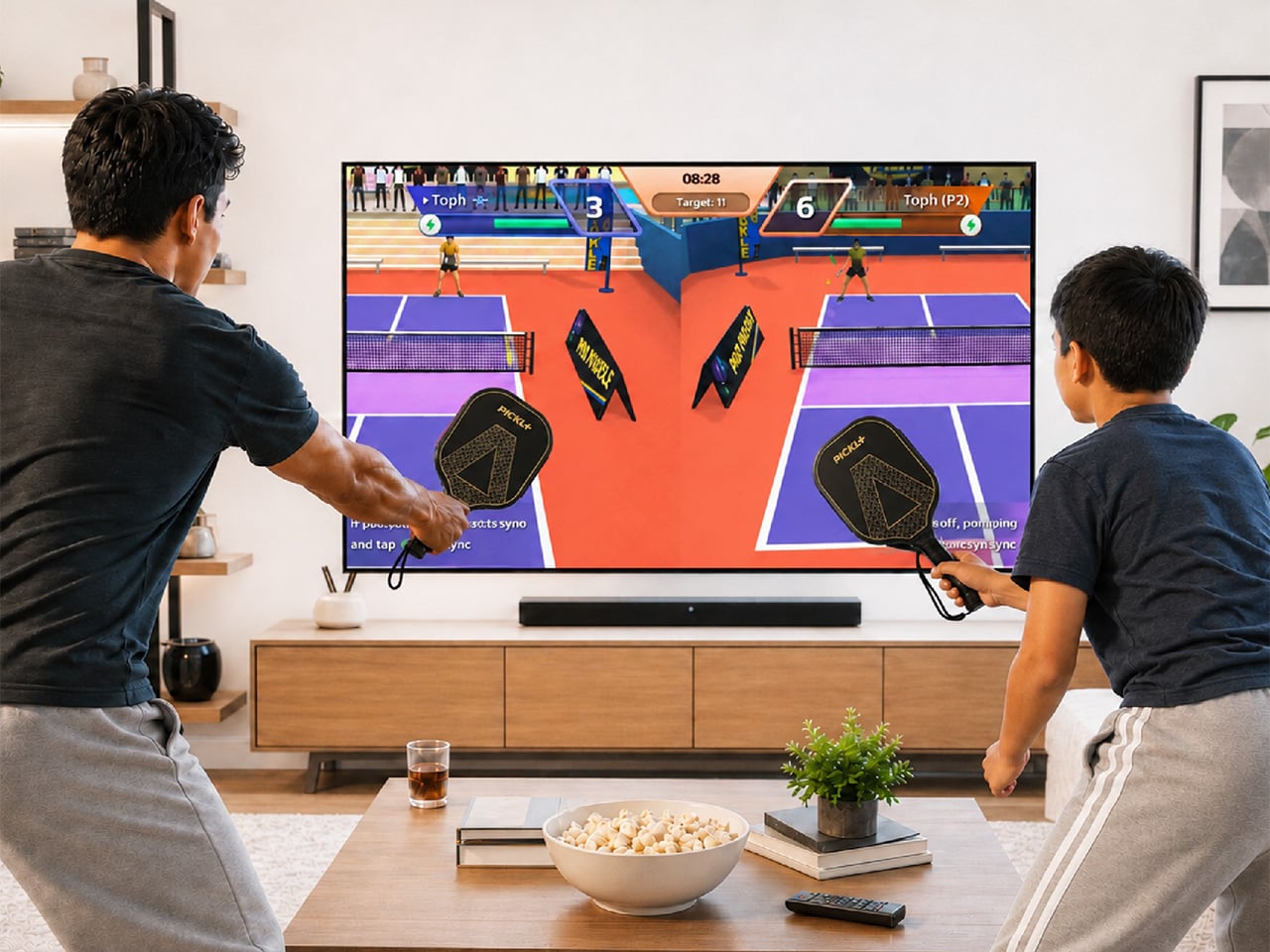
Pickleball has officially escaped the court. At some point in the last two years, it stopped being ironic and became a lifestyle: parking lots of suburban rec centers filled up, TikTok feeds followed, then came the celebrity investors, the professional leagues, the branded paddle drops, and the kind of mainstream saturation that tells you a sport has officially graduated from niche to undeniable. Getting turned into a Wii-style digital pastime is, at this point, a rite of passage for any sport that has truly made it. Tennis got there. Golf got there. Boxing, baseball, bowling. MegaShot Pickl+ is the moment pickleball collects that particular badge, and it does so with an actual sensor-embedded pickleball racket for authentic gameplay, not some generic rectangular controller.

The smart paddle pairs with your phone, tablet, or laptop over Bluetooth and sends the game to your TV (via an included cable) for big-screen play, mimicking your real swing movements on screen and firing haptic feedback through the handle on every hit. A split-screen mode lets you play multiplayer on the same screen too, making it a great family entertainer. No court reservation, no weather to negotiate with. The Wii taught an entire generation that swinging something in your living room could feel surprisingly real. Pickl+ is betting that a generation raised on that premise is ready to do it again, this time for the sport that has genuinely taken over the world, and without an extra console to add to the mix. The Starter Edition is on Kickstarter now for $175, down from a planned retail price of $249 and the campaign has been backed 500% in just 24 hours! Pickl+ will be compatible with sports like tennis, ping pong, and badminton with more racket sports planned for the same smart-paddle platform.

Designer: MegaShot

Click Here to Buy Now: $175 $249 (30% off). Hurry, only a few left!

Under the hood, Pickl+ is built around a 9-axis sensor that reads the angle, speed, and arc of every swing for precise motion tracking. The haptic feedback responds distinctly to different kinds of hits, making the on-screen action feel genuinely tied to what your arm is actually doing. The paddle weighs around 300 grams, carries a 2000 mAh battery rated for up to five hours of continuous play, and charges over USB-C. Bluetooth 5.2 handles the wireless pairing, while an MHL cable connects your phone to the TV when the living room demands a proper screen. The app runs on Android 14+, iOS 18+, Windows, and macOS. Setup is as minimal as it sounds: download, charge, pair, connect, play. Unlike the Wii, Switch, or the Meta Quest, no extra console or hardware needed.

Most gaming hardware asks you to adapt to the machine: learn the buttons, the gestures, the control scheme. Pickl+ goes the other direction. You know how to hold a paddle, and you know what a swing feels like. Rather than turning a conventional controller into a sports accessory, Pickl+ turns the sports object itself into the controller. The technology is essentially trying to disappear into the physical experience, which is part of what makes it a more interesting object than just a clever game controller.

Ten-plus game modes ship at launch, including Streak, Practice, Split Mode, Career, Local Multiplayer, Target, and Beach Mode, with more already in the pipeline. VIP unlocks exclusive virtual courts, daily bonus challenges, glowing paddle effects, custom ball trails, and profile cosmetics.

Before the Kickstarter campaign went live, the beta version of the paddle was showcased at New York Toy Fair, where people across different age groups, including gaming enthusiasts and industry experts, got hands-on time with the motion tracking, gameplay, etc. It gave MegaShot an early real-world read on how quickly people understood and enjoyed the experience. Motion gaming can look impressive in a controlled demo; the real test is whether someone can pick up the paddle, understand what to do, and immediately have fun. New York Toy Fair gave MegaShot that read before asking anyone to back the campaign.
MegaShot arrived at this with receipts. Before Pickl+, the company built a smart bat, which sounds hyperlocal until the numbers land: 100,000+ units sold worldwide, 2,700+ Amazon reviews, and ratings above 4.5 across Google, Amazon, the Play Store, and iOS. The Smart Bat earned the team a spot on Shark Tank India, coverage across major publications, and placement on Walmart shelves. Cricket was a demanding proving ground, the kind of sport where precision hardware lives or dies by real player feedback. That foundation gave MegaShot a validated tech stack, a battle-tested supply chain, and the track record that earns trust going into a bigger, more globally ambitious launch.

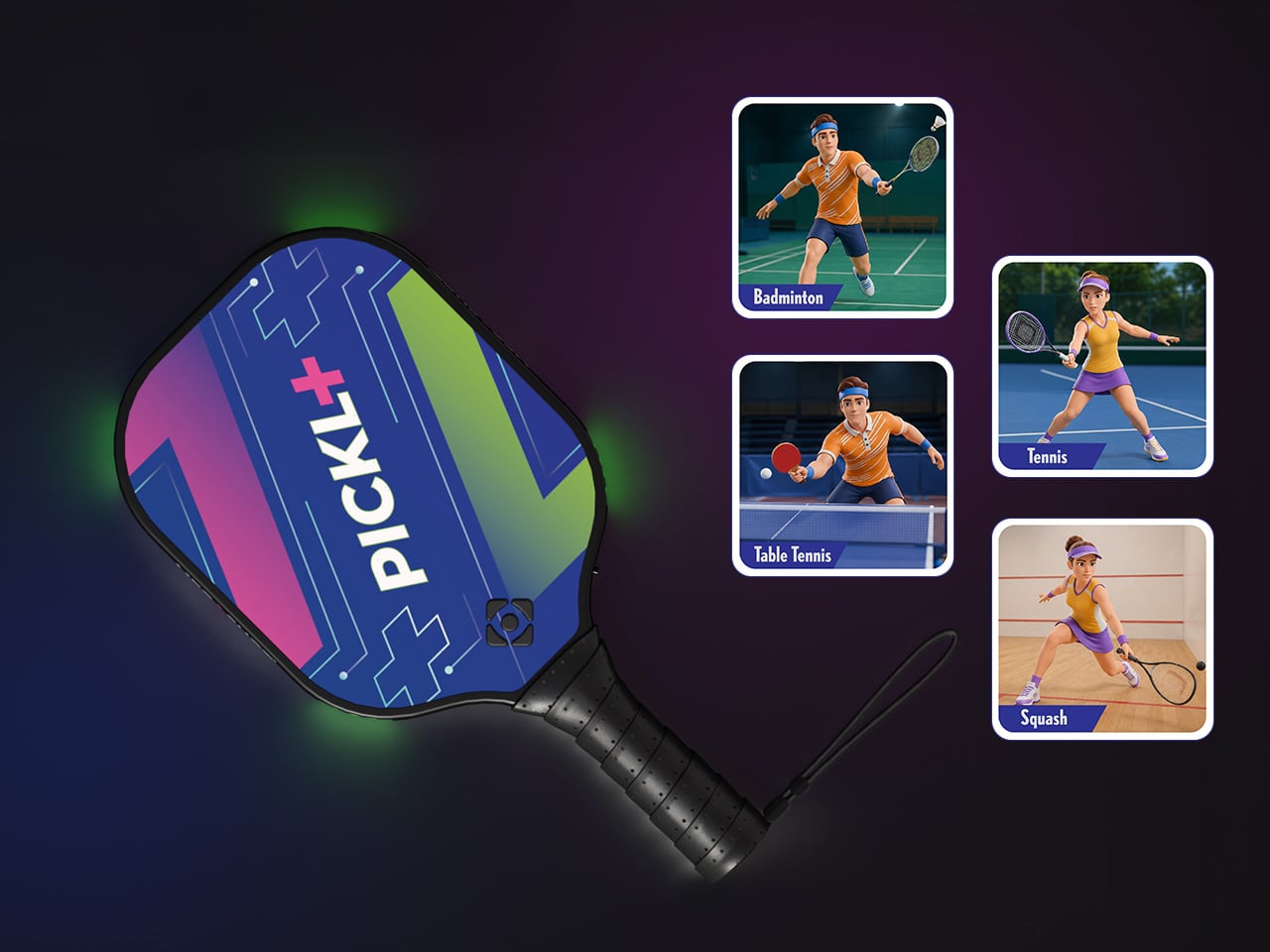
Pickleball is the entry point for something larger. The same paddle hardware is designed to eventually support tennis, badminton, table tennis, and squash, with the VIP Pass carrying across sports as they are added. That roadmap turns Pickl+ from a single-sport product into a platform for multiple racket-sport experiences, which changes the value calculation considerably. The most globally accessible racket sport of this decade is also, as it turns out, the perfect vehicle for a company that built its credibility in one market and is now ready to find out how far a smart paddle can travel.
The Starter Edition, one smart paddle and an MHL cable, is available at its $175 Kickstarter launch price, versus a planned $249 retail price. Duo packs start at $275 for two paddles with a cable, while the Starter VIP Duo Pack, which throws in a VIP Pass, runs $315.

The Signature Edition, the premium single-paddle option, comes in at $349. The Signature Duo Edition bundles two premium paddles with cables, a VIP Pass, and protective sleeves for $499. Worldwide shipping begins in early 2027, covering the US, Canada, the UK, Germany, Australia, New Zealand, UAE, and India.

Click Here to Buy Now: $175 $249 (30% off). Hurry, only a few left!

The post This $175 Wii-style Smart paddle turns your TV into a pickleball court first appeared on Yanko Design.
  •  

A Pen Holder That Actually Looks Like Desk Art

When it comes to stationery and my work and leisure desk, I consider my aesthetic to be messycore and maximalist. Having a lot of pens and other supplies on hand whether for work or for my journaling sessions is normal for me. I tried to use some desk organizers, but it seems that there is order in my chaos and I can still find what I need when I need it, although it doesn’t really look all that Instagrammable. That hasn’t stopped me from looking at and exploring desk organizers and pen holders, especially ones that look different from the usual.

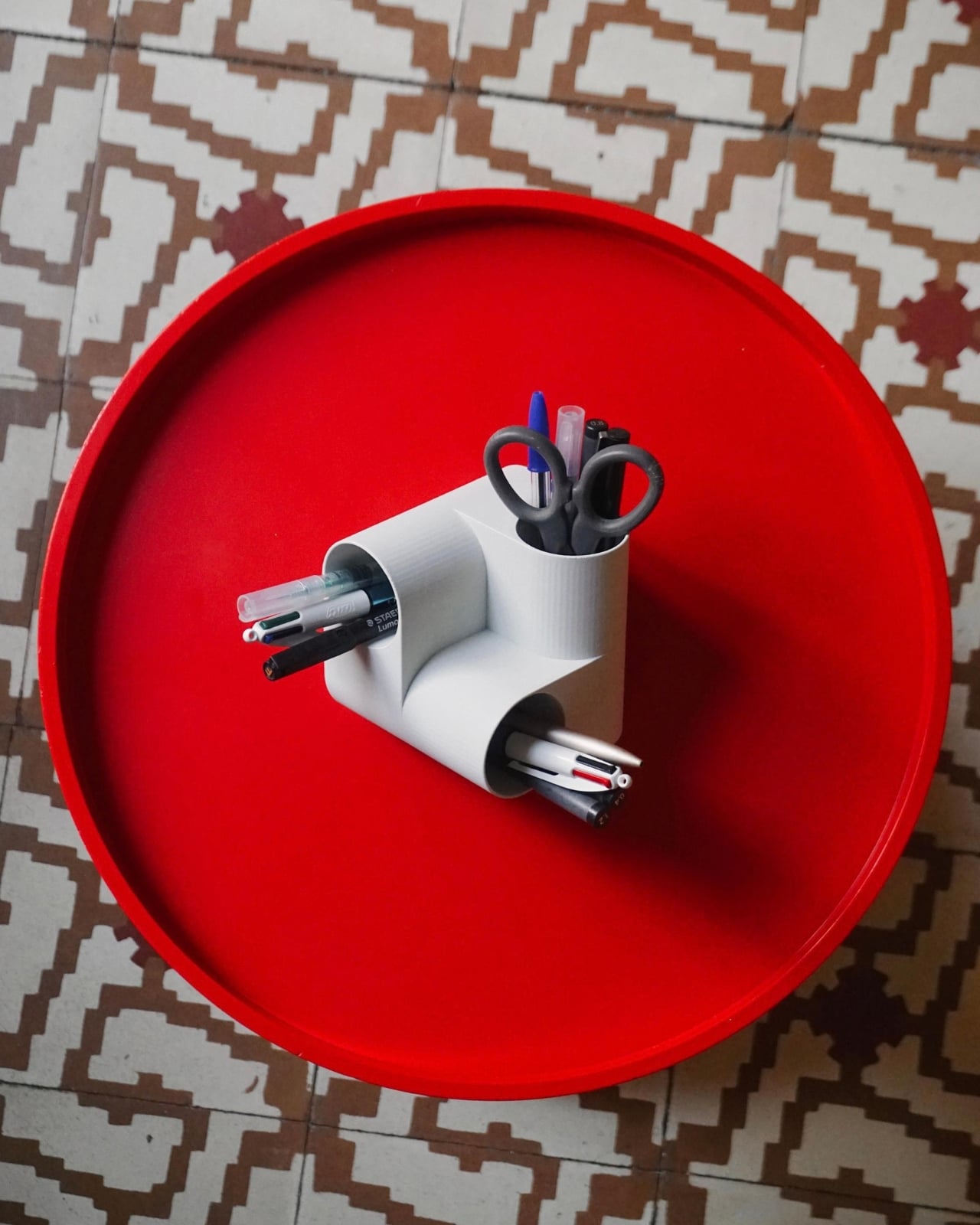
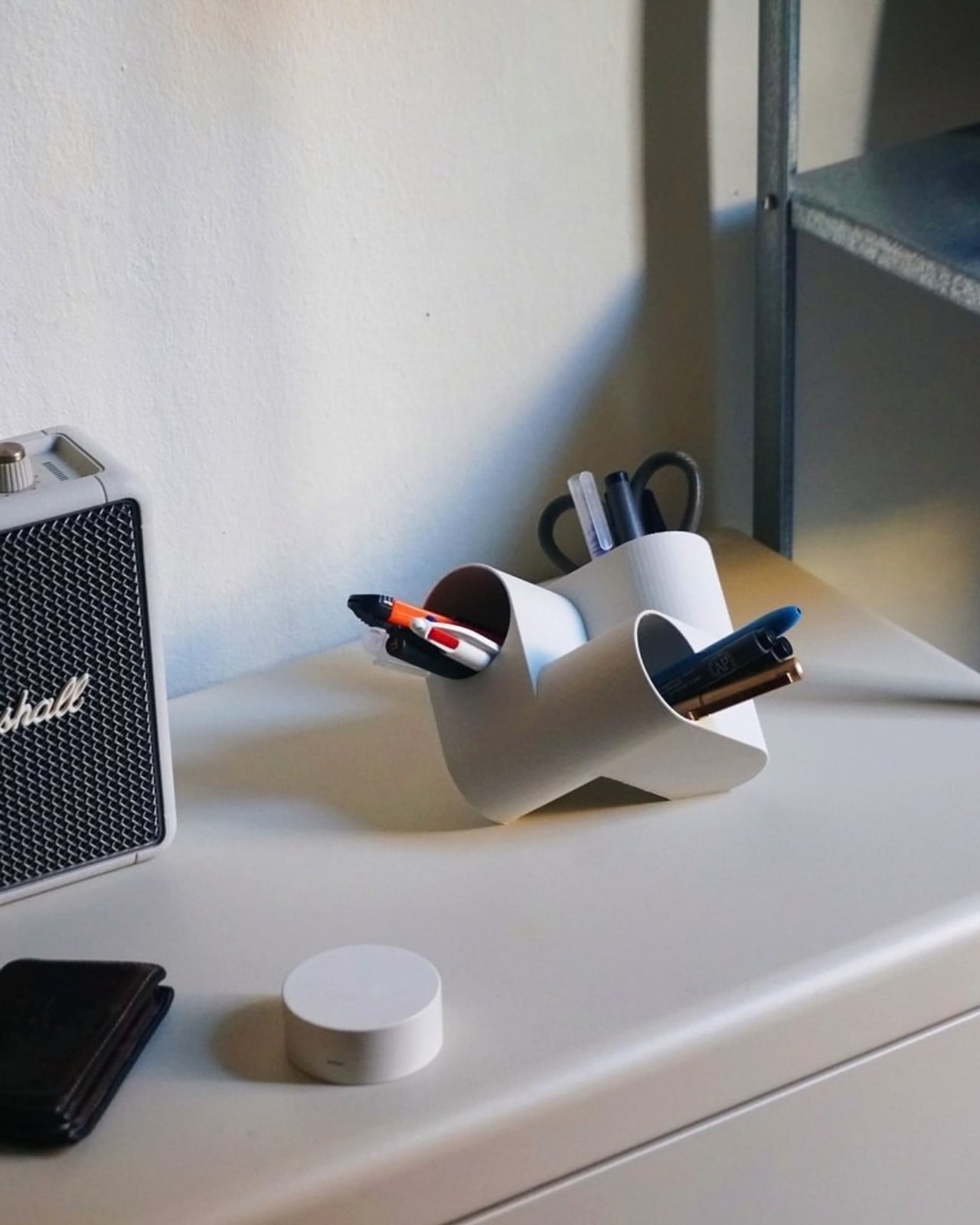
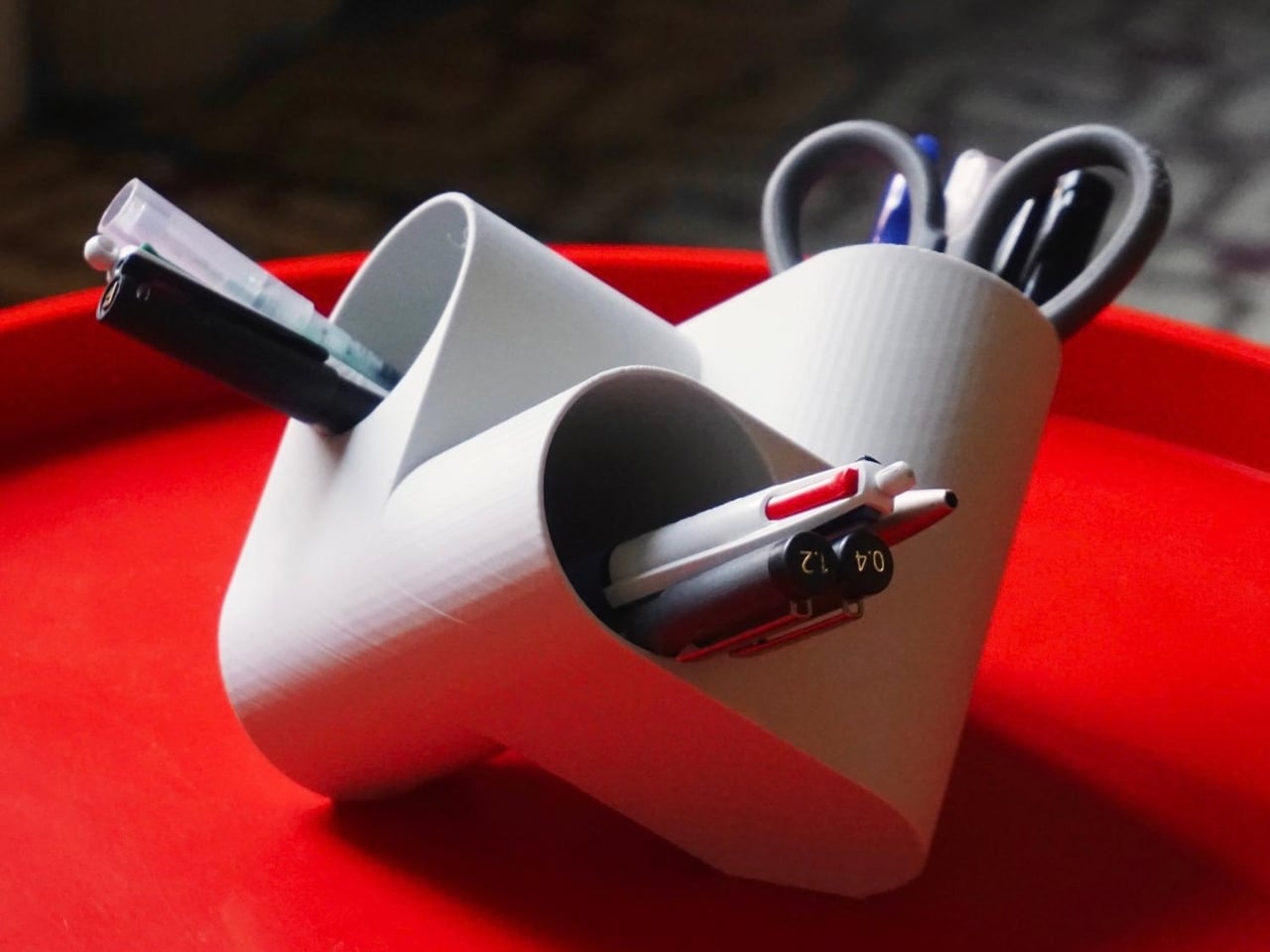
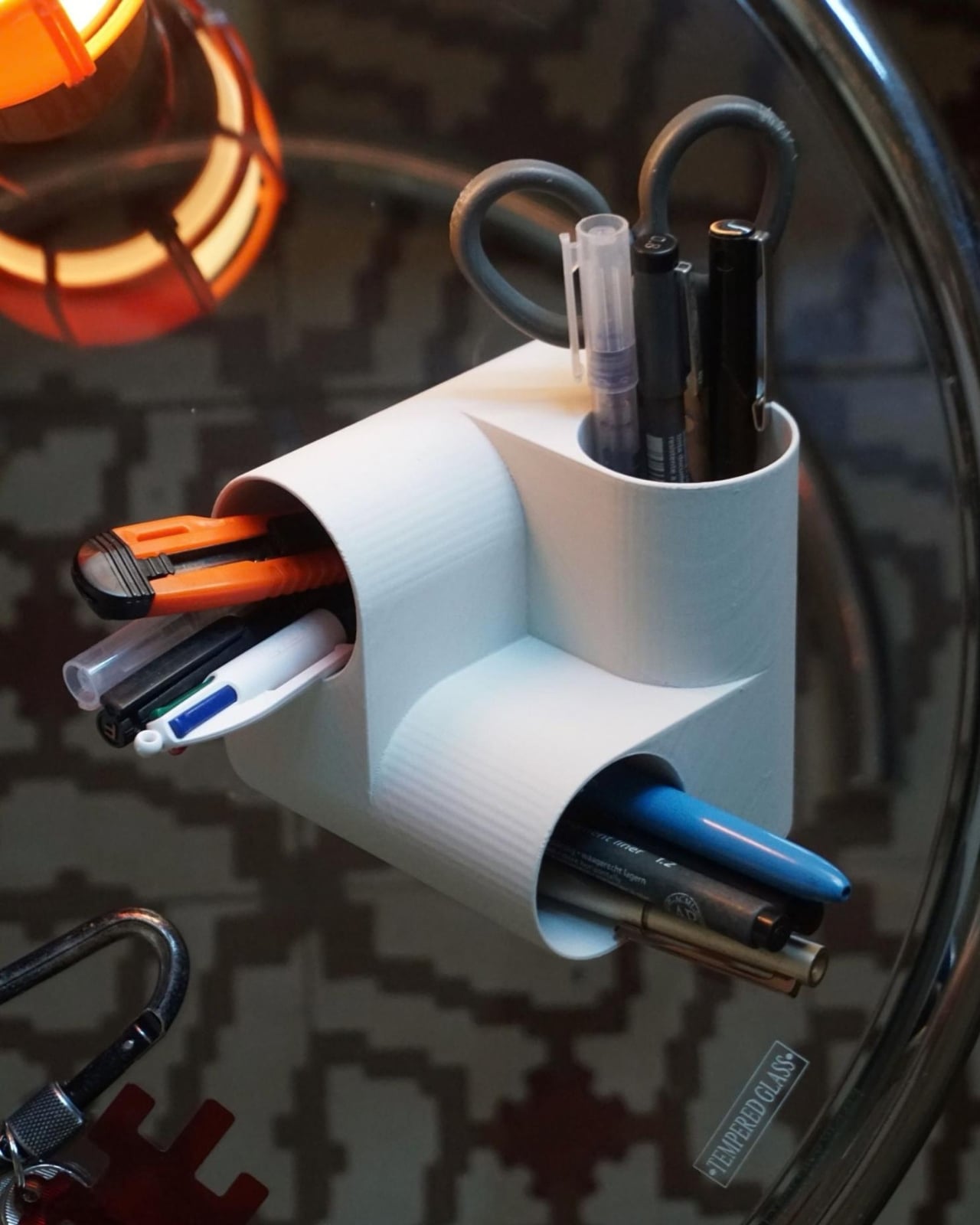
Ciclo is one such pen holder from Spanish industrial designer Eduardo Blanco. The way it’s designed is for you to have more space for your various stationery items and also to give your desk a kind of sculptural-looking organizer that looks good in person and also when you decide to do a post of how your desk looks at the moment. The inspiration for the design actually comes from mathematics and the name itself has ties to it.

Designer: Eduardo Blanco

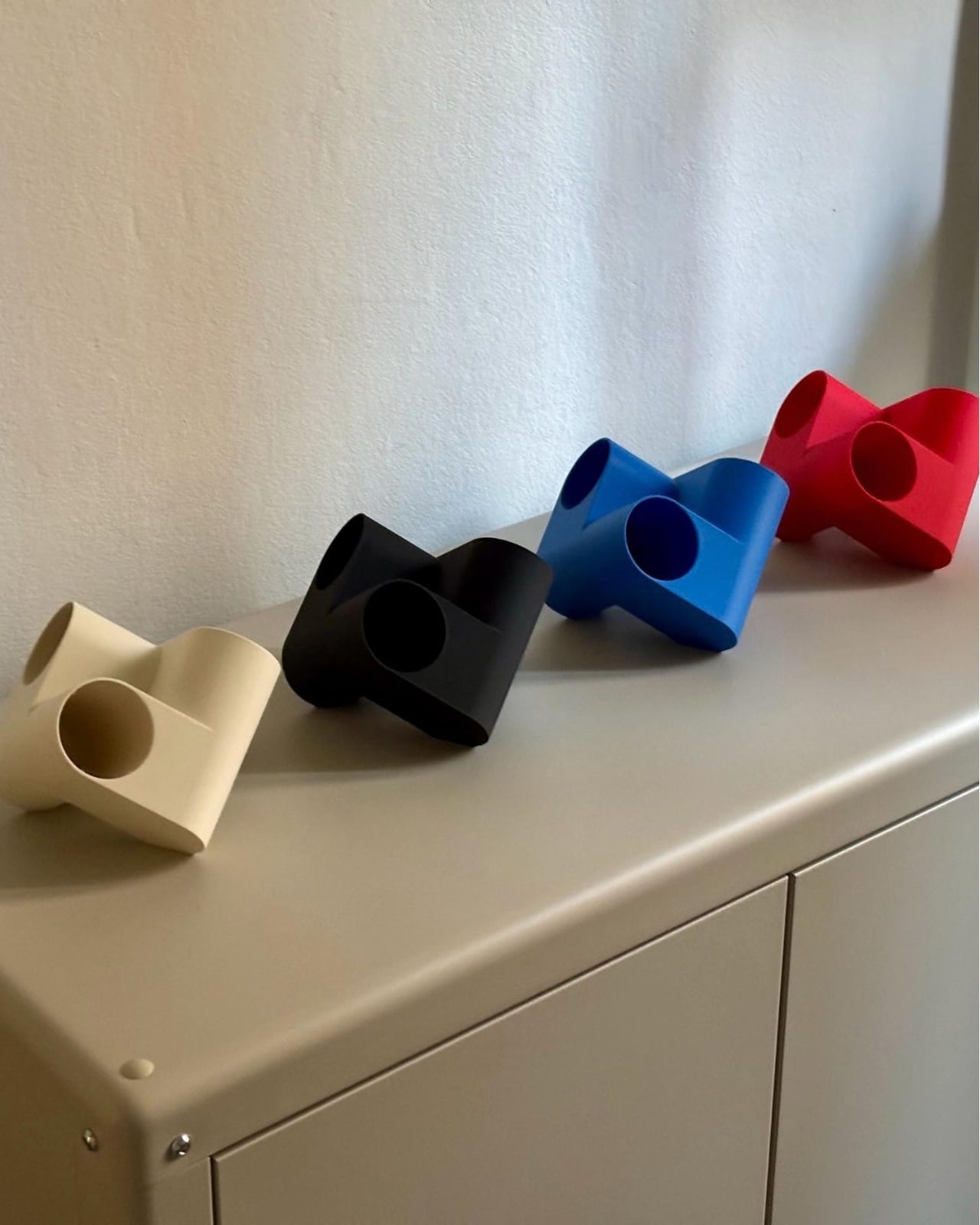
Blanco said he wanted something that didn’t look banal on his desk. The inspiration comes from the Cartesian coordinate system, using three cylinders repeated around the same axis that are stacked and joined one on top of the other. Think about the X, Y, Z axes discussed during math classes (which I would rather forget) but brought to life as a sculptural stationery object. What would normally be a mundane or ordinary object is transformed into a well-designed piece that would look at home at an office desk, a creative workspace, or your side table. Aside from looking beautiful just sitting there, it also means you have three spaces to put your pencils, pens, markers, scissors, cutter, and other supplies you need to organize on your desk.

And honestly, that’s where Ciclo wins me over. Even for someone like me, whose desk looks like a stationery store had a very good time, there’s something undeniably appealing about having one piece that anchors the whole thing visually. You don’t have to be a minimalist to appreciate a beautiful object. If anything, if you’re already going the maximalist route, you might as well make sure some of those items on your desk are actually worth looking at, and Ciclo definitely qualifies. There’s also something kind of fun about having a mathematically inspired piece sitting among your journaling supplies and highlighter collection.

What I also find interesting about Ciclo is the way it challenges how seriously we take the objects we use every day. Most of us grab whatever cheap plastic pen cup is on sale at the office supply store, and that’s perfectly fine. It works. But Blanco’s approach asks a simple but quietly radical question: why settle for something that just works when you could have something that also makes you pause for a second and go, “huh, that’s actually really cool”? That shift in thinking is kind of what separates good design from great design, and it’s exactly what makes Ciclo stand out in a product category that designers have largely ignored.

It’s also worth noting that Ciclo was selected as part of Lagranja Design’s Open Design Editions 2026, a program that spotlights emerging and thoughtful design work, and was presented during Barcelona Design Week. That’s not a small nod. It means the design community sees real value in what Blanco created here, and that Ciclo is more than just a pretty object to put on display.

Whether you keep a very tidy, carefully curated desk or your workspace is a glorious organized mess like mine, Ciclo is the kind of object that earns its spot. It’s a pen holder, sure, but it’s also a small, quiet statement that the things you keep close while you work or create don’t have to be boring. And in a world where so many of us spend a huge chunk of our day at our desks, that feels like it actually matters.

The post A Pen Holder That Actually Looks Like Desk Art first appeared on Yanko Design.
  •  

8BitDo Xbox Keyboard is fantastic AND on sale

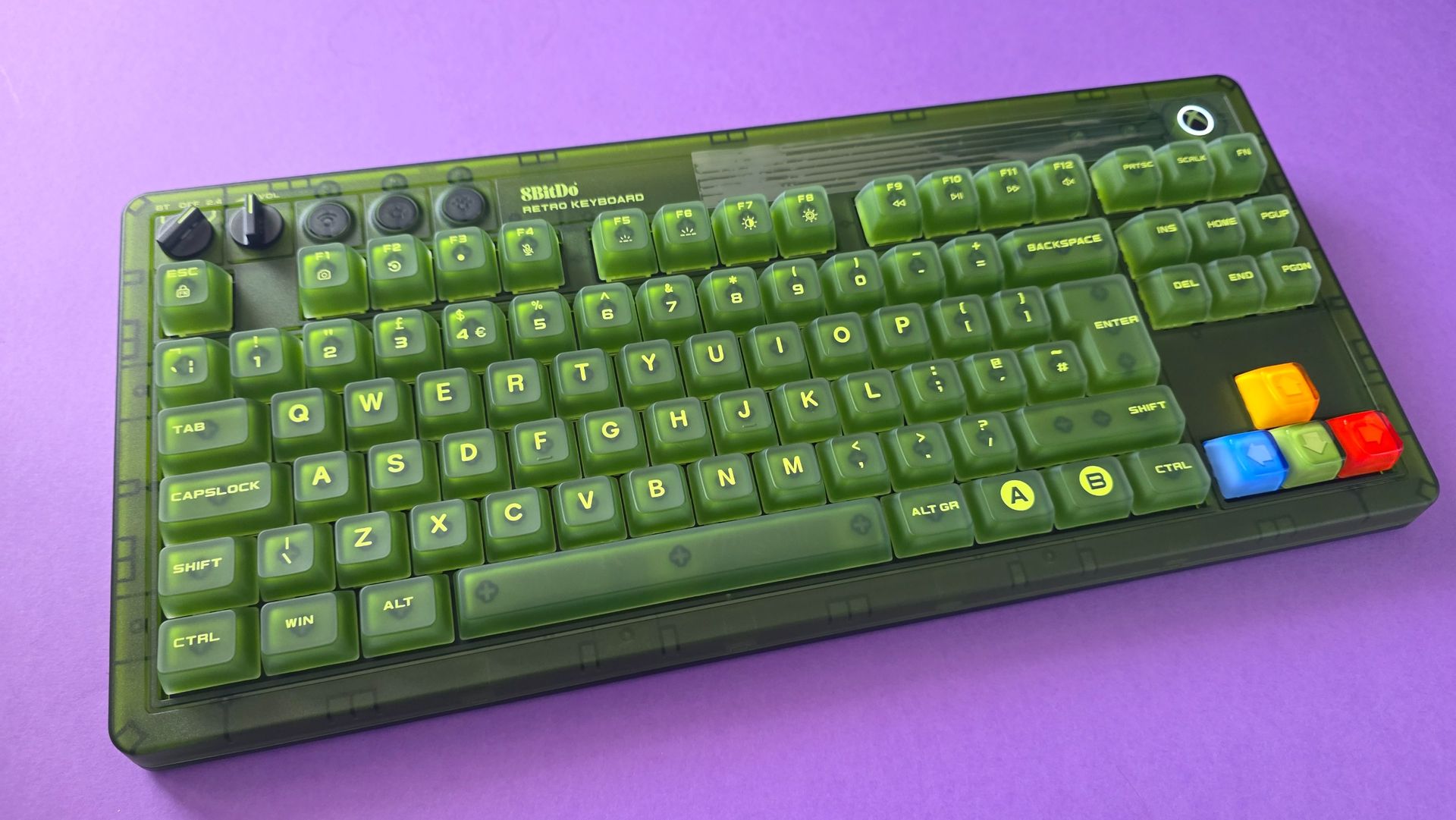
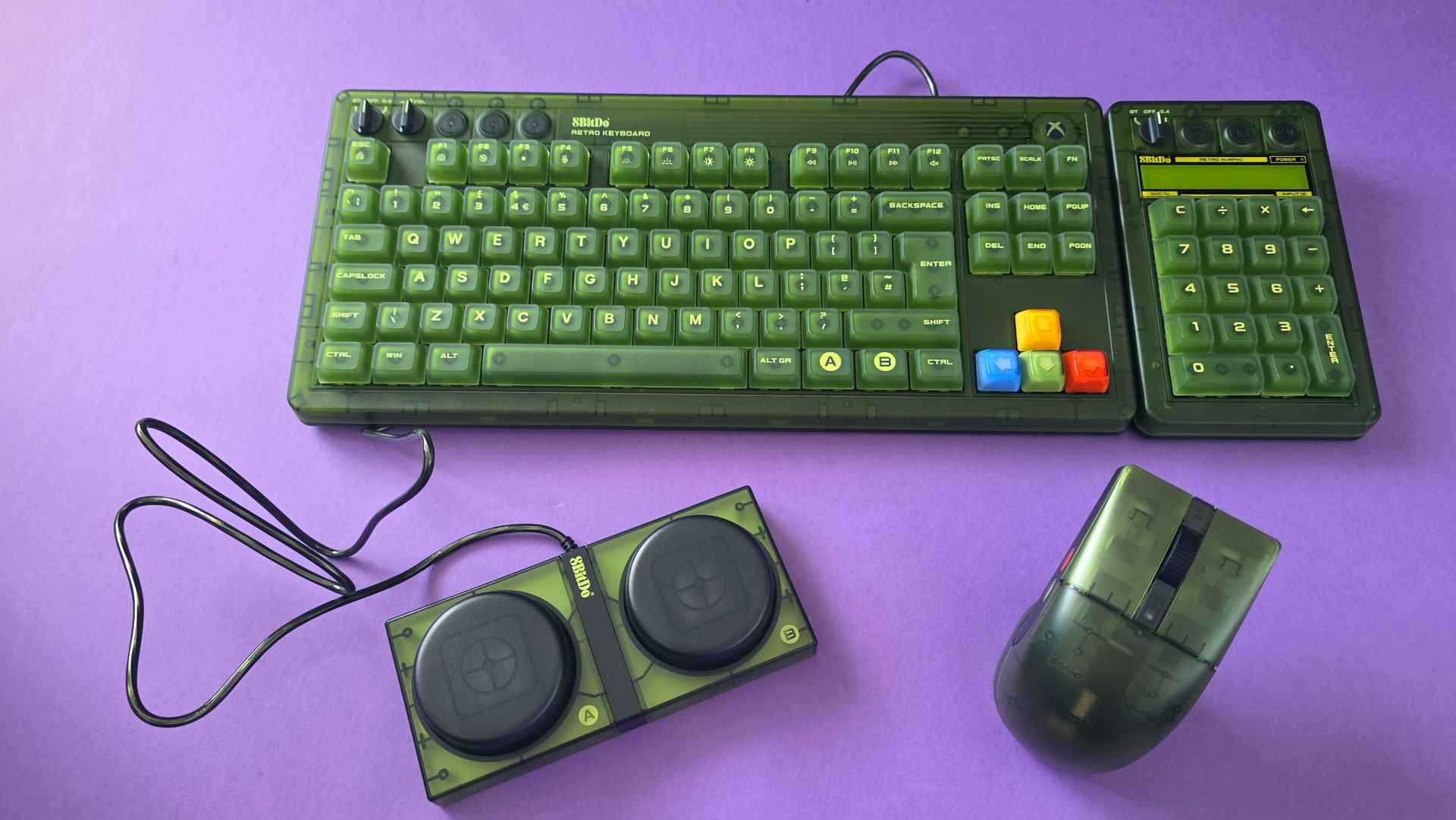
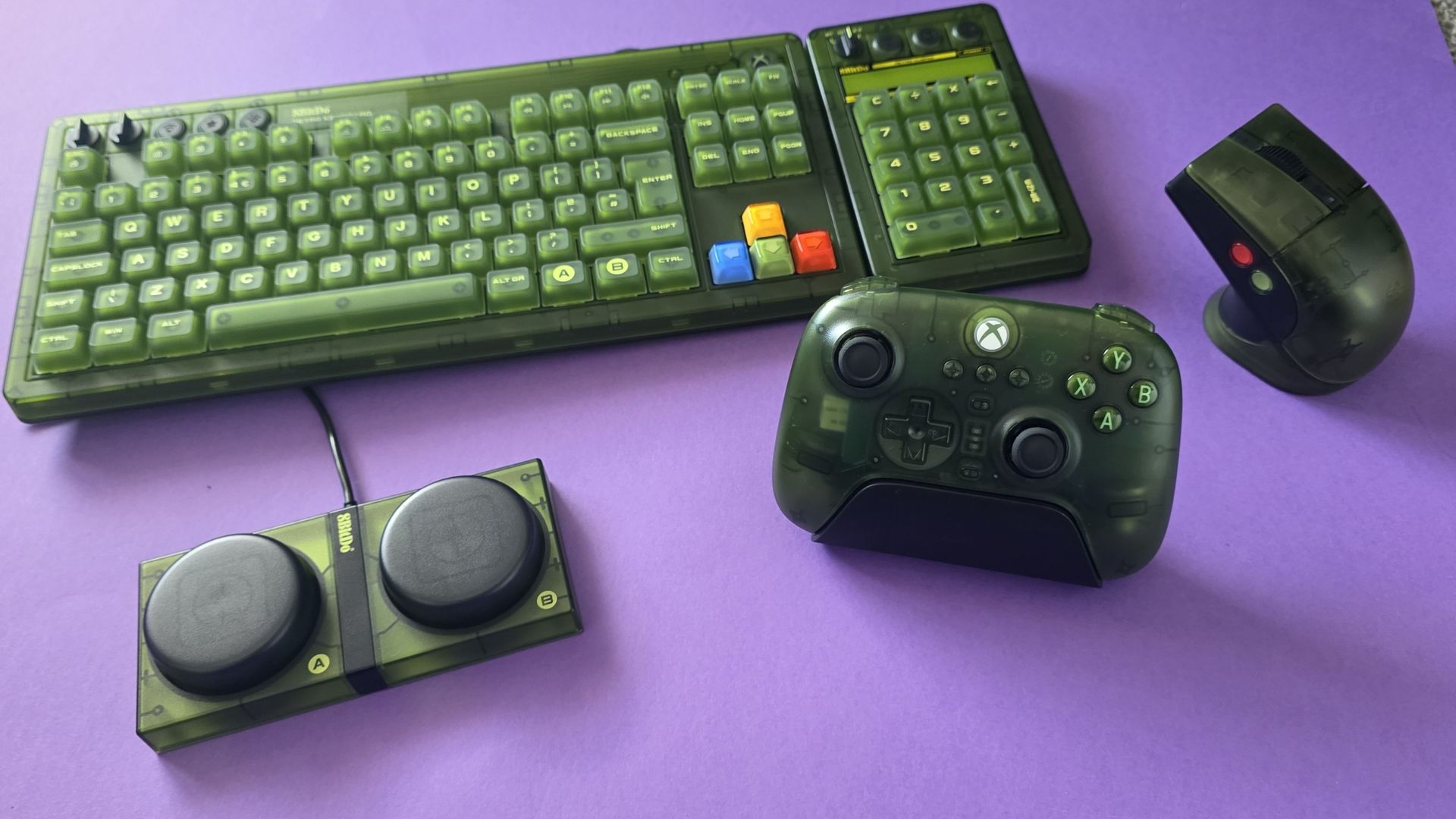
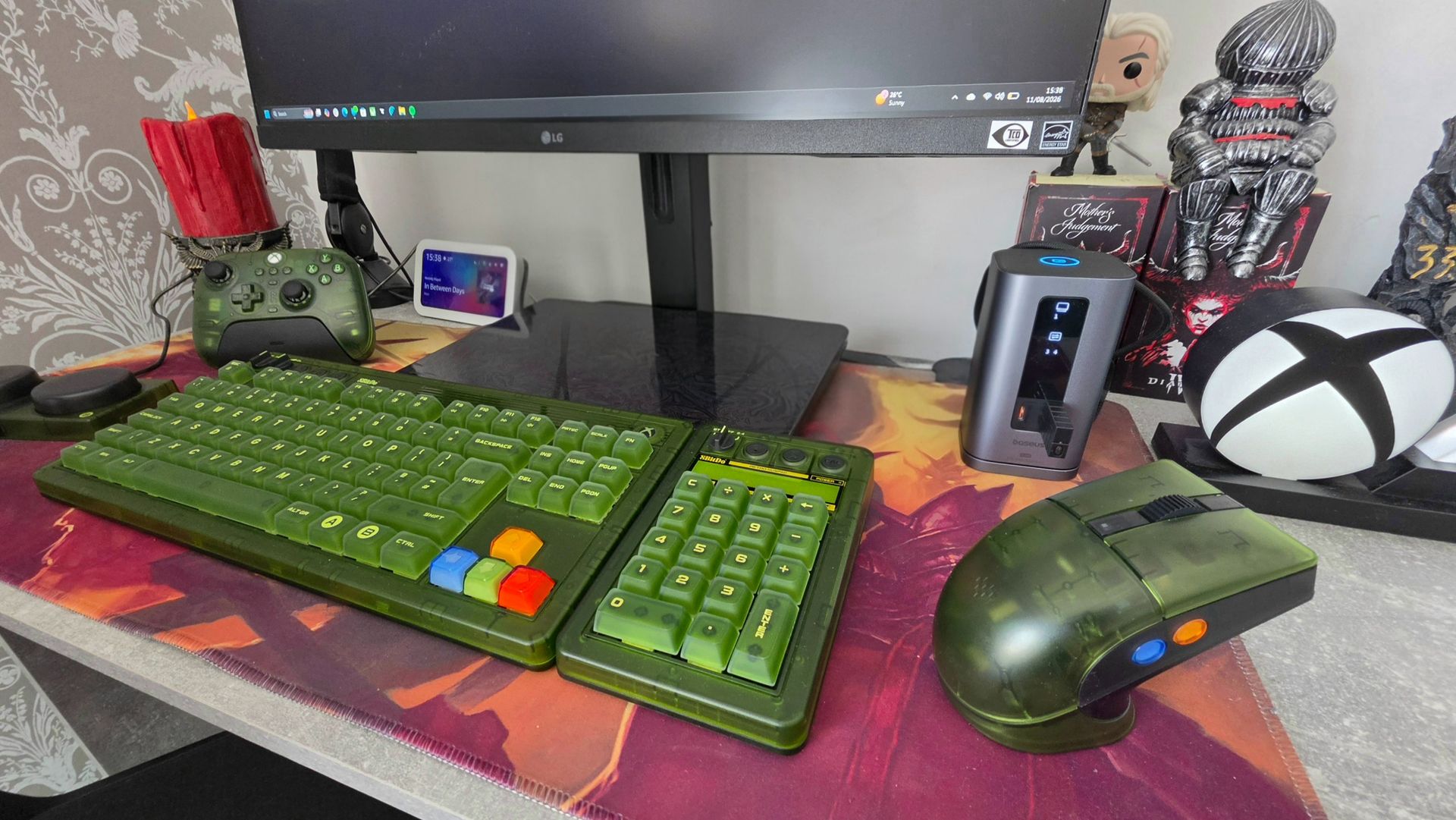
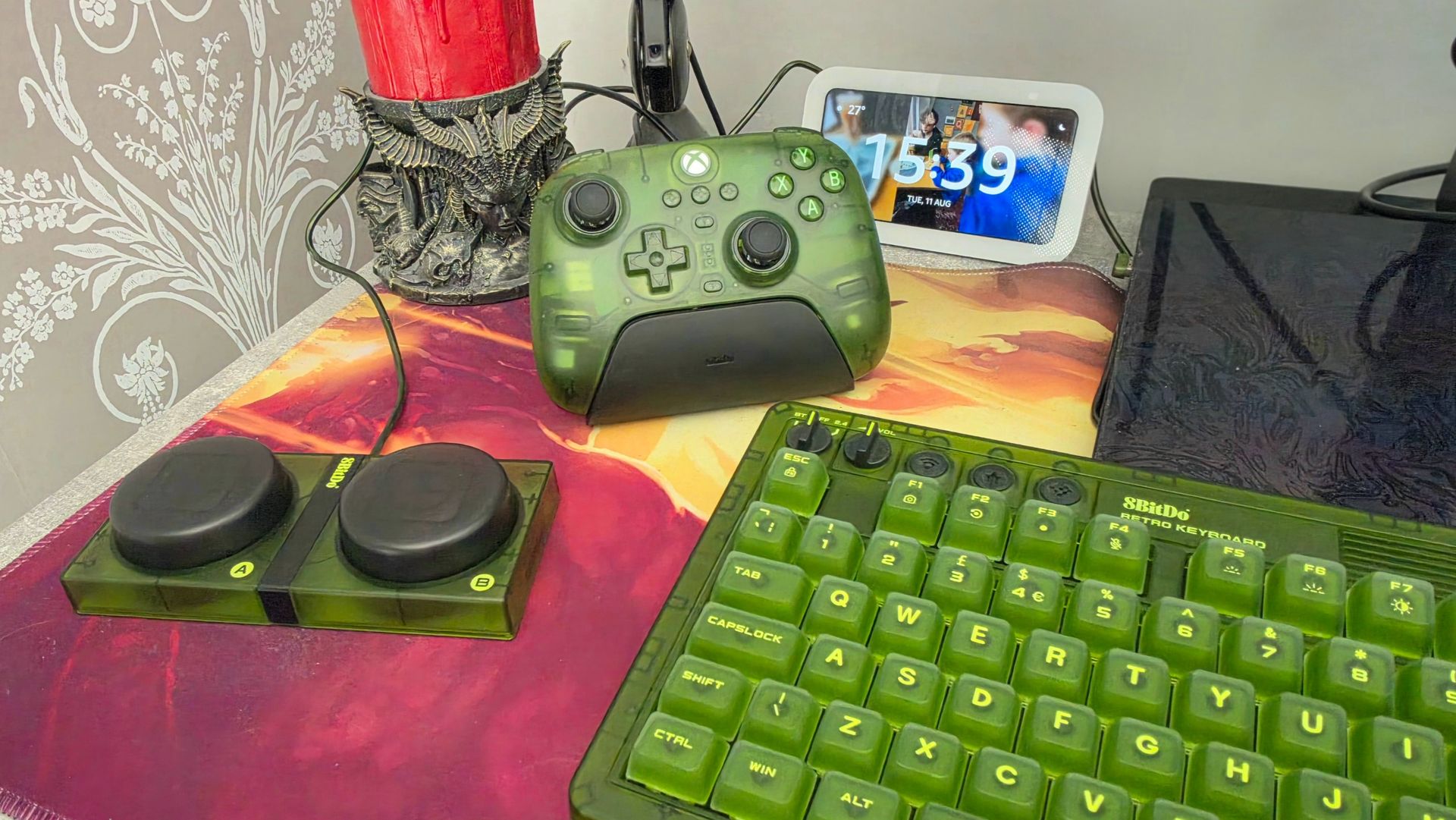
Xbox is about to celebrate its 25th Anniversary, and while there have been numerous brand collaborations to mark the occasion, the 8BitDo Xbox collection has actually been in circulation since November 2024. Inspired by the OG Xbox, the collection is a transparent-green dream consisting of a chunky keyboard, numpad, mouse, and even a controller.

I only got my hands on the set this year, which feels fitting with the Xbox anniversary about to be in full swing. While 8BitDo has just added a gorgeous Gears of War edition to the lineup, I'm firmly sticking with my bleed-green setup, which I've been using every day for around four months now.

The TL;DR of this review is that I absolutely adore this chunky, obnoxiously green keyboard, and I can't see myself using anything else, but read on if you need a little more swaying.

DEAL ALERT: This keyboard is currently 25% off thanks to Amazon Big Deal Days

8BitDo Retro 87 Mechanical Keyboard Xbox Edition: Price, availability and specs

Green keyboard
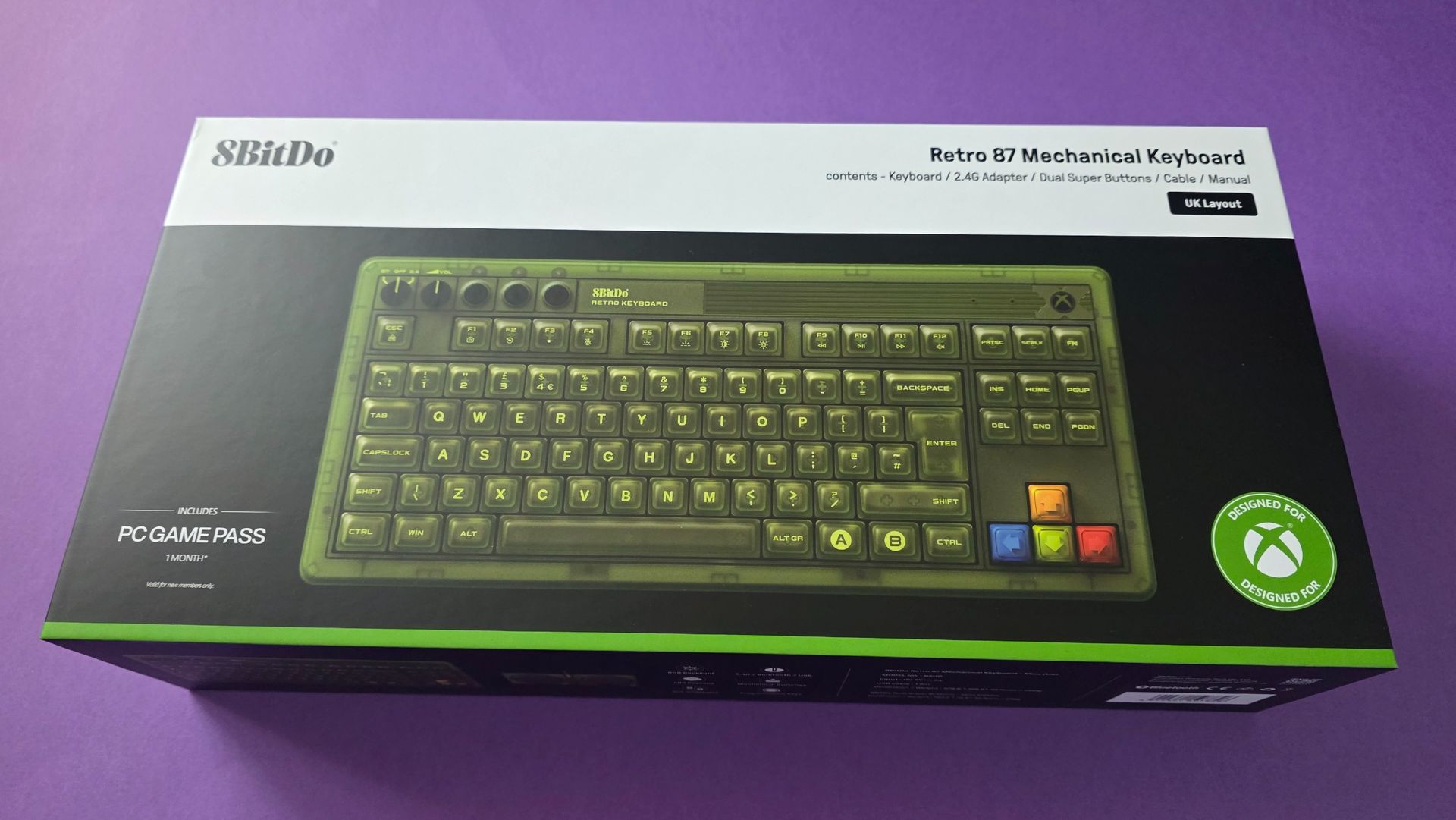
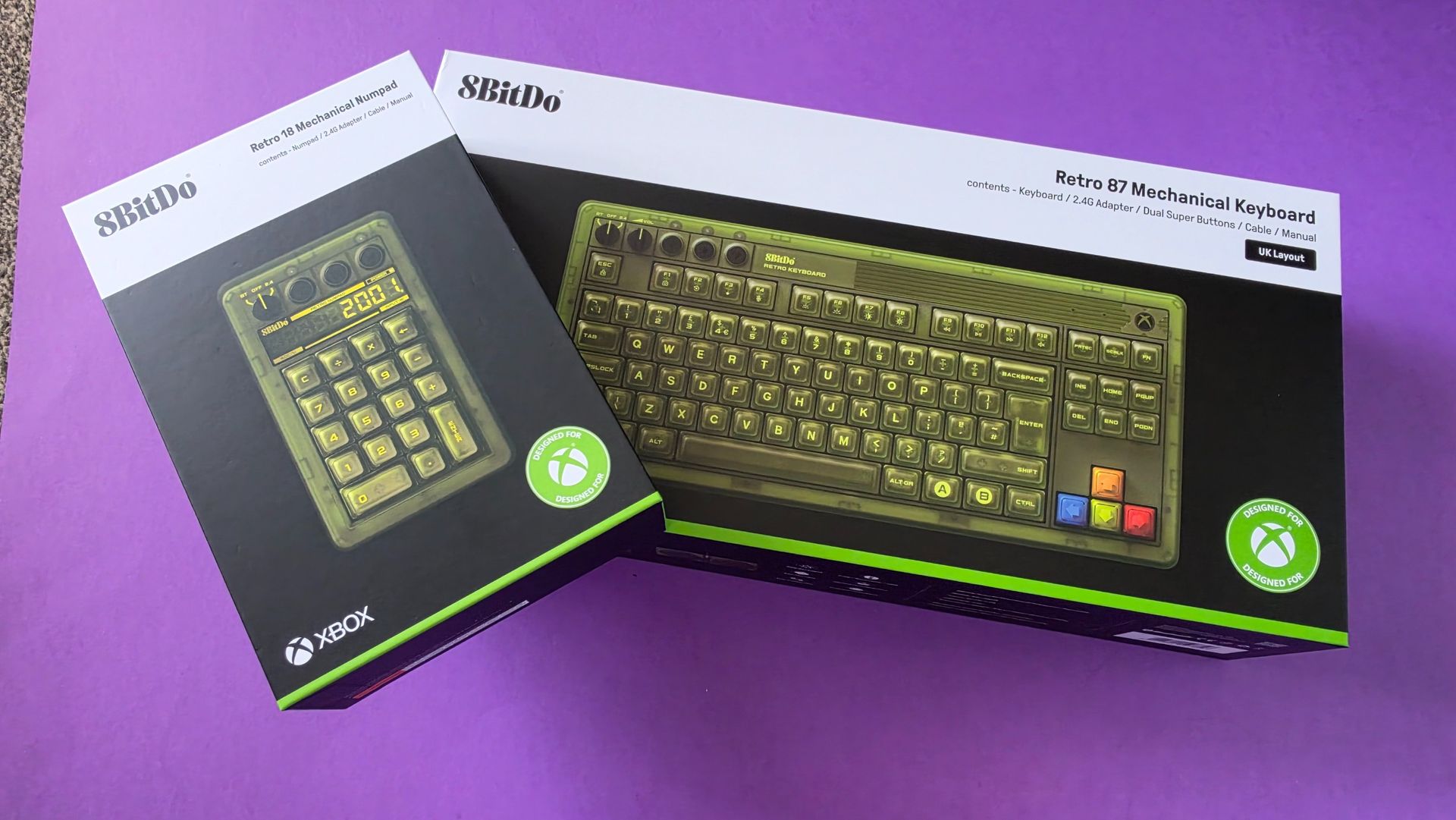
Could barely fit the box in the 16:9 frameJennifer Young - Windows Central
Green keyboard and numpad
I wish the Numpad was built in but appreciate most (wrong) people prefer withoutJennifer Young - Windows Central
Open box showing stickers and game pass code
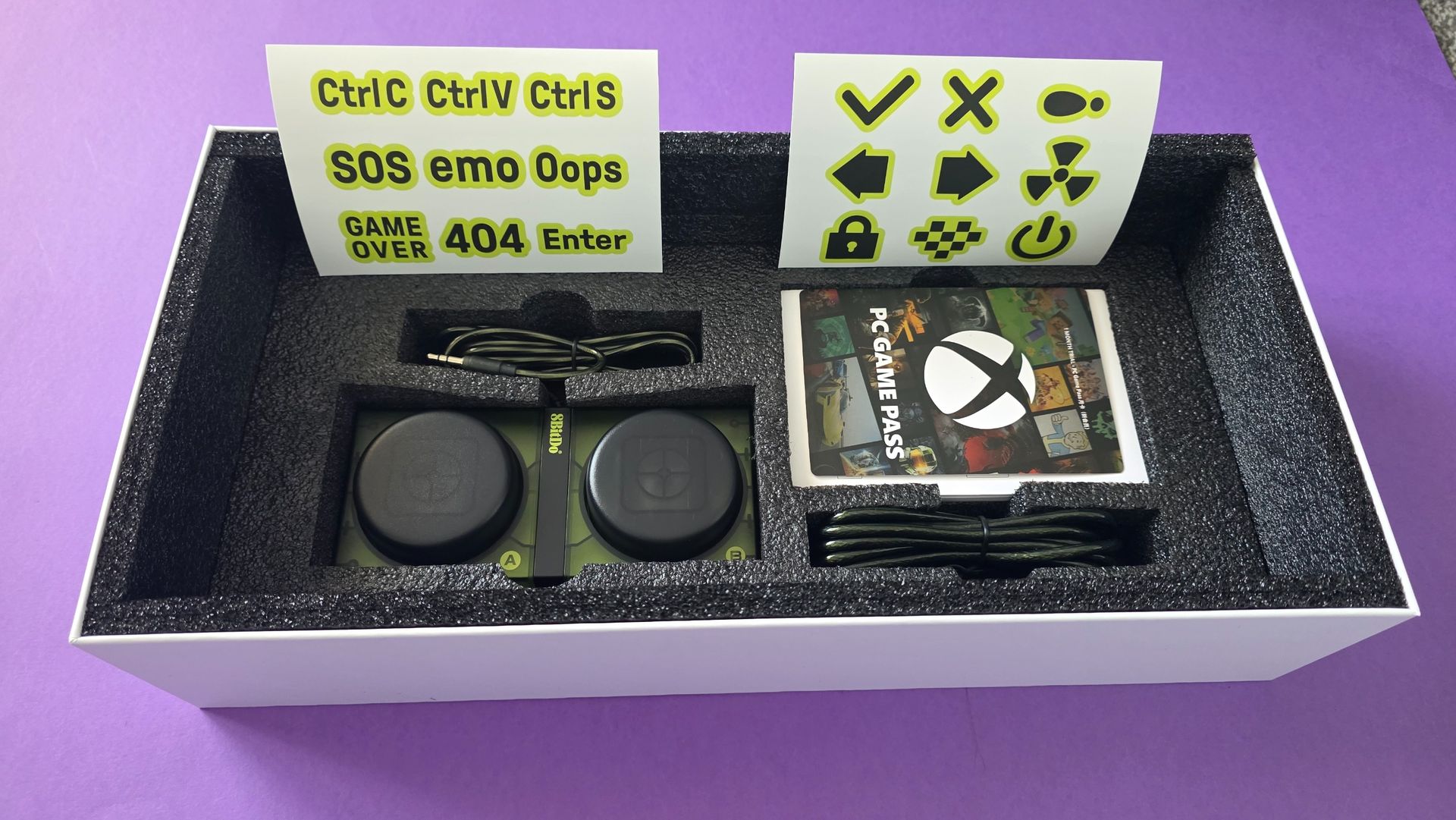
Free sticker and a months Game Pass included (new subscribers only)Jennifer Young - Windows Central

The 8BitDo Retro 87 Mechanical Keyboard (Xbox Edition) retails for $119.99 in the US and £99.99 in the UK. However, it frequently sees discounts and at the time of writing, it is on sale for $89.99 on Amazon US.

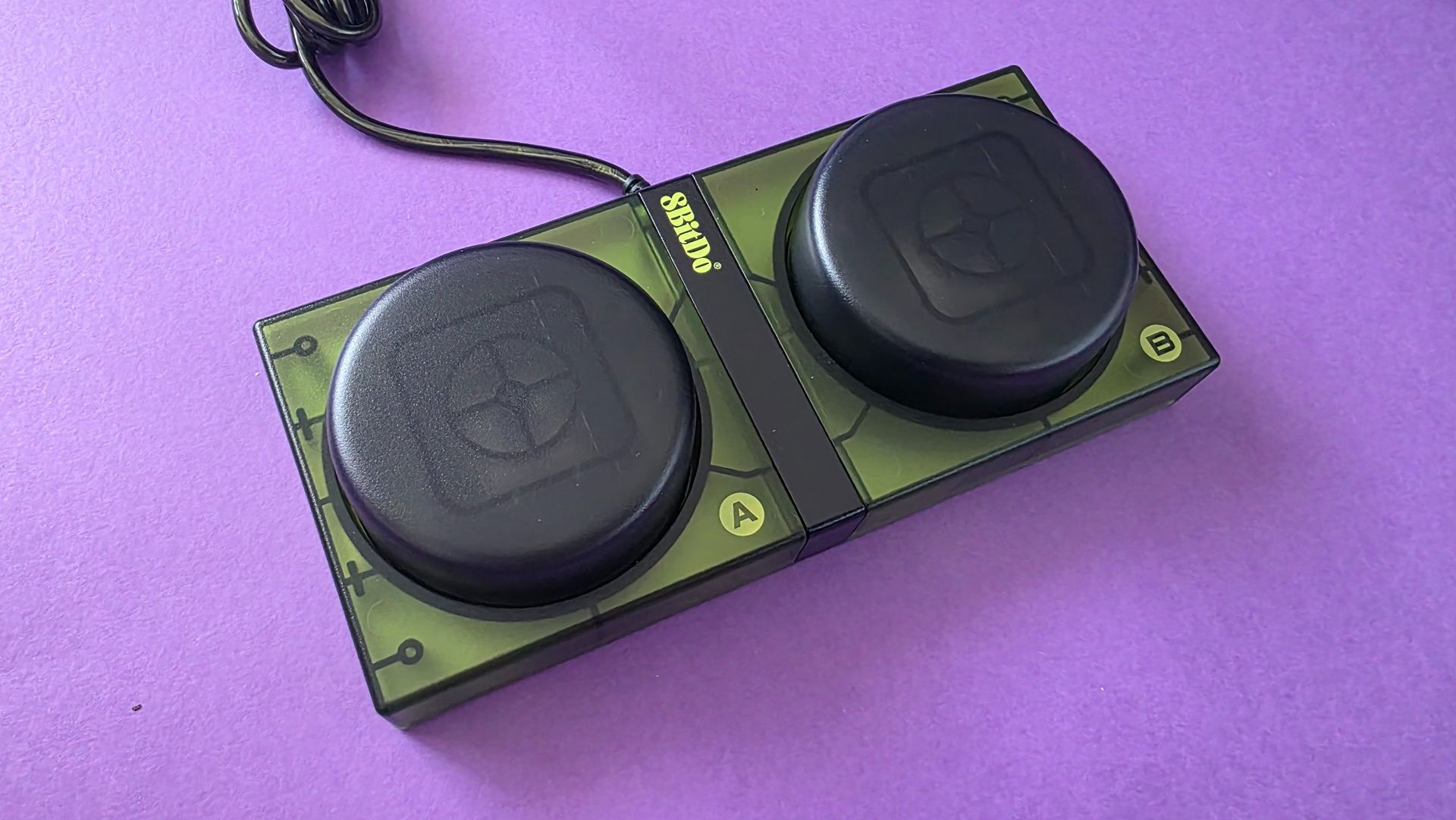
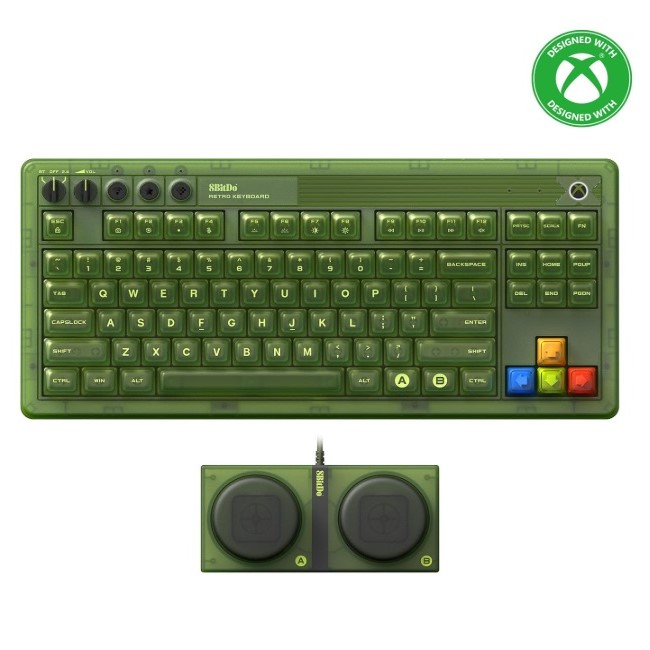
Out of the box, the keyboard includes 8BitDo’s iconic Dual Super Buttons, a pair of massive, programmable arcade-style macro buttons that plug directly into the back of the board via 3.5mm jacks without needing extra software configuration.

If you are a sane person who enjoys using a Numpad, rejecting all minimal keyboard ideology, then 8BitDo also offers a matching standalone Retro 18 Mechanical Numpad (Xbox Edition), which retails separately for $44.99 / £39.99.

The main tech specs you need to know are:

  • Layout: 87-key Tenkeyless (TKL) with top-mount design
  • Switches: Kailh Jellyfish X linear/clicky switches (Hot-swappable PCB, full N-key rollover)
  • Keycaps: Double-layered ABS with a matte UV coating
  • Connectivity: Tri-mode (2.4GHz wireless via magnetic dongle, Bluetooth 5.0, wired USB-C)
  • Battery: 4,000mAh rechargeable Li-ion (rated for up to 280 hours on 2.4GHz / 300 hours on Bluetooth)
  • Lighting & controls: Customisable RGB backlighting, dedicated volume dial, and connection mode knob
  • Included extras: Dual Super Buttons module, USB-C charging cable, 2.4GHz dongle, and 1 month of Xbox Game Pass for PC
  • Dimensions & weight: 376.6 x 169.6 x 46.8 mm; 1,100 g
  • Software support: 8BitDo Ultimate Software V2 (Windows & Android)

8BitDo Retro 87 Mechanical Keyboard Xbox Edition: What's good

Green keyboard
I like my keyboards like I like my men, robust. Jennifer Young - Windows Central
Green keyboard
I'm super boring and keep the lights on basic white, the multi colored display isn't for me.Jennifer Young - Windows Central
Green keyboard and mouse
The mouse is a great pairing and of a similarly chunky designJennifer Young - Windows Central

Unboxing this was an experience in itself; the box was roughly twice the size of any keyboard package I’ve opened before. Coming from the Roccat Vulcan I’d been rocking (or should I say Roccing hur hur), I expected it to be chunky, and while it was different for sure, I'm kind of loving that 8BitDo has embraced the maximalist approach. To be honest, as I get older, I’m really appreciating the larger keycaps and moving away from that classic all-black "squint at the keys" aesthetic.

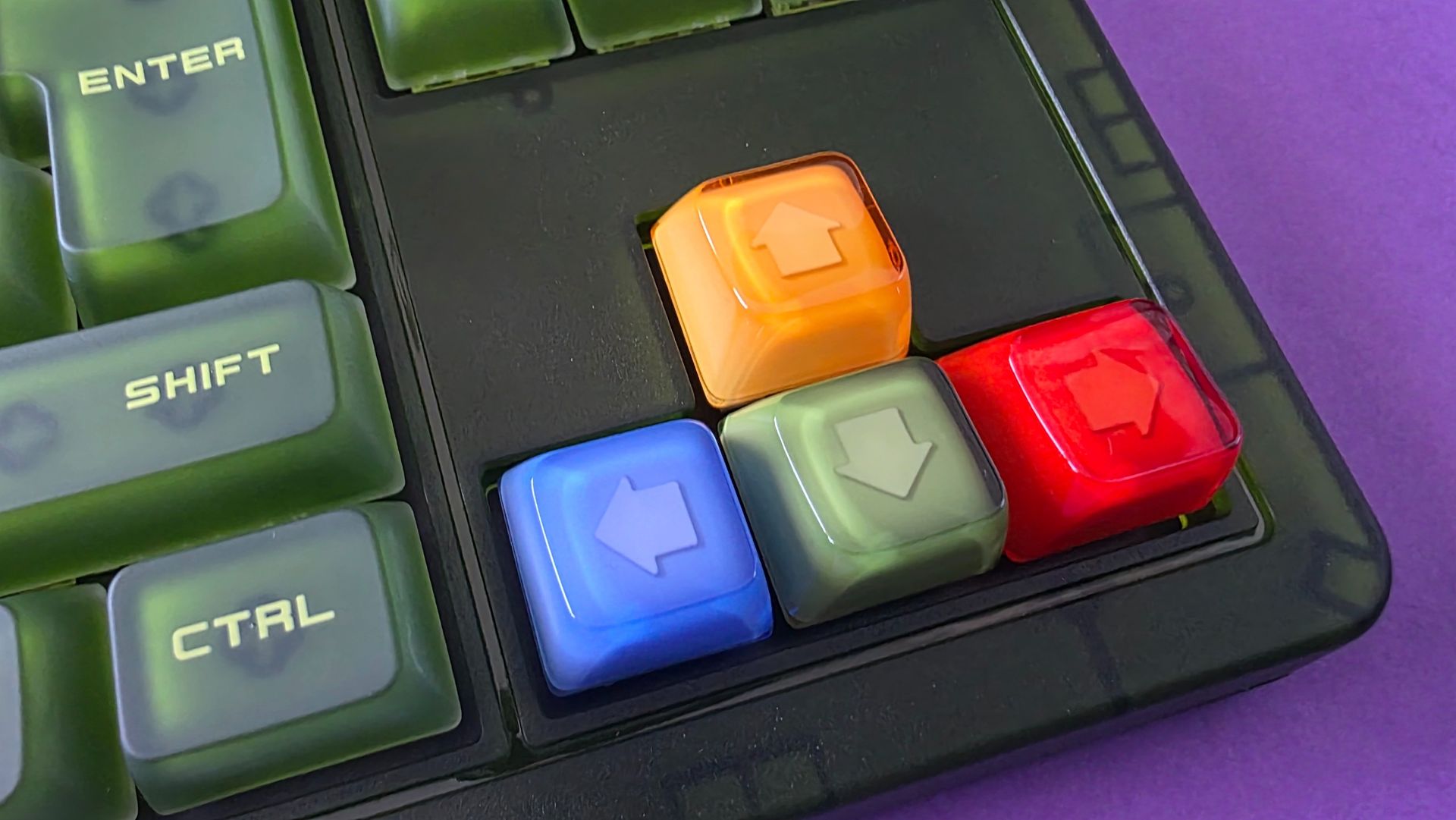
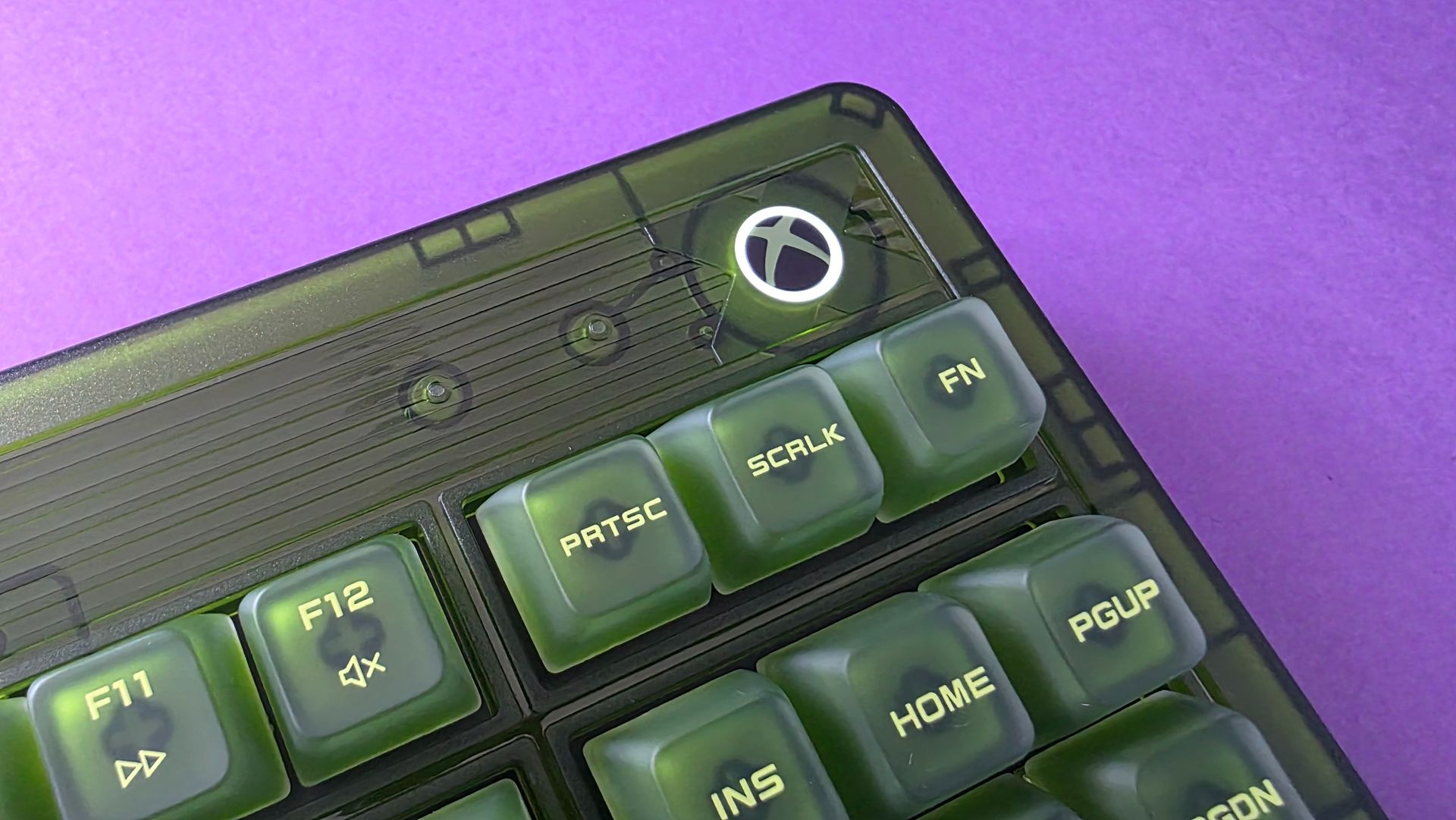
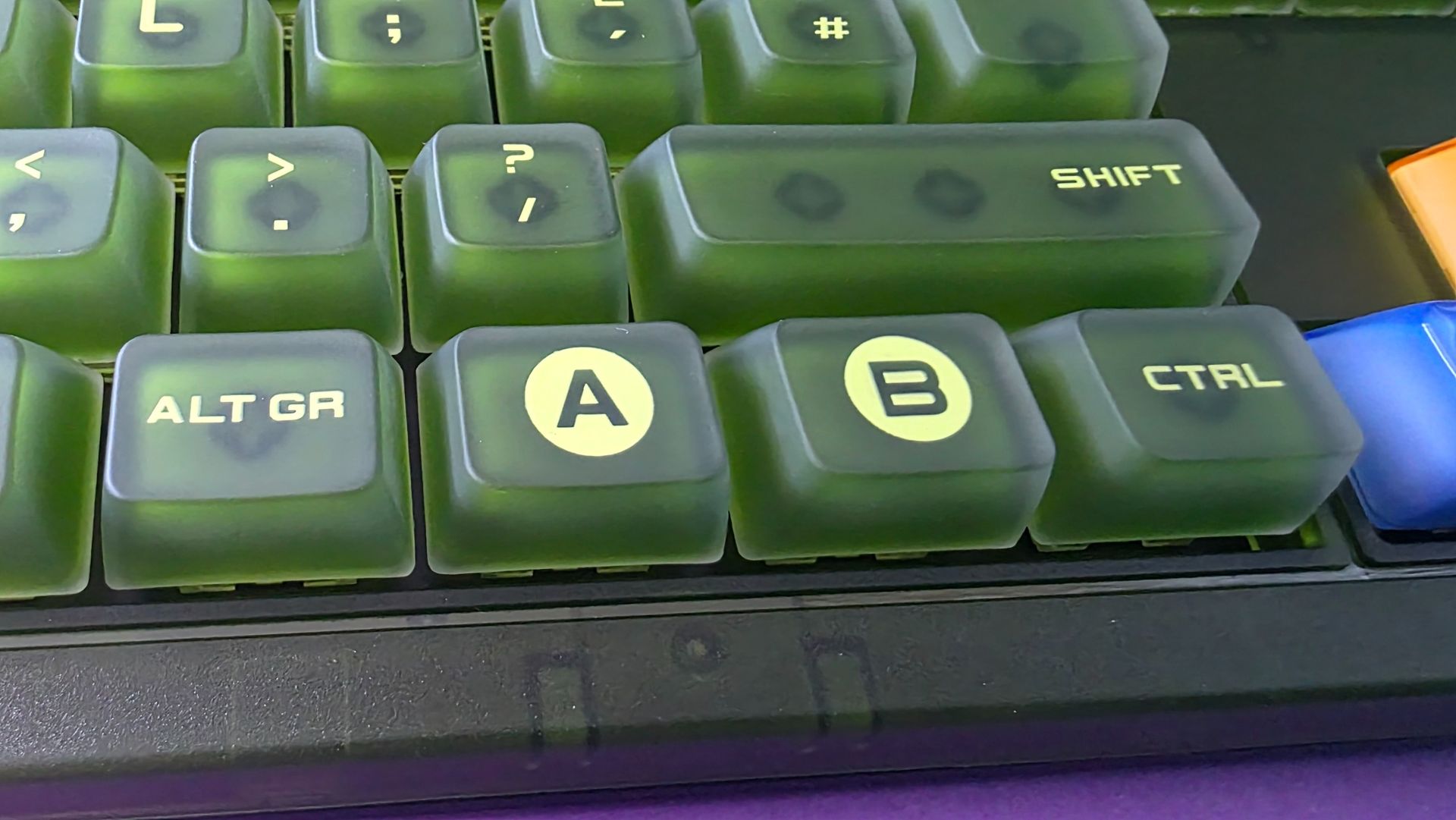
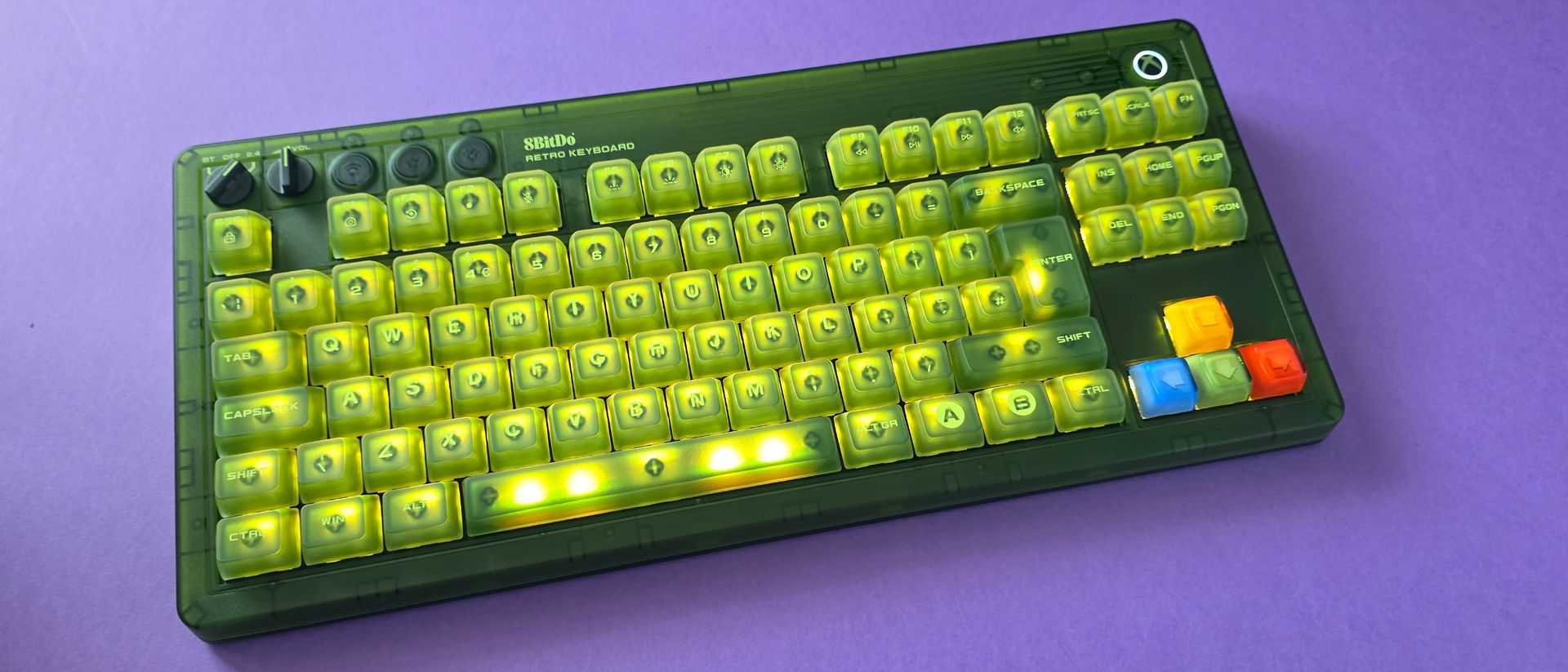
The green design is unabashedly Xbox of course, but with a lot of small, thoughtful touches. Like the A/B/X/Y colored arrow keys that mirror the OG controller and the glowing Xbox home button (which matches the look on the new 25th Anniversary Series X console.) This is a hell of a lot cheaper than that console too!

If the Xbox Duke controller were a keyboard and mouse, this would be it.

Green keyboard
Colors we know and love!Jennifer Young - Windows Central
Green keyboard
Now I have that X25 console button without the X25 price tagJennifer Young - Windows Central

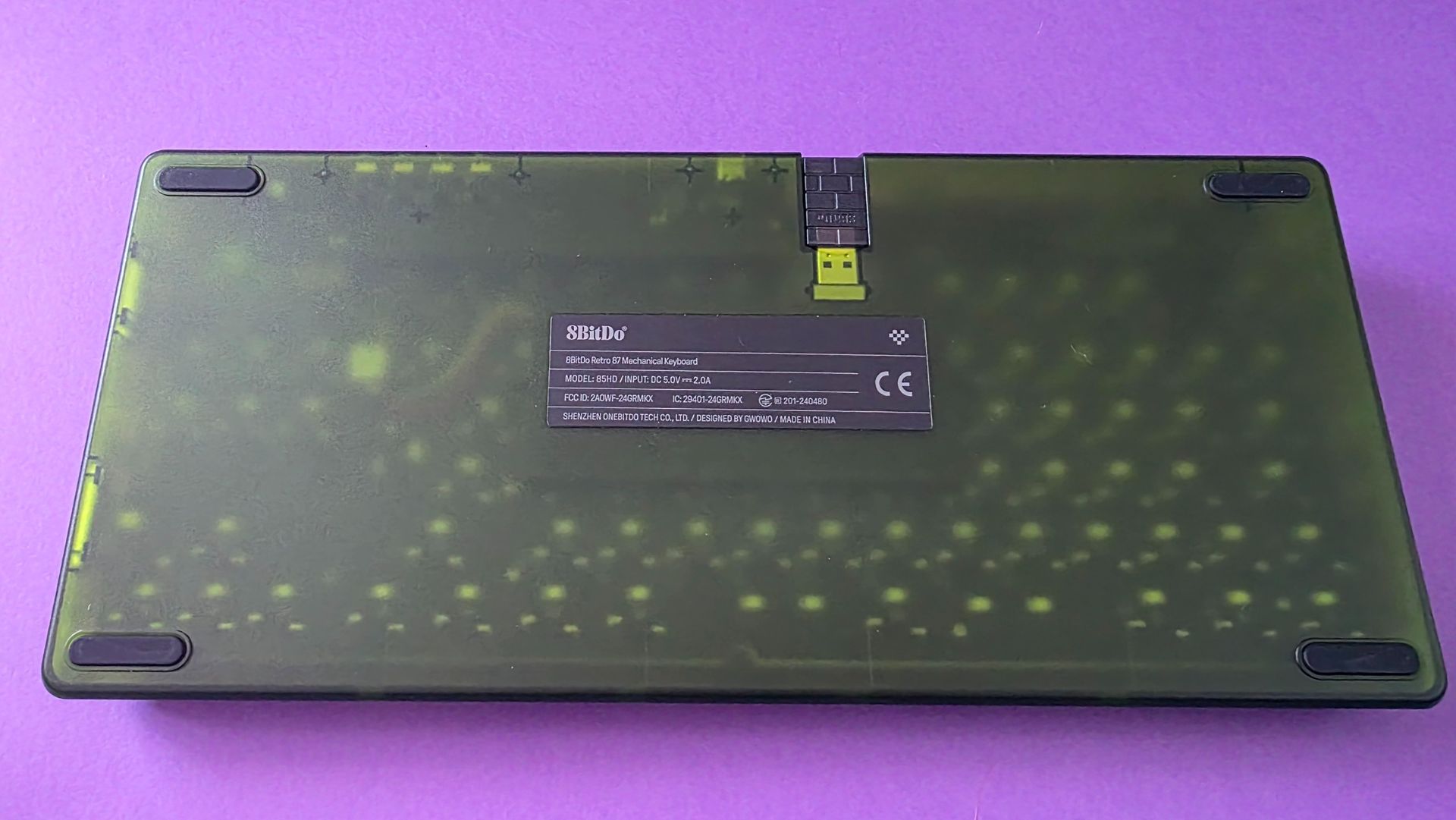
Even before typing a single sentence, the convenient design details impressed me. Having a dedicated magnetic compartment built into the base to store the 2.4GHz receiver is a godsend; I’ve lost count of how many wireless dongles I’ve misplaced over the years.

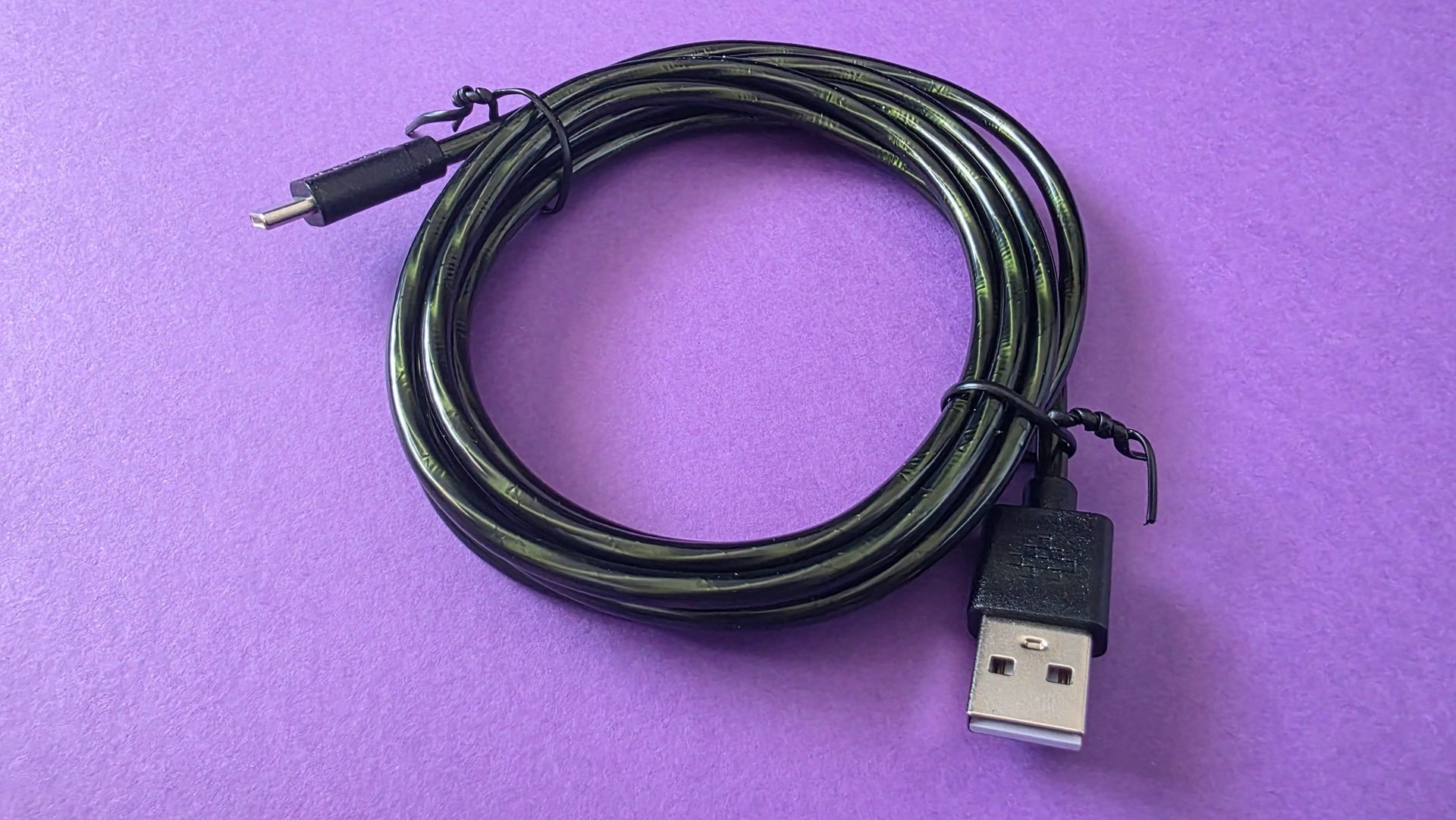
Connectivity is versatile, offering 2.4GHz wireless, Bluetooth, or a wired USB-C connection. I wouldn't normally dedicate a sentence to a cable, but 8BitDo even made the braided wire matching Xbox green. Talk about attention to detail!

Green USB cable

The cable is green too, yay! (Image credit: Jennifer Young - Windows Central)

The board itself feels incredibly hefty, solid, and durable on the desk. That robust build quality is a major plus for me: regardless of how gentle I may be with the keyboard, my son also loves gaming at my desk and is considerably heavier-handed. This chassis easily withstands the enthusiastic key-slams of a kid navigating mods in Wobbly Life. The physical dials at the top for adjusting volume and switching connection modes feel equally premium and far from flimsy.

Green button accessory for keyboard
No these are not cat bongos, you map buttons to them. Jennifer Young - Windows Central
Green keyboard, mouse and controller
The whole set together was meant to be, and looks even better on my desk Jennifer Young - Windows Central
Back side of a green keyboard
I do enjoy seeing a tech accessory's innardsJennifer Young - Windows Central

The box includes 8BitDo’s famous Dual Super Buttons. At first, I had no idea what to do with them other than getting my cat to play the bongos, but they plug in via a 3.5mm jack on the rear. You can map them on the fly directly from the board without software, though downloading the 8BitDo Ultimate Software V2 is essential if you want to set up complex macros or multi-key shortcuts.

While I didn't get overly creative with my bindings, mapping the giant "A" button to instantly grab screenshots is super handy during streams.

Green keyboard

You can change these lights to RGB, but don't. (Image credit: Jennifer Young - Windows Central)

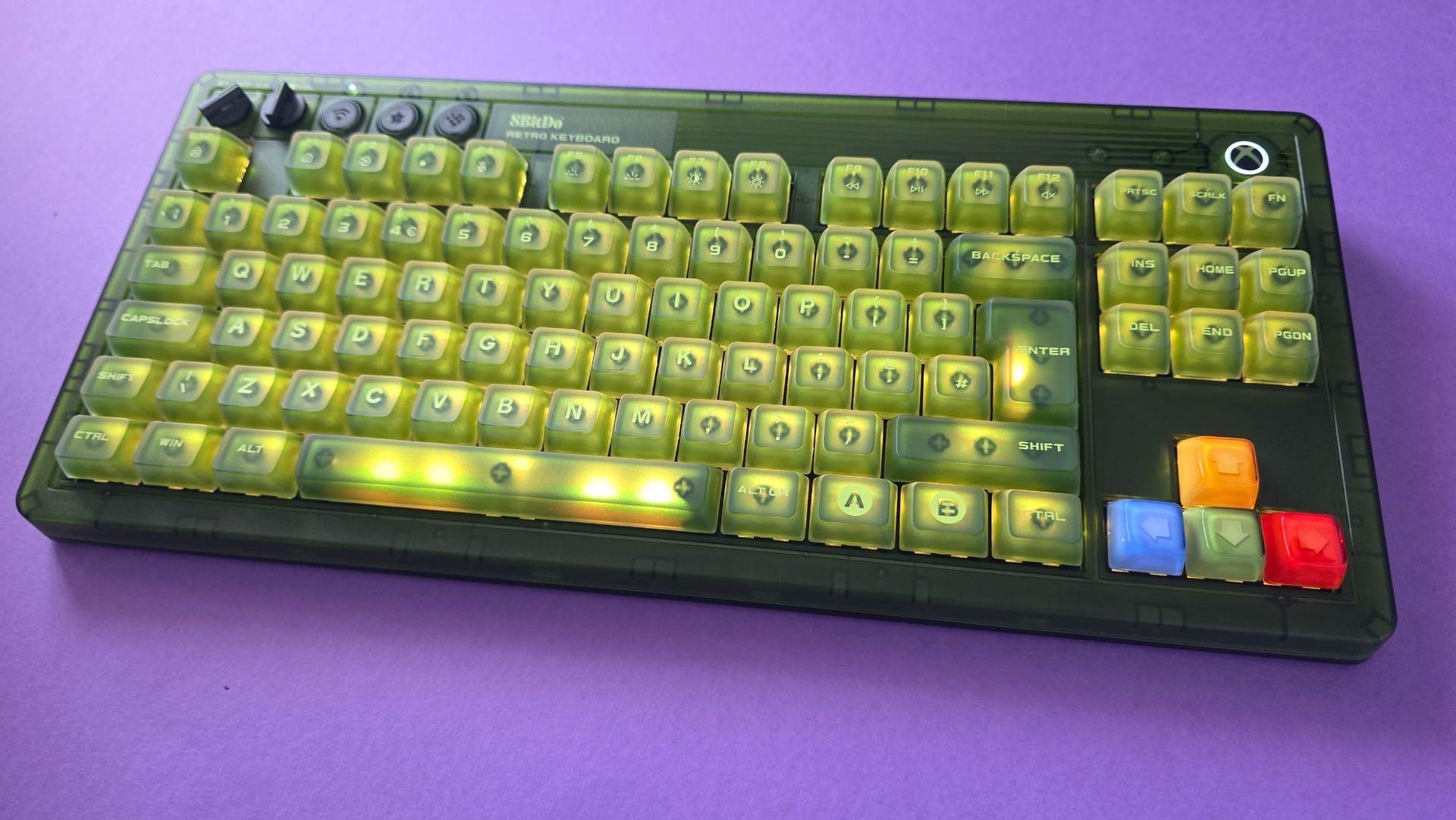
If you love RGB backlighting, the board comes packed with bright lighting modes and a full spectrum of color profiles. I usually keep the backlighting on boring white as I think having multi-colours looks a little 'busy' through the green casing, but the customization options are there if you want a full rainbow light show (I do not, and prefer less visual noise).

The stock switches deliver a wonderfully satisfying clickety-clackety feel (that’s a technical term), offering great audio and tactile feedback. I also didn't note any input lag even over wireless. For tinkerers, the PCB is fully hot-swappable if you ever want to pull the stock switches and experiment with custom ones later on. Finally, if you opt for the matching standalone numpad, it snaps flush against the side of the board with a deeply satisfying magnet click, just another detail that makes this feel pretty premium.

8BitDo Retro 87 Mechanical Keyboard Xbox Edition: What's bad

Green keyboard

These keys are a god damn finger grease magnet (Image credit: Jennifer Young - Windows Central)

As I said, I love this keyboard, and I'm hard-pressed to find anything I don't like about it, but if I had any criticisms at all, I'd start with the fact that I have to clean it more often!

The super-matte, double-layered ABS keycaps tend to show finger oils and shine much faster and more noticeably than keycaps on previous boards I’ve used. I find myself wiping the keys down more often, but that's a small price to pay for how good the setup looks on my desk.

Second, while I appreciate that 8BitDo made the matching Numpad an optional extra, it's a bit frustrating that both the keyboard and the numpad require their own separate 2.4GHz USB dongles. USB ports on my dock are always at a premium, so I’ve ended up running the main keyboard wired most of the time. Given that the keyboard sits stationary on my desk anyway, it’s hardly a dealbreaker just a minor setup niggle to keep in mind if you are beholden to getting the Numpad too.

8BitDo Retro 87 Mechanical Keyboard Xbox Edition: The competition

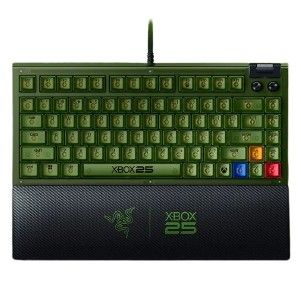
You'll only be reading this if you're already interested in grabbing a very in-your-face Xbox fan-themed keyboard, in which case, it's worth mentioning that Razer have released the Xbox 25th Anniversary Collection just recently, and within that, a Black Widow V4 75% keyboard.

At $209.99 / £199.99, it carries a distinctly "Razer price tag" compared to 8BitDo’s accessible $119.99 MSRP.

Green gaming keyboard

(Image credit: Razer)

However, that higher price tag gets you a sleeker, smaller frame and quieter tactile switches.

If you prefer a more subtle, understated tribute to the original Xbox without the chunky retro footprint (and don't mind waiting for pre-orders to ship on October 20), the Razer option is a gorgeous alternative. But for that loud, unapologetic early-2000s green Duke-style aesthetic at nearly half the price, 8BitDo is a no-brainer for me.

8BitDo Retro 87 Mechanical Keyboard Xbox Edition: Should you buy it?

Monitor showing Xbox background, and keyboard placed on a desk
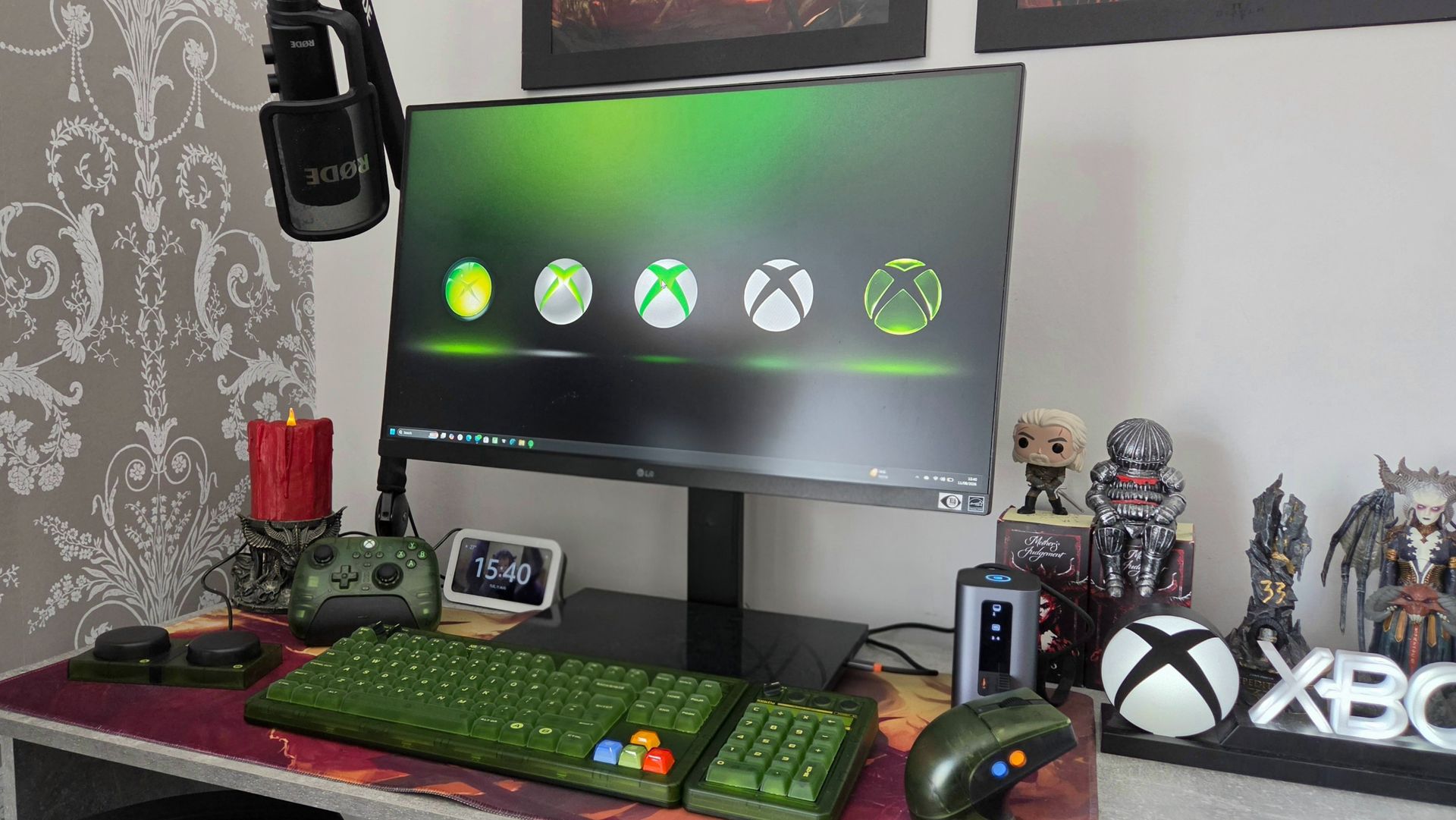
Yes, I changed my PC background to match my new keyboard. Jennifer Young - Windows Central
Green keyboard
Never been one to have a minimalist desk, this keyboard fits right in with my trinkets.Jennifer Young - Windows Central
Green keyboard
I'm only mildly annoyed that the controller dock isn't also green. Jennifer Young - Windows Central

You should buy this if ...

✅ You want a nostalgia-packed OG Xbox aesthetic

This board is certainly cheaper (and easier to buy) than the Xbox Series X25, and it nails the retro 2000s theme

✅ You love big keycaps and clicky switches

The keyboard is just as loud as the design

✅ You want versatile wireless options and handy extras

With built-in magnetic dongle storage, 2.4GHz/Bluetooth toggles, a dedicated volume dial, and programmable Dual Super Buttons, it’s packed with great quality-of-life details.

You should not buy this if ...

❌ You want a silent, low-profile keyboard

The stock switches are loud and proud, and the chunky retro frame takes up a good chunk of desk space.

❌ You need a built-in numpad without extra dongles

It’s a Tenkeyless layout, and while 8BitDo sells a matching separate numpad, taking up two separate USB ports for two wireless dongles can quickly clutter up your hub or dock.

The 8BitDo Retro 87 Mechanical Keyboard Xbox Edition is just perfect for anyone who holds a soft spot for early 2000s gaming tech, translucent and chunky. I can't wait to sink many hours of WoW Forever on it and live my millennial retirement home dreams.

It looks like a collectors edition item without the price tag you would normally expect, while managing to also be built to last and something I want to keep on using (not just take pretty pictures of for Instagram). If you want a desk setup that brings a smile to your face every time you sit down to type or game, this obnoxiously green and thicc beast is worth every cent.

8BitDo Retro 87 Mechanical Keyboard Xbox edition

8BitDo
Retro 87 Mechanical Keyboard - Xbox Edition

Level up your desktop setup with this fitting tribute to the original Xbox. The 8BitDo Retro 87 combines a iconic transparent-green aesthetic with high-performance mechanical typing.

Featuring tri-mode connectivity (2.4GHz wireless, Bluetooth 5.0, USB-C wired), tactile clicky Kailh Jellyfish X switches, dedicated volume and mode dials, and a hot-swappable PCB, it’s as versatile as it is striking. Plus, it includes 8BitDo’s programmable Dual Super Buttons for instant macro access right on your desk..

  •  

This $59 Cork Wallet Makes Your Overstuffed Bifold Look Embarrassing

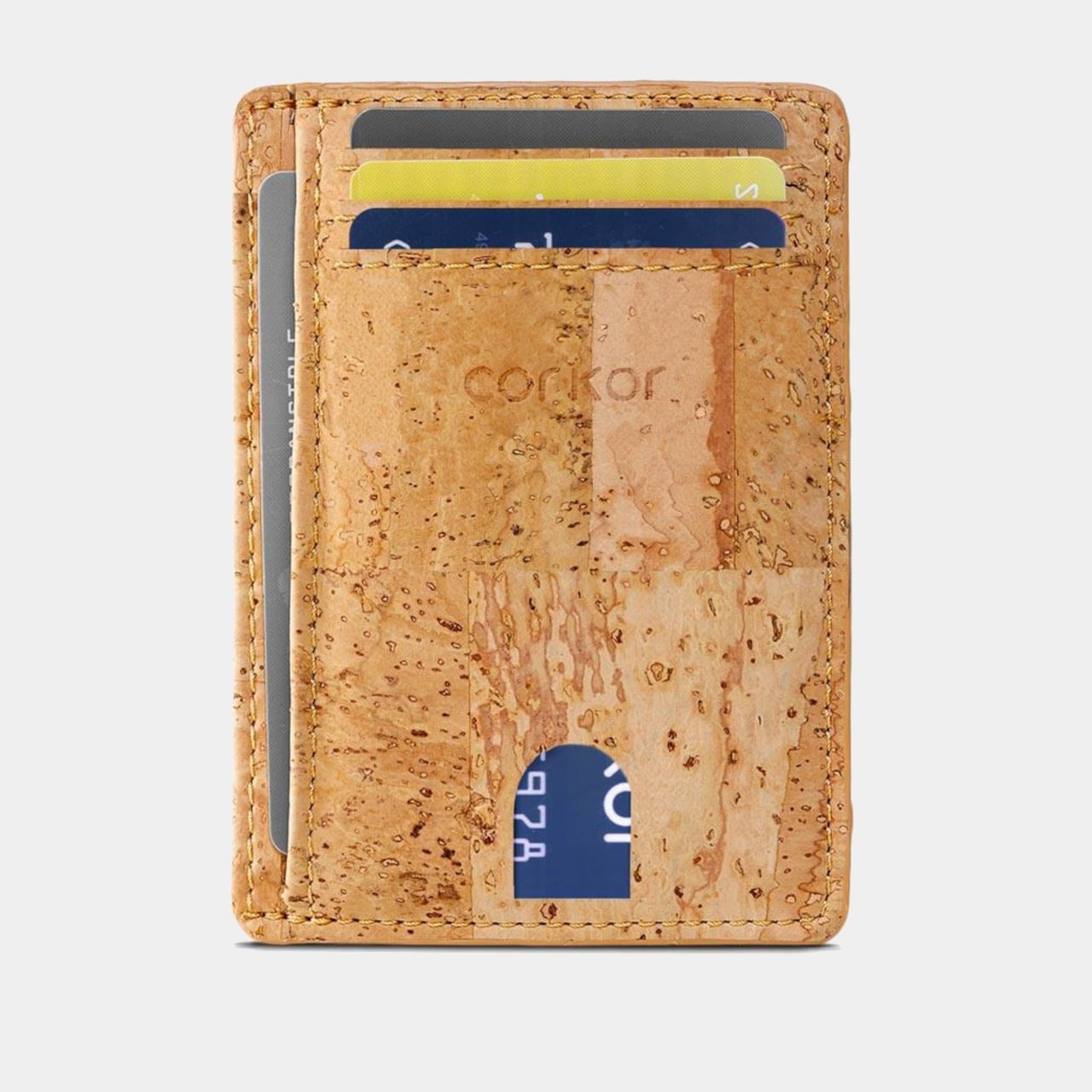
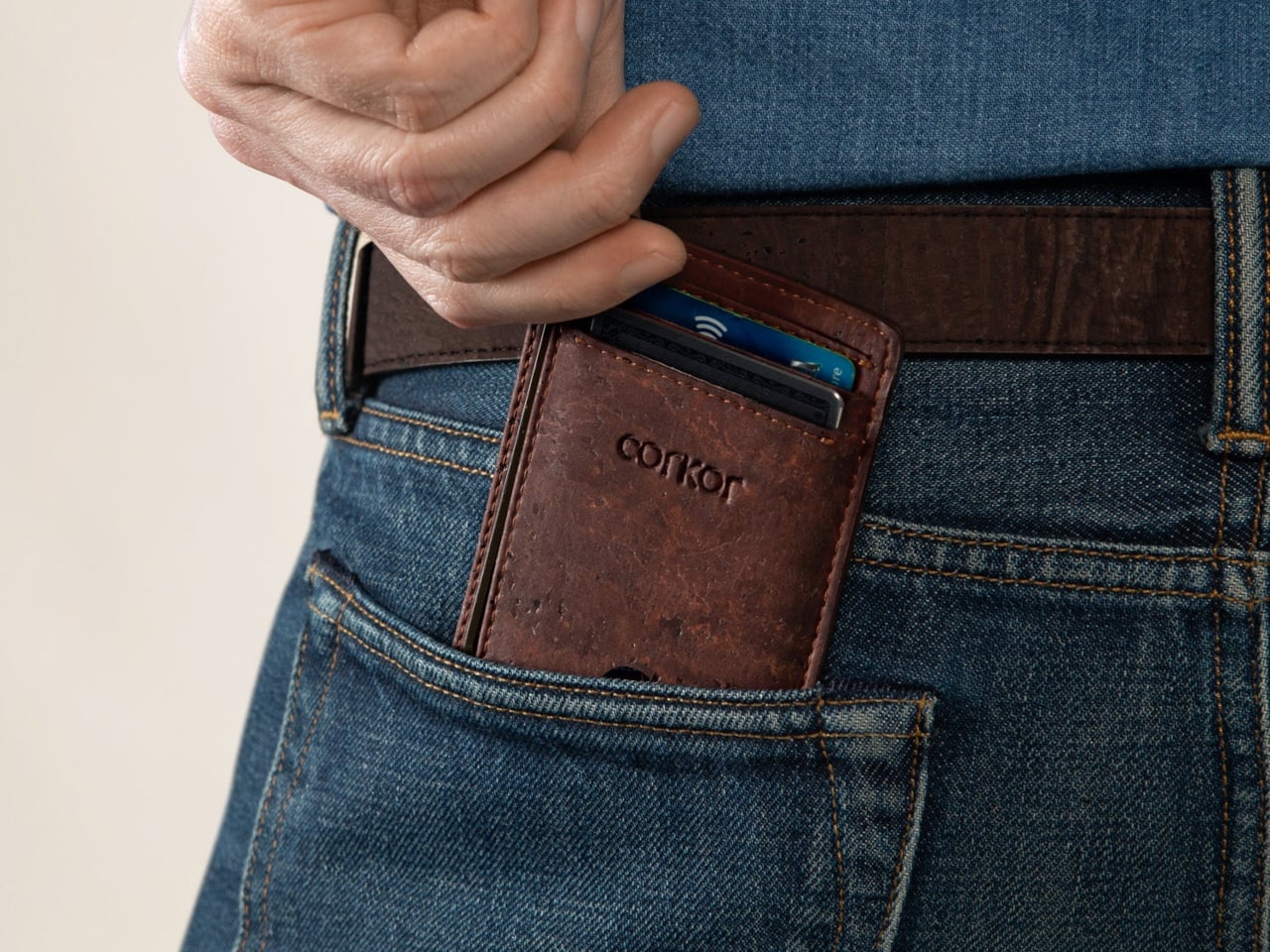
Most wallets don’t start out bulky. They get there one receipt, spare card, and folded bill at a time, until slipping one into a front pocket feels like packing a book. Corkor’s slim card holder asks you to carry less, then makes that decision feel less austere with a cork exterior. Its appeal lies in the material as well as its size.

Cork is something you pull from a bottle or pin notes into, not what you reach for when paying for coffee. Here, its irregular grain gives the wallet character without needing decorative hardware or branding. Stitched edges and stacked pockets keep the shape familiar, but the surface feels different from the smooth leather and synthetic finishes that dominate everyday carry.

Designer: Corkor

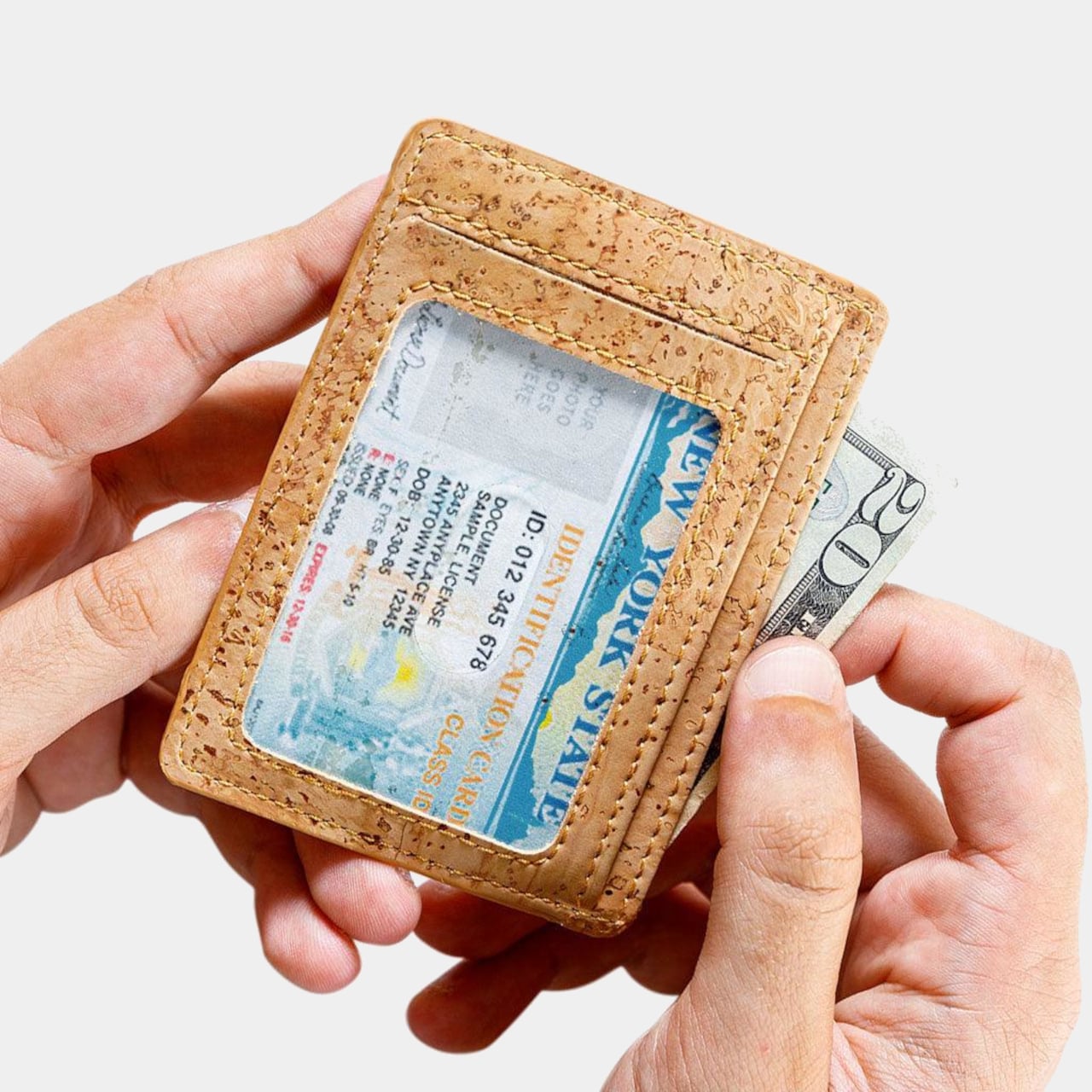
The layout keeps your most-used cards in three slots, with an ID window and two compartments for folded bills. A small opening on the front helps you nudge a card upward rather than digging at its edge. Keep only the cards you actually use, though, because squeezing too many into those pockets would inevitably change how slim the wallet feels in your pocket.

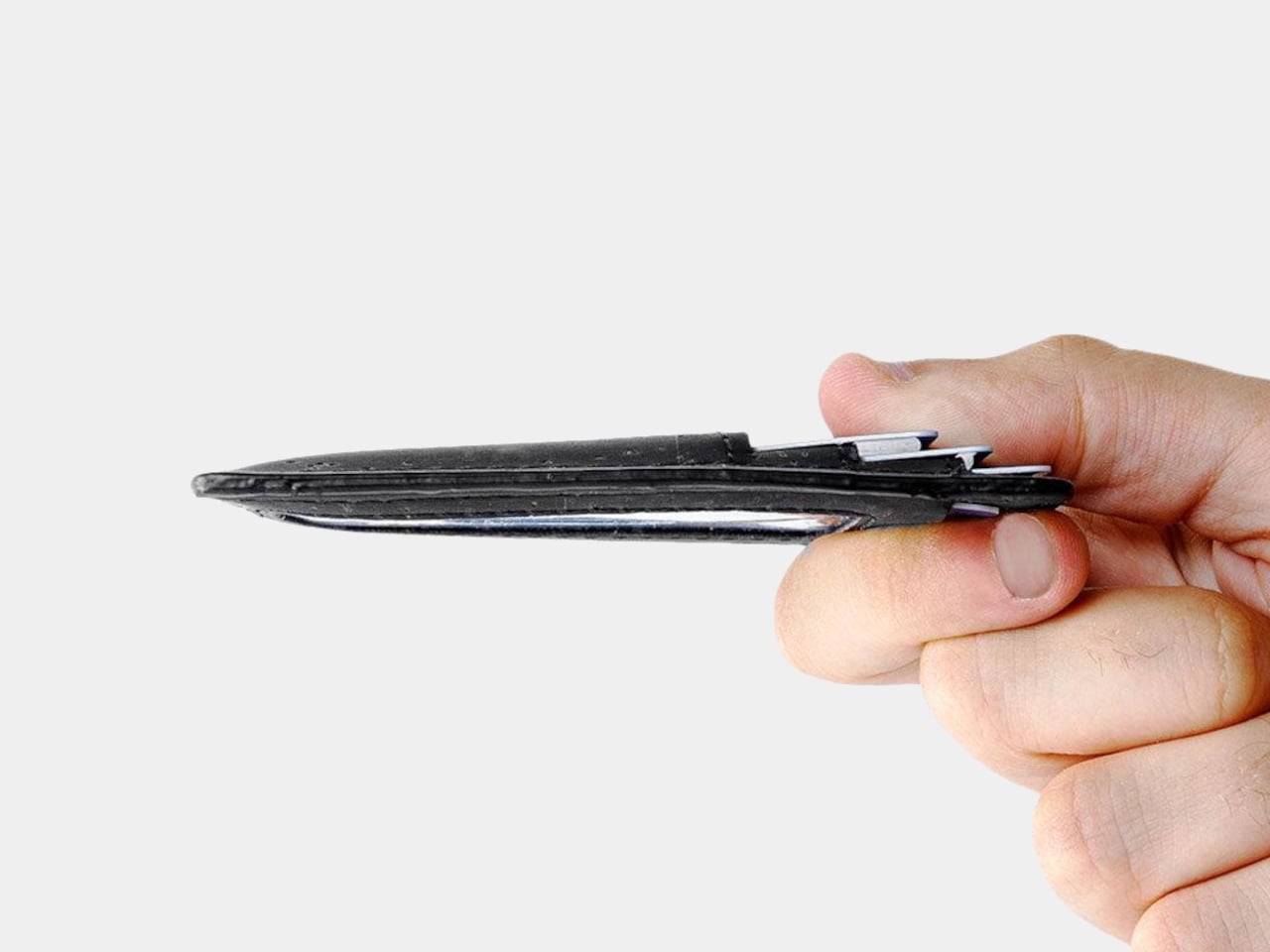
At 4.3 inches tall, 3.2 inches wide, and 0.4 inches thick when empty, the holder takes up less room than a traditional bifold. It weighs just 0.70 ounces before you add anything. You can leave home with a payment card, an ID, and a little cash without carrying a stack of compartments you’ll never open during a long, busy day away from home.

Cork has a purpose beyond its unusual appearance. The thin, pliable material lets the holder bend gently instead of feeling like a rigid little case, and Corkor describes it as water-repellent and easy to clean. For someone who wants an animal-free alternative to leather, that makes the material choice part of the daily experience rather than a claim printed on a label.

The cork comes from Portugal, where Corkor also makes the holder in-house. That doesn’t mean a wallet can settle every question about sustainability, but it does give this one a clear material identity. Corkor says its packaging is recyclable or compostable, and the card holder is certified vegan. Those details matter most when they’re paired with something you actually want to keep using.

Of course, minimalism has limits. There’s no coin pocket, and those folded bills won’t be as quick to sort through as cash in a full-size wallet. RFID-blocking construction is included to help protect compatible cards from skimming, but it won’t prevent other kinds of theft. This is a holder for an edited pocket, not a place to stash whatever the day hands you.

Corkor prices the holder at $59, which might seem steep for something designed to carry so little. That small footprint is precisely the point. The soft, mottled cork makes a familiar stack of slots feel unexpectedly personal, while the slim layout encourages you to leave the clutter behind. Once you’ve pared things down, that front pocket might finally have room for more than your wallet.

The post This $59 Cork Wallet Makes Your Overstuffed Bifold Look Embarrassing first appeared on Yanko Design.
  •  

These Bose headphones changed how I shop forever

"Babe?... Babe!? Is everything alright?" If you're in my house on a relaxing weekend afternoon, you'll often hear me trying to get a hold of my wife. I have to ask a few times, not because she's ignoring me, but because she has a pair of noise cancelling headphones on.

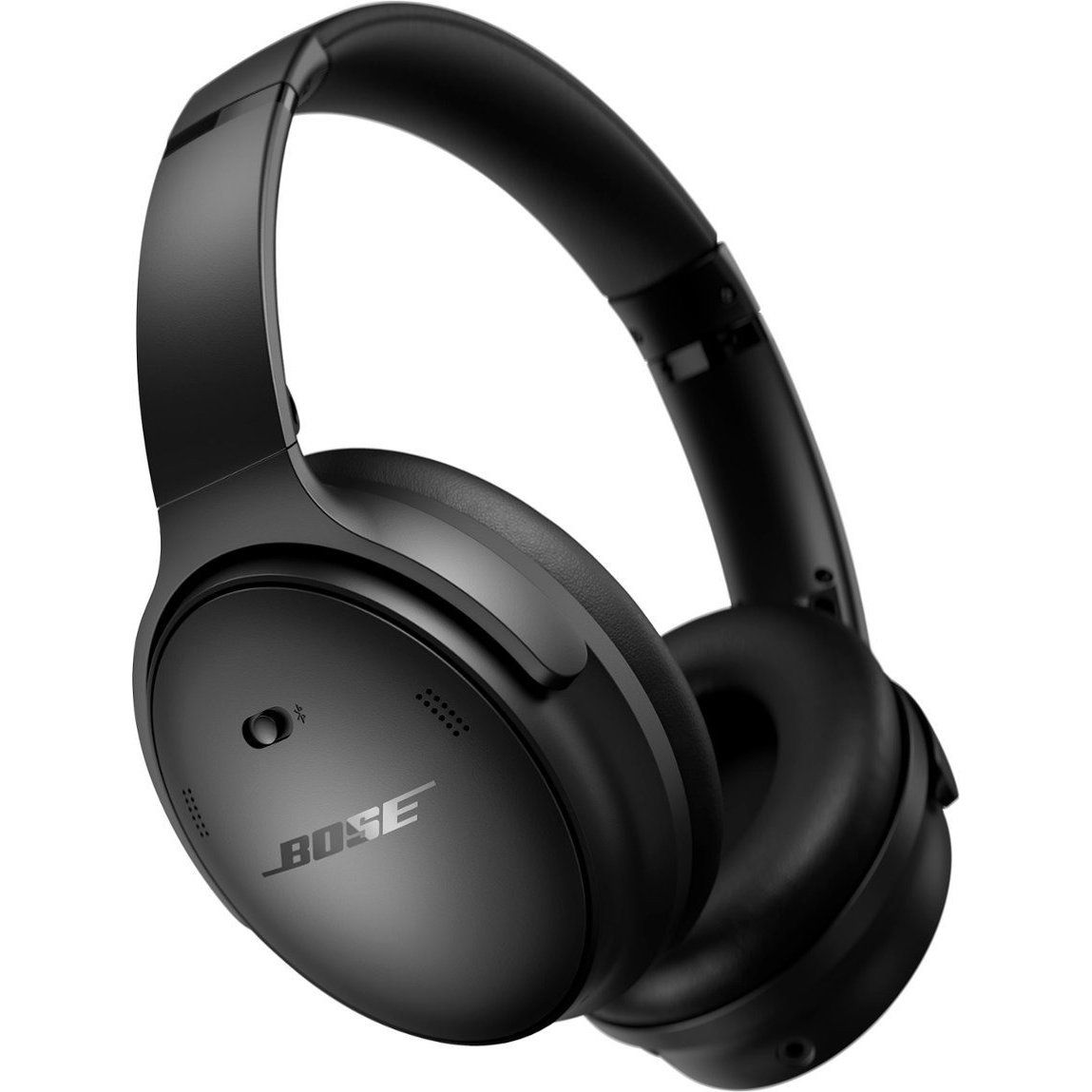
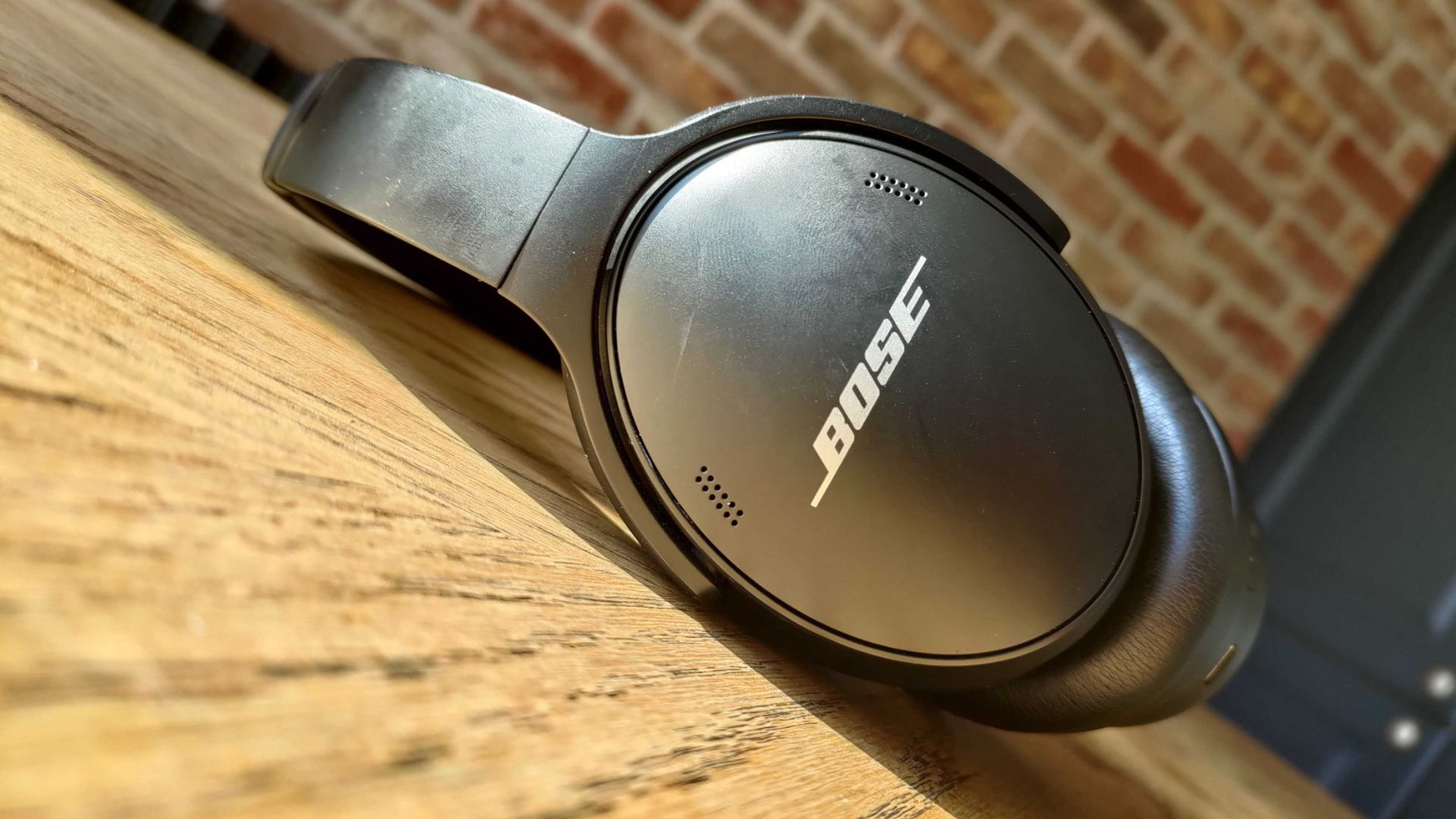
For the last couple of years, my wife has donned a pair of Bose QuietComfort Wireless Noise Cancelling Headphones. They're sleek, comfortable, and do a great job blocking out noise. And right now, they're on sale for $190 off.

QuietComfort Wireless Noise Cancelling Headphones: was $359.00 now $169.00

These noise cancelling headphones are comfortable, sound great, and last all day. They charge through USB-C, so even if they do run out of battery they're easy to top up.View Deal

You may be surprised to hear that I rarely spend a lot of money on gadgets. I love covering tech, but I try to keep my spending down when it comes to laptops, phones, and accessories. That's why it was a major shift when I bought my wife a pair of Bose QuietComfort Wireless Noise Cancelling Headphones. Back then, the headphones were newer and closer to full price.

But I wanted to splurge on a gift for my wife. She loves music, audiobooks, and podcasts, so I knew she needed a pair of headphones that she could wear all day. The headset from Bose delivered. They're comfortable, block out noise with active and passive noise cancellation, and last a long time.

They're mostly my wife's headphones, but I use them at least once a month and am frequently reminded of how much I like them. After years of heavy use they show some wear and tear (I just ordered new ear pads), but they still sound great.

The Bose QuietComfort Wireless Noise Cancelling Headphones are now a bit older, but they still deliver high-quality audio and are comfortable. They lack some of the bells and whistles you'll see in newer headsets, but they've aged well.

The $190 discount on the Bose QuietComfort Wireless Noise Cancelling Headphones makes them easy to recommend.

Do I need Prime membership for Big Deal Days?

Amazon Prime: Free 30-day trial

New members can enjoy exclusive Prime Day discounts for free and cancel anytime. After the trial, membership is $14.99/month plus tax. Includes access to games via Prime Gaming alongside Prime Video and Prime Music.

How long does Amazon Prime Big Deal Days last?

Amazon has launched this year's Prime Big Deal Days event with 48 hours of more exclusive deals, which started on Tuesday, October 6, and runs until Wednesday, October 7, 2026

Click to join us on r/WindowsCentral

Join us on Reddit at r/WindowsCentral to share your insights and discuss our latest news, reviews, and more.

  •  

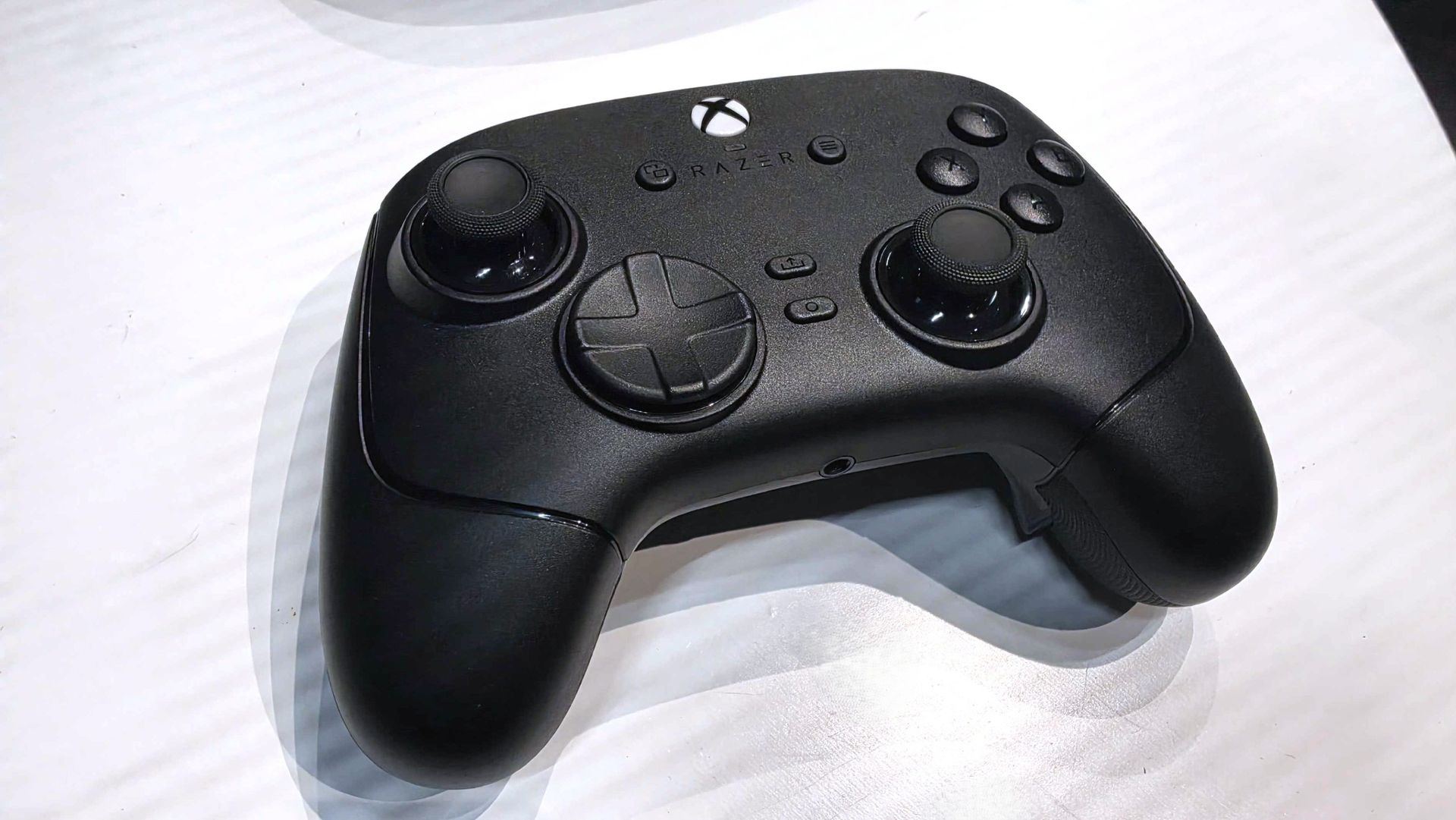
Razer's new Wolverine V4 Pro is making a play to be the new king of Xbox controllers

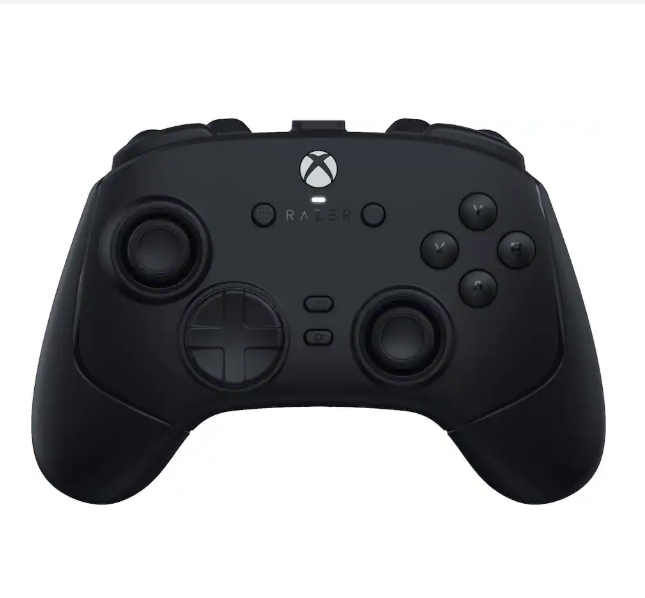
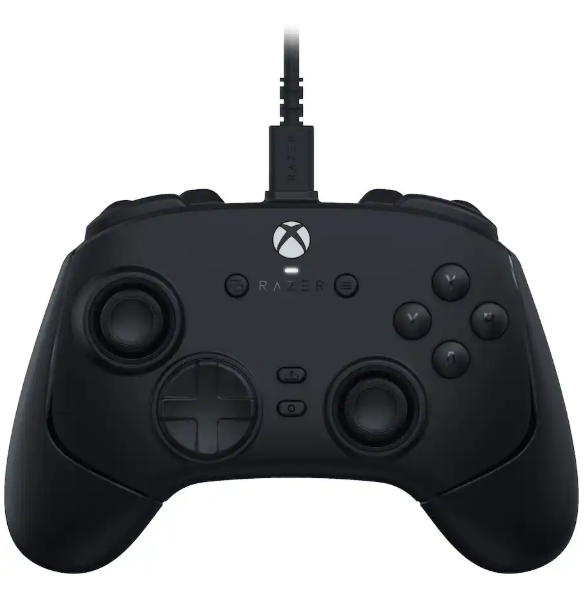
Razer controllers have been my personal go-to on Xbox and PC for years now, and the company isn't resting on its laurels. Announced today is the Razer Wolverine V4 Pro, alongside a less expensive but still similar Wolverine V4 Tournament Edition.

At first glance the Wolverine V4 Pro looks a lot like both the Wolverine V3 Pro and the PC-exclusive Wolverine V3 Pro 8K. I reviewed both, and I still use both, but the Wolverine V4 Pro now mixes the best of each into one package while making some meaningful upgrades to the tech and its features.

For starters, we're not talking about TMR sticks anymore. Razer has already moved beyond that, building the Wolverine V4 Pro with capacitive sticks. But what does that actually mean?


"Engineered for competitive FPS, racing simulators, and sports games, the Razer Wolverine V4 Pro is a premium wireless gaming controller built for players who demand maximum precision, customization, and control."View Deal

"Powering the Wolverine V4 line’s asymmetrical thumbstick layout are two new capacitive sensors, the next step in contactless sensor design, offering superior resolution, power efficiency and resistance to magnetic interference over TMR and Hall Effect counterparts, while maintaining the drift-resistant performance of both. Paired with a 16-bit ADC chip, the sensors register approximately 3,000 steps1 of movement for smoother tracking, reduced jitter, and overall higher accuracy for dominant FPS play. "

In real-world use it'll be hard to actually quantify, but it should help contribute towards better battery life. One of the biggest drawbacks with the Wolverine V3 Pro was its battery life, so we'll certainly take any improvements we can get.

The other big performance-related improvement in the Wolverine V4 Pro is also the 8,000 Hz polling rate on PC. On Xbox it's still limited to 250 Hz, but there's nothing Razer or anyone else can do about that. It's an Xbox limitation. But for players who play on both Xbox Series X|S and PC, you can now have all the best in a single package.

8,000 Hz is not essential, but if you play competitive games like Call of Duty, Apex Legends, and the like, you want the best sticks and the fastest polling rates you can have. It's becoming increasingly common to get such high polling rates, but previously you'd need to own two of Razer's controllers if you wanted this as well as Xbox compatibility.

Improvements have also been made to the actual thumbsticks. There are now six total thumbcaps to choose from, as well as magnetic rear paddles that can easily be removed if you don't want to use them.

Wolverine V4 Tournament Edition: $99.99

"Featuring high-precision anti-drift sensors, advanced customization, and ultra-low latency with up to 8K Hz Polling on PC, gain the competitive edge you need to perform at your best.View Deal

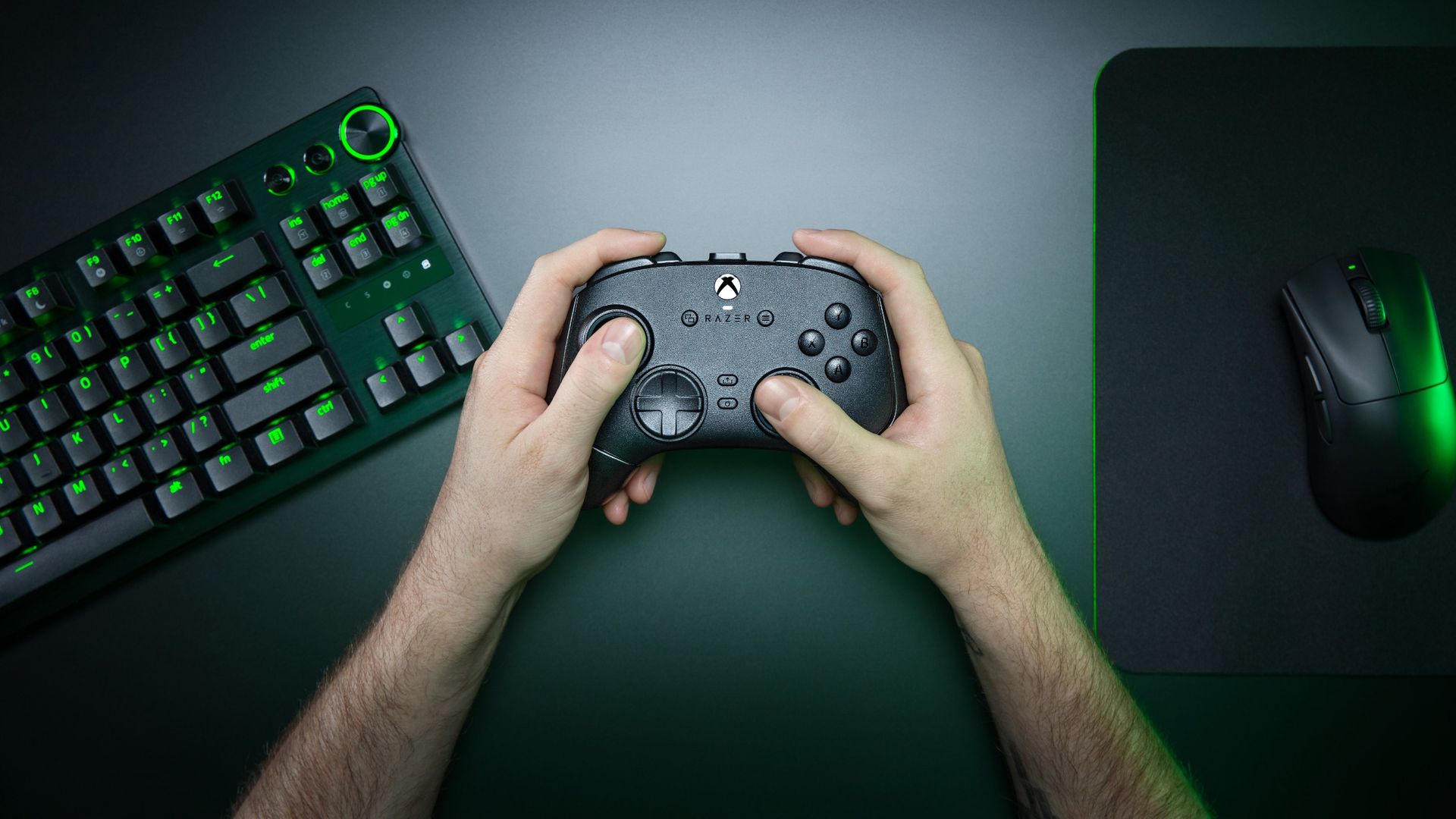
A lifestyle shot of the Razer Wolverine V4 Pro controller being held next to a Razer keyboard and mouse over a dark table.

The Wolverine V4 Pro is an all-in-one performance package now for both PC and Xbox. (Image credit: Razer)

These, along with the additional bumper buttons, can still be remapped to whatever you want them to do, and as with previous controllers, you can store them in up to four different profiles on the controller itself. The Razer Synapse app will also allow you an insane level of customization, as always.

The incredible clicky face buttons are still here, too, as are the near-instant mouse click trigger stops. New for this year's controller, though, is a removable faceplate. It attaches with magnets for ease of use, and it's got a pretty slick translucent design behind it if you want to play without it on at all.

There are no custom faceplates at this point, but having the feature, it seems inevitable that there will be some kind of collaborations in the future. Oh, and haptics are back. But you can turn them off, of course.

It's not all add, though. Razer has decided this time around not to include one of its excellent controller cases. Even if you don't actively put your controller in the case, they've always been really good quality, and it's a nice way to keep your additional sticks and the wireless dongle organized, so it's a little sad to see it go.

The Wolverine V4 Tournament Edition keeps much of the same goodness but comes in a lot cheaper. For one, it's only available wired, but you still get the new capacitive sticks, the 8,000 Hz polling rate on PC, and the same design. The rear paddles aren't removable, however, and neither is the faceplate.

Both the Razer Wolverine V4 Pro and Wolverine V4 Tournament Edition go on sale today, October 6. The former will cost $199.99/£199.99 and the latter $99.99/£99.99.

Click to join us on r/WindowsCentral

Join us on Reddit at r/WindowsCentral to share your insights and discuss our latest news, reviews, and more.

  •  
❌