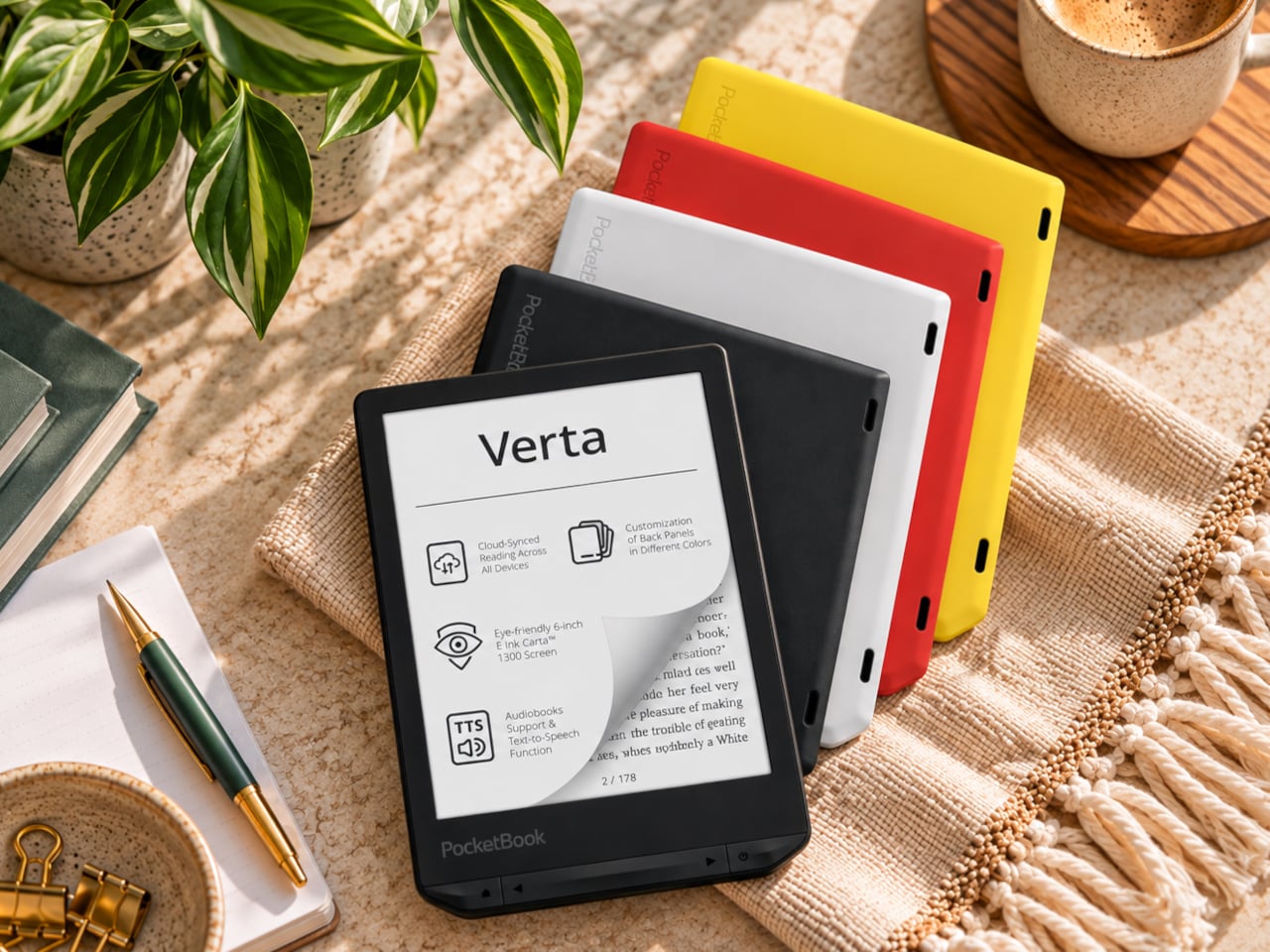
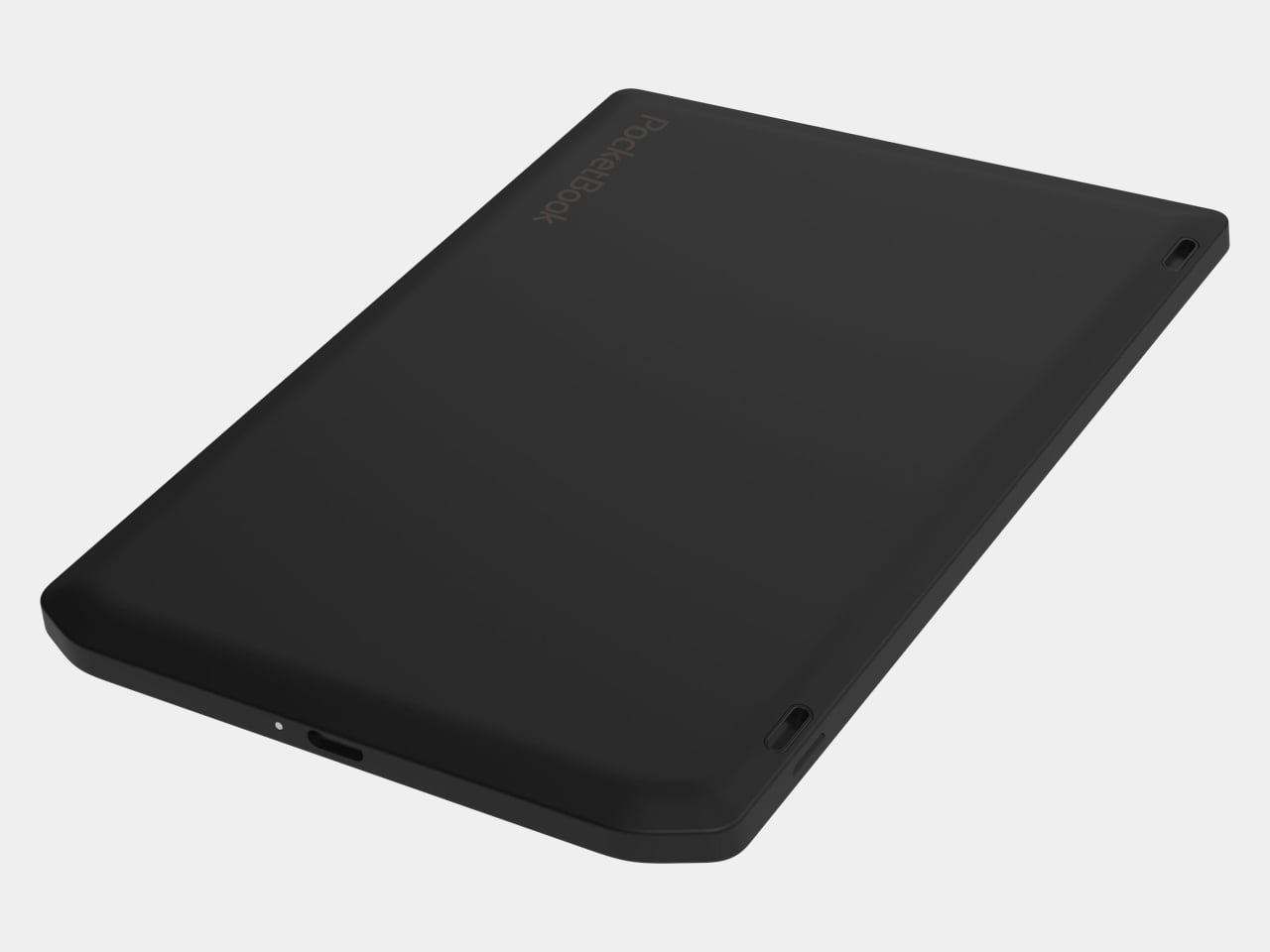
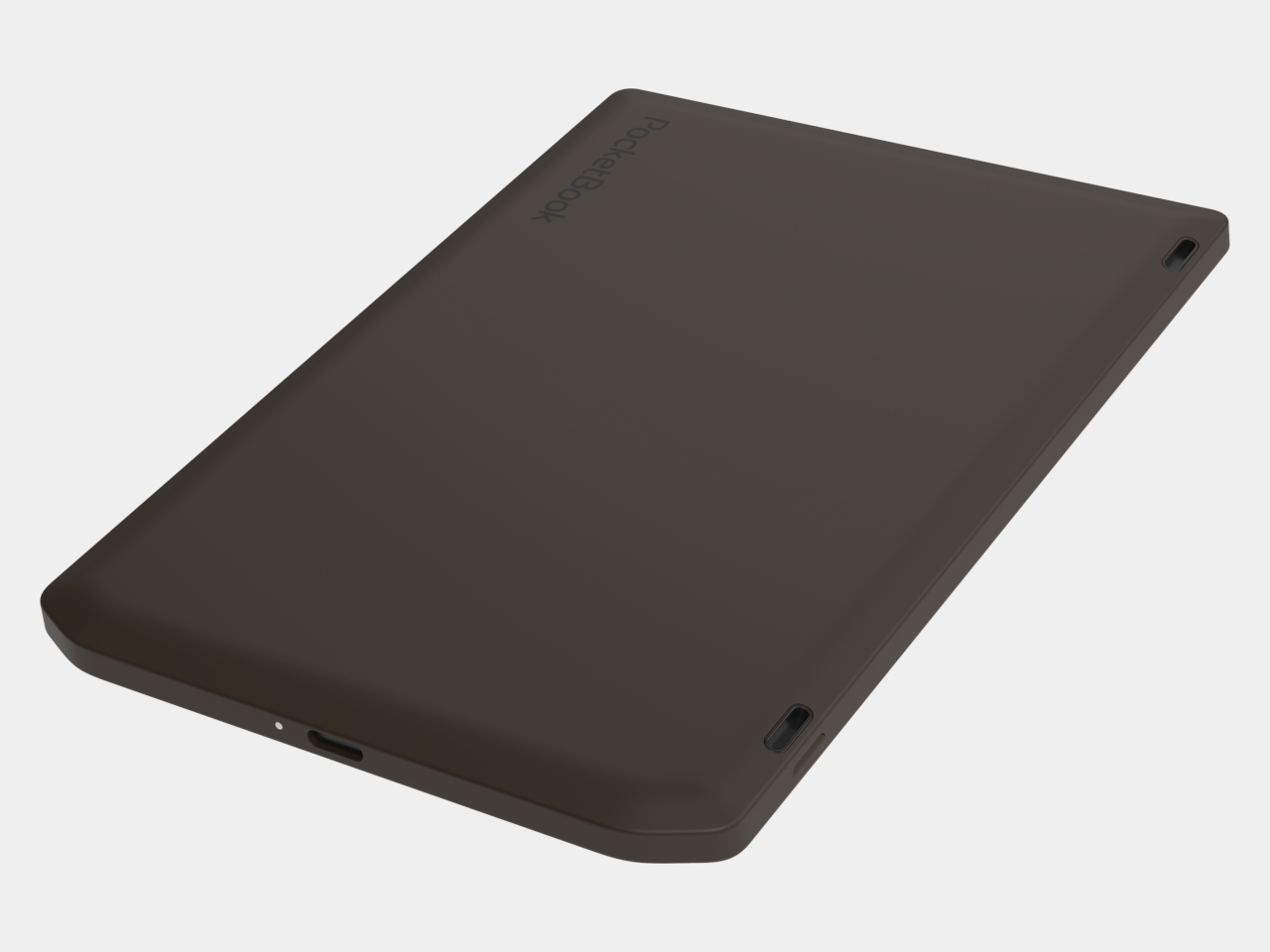
E-readers are supposed to replace physical books, but they strangely come mostly in black or gray, unlike colorful and distinctive book covers. Although not a complete design overhaul, Pocketbook’s new Verta and Verta Color e-readers offer a simple fix, and no, it doesn’t require slapping on a case. You can change the color of the e-reader by swapping the back panel while maintaining its slim shape and keeping the screen and page-turn buttons uncovered.
That’s a rather different approach to personalization than slipping on a protective cover. The interchangeable panels are sold separately, so you can keep a few colors around and switch when your taste changes. More importantly, they replace the back rather than wrapping over the front. There’s no extra flap to fold behind the reader when you settle into a chair with a book.
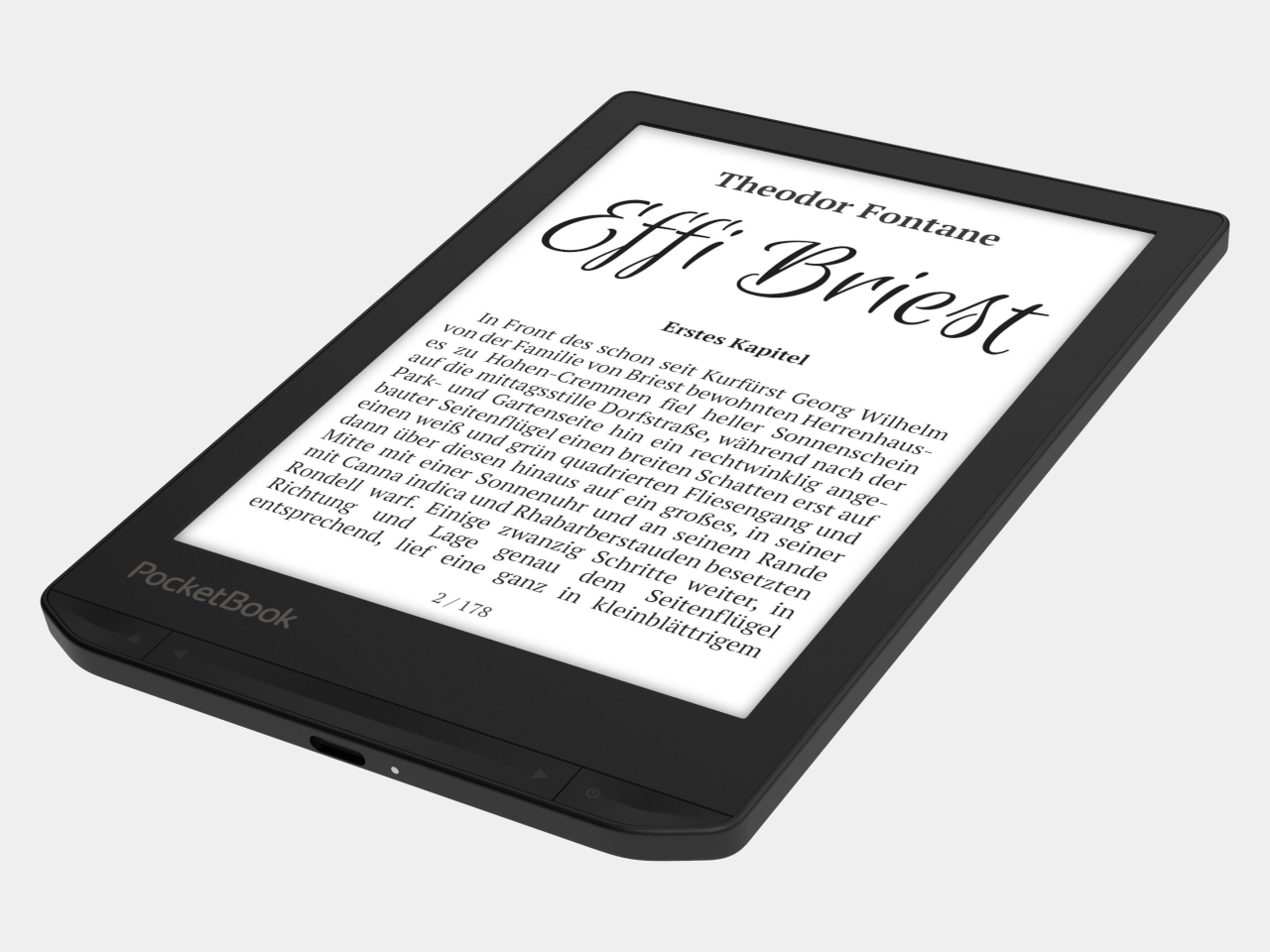
The front stays familiar in the best way. Both readers have a 6-inch touchscreen and enlarged page-turn buttons beneath it, giving your thumb another way forward when the screen is smudged or your hands are occupied. Each measures just 0.28 inches thick and weighs about 4.9 ounces, a size that suits a jacket pocket or an overstuffed bag on the commute.
Choose the regular Verta, and you get a 6-inch E Ink Carta 1300 display at 300 pixels per inch, built for the sort of long novel that makes you miss your stop. SMARTlight lets you adjust brightness and warmth as daylight disappears. It also offers Dark Mode, so you can keep reading in bed without a bright white page facing the person beside you.
The Verta Color is for readers who want their covers, illustrated pages, and comics to retain some color. Its E Ink Kaleido 3 screen renders monochrome text at 300 pixels per inch, but color drops to 150 pixels per inch. Those numbers matter if you read fine print in graphic novels; the color option gives illustrations some life, not the punch of a tablet.
Both have 16GB of storage, Wi-Fi for downloading books, and Bluetooth audio for audiobooks or text-to-speech, though you’ll need headphones or another compatible listening device. PocketBook also supports a broad range of file formats and borrowing through library apps. That flexibility comes in handy when the next book you want isn’t sitting in a single company’s store waiting for you.
An IPX4 rating gives the pair protection against splashes, not an invitation to use them in the bath. Their 1,500mAh batteries are meant to last up to two months, depending on how you read, although that figure comes from PocketBook rather than an independent test. The removable backs add personality, but they’re not a replacement for a protective case if the reader needs one.
PocketBook plans to release both in November 2026, pricing the Verta at €169 (about $198) and the Verta Color at €179 (about $209). Both are marked as coming soon on its storefront. The cleverest trick, though, is letting you change the color of something you hold for hours on end without asking a protective case to do the decorating for you.
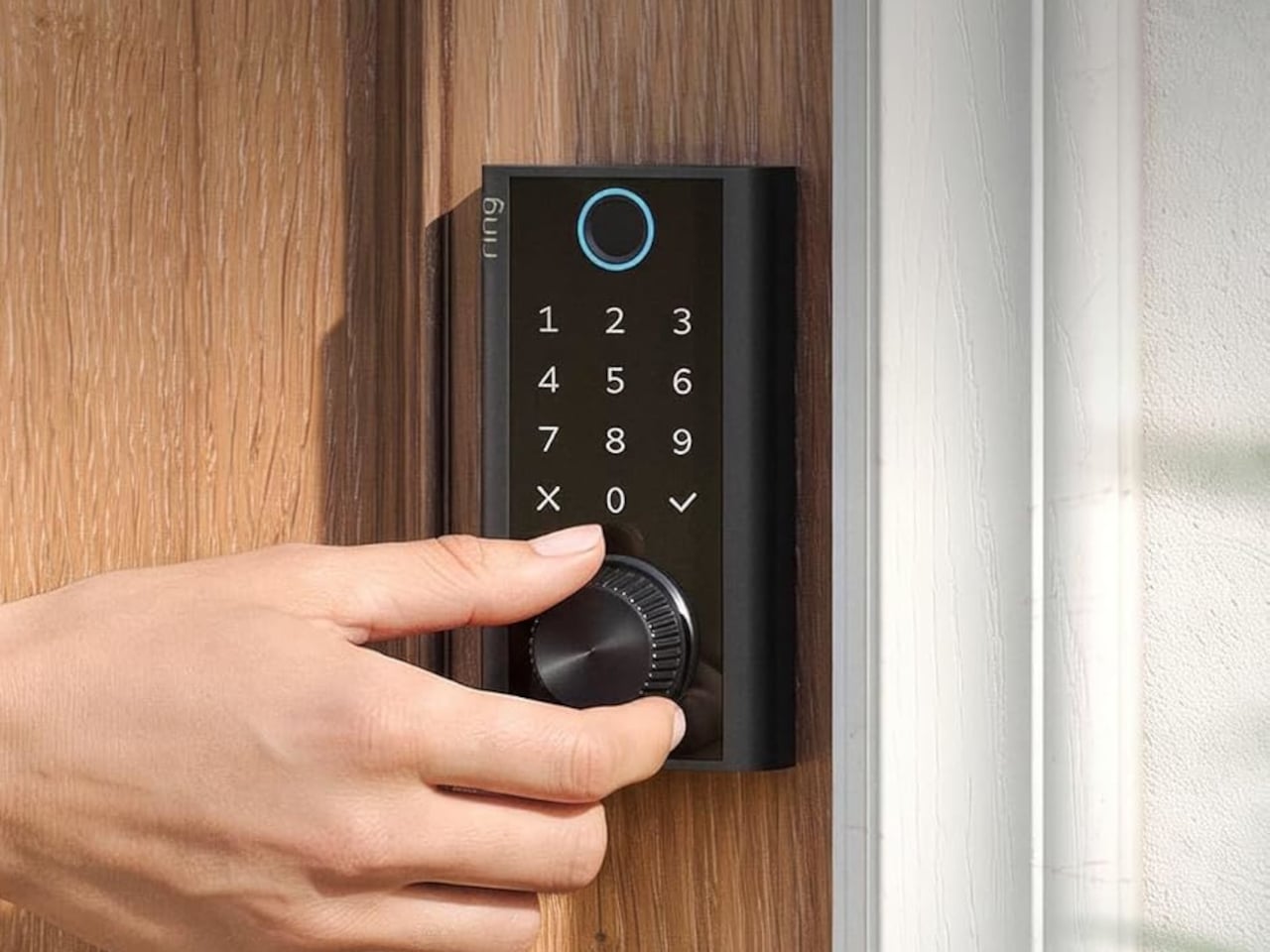
Smart locks sound like the future until you’re standing outside with groceries and the lock won’t wake up because of a dead battery. Although there are different methods to address that, Ring’s first-ever Smart Lock has a rather ingenious solution: an almost literal crank. Simply turn a dial a few times to power the keypad just long enough to key in your code.
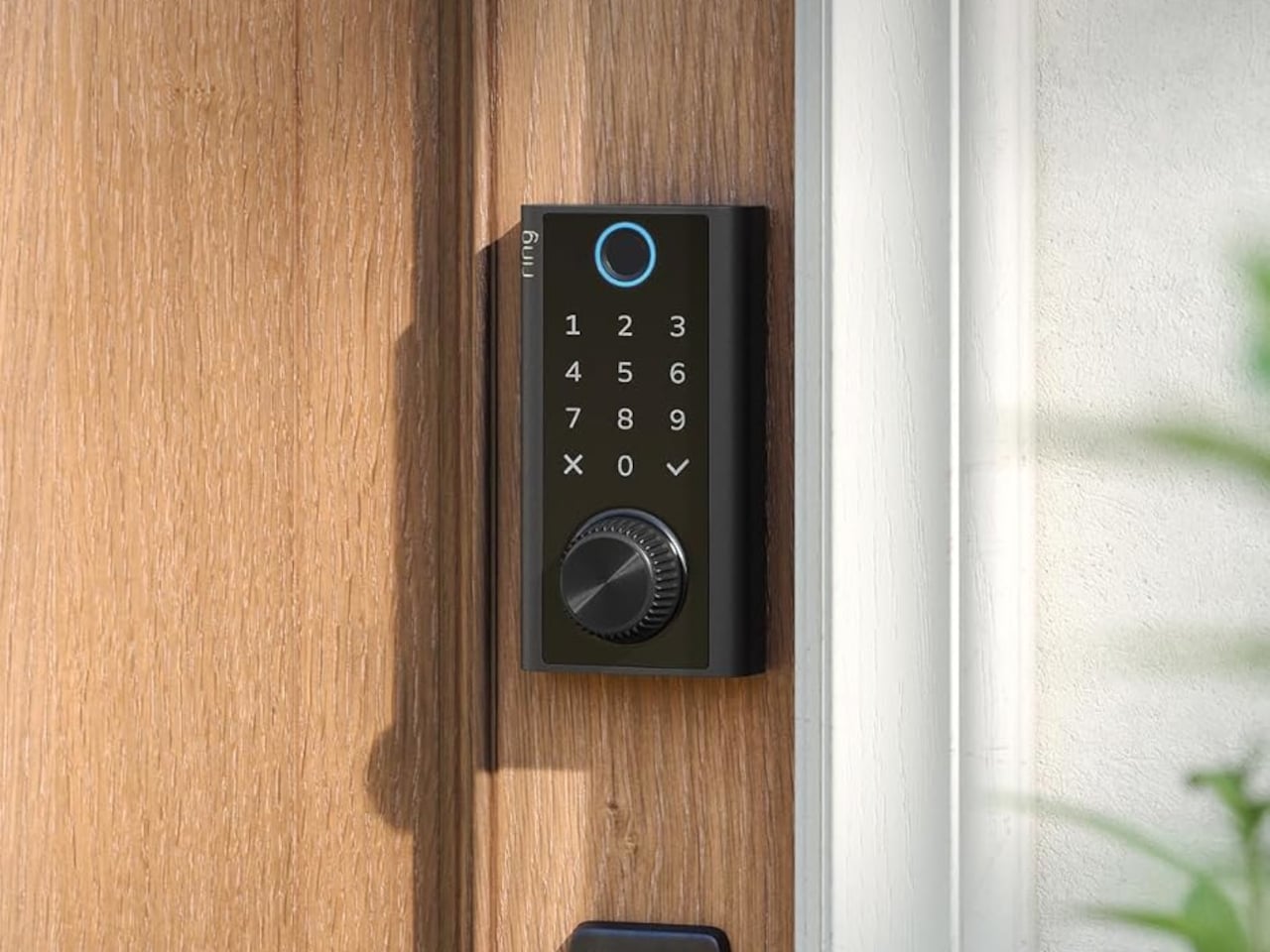
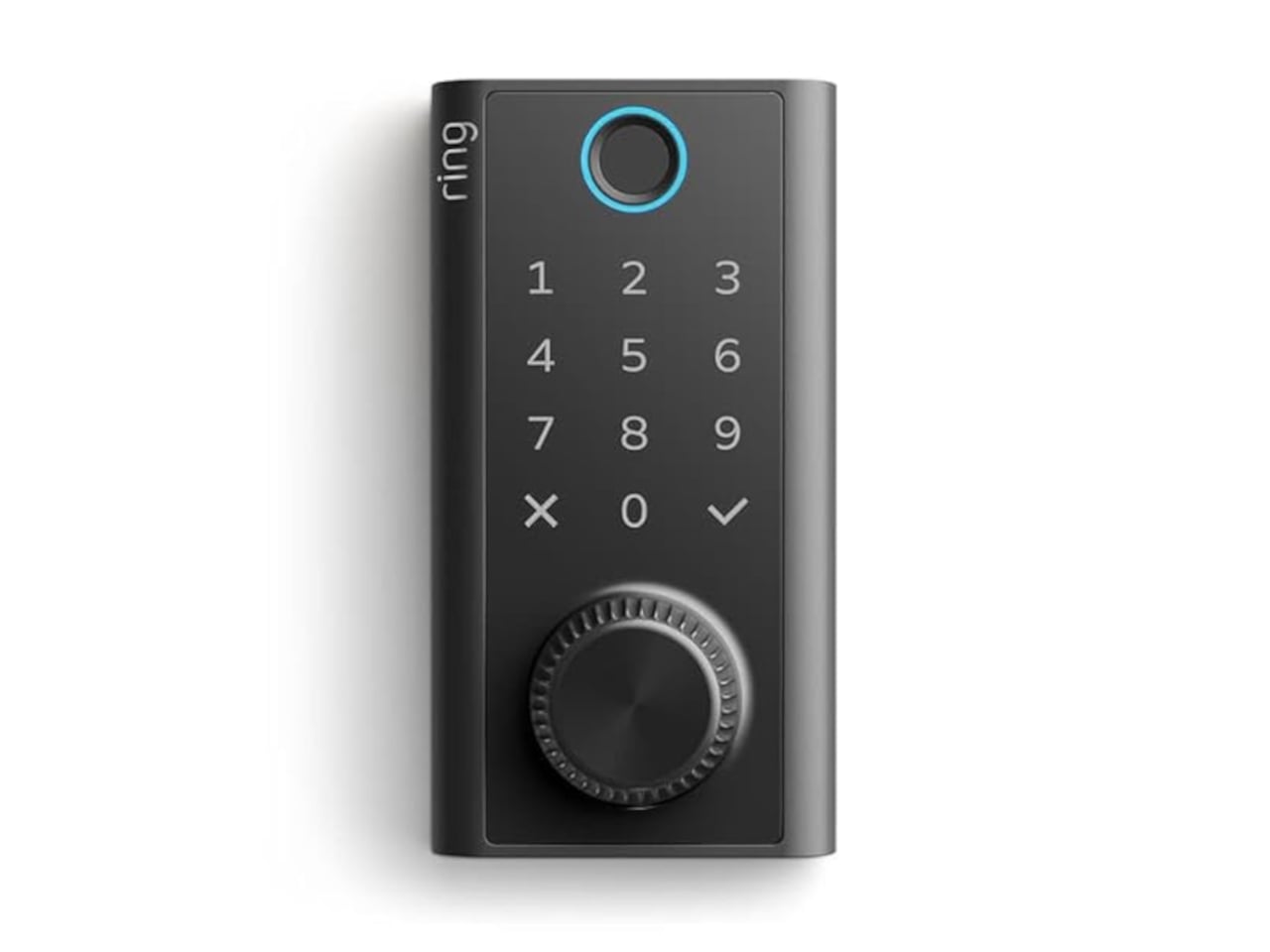
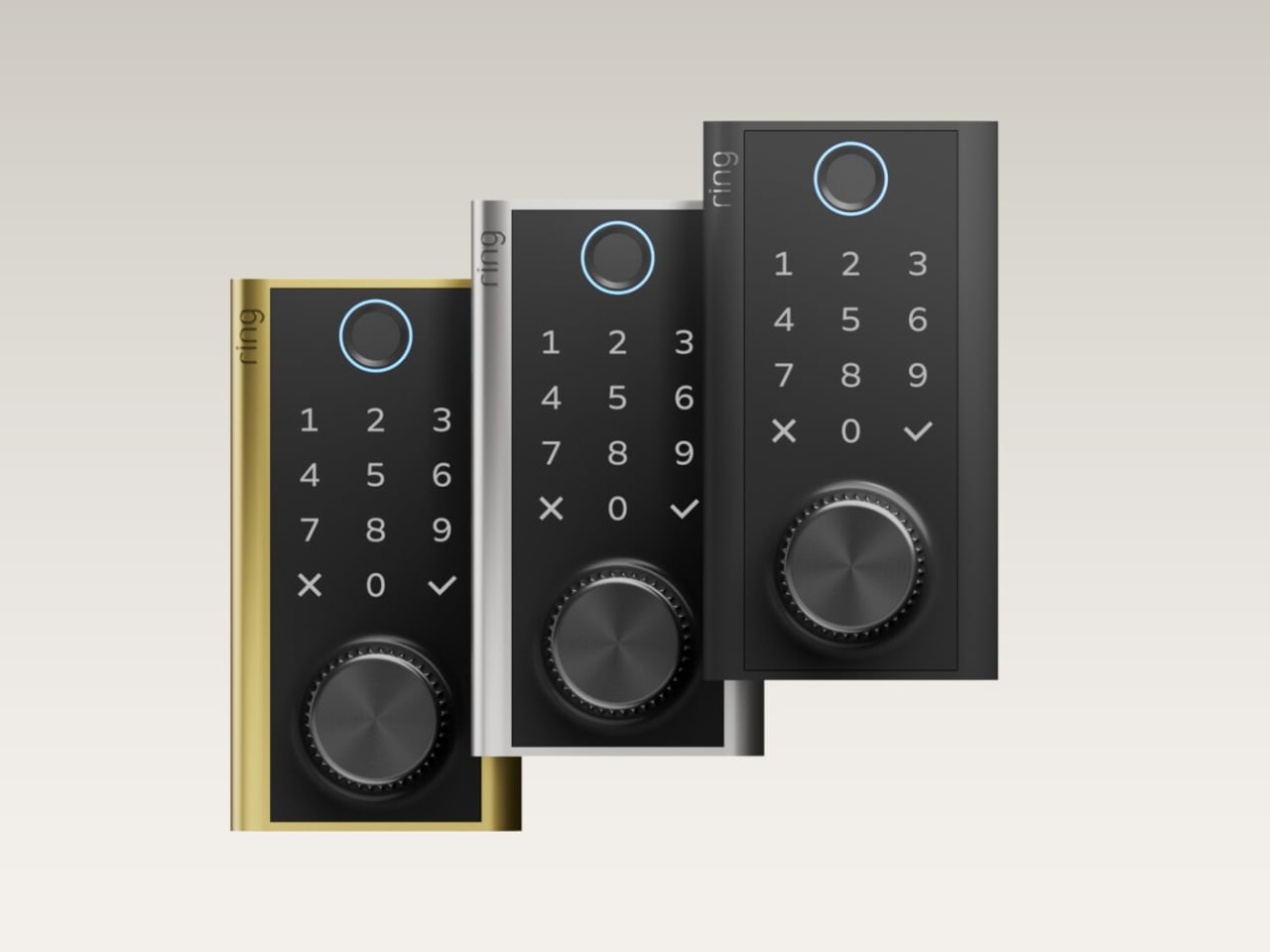
It’s simple yet effective, and it doesn’t require you to fumble for a cover to replace the battery. The knurled dial sits beneath the backlit touchscreen keypad, with a circular fingerprint reader topping them all. All in all, the design looks more like a stack of controls instead of a deadbolt with electronics just bolted on.
Designer: Amazon
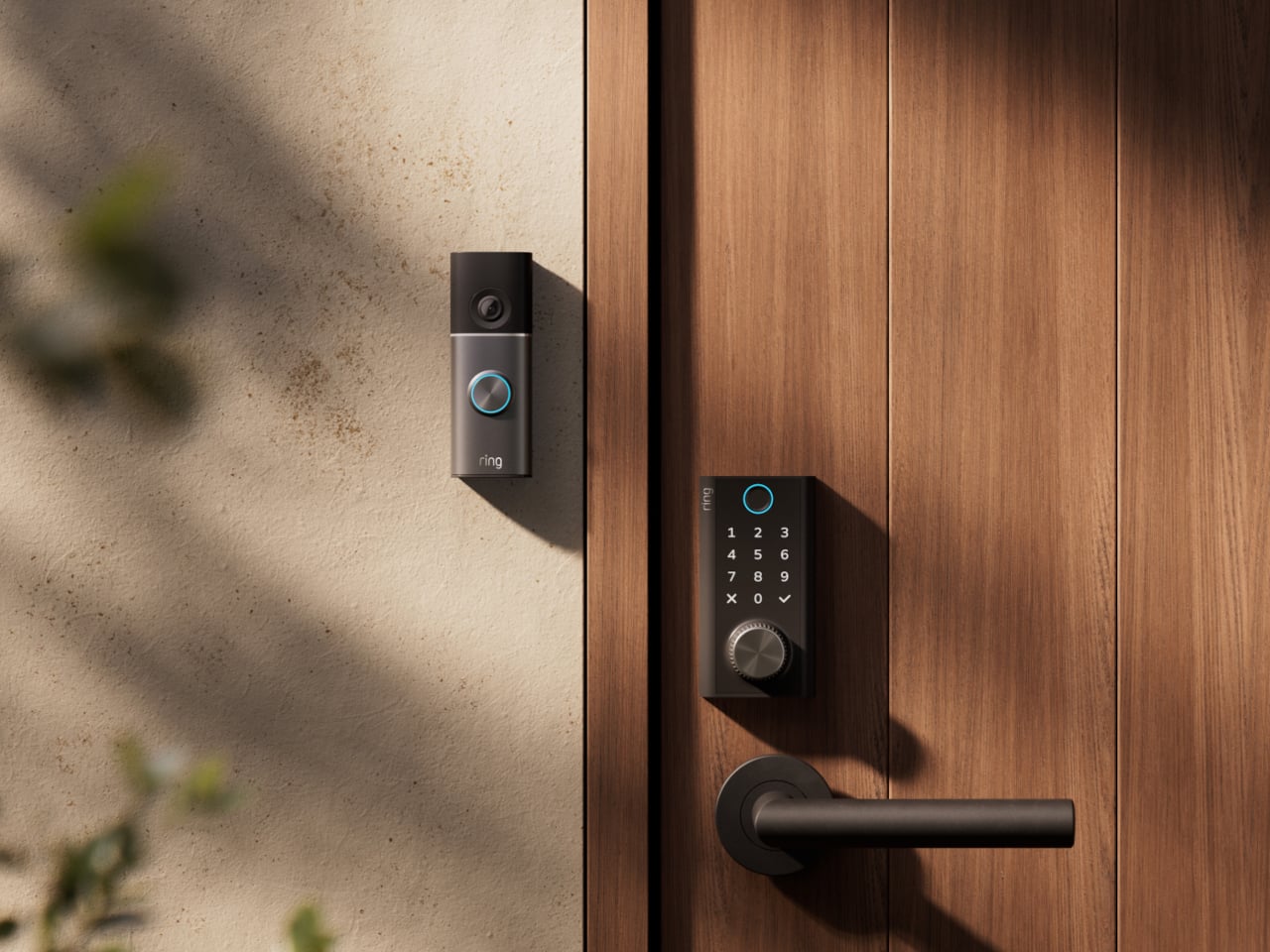
On regular days or nights, you can simply touch the fingerprint reader instead of digging for keys in your bag or pocket. You can also give a visitor a PIN that only works during a set time window. The Ring app also offers yet another way to let you in, and it also allows you to check the lock remotely, including Alexa voice control. These are the typical features you’d expect from a smart lock, but Ring does one better.
Most keyless locks require a cable or a spare battery before they even wake up, which isn’t exactly the fastest or the easiest when you only have one hand free. Ring puts that backup in that same free hand, figuratively. Simply turn the dial to “charge” the lock, almost like cranking some lever for power. It’s an almost comical analogy, but it gets the job done.
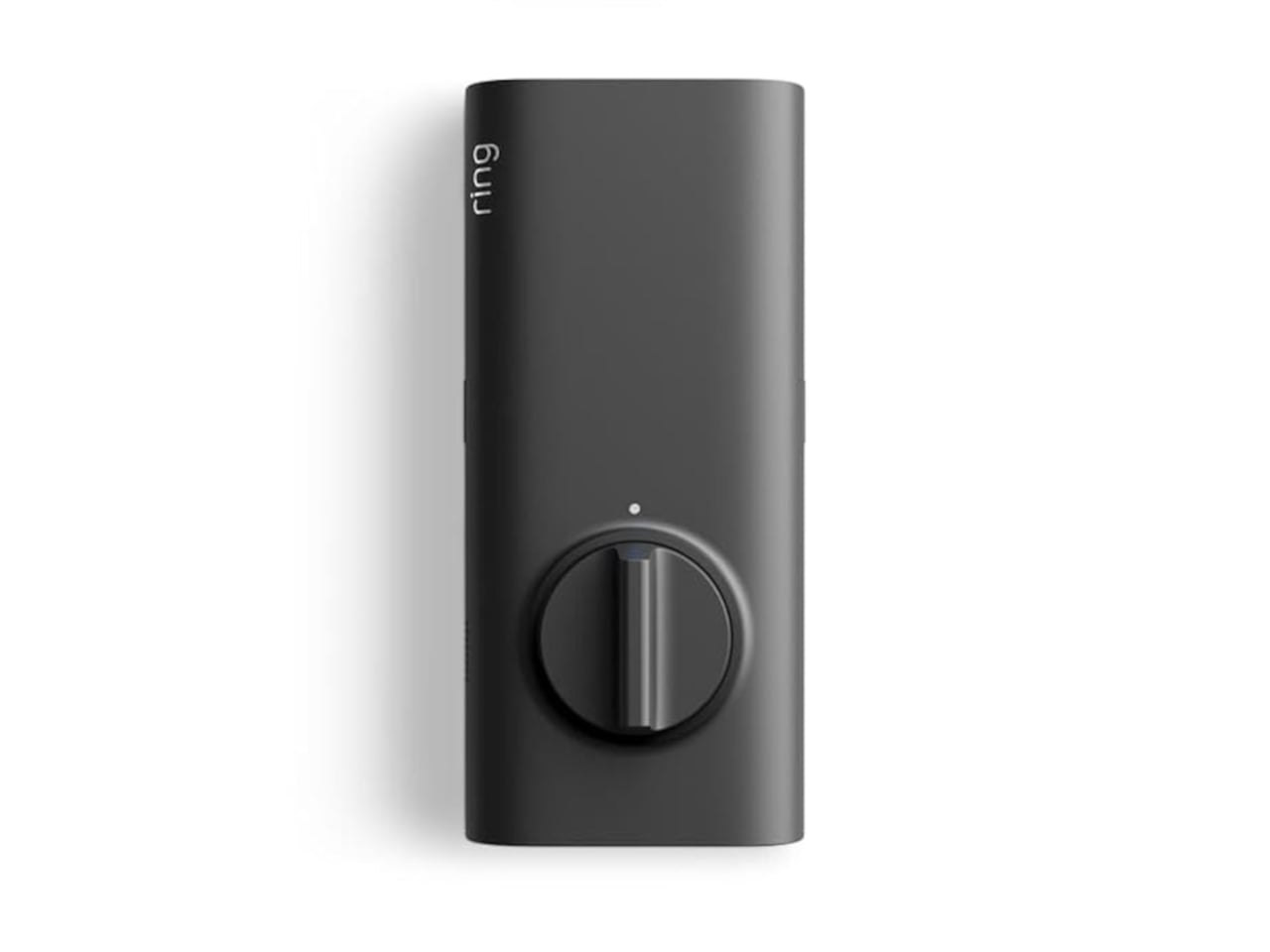
Of course, you don’t charge the Ring Smart Lock by turning the dial endlessly. That’s what the Quick Release Ultra Battery Pack is for. That battery is rechargeable, which means you don’t need to worry about extra wiring or hardware when installing the Smart Lock. It works with a standard single-cylinder deadbolt, making it immediately compatible with many doors.
One thing to note is that remote features depend on Amazon Sidewalk rather than your home Wi-Fi. That could spare you a trip back to check whether the door locked, or let you admit someone while you’re away, provided there’s coverage where you live. Ring says unlocking at the door happens locally, but Sidewalk remains a requirement for the connected functions. It’s a condition beneath the promise of convenience.
The lock can share the Ring app’s activity feed with Ring’s other products such as doorbell, cameras, and alarms, so you get a more holistic view of everything that happens at home even when you’re away. That said, it doesn’t have a camera of its own, which is a subtle nudge to get a Ring doorbell, too.
Black, silver, and brass finishes are planned, with a $249 price and U.S. availability expected in early 2027, pending regulatory authorization. For now, some details about the Ring Smart Lock have yet to be fully disclosed, including battery life. Regardless, it’s an interesting and low-tech solution to a high-tech problem that makes you feel you’re in control, even in such an emergency.
Elgato unveiled a little box of 15 LCD buttons in 2017, priced at $149.95, and it quietly rearranged how streamers sat at their desks. The Stream Deck got so popular that Corsair bought Elgato’s gaming business in 2018. Then the obvious question hung around for years: what if the buttons were just a screen? A screen can be any button, any dial, any chart, or any chat window, and it never runs out of room for one more shortcut. Anyone who has maxed out a 15-key pad knows that pain. Corsair eventually got around to answering.
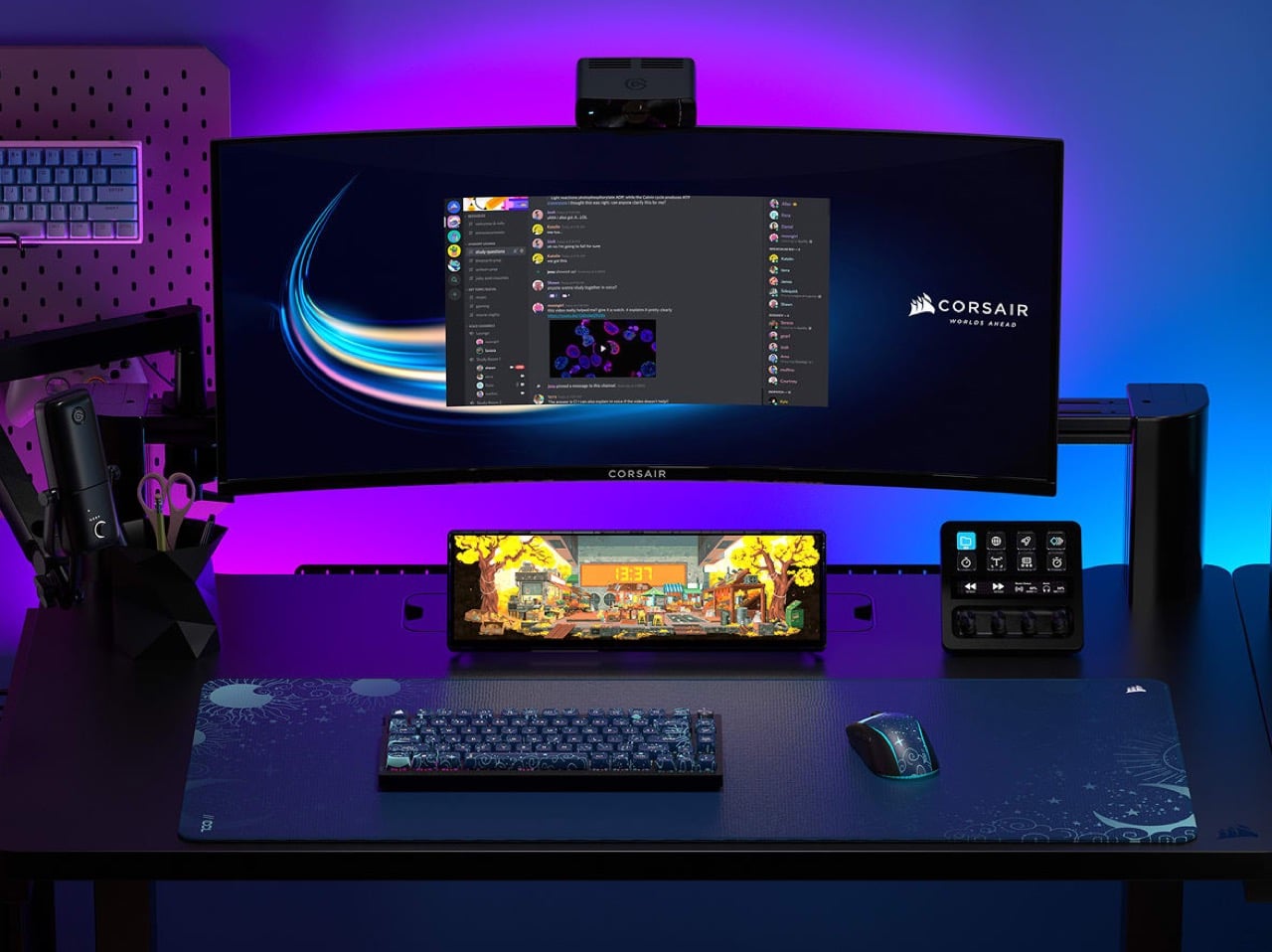
The answer is the Xeneon Edge, a 14.5-inch touchscreen with a 2560 x 720 panel and a 32:9 shape that sits under your main monitor like a very ambitious soundbar. It runs Elgato’s Stream Deck software, so your old button grid gets a much bigger canvas. Fourteen magnets, a detachable stand, and two ¼-20 threads let it live on a desk, a steel panel, or inside your PC case. It lists at $249.99 and is currently $199.99 at Corsair in the US, in all five colors.
Designer: Corsair
A 32:9 strip built for the stuff you only glance at
Think of 32:9 as two 16:9 monitors glued side by side, then shrunk until they fit beneath your main screen. The body measures about 14.6 by 4.7 by 0.8 inches (372 x 120 x 20mm) and weighs roughly 2.2 pounds (1 kg). That works out to about 183 pixels per inch, tighter than the 163 you get on a 27-inch 4K monitor, so small text stays crisp. At 720 pixels tall, the screen is shallow enough to tuck under a monitor without crowding your view. It also rotates to portrait, which turns it into a tall column beside your main display.
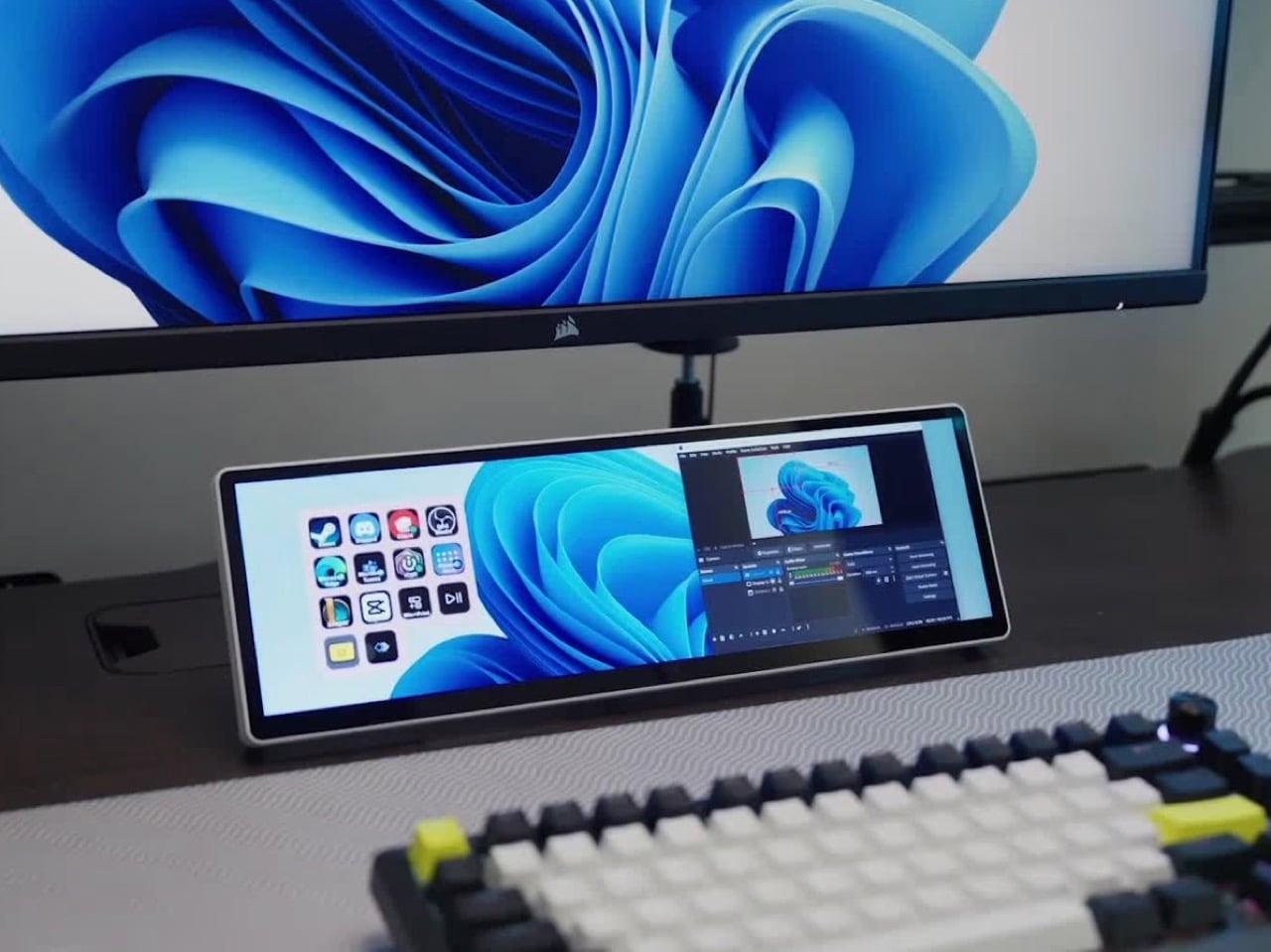
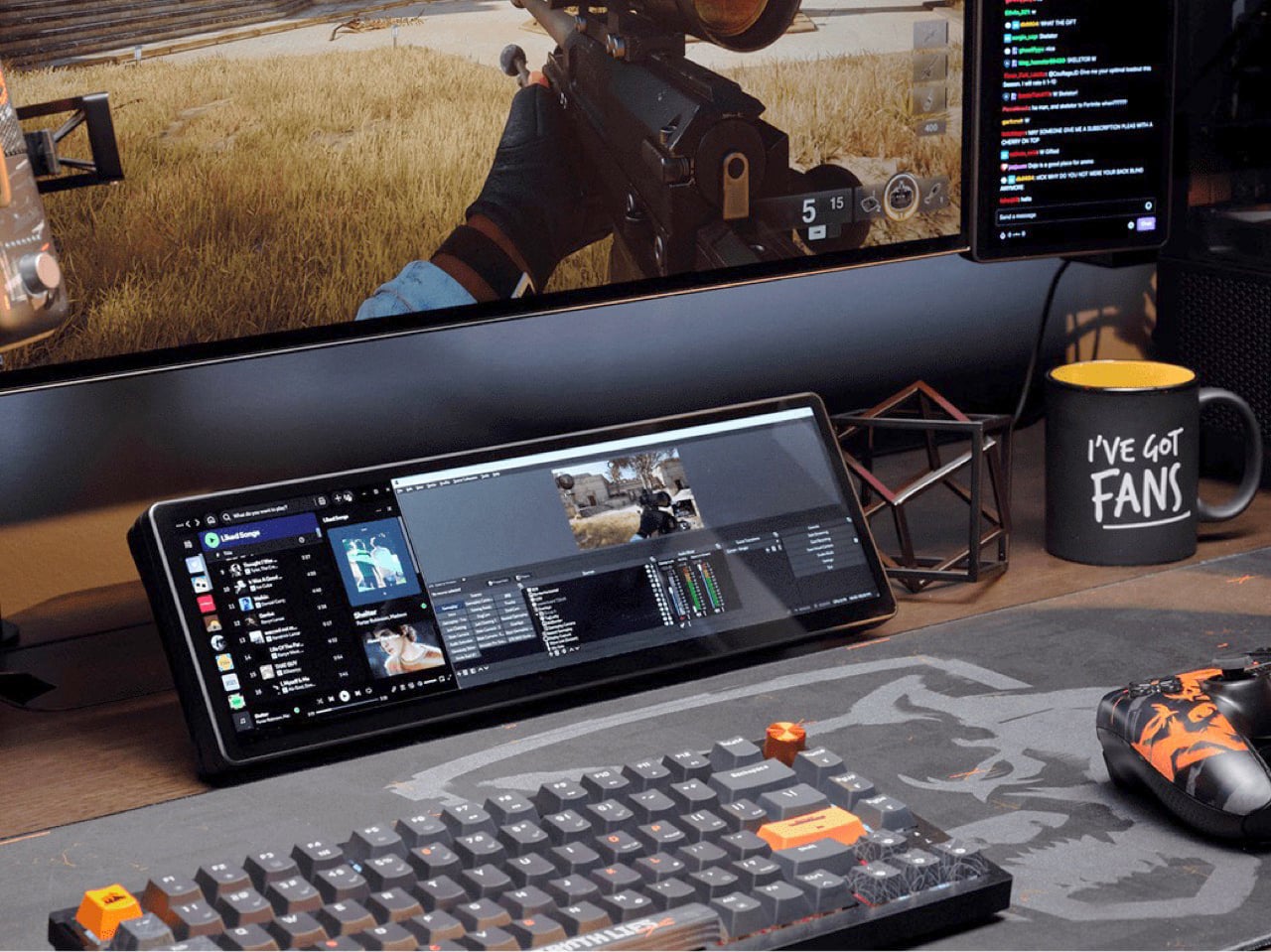
On a typical Tuesday, Spotify, Discord, a calendar, and your GPU temps all want a window, and your main screen is busy with actual work. Park them on the Edge and they stay put, one glance away, while you do your thing above. Video calls can live there too, so a meeting you only half-care about stays visible without eating your spreadsheet. Nothing needs alt-tabbing, and nothing gets lost behind a browser with 40 tabs. It’s the same idea as a phone propped next to your keyboard, except it’s wider, brighter, and plugged into your PC.
Fourteen magnets, two threads, and a 360mm radiator slot
Fourteen magnets sit under the plastic shell, so the Edge sticks to any steel surface without scratching it. That includes a steel desk, a PC side panel, a monitor stand, and yes, a fridge, if the cable is long enough. Inside a case, it takes the place of a 360mm radiator, a slot built for three 120mm fans, and it’s thinner than a regular case fan, so clearance is rarely an issue. Corsair also sells an LCD kit that mounts it into the side panel of the Frame 4000D and 5000D cases. Your build’s best view just got a clock and a temperature gauge.
Two ¼-20 threads on the back, the same screw size camera gear uses, let you hang the Edge from Elgato Multi-Mount hardware or any standard AV arm. That mount-anywhere thinking echoes the Elgato accessory support on Corsair’s Platform:6 desk, which we covered at its Gamescom reveal. Corsair also posts free 3D-printable accessories on Printables, including a taller stand that raises the screen behind a keyboard. The community has jumped in too, and Corsair has spotlighted a modular adapter mount from a creator named Naaackers. If you can think of a place for a screen, someone has either printed a bracket for it or soon will.
Widgets in iCUE and the Elgato Marketplace
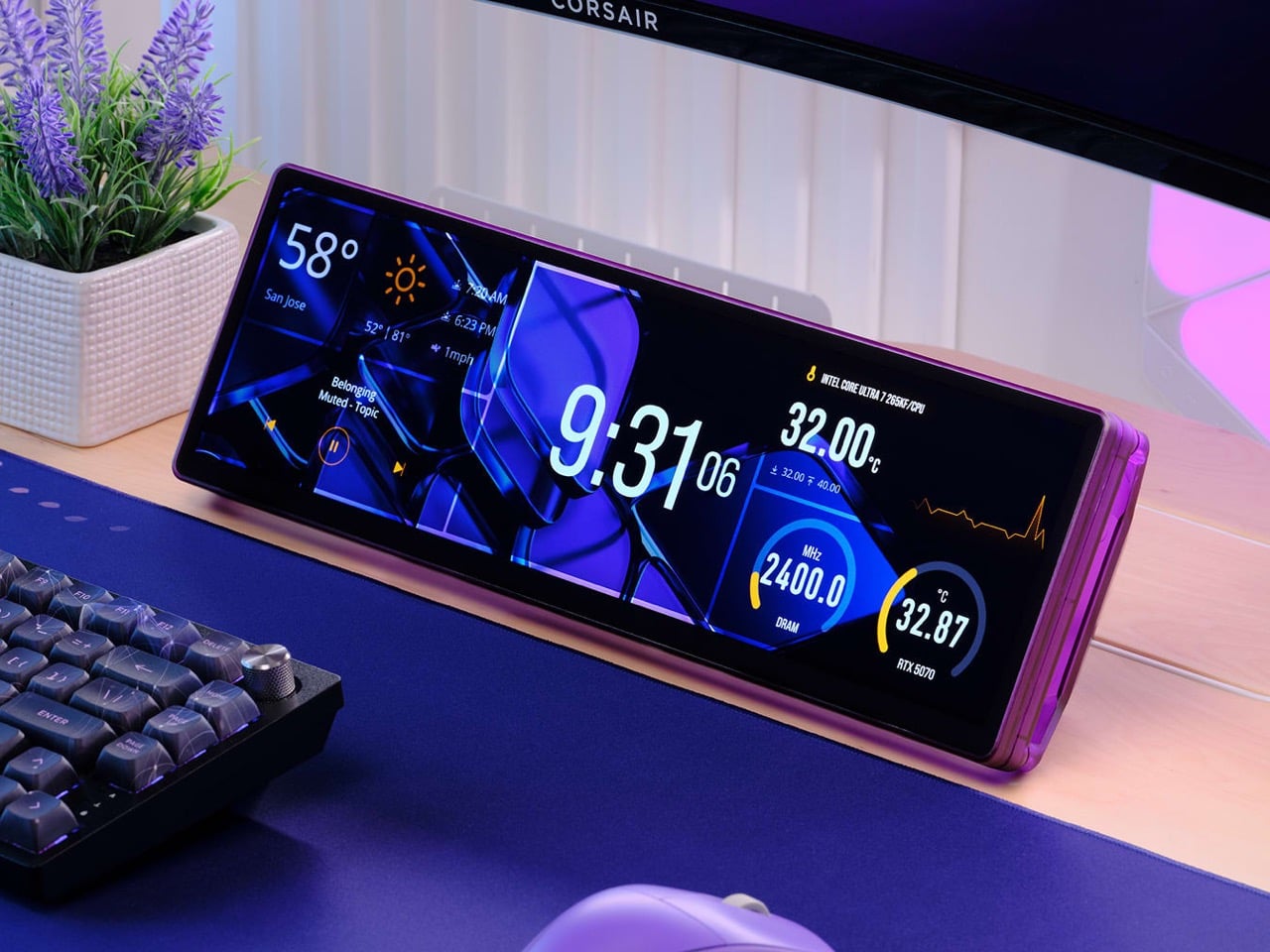
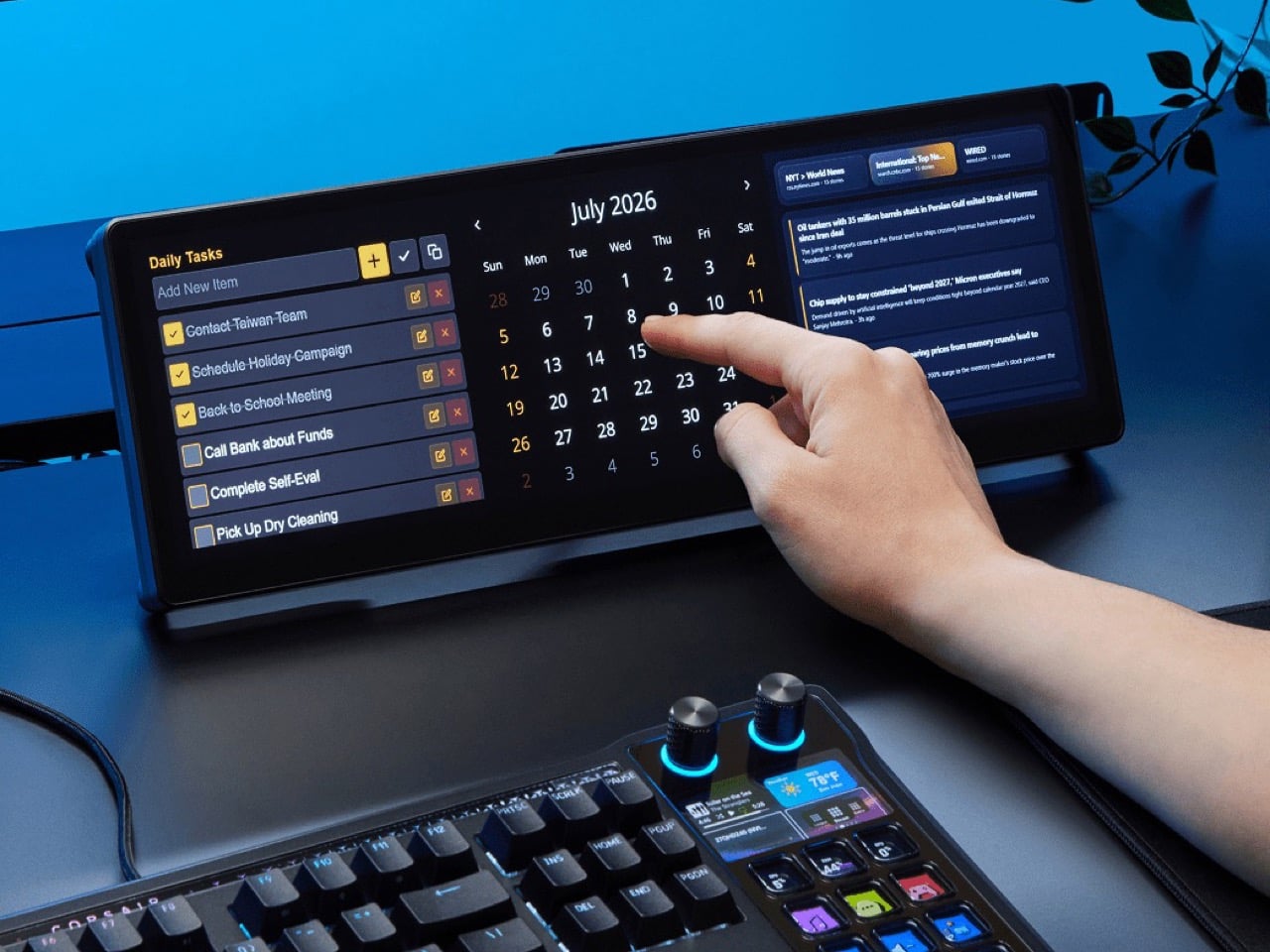
Plug it in and Windows treats the Edge as an ordinary second monitor, touch included. Corsair’s iCUE software for Windows adds widgets on top: a clock, a calendar, weather, news headlines, a task list, and system sensors showing CPU and GPU temps. Each widget lands on a grid you arrange yourself, so your layout can look as busy or as clean as you like. Since May 2026, widgets live on the Elgato Marketplace, where anyone can download or build one. Corsair’s developer docs even point to AI coding tools as a shortcut, which means a custom widget can start as a plain-English wish.
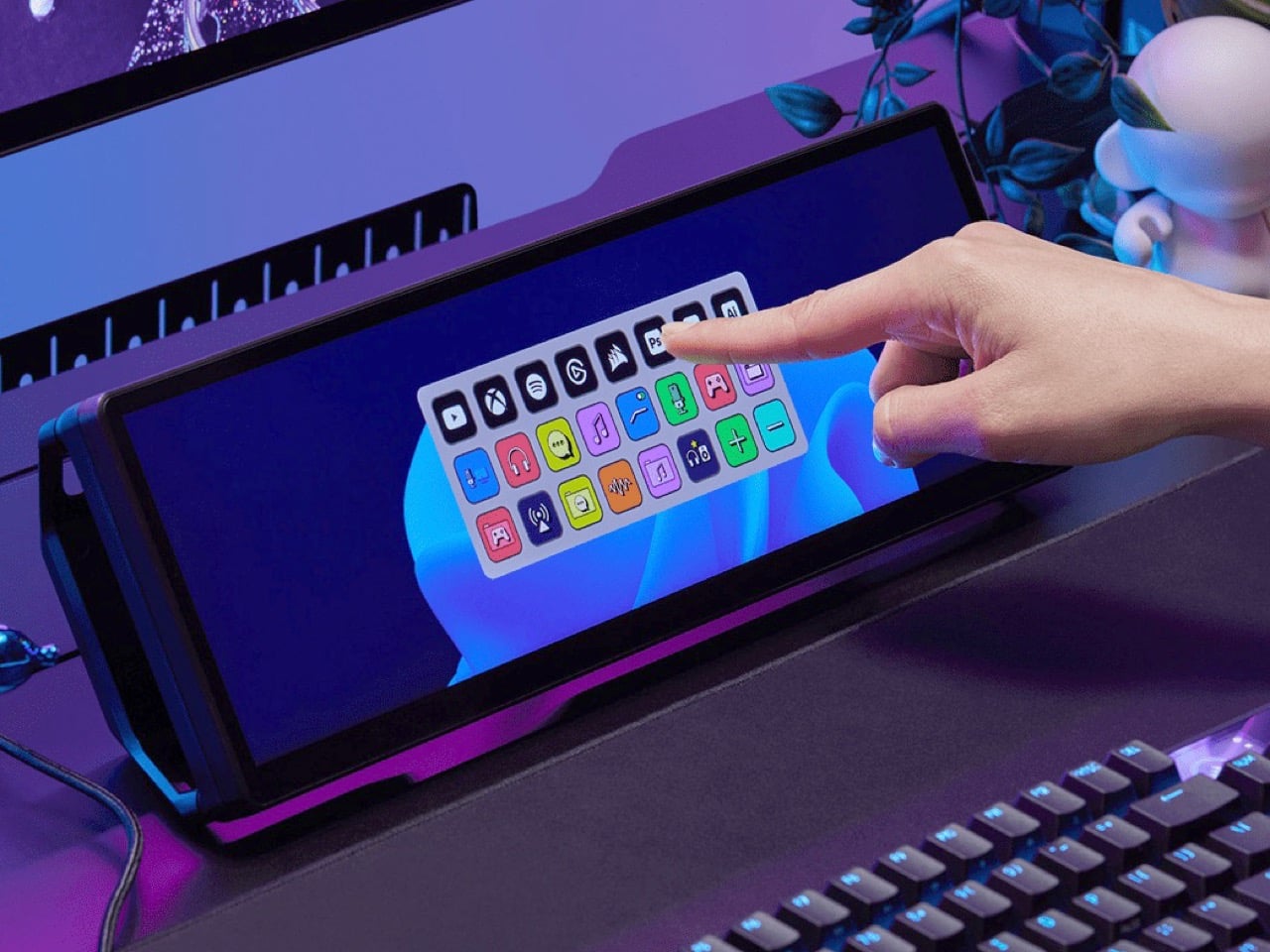
The widget that matters most for old Stream Deck fans is the native Stream Deck widget in iCUE. It drops a full grid of tappable keys onto the Edge, and you add actions in Elgato’s Stream Deck software exactly as you would for a physical deck. Resize the grid and you get more keys than any 15-button pad ever offered. Launch a game, mute your mic, switch an OBS scene, or toggle your desk lights, each with one tap. Because the screen is still a screen, the same strip can show your calendar or GPU temps right next to the keys.
A bright 2560 x 720 panel and touch that behaves like a phone
The panel is AHVA, Corsair’s version of IPS, so colors and viewing angles hold up even when you’re looking at it from the side. It runs 2560 x 720 at 60Hz with 350 nits of peak brightness, plenty for a desk lit by a window and a lamp. Touch is 5-point capacitive, the same technology as your phone, so tapping, swiping, and pinching all feel familiar. A single USB-C cable with DP Alt Mode (video over USB-C) can carry picture and power when your PC supports it. HDMI 2.0 covers everything else, and Corsair includes cables for both in the box.
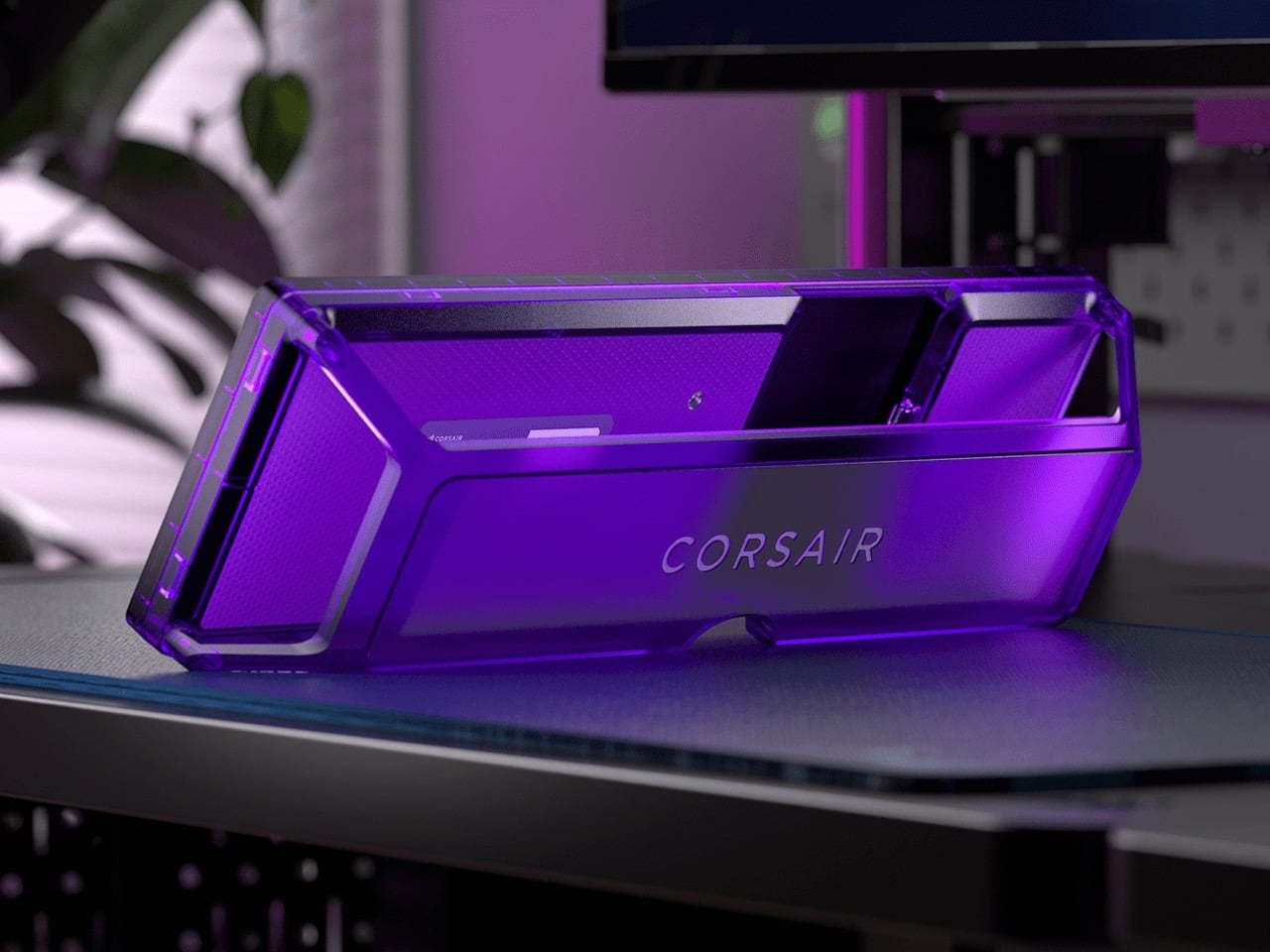
Not every shell is black, either. Colors include black, white, and the translucent Atomic Purple, Crystal, and Smoke, which channel the see-through plastic of late-90s gadgets. We’ve seen that look return in a fully transparent Game Boy Color mod and Analogue’s Game Boy Color-inspired Pocket, and it suits a desk accessory just as well. Translucent plastic also makes the stand look like part of the design, not an afterthought. Pick whichever matches your keyboard, or your mood, or your last impulse buy.
Price, rivals, and where the Edge fits on your desk
The Xeneon Edge lists at $249.99 and is currently $199.99 at Corsair in the US, across all five colors, with a three-year warranty and a zero-dead-pixel guarantee. For comparison, Elgato’s 15-key Stream Deck MK.2 lists at $149.99, and the 32-key Stream Deck XL lists at $249.99. The Edge costs the same as the XL and brings an actual display to the party. ASUS makes the closest rival, the ProArt PA147CDV, a 14-inch 32:9 touchscreen with a physical dial and pen support, but it runs a lower 1920 x 550 resolution and sells for roughly twice the Edge’s list price. Cheap no-name touchscreens exist too, but most skip the magnets, the threads, and the Stream Deck tie-in.
The Stream Deck taught desks that a small control room beside the keyboard beats hunting through menus. The Edge keeps that lesson and swaps the plastic keys for pixels that can become anything. It mounts where you want it, shows what you need, and gets better as the widget library grows. It’s available now at Corsair’s site for $199.99 in the US while the current sale runs, with $249.99 as the regular price. Fifteen buttons were a good start. A 14.5-inch strip of pixels is a much better sequel.

 Connexion