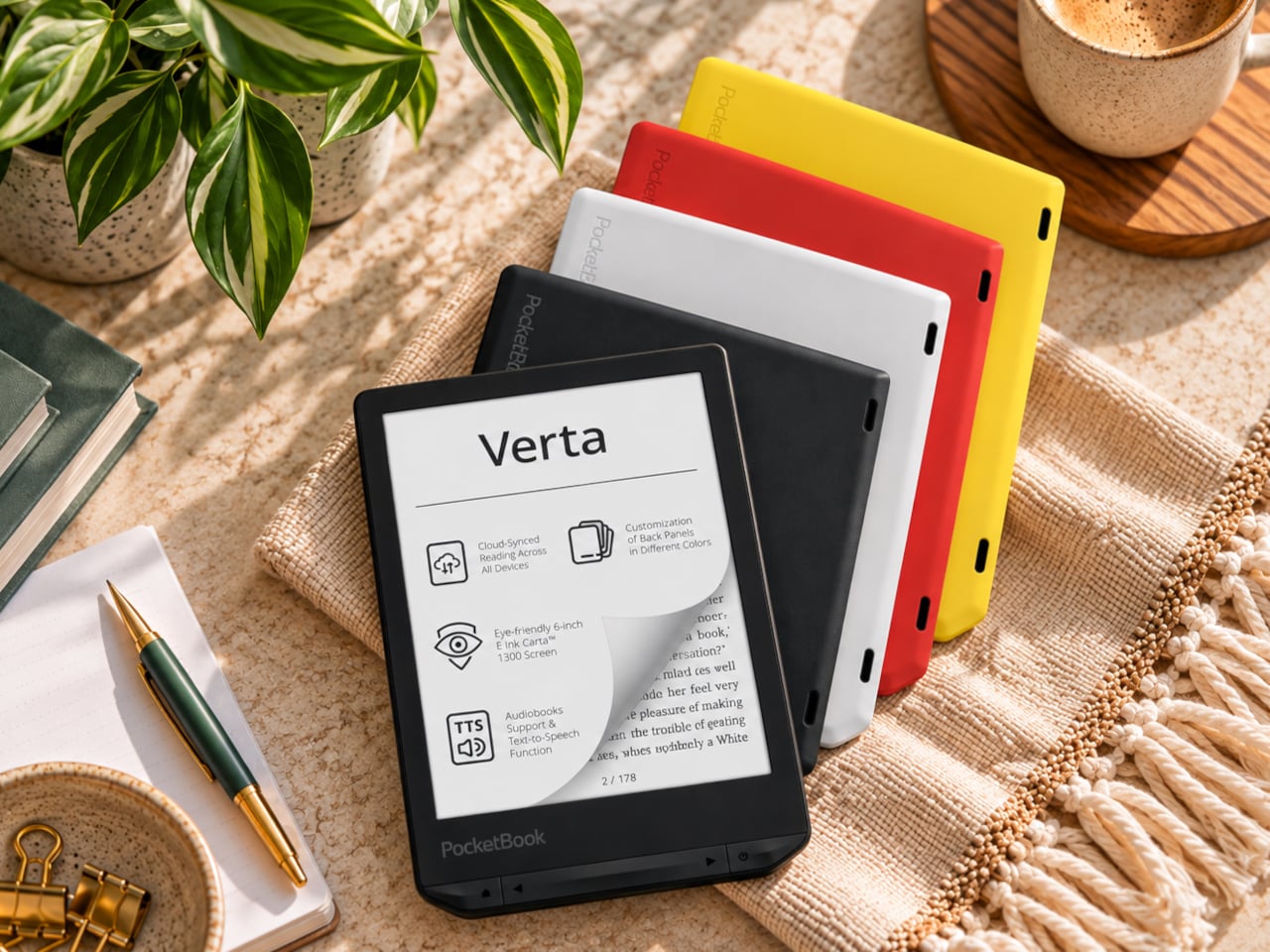
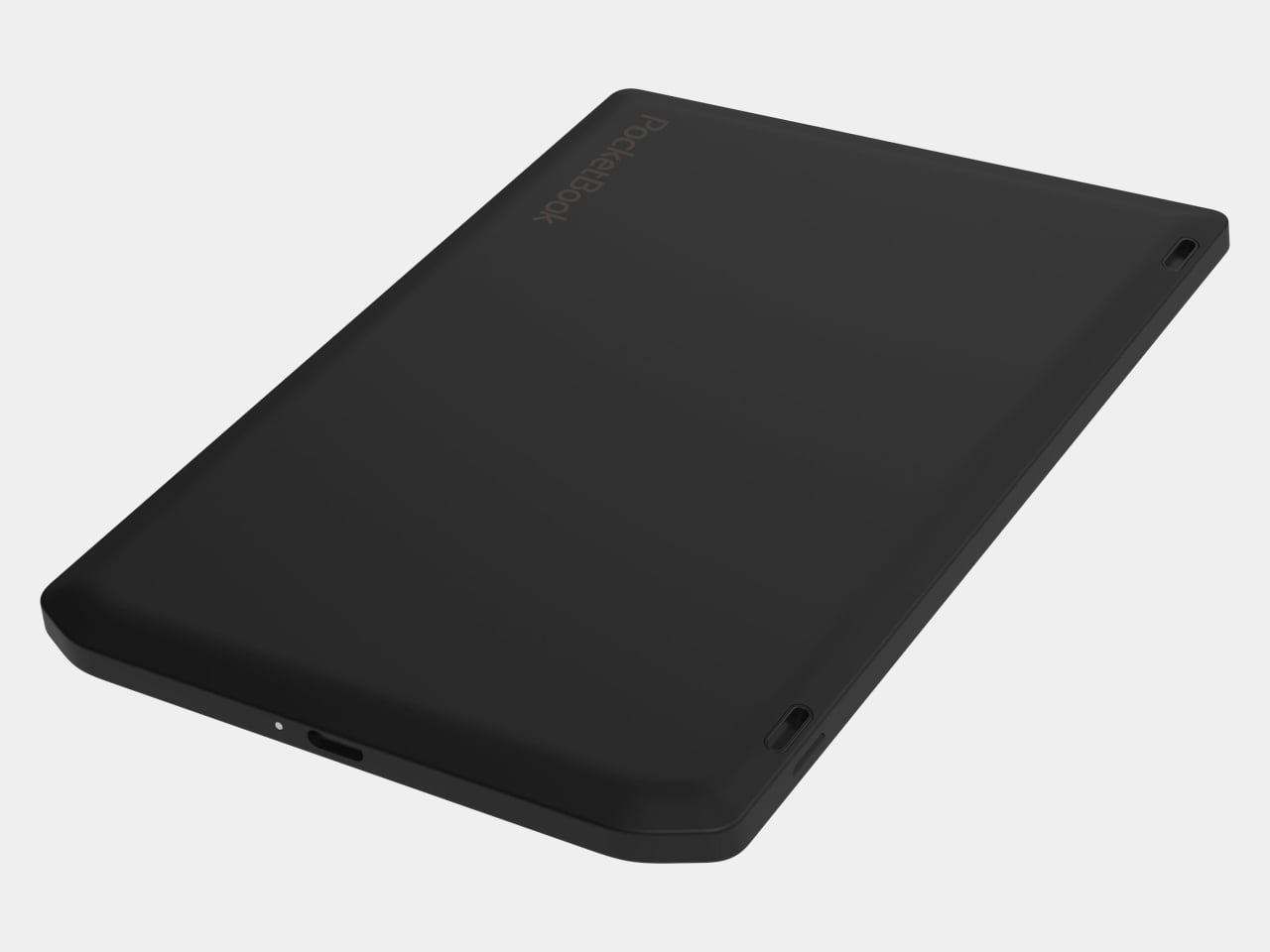
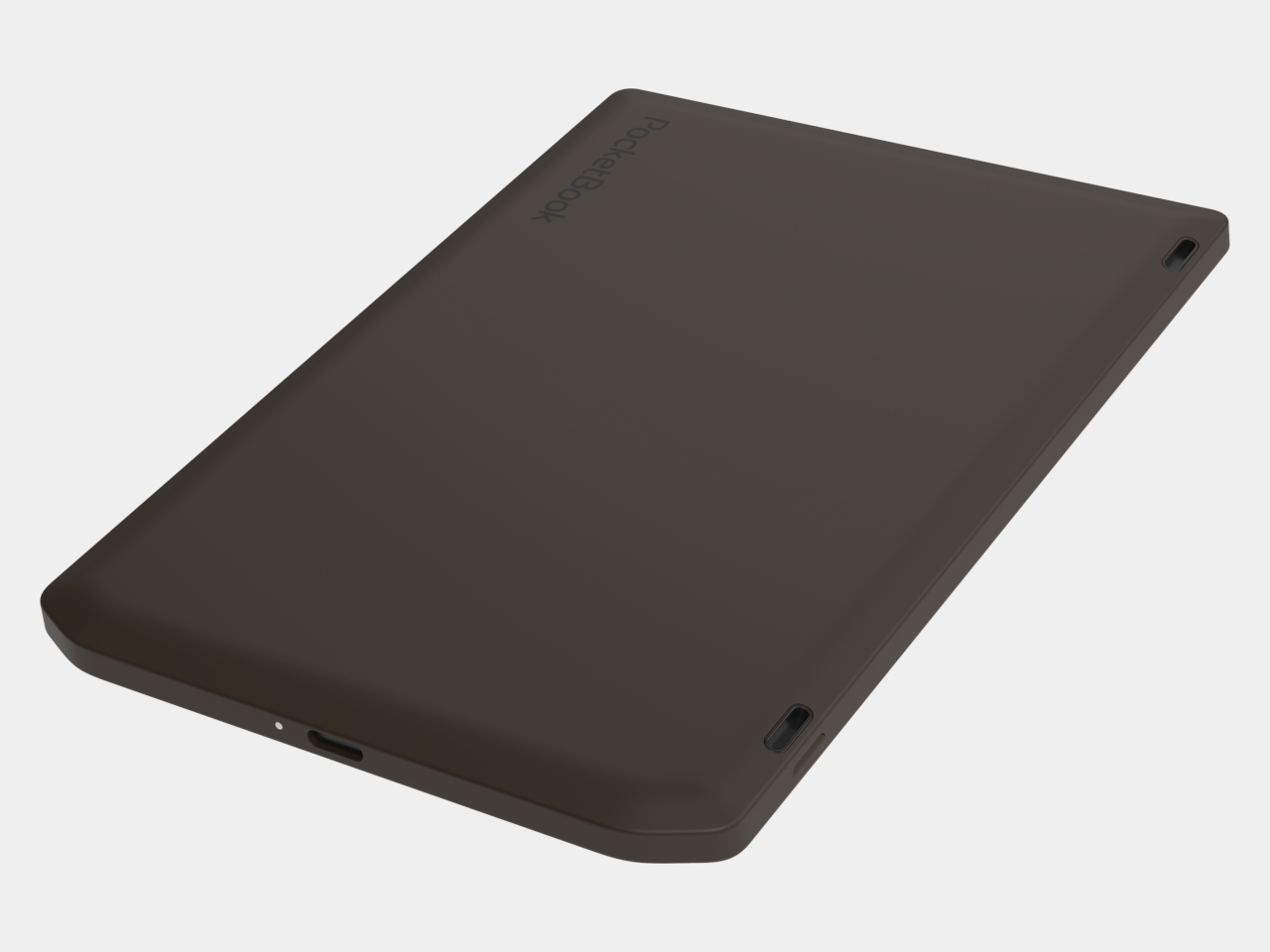
E-readers are supposed to replace physical books, but they strangely come mostly in black or gray, unlike colorful and distinctive book covers. Although not a complete design overhaul, Pocketbook’s new Verta and Verta Color e-readers offer a simple fix, and no, it doesn’t require slapping on a case. You can change the color of the e-reader by swapping the back panel while maintaining its slim shape and keeping the screen and page-turn buttons uncovered.
That’s a rather different approach to personalization than slipping on a protective cover. The interchangeable panels are sold separately, so you can keep a few colors around and switch when your taste changes. More importantly, they replace the back rather than wrapping over the front. There’s no extra flap to fold behind the reader when you settle into a chair with a book.
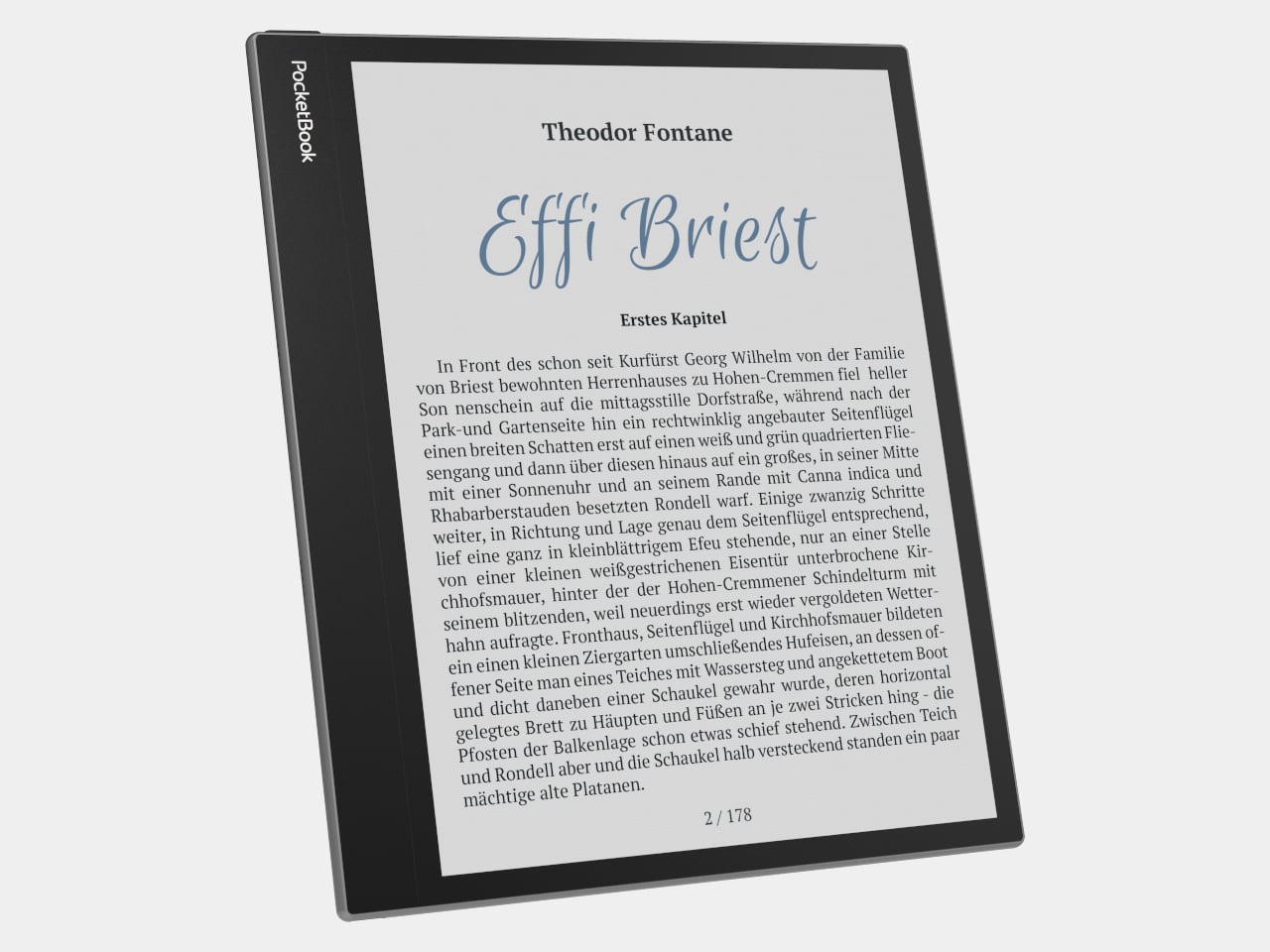
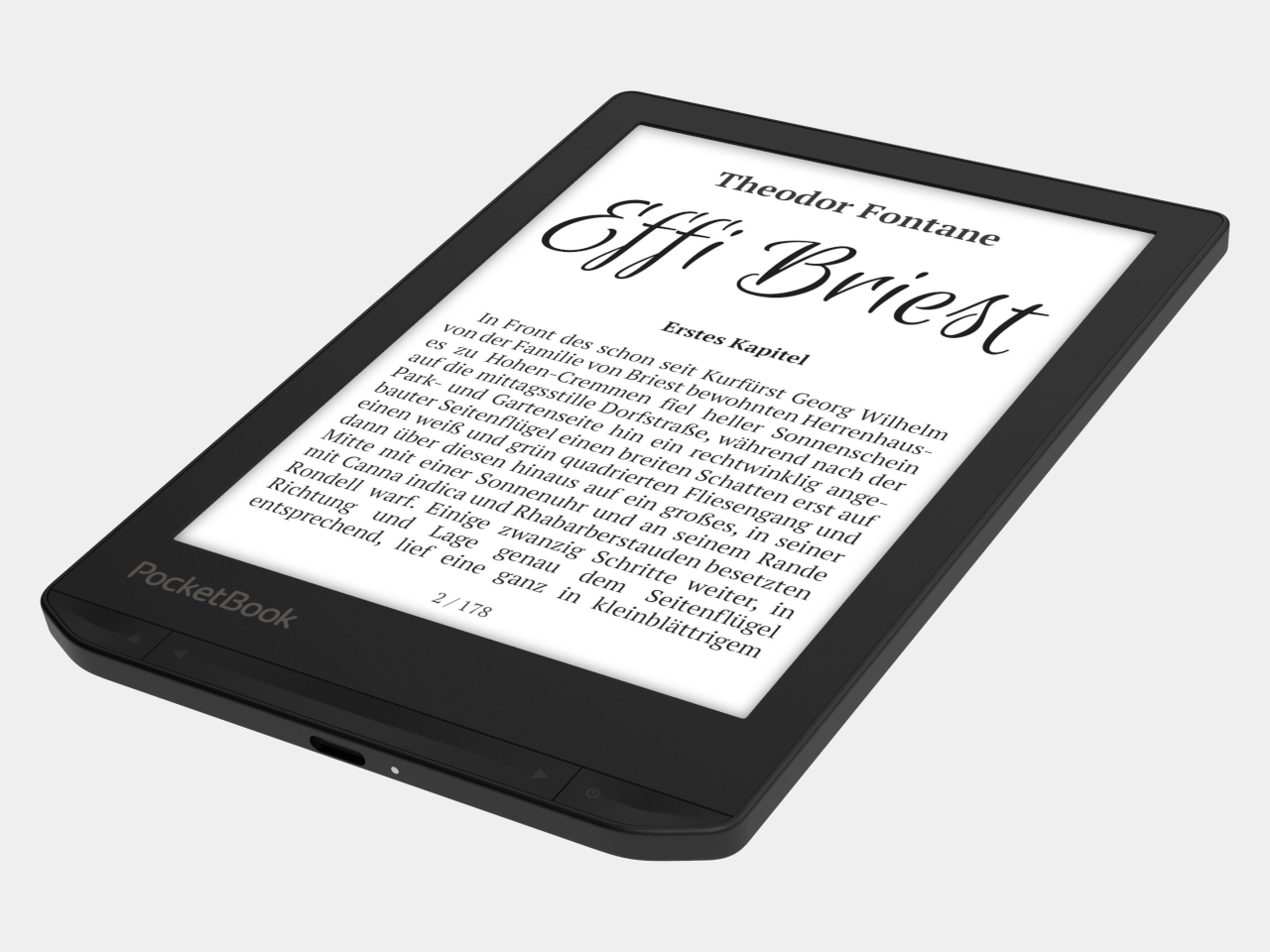
The front stays familiar in the best way. Both readers have a 6-inch touchscreen and enlarged page-turn buttons beneath it, giving your thumb another way forward when the screen is smudged or your hands are occupied. Each measures just 0.28 inches thick and weighs about 4.9 ounces, a size that suits a jacket pocket or an overstuffed bag on the commute.
Choose the regular Verta, and you get a 6-inch E Ink Carta 1300 display at 300 pixels per inch, built for the sort of long novel that makes you miss your stop. SMARTlight lets you adjust brightness and warmth as daylight disappears. It also offers Dark Mode, so you can keep reading in bed without a bright white page facing the person beside you.
The Verta Color is for readers who want their covers, illustrated pages, and comics to retain some color. Its E Ink Kaleido 3 screen renders monochrome text at 300 pixels per inch, but color drops to 150 pixels per inch. Those numbers matter if you read fine print in graphic novels; the color option gives illustrations some life, not the punch of a tablet.
Both have 16GB of storage, Wi-Fi for downloading books, and Bluetooth audio for audiobooks or text-to-speech, though you’ll need headphones or another compatible listening device. PocketBook also supports a broad range of file formats and borrowing through library apps. That flexibility comes in handy when the next book you want isn’t sitting in a single company’s store waiting for you.
An IPX4 rating gives the pair protection against splashes, not an invitation to use them in the bath. Their 1,500mAh batteries are meant to last up to two months, depending on how you read, although that figure comes from PocketBook rather than an independent test. The removable backs add personality, but they’re not a replacement for a protective case if the reader needs one.
PocketBook plans to release both in November 2026, pricing the Verta at €169 (about $198) and the Verta Color at €179 (about $209). Both are marked as coming soon on its storefront. The cleverest trick, though, is letting you change the color of something you hold for hours on end without asking a protective case to do the decorating for you.
Get the key details on Apple Watch Series 12, including health features, AI tools, battery life, pricing, compatibility, and which model may suit you best.
For students, researchers, and visually impaired professionals, navigating complex mathematical equations on digital screens has historically been a tedious process. Standard screen readers often struggle with technical notation, reading out characters sequentially rather than conveying the contextual structure of fractions, matrices, or exponents. Microsoft is addressing this gap directly with a major accessibility update for […]
When it comes to stationery and my work and leisure desk, I consider my aesthetic to be messycore and maximalist. Having a lot of pens and other supplies on hand whether for work or for my journaling sessions is normal for me. I tried to use some desk organizers, but it seems that there is order in my chaos and I can still find what I need when I need it, although it doesn’t really look all that Instagrammable. That hasn’t stopped me from looking at and exploring desk organizers and pen holders, especially ones that look different from the usual.
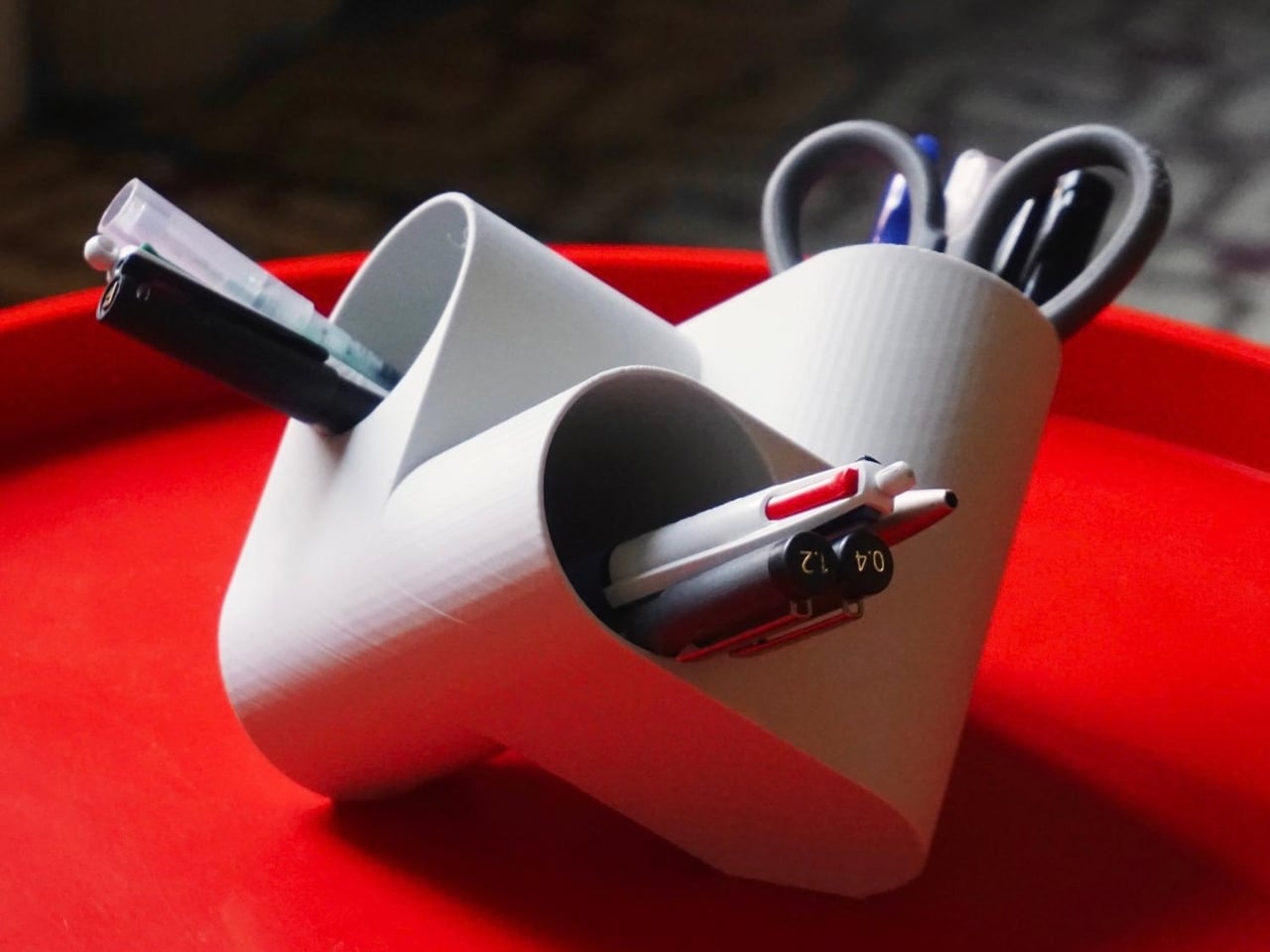
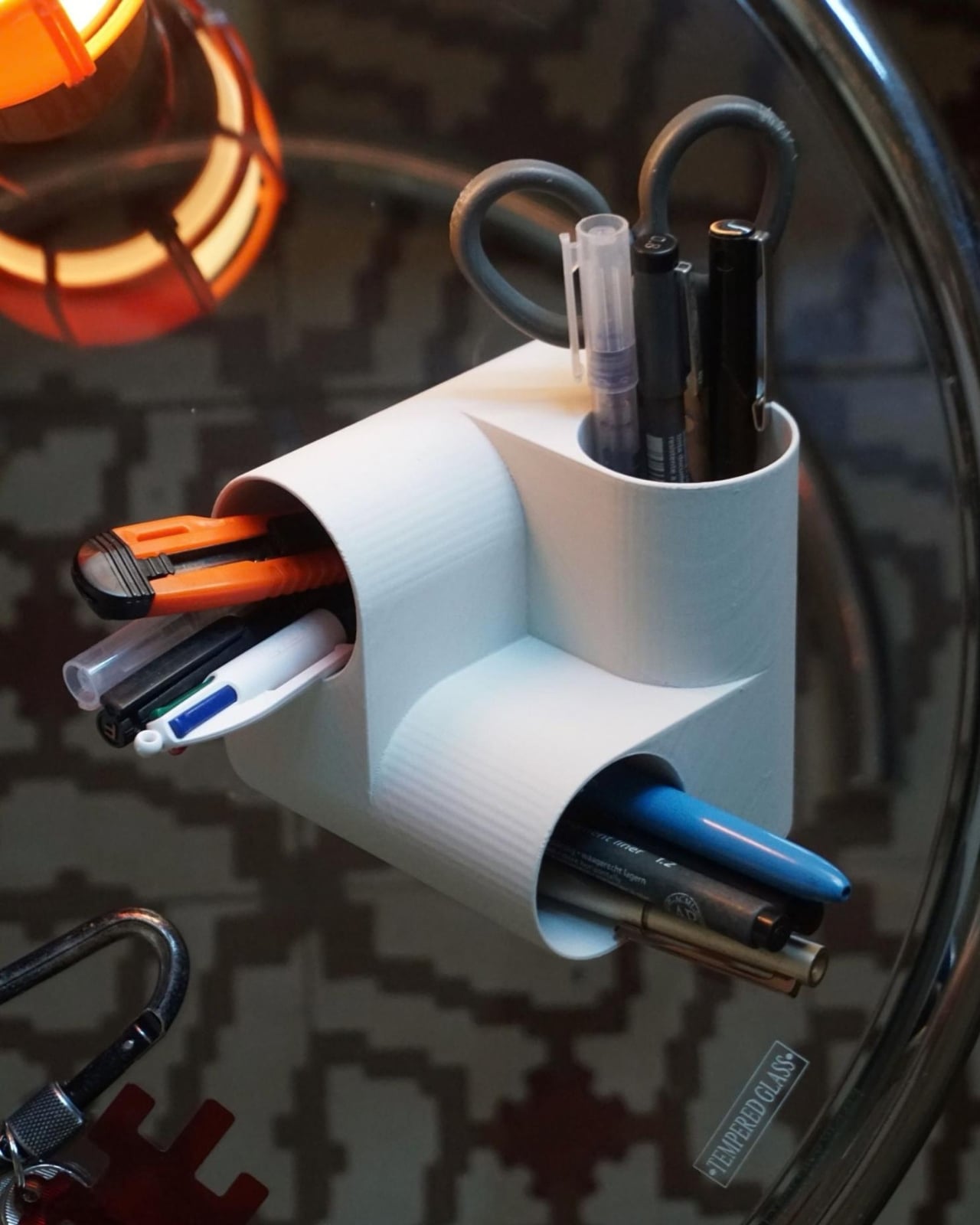
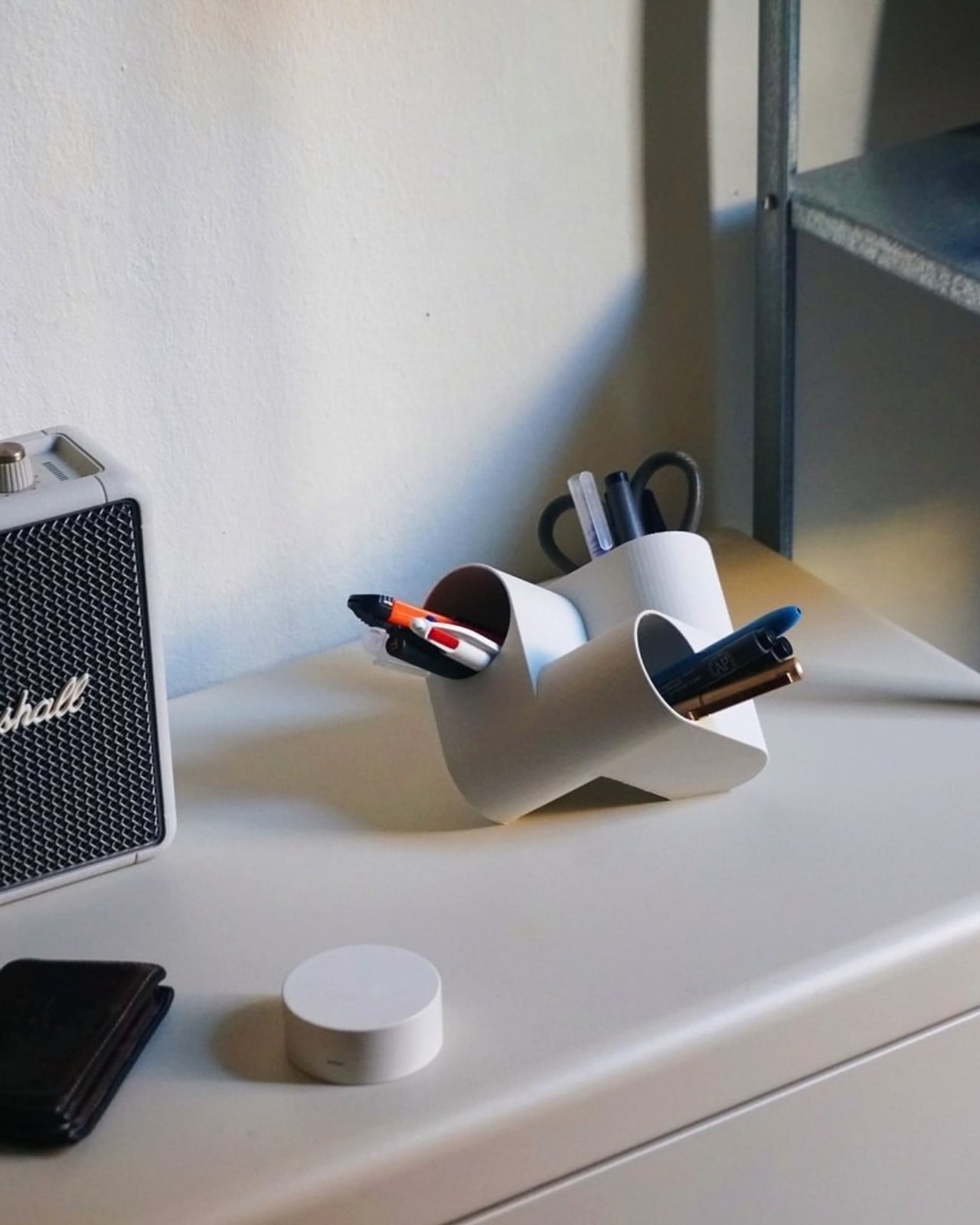
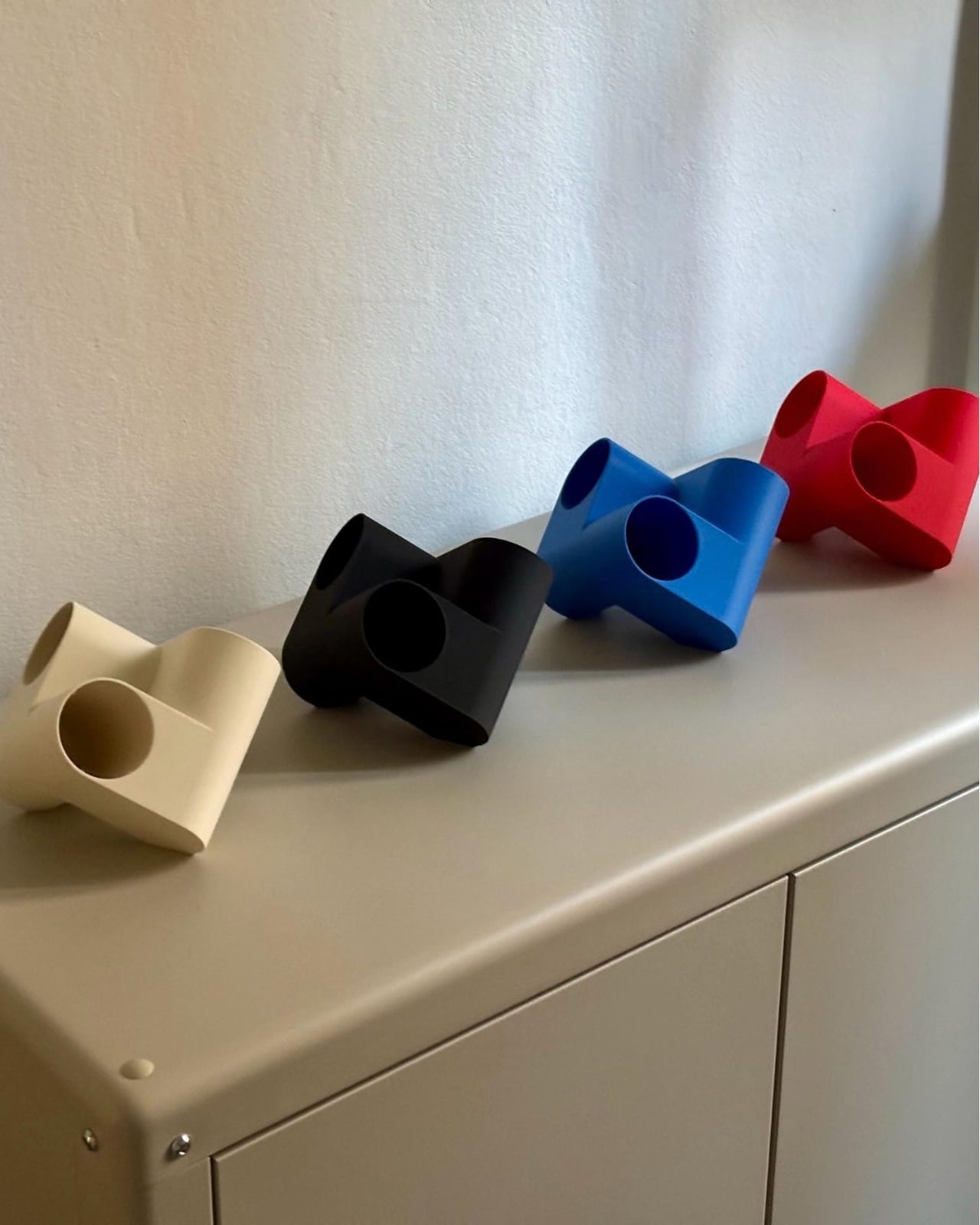
Ciclo is one such pen holder from Spanish industrial designer Eduardo Blanco. The way it’s designed is for you to have more space for your various stationery items and also to give your desk a kind of sculptural-looking organizer that looks good in person and also when you decide to do a post of how your desk looks at the moment. The inspiration for the design actually comes from mathematics and the name itself has ties to it.
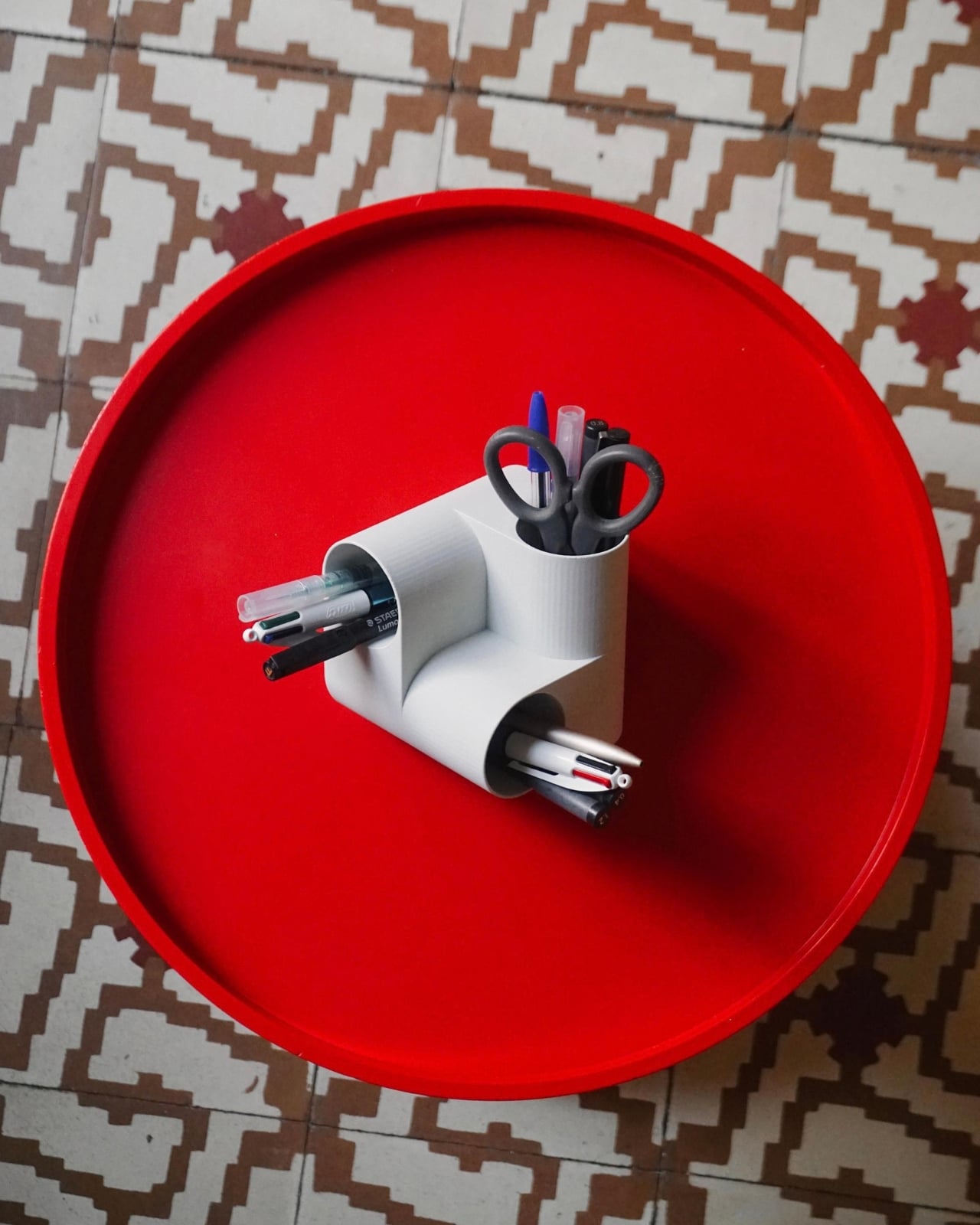
Blanco said he wanted something that didn’t look banal on his desk. The inspiration comes from the Cartesian coordinate system, using three cylinders repeated around the same axis that are stacked and joined one on top of the other. Think about the X, Y, Z axes discussed during math classes (which I would rather forget) but brought to life as a sculptural stationery object. What would normally be a mundane or ordinary object is transformed into a well-designed piece that would look at home at an office desk, a creative workspace, or your side table. Aside from looking beautiful just sitting there, it also means you have three spaces to put your pencils, pens, markers, scissors, cutter, and other supplies you need to organize on your desk.
And honestly, that’s where Ciclo wins me over. Even for someone like me, whose desk looks like a stationery store had a very good time, there’s something undeniably appealing about having one piece that anchors the whole thing visually. You don’t have to be a minimalist to appreciate a beautiful object. If anything, if you’re already going the maximalist route, you might as well make sure some of those items on your desk are actually worth looking at, and Ciclo definitely qualifies. There’s also something kind of fun about having a mathematically inspired piece sitting among your journaling supplies and highlighter collection.
What I also find interesting about Ciclo is the way it challenges how seriously we take the objects we use every day. Most of us grab whatever cheap plastic pen cup is on sale at the office supply store, and that’s perfectly fine. It works. But Blanco’s approach asks a simple but quietly radical question: why settle for something that just works when you could have something that also makes you pause for a second and go, “huh, that’s actually really cool”? That shift in thinking is kind of what separates good design from great design, and it’s exactly what makes Ciclo stand out in a product category that designers have largely ignored.
It’s also worth noting that Ciclo was selected as part of Lagranja Design’s Open Design Editions 2026, a program that spotlights emerging and thoughtful design work, and was presented during Barcelona Design Week. That’s not a small nod. It means the design community sees real value in what Blanco created here, and that Ciclo is more than just a pretty object to put on display.
Whether you keep a very tidy, carefully curated desk or your workspace is a glorious organized mess like mine, Ciclo is the kind of object that earns its spot. It’s a pen holder, sure, but it’s also a small, quiet statement that the things you keep close while you work or create don’t have to be boring. And in a world where so many of us spend a huge chunk of our day at our desks, that feels like it actually matters.
Elgato unveiled a little box of 15 LCD buttons in 2017, priced at $149.95, and it quietly rearranged how streamers sat at their desks. The Stream Deck got so popular that Corsair bought Elgato’s gaming business in 2018. Then the obvious question hung around for years: what if the buttons were just a screen? A screen can be any button, any dial, any chart, or any chat window, and it never runs out of room for one more shortcut. Anyone who has maxed out a 15-key pad knows that pain. Corsair eventually got around to answering.
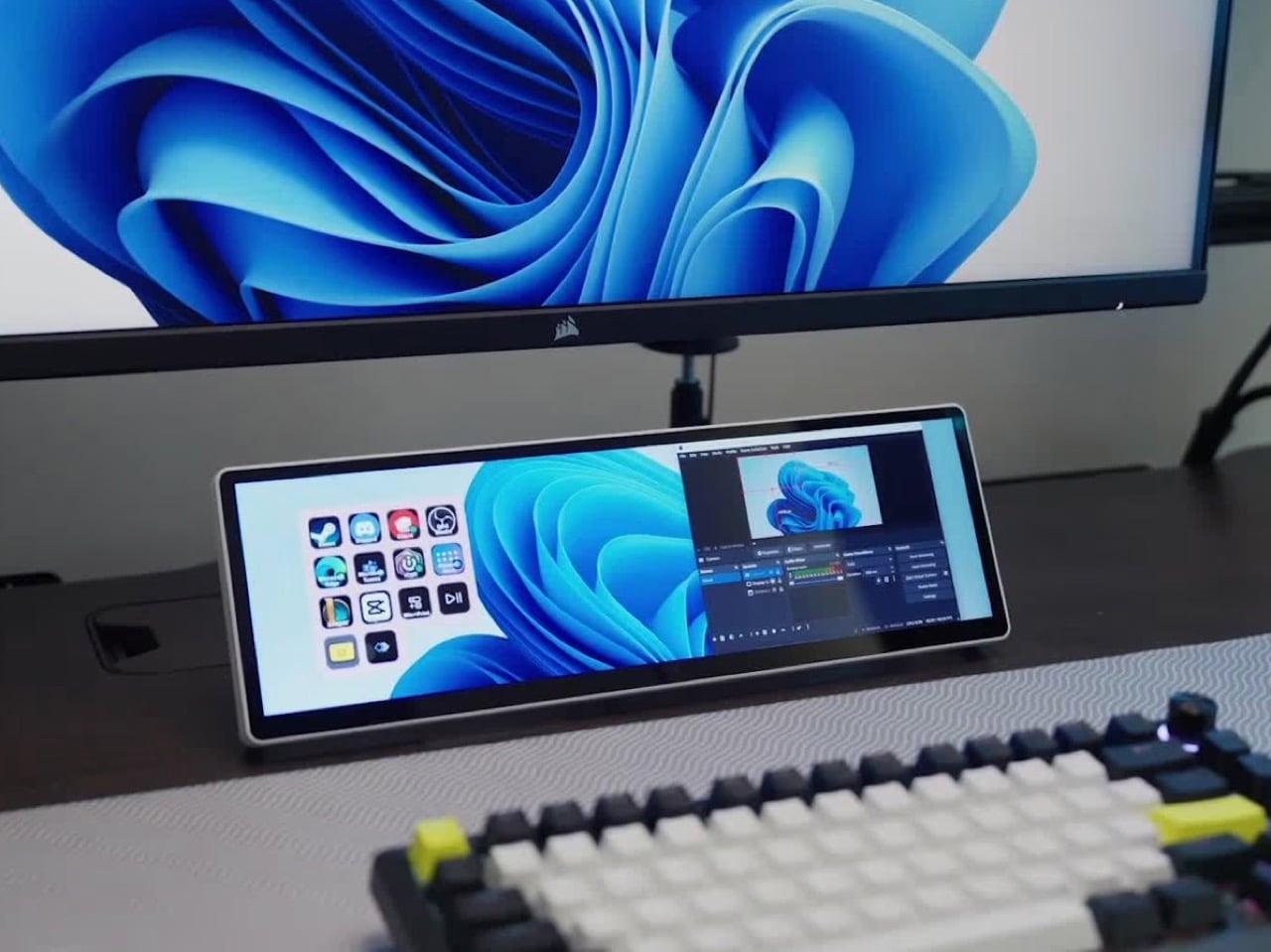
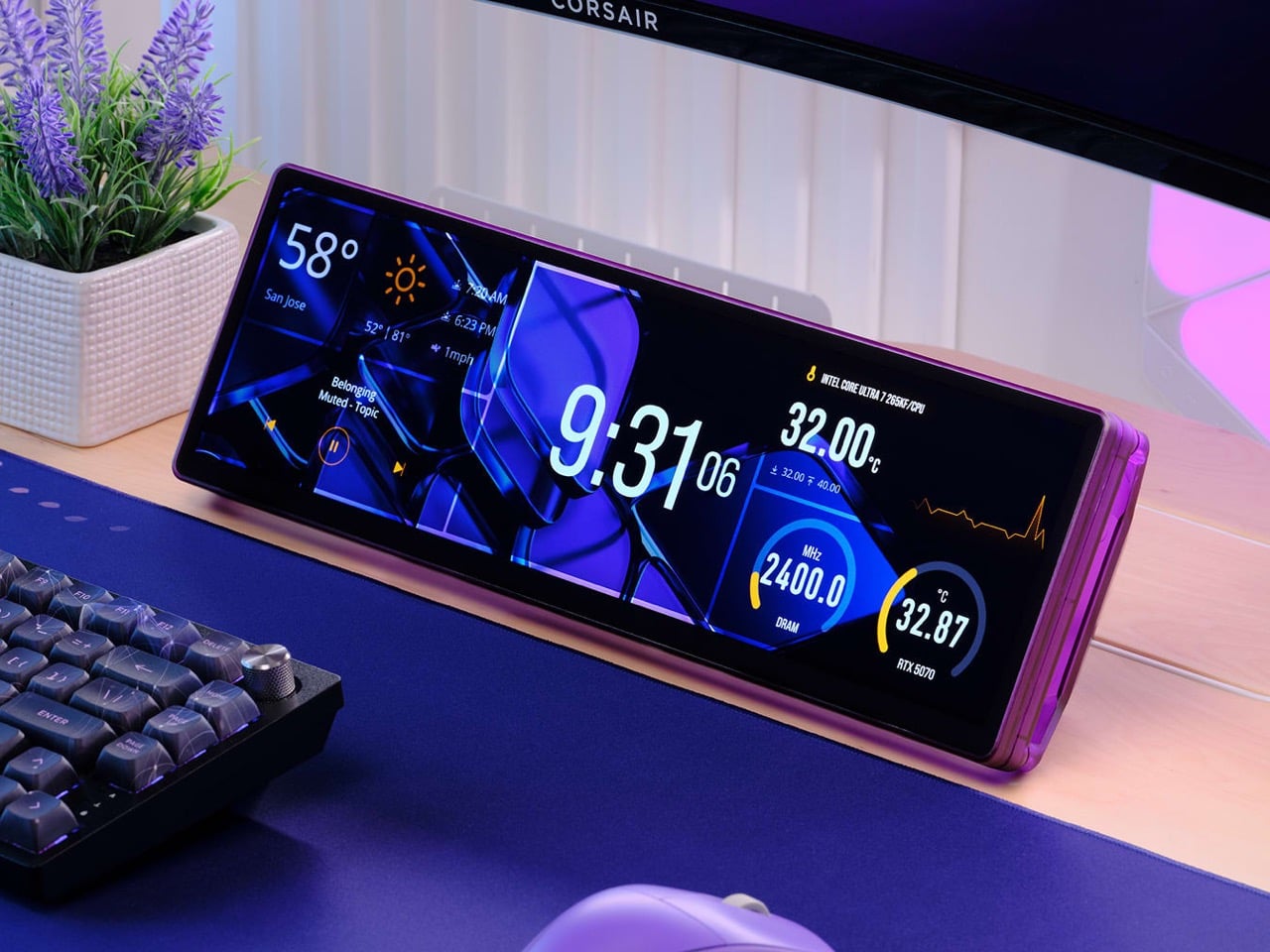
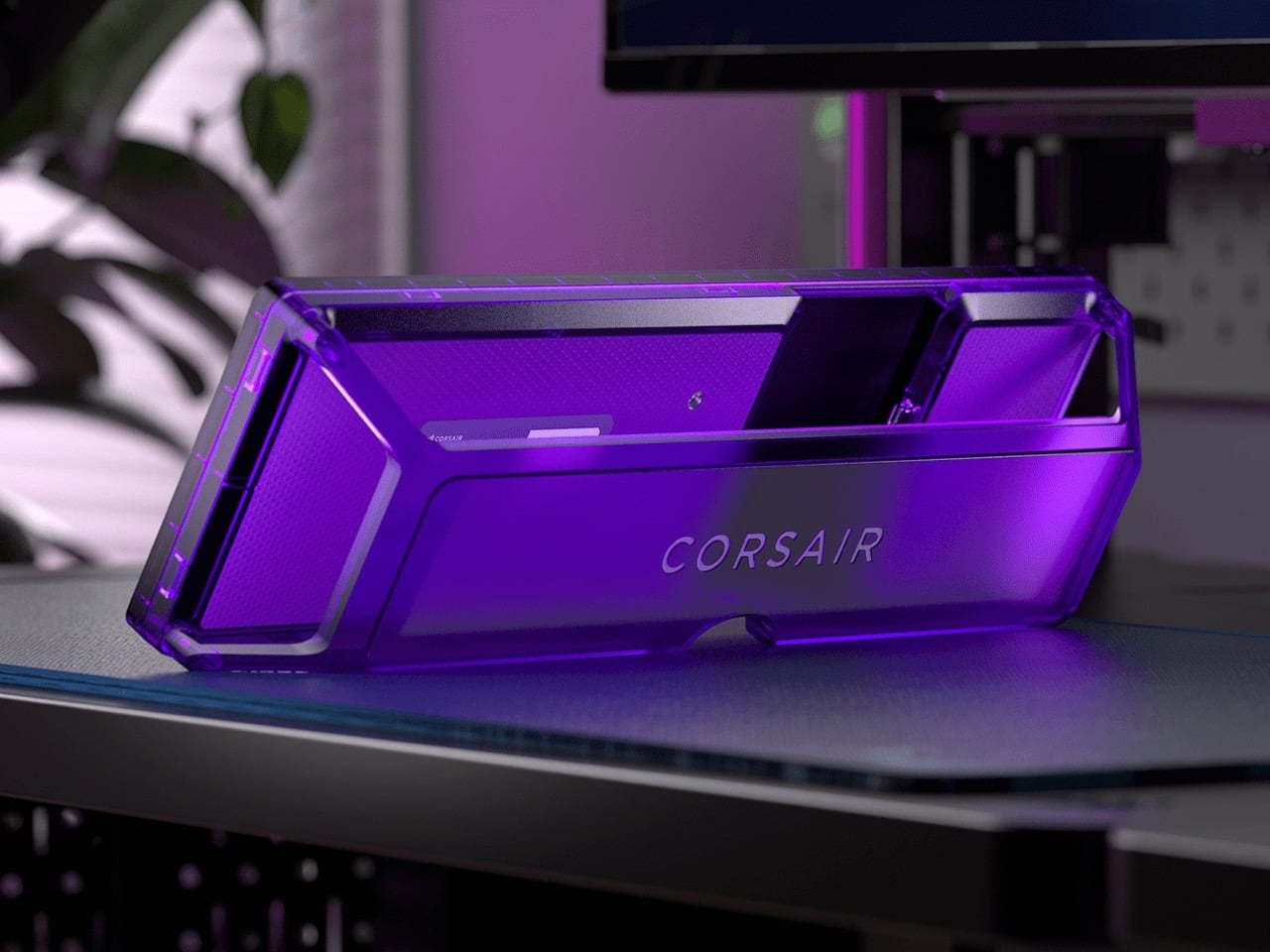
The answer is the Xeneon Edge, a 14.5-inch touchscreen with a 2560 x 720 panel and a 32:9 shape that sits under your main monitor like a very ambitious soundbar. It runs Elgato’s Stream Deck software, so your old button grid gets a much bigger canvas. Fourteen magnets, a detachable stand, and two ¼-20 threads let it live on a desk, a steel panel, or inside your PC case. It lists at $249.99 and is currently $199.99 at Corsair in the US, in all five colors.
Designer: Corsair
A 32:9 strip built for the stuff you only glance at
Think of 32:9 as two 16:9 monitors glued side by side, then shrunk until they fit beneath your main screen. The body measures about 14.6 by 4.7 by 0.8 inches (372 x 120 x 20mm) and weighs roughly 2.2 pounds (1 kg). That works out to about 183 pixels per inch, tighter than the 163 you get on a 27-inch 4K monitor, so small text stays crisp. At 720 pixels tall, the screen is shallow enough to tuck under a monitor without crowding your view. It also rotates to portrait, which turns it into a tall column beside your main display.
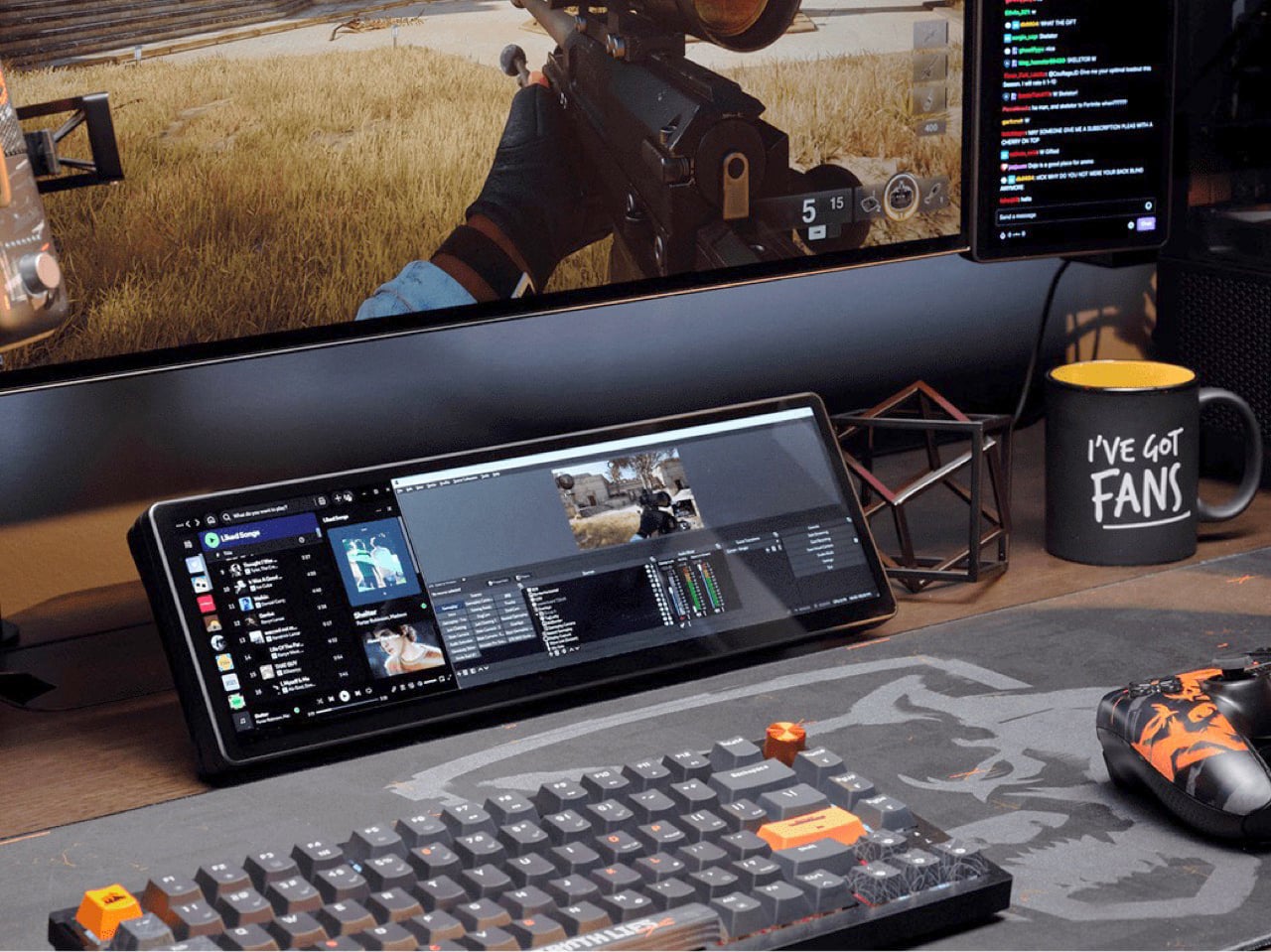
On a typical Tuesday, Spotify, Discord, a calendar, and your GPU temps all want a window, and your main screen is busy with actual work. Park them on the Edge and they stay put, one glance away, while you do your thing above. Video calls can live there too, so a meeting you only half-care about stays visible without eating your spreadsheet. Nothing needs alt-tabbing, and nothing gets lost behind a browser with 40 tabs. It’s the same idea as a phone propped next to your keyboard, except it’s wider, brighter, and plugged into your PC.
Fourteen magnets, two threads, and a 360mm radiator slot
Fourteen magnets sit under the plastic shell, so the Edge sticks to any steel surface without scratching it. That includes a steel desk, a PC side panel, a monitor stand, and yes, a fridge, if the cable is long enough. Inside a case, it takes the place of a 360mm radiator, a slot built for three 120mm fans, and it’s thinner than a regular case fan, so clearance is rarely an issue. Corsair also sells an LCD kit that mounts it into the side panel of the Frame 4000D and 5000D cases. Your build’s best view just got a clock and a temperature gauge.
Two ¼-20 threads on the back, the same screw size camera gear uses, let you hang the Edge from Elgato Multi-Mount hardware or any standard AV arm. That mount-anywhere thinking echoes the Elgato accessory support on Corsair’s Platform:6 desk, which we covered at its Gamescom reveal. Corsair also posts free 3D-printable accessories on Printables, including a taller stand that raises the screen behind a keyboard. The community has jumped in too, and Corsair has spotlighted a modular adapter mount from a creator named Naaackers. If you can think of a place for a screen, someone has either printed a bracket for it or soon will.
Widgets in iCUE and the Elgato Marketplace
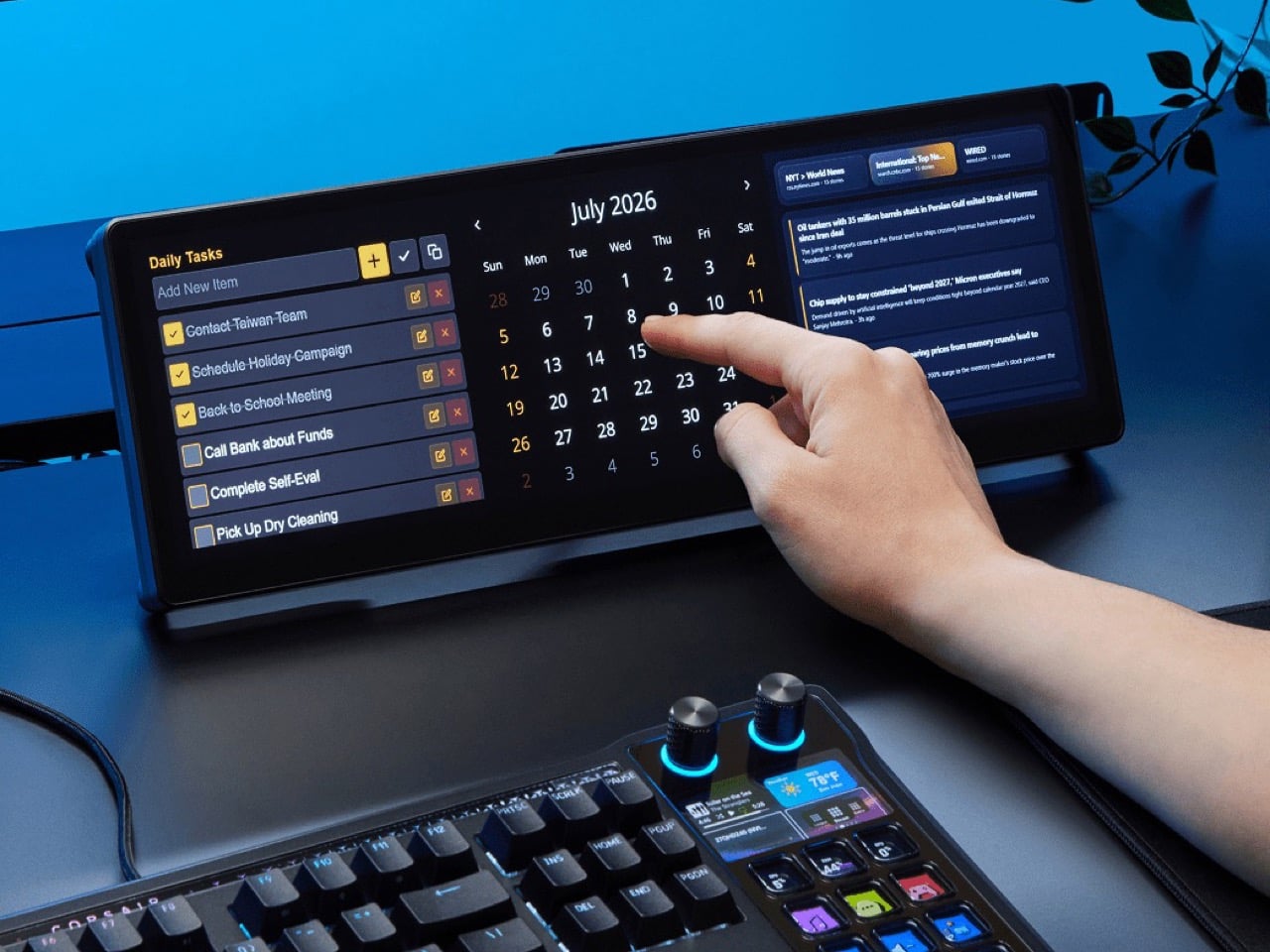
Plug it in and Windows treats the Edge as an ordinary second monitor, touch included. Corsair’s iCUE software for Windows adds widgets on top: a clock, a calendar, weather, news headlines, a task list, and system sensors showing CPU and GPU temps. Each widget lands on a grid you arrange yourself, so your layout can look as busy or as clean as you like. Since May 2026, widgets live on the Elgato Marketplace, where anyone can download or build one. Corsair’s developer docs even point to AI coding tools as a shortcut, which means a custom widget can start as a plain-English wish.
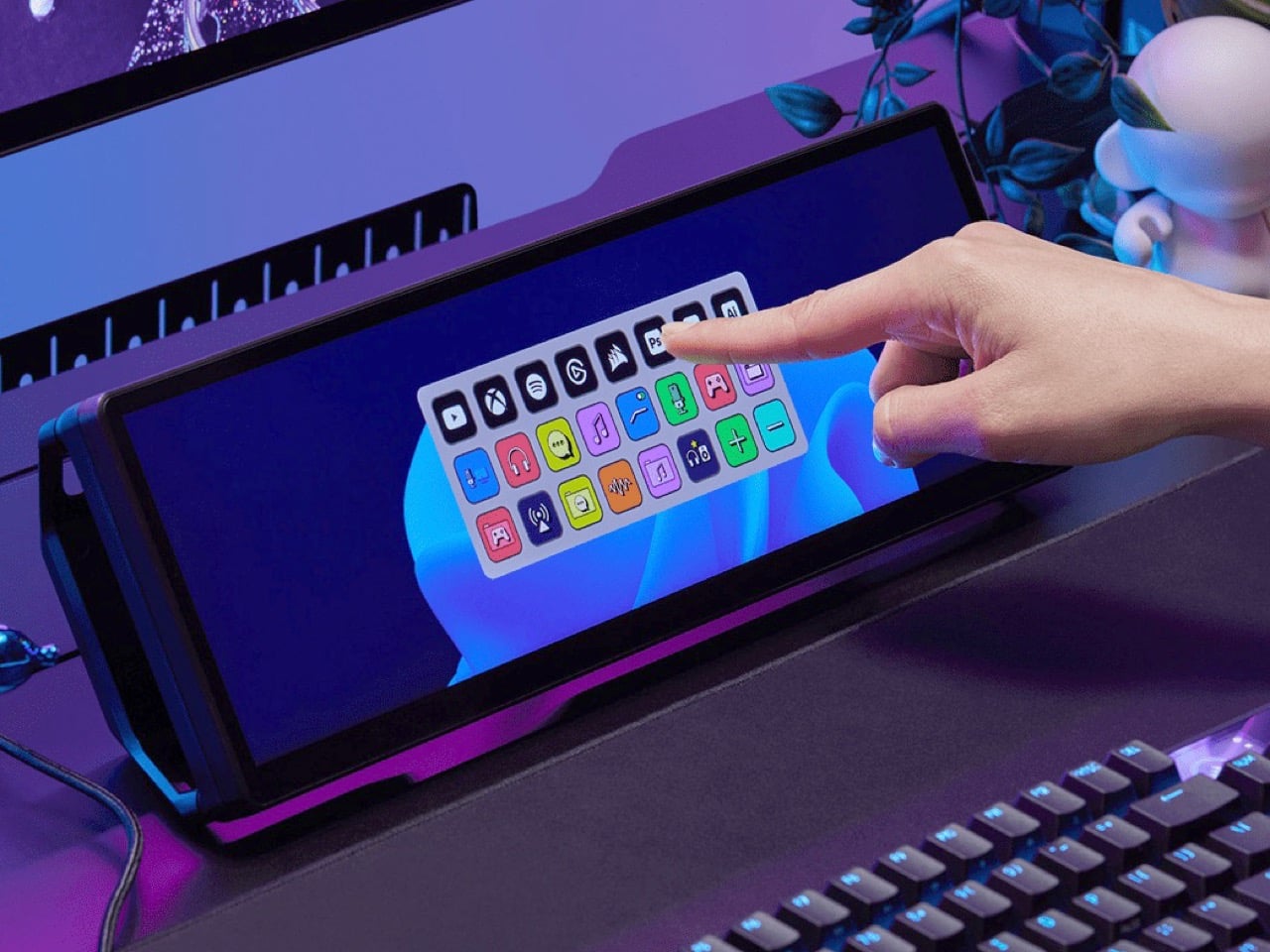
The widget that matters most for old Stream Deck fans is the native Stream Deck widget in iCUE. It drops a full grid of tappable keys onto the Edge, and you add actions in Elgato’s Stream Deck software exactly as you would for a physical deck. Resize the grid and you get more keys than any 15-button pad ever offered. Launch a game, mute your mic, switch an OBS scene, or toggle your desk lights, each with one tap. Because the screen is still a screen, the same strip can show your calendar or GPU temps right next to the keys.
A bright 2560 x 720 panel and touch that behaves like a phone
The panel is AHVA, Corsair’s version of IPS, so colors and viewing angles hold up even when you’re looking at it from the side. It runs 2560 x 720 at 60Hz with 350 nits of peak brightness, plenty for a desk lit by a window and a lamp. Touch is 5-point capacitive, the same technology as your phone, so tapping, swiping, and pinching all feel familiar. A single USB-C cable with DP Alt Mode (video over USB-C) can carry picture and power when your PC supports it. HDMI 2.0 covers everything else, and Corsair includes cables for both in the box.
Not every shell is black, either. Colors include black, white, and the translucent Atomic Purple, Crystal, and Smoke, which channel the see-through plastic of late-90s gadgets. We’ve seen that look return in a fully transparent Game Boy Color mod and Analogue’s Game Boy Color-inspired Pocket, and it suits a desk accessory just as well. Translucent plastic also makes the stand look like part of the design, not an afterthought. Pick whichever matches your keyboard, or your mood, or your last impulse buy.
Price, rivals, and where the Edge fits on your desk
The Xeneon Edge lists at $249.99 and is currently $199.99 at Corsair in the US, across all five colors, with a three-year warranty and a zero-dead-pixel guarantee. For comparison, Elgato’s 15-key Stream Deck MK.2 lists at $149.99, and the 32-key Stream Deck XL lists at $249.99. The Edge costs the same as the XL and brings an actual display to the party. ASUS makes the closest rival, the ProArt PA147CDV, a 14-inch 32:9 touchscreen with a physical dial and pen support, but it runs a lower 1920 x 550 resolution and sells for roughly twice the Edge’s list price. Cheap no-name touchscreens exist too, but most skip the magnets, the threads, and the Stream Deck tie-in.
The Stream Deck taught desks that a small control room beside the keyboard beats hunting through menus. The Edge keeps that lesson and swaps the plastic keys for pixels that can become anything. It mounts where you want it, shows what you need, and gets better as the widget library grows. It’s available now at Corsair’s site for $199.99 in the US while the current sale runs, with $249.99 as the regular price. Fifteen buttons were a good start. A 14.5-inch strip of pixels is a much better sequel.
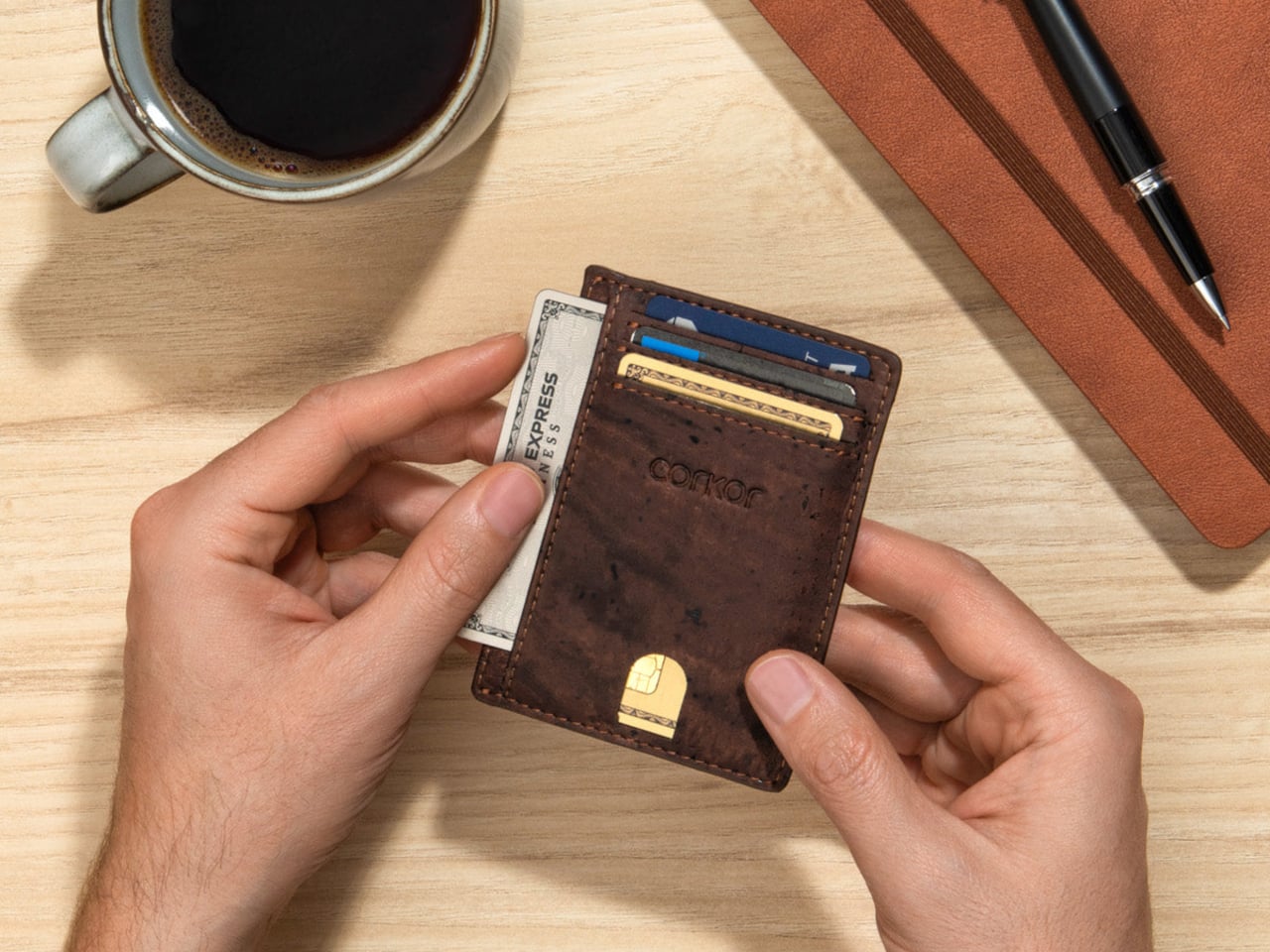
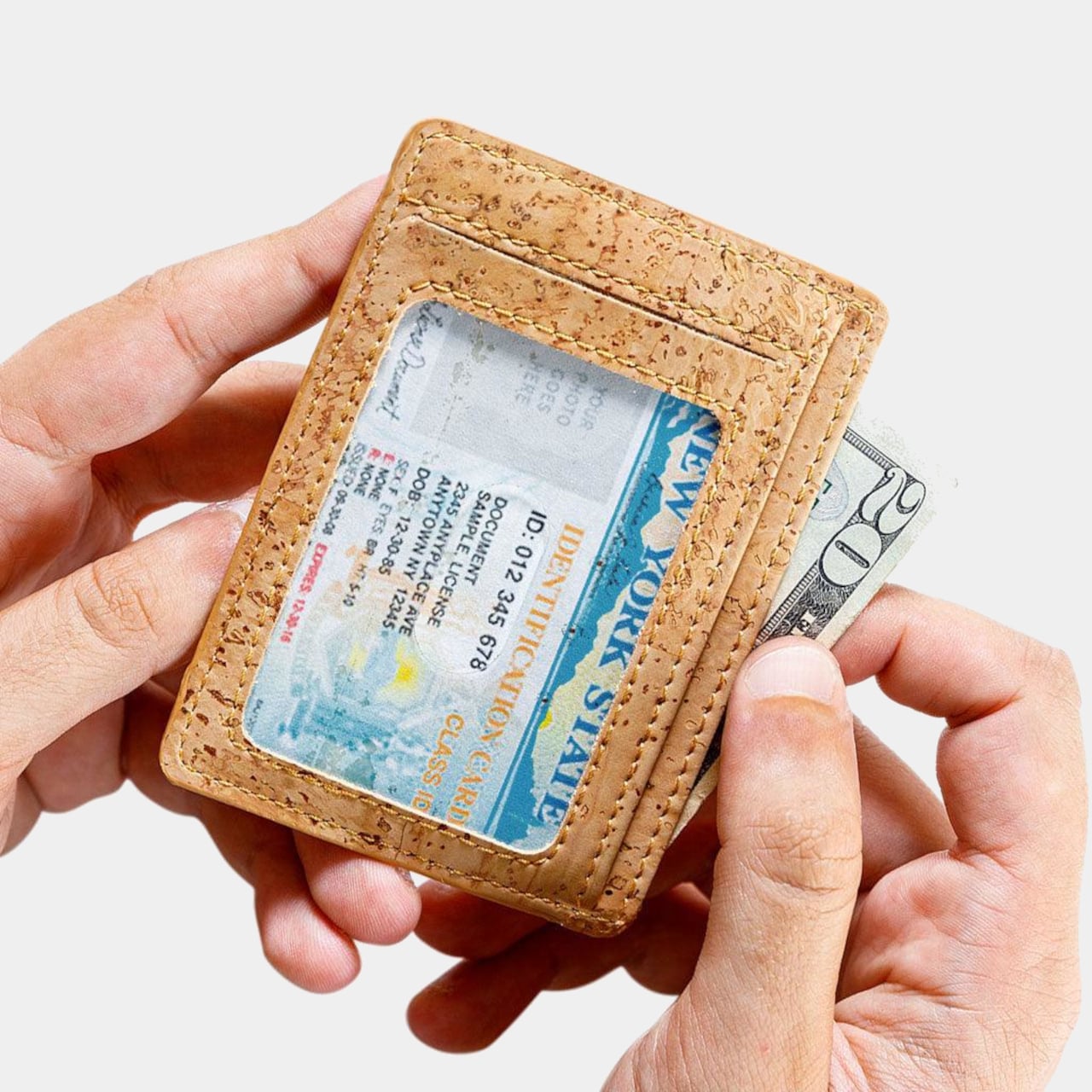
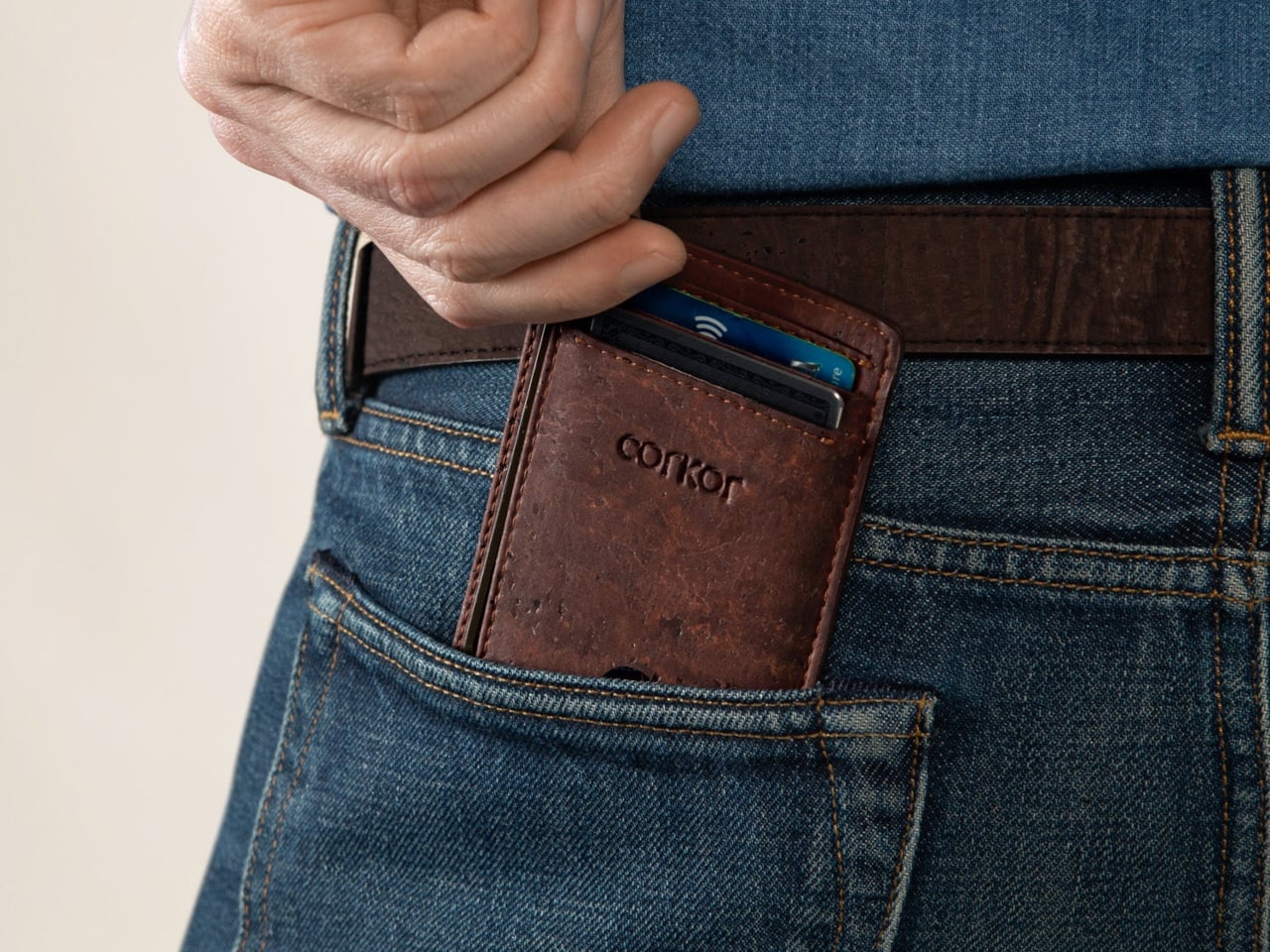
Most wallets don’t start out bulky. They get there one receipt, spare card, and folded bill at a time, until slipping one into a front pocket feels like packing a book. Corkor’s slim card holder asks you to carry less, then makes that decision feel less austere with a cork exterior. Its appeal lies in the material as well as its size.
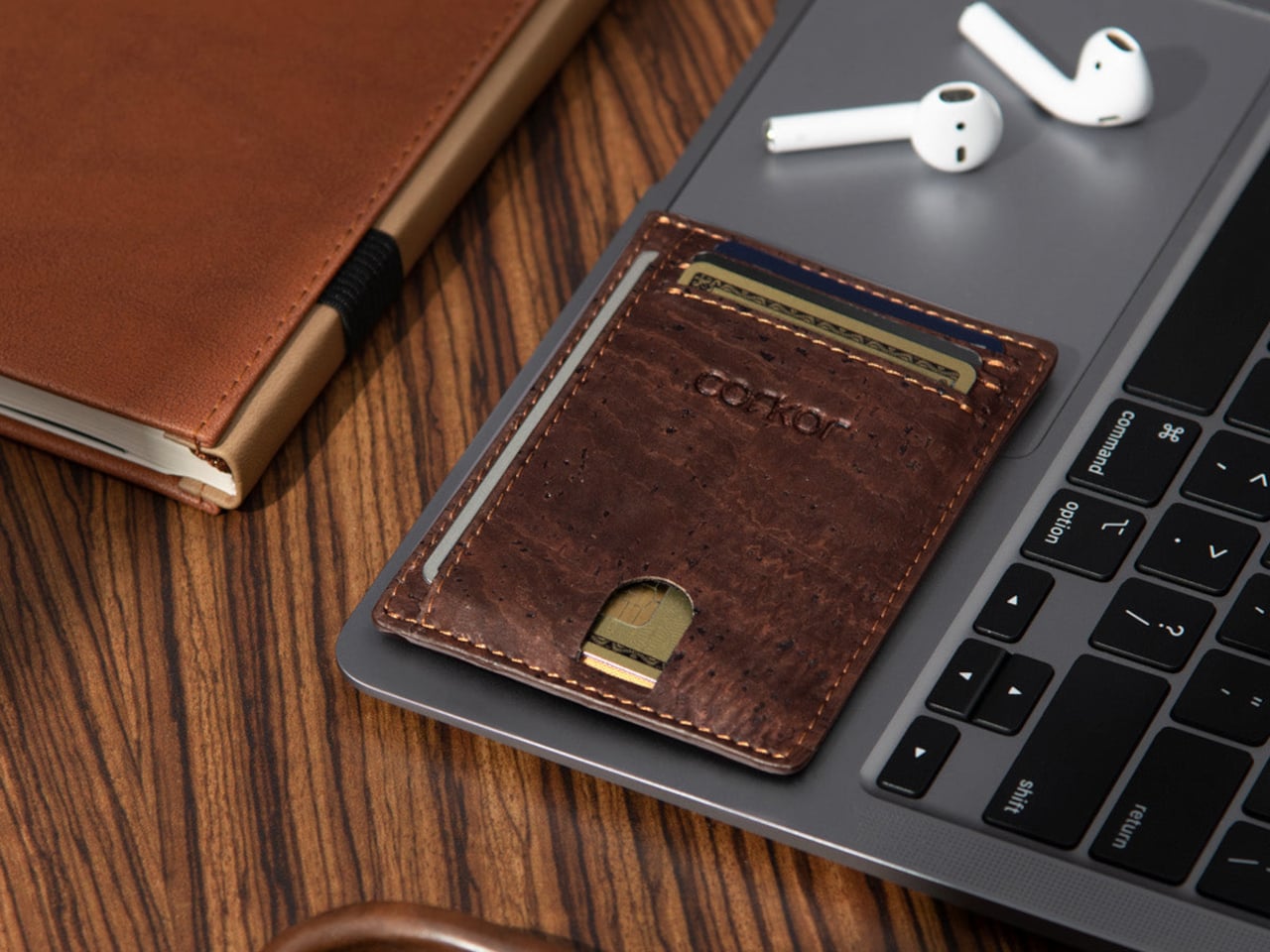
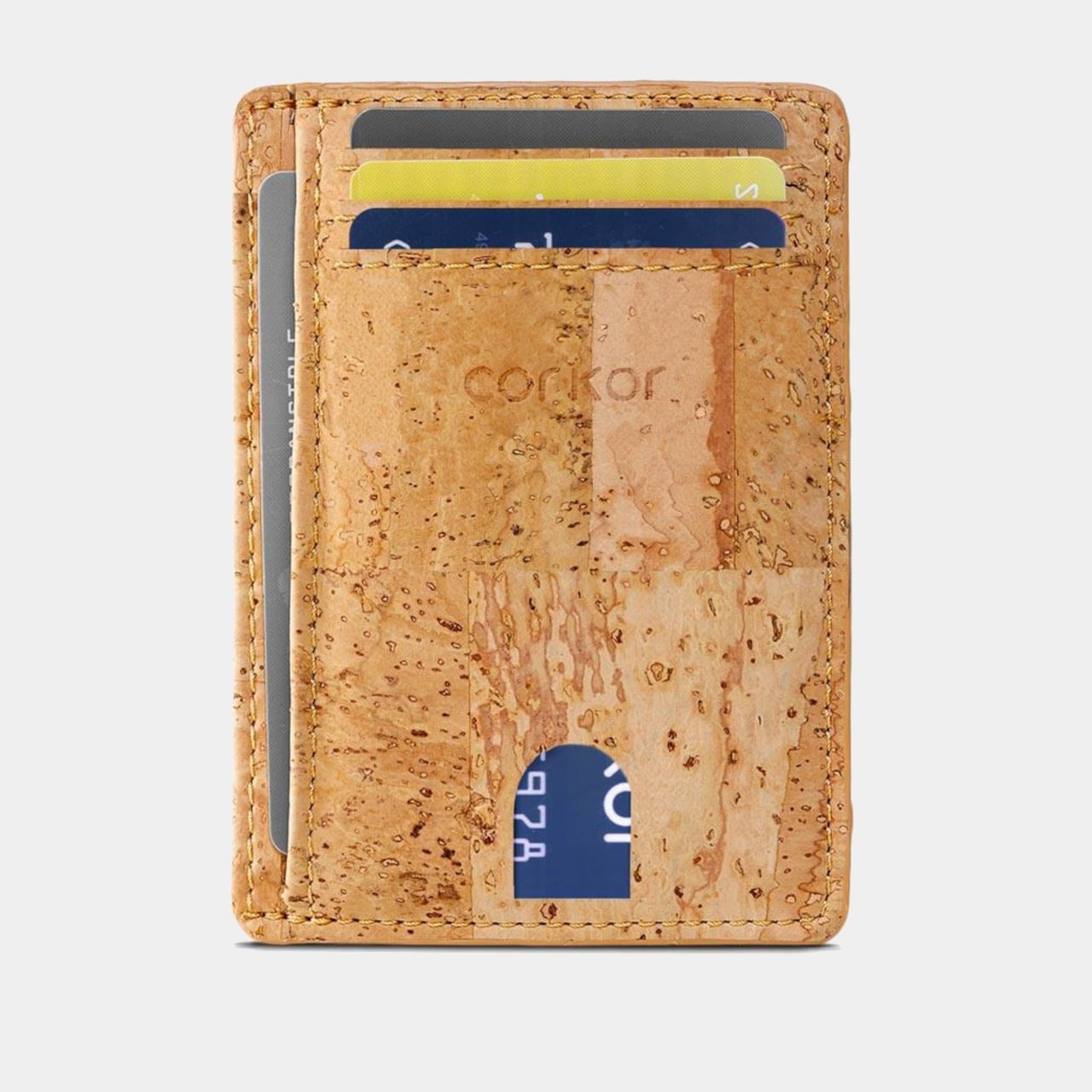
Cork is something you pull from a bottle or pin notes into, not what you reach for when paying for coffee. Here, its irregular grain gives the wallet character without needing decorative hardware or branding. Stitched edges and stacked pockets keep the shape familiar, but the surface feels different from the smooth leather and synthetic finishes that dominate everyday carry.
The layout keeps your most-used cards in three slots, with an ID window and two compartments for folded bills. A small opening on the front helps you nudge a card upward rather than digging at its edge. Keep only the cards you actually use, though, because squeezing too many into those pockets would inevitably change how slim the wallet feels in your pocket.
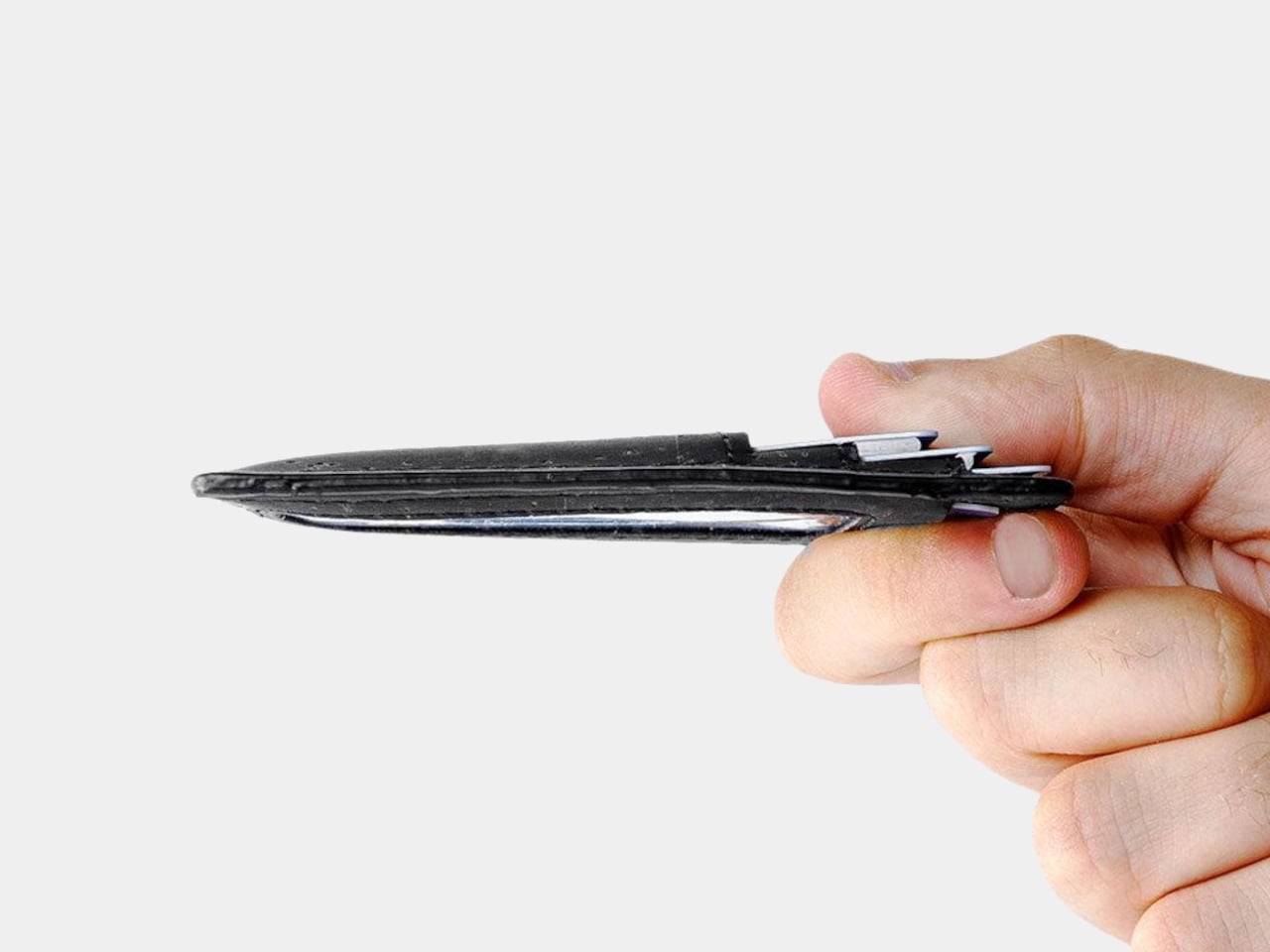
At 4.3 inches tall, 3.2 inches wide, and 0.4 inches thick when empty, the holder takes up less room than a traditional bifold. It weighs just 0.70 ounces before you add anything. You can leave home with a payment card, an ID, and a little cash without carrying a stack of compartments you’ll never open during a long, busy day away from home.
Cork has a purpose beyond its unusual appearance. The thin, pliable material lets the holder bend gently instead of feeling like a rigid little case, and Corkor describes it as water-repellent and easy to clean. For someone who wants an animal-free alternative to leather, that makes the material choice part of the daily experience rather than a claim printed on a label.
The cork comes from Portugal, where Corkor also makes the holder in-house. That doesn’t mean a wallet can settle every question about sustainability, but it does give this one a clear material identity. Corkor says its packaging is recyclable or compostable, and the card holder is certified vegan. Those details matter most when they’re paired with something you actually want to keep using.
Of course, minimalism has limits. There’s no coin pocket, and those folded bills won’t be as quick to sort through as cash in a full-size wallet. RFID-blocking construction is included to help protect compatible cards from skimming, but it won’t prevent other kinds of theft. This is a holder for an edited pocket, not a place to stash whatever the day hands you.
Corkor prices the holder at $59, which might seem steep for something designed to carry so little. That small footprint is precisely the point. The soft, mottled cork makes a familiar stack of slots feel unexpectedly personal, while the slim layout encourages you to leave the clutter behind. Once you’ve pared things down, that front pocket might finally have room for more than your wallet.
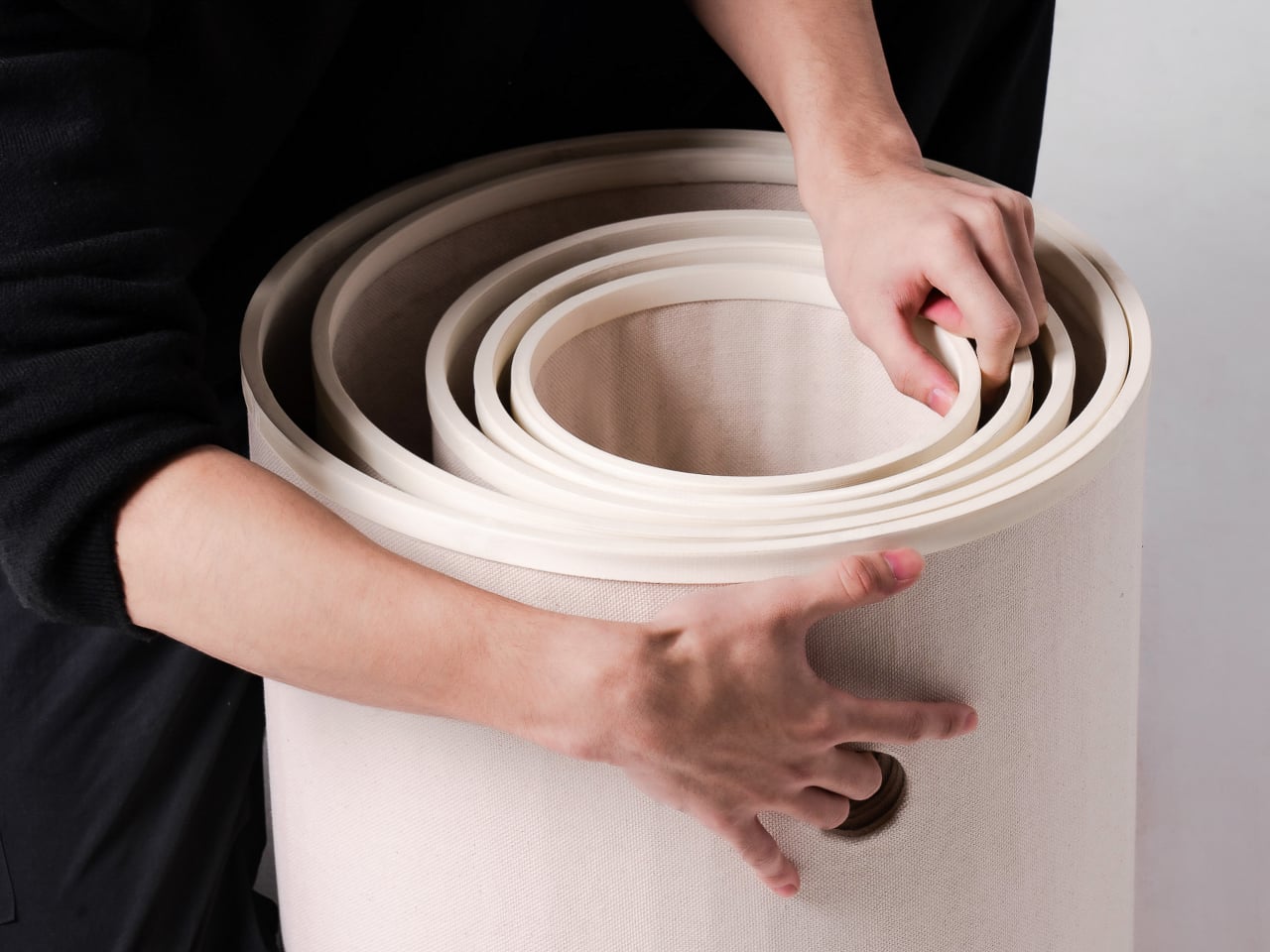
A kitten might be happy with a hideaway, but give it a few months and that same nook starts looking cramped. Add another cat, and a single perch becomes contested territory. Bloom takes that problem literally, building a cat tower from separate cylindrical modules that can be arranged as its occupants grow. It starts small instead of demanding space for a feline family.
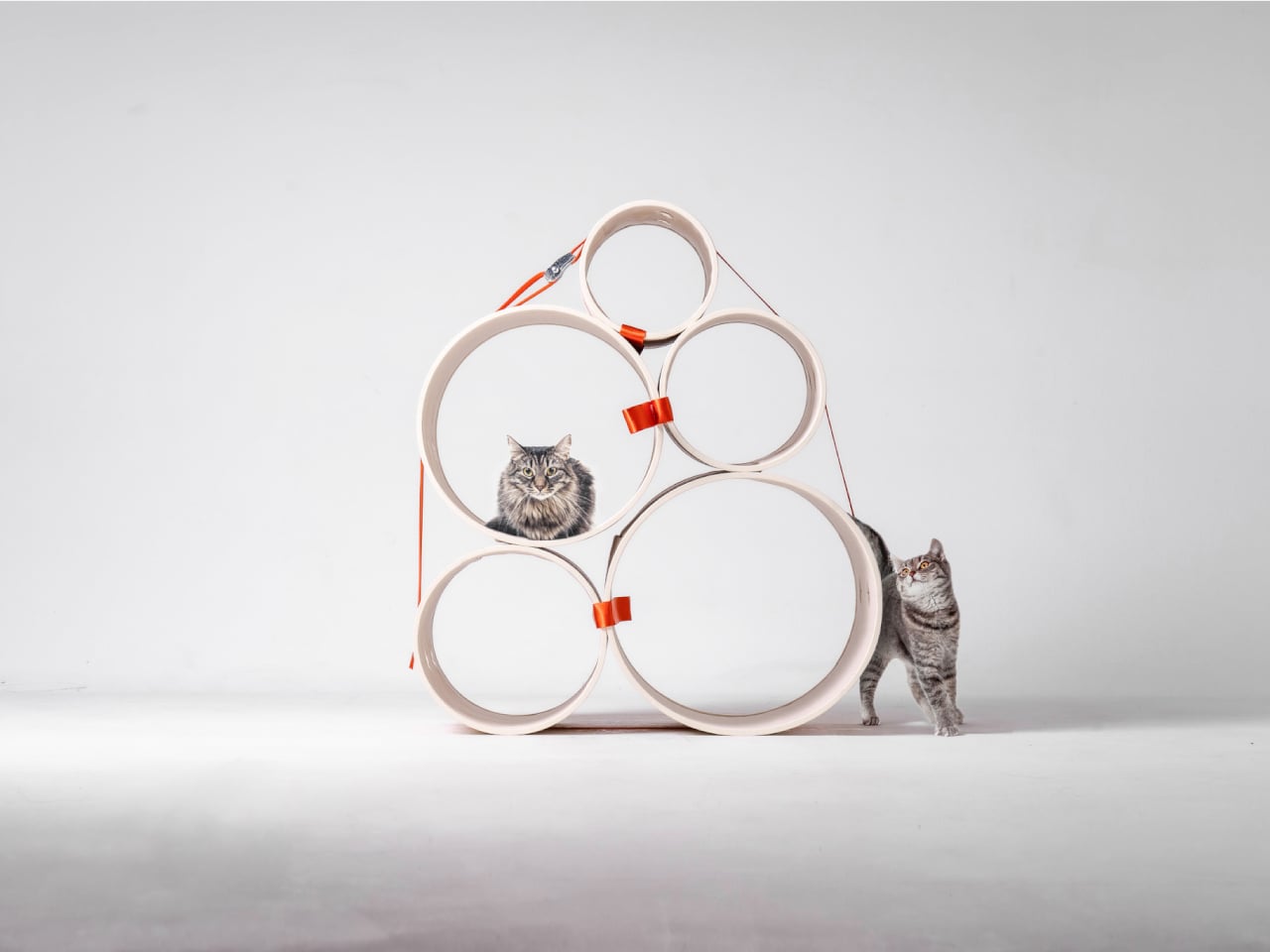
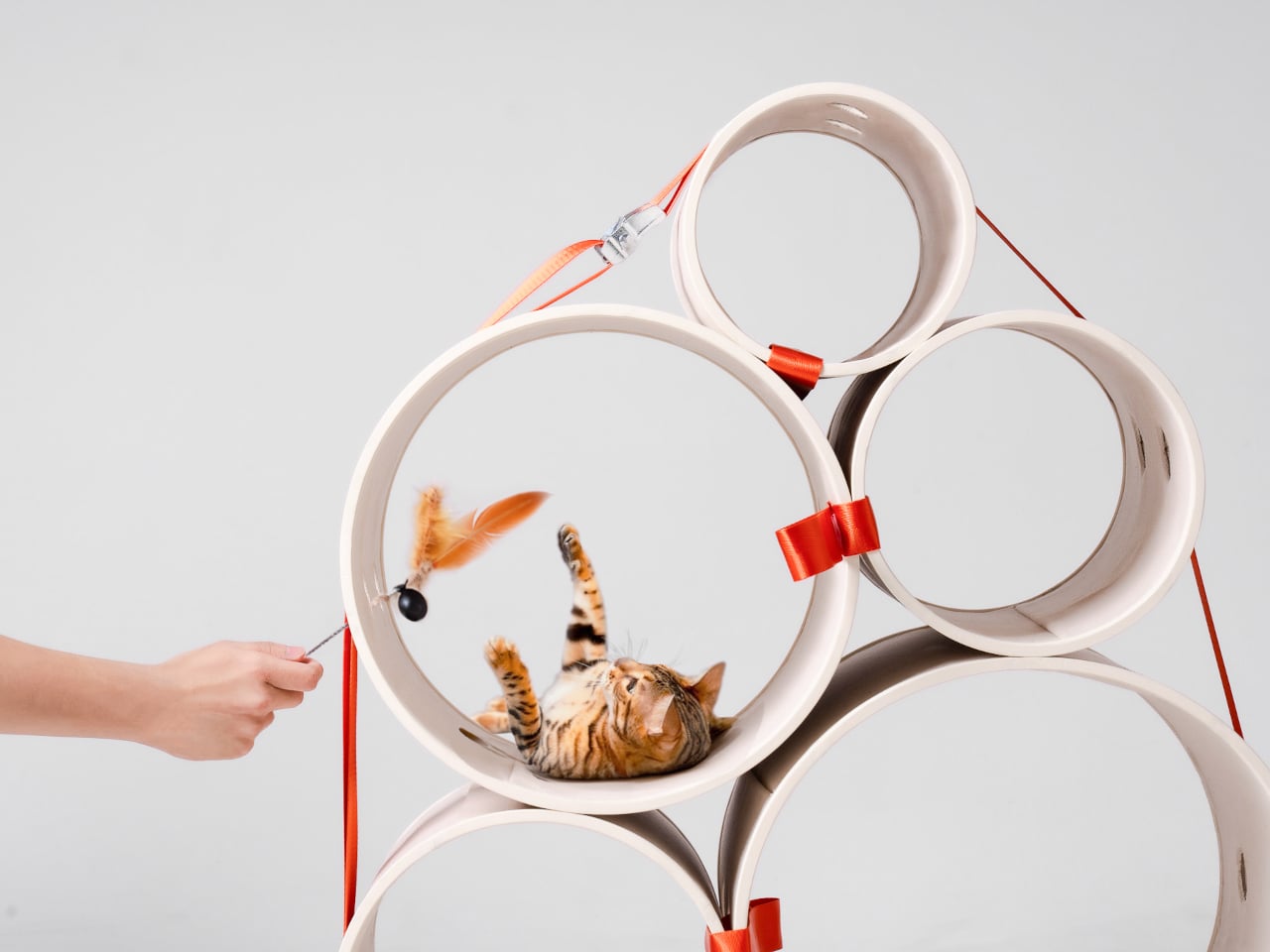
Most cat towers arrive as a collection of platforms, posts, and houses, whether your cat needs all of them or not. Their bulk can make a living room feel as if it has been furnished around the pet. Bloom swaps that predetermined silhouette for a cluster of open tubes, each one a place to curl up, climb through, or watch the room.
Those cylinders come in several diameters, so arranging them feels closer to stacking play objects than assembling pet furniture. A smaller cat can settle into a tighter opening, while a larger one has room to stretch out in a wider tube. The circles also give Bloom its character: soft, repeating forms that can take different shapes instead of committing your room to one tower.
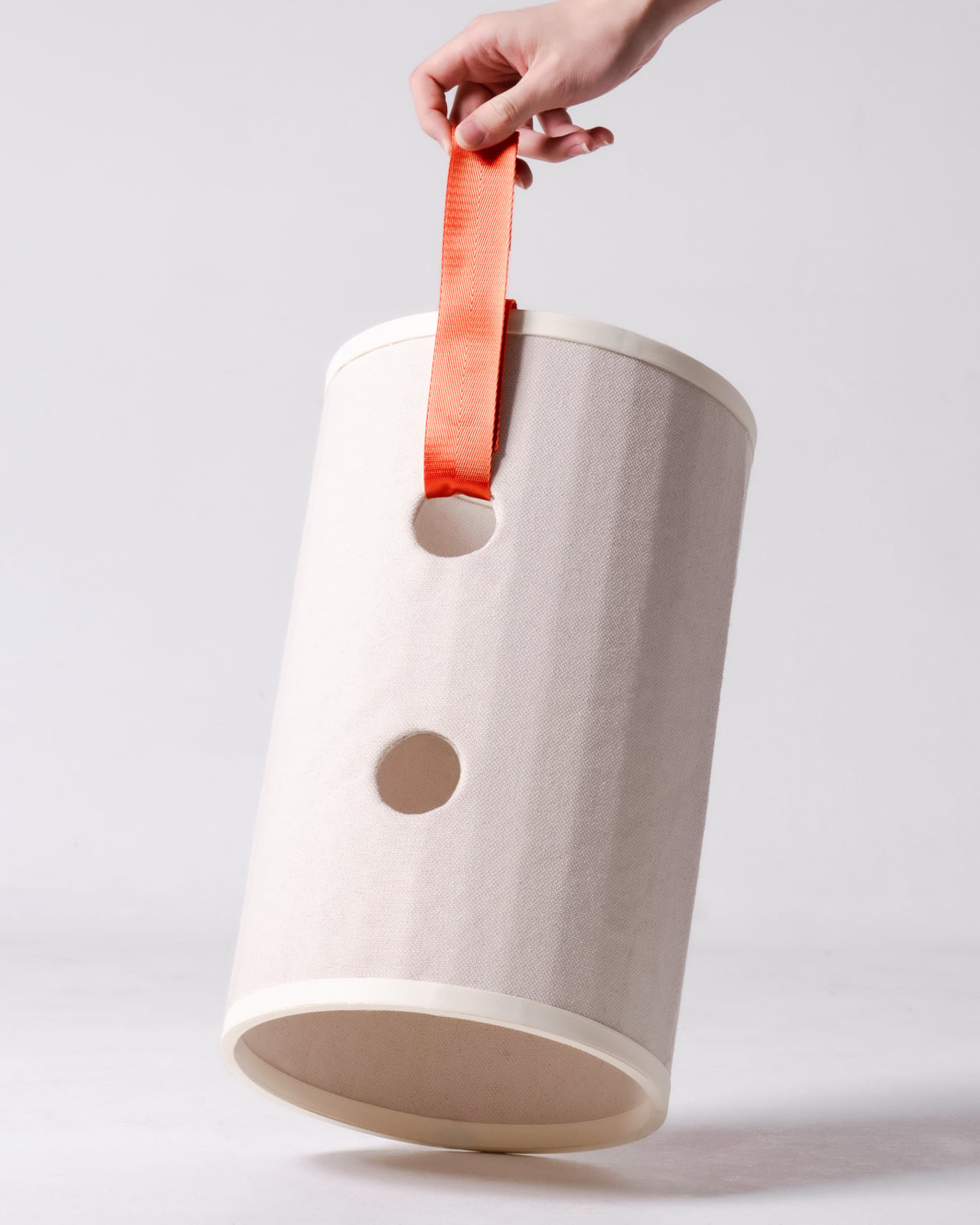
Of course, loose tubes wouldn’t make much of a cat tower once the occupants started leaping about. Bloom uses orange straps to hold the modules together, with hook-and-loop fastening that makes them easier to attach and detach. The straps add a punch of color to the pale cylinders, but their important job is letting you change the arrangement without committing to a rebuild.
You might begin with two tubes near the sofa, then add another when your kitten starts climbing above everybody’s heads. If a second cat joins the household, a wider cluster could give each animal somewhere to pause without fighting over the same opening. The exact layout can follow the cats, rather than asking them to adapt to whatever configuration came in a box.
The holes along the sides serve another purpose beyond giving the straps somewhere to attach. Slide a toy toward one, and a cat tucked inside has something to investigate, while you get a way to join the game without reaching into the tube. It’s a detail, but it turns the enclosed space into somewhere for interaction rather than just another hiding place.
There are still questions a concept can’t answer. A tall arrangement would need to stay steady under a cat’s weight, especially if one launches itself at an upper opening. Bloom doesn’t specify load limits or explain how every possible configuration would be supported, so that flexibility shouldn’t be mistaken for unlimited stacking. For now, its flexibility remains an intriguing, unproven design proposition.
Still, Bloom understands something about cats that a fixed tower often misses: the creature you bring home won’t always be small, and it might not always be alone. Its tubes can be rearranged as that story changes, while its openings leave room for curiosity. The furniture doesn’t need to grow overnight; it can take shape alongside the animals that claim it.
Si vous avez un dossier blindé de comics / BDs au format CBZ ou en CBR, rangé à "votre sauce" par éditeur, par série ou carrément en bordel (ce qui est mon cas, je suis bordélique...),
Issued
est un petit serveur à installer chez vous qui va vous rendre de fiers services. En effet, ce soft scannera votre dossier tel quel, ne réorganisera rien parce que c'est pas votre mère, mais par contre, il reconstruira sa bibliothèque autour de vos dossiers, pour que vous puissiez lire tout ça depuis un navigateur ou une appli de lecture, en ayant l'impression que "Oh dis donc c'est bien rangé"
Une seule règle à respecter quand même c'est de ne pas mélanger des comics et des sous-dossiers dans un même dossier puisque pour Issued, un dossier qui contient des comics, c'est une série. Ah et les fichiers aux formats CB7 et les PDF passeront aussi sans souci.
Côté lecture, le lecteur web affiche les derniers ajouts et les comics entamés à reprendre. Et si vous suivez des séries encore en cours de parution, vous les marquez avec le bouton Ongoing, et la page du même nom vous montre le dernier numéro ajouté, le nombre de numéros et ceux qui manquent peut-être à l'appel... Sur mobile, vous pouvez aussi ajouter son catalogue OPDS dans Panels ou Chunky Reader sur iOS, ou dans Moon+ Reader sur Android.
Son dev dit l'utiliser avec environ 4 500 comics (mais quel pirate ^^) et pense que ça tiendra le choc à 10 000 voire 20 000 BDs. Les vignettes, de leur côté, sont générées une seule fois, sur un seul thread, pour ne pas saturer votre serveur qui fait déjà tourner d'autres conteneurs et la surveillance du dossier, qui ajoute les nouveaux comics toute seule, se coupe dans la config si vous préférez laisser roupiller vos disques (un bouton permet alors de relancer le scan à la main).
Attention par contre au mot de passe que vous mettrez car celui que vous pouvez définir dans config.ini ne protègera que le lecteur web. En effet, le catalogue OPDS reste accessible sans session et c'est ce catalogue qui permet de télécharger les archives. Donc pour lire vos comics depuis l'extérieur, n'ouvrez pas le port 8181 de votre box en mode neuneu ! Non, restez absolument sur votre réseau local, ou passez par un reverse proxy qui gère l'authentification ou encore un VPN local type
Tailscale
(Qu'est ce que j'aime ce truc).
Pour l'installer, le plus simple c'est comme d'hab Docker (l'image embarque déjà unrar pour les CBR) :
Remplacez alors le chemin par celui de votre dossier de comics, et le lecteur web répondra sur le port 8181, dans /reader/, et le catalogue OPDS dans /opds/. Et si vous n'avez pas Docker, il existe aussi des exécutables pour macOS, Linux et Windows. Voilà... Le tout est sous licence MIT et sachez également que si vous avez besoin de plusieurs comptes, ou de servir aussi des mangas et des ebooks,
la bibliothèque Komga
et
le serveur Kavita
en feront un peu beaucoup plus ^^.
Ah et si vous vous demandez pourquoi tout est violet dans l'interface, c'est parce que la fille du développeur s'appelle Viola (pas de "vert caca d'oie" donc, désolé pour les amateurs de treillis ^^).
Si vous avez la chance de rentrer de manif avec vos 2 mains, parce que hé, "c'est la démocratie", voici un outil qui va vous intéresser ! Ça s'appelle
OpenMouse
et c'est un configurateur de souris gaming qui fonctionne direct dans le navigateur. Vous branchez votre souris, vous ouvrez le site dans Chrome ou Edge, et vous réglez le DPI, le polling rate, et les boutons et le RGB (selon ce que votre modèle sait faire).
L'outil n'envoie aucune donnée à l'extérieur et en plus, c'est gratuit et sous licence AGPL. Maintenant, est-ce que ça va fonctionner avec votre souris ? C'est la grande question ! La liste du projet suit actuellement 746 appareils, dont 232 sont taggés comme "Compatible", c'est-à-dire confirmés fonctionnels avec un driver enregistré. Les autres sont des modèles demandés par la communauté, ou qui attendent un test matériel ou un driver.
Chez Logitech par exemple, la G502, la MX Master 3S et la G Pro X Superlight en font partie. Chez Razer, la DeathAdder V3 et la Viper V3 Pro aussi, mais la Basilisk V3 attend encore un test sur du vrai matériel.
Après, "Compatible" ne veut pas dire que tout se règle direct. La Corsair Nightsword RGB est marqué comme tel et pourtant, elle est en lecture seule (il faut fermer l'outil iCUE avant), et plusieurs autres modèles de la marque affichent "Driver nécessaire".
Et si vous avez une Razer sous Windows ?
Alors là, il vous faudra un utilitaire en plus car depuis Chrome 153, une page web ne peut plus toucher à la souris via l'interface que Razer utilise. En effet, Chrome a corrigé un bug Windows qui, d'après le billet d'OpenMouse daté du 12 septembre dernier, laissait cet accès ouvert depuis des années. Les Razer ont donc cessé de s'y connecter, ce qui fait que pour le projet, la seule solution c'est
Bridge
, un utilitaire optionnel qui s'installe sur l'ordi et qui permet de faire le lien entre la souris et l'app web.
Bridge est cool parce qu'elle permet aussi d'utiliser OpenMouse sous Firefox (Safari n'est pas encore supporté), ainsi que d'appliquer un profil de réglages au lancement d'un jeu, ou encore de vous prévenir quand la batterie de votre souris sans fil passe sous 20 %.
Par contre, c'est encore une bêta donc il n'y a aucune garantie ! À tester !
J'sais pas si vous avez vu, mais Google vient de mettre en ligne une
page d'aide
qui explique comment déverrouiller le bootloader d'un Googlebook ! Je pensais pas écrire ça un jour. Les Googlebook, ce sont des portables mi-Android mi-ChromeOS qui sont commercialisé en France depuis hier, pour la modique somme de 1 099 euros.
Perso, je ne vois toujours pas l'intérêt d'acheter ce truc...
Je vois vraiment ça comme un PC bridé, ou un Android avec un gros clavier et je pense que c'est bien se compliquer la vie que d'acheter ce truc plutôt que de prendre un vrai PC ou un petit Macbook. Sauf, évidemment, si on est une personne qui n'a pas envie de s'emmerder la vie à apprendre quoique ce soit de nouveau, et qu'on veut juste aller sur le site de La Poste consulter le prix des timbres, ou faire un Mappy pour savoir comment se rendre au bureau de vote le plus proche.
Mais grâce à cette "possibilité" de déverrouillage, John Wu, le créateur de
Magisk
, a annoncé travailler sur une version de Magisk pour ces machines.
Pour déverrouiller le Googlebook, vous devez donc activer le déverrouillage OEM dans les options pour développeurs, vous passez ensuite en mode récupération avec Échap + F2 puis le bouton d'alimentation, et l'option "Unlock bootloader" se trouvera dans les options avancées. Google précise également que ça efface toutes les données, que ça désactive la sécurité de l'appareil, que les modifications ne sont pas supportées et que la garantie peut y passer.
Et côté root,
Wu
a posté dans la nuit du 4 au 5 octobre "Magisk on Googlebook", en promettant du code et des instructions dans les jours suivants.
Son profil indique d'ailleurs qu'il bosse sur Android chez Google, et il voit dans le Googlebook la plateforme idéale pour bidouiller ! En effet, sur un téléphone rooté, les applis bancaires et de paiement cassent, alors qu'ici vous pouvez y accédez depuis le navigateur, comme sur n'importe quel portable.
Le blocage, selon lui, vient du mode utilisateur du système. Googlebook OS fait tourner Android en Headless System User Mode, c'est-à-dire que l'utilisateur 0 reste en arrière-plan et que vous travaillez sur un compte secondaire, alors que Magisk part du principe qu'il n'y a qu'un utilisateur principal. Le support de ce mode a été fusionné dans la branche principale du dépôt dans la nuit du 5 au 6 octobre, par contre, aucun commit ne cite pour le moment le Googlebook.
Reste que rien n'est livré officiellement encore... La dernière version stable de Magisk, la 30.7, date de février et donc aucune version stable ne contient ce code. Sans oublier que pour flasher la machine, Wu explique que le fastboot par USB ne marche pas sans câbles spécialisés. Cependant, il dit avoir trouvé une solution, sans la détailler.
Donc voilà... aujourd'hui, le root d'un Googlebook n'a aucune méthode publique, et le déverrouiller maintenant en suivant la technique de Google, revient à couper la sécurité de la machine sans rien pouvoir en faire de plus côté root. Donc autant attendre les instructions de Wu pour Magisk qui devraient arriver dans les jours qui viennent.

 Connexion