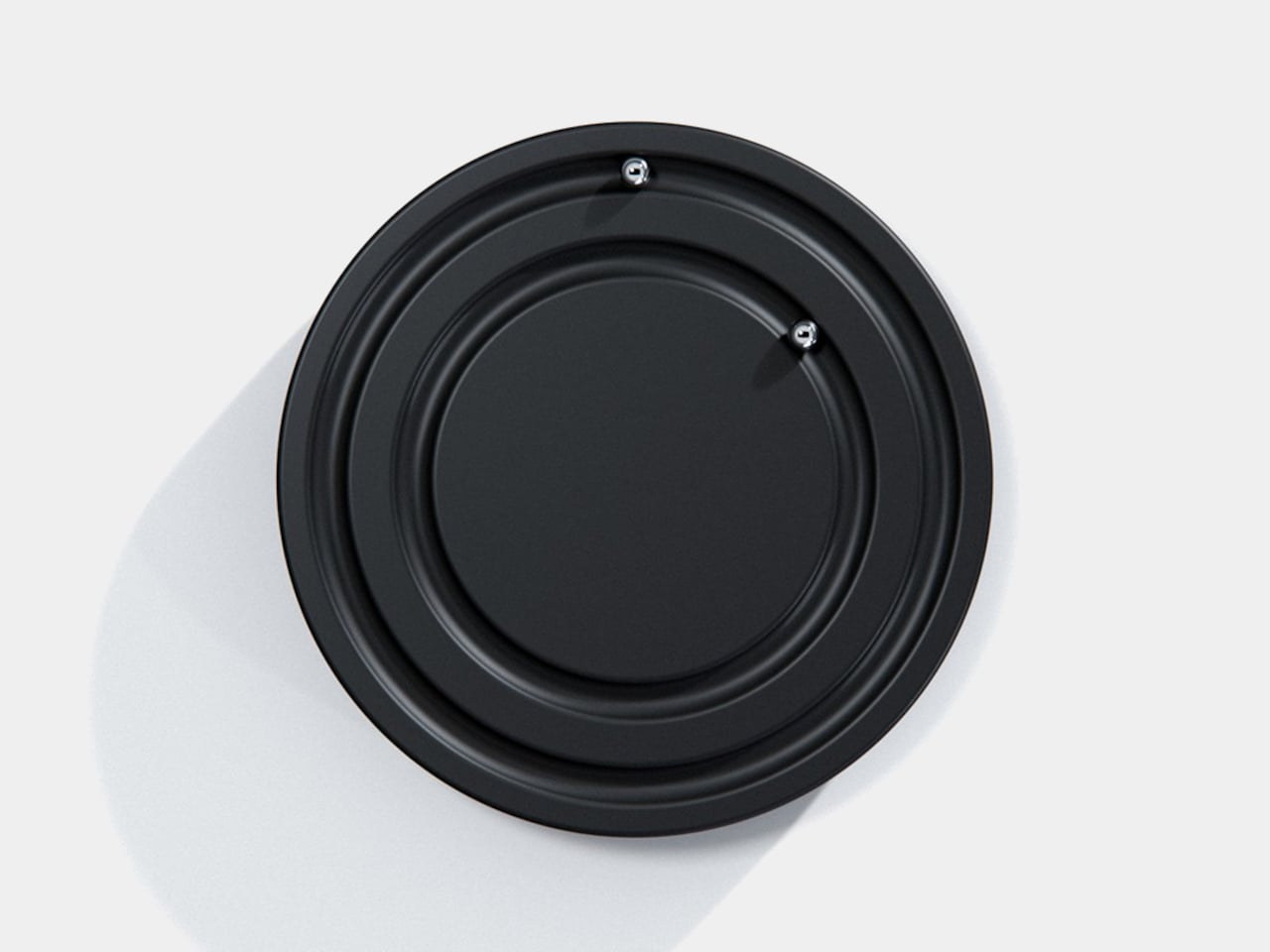
Clocks have become so familiar that we barely think about what their hands are doing. They point to positions around a circle, a habit that Orbit keeps while removing the hands themselves. This ultra-minimalist clock concept replaces them with two magnetically held metal spheres, giving time a physical presence you can reach and remove, instead of leaving it behind protective glass.
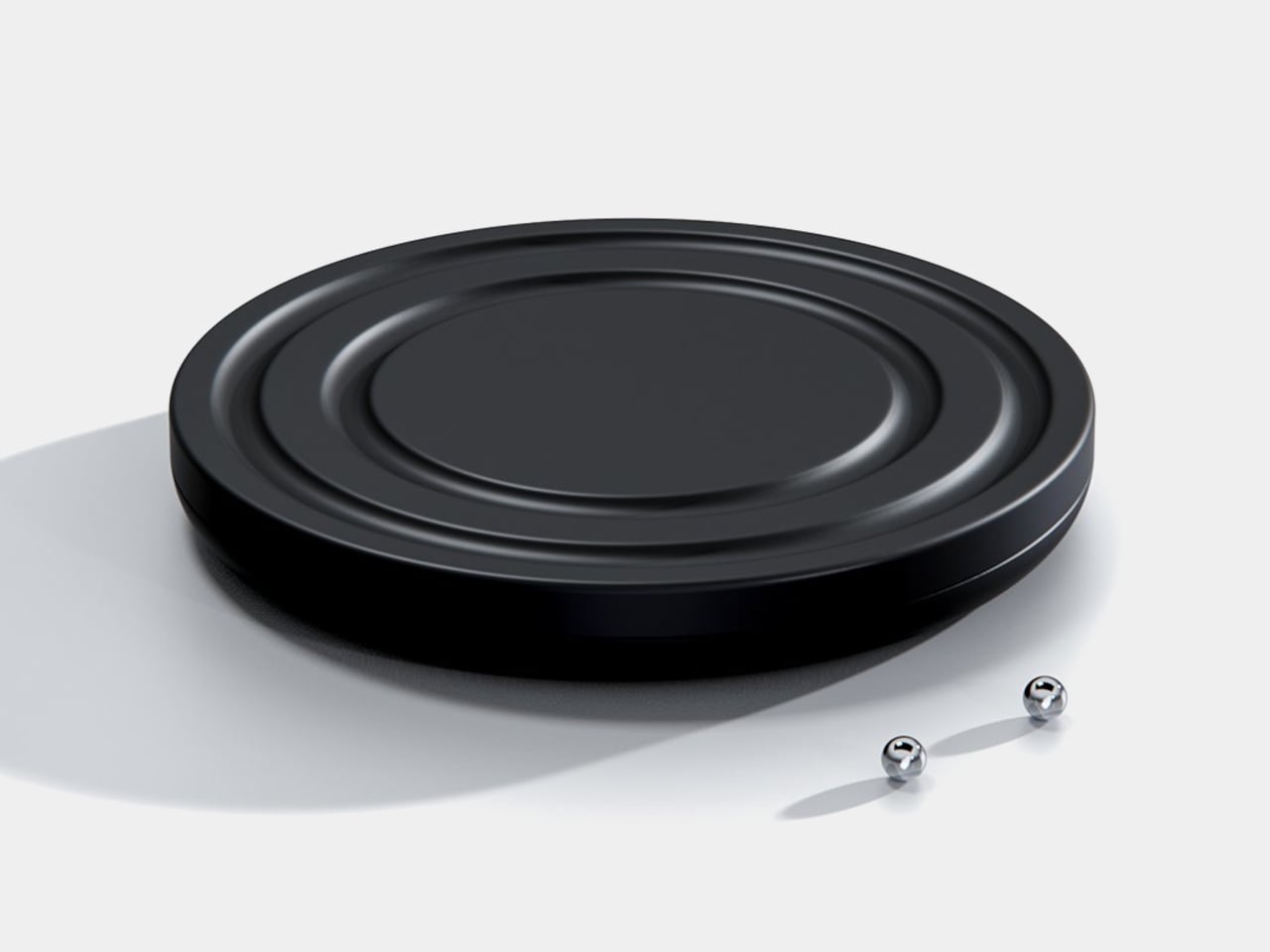
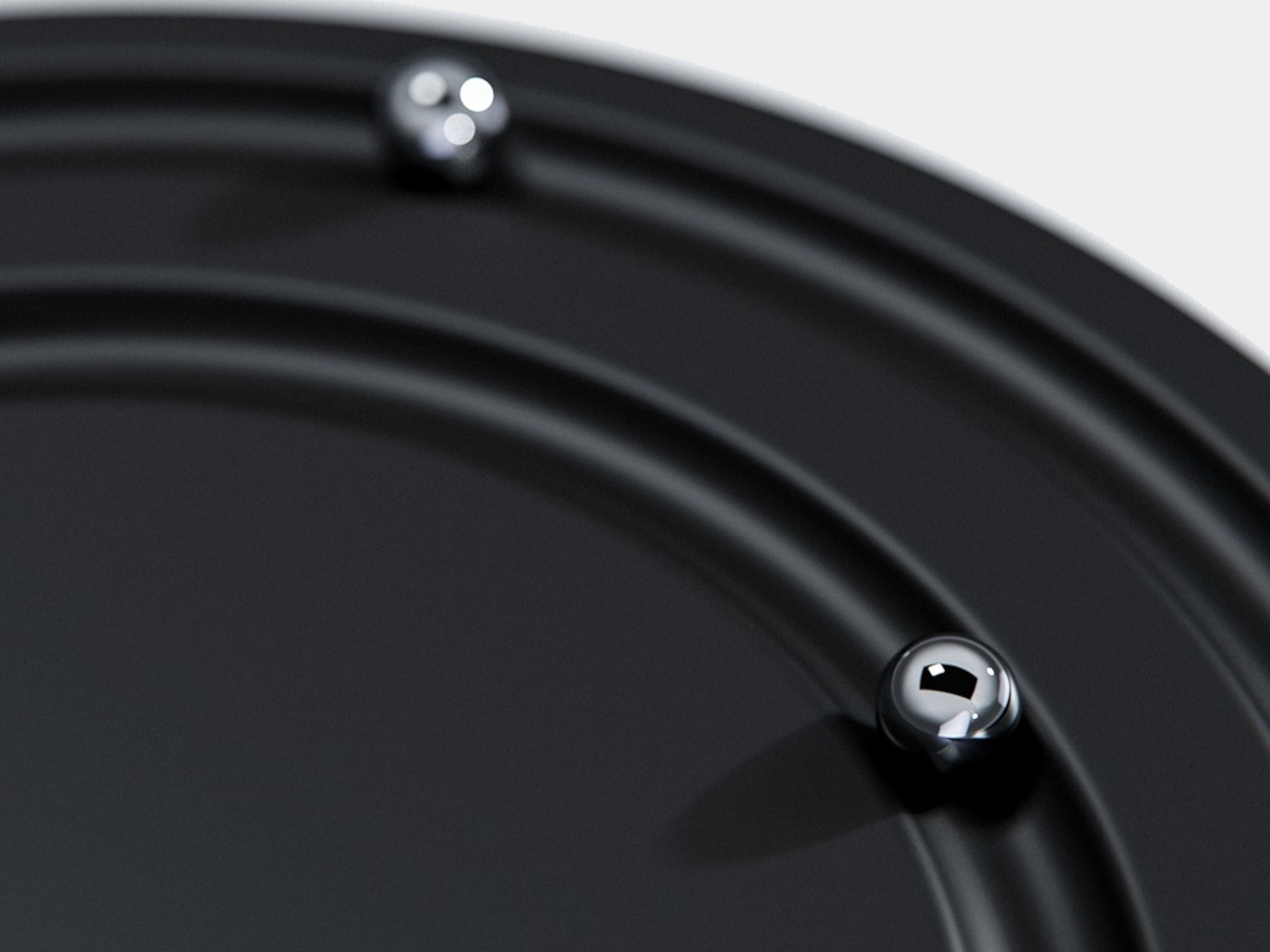
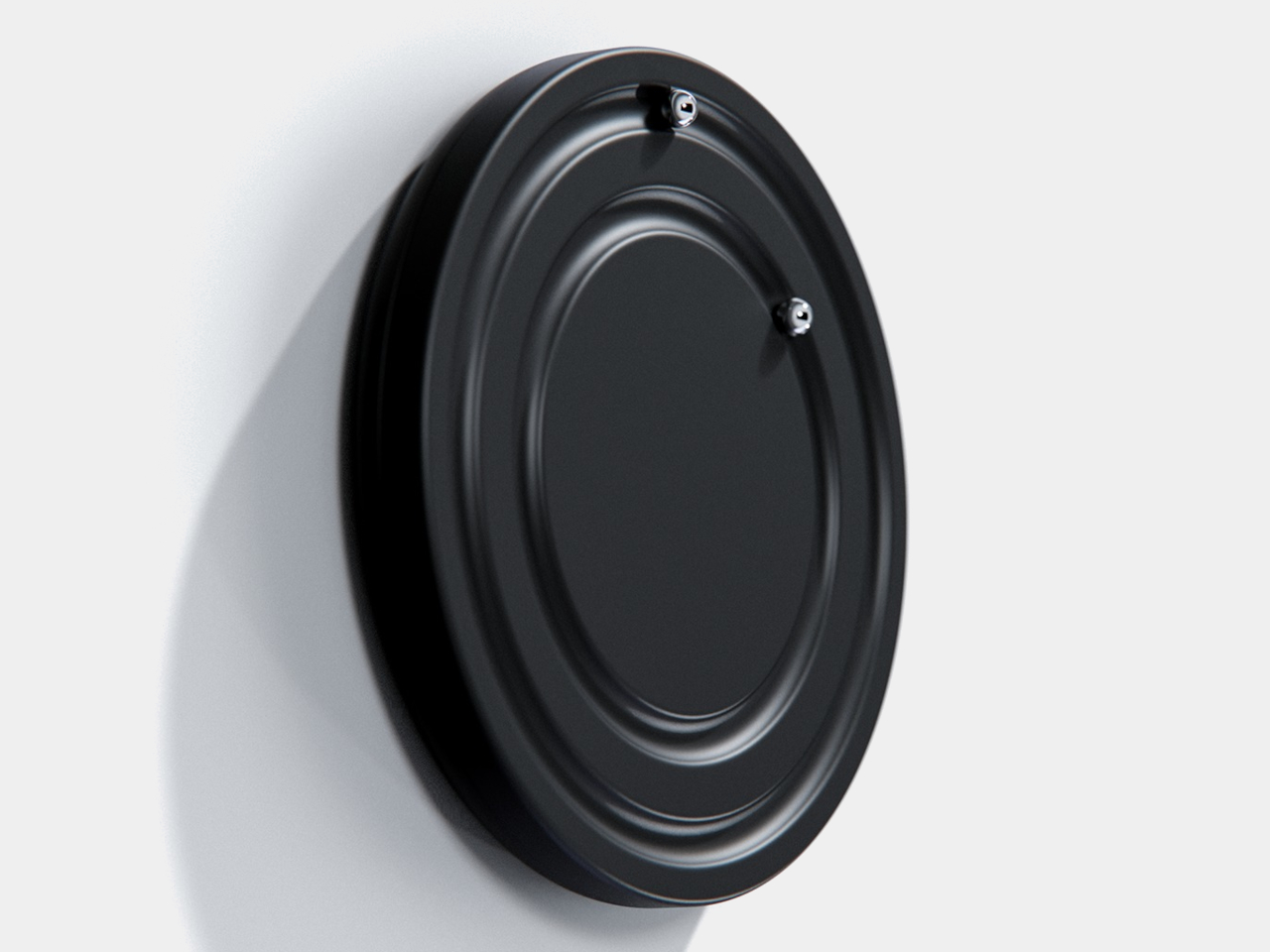
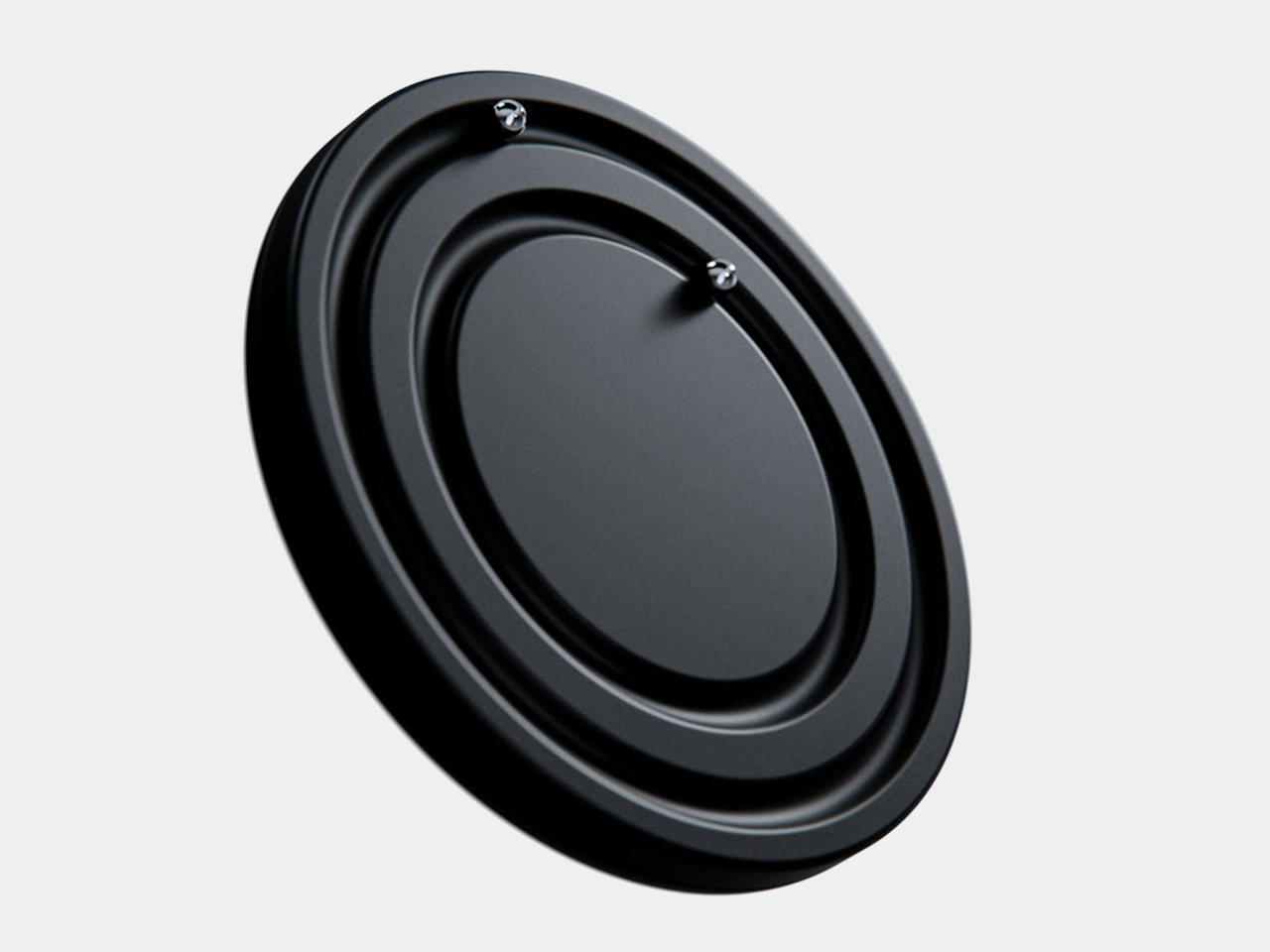
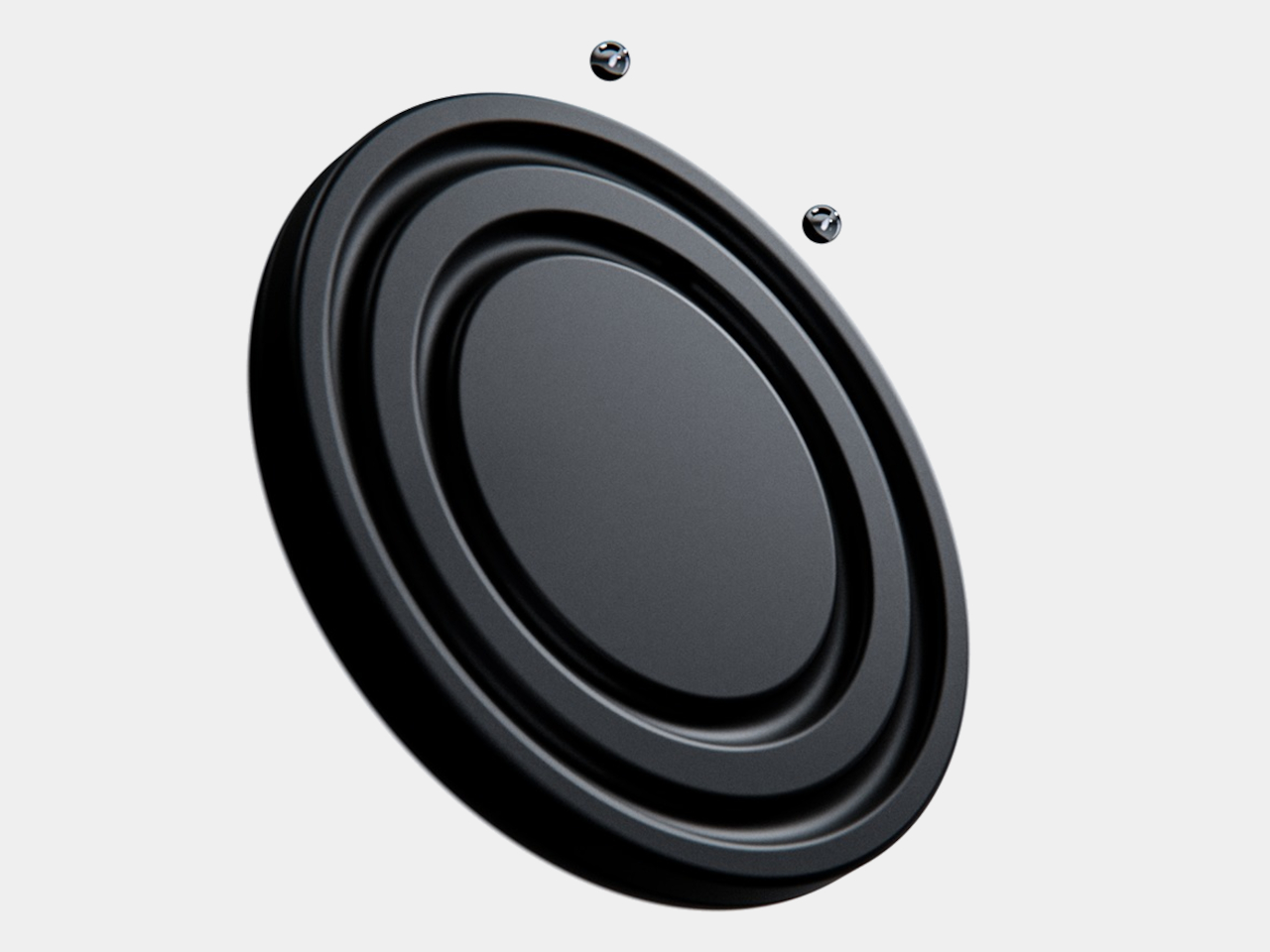
The face is a dark circular disk with two concentric recessed tracks, each carrying a polished sphere. There’s no cluster of numerals or central pin to interrupt the surface. Instead, the grooves give the small bearings separate paths, while their reflective finish contrasts with the darker background. The clock’s relief supplies the detail that printed markings would normally provide on a conventional dial.
One sphere represents the hours and the other the minutes, preserving the basic logic of an analog clock. You still look for positions around the face, only without a pair of hands connecting those positions to the center. That makes the idea less unfamiliar than it initially sounds. Reading it doesn’t call for learning an entirely new code, although some adjustment seems inevitable.
Of course, removing all those markings comes with a compromise. Estimating the hour should be simpler than judging an exact minute on an unmarked circle. Orbit could suit a living room where a glance is enough to keep track of the afternoon. Checking how many minutes remain before catching a train might make you rather grateful for the numbers on your phone.
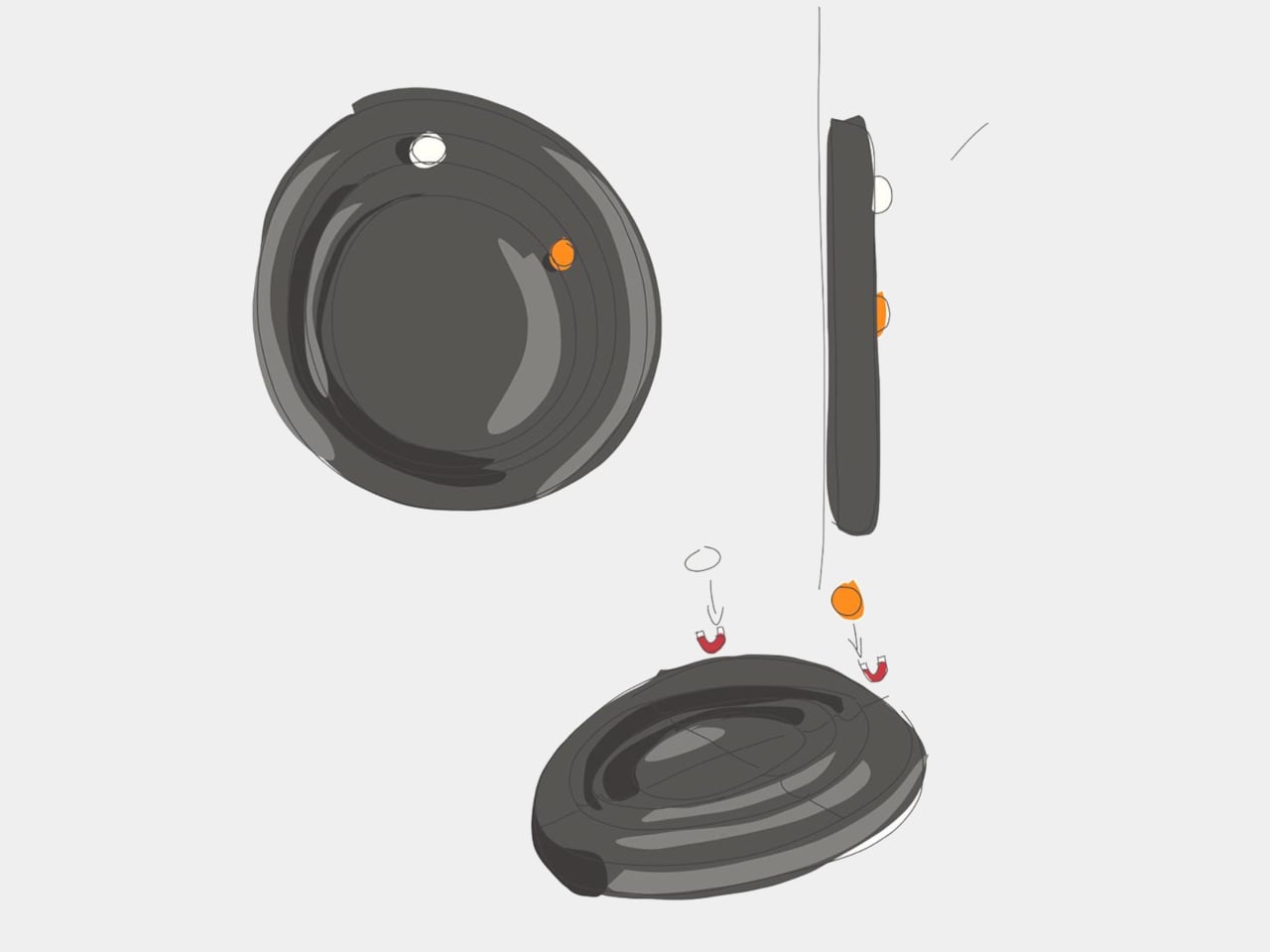
The more unusual part is that the spheres aren’t permanently trapped in their tracks. Magnetic attachment is intended to let you lift each one away and put it back, adding a tactile interaction to an object usually left alone. That’s a surprisingly playful detail for such a restrained design, especially when removing both markers would leave the clock with nothing to tell you.
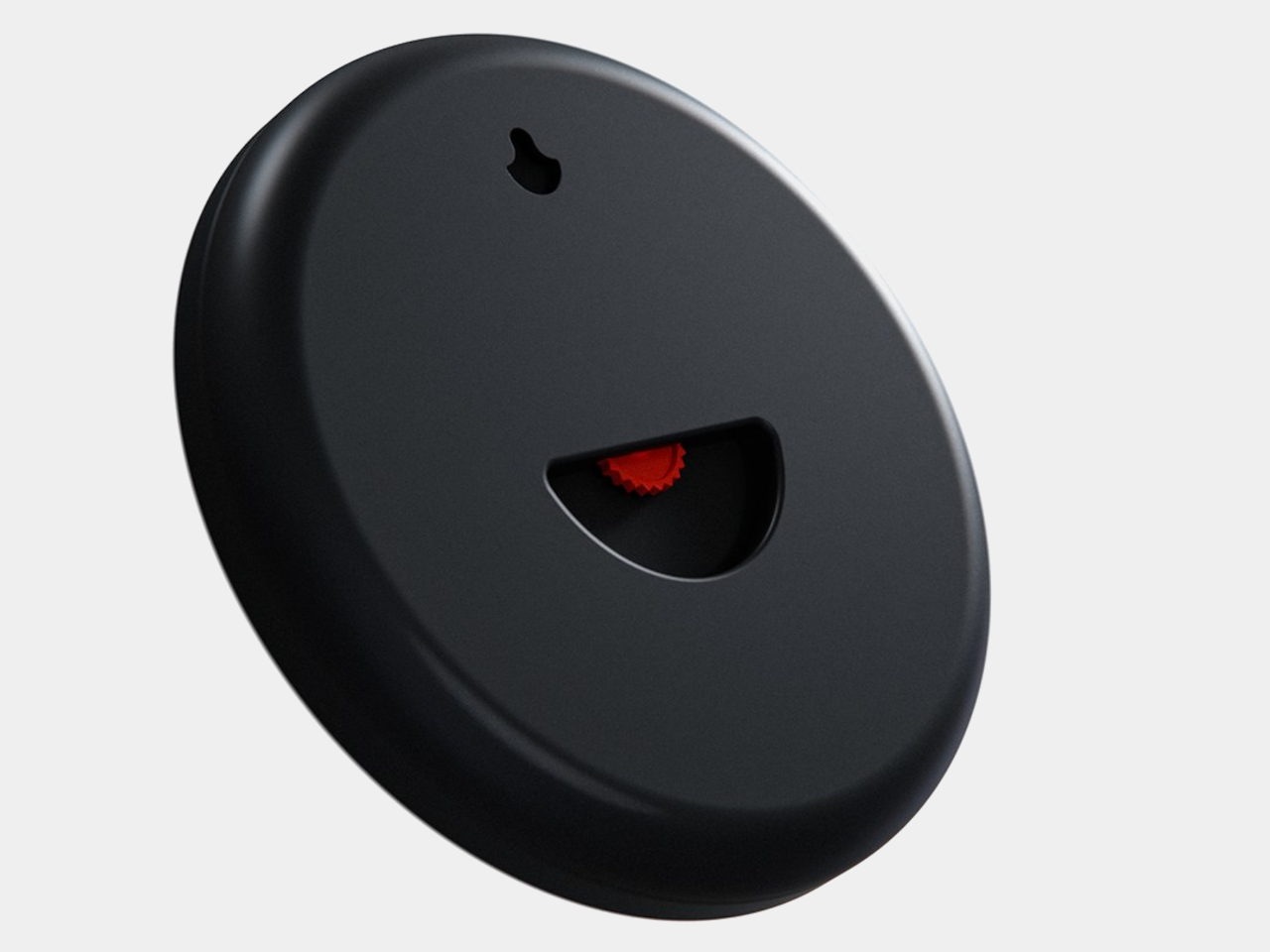
There’s a sculptural quality to the body itself, with a rounded outer edge and circular channels that give the black surface depth. A rear keyhole slot provides for wall mounting, keeping that face upright without a separate stand. The name Orbit feels appropriate here, with two small spheres occupying rings around an empty center, rather than hands meeting at a shared pivot point.
Orbit remains a concept, so there’s no established price or availability to weigh against those compromises. Its detachable markers do suggest a rather different relationship with a wall clock, though. Reach for the face and you’re handling the things that tell the time. Just make sure those little spheres don’t end up somewhere less useful, such as behind the living room sofa.
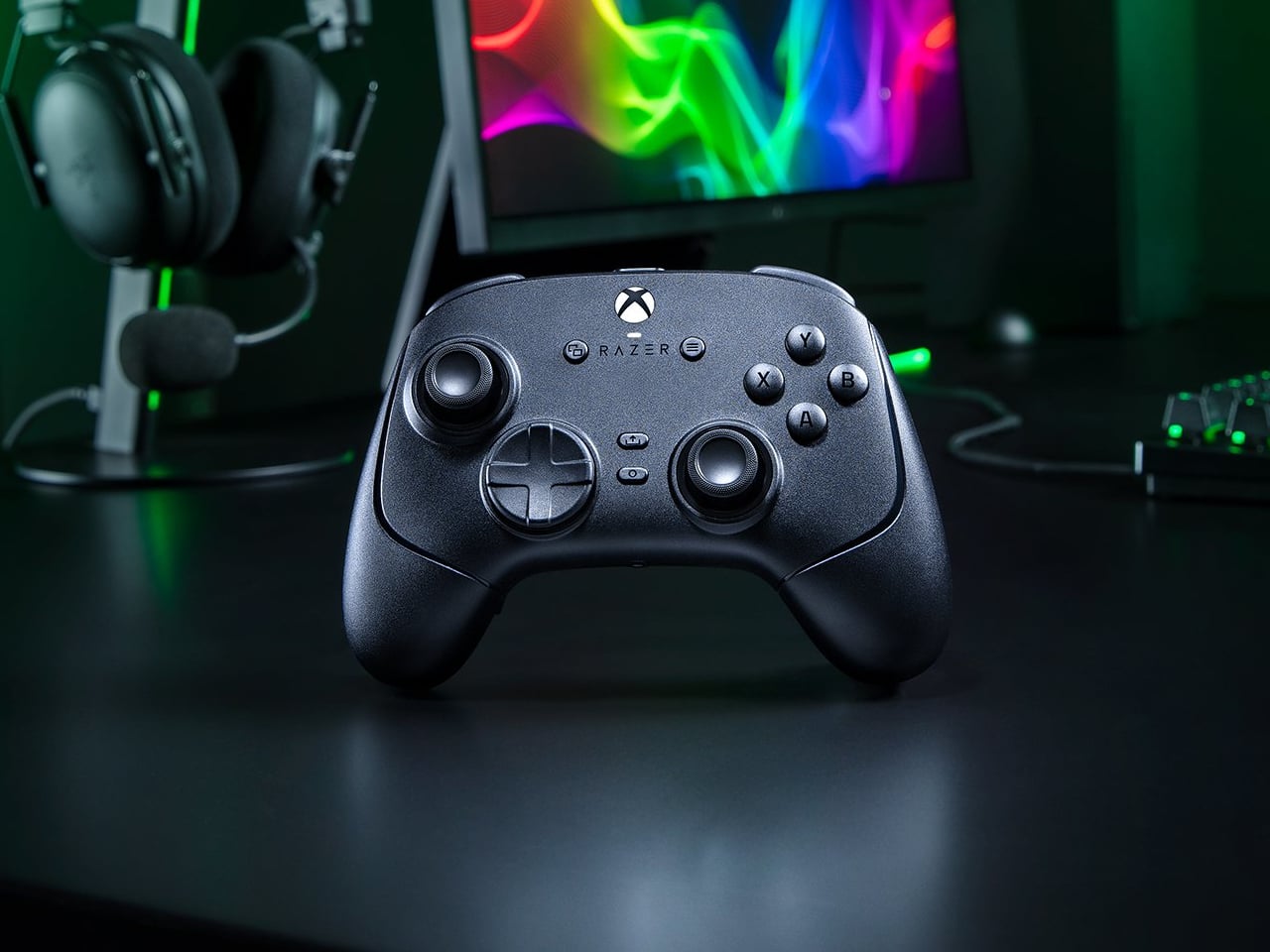
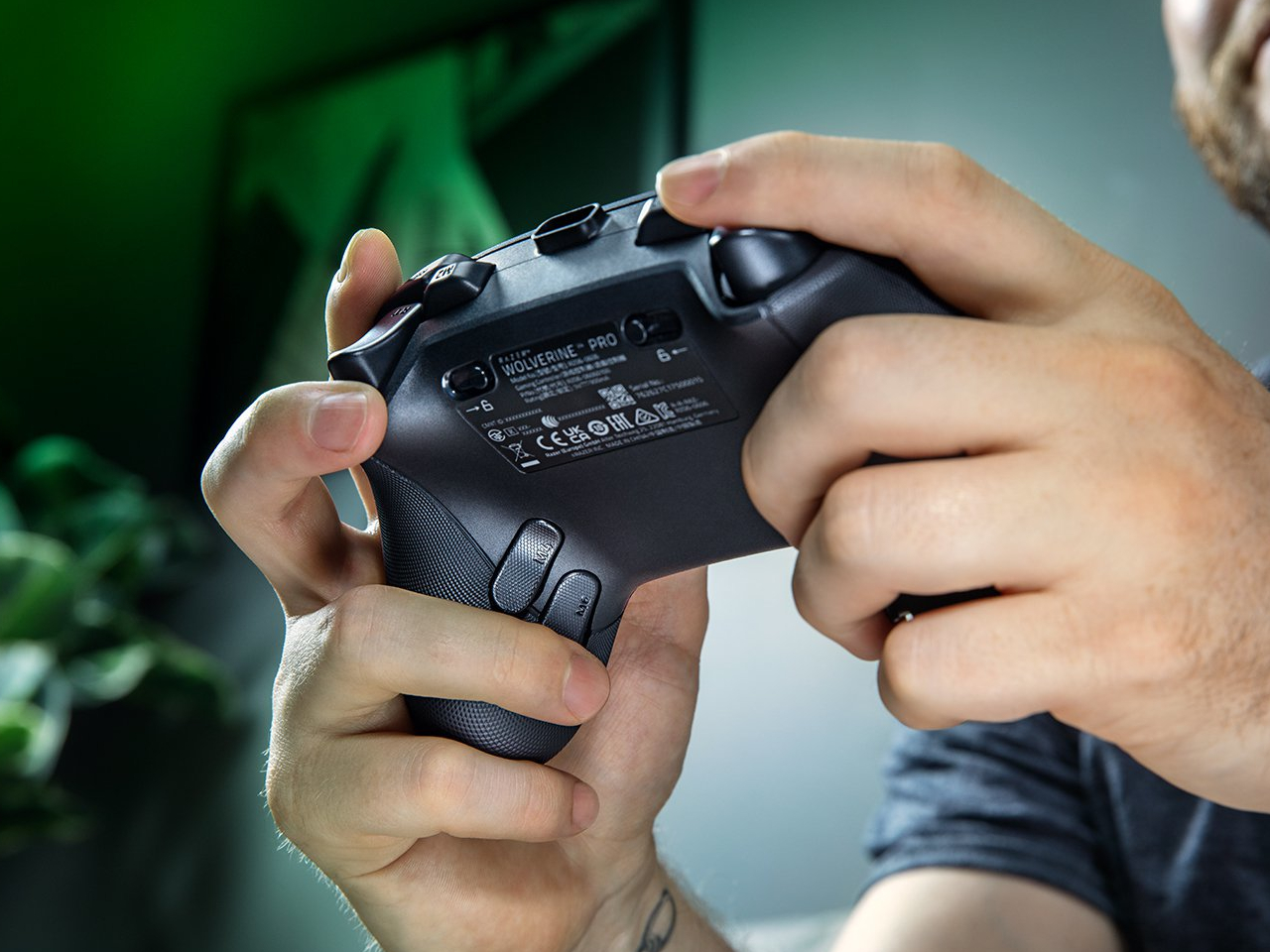
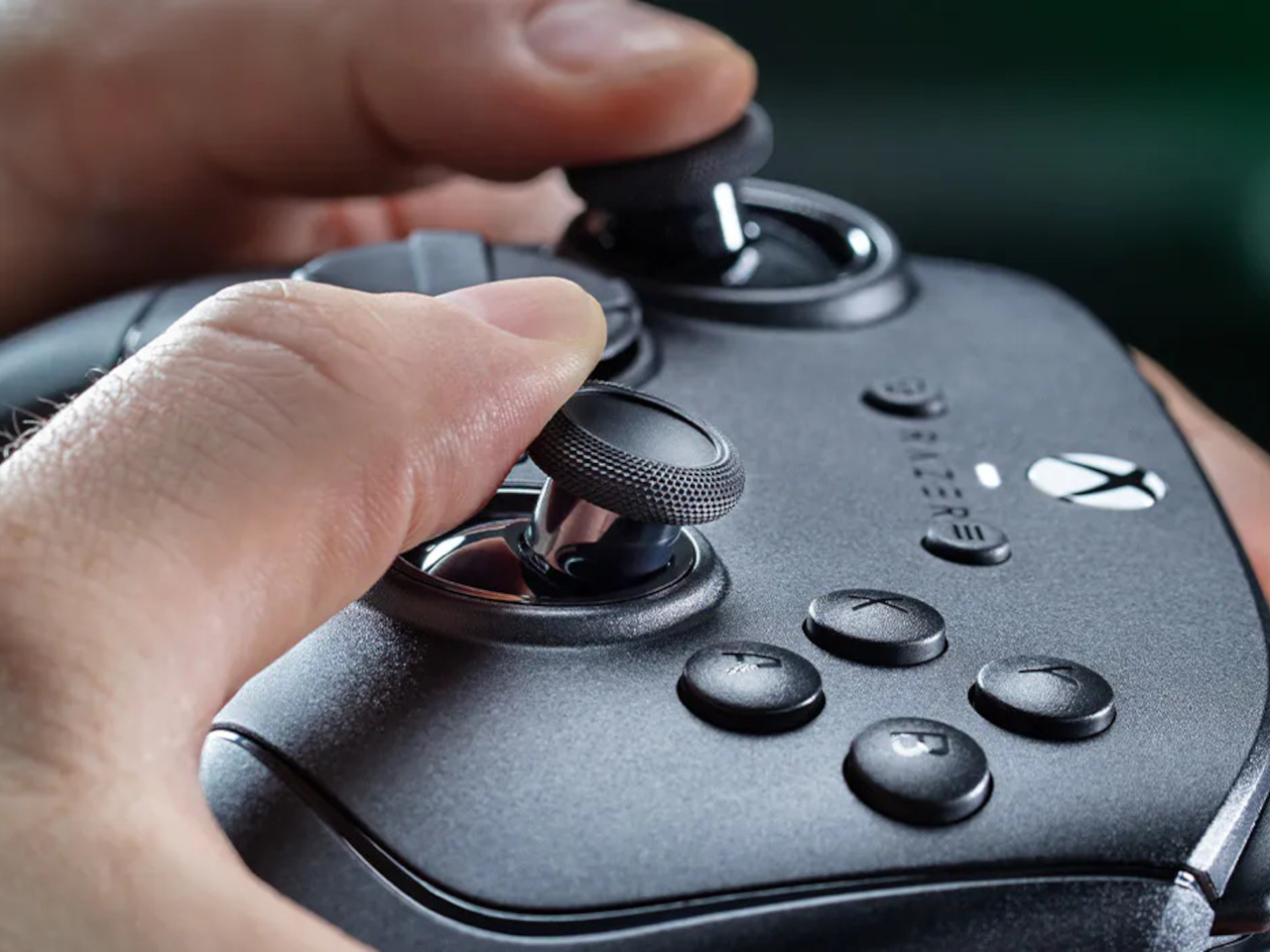
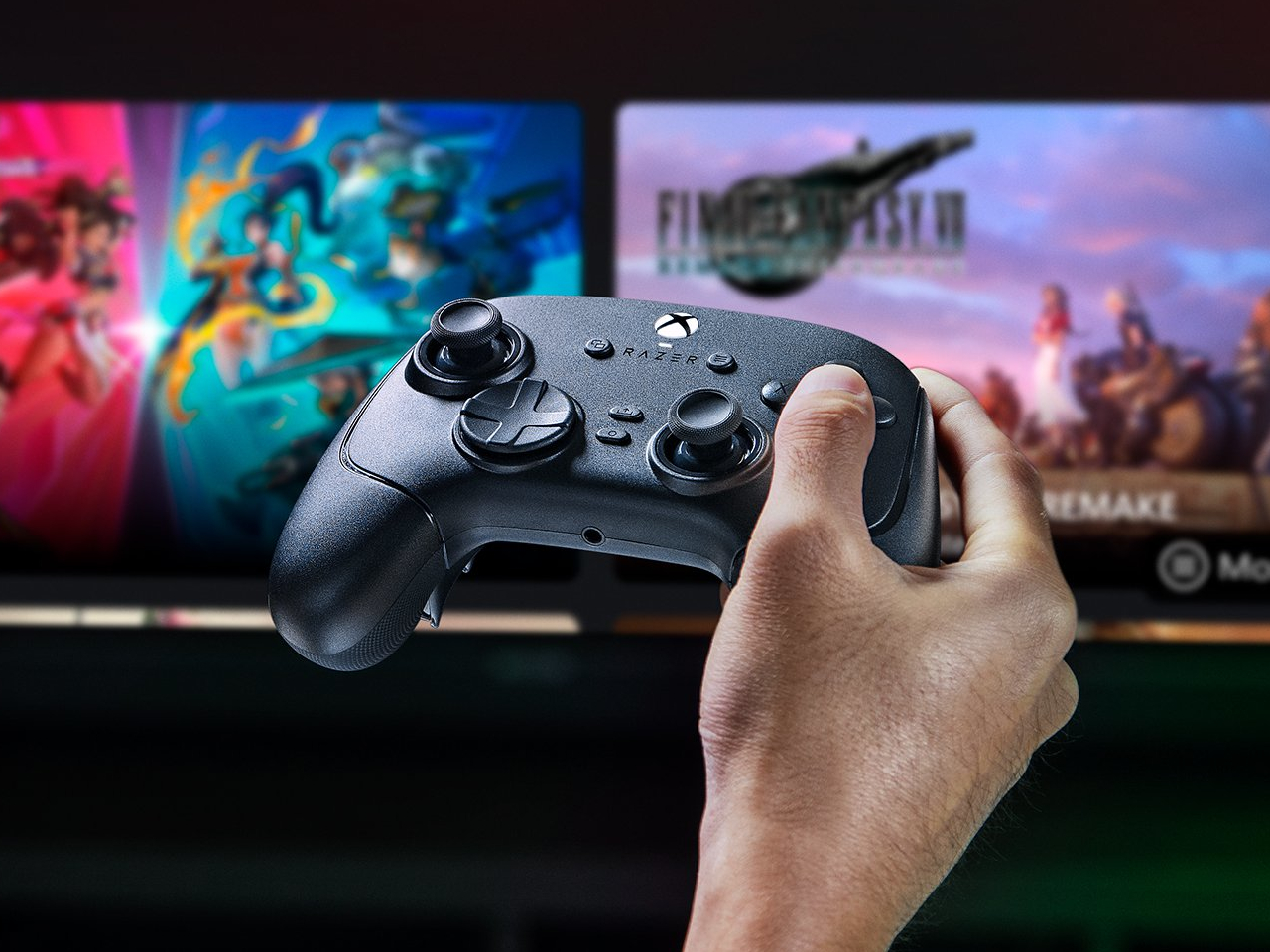
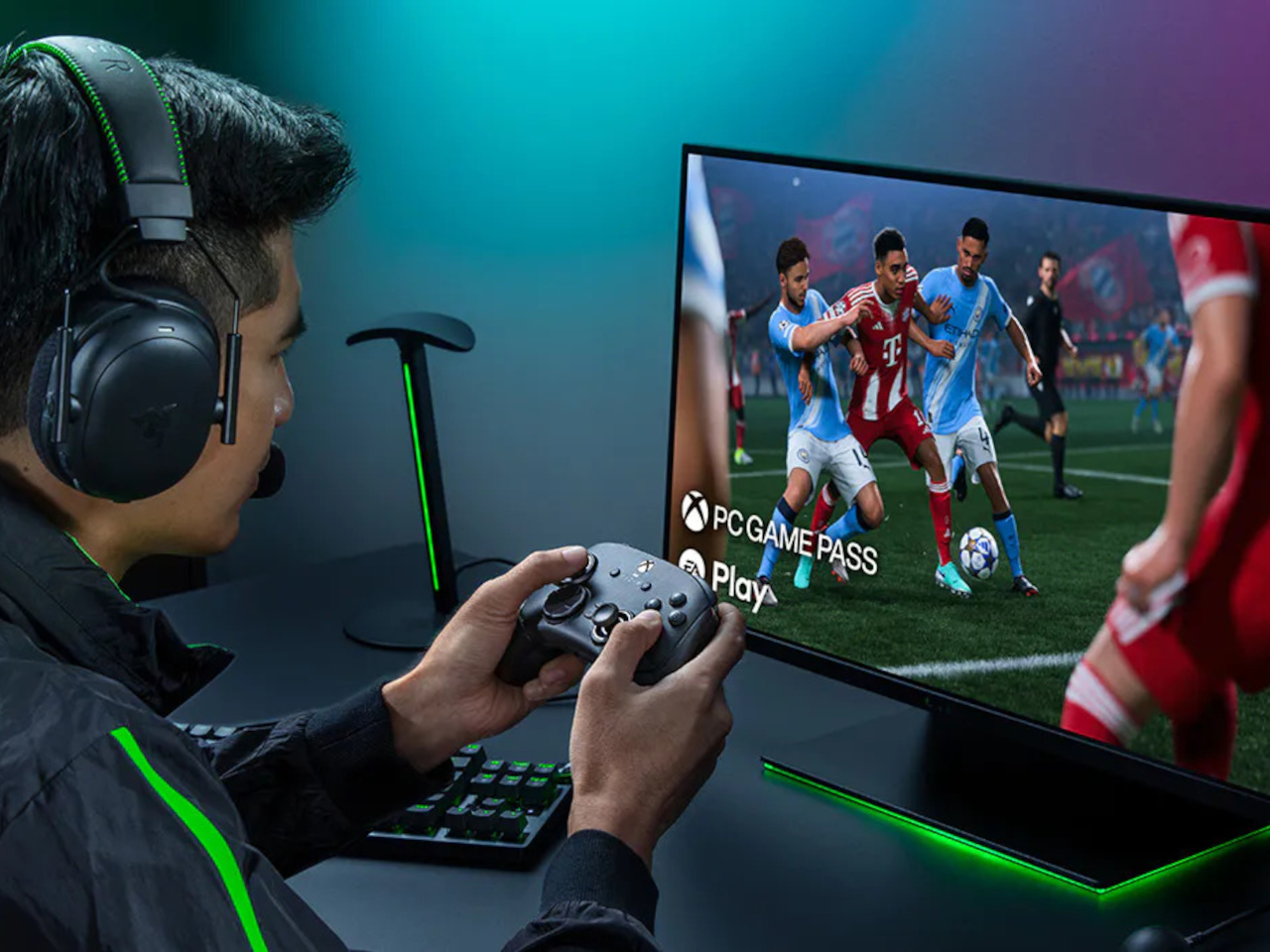
Extra buttons on a game controller can be handy, at least until they get in the way of holding it. Razer’s Wolverine V4 Pro gives players a little more say in that arrangement, with magnetic back buttons you can remove instead of simply ignoring them. Available for Xbox and PC, the wireless controller also lets you change its thumbstick caps and even take off its faceplate.
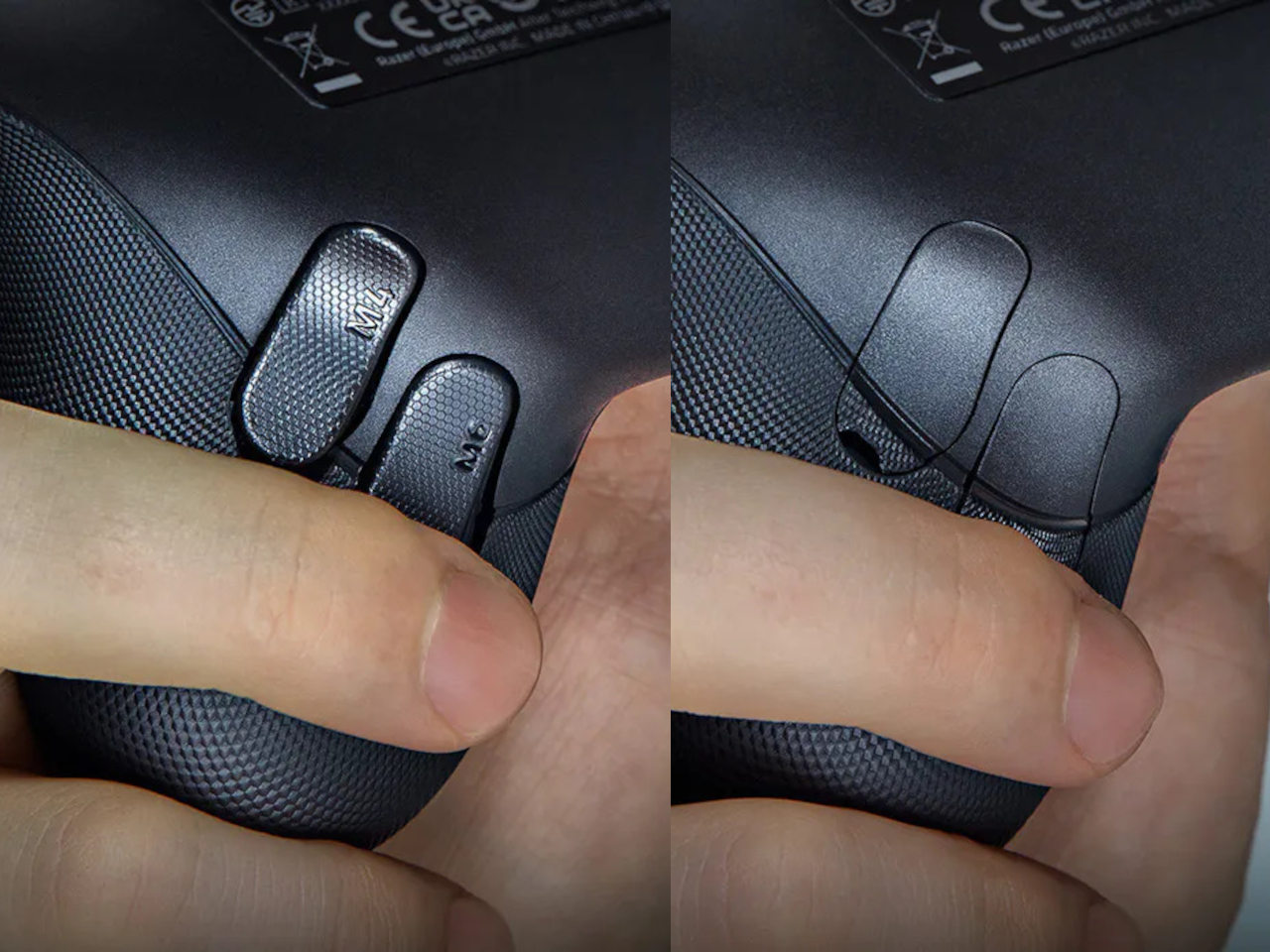
The four rear buttons come off without tools, making it possible to keep all of them, use only a pair, or clear the back entirely. Blank inserts replace the unwanted controls, following the controller’s contours rather than leaving little gaps behind. It’s a small detail, but an important one when that surface is where your fingers spend most of their time during a game.
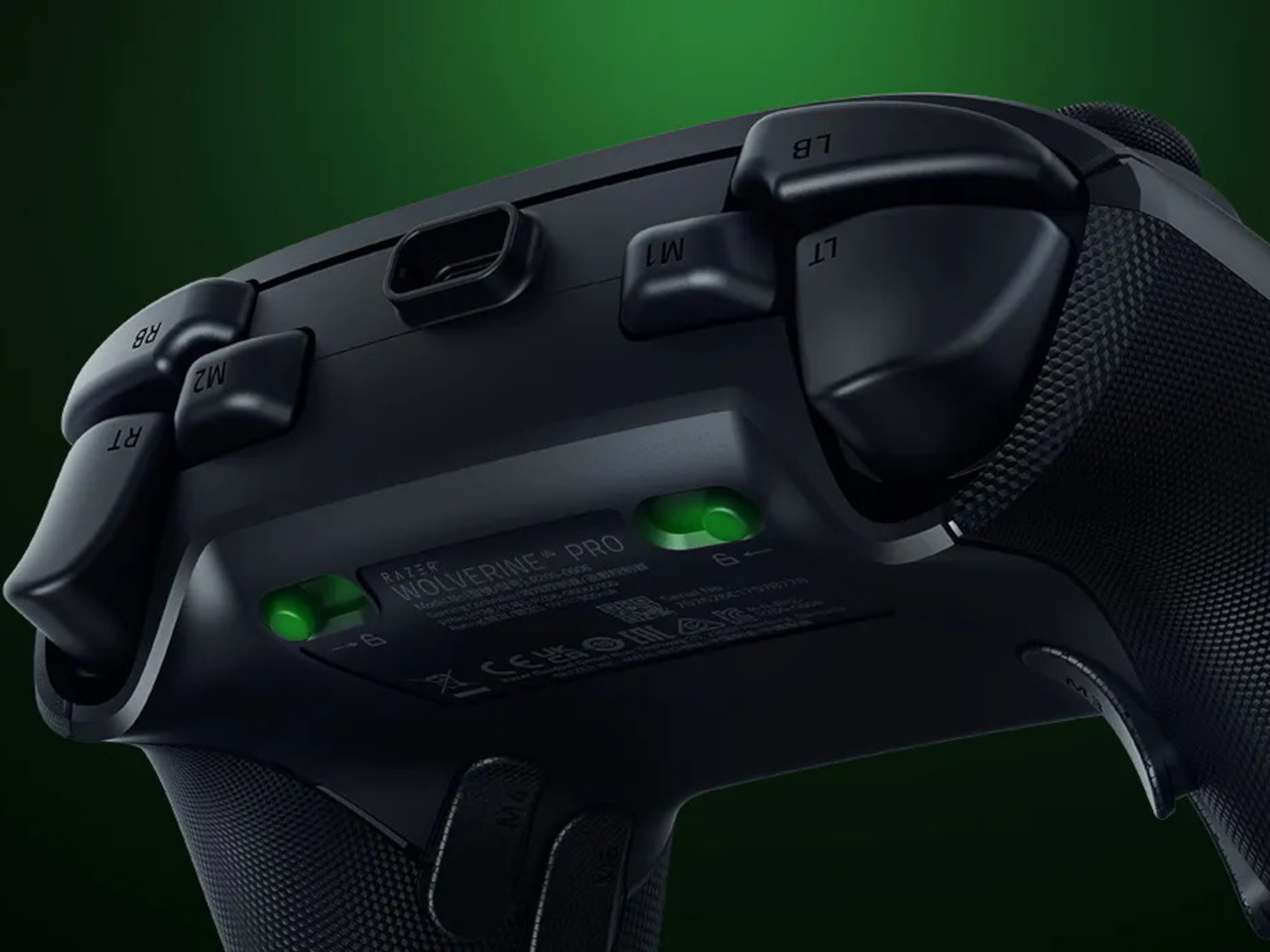
Of course, keeping those buttons attached makes sense when you’re juggling several actions at once. Their mouse-click switches can handle commands such as jumping or reloading, letting your thumbs stay on the sticks while your other fingers do the work. Two additional shoulder buttons bring the total to six remappable inputs, giving frequently used actions somewhere to go besides the familiar face buttons.
The thumbsticks get their own set of options, changing both their height and the surface beneath your thumbs. Short convex caps provide a rounded surface, while tall concave versions give your thumb a recessed resting spot and more height to work with. Razer recommends the taller caps for precise aiming. You can mix the supplied options, but swapping caps doesn’t mean you’re replacing the sensors underneath.
That flexibility continues with the triggers, which can switch between a short mouse-click action and a full analog pull using rear-mounted locks. The shorter setting suits firing in a shooter, while the longer travel lets you ease onto the throttle in a racing game. Through Razer Synapse, you can also adjust each trigger’s activation point to suit how you play.
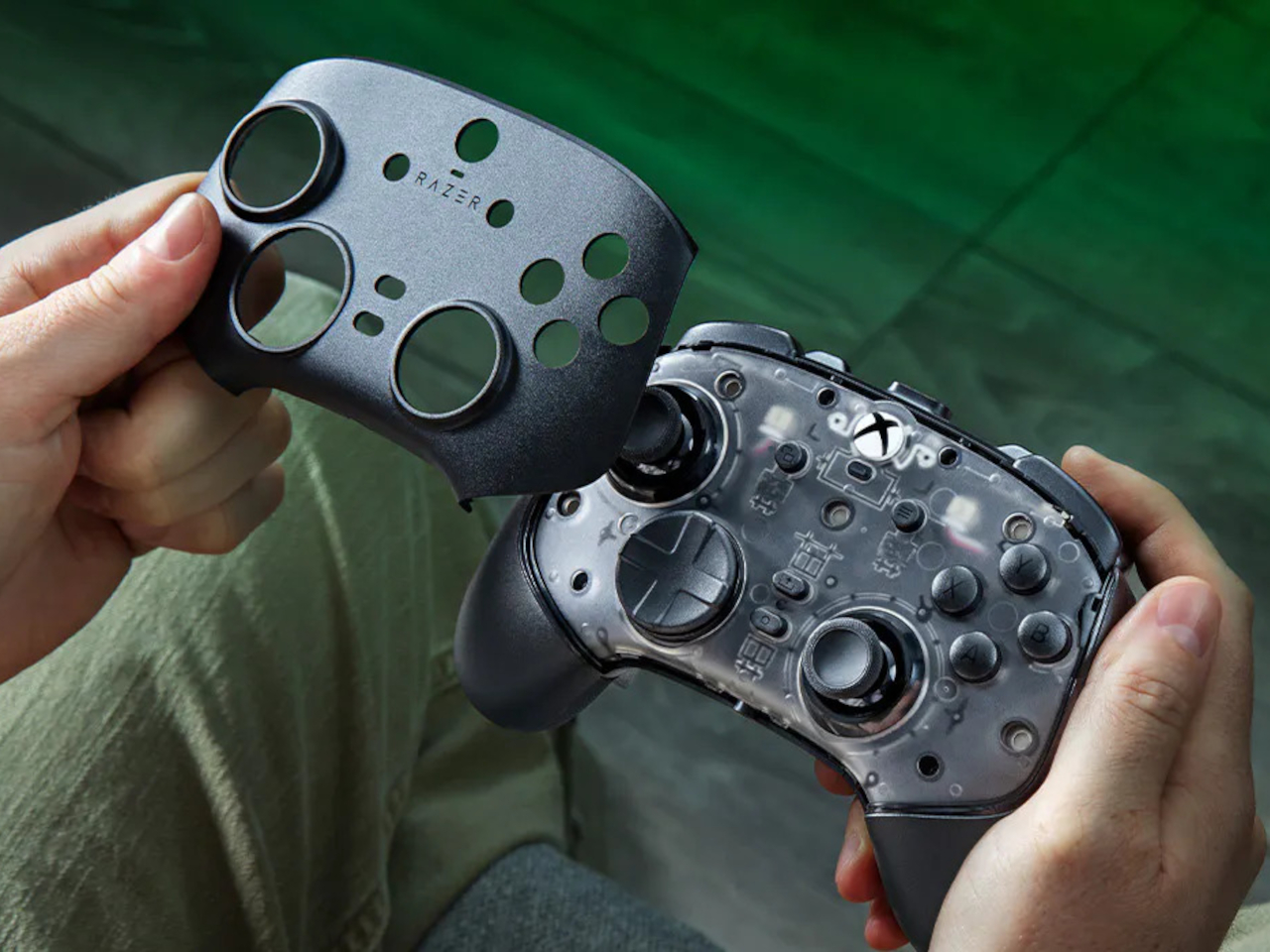
Even the exterior is open to a little tinkering, thanks to a magnetic faceplate that lifts off without tools. Personalize that panel, or leave it off entirely to reveal the translucent housing underneath. The working components remain enclosed, so you’re changing the controller’s outer appearance rather than exposing its electronics. It’s an option for people who prefer seeing a bit of machinery.
The software takes care of the changes you can’t make with magnets. Four onboard profiles hold different button assignments and sensitivity settings, so a racing setup doesn’t have to overwrite your shooter preferences. You can also adjust thumbstick dead zones, deciding how much movement registers as input. That said, greater sensitivity can pick up tiny thumb movements you didn’t intend.
At $199.99 in the US, this level of customization doesn’t come cheap, and there’s no included carrying case to keep the removable pieces together. You’ll have to find your own place for spare caps and unused buttons. After spending that much on a controller you can rearrange, a dedicated home for the bits you’ve removed would have been rather welcome.
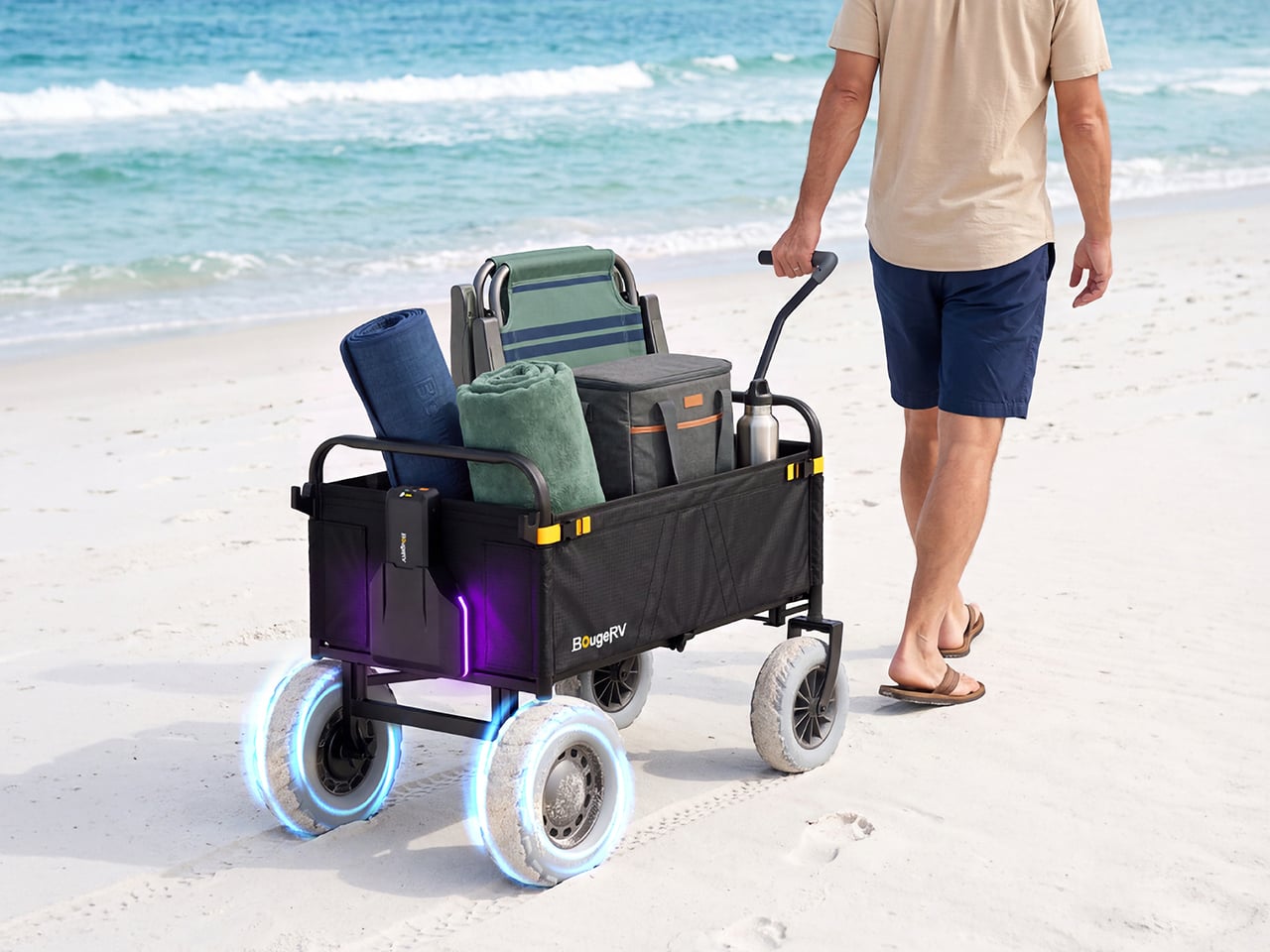
I have a theory that the beach wagon was invented by someone who never actually took one to the beach. On pavement it’s a dream, then the sand starts and you’re dragging a shopping cart through oatmeal. BougeRV’s new DuneRover is an electric wagon built around that exact misery. It folds, it hauls up to 198 pounds while moving, and it rolls on wide airless wheels with two motors doing the work. Soft sand is the whole design brief, and every part of the machine answers to it.
The handle is the smartest thing about it, and it responds to your walking instead of a throttle. Sensors measure how hard you pull and multiply that effort, so a gentle tug gets a gentle nudge and a brisk stride gets a brisk wagon. Head down a dune and it brakes for you, and the moment you let go, it holds its position. Detach the control unit and the wagon becomes a remote-controlled beach truck, rolling ahead from up to 328 feet away. BougeRV, the Houston outdoor brand known for portable fridges and solar panels, built the whole thing.
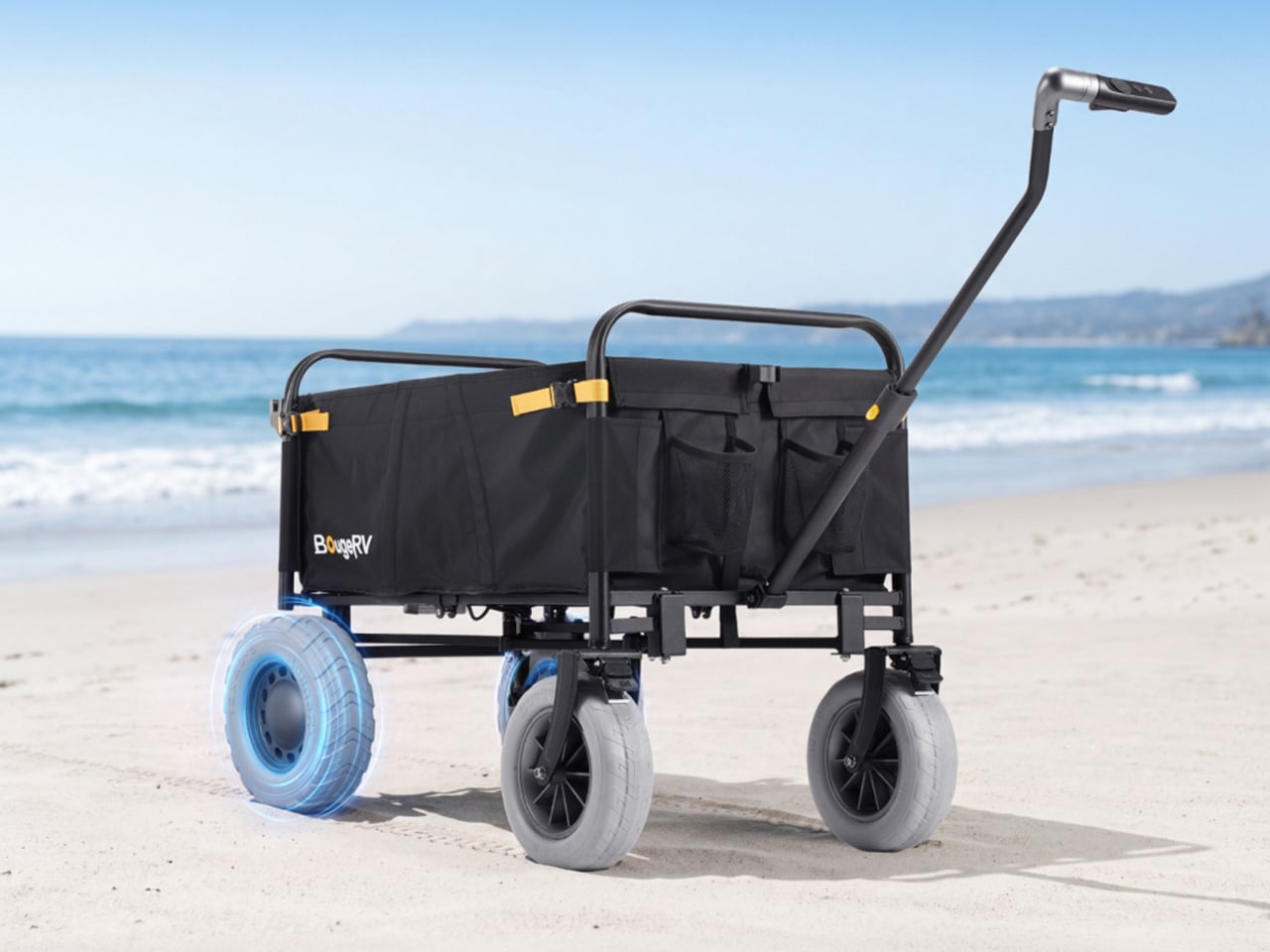
The rear drive wheels measure 12 by 4 inches and are made of low-density PU foam, with no air inside. That means no flats, no pressure checks, and no tire coming off the rim halfway across the beach. A patented tread spreads the load across a wide footprint, rolls smoothly, sheds water, and treats turf gently. The front pair are 10-inch airless wheels in the same material. Wide contact area is the old trick for staying on top of sand, and here it comes with motors attached.
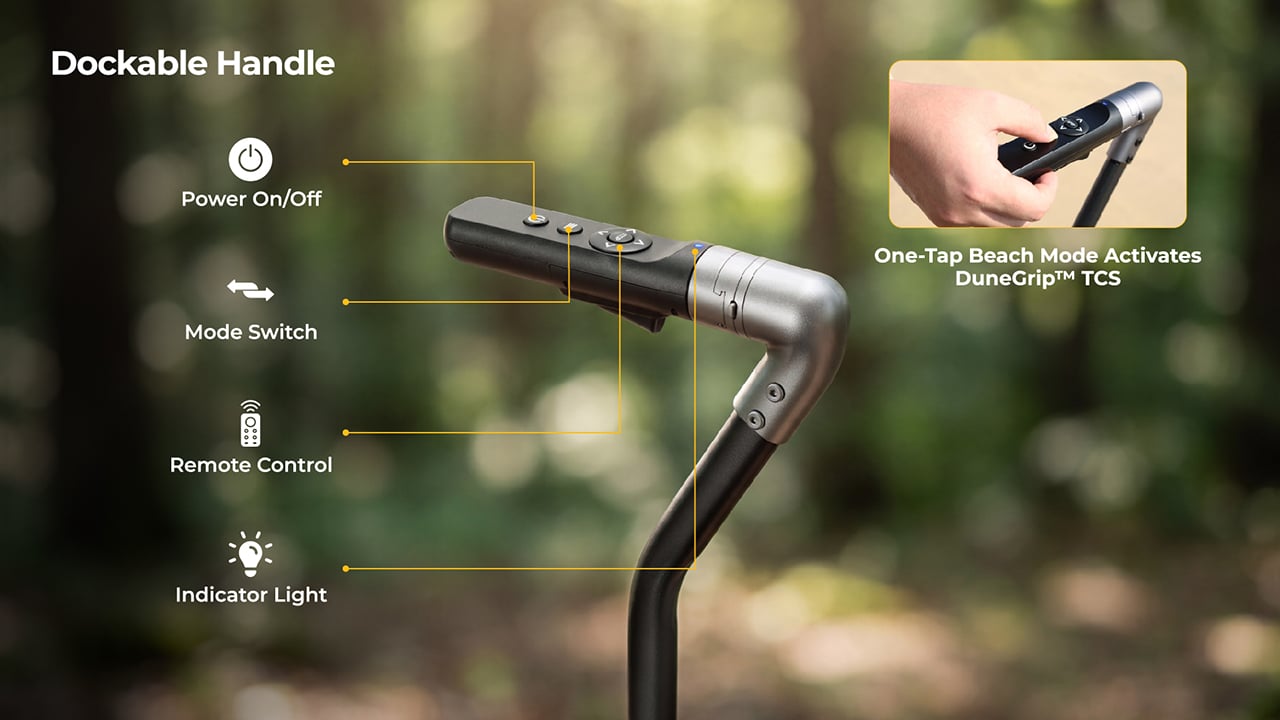
Two brushless geared motors deliver 66 N·m of combined torque, fed by a battery with 880W of peak output. Raw power can be a problem on sand, because spinning wheels just dig a trench. DuneGrip TCS, the wagon’s traction control system, watches for wheel slip and trims torque within milliseconds to stop it. A one-tap beach mode on the handle switches it on. Top speed is 3.7 mph, a relaxed walking pace, and the range runs 5 miles or more with a 165-pound load.
A handle that multiplies your pull and brakes without being asked
BougeRV calls the system RoverDrive Dynamic Assist, and it runs on what the company calls a Multiplicative Assist Algorithm. The handle measures your pulling force in real time and scales the motors in proportion, which is why there is no throttle, no gear shifting, and no direction switch to think about. Accelerate and the wagon accelerates with you. The dockable handle houses a power button, a mode switch, and an indicator light. A trigger-release design lets you empty out the sand that inevitably works its way into the control unit.
Uphill, the wagon holds its speed without extra effort from you, and it is rated for 15-degree slopes (a 26.8% grade) even at full load. Downhill, it brakes on its own. Release the handle on a slope and fail-safe electronic braking engages instantly. That covers a toddler sprinting toward the surf, a dropped pair of sunglasses, and any moment you stop to snap a photo. I like that the safe state is also the default, so letting go is always the right move.
Remote steering from 328 feet and an app with underglow
Undocking the control unit takes one step, and it becomes a 2.4 GHz remote with a range of up to 328 feet. Point it where you want the wagon to go, which frees you to carry the surfboard while the wagon carries everything else. If the signal drops or the remote disconnects, the wagon brakes and holds itself in place. Docking the unit back onto the handle returns you to assisted pulling automatically. There is zero setup and zero menu toggling in either mode.
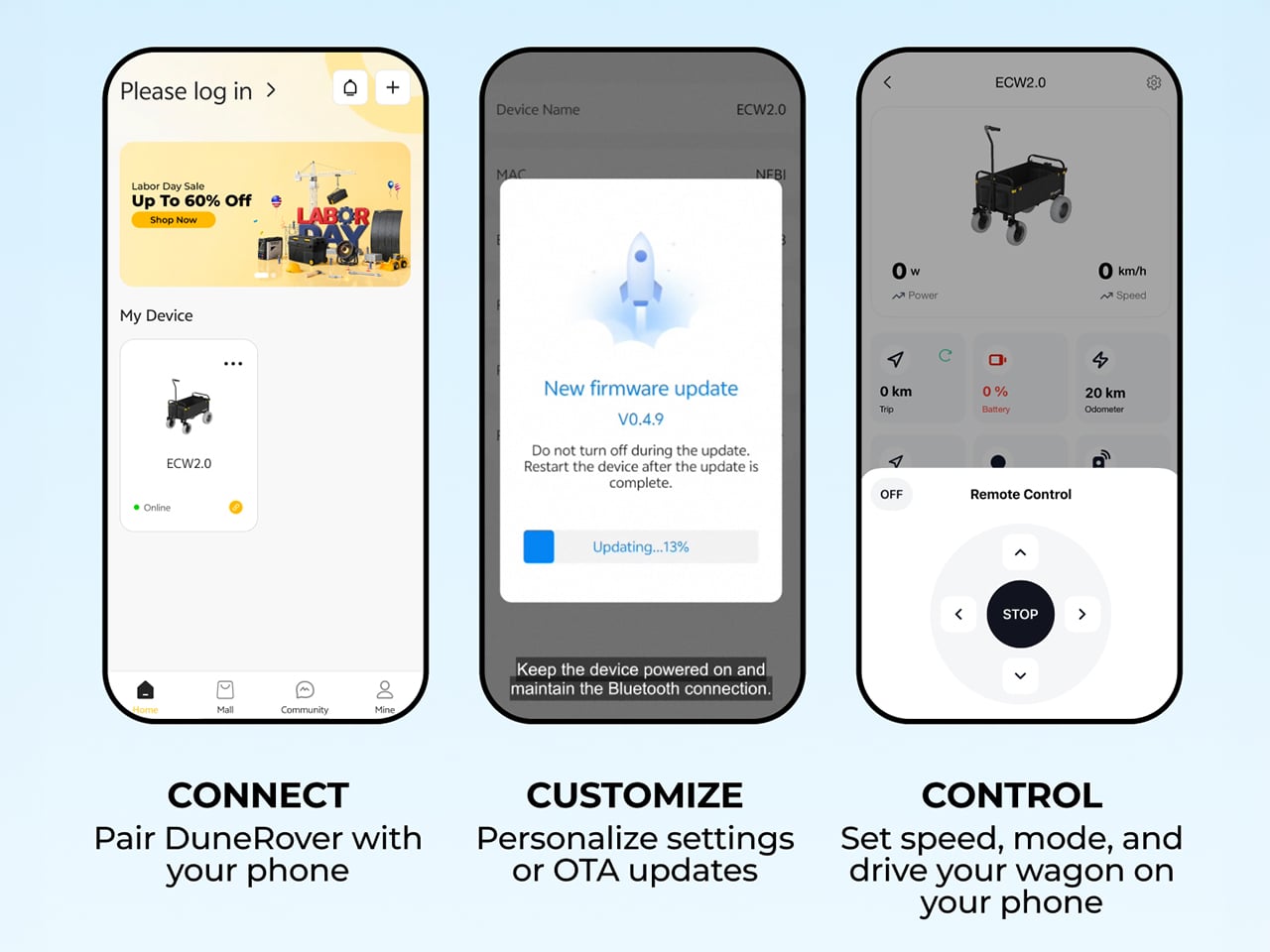
Through the BougeRV app, you get real-time wagon status, battery levels for both the wagon and the remote, a mileage tracker, and system health monitoring. Firmware updates arrive over the air, and you can pair the remote, set speed and mode, and drive the wagon from your phone. Then there is the underglow, a customizable ambient lighting setup. One tap switches between preset scene modes. A glowing wagon on the sand at sunset is a ridiculous feature, and I would still turn it on.
A 2-pound battery that also charges your phone
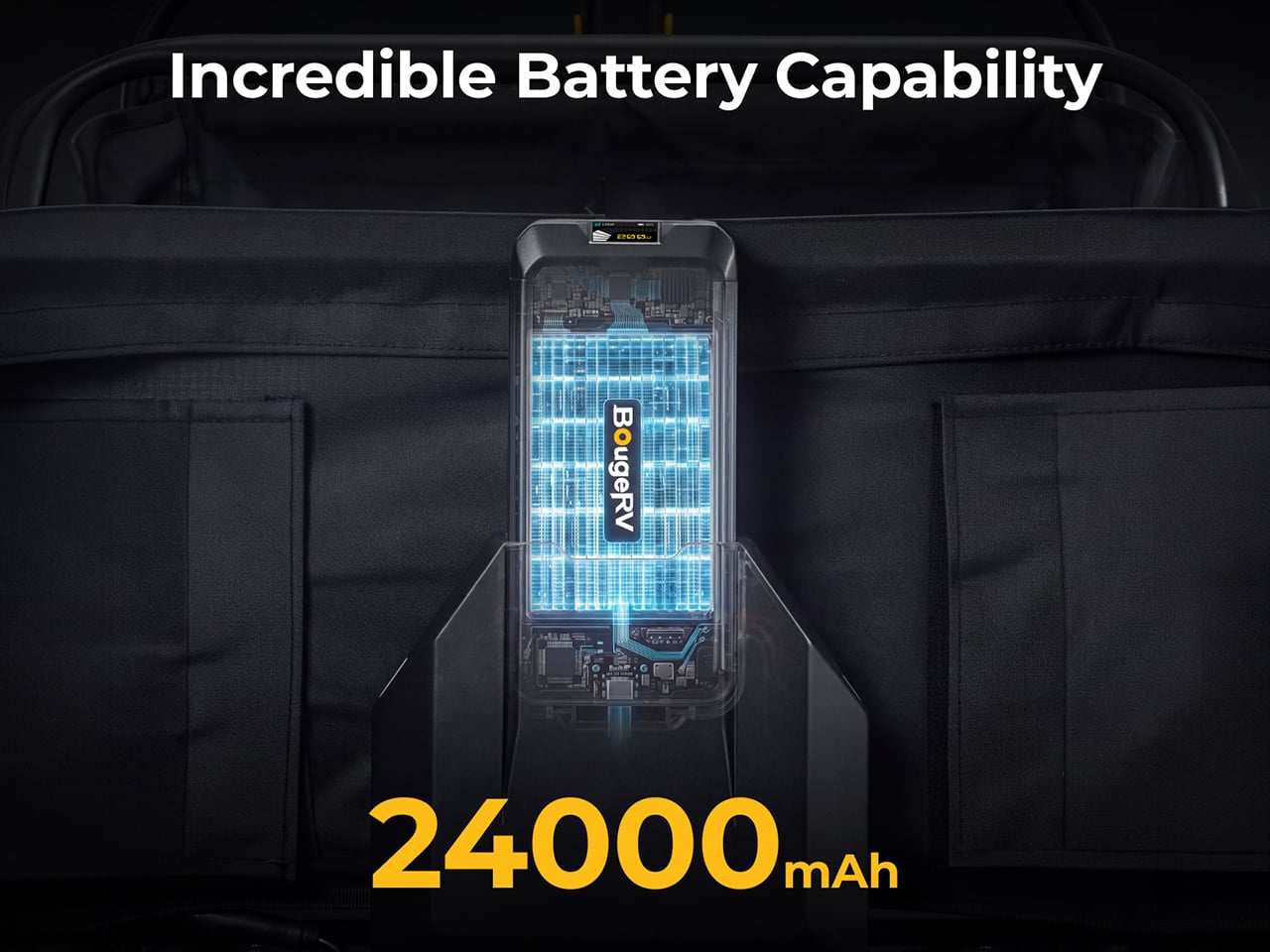
The detachable UPP-88 battery weighs 2.06 pounds and measures 7.68 by 3.58 by 1.57 inches, about the size of a large power bank. Capacity is 24,000mAh, or 88.8Wh, which keeps it under 100Wh and airline-approved, with no prior declaration needed. It can discharge at up to 10C, enough to feed the 880W peak output. Fast charging runs through USB-C or XT60 ports at up to 100W. A multi-stage vent and flame-arresting labyrinth are meant to keep a single failing cell from setting off the rest, and the pack carries an IP66 rating.
The battery doubles as a power bank. BougeRV’s figures list up to 4.2 phone charges, 3.4 gaming device charges, 2.2 tablet charges, or 1.1 laptop charges. USB-C output reaches 100W and there is a USB-A port too. A built-in MPPT solar regulator tops it up on the move through an XT60 input that accepts 11 to 28V at up to 100W. BougeRV’s flexible portable panels are compatible, but the panel is sold separately. So the same pack that hauls the cooler can keep the phones alive until sunset.
Storage, folding, and pricing
The bed holds 161.7 quarts (153 liters) inside 600D Oxford fabric, with a side frame that opens to take longer gear like surfboards, secured with an elastic cargo net. Pockets are covered too: a front pocket, inner front and back pockets, and utility hooks. The wagon weighs 50.7 pounds (23 kg) and opens to 41.5 by 23.7 by 47.5 inches. Folded, it shrinks to roughly 23.7 by 12.2 by 28.7 inches, small enough for an SUV cargo area. IPX6 protection covers the whole vehicle, motors and control hub included, so a hose-down ends the day.
BougeRV lists the DuneRover at an MSRP of $899, with launch pricing running from $396 to $539 depending on the offer. A bundle with an extra detachable battery runs $603 against a $1,097 MSRP. The box holds the wagon, battery, remote, charging cable, two wheels, and a manual. Shipping is planned for the US, EU, UK, Canada, Australia, Japan, and Hong Kong, with deliveries expected to start in February 2027. Nobody packs lighter for the beach, so a wagon that keeps your pace is the sensible fix.
While I'm a Razer DeathAdder kid at heart and always will be, when it comes to gaming it's hard to top the Basilisk. I actually switched to using the Basilisk V3 Pro last year, and it's been an incredible mouse.
Not just for gaming, because it's so ergonomic, it's a fantastic mouse to use all day everyday for work, too.
It's going to be hard to top, but the Basilisk V4 Pro is now here, and as you'd expect, it's packed with improvements and new features.
On the surface it looks a lot like its predecessor, but there are some thoughtful improvements that help to elevate it a little further.
Equally, there are some choices I'm not as fond of, not least an out-of-the-box button binding for AI, which we'll talk about later. Overall, it's still an incredible package, though.
This review was conducted with a Basilisk V4 Pro provided to Windows Central by Razer. The company had no input in nor saw the contents of the review prior to publication.
What's new in the Razer Basilisk V4 Pro?
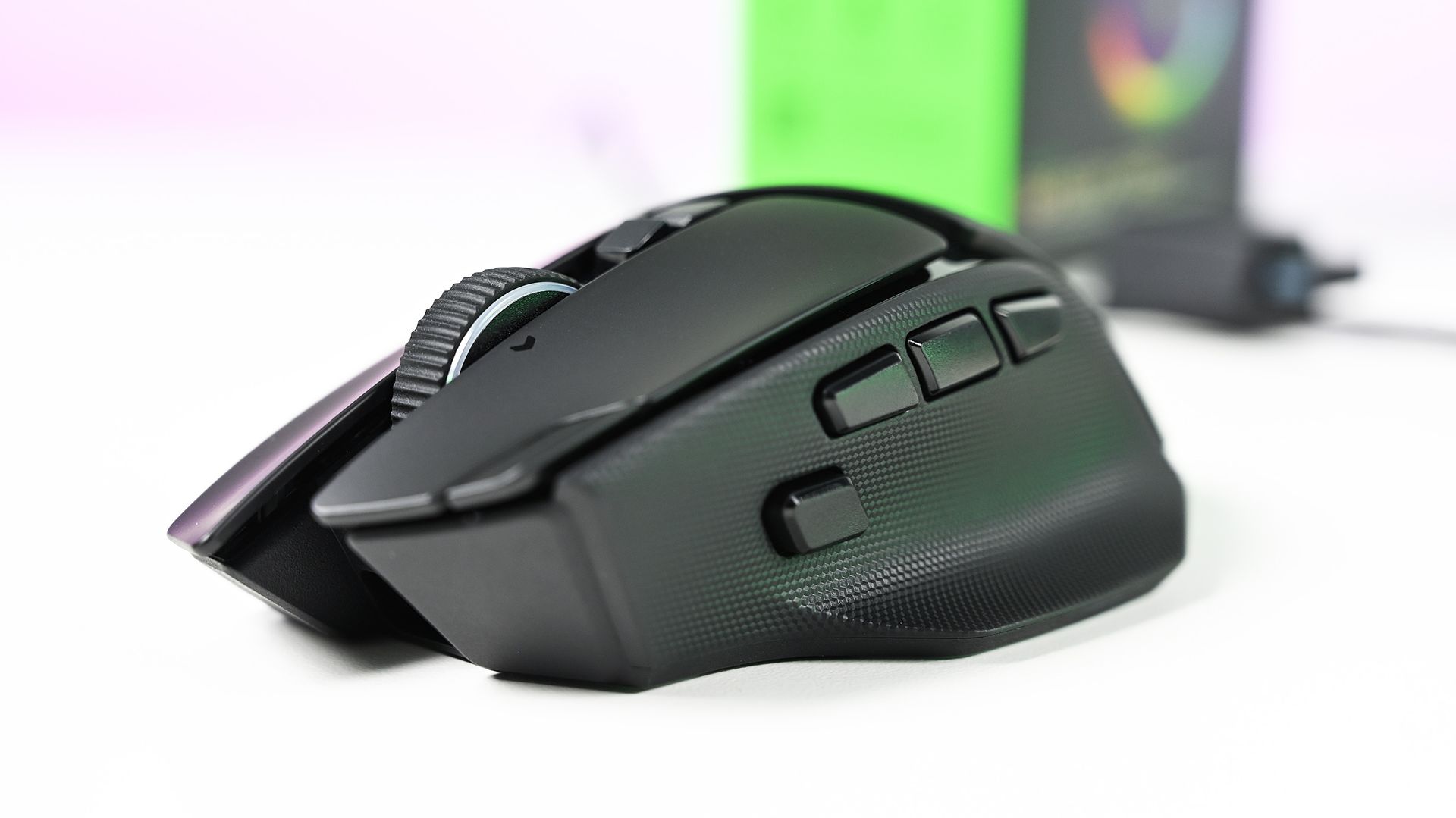
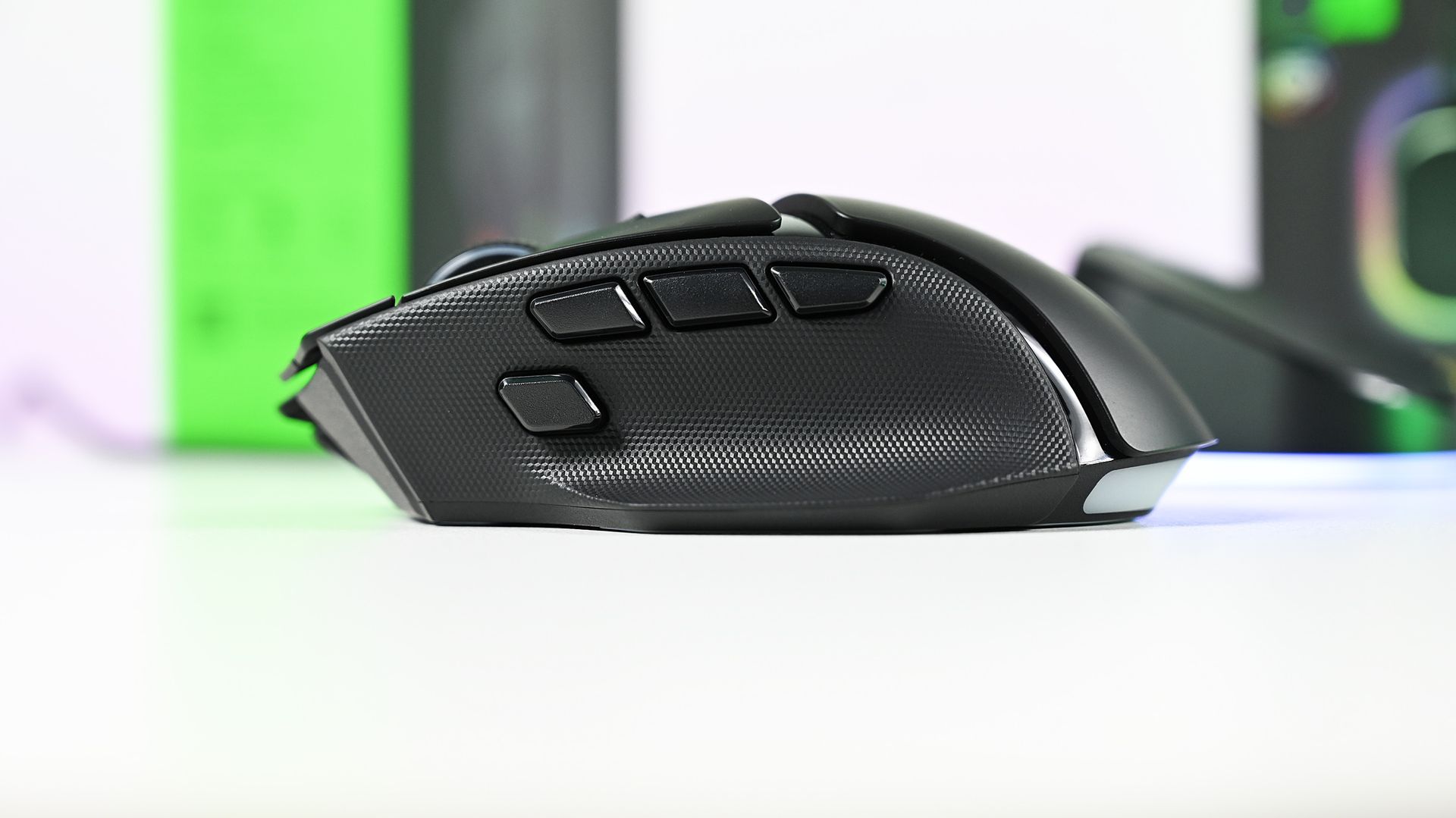
The Basilisk V4 Pro makes some subtle but welcome improvements to its design. (Image credit: Daniel Rubino)
Rather than break down every little design feature, I'm going to try and keep it brief by outlining what's new and changed from the previous Basilisk V3 Pro 35K that I've been using every day.
The overall design has been very subtly changed, but for the better. Especially if you have smaller hands, like myself. Side-by-side with the previous Basilisk, it's very slightly shorter, but still noticeable. This makes the main mouse click buttons also a hair shorter, and they do sit better under my fingers.
The left mouse button also has a friend on the Basilisk V4 Pro, taking a little notch out of it but still positioned in such a way that you won't accidentally press it. This is the profile cycling button, moved up top from underneath on the Basilisk V3 Pro 35K, and a much more sensible location for it.
Now, say, if you have profiles for work and profiles for gaming, you can just effortlessly go between them without having to flip the mouse over and press until you get the right one.
The buttons on the left-side of the Basilisk V4 Pro are much better on this year's model, too. There are now three, and the HyperShift button has been repositioned and redesigned and is easier to click with your thumb. Two of the others are vacant out of the box to be mapped to your own functions. But I love that they're smaller and more defined than the buttons on the older Basilisk.
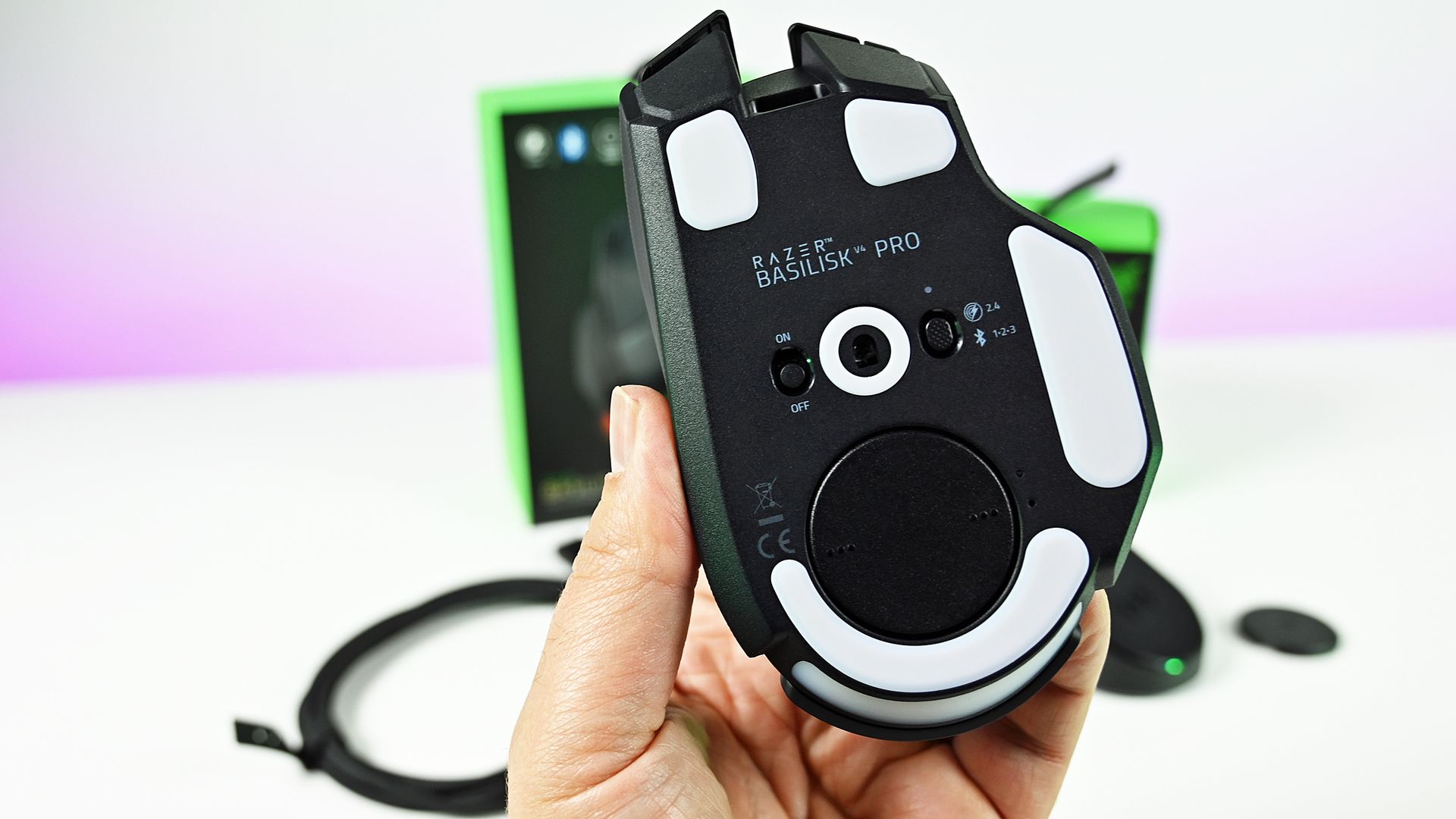
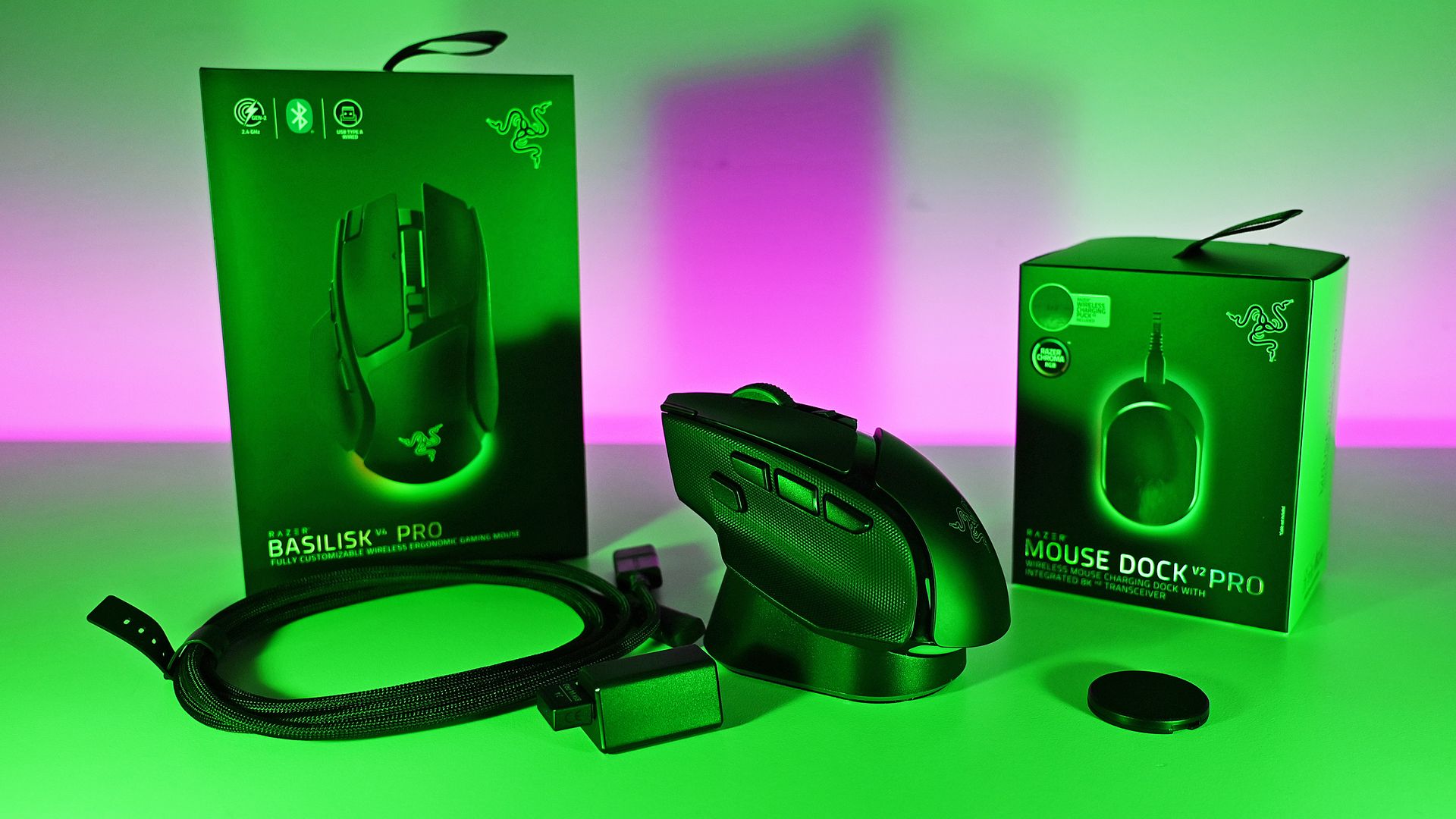
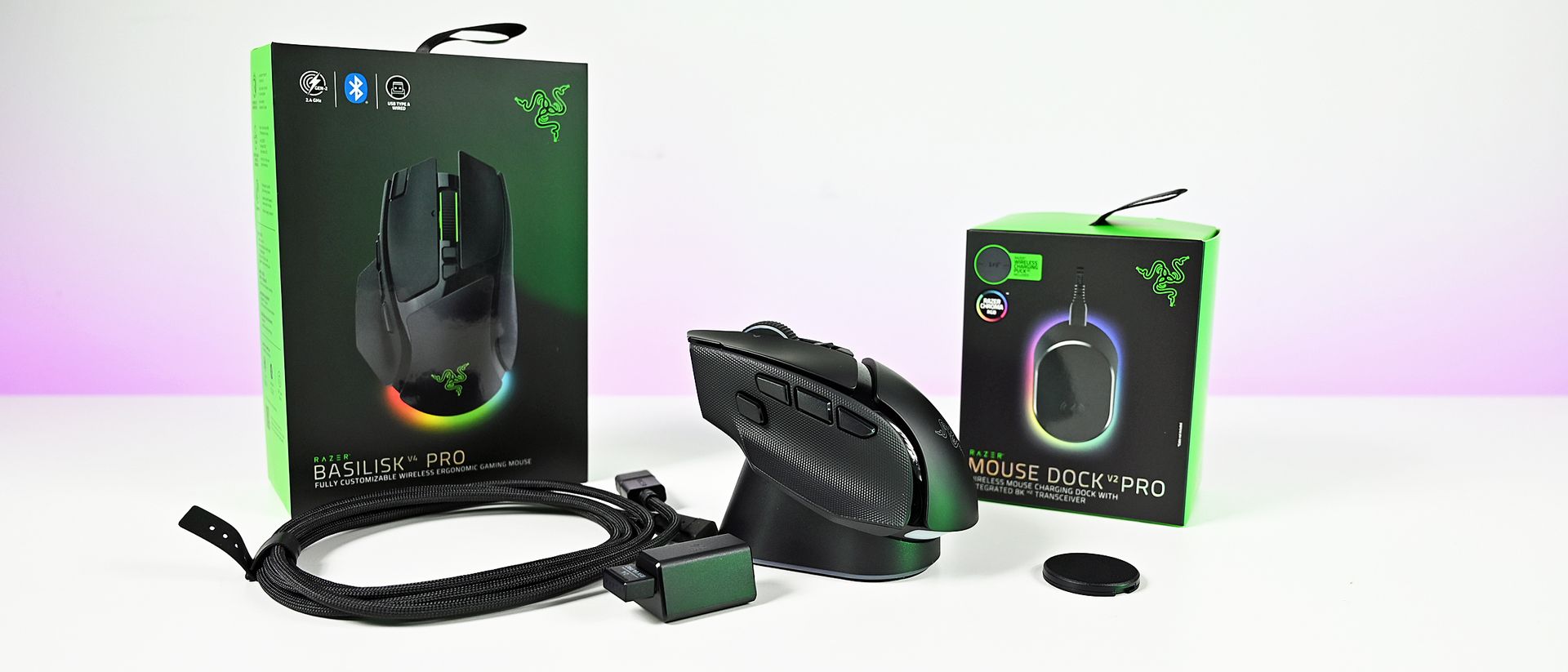
The wireless charging puck comes pre-installed, but can still be removed to store the 2.4 GHz dongle. (Image credit: Daniel Rubino)
In total there are 14 customizable buttons on the Basilisk V4 Pro, which, combined with HyperShift and the four profiles you can store on the mouse, leaves more space than most of us will ever need to set the perfect layout.
The sensor gets an upgrade, of course, to Razer's Gen-3 Focus Pro 50k optical sensor. But it's not this that is most exciting; it's Frame Sync. The Basilisk V4 Pro will align both the sensor scanning and the mouse's polling rate. This reduces motion latency when it's communicating with the PC but, crucially, also helps improve battery life, as there's no wasted reporting.
That leads to up to 200 hours off the charger (up to 275 hours on Bluetooth), though I haven't been able to push it that far. I haven't had it long enough, but it's not run out of battery yet, and it's going strong.
I'm far from a pro gamer, too, but I love using the Basilisk V4 Pro. It's so accurate; I feel better than I actually am. In some games you also have a built-in 'cheat' since you can map a button to do an instant 180-degree turn. I pass no judgment, but it's there.
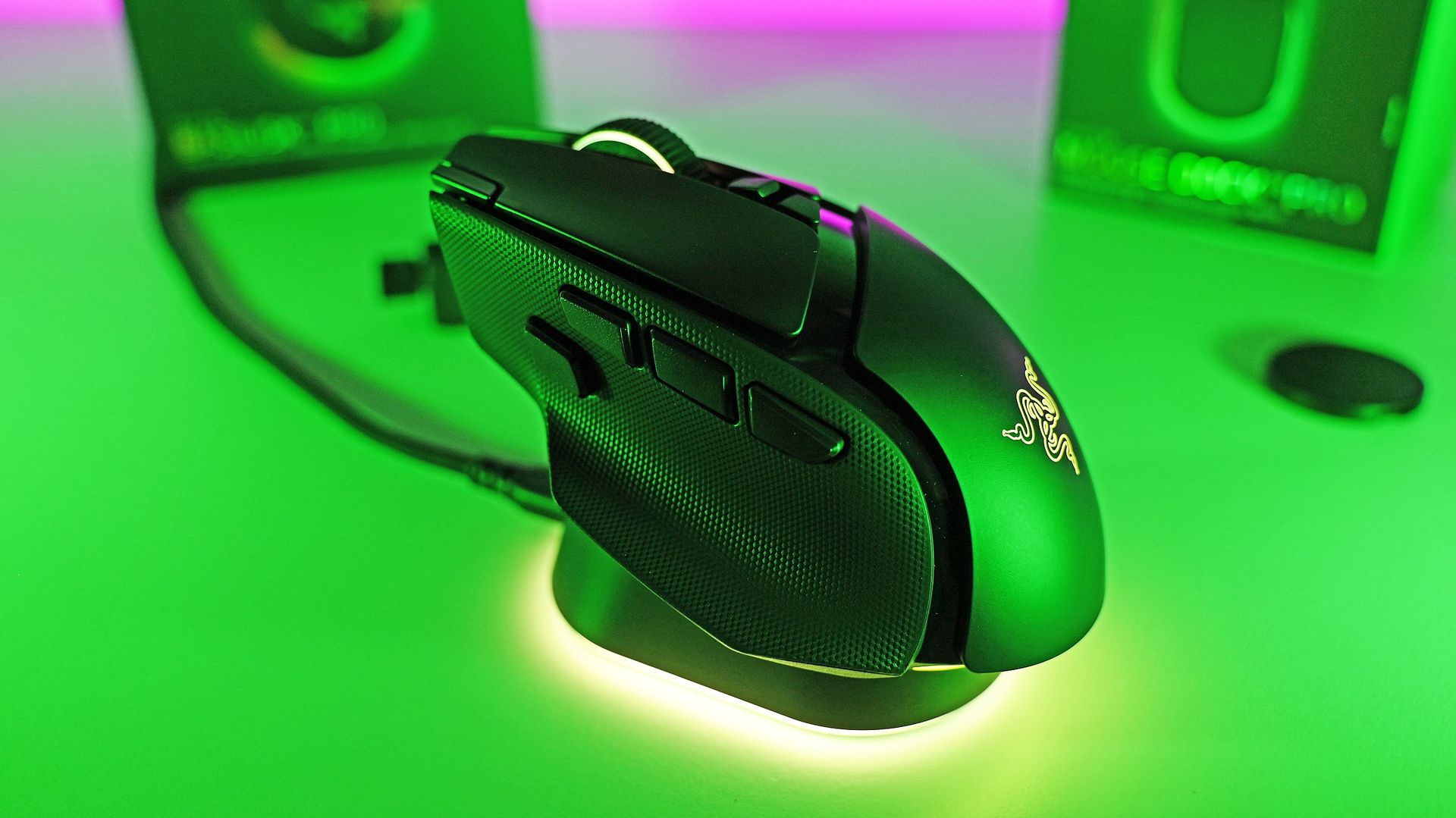
When you do need to top up, if you already have one of Razer's wireless charging mousepads, the Basilisk V4 Pro is compatible. The charging puck is pre-installed, and it also works with the new mouse dock. It's an optional purchase, but you just drop the Basilisk V2 Pro on top, and it charges it up. If you use the mousepad, you'll never have to worry about running out. I've never once charged my Basilisk V3 Pro 35K manually.
The new mouse dock is absolutely superb. (Image credit: Daniel Rubino)
Despite better battery life, the Basilisk V4 Pro is even lighter than its predecessor. While it's not a massive amount, it is noticeable, especially when you're actually moving it about the desk.
The best performance comes naturally wired or using the 2.4 GHz dongle, but you can also pair the Basilisk V4 Pro up with three additional Bluetooth devices. You're able to cycle between them with the button on the bottom, with each having its own color code to help you distinguish them.
I also want to shout out the Precision Tactile setting on the scroll wheel. As someone who's constantly scrolling through large chunks of text, it's really made this so much more pleasant to do.
Overall, though, I really like the changes made to the Basilisk V4 Pro. Not all of them, but as a package, it's such a nice mouse. Packed with features, insane levels of customization, and the performance we've come to expect, all wrapped up in a stellar soft-touch finish with better battery life.
What I don't like about the Razer Basilisk V4 Pro
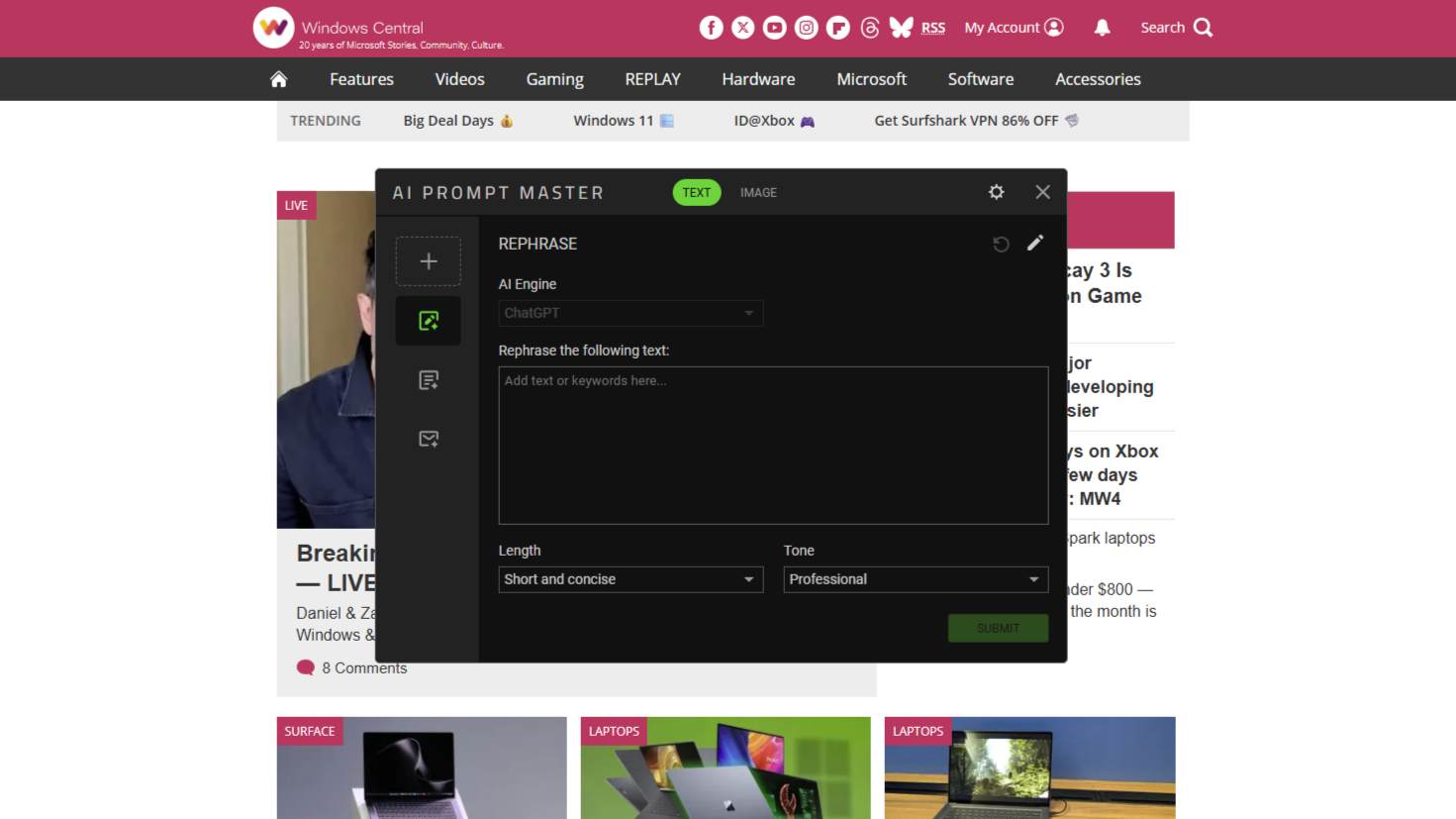
Respectfully, Razer, nobody wants this. (Image credit: Windows Central)
Let's talk about AI. Yes, groan.
I should say up front, this feature is optional. You can make it go away. But out of the box, it's configured, and I don't like it one bit.
One of the three buttons on the side of the mouse launches the "AI Prompt Master." This opens a chatbot window, built by Razer but using ChatGPT to execute. You have pre-built options to compose emails, summarize, rewrite, and create images, with modifiers for what you want the results to look like, and you can create your own template.
My question, though: Why?
Razer is a company founded on gaming. Its core customers are gamers. This is the best gaming mouse the company has ever made, but by default, it has a hardware button bound to an AI chatbot. Not even one that lets you change the AI engine it uses (right now at least). And it even sits above all your open windows, even if you're not actively using it. Awful.
At least you can map the AI button to something useful. (Image credit: Daniel Rubino)
If you don't have Synapse installed on a PC, it won't work. And yes, you can remap the button to anything else you want. I just don't understand why it's even here. Gamers are not typically receptive to AI being shovelled into their gaming setups. We've been there already with Microsoft and its Gaming Copilot.
That's basically all I don't like about the Basilisk V4 Pro. I know it can be made to go away; I'm just really disappointed that a company I've used for gaming hardware for so long has gone down this path. And with a pretty bad app for it, too.
I should also mention the price. This is the top of the line, so it comes with a price tag to match at $169.99. But if you're looking for the best of the best, it's worth it.
I'd also maybe like to have seen more than just Razer's own wireless charging accessories able to charge the mouse. I get it, from a business perspective, and controlling the experience. But if you have a wireless charging pad for your phone already, I can't deny it'd have been nice to be able to use that with the Basilisk V4 Pro as well.
Should you buy the Razer Basilisk V4 Pro?
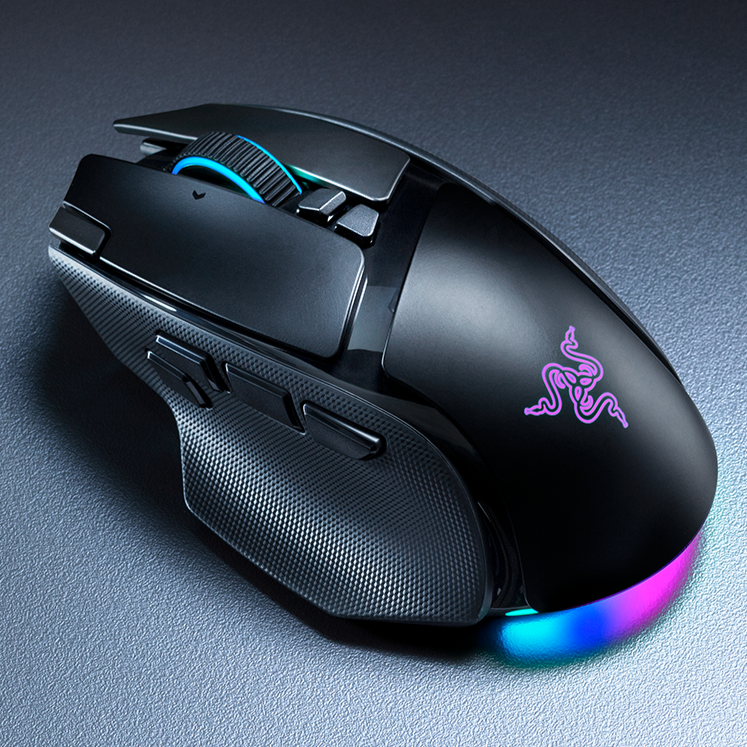
Long live the king. (Image credit: Daniel Rubino)
AI shenanigans aside, the Basilisk V4 Pro is a ridiculously good gaming mouse. If you've ever used a Basilisk before, you'll know why.
The core remains largely unchanged, just updated for 2026 with performance oozing out of it. Like its top controllers, you can top out at an 8,000 Hz polling rate, and with Frame Sync, it's one of the most accurate gaming mice for competitive players.
Whether you should buy one or not depends on which mouse you're currently using. If you're on a Basilisk V3 Pro 35K, as I have been, it's a harder sell. It's a little bit better, but I'm not sure you should be first in line.
If you're on anything older or from another manufacturer, it's far easier to recommend. It's ergonomic, so you can use it all day for work or play. The improved battery life means you can actually take it on the road with you for multiple weeks without having to worry about it even if you're using it heavily, and it's absolutely killer for gaming.
It's hard to make great products greater, especially when you already have one of the best gaming mice on the planet. But Razer managed it with the Basilisk V4 Pro.
"Where immersion meets customization, the Razer Basilisk V4 Pro takes both further than ever. Fully decked out with our latest suite of next-gen technologies, discover the ultimate wireless ergonomic RGB gaming mouse that plays to your every possible preference."
Join us on Reddit at r/WindowsCentral to share your insights and discuss our latest news, reviews, and more.

 Connexion