❌

Vue lecture

CleanMyMac just made a Screen Cleaning Perfume for your MacBook that smells like a pine forest

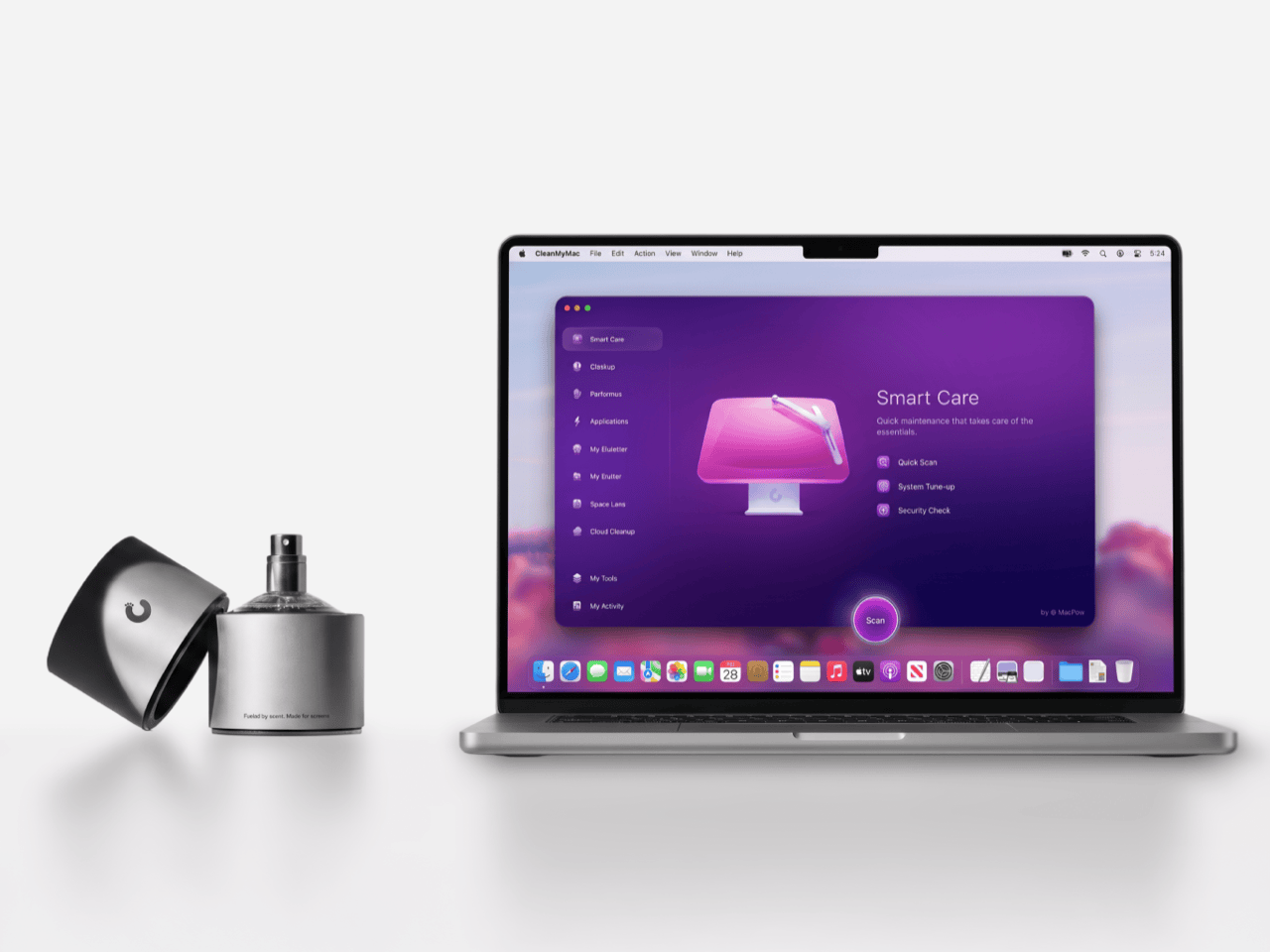
Apple’s official answer to a smudgy MacBook screen is a $9 Polishing Cloth, which, to be fair, is ten bucks cheaper than the version everyone roasted in 2021. MacPaw has a more extravagant answer. The Ukrainian company behind CleanMyMac just revealed CleanMyMac Mist, its first physical product, a screen and keyboard cleaner dressed up as a bottle of designer fragrance. One spritz on a microfiber cloth is meant to lift the fingerprints and leave your laptop smelling like a frosty pine forest. Your candles, your hand soap and your car already have signature scents, so honestly, the MacBook was overdue.

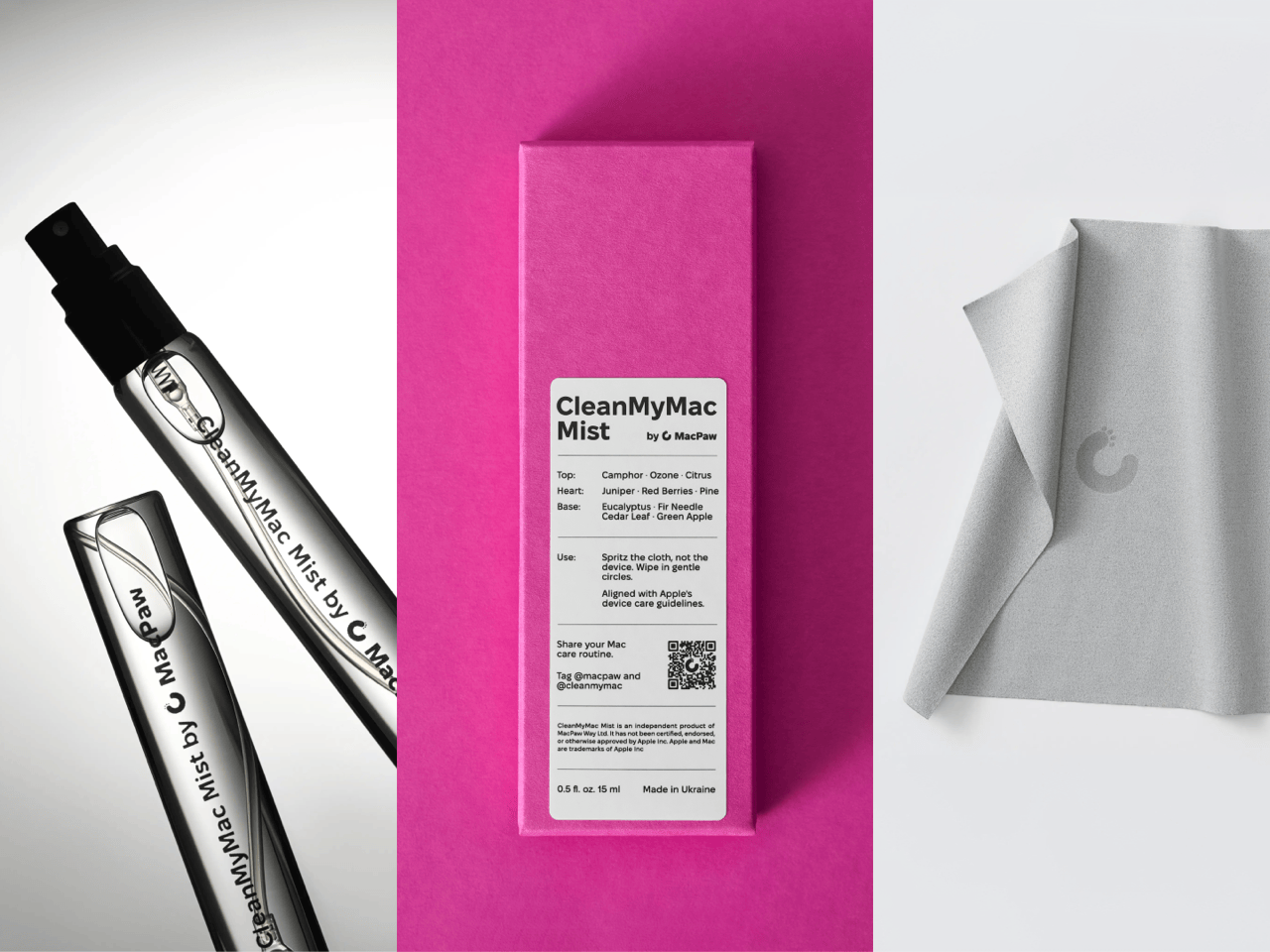
MacPaw calls the scent Frosted Juniper, picked because juniper grows both in Ukraine, where the company was founded, and in California, where the Mac was born. That’s a little sentimental, and I’m completely here for it. The notes run from camphor, ozone and citrus up top to fir needle, cedar leaf and green apple at the base, and the brief was to smell clean without smelling like a cleaning product. Pole, a design and small-batch production studio in Ivano-Frankivsk, made the glass atomizer, its metal case, and a pink box loud enough to see from across the office. Only 100 bottles exist, and they’re up for grabs via a CleanMyMac Instagram and TikTok giveaway until October 23, so don’t go hunting for a price tag.

Designers: MacPaw & Pole

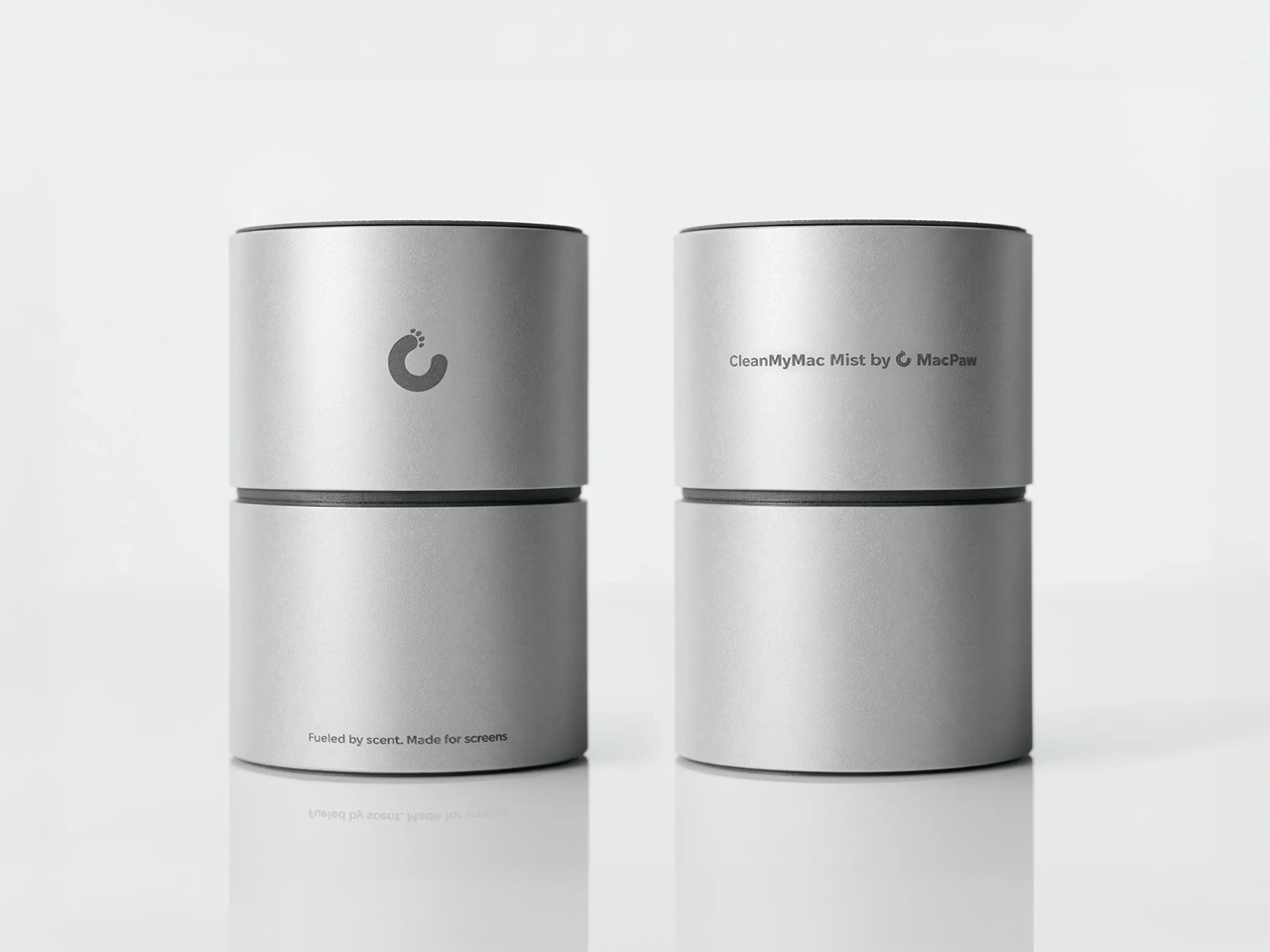
Every design choice here borrows from the perfume counter instead of the cleaning aisle. A slim glass atomizer sits inside a cylindrical metal case, and its silver-and-gray finish would sit happily next to any MacBook. The box flips the mood entirely, with a hot pink tray holding the Mist, a microfiber cloth, a small brush and a scent card, which is basically a perfume blotter for your laptop. The whole package is designed to live on your desk in plain view, far away from the Windex under the kitchen sink. Le Labo pulled a similar trick with its hand-cast concrete diffuser, treating a fragrance gadget as decor first.

Apple’s own cleaning guide warns against aerosol sprays, so the Mist uses a pump atomizer, and you spritz the cloth instead of the screen. That small habit change tackles a real problem, since one in three US Mac owners in MacPaw’s survey admitted to damaging their machine while cleaning it. The product site names the usual culprits: glass cleaners that strip anti-reflective coatings, paper towels that leave micro-scratches, and the hoodie sleeve that only feels like it’s doing something. Apple Stores reportedly keep their display units spotless with WHOOSH!, so dedicated screen formulas are nothing new. MacPaw’s twist is making the formula something you’d happily smell on your fingertips afterward, though nano-texture displays should still stick to Apple’s dry cloth.

As a longtime CleanMyMac user, I find the whole thing delightfully on the nose. The app launched in 2008, has racked up 29 million downloads sweeping caches, logs and leftover app files out of Macs, and MacPaw says it cleans a million machines a day. For 18 years, “clean” was a metaphor for digital housekeeping, and now the metaphor has a nozzle and a note pyramid. MacPaw handed the physical side to Pole, a design and production center in Ivano-Frankivsk with metal, wood, ceramics and biolab workshops under one roof. Pole specializes in runs of 1 to 500 units and built elements for Ukraine’s pavilion at Expo 2025 in Osaka, so a 100-bottle drop sits right in its comfort zone.

The Mist isn’t for sale, and the only way to get a bottle is a giveaway on CleanMyMac’s Instagram and TikTok that closes at 11:59 PM EST on October 23. MacPaw will pick 10 winners on Instagram and 5 on TikTok, so the odds are slim, but every entrant still gets a 20% CleanMyMac coupon. The full scent breakdown and entry details live at cleanmymacmist.com. Millions of Mac owners already trust MacPaw with the inside of their machines, and I suspect plenty of them would buy a refill to keep the outside smelling like a snowy forest. Frosted Juniper makes a great first edition, though I’m already lobbying for a cozy sandalwood one by December.

The post CleanMyMac just made a Screen Cleaning Perfume for your MacBook that smells like a pine forest first appeared on Yanko Design.

  •  

Why CMF’s New Milk Carton Speakers Are So Irresistible To Look At

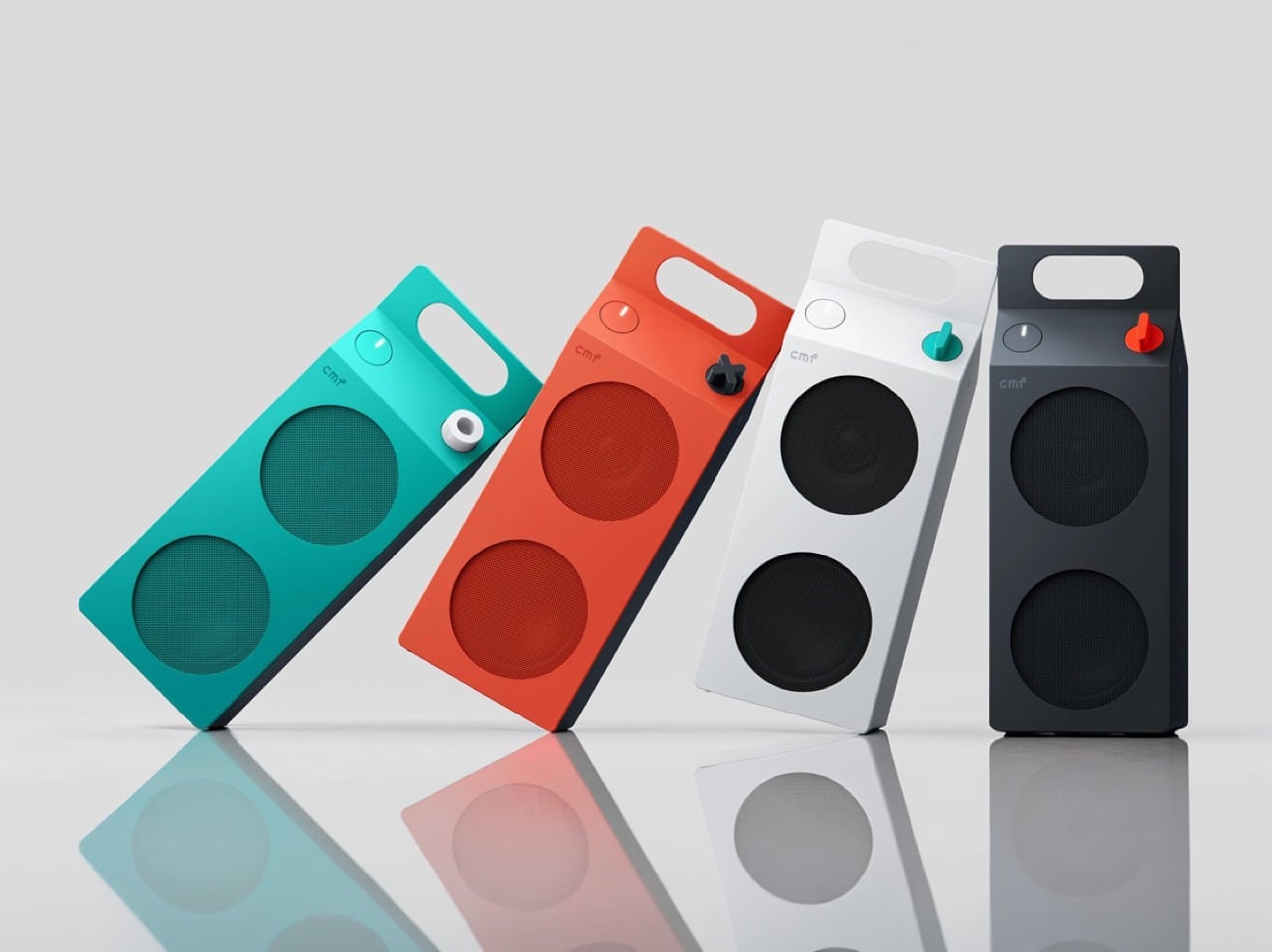
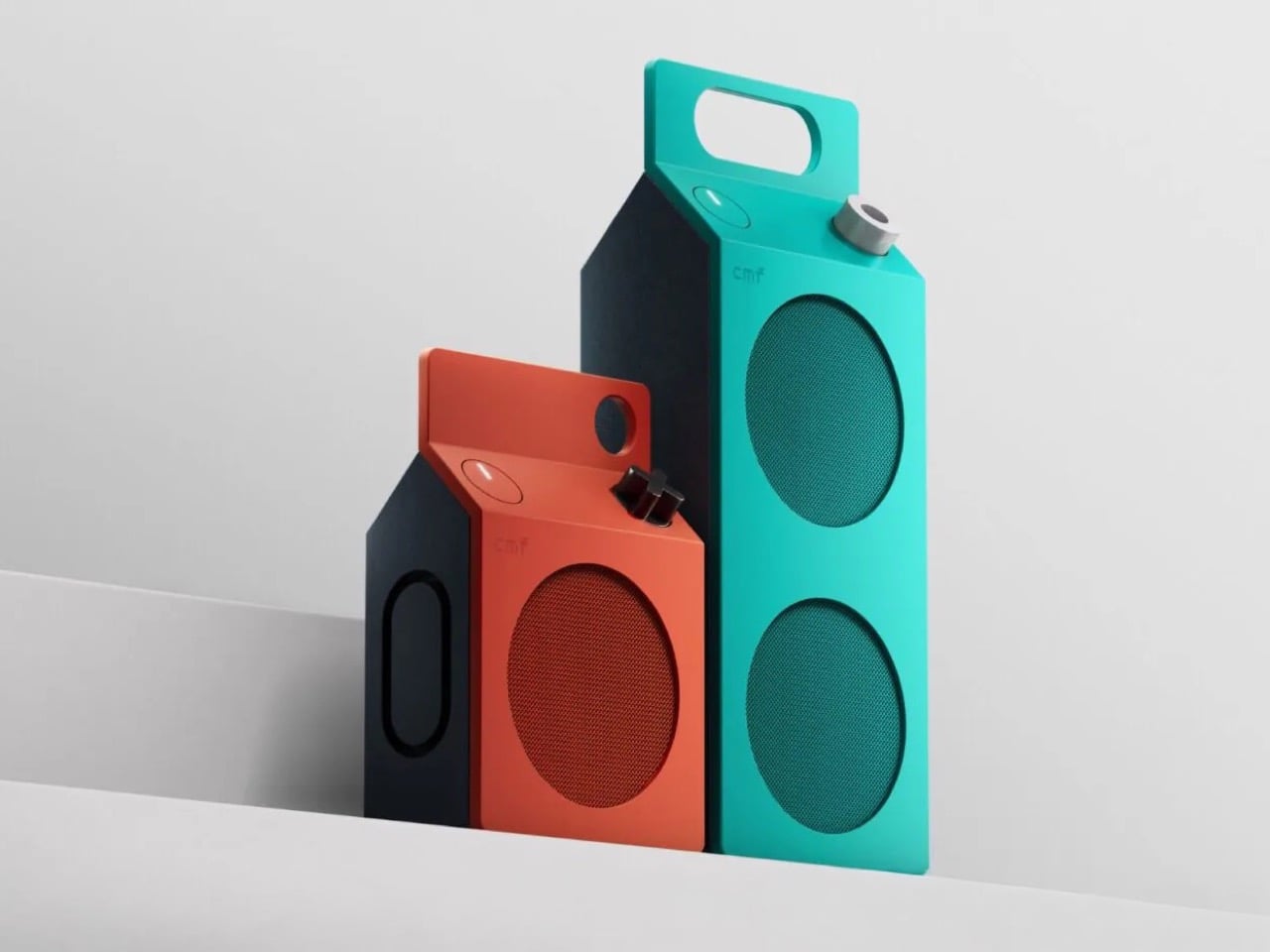
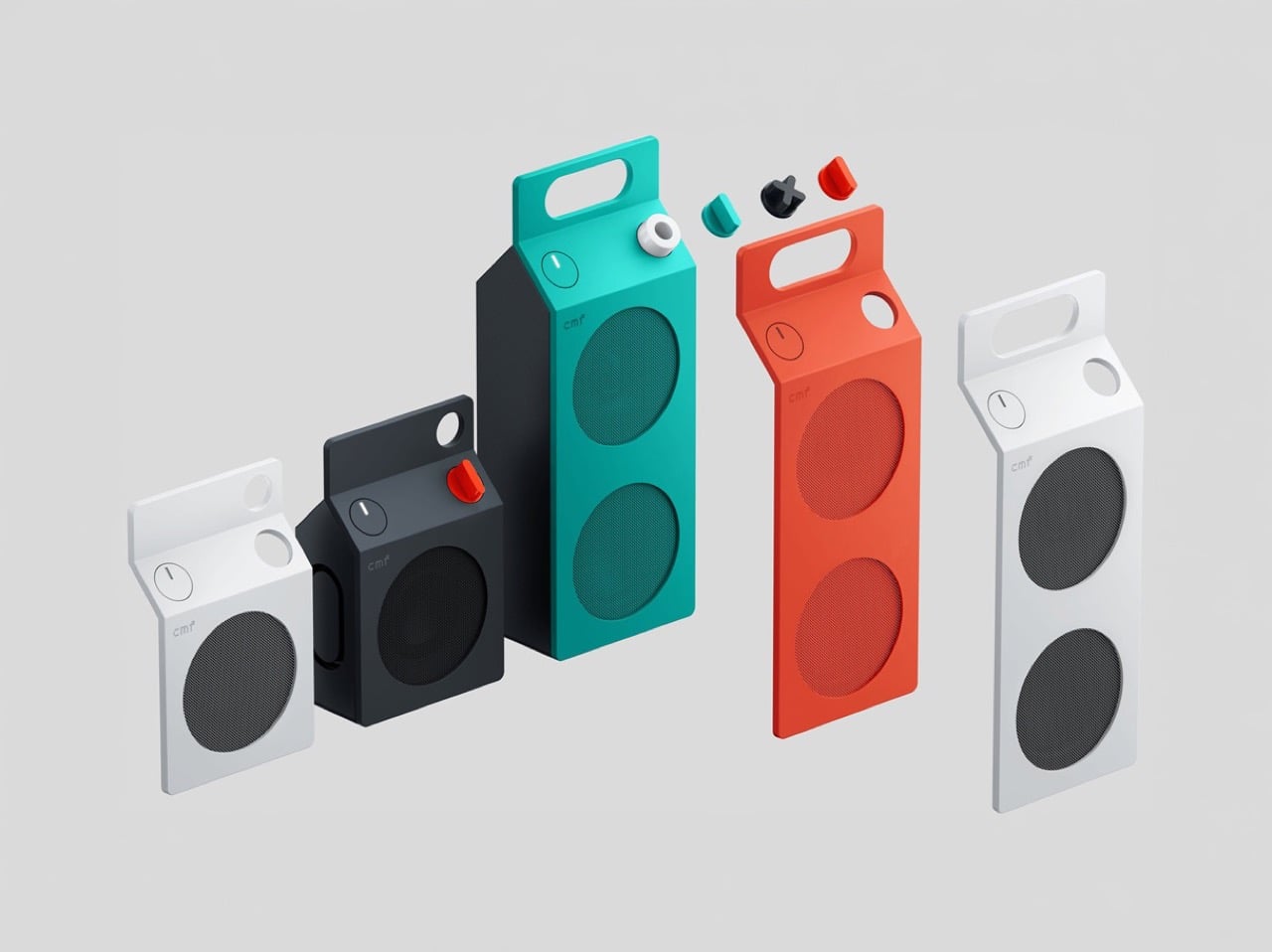
Everyone has held a milk carton, which is exactly why CMF’s new speakers are so hard to stop looking at. CMF, the budget sub-brand of Nothing, shaped its first Bluetooth speakers like gable-top cartons, a form that toy manufacturer John Van Wormer of Toledo, Ohio, patented in 1915 as the Pure-Pak. Your brain files that silhouette under breakfast, fridge door, and home before it even registers the grille. Then the colors and a deliberately mismatched knob finish the job. Black cylinders and bricks have run the speaker aisle for a decade, so a carton is practically a plot twist.

The CMF Speaker S ($59) and Speaker M ($109) launched October 12 at nothing.tech and select retailers, in white, dark grey, turquoise, and orange. CMF’s own product pages cite a carton’s sharp geometry as the inspiration, so the resemblance is deliberate. A sloped roof carries the knob where a carton’s screw cap would sit, and the M’s top fin doubles as a carry handle. The front panel and knob pop off, which turns each speaker into a base for swapping or 3D printing. Both are IP68 too, so the carton can sit on a patio table without a worry.

Designer: CMF by Nothing

The carton’s anatomy, rebuilt as a speaker face

A carton has three recognizable parts, and CMF kept all three. The sloped gable roof becomes the top edge of a folded color panel that wraps over from the front face. The sealed top seam becomes the M’s raised fin with a handle cutout, while the S settles for a round cutout in the corner. The screw cap, a carton upgrade Elopak dates to 1991, becomes a knob you press and turn. On the orange and turquoise models, a dark grey body sits behind the panel, so the color reads like printed paperboard around a core.

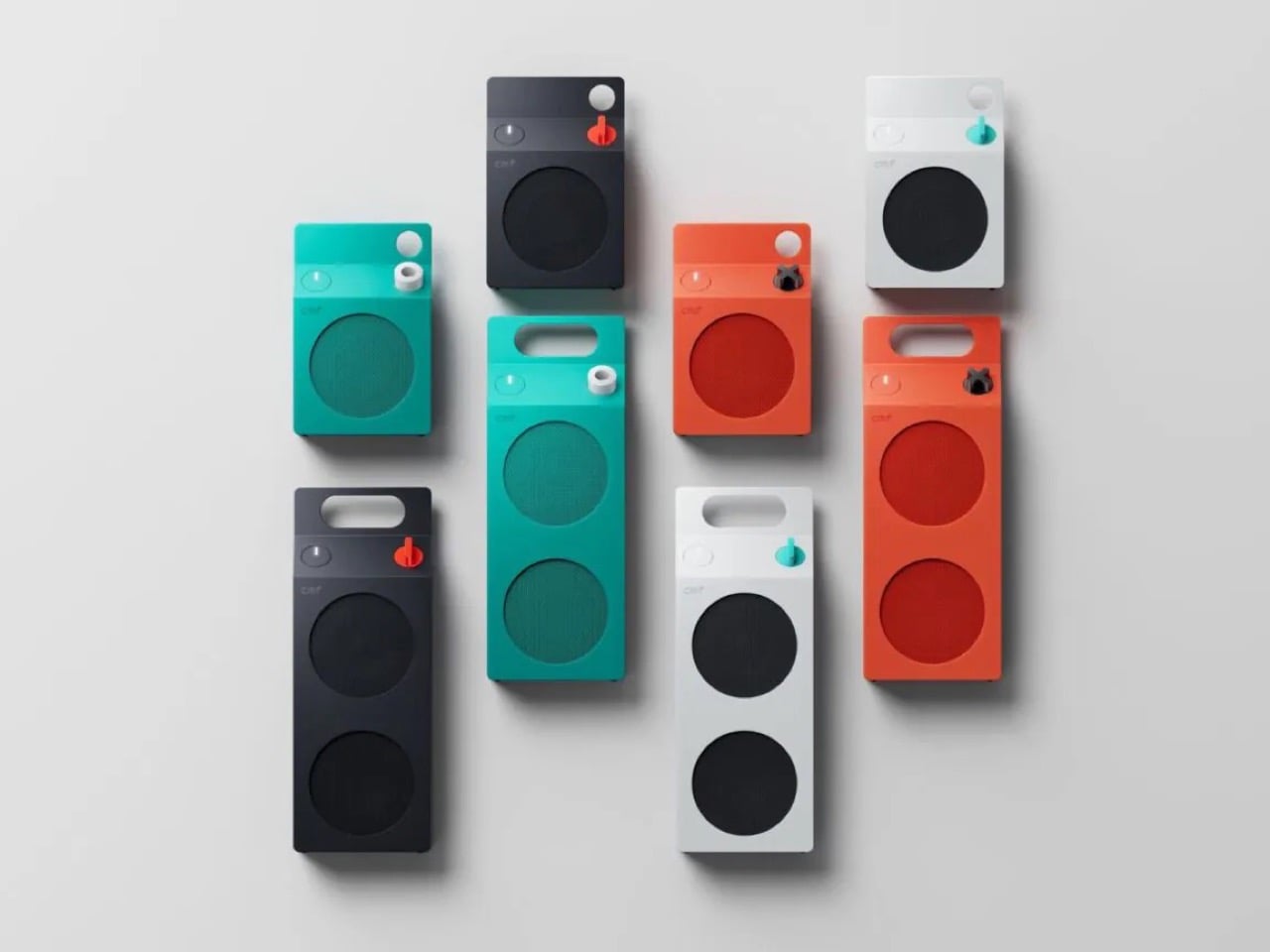
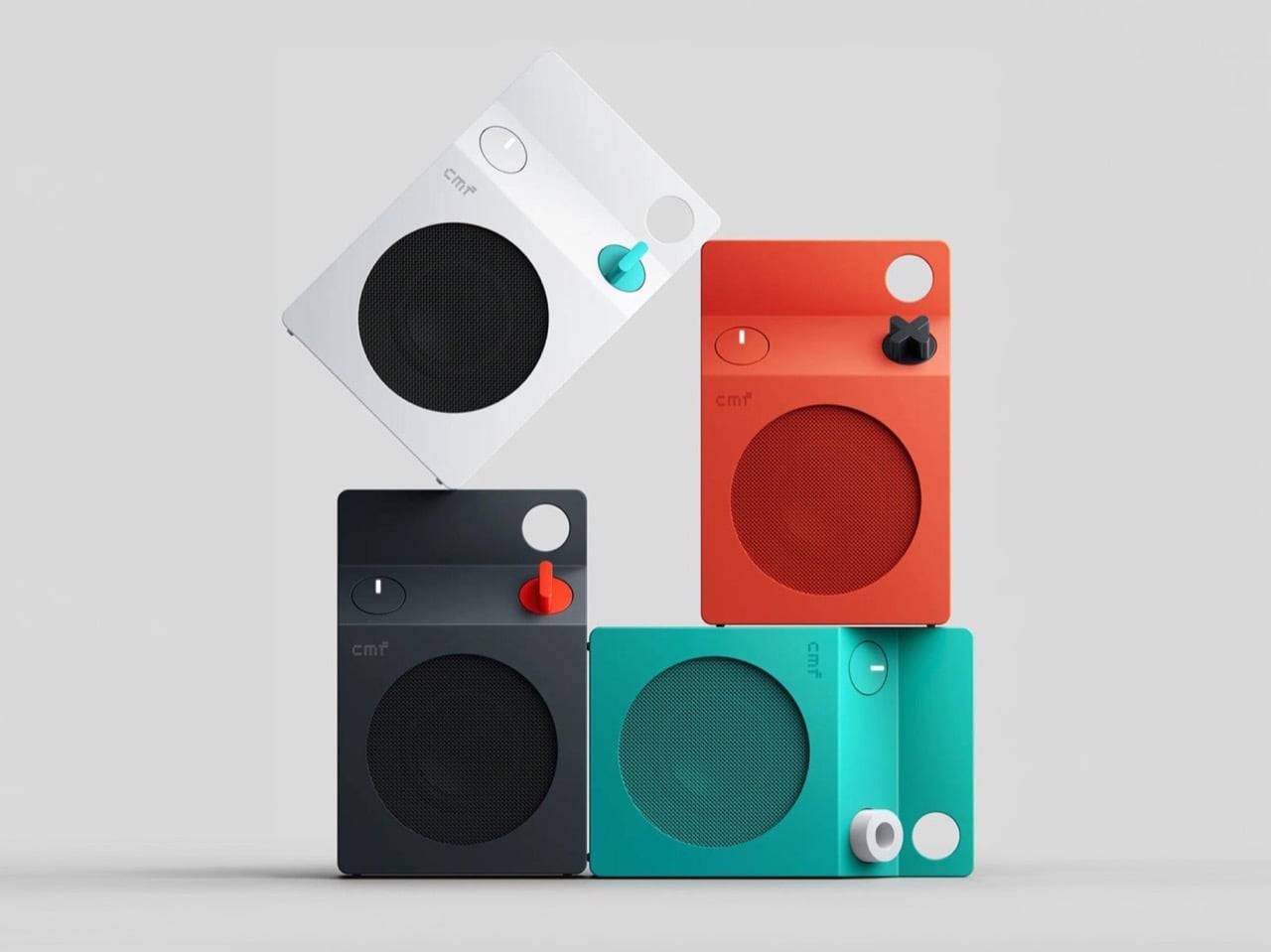
The grilles do the decorating. On the turquoise model the mesh is a deeper teal, on the orange it turns brick red, and on white and dark grey it goes black, so each face is a flat field with big circles punched in. The M stacks two of them, the S gets one, and a small pixel-style cmf wordmark sits above like a tiny brand stamp. An oval button with a white light bar is the only other mark besides the knob. That is very few elements, all of them deliberate.

Pint-and-quart proportions and a color system with a mismatched knob

The S measures 5.1 by 3.3 by 1.7 inches (130.5 by 85 by 44mm). The M stretches to 8.7 inches (220mm) tall at the same 85mm width, so the pair reads like a pint and a quart of the same product. Helen Sanematsu’s 1999 AIGA Journal essay on milk packaging argued that cartons get their punch from standing in rows, with color separating the varieties. CMF’s launch imagery lines up four colors across two sizes, which plays that exact game. Put them on a shelf together and you get a dairy case designed by someone with great taste.

Each colorway gets its own knob: a black X on orange, a white ring on turquoise, a red paddle on dark grey, and a teal paddle on white. That deliberate mismatch gives every speaker a single accent, like a bright cap on a carton. Pop it off and you can mix freely or 3D print your own, a habit that follows the CMF Phone 1, whose community printed everything from Lego-friendly backs to a foam dart launcher. We once featured a fan concept for a CMF speaker that went retro radio. The carton is the braver call.

Drivers, battery life, and durability behind the carton

The S pairs a 1.8 inch (45mm) driver with two passive radiators, unpowered diaphragms that beef up bass, for 10W. The M adds a 2.8 inch (70mm) woofer and 0.6 inch (16mm) tweeter for 35W RMS, a continuous power rating. Both claim 18 hours at 50 percent volume with Ultra Bass on, enough for a workday and the commute. A 10 minute charge buys an hour while you hunt for your keys. They survive 30 minutes in nearly 5 feet (1.5 meters) of water and passed a 30 inch (0.76 meter) drop test.

The S costs $59 and the M $109, and both are on sale now at nothing.tech and select retailers. That puts a distinctive object within impulse-buy range, which is unusual for a design this committed. It is the rare budget speaker that makes you want to rearrange a shelf. Van Wormer’s carton survived a century by being easy to hold, stack, and carry, and a portable speaker wants the same three traits. Somebody finally noticed a great speaker shape was sitting in your fridge door all along.

The post Why CMF’s New Milk Carton Speakers Are So Irresistible To Look At first appeared on Yanko Design.

  •  

Edifier’s $52 gaming soundbar lets you ditch your headset without losing voice chat

Gaming soundbars became popular in the 2017s, but the trend faded; in the last couple of years, this category of audio accessories has seen renewed interest. Razer kicked off the new wave, with several mainstream brands and some offbeat makers releasing their own versions. Creative recently launched their B3 soundbar for gamers at a very affordable price, and now Edifier is upping the ante with an even sweeter deal.

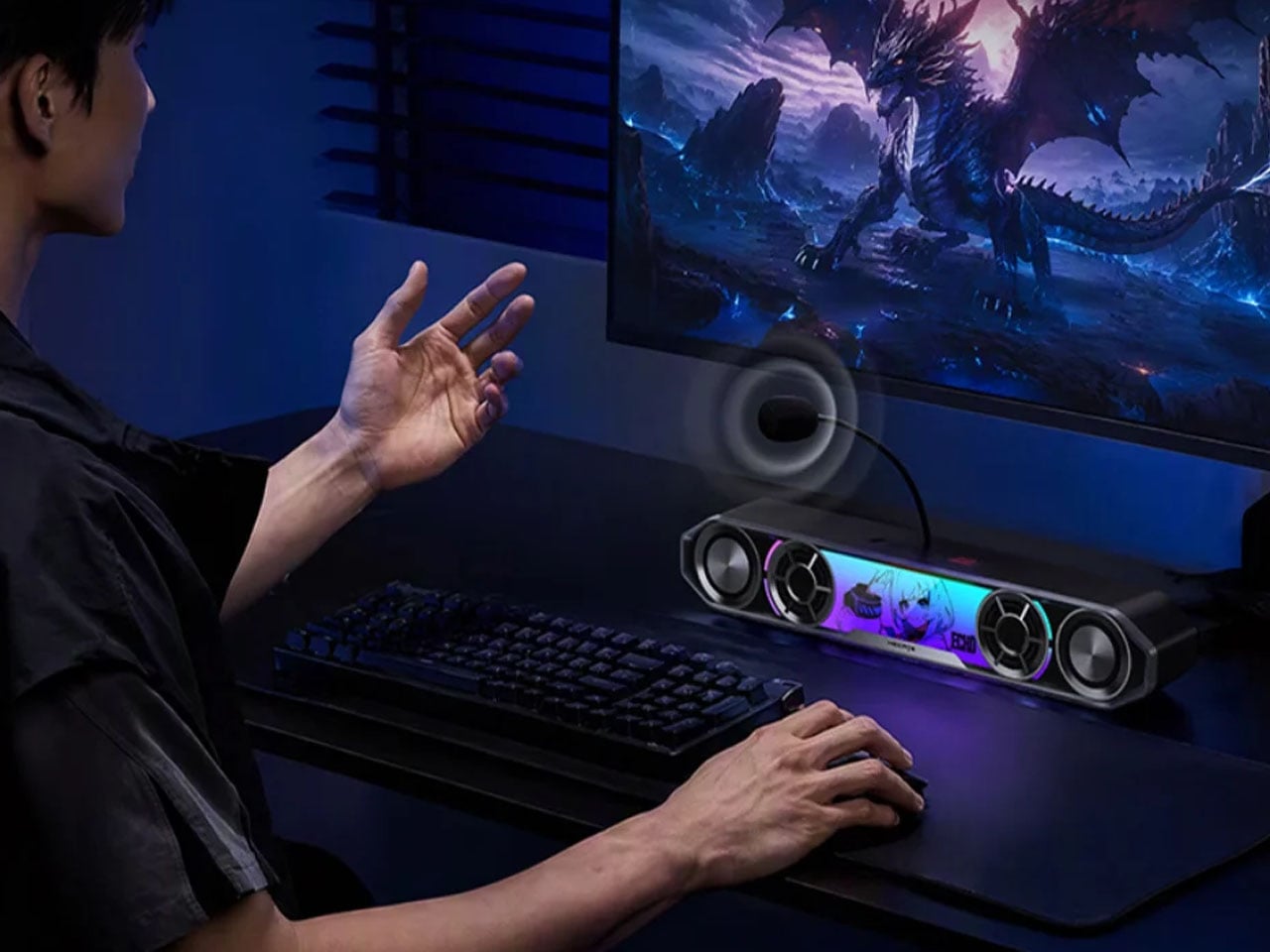
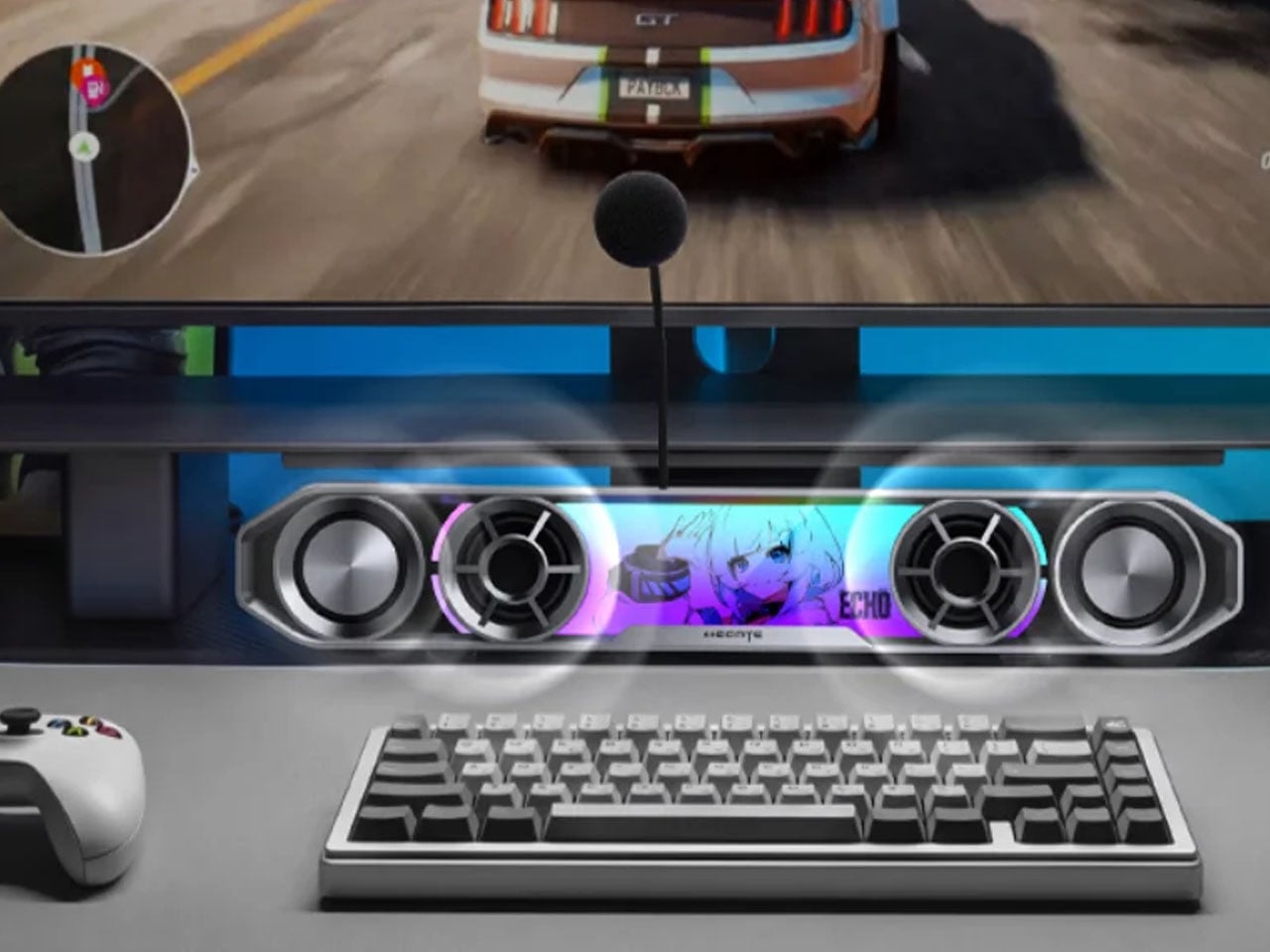
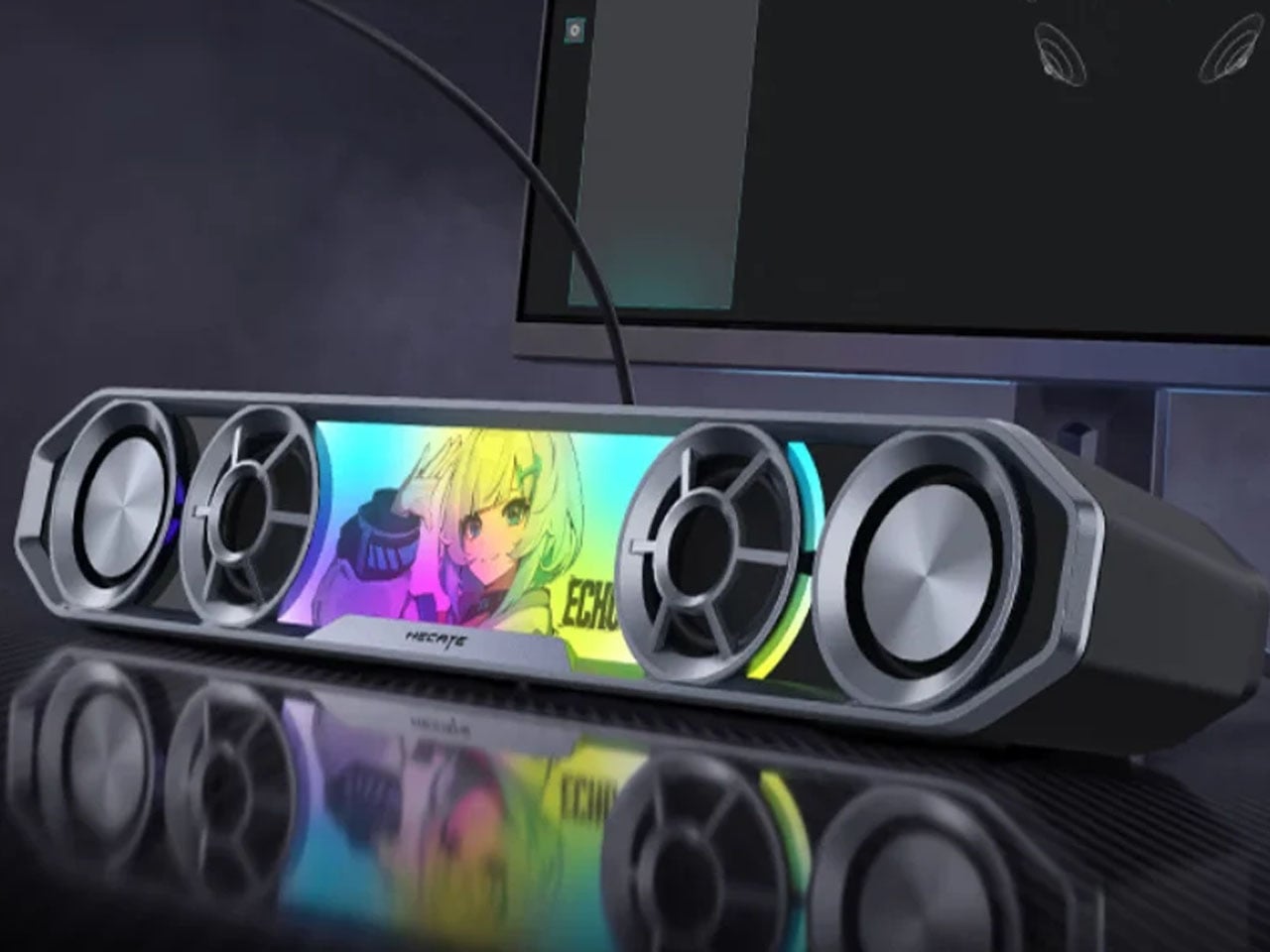
The China-based audio accessories maker, known for high-end bookshelf speakers, has come up with a very cool-looking soundbar for gamers. Dubbed the Hecate G2000 Bar, the desktop audio boomer is all set to be available from 16 October onwards for a price tag of 349 yuan ($52), which is an introductory price slashed from the normal price of 387 yuan ($58).

Designer: Edifier

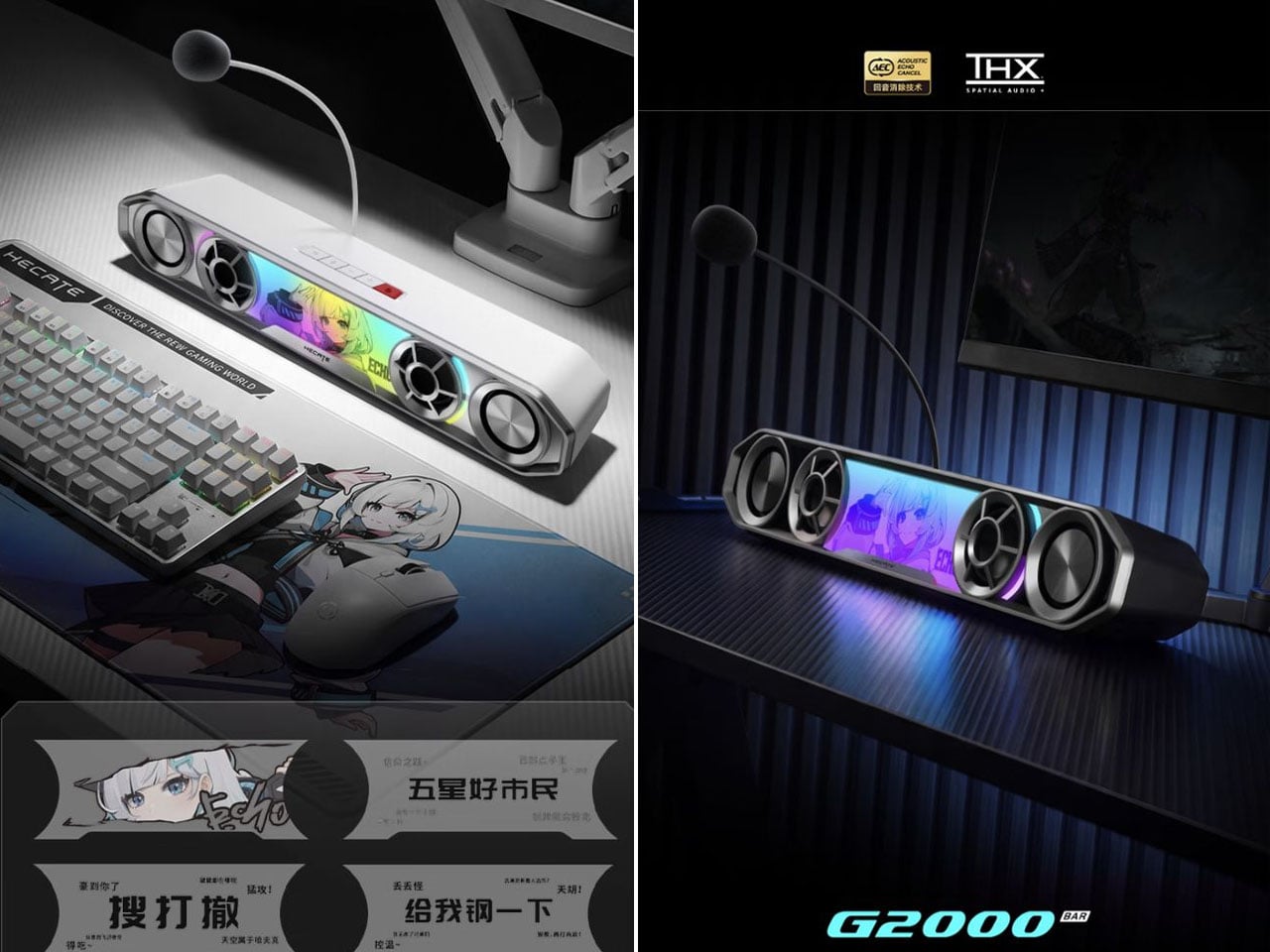
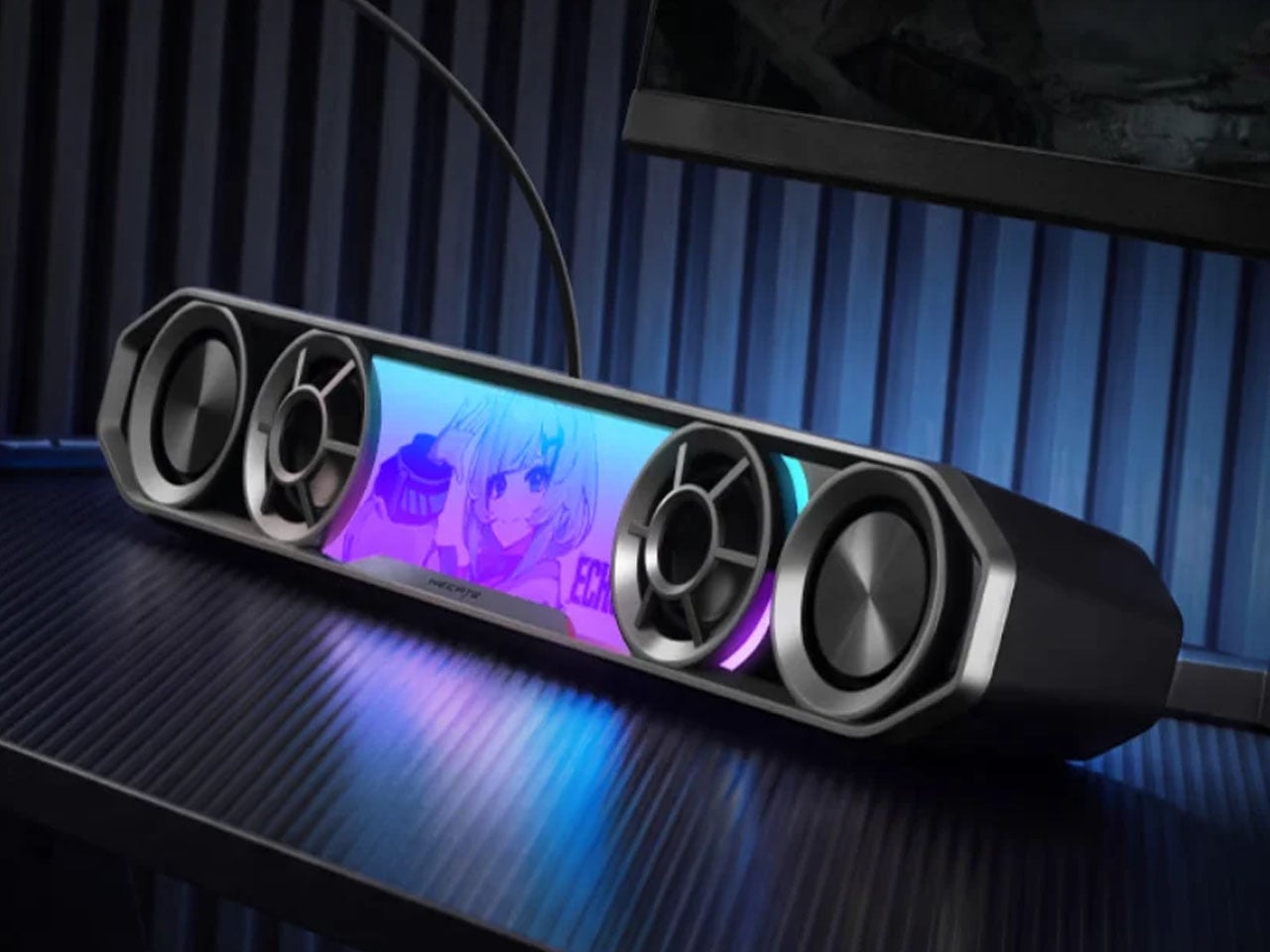
The G2000 Bar combines a compact footprint with an angular, mecha-inspired design intended to fit into a gaming setup without taking up much desk space. It will be available in black and white, with a built-in five-degree upward tilt that directs sound toward the listener rather than across the desktop. Five interchangeable themed stickers let users customize the front panel, while 12 RGB lighting effects, including rainbow and flowing-light patterns, add some visual flair. Lighting can be adjusted via the Edifier Connect mobile app or Hecate PC software.

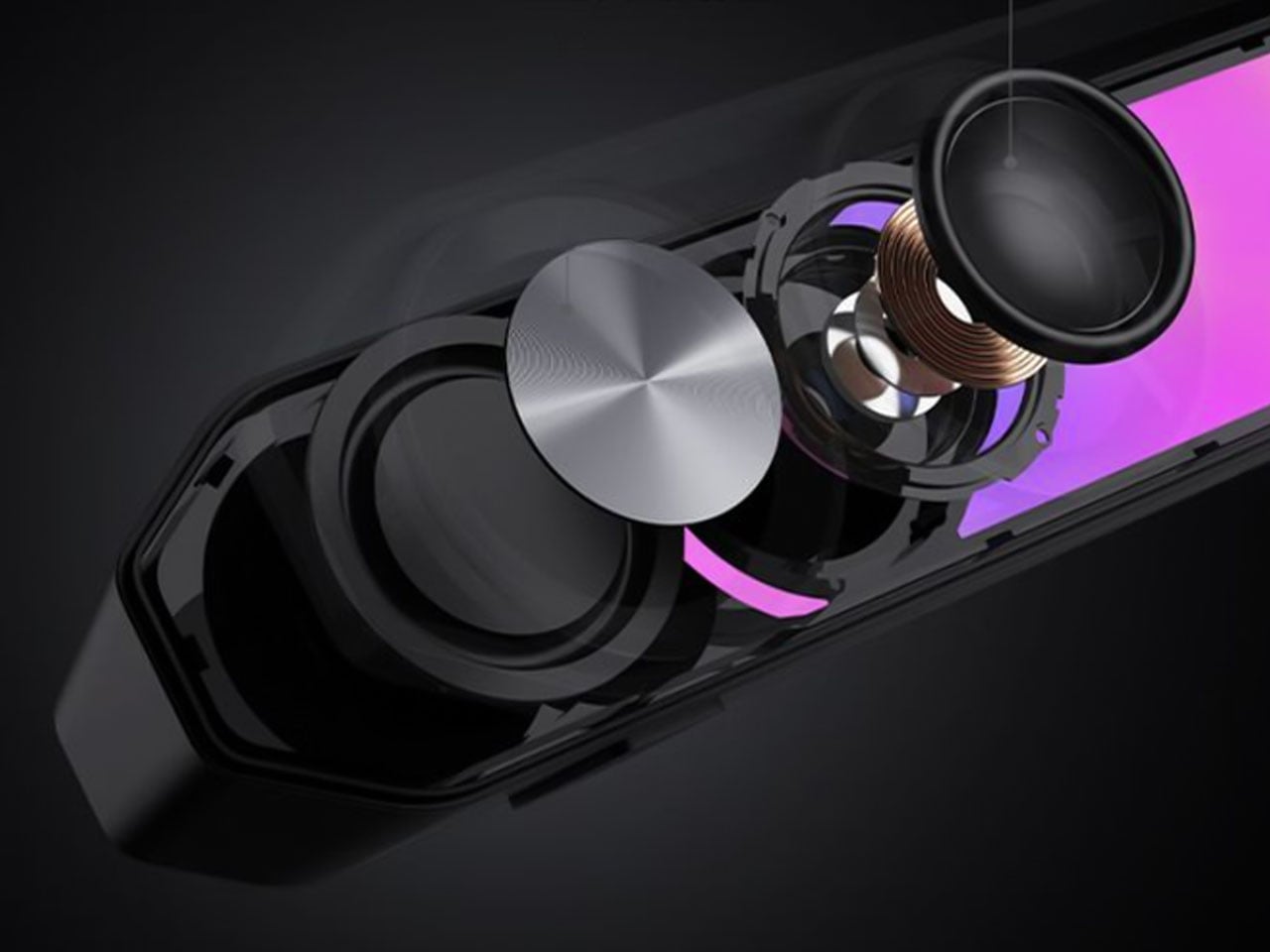
Under the hood, the soundbar uses two 56mm full-range drivers with copper-clad aluminum wire voice coils, paired with two 60mm passive radiators. The arrangement is designed to deliver fuller audio and reinforce low frequencies without requiring a separate subwoofer. Output is rated at 3W per channel, or 6W in total, with peak power reaching 12W. The stated frequency response spans 67Hz to 20kHz.

For gaming, the G2000 Bar supports THX 7.1.4 spatial audio processing, which aims to create a more immersive, surround-like listening experience from a desktop soundbar. Six dedicated audio presets cater to different gaming genres, including first-person shooters, role-playing games, and racing titles. These modes give players a way to tailor the sound to different types of gameplay without manually adjusting equalizer settings.

The other notable addition is a detachable microphone mounted on top. It uses AEC 2.0 acoustic echo cancellation, a dedicated digital signal processor, and AI-assisted noise reduction to limit background sounds and reduce audio feedback from the speakers. This could make voice chat more convenient for players who prefer open speakers to a gaming headset, although performance will depend on the surrounding environment.

Connectivity includes Bluetooth 6.0 and USB sound-card input, allowing the soundbar to work with compatible PCs, laptops, mobile devices, and consoles. An independent 9V DC power adapter supplies power, while physical controls on the top metallic panel provide access to volume adjustment, microphone muting, and audio-mode switching.

With its compact design, customizable lighting, spatial audio processing, and integrated voice-chat features, the Hecate G2000 Bar brings several gaming-focused conveniences to an affordable desktop soundbar. Its initial pricing makes it an interesting option for players looking to simplify their setup without committing to a separate speaker system and microphone.

The post Edifier’s $52 gaming soundbar lets you ditch your headset without losing voice chat first appeared on Yanko Design.

  •  

FUSEBOOX’s Hidden Home Office Slides Away After Work

Putting a laptop away doesn’t solve every problem with working from home. A video call still needs some privacy, and recording a voiceover beside the dishwasher is a negotiation nobody particularly wants. I like furniture that helps a room do more, but a folding desk only addresses half the issue. Sometimes the missing piece is a door.

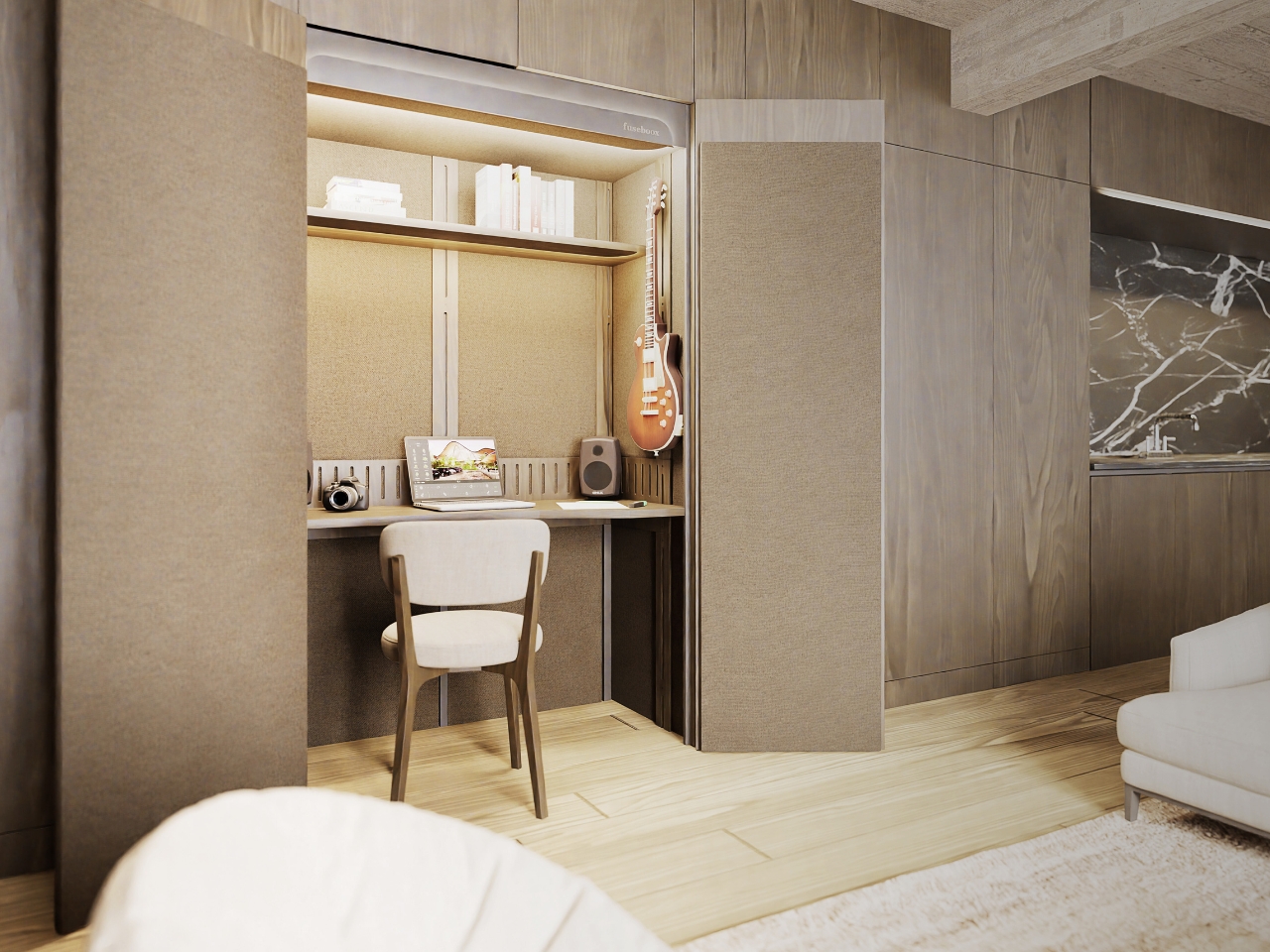
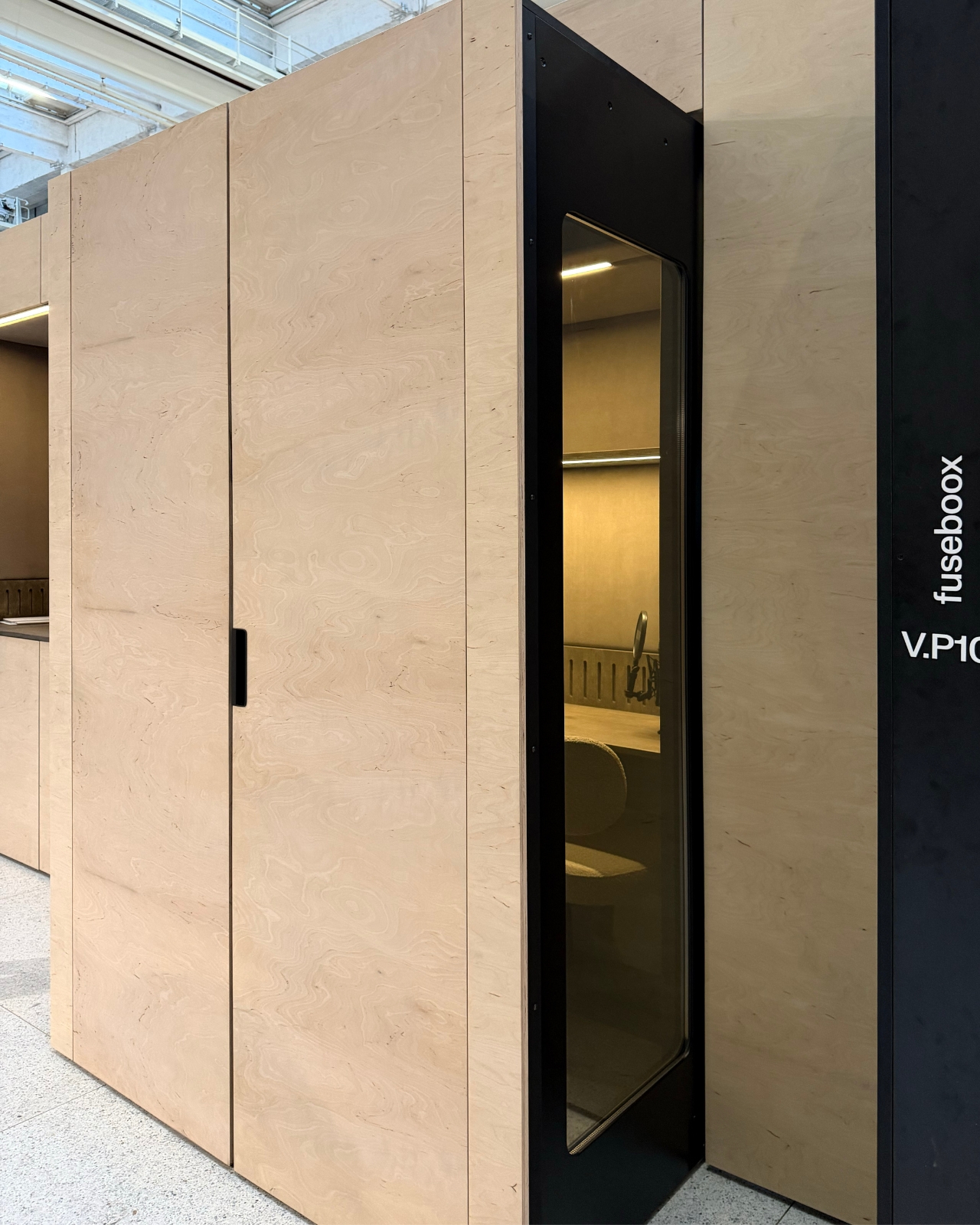
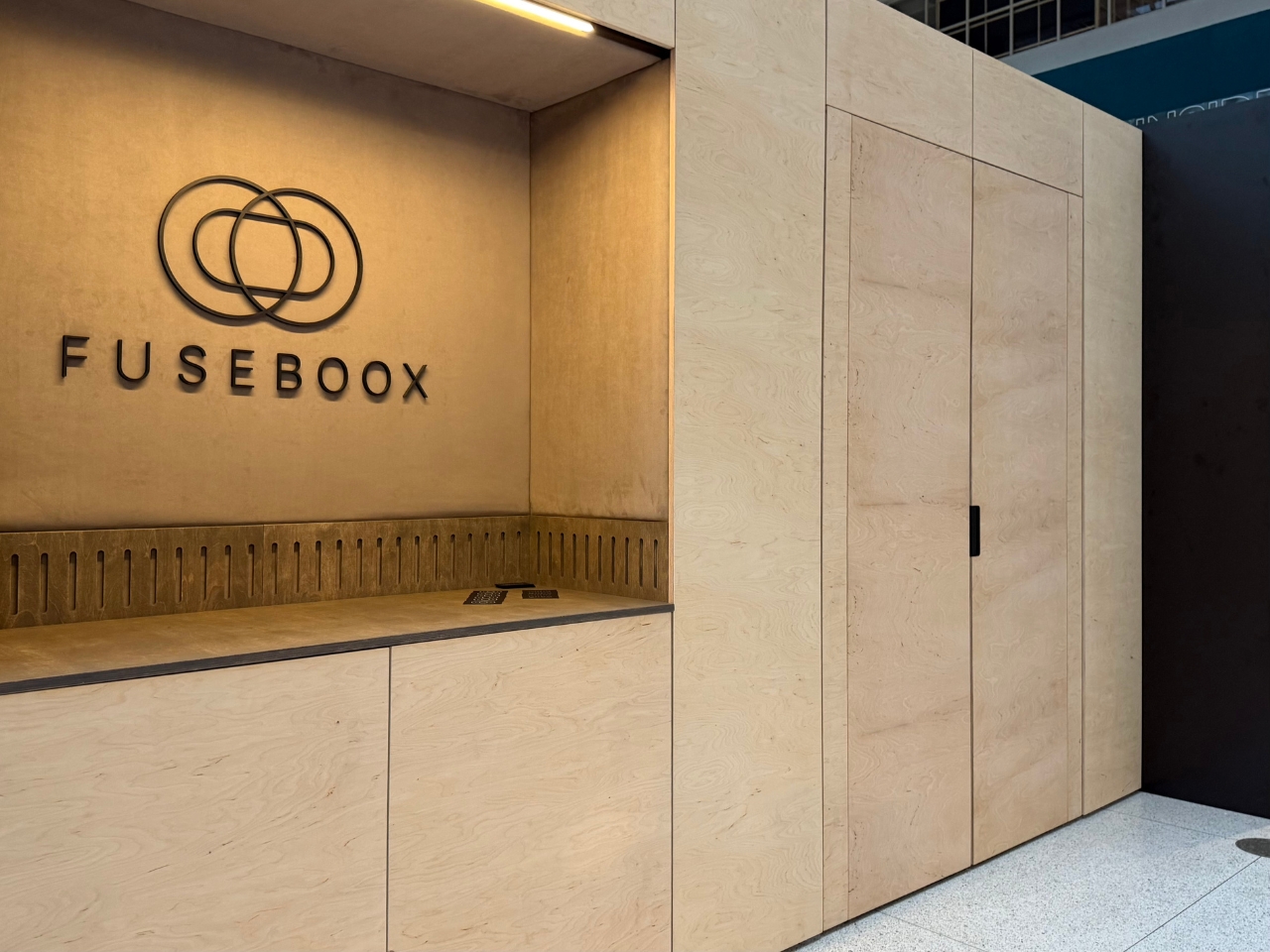
FUSEBOOX, designed by Czech architect Vojtěch Kolínský of Prague studio Indivizual, proposes a home office that slides out when needed and retracts into the surrounding interior afterward. It’s a built-in acoustic workspace, presented at DesignBlok 2026, rather than another freestanding booth asking for permanent floor space. The problem it tackles is straightforward: finding somewhere to concentrate without dedicating an entire room to it.

Designer: Vojtěch Kolínský

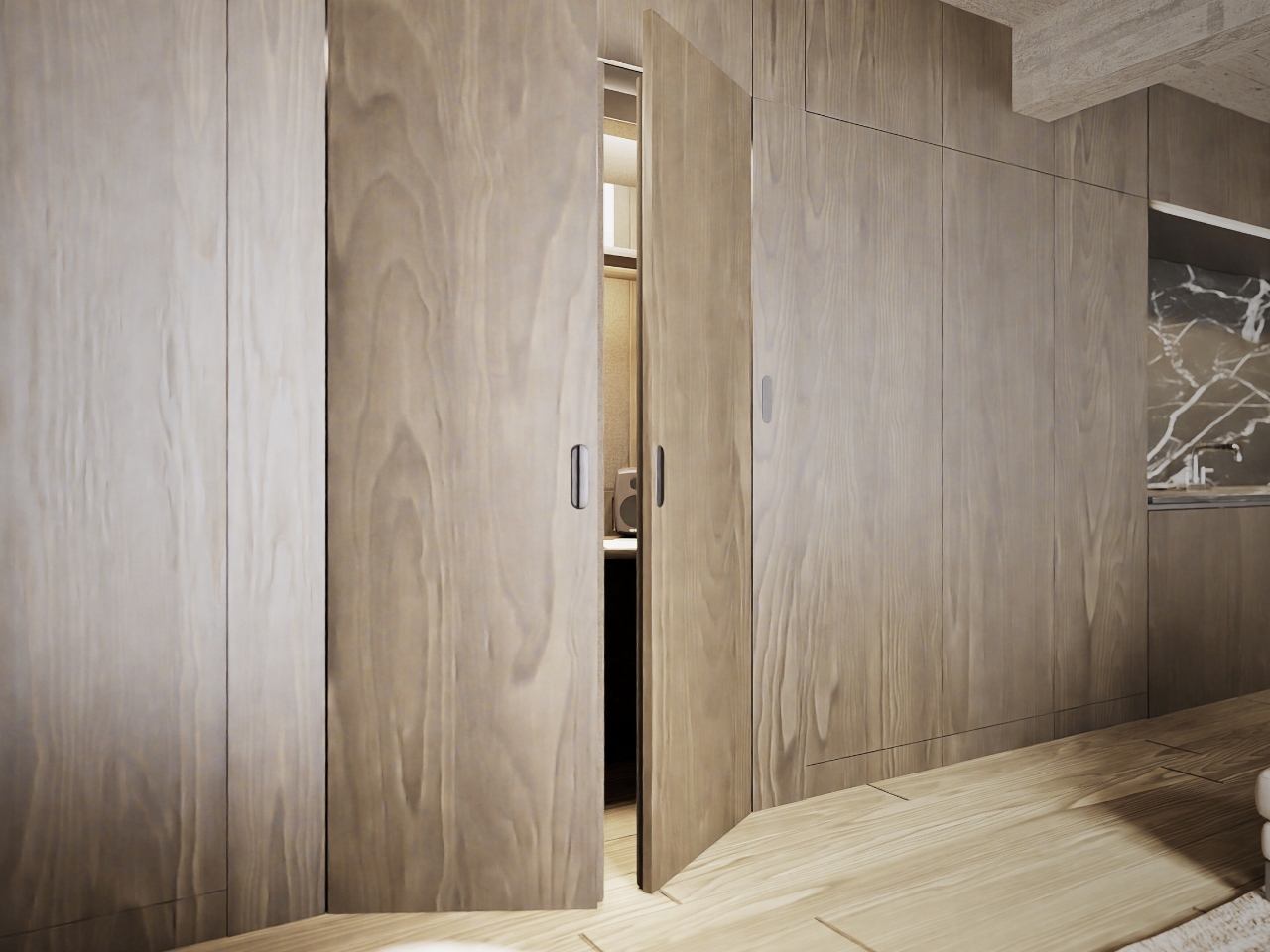
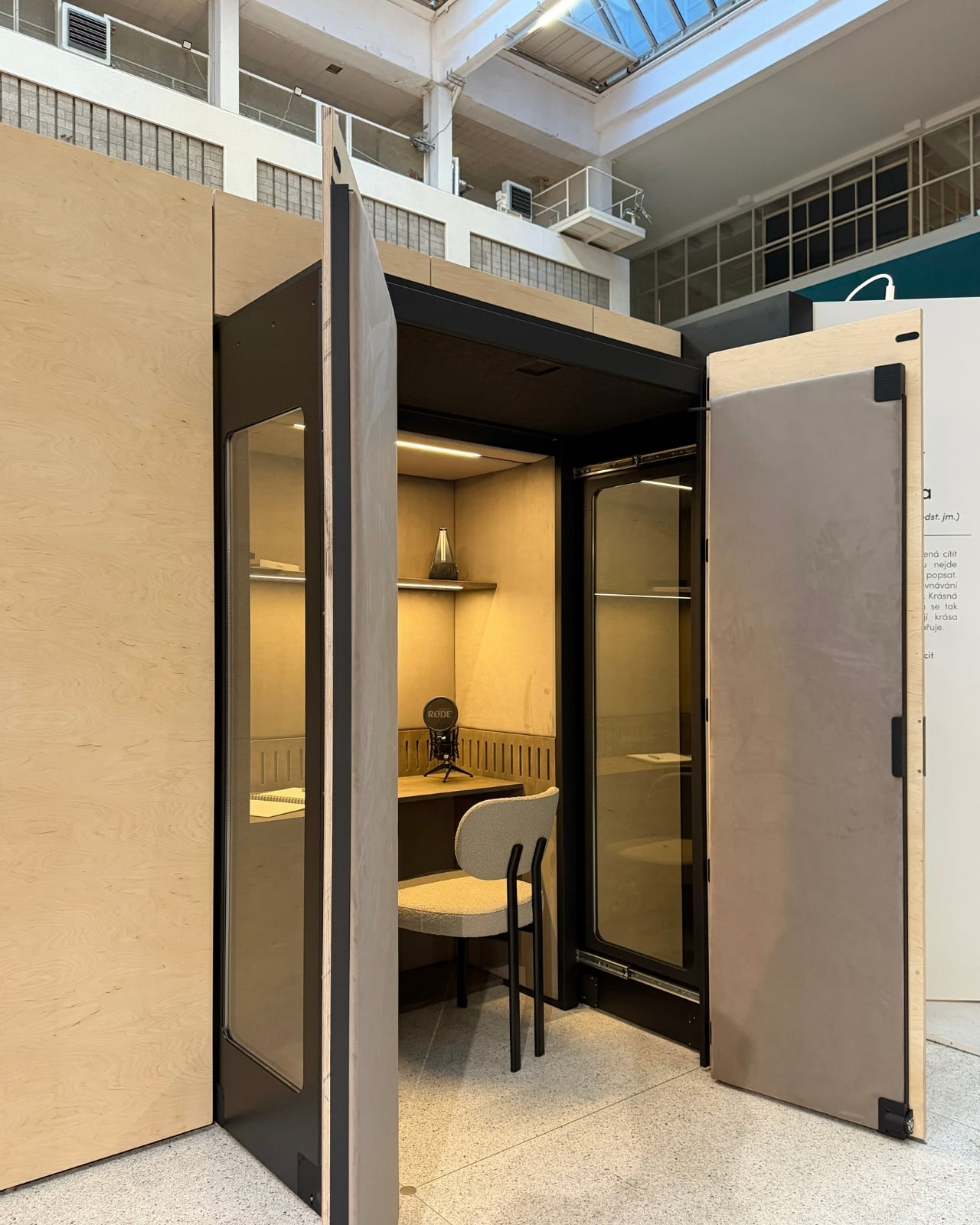
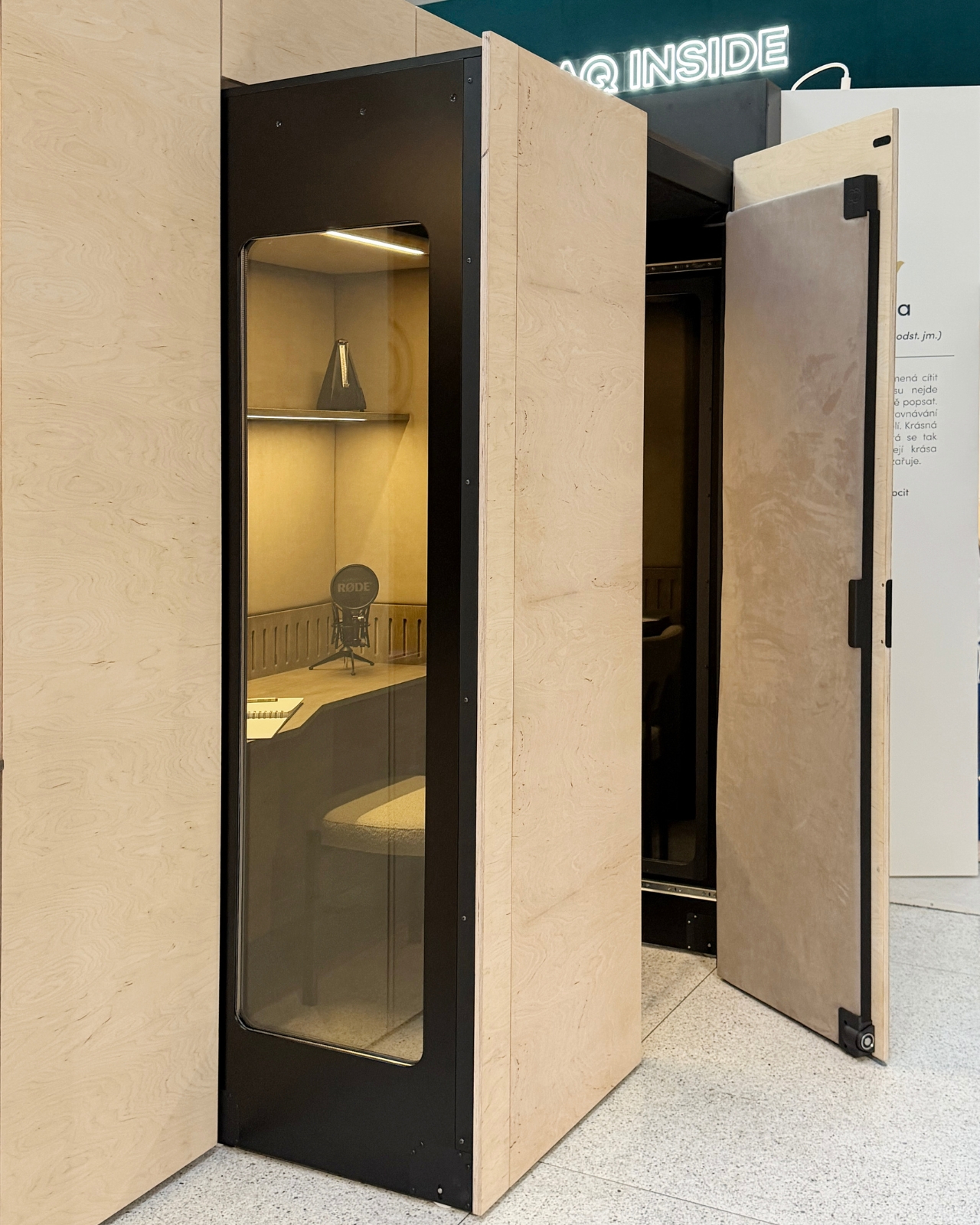
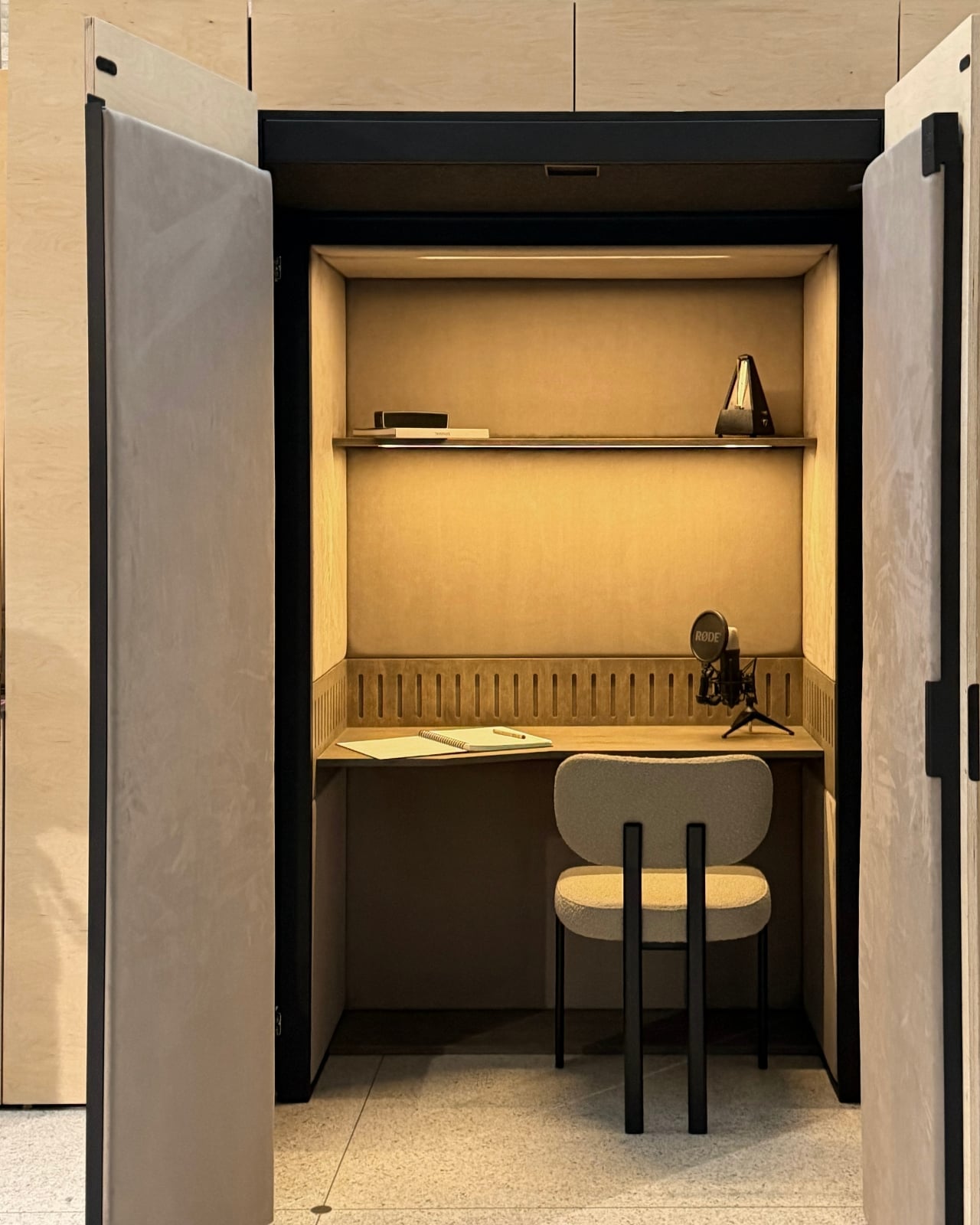
The module has three positions. Open, it works as a desk within the larger room, so you can stay connected to whatever’s happening around you. Extended and closed, it becomes a private enclosure intended to reduce noise traveling in and out. Retracted, the workspace disappears behind its exterior panels. A custom-developed mechanism handles extension and retraction automatically, according to the maker. That’s a more useful distinction than simply calling it a disappearing desk.

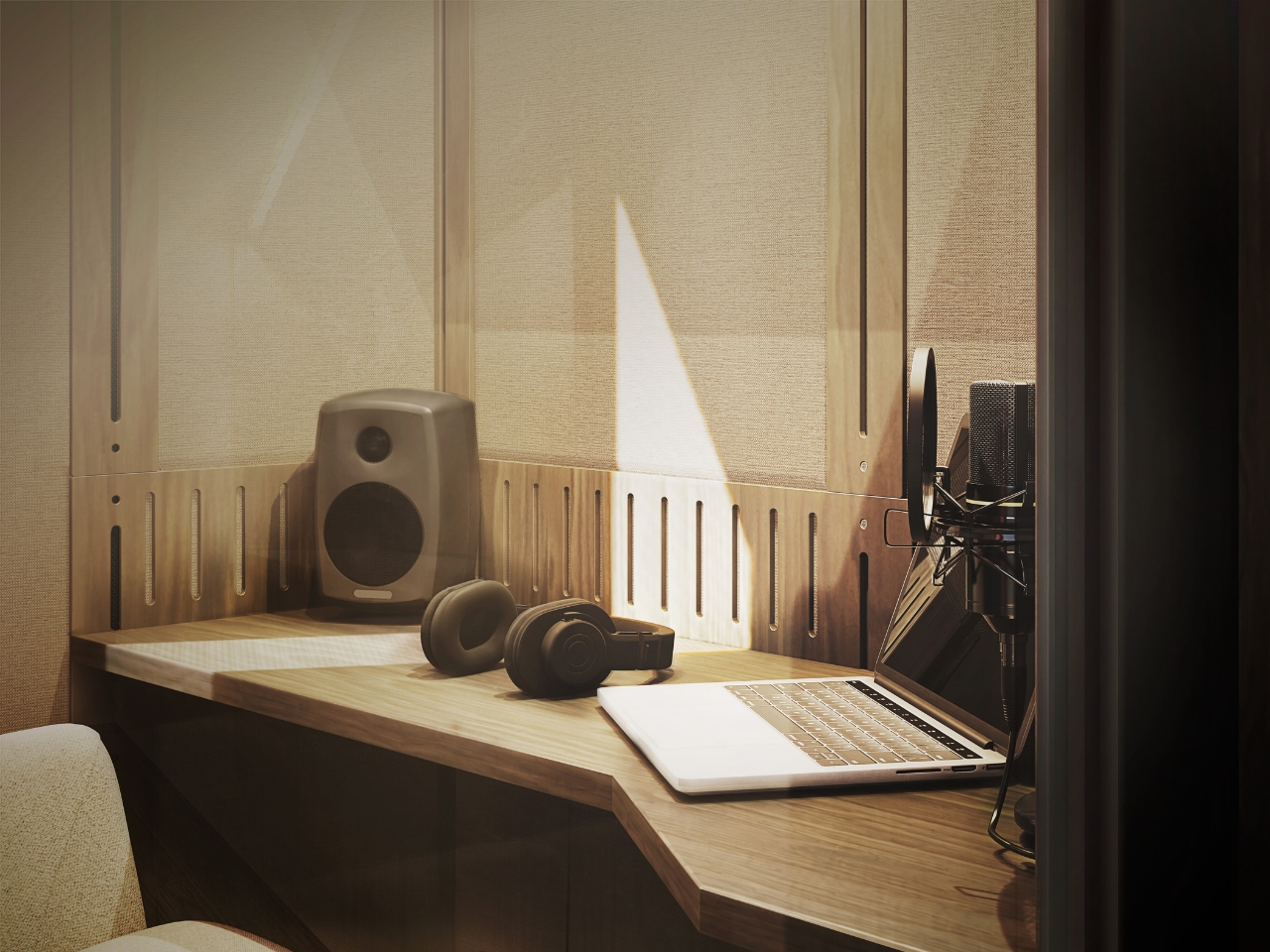
In the supplied images, the interior looks invitingly domestic. Pale wood-grain surfaces, textured wall panels, a narrow shelf, and warm lighting surround a compact desk. The exhibition setup includes a microphone and a metronome, while another image shows a guitar mounted above the worktop. Those details suggest a space for practicing and making things, not merely surviving the next calendar invitation. I’d rather see that than a miniature corporate meeting room.

The acoustic ambition deserves a closer look. FUSEBOOX describes a multilayer construction with sealed contact edges that limits sound transmission, alongside treatment intended to control reflections and reverberation inside. In practical terms, keeping household noise out and reducing echo around a microphone are separate jobs, and the design aims to address both. The supplied release promises studio-quality sound, but provides no measured isolation figures or independent testing to establish that claim.

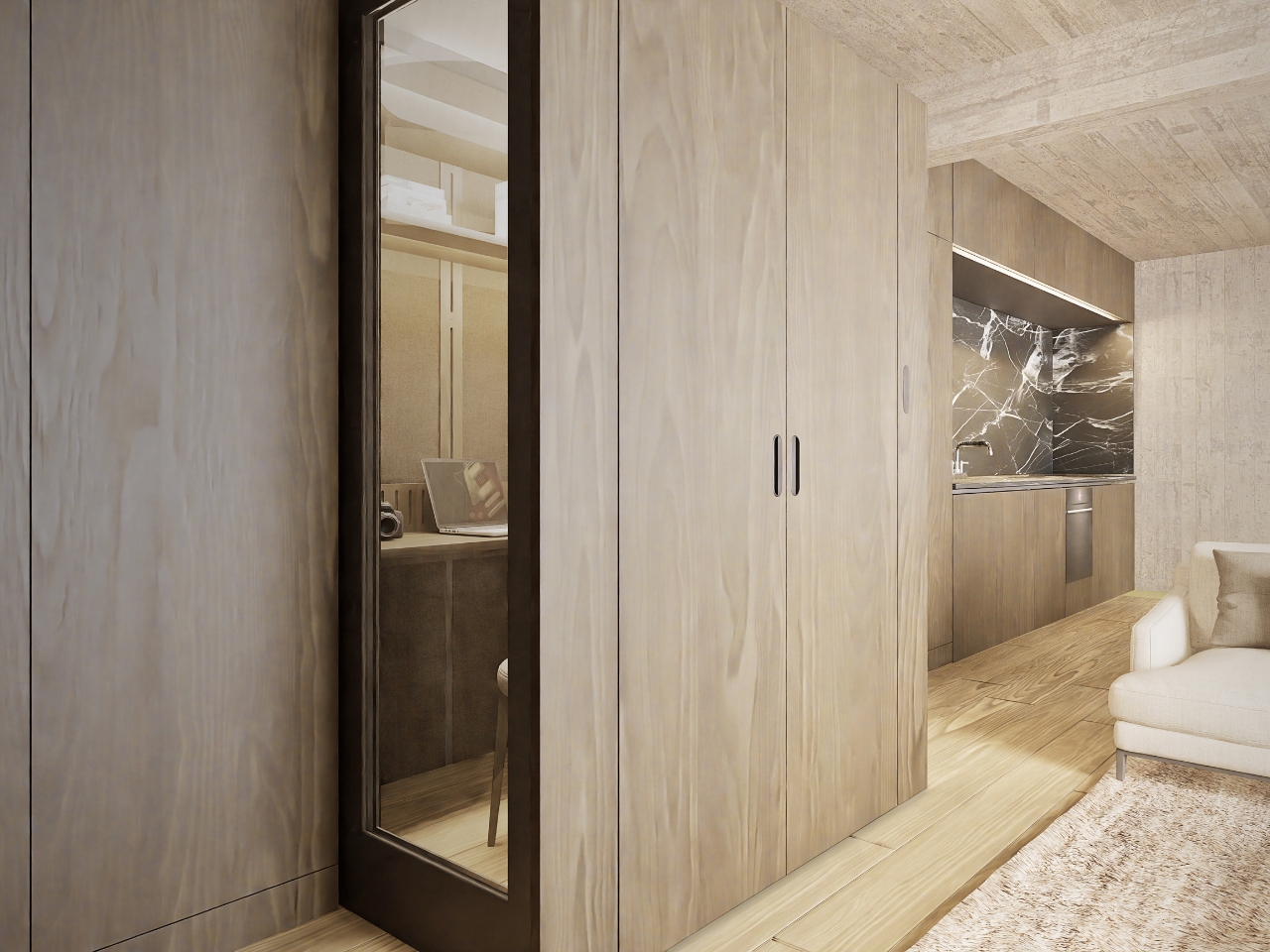
Ventilation and adjustable lighting are included, with the website specifying variable brightness and color temperature. These are sensible priorities for a small enclosed workspace. I’d want airflow and lighting considered alongside the moving panels, because a booth that looks good from the couch still has to make sense from the chair. The tall glazed side panels visible in the images also keep the enclosure from looking like an opaque cabinet.

The hidden position is the strongest part of the idea for me. Closing a laptop leaves the desk, cables, and unfinished work in view. Closing up an entire workspace could give the living room a more convincing end to the workday. That isn’t a promise of better productivity or instant relaxation. It’s a physical boundary you can see, which feels more useful than another reminder to log off.

Of course, the module doesn’t manufacture extra square footage. Its built-in portion still occupies space, and the extended enclosure needs clear floor area in front. A coffee table or an awkward circulation path could complicate the arrangement. I see it as borrowing space at different times, rather than making space disappear. That makes the surrounding room layout just as important as the mechanism.

FUSEBOOX is designed and made in the Czech Republic, with configurable layouts, materials, fittings, upholstery, and exterior finishes. The company plans to open preorders in January 2027; prices and detailed dimensions haven’t been published yet. Those omissions matter for anyone picturing it at home. A custom built-in belongs in a renovation conversation, and renters would need to discuss installation with their landlord.

I’m drawn to the restraint of the proposal. The images suggest you could finish the exterior to read as ordinary cabinetry, leaving the more elaborate engineering behind it. A home office doesn’t always need to announce itself from across the room. If the acoustics and installation prove convincing, FUSEBOOX could offer something genuinely useful: a place to work, followed by permission to stop looking at it.

The post FUSEBOOX’s Hidden Home Office Slides Away After Work first appeared on Yanko Design.

  •  

8 Best Gear & Gadgets of October 2026 That Turn Any Living Room Into Game Day Central

Football season turns living rooms into something closer to a clubhouse for a few hours every weekend. The right gear makes that shift effortless, pulling together sound, screen, food, and drink into one setup that actually works for a full slate of games rather than falling apart by halftime.

None of these eight picks are trying to reinvent the sport itself. They’re solving the real logistics of hosting: the can that never pours right, the cooler that goes warm by the second quarter, the speaker setup that can’t keep up with a packed room full of noise.

1. DraftPro Top Can Opener
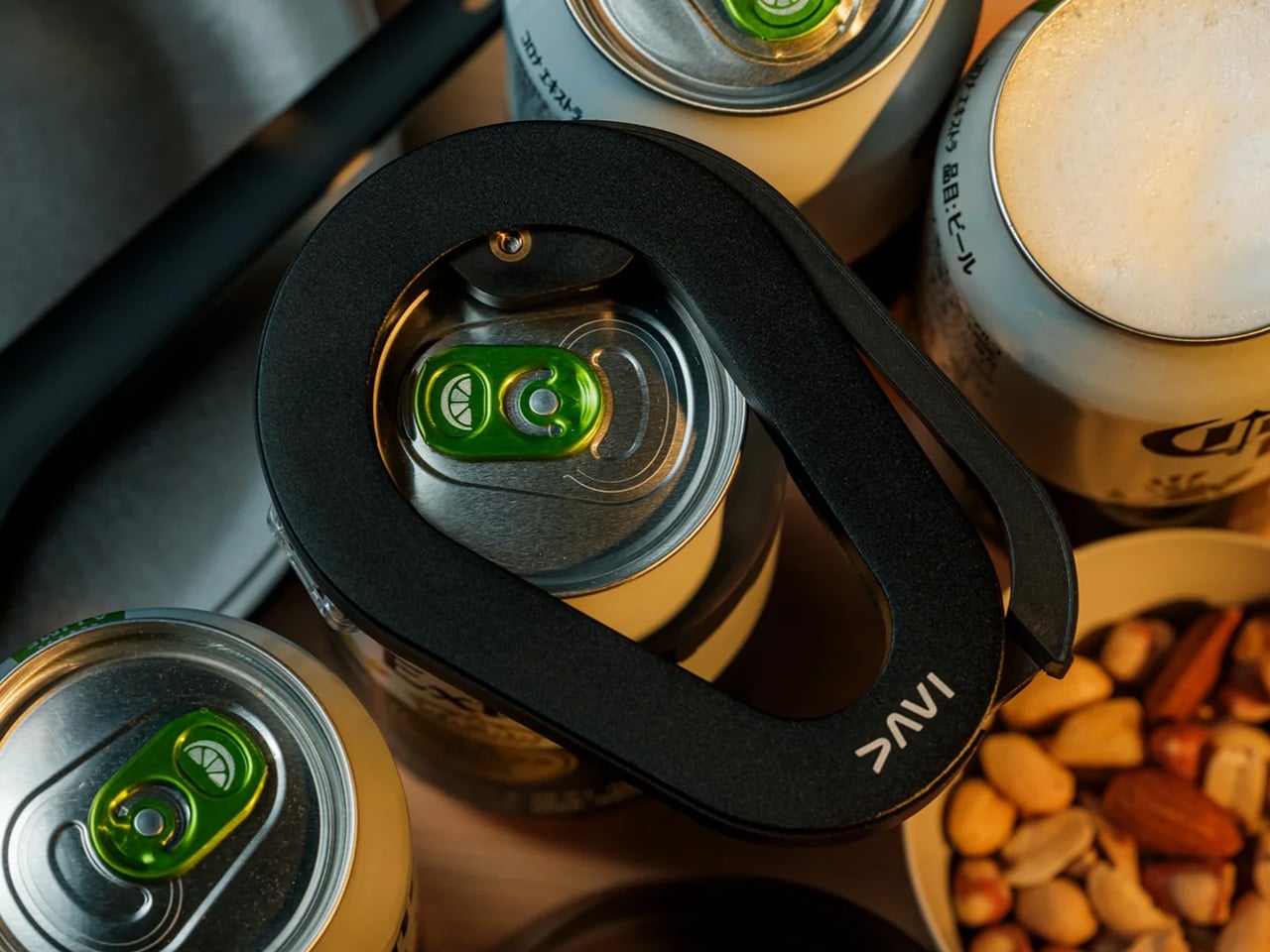
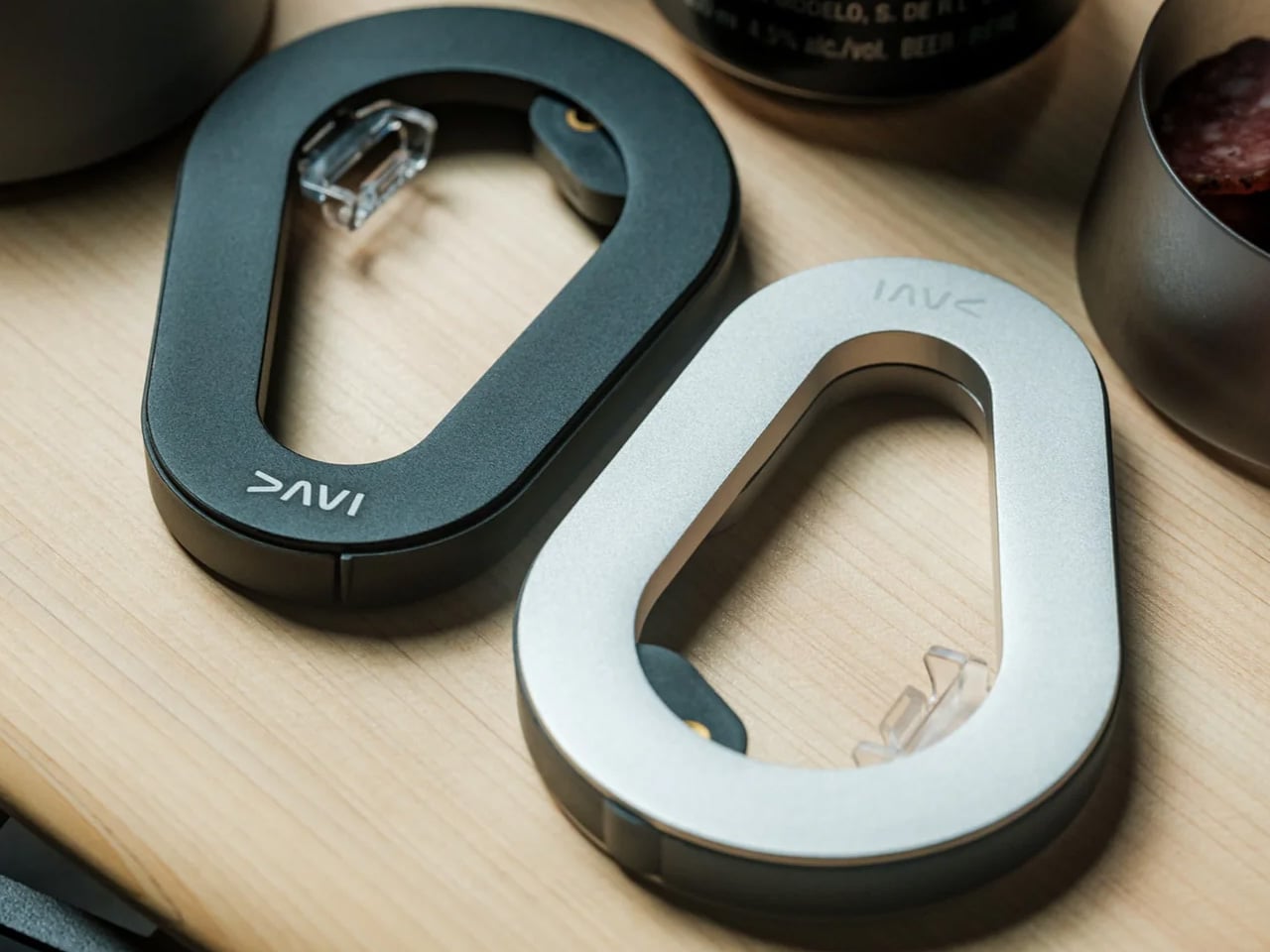
There’s a reason the first pour matters so much on game day. DraftPro removes the entire top of a can instead of just puncturing it, turning a beer or sparkling water into something closer to a glass pour, aroma included. Designed by Shu Kanno and built in Japan, the motion is smooth and controlled, with a clean edge that’s safe to drink from directly. For you, that means handing a guest a can that actually tastes like it was poured properly, without reaching for a single glass all game.

It works for more than beer too. Drop ice straight into the can for instant chilling when the cooler’s running warm, or mix a quick cocktail right inside it with zero cleanup. Compatible with domestic and international cans, it travels well between the kitchen and the couch, and the clean cut even lets you repurpose empties into planters or pen holders once the game’s over.

Click Here to Buy Now: $60.00

What We Like

  • Removes the entire top for a smooth, glass-like drinking experience
  • Works as a makeshift cocktail shaker with no extra dishes to wash

What We Dislike

  • Only a handful of units were listed in stock at the time of writing
  • Limited to cans, so bottles need a separate opener nearby

2. PhaseTherma

A great drink setup falls apart the moment the ice turns to water. Freezill solves that with PhaseTherma, a phase-change cooling core that keeps ice solid for up to 150 hours without any external power source. For you, that means setting up the drink station once before kickoff and not thinking about it again until the final whistle of a doubleheader weekend, no refills, no plugging anything in.

At $149, it reads less like a cooler and more like premium travel gear that happens to double as game day equipment. The zero power draw also means it works just as well on a porch or in a garage as it does parked next to the couch, so the setup goes wherever the crowd ends up sitting.

What We Like

  • PhaseTherma core keeps ice solid for up to 150 hours
  • Needs zero external power to maintain its cooling performance

What We Dislike

  • $149 is a real investment for what is, at its core, a cooler
  • Premium design means it’s built for care, not for rough outdoor use

3. Battery-free Amplifying iSpeakers
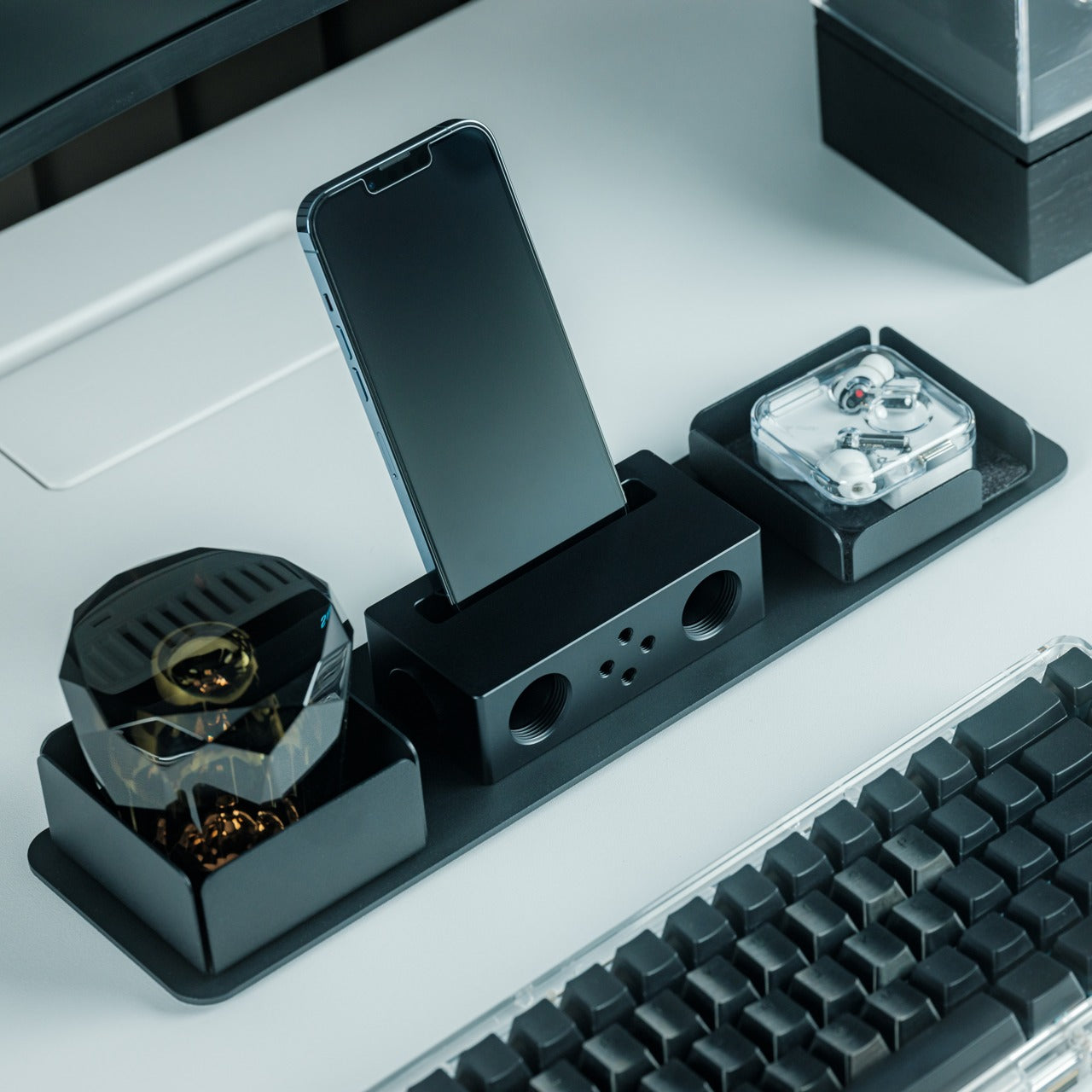
Every other speaker in the room needs something: a charge, a pairing sequence, a Wi-Fi password. This one needs nothing but your phone. Designed by Ooi Masato and machined from Duralumin, the same vibration-resistant aluminum alloy used in aircraft, it amplifies a smartphone’s built-in speaker purely through acoustic geometry. For you, that means setting it down on a side table and having sound fill the room without a single cable in sight.

The chamber’s proportions were shaped using the golden ratio, which is less a gimmick and more the reason the sound comes out as focused as it does. No app, no Bluetooth, no battery to die mid-game. Just a slot for the phone and a noticeably louder room a second later.

Click Here to Buy Now: $179.00

What We Like

  • Needs zero power, batteries, or pairing to work
  • Golden ratio proportions make it as much a desk object as a speaker

What We Dislike

  • Volume ceiling is naturally lower than a powered Bluetooth speaker
  • Only works with a phone placed inside it, not as a standalone unit

4. Xiaomi Redmi Projector 5 Pro
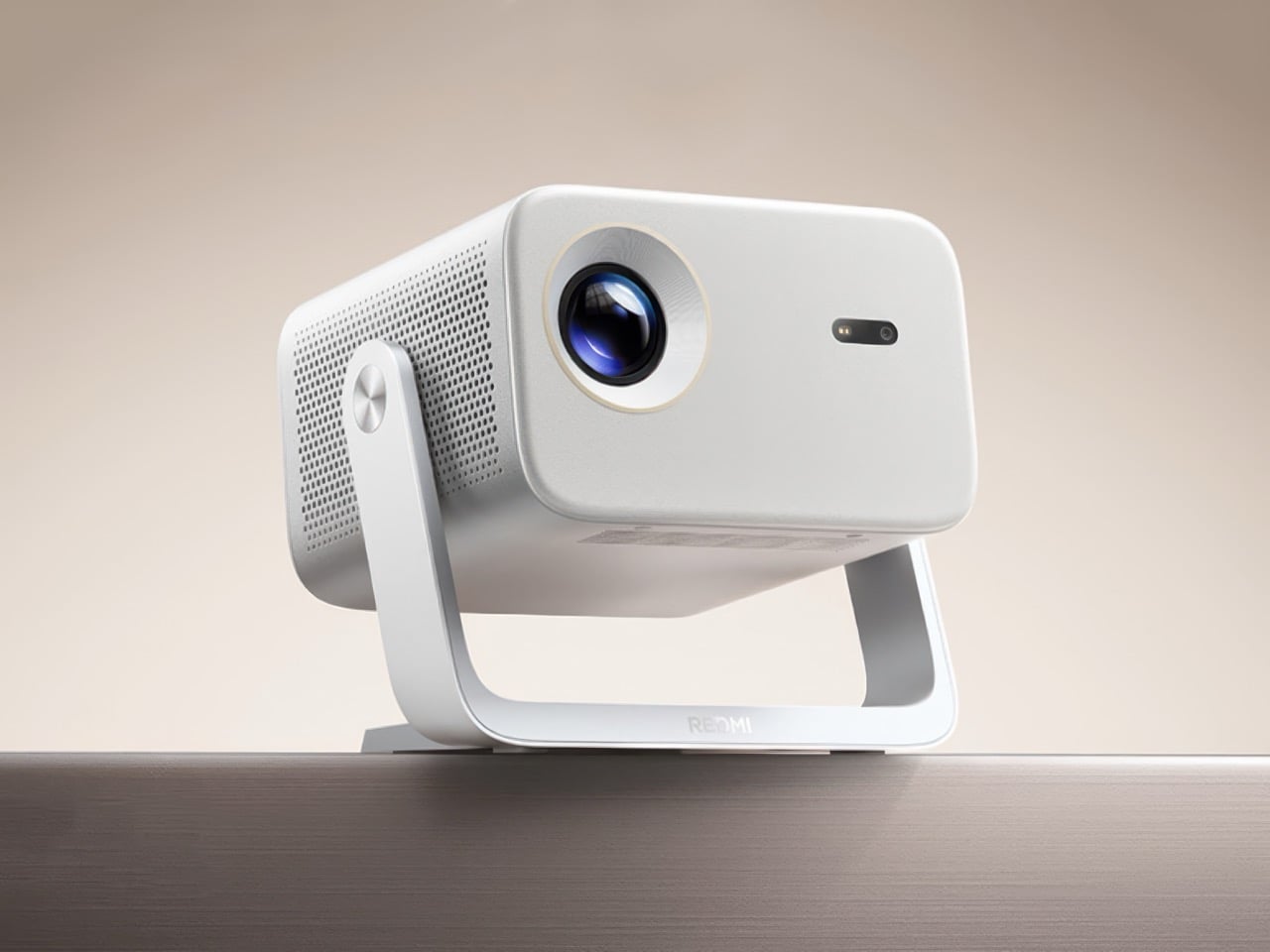
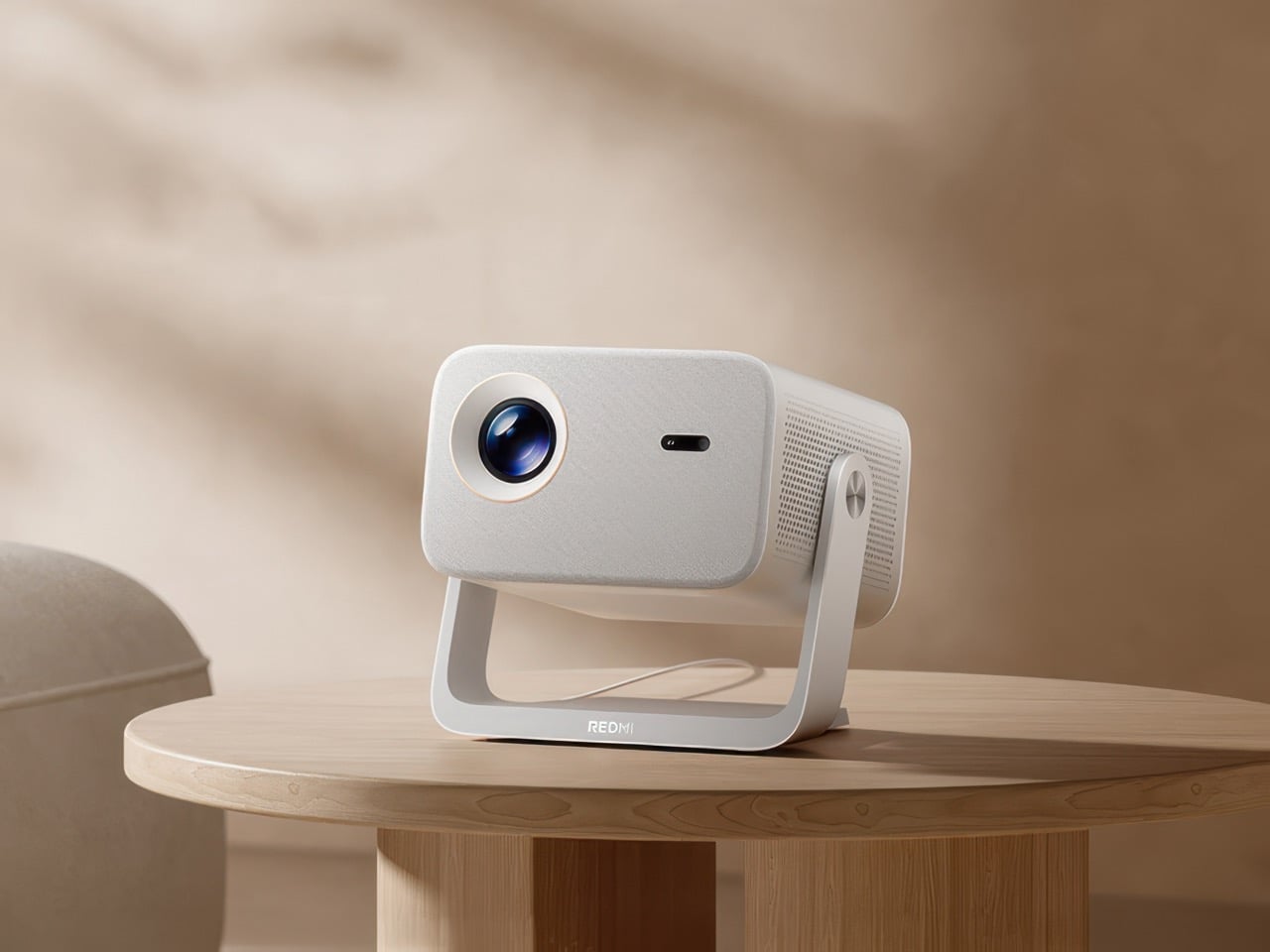
The screen is where game day actually lives, and this one makes a big one affordable. Native 1080p scales up to 120 inches, backed by 1,000 CVIA lumens, HDR10, and a 120Hz refresh rate running at just 5ms of latency. For you, that means a crisp, responsive picture that can fill an entire wall for less than the cost of a year of streaming subscriptions combined.

A metal gimbal arm swings 150 degrees, so the projector adjusts to whatever angle the room demands without needing a dedicated mount or stand. Dual HDMI and Wi-Fi 6 round out the connections, meaning a streaming box, a console, and a laptop can all stay hooked up at once without a single cable getting swapped out between games.

What We Like

  • 120-inch scaling at $281 undercuts most home theater setups by a wide margin
  • Gimbal arm adjusts 150 degrees without needing a separate mount

What We Dislike

  • 1080p native resolution means it’s not a true 4K experience
  • HDR10 support only goes so far without a properly darkened room

5. LG xBoom Stage 501
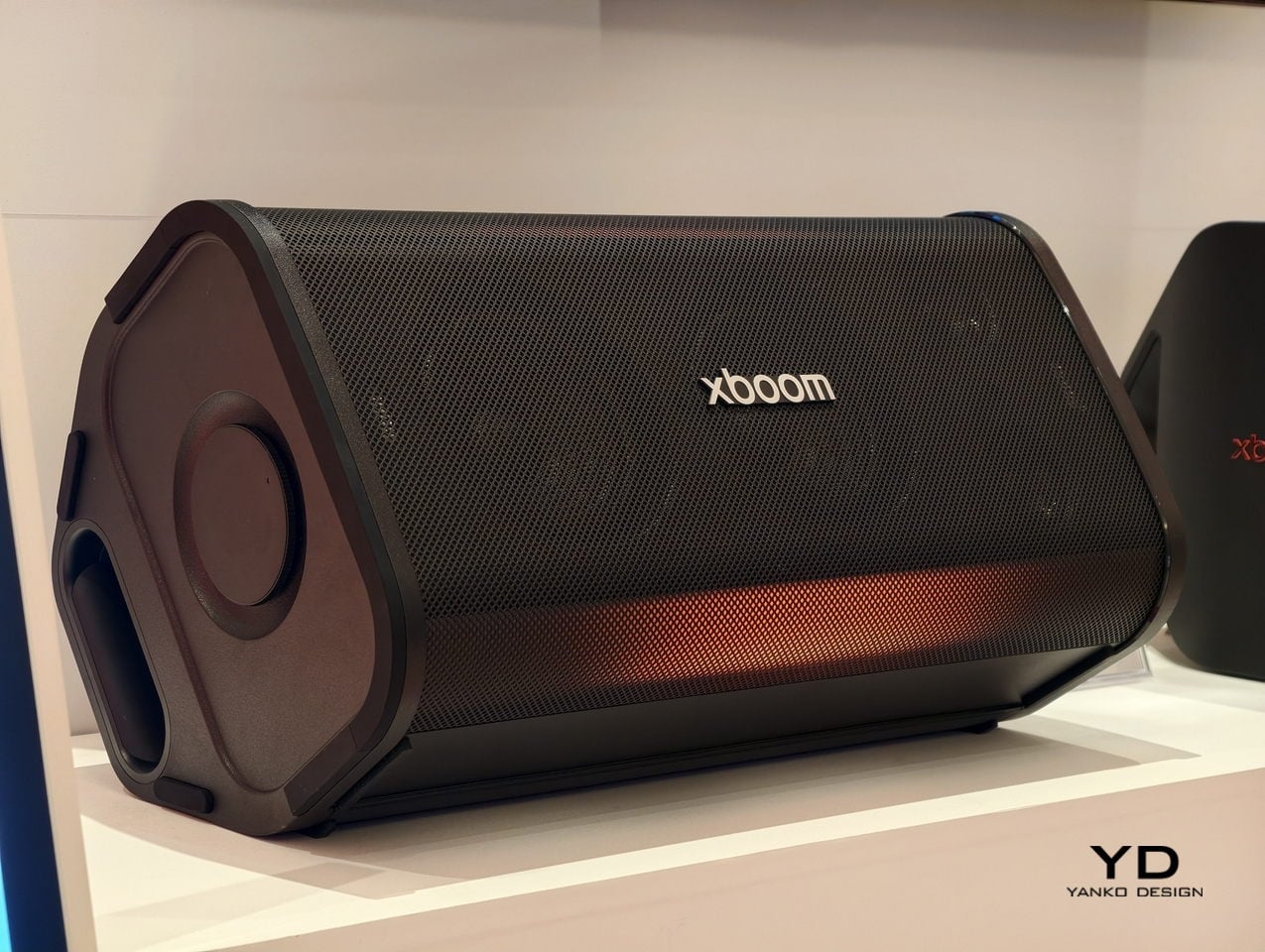
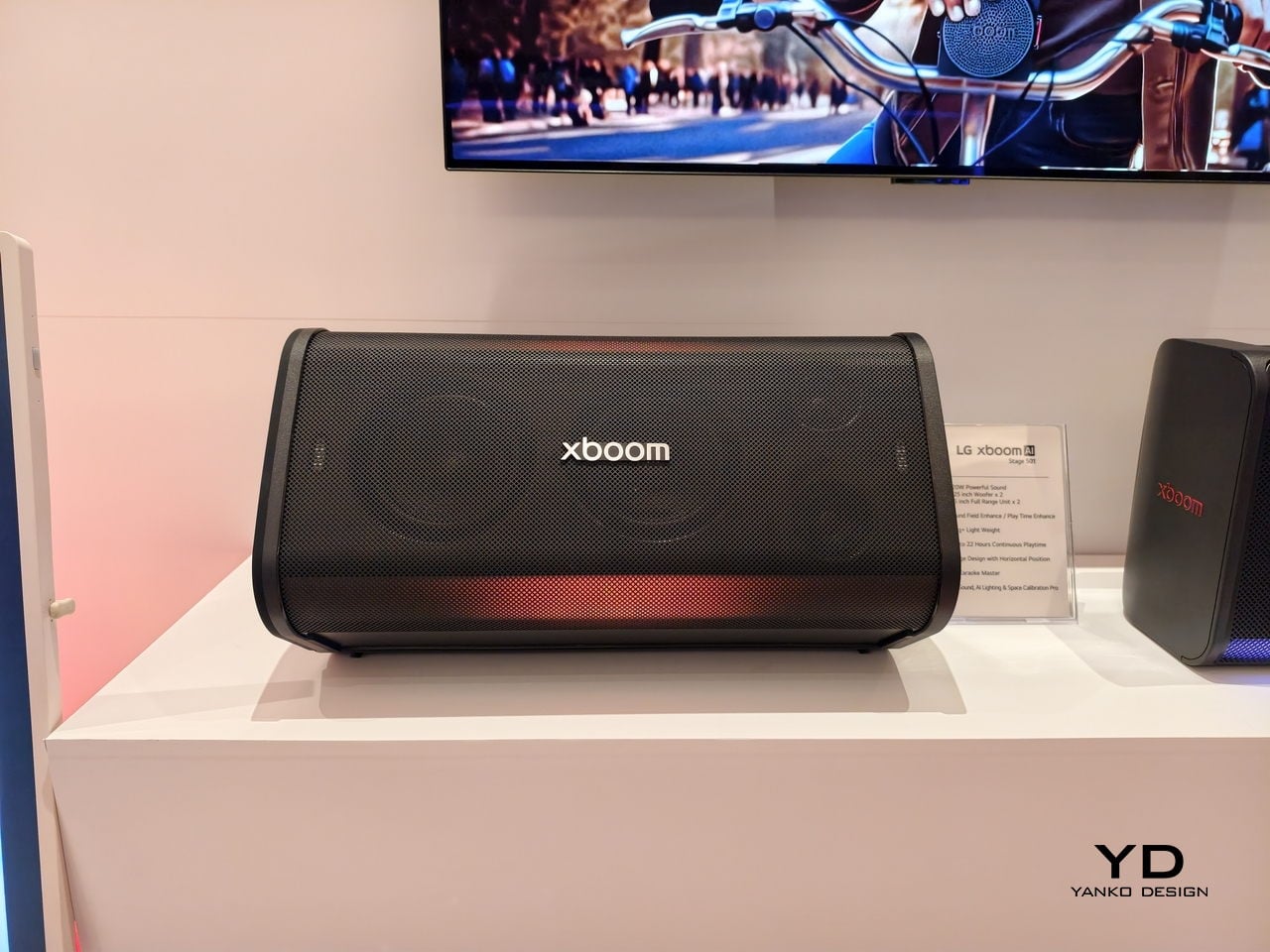
Halftime needs its own kind of energy, and this speaker is built specifically for that shift in mood. Up to 220W of output runs through dual 2.5-inch woofers and Peerless tweeters, loud enough to carry a packed room without distortion. For you, that means the moment the game pauses, the room doesn’t go quiet; it just changes gears.

The real party piece is AI Karaoke Master, which strips vocals from any song in real time using deep learning trained on more than 10,000 songs. Built around what LG calls late-night living-room chaos, it turns a halftime break into its own event, no separate karaoke machine or backing track search required.

What We Like

  • 220W output with dedicated tweeters handles a full room without strain
  • AI Karaoke Master removes vocals from any song on the spot

What We Dislike

  • At $499.99, it’s a serious commitment for occasional halftime use
  • Karaoke feature works best with a crowd actually willing to sing

6. Death Star Popcorn Maker

Snacks are half of game day, and this one earns its spot by being genuinely good at the one thing it does. A hot air vortex pops corn with close to a 98 percent success rate, no oil or butter required, while the whole unit folds back into a Death Star display piece once the popping’s done. For you, that means a snack station that’s actually fun to look at sitting on the counter between rounds, not just a plastic appliance shoved in a cabinet.

It’s a lighter note in the lineup, a conversation starter as much as a kitchen tool, and a reminder that not every piece of game day gear needs to be purely functional to earn its place in the rotation.

What We Like

  • Close to a 98 percent popping success rate without oil or butter
  • Folds back into a display piece instead of looking like leftover kitchen clutter

What We Dislike

  • Novelty shape won’t appeal to everyone’s kitchen aesthetic
  • Limited to popcorn, so it’s a single-purpose appliance taking up cabinet space

7. Took Foldable Chair

Every host eventually runs out of couch space before they run out of guests. This chair collapses into a compact case about the size of a soundbar, with a strap handle and a one-touch hinge mechanism that opens it in seconds. For you, that means extra seating that lives in a closet the rest of the week and shows up the moment the guest list grows past what the furniture can hold.

It closes the lineup on a practical note: the kind of object that doesn’t need to be clever so much as ready, there when the room fills up and out of the way the second it empties back out.

What We Like

  • Folds to the footprint of a soundbar for easy storage
  • One-touch hinge means setup takes seconds, not a wrestling match

What We Dislike

  • A folding chair will never match a couch for comfort over a long game
  • Durability of the hinge mechanism depends on how often it gets folded and unfolded

8.WiiM Bar Soundbar
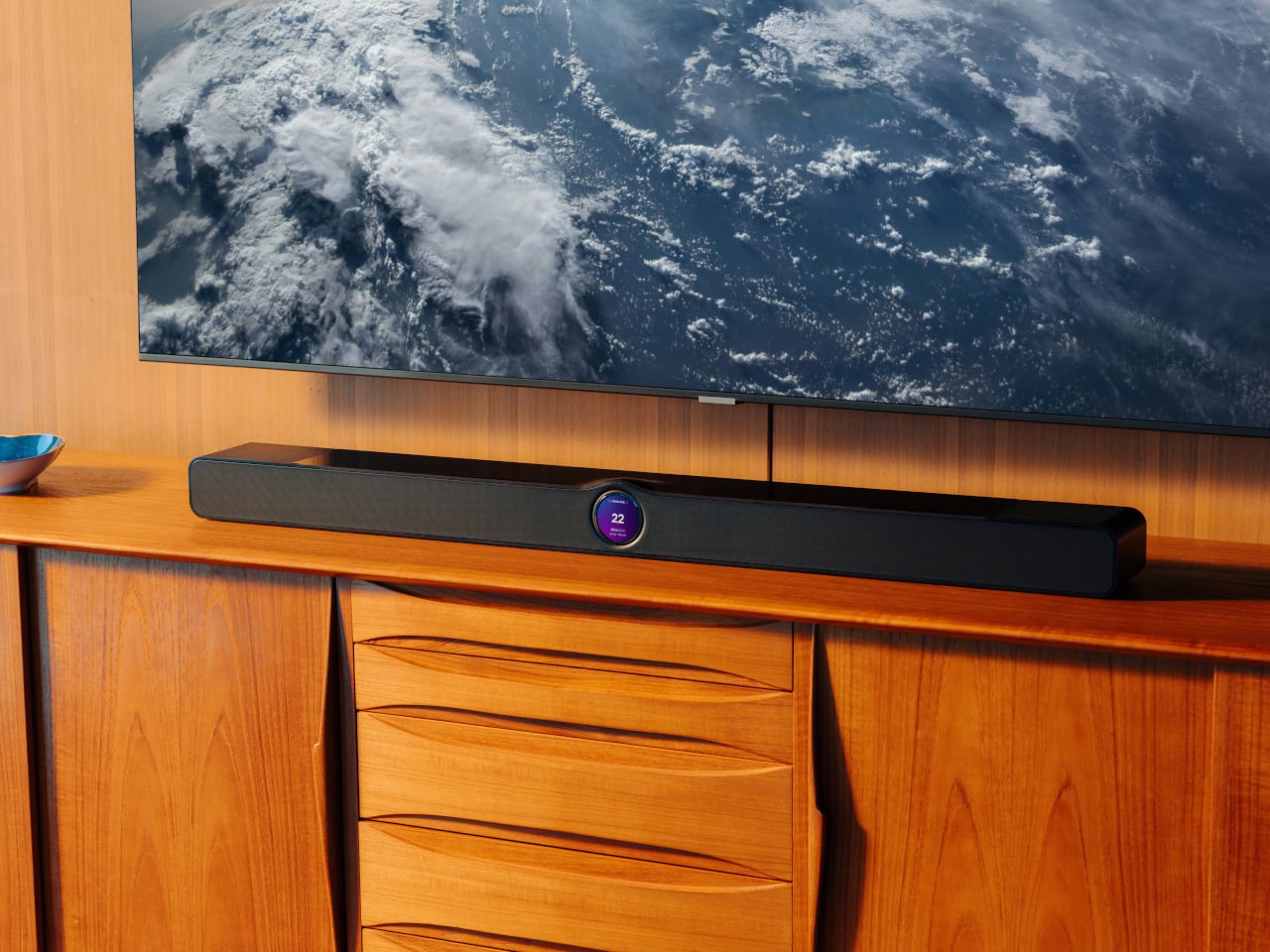
For the games that deserve real sound, not just loud sound, this soundbar fills that gap. True 3.0.2 Dolby Atmos runs through an eight-driver array, three front mid-woofers, three front tweeters, and two upward-firing full-range drivers, backed by four passive radiators for low end that doesn’t need a separate subwoofer. For you, that means commentary, crowd noise, and the snap of a tackle all land with the kind of separation a standard TV speaker can’t touch.

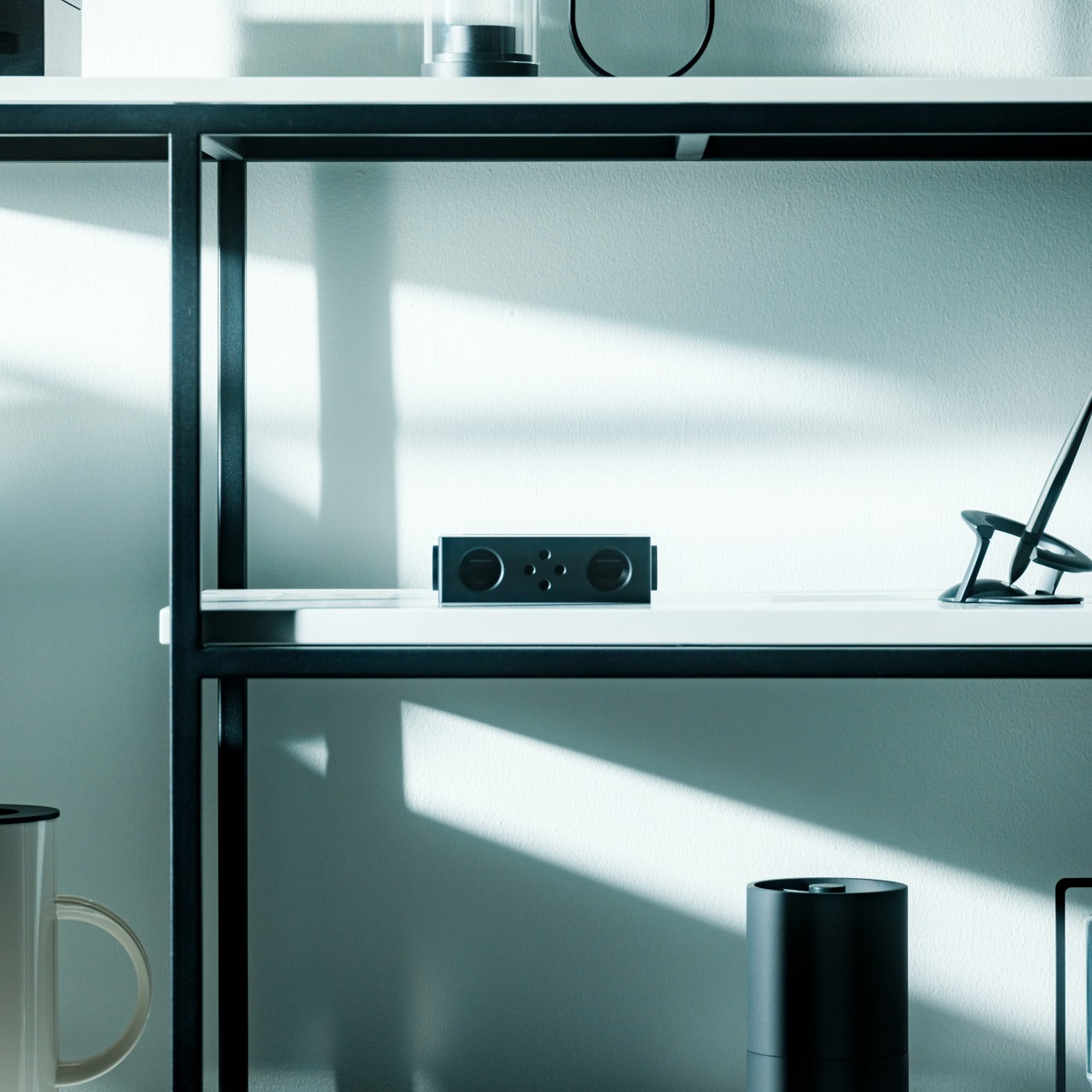
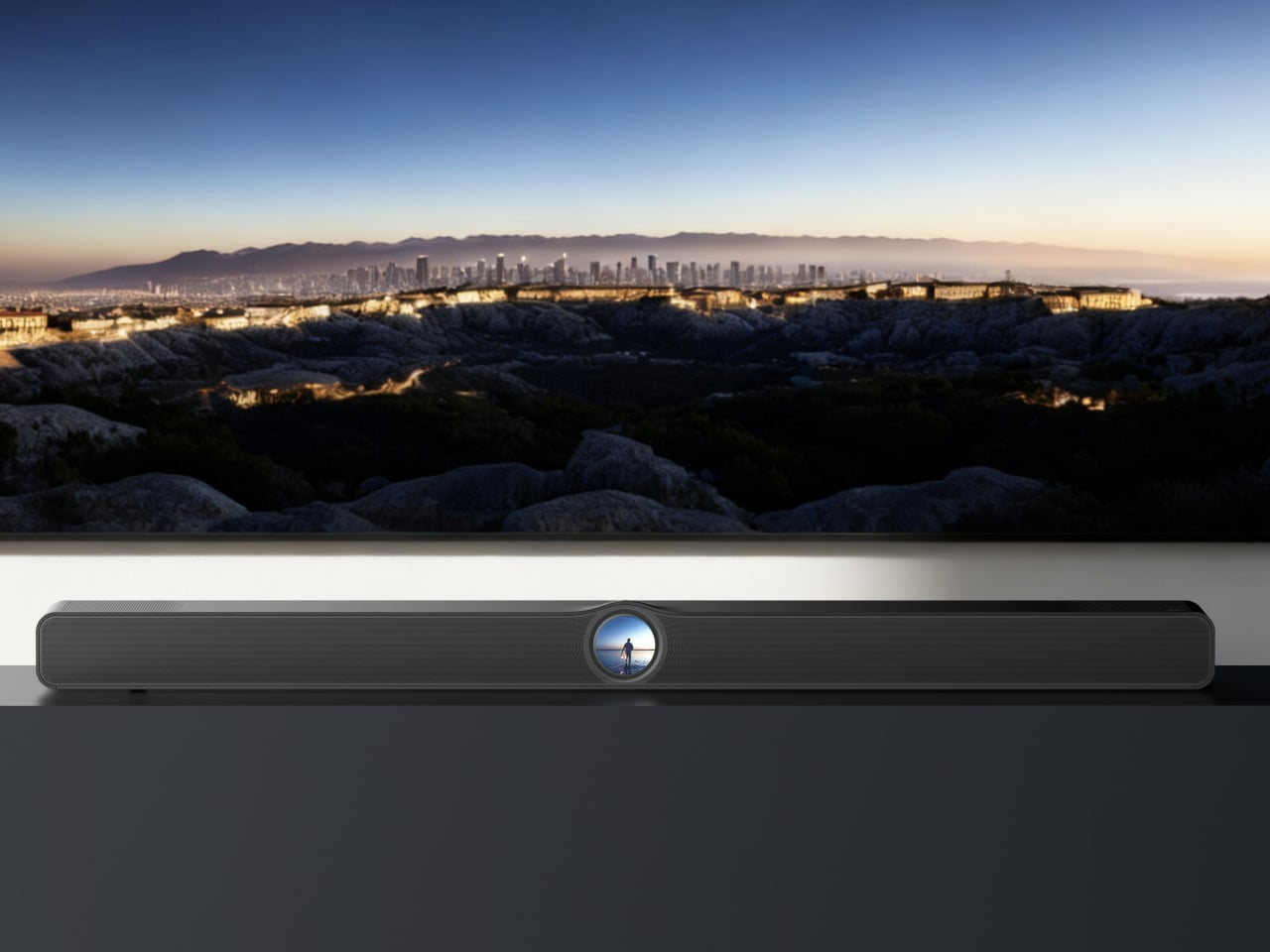
A 2.1-inch round touch display sits embedded in the bar’s front face, giving quick access to inputs and volume without digging for a remote between plays. It sits under the TV rather than competing for space, built for the room rather than announcing itself as the centerpiece.

What We Like

  • Eight-driver array delivers genuine Dolby Atmos without a subwoofer
  • Touch display built into the bar simplifies control mid-game

What We Dislike

  • A setup this capable asks for a TV and source worth the upgrade
  • Four passive radiators still can’t fully replace a dedicated subwoofer in a large room

The Setup That Covers the Whole Afternoon

None of these eight pieces are trying to be the loudest thing in the room. The projector and the two speaker options handle the screen and the sound, the cooler and the can opener handle the drinks, and the popcorn maker and the folding chair round out the food and seating without asking for much space in return.

What makes this lineup work isn’t novelty; it’s that each piece solves one real problem well. A host doesn’t need everything to be smart or connected. Sometimes the best upgrade is a can that pours like a glass, or a chair that disappears into a closet until the room needs it most.

The post 8 Best Gear & Gadgets of October 2026 That Turn Any Living Room Into Game Day Central first appeared on Yanko Design.

  •  

Razer Wolverine V4 Pro has four back buttons, but none have to stay

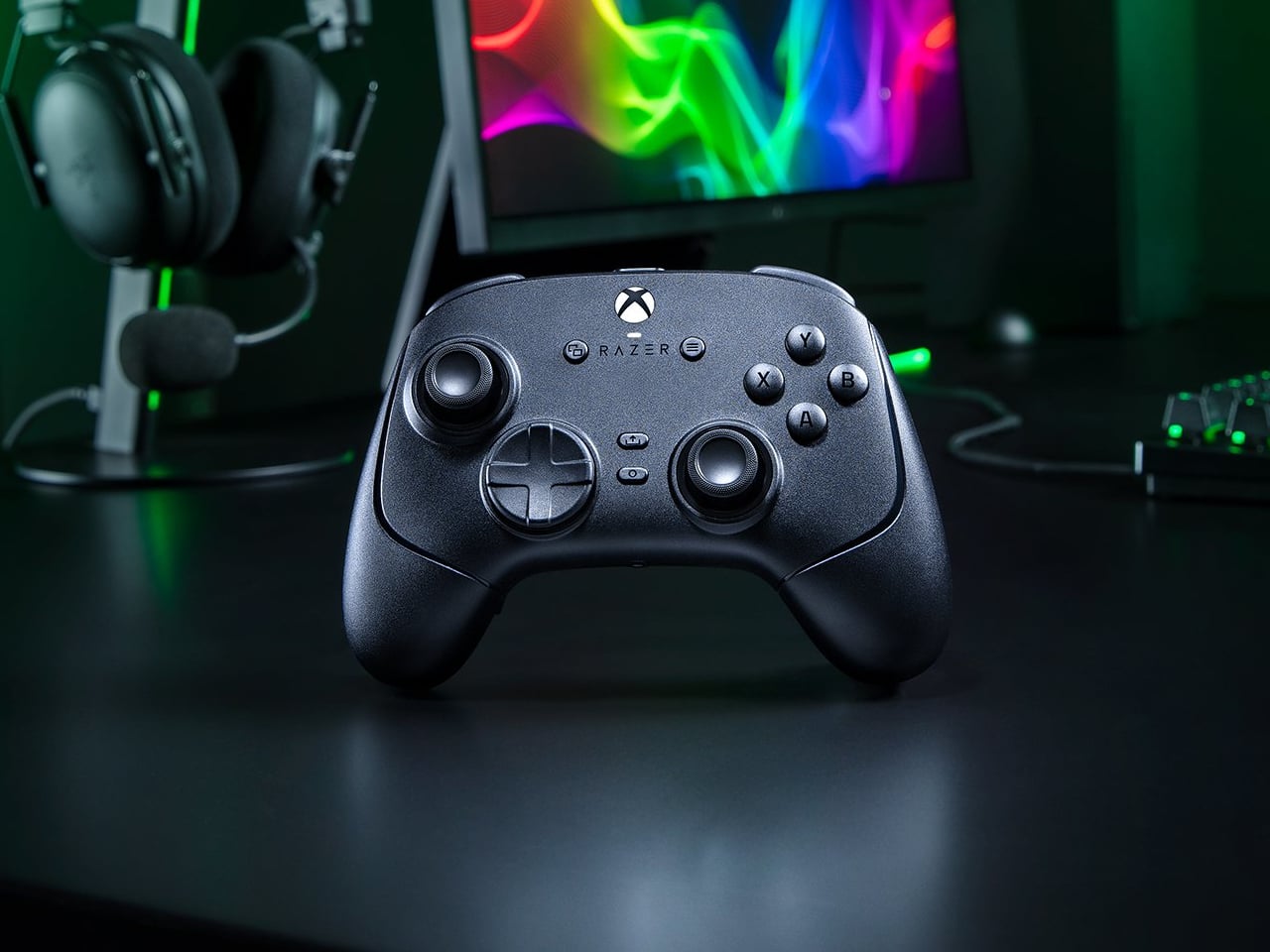
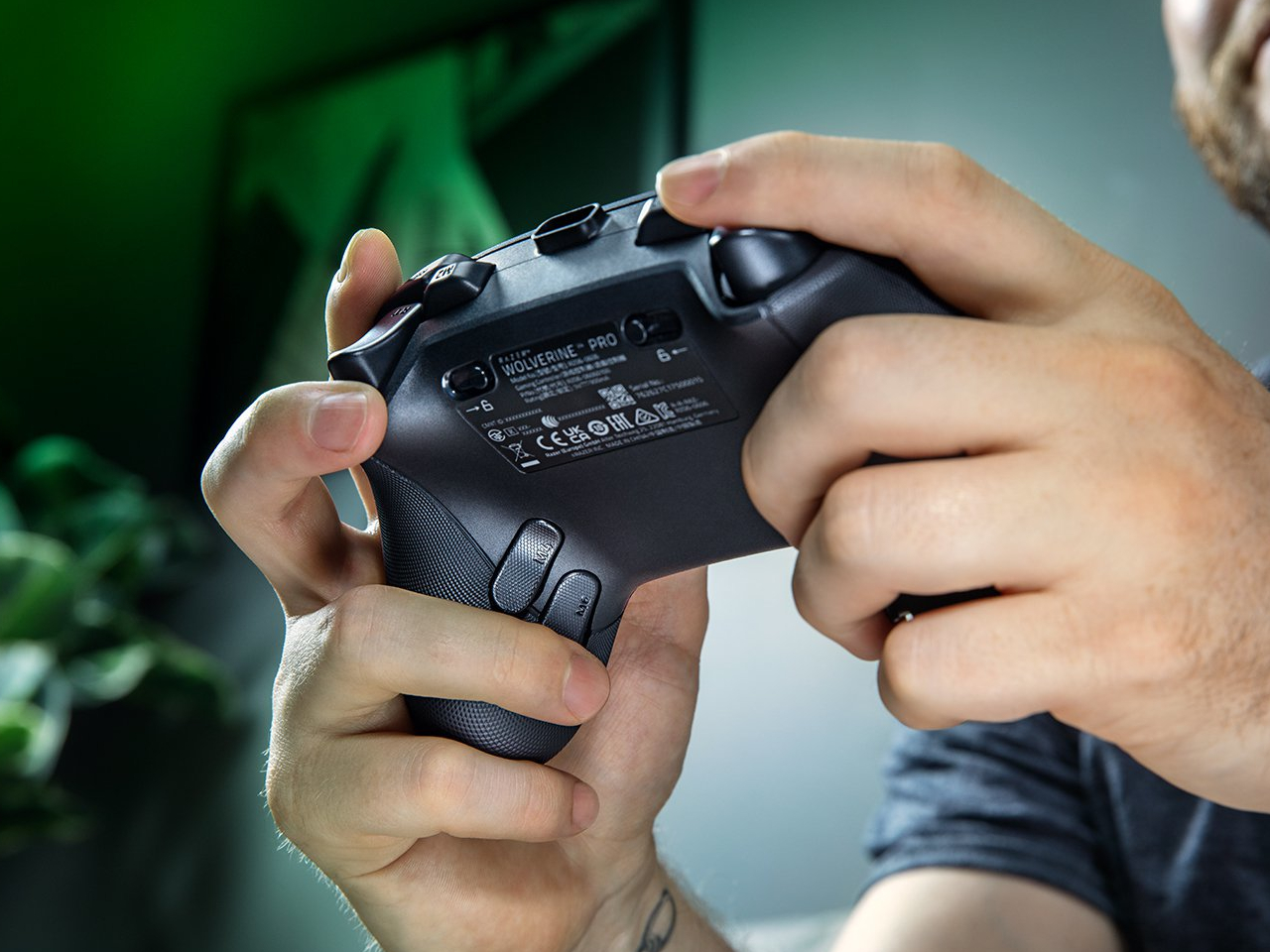
Extra buttons on a game controller can be handy, at least until they get in the way of holding it. Razer’s Wolverine V4 Pro gives players a little more say in that arrangement, with magnetic back buttons you can remove instead of simply ignoring them. Available for Xbox and PC, the wireless controller also lets you change its thumbstick caps and even take off its faceplate.

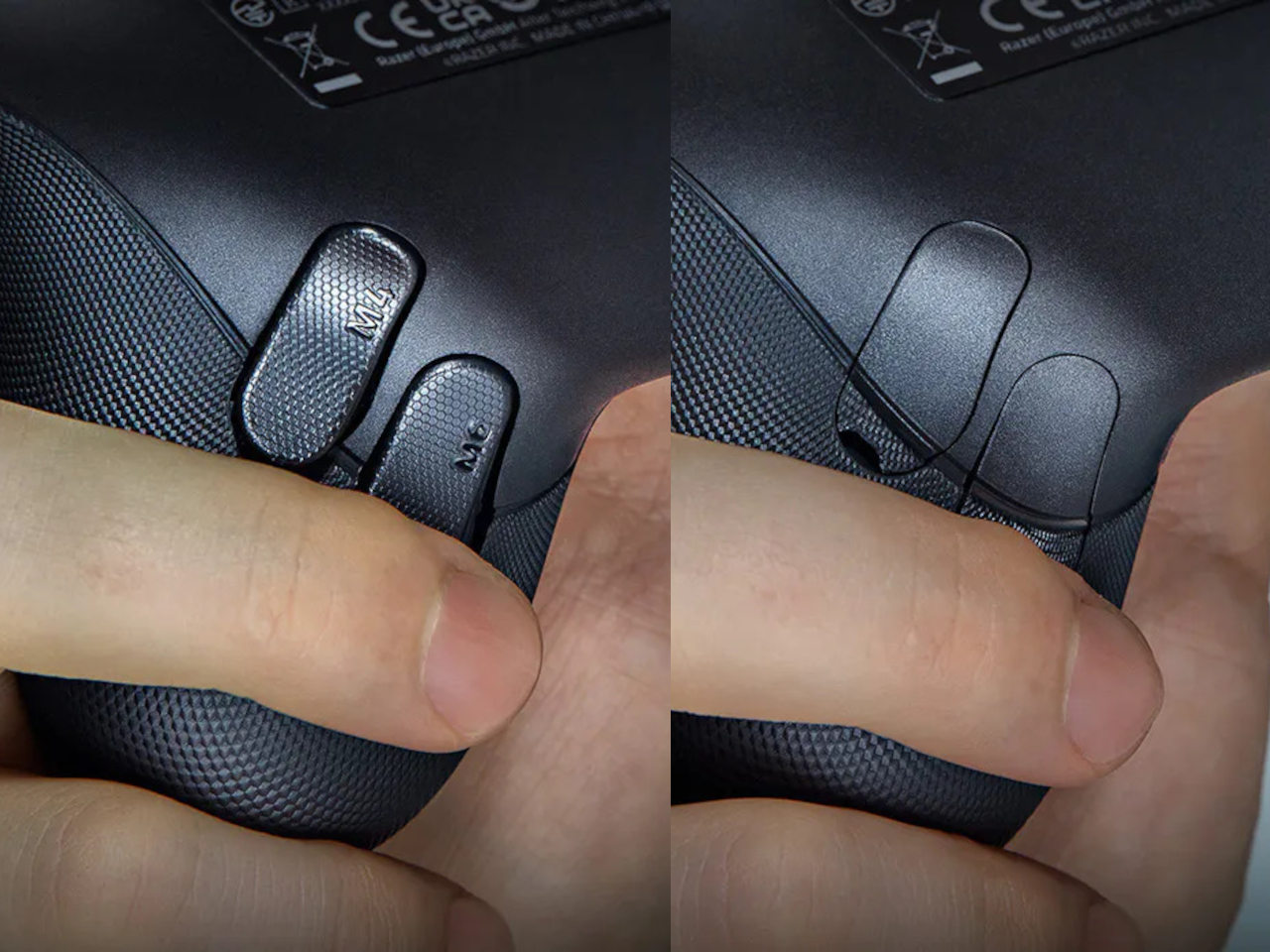
The four rear buttons come off without tools, making it possible to keep all of them, use only a pair, or clear the back entirely. Blank inserts replace the unwanted controls, following the controller’s contours rather than leaving little gaps behind. It’s a small detail, but an important one when that surface is where your fingers spend most of their time during a game.

Designer: Razer

Of course, keeping those buttons attached makes sense when you’re juggling several actions at once. Their mouse-click switches can handle commands such as jumping or reloading, letting your thumbs stay on the sticks while your other fingers do the work. Two additional shoulder buttons bring the total to six remappable inputs, giving frequently used actions somewhere to go besides the familiar face buttons.

The thumbsticks get their own set of options, changing both their height and the surface beneath your thumbs. Short convex caps provide a rounded surface, while tall concave versions give your thumb a recessed resting spot and more height to work with. Razer recommends the taller caps for precise aiming. You can mix the supplied options, but swapping caps doesn’t mean you’re replacing the sensors underneath.

That flexibility continues with the triggers, which can switch between a short mouse-click action and a full analog pull using rear-mounted locks. The shorter setting suits firing in a shooter, while the longer travel lets you ease onto the throttle in a racing game. Through Razer Synapse, you can also adjust each trigger’s activation point to suit how you play.

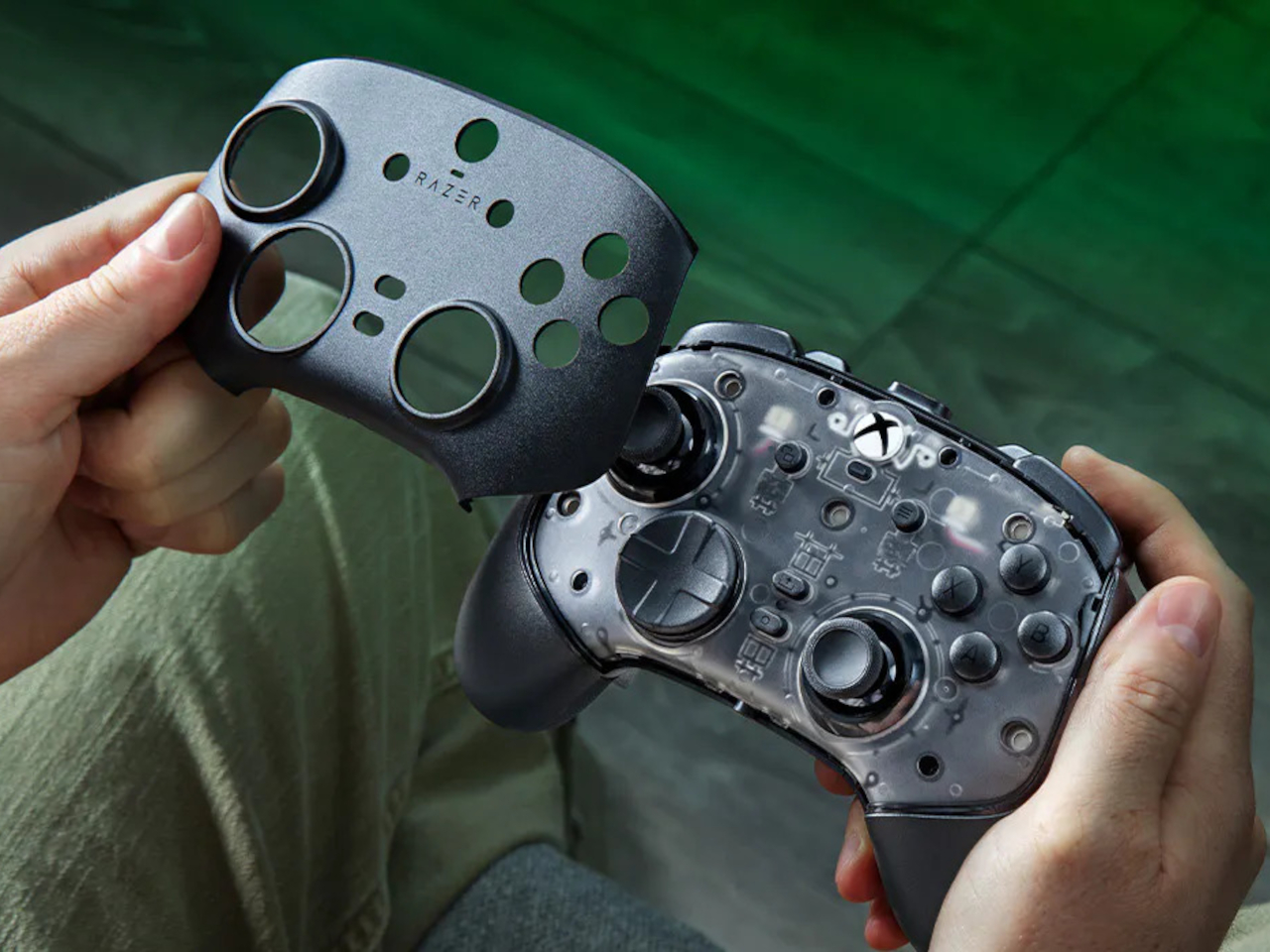
Even the exterior is open to a little tinkering, thanks to a magnetic faceplate that lifts off without tools. Personalize that panel, or leave it off entirely to reveal the translucent housing underneath. The working components remain enclosed, so you’re changing the controller’s outer appearance rather than exposing its electronics. It’s an option for people who prefer seeing a bit of machinery.

The software takes care of the changes you can’t make with magnets. Four onboard profiles hold different button assignments and sensitivity settings, so a racing setup doesn’t have to overwrite your shooter preferences. You can also adjust thumbstick dead zones, deciding how much movement registers as input. That said, greater sensitivity can pick up tiny thumb movements you didn’t intend.

At $199.99 in the US, this level of customization doesn’t come cheap, and there’s no included carrying case to keep the removable pieces together. You’ll have to find your own place for spare caps and unused buttons. After spending that much on a controller you can rearrange, a dedicated home for the bits you’ve removed would have been rather welcome.

The post Razer Wolverine V4 Pro has four back buttons, but none have to stay first appeared on Yanko Design.

  •  

P.T. - Le couloir de Kojima en natif sur Windows et Linux

Le P.T. de Kojima, ce "playable teaser" de Silent Hills que Konami a retiré du PlayStation Store en 2015, a maintenant un portage natif pour Windows et Linux et c'est signé Lorean Xavier.

Pour ceux qui ne connaissent pas ce jeu, P.T. est sorti gratuitement sur PS4 en août 2014, sous le nom d'un studio qui n'existait pas, 7780s Studio. On y parcourt un couloir en L qui tourne en boucle, en marchant et en zoomant, pendant que Lisa, un fantôme, nous traque. Et si elle nous attrape, eh bien la boucle infernale recommence encore et encore... Et bien sûr, ce maudit couloir change à chaque tour réussi !

Ensuite, une fois la dernière énigme résolue, on avait droit à un trailer annonçant Silent Hills, réalisé par Hideo Kojima et Guillermo del Toro avec Norman Reedus dans le rôle principal. Le vrai jeu a ensuite été malheureusement annulé, et P.T. n'a survécu depuis uniquement sur les PS4 qui l'avaient conservé ou via l'émulation.

Ce clic autorise une connexion à Google : adresse IP transmise et traceurs possibles. En savoir plus Voir cette vidéo sur YouTube
Mais c'était sans compter sur Lorean qui l'a recompilé pour en faire un portage natif, comme celui d'Animal Crossing dont je vous parlais en juillet. La logique du jeu a été intégralement reconstruite en C++ à partir du comportement de l'original et le rendu tourne sur Vulkan, alors que les niveaux, les modèles, les textures, les sons et les cinématiques, eux, sont lus lors de l'exécution à l'aide de votre propre copie PS4 (ce qui évite de diffuser du contenu sous copyright donc).
Tout ce que le portage ajoute est désactivé ou calé sur l'original par défaut. On y retrouve donc des upscalers (FSR 3.1 et XeSS sur n'importe quel GPU récent, DLSS 4.5 sur GeForce RTX, sous Windows seulement), un mode photo sur F7 et un dossier de mods qui accepte des scripts Lua.

Côté fidélité, Lance McDonald, le dataminer qui avait fouillé P.T. à l'époque, y voit, autant qu'il puisse en juger, un portage 1:1 de toute la base de code, qui reproduit tous les comportements non documentés qu'il connaît. Et bien sûr, même si le dev de ce portage a dû gérer l'archi du code de A à Z, c'est l'IA qui s'est occupée du dev et du debugging.


Bref, comme je vous le disais, ce portage ne contient aucun fichier de Konami, donc c'est à vous de fournir le jeu. Il vous faudra donc un dossier dump sorti de votre console (ou d'une archive en ligne si vous êtes un affreux criminel ^^), ou un faux PKG fabriqué à partir de ce dump. Un PKG du store ne marchera pas par contre puisqu'il est chiffré pour la console qui le possède. Et bien sûr, seule la version américaine (CUSA01127) a été testée. A tester donc avec les versions européenne et japonaise pour voir si ça passe.

Côté machine, il vous faudra à minima un Windows 10 ou 11 en 64 bits, ou un Linux x86-64 avec glibc 2.38 minimum (Ubuntu 24.04, Debian 13, Fedora 39, Arch ou SteamOS ça passe.), ainsi qu'un GPU compatible Vulkan 1.3. Sur Steam Deck, l'installation se fera depuis le mode bureau, puis faudra ajouter le jeu comme jeu non-Steam.

De son côté, macOS est annoncé pour la 1.0.2, mais ses paquets ne sont pas encore téléchargeables (faudra compiler les amis !). Pour le reste, les menus et les sous-titres sont disponibles en français, mais les voix restent en anglais, et le passage où le jeu a besoin de votre micro peut être joué au clavier quand même, si vous n'avez pas le matos.

Voilà... Je ne m'en souvenais pas, mais en faisant mes recherches, j'ai appris que ce n'est pas la première tentative de portage de P.T. sur PC. Il y a eu un remake de Qimsar, fan de 17 ans, qui est sorti gratos en juillet 2018 et malheureusement, Konami l'a fait fermer quelques jours plus tard pour des raisons légales, tout en lui proposant un stage (beaux joueurs quand même).

On verra à quelle sauce ce projet sous licence MIT se fera manger ou pas.

Sachez que si vous avez déjà votre copie de P.T. sous la main, les installeurs Windows et Linux sont sur la page Releases du dépôt GitHub !

Source : PC Gamer

  •  

Windows 11 Driver Quality Initiative: How Intel’s 26H2 GPU Drivers Stop Kernel Crashes

For decades, the standard Windows experience has occasionally been disrupted by sudden Blue Screens of Death (BSOD), unexpected thermal throttling, or battery drain. While users often point fingers directly at the operating system, Microsoft has officially acknowledged a reality long understood behind closed doors: a single faulty, low-quality driver running in kernel space can bring […]

  •  
❌