❌

Vue lecture

Huawei Watch D3 Review: A Game Changer for On-Wrist Blood Pressure Monitoring
PROS:


  • Cuff-style blood pressure reading with 24-hour ambulatory monitoring

  • Quiet measurement that didn’t disturb my sleep

  • Streamlined ensign and comfortable everyday fit

  • Good battery life

  • Comprehensive health and fitness tracking alongside everyday smartwatch features

CONS:


  • Limited third-party app selection

  • Not suitable for swimming or showering

RATINGS:

AESTHETICS
ERGONOMICS
PERFORMANCE
SUSTAINABILITY / REPAIRABILITY
VALUE FOR MONEY

EDITOR'S QUOTE:

The Huawei Watch D3 pairs quiet blood pressure monitoring with everyday comfort and style.

Hypertension, or high blood pressure, is a major cause of premature death worldwide and increases the risk of heart disease, stroke, and kidney damage. Nearly half of U.S. adults have it, according to the CDC. Yet it often causes no noticeable symptoms, so feeling fine does not necessarily mean your blood pressure is where it should be.

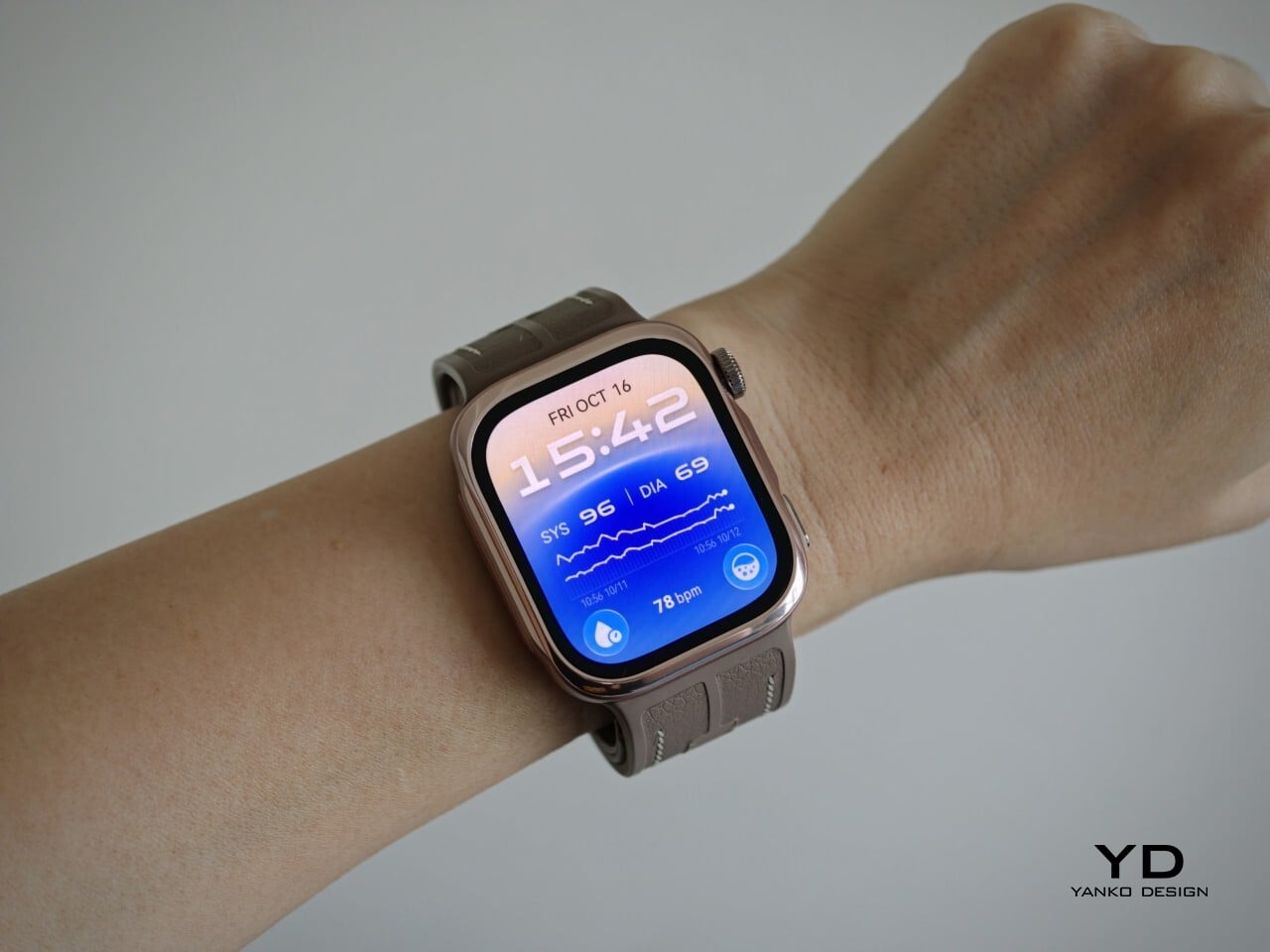
The Huawei Watch D3 puts blood pressure measurement on your wrist, using an inflatable airbag built into the strap and offering scheduled readings throughout the day and night. That sounds like a recipe for a bulky, rather clinical accessory, but the watch I received looks nothing of the sort. More importantly, it is comfortable enough that I was happy to keep wearing it, including overnight. Huawei has squeezed some unusual hardware into a familiar package, and after living with it, I am impressed by how little fuss it adds to my day.

Designer: Huawei

Aesthetics
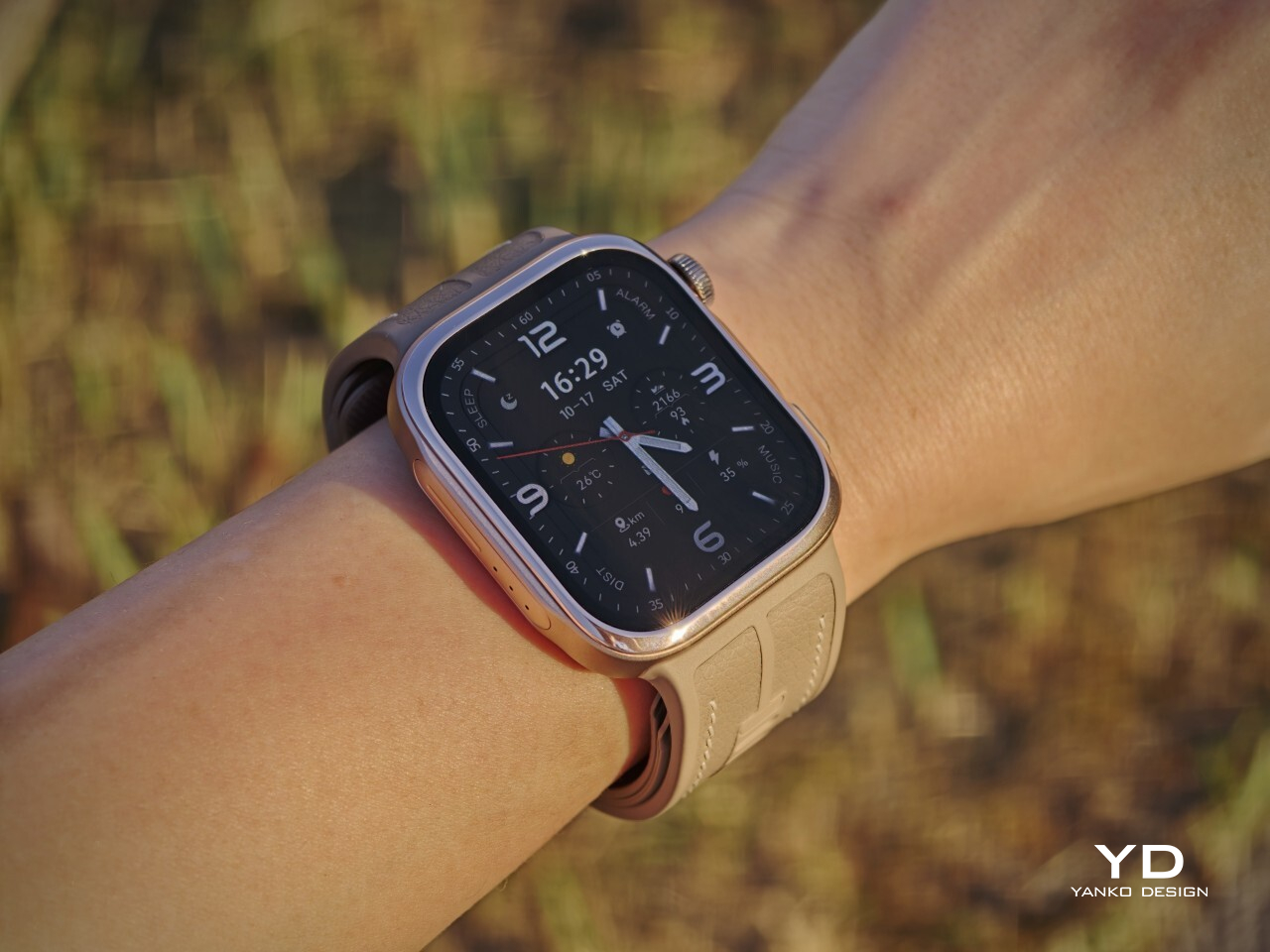
Huawei has made the Watch D3 surprisingly discreet, and that is one of its biggest design strengths. This is a health-focused smartwatch with more going on under the surface than most, yet it does not look overly technical or awkwardly bulky. Instead, it comes across as clean, polished, and easy to wear, which helps it feel like a proper everyday smartwatch rather than a specialist device.

Visually, it sits somewhere between the clean familiarity of an Apple Watch and the more assertive presence of an Apple Watch Ultra, giving it a look that feels both familiar and slightly more rugged. Huawei offers the Watch D3 in three color options: White, Black, and Mocha Gold. I received the Mocha Gold version, and it gives the watch a warmer, slightly more elevated look than the other finishes. The rectangular-shaped case is paired with a color-matched fluoroelastomer strap, which also houses the airbag used for blood pressure measurement.

Ergonomics
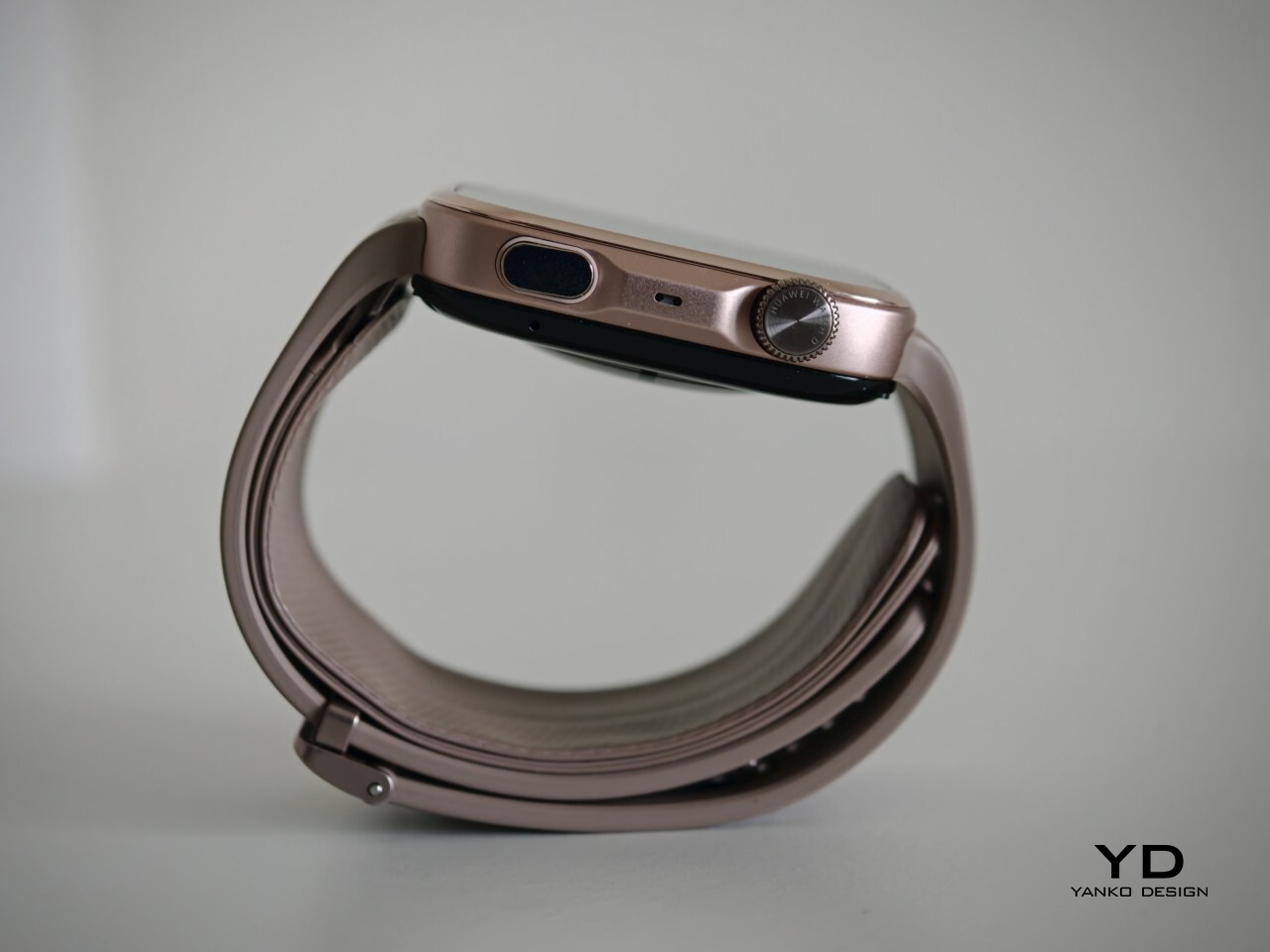
For a smartwatch with a tiny airbag tucked into its strap, the Watch D3 is surprisingly easy to wear. On paper, it is not a small device at 1.83 x 1.61 x 0.44 inches, but it never feels ungainly or overengineered once it is actually on your wrist. The 1.92-inch rectangular display fits well and doesn’t overwhelm the wrist, keeping the overall look streamlined. Huawei has also trimmed the thickness down from 0.52 inches on the Watch D2 to 0.44 inches here, and that slimming makes a real difference. The D3 feels less like a specialist gadget and more like a smartwatch you can throw on in the morning without a second thought.

In practice, the bigger surprise is how quickly it stops feeling unusual. The Watch D3 feels like an ordinary smartwatch on the wrist in the best possible sense. The strap is inevitably thicker than a conventional smartwatch band because it contains the inflatable airbag, but I never found it cumbersome. If anything, that unusual construction fades into the background faster than expected, which is not something I would have assumed before wearing it.
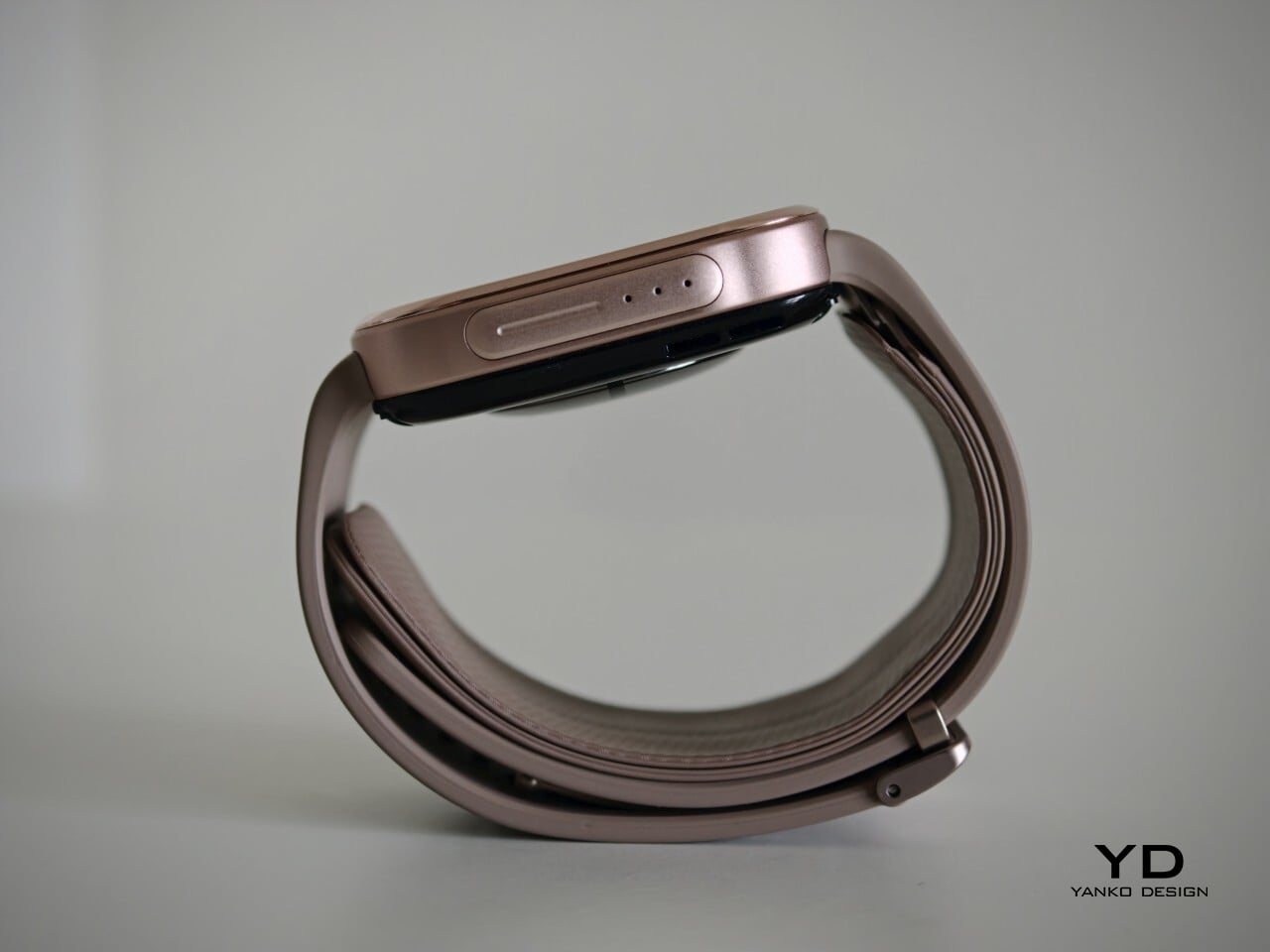
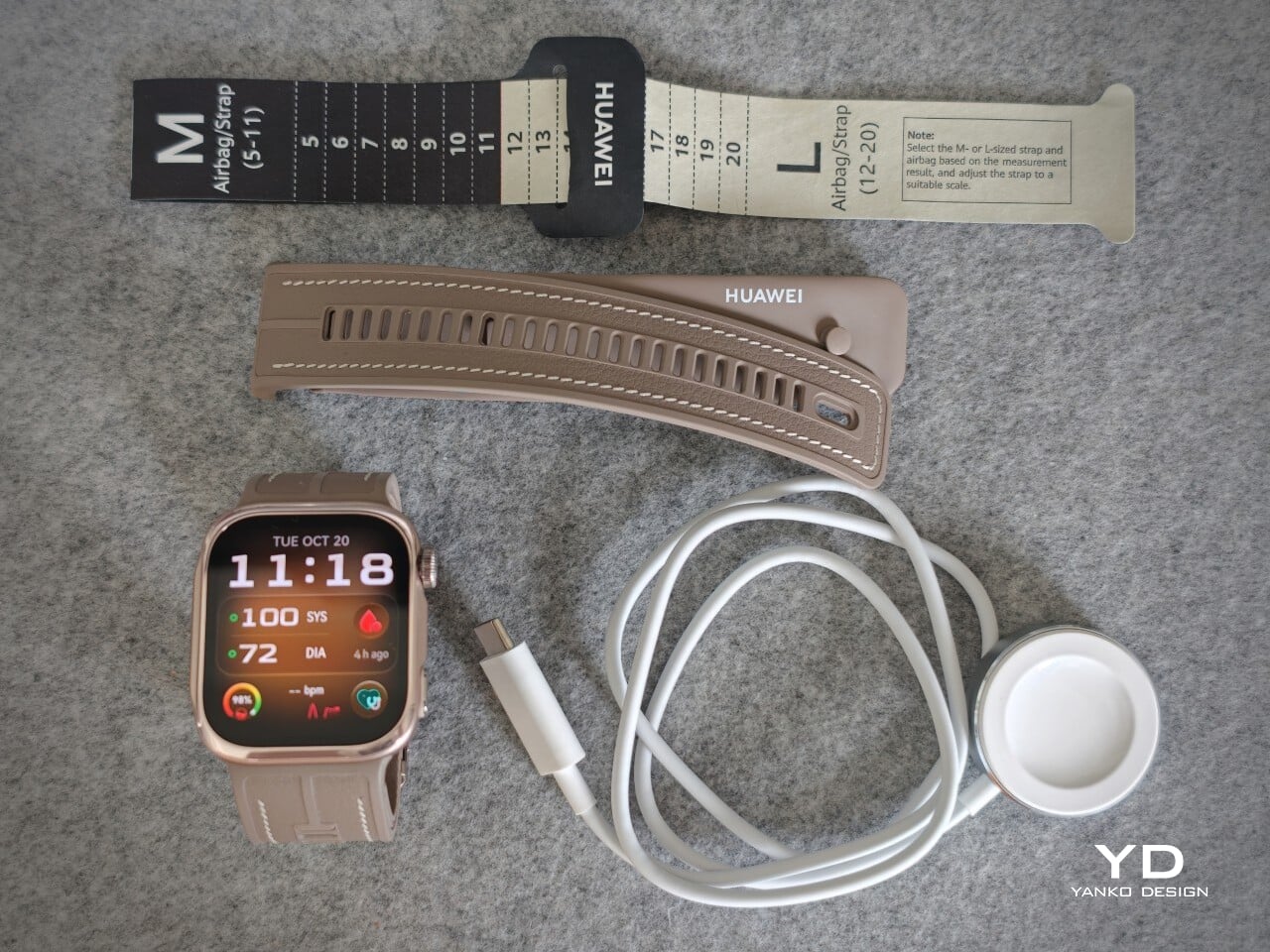
The weight helps here too. At around 1.41 ounces without the strap, the Watch D3 feels substantial enough to come across as a proper piece of hardware, but not heavy enough to become annoying over the course of a full day. Fit matters more on the Watch D3 than it does on a typical smartwatch. Huawei accounts for that with a paper measuring guide and two strap sizes. A watch built around blood pressure readings needs to fit properly, and the D3 feels better for that extra attention.

Performance
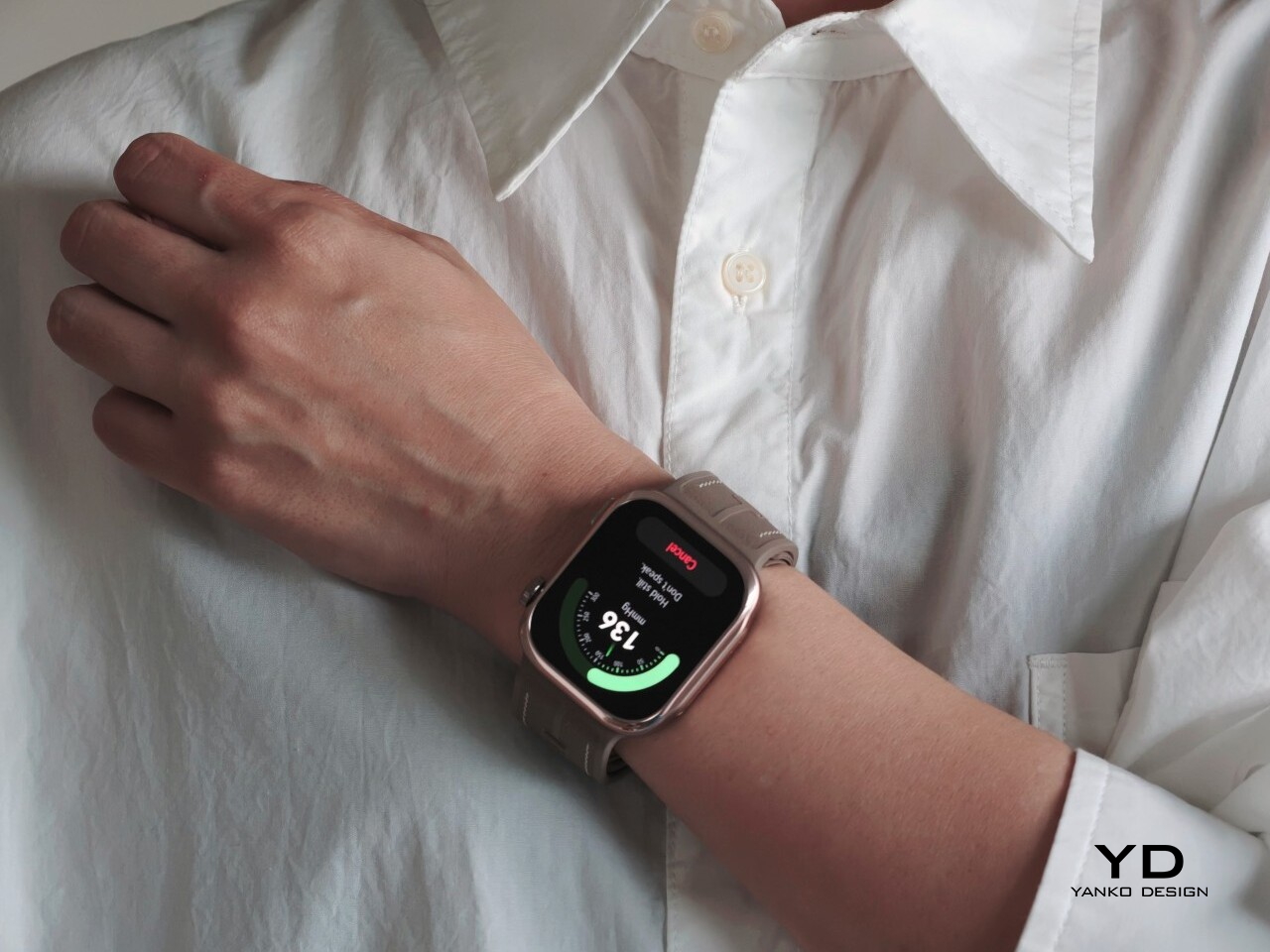
Blood pressure monitoring is the main reason to consider the Watch D3, but what surprised me first was how quiet it is. It makes virtually no sound during a reading, with the increasing pressure around my wrist providing the only obvious sign that anything is happening. The sensation is noticeable, as you would expect from an inflatable strap, but the process feels discreet enough that taking a reading does not become a bother.

There are medical credentials behind the feature, too. According to Huawei, the Watch D3’s blood pressure measurement has obtained NMPA medical device registration in China and CE certification under the European Union’s Medical Device Regulation, commonly called CE-MDR.

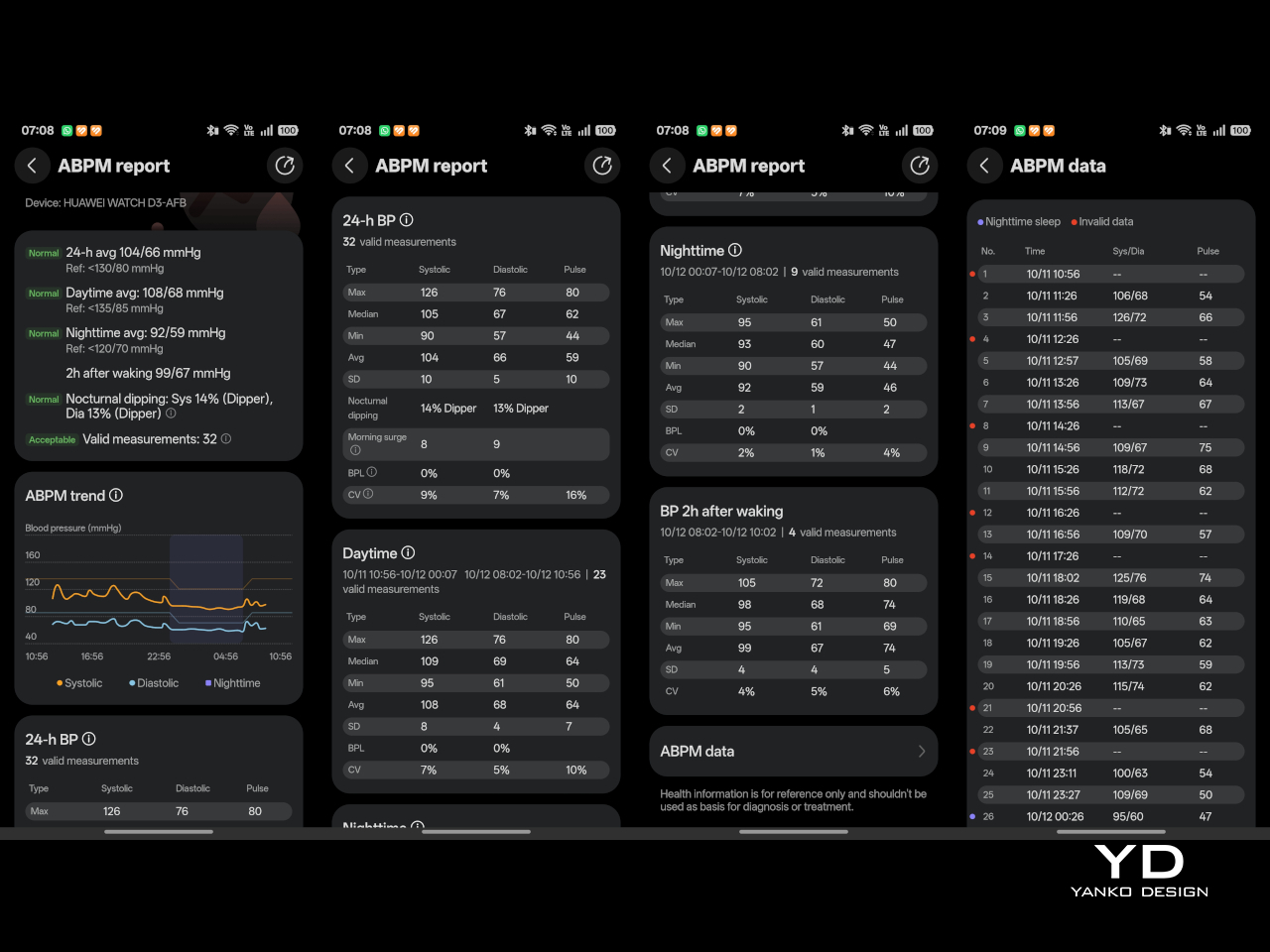
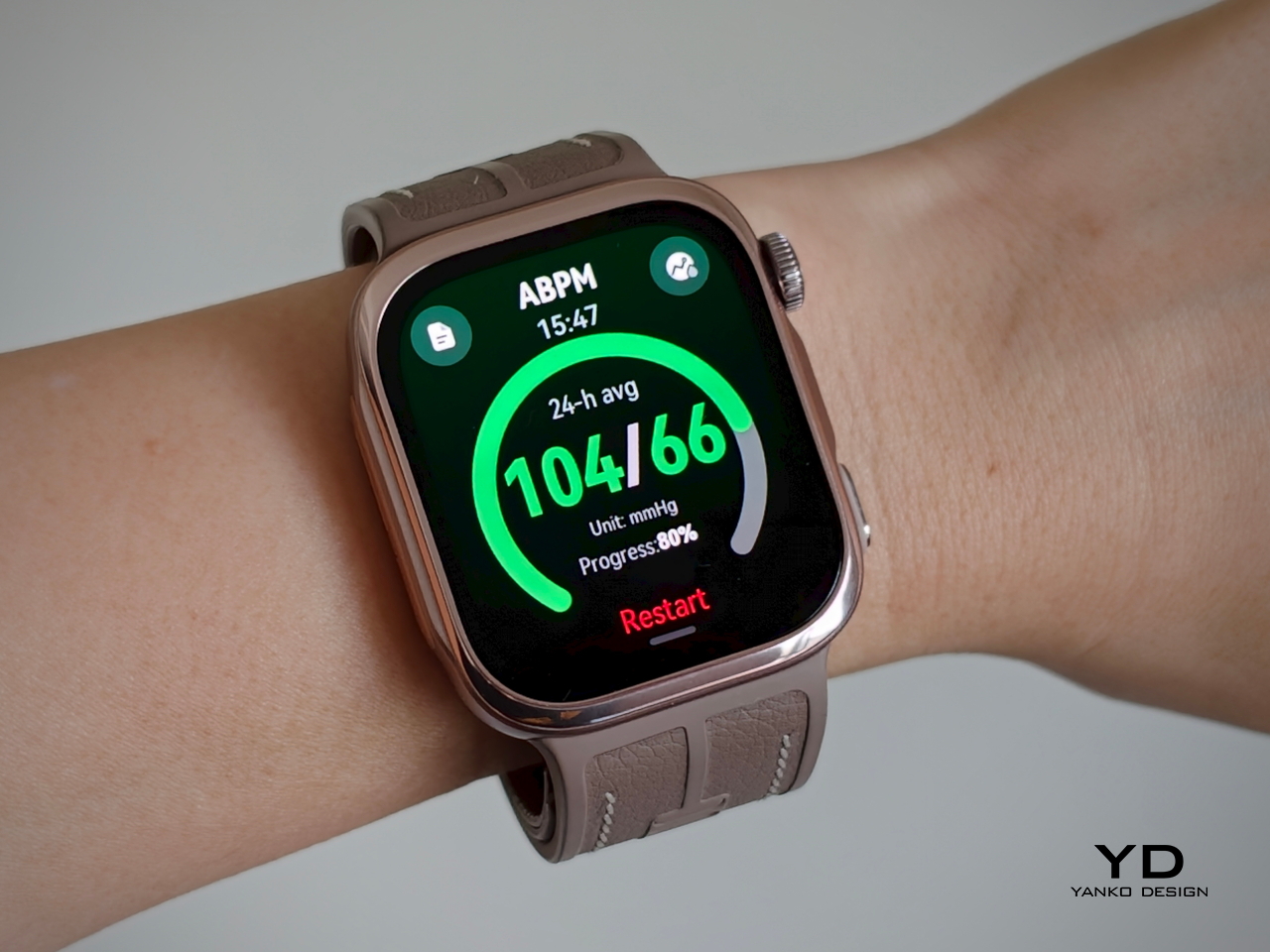
The Watch D3 also supports ambulatory blood pressure monitoring, or ABPM, which schedules repeated measurements over a 24-hour period, including while you sleep. Rather than giving you one isolated reading, it builds a record of how your blood pressure changes throughout the day and night. Huawei Health brings those results together into a report showing daytime, nighttime, and overall averages, which you can save or share with your doctor.
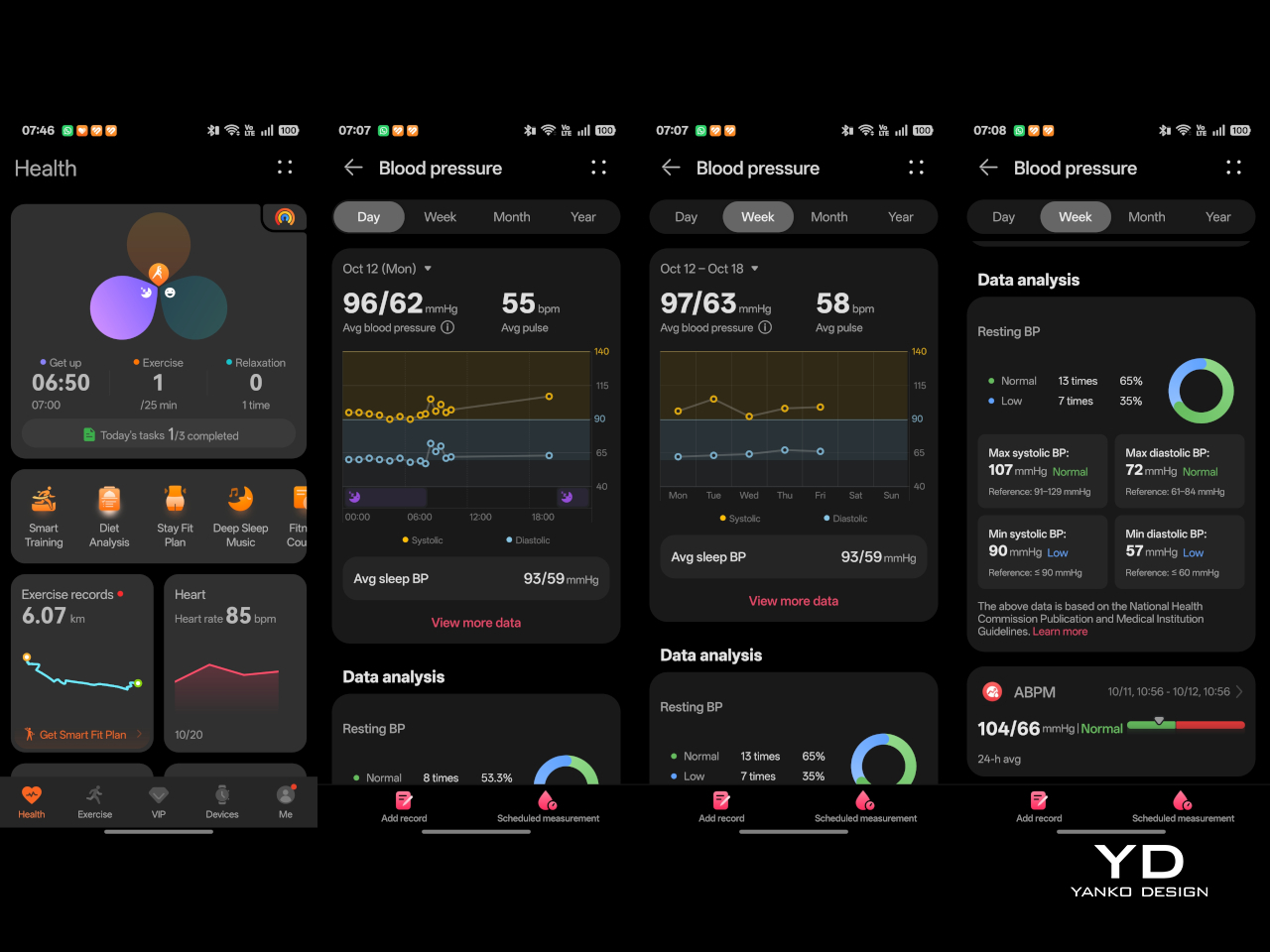
That does not mean you can forget about the process entirely. During waking hours, you still need to pause, keep still, and hold the watch at heart level, following the positioning instructions. You can adjust the measurement schedule rather than stick with the default intervals. Overnight, the watch takes readings automatically without requiring you to assume the daytime posture. Thankfully, those nighttime readings did not bother me or wake me up.

There is also a dedicated feature for measuring blood pressure before and after six workout types, covering indoor and outdoor running, walking, and cycling. You take an initial reading before starting, then begin another measurement within two minutes of finishing. There is a reason those changes are worth studying. Research using clinical exercise tests has linked certain blood pressure responses during exercise and recovery with a higher risk of developing hypertension or experiencing cardiovascular events later on.

Beyond blood pressure, the D3 covers heart rate, sleep, blood oxygen saturation, and skin temperature, with ECG available in supported regions. Fitness tracking is solid too, with more than 80 workout modes. It works well as an everyday companion for keeping an eye on activity, workouts, and daily movement without making every walk feel like homework.
The everyday smartwatch features are more familiar. The D3 runs HarmonyOS and works with both Android and iOS, although the experience is not identical across the two platforms. Bluetooth calling and music playback are supported, but the limited third-party app selection leaves less room to expand beyond the built-in tools.

With a compatible Android phone, you can respond to supported messages using quick replies or the on-screen keyboard. Message replies are not supported when the watch is paired with an iPhone, which is worth knowing before you buy. Offline maps are available for supported models, while NFC payment support depends on your region and the available payment service. Having NFC hardware does not automatically mean it will work with your usual cards.
Battery life has been good in my use, too. Huawei quotes up to six days under typical conditions, dropping to around one day with ABPM enabled. My typical-use results were close to that six-day claim, while I comfortably passed a day with ambulatory monitoring enabled. Measurement frequency matters here, since Huawei’s ABPM battery test uses 15-minute intervals, so your results may differ depending on your settings.

Charging speed is okay rather than especially quick, but outside ABPM sessions, I was not constantly looking for the charger. The supplied charger uses a USB-C rather than USB-A, which is a welcome change. That is one less reason to keep an older USB-A power adapter around.

Sustainability

The Watch D3 has an IP68 rating, but that is not an invitation to take it swimming or into the shower. Huawei advises against both because of the air openings used by the blood pressure system. The watch is not water- or dust-resistant while taking a measurement, so those openings need to stay clean and dry. It requires a little more care around water than you might expect from an everyday smartwatch.

The strap feels durable, although Huawei does not provide wear-test figures to put that impression into context. It is removable, so a tear would not necessarily mean replacing the whole watch, provided Huawei makes compatible replacement straps available. That is useful for keeping the D3 in service, but the broader sustainability picture remains unclear. I would have liked more information about recycled materials, repair options, and long-term software support.

Value
The Watch D3 costs £399.99 (roughly $533) in the UK and €449 (roughly $505) in Europe, so it is not exactly an impulse purchase. Whether that feels expensive depends on what you want from your watch. The D3’s appeal is having cuff-style blood pressure readings and 24-hour ambulatory monitoring in something you can wear throughout the day and overnight.

If those are features you will use regularly, the price becomes easier to justify, especially given how comfortable I found it. I am also impressed by how streamlined the whole package feels, considering the specialized hardware tucked inside the watch and strap. You are getting more than an extra health metric on a screen, without having to wear something that feels like medical equipment. If you mostly want notifications and workout tracking, though, I would be less inclined to pay for blood pressure hardware that rarely gets used.

Verdict
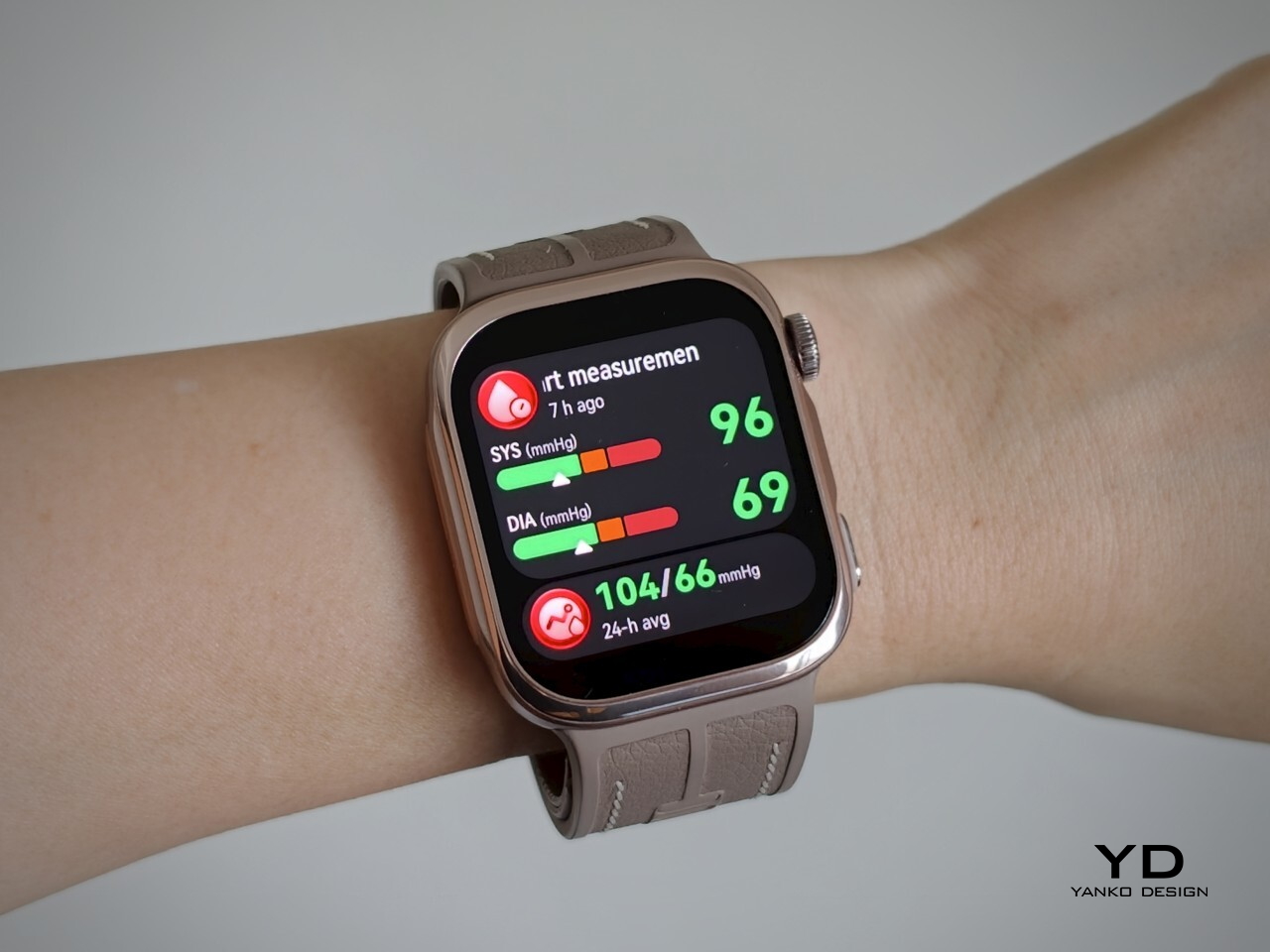
The Watch D3 impressed me most by making its unusual hardware so easy to live with. Blood pressure readings are quiet, the strap never felt cumbersome, and overnight measurements did not wake me up. Battery life was good, too, particularly outside ambulatory monitoring sessions. I never felt I was putting up with an awkward gadget just to use its blood pressure features.

I would still like a broader selection of third-party apps and clearer information about repair options and long-term support. The price also makes more sense if blood pressure monitoring will be a regular habit rather than an occasional curiosity. It is a tool to use alongside professional care, not a reason to diagnose yourself or change medication based on your readings. With that understood, the D3 earns my recommendation for combining useful blood pressure features with the comfort and discretion of an everyday smartwatch.

The post Huawei Watch D3 Review: A Game Changer for On-Wrist Blood Pressure Monitoring first appeared on Yanko Design.
  •  

Final’s Porta wireless on-ear headphones strip back the headband to just 40 grams

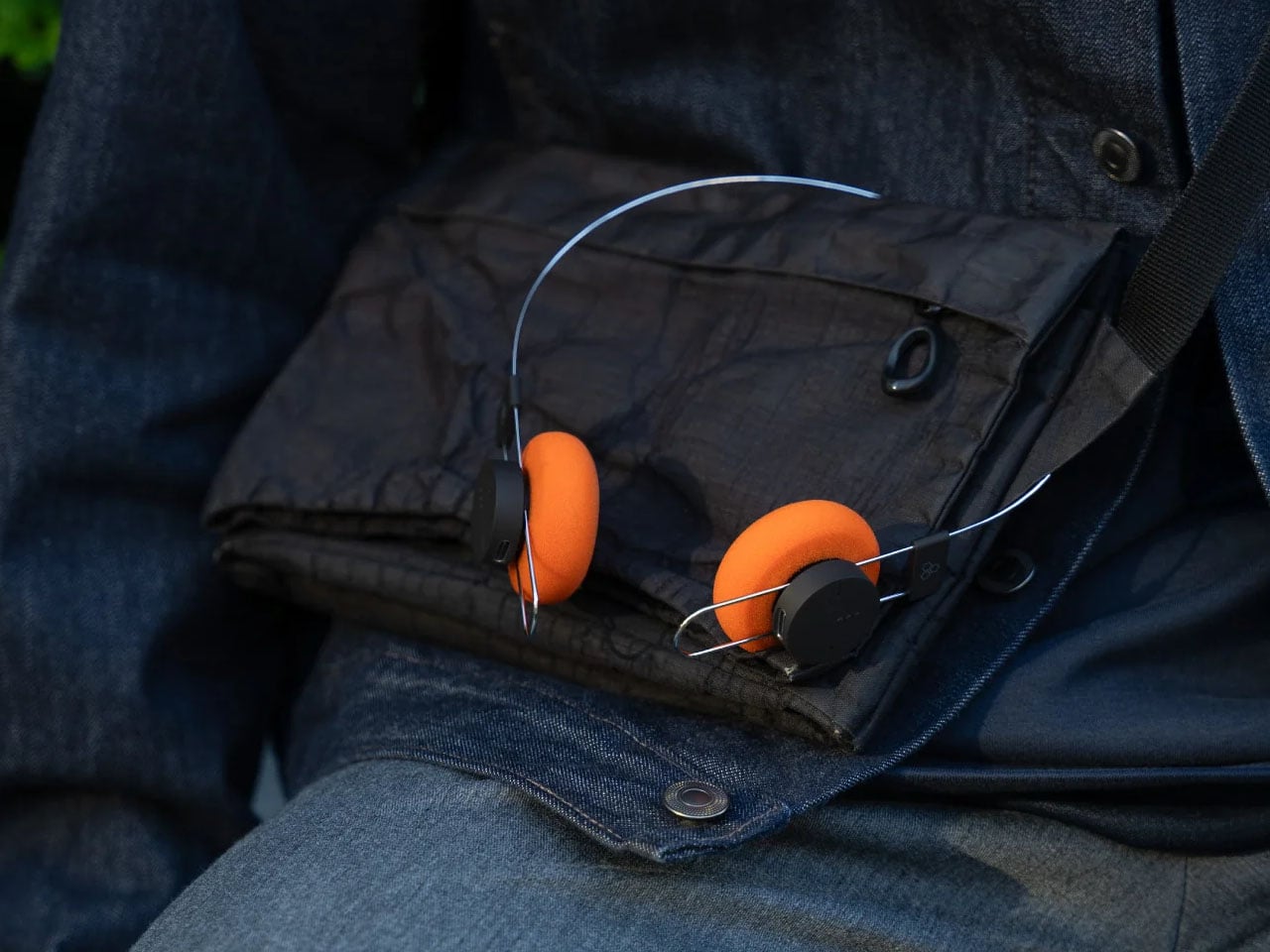
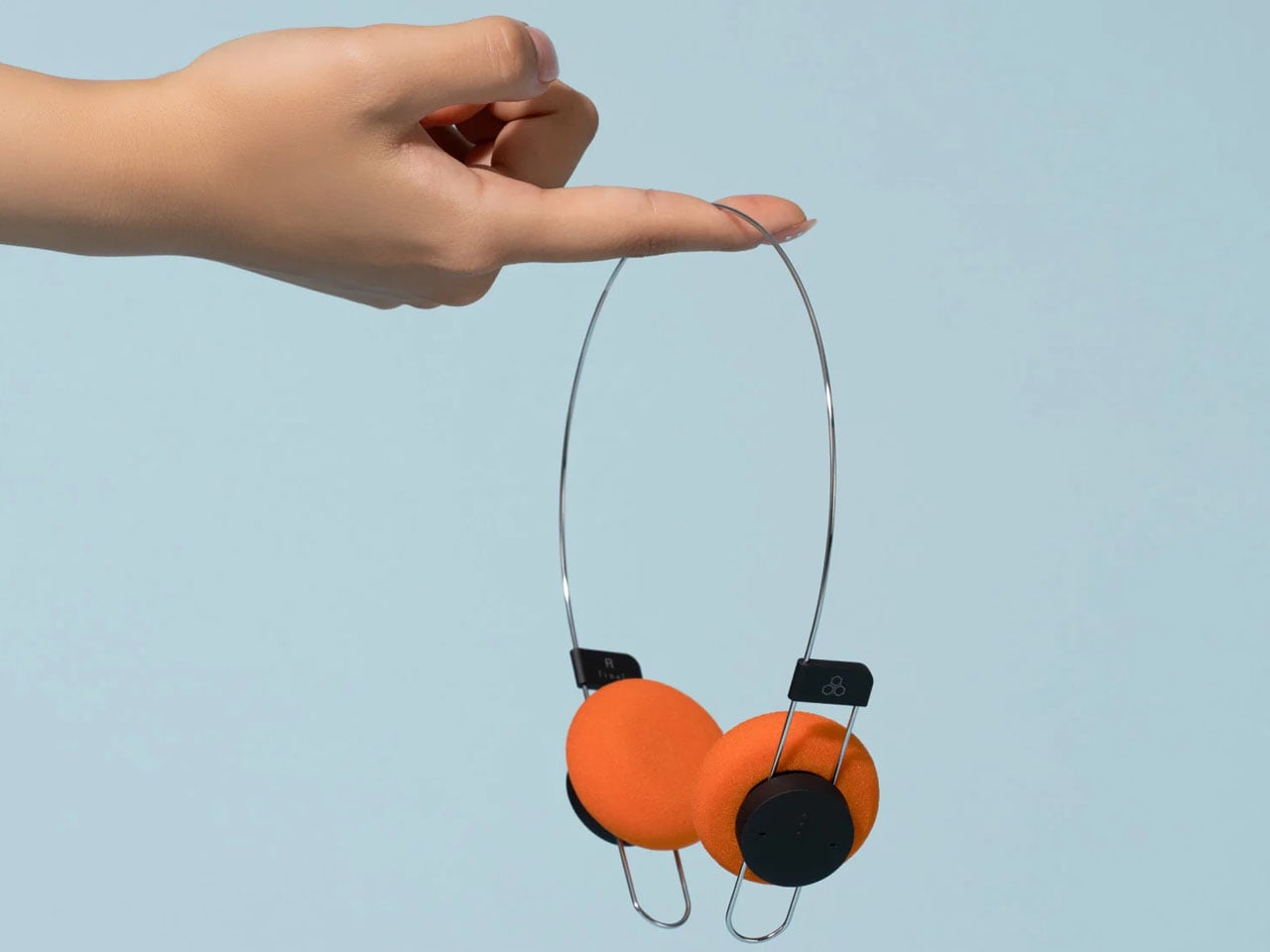
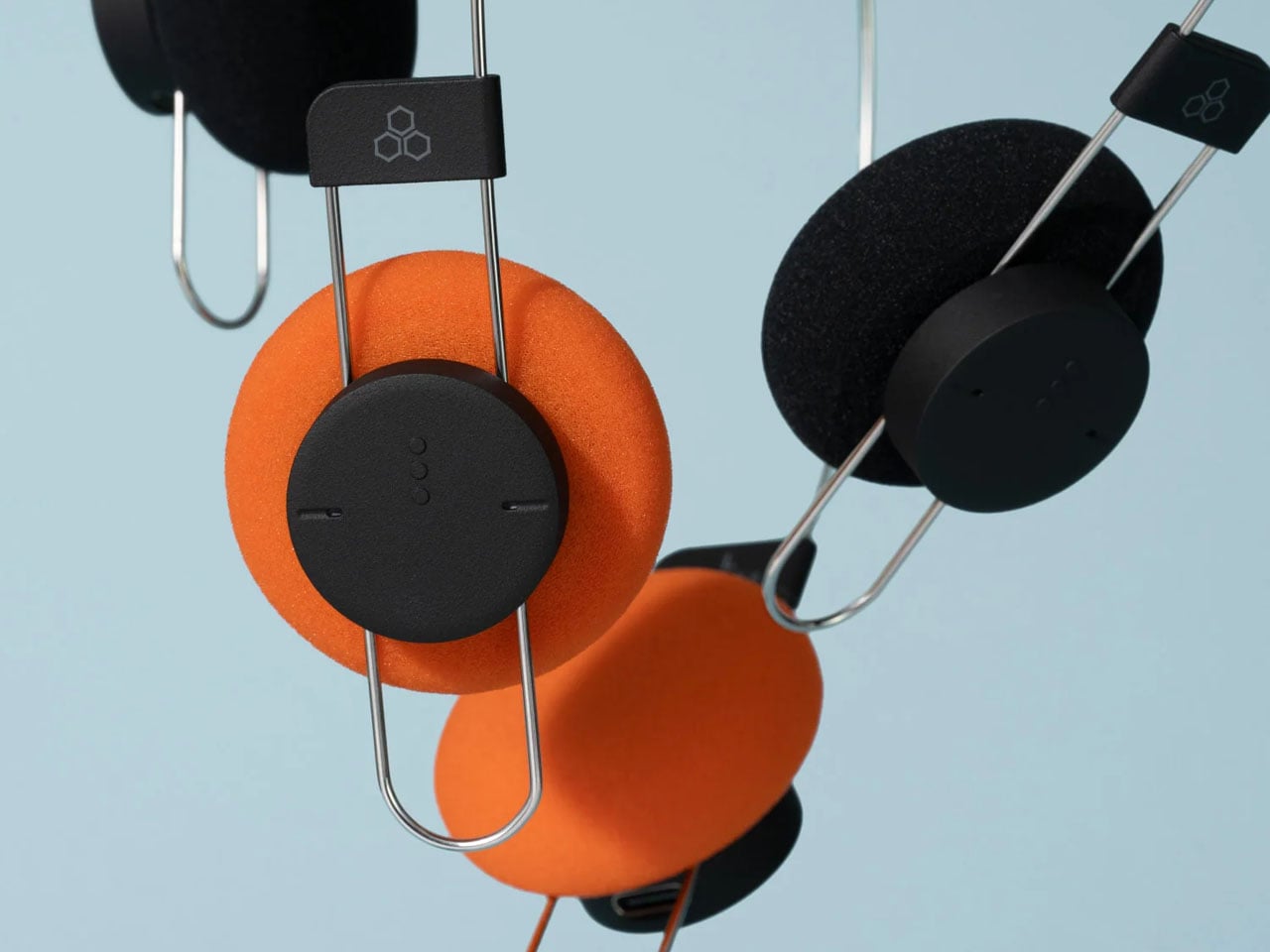
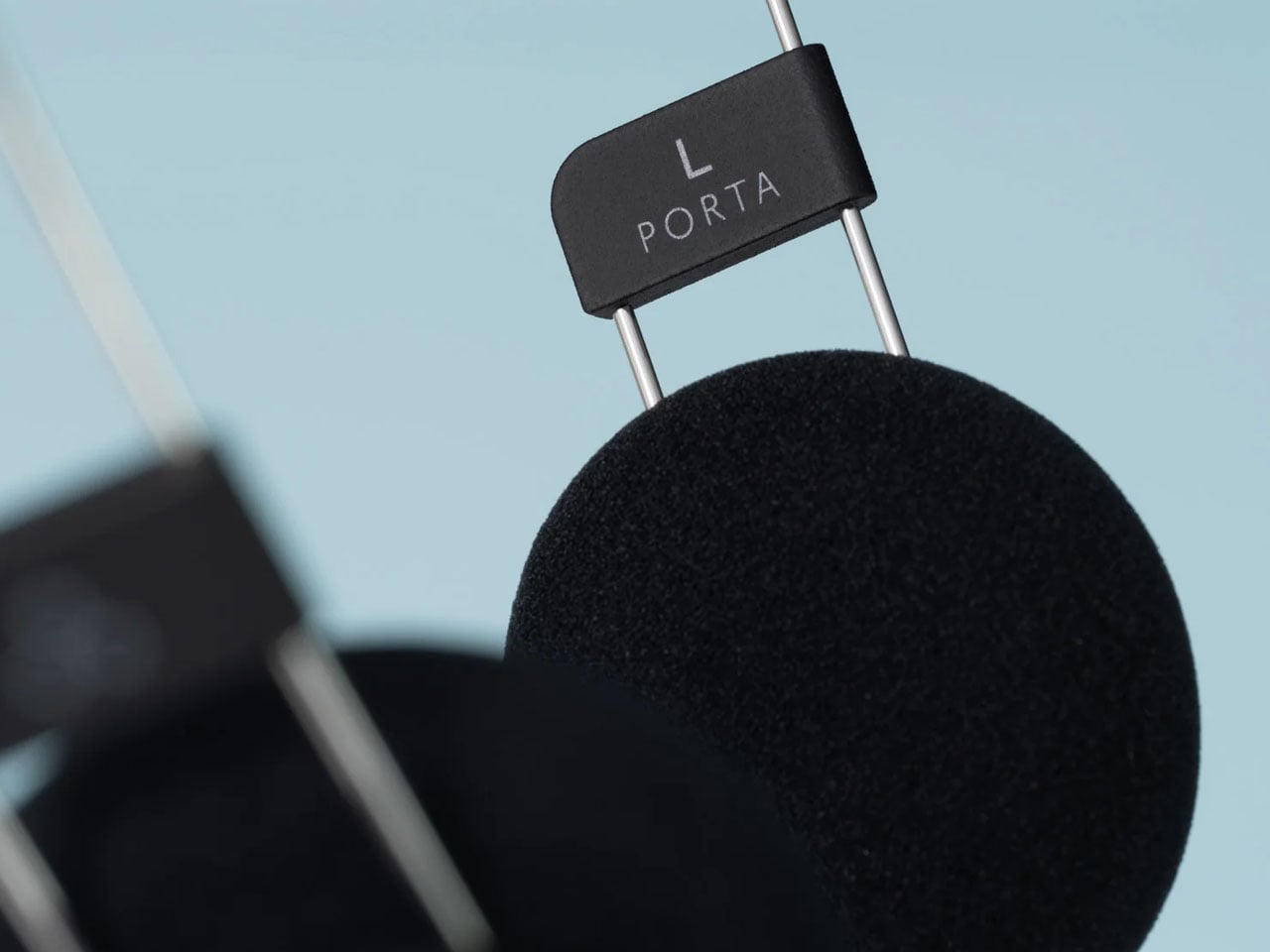
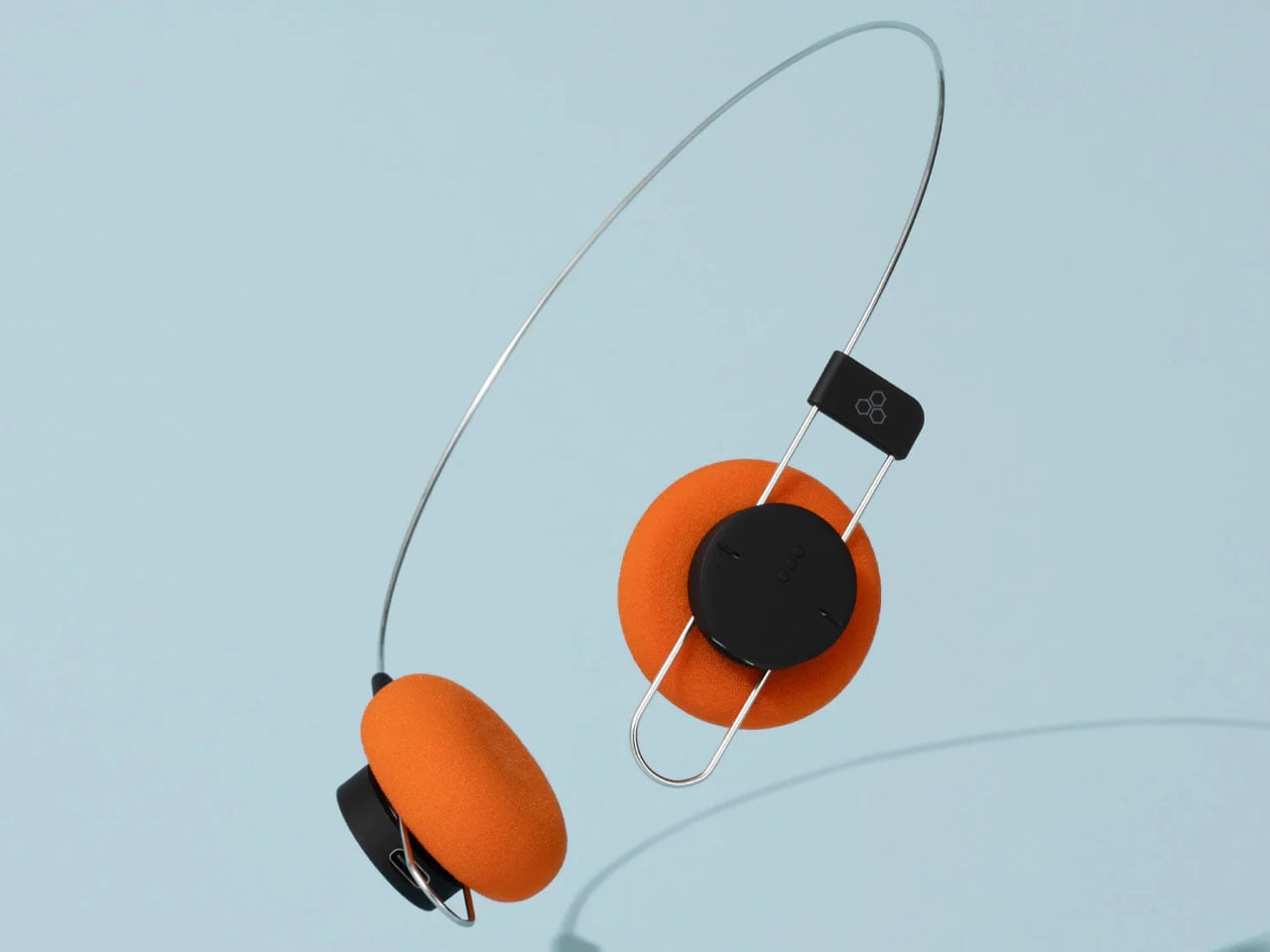
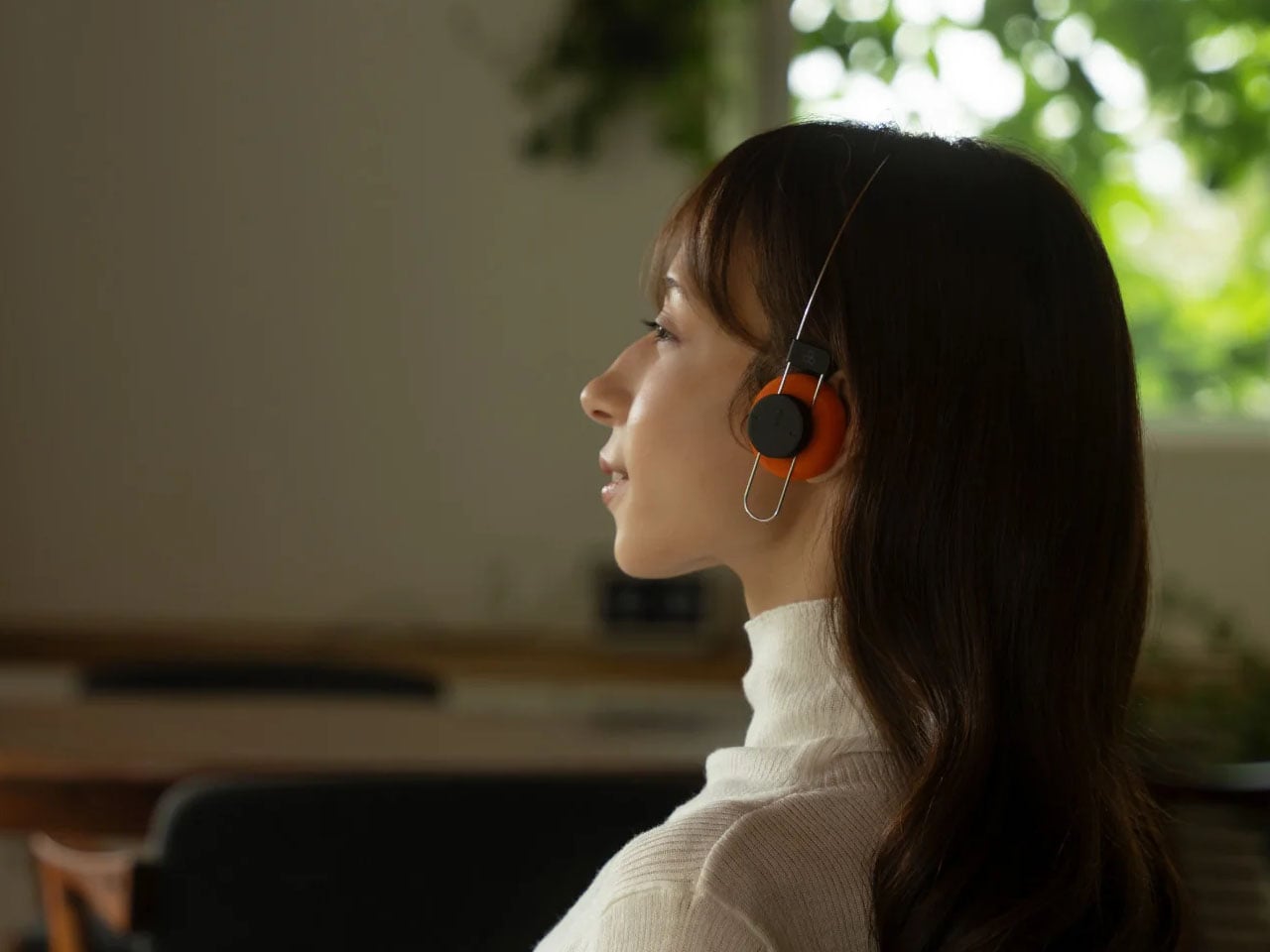
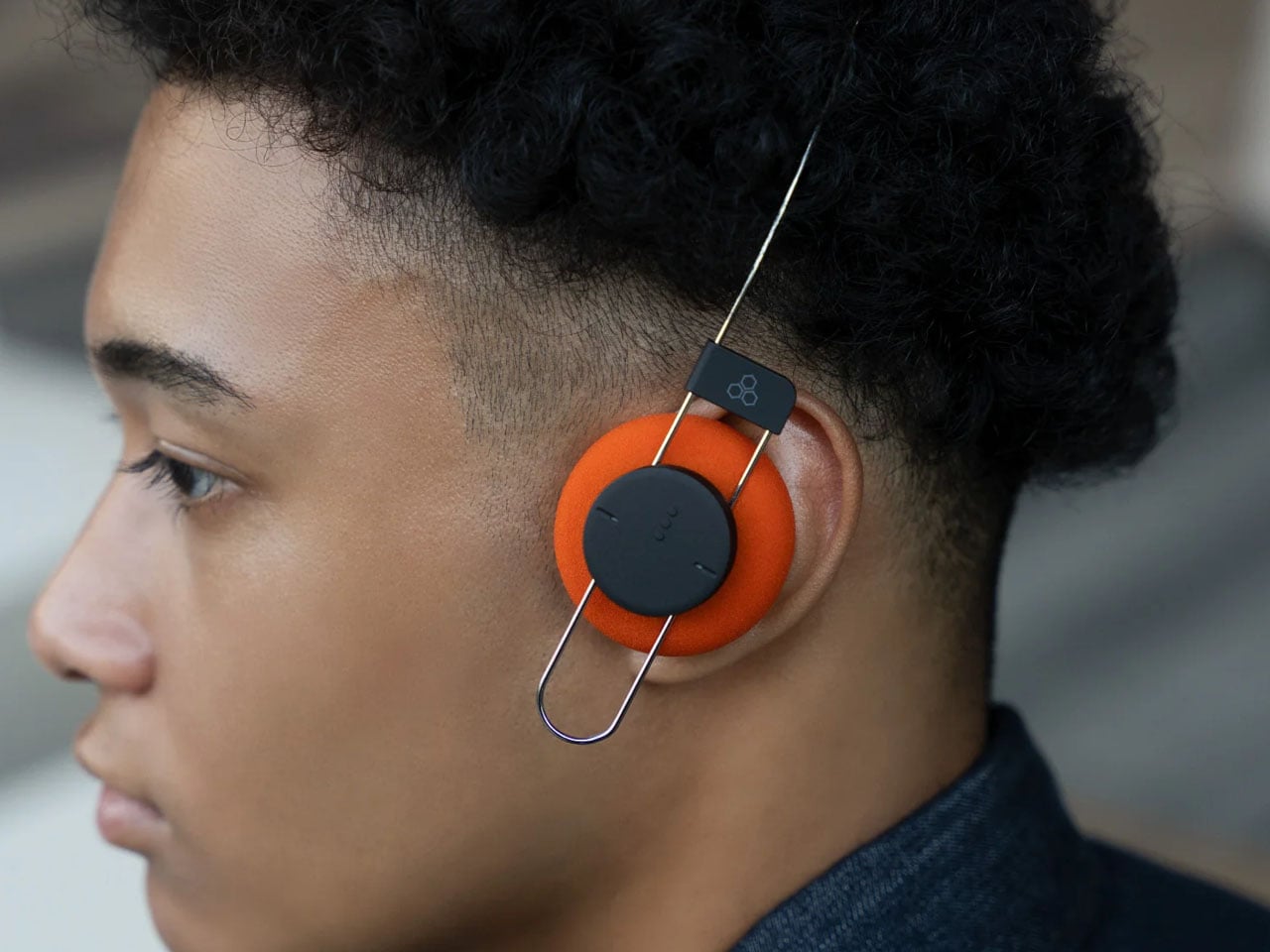
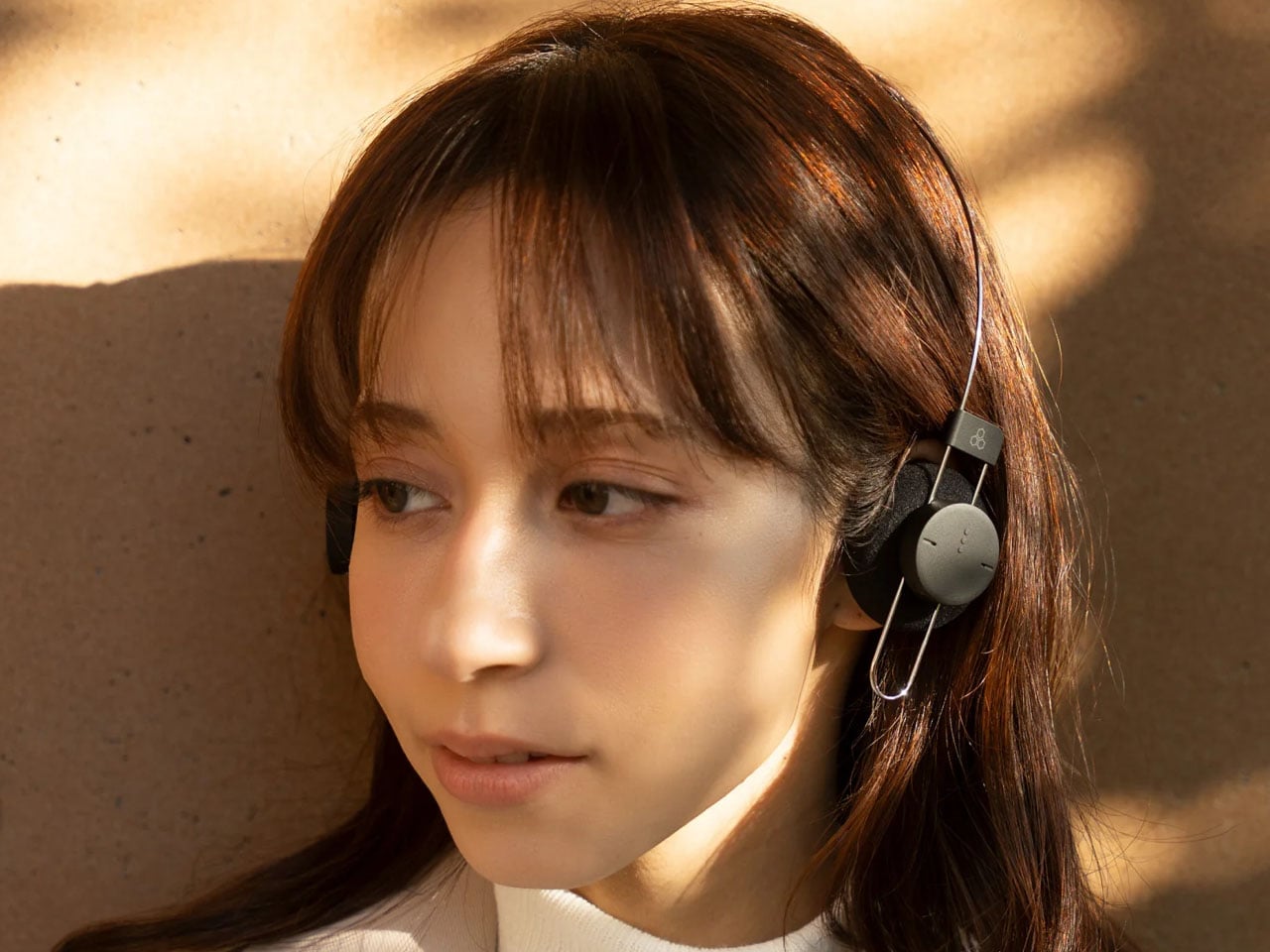
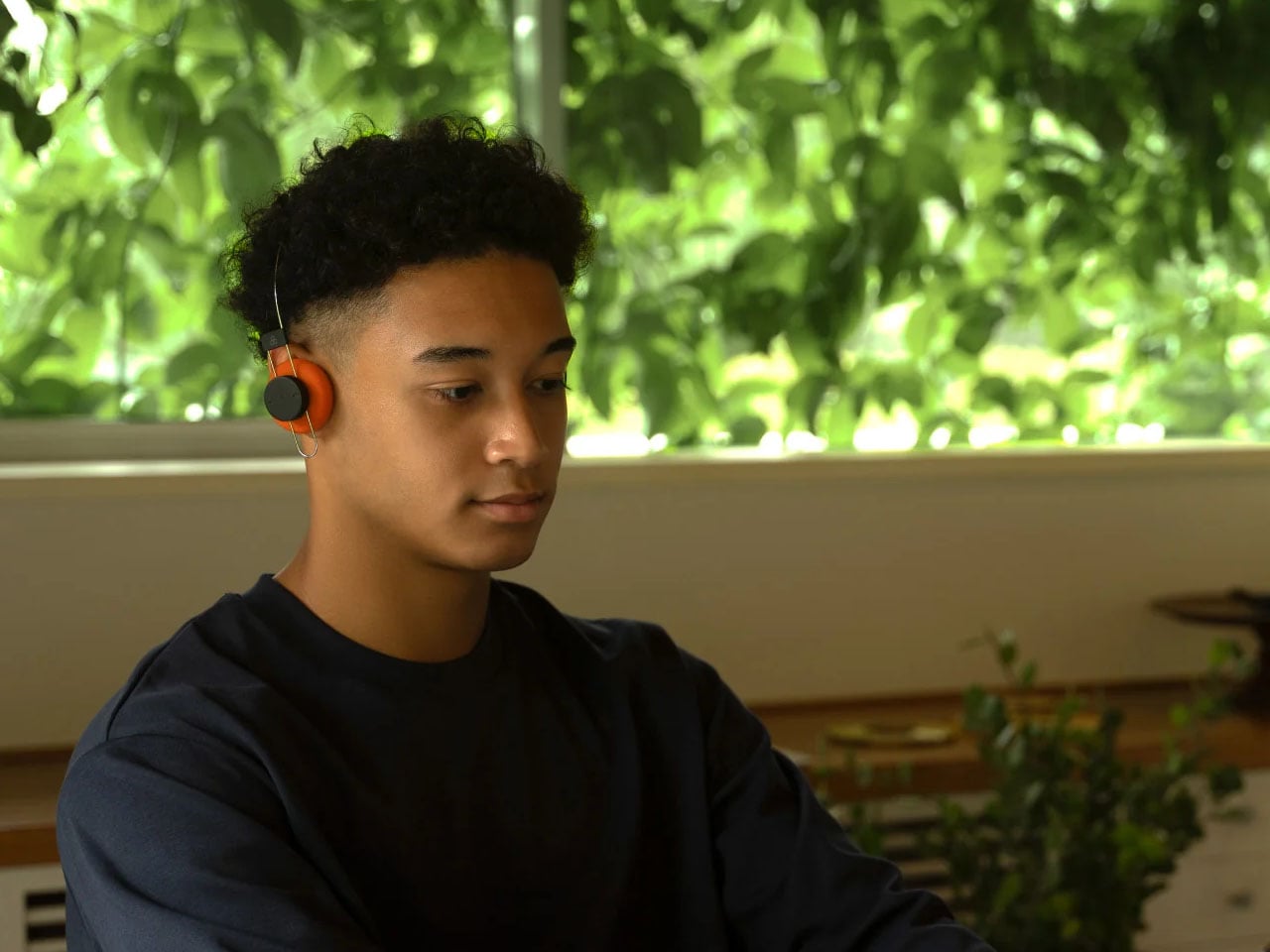
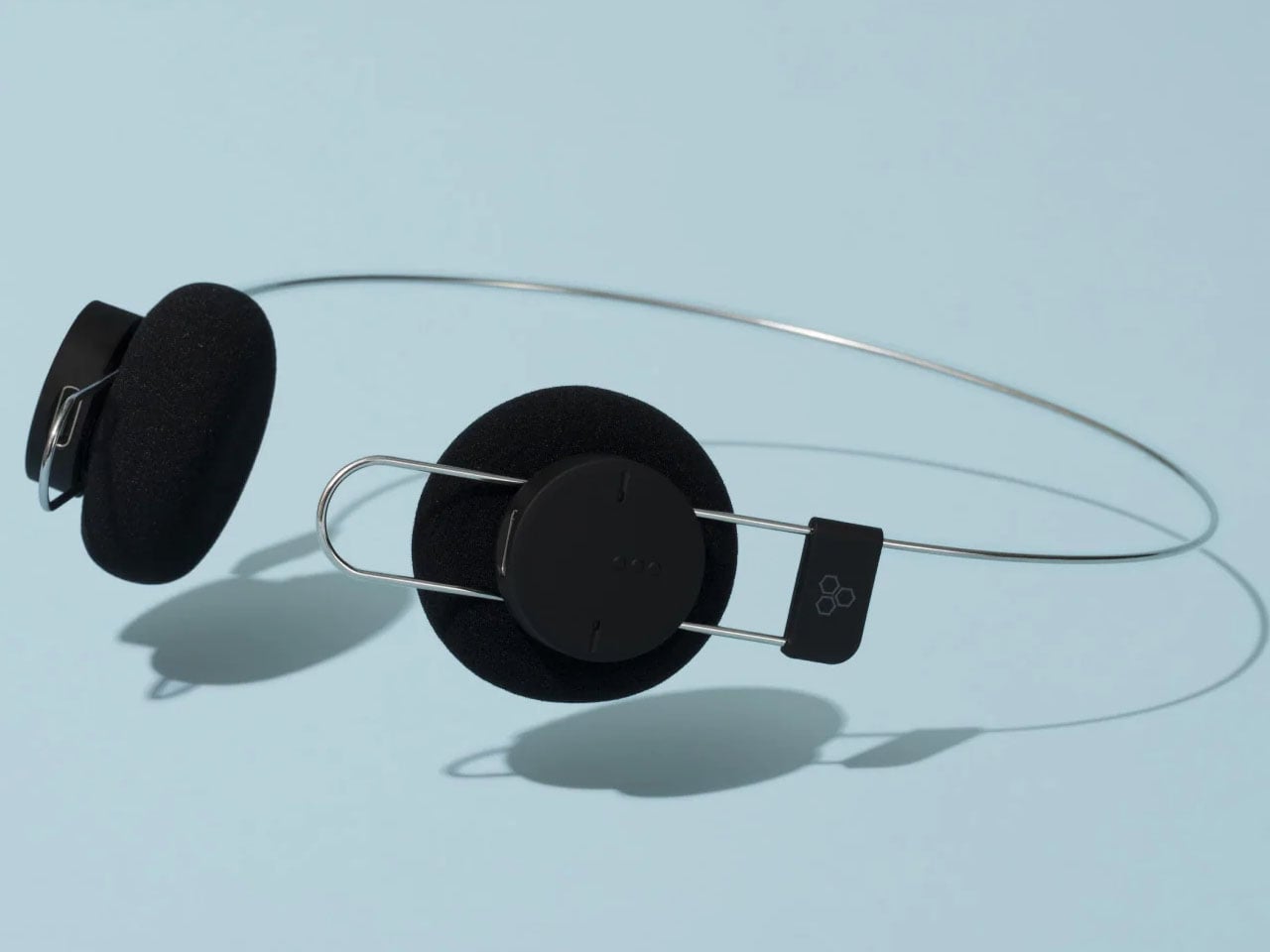
Japanese audio brand Final has introduced Porta, a pair of wireless on-ear headphones that rethink one of the most familiar elements of headphone design – the headband. Unlike most headphones with a conventional padded arch, the Porta uses a minimal, single-wire structure called AirWire, reducing the headphones’ weight to approximately 40 grams while aiming to make extended listening more comfortable.

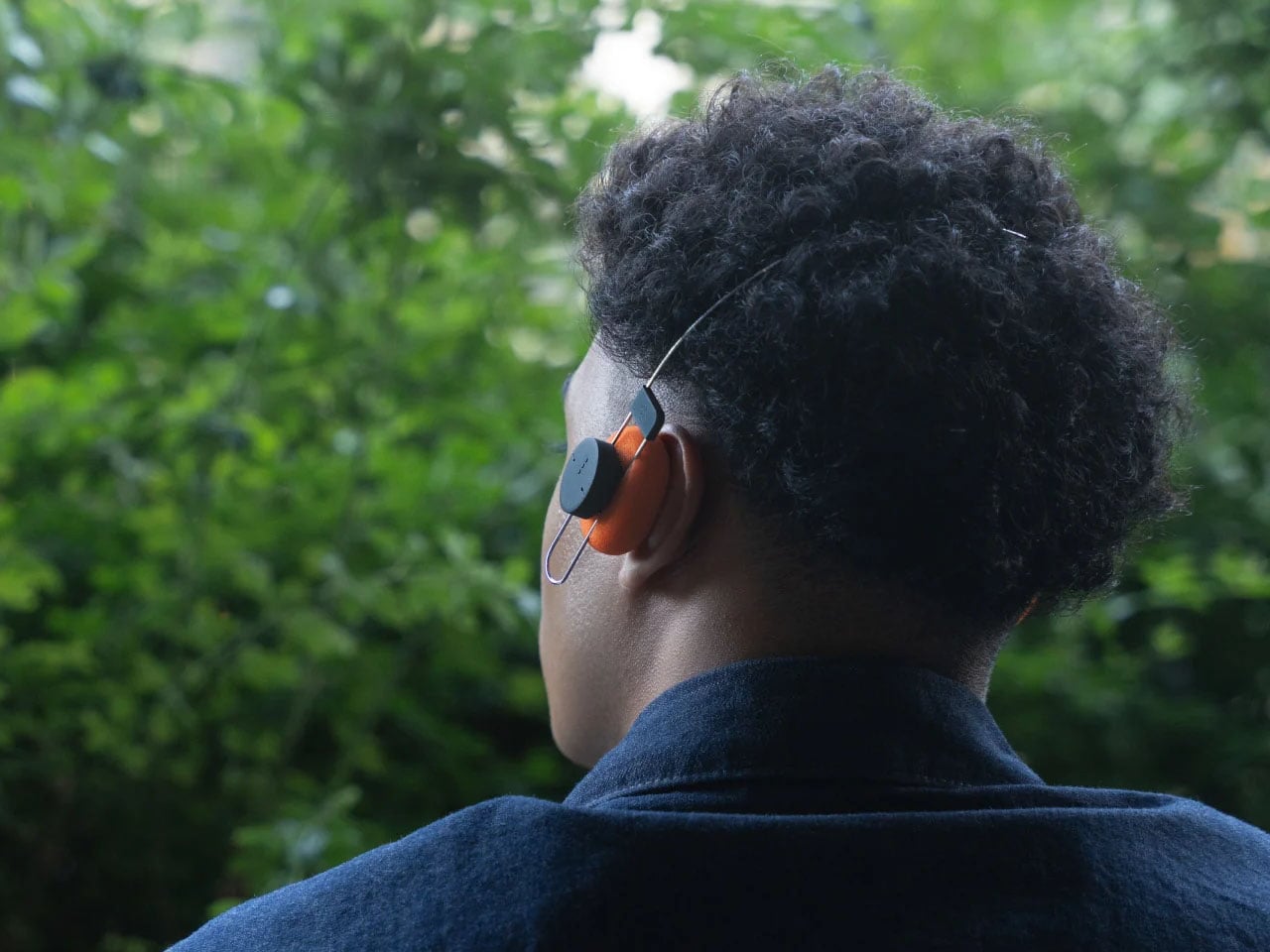
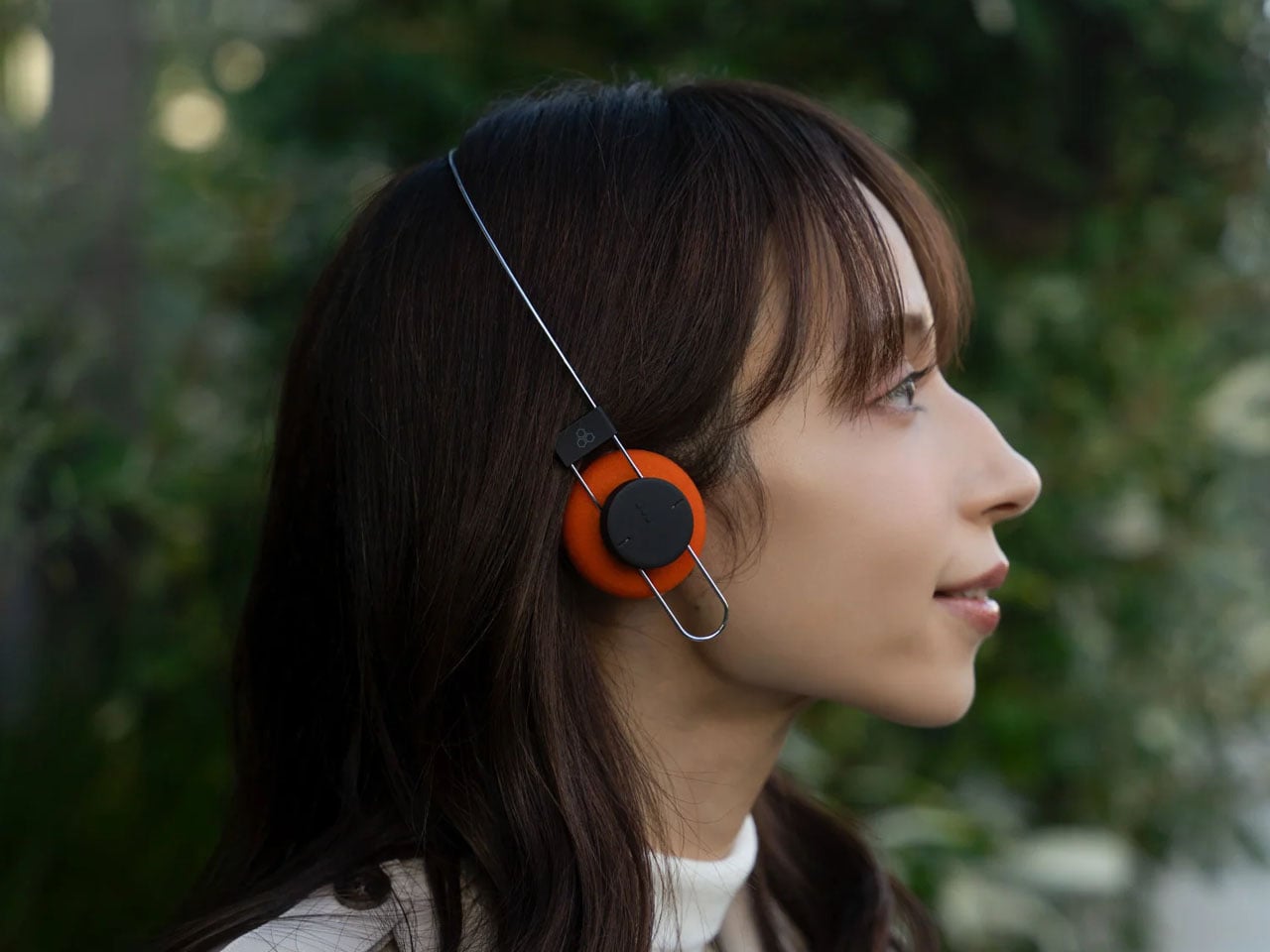
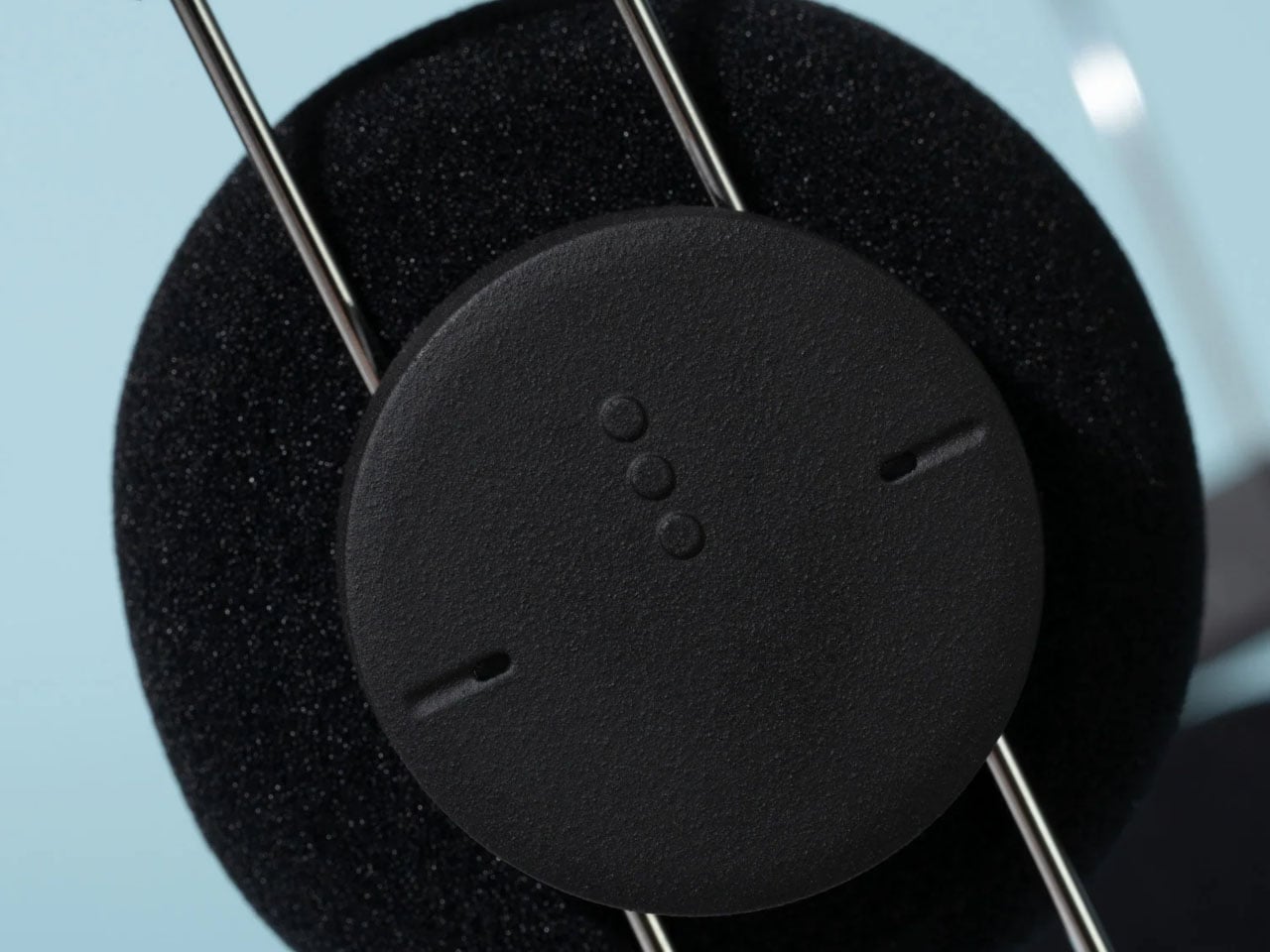
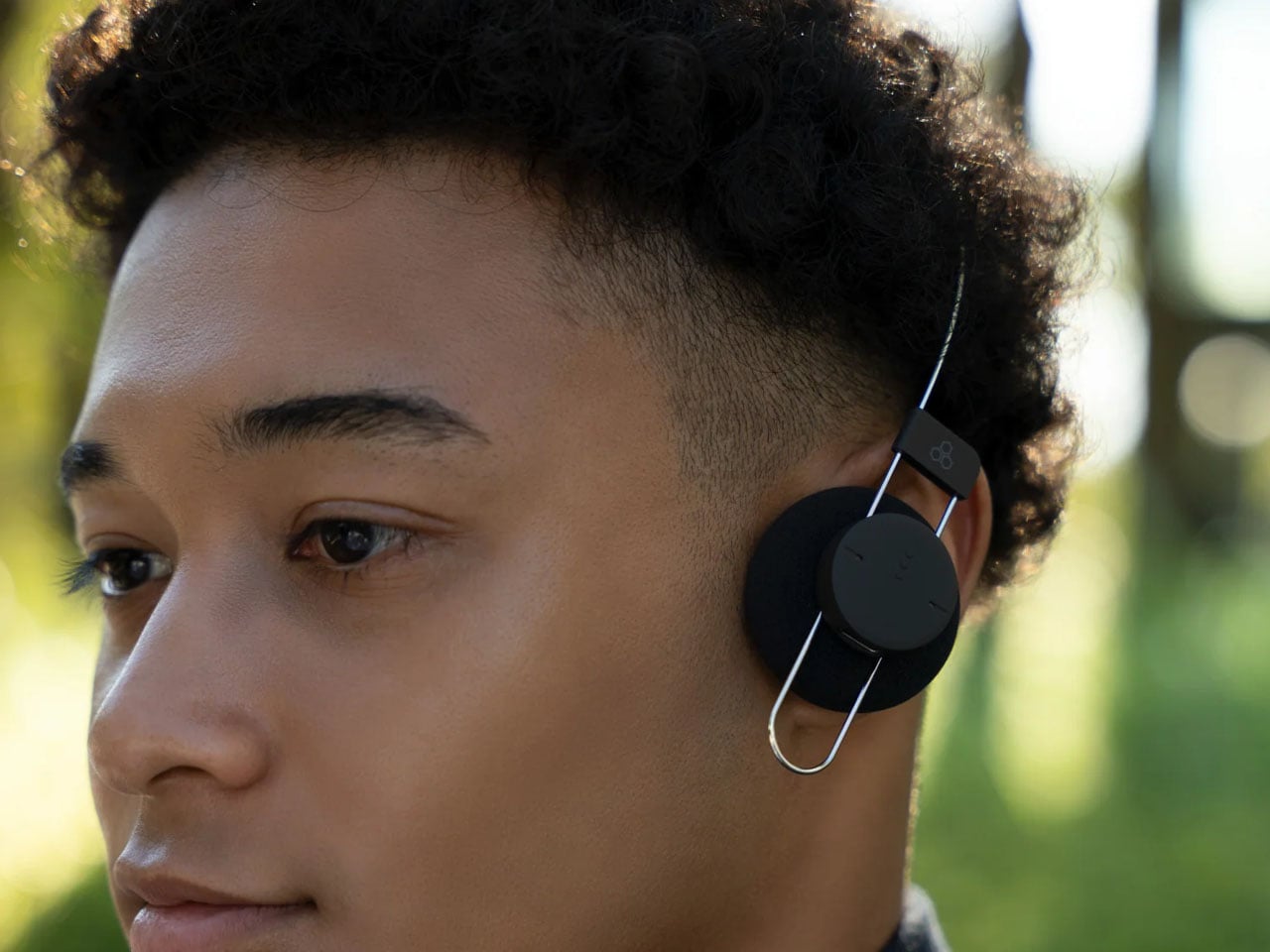
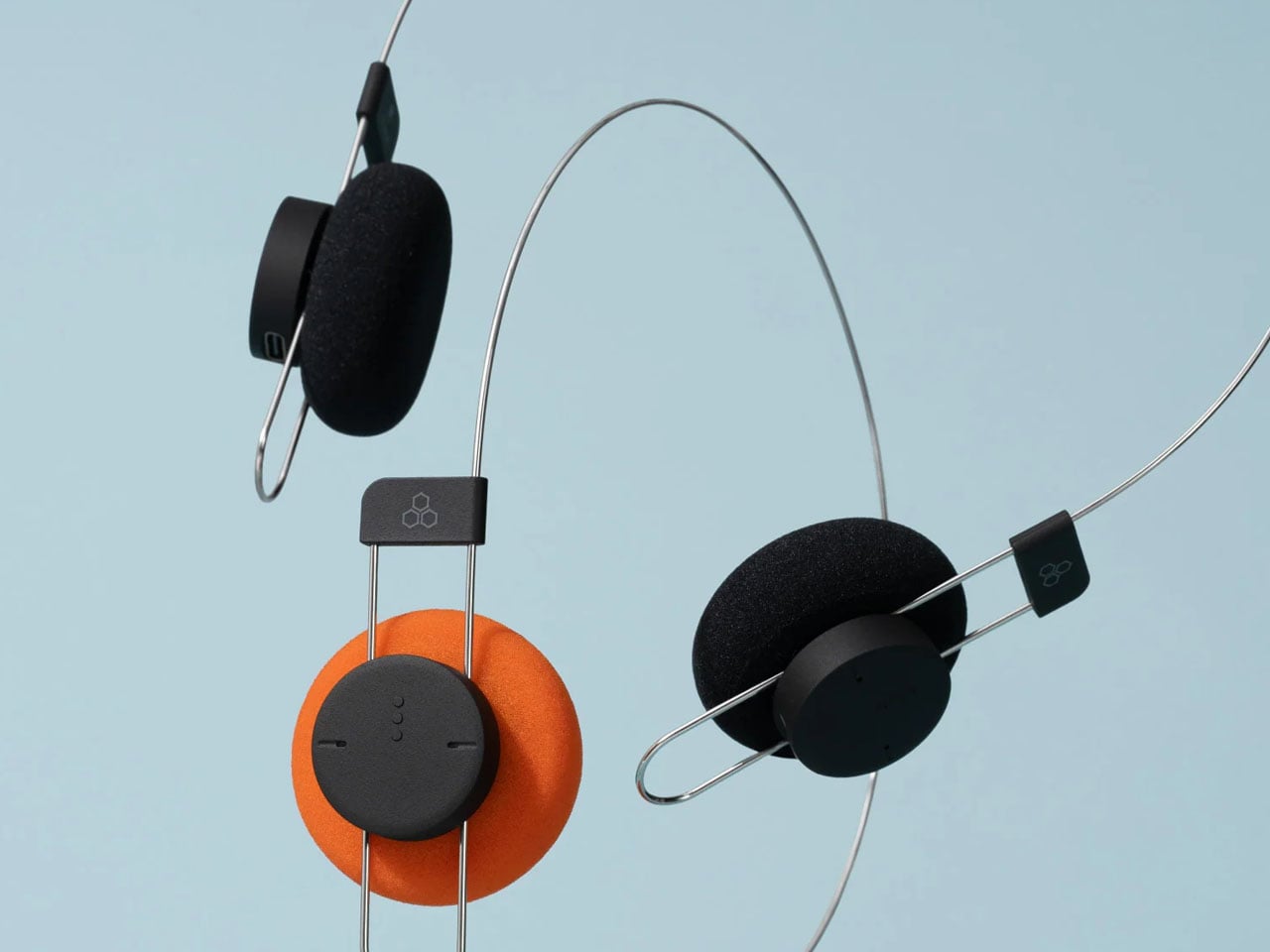
The AirWire design minimises the area of contact between the headphones and the wearer’s head. According to Final, this approach reduces pressure on the top of the head, a common source of discomfort with traditional headphones. The lightweight construction also gives the Porta an unusually stripped-back appearance, with a thin metal-like frame connecting two compact earcups. The pair of cans is a minimalist accessory that goes well with your other no-nonsense gadgets.

Designer: Final

Porta’s aesthetic draws on the visual language of older portable audio equipment. Its orange ear pads recall the bright accents associated with classic Sony Walkman headphones, while a black version offers a more understated alternative. Both variants share the same main body, with the ear-pad colour providing the visual distinction. Final also plans to sell replacement ear pads separately in 2027, giving owners the option to refresh the look without replacing the entire product.

Despite its lightweight construction and retro appearance, the pair of cans incorporates modern wireless connectivity. Bluetooth 5.4 enables connection to compatible devices, while support for the SBC and AAC audio codecs provides compatibility with a broad range of smartphones and other Bluetooth audio sources. The headphones have a stated frequency response of 20Hz to 20kHz.

Final says the Porta has been tuned to deliver a lively presentation, with a sense of depth and substance in the midrange and lower frequencies. The company highlights vocal weight as a particular consideration in its sound design, addressing the challenge of maintaining a full listening experience in a lightweight headphone enclosure. These are manufacturer claims rather than independently verified performance results.

A 57mAh lithium-ion battery provides up to eight hours of music playback on a charge. Recharging takes approximately 90 minutes through USB-C, keeping the charging process straightforward. The headphones also carry an IPX4 rating, indicating resistance to water splashes, which offers some protection during everyday use and light exercise.

The design does involve trade-offs. The Porta does not offer active noise cancellation, a feature found in many contemporary wireless headphones. Its modest battery capacity and eight-hour rated playback time also place the emphasis on everyday convenience and low weight rather than extended listening between charges.

Final has priced the Porta at ¥12,800 (approximately $80), with availability in Japan scheduled for October 23, 2026. International availability has not been confirmed, although the brand sells products through its Amazon storefront.

The post Final’s Porta wireless on-ear headphones strip back the headband to just 40 grams first appeared on Yanko Design.
  •  

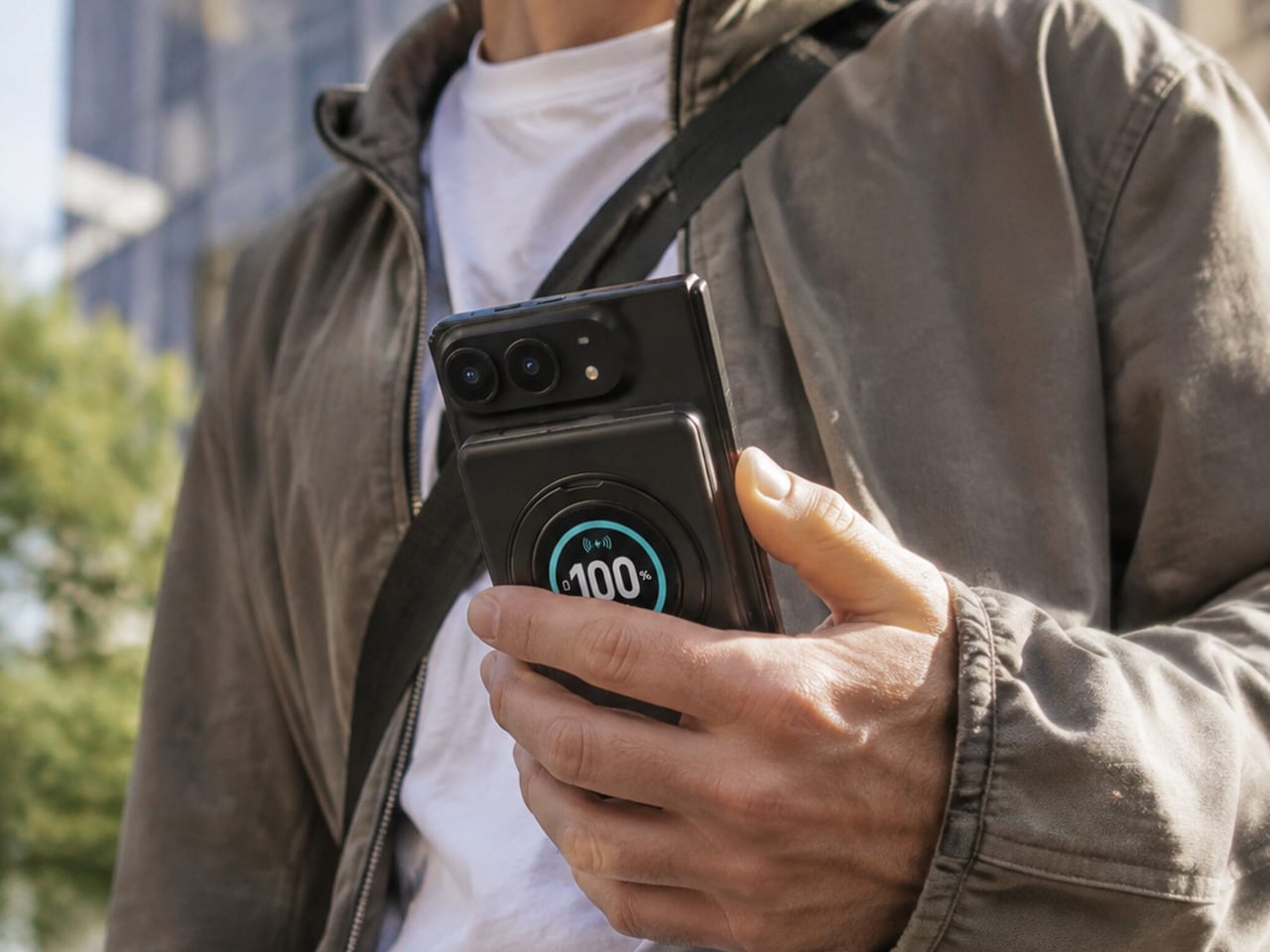
SolidSafe Duo Magnetic Power Bank Is Shaped to Fit Apple’s Folding iPhone

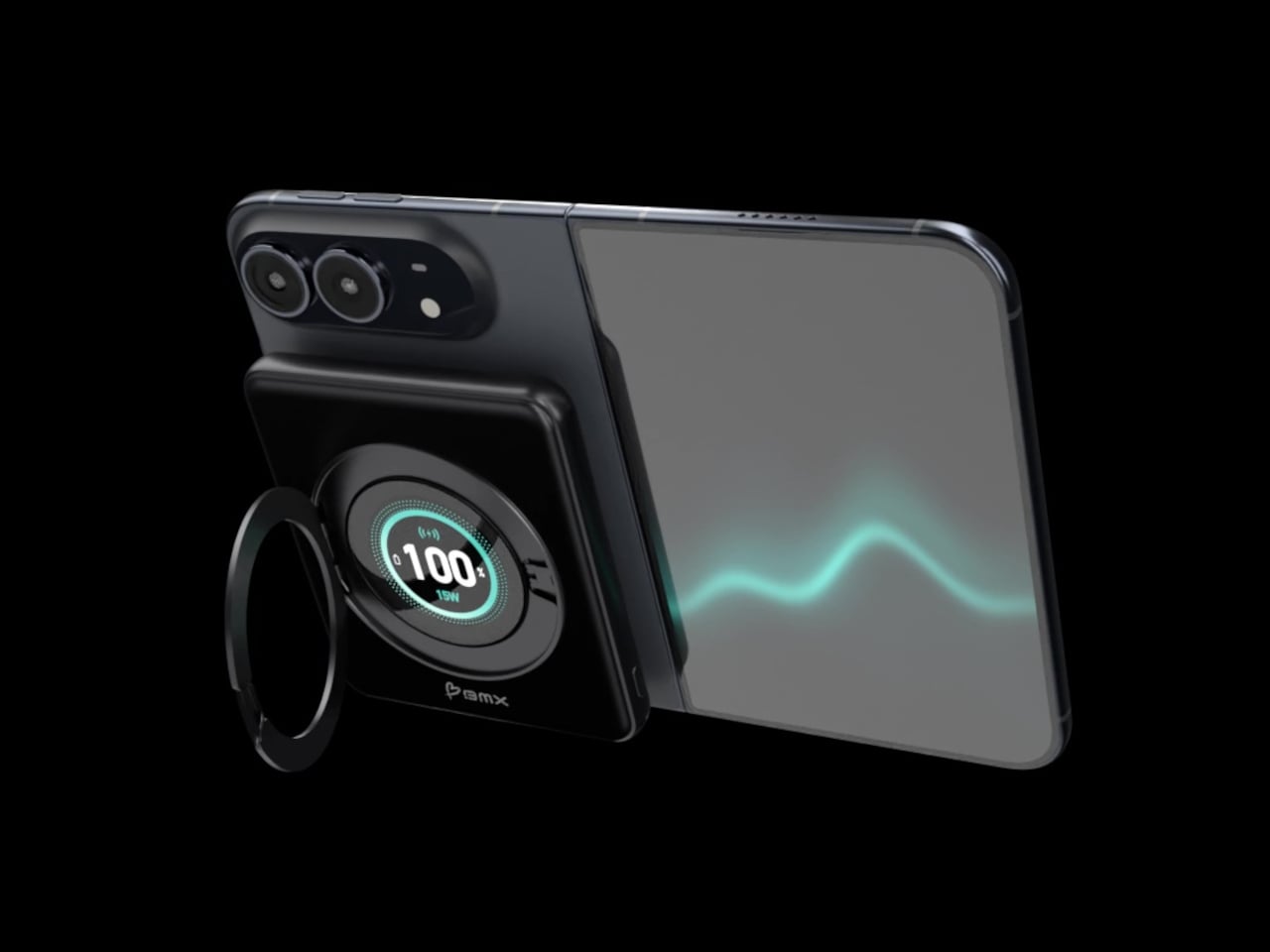
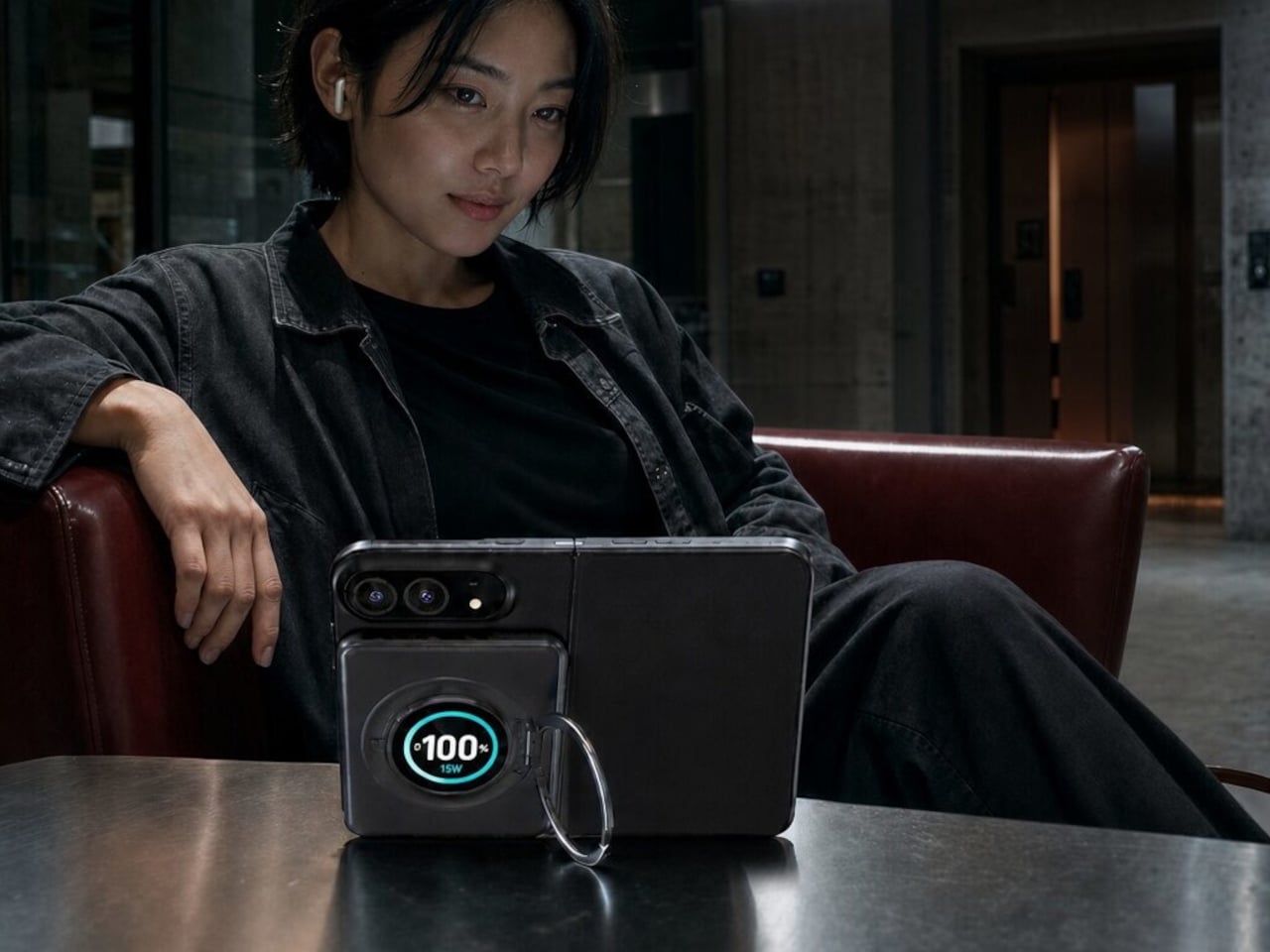
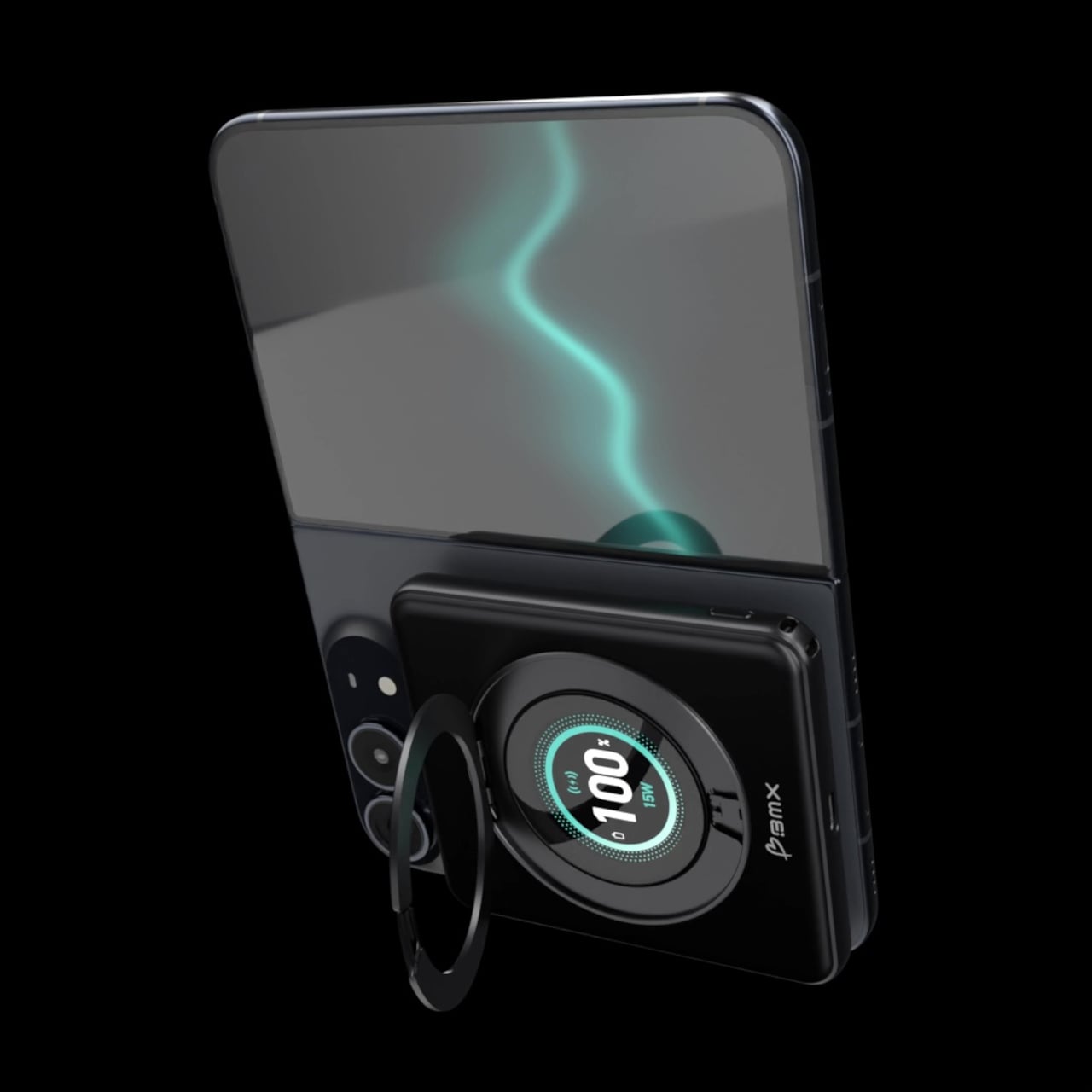
Magnetic charging makes attaching a battery easy, but it doesn’t guarantee that the battery will fit your phone’s shape. Apple’s folding iPhone Duo introduces a shorter body that gives accessories less room to stretch. BMX’s SolidSafe Duo responds with a compact, 5,000mAh power bank designed around those proportions, bringing a rotating stand, color display, and attached USB-C cable along for the ride.

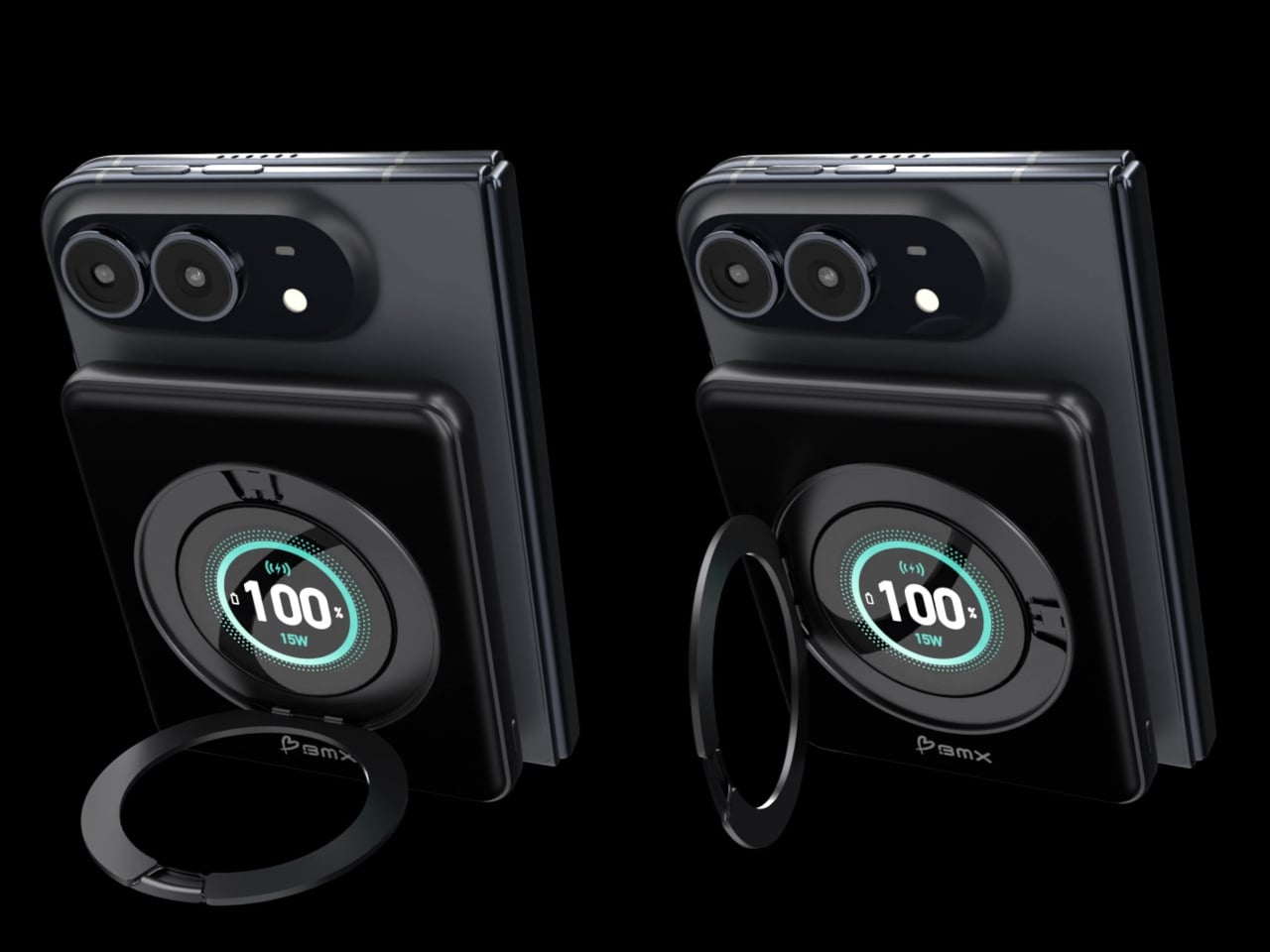
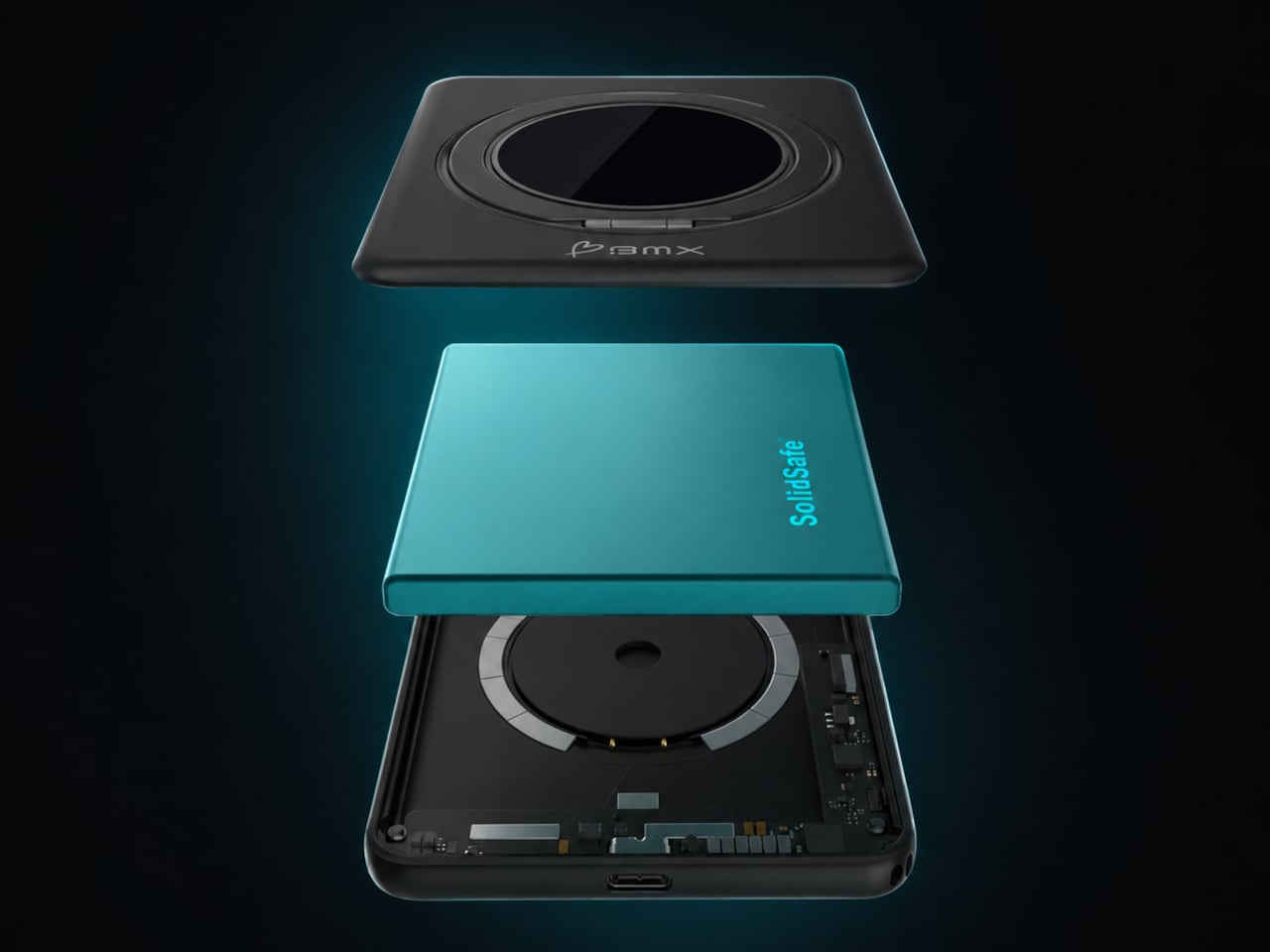
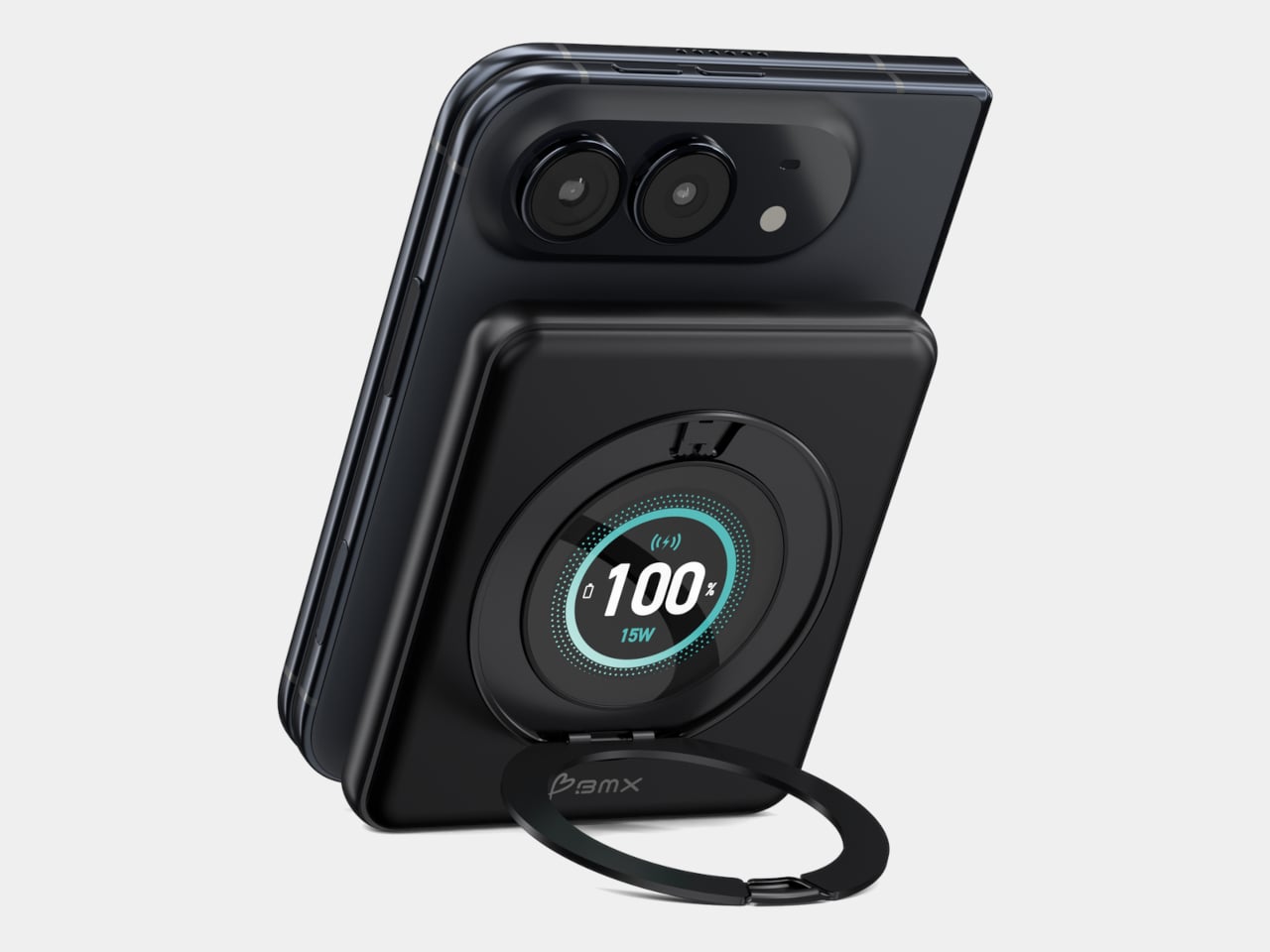
The difference starts inside, where a custom-shaped battery cell lets the enclosure follow the Duo’s footprint instead of extending beyond its edges. The black, CNC-machined aluminum housing has rounded corners and a broad face that sits below the cameras. That gives the accessory a more deliberate relationship with the phone, although matching its outline doesn’t make the added thickness disappear, of course.

Designer: BMX (Better Mobile Experience)

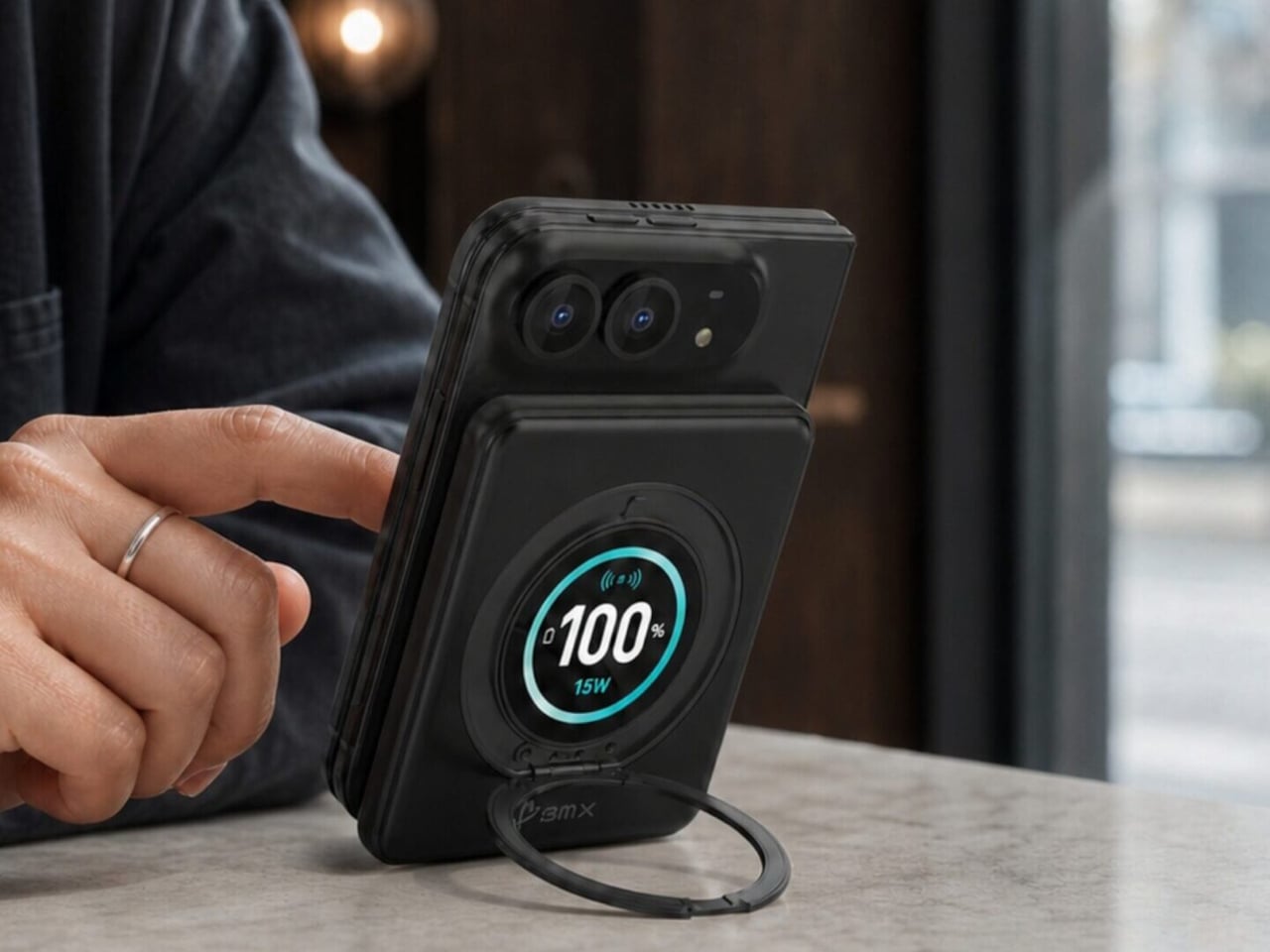
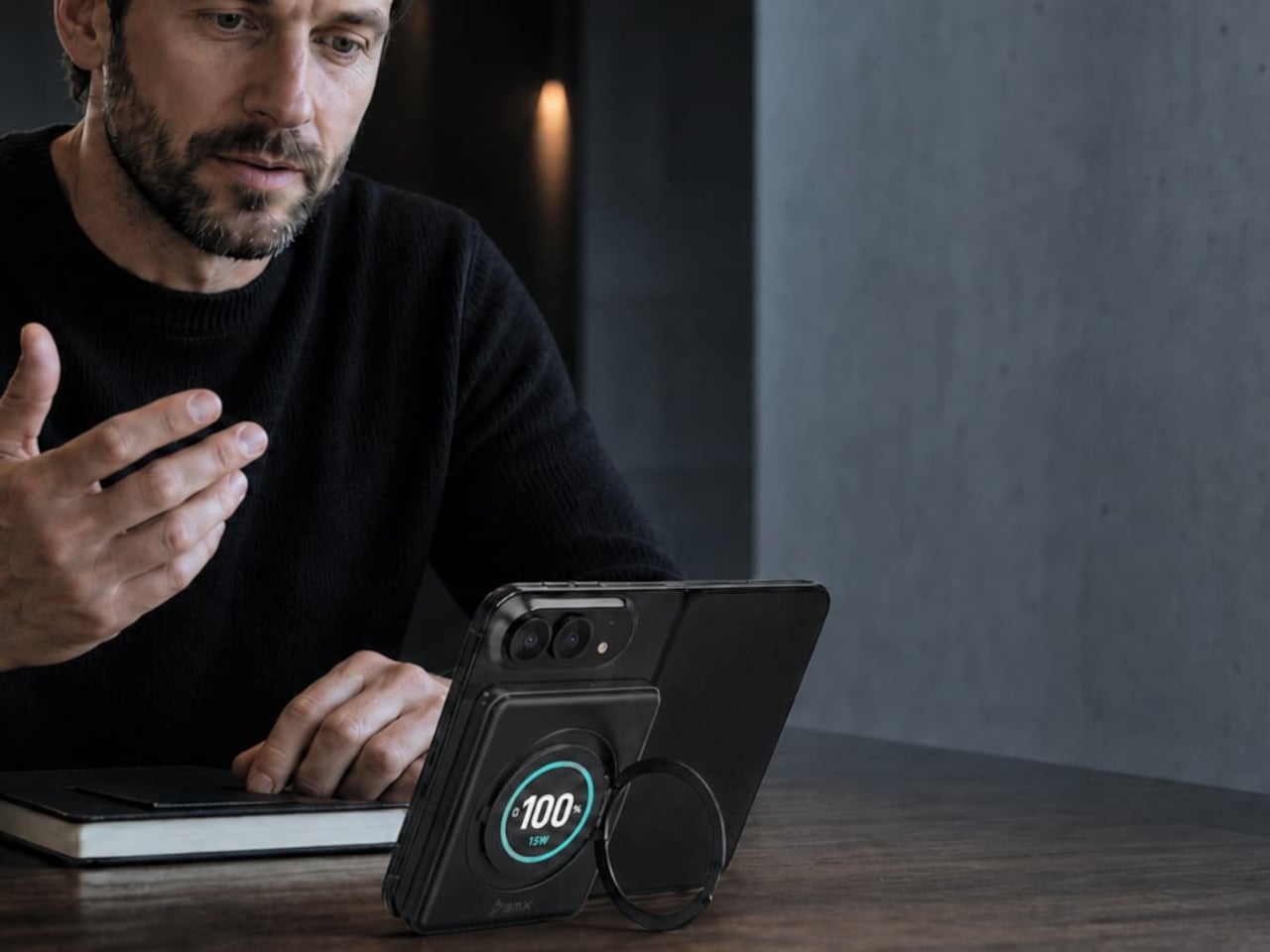
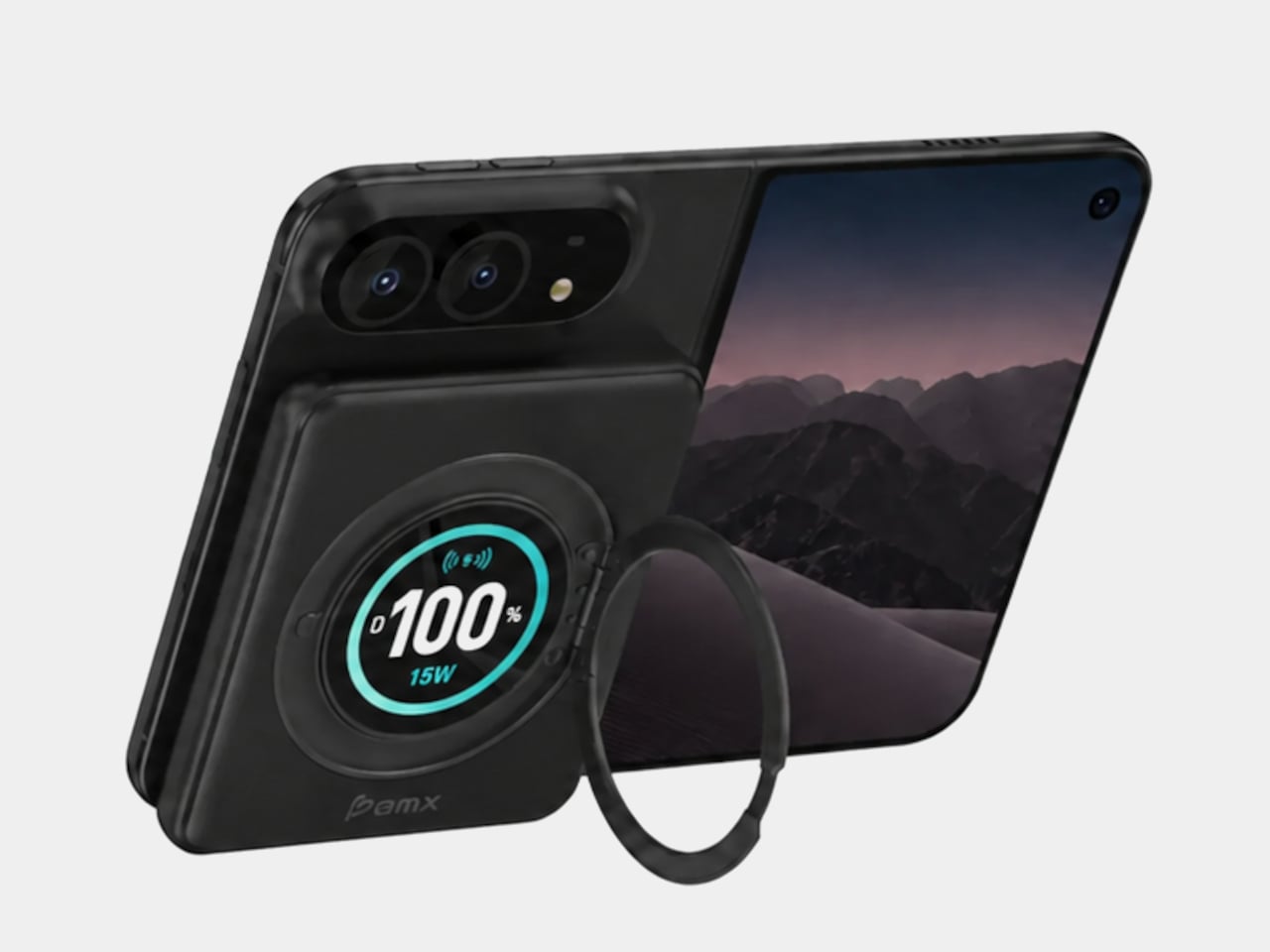
A circular ring folds out from the back and rotates 360°, giving the phone support in portrait or landscape orientation. Reading a recipe on the counter could give way to watching a video over lunch without detaching the battery. The stand makes particular sense for an unfolded screen, which offers more room to watch but also more phone to hold in your hand.

Nestled inside that ring is a full-color display showing the power bank’s remaining charge and live charging wattage. The distinction matters because the percentage belongs to the accessory, not your iPhone. It also gives you a way to check both your reserve and the current power output, rather than assuming that an attached battery is always charging at its advertised maximum speed.

The attached USB-C cable doubles as a lanyard, so wired charging doesn’t begin with a search through your bag. Plug it into a compatible device for up to 20W output, or use it to refill the power bank at up to 15W. It’s a simple detail, but it keeps the wired option available even when the rest of your charging gear is elsewhere.

Wireless charging, meanwhile, tops out at a claimed 15W, below the iPhone Duo’s supported 25W maximum. You’re getting a tailored shape rather than the phone’s fastest wireless charging. Connecting two devices also changes the numbers, splitting output between 10W over USB-C and 5W wirelessly. That could help another device through the afternoon, but neither connection retains its single-device maximum in that arrangement.

The SolidSafe name also needs a little unpacking. BMX uses semi-solid-state cells and says their reduced liquid electrolyte content helps lower fire risk compared with conventional lithium-ion batteries. That’s a reduced-risk claim, not a promise that the battery can’t fail. The rigid aluminum enclosure also helps dissipate heat, according to BMX, rather than preventing the pack from becoming warm while it charges your phone.

Available for $79.99 in the US, SolidSafe Duo adds about 0.43 inch of thickness and 4.47 ounces to your phone. Those numbers deserve as much attention as its compact outline, particularly when the phone itself already folds shut. Having a stand and cable built into the battery means fewer loose accessories to pack, but a thicker stack to slide back into your pocket.

The post SolidSafe Duo Magnetic Power Bank Is Shaped to Fit Apple’s Folding iPhone first appeared on Yanko Design.
  •  

Kenko’s 18-Gram Pieni III Camera Shoots Without a Screen

Keychain cameras have a certain appeal for those who love to carry a bit of nostalgic charm with them. Well, technically, they’re still digital cameras, but there’s a retro feel to them that appeals to those who remember taking photos before smartphones. They’re cute and tiny enough to carry as accessories, but they still let you take photos and videos to add to your collection.

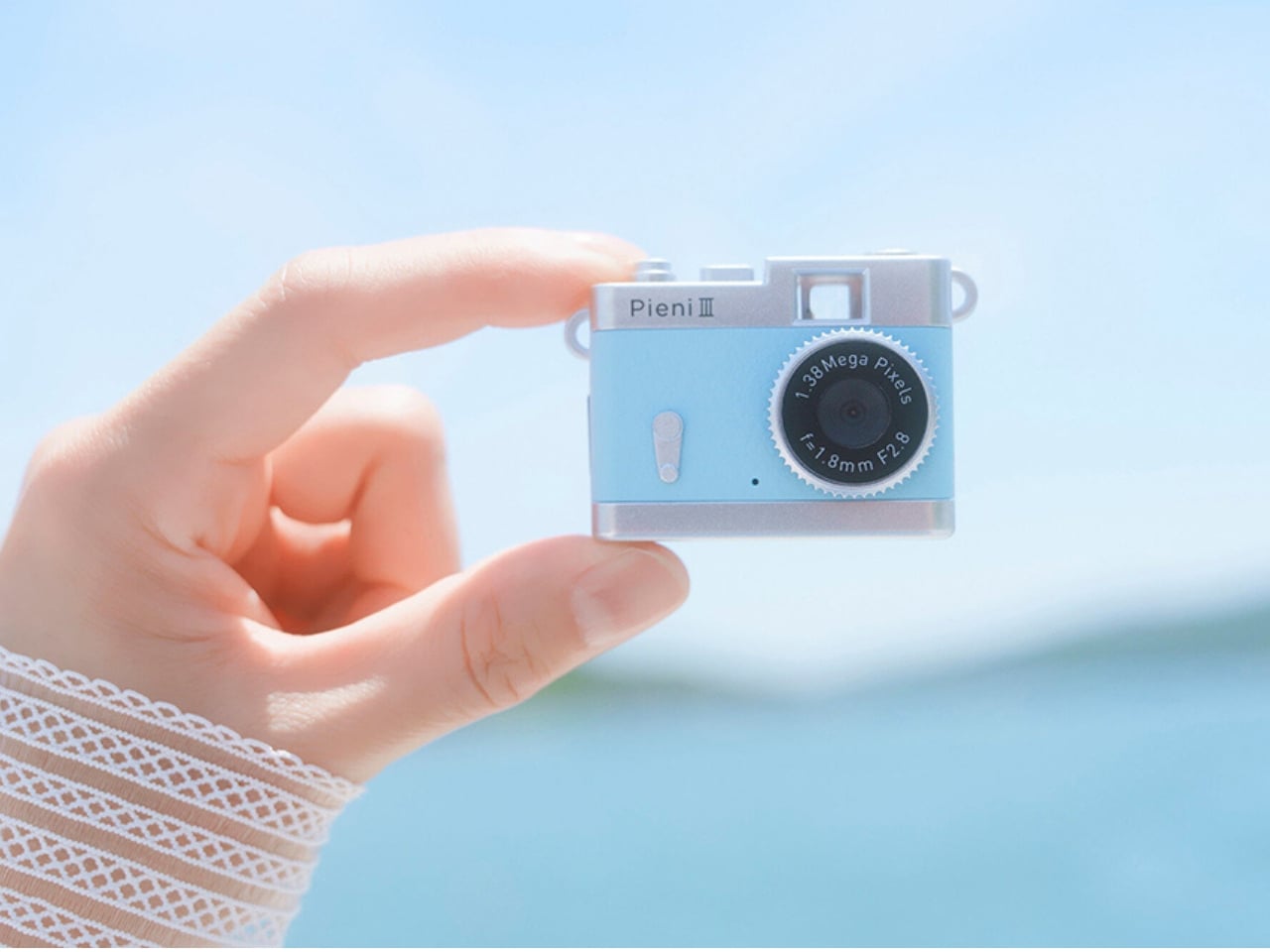
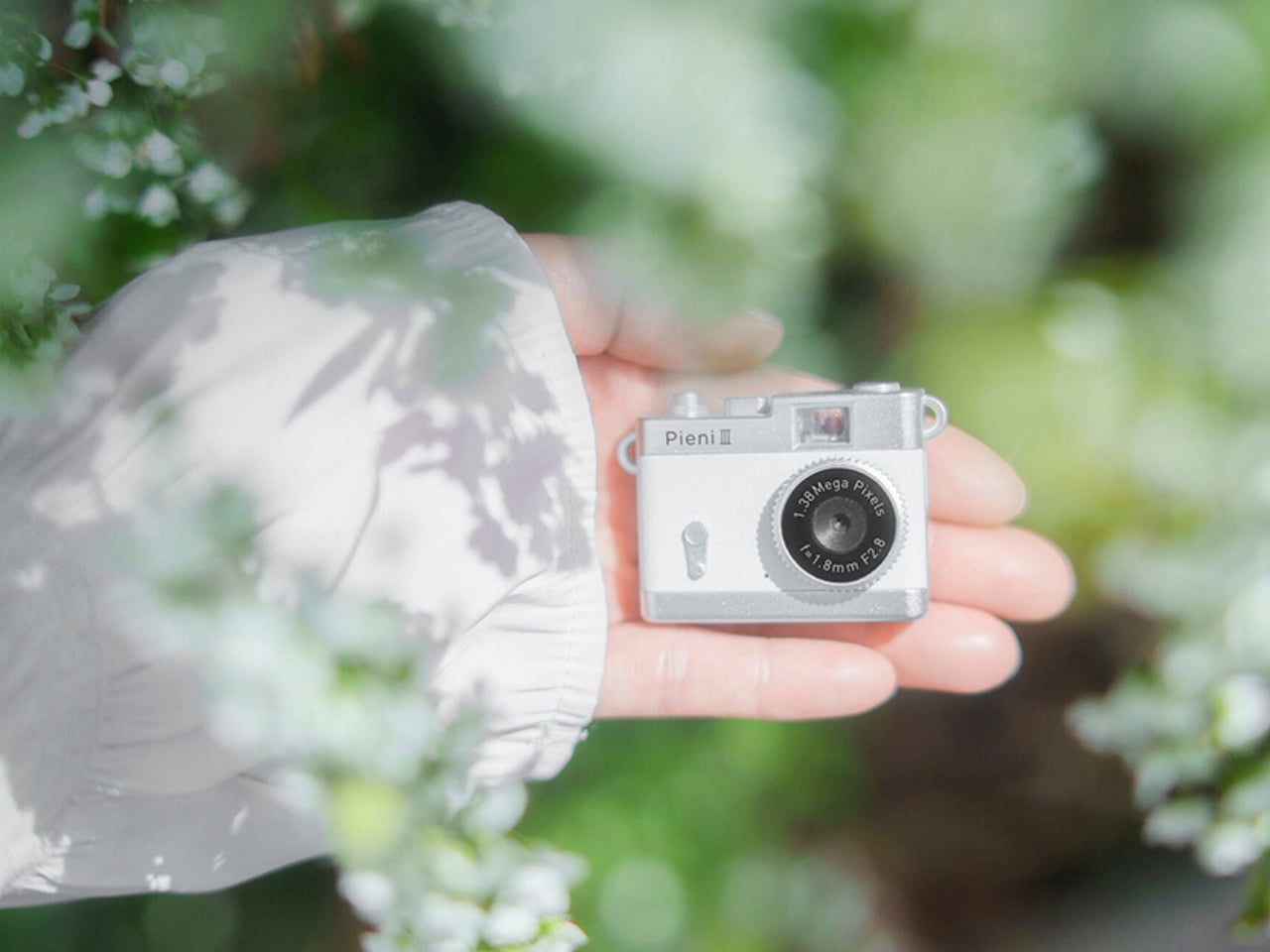
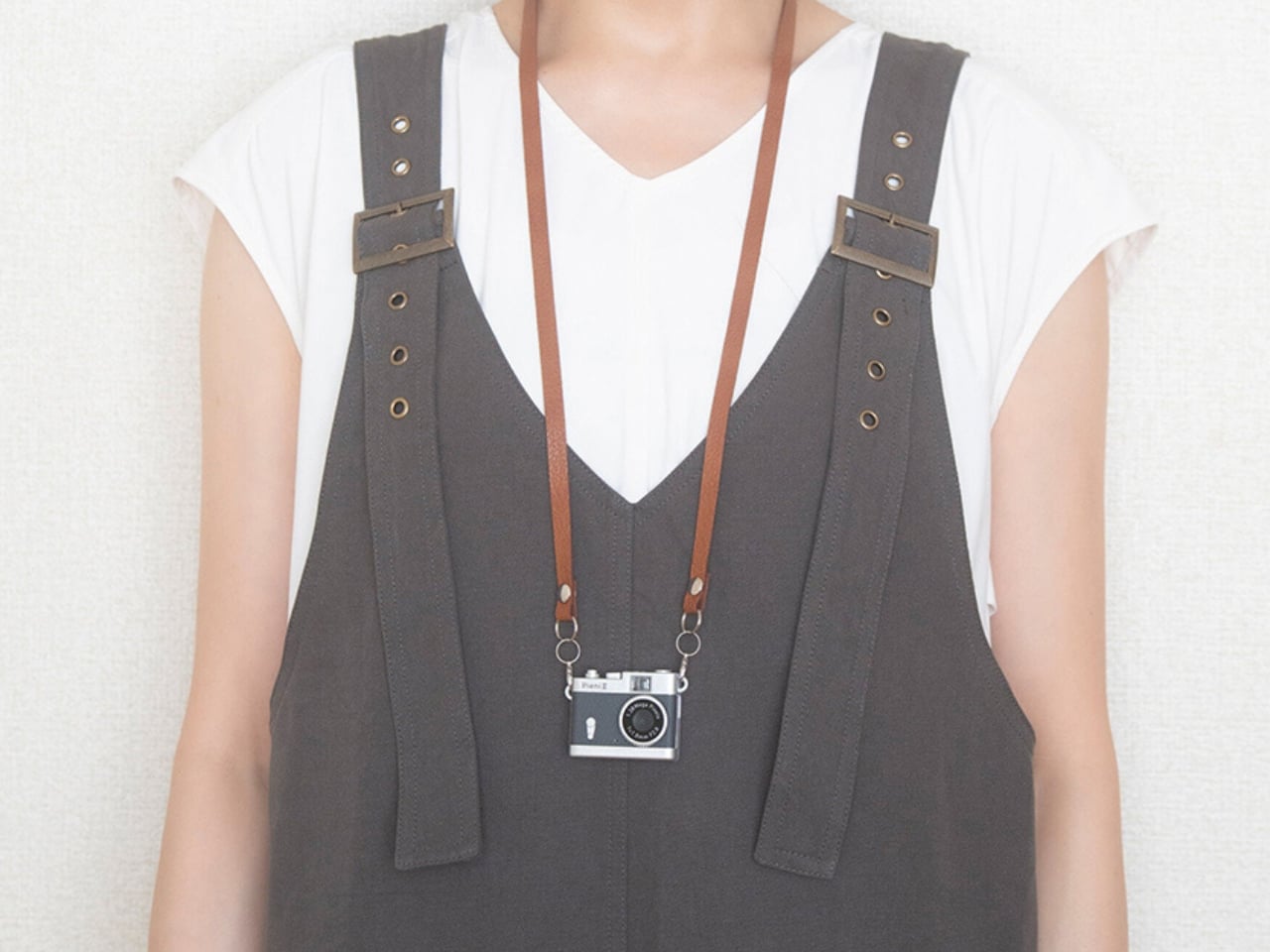
Kenko Tokina has released another tiny camera to add to the fun. The Kenko Pieni III is an ultra-small digital toy camera designed to be worn as a necklace or an accessory. It comes with a neck strap for that purpose. It’s not meant to replace your bigger camera, of course, but it offers another way to take photos and videos.

Manufacturer: Kenko Tokina

This version of the Pieni camera is just over two inches wide and weighs approximately 18 grams, excluding the memory card and accessories. It comes in a classic camera-style design, so it can also serve as a camera-shaped accessory or a decorative display. But when you want to use it as an actual camera, it can capture still images at 1440 × 960 pixels and videos with audio at 720 × 480 pixels and 30 frames per second.

There’s an important detail behind those photo dimensions, though. The sensor has only 320,000 effective pixels, or 0.32 megapixels, and the camera interpolates the images to create larger files. That doesn’t give you the detail of a higher-resolution sensor. It’s worth keeping your expectations in toy-camera territory rather than expecting crisp images suitable for large prints. But I think this lo-fi aesthetic is part of the appeal of using these toy cameras as a secondary way to capture moments.

It doesn’t have a screen or a viewfinder, so you can’t preview your framing or immediately review what you’ve taken. It can be a way to enjoy capturing a spontaneous moment without worrying about making it perfect, although aiming without a preview may be a challenge for some. There’s also a difference between accepting an imperfect photo and accidentally leaving someone out of the frame, so that uncertainty is part of the trade-off.

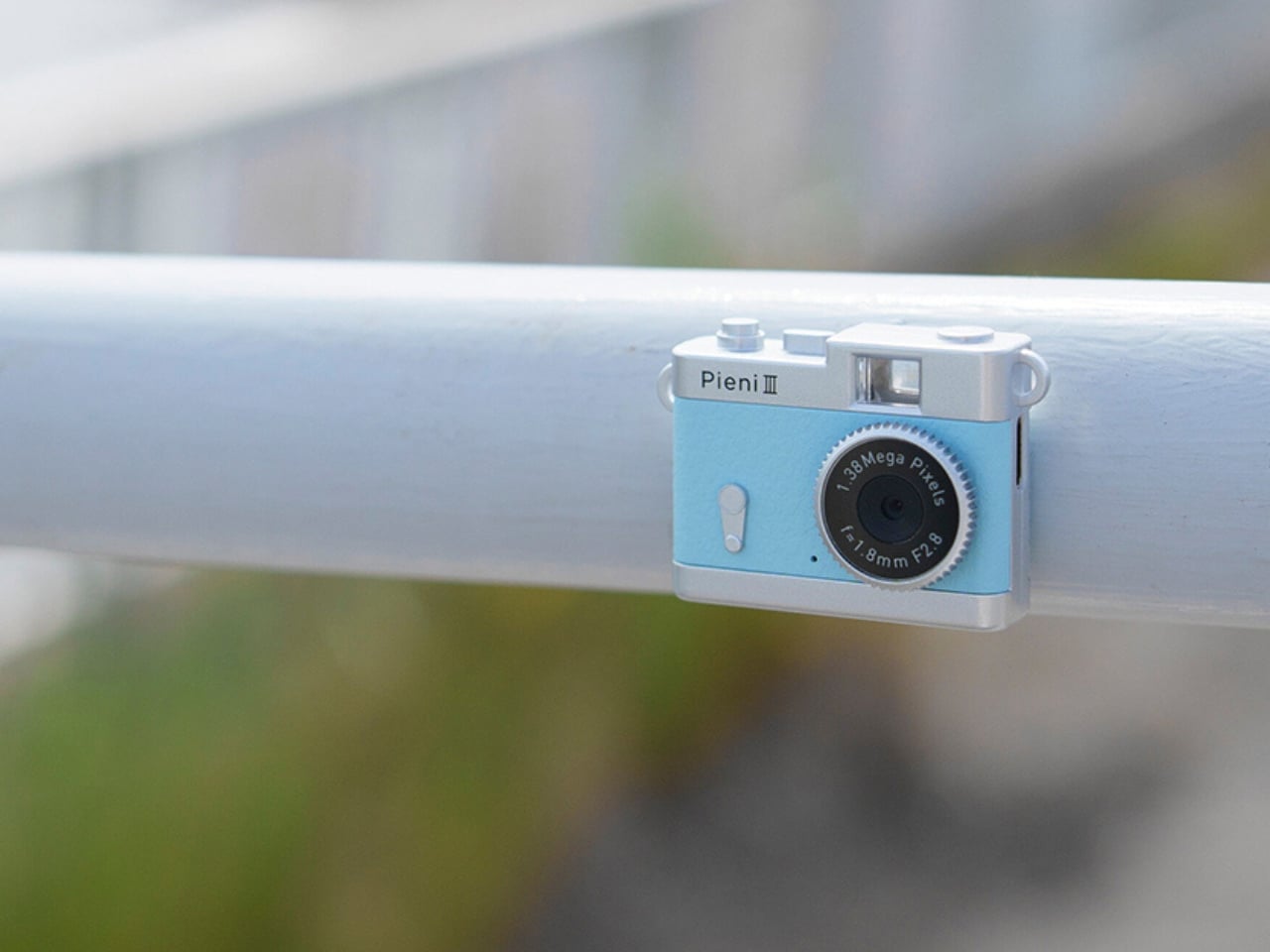
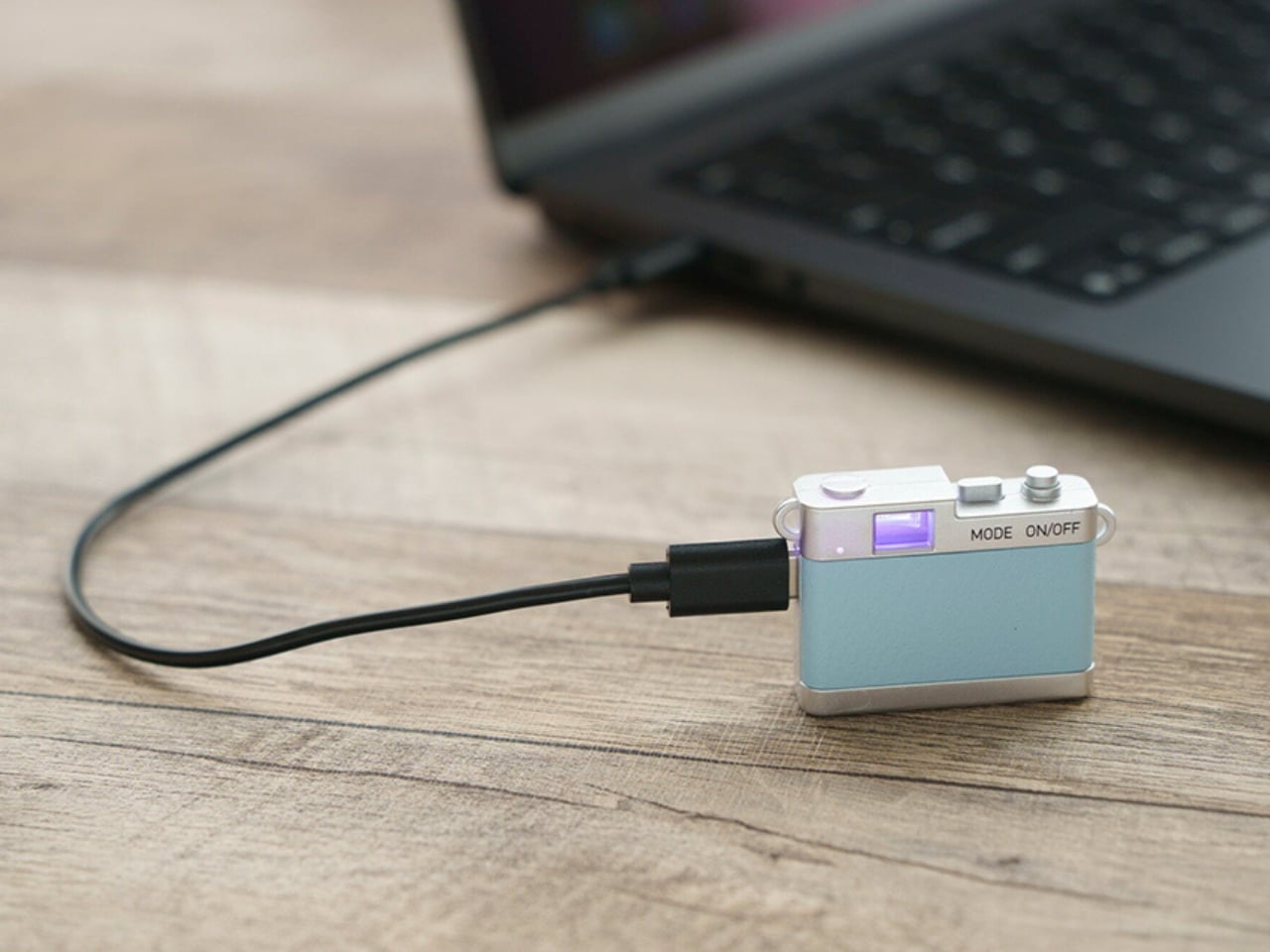
The controls are simple in number, with just two buttons. One handles power and the shutter or video recording, while the other switches between photo and video modes. LEDs indicate which mode you’re using. There aren’t many controls to navigate, although you’ll still need to learn the button presses and signals. The camera also has an integrated rear magnet, so you can attach it to compatible magnetic surfaces, such as a refrigerator or a suitable metal railing. This could be useful for recording yourself when you don’t want to hold the camera. You’ll still need to find a secure position and judge where it’s pointing, especially since there’s no screen to help you set up the shot.

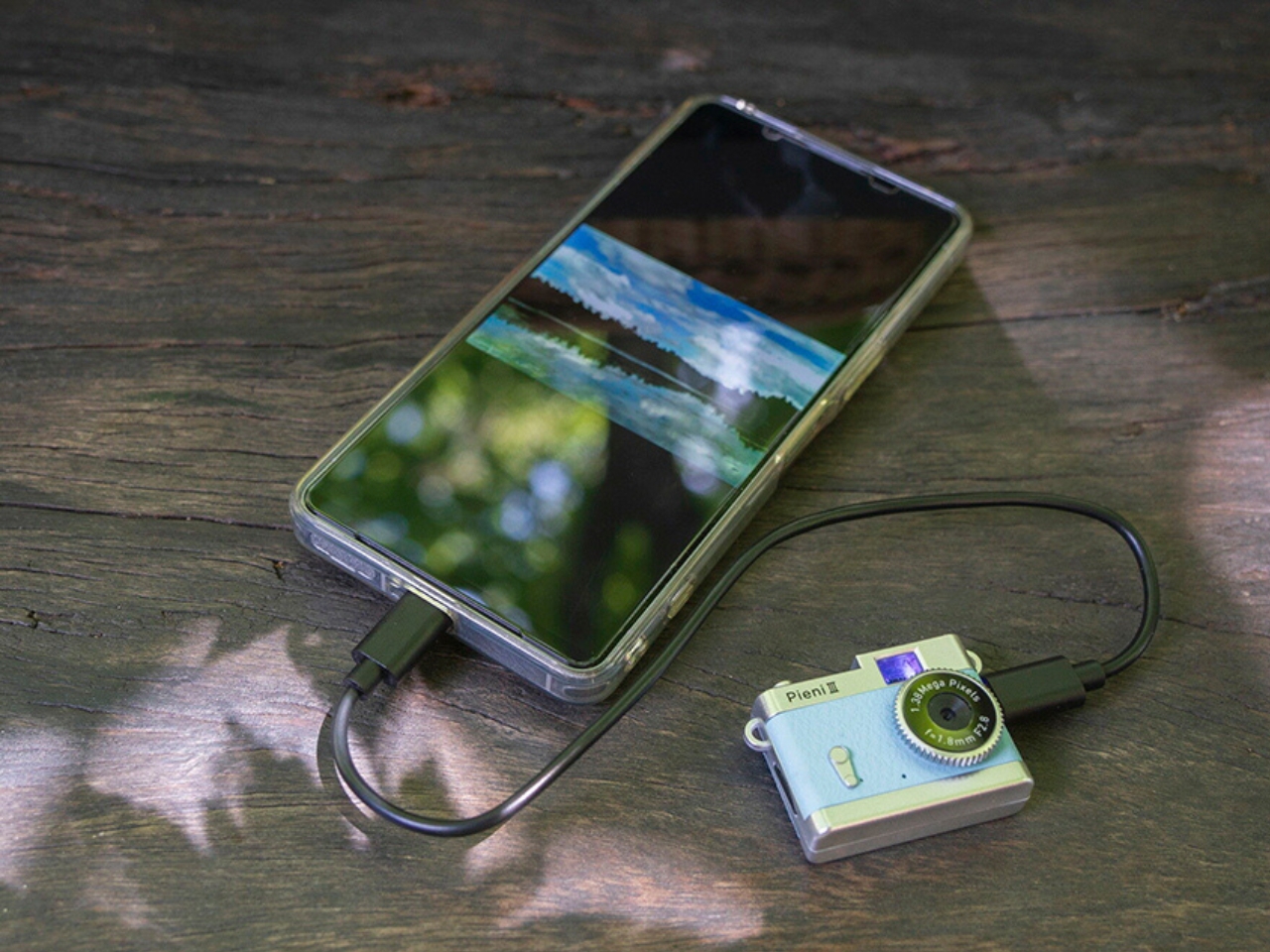
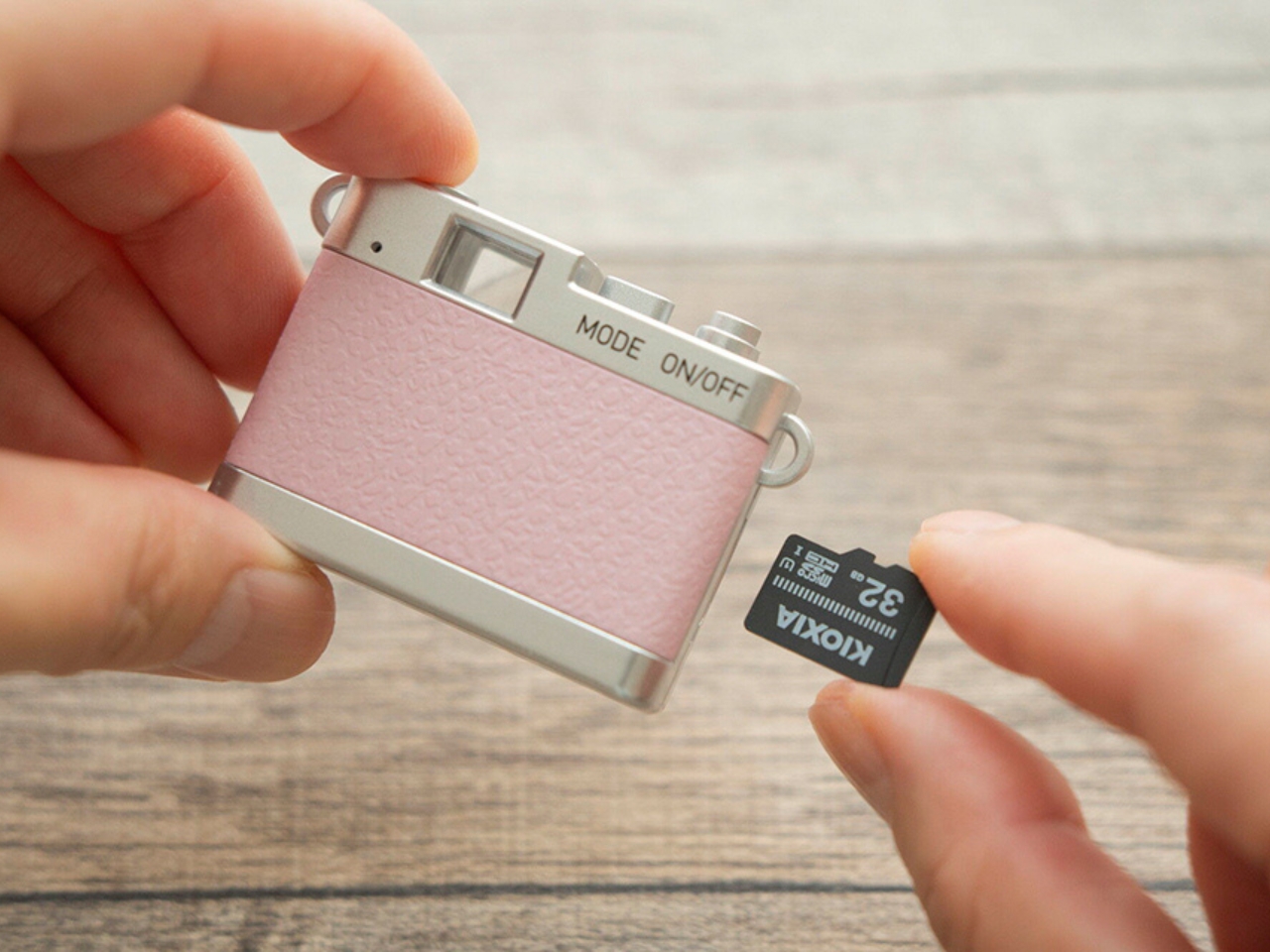
Photos and videos are saved to a separately purchased microSDHC card, with supported capacities ranging from 4 GB to 32 GB. There’s no user-accessible internal storage, so the card is something you’ll need before you start shooting. That’s a small but important extra purchase if you’re planning to give the camera as a gift. To see the results, you can connect the camera to a computer or transfer files directly to a compatible USB-C smartphone using the included USB-C-to-USB-C cable. Kenko Tokina cautions that it doesn’t guarantee compatibility with every smartphone. The USB connection also handles charging, keeping the basic setup fairly compact.

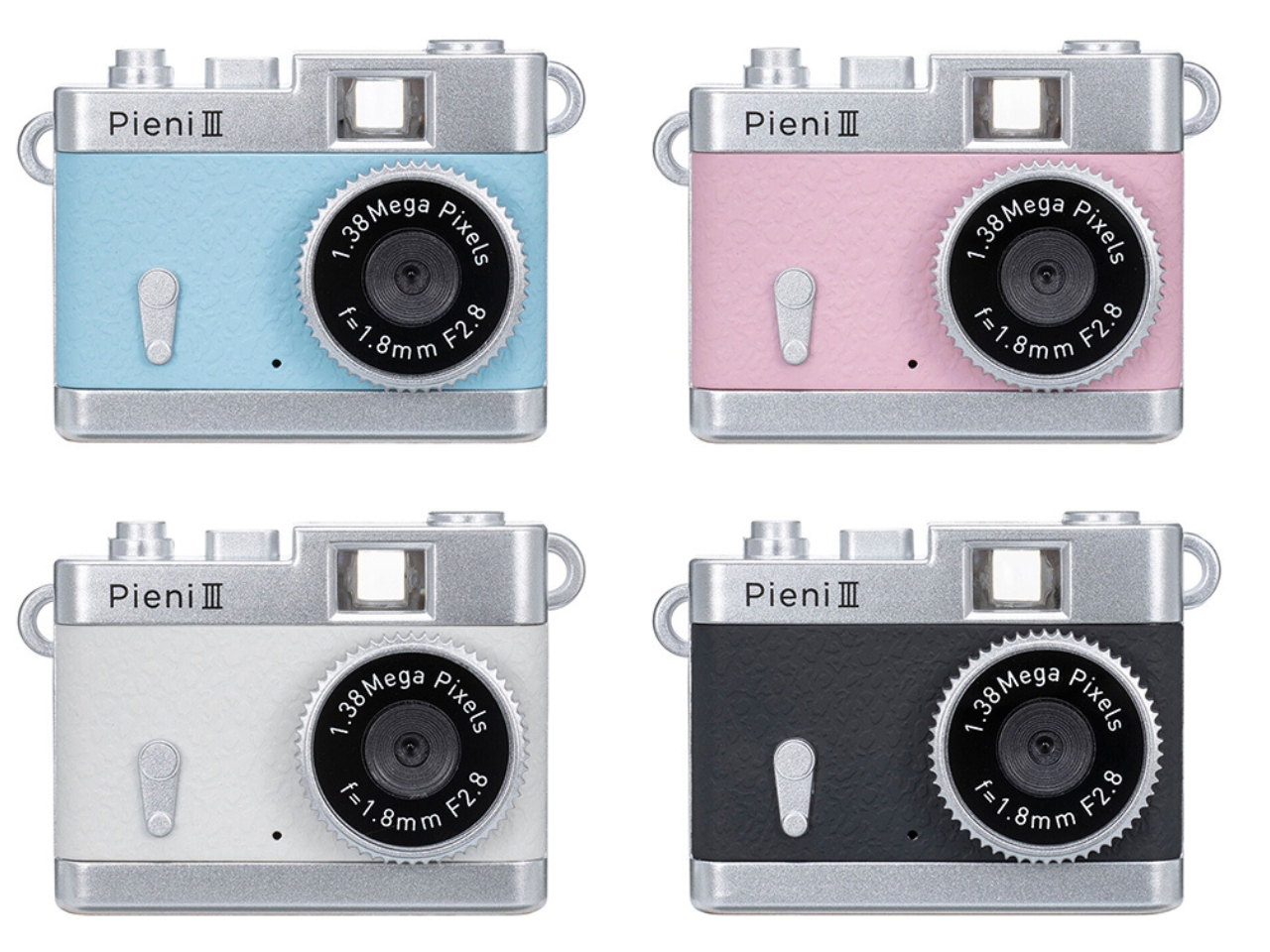
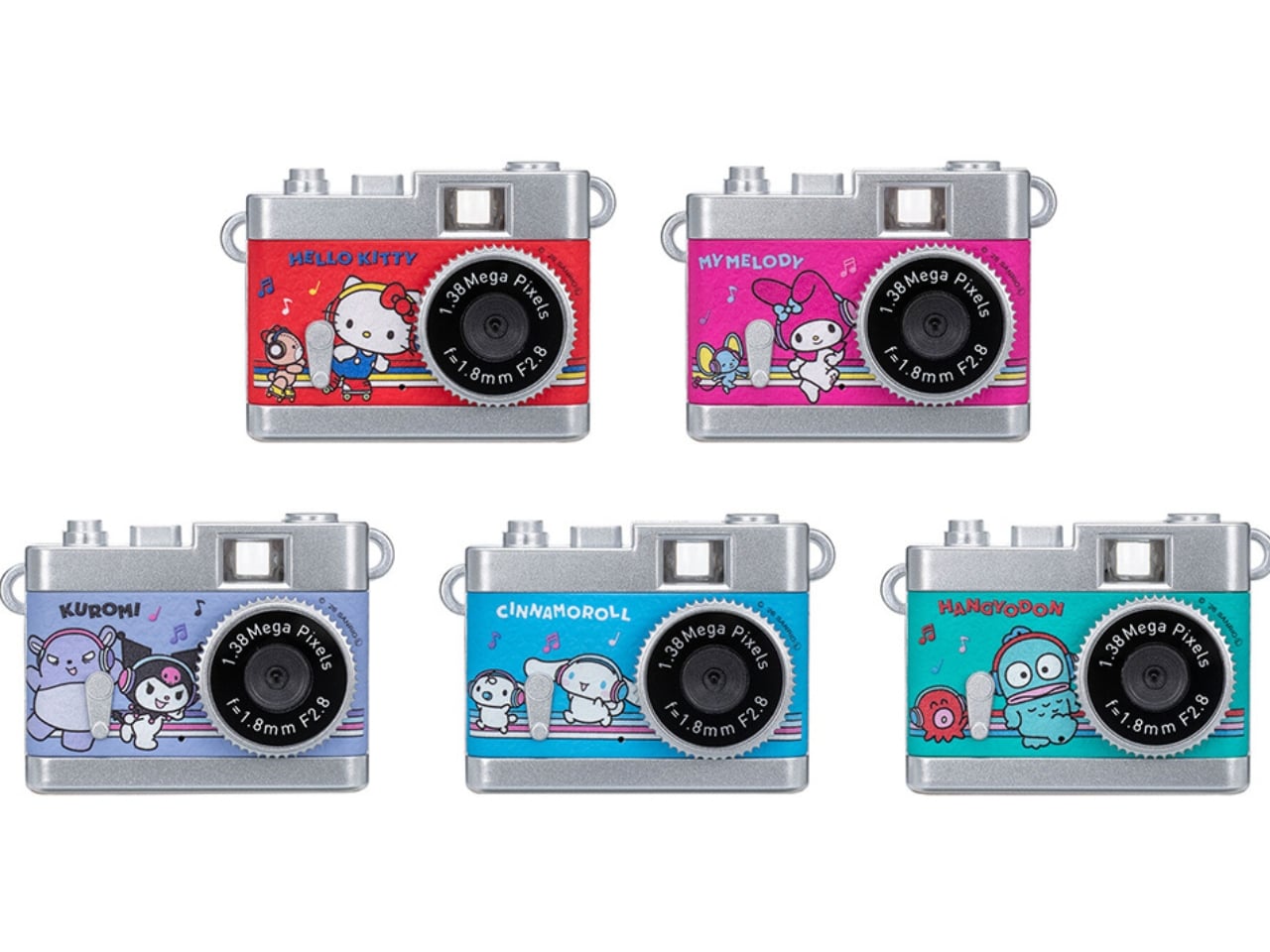
The Pieni III is available in four colors: Soda, Strawberry, Milk, and Black. There are also five character versions in the separate Sanrio Character Toy Camera STREET line, which has the same basic performance as the Pieni III. The range includes Hello Kitty, My Melody, Kuromi, Cinnamoroll, and Hangyodon.

For moments you absolutely need to capture correctly, the lack of framing and immediate review may be frustrating. But if you’re happy to take a few chances, there’s something appealing about putting the camera away without checking every shot. You get to find out later which pictures worked—and which ones missed what you were aiming for.

The post Kenko’s 18-Gram Pieni III Camera Shoots Without a Screen first appeared on Yanko Design.
  •  

Clevetura S Keyboard Review: Swipe Across the Keys Instead of Reaching for a Mouse

PROS:


  • Innovative combination of keyboard and touchpad in one

  • Compact, lightweight design

  • Customizable gestures and sensitivity

  • Supports 3 Bluetooth and 1 USB-C connections

CONS:


  • Has a bit of a learning curve for accuracy and speed

  • Premium price tag

RATINGS:

AESTHETICS
ERGONOMICS
PERFORMANCE
SUSTAINABILITY / REPAIRABILITY
VALUE FOR MONEY

EDITOR'S QUOTE:

The Clevetura CLVX S brings typing and navigation together in a compact design that gives your mouse hand less traveling to do.

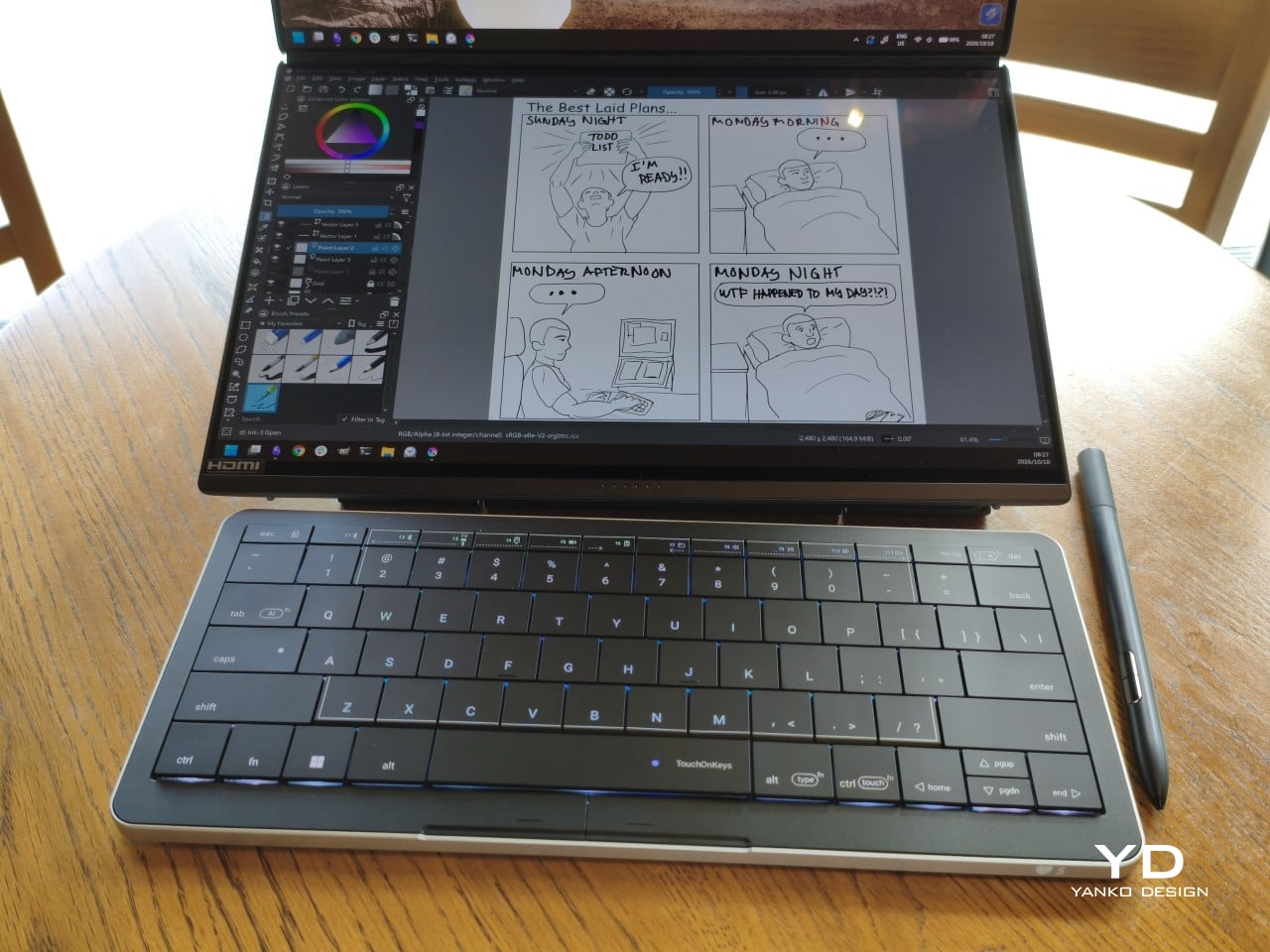
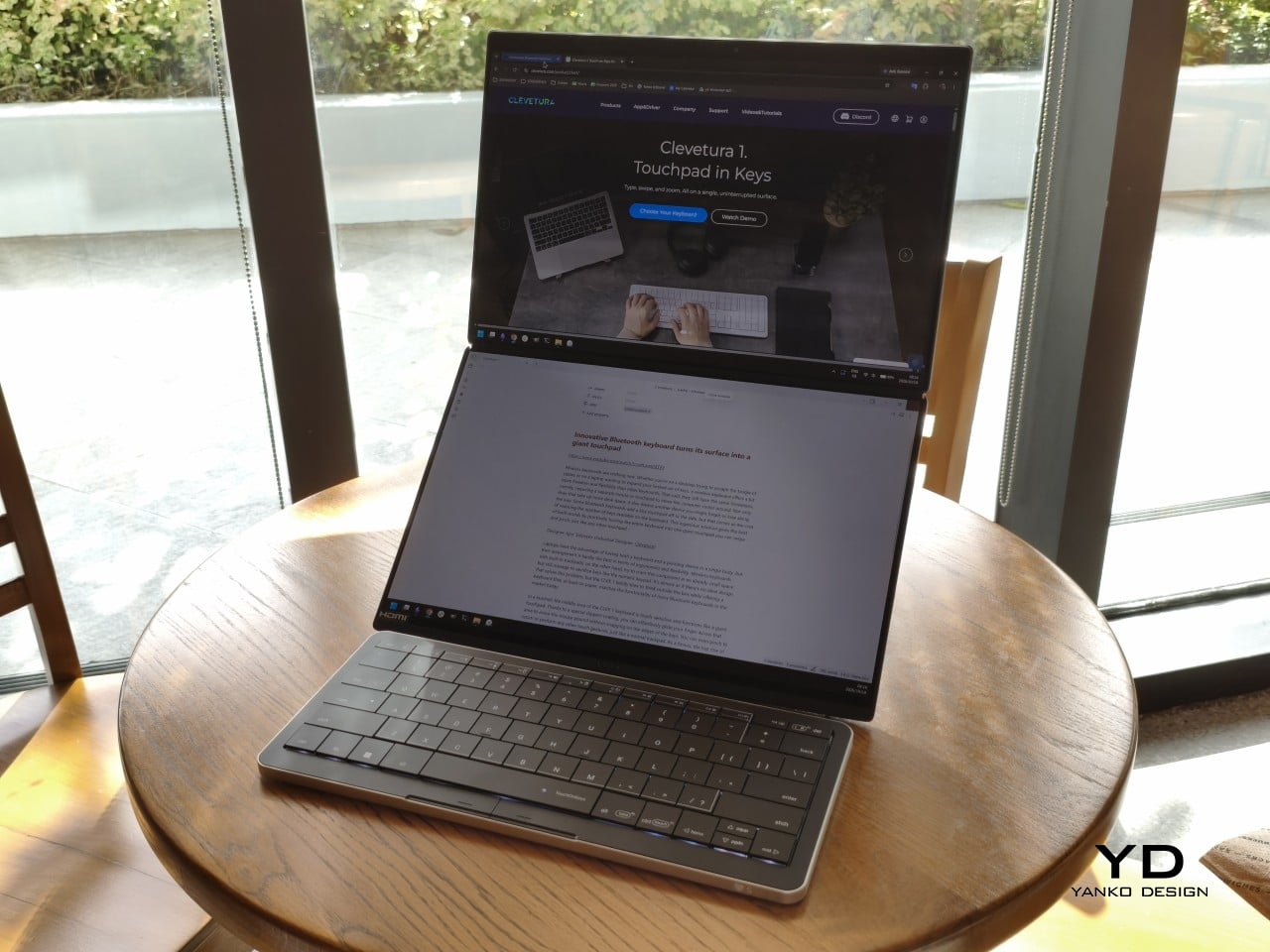
Keyboards and mice have shared our desks for decades, but our hands still have to travel between them whenever typing gives way to clicking. That familiar shuffle becomes especially noticeable when there’s barely enough room for a laptop, let alone another accessory. The Clevetura S offers an interesting solution by turning the keys themselves into a touchpad, giving your fingers another way to get around without leaving the keyboard.

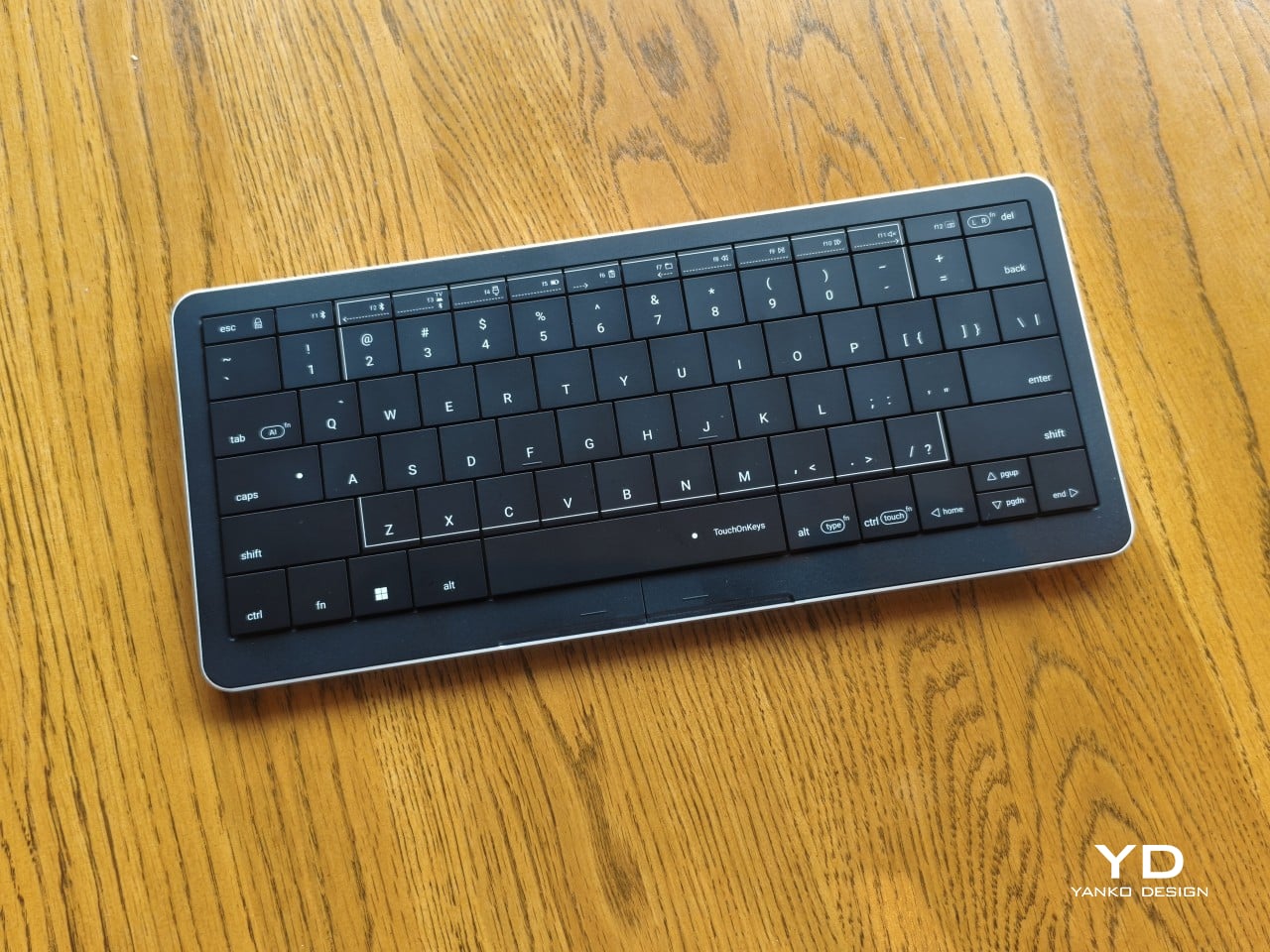
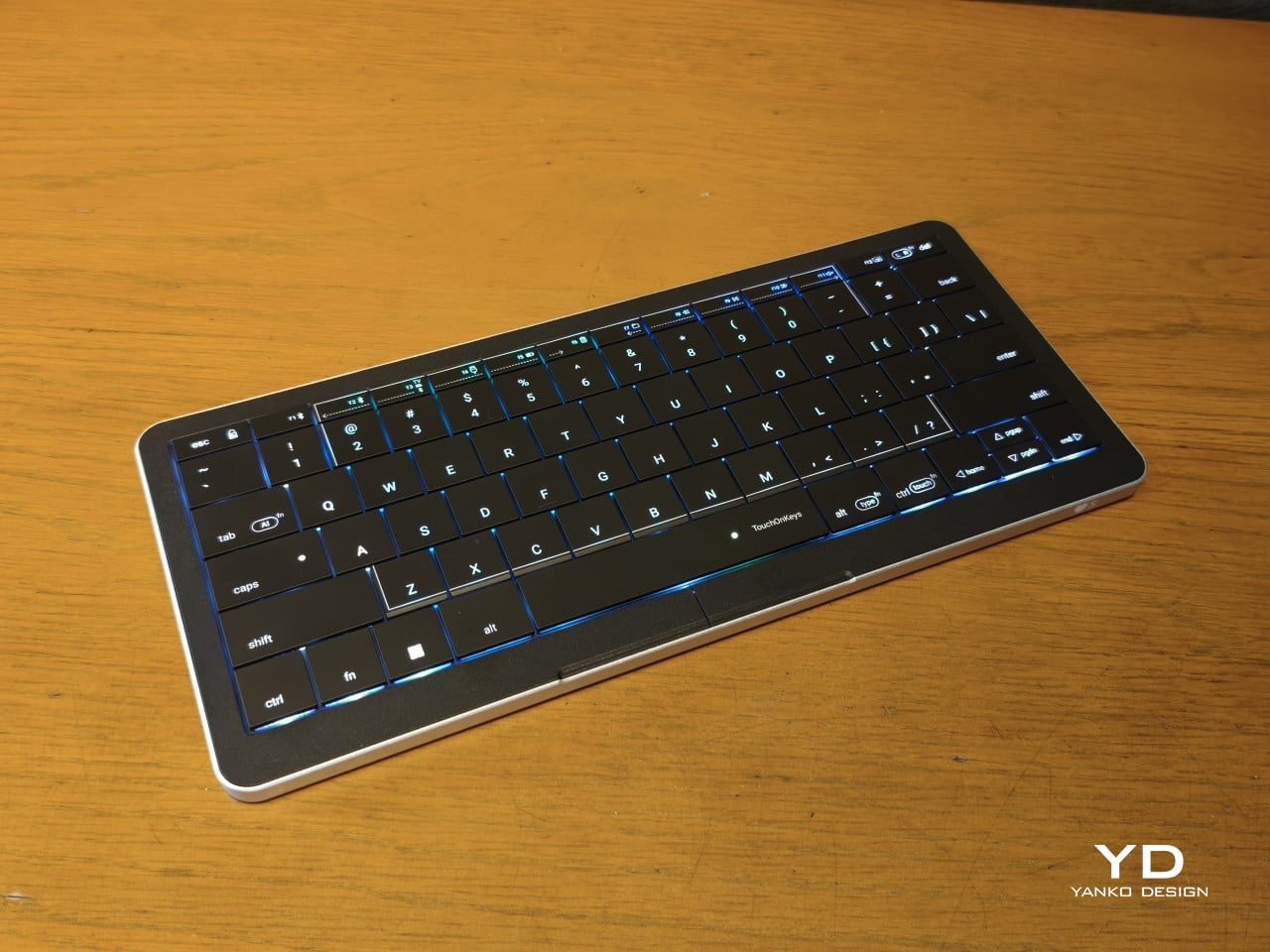
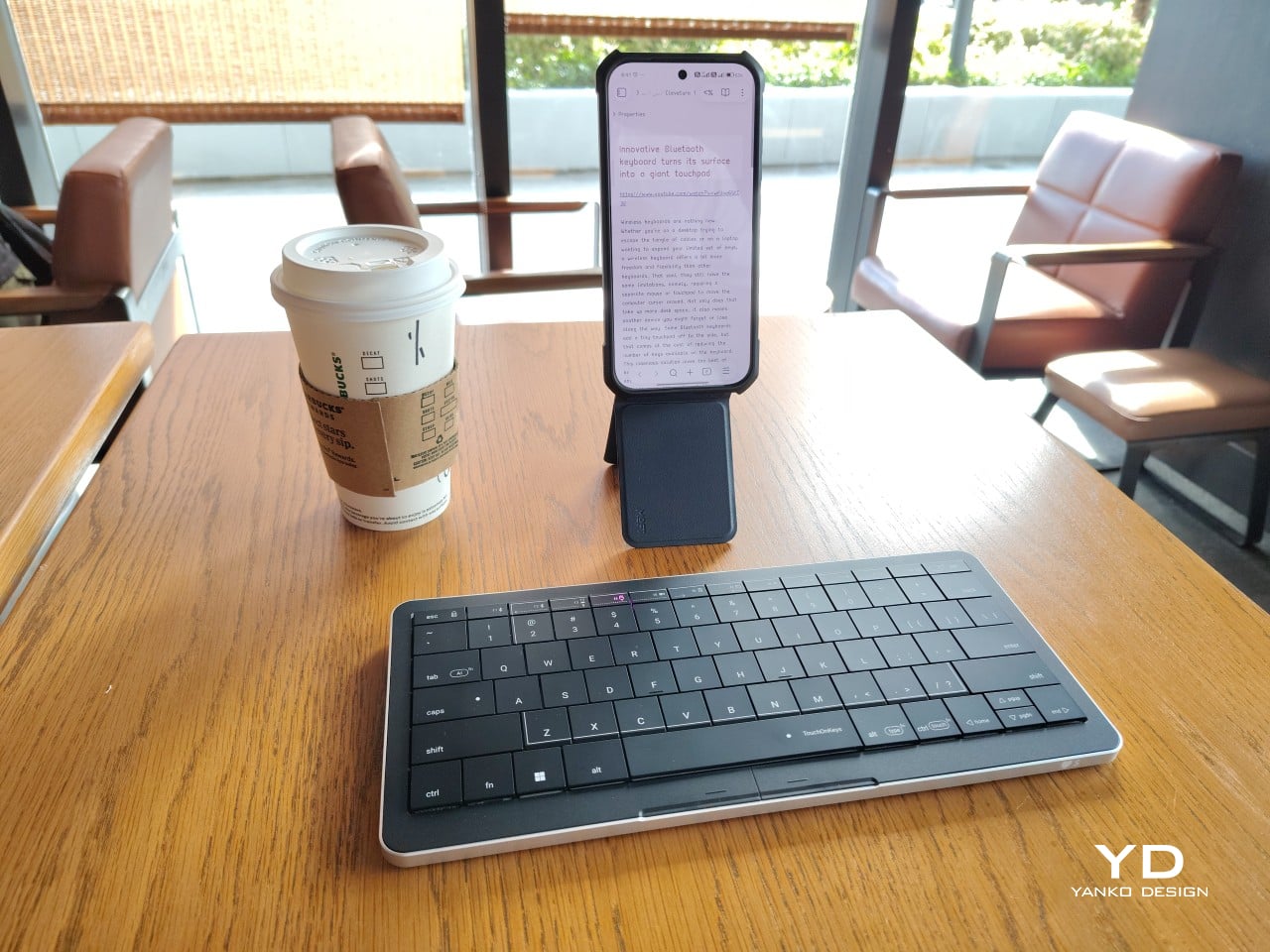
Also known as the CLVX S, this compact, 78-key keyboard brings Clevetura’s TouchOnKeys technology to a more portable design. The Windows version reviewed here can handle familiar gestures without additional software, although there’s plenty to customize if you want to. More importantly, it makes an unusual interaction surprisingly useful, even if sliding across letters and keeping resting fingers from triggering gestures take a little getting used to.

Designer: Clevetura

Aesthetics

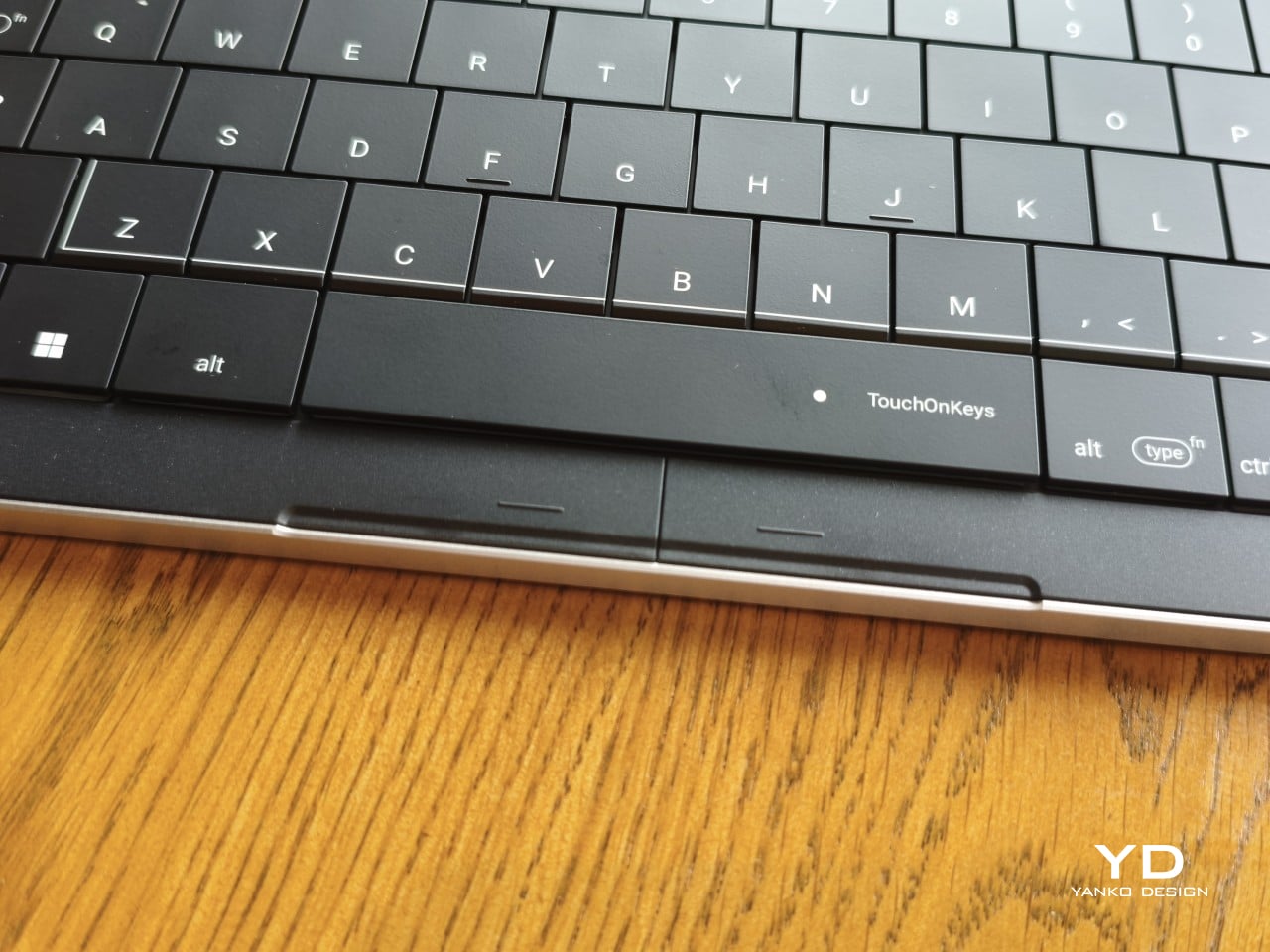
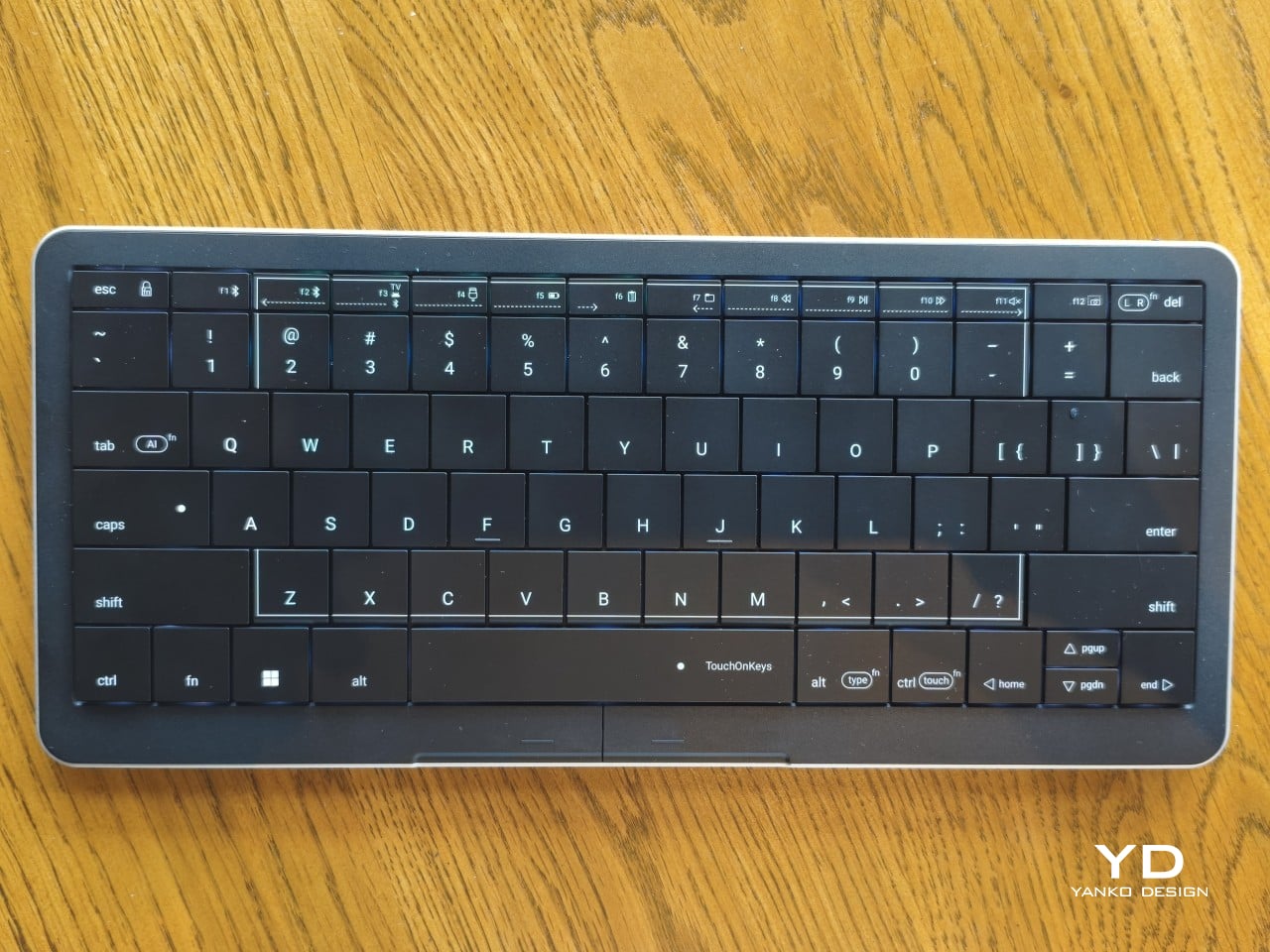
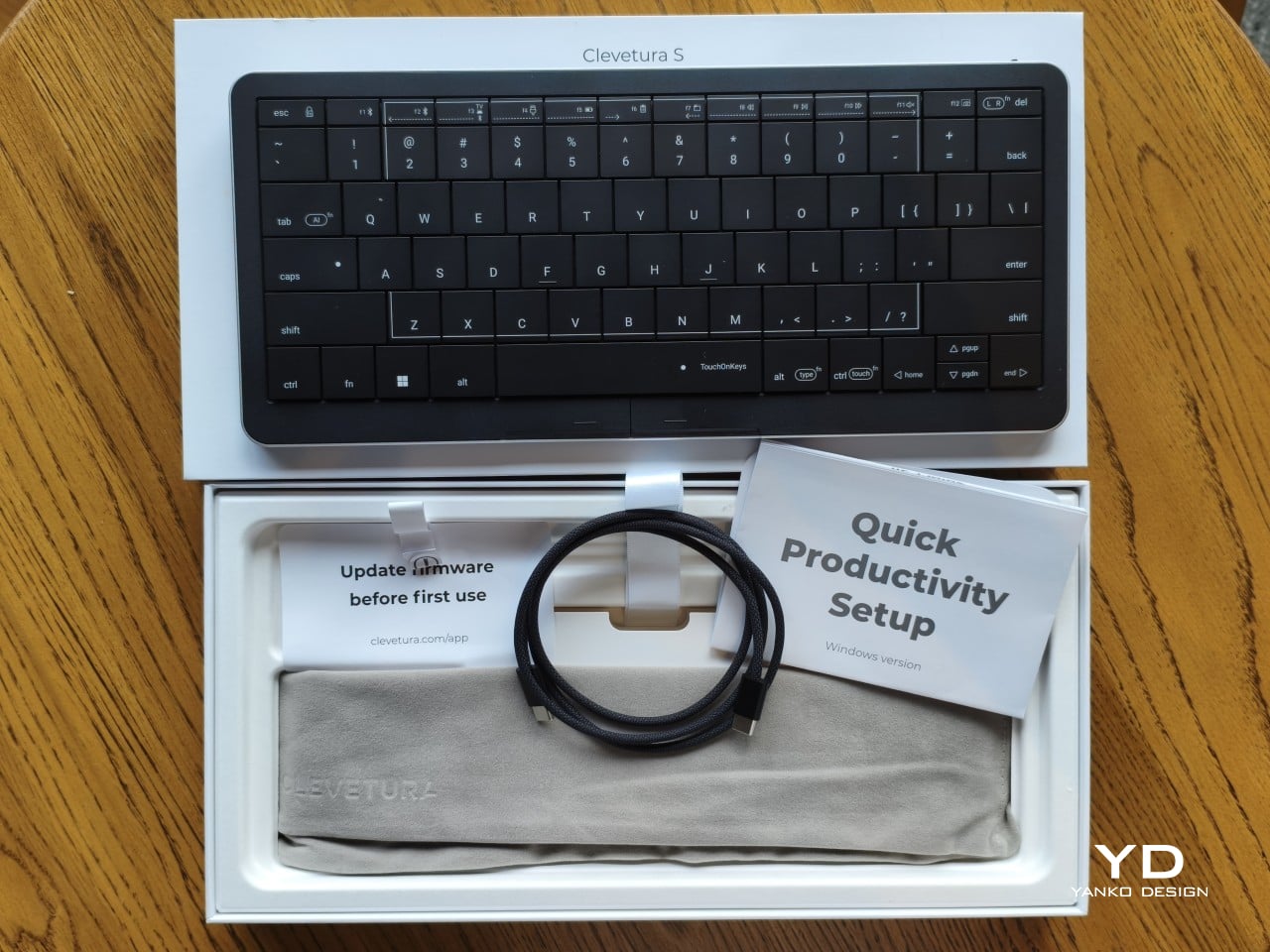
Upfront, the Clevetura S looks almost like someone forgot to leave space between the keys. The flat keycaps sit unusually close together, giving the 78-key layout a tidy, almost tiled appearance. There’s a practical reason for that, of course. Fingers need to travel across the surface as comfortably as they press down on it, and generous gaps would make that second job considerably less inviting.

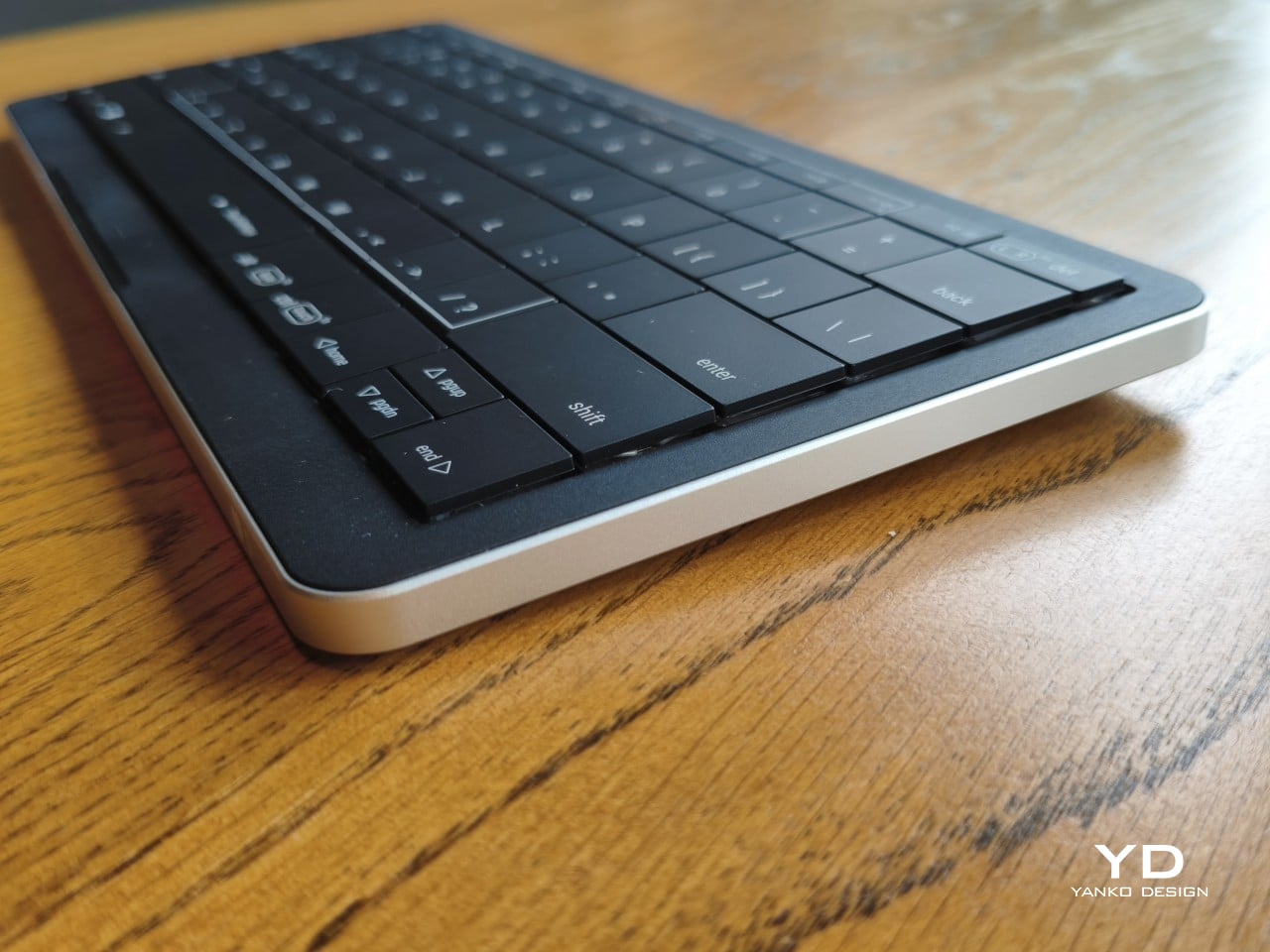
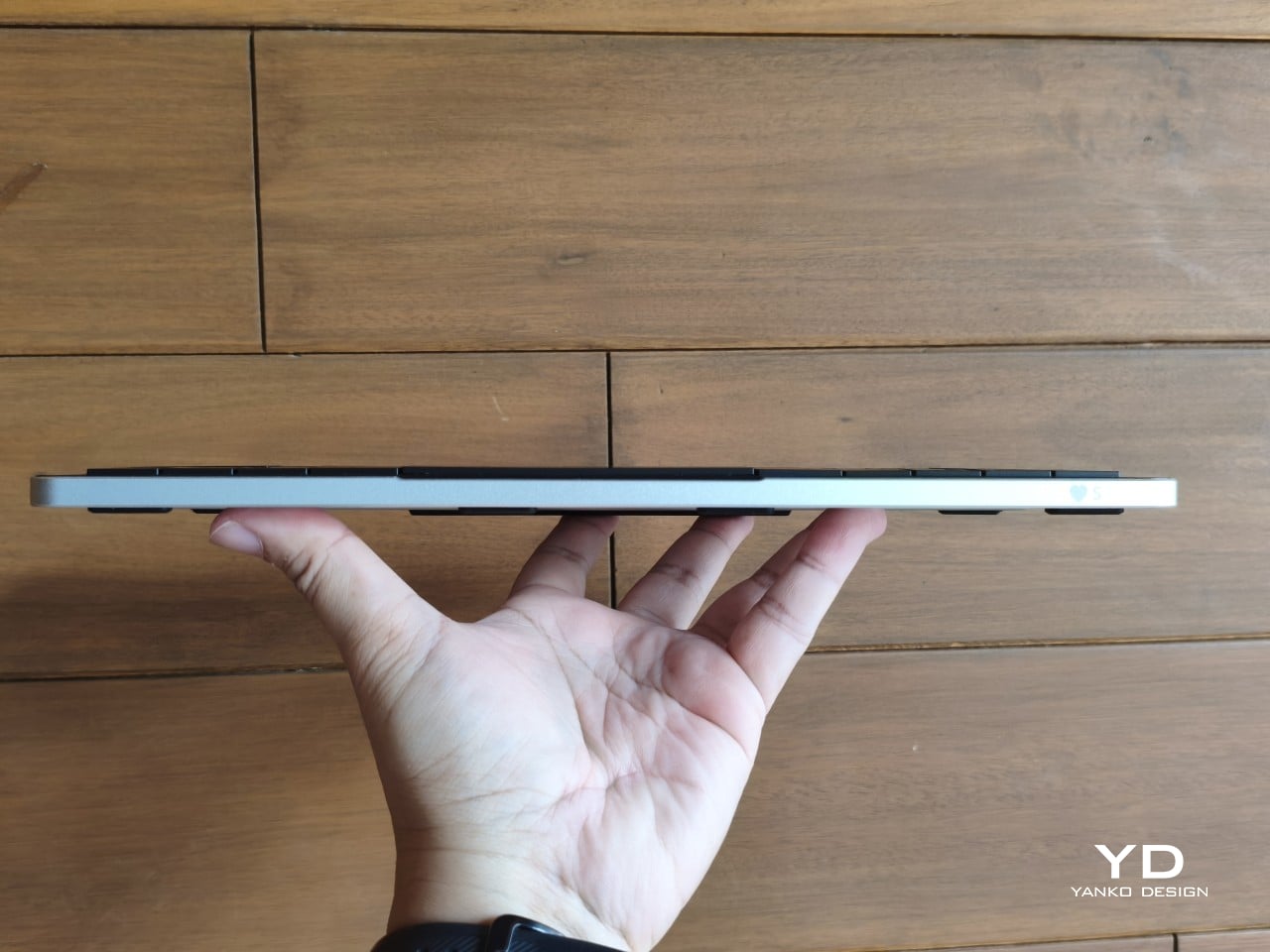
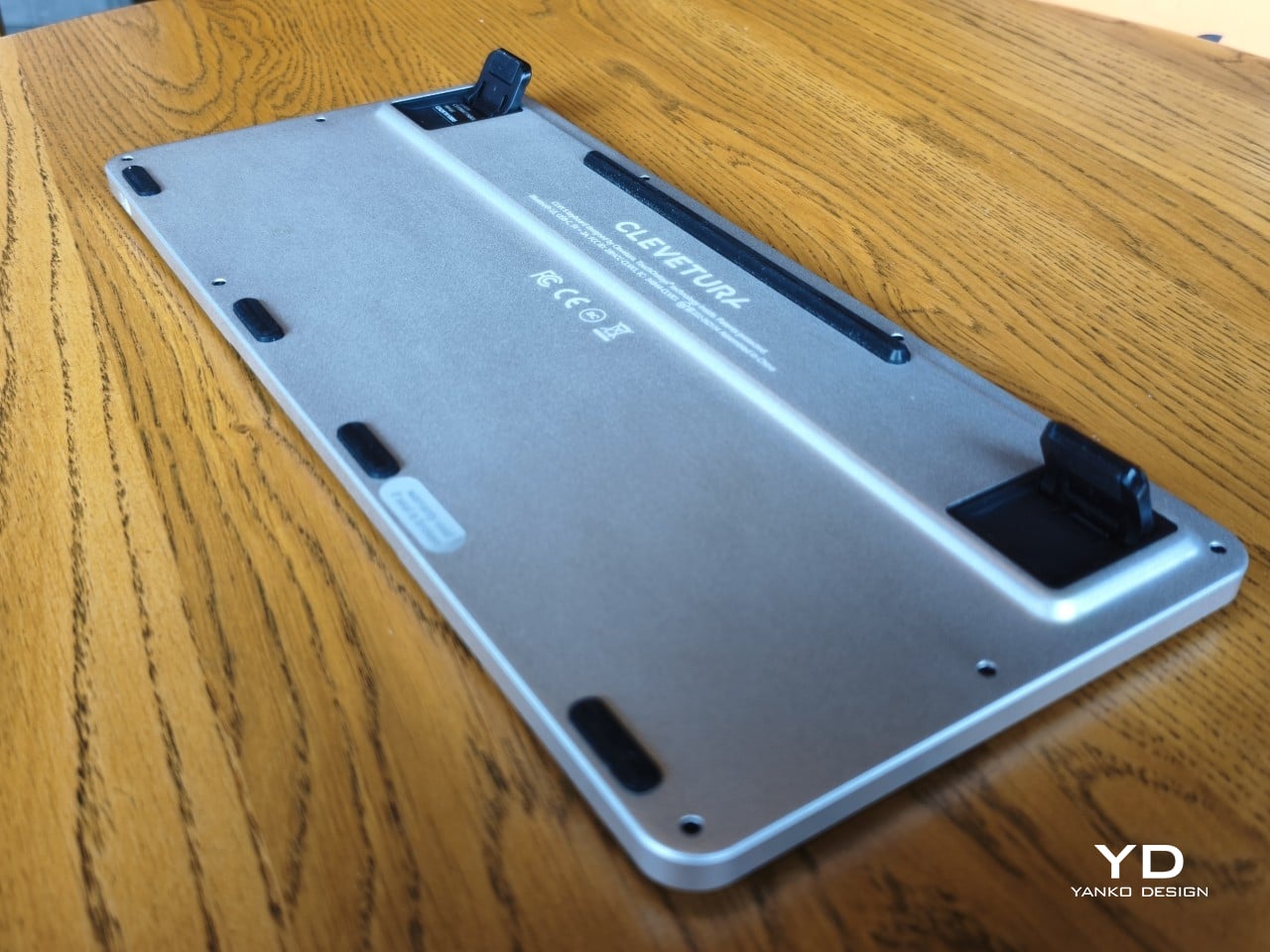
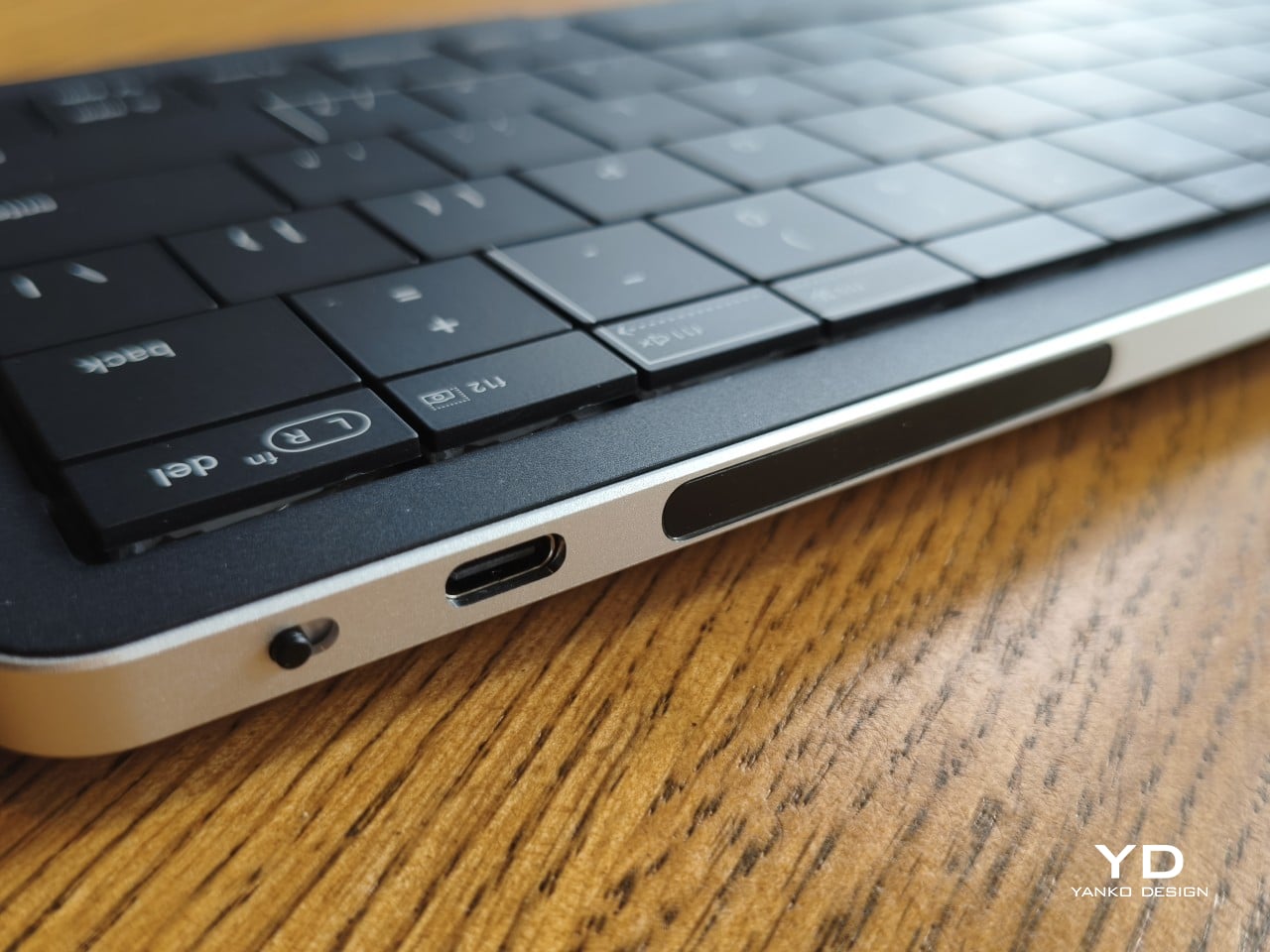
An anodized aluminum base gives the keyboard its silver lower half, while polycarbonate covers the top and ABS plastic forms the keycaps. Both black and white versions retain that silver body, which is particularly noticeable against the darker finish. I would have preferred an entirely black option for a simpler look, though the contrast does make the thin profile a little more obvious when viewed from the side.

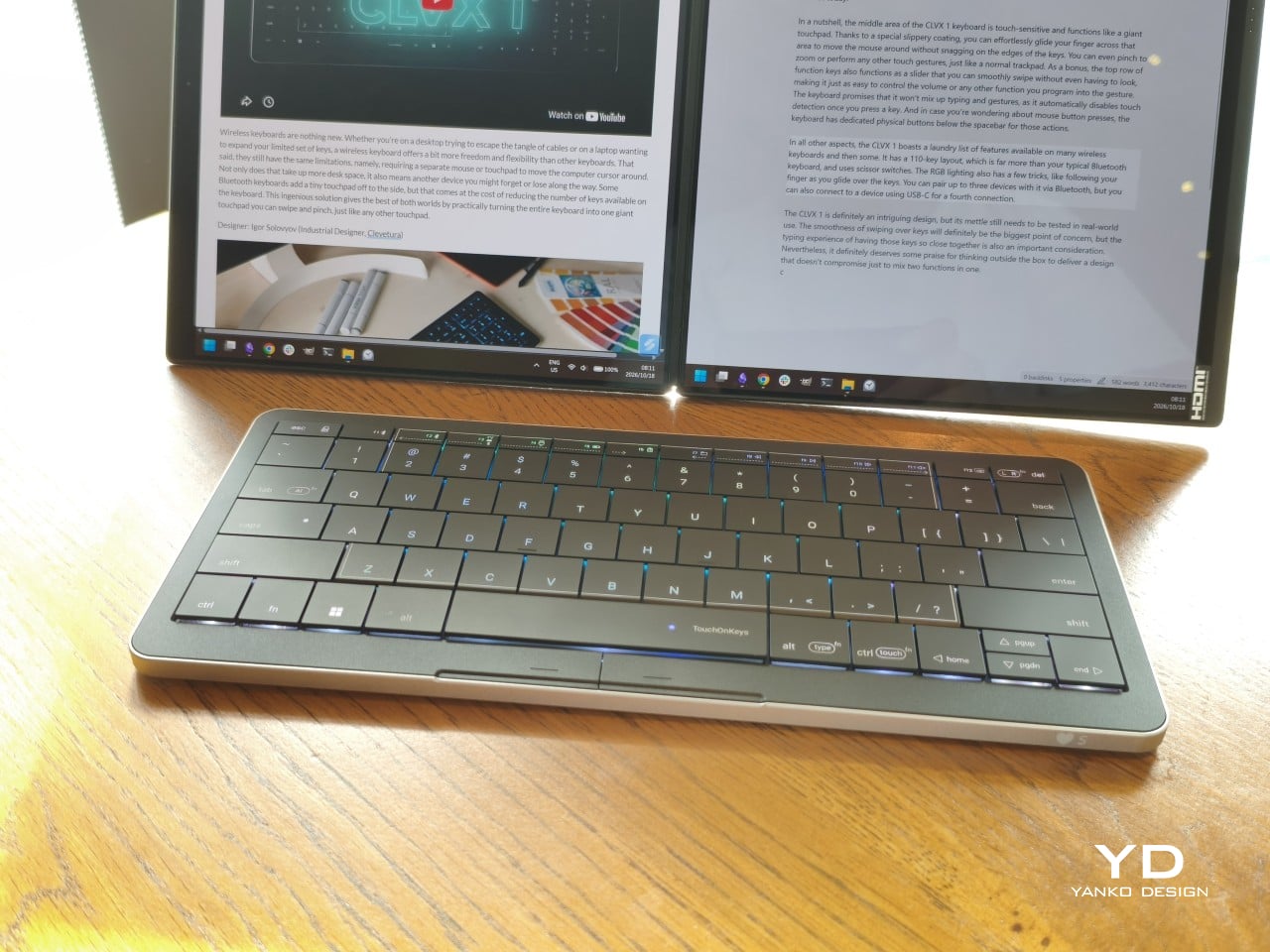
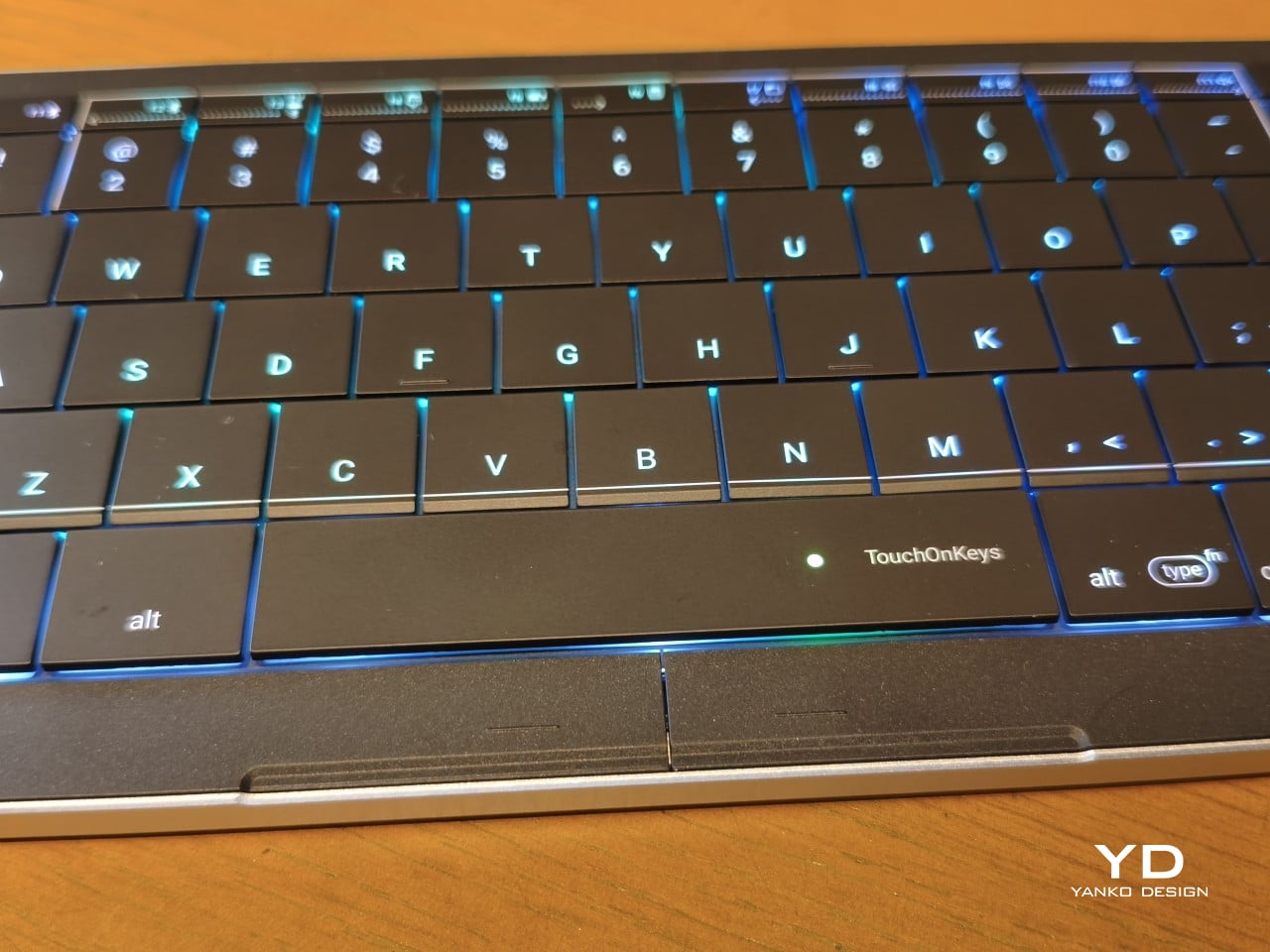
Otherwise, there isn’t much to distract from that continuous field of keys, save for the extra markings explaining their secondary functions. Two buttons below the spacebar provide physical left- and right-click controls, recalling the arrangement on older laptops. Then there’s the per-key RGB lighting, which can turn this relatively understated keyboard into something considerably more colorful. Fortunately, those lights also have practical roles beyond decorating your desk.

Ergonomics

At roughly 403g, the Clevetura S doesn’t ask for much commitment when you’re packing a laptop bag. Its body measures approximately 11.5 inches wide, 5.12 inches deep, and just 0.49 inches (12.4mm) thick, making it easy to accommodate on smaller desks, too. The closely fitted keycaps don’t leave many edges sticking out, although I’d still use the included fabric pouch rather than let them rub against everything else.

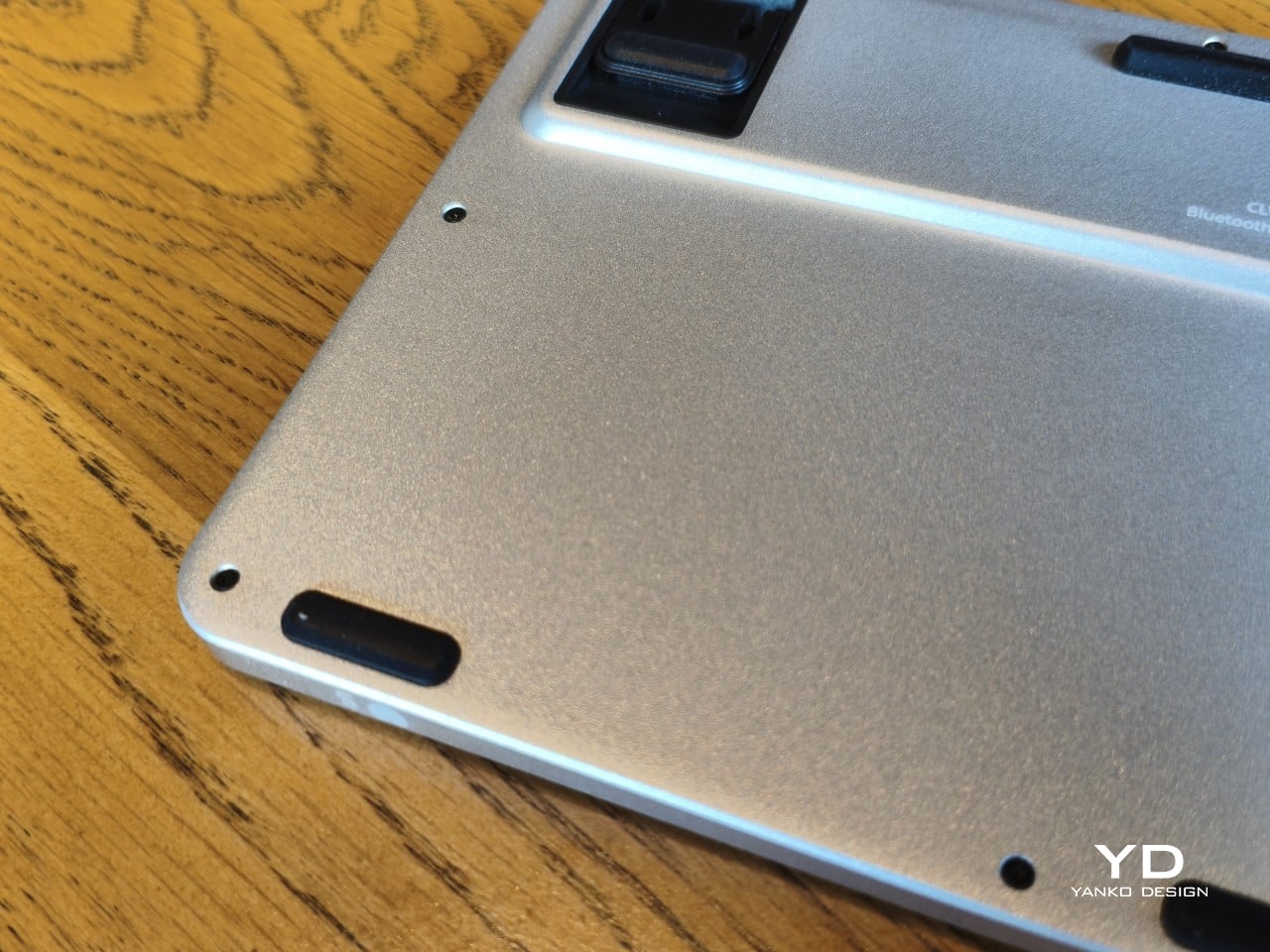
The scissor switches feel familiar if you’re coming from a decent laptop keyboard, with around 1.2mm of travel. Typing is perfectly serviceable, though it probably won’t steal the attention of someone devoted to mechanical switches. Folding feet let you raise the back, but there’s only one elevated position. That keeps setup simple, provided you’re comfortable with either the flat profile or the available incline.

The more interesting benefit shows up when you need to scroll through a reference or reposition the cursor between sentences. Instead of reaching sideways, you can make that movement right where you’ve been typing. Your chair and screen position still matter, of course. The Clevetura S simply reduces the back-and-forth, although its flat, closely fitted keys take some getting used to when finding your usual typing rhythm.

Performance

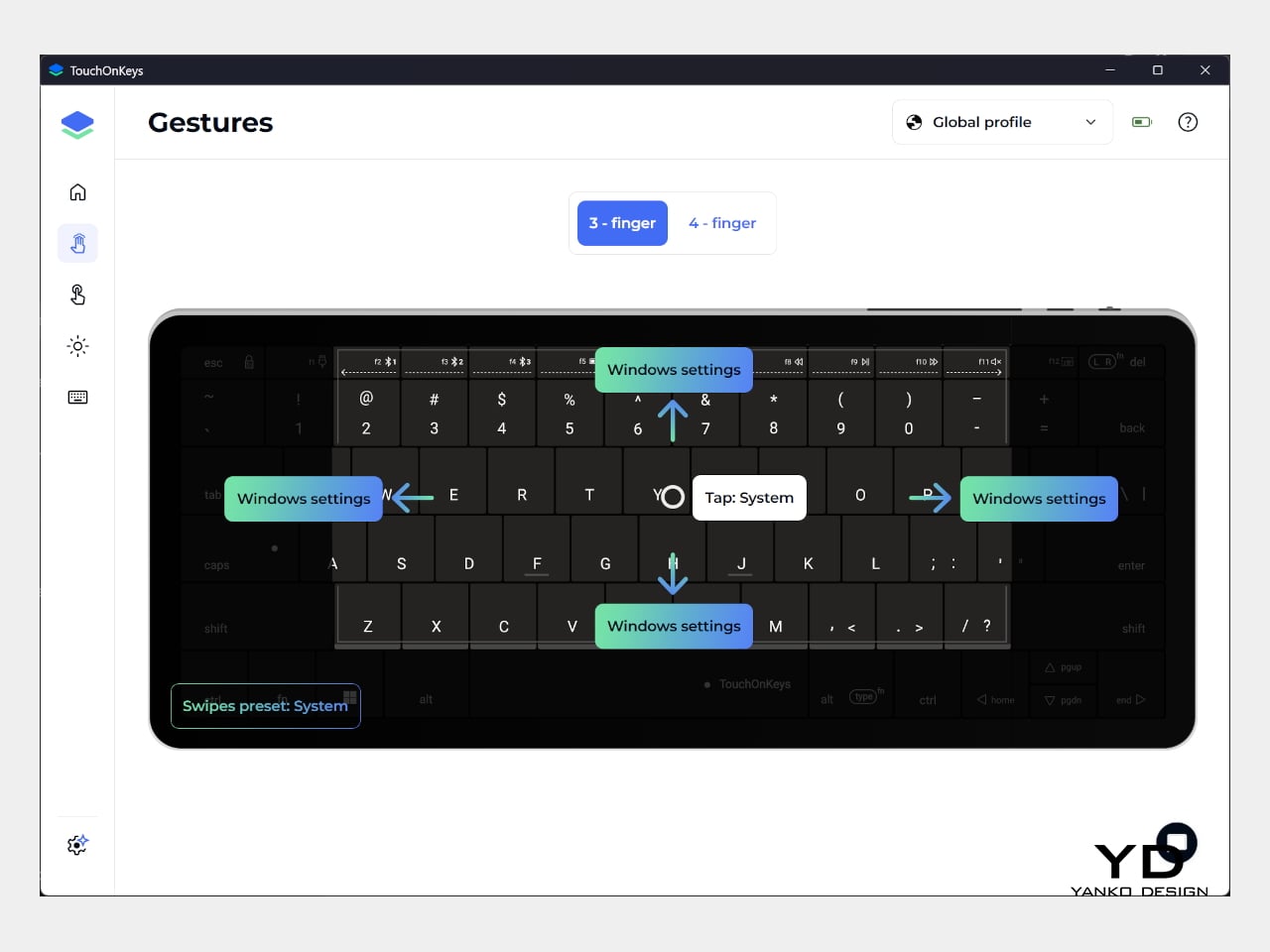
The central key area doubles as the touchpad, automatically switching between recognizing finger movements and registering keypresses. Sliding across letters feels a little peculiar at first, but my fingers didn’t catch on the edges, and pointer control worked well. Scrolling through a document becomes especially convenient when you’re jumping back into writing every few moments. A light tap handles clicking without requiring you to press a letter.

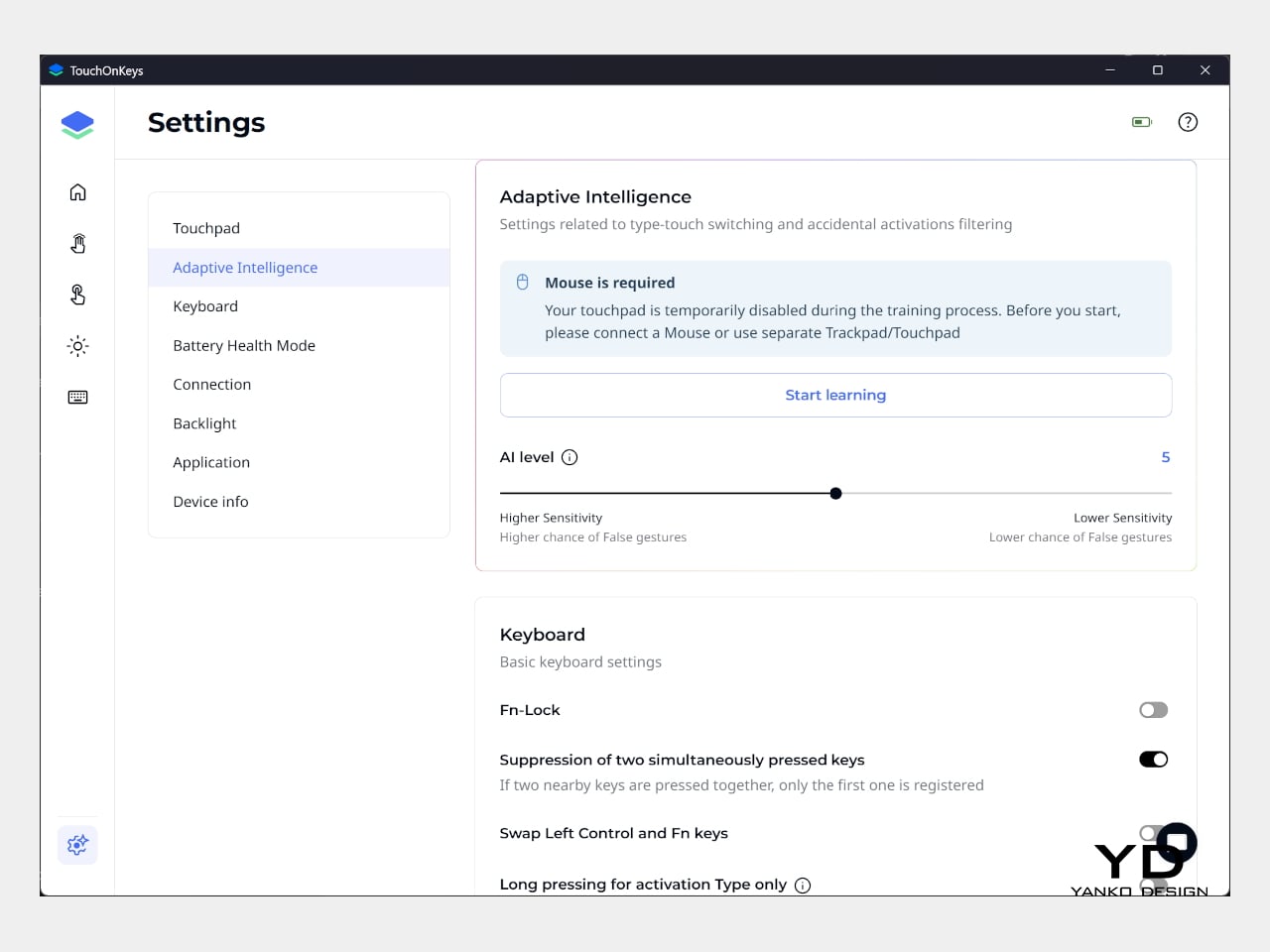
That automatic switching does have to contend with personal habits, however. Mine involves keeping fingers on the home row, which happens to sit inside the touchpad area. This frequently triggered three-finger gestures when I hadn’t intended anything of the sort. Sensitivity adjustments and the option to disable unwanted gestures provide useful flexibility, though finding the right balance is something to budget time for rather than expect immediately.

Clevetura’s Adaptive Intelligence, or AI, can help by selecting a sensitivity level after studying 10,000 typed characters. Training requires the TouchOnKeys app and a USB connection, with touch recognition disabled while it runs. A separate mouse is handy during that process, although you can pause training if necessary. Thankfully, this particular AI has a fairly modest assignment: learning when your fingers mean to type rather than swipe.

The lighting makes that second role easier to follow, and a little more entertaining, too. In my setup, a white trail followed my finger across the keys, almost like leaving a trace of magic behind. Checking the battery dims the surrounding lighting and uses illuminated number keys to show the remaining charge. Even the function row gets involved, with touch sliders for volume and backlight brightness.

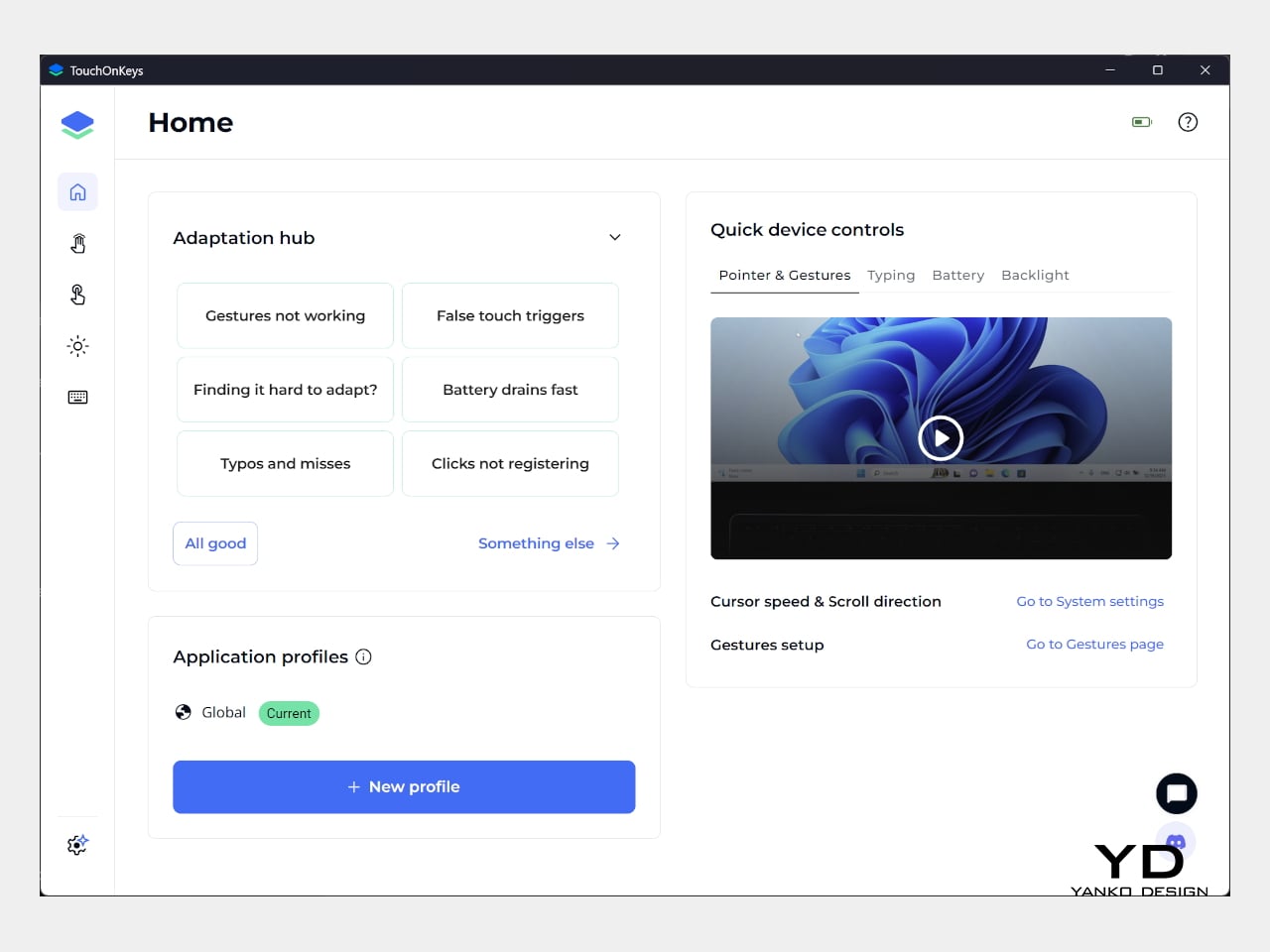
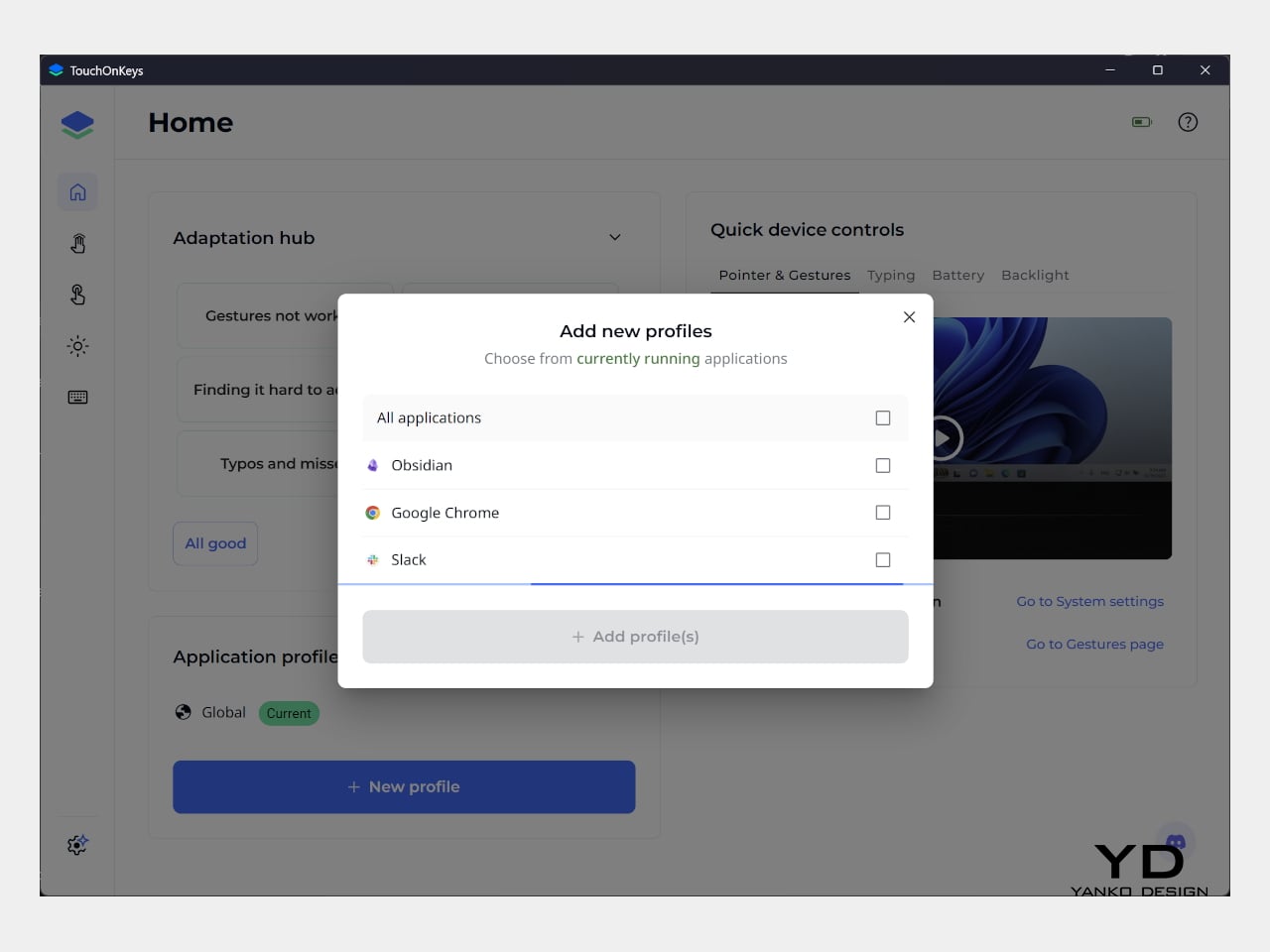
Windows recognizes supported touchpad gestures without installing additional software, but TouchOnKeys opens up more settings, including profiles for different apps. Three Bluetooth slots and a USB-C connection let you select between up to four devices, one at a time. That’s useful if your desk serves more than one computer. The cable also handles charging and provides the wired connection required for firmware updates.

Clevetura advertises up to 44 hours of continuous use without backlighting, which is an important qualification for anyone drawn to those colorful effects. That’s the manufacturer’s estimate rather than a result measured here, so it shouldn’t become a promise of weeks between charges. Wired operation remains available at a desk, while wireless endurance deserves particular attention if you’re planning to travel with the lighting switched on.

Sustainability

The aluminum and plastic construction follows a fairly familiar recipe, and there’s no documented recycled content to give the CLVX S a particular advantage on materials. Clevetura rates its keys for 3 million presses, although that remains a manufacturer specification rather than a prediction of service life. The more useful question is how easily this unusual keyboard can be maintained once everyday use starts leaving its mark.

Here, the same integration that makes TouchOnKeys possible also limits what owners can replace. Clevetura warns against removing or swapping keycaps because doing so can damage the keyboard, and the battery isn’t easily user-replaceable either. Routine surface cleaning and manufacturer support therefore matter more than they would on a board designed for tinkering. It’s worth understanding that arrangement before expecting mechanical-keyboard levels of customization or straightforward repairs.

Value

At $199, discounted from $209, the Windows model sits well above the price of many conventional compact keyboards. The extra cost is easier to understand when you consider what you’re paying for: typing and pointer control in the same footprint. Separate devices offer more freedom to choose each component, but they also need more space. Clevetura’s appeal is having those everyday functions share one portable object.

That could be particularly attractive when you’re writing code, checking references, or moving between shortcuts and controls in creative software. Quick navigation stays close, even if detailed drawing or extended pointer work still calls for a separate mouse. The Clevetura S doesn’t have to handle every task equally well to be useful. Its value depends on how often you make those small trips away from the keys.

Verdict

Combining a keyboard and touchpad sounds simple enough until your fingers have to tell the two jobs apart. Clevetura gives that idea a thoughtful physical form, from the closely fitted keys to lighting that explains what’s happening beneath your hands. My habit of resting on the home row made gesture sensitivity especially important, but the pointer control itself worked well and gave the unusual surface a practical purpose.

The Clevetura CLVX S makes the strongest impression when space is limited and typing is regularly interrupted by a scroll or a click. Its price deserves consideration, and the flat surface won’t replace everyone’s favorite keyboard feel. Still, there’s something pleasing about editing a sentence, sliding across the letters to move the cursor, and carrying on without sending a hand off to find another device.

The post Clevetura S Keyboard Review: Swipe Across the Keys Instead of Reaching for a Mouse first appeared on Yanko Design.
  •  
❌