Exhibiting truly heroic levels of degeneracy, the first players have cleared the hardest difficulty setting in the campaign and unlocked their reward. Not realism, of course; this year we've got YOLO.
The reward is a Calling Card that you're definitely not going to see all that many players showing off because of how difficult it is to acquire. And also you can't show it off until at least DMZ early access begins on October 20. If you don't know why this is so hard, let me set out the path you have to take.
Beat the campaign
Beat the campaign again on Realism to unlock YOLO.
Beat the campaign with one life to unlock the Calling Card.
So you have to beat the campaign twice before you can even begin, because Realism difficulty isn't available until you've done one completion. At least it doesn't seem to matter which difficulty you do first to get the Realism unlock.
I've done my traditional first run on Regular to get it done quickly and get cracking with the achievements, and I've got Realism waiting to destroy me.
YOLO is a permadeath mode on Realism difficulty. You get one life. If you go down, your run is over, and you go back to the very beginning of the campaign. It is brutal. And yet we're already seeing the first players having completed it. Presumably they haven't slept much since Friday.
There is an apparent 'cheese' some folks have suggested works, which involves quickly restarting the current mission from the menu if it looks like you're about to go down. But I've also seen people say that you can't save and quit and do it over multiple sessions, because it warns you that you'll lose your progress.
Others have said they've been able to quit just fine and come back. If you know for sure, do please put it in the comments below, because who knows what's real on the internet these days.
The apparent Calling Card reward can be seen here, though since the Calling Card collection doesn't go live until DMZ early access, it could also be a troll. We'll soon know.
If you see this Calling Card pop up in one of your lobbies, though, know what you're dealing with. A player who doesn't sleep. Or a hacker. Either way, probably run the opposite direction.
Join us on Reddit at r/WindowsCentral to share your insights and discuss our latest news, reviews, and more.
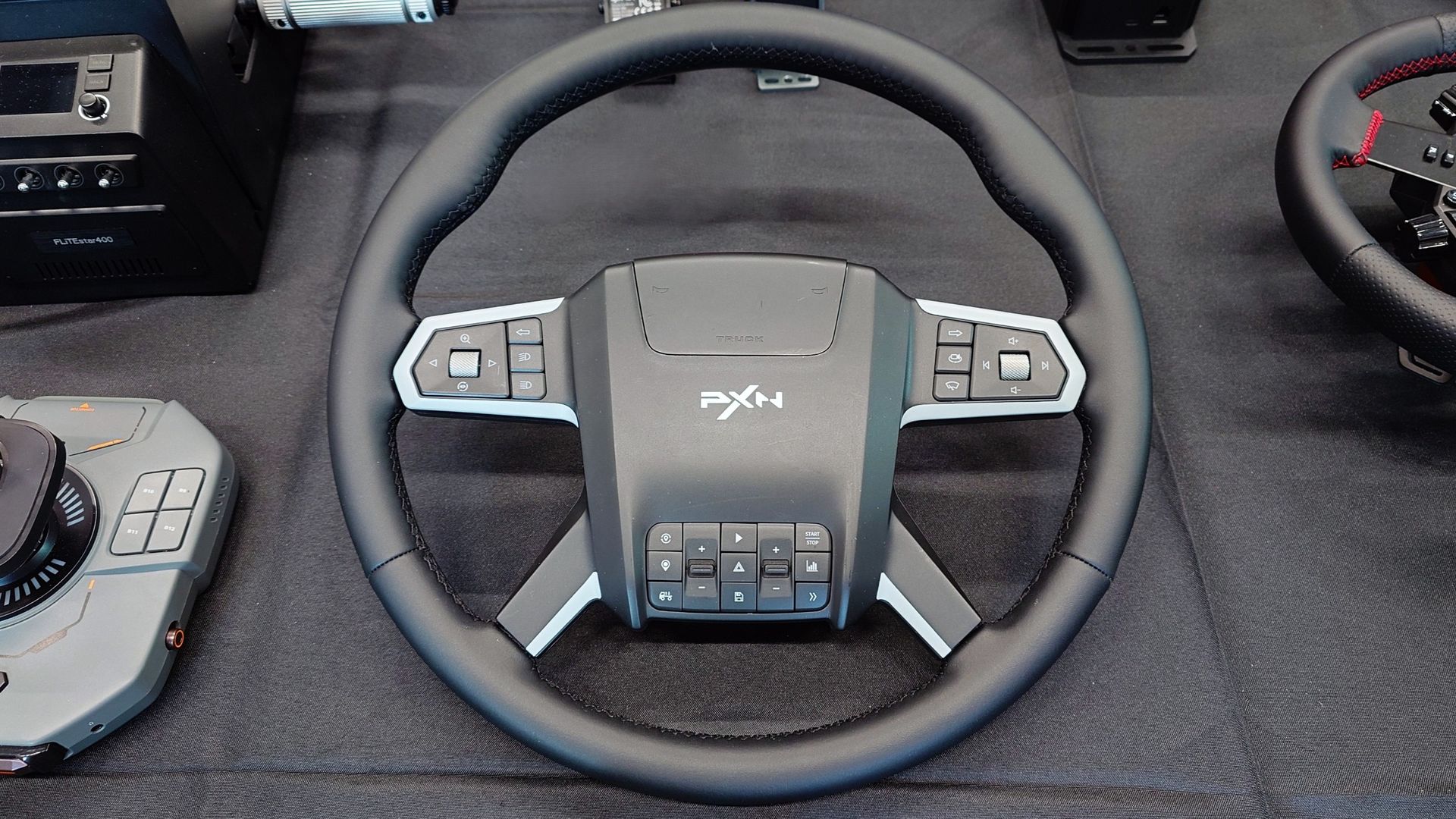
Fans of Euro Truck Simulator 2 and American Truck Simulator are getting another new wheel to consider in 2027. It comes from Chinese brand, PXN, that already has a healthy ecosystem of racing wheels, flight sticks, and other assorted hardware for simulator fans.
The W TS may still be a little way off actually launching, but I spotted one at the SimRacing Expo in Frankfurt, where PXN was exhibiting. It was a non-working model, as in, I only got to see it on a table, but first impressions are pretty good.
I've really been getting into the truck simulator games this year, and moving onto a wheel for it is the next step. One thing that immediately stands out with PXN's truck wheel is the price I was told to expect it at.
I was told they're aiming around the €160 - €170 mark, which would undercut the existing competition by a good amount. It doesn't feel cheap, though, despite targeting a lower price.
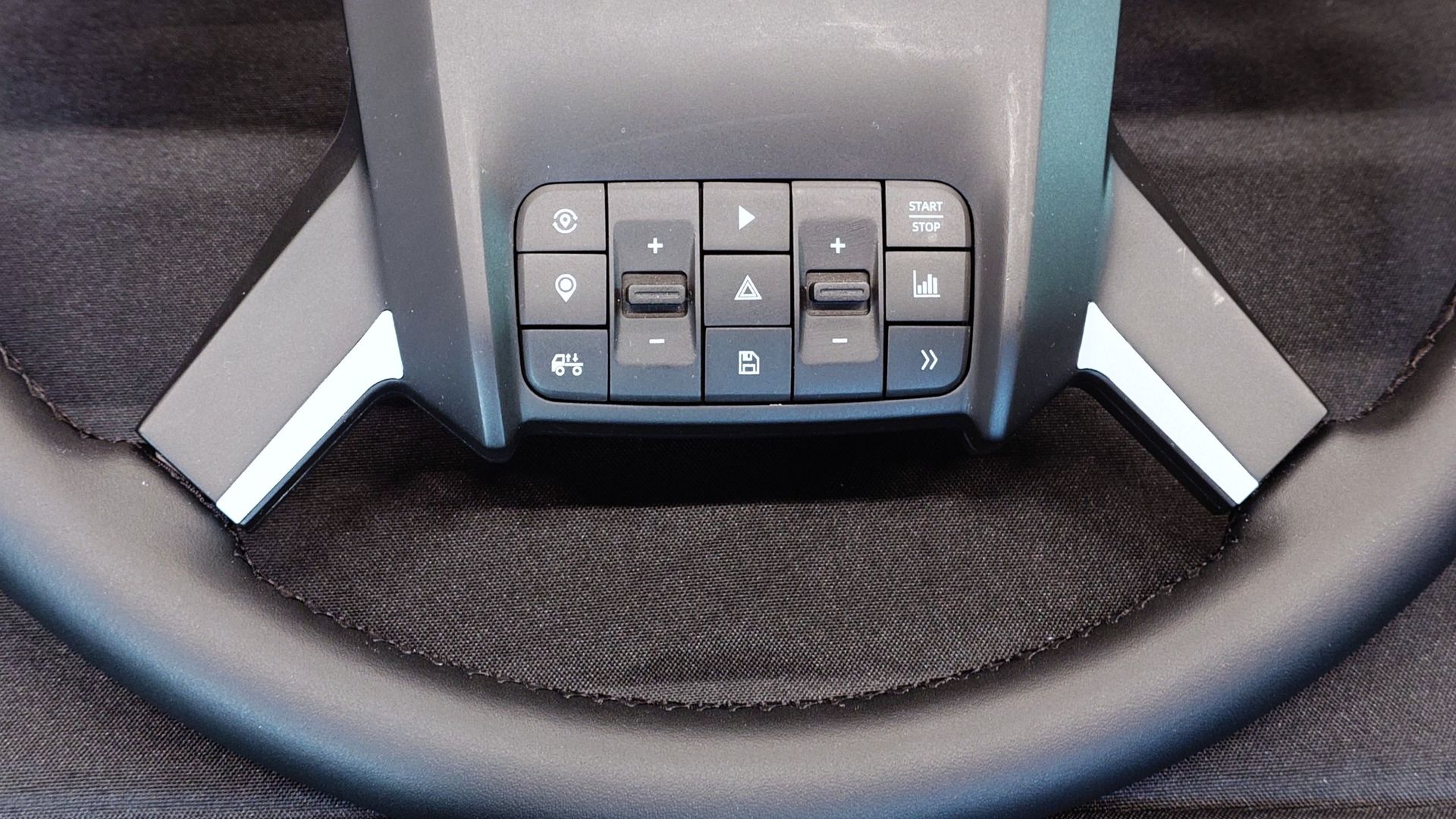
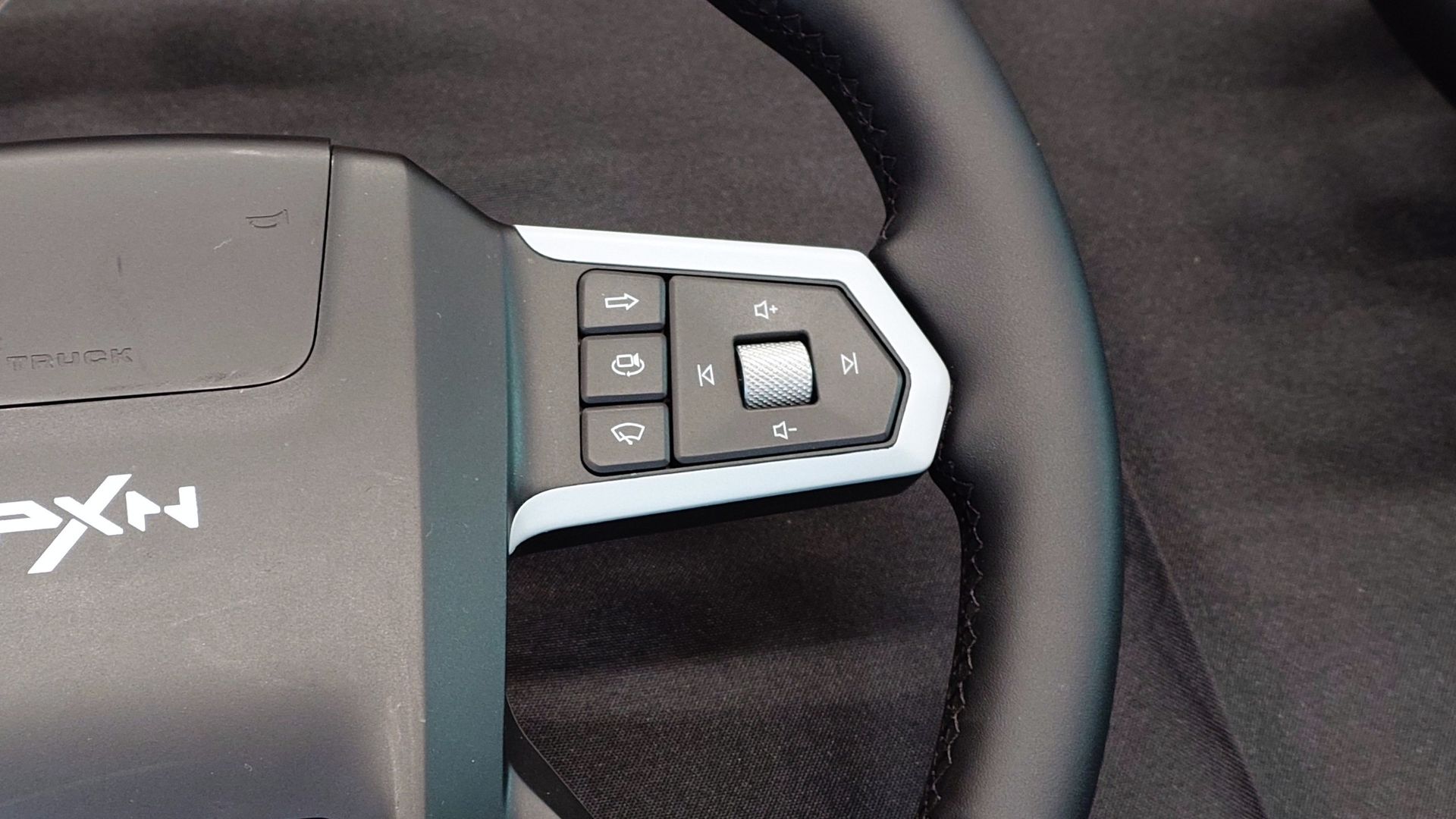
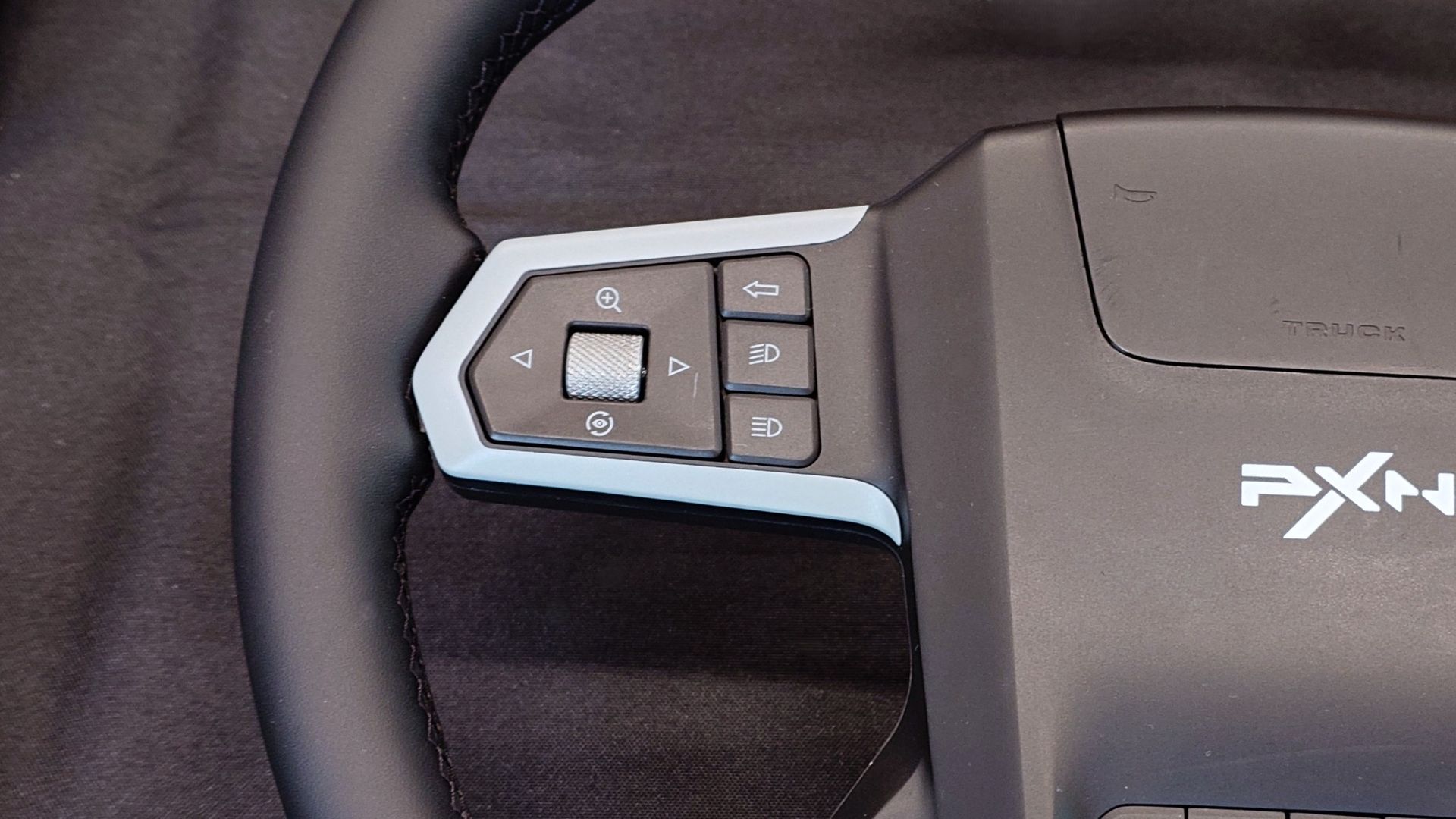
All the trucking buttons you can shake a stick at. Windows CentralAll the trucking buttons you can shake a stick at. Windows CentralAll the trucking buttons you can shake a stick at. Windows Central
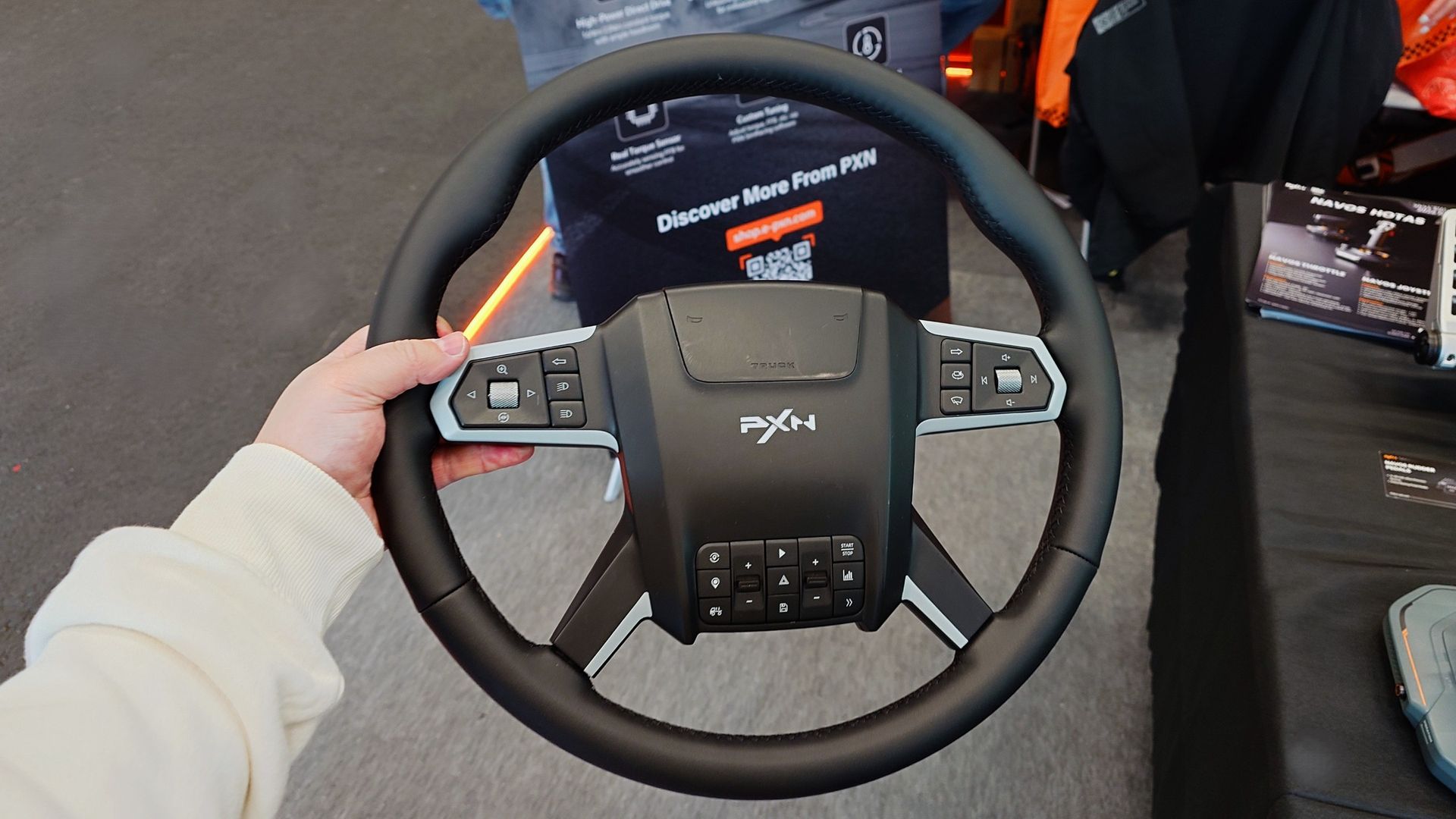
The design is "Scania-influenced" which, without a license, is as close as it can get. I've also never driven a real Scania truck, so I've got no point of reference. But the wheel is trimmed entirely in leather, and it feels really soft and high-quality.
It's a typical 400 mm wheel design for truck driving and is packed with 34 buttons to do all of the things you want to do with your virtual truck cockpit. You would assume that it'll be plug and play with both SCS truck sims, since these are the target audience.
Obviously without actually using it, this is just a very quick first impression. But first impressions are good. The horn is nice and clicky, perfect for some virtual road rage.
It also looks like PXN will be selling a complete bundle to get you ready to start trucking. It'll include a set of Hall Effect pedals, a 6 nm direct drive wheelbase, and a clamp to adjust the angle so you can go full, authentic trucker. But I don't know how much this bundle is going to cost.
It's a big, chunky boy, but I can't wait to try it out. (Image credit: Windows Central)
PXN is also pretty good at supporting other companies' wheelbases, so there's a good chance you'll be able to use it on your existing setup.
From what I've experienced of PXN hardware so far, it's a definite contender for the more budget-conscious, but without having to give up on features. The company has also debuted some more serious wheelbases, but for trucking, especially beginners, 6nm in the planned bundle will be plenty.
I'm also told that the PXN W TS is targeting a Q1 2027 launch. So you can't treat yourself for Christmas, but it's not too long to wait.
Join us on Reddit at r/WindowsCentral to share your insights and discuss our latest news, reviews, and more.
Razer's original Kiyo webcam was the first I ever tried where content creators were the target audience. While its video quality didn't stand out, its built-in ring light was something unique and genuinely useful.
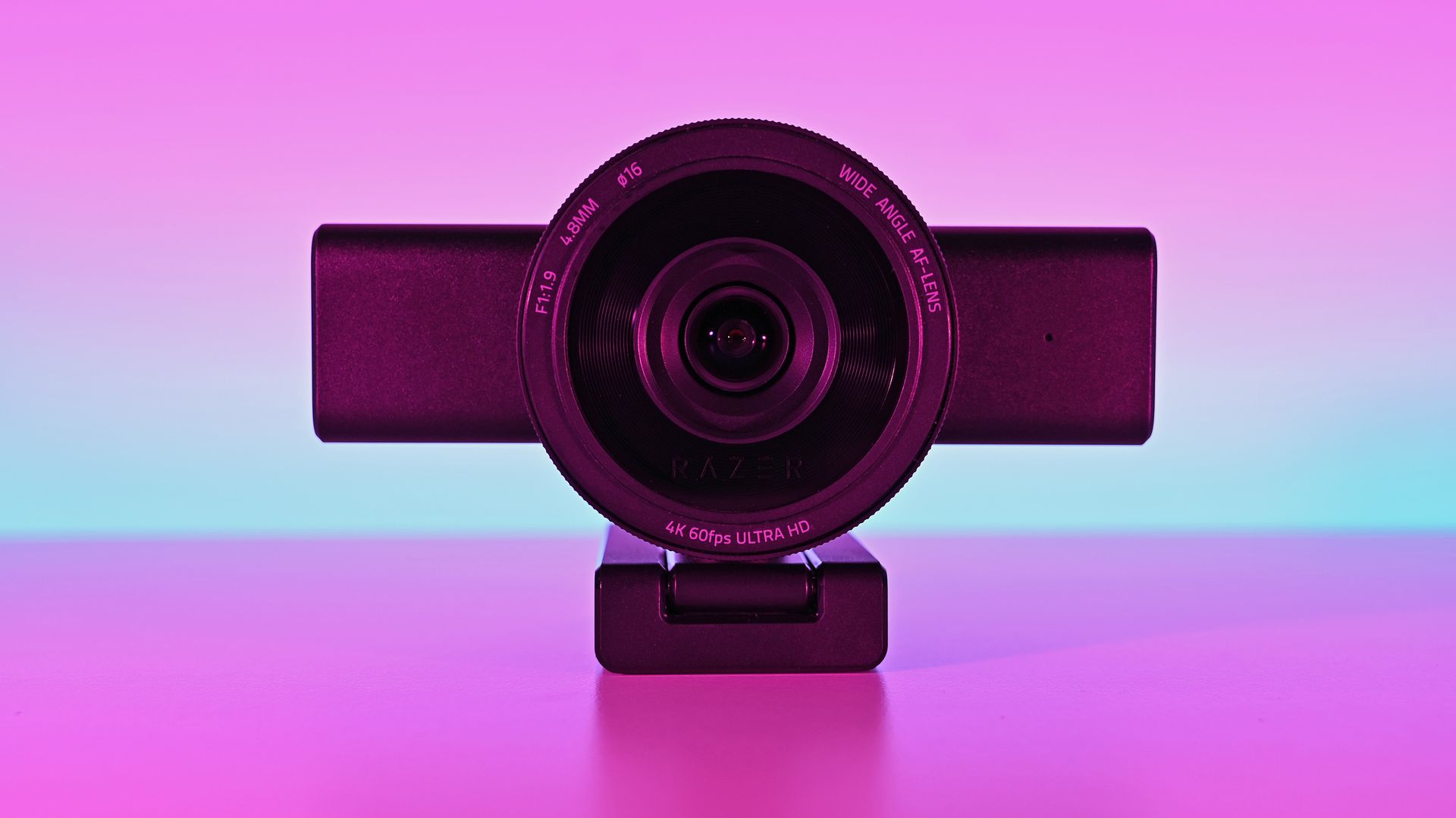
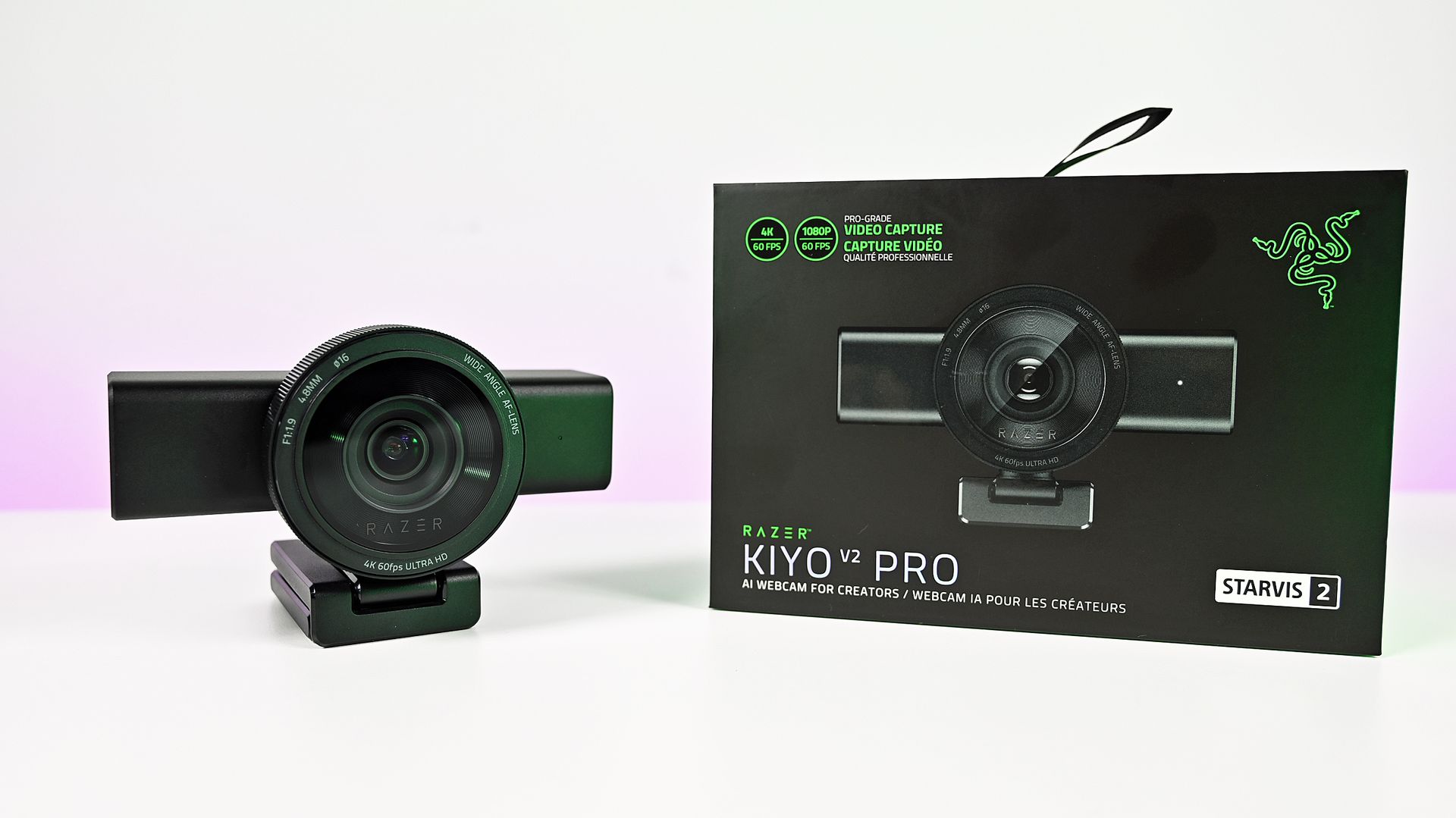
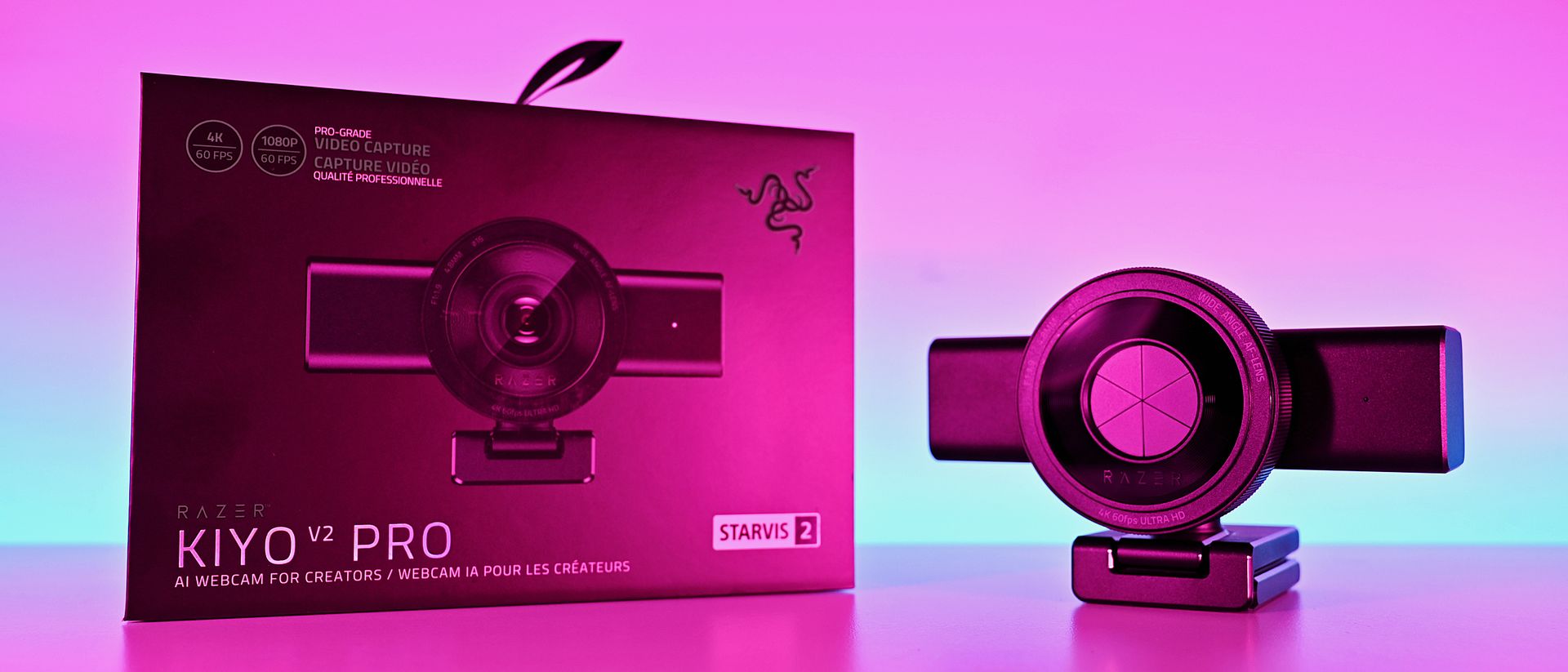
Fast forward to late 2026, and I'm again looking at a Razer webcam: the Kiyo V2 Pro. This is 100% a webcam designed for content creators, and at $300, it's a pretty serious investment, though it's still less than a good mirrorless camera and easier to use.
It's a product I was immediately interested in, not because I'm some big-time streamer, but because I was such a fan of what the Kiyo has done in the past. It looks impressive, and it boasts some top-end specs.
But having spent some time getting to grips with the Kiyo V2 Pro, my opinions are mixed. It's a good webcam, of that there's no doubt, but given its price and how it's been to use, it's harder to give a blanket recommendation. It says Razer on the box, but it doesn't feel completelylike the Razer product experience I'm used to.
Razer Kiyo V2: Specifications
Specification
Details
Video Resolution
4K 60 / 30 FPS
1440p 60 / 30 FPS
1080p 60 / 30 / 24 FPS
720p 60 / 30 FPS
Video Formats
MJPEG up to 4K 60 FPS, 1080p 60 FPS
H.264 up to 4K 60 FPS, 1080p 60 FPS
NV12 up to 4K 30 FPS, 1080p 60 FPS
Image Sensor
8.3 MP Sony STARVIS™ 2
Field Of View
86° (wide angle, configurable)
Focus Type
Auto / Manual
Focal Length
4.8 mm (24 mm for full-frame equivalent)
HDR Support
Yes (at 30 FPS)
Image Customization
Fine image customization with Razer Synapse software
Mounting Options
Fixed L-shape mount (with ¼” thread to mount on tripods)
Built-In Privacy Shutter
Yes
Connection Type
USB Type C to USB Type C (Supporting USB 3.0)
Cable Length
2 m / 6.56 ft
Built-In Microphone Type
None
Polar Patterns
None
Noise Cancellation
None
Audio Codec
None
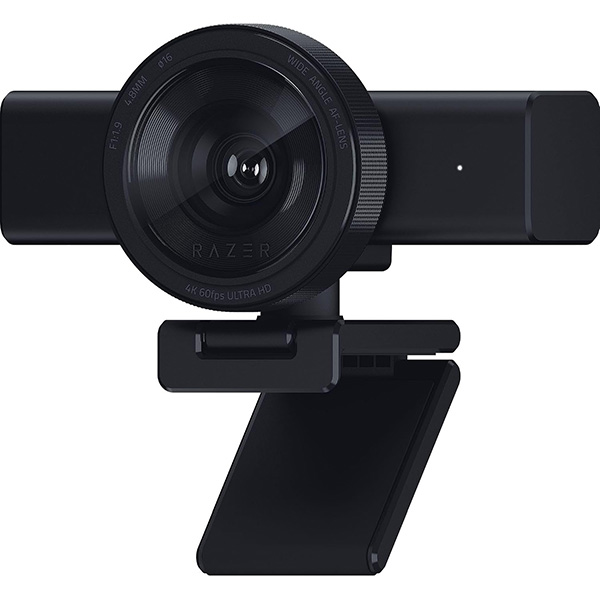
The Kiyo V2 Pro is a serious (and large) piece of hardware
This is the Big Show of webcams. (Image credit: Daniel Rubino)
There's no other way of saying it — the Razer Kiyo V2 is enormous. It has a clip on its base to hang it on the top of a monitor, but unless you have a giant monitor, don't even try it.
I slapped it on the top of one of my 24-inch monitors, and it wasn't very stable up there. There's absolutely no chance you can use this attached to a laptop lid. Realistically, you'll need to do as I have and mount it on a tripod.
That's fine, though; after all, it's targeted at content creators. The sort of person who takes their setup seriously enough to have all manner of things mounted around their setup. It does make it less portable, though. Even one of the renders I saw during a pre-brief showed a laptop user with the Kiyo V2 Pro at the side on a tripod.
But it's not exactly portable.
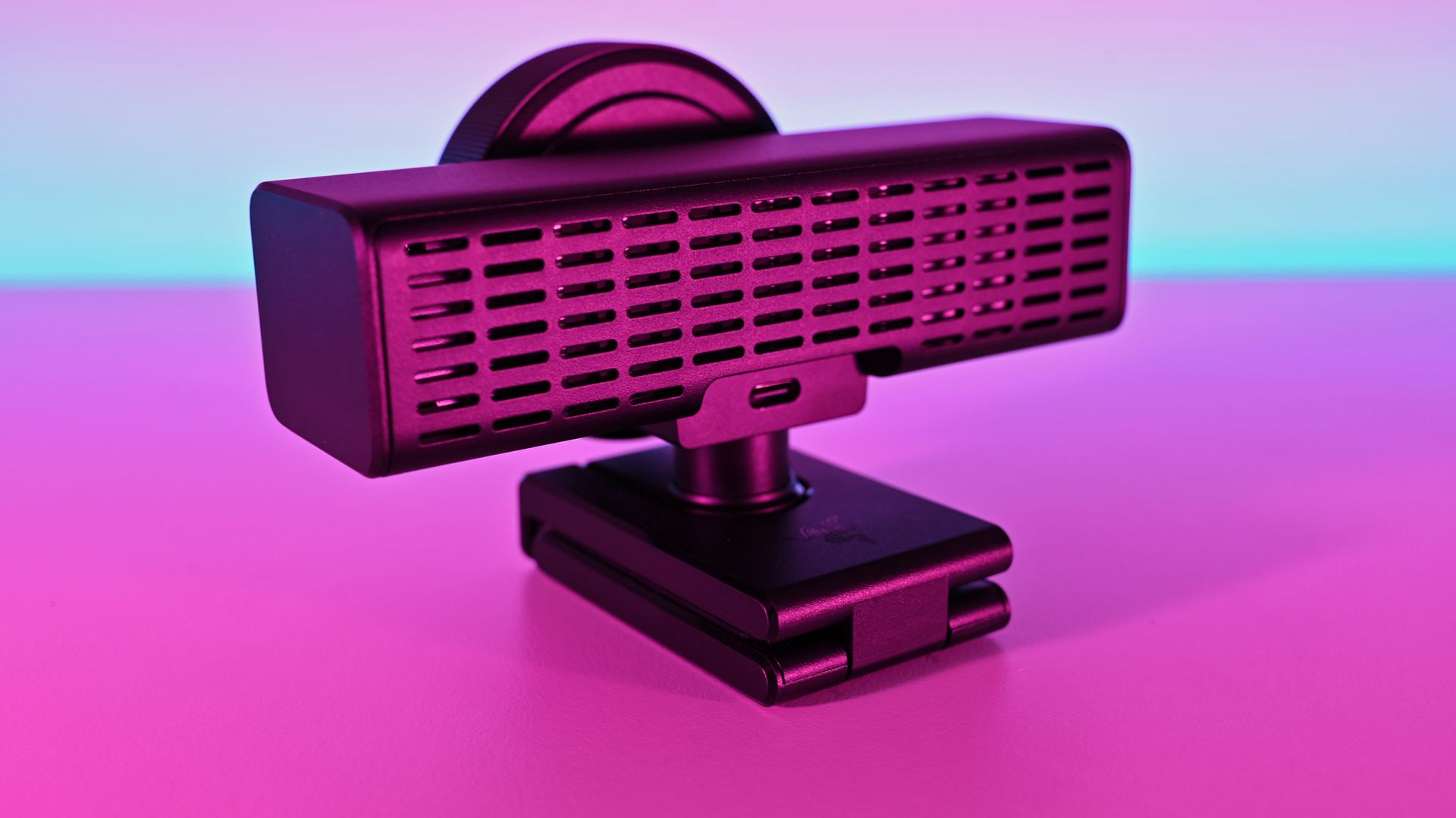
It's also not for you if you need a microphone to use for video calls, because it doesn't have one. The Kiyo V2 Pro is purely a camera. You'll have to supply the audio. Again, given the target audience, it's not necessarily a dealbreaker, but it's something to be aware of.
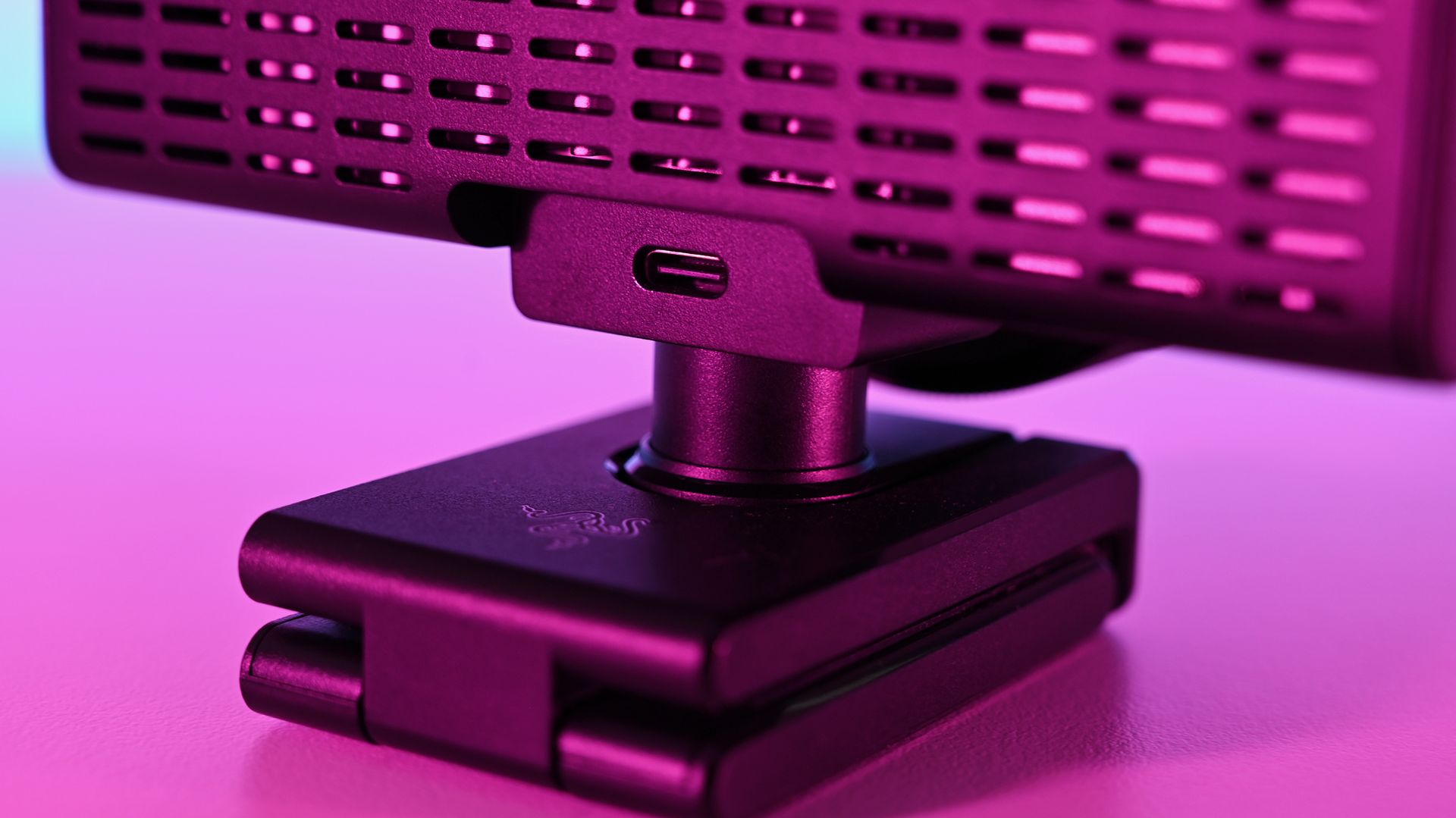
It's definitely a sizeable webcam. Daniel RubinoIt does get warm under long use, but the ventilation is ample. Daniel RubinoThe privacy shutter is immensely satisfying. Daniel Rubino
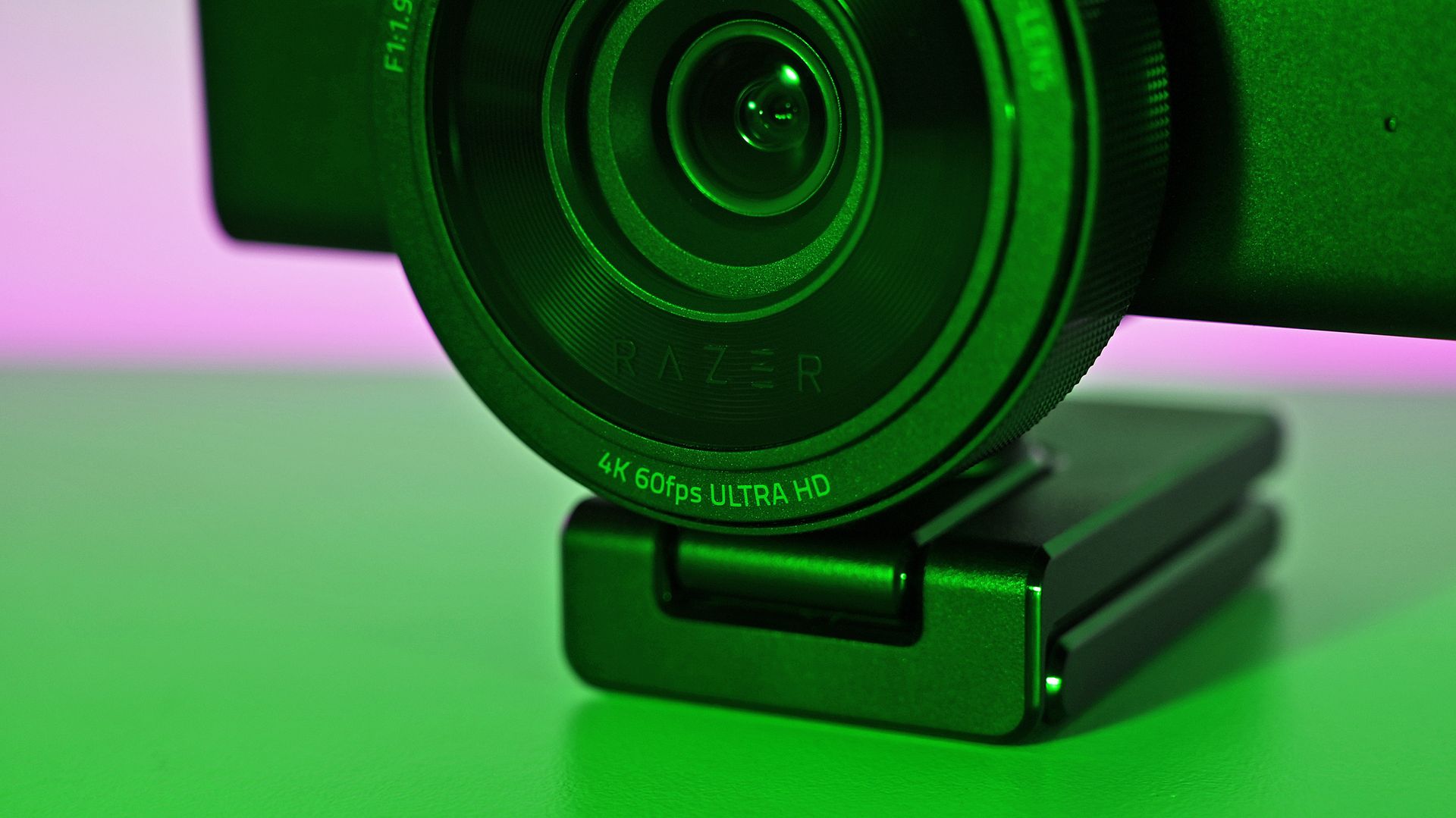
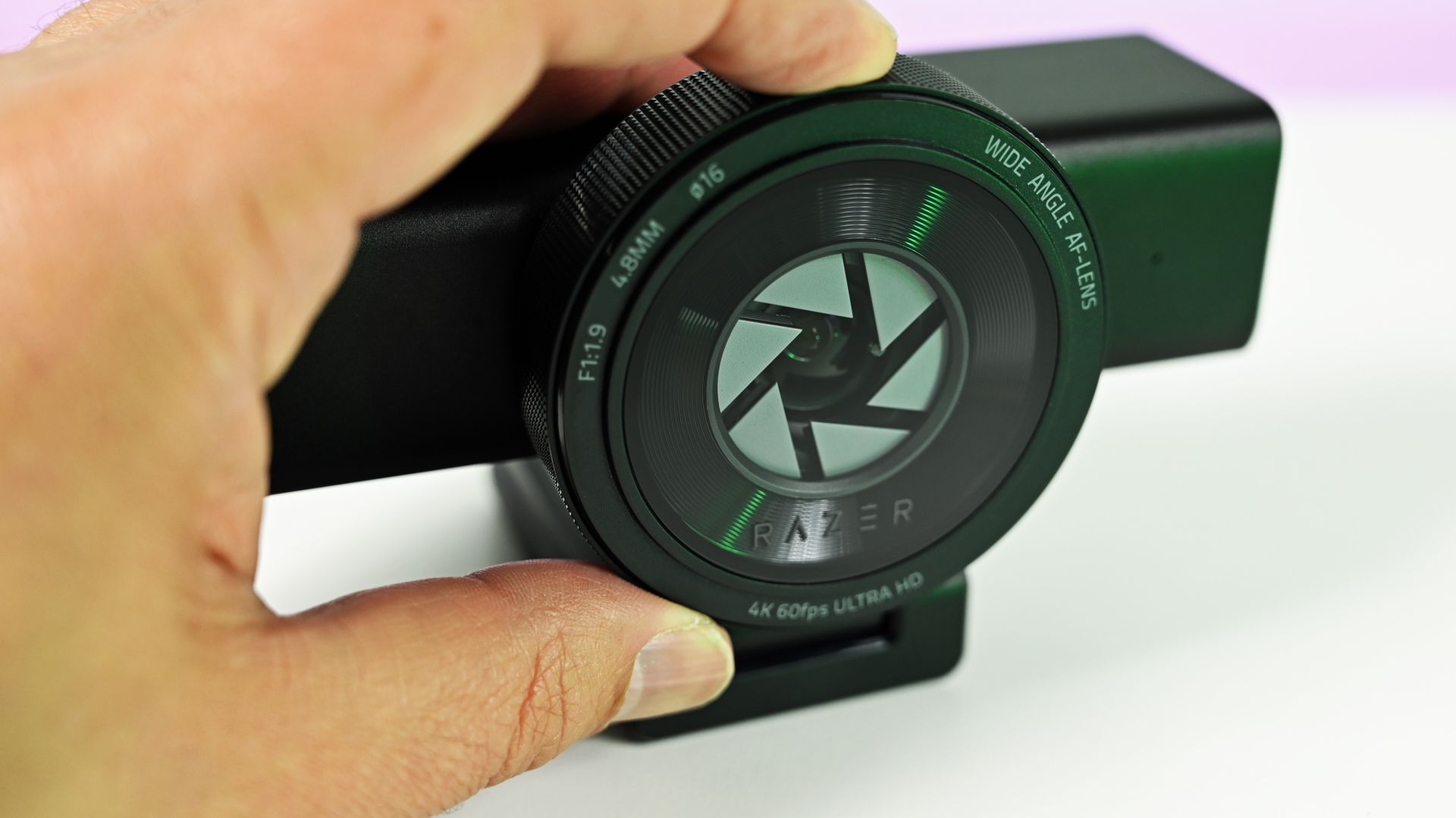
Despite the size, I do like the design, and I love the physical privacy shutter. You twist the ring on the front of the webcam, and the blades come across. Most satisfying.
The size also means some pretty serious hardware stuffed inside. Including, because it's 2026, AI. In this case, it refers to pretty basic stuff like auto framing, but it's all done on the camera, not in software, and as such doesn't use any of your PC's resources for it.
Also crammed inside and not remotely related to AI is an 8.3 MP Sony STARVIS 2 sensor with a 24 mm full-frame-equivalent focal length. In video terms, it means you can shoot 4K footage at up to 60 FPS, and you'll be well framed even without applying any zoom or crop. It's wide enough to include your well-designed streaming backdrops, but not so wide that you look lost.
The L-frame base also gives you some easy adjustments to its position, without having to faff about tweaking a tripod. It's far easier to raise and tilt a little with this, and it's sturdy enough to hold the hefty 380 g body securely.
There may be some problems eminating from here... (Image credit: Daniel Rubino)
I do have one fairly pressing concern, though. Our Editor-in-Chief, Daniel Rubino, and I have this webcam, and both of us have experienced the same issue with making it work at all.
The long and short seems to be that it works fine with the Razer cable that comes in the box. But with others, it's not as simple. The webcam will fire up for a short period of time and then disable. Synapse won't see it, and Camo Studio gives an error message that the USB port isn't delivering enough power.
I've tried it with every suitable cable I have, and it's the same result every time. Razer has confirmed to me that it should work fine with a minimum USB 3.2 spec USB-C cable that can handle 5 Gbps data and above. But the USB-C cable lottery seems to be a thing, so look after the one it comes with for sure.
The Kiyo V2 Pro needs software to get the best from it (but not Razer's)
Away from the hardware is where the experience falls a little flat for me. I use a lot of Razer products, and I'm used to having all the customizations I need inside the Synapse app. Set it up, close it, and forget about it.
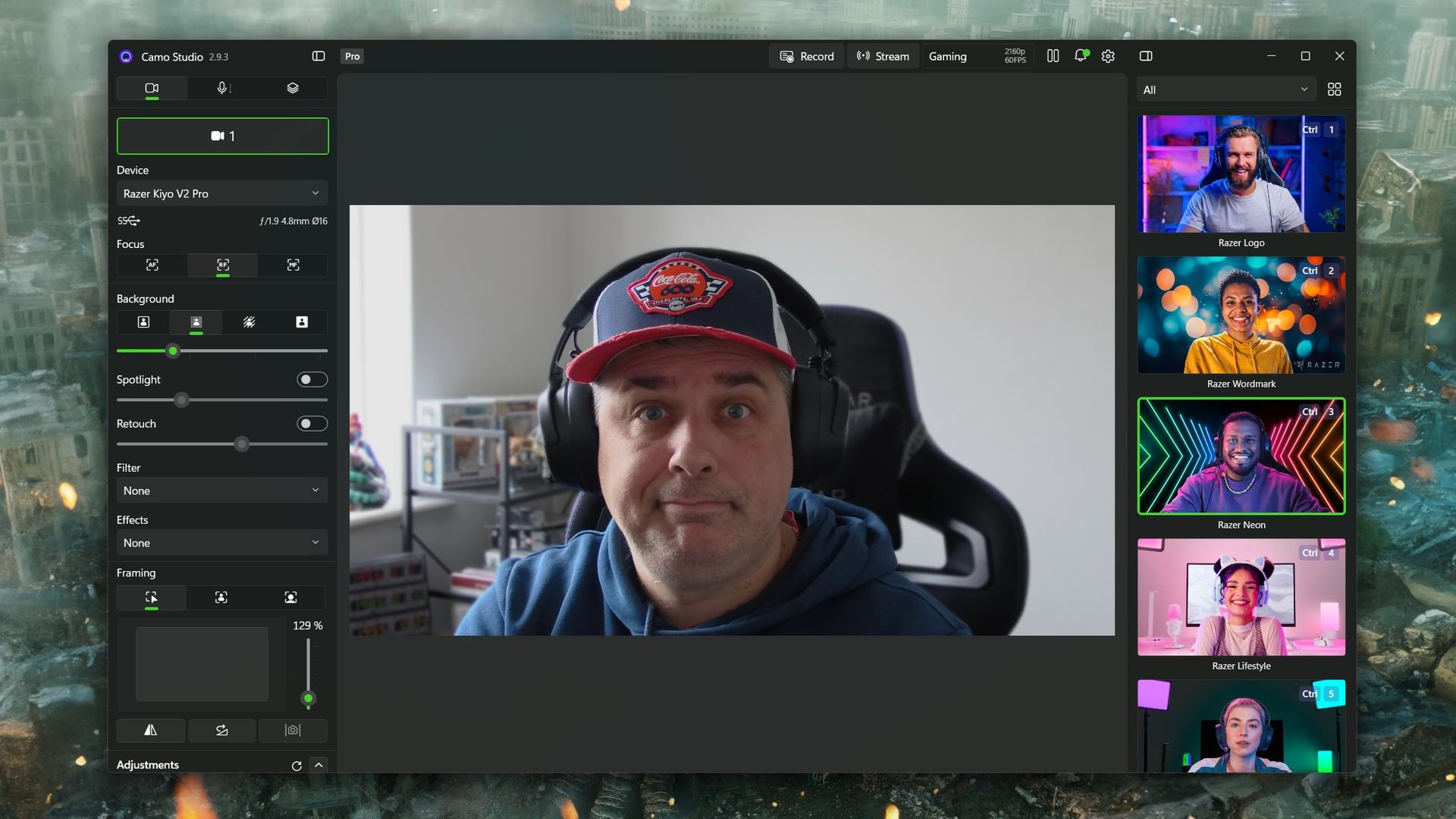
The Kiyo V2 Pro isn't like that, though. It is supported by Synapse, but with only a very basic feature set (despite what the spec sheet may say). To get the best from this webcam, you need to use third-party software, such as Camo Studio, which you get an included lifetime Pro license for with the Kiyo V2 Pro.
On one hand, it operates a little like the camera on your smartphone. It's a piece of hardware with an app, but it also has lots of things that other apps can tap into. Normally, Razer makes a full package to stand out; in this instance, it relies on others to make its hardware shine.
Camo Studio is included with the Kiyo V2 Pro, and you'll need it (or another app of your choice) to really get the most from the webcam. (Image credit: Windows Central)
Camo Studio is a good app, and it's one I already used to make a far lesser-quality webcam, slightly less terrible. There are a ton of options to tweak, including ISO, exposure, zoom, white balance, and saturation — basically anything you'd want to adjust on a regular camera. It is fantastic, and all you need to do is select "Camo" as your webcam in OBS Studio or any other app.
You can also build out your own profiles for different purposes. For example, I use the 1080p profile for work calls because Google Meet doesn't seem to support 4K, so it's wasted. When I capture game content in OBS, I record at 1440p because that's what I play at, so it makes sense to have a matching webcam profile. Whatever you need, you can build, and your visual customizations will automatically apply to whichever you have selected.
But you really do need to spend some time dialing it in. Out of the box, it'll just look like video from any webcam. Compared to my ancient Logitech C922, default settings make it hard to tell which is which. The Kiyo V2 Pro has better colors and is sharper, but it's not a slam dunk. I still haven't really perfected it, but there's no shortage of tweaks that can be made.
Should you buy the Razer Kiyo V2 Pro?
It's good, despite some flaws, but it also might not be right for you. Which is fine. (Image credit: Daniel Rubino)
So, should you buy a Razer Kiyo V2 Pro? It's not a simple yes or no and depends on what you really want from your camera.
A couple of years ago, it would have been an easy "yes." But there's a lot of competition out there (some of which we'll be featuring on the site soon enough), and it's priced at the highest end.
Some may see Razer's passing off of software duties as a plus for the best manual control, but others may lament that there's less plug-and-play aspect to it. Unless you're prepared to get in the weeds a bit, you won't get the result you're looking for.
But where it does stand apart from much of the competition is that the Kiyo V2 Pro can not only do 4K, but it can do it at 60 FPS. A lot of 4K webcams top out at 30 FPS, and for content creators, that might just be the edge they need. The Kiyo V2 Pro has the same sensor Elgato uses in the Facecam 4K but with a wider aperture and handles low light better.
So the answer to whether you should buy it leaves me saying that you shouldn't avoid the Kiyo V2 Pro. It's very deliberately a niche product, and if you're looking for a camera that can give you 4K60 video straight into your PC, then go for it. Likewise, if you're looking for manual controls, jump right in. You'll be very happy.
It won't look as good as a mirrorless camera, say, but it's less expensive and easier to live with. And that last part gets my vote every single time.
4K60
Razer
Kiyo V2 Pro
"Capture ultra-sharp, fluid video with reduced motion blur using an 8.3MP Sony STARVIS 2 sensor, ideal for streaming, content creation, gaming broadcasts, and professional video calls".
Join us on Reddit at r/WindowsCentral to share your insights and discuss our latest news, reviews, and more.
This PC case from Thermaltake isn't a brand-new release; it's already been on sale for a little while. But hanging out at the SimRacing Expo in Frankfurt, I stumbled across it for the first time and instantly fell in love.
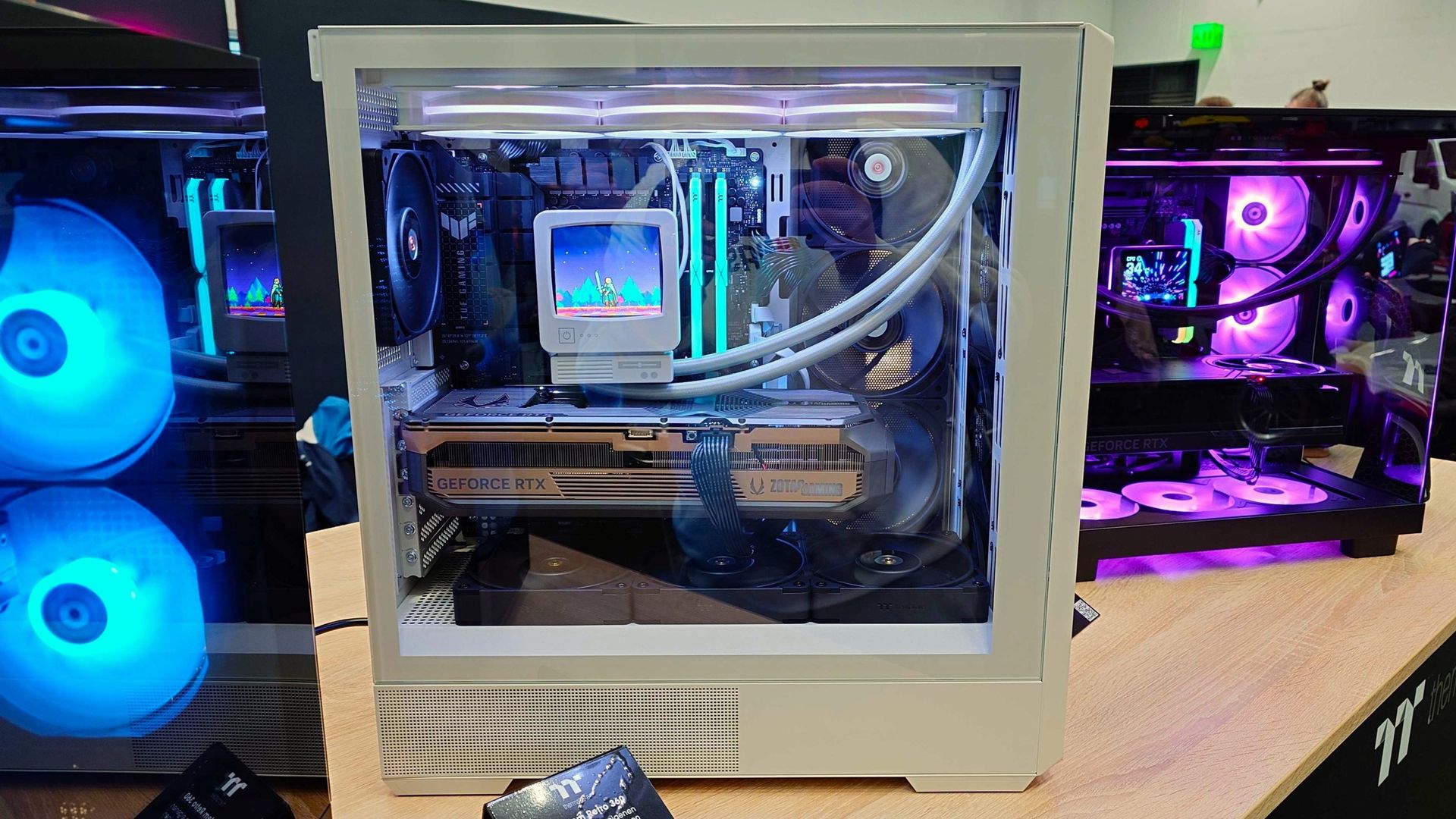
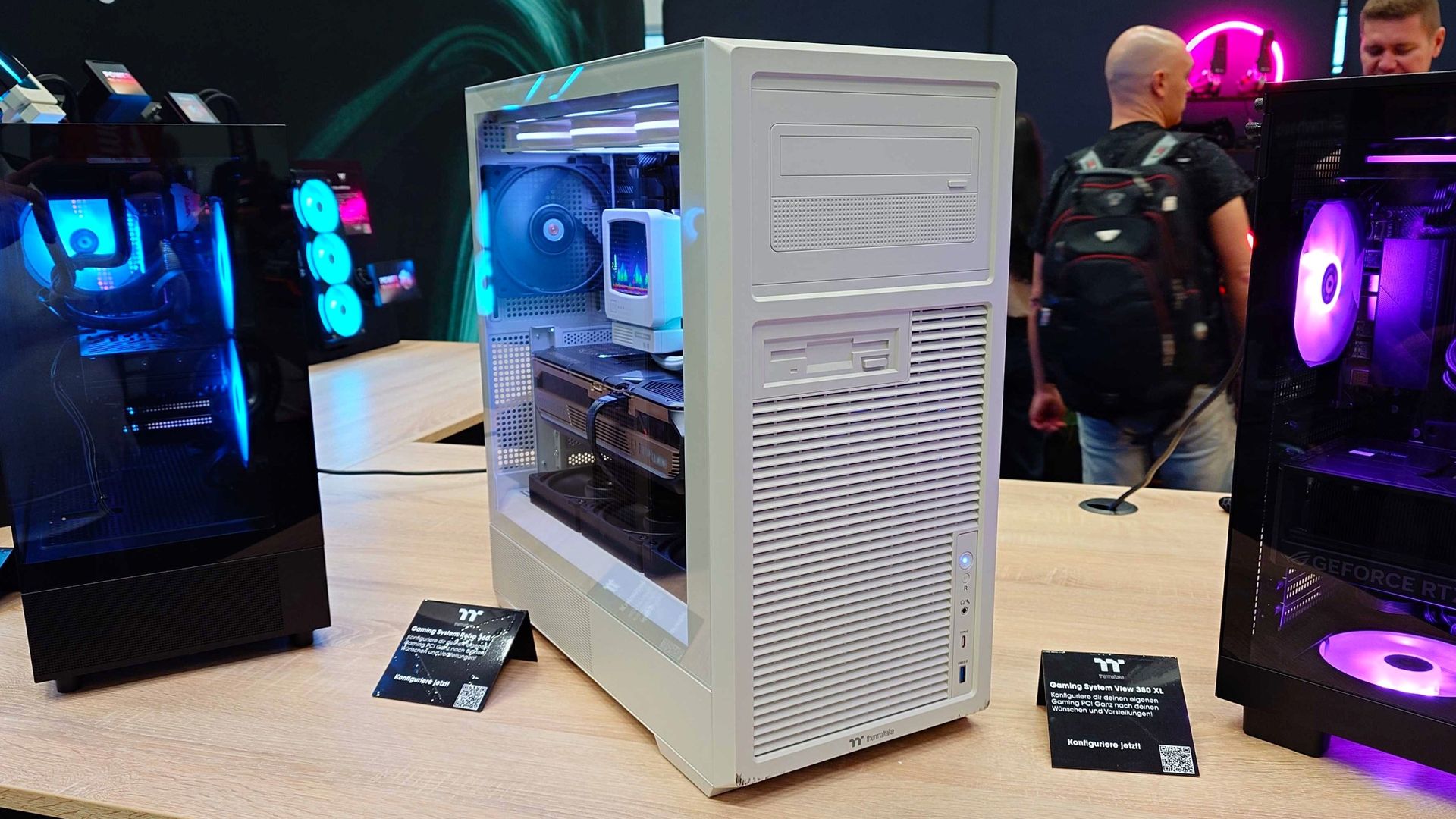
It's called the Retro 360, and for obvious reasons. Thermaltake has fully embraced beige nostalgia, with a PC case that looks the part while still being suitable out of the box for modern hardware.
I've long considered the idea of putting my PC into a classic case, but being terminally lazy, I think I've just found the solution. A PC case that's built for modern hardware (and that shows it off) while having an aesthetic that reminds me of some of the earliest Windows PCs I used.
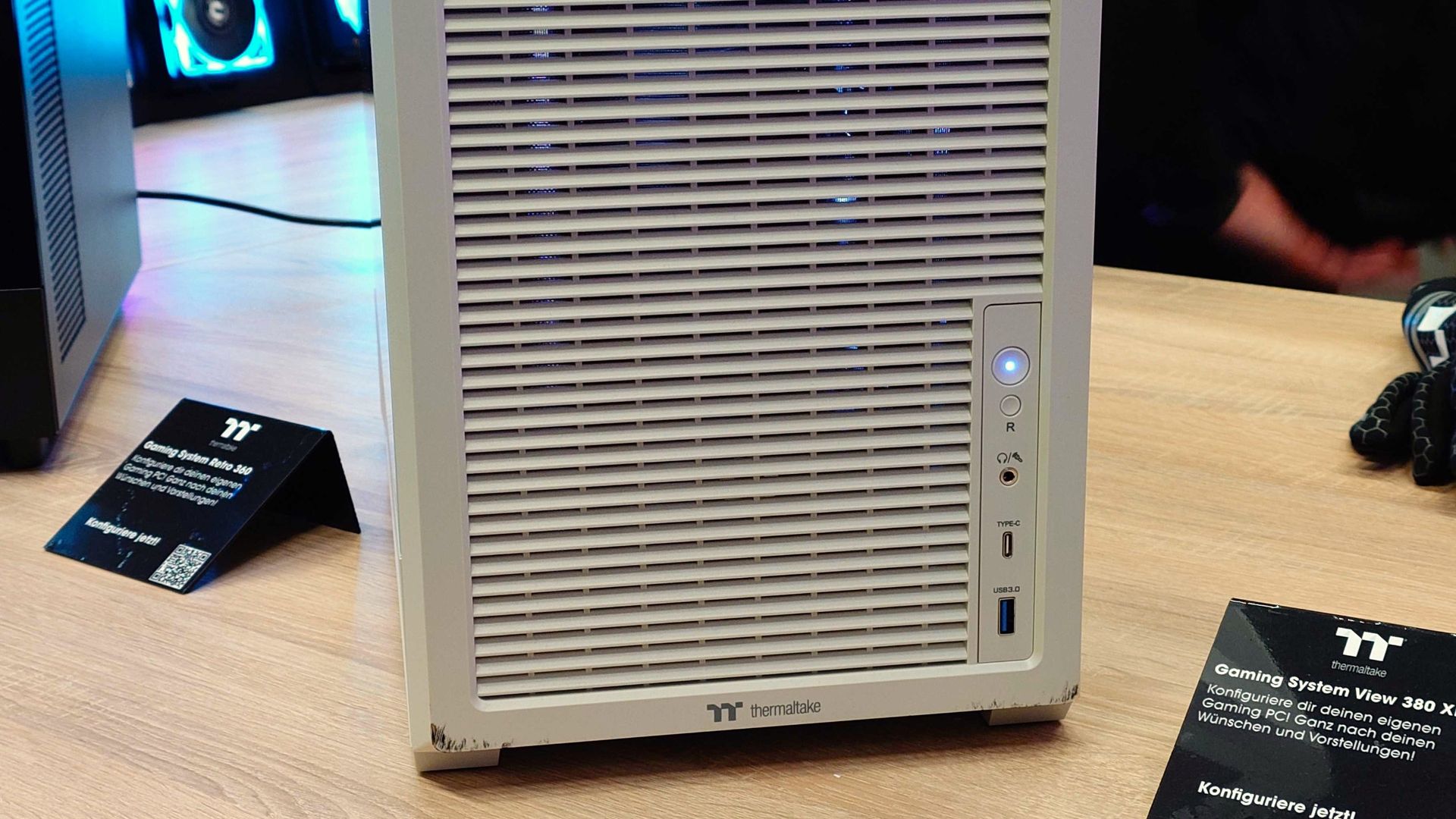
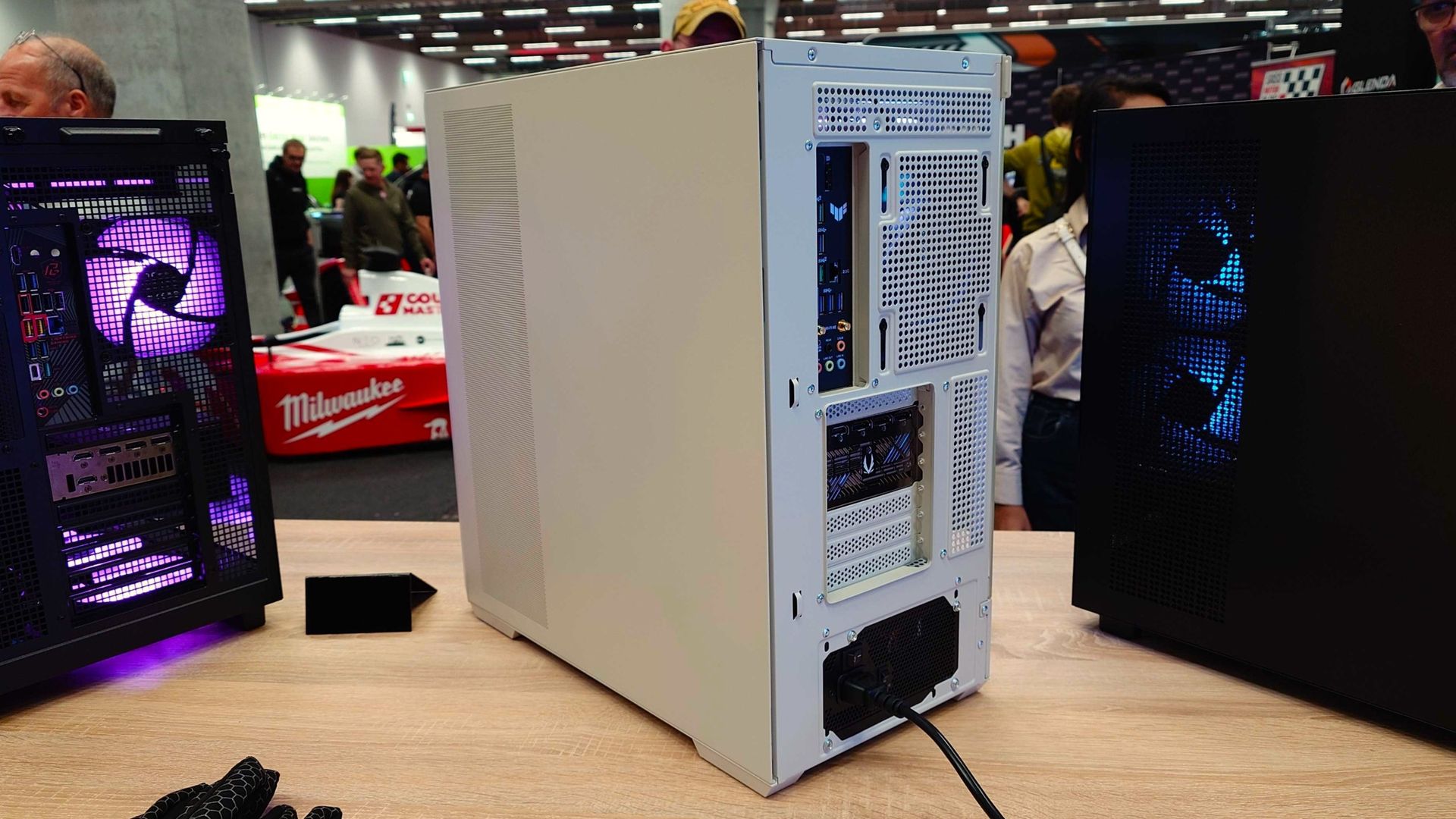
All the beige, but modern. Windows CentralUnlike a true retro case, you don't have to retrofit modern connectivity. Windows CentralIt's built for all the latest (and thickest) graphics cards. Windows Central
I think that's what makes it for me. I love the retro styling, and I love that it doesn't need modifying to fit my RTX 5090 inside it properly.
The CD ROM and floppy drive impressions on the front of the case are just that. Inside the Retro 360 there is no capacity to install an optical drive at all; it's just for show. But you can also substitute it for Thermaltake's 6-inch display panel if you like your retro look with a modern twist.
It supports ATX motherboards, including those with rear-facing connectors, and up to a 360 mm radiator in either the roof or at the side of the motherboard. There's also space for three 120 mm fans above the PSU compartment, sucking air in from the bottom, and another pair of 120 mm or 140 mm fans mounted to the front panel.
It's not a particularly large PC case, but it has serious capacity for cooling. And large GPUs.
The other bonus over an actual retro case is that the front panel IO is all modern, too, without having to retrofit anything. In this case, USB-C 3.2 and USB Type A 3.0.
CRT's were peak monitor design. (Image credit: Windows Central)
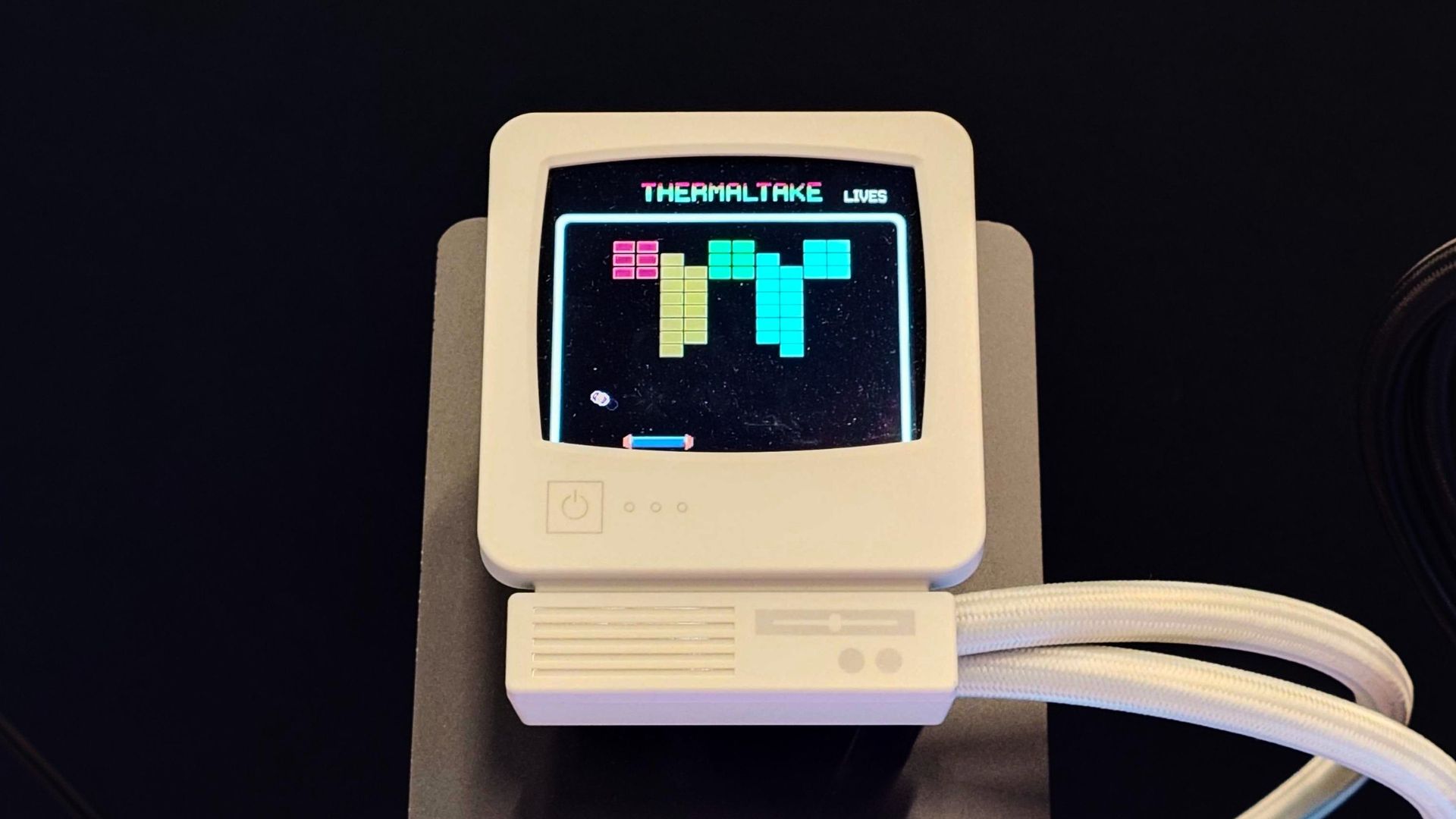
Another retro-themed bit of kit you can add into your modern but old-school-looking PC build is Thermaltake's Retro 360 Ultra AIO cooler. It matches the beigeness of the PC case on the fans and the radiator and has a CRT-style LCD display that sits atop your CPU.
The display can be customized with just about whatever moving imagery you want using the companion software. But it has to be something retro, right?
All in all, I just love the mix of old and new. Thermaltake PC cases have often stood out to me (and I have owned some in the past) as products where the visual appeal matters as much as the features.
It hits the right mark without trying to do too much and is designed to easily house the latest and greatest hardware. The price point is also as enticing as the design.
The Retro 360 Case comes in at $89.99, which is perfectly reasonable for all this beige goodness. There's also a slightly smaller version, the Retro 260, for microATX and miniITX builds. This one also costs a reasonable $79.99.
Were it not for the business of getting a PC case onto a plane, I'd be going home with one. But I'm pretty positive I just found the new PC case I've been looking for.
Join us on Reddit at r/WindowsCentral to share your insights and discuss our latest news, reviews, and more.

 Connexion