❌

Vue lecture

MorningBlues Record R1 Makes Holiday Gifting Personal for Music Lovers

Choosing a Christmas gift for a music lover gets more interesting when you think about the songs that mean something to them. The MorningBlues Record R1 speaker gives those favorites a place in the home, pairing a record-inspired body with album artwork and animated lyrics. It’s a gift that invites a shared listen, starting with the track you both remember for completely different reasons.

The circular body recalls a vinyl record, with the screen sitting where you’d expect the label. Solid walnut legs and acoustic fabric give it a furniture-like character, a thoughtful detail when you’re choosing something for a person who’s particular about their surroundings. There’s no spinning platter here, of course, but someone who grew up admiring record sleeves might appreciate the reference before the music even starts.

Designer: MorningBlues

Click Here to Buy MorningBlues Record R1: $975 $1699 ($724 off, use coupon code “holiday26”). Hurry, Black Friday Deal ends soon!
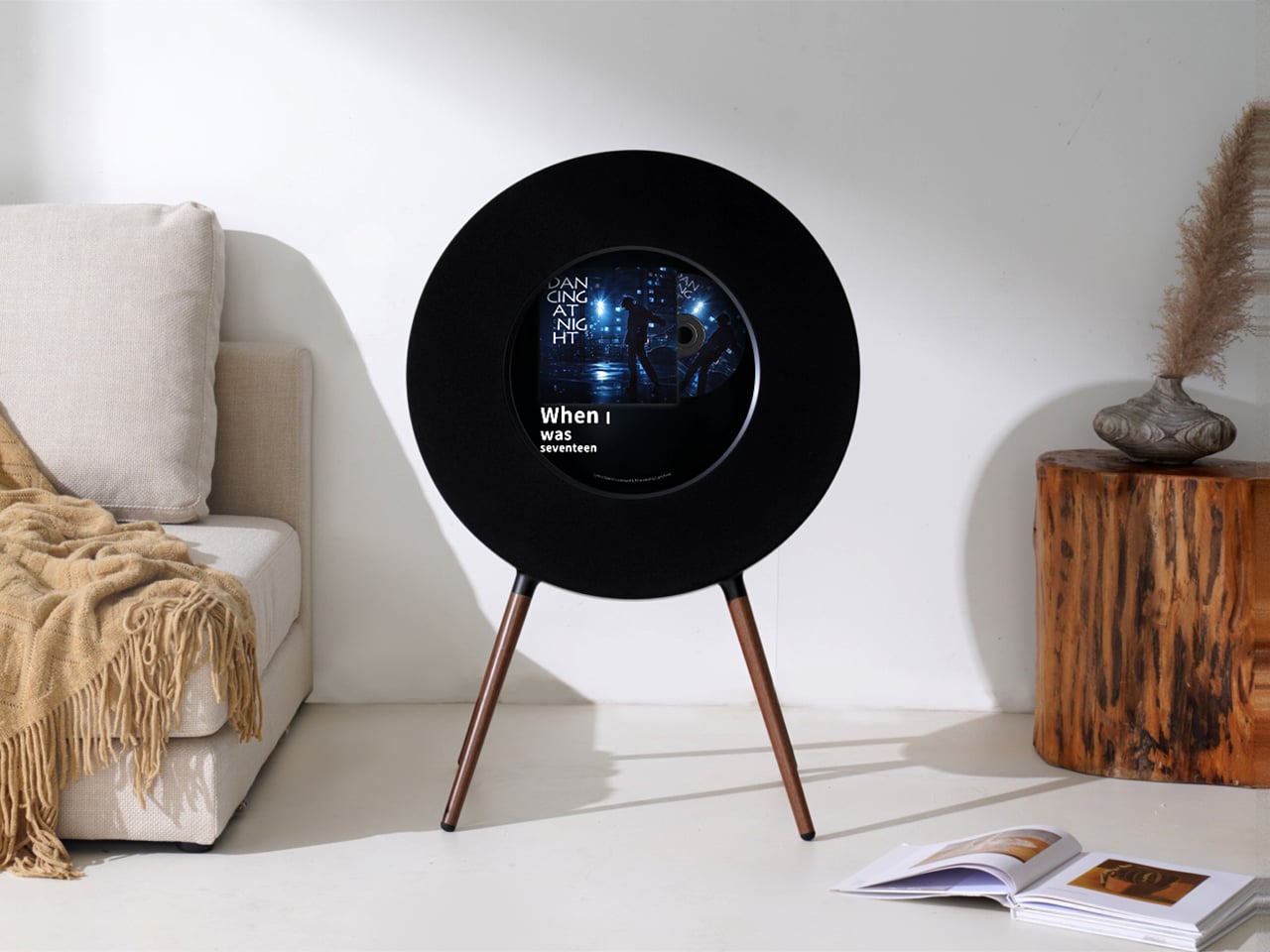
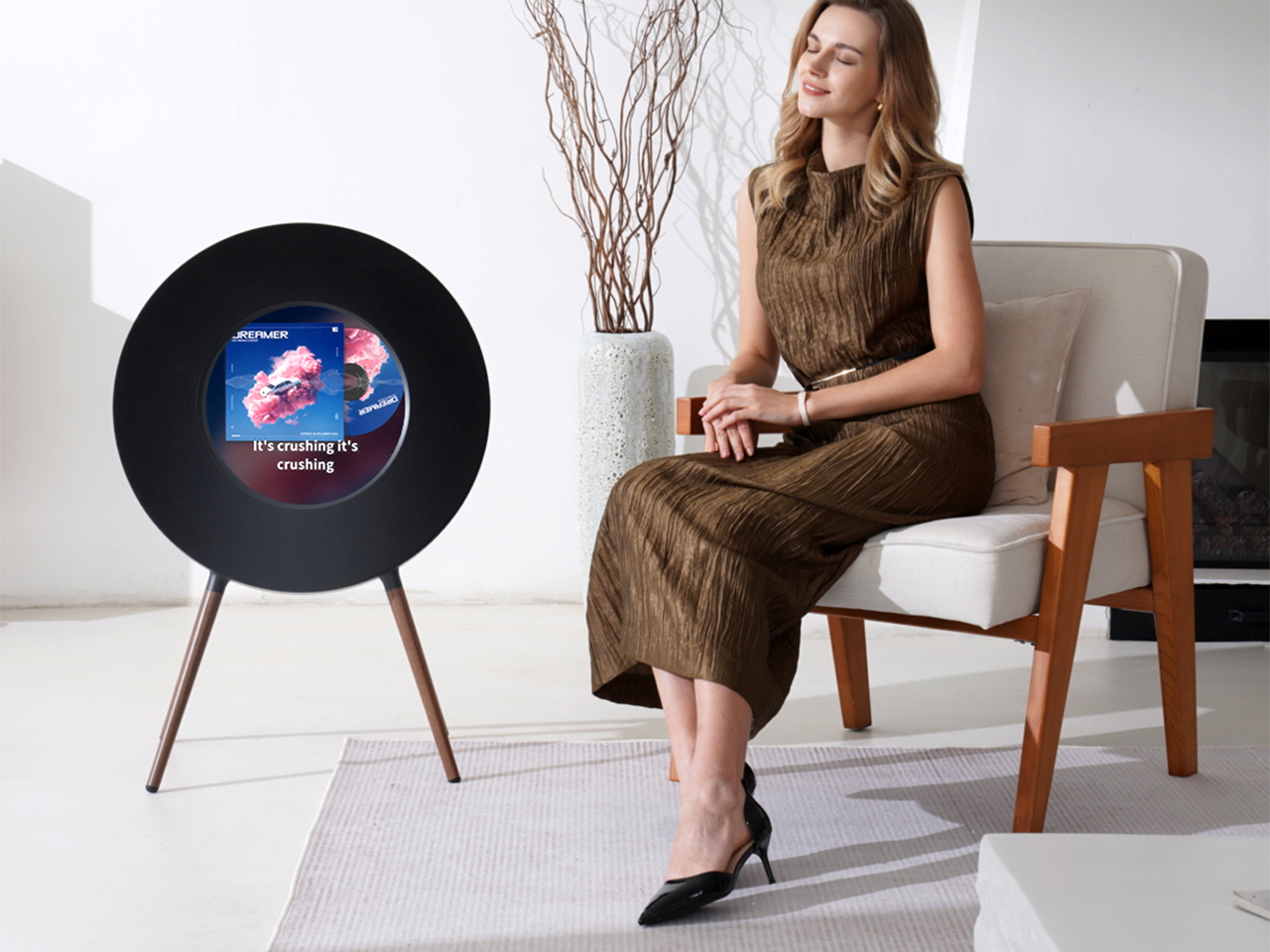
Holiday gatherings offer another reason to give the screen some attention. The R1’s nine dynamic lyric scenes put the words where people sharing the room can follow along, adding something to an after-dinner playlist beyond background music. An old favorite could turn into an impromptu sing-along, or finally settle an argument about a misheard line. Of course, some relatives might insist their version is still better.

The approximately 12.8-inch circular display also brings album artwork into that shared space. For a parent who remembers buying a particular record, its cover could be the beginning of a story you’ve never heard. For a partner, it might recall the album that accompanied your first road trip. The screen gives those visual associations room to register, rather than leaving them tucked away on a phone.
MorningBlues Record R1

There’s dedicated audio hardware behind those moments, too. The R1 combines a 6.5-inch subwoofer with separate midrange drivers and tweeters in a five-driver, 2.1-channel system, developed in partnership with audio expert Jamo. That arrangement keeps the listening setup within one enclosure, without separate speaker cabinets to position around the room. That consolidated format has an obvious appeal for someone who prefers fewer objects around their favorite chair.

The first playlist could be part of the present, too, especially if it includes songs you’ve shared over the years. Bluetooth handles playback, while the MorningBlues app supports setup and the lyric experience. Once everything’s ready, you could spend Christmas afternoon working through those tracks together. There’s something pleasantly personal about explaining why you picked a song, even if the recipient immediately questions your taste.
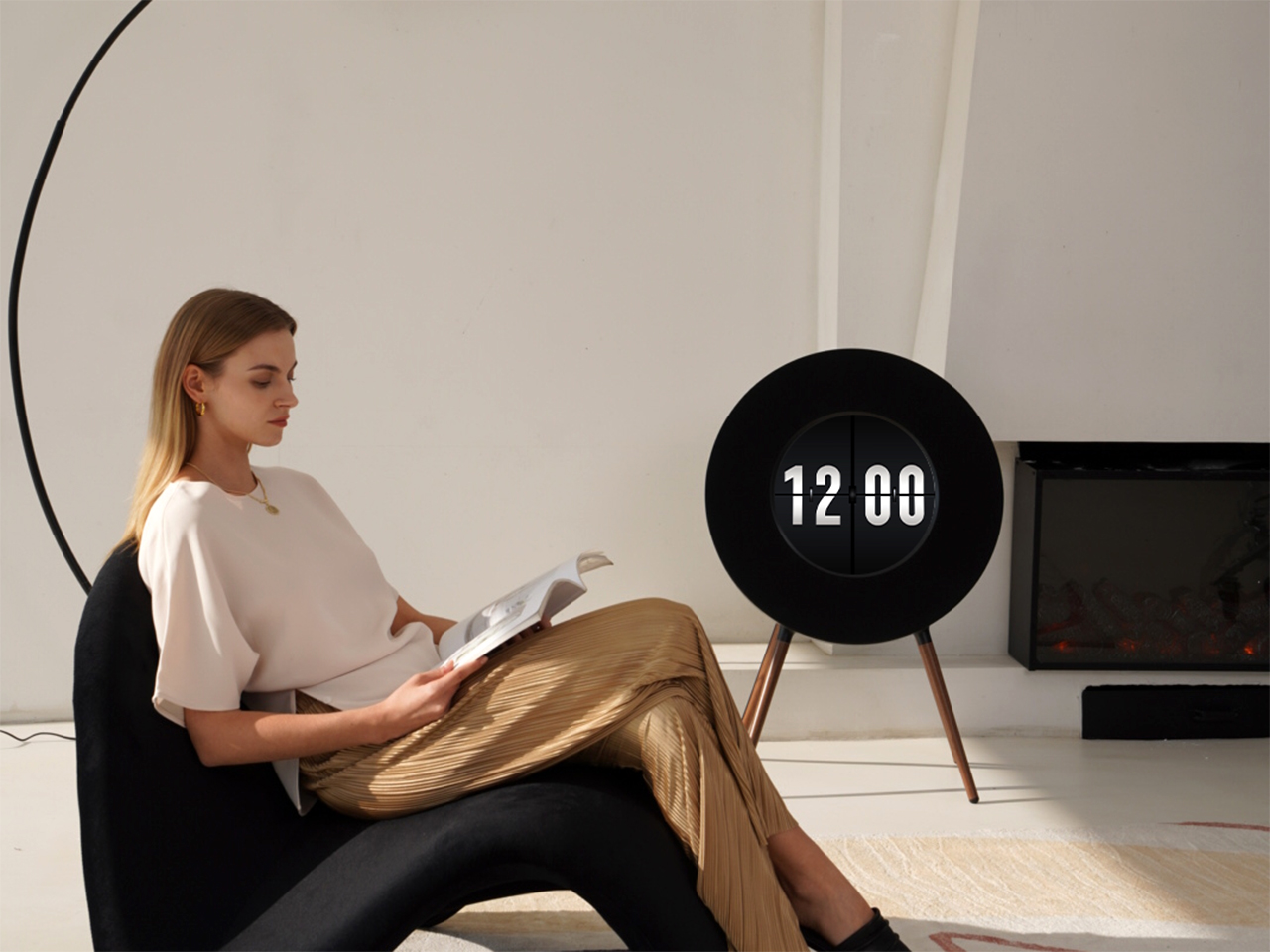
After the guests leave, the R1 can accompany a quieter part of the holiday. A favorite album beside the reading chair offers a different evening from another round of television, while clock mode gives the display a purpose between listening sessions. Someone who treasures those slower hours at home will surely appreciate how the gift becomes part of a routine that continues well beyond the Christmas break.
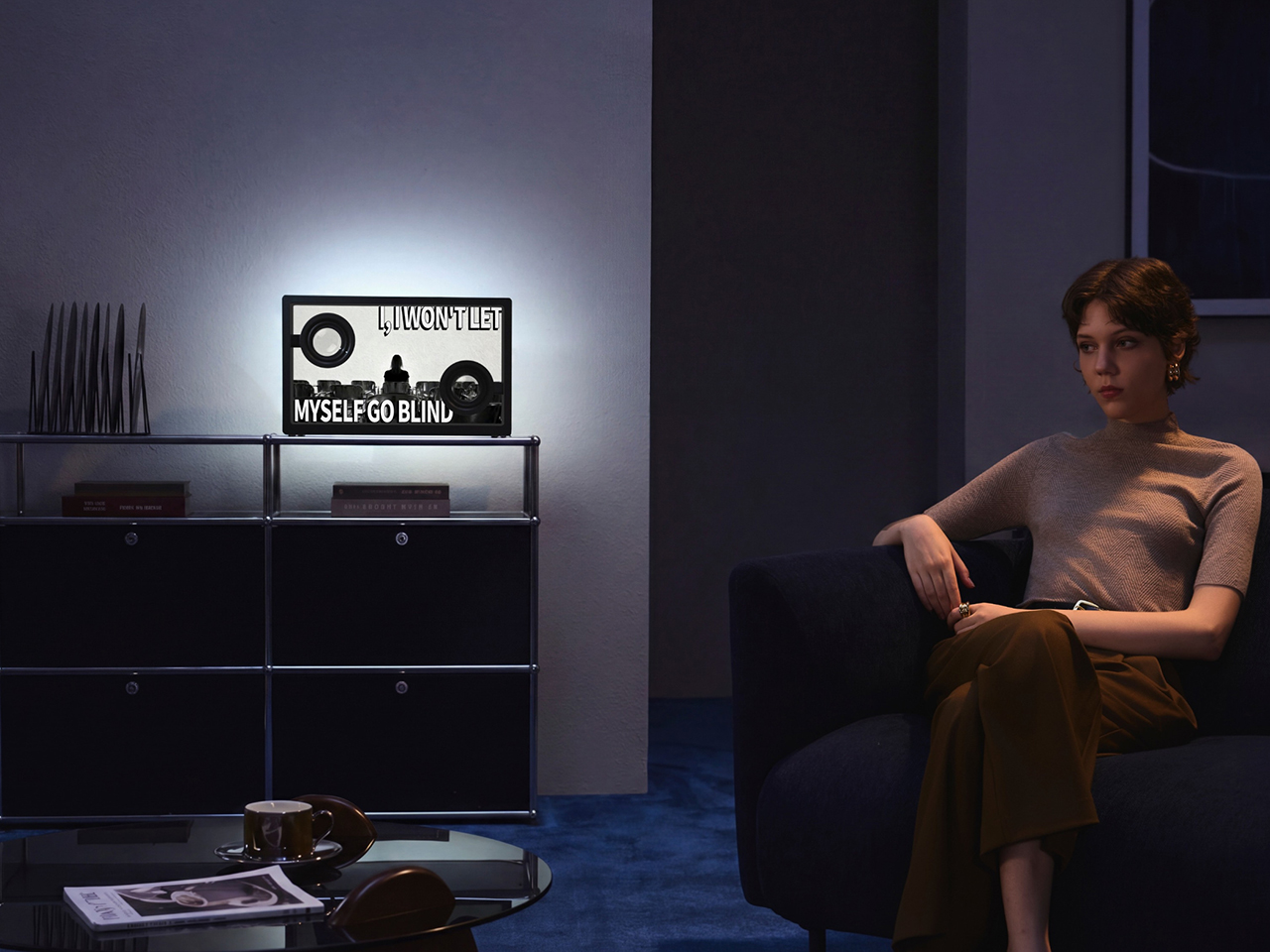
Lyric SonicGlass A1

For the music lover who prefers a more unexpected design, the Lyric SonicGlass A1 ($739 $999 – $260 off, use coupon code “holiday26”) offers another option. Its transparent design and 21.5-inch display let dynamic lyrics appear to float, turning favorite songs into a visual performance. It could be a thoughtful choice for the friend who enjoys sharing musical discoveries, giving their next holiday gathering something to watch as well as hear.

The Stereo Frame Lyrics Speaker T2

The Stereo Frame Lyrics Speaker T2 ($639 $1499 $860 off, use coupon code “holiday26”) takes a gallery-inspired direction, pairing a paper-like screen with artwork and personal photo albums for someone who loves decorating their home. The Cabinet S1 Stereo Nightstand Speaker ($539 $1299 $760 off, use coupon code “holiday26”), on the other hand, suits a different recipient: one who looks forward to winding down in a cozy bedroom. Its warm ambient lighting, built-in audio, and wireless charging bring practical comforts to their evening routine without adding more bedside devices.
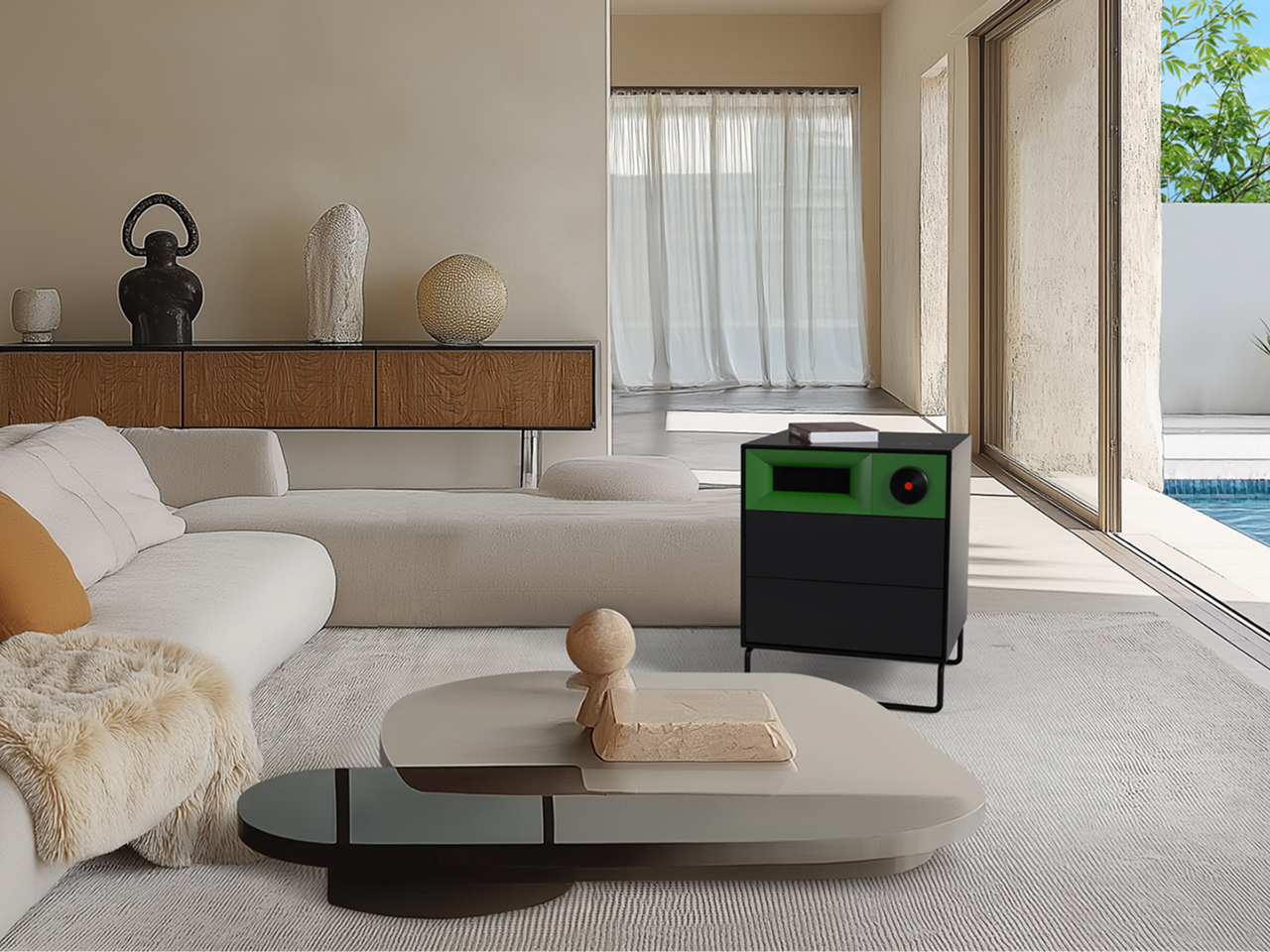
Cabinet S1 Stereo Nightstand Speaker

With the MorningBlues Record R1, the gift can begin with a song rather than a demonstration of everything the speaker can do. You might choose the album a parent used to play on Sunday mornings, then let them take over the playlist. By the time someone asks to hear another track, the wrapping paper could still be on the floor and the afternoon’s plans happily forgotten.

Click Here to Buy MorningBlues Record R1: $975 $1699 ($724 off, use coupon code “holiday26”). Hurry, Black Friday Deal ends soon!

The post MorningBlues Record R1 Makes Holiday Gifting Personal for Music Lovers first appeared on Yanko Design.


  •  

PLANTIQUE Concept Makes a Soil Sensor Look Like a Tiny Alien

Houseplants can make a room feel more alive, although remembering to check on them is another matter. PLANTIQUE is a plant-monitoring concept that puts an expressive little face beside the leaves, turning soil readings into something you might actually notice. Rather than replacing your favorite pot with a smart planter, it proposes slipping a colorful, character-like device into the soil you already have.

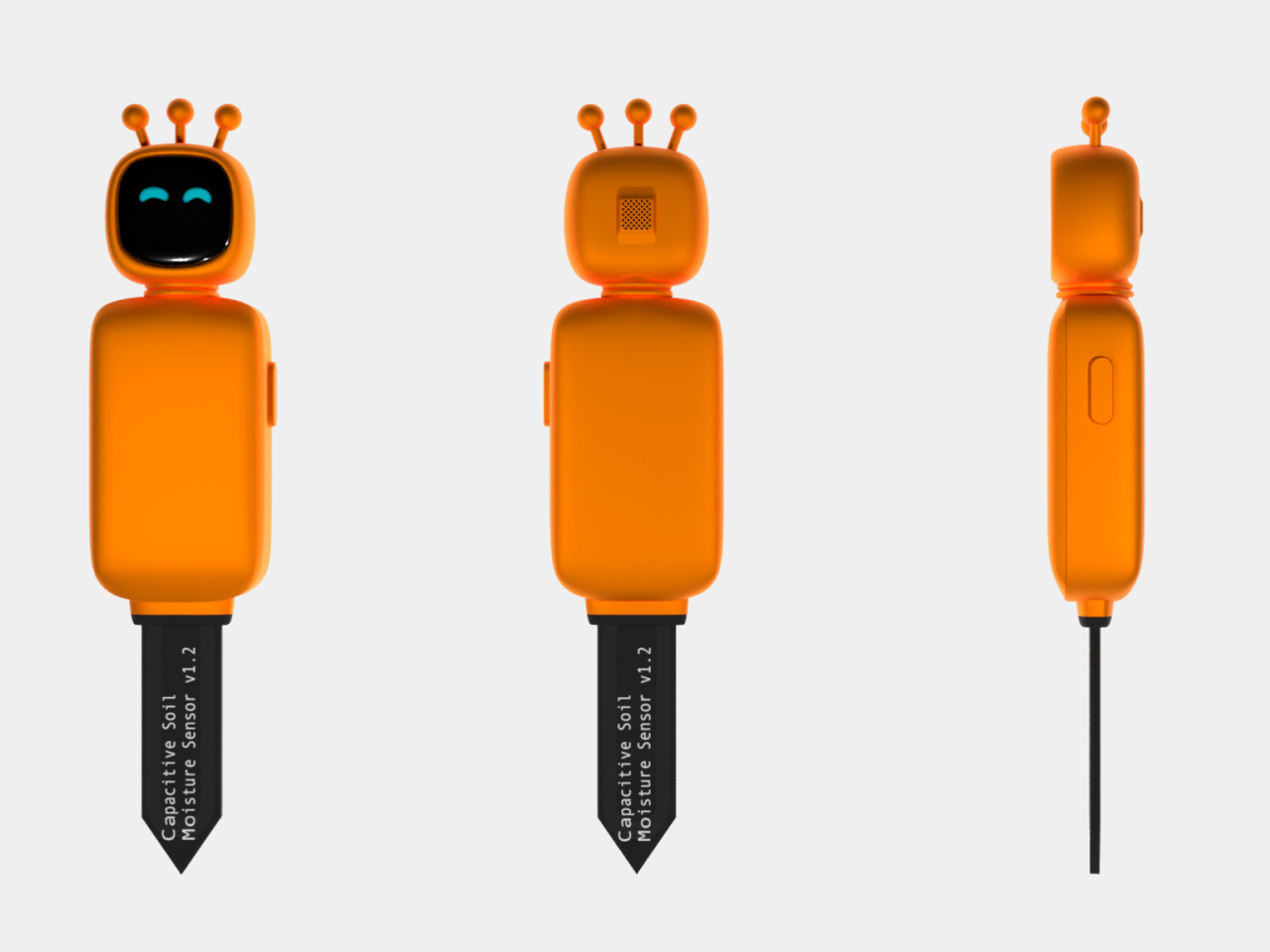
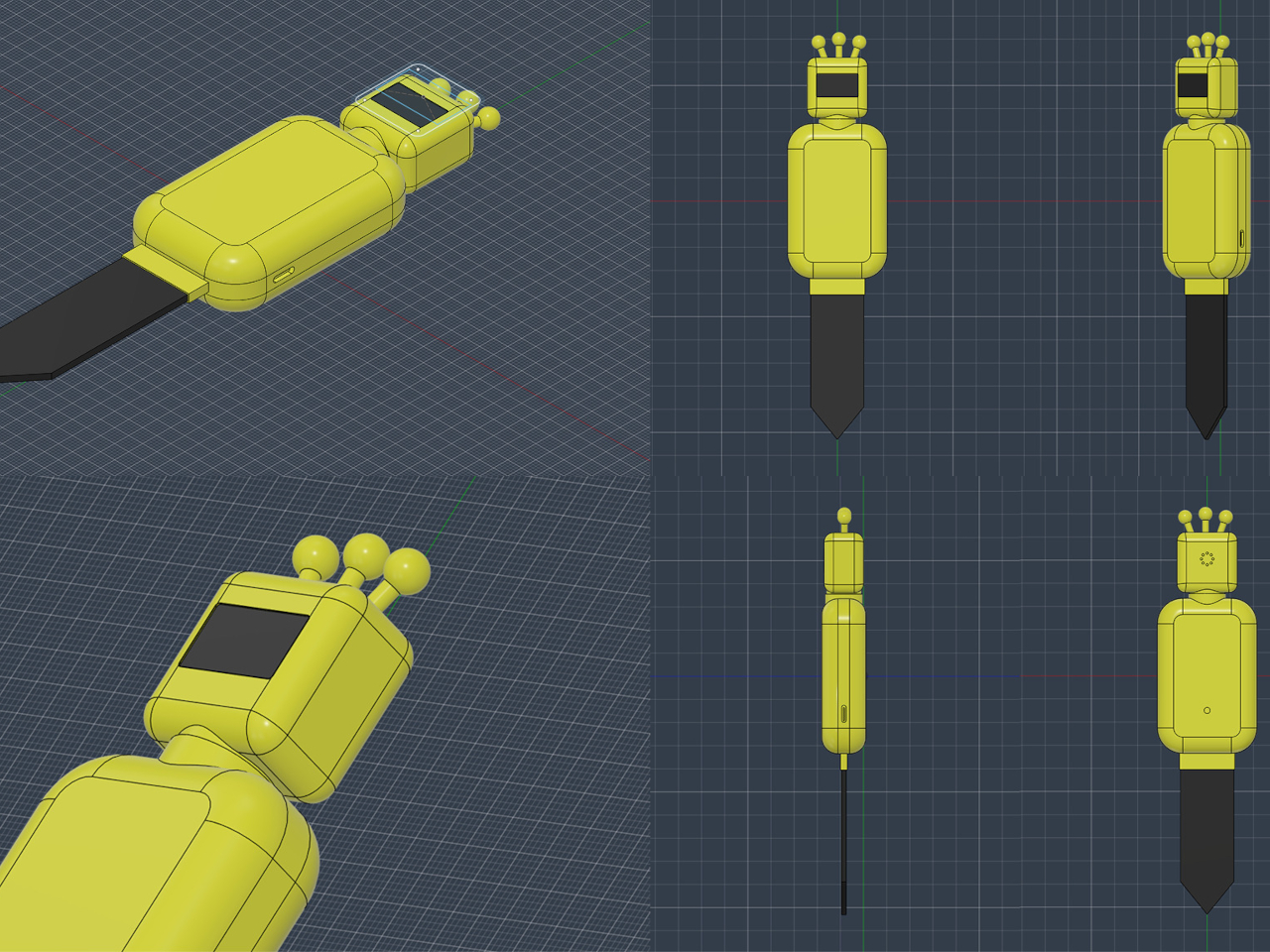
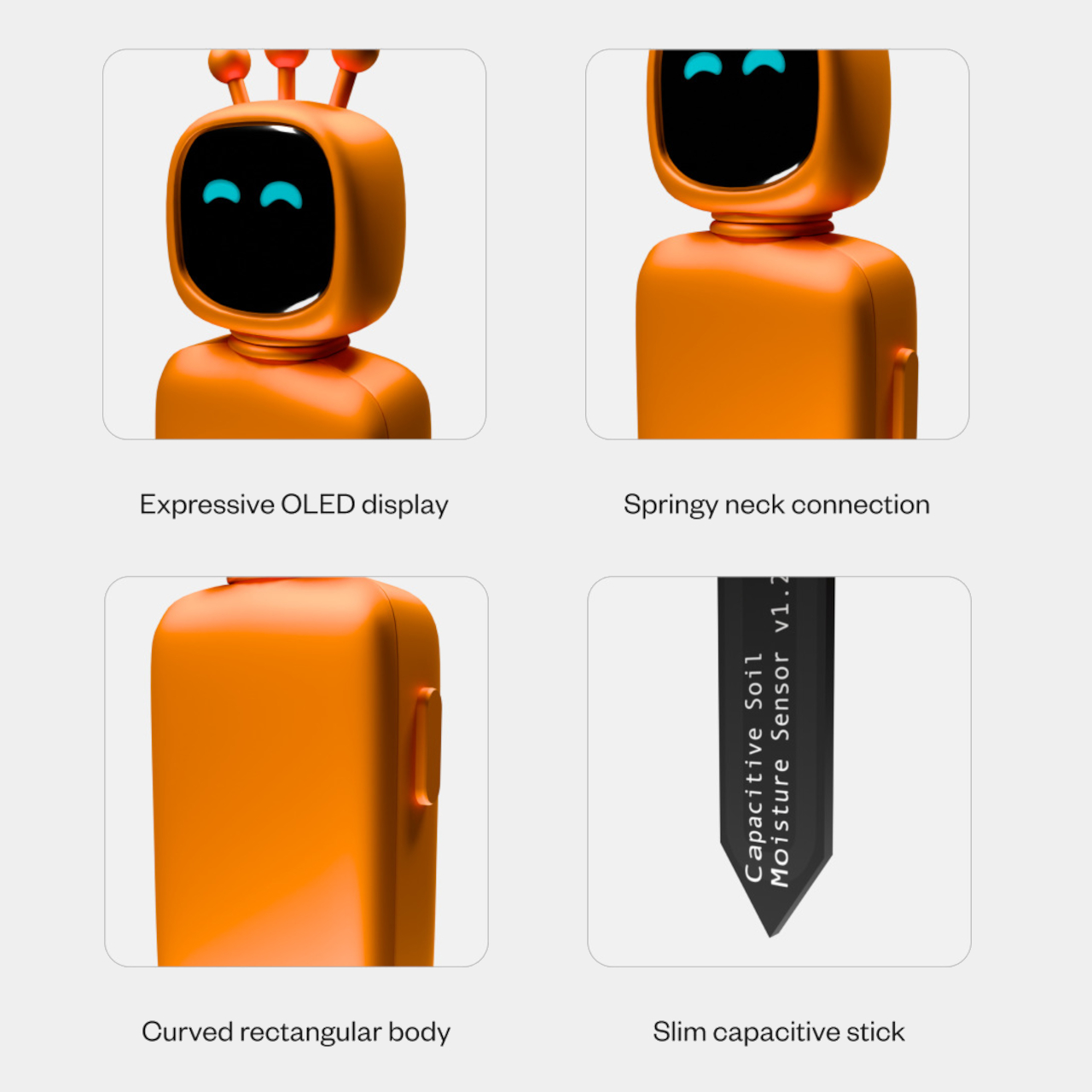
The orange body looks a little like an alien that has decided to take up gardening. A rounded rectangular head frames a glossy black face, with turquoise eyes providing most of the expression. Three ball-tipped stalks rise above it, while a ribbed neck connects the head to the body. There’s enough character here without adding arms, legs, or a miniature watering can.

Designer: Karan Aneja

Zest orange, Sunny yellow, and Sprout green carry that friendliness beyond the screen, offering different ways to stand out against foliage. The softened corners keep the silhouette closer to a toy than laboratory equipment, despite the pointed probe below. You could keep a familiar planter and add this companion, rather than choosing a new container just to monitor what’s growing inside it.

Underneath that cheerful shell is a slim capacitive soil-moisture probe, intended to sit in the pot while the display remains above ground. That arrangement keeps the useful information close to the thing you’re caring for, rather than somewhere else on a screen. Passing the plant on your way to the kitchen could become a reason to pause and check its surroundings more carefully.

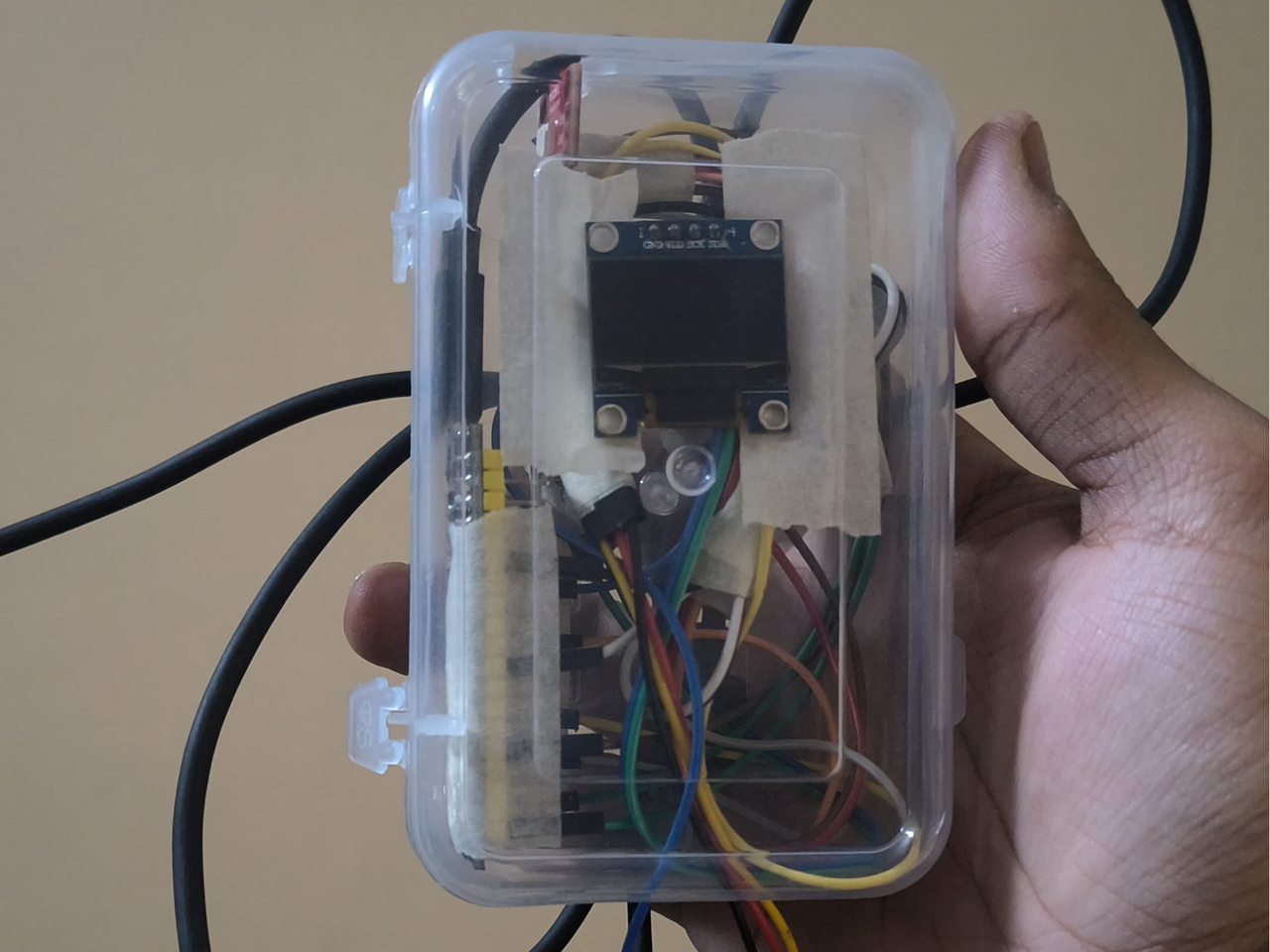
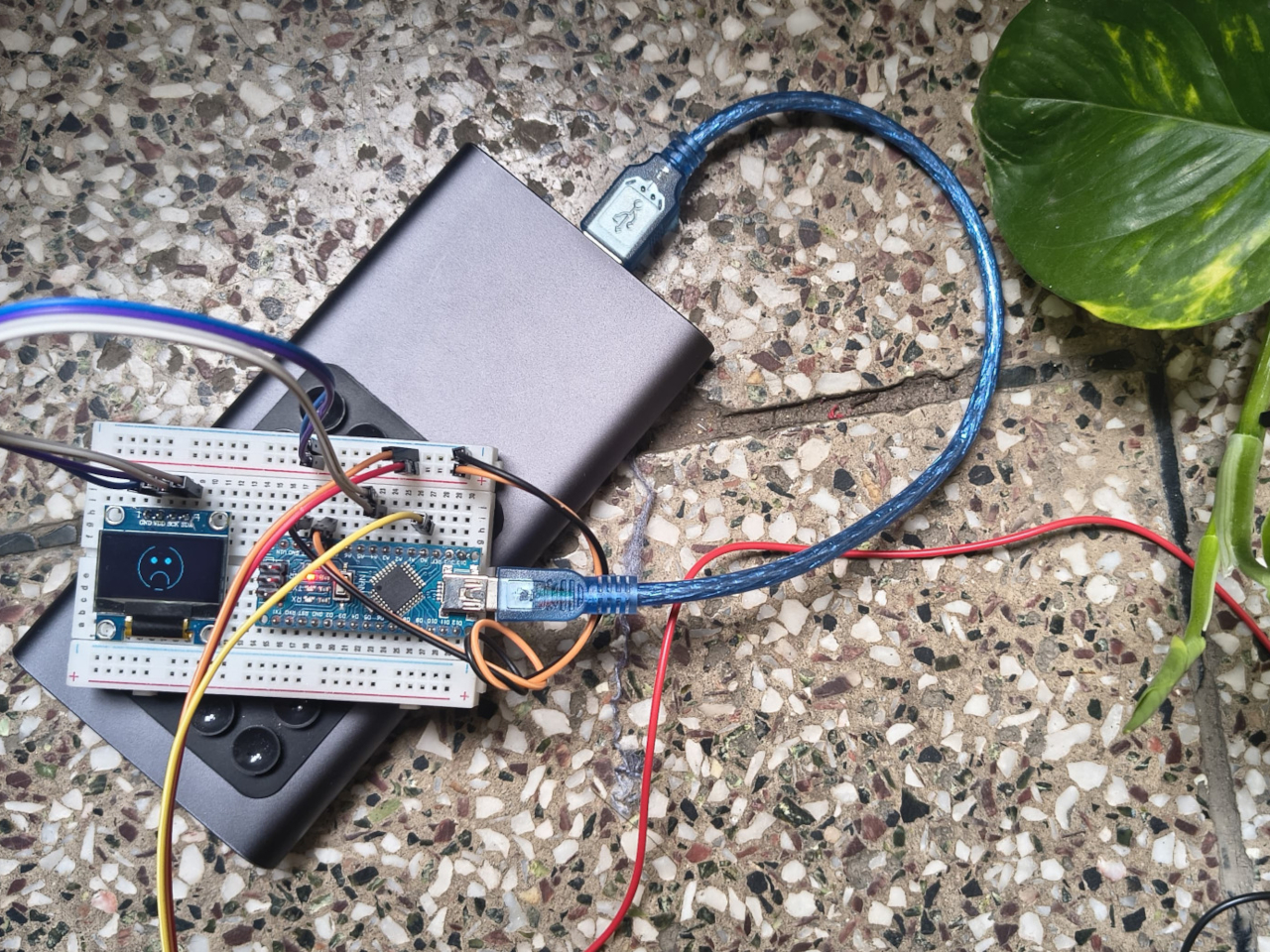
The proposed OLED display uses simple changes in eye shape to make its point, from upward curves to drooping forms. You don’t need elaborate graphics to give a little black screen some personality. A change in expression could prompt a closer look, even if you aren’t interested in comparing readings or opening a dashboard every time you walk past that particular plant.

Despite those pet-like expressions, PLANTIQUE isn’t meant to tell you that your fern feels lonely. The project describes its visual language as an interpretation of plant responses, rather than human emotions. That’s an important boundary for such an approachable design. A face can make a reading memorable, but giving a sensor eyes doesn’t turn it into a translator for everything a plant needs.

A drooping digital face would be a reason to check the pot, not automatically empty a jug into it. Different plants need different care, and more water isn’t always the answer. PLANTIQUE’s most appealing possibility is making that brief pause part of the day, with the plant getting a little attention before its owner gets distracted by another screen across the room.

The post PLANTIQUE Concept Makes a Soil Sensor Look Like a Tiny Alien first appeared on Yanko Design.

  •  

This Phone Wrist Strap Doubles as a 60W USB-C Cable

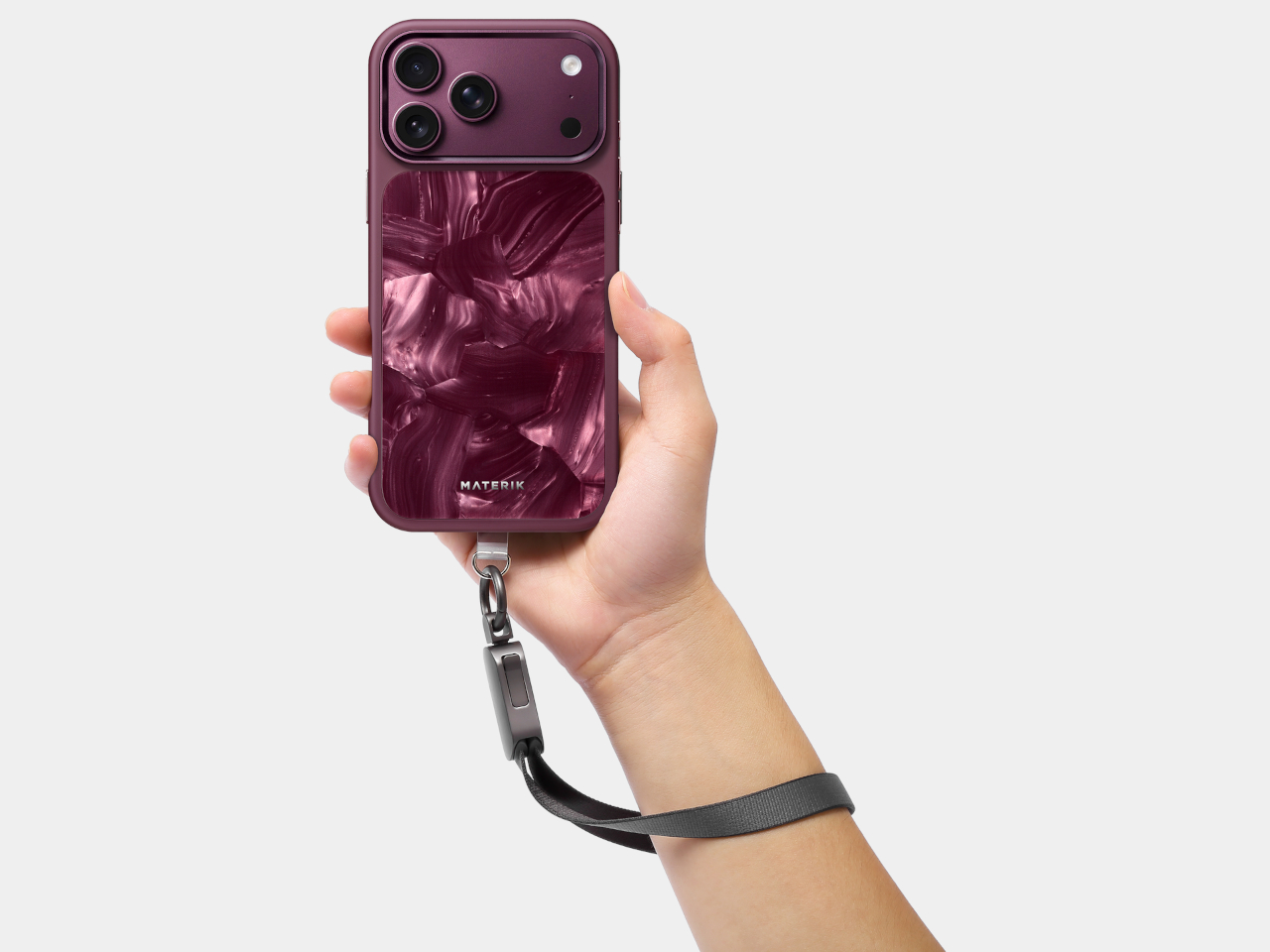
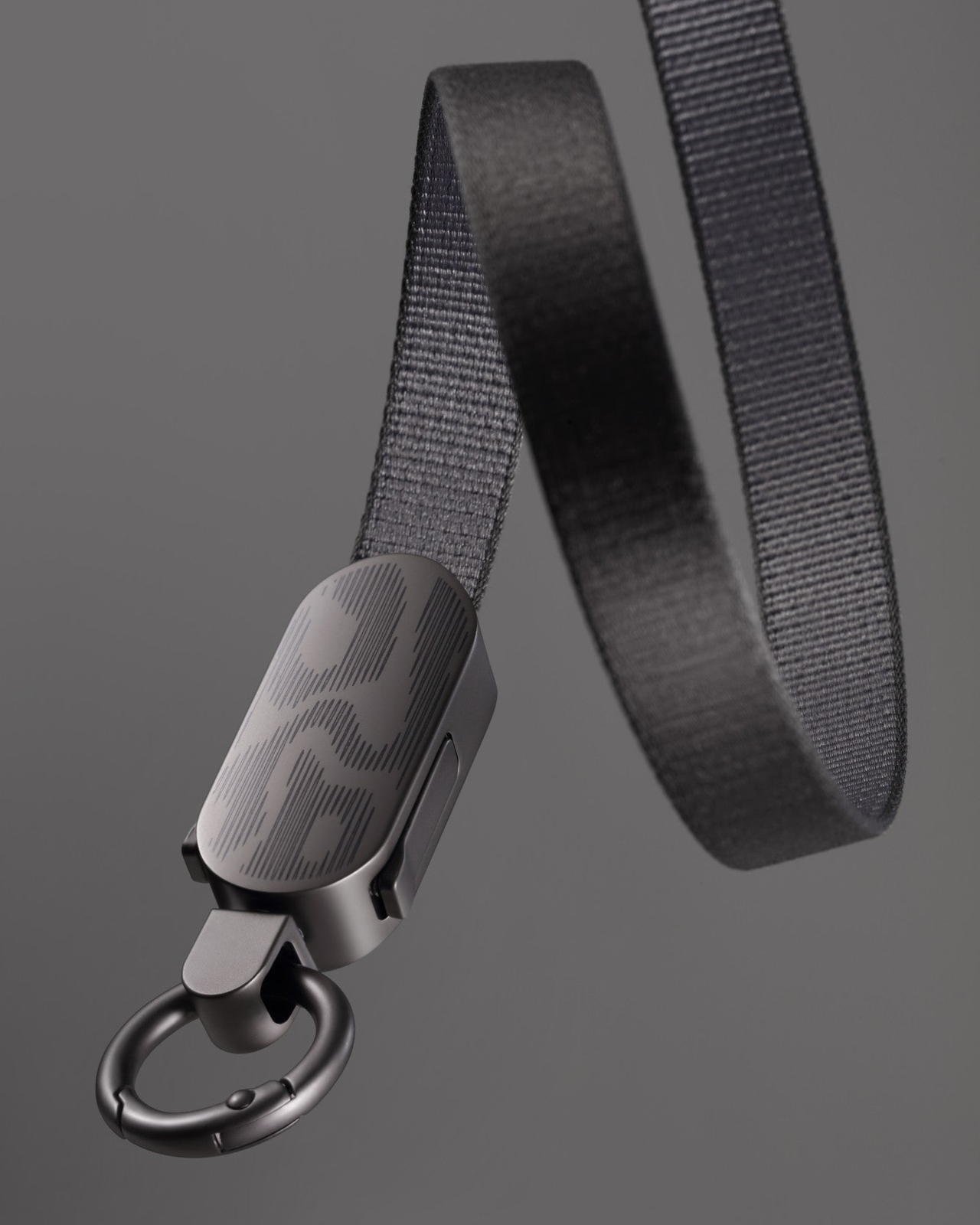
A charging cable is remarkably easy to leave behind, especially when you’re trying to leave the house without a bag. Materik’s 2-in-1 Wristband Charging Cable gives that loose accessory another job, turning it into the strap attached to your phone. Introduced on November 11, 2026, the $39.90 accessory opens into an 11.8-inch USB-C cable when it’s time to find some extra power.

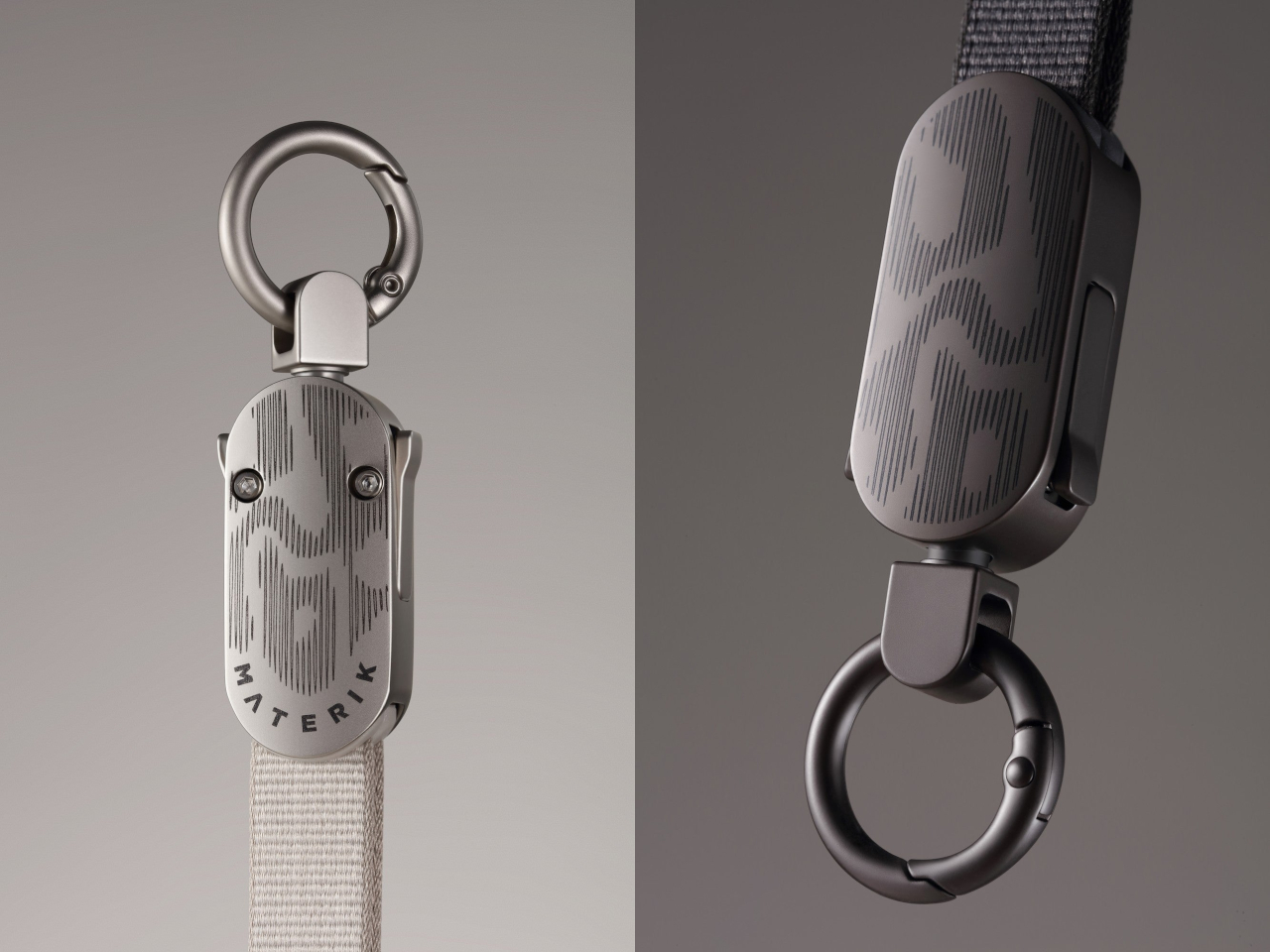
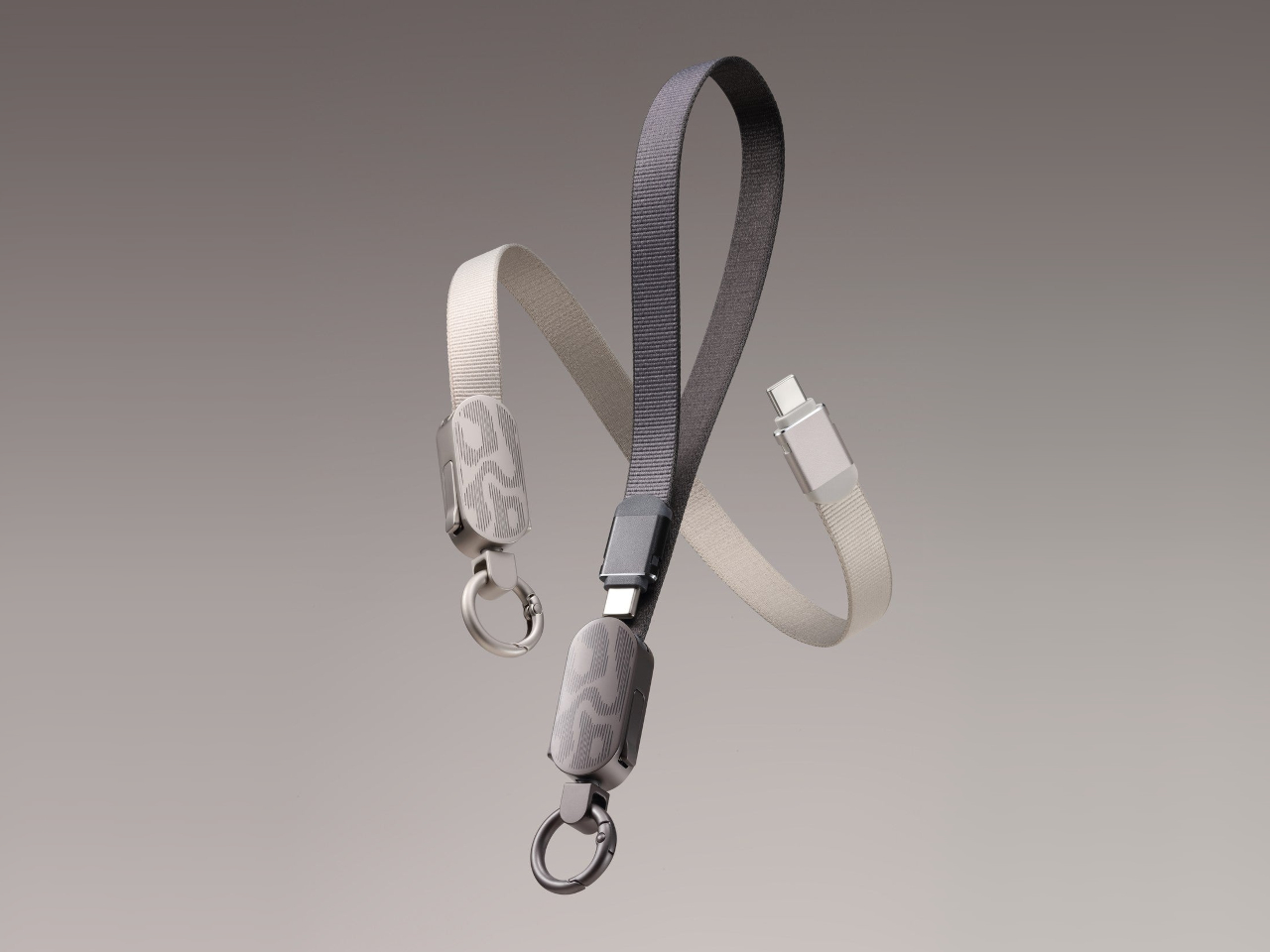
Closed, the flat polyester weave looks closer to a camera strap than the usual rubbery charging cord. Aluminum connector shells meet a zinc-alloy buckle, whose rounded face carries a fine, flowing pattern of short lines. Graphite keeps things dark, while Limestone pairs a pale strap with lighter hardware. The complete accessory weighs about 1.2 ounces, including the buckle and circular attachment clip.

Designer: Materik

Getting it onto your phone involves the included clear TPU tab, which sits between the handset and a compatible case. Its small loop pokes through the charging opening, giving the circular clip somewhere to attach. The strap then slips around your wrist while you hold the phone, without needing a case designed with its own strap loops or a separate attachment point.

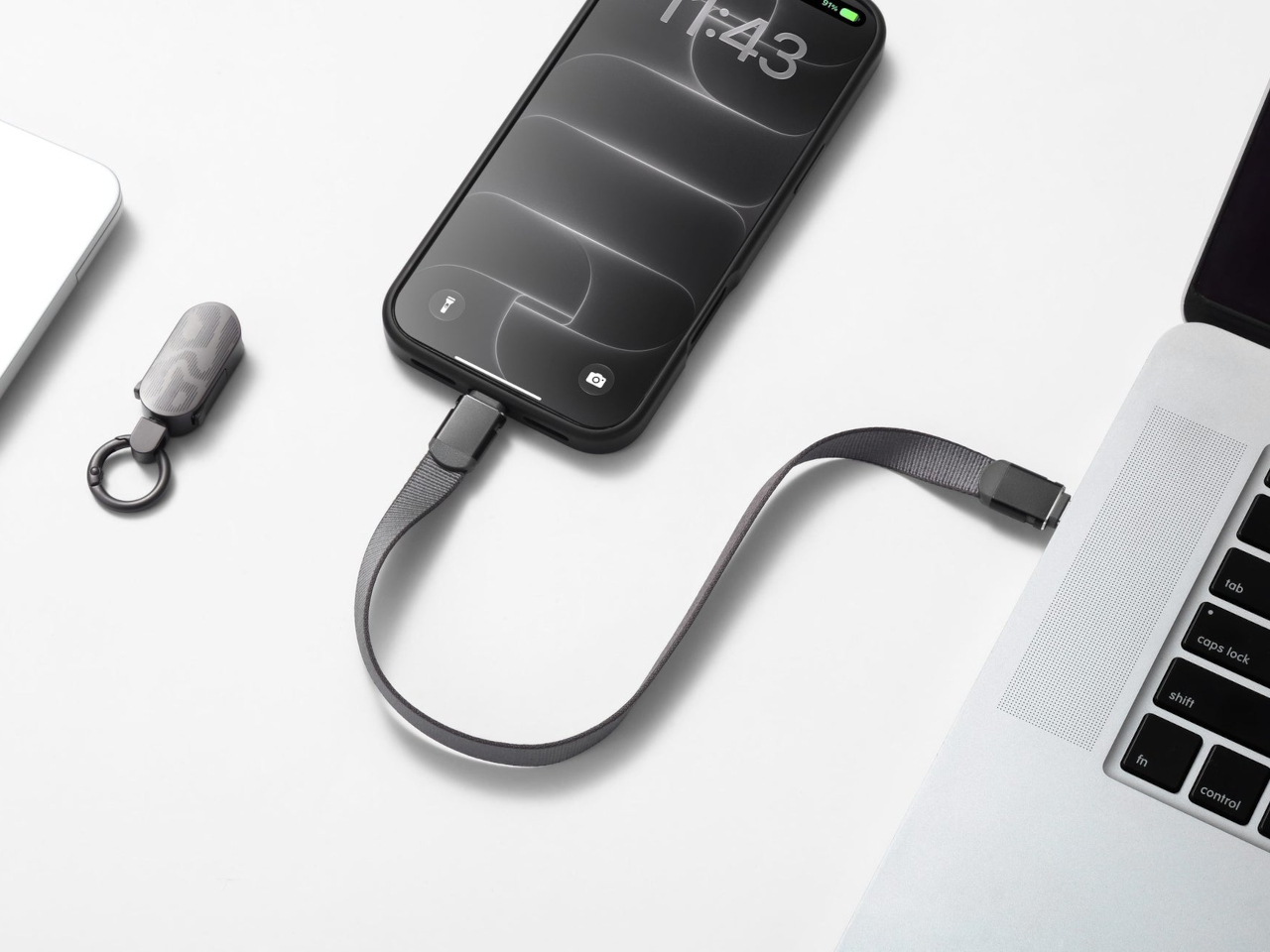
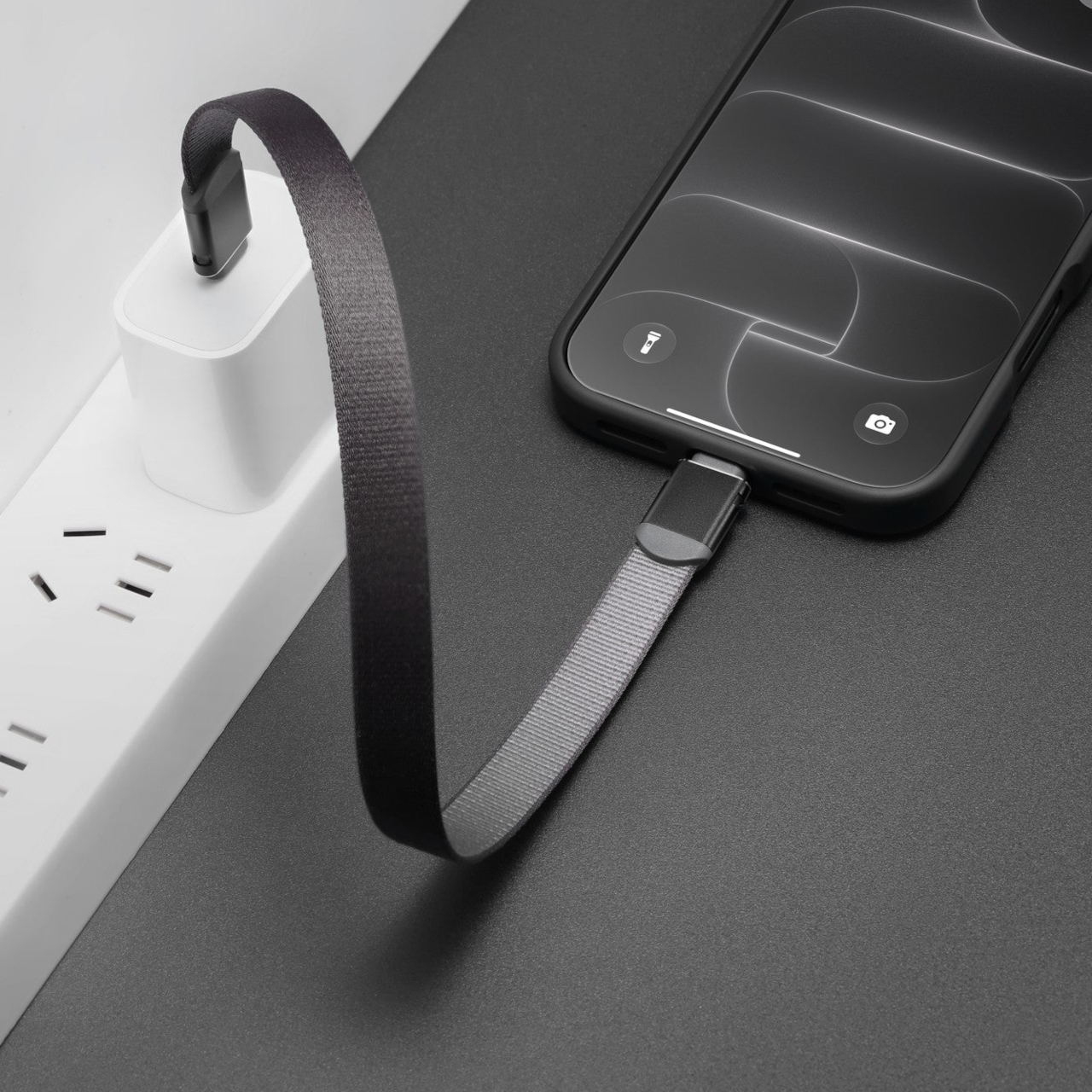
When the battery gets low, the buckle releases both USB-C ends, leaving its clip attached to the case. That separation is the neat part: the hardware that closes the wrist loop doesn’t have to dangle between your phone and charger. You connect the freed cable to a suitable power source, then return both ends to the buckle when you’re ready to leave.

Materik rates the cable for USB Power Delivery up to 60W, enough to make it useful beyond a phone with suitable equipment. The actual charging rate depends on the device and power source, of course. There’s no battery tucked into the buckle, so the strap can’t rescue an empty phone by itself. You still need a charger, power bank, or another compatible source.

The short reach makes more sense beside a laptop or a power bank than across a hotel room. Set your phone next to the power source and there isn’t much surplus cable to gather up afterward. If the outlet is behind a hotel bed, however, the cable’s length dictates where your phone rests. This is a connection for nearby equipment, not distant sockets.

Back at a desk, the same cable can move photos or documents between compatible devices, with USB 2.0 data transfer rated up to 480 Mbps. That’s a useful extra when you need to copy a few files without digging out another lead. It isn’t the connection you’d choose for frequent, lengthy transfers to a fast external SSD, despite those familiar USB-C plugs.

The tradeoff arrives whenever you plug in, because the cable can’t remain a closed wrist loop while charging. If you already use a phone strap, combining those jobs could save a separate item in your bag. If you don’t, the buckle and clip become extra hardware to carry for a short cable. Its appeal depends on wanting the wrist strap in the first place.

The post This Phone Wrist Strap Doubles as a 60W USB-C Cable first appeared on Yanko Design.

  •  

8BitDo’s Forest Wonder Keyboard Puts Tiny Pixel Animals Among the Keys

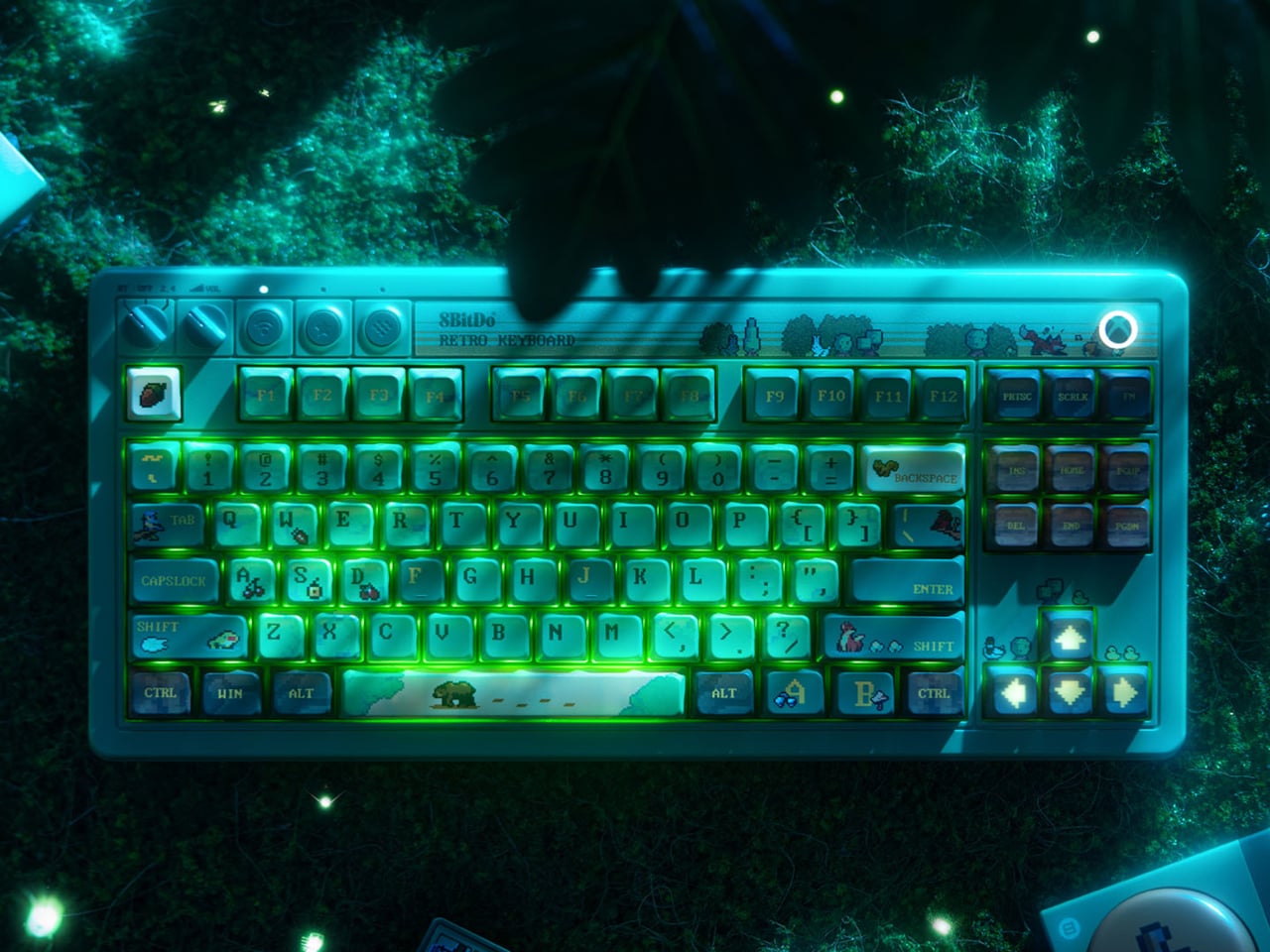
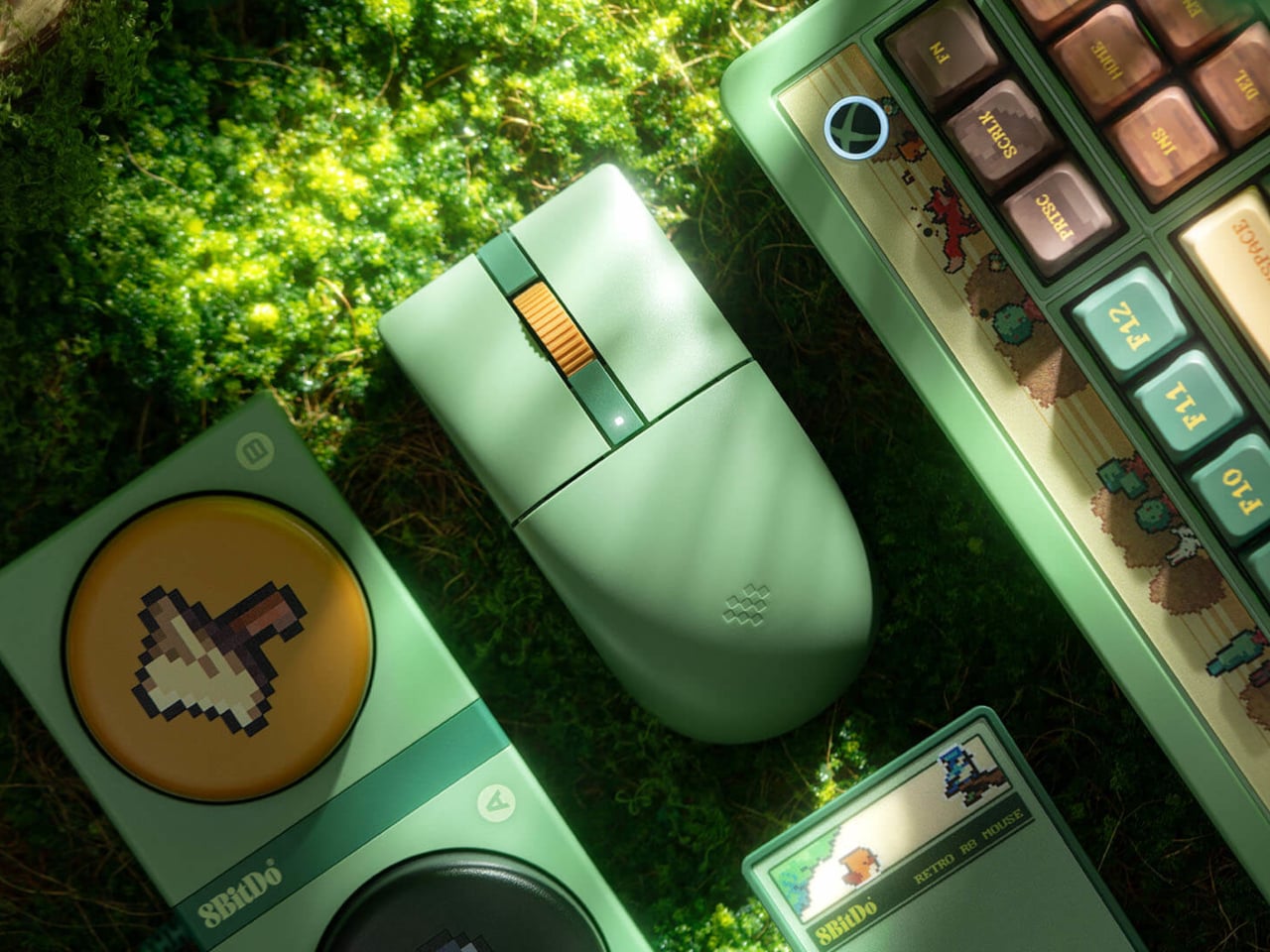
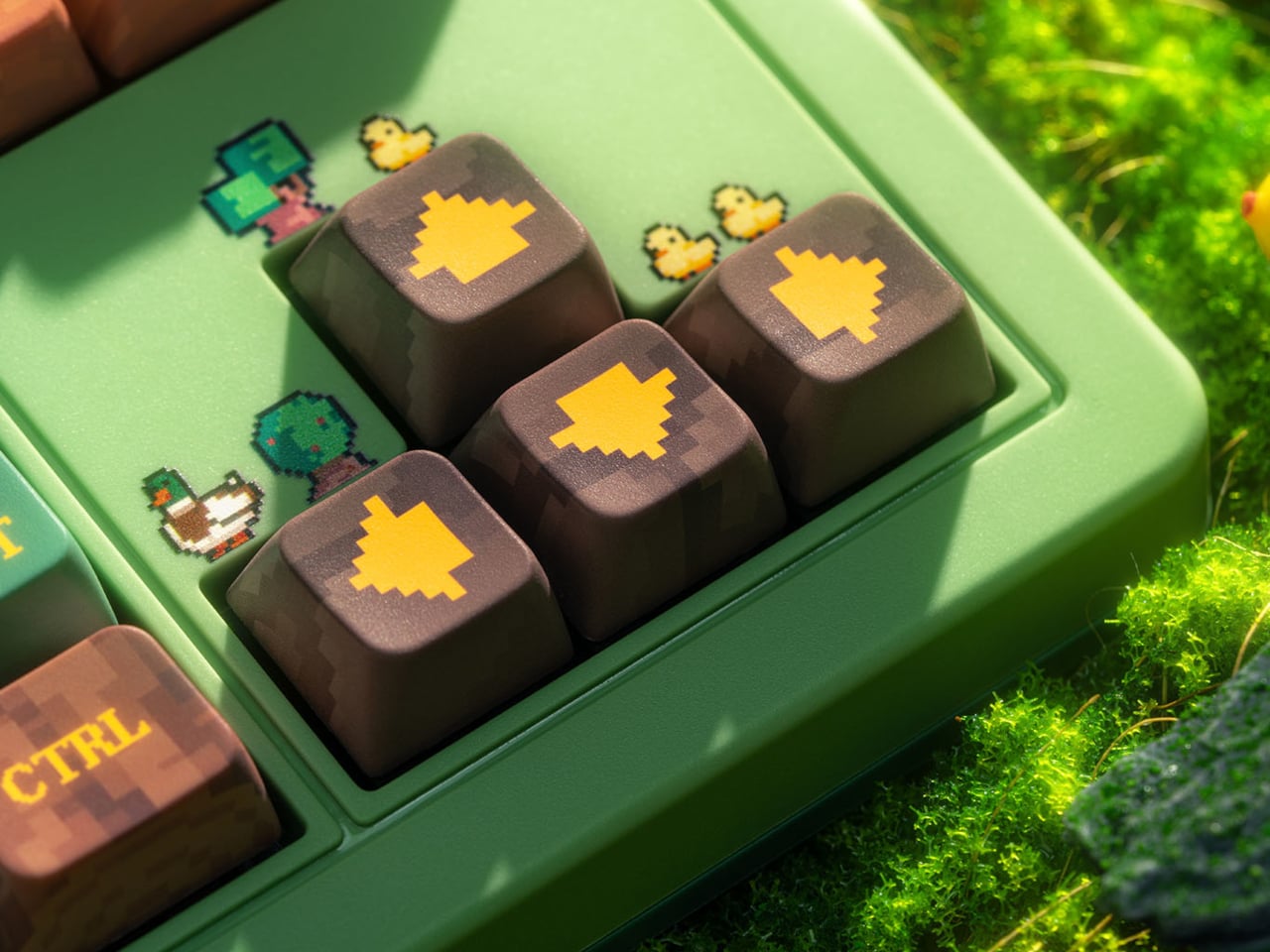
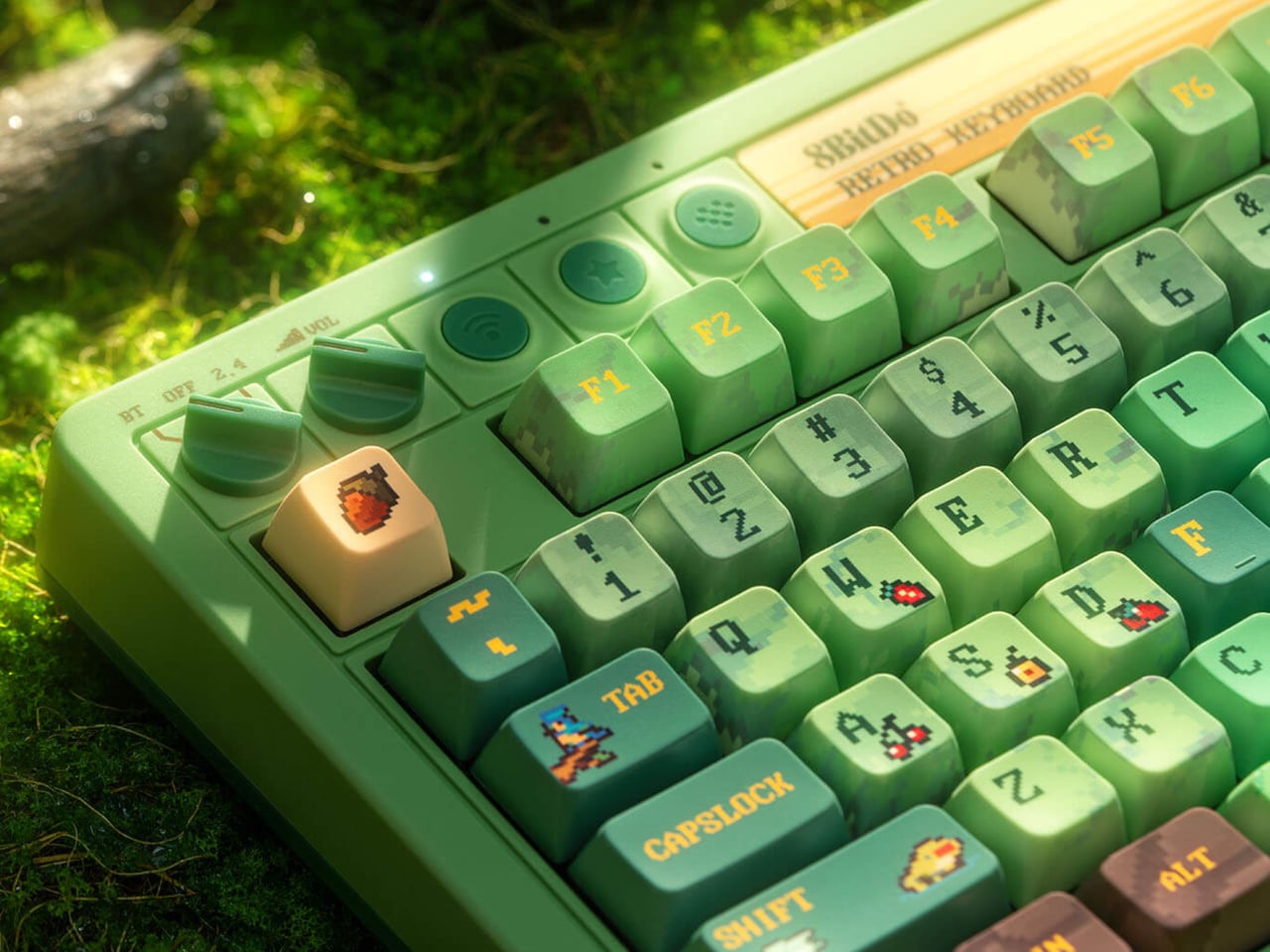
A keyboard can take you into a forest before you’ve even opened a game. 8BitDo’s Forest Wonder Retro 87 Mechanical Keyboard and Retro R8 Mouse turn familiar desktop hardware into a pixel woodland, complete with tiny animals, leafy greens, and brown keys that suggest patches of earth. The matching pair gives a gaming desk some personality without making everything look like equipment for a spaceship.

The keyboard carries that theme across its dye-sublimated PBT keycaps, scattering little creatures and fruit among the letters. A pale spacebar becomes a path through green surroundings, while yellow arrows stand out against brown directional keys. It’s an unusually busy landscape, although the familiar layout keeps everything where you’d expect it. There’s no number pad, leaving more room beside it for the mouse.

Designer: 8BitDo

Underneath are Core Green tactile switches, co-developed with Kailh, which you can replace on the hot-swappable board. You aren’t committed to the original switches if your preferences change, though the woodland artwork stays with the keycaps. Eight RGB lighting modes add another layer of decoration, giving the colorful keyboard a glow that can follow you from daytime work into an evening game.

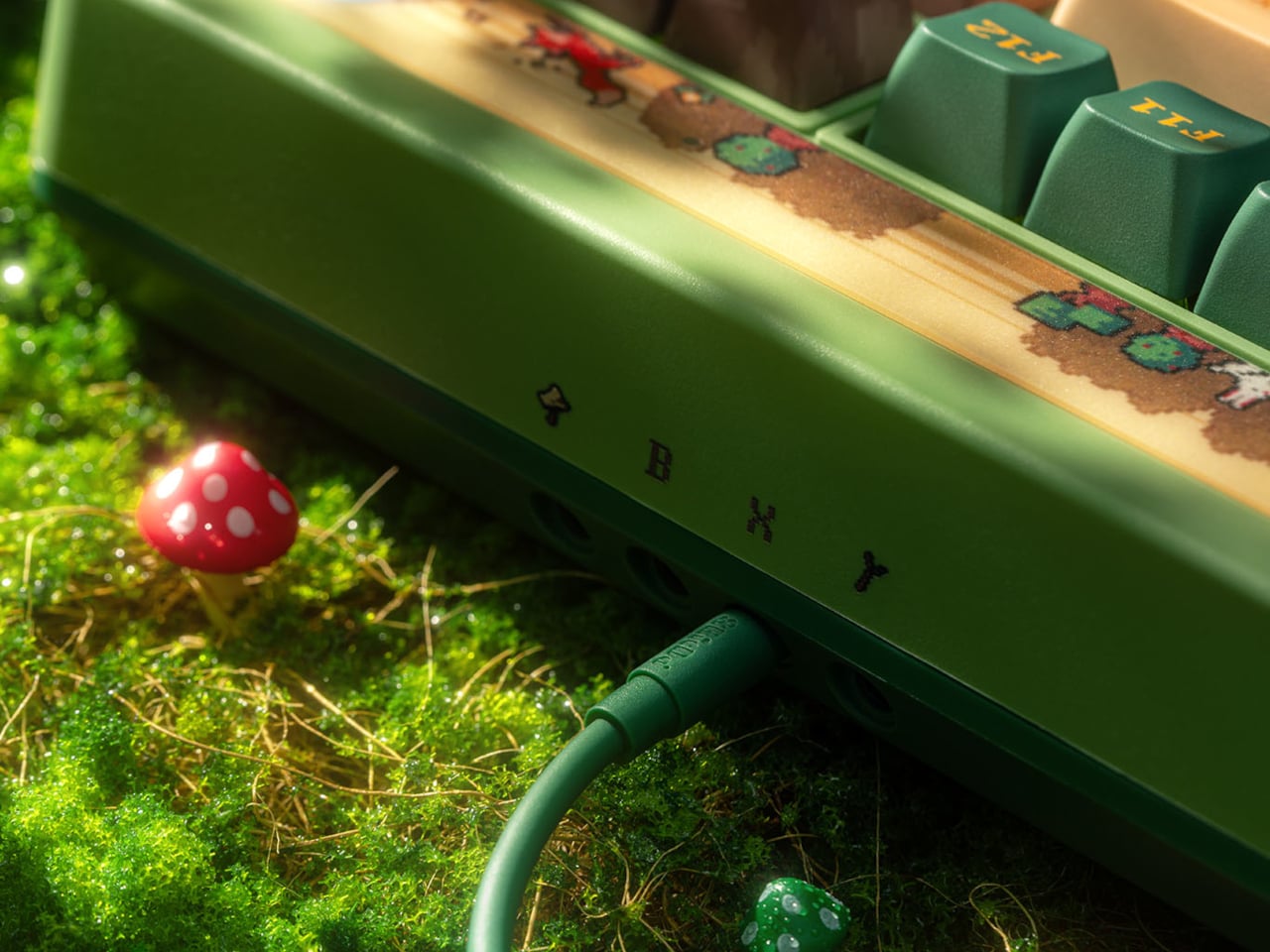
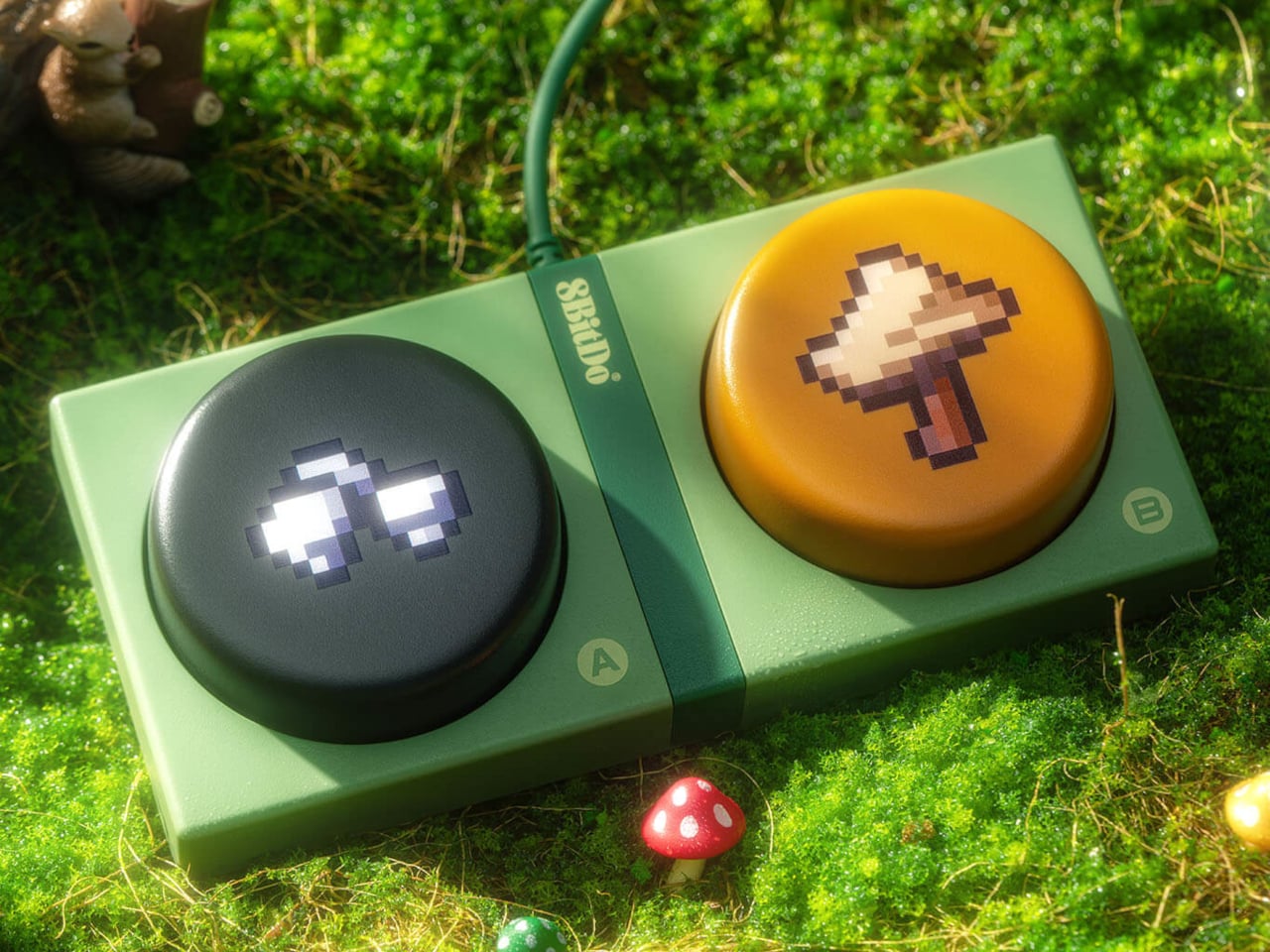
Physical controls along the top handle connections, volume, and button mapping, keeping those adjustments away from combinations of letter keys. The included Dual Super Buttons take that approach somewhere rather less subtle. Their oversized round surfaces carry pixel artwork, including an axe, and can trigger assigned shortcuts or macros. Even a routine command gets a conspicuously big button to call its own.

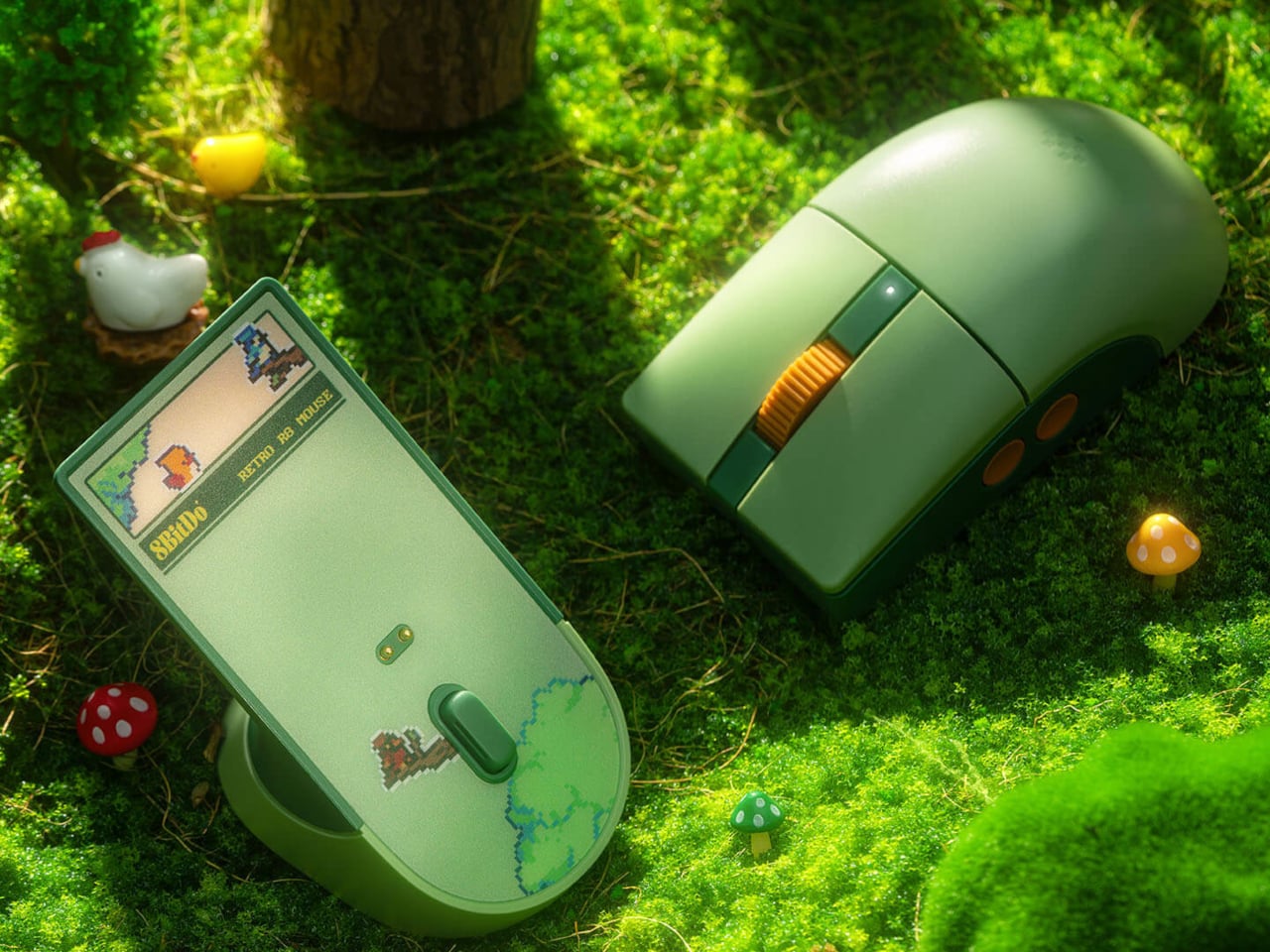
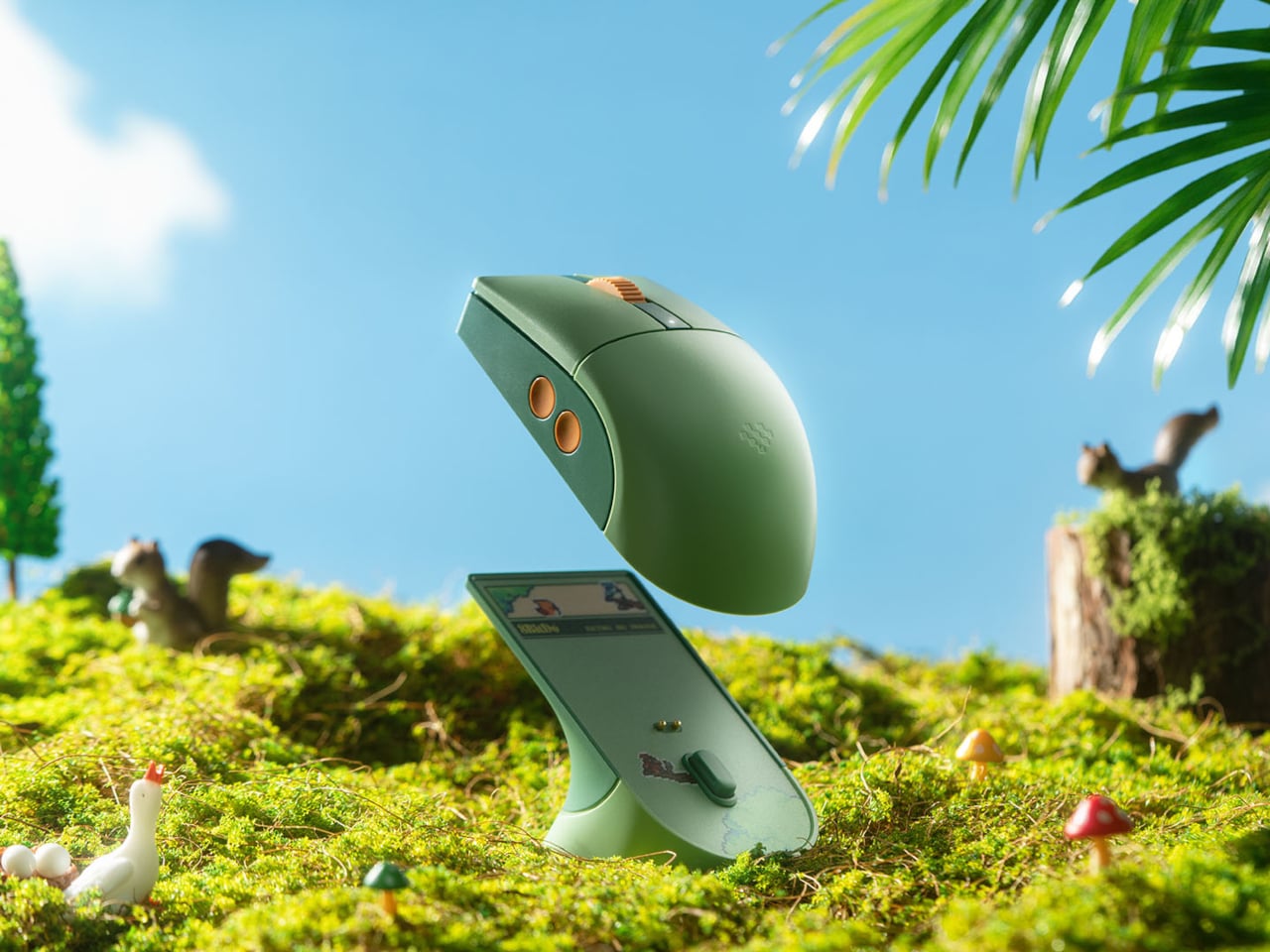
The mouse is quieter, visually speaking. Its rounded green shell leaves most of the tiny woodland scenes to the keyboard and charging dock, with a yellow scroll wheel and side buttons providing the contrast. Four programmable side buttons and left- or right-hand modes offer flexibility beyond the styling. You can adjust their assignments through 8BitDo’s PC software rather than accepting the defaults.

That dock gives the mouse a place to recharge without plugging a cable into it whenever the battery runs low. It also houses the wireless receiver and serves as a signal extender, according to 8BitDo. The keyboard has its own magnetic receiver compartment underneath. Small storage details like these matter when the alternative is a missing dongle somewhere in your overflowing drawer.

Both devices support Bluetooth, 2.4 GHz wireless, and wired USB, with Windows and Android listed as supported platforms. The Xbox branding needs explanation, though. It’s an official license, not a substitute for checking console compatibility. The keyboard’s Xbox button opens Game Bar on Windows, making its purpose much closer to your gaming PC than the logo might lead you to believe.

The keyboard is listed at $119.99 and the mouse at $59.99, sold separately rather than as a bundle. That leaves room to bring home just the part you want, without replacing everything already on your desk. A plain mouse wouldn’t frighten the keyboard’s little animals away, of course, although the matching dock does give them somewhere else to continue their pixel adventures.

The post 8BitDo’s Forest Wonder Keyboard Puts Tiny Pixel Animals Among the Keys first appeared on Yanko Design.
  •  

Motorola MA2 Adds a Phone-Switching Button to Wireless Android Auto

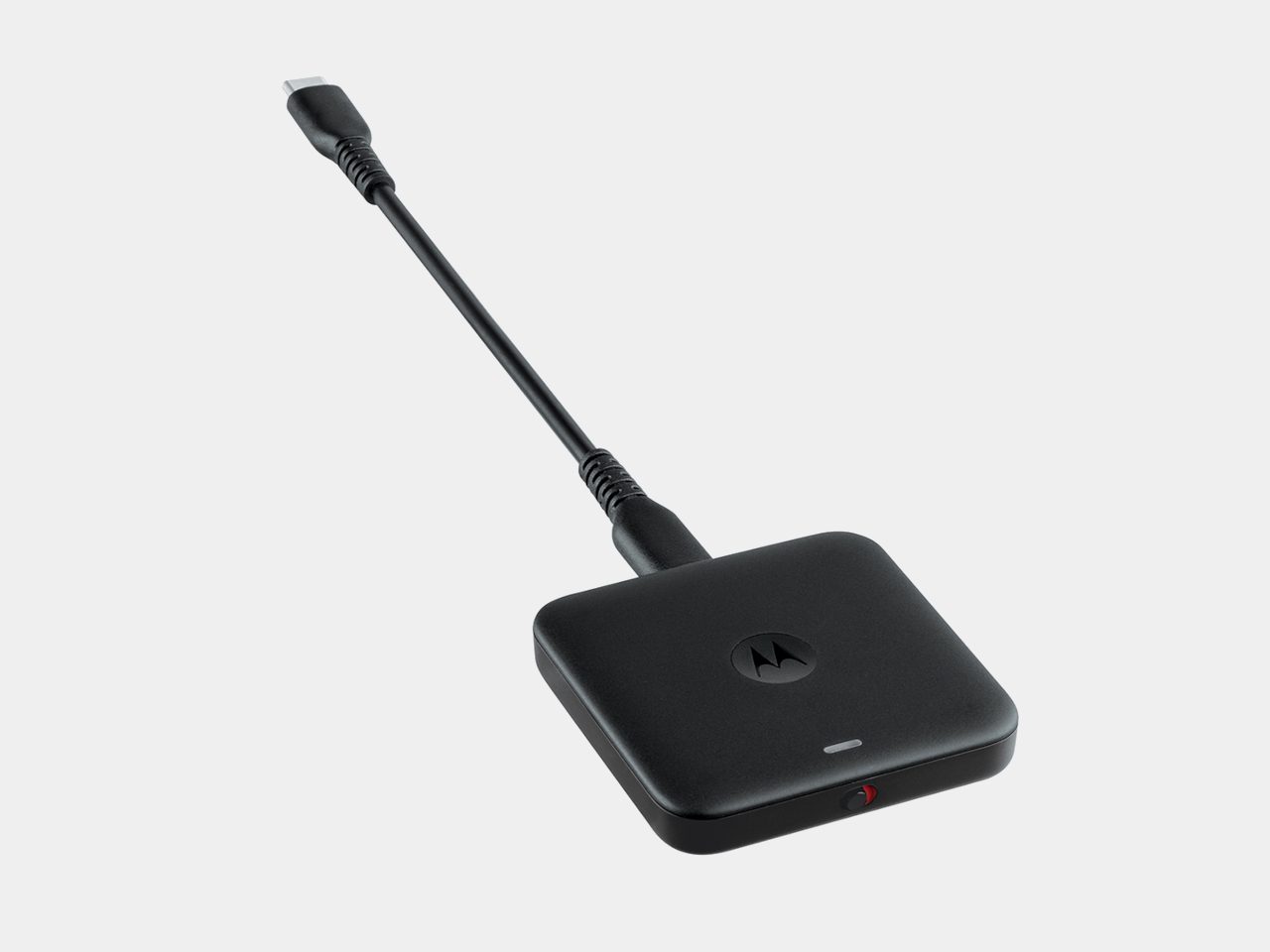
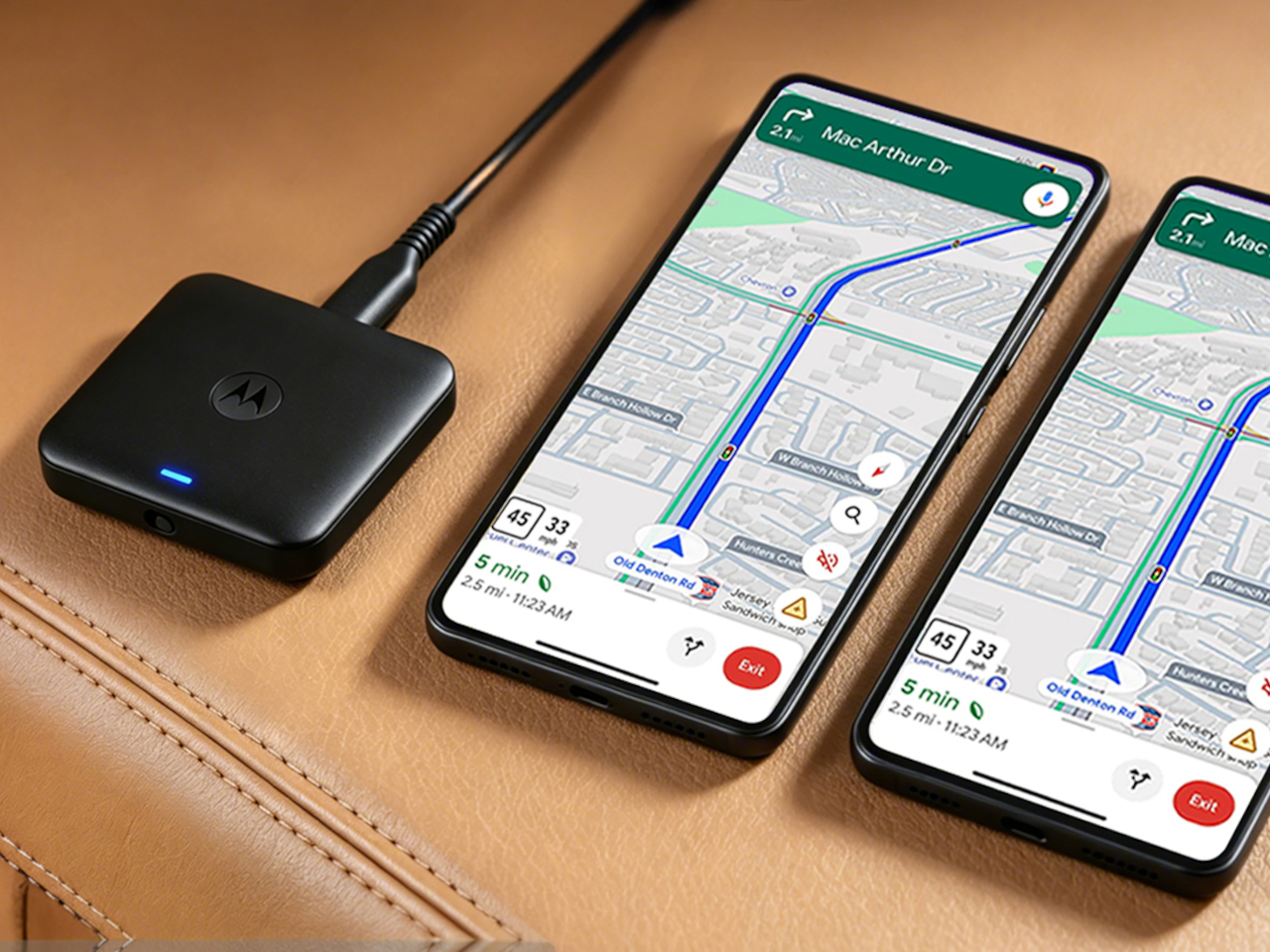
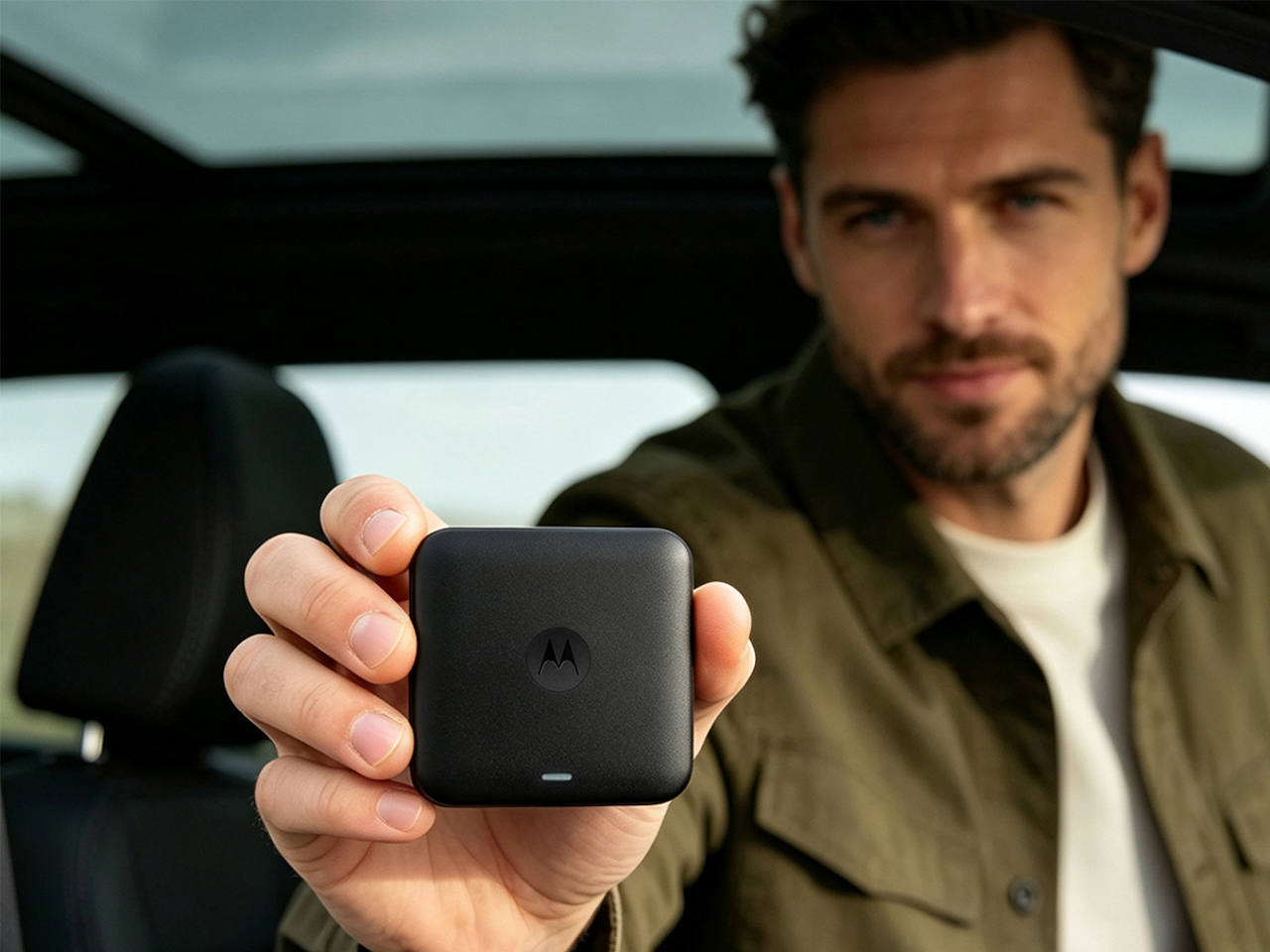
Plugging a phone into the car is hardly a chore, until you do it every time you drive. The Motorola MA2 wireless Android Auto adapter lets that phone stay in your pocket, while adding something useful to its small black box: physical controls for changing phones and switching the connection off. Sometimes the most welcome upgrade is having a little less happen automatically.

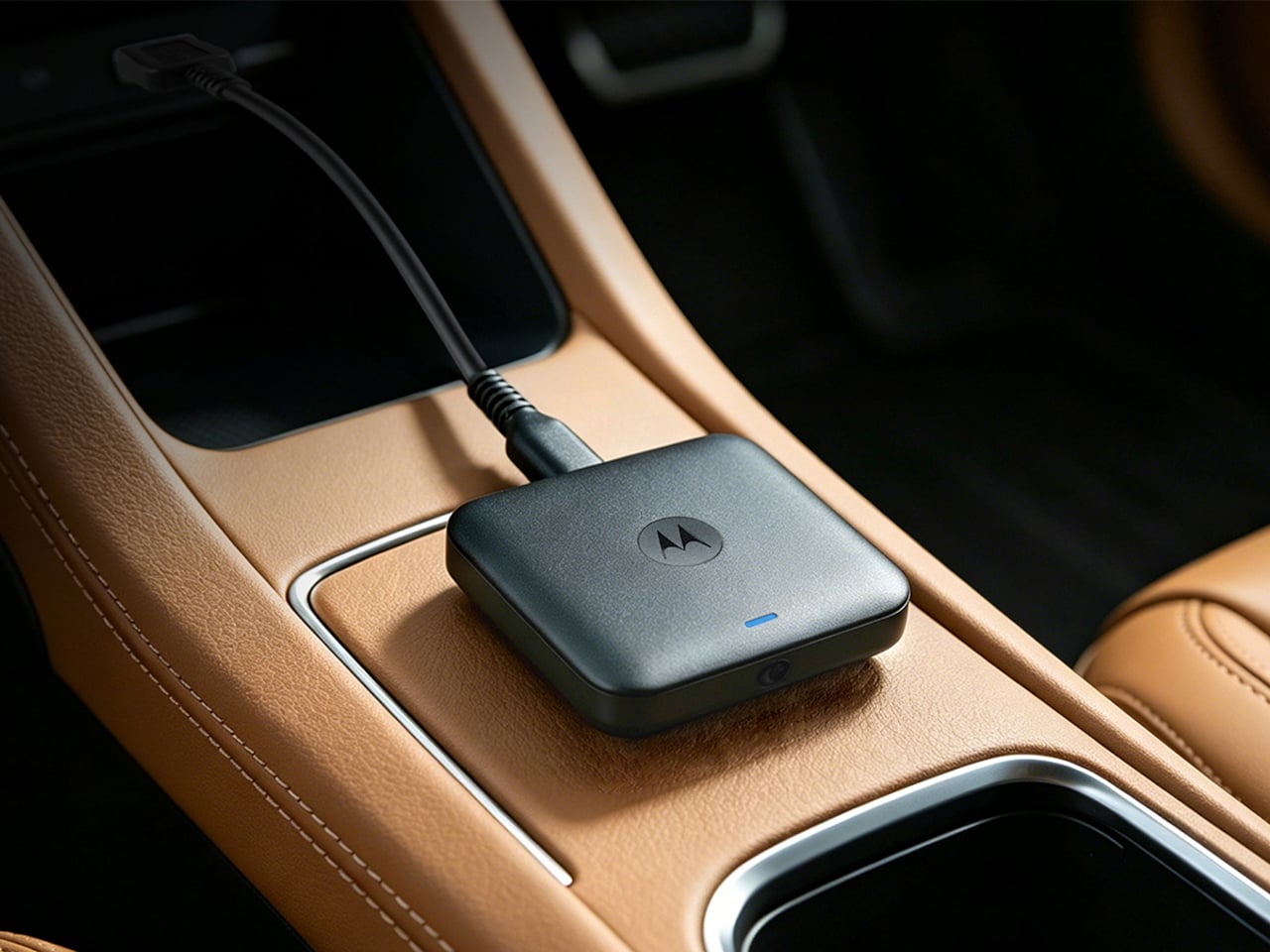
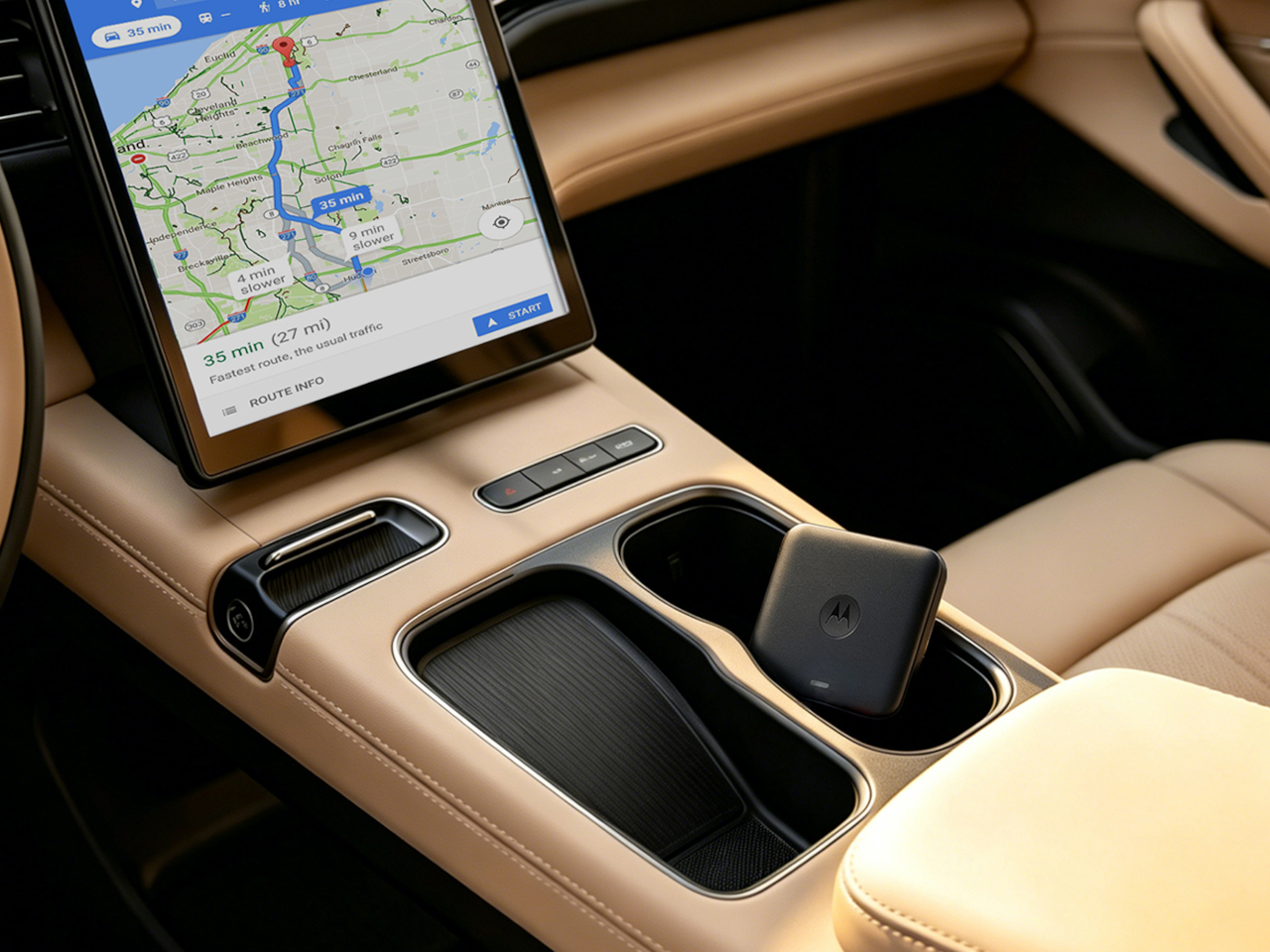
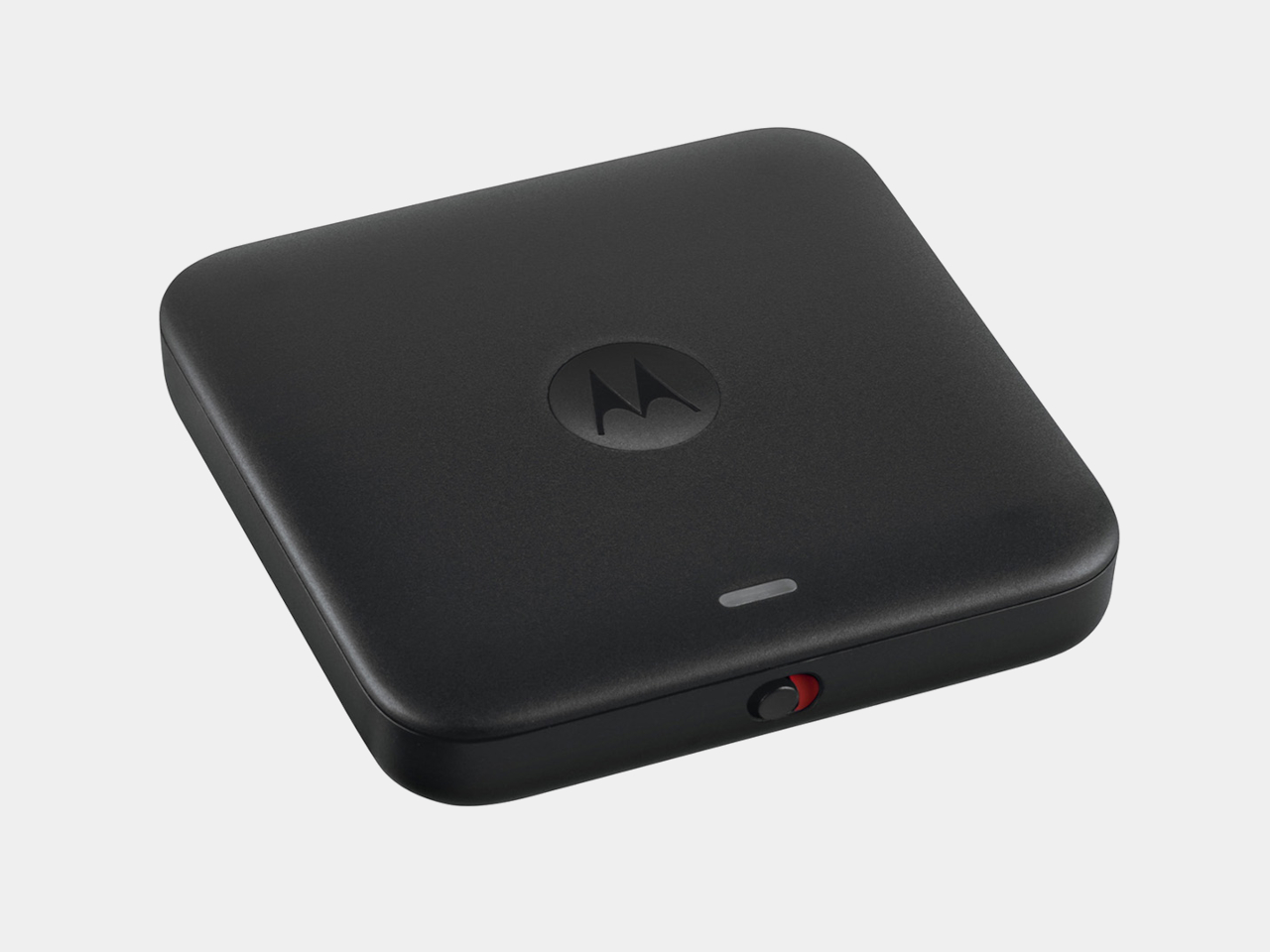
The body is a flattened square with rounded corners, a dark finish, and a small status light near one edge. There’s no screen competing with the dashboard and no reason to make it a centerpiece. The restrained shape suits something that lives beside a console’s USB port, although its buttons need to remain accessible if you’re going to reach them without rummaging.

Designer: Motorola, Google

A USB-C socket gives the adapter a detachable connection, with both USB-C-to-USB-A and USB-C-to-USB-C cables included. That matters when cars put their ports in awkward recesses or switch between connector types. The supplied gel pad provides a way to secure the little box in place, too, rather than leaving it sliding around among coins and charging cables every time you turn a corner.

Setup still starts with a car that already supports wired Android Auto. This isn’t a shortcut for adding Google’s interface to an incompatible stereo. You plug the adapter into the appropriate USB port, pair a compatible phone through Bluetooth, and use 5 GHz Wi-Fi for the wireless connection. Motorola says subsequent connections happen automatically, without repeating that whole initial pairing routine.

Sharing the car gives the switching button a reason to exist. The MA2 can keep two phones paired, letting you choose which driver’s phone supplies Android Auto without starting setup again. If your partner drove yesterday and you’re taking over this morning, that handoff could happen with a button press before departure. It doesn’t mean running two separate navigation sessions on one display.

The power switch deals with a different kind of unwanted company. Some cars keep their USB ports powered after parking, leaving an adapter available to reconnect when you’d rather it didn’t. Sliding the MA2 off gives you a direct way to stop that behavior without unplugging it. Motorola also pitches this control as a way to reduce unnecessary vehicle battery drain.

Of course, removing the phone’s cable also removes the power it was supplying. A quick trip to the store is one thing, but a longer drive could still have you reaching for a charger. The MA2 handles the link to the dashboard, not wireless charging. If your console has a charging pad, the two could make a convenient pair without sharing a connector.

The MA2 is listed for US orders at $69.99, with initial delivery estimates extending into December. That’s a higher price for removing the daily cable ritual, though the adapter itself still needs a wire. The extra buttons make that trade easier to understand: automatic connection is useful until you want to tell it otherwise.

The post Motorola MA2 Adds a Phone-Switching Button to Wireless Android Auto first appeared on Yanko Design.

  •  

SlashVibe Gives AI Work a Dedicated Screen and a Detachable Voice Controller

AI tools can help draft a proposal, gather references, and tackle the little jobs that eat into your day. Keeping track of all that activity, however, can become a job of its own. SlashVibe gives those tasks a dedicated spot beside your computer, pairing a small display with a detachable voice controller so checking progress doesn’t always mean opening another conversation.

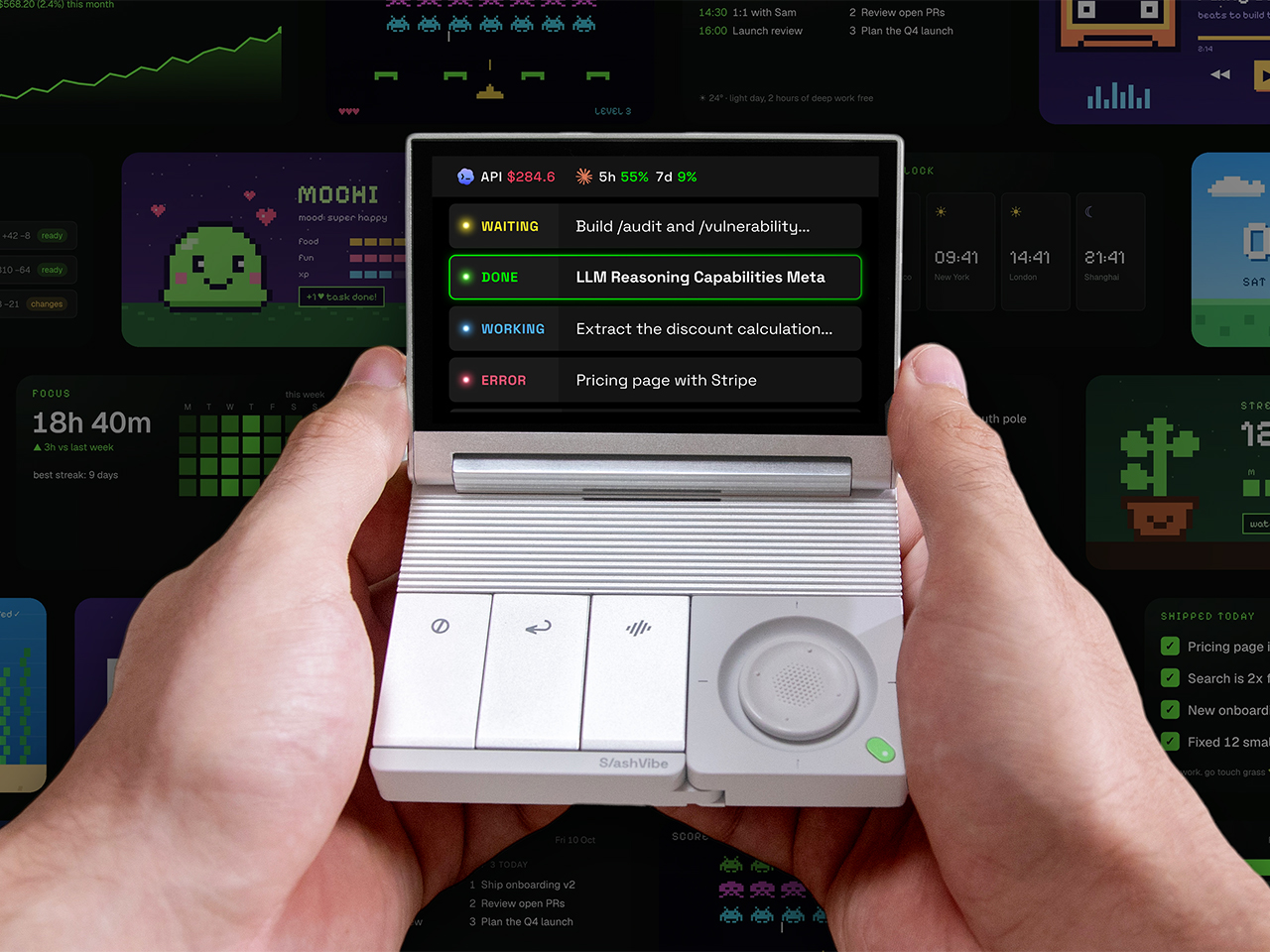
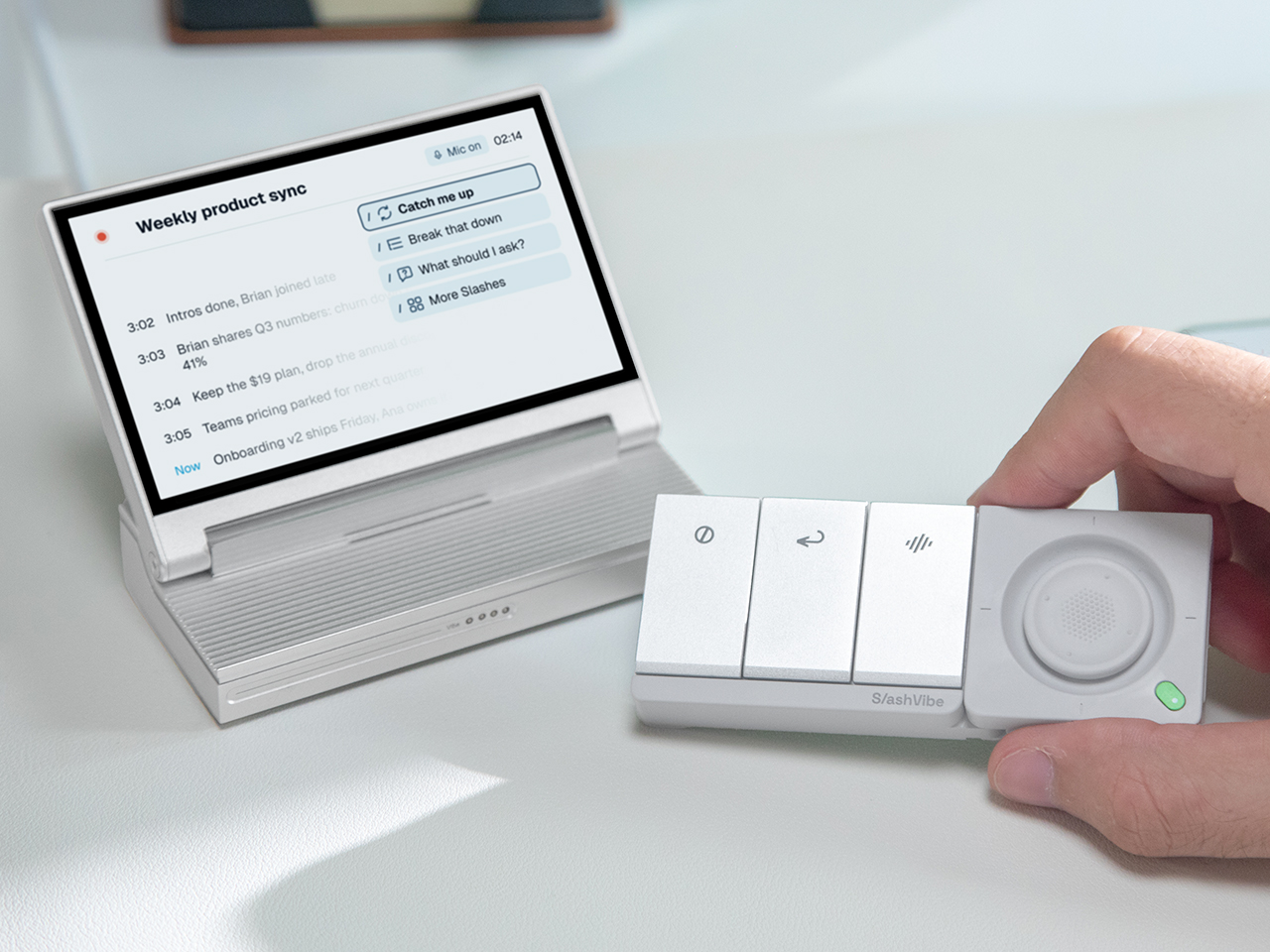
SlashVibe takes a familiar shape, with a hinged, 3.96-inch LCD above a compact base. There’s no tiny keyboard demanding that you relearn typing with your thumbs. Instead, three action keys and a two-axis joystick handle the shorter interactions. Your computer remains the place for full documents and detailed edits, while SlashVibe is designed around checking, selecting, and responding.

Designers: Changliang Liu, Yitian Wu, Shijun Xu (dooo design)

Click Here to Buy Now: $169 $249 ($80 off). Hurry, only a few left! Raised over $68,000.

Take that client proposal, for example. Gathering references and preparing a first draft are related jobs, but they’re still separate pieces of work. Instead, SlashVibe organizes supporting AI tasks under the responsibility they belong to. That gives the screen a purpose beyond showing a collection of busy agents, keeping the project you’re responsible for connected to the work you’ve handed off.

As those agents work, the display shows which sessions are running, finished, or waiting for you. Selecting one can bring its associated window to the front on your computer, while supported permission requests can be handled directly on SlashVibe. The small screen helps you find the thing that needs attention, rather than pretending it should contain your entire working day.

When the draft needs a different emphasis, the next instruction can be spoken instead of typed. Built-in dictation turns that explanation into editable text, with cleanup and formatting designed to make it easier to read. Separate Send and Cancel controls keep speaking and submitting from becoming the same action. After all, thinking out loud shouldn’t have to mean sending every unfinished thought.

The detachable controller makes that voice interaction more interesting than another microphone sitting on a desk. You can bring it closer to speak softly or lean back while composing an instruction, leaving the display where it’s easiest to see. It connects wirelessly to the display, which stays linked to the computer through USB-C. Viewing and speaking don’t have to happen in the same spot.

That split also gives the materials different roles. Sandblasted, anodized aluminum forms the display housing, base, and action keycaps, while the controller uses a plastic housing with soft-touch upper surfaces. Kailh ultra-low-profile mechanical switches sit beneath the keys. Those raised controls give the interface physical landmarks, a deliberate change from another layer of tiny icons competing for attention across your computer screen.

A meeting adds another layer to the same project. Physical recording controls, live notes, and contextual prompts extend SlashVibe beyond supervising agents. You could catch up on a missed point or find a follow-up question without turning your attention to an entirely different window. The joystick provides a way to move through those prompts while the conversation continues.

Afterward, action items become to-dos, with related work available to delegate to AI and full meeting notes available on the computer. A request for another comparison can become the next supporting task for the proposal. SlashVibe’s companion app supports macOS and Windows, and the company lists more than 20 compatible AI agents and tools, including Claude Code and Cursor. The proposal remains the thread connecting those separate sessions and decisions.

The software development kit (SDK) would let developers create dashboards or connect additional agents. A project-specific display could keep the proposal’s supporting work visible while the document itself stays open on the main screen. When another change comes to mind, the controller is already beside the keyboard. A spoken instruction can handle the adjustment while the larger screen stays devoted to the document.

Click Here to Buy Now: $169 $249 ($80 off). Hurry, only a few left! Raised over $68,000.

The post SlashVibe Gives AI Work a Dedicated Screen and a Detachable Voice Controller first appeared on Yanko Design.
  •  
❌