❌

Vue normale

Razer Soma Pro review: This $999 gaming chair literally shook my butt, and I’m shocked by how much I love it

Well, they finally did it. Gaming chairs have been more or less the same idea for years: make them comfortable, make them adjustable, slap some suitably aggressive styling on them, and call it a day. Razer has been teasing something considerably more ambitious for years, culminating in Project Madison at CES 2026 in January. The concept was basically a chair that became part of the game itself, combining haptics, surround sound, and RGB lighting into one ridiculous-looking package.

Now that concept is something you can actually buy. The $999 Razer Soma Pro takes everything I liked about the recent Soma Chroma and crams six Sensa HD haptic motors, integrated THX Spatial Audio, Chroma RGB, and some genuinely useful hardware upgrades into it.

After using it for games, movies, music, and even my daily Google Meet calls, I'm kind of amazed Razer actually pulled this thing off. Even more surprising? I thought it would cost a lot more.

Razer had no input, nor did it see the contents of this review, prior to publication.

Razer Soma Pro: Pricing and setup

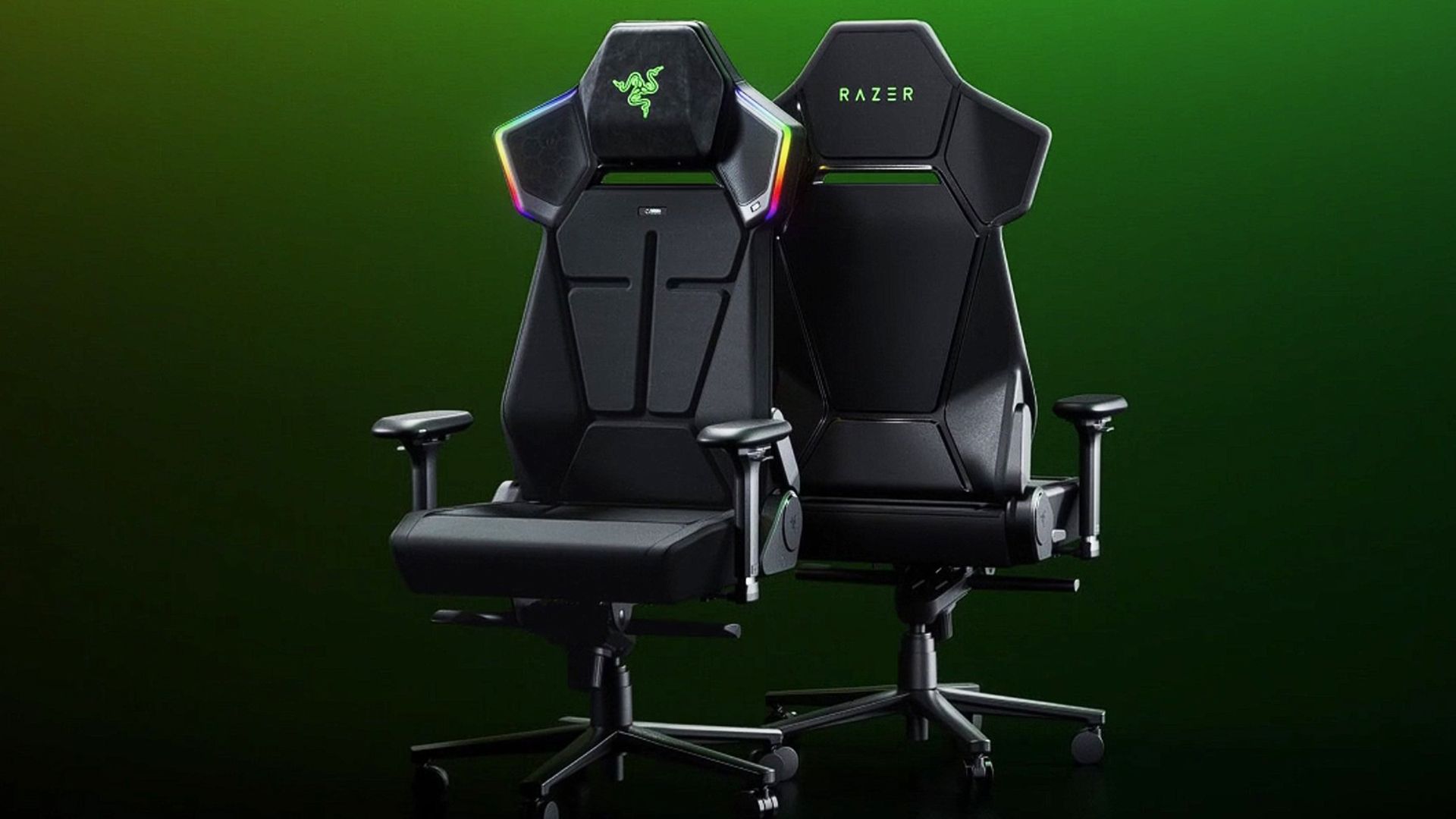
Two Razer Soma Pro gaming chairs with a green background.

(Image credit: Razer)

Let’s get the obvious thing out of the way: Yes, the Razer Soma Pro costs $999.

That is a lot of money for a gaming chair. But before my briefing, we were guessing internally that this thing would land somewhere around $1,400. When Razer revealed that it was squeezing under $1,000, my reaction was basically, “Oh, that’s actually not bad.”

Hear me out.

Razer’s Freyja haptic cushion (see our review) costs $299 by itself. The Soma Chroma is $499. Now add integrated THX Spatial Audio speakers, Chroma RGB, six haptic motors, 4D armrests, a powder-coated aluminum alloy wheelbase, and a few other upgrades. Understanding that, $999 starts to make a lot more sense.

Assembly was also shockingly painless. It took me about 25 minutes, with screws conveniently pre-installed halfway and everything packaged and presented extremely well. Razer even includes its little cloth installation gloves, which are unnecessary but always a nice touch.

You can watch the video above, which I didn't have access to during my review, so you're lucky you.

My sole complaint was connecting the haptics in the seat to the upper chair. The instructions basically show two wires connecting (drawing). Unfortunately, one cable is hidden inside the rear pouch, and the tiny four-pin connector needs to line up just right. That part took far more swearing than building the rest of the chair.

Still, a chair this complex and it's easy to set up? A win for Razer's engineers.

Razer Soma Pro: This is what Soma was building toward

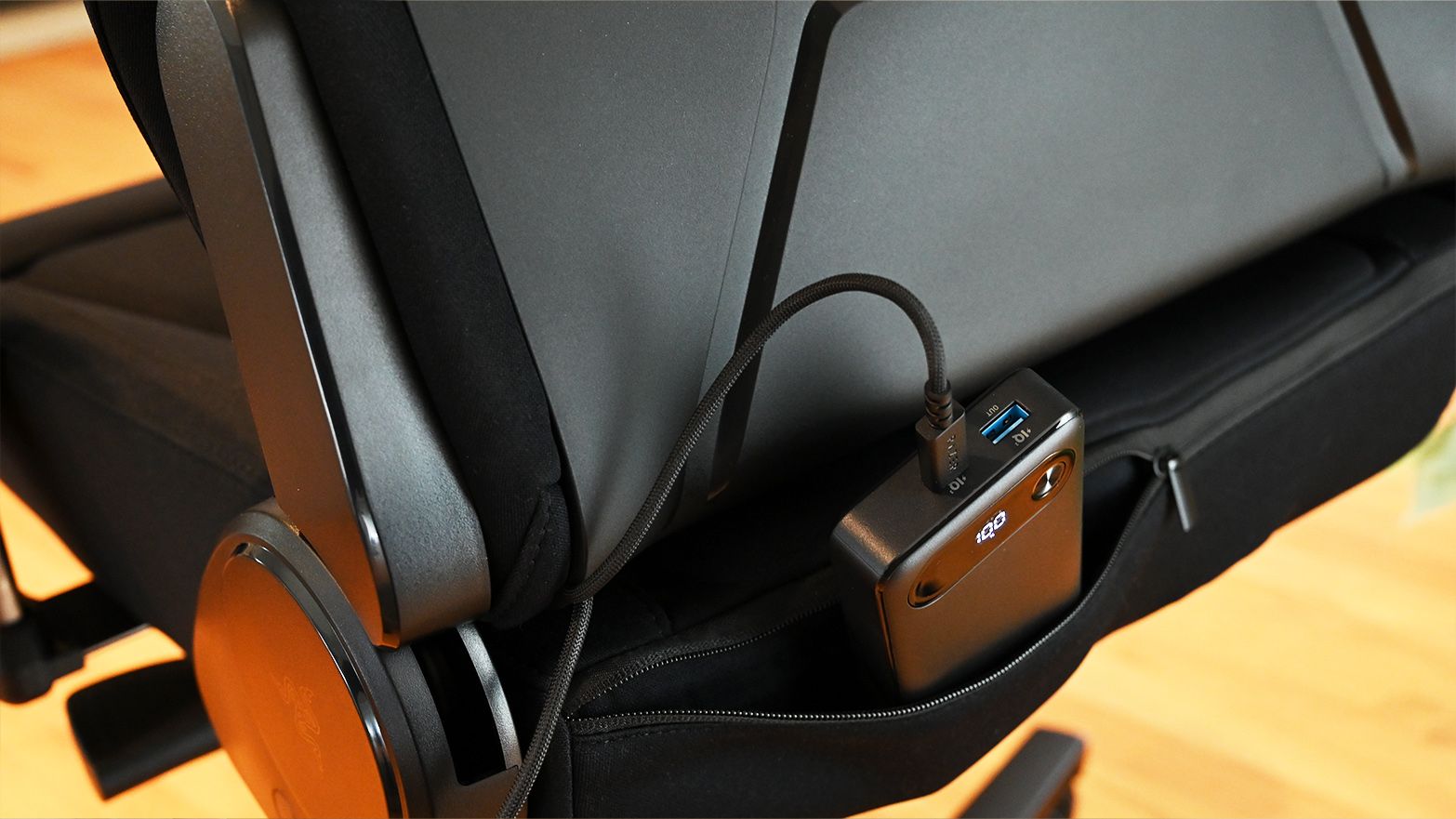
Rear view of the Razer Soma Pro lower back pouch holding a black portable power bank plugged in with a braided USB-C cable

A hidden rear pouch lets you power the Soma Pro from a USB-C battery pack for a completely untethered setup. (Image credit: Daniel Rubino)

Physically, the Soma Pro should look familiar if you read my Soma Chroma review. And that’s a good thing.

The fabric-covered chair uses the same dual-density, cold-cured foam concept it is extremely comfortable for long gaming and working sessions.

I still prefer the Razer Iskur V2’s excellent adjustable lumbar system, though. The Soma Pro uses a fixed built-in lumbar arch, likely because stuffing haptic hardware throughout the backrest complicates matters. It works, but I miss the Iskur’s flexibility.

Everything else feels like Soma turned up another level. You get 4D armrests instead of 2D, a nicer aluminum alloy base (vs. steel), a frog tilt mechanism (vs. butterfly), and my favorite small improvement: a magnetic head cushion.

It’s genius. There’s no ugly strap. You just stick it to the chair and slide it up or down. Done. Why has no one done this before?

The Soma Pro is hefty at 63.3 pounds, although I managed to take mine from the garage up the stairs in my split-level house without destroying a wall or pulling my back, so make what you will of that.

Razer Soma Pro: The haptics are the star

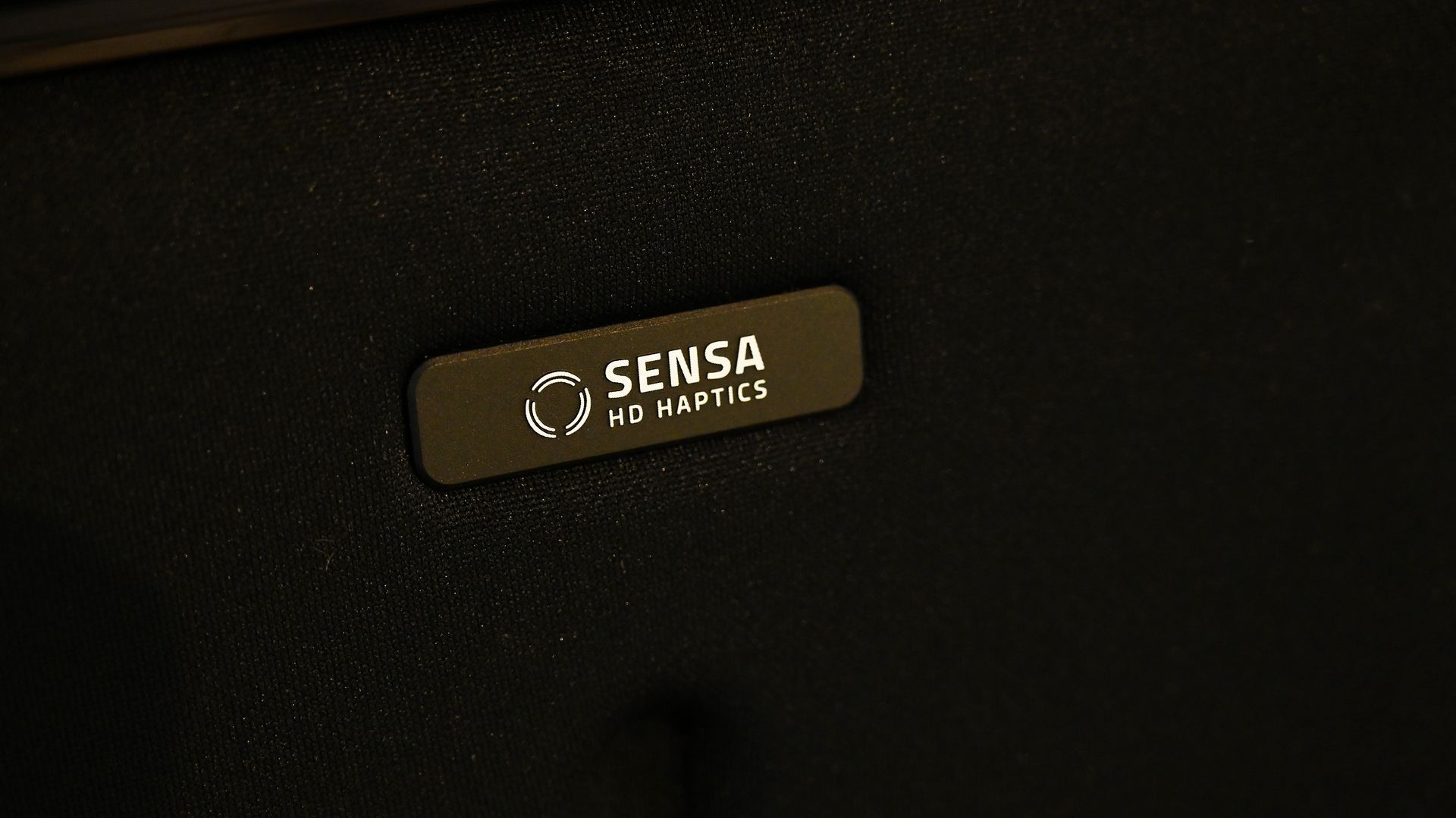
Close-up of a dark metallic badge on the black fabric backrest of the Razer Soma Pro gaming chair reading Sensa HD Haptics with a wave icon.

Six Sensa HD haptic motors turn the Soma Pro from a comfortable chair into something you can actually feel games through. (Image credit: Daniel Rubino)

The easiest way to describe the Soma Pro is that Razer basically built Freyja into Soma.

Six Sensa HD haptic motors are spread across four zones, with four actuators behind your back and another two underneath your thighs. You can adjust each zone independently in Synapse or change everything together.

I mostly ignored the fine-tuning and set the overall intensity to five out of six.

Let me tell you: this thing is a real butt rumbler.

The difference with native Sensa HD games is that effects can be deliberately mapped to what's happening. During my testing, Marvel Rivals demonstrated how these directional effects can move around the chair rather than feeling like somebody simply bolted a giant rumble motor underneath you.

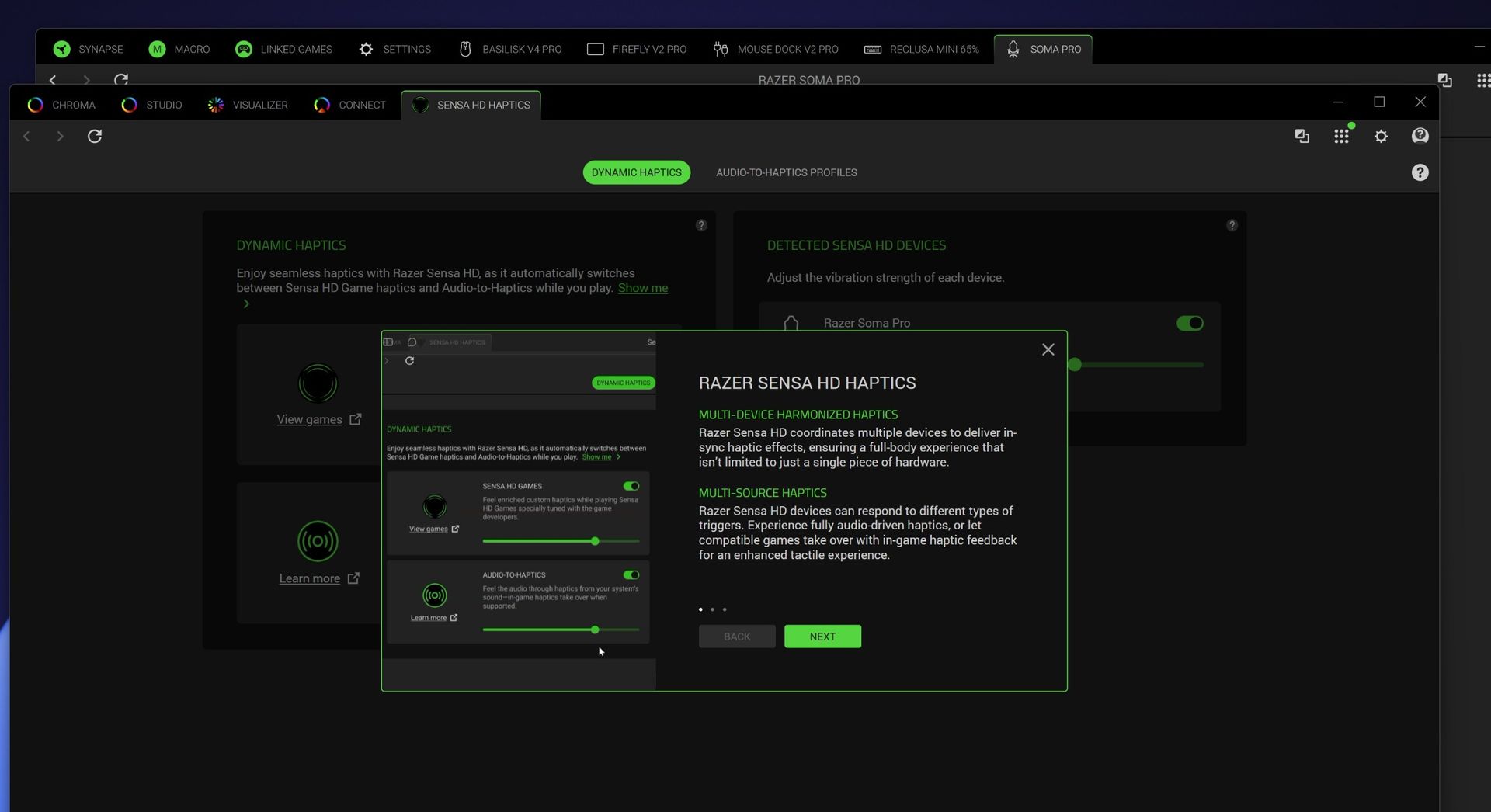
Razer Synapse software screenshot displaying Sensa HD Haptics settings for the Razer Soma Pro with an informational pop-up on multi-device haptics

Razer Synapse software screenshot displaying Sensa HD Haptics settings for the Razer Soma Pro with an informational pop-up on multi-device haptics (Image credit: Daniel Rubino)

But Audio-to-Haptics might be my favorite feature because it dramatically expands what you can use the hardware with. The system analyzes regular audio and translates appropriate moments into physical feedback. Movies, trailers, music, and games without native Sensa support can all make the chair react.

Screenshot of Razer Synapse software showing the Soma Pro haptic controls and settings.

Screenshot of Razer Synapse software showing the Soma Pro haptic controls and settings. (Image credit: Daniel Rubino)

I spent time playing Deep Rock Galactic: Survivor, which certainly wasn't the carefully prepared demo environment Razer used to sell me on the technology. It didn't matter. Between the audio, haptics, and the rest of my Chroma gear flashing along around me, I was just sitting there thinking: This freaking rules.

Razer Soma Pro: Wait, the speakers are actually great

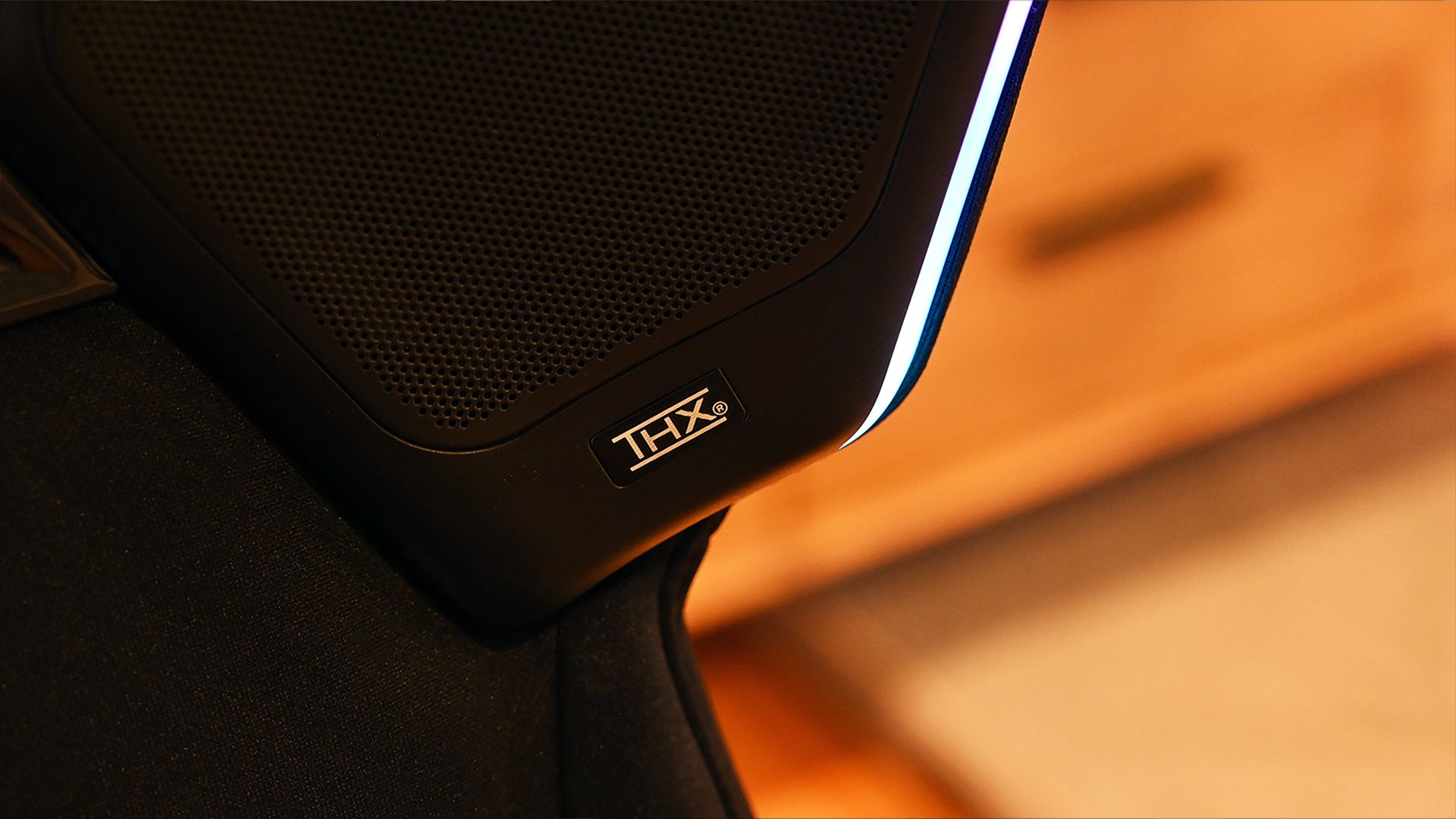
Close-up of an integrated shoulder speaker grille on the Razer Soma Pro gaming chair with a THX logo badge beside a glowing white light strip.

Built-in THX Spatial Audio speakers were one of my biggest surprises, sounding great even without separate desktop speakers. (Image credit: Daniel Rubino)

The biggest surprise might be the speakers.

The RGB “wings” from Soma Chroma make considerably more sense on the Pro because they now house the THX Spatial Audio system. Used by themselves, the speakers are almost like wearing really good open-ear headphones. Audio sits around you without isolating you from the room.

They’re good enough that I’ve even been using them for my daily Google Meet calls, which is a bit hilarious.

Things get seriously interesting when you already have desktop speakers. Synapse lets the Soma Pro work as the rear portion of a larger surround setup, with your existing speakers handling the front channels.

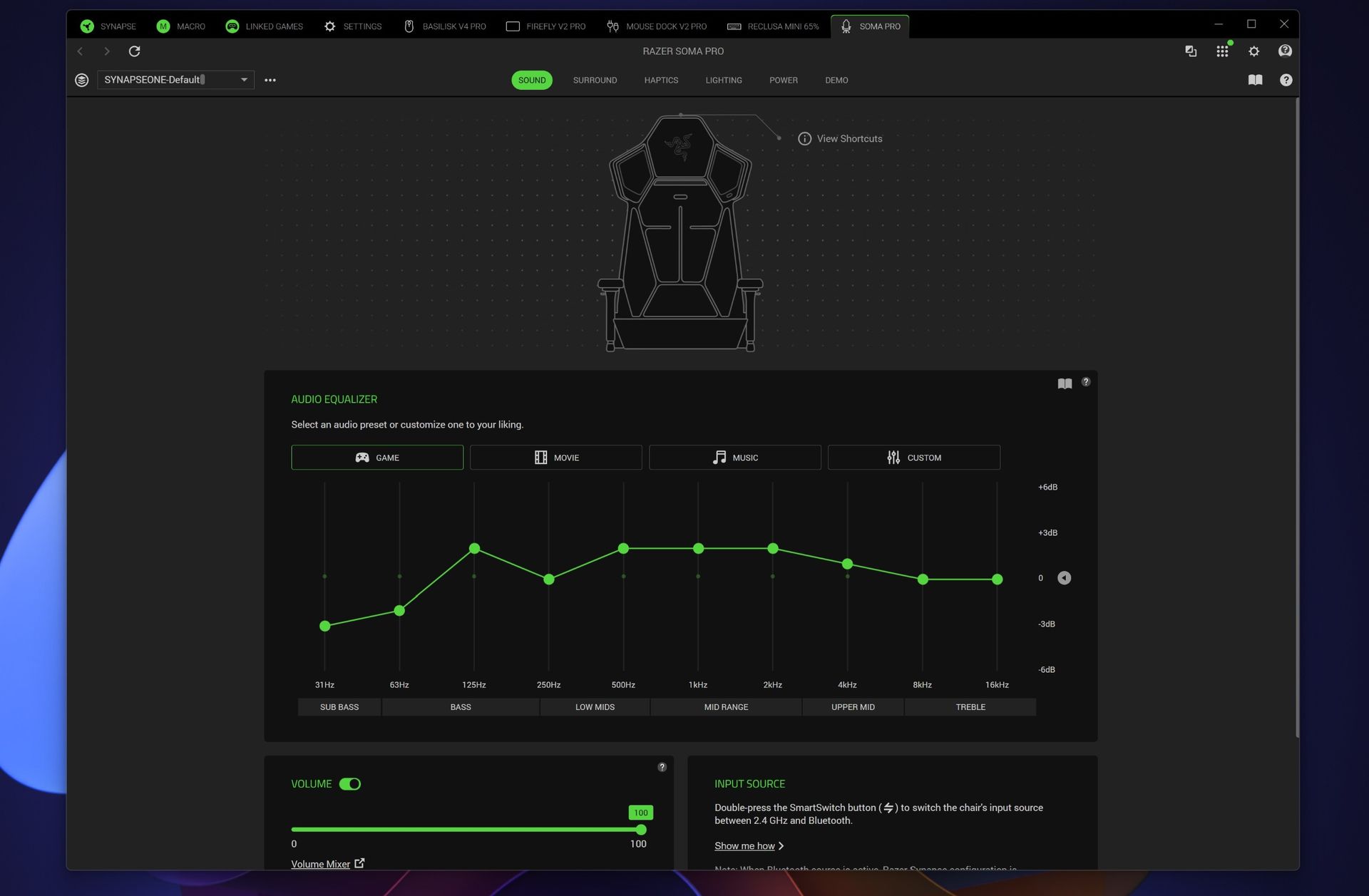
Razer Synapse screenshot showing the Razer Soma Pro sound tab with a chair wireframe, a 10-band audio equalizer on the Game preset, and volume sliders.

Razer Synapse screenshot showing the Razer Soma Pro sound tab with a chair wireframe, a 10-band audio equalizer on the Game preset, and volume sliders. (Image credit: Daniel Rubino)

You can independently adjust front and rear volume, EQ, balance, and delay to synchronize everything. Pair the chair with something like Razer’s Nommo V2 Pro or Leviathan V2 Pro, and the combination of front sound, rear THX audio, and physical haptic feedback creates an absolutely fantastic gaming environment.

Synapse deserves a shoutout here, too. Considering how many things this chair does, the software is remarkably easy to understand. The controls are logically broken out across sound, surround, haptics, lighting, and power, and I rarely felt like I needed instructions to figure something out.

Razer Soma Pro: Power, RGB, and everything else

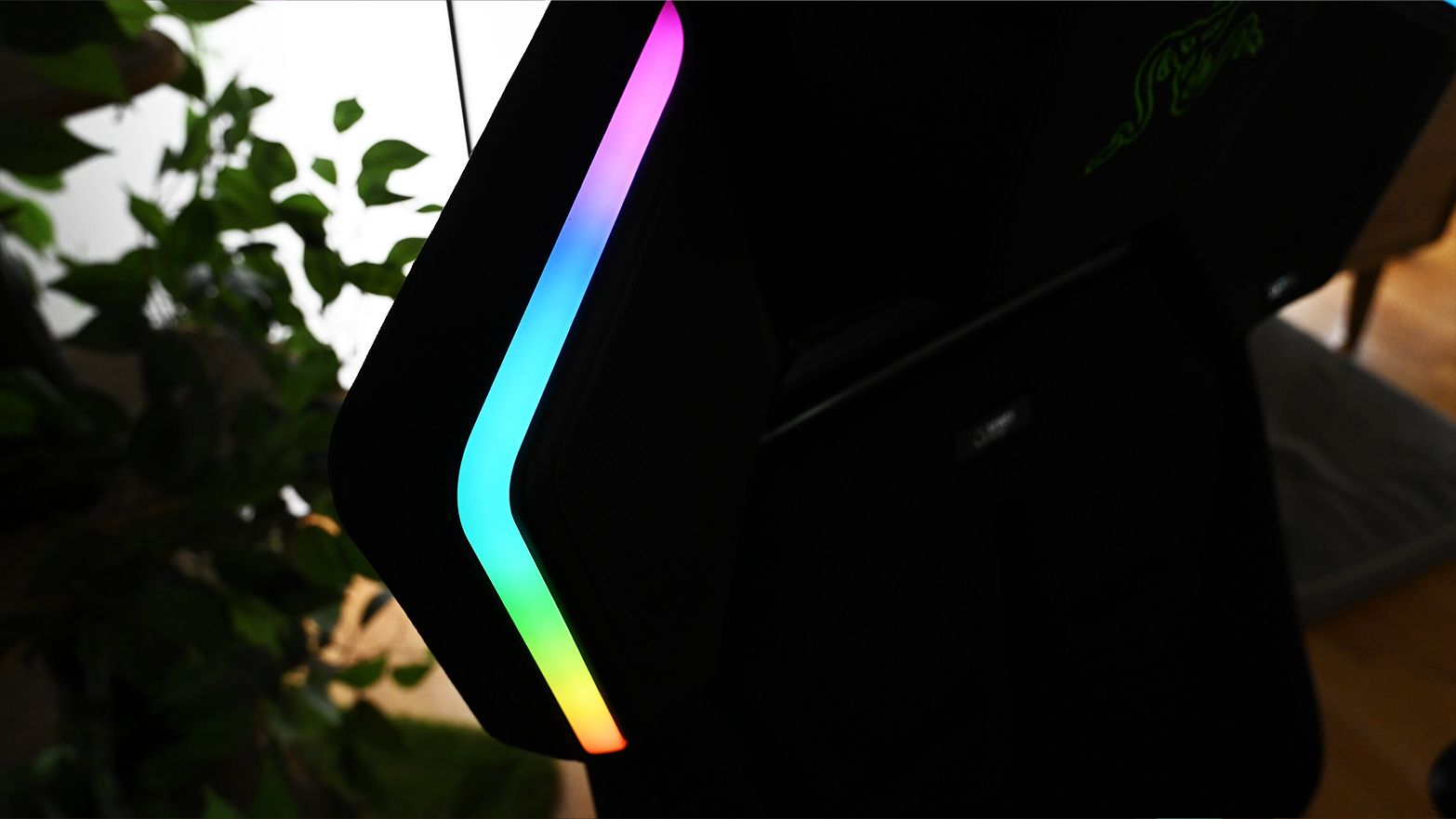
Angled view of the Razer Soma Pro gaming chair backrest wing showing a vertical Chroma RGB light strip glowing in pink, blue, green, and orange

Chroma RGB outlines the Soma Pro’s speaker wings and can synchronize with the rest of your Razer setup. (Image credit: Daniel Rubino)

Like the Soma Chroma, the Pro can run from any generic external USB-C power bank (not included) or remain plugged in using its included braided extension cable. You'll need at least a 45W PD 2.0-capable power source.

For Soma Chroma, wireless power makes the chair feel magically cordless. With the Soma Pro, I'm more inclined to leave it plugged in. Speakers plus six haptic motors and RGB make uninterrupted power considerably more useful.

The Chroma side remains exactly as gloriously excessive as you'd expect. My Reclusa Mini 65%, Basilisk V4 Pro, Firefly V2 Pro, and Soma Pro can all react together, turning my desk into a magnificent symphony of light.

None of this is necessary in life, but damn if it ain't awesome.

Should you buy the Razer Soma Pro?

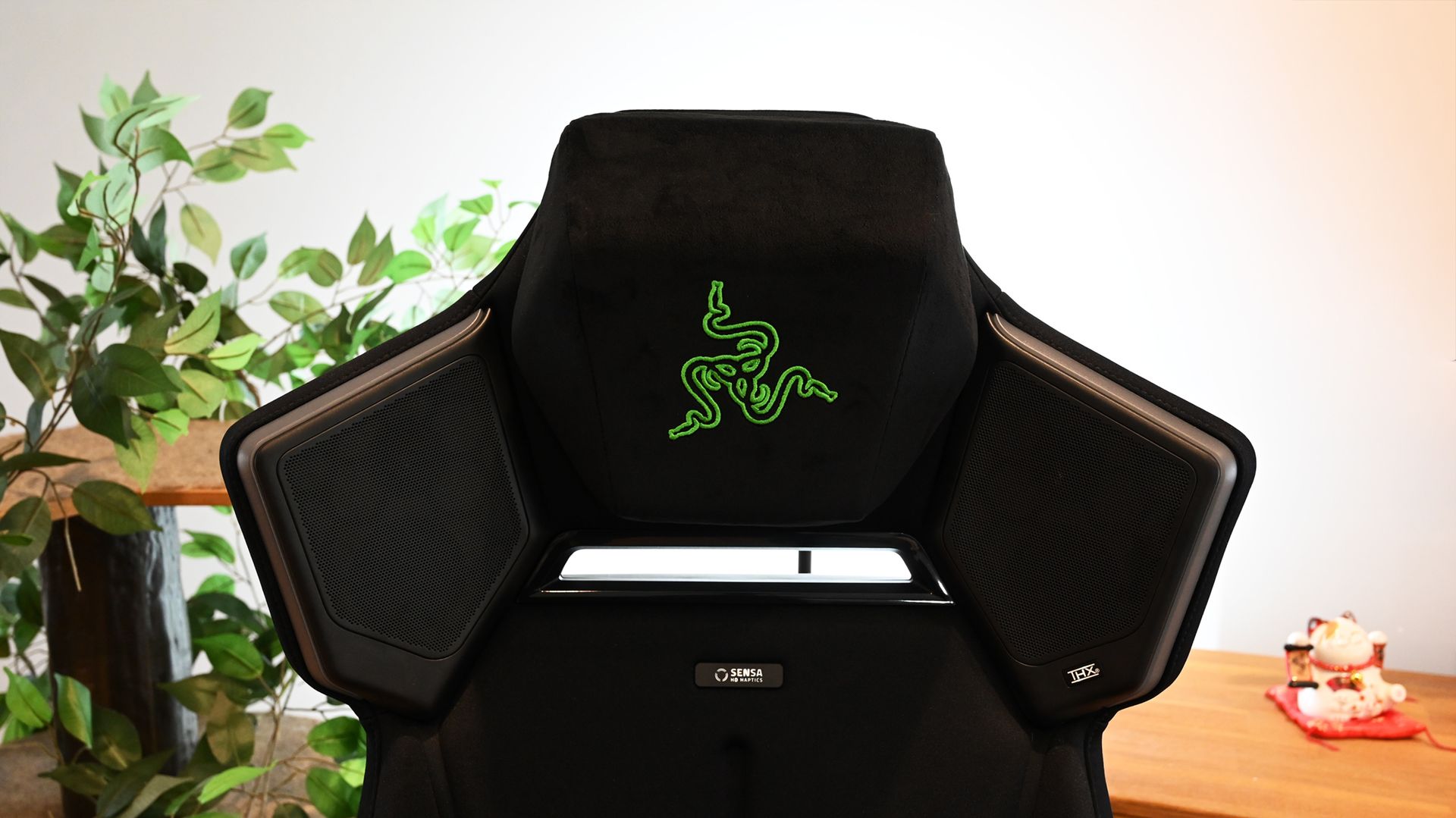
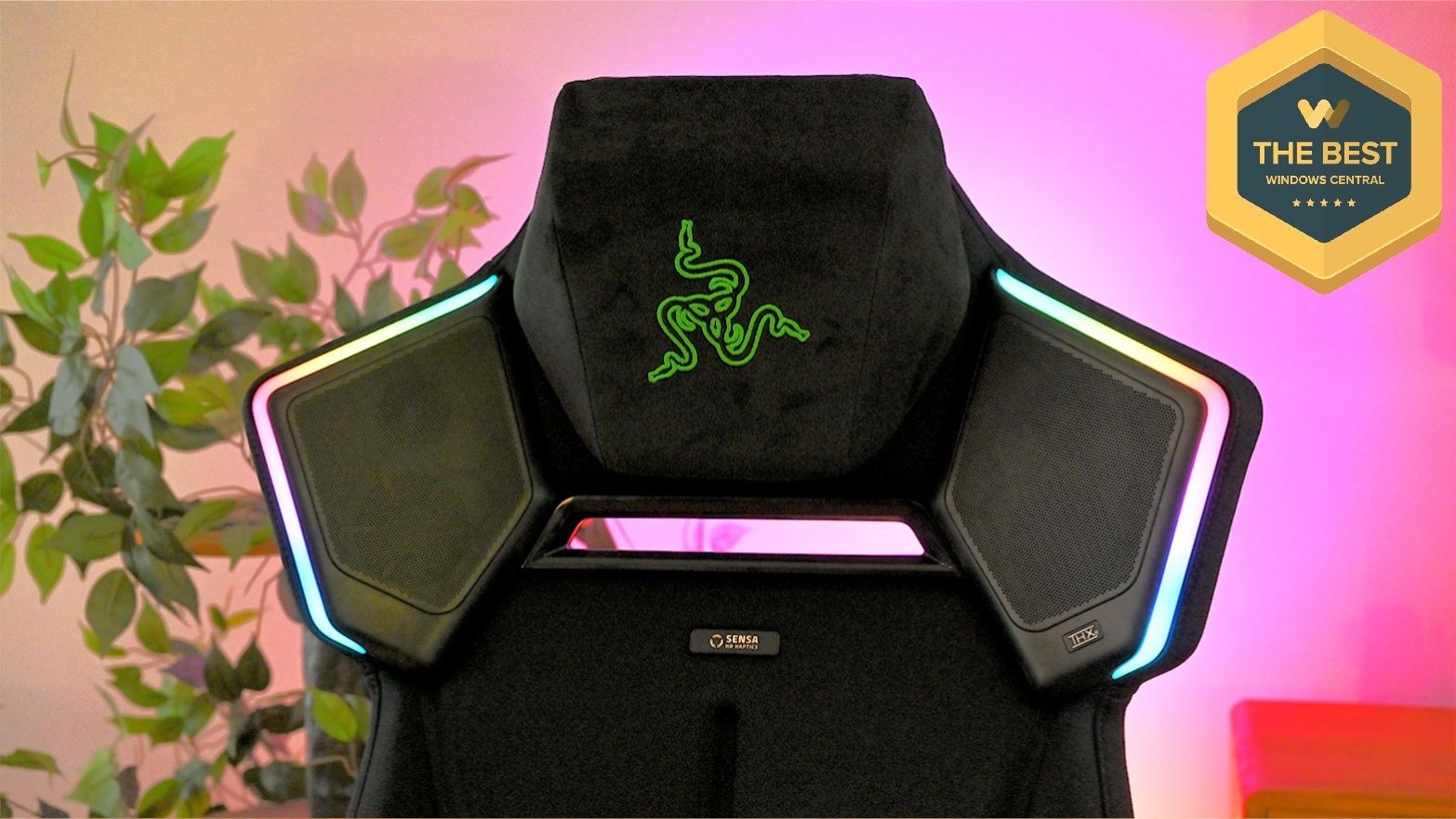
Front view of the Razer Soma Pro headrest with unlit shoulder speakers, black head pillow with green snake embroidery, and Sensa badge.

Here’s where everything comes together: magnetic head cushion, THX speakers, Sensa HD Haptics, and Chroma RGB. (Image credit: Daniel Rubino)

You should buy this if...

✅You want one of the most immersive PC gaming setups currently possible

✅You already own Razer Chroma or Razer audio hardware

✅You want haptics without adding a separate Freyja cushion

✅You want a genuinely comfortable premium gaming chair

You should not buy this if...

❌$999 for a gaming chair is beyond your budget

❌Adjustable lumbar support matters more to you than haptics

❌You have no interest in RGB, spatial audio, or tactile gaming

I wasn't expecting the Soma Pro to win me over this completely.

This is an incredible gaming chair in every sense. The haptics aren’t just a novelty you forget about after a few uses. The speakers deliver real, immersive sound. And beneath all the tech, it remains a genuinely comfortable chair.

Razer also deserves credit for making the Soma lineup modular around different budgets. If you only want RGB, there's the $499 Soma Chroma. The $569 Soma Sensa HD Haptics focuses on tactile feedback. The $999 Soma Pro throws basically everything Razer knows about gaming immersion into one chair.

After living with it, I wouldn't take any of the electronics out.

The Soma Pro is one of the coolest gaming gadgets I've tested in a long time. It's fun, extraordinarily well thought-out, comfortable, and unlike anything else sitting in my gaming setup.

And yes, apparently I now have very strong opinions about whether my gaming chair should shake my butt.

Vertical photo of the Razer Soma Pro gaming chair with a purple backlight behind it.Windows Central

Immersion
Razer
Soma Pro

The Razer Soma Pro combines the company’s excellent Soma gaming chair with Sensa HD Haptics, THX Spatial Audio, and Chroma RGB for one of the most immersive gaming experiences I’ve tried. At $999, it’s undeniably expensive, but considering everything Razer packed into it, I’m actually surprised it doesn’t cost more.

Click to join us on r/WindowsCentral

Join us on Reddit at r/WindowsCentral to share your insights and discuss our latest news, reviews, and more.
REVIEW: FlexiSpot's basic 'C3' chair is somehow the best I've ever used

I've reviewed a lot of chairs in my day, but as I've gotten older and more decrepit, demands on my fragile bones have only grown.

There was a time I could rock a gaming chair and gun for maximum style and recline, but as I spend more and more time at my desk hunched over and typing rather than reclined back and gaming, my needs have evolved.

Recently, a friend with similar back issues to me recommended this chair from FlexiSpot, dubbed the Heavy Duty C3 Ergonomic Chair to be precise. It's currently on sale for £199, down £50 from the typical asking price. I've reviewed chairs running all the way up to $700, so my expectations for this "cheaper" chair were pretty low.

How wrong I was. Well and truly, this is by far the best chair I've ever used at home, and a chair so nice I'm going to buy it twice for when I'm visiting family out of the country. It's that good.

Sometimes, basic is better

FlexiSpot C3 Ergonomic Chair

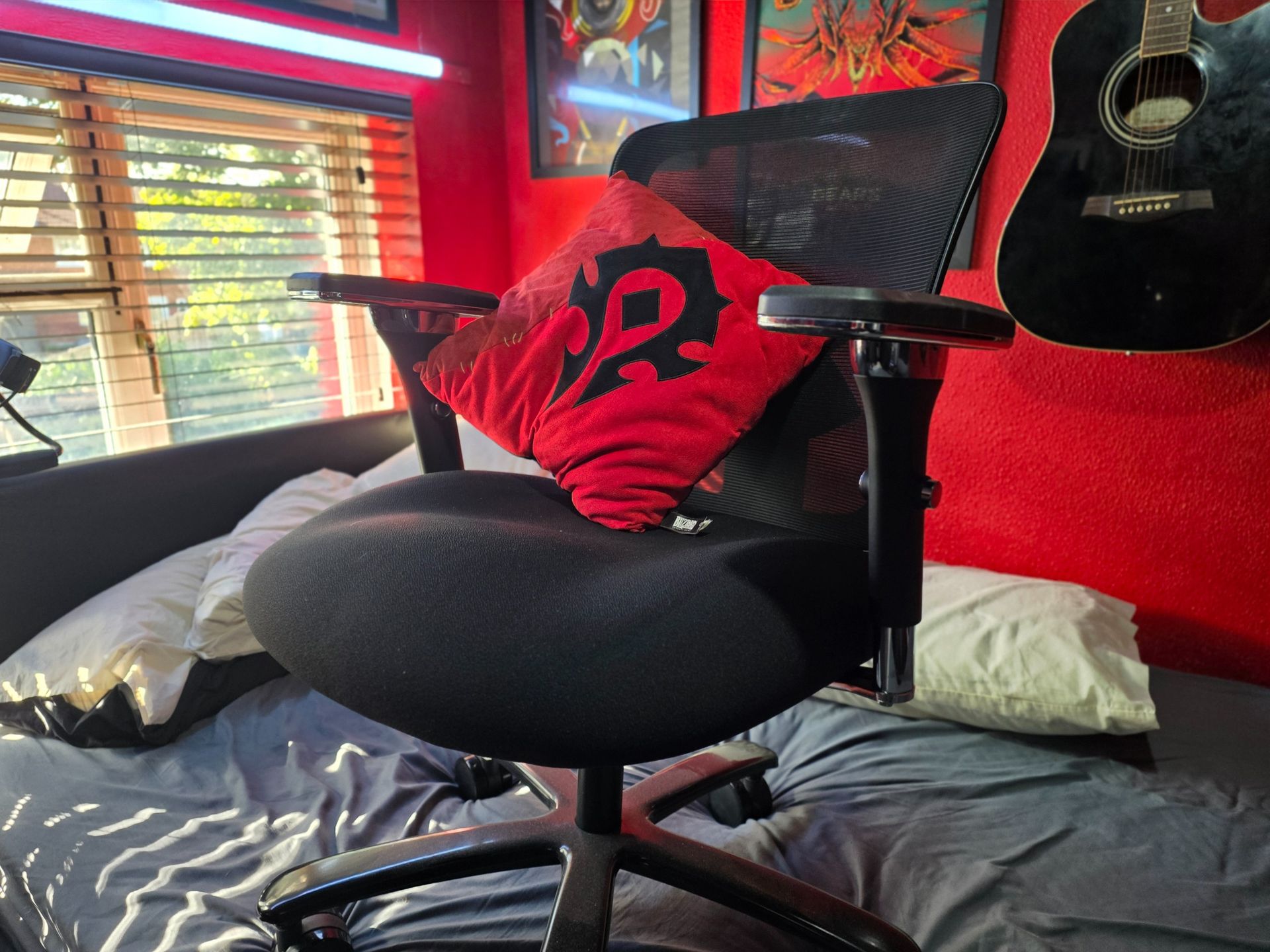
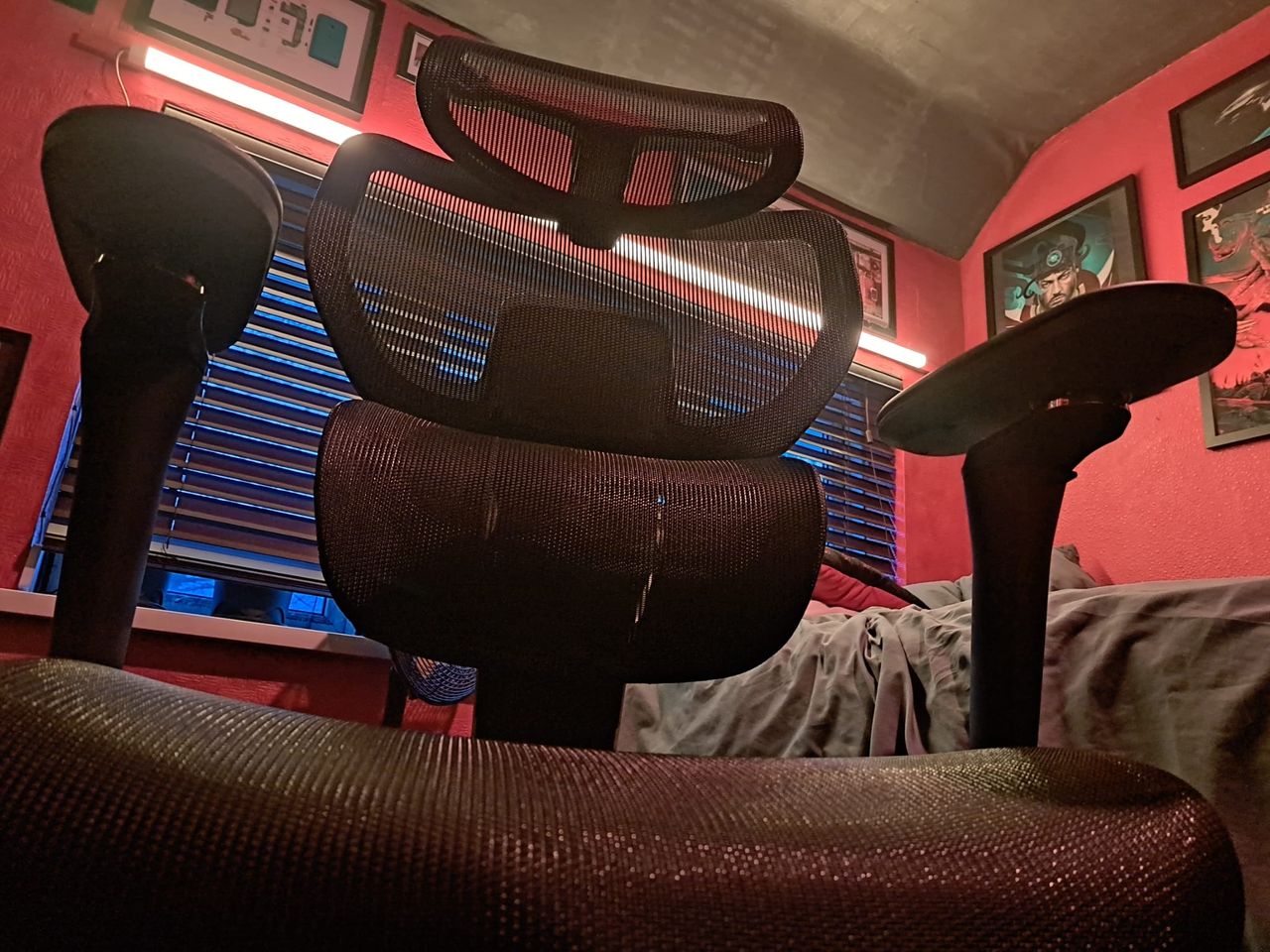
Mind the bed, tiny room not great for photos. Thankfully the chair's quality speaks for itself. (Image credit: Windows Central | Jez Corden)

Forgive my photographs, it's hard to get a good angle in my tiny office/bedroom, but as you can see it's a pretty simple and unassuming set up here.

This is a seat designed for heavy and tall individuals but also just generally heavy use. It has an incredibly thick cushioned seat with an ergonomic W shape, which has become a popular seating configuration in recent years. I've often seen ads for seat cushions with this shape, the C3 built it right into the product.

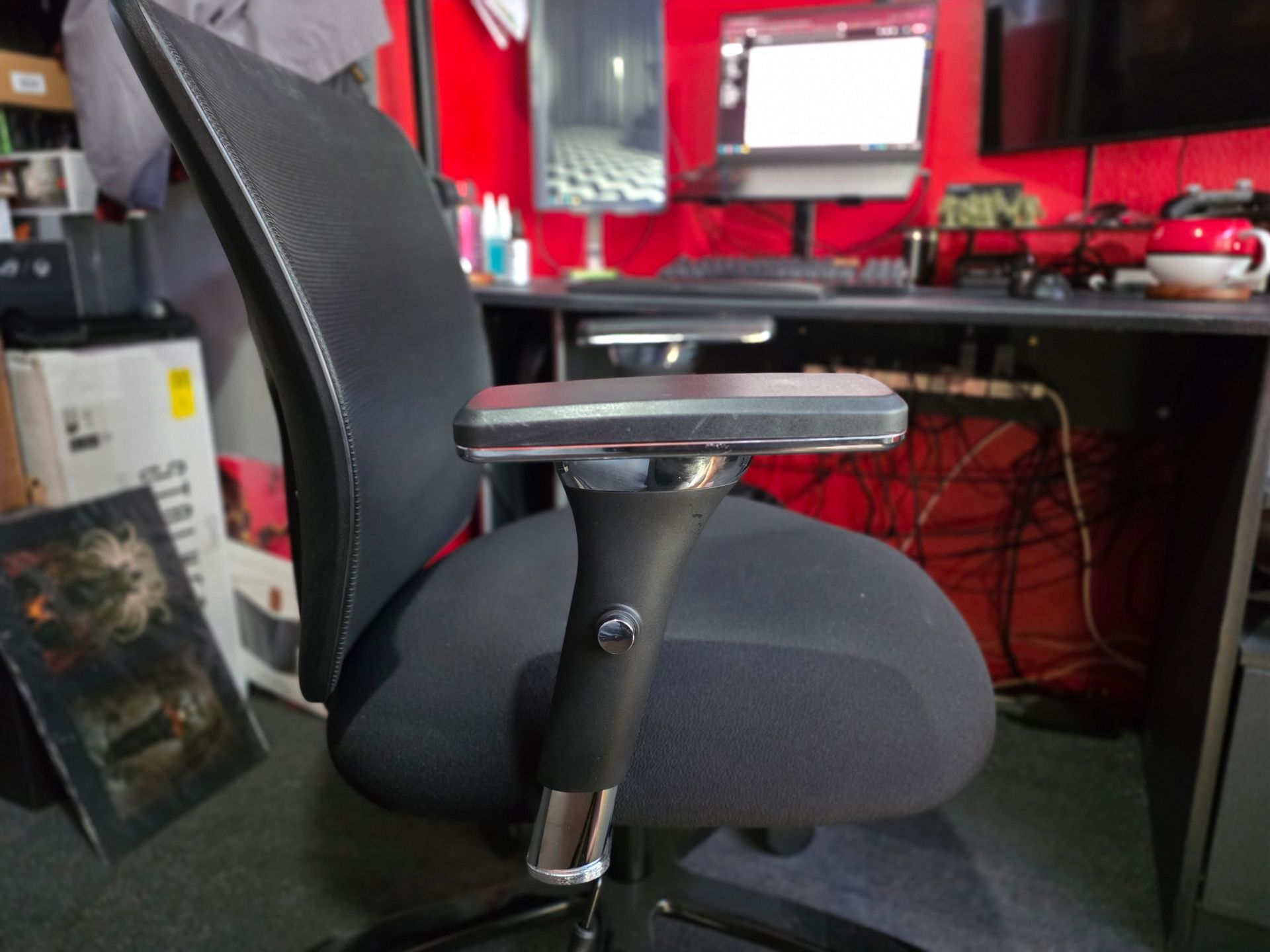
It has a mesh back rest which offers maximum breathability for those heatwave months we had this year, and a wide base with very tall arm rests to align your elbows against your desk. The seat tilt also aligns with the back rest, which FlexiSpot research says promotes better posture health than separate tilt mechanisms.

FlexiSpot C3 Ergonomic Chair

God forgive my cable management. (Image credit: Windows Central | Jez Corden)

Despite being on the "cheaper" side, every aspect of this seat feels premium to me. The materials and metals are incredibly thick with high quality welding. The whole frame is made from iron and certified for 227kg, meaning that the vast majority of users won't even come close to delivering wear and tear here.

The arm rests have 4D movement and positioning, and have a smooth-feel leatherette finish, complete with buttons and levers where you'd expect to find them for locking in your adjustments, both on the seat tilt and the gas-powered lift itself. There's also a lumbar rest at the base of the backrest, adjustable for different heights.

The FlexiSpot C3 is by a mile the best chair I've ever used for desk-based work and play.

If you were looking for a chair with a headrest and upper back rest for maximum coziness and rest, this chair might not be for you. But, if you are like me who spends a lot of time at a desk, I would argue that ditching the upper back rest promotes better posture. It forces you to position your head and neck more naturally, which I will attest has directly alleviated a long run of general lower back pain.

I ditched a gaming chair for a similar mesh office chair at my partner's place for when I'm staying there recently, and found it to be a huge improvement on my general back health. This FlexiSpot chair is cheaper and better than the other one I purchased by a mile, and I think it's really the seat cushion that is the x-factor. This is just a fantastic, pleasant product.

Should you buy it?

FlexiSpot C3 Ergonomic Chair

Even the biggest booties will appreciate this. (Image credit: Windows Central | Jez Corden)

You should definitely consider buying this chair if you have a gaming chair presently and find yourself in or approaching middle age-adjacent back problems. I spend more time at my PC than most, so having a high quality and ergonomic seating arrangement is absolutely crucial.

I long thought that it was just general bad health and lifestyle giving me back pain (and that is no doubt a factor here), but having a good chair that matches the height of my desk and eyeline of my monitor has given me a huge boost. Having reduced back issues has made me more active in general too, and it's hard to put a price on that.

Unless you want something with headrest and recline features you can get truly cozy in, the FlexiSpot C3 is by a mile the best chair I've ever used for desk-based work and play.

C3: was £249.99 now £199.99
This is by far the best chair I've ever used for desk-based work and play, boasting a massive weight limit and a similarly massive cushioned seat for max ergonomics.

See at: FlexiSpot UK | FlexiSpot USView Deal

Click to join us on r/WindowsCentral

Join us on Reddit at r/WindowsCentral to share your insights and discuss our latest news, reviews, and more.
Fulfilling prophecy, Razer finally built a wireless RGB gaming chair, and it's ridiculous in the best possible way

It was inevitable. Razer has successfully attached Chroma RGB to mice, keyboards, streaming keylights, mousepads, microphones, and probably a stray toaster if you leave it in their California design headquarters long enough (see their history of weird and experimental hardware). So, it was only a matter of time before they targeted the ultimate piece of battle station real estate: your backside.

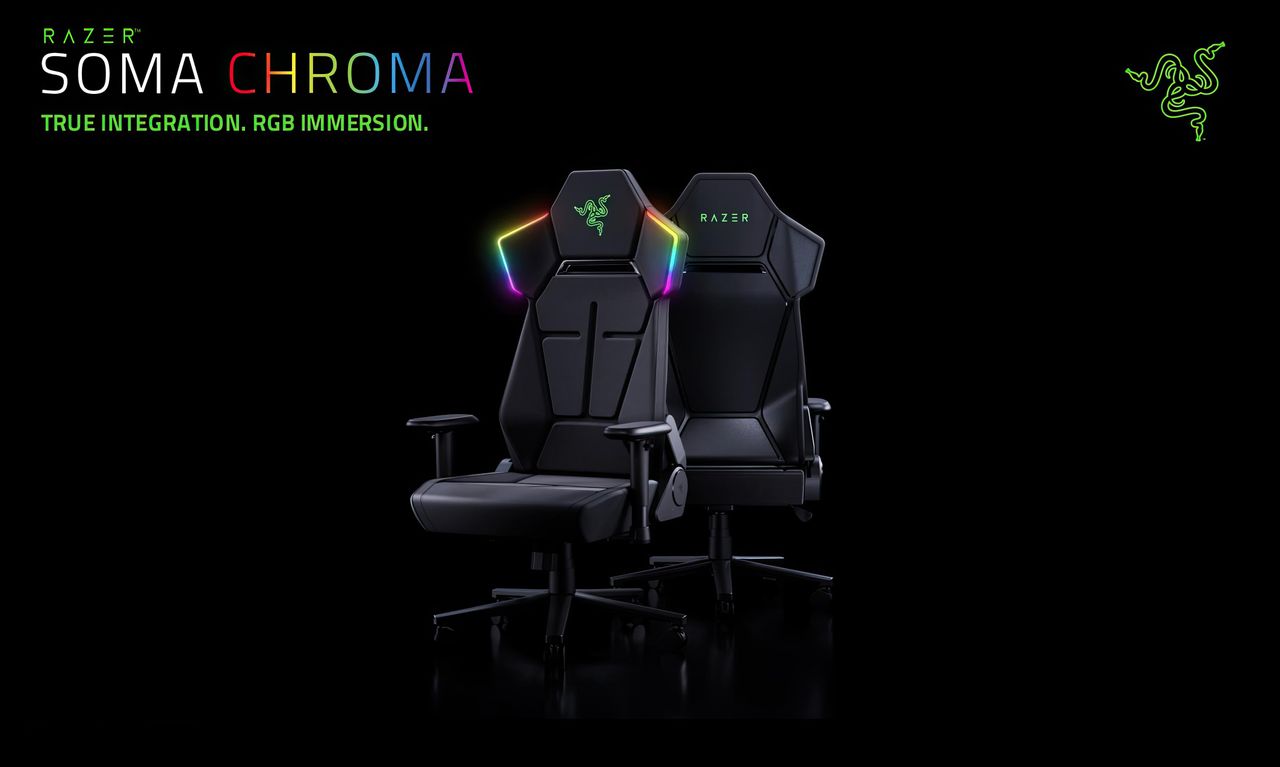
Meet the Razer Soma Chroma, a wireless RGB gaming chair launching worldwide today, June 25, 2026, for $499.99 (€529.99) at Razer.com.

Do you absolutely need a glowing throne that dynamically syncs with your desktop gameplay? No, of course not. Your skill in Valorant isn't going to magically jump three tiers just because your headrest is radiating neon green. But do we desperately want it anyway? Yes, obviously. It’s Razer, and adding immersive RGB to things we didn't know needed it is exactly why we love them.

The Razer Soma Chroma is the wireless RGB gaming chair your setup did not know it needed. It blends reactive lighting with all‑day comfort and cuts cable clutter entirely thanks to an ultra‑low latency HyperSpeed wireless connection powered by a simple USB‑C power bank. The dual‑density cold‑cured foam seat and built‑in ergonomic lumbar arch keep your posture neutral and your backside relaxed through marathon sessions.View Deal

The light show: Completely wireless RGB immersion

Press images of the Razer Chroma gaming chair, in black, with RGB lighting on the headrest

(Image credit: Razer)

The marquee feature here is the fully integrated, reactive RGB lighting embedded seamlessly into the headrest's shoulder wings. Powered by the venerable Razer Chroma RGB engine, it hooks directly into the Chroma SDK to react in real-time to in-game events across more than 300 integrated titles—including heavy hitters like Fortnite, Valorant, and Cyberpunk 2077. If you aren’t actively gaming, you can cycle through 10 dynamic presets and 16.8 million colors via Razer Synapse to perfectly dictate your setup's vibe.

But here is the genuinely clever bit: it's entirely wireless. Nobody wants to roll their chair over a rigid power cord and accidentally yank a $4,000 gaming rig off their desk. Instead, the Soma Chroma transmits data wirelessly via ultra-low latency Razer HyperSpeed 2.4 GHz for your PC, alongside Bluetooth LE for mobile devices.

To juice the actual LEDs, Razer integrated a tidy storage pocket on the back designed to house a standard external power bank (they recommend a hefty 20,000 mAh or larger unit pushing 20W+ and PD 2.0+) via an included 200 mm USB-C cable. If you don't care about a clean, wire-free aesthetic, you can also just run it straight to a wall adapter. There’s even a built-in control panel directly on the edge of the seat base to let you tweak brightness, cycle effects, or switch wireless inputs on the fly without opening an app.

Comfort Check: Saving our posteriors from the Iskur V2

Razer Iskur V2

The Razer Iskur V2 from our recent review. (Image credit: Future)

When Razer dropped the original Iskur, it blew us away with an aggressive, mechanical piston-powered lumbar support system. The premium Iskur V2 doubled down on that adaptive lumbar tech, earning massive praise for back health—but it also brought a punishingly firm seat pan. Meanwhile, the mid-range Iskur V2 X ($299) offered a much softer high-density foam seat but stripped out the adjustable lumbar support completely.

The Soma Chroma chart-corrects here with a brand-new Dual-Density Cold-Cured Foam Seat Cushion. It utilizes two distinct layers working in tandem: a softer upper layer that contours snugly to your body, sitting atop a firmer base layer that maintains its structural integrity over time. The goal is to keep the seat from collapsing or hardening prematurely during marathon sessions while actually offering plush, pressure-relieving comfort.

For back health, Razer ditched the complex, dial-driven mechanical pieces of the Iskur series in favor of a Built-In Ergonomic Lumbar Arch. It's a static, contoured support curve integrated directly into the backrest. While you lose the active left-and-right swiveling of the Iskur V2, you get a reliable curve that won’t shift out of place like a loose lumbar pillow.

Where the features got trimmed

Press images of the Razer Chroma gaming chair, in black, with RGB lighting on the headrest

Where the powerbank gets stowed for a "wireless" RGB experience. (Image credit: Razer)

To hit that $499.99 sweet spot while packing custom diffusers, a wireless control module, and a built-in control panel, Razer did have to make a few expected concessions:

  • 2D Armrests: The Soma Chroma features basic 2D armrests limited strictly to height and swivel adjustments, a noticeable step down from the highly maneuverable 4D armrests on the Iskur V2 that slide and twist every which way.
  • No Built-in Haptics: If you were hoping this would natively integrate the bone-shaking directional haptics of the recently released Razer Freyja gaming cushion, you're out of luck. This is strictly a visual show, though you could easily strap a Freyja onto it if you want the ultimate rumble-and-glow cocktail (and I'll probably do that, since I have one of those).

On the mechanical side, it remains a total tank. You get a reinforced steel frame, a 5-star powder-coated steel wheelbase, a Class 4 gas lift, and premium 6 cm PU caster wheels—the latter being a massive upgrade over the friction-heavy plastic wheels that held back the Iskur V2. It reclines up to 155° with a butterfly tilt mechanism, safely supports up to 150 kg (331 lbs), and comfortably accommodates gamers up to 6'6".

Our review unit just arrived!

Press images of the Razer Chroma gaming chair, in black, with RGB lighting on the headrest

Yes, there are buttons on top of the headrest to control the RGB Chroma. (Image credit: Razer)

The shining throne literally just rolled through our doors. We'll be assembling it, unboxing our beefiest power banks, and seeing if the dual-density foam can truly save our glutes during late-night gaming sessions.

Stay tuned for our full, deep-dive review coming shortly (and you'll be able to see it on future Windows Central Podcasts).

The Razer Soma Chroma is the wireless RGB gaming chair your setup did not know it needed. It blends reactive lighting with all‑day comfort and cuts cable clutter entirely thanks to an ultra‑low latency HyperSpeed wireless connection powered by a simple USB‑C power bank. The dual‑density cold‑cured foam seat and built‑in ergonomic lumbar arch keep your posture neutral and your backside relaxed through marathon sessions.View Deal

Click to join us on r/WindowsCentral

Join us on Reddit at r/WindowsCentral to share your insights and discuss our latest news, reviews, and more.
Press images of the Razer Chroma gaming chair, in black, with RGB lighting on the headrest

Press images of the Razer Chroma gaming chair, in black, with RGB lighting on the headrest

The best gaming chair just got this must-have upgrade — but Secretlab took its sweet time delivering it

Secretlab's new $49 lockable casters bring a much-needed flexibility fix to the TITAN Evo, though XL model owners are still being left behind.

The Secretlab TITAN Evo NanoGen Edition seen at an angle, showing the backrest and seat.

FlexiSpot's C7 Morpher chair lives up to its premium price with supreme comfort and dynamic adjustment options

Flexispot's C7 Morpher is a premium office chair with advanced adjustments, an ergonomic design, and comfortable materials to get you cozy for work or gaming.

Personally taken screenshot of the FlexiSpot C7 Morpher chair

❌