❌

Vue normale

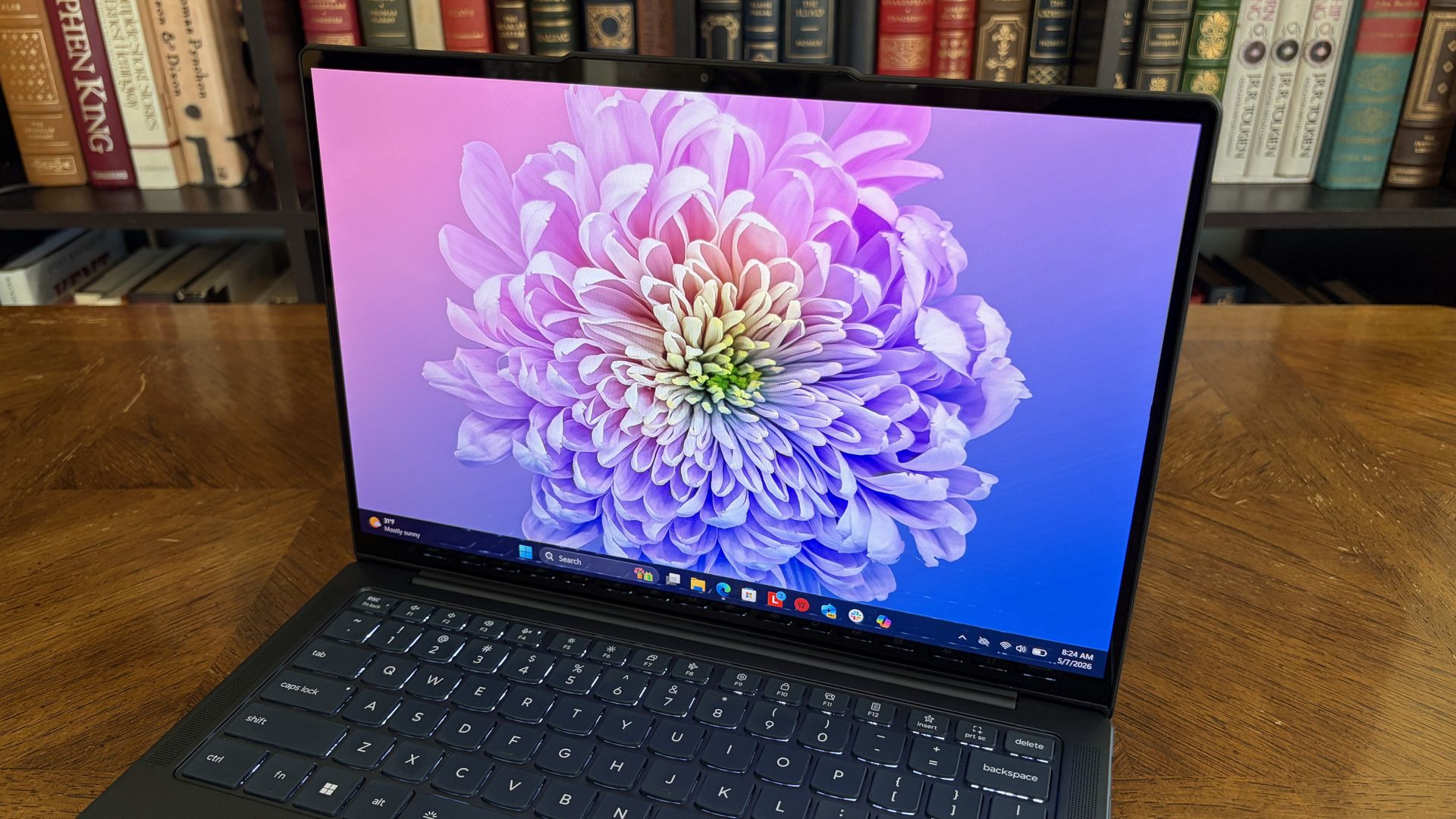
Lenovo's Yoga Slim 7x is an absolute steal at $989.99

Premium laptops rarely cost under $1,000 these days. But a $310.99 discount on the Lenovo Yoga Slim 7x drops the price of the PC to $989.99. The Yoga Slim 7x already delivered excellent value for its price, so it's even more attractive after a discount.

Yoga Slim 7x: was $1299.99 now $989.99

"The Slim 7x (Gen 11) is a laptop I can see fitting in perfectly with students, home business pros, and casual users who simply want a laptop for around $1,199 (even less when it's on sale) that feels like it should cost a lot more." — Cale Hunt, Windows CentralView Deal

A sleek laptop on a wooden table, showing side view with USB-C ports and keyboard. The screen displays a blurred forest image, creating a modern and serene vibe.

(Image credit: Future)

The model that's on sale has a Snapdragon X2 Plus processor, 16GB of memory, and 512GB of storage. Those specs are more than enough for everyday computing and getting work done.

Our Cale Hunt reviewed the Snapdragon X2 Elite version of the Yoga Slim 7x and came away impressed. The Snapdragon X2 Plus model has the same excellent build, keyboard, camera, and battery life.

Lenovo's Yoga Slim 7x (Gen 11) has the best battery life of any laptop I've personally tested

Cale Hunt, Windows Central

The Yoga Slim 7x is a thin laptop. Its bottom half is barely thicker than a USB-C port. Even when closed, the entire laptop is 0.55 inches thick and weighs just 2.73 lbs. But despite its thin body, the laptop is rigid, resisting any reasonable bends and not creaking when pressured.

Along the top of the Yoga Slim 7x's screen sits a notch housing a 9.2MP camera that beats many webcams seen in similar laptops. As you'd expect from a premium laptop, the Yoga Slim 7x supports Windows Hello facial recognition.

Unlike some laptops in the same price range, the Yoga Slim 7x supports Human Presence Detection (HPD), which can unlock or lock your PC automatically when you leave or approach the computer.

The keyboard of the Yoga Slim 7x is well-spaced and comfortable. I share Hunt's wish for the PC to have a haptic trackpad, but the standard trackpad on the laptop is fine.

You can upgrade to a Yoga Slim 7x with higher specs if you'd like. The laptop is available with up to a Snapdragon X2 Elite. But you have to spend significantly more to get that chip (at least $1,549 from what I've found).

If you want an excellent laptop that lasts all day and is more than enough for everyday computing, the Yoga Slim 7x with a Snapdragon X2 Plus is an excellent choice.

Is the Lenovo Yoga Slim 7x a gaming laptop?

A sleek black laptop with the word

The Lenovo Yoga Slim 7x is a great laptop, but it is not a gaming PC. (Image credit: Future)

The Yoga Slim 7x is an excellent laptop that's easy to recommend, especially with the Snapdragon X2 Plus inside. But it is not a gaming laptop. Don't get me wrong, it can play some games. But I wouldn't recommend buying the Yoga Slim 7x (or any PC running a Snapdragon X processor) to a gamer.

Snapdragon X-powered PCs used to struggle with just about any game. They are now capable of running some games thanks to improvements by Microsoft and Qualcomm.

👉RELATED: What testing 200 games on a Snapdragon X teaches us about Windows 11 on Arm

If you do get a Yoga Slim 7x, gaming can be a fun experiment to see how far Windows 11 on Arm has come, but it shouldn't be a driving force behind the purchase.

Click to join us on r/WindowsCentral

Join us on Reddit at r/WindowsCentral to share your insights and discuss our latest news, reviews, and more.
Microsoft explains why you can't buy a Surface PC with AMD inside

In 2026, you can find new Surface PCs from Microsoft for sale powered by almost all major chip makers. There are Surface PCs with Intel, Snapdragon, and very soon, even NVIDIA. But one chipmaker you won't see in a Surface PC today is AMD.

This wasn't always the case however. In 2019, Microsoft released the Surface Laptop 3 with both Intel and AMD chip offerings, a first for the Surface line that lasted just two generations before being dropped entirely with the launch of Surface Laptop 5.

Microsoft has never explained why it decided to drop AMD from the lineup, until now that is. In an interview with Windows Central, I asked Surface CVP Brett Ostrum why we don't see AMD in the Surface lineup in 2026.

"We love working with AMD. We have a limited portfolio, and so we have to make our choices pretty wisely in terms of what we're doing and where we're doing," Ostrum told me, before proclaiming "I love working with AMD."

So in short, it seems Microsoft doesn't sell any Surface PCs with an AMD chip right now because the portfolio is limited in size and the company has other partners and customers they need to appease first.

Microsoft Surface Laptop 4 colors

The only Surface PCs that have ever been available with AMD are the Surface Laptop 3 and 4. (Image credit: Microsoft)

I'm not sure I buy this explanation as Microsoft was clearly able to offer the same device with Intel or AMD in the past. Why can't Microsoft just do that today with the Surface Laptop 8 series, for example?

Microsoft has a close working relationship with AMD in the gaming space. AMD will power the next-gen Xbox, and is what you'll find in the currently manufactured Xbox consoles too. But for whatever reason, you just don't find it in a Surface.

With that said, there were rumors last year that Microsoft was working on a Surface powered by AMD's rumored Arm-based chip codenamed Sound Wave. That chip was rumored to launch sometime this year, but we've seen no sign of it as of yet.

If that chip ever does ship, we don't know where that might fit into Microsoft's limited portfolio as we have no real idea if the Sound Wave APU is a high-end one or not.

Either way, for now, Microsoft's official on-the-record stance as to why we don't see AMD in Surface PCs is because the portfolio is limited and they don't have the room for it right now.

Hopefully that rumored Surface powered by AMD's Sound Wave chip hasn't been totally canceled.

Click to join us on r/WindowsCentral

Join us on Reddit at r/WindowsCentral to share your insights and discuss our latest news, reviews, and more.
5 Best Surface Pro Alternatives for 2026: ASUS, iPad, Galaxy and More

28 septembre 2026 à 07:03

ASUS, Apple, Samsung, and Lenovo offer five credible Surface Pro alternatives with different strengths in performance, portability, software, and price.

The post 5 Best Surface Pro Alternatives for 2026: ASUS, iPad, Galaxy and More appeared first on TechRepublic.

Googlebook Cheat Sheet: Price, Models, Gemini Features, and Everything to Know

25 septembre 2026 à 17:19

Googlebook combines Android, Gemini AI, and premium laptop hardware. See prices, models, specs, features, compatibility, and release dates.

The post Googlebook Cheat Sheet: Price, Models, Gemini Features, and Everything to Know appeared first on TechRepublic.

Googlebook vs MacBook Neo: Which Laptop Is Better for Everyday Work?

25 septembre 2026 à 17:10

Compare Googlebook and MacBook Neo on price, apps, battery, hardware, AI, and phone integration to see which laptop better fits everyday work.

The post Googlebook vs MacBook Neo: Which Laptop Is Better for Everyday Work? appeared first on TechRepublic.

Microsoft Unveils Surface Pro 12-Inch and Laptop 13-Inch With Snapdragon X2 Plus

25 septembre 2026 à 15:13

Microsoft’s Surface Pro 12-inch and Laptop 13-inch add Snapdragon X2 Plus chips. Compare pricing, battery life, AI features, and key checks for IT buyers.

The post Microsoft Unveils Surface Pro 12-Inch and Laptop 13-Inch With Snapdragon X2 Plus appeared first on TechRepublic.

Microsoft explains why we haven't seen a Surface-branded MacBook Neo competitor yet

At this year's annual Snapdragon Summit, I had the opportunity to sit down and talk with Microsoft Surface CVP Brett Ostrum about all things Surface and Windows. One question I was eager to ask was about MacBook Neo, and whether or not Microsoft was interested in competing in that space.

"Let me start this way: we have never shipped a gaming PC," Ostrum opened with. "The reason we've never shipped a gaming PC is because OEMs do just fine in that space. They've done fine; they meet the customer needs; there's not a benefit for Surface to go into that space ... We knew Neo was coming long before it showed up. And so part of the question is, does Surface need to play a role relative to Neo? It wasn't a surprise. We chose to let the OEMs play in that space to deliver lower-priced devices."

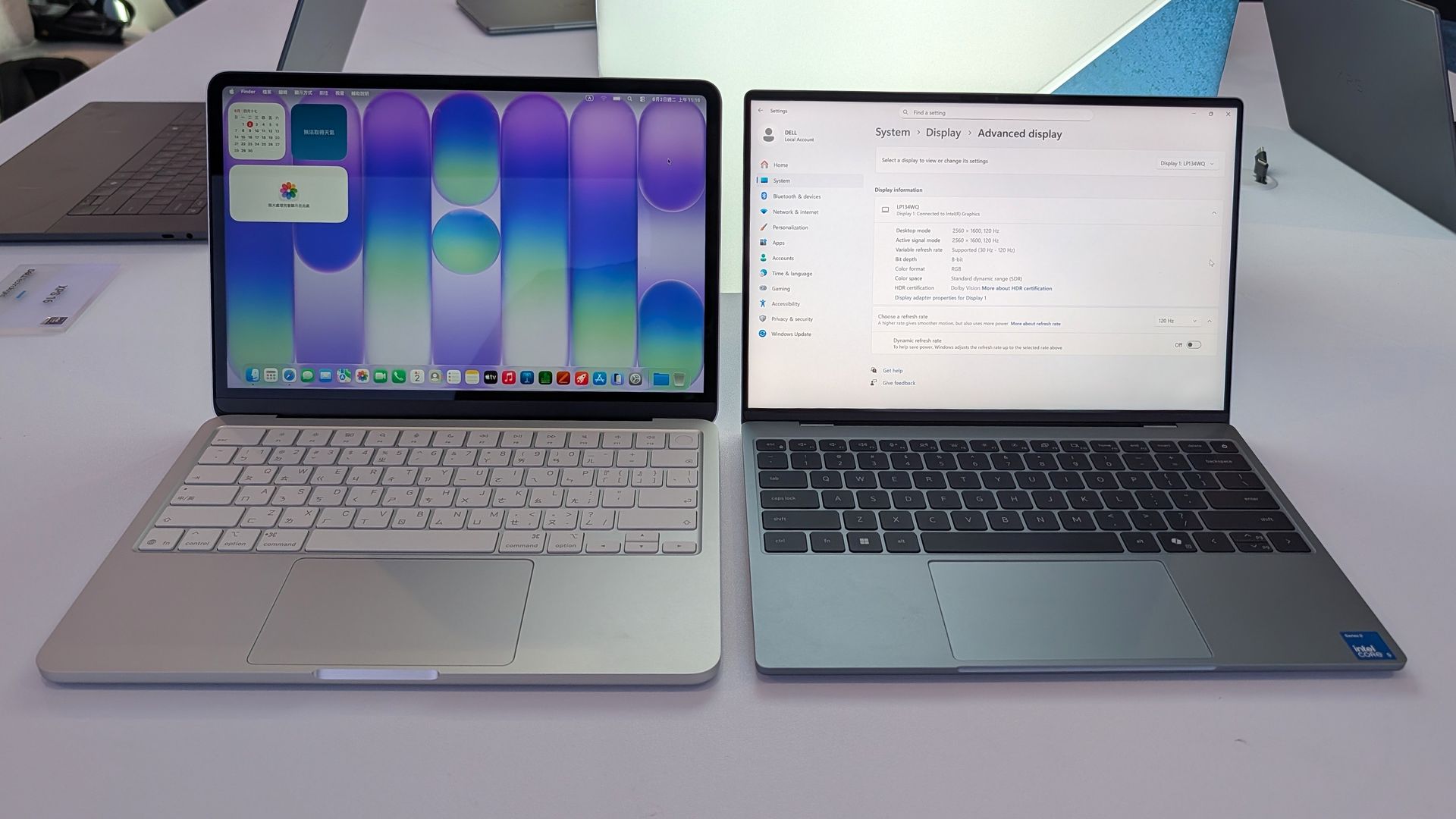
His response confirms that Microsoft doesn't think it's necessary to use Surface to compete with MacBook Neo, because Windows OEMs have already stepped up to deliver truly good alternatives. The Dell XPS 13 and ASUS ZenBook 14 are two prime examples of Windows PCs that cost the same as a MacBook Neo, while beating it in a number of key ways.

Dell XPS 13

The Dell XPS 13 at $799 is an incredible deal. (Image credit: Zac Bowden / Windows Central)

With that said, Microsoft is aware that customers are wondering why Surface isn't competing in this space. Ostrum tells me, "I've heard the feedback from press, I've heard the feedback from retailers, I've heard the feedback from partners to say Surface should be here. We will take that into consideration; we will certainly consider some options. But I would start with the gaming point. We do not have to play in every field."

That sounds like the door is open for the company to revisit this segment in the future, but for now it's clear that Microsoft isn't interested in building a low-cost Surface PC to compete head-to-head with MacBook Neo. Right now, Surface is more interested in competing at the very high end with devices like the Surface Laptop Ultra, which I tried earlier this year.

In fact, I've heard from sources that Microsoft now identifies its lineup of Surface PCs as three distinct categories of premium: Entry Premium, Premium, and Ultra Premium. Entry Premium are the most affordable Surface PCs, all of which start at above $1,000.

Of course, Surface used to build affordable PCs in the form of the Surface Go and Surface Laptop Go, both of which started at well under $600. But that was back before the component shortage forced price hikes, and under entirely different Surface leadership.

Today, the focus is on its premium Surface PC lineup, and we'll hear more about the company's new Surface Laptop Ultra on October 7.

Click to join us on r/WindowsCentral

Join us on Reddit at r/WindowsCentral to share your insights and discuss our latest news, reviews, and more.
Dell's XPS 13 proves you don't have to spend a fortune on a premium laptop

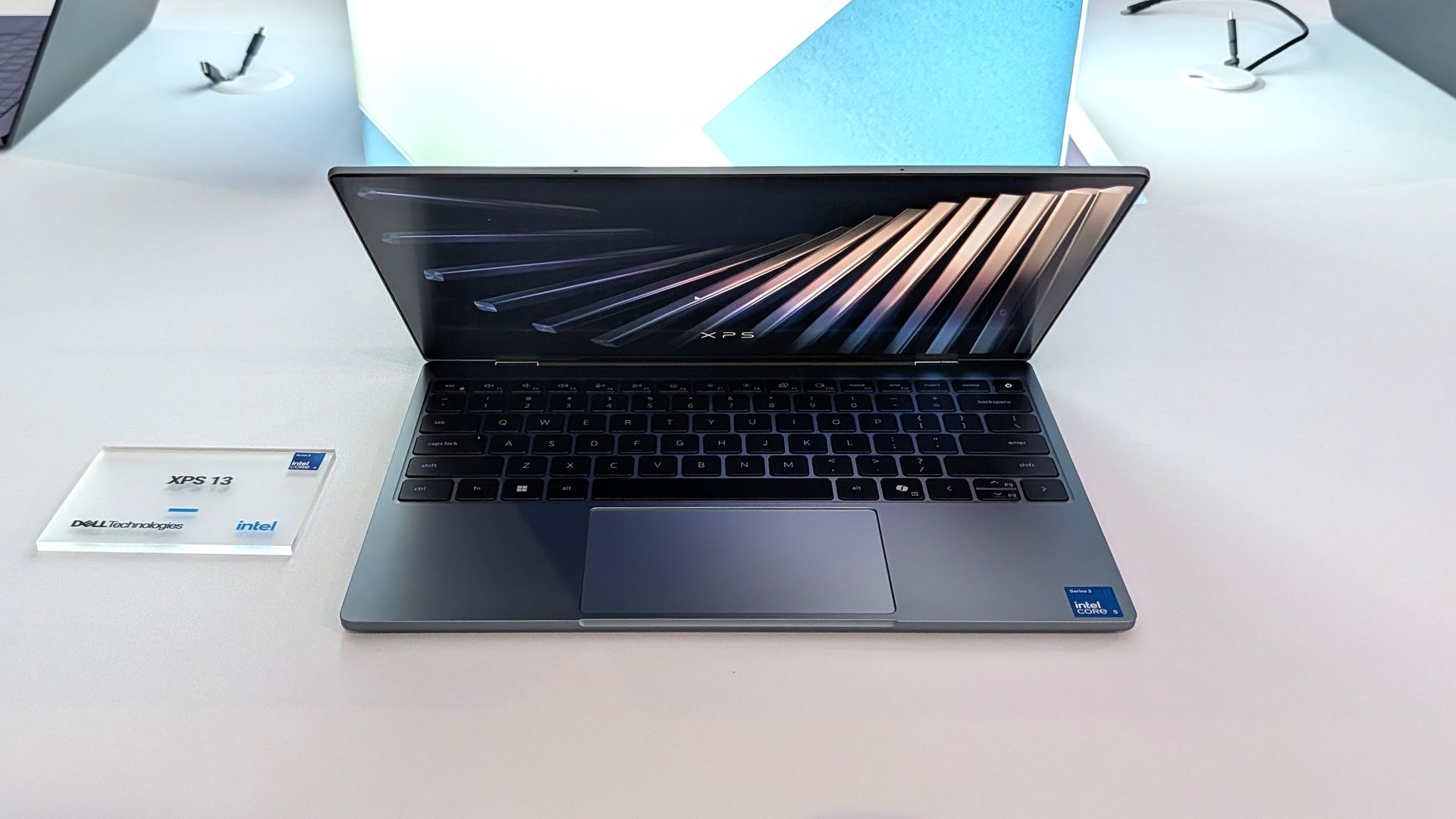
Flagship laptops often pack high-end specs and maximize the wow factor. But Dell decided to take a different approach with the XPS 13 this year. Rather than shove every premium option into a PC regardless of price, Dell built a budget-friendly laptop with premium build quality and surprisingly strong specs without breaking the bank.

The result is a truly impressive laptop that punches well above its price. The XPS 13 has a 2.5K 120Hz panel, a solid keyboard and trackpad, and a pair of Thunderbolt 4 ports packed into its thin aluminum body.

Dell is bullish about the new XPS 13, stating that the company wants the laptop to be people's first XPS. Our Cale Hunt called the new XPS 13 "the perfect starter PC" and our Zac Bowden was "shocked" at the quality and value of the laptop.

Dell's current discount on the XPS 13 is modest, but it keeps the laptop at an affordable price.

"Dell's new XPS 13 is the new best deal in laptops, surpassing the MacBook Neo with a better display, ports, build quality, and performance for the same price." — Zac Bowden, Senior Editor, Windows CentralView Deal

Pro Wireless Headset: was $139.99 now $118.99

This headset is an excellent companion to the Dell XPS 13 if you want to listen to meetings or seminars in public or have clear audio when chatting on Microsoft Teams or Zoom.View Deal

Laptop deals in 2026

The unfortunate reality in 2026 is that it's increasingly difficult to find a great deal on anything, let alone a quality PC. The ongoing RAM crisis hurts PC shoppers, but the truth is that money doesn't go as far as it used to.

That means that sometimes you need to grab a PC when it's worth it rather than holding out hope for a killer sale.

It's no longer a given that electronics will become cheaper over time. In some cases, prices have increased after launch. Apple raised the price of the MacBook Neo by $100, and Dell did the same with the XPS 13. Both those laptops were once $699 for everyday shoppers and $599 for students.

Still, the Dell XPS 13 is a bargain at its current price, and it delivers the features you'd expect from a modern laptop. That may not sound like much, but a lot of laptops in this price range are missing key features that should be commonplace in even budget-friendly computers.

Dell XPS 13 vs. MacBook Neo

Dell XPS 13

(Image credit: Zac Bowden / Windows Central)

Compare the Dell XPS 13 and MacBook Neo and you'll see that only Dell's budget-friendly laptop has backlit keys. The XPS 13 also has an IR sensor for facial recognition, better speakers, and support for Wi-Fi 7 rather than the older Wi-Fi 6E.

The XPS 13 also has Thunderbolt 4 ports that make it the obvious choice for anyone who needs to use more than one external display. And speaking of displays, the 120Hz screen of the XPS 13 also beats out Apple's offering (60Hz).

Dell delivers more value than Apple, making the XPS 13 easy to recommend.

Click to join us on r/WindowsCentral

Join us on Reddit at r/WindowsCentral to share your insights and discuss our latest news, reviews, and more.
The Manchester United Surface Laptop is the greatest laptop of all time

I've been a Manchester United fan for as long as I can remember (going on 37 years now), coming from a family of Manchester United fans. Watching games with my grandad as a young child remains some of my fondest memories.

Sure it's been tough in recent years, but the passion never dies. Imagine my absolute delight when my club crosses over with my job. It's been happening for a couple of years already, since Snapdragon took over shirt sponsorship, and it's gone up another notch this season.

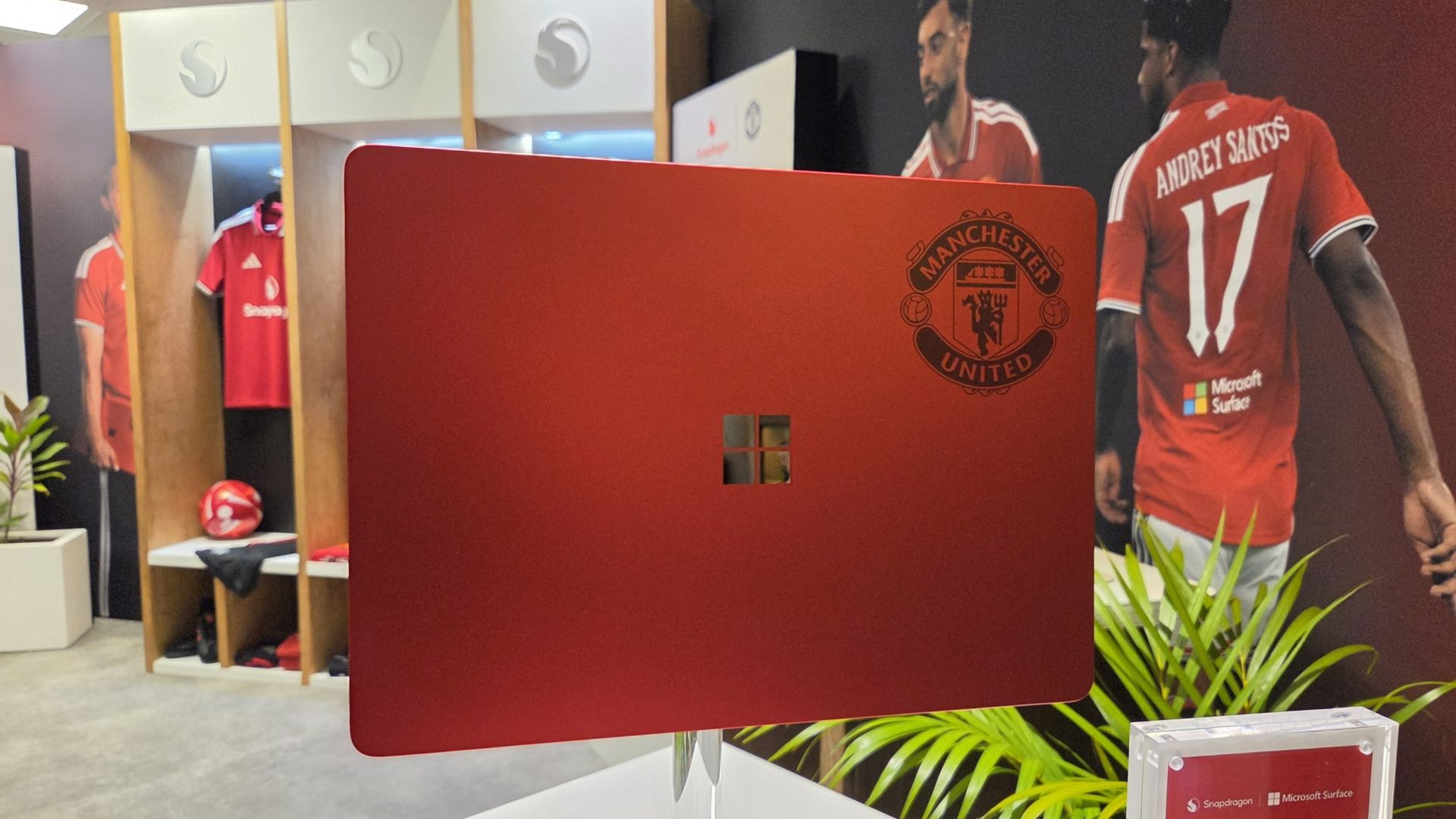
Alongside Microsoft Surface replacing Copilot+ PC (which it seems is now dead) as the rear shirt sponsor, Qualcomm and Microsoft have collaborated on the greatest laptop ever made: The Manchester United limited edition Surface Laptop.

The only downside is that it's not just going on general sale, because I would probably be first in line to buy one. Just because it's red and it has the Manchester United badge on it.

But here it is in all its glory, thanks to our man Zac Bowden, who's on the ground in Hawaii (this job is really tough at times) at the 2026 edition of the Snapdragon Summit.

Microsoft Surface Laptop 13-inch 2nd Edition with Manchester United and Qualcomm Snapdragon branding on a red chassis, displayed with football imagery
GloryZac Bowden | Windows Central
Microsoft Surface Laptop 13-inch 2nd Edition with Manchester United and Qualcomm Snapdragon branding on a red chassis, displayed with football imagery
GloryZac Bowden | Windows Central
Microsoft Surface Laptop 13-inch 2nd Edition with Manchester United and Qualcomm Snapdragon branding on a red chassis, displayed with football imagery
Man UnitedZac Bowden | Windows Central
Microsoft Surface Laptop 13-inch 2nd Edition with Manchester United and Qualcomm Snapdragon branding on a red chassis, displayed with football imagery
And the RedsZac Bowden | Windows Central
Microsoft Surface Laptop 13-inch 2nd Edition with Manchester United and Qualcomm Snapdragon branding on a red chassis, displayed with football imagery
Go marchingZac Bowden | Windows Central
Microsoft Surface Laptop 13-inch 2nd Edition with Manchester United and Qualcomm Snapdragon branding on a red chassis, displayed with football imagery
On on on!Zac Bowden | Windows Central

I don't see an Arsenal laptop out there, do I? Manchester City? Liverpool? Chelsea? Spurs wouldn't even get a calculator these days.

If I had to criticize it at all, beyond the fact it's not going on general sale, it'd be that I don't think it goes far enough into the Manchester United branding. The badge being there is great, but I think they could have done more.

How about ghosting an image of Old Trafford, the Theatre of Dreams, onto the lid like the 1994-1996 home shirt? 30 years on that would have been incredible.

These are extremely limited, and Manchester United and Snapdragon are currently running a giveaway for fans to get their hands on one. You can find out how to enter here and get yourself in the pot to win something that is, frankly, priceless.

Click to join us on r/WindowsCentral

Join us on Reddit at r/WindowsCentral to share your insights and discuss our latest news, reviews, and more.
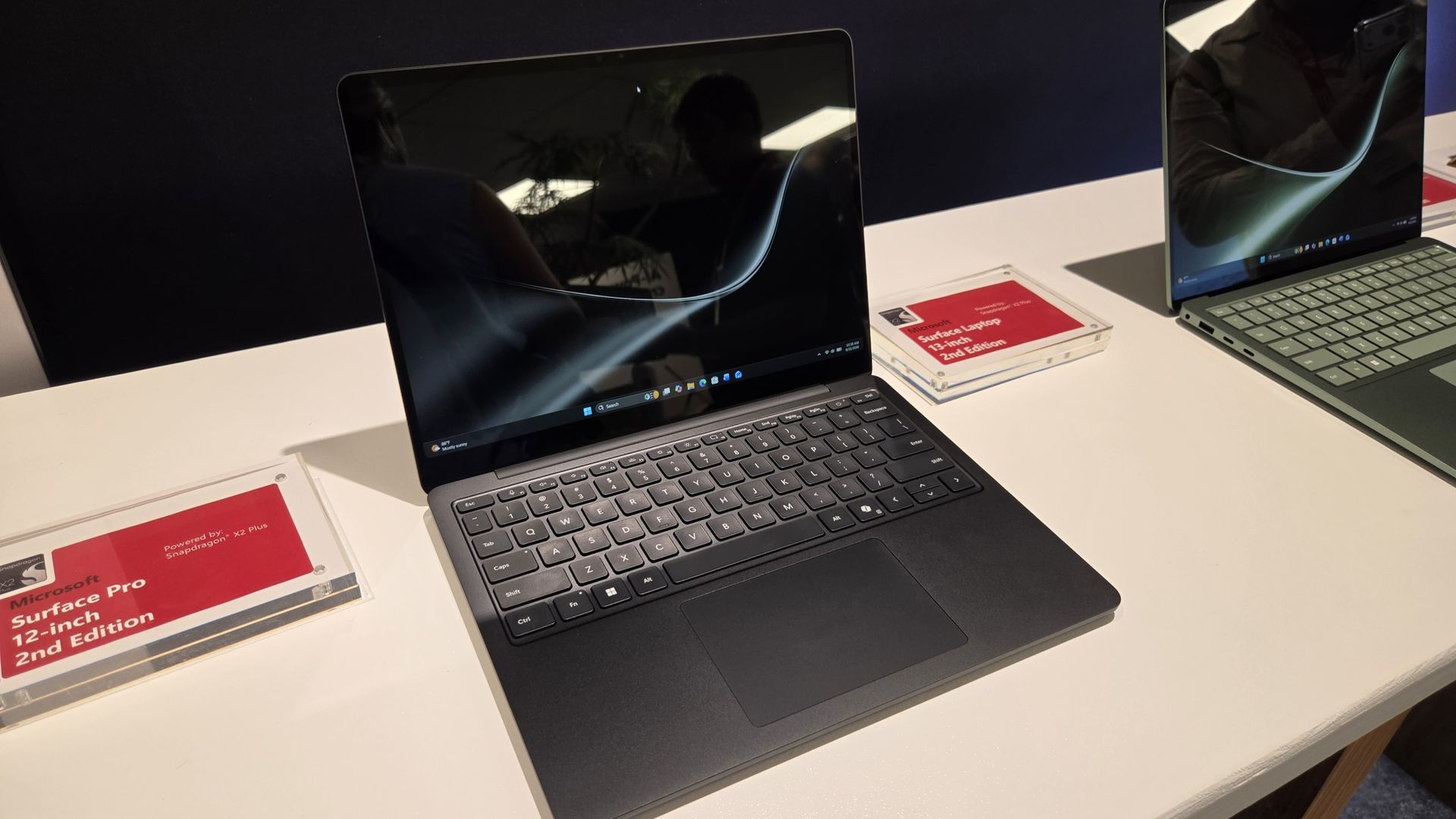
Poll: What's your favorite Surface of 2026?

Microsoft just refreshed the Surface Pro 12-inch and Surface Laptop 13-inch with Snapdragon X2 processors. The company also announced the return of the Surface Mouse. In a couple of weeks, we'll get a closer look at the Surface Laptop Ultra during Microsoft's Windows and Surface event.

The Surface family has undergone a lot of changes over the last year. Microsoft officially pulled the plug on the Surface Hub back in April. The Surface Go and Surface Laptop Go have also been cut from the portfolio. With the Surface Studio, Surface Laptop Studio, Surface Duo, Surface Book, Surface Headphones, and Surface Earbuds already discontinued, the remaining Surface lineup is rather streamlined.

But despite the relatively low number of Surface devices being made in 2026, Microsoft announced 12 Surface devices this year. To get to that number, you have to count some devices with similar chassis separately. I consider the consumer and business versions of the Surface PCs separate enough to stand on their own.

Microsoft even introduced a new type of Surface in the Surface Laptop Ultra and brought back the Surface Mouse.

It's a strange contrast. Microsoft has discontinued several Surface product lines and has one of the smallest Surface portfolios in the brand's history, yet the company has announced more Surface hardware in 2026 than in many years when the lineup was much larger.

I've voiced concerns about how Microsoft has unveiled its hardware this year. I think the company has spread things out so much that the Surface brand has been diluted. Case in point, Microsoft just announced new Surface devices two weeks before the company's Windows and Surface event.

Surface was never going to command the attention of an Apple hardware event or even Samsung presenting on stage, but trickling out announcements in press releases or at other companies' events is a bad way to draw interest in Surface.

While I would have preferred a couple of major Surface events that could create hype, Microsoft has unveiled a lot of hardware this year. I'm curious if there is one device that stands out to you.

As much as I am excited about some individual Surface devices, I still feel like the brand is fragmented and lost. What is Microsoft Surface in 2026?https://t.co/5QNvm1Uts6September 23, 2026

With 12 devices announced or launched, there's a good chance you're interested in more than one. Please hop into the comments and share your thoughts in addition to voting in the poll.

Click to join us on r/WindowsCentral

Join us on Reddit at r/WindowsCentral to share your insights and discuss our latest news, reviews, and more.
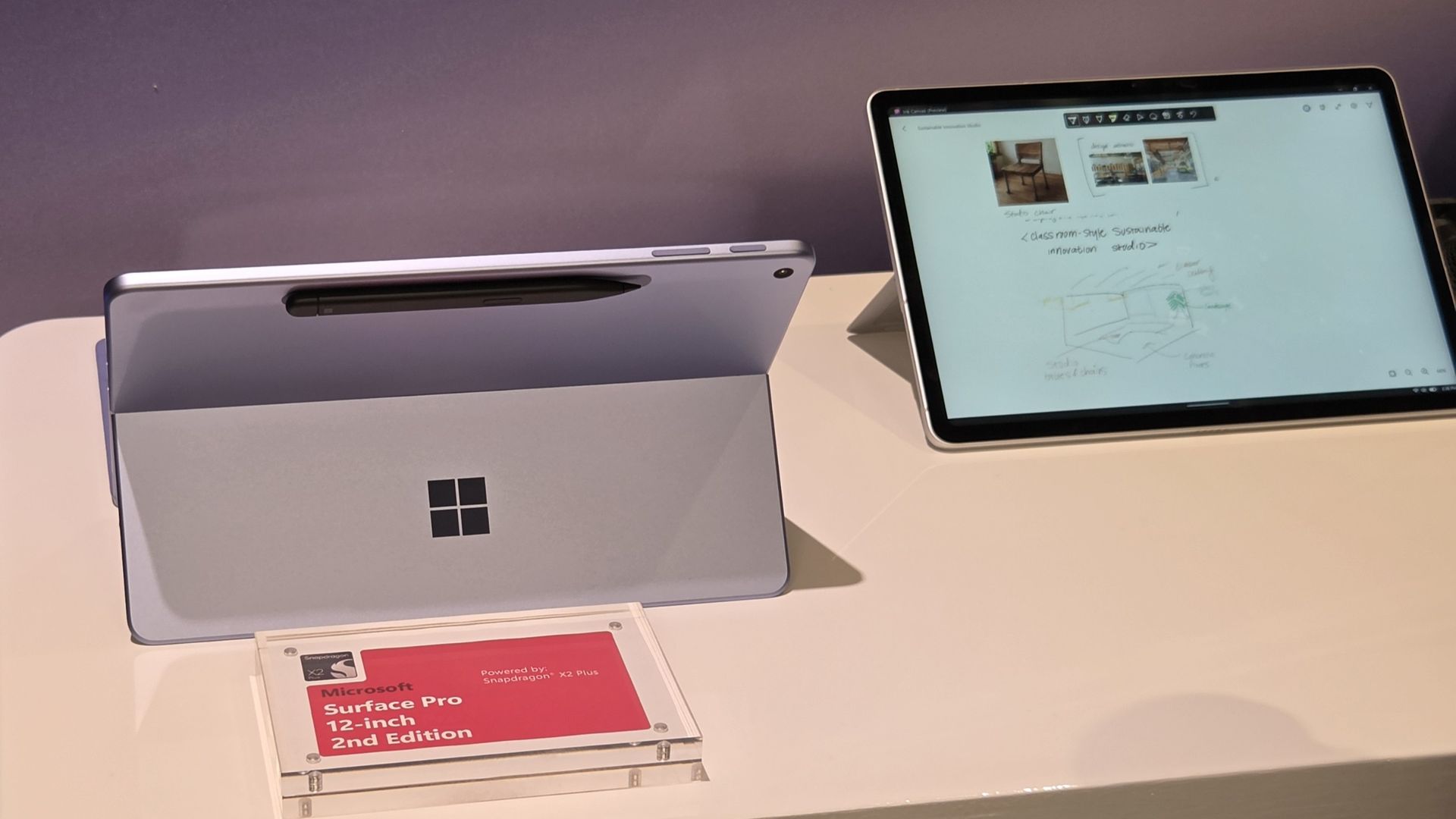
Surface feels more fragmented than ever after Microsoft's latest refresh

Microsoft's Surface team just can't help itself. Despite having a Windows and Surface event scheduled for October 7, 2026, Microsoft unveiled new Surface devices today.

Microsoft just refreshed its Surface Pro 12-inch and Surface Laptop 13-inch with new chips from Qualcomm. Thanks to the Snapdragon X2 Plus chips inside the devices, we should see better performance and better graphics in the new Surface devices.

Even local AI will run better thanks to the NPUs in the PCs. You may assume that improved local AI performance, being a highlight of the new Surface devices, would align them perfectly with the upcoming event. Microsoft's invite says that event will focus on "how local AI will shape the next chapter of the PC."

Microsoft may mention the refreshed Surface Pro 12-inch and Surface Laptop 13-inch on stage in October, but I suspect the focus will be on the Surface Laptop Ultra and NVIDIA RTX Spark. The Surface RTX Spark Dev Box may also get a mention.

Why did Microsoft just announce a new Surface Pro and Surface Laptop?

Microsoft's unveiling of the refreshed Surface Pro 12-inch and Surface Laptop 13-inch is not an accident. The announcement happened at Qualcomm's Snapdragon Summit. Perhaps there's an agreement in place to feature Surface on stage in Hawaii. Or maybe Microsoft wanted to piggyback on any attention pointed at Snapdragon this week. But I still think it's a strange strategy.

It's not as if the Snapdragon X2 Plus was announced this week. We've known about the chip for ages. It is already available in other laptops, including the Surface Laptop 13.8-inch and Surface Pro 13-inch.

If Qualcomm first announced the Snapdragon X2 Plus this week, it would make sense to announce new Surface PCs powered by it. Alternatively, Microsoft could tease that it has more to share about the chips at the Windows and Surface event.

But instead, we can now cross two more items off the list of potential things we will see at the Windows and Surface event next month.

The Windows and Surface event also falls after many improvements have shipped to Windows 11 or entered testing with Windows Insiders. It seems unlikely that we'll see much new information on stage, but Microsoft could always surprise us.

Surface continues to be a lost brand with no clear identity. Worse, it's a fragmented one. Earlier this year, Microsoft launched Intel and Snapdragon versions of the same PCs separately (see our review of the Intel-based Surface Laptop for Business 8). It announced the Surface Laptop Ultra at one event and saved the details for another. Now it has refreshed two of the few remaining Surface lines just weeks before a Surface event in October. Rather than rebuilding momentum around Surface, Microsoft seems intent on making the brand even harder to follow.

Do you agree or disagree? Let me know in the comments.

Click to join us on r/WindowsCentral

Join us on Reddit at r/WindowsCentral to share your insights and discuss our latest news, reviews, and more.
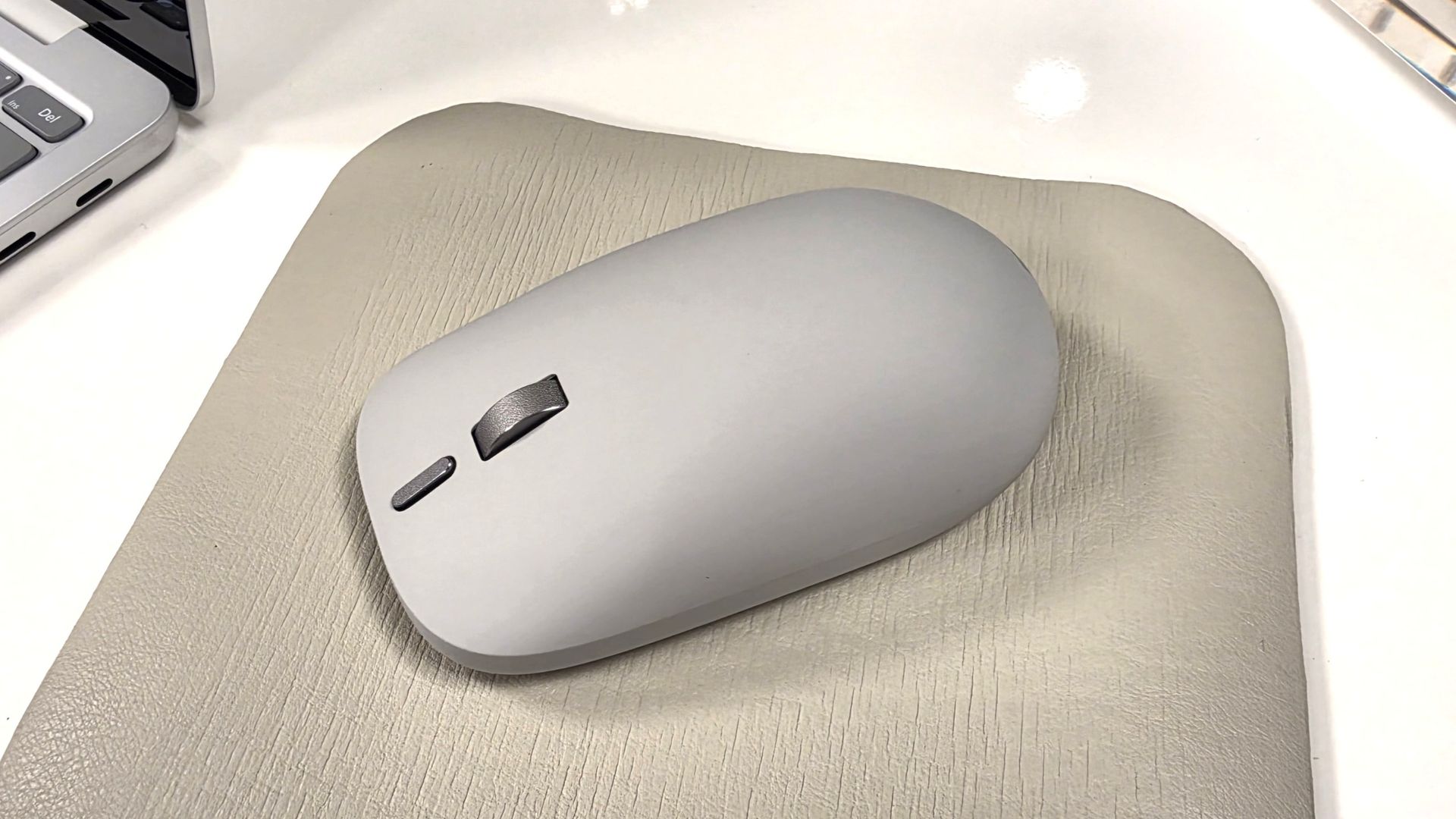
AI comes to Surface Ink: Microsoft’s new Canvas transforms handwriting into a smarter workflow

Microsoft just announced a refreshed Surface Pro 12-inch (2nd Edition), a Surface Laptop 13-inch (2nd Edition), and a new Surface Mouse. Those PCs run on Snapdragon X2 Plus processors and promise solid battery life and performance while maintaining portability. But Microsoft announced more than Surface refreshes this week. The tech giant also unveiled Microsoft Ink Canvas.

Ink Canvas is a pen-first workspace that combines handwriting, sketches, annotations, and AI features on a single canvas. Microsoft says those inputs provide Copilot with additional context that can be used to generate documents and other content.

"Ink Canvas lets customers use Slim Pen to express intent visually, spatially, and in their own handwriting — giving Copilot richer context and helping rough thoughts become useful creations faster," explained Microsoft.

Ink Canvas will be pre-installed on new Surface Pro 12-inch devices and will be added to the Microsoft Store on October 13, 2026.

Inking, now with AI

Microsoft is no stranger to inking apps and experiences. Surface PCs have supported a pen since the very beginning of the brand. Over the years, Microsoft has tested a variety of ways to integrate inking with Windows.

Back in the days of Windows 10, Microsoft introduced an Ink Workspace that was connected to Microsoft Whiteboard and the Snipping Tool. A major update to Ink Workspace shipped to Windows 11 in 2021.

The improved Ink Workspace lets you pin different apps, making it easier to open inking experiences, such as Sticky Notes or even Microsoft Paint.

I prefer the third-party app Ink Workspace (not related to Microsoft's Ink Workspace) because it has more features. Inking has been at the heart of Surface for years through both first-party and third-party experiences.

Microsoft's new Ink Canvas is the latest attempt by the company to integrate AI into a general user experience. We've seen smartphones and tablets connect inking to AI already. Googlebooks have some tricks in the same area. It will be interesting to see how Microsoft's AI ink experience stands out from the competition.

Click to join us on r/WindowsCentral

Join us on Reddit at r/WindowsCentral to share your insights and discuss our latest news, reviews, and more.
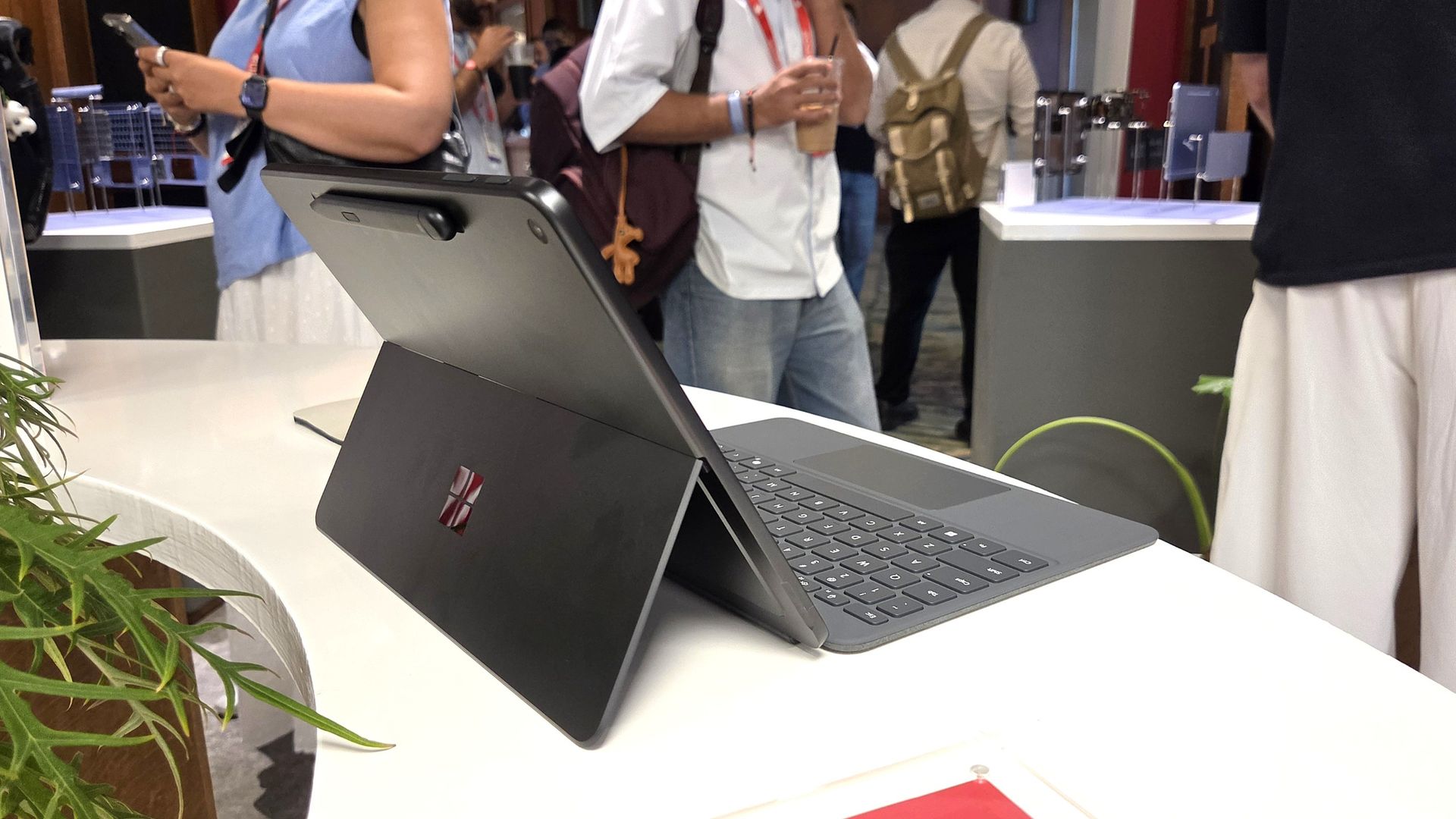
After 10 years, Microsoft revives the Surface Mouse with a fresh design and haptics

Microsoft has announced a brand new version of the Surface Mouse, 10 years after the first one debuted alongside the Surface Studio in 2016 (and not be confused with the refreshed 2025 Microsoft Surface Arc Mouse or the 2018 Surface Precision Mouse). Many had likely assumed the peripheral was dead, as Microsoft hasn’t released any standalone Surface accessories in the last few years as the company refocused its efforts on Surface Pro and Surface Laptop.

Well, today, the Redmond giant has a wonderful surprise for Surface Mouse diehards. Alongside the refreshed Gen 2 Surface Pro 12-inch and Surface Laptop 13-inch announced today at Snapdragon Summit, Microsoft announced a new Surface Mouse with an updated design, a new black color, built-in haptics, and a new customizable action button.

I got a chance to briefly play with the new mouse, and I was taken aback by how premium it feels. It features a lovely soft-touch material that coats the part of the mouse you grab, which feels amazing. The left and right click buttons are also super satisfying, offering tactility while remaining near-silent.

Microsoft Surface

The new Surface Mouse in black looks sleek. (Image credit: Zac Bowden / Windows Central)

The star of the show, however, is the built-in haptics, which makes this the second mouse to support such a feature after the Logitech MX Master 4. Inside the mouse is a small vibration motor that buzzes when you interact with certain parts of Windows, such as snapping an app to the sides of your screen or dragging files between two windows.

It's a small but meaningful improvement that makes using Windows feel more responsive, and it's baked right in on the new Surface Mouse. Additionally, the new mouse now features an extra action button, which can be used to launch an app or shortcut of your choice, configured in the Microsoft Surface app.

Surface Mouse is available to buy on October 13 for $79.99, which is a great deal when you consider the only other mouse with haptics on the market is $120.

Click to join us on r/WindowsCentral

Join us on Reddit at r/WindowsCentral to share your insights and discuss our latest news, reviews, and more.
Microsoft unveils refreshed Surface Pro 12-inch and Surface Laptop 13-inch with Snapdragon X2 and brighter screens

If you’re a fan of Microsoft’s smaller and lighter Surface PCs, we’ve got some good news! During Qualcomm’s annual Snapdragon Summit event in Hawaii, Microsoft announced new versions of the Surface Pro 12-inch and Surface Laptop 13-inch, now powered by the Snapdragon X2 Plus and featuring brighter screens, longer battery life, and even 5G on select models.

We previously reviewed both the Surface Pro 12-inch (2025) and Surface Laptop 13-inch (2025), giving the former some very high praise, while the Laptop 13-inch we were a bit less impressed with, mostly due to the price.

The new refreshed models will be available starting October 13 and start at $1,149 for the Surface Pro 12-inch and $1,199 for the Surface Laptop 13-inch.

Both come in a new Black colorway (in addition to Platinum and Violet; Ocean Blue has sadly been retired) and feature screens that can now reach up to 500 nits of peak brightness, making them easier to view outdoors in direct sunlight.

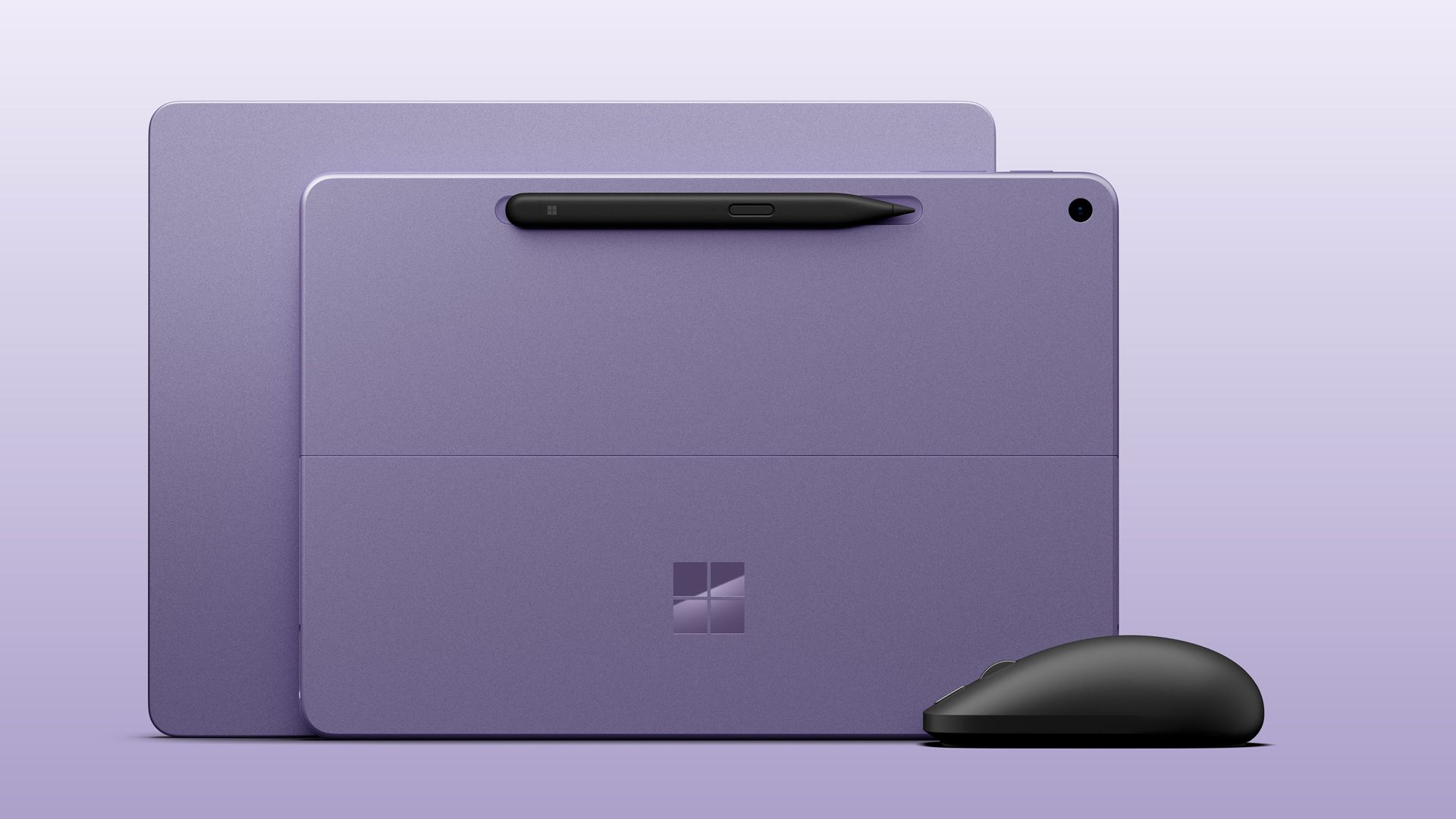
Microsoft Surface Laptop 13-inch next to Surface Laptop 12-inch, both in violet colorway next to the new black Surface Mouse.

Both Surface Laptop 13-inch and Surface Pro 12-inch 2nd Editions come in the Violet colorway with the optional new Surface Mouse. (Image credit: Microsoft)

Category

Surface Pro 12" (Gen2)

Surface Laptop 13" (Gen2)

Processor

Qualcomm Snapdragon X2 Plus (6 Core)

Qualcomm Snapdragon X2 Plus (6 Core)

NPU

Qualcomm Hexagon with 80 TOPS

Qualcomm Hexagon with 80 TOPS

Graphics

Qualcomm Adreno GPU

Qualcomm Adreno GPU

Memory

16GB and 24GB LPDDR5x RAM

16GB and 24GB LPDDR5x RAM

Storage

256GB, 512GB (UFS)

Removable 256GB, 512GB (UFS)

Display

12" PixelSense LCD
2196 x 1464 (220 PPI)
Up to 90Hz (60Hz default)
Adaptive Color/Contrast
Up to 500 nits

13" PIxelSense
1920 x 1280 (178 PPI)
Up to 60Hz
Adaptive Color/Contrast
Up to 500 nits

Weight

1.5 lbs. (0.69kg)

2.7 lbs. (1.23 kg)

Battery life

Up to 15.5 hours of local video playback
Up to 13 hours of active web usage

Up to 22.5 hours of local video playback
Up to 18 hours of active web usage

Price

Starts $1,149

Starts $1,199

Release date

October 13 (Wi-Fi)

October 13

Surface Pro 12" (2nd Edition): $1149.00
Surface Pro 12‑inch is built for ideas on the move. At just 1.5 pounds, it delivers tablet flexibility with full Windows laptop power so you can sketch, create, stream, and work from almost anywhere. With fast performance and up to 15.5 hours of battery life, it stays productive from morning through night.View Deal

Surface Laptop 13" 2nd Edition: $1199.99
Surface Laptop 13‑inch is Microsoft's most portable model at just 2.7 pounds, built for people who work wherever life takes them. It combines a precision keyboard, premium design, a 13‑inch touchscreen, and up to 22.5 hours of battery life to stay productive on the go.View Deal

Both devices feature the same designs as last year, but with more power and battery life. Indeed, Microsoft claims the Surface Laptop 13-inch gets up to 22.5 hours of battery life, while Surface Pro 12-inch up to 15.5 hours.

Microsoft Surface
Surface Pro 12-inch comes in violet, black, and platinum. Zac Bowden / Windows Central
Microsoft Surface
Surface Laptop 13-inch comes in a new black color.Zac Bowden / Windows Central

Under the hood is Qualcomm’s Snapdragon X2 Plus SoC in a 6-core configuration, paired with 16GB RAM and 256GB storage in the baseline configuration. If you need more RAM or storage, you can customize memory up to 24GB RAM and 512GB storage for a higher price.

Notably, it seems Microsoft has removed the 8GB RAM option that was available on the last-gen Surface Pro 12-inch and Surface Laptop 13-inch, which allowed the company to price those models below $1,000. The new devices start at 16GB RAM, which explains why their starting prices are so high.

The new Surface Pro 12-inch will also be available with 5G as an optional configuration for commercial customers. No pricing or configuration details have been revealed as yet, but the company has confirmed that it’s coming soon.

The Surface Pro 12-inch also comes pre-loaded with a new Windows app called Microsoft Ink Canvas, which Microsoft describes as an “AI-powered, pen-first experience for sketching, annotating, generating images and summarizing text directly on the canvas.” The new app will be made available to download via the Microsoft Store on October 13.

Microsoft Surface
The new Surface Mouse looks great.Zac Bowden / Windows Central
Microsoft Surface
It features a soft-touch material that feels great.Zac Bowden / Windows Central

Alongside the new PCs, Microsoft also unveiled a new Surface mouse, available in black or platinum colors, and featuring built-in haptics and a new action button that can be configured by the user. It’s the first update to the Surface mouse we’ve seen since it was first introduced 10 years ago.

All three new devices are expected to be made available starting October 13 at the Microsoft Store and third-party retailers like Best Buy and Amazon, though you can now preorder the Surface Pro 12" at Best Buy, as well as the new Surface Laptop 13".

Let us know in the comments your thoughts on the refreshed Surface lineup!

Click to join us on r/WindowsCentral

Join us on Reddit at r/WindowsCentral to share your insights and discuss our latest news, reviews, and more.
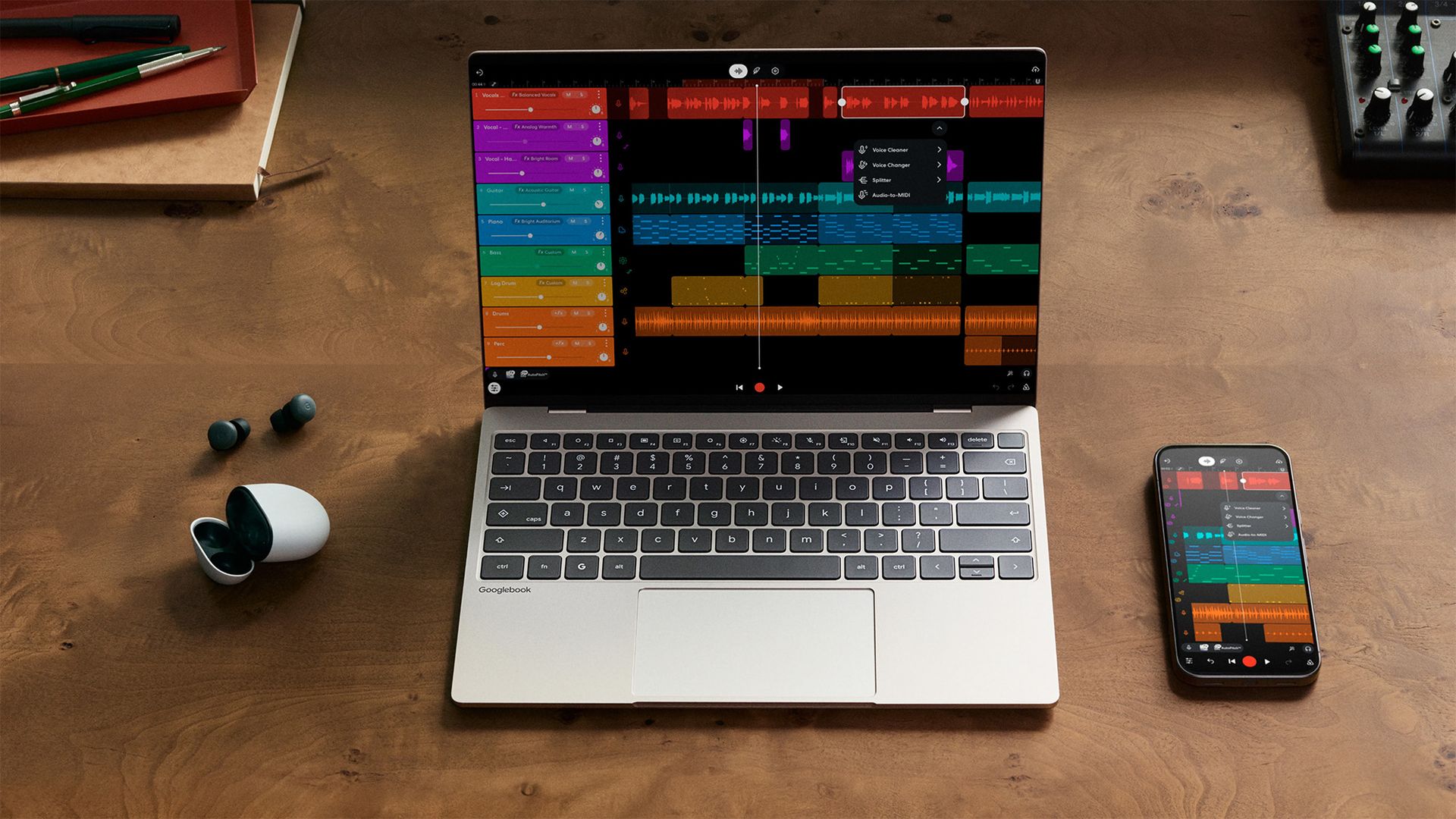
Googlebooks are built almost entirely on Gemini AI hype. Can they disrupt Windows?

Google recently announced 'Googlebooks' as new laptops built with Intel Core Ultra Series 3 (Panther Lake) and Qualcomm Snapdragon X Elite processors, expanding its range beyond budget-centric Chromebooks at a more premium price point. Starting at $899 with an Acer model, more devices from ASUS, Dell, HP, and Lenovo are also due to launch on October 4, 2026.

The best of Gemini meets a whole new kind of laptop.

Google

Among its five 'flagship' launch models, Google advertises features such as high-resolution touchscreen displays, haptic touchpads, and built-in NPUs for local AI tasks, primarily focusing on Gemini. Of the 13.4-inch to 15.3-inch laptops, only the $999 Dell XPS Googlebook uses an LCD screen, while the remaining brands opt for OLED panels. So, is 'Googlebook OS' any threat to Windows?

Familiar hardware, fledgling OS

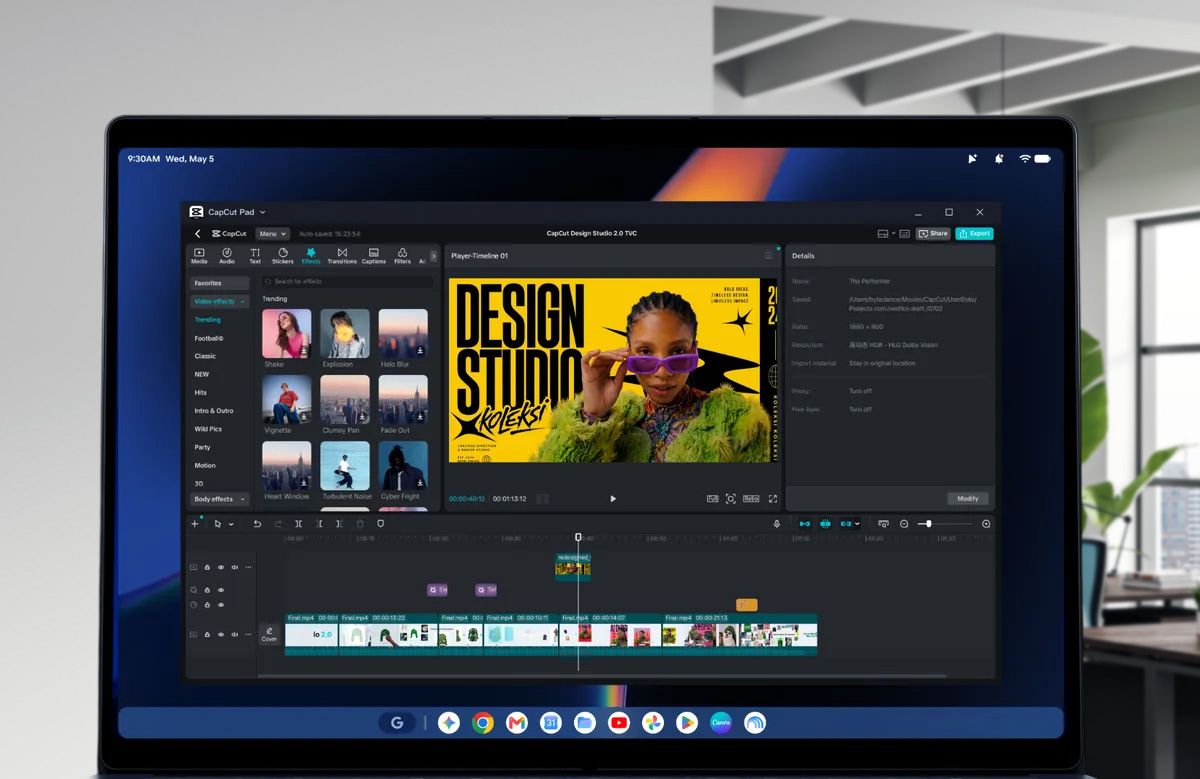
Googlebook laptop screen displaying the CapCut app in an office environment

It looks familiar, but will enough people buy into Googlebook OS? (Image credit: Google | Getty Images)

My gut reaction — as someone outside the target audience for these Android-on-steroids laptops — was one of unsurprising skepticism. Before looking at prices, I immediately thought of the ongoing, oft-misrepresented software compatibility controversy surrounding Windows on ARM laptops that arrived with Qualcomm's first Snapdragon X chips.

If Microsoft already faced pushback at the slightest hint of incompatibility, I'm not sure a Google-first laptop stands a chance against Windows ultrabooks in the same price range, especially when the first Googlebook wave resembles existing laptops from the same brands anyway. Plus, they have to compete with Apple's similarly priced MacBook Air and cheaper MacBook Neo.

I know, I hear you saying, "Oh, the Windows Central guy isn't excited about the Googlebook? Quelle surprise!" I get it, but hear me out; I'm still a regular consumer like anyone else, and I'm always a fan of genuine rivalry if it drives the kind of competitive pricing that led Dell to answer the MacBook Neo with the new XPS 13.

However, I can't deny my hunch that 'Googlebook' is a boring name (which already confuses Google's own search engine by taking you to Google Books), and that the hardware itself isn't particularly innovative, potentially even confusing your average laptop buyer who doesn't base their entire life around Gemini AI. Is it an even less exciting attempt at a Copilot+ PC for Android fans?

Who are the Googlebooks made for?

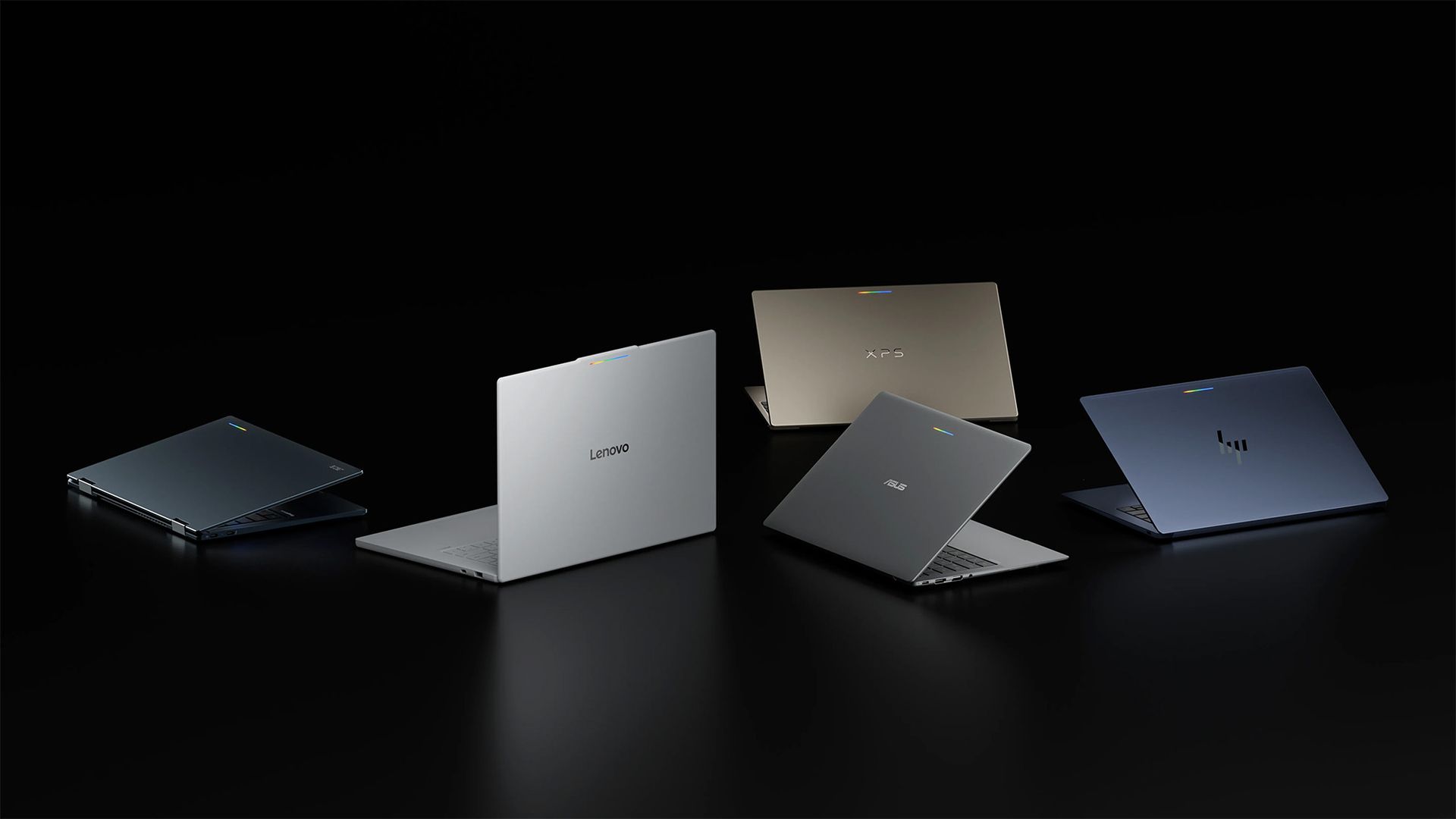
Googlebook laptops including models from Acer, Lenovo, Dell, ASUS, and HP, on a glossy black background.

Glowbar aside, this is all pretty standard hardware. (Image credit: Google)

Despite my apprehension, I'm still fascinated, and I wonder what someone would do if they had a chance to go hands-on with a Googlebook. What would you test? Would you try to install a certain app, run a particular component benchmark, or focus more on the premium chassis? As it happens, I might have the opportunity to take the $1,299 ASUS Googlebook 14 for a spin.

I'm particularly interested in hearing what real, regular folk think because, besides the vague claims of being "designed for Gemini Intelligence" alongside an RGB 'Glowbar' that shows little beyond your battery life or charging status, there doesn't seem to be anything to suggest that these Googlebooks aren't much more than glorified Chromebooks or overengineered smartphones.

With Continue On, you can start a task on your Android phone and finish it on Googlebook. Keep your momentum and pick up exactly where you left off.

Google

I can already control Android apps on my Windows PC with Phone Link, though, of course, Google is pushing for a more native feel with its 'Continue On' app handoff feature — my word, it even sounds like Continuum — that allows you to move from your Android device to a Googlebook with your half-completed tasks intact. Sounds smoother than using something like Samsung DeX.

Google's apparent attempt to revive its premium Pixelbook feels like it'll sit in a strange limbo, as the behemoth brand bets it all on Gemini and hopes the general public actually cares enough to ditch Windows, macOS, or Linux to buy into this new generation of AI PC hype. Will it end up in the Google Graveyard, or is the Googlebook different? At least they're trying.

Click to join us on r/WindowsCentral

Join us on Reddit at r/WindowsCentral to share your insights and discuss our latest news, reviews, and more.
These discounted Dell 'Plus' laptops focus on productivity in Windows

We're just a couple of months away from Black Friday in November, when we usually see the biggest discounts on some of the best productivity laptops. However, some brands aren't waiting that long.

Dell, for instance, is slashing prices on models of its 14 Plus and 16 Plus laptops to $1,109.99 (was $1,379.99) and $1,559.99 (was $1,629.99), respectively, for a limited time. Additionally, Dell is offering discounts on alternative models of the same laptops if you need to change a particular spec at its official storefront.

14 Plus Laptop (Core Ultra 5 226V, 16GB RAM, 512GB SSD): was $1379.99 now $1109.99

"The Dell 14 Plus gets the job done without fuss or flair, and its reasonable pricing makes it a solid choice for those who just need a tool." — Zachary Boddy, Former Staff Writer, Windows Central reviewView Deal

16 Plus Laptop (Core Ultra 7 256V, 16GB RAM, 1TB SSD): was $1629.99 now $1559.99

"The Dell 16 Plus offers a solid mid-tier laptop experience throughout. Between great general computing performance for any college student or executive and long-lasting battery life, the base $options make a ton of sense." — Ural Garrett, Writer, TechRadar ReviewView Deal

What do you get with a Dell Plus laptop?

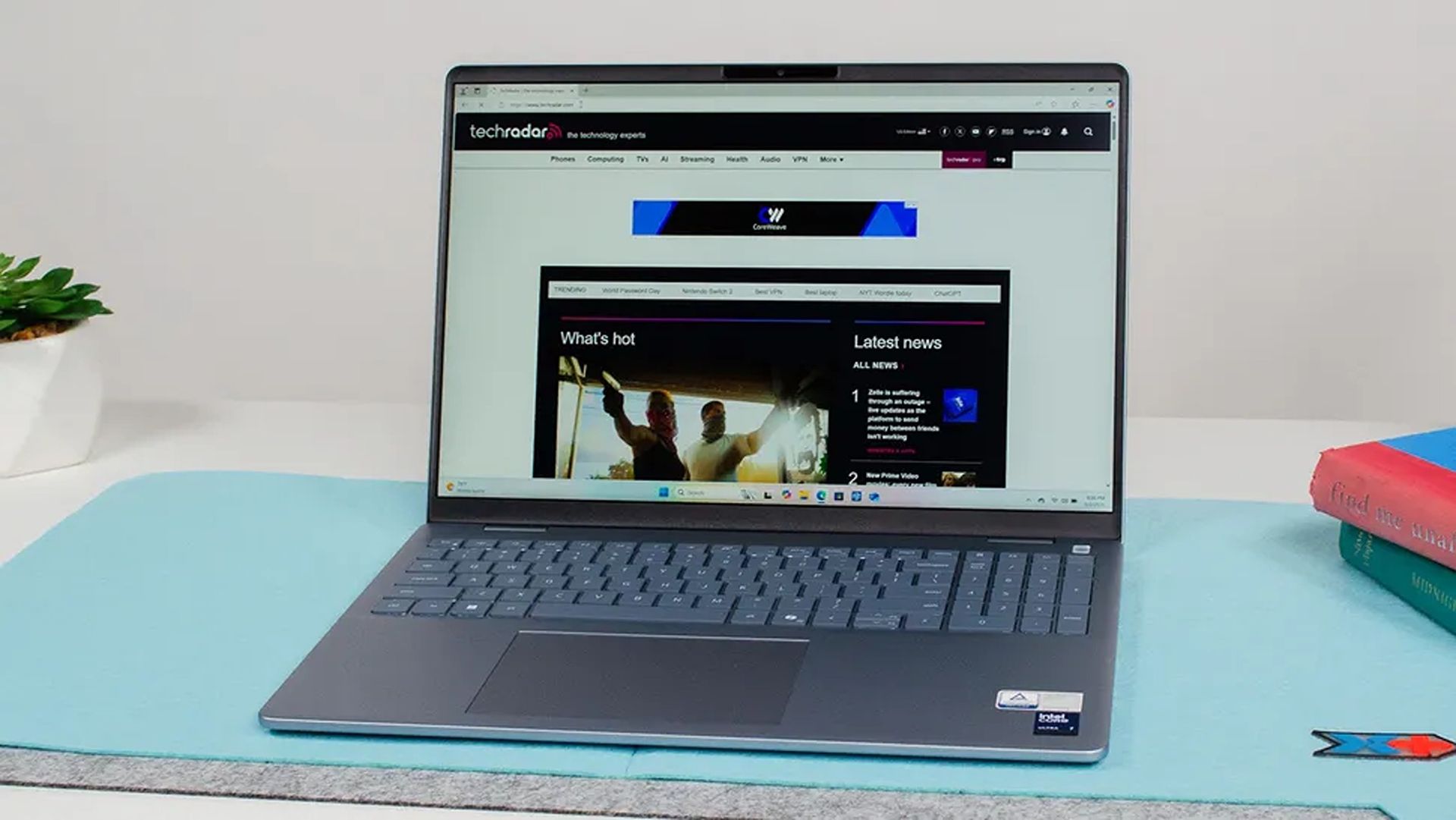
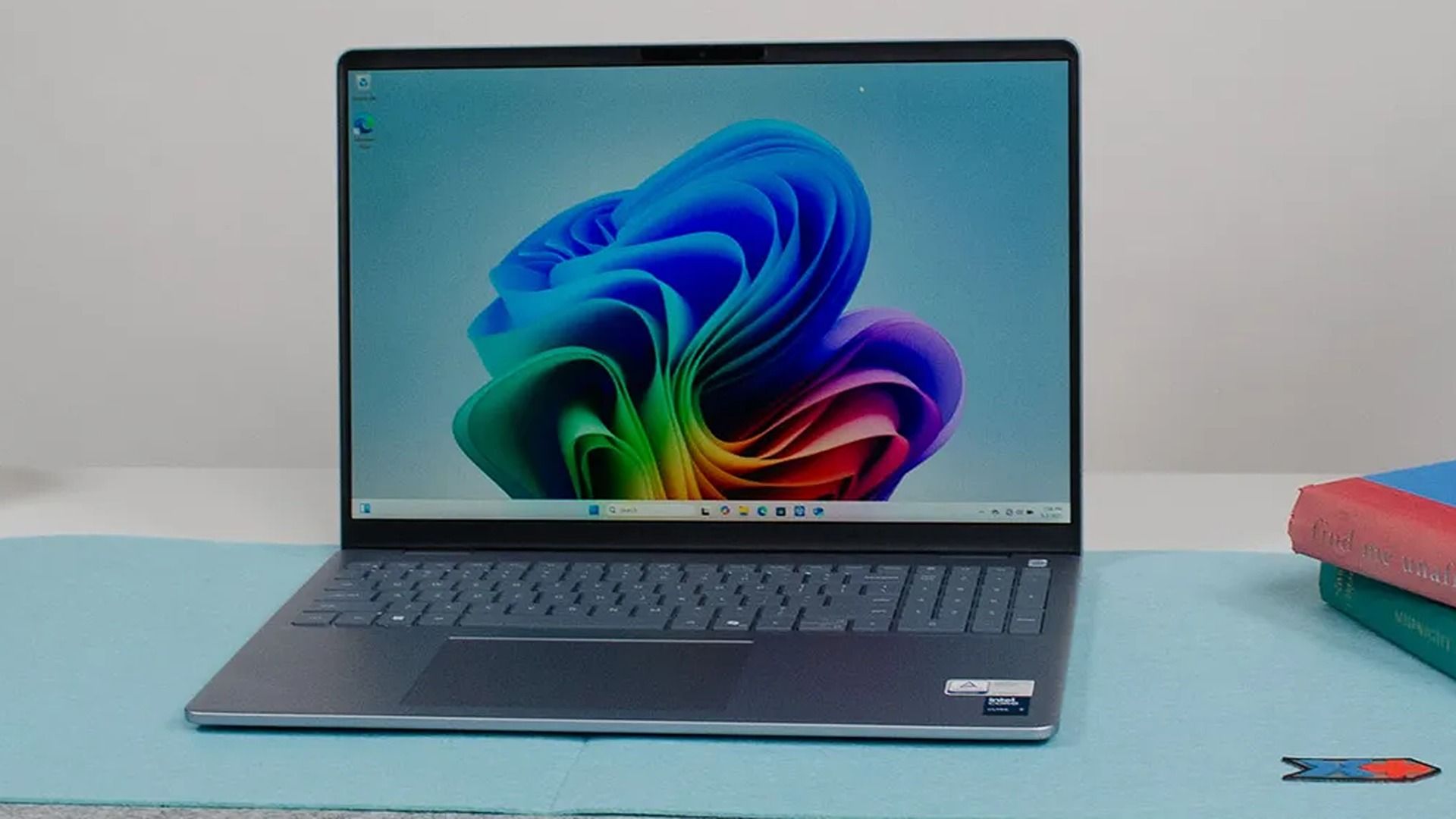
A sleek, open laptop on a light blue desk mat displays a tech website. A small plant and books are in the background, conveying a clean, modern workspace.

Dell's 16 Plus in action. (Image credit: TechRadar (John Loeffler) | Dell)

If you want no-nonsense laptops that skip gamer-centric RGB lighting and other frivolous features for efficient productivity, you can't go wrong with either the Dell 16 Plus or 14 Plus, depending on your travel needs.

The Dell 16 Plus is a traditional 16-inch portable PC built for work, web browsing, and Copilot+ PC features thanks to its 16GB RAM and Intel Core Ultra processor with an NPU for local AI tasks rated for 47 TOPS.

It also features a solid design weighing 4.12 lbs, so it's still reasonably portable despite its size, plus a QHD+ (2560x1600) 120Hz display with an anti-glare coating, and a battery supporting up to 20 hours of video playback, adjusting for whatever else you need.

Image of the Dell 14 Plus (DB14255).

An AMD-based Dell 14 Plus in hand. (Image credit: Windows Central | Zachary Boddy)

Meanwhile, the Dell 14 Plus offers an affordable alternative while keeping 16GB of DDR RAM and a QHD+ panel in its more compact 14-inch display. It packs a slightly more modest Core Ultra 5 226V processor with a 40 TOPS NPU and a 512GB solid-state drive.

Battery life is similar to its larger sibling, if not slightly longer, with a 22-hour estimate for local video playback. Copilot+ PC functionality is also here again, thanks to that built-in NPU, so Microsoft's local AI processes like Click to Do all run on the Intel processor.

Naturally, its smaller size also means a lighter chassis at 3.42 lbs, making it even more portable without feeling cramped while working on its anti-glare 120Hz screen. It also includes USB-A and HDMI ports alongside modern USB-C 3.2 Gen 2, so connectivity is covered.

Can these laptops have their RAM and SSDs upgraded?

The Dell 16 Plus and Dell 14 Plus laptops can't have their soldered RAM upgraded. However, you should be able to replace and upgrade the Gen4x4 QLC SSD inside.

Are these laptops good for gaming?

The Dell 14 Plus and Dell 16 Plus laptops are best suited for lightweight or web-based games. If you try to run anything more graphically intensive, their lack of a dedicated graphics card will deliver lower performance than dedicated gaming laptops.

Click to join us on r/WindowsCentral

Join us on Reddit at r/WindowsCentral to share your insights and discuss our latest news, reviews, and more.
Play games at 120FPS with this RTX 5070 gaming laptop that's now 18% off

Prices for NVIDIA's RTX graphics cards continue to rise. The price hikes have gotten so bad that they now cost as much as regular mid-range laptops, and sometimes even more online.

Fortunately, the ASUS ROG Strix G16, one of our favorite AMD gaming laptops equipped with an RTX 5070 graphics card, is currently 18% off at Walmart for $1,549.99 (was $1999.99) to help you get a more affordable means of enriching your PC gaming experience.

ROG Strix G16 (2025) Gaming Laptop: was $1999.99 now $1549.99

"The latest ASUS ROG Strix G16 takes full advantage of AMD's most powerful mobile processors to offer excellent performance and a consistent gaming experience, and may end up being an underrated value-play in the premium gaming laptop segment this year." ~ Zachary Boddy, former Staff Writer

Windows Central Review (RTX 5070Ti version):⭐⭐⭐⭐½View Deal

Why buy the ASUS ROG Strix G16?

A display of various graphics cards for the RTX 5070 series, featuring different brands and models with specifications and prices listed.

RTX 5070 and RTX 5070 Ti prices are not looking good. (Image credit: PCPartPicker)

RTX 5000 series graphics cards are getting more and more expensive, and sometimes disappearing from online retailers altogether, like the RTX 5090. For example, results at PCPartPicker show that RTX 5070 graphics run at around $850-$1000 and that RTX 5070 Ti graphics cost somewhere between $1170-$1838.

While finding RTX graphics in pre-built gaming laptops isn't the cheapest method, it's better than trying to find them alone at official retailers that will charge nearly $1000 for an RTX graphics card alone, or worse, at 3rd-party retailers that will charge you thousands of dollars for them.

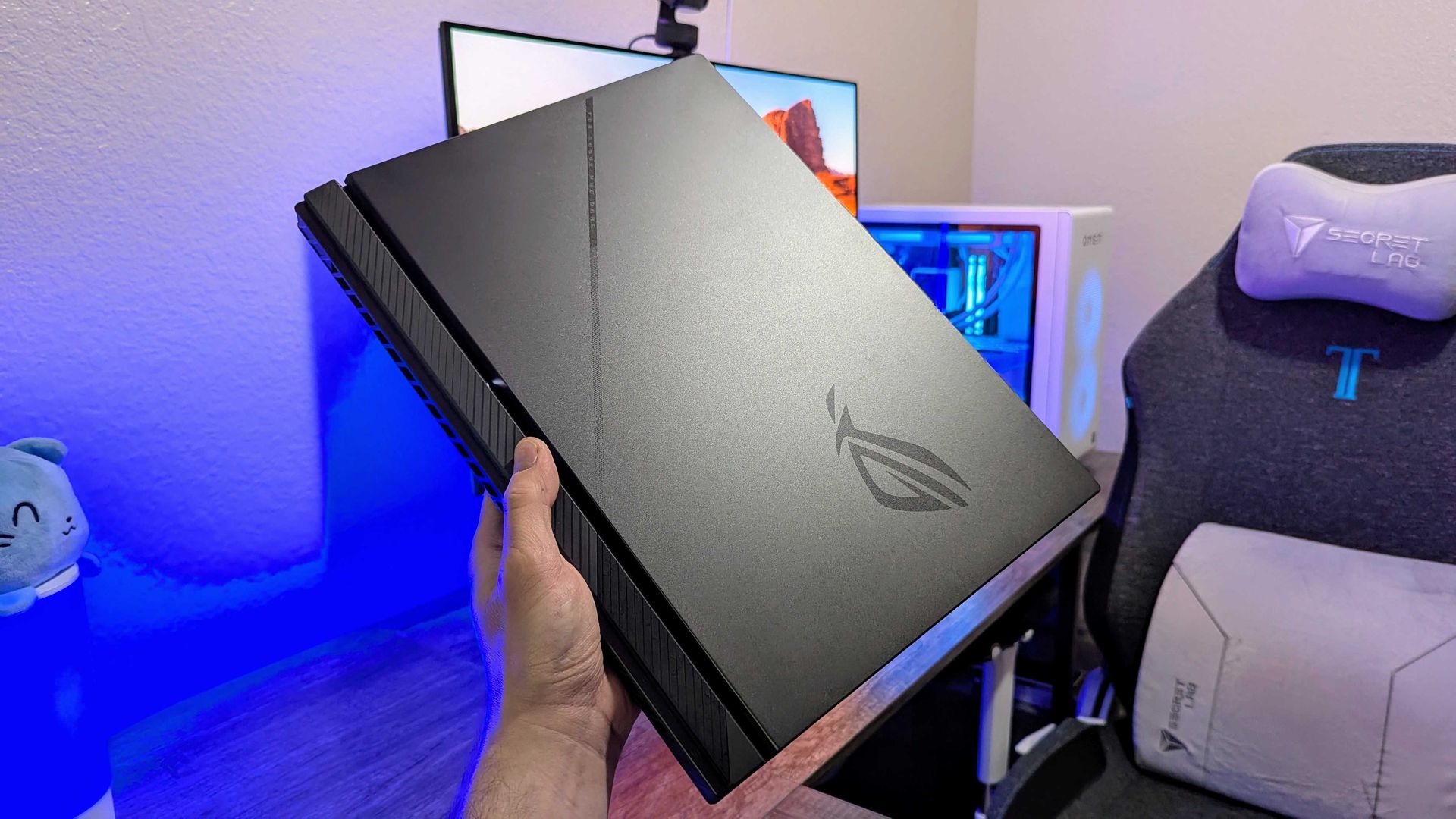
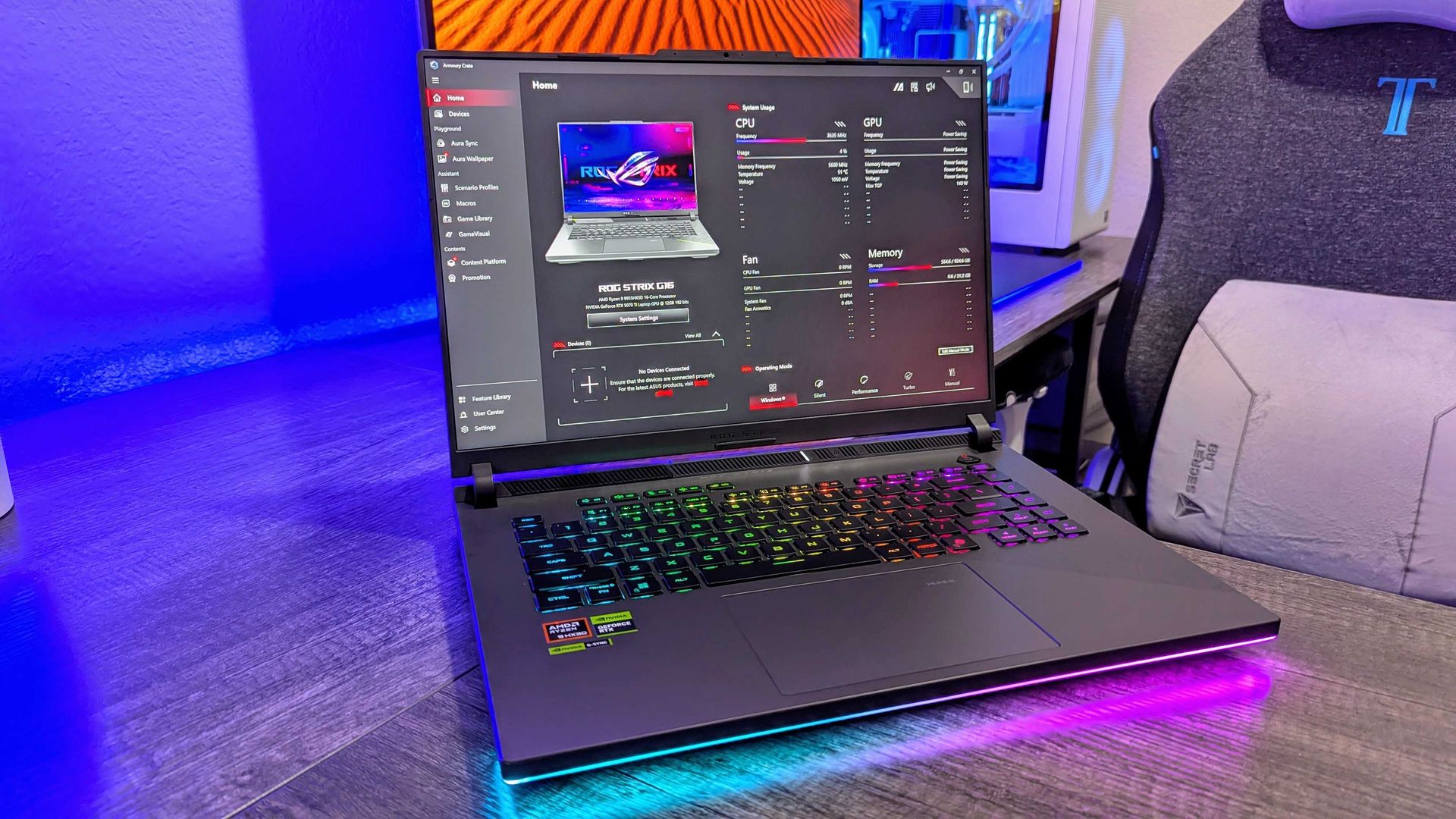
A person holding a sleek black laptop with an ROG logo, set against a colorful background with gaming equipment and a chair.

The ASUS ROG Strix G16 on display. (Image credit: Windows Central | Zachary Boddy)

That being said, you will totally get your money's worth when taking advantage of this 18% discount for the ASUS ROG G16 pre-built with an NVIDIA GeForce RTX 5070 GPU, as it's one of the best gaming laptops we've come across.

Thanks to its RTX 5070 GPU coupled with an AMD Ryzen 9 8940HX processor, 16GB of RAM, and a 1TB SSD, the ASUS ROG G16 can easily run titles like Forza Horizon 5 at 120fps/1600p or Cyberpunk 2077 at 60fps/1600p (with ray tracing enabled) with no framerate issues for smoother gameplay experiences.

Plus, the ASUS ROG Strix G16 sports a FHD+ display with a 165Hz/3ms refresh rate to enhance gameplay resolution and framerate stability, and an ACR film to enhance contrast while reducing glare.

On top of that, this gaming laptop features a state-of-the-art cooling system to stop it from throttling when running intensive games, and a three-month subscription code to Xbox Game Pass so players can enjoy the full benefits of Xbox on PC with the ASUS ROG Strix G16.

FAQ

Can I upgrade the ASUS ROG Strix G16's RAM and SSD?

The ASUS ROG Strix G16's DDR5 RAM can be upgraded up to 64GB via two SO-DIMM slots, and its storage can be upgraded up to 8TB via two M.2 NVMe PCIe 4.0 SSD slots.

Is it normal for the ASUS ROG Strix G16 to get hot?

Yes, it can get hot, around 90–94°C when running graphically demanding games or heavy workloads, but its cooling systems will keep it from overheating or throttling. That being said, it's recommended (though not required) to get a cooling pad to help it reduce temperatures slightly better.

What power modes are best for this laptop?

If you're planning on playing video games, turn the ASUS ROG Strix G16's Turbo and Performance Modes on to increase its frame rate performance. If you're just using it for everyday tasks, turn on Silent Mode to reduce fan noise so as to not disturb nearby colleagues.

Click to join us on r/WindowsCentral

Join us on Reddit at r/WindowsCentral to share your insights and discuss our latest news, reviews, and more.
ASUS launches the Ascent QN10, an 80‑TOPS AI mini PC powered by Snapdragon X2 Elite

ASUS just started shipping the Ascent QN10, the first mini PC built around Qualcomm’s Snapdragon X2 Elite platform and its 80 TOPS NPU.

The 80 TOPS NPU is designed for local AI tasks such as language models, image processing, and automation workflows.

Up to this point, mini PCs running Windows on Arm have been largely dev kits, such as the Windows Dev Kit 2023. Those types of devices allowed developers to optimize apps for Arm, but they were not aimed at general customers. There have been some consumer mini PCs with Arm processors, but the Ascent QN10 is the first with the Snapdragon X2 Elite.

The ASUS Ascent QN10 is a very different device. It’s a consumer‑ready PC with an anodized aluminum chassis rather than the plastic developer boxes we’ve seen in the past. Our friends at Tom’s Guide said the Ascent QN10 “could be the Mac mini M4 alternative for Windows users.”

The Ascent QN10 has a 0.7-liter body, making it smaller than many of the best mini PCs. Despite the small body, it packs plenty of ports.

ASUS Ascent QN10 Specs

Processor

Qualcomm Snapdragon X2 Elite (18-Core Oryon CPU)

Graphics

Qualcomm Adreno X2-90

NPU

Qualcomm Hexagon (Up to 80 TOPS)

Memory

Up to 32GB LPDDR5x

Storage

512GB, 1TB or 2TB

Ports

2 x USB4, 2 x USB-A, 1 x 3.5mm audio jack (front), 1 x USB4, 1 x HDMI 2.1, 2 x USB-A, 1 x 2.5 Gigabit Ethernet (rear)

Connectivity

Wi-Fi 7, Bluetooth 6.0

Dimensions

5.1 x 5.1 x 1.5 inches

Weight

1.6 pounds

The specs of the Ascent QN10 received a small bump since our colleagues at Tom's Guide went hands-on with the mini PC. The Ascent QN10 features Bluetooth 6.0 rather than the older Bluetooth 5.4.

The Ascent QN10 has a clever cooling solution that keeps the heat from its CPU and SSD separate. Fresh air is brought in on one side of the device but then split and sent out separately on the other side of the device.

Overall, the Ascent QN10 looks like a strong first showing for Snapdragon X2 Elite in a mini PC. The big question is if there's a demand for an AI-focused mini PC running Windows on Arm.

The Ascent QN10 can access Qualcomm’s AI Hub, which provides over 175 pre‑optimized models and tools for testing and deploying AI workloads.

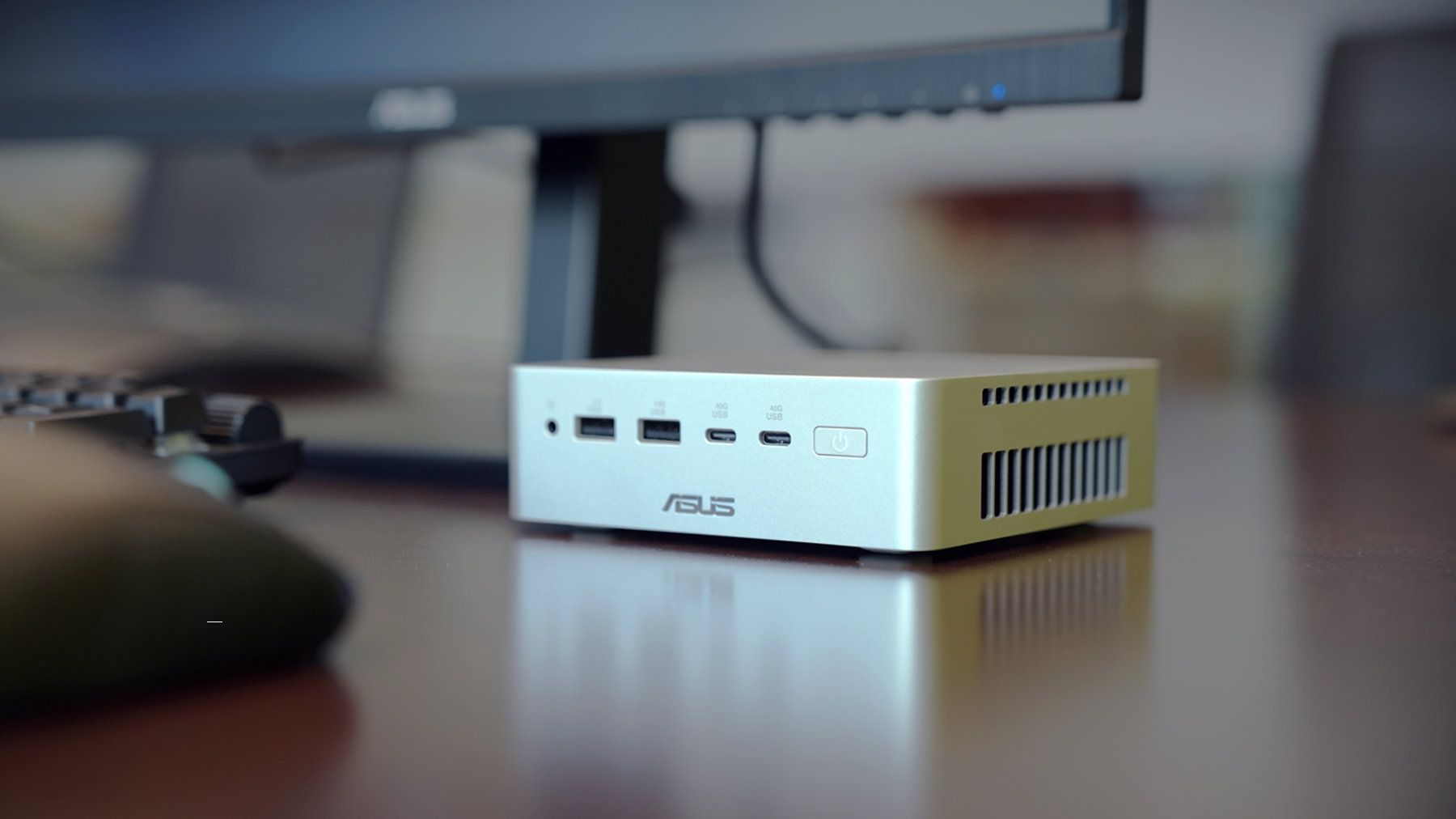
Closeup of an ASUS Ascent QN10 mini PC showing two USB ports, two USB-C ports, a power button, and a headphone jack.

ASUS
Ascent QN10 Mini PC

This mini PC runs on a Snapdragon X2 Elite and has an NPU with 80 TOPS of performance. Those specs allow it to handle AI workloads effeciently despite the compact body of the mini PC.

Stick it to the PC component crisis and save $1,000 on Alienware's RTX 5070 pre-built gaming desktop with 32GB of DDR5 RAM

The memory crisis rages on, driving PC gaming prices through the roof. But that won't stop Dell (as Alienware) from offering powerful gaming desktops and letting players enjoy their favorite titles at high resolutions and smooth frame rates.

One rig in particular is the Alienware Aurora Gaming Desktop, currently discounted by $1,000 and offering an RTX 5070 (12 GB) GPU, 32GB of DDR5 RAM, and an Intel Core Ultra 7 265F CPU configuration for $2,229.99 at Dell (was $3,229.99).

Aurora (Core Ultra 7 265F, 32GB DDR5, RTX 5070 12GB, 1TB SSD): was $3229.99 now $2229.99

"The Alienware Aurora R16 delivers great gaming performance at a whisper thanks to its powerful components and enhanced cooling technology." — Tony Polanco, Senior Computing Writer, Tom's Guide

Tom's Guide Review: ⭐⭐⭐⭐½View Deal

Why buy Alienware?

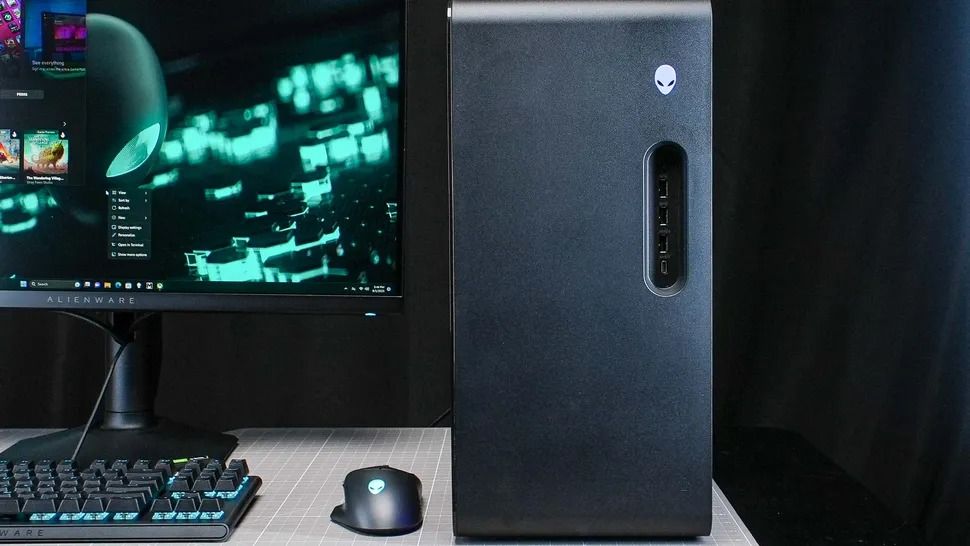
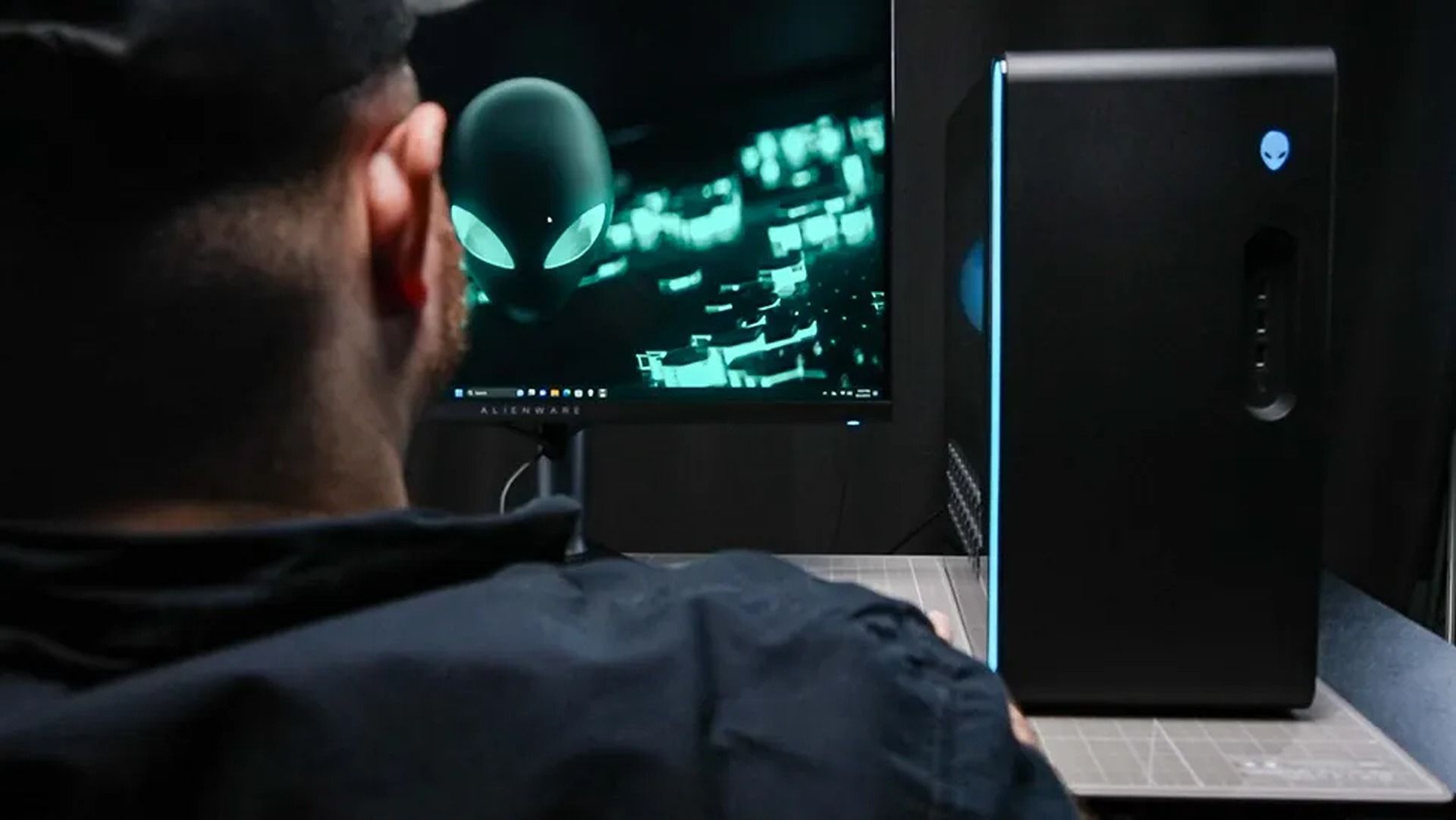
Alienware gaming desktop beside an ultrawide monitor showing glowing green code, with an RGB keyboard and mouse on a desk in a dark room.

The Alienware Aurora Gaming Desktop (R16) on a desk. (Image credit: Tom's Guide (Tony Polanco) | Dell)

The "Alienware Aurora Gaming Desktop" (a.k.a. the Alienware Aurora R16) is a top-class gaming PC that has earned top marks across a few of our sister sites, including a 4.5/5 star review from Tom's Guide and a 4.5/5 star review from TechRadar.

It didn't earn these top review scores lightly either, as the Alienware Aurora R16 configuration that's on sale is equipped with some of the most mainstream and capable hardware for gaming.

These include an NVIDIA GeForce RTX 5070 graphics card to help it run graphically intense games like Cyberpunk 2077 at 1440p and 60fps (with some DLSS support), 32GB RAM to help it maintain stability during heavy multitasking (like playing a game while opening several browser tabs), and an Intel Core Ultra 7 265F CPU to aid it during content creation (like photo editing and rendering graphics) or everyday tasks (like browsing the web or writing reports).

It also has a 1TB SSD, so the Aurora can store plenty of game files or work folders that can be transferred in mere seconds.

To top it off, the Alienware Aurora Gaming Desktop has a superb ventilation and cooling system that will prevent this gaming PC from overheating during heavy-duty tasks while keeping it quiet.

Extra accessories for the Alienware Aurora Gaming Desktop

So if you're looking for a reliable gaming PC rig that can play the best PC games at their full graphical potential while getting some work done on the side in a jiffy, then you won't regret snagging the Alienware Aurora Gaming Desktop, now on sale for $2,229.99 at Dell.

While you're at it, here are some additional discounted accessories to help complete your Alienware Aurora Gaming Desktop setup and enhance your gaming experience.

Alienware Pro Wireless Gaming Headset: was $229.99 now $199.99

"Developed in collaboration with over 100 esports professionals, it stands as one of the best wireless gaming headsets and has dethroned my favorite Razer option as my daily driver." — Brendan Lowry, Contributor, Gaming

Windows Central review: ⭐⭐⭐⭐½View Deal

Alienware Pro Wireless Gaming Keyboard: was $199.99 now $174.99

"Build quality is exceptional, typing feels great, and gaming performance is flawless. It's light on extra features at this price point, but the core experience is good enough to make up for it." — Zachary Boddy, former Staff Writer

Windows Central review: ⭐⭐⭐⭐½View Deal

Alienware Tri-Mode Wireless Gaming Mouse - AW720M: was $79.99 now $69.99

"Dell knocks it out of the park again with the excellent Alienware AW720M gaming mouse. Sleek, lightweight, and gorgeous, this mouse sports some serious hardware and specs." ~—Allisa James, Computing Staff Writer

TechRadar review: ⭐⭐⭐⭐⭐View Deal

Can I upgrade its storage?

Yes, you can upgrade the Alienware Aurora Gaming Desktop's storage space via its internal SSD slots up to a maximum of 4TB.

Click to join us on r/WindowsCentral

Join us on Reddit at r/WindowsCentral to share your insights and discuss our latest news, reviews, and more.
It's more than just the name: Turns out iPhone Duo stole Surface Duo's biggest selling point, and Apple is right to copy it

Yesterday, Apple unveiled iPhone Duo, much to the dismay of the dozens of die-hard Surface Duo fans that opted for Microsoft's now defunct line of foldable phones. Of course, the name of the product was what drew immediate comparisons to Surface Duo, but as the keynote went on, it quickly became evident that it isn't just the name that Apple was interested in.

Ever since Surface Duo launched in 2020, I have heralded it as the best multitasking phone you could buy. No other folding phone, whether that be from Samsung, Huawei, Oppo, Honor, Xiaomi, or Google, have matched the Surface Duo from a pure multitasking perspective.

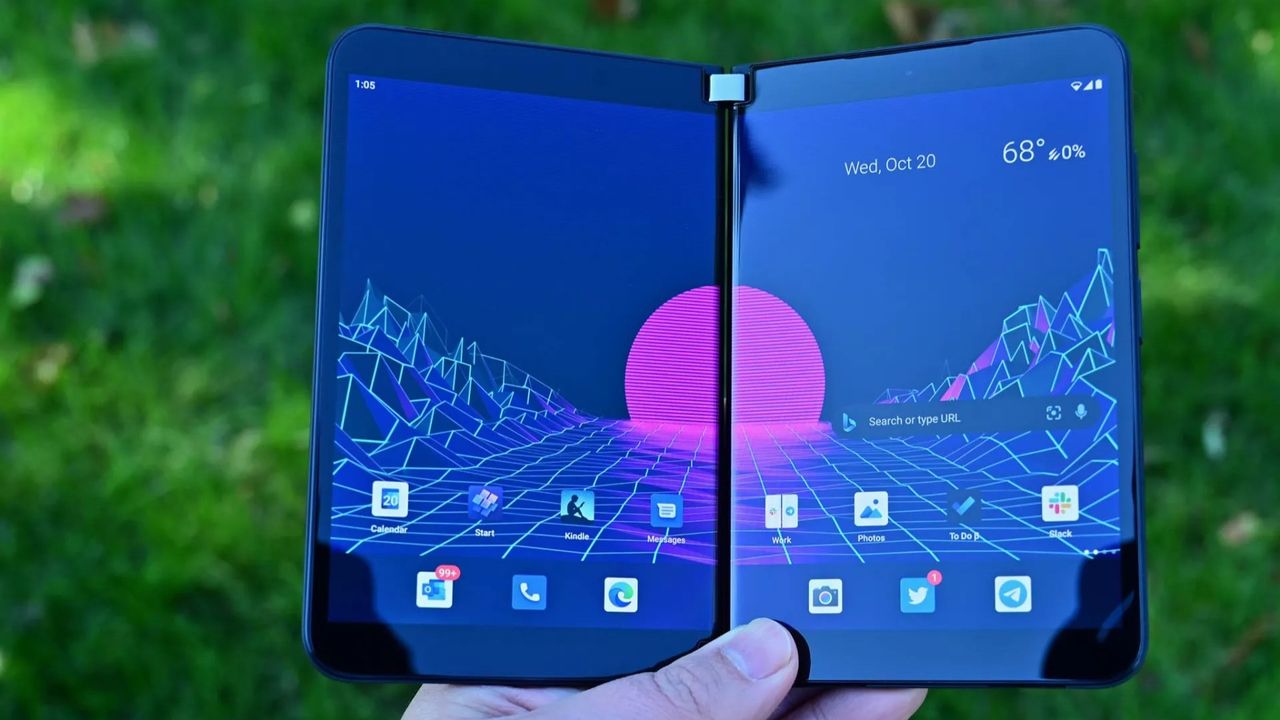
The dual-screen setup allowed for Microsoft to create a new user experience around the gap between the screens, and that led to a unique experience that made multitasking automatic. Open your app on one screen, and the other screen would remain on the home screen, available whenever you need it to begin another task.

Surface Duo Nov2020 Blackberry

Surface Duo multitasking allowed for both halves to work independently or in unison. (Image credit: Daniel Rubino / Windows Central)

If the second screen was free, opening links would open them on the other screen, allowing you to keep viewing the first app without it being obscured by your browser. You could swipe up from the bottom and drag the app across both screens, swapping them in place or spanning a single app across both screens for a totally immersive experience.

No other folding phone has ever matched this level of fluidity or multitasking prowess. Most single-screen folding phones opt to treat the large folding screen as a tablet screen, opening apps full screen and requiring gestures or modes to enter a special "multitasking view" that allows you to run the apps side by side. The OS isn't able to dynamically do this, unlike the Surface Duo.

Well, it turns out, iPhone Duo can. I've never seen another folding phone match the Surface Duo's multitasking design, but iPhone Duo does almost identically. In multiple demos, Apple shows the iPhone Duo opening an app, and letting users split it side by side with another app by dragging the app up and docking it to the left or right of the screen.

Multitasking on iPhone Duo

iPhone Duo lets you treat each side of the folding screen as independent. Just like Duo. (Image credit: Apple)

When you do this, the iPhone home screen appears on the other side, just like Surface Duo. From there, you can open another app, and swap sides with it by doing the same drag and drop gesture you do on Surface Duo. It even opens links in a browser next to your app automatically, just like Surface Duo.

Surface Duo had a lot of flaws, but one thing it got absolutely right was the fluidity and automagic-ness of its multitasking experience. Users were in control of where apps appeared, and it was easy to move apps between the two halves, and have them run side by side. In most instances, multitasking on Surface Duo was an automatic experience. I never had to cognitively initiate a multitasking mode, it automatically happened.

It looks like iPhone Duo is opting for the same design philosphy. User shouldn't need to initiate a complex gesture or mode to multitask. It should just happen when it makes the most sense. If you need to open an app next to your currently open one, just drag the app to the side and open the second app from your familiar home screen.

If you tap a link, it should open the browser next to your current app, not on top of it like so many other Android phones do. Both Surface Duo and iPhone Duo appear to do this correctly, and that's the biggest surprise in my book. It's not just the name Duo that Apple borrowed, it's the entire multitasking design ethos as well.

You can see this in action in this video:

I'm not even mad about it, I've always said that I wish another company built the Surface Duo, because it wasn't fair of Microsoft to debut the best multitasking experience I'd ever seen on a phone, only to kill the product two years later. Apple has taken the best of Surface Duo and implemented it onto its own iPhone Duo, which is a win for Surface Duo fans in my book.

And it's not just the software multitasking and windowing that Apple have copied. iPhone Duo also supports pen, another feature that was incredibly popular on Surface Duo. Many people used their Surface Duo's as a personal diary or note taking device, and it did that quite well. iPhone Duo also supports pen input via the Apple Pencil, which is awesome to see.

I think Apple even indirectly referenced the Surface Duo during their keynote. At the start of the iPhone Duo segment, Apple says "others have created foldables that just feel like two phones awkwardly stuck together." The only folding phone that was literally two phone screens stuck together was Surface Duo.

Apple is right in that you can mimic the setup of a dual-screen phone 100% on a single screen folding phone, and that's exactly what they've done with iPhone Duo. All the dual-screen multitasking behaviors have been implemented on the folding screen, and it still works great.

Surface Duo fans, I fear we may finally have our Surface Duo 3 in the form of iPhone Duo. Too bad it costs $2,000.

Click to join us on r/WindowsCentral

Join us on Reddit at r/WindowsCentral to share your insights and discuss our latest news, reviews, and more.

❌