❌

Vue normale

You can now test Microsoft's new Windows Search experience

At its Windows 11 and Surface event, Microsoft showed off its improved Search experience. The new Search is faster, more efficient, and has a streamlined design that should be easier to scan.

The streamlined Windows Search is about more than finding files or apps, though it can do that. Search can perform tasks, such as switching your PC to dark mode or changing the volume of your computer.

Whether you're more interested in the performance improvements or the new features, there's reason to install the latest builds of Windows 11 that shipped to the Experimental channel and the Experimental channel (26H1). Insiders in those channels can now test the refreshed Search experience with limited support for inline actions.

Microsoft's engineers must have been excited about Windows after its big event, because five Insider builds were released yesterday. Two of them include the refreshed Windows Search. Here's everything that's new across all of the builds.

Windows Search (Experimental, Experimental (26H1))

  • New Windows Search experience with inline actions: We're beginning to roll out a new Windows Search experience built on WinUI 3 that is faster, more efficient, and features a streamlined design that makes results easier to scan. We're also introducing inline actions, allowing you to quickly complete tasks directly. Turn on dark mode or Bluetooth, adjust your screen brightness, mute your device, or arrange windows from Windows Search.
  • We're improving how Windows Search understands what you're looking for, including better matching for typos and synonyms. We'll continue fine-tuning these improvements over the coming weeks. For more information detailing the new changes, check out the Windows Insider Blog.
  • English is the only supported language for this initial release.
  • After upgrading to this build, restart your device before the New Windows Search Experience feature flag is visible.

Battery status widget (Experimental)

  • As part of our continued commitment to making Widgets more useful for everyday moments, we're introducing the Battery Status widget for Insiders on newer builds. This widget provides a unified view of battery levels for your PC and peripheral devices, helping you quickly assess power status without hunting through multiple UI locations. Add it by going to Widgets board > Add widgets > Battery Status.

Narrator (Experimental (26H1))

  • Read and explore math equations with Narrator (see full description in release notes)

Kerberos enhancements (Experimental)

  • IAKerb is now enabled by default for Windows client. IAKerb is a Kerberos extension that allows Windows authentication to succeed in scenarios where traditional Kerberos can't be used because a direct connection to a domain controller is unavailable. This extension helps reduce reliance on NTLM while improving compatibility for modern authentication scenarios. For additional background, implementation details, and early preview information, see Reducing NTLM Dependency: IAKerb and LocalKDC in Windows Insider Preview.

Task Manager (Experimental)

  • Task Manager is expanding process grouping to allow apps to combine otherwise separate background processes into a single unified category rather than relying solely on traditional parent-child trees. This makes an app's resource usage easier to understand. Microsoft Defender is the first app to use this capability.

Windows Update (Experimental)

  • Fixed the issue causing some Insiders with Windows Sandbox enabled to get error 0x80073712 when attempting to install the latest updates.

Security (Experimental)

  • We've updated the security key PIN entry experience, removing the "other user" icon for a clearer sign-in experience.

Taskbar (Experimental)

  • Fixed an issue impacting some Insiders recently, which was causing the taskbar app window previews to become slower and noticeably lag over time.

Taskbar (Experimental (26H1))

  • Improved underlying state persistence of taskbar settings related to multiple monitors across monitor connections and disconnections.

Settings (Experimental)

  • Removed the backplate from the Settings icon when UAC is invoked from within Settings.

File Explorer (Experimental)

  • Added support for font preview and installation in the File Explorer and desktop context menus.

Other (Experimental)

  • Fixed an issue with msmpeg2ac3dec.dll which was leading to some apps and games crashing recently.

General (Experimental (Future Platforms))

  • Symbols were missing for our previous flight. They should be available for this one.

Widgets (Beta)

  • As part of our continued commitment to making Windows calmer and higher quality, we’re updating the default lock screen widget experience for Insiders on newer builds. With this change, Weather will be the primary widget shown on the lock screen, reducing recommended widget content and making the experience feel more focused. We're also giving users more control of personalizing the widgets on lock, curating the ones they find most useful for them. Users can access these settings by going to Settings > Personalization > Lock screen.

The new Search experience is the biggest change, but I'm also excited about the Battery Status widget that's now available to more Insiders. Microsoft has largely ignored widgets on Windows 11, so it's nice to see a useful one on its way.

Click to join us on r/WindowsCentral

Join us on Reddit at r/WindowsCentral to share your insights and discuss our latest news, reviews, and more.

  • ✇WinCentral
  • Windows Search Is Getting Smarter: Microsoft Reveals What’s Coming Next
    Microsoft is preparing to take Windows Search beyond its traditional role of simply finding apps, files and settings. The company has revealed that work is already underway to bring its new Search experience to the Windows 11 Start menu, while also making it work naturally across different taskbar positions and Windows configurations. The changes point […]
     

Windows Search Is Getting Smarter: Microsoft Reveals What’s Coming Next

Par : Nisha
8 octobre 2026 à 05:01
Microsoft is preparing to take Windows Search beyond its traditional role of simply finding apps, files and settings. The company has revealed that work is already underway to bring its new Search experience to the Windows 11 Start menu, while also making it work naturally across different taskbar positions and Windows configurations. The changes point […]

  • ✇WinCentral
  • Windows 11 Narrator Elevates Math Accessibility with Intelligent Equation Navigation
    For students, researchers, and visually impaired professionals, navigating complex mathematical equations on digital screens has historically been a tedious process. Standard screen readers often struggle with technical notation, reading out characters sequentially rather than conveying the contextual structure of fractions, matrices, or exponents. Microsoft is addressing this gap directly with a major accessibility update for […]
     

Windows 11 Narrator Elevates Math Accessibility with Intelligent Equation Navigation

Par : Nisha
8 octobre 2026 à 03:22
For students, researchers, and visually impaired professionals, navigating complex mathematical equations on digital screens has historically been a tedious process. Standard screen readers often struggle with technical notation, reading out characters sequentially rather than conveying the contextual structure of fractions, matrices, or exponents. Microsoft is addressing this gap directly with a major accessibility update for […]

  • ✇WinCentral
  • Windows 11 Just Upgraded Search into a Task-Executing Power Tool
    For years, searching in Windows was primarily about finding things: locating a lost document, launching an application, or jumping into deep sub-menus within the Settings app. Microsoft is shifting that dynamic entirely with a major redesign rolling out to early testers. Instead of acting merely as a directory, the reimagined search bar turns into an […]
     

Windows 11 Just Upgraded Search into a Task-Executing Power Tool

Par : Nisha
8 octobre 2026 à 01:46
For years, searching in Windows was primarily about finding things: locating a lost document, launching an application, or jumping into deep sub-menus within the Settings app. Microsoft is shifting that dynamic entirely with a major redesign rolling out to early testers. Instead of acting merely as a directory, the reimagined search bar turns into an […]

Microsoft’s $2,599 Surface Laptop Ultra Puts Nvidia RTX Spark Inside a Windows Laptop

7 octobre 2026 à 17:02

Microsoft’s Surface Laptop Ultra starts at $2,599 with an Nvidia RTX Spark GPU, up to 128GB of memory, and support for running large AI models locally.

The post Microsoft’s $2,599 Surface Laptop Ultra Puts Nvidia RTX Spark Inside a Windows Laptop appeared first on TechRepublic.

Windows 11's new native Search can control your PC

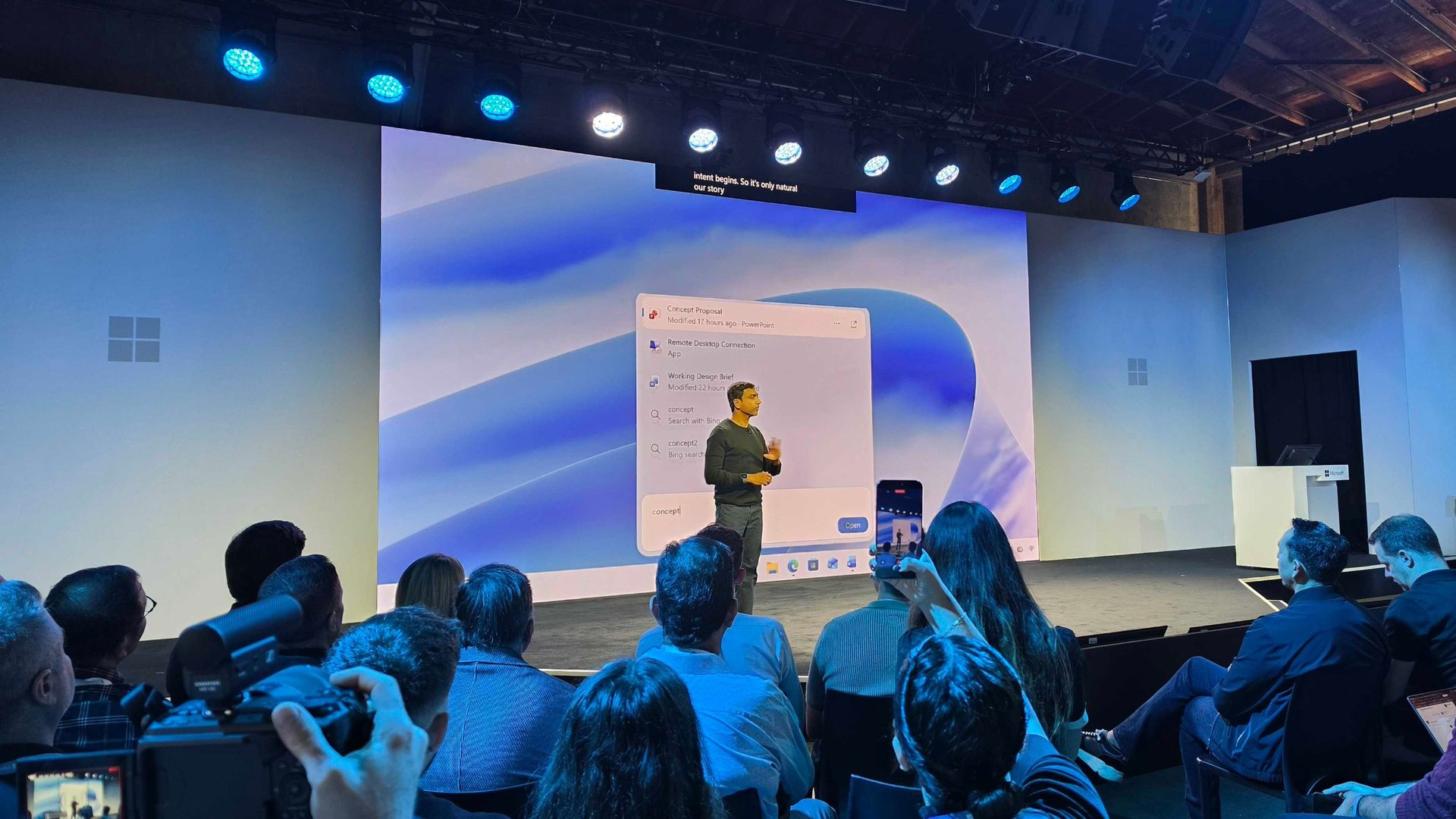
Microsoft just unveiled the new Windows Search experience at its Windows and Surface event. The new Search is more than just a search feature; it's a system composer. That means it can be used to control your PC. Microsoft's Windows lead Pavan Davuluri discussed the new Search experience on stage.

Starting this fall on Windows 11 PCs, users can take thousands of quick actions directly from Search in the Taskbar. For example, you could enable dark mode or switch your PC to Do Not Disturb. You can also adjust your microphone slider through the new Search experience.

You can even use the new Search experience to send a text message through Phone Link.

Microsoft detailed the new Search in a blog post. It also shared some examples of actions you can perform:

  • Turn something on or off. Try phrases such as “switch to dark mode”, “turn on night light,” or “turn on Bluetooth.”
  • Make a quick adjustment. Try “dim my screen” or “mute.”
  • Manage your workspace. Try “minimize all my windows,” or “arrange windows on screen.”

Copilot can be summoned through the new Search as well, showing responses directly within the user interface. You won't have to jump into a separate app to interact with Copilot. If you do want to jump to the full Copilot app, there's a shortcut to do so.

As you'd expect, the new Search experience can also be used to search for things on Windows 11. "At its core, the new Windows search experience is quicker, more efficient, so you can find your files, settings, and apps faster," said Davuluri.

The new Windows Search experience is faster and more efficient with resources because it is built on WinUI 3

Windows 11 desktop showing Microsoft's new Search experience with recent files, apps, settings controls, and quick actions available from a Taskbar search panel.

(Image credit: Microsoft)

Windows Search will better understand what you're searching for. For example, it will still be able to find items even if your input has a typo.

Microsoft will start testing the new Search experience with Windows Insiders today, October 7, 2026. It will appear first through the Experimental channel.

This piece was written during the live stream of the Windows and Surface event. Microsoft is expected to share more details about the new Search experience and other items discussed at the event. We will update this piece with more information as it becomes available.

Windows 11's October update adds more useful features than you might expect

The October 2026 Security Update for Windows 11 is expected to begin rolling out as an automatic install on October 13, 2026, with a new wave of features, improvements, and fixes. This release is notable because it also rolls out for version 26H2. In addition, this release marks the last quality update for version 24H2, as this version also reaches the end of support.

In this quality update, Microsoft introduces a new feature that allows you to decide whether your apps always open maximized. File Explorer receives some useful improvements, and the Magnifier gets a small refresh.

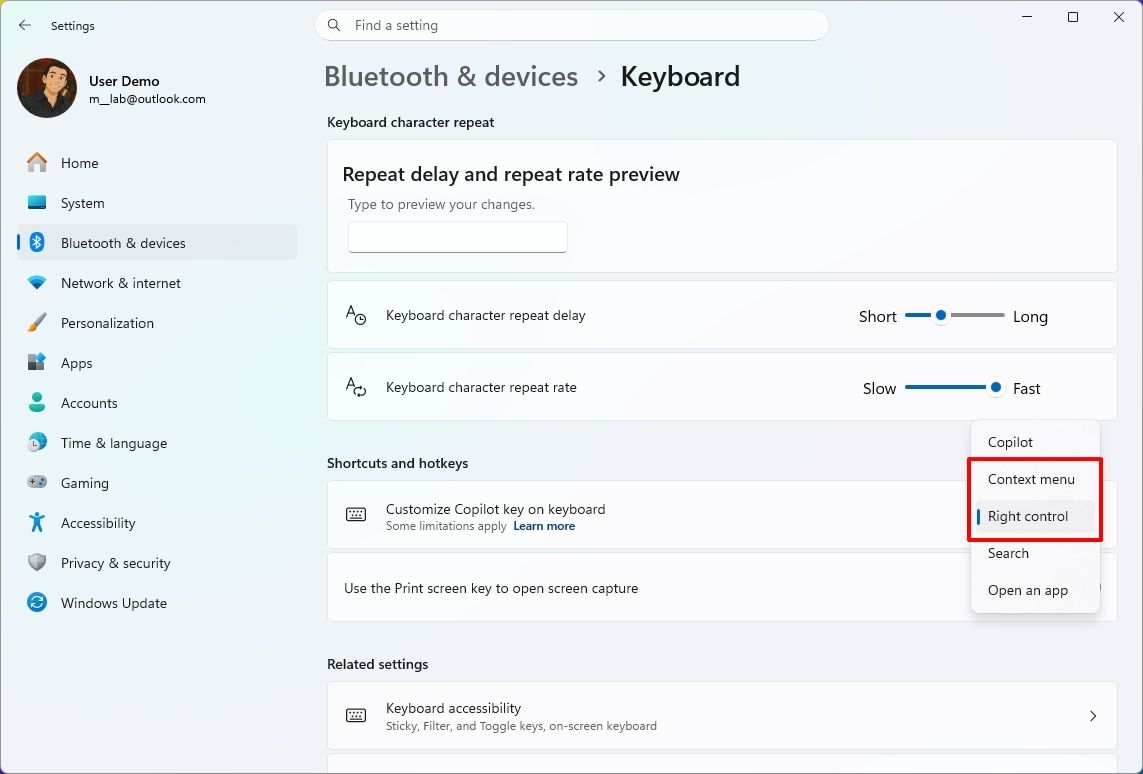
In Settings, you can now adjust touchpad controls and reassign the Copilot key to open Right Ctrl or the Context Menu.

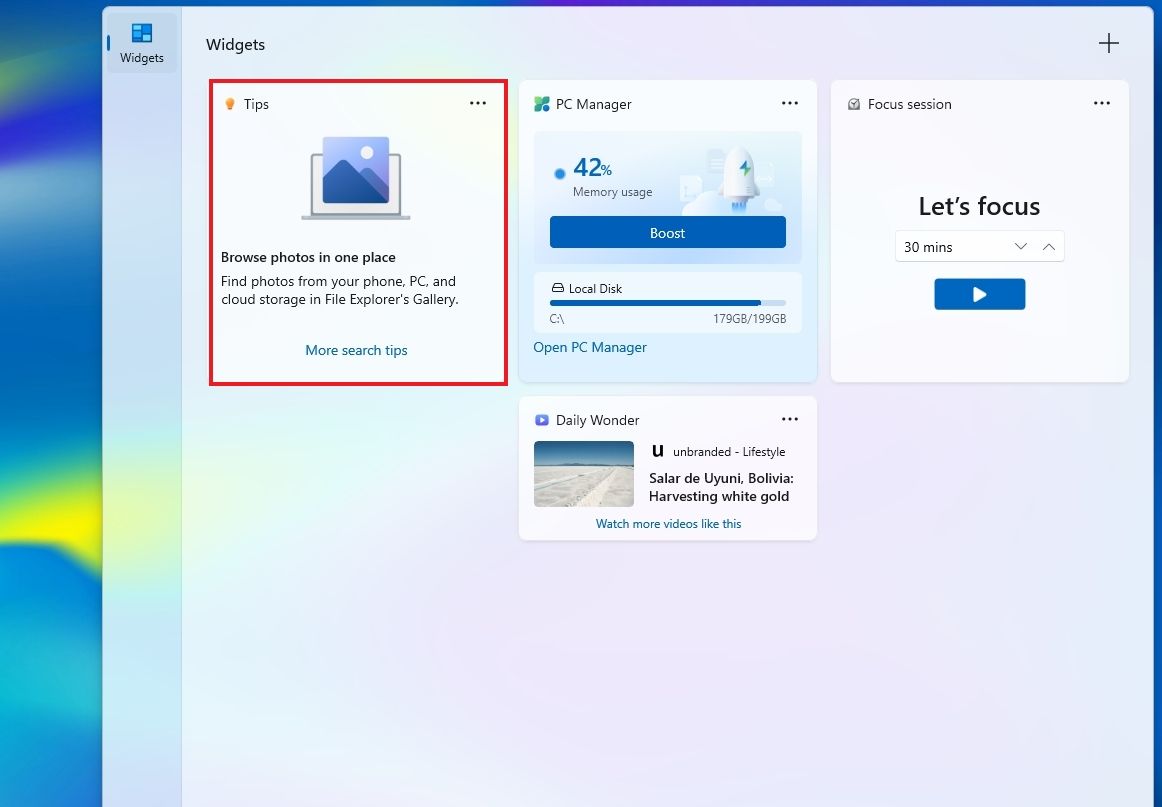
Finally, the software giant is adding a new Tips widget, and the Windows Recovery Environment (WinRE) can now reuse your previously configured Wi-Fi credentials.

In this guide, I'll highlight the most significant changes in the October 2026 Security Update for Windows 11 versions 26H2, 25H2, and 24H2, since they are identical.

Windows 11's new features arriving in October

As usual, the company uses Controlled Feature Rollout (CFR) to roll out new improvements gradually, so it may take some time before you see them.

File Explorer changes

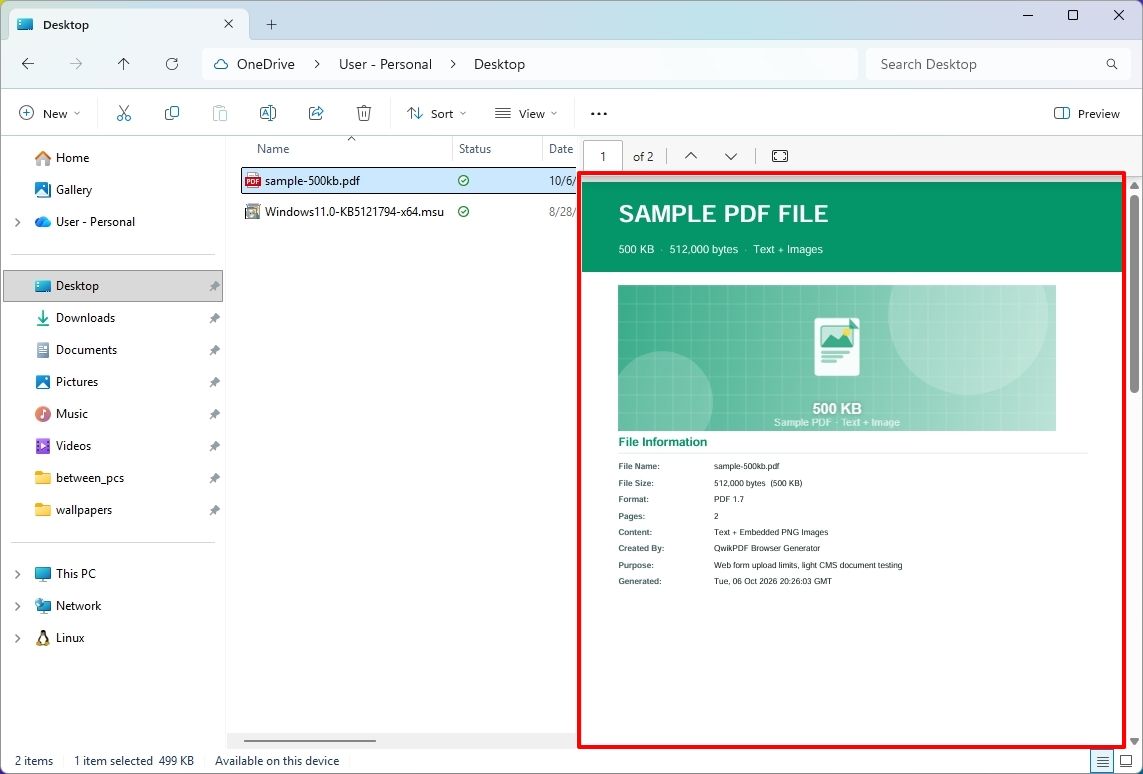
The updated version of File Explorer improves some areas of the experience. For example, the "Preview" pane now lets you preview downloaded HTML files after confirming the internet warning, while PDF files now show a preview automatically.

File Explorer with PDF file selected and showing preview.

(Image credit: Mauro Huculak)

The Home page is also getting an update that lets File Explorer remember which sections you expanded or collapsed, so the next time you're on the page, you don't have to reconfigure the layout.

In the "Details" pane, the development team is improving thumbnail reliability for cloud files and reorganizing file properties for easier viewing.

Open apps maximized feature

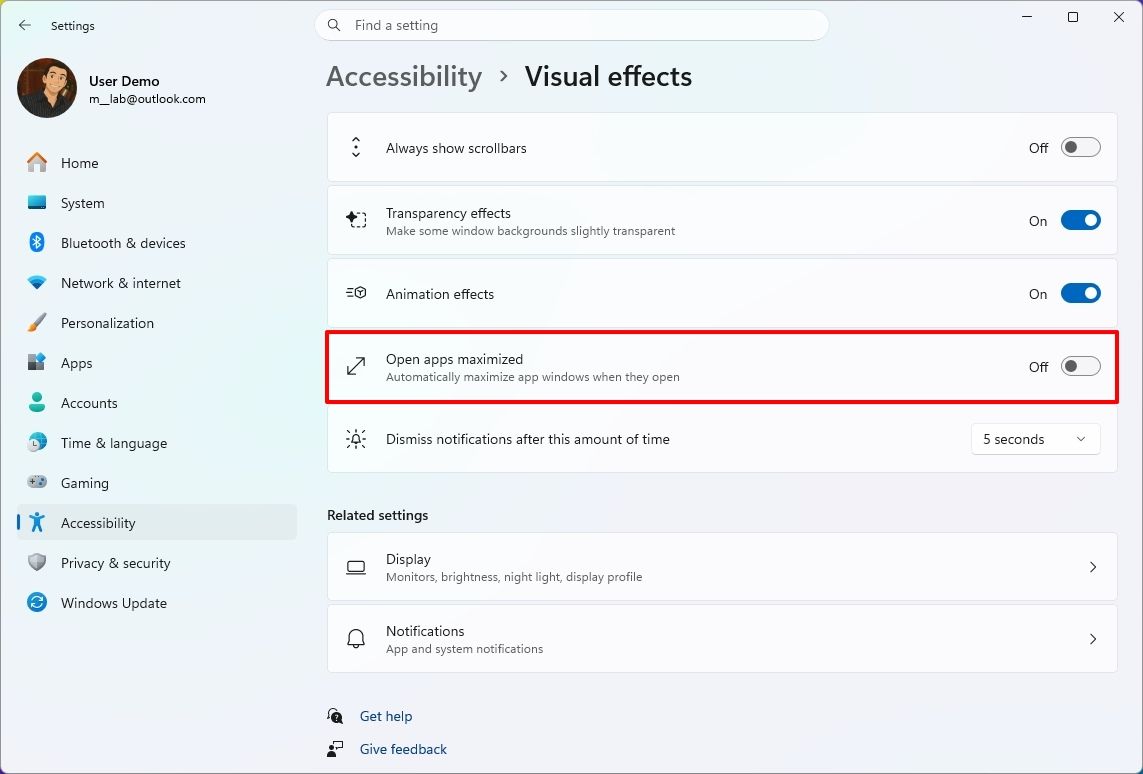
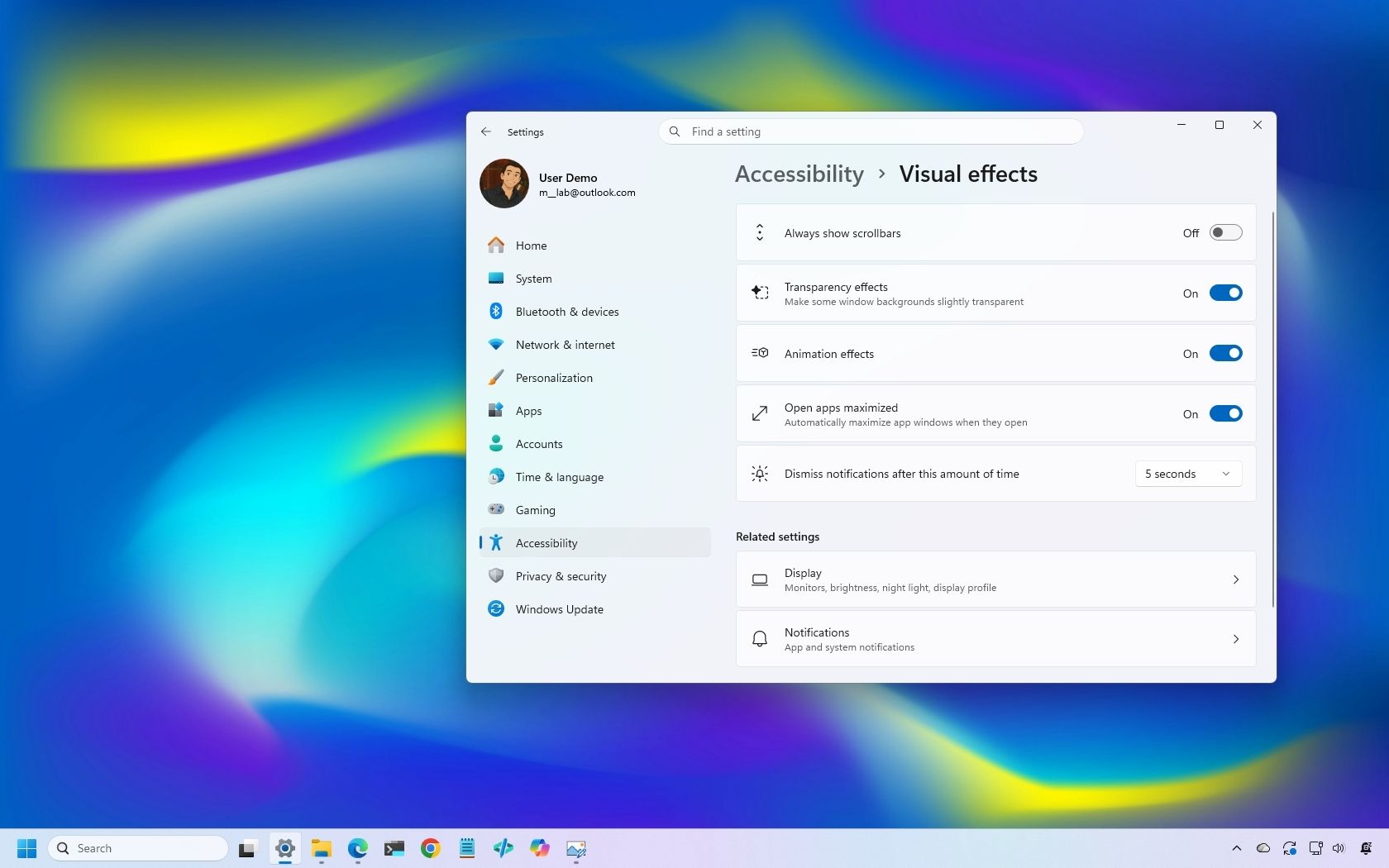
Microsoft is also rolling out a new feature known as "Open apps maximized," an accessibility feature that lets users choose whether apps should always launch maximized.

Settings app showing the Open apps maximized option.

(Image credit: Mauro Huculak)

The "Open apps maximized" feature is available under Settings > Accessibility > Visual Effects. When you turn it on, the operating system automatically launches apps in maximized mode (not full-screen mode).

Magnifier refresh

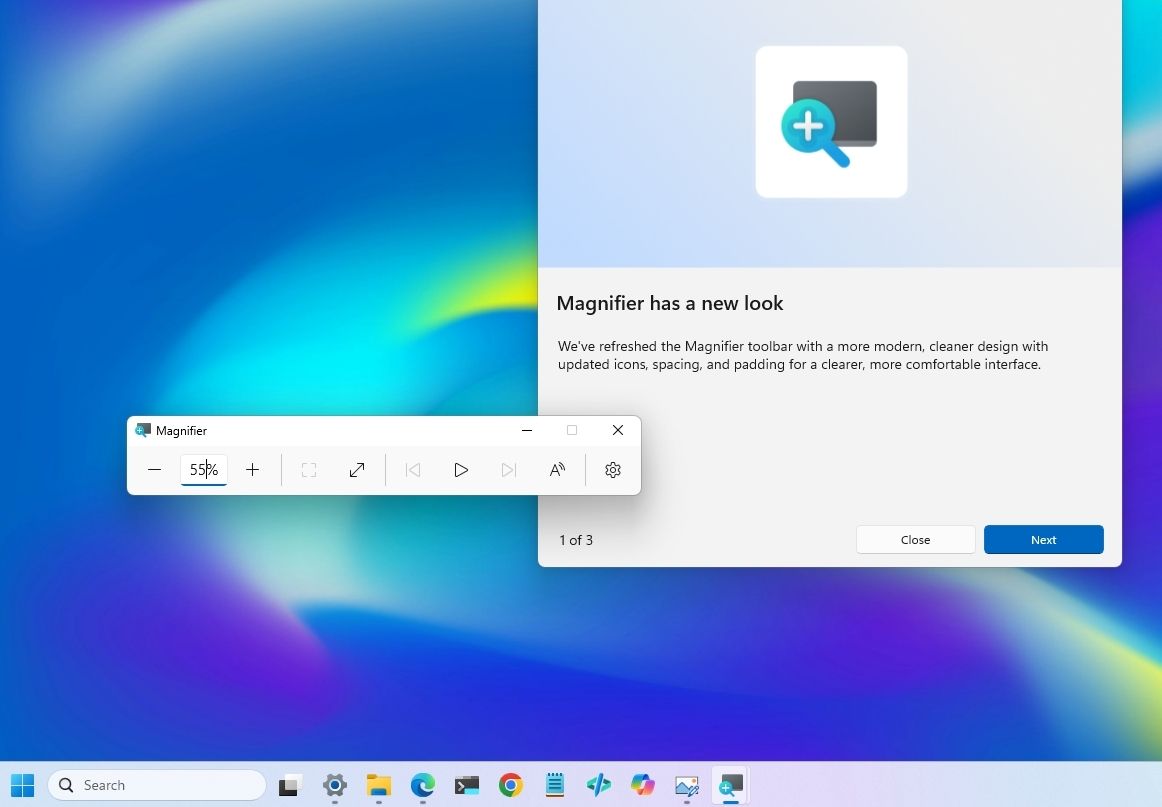
The October update also brings a new version of the Magnifier with visual changes. For example, the toolbar icons now align with the Windows 11 design language.

Magnifier toolbar new interface update.

(Image credit: Mauro Huculak)

In addition, the company is redoing the interface padding to give the experience more spacing across the toolbar for a more consistent layout.

Touchpad controls

In this quality update, if you have a precision touchpad, you'll be gaining two new options.

On Settings > Bluetooth & devices > Touchpad, you can configure the experience to scroll vertically with one finger from the left or right side of the touchpad, or keep scrolling by gesturing your finger upwards without lifting.

Copilot key remap new options

Although you can remap the Copilot key to different actions, this release adds the ability to remap it to "Right control" or the "Context menu" key, bringing Copilot devices to a more familiar keyboard experience.

Settings app on the Keyboard page showing the new Copilot key options.

(Image credit: Mauro Huculak)

You'll find the new "Right control" and "Context menu" options in the "Customize Copilot key on keyboard" setting on Settings > Bluetooth & devices > Keyboard.

Widgets with new Tips widget

In the Widgets feature, the company is adding a new "Tips" widget that offers short tips about the operating system.

Widgets board showing the new Tips widget.

(Image credit: Mauro Huculak)

In the dashboard, you can add the widget from the "Add widgets" option. You can always place it on the Lock screen using the widget settings in Settings > Personalization > Lock screen.

WinRE with Wi-Fi support

As part of this release, Microsoft is also updating the Windows Recovery Environment (WinRE) to reuse Wi-Fi profiles already saved in the operating system.

Before this change, WinRE supported network connectivity only via an Ethernet connection or separately pre-configured Wi-Fi networks.

The change is now enabled by default, allowing the recovery environment to quickly connect to the internet using profiles already configured in the operating system, making it easier to access features like Quick Machine Recovery.

In addition, the company is adding a remote recovery management plugin to WinRE, extending its management features to MDM providers.

Other changes

Alongside the biggest improvements, the October 2026 Security Update includes other smaller changes that are also welcome additions.

For example, in the Personalization experience, Microsoft is improving the background experience with better transitions for changing wallpapers, and the preview now supports higher resolution.

The feature now also supports DIB images.

The slideshow option improves transitions and works across multiple desktops.

As part of the Bluetooth changes, the operating system now improves how the system handles connections, audio, microphones, and settings.

In the Settings app, more specifically on the Home or Accounts page, you'll find a new "Camera Roll Backup" option to protect your photos with OneDrive.

The Ebrima font now supports the Garay and Beria Erfe scripts, and Emoji 17.0 is now available on Windows 11.

In Kiosk mode, the system now blocks additional shortcuts, such as the "Windows key + Tab," "Windows key + A," and "Windows key + C."

Finally, the company is removing the PC-to-PC Migration feature that lets users transfer files and settings directly from an old PC when setting up a new PC.

Windows Central's Take

I see this as a solid update because many changes make the operating system easier to use rather than adding another major feature people have to learn. The ability to open apps maximized and the new options to remap the Copilot key are small additions, but they give users more control over how their devices work.

The ability to reuse Wi-Fi connections with WinRE is probably even more useful when something goes wrong. I rarely think about recovery tools when everything is working, but when I need them, having the system connect to an already saved connection without extra setup can save time and make things easier.

I also appreciate the company continuing to make these smaller usability improvements. After years of system updates, the changes I appreciate most are usually the ones that remove a small annoyance rather than add more complexity.

More resources

Explore more in-depth how-to guides, troubleshooting advice, and essential tips to get the most out of Windows 11 and 10. Start browsing here:

Click to join us on r/WindowsCentral

Join us on Reddit at r/WindowsCentral to share your insights and discuss our latest news, reviews, and more.

  • ✇Korben
  • LivePE - Une clé de dépannage Windows chargée à bloc
    Vous ne le savez surement pas mais Sebseba, un membre du forum TeamAAZ, partage depuis juin 2025 un LivePE 100% en français . C'est une ISO qui se met sur une clé USB et qui permet de démarrer un LivePE (un Windows Live quoi...), en EFI comme en MBR, avec de quoi sauvegarder, partitionner, récupérer des fichiers ou réparer le boot. Bref, c'est super pratique si vous faites un peu d'admin ou de support technique.
     

LivePE - Une clé de dépannage Windows chargée à bloc

7 octobre 2026 à 03:30

Vous ne le savez surement pas mais Sebseba, un membre du forum TeamAAZ, partage depuis juin 2025 un LivePE 100% en français . C'est une ISO qui se met sur une clé USB et qui permet de démarrer un LivePE (un Windows Live quoi...), en EFI comme en MBR, avec de quoi sauvegarder, partitionner, récupérer des fichiers ou réparer le boot. Bref, c'est super pratique si vous faites un peu d'admin ou de support technique.

Le bureau du LivePE démarré dans une machine virtuelle, avec ses icônes en français

Il l'a fabriqué avec une base de Win10XPE , SFX Constructor et Dism++ , et ça embarque une sacrée liste de programmes.

Par exemple, pour les sauvegardes, vous avez le droit à Acronis True Image 2026, Macrium Reflect X Server, AOMEI Backupper et les outils Hasleo. Pour tout ce qui est partitionnement, c'est MiniTool, EaseUS et AOMEI Partition Assistant. Aussi, pour récupérer des fichiers, GetDataBack Pro et Hasleo Data Recovery et il y a bien sûr AIDA64 Extreme et le Kaspersky Virus Removal Tool.

Maintenant, pour le mettre sur une clé ou un SSD externe, le tuto de Sebseba impose UltraISO et rien d'autre, sinon le multiboot EFI + MBR ne marchera pas. Il faut initialiser le support en MBR, puis vous le formatez en FAT32, vous ouvrez TECH.iso dans UltraISO et vous l'écrivez en mode USB-HDD+.

Et ensuite, vous pouvez réduire cette partition et en créer une seconde en NTFS pour y ranger vos ISO Windows. Par contre, attention, WinToHDD ne créera pas la partition MSR quand il installera Windows en GPT/EFI, ce qui posera des problèmes de migration plus tard... Donc préparez bien l'ESP et la MSR avant, avec DiskGenius ou DiskPart GUI Micro.

Le gestionnaire de démarrage de l'ISO, lui, s'affiche en anglais

Cette ISO de LivePE bien frenchy est une adaptation du WinPE de Sergei Strelec, dont l' historique officiel liste lui aussi Acronis, Macrium Reflect, AIDA64 et GetDataBack, mais uniquement dans la langue de David Bowie (ouais Shakespeare c'est has-been). Et si vous préférez une clé multiboot montée avec Ventoy, Medicat dont je vous ai déjà parlé à de multiples reprises, fait ça très bien depuis longtemps.

Un grand merci à Sebseba pour le partage !

Source : LivePE en français sur TeamAAZ

What to expect at Microsoft's special Windows & Surface event on October 7

Microsoft is holding a special event in San Francisco on October 7, and is remaining tight-lipped about what will be discussed. The company has confirmed that Windows, RTX Spark, and Surface are on all the agenda, but is yet to delve into specifics.

This will be the first dedicated Windows & Surface event since the Copilot+ PC launch event in 2024. That event ended up being a total disaster, generating a wave of negative pushback online around features like Recall, tarnishing the category right out of the gate.

Microsoft will be livestreaming its October 7 event, which means the company believes the news it's planning to announce is worthy of public attention. Both myself and Daniel Rubino will be attending the event in-person, giving us an opportunity to go hands-on with all the new features and hardware as they are announced.

So, what can we expect Microsoft to discuss on October 7? Here's what I know.

Surface Laptop Ultra fully revealed

Surface Laptop Ultra

Unsurprisingly, a big focus on October 7 will be on Microsoft's new RTX Spark hardware. The Surface Laptop Ultra was unveiled back in June, and I'm expecting to hear more about the hardware, capabilities, and availability in San Francisco.

A big part of the keynote will be about how Surface Laptop Ultra and RTX Spark are capable of running local 120B parameter models that enable on-device AI experiences and agentic workflows without requiring the cloud. The laptop will be primarily marketed at AI developers and content creators who frequently use apps like Premiere Pro, Blender, and more.

I also understand that Microsoft will demonstrate how the Surface Laptop Ultra maintains maximum performance even when not plugged in, similar to the MacBook Pro. It'll also highlight the PixelSense Ultra display, which sources tell me will be both sharper and brighter than the display on the upcoming MacBook Pro/Ultra with touch.

Surface Laptop Ultra also features a large haptic trackpad that supports Windows 11's built-in haptic engine system that provides subtle feedback when interacting with apps and UI surfaces. I also expect Microsoft to reveal a unique USB-C port that may feature a breakaway design, similar to Surface Connect.

Component

Specifications

Platform / Silicon

NVIDIA RTX Spark Superchip (integrating NVIDIA Grace CPU and Blackwell RTX GPU) with native CUDA support

Processor Options

18-Core CPU with 5,120-core GPU

20-Core CPU with 6,144-core GPU

Unified Memory (RAM)

18-Core: 24 GB or 32 GB

20-Core: 32 GB, 48 GB, 64 GB, or 128 GB

AI Performance

Up to 1 PetaFLOP AI compute; runs local frontier-class models up to 120B+ parameters

Display

15-inch PixelSense Ultra touchscreen, 2,000 nits peak HDR brightness, 262 PPI, high-precision color accuracy, Dolby Vision

Dimensions & Weight

Under 18 mm thickness; weight under 4.5 lbs

Touchpad & Input

Haptic touchpad (over 30% larger than Surface Laptop 15-inch) with next-gen haptic experience support.

Audio

Dolby Atmos surround sound

Ports & I/O

1x HDMI, 3x USB-C, 1x USB-A, Full-size SD card slot, 3.5 mm headphone jack

Battery & Performance Parity

All-day battery life; maintains 99.6% performance parity whether plugged into wall power or running on battery

Colors

Platinum and Nightfall

Operating System

Consumer: Windows 11 Home on entry SKUs; Windows 11 Pro on higher SKUs

Commercial: Windows 11 Pro across all configurations

Microsoft will also delve into configurations of the Surface Laptop Ultra that customers will be able to buy. According to my sources, Surface Laptop Ultra will be available in two RTX Spark configurations: an 18-core model with 5,120 GPU cores, and a 20-core model with 6,144 GPU cores for higher-end workflows.

The 18-core model will be available with 24GB or 32GB RAM, and the 20-core model will be available with 32GB, 48GB, 64GB, or 128GB RAM. The entry-level 18-core SKUs will ship with Windows 11 Home, and higher-end configs will come with Windows 11 Pro.

Of course, all eyes will be on pricing. Sources haven't been able to confirm exact pricing just yet, but I understand that Surface Laptop Ultra will not be cheap, likely starting well above $2,000 for the entry-level 18-core model with 24GB RAM.

I also wouldn't be surprised if we hear more about the Surface RTX Spark Dev Box, which I suspect will likely start shipping at or around the same time as Surface Laptop Ultra.

Windows K2 recap, and support for agents

Agentic settings on Windows 11

(Image credit: Zac Bowden / Windows Central)

In addition to the new RTX Spark hardware, Microsoft has teased that "something new is coming from Windows" at this event. Details around what exactly Microsoft is planning to talk about remain under wraps, but I have a few theories.

Of course, the company will likely spend some time recapping the Windows K2 effort that has been ongoing this year. It'll highlight recent performance, reliability, and feature improvements delivered to the OS, and maybe even discuss how it has tuned the Prism emulation layer to run better on RTX Spark PCs.

I'm also expecting Microsoft to highlight some refreshed user interface and design improvements across the OS. The company has been working to bring WinUI to more areas of Windows, including File Explorer, Start menu, and more, which is expected to improve performance.

Windows is also set to gain new unified memory controls that will allow users to adjust how much memory is reserved for the GPU on RTX Spark. This should help enable more advanced local AI workflows and increased gaming performance when needed.

Taskbar with AI agent

Agents on Windows have been in the works for well over a year. (Image credit: Microsoft)

But the big focus will be on how Windows 11 now supports agents. Microsoft has been working on adding agentic capabilities to the OS over the last year, and I'd be surprised if we don't get a demo showcasing how the platform has been updated to run agentic workflows locally and securely.

At Build 2026, Microsoft unveiled three new in-house language models that are designed to run entirely on-device: Aion Instruct, Aion Plan, and MAI Code Flash. I suspect all three will be highlighted as working great on RTX Spark.

Lastly, I wouldn't be surprised if Microsoft finally takes the wraps off its new voice-enhanced user experience that it has been teasing is in the works over the last year. On multiple occasions, the company has said it's working to adapt and improve voice input across Windows in the wake of AI.

Pavan Davuluri said in July that Microsoft is working to make "voice more natural and fluid to interact across the apps you use every day." We are yet to see this work in action, and so I expect October 7 will be when the company reveals this.

Microsoft's play for the high-end, MacBook Pro AI developer crowd

According to my sources, this event will focus a lot on appealing to the AI developer crowd, a large chunk of which has flocked to the high-end MacBook Pro or Mac Studio for all their on-device language model needs.

The Mac platform has become the default choice for AI development, and Microsoft and NVIDIA are keen to win back those users. Microsoft will use this event to appeal to that audience, along with content creators who have also chosen the Mac for photo and video editing needs.

Hopefully there will be some surprises in the form of Windows announcements, but I fully expect the majority of the event to focus on how Windows is now ready for RTX Spark and local agents.

Click to join us on r/WindowsCentral

Join us on Reddit at r/WindowsCentral to share your insights and discuss our latest news, reviews, and more.
Prepare for Microsoft's Windows and Surface event with these cutting-edge features for Insiders

Microsoft's Windows 11 and Surface event is only a couple of days away. At the event, we expect to hear a recap of improvements made to the operating system as part of the Windows K2 initiative. But why simply watch people talk about updates when you can test them out yourself?

Many of the biggest changes to Windows 11 have already shipped through Windows 11 version 26H2. But items that are still in the works are being tested among Windows Insiders. A flurry of five builds shipped recently.

👉Don’t miss Microsoft’s October 7 Windows & Surface keynote — here’s how to tune in and follow the biggest reveals

Many of the changes are rolling out to multiple builds, such as added support for Unicode 17.0. Below, I've outlined all the updates and improvements rolling out to Windows Insiders. Make sure to check the channels noted below to see what's on the way to your PC.

Unicode (Beta, Experimental)

  • We've updated Windows text shaping support for Unicode 17.0, helping Windows correctly display and shape newly encoded characters and scripts. Unicode 17.0 added 4,803 characters, including support for four newly encoded scripts: Beria Erfe, Sidetic, Tai Yo, and Tolong Siki.
  • These updates help keep Windows text support current as the Unicode Standard evolves and improve support for languages and writing systems used by people around the world.

Settings (Beta, Experimental)

  • We're making performance improvements to the Settings home page, which should result in reduced loading times in certain scenarios.

Settings (Experimental (Future Platforms))

  • Updated Settings > Apps > Installed apps to show the version number at the top level for packaged apps, as it already does for other apps.

Recovery (Beta, Experimental 

  • We're adding a new entry point for Cloud Rebuild under Settings > System > Recovery, making it easier to access the feature from Settings.

Windows Recovery (Beta (26H1))

  • We're introducing Cloud rebuild, a new recovery option that restores a Windows 11 PC to a clean, known-good state by performing a full OS reinstall, even when Windows won't boot. Unlike Reset this PC, Cloud rebuild downloads both the target Windows image and the device's drivers from Windows Update, so the device comes back fully functional without USB media, without a custom image, and without depending on the health of the currently installed OS.
  • In this preview, you can try Cloud rebuild today:
    • Start it directly from the Windows Recovery Environment (WinRE) by selecting Troubleshoot > Recovery and uninstall > Cloud rebuild.
    • Connect over wired Ethernet or a Wi-Fi network from within WinRE.
    • Review the target Windows build, edition, and language, then confirm the data-loss warning before the rebuild begins.

File Explorer (Experimental)

  • Address Bar now supports '~' , making it quicker to navigate directly to your user profile folder and subfolders (e.g., "~\AppData").

File Explorer (Experimental (Future Platforms))

  • This update adjusts how the preview pane handles files downloaded from the web. For HTML files, a new Preview anyway button lets you acknowledge the warning and preview the file. Non-HTML files, such as PDFs, are now previewed automatically.
  • Fixed an issue causing the previews in File Explorer to have an unexpected bar in the middle in recent flights.

File Explorer (Experimental (26H1))

  • Customizations
    • Improved File Explorer to keep folder view customizations, such as sorting and icon size preferences, consistent across different access paths and apps.
  • Address bar improvements
    • The address bar now supports paths containing double backslashes and quotation marks, for example, C:\Users\user or "C:\Users\user", improving compatibility with a wider range of inputs.
    • Improved reliability of the address bar suggestion dropdown so it now consistently closes after an item is selected.
  • Refinements to the rename experience
    • Fixed an issue where text would be repeatedly selected while renaming items in folder views.
    • Fixed an issue where updated names with case-only changes weren't immediately reflected in folder views across local and cloud storage.

Windows Magnifier (Experimental (26H1), Beta (26H1))

  • Magnifier now gives you more control over how you zoom. You can type an exact zoom percentage directly in the Magnifier toolbar to land on precisely the level you need.
  • We've also added preset step increments (5%, 10%, 25%, 50%, 100%, 150%, 200%, and 400%) to the Settings dropdown, so you can jump to common levels in a single click. Whether you need a subtle boost or a dramatic close-up, Magnifier adapts to how you want to zoom.

Cloud rebuild (Experimental (26H1))

  • We're updating Cloud rebuild, the recovery option that restores a Windows 11 PC to a clean, known-good state by performing a full OS reinstall, with two additions.
  • Cloud rebuild can now sanitize the device's drives as part of the rebuild. When you start a rebuild in WinRE, choose Remove files if you're keeping the PC, or Remove & sanitize files before recycling, returning, or reassigning it. The sanitize option uses the storage hardware's erase capability to securely erase data before Windows is reinstalled and is irreversible.
  • IT administrators can now configure and start a Cloud rebuild remotely through the Recovery CSP, using either the currently installed build or a target build you specify.

Windows Share (Experimental (Future Platforms))

  • Added the ability to pin your favorite apps in the Windows share window.

Family Safety (Experimental (Future Platforms))

  • Improved family safety messaging when applications are blocked because of age-restricted parental controls.

Taskbar (Experimental (Future Platforms))

  • Fixed a few small visual polish issues when using the taskbar in alternate positions.

Audio (Experimental (Future Platforms))

  • Fixed an issue affecting certain USB Audio Class 1.0 devices, including some multichannel audio headsets, that could prevent the device from working correctly after installing the latest updates.

Remote Desktop (Experimental (Future Platforms))

  • Fixed an issue causing Remote Desktop to not use the correct window size after recent flights.

Other (Experimental (Future Platforms))

  • Fixed an issue causing some Insiders to experience extreme lag over time after updating to the last two flights.

These changes aren't as substantial as the new features and upgrades in Windows 11 version 26H2, but they help create a smoother computing experience.

My favorite improvements are those rolling out to Windows Magnifier. Fine-tune controls make it much easier to create the best experience for your specific screen. The presets make it easy to jump incrementally, but I prefer entering the magnification manually.

Click to join us on r/WindowsCentral

Join us on Reddit at r/WindowsCentral to share your insights and discuss our latest news, reviews, and more.

Windows Wrap: Microsoft must show us why Windows still matters in 2026 and beyond

Windows Central

It looks like Microsoft is wrapping up its Windows and Surface efforts for 2026 to be able to focus on the future. Last week the company announced refreshes to the Surface Pro 12-inch and Surface Laptop 13-inch. This week, Microsoft rolled out Windows 11 version 26H2.

With a bunch of Surface announcements in the rearview mirror and another update to Windows 11 rolling out, Microsoft can point its followers to the future. The description of the Windows and Surface event next week says, "Join us live... for a look at what's next from Windows, Surface, and NVIDIA."

I hope Microsoft has some exciting news in store for its event. Windows and Surface have been far from exciting lately. It is possible to market boring products, of course, but they have to be reliable.

This week Microsoft announced Windows 11 version 26H2 and called it a "predictable and low-disruption update." If Microsoft wants to win back consumers, it needs to either be cutting edge or actually deliver predictable and low-disruption updates. It feels like for the last few years we've gotten neither.

Biggest News of the Week

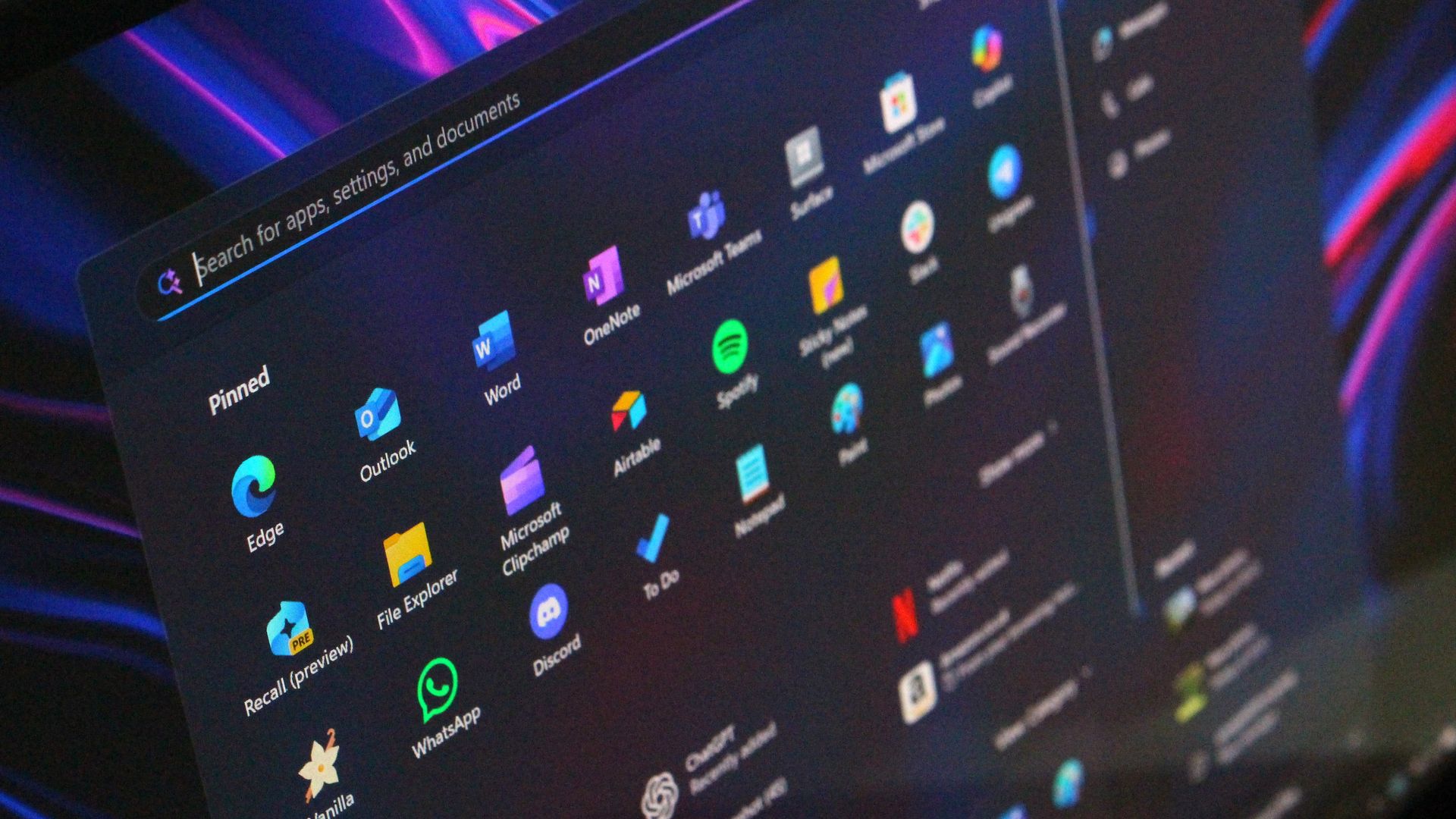
Windows 11 Start button
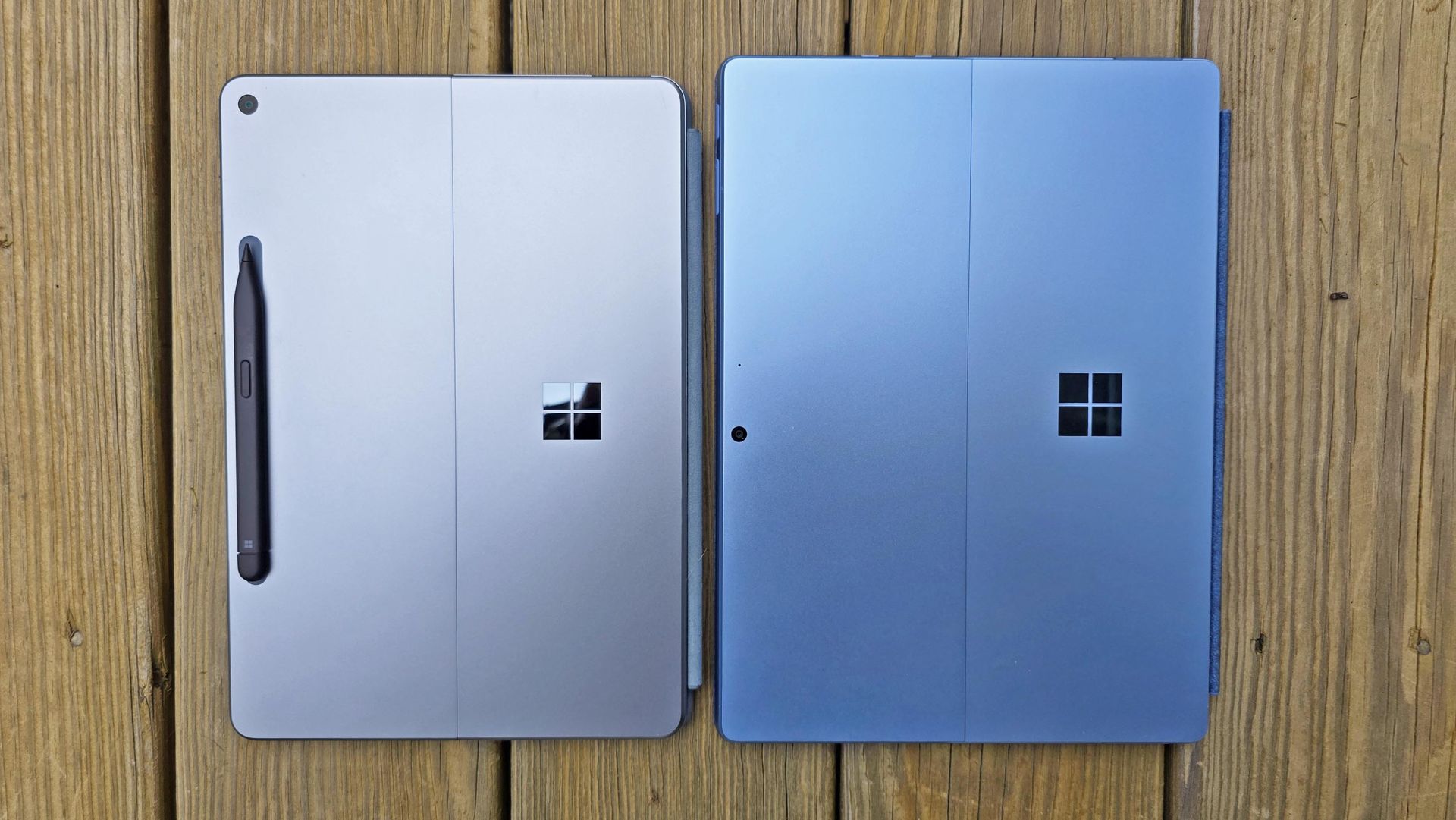
First images of Microsoft's Surface Pro 12-inch tablet PC.
Close-up of a silver laptop deck featuring a Snapdragon X2 Elite Copilot+PC sticker alongside Energy Star and HDMI badges.
Qualcomm Snapdragon 865
Qualcomm
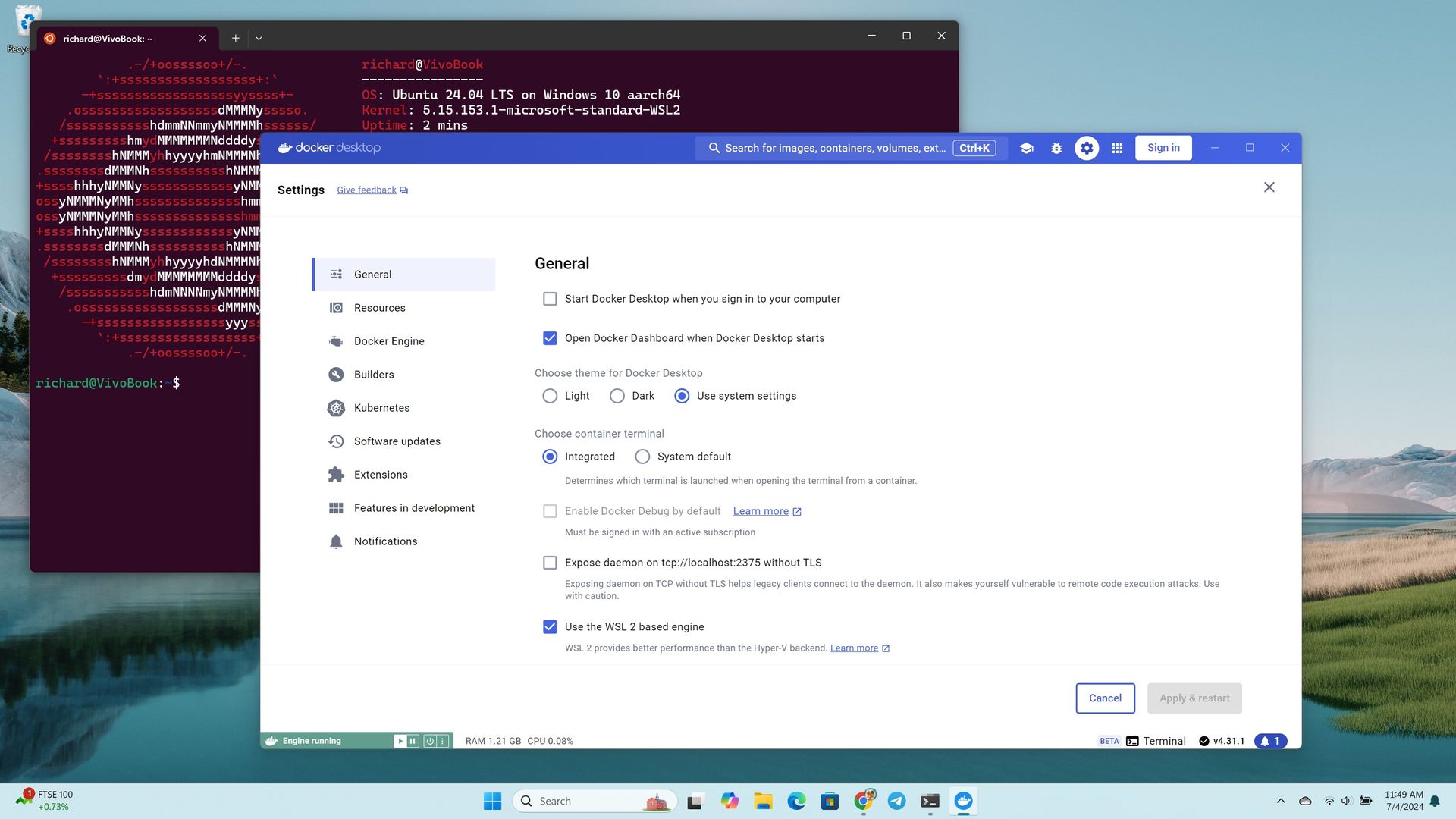
Docker Desktop for Windows using the WSL2 backend on ARM
Windows 11

Microsoft has had to release multiple out-of-band updates in 2026. Some bugs required multiple patches to fix. It's gotten so bad that most of our articles about Windows 11 updates are met with comments asking what will break this time.

Unfortunately, the commenters have been proven right several times. One serious bug made Outlook, OneDrive, Dropbox, and other cloud-backed apps inoperable. Another issue froze Remote Desktop and caused audio failures. At one point users couldn't even install a Windows 11 update, forcing Microsoft to pull that update.

If Microsoft is going to undercut its events and trim down its Surface lineup, it needs to double down on reliability. Next week, we should get some answers about Microsoft's plans.

Windows and Surface event

Surface Laptop Ultra

(Image credit: Windows Central / Zac Bowden)

A boring but bug-free Windows 11 update may be a welcome change of pace, but it makes me curious about what Microsoft will discuss at its Windows and Surface event next week. Considering Windows 11 version 26H2 is already rolling out, the focus is likely the future of Windows.

Does Microsoft have something up its sleeve? Has the tech giant learned a lesson about how to build consumer hype? Or are we due for another on-stage announcement about AI and how new PCs can run models locally?

I'm sure there are developers interested in the potential of the Surface Laptop Ultra and RTX Spark for AI development, but there are hundreds of millions of Windows users who care very little about AI. Microsoft needs to at least throw some scraps our way to keep us interested.

Shopping with Sean

Amazon's October Prime Day is next week, but there are already some great deals live. Competing retailers are trying to beat Amazon to the punch, resulting in big savings.

A trio of laptops are the best deals of the week. I'm partial toward the Lenovo Yoga Slim 7x because of its thin design but the Samsung Galaxy Book6 and Dell 14S are also great choices.

14S 14" 2K Touchscreen Laptop (Intel Core Ultra 7 355 2026, 16GB RAM, 512GB SSD, Copilot+): was $1599.99 now $899.99

"The Dell 14S is a compelling choice for a variety of users thanks to its long-lasting battery life (and) relatively affordable price." ~ Sean Riley, Freelance Writer, Tom's Guide

Tom's Guide review: ⭐⭐⭐⭐View Deal

Yoga Slim 7x: was $1299.99 now $969.99

"The Slim 7x (Gen 11) is a laptop I can see fitting in perfectly with students, home business pros, and casual users who simply want a laptop for around $1,199 (even less when it's on sale) that feels like it should cost a lot more." — Cale Hunt, Windows CentralView Deal

Samsung Galaxy Book6: was $1449.99 now $947

"I’ve been using the Samsung Book 6 for a while now and honestly it’s been solid. It’s lightweight, looks premium, and the battery easily gets me through most of the day. Performance is smooth for studying, browsing, videos, and everyday work." ~ VALENTIN, customer review

4.8 out of 5 Stars (based on 40 Best Buy customer reviews)View Deal

Click to join us on r/WindowsCentral

Join us on Reddit at r/WindowsCentral to share your insights and discuss our latest news, reviews, and more.
Windows 11 26H2 Is Quietly Making PCs Faster, and the Reason Is Surprisingly Simple

Par : Nayan
5 octobre 2026 à 05:52
Windows 11 26H2 may not look like a dramatic Windows release, but there is a good reason some users are reporting that their PCs suddenly feel faster after installing it. The biggest change isn’t a flashy new feature. Instead, Windows 11 26H2 brings together months of performance improvements that Microsoft has been gradually rolling out […]

  • ✇WinCentral
  • Windows 11 Turns the Forgotten ~ Key Into a Handy File Explorer Shortcut
    Microsoft is giving one of the most overlooked keys on your keyboard a surprisingly useful job in Windows 11. The humble tilde (~) key can now be used in File Explorer to quickly jump to your Windows user profile folder and the folders inside it. The change is currently being tested with Windows 11 Insider […]
     

Windows 11 Turns the Forgotten ~ Key Into a Handy File Explorer Shortcut

Par : Nayan
5 octobre 2026 à 02:48
Microsoft is giving one of the most overlooked keys on your keyboard a surprisingly useful job in Windows 11. The humble tilde (~) key can now be used in File Explorer to quickly jump to your Windows user profile folder and the folders inside it. The change is currently being tested with Windows 11 Insider […]

  • ✇TheWindowsClub News
  • Windows 11 26H2 introduces new features
    Microsoft officially released Windows 11 26H2 for all users. Windows 11 26H2 brings many new features, along with security improvements and performance enhancements. While Microsoft delivers Windows 11 26H2 to all eligible devices through Windows Update, some features remain dormant until you install the 26H2 Enablement package. This article highlights the new key features and […] The post Windows 11 26H2 introduces new features appeared first on TheWindowsClub News.
     

Windows 11 26H2 introduces new features

3 octobre 2026 à 22:33

Windows 11 26H2 introduces new featuresMicrosoft officially released Windows 11 26H2 for all users. Windows 11 26H2 brings many new features, along with security improvements and performance enhancements. While Microsoft delivers Windows 11 26H2 to all eligible devices through Windows Update, some features remain dormant until you install the 26H2 Enablement package. This article highlights the new key features and […]

The post Windows 11 26H2 introduces new features appeared first on TheWindowsClub News.

Windows 11 26H2 Update: Which PCs Get the Enablement Package

2 octobre 2026 à 12:29

Windows 11 26H2 brings a fast enablement-package upgrade to 24H2 and 25H2 PCs, while 26H1 devices remain on a separate path.

The post Windows 11 26H2 Update: Which PCs Get the Enablement Package appeared first on TechRepublic.

How to follow Microsoft’s October 7 Windows & Surface keynote

Microsoft will hold a Windows and Surface event on October 7, 2026. We've known about the event for weeks, but Microsoft has now shared details about how to watch it live.

Microsoft posted a YouTube event titled "Something new is coming from Windows | October 7" recently. That means you can click the "Notify me" button to get pinged when the event starts.

The Surface Laptop Ultra and NVIDIA RTX Spark are expected to be the focus of the event. The Surface RTX Spark Dev Box may also make an appearance.

Microsoft CEO Satya Nadella, Surface Chief Pavan Davuluri, and NVIDIA CEO Jensen Huang will all be in attendance.

Sleek. Style. Power.October 7 at 10am PT. Tune in: https://t.co/cfiCnGE58f https://t.co/Z8ZddTJx02October 5, 2026

Microsoft has been tight-lipped about the event. We weren't even sure if it would be live-streamed until recently. The description of the live stream is similarly scarce on details:

"Join us live October 7th at 10:00 am PT for a look at what's next from Windows, Surface, and NVIDIA. See the latest, including RTX Spark and new experiences designed to unlock more possibilities for developers and builders."

Microsoft teased the event with a post on X (shown above). That post includes several images of the Surface Laptop Ultra. Normally, I'd have to put my detective hat on and study the photos to determine the hardware, but Microsoft did the hard work for us.

The alt text for the image on X states:

"Close-up of two Surface Laptop Ultra edges showing slim ports and keyboard keys, reflected on a glossy black surface."

That should come as no surprise. We already suspected the Surface Laptop Ultra would be a focus of the event.

Microsoft already announced the Surface Laptop Ultra and discussed RTX Spark, so seeing those on stage would hardly be shocking. Windows 11 just received an update, so there are few surprises about what's shipping to PCs this year. But Microsoft's description talks about "what's next," so the tech giant could tease future updates or discuss changes to how it makes its flagship software or hardware.

Based on our recent poll, Windows Central readers are excited about the Surface Laptop Ultra. So even if the device has already been announced, many people will appreciate details about the laptop.

Click to join us on r/WindowsCentral

Join us on Reddit at r/WindowsCentral to share your insights and discuss our latest news, reviews, and more.
Windows 11 version 27H2: Everything we know so far

Microsoft is yet to confirm plans for Windows 11 version 27H2, but that doesn't mean we don't yet know anything about it. Thanks to information supplied by Microsoft about Windows 11 version 26H1 and 26H2, we can read the tea leaves and begin to decipher what Microsoft's plans are for its OS in 2027.

First up, we must set the stage for Windows 11 currently. For the first time ever, Microsoft has split the Windows userbase in two. Most Windows 11 users will continue to receive OS updates that are based on the Germanium platform release, which powers version 24H2, version 25H2, and the new version 26H2.

Germanium has been in the market since 2024, and is what the majority of Windows 11 users are running today. That will no longer be the case with version 26H1, which is the first version of Windows 11 since 2024 to ship on a new version of the Windows platform. This new version is codenamed Bromine, and exists exclusively for Snapdragon X2 and RTX Spark devices.

That means version 26H1 and the newer Bromine platform release will not be made available to the existing Windows 11 userbase this year. Microsoft doesn't say why, but my sources tell me this is because Bromine only really exists because of timing convenience. These new Arm chips required extra kernel level work, and it was easier for Microsoft to build those into a new platform release than it was to retroactively fit the Germanium platform release with these additions.

Because of this, Microsoft hasn't made any optimizations to the Bromine platform release for existing PCs. While you can run Bromine on existing hardware if you want, there is no benefit in doing so. As a result, Microsoft chose to keep the majority of Windows users in the platform release that has been shipping since 2024, and split off the new Snapdragon X2 and RTX Spark PCs with their own platform release.

That does mean there's going to be some awkward fragmentation between version 26H1 and version 26H2 throughout 2026 and into 2027, however. Microsoft has confirmed that because version 26H1 is based on a newer platform release than version 26H2, those running 26H1 are not eligible for the version 26H2 release.

The company does say that this won't be the case forever, and that Windows 11 users running version 26H1 will be updated to something newer in the future. According to my sources, that will be version 27H2 in 2027, which will be the first platform release since 25H2 to be offered to the entire Windows 11 userbase.

Release date

Windows Update in checking for update mode

As is almost always the case, Microsoft tends to ship new versions of Windows in the second half of the year. I anticipate this will remain the case for version 27H2, which will likely target a September or October release window.

Because version 27H2 is likely to introduce a new platform release, Microsoft will use a measured and phased rollout approach to its general availability. That means not all users will see the update right away once it's made available, as Microsoft will choose to roll it out in waves to ensure the update is installing as intended.

It will also be a full blown OS upgrade release, and not just an enablement package. That means it will replace the entire OS with a new version, while maintaining all your apps, files and settings. This takes a little longer than an enablement package release, which only updates a few OS files to enable the new version.

Windows 11 version 22H2 was a fill blown OS upgrade release over 21H2, as was version 24H2 over 23H2. So this wouldn't be the first time this has happened.

Platform changes

Windows 11 version 26H1

We know that the version 27H2 release will need to be based on a newer platform release than Germanium to support upgrading both 26H2 and 26H1 users. What we don't yet know is what platform release this will be. It's possible that Microsoft could use the Bromine platform release for 27H2, though I think this is unlikely.

I think Microsoft will issue a platform release that's newer than Bromine. Given the timing, I suspect it may be the Windows Strontium platform release, which is expected to be finalized sometime in the first half of 2027. This would align with Microsoft's previous development schedules.

For example, Germanium was finalized in the first half of 2024, and ended up shipping as version 24H2 in the second half of that year. With Strontium expected to be finalized in the first half of 2027, I would wager the same will happen then for version 27H2.

Microsoft has announced that the next version of Windows will drop support for the Snapdragon 850 SoC. While not confirmation on its own, it's a strong hint that version 27H2 will be powered by a newer platform release than Bromine, given the Snapdragon 850 can still run Bromine-based builds.

New features?

Windows 11 AI agent in Settings

(Image credit: Microsoft)

Because of Microsoft's "Continuous Innovation" effort, the company no longer ties new features to version updates. These days, Windows 11 receives new features whenever the company deems them ready to ship, meaning there's no features in active development that are expected to be exclusive to version 27H2 currently, though that could change in the future.

In fact, most mainline feature development still takes places on the Germanium codebase, then is forward integrated into newer codebases when ready. This is why new features often arrive on version 25H2 and 26H2 first, and then come to 26H1 later, as 26H1 is built on a newer Windows platform.

Windows 12?

Windows 12 logo on a colorful desktop background

(Image credit: Screenshot: Windows Central / Device: Edited with Gemini)

Of course, the age old question is whether or not the next version of Windows will be dubbed Windows 12. The answer is we don't know, and likely won't know until much closer to the time.

Even if Microsoft does debut Windows 12 next year, that doesn't mean Windows 11 version 27H2 wouldn't also exist. When Windows 11 version 21H2 debuted, Windows 10 still received its own 21H2 version that same year.

With all that in mind, I don't think we're going to see Windows 12 in 2026. Given the current versions of Windows 11 are split between two platform releases, it would be irresponsible and complex from a support perspective to leave the userbase in that state.

It would make the upgrade path from Windows 11 to Windows 12 more complex, and Microsoft would need to account for multiple in-market platform releases and versions. I would think it's better to get everyone back onto the same platform version under Windows 11 first, before trying to push forward with Windows 12.

Click to join us on r/WindowsCentral

Join us on Reddit at r/WindowsCentral to share your insights and discuss our latest news, reviews, and more.
The next version of Windows drops support the Snapdragon 850

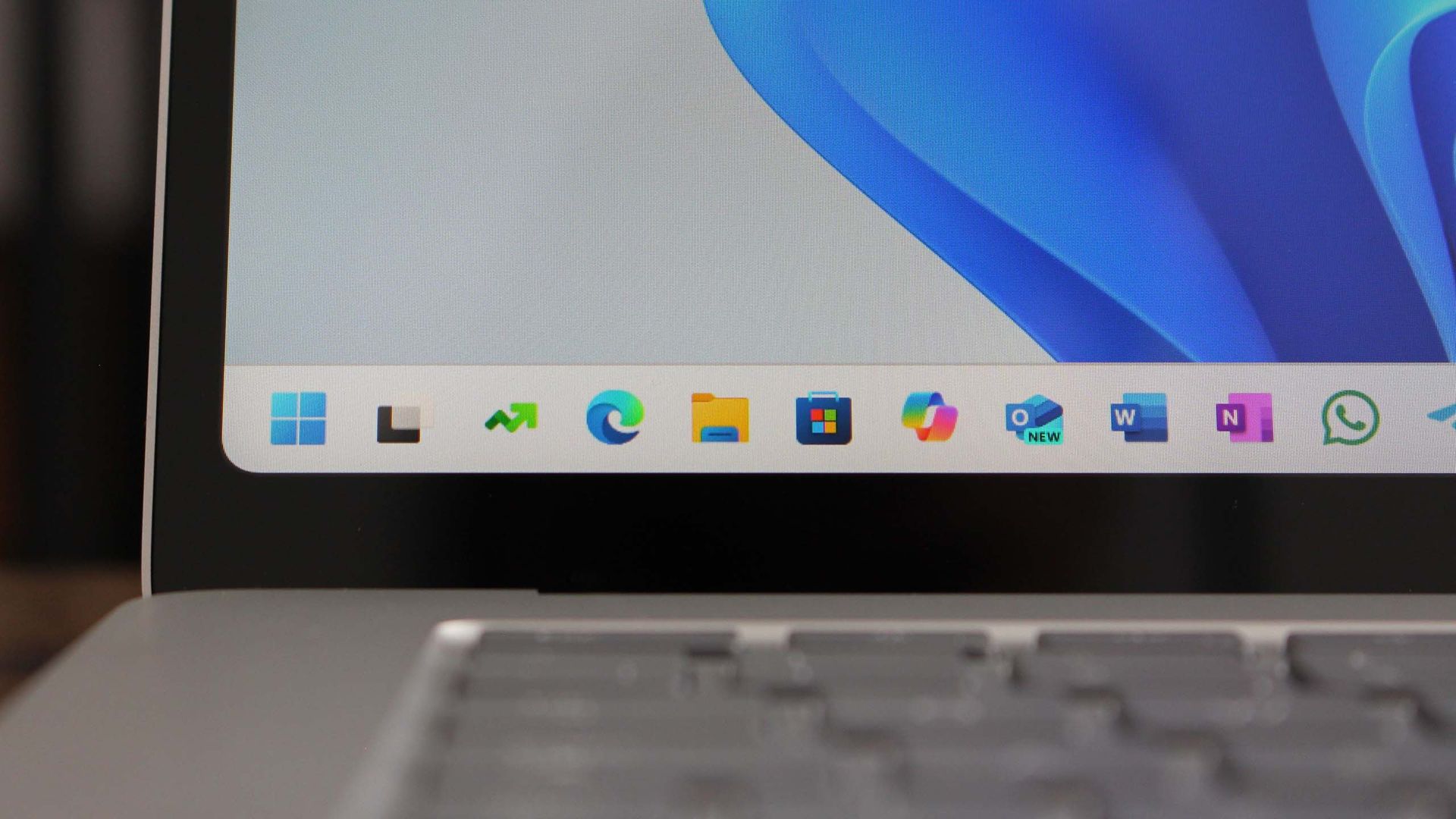
Microsoft has announced that the just released Windows 11 version 26H2 will be the last version to support Qualcomm's second-generation Windows 10 on Arm SoC, the Snapdragon 850 from 2018.

The news was published on the Windows 11 Lifecycle Policy page, where a notice now says "Windows 11, version 26H2 is the last version that will support devices with Snapdragon 850 processors."

The Snapdragon 850 is notable as being the first "built-for-Windows" chip from Qualcomm. The Snapdragon 835 that powered Windows PCs first was a recycled smartphone chip.

Windows 11 had already dropped support for the Snapdragon 835 a while ago, and now it seems the Snapdragon 850 is next on the chopping block. Windows PCs with the Snapdragon 850 under the hood are eligible to install the latest version update, but will not get version 27H2 next year.

Windows 11 version 26H2 will be supported for 24 months, meaning devices with the Snapdragon 850 inside have two years of security updates remaining before they'll be left behind in an insecure state.

It's unclear why Microsoft is dropping support for this SoC. This likely implies that the 27H2 release next fall will be based on a new version of the Windows platform, and not an enablement-package like 26H2 is.

It's also unclear whether or not this limitation will be artificial in nature. Just because an SoC is no longer supported doesn't mean it can't run newer versions by bypassing system requirements. Many people have enjoyed running Windows 11 on unsupported chips for many years.

Either way, we know that officially, the Snapdragon 850 will no longer be supported on future versions of Windows. Windows 11 version 26H2 is the last version that is officially supported.

Click to join us on r/WindowsCentral

Join us on Reddit at r/WindowsCentral to share your insights and discuss our latest news, reviews, and more.

Microsoft adds native Linux container support directly to Windows 11

Developers can now jump into their workflows faster on Windows 11. Microsoft has made WSL Containers generally available, reducing the setup and management required to run Linux containers through the Windows Subsystem for Linux (WSL).

Containers are packages that include an application and the dependencies required to run it. Developers use them to ensure software behaves consistently across different systems.

WSL Containers brings built-in Linux container support to Windows through WSL. Until now, developers typically relied on third-party tools such as Docker Desktop to run Linux containers on Windows. With WSL Containers, Microsoft is providing a built-in alternative through WSL.

Microsoft announced WSL Containers at Build 2026 and has tested the feature since then. The platform is now generally available.

Microsoft has also added new features to WSL containers since testing began, including support for container health checks, real-time event streaming, expanded networking controls, configurable storage locations, and several new container management commands.

Microsoft is also adding more enterprise controls to WSL Containers, including Intune policies and Microsoft Defender for Endpoint support.

Tools such as Docker Desktop continue to be an option for developers, but WSL Containers requires less software to install and manage.

Microsoft's new wslc command-line tool uses commands that will feel familiar to developers who already work with containers, making the transition relatively seamless.

WSL Containers won't replace tools such as Docker Desktop for everyone, but they do give developers one less app to install. For many Windows 11 users, running Linux containers just became a built-in feature rather than something that requires extra software.

Most Windows 11 users will never run a container, so this update won't change their day-to-day experience. But making container support a built-in part of Windows removes a barrier for developers, which can speed up app development and testing.

Click to join us on r/WindowsCentral

Join us on Reddit at r/WindowsCentral to share your insights and discuss our latest news, reviews, and more.

Windows 11 version 26H2 is now generally available

Right on schedule, Microsoft has announced the general availability of the Windows 11 2026 Update, also known as Windows 11 version 26H2. The company consistently releases a new version of the OS in the second half of the year, resetting the support clock and delivering new features and improvements.

The Windows 11 version 26H2 release builds upon the same platform release that powers Windows 11 version 25H2 and version 24H2. This means the update includes no new features on the surface that aren't also rolling out to those older releases, but it does act as a checkpoint that enables all the new features rolled out over the last 12 months.

So if you are still missing new features like the new Start menu or File Explorer improvements, updating to version 26H2 should enable them. "Windows 11, version 26H2 brings together all the Windows innovations, security improvements, and enhancements delivered over the past year to version 25H2," Microsoft says.

Additionally, Microsoft explains that version 26H2 is an enablement package update, which "is a lightweight update that activates new features already included in the operating system through previous monthly servicing updates. Because versions 26H2, 25H2, and 24H2 share a common servicing branch and underlying codebase, many of the components required for version 26H2 are already present on devices before the feature update becomes available."

That means the update will only take a few minutes to download and install, and is low-disruption and safe with no compatibility concerns or bugs to be aware of.

The 26H2 update also resets the support lifecycle clock, meaning users that install it will enjoy 24 months of security and feature updates on Home and Pro edition from today. Commercial editions will receive 36 months of support.

Microsoft is rolling Windows 11 version 26H2 out in waves, but users can get it sooner by ensuring the "Get the latest Windows updates when they're available" option is toggled in Windows Settings.

If you're running Windows 11 version 26H1, you will not be eligible to install Windows 11 version 26H2. Version 26H1 is based on a newer version of the Windows platform compared to version 26H2, and so there's no direct upgrade path currently.

Click to join us on r/WindowsCentral

Join us on Reddit at r/WindowsCentral to share your insights and discuss our latest news, reviews, and more.
❌