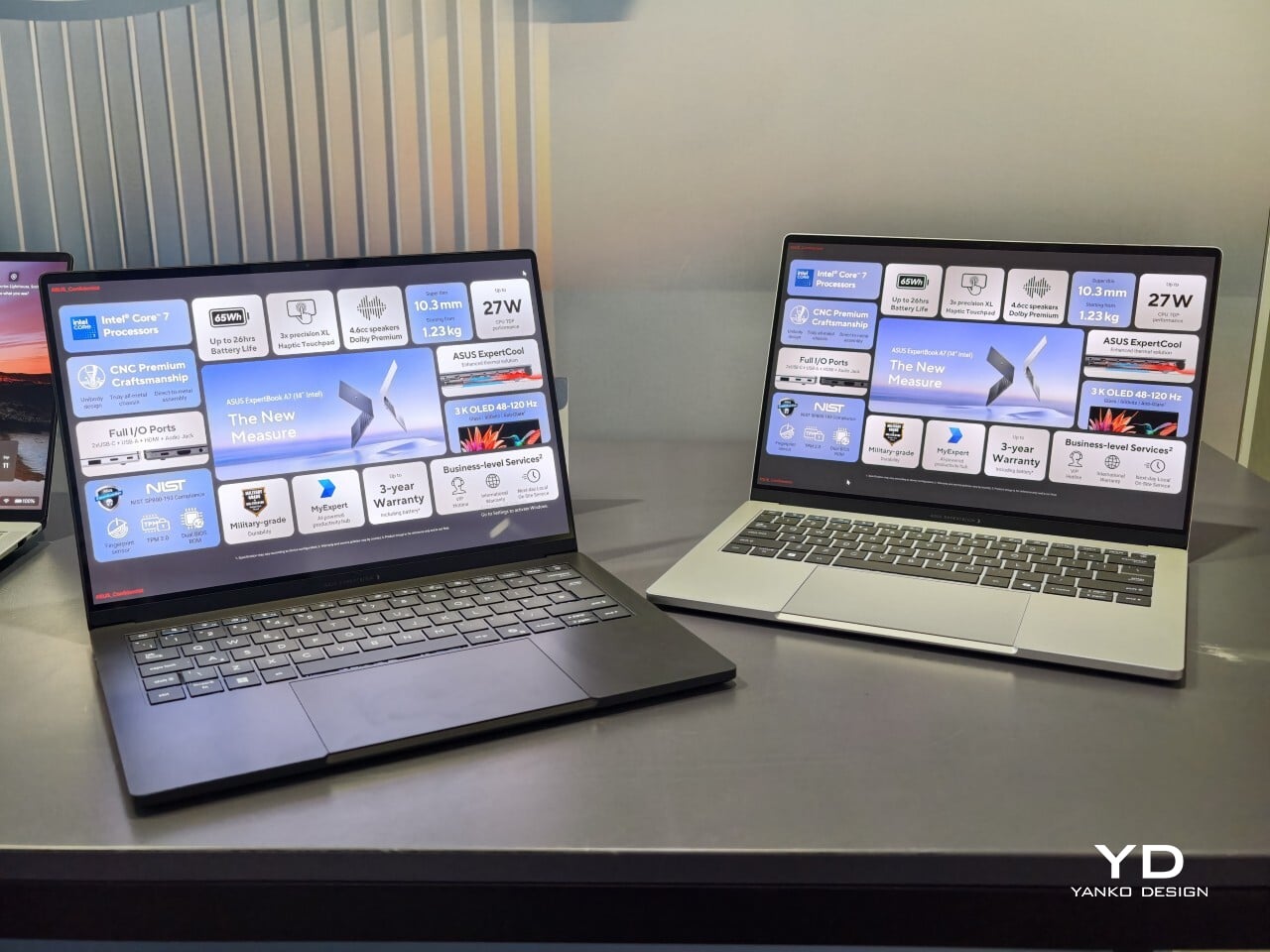
When I first saw the ASUS ExpertBook A7, I had to double-check that it was really meant for business. This laptop immediately cuts a different silhouette compared to the usual gray rectangles that fill airport lounges and open offices. Instead of relying on harsh edges or a boxy build, the A7 projects an air of modern sophistication that feels more at home next to a designer handbag than lost in a sea of generic briefcases. It is refreshing to see a company put such clear effort into making wor
When I first saw the ASUS ExpertBook A7, I had to double-check that it was really meant for business. This laptop immediately cuts a different silhouette compared to the usual gray rectangles that fill airport lounges and open offices. Instead of relying on harsh edges or a boxy build, the A7 projects an air of modern sophistication that feels more at home next to a designer handbag than lost in a sea of generic briefcases. It is refreshing to see a company put such clear effort into making work hardware truly attractive.
With this launch, ASUS introduces an all-new A series to its commercial lineup. Pricing in the US starts at $1,299, which places it among premium options for professionals who care about their tools’ aesthetics as much as their productivity. The combination of an aluminum body with a vivid OLED screen ensures it stands out from the crowd while still promising plenty of business features beneath the surface.
Designer: ASUS
A Work Companion Designed with Intention
From the first touch, you notice how carefully built the ExpertBook A7 feels. ASUS says this device is milled from a single block of 6000 series aluminum alloy, which is better known for its use in airplanes than office cubicles. This construction helps reduce visible seams and eliminates weak points that could otherwise catch on your bag or wear down over time. The result is a chassis that feels reassuringly solid in everyday use.
Sustainability gets its due as well. Nearly all of the aluminum used around the keys and top cover comes from recycled sources, while the bottom case uses 70% recycled material, too. That focus on sustainability does not just make environmental sense; it gives the laptop a cool touch and premium finish that plastic simply cannot match. Color choices remain subtle yet attractive. You can pick either Lunar Silver or Eclipse Black, both of which offer understated style wherever you work or play.
Measuring just under half an inch thick and weighing less than three pounds, this laptop is easy to slip into any bag without adding bulk or strain. Carrying it around feels closer to bringing along a glossy magazine than hauling old-school work equipment. For people who are always on the move, this lightweight build is more than just convenient.
Display That Draws You In
Flip open the lid, and you will immediately notice why ASUS is proud of its screen technology. The 14- inch panel offers 3K resolution at 2880×1800 pixels, using OLED technology for richer colors and true black levels. With a refresh rate of 120Hz, everything from scrolling through presentations to watching videos appears fluid and sharp.
For those who spend time editing photos or creating graphics, full coverage of the DCI-P3 color space means you get accurate color reproduction for creative work as well as daily tasks. Some versions offer an anti-glare coating to help keep reflections at bay if you often work near windows or bright lights. There is no touch input on this model. Instead, all interaction happens through a backlit keyboard and a glass haptic touchpad that gives gentle feedback with every click or gesture.
Thoughtful Features for Real Workdays
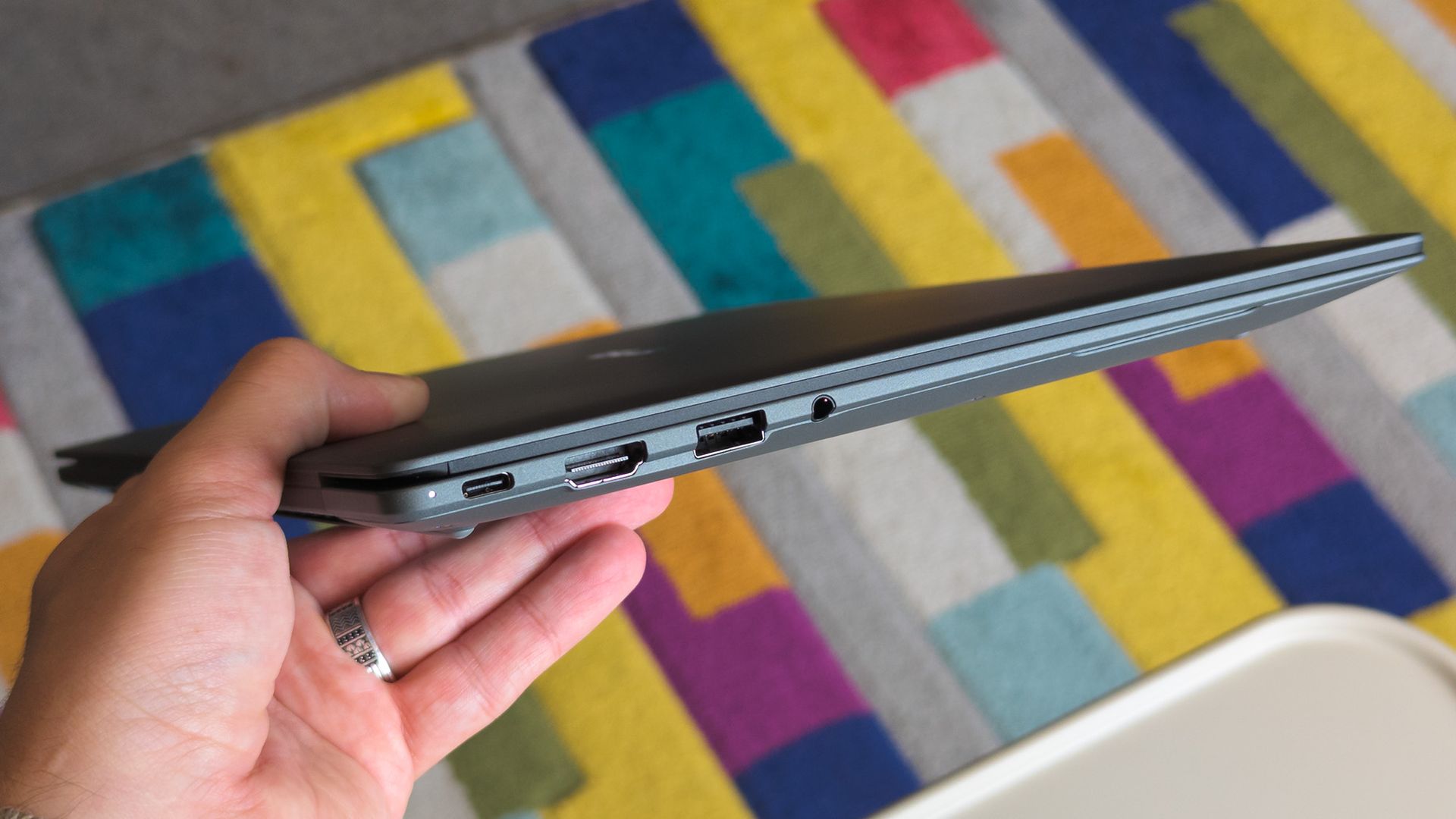
The port selection keeps you ready for any meeting or workspace setup without forcing extra adapters into your bag. Two USB-C connectors handle charging and video output while USB-A supports older accessories you might still rely on day to day. HDMI makes connecting to projectors or external monitors simple, and there is also a headphone jack when wireless audio just will not do.
ASUS includes small touches that make daily use easier than expected. For example, you can open the lid with just one hand, thanks to the carefully tuned hinge resistance. This proves surprisingly handy when juggling coffee cups or paperwork during a busy day. In my own hands-on time with the device, I found screen wobble kept nicely under control even while typing quickly.
Performance starts strong out of the box with Intel Core 5 processors available up to Core 7 models depending on your configuration needs. 16GB of memory comes standard along with 512GB of solid-state storage, so multitasking rarely slows things down.
Battery Life and Security That Keep Up
ASUS advertises up to 26 hours of battery life based on controlled video playback tests using their 65 WHr battery pack. In real-world situations filled with conference calls, dozens of browser tabs, and relentless emails, expect something less, but fast charging back up to 50% capacity in 30 minutes can help keep you unplugged longer when needed.
Security features include fingerprint sign-in support along with enterprise-level BIOS protection. Plus, regular updates are promised for five years after purchase. Buyers also receive three years of warranty coverage, which brings extra peace of mind when investing in premium hardware.
Apple’s official answer to a smudgy MacBook screen is a $9 Polishing Cloth, which, to be fair, is ten bucks cheaper than the version everyone roasted in 2021. MacPaw has a more extravagant answer. The Ukrainian company behind CleanMyMac just revealed CleanMyMac Mist, its first physical product, a screen and keyboard cleaner dressed up as a bottle of designer fragrance. One spritz on a microfiber cloth is meant to lift the fingerprints and leave your laptop smelling like a frosty pine forest. Yo
Apple’s official answer to a smudgy MacBook screen is a $9 Polishing Cloth, which, to be fair, is ten bucks cheaper than the version everyone roasted in 2021. MacPaw has a more extravagant answer. The Ukrainian company behind CleanMyMac just revealed CleanMyMac Mist, its first physical product, a screen and keyboard cleaner dressed up as a bottle of designer fragrance. One spritz on a microfiber cloth is meant to lift the fingerprints and leave your laptop smelling like a frosty pine forest. Your candles, your hand soap and your car already have signature scents, so honestly, the MacBook was overdue.
MacPaw calls the scent Frosted Juniper, picked because juniper grows both in Ukraine, where the company was founded, and in California, where the Mac was born. That’s a little sentimental, and I’m completely here for it. The notes run from camphor, ozone and citrus up top to fir needle, cedar leaf and green apple at the base, and the brief was to smell clean without smelling like a cleaning product. Pole, a design and small-batch production studio in Ivano-Frankivsk, made the glass atomizer, its metal case, and a pink box loud enough to see from across the office. Only 100 bottles exist, and they’re up for grabs via a CleanMyMac Instagram and TikTok giveaway until October 23, so don’t go hunting for a price tag.
Designers: MacPaw & Pole
Every design choice here borrows from the perfume counter instead of the cleaning aisle. A slim glass atomizer sits inside a cylindrical metal case, and its silver-and-gray finish would sit happily next to any MacBook. The box flips the mood entirely, with a hot pink tray holding the Mist, a microfiber cloth, a small brush and a scent card, which is basically a perfume blotter for your laptop. The whole package is designed to live on your desk in plain view, far away from the Windex under the kitchen sink. Le Labo pulled a similar trick with its hand-cast concrete diffuser, treating a fragrance gadget as decor first.
Apple’s own cleaning guide warns against aerosol sprays, so the Mist uses a pump atomizer, and you spritz the cloth instead of the screen. That small habit change tackles a real problem, since one in three US Mac owners in MacPaw’s survey admitted to damaging their machine while cleaning it. The product site names the usual culprits: glass cleaners that strip anti-reflective coatings, paper towels that leave micro-scratches, and the hoodie sleeve that only feels like it’s doing something. Apple Stores reportedly keep their display units spotless with WHOOSH!, so dedicated screen formulas are nothing new. MacPaw’s twist is making the formula something you’d happily smell on your fingertips afterward, though nano-texture displays should still stick to Apple’s dry cloth.
As a longtime CleanMyMac user, I find the whole thing delightfully on the nose. The app launched in 2008, has racked up 29 million downloads sweeping caches, logs and leftover app files out of Macs, and MacPaw says it cleans a million machines a day. For 18 years, “clean” was a metaphor for digital housekeeping, and now the metaphor has a nozzle and a note pyramid. MacPaw handed the physical side to Pole, a design and production center in Ivano-Frankivsk with metal, wood, ceramics and biolab workshops under one roof. Pole specializes in runs of 1 to 500 units and built elements for Ukraine’s pavilion at Expo 2025 in Osaka, so a 100-bottle drop sits right in its comfort zone.
The Mist isn’t for sale, and the only way to get a bottle is a giveaway on CleanMyMac’s Instagram and TikTok that closes at 11:59 PM EST on October 23. MacPaw will pick 10 winners on Instagram and 5 on TikTok, so the odds are slim, but every entrant still gets a 20% CleanMyMac coupon. The full scent breakdown and entry details live at cleanmymacmist.com. Millions of Mac owners already trust MacPaw with the inside of their machines, and I suspect plenty of them would buy a refill to keep the outside smelling like a snowy forest. Frosted Juniper makes a great first edition, though I’m already lobbying for a cozy sandalwood one by December.
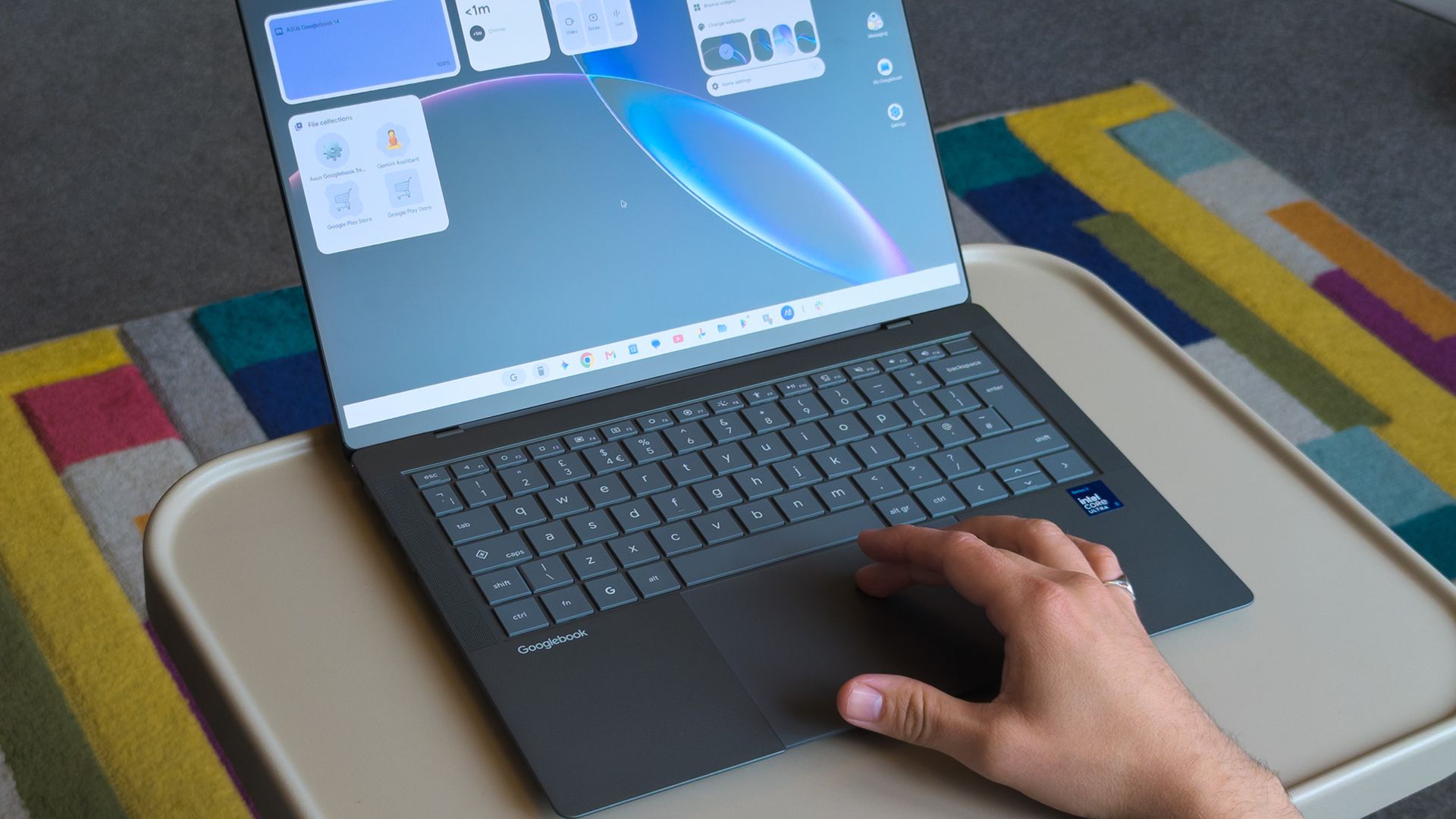
In September this year, Google announced its 'Googlebooks' as a premium laptop counterpart to its budget-conscious Chromebooks, rather than a replacement. It wouldn't have made much of a blip on my radar if the company hadn't paired with some of my favorite OEMs to build them.Indeed, Google isn't building any first-party devices. Unlike Chromebook, these new Android-based offerings come only from OEMs like Acer, ASUS, Dell, HP, and Lenovo. 14-inch Windows laptops
In September this year, Google announced its 'Googlebooks' as a premium laptop counterpart to its budget-conscious Chromebooks, rather than a replacement. It wouldn't have made much of a blip on my radar if the company hadn't paired with some of my favorite OEMs to build them.
Indeed, Google isn't building any first-party devices. Unlike Chromebook, these new Android-based offerings come only from OEMs like Acer, ASUS, Dell, HP, and Lenovo. 14-inch Windows laptops have quickly become my favorite, with ASUS' Zenbook in the lead, so the $1,299 ASUS Googlebook 14 is intriguing.
I think it's a great opportunity to steal consumer windows marketshare from MS, not enterprise.
With that in mind, could I ever seriously expect the general public to adopt another operating system with fewer features than Windows, less customization than Linux, and some pricing sensibilities of Mac? Offered a chance to test-drive a sample from ASUS, I couldn't resist. Here's how it went.
ASUS Googlebook 14: What I like
Lightweight 14-inch laptops are my absolute favorite, but I'll always prefer Windows. (Image credit: Ben Wilson | Windows Central)
The ASUS Googlebook 14 looks (and feels) great, which didn't surprise me, given how much I've enjoyed the company's recent design evolutions. Its chassis is coated in a magnesium-aluminum alloy, which explicitly avoids being labeled as the same Ceraluminum as its Zenbooks, but it's extremely similar.
Perhaps most impressive is its weight; ASUS claims the Googlebook 14 starts at 0.99 kg (2.18 lbs), but my scales place it closer to 0.97 kg (2.13 lbs). I'm a big fan of this emerging trend, having adored the Zenbook A14 at 2.18 lbs. Yes, it comes with extra screen flex, but I don't make a habit of bending my laptops.
ASUS claims the Googlebook 14 starts at 0.99 kg (2.18 lbs), but my scales place it closer to 0.97 kg (2.13 lbs)
OLED displays rarely disappoint either, and sure enough, this 16:10 panel also looks great. I'm still getting used to matte screens, and frankly, I almost want to avoid touching it to prevent fingerprints. Nevertheless, it's rated for up to 450 nits of brightness and 100% DCI-P3 color gamut coverage. Good for creators.
Finally, the chiclet keyboard has a 1.5mm key travel, which is relatively deep and feels good enough. The 6-inch haptic touchpad, however, is immediately fantastic. Left-clicking works anywhere, and it responds convincingly when pressed. I'll even commend the I/O for keeping USB-A ports around.
ASUS Googlebook 14: What I don't like
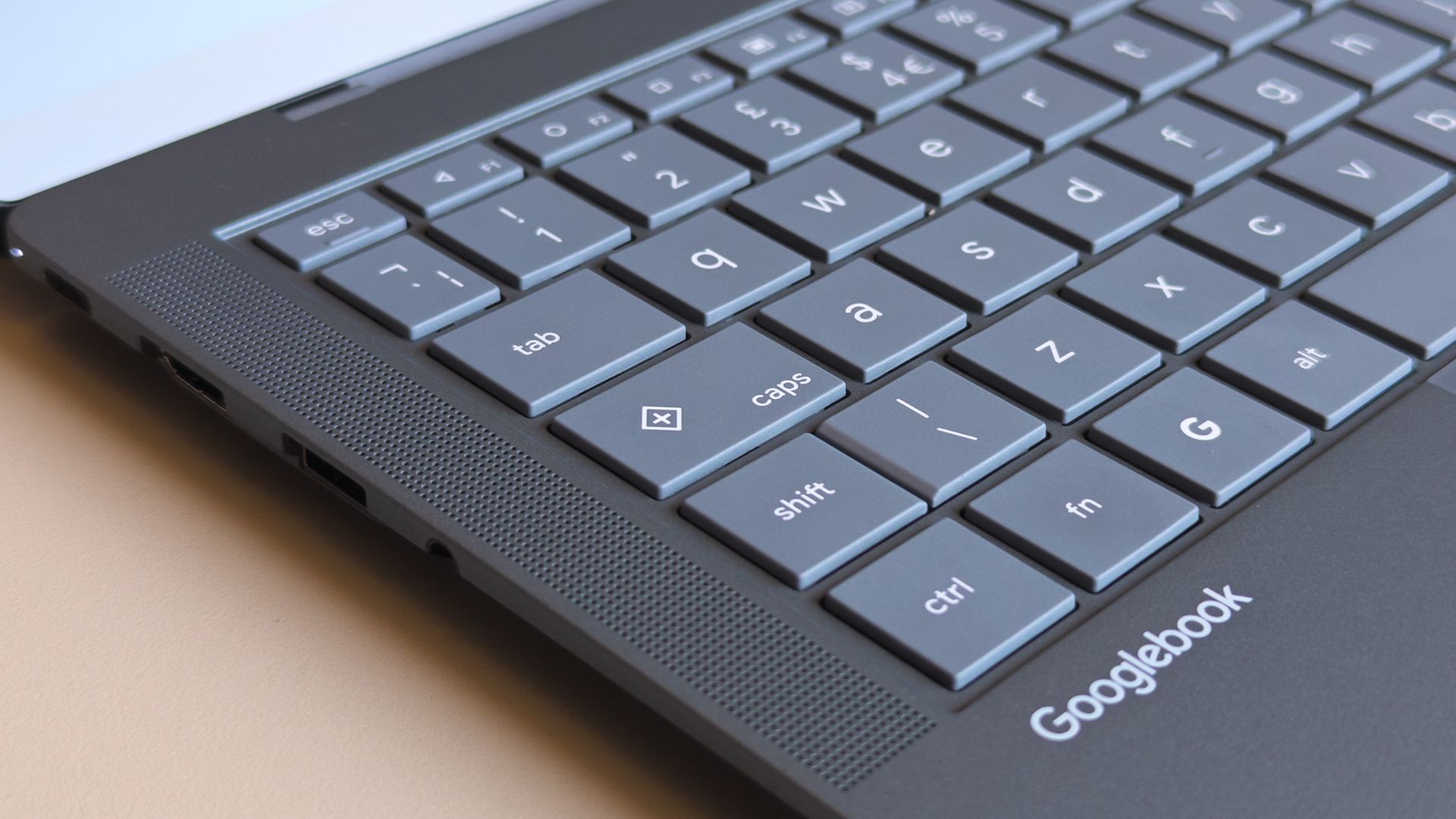
Caps Lock doesn't work without the Fn key, opening a quick context menu if pressed by itself. (Image credit: Ben Wilson | Windows Central)
Before I had a chance to experience much of Googlebook OS (which can refer to itself as ChromeOS during setup), I was irked by a few user experience oddities. Granted, these are primarily related to my expectations as a Windows user, but when I pressed the Caps Lock button, I expected capital letters.
Instead, Caps Lock defaults to activating a context menu indicated by a plus (+) icon, a sort of one-size-fits-all window that resembles Microsoft's 'Emoji and more' picker. Pressing Fn + Caps Lock delivers what I really wanted, which should be no big deal, just a learning curve. But it keeps going.
Even with increased hardware prices you can just buy a full Windows laptop or a MacBook Air for that much. Only a fool would buy one of these.
Fozzy_Bear, Windows Central Community
There's no delete key, so I need Fn + Backspace for that, which I wouldn't mind if double-tapping the touchpad would drag to select multiple words, but it doesn't work that way; I can only double-tap one word at a time. I suppose I might get used to that, too. Shift + arrow keys still select full lines, after all.
Some aren't as drastic; a single haptic click at the top of an app with maintained contact allows me to drag it around, while double-tapping restores or maximizes as I'd expect. On the other hand, there's no right-click area by default, instead requiring a two-finger tap unless I toggle that touchpad tweak in Settings.
Finding apps that work best on a laptop screen is made easier with Google's app ratings.Google | Windows CentralUnfortunately, some apps fall back on their web versions, keeping you in the browser.Google | Windows CentralExpect to see an AI consent prompt when you open almost every app or feature for the first time.Google | Windows Central
Again, most of these gripes can be so easily dismissed as nothingburger preferences carried over from decades of habits formed on Windows, which is fair, but trying to carry out my daily workflow on the ASUS Googlebook 14 soon had me wondering how much broad appeal this platform will have.
Like an Android smartphone, Google supplies your apps from the Play Store. Starting with Slack shows how a Googlebook handles compatibility by dividing apps into categories ranked from best to worst: Made for desktop, Optimized for desktop, Compatible with desktop, Better on the website, and Built for mobile.
Chrome OS was already able to run android apps; it just looks like they have decided to build it on top of android instead of chrome and its only on premium apps.
Tony Holness, Windows Central Community
Slack feels like an unlucky starting place for my Googlebook adventure since it lands in the 'Better on the website' category, made worse by a message that says, "This app cannot be installed" as a PWA (Progressive Web App). Installing it anyway is, indeed, a lesser experience than using it in Chrome.
Opening the 'Compatible with desktop' Microsoft Edge brings the entire Googlebook to a strange halt, preventing even Task Manager from opening until I restart, and my chosen video editing suite, DaVinci Resolve, isn't available at all. I know it's in its infancy, but Google's OS isn't thrilling me so far.
ASUS Googlebook 14: What happens next?
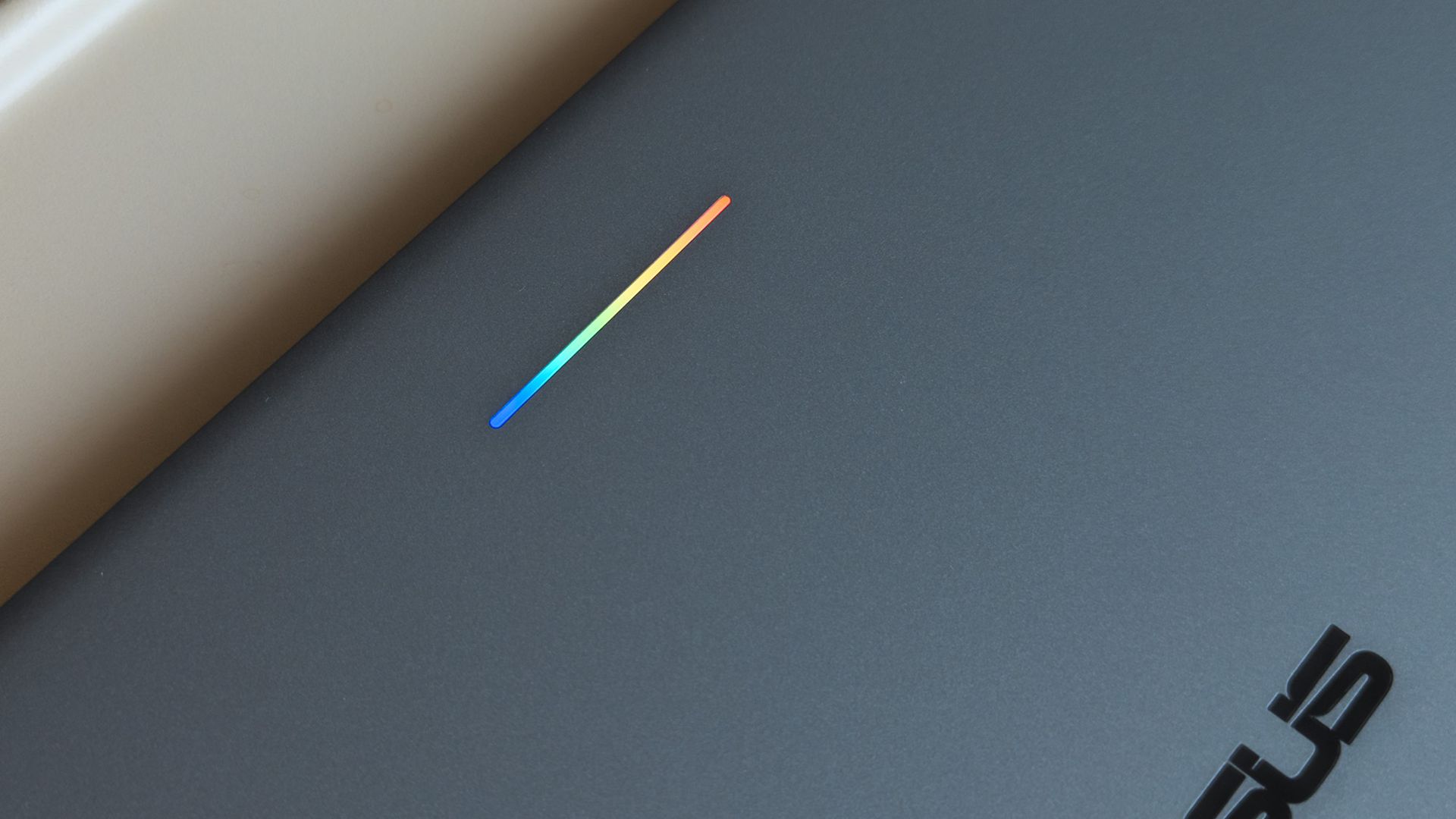
A small 'Glowbar' on Googlebook lids illuminates with RGB colors, but you'll almost never see it. (Image credit: Ben Wilson | Windows Central)
All of these impressions came in the first 24 hours of having my hands on this interesting, AI-centric laptop, and there's more to see. Gemini begs me to use it at every turn, but my next step is syncing my Pixel 7 Pro or Galaxy Z Flip 7 to see how features like 'Cast my apps' actually perform.
I'm not writing it off yet, but my first impressions aren't exactly stellar. Even the RGB Glowbar gimmick offers little more than battery-life visibility; almost as frivolous as the illuminated "look what I have" logos on gaming laptop lids. On the software side, OS updates will likely fix many of my complaints.
Still, I won't ignore the outspoken Windows users who have pushed back on Copilot AI integrations in Microsoft's leading OS for the past few years, and I can only wonder who would adopt something fundamentally the same, except built by Google. Are Googlebooks perhaps only appealing to developers?
Either way, I'm impressed with ASUS but unconvinced by Googlebook. The hardware is fantastic, but it comes from the same people who built the Zenbook, so that's hardly a revelation. I'll keep using Googlebook OS for a few more days and see how it feels once the launch hype dies down.
Join us on Reddit at r/WindowsCentral to share your insights and discuss our latest news, reviews, and more.
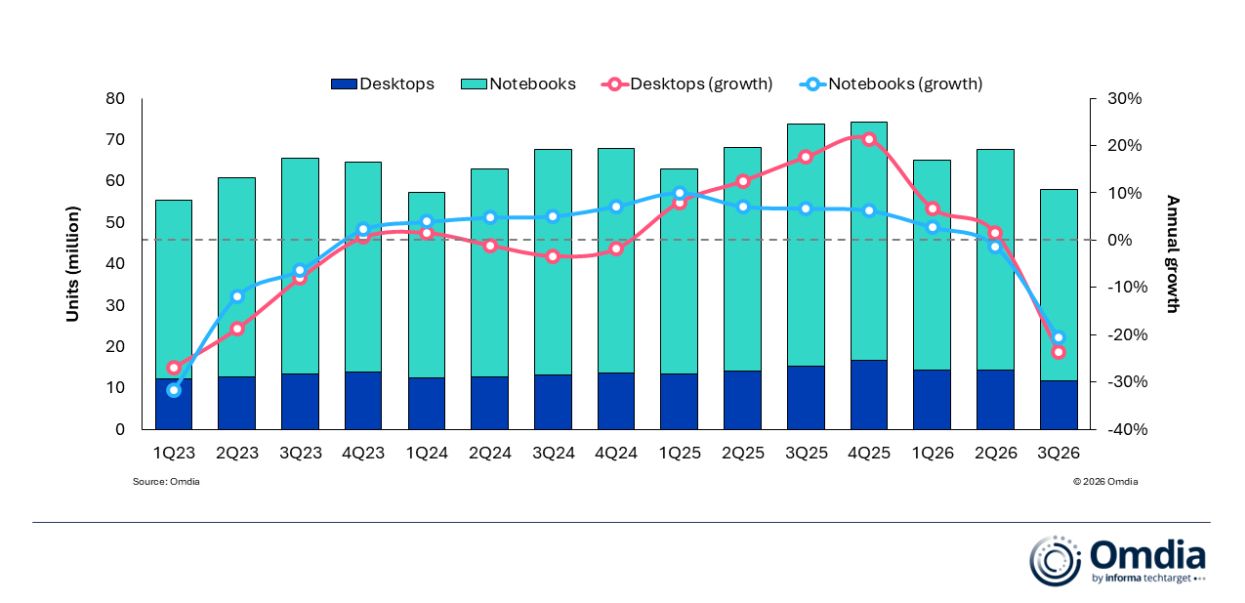
IDC and Omdia, two major analyst firms, recently released independent reports showing massive year-over-year drops in global PC shipments in Q3 2026. IDC shows a slightly rosier 20.1% decline compared to Q3 2025, whereas Omdia reports a 21.2% decline.Breaking that down, Omdia notes that desktop shipments dropped 23.5% and laptops 20.6% to arrive at the average.This decline is not normal. As IDC notes, Q3 almost always beats Q2, but this year, it's dropped by 9.1%
IDC and Omdia, two major analyst firms, recently released independent reports showing massive year-over-year drops in global PC shipments in Q3 2026. IDC shows a slightly rosier 20.1% decline compared to Q3 2025, whereas Omdia reports a 21.2% decline.
Breaking that down, Omdia notes that desktop shipments dropped 23.5% and laptops 20.6% to arrive at the average.
This decline is not normal. As IDC notes, Q3 almost always beats Q2, but this year, it's dropped by 9.1% sequentially.
Is there a need to panic? Probably not, at least not more than the new normal, as RAM and storage shortages have pushed prices beyond what many users are willing to pay. Let me explain.
Why did global PC shipments fall off a cliff in Q3 2026?
Omdia's chart shows a more detailed breakdown of the year-over-year PC shipment decline in Q3 2026. (Image credit: Omdia)
Both analysts agree that the sharp drop in global PC shipments is due to vendors and supply channels buying up stock earlier in the year. IDC's Jitesh Ubrani says it's the result of "strong first half pull-in" which has "thrown off the usual seasonality".
Despite the RAM and storage crisis already digging its claws into the market in Q1 2026, global PC shipments actually rose by 3.2% on the back of panic buyers, Windows 10 upgraders, and advance vendor stockpiling.
That momentum has finally tailed off in a major way. Ubrani remarks:
Channels are now worried about carrying too much inventory into a market where high prices are suppressing demand. That could translate into promotions and some short-term relief for consumers, but we don’t expect pricing anywhere near what it was a year ago.
Jitesh Ubrani for IDC
Omdia's Research Director Ishan Dutt agrees, noting that "pull-forward activity buoyed the PC market in the first half of the year" and that the sharp drop in Q3 2026 "comes as no surprise."
Which PC brand got hit the hardest in Q3 2026?
Lenovo is one of the PC brands that got hit hardest in Q3 2026. (Image credit: Windows Central)
Omdia and IDC both provide detailed numbers as to how many shipments each major PC brand was able to send out in Q3 2026.
According to IDC, HP saw the biggest year-over-year decline at 30.9%, with Lenovo coming in second at a 22.6% decline. Omdia's numbers put HP at -31% and Lenovo at -22.9%, so not much difference.
Moving down IDC's list, Dell was hit by a 25%decline, ASUS by 8.6%, and other brands together by 14%. Despite Apple growing strongly in Q2 2026 thanks to the launch of its MacBook Neo, it also dropped off by 11.3% in Q3.
What does the drop in global PC shipments mean for regular buyers?
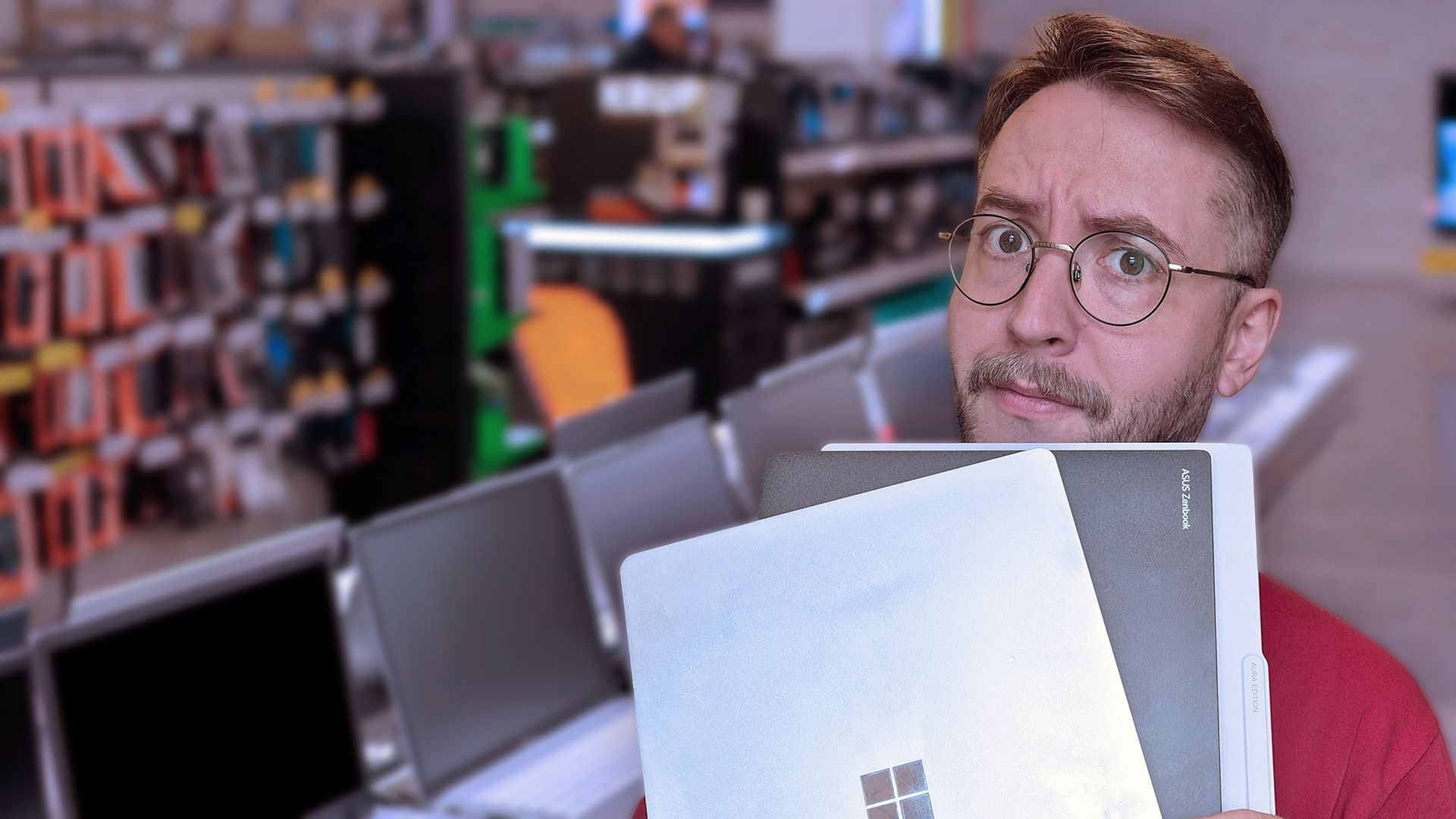
It's not easy shopping for a new laptop in 2026. (Image credit: Getty / Ben Wilson | Windows Central)
Basically, this sharp drop in shipments doesn't mean that you should suddenly see a return to more regular prices.
Vendors and suppliers had to buy their PCs in the first half of 2026 at a much higher price than usual, and they're not likely keen on losing money as they get rid of stock in Q4.
RAM and storage costs have not improved, and IDC's Ubrani notes that "with macro conditions worsening, the risk is that the outlook for the next few quarters gets worse before it gets better."
Offering buying advice here sort of feels futile. On one hand, yes, some vendors might realize they need to offload stock and will offer some tasty discounts that bring prices back into the realm of reality. Unfortunately, I can't guarantee that will happen any time in the near future.
On the other hand, laptops might be at their most affordable right now, and waiting for a great deal will only end up making you pay more later this year or next year. It's a frustrating predicament, to be sure.
It will be interesting to see what Q4 2026 has in store for the global PC market.
Join us on Reddit at r/WindowsCentral to share your insights and discuss our latest news, reviews, and more.
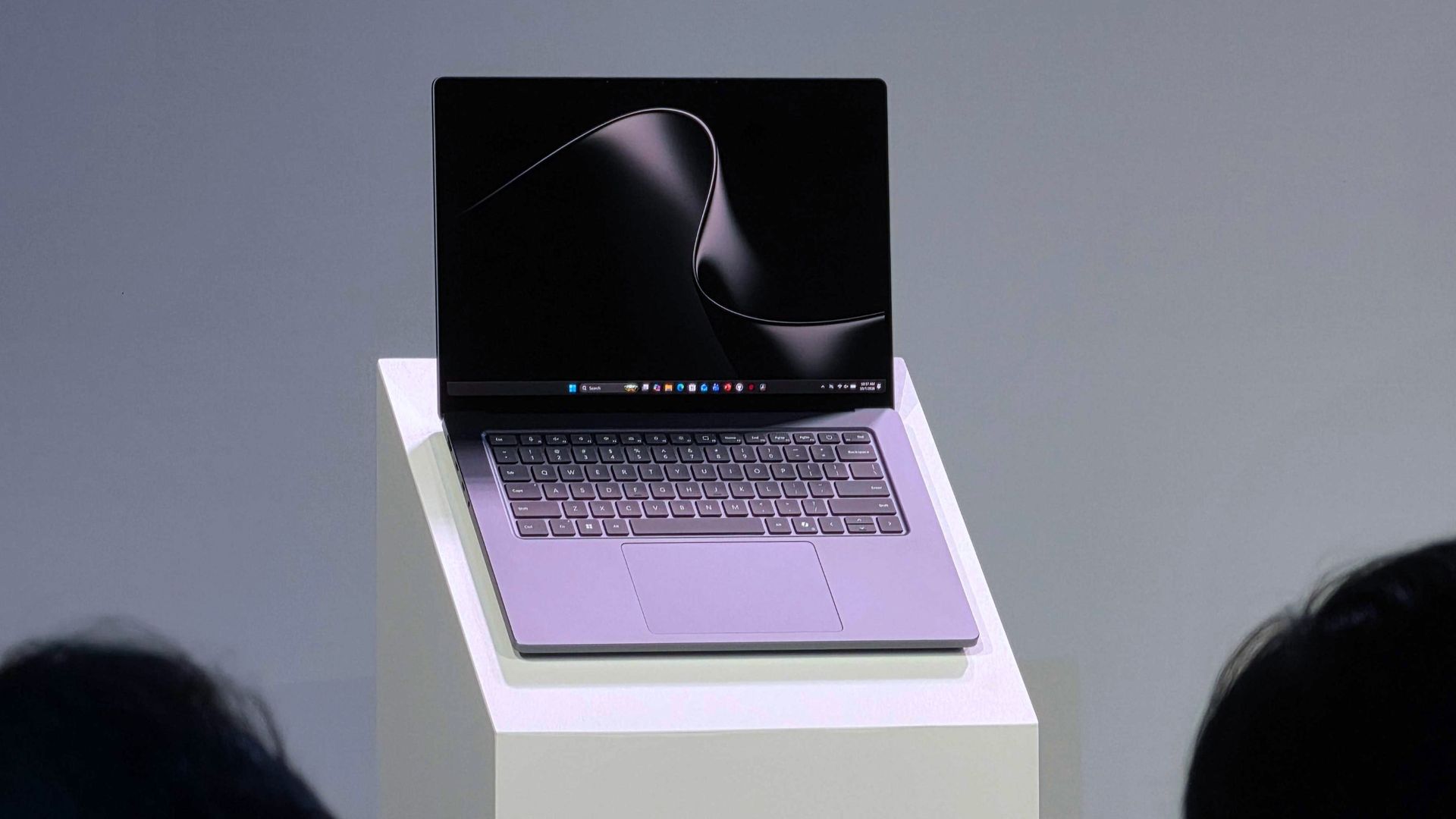
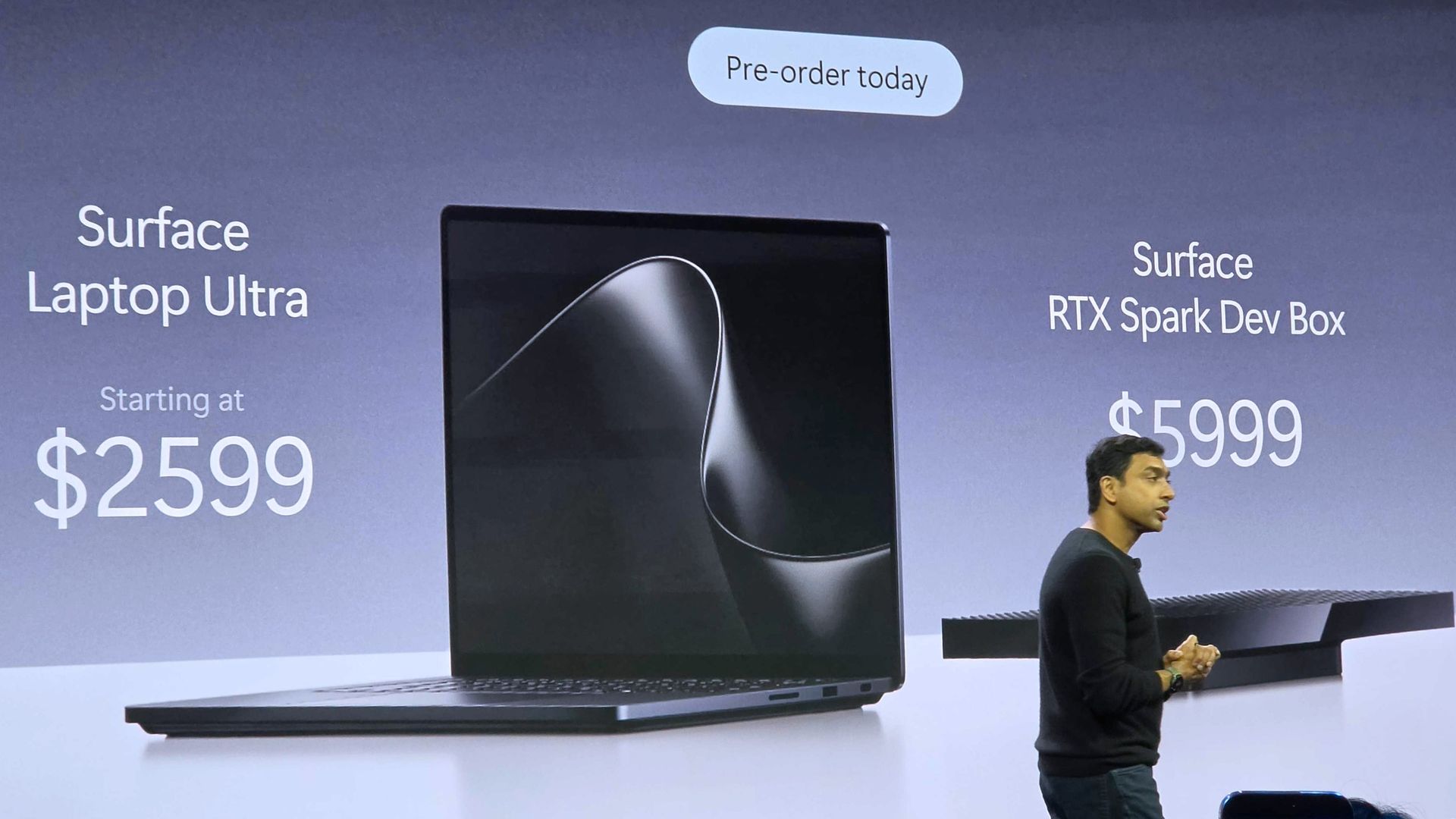
Microsoft's new Surface Laptop Ultra is here. Preorders are live and shipments start next week. The PC packs an RTX Spark processor and has a mini-LED display and a nice range of ports, including the special magnetic USB-C port.Surprisingly, the Surface Laptop Ultra has the lowest starting price of all the RTX Spark laptops. But Microsoft is pushing to compete with more than just Windows laptops. The tech giant will give you up to $1,000 cash back when you trade
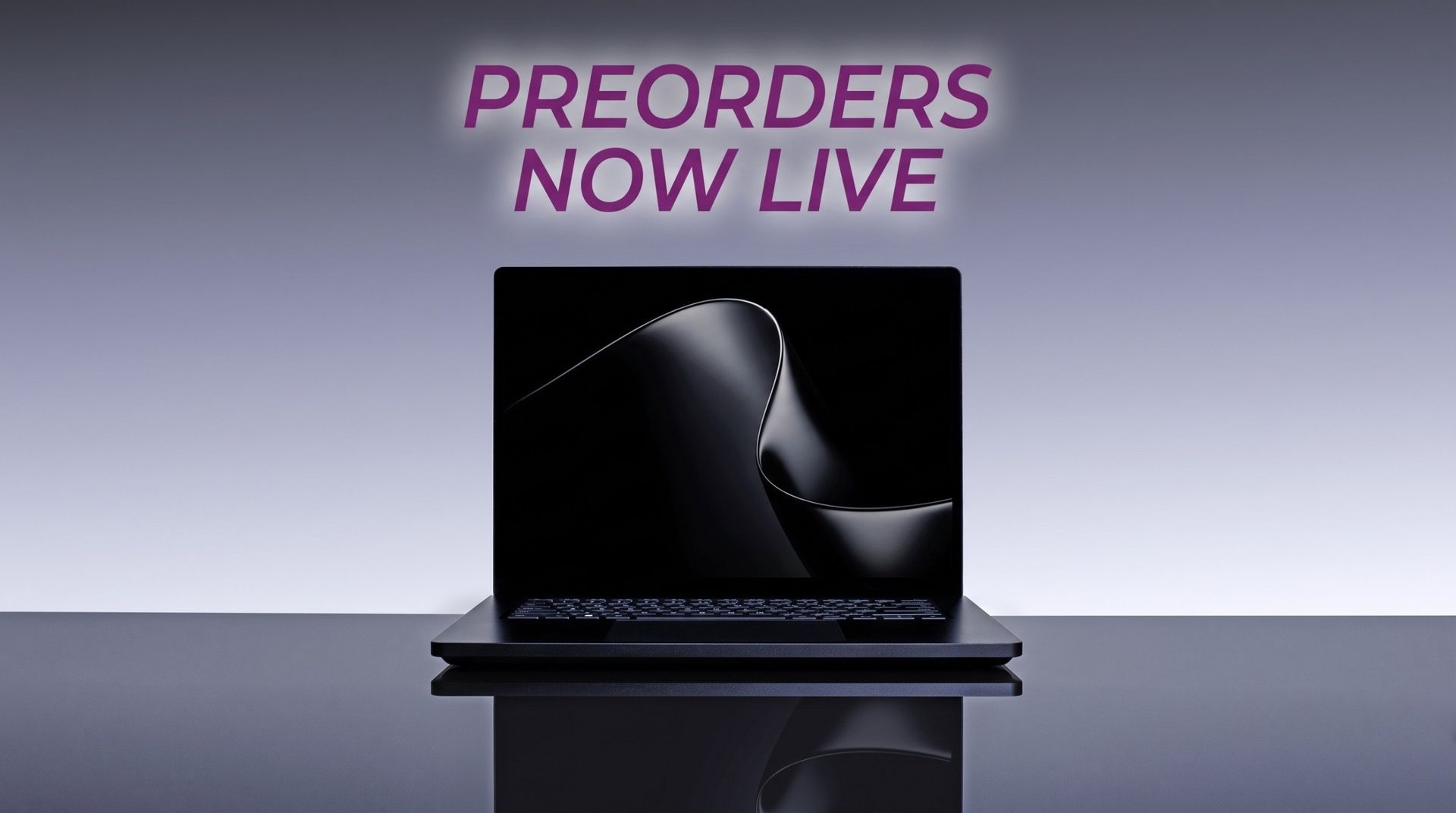
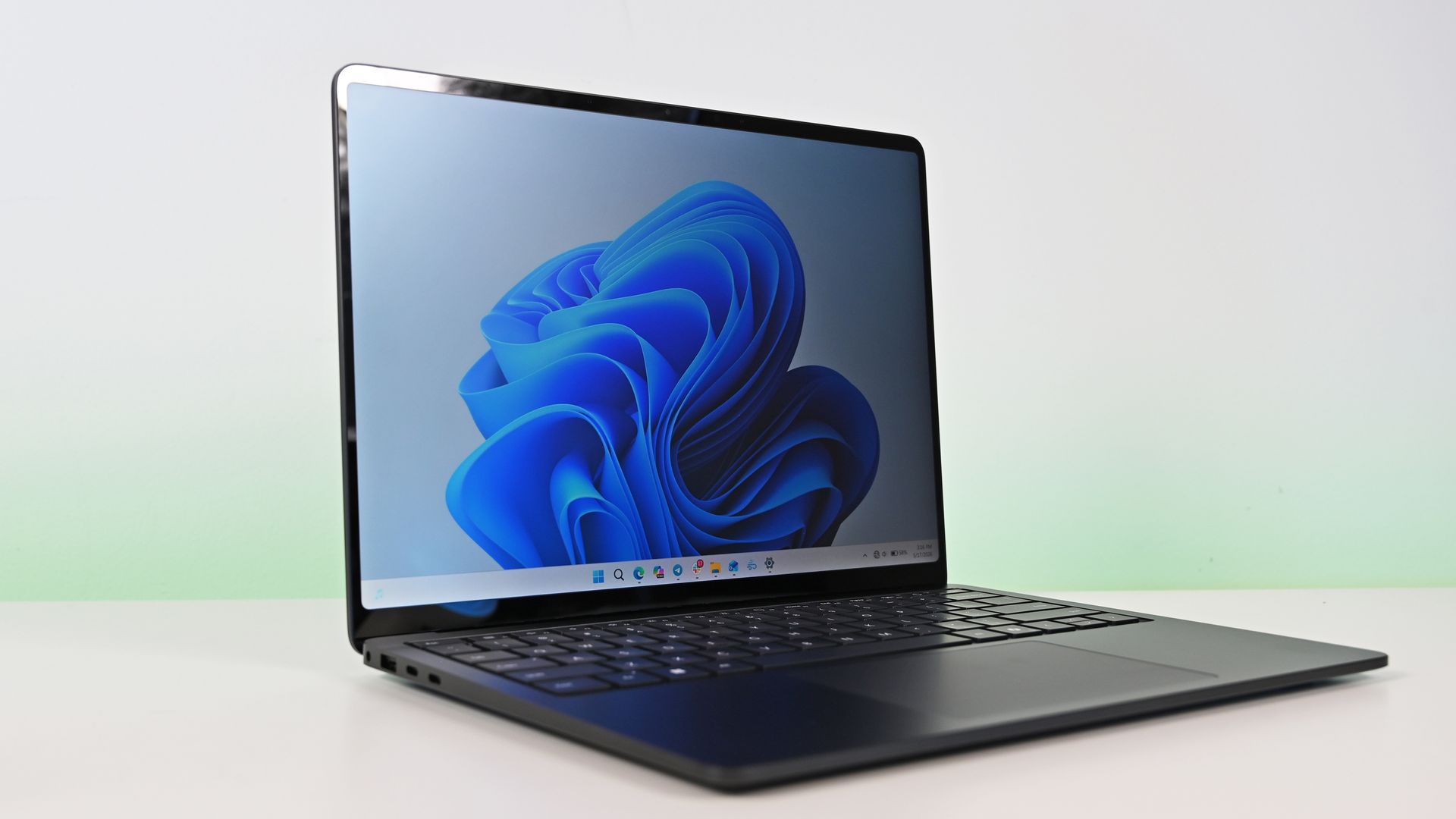
Microsoft's new Surface Laptop Ultra is here. Preorders are live and shipments start next week. The PC packs an RTX Spark processor and has a mini-LED display and a nice range of ports, including the special magnetic USB-C port.
Surprisingly, the Surface Laptop Ultra has the lowest starting price of all the RTX Spark laptops. But Microsoft is pushing to compete with more than just Windows laptops. The tech giant will give you up to $1,000 cash back when you trade in a MacBook Pro and buy a Surface Laptop Ultra.
The cash back you receive would be on top of the trade-in value, not in place of it. Rather than the funds being dispensed at checkout, Microsoft will pay the cash back after receiving and evaluating your device.
"A promotional offer is extra value added to your trade-in when your device and purchase qualify," says Microsoft. "For example, you may receive a promotional bonus in addition to your device's standard trade-in value. The total amount is paid after your device is received and evaluated, not applied at checkout."
Built around the NVIDIA RTX Spark platform with an N1X CPU, RTX GPU, and up to 128GB of unified memory, the Surface Laptop Ultra hits new performance heights for power users. It's all contained in a gorgeous chassis with a mini-LED display and tons of ports. Prices start at $2,599.99, and units will begin shipping on October 16, 2026.
If you stack trade-in value with cash back, you can effectively save thousands of dollars on a Surface Laptop Ultra. Of course, that would require you to have a MacBook Pro in excellent condition that has incredibly high specs, all while wanting a Surface instead. I'm not sure how many people will check all those boxes.
Perhaps the bigger news here is that Microsoft specifically made a cash back offer targeting MacBook Pro owners. That's a clear shot at Apple and a sign that Microsoft wants to compete with what are often considered the best laptops on the market.
As you'd expect, the value of your device trade-in depends greatly on the model you're trading in and the condition that device is in. The highest trade-in value I was able to get through Microsoft's website was $2,115 for a MacBook Pro 16-inch (2025) with 128GB of RAM and 4TB of storage.
Interest in the Surface Laptop Ultra has been strong from our readers. It will be interesting to see if that sentiment is widespread and translates to sales.
Join us on Reddit at r/WindowsCentral to share your insights and discuss our latest news, reviews, and more.
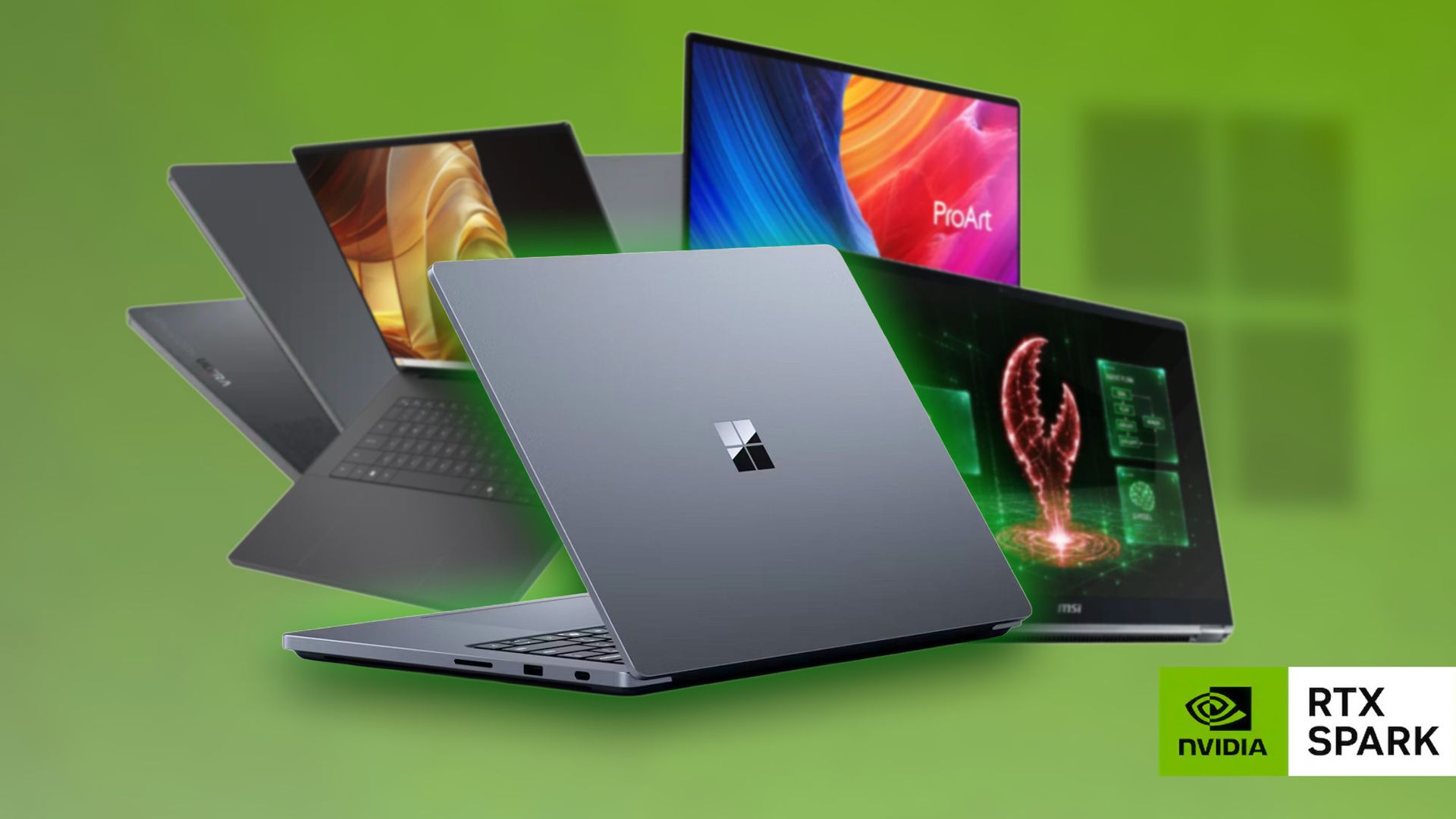
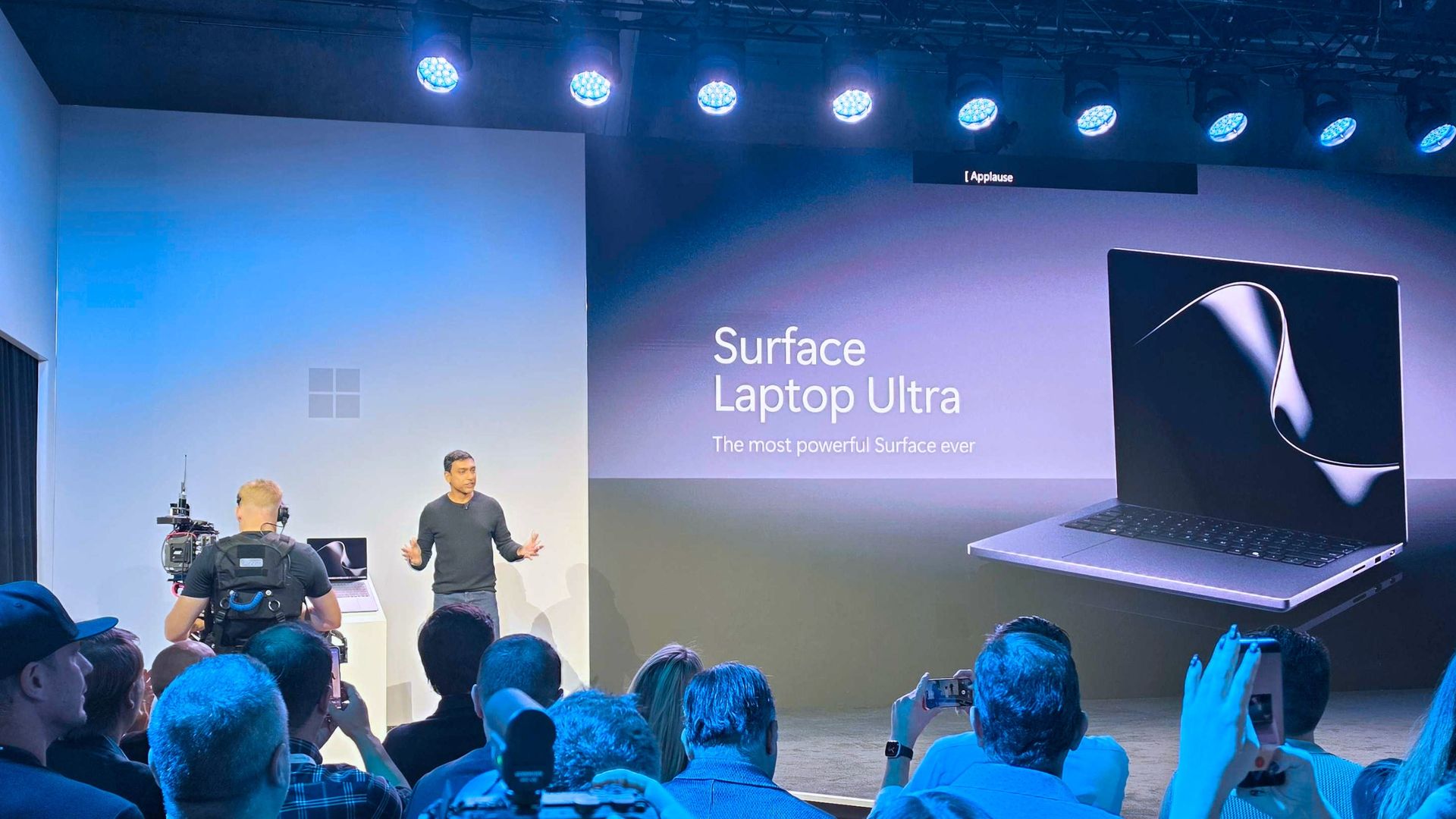
Microsoft's Surface Laptop Ultra is part of a new wave of Windows laptops running on NVIDIA's RTX Spark platform. It was first revealed at Computex 2026, and Microsoft followed up with pricing, release date, and more feature details at a special event on October 7, 2026. Prices are confirmed to start at $2,599.99, and models are expected to begin shipping on October 16.The Surface Laptop Ultra is the most powerful Surface device yet thanks to its ARM-based NVIDIA
Microsoft's Surface Laptop Ultra is part of a new wave of Windows laptops running on NVIDIA's RTX Spark platform. It was first revealed at Computex 2026, and Microsoft followed up with pricing, release date, and more feature details at a special event on October 7, 2026. Prices are confirmed to start at $2,599.99, and models are expected to begin shipping on October 16.
The Surface Laptop Ultra is the most powerful Surface device yet thanks to its ARM-based NVIDIA System-on-Chip (SoC) with up to 20 CPU cores, 6,144 Blackwell RTX GPU cores, and 128GB of unified memory. Microsoft built the Surface Laptop Ultra for "world makers," also known as developers, scientists, engineers, and creators, who need a fresh take on performance and portability in the age of AI.
Microsoft finally gave us more information about the Surface Laptop Ultra, including price, release date, and features, at a special event on October 7. It's confirmed that the RTX Spark-powered PC will begin shipping on October 16, and preorders are live now, starting at $2,599.The reactions to this announcement have been interesting. It seems like a fair number of people were expecting a higher baseline price, while others are just happy that Surface now has a
The reactions to this announcement have been interesting. It seems like a fair number of people were expecting a higher baseline price, while others are just happy that Surface now has a true MacBook Pro competitor for the age of AI.
Here's what people are saying about the new Surface Laptop Ultra and its RTX Spark platform.
The Windows community reacts to the Surface Laptop Ultra's pricing
The Surface Laptop Ultra's price reveal at the October 7 Microsoft event. (Image credit: Daniel Rubino | Windows Central)
Responding to a Windows Central subreddit thread regarding other RTX Spark laptops and their pricing, user Icybubba noted, "And somehow the Surface seems to be the cheapest out of all those."
Another redditor, Valterri_Its_James, remarked, "Lowkey the pricing isn't absolutely horrendous. 32GB costs $3300 which is about the same as the ROG Zephyrus G14."
Not everyone is loving the Surface Laptop Ultra's pricing
The Surface Laptop Ultra from our hands-on time at Computex. (Image credit: Windows Central / Zac Bowden)
Others aren't so sure that the Surface Laptop Ultra is a reasonable price, especially once they dig into the configuration options and see what's available for each chip.
For reference, the Laptop Ultra has two RTX Spark options available: a more affordable option with an 18-core CPU and 5120-core GPU, or a more expensive option with a 20-core CPU and 6144-core GPU.
The price difference between these two models is roughly $1,100, though the more powerful Spark defaults to at least 32GB of RAM (compared to 24GB) and a 1TB SSD (compared to 512GB).
The announced feature that seems to be getting a lot of attention alongside pricing is the Surface Laptop Ultra's breakaway USB-C port.
It's sort of a mashup between Apple MagSafe and Surface Connect, designed to pull out of the laptop rather than ripping it off a desk should you trip on the cable. It's designed to work with any USB-C cable, and the port offers full functionality.
There are, of course, plenty of detractors noting that it took Microsoft this long to finally copy Apple MagSafe. That's not exactly true; Surface Connect was always magnetic and would break away if jarred. The move to the more ubiquitous USB-C form factor erased that failsafe, and Microsoft has now reintroduced it.
It's also worth pointing out that MagSafe does not handle any data and is for power only. The Surface Laptop Ultra's USB-C port handles both.
I want to know what you think!
We're a community here at Windows Central, and I'm always interested in your opinions. I want to know what you think about the Surface Laptop Ultra's pricing, configuration options, and features in more detail, so please be sure to leave a comment below!
Built around the NVIDIA RTX Spark platform with an N1X CPU, RTX GPU, and up to 128GB of unified memory, the Surface Laptop Ultra hits new performance heights for power users. It's all contained in a gorgeous chassis with a mini-LED display and tons of ports.
Microsoft finally revealed exactly how much its new Surface Laptop Ultra costs (starting at $2,599!), and preorders are now live for anyone who wants to get in on the first wave of PCs expected to ship on October 16.While Microsoft was busy revealing new information about its most powerful Surface yet at the event, other laptop makers were busy setting their own prices and opening up preorders.We now have a wide selection of RTX Spark laptops from the likes of AS
Microsoft finally revealed exactly how much its new Surface Laptop Ultra costs (starting at $2,599!), and preorders are now live for anyone who wants to get in on the first wave of PCs expected to ship on October 16.
While Microsoft was busy revealing new information about its most powerful Surface yet at the event, other laptop makers were busy setting their own prices and opening up preorders.
We now have a wide selection of RTX Spark laptops from the likes of ASUS, Dell, HP, Lenovo, and MSI, and I'm expecting there to be more arriving in the near future. Until then, here's what you can preorder today.
RTX Spark laptops with confirmed pricing and release date (so far)
To make it easier for anyone hoping to land a new RTX Spark-powered PC, I've put together this list of laptops that you can now preorder.
Built around the NVIDIA RTX Spark platform with an N1X CPU, RTX GPU, and up to 128GB of unified memory, the Surface Laptop Ultra hits new performance heights for power users. It's all contained in a gorgeous chassis with a mini-LED display and tons of ports. Prices start at $2,599.99, and units will begin shipping on October 16, 2026.
The new ASUS ProArt P14 and P16 duo gives users more size options while retaining the same great RTX Spark performance. The P14 is the lightest ProArt laptop ever, while the P16 is the way to go for a larger OLED display. Prices start at $2,599.99 for the P14 and $2,799.99 for the P16. They're expected to begin shipping on October 16, 2026.
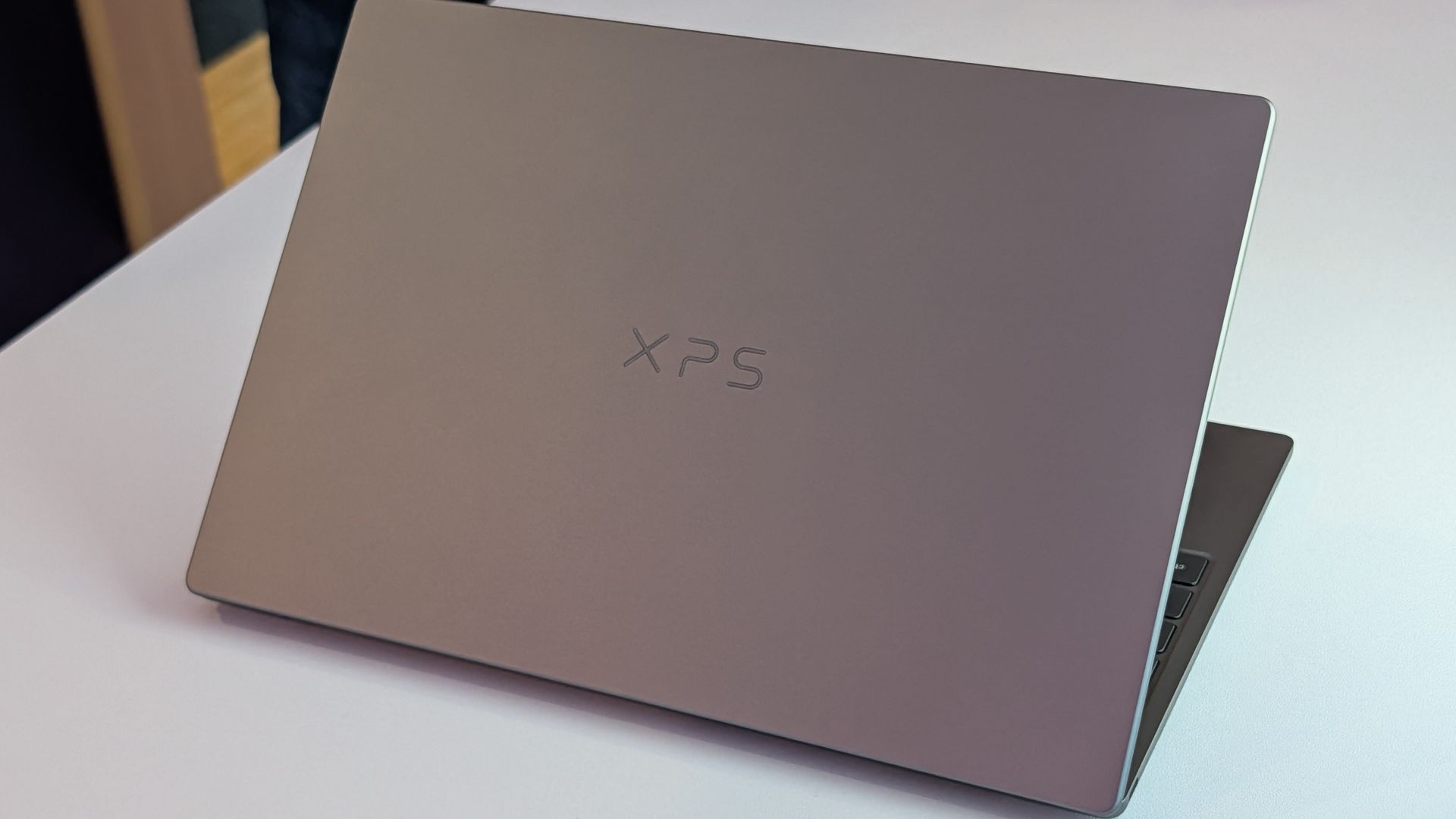
Dell's new XPS 16 with RTX Spark features a 3.2K OLED display, lattice-free keyboard, and the usual premium XPS styling. Prices start at $3,799.99 and units are expected to begin shipping on October 16, 2026.
The OmniBook X 14 is the smaller of the two new PCs, but it features the same RTX Spark options for maximum performance. Models start at $2,999.99 and are expected to ship beginning November 4, 2026.
The larger of the two new HP RTX Spark laptops delivers a gorgeous 16-inch OLED display with 3K resolution and, of course, your choice of RTX Spark chips. Prices start at $3,199.99, and shipments are expected to begin on November 4, 2026.
Lenovo's Yoga 9n should be the right choice for those who value a versatile convertible design and premium build quality. Prices start at $3,099.99, and models are expected to begin shipping on October 16, 2026.
MSI's Prestige N16 Flip AI+ is another versatile convertible featuring the RTX Spark platform and a Tandem OLED display. It appears that preorders might kick off on October 8 for this laptop, with prices starting at $3,299.99.
Microsoft's Surface Laptop Ultra with NVIDIA RTX Spark inside. (Image credit: Daniel Rubino | Windows Central)
Did you spot a live preorder I missed? Let me know about it in the comments section below. I'd also love to hear your opinions regarding pricing on these models. Do you think it's too high? Too low? Just right? Tell me about it!
Join us on Reddit at r/WindowsCentral to share your insights and discuss our latest news, reviews, and more.
The Surface Laptop Ultra with NVIDIA RTX Spark is now available to preorder following the October 7 Surface event in San Francisco. It arrives as a suped-up Surface Laptop 8 with a 15-inch mini-LED display, tons of ports, a sleek design, and, of course, NVIDIA's N1x chip with support for up to 128GB of unified memory.It's a laptop that's marketed as the ultimate PC for creators, AI specialists, engineers, scientists, and developers who don't want to be tied down
The Surface Laptop Ultra with NVIDIA RTX Spark is now available to preorder following the October 7 Surface event in San Francisco. It arrives as a suped-up Surface Laptop 8 with a 15-inchmini-LED display, tons of ports, a sleek design, and, of course, NVIDIA's N1x chip with support for up to 128GB of unified memory.
It's a laptop that's marketed as the ultimate PC for creators, AI specialists, engineers, scientists, and developers who don't want to be tied down to a bulky workstation on a desk.
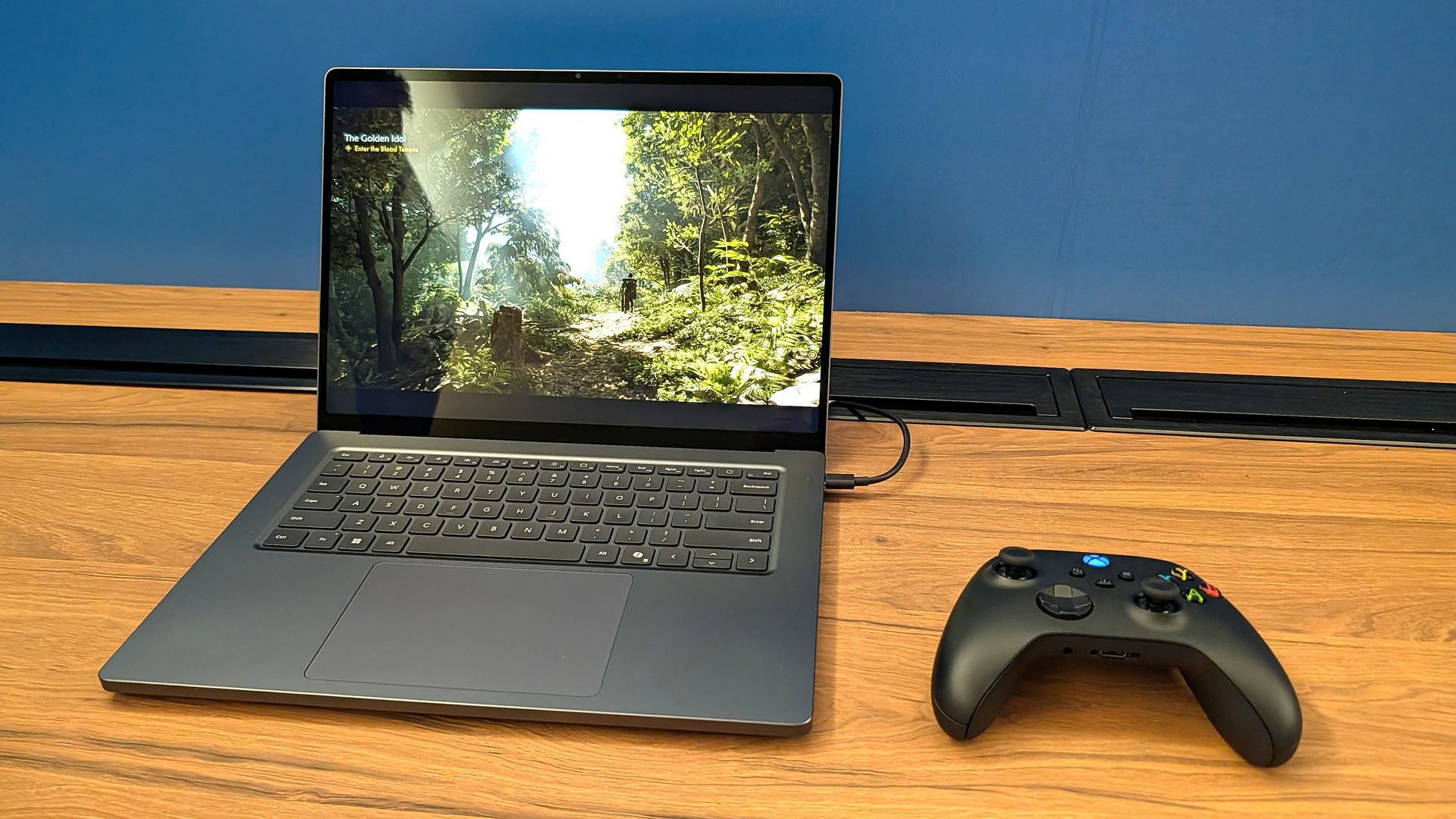
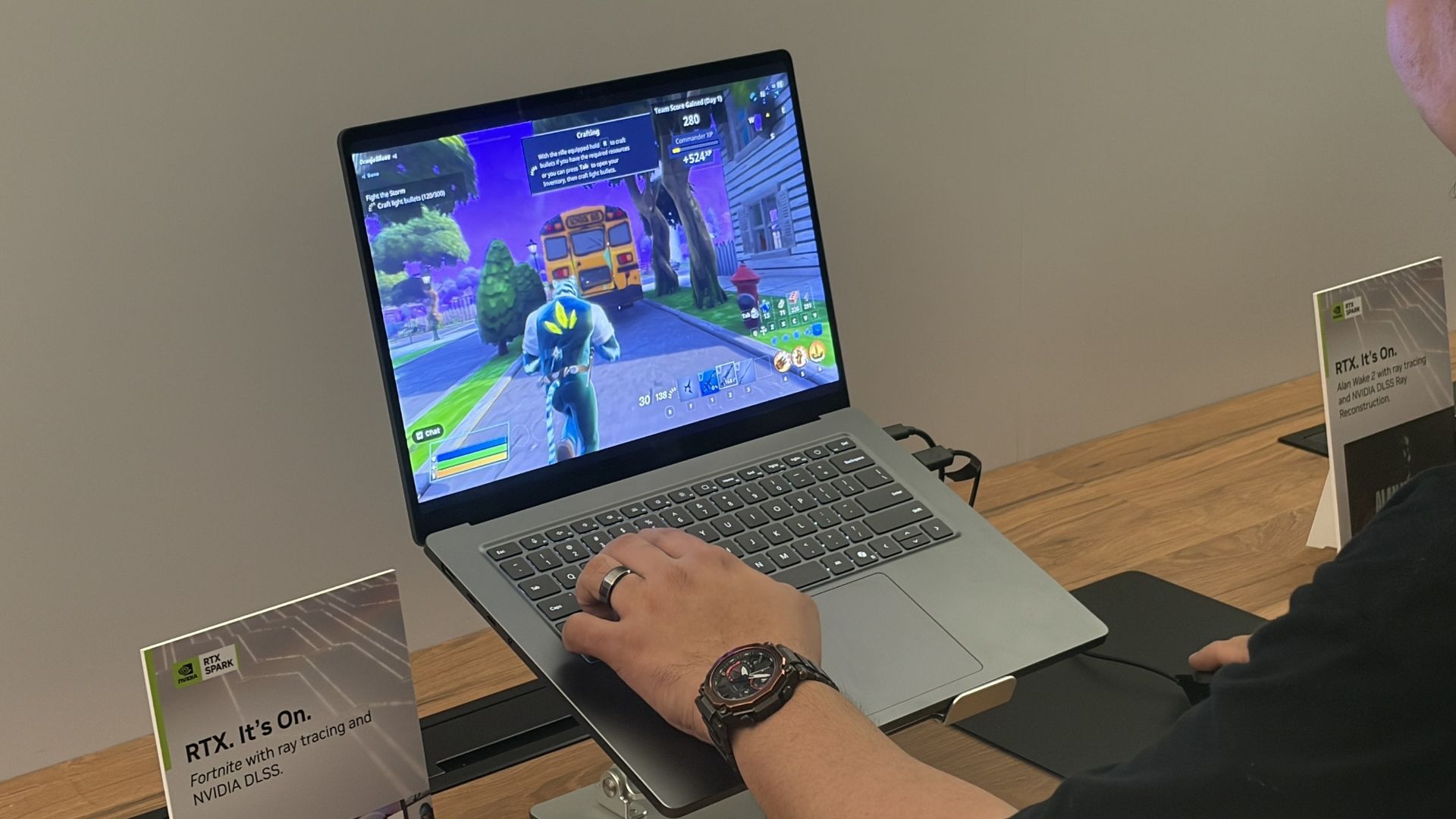
I can also say that the gaming experience was super smooth, even in games with ray tracing, path tracing, and DLSS support. Indiana Jones and the Great Circle ran flawlessly when I tried it, and every other title seemed to be an easy task for the Laptop Ultra.
That begs the question: Is the Surface Laptop Ultra the ultimate laptop for PC gaming?
At the risk of breaking some pixelated hearts, I'll say that dedicated PC gamers should look elsewhere. Here's why.
Built around the NVIDIA RTX Spark platform with an N1X CPU, RTX GPU, and up to 128GB of unified memory, the Surface Laptop Ultra hits new performance heights for power users. It's all contained in a gorgeous chassis with a mini-LED display and tons of ports.
The Surface Laptop Ultra's specs look ideal for gaming ... what gives?
I saw the Surface Laptop Ultra smoothly run Fortnite, Alan Wake 2, Indiana Jones and the Great Circle, and more. (Image credit: Future)
It's well established that NVIDIA's RTX platform is the preferred way to play on PC for most gamers, mainly due to the excellent performance and additional support for features like ray tracing, path tracing, and DLSS.
Considering the Surface Laptop Ultra's RTX Blackwell GPU supports all of the latest features, wouldn't that make it a capable PC for gaming?
Well, yes. But there's more to the story.
The Surface Laptop Ultra was not designed to be a gaming PC. It was made to handle intricate AI workloads locally and to be the centerpiece of a professional's arsenal, and the fact that it can run plenty of games smoothly is simply a convenient effect of using NVIDIA's technology. Its starting price of $2,599 reflects that reality.
Sure, that cost is inflated due to the ongoing RAM and storage crisis, but in any case, you can buy a quality laptop made specifically for gaming purposes (suffering from the same RAM and memory squeeze) for considerably less money.
For my PC gaming money, I'd much rather buy a PC running standard Windows 11 rather than Windows on ARM (despite serious advancements in emulation and support). That way, you're guaranteed not to experience any compatibility issues with the games or their anti-cheat methods.
Gaming laptops also come tuned for gaming right out of the box, and their hardware is designed to support that initiative. Sure, you could tune the Surface Laptop Ultra to focus more on gaming, but that's really not what it was meant for.
The bottom line regarding the Surface Laptop Ultra and PC gaming
The Surface Laptop Ultra is one sleek laptop no matter the angle. (Image credit: Windows Central / Zac Bowden)
The Surface Laptop Ultra should be treated as a pro-grade laptop that happens to have some more-than-decent gaming chops.
I know there are plenty of pros out there who love the idea of tackling AI workloads during the day and gaming at night, all from the same machine, and the Surface Laptop Ultra should be a hot ticket for those users.
For gamers at heart, however, I recommend taking a look at the host of quality dedicated gaming laptops before ever considering the Surface Laptop Ultra.
Join us on Reddit at r/WindowsCentral to share your insights and discuss our latest news, reviews, and more.
Microsoft's Surface event today, October 7, revealed a lot more about the Surface Laptop Ultra with an NVIDIA RTX Spark chip inside. For those who can't fathom missing out on the first wave of new laptops, I have good news. The Surface Laptop Ultra is now available to preorder starting at $2,599, with shipments expected to begin going out on October 16.Built around the NVIDIA RTX Spark platform with an N1X CPU, RTX GPU, and up to 128GB of unified memory, the Surf
For those who can't fathom missing out on the first wave of new laptops, I have good news. The Surface Laptop Ultra is now available to preorder starting at $2,599, with shipments expected to begin going out on October 16.
Built around the NVIDIA RTX Spark platform with an N1X CPU, RTX GPU, and up to 128GB of unified memory, the Surface Laptop Ultra hits new performance heights for power users. It's all contained in a gorgeous chassis with a mini-LED display and tons of ports.
Surface Laptop Ultra — What configurations are available, and which one is best for me?
The Surface Laptop Ultra we used at Computex 2026. (Image credit: Windows Central / Zac Bowden)
The Surface Laptop Ultra is set up so that configurations really only affect the performance hardware inside. Each model comes with a 15-inch mini-LED display, the same port selection, and the same killer design.
The baseline $2,599 model includes the RTX Spark platform with NVIDIA's 18-core N1X CPU and 5120-core RTX Blackwell GPU, 24GB of unified RAM, and 512GB of storage.
This is a decent option for those who need to balance price and performance, or for those who simply want to get their hands on this new hardware without overspending.
There's also a model with a 20-core CPU and 6144-core GPU for those who need utmost power. Configuring with 32GB of unified RAM (the lowest option) and a 1TB SSD (also the lowest option), you're looking at $3,699.99. This model is where I'd recommend most advanced users start.
Moving up from there, you can essentially trick out your PC with as much RAM and storage as you want. This is where things begin to get very expensive for pro users. The top-of-the-line model with the more powerful Spark, 128GB of unified RAM, and a 1TB SSD runs up to $5,899.99, reserving it for a select few.
Both models are available in Nightfall or Platinum colors.
Is the Surface Laptop Ultra's price too high?
The Surface Laptop Ultra on stage at the October 7 event. (Image credit: Daniel Rubino | Windows Central)
I wasn't expecting the laptop Microsoft calls "Not Standard Issue" to be reasonably priced for most users.
It's a flagship PC with monster internals, and Microsoft clearly states that it's intended for creators, AI builders, scientists, engineers, and other power users who need an ultimate device to handle everything.
Those users are generally used to paying more for high-end hardware, but that doesn't make the price sting any less.
Take this high-end approach and tack on the macroeconomics of the ongoing RAM and storage crisis, and you get set prices much higher than I'm sure Microsoft ever intended.
Starting at $2,599 for a "baseline" model, you'll want to be sure this is the PC for you before you buy it.
As for the gaming angle, I've covered it in more detail in a separate post. Bottom line? You shouldn't buy the Surface Laptop Ultra as a dedicated gaming machine, but its NVIDIA Blackwell GPU will indeed power many games with ray tracing, path tracing, and DLSS in tow.
Are you preordering the new Surface Laptop Ultra today? If so, which configuration did you get? If not, what made you skip it? Let me know in the comments section below!
Join us on Reddit at r/WindowsCentral to share your insights and discuss our latest news, reviews, and more.
Microsoft has finally given us the all-important pricing and availability details for its flagship Surface Laptop Ultra device, which it first unveiled back in June. During its October 7th keynote in San Francisco, Microsoft confirmed that Surface Laptop Ultra would begin shipping on October 16, with pre-orders going live today starting at $2,599.That entry-level price is on the more expensive side, but it's not as bad as many were expecting it to be. That entry-
Microsoft has finally given us the all-important pricing and availability details for its flagship Surface Laptop Ultra device, which it first unveiled back in June. During its October 7th keynote in San Francisco, Microsoft confirmed that Surface Laptop Ultra would begin shipping on October 16, with pre-orders going live todaystarting at $2,599.
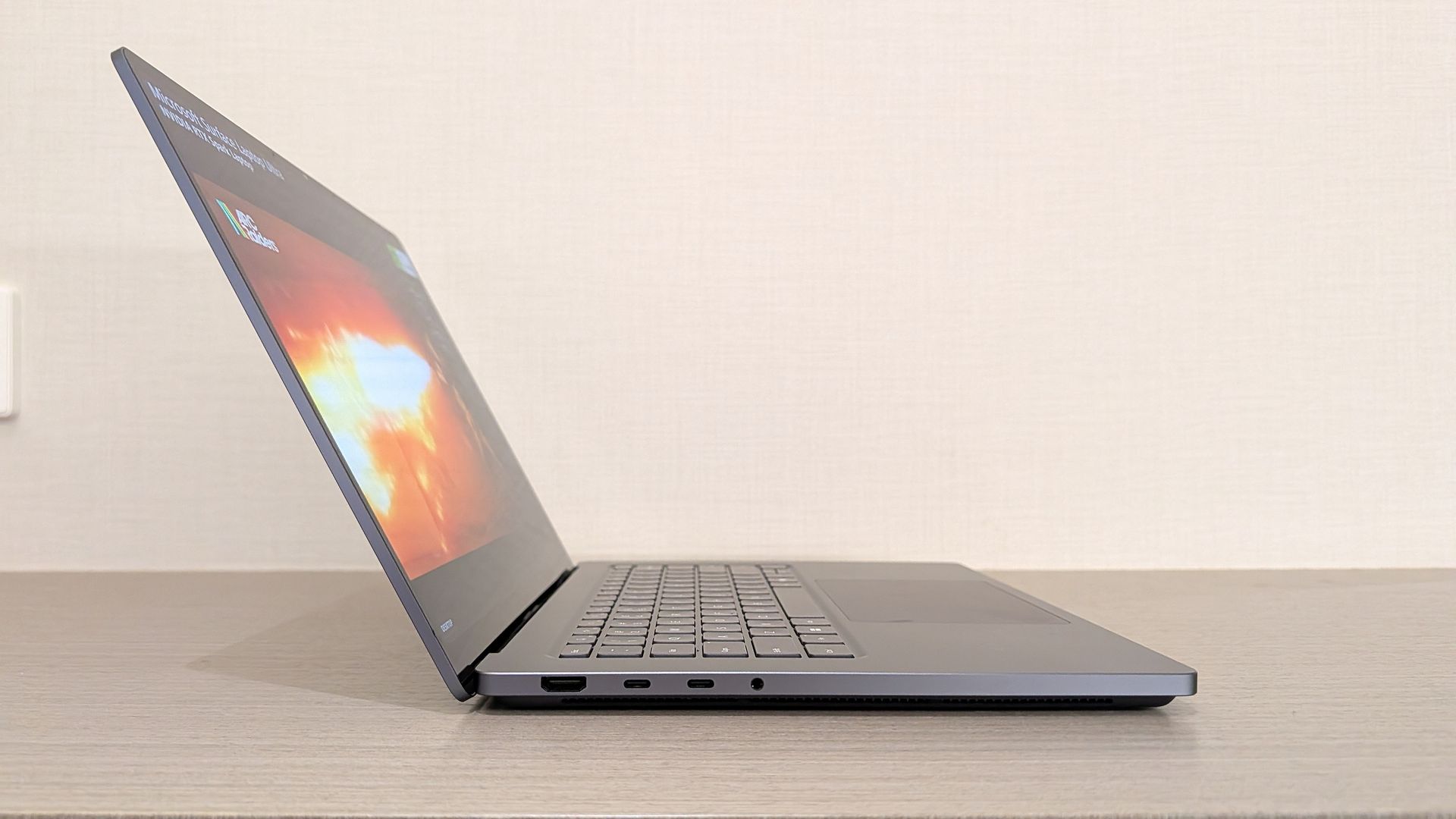
That entry-level price is on the more expensive side, but it's not as bad as many were expecting it to be. That entry-level price nets you the Surface Laptop Ultra with a 15-inch mini-LED screen, a large haptic trackpad, three USB-C ports (one of which is very unique), and the 18-core RTX Spark with 5120 GPU cores and 24GB RAM.
While the entry-level model isn't for high-end local AI development and agent work, it should be more than capable for video editing, photo creation, data crunching, light gaming, and 3D modeling work.
It's all happening in San Francisco. (Image credit: Daniel Rubino | Windows Central)
Alongside pricing and availability, Microsoft also revealed that the Surface Laptop Ultra is the world's first laptop to feature a breakaway USB-C port, similar to Apple's MagSafe and its own Surface Connect. Breakaway cable design means if you ever trip over the cable while the laptop is plugged in, it won't yank the entire laptop off your desk.
Breakaway ports have only ever really been possible on proprietary ports, as they use magnets to ensure the cable remains attached when in use. It's never been attempted on a universal standard before, which is what makes the Surface Laptop Ultra's breakaway port so special. It's a standard USB-C port, capable of taking any USB-C peripheral you can throw at it.
Surface Laptop Ultra is Microsoft's most expensive and most powerful Surface PC ever made. The high-end configs are designed for intensive AI developer workloads such as running large 120B parameter models locally, enabling complex agentic AI workloads and experiences.
Join us on Reddit at r/WindowsCentral to share your insights and discuss our latest news, reviews, and more.
Amazon's Prime Big Day Deals are here to give gaming laptops a much-needed price-drop reprieve after prices were inflated by this year's ongoing RAM crisis.One line-up getting this treatment is Acer's Nitro gaming laptops, which feature dedicated GPUs, crisp displays, plenty of RAM to keep them running, and upgradeable storage space. Shop all Amazon Prime Big Deal Days discountsHowever, these Acer gaming laptop deals, like the mid-range Acer Nitro V 16S (ANV16S-6
Amazon's Prime Big Day Deals are here to give gaming laptops a much-needed price-drop reprieve after prices were inflated by this year's ongoing RAM crisis.
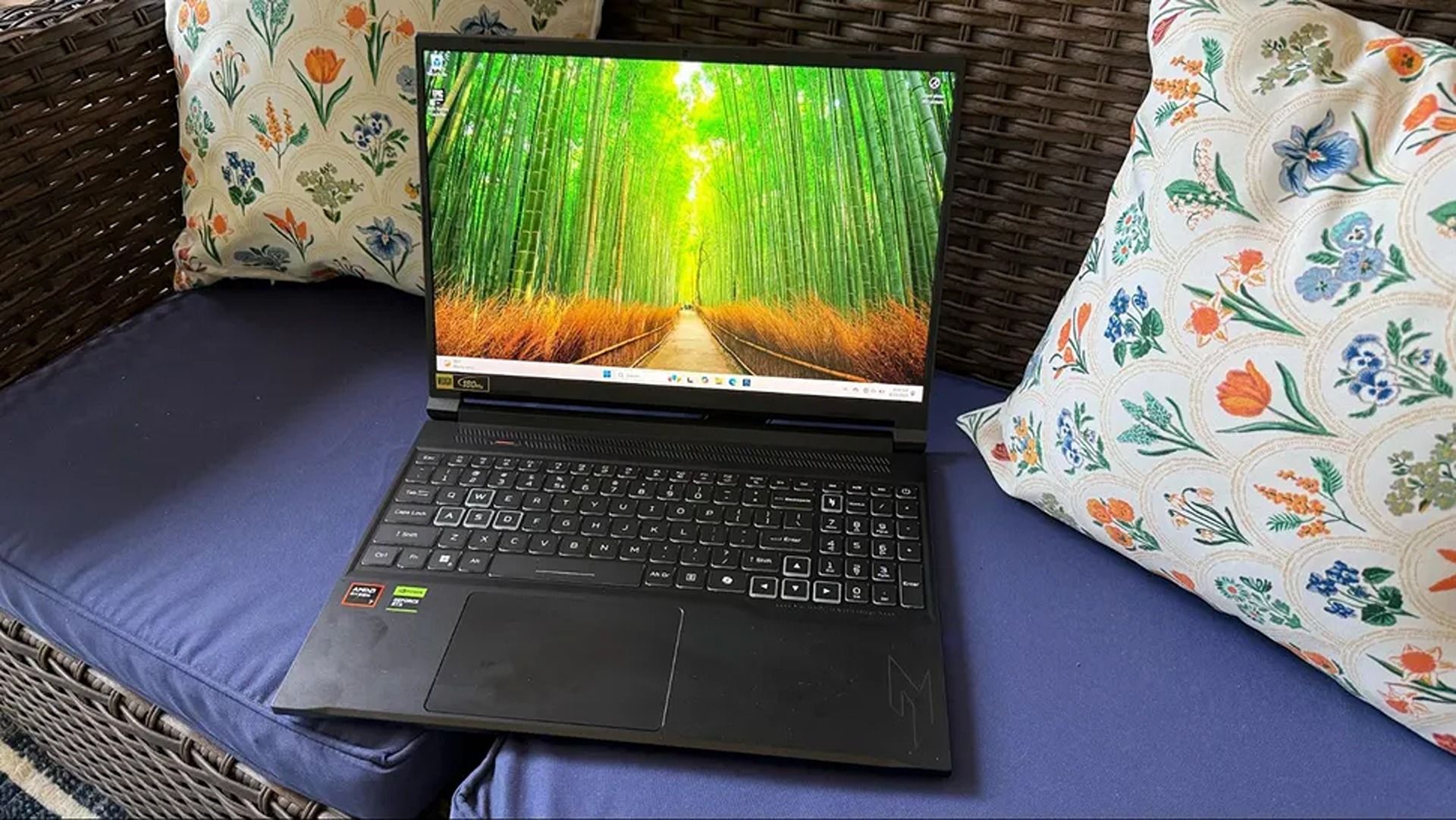
One line-up getting this treatment is Acer's Nitro gaming laptops, which feature dedicated GPUs, crisp displays, plenty of RAM to keep them running, and upgradeable storage space.
One of the best features of the Acer Nitro V 16S AI is its NVIDIA RTX 5070 GPU, a mid-range graphics card that will boost its performance so it can play video games with detailed 1440p resolutions and gameplay-enhancing framerates way above 60fps.View Deal
This configuration of the Acer Nitro 16S AI laptop comes with a 16-inch WUXGA IPS display with a 180Hz refresh rate, which will significantly cut down on controller input lag during gameplay and smooth out a game's visuals by reducing motion blur.View Deal
With this configuration's AMD Ryzen AI 7 350 processor and NVIDIA GeForce RTX 5060 graphics, the Acer Nitro X 16S AI laptop can deliver extremely reliable performance rates for gaming, content creation, and even workflow tasks that require AI assistance.View Deal
This is an extremely expensive configuration of the Acer Nitro 16S AI laptop built for heavy-duty 4K gaming at 120fps with its NVIDIA GeForce 5070 Ti graphics and 16GB RAM, while packing in a 1TB SSD so you can fit in plenty of your favorite PC games.View Deal
This is the least expensive, entry-level Acer gaming laptop in this roundup. It features an Intel Core 5 210H processor and an NVIDIA GeForce RTX 5050 GPU for stable 1080p gaming performance, along with a 512GB SSD that can be upgraded with larger SSDs to fit more games and get faster boot times.View Deal
Which of these discounted Acer gaming laptops offer the best value?
Top-down view of the Acer Nitro V 16S AI keyboard (Image credit: Tom's Hardware (Brandon Hill) | Acer)
Out of all these laptop deals, I'd say the Nitro V 16S (ANV16S-61-R9TR-US) offers the best value for money.
While it's slightly cheaper than its initial launch MSRP of $1,299.99 in 2025, itsdiscounted price of $1,231.99 at Amazonis a much better proposition compared to its current MSRP of $1,449.99, caused by the market-disrupting RAM Crisis this year.
As for Acer Nitro V 16S's specs, our colleagues at Tom's Hardware praised the Acer Nitro V 16S for performing in all the same categories that are important to us at Windows Central.
These categories include a crisp and vibrant 16-inch IPS display with a 1920x1200 resolution with 180Hz refresh rates, high-performance rates for 1080p and 60fps+ gaming and productivity tasks thanks to its 16GB RAM and RTX 5060 GPU, a wide variety of HMDI, microSD, and USB ports, and a long-lasting battery life of 10+ hours under heavy workloads.
On top of that, the Acer Nitro V 16S's specs not only perform reliably well for 1080p gaming but they're also good at helping it complete productivity tasks efficiently on the side, making it a decent jack-of-all-trades laptop.
Alternate Acer gaming laptops on sale
As a reminder, alternate configurations of this laptop and other Acer Nitro gaming laptops are also on sale for Amazon Prime Big Deals Day at the following prices:
Acer Nitro V 16S AI Copilot+ PC Gaming Laptop (ANV16S-61-R3Z0) (AMD Ryzen 7 350 CPU, NVIDIA GeForce RTX 5070 GPU, 16GB RAM, 1TB SDD) — $248 off $1,649.99 for $1,401.99 at Amazon.
Acer Nitro 16S AI Copilot+ PC Gaming Laptop (AN16S-61-R5FY) (AMD Ryzen AI 7 350 CPU, NVIDIA GeForce RTX 5070 Ti GPU, 16GB DDR5 RAM, 1TB SSD) — $200 off $1,849.99 for $1649.99 at Amazon.
New members can enjoy exclusive Prime Day discounts for free and cancel anytime. After the trial, membership is $14.99/month plus tax. Includes access to games via Prime Gaming alongside Prime Video and Prime Music.
Can these laptops have their RAM and storage upgraded?
Yes, all of these Acer gaming laptops on sale can their RAM upgraded up to 64GB via dual DDR5 SO-DIMM slots and their storage upgraded up to 8TB via dual M.2 NVMe slots.
How long will Amazon's Prime Big Deal Days sale last?
Amazon's Prime Big Deal Days sale will last from October 6, 2026 to October 7, 2026.
Should I buy these laptops now or wait until Black Friday next month?
There's a good chance these laptops will receive bigger discounts during Black Friday. So, it may be wise to wait until November 27, 2026, when Black Friday starts so you get them at better prices.
However, if you're currently in desperate need of a new gaming laptop and you're a fan of Acer's laptops, this could be a good time to grab one, as there's no telling if they'll go on sale on again due to this RAM Crisis.
Join us on Reddit at r/WindowsCentral to share your insights and discuss our latest news, reviews, and more.
Prime Big Deal Days are here, and that means big savings on the hottest tech. Microsoft Surface sales slash hundreds of dollars off the Surface Pro, Surface Laptop, and Surface accessories.Best Buy and other retailers are running competing sales alongside Prime Big Deal Days, so the best Surface deals are spread across the web. You'll also see prices fluctuate as stock runs out or sits for too long. I've scoured the web for the best Surface deals, and our team at
Prime Big Deal Days are here, and that means big savings on the hottest tech. Microsoft Surface sales slash hundreds of dollars off the Surface Pro, Surface Laptop, and Surface accessories.
Best Buy and other retailers are running competing sales alongside Prime Big Deal Days, so the best Surface deals are spread across the web. You'll also see prices fluctuate as stock runs out or sits for too long. I've scoured the web for the best Surface deals, and our team at Windows Central will keep this piece up to date with the best discounts.
You'll notice that I don't list the Surface Pro 12-inch or Surface Laptop 13-inch below. That's because those PCs have new versions with Snapdragon X2 processors launching next week. You can still buy older models with first-gen Snapdragon X chips, but I'd recommend waiting until the new generation ships to see where prices fall on older devices.
XX
Display: XX. CPU: XX. GPU: XX. NPU: XX. RAM: XX. Storage: XX. AI PC: ✅ Copilot+ PC: ✅
The Surface Pro 12-inch is a smaller and more affordable alternative to the full-size Surface Pro 11. Battery life is decent, but the PC really shines thanks to the performant Snapdragon X Plus chip inside. If you want a compact and mobile 2-in-1, this is the way to go. This bundle includes a Type Cover.View Deal
Microsoft's latest Surface Laptop is a portable and lightweight productivity powerhouse with the latest Snapdragon X Plus chip, paired with 16GB RAM, 256GB storage, and the best keyboard and trackpad one the market.View Deal
This Surface Pro bundle comes with everything you need to get work done and create on the go, including a keyboard and Surface Slim Pen. The Surface Pro in this bundle is a premium 2-in-1 that can be used as a standalone tablet or like a laptop when the keyboard is attached. This model has 16GB of RAM and 256GB of storage, which should be enough for everyday productivity, though people working with large media files may want additional cloud or external storage.View Deal
If you just want the Surface Pro on its own or already have a keyboard, this is a great option. The Snapdragon X2 Plus processor helps deliver excellent battery life while providing plenty of performance for everyday productivity.View Deal
Refreshed with a Snapdragon X2 Elite processor, this Surface Laptop promises faster performance and better graphics than we've ever seen in this lineup. This model comes with 16GB of RAM and 512GB of storage, making it my top pick for everyday productivity and getting work done.View Deal
The Surface Laptop 8 with the biggest discount also happens to be one of the most beautiful models (at least in my opinion). This Surface Laptop with 16GB of RAM and 512GB of storage comes in Dune, making it stand out in a sea of silver and black laptops.View Deal
The Surface Pro Flex Keyboard can be used when connected physically to your Surface Pro or wirelessly. It's the most versatile keyboard you can get for the 2-in-1. This bundle also includes a Surface Slim Pen 2.View Deal
This is the same Surface Pro Flex Keyboard that can be used wirelessly or through a physical connection. This version does not include a Surface Slim Pen, helping keep the price lower.View Deal
This mouse can lie flat for easy storage in your bag or pocket.View Deal
Do I need Prime membership for Big Deal Days?
Yes. To get all Prime Big Deal Days discounts, you'll need a paid Prime membership or, if you haven't signed up before, a 30-day free trial. Some deals are available to shoppers without Prime, but many of the event's best discounts are reserved for Prime members.
New members can enjoy exclusive Prime Day discounts for free and cancel anytime. After the trial, membership is $14.99/month plus tax. Includes access to games via Prime Gaming alongside Prime Video and Prime Music.
Join us on Reddit at r/WindowsCentral to share your insights and discuss our latest news, reviews, and more.
Amazon's Prime Big Deal Days are almost over, but arguably the best laptop deal of the month is still here. A $200 discount on the XPS 13 drops the XPS 13 to $799.99. There's even a version of the XPS 13 discounted to $599.99 if you only need 8GB of RAM.Of course, it isn't actually a Prime Big Deal Day deal. The discount is through Best Buy, making it a "Techtober" deal. But do you really care why you're saving $200 on what our expert calls "the perfect starter P
Amazon's Prime Big Deal Days are almost over, but arguably the best laptop deal of the month is still here. A $200 discount on the XPS 13 drops the XPS 13 to $799.99. There's even a version of the XPS 13 discounted to $599.99 if you only need 8GB of RAM.
Of course, it isn't actually a Prime Big Deal Day deal. The discount is through Best Buy, making it a "Techtober" deal. But do you really care why you're saving $200 on what our expert calls "the perfect starter PC"?
"Dell's new XPS 13 is the new best deal in laptops, surpassing the MacBook Neo with a better display, ports, build quality, and performance for the same price." — Zac Bowden, Senior Editor, Windows CentralView Deal
This version of the XPS 13 is incredibly affordable, especially when discounted. It does, however, come with just 8GB of RAM. That's fine for some users, but make sure it will meet your demands before placing an order.View Deal
Laptops this good are rarely in this price range due to the ongoing RAM crisis and other component shortages. Dell created this version of the XPS 13 to be more affordable, but premium laptops with this feature set and design now normally cost $1,000.
The XPS 13 that came out this year earned a 4.5 out of 5 from both Tom's Hardware and Tom's Guide. Our colleagues complimented the laptop's 2.5K screen, incredible battery life, and excellent speakers.
Matt Safford from Tom's Hardware called the new XPS 13 "an excellent Windows-based answer to the MacBook Neo." I agree with his take, though I question how many people genuinely debate between a Windows laptop and a MacBook.
The XPS 13 is a thin-and-light laptop with a refined design. It has several features that "discount" laptops lack (I'm looking at you, MacBook Neo). For example, the XPS 13 has backlit keys, an IR sensor for facial recognition, and support for Wi-Fi 7. Toss in a pair of Thunderbolt 4 ports and a 120Hz display and it's easy to see why our Zac Bowden said he was "shocked" at the value of the laptop when he went hands-on with the XPS 13.
Join us on Reddit at r/WindowsCentral to share your insights and discuss our latest news, reviews, and more.
A lot is happening this week in the world of Windows and Surface. Today is the fifth anniversary of Windows 11, a milestone that snuck up on me and plenty of other users. Perhaps it's because I dragged my feet while making the move permanently from Windows 10.On October 7, Microsoft is hosting a Surface event where it's expected that NVIDIA's RTX Spark chip and the Surface Laptop Ultra lineup will be further discussed (and hopefully better explained).This collisi
A lot is happening this week in the world of Windows and Surface. Today is the fifth anniversary of Windows 11, a milestone that snuck up on me and plenty of other users. Perhaps it's because I dragged my feet while making the move permanently from Windows 10.
On October 7, Microsoft is hosting a Surface event where it's expected that NVIDIA's RTX Spark chip and the Surface Laptop Ultra lineup will be further discussed (and hopefully better explained).
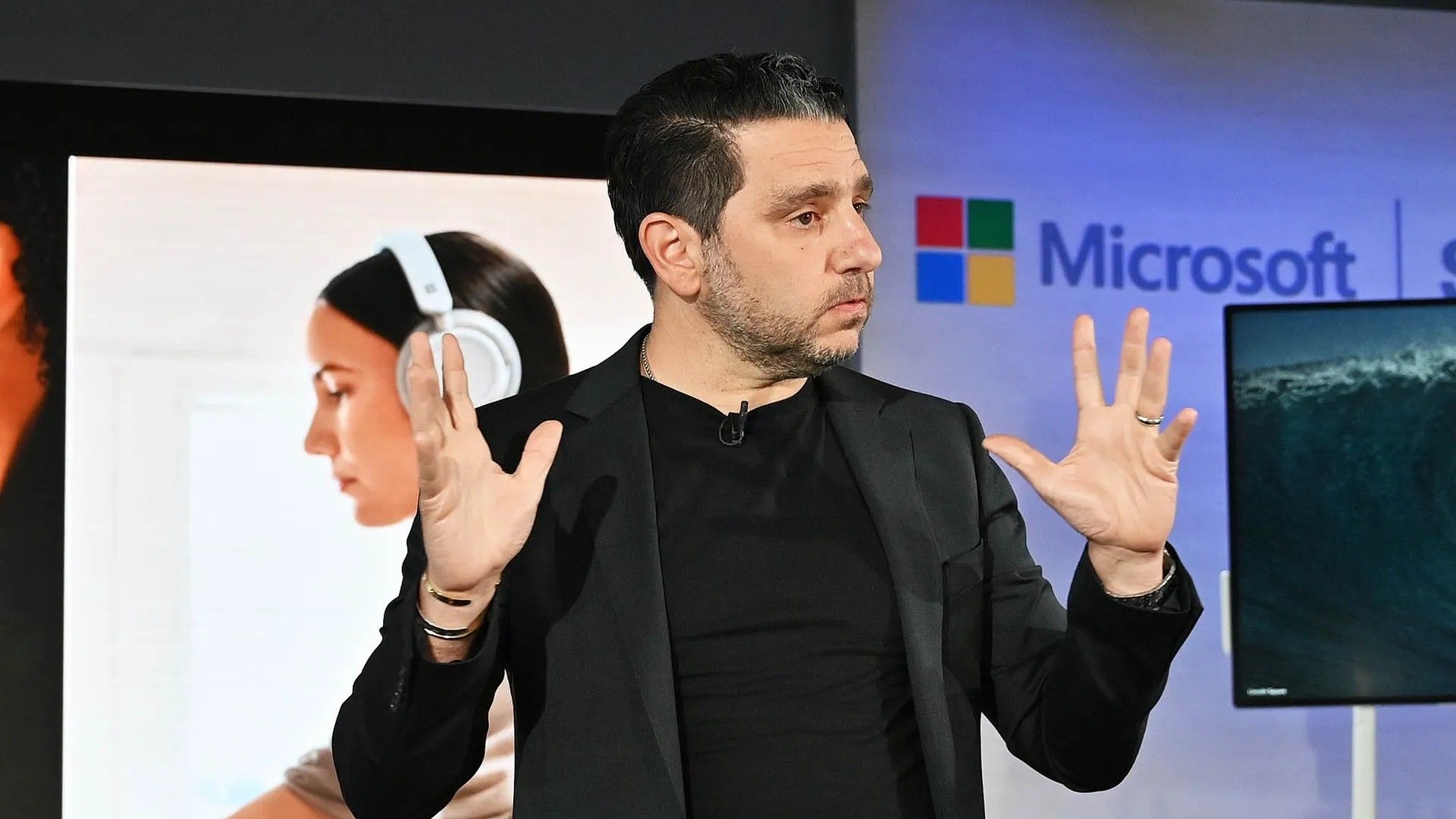
This collision of Microsoft-related software and hardware news got me thinking about a quote from the original architect of Microsoft's Surface lineup, Panos Panay:
To make a great product, you can't have great software without the hardware; you can't have great hardware without the software.
Panos Panay
The quote comes from an interview with TechCentral circa 2020, well before Panay departed Microsoft in 2023 to join Amazon's Devices and Services segment. The quote does a great job capturing the original reason why Surface exists at all.
Microsoft originally wanted hardware that showcased the best of Windows software, and it believed its goal could only be achieved with in-house development. Surface became the bridge between software and hardware that Panay alludes to with his quote, and it's had a (mostly) great run.
Where is Surface headed in 2026?
What has me most confused about the upcoming Surface event is that Microsoft already revealed its new Surface Pro 12-inch (Gen 2) and Surface Laptop 13-inch (Gen 2) devices.
My colleague Sean Endicott attempted to answer this question at the time of the Surface/Qualcomm reveal last month. As he stated, "we can now cross two more items off the list of potential things we will see at the Windows and Surface event," noting that the October 7 Surface event also "falls after many improvements have shipped to Windows 11 or entered testing with Windows Insiders."
Barring the surprise reveal of more new Surface hardware — the Surface Laptop 8 and Surface Pro 12 with Snapdragon X2 chips launched this summer, so I'm not expecting anything new there — the October 7 Surface event is shaping up to be a tad lopsided.
Is Surface drifting without Panay's anchoring presence?
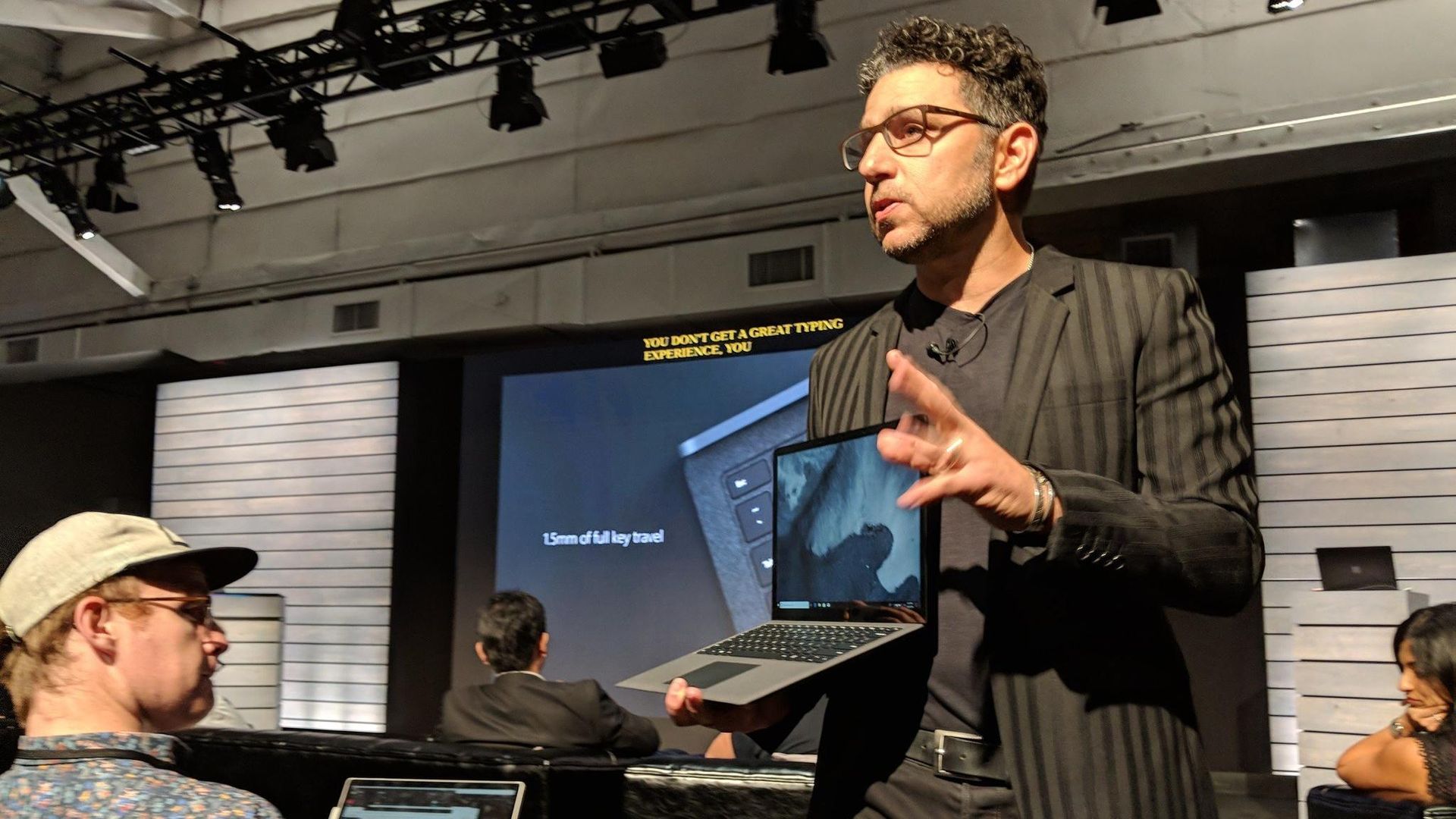
Panos Panay holding a Surface Laptop at the 2018 Surface event. Good times.
It's been six years since Panay dropped his famous Surface quote. It's been three years since he left Microsoft for Amazon. And since then, Surface really hasn't felt the same.
Rather than pushing OEMs to improve their own devices by providing a quality benchmark, Surface seems to be fairly stagnant, fragmented, and largely riding on its reputation.
For me, someone who agrees with Panay's sentiment, a successful Surface event should include software that really only makes sense on the Surface Laptop Ultra with RTX Spark. If it's just another laptop with the chip inside, well, I won't be very excited.
On that note, it'd be great to see some tuning choices that directly benefit Surface with RTX Spark. The hardware-software relationship often shows its cracks in this area, so some assurance will go a long way.
Ultimately, the upcoming Surface event should be a defining moment. Will Panay's original vision carry forward as partnerships become more complicated? Will the quote remain relevant?
Or will Surface become just another laptop brand alongside OEMs like Dell, HP, and Lenovo? Either way, you can tune in to the livestream on October 7 at 1 PM ET to check it out with the rest of us.
Join us on Reddit at r/WindowsCentral to share your insights and discuss our latest news, reviews, and more.
Panasonic's TOUGHBOOK lineup turns 30 this year (see my earlier coverage of the new TOUGHBOOK 55), and after attending the company's product briefing in a very rainy New York City, I'm convinced the future of rugged computing isn't just about surviving drops, rain, and extreme temperatures.It's about becoming the intelligent edge computer that sits at the center of everything.That might sound like marketing fluff until you see the demos. One station showed a mili
Panasonic's TOUGHBOOK lineup turns 30 this year (see my earlier coverage of the new TOUGHBOOK 55), and after attending the company's product briefing in a very rainy New York City, I'm convinced the future of rugged computing isn't just about surviving drops, rain, and extreme temperatures.
It's about becoming the intelligent edge computer that sits at the center of everything.
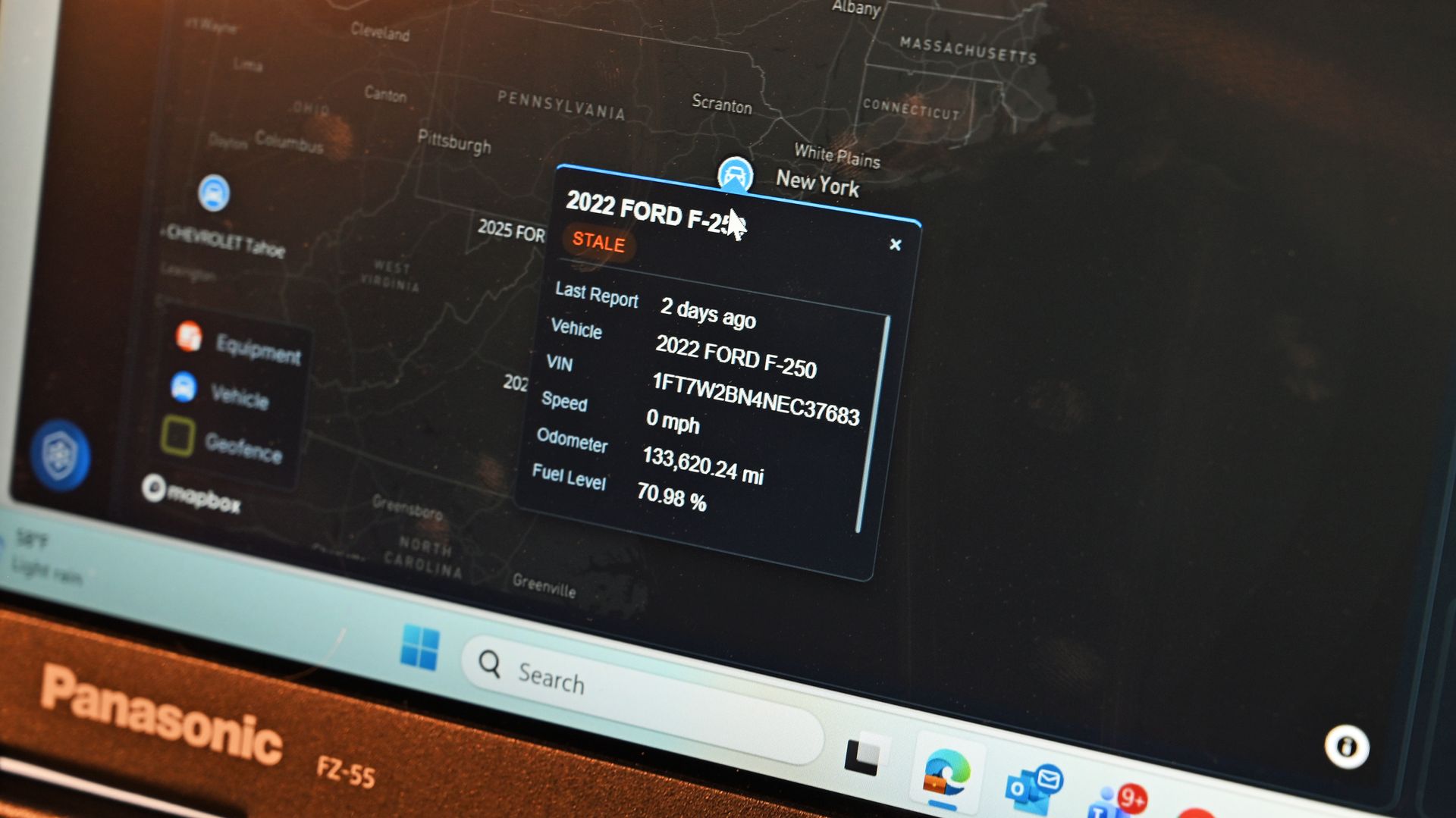
That might sound like marketing fluff until you see the demos. One station showed a military drone feeding reconnaissance data back to a TOUGHBOOK for local analysis. Another demonstrated how police fleets can connect vehicle diagnostics directly into a TOUGHBOOK-based management system, allowing departments to track everything from VINs and odometer readings to fuel levels, fault codes, and maintenance schedules.
In other words, Panasonic's new TOUGHBOOK 34 and TOUGHBOOK G3 are increasingly becoming mission-critical data hubs for the people who protect, rescue, repair, and support the rest of us.
And yes, they're still absurdly rugged.
Thirty years later, the mission remains the same
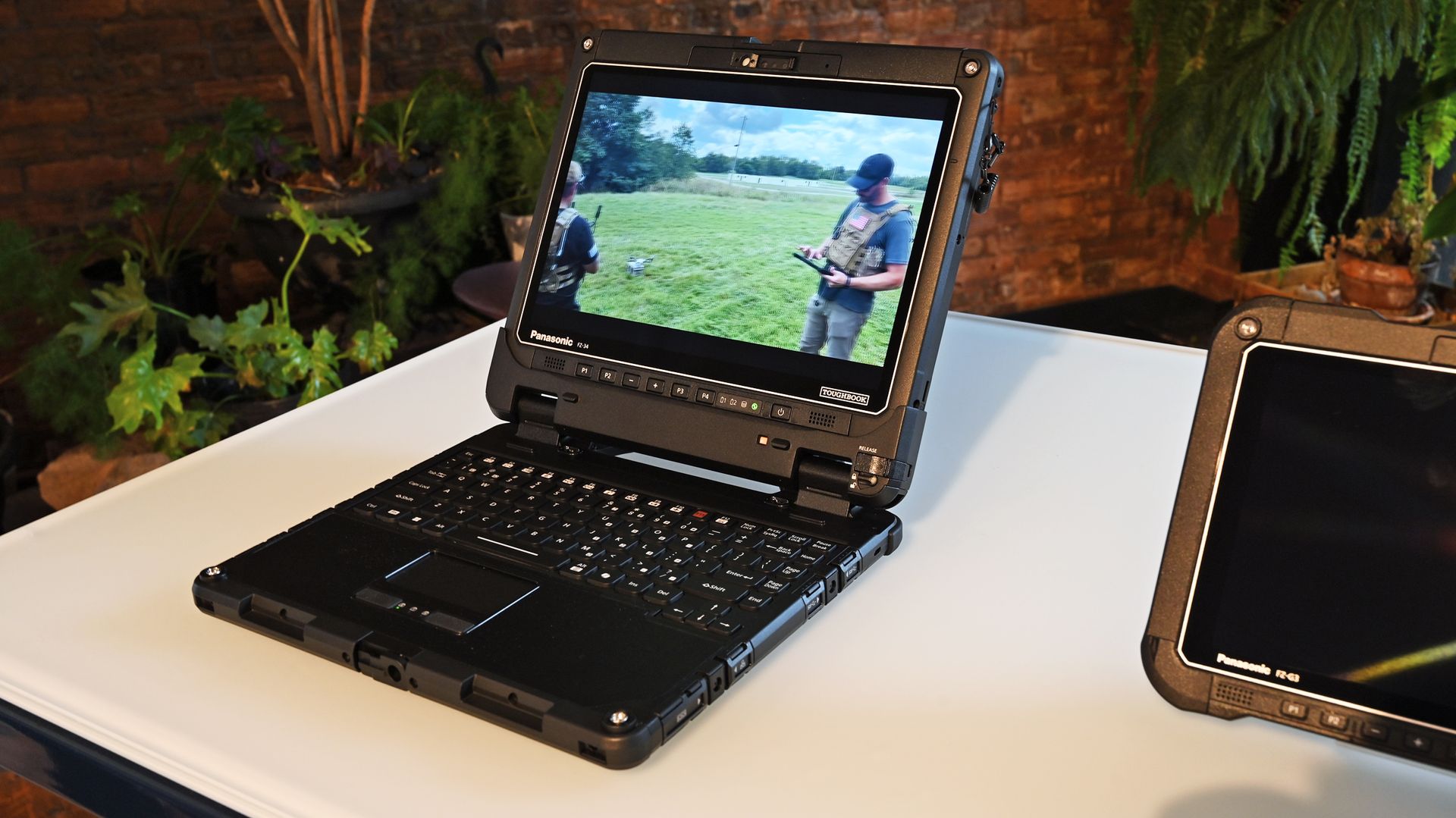
Panasonic TOUGHBOOK 34 laptop on a table playing video footage of drone operators. (Image credit: Daniel Rubino)
One theme came up repeatedly throughout Panasonic's presentation: purpose-built computing.
As Panasonic executives noted, their customers aren't buying laptops to answer email from a coffee shop. These systems are deployed in police cruisers, ambulances, utility trucks, military vehicles, warehouses, disaster zones, and industrial sites where failure is not an option.
As Panasonic put it during the briefing, "our devices are purpose-built," adding that workers are often operating in "extreme heat, extreme cold, vibration, water, dust" and environments where "lives are on the line."
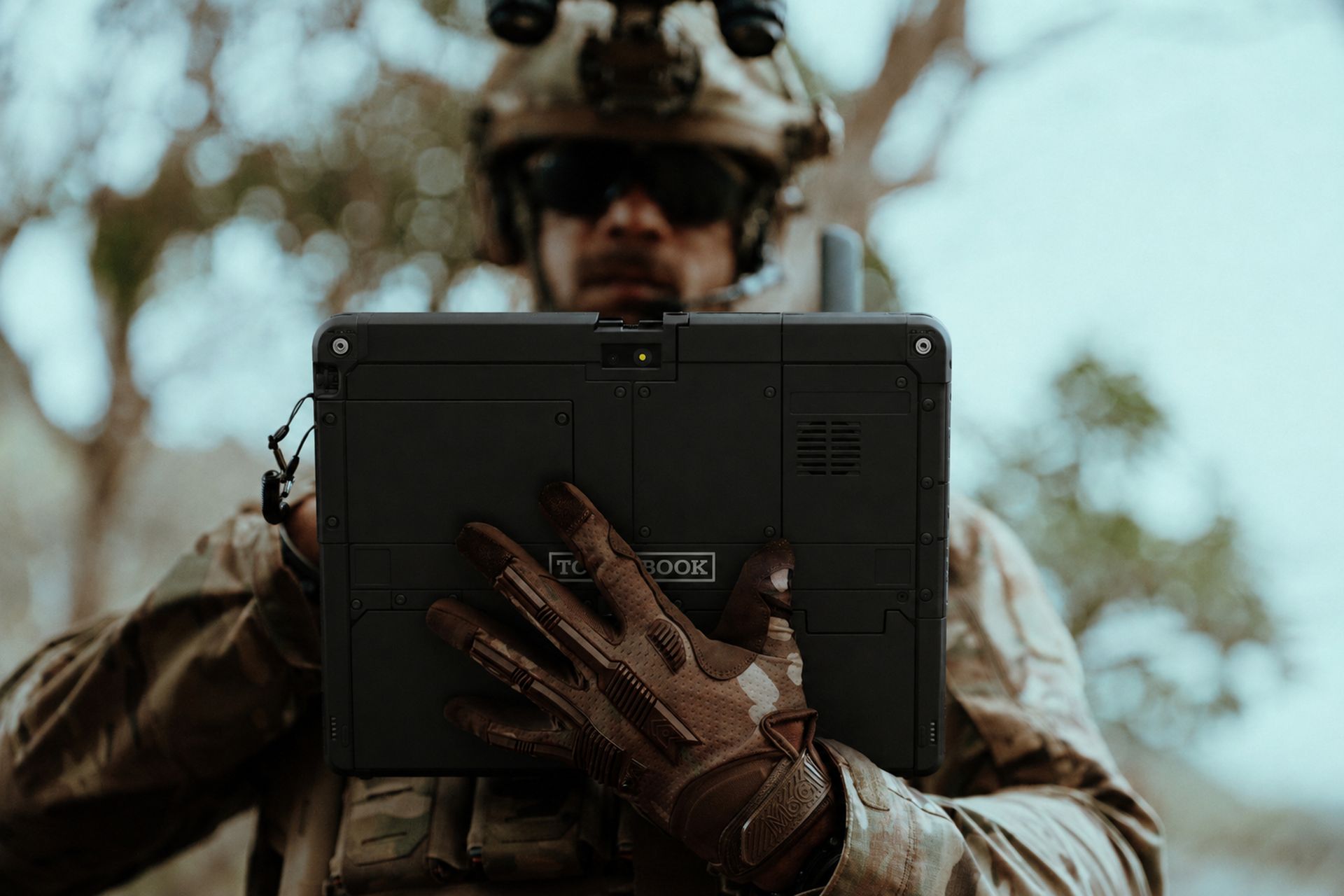
A soldier in tactical gear and gloves holding the back of the Panasonic TOUGHBOOK 34 tablet. (Image credit: Panasonic TOUGHBOOK)
That philosophy has helped TOUGHBOOK carve out a niche that practically nobody else occupies.
While consumer laptops compete over OLED displays and thinness, Panasonic spends its time figuring out how to keep a device communicating over private 5G networks during storm response operations.
Meet the TOUGHBOOK 34 and TOUGHBOOK G3
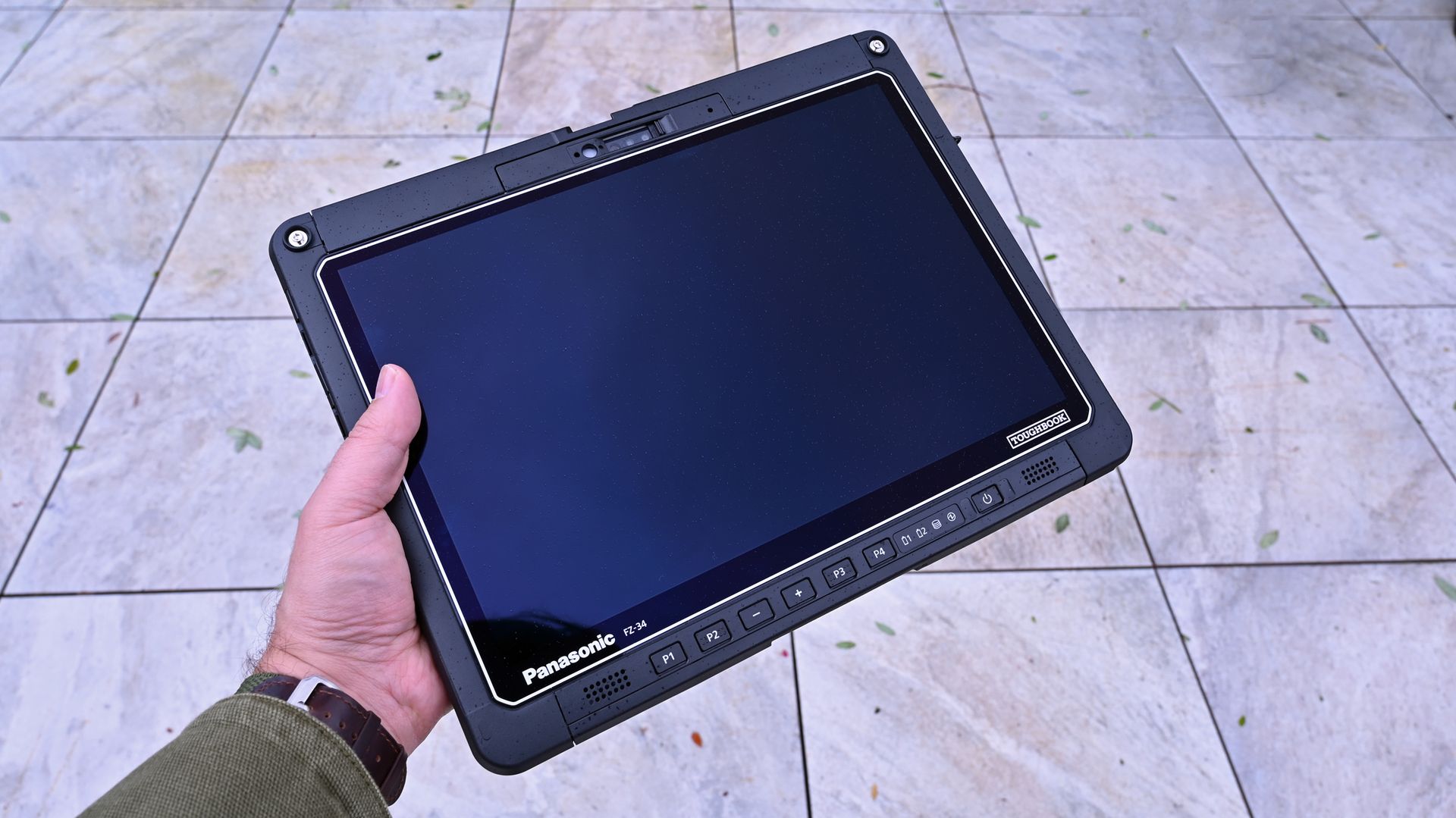
Panasonic TOUGHBOOK FZ-34 Windows 11 tablet, showing its black screen and front control buttons. (Image credit: Daniel Rubino)
This launch introduces two new fully rugged 2-in-1 systems.
According to Mike Smola, Senior Director of Product Management at Panasonic Connect North America:
"No two workers, no two vehicles, and no two workflows are exactly alike. Some jobs call for a larger product with more workspace and more versatility."
That's really the story here.
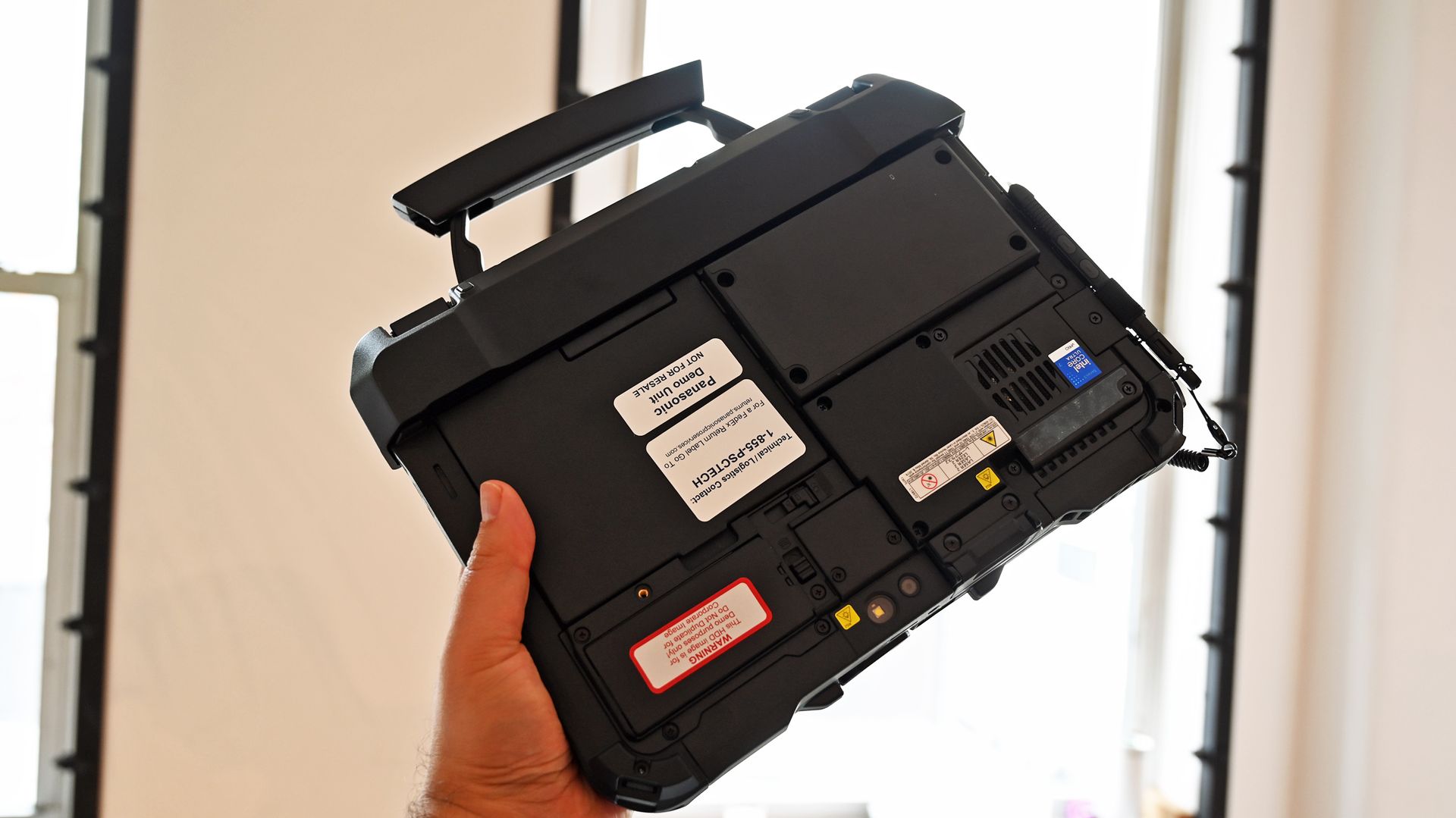
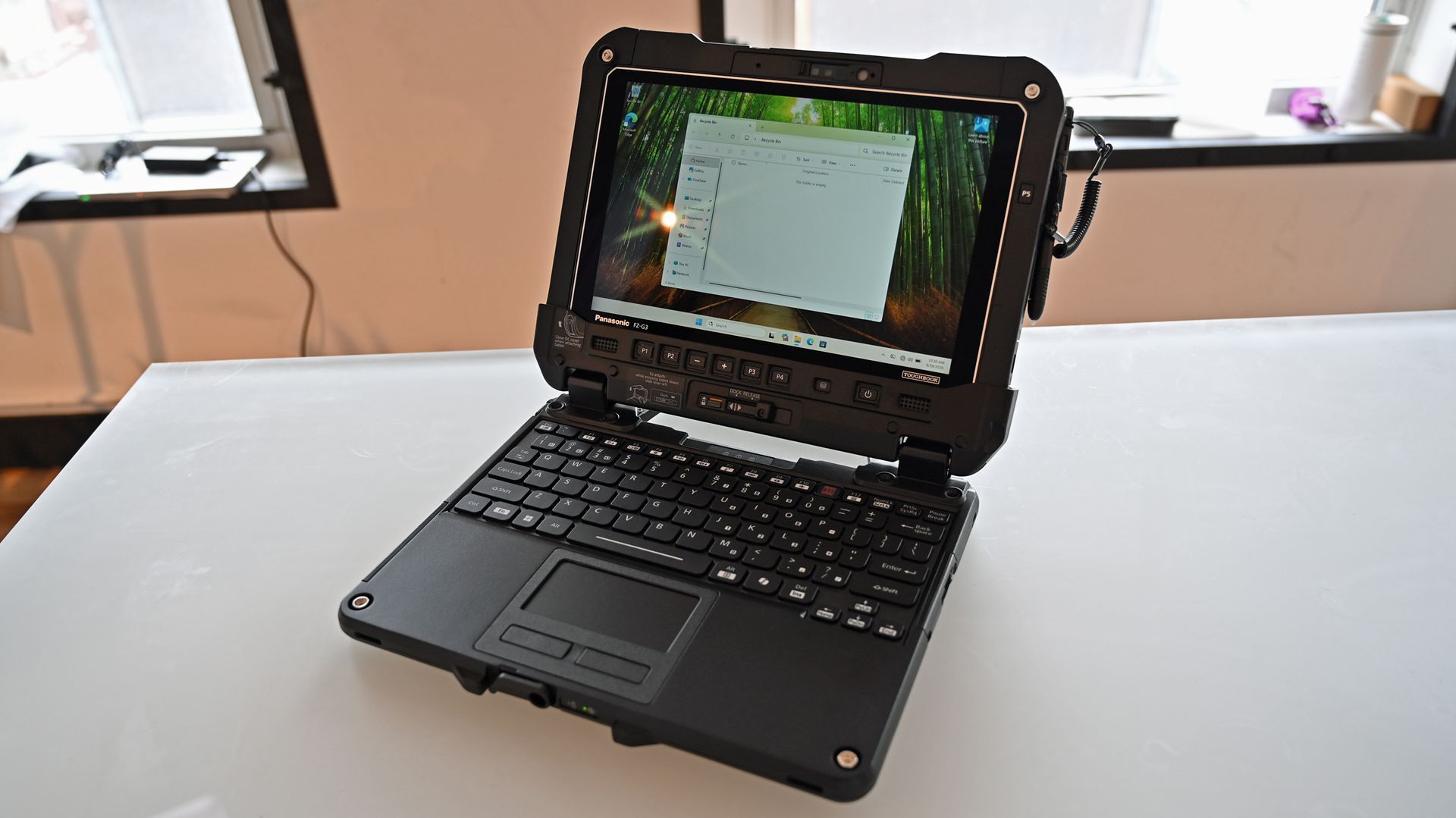
The smaller TOUGHBOOK G3 with keyboard attachment has the familar built in handle for easy carrying. (Image credit: Daniel Rubino)
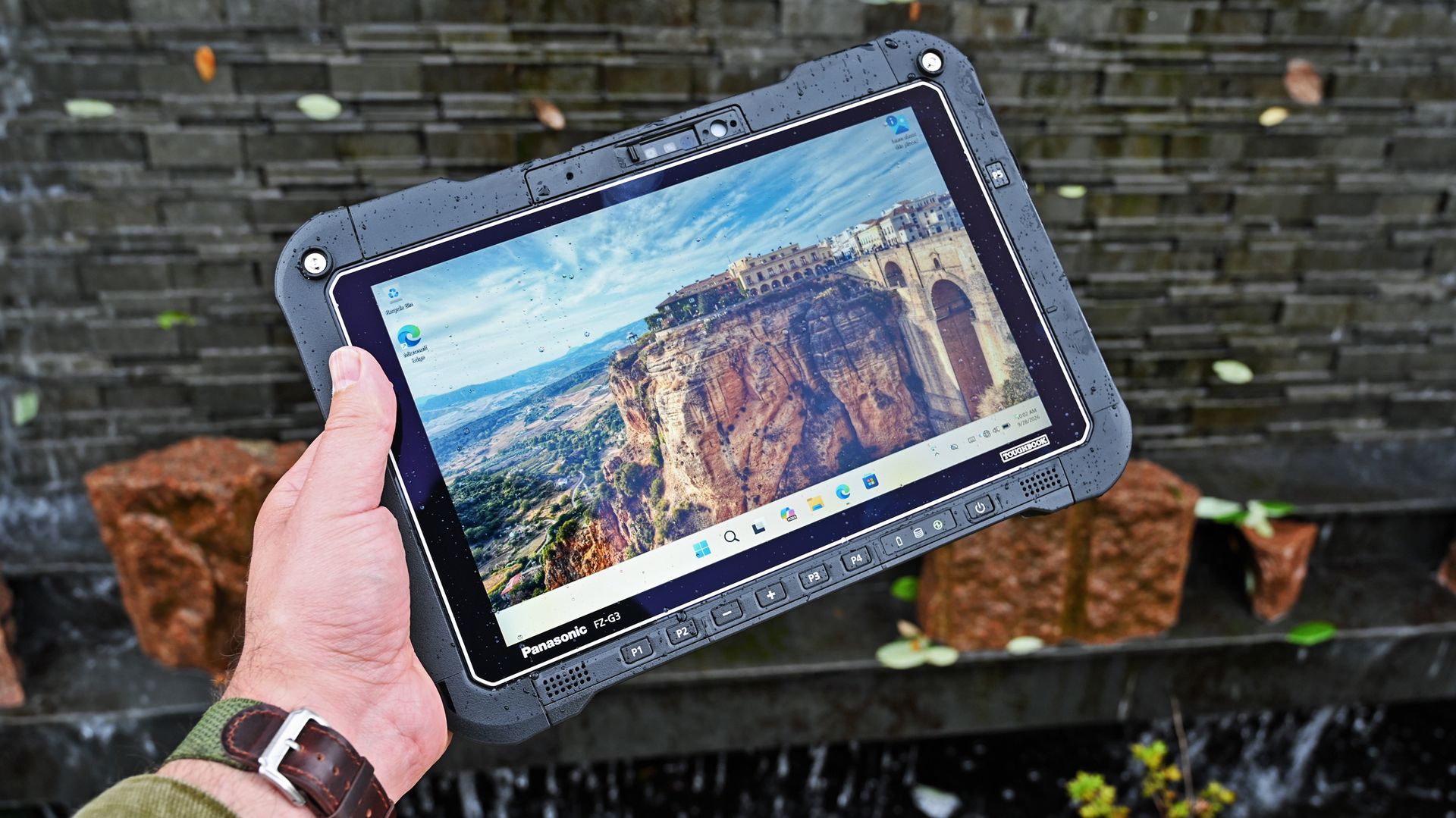
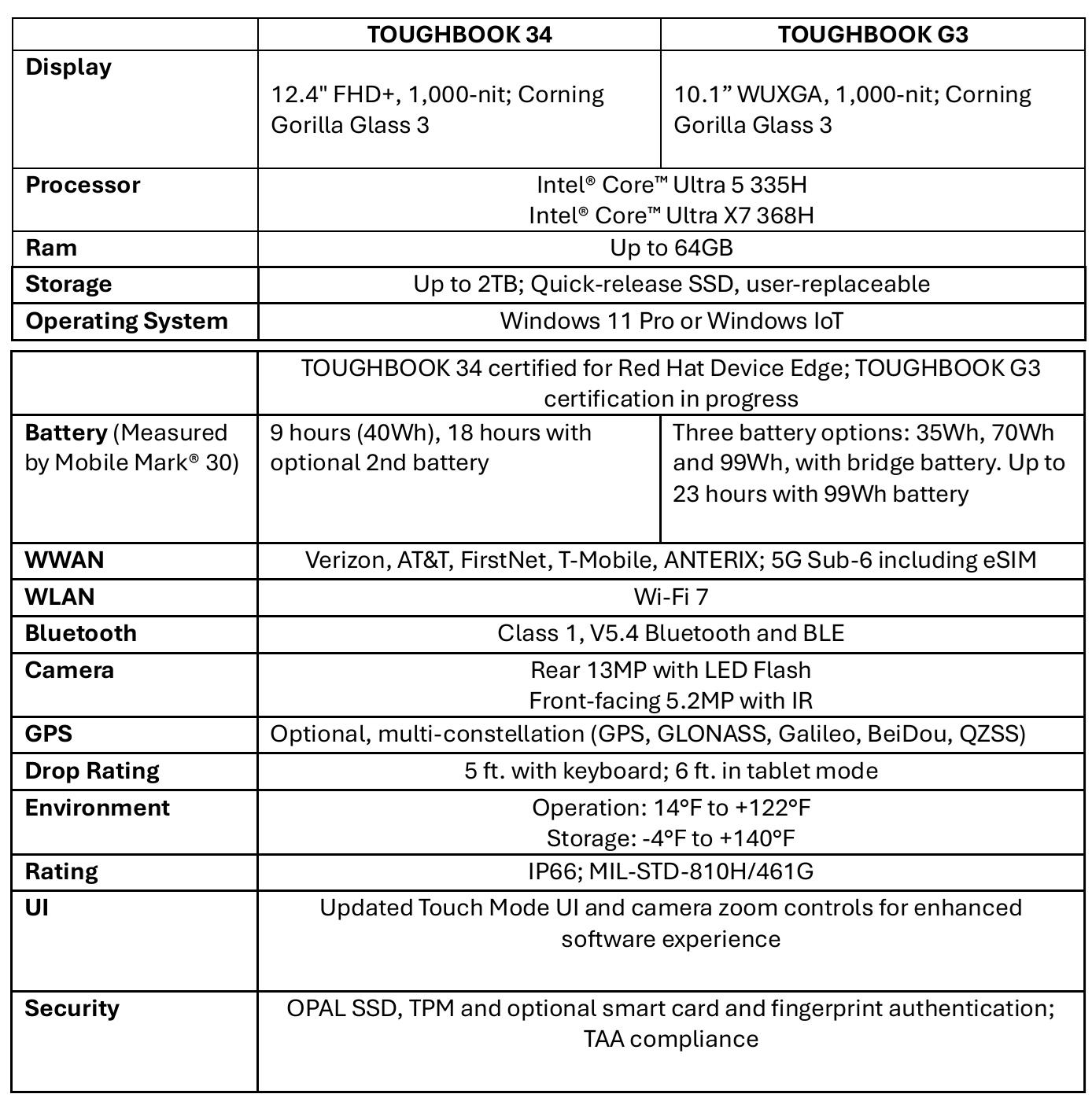
The TOUGHBOOK 34 features a larger 12.4-inch display and is designed for users who spend significant time in vehicles, command centers, or managing information-dense workflows. The G3 uses a more compact 10.1-inch form factor that's easier to carry into the field.
As one Panasonic executive explained during the public safety discussion:
"Fire and EMS leverage both sizes: the larger TOUGHBOOK 34 for in-vehicle CAD and command control, and the compact G3 in the back of ambulances for patient care."
The biggest upgrade is AI
The latest TOUGHBOOKs feature Intel's 3rd-gen Core Ultra series processors with built-in NPUs for local AI processing. (Image credit: Daniel Rubino)
The headline feature across both devices is the move to Intel's latest Core Ultra platform.
Both systems now offer Intel Core Ultra 5 335H and Ultra X7 368H processors complete with onboard NPUs and AI acceleration capabilities. Panasonic is increasingly positioning these devices as AI-ready edge computers capable of processing information locally without relying on cloud connectivity.
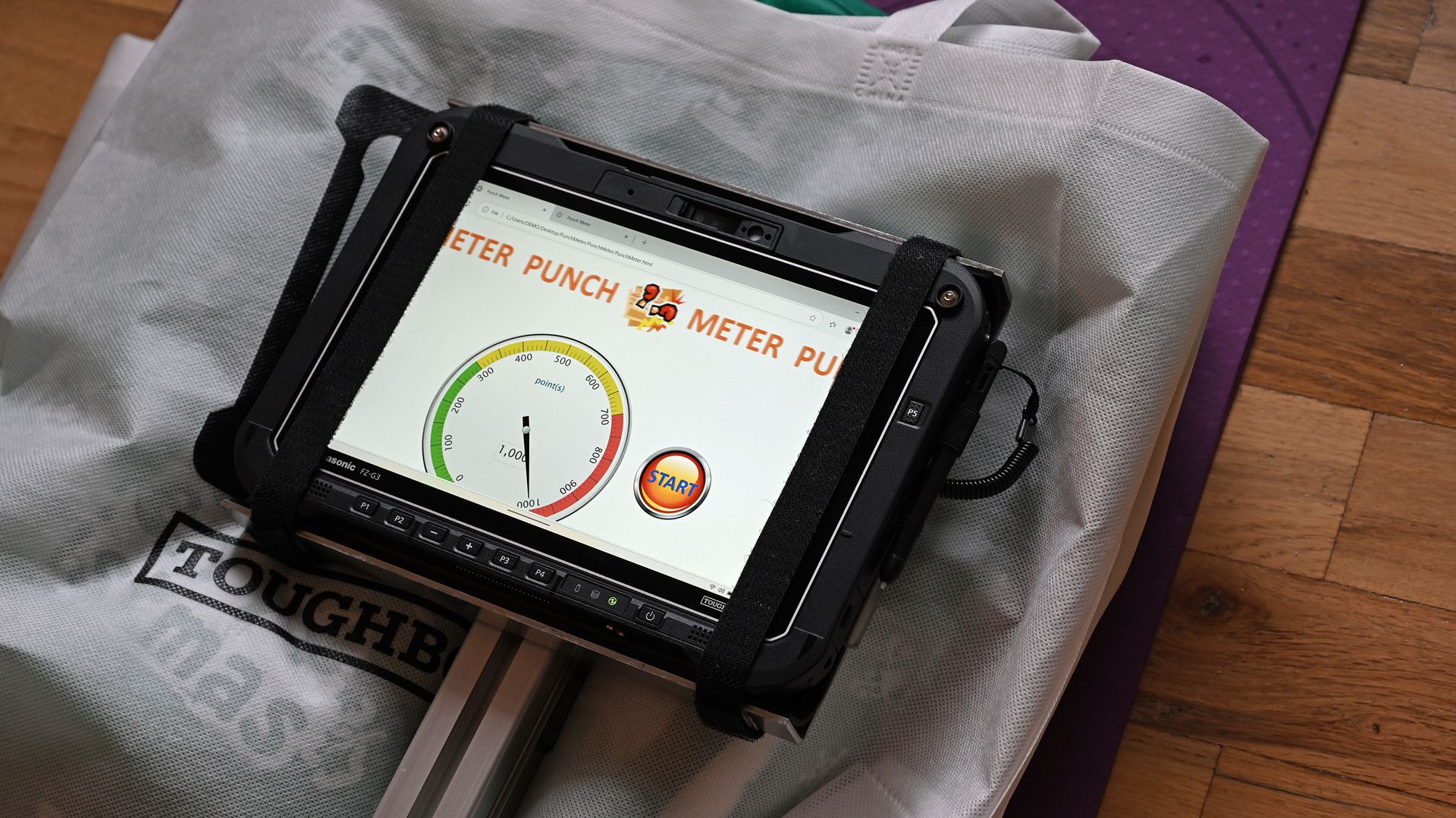
Panasonic had a punch-test demo set up where you could punch a TOUGHBOOK as hard as you could, which was quite entertaining. (Image credit: Daniel Rubino)
That matters more than you might think.
During the federal customer panel, Panasonic highlighted a scenario that's becoming increasingly common in military and government environments.
As Panasonic's federal team explained:
"Deployed military personnel aboard ships or in tactical environments often operate without network connectivity due to operational security." AI-capable processing on TOUGHBOOK devices allows personnel to perform tactical, medical, and technical searches without depending on a remote connection."
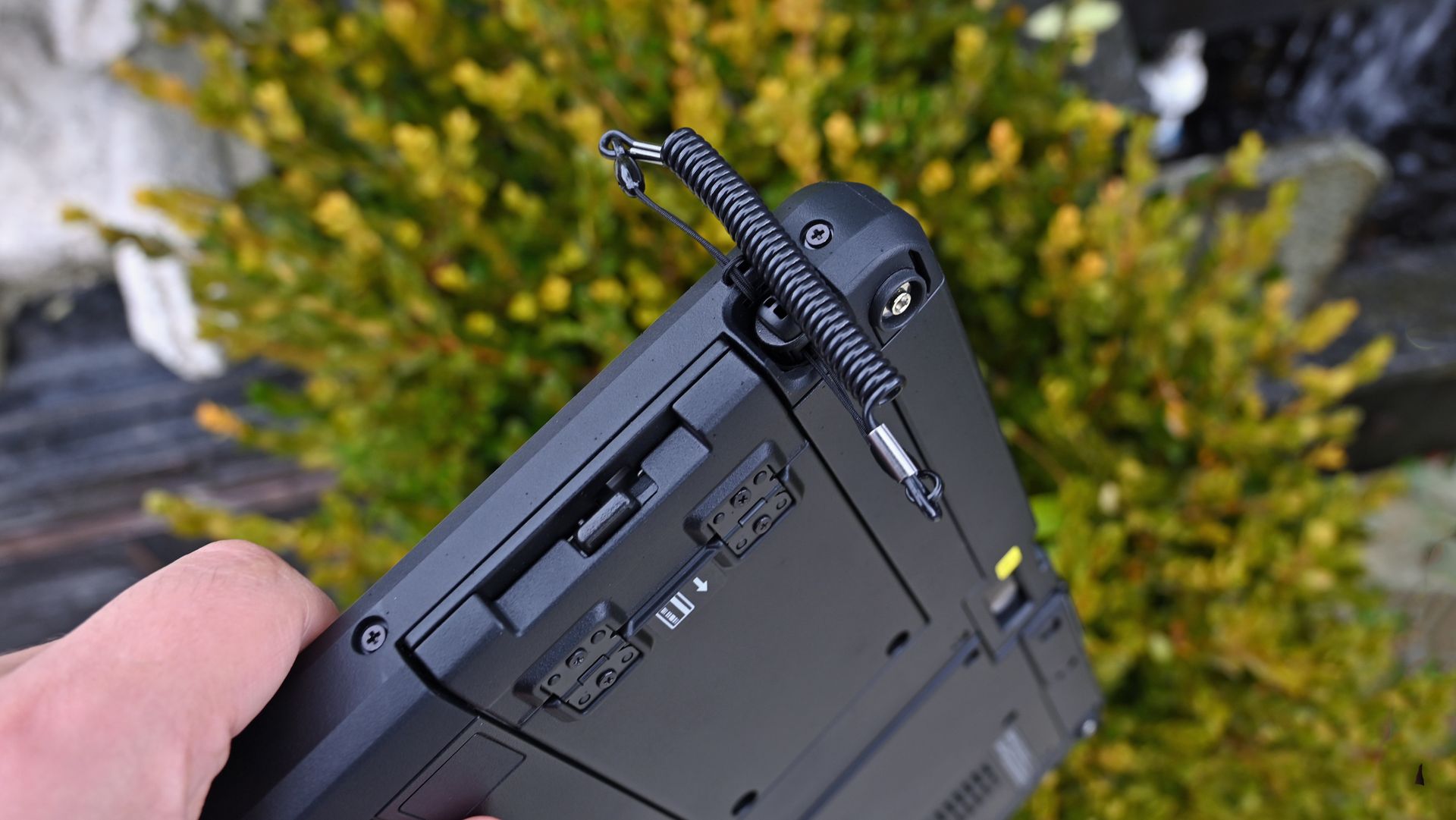
Close-up of the upper rugged chassis of a Panasonic TOUGHBOOK 34 showing an attached coiled stylus tether with a built-in pen. (Image credit: Daniel Rubino)
For most consumers, AI means generating images or summarizing documents. But for military users, it can mean analyzing information locally while disconnected from networks entirely.
That's a very different use case.
From military drones to local AI analysis
The Teledyne FLIR ION-series tactical reconnaissance drones are often used by military with the Panasonic TOUGHBOOK range. (Image credit: Daniel Rubino)
The most interesting demonstration I saw involved a tactical drone setup.
Panasonic demonstrated how rugged computing platforms can work alongside systems such as the Teledyne FLIR ION-series tactical reconnaissance drones that are commonly used by military, government, and emergency-response organizations.
While separate physical controls handle flight operations, the TOUGHBOOK effectively becomes the intelligence terminal. Drone imagery and reconnaissance data can be brought onto the device, recorded, analyzed, and processed locally using onboard computing resources.
I didn't watch the drone take flight during the event, but seeing Panasonic position the TOUGHBOOK as the AI-capable analysis point for tactical aerial systems offered a very real glimpse into how these machines are used beyond traditional laptop duties.
That use case also aligns with Panasonic's announcement that both devices support unmanned systems control and UAV ground-control applications in federal environments
TOUGHBOOKs are becoming smarter police tools, too
(Image credit: Daniel Rubino)
The police vehicle demonstration may have been even more compelling.
Rather than focusing on dispatch software alone, Panasonic showed how TOUGHBOOK systems can act as fleet intelligence platforms.
Through Panasonic's TOUGHCommand ecosystem, agencies can connect vehicle systems and pull operational data directly into the computer. Information such as vehicle identification, odometer readings, fuel levels, speed data, maintenance information, and diagnostic information can all be surfaced through a centralized dashboard.
Close-up of a Panasonic FZ-55 display running fleet intelligence software, showing map tracking data for a Ford F-250. (Image credit: Daniel Rubino)
The really interesting layer sits on top of that data.
Panasonic's new Command Intelligence features allow IT teams and fleet managers to query those systems using AI and natural-language questions rather than digging through massive databases manually.
That turns the TOUGHBOOK into something closer to a command-and-control platform, instead of just a rugged laptop.
For organizations managing hundreds or thousands of vehicles, that could be a substantial value-add beyond the hardware itself.
The modularity advantage nobody else offers
An electric screwdriver tightening a screw into a modular expansion panel on the back of a black Panasonic TOUGHBOOK G3 tablet. (Image credit: Daniel Rubino)
Having reviewed the G2 and covered Panasonic's rugged lineup for years, the thing that continues to impress me isn't the drop testing or waterproofing.
It's the modularity.
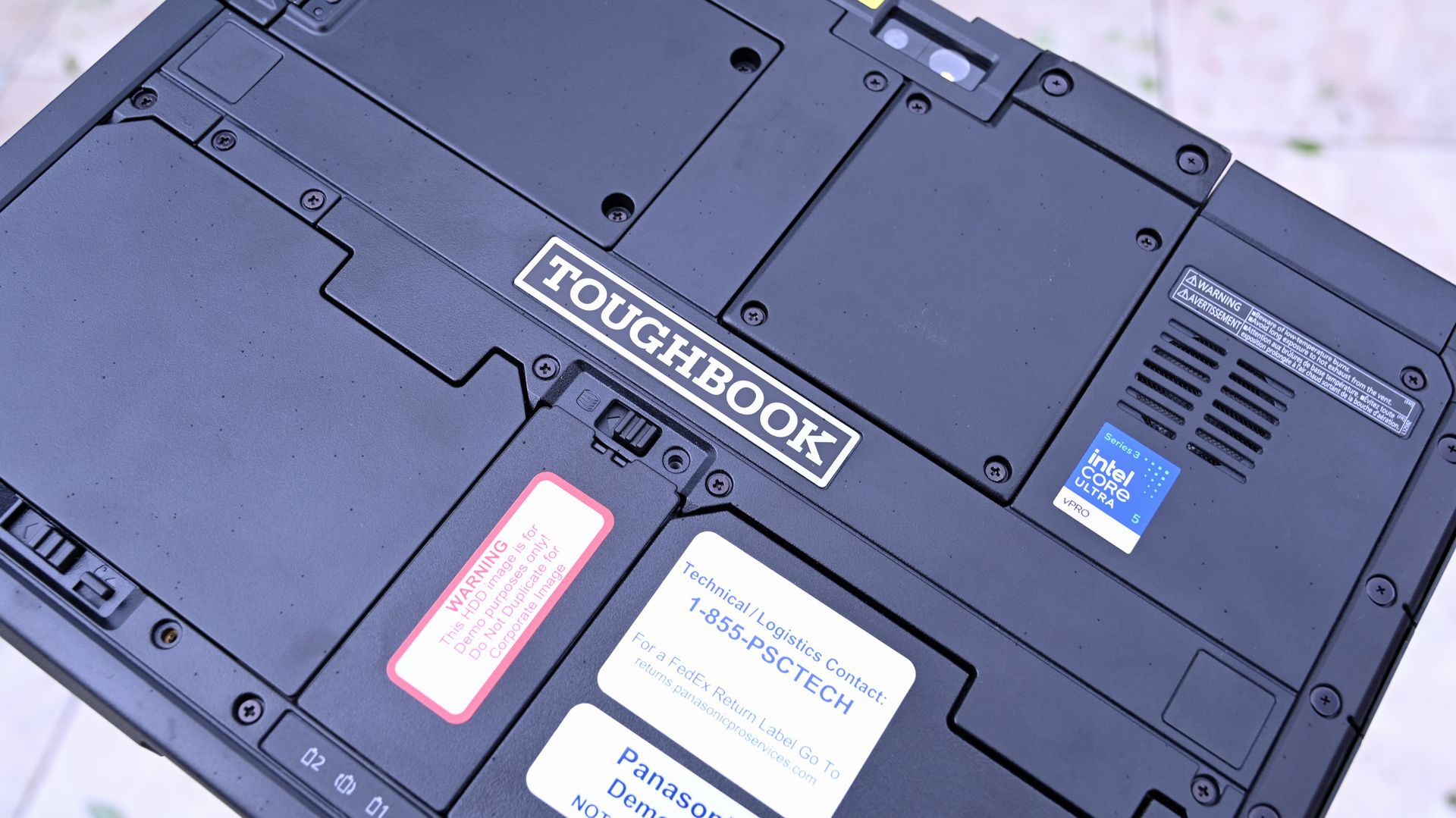
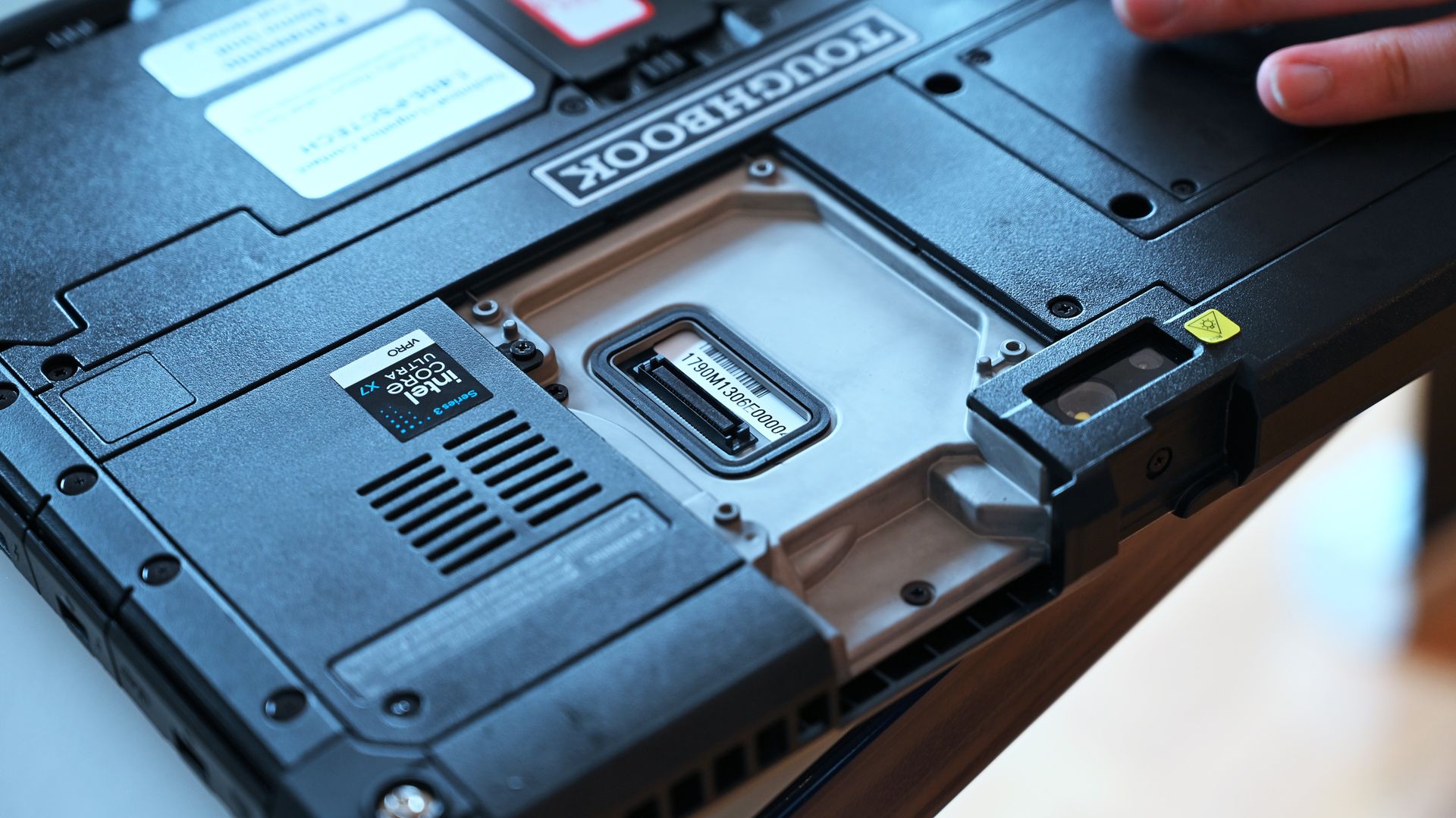
The TOUGHBOOK 34 and G3 both feature Panasonic's xPAK ecosystem, allowing users to swap hardware modules as needs change. Options include barcode scanners, additional USB ports, serial ports, smart card readers, fingerprint readers, networking hardware, and more.
Panasonic's goal is simple: one device should adapt to many jobs.
Close-up of the rear panel of a rugged Panasonic TOUGHBOOK G3, displaying opened xPAK expansion port, cooling vents, an Intel Core Ultra sticker, and serial tag. (Image credit: Daniel Rubino)
A warehouse worker can add scanning capabilities. A utility technician can prioritize GPS and connectivity. An automotive technician can add legacy ports for vehicle diagnostics.
Instead of replacing the entire computer when requirements evolve, customers can reconfigure it. More importantly, this can be done locally without sending out the TOUGHBOOK back to Panasonic to be reconfigured. Not only is that time-consuming, but if the PC is used by the government and it has sensitive data on the drives, it limits who can even touch that laptop.
That's a surprisingly rare concept in modern computing.
Better displays, stronger connectivity, longer life
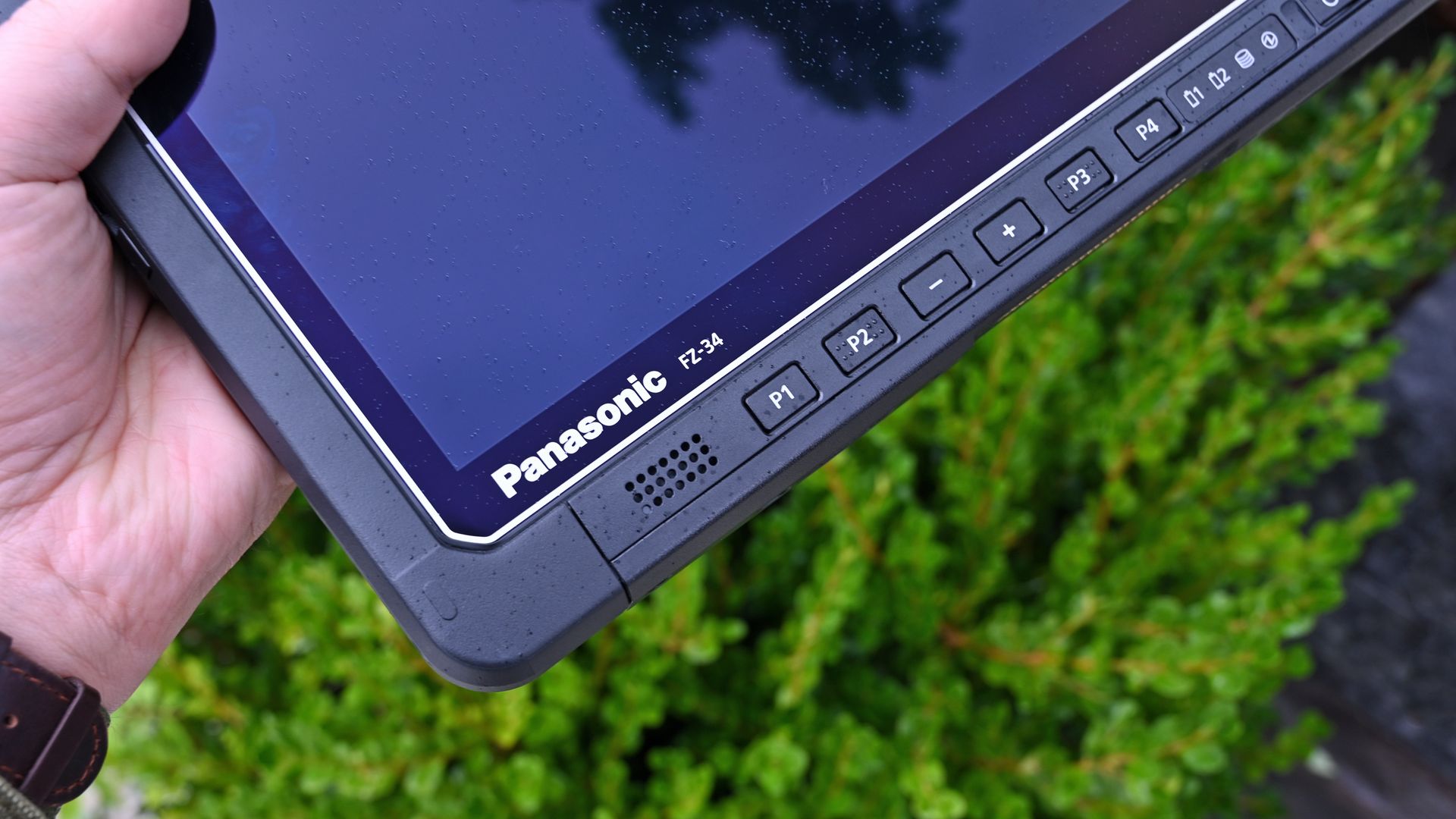
Close-up of the lower bezel on a Panasonic TOUGHBOOK FZ-34 tablet, featuring hardware function buttons (P1-P4) and speaker. (Image credit: Daniel Rubino)
The hardware itself receives meaningful updates, too.
For the TOUGHBOOK 34, Panasonic increased the screen size from 12 inches to 12.4 inches while moving to a 3:2 aspect ratio that's better suited to productivity work. Executives noted that the revised resolution and scaling choices allow users to view more information with less scrolling.
(Image credit: Panasonic TOUGHBOOK)
The G3 retains its 10.1-inch format but benefits from updated display tuning, 2-to-1000-nit brightness control, and improved readability for outdoor work.
Panasonic also highlighted a new glove and rain touch experience on the TOUGHBOOK 34.
As the company explained:
"You don't want the end user to take off gloves to touch the screen." Users can switch between glove and standard touch modes using programmable controls.
I actually tried this myself, and while it's still a bit clunky to operate a touchscreen with heavy gloves on, it can be done through this technology.
A Panasonic TOUGHBOOK G3 rugged tablet docked to a keyboard base, standing open on a white desk like a laptop. (Image credit: Daniel Rubino)
Connectivity receives substantial improvements as well.
Compared to the older G2 generation, the G3 moves from 4G LTE options to modern 5G support, upgrades Wi‑Fi 6 to Wi‑Fi 7, and advances Bluetooth 5.1 to Bluetooth 5.4 while adding broader support for private cellular deployments.
For the people actually relying on these systems, those upgrades matter far more than benchmark scores.
A reminder that some PCs have jobs to do
Many outdoor professions require the ruggedness that TOUGHBOOK brings to the Windows PC space. (Image credit: Panasonic TOUGHBOOK)
The most fascinating thing about Panasonic's new TOUGHBOOKs isn't that they're rugged. We already knew that, but what's changing is their role.
Thirty years after the first TOUGHBOOK arrived, Panasonic increasingly views these systems as secure, connected, AI-capable edge computers that happen to survive conditions most laptops would never tolerate.
Whether they're helping analyze drone feeds, supporting first responders through FirstNet and private 5G networks, managing vehicle fleets, or keeping utility workers connected during outages, the TOUGHBOOK 34 and G3 demonstrate that laptops can still be specialized tools built for serious missions.
And after an afternoon spent getting hands-on with Panasonic's latest hardware, that may be the most interesting thing about them. Panasonic is building the computers that many of the people protecting, rescuing, and serving the rest of us depend on every day, and I still find that inspiring.
Henry Cavill is famous for quite a few reasons. He's played iconic characters such as Superman and Geralt from the Witcher. He wowed Tom Cruise by "reloading" his fists in a Mission Impossible film. But around these parts and among many gamers, Cavill is best known for his genuine nerdiness.Cavill famously built a gaming PC and shared a video of it on social media, proving that you can be considered both a conventionally handsome man and a PC gamer. But the star
Henry Cavill is famous for quite a few reasons. He's played iconic characters such as Superman and Geralt from the Witcher. He wowed Tom Cruise by "reloading" his fists in a Mission Impossible film. But around these parts and among many gamers, Cavill is best known for his genuine nerdiness.
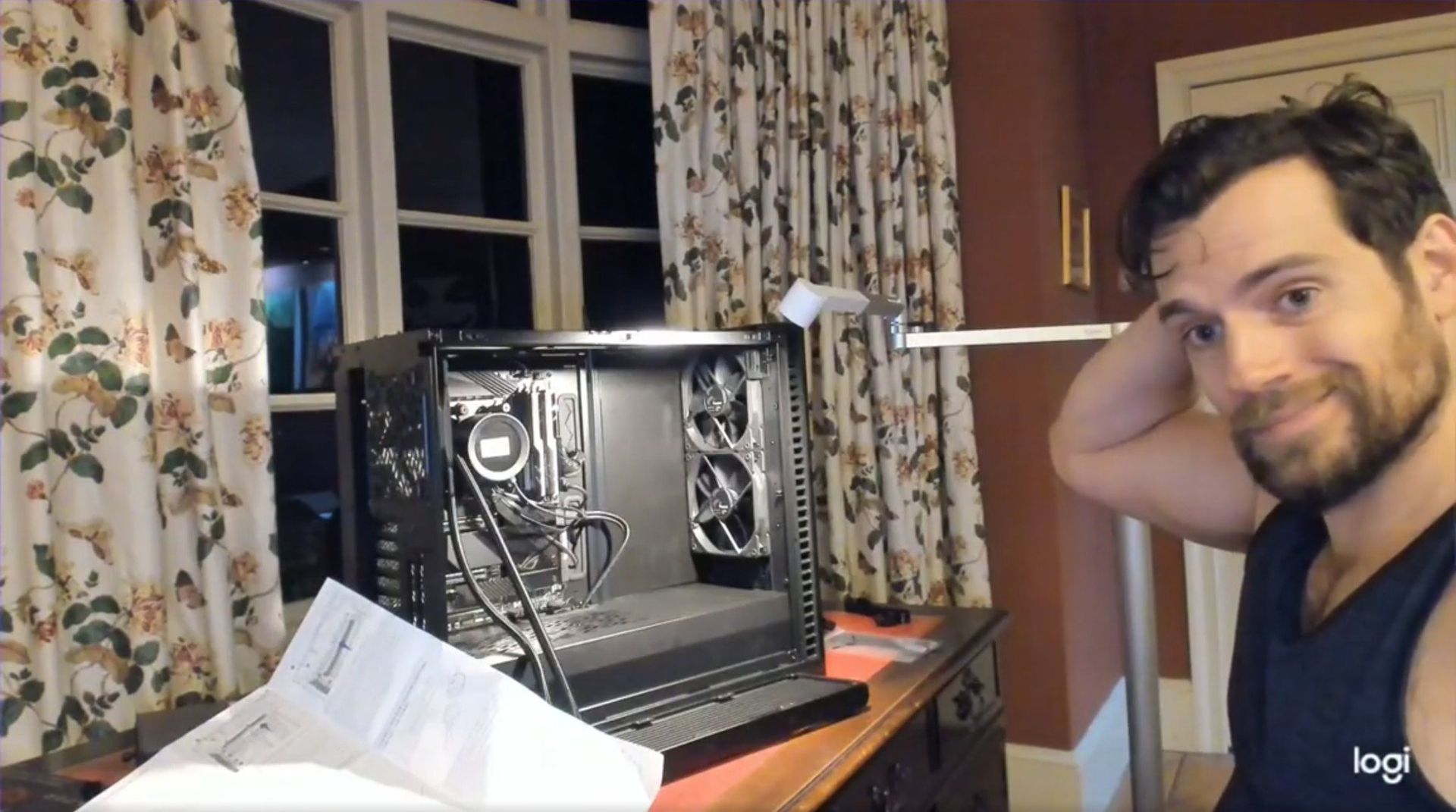
Cavill famously built a gaming PC and shared a video of it on social media, proving that you can be considered both a conventionally handsome man and a PC gamer. But the star has found a new computing passion: Googlebooks.
Android is officially partnering with Cavill by having him test a Googlebook. The actor is shown using an HP Googlebook in a promotional post on X.
A Google blog post details Cavill's plans to use a Googlebook. "After being hands on and spending some time with their team, I believe this has the potential to be the start of something rather special," said Cavill.
There's always a chance that Cavill still loves gaming on a desktop PC and that he uses a Googlebook when he's on the go or doing light work. Of course, there's also a chance Cavill doesn't use a Googlebook at all.
Cavill would not be the first Justice League star accused of endorsing a product while using a competing device. Gal Gadot infamously posted on social media how much she loves Huawei from an iPhone. Gadot denied doing so, but her post clearly indicated that it was made from an iPhone.
Marques Brownlee was the first to notice Gadot's gaffe. That post was later deleted and reposted from an Android phone. I believe Brownlee is still blocked on X by Gadot.
The tactic of hiring a person well-known for advertising or endorsing a competing device is not new. Paul Marcarelli, also known as "Verizon's 'Can you hear me now' guy, was hired to advertise for Sprint. Marcarelli has since joined Buzz Aldrin in an ad for Verizon. Justin Long, the "I'm a Mac" guy, did an ad campaign for Intel.
Comedian Dave Chapelle once joked that he's done ads for both Coca-Cola and Pepsi and that he just hypes whichever company paid him most recently.
Google alluded to Cavill's "maker" fame it its announcement:
"To kick off our partnership, we couldn’t resist the chance to tap Henry's inner maker. This November, Henry is teaming up with Google to build a video game using Googlebook."
We'll have to wait to see what type of game Cavill creates on his Googlebook. I'd love to see a tie-in to Warhammer 40,000, but I doubt that will happen.
Join us on Reddit at r/WindowsCentral to share your insights and discuss our latest news, reviews, and more.
Amazon Prime's Big Deal Days event is just a week away, starting on October 7, 2026. However, Amazon's competition isn't waiting to host enticing counter deals for it by then, as some early competitor deals are already cropping up.One such deal is this 44% discount for the Dell 14S laptop, which has taken its steep $1,599.99 listing price down to a more affordable $899.99 at Best Buy.14S 14" 2K Touchscreen Laptop (Intel Core Ultra 7 355 2026, 16GB RAM, 512GB SDD,
Amazon Prime's Big Deal Days event is just a week away, starting on October 7, 2026. However, Amazon's competition isn't waiting to host enticing counter deals for it by then, as some early competitor deals are already cropping up.
One such deal is this 44% discount for the Dell 14S laptop, which has taken its steep $1,599.99 listing price down to a more affordable $899.99 at Best Buy.
"The Dell 14S is a compelling choice for a variety of users thanks to its long-lasting battery life (and) relatively affordable price." ~ Sean Riley, Freelance Writer, Tom's Guide
The Dell 14S laptop boasts a wide variety of tech that makes it a more-than-competent productivity companion for students and desk jockeys alike.
This configuration of the Dell 14S laptop features an Intel Core Ultra 7 355 CPU with 16GB RAM and 512GB storage. These enable it to run web browsers with multiple tabs open, edit photos in Photoshop, and even play 4K YouTube videos in the background, all at once without a significant drop in performance.
Additionally, it features a 14-inch 2K LED screen to display images and videos with sharp details and vibrant color gamuts, a premium-quality build to protect its vital components, a comfortable-to-use keyboard with a trackpad, and a powerful battery life that will last you over 20 hours before needing to recharge.
Finally, the Dell 14S is a Copilot+ PC (a name that's starting to disappear) with an NPU capable of 49 trillion operations per second (TOPS). This means that it can operate AI-empowered programs like Cocreator or Recall with ease, and use AI search engines to help you research information more quickly online.
So, if you're looking for a straightforward laptop that's purely focused on powering through light workflow tasks at school or work all day without a break, you can't go wrong with the Dell 14S.
Dell 14S's discounted $899.99 price tag at Best Buy is certainly cheaper right now than its more powerful yet more expensive Dell XPS 14 counterpart, which usually runs for a retail price of $2,249.99 at Dell.
Is it good for gaming?
The Dell 14S is capable of running light 2D games, but it is not designed for intensive 3D AAA video due to having a limited integrated Intel graphics, instead of a dedicated gaming GPU.
Can I replace its RAM or SSD?
You can't replace the Dell 14S's 16GB (LPDDR5X) RAM, as it's soldered in place. You can replace its 512GB SSD with a larger one (like a 1TB or 2TB SSD) via its M.2 solid-state drive slot.
Join us on Reddit at r/WindowsCentral to share your insights and discuss our latest news, reviews, and more.
Affordable laptops often make you choose between a nice screen and a machine you’d want to carry. HP’s $699.99 OmniBook 5 14 makes a different pitch against Apple’s MacBook Neo: an OLED touchscreen wrapped in a slim, colorful aluminum body. It’s an appealing combination for someone moving between classes, work, and a movie, though the price doesn’t buy every specification HP advertises for the series.
HP treats color as part of the laptop, rather than something to add with a sticker. Starlit Bl
Affordable laptops often make you choose between a nice screen and a machine you’d want to carry. HP’s $699.99 OmniBook 5 14 makes a different pitch against Apple’s MacBook Neo: an OLED touchscreen wrapped in a slim, colorful aluminum body. It’s an appealing combination for someone moving between classes, work, and a movie, though the price doesn’t buy every specification HP advertises for the series.
HP treats color as part of the laptop, rather than something to add with a sticker. Starlit Blue, Peony Pink, Soft Honeydew, and Smoke Silver give the aluminum chassis some character, with a tone-on-tone keyboard to keep the look together. At 2.6 pounds and 0.46 inches thick, it could slip into a bag without looking like an anonymous office machine when it comes back out.
Open the lid and the 14-inch OLED touchscreen becomes the reason to look twice. Its 16:10 proportions leave more vertical room for a document or editing tools, while touch makes a quick tap feel natural. But the $699.99 model has a 1920×1200 resolution and a 300-nit brightness rating, not the up-to-2.5K, 620-nit display mentioned in HP’s broader launch announcement.
The 180-degree hinge is a smaller detail, but it might be the one you appreciate when sharing a draft across a cafe table. Lay the laptop flat, turn it toward a friend, and neither of you has to hunch over the keyboard. The backlit keys make a difference when that conversation stretches into the evening, although this isn’t a tablet you can fold backward.
HP also makes room for an HDMI 2.1 port, two USB-C connections, and a headphone jack. If you need to show a presentation on a meeting room display or connect a monitor at work, you might not need to hunt for an adapter. The catch is that there’s no USB-A port listed, so an older mouse or flash drive could still send you looking.
Underneath the colorful shell, this configuration has an Intel Core 5 320 processor, 8GB of onboard memory, and a 256GB SSD. Those numbers should keep expectations in check if you juggle large creative files and a dozen browser tabs. There’s a 512GB storage option, but it shouldn’t be confused with what the starting price includes.
Battery life deserves careful reading. HP touts up to 42 hours for the series, but that figure comes from local video playback, not a day of calls, spreadsheets, and multitasking. The listed 60Wh battery and a claimed 50% charge in about 30 minutes are useful details when you’re planning a day out. Neither tells you when you’ll need an outlet.
The HP OmniBook 5’s challenge to the MacBook Neo isn’t about winning every specification. It offers a different set of priorities: a touchscreen, OLED contrast, cheerful colors, and ports that could save you from carrying an adapter. The modest memory and storage are harder to overlook. Still, it’s good to see an affordable laptop make its strongest argument the moment you open it.
Premium laptops rarely cost under $1,000 these days. But a $310.99 discount on the Lenovo Yoga Slim 7x drops the price of the PC to $989.99. The Yoga Slim 7x already delivered excellent value for its price, so it's even more attractive after a discount.Yoga Slim 7x: was $1299.99 now $989.99"The Slim 7x (Gen 11) is a laptop I can see fitting in perfectly with students, home business pros, and casual users who simply want a laptop for around $1,199 (even less when
Premium laptops rarely cost under $1,000 these days. But a $310.99 discount on the Lenovo Yoga Slim 7x drops the price of the PC to $989.99. The Yoga Slim 7x already delivered excellent value for its price, so it's even more attractive after a discount.
"The Slim 7x (Gen 11) is a laptop I can see fitting in perfectly with students, home business pros, and casual users who simply want a laptop for around $1,199 (even less when it's on sale) that feels like it should cost a lot more." — Cale Hunt, Windows CentralView Deal
(Image credit: Future)
The model that's on sale has a Snapdragon X2 Plus processor, 16GB of memory, and 512GB of storage. Those specs are more than enough for everyday computing and getting work done.
Lenovo's Yoga Slim 7x (Gen 11) has the best battery life of any laptop I've personally tested
Cale Hunt, Windows Central
The Yoga Slim 7x is a thin laptop. Its bottom half is barely thicker than a USB-C port. Even when closed, the entire laptop is 0.55 inches thick and weighs just 2.73 lbs. But despite its thin body, the laptop is rigid, resisting any reasonable bends and not creaking when pressured.
Along the top of the Yoga Slim 7x's screen sits a notch housing a 9.2MP camera that beats many webcams seen in similar laptops. As you'd expect from a premium laptop, the Yoga Slim 7x supports Windows Hello facial recognition.
Unlike some laptops in the same price range, the Yoga Slim 7x supports Human Presence Detection (HPD), which can unlock or lock your PC automatically when you leave or approach the computer.
The keyboard of the Yoga Slim 7x is well-spaced and comfortable. I share Hunt's wish for the PC to have a haptic trackpad, but the standard trackpad on the laptop is fine.
You can upgrade to a Yoga Slim 7x with higher specs if you'd like. The laptop is available with up to a Snapdragon X2 Elite. But you have to spend significantly more to get that chip (at least $1,549 from what I've found).
If you want an excellent laptop that lasts all day and is more than enough for everyday computing, the Yoga Slim 7x with a Snapdragon X2 Plus is an excellent choice.
Is the Lenovo Yoga Slim 7x a gaming laptop?
The Lenovo Yoga Slim 7x is a great laptop, but it is not a gaming PC. (Image credit: Future)
The Yoga Slim 7x is an excellent laptop that's easy to recommend, especially with the Snapdragon X2 Plus inside. But it is not a gaming laptop. Don't get me wrong, it can play some games. But I wouldn't recommend buying the Yoga Slim 7x (or any PC running a Snapdragon X processor) to a gamer.
Snapdragon X-powered PCs used to struggle with just about any game. They are now capable of running some games thanks to improvements by Microsoft and Qualcomm.
If you do get a Yoga Slim 7x, gaming can be a fun experiment to see how far Windows 11 on Arm has come, but it shouldn't be a driving force behind the purchase.
Join us on Reddit at r/WindowsCentral to share your insights and discuss our latest news, reviews, and more.

 Connexion