❌

Vue normale

  • ✇Yanko Design
  • CleanMyMac just made a Screen Cleaning Perfume for your MacBook that smells like a pine forest
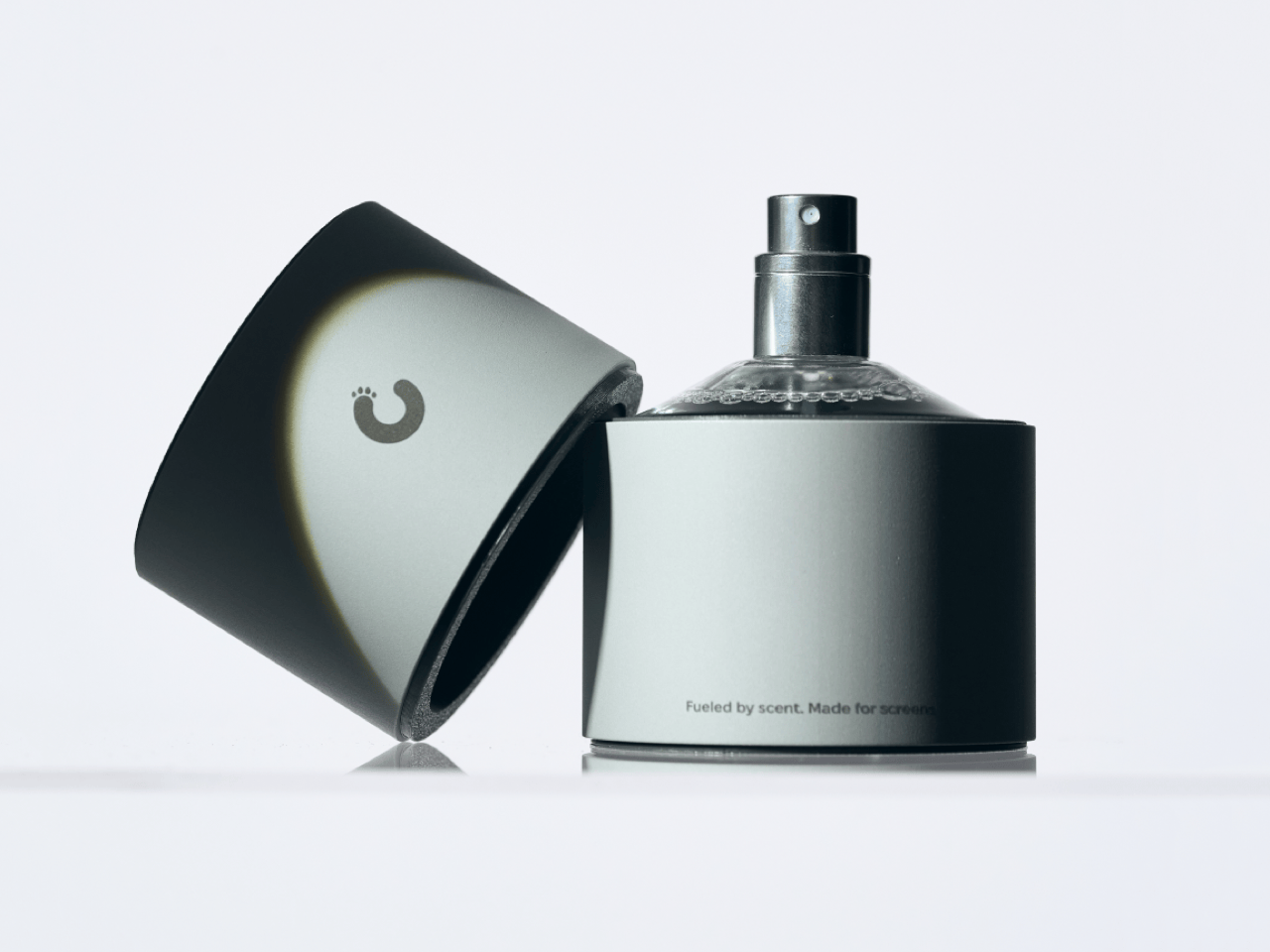
    Apple’s official answer to a smudgy MacBook screen is a $9 Polishing Cloth, which, to be fair, is ten bucks cheaper than the version everyone roasted in 2021. MacPaw has a more extravagant answer. The Ukrainian company behind CleanMyMac just revealed CleanMyMac Mist, its first physical product, a screen and keyboard cleaner dressed up as a bottle of designer fragrance. One spritz on a microfiber cloth is meant to lift the fingerprints and leave your laptop smelling like a frosty pine forest. Yo
     

CleanMyMac just made a Screen Cleaning Perfume for your MacBook that smells like a pine forest

12 octobre 2026 à 16:30

Apple’s official answer to a smudgy MacBook screen is a $9 Polishing Cloth, which, to be fair, is ten bucks cheaper than the version everyone roasted in 2021. MacPaw has a more extravagant answer. The Ukrainian company behind CleanMyMac just revealed CleanMyMac Mist, its first physical product, a screen and keyboard cleaner dressed up as a bottle of designer fragrance. One spritz on a microfiber cloth is meant to lift the fingerprints and leave your laptop smelling like a frosty pine forest. Your candles, your hand soap and your car already have signature scents, so honestly, the MacBook was overdue.

MacPaw calls the scent Frosted Juniper, picked because juniper grows both in Ukraine, where the company was founded, and in California, where the Mac was born. That’s a little sentimental, and I’m completely here for it. The notes run from camphor, ozone and citrus up top to fir needle, cedar leaf and green apple at the base, and the brief was to smell clean without smelling like a cleaning product. Pole, a design and small-batch production studio in Ivano-Frankivsk, made the glass atomizer, its metal case, and a pink box loud enough to see from across the office. Only 100 bottles exist, and they’re up for grabs via a CleanMyMac Instagram and TikTok giveaway until October 23, so don’t go hunting for a price tag.

Designers: MacPaw & Pole

Every design choice here borrows from the perfume counter instead of the cleaning aisle. A slim glass atomizer sits inside a cylindrical metal case, and its silver-and-gray finish would sit happily next to any MacBook. The box flips the mood entirely, with a hot pink tray holding the Mist, a microfiber cloth, a small brush and a scent card, which is basically a perfume blotter for your laptop. The whole package is designed to live on your desk in plain view, far away from the Windex under the kitchen sink. Le Labo pulled a similar trick with its hand-cast concrete diffuser, treating a fragrance gadget as decor first.

Apple’s own cleaning guide warns against aerosol sprays, so the Mist uses a pump atomizer, and you spritz the cloth instead of the screen. That small habit change tackles a real problem, since one in three US Mac owners in MacPaw’s survey admitted to damaging their machine while cleaning it. The product site names the usual culprits: glass cleaners that strip anti-reflective coatings, paper towels that leave micro-scratches, and the hoodie sleeve that only feels like it’s doing something. Apple Stores reportedly keep their display units spotless with WHOOSH!, so dedicated screen formulas are nothing new. MacPaw’s twist is making the formula something you’d happily smell on your fingertips afterward, though nano-texture displays should still stick to Apple’s dry cloth.

As a longtime CleanMyMac user, I find the whole thing delightfully on the nose. The app launched in 2008, has racked up 29 million downloads sweeping caches, logs and leftover app files out of Macs, and MacPaw says it cleans a million machines a day. For 18 years, “clean” was a metaphor for digital housekeeping, and now the metaphor has a nozzle and a note pyramid. MacPaw handed the physical side to Pole, a design and production center in Ivano-Frankivsk with metal, wood, ceramics and biolab workshops under one roof. Pole specializes in runs of 1 to 500 units and built elements for Ukraine’s pavilion at Expo 2025 in Osaka, so a 100-bottle drop sits right in its comfort zone.

The Mist isn’t for sale, and the only way to get a bottle is a giveaway on CleanMyMac’s Instagram and TikTok that closes at 11:59 PM EST on October 23. MacPaw will pick 10 winners on Instagram and 5 on TikTok, so the odds are slim, but every entrant still gets a 20% CleanMyMac coupon. The full scent breakdown and entry details live at cleanmymacmist.com. Millions of Mac owners already trust MacPaw with the inside of their machines, and I suspect plenty of them would buy a refill to keep the outside smelling like a snowy forest. Frosted Juniper makes a great first edition, though I’m already lobbying for a cozy sandalwood one by December.

The post CleanMyMac just made a Screen Cleaning Perfume for your MacBook that smells like a pine forest first appeared on Yanko Design.
I tested ASUS' Googlebook 14: So, how does it feel to a lifelong Windows user?

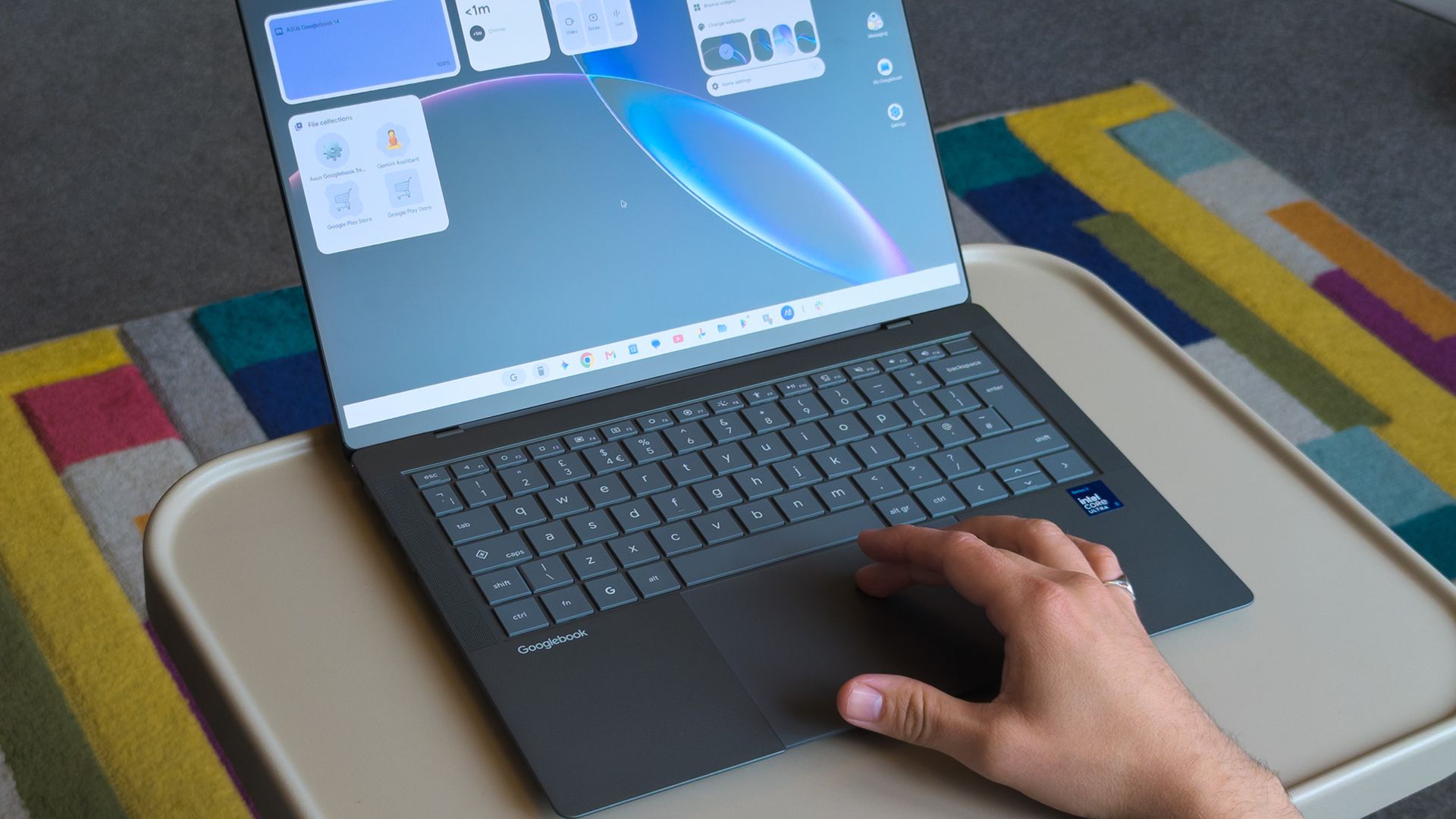
In September this year, Google announced its 'Googlebooks' as a premium laptop counterpart to its budget-conscious Chromebooks, rather than a replacement. It wouldn't have made much of a blip on my radar if the company hadn't paired with some of my favorite OEMs to build them.

Indeed, Google isn't building any first-party devices. Unlike Chromebook, these new Android-based offerings come only from OEMs like Acer, ASUS, Dell, HP, and Lenovo. 14-inch Windows laptops have quickly become my favorite, with ASUS' Zenbook in the lead, so the $1,299 ASUS Googlebook 14 is intriguing.

I think it's a great opportunity to steal consumer windows marketshare from MS, not enterprise.

Gibbens, Windows Central Community

Admittedly, that mild intrigue is tempered by skepticism, given the ongoing controversy over app compatibility for the average consumer. I still see people blasting Windows on ARM devices as an inferior experience, despite Qualcomm's efforts with Snapdragon X2 chips proving that to be largely false.

With that in mind, could I ever seriously expect the general public to adopt another operating system with fewer features than Windows, less customization than Linux, and some pricing sensibilities of Mac? Offered a chance to test-drive a sample from ASUS, I couldn't resist. Here's how it went.

ASUS Googlebook 14: What I like

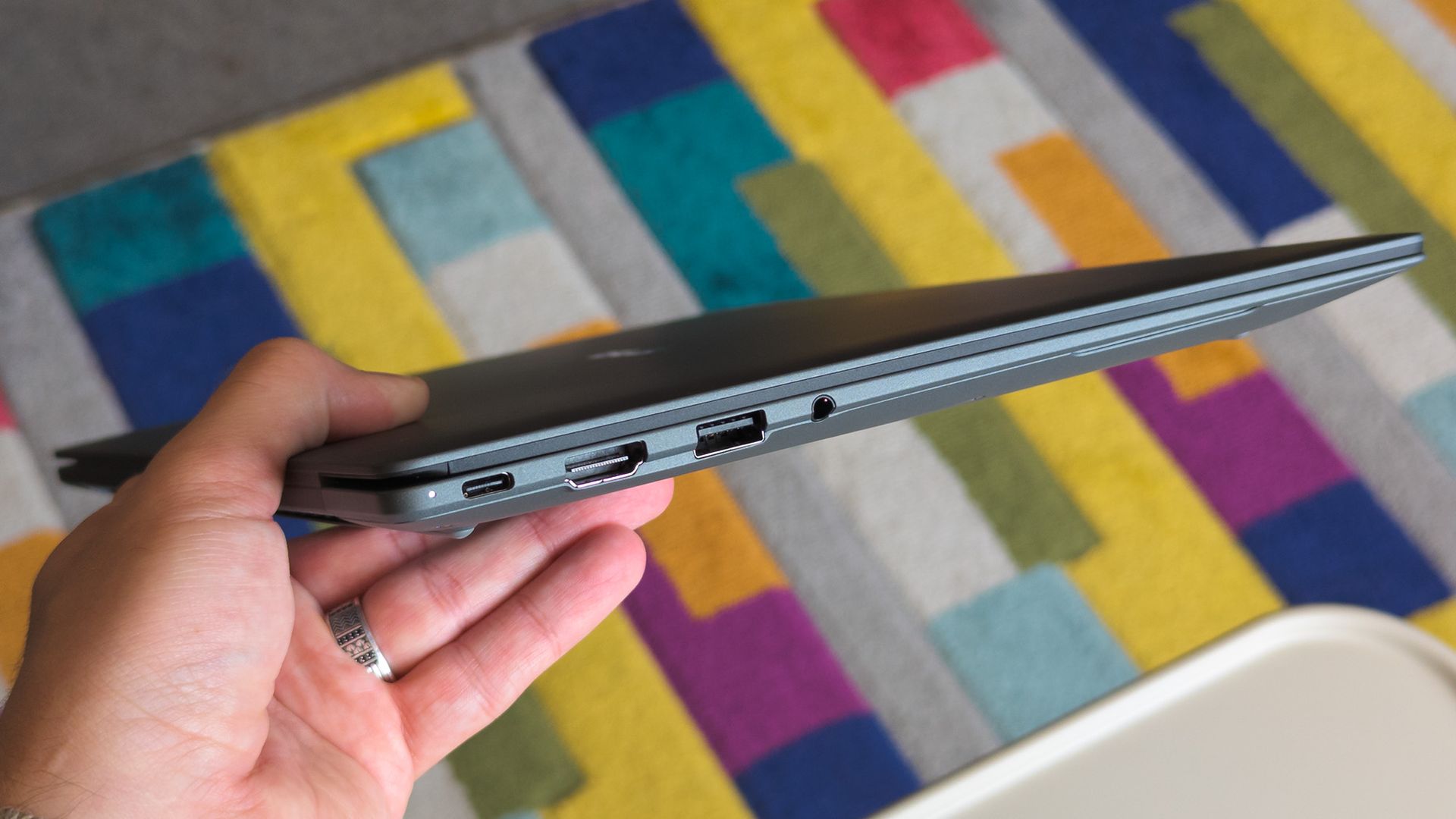
ASUS Googlebook 14 held in hand showing side ports

Lightweight 14-inch laptops are my absolute favorite, but I'll always prefer Windows. (Image credit: Ben Wilson | Windows Central)

The ASUS Googlebook 14 looks (and feels) great, which didn't surprise me, given how much I've enjoyed the company's recent design evolutions. Its chassis is coated in a magnesium-aluminum alloy, which explicitly avoids being labeled as the same Ceraluminum as its Zenbooks, but it's extremely similar.

Perhaps most impressive is its weight; ASUS claims the Googlebook 14 starts at 0.99 kg (2.18 lbs), but my scales place it closer to 0.97 kg (2.13 lbs). I'm a big fan of this emerging trend, having adored the Zenbook A14 at 2.18 lbs. Yes, it comes with extra screen flex, but I don't make a habit of bending my laptops.

ASUS claims the Googlebook 14 starts at 0.99 kg (2.18 lbs), but my scales place it closer to 0.97 kg (2.13 lbs)

OLED displays rarely disappoint either, and sure enough, this 16:10 panel also looks great. I'm still getting used to matte screens, and frankly, I almost want to avoid touching it to prevent fingerprints. Nevertheless, it's rated for up to 450 nits of brightness and 100% DCI-P3 color gamut coverage. Good for creators.

Finally, the chiclet keyboard has a 1.5mm key travel, which is relatively deep and feels good enough. The 6-inch haptic touchpad, however, is immediately fantastic. Left-clicking works anywhere, and it responds convincingly when pressed. I'll even commend the I/O for keeping USB-A ports around.

ASUS Googlebook 14: What I don't like

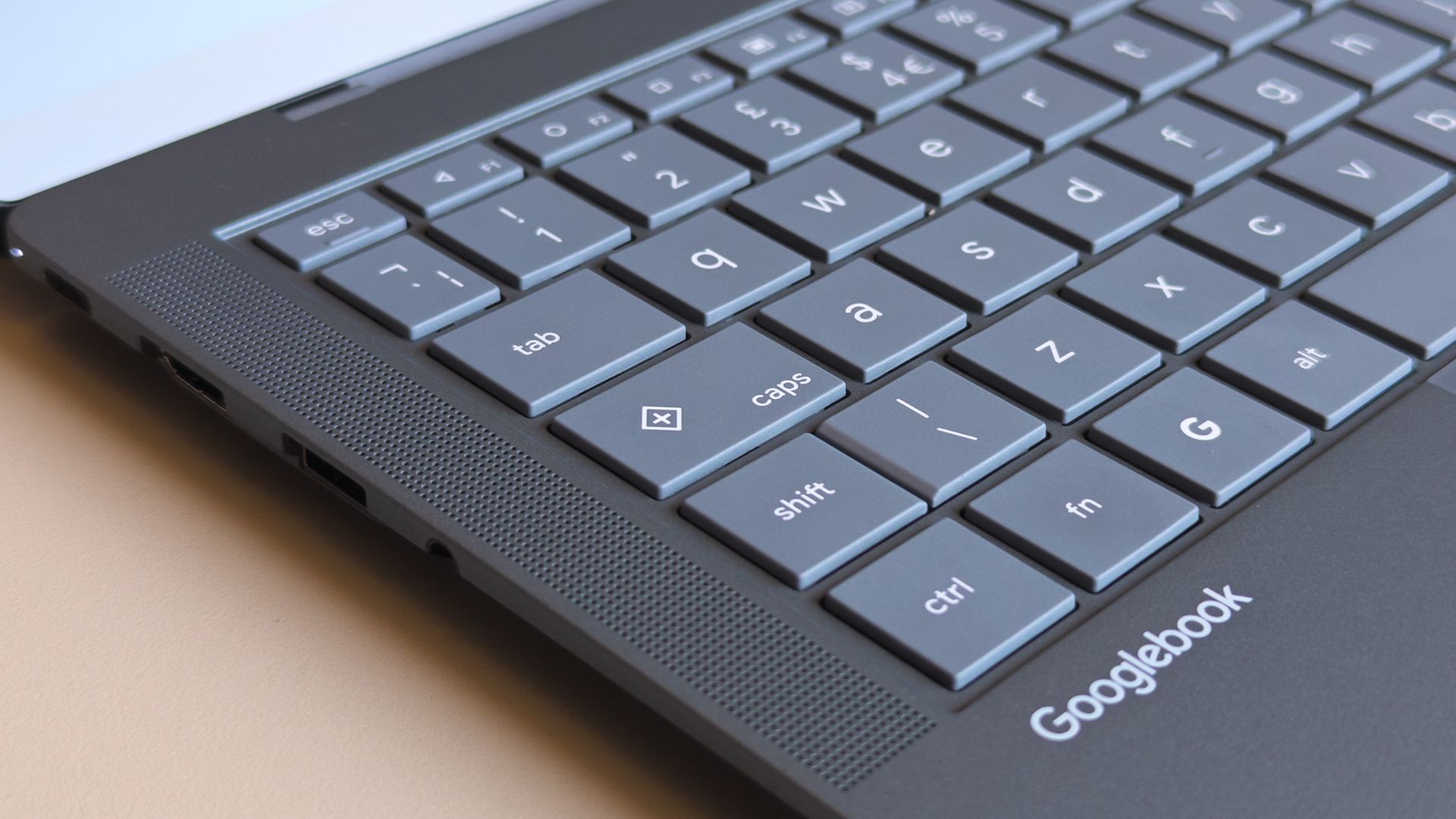
ASUS Googlebook 14 keyboard close up showing caps key with plus symbol

Caps Lock doesn't work without the Fn key, opening a quick context menu if pressed by itself. (Image credit: Ben Wilson | Windows Central)

Before I had a chance to experience much of Googlebook OS (which can refer to itself as ChromeOS during setup), I was irked by a few user experience oddities. Granted, these are primarily related to my expectations as a Windows user, but when I pressed the Caps Lock button, I expected capital letters.

Instead, Caps Lock defaults to activating a context menu indicated by a plus (+) icon, a sort of one-size-fits-all window that resembles Microsoft's 'Emoji and more' picker. Pressing Fn + Caps Lock delivers what I really wanted, which should be no big deal, just a learning curve. But it keeps going.

Even with increased hardware prices you can just buy a full Windows laptop or a MacBook Air for that much. Only a fool would buy one of these.

Fozzy_Bear, Windows Central Community

There's no delete key, so I need Fn + Backspace for that, which I wouldn't mind if double-tapping the touchpad would drag to select multiple words, but it doesn't work that way; I can only double-tap one word at a time. I suppose I might get used to that, too. Shift + arrow keys still select full lines, after all.

Some aren't as drastic; a single haptic click at the top of an app with maintained contact allows me to drag it around, while double-tapping restores or maximizes as I'd expect. On the other hand, there's no right-click area by default, instead requiring a two-finger tap unless I toggle that touchpad tweak in Settings.

Finding apps that work best on a laptop screen is made easier with Google's app ratings.Google | Windows Central
Slack in the Google Play Store on an ASUS Googlebook 14
Unfortunately, some apps fall back on their web versions, keeping you in the browser.Google | Windows Central
Googlebook OS Files app with AI prompt on ASUS Googlebook 14
Expect to see an AI consent prompt when you open almost every app or feature for the first time.Google | Windows Central

Again, most of these gripes can be so easily dismissed as nothingburger preferences carried over from decades of habits formed on Windows, which is fair, but trying to carry out my daily workflow on the ASUS Googlebook 14 soon had me wondering how much broad appeal this platform will have.

Like an Android smartphone, Google supplies your apps from the Play Store. Starting with Slack shows how a Googlebook handles compatibility by dividing apps into categories ranked from best to worst: Made for desktop, Optimized for desktop, Compatible with desktop, Better on the website, and Built for mobile.

Chrome OS was already able to run android apps; it just looks like they have decided to build it on top of android instead of chrome and its only on premium apps.

Tony Holness, Windows Central Community

Slack feels like an unlucky starting place for my Googlebook adventure since it lands in the 'Better on the website' category, made worse by a message that says, "This app cannot be installed" as a PWA (Progressive Web App). Installing it anyway is, indeed, a lesser experience than using it in Chrome.

Opening the 'Compatible with desktop' Microsoft Edge brings the entire Googlebook to a strange halt, preventing even Task Manager from opening until I restart, and my chosen video editing suite, DaVinci Resolve, isn't available at all. I know it's in its infancy, but Google's OS isn't thrilling me so far.

ASUS Googlebook 14: What happens next?

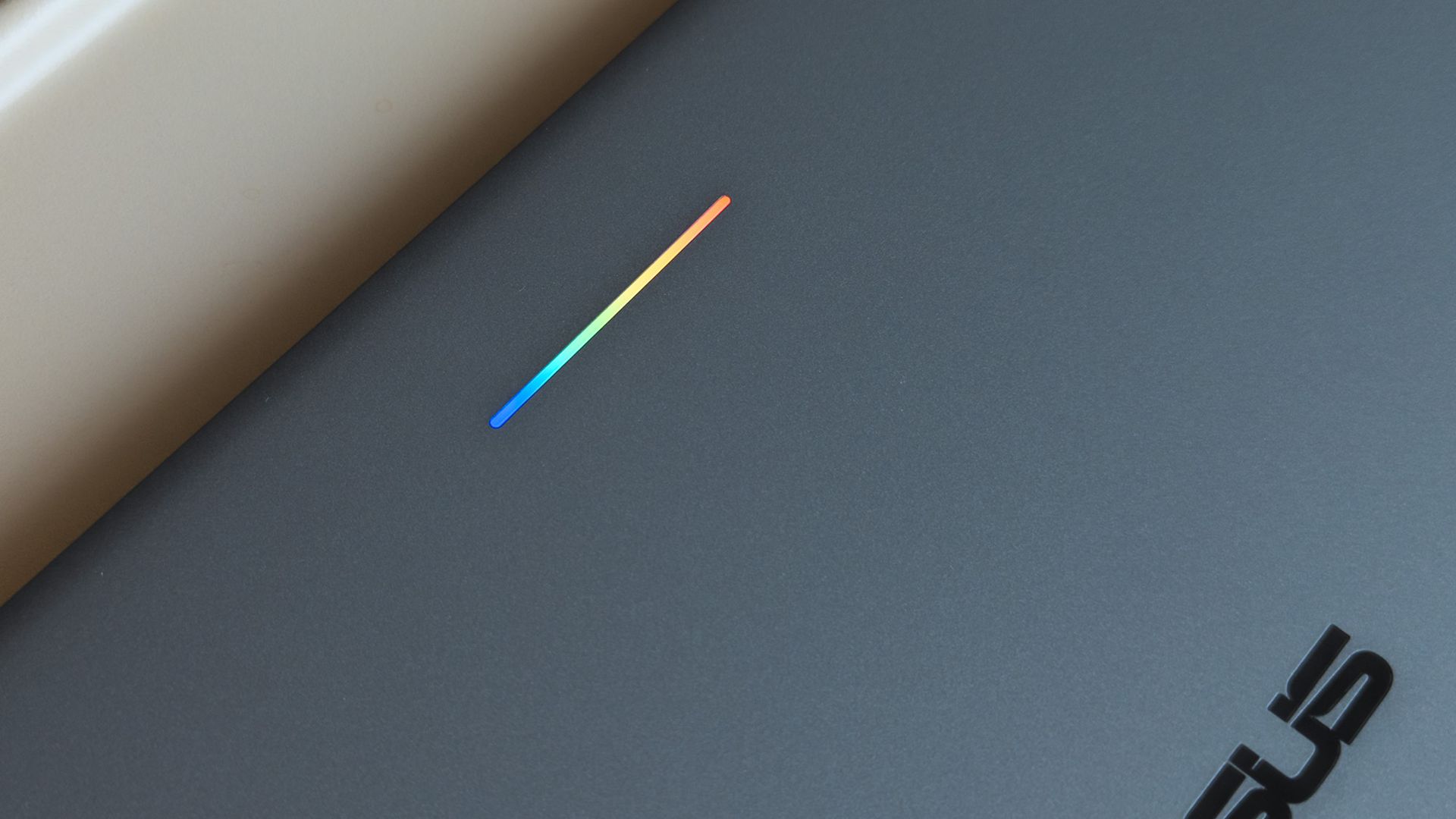
ASUS Googlebook 14 glowbar with rainbow lighting seen on lid

A small 'Glowbar' on Googlebook lids illuminates with RGB colors, but you'll almost never see it. (Image credit: Ben Wilson | Windows Central)

All of these impressions came in the first 24 hours of having my hands on this interesting, AI-centric laptop, and there's more to see. Gemini begs me to use it at every turn, but my next step is syncing my Pixel 7 Pro or Galaxy Z Flip 7 to see how features like 'Cast my apps' actually perform.

I'm not writing it off yet, but my first impressions aren't exactly stellar. Even the RGB Glowbar gimmick offers little more than battery-life visibility; almost as frivolous as the illuminated "look what I have" logos on gaming laptop lids. On the software side, OS updates will likely fix many of my complaints.

Still, I won't ignore the outspoken Windows users who have pushed back on Copilot AI integrations in Microsoft's leading OS for the past few years, and I can only wonder who would adopt something fundamentally the same, except built by Google. Are Googlebooks perhaps only appealing to developers?

Either way, I'm impressed with ASUS but unconvinced by Googlebook. The hardware is fantastic, but it comes from the same people who built the Zenbook, so that's hardly a revelation. I'll keep using Googlebook OS for a few more days and see how it feels once the launch hype dies down.

Click to join us on r/WindowsCentral

Join us on Reddit at r/WindowsCentral to share your insights and discuss our latest news, reviews, and more.

Global PC shipments fell by about 20% in Q3 2026

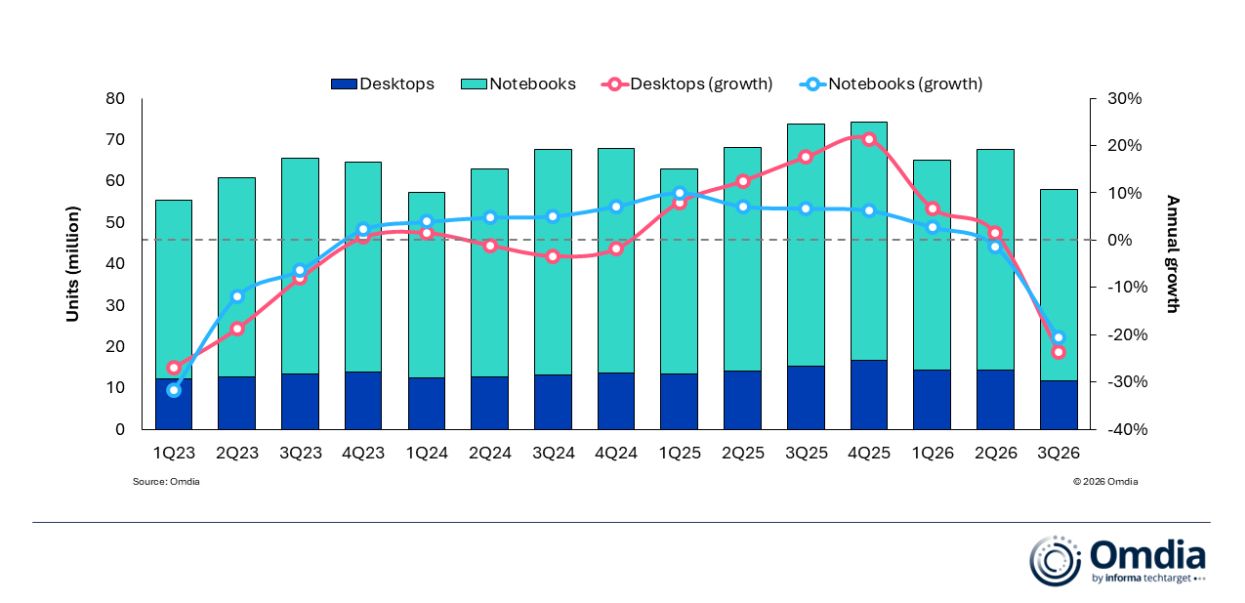
IDC and Omdia, two major analyst firms, recently released independent reports showing massive year-over-year drops in global PC shipments in Q3 2026. IDC shows a slightly rosier 20.1% decline compared to Q3 2025, whereas Omdia reports a 21.2% decline.

Breaking that down, Omdia notes that desktop shipments dropped 23.5% and laptops 20.6% to arrive at the average.

This decline is not normal. As IDC notes, Q3 almost always beats Q2, but this year, it's dropped by 9.1% sequentially.

Is there a need to panic? Probably not, at least not more than the new normal, as RAM and storage shortages have pushed prices beyond what many users are willing to pay. Let me explain.

Why did global PC shipments fall off a cliff in Q3 2026?

Omdia chart compares desktop and notebook shipments with annual growth by quarter from 1Q23 to 3Q26; notebook bars dominate, while growth lines peak in 4Q25 then fall.

Omdia's chart shows a more detailed breakdown of the year-over-year PC shipment decline in Q3 2026. (Image credit: Omdia)

Both analysts agree that the sharp drop in global PC shipments is due to vendors and supply channels buying up stock earlier in the year. IDC's Jitesh Ubrani says it's the result of "strong first half pull-in" which has "thrown off the usual seasonality".

Despite the RAM and storage crisis already digging its claws into the market in Q1 2026, global PC shipments actually rose by 3.2% on the back of panic buyers, Windows 10 upgraders, and advance vendor stockpiling.

It wasn't until Q2 2026 that global shipments finally dropped year-over-year, this time by 4%. Again, much of the PC market was kept afloat by vendors and supply channels padding out their inventories before prices went any higher.

That momentum has finally tailed off in a major way. Ubrani remarks:

Channels are now worried about carrying too much inventory into a market where high prices are suppressing demand. That could translate into promotions and some short-term relief for consumers, but we don’t expect pricing anywhere near what it was a year ago.

Jitesh Ubrani for IDC

Omdia's Research Director Ishan Dutt agrees, noting that "pull-forward activity buoyed the PC market in the first half of the year" and that the sharp drop in Q3 2026 "comes as no surprise."

Which PC brand got hit the hardest in Q3 2026?

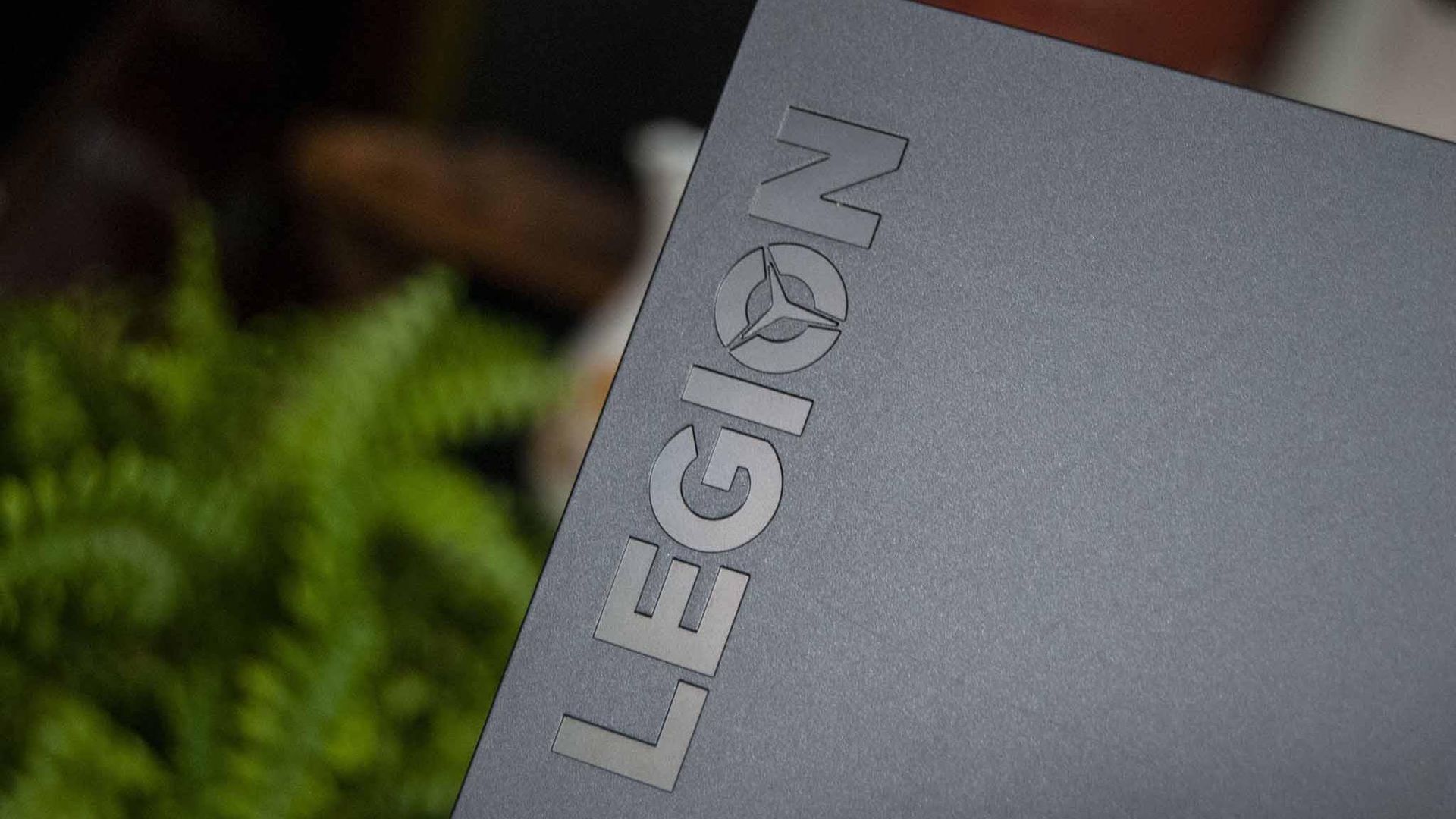
Lenovo Legion 5i 15

Lenovo is one of the PC brands that got hit hardest in Q3 2026. (Image credit: Windows Central)

Omdia and IDC both provide detailed numbers as to how many shipments each major PC brand was able to send out in Q3 2026.

According to IDC, HP saw the biggest year-over-year decline at 30.9%, with Lenovo coming in second at a 22.6% decline. Omdia's numbers put HP at -31% and Lenovo at -22.9%, so not much difference.

Moving down IDC's list, Dell was hit by a 25% decline, ASUS by 8.6%, and other brands together by 14%. Despite Apple growing strongly in Q2 2026 thanks to the launch of its MacBook Neo, it also dropped off by 11.3% in Q3.

What does the drop in global PC shipments mean for regular buyers?

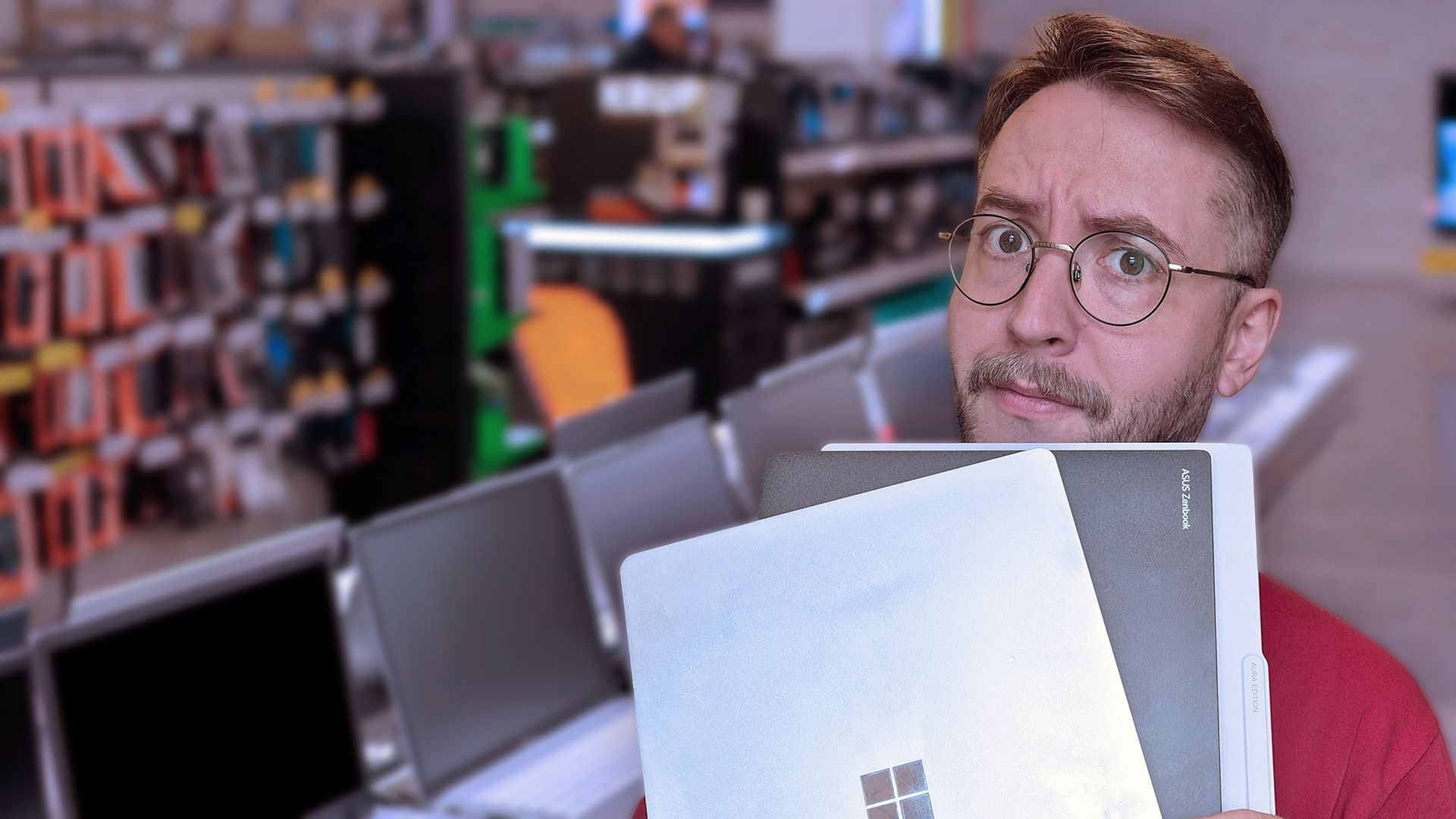
Windows Central Senior Editor Ben Wilson holding two laptops in an electronics store, looking puzzled.

It's not easy shopping for a new laptop in 2026. (Image credit: Getty / Ben Wilson | Windows Central)

Basically, this sharp drop in shipments doesn't mean that you should suddenly see a return to more regular prices.

Vendors and suppliers had to buy their PCs in the first half of 2026 at a much higher price than usual, and they're not likely keen on losing money as they get rid of stock in Q4.

RAM and storage costs have not improved, and IDC's Ubrani notes that "with macro conditions worsening, the risk is that the outlook for the next few quarters gets worse before it gets better."

Offering buying advice here sort of feels futile. On one hand, yes, some vendors might realize they need to offload stock and will offer some tasty discounts that bring prices back into the realm of reality. Unfortunately, I can't guarantee that will happen any time in the near future.

On the other hand, laptops might be at their most affordable right now, and waiting for a great deal will only end up making you pay more later this year or next year. It's a frustrating predicament, to be sure.

It will be interesting to see what Q4 2026 has in store for the global PC market.

Click to join us on r/WindowsCentral

Join us on Reddit at r/WindowsCentral to share your insights and discuss our latest news, reviews, and more.

Microsoft offers MacBook owners up to $1,000 to ditch Apple for a Surface Laptop Ultra

Microsoft's new Surface Laptop Ultra is here. Preorders are live and shipments start next week. The PC packs an RTX Spark processor and has a mini-LED display and a nice range of ports, including the special magnetic USB-C port.

Surprisingly, the Surface Laptop Ultra has the lowest starting price of all the RTX Spark laptops. But Microsoft is pushing to compete with more than just Windows laptops. The tech giant will give you up to $1,000 cash back when you trade in a MacBook Pro and buy a Surface Laptop Ultra.

The cash back you receive would be on top of the trade-in value, not in place of it. Rather than the funds being dispensed at checkout, Microsoft will pay the cash back after receiving and evaluating your device.

"A promotional offer is extra value added to your trade-in when your device and purchase qualify," says Microsoft. "For example, you may receive a promotional bonus in addition to your device's standard trade-in value. The total amount is paid after your device is received and evaluated, not applied at checkout."


Built around the NVIDIA RTX Spark platform with an N1X CPU, RTX GPU, and up to 128GB of unified memory, the Surface Laptop Ultra hits new performance heights for power users. It's all contained in a gorgeous chassis with a mini-LED display and tons of ports. Prices start at $2,599.99, and units will begin shipping on October 16, 2026.

👉 Preorder at BestBuy.com

👉 Preorder at Microsoft.com

Microsoft Surface Laptop Ultra trade-in promotion offering up to $1,000 cash back for MacBook Pro owners.

(Image credit: Microsoft)

If you stack trade-in value with cash back, you can effectively save thousands of dollars on a Surface Laptop Ultra. Of course, that would require you to have a MacBook Pro in excellent condition that has incredibly high specs, all while wanting a Surface instead. I'm not sure how many people will check all those boxes.

Perhaps the bigger news here is that Microsoft specifically made a cash back offer targeting MacBook Pro owners. That's a clear shot at Apple and a sign that Microsoft wants to compete with what are often considered the best laptops on the market.

As you'd expect, the value of your device trade-in depends greatly on the model you're trading in and the condition that device is in. The highest trade-in value I was able to get through Microsoft's website was $2,115 for a MacBook Pro 16-inch (2025) with 128GB of RAM and 4TB of storage.

Interest in the Surface Laptop Ultra has been strong from our readers. It will be interesting to see if that sentiment is widespread and translates to sales.

Click to join us on r/WindowsCentral

Join us on Reddit at r/WindowsCentral to share your insights and discuss our latest news, reviews, and more.

  • ✇Windows Central - News, Forums, Reviews, Help for Windows 10 and all things Microsoft.
  • Surface Laptop Ultra
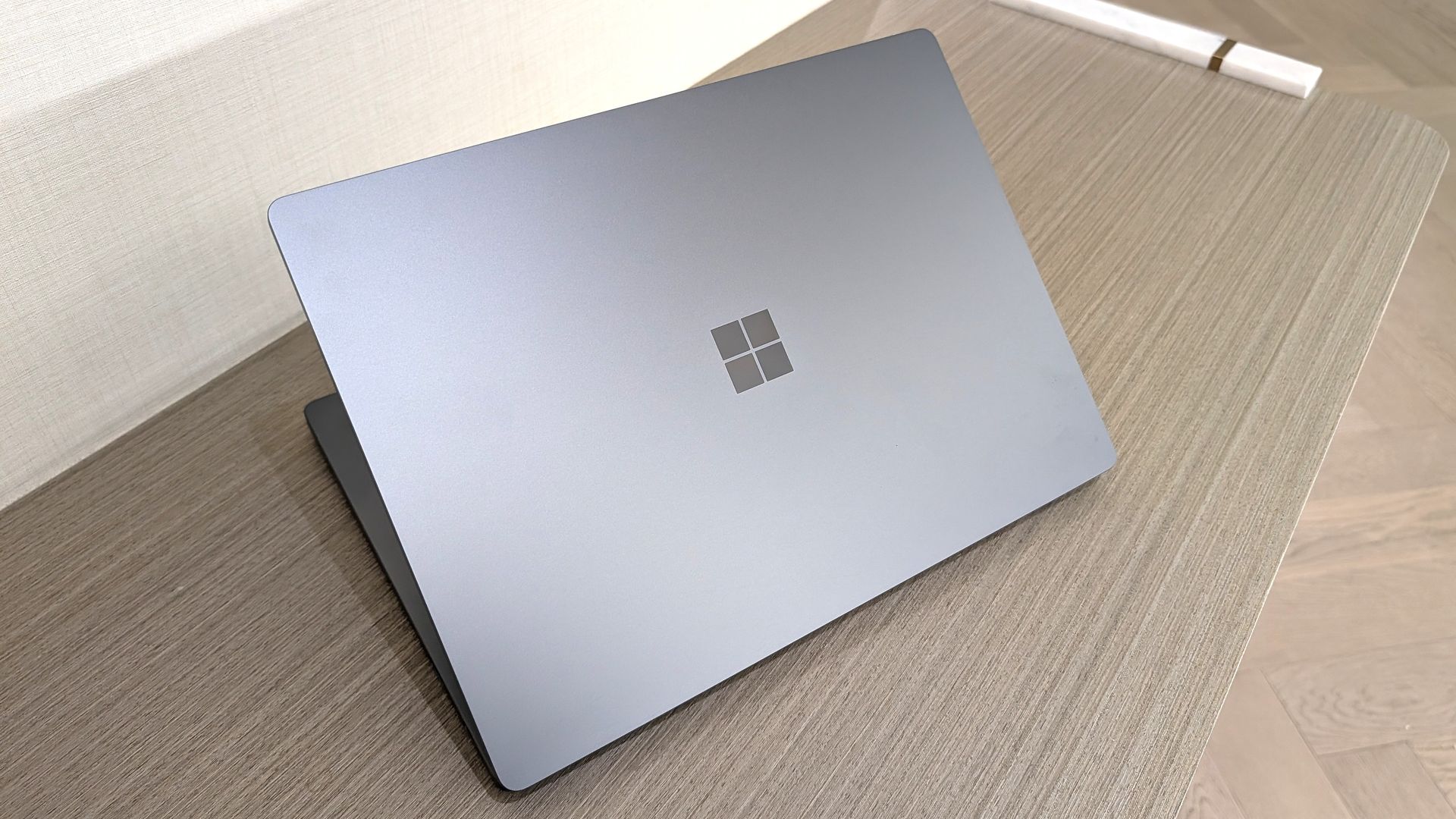
    Microsoft's Surface Laptop Ultra is part of a new wave of Windows laptops running on NVIDIA's RTX Spark platform. It was first revealed at Computex 2026, and Microsoft followed up with pricing, release date, and more feature details at a special event on October 7, 2026. Prices are confirmed to start at $2,599.99, and models are expected to begin shipping on October 16.The Surface Laptop Ultra is the most powerful Surface device yet thanks to its ARM-based NVIDIA
     

Surface Laptop Ultra

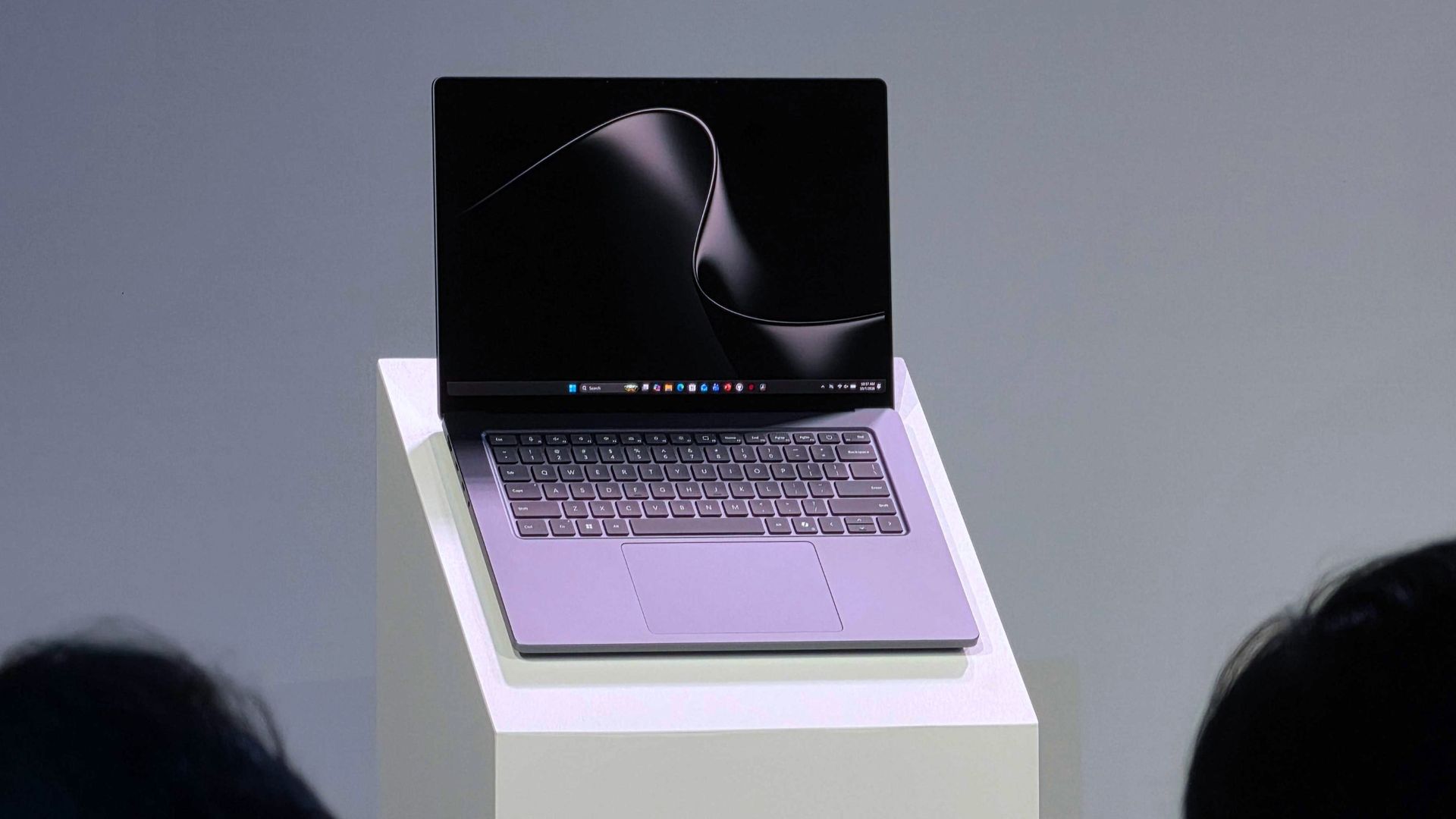
Microsoft's Surface Laptop Ultra is part of a new wave of Windows laptops running on NVIDIA's RTX Spark platform. It was first revealed at Computex 2026, and Microsoft followed up with pricing, release date, and more feature details at a special event on October 7, 2026. Prices are confirmed to start at $2,599.99, and models are expected to begin shipping on October 16.

The Surface Laptop Ultra is the most powerful Surface device yet thanks to its ARM-based NVIDIA System-on-Chip (SoC) with up to 20 CPU cores, 6,144 Blackwell RTX GPU cores, and 128GB of unified memory. Microsoft built the Surface Laptop Ultra for "world makers," also known as developers, scientists, engineers, and creators, who need a fresh take on performance and portability in the age of AI.

❌