Magnetic charging makes attaching a battery easy, but it doesn’t guarantee that the battery will fit your phone’s shape. Apple’s folding iPhone Duo introduces a shorter body that gives accessories less room to stretch. BMX’s SolidSafe Duo responds with a compact, 5,000mAh power bank designed around those proportions, bringing a rotating stand, color display, and attached USB-C cable along for the ride.
The difference starts inside, where a custom-shaped battery cell lets the enclosure follow th
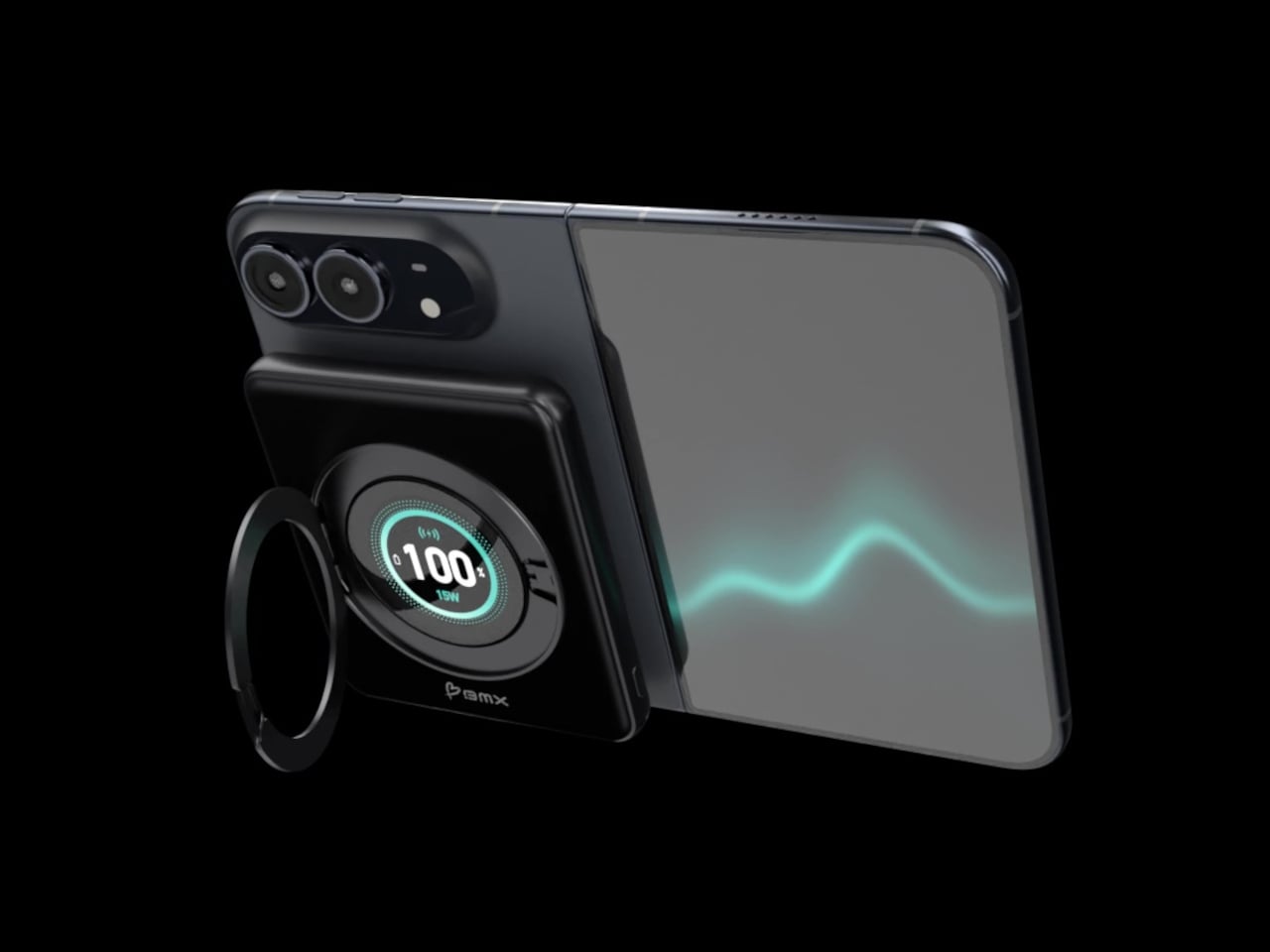
Magnetic charging makes attaching a battery easy, but it doesn’t guarantee that the battery will fit your phone’s shape. Apple’s folding iPhone Duo introduces a shorter body that gives accessories less room to stretch. BMX’s SolidSafe Duo responds with a compact, 5,000mAh power bank designed around those proportions, bringing a rotating stand, color display, and attached USB-C cable along for the ride.
The difference starts inside, where a custom-shaped battery cell lets the enclosure follow the Duo’s footprint instead of extending beyond its edges. The black, CNC-machined aluminum housing has rounded corners and a broad face that sits below the cameras. That gives the accessory a more deliberate relationship with the phone, although matching its outline doesn’t make the added thickness disappear, of course.
A circular ring folds out from the back and rotates 360°, giving the phone support in portrait or landscape orientation. Reading a recipe on the counter could give way to watching a video over lunch without detaching the battery. The stand makes particular sense for an unfolded screen, which offers more room to watch but also more phone to hold in your hand.
Nestled inside that ring is a full-color display showing the power bank’s remaining charge and live charging wattage. The distinction matters because the percentage belongs to the accessory, not your iPhone. It also gives you a way to check both your reserve and the current power output, rather than assuming that an attached battery is always charging at its advertised maximum speed.
The attached USB-C cable doubles as a lanyard, so wired charging doesn’t begin with a search through your bag. Plug it into a compatible device for up to 20W output, or use it to refill the power bank at up to 15W. It’s a simple detail, but it keeps the wired option available even when the rest of your charging gear is elsewhere.
Wireless charging, meanwhile, tops out at a claimed 15W, below the iPhone Duo’s supported 25W maximum. You’re getting a tailored shape rather than the phone’s fastest wireless charging. Connecting two devices also changes the numbers, splitting output between 10W over USB-C and 5W wirelessly. That could help another device through the afternoon, but neither connection retains its single-device maximum in that arrangement.
The SolidSafe name also needs a little unpacking. BMX uses semi-solid-state cells and says their reduced liquid electrolyte content helps lower fire risk compared with conventional lithium-ion batteries. That’s a reduced-risk claim, not a promise that the battery can’t fail. The rigid aluminum enclosure also helps dissipate heat, according to BMX, rather than preventing the pack from becoming warm while it charges your phone.
Available for $79.99 in the US, SolidSafe Duo adds about 0.43 inch of thickness and 4.47 ounces to your phone. Those numbers deserve as much attention as its compact outline, particularly when the phone itself already folds shut. Having a stand and cable built into the battery means fewer loose accessories to pack, but a thicker stack to slide back into your pocket.
Kevlar has spent most of its career in serious places, like bulletproof vests, racing tires, and the occasional helmet. Chemist Stephanie Kwolek invented it at DuPont in 1965, and I doubt anyone in that lab imagined a functional fabric like Kevlar would one day be asked to look classy. Today the fiber basically has a second life as a fashion fabric. I find that delightfully absurd, like learning your bodyguard also had a career as a swimsuit model. Benks has been leaning into that split persona
Kevlar has spent most of its career in serious places, like bulletproof vests, racing tires, and the occasional helmet. Chemist Stephanie Kwolek invented it at DuPont in 1965, and I doubt anyone in that lab imagined a functional fabric like Kevlar would one day be asked to look classy. Today the fiber basically has a second life as a fashion fabric. I find that delightfully absurd, like learning your bodyguard also had a career as a swimsuit model. Benks has been leaning into that split personality for a while, and its latest drop takes it somewhere sunnier.
Meet Haven Azure and Haven Rouge, two Kevlar cases for the iPhone 18 Pro and Pro Max, priced at $69.99 each. Benks weaves the pattern directly into the Kevlar fiber using a 600D floating jacquard technique, rather than printing it onto the surface. That means the design is part of the weave itself, not just a layer of color that can scuff off. Azure ripples in layered blues, Rouge glows in warm reds, and both wrap the phone in a slim, full coverage shell. Building on the ArmorAir, the Haven series features a taller raised metal camera frame for enhanced lens protection, along with an upgraded ArmorKey that fully covers the Camera Control button. The result is a slim, full-coverage case that offers more comprehensive protection without compromising its refined design. Same tough stuff, just dressed for vacation.
Jacquard weaving builds a design into the cloth by lifting individual threads in a programmed order, a trick Joseph-Marie Jacquard automated with punched cards in the early 1800s. Silk mills near Lake Como, Benks’ stated inspiration, have long used the technique for ties. Benks applies the same logic to Kevlar, letting some threads float over others so colors and shapes appear in the weave. The 600D figure is a denier rating, which tells you how thick the yarn is. According to Benks, strands finer and more densely woven than the common 1500D give a smoother surface and a slimmer case. A loom from 1804 would recognize the idea instantly.
Getting color into Kevlar takes effort, and most of us picture the fiber as black and nothing else. Benks says the Haven colorways are woven into the fiber structure, with no laminated surface layer to peel, so the texture you feel is the weave itself. The brand has been heading here for a while, from the Knight ArmorAir with its champagne horse that reads like pixel art made from industrial fiber, to these flowing ripples. Benks bills the 600D Kevlar jacquard as an industry first, and the product shots show why it wants the credit. Big diagonal sweeps also suit a phone better than tiny repeating logos ever could.
Azure Cools Things Down, Rouge Warms Them Up
Azure sets a deep navy base and runs a diagonal band of lighter blues down the back, a bit like sunlight breaking up on lake water. Benks describes the pattern as gentle ripples in layered blue tones. Look closely at the product shots and the lighter threads read like tiny stitched pixels, which gives the band a cross-stitch charm. Rouge flips the mood with a burgundy base and a pale gold band, and Benks calls the shade Rouge Valley Red, with woven contour lines meant to recall warm valleys at dusk. Honestly, Azure feels like a lake breeze and Rouge feels like a glass of wine.
Benks shows both cases on all four iPhone 18 Pro colors, which are Black, Glacier, Burgundy, and Silver. Rouge on Burgundy looks like the obvious match, since phone and case speak the same dark red language. Azure beside Glacier makes sense too, though the blues also look sharp against Silver and Black. Each colorway has a matching ArmorPop grip and stand at $29.99 for anyone who wants the full set. The Haven tagline is “somewhere between here and away,” which also describes my mental state every Friday afternoon. Pick the mood first, then let your phone color follow.
Metal Frame, Enclosed Keys, Built-In Magnets
The iPhone 18 Pro is the first iPhone with a physical variable aperture, so its camera plateau deserves a proper guard. Haven wraps it in a raised metal frame that Benks says helps shield the lenses from scratches and bumps. Raised screen edges keep the display off flat surfaces without adding bulk. Enclosed ArmorKeys cover the side buttons, camera button included, and Benks promises crisp, responsive clicks. Cutouts line up with the ports, and the Kevlar texture wraps around the edges for a slip-resistant grip. A built-in magnetic core handles MagSafe accessories, so your charger, wallet, and grip stay where you put them.
Haven Azure and Haven Rouge are listed at $69.99 each on Benks’ site, with versions for the iPhone 18 Pro and the Pro Max (they’ll fit the 17 Pro series too). The cases boast a one year warranty, free shipping on orders of $39 or more, and a 30 day return window. Matching ArmorPop grips sit on the same product pages if you want to coordinate. Protection and personality have usually sat on separate shopping lists for phone cases, and weaving color straight into Kevlar is a neat way to merge them. Kevlar went from body armor to brunch, and I suspect it has a few more lives left.
Razer's original Kiyo webcam was the first I ever tried where content creators were the target audience. While its video quality didn't stand out, its built-in ring light was something unique and genuinely useful.Fast forward to late 2026, and I'm again looking at a Razer webcam: the Kiyo V2 Pro. This is 100% a webcam designed for content creators, and at $300, it's a pretty serious investment, though it's still less than a good mirrorless camera and easier to us
Razer's original Kiyo webcam was the first I ever tried where content creators were the target audience. While its video quality didn't stand out, its built-in ring light was something unique and genuinely useful.
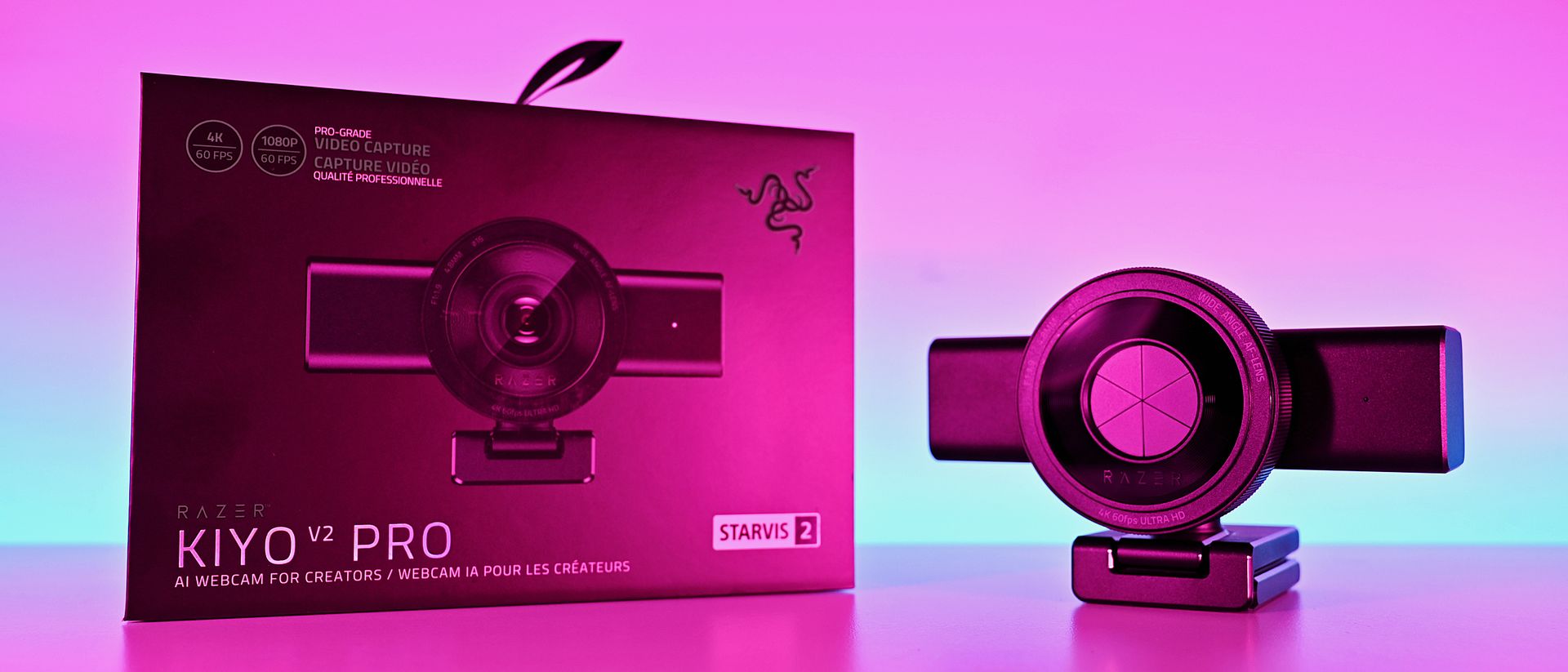
Fast forward to late 2026, and I'm again looking at a Razer webcam: the Kiyo V2 Pro. This is 100% a webcam designed for content creators, and at $300, it's a pretty serious investment, though it's still less than a good mirrorless camera and easier to use.
It's a product I was immediately interested in, not because I'm some big-time streamer, but because I was such a fan of what the Kiyo has done in the past. It looks impressive, and it boasts some top-end specs.
But having spent some time getting to grips with the Kiyo V2 Pro, my opinions are mixed. It's a good webcam, of that there's no doubt, but given its price and how it's been to use, it's harder to give a blanket recommendation. It says Razer on the box, but it doesn't feel completelylike the Razer product experience I'm used to.
Razer Kiyo V2: Specifications
Specification
Details
Video Resolution
4K 60 / 30 FPS
1440p 60 / 30 FPS
1080p 60 / 30 / 24 FPS
720p 60 / 30 FPS
Video Formats
MJPEG up to 4K 60 FPS, 1080p 60 FPS
H.264 up to 4K 60 FPS, 1080p 60 FPS
NV12 up to 4K 30 FPS, 1080p 60 FPS
Image Sensor
8.3 MP Sony STARVIS™ 2
Field Of View
86° (wide angle, configurable)
Focus Type
Auto / Manual
Focal Length
4.8 mm (24 mm for full-frame equivalent)
HDR Support
Yes (at 30 FPS)
Image Customization
Fine image customization with Razer Synapse software
Mounting Options
Fixed L-shape mount (with ¼” thread to mount on tripods)
Built-In Privacy Shutter
Yes
Connection Type
USB Type C to USB Type C (Supporting USB 3.0)
Cable Length
2 m / 6.56 ft
Built-In Microphone Type
None
Polar Patterns
None
Noise Cancellation
None
Audio Codec
None
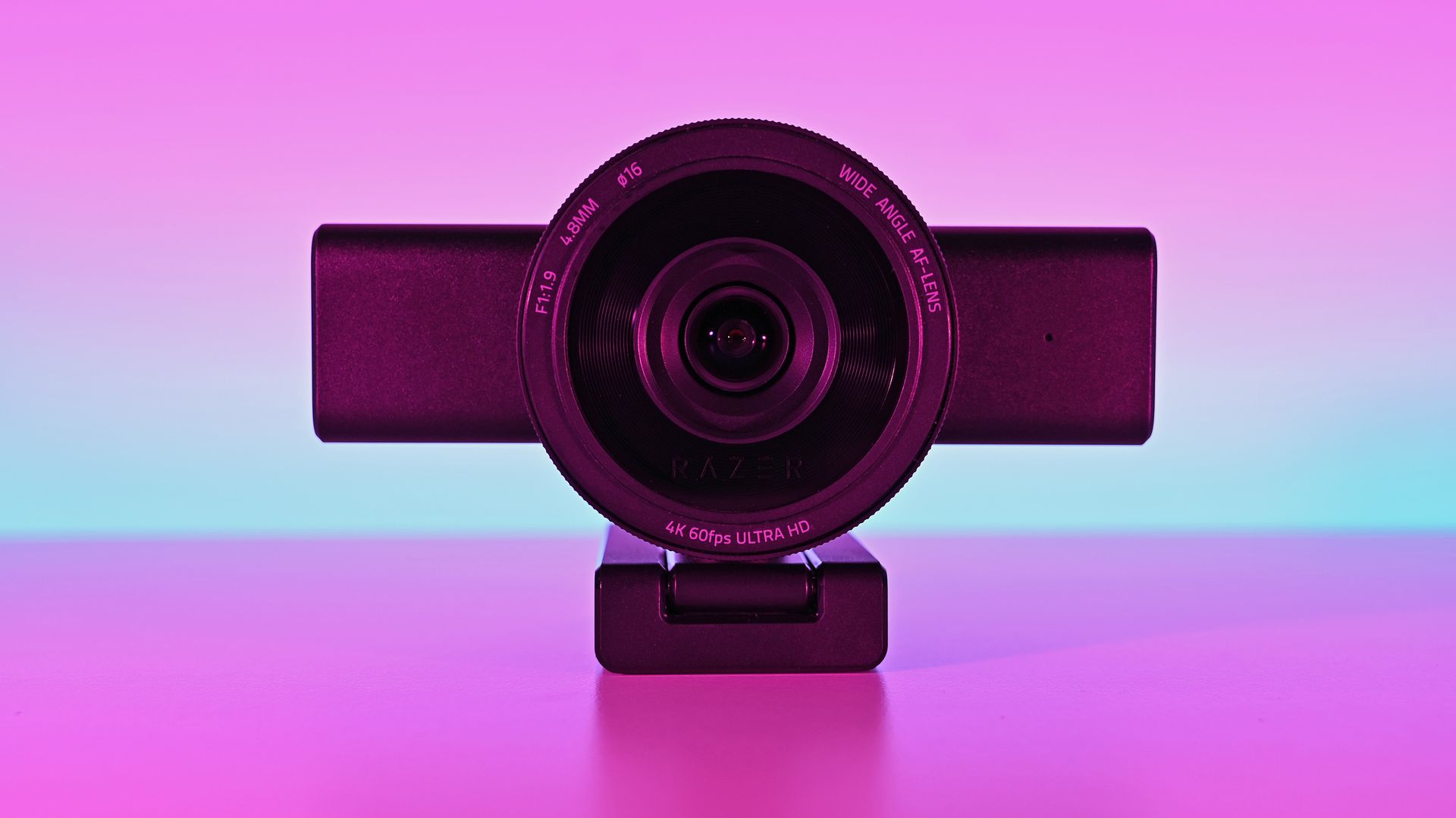
The Kiyo V2 Pro is a serious (and large) piece of hardware
This is the Big Show of webcams. (Image credit: Daniel Rubino)
There's no other way of saying it — the Razer Kiyo V2 is enormous. It has a clip on its base to hang it on the top of a monitor, but unless you have a giant monitor, don't even try it.
I slapped it on the top of one of my 24-inch monitors, and it wasn't very stable up there. There's absolutely no chance you can use this attached to a laptop lid. Realistically, you'll need to do as I have and mount it on a tripod.
That's fine, though; after all, it's targeted at content creators. The sort of person who takes their setup seriously enough to have all manner of things mounted around their setup. It does make it less portable, though. Even one of the renders I saw during a pre-brief showed a laptop user with the Kiyo V2 Pro at the side on a tripod.
But it's not exactly portable.
It's also not for you if you need a microphone to use for video calls, because it doesn't have one. The Kiyo V2 Pro is purely a camera. You'll have to supply the audio. Again, given the target audience, it's not necessarily a dealbreaker, but it's something to be aware of.
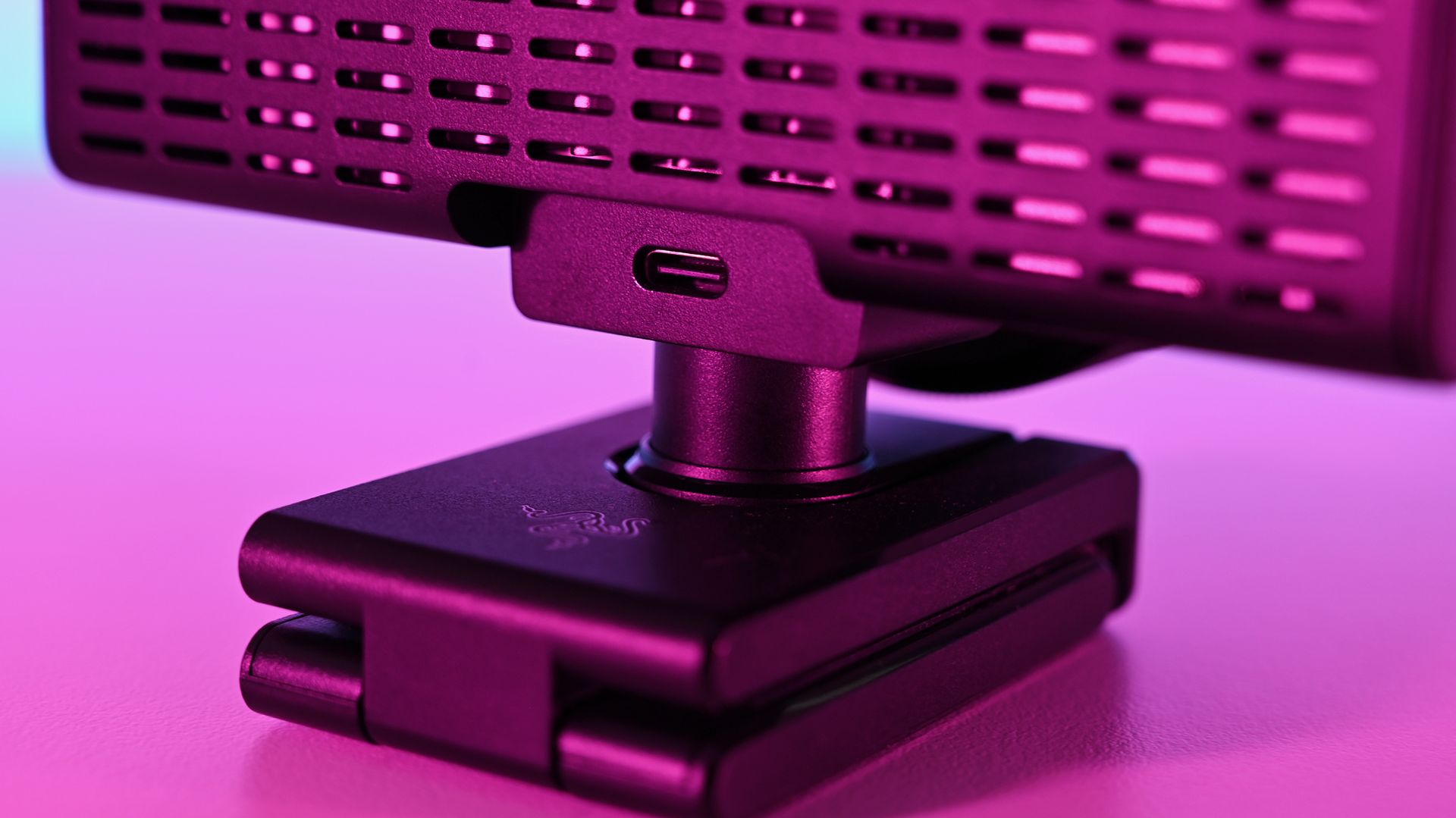
It's definitely a sizeable webcam. Daniel RubinoIt does get warm under long use, but the ventilation is ample. Daniel RubinoThe privacy shutter is immensely satisfying. Daniel Rubino
Despite the size, I do like the design, and I love the physical privacy shutter. You twist the ring on the front of the webcam, and the blades come across. Most satisfying.
The size also means some pretty serious hardware stuffed inside. Including, because it's 2026, AI. In this case, it refers to pretty basic stuff like auto framing, but it's all done on the camera, not in software, and as such doesn't use any of your PC's resources for it.
Also crammed inside and not remotely related to AI is an 8.3 MP Sony STARVIS 2 sensor with a 24 mm full-frame-equivalent focal length. In video terms, it means you can shoot 4K footage at up to 60 FPS, and you'll be well framed even without applying any zoom or crop. It's wide enough to include your well-designed streaming backdrops, but not so wide that you look lost.
The L-frame base also gives you some easy adjustments to its position, without having to faff about tweaking a tripod. It's far easier to raise and tilt a little with this, and it's sturdy enough to hold the hefty 380 g body securely.
There may be some problems eminating from here... (Image credit: Daniel Rubino)
I do have one fairly pressing concern, though. Our Editor-in-Chief, Daniel Rubino, and I have this webcam, and both of us have experienced the same issue with making it work at all.
The long and short seems to be that it works fine with the Razer cable that comes in the box. But with others, it's not as simple. The webcam will fire up for a short period of time and then disable. Synapse won't see it, and Camo Studio gives an error message that the USB port isn't delivering enough power.
I've tried it with every suitable cable I have, and it's the same result every time. Razer has confirmed to me that it should work fine with a minimum USB 3.2 spec USB-C cable that can handle 5 Gbps data and above. But the USB-C cable lottery seems to be a thing, so look after the one it comes with for sure.
The Kiyo V2 Pro needs software to get the best from it (but not Razer's)
Away from the hardware is where the experience falls a little flat for me. I use a lot of Razer products, and I'm used to having all the customizations I need inside the Synapse app. Set it up, close it, and forget about it.
The Kiyo V2 Pro isn't like that, though. It is supported by Synapse, but with only a very basic feature set (despite what the spec sheet may say). To get the best from this webcam, you need to use third-party software, such as Camo Studio, which you get an included lifetime Pro license for with the Kiyo V2 Pro.
On one hand, it operates a little like the camera on your smartphone. It's a piece of hardware with an app, but it also has lots of things that other apps can tap into. Normally, Razer makes a full package to stand out; in this instance, it relies on others to make its hardware shine.
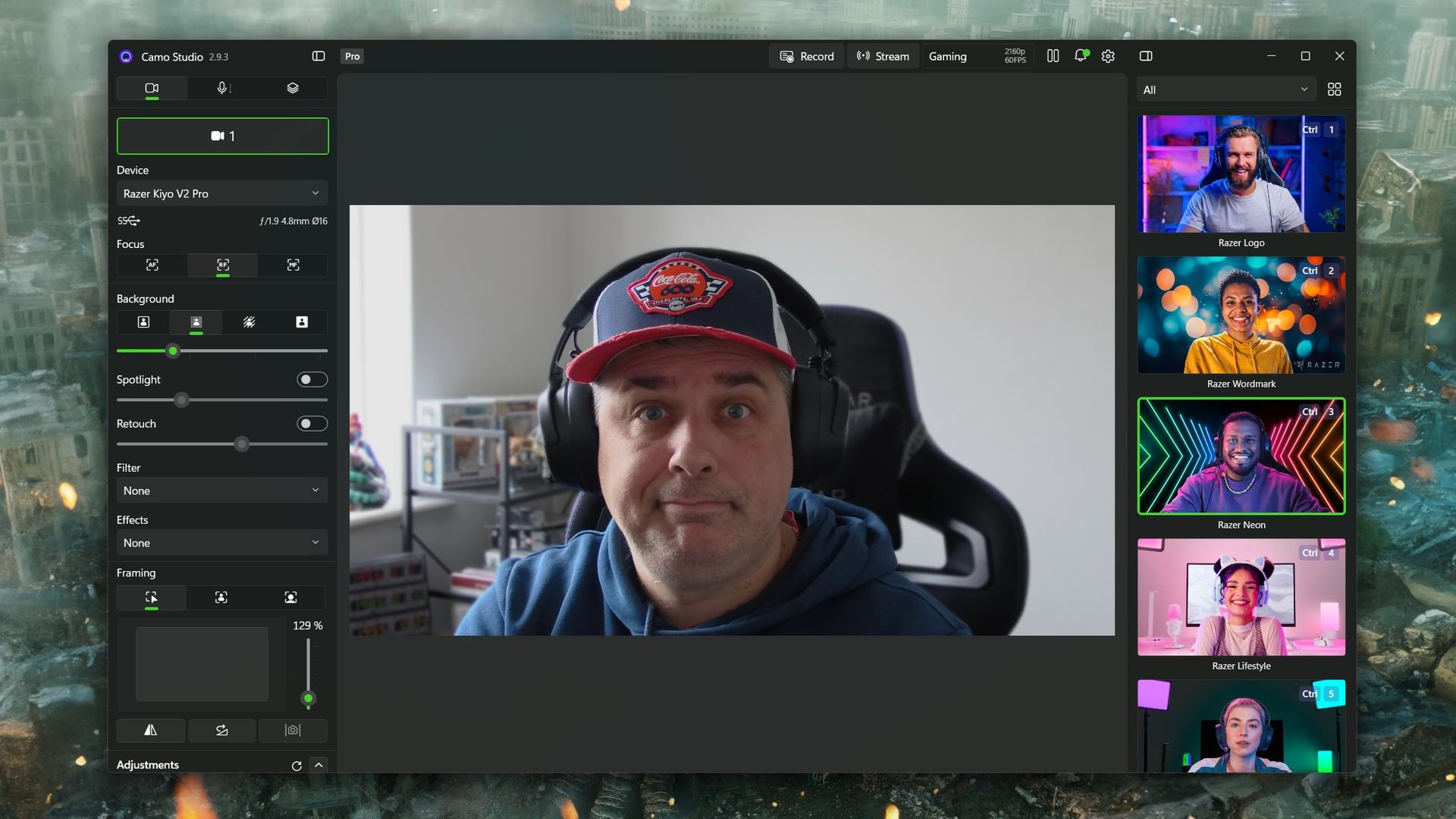
Camo Studio is included with the Kiyo V2 Pro, and you'll need it (or another app of your choice) to really get the most from the webcam. (Image credit: Windows Central)
Camo Studio is a good app, and it's one I already used to make a far lesser-quality webcam, slightly less terrible. There are a ton of options to tweak, including ISO, exposure, zoom, white balance, and saturation — basically anything you'd want to adjust on a regular camera. It is fantastic, and all you need to do is select "Camo" as your webcam in OBS Studio or any other app.
You can also build out your own profiles for different purposes. For example, I use the 1080p profile for work calls because Google Meet doesn't seem to support 4K, so it's wasted. When I capture game content in OBS, I record at 1440p because that's what I play at, so it makes sense to have a matching webcam profile. Whatever you need, you can build, and your visual customizations will automatically apply to whichever you have selected.
But you really do need to spend some time dialing it in. Out of the box, it'll just look like video from any webcam. Compared to my ancient Logitech C922, default settings make it hard to tell which is which. The Kiyo V2 Pro has better colors and is sharper, but it's not a slam dunk. I still haven't really perfected it, but there's no shortage of tweaks that can be made.
Should you buy the Razer Kiyo V2 Pro?
It's good, despite some flaws, but it also might not be right for you. Which is fine. (Image credit: Daniel Rubino)
So, should you buy a Razer Kiyo V2 Pro? It's not a simple yes or no and depends on what you really want from your camera.
A couple of years ago, it would have been an easy "yes." But there's a lot of competition out there (some of which we'll be featuring on the site soon enough), and it's priced at the highest end.
Some may see Razer's passing off of software duties as a plus for the best manual control, but others may lament that there's less plug-and-play aspect to it. Unless you're prepared to get in the weeds a bit, you won't get the result you're looking for.
But where it does stand apart from much of the competition is that the Kiyo V2 Pro can not only do 4K, but it can do it at 60 FPS. A lot of 4K webcams top out at 30 FPS, and for content creators, that might just be the edge they need. The Kiyo V2 Pro has the same sensor Elgato uses in the Facecam 4K but with a wider aperture and handles low light better.
So the answer to whether you should buy it leaves me saying that you shouldn't avoid the Kiyo V2 Pro. It's very deliberately a niche product, and if you're looking for a camera that can give you 4K60 video straight into your PC, then go for it. Likewise, if you're looking for manual controls, jump right in. You'll be very happy.
It won't look as good as a mirrorless camera, say, but it's less expensive and easier to live with. And that last part gets my vote every single time.
4K60
Razer
Kiyo V2 Pro
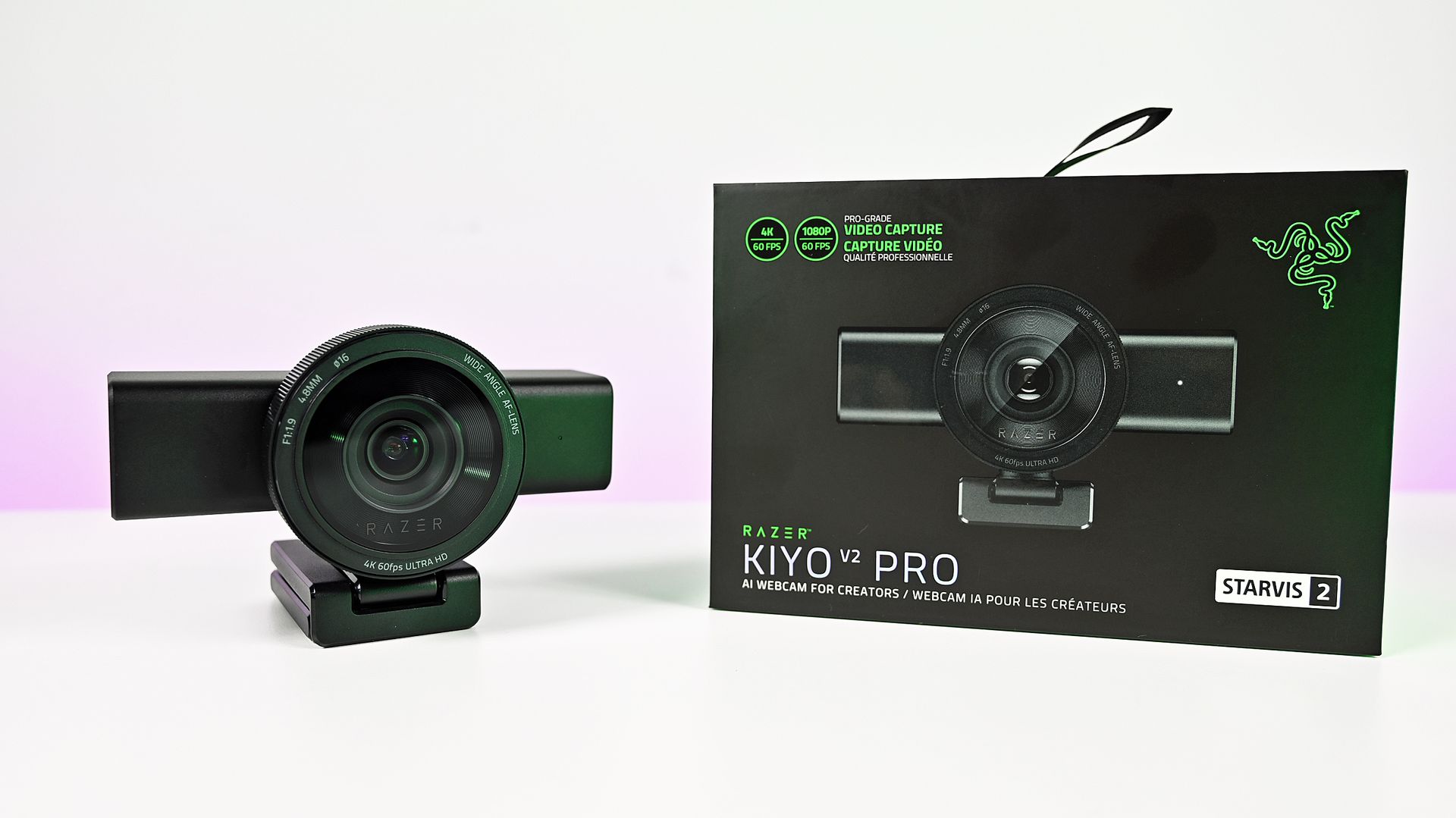
"Capture ultra-sharp, fluid video with reduced motion blur using an 8.3MP Sony STARVIS 2 sensor, ideal for streaming, content creation, gaming broadcasts, and professional video calls".
Join us on Reddit at r/WindowsCentral to share your insights and discuss our latest news, reviews, and more.
I love doing interviews, chatting to developers and such, but I absolutely hate having to transcribe them afterwards. Not because of my company, of course, but the prospect of listening to my own voice on recording fills me with a dread I still haven't got over in my grand old age. Not only that, but transcribing is a painstakingly tedious process that, before suitable programs came in to help us, we used to do by listening to said recordings at half speed and tr
I love doing interviews, chatting to developers and such, but I absolutely hate having to transcribe them afterwards. Not because of my company, of course, but the prospect of listening to my own voice on recording fills me with a dread I still haven't got over in my grand old age. Not only that, but transcribing is a painstakingly tedious process that, before suitable programs came in to help us, we used to do by listening to said recordings at half speed and trying to pick out suitable quotes. Now, there are plenty of tools to help, including the Comu Action Pro, a sleek device that records and transcribes audio on the fly.
Transcribing is the perfect task for AI
(Image credit: Jennifer Young - Windows Central)
While there are plenty of reasons to curse AI, handling banal tasks such as this for me is one of its genuine godsend use cases and something I've been using Otter.ai for, for quite some time.
Now Otter.ai is fantastic, but it's also bloody expensive. You get 3 free audio imports, and that's it; after that, you have to cough up $16.99 a month (or pay $100-ish for the year). Well, guess who was on her 7th burner email address and forgot to cancel her "free trial"? This person right here.
To make this mistake sting even more, I was introduced to the Comu Action Pro not long after the yearly, yes, YEARLY Otter.ai fee had left my bank account. Alas, I had the opportunity to really test them against each other, so every cloud has a silver lining and all that.
What is Comu Action Pro?
The Banana scale, never fails. (Image credit: Jennifer Young - Windows Central)
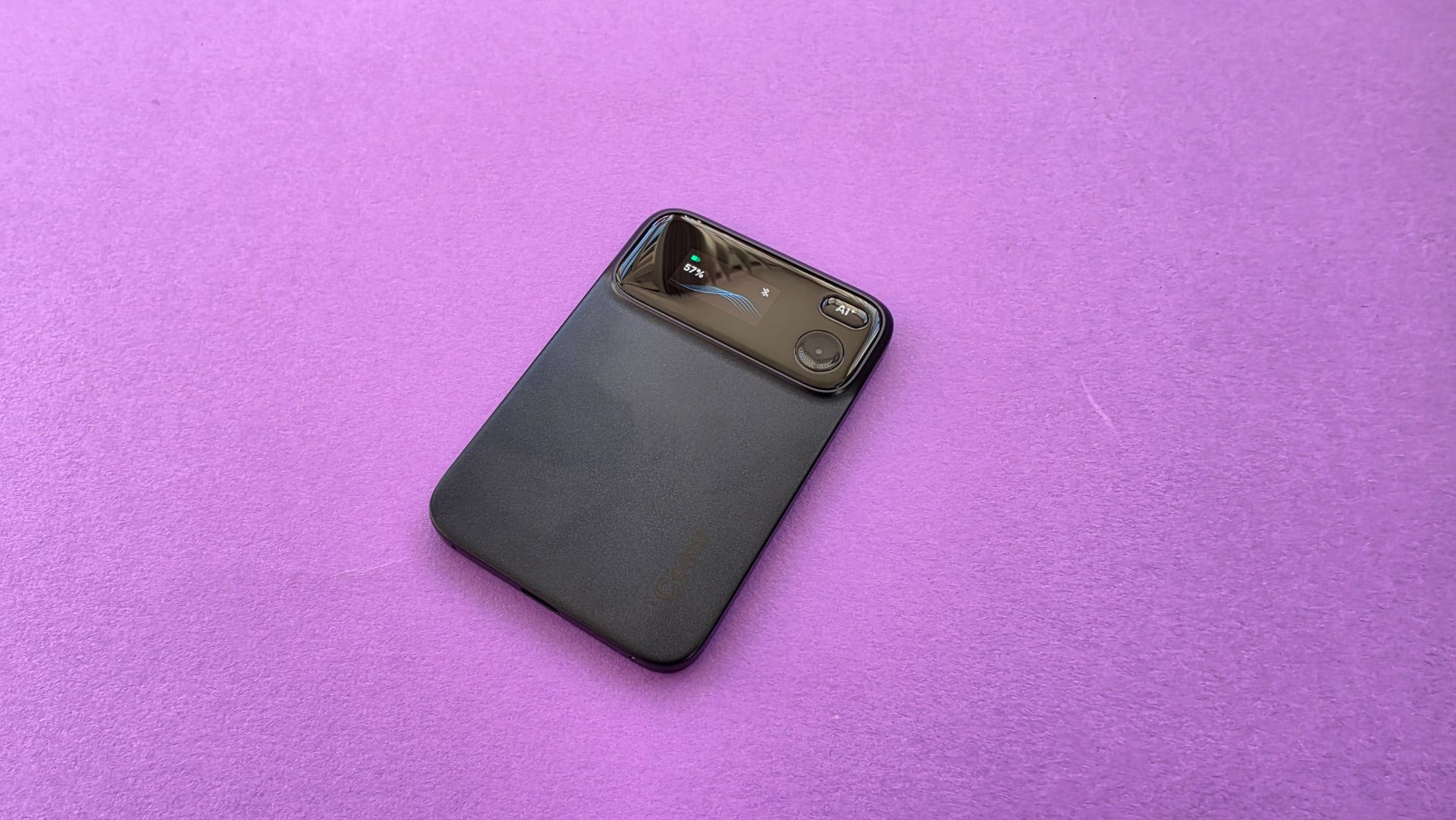
The Comu Action Pro (also known as the less catchy Comulytic TN20) is a sleek, credit card-sized device which slides right into your pocket or bag. It does cost $169.99, and I know what you're thinking: damn, that's expensive, and you were just complaining about the Otter subscription. However, it's a one-off up-front spend for something that will then transcribe unlimited audio files for you, with no subscription required. Despite my hefty payment to Otter, I am still limited to 10 imports a month, which soon got swallowed up with an event like Gamescom.
Spec-wise, for such a tiny, unassuming-looking device, it packs a 6-microphone adaptive array, a live AMOLED waveform display, USB-C charging, real-time translation across 113 languages, and a massive 60+ hour battery life.
To be upfront, there are optional premium subscriptions for extra AI magic you can use with Comu, like automatic slide generation and generating meeting minutes, but I'm not interested in that; I just wanted the core transcription, which it handles beautifully and without ongoing subscription fees. Yes, $169.99 is a mighty hefty upfront cost, but it’s the price I pay for having a personal assistant without being locked into a recurring monthly fee.
What's free and what isn't
If you want to use the Comu Action Pro to its full AI potential, here's a breakdown of what is free and what requires a subscription (but to be clear, I haven't used the latter because I was trying to find an alternative to subscriptions!).
Feature
Free to use
Premium Tier ($14.99 per month or $119.99 per year)
AI Recording
Unlimited
Unlimited
Speech to text transcription
Unlimited
Unlimited
Basic Summaries
Unlimited
Unlimited
Real time translation
1 session per month (113 languages)
Unlimited
In depth analysis
3 per month
Unlimited
AI workflow tools (slides and email etc)
Manual generation using 500 monthly credits
Auto generation and 5000 credits per month
Ask Comu AI Assistant
Basic search functions and manual folder tagging
Unlimited AI assistant queries and auto-classification
Using the Comu to make my work much easier
Jennifer Young - Windows CentralJennifer Young - Windows CentralJennifer Young - Windows Central
I've put the Comu through its paces at both Gamescom and Blizzcon this year, and it's safe to say it's earned its keep. I haven't had to worry about upload caps, and I'm not constantly fiddling with my phone on a busy show floor trying to launch the voice recorder app. The Comu is a simple hit-a-button device: hit the button to record; hit it again to stop. The recording then uploads to the app and transcribes to my phone. It's been a huge relief for me rushing between developer appointments.
The included software with Comu has also been a win for my colleagues. I wasn't sure I could use it for audio not recorded on the device, but it works just as well with files sent to me from other people's phones and has handled them with an impressive degree of accuracy, even though they were recorded in less-than-perfectly staged environments. It's certainly more accurate when picking up audio with its own mics, but given the deafening background noise at conventions, I've been impressed by how few words it has messed up. Plus, I actually had the conversation myself; you would hope I could spot and correct myself when something is relayed not quite as what was said!
Ultimately, the Comu Action Pro has quickly become an essential part of my travelling gear bag. It spares me hours of manual transcription and delivers reliable, local-first audio capture without locking me into a subscription. There are various extras you can use and pay for if you are interested, but I didn't have a use case for testing them in this review; I prefer to keep AI for the boring tasks rather than the creative ones.
If you do a lot of in-person reporting and hate transcribing as much as I do, this little card is worth checking out.
Comu
Action Pro
The Comu Action Pro (also known as the Comulytic TN20) is a sleek, credit-card-sized AI recorder built to turn your interviews and meetings into actual, useful notes without locking you into annoying monthly subscription fees. Featuring a 6-microphone array and a massive 60+ hour battery, it easily cuts through background noise to give you free, unlimited transcriptions. Beyond just converting speech to text, its app uses clever AI tools to turn your recorded chats into editable PowerPoint slides, clean quote lists, or draft follow-up emails (though some of these features do require a subscription), making it a personal assistant in your pocket.
Join us on Reddit at r/WindowsCentral to share your insights and discuss our latest news, reviews, and more.
If you're wondering why your favorite PC games don't look their best despite running on a monstrously powerful PC, it's probably down to an outdated monitor that can't keep up with the graphical luxuries of modern games.Shop for more PC-related deals at DellFortunately, Dell is offering two of its high-quality Alienware gaming monitors to satisfy your gaming standards with limited-time discounts. They include the Alienware 32 4K QD-OLED (AW3225QF) at $749.99 at D
If you're wondering why your favorite PC games don't look their best despite running on a monstrously powerful PC, it's probably down to an outdated monitor that can't keep up with the graphical luxuries of modern games.
Fortunately, Dell is offering two of its high-quality Alienware gaming monitors to satisfy your gaming standards with limited-time discounts. They include the Alienware 32 4K QD-OLED (AW3225QF) at $749.99 at Dell (was $999.99) and the Alienware 500Hz IPS (AW2524HF) at $449.99 at Dell (was $549.99).
"It’s hard to imagine anyone complaining about any aspect of the Alienware AW3225QF. It delivers a supremely colorful image with incredible contrast, accuracy and fidelity. Its gaming performance is as good as it gets. Once you see it, you’ll want it." ~ Christian Eberle, Contributing Editor, Tom's Hardware
"If you’re willing to sacrifice the G-Sync module, Alienware’s AW2524HF can save you a bit of money in the 500 Hz monitor category. It still delivers the same incredible motion resolution and low input lag of its more expensive stablemate and boasts excellent image quality as well." ~ Christian Eberle, Contributing Editor, Tom's Hardware
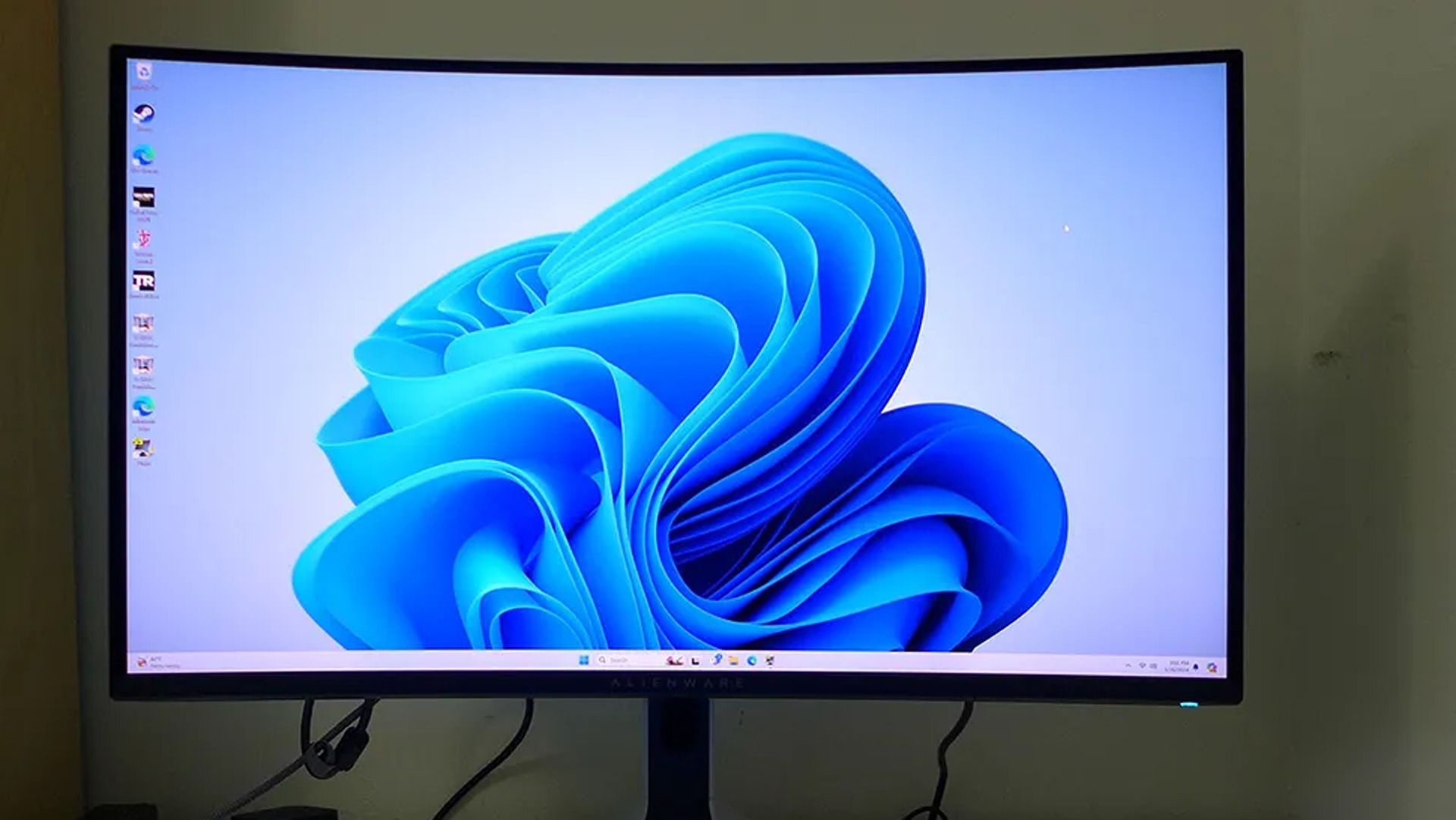
If you're the kind of gamer who wants to play at 4K for the most detailed graphics possible, the Alienware 32 4K QD-OLED (AW3225QF) that's now on sale for $749.99 at Dell is for you.
It can render images and videos with broad contrast and rich colors thanks to its OLED panel, and its Dolby Vision integration allows it to automatically optimize brightness and shadow details via HDR tone mapping when watching movies or streaming videos.
Plus, the Alienware AW3225QF supports a 240Hz refresh rate at full 4K resolution (as tested by our sister site Tom's Hardware), so it can achieve extremely detailed images and razor-sharp motion without compromising visual fidelity or inducing much input lag.
On top of that, it has a solid and attractively designed build, and its 1700R screen curve adds wrap-around immersion to games while keeping text and geometric layouts untouched to make them easier to read.
The Alienware 500Hz Gaming Monitor (AW2524HF) on display (Image credit: Tom's Hardware (Christian Eberle) | Dell)
However, if you're more interested in giving your games the smoothest performance rates possible for frame-perfect gameplay, then you're better off with the Alienware 500Hz (AW2524HF) that's now on sale for $449.99 at Dell.
This monitor features an overclockable refresh rate of 500Hz. This destroys any trace of standard motion blur and sample-and-hold limitations in a game to create perfect-motion resolution, as our friends at Tom's Hardware similarly found.
Add on top sub-millisecond response times, and you've got a gaming monitor that can ensure you suffer absolutely zero perceptible input lag while playing games. That way, you will be able to enjoy skill-based action games at their best and not have to worry about input lag costing you a match in esports competitions.
It's also no slouch in the visuals department, as the Alienware 500Hz Gaming Monitor (AW2524HF) offers excellent color saturation and contrast. Plus, it has solid build quality, so you won't have to worry about it falling to bits anytime soon.
How do I prevent Burn-in on the Alienware 32 4K QD-OLED Gaming Monitor (AW3225QF)?
The Alienware 32 4K QD-OLED Gaming Monitor (AW3225QF) uses Pixel Refresh and Panel Refresh features to clean up its pixels in order to prevent Image Burn-in (a nasty condition that permanently damages a screen's coloration).
Can the Alienware 500Hz Gaming Monitor (AW2524HF)'s screen flicker or revert to a lower refresh rate?
It can happen if your cable connection to the Alienware 500Hz Gaming Monitor (AW2524HF) is loose or if you're using cables that don't support DisplayPort 1.4 bandwitch. Also, forgetting to upgrade your computer's GPU drivers can also cause the Alienware 500Hz Gaming Monitor (AW2524HF)'s screen to flicker and revert to a lower refresh rates.
Join us on Reddit at r/WindowsCentral to share your insights and discuss our latest news, reviews, and more.

 Connexion