Vue normale

Il y a de nouveaux articles disponibles, cliquez pour rafraîchir la page.
À partir d’avant-hierFlux principal

Apple’s Liquid Glass Eliminates Interface Chaos Without Clean Design Compromise

15 septembre 2025 à 22:30

Apple’s new Liquid Glass design language refracts light, adapts to context, and, for the first time, makes iPhone, iPad, Mac, Watch, TV, and Vision Pro feel like one family instead of six separate worlds. Today’s announcement of iOS 26, iPadOS 26, macOS Tahoe, watchOS 26, tvOS 26, and visionOS 26 finally addresses the fundamental interface problem that overwhelms users when every app competes for attention simultaneously.

Designer: Apple

Liquid Glass Design Philosophy Transforms How Interfaces Feel

For the first time, Apple has coordinated visual changes across all six platforms simultaneously while preserving what makes each operating system unique. This unified approach eliminates the jarring disconnection between devices that forces users to mentally readjust interfaces constantly.

Liquid Glass works as a translucent material inspired by visionOS that uses real-time specular highlights for depth and reflections while dynamically transforming to prioritize content over interface chrome. The system affects controls, navigation, app icons, widgets, and typography, not just window decoration.

Adaptive numerals shift based on context. Tab bars and sidebars resize intelligently as users scroll. Lock screen text adapts to underlying imagery for optimal readability. When reading articles, controls fade gracefully. During video editing, timeline tools become prominent while other elements recede naturally.

The philosophy demonstrates sophisticated restraint, recognizing that people switch between iPhone, iPad, and Mac throughout their workday constantly. Visual consistency reduces cognitive friction while platform-specific optimizations preserve each device’s core strengths.

However, this beauty comes with trade-offs. The GPU-intensive rendering means older hardware shows simplified effects. More critically, transparency looks gorgeous indoors but reduces contrast in direct sunlight. On iPhone 17 Pro, the translucency feels alive, though outdoors contrast sometimes slips, a fundamental tension between aesthetic appeal and practical usability that runs throughout Apple’s implementation.

Apple Intelligence Live Translation in iOS 26 Tackles Communication Barriers

International conference calls and travel create genuine language barriers that slow down professional work. Apple Intelligence introduces Live Translation across Messages, FaceTime, Phone calls, and AirPods without the awkward delays that plague existing translation tools.

The implementation supports English, French, German, Portuguese, Spanish, Chinese, Japanese, and Korean in beta, with additional language support rolling out throughout 2025. Visual intelligence gains ChatGPT integration for screenshot analysis plus search connections to Google, Etsy, and other supported applications for finding similar images and products.

Genmoji creation lets users combine multiple emoji for more precise expression than settling for approximate matches. Workout Buddy brings personalized spoken motivation to Apple Watch, iPhone, and AirPods during exercise sessions using generative voices built from Apple Fitness+ trainer data.

Developer Integration Expands Intelligence Ecosystem

New developer APIs let third-party apps integrate directly with on-device Apple Intelligence models. Apps like Streaks now intelligently suggest and categorize to-do items, while CARROT Weather provides unlimited conversational weather insights. Detail: AI Video Editor helps creatives by generating teleprompter scripts from outlines or existing text.

The on-device foundation model enables privacy-protected features that work offline, positioning Apple Intelligence as enhancement rather than replacement for human capabilities.

Liquid Glass in iOS 26 Eliminates Daily Phone Frustrations

Robocalls and customer service holds remain unnecessarily stressful despite decades of smartphone evolution. Call Screening automatically handles unknown numbers while Hold Assist waits on line until live agents become available, finally automating the tedious aspects of phone communication.

Lock Screen customization includes adaptive time presentation that adjusts to imagery and delightful 3D spatial scenes that respond to lighting conditions and usage patterns. The adaptive design ensures readability across different wallpapers and times of day.

Enhanced Communication and Media Features

Messages gains screening for unknown senders, poll creation, and conversation backgrounds. Apple Music adds Lyrics Translation and Pronunciation features for select songs across multiple language pairs. Apple Maps introduces Visited Places tracking while Apple Wallet expands order tracking capabilities in beta.

The new Apple Games app creates a personalized gaming destination for discovering and reconnecting with favorite titles. CarPlay users get a compact view for incoming calls, Tapbacks in Messages, plus widgets and Live Activities.

AirPods receive significant updates allowing creators to record high-quality content and remotely control Camera app capture, bridging professional and consumer workflows.

iPadOS 26 Desktop-Class Windowing Maintains Touch Simplicity

Professional iPad users have complained about windowing limitations for years without adequate solutions. iPadOS 26 introduces an entirely new windowing system that organizes and switches between apps while maintaining iPad’s signature simplicity, the biggest iPadOS release ever.

Multiple windows cooperate intelligently without the chaos that plagues traditional desktop environments. A new menu bar appears with a swipe down from the top or cursor movement to the edge, bridging touch and cursor interfaces elegantly without compromising either interaction method.

Home and lock screen widgets plus app icons gain a new “clear look” that integrates seamlessly with Liquid Glass principles. The aesthetic maintains visual hierarchy while reducing interface noise.

Professional Workflow Enhancements

The supercharged Files app offers new organization capabilities and folder customization. Dock folders provide convenient access to downloads and documents from anywhere. The Preview app arrives on iPad with Apple Pencil Markup and AutoFill integration, making document workflows seamless instead of requiring third-party workarounds.

Journal comes to iPad for capturing everyday moments and special events using Apple Pencil or touch. Creative professionals gain Background Tasks, enhanced audio input control, and high-quality local recording capabilities that bring iPad closer to desktop-class content creation.

On iPad M4, the new windowing system finally feels intuitive, but older models show lag when managing multiple windows simultaneously. It shows Apple’s design ambition outpacing its hardware support, a reminder that innovation always moves faster than compatibility.

macOS Tahoe Transparent Menu Bar Transforms Desktop Experience

Desktop search hasn’t fundamentally changed since the 1990s despite massive computing power increases. macOS Tahoe delivers Spotlight’s biggest update ever with new browsing views, enhanced search, and action capabilities for sending emails or creating events through quick keys.

Search transforms from file finding into a command center for everything. Shortcuts integrate with Apple Intelligence models for complex task automation. The updated Control Center offers new personalization options alongside extensive customization choices.

Visual Customization Meets Functional Design

Folder icons can be customized with color, symbols, or emoji. Wallpapers and tints interact directly with Liquid Glass elements, creating cohesive visual experiences that adapt to user preferences. The menu bar becomes completely transparent, expanding visual space without hardware changes.

Live Activities from iPhone now appear directly on Mac for real-time event tracking. Continuity brings iPhone Phone app features including Recents, Favorites, Voicemails, Call Screening, and Hold Assist directly to Mac, dissolving device boundaries.

On MacBook, the transparent menu bar is elegant at night but chaotic against a messy desktop, another example of the aesthetic versus practicality tension running throughout Liquid Glass implementation.

watchOS 26 Predictive Health Monitoring Gains FDA Validation

Fitness tracking has focused on reactive data collection rather than proactive health insights. Apple Watch gains a sleep score feature for understanding sleep quality and taking steps toward more restorative rest.

FDA-cleared hypertension notifications represent a significant medical advancement, alerting users when signs of chronic high blood pressure are detected so they can begin potentially lifesaving behavioral changes or treatment. The feature uses machine learning algorithms validated in large clinical studies but remains limited to Apple Watch Series 9 and later, Apple Watch Ultra 2 and later.

Enhanced Interaction and Productivity

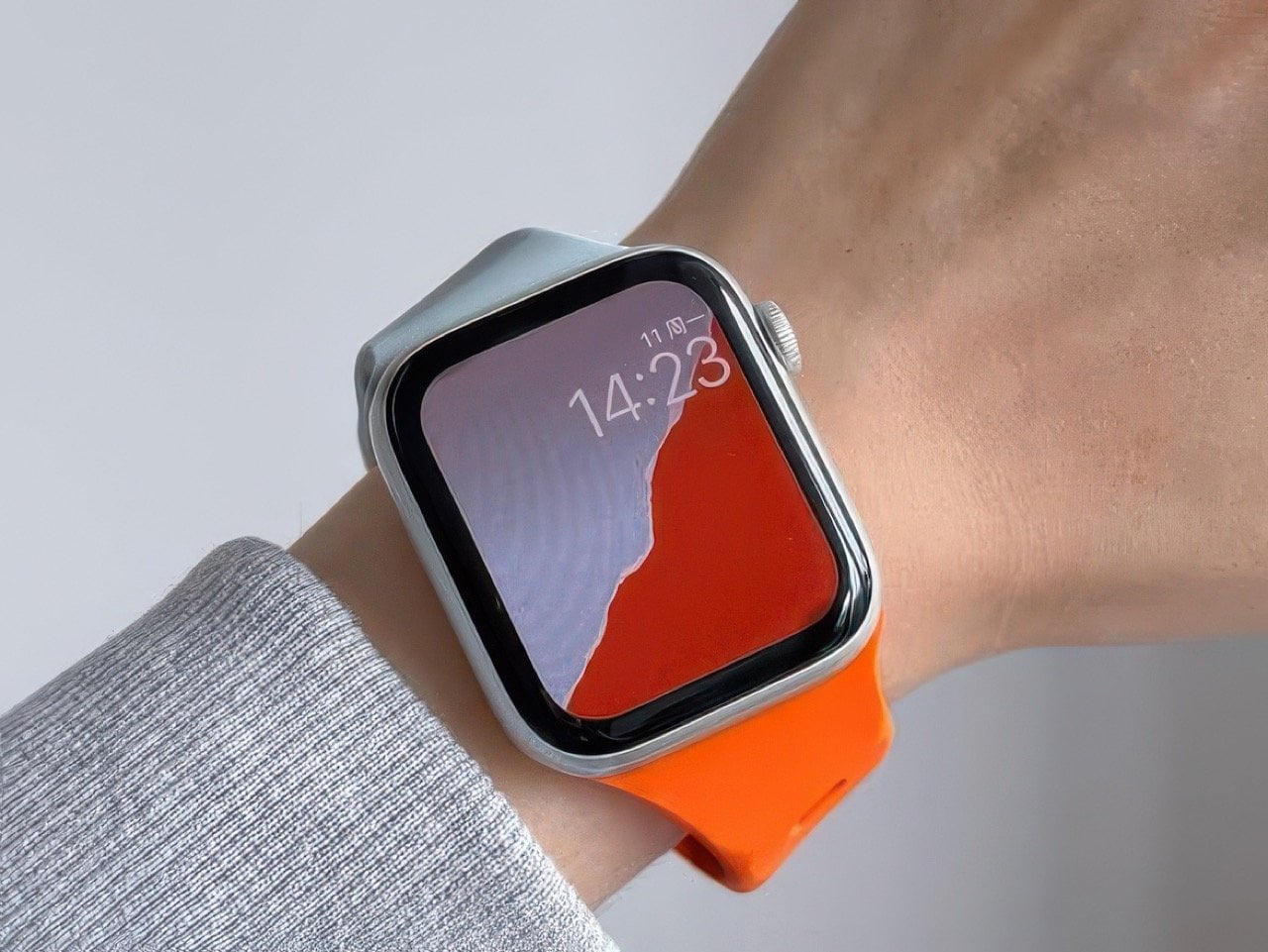
watchOS 26 introduces two new watch faces: Flow and Exactograph. Smart Stack hints offer proactive prompts for actionable suggestions that appear when most relevant. Live Translation in Messages automatically translates texts into preferred languages.

A new wrist flick gesture dismisses notifications, silences alarms, and returns to the watch face on Series 9 and later models. On Apple Watch, wrist flick works instantly, while hypertension alerts inspire trust but raise accuracy questions. It positions Apple as both a lifestyle brand and a quasi-medical provider, which raises trust and liability questions. The Notes app finally arrives on Apple Watch, completing the productivity suite across Apple’s ecosystem.

Workout Buddy provides personalized, motivational audio insights during workouts with dynamic generative voices, while the Workout app debuts its biggest layout update since introduction.

Apple TV Social Features Transform Living Room Entertainment

Apple TV has lacked genuine social capabilities despite being shared household devices. Sing-along sessions reach new levels through Sing in Apple Music, transforming iPhones into wireless microphones for Apple TV with friends joining to queue songs or react with onscreen emoji.

Real-time lyrics and visual effects bring performances to life on the biggest screen in the home, making group entertainment interactive instead of passive consumption. Contact Posters on FaceTime simplify video calling from the living room while profile updates allow users to quickly return to personalized recommendations, playlists, and watchlists.

Vision Pro Persistent Spatial Computing Enables Collaboration

visionOS 26 brings powerful spatial experiences including widgets that integrate seamlessly into users’ spaces and persist across sessions instead of resetting each time. More expressive, realistic Personas and spatial scenes offer lifelike depth for photos.

Spatial browsing transforms Safari articles and lets developers embed 3D objects directly into web pages. Users can share Vision Pro experiences with people in the same room for collaborative movie watching or work sessions. iPhone unlocking while wearing Vision Pro plus hand and eye data saving makes sharing easier than ever.

A new interactive Jupiter environment lets users accelerate time to observe the planet’s massive storms swirling across its surface. Native playback support arrives for 180-degree, 360-degree, and wide field-of-view content from action cameras including Insta360, GoPro, and Canon models.

Comprehensive Accessibility Features Expand User Access

New accessibility features bring comprehensive customization to the Apple ecosystem. Accessibility Nutrition Labels on the App Store inform users of supported accessibility features before downloading apps, improving discoverability for users with disabilities.

The Magnifier app for Mac connects to external cameras for users with low vision to zoom in and interact with surroundings. Accessibility Reader offers systemwide reading mode with extensive font, color, and spacing options plus Spoken Content support.

Braille Access provides powerful interaction methods for braille users with connected displays. Live Listen controls come to Apple Watch with real-time Live Captions for users who are deaf or hard of hearing, ensuring the design revolution includes comprehensive user access.

Historical Context Reveals Design Evolution Strategy

Liquid Glass represents Apple’s most significant design evolution since the iOS 7 transformation from skeuomorphic to flat design in 2013. This latest pivot toward adaptive translucency aims to solve the interface chaos created by decades of feature accumulation across multiple platforms.

The simultaneous rollout across six platforms signals Apple’s confidence in unified design language while acknowledging the performance and usability trade-offs. GPU-intensive rendering limits older devices to simplified effects, and contrast issues in bright environments reveal the ongoing tension between beauty and functionality.

All updates are available today as free software downloads. Apple Intelligence launches in beta with expanding language support throughout 2025. Some features remain region-limited, particularly hypertension notifications which require specific hardware and regulatory approval.

This coordinated approach demonstrates how thoughtful design philosophy can unify technical capabilities across an entire ecosystem while maintaining each platform’s unique identity, a balance that will define Apple’s interface evolution for years to come.

The post Apple’s Liquid Glass Eliminates Interface Chaos Without Clean Design Compromise first appeared on Yanko Design.

Apple’s September Event Reveals 10 Design Breakthroughs That Change Everything

11 septembre 2025 à 17:36

Every September, Apple shows the world what’s possible when design meets engineering. This year’s “Awe Dropping” event delivered innovations that solve problems you didn’t know existed. Your iPhone, watch, and headphones are about to feel ancient.

These changes affect daily life in ways that become obvious once you experience them. Apple redesigned fundamental aspects of how we interact with technology. Here are the ten biggest design insights from Apple’s latest event.

iPhone Air proves ultra-thin phones can be incredibly strong

Apple debuted the all-new iPhone Air, the thinnest iPhone ever made, with pro performance. iPhone Air features a breakthrough titanium design that is elegant and light yet strong. The company solved the biggest challenge in thin phone design.

The back of iPhone Air is now protected with Ceramic Shield, and the front cover uses Ceramic Shield 2, delivering 3x better scratch resistance. This makes iPhone Air more durable than any previous iPhone. Strength and thinness no longer require compromise. Apple reversed years of increasing thickness through engineering breakthroughs.

This creates new possibilities for how phones feel in pockets and hands. The titanium frame provides structural integrity without adding bulk.

Center Stage camera creates perfect selfies automatically

Apple announced iPhone 17, featuring the new Center Stage front camera that takes selfies to the next level. The technology automatically frames selfies and video calls without manual adjustment. Bad selfie angles become impossible with this intelligent system.

The camera tracks faces and adjusts composition in real time. Video calls look professional without any effort from users. Group selfies include everyone perfectly without awkward repositioning.

Machine learning understands photography rules better than most people. The system creates flattering angles and proper framing consistently across all lighting conditions.

Aluminum unibody design revolutionizes Pro model construction

Apple built the iPhone 17 Pro with an Apple-designed vapor chamber that is laser-welded into a strong, light, and thermally conductive aluminum unibody. This delivers Apple’s best-ever performance and an enormous leap in battery life. The design represents a major departure from previous titanium construction.

The vapor chamber enables superior heat management during intensive tasks. Aluminum provides structural strength while remaining lightweight. The unibody construction eliminates weak points found in multi-piece designs.

This design choice prioritizes thermal performance over premium materials. The engineering breakthrough enables sustained high performance without overheating.

ProMotion displays become standard across all iPhone models

The 6.3-inch Super Retina XDR display with ProMotion is bigger and brighter, enabling supersmooth scrolling, immersive gaming, and improved efficiency on the base iPhone 17. Apple removed artificial barriers between product tiers. Smooth scrolling becomes available to everyone who buys an iPhone.

Gaming performance improves dramatically across all price points. The technology that made Pro models special now defines the entire lineup. This democratization of premium features shows Apple’s confidence in its technology leadership.

Users no longer need to choose between affordability and display quality.

Ceramic Shield 2 advances smartphone durability science

The new Ceramic Shield 2 front cover is tougher than any smartphone glass or glass-ceramic, with 3x better scratch resistance than the previous generation and reduced glare. For the first time, Ceramic Shield protects the back of Pro devices, delivering 4x better resistance to cracks than previous back glass.

This creates complete protection against drops and scratches. Users can feel confident using phones without bulky cases. Repair costs decrease significantly over the device lifetime.

Apple pushed material science boundaries to achieve these improvements. The technology makes phones more reliable and longer-lasting for everyday use.

Apple Watch gains hypertension monitoring capabilities

Apple introduced Apple Watch Series 11, offering the most comprehensive set of health features yet, longer battery life, an even more durable cover glass, and 5G cellular capabilities. Apple Watch Series 11 empowers users with notifications for signs of chronic high blood pressure, also known as hypertension.

Healthcare becomes proactive rather than reactive with this technology. Users receive early warnings about potential heart problems. Apple Watch positions itself as essential medical equipment.

FDA clearance for hypertension notifications is expected soon, and the feature will be available in more than 150 countries and regions this month. The feature could prevent heart attacks and strokes through early detection.

Sleep Score feature transforms rest quality understanding

With watchOS 26, Apple Watch can help users understand the quality of their sleep and how to make it more restorative with a new sleep score feature. Sleep is fundamental to a person’s health and critical to daily restoration.

The system analyzes multiple factors including heart rate and temperature. Users get actionable insights for improving sleep quality. The scoring system makes complex sleep data understandable for everyone.

This transforms how people think about rest and recovery. Sleep becomes measurable and improvable rather than mysterious.

AirPods Pro 3 delivers world-class noise cancellation

AirPods Pro 3 deliver unbelievable sound quality and the world’s best in-ear Active Noise Cancellation. They remove up to 2x more noise than the previous-generation AirPods Pro, and 4x more than the original AirPods Pro. This advancement eliminates more environmental distractions than ever before.

The updated design helps AirPods Pro 3 fit even better and provides greater in-ear stability during activities like running, HIIT, yoga, and more. Comfort improves alongside acoustic performance. Active users can trust the earbuds to stay secure during intense movement.

The engineering breakthrough makes quiet spaces possible anywhere. Concentration and focus become achievable in noisy environments.

Live Translation eliminates language barriers instantly

Live Translation comes to AirPods, making face-to-face conversations easier by helping users connect even if they don’t speak the same language. The earbuds become universal communication tools for any situation. Language barriers disappear during face-to-face interactions.

Business meetings across cultures become seamless experiences. Travel to foreign countries feels less intimidating. The technology bridges communication gaps through elegant design innovation.

This transforms how people interact across different languages and cultures. Real-time translation makes global communication effortless.

Crossbody Straps acknowledge changing phone usage patterns

The Crossbody Strap is compatible with iPhone 17 Silicone Case with MagSafe, iPhone 17 Pro cases, iPhone 17 Pro Max cases, iPhone Air Case with MagSafe, and iPhone Air Bumper. Apple officially acknowledges that phones function as primary creative tools.

Photography becomes more stable with hands-free operation. Content creators get professional camera stability from their phones. The design makes phones feel more like professional camera equipment than communication devices.

This accessory represents a fundamental shift in how Apple views phone usage. Mobile photography becomes a serious creative medium worthy of professional accessories.

Apple’s September 2025 event shows how thoughtful design solves real problems people face daily. These innovations prove that premium technology can become accessible while pushing entirely new boundaries. The changes affect how we work, communicate, and create content in meaningful ways that will reshape daily interactions with technology.

The post Apple’s September Event Reveals 10 Design Breakthroughs That Change Everything first appeared on Yanko Design.

Apple Keynote 2024: Unveiling iPhone 16, New AirPods, Apple Intelligence, and More

Par : Megan Crouse
9 septembre 2024 à 20:04
All four variations of iPhone 16 and iPhone 16 Pro will be able to use Apple Intelligence when it arrives with iOS 18.1. Plus, check out new AirPods and Apple Watches.
❌
❌