Nvidia RTX Spark laptops start at $2,599. Explore local AI capabilities, compatibility checks, and the cost and security trade-offs IT teams should assess.
The post Nvidia RTX Spark Brings Local AI Agents to Windows Laptops appeared first on TechRepublic.
Nvidia RTX Spark laptops start at $2,599. Explore local AI capabilities, compatibility checks, and the cost and security trade-offs IT teams should assess.
The RTX 5080 offers more processing power, but the RTX 5070 Ti shares its 16GB VRAM and DLSS capabilities. Here's how performance, power, and 2026 pricing compare.
The post RTX 5070 Ti vs RTX 5080: Which GPU Is Better Value in 2026? appeared first on TechRepublic.
The RTX 5080 offers more processing power, but the RTX 5070 Ti shares its 16GB VRAM and DLSS capabilities. Here's how performance, power, and 2026 pricing compare.
RTX Spark is NVIDIA's new local AI-focused Windows PC platform, combining Blackwell RTX graphics and Grace CPU technology into a single processor that brings secure LLMs, high-end creative workflows, and gaming performance to laptops and desktops. With that, NVIDIA positions RTX Spark as a new generation of Windows PCs, with Surface Laptop Ultra as the flagship device.OEMs are also on board, with RTX Spark laptops launching alongside Microsoft's Surface from bran
RTX Spark is NVIDIA's new local AI-focused Windows PC platform, combining Blackwell RTX graphics and Grace CPU technology into a single processor that brings secure LLMs, high-end creative workflows, and gaming performance to laptops and desktops. With that, NVIDIA positions RTX Spark as a new generation of Windows PCs, with Surface Laptop Ultra as the flagship device.
OEMs are also on board, with RTX Spark laptops launching alongside Microsoft's Surface from brands like HP, Dell, ASUS, and MSI. Our team at Windows Central has followed NVIDIA's efforts closely since its inception and has since gone hands-on with its wave of launch devices. This is everything we know so far about RTX Spark and what we expect to see in the future.
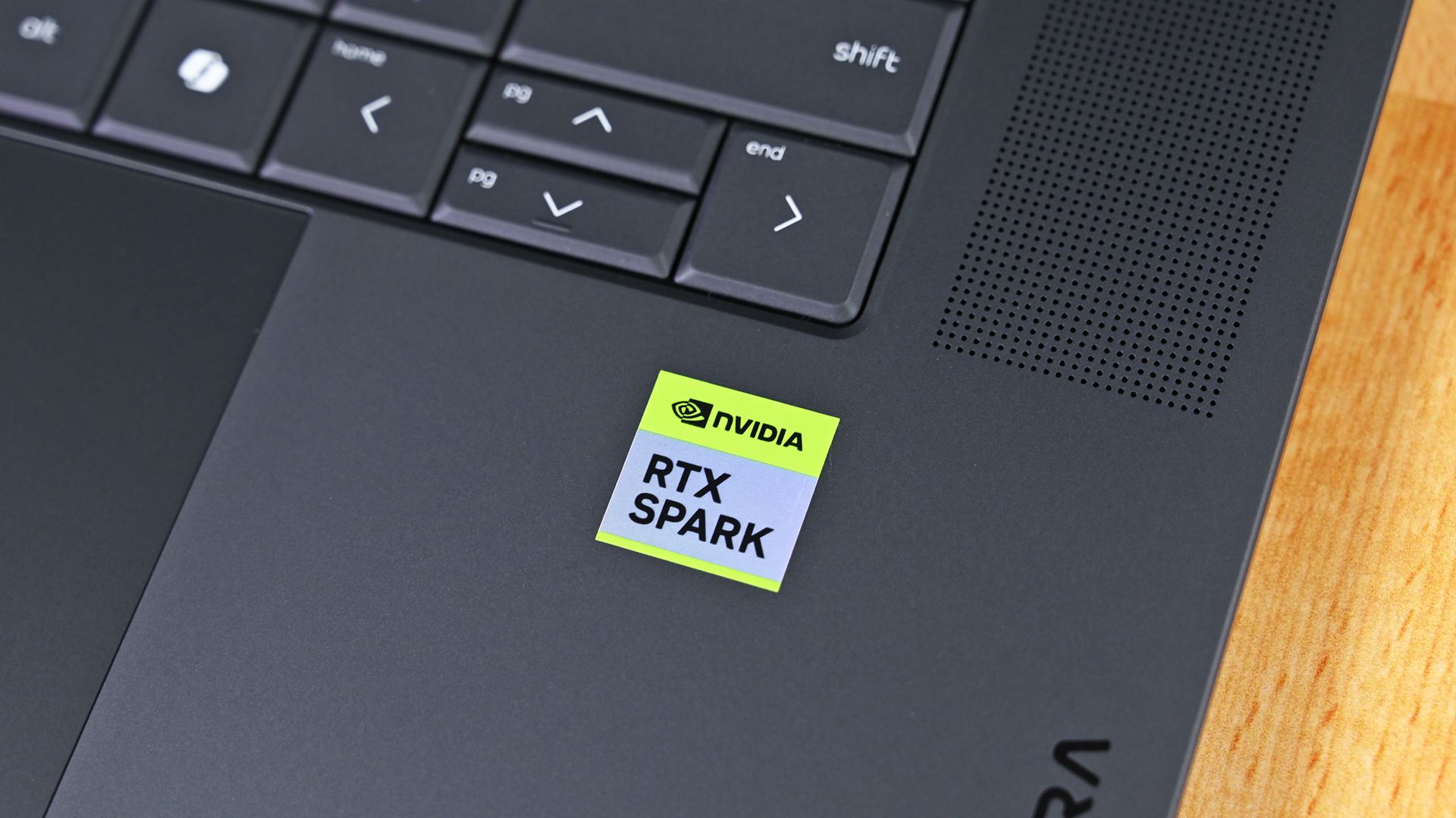
The first wave of RTX Spark laptops just started shipping and hit store shelves. Microsoft's Surface Laptop Ultra likely turned the most heads, but there are actually seven different laptops powered by NVIDIA's new superchip (more if you count different sizes of similar laptops as separate devices).ASUS, Dell, HP, Lenovo, Microsoft, and MSI all have new laptops with the RTX Spark inside, and reviews for many of those PCs just went live. We're still waiting for re
The first wave of RTX Spark laptops just started shipping and hit store shelves. Microsoft's Surface Laptop Ultra likely turned the most heads, but there are actually seven different laptops powered by NVIDIA's new superchip (more if you count different sizes of similar laptops as separate devices).
ASUS, Dell, HP, Lenovo, Microsoft, and MSI all have new laptops with the RTX Spark inside, and reviews for many of those PCs just went live. We're still waiting for reviews of several RTX Spark laptops, but first impressions are in.
Reviews for these devices rolled out a bit differently than other product launches. Experts and reviewers were allowed to share their thoughts about the RTX Spark a day before publishing any reviews of laptops with the RTX Spark inside.
So, if you want to see what people have to say about the processor, check out our RTX Spark review roundup. Below is a collection of opinions about the first wave of RTX Spark laptops.
Note that these reviews were made possible thanks to review samples provided by NVIDIA or laptop makers.
Surface Laptop Ultra: Reviews
Windows Central (4/5): "It's a laptop for those who know they need it, and it's mainly for AI developers and high-end content creators. If you find yourself leaning on local agents to complete tasks for you, or enjoy generating images and videos using AI models, this is the laptop for you."
Tom's Hardware (3.5/5):"If you want the nicest Surface Laptop Microsoft has ever released, the Surface Laptop Ultra is for you. The system definitely copies the MacBook Pro in some areas, but is a luxury machine with a solid build, exceptionally bright display, a clever charging connector, and powerful components. It's the most exciting Surface hardware in years, and I hope it’s a signal that Microsoft is looking at the brand for more reinvention."
The Verge (6/10):"Microsoft has come closer than ever to building a Windows alternative to the MacBook Pro. The hardware looks and feels great, and Nvidia’s GPU brings CUDA support and decent gaming capabilities to a high-end laptop design. But the Surface Laptop Ultra’s biggest selling point is also its biggest question mark: local AI. It all feels like a work in progress."
Wired (7/10):"The Surface Laptop Ultra is a true MacBook Pro competitor for Windows—if only it weren't for the lack of battery life."
Gizmodo: "It’s not the most performant laptop available today. It’s not the cleanest PC experience, either. It is, however, a laptop that can finally close the gap between performance and battery life. With all the wrinkles ironed out, the Surface Laptop Ultra is the laptop I wish I could carry with me for work, pleasure, or whatever the AI overlords think to do with my degrading body next."
Asus ProArt P16: Reviews
Tom's Guide (4/5):"The Asus ProArt P16 is an outstanding laptop for creativity, with its legacy continuing with the might of Nvidia's RTX Spark N1X. With an even slimmer design that's light enough to bring with you anywhere, a knockout OLED touchscreen with amazing brightness and colors, the right ports and battery life that can (finally) get you past a workday and still have juice left, Asus has done its creator laptop justice."
Trusted Reviews (4.5/5): "The Asus ProArt P16 (2026, RTX Spark) is a slim, stunning creator laptop that shows what RTX Spark can do, with standout integrated graphics, capable performance and nearly 14 hours of battery life. Gaming is a little behind a discrete RTX 5070 and the screen is slightly dim next to other ProArts, but it’s an impressive debut for Nvidia’s Windows chip."
Notebookcheck (9/10):"The new ProArt P16 is a stunning laptop and even after using it for more than a week, we are still baffled how thin and light this 16-inch laptop really is without compromising in terms of stability, build quality or features. "
Wccftech: "The ASUS ProArt P16 with NVIDIA RTX Spark N1X feels like a genuine first-class Windows PC rather than a compromised “Windows on Arm” experiment."
HP OmniBook Ultra 16: Reviews
Tom's Guide (4/5): "The HP OmniBook Ultra 16 isn’t a laptop for general customers, but it’s great at what it was designed for. If you want a portable device for on-device AI work or creative projects, you won’t go wrong here. The fact that the laptop is a beautiful piece of work only sweetens the deal."
RTX Spark laptops reviews
Overall, reviews of the first RTX Spark laptops are positive. Unsurprisingly, they focus largely on the RTX Spark itself. That makes sense considering many of these laptops have sibling devices with chips from other companies.
Many called the RTX Spark laptops "MacBook Pro competitors," which is praise when coming from just about any laptop reviewer. Being mentioned alongside the MacBook Pro remains one of the highest compliments a laptop can receive.
Like the RTX Spark itself, these laptops should be viewed in the context of their target audience. They're primarily designed for creators and developers, though different models lean more heavily toward one group or the other.
RTX Spark laptops like the Surface Laptop Ultra earned praise from reviewers for GPU performance. (Image credit: Zac Bowden / Windows Central)
While they're capable of playing games, gaming is not the primary focus of these devices. None of them are gaming laptops at this point, even though they're capable of playing many games.
But with so many devices launching today, we're still waiting for hands-on experience with quite a few RTX Spark laptops. Publications have taken different approaches to covering these laptops since so many RTX Spark devices launched at once. Some got their hands on as many as possible and are working to review each one separately. Others focused on the Surface Laptop Ultra, presumably due to availability and the fact that it's made by Microsoft.
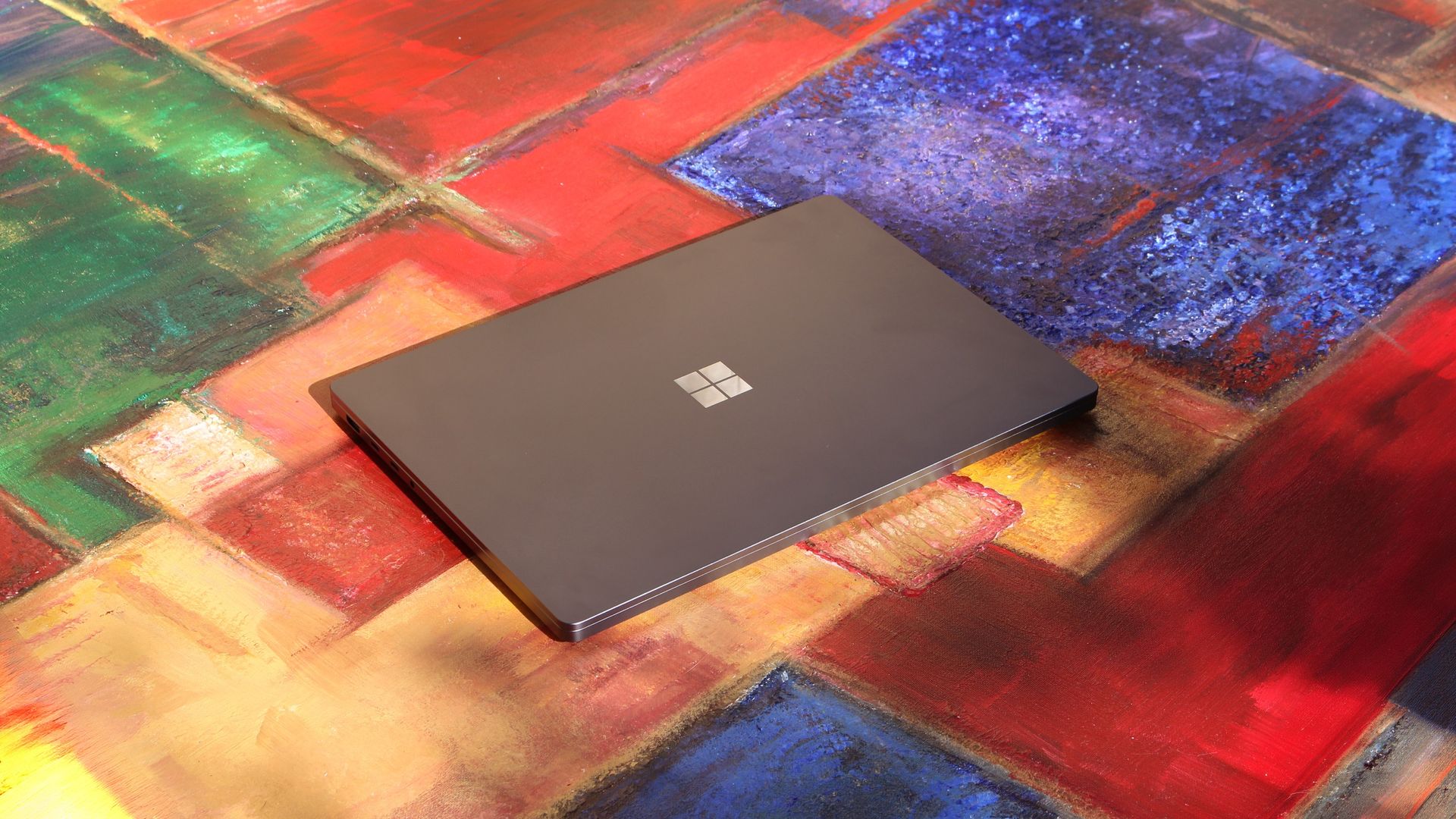
Built around the NVIDIA RTX Spark platform with an N1X CPU, RTX GPU, and up to 128GB of unified memory, the Surface Laptop Ultra hits new performance heights for power users. It's all contained in a gorgeous chassis with a mini-LED display and tons of ports. Prices start at $2,599.99, and units will begin shipping on October 16, 2026.
The new ASUS ProArt P14 and P16 duo gives users more size options while retaining the same great RTX Spark performance. The P14 is the lightest ProArt laptop ever, while the P16 is the way to go for a larger OLED display. Prices start at $2,599.99 for the P14 and $2,799.99 for the P16. They're expected to begin shipping on October 16, 2026.
Dell's new XPS 16 with RTX Spark features a 3.2K OLED display, lattice-free keyboard, and the usual premium XPS styling. Prices start at $3,799.99 and units are expected to begin shipping on October 16, 2026.
The OmniBook X 14 is the smaller of the two new PCs, but it features the same RTX Spark options for maximum performance. Models start at $2,999.99 and are expected to ship beginning November 4, 2026.
The larger of the two new HP RTX Spark laptops delivers a gorgeous 16-inch OLED display with 3K resolution and, of course, your choice of RTX Spark chips. Prices start at $3,199.99, and shipments are expected to begin on November 4, 2026.
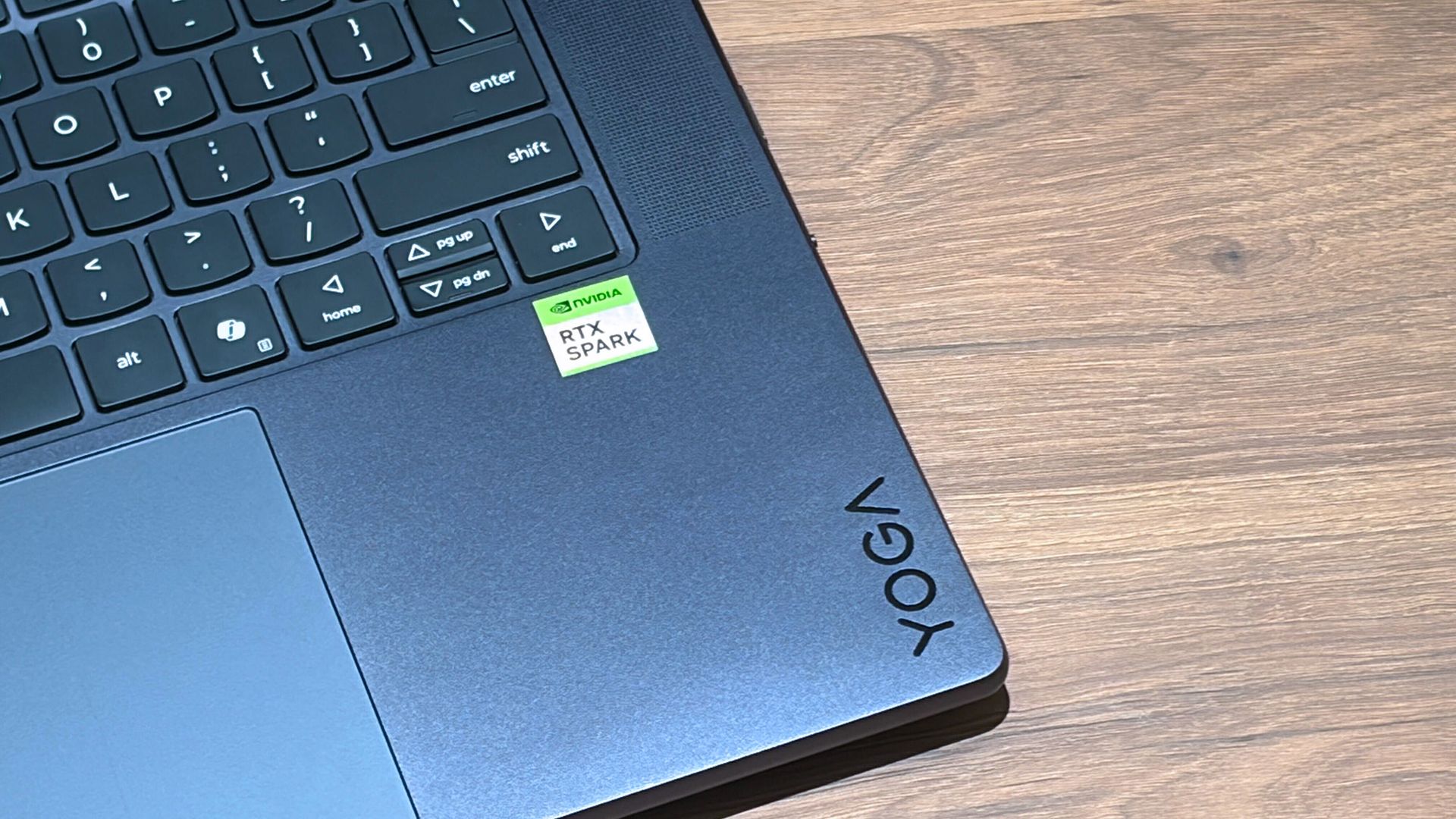
Lenovo's Yoga 9n should be the right choice for those who value a versatile convertible design and premium build quality. Prices start at $3,099.99, and models are expected to begin shipping on October 16, 2026.
MSI's Prestige N16 Flip AI+ is another versatile convertible featuring the RTX Spark platform and a Tandem OLED display. It appears that preorders might kick off on October 8 for this laptop, with prices starting at $3,299.99.
Microsoft Maia 300 and Nvidia Rubin target different AI infrastructure needs. Compare their memory, bandwidth, efficiency claims, availability, and deployment options.
The post Microsoft Maia 300 vs Nvidia Rubin: Specs, Not Benchmarks appeared first on TechRepublic.
Microsoft Maia 300 and Nvidia Rubin target different AI infrastructure needs. Compare their memory, bandwidth, efficiency claims, availability, and deployment options.
RTX Spark is finally here. After years of rumors, NVIDIA has re-entered the Windows silicon game with the MediaTek N1X, a tailor-made 18/20-core SoC with 5,120 or 6,144 GPU cores, up to 128GB of unified memory, and a heck of a lot of power for apps, games, and AI experiences under the hood.It's not every day that Windows gains a new silicon partner, which is why everyone seems to be involved with ensuring this launch goes as smoothly as possible. Microsoft has wo
RTX Spark is finally here. After years of rumors, NVIDIA has re-entered the Windows silicon game with the MediaTek N1X, a tailor-made 18/20-core SoC with 5,120 or 6,144 GPU cores, up to 128GB of unified memory, and a heck of a lot of power for apps, games, and AI experiences under the hood.
It's not every day that Windows gains a new silicon partner, which is why everyone seems to be involved with ensuring this launch goes as smoothly as possible. Microsoft has worked closely with NVIDIA on optimizing the Windows platform, especially for RTX Spark, and third-party app vendors like Adobe, Blender, anti-cheat software, and more have mobilized to optimize their products and frameworks for the new chipset.
But the big play with RTX Spark is on-device AI. LLMs and agentic workflows have become all the craze over the last year, and NVIDIA believes the RTX Spark is the first chipset for Windows that has been designed from the ground up for running local AI experiences locally and securely, without sacrificing performance.
NVIDIA has 6 hardware partners lined up to ship RTX Spark hardware starting this week, and all of them are aimed at the high-end content creator or developer crowd. NVIDIA has set its sights on competing head-to-head with the MacBook Pro, and is eager to win over AI developers who flocked to that platform thanks to Apple Silicon.
I've been testing out the top configuration of RTX Spark over the last week on a Surface Laptop Ultra, and here's what I discovered it's good at, and what it's not so good at. FYI, today's embargo only allows us to detail the RTX Spark's performance and benchmarks, not the Surface Laptop Ultra itself. So battery life, thermal performance, and laptop-specific variables are not included in this piece. That information will be shared in the full laptop review, coming soon.
NVIDIA RTX Spark Overview
(Image credit: NVIDIA)
If you're looking for a quick rundown of what RTX Spark is and how it compares, here's what you need to know:
RTX Spark is a powerful SoC with good CPU performance and great GPU performance. Its CPU is comparable to the Apple M4 Pro and Qualcomm's Snapdragon X2 Elite, with multi-thread performance being its stronger asset in the CPU department, though it trails behind the Apple M4 Max and Snapdragon X2 Elite Extreme.
The GPU is the star of the show, with great performance thanks to its 6,144 GPU cores that deliver smooth framerates (with help from DLSS and framegen), faster rendering times, and very capable AI performance. Its quantized INT8 tensor execution, unified memory sharing, and computer vision acceleration easily leapfrog mobile discrete GPUs in its power class for AI workflows, which it excels at.
I don't believe RTX Spark is for everyone. It's very good at key things, and shines primarily for those who are knee-deep in local AI workflows and experiences. If you're not a mobile content creator, software developer, or utilize local LLMs often, RTX Spark probably isn't for you.
Mobile efficiency varies depending on power profile. The GPU is hungry and will drain power fast when at full pelt, but in day-to-day usage that only occasionally leans on the GPU, it should last the workday. The good news is, you should see the same performance regardless of plugged-in state.
Compared with most integrated Snapdragon, Intel, and AMD systems, RTX Spark is substantially faster in AI image generation and local inference, while matching or approaching dedicated RTX 4070/5060/5070 class GPU performance in most workloads outside of AI.
The latest generation of high-end Apple Silicon retains an advantage in peak single-thread CPU performance, but RTX Spark’s strength is its GPU, with TensorRT execution and high-speed memory providing advantages in diffusion, quantized models, and sequential data access.
RTX Spark configurations
Specification
RTX Spark N1X (5120-core GPU)
RTX Spark N1X (6144-core GPU)
CPU Configuration
18 cores (9x Cortex-X925 + 9x Cortex-A725)
20 cores (10x Cortex-X925 + 10x Cortex-A725)
Max Performance Core Clock
3.9 GHz
4.0–4.1 GHz
Max Efficiency Core Clock
2.8 GHz
2.8 GHz
GPU Architecture
Blackwell RTX
Blackwell RTX
CUDA Cores
5,120
6,144
Streaming Multiprocessors (SMs)
40
48
RT Cores
4th Generation
4th Generation
Tensor Cores
5th Generation
5th Generation
Unified Memory Type
LPDDR5X
LPDDR5X
Memory Interface
256-bit / 16-channel
256-bit / 16-channel
Memory Speed
Up to 9,400 Mbps
Up to 9,400 Mbps
Peak Memory Bandwidth
Up to 300 GB/s
Up to 300 GB/s
NVLink-C2C Bandwidth
600 GB/s bidirectional
600 GB/s bidirectional
Display Support
HDMI 2.1a, DisplayPort 2.0 over USB4
HDMI 2.1a, DisplayPort 2.0 over USB4
Process Technology
TSMC 3nm (CPU & GPU dies)
TSMC 3nm (CPU & GPU dies)
Configurable SoC TDP
45–80W
45–140W
NVIDIA RTX Spark CPU Performance
(Image credit: NVIDIA)
The RTX Spark CPU was co-designed by NVIDIA and MediaTek. The N1X, as it's known, comes in either 18- or 20-core configurations and is relatively efficient while delivering good performance. With that said, it's not leading in its class, leaving something to be desired when it comes to raw benchmarks.
In Cinebench 2026, the 20-core N1X achieved a single-core score of 558 and a multi-core score of 6,885. To put that into perspective, its single-core score beats the first-gen Snapdragon X Elite X1E-80-100 at 519, but falls short compared to Qualcomm's Snapdragon X2 Elite Extreme, which achieves a score of 662 for single-core. Multi-core fares better, with a score of 6,885, which is only just behind the X2 Elite Extreme and Apple M4 Max.
Cinebench Scores (Best Performance)
Cinebench 2026 Test
Plugged In Result
Unplugged Result
CPU (Multi Core)
6,885 pts
6,844 pts
CPU (Single Core)
558 pts
554 pts
MP Ratio
12.33 x
12.35 x
These scores do place it ahead of Intel's and AMD's latest flagship mobile workstation chips, but the chipset simply doesn't compete with Apple's latest Max chips, consistently trailing behind the Apple M4 Max and the M3 Ultra. This is a little disappointing given that the RTX Spark is directly targeting Apple Silicon.
It's a similar story with our Geekbench 7 results, achieving a single-core score of 2,718 and a multi-core score of 23,571. It's clear that multi-core performance is the N1X's stronger asset, competing with the likes of the Apple M4 Pro or Intel Core Ultra 9 285K, and is well ahead of the last-gen Snapdragon X Elite and Intel Lunar Lake, as it should be.
Geekbench Scores (Best Performance)
Geekbench 7.1
Plugged In Result
Unplugged Result
CPU (Multi Core)
23,571
23,879
CPU (Single Core)
2,710
2024
Outside of benchmarks, in day-to-day use the N1X feels fine. This isn't a slow CPU by any means, and will chew through even complex workflows with no sweat. Most day-to -day apps are Arm native these days, but for the few that do require Microsoft's Prism emulation layer, you won't even notice it. RTX Spark makes it so emulated apps feel just like native ones.
All our benchmarks were run with the Best Performance setting enabled, and in our tests we ran them a number of times in both plugged-in and unplugged states to see if there's any performance drop when away from a wall outlet. The good news is the RTX Spark delivers pretty much the same power regardless of plugged-in state, which mimics Apple Silicon.
NVIDIA RTX Spark GPU Performance
Gears of War E-Day running on RTX Spark (Image credit: Zac Bowden / Windows Central)
The star of the show with RTX Spark is the Blackwell RTX GPU with either 5,120 or 6,144 cores. We benchmarked the top-end, 6,144-core configuration for these benchmarks, and it does impress, outputting performance in workflows like video editing, model rendering, and gaming similar to an RTX 4070 or 5060, but in an efficient package with all-day battery life.
For what is essentially an integrated GPU, it outputs dedicated GPU performance in pretty much all workflows. But it really excels at AI workflows, especially when optimized for tensor and CUDA.
The 128GB configuration is set to split that memory evenly between system RAM and the GPU, meaning in our default configuration and for how we ran most of our benchmarks, the GPU had 64GB of video RAM to make use of. In this configuration, it's more than capable for most tasks, with the only exception being running AI models that surpass this size. In that situation, you can allocate more memory to the GPU so that it will fit.
In our 3DMark tests, we found that the RTX Spark performs similarly to an RTX 4070. It's very capable at 1440p gaming with high settings in most titles, though more demanding games will need to lean on DLSS and frame generation for smooth 60+ FPS gaming. In most titles we benchmarked, games ran without a hitch and looked great.
Benchmark
Target Resolution & API
Overall Score
Graphics Score
CPU Score
Test Framerates
3DMark Time Spy
1440p (DirectX 12)
12,771
12,368
15,669
GT1: 81.68 FPS, GT2: 70.11 FPS, CPU: 52.64 FPS
3DMark Time Spy Extreme
4K UHD (DirectX 12)
5,857
5,972
5,281
GT1: 37.77 FPS, GT2: 35.19 FPS, CPU: 66.30 FPS
3DMark Steel Nomad
4K UHD (DirectX 12 Heavy)
3,064
3,064
N/A
Graphics Test: 30.65 FPS
3DMark Speed Way (Run 1)
1440p (DirectX 12 Ultimate / DXR)
3,011
3,011
N/A
Graphics Test: 30.12 FPS
3DMark Speed Way (Run 2)
1440p (DirectX 12 Ultimate / DXR)
2,985
2,985
N/A
Graphics Test: 29.85 FPS
Gaming is not the main reason to buy an RTX Spark laptop, but it is an additional benefit. It's the first Windows on Arm platform that does gaming relatively well, supporting the usual breadth of gaming technologies and frameworks such as:
Ray tracing
DLSS 5
Multi Frame Generation
Neural Rendering
Reflex
G-SYNC
RTX Remix
Most games run under emulation on RTX Spark, as the platform is Arm64, and most games are compiled for x86. However, in most titles, this isn't a problem. Most mainstream anti-cheat software is now compatible with Windows on Arm, and the Prism emulation layer has been tuned specifically for RTX Spark to ensure most games run without a hitch, though there are exceptions.
Some games, such as Red Dead Redemption 2, will require you to change settings to get them to run successfully. For example, by default Red Dead Redemption 2 was set to run with Vulkan, which caused it to crash at launch. Switching it to DirectX12 fixed this for me. Most games run without needing to change any settings first, however.
Zac Bowden / Windows CentralZac Bowden / Windows CentralZac Bowden / Windows CentralZac Bowden / Windows Central
I tried Cyberpunk 2077, which runs pretty well right out of the box. The game analyzed my system and decided that Ray Traced Ultra settings were a perfect fit for the RTX Spark. Running at 1440p with frame gen enabled, the game was easily able to maintain 60fps while looking good doing it with these graphics settings enabled.
Shadow of the Tomb Raider also works great, but it takes quite a while to actually load up. But once the game is running and you're in-game, it looks great and runs well above 60fps at high settings at 1440p. Marvel's Spider-Man 2 and The Witcher 3 Remastered ran without a hitch, reaching close to 90fps in high settings at 1440p.
For content creators, RTX Spark is a great choice. Whether you are editing photos or rendering videos using apps like Adobe Photoshop and Premiere Pro, or rendering 3D environments in Blender, the RTX Spark is well suited for those tasks.
Photoshop supports on-device AI models on RTX Spark (Image credit: Zac Bowden / Windows Central)
Adobe and NVIDIA say the Adobe Creative Cloud Suite has been optimized specifically for RTX Spark. These optimizations include:
Photoshop on-device AI object removal
Premiere Pro TensorRT acceleration
Blender support for DLSS 4.5 Ray Reconstruction
When it comes to video rendering times, the RTX Spark trails the current-gen RTX 50 series GPUs. We benchmarked it against three other laptops with an RTX 5060, 5070 Ti, and 5080, in which it trailed the RTX 5060 in video rendering performance, finishing a few seconds later in most instances. In this benchmark, we ran Premiere Pro Beta, as that version includes necessary optimizations for RTX Spark.
Premiere Pro Export Times
Export Profile (Seconds ↓)
Surface Laptop Ultra (RTX Spark)
Lenovo Yoga Pro 9 (RTX 5060 8GB)
ASUS Zephyrus G14 (RTX 5070 Ti 12GB)
Lenovo LEGION 9 (RTX 5080 16GB)
H.264 Export (1 GPU)
42.002 s
32.111 s
39.403 s
20.218 s
H.264 Export (Pass 2)
34.415 s
26.003 s
33.532 s
18.401 s
H.264 UHD Export (1 GPU)
81.419 s
64.140 s
71.918 s
40.235 s
H.264 UHD Export (Pass 2)
66.496 s
52.301 s
59.536 s
34.253 s
Dedicated GPU performance can vary depending on laptop chassis size, cooling solution, and thermal envelope, which is why the 5070 Ti frequently trailed the 5060 in our testing.
The RTX Spark GPU is very performant and is capable of pretty much handling anything you'd want to throw at it on a mobile workstation. Where it really shines, however, is running local AI models directly on it. It's the reason NVIDIA built this platform to begin with, and it does this very well.
We ran several Procyon AI benchmarks to see how well the GPU performs when running on-device AI workflows. Text generation LLMs ran very fast, with Spark delivering responsive time-to-first-token results, including 0.27 seconds on Phi and 0.39 seconds on LLaMA3, but its sustained decoding rates trail higher-wattage discrete GPUs.
On-device text generation benchmarks
Model
Overall Score
Tokens / Second
Time to First Token (s)
Model Load Time (s)
Phi-3.5-mini
2,615
72.21
0.27
0.66
Mistral 7B
2,276
53.07]
0.47
0.96
Llama 3.1 8B
2,251
49.44
0.40
1.50
Llama 2 13B
2,108
27.44
0.84
1.69
But quantized AI performance is where RTX Spark truly leads. In Stable Diffusion 1.5 INT8, the RTX Spark scored 11,294 and generated images in 2.77 seconds, substantially outperforming the tested RTX 5080, RTX 5070 Ti, and RTX 5060, on which we ran the same tests.
Stable Diffusion Benchmarks
Model Profile & Metric
Surface Laptop Ultra (RTX Spark)
Lenovo Yoga Pro 9 (RTX 5060 8GB)
ASUS Zephyrus G14 (RTX 5070 Ti 12GB)
Lenovo LEGION 9 (RTX 5080 16GB)
SD 1.5 FP16 - Total Duration
67.55 s
69.70 s
107.73 s
44.59 s
SD 1.5 FP16 - Speed
4.222 img/s
4.356 img/s
6.733 img/s
2.787 img/s
SD 1.5 FP16 - Average UNet
23.986 it/s
23.265 it/s
15.070 it/s
36.426 it/s
SD 1.5 INT8 - Total Duration
22.14 s
138.74 s
101.83 s
440.19 s
SD 1.5 INT8 - Speed
2.767 img/s
17.342 s/img
12.729 img/s
55.024 s/img
SD 1.5 INT8 - Average UNet
19.158 it/s
2.949 it/s
4.043 it/s
0.927 it/s
SDXL FP16 - Total Duration
400.82 s
499.37 s
735.47 s
303.68 s
SDXL FP16 - Speed
25.051 s/img
31.211 s/img
45.967 s/img
18.980 s/img
SDXL FP16 - Average UNet
4.028 it/s
3.331 it/s
2.196 it/s
5.321 it/s
AI Workflows
The GPU is best suited for running large on-device AI models such as Qwen 3.8 27B, Gemma 4 31B, or even 120B-parameter models such as Nemotron or GPT-OSS.
NVIDIA is touting local agentic capabilities with this GPU, leaning on apps like Hermes Agent and OpenClaw to achieve this. We tested Hermes Agent, as OpenClaw failed to connect to the gateway once setup was complete.
The selling point of running LLMs and agents locally is that you are no longer constrained by usage limits or the amount of tokens you have available. When the AI runs locally, it's yours. You can run it for as long and as hard as you like.
120B parameter models can fit entirely on the RTX Spark's GPU, significantly speeding up LLM performance. (Image credit: Zac Bowden / Windows Central)
It's also good for security and privacy reasons. You may have confidential documents, audio recordings, intellectual property that you need summarized or explained to you, and feeding that data to a cloud-based LLM or agent is giving that data away to the host.
With RTX Spark, you can feed whatever data or task you want to your local AI running off the GPU, and that data will never leave the device. You can build up your own personal agent that is capable of managing your local files, creating documents, making edits, and in some cases even controlling your PC.
Hermes Agent is a great tool for beginners, as it offers local AI compute experiences and makes setting it up a breeze. You open the app, choose to run AI locally, and it recommends the best model for the specs you have. Once downloaded, you're good to start chatting with your own AI locally.
Instead of using up tokens in the cloud, local AI leans on the GPU for processing. Unlimited power! (Image credit: Zac Bowden / Windows Central)
Hermes Agent is particularly good at automating tasks. The first thing I did was tell it to clean up and organize my large, cluttered downloads folder. It moved images to my photos library, deleting any old executables, and organizing and categorizing PDFs and Word documents appropriately. It did all this without sending any of my data to the cloud, all processed by the GPU.
I also asked it to build me a basic website that included all my benchmark results so that I could refer back to them more easily. It ran that process entirely off my GPU, and came up with a pretty nice looking webpage design in the process. Zero cloud-based tokens used:
The webpage that the Qwen 3.8 27B parameter model created using Hermes Agent. (Image credit: Zac Bowden / Windows Central)
NVIDIA has even built MCP support into NVIDIA Broadcast and NVIDIA Control Panel, allowing you to hook it up to your local LLM and issue commands that allow it to configure your NVIDIA PC's settings.
Windows and RTX Spark
The Get Started app on RTX Spark includes a step to automate installing agent apps. (Image credit: Microsoft)
In addition to raw CPU and GPU performance, Microsoft has worked closely with NVIDIA to optimize RTX Spark for Windows 11. This partnership runs deep, and there are a lot of things going on behind the scenes that will aid the performance of Windows and support for apps on RTX Spark over the coming months and years.
For those unboxing a new RTX Spark laptop this fall, the Get Started app on Windows 11 will present a step that makes downloading and installing apps that can handle AI agents super easy. Hermes Agent will even go a step further and recommend a suitable model to download once up and running, meaning the user has to do zero research to get started.
With that said, I still find these recommended apps quite complex and convoluted. Many beginners will feel overwhelmed by these apps, especially OpenClaw, which I could not get working properly after it failed to open a gateway to allow the AI model to communicate with the OpenClaw chat interface.
Hermes Agent does automate setting up your first local agent. (Image credit: Zac Bowden / Windows Central)
Microsoft has optimized the system scheduler specifically for RTX Spark to squeeze out as much performance across Windows, menu flyouts, app launches, and more as possible. It has also made changes and enhancements to how Windows handles unified memory so that it's faster and more reliable at feeding that memory to where you need it.
TensorRT is now supported by Windows ML, and DirectX 12 has neural rendering support. The Prism emulation layer has also been tuned for RTX Spark, which results in emulated apps that simply do not feel like they are being emulated.
Microsoft is also keen to position Windows as the platform for local AI and agentic workflows. It has built safeguards and security into the Windows platform to ensure the local agents you run on Windows aren't capable of making severe changes or causing damage to your files, apps, and more.
This is a direct attempt at combating the sudden rise in local AI developers flocking to the Mac. Apple has made little optimizations to macOS to adopt and safeguard local AI and agentic workflows on that platform, whereas Microsoft is moving to make agents a native extension of the Windows platform.
RTX Spark is a Copilot+ PC certified chip, but you won't find any Copilot+ PC features at launch. Microsoft says it's working with NVIDIA to bring features like Windows Recall, Click To Do, and on-device Semantic Search to the RTX Spark platform in the coming months, which will run off the RTX Spark's 50 TOPS NPU.
Conclusion
(Image credit: NVIDIA)
RTX Spark is a super interesting chipset. It's forward leaning in a lot of ways, built on the Arm64 architecture that delivers serious performance and great efficiency. While its N1X CPU is just okay, its Blackwell RTX GPU really shines.
This is the first time we've seen RTX 4070-5070 level performance in an SoC that is this small and efficient. It's optimized for AI workloads, which is its strongest workflow by far. Quantized AI models run great, and with up to 128GB of unified memory, most mainstream models will fit entirely on the GPU without a hitch.
It's also great for content creators, and is very capable at gaming also. But at the prices that these devices are launching at, I think most people would be better served getting an Intel or AMD laptop with a dedicated NVIDIA GPU instead, as these often cost less than the cheapest RTX Spark laptops right now.
But if your workflow involves running AI models locally all day, software development, or complex data crunching and source code management, the RTX Spark is one of the better choices in the Windows space right now, especially for laptops that are thin-ish and (relatively) lightweight.
These RTX Spark laptops are more efficient and portable than typical laptops with a dedicated NVIDIA GPU, which is one of the key benefits of an SoC like this. The power this GPU outputs, for what is essentially integrated graphics, should not be understated.
Of course, just how efficient RTX Spark is will depend entirely on the hardware you choose to buy, as OEMs are free to feed the GPU more or less power depending on the chassis and thermal envelope. Keep that in mind.
Benchmarks
All benchmarks ran on RTX Spark 20-core CPU configuration with 128GB RAM and 6,144 GPU cores. All tests ran connected to power with Best Performance profile enabled, unless stated otherwise. We are still running benchmarks and new tests, and will update accordingly.
Facebook is rolling out AI controls for Feed and Reels. Learn how ‘Your Algorithm’ lets you shape recommendations and what users should expect from the tools.
The post Facebook Adds AI Controls to Customize Feed and Reels appeared first on TechRepublic.
Facebook is rolling out AI controls for Feed and Reels. Learn how ‘Your Algorithm’ lets you shape recommendations and what users should expect from the tools.
Depuis quelques jours c'est l'effervescence sur le net car l'équipe d'ArtCraft a mis en ligne sur GitHub, 12 logiciels GRATUITS qui ont pour mission de remplacer TOUS les outils payants que nous sommes très nombreux à utiliser.
Ces nouveaux logiciels s'appellent PhotoCraft, VectorCraft, FilmCraft, LightCraft, PdfCraft, EffectCraft, DesignCraft, WordCraft, SoundCraft, DeckCraft, CADCraft et GridCraft. Et ces
Crafting Apps
sont des réécritures "propres" en Rust et natives pour macO
Depuis quelques jours c'est l'effervescence sur le net car l'équipe d'ArtCraft a mis en ligne sur GitHub, 12 logiciels GRATUITS qui ont pour mission de remplacer TOUS les outils payants que nous sommes très nombreux à utiliser.
Ces nouveaux logiciels s'appellent PhotoCraft, VectorCraft, FilmCraft, LightCraft, PdfCraft, EffectCraft, DesignCraft, WordCraft, SoundCraft, DeckCraft, CADCraft et GridCraft. Et ces
Crafting Apps
sont des réécritures "propres" en Rust et natives pour macOS, Windows et Linux d'incontournables comme Adobe Photoshop, Microsoft Word, Avid Pro Tools ou encore Autodesk AutoCAD.
Maintenant pour réussir à publier 12 clones d'outils aussi iconiques en quelques jours, l'équipe derrière le projet ne s'est évidemment pas tapé tout à la main, vous vous en doutez... De nombreux commits de PhotoCraft sont par exemple co-signés "Claude Opus 3.5" ou "Codex". Hé oui, les ravages de l'IA qui a reçu
pour consigne de refaire à l'identique
par exemple Photoshop avec les mêmes menus, les mêmes raccourcis, et le même comportement.
J'ai mis un peu de temps à me décider d'installer tout ça pour tester parce que tous ces outils, depuis que l'IA est entrée dans ma vie, bah je n'en ai plus vraiment besoin. Mais bon, faut bien que je fasse mon taf à un moment ou à un autre ^^ alors j'ai pris le temps de tout installer sur mon Mac pour voir ce que ça donne...
Déjà l'installation passe par l'ArtCraft Launcher, signé par une société nommée Learning Machines LLC , qui installe chaque app en quelques secondes depuis les releases GitHub, après avoir contrôlé son empreinte SHA-256. Au total, en installant tout, j'ai fini avec 1,7 Go d'applications, ce qui est vraiment peu, je trouve.
Voici à quoi ressemble ce launcher :
Le launcher en vue tableau, avec sa colonne "Inspirée de" et la mention des marques en bas
J'ai donc commencé par PhotoCraft en ouvrant le PSD de mon propre logo, soit 7 calques et tous se sont bien chargés, même les calques techniques comme ceux concernant la lumière, la densité des couleurs, etc. En plus, j'ai été surpris mais l'interface est entièrement en français, avec des menus identiques à ceux qu'on retrouve sur Photoshop jusqu'au "Filtre Camera Raw". J'ai ensuite comparé le rendu de l'outil à l'image fusionnée que Photoshop avait enregistrée dans le fichier, et 100 % des pixels correspondent. Et quand je réenregistre en PSD mon fichier, celui-ci garde ses sept calques et se rouvre à l'identique.
C'est assez impressionnant, je suis bluffé...
Mon logo PSD dans PhotoCraft, avec ses sept calques et leurs modes de fusion
WordCraft, lui, reprend le menu "ruban" de Word jusqu'aux onglets Mailings et Zotero, et mon document de test (avec titres, gras, italique, accents, liste et tableau) s'affiche impecc. Par contre, l'interface reste en anglais et le correcteur souligne tout mon french en rouge par défaut.
WordCraft et mon document de test, sous un ruban calqué sur celui de Word
De son côté, le tableur GridCraft, quant à lui, a passé une épreuve un peu plus dure puisque dans mon classeur j'ai enregistré des formules SUM, AVERAGE et MAX mais sans leur résultat. Hé bien lui les a recalculées de lui-même sans une erreur !
GridCraft a recalculé seul les totaux, la moyenne et le maximum de mon classeur
Pour le reste, PdfCraft a parfaitement lu mon PDF de trois pages, VectorCraft a affiché correctement un SVG avec courbes et texte s'il vous plait, DeckCraft a affiché mes trois diapos PowerPoint de test, et CADCraft respecte totalement les proportions d'un plan DXF.
CADCraft et mon plan DXF, avec un ViewCube et une ligne de commande façon AutoCAD
De son côté, DesignCraft (le clone InDesign) sait ouvrir un fichier IDML sur 2 colonnes, césure comprise, en signalant les erreurs et les polices manquantes. Enfin, pour l'image et le son, LightCraft permet d'importer un dossier de JPEG, SoundCraft charge un WAV stéréo dans la joie et la bonne humeur, et FilmCraft tout comme EffectCraft importent des vidéo MP4 sans problème (j'ai testé uniquement avec des vidéos de quelques secondes.)
Les 6 autres apps que j'ai lancé en test avec les fichiers de l'essai, et entre parenthèses le logiciel dont chacune s'inspire
Attention quand même, tout ce que j'ai ouvert là, ce sont des formats qui ont été documentés publiquement. Si vous essayez d'ouvrir des projets After Effects et Premiere, ça ne passera pas. EffectCraft ne sait pas ouvrir les .aep, et FilmCraft ne lit pas encore les .prproj. Après SoundCraft n'échange encore aucune session en AAF ou en OMF, et CADCraft perd à l'enregistrement les entités qu'il ne gère pas.
Voilà, donc si le format proprio PSD passe aussi bien, c'est parce qu'Adobe en a publié les specs depuis longtemps.
Voilà pour mon petit test... Ce que je peux vous dire c'est que le boulot accompli est vraiment impressionnant, mais que les outils sont assez inégaux dans leur maturité. Après rien d'inquiétant car ça avance très très vite entre les contributions et l'IA. Donc pour le moment, ça ne remplacera pas Photoshop si vous êtes un pro de cet outil. Mais pour des gens comme moi qui en ont un usage très ponctuel, c'est le pied !
FilmCraft, son projet de démo et ma vidéo de test importée en bas à gauche
Maintenant, la question que je me suis posé, c'est qui finance tout ce bordel ?
Parce que même si c'est l'IA qui fait en grande partie le taf, faut bien payer les tokens ! Et bien, derrière le projet, il y a Brandon Thomas, qui se présente sur GitHub comme fondateur d'ArtCraft, de Storyteller.ai et de FakeYou. FakeYou, c'est un site de voix synthétiques de célébrités, sur lequel le Garante italien (la CNIL italienne, quoi...) avait
ouvert une enquête
en 2022. Et visiblement c'est soutenu par le fonds Pebblebed qui liste ArtCraft dans son
portefeuille
. Bref, après le clonage de voix, on dirait bien que Brandon est passé au clonage de logiciels. Le garçon a de la suite dans les idées...
Maintenant la thune générée par ArtCraft, provient de leur studio d'images et de vidéos par IA avec des abonnements qui coûtent entre 96 et 576 dollars par an. Cela donne droit à des crédits de génération sur Nano Banana, Seedance ou Kling. Mais rassurez-vous, les Crafting Apps, elles, ne sont pas monétisées.
Maintenant mettre tous ces clones en open source, c'est une excellente idée je trouve car d'un point de vue "code", ça les rend immortels (suffit de cloner le dépôt) et surtout, les contributeurs qui apportent des fonctionnalités et des corrections de bug le font avec leur temps et... leurs tokens... Bah oui.
Donc quelque part, la communauté ArtCraft finance aussi une bonne partie du dev...
Reste la question du droit d'auteur bien sûr puisque concernant le code, le droit européen est très clair. En effet la directive de 2009 sur les logiciels protège ce qui est écrit, mais pas les idées qui se cachent derrière une interface, et elle laisse donc à quiconque le droit d'utiliser un programme, et de le décortiquer en le faisant tourner pour l'analyser. De plus, en 2012, l'arrêt SAS Institute a précisé que ce que fait un logiciel et le format de ses fichiers ne sont pas protégés. Et comme ArtCraft affirme n'utiliser ni code, ni shaders, ni assets propriétaires, ils sont clean, sauf si Microsoft ou Adobe arrivent à prouver le contraire.
Là où ça peut coincer, je pense, c'est au niveau de l'interface puisque fin 2010, la même Cour a estimé qu'une
interface graphique
, à défaut d'être protégée comme du code, peut l'être comme n'importe quelle œuvre, dès lors qu'elle est originale ! Or chez ArtCraft, il est dit qu'ils ont étudié Photoshop pour son comportement et son apparence et rien d'autre... Oui, son apparence... donc là y'a peut-être une faille ?
Bref, pour le moment rien n'indique que le code viole le droit d'auteur, mais l'interface et la manière de se présenter sont risquées.
Maintenant si vous voulez vous faire votre propre avis, rendez-vous sur
getartcraft.com
.
Bitdeer is expanding its AI infrastructure footprint in Malaysia with a new 67 MW facility designed for NVIDIA Blackwell systems. Here's what's confirmed about its rollout and customer commitments.
The post Bitdeer Secures 67 MW for Nvidia AI in Malaysia, but No Customer Deal Announced appeared first on TechRepublic.
Bitdeer is expanding its AI infrastructure footprint in Malaysia with a new 67 MW facility designed for NVIDIA Blackwell systems. Here's what's confirmed about its rollout and customer commitments.
- Contient des liens affiliés Amazon -
Dangbei nous a envoyé il y a quelques semaines son
N3 Max
, un vidéoprojecteur LED Full HD affiché 499 euros au catalogue mais qu'on trouve à
399 euros sur Amazon en ce moment
, et qui mise sur deux arguments assez rares à ce tarif, un pied rotatif intégré et un vrai Netflix certifié. On l'a promené quelques jours entre le salon, la chambre et la terrasse.
Le boîtier de 3,6 kilos es
Dangbei nous a envoyé il y a quelques semaines son
N3 Max
, un vidéoprojecteur LED Full HD affiché 499 euros au catalogue mais qu'on trouve à
399 euros sur Amazon en ce moment
, et qui mise sur deux arguments assez rares à ce tarif, un pied rotatif intégré et un vrai Netflix certifié. On l'a promené quelques jours entre le salon, la chambre et la terrasse.
Le boîtier de 3,6 kilos est monté d'origine sur un support qui pivote de -45 à +135 degrés, ce qui veut dire qu'on passe du mur au plafond d'un simple geste, sans trépied ni perceuse. Pour regarder un film allongé, c'est carrément agréable.
À chaque déplacement, la machine refait seule sa mise au point, corrige le trapèze, recadre l'image dans la zone libre et contourne même l'étagère qui dépasse. On pose, on attend, on regarde. Et ça fonctionne plutôt bien, même si on a eu quelques fois besoin d'ajuster un peu la mise au point avec la télécommande.
Côté image, on a du LCD Full HD en 1080p qui décode la 4K, une source LED donnée pour 1000 lumens ISO et une diagonale qui monte jusqu'à 150 pouces, même si la marque recommande elle-même de rester entre 80 et 120 pouces pour garder de la luminosité.
Dans une pièce sombre, justement, le résultat est très net, les couleurs sont agréables et on oublie vite le prix de la machine. Volets ouverts en pleine journée, l'image devient moins contrastée, les 1000 lumens ont leurs limites. Le HDR10 est bien là, mais il n'apporte pas grand-chose avec un contraste pareil. Quoi qu'il en soit, à ce niveau de prix, c'est très bon.
Le vrai truc qui fait la différence à ce prix, c'est le logiciel. Le N3 Max tourne sous VIDAA OS, le système d'exploitation des téléviseurs Hisense, avec Netflix, YouTube, Prime Video et Disney+ en versions officielles, sans la moindre clé HDMI à rajouter derrière. AirPlay est aussi de la partie pour envoyer l'écran de son iPhone. Plex fonctionne aussi parfaitement dessus, pour ceux qui ne jurent que par ça.
La télécommande embarque l'assistant vocal VIDAA Voice, qui lance une appli ou une recherche à la voix, sauf sur Netflix qui ne répond pas aux commandes vocales. Les enfants ont droit de leur côté à Kidoodle TV, avec des milliers de programmes gratuits avec contrôle du temps d'écran et heure du coucher paramétrable.
Sous le capot, une puce MediaTek MT9660 épaulée par 1 Go de mémoire et 8 Go de stockage fait tourner l'interface sans ralentissement, et la connectique aligne un port HDMI 2.0 compatible eARC pour renvoyer le son vers un ampli, deux prises USB, une sortie casque en jack 3,5 mm, du Wi-Fi 5 et du Bluetooth 5.0.
Les deux haut-parleurs de 6 watts compatibles Dolby Audio dépannent très bien pour un dessin animé ou un match de rugby (oui je regarde pas le foot, déso), avec des basses quand même un peu timides. Pour une vraie soirée cinéma, on branche une enceinte Bluetooth et tout va mieux.
Un mode jeu à faible latence permet de brancher une console en 1080p à 60 Hz, de quoi jouer tranquillement.
La télécommande n'est pas rétroéclairée, ce qui est agaçant dans une pièce plongée dans le noir, et c'est un problème récurent avec ce genre de produit hélas. Dommage.
Du coup, pour une chambre, un studio ou une toile tendue dans le jardin, le N3 Max fait très bien le job. Les cinéphiles suréquipés n'y trouveront rien, les autres peuvent y aller les yeux fermés, c'est un super rapport qualité-prix.
Disponible par ici sur Amazon
.
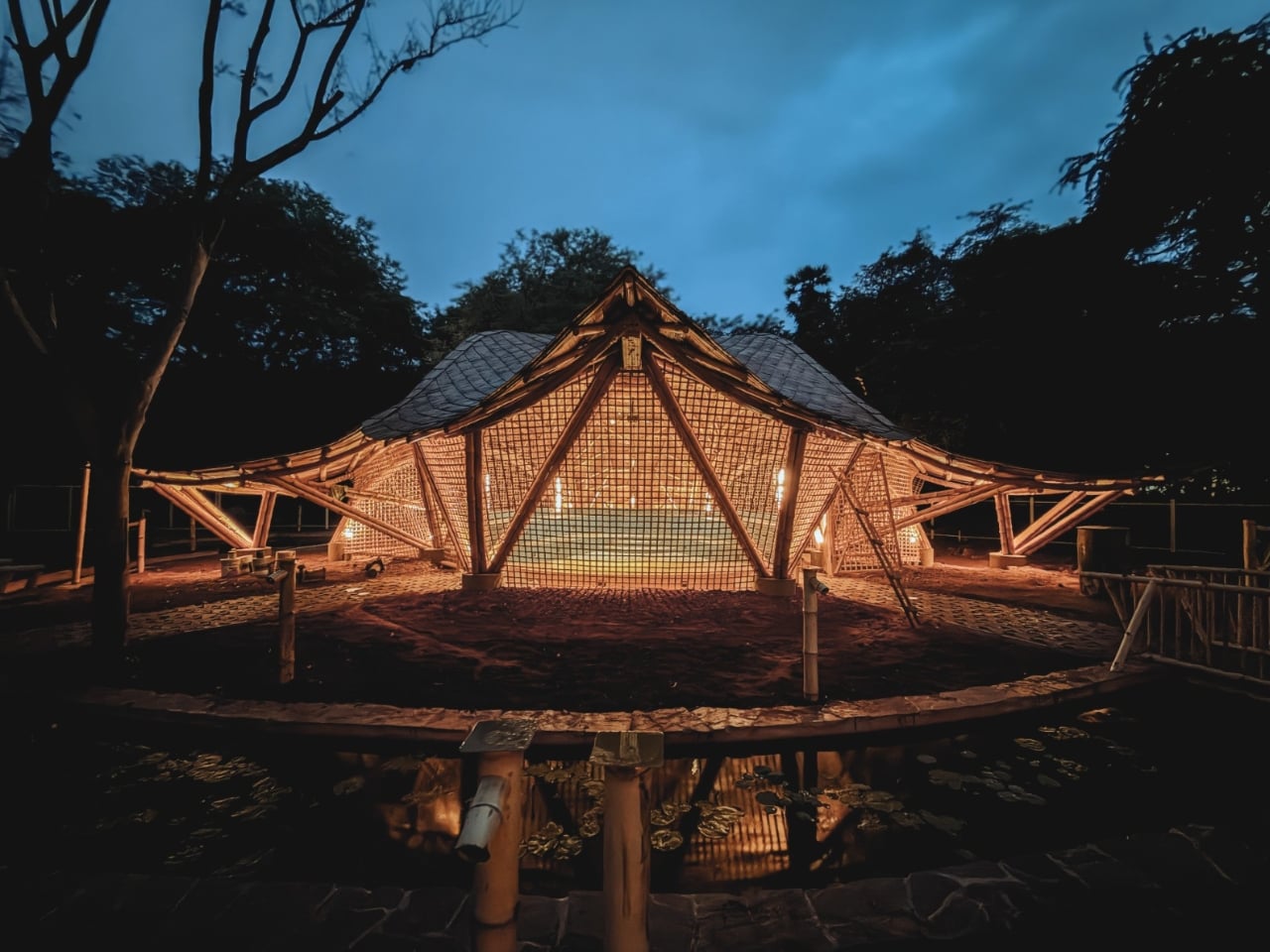
A column in the middle of a music hall means someone has to look around it. That’s a practical problem to solve before worrying about how dramatic the ceiling looks. At the Maestro Ilaiyaraaja Centre for Music Learning and Research in Chennai, India, Ekarth Studio uses bamboo vaults to create spans of up to 49 feet without interior columns. The structure makes room for people to gather, while giving them a roof worth looking up at.
The completed, 10,000-square-foot center at IIT Madras addresse
A column in the middle of a music hall means someone has to look around it. That’s a practical problem to solve before worrying about how dramatic the ceiling looks. At the Maestro Ilaiyaraaja Centre for Music Learning and Research in Chennai, India, Ekarth Studio uses bamboo vaults to create spans of up to 49 feet without interior columns. The structure makes room for people to gather, while giving them a roof worth looking up at.
The completed, 10,000-square-foot center at IIT Madras addresses another challenge: bringing music education, research, rehearsal, and recording into one setting. Named for composer Ilaiyaraaja, it belongs to the university’s “Music for All” initiative, whose research interests include acoustics, artificial intelligence, sound synthesis, and instrument design. That’s an unusually broad assignment for a music building. It needs places for focused work, but also room for different disciplines to meet without every encounter becoming a scheduled appointment.
The roofs give those activities a recognizable home. Ekarth Studio drew their geometry from Bel Patra, the three-part leaf associated with Lord Shiva. Interconnected vaults translate that reference into canopies that rise, dip, and extend over the spaces below. I like that the inspiration has a specific cultural origin. A music center with a curving roof could easily attract a vague explanation about sound waves, but this one has a more deliberate starting point.
Those curves also involve some serious assembly. The studio describes a structural system combining round bamboo culms, bundled splits, and bundled sticks. Flat bamboo splits are gathered together to form the primary spine beams, rather than relying on a single solid member. Arches reach nearly 30 feet high. The useful distinction is that bamboo carries the roof and establishes its shape. Calling it a decorative finish would miss the most interesting decision in the project.
Leaving that construction exposed gives the interiors their character. Ekarth’s material palette includes treated bamboo, lime-based finishes, earthen surfaces, natural-fiber roofing, and handcrafted bamboo weaving. The studio also leaves the bamboo’s connections visible. I’m drawn to buildings that let you follow how they were assembled. Here, the repetition of individual pieces gives the large roof forms a finer scale, so the architecture offers more to examine than its outline from a distance.
The exterior photographs show roof edges sweeping outward above bamboo lattice screens, with trees close to the pavilions. The small, regular openings in those screens contrast with the broad curves overhead. They make the enclosure look less abrupt than a blank wall would. Ekarth’s plan connects classrooms and other spaces with courtyards and shaded outdoor areas, giving the center an architectural relationship with its surroundings that goes beyond putting landscaping around a finished building.
The people who assembled it deserve attention, too. According to the studio’s account, artisans split, bent, bundled, and joined the bamboo primarily with basic carpentry tools, while structural engineering adapted those processes for an institutional building. Ekarth reports an 11-month construction period with limited use of heavy machinery. That timeline is noteworthy, but I’d give equal billing to the craft. Its contribution remains legible in the finished architecture rather than disappearing behind another surface.
A beautiful bamboo structure doesn’t, by itself, establish how well a recording room isolates sound or how comfortable the building stays throughout the year. Those are separate performance questions, and the published project descriptions don’t provide measurements that settle them. The same restraint applies to sustainability. Natural materials and a less machinery-intensive construction process are choices worth discussing, but they aren’t enough to calculate the building’s environmental footprint or long-term maintenance demands.
Even with those questions open, the design gives me a clear reason to pay attention. The central amphitheater-like gathering space puts rehearsal, performance, and collective learning beneath the same expressive structure. That feels like an appropriate investment for a music center: a memorable room whose defining gesture also keeps its floor open. The ceiling earns its visual complexity by leaving more usable space underneath, where the people and the music belong.
October 2026 TIOBE Index sees Python rebound, Java narrow the gap with C++, R pass SQL, Rust hold No. 10, and Julia return to the top 20 after three years.
The post TIOBE Index for October 2026: Python Rises as Julia Rejoins the Top 20 appeared first on TechRepublic.
October 2026 TIOBE Index sees Python rebound, Java narrow the gap with C++, R pass SQL, Rust hold No. 10, and Julia return to the top 20 after three years.
Indonesia is reviewing water requirements for BDx's 640MW AI campus in West Java after construction was halted over missing environmental and building approvals.
The post Indonesia’s 640MW AI Campus Faces Water Supply Review After Construction Halt appeared first on TechRepublic.
Indonesia is reviewing water requirements for BDx's 640MW AI campus in West Java after construction was halted over missing environmental and building approvals.
Michael Smith receives 18 months in prison for using AI-generated songs and bot accounts to collect over $8 million in fraudulent streaming royalties.
The post AI Music Streaming Fraud: Musician Gets 18 Months for $8M Scheme appeared first on TechRepublic.
Microsoft’s Surface Laptop Ultra starts at $2,599 with an Nvidia RTX Spark GPU, up to 128GB of memory, and support for running large AI models locally.
The post Microsoft’s $2,599 Surface Laptop Ultra Puts Nvidia RTX Spark Inside a Windows Laptop appeared first on TechRepublic.
Microsoft’s Surface Laptop Ultra starts at $2,599 with an Nvidia RTX Spark GPU, up to 128GB of memory, and support for running large AI models locally.
XtalPi’s Kodexia combines generative AI and automated lab testing for siRNA drug discovery. Explore its workflow, reported results and preclinical limits.
The post XtalPi Details Kodexia AI Platform for siRNA Drug Discovery appeared first on TechRepublic.
XtalPi’s Kodexia combines generative AI and automated lab testing for siRNA drug discovery. Explore its workflow, reported results and preclinical limits.
Dans la série des trucs qui ne servent à rien, mais qui sont bien cools quand même, je vous présente ce bon vieux DOOM de 1993 qui vient de passer au DLSS 5. L'auteur de cette nouvelle prouesse, c'est Nikolai Zhivotenko qui a publié
DOOM + DLSS 5
, un port Windows 64 bits de Linux DOOM 1.10 qui conserve le moteur d'origine. Le jeu produit ainsi toujours son image en 320x200 pixels, puis celle-ci est reconstruite dans une fenêtre de 1280x800 en Direct3D 12 par l'upscaler de votre c
Dans la série des trucs qui ne servent à rien, mais qui sont bien cools quand même, je vous présente ce bon vieux DOOM de 1993 qui vient de passer au DLSS 5. L'auteur de cette nouvelle prouesse, c'est Nikolai Zhivotenko qui a publié
DOOM + DLSS 5
, un port Windows 64 bits de Linux DOOM 1.10 qui conserve le moteur d'origine. Le jeu produit ainsi toujours son image en 320x200 pixels, puis celle-ci est reconstruite dans une fenêtre de 1280x800 en Direct3D 12 par l'upscaler de votre choix.
Un upscaler moderne ayant besoin d'autre chose que des pixels pour travailler, le moteur modifié doit inscrire à chaque image la profondeur, les normales et le mouvement, et les touches F2 à F4 affichent ces trois vues à la place du jeu.
L'auteur en a même fait un petit banc d'essai, avec un exécutable par mode : DLSS Ray Reconstruction, DLSS Super Resolution en preset K (DLSS 4) ou L (DLSS 4.5), FSR 2.2 d'AMD, Anime4K, et le bon vieux nearest 4x pour comparer. Ray Reconstruction se contente d'ailleurs de buffers factices (spéculaire noir, rugosité à 1), puisque DOOM n'a aucun éclairage path-tracé à lui donner.
Un couloir de DOOM avec l'étiquette "DLSS 5 On" en bas à gauche et trois vignettes de données en haut de l'image (capture fournie par l'auteur du port)
Et le DLSS 5 dans tout ça ?
Eh bien le mode 5 commence par la même passe que le 4.5, avec le SDK officiel de NVIDIA et ensuite seulement, si l'addon RenoDX du DLSS 5 est placé à côté de l'exécutable, une seconde passe laisse le Neural Rendering retoucher l'image. Et ce Neural Rendering là ne vient pas du port mais de
DLSS5-Swapper
, un outil communautaire sous licence MIT qui injecte le modèle de NVIDIA dans les jeux. Bref, c'est indispensable comme addon pour passer d'un rendu 4.5 à un rendu 5.
Côté NVIDIA, le
DLSS 5 dont je vous parlais en mars
n'est sorti que le 3 septembre, avec NBA 2K27, sur les RTX 50 et GeForce NOW mais il avait fuité juste avant via des fichiers trouvés dans une mise à jour de ce même jeu. Du coup,
les moddeurs
l'ont collé dans The Witcher 3 ou Cyberpunk 2077 sans attendre.
Quant au résultat sur DOOM, n'espérez pas avoir du photoréalisme... niet, le modèle n'a pas été pensé pour des sprites en 320x200, et d'après Wccftech, certains détails reconstruits peuvent même ressortir plutôt bizarrement...
Une créature face au joueur, avec la même étiquette "DLSS 5 On" et mêmes vignettes en haut (capture fournie par l'auteur du port)
Maintenant pour tester, il vous faudra un Windows 64 bits, une GeForce RTX, et compiler tout ça vous-même avec le script build.cmd du dépôt. Vous déposez un IWAD dans le dossier wads (celui de
Freedoom
fait l'affaire), puis vous déclarez le dossier du mode 5 dans
Swapper
, en route Native. Côté carte, Swapper annonce les RTX 20 à 50 pour ses routes à base de ReShade, dont fait partie l'addon
RenoDX
, mais prévient quand même que la compatibilité n'est pas garantie.
Et si vous voulez juste comparer, le script screencast-windoom.cmd rejouera la même démo dans chacun des modes et peut même exporter chaque image en PNG.
Ofcom has opened a formal probe into whether Meta properly assessed safety risks before launching Instagram Instants under the UK Online Safety Act.
The post Meta Faces First Ofcom Probe Under Online Safety Act Over Instagram Instants appeared first on TechRepublic.
Mistral a présenté Mistral Large 4, un modèle d'intelligence artificielle à 1 000 milliards de paramètres que l'équipe surnomme elle-même "Le Chonk", et l'entreprise française annonce ni plus ni moins que c'est le meilleur modèle ouvert jamais développé en dehors de la Chine. Rien que ça.
Le modèle n'est pour le moment accessible qu'en préversion via l'API de Mistral, l'interface qui permet aux développeurs de la brancher sur leurs applications. Les poids, autrement dit le fichier complet qui pe
Mistral a présenté Mistral Large 4, un modèle d'intelligence artificielle à 1 000 milliards de paramètres que l'équipe surnomme elle-même "Le Chonk", et l'entreprise française annonce ni plus ni moins que c'est le meilleur modèle ouvert jamais développé en dehors de la Chine. Rien que ça.
Le modèle n'est pour le moment accessible qu'en préversion via l'API de Mistral, l'interface qui permet aux développeurs de la brancher sur leurs applications. Les poids, autrement dit le fichier complet qui permet de faire tourner le modèle sur ses propres serveurs, arriveront le 27 octobre sur Hugging Face, le grand entrepôt public des modèles d'IA.
C'est tout le contraire des boîtes noires d'OpenAI ou d'Anthropic, le créateur de Claude, qui gardent jalousement les leurs.
Sur le papier, le chiffre de 1 000 milliards en jette, sauf que le Chonk n'active que 49 milliards de paramètres à chaque réponse, avec une architecture qui fonctionne un peu comme une grosse administration où seul le guichet compétent traite votre dossier. Du coup, il coûte bien moins cher à faire tourner que sa taille ne le laisse penser.
L'entraînement a pris deux mois sur près de 4 000 puces Nvidia Grace Blackwell installées dans les datacenters européens de Mistral, soit deux à trois fois moins de matériel que la concurrence chinoise d'après Pierre Stock, le responsable scientifique de la maison. Le modèle parle au passage plus de 160 langues.
Mistral insiste surtout sur les capacités agentiques de son Chonk, c'est-à-dire sa faculté à enchaîner tout seul des actions, lancer du code, éplucher des documents, remplir un tableur, plutôt que de simplement répondre à vos questions.
Sur les tests de performance publiés par Mistral, le Chonk se place au niveau des meilleurs modèles chinois de DeepSeek, Alibaba ou Moonshot sur le code, la finance et le droit, avec une vraie pointe en cybersécurité où il se classe parmi les cinq meilleurs au monde. Les mesures indépendantes sont un peu moins flatteuses, puisque le cabinet Artificial Analysis le situe entre DeepSeek et les modèles les plus accessibles d'OpenAI, encore loin du haut de gamme GPT-6 Astra, ce qui est déjà pas mal pour un modèle qu'on pourra télécharger gratuitement.
Côté tarifs, l'API facture environ 0,70 dollar le million de tokens, les morceaux de mots qui servent d'unité de facturation à tous les fournisseurs d'IA. Airbus et HSBC figurent déjà parmi la centaine de clients revendiqués.
J'avoue que je me demande déjà quelle machine il faudra pour faire tourner un bestiau pareil dans un salon, mais c'est tentant.
Cloudflare a sorti il y a petit moment maintenant une commande que pas mal de dev utilisent et dont je vais vous parler aujourd'hui : cloudflared tunnel --url, qui permet de publier un serveur tournant sur votre machine à une adresse en trycloudflare.com, sans avoir besoin de compte, de nom de domaine et surtout sans avoir à ouvrir le moindre port sur votre box toute pourrie.
Et la petite nouveauté depuis quelques jours, c'est que, autant avant, n'importe qui possédant le lien pouvait se connect
Cloudflare a sorti il y a petit moment maintenant une commande que pas mal de dev utilisent et dont je vais vous parler aujourd'hui : cloudflared tunnel --url, qui permet de publier un serveur tournant sur votre machine à une adresse en trycloudflare.com, sans avoir besoin de compte, de nom de domaine et surtout sans avoir à ouvrir le moindre port sur votre box toute pourrie.
Et la petite nouveauté depuis quelques jours, c'est que, autant avant, n'importe qui possédant le lien pouvait se connecter à votre service, mais maintenant, Cloudflare a mis en place
une option
qui permet de réserver ce lien à quelques adresses e-mail que vous définissez.
Ce service s'appelle les Quick Tunnels, et pour en profiter, il vous faudra juste un service web qui tourne en local (moi je vais faire ça sur le port 8080 comme d'hab) avec une page de test toute bête servie par Python. Voilà c'est juste de quoi vérifier que tout passe bien avant d'y brancher un vrai projet. Et si vous faites bosser des agents IA avec ce truc, on verra aussi comment mettre un garde-fou pour éviter l'exposition sur le web de trucs pas prévus ! Argh !!
Installer cloudflared
cloudflared, c'est le petit connecteur open source de Cloudflare, celui qui établit la connexion sortante vers leur réseau. Sur Mac, pour l'installer c'est fastoche, suffit d'utiliser Homebrew :
brew install cloudflared
Sous Debian ou Ubuntu, passez par conte par le
dépôt officiel
de Cloudflare. Il a changé de clé de signature récemment, donc reprenez bien ces commandes plutôt que celles d'autres vieux tutos qui traînent :
Et sous Windows (les courageux !! lol), la page de téléchargement de Cloudflare propose un MSI ou un exécutable, en 32 ou 64 bits, et le paquet existe aussi chez winget sous l'identifiant Cloudflare.cloudflared. Dans tous les cas, vérifiez ensuite la version, car l'option d'authentification dont on va parler plus bas n'arrive qu'à partir de la version 2026.9.3 :
cloudflared --version
Ouvrir un tunnel public
Tout d'abord, lancez votre serveur local, puis dans un autre terminal, faites :
Au bout de quelques secondes, cloudflared affichera un encadré avec une adresse aléatoire composée de quatre mots, du genre quelque-chose-truc-bidule.trycloudflare.com, en prévenant qu'elle peut mettre un moment à répondre. Donc soyez un peu patient, le temps que le DNS résolve ce truc (et
videz votre cache DNS
si ça veut vraiment pas le faire).
Ensuite, ouvrez cette URL depuis un autre appareil, genre votre téléphone en 4G par exemple et hop, vous tomberaz sur votre serveur local. Et si vous voulez tout couper, un petit Ctrl+C dans le terminal et c'est fini ! Pas de panique, au prochain lancement de cloudflared, vous aurez une nouvelle adresse.
La commande de base, et le cadre où cloudflared affiche l'adresse trycloudflare.com à partager
Notez aussi que le port n'est pas imposé puisque --url accepte tout ce que cloudflared peut joindre, une adresse IP de votre réseau local comprise. Par contre, si votre projet tourne sous Vite, vous allez prendre un "Blocked request" en pleine tronche, car Vite ne répond par défaut qu'à localhost, aux domaines en .localhost et aux adresses IP. La parade la plus simple consiste donc à faire croire à Vite qu'on l'appelle via localhost:5173 en faisant comme ceci :
L'autre solution, c'est d'ajouter l'hôte dans le réglage server.allowedHosts de Vite. Mais évitez de passer ce réglage à true pour aller plus vite, en effet
la doc de Vite
le déconseille puisque ça expose votre serveur de dev à des attaques par DNS rebinding. Oupsi oups !
Gardez aussi en tête que c'est un outil de test et de démo et que c'est pas fait pour de la prod. Si on en croit
la doc
, Cloudflare ne garantit aucune disponibilité, sans oublier que chaque tunnel encaisse au max 200 requêtes en simultanné (au-delà, ça vous fera une
erreur 429
) et les Server-Sent Events ne passeront pas. Voilà, donc si vous voulez un nom fixe et du vrai trafic, il faudra plutôt créer un tunnel nommé à partir d'un vrai compte Cloudflare et d'un domaine de votre choix.
Réserver l'adresse à quelques personnes
Et maintenant, pour limiter l'accès à votre service à quelques personnes, ajoutez --allowed-mail suivi de l'adresse email de celui à qui vous voulez montrer votre merveilleux boulot :
L'encardré change alors de "ton" en vous annonçant que le tunnel est "protégé" par une authentification de type code à usage unique via Cloudflare Access, ainsi que la quantité d'adresses autorisées. Les adresses elles-mêmes n'apparaissent nulle part, même dans la ligne des réglages où elles sont remplacées par des astérisques, ce qui est plutôt bien vu si vous faites une démo en mode partage d'écran. Ça évite les fuites de données perso !
Avec --allowed-mail, le cadre annonce le code à usage unique et le nombre d'adresses autorisées, sans jamais les afficher
Vous pouvez ensuite répéter l'option autant de fois que nécessaire, séparer plusieurs adresses par des virgules, ou autoriser tout un domaine. Mettez simplement des guillemets autour du "joker" (c'est l'étoile) pour que votre misérable shell ne tente pas de l'interpréter comme un gros teubé :
De son côté, votre invité VIP n'aura alors plus qu'à ouvrir l'URL que vous lui avez donné et cloudflared renverra son browser vers login.trycloudflare.com. Il tombera alors sur une page Cloudflare Access qui lui demandera son adresse mail. Il recevra ensuite un code dans sa boîte, devra le taper, et arrivera enfin (ouf !!) sur votre merveille application probablement vibe codée (lol).
Et quelqu'un qui n'est pas sur la liste des invité ne verra quand à lui qu'une réponse de base lui expliquant qu'il peut bien aller se faire voir (et sa requête n'atteindra jamais votre application).
Ce que voit votre invité en ouvrant l'URL protégée : la page Cloudflare Access qui lui demande son adresse mail
Et votre liste d'emails, elle, n'est jamais diffusée hors de votre ordi puisque Cloudflare vérifie seulement que la personne contrôle l'adresse qu'elle a saisie. Ensuite c'est cloudflared qui compare les accès en mémoire, avec ce que vous avez tapé. Une fois entré, le visiteur gardera alors sa session jusqu'à 4 heures max.
Et si vous voulez modifier cette liste d'accès, il faudra alors arrêter le tunnel et en relancer un autre, ce qui coupera l'accès à tout le monde et vous donnera une nouvelle adresse à renvoyer. Donc soyez sûr de votre coup avant de casser la tête aux gens qui vont tester votre appli.
Sachez aussi que cette vérification ne pourra se faire qu'avec un vrai navigateur et pas des trucs du genre un webhook Stripe, un GitHub, un script en curl ou encore n'importe quel client automatique qui restera coincé devant cette page de connexion.
Pour ces cas-là précieusement, je vous recommande plustôt d'ouvrir un tunnel public le temps du test et de le couper juste après. Et si le webhook doit tourner durablement, passez sur un tunnel nommé avec Cloudflare Access, sur votre propre domaine.
Le confier à votre agent IA
Maintenant, parlons un petit peu à agents IA parce que oui... Un agent de code a besoin d'un endroit pour vous montrer ce qu'il vient de faire de beau, et Cloudflare décrit justement ce cas de figure dans son article.
Pour éviter qu'un agent IA ne diffuse publiquement ce qu'il vient de faire à la vue de tous, ce que recommande Cloudflare, c'est donc d'ajouter une ligne dans le fichier d'instructions de l'agent AGENTS.md comme ceci :
Quand tu lances un Quick Tunnel, ajoute toujours --allowed-mail [email protected].
Sauf qu'une consigne reste une consigne... C'est un prompt que l'agent peut choisir d'ignorer... Donc gardez bien en tête que ces fichiers sont traités comme du contexte et pas comme une configuration imposée.
Maintenant, si vous voulez vraiment bloquer une action, peu importe ce que décide le modèle, ce que je vous recommande d'utiliser à la place, c'est un hook "PreToolUse". Moi, j'en mets partout dans mes configs Claude Code pour plus de sécurité.
Si vous ne savez pas ce qu'est un hook, en fait c'est un petit script contenant la commande en JSON, et que Claude Code lance avant chaque commande bash. Si ce script se termine avec le code "2" l'appel est alors bloqué. Pour faire ça, il faut donc créer dans le dossier .claude/hooks/ de votre projet, le script suivant :
#!/bin/bash
# .claude/hooks/tunnel-protege.sh
COMMAND=$(jq -r '.tool_input.command')

if echo "$COMMAND" | grep -qE 'cloudflared.*tunnel.*--url|wrangler.*tunnel.*quick-start' \
 && ! echo "$COMMAND" | grep -q -- '--allowed-mail'; then
 echo "Quick Tunnel public refusé : ajoutez --allowed-mail, ou demandez-moi d'abord." >&2
 exit 2
fi
exit 0
Puis rendez-le exécutable avec chmod +x, et installez jq si vous ne l'avez pas encore fait.
Déclarez-le ensuite dans le .claude/settings.json du projet, sur l'outil Bash comme ceci :
Maintenant, si ça vous prend trop le chaud de faire ça, sachez que j'ai fait un petit kit à télécharger ici, pour les
Patreons
:
Ensuite, à partir de là, un cloudflared tunnel --url ou un wrangler tunnel quick-start lancé sans le paramètre --allowed-mail ne fonctionnera pas, et l'agent recevra le message du hook qui lui dira d'ajouter l'option ou de vous demander s'il doit y avoir un contournement.
Et bien sûr, un tunnel nommé lancé avec cloudflared tunnel run, lui, passera normalement.
Comme d'hab, ce genre de garde-fou a ses limites, puisqu'il ne lit que le texte de la commande et ne vérifiera pas l'adresse qui suit l'option. Il ne verra non plus les tunnels qui pourraient être lancés depuis un script ou à l'aide d'une variable d'environnement TUNNEL_URL, qui permet aussi de lancer un Quick Tunnel. Voilà, donc laissez la consigne dans AGENTS.md en plus du hook, au cas où... Les deux devraient bien se compléter.
Pour
les soutiens Patreon
, le kit ci-dessus reprend donc ce hook avec les consignes à coller dans AGENTS.md, dont l'exception des clients automatiques (l'agent vous demande au lieu de retirer l'option).
Il y a aussi là dedans un script qui lance le tunnel protégé et ne renvoie que son adresse. Et si vous préférez scripter ça vous-même, partez de --output json, qui transformera chaque ligne du log en objet JSON. L'adresse sera alors accessible dans le champ message, et vous pourrez alors l'extraire avec une expression régulière.
Ah et un dernier point avant de lâcher un agent là-dessus sur le portable de votre boulot, je vous invite à lire ce que
Proofpoint a documenté
concernant des campagnes de malware qui s'appuient sur ce genre de tunnels gratuits. Ça explique pourquoi des outils de sécurité comme Elastic ont des règles qui repèrent cloudflared quand il est utilisé pour exposer un service local. Leur conseil c'est de bloquer les domaines de tunnel quand l'usage n'est pas autorisé, donc si vous comptez utiliser ça dans votre boite, allez voir Dieu Tout Puissant (le sysadmin grognon quoi...) pour lui demander l'autorisation. Il va pester, souffler, éventuellement vous cracher dessus puis finira probablement par accepter, donc pas d'inquiétude ^^.
Et comme la protection par mail est gratuite, au même titre que les Quick Tunnels eux-mêmes, je ne vois aucune raison valable de balancer une démo accessible sur le web sans utiliser cette authentification.

 Connexion