
❌

Vue normale

ShareX gets its biggest update ever with native screen recording, 120 FPS capture, and dozens of new tools

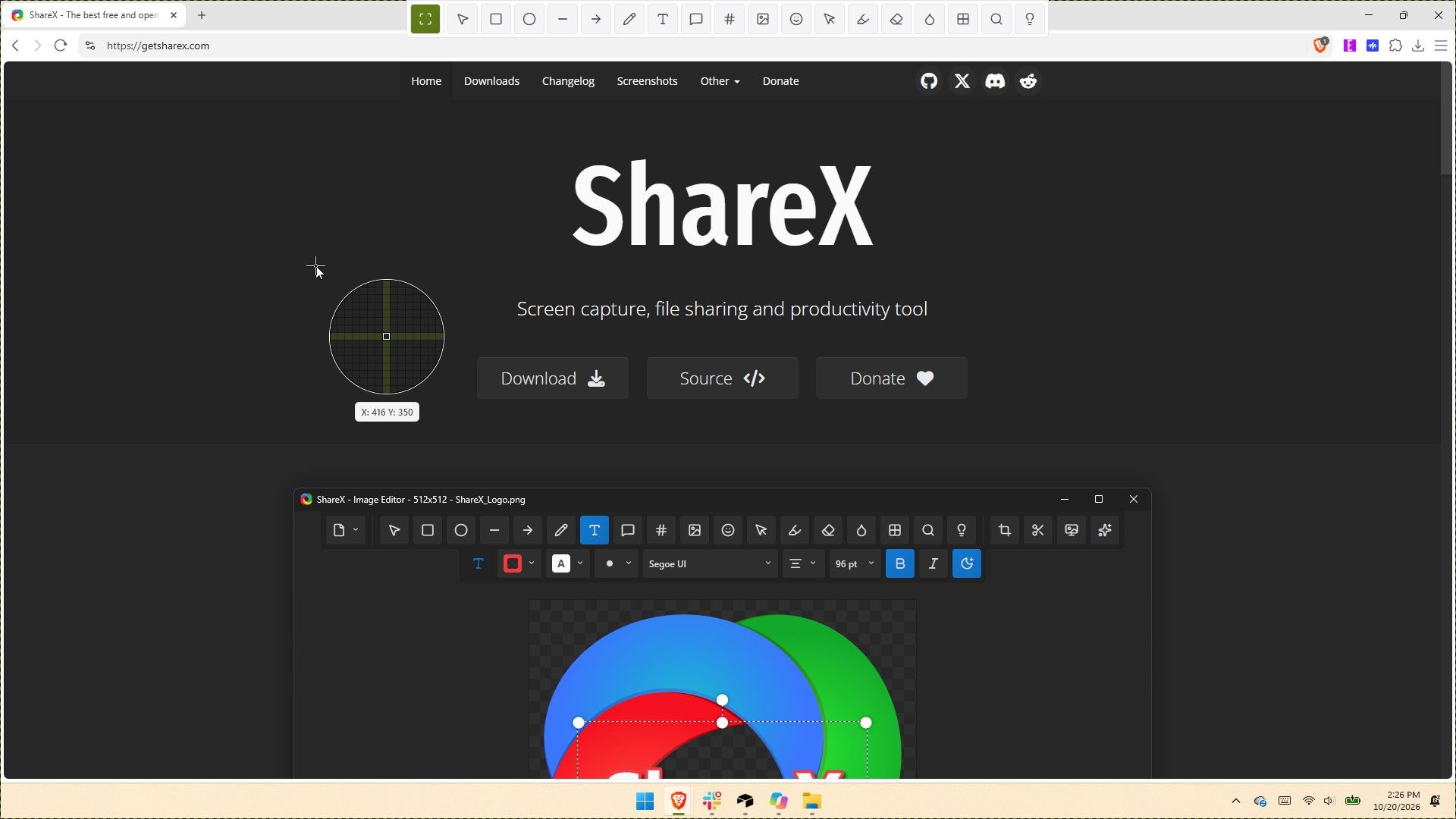
ShareX has been around for almost two decades, but in its 19 years as a screen capture app, it has never received an update as large as the one that just shipped to testers. ShareX version 22.0.0 brings a massive number of changes to a completely overhauled app.

The update adds native screen recording, a new screen recorder bar, and support for recording content at 120 FPS. It also brings a number of quality-of-life changes, such as a restart button for screen recordings and the option to show or hide the screen recorder timer and recording button labels.

Screenshot functionality has also expanded. Several preexisting tools have been redesigned, and new tools have been added as well.

Since the update changes so much, it is expected to be less stable than other releases. But if you'd like to give it a try, you can download the preview of ShareX version 22.0.0.

Here's the entire change log from ShareX:

  • Screen recording changes:
    • Added native screen recording support without relying on FFmpeg, enabled by default. ShareX
      • Added support for recording system audio.
      • Added support for recording microphone audio.
      • Added support for recording camera overlays. ShareX
    • Added a screen recorder bar that allows users to configure recording options before starting a recording: ShareX
      • Start delay.
      • System audio.
      • Microphone.
      • Camera.
      • Cursor.
      • Mouse highlighter.
    • Increased the screen recording FPS limit to 120.
    • Added an "Automatically start mouse highlighter" option for screen recording.
    • Added a "Restart" button to the screen recorder bar and system tray menu.
    • Added an option to show or hide the screen recording timer.
    • Added an option to show or hide screen recording button labels.
    • Recorder devices are no longer bundled.
  • Added HDR screenshot color corrector option (Task settings -> Capture).
  • ShareX installer and assemblies are now code-signed using a certificate provided by Ember Swan. Xenthys
  • Added a warning before running unsigned installers.
  • Added a wide range of new tools and redesigned all existing tools from scratch:
    • Screen & color:
      • Color picker
      • Mouse highlighter ShareX
      • Pin to screen
      • Ruler ShareX
      • Screen color picker
    • Images:
      • Background remover
      • Icon converter
      • Image beautifier
      • Image combiner
      • Image comparer
      • Image converter
      • Image editor
      • Image effects
      • Image resizer ShareX
      • Image splitter
      • Image thumbnailer
      • Image viewer
      • Image watermark
    • Video:
      • Animated GIF maker
      • Animated GIF trimmer ShareX
      • Video converter
      • Video player
      • Video thumbnailer
      • Video trimmer ShareX
    • Data & text:
      • Analyze image
      • Hash checker
      • Index folder
      • Metadata
      • OCR
      • QR code
      • Remote storage browser (supports Amazon S3, SFTP, FTPS, and FTP) ShareX
    • System:
      • Borderless window
      • Clipboard viewer
      • Inspect window
      • Monitor test
      • Network monitor ShareX
    • Added categorized grid layout for tools menu.
    • Added edit button to tools menu to be able to hide or show tools. ShareX
    • Include video files in image history window.
    • Added "Trim video" context menu option to main window and history windows.
    • Added "Trim animated GIF" context menu option to main window and history windows.
    • Added drag-and-drop upload overlay to main window.
    • Added customizable task buttons to bottom of notifications.
    • Added notification button size option.
    • Added search support to setting windows.
    • Upgraded project to .NET 10.
    • Update FFmpeg to 9.0.
    • Added Czech language support.
    • Added Swedish language support.
    • Added Hindi language support.
    • Added Thai language support.
    • Added Danish language support.
    • Translated all newly redesigned ShareX windows into 28 languages from scratch.
    • Improve smart eraser with edge-matching fills.
    • Added easter egg to about window.
    • Added easter egg to image editor. ShareX
    • Added support for Amazon S3 multi-part uploads.
    • Added an option to upload Amazon S3 parts concurrently. CubityFirst
    • Support remote deletion of Amazon S3 uploads.
    • Added img.fish file uploader.
    • Added Immich file uploader.
    • Added MEGA file uploader.
    • Migrate uPaste uploader to API v2.
    • Removed Vault.ooo file uploader.
    • Show start screen on first application run.
    • Added an always on top toggle to the main window title bar.
    • Added a theme toggle to the main window title bar. ShareX
    • Added cursor centered zoom support to image viewer with Ctrl + Mouse wheel.
    • Reset image viewer zoom with Middle click.
    • Added PNG compression level option.
    • Added PNG filter option.
    • Added JPEG chroma subsampling option.
    • Added adaptive quantizer GIF quality option.
    • Added BMP bit depth option.

If you've only used the Snipping Tool on Windows 11, you may be a bit overwhelmed by all of the options within ShareX. But the defaults in ShareX make it easy to start using the app. I've been using CTRL+Print Screen all morning to grab screenshots.

The revamped ShareX is impressive, but the main reason I love the app is that it lets you save screenshots as a JPEG. That's a small feature that's been around for ages, but it still remains unavailable in Snipping Tool.

I've only had ShareX version 22.0.0 for a few hours, but in that time the app has performed quickly. It's so snappy that it feels native to Windows 11. If you take a few minutes to customize ShareX's settings and shortcuts, it can become a powerful tool that justifies running at startup.

ShareX is a free Windows app for screenshots, screen recording, and image editing. It packs dozens of tools for capturing, annotating, organizing, and sharing content from your PC.View Deal

Click to join us on r/WindowsCentral

Join us on Reddit at r/WindowsCentral to share your insights and discuss our latest news, reviews, and more.
Swap Doomscrolling for 5-Minute Lessons With This $50 Learning App

20 octobre 2026 à 07:18

Sharp packs 24 subjects into five-minute lessons with quizzes, streaks, and XP so learning fits a busy day.

The post Swap Doomscrolling for 5-Minute Lessons With This $50 Learning App appeared first on TechRepublic.

I wasn't prepared for how fast Microsoft's new Photos app performs

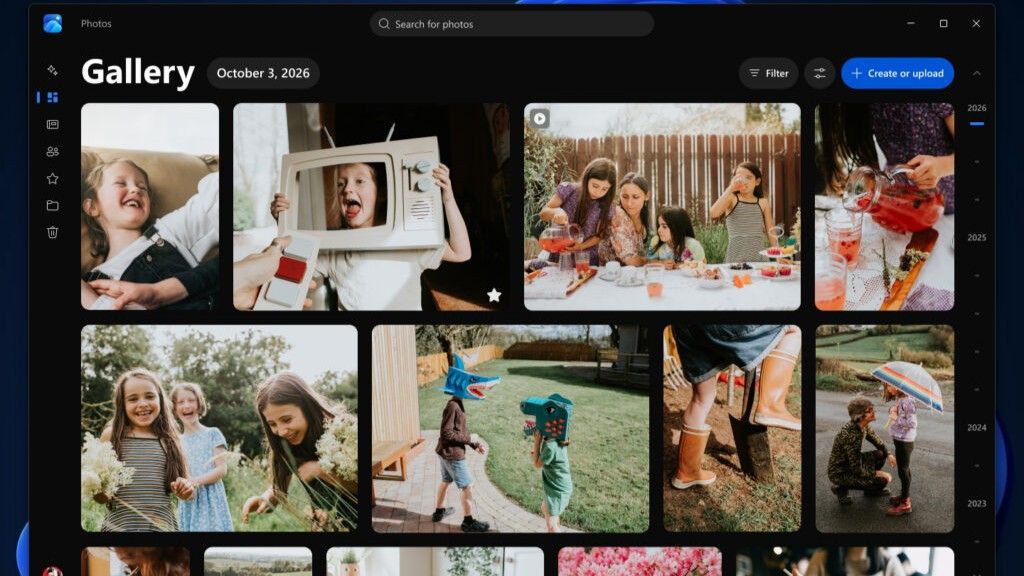
Microsoft's Photos app is about to get a major upgrade. Microsoft recently highlighted how the app is faster, more efficient, and full of new features. The upgraded Photos app will feature a new Gallery, Editor, and Viewer.

Details about the new Photos app were shared in a Microsoft blog post, but images and videos have since shown off the level of improvement we can expect.

Based on early impressions of the app, the new Photos experience could be a go-to way to view and edit images on Windows 11 rather than an app you scroll past after right-clicking and selecting "Open with."

New features

The three main additions to the Photos app are the new Gallery, Editor, and Viewer. Those experiences are designed to, "help you rediscover and organize your collection, give you more capable tools for your favorite shots, and make the everyday experience faster," according to Microsoft.

The new Gallery gathers together photos from your PC, OneDrive, and iCloud into a single space. You can then search for images using text, filter photos to see specific people, or browse Moments created by the app or albums you've organized.

You can use natural language to find images in your gallery, such as searching "sunset at the beach." That saves you the hassle of searching for specific file names.

The new Editor loads 25 percent faster, according to Microsoft. It includes tools to crop, enhance, repair, and stylize photos.

Super excited to ship the new Photo Viewer and Editor! Faster launch times, nearly 50% less RAM used by the Editor, and tons of new features!One detail worth showing off: Photo Viewer is now edge-to-edge. Zoom into a photo and watch it take over the entire window! https://t.co/5mKMO87PVlOctober 15, 2026

Microsoft rebuilt the new Editor from the ground up with WinUI 3, which is the modern framework used to create apps. Notably, only certain parts of the new Photos app are built with WinUI 3.

On top of the normal features you'd expect from an editor, such as cropping an image, the new Photos app has some advanced features like Relight. With that tool, you can add up to three light sources to an image and dynamically adjust lighting in the photo.

Microsoft added support for editing and saving HEIC and WebP images as well as the ability to preserve the color and contrast of HDR photos throughout the editing process.

The new Viewer in the Photos app is also called "native" by Microsoft, though the blog post does not specify that it is built with WinUI 3. It now has better support for HDR viewing and supports more file types, including SVG files.

Speed improvements

I'm excited to try the new features in the Photos app, but the speed of the app is what has stood out to me the most. Diego Baca, Microsoft's Vice President of Design for Windows, shared a video showing the new gallery.

Baca scrolls within the Photos gallery and hundreds of photo previews load instantly. Even when pausing the video, there is only one instance of stuttering or the app having to take a moment to load images.

Photos gallery super fast 👀 🖼️ https://t.co/g4k9W9yhG6October 16, 2026

I thought for a moment I may have been judging the old Photos gallery too harshly, but a quick test put that concern to rest. Scrolling through my gallery on my main PC, which does not have the improved Photos app yet, I can watch thumbnails load one at a time. It's like switching from dial-up internet to broadband.

Microsoft Photos displaying a Gallery view filled with blank thumbnail placeholders as images fail to load quickly.

If I scroll through the old Photos app quickly, I can get an entire page of unloaded thumbnails. (Image credit: Future)

Several parts of the app have been sped up, such as Viewer launching 15 percent faster on average and up to 30 percent faster for HEIC images.

Earlier this year, we covered Microsoft's Rudy Huyn assembling a team to work on Windows apps. We've seen some of the fruits of that team already, but the new Photos app is by far the biggest improvement connected to them.

Click to join us on r/WindowsCentral

Join us on Reddit at r/WindowsCentral to share your insights and discuss our latest news, reviews, and more.
Microsoft Edge may ditch Favorites for Bookmarks

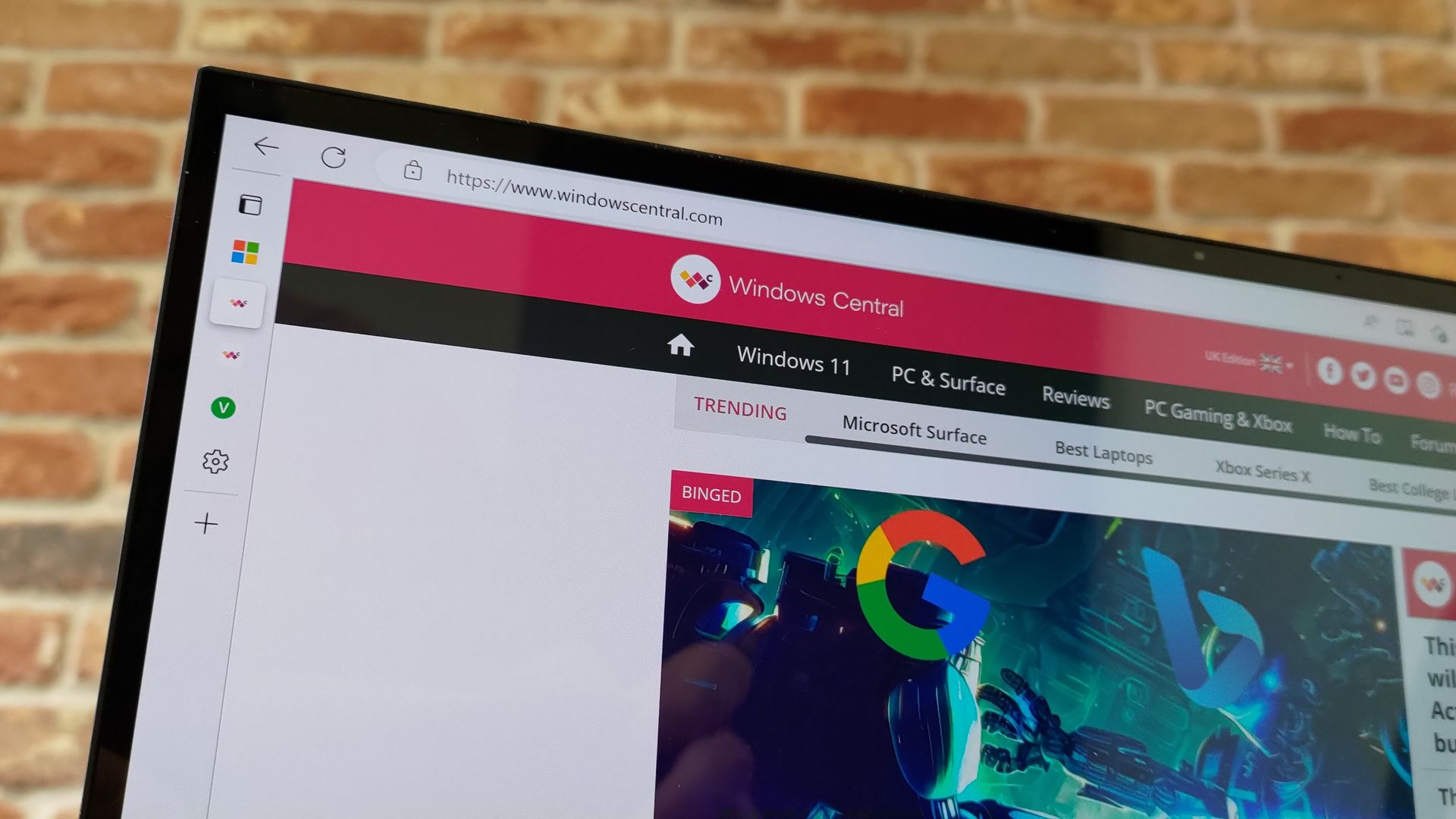
Microsoft Edge may not have a Favorites bar after a future update. The browser may instead feature a collection of bookmarks instead. The change would bring Edge more in line with Chrome, which could help people transitioning from Google's browser to Microsoft's.

The change appears now in the Canary version of Microsoft Edge, which suggests it will make its way to the stable version of the browser at some point in the future. Leo Varela, who tracks changes to Edge and Chrome, spotted the change and highlighted it on X.

Varela also noted that the switch could be made to make Edge appear more like Chrome.

Microsoft might rename "Favorites" to "Bookmarks" in Edge. I suppose this aims to make the browser feel more familiar to users switching from Chrome to Edge. This change is already being tested in Canary: https://t.co/DmBSVj4IQPOctober 15, 2026

I'm curious if people are even aware that Edge has Favorites rather than bookmarks. Even if you click the star icon in Edge to add a site as a favorite and then place that site in the Favorites bar, the user interface looks almost identical to bookmarks in Chrome or other Chromium browsers.

Edge still has a poor reputation

In this photo illustration a Microsoft Edge logo of a web browser developed by Microsoft is seen on a smartphone and a pc screen.

Many people assume Microsoft Edge is a worse browser than Chrome and do not try Edge themselves. (Image credit: Getty Images | SOPA)

This week I was speaking with a friend about Microsoft Edge and was somewhat surprised to hear them say it was a bad browser. I was actually more surprised that they had an opinion of the browser at all.

If you hop into our comment section or into subreddits full of tech enthusiasts, you'll often see people say something to the effect of "Edge is a fine browser; it's basically Chrome with a Microsoft paintjob."

But in my experience, that opinion is not held by non-techy users. In the rare instances that browser preferences come up in my everyday conversations, most people I speak with still connect Edge to Internet Explorer or just assume Edge is worse than Chrome.

I know Chrome gets a lot of hate around these parts, but the reality is that it's the world's most-used browser. Statcounter shows Chrome at a 66.36% market share right now. That tramples second-place Safari, which sits at 18.27%. Edge is in third place with a 6.04% market share.

That picture changes when exclusively looking at mobile devices. Chrome is even more dominant and Edge has essentially no mobile market share.

With Chrome being the de-facto standard for browsing, it's wise to make Edge look similar to Chrome. Microsoft needs to differentiate Edge in some ways, but Favorites versus Bookmarks is not one of them.

Click to join us on r/WindowsCentral

Join us on Reddit at r/WindowsCentral to share your insights and discuss our latest news, reviews, and more.
WhatsApp Tests Scheduled Messages That Send Even When You’re Offline

14 octobre 2026 à 09:31

WhatsApp is testing scheduled messages for Android beta users, allowing texts and media to be delivered later even when the sender's phone is offline.

The post WhatsApp Tests Scheduled Messages That Send Even When You’re Offline appeared first on TechRepublic.

An AI magic wand could be on the way to fix Microsoft Edge

Microsoft Edge appears to have an AI tool on the way that will fix common issues within the browser. A page within the browser's settings app was spotted recently, though only for those using Edge Canary (a preview version of the app).

The feature was first spotted by Leo Varela, who keeps track of changes to Edge and Chrome. Varela noted that the icon for "Fix an issue" is a magic wand, which suggests it could be an AI tool. Microsoft often uses a similar icon to denote AI features.

Early hints of the feature appeared back in May. The latest version of Edge Canary shows a basic interface for the tool, but the feature is not functional yet.

The interface has a text box for describing an issue and also shows a list of four suggestions, such as "Fix videos that won't play" and "Help me sign in."

Edge's new "Fix an issue" settings page now displays a prompt box where you can type what you need help with. There are also four suggestion chips at the top that automatically fill the text field with prewritten prompts. Currently, clicking "Get help" throws an error: https://t.co/DUunhc4FZpSeptember 12, 2026

Earlier this year, Varela discovered the same feature in a different section of Edge's settings. That listing noted that the feature would use AI to analyze relevant diagnostic data to identify an issue and suggest a solution.

It's normal to see features like this bump along through various preview channels, but it's a bit odd that "Fix an issue" does not appear in the AI at Work Roadmap (previously known as the Microsoft 365 Roadmap).

For example, watermarking protection is on the way to Edge and is not expected to ship to the browser for months, but it is already on the AI at Work Roadmap.

Hopefully the new feature ships to Edge eventually. The latest Edge stories have included a bug freezing web apps and Microsoft removing Edge Drop and real-time video translation with an update. It would be nice to cover an addition next time.

Click to join us on r/WindowsCentral

Join us on Reddit at r/WindowsCentral to share your insights and discuss our latest news, reviews, and more.
The AI clone wars have officially reached Microsoft 365

Microsoft has a new competitor, and it's not a big name like Google or Apple. A developer named Brandon Thomas has created open-source replications of Microsoft Word, Excel, and PowerPoint using AI. Thomas made headlines recently for using AI to replicate the Adobe suite, and he has now pointed his AI agents at Microsoft 365.

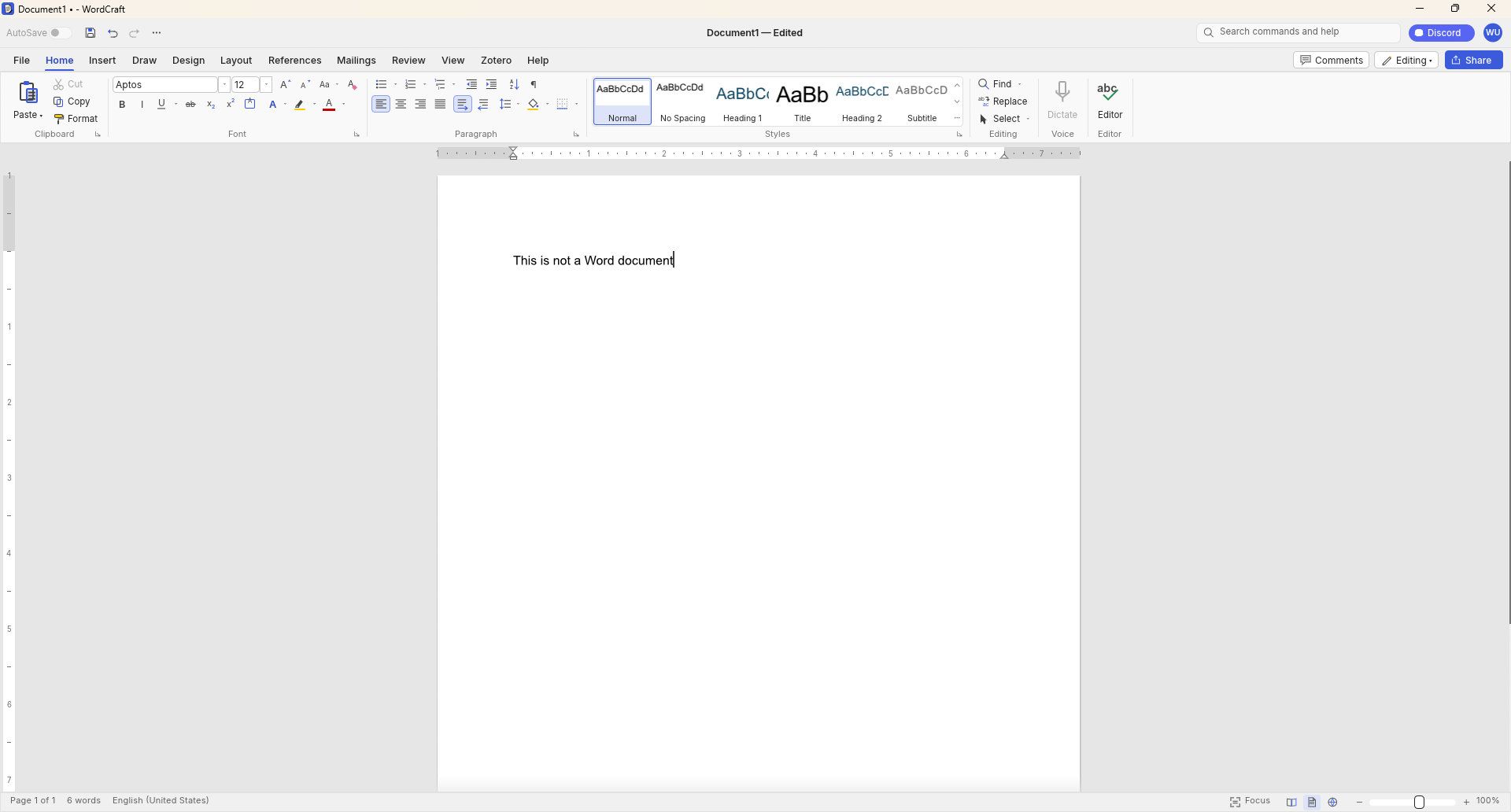
GridCraft (Excel clone), DeckCraft (PowerPoint clone), and WordCraft (Word clone) are made using Claude. They're free to download and you can read more about their development through the ArtCraft GitHub page.

WordCraft document editor running on Windows, showing a blank document with the text

WordCraft uses a familiar ribbon interface and document layout that closely resembles Microsoft Word. (Image credit: Future)

Thomas now has a growing suite of app clones that aim to replicate the functionality and design of the popular suites from Adobe and Microsoft. The situation was summed up brilliantly by Reddit user "EngFL92" who said, "Begun, the clone wars have."

Windows Central take: Proving a point

The concept of replicating apps is nothing new. LibreOffice has been available for years and there are a plethora of apps similar to Word, PowerPoint, Excel, and other Microsoft 365 applications.

WordCraft and other applications made by Thomas are important because they ask the question, "Can AI be used to replace paid industry-leading software suites."

At the moment, I'd say the answer to that question is "no." But the replica Office apps are in the alpha stage of development. We could see the feature gap close and bugs get squashed before general release, assuming Thomas decides to continue the project.

Shut your yap.Open Office / Libre Office sucks.It ate my 40 page essay during finals week.I'm paying back a grudge that has been years in the making.Stop dragging along shitty OSS software and venerating it like it's some holy relic. Let it die.October 13, 2026

Projects like this often gain notoriety quickly as they get shared online. Microsoft and Adobe are tech giants that charge a lot of money to access software. They're easy targets and I believe some of the passion against the companies is justified.

Thomas said on X that they're "paying back a grudge that has been years in the making," so there seems to be some history there.

Quite the media frenzy has formed around these apps. I suppose I'm a part of that, but I think some outlets have gone too far and argued that the AI-coded clones of the Adobe and Microsoft 365 suites are further along than they really are.

I appreciate the dedication to create apps that compete with some of the best-known software around. Projects like this can demonstrate that some people don't need to pay monthly subscriptions for their entire lives to get work done. But I'd suggest pumping the brakes on narratives along the lines of "vibe coding takes down tech giants in a month."

Click to join us on r/WindowsCentral

Join us on Reddit at r/WindowsCentral to share your insights and discuss our latest news, reviews, and more.
Microsoft is changing how developers build Windows 11 apps

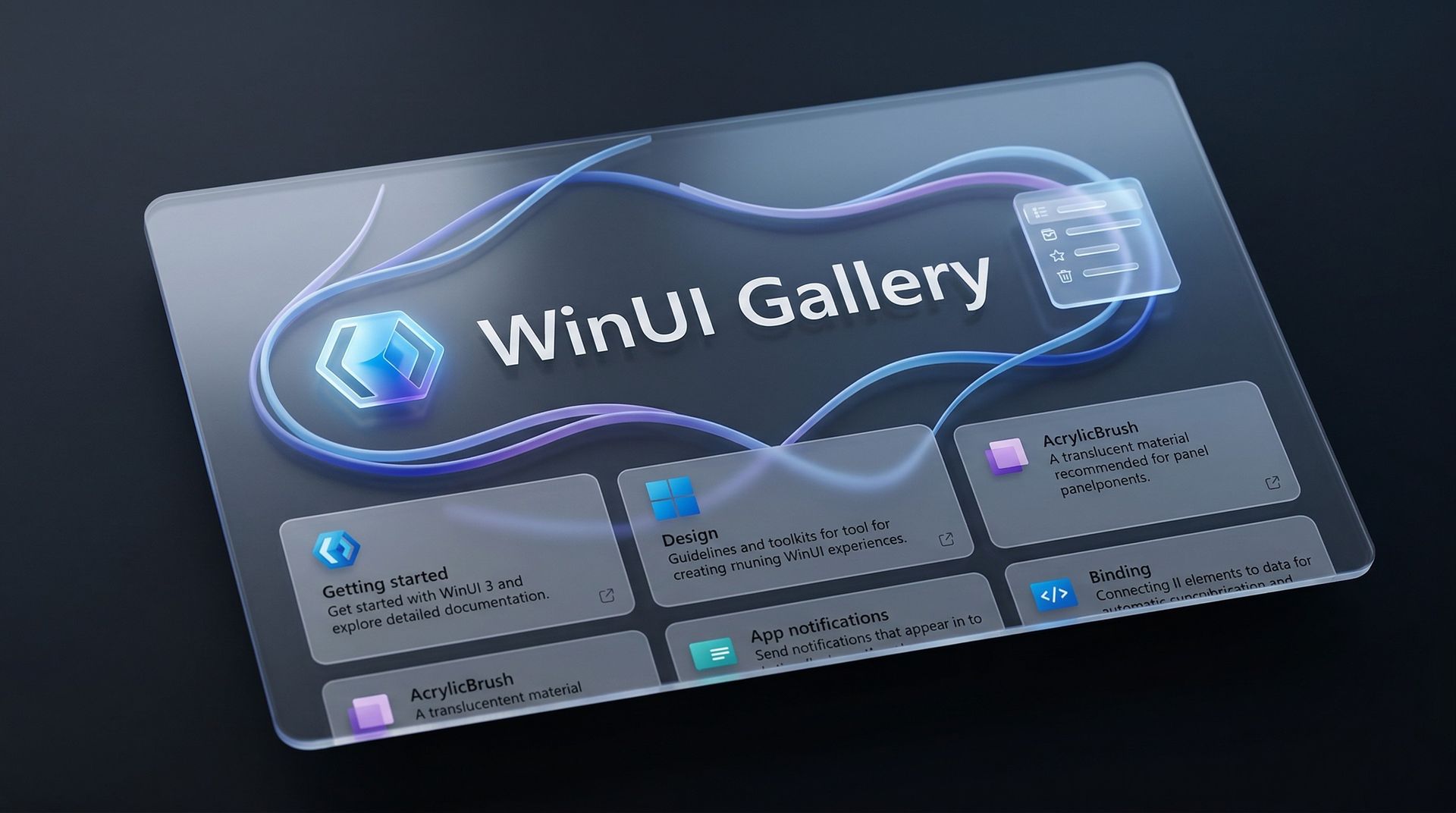
Microsoft's blueprint for making Windows 11 apps has received an update that allows developers to try more experimental features. WinUI Gallery just received a bump to version 3.0, and with that update comes a new approach to experimental features.

WinUI Gallery is Microsoft's sample app for developers, showing how Windows UI components work and helping app makers build software that looks and behaves like a native Windows 11 application. It's available through the Microsoft Store.

WinUI Gallery used to receive new controls after those controls had reached a stable Windows App SDK release. Because of that, Microsoft was limited in how much it could change those controls based on feedback. WinUI Gallery now includes the experimental Windows App SDK so developers can play with new controls earlier and provide feedback to Microsoft in time to drive changes.

🚀 WinUI Gallery 3.0 is here!Starting with this release, we're embracing Experimental versions of the Windows App SDK, giving you earlier access to new control/API samples so you can try them out more easily, share feedback, and help shape what's next!And this release is packed with new controls! 🚀✒️ Inking in WinUI!!📑 TableView📊 Charts🔢 Pagination control🪟 Simpler windowing APIs🎁 WrapPanel and StackLayout✨ And much more!Learn more👇:https://t.co/srgiSPUI29October 13, 2026

WinUI Gallery 3.0 also adds some quality of life changes that are outlined by Niels Laute, a Senior Product Manager at Microsoft:

  • Mouse back and forward buttons now navigate through the Gallery, just like in your browser (#2195), thanks @hoshiizumiya!
  • Search finds more. Every control page now has search tags, so searching for terms like “context menu”, “carousel”, or “WCAG” finds the right page even when the query doesn’t match the control’s name (#2185).
  • No more dead ends. When a search has no results, you now see your query, a few search tips, and a button to view all samples (#2255), thanks @Zakariathr22!

Since experimental controls are now in WinUI Gallery 3.0, there are several new samples available in the app, including TableView, Charts, and Wrap Panel and LayoutPanel. Those controls allow apps to present data in a way that's easier to digest.

WinUI Gallery is an app that everyday PC users will likely never download or even see. But it's an important tool for developers who want to create modern applications. The latest update should lead to more quality apps being available on Windows 11.

What is WinUI Gallery?

WinUI Gallery is a developer tool that acts as a digital showroom for Windows app development. Developers can see what UI elements look like on a PC by using the app and see relevant code samples to help create applications that align with Microsoft's design framework and guidelines.

Microsoft has had some form of a digital showroom since 2018, but the app has gone through a few name changes. Its current name is a bit confusing because of similar terms being used in different settings.

The latest update to WinUI Gallery brings that app to version 3.0, so it's referred to as WinUI Gallery 3.0. But despite the similar name, that is different than WinUI 3, which is the framework developers currently use.

Regardless of its slightly confusing name, WinUI Gallery is a useful tool for app development and helps push developers toward making apps that perform well and appear natural on Windows 11 PCs.

Click to join us on r/WindowsCentral

Join us on Reddit at r/WindowsCentral to share your insights and discuss our latest news, reviews, and more.
Apple Creator Studio Update Adds New Final Cut Pro, Pixelmator, and Freeform Features

12 octobre 2026 à 09:43

Apple's Creator Studio update brings new Cinematic video editing, Pixelmator selection tools, and Freeform AI features, alongside important subscription restrictions.

The post Apple Creator Studio Update Adds New Final Cut Pro, Pixelmator, and Freeform Features appeared first on TechRepublic.

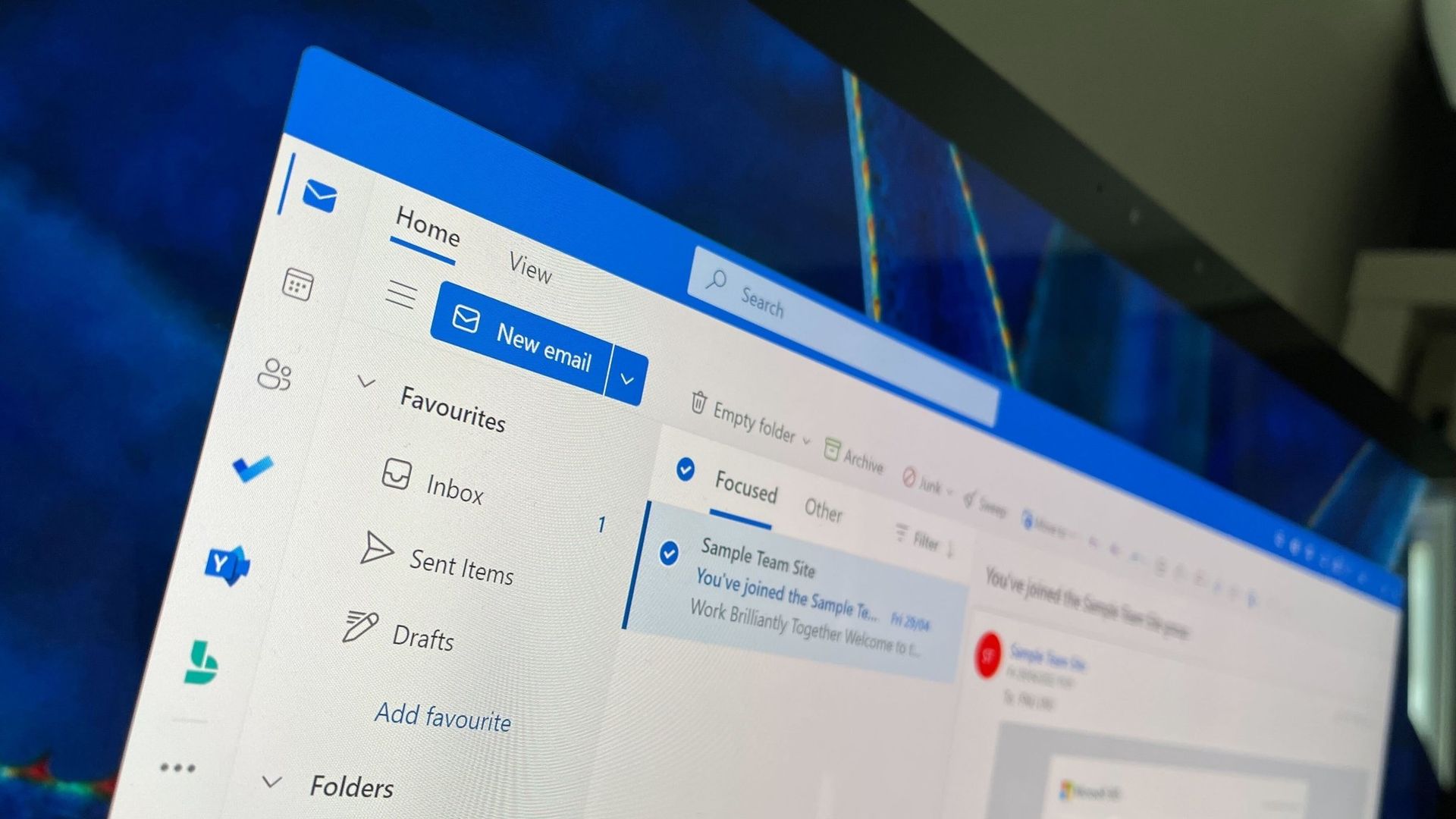
New Outlook will soon check emails for spelling mistakes before they are sent

Microsoft Outlook will soon be able to save you from a costly mistake in an email. An upcoming feature will automatically spell check your emails before sending them.

Of course, Outlook already has a built-in spell check feature that highlights misspelled words and other mistakes. The new feature adds another layer of proofing by checking for spelling errors before an email is sent.

While spell check catches many mistakes as you type, it's easy to miss a typo in a long email or make an error when responding to messages. Running a final spell check before sending provides one last opportunity to catch mistakes before an email is delivered.

"If you don’t want to check spelling manually for every message—or you’re worried you might forget!—you can set Outlook to check spelling for you every time before sending emails," explains Microsoft through the Microsoft 365 Message Center (archived here).

When enabled, Outlook will review your message before it is sent and flag spelling issues that should be corrected.

The new spell check feature is expected to start rolling out mid-November, but it won't reach everyone until early December. Users in Targeted Release will be able to use the feature as soon as this month.

The new Outlook feature will sound familiar to those who have used Outlook for a long time. Classic Outlook already has the ability to check spelling before an email is sent through the "Always check spelling before sending" setting. Now, the same functionality is on the way to new Outlook.

Microsoft has spent the last several years bringing features from classic Outlook to new Outlook. Microsoft's latest update is another step toward feature parity between the two versions.

Are there any features you rely on that are still missing from new Outlook? Let us know in the comments.

Click to join us on r/WindowsCentral

Join us on Reddit at r/WindowsCentral to share your insights and discuss our latest news, reviews, and more.
PowerToys gets a gorgeous new welcome screen — other apps should take notes

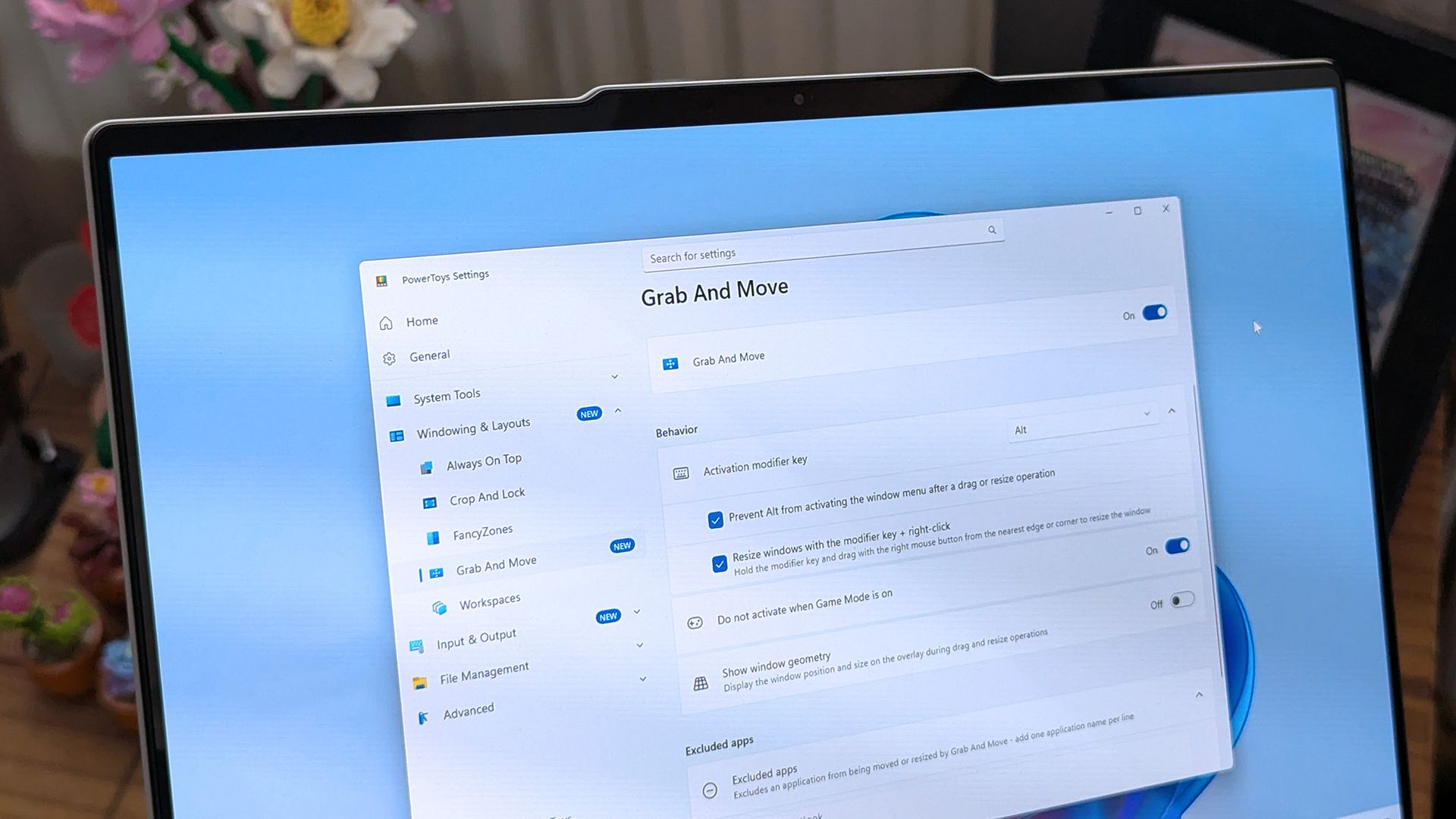
PowerToys is one of my favorite Windows apps, and the Windows Central team follows the app's development closely. Normally, I highlight new PowerToys utilities or the favorite additions of the main man behind PowerToys. But sometimes the layout of PowerToys deserves a highlight.

A new Welcome screen is on the way to PowerToys, and it's so gorgeous that I'm a bit disappointed that most people will only see it when initially installing the app. The engaging out-of-box-experience (OOBE) uses a Windows feature called Composition, allowing it to render at 60 FPS. The clip shared on X by Niels Laute doesn't quite do the welcome screen justice due to compression, but the animation is still impressive.

Composition 🤤October 5, 2026

This is more than just a fun animation. Creating a usable user interface that also performs well is much more difficult than creating a mockup.

Similarly to how PowerToys acts as a playground for developers to make features that occasionally get integrated into Windows 11, the new welcome screen showcases something WinUI apps can do.

Laute highlighted that the new welcome screen relies on Composition, which sits below WinUI. Developers can use it to render visual effects, and it can also manipulate UI controls because of how performant it is. If you use the Microsoft Store, you've likely seen animations that rely on Composition without realizing it.

A pull request on GitHub discusses the welcome screen in more detail. A Microsoft support document details the layers of Windows 11 and how Composition plays a role.

I admit that swooning over fluid animations and interactive welcome screens is a bit nerdy. Millions of Windows 11 users will never notice what type of animation an app has. But attention to detail adds up and creates a better overall experience.

Earlier this year, I argued that faster performance won't save Windows 11 if Microsoft's apps are laggy web wrappers. The new welcome screen of PowerToys is a small change to users that would go a long way if extended to other Microsoft apps.

PowerToys | Free at GitHub | Free at Microsoft Store

This collection of utilities includes a large library of features to enhance the Windows experience. PowerToys is designed with power users in mind, but it has handy features for people who just use their PC for everyday computing too.

Click to join us on r/WindowsCentral

Join us on Reddit at r/WindowsCentral to share your insights and discuss our latest news, reviews, and more.
Reddit Is Killing RSS and Public API Access: What Changes and When

2 octobre 2026 à 12:01

Reddit is retiring RSS and its remaining public Data API access, giving moderators, app developers, and organizations several migration deadlines.

The post Reddit Is Killing RSS and Public API Access: What Changes and When appeared first on TechRepublic.

uBlock Origin broke on Edge, so I finally quit the browser

It finally happened. Earlier this week I opened Microsoft Edge and was inundated with ads. After months of warnings, uBlock Origin stopped working for me in the browser, leaving me with a choice to make: either find an alternative way to block ads in Edge or switch to a different browser.

To be transparent, I only block ads on certain websites. In fact, Windows Central is the primary reason I use an ad blocker at all. I've used uBlock Origin for years to ensure my articles appear clean and clear to our readers.

Ads help pay my bills, so I'm keenly aware that they're an important part of the web (and my life). I whitelist sites I browse regularly and often leave ad blocking disabled as I look around online. But sometimes I want to see what an article looks like with just the text and images I've placed directly. In other instances, I want to take a clean screenshot of the site for an article.

I relied on uBlock Origin for a long time and appreciated its granular controls. I was able to block certain items while approving others. For example, ad blockers sometimes falsely flag product blocks in an article. I appreciate that readers may not want to see a block about a laptop in a random piece, but if an article is literally about a specific Surface becoming available, it makes sense to show a way to purchase the PC.

I've known about the impending end of uBlock Origin for ages. Google transitioned away from Manifest Version 2 (MV2) extensions years ago and we knew Edge would follow suit. MV2 is required for a core functionality of uBlock Origin: intercepting requests.

Plenty of ad blockers still work on Microsoft Edge and even Google Chrome, but they function differently than uBlock Origin. Rather than intercepting requests and blocking them, many ad blockers simply mask ads. There are also limitations of what a Manifest Version 3 (MV3) extension can do, so even uBlock Origin Lite falls short of its "full fat" sibling.

I had toyed around with switching browsers anyway. The end of uBlock Origin on Edge gave me a clean break. I initially looked at Brave because the makers of the browser have committed to keeping MV2 extensions alive. But after installing the browser, I tried using Brave Shields for a bit and found them to be quite effective.

Brave Shields also intercept network requests for ads, so blocking ads also speeds up site performance. That means I can quickly check an article, proof it or confirm it's laid out correctly, then get back to work.

Similarly to uBlock Origin, Brave lets me block specific elements with a couple of clicks. It lacks the satisfying zapper of uBlock Origin, but Brave's tools are still effective.

I'm going to just use Brave Shields for now, but knowing I could fall back to uBlock Origin if needed is comforting.

Click to join us on r/WindowsCentral

Join us on Reddit at r/WindowsCentral to share your insights and discuss our latest news, reviews, and more.
Stardock's new Snipboard app aims to fix clipboard management on Windows 11

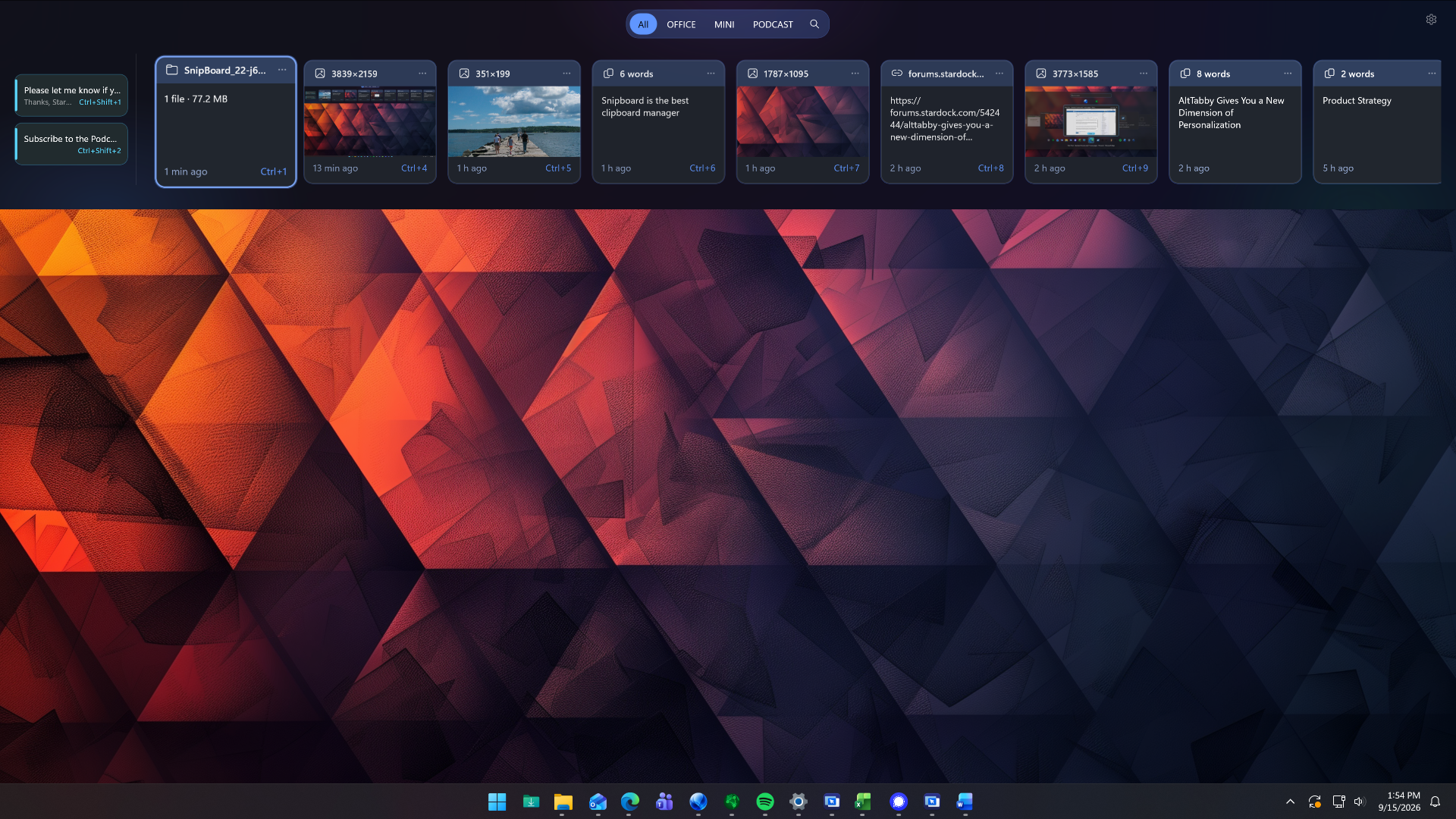
Stardock just unveiled a new app that could potentially replace the clipboard on Windows 11. Snipboard is a clipboard dock that can be pinned to any side of your screen. It supports searching your clipboard history, pinning frequently used content, and copying and pasting content across multiple PCs.

Snipboard is available as part of Object Desktop, which starts at $49.99 for an annual subscription. After Snipboard leaves beta, you will also be able to purchase it separately.

I received early access to Snipboard, but I've only had the app for about one day. So far, it's very promising and I look forward to exploring it more. Core functionality is consistent and I appreciate some of the smaller features within the app.

Icon for Stardock's Object Desktop software suite.

Stardock
Object Desktop

This productivity suite includes several apps to customize your PC and improve your workflow. It includes apps like Groupy for tab management and Start11 for customizing your Start menu. Now, it also includes the beta version of Snipboard.

When you view an item within Snipboard, you can click the ellipsis icon to see more pasting options. Among those are UPPERCASE and Keep formatting. Some apps have shortcuts for similar features, but having those shortcuts available within all apps is nice.

Other options include the ability to exclude specific applications and a Temporary mode that stops any content from being sent to other devices.

The general concept of Snipboard is not new. I covered an app called Edge Drop a few months ago that has a similar look and feature set. Snipboard feels more robust at this point, but it is made by Stardock as opposed to Edge Drop being made by a single developer.

One way that Edge Drop beats Snipboard is with drag and drop support. You can drag items into or out of Edge Drop's dock, including text or files. I'd love to see the same thing added to Snipboard.

Blank Pixel

Click to join us on r/WindowsCentral

Join us on Reddit at r/WindowsCentral to share your insights and discuss our latest news, reviews, and more.
How to upscale videos to 4K with Clipchamp

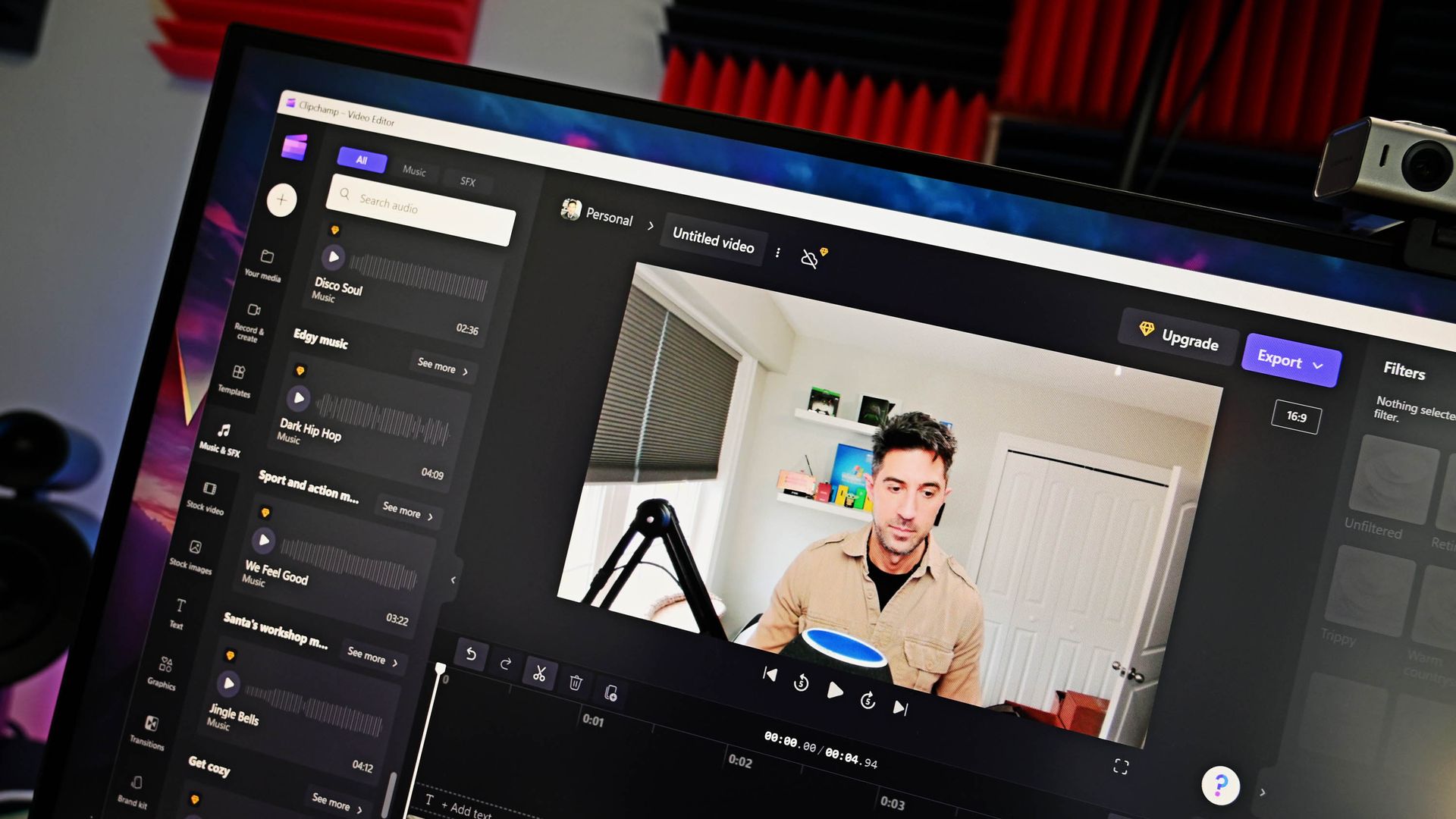
Clipchamp is the built-in video editor on Windows 11, and it has a surprisingly impressive feature list. A recent blog post by Microsoft outlines how to upscale videos to up to 4K by using Clipchamp. I've tested the feature and came away impressed.

You won't be able to take terrible footage and fix it by clicking a button in Clipchamp, but that would be an unreasonable ask of the app. What you can do is adequately scale up footage to make it viewable on larger displays or screens with a higher resolution. I tried a few different types of clips, including some with high contrast and others with objects in motion. Overall, Clipchamp handled them well.

Clipchamp upcales video by using AI-powered Video Super Resolution. The feature increases the resolution of a selected clip and adds details to make content look clearer. Upscaling is done locally on eligible Windows devices.

If you have a Copilot+ PC or a PC with a compatible NPU, Video Super Resolution will rely on that processor. But the feature can also work on compatible CPUs even if your device does not have an NPU. For example, my laptop has an 11th Gen Intel Core i9 (11950H) and an NVIDIA GeForce RTX 3070, and it was able to upscale clips in Clipchamp.

Here's how to upscale footage using Clipchamp:

  1. Import a piece of video into your timeline. This can be done by selecting Import media.
  2. Drag the clip into the timeline of your project.
  3. Select the clip you would like to upscale.
  4. On the right side of your screen, select the Upscale icon.
  5. Select the resolution you would like to upscale your clip to.
  6. Select Upscale.

If you don't like the result, you can restore the original clip with a single click. Note that there is no method to upscale an entire project at this time. Instead, you need to upscale specific clips.

Clipchamp is a surprisingly controversial video editor. Microsoft drew criticism by adding a requirement to use a Microsoft account to edit projects within the app. I don't like that requirement and think Microsoft could do more with Clipchamp, but if you're willing to jump through the company's hoops, Clipchamp is a capable video editor. That's even more true now that it can easily upscale videos.

Blank Pixel

Click to join us on r/WindowsCentral

Join us on Reddit at r/WindowsCentral to share your insights and discuss our latest news, reviews, and more.
Microsoft addresses Excel’s copy/paste regression but the fix barely reaches most users

Earlier this week, Microsoft confirmed a bug in Excel that breaks copy and paste. The issue was caused by the Patch Tuesday September update. That update included almost 1,000 security fixes, but it also brought some pesky bugs to the operating system.

Microsoft had to issue an out-of-band update to address broken Hyper-V Linux folder shares, Remote Desktop freezes, and USB audio failures. The company has also had to ship an update to address the copy and paste bug in Excel.

Unfortunately, the update is rather limited at this time. The fix is only for Excel 2016 and it has some known issues. Microsoft notes that if a workbook contains conditional formatting paste operations may continue to fail. The workaround to this is to use the "Paste Special" feature. Microsoft outlines the steps in a support document:

  • On the Home tab, select the Paste dropdown list, and then select Paste Special.
  • In the Paste Special window, select one of the following options:
    • Formulas
    • Formulas & Number Formatting
    • Values
    • Values & Number Formatting
    • Link

Microsoft is still looking into the issue and will hopefully have broader fixes soon.

Windows 11 is in the middle of a refresh that will reduce pain points in the operating system. One of the many ways Microsoft will improve Windows 11 is by smoothing the update process. People are supposed to get fewer updates each month and have updates with fewer bugs.

At least in September, that has not been the case and there is clearly still a lot of work to do. I've had to install three updates on my PC in just over one week. In my case, the second and third updates were only needed to fix problems caused by the first update.

Blank Pixel

While issues like the Excel copy and paste bug are frustrating, they usually affect a small subset of users. I happened to be in that group this month, but I don't believe this was a widespread problem.

Hopefully we will reach a point at which a monthly Patch Tuesday update plugs security holes and improves the OS without introducing any bugs that break workflows.

Click to join us on r/WindowsCentral

Join us on Reddit at r/WindowsCentral to share your insights and discuss our latest news, reviews, and more.
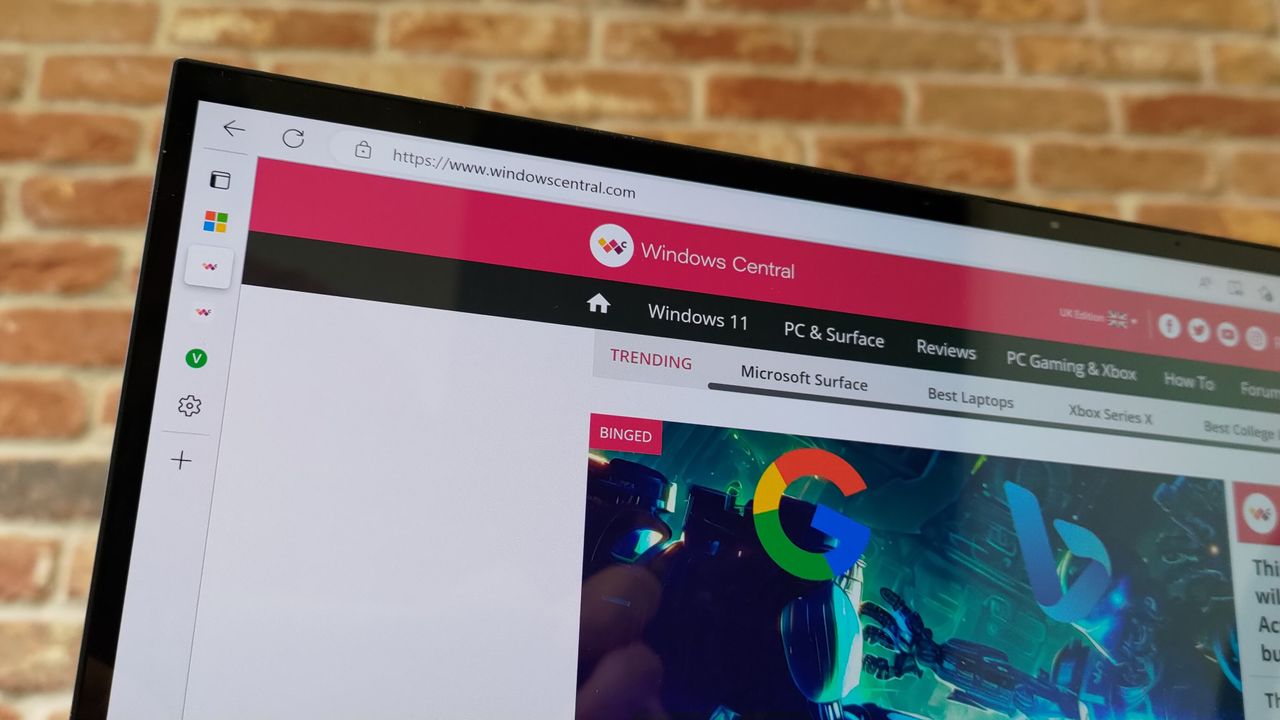
Microsoft Edge's latest update is freezing web apps

If web apps are freezing on your PC, you're not alone. A recently discovered issue in Microsoft Edge can cause a window to freeze and stop responding to mouse or keyboard input.

The bug rolled out in Microsoft Edge version 153, which recently shipped to general users. Microsoft confirmed the issue and recommended rolling back to Microsoft Edge version 152 as a workaround.

As much as I love a good native app, I use quite a few web apps to get work done. For several popular services, web apps are either the only option on Windows or the official apps for those services are just wrapped web apps.

Unless a wrapped web app provides additional functionality, I prefer to just use the corresponding web app within my browser of choice. For example, I can organize Slack and Airtable in browser tabs by using their web apps rather than download dedicated apps through the Microsoft Store.

An added bonus of a browser-based setup is that I can toggle between browser instances by pressing Alt+` since I use Window Hopper in PowerToys.

If your web apps are freezing, you could also bypass the issue by using a different browser. Microsoft wouldn't recommend that, of course, but Chrome, Firefox, Brave, and other popular browsers all support web apps.

If you choose to revert Edge to its previous version, you'll have to jump through a few hoops. Unfortunately, you can't just click a toggle to go back. Even downloading a file containing a previous version still takes some extra work to install. Microsoft outlines the process on its website:

  1. Disable Microsoft Edge Updates.
    1. Open the local Group Policy Editor and go to Computer Configuration>Administrative Templates>Microsoft Edge Update>Applications>Microsoft Edge>.
    2. Select Update policy override and then select Enabled.
    3. Under Options, pick Update disabled from the Policy dropdown list.
  2. Get the MSI.
    1. Download the MSI for the version you want to roll back to from here.
    2. Save the MSI to your desktop.
  3. Run the rollback command.
    1. Open the Windows command prompt with Run as administrator.
    2. Type the following command, where: C:\Users\username\Desktop\test is the path to the MSI you downloaded, and FileName is the name of the .msi file:
       C:\Users\username\Desktop\test>msiexec /I FileName.msi /qn ALLOWDOWNGRADE=1
    3. Close and reopen Microsoft Edge to verify that the rollback worked. Under Settings and more (ALT + F), go to Settings and select About Microsoft Edge.

Blank Pixel

Click to join us on r/WindowsCentral

Join us on Reddit at r/WindowsCentral to share your insights and discuss our latest news, reviews, and more.

AI Vibe coding is moving so fast Microsoft had to overhaul how it reviews Edge extensions

Windows and Windows Phone users struggled with the app gap for years, often leading to frustration when their favorite app was unavailable. But recent advances in AI have led to a different kind of problem: an explosion of development. Microsoft recently shared the challenges caused by AI accelerating the development of extensions for the Edge browser.

"How do we keep up with the pace at which the ecosystem is growing, while maintaining a high bar for quality?" asked Microsoft's Edge team.

Microsoft approves extensions that appear in the Edge Add-ons site. Since AI can speed up the process of developing or updating apps, Microsoft has more submissions to take care of. To better handle the workload, Microsoft has automated some validation checks for extensions.

The company emphasizes that it still has the same standards for an extension to pass. The automation centers around common problems so humans can focus on more complex cases.

If an extension passes enough quality checks, it will earn a "Featured" badge in the Edge Add-ons site. Microsoft now refreshes Featured badges every 15 days.

"With this more frequent cadence, high-quality extensions can earn recognition sooner, and developers receive faster feedback on their investments in quality," said Microsoft. "At the same time, users benefit from a more up-to-date view of the extensions that meet our quality standards."

Blank Pixel

uBlock Origin on Microsoft Edge

The Edge Add-on site is receiving more submissions and updates due to AI, but uBlock Origin is still going away. (Image credit: Future)

Edge extensions have come a long way. The browser first required developers to put in a lot of work that was exclusive to Edge. That changed when Edge was relaunched as a Chromium browser. That switch greatly improved compatibility and resulted in more extensions being in the Edge Add-ons site.

Being based on Chromium also comes with some downsides, however. Microsoft is following in the footsteps of Google by moving from Manifest V2 to Manifest V3. There are a variety of effects of that change, but the one many care about the most is it means uBlock Origin will no longer work on Edge (it already does not work on Chrome).

Microsoft revamped the Edge Add-ons site with a better browsing experience and new categories last year. The new site shows better suggestions as you type and lets you install extensions without having to jump to a different page.

With that refresh and the recent uptick in extension submissions, it should be easier than ever to find a quality extension.

Click to join us on r/WindowsCentral

Join us on Reddit at r/WindowsCentral to share your insights and discuss our latest news, reviews, and more.
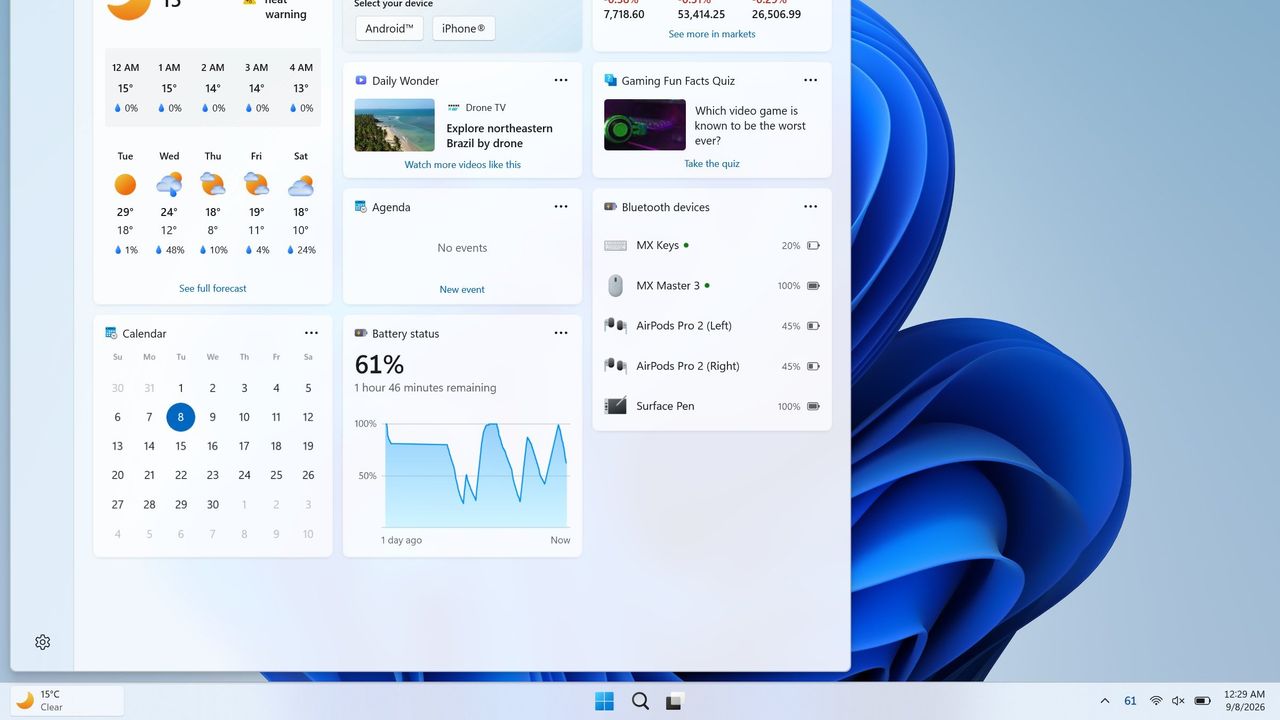
You don't have to wait for Microsoft to get a battery widget on Windows 11

Windows 11 will soon feature a Battery Status widget that you can pin to the Widget Board or your PC's lock screen. The feature is still in the works at the moment, but you don't have to wait for it to be finished. Third-party app "Battery Flyout" already supports a Battery Status widget and is available right now.

Just like Microsoft's widget that's in progress, Battery Flyout's widget shows the battery status of your PC and connected devices. It's a quick way to check if your keyboard, mouse, or other accessories are charged.

The Widget Board has been underutilized since it launched in 2021. There are fewer than 100 widgets available, many of which are tremendously niche. I hope the existence of the Battery Status widget indicates that Microsoft is going to invest the time needed to grow the library of Windows 11 widgets.

Microsoft has made some other improvements to the Widget Board lately, such as turning off the MSN feed by default. I hope this is a turning point for the feature. If not, at least we can rely on third-party developers to use the space.

Battery Flyout already has it 😉 https://t.co/hxFqHSJJxJSeptember 8, 2026

If you had a previous version of Battery Flyout installed, you may need to update the app before being able to use the widget.

As a built-in feature of Windows 11, the Battery Status widget will be available for free. Battery Flyout costs $3.19 (on sale from $3.99). But some lucky Windows Central readers will be able to get Battery Flyout for free. The app's developer shared a code for a giveaway and I'll run that on the r/windowscentral subreddit. Make sure to subscribe there and keep an eye out.

Battery Flyout lets you monitor the battery life of your Windows 11 PC and connected Bluetooth accessories, including mice, keyboards, and pens. It features a dedicated widget for the Widgets Board, native ARM64 support, and detailed power usage insights.

Click to join us on r/WindowsCentral

Join us on Reddit at r/WindowsCentral to share your insights and discuss our latest news, reviews, and more.

This No-Code App Builder is Only $100 for Life

7 septembre 2026 à 07:59

Swiftspeed's AI app builder lets teams ship native Android and iOS apps with no coding and no developer hire.

The post This No-Code App Builder is Only $100 for Life appeared first on TechRepublic.

❌