❌

Vue normale

  • ✇Yanko Design
  • Open-Plan Offices Killed the Private Desk, and This Pod Brings It Back
    Most office furniture solves privacy by sealing someone off completely: four walls and a door that shuts out everyone else, along with any sense of connection to the room. The Seed Pod skips that tradeoff. It wraps a single desk and seat inside a radiating fan of white wooden slats, open enough to see through, dense enough to feel like a room of your own. That slat pattern isn’t just decorative. Vertical wooden ribs curve outward from a tall arched spine at the back, fanning shorter toward the
     

Open-Plan Offices Killed the Private Desk, and This Pod Brings It Back

Par : JC Torres
7 septembre 2026 à 12:20

Most office furniture solves privacy by sealing someone off completely: four walls and a door that shuts out everyone else, along with any sense of connection to the room. The Seed Pod skips that tradeoff. It wraps a single desk and seat inside a radiating fan of white wooden slats, open enough to see through, dense enough to feel like a room of your own.

That slat pattern isn’t just decorative. Vertical wooden ribs curve outward from a tall arched spine at the back, fanning shorter toward the open front, so the whole structure reads like something caught mid-bloom rather than a static box. Gaps between each slat let light and sound pass through freely, creating enclosure without ever fully cutting the occupant off from whatever’s happening around them.

Designer: Michael Jantzen

Step inside and a bright green bench seat waits at the center, paired with built-in storage tucked into the lower walls on either side. Small wedge-shaped shelves hold whatever a workday requires nearby, papers, supplies, a bag, without eating into the already compact footprint. The contrast between crisp white slats outside and that saturated green interior gives the whole thing a distinct, almost botanical identity rather than reading as generic office equipment.

A sliding desktop surface handles the actual work. Sized specifically for a laptop, it can be repositioned to different spots under the main desk, adjusting to whatever posture or task someone needs at that moment rather than locking them into one fixed arrangement. Slide it back, and the same space clears out for someone to step in or out without maneuvering around a stationary tabletop.

Mobility matters just as much as the seating arrangement. The entire structure sits on wheels and plugs into any standard electrical outlet nearby, meaning it can roll into a corner of a shared office floor one week and relocate to a quiet spot at home the next. Nothing about setup requires special wiring or a dedicated room built around it.

Picture an open-plan office where video calls and side conversations blur together constantly, or a home where the only quiet corner left is also the one everyone walks through. Rolling a Seed Pod into either space carves out somewhere to actually concentrate, without requiring a renovation or a door that locks. Multiple units can sit side by side too, each occupant getting their own pocket of focus inside a shared room.

What makes the design work is restraint rather than enclosure. The slats do the job walls usually do, marking a boundary, without asking anyone to give up daylight, airflow, or the sense of still being present in the room they’re sitting in.

The post Open-Plan Offices Killed the Private Desk, and This Pod Brings It Back first appeared on Yanko Design.

I can't believe Microsoft is this desperate to push AI — its latest rebrand reeks of corpo speak

The Microsoft 365 Roadmap is gone. This week, the site was rebranded as the "AI at Work Roadmap." The baffling change raises questions about what's going on at Microsoft and why its leaders think they can label anything as AI.

The roadmap lets you track features and updates to a variety of apps and services from Microsoft. Microsoft justifies the name change by highlighting that the roadmap now includes features from Dynamics 365, Power Platform, and Dataverse as well.

But the AI at Work Roadmap still details plans for thousands of features that have nothing to do with AI.

Neowin's Usama Jawad shared an editorial on Microsoft's latest rebrand already, and I'll echo some of the same thoughts. But some decisions are so astonishingly stupid that they require editorials from multiple outlets.

The name isn't even accurate

Microsoft Teams app seen displayed on a smartphone screen and a Microsoft Teams logo on a laptop in the background.

The "AI at Work Roadmap" lists hundreds of features that have nothing to do with AI. (Image credit: Getty Images | SOPA Images)

Microsoft is so eager to push AI that its decision makers have not even considered if the new name of the Microsoft 365 Roadmap is accurate. Yes, the roadmap includes AI features across the Microsoft 365 suite. It also now outlines changes to Dynamics 365, Power Platform, and Dataverse.

But there are a massive number of features discussed in the roadmap that do not use AI in any way. Let's look at the entries that appear on the "AI at Work Roadmap" when filtered to list anything new or updated within the last week.

  • Microsoft Teams: Coordinated meetings support on Teams Rooms on Android
  • Outlook: Manage multiple inbox rules at once.
  • Microsoft Teams: Hide organizer name in the calendar view on Teams Panels and MTR-A
  • Microsoft Teams: Breakout room support on Teams Rooms on Android
  • Microsoft Teams: Report a message or an external user for security concerns in Gov clouds.

As far as I can tell, none of those are AI features. Perhaps there's some AI-written code in there or AI working in the background, but I doubt anyone would refer to breakout rooms support as an AI feature.

Microsoft, what are we doing here? Have we reached a point of desperation so extreme that the option to hide an organizer name needs to fall under the AI umbrella? I suppose if every single feature to ever ship to Microsoft 365 is considered AI, that metrics measuring AI use will trend upward.

A history of bad branding

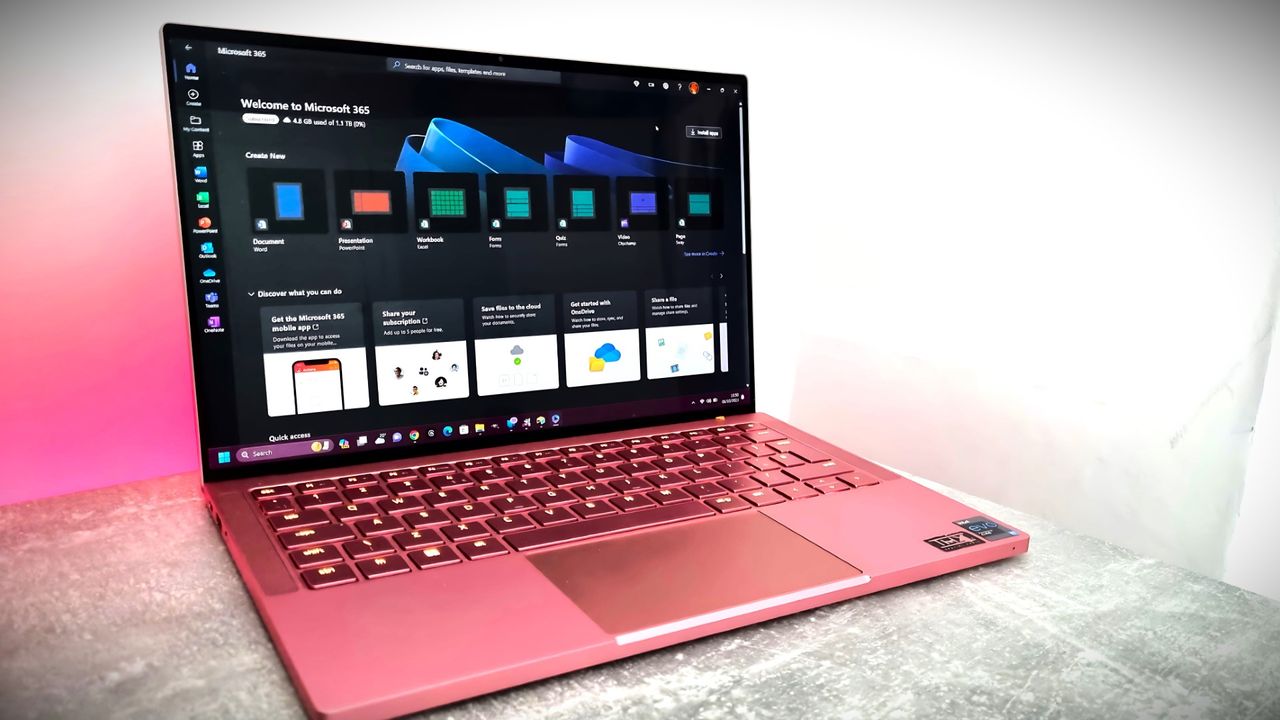
Microsoft 365 home page on a Razer laptop

Microsoft rebranded its Office subscription to "Microsoft 365" several years ago. (Image credit: Jennifer Young - Windows Central)

Microsoft already had an established brand name recognized around the world in "Office." But the tech giant decided to rebrand its productivity suite as Microsoft 365. While that decision drew criticism, it at least made sense because Microsoft 365 includes several pieces of software that are not Office apps.

In 2025, Microsoft announced the baffling decision to rebrand Microsoft 365 as "Microsoft 365 Copilot." Our Executive Editor Jez Corden took Microsoft to task for that, and rightly so:

"The rebrand of Microsoft Office was dumb to start with, trampling on a legacy spanning decades. The second rebrand attaching Copilot is even more dumb, and follows the Copilot+ PC thought process of firmly putting the cart several miles before the horse. Copilot hasn't earned the right to be showcased alongside [technological] cultural milestones like Microsoft Excel or Microsoft Word."

Microsoft went on a spree in which it renamed a bunch of services to include some form of Copilot. The company had so many types of Copilots that it had to merge Copilot and Microsoft 365 Copilot.

Microsoft's dumbest rebrand in history just got EVEN dumber. https://t.co/qtzIvgLyfjJanuary 16, 2025

That obsession with Copilot begs another question: If Microsoft needs to rename the Microsoft 365 Roadmap to mention AI, why not call it the Microsoft 365 Copilot Roadmap? I'd still hate the change but at least it would be somewhat consistent.

The idea of slapping "AI" onto anything is still silly, but at least Microsoft would be reusing a name that appears elsewhere.

Click to join us on r/WindowsCentral

Join us on Reddit at r/WindowsCentral to share your insights and discuss our latest news, reviews, and more.

Windows 11

Windows 11

  • ✇Yanko Design
  • This Foldable A2 Scanner Fits in a Bag and Doubles as a Live Presenter
    Scanners haven’t changed much in how they occupy a workspace. A flatbed sits in the middle and claims that real estate whether it’s in use or not. Overhead models are more flexible, but they still tend to take up a fixed spot in any setup. For anyone working from a compact home office or shared studio, that trade-off rarely gets a proper answer. Joyusing’s ScanMax 320 approaches the problem from a different angle, quite literally. Rather than occupying the center of a workspace, it’s built to s
     

This Foldable A2 Scanner Fits in a Bag and Doubles as a Live Presenter

Par : JC Torres
22 août 2026 à 21:45

Scanners haven’t changed much in how they occupy a workspace. A flatbed sits in the middle and claims that real estate whether it’s in use or not. Overhead models are more flexible, but they still tend to take up a fixed spot in any setup. For anyone working from a compact home office or shared studio, that trade-off rarely gets a proper answer.

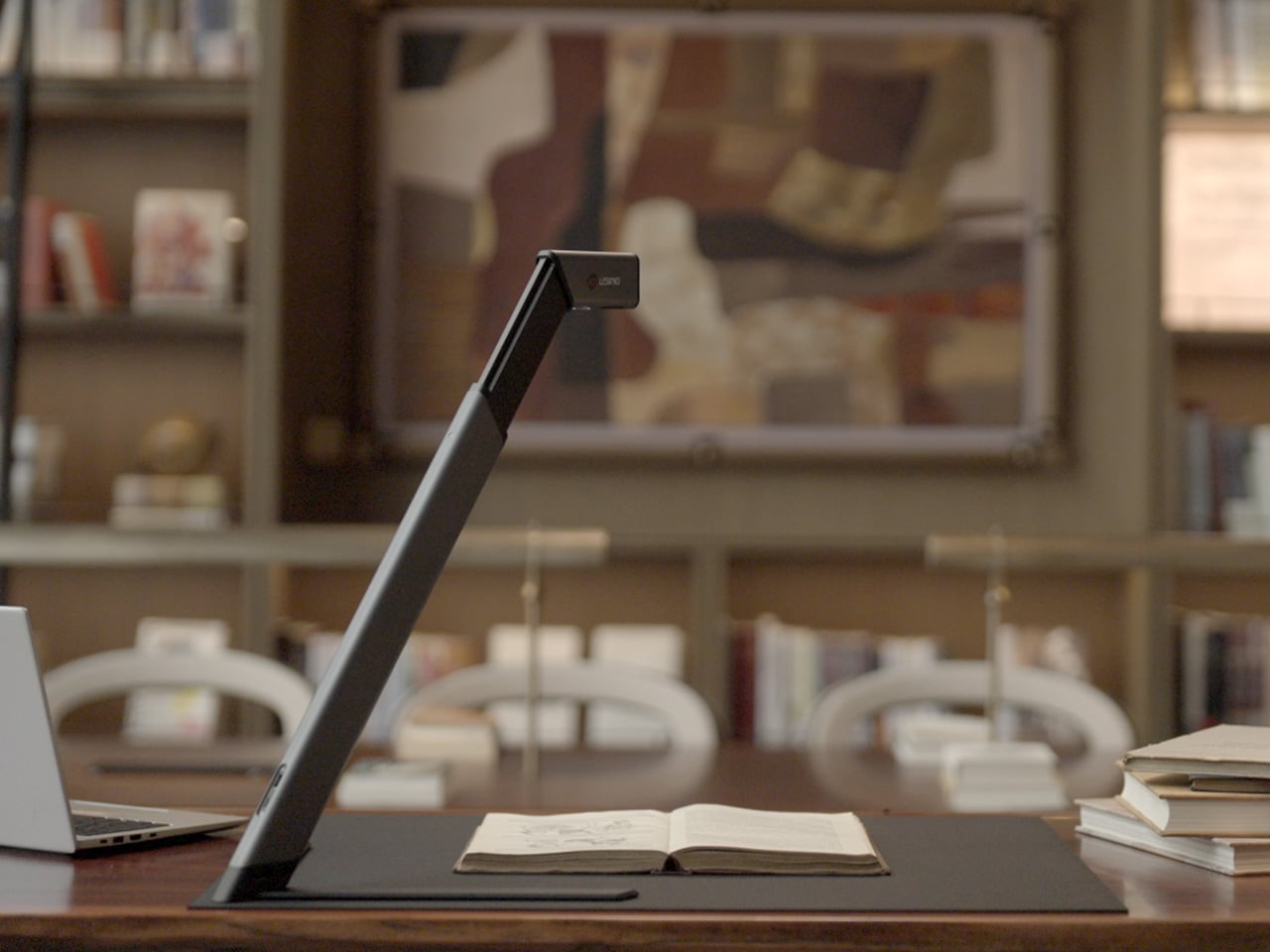
Joyusing’s ScanMax 320 approaches the problem from a different angle, quite literally. Rather than occupying the center of a workspace, it’s built to sit at the edge of a desk, positioned in the corner while its arm reaches overhead. It handles documents, books, artwork, and large-format materials up to A2 size, without taking over the surface it’s meant to serve.

Designer: JOYUSING

Click Here to Buy Now: $379 $649 (42% off). Hurry, only 32/220 left! Raised over $88,000.

Folded down, the ScanMax 320 measures 355mm x 68mm x 51mm, slim enough to slip into the included carrying bag and move between rooms without any effort. It runs entirely on USB-C power, so getting started means plugging in a single cable. There’s no proprietary adapter to hunt down, no driver installation ritual, and nothing complicated to deal with before the first scan. You can directly use the ScanMax 320 as a live presenter camera, and scanning as well as other advanced features simply require the free Joyusing Scanner intelligence software.

The shooting area extends to a full A2, or 594mm x 420mm, with a 32-megapixel sensor capturing at up to 380 DPI. That covers blueprints, double-page book spreads, large technical drawings, and oversized artwork in a single pass. An intelligent auto-switching system detects whether the material is A2 or A3 and adjusts accordingly, so there’s no manual input needed between sessions.

Overhead scanners tend to have a lighting problem, particularly near edges or when capturing materials that aren’t perfectly flat. The ScanMax 320 uses a rectangular illumination system shaped to match the scanning area, distributing light evenly and keeping shadows from washing out fine detail near the sides. Three brightness levels, at 30%, 70%, and 100%, are accessible with a single touch for quick adjustments in different environments.

Book scanning is where overhead devices tend to earn their keep, and also where they tend to frustrate. Pages curve at the spine, fingers get in the way, and binding shadows creep in from the edges. The ScanMax 320’s software handles most of this automatically, applying auto-flattening, finger removal, de-skewing, and shadow removal without manual adjustment. Book mode, paired with the included finger cots, keeps pages steady for continuous capture.

Once everything is captured, the software’s OCR engine converts printed text into editable, searchable files, with support for 180 languages and export options including Word, PDF, and TXT. A page of Japanese text, a technical report, or a multilingual research paper can go from physical to fully searchable in seconds, turning raw captures into documents you can actually search, copy, and share.

What’s less obvious about the ScanMax 320, and arguably more interesting, is that it also functions as a live visual presenter. Point it at a printed page, a hand-drawn sketch, or a physical object, and the feed goes live to whatever screen or projector it’s connected to. For a teacher going through annotated notes or a designer reviewing a layout with a client, that extra mode earns its place quickly.

Software compatibility covers Windows, macOS, and several Linux distributions including CentOS, Ubuntu, and Debian, though macOS users will find some features limited compared to the Windows version. Everything connects over USB-C, keeping the setup free of dongles and extra cables. Built-in annotation tools allow for direct markup of scanned content, which makes it easier to prepare materials before presenting or sharing them.

There’s something refreshingly considered about a scanner built to work with your desk rather than on top of it. The ScanMax 320 doesn’t ask you to clear space or rearrange anything. It folds, parks at the edge, and gets on with the job. Whether you’re archiving a collection, digitizing a sketchbook, or presenting something in a meeting, the fact that it stays in its corner is, in itself, the point.

Click Here to Buy Now: $379 $649 (42% off). Hurry, only 32/220 left! Raised over $88,000.

The post This Foldable A2 Scanner Fits in a Bag and Doubles as a Live Presenter first appeared on Yanko Design.

This Microsoft 365 bundle deal gets you a year of NordVPN for free

Microsoft 365 is a must-have software suite for millions of people. I've had a subscription since the days of SkyDrive and Office 365. I stack up whenever I find a great deal. Whether you're an experienced subscription stacker or paying for your first Microsoft 365 subscription, now is a great time thanks to a pair of deals.

Newegg has discounts on two bundles, one that comes with Microsoft 365 Personal and NordVPN ($61.99) and one that comes with Microsoft 365 Family and NordVPN ($84.99). Both bundles get you 12 months of each included piece of software.

365 Personal (12 months) + NordVPN: was $149.98 now $61.99

This bundle is the most affordable way to get a year of Microsoft 365. As an added bonus, it comes with a year of NordVPN Basic, which is a $49.99 value on its own.View Deal

365 Family (12 months) + NordVPN: was $179.98 now $84.99

Microsoft 365 Family provides access to the software suite for up to six people. Each of those users will have their own copy of apps like Word, PowerPoint, and Excel plus 1TB of OneDrive storage. This bundle also includes a free year of NordVPN Basic.View Deal

Is now a good time to subscribe to Microsoft 365?

Right now is a great time to subscribe to Microsoft 365.

I've kept track of the best Microsoft 365 deals for years. Every once in a while, the most affordable way to get a subscription is to pick up a bundle. Even if you have no intention of ever using NordVPN, the bundled prices for Microsoft 365 and NordVPN are lower than the cost of Microsoft 365 on its own.

I don't mean to discount NordVPN. It's a great service on its own and I have used it regularly for years as well. I just assume people seeing this bundle are more interested in Microsoft 365. If you use both Microsoft 365 and NordVPN, the current bundles are incredible.

FAQ

Can you stack Microsoft 365?

Yes, it is possible to stack Microsoft 365 subscriptions, meaning you can extend your current plan rather than having to wait for your current subscription to expire. Microsoft 365 allows customers to stack up to five years.

Can I use Microsoft 365 on multiple devices?

Yes, Microsoft 365 apps are available across just about every operating system and type of device. You can use those apps on up to five devices at once with your Microsoft 365 subscription.

Does Microsoft 365 come with OneDrive storage?

Yes. Each Microsoft 365 user gets 1TB of OneDrive cloud storage. That means a Microsoft 365 Personal subscription comes with 1TB of storage and a Microsoft 365 Family subscription comes with up to 6TB (1TB per user).

What is NordVPN?

NordVPN is a highly rated VPN that can improve the security of devices by hiding your IP address and rerouting internet traffic. It can also encrypt data and bypass regional locks for streaming content.

Microsoft 365 and NordVPN Cyber Monday deal

Microsoft 365 and NordVPN Cyber Monday deal

  • ✇Yanko Design
  • This Desk Lamp Puts a Spotlight in a Ring Light With One Knob
    Desk lighting has long been a compromise between task and atmosphere. Professional lamps tend to lean one way or the other: too directional and harsh for extended use, or too diffuse to support fine detail work. A lamp that’s good for examining physical samples often isn’t comfortable over long stretches, and one that’s gentle on the eyes doesn’t always deliver when you need a hard, directed beam. The Focus Light is a desktop lamp concept built around a different premise. Rather than committing
     

This Desk Lamp Puts a Spotlight in a Ring Light With One Knob

Par : JC Torres
17 août 2026 à 12:20

Desk lighting has long been a compromise between task and atmosphere. Professional lamps tend to lean one way or the other: too directional and harsh for extended use, or too diffuse to support fine detail work. A lamp that’s good for examining physical samples often isn’t comfortable over long stretches, and one that’s gentle on the eyes doesn’t always deliver when you need a hard, directed beam.

The Focus Light is a desktop lamp concept built around a different premise. Rather than committing to one kind of output, it combines two independent light sources into a single lamp head, giving the user the ability to shift between a precise, concentrated beam and a broad ambient glow, or run both at once. All of it’s controlled by a single rotary knob, and there aren’t any menus, apps, or extra switches involved.

Designers: Zhen Yang, Siting Lin

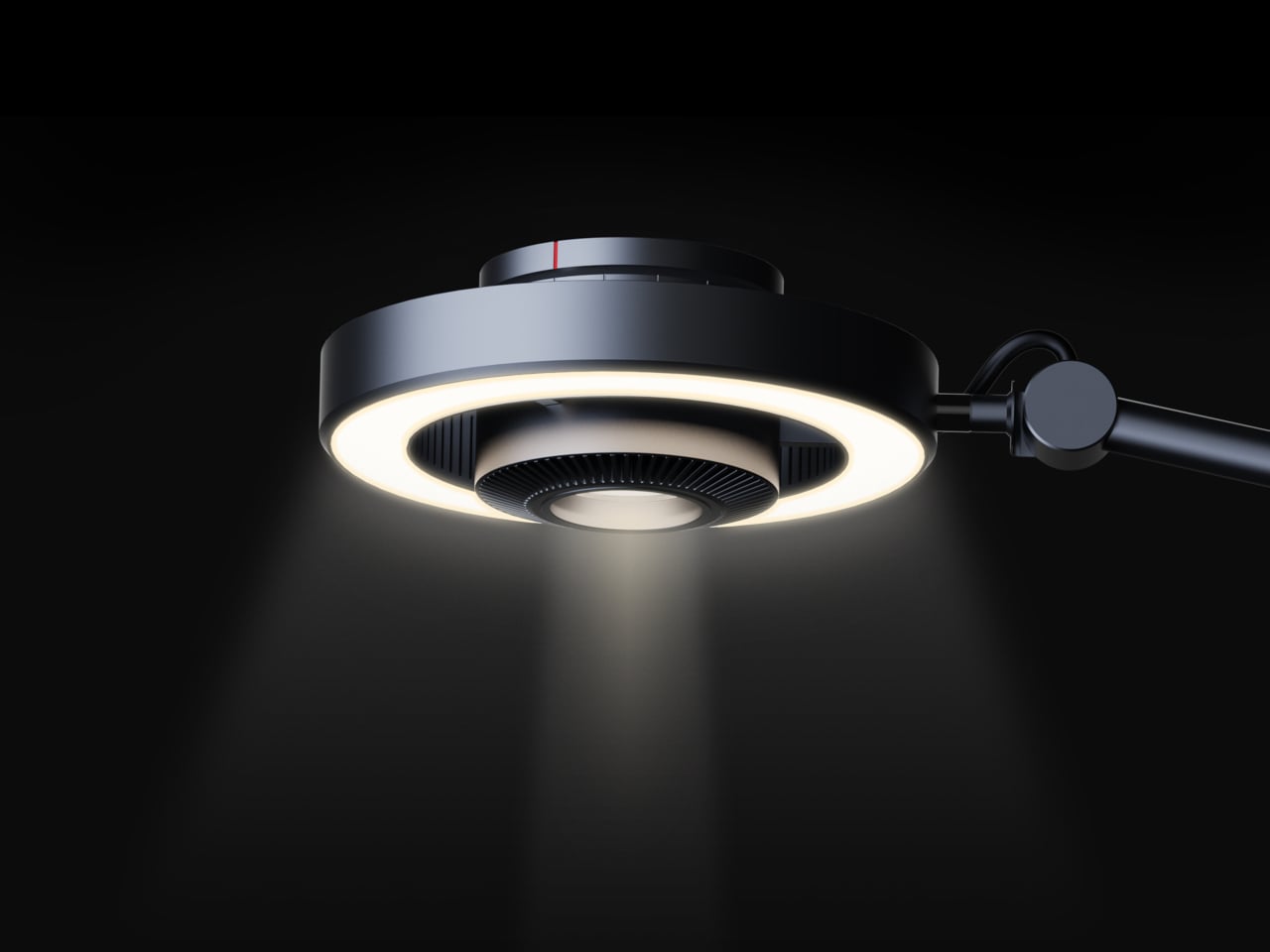
The lamp head is organized concentrically: an outer ring delivers ambient light while a central optical lens handles the focused beam. That layout has both functional and visual logic to it. Both sources sit in deliberate, concentric relation to each other, and the overall form looks as precise as it performs. The whole thing is finished in space gray metal, which lends it a professional, precision-tool character.

Control comes from a rotary knob on top, marked with a red indicator line. Rotating it 15 degrees activates focusing mode, sending a tight, concentrated beam straight down. At 30 degrees, the lamp shifts into diffusing mode, spreading the output into something closer to fill light. Push it to 60 degrees, and both sources run simultaneously, combining the central spot with the ambient ring for a layered workspace light.

For detailed hands-on tasks, being able to shift between modes without touching an app or dimmer panel makes a real difference. An illustrator tracing fine lines benefits from the precision of the focused beam, but that same beam creates harsh contrast against a dark surrounding surface. Bringing in the ambient ring softens that contrast, and having both running at once makes moving between close-up precision work and wider desk visibility much more seamless.

The same flexibility serves anyone who switches between different types of work at the same desk. Reading calls for something even and non-glare; marking up documents or working with small physical components benefits from a harder, more directed light. The Focus Light doesn’t ask the user to swap lamps or reposition the arm for each shift. The knob handles it, and the change is immediate.

The physical form reflects the precision the lamp is meant to support. The lamp head is a clean disc with radiating heat fins arranged around the inner lens assembly, and the arm connects at a ball joint that allows repositioning without loosening a series of screws. A threaded desk clamp handles the mounting, so it doesn’t demand a grommet hole or take up surface area with a weighted base.

What stands out about the concept isn’t just the dual-source setup, but that a single physical control manages both. There’s no menu to scroll, no app to open. The red indicator on the knob tells you exactly where you are, and the three positions are distinct enough that you’d find your way back to any of them by feel after just a few days.

The post This Desk Lamp Puts a Spotlight in a Ring Light With One Knob first appeared on Yanko Design.

  • ✇Yanko Design
  • 5 Best Back-to-Work EDC Upgrades That Actually Make Carrying Less Feel Like More
    Summer does a reliable job of exposing what is wrong with your carry. Thinner clothes mean shallower pockets, and whatever has been accumulating since January starts demanding justification it cannot provide. The wallet that has been stretching since February, the key ring that jingles through every meeting corridor, the flashlight that has been dead for three weeks – they all resurface together as you pack a bag and head back. The loadout that survived winter is not the one that deserves Septe
     

5 Best Back-to-Work EDC Upgrades That Actually Make Carrying Less Feel Like More

12 août 2026 à 13:20

Summer does a reliable job of exposing what is wrong with your carry. Thinner clothes mean shallower pockets, and whatever has been accumulating since January starts demanding justification it cannot provide. The wallet that has been stretching since February, the key ring that jingles through every meeting corridor, the flashlight that has been dead for three weeks – they all resurface together as you pack a bag and head back. The loadout that survived winter is not the one that deserves September.

The five upgrades here share a single argument: fewer objects doing more work, or one object doing something with enough precision that the supporting cast stops being necessary. None of them ask you to carry more. Each one consolidates something you were already carrying into a form that earns its pocket space so completely you stop thinking about it. That is the standard. That is what back-to-work EDC should actually look like.

1. Olight Baton 4 Premium Edition

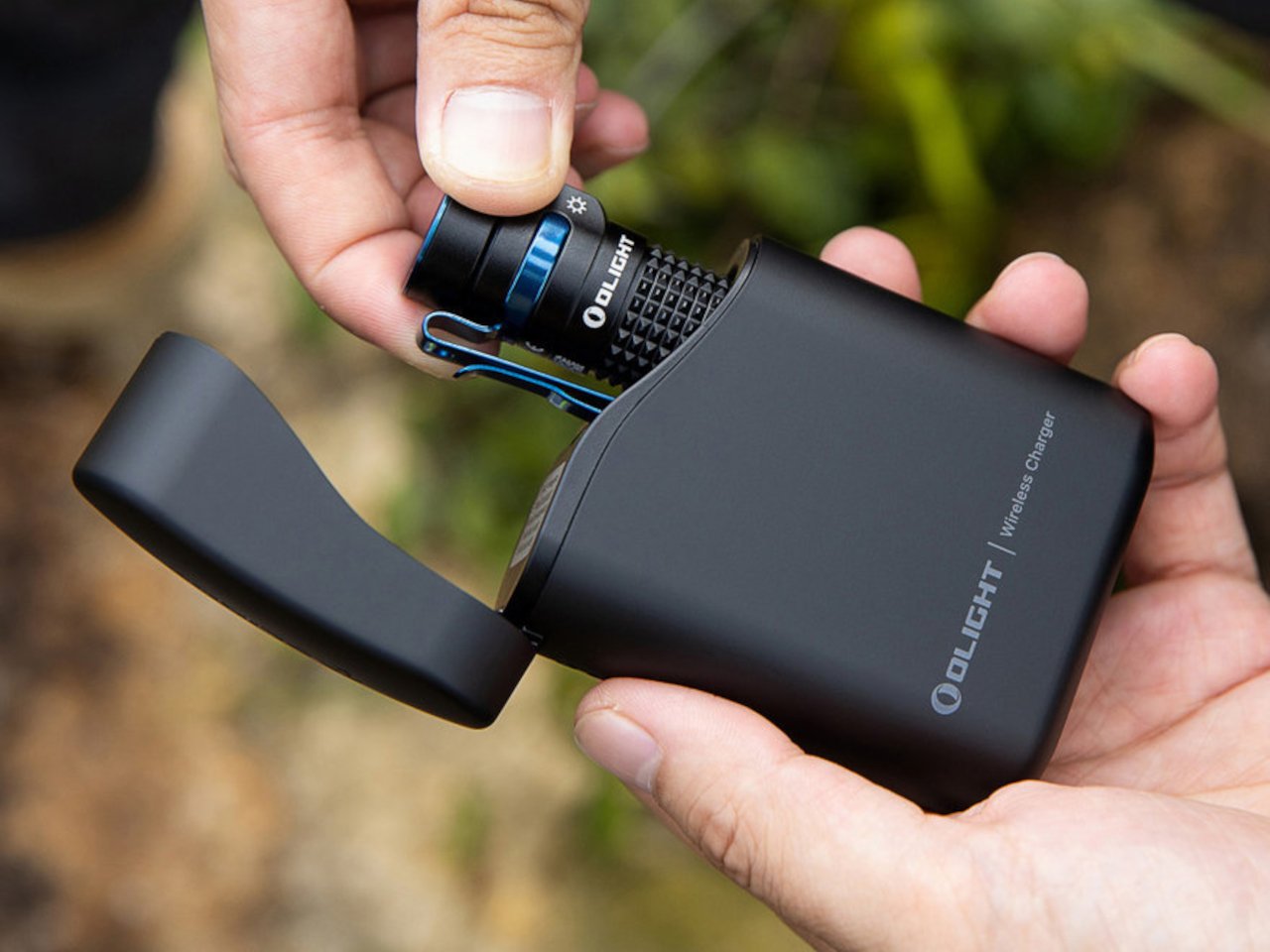
Most people heading back to work carry a flashlight and a power bank as two separate objects, in two separate compartments, with two separate charging cables neither of them can ever locate. The Baton 4 Premium settles that argument by making the charging case the second object, not the flashlight and the power bank as distinct things. The flip-top case carries 5,000mAh, recharges the Baton 4 up to five times, and allows you to activate the light without removing it from the case at all. Open the lid, press the side button, and the light fires. That single interaction collapses the gap between a flashlight that lives in a bag and one that is actually ready when something happens.

The 1,300-lumen output and IP68 waterproof rating handle the practical end of what a flashlight needs to do. The magnetic tail cap converts it into a freestanding lantern by sticking to any steel surface, removing the need for a separate camp light in most outdoor situations and proving genuinely useful in an office during a power outage. For a loadout returning to structure after a summer of loose carry habits, the Baton 4 Premium makes the case that two carry problems can be resolved by a single considered object. That is the only standard that matters right now.

What we like

  • The charging case serves as a functional 5,000mAh power bank and activates the flashlight without removing it – two carry problems resolved by one object instead of two
  • The magnetic tail cap frees both hands during stationary tasks without requiring any additional accessories, stands, or setup

What we dislike

  • Maximum brightness draws battery down faster than lower output modes, which means more frequent recharging on heavy-use days and more reliance on the case as a compensating mechanism
  • The case adds volume to the carry; users wanting the flashlight alone will need to leave the power bank function behind, which partially defeats the premise of carrying less

2. Fantom X Wallet

The wallet category has been failing quietly for decades. Leather stitching stretches, bifolds accumulate receipts nobody asked for, and elastic bands lose tension in months rather than years. The Fantom X approaches the problem as an engineering challenge rather than a craft one, building the chassis from machined aluminum, retaining cards mechanically, and adding a spring-loaded ejection system that fans your cards in sequence at the press of a button. Nothing in its construction is soft, which means nothing in this wallet degrades.

The design logic is borrowed from product categories where material failure is not tolerated. A bead-blasted aluminum body carries the same engineering rationale as the titanium tools that dominate the better end of the EDC market: fewer materials, one mechanism, no organic components that can rot or stretch under daily use. Cards are organized by ejection sequence rather than pocket habit, which introduces a useful kind of intentionality about what actually deserves a slot. Heading back to work with a wallet this considered makes the chaos of a stretched billfold feel like a problem you solved rather than one you are still living with.

What we like

  • Machined aluminum construction eliminates the stretching, cracking, and wear patterns that define the lifespan of leather and fabric wallets across every price bracket
  • The spring-loaded ejection fans cards in sequence, removing the fumbling that every other slim wallet format still requires at the checkout counter

What we dislike

  • The mechanical ejection system has a learning curve for anyone switching from a traditional bifold, and the first week of carry involves genuine reorientation
  • Cash carry is minimal depending on configuration, which limits practicality for anyone who still moves through the day with notes in their pocket

3. Orbitkey Key Organiser

A standard key ring solves the organizational problem with the bluntness of something designed before pockets had size constraints. Keys stack against each other, jingle against everything nearby, and press ridges into the thigh pocket of work trousers for eight hours straight. The Orbitkey stacks two to seven keys flat inside a full-grain leather spine secured with stainless steel hardware, held under tension, producing no movement and no sound when the system is closed. In a pocket, it disappears entirely.

The leather exterior develops its own grain and wear pattern over years of daily use, an explicit design position about longevity that most keychain products never bother taking. The two-screw expansion system accommodates keys confidently up to its rated capacity, and a small ring attachment handles anything that does not stack flat inside the body. Five colorways run from black dress leather to warmer cognac tones, covering the full range of what a work bag demands. Heading to the office with the Orbitkey in your pocket for the first time, the first thing you notice is the absence of sound from your keys. Then you stop noticing it, and that is the point.

What we like

  • The tension stacking system eliminates key jingle, which sounds like a minor quality-of-life gain until you experience the cumulative quiet of a full working day without it
  • Full-grain leather construction ages into character rather than showing damage, signaling a product built to outlast the annual trend cycle by a significant margin

What we dislike

  • Initial key installation involves a screwdriver and careful threading – not difficult, but the setup time is a real first-use commitment that catches some buyers off guard
  • Oversized or irregularly headed keys may not stack cleanly within the system’s geometry, which is worth confirming before purchase rather than after

4. KeyUnity KK08 Titanium Carabiner Knife

The carabiner is one of the most underutilized platforms in everyday carry. Most examples handle clipping and nothing else, occupying keychain real estate without justifying it with more than a single function. The KeyUnity KK08 corrects that by integrating a deployable blade directly into the gate of a TC4 Grade 5 titanium carabiner. One object handles clipping, carrying, and cutting without requiring any tool swap. The blade locking mechanism operates independently from the carabiner gate, keeping both functions discrete and deliberate rather than tangled.

TC4 titanium earns its place here for the same reason it appears throughout the better end of the EDC market. Corrosion-resistant, strong relative to its weight, and completely indifferent to the wear conditions that define outdoor carry. On a carabiner that lives clipped to the outside of a bag or attached to belt hardware, that resistance matters considerably more than it does for something sitting at the bottom of a pocket. The KK08 simplifies the question of what to clip things with by answering a second question at the same time – the most honest argument any carry tool can make.

What we like

  • Two functions in one form factor means the carabiner earns twice the keychain space it would otherwise occupy, which is the cleanest possible argument for carrying it daily
  • TC4 Grade 5 titanium construction handles outdoor exposure and weather without the corrosion concerns that affect steel alternatives over extended carry

What we dislike

  • The integrated blade deployment requires some familiarity with the gate mechanism before it feels genuinely intuitive in the moment you actually need it
  • Carabiner knives occupy a legal gray area in certain jurisdictions, so confirming local blade regulations before daily carry is worth the time it takes

5. Titaner Swing Ratchet System

A standard ratchet needs 15 to 30 degrees of swing arc to advance a single tooth. That is a workable trade-off in open space and a complete failure in the places where screws actually live: behind cables, inside recessed housings, angled into corners that no straight tool can reach. The Titaner Swing Ratchet compresses that arc to 4 degrees, which means it can cycle in gaps where conventional ratchets physically cannot complete a single turn. CNC-engraved directional markers on both sides of the core remove any guesswork from direction selection.

At 29.8 grams, it sits 40 percent lighter than a traditional ratchet while delivering full torque through a modular system that accepts different bit configurations. Back-to-work projects – tightening workstation hardware, adjusting studio furniture, building out a new desk setup – involve screws in confined locations far more often than they involve screws in clear, open space. A ratchet that reaches those positions at under 30 grams earns its pocket space across a full working season rather than waiting in a tool bag for a task large enough to justify the trip back to get it.

What we like

  • A 4-degree swing arc allows operation in spaces so confined that standard ratchets cannot cycle at all, solving the one problem no other tool in this roundup attempts to address
  • At 29.8 grams, it is genuinely light enough for daily carry rather than tool-bag-only use, which changes how often it actually gets reached for

What we dislike

  • The ultra-compact ratchet head can feel less assured under heavy torque loads compared to a full-sized alternative with more leverage to draw from
  • It earns its pocket space most clearly when fastener access is a regular part of your week; for purely occasional use, the weight-to-frequency ratio may not always close the argument

Editor’s Choice: ClearSlide Box Opener

Every back-to-work loadout eventually faces the same moment: a delivery arrives, you reach for a box cutter, realize you also need scissors to deal with the tag inside, and end up setting the box down to find a second tool. The ClearSlide was designed specifically to end that exchange. A smooth sliding thumb mechanism switches between lock, cutter, and scissors in a single hand motion, then cuts with the same thumb – without ever putting the box down. It is a two-tool problem resolved by one object small enough to live on a desk or disappear into a pocket.

The 0.12-inch blade extension is deliberate rather than conservative. It slices through packaging tape cleanly while keeping enough distance from the contents that you are not second-guessing every cut. But the detail that earns it Editor’s Choice is the transparent body. The red slider and internal mechanism are fully visible through the shell as you cycle through positions, each one locking with a crisp click before releasing with a clean spring action. Instead of hiding the engineering, the ClearSlide makes watching it work part of using it – a small thing that changes the object from a utility purchase into something you actually want to keep on your desk. At $30, it is also the most straightforward decision on this entire list.

Click Here to Buy Now: $30.00

What we like

  • The single-hand sliding mechanism switches between box cutter and scissors without setting the package down – the exact problem it promises to solve, solved completely
  • The transparent body exposes every shift of the internal mechanism, turning a functional action into something worth noticing

What we dislike

  • The 0.12-inch blade is optimized for tape and packaging, not heavier cutting tasks that need more blade depth
  • Only a few units currently available, so if the ClearSlide catches your attention, the window to order without waiting is short

The Best Carry Is the One You Stop Thinking About

The best September loadout is not a longer list. It is five objects that between them cover a light, a wallet, keys, a clip, and a ratchet – each doing its job well enough that nothing else feels necessary – plus one desk tool that quietly removes a daily frustration you have been tolerating since the last time boxes started arriving. Nothing is left over. Nothing is missing. The edit is worth making now.

What changes when you get this right is not just the weight, though the weight does drop. What changes is the feeling of moving through the day without friction from the objects that are supposed to be helping you. The Baton 4 charges and illuminates from a single case. The Fantom X does not stretch. The Orbitkey does not jingle. The KK08 clips and cuts. The Titaner reaches where nothing else can. The ClearSlide handles the desk. That is the carry.

The post 5 Best Back-to-Work EDC Upgrades That Actually Make Carrying Less Feel Like More first appeared on Yanko Design.

Cancel Microsoft 365 and Get Microsoft Office for Life for $50

7 septembre 2026 à 09:00

Microsoft 365 costs $99.99/year, but Microsoft Office Pro gives you the same apps for life for only $49.97.

The post Cancel Microsoft 365 and Get Microsoft Office for Life for $50 appeared first on TechRepublic.

Microsoft Forms just gave me another reason to prefer it over Google Forms

Microsoft Forms just got a major upgrade thanks to Copilot. Microsoft 365 Copilot chat now lives within Microsoft Forms, adding a familiar tool to those who use AI in Word, Excel, and PowerPoint.

Copilot in Microsoft Forms can suggest improvements to your polls and forms and present insights from responses.

The Copilot integration is available now to users with Microsoft 365 commercial Copilot licenses.

Microsoft listed all the changes to Forms in a blog post:

  • Smarter suggestions & refinements: Get targeted recommendations to improve your form’s structure, clarity, and effectiveness. Copilot can also apply refinements directly to the form, so you can save time making edits – just describe what you want, and watch Copilot make it happen.
  • Deeper analysis: Copilot can now analyze your results in-depth to provide clear insights and actionable takeaways for you and your team. You can even ask follow-up questions to help parse and summarize your data and unlock your next step.
  • More settings: Review and update form settings with ease, such as applying custom thank-you messages and close dates, so your form is ready to send. You can also adjust question settings in bulk, such as making questions required.
  • Open-ended chat: Copilot chat gives you access to a broad world of capabilities, whether you’re seeking inspiration on survey topics or consulting on how to configure your form – the possibilities are broad with Copilot at your fingertips.
  • Basic branching: Apply basic branching logic directly through the agent. (Note that some complex scenarios are not yet supported, and you should continue to review your branching logic prior to sending your forms.)

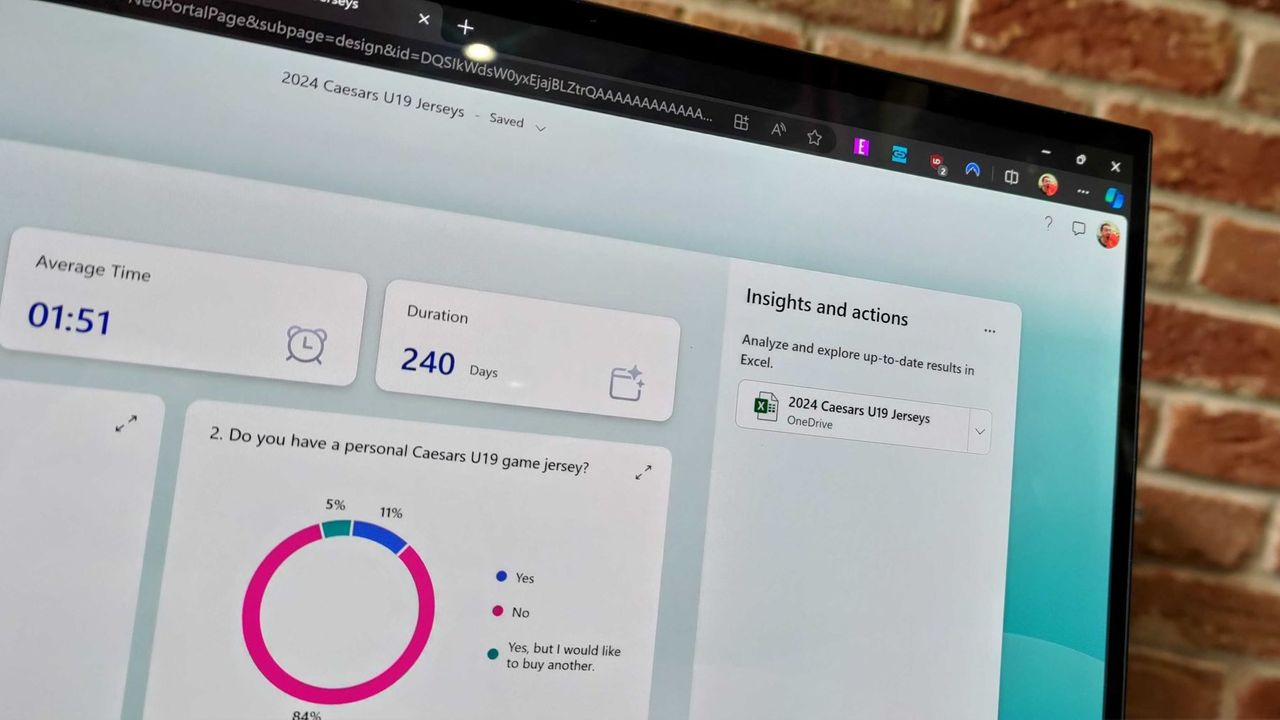
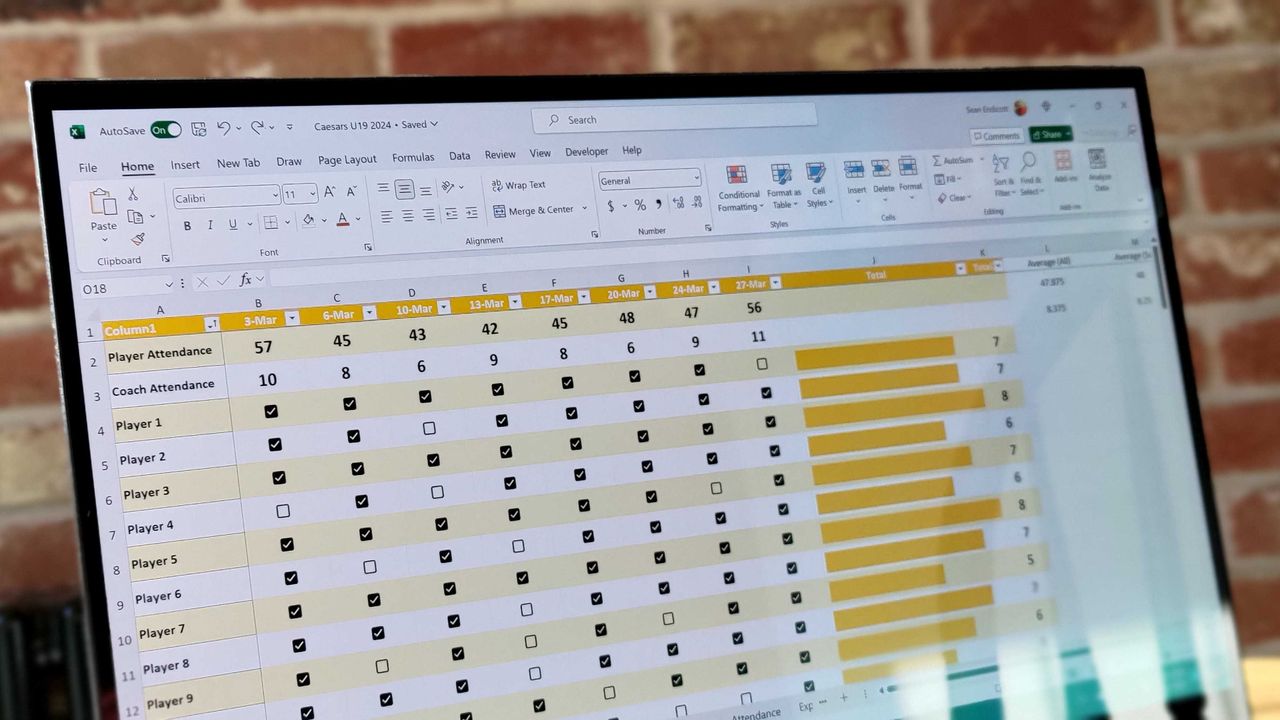
I use Microsoft Forms to gather feedback from my American football team. I admit that I first tried it because my job centers around knowing Microsoft products. But after using Microsoft Forms for a while, I grew to prefer it over Google Forms.

Microsoft Forms can sync with Excel documents, making it much easier to stay on top of responses. I'm deeply entrenched in the Microsoft ecosystem, so anything that works seamlessly with the rest of my workflow gets bonus points in my book.

I also prefer some of the features of Microsoft Forms, such as question-level branching. That feature makes filling out forms feel smoother when a poll includes branching questions because it keeps you on the same page.

The layout of Microsoft Forms also presents results quicker because if you want to look at a chart, you don't need to open a separate spreadsheet.

The new Copilot experience in Forms could also be a boon to the platform, though I'll have to see it in action to judge. In my experience, Copilot as a general tool is good at suggesting improvements, performing bulk edits, and creating summaries, so it should thrive within Microsoft Forms.

Click to join us on r/WindowsCentral

Join us on Reddit at r/WindowsCentral to share your insights and discuss our latest news, reviews, and more.

Microsoft Forms results page

Microsoft Forms results page

"The Lotus guys probably figured it didn't matter to be wrong": Excel thinks 1900 was a leap year because of a small shortcut taken in the '80s — I'll think of this next time I want to cut corners

Microsoft Excel was originally created as competition for Lotus 1-2-3, which has had lasting effects on my favorite spreadsheet software. Here's how a small shortcut taken in the '80s has lasted through until 2026.

Excel spreadsheet with checkboxes

The upcoming checkboxes feature in Microsoft Excel makes it easy to visualize certain data.

Microsoft 365 is paywalling most of Copilot in Office apps — what's changing?

Microsoft is stripping Copilot Chat from Office sidebars for non-licensed users on April 15, 2026, rebranding the included version as "Copilot Chat (Basic)."

The Microsoft 365 Copilot logo appears on a smartphone screen in the Apple app store

Copilot Chat users will need to use the Microsoft 365 Copilot app rather than rely on an integrated version of Copilot in Office.

  • ✇TheWindowsClub News
  • Has Microsoft renamed Office to Microsoft 365 Copilot app?
    The entire internet is confused about the rebranding of Microsoft Office. People on some social media websites, including Reddit and X, are posting that Microsoft has renamed Office, even some websites are also claiming the same. But the question is — is it really true? Has Microsoft actually renamed Microsoft Office to the Microsoft Office […] The post Has Microsoft renamed Office to Microsoft 365 Copilot app? appeared first on TheWindowsClub News.
     

Has Microsoft renamed Office to Microsoft 365 Copilot app?

6 janvier 2026 à 11:51

Microsoft 365 Copilot appThe entire internet is confused about the rebranding of Microsoft Office. People on some social media websites, including Reddit and X, are posting that Microsoft has renamed Office, even some websites are also claiming the same. But the question is — is it really true? Has Microsoft actually renamed Microsoft Office to the Microsoft Office […]

The post Has Microsoft renamed Office to Microsoft 365 Copilot app? appeared first on TheWindowsClub News.

Microsoft 365 subscribers in the UK are frustrated as price hike reminders arrive with barely any time to cancel

Microsoft has reminded UK Microsoft 365 users of an upcoming price increase, leaving just enough time to cancel or explore cheaper alternatives.

Microsoft 365 home page on a Razer laptop

Word is changing forever—your new documents will now live in the cloud by default

A new update for Word has changed how the app handles new documents. Going forward, the app will automatically save everything to OneDrive with autosave enabled.

Microsoft Word Editor

  • ✇TheWindowsClub News
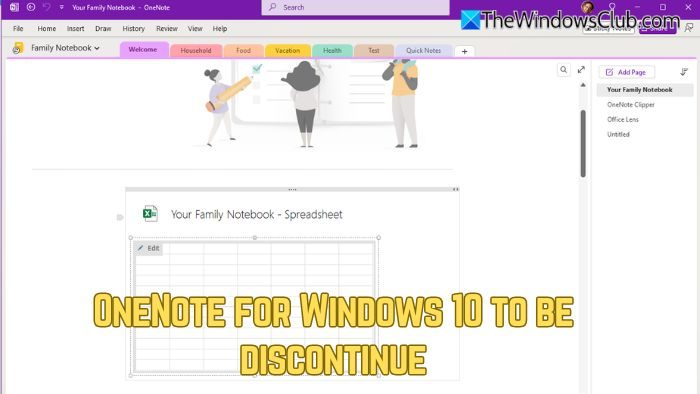
  • OneNote for Windows 10 to be discontinued; Which version are you using?
    Microsoft’s push towards Windows 11 adoption continues. In recent news, Microsoft has confirmed that OneNote for Windows 10, the Universal Windows Platform (UWP) version of its note-taking app, will be discontinued on October 14, 2025. After the deadline, the app will be switched to read-only mode, allowing users to view their content but no longer […] The post OneNote for Windows 10 to be discontinued; Which version are you using? appeared first on TheWindowsClub News.
     

OneNote for Windows 10 to be discontinued; Which version are you using?

11 septembre 2025 à 00:32

OneNote for Windows 10 to be discontinueMicrosoft’s push towards Windows 11 adoption continues. In recent news, Microsoft has confirmed that OneNote for Windows 10, the Universal Windows Platform (UWP) version of its note-taking app, will be discontinued on October 14, 2025. After the deadline, the app will be switched to read-only mode, allowing users to view their content but no longer […]

The post OneNote for Windows 10 to be discontinued; Which version are you using? appeared first on TheWindowsClub News.

This Microsoft 365 deal makes me homesick every year — here’s why you should grab it

Microsoft 365 Family is on sale for $99.99, offering apps, OneDrive storage, and more for six users in a limited-time deal.

Excel spreadsheet with checkboxes

  • ✇TheWindowsClub News
  • Copilot Agent Diagnostic tool for Teams released
    Microsoft has released the Copilot Agent Functionality Diagnostic tool for Microsoft Teams to ensure that Copilot Agents run smoothly in Teams. This tool is useful for IT admins, support engineers, and adoption leads. Copilot Agent Diagnostic tool for Teams Copilot Agent Functionality Diagnostic is a powerful tool designed to identify and resolve the issues preventing […] The post Copilot Agent Diagnostic tool for Teams released appeared first on TheWindowsClub News.
     

Copilot Agent Diagnostic tool for Teams released

8 septembre 2025 à 13:20

Copilot Agent Diagnostic tool for TeamsMicrosoft has released the Copilot Agent Functionality Diagnostic tool for Microsoft Teams to ensure that Copilot Agents run smoothly in Teams. This tool is useful for IT admins, support engineers, and adoption leads. Copilot Agent Diagnostic tool for Teams Copilot Agent Functionality Diagnostic is a powerful tool designed to identify and resolve the issues preventing […]

The post Copilot Agent Diagnostic tool for Teams released appeared first on TheWindowsClub News.

Microsoft Excel gets more AI — and this time it’s actually useful

Microsoft is adding a COPILOT function to Excel, letting you use natural language prompts inside formulas to analyze, summarize, and categorize data.

Excel spreadsheet with checkboxes

Microsoft Adds OneNote’s Best Pens to Word, Excel, and PowerPoint — Here’s Why It Matters

OneNote’s popular fountain and brush pens are now in Word, Excel, and PowerPoint, giving Windows users more natural-looking digital ink.

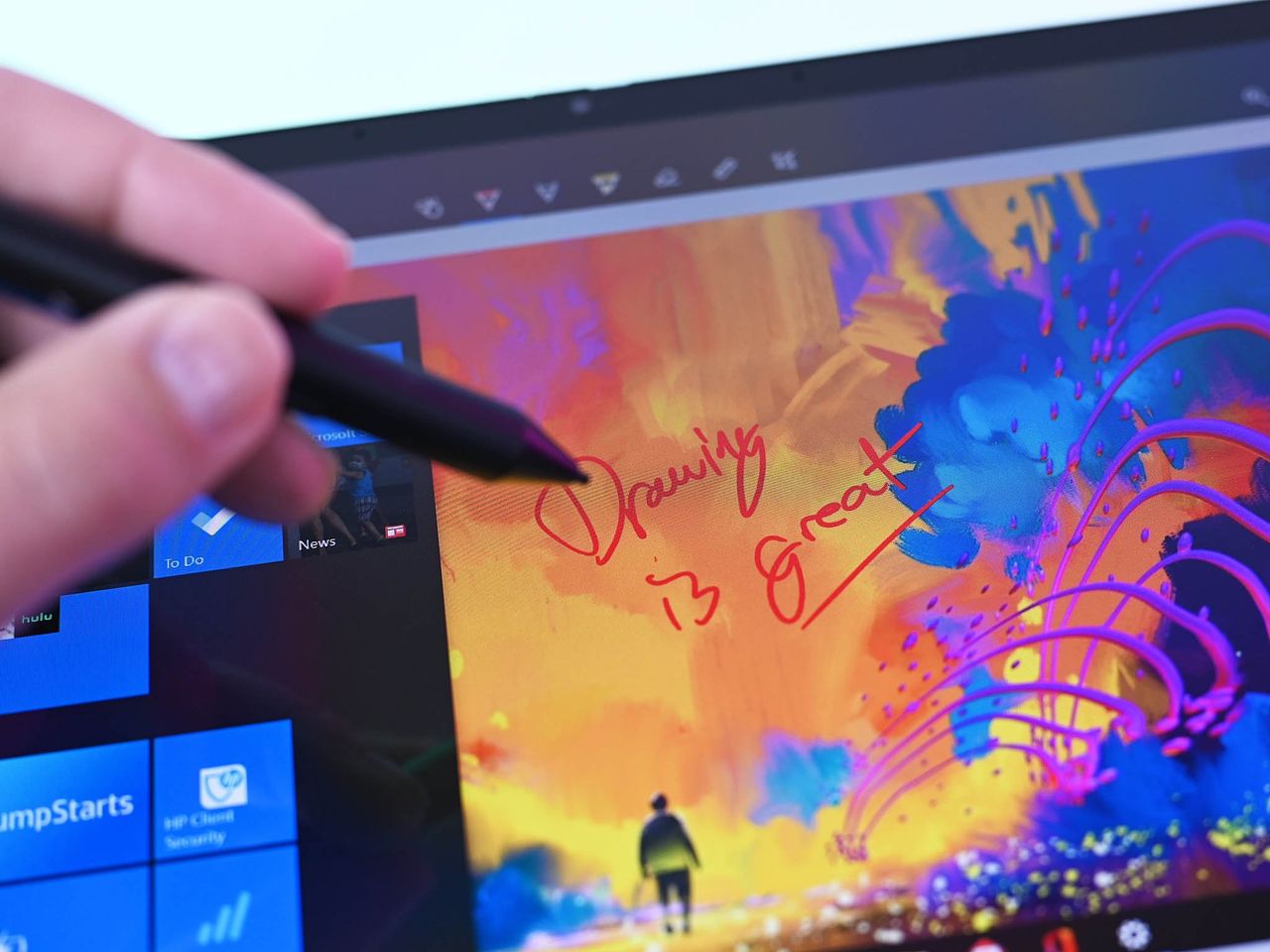
Inking Windows10 Drawing

Get Lifetime Access to Microsoft Office 2021 for Just $30

Whether you're starting a new business venture and need Microsoft Office's help or you just want to get better organized in your personal life, it's a good time to take advantage of this deal.

The post Get Lifetime Access to Microsoft Office 2021 for Just $30 appeared first on TechRepublic.

Stack years of Microsoft 365 — this deal would have been a bargain in 2013

Microsoft 365 is down to $64.99 for Personal and $99.99 for Family. You can stack up to 5 years and get Word, Excel, OneDrive, and AI features at a major discount.

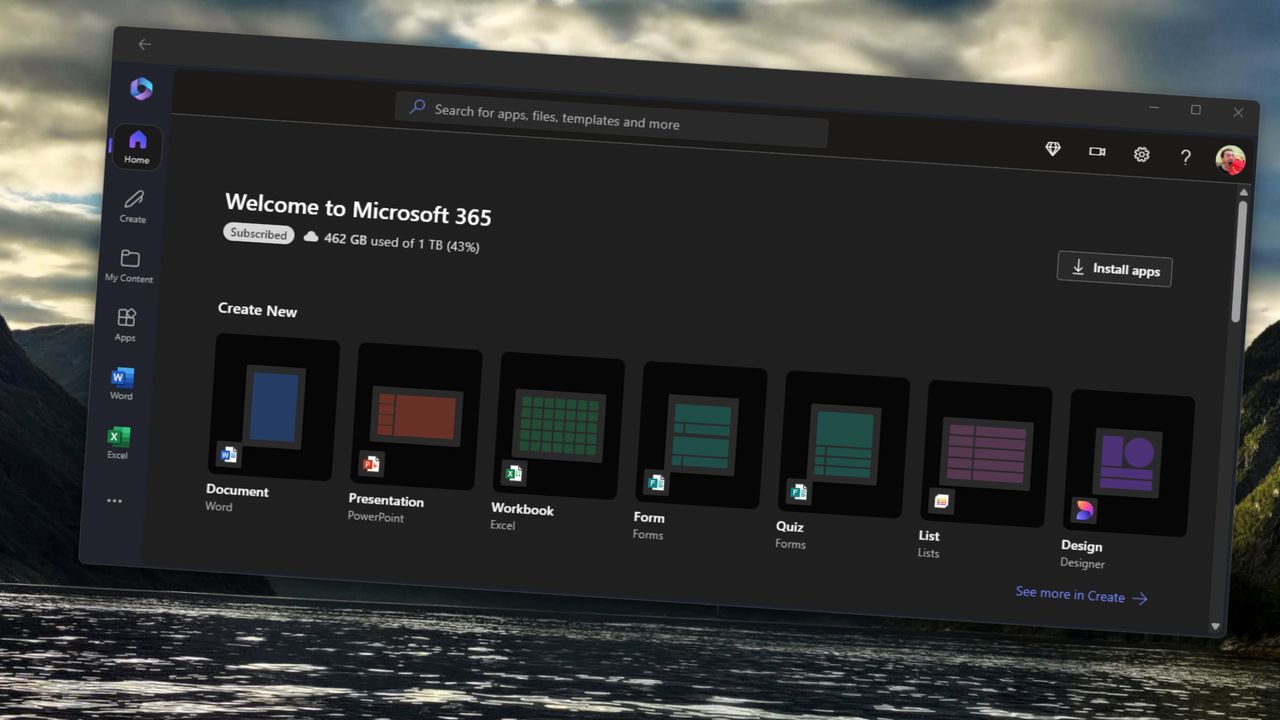
Microsoft 365 app on Windows 11 with shortcuts to create documents in Word, PowerPoint, Excel, and other Microsoft 365 applictions.

❌