Vue normale

Il y a de nouveaux articles disponibles, cliquez pour rafraîchir la page.
À partir d’avant-hierFlux principal

Muxcard - Un ordinateur fin comme une carte bancaire

Par : Korben ✨
24 mai 2026 à 08:25

L'expert en électronique connu sous le pseudo de Krauseler s'est mis en tête un truc que la plupart des ingénieurs auraient lâché au bout d'une semaine, à savoir fabriquer un vrai ordinateur qui tient dans le format exact d'une carte bancaire.

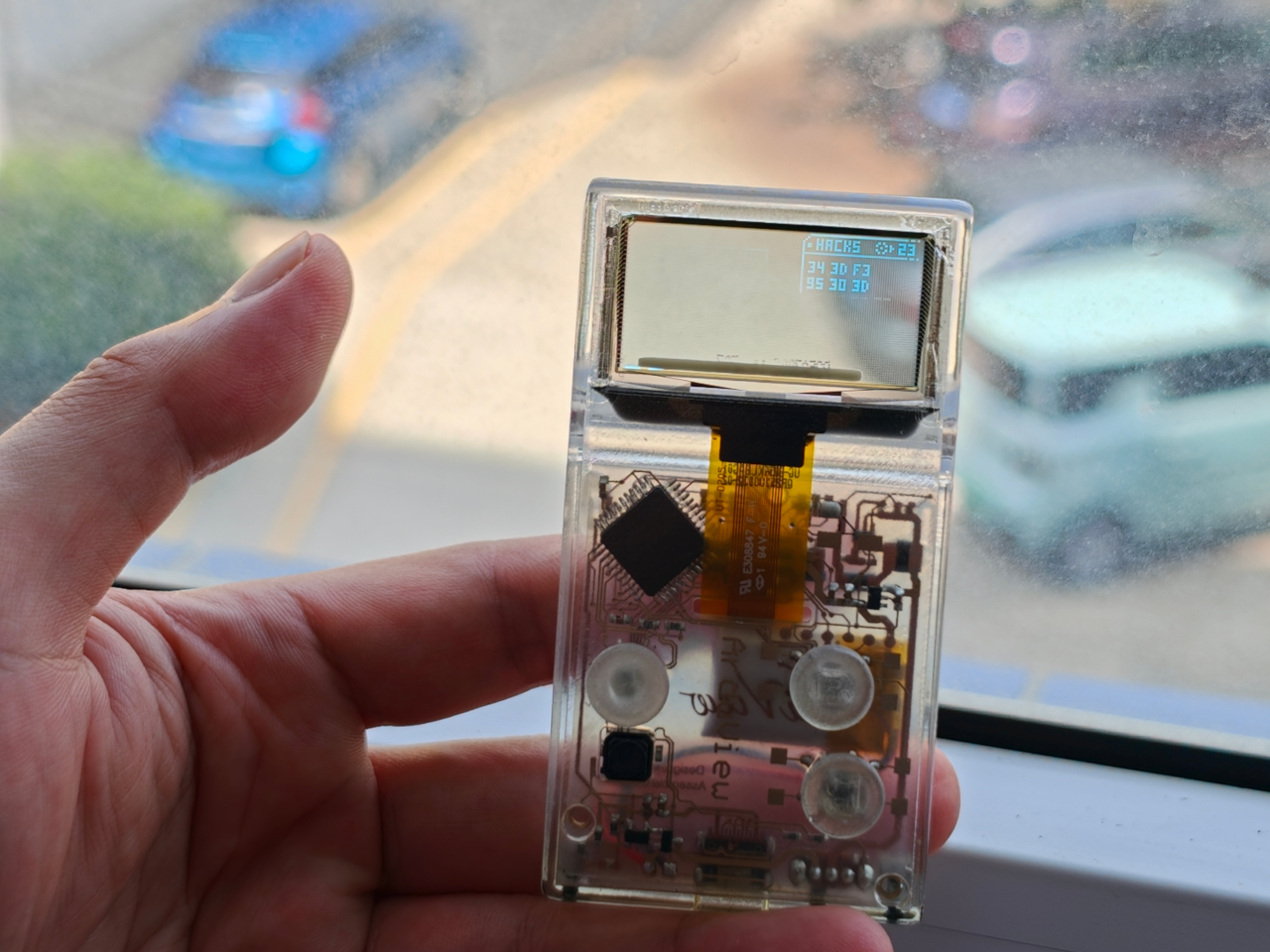
Et pas "à peu près la taille d'une carte" comme on dit tous pour un Raspberry Pi, non, non, la vraie norme ISO 7810, 85 mm sur 54, et surtout l'épaisseur, soit moins d'un millimètre. Sa Muxcard, il l'a sortie tout seul, chez lui, après des mois de bidouille, et le résultat est très impressionnant !

Alors déjà, "ordinateur", c'est lui-même qui le met entre guillemets. En réalité sous la fine couche de Kapton se cache un ESP32-C3, le microcontrôleur que tous les makers connaissent bien, avec du WiFi, du Bluetooth et une intégration Arduino aux petits oignons.

Donc pas de Windows ni de Linux là-dessus, ne rêvez pas, mais ça tourne sur du firmware maison flashé directement sur la puce, façon Arduino. C'est donc surtout ça qui fait râler les experts en expertise de Reddit, mais j'suis désolé, un machin qui calcule et exécute du code, ça reste un ordinateur. Et sinon, oui, avant que vous posiez la question, ça fait tourner DOOM... À 0,7 image par seconde, certes, mais ça tourne !

Mais le plus dingue, ce n'est pas d'avoir réussi à caser tous les composants car malgré ce qu'on pourrait croire, trouver des pièces assez fines, c'était la partie facile. Le vrai cauchemar, c'est la mécanique car à cette épaisseur, tout devient fragile. Le moindre pli, la moindre pression localisée, et paf, les soudures lâchent.

Krauseler a donc conçu des "îlots" rigides autour des puces et des zones de souplesse calculées ailleurs, pour que la carte plie sans jamais forcer sur les points sensibles.

Et la partie qui va parler aux bidouilleurs, c'est le circuit imprimé. Plutôt que d'attendre 3 semaines une commande de flexPCB chez un fabricant à l'autre bout du monde et de prier pour que ça marche, il a tout simplement gravé le sien à la maison.

Du ruban Kapton avec une feuille de cuivre laminée, une couche de photorésine, et une imprimante 3D détournée en machine de photolithographie pour insoler les pistes.... Ajoutez à cela le pochoir pour la pâte à souder, qu'il a fabriqué en empilant du film photorésine à usage unique, et voilà.

Si vous avez déjà tenté de fabriquer un circuit au marqueur , c'est le même principe, mais poussé à un niveau de dingue.

Le moment le plus douloureux, de ce que j'ai compris, ça a été le branchement de l'écran. Les connecteurs étaient trop épais, alors il a soudé chaque fil à la main en retenant sa respiration tellement c'est petit.

Maintenant, le point faible c'est la batterie. Un accu LiPo aussi fin, ça n'aime ni la chaleur, ni les chocs, ni qu'on s'assoie dessus avec le portefeuille dans la poche arrière. Une mini perforation et hop ça part en fumée, au sens propre.

Krauseler le reconnaît sans détour, et c'est sa plus grosse contrainte. Mais rassurez-vous, il bosse déjà sur des feuilles d'acier inox pour blinder l'accu contre la pression. Pas simple quand on sait que chaque solution crée un nouveau problème...

Bon, et qu'est-ce qu'on en fait au juste de cette Muxcard ?

Hé bien pour l'instant le proto affiche surtout des trucs sur son écran e-paper et joue les cartes de visite qui claquent. Mais pour moi, son potentiel qui fait rêver, ce serait d'imaginer qu'avec le NFC en lecture-écriture et l'ESP32, vous avez là de quoi bricoler un générateur de codes 2FA, un gestionnaire de mots de passe hors ligne, un portefeuille de QR codes pour vos billets de transport et autres, un portefeuille crypto, voire un petit outil de pentesting dans l'esprit du Flipper Zero .

Le tout dans un objet qui se glisse dans votre portefeuille sans que personne ne remarque la différence. En fait, le seul vrai frein, c'est qu'il faut savoir coder son propre firmware Arduino pour en tirer quoi que ce soit.

Maintenant, est-ce qu'on peut le refaire chez soi ?

Bien sûr, Krauseler a mis les schémas, le layout et un firmware d'exemple sur son GitHub mais attention quand même, c'est sous licence CC-BY-NC-SA, donc vous avez le droit de vous amuser à le reproduire mais pas de le vendre.

Maintenant, je pense que vous l'avez compris, reproduire ce truc relève de l'exploit. Il faut l'équipement de photolithographie, une soudure de précision de chirurgien, et surtout une batterie de moins d'un millimètre d'épaisseur que lui-même galère à sourcer. Et sur le coût total de tout ça, on n'a pas l'info ! Dommage, j'aurais bien aimé savoir combien ça coûte.

Bref, c'est moins un produit qu'une démonstration de force. Et c'est surtout une preuve de plus qu'un passionné seul peut encore repousser des limites que l'industrie jugerait pas assez rentable pour s'y coller...

Source

This LEGO VHS Player Actually Has Cassettes You Can Insert and Remove

Par : Sarang Sheth
16 mai 2026 à 00:30

Before streaming queues and binge-watching algorithms rewired how we consume film and television, there was a ritual. You drove to the video store, walked the aisles, made your pick, and came home to slide that chunky black cassette into a slot that swallowed it with a satisfying mechanical thunk. The VCR wasn’t just a piece of consumer electronics. It was the centerpiece of a whole cultural ceremony, the thing that turned an ordinary Tuesday night into a genuine event. Polar-Angel_UA, a LEGO builder and 10K Club Member from Ukraine, has captured exactly that feeling in brick form with the Video Home System.

The build recreates a classic VHS setup with the kind of specificity that only someone who actually lived through the era could pull off. The main unit nails the flat, utilitarian slab aesthetic of a proper 80s or 90s VCR deck, complete with a cassette slot, a row of playback controls, and a PAUSE indicator rendered in green. A top-loading lid flips open to reveal the tape mechanism inside, and the real delight here is in that interaction. The tapes go in. The tapes come out. For a build that’s ostensibly a static display piece, that single interactive element transforms the whole experience.

Designer: Polar-Angel_UA

Four items accompany the main unit: a movie cassette, a cartoon cassette, a remote control, and a VHS case. The distinction between the movie tape and the cartoon tape is a quietly brilliant design decision because if you grew up in that era, you absolutely had a dedicated shelf section for each. Saturday morning cartoons lived in their own plastic sleeve, carefully rewound and stacked away from the movie collection. Polar-Angel_UA understands the taxonomy of the VHS-era household intimately, and it shows.

The MOC’s inherently block-ish nature (thanks to the LEGO bricks) works well for this product. VCRs were not delicate objects. They were heavy, deliberately black, and looked like they meant business sitting under your television set, blinking 12:00 in perpetuity because nobody ever set the clock. This LEGO version carries that same hulking, I-mean-business energy, with the cassettes propped against it like they’re already queued up for a double feature. The remote control sitting casually beside the deck is a small touch that completes the tableau perfectly. You can almost feel the carpet under your feet and smell the takeaway boxes.

The Video Home System is currently gathering votes on the LEGO Ideas platform, where fan-created builds compete for the chance to become official retail sets. Cross the 10,000 vote threshold and LEGO’s internal team reviews the submission for potential production. With 688 supporters on the board right now and 422 days left on the clock, there is plenty of runway here. Head to the LEGO Ideas page and cast your vote!

The post This LEGO VHS Player Actually Has Cassettes You Can Insert and Remove first appeared on Yanko Design.

This pocket-sized cyberdesk built inside Altoids Tin is a portable workstation for geeks

Par : Gaurav Sood
12 mai 2026 à 15:20

What do you do with your Altoids tins after devouring the mints? Maybe for keeping your coins, hand it over to your mom for storing the sewing accessories, for keeping handy a first aid, or perhaps keep the watercolor paint for your little niece. DIYer “Exercising Ingenuity,” however, has a very unique use for the aluminium container.

The inventive YouTuber wanted to build a fully functional Cyberdesk inside of the Altoids tin. Sounds bizarre? Surely it is, given the size of the thing. In his video, he asked himself, “That looks like a tiny computer?” It was clear from the outset that the assembly would require the utmost level of detail and sourcing all the hardware inside the tiny housing. While it might not be the most powerful machine you can own, it surely is ultra-portable and quite nice nonetheless.

Designer: Exercising Ingenuity

Normally, Cyberdesks are built inside ammo cans, rugged Pelican cases, or anything that has a boxy form factor. The machines piqued in popularity during the 1980s after the science fiction novel Neuromancer. Altoid tins have all these attributes, just the smaller size makes them a very odd proposition in the Cyberdesk world. That said, he set out anyway on putting together the hardware. For the CPU, he used the Raspberry Pi Zero W he had lying around, and a 2-inch LCD from another unfinished project. The power comes from a 750mAh lithium-ion polymer battery.

The real challenge was to find the tiny mechanical keyboard and fit it inside the small space. According to him, this was the most enjoyable part of the project, even though the video suggests it was a difficult one. It required learning how to construct the diode matrix for configuring the input, along with the assembling and soldering methodology of each of the keys. The final step here involved painting the keys with a white ink pen. Once this bit was taken care of, the DIY headed into the moderate level difficulty (at least for us). The next step was to create a 3D-printed frame to keep all the components inside the tin in place.

Wiring had to be kept to a minimum, and soldering of other components had to be done efficiently, as space was a premium. As a last step to make more room for components like the UPS HAT board and the display, the original hinge was extended with another Altoids tin hinge for a makeshift, slightly bigger replacement. Once all the hardware components were secured properly inside the tin, it was just a matter of running the system using the software. To make the thing look and feel like a vintage desktop computer, the DIYer painted the front panel beige.

The post This pocket-sized cyberdesk built inside Altoids Tin is a portable workstation for geeks first appeared on Yanko Design.

The 5 Best Tech Gadgets of May 2026

12 mai 2026 à 11:40

May 2026 is a good time to be paying attention. Gadgets aren’t just getting faster or thinner; the best ones this month are getting more intentional. There’s a shared thread running through every standout: each was built around a real constraint, a real behavior, or a real cultural moment, rather than a spec sheet searching for an audience. Five products rose above the rest, and each earns its spot for a distinctly different reason.

From a foldable phone that demolishes the category’s $800 price floor to a Nintendo Switch add-on that turns a gaming console into a live production rig, the range here is unusually wide. What connects them is the quality of thinking underneath. These aren’t renders looking for investment. They’re real objects designed to change how you work, listen, create, and move through a day. That’s the only brief that actually matters.

1. NASA Artemis Watch 2.0

NASA’s Artemis II lifted off from Kennedy Space Center on April 1, 2026, carrying four astronauts on humanity’s first crewed lunar journey in over 50 years. CircuitMess timed the NASA Artemis Watch 2.0 directly into that cultural gravity. At $129, it’s a fully assembled, ready-to-use programmable smartwatch built around a dual-core ESP32 microcontroller, with a full-color LCD screen, accelerometer, gyroscope, compass, and temperature sensor packed into a wristband designed for anyone aged nine and up who wants more than a fitness tracker strapped to their wrist.

What makes it worth your attention is the depth it offers without demanding anything upfront. Out of the box, it pairs with iOS and Android over Bluetooth for activity tracking and notifications. When curiosity takes over, the firmware is fully open-source and reprogrammable in Python, CircuitBlocks, or the Arduino IDE. Build custom watch faces, write your own apps, and modify sensor behavior as far down as you want to go. The Artemis Watch 2.0 is one of the rarer gadgets at this price: it genuinely grows with the person wearing it.

What we like

  • Fully open-source firmware supports Python, CircuitBlocks, and Arduino, giving both beginners and experienced coders meaningful room to explore and build
  • Ships fully assembled and ready to use straight out of the box, lowering the barrier to entry without removing any of the technical depth underneath

What we dislike

  • At $129, it asks for more commitment than most impulse purchases in the kids’ tech category allow for
  • Screen performance in direct sunlight hasn’t been addressed in any available documentation

2. OrigamiSwift Mouse

Every frequent traveler has made the same quiet compromise: leave the proper mouse at home or carry something too small to work with comfortably for more than an hour. OrigamiSwift was built precisely around that problem. It’s a Bluetooth mouse that folds flat when not in use, weighs just 40 grams, and opens into full working position in under half a second. The origami-inspired form isn’t a styling exercise. It’s a structural answer to the oldest tension in portable peripherals: comfort has always cost you size.

The ergonomic shaping holds up across extended work sessions, which matters more than most product pages acknowledge. Whether you’re finalizing a presentation at an airport gate or editing documents in a co-working space, OrigamiSwift stays comfortable in your hand and disappears into a bag when you’re done. The ultra-thin profile and minimal build weight mean it never adds anything meaningful to your load. For anyone who genuinely works from wherever they happen to be, this is the mouse that finally makes sense to own.

Click Here to Buy Now: $85.00

What we like

  • 40-gram weight and flat-fold profile make it practically invisible in any bag, disappearing entirely until you actually need it
  • Sub-0.5-second activation means there’s no friction at all between being packed and being productive

What we dislike

  • Available listings don’t confirm DPI range or scroll wheel responsiveness for anyone doing precision work
  • Bluetooth-only connectivity may create compatibility friction with older desktop setups that lack wireless support

3. Ai+ Nova Flip

The foldable phone category has spent five years convincing itself that the flip experience carries a natural premium of $800 or more. Ai+ is testing that assumption head-on with the Nova Flip, launched in India at Rs 29,999, roughly $320, making it the most accessible foldable phone on the market. The inner display is a 6.9-inch AMOLED panel resolving at 2790 x 1188 pixels, complemented by a 3.1-inch AMOLED cover screen. MediaTek’s Dimensity 7300 handles processing, paired with 8GB of LPDDR4X RAM and 256GB of internal storage.

The spec list doesn’t read like a budget compromise. A 50-megapixel primary camera, a 32-megapixel front shooter, and a 4325mAh battery with 33W wired charging all hold credibly against devices at double the price. 5G, NFC, and an IP64 dust and splash rating close out a package that would feel serious in any category. The Nova Flip doesn’t just undercut the competition on price. It quietly forces a harder conversation about what the flip form factor has genuinely been worth at $1,000 all along.

What we like

  • $320 pricing opens the foldable phone experience to an entirely new audience that the category has ignored since its beginning
  • The 4325mAh battery is a genuinely surprising capacity for the flip form factor at any price point, let alone this one

What we dislike

  • The 2-megapixel depth lens reads as the weakest component in an otherwise strong and well-considered camera array
  • Long-term hinge durability at this price tier is unproven and worth tracking carefully over time

4. Akai MPC Switch

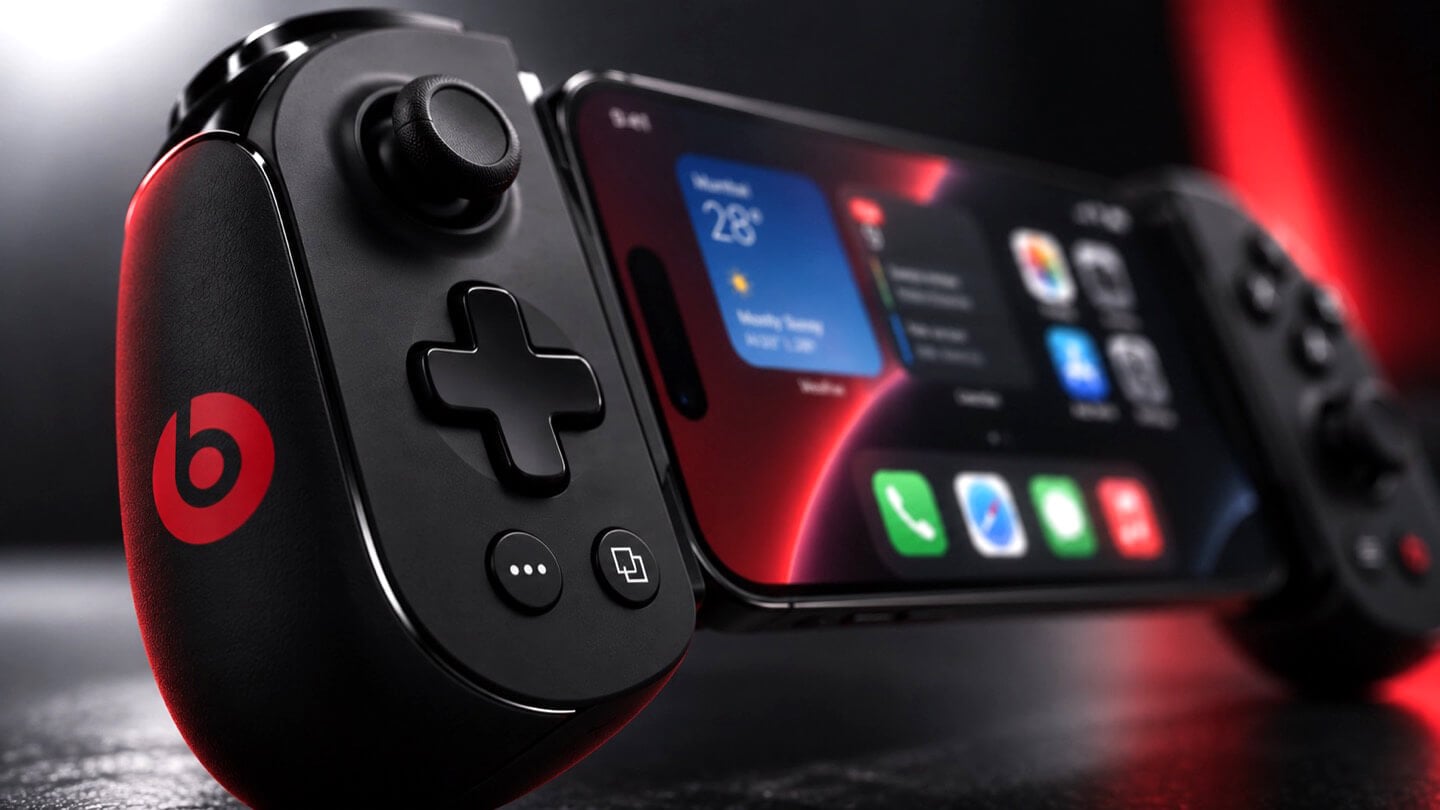
Alquemy’s Akai MPC Switch concept asks a question that feels obvious the moment someone finally puts it to you: if laptop-grade software can run on portable hardware, why can’t a capable gaming console handle serious music production? The MPC Switch is a pair of controller units designed to snap directly onto the sides of a Nintendo Switch, replacing the Joy-Cons with MIDI inputs, outputs, and a full DAW running on the console’s own screen. The control layout reflects real production workflows rather than a stylized render built for social media.

The appeal runs deeper than the novelty of the form. The concept treats the Switch as a legitimate interface surface: something you game on when you need to and produce or perform on when the moment calls for it. Swap the Joy-Cons for the MIDI setup, and you’re there. Whether Nintendo or Akai ever moves this into production is a separate question entirely, but Alquemy has made a persuasive case that the idea deserves a real answer. The best concepts don’t just look good. They make you wonder why nobody shipped it first.

What we like

  • MIDI integration and a credible DAW interface position the Switch as a serious production platform rather than a novelty peripheral
  • The Joy-Con snap mechanism makes the transition between gaming and music production genuinely seamless in concept

What we dislike

  • No confirmed production timeline means this remains aspirational, with no clear path in your hands
  • The Switch’s processing ceiling may be a real constraint for complex, multi-layer production sessions

5. StillFrame Headphones

Most headphone designs land at one of two poles: the over-ear build that announces itself before you even put it on, and the in-ear solution that disappears but gives nothing back in soundstage. StillFrame lands somewhere more considered than either. At 103 grams, it sits closer to weightless than wearable. The 40mm drivers are tuned for a wide, open soundstage that pulls spatial detail and melodic texture out of tracks that most headphones flatten into undifferentiated background noise.

Active noise cancellation closes you off when focus demands it. Transparency mode reconnects you to the room when the world around you matters more. Battery holds at 24 hours, covering a full workday, an overnight flight, and the morning after with no cable required. Switching between modes takes a single tap. StillFrame was designed around the premise that how you listen should adapt to where you are, not the other way around. That’s a harder brief to execute cleanly than it sounds, and the weight alone suggests it’s been taken seriously.

Click Here to Buy Now: $245.00

What we like

  • 103 grams is a genuinely rare achievement for an over-ear headphone carrying both ANC and full-size 40mm drivers
  • 24-hour battery life covers the kind of all-day, real-world use that most headphones in this category only claim to handle

What we dislike

  • No published information on codec support, like LDAC or aptX, for listeners who prioritize wireless audio fidelity
  • Colorway and finish options appear limited in current listings, which may be a sticking point for buyers who care about visual identity

The Only Standard That Matters Is the One You Can Feel

May 2026’s strongest gadgets share something harder to write into a spec sheet than battery life or pixel count. Each was designed around a specific friction point and resolved it with a precision that feels purposeful rather than accidental. The Artemis Watch converts a cultural moment into a learning platform. The Nova Flip resets the floor of an entire category. The OrigamiSwift solves a portability problem that dozens of mice before it never genuinely addressed.

StillFrame and the Akai MPC Switch represent opposite ends of the development spectrum, one shipping and one conceptual, but both make the same underlying argument: that considered design changes the terms of what a product is allowed to be. Whether you’re optimizing a travel bag or rethinking a music studio from a gaming console, the standard these five set is worth taking seriously. The best gadgets this month aren’t the loudest ones in the room. They’re the most resolved.

The post The 5 Best Tech Gadgets of May 2026 first appeared on Yanko Design.

d64 Just Packed an Entire Dice Collection Into a Tiny 1980s Computer

Par : JC Torres
12 mai 2026 à 09:16

Tabletop roleplaying games have an accessory problem. The dice alone can take over a corner of any gaming table, each one representing a different die type that the rules will inevitably call for at the least convenient moment. Tracking down the right d10 mid-session, or explaining to a new player why there are two different ten-sided dice in the bag, is just one of those small but reliable annoyances that experienced players have long since stopped questioning.

The Console’88 from d64Computing is a compact digital dice roller that handles the entire set from d4 through d100 in a single device, the size of a pocket calculator. What makes it genuinely interesting, though, isn’t just the function; it’s that the designer chose to dress it up as a miniature 1980s computer, complete with a CGA color display, vector graphics, boot-screen text, and the kind of visual language that looks like it was pulled straight out of a 1984 computer catalog.

Designer: d64Computing

Selecting a die type is done through a rotary dial and a button underneath the faux keyboard, which fits the era aesthetically and keeps the interaction simple. Spin it to the die you want, and get your result. The randomness runs at microsecond precision, so the results are genuinely unpredictable rather than cycling through a predictable sequence. For anyone who’s ever side-eyed an app-based roller and wondered about its actual randomness, that’s a meaningful detail.

The sounds are what push it over from clever gadget into something with real personality. The Console’88 plays 1980s video game audio when you roll, and it apparently has dedicated sound effects for critical successes and critical failures, which is the kind of contextually appropriate design decision that’s easy to appreciate at an actual gaming table. A crit that’s announced by a triumphant eight-bit jingle lands differently than a number quietly appearing on a phone screen.

There’s an argument to be made for physical dice that has nothing to do with practicality. Rolling actual dice is tactile, dramatic, and central to the experience for a lot of players. But for anyone who travels frequently to gaming sessions, runs games for beginners without their own dice, or simply wants something that takes up less space on an already crowded table, a single device covering every die type is a reasonable swap to make.

The design commitment here is what separates the Console’88 from a generic electronic dice app. This thing looks like it belongs on a desk next to a Commodore 64, and reviews consistently call out the visual quality of the vector graphics and the charm of the retro computer case. It’s a product that clearly started from an aesthetic vision rather than pure function, and the function turned out to be genuinely good on top of it.

The post d64 Just Packed an Entire Dice Collection Into a Tiny 1980s Computer first appeared on Yanko Design.

The TrackPoint Was Always Laptop-Only, This $52 Bean Changes That

Par : JC Torres
8 mai 2026 à 14:20

The pointing stick is one of the more divisive input devices in computing history. Lenovo’s TrackPoint has a devoted following, built around people who never want to lift their hands off the keyboard home row just to move a cursor. Everyone else finds the red nub somewhere between baffling and genuinely annoying. Either way, it has stayed locked to laptop keyboards for decades, with essentially no standalone options available.

Ploopy, the Canadian open-source hardware company known for its lineup of trackballs and trackpads, has changed that with the Bean. It’s a standalone external pointing stick that connects over USB-C and sits flat on a desk. Think of it as a TrackPoint you don’t have to buy a ThinkPad to access, with a few deliberate improvements added to address the weaknesses that nub has always had.

Designer: Ploopy

The Bean measures 84mm x 64mm x 16mm and houses a red pointing nub near the center of its flat, 3D printed case. Unlike the fixed nubs built into laptop keyboards, this one has additional travel in its movement, which Ploopy says helps reduce fatigue from pushing a stiffer stick over long sessions. Four buttons flank the nub, covering the standard left, right, middle click, and scroll by default.

None of those defaults is locked in. The Bean runs QMK open-source firmware on a Raspberry Pi RP2040 microcontroller, and remapping any of the four Omron D2LS-21 buttons takes just a few minutes using the free VIA web app. There are no drivers to install and no proprietary software to deal with, just a browser-based tool that reads the device and lets you assign functions however you like.

For anyone who finds the conventional mouse hard on their wrist, or simply prefers keeping their hands positioned in front of them rather than reaching out to one side constantly, a pointing stick can make a noticeable difference over long sessions. You nudge the nub, and the cursor moves without your palm going anywhere. It’s a small thing until it isn’t, especially for people managing repetitive strain concerns.

Like everything else Ploopy makes, the Bean is completely open source. Hardware design files and firmware are both on GitHub, so anyone who wants to print their own case, modify the button layout, or write custom firmware from scratch has everything they need to do it. That kind of transparency is unusual for any consumer input device and puts Ploopy in a different category from virtually every competitor.

The Bean is available now for $70 CAD (around $52 USD), which is reasonable for a device with this much flexibility built in. It isn’t going to pull in anyone who has never thought about pointing sticks before, but for the enthusiast crowd that has been waiting for a standalone option this customizable and this open, it’s about as close to a purpose-built answer as anyone has delivered.

The post The TrackPoint Was Always Laptop-Only, This $52 Bean Changes That first appeared on Yanko Design.

VitaLink Just Put a 13-Inch Screen and Keyboard Into One Foldable Slab

Par : JC Torres
17 avril 2026 à 01:45

Working on the go rarely looks as tidy as productivity-tool adverts suggest. Most people who travel with serious work needs end up carrying at least two or three things that don’t quite fit together: a tablet or laptop, a compact keyboard if the touchscreen isn’t enough, maybe a portable monitor, and a cable situation that somehow multiplies every time you pack.

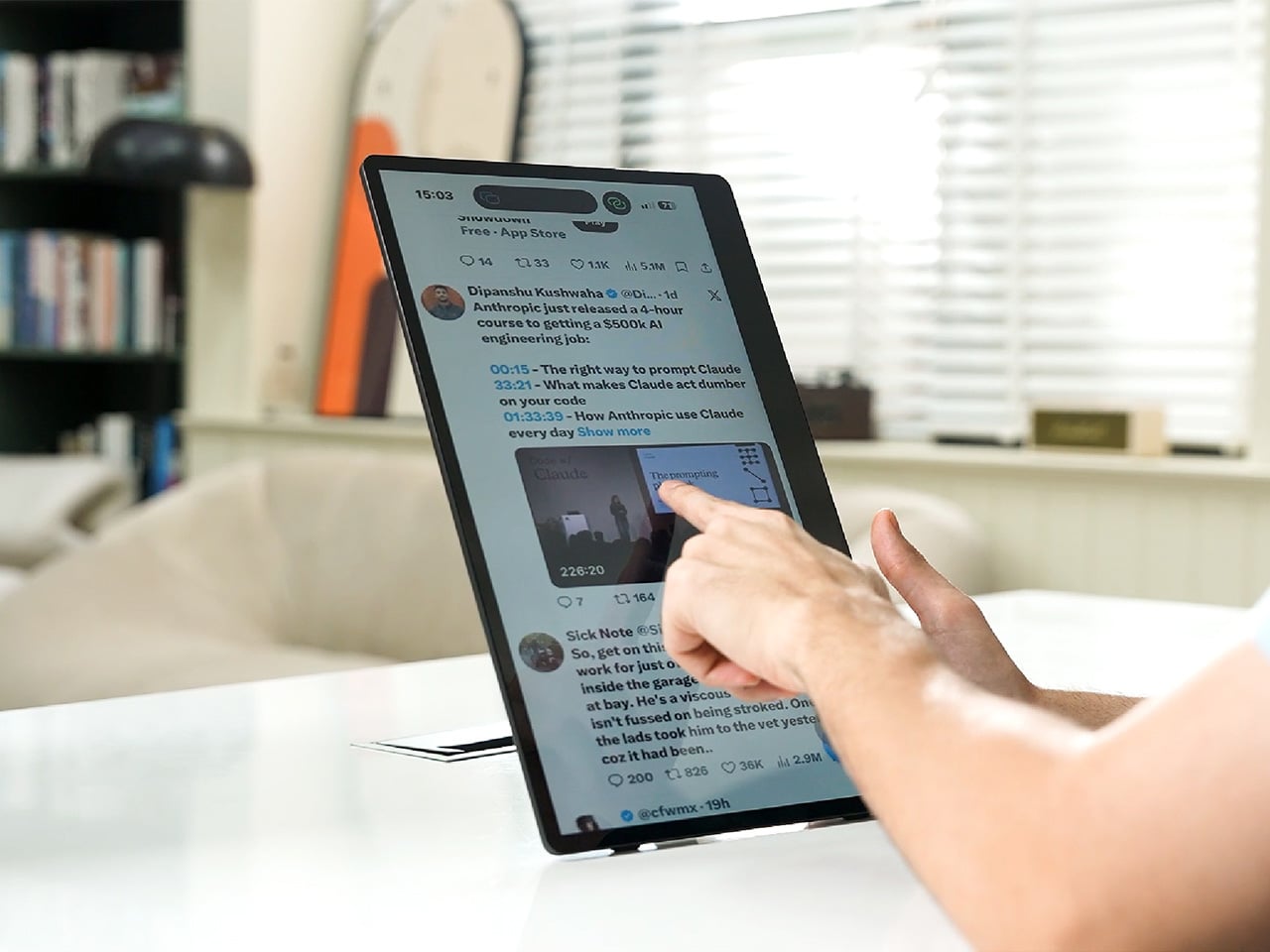
VitaLink is trying to simplify that. The concept combines a full-size keyboard and a large touch display into one foldable object in a CNC aluminum shell. Connect it to any USB-C device and your workspace expands immediately, without a separate stand, a monitor arm, or a bag pocket devoted to adapters. It folds down to 20mm and opens into something that feels genuinely designed.

Designer: VitaLink

Click Here to Buy Now: $279 $658 (58% off). Hurry, only 491/600 left! Raised over $37,000.

The integrated 13-inch display sits directly above the keyboard in what amounts to a compact laptop form factor. The screen runs at a 3840×1600 pixel resolution, a 2.4:1 ultra-wide format rather than a standard 16:9 panel, giving it an unusual amount of horizontal room. There’s enough space to keep two apps open side by side without either feeling squeezed into a corner.

The 180-degree hinge is what makes the compact form actually practical. When you’re done, everything closes into a flat 20mm slab that slips into a laptop sleeve without awkward bulk. The open footprint sits at around 34 × 15 cm, compact enough for a plane tray table, a crowded café counter, or a hotel desk that never seems to fit anything comfortably.

The panel supports 10-point touch, runs at 60 Hz, and delivers 298 PPI pixel density with 100% sRGB color coverage. Touching a screen this size changes how you interact with content. You can swipe, drag, and tap directly on the display while still using the keyboard below, which means managing layers in an editor, scrubbing a timeline, or pulling up references doesn’t require switching between input modes.

The keyboard uses scissor-switch mechanisms with 0.8mm of key travel and wider-than-typical spacing. That added spacing sounds like a minor detail until you’ve spent an hour trying to type accurately on a portable board that prioritizes size above everything else. Three RGB backlight modes let you set the visual tone, and the keys are designed to stay quiet enough for cafés and shared offices.

Two USB-C ports handle video, data, and power delivery through a single cable, and the plug-and-play setup works across Windows, macOS, Linux, iOS, and Android without requiring additional drivers. That compatibility extends to mini PCs, tablets, and handheld gaming consoles, so VitaLink isn’t tied to one kind of device. You’re not locked into a single workflow or a single ecosystem, which is most of the appeal.

Think about what that actually means. You’re in a hotel room with just your iPad and need a proper keyboard and enough screen space to write, edit, and reference something at once. Or you’re at a café with a mini PC and want a setup that doesn’t take over the whole table. Those are the moments where having the keyboard and the display in one object makes a real difference.

The aluminum body does more than keep things thin. CNC-machined aluminum with a frosted anodized finish gives it a rigidity that plastic travel accessories rarely have, protecting the display in transit and keeping the keyboard deck from flexing during typing sessions. It carries more like a slim hardcover notebook than a peripheral, which is a meaningful difference for anyone who’s dealt with a flimsy portable monitor in a crowded bag.

There’s something worth noting in the fact that portable work setups have gotten faster without necessarily getting more cohesive. The bag is still a loose collection of things that don’t quite belong together. VitaLink is at least making a case that the keyboard and the display belong in a single intentional object, built from the start for people whose work doesn’t stay in one place.

Click Here to Buy Now: $279 $658 (58% off). Hurry, only 491/600 left! Raised over $37,000.

The post VitaLink Just Put a 13-Inch Screen and Keyboard Into One Foldable Slab first appeared on Yanko Design.

Test de la Yoto Mini : le baladeur sans ecran qui sauve les trajets en voiture avec vos gosses

Par : Korben
8 avril 2026 à 14:14
- Contient des liens affiliés Amazon -

Après le test du Yoto Player Gen 3 , on a voulu voir ce que valait la version portable. La Yoto Mini coûte environ 70 euros, tient dans une poche et promet 20 heures d'autonomie. On l'a confiée au même testeur de 4 ans, le fils d'une amie. Et on a été plutôt convaincus.

Un petit bloc qui encaisse

La Yoto Mini fait 7 cm de côté. C'est un petit bloc dense, qui a l'air de pouvoir survivre à peu près à tout, surtout avec sa protection en silicone : chute sur le bitume, fond de sac à dos, mains d'un enfant de 4 ans. On retrouve les deux gros boutons rotatifs orange pour le volume et la navigation, pas d'écran tactile, pas de lumière bleue. Juste de la mécanique simple que notre cobaye a prise en main tout de suite.

Elle se recharge en USB-C et affiche une autonomie d'environ 20 heures, de quoi traverser la France sans trop de stress. Et point important : la Mini fonctionne toute seule. Pas besoin d'avoir le gros modèle pour l'utiliser, c'est un appareil indépendant. Pour les parents qui hésitent à mettre 100 euros dans le cube de salon, c'est une bonne entrée en matière à 70 euros.

La prise jack et les cartes personnalisables

La vraie différence avec le modèle de salon, c'est la prise jack. On branche un casque, et l'enfant écoute ses histoires sans imposer le générique de ses dessins animés à tout le wagon. La qualité audio est très bonne pour un si petit appareil, on n'est pas sur un jouet qui crachote. Et en Bluetooth, la Mini peut tout à fait servir de petite enceinte une fois arrivé à destination.

Côté contenu, on retrouve le système de cartes physiques Yoto. Les cartes vierges "Make Your Own" sont d'ailleurs le vrai bon plan : en quelques clics sur l'application, on peut y lier un flux RSS de podcast ou des MP3, et l'enfant se balade avec sa propre bibliothèque. Un peu comme nos baladeurs cassettes dans les années 90.

Les cartes ne contiennent pas les données audio, elles servent de clés. Pour écouter en avion, en train ou en rase campagne, il faut juste que le contenu ait été téléchargé dans la mémoire de la Mini avant de partir.

Rien de compliqué : on la laisse sur le Wi-Fi à la maison la veille du départ, et c'est réglé. L'application mobile gère tout le reste : bridage du volume (indispensable sous un casque pour un enfant), état des téléchargements, et le Yoto Daily, un petit podcast matinal gratuit qui est devenu un rituel chez notre testeur.

Pour 70 euros, la Yoto Mini fait le job et elle le fait bien. Solide, simple à utiliser, 20 heures d'autonomie et une vraie qualité audio pour sa taille. Le système de cartes personnalisables est malin, et la prise jack résout le problème numéro un des trajets en famille : le bruit.

Que ce soit en complément du gros cube ou comme premier appareil Yoto, c'est franchement difficile de trouver mieux dans cette catégorie. Un achat qu'on ne regrette pas, pour peu que vous ayez un enfant bien sûr. Disponible par ici sur Amazon !

Rename World - Et si on renommait la Terre entière ?

Par : Korben
8 avril 2026 à 11:30

Et si vous pouviez renommer n'importe quel lieu sur la carte du monde ?

Genre, transformer "Paris" en "Pain au Chocolat City" ou "Bordeaux" en "Chocolatine Land" ? Hé bien c'est exactement ce que propose Rename World , et y'a déjà plus de 40 000 renommages au compteur.

Le principe est hyper simple : vous cliquez sur un nom de lieu, vous proposez un nouveau nom, et la communauté vote. Les meilleures propositions restent, les autres disparaissent dans l'oubli. Y'a pas besoin de créer un compte pour explorer la carte, c'est ouvert à tout le monde et c'est dispo en français !

J'ai d'abord cru que ça allait être un festival de noms vulgaires et de spam... mais en fait non. Le créateur (qui se fait appeler kafk) a mis en place un filtre de mots plus un dashboard d'administration qui lui permet de dégager les trolls en quelques clics. Sur les 40 000+ propositions, le spam reste donc marginal et la majorité des renommages sont soit créatifs, soit du jeu de mots inoffensif. Après évidemment, si quelqu'un challenge votre proposition, faudra convaincre la communauté de voter pour vous.

Je vous présente Clermont-Ferrand ^^ :

Mais le site ne s'arrête pas au simple renommage. Y'a aussi un mode Name Duel où deux propositions s'affrontent en face à face, un Quiz pour tester vos connaissances géo, et un Leaderboard pour les plus prolifiques. Du coup c'est devenu un vrai petit jeu communautaire.

Il y a également un bouton "Hide NZ" qui permet de supprimer carrément la Nouvelle-Zélande de la cartographie mondiale. Si vous traînez un peu sur r/MapsWithoutNZ, vous comprendrez la référence. Et un bouton "Show NZ" pour les gens bien, évidemment.

Côté technique, kafk a préféré utiliser des PMTiles (40 Go stockées chez Cloudflare) plutôt que des tuiles raster classiques, ce qui rend la navigation bien plus fluide. Le rendu vectoriel s'appuie comme d'hab sur OpenStreetMap et tourne sur le serveur d'un de ses potes équipé de 256 Go de RAM (oui, on a les amis qu'on mérite ^^). Attention par contre, si vous cherchez à renommer un endroit précis (genre votre village de consanguins) et que le libellé ne s'affiche pas, faudra jouer avec le niveau de zoom car c'est du vectoriel, les étiquettes géographiques apparaissent à des échelles différentes.

Si vous avez déjà perdu des heures sur des cartes interactives de Westeros , attendez de voir ce qui se passe quand Internet a le droit de renommer le monde réel. Perso, j'ai cherché ce que les gens avaient fait de ma ville... et j'ai pas été déçu. Y'a aussi un Discord pour la communauté si vous voulez proposer des idées ou signaler des soucis.

Bref, allez-y, renommez votre bled, la préfecture de votre département, et bon courage à kafk pour la modération !

Ah et merci à AV pour l'info !

MUJI-Meets-Cyberpunk Vinyl Record Player Glows Like an Ambient Light and Charges Wirelessly

Par : Sarang Sheth
8 avril 2026 à 01:45

Minimalism in product design has gotten boring. We’re swimming in smooth white rectangles, touch controls that offer zero feedback, and devices designed to vanish. Apple spent two decades training the industry to sand away every visible seam, and now we live in a world where a Bluetooth speaker looks like a cylinder because a cylinder offends nobody. Bang & Olufsen understood early that audio equipment could occupy space like sculpture, could earn its place in a room through presence instead of absence. Teenage Engineering proved that mechanical honesty and playful geometry could coexist with premium materials. Both approaches work because they have a point of view.

TRETTITRE’s TTT series combines those instincts into something harder to categorize. The TTT-LP3 wireless vinyl player uses CNC-machined aluminum for the main frame and features a diffused lighting panel that spreads light evenly across the surface when music plays. The TTT-DP3 Bluetooth CD player takes inspiration from a UFO-like form with a transparent magnetic cover that rotates open to reveal the spinning disc. The TTT-CP3 cassette player uses a metal housing with sharp geometric lines and mechanical transport keys that deliver clear physical response. All three mount on the TTT-W magnetic modular wall rack, turning physical media playback into a visible, functional part of interior design.

Designers: Noah – Founder & Designer, Trettitre

Click Here to Buy Now: $229 $449 ($220 off). Hurry, only 55/99 left! Raised over $654,000.

TTT-LP3: A Vinyl Player That Doubles as Ambient Light

The back of the LP3 includes a hidden mounting structure that allows it to hang directly on a wall. You can mount it vertically so the record becomes part of the visual display, or go for the classic horizontal layout. When you want to move it, you lift the silicone leather handle at the top and take it down. The player detaches easily and gives you the freedom to listen wherever you choose. Traditional turntables usually stay exactly where you put them, limiting your options for when and where you listen. The LP3 works a little differently because of the battery and the wall mount’s wireless charging system, which keeps it powered without a visible cable.

Behind the LP3 sits a diffused lighting panel that spreads light evenly across the surface of the unit. When it’s on, the entire body of the player glows softly, designed to feel closer to ambient lighting than decorative lighting. You can change the lighting effects with the touch of a button. When a record spins, the moving shadows create a quiet visual effect. You can also leave the player mounted on the wall as a soft light source even when no music is playing. That ambient quality pushes the LP3 from well-designed product into something more considered: a slow, breathing light fixture that happens to play records.

The LP3 uses a self-balancing tonearm system that automatically sets the correct pressure when the player powers on. You place the record on the platter and lower the needle, and the system handles the rest. Many turntables require careful calibration before they can be used properly, with tonearm balance, tracking pressure, and counterweight adjustment all part of the process. For experienced collectors that process can be enjoyable, but for beginners it often feels complicated. The LP3 removes that barrier entirely while preserving the tactile experience people enjoy. The player supports both 33 RPM and 45 RPM records, and includes a manual control dial that allows small adjustments to playback speed (roughly ±0.5%), useful for older records that may not spin perfectly at their original speed anymore.

Wireless audio is handled through Qualcomm Bluetooth v5.3 with SBC, aptX, aptX HD, and aptX Adaptive, which allows higher-quality and lower-latency wireless audio than basic Bluetooth streaming. For wired setups, the player also includes a 3.5mm audio output. The built-in battery provides up to 6 hours of vinyl playback or up to 3 hours when used purely as an ambient light source. Full specs: dimensions 342×233×87mm, weight 1430g, Audio-Technica AT3600L moving magnet stereo cartridge, CNC-machined aluminum frame with silicone leather carrying strap. The LP3 arrives in June 2026 for Early Bird backers, May 2026 for Fast Delivery backers.

TTT-DP3: Giving the Compact Disc Its Aura Back

The DP3 keeps the reliability of CDs but gives the player a different visual presence. The design takes inspiration from a UFO-like form with a transparent magnetic cover. When the cover rotates open, the disc is partially visible as it spins, turning something simple into a small visual moment. A CD player shaped like a flying saucer with a rotating transparent lid is an audacious idea, and it works because it doesn’t try to evoke nostalgia. It reframes a CD player as a mechanical object of curiosity, something you watch as much as use.

The control buttons include raised tactile dots combined with a gold-embossed finish, making it easy to identify the buttons by touch alone. You can pause or skip tracks without needing to look down at the player. A small OLED display on the player shows track numbers, playback status, and battery level. The interface is intentionally simple so the information you need is visible immediately. A built-in battery allows the DP3 to run for several hours on its own, so you can move it from room to room, bring it to a small gathering, or take it while traveling. Full specs: Ø170×27mm, 324g, supports CD-DA and HDCD formats, Bluetooth 5.4, SNR >70dB, THD <3%, ABS+PC+Metal construction. The DP3 ships in May 2026.

TTT-CP3: Cassette Hardware for Modern Audio Setups

The CP3 keeps the tactile mechanical elements people associate with tapes while updating the electronics inside. The player uses a metal housing with sharp geometric lines that give it a distinctly industrial appearance. Instead of trying to imitate retro plastic designs, the CP3 leans into a more modern interpretation of cassette hardware. The playback controls use independent mechanical keys similar to piano keys. Each press has a clear physical response. Play, rewind, and stop feel deliberate instead of soft or mushy.

Inside the CP3 sits a Bluetooth module that allows cassette audio to stream wirelessly to speakers or headphones. The player decodes analog audio signals with high precision, helping reduce background noise and preserve more detail from the original recording. The result still sounds like cassette tape, but with greater clarity. Full specs: 122×120×32mm, 360g, supports Type I-IV cassette cartridges, Bluetooth 5.4, SNR ≥55dB, THD <3.5%, Metal+PC+ABS construction. The CP3 ships in May 2026.

When Storage Becomes Part of the Spectacle

The TTT-W Magnetic Modular Wall Rack uses an all-metal geometric structure that allows multiple TTT players to be arranged into a clean wall display while keeping them organized and ready to use. The rack integrates magnetic alignment and wireless charging for the vinyl player, so the LP3 can stay powered without visible cables while being part of the room’s design. Two configurations are available: a T-shaped rack (263×196×27mm, 300g) and a magnetic modular wall rack (612×302×27mm, 775g, combined style T+3). Both support wireless charging at 5-10W and use USB-C 5V 2A input.

The Supporting Cast, from Sculptural Speakers to Planar IEMs

TRETTITRE offers a range of add-ons designed to complement the TTT system. The TreSound1 Speaker arrives in concrete and wooden editions, delivering 2×30W + 1×60W output power with a 1″ tweeter, 2.75″ mid-range, and 5.25″ subwoofer for 30Hz-25KHz frequency response. The conical speaker features 360° surround sound, Bluetooth 5.2 with Qualcomm aptX HD, and a sculptural form that occupies space like a piece of furniture. The TreSound Mini is a portable Bluetooth speaker with a 5200mAh battery, 30W RMS output, and 360° surround sound. The TTT-E3 in-ear headphones use a 13mm planar magnetic driver with a 4-strand silver-copper hybrid conductor, available in 3.5mm and 4.4mm configurations. An aluminum alloy side table (300×300×750mm, 1.75kg, max load 50kg) rounds out the ecosystem.

What It Costs to Build the Setup, and When It Ships

The TTT-LP3 wireless vinyl player is available at $229 for Early Bird backers (June 2026 delivery), down from a planned $449 MSRP. The TTT-DP3 Bluetooth CD player is priced at $79 standalone ($179 MSRP), while the TTT-CP3 cassette player is also $79 standalone ($199 MSRP). If you’re a bonafide audiophile, a $399 bundle gets you all three devices. Optional add-ons include the TreSound Mini Bluetooth Speaker at $169 ($299 MSRP), TreSound1 Wooden Edition at $449 ($659 MSRP), TreSound1 Concrete Edition at $499 ($799 MSRP), TTT-E3 planar IEMs at $139 ($239 MSRP), and the TTT Side Table at $89 ($199 MSRP). The campaign runs through April 9, 2026, with worldwide delivery beginning May 15, 2026.

Click Here to Buy Now: $229 $449 ($220 off). Hurry, only 55/99 left! Raised over $654,000.

The post MUJI-Meets-Cyberpunk Vinyl Record Player Glows Like an Ambient Light and Charges Wirelessly first appeared on Yanko Design.

A Tiny Pinwheel Is Doing What AI Giants Won’t

Par : Ida Torres
7 avril 2026 à 16:20

Every time you type a prompt into ChatGPT, something happens somewhere far away. Servers spin up. Electricity moves. Carbon gets generated. The whole transaction is so clean and invisible on your end that it might as well not be happening. That’s by design, and it’s worth thinking about. Although with the way we use technology these days, we seldom think about the consequences on our environment.

London-based creative studio Oio wants to change that, starting with a small 3D-printed box and a bright yellow pinwheel. Their project, the Hot Air Factory, is a domestic AI device that processes your questions and requests locally, without connecting to the cloud, and every time it thinks, it physically exhales. Hot air pushes out of the top of the device and spins that cheerful little pinwheel. The harder it thinks, the faster it spins. You’re watching computation happen in real time, which turns out to be a surprisingly powerful thing.

Designer: Oio

The concept is simple: make the invisible visible. We know AI uses energy. We’ve read the headlines. But knowing abstractly that data centers are energy-hungry is different from watching a pinwheel turn every time you ask your AI assistant to summarize something. One is a statistic. The other is a moment of honest accountability.

What makes the Hot Air Factory smart, beyond its obvious design appeal, is how it translates cost into human-readable terms. It doesn’t give you kilowatt-hours because most people have no idea what that means. Instead, it tells you something like “that prompt cost the equivalent of brewing a cup of tea” or “watching Netflix for five minutes.” Suddenly the math becomes personal. Suddenly you start wondering whether you really needed a 500-word AI response to a question you could have Googled.

Oio co-founder Matteo Loglio describes it as “a small, domestic AI that reveals the hidden energy cost behind every prompt.” The factory also lets you dial up or down the level of intelligence it uses. Want a quick answer? Use a lighter model, spend less energy. Need something more complex? Crank it up, and watch that pinwheel work for it. You can even schedule your heavier prompts for the night shift, when energy is cleaner and the grid is quieter. These are design decisions that carry real ethical weight, and they’re baked in with zero condescension.

The playfulness and the seriousness aren’t in conflict here. They’re exactly the point. The Hot Air Factory is built in a Frutiger Aero visual language, all soft curves and clean optimism, the kind of aesthetic that makes you want to put it on a shelf next to your plants. But underneath that approachable exterior is a genuinely complicated machine running open-source large language models on a local GPU. It looks like something a friendly robot would carry. It functions like a small act of protest.

AI companies have very little incentive to make their energy costs legible to users. Invisibility is convenient. It keeps things frictionless. It keeps you prompting without thinking about the bill. A report from the US Department of Energy projected that by 2028, data centers could account for 12% of total electricity consumed in the US. That’s not a small number, and it keeps growing every time we treat AI like it runs on good intentions and cloud magic.

The Hot Air Factory isn’t saying AI is bad. It isn’t demanding you stop using it. What it’s doing is quieter and more persuasive than that. It’s asking you to look. To see. To feel, just a little, what your digital habits cost in the physical world. That’s the argument made not through a lecture or a campaign, but through a yellow pinwheel spinning in your living room.

Design can do that. Sometimes a small, well-made object says more than a policy paper ever could. The Hot Air Factory is currently looking for collaborators to help bring it to a wider audience, still working its way from experiment to something anyone can own. If the goal is conscious computing, the first step might just be this: a tiny box, a spinning fan, and the quiet discomfort of watching a machine breathe.

The post A Tiny Pinwheel Is Doing What AI Giants Won’t first appeared on Yanko Design.

GAMEMT E5 MODX handheld’s detachable control module can be connected to Magsafe phones

Par : Gaurav Sood
6 avril 2026 à 15:20

The craze for handhelds over the last 24 months has driven a surge in portable gaming consoles. We’ve seen it all, right from retro handheld devices to modern consoles that can handle AAA titles without breaking a sweat. GAMEMT has been in the thick of things with a Android handheld released last month and a unique portable console with a dial knob.

Now the Chinese manufacturer has revealed yet another handheld, which is an eye turner for sure. This is the E5 MODX console based on the original E5 released in 2024. The console has a removable modular display that can be connected to your MagSafe-compatible smartphone. It would be safe to say that the handheld draws inspiration from the MCON controller, but we haven’t seen a detachable-display handheld yet. Now, that’s downright cool.

Designer: GAMEMT

In its native form, the handheld looks and feels just like any other 3:4 display device. However, when you detach the 5.5″ screen (1024 x 768) and connect its controller module magnetically to a mobile phone, it turns into an altogether different beast. The gaming machine comes with the MTK6771 Helio P60 chipset, which is not that highly rated in the tech circles, given its inconsistent performance. Still, it’ll be interesting to see what GAMEMT has managed to achieve with this microchip in terms of hardware and software compatibility in the E5 MODX. The chipset is paired with a 3GB RAM for optimized performance, and 32 GB internal memory is more than enough to store the suite of AA games.

You can expect to emulate PS1 games, or the option to pair with the Dreamcast/N64/PS2 and GameCube emulation. Clearly, you would better explore the retro arcade game library with this one, to be honest. The real magic happens when you connect the device to your flagship smartphone, and the fun of playing AAA games is again real. For now, it is unclear whether the magnetically detachable accessory pairs via Bluetooth or works with the physical connection, and also for low latency.

According to GAMEMT, the first 3D prototype of the E5 Modx is in the works, and there is no word yet on when the handheld will be released. For now, the idea sounds very interesting, given the landscape of handheld consoles that gamers now can choose from.

The post GAMEMT E5 MODX handheld’s detachable control module can be connected to Magsafe phones first appeared on Yanko Design.

Sandboxels - 500 éléments, zéro limite

Par : Korben
31 mars 2026 à 08:05

Si vous avez déjà passé des heures sur Sandspiel, Orb.farm ou l'un de ces vieux jeux sandbox en Flash, ce site va bien bien vous replonger là-dedans... mais en mieux. Il s'agit de Sandboxels et c'est un simulateur de particules jouable directement dans le navigateur, avec plus de 500 éléments qui interagissent entre eux selon les lois de la physique (enfin, à peu près).

Le concept, c'est que vous choisissez un élément (eau, feu, sable, acide, TNT...), vous le placez sur une grille de pixels, et vous regardez ce qui se passe. Sauf que ça va beaucoup plus loin qu'un bête falling sand game des années 2000 puisqu'il y a de la simulation de chaleur qui se propage, de l'électricité pour créer des circuits fonctionnels, des réactions chimiques entre éléments, et même de la biologie avec des plantes, des insectes et des humains qui se baladent sur votre terrain. Du coup, on peut construire des écosystèmes entiers, des villes miniatures, ou juste tout faire péter au TNT. Chacun son kiff !

Le jeu est l'oeuvre de R74n et il vient de débarquer sur neal.fun , la plateforme de Neal Agarwal (le mec derrière Infinite Craft et The Password Game).

Et l'aspect le plus addictif, je trouve, ce sont les entités vivantes. Vous pouvez par exemple balancer des rats dans une ville que vous avez construite et regarder le bazar s'installer. Ou planter une forêt, y foutre le feu, et observer la propagation pixel par pixel. C'est un peu un god game version bac à sable pixelisé, où chaque grain de matière a son propre comportement. Par contre, attention sur les grosses scènes avec des milliers de particules, ça peut vite faire ramer votre vieux laptop.

Et si le navigateur ne vous suffit pas, le jeu est aussi dispo sur Steam à 0,99 € , parce que oui, ça existe en version desktop. Avec le Workshop pour partager vos créations, la sauvegarde dans le cloud, et même des cartes à collectionner.

Y'a aussi un support complet du modding, ce qui en fait un terrain de jeu quasi infini. Vous pouvez alors créer vos propres éléments, inventer vos propres réactions chimiques, et les partager avec la communauté. La dernière mise à jour a même ajouté des pushers, des affichages texte LCD, des humains qui nagent et qui traînent des objets... et plus d'une centaine de changements. Bref, ça bouge pas mal pour un projet indé !

Après, le problème avec ce genre de jeu, c'est que le côté "lâcher des trucs et voir ce qui se passe" est hyper addictif. C'est le genre de jeu où vous vous dites "allez, 5 minutes" et quand vous relevez la tête 2 heures plus tard avec un volcan en fusion au milieu d'un lac d'acide, c'est déjà l'heure de partir du taf... hahaha.

En tout cas, si vous aimez bidouiller, expérimenter et observer des réactions en chaîne, c'est exactement ce qu'il vous faut pour vous relaxer !

Evercade Nexus upgrades retro gaming with widescreen play and refreshed modern controls

Par : Gaurav Sood
1 avril 2026 à 15:20

For retro gaming enthusiasts, few platforms have embraced nostalgia with the same dedication as the Evercade lineup. Developed by Blaze Entertainment, the Evercade ecosystem has steadily carved out a niche by doing something many modern gaming platforms have abandoned, delivering classic games through collectible physical cartridges.

Since the original Evercade gaming handheld console arrived in 2020, the brand has built a reputation for preserving classic titles while presenting them in a curated, officially licensed format. Now the company is taking a more ambitious step forward with the Evercade Nexus, a device designed to modernize the handheld experience without losing the retro soul that defines the platform.

Designer: Evercade

The Nexus is a significant leap in hardware compared to earlier Evercade devices. One of the most noticeable changes is the 5.89-inch IPS screen (with 840×512 resolution) having a wider 16:9 aspect ratio. Previous Evercade systems focused primarily on the classic 4:3 format used by older consoles, but the wider screen allows the Nexus to better support enhanced versions of classic games as well as titles that benefit from a broader viewing area. The larger display also improves overall comfort for handheld play, giving retro games more space while maintaining the pixel clarity enthusiasts expect.

Controls have also received a major update. For the first time in the Evercade lineup, the Nexus includes dual analog sticks alongside the traditional D-pad and face buttons. While retro gaming is often associated with simpler control layouts, the addition of analog sticks expands the handheld’s compatibility with early 3D titles and games that demand more precise movement. The system also introduces TATE mode, allowing the console to be rotated vertically. This feature is particularly useful for classic arcade shooters originally designed for upright cabinets, recreating their intended orientation on a handheld device.

Under the hood, the Evercade Nexus runs on a quad-core processor clocked at around 1.5GHz. Power comes from a 5,000mAh battery that provides roughly five hours of gameplay on a single charge, while modern conveniences such as wireless headphone support bring the device closer to contemporary handheld expectations without sacrificing portability. Another notable addition is EverSync, a wireless multiplayer feature that allows two Nexus systems to connect locally. With EverSync, players can temporarily share a game from a single cartridge so both devices can participate, offering a simple way to enjoy multiplayer titles without requiring multiple copies.

Like every Evercade device, the Nexus remains fully compatible with the platform’s growing library of physical cartridges. The ecosystem now includes more than 700 officially licensed retro games spread across dozens of curated collections from classic publishers and arcade developers. Instead of relying on digital downloads, the Evercade philosophy continues to center on physical ownership and preservation. At launch, the Evercade Nexus will include a special cartridge featuring enhanced versions of classic titles such as Banjo‑Kazooie and Banjo‑Tooie, optimized for the handheld’s widescreen display.

Evercade Nexus handheld is up for preorder at $199.99 with release set for October 2026, which is a long time away if you are already curious. You can also go for the $229.99 Nexus 64 Edition, which boasts an exclusive Hard Shell EVA Case themed with the Evercade Nexus 64 Edition style, screen protectors, and of course, the certificate of authenticity. It is going to be limited to 2,000 units with pre-order availability on Funstock.

The post Evercade Nexus upgrades retro gaming with widescreen play and refreshed modern controls first appeared on Yanko Design.

❌
❌